Skip to content
Sydney CBD Repair Centre Logo 400x40
📢 Post Your Phone Today. 👀See How Fast It's Returned. | 📍Aussie Customers| 📍USA Customer
📢 Chat With A Human Not A Bot↗️❤️
🚈Convenient Sydney Light Rail - Please Get Off ❤️[Chinatown] Stop
📢 King's Birthday, ⭕8th Of June, Monday, Shop CLOSE Please SMS 0437774119 Or Live Chat↗️
📢 OPEN (6 Days) : Mon-Fri 10am-6pm Sat : 10am-2pm , Close: Sun ↗️.
📢 Get It Now iPhone 17, iPhone 17 Pro , iPhone 17 Pro Max, iPhone Air Protection Cases Available - Limited Stocks Now.
Menu : 🎈 Galaxy 🎁 iPhone 💎 Pixel 'Pixel 10 Pro XL' 🛡️ OnePlus 🧬 Huawei 💊 Xiaomi 🌡️ ROG 💢 🎯 Motorola 🩹 OPPO +... 📷.GoPro. 📍
✅📣 📣 🥇 Nothing Phone* 📍 | Request Your Model To Repair🔻 Here !🧊
🎊 A Story Of Arthur's Galaxy Note 20 Ultra From Byron Bay.
🎊 A Story Of Mark's 2000km long distance ROG Phone 7 Repair.
🎊 A Story Of James Broken Huawei P30 Pro Phone.
🎊 A Story Of iPhone 13 Pro - Apple Said No, David Said Yes.
🎊 The Latest Stocks Only With Us: 📢 Fix Pixel 10 Pro XL Screen🎁 📢 Fix ROG Phone 7 Screen
Best Cell phone repair in Sydney Best Cell phone repair in Sydney Best Cell phone repair in Sydney Best Cell phone repair in Sydney Best Cell phone repair in Sydney Best Cell phone repair in Sydney Best Cell phone repair in Sydney Sydney CBD Repair Centre Logo 300x300

🎯 7 Years In A Row ! 👑🥇 Top 3 Mobile Phone Repair In Sydney


Click Here to See CERTIFICATE of EXCELLENCE 2026💢

🥇 The Best Phone Repair Store in City Of Sydney From Quality Business Awards in 2026


🥇 The Best Phone Repair Store in City Of Sydney From Quality Business Awards in 2025

LG V10 Manual

Get to know your very own LG V10 with the help of Sydney CBD Repair Team. Read the manual to get the most out of your smartphone.


lg v10

LG V10 Full Specs

Know what powers the LG V10.

Read Specs

LG V10 Screen Repair

Got a LG V10 cracked screen? Don’t worry, have the lowest repair rates in Sydney with Sydney CBD Repair Centre!

Get Service

Download the PDF version of this manual here.


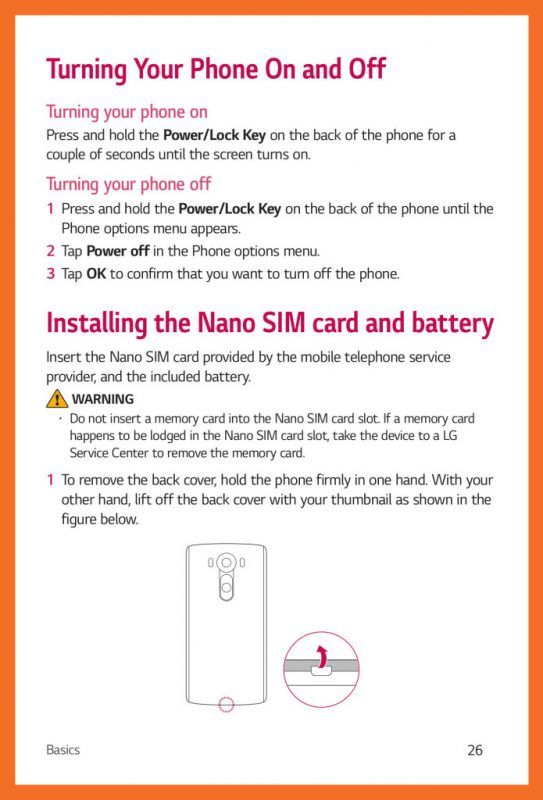
  • Turning your phone on

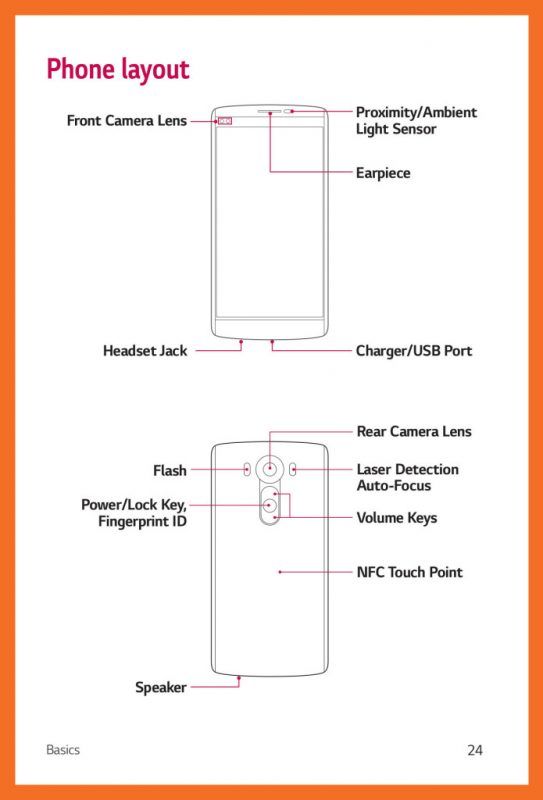
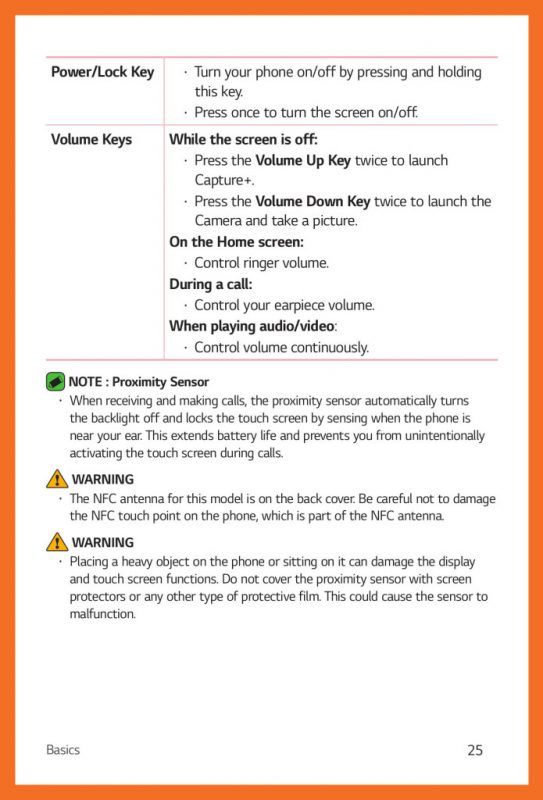
    Press and hold the Power/Lock Key on the back of the phone for a couple of seconds until the screen turns on.

    Turning your phone off

    1. Press and hold the Power/Lock Key on the back of the phone until the Phone options menu appears.
    2. Tap Power off in the Phone options menu.
    3. Tap OK to confirm that you want to turn off the phone.

Sydney CBD Repair Centre Log White
Sydney CBD Repair Centre Logo Dark