Find the Fitbit best suited to your activity level and habits.
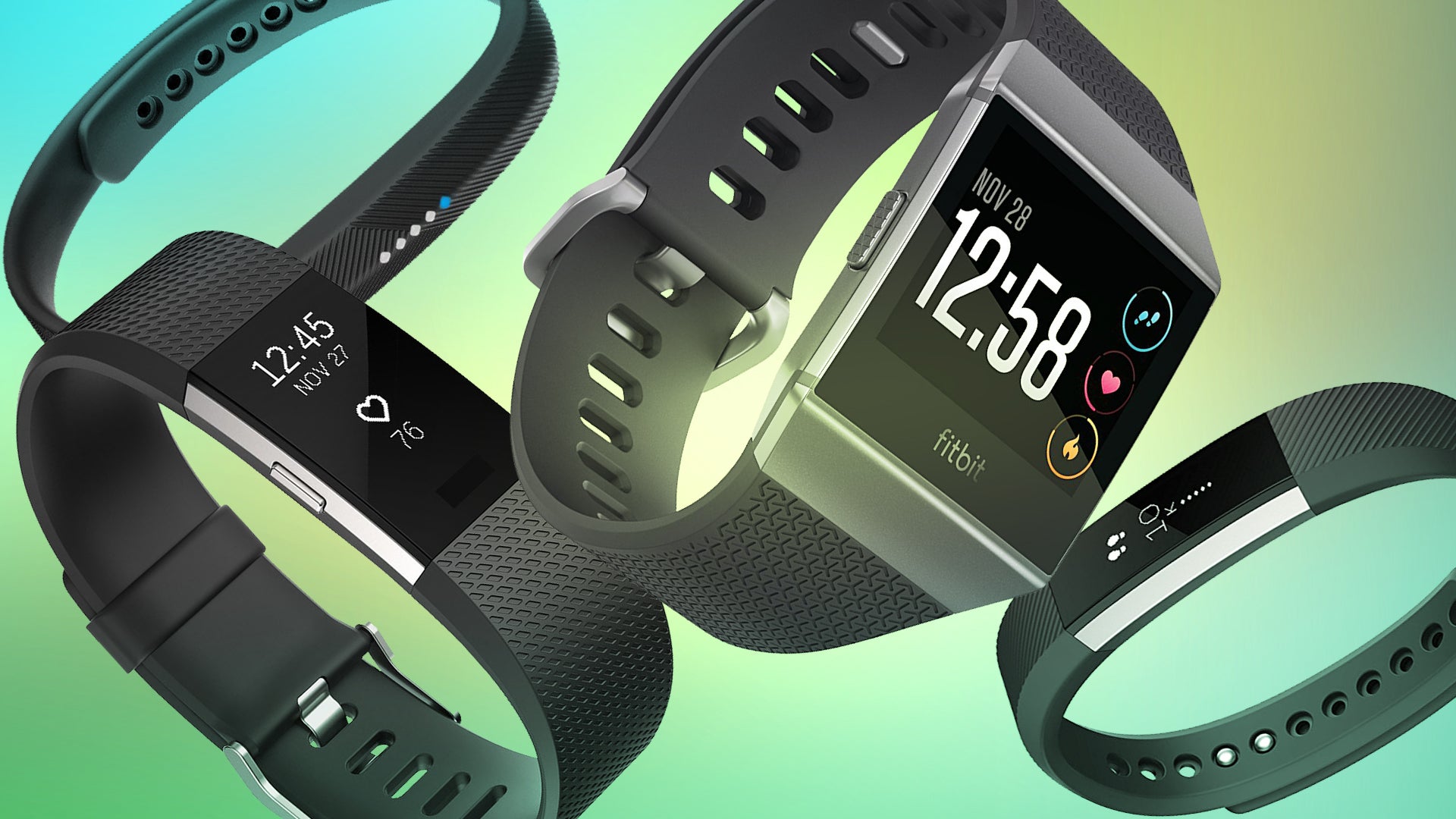
As one of the biggest names in fitness trackers, Fitbit is an easy pick for recording your daily steps or sleep patterns. Selecting a specific Fitbit model, however, isn’t quite as simple.
The different Fitbit trackers have a lot of overlap in features, and so it’s not straightforward which one is the “best.” Moving up the scale in price doesn’t necessarily mean you get all the features of the cheaper trackers plus additional ones.
That’s where we come in. We’ve boiled down the options into three simple picks that should match most people’s activity levels and styles.
Best Fitbit: Fitbit Charge 2
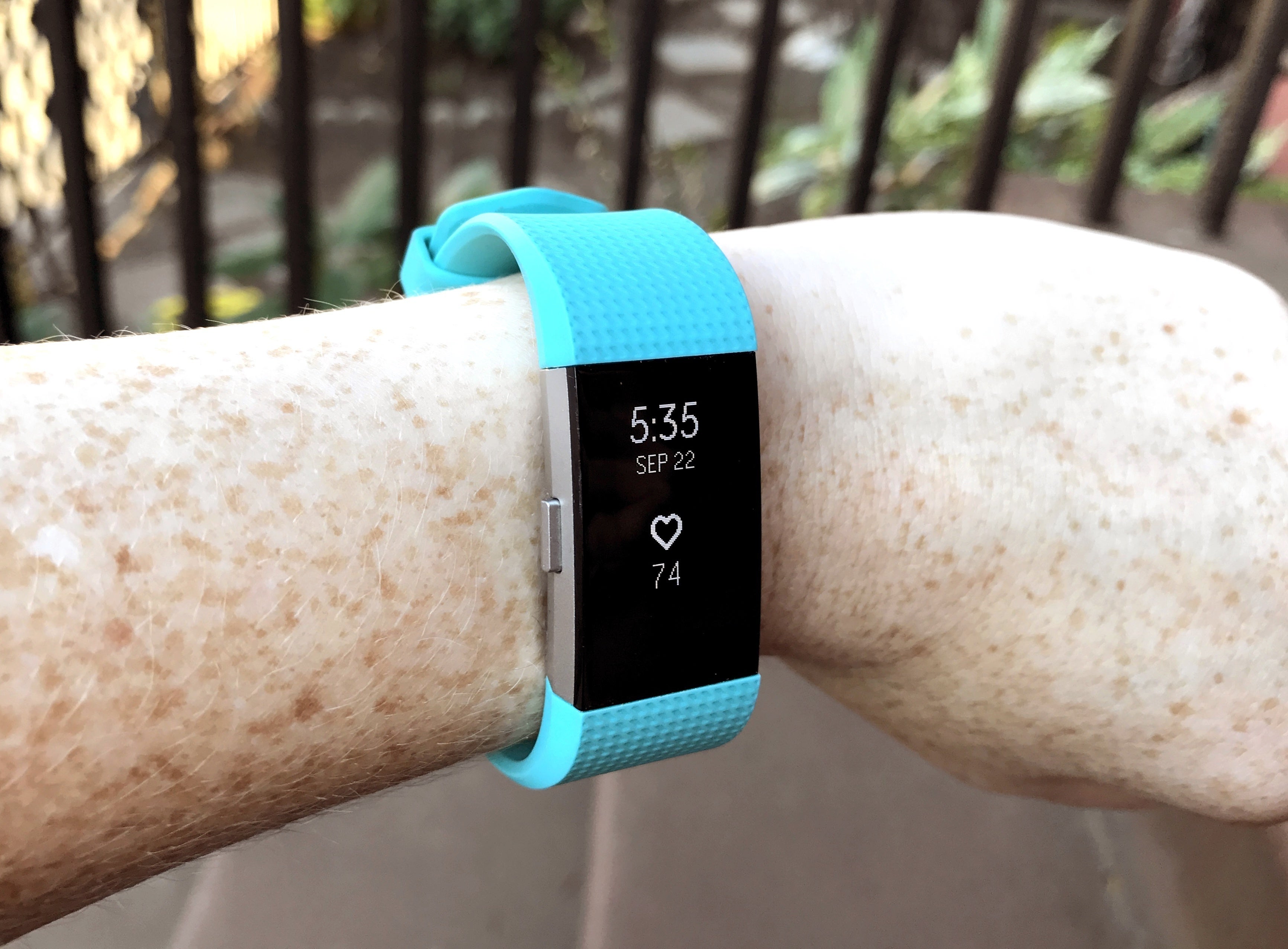
Most people who want a fitness tracker are best matched with a general, all-purpose device that records steps, sleep, and heart rate. The Fitbit Charge 2 does all that well, and offers more on top of it: In addition to basic step tracking, continuous heart-rate monitoring, and sleep tracking, you also get automatic exercise tracking, silent alarms, and reminders to exercise and to practice mindful breathing.
The Charge 2 also offers a sizable OLED display that offers quite a bit of info at a glance. You can tap the display to toggle between step count, mileage, and calories burned. It also shows call, text, and calendar notifications. On average, you can expect 5 days of battery life with normal use.
Two features the Charge 2 lacks are built-in GPS and being swim-proof, so dedicated runners and swimmers may need to choose a different tracker. (The Charge 2 does connect to your phone’s GPS if you bring both devices for a run, though.) It’s also somewhat bulky on smaller wrists, but you can at least dress it up by swapping the default sports band for more stylish options.
Even with those shortcomings, the Charge 2 is great for those who want more data about their daily activities.
Runner-up: Fitbit Alta HR
The Fitbit Alta HR is all but equal to the Fitbit Charge 2, both in feature set and price. Its main distinguishing feature is how slender it is—arguably, it’s more stylish than the Charge 2.
In this compact form, you get basic step tracking; continuous heart rate-monitoring; workout tracking; notifications for calls, texts, and calendar alerts; automatic exercise tracking; sleep analysis; reminders to exercise; and a small boost to battery life over the Charge 2 (7 days instead of 5 days). It does, however, lack the Charge 2’s reminders to practice mindful breathing.
Like the Charge 2, the Alta HR also doesn’t have dedicated GPS and it isn’t swim-proof. Still, its longer battery life gives it something to counter the Charge 2’s larger display, and its heart-rate tracking gives it a boost over the standard Alta.
Best Fitbit if you wear a watch: Fitbit Flex 2
If you’ve already invested in a watch, replacing it with a fitness tracker isn’t an option. The Fitbit Flex 2 is small enough that it can be worn unobtrusively next to a watch or on the opposite arm, as a pendant or a bracelet, or clipped to clothing if you buy a third-party case.
Its feature set covers the basics: step tracking, call and text notifications, automatic exercise tracking, sleep analysis, and reminders to exercise. And while it lacks the more informative display of its Charge 2 and Alta HR siblings, the Flex 2 is water resistant and offers swim tracking.
If you’re looking for a full-featured watch replacement, the Fitbit Ionic will be a better solution (and keep scrolling for more info on the Ionic). For those looking for an unobtrusive and cheaper entry into the Fitbit world, the Flex 2 is it.
Best Fitbit with every feature possible: Fitbit Ionic
The Fitbit Ionic is the fitness tracker for those who want it all. As you’d expect, the Ionic offers step, sleep, heart-rate, swim, and automatic exercise tracking; reminders to exercise; and notifications for calls, texts, and calendar alerts.
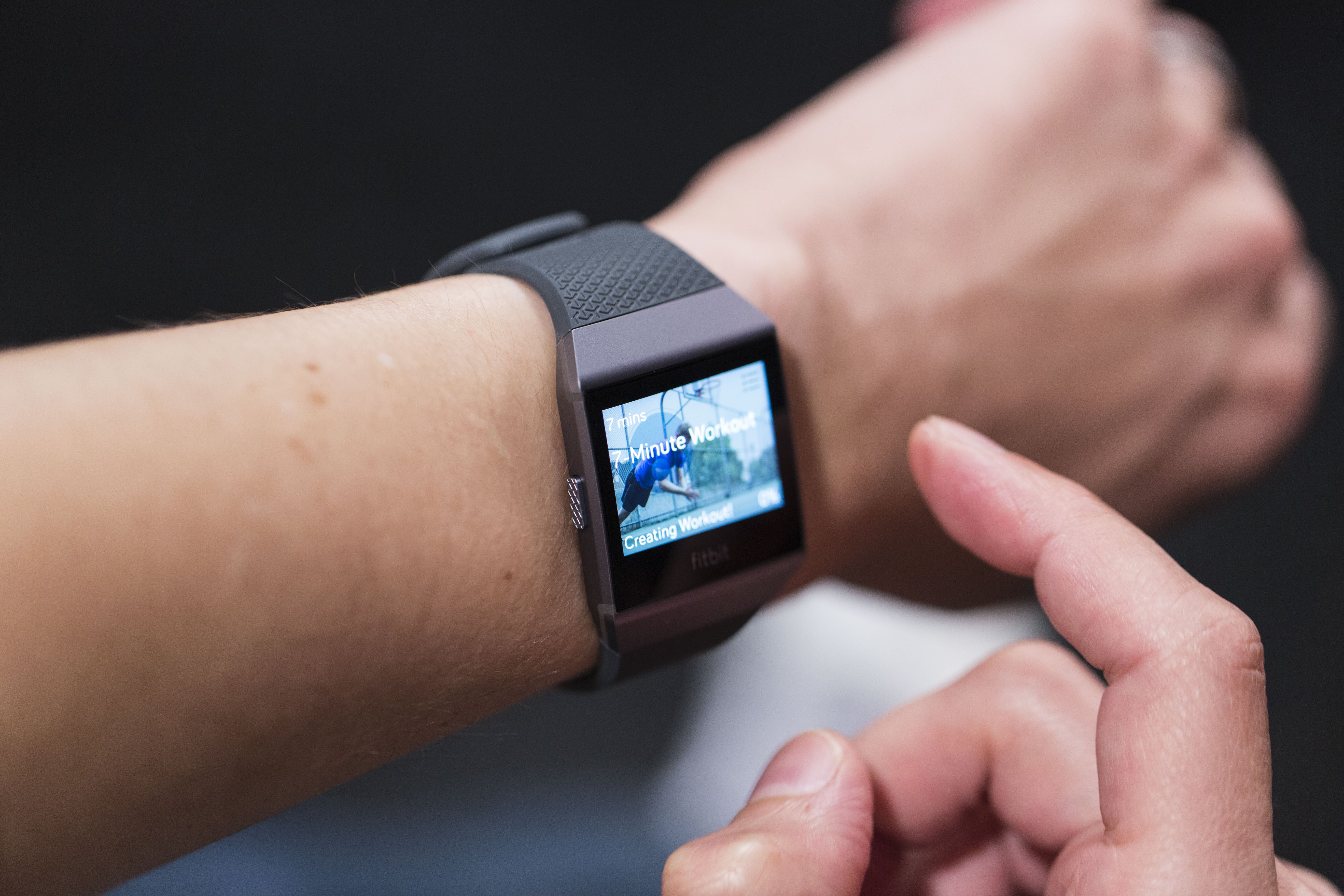
But this fitness tracker also has features you’d expect from a smartwatch: a big color display, the ability to store and play 300+ songs on the device, Pandora support, contactless payments, real-time stats for a handful of activities, and push notifications from apps. It even offers personal coaching for workouts directly on the watch.
All of that functionality comes at a cost—the Ionic has a price tag that puts it in the same range as the Apple Watch and Android Wear watches. However, this fitness tracker has an advantage over smartwatches: its battery life. The Ionic will keep chugging along for up to 4 days, while most smartwatches last an average of a day.
To sum up, if your focus is more on having the best fitness tracker that can also support a handful of smartwatch-like functions, then the Ionic is the device for you.
Other options
In case none of these Fitbit options resonate with you, we’ve linked to all of our Fitbit reviews below. We’ll keep the list and this article updated as Fitbit releases new fitness trackers.
If you’re checking out other options in the meanwhile, you can also read our list of best fitness trackers to see our top picks across all brands—including the Apple Watch.
The Huawei Band 2 Pro is a fitness band aiming at the lower end market. It has a vertical 0.91-inch 128×32 PMOLED display for a slim look with three sensors on the back as well as some charging pins.
Hardware
Inside the band is 256KB of RAM, 1MB of ROM, 16MB of flash storage, a 105mAh battery, and GPS. You’ll also get Bluetooth 4.2, an accelerometer, a cardiotachometer (heartrate sensor), and an infrared wear sensor. On top of that you get 5ATM water resistance, which means it’s safe to use for swimming. If you’re disappointed by the specs, don’t be. It’s a fitness band that’s not running Android and doesn’t need great specs for performance.
Unlike the older and more expensive Huawei Fit, the display on the Huawei Band 2 Pro is backlit and gets washed out in the daytime. It’s also a bit bright in the nighttime, as it doesn’t have a light sensor to adjust brightness. However, it is easily readable in most conditions
Recognized as one of the best-in-class smartwatches in the wearable category, Samsung’s Gear S3 has been praised for its design, user friendliness and technological innovation. But with the recently released value pack update, the Gear S3 is more versatile than ever.
Packed with enhancements that augment the device’s utility and streamline users’ access to the information they rely on, the update transforms the Gear S3 into a controller, a tracker, a communicator and, of course, a watch – all in one device.
Workouts, Your Way
Exercising with the Gear S3 has been completely transformed, thanks to new features designed to make activity tracking more intuitive.*
Advanced, real-time heart rate monitoring with improved accuracy and detailed feedback lets users continuously monitor their heart rate activity – whether they’re enjoying a relaxing yoga session or an exhilarating kickboxing class. They can also control their weight more efficiently via the nutrition management feature, where they can easily add calories consumed, check their calorie balance and compare it to their daily target.
Fitness buffs looking to take their workout routine to the next level will appreciate the Samsung Health Fitness Program feature, which lets them watch exercise programs from their synced smartphone on a TV. Once connected, they can use their Gear S3 to control the displayed content, display their heart rates on the TV.
Centralized Communications, Right from Your Wrist
Despite its productivity and fitness features, the Gear S3 is not just a lifestyle device. In fact, it’s a communicator that makes getting in touch and staying on task easy and efficient.
In addition to searching contacts via the device, users can also now create new contacts right from the screen of the Gear S3. They can also create events along with related information such as date and time, reminder alerts, and location (text only) with a few simple taps and twists of the bezel.
Furthermore, rather than just checking reminders created on the Gear S3, users can also now view and edit checklist, video and web reminders created on their synced smartphone on the smartwatch. For instance, they can create a grocery list on their mobile device and tick items off right from their wrist as they add them to their shopping cart.**
A UX Optimized for the Way You Use Your Device
The Gear S3 sets users free from their phone; a turn of the device’s signature rotating bezel is all it takes to respond to calls, read messages or access an app. But with the latest updates, the device’s UX is even more seamless and user-friendly.
Widgets, for example, have been optimized to fit the newly enhanced circular display of the Gear S3 so that more information can be viewed at a glance. A band has been added around the perimeter of the screen along with widget-specific text such as contact names, detailed weather information and the remaining time before an alarm is set to go off.
By rotating the bezel at a faster or slower rate, users can view more or less information, respectively. For instance, if a user wants to change their device’s watch face, they can see more design options on the screen at once by turning the bezel at a faster speed.
Users can also use the bezel to naturally move from a text message notification to the reply input. Should they not have enough time to send a detailed reply, they can make use of even more default quick replies to express themselves in a snap. They can also create and edit their own quick replies directly on the smartwatch.
Gear S3 owners also now have the option to sort apps in the order in which they were most recently used in addition to being able to customize their location. The Moment Bar, which allows users to adjust the volume, check the battery level and more, is easily accessed with a swipe up or down from any screen.
To top things off, Samsung Gear, the app that Gear S3 owners use to sync their smartwatch with their smartphone, has been enhanced with a modern, image-focused design to better harmonize with the classic aesthetic of the device.
Enhanced Control for Ultimate Connectivity
With a focus on connectivity, Samsung’s ever-growing connected ecosystem brings about the need for more control. With its large touchscreen and rotating bezel, the Gear S3 is the perfect tool for controlling one’s devices, and is only enhanced with the new value pack update.
Users can now manage their compatible Samsung IoT-enabled devices right from their Gear S3 with Samsung Connect. The smartwatch also functions as a remote control for PowerPoint presentations and Samsung Gear VR, adding an element of convenience to both work and play.
The Gear S3 value pack update is now available for download via the Samsung Gear app.
* To activate these new features, the Samsung Health app must first be updated on the smartphone synced to the Gear S3.
** The Reminder function only works with the Gear S3 if the Reminder app is downloaded on the synced smartphone, which is limited to the Galaxy S8, Galaxy S8+ and Galaxy Note8.
It’s becoming quite obvious as to why there are no major runaway hits for Android Wear. More specifically, it’s clear why there’s not one smartwatch that people simply “must have”. The reason? Fitbit and its ilk.
I’ve had the pleasure of using various Fitbit wearables over the last few years. Moreover, I’ve also owned and used my share of Android Wear watches, too. And, as much as I love the flexibility and promise of what Google sets forth in its OS, I just don’t wear the devices as much as I should. Instead, I find myself turning to “less smart” stuff from the likes of Fitbit, Samsung, and others.
To be clear, it’s not as if these other wearables are necessarily built better or are more fashionable. It’s certainly not as if they have more flexibility or options either. What they offer me, though, is a “good enough” experience that often comes with a more affordable price tag.
Fitness and activity trackers have evolved to the point where it’s not just steps, calories, and sleep anymore. Now we can use them for workouts, music, run tracking via GPS, and even mobile payments.
Over the years Fitbit has pivoted from one or two models to an entire lineup of wearables with variable features and options. Perhaps more importantly, Fitbit has gotten smarter with each generation, blurring the lines between fitness tracking and smartwatch. Its latest model, the Ionic, is billed as a “motivating timepiece” and is essentially its first foray into smartwatches.
Building on its Blaze, the Ionic is a major release in the era after acquiring Pebble in late 2016. It bears a striking resemblance to its predecessor but it steps things up in terms of functionality.
Priced $300 at launch, we found the Fitbit Ionic to be nearly everything we want in a smartwatch. At a minimum, it was everything we need in one. Sold in three color options, you can buy it in Slate Blue/Orange, Blue Gray/Silver Gray, and Charcoal/Silver Gray.
We were supplied a Charcoal/Silver option from Fitbit. Additionally, we were sent a set of Midnight Blue replacement leather watch straps. This way we were able to see how flexible the watch is in terms of functionality as well as form.
Build
The first thing we noticed about the Ionic is that while it’s quite similar to the Blaze at first blush, there are some subtle and welcome changes. We appreciated that there was a gently slight curve to the design as it wraps the wrist. Most square faced watches can be awkward or come to feel unpleasant over time.
The Fitbit Ionic is also a light watch, regardless of which straps you’re using. The default “Classic” plastic bands are just a smidge heavier than the leather but both are comfortable. Included in the Ionic’s box is both a small and large version of the classic band.
While you can certainly get away with using the standard straps for all occasion, the leather dresses things up nicely. The perforated leather breathes well; it’s incredibly easy to snap and unsnap the bands. It takes all of around ten seconds to swap out bands. We liked wearing leather most of the day, replacing it temporarily for the trips to the gym.
One of the chief gripes we had with the Fitbit Blaze was that it was not waterproof. It wasn’t as if we needed it to track swimming but that would have been a nice touch. Rather, we just didn’t like having to take it off every time we took a shower or expected to get wet. That problem is addressed in the Ionic as it is fully waterproof and also features swim tracking.
The downside to wearing the leather band, though, is that it’s not water-resistant or sweat proof. So, you won’t want to take it to the shower, bath, or pool. You also don’t want to get all sweaty from a workout. This is where having the classic band on for all occasions comes in handy.
The Ionic is comprised of aerospace-grade aluminum and has very small antenna bands on the sides. On the left side you’ll find one button; the right has two buttons. The entire display is extremely easy on the eyes, thanks to its brightness (up to 1,000 nits) and resolution. Gorilla Glass 3 protects the screen from scuffs and scratches.
The buttons stick out from the sides and have a nice textured grip to them. It’s pretty easy to find them when you’re out of breath and want to pause your run. There’s a nice response to all three of them, making navigation pleasurable.
Although the screen itself does accept touch for tapping and swiping we did find it a little less responsive than we’d like. This goes double for times when you’re sweaty or the watch is wet. A couple of times we found we had to shake our wrist free of droplets or wipe it against our shirt to get a good, consistent read.
Battery & Charging
With every different model of Fitbit comes a different way of charging. For the Blaze it was a case of removing the watch from the band and encasing it in a charger. The Ionic has a magnetic charger that attaches itself to a few connecting points in the back. We weren’t totally in love with the setup.
Rather than a platter-like connection that you might find with other smartwatches, the Ionic’s charger is almost like a perpendicular plug. The magnet is strong enough to get a bite but disturbing the watch could result in losing connection.
On a more positive note, you’ll only have to charge the watch two times a week at the most. We were impressed with the watch’s ability to hold a charge, especially as we played around with it in the first few days. Between goofing with the watch itself and adjusting things from the app we would have chewed through an Android Wear watch much quicker.
Performance & Usage
We don’t like to have our wrists feel constricted. It’s pretty common for a watch to have a thick or wide band that’s generally comfortable throughout the day. Come night, however, that wide strap can feel like a cuff around you wrist.
The Ionic, like many of Fitbit’s products, can track your sleep. We were pleased to discover that the watch bands didn’t feel too constricting or obvious. For what it’s worth, the leather has more play to it than the classic band.
Generally speaking, it’s easy to forget that you’re wearing the Ionic. As we said above, it’s really light. While it might look like there’s a giant square on your wrist, there’s a taper to the bottom. Indeed, only around 25% of the display touches the arm. This allows for movement in all directions without bunching your skin up or pinching.
Aside from the occasional unregistered touch, we liked navigating and using the Ionic. It offers up more than just passive tracking, something that we’ve really come to rely on. To be clear, the watch can be used in the passive manner, but it benefits the user to use the built in features.
The Iconic can automatically track exercises and activities; there are numerous coaching features to help guide you on your aerobic or fitness path. On the other end of the spectrum it can also walk you through some breathing sessions bringing your heart rate into line.
By default the watch will notify you when it’s time to get up and moving. Sit too long and it will vibrate, gently nudging you to get up and walk around. We appreciate that tracking steps can be monitored in a per-hour basis.
It’s one thing to knock out a few thousand over a run but where do your other steps come in? Are you prone to move more during morning or after dinner? The mobile app does a fantastic job of aggregating data over the short and long term to help you along.
You can glance at a running log of sleep habits, steps, calories burned, and other details or you can dive deeper into specific days. It’s truly a case of “the more you use it, the better it gets”.
The Ionic can also notify wearers of calls, texts, and calendar events. Additionally, set up notifications on a per-app basis. So, if you don’t want every Facebook or Snapchat update to hit your wrist, you don’t have to get them.
There’s enough storage in the watch to hold around 300 or more songs. Moreover, it has access to Pandora, without need of a phone. Yes, you can grab some headphones and pair them to the watch so you can get your run on.
The built in NFC chip lets you use the Ionic to make mobile payments. This is a first for Fitbit and one that we liked quite well. It also lends to the whole notion of being able to leave your phone behind. Stop by a gas station or convenience store on your way home from the gym and you’ll be able to tap and pay with the watch. This feature takes but a few minutes to set up on your phone.
Although not a first for Fitbit, the Ionic has built-in GPS antennas. You can feel free to run, bike, or walk, knowing that the watch is tracking your whereabouts. This, too, was something we wanted in the Blaze. To be fair, the Blaze would work in tandem with your phone to provide the GPS. Fitbit terms this as “connected GPS”.
We did have a couple of instances where the watch would restart or hang up in the three weeks we spent with it. Twice, at the gym, we just happened to look down to check calories and heart rate while on the treadmill, only to find the Ionic was in the midst of a reboot.
Not only did we lose the activity we had done up to that point, but we had to restart the treadmill tracking again. Had we not looked down we might not have known it had stopped. Nevertheless, we lost about 15-18 minutes in one run and around 10 minutes in another.
A third instance we had was that the watch was seemingly locked up with a dead screen. Taking it off the wrist we could see the heart rate tracker blinking; however, there was nothing happening on screen. Holding down the two buttons on the right seemed to restart the watch without instance. But, again, this was just us glancing down to see the time. How long it was off remains to be seen. Moreover, we don’t know what was tracked up to that point.
Those issues aside, we’ve been incredibly happy with the Ionic. Performance was otherwise flawless so we’re hoping this is just a case of bug fixing that comes in a future firmware update.
Conclusion
The more we wear a device like the Fitbit Ionic, the less reliant we are on a platform like Android Wear. But, that’s not to say it’s perfect and does everything right. It’s not as customizable as what you’d get in a more formal smartwatch and there are very few “apps” for it.
As a product in the Fitbit family, the Ionic is wonderful. It’s priced right and differentiates itself from other models under the brand. There’s enough special here to justify moving up from the Blaze, especially the waterproof protection.
Fitbit has established itself as a premier name in the wearable space, and, by all accounts, this will only help propel it forward. Add in more interoperability with other apps and services, fix a minor bug or two, and you’ve got one killer product. Out of the box, though, we still have no issues recommending the Ionic for interested buyers.