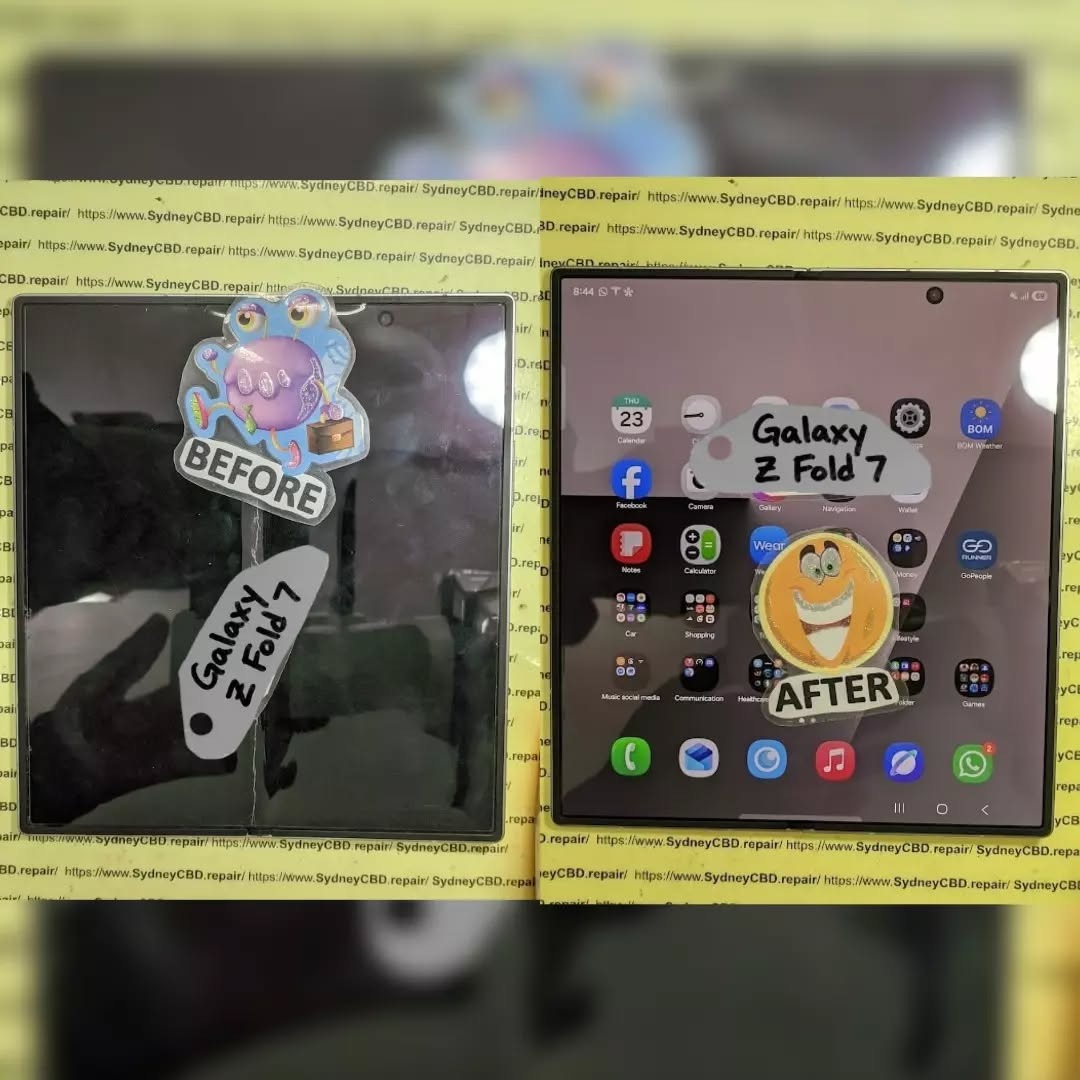
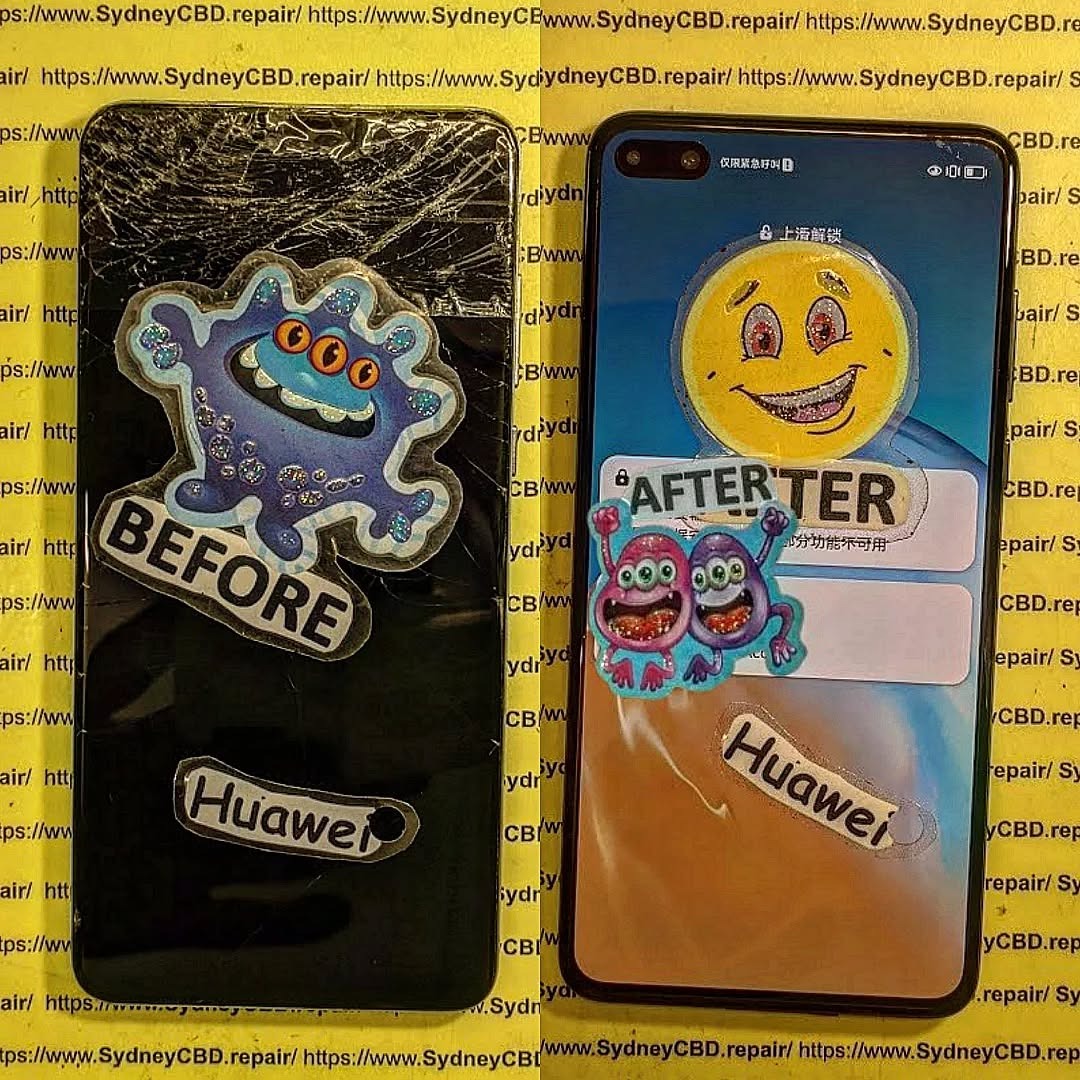
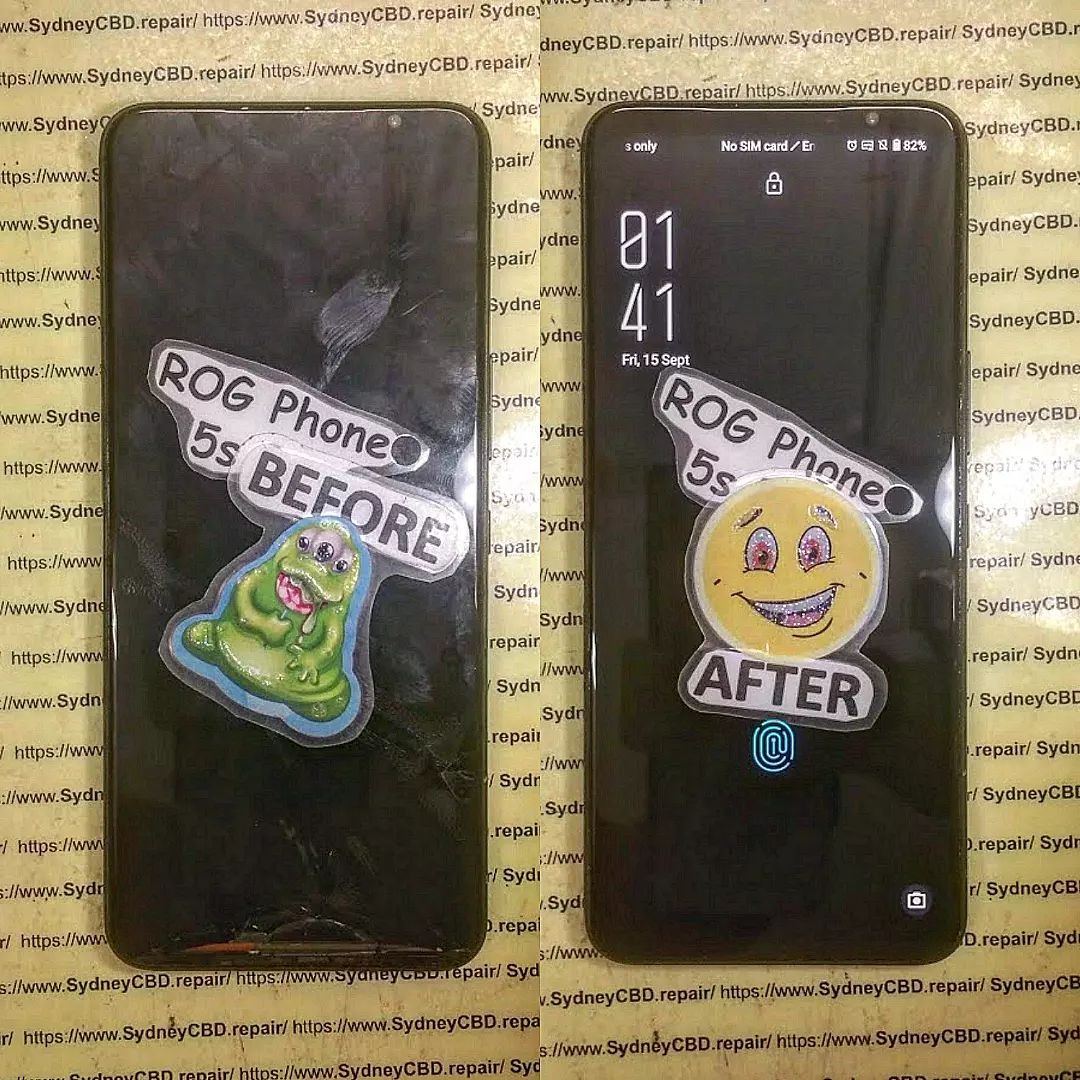
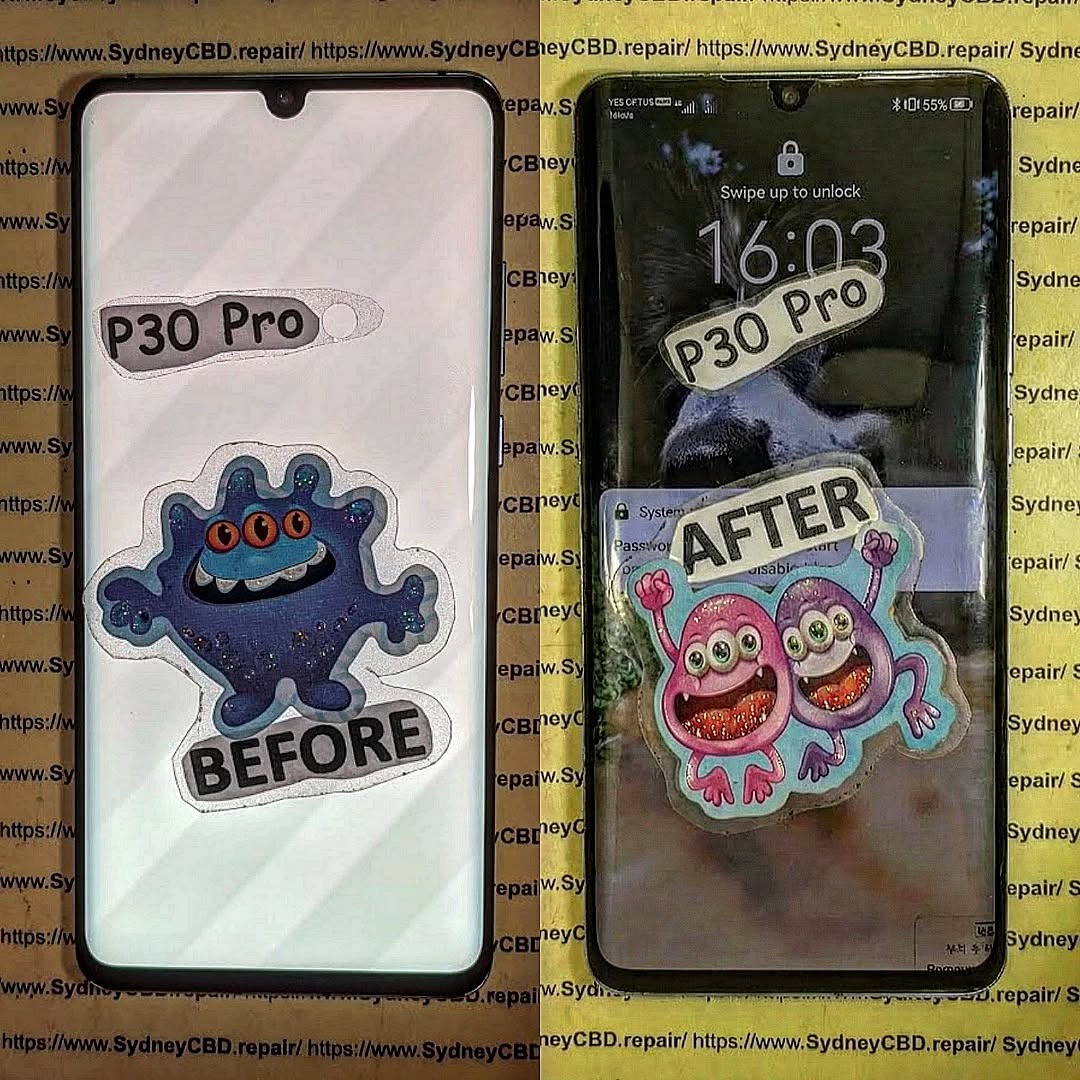
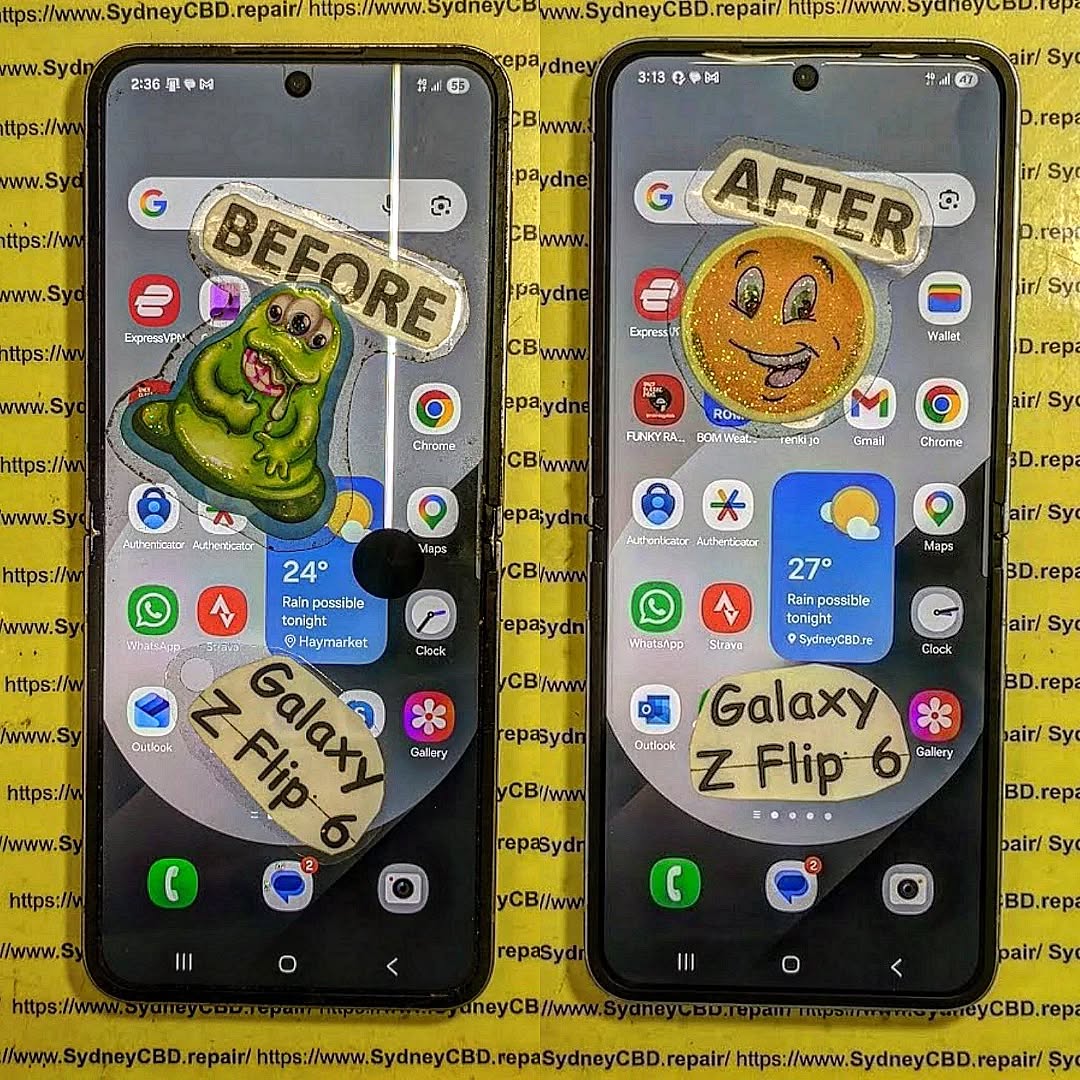
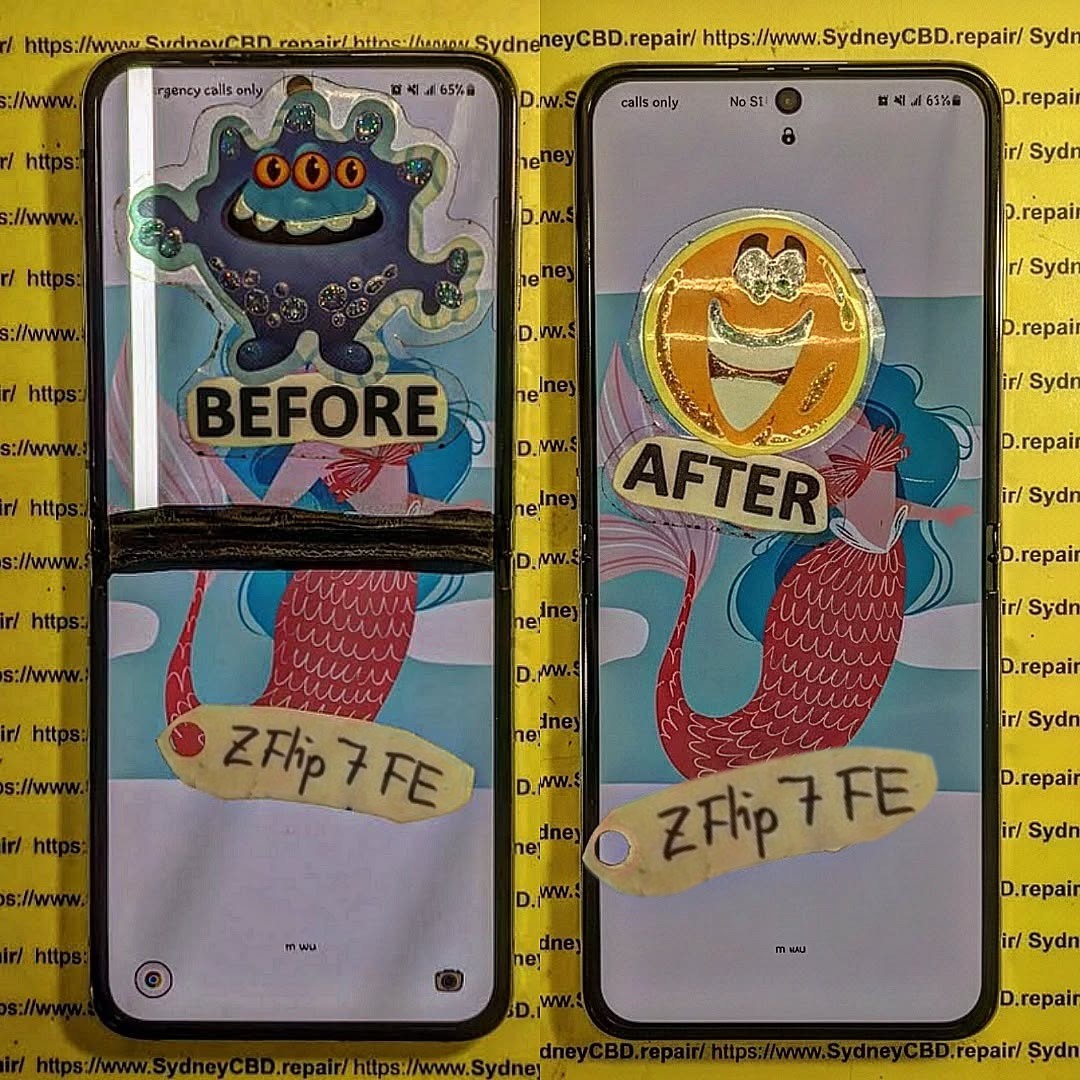
The Truth About Phone Repair Costs: 10 Essential Insights You Must Know
Understanding phone repair costs is more important than ever. With smartphones becoming more advanced and essential in our daily lives, a broken device can cause inconvenience, loss of data, and even financial strain. Many users often find themselves shocked by repair estimates, but the truth is that costs vary based on several factors, including the type of repair, the device model, and whether you choose professional service or attempt a DIY fix.
In this comprehensive guide, we’ll break down everything you need to know about phone repair costs, explore ways to save money, and provide actionable tips to ensure your device is repaired safely and efficiently.
Introduction: The Truth About Phone Repair Costs
In today’s fast-paced digital world, our smartphones are more than just devices—they’re lifelines. From managing work emails and social media to navigating our daily schedules, we rely heavily on these gadgets. But what happens when your phone breaks, suffers water damage, or the screen shatters unexpectedly? Suddenly, understanding phone repair costs becomes crucial.
Many users are often surprised by how much repairs can cost, with prices varying widely depending on the device model, type of repair, and whether you opt for professional service or attempt a DIY fix. Knowing what influences these costs can save you time, money, and frustration.
This comprehensive guide will explore everything you need to know about phone repair costs, including common repairs, hidden charges, factors affecting pricing, and ways to save money. By the end, you’ll be equipped to make informed decisions, protect your device, and avoid costly mistakes.
Whether you own an iPhone, Samsung, Google Pixel, or any other smartphone, this guide provides valuable insights to ensure your device is repaired safely, efficiently, and cost-effectively.
Cracked screens are the most common repair. Costs depend on the phone model and screen type (LCD, OLED, AMOLED). For example, replacing an iPhone 14 Pro Max screen can cost up to $450, while a budget Android phone may be under $100.
Battery Replacement
Battery issues reduce device performance. Professional replacement ensures proper installation and calibration. Costs typically range:
iPhone: $80 – $120
Samsung Galaxy: $70 – $110
Other Android: $50 – $90
Charging Port Repairs
Charging ports are prone to wear and tear. Repair costs include parts and labor:
Average: $60 – $150 depending on brand and complexity.
Water Damage Repairs
Water exposure is unpredictable. Costs vary depending on severity:
Minor damage: $80 – $150
Severe damage: $200 – $400 (may require motherboard repair or replacement)
Camera Repair
Camera malfunctions can be costly due to small, intricate parts:
Rear camera: $80 – $200
Front camera: $60 – $150
Factors Affecting Repair Costs
Device Model & Age
Older phones may be cheaper to repair, but replacement parts could be scarce. Newer models with advanced technology often have higher repair costs due to complex assembly.
Parts Quality
High-quality parts last longer and maintain device performance. Cheaper parts may save money initially but could result in repeated repairs.
Labor Charges
Expert technicians charge more, but they reduce the risk of errors. Labor costs can range from $30 for minor repairs to $150+ for complex fixes.
Warranty Considerations
Repairs covered under warranty are usually cheaper or free. Third-party repairs may void manufacturer warranties. Always check before proceeding.
DIY vs Professional Phone Repairs
Pros and Cons of DIY
Pros: Lower cost, immediate action.
Cons: Risk of further damage, no warranty, technical challenges.
Risks of DIY Repairs
Improper installation, static damage, and loss of small parts can permanently damage your device.
Advantages of Professional Repairs
Trained technicians with experience
Use of genuine parts
Warranty on service
Quick and safe solutions
How to Save Money on Phone Repairs
Comparing Repair Shops
Check multiple repair centers for pricing, reviews, and warranty offers. Don’t just pick the cheapest option.
Using Genuine Parts
While third-party parts are cheaper, genuine parts may prevent repeated issues and maintain resale value.
Timing Your Repair
Avoid waiting until damage worsens. Immediate repair can prevent more costly problems like motherboard damage.
Understanding Warranty and Insurance Coverage
Manufacturer Warranty
Covers defects but usually excludes accidental damage.
Third-Party Insurance
Covers accidental damage and water exposure. Policies vary in coverage and deductibles.
Extended Warranties
Extended warranties can cover repairs for an extra fee but read the terms carefully.
Hidden Costs You Might Not Expect
Diagnostic Fees
Some repair shops charge a diagnostic fee, which may or may not be applied to the repair cost.
Additional Damage
Often, a visible issue is accompanied by hidden damage, increasing the total repair cost.
Software Issues
Sometimes, repairs involve software fixes or updates, which may incur additional charges.
Tips for Choosing the Best Repair Service
Reputation and Reviews
Check Google reviews or local forums for trustworthy repair centers.
Certification of Technicians
Certified technicians ensure quality repair work and proper handling of devices.
Genuine Parts Guarantee
Confirm that the repair center uses genuine parts to prevent recurring issues.
These real-life examples highlight cost variations and factors affecting total charges.
Emerging Trends in Phone Repairs
Mobile Repair Kiosks
Quick repairs at malls and airports, often for minor issues.
Remote Diagnostics
Technicians can sometimes diagnose problems remotely, saving time.
Eco-Friendly Repairs
Recycling old components and offering refurbished parts are gaining popularity.
FAQs About Phone Repair Costs
1. How much does an iPhone screen repair cost?
Depending on the model, $100 to $450. Higher-end models are more expensive.
2. Is it cheaper to replace my phone than repair it?
For minor repairs, fixing is usually cheaper. For extensive damage, replacement may be more cost-effective.
3. Can DIY repairs void my warranty?
Yes. Unauthorized repairs often void manufacturer warranties.
4. Are third-party parts reliable?
Quality varies. Genuine OEM parts are always safer.
5. How long does a typical repair take?
Minor repairs: 1–2 hours; Major repairs: 2–4 hours.
6. Does insurance cover all repair types?
Coverage varies. Accidental damage is usually included, but manufacturer defects may not be.
Conclusion: Making Smart Decisions About Phone Repairs
Understanding phone repair costs empowers you to make informed decisions, avoid scams, and protect your investment. Whether choosing a professional service or weighing a DIY repair, consider parts quality, labor expertise, and warranty coverage. By comparing options and acting promptly, you can maintain your device efficiently and cost-effectively.
David from Sydney CBD Repair Centre – The Best place to fix mobile phones as 7 Years In A Row! Top Mobile Phone Repair In Sydney. More than 2000 Positive Reviews on Google and Same Day Repairs.
We take pride in delivering exceptional repair services for all major phone brands including Apple, Samsung, Google, and more. Our expert technicians use only genuine parts and offer 90days warranty on repairs. Located in the heart of Sydney CBD, we’re your one-stop solution for all mobile device repairs.
Our commitment to excellence has earned us the trust of thousands of satisfied customers. Whether it’s a cracked screen, battery replacement, or water damage repair, we handle it all with professional care and expertise. Walk in today and experience why we’re Sydney’s #1 choice for mobile phone repairs.
Visit us for:
✓ Same Day Express Repairs
✓ Genuine Parts Guarantee
✓ Professional Technicians
✓ Competitive Pricing
✓ 2000+ 5-Star Google Reviews
✓ 7-Time Award Winner for Best Phone Repairs
Fixing Fingerprint Scanner After Screen Replacement: 10 Proven Solutions That Work
Fingerprint scanners are incredibly convenient—until they suddenly stop working after a screen repair. Many smartphone owners experience this exact problem, especially with modern devices like Samsung Galaxy, Google Pixel, Xiaomi, and OnePlus models that use advanced under-display fingerprint sensors. If you’re struggling to fix fingerprint scanner after screen replacement, you’re definitely not alone.
This guide explains every possible reason your fingerprint might fail after a replacement display and provides 10 proven solutions used by professional repair shops. Written for Grade 7 reading level, it’s easy to understand but detailed enough to establish strong E-E-A-T (Experience, Expertise, Authoritativeness, Trustworthiness).
Introduction
Fixing a fingerprint scanner after a screen replacement can be frustrating, especially when your phone was working perfectly before the repair. Many users discover that the fingerprint reader becomes slow, inaccurate, or stops working completely after installing a new display. This happens more often than most people expect because modern smartphones rely on highly sensitive optical or ultrasonic sensors that must work through the screen. Even the smallest change in thickness, adhesive level, or calibration can affect how the sensor reads your fingerprint.
In this guide, you’ll learn the most reliable ways to fix fingerprint scanner after screen replacement, whether you’re dealing with a Samsung, Xiaomi, Google Pixel, OnePlus, or any phone with an in-display fingerprint reader. We’ll explain why the problem happens, outline the most common symptoms, and give you 10 effective solutions trusted by professional repair technicians. From re-registering fingerprints to adjusting sensitivity, checking screen quality, cleaning the display surface, and performing sensor calibration, this article covers everything you need in simple and clear steps.
If you want a stress-free way to restore your fingerprint reader and get your phone working like new again, you’re in the right place. Let’s dive into the solutions that actually work.
When a device undergoes a screen replacement, several subtle changes occur inside the phone—even tiny differences in material thickness, adhesive application, or calibration can disrupt the fingerprint reader. Most modern phones use one of two types of under-display fingerprint systems: optical or ultrasonic. Both rely on precise screen characteristics to function properly.
Optical vs Ultrasonic Fingerprint Readers
Optical sensors work like tiny cameras. They flash a light beneath the display and capture an image of your fingerprint pattern. If the glass thickness changes, the display brightness differs, or adhesive isn’t evenly applied, the captured print becomes distorted.
Ultrasonic sensors, found in Samsung flagships, send high-frequency sound waves through the screen to detect ridges. These sensors are more sensitive and accurate, but they’re also extremely picky about:
Screen thickness
OEM screen quality
Sensor-to-glass alignment
Adhesive pressure
A small misalignment of even 0.1mm can cause recognition failure.
How Screen Calibration Affects Sensor Accuracy
Every phone is originally calibrated at the factory. When a repair technician installs a new display, the calibration must match the new optical or ultrasonic environment. If the phone’s software still expects the original display parameters, the scanner struggles to interpret the fingerprint image.
After replacing a screen, you may notice one or more issues:
Scanner Not Recognizing Fingerprints
This is the most common problem. The device repeatedly reports “No match” even when you use the same finger as before the repair.
Slow or Delayed Unlocking
Instead of unlocking instantly, the phone takes several seconds to process input. This indicates sensor interference or poor calibration.
“Fingerprint Not Supported” Error
Samsung devices often show this message when the replacement screen isn’t OEM or if the fingerprint data is corrupted.
Other symptoms include:
Need for excessive pressure
Uneven fingerprint illumination
Fingerprint option missing entirely
These problems show why you must know how to fix fingerprint scanner after screen replacement properly.
Solution 1: Re-Register Your Fingerprint After Screen Replacement
Deleting old fingerprint entries and enrolling fresh ones is the most effective first step. Your fingerprint was captured using the old screen, which had different thickness and optical transmission.
Best Practices for Accurate Re-Scanning:
Wash and dry your hands
Add the same finger 2–3 times
Slightly rotate your finger during scanning
Remove case or screen protector during setup
Ensure bright surrounding lighting for optical sensors
Do this after every screen replacement to ensure accurate recognition.
Solution 2: Enable High Touch Sensitivity Mode
Some phones include Increased Touch Sensitivity or Glove Mode. This enhances the panel’s response, which often helps the fingerprint area respond more consistently.
Turn this on immediately after a new screen installation.
Solution 3: Clean the Screen and Remove Moisture or Oils
Fingerprint sensors are extremely sensitive to:
Sweat
Natural skin oils
Moisture
Screen protector edges
Dust and debris
Use a microfiber cloth to clean the fingerprint zone. Avoid household cleaners, as some leave coatings that interfere with optical sensors.
Solution 4: Check Replacement Screen Quality
Screen quality determines fingerprint reliability more than anything else. Many cheap aftermarket screens don’t maintain the correct thickness or optical clarity.
Differences Between OEM, Service Pack, and Aftermarket Screens
Screen Type
Quality
Fingerprint Support
OEM/Original
Best
Fully supported
Service Pack
Excellent
Supported and stable
Aftermarket A+
Good
Intermittent failures possible
Aftermarket A/B
Poor
Often incompatible
If you received a low-cost aftermarket display, the scanner may never work perfectly again.
Solution 5: Update Software and Clear Biometrics Cache
Software updates often include fingerprint optimizations. After installing updates, clear the biometric cache:
iPhone users: Touch ID rarely fails after display repair unless a component is damaged.
Solution 6: Recalibrate Fingerprint Sensor via Engineering/Service Menu
Some phones require calibration after screen replacement.
Samsung Fingerprint Calibration Steps
Samsung service centers use a proprietary fingerprint calibration tool (often requiring a service tablet). Without this, ultrasonic sensors may fail frequently.
Xiaomi/Oppo/Vivo Calibration Options
These brands include fingerprint calibration in hidden engineering menus. If done correctly, performance improves drastically.
Too much adhesive creates air gaps. Too little adhesive prevents proper pressure distribution. Professional repair shops use pre-measured OEM adhesive specific to each model.
If done incorrectly, the fingerprint region becomes less transparent or unevenly pressurized.
Solution 8: Diagnose Hardware-Level Issues
Sometimes the issue isn’t software—it’s hardware. Screen replacements involve delicate flex cables and precise alignment.
Damaged Flex Cable
If the fingerprint flex cable is bent or pinched during installation, the scanner becomes unresponsive.
Misaligned Sensor Bracket
Some phones have a metal ring or plastic bracket that must align perfectly with the sensor. If misaligned, the scanner loses accuracy.
Solution 9: Use Professional Fingerprint Mapping Tools
High-end repair labs use fingerprint remapping devices to pair the sensor with the new display. Samsung, Xiaomi, and Vivo require this step for best results.
This is why DIY repairs often struggle to restore fingerprint functionality completely.
Solution 10: When to Seek Professional Repair Help
If you’ve tried all solutions and your fingerprint still doesn’t work, it’s time to visit a professional repair center. A trusted shop can:
Diagnose hardware faults
Calibrate the fingerprint
Install genuine OEM screens
Ensure proper adhesive levels
Repair damaged flex cables
Avoid cheap kiosks and choose certified repair specialists.
FAQs
1. Why does my fingerprint stop working after a screen replacement?
Because the new screen changes optical and ultrasonic properties, requiring recalibration.
2. Can I fix fingerprint issues without replacing the screen again?
Yes—try re-registering fingerprints, updating software, cleaning the screen, and recalibration.
3. Do aftermarket screens support fingerprint sensors?
Some do, but many don’t. OEM or Service Pack screens work best.
4. Does ultrasonic fingerprint work with screen protectors?
Yes, but only if it’s a high-quality protector designed for ultrasonic sensors.
5. Is it normal for fingerprint to be slow after a repair?
Yes. The phone may need 24–48 hours to adapt and recalibrate internally.
6. How do I know if my screen installer damaged the fingerprint?
If the fingerprint option disappears from settings, the flex cable is likely damaged.
Conclusion
Fixing a fingerprint scanner after screen replacement requires patience, the right tools, and a solid understanding of how these sensors work. Most issues come down to calibration, screen quality, sensor alignment, and biometric data mismatch. By following the 10 proven methods in this guide, you can dramatically improve fingerprint performance and restore your phone’s biometric security.
David from Sydney CBD Repair Centre – The Best place to fix mobile phones as 6 Years In A Row! Top Mobile Phone Repair In Sydney. More than 2000 Positive Reviews on Google and Same Day Repairs.
We take pride in delivering exceptional repair services for all major phone brands including Apple, Samsung, Google, and more. Our expert technicians use only genuine parts and offer 90days warranty on repairs. Located in the heart of Sydney CBD, we’re your one-stop solution for all mobile device repairs.
Our commitment to excellence has earned us the trust of thousands of satisfied customers. Whether it’s a cracked screen, battery replacement, or water damage repair, we handle it all with professional care and expertise. Walk in today and experience why we’re Sydney’s #1 choice for mobile phone repairs.
Visit us for:
✓ Same Day Express Repairs
✓ Genuine Parts Guarantee
✓ Professional Technicians
✓ Competitive Pricing
✓ 2000+ 5-Star Google Reviews
✓ 6-Time Award Winner for Best Phone Repairs
INSIDE LOOK: ASUS ROG PHONE 5S FULL DISASSEMBLY!Ultimate Step-by-Step Guide for Tech Enthusiasts
Introduction: Why the ROG 5S Stands Out
The ASUS ROG Phone 5S has earned its place as one of the most powerful gaming smartphones in the world. Packed with the Snapdragon 888+ processor, 144Hz AMOLED display, and dual front-facing speakers, it’s a beast built for performance. But when repairs become necessary—like screen replacements, battery issues, or charging port malfunctions—knowing how to disassemble the ROG 5S properly becomes essential.
Before grabbing your screwdriver, remember: this phone’s design is compact, layered, and delicate. Disassembling it requires patience, the right tools, and a steady hand.
To safely open your ROG 5S, gather the following tools:
Precision screwdriver set (Torx and Phillips)
Plastic prying tools and picks
Suction cup
ESD-safe tweezers
SIM ejector pin
Heat gun or hairdryer
Anti-static mat and gloves
Safety Tips and Workstation Setup
Work on a clean, static-free surface.
Disconnect all power sources before opening the device.
Use a magnetic screw mat to track different screw sizes.
Keep the phone components in order for easy reassembly.
Step 1: Removing the SIM Tray and Back Panel
Begin by ejecting the SIM card tray using a pin tool. Then, heat the edges of the back panel gently with a hairdryer for 1–2 minutes to loosen the adhesive.
Handling Adhesive and Heat Application
Use a suction cup to lift the glass slightly, then insert a plastic pick to cut through the adhesive. Work slowly around the frame to avoid cracking the back glass. Do not use metal tools—they can scratch or shatter the surface.
Step 2: Disconnecting the Battery and Motherboard Shields
Once the back panel is off, remove the screws securing the black plastic shields. These protect the motherboard, battery, and connectors underneath.
ESD Safety and Screw Management
Always use an ESD-safe tool when handling connectors. Static electricity can easily damage internal components. Keep screws labeled—ROG 5S uses multiple sizes, and misplacing them can cause reassembly issues.
Step 3: Camera Module and Flash Removal
The ROG 5S features a 64MP Sony IMX686 main sensor, ultra-wide lens, and macro lens. Carefully disconnect their ribbon connectors and lift the camera modules out.
Identifying Camera Components
Main Camera: Large rectangular sensor in the top-left corner.
Ultra-wide Lens: Positioned beside the main camera.
Macro Lens: Small, near the flash module.
Avoid touching the lens surfaces—fingerprints can degrade image quality.
Step 4: Accessing the Motherboard and Daughterboard
Next, detach the ribbon cables connecting the motherboard to the daughterboard (bottom section). These include the charging port flex, antenna cable, and battery connector.
Ribbon Cables and Connectors Explained
Each ribbon cable carries signals between key modules—display, charging, battery, and camera. Handle them gently to avoid tearing the flex.
Step 5: Removing the Cooling System and Fan Assembly
The ROG 5S’s gaming edge comes from its advanced cooling system—a vapor chamber, graphite sheets, and external AeroActive fan support.
Understanding ROG 5S Thermal Design
The cooling design keeps temperatures low during extended gaming. When disassembling, remove thermal paste carefully and store the vapor chamber away from dust and moisture.
Step 6: Speaker and Vibration Motor Extraction
Unscrew and disconnect the loudspeaker assembly from the bottom frame. The ROG 5S features dual front-facing speakers that deliver a surround sound experience.
Audio Module Insights
The vibration motor sits near the bottom, giving tactile feedback during gameplay. Use a plastic spudger to lift it gently from its housing.
Step 7: Display and Frame Separation
If you’re replacing the screen, this is the final step. Warm the display edges, use a suction cup, and carefully separate the AMOLED panel from the frame.
Avoiding Damage to AMOLED Panel
AMOLED displays are thin and fragile—avoid bending or applying pressure. Once separated, clean the frame before installing a replacement screen.
Applying too much heat, which can warp components.
Using metal tools near the battery or display.
Mixing screws from different modules.
Forgetting to disconnect the battery before handling cables.
Best Practices for Reassembly
Follow your disassembly steps in reverse. Reapply adhesive strips where necessary, ensure all connectors are properly aligned, and test before sealing the back panel.
How Sydney CBD Repair Centre Can Help
If you’re not confident in disassembling your ROG Phone 5S, visit Sydney CBD Repair Centre, the #1 mobile repair shop in Sydney—six years in a row!
Our expert technicians specialize in ASUS ROG, Samsung, iPhone, and Google Pixel repairs. We use only genuine parts, offer same-day service, and provide a 90-day warranty on all repairs.
1. Can I open my ROG 5S without professional help?
Yes, but it’s risky. Without the proper tools or knowledge, you may damage sensitive parts like the display or motherboard.
2. What should I do if my ROG 5S won’t power on after reassembly?
Double-check the battery and motherboard connections—loose flex cables are often the culprit.
3. Is the ROG 5S waterproof after disassembly?
No. Once the seal is broken, water resistance is compromised unless resealed professionally.
4. How much does a screen replacement cost in Sydney?
At Sydney CBD Repair Centre, prices are competitive and depend on model and part availability.
5. How long does a professional repair take?
Most ROG 5S repairs are completed same day, thanks to our express service.
6. Are all replacement parts original?
Yes, Sydney CBD Repair Centre uses genuine parts to maintain device integrity and performance.
Conclusion: Is DIY Worth It?
Disassembling your ROG 5S offers great insight into its engineering but requires skill, patience, and precision. For most users, professional repair services—like those from Sydney CBD Repair Centre—ensure a safer, faster, and warranty-backed solution.
Whether it’s a cracked screen, battery issue, or port damage, entrust your phone to the experts who’ve earned over 2000 5-star Google reviews for their reliability and craftsmanship.
David from Sydney CBD Repair Centre – The Best place to fix mobile phones as 6 Years In A Row! Top Mobile Phone Repair In Sydney. More than 2000 Positive Reviews on Google and Same Day Repairs.
📍 Visit us today for:
✓ Same Day Express Repairs
✓ Genuine Parts Guarantee
✓ Professional Technicians
✓ Competitive Pricing
✓ 2000+ 5-Star Google Reviews
✓ 6-Time Award Winner for Best Phone Repairs
THE ISSUE WITH A WATER-DAMAGED PHONE? We Saved This One! Discover How Our Experts Revived It Fast
Introduction: When Disaster Strikes – Water and Phones Don’t Mix
Every smartphone user has faced that heart-stopping moment — the phone slips from your hand and plunges into water. Whether it’s a pool, sink, or sudden downpour, water exposure can wreak havoc on delicate circuits and connectors.
At Sydney CBD Repair Centre, we’ve seen it all. From completely submerged iPhones to Galaxy phones splashed with coffee, our expert technicians specialize in reviving even the most hopeless cases of water damage. With over 2000 five-star Google reviews and a 7-year winning streak as Sydney’s top phone repair shop, we bring unmatched skill and experience to every repair.
Modern smartphones may boast water resistance, but “resistant” doesn’t mean “waterproof.” Once moisture seeps through seals, it can reach the motherboard, battery, and display connectors, causing short circuits and corrosion.
Water acts as a conductive medium, disrupting voltage pathways and potentially frying sensitive chips. Even a single drop can lead to oxidation and long-term malfunction if not professionally cleaned.
Common Signs of Water Damage
Touchscreen lag or unresponsiveness
Speaker distortion or muffled audio
Fog or spots under the camera lens
Unusual overheating
Random shutdowns or boot loops
These symptoms can appear hours or even days after exposure, making early intervention critical.
Contrary to popular advice, don’t toss your phone in rice. While rice absorbs surface moisture, it does nothing for internal corrosion. Avoid:
Charging or powering on the device
Applying heat with a hairdryer
Shaking or blowing into the ports
These actions can drive moisture deeper inside or cause irreversible damage.
Quick Actions to Save Your Device Before Professional Help
Turn it off immediately.
Remove the SIM card and case.
Gently dab with a microfiber cloth.
Bring it to Sydney CBD Repair Centre as soon as possible.
Speed is everything — the sooner we begin ultrasonic cleaning, the higher your chances of full recovery.
Professional Water Damage Repair Process at Sydney CBD Repair Centre
Step 1: Comprehensive Device Inspection
Each water-damaged phone undergoes a full diagnostic assessment to identify moisture-affected areas. Our technicians disassemble the device safely using anti-static tools.
Step 2: Ultrasonic Cleaning Process
We immerse the motherboard in a professional-grade ultrasonic cleaner that uses microscopic vibrations to remove corrosion and mineral deposits — something no home remedy can match.
Step 3: Drying, Reassembly, and Testing
After precision drying, we reassemble your phone using genuine parts and perform extensive quality testing to ensure stability and full functionality.
Why DIY Water Damage Repairs Often Fail
The Hidden Dangers of Corrosion
Even if your phone powers on after water exposure, corrosion silently spreads across internal circuits. Weeks later, this can cause permanent failure.
Why Rice and Home Remedies Don’t Work
Rice can’t extract moisture trapped under IC chips or connectors. Only ultrasonic cleaning and professional drying can prevent oxidation.
Tools and Equipment Used by Professional Technicians
Ultrasonic cleaning machines
Microscope inspection systems
Specialized drying chambers
OEM-grade replacement parts
Precision soldering tools
These ensure every repair meets factory-level standards.
Real Customer Story: How We Saved a Water-Damaged iPhone 13 Pro Max
A customer walked into our Sydney CBD shop after accidentally dropping their iPhone into saltwater. The device was completely unresponsive. Within three hours, our technicians disassembled, cleaned, and revived the phone — restoring full functionality and saving priceless data.
The customer left with a smile and another 5-star Google review — just one of over 2000 that prove our reliability.
Costs and Timeframes for Water Damage Repairs
Factors Affecting Repair Pricing
Repair costs depend on:
Extent of internal corrosion
Need for component replacement
Phone model and part availability
On average, water damage repair in Sydney ranges from $150–$350, depending on severity.
How Long Does a Typical Repair Take?
Most water-damaged phones are repaired within the same day, thanks to our express service and on-site equipment.
Preventing Future Water Damage – Expert Tips
Using Water-Resistant Accessories
Invest in IP-rated cases and waterproof pouches — especially if you’re often near pools or the beach.
Smart Habits to Keep Your Phone Safe
Avoid charging in humid environments
Keep your phone away from drinks or sinks
Schedule professional cleaning every few months
Why Choose Sydney CBD Repair Centre
6-Time Award Winner for Best Phone Repairs in Sydney
We’re proud to be Sydney’s trusted mobile repair experts — with six consecutive awards recognizing our commitment to quality.
Genuine Parts, Same Day Repairs, and 90-Day Warranty
Your phone deserves only the best. That’s why we use genuine parts, provide same-day service, and offer a 90-day repair warranty on all jobs.
FAQs
Can a water-damaged phone be completely fixed?
Yes, if treated promptly. Early professional intervention can restore most devices to full working order.
How do I know if my phone has internal water damage?
Look for display fogging, audio distortion, or erratic behavior — these often indicate internal moisture.
Does water damage void my warranty?
Most manufacturers exclude water damage from standard warranties. However, Sydney CBD Repair Centre offers affordable repair options regardless of warranty status.
What should I do immediately after dropping my phone in water?
Turn it off, avoid charging, and bring it to our repair centre as soon as possible.
How long does a professional water damage repair take?
Typically, 3–6 hours, depending on the extent of damage and drying requirements.
How much does water damage repair cost in Sydney?
Repairs usually cost between $150–$350, depending on the phone model and damage level.
Conclusion: Don’t Give Up on Your Water-Damaged Phone
Water damage doesn’t have to mean the end of your device. With professional care from Sydney CBD Repair Centre, your phone can be revived quickly and safely. Our expert technicians, genuine parts, and proven track record make us Sydney’s #1 choice for mobile phone repairs.
Visit Sydney CBD Repair Centre – The Trusted Experts
THE ASSEMBLING A CUSTOMER’S PHONE FROM SCRATCH TO HATCH! The Ultimate 10-Step Guide to Perfect Phone Restoration
Introduction: The Art and Precision of Phone Assembly
Assembling a customer’s phone from scratch is both an art and a science. It requires a deep understanding of microelectronics, patience, and surgical precision. Whether you’re a professional technician or a DIY enthusiast, mastering this process ensures longevity and reliability for every device you touch.
At Sydney CBD Repair Centre, our technicians have perfected this craft, rebuilding thousands of smartphones from the ground up — from iPhones to Samsung Galaxy and Google Pixel devices. We don’t just repair; we restore phones to their original performance using genuine parts and proven methods.
Before touching a single screw, preparation is key.
A clean, static-free environment ensures components stay dust-free and safe from electrostatic discharge. Use an ESD mat, grounded wrist strap, and magnetic screw mat to keep things organized.
Checklist for preparation:
Clean microfiber cloth
Screw organizers
Precision screwdriver set
Tweezers and spudgers
Heat gun or iOpener for adhesive removal
ESD-safe gloves
Proper preparation not only prevents mistakes but also boosts efficiency during the reassembly process.
Every smartphone follows a similar architecture — but with brand-specific nuances. Knowing how each component interconnects helps avoid costly errors.
Core components include:
Motherboard – the brain of the phone
Battery – supplies power
Display Assembly – touchscreen and digitizer
Camera Modules – front and rear optics
Housing/Frame – supports internal structure
Buttons and Sensors – manage user input
Referencing official teardown guides or manufacturer schematics can be invaluable, especially when dealing with unfamiliar models.
Step 3: Gathering Genuine Parts and Tools
Using genuine parts is not just about performance — it’s about safety and durability. Third-party components may look similar but often fail faster or even cause short circuits.
At Sydney CBD Repair Centre, every component used in a rebuild is sourced from verified suppliers, ensuring:
Compatibility with original software
Stable power delivery
Proper heat dissipation
Recommended tools:
iFixit Pro Toolkit
Digital multimeter
Microscope or magnifying lamp
Heat-resistant gloves
A reliable toolkit and authentic parts form the foundation of professional-grade assembly.
Step 4: Installing the Motherboard
The motherboard is the heart of any smartphone. Installing it requires attention to connector alignment and screw placement.
Steps:
Position the motherboard gently within the housing.
Ensure camera, display, and button flex cables are routed properly.
Secure with manufacturer-specified screws.
Double-check grounding points and shielding plates.
Pro Tip: Avoid over-tightening screws — it can crack the board or warp the frame.
Step 5: Connecting the Battery and Power Systems
Next, attach the battery — but only after confirming the motherboard is secure.
Key considerations:
Use original battery adhesives.
Never bend or puncture lithium cells.
Verify power connection via multimeter before booting.
Once connected, perform a soft power test to confirm the motherboard and screen activate correctly.
Step 6: Mounting the Display Assembly
A phone’s display is its most delicate component. Aligning it requires patience and precision.
Installation steps:
Clean all contact surfaces with isopropyl alcohol.
Align the display flex cables.
Press gently from the center outward to avoid air gaps.
Reapply waterproof adhesive if applicable.
Using original displays ensures accurate touch response and brightness consistency.
Step 7: Attaching Cameras, Buttons, and Sensors
Each sensor and camera module has a specific alignment. Misplacement can affect autofocus or touch sensitivity.
Checklist:
Inspect camera lens for dust.
Ensure button click mechanisms feel natural.
Verify Face ID or fingerprint sensors align correctly.
After connection, take a few test photos and confirm responsiveness before sealing the device.
Step 8: Securing Frame and Screws
A solid frame ensures long-term durability. Use torque-appropriate screwdrivers to secure all components.
Tips:
Follow manufacturer torque guidelines.
Avoid mixing screw sizes.
Use a torque driver for consistency.
A structurally sound frame guarantees the phone won’t creak or flex under pressure.
Step 9: Software Installation and Testing
With hardware complete, it’s time to install software.
Process:
Flash the original firmware using official tools (e.g., Odin, iTunes, or Android Flash Tool).
Run diagnostics for battery, Wi-Fi, sensors, and cameras.
Calibrate screen and battery cycles.
This step ensures the phone functions like new and remains fully compatible with future updates.
Step 10: Final Quality Check
Before returning the device, every system must be tested.
Checklist includes:
Display brightness and color uniformity
Microphone and speaker clarity
Charging and USB functionality
Camera focus and stabilization
Network signal strength
Document all tests in a service report — a mark of true professionalism.
Common Mistakes to Avoid When Assembling a Phone
Using non-genuine parts
Forgetting grounding precautions
Overheating components during adhesive removal
Skipping waterproof seal reapplication
Misplacing screws or using wrong sizes
Avoiding these errors not only prevents rework but also enhances customer satisfaction.
Frequently Asked Questions (FAQs)
1. How long does it take to assemble a phone from scratch?
On average, a professional can complete the process in 1–2 hours, depending on the model and complexity.
2. Can I use aftermarket parts to save money?
It’s not recommended. Genuine parts ensure proper fit, performance, and longevity — especially for flagship devices.
3. What tools are essential for beginners?
Start with a precision screwdriver set, tweezers, ESD mat, and magnetic tray.
4. Is software flashing mandatory after assembly?
Yes, to ensure compatibility and eliminate firmware issues that can arise from component replacements.
5. How can I tell if a part is genuine?
Check for OEM markings, QR codes, and purchase only from authorized suppliers.
6. Where can I get professional phone assembly and repair in Sydney?
Visit Sydney CBD Repair Centre — Sydney’s trusted destination for same-day, expert repairs using genuine parts.
Conclusion: Why Expert Assembly Matters
Rebuilding a smartphone from scratch isn’t just about technical skill — it’s about trust, precision, and quality. Each screw, connector, and adhesive layer plays a crucial role in ensuring the device performs flawlessly.
That’s why professionals like David and his team at Sydney CBD Repair Centre have become Sydney’s top choice for mobile phone restoration. With over 2000 positive Google reviews and 7 consecutive awards, they exemplify what genuine craftsmanship looks like in the modern tech repair world.
Whether it’s a simple battery swap or a full rebuild from scratch — choose reliability, authenticity, and expertise.
David from Sydney CBD Repair Centre – The Best place to fix mobile phones as 6 Years In A Row! Top Mobile Phone Repair In Sydney. More than 2000 Positive Reviews on Google and Same Day Repairs.
📍 Visit us today for:
✓ Same Day Express Repairs
✓ Genuine Parts Guarantee
✓ Professional Technicians
✓ Competitive Pricing
✓ 2000+ 5-Star Google Reviews
✓ 7-Time Award Winner for Best Phone Repairs
In 2026, foldable smartphones are no longer just futuristic concepts — they’re mainstream marvels of engineering. Brands like Samsung, Google, and Huawei have refined their foldable models, offering users larger displays in compact forms. But as innovation surges, so does the complexity of repairs, especially when it comes to foldable phone screen repair.
These devices rely on flexible OLED panels, intricate hinge systems, and ultra-thin glass layers. While these technologies allow stunning versatility, they also make foldable screens more fragile and expensive to fix. Understanding how these screens work and how they’re repaired is crucial for both users and technicians.
Foldable smartphones have dominated the premium market in 2026, with Samsung Galaxy Z Fold 6, Google Pixel Fold 2, and Oppo Find N3 leading the charge. Each model showcases incredible flexibility, durability, and multitasking performance. However, despite these advancements, foldable phone screen repair remains one of the most challenging aspects of maintenance.
The popularity of these phones has driven demand for specialized repair centers — like Sydney CBD Repair Centre, which has spent years perfecting its techniques for delicate foldable devices.
Foldable phones introduce unique challenges that traditional smartphones never faced. Let’s explore the most common problems owners encounter.
Creasing and Cracking Problems
Over time, repeated folding can cause visible creases across the screen. In severe cases, these creases evolve into cracks that distort display quality and touch response. Early detection and professional intervention are essential to prevent complete screen failure.
Display Separation and Pixel Damage
Display separation occurs when internal layers detach due to mechanical stress. This can lead to pixel burnouts or entire sections of the screen going dark. Only trained technicians using manufacturer-approved equipment can address these issues effectively.
Touch Sensitivity Failures
The touch sensors embedded within foldable displays are thin and complex. Even minor damage can cause dead zones or erratic touch behavior. Recalibration often requires software tools exclusive to authorized repair centers.
Why Foldable Screen Repairs Are Different
Repairing a foldable screen is unlike fixing a flat smartphone. The components are layered in intricate sequences and built with flexible materials that demand precision.
Flexible OLED Display Layers Explained
Foldable screens use Flexible OLED (Organic Light Emitting Diode) panels — made to bend without breaking. These screens integrate multiple layers including a polarizer, flexible substrate, and protective coating. Damage to any layer can compromise display integrity.
Ultra-Thin Glass (UTG) vs. Plastic Screens
Manufacturers now prefer Ultra-Thin Glass (UTG) for foldable screens due to its improved durability. However, UTG is still more delicate than traditional Gorilla Glass. Proper handling during foldable phone screen repair is crucial to avoid microfractures.
Specialized Tools and Techniques Required
Repairing these displays requires specialized tools like heat-controlled separators, lamination machines, and optical adhesives. This isn’t a job for amateurs — even minor mistakes can permanently damage a $2,000 device.
How Professionals Repair Foldable Screens
Repairing a foldable screen demands surgical precision and patience.
Step-by-Step Process of Screen Replacement
Diagnosis: The technician examines screen damage and hinge performance.
Disassembly: Carefully removes the back panel, hinge covers, and flexible display connections.
Screen Removal: The damaged screen is heated and detached using controlled temperature equipment.
Cleaning and Preparation: Residual adhesive is cleaned off to ensure a smooth new installation.
New Screen Installation: A genuine replacement screen is fitted and aligned with the hinge system.
Testing: The new screen undergoes fold-cycle testing and touch calibration.
Calibration and Fold Mechanism Testing
Once installed, the phone is tested for uniform brightness, touch sensitivity, and hinge flexibility. This ensures that the device functions as if it just came out of the factory.
DIY Foldable Screen Fixes – Are They Worth It?
While YouTube tutorials might make foldable repairs look simple, DIY attempts often end in disaster. These devices require high-precision equipment and anti-static workstations. Attempting a home repair can worsen damage and void your warranty. Always seek professional foldable phone screen repair from certified experts like Sydney CBD Repair Centre.
Cost of Foldable Phone Screen Repair in Sydney 2026
The cost of repairing foldable phone screens varies depending on the model:
Brand/Model
Approx.
Repair Cost (AUD)
Samsung Galaxy Z Fold 6
$850 – $1,100
Samsung Galaxy Z Flip 6
$700 – $950
Google Pixel Fold 2
$900 – $1,200
Oppo Find N3
$750 – $1,000
While expensive, using genuine replacement screens ensures durability and compatibility — something only authorized repair centers can guarantee.
Choosing the Right Repair Centre
When your foldable phone needs a screen repair, expertise matters.
Why Sydney CBD Repair Centre Leads the Way
With over 2000 five-star reviews and six consecutive awards, Sydney CBD Repair Centre is Sydney’s #1 choice for foldable phone repairs. Their technicians use only genuine OEM parts, backed by a 90-day warranty.
Genuine Parts and Warranty Assurance
Cheap imitations can cause irreversible damage to foldable phones. Sydney CBD Repair Centre guarantees that every repair uses authentic parts — ensuring quality, safety, and peace of mind.
Preventive Maintenance for Foldable Phones
To prolong your foldable phone’s life:
Avoid folding the screen with pressure or sharp objects nearby.
Keep the hinge clean and dust-free.
Use manufacturer-approved screen protectors.
Avoid exposing the phone to extreme temperatures.
Small precautions can save you from costly foldable phone screen repair bills.
Future of Foldable Display Repairs
As foldable technology matures, so will repair techniques. Companies like Samsung and Google are developing self-healing materials and modular components to make future repairs easier and cheaper. Soon, screen replacements could take mere minutes — revolutionizing the repair industry.
FAQs About Foldable Phone Screen Repair
1. Can a foldable phone screen be repaired if cracked?
Yes, professional technicians can replace cracked foldable screens using genuine parts and specialized tools.
2. How long does it take to repair a foldable screen?
Most repairs at Sydney CBD Repair Centre are completed within the same day, depending on parts availability.
3. Is foldable screen repair covered by warranty?
Manufacturer warranties usually don’t cover physical damage, but repair shops like Sydney CBD Repair Centre offer their own 90-day warranty.
4. Why are foldable screen repairs so expensive?
The materials, complexity, and calibration involved make these repairs more costly than standard phones.
5. Can water damage affect the foldable screen?
Yes. Water can corrode the delicate display layers and hinges. Immediate professional attention is recommended.
6. Are third-party repairs safe?
Only if done by certified experts using genuine parts — like those at Sydney CBD Repair Centre.
Conclusion: Where Innovation Meets Expertise
Foldable phones represent the future of mobile technology — elegant, flexible, and powerful. Yet, they require a higher level of care and technical skill when damaged. For reliable foldable phone screen repair in Sydney, trust the experts at Sydney CBD Repair Centre, where technology meets precision and customer satisfaction always comes first.
The Hidden World of Charging Port Replacement: 10 Essential Insights
Introduction: The Hidden World of Charging Port Repairs
In today’s fast-paced digital world, our smartphones, tablets, and other electronic devices are more than just gadgets—they’re essential tools that keep us connected, productive, and entertained. Yet, despite their importance, one small but crucial component often gets overlooked: the charging port. It’s the lifeline of any device, responsible for transferring power from a charger to the battery. Without it, even the most advanced device becomes essentially useless.
Charging port problems are more common than many people realize. From dust and lint buildup to bent pins, corrosion, or electrical malfunctions, a faulty port can cause slow charging, intermittent power, or complete failure to charge. While some issues can be resolved with simple cleaning or troubleshooting, many require the expertise of trained technicians to restore full functionality.
This article dives deep into the hidden world of charging port repairs. We’ll explore the anatomy of charging ports, common signs of damage, causes, preventive measures, and the difference between DIY fixes and professional repairs. Whether you’re an Apple, Samsung, or Google device user, understanding the intricacies of charging port maintenance can save you time, money, and unnecessary frustration.
By the end of this guide, you’ll be equipped with practical knowledge to protect your devices, identify potential issues early, and ensure your technology continues running efficiently for years to come.
Charging ports are often overlooked but are essential for the functionality of every smartphone, tablet, and other electronic devices. Without a properly functioning charging port, even the most advanced devices are rendered practically useless. While most users take charging for granted, problems with these tiny connectors can lead to major headaches. From loose connections to corrosion caused by moisture, the issues can be as subtle as intermittent charging or as severe as total device failure.
Understanding charging port repairs is vital, especially as device technology continues to evolve. With Apple’s Lightning, Android’s USB-C, and older Micro-USB standards, the diversity of ports requires knowledge of both hardware and software behavior to ensure a successful repair. In this guide, we’ll explore everything you need to know about charging port repairs, from identifying issues and DIY fixes to professional repair services and preventative measures.
Charging ports serve as the primary interface between your device and a power source. These small connectors transfer electrical current and, in some cases, data for synchronization and software updates. Despite their small size, charging ports are complex structures that include multiple pins, metal contacts, and protective casings designed to handle high-frequency usage.
Types of Charging Ports
USB-C: Common in modern Android devices and laptops, USB-C offers fast charging and reversible plug orientation.
Lightning: Apple devices rely on this proprietary port, known for its compact design and durability.
Micro-USB: Older Android devices and accessories often use Micro-USB, which is prone to wear due to less robust construction.
Anatomy of a Charging Port
At a microscopic level, a charging port comprises:
Metal pins: Conduct electricity and facilitate data transfer.
Plastic housing: Protects the pins and aligns the connector.
Solder joints: Connect the port to the device’s motherboard.
Grounding points: Prevent short circuits and maintain electrical stability.
When any of these components fail, your device may refuse to charge or show erratic behavior.
Common Signs of Charging Port Damage
Detecting charging port issues early can prevent expensive repairs. Here are the most common warning signs:
Loose connections: Your cable wiggles or disconnects easily.
Slow charging: Even with certified chargers, the battery charges at a sluggish rate.
Intermittent charging: The device alternates between charging and not charging.
Device not recognizing the charger: No charging indicator or notifications.
Physical Damage
Physical damage often results from rough handling:
Bent or broken pins
Debris accumulation (dust, lint)
Exposure to moisture or liquids
Electrical Malfunctions
Electrical failures can occur without visible damage:
Corrosion from moisture
Short circuits
Faulty internal connections
Causes of Charging Port Failures
Several factors can contribute to charging port damage:
User Negligence
Forcing incompatible cables
Frequent plugging/unplugging
Dropping devices while charging
Environmental Factors
Dust accumulation
Exposure to liquids or humidity
Extreme temperatures causing metal expansion or contraction
DIY Troubleshooting Tips
Before seeking professional help, users can try some safe troubleshooting methods.
Cleaning Techniques
Soft brushes: Remove lint and debris gently.
Compressed air: Blow out dust from the port.
Isopropyl alcohol: Use with caution to clean corrosion.
Repair costs vary by device type and damage severity.
Apple Devices
Lightning port replacement: $100–$250
Common approach: Full port assembly replacement
Android Devices
USB-C or Micro-USB replacement: $80–$200
Samsung, Google, and other brands may have different part availability and costs
Preventive Measures for Longevity
Maintaining your charging port reduces the frequency of repairs.
Cleaning Regularly
Monthly lint removal
Gentle brushing or compressed air
Using Certified Accessories
Original or certified chargers and cables
Avoid cheap, non-certified alternatives
Avoiding Environmental Risks
Keep devices away from water
Avoid dusty or humid locations
Use protective cases when necessary
Upgrading or Modifying Your Device
Sometimes upgrading your charging port is a better long-term investment:
Faster charging ports: Some older devices benefit from USB-C retrofits.
Improved durability: Ports with reinforced pins or water resistance
Professional upgrade ensures device longevity
Case Studies
Samsung Galaxy S21 – Water exposure caused corrosion; professional cleaning and port replacement restored full functionality.
iPhone 12 – Bent pins prevented charging; replaced Lightning port under 90 minutes with warranty.
Google Pixel 6 – Dust accumulation caused intermittent charging; DIY cleaning resolved minor issues, but a professional check ensured safety.
FAQs
Q1: Can I repair a charging port myself?
A: Minor cleaning may be safe, but soldering or replacing ports should be left to professionals to avoid motherboard damage.
Q2: How long does a charging port repair take?
A: Most professional repairs take 30 minutes to 2 hours, depending on device complexity.
Q3: Why does my device charge slowly even with a new charger?
A: A dirty or corroded port can reduce current flow; inspecting and cleaning the port usually solves the problem.
Q4: Are third-party charging ports safe?
A: Only if they are certified; non-certified parts may cause further damage or void warranties.
Q5: What are signs of a damaged port in iPhones?
A: Intermittent charging, slow charge, or failure to sync with a computer.
Q6: How can I prevent charging port corrosion?
A: Avoid moisture, clean regularly, and use protective cases or port covers when necessary.
Conclusion
Charging ports may be small, but they play a crucial role in the daily functionality of your devices. Recognizing signs of damage early, implementing preventive care, and using professional repair services when necessary can save you time, money, and frustration. Whether you are an Apple enthusiast or an Android user, keeping your charging port clean, using certified accessories, and avoiding rough handling will extend your device’s lifespan significantly.
For professional repair in Sydney, visit Sydney CBD Repair Centre for genuine parts, expert technicians, and same-day service.
David from Sydney CBD Repair Centre – The Best place to fix mobile phones as 6 Years In A Row! Top Mobile Phone Repair In Sydney. More than 2000 Positive Reviews on Google and Same Day Repairs.
📍 Visit us today for:
✓ Same Day Express Repairs
✓ Genuine Parts Guarantee
✓ Professional Technicians
✓ Competitive Pricing
✓ 2000+ 5-Star Google Reviews
✓ 6-Time Award Winner for Best Phone Repairs
Five Costly Mistakes to Avoid When Replacing a Galaxy Z Flip 5 Display: The Ultimate 5-Point Guide
Introduction
Replacing a foldable smartphone display requires more than choosing a replacement screen and fitting it into the frame. The Samsung Galaxy Z Flip 5 uses a specialised folding display, compact internal components, delicate connectors, and carefully positioned adhesives. This comprehensive guide explains five costly mistakes to avoid, how to recognise warning signs, and why professional testing matters after a repair.
The Samsung Galaxy Z Flip 5 combines a compact folding design with a large inner display and a separate outer cover screen. This innovative design makes everyday use convenient, but it also introduces challenges when the screen becomes cracked, develops lines, or stops responding to touch.
A damaged display can be frustrating. You might see black spots, flickering pixels, a green line, or a screen that goes completely blank. In other situations, the phone may still work while the glass or display assembly shows visible damage.
Whatever the symptoms, Galaxy Z Flip 5 display replacement requires careful diagnosis, compatible parts, controlled handling, and thorough testing. Rushing the job can lead to additional component damage, poor screen performance, wasted money, and a second repair.
The good news is that many common problems can be avoided with proper preparation and a clear understanding of the risks.
This article explores five costly mistakes that owners and repair technicians should avoid when replacing the Galaxy Z Flip 5 display. It also explains how to assess screen damage, select a replacement, protect the phone’s internal components, and check the device after reassembly.
Before discussing the five mistakes, it’s important to understand the phone’s display arrangement.
The Galaxy Z Flip 5 has two separate screens. Its large inner screen folds with the device, while the smaller cover screen remains on the outside. These screens have different shapes, functions, and installation requirements.
Damage to one doesn’t automatically mean the other needs replacement.
The inner display is particularly sensitive to pressure, sharp objects, improper opening techniques, and incorrect handling around the folding area. A repairer must also consider the hinge, nearby cables, connectors, and the adhesives used to secure the different components.
Samsung provides a Galaxy Z Flip 5 self-repair guide that explains specific tools, safety precautions, component handling, and reassembly considerations. Its instructions emphasise using suitable tools and genuine parts, while warning that water-resistance performance cannot be guaranteed after repair by an unskilled person or through user repair.
These recommendations are worth remembering: a foldable phone is a precision electronic device, and an apparently straightforward screen problem can involve several components.
Mistake 1: Choosing a Cheap or Incompatible Replacement Screen
One of the biggest mistakes during Galaxy Z Flip 5 display replacement is choosing a screen based on price alone.
When a display breaks, it’s tempting to look for the cheapest replacement online. You might find several listings that claim to fit the Galaxy Z Flip 5, with prices that differ considerably.
However, a low price doesn’t necessarily mean good value.
A replacement component must be compatible with the exact phone model and display location. It must also meet the required standards for image quality, touch response, physical fit, and dependable operation.
Why the wrong screen can become an expensive problem
Not all replacement displays offer the same quality.
Some components may be genuine service parts, while others may be refurbished assemblies or third-party alternatives. Their condition, construction, and reliability can vary.
A poor-quality screen may initially appear to work, only to develop problems later.
Potential warning signs include:
Uneven brightness across the panel.
Colours that look unusually warm, cold, or washed out.
Delayed or inaccurate touch response.
Visible flickering or unexpected lines.
Poor alignment around the display edges.
Problems appearing after repeated folding.
Connectors or mounting points that don’t fit correctly.
These symptoms aren’t proof that a display is counterfeit or aftermarket. They can also result from installation errors, damaged connectors, or other internal faults. Proper diagnosis is needed to identify the actual cause.
Nevertheless, buying an unverified component increases uncertainty and can make troubleshooting more difficult.
Genuine parts versus aftermarket replacements
A genuine Samsung-authorised replacement part is generally the most straightforward choice when the priority is maintaining the expected compatibility of the original design. Samsung’s repair guidance specifically advises using authorised genuine parts and warns that third-party replacement parts may not function properly.
That doesn’t mean every third-party part will fail. Quality can vary between suppliers and component types. The important point is to establish what you’re purchasing before the repair begins.
Factor
Genuine or authorised part
Unverified replacement
Compatibility
Intended for the relevant device specification
Must be verified carefully
Component history
Usually easier to establish through authorised supply channels
May be unclear
Display performance
Designed to meet the manufacturer’s applicable specifications
Can vary considerably
Warranty
Depends on the supplier and repair terms
Depends on the seller
Installation fit
Usually specified for the intended model
May have inconsistent fit
Long-term confidence
Stronger when supplied and installed through a reliable channel
Depends on documented quality and testing
The table is a general purchasing guide, not a guarantee that every genuine component will be fault-free or that every aftermarket display will perform poorly.
Confirm the precise model and screen type
Before ordering a replacement, confirm the model identifier and determine which screen is damaged.
A Galaxy Z Flip 5 inner display is not interchangeable with its outer cover screen. Parts intended for another generation of Galaxy Z Flip may also differ in dimensions, connectors, mounting arrangements, or other design details.
Don’t rely on a product title alone.
Ask the supplier for the following information:
Whether the part is intended specifically for the Galaxy Z Flip 5.
Whether it replaces the inner folding display or outer cover screen.
Whether the assembly includes the required supporting components.
Whether it is new, refurbished, or aftermarket.
What testing and warranty apply to the replacement.
Whether the part’s origin and condition can be documented.
These questions are particularly important when buying parts online.
Understand the difference between glass damage and display failure
Another costly error is assuming every cracked screen requires the same type of repair.
A display may have damaged outer glass, internal panel damage, touch failure, or several problems at once. Black ink-like marks, coloured lines, and areas that stop responding can indicate damage inside the panel rather than a cosmetic issue.
A qualified technician should assess the screen before deciding which assembly is needed.
On a foldable device, attempting to separate delicate layers without the right equipment and experience may damage the panel further. The cheapest advertised repair method may not be suitable for the actual fault.
Ask for a written repair quotation
A proper quotation should explain the replacement component, labour, expected turnaround time, warranty terms, and any exclusions.
It should also clarify whether the quote covers the inner display, the cover screen, or another affected component.
Don’t compare two repair prices without checking what each includes. One may cover a complete display assembly, while another may cover a different component or offer a different level of after-repair support.
The main lesson: choose a replacement based on verified compatibility, quality, and repair support rather than the lowest advertised price. Spending a little more on a well-documented component may help avoid the cost and inconvenience of a failed repair.
Mistake 2: Treating the Folding Display Like an Ordinary Smartphone Screen
The second major mistake is assuming the Galaxy Z Flip 5 can be repaired in exactly the same way as a conventional flat-screen smartphone.
Its folding design changes how the inner screen must be handled, removed, installed, and tested.
A typical rigid smartphone screen doesn’t need to bend along a hinge during normal use. The Galaxy Z Flip 5 inner display does. This creates specific handling requirements that make shortcuts particularly risky.
Understand the flexible OLED display
The main inner display uses flexible display technology designed to operate while the phone opens and closes. Its construction includes delicate layers that can be damaged by concentrated pressure or incorrect handling.
The visible surface isn’t simply a piece of ordinary glass that can be removed and replaced without considering what lies underneath.
Pressure applied with a fingernail, metal tool, suction cup, or hard-edged object can create damage that may not be obvious straight away.
For example, a repairer might successfully lift a damaged screen but accidentally place excessive pressure on another section of the panel during installation. The replacement could then develop display irregularities or touch problems.
This is why gentle, controlled handling matters throughout the repair rather than just during the final fitting.
Mistake within the mistake: ignoring the folding area
The folding region deserves particular attention.
If the screen was damaged near the centre crease, the technician should carefully inspect the affected area and surrounding components. The damage may be related to pressure, foreign material, impact, or an underlying mechanical issue.
Replacing the display without investigating the cause can leave the original problem unresolved.
Consider these examples:
A crease with new black spots: The flexible panel may have internal damage.
A display that flickers while opening: The problem may involve the display assembly, connectors, or other hardware.
A raised section near the folding area: The device needs inspection rather than additional pressure to flatten it.
A screen that works when open but fails intermittently: A technician should investigate the relevant connections and possible mechanical damage.
New cracks appearing after a previous repair: Incorrect installation, a damaged replacement component, or an underlying structural issue may need examination.
These are diagnostic clues, not definitive diagnoses. Several faults can produce similar symptoms.
Never force a damaged phone open or closed
If the device suddenly becomes difficult to fold or unfold, don’t force the hinge to move.
An impact can damage internal structures even when the exterior looks mostly normal. A cracked display can also contain sharp fragments or develop further damage when pressure is applied.
If the hinge feels rough, the screen begins lifting, or the phone makes unusual mechanical noises, stop using it and seek professional inspection.
Forcing the phone into position may turn a display repair into a more extensive repair involving the hinge or surrounding components.
Don’t confuse the protective film with the display itself
The inner screen’s protective surface is another area where mistakes can occur.
A bubbling or lifting protective layer doesn’t always mean the underlying display panel has failed. Conversely, a screen that looks intact may still have internal damage.
Removing a factory-applied protective layer without understanding the required procedure can create additional problems. It shouldn’t be treated as equivalent to removing the protective film from an ordinary replacement screen.
Before replacing anything, the repairer should distinguish between damage to a surface layer and failure of the underlying display assembly.
If the actual panel is damaged, applying another film won’t repair it. If only a replaceable protective layer is affected, a complete display replacement may be unnecessary.
Avoid excessive pressure during installation
A replacement screen must be positioned correctly without twisting or pressing unevenly on the flexible panel.
Excessive force can produce pressure marks, cracks, touch-response issues, or other damage. Incorrect alignment can also create problems when the phone folds.
A skilled technician follows the model-specific procedure, uses appropriate handling techniques, and checks that all parts sit correctly before completing reassembly.
The phone shouldn’t need to be forced into a position to make the display fit.
Inspect the hinge and frame before replacing the display
The hinge and frame play an important role in the phone’s folding movement.
If the device has been dropped, the technician should look for bending, loosened components, debris, or damage around the hinge and display mounting area.
A display may be correctly installed yet remain vulnerable if a damaged frame creates uneven pressure.
The frame should not be bent or reshaped casually to accommodate a replacement. Its condition must be assessed against the appropriate repair requirements.
This inspection can also help identify when a display-only repair may not be sufficient.
Use repeated-folding tests carefully
After installation, the phone needs functional testing to confirm that the screen operates correctly in both open and folded positions.
However, testing shouldn’t involve aggressive or unnecessary repeated folding.
The technician should first confirm that the display is installed correctly, the hinge moves normally, and no cables or internal parts interfere with movement. The device can then be tested through controlled opening and closing while checking for flickering, touch failures, or visible changes.
If a problem develops during testing, continuing to fold the phone won’t solve it. The repair should be stopped and the cause investigated.
The main lesson: the Galaxy Z Flip 5 inner display is a specialised flexible assembly. Treating it like a rigid screen can damage a costly component, so use model-specific procedures and avoid force at every stage.
Mistake 3: Using Excessive Heat or the Wrong Repair Tools
The third mistake is relying on improvised tools, uncontrolled heating, or overly aggressive techniques to open the phone.
Adhesives help secure the device’s covers and other components. Removing certain parts may require controlled warming and specialised opening tools. Yet too much heat or an incorrectly placed tool can damage the phone instead of making the job easier.
A tool that works well on one phone may also be unsuitable for another.
Why heating needs careful control
Heat may be used during certain disassembly steps to soften adhesive, but that doesn’t mean the phone should be heated aggressively.
Excessive temperatures may damage nearby components, adhesives, display materials, batteries, or other sensitive parts.
Samsung’s Galaxy Z Flip 5 self-repair instructions include specific heating precautions and advise following the instructions for the heating bag. They also warn against excessive heat and instruct users not to place the phone itself in a microwave.
The lesson is simple: follow the exact procedure and temperature limits specified for the equipment and repair. Don’t guess based on how warm the device feels.
A hair dryer, heat gun, or improvised heating method shouldn’t be substituted without understanding whether it’s appropriate for the task.
Protect the battery while working
The battery is one of the most important components to protect during a smartphone repair.
Damage to a lithium-ion battery can lead to swelling, overheating, smoke, or fire. Puncturing, crushing, bending, or exposing the battery to excessive heat can create serious hazards.
If the battery appears swollen, the rear cover is lifting, or the device has signs of battery damage, stop the repair attempt.
Never push a swollen battery back into position or use a sharp object to remove it. A damaged battery requires proper handling and an appropriate repair or disposal process.
For technicians, safe battery handling should be part of the repair plan, not an afterthought.
Disconnect power before working on internal components
Opening a phone exposes components that can be damaged by unintended electrical contact.
A technician should follow the model-specific instructions for safely disconnecting power before handling the relevant internal components.
Metal tools should not be used carelessly around exposed connectors. Accidental contact can damage circuits or create a short circuit.
Electrostatic discharge is another consideration. Components that appear physically robust may still be vulnerable to static electricity.
Samsung’s self-repair guidance recommends suitable tools, including electrostatic-discharge-safe tweezers, and appropriate safety equipment.
Depending on the repair environment, additional ESD controls may be needed to protect sensitive electronics.
Choose tools for the exact task
Using the wrong tool can cause problems in several ways.
A screwdriver that doesn’t fit a screw correctly may damage the screw head. A thick opening pick may reach too far into the device. Improvised metal prying tools may scratch components or damage cables.
Suitable repair equipment helps improve control and reduce the chance of accidental damage.
Common tools and supplies used in professional smartphone repair may include:
Correctly sized precision screwdrivers.
Appropriate opening picks and prying tools.
Suction equipment suitable for the part being removed.
ESD-safe tweezers.
Suitable heating equipment with temperature control.
Protective eyewear and other task-appropriate safety equipment.
New model-compatible adhesive materials.
Organised trays for screws and small components.
Having these tools doesn’t automatically make someone qualified to perform a foldable-screen repair. Knowing where and how to use them is equally important.
Avoid inserting tools too deeply
A particularly costly mistake is pushing an opening tool too far into the phone.
Internal cables, connectors, and other components may sit close to the edge of a cover or screen. If the tool travels farther than intended, it can cut, puncture, or dislodge something that was previously working.
Samsung’s repair guide specifically warns against inserting the opening pick all the way when separating certain covers. The intended opening procedure should be followed rather than improvising a deeper cut.
If an adhesive joint doesn’t release as expected, stop and reassess the heating, positioning, and tool technique. Applying more force isn’t necessarily the answer.
Keep track of screws and small parts
A misplaced screw can cause trouble long after the display has been replaced.
Using a screw in the wrong location, overtightening it, or leaving a screw inside the phone can damage components or prevent correct reassembly.
Different screws may look similar but still have different specifications or intended positions. Follow the model-specific instructions, organise removed screws, and avoid mixing them together.
The same principle applies to metal plates, brackets, adhesive strips, and cable covers. Each part should be accounted for during the repair.
Protect yourself as well as the phone
Cracked display glass can be sharp, and some disassembly methods involve heat. Appropriate safety equipment helps reduce the risk of cuts, eye injuries, and burns.
Don’t attempt a repair when you lack suitable protection, adequate lighting, a safe working surface, or the correct tools.
Stop immediately if the battery becomes hot, emits an unusual smell, begins swelling, or shows signs of damage. Move away from a potentially hazardous device and seek professional assistance rather than continuing.
The main lesson: use controlled heating, appropriate tools, safe electrical handling, and organised disassembly. Improvisation can turn a screen repair into a battery, board, or connector repair.
Mistake 4: Ignoring Flex Cables, Sensors, and Other Internal Components
The fourth mistake is focusing so heavily on the damaged display that the technician overlooks nearby components.
A phone doesn’t work because of its screen alone. It depends on multiple interconnected parts that handle power, touch input, cameras, wireless communication, audio, and other functions.
During Galaxy Z Flip 5 display replacement, components may need to be disconnected or moved according to the repair procedure. A connector that isn’t seated properly, a cable that gets pinched, or a bracket that is omitted can cause new problems.
Flex cables need careful handling
Flex cables are thin, flexible connections used to link electronic components.
Although they can bend as intended, they aren’t designed to withstand unlimited pulling, twisting, or folding in the wrong direction. Their connectors can also be damaged if a technician applies force at the wrong point.
Possible consequences of mishandling a cable include:
A screen that fails to turn on.
Intermittent display or touch problems.
A camera that no longer works.
Buttons or other functions that stop responding.
A phone that behaves inconsistently after reassembly.
These symptoms aren’t exclusive to cable damage. A defective replacement screen, software issue, or another hardware fault can produce similar results.
That’s why testing before and after the repair is so useful.
Disconnect connectors in the correct way
Tiny connectors should be released using the model-specific procedure and appropriate tools.
Pulling a cable by its wires, forcing a connector upward at an incorrect angle, or levering against delicate board components can cause permanent damage.
Before disconnecting anything, the technician should identify the connector and the intended release method. The same care applies when reconnecting it.
A connector that appears to be in place may not be fully seated. However, forcing it down isn’t a reliable solution and could cause damage.
If a connection doesn’t align naturally, stop and inspect it for debris, incorrect positioning, or damage.
Don’t overlook the battery connector
Power isolation is especially important when removing or installing parts that connect to the main board.
The battery connector and other connections must be handled in the correct sequence described by the model-specific instructions. A shortcut can increase the chance of accidental electrical damage.
Once reassembly begins, the technician should confirm that all required connectors are secured in their correct positions. Internal covers and brackets must then be installed according to the prescribed sequence.
The goal is to restore the phone to its intended configuration, not simply to make the screen light up.
Protect the fingerprint scanner and buttons
The Galaxy Z Flip 5 uses a side-mounted fingerprint scanner integrated with the power-button area.
This matters because a display-related repair may involve moving or removing nearby components depending on the particular service procedure and replacement assembly.
If the scanner or its bracket is disturbed, it must be handled and reinstalled correctly. Adhesive and mounting parts should be placed as instructed.
After the repair, test the power button and fingerprint recognition rather than assuming they’ll work because the display turns on.
If fingerprint recognition fails, don’t immediately conclude that the new display is defective. The issue may involve positioning, a disturbed component, software configuration, or another hardware fault.
A technician should diagnose the failure before replacing more parts.
Check the camera and surrounding components
Front-facing camera components and their openings must be protected from dust, adhesive residue, and accidental movement.
Samsung’s repair guidance specifically highlights keeping the front-camera opening free from contaminants and installing the appropriate adhesive as instructed.
This is a small detail that can make a real difference. A display can look perfectly fitted while residue obstructs the camera or a displaced component affects its operation.
After the repair, check the front camera for clear images and verify that relevant camera features work normally.
The technician should also inspect any cables or components that were handled during disassembly.
Keep adhesive away from connectors and openings
Adhesive is essential during reassembly, but misplaced adhesive can cause new problems.
Residue near camera openings, connectors, or other sensitive areas may interfere with function or complicate future service.
Use only the materials specified for the component and follow the correct placement procedure. Avoid adding extra adhesive simply to make a screen feel more secure.
More adhesive doesn’t automatically create a better repair. Incorrectly placed material can obstruct components, create uneven pressure, or interfere with later disassembly.
Use a systematic testing checklist
A checklist helps ensure that small but important functions aren’t forgotten.
After the replacement, a technician should check applicable functions such as:
Component or function
What to verify
Main inner display
Image quality, brightness, visible defects, and touch response
Outer cover screen
Image quality, touch response where applicable, and normal operation
Power button
Reliable response
Fingerprint scanner
Successful recognition after setup or re-enrolment if required
Front camera
Clear images and correct operation
Rear cameras
Normal capture and focus functions
Charging
Stable connection and expected charging behaviour
Speakers and microphones
Clear sound and recording
Wireless connections
Appropriate network and Bluetooth operation
Folding action
Normal hinge movement without interference
Device stability
No unexpected restarts, overheating, or repeated error behaviour
Not every function is necessarily disturbed during every repair, but recording an overall post-repair check can help detect unrelated faults or problems introduced during service.
If a function worked before the repair but fails afterward, the technician should investigate before handing the device back.
Protect data during the process
Not all display repairs affect stored information, but technicians should still treat customer data carefully.
Before repair, discuss whether the phone can be backed up and whether the device needs to be unlocked for testing. Avoid unnecessary factory resets, and never promise that data is completely risk-free during hardware service.
For a screen that still works, a backup is sensible before a repair. If the display is unusable, the available backup or recovery options will depend on the phone’s condition and the owner’s previous settings.
A reputable repair provider should explain any testing requirements and obtain consent before taking actions that could affect personal information.
The main lesson: a successful display repair includes every component touched during the procedure. Protect the cables, sensors, camera, connectors, and data, then verify operation systematically.
Mistake 5: Reusing Adhesives and Skipping Final Testing
The fifth mistake is treating reassembly as the easy part.
Once the new screen is fitted and the phone powers on, it can be tempting to assume the job is finished. Unfortunately, a working display doesn’t prove that every component is secure, the folding action is normal, or the device’s original environmental protection has been retained.
The quality of the final assembly is just as important as the quality of the replacement component.
Reusing old adhesive can weaken the repair
Adhesives help secure the phone’s covers and screen-related components in their intended positions.
During disassembly, original adhesive may tear, stretch, collect dust, or lose its ability to form a reliable bond. Reusing it can result in uneven fitting or gaps between components.
Samsung’s self-repair guidance instructs users to apply new adhesive in specified reassembly steps, including certain cover and screen components.
For that reason, repairers should prepare the correct replacement adhesive before beginning the job.
The exact adhesive depends on the component and repair procedure. A substitute shouldn’t be chosen simply because it appears similar or is readily available.
Applying too much adhesive can be as problematic as applying too little.
Excess material may migrate into openings, interfere with nearby parts, or prevent a component from sitting correctly. Insufficient or misplaced adhesive can leave the assembly insecure.
A screen that isn’t evenly seated may also experience uneven pressure during normal use.
Correct placement, clean bonding surfaces, and careful alignment all contribute to a reliable result.
Before final closure, the technician should confirm that the adhesive is appropriate, the surfaces are prepared correctly, and the components align with their intended mounting points.
Understand the limits of water resistance after repair
Many smartphone owners assume that a repaired phone automatically retains its original water resistance. This assumption can be costly.
The Galaxy Z Flip 5 was designed with specific environmental protection, but opening the device disturbs bonded surfaces and seals. A replacement screen and correctly installed adhesive don’t automatically prove that the phone retains its original protection.
Samsung explicitly warns in its Galaxy Z Flip 5 self-repair guidance that IP performance cannot be guaranteed when the repair is performed by a user or an unskilled person.
This doesn’t mean every repaired phone will lose all water resistance. It means the original level of protection should not be assumed without appropriate evidence and testing.
Ask the repairer what, if any, post-repair sealing or pressure testing is available and what it actually verifies.
Even then, don’t treat a repair as permission to deliberately expose the phone to water. Environmental resistance can change over time, and a test has limits.
Don’t ignore the frame and hinge alignment
Before completing the repair, inspect how the screen assembly sits in the frame.
Gaps, uneven edges, unexpected movement, or a phone that doesn’t close normally may indicate incorrect assembly or an existing structural problem.
Never force the phone closed to make the screen appear aligned.
The technician should examine the assembly and confirm that cables, screws, brackets, and adhesive are positioned correctly. If the frame or hinge was damaged during the original incident, that damage must be considered separately.
Correctly installing a replacement display cannot compensate for every underlying structural fault.
Perform a visual inspection before functional testing
A systematic final inspection should begin with the device’s physical condition.
Look for:
Gaps around the repaired screen or covers.
Uneven alignment or raised edges.
Dust or adhesive residue near openings.
Scratches, marks, or new cracks.
Loose screws or missing brackets.
Abnormal hinge movement.
Signs of pressure being applied unevenly to the panel.
The technician should also check whether the main screen appears uniform and whether there are any new lines, flickering, dark spots, or touch dead zones.
If a defect appears, it should be assessed before the device is returned to the customer.
Test both screens and normal functions
The Galaxy Z Flip 5 has two screens, and both deserve attention even when only one has been replaced.
The inner display should be checked for image stability, touch response, brightness, and visible defects. The outer cover screen should also be checked for normal operation.
Where safe and appropriate, the technician should verify that opening and closing the phone doesn’t cause new display symptoms.
Other applicable checks include buttons, fingerprint recognition, cameras, audio, charging, and wireless connectivity. The precise checklist may differ depending on what was disturbed during the repair.
Testing is especially important when the original fault included intermittent symptoms. A screen that briefly turns on during assembly may still fail after additional use if the underlying cause hasn’t been addressed.
Check touch response across the entire screen
A screen can display an image while still suffering from touch problems.
Testing only the centre of the display may miss an unresponsive edge, a dead zone, or unexpected touch input.
The technician should use suitable diagnostic methods to check relevant parts of the touchscreen without applying excessive pressure. Multi-touch behaviour and other supported input functions should also be checked where appropriate.
If the phone registers touches when no one is touching it, the issue requires investigation. It could involve the display, installation, electrical connections, or another factor.
Test the repair without stressing the device
Final testing should confirm normal operation rather than push the phone beyond its intended use.
Don’t repeatedly slam the hinge, bend the screen, or press hard on the centre crease to see whether the installation is strong.
A controlled test of normal opening and closing is more useful and less risky.
If the screen flickers, develops lines, lifts, or behaves differently as the phone moves, stop testing and inspect the assembly.
The technician should resolve any abnormality before the repair is considered complete.
Get a clear repair warranty and handover
After testing, ask for documentation explaining what was replaced and what warranty applies.
A written repair record should ideally identify the part supplied, work performed, agreed price, relevant limitations, and how to report a subsequent fault.
Warranty coverage varies among providers and depends on the terms offered. It may exclude new accidental damage, liquid exposure, or unrelated faults.
Don’t assume that a warranty covers every future issue. Ask about its duration, what it includes, and whether both the replacement part and the labour are covered.
The main lesson: a display replacement isn’t complete simply because the phone turns on. New adhesive, correct alignment, realistic expectations about water resistance, and thorough testing help make the repair more dependable.
A do-it-yourself repair may seem cheaper, especially when replacement components are available online. However, the real comparison should include tools, experience, component quality, potential additional damage, and the time needed to complete the job.
Samsung publishes guidance for supported self-repair tasks, but access to a guide doesn’t mean every repair is suitable for every owner.
The inner folding display is a particularly important example. It requires careful handling and a clear understanding of the device’s construction.
Consideration
DIY repair
Professional repair
Initial labour cost
No technician labour charge
Labour is included in the quotation
Tools
Must be purchased or already available
Suitable equipment is generally part of the service
Technical experience
Depends on the owner’s skills
Depends on the technician’s training and experience
Part selection
Owner must verify compatibility and quality
A reputable provider can explain available parts
Risk of accidental damage
Higher when working without experience
Can be reduced through training and correct procedures
Diagnostic capability
Depends on available tools and knowledge
May include more comprehensive diagnostic testing
Repair warranty
Depends on parts and supplier terms
Depends on the provider’s written terms
Time required
Can be unpredictable
Often more predictable after inspection
Environmental sealing
Difficult to assess without suitable equipment
May be available as part of a documented service
Accountability
Owner manages the work and outcome
Provider is responsible for the agreed repair service
These differences aren’t guarantees. A professional service can still make mistakes, and a skilled technician may have the experience required for a successful independent repair.
The best choice depends on the repairer’s ability, the part being replaced, available equipment, and the cost of getting the job wrong.
When professional repair makes more sense
Professional service is generally the safer choice when:
The inner folding screen is cracked or showing black spots.
The display flickers when the phone opens or closes.
The hinge feels stiff, loose, or unusually noisy.
A previous repair has failed.
The battery appears swollen or damaged.
The phone has been exposed to liquid.
You lack the correct tools or model-specific experience.
You need a documented repair warranty.
A technician can inspect the device, determine whether the display is the real cause of the problem, and explain the proposed work before proceeding.
That matters because replacing the screen without diagnosing another underlying fault can lead to repeated spending.
How to choose a reliable repair centre
Don’t select a repair service based on price or advertising alone.
Look for a provider that can clearly explain its parts, repair procedure, testing process, and warranty terms.
Ask whether the quotation includes the correct display assembly, whether other damage will be assessed, and what happens if the phone develops a problem after the repair.
Check whether the provider has experience with foldable Samsung devices rather than only conventional smartphone screens.
A repair centre should also explain any limitations on water resistance after reassembly and avoid guaranteeing results that its tests cannot establish.
A reliable provider will welcome questions and make the repair process easier to understand.
How to Prevent Future Galaxy Z Flip 5 Display Damage
A good repair restores functionality, but everyday care can also help reduce the chances of another expensive screen problem.
Foldable screens have unique handling requirements. They need protection from concentrated pressure and foreign objects, especially around the inner display and hinge.
Keep the folding area clean
Dust, grit, and other small particles can interfere with a phone’s moving parts.
Keep the device and the area around its hinge reasonably clean. Follow the manufacturer’s approved cleaning instructions and avoid inserting sharp tools or objects into gaps.
Don’t attempt to disassemble the hinge just to remove a small amount of visible dust.
Avoid pressing hard on the inner screen
Don’t press heavily on the centre crease or use sharp objects against the display.
Avoid placing the phone underneath heavy objects or carrying it where it may be squeezed tightly. Pressure can damage the internal display layers even when the outer surface appears intact.
When handling the phone, use normal, gentle pressure and avoid putting your weight on the screen.
Keep keys and other objects away from the display
Although the phone is designed for everyday use, sharp objects and concentrated impacts can still damage its screen.
Don’t store loose keys, coins, or similar items in a space where they can press against the open display.
A suitable case may help reduce certain types of impact, but it won’t eliminate every risk.
Fold and unfold the phone normally
Open and close the phone using its intended movement. Avoid twisting the two halves, forcing the hinge, or repeatedly manipulating it to test resistance.
If the hinge becomes difficult to move or the display starts behaving unusually, arrange an inspection rather than pushing through the resistance.
Respond quickly to new screen symptoms
Early inspection may help prevent further damage.
If you notice a new black spot, abnormal line, flickering, lifting screen surface, or touch problem, avoid pressing on the affected area.
Back up your data when possible and have the phone inspected.
A timely diagnosis may help distinguish between a display problem, connector issue, or another fault before additional repair attempts make the situation more complicated.
Frequently Asked Questions About Galaxy Z Flip 5 Display Replacement
1. How much does Galaxy Z Flip 5 display replacement cost?
The cost depends on whether the inner folding screen or outer cover screen is damaged, the type of replacement part, labour, and any additional damage. A complete inner display assembly may cost more than a repair involving a different component. Regional pricing and parts availability also affect the final quotation. Request a written estimate that identifies the exact component, labour, warranty, and any exclusions before authorising the repair.
2. Can I replace the Galaxy Z Flip 5 display myself?
Some repairs are covered by Samsung’s self-repair guidance, and experienced repairers may have the tools and skills to complete them. However, replacing a flexible folding display involves delicate components and specialised procedures. Without suitable experience, a DIY repair can damage the screen, connectors, battery, or other components. Review the manufacturer’s instructions and consider professional service when the repair exceeds your skills or available equipment.
3. Should I choose a genuine Samsung display or an aftermarket screen?
A genuine Samsung-authorised replacement part is a strong option when compatibility and confidence in the component are priorities. Aftermarket parts vary in quality, so don’t assume every alternative is identical to the original. Verify the part’s specifications, condition, origin, and warranty before purchase. A reliable repairer should explain the available options and any relevant differences without making unsupported promises.
4. Why does my Galaxy Z Flip 5 screen show black spots or green lines?
Black spots, unusual colours, and visible lines can result from internal display damage, often following pressure or impact. Other faults may produce similar symptoms. Samsung recommends professional inspection when its Galaxy devices show damage of this kind. Avoid pressing on the affected area or repeatedly folding the phone to see whether the problem disappears. A technician can assess whether the display assembly or another component requires attention.
5. Will display replacement remove my photos and personal data?
A display replacement doesn’t ordinarily require erasing all the phone’s stored data. However, no repair process should be described as completely risk-free. Back up your data before service whenever possible. Discuss access requirements with the technician, and ask before authorising any factory reset or other action that may erase information. Data recovery options depend on the phone’s condition and the available backups.
6. Will the phone remain water-resistant after screen replacement?
It shouldn’t be assumed that the phone retains its original water resistance after repair. Opening the device disturbs adhesive bonds and seals, and the final result depends on the repair procedure and the condition of the phone. Samsung specifically warns that IP performance cannot be guaranteed after repair by an unskilled person or through user repair. Ask whether suitable post-repair sealing or testing is available. Even if testing is performed, avoid deliberate water exposure unless the applicable guidance and repair conditions support it.
7. How long does a Galaxy Z Flip 5 screen repair take?
Repair time depends on parts availability, the screen involved, the device’s condition, and the repair centre’s workload. A straightforward replacement may be completed more quickly than a job involving hinge damage, liquid exposure, damaged connectors, or other faults. Ask for an estimated turnaround time after the phone has been inspected. Same-day service may be possible in some cases, but it depends on the circumstances.
8. What should I check after my new display has been installed?
Check the inner display for image quality, brightness, touch response, and visible defects. Confirm that the cover screen works, the buttons respond, and the fingerprint scanner functions. Also check the cameras, charging, audio, and other applicable features. The hinge should move normally without causing screen flickering, unusual noises, or interference. Inspect the repaired areas for gaps or loose edges. If anything behaves abnormally, report the issue to the repairer promptly and avoid stressing the device until it has been checked.
Conclusion: Avoid These Five Mistakes for a Better Repair Result
Replacing a damaged Galaxy Z Flip 5 display doesn’t have to become an expensive chain of repair problems. The key is to understand the phone’s folding design, choose a suitable replacement component, use correct tools, protect internal connections, and complete proper reassembly and testing.
The five mistakes to avoid are choosing an unsuitable screen, treating a foldable display like a standard rigid panel, using uncontrolled heat or incorrect tools, overlooking internal cables and sensors, and reusing adhesives or skipping final checks.
Each mistake can lead to avoidable costs, poor performance, or further damage.
Most importantly, don’t confuse a screen that turns on with a fully successful repair. Image quality, touch response, folding operation, related components, and the condition of the final assembly all deserve attention.
If you’re unsure about the condition of your phone or the repair procedure, a qualified technician can inspect the device and explain the available options before any work begins.
For dependable service, ask questions, confirm the parts and warranty, and choose a repair provider that understands the specific demands of foldable Samsung smartphones.
Fixing a Dead Galaxy Z Flip 6 Display After an Aggressive Corner Drop: Ultimate Recovery Guide with 4 Expert Checks
Introduction
A serious corner drop doesn’t always mean your Samsung Galaxy Z Flip 6 is beyond repair. Even when the main screen goes completely black, the phone may still be working internally. The key is to identify the likely damage, avoid actions that make it worse, and choose the right repair approach. This guide explains the warning signs, safe troubleshooting steps, and professional solutions that can help restore your device.
The Samsung Galaxy Z Flip 6 combines a foldable main screen with a separate cover display. Its design makes it compact and convenient, but a heavy impact can damage components that aren’t immediately visible.
When the phone strikes a hard surface on one corner, the force isn’t always limited to the outer frame. Depending on the landing angle, impact energy can travel through the housing and place stress on the display assembly, internal connectors, and supporting structures.
Samsung identifies physical impacts as possible causes of cracked glass, black spots, abnormal lines, and other display problems. The appearance of the damage can vary depending on the type and intensity of the impact.
1.1 How a Corner Impact Affects a Foldable Phone
A corner drop creates a concentrated impact point. Unlike a fall onto a broad, flat surface, a corner-first landing may direct more force into a smaller area.
Several outcomes are possible:
Frame deformation: The corner may become dented, chipped, or pushed out of alignment.
Display damage: The internal screen layers can fail even when the visible surface has few cracks.
Connection problems: An impact may affect an internal connector or flex cable.
Cover-screen damage: The smaller exterior display can also be affected if the impact reaches its side of the housing.
Additional internal faults: Depending on the severity, other components may require inspection.
These are possible failure paths, not a diagnosis. A technician needs to inspect the actual phone before determining which component has failed. A dead screen can result from more than one problem, so replacing a display without checking the device may not always solve the issue.
1.2 Understanding the Galaxy Z Flip 6 Display System
The Galaxy Z Flip 6 features a 6.7-inch Dynamic AMOLED 2X main display with a refresh rate of up to 120Hz. Its exterior cover screen is a separate 3.4-inch Super AMOLED display.
Each screen serves a different purpose.
Component
Main Function
Possible Symptoms After a Drop
Main foldable display
Provides the full-size viewing and touch experience
Black screen, flickering, lines, or no touch response
Cover display
Shows notifications, widgets, and other supported functions when folded
Black exterior screen, unusual colours, or failed touch
Display connections
Carry signals and power between relevant components
Intermittent picture or no picture
Frame and housing
Support and protect the internal assembly
Dents, gaps, misalignment, or pressure on components
Mainboard and associated circuits
Manage the phone’s electronic functions
Broader operating problems if damaged
The main and cover screens are separate display systems. Therefore, one may continue working while the other fails. However, a functioning cover display doesn’t prove that every internal component is healthy.
1.3 Why the Screen Can Go Black Without Shattering
One of the most confusing situations occurs when the phone looks almost normal but the main screen has stopped displaying an image.
The outer surface may remain intact while internal display layers sustain impact damage. In other cases, a damaged connection or another hardware fault may stop the panel from working correctly.
Watch for these warning signs:
The display stays black after the phone is opened.
A flash of light appears before the screen goes dark.
Green, white, pink, or other abnormal lines appear.
Black, ink-like patches spread across the screen.
The screen works briefly and then turns off.
Touch input stops responding even when an image remains visible.
Samsung notes that black spots and coloured or black lines can follow physical damage and may require professional screen repair. Don’t press on the display to see whether the image returns; pressure can worsen an already damaged panel.
1.4 Main Display Failure Versus a Phone That Won’t Turn On
A black screen doesn’t automatically mean the whole phone is dead.
For example, the device may still vibrate, produce notification sounds, receive calls, or respond to its power button. These signs suggest that some functions remain active, although they don’t establish that the motherboard is undamaged.
By contrast, a phone that shows no picture, makes no sounds, doesn’t respond to buttons, and fails to show charging activity may have a battery, power-management, charging, board-level, or display problem.
The important takeaway: a dead Galaxy Z Flip 6 display after an aggressive corner drop deserves a hardware assessment rather than repeated attempts to force the phone to work.
1.5 What to Do Immediately After the Drop
Before troubleshooting, inspect the phone without applying pressure.
Look for a dented corner, a gap in the housing, loose external pieces, damaged glass, or an unusual change in the hinge’s movement. Don’t attempt to straighten the frame or force the phone open and closed.
If the device becomes unusually hot, smells strange, appears swollen, or makes a hissing sound, stop using it. Don’t charge it or attempt to open it. Arrange professional assistance immediately.
If there’s no sign of a battery safety problem, continue with the gentle checks below.
2. Safe Troubleshooting and Data Protection: 9 Essential Checks
Before assuming the screen needs replacement, perform a few controlled checks. These steps can help distinguish a possible display fault from a frozen phone or a power issue. They cannot confirm which internal part has failed, and none should involve bending, squeezing, or opening the device.
Check 1: Inspect the Impact Corner
Start with the area that hit the ground. Look closely at the frame, glass edges, rear panel, and hinge area using ordinary room lighting.
A dent or deep scratch near the impact point.
Cracks extending from the corner.
Separation between the frame and the exterior panels.
A hinge that appears bent or no longer sits correctly.
New gaps, loose parts, or exposed internal material.
Record what you notice. Photos of the damage can help when requesting a repair estimate. If the frame is visibly bent or the hinge has shifted, do not try to realign it yourself.
Check 2: Find Out Whether the Cover Screen Still Works
If the phone is folded and the housing looks safe, check the exterior cover screen. Does it display the clock? Can you see notifications? Does it respond when you press the side button?
A working cover screen with a black main display suggests the main display path has been affected rather than every phone function failing. Avoid repeatedly opening and closing the phone just to compare the screens; one careful check is enough.
Check 3: Listen for Signs That the Phone Is Running
Without repeatedly pressing buttons, listen for notification tones or incoming-call sounds. You can also ask someone to call your number.
If the device rings or vibrates while the screen stays black, it provides useful information for a technician, showing that the system is running. If you hear unusual electrical noises or notice heat, disconnect and stop testing.
Check 4: Attempt One Controlled Forced Restart
A software freeze can resemble a dead display, so a single forced restart is reasonable if the phone has no signs of physical instability, swelling, or overheating.
Holding the Side button and Volume Down button together for approximately 7–10 seconds initiates a forced restart. Do this only once. A restart will not repair broken display layers, damaged flex cables, or a bent housing.
Check 5: Look for Evidence of Charging
If there is no visible safety concern, connect the phone to a known-good, compatible charger and cable. Observe the phone briefly for normal signs of activity.
Don’t insert anything into the USB-C port if it looks bent, crushed, or obstructed. If the phone becomes unusually hot, disconnect power immediately.
Check 6: Test Touch Only If an Image Is Visible
If part of the display still works, check whether you can use it normally without pressing hard. Watch for touch dead-zones, flickering, coloured lines, or intermittent blackouts.
If the entire main display is black, do not try repeated blind swipes or random unlock attempts, as this can trigger lockout timers or security wipes.
Check 7: Observe Hinge Movement Without Forcing It
If the phone is open and appears stable, check for obvious misalignment. Do not force the hinge through its full range of motion or attempt to straighten it if movement feels unusually stiff, uneven, or obstructed.
A technician should assess suspected hinge or frame damage before removing or replacing a display assembly.
Check 8: Protect Your Data Before Repair
If the cover screen works and you can safely unlock the phone, back up important information using an existing cloud service or Samsung Smart Switch.
If you cannot see the screen or safely unlock the device, inform your repair provider that data preservation is a priority before authorising any work.
Check 9: Stop Testing and Document the Symptoms
Once you’ve made these basic observations, stop experimenting and document:
Where the phone landed and which corner struck first.
Whether it was open or folded during impact.
Whether the main and cover screens work.
Whether the device rings, vibrates, or responds to restart.
Any visible frame, glass, or hinge damage.
Any heating or unusual behaviour.
Observation
What It May Indicate
Recommended Next Step
Cover screen works, main screen is black
Main display failure or a related connection fault
Arrange display diagnosis
Both screens are black, but the phone rings
Display-related or broader hardware fault
Request a full assessment
Coloured lines or black patches appear
Possible internal panel damage
Stop pressing the display and arrange repair
Phone won’t charge or respond
Power, charging, battery, or board-level issue
Request electrical diagnostics
Frame or hinge is visibly bent
Structural impact damage
Avoid folding or straightening the phone
3. Professional Repair, Replacement Options, and Post-Repair Testing
When basic checks don’t restore the screen, the next step is a professional inspection. A foldable phone’s display assembly is complex, and a hard corner impact can cause damage that isn’t visible from the outside.
3.1 Step One: Record the Symptoms and Inspect the Housing
A proper assessment begins with the phone’s impact history and external inspection. The technician examines the damaged corner, display surfaces, hinge alignment, and chassis gaps to determine whether the issue is isolated to the screen or involves structural deformation.
3.2 Step Two: Diagnose the Display and Internal Connections
Technicians carry out hardware diagnostics to differentiate between a severed flex connection, a cracked OLED substrate, and board-level issues. Disassembly requires specialized heating jigs and suction tools designed for foldable devices.
3.3 Step Three: Determine Whether Display Replacement Is Necessary
Samsung’s service guidelines distinguish between screen repair (reseating/film servicing on eligible models) and full screen replacement (replacing the OLED, frame, and hinge mechanism as an integrated unit).
Before agreeing to work, request a written estimate that details:
The diagnosed fault and proposed repair process.
Whether the quote covers the screen panel alone or the entire display + frame assembly.
Any hinge or chassis realignment costs.
Turnaround time, labour rates, and applicable taxes.
Written warranty terms and coverage exclusions.
3.4 Step Four: Choose Parts Carefully
Ask whether the replacement is an original service part, a refurbished assembly, or an aftermarket equivalent. For foldable devices, genuine service packs ensure that high-refresh-rate calibration and ultra-thin glass durability meet manufacturer specifications.
3.5 Step Five: Test the Phone Before Collecting It
A complete repair includes multi-point quality control testing before you leave the shop:
Test
What Should Be Checked
Main display
Image clarity, brightness levels, colour accuracy, and pixel defects
Touch response
Digitizer response across the entire panel, especially along the crease
Cover display
Touch and widget operation on the outer glass
Folding action
Smooth open-and-close action without resistance, clicking, or misalignment
Cameras and audio
Operation of selfie camera, rear cameras, speakers, and microphones
Charging
Standard wired fast charging and wireless charging functionality
Connectivity
Wi-Fi, Bluetooth, GPS, and cellular signal stability
Frame and finish
Tight adhesive seams, flush glass panels, and dust-resistant seals
3.6 How Long Will the Repair Take?
Turnaround depends on parts stock and structural complexity. Standard screen-and-frame module replacements can often be completed same-day, whereas frame realignment or ordering specialised colours may take several days.
3.7 What About Repair Costs and Warranty Coverage?
Impact damage from drops is considered accidental and is handled under out-of-warranty repair pricing unless covered by Samsung Care+ or third-party insurance. Compare the repair estimate with the market value of the phone to make an economical decision.
1. Can a Galaxy Z Flip 6 display be repaired after a hard corner drop?
Yes. In most cases, replacing the inner display assembly resolves the issue. If the impact also damaged the motherboard or housing, those parts will need concurrent repair or realignment.
2. Why is my Galaxy Z Flip 6 screen black when the phone still rings?
This indicates that the phone’s motherboard, battery, and operating system are still functioning, but the internal OLED layer or its display connection cable was destroyed on impact.
3. Will restarting my phone fix the black screen?
A forced restart can only resolve a software crash. If the screen went black due to physical corner impact, restarting will not fix cracked OLED layers or damaged ribbon cables.
4. Can I replace the Galaxy Z Flip 6 screen at home?
DIY repair is not recommended for foldable models. They utilize ultra-thin glass, tight adhesive seals, and dual-battery configurations that can be easily punctured or permanently ruined without specialized workshop jigs.
5. Will replacing the display erase my photos and files?
A screen replacement alone does not erase user data. However, if the motherboard sustained impact damage or a service centre policy requires a factory wipe, data could be lost. Always notify your repairer if data recovery is your top priority.
6. How much does it cost to fix a dead Galaxy Z Flip 6 display?
Costs depend on whether the repair requires a simple display panel swap or a full display-and-chassis assembly, as well as whether genuine service packs are chosen. Always get an itemized quote before approving repairs.
7. Can the cover screen still work if the main display is broken?
Yes. The Galaxy Z Flip 6 uses independent display controllers and flex assemblies for the exterior cover screen and the main folding screen, allowing one to work while the other is completely off.
8. How can I prevent another display failure after repair?
Equip the phone with a protective two-piece case that incorporates hinge protection and raised corner bumpers. Avoid opening the phone with one hand or applying concentrated pressure along the crease.
Conclusion: Get Your Galaxy Z Flip 6 Display Properly Diagnosed
A severe corner drop can leave the Samsung Galaxy Z Flip 6 with a completely black main screen, even when the phone still produces sounds or vibrations. The cause may be display-panel damage, a connection fault, structural damage, or a more extensive hardware problem.
Start with a careful visual inspection and a few safe checks. Avoid pressing the screen, forcing the hinge, or opening the phone without the right equipment. If the display remains black, professional diagnosis is the most reliable next step.
Choose a repair provider that explains the fault, identifies the replacement parts, provides a clear quote, and tests the phone before returning it.
Top Five Critical Traps When Replacing a Galaxy Z Flip 7 FE Display: Ultimate Guide to 5 Costly Repair Mistakes
Introduction
Replacing a Galaxy Z Flip 7 FE display might seem like a straightforward repair, but one small mistake can lead to expensive damage. From choosing the wrong replacement screen to damaging delicate internal components, foldable phone repairs require specialist knowledge, careful handling, and the right tools. The Samsung Galaxy Z Flip 7 FE features an advanced folding display, a separate cover screen, and a precision-engineered hinge, making it important to understand the risks before starting any repair. Whether you’re dealing with a cracked inner screen, black spots, flickering, or a lifting protective film, identifying the real problem is the first step toward a reliable solution. In this guide, we’ll reveal the top five critical traps when replacing a Galaxy Z Flip 7 FE display, explain how to avoid common repair mistakes, and share practical tips for choosing suitable replacement parts and professional repair services. By understanding these risks, you can protect your device, avoid unnecessary expenses, and make a smarter decision about restoring your foldable phone.
The Samsung Galaxy Z Flip 7 FE is designed for people who want a powerful smartphone in a compact, foldable body. Its folding design makes it convenient to carry, but it also creates repair challenges that you wouldn’t usually face with a traditional smartphone.
Samsung lists two separate displays for the device. The main screen is a 6.7-inch Dynamic AMOLED 2X display with a 120Hz adaptive refresh rate, while the outer cover screen is a 3.4-inch Super AMOLED display. These screens serve different purposes and must not be confused when ordering a replacement.
The main display also needs special care because it bends repeatedly during normal use. The hinge, flexible connections, protective layers, and surrounding frame all play a role in how the phone operates.
A repair that looks simple from the outside can involve several delicate components. For instance, a phone that shows a black inner screen might have a damaged display assembly, a connection problem, or other internal damage caused by a drop. Replacing a screen without checking the underlying fault can lead to unnecessary costs.
Another important point is that visible damage doesn’t always tell the whole story. A cracked outer cover screen, a damaged inner display, and a lifting protective film are three different problems. Each requires a different assessment.
The best repair decision starts with accurate diagnosis. By understanding the five critical traps below, owners can avoid preventable damage and choose a repair service that protects their device.
One of the most expensive mistakes during foldable phone repair is ordering the wrong display assembly. This may sound obvious, but it can happen when someone searches for a replacement using only the phone’s marketing name.
The Galaxy Z Flip 7 FE has both an inner folding display and an outer cover display. Although both are screens, they are not interchangeable. They differ in size, display technology, physical shape, and function. A replacement intended for the wrong screen will not solve the problem.
Why Accurate Model Identification Matters
Smartphone manufacturers release several models within the same product family. Their names may look almost identical, yet the internal components can differ.
The Galaxy Z Flip 7 FE is also closely related in appearance to other Galaxy Z Flip models. However, a similar design doesn’t automatically mean that the replacement parts are compatible.
Before ordering a screen, a technician should confirm the exact model through the device information, service documentation, or appropriate identification markings.
The following details deserve attention:
Exact model: Confirm that the phone is a Galaxy Z Flip 7 FE, not a different Z Flip generation.
Screen location: Establish whether the damaged component is the inner folding display or outer cover display.
Part compatibility: Verify that the replacement is specifically listed for the device and intended assembly.
Component condition: Check whether the display is the only damaged part or whether the frame, hinge, or connectors also need attention.
Part history: Determine whether the replacement is new, refurbished, reclaimed, or otherwise used.
These checks may seem like extra work, but they reduce the risk of buying an expensive part that cannot be installed correctly.
The Danger of Misdiagnosing a Fault
Imagine that your phone opens normally, but the inner display suddenly turns black. You might assume that the display has failed completely.
That could be the case, but it shouldn’t be treated as a certainty before inspection. A technician needs to consider the history of the fault, any visible impact damage, the behaviour of the cover screen, and other relevant symptoms.
Samsung explains that physical impact can result in cracked glass, black spots, and unusual coloured or dark lines. Internal display damage can occur even when the visible surface doesn’t have an obvious crack.
For example, black ink-like areas spreading across the screen may indicate damage inside the display panel. A phone that flickers only when opening or closing may need a more detailed inspection of its display connections and folding mechanism.
Neither symptom should automatically lead to a screen order without further diagnosis.
Why Replacing Only the Visible Damage Can Be Risky
A foldable phone’s display is part of a larger assembly. Depending on the specific replacement design, other components, mounting points, or connected parts may need to be transferred or checked.
If the frame is bent or the hinge has suffered impact damage, installing a new display without addressing the underlying problem may create pressure on the replacement panel.
That pressure could contribute to further display damage or prevent the device from folding as intended.
A reliable technician therefore evaluates the surrounding hardware before recommending a repair. The goal isn’t simply to make the display turn on again. It is to restore normal use without introducing a new fault.
How to Avoid This Trap
Start by describing the symptoms clearly. Tell the repair technician whether the phone was dropped, exposed to liquid, or damaged while folded. Explain whether the inner screen, cover screen, or both are affected.
Ask the technician to confirm the exact replacement part before work begins. A written quotation should identify the component being replaced and explain whether any additional damage has been found.
Key lesson: The right diagnosis must come before the right replacement part. A few careful checks can prevent wasted money, unnecessary repairs, and avoidable damage.
Trap 2: Confusing Screen Protector Damage With Display Failure
Another common mistake is assuming that every mark, bubble, line, or crack on a foldable screen means the entire display needs replacement.
The Galaxy Z Flip 7 FE’s inner screen uses foldable display technology and requires more careful handling than an ordinary rigid smartphone panel. Its factory-fitted protective film serves a different purpose from the display itself.
Treating those layers as if they were the same can turn a minor problem into a major repair.
Understanding the Difference Between a Protector and a Display
The screen protector sits above the display panel. It helps protect the surface, but it is not the component that produces the image.
A damaged protector may develop lifting edges, bubbles, scratches, or other visible marks. A damaged display panel may produce dead pixels, black patches, coloured lines, flickering, or complete image failure.
These symptoms can overlap, so appearance alone isn’t always enough to identify the fault. A technician should inspect the screen carefully before deciding what needs to be replaced.
Symptom
Possible Explanation
Recommended Action
Small bubble near the folding crease
Protective film lifting or separating
Professional inspection of the film
Surface scratches
Damage to the film or display surface
Assess depth and location
Black patch spreading across the image
Internal display panel damage
Prompt professional assessment
Green or pink lines
Display damage or another display-related fault
Diagnose before ordering parts
Inner screen completely black
Panel, connection, or other internal fault
Full diagnostic inspection
Touch works inconsistently
Film, touch layer, software, or hardware issue
Test before replacing components
This table is a starting point, not a definitive diagnostic tool. Two phones with similar symptoms can have different underlying problems.
The Factory Protective Film Trap
The factory-fitted protective film on a foldable’s main screen is particularly important. Some owners try to remove it when it begins to lift or when bubbles appear along the crease.
That approach can be risky.
Samsung’s guidance for Galaxy foldable devices warns that removing the main-screen protective film or installing an unapproved alternative can cause touch abnormalities or screen damage. The company recommends seeking service assistance when the film needs replacement.
In other words, don’t assume that a lifting film is simply a standard phone screen protector that you can peel off and replace at home. The inner display is designed to fold repeatedly. Careless pressure or pulling can damage the delicate layers underneath.
Why the Folding Crease Needs Careful Assessment
A visible crease is a known characteristic of foldable display technology. Its presence alone doesn’t prove that the screen is faulty. The important question is whether the appearance has changed or whether new symptoms have developed.
For example, a normal crease is different from a crease accompanied by spreading black areas, unusual lines, loss of touch response, or visible structural damage. A sudden change deserves attention, especially following a drop or excessive pressure.
Owners should also avoid pressing hard on the crease to see whether the mark will disappear. Extra pressure isn’t a safe way to test a foldable display. Samsung specifically advises against applying excessive pressure to the main screen and warns that sharp objects can scratch or damage it.
What Should You Do If the Film Starts Lifting?
Avoid peeling the film, pushing trapped air toward the crease, or applying random adhesives.
Stop using any cleaning method that involves strong solvents or excessive moisture. These may affect the screen surface or damage surrounding materials.
Arrange an assessment with a technician familiar with foldable devices. Explain whether the problem appeared gradually or immediately after the phone was dropped.
If the screen still displays an image correctly and responds to touch, the issue may be different from a failed display panel. However, this should be confirmed rather than assumed.
Why Early Attention Can Save Money
A small protective-film issue might need a limited service rather than a complete display assembly. On the other hand, an ignored display crack may worsen during normal use.
Correctly identifying the problem helps prevent unnecessary replacement costs while reducing the risk of further damage.
Key lesson: Don’t peel, press, or puncture a foldable screen to investigate a problem. Have the protective film and display panel assessed separately before agreeing to a major repair.
Trap 3: Damaging Internal Components During Disassembly
The third trap is assuming that removing a foldable phone’s display is similar to opening an ordinary smartphone. It isn’t.
Foldable devices have compact internal layouts, flexible connections, a hinge assembly, and components positioned around moving sections of the body. An inexperienced repair attempt can damage parts that were working perfectly before the phone was opened.
Even if the original fault appears limited to the display, careless disassembly may introduce new problems.
Why Heat and Prying Require Special Care
Many smartphone assemblies use adhesives to hold components in place. Professional repair may involve controlled heating and specialist tools to separate bonded parts.
The difficulty lies in applying the right method to the correct area without stressing the display, frame, or nearby components.
Too much heat may affect sensitive materials. An incorrectly positioned prying tool may cut, bend, or puncture something that should remain untouched. Excessive force can also distort the frame or damage attachment points.
For the Galaxy Z Flip 7 FE, the repair approach must account for the folding structure and the exact assembly being removed. Model-specific instructions and appropriate tools matter more than speed.
The Flexible Connection Trap
Displays and other internal components may connect to the phone’s circuitry through delicate flexible cables and connectors. If a connector is pulled, twisted, or handled incorrectly, the phone may develop additional faults.
Depending on the component affected, symptoms may include an unresponsive display, no image, flickering, intermittent operation, or loss of another function.
This is one reason a phone should be tested and inspected before the technician begins removing components. The original symptoms need to be documented so that a new problem can be distinguished from the initial fault.
Small pieces of debris or misplaced screws can also cause punctures or display failure when the device is closed.
Don’t Ignore the Hinge and Folding Frame
The hinge is central to the phone’s everyday operation. It helps the device open and close while keeping the two halves aligned. A previous drop can affect the hinge or frame even when the screen appears to be the main problem.
Watch for symptoms such as:
The phone no longer opens or closes smoothly.
One side of the display appears raised or uneven.
The frame has visible dents or bends.
The hinge makes an unusual noise following impact.
The screen develops new problems when the phone is opened.
Samsung cautions owners against folding the device incorrectly or placing foreign objects between the two sides, as these actions can severely damage the main display.
Why DIY Repairs Can Become Expensive
Online videos can make a repair look straightforward because they show a prepared work area, suitable tools, and a device that may have been designed for demonstration. They may not show the full range of problems that can arise when a part resists removal or an internal component has suffered previous damage.
If the repair fails, the owner may then need to pay for both the original fault and the secondary damage created during the teardown.
How a Professional Repair Reduces Risk
A qualified technician inspects the phone, selects the correct repair method, handles delicate connections carefully, and checks the device throughout the process.
The technician will also stop if previously hidden damage changes the scope of the job—such as discovering a twisted frame or compromised hinge.
Key lesson: Precision matters more than speed. Protecting the hinge, frame, cables, and surrounding components is just as important as installing a working screen.
Trap 4: Buying Cheap or Incompatible Replacement Parts
The fourth trap is choosing a replacement display based on price alone.
It makes sense to compare repair costs. Nobody wants to spend more than necessary to restore a phone. However, the cheapest part isn’t automatically the best value, particularly when the replacement must work with a sophisticated foldable display system.
Not Every Replacement Screen Has the Same Quality
Replacement components may be sold as original service parts, refurbished assemblies, reclaimed components, or aftermarket parts. Their performance and condition should not be assumed to be identical.
Before agreeing to a repair, ask what kind of display will be installed and whether its origin can be verified. Compatibility and performance need to be confirmed, not judged solely from an online photograph.
Display Quality Is More Than Brightness
Samsung specifies a 6.7-inch Dynamic AMOLED 2X main display with a 120Hz adaptive refresh rate for the Galaxy Z Flip 7 FE, while its outer 3.4-inch screen uses Super AMOLED technology.
A poor-quality or incompatible component may introduce issues such as:
Uneven brightness or colour tinting.
Inconsistent touch responsiveness.
Visible lines, flickering, or image abnormalities.
Unexpected power consumption and increased battery drain.
Poor fit, thicker profile, or misalignment along the bezel.
Reduced operational lifespan and premature crease cracking.
The Hidden Cost of a Cheap Screen
The true cost of a repair includes more than the replacement component; it covers labour, diagnosis, reassembly, testing, and potential return visits if the part fails prematurely.
Factor
Questions to Ask
Part origin
Is it an original service part, refurbished component, or aftermarket replacement?
Compatibility
Has the part been confirmed for my exact model?
Condition
Is it new, used, or refurbished?
Display performance
What tests confirm brightness, image quality, and touch response?
Warranty
What coverage applies to the component and the labour?
Installation
Does the price include inspection, fitting, and final testing?
Additional damage
Will the technician explain any extra work needed?
Check the Warranty Before Paying
Ask how long the warranty lasts, what types of faults are included, and whether accidental damage or liquid damage is excluded. Always obtain these terms in writing rather than relying on a verbal guarantee.
Why Genuine Parts Can Be Worth Considering
Genuine parts ensure accurate compatibility, optimal refresh rate handling, and reliable fold cycles. Ensure your repairer provides transparent details regarding whether parts are OEM or third-party equivalents.
Key lesson: Choose a replacement based on verified compatibility and overall value, not on price alone. A clear quote and a meaningful warranty are vital parts of a dependable repair.
Trap 5: Ignoring Adhesive, Sealing, and Final Testing
The fifth trap occurs after the damaged screen has been removed.
A replacement can look perfect when the phone is switched on, yet still suffer from fitting issues, poor touch response, edge separation, or compromised ingress protection. Poor reassembly can undermine an otherwise successful repair.
Why Adhesive and Fit Matter
Smartphones use precise pre-cut adhesives and mounting brackets to hold components in position. Reusing damaged adhesive or applying generic liquid glue can cause uneven seating or create dangerous pressure points beneath a folding display.
A foldable display bends every time the phone opens and closes. If the panel is misaligned by even a fraction of a millimetre, repeated folding will quickly stress the substrate and result in panel failure.
Water Resistance Must Not Be Assumed
The Galaxy Z Flip 7 FE is built with an IP48 dust- and water-resistance rating. However, opening any sealed phone compromises original gaskets and factory seals.
Even when a repair shop uses fresh seals, reassembled phones should not be assumed to retain their original factory water resistance. After repair, avoid deliberately exposing the phone to liquids.
The Final Testing Trap
A properly completed repair requires comprehensive quality control beyond verifying that the screen turns on. Technicians should systematically assess:
Image quality: Checking for dead pixels, lines, flickering, and uniform backlighting.
Touch response: Testing digitizer tracking across the entire surface, including the crease area.
Folding behaviour: Verifying smooth hinge action without tension, popping noises, or display distortion.
Cover display: Ensuring the outer mini screen continues to synchronize and respond correctly.
Buttons and hardware: Confirming side sensors, cameras, microphones, and speakers operate properly.
Physical fit: Inspecting bezels, seams, and glass flushness for uniform adhesion.
Charging & connectivity: Validating wireless charging, NFC, and port integrity.
Compare Condition Before and After
Documenting faults before opening the device establishes a baseline. This ensures any pre-existing motherboard or camera issues are not confused with repair-related complications.
Key lesson: Proper reassembly and rigorous final testing are essential. Don’t judge a foldable screen repair solely by whether the screen lights up.
How to Prepare Your Phone for a Professional Repair
Back Up Important Data: Back up all personal photos, messages, documents, and accounts to the cloud or an external drive.
Record the Symptoms: Make detailed notes of how the issue began (e.g., following a drop, liquid contact, or spontaneous line appearance).
Check the Physical Condition: Inspect the frame, back glass, and hinge for dents or bends and report them upfront.
Ask for a Written Quote: Request an itemised breakdown covering part specifications, labour, turnaround time, and warranty terms.
Protect Your Personal Information: Enable Samsung Maintenance Mode where possible, or log out of sensitive accounts before handing over the device.
Is Professional Repair Better Than DIY?
For standard flat phones, DIY screen replacements are relatively common. However, for a dual-screen foldable phone like the Galaxy Z Flip 7 FE, the complexity increases significantly.
Consideration
DIY Repair
Professional Repair
Initial cost
May appear lower if tools are already available
Includes labour, equipment overhead, and service costs
Technical skill
Requires experience with flexible assemblies
Performed by trained technicians
Risk of extra damage
High if unfamiliar with fragile flex cables and hinges
Significantly lower with established workshop protocols
Part selection
Owner must independently source and verify parts
Repair provider verifies part source and functionality
Diagnosis
Limited to basic visual inspection
Includes dedicated bench diagnostic tools
Final testing
Limited to owner’s observation
Comprehensive multi-point functional check
Warranty
Typically restricted to individual part return policies
Written warranty covering both parts and labour
Water resistance
Difficult to recreate without dedicated press jigs
Applied using structured seals and adhesive kits
Samsung’s official guidance consistently recommends authorized or professional inspection for foldable screen damage. You can review the official Samsung screen-damage support guide for manufacturer recommendations.
Repair Checklist: Before and After Display Replacement
Before Repair
Confirm that the phone is a Galaxy Z Flip 7 FE.
Identify whether the inner display, outer display, or both are damaged.
Back up all essential files and photos.
Document symptoms, impact history, or liquid exposure.
Request hinge and frame alignment checks.
Verify part authenticity, tier (OEM vs. aftermarket), and model match.
Obtain a written quotation and service warranty terms.
After Repair
Inspect visual clarity, brightness, and refresh rate behaviour.
Perform a digitizer touch test across the entire display.
Test cover display operation and widget functionality.
Open and fold the phone repeatedly to ensure smooth hinge motion.
Examine edges and perimeter seams for flush adhesive bonding.
Test cameras, microphones, side buttons, and biometrics.
Verify normal cable and wireless charging speeds.
Collect your itemised invoice and warranty documentation.
Frequently Asked Questions
1. How do I know whether my Galaxy Z Flip 7 FE needs a new display?
Signs of display panel damage include black ink-like spots, permanent vertical or horizontal lines, complete blackout, display flickering, or touch dead-zones. A technician must inspect the handset to differentiate between panel damage, a loose flex connector, or a simple protective film detachment.
2. Can I replace the Galaxy Z Flip 7 FE display at home?
While possible with advanced repair skills, precision heat stations, and specific tools, it carries high risks. Damaging the hinge or tearing internal ribbon cables can quickly render the device unrepairable. Professional service is strongly advised for foldable devices.
3. Is the inner screen the same as the outer cover screen?
No. The inner folding screen is a flexible 6.7-inch Dynamic AMOLED 2X panel (120Hz), while the outer cover display is a rigid 3.4-inch Super AMOLED screen. They require completely different replacement parts.
4. Should I remove the protective film if it starts bubbling?
No. Do not peel off the factory-fitted protective film forcefully. Peeling it can pull against the ultra-thin glass layer and cause instant panel failure. Have it replaced by a professional using specialized alignment jigs.
5. Can a cheap replacement screen work as well as an original part?
Low-cost aftermarket foldable screens often suffer from diminished brightness, poor colour reproduction, fixed 60Hz refresh rates, and weaker folding endurance along the crease. Verified OEM or premium-grade replacements are critical for long-term reliability.
6. Will my phone remain water-resistant after a display replacement?
Factory ingress ratings (such as IP48) are difficult to fully guarantee once a phone has been opened. While quality technicians apply new seals and perimeter gaskets, you should always handle a repaired phone with care around liquids.
7. How long does a Galaxy Z Flip 7 FE screen repair take?
A standard display assembly swap typically takes between 1 to 3 hours if parts are in stock. If the repair requires hinge repairs, frame realignments, or adhesive curing, turnaround times may vary.
8. Is it worth repairing a damaged Galaxy Z Flip 7 FE?
Yes, provided the total repair quote is substantially less than purchasing a replacement device and the internal motherboard is undamaged. Getting an upfront diagnosis will clarify whether repair is the most economical path.
Conclusion: Avoid These Five Traps for a Safer Repair
The Galaxy Z Flip 7 FE offers the convenience of a foldable smartphone, but repairing its display requires careful planning and the right expertise.
The five biggest traps are choosing the wrong replacement part, confusing protective-film damage with display failure, damaging internal components during disassembly, buying unsuitable replacement parts, and overlooking adhesive, sealing, and final testing.
Each mistake can increase the cost of repair or create new problems that could have been prevented. The most effective way to avoid these issues is to start with an accurate diagnosis, confirm the replacement part’s compatibility, and choose a technician who understands foldable devices.