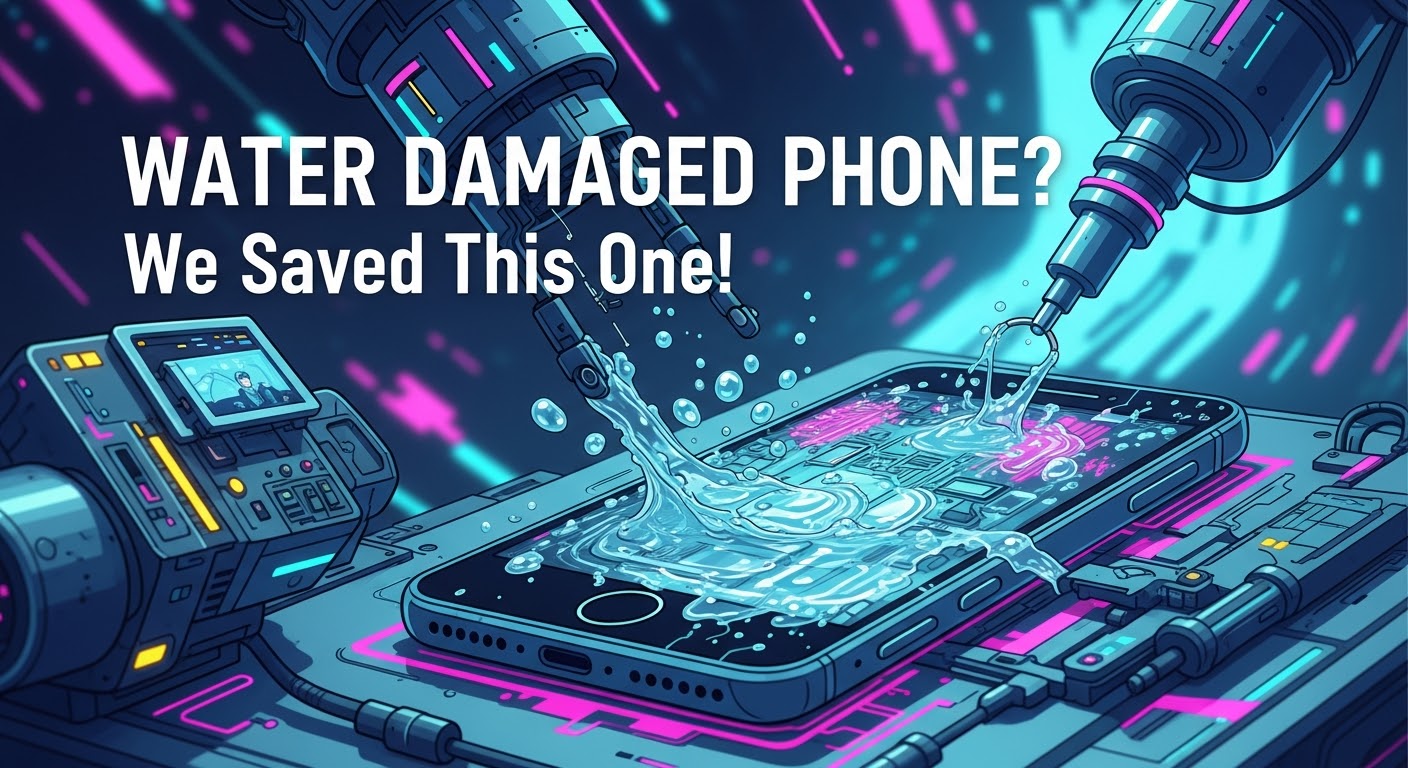
Can You Fix a Water-Damaged Phone? 7 Proven Solutions That Work
Understanding Water Damage in Smartphones
Smartphones today are engineered with advanced technology, but they remain vulnerable to one common hazard: water damage. Whether it’s an accidental drop in the sink, pool, or a sudden rainstorm, moisture can wreak havoc on delicate circuits and components.
If you’re asking yourself, “Can you fix a water-damaged phone immediately?” the answer depends on how fast you act.
Powering Off Immediately
The first step is to turn the device off. This prevents electricity from running through wet circuits, which could permanently damage the motherboard.
Removing SIM and Memory Cards
Take out your SIM card, memory card, and accessories to allow better airflow and reduce the risk of data loss.
Drying Techniques You Should Try
Pat dry with a microfiber cloth.
Use silica gel packets instead of rice—they absorb moisture more effectively.
Place the phone in front of a fan for consistent airflow.
What NOT to Do After Water Damage
Mistakes in handling can make the situation worse.
Avoiding Heat Sources
Never use a hair dryer or microwave. Extreme heat can warp circuits and damage seals.
Why Rice Isn’t Always the Best Solution
While popular, rice absorbs moisture slowly and may leave behind dust. A better alternative is silica gel packets or professional drying tools.
Can You Fix a Water-Damaged Phone at Home?
DIY Repair Kits
Some online kits promise quick solutions with specialized drying agents and tools. These can sometimes work for minor splashes.
When DIY Repairs Make Things Worse
Opening your phone without expertise can:
Break waterproof seals.
Damage delicate flex cables.
Void warranty.
If the damage seems severe, it’s safer to visit a professional repair centre.
Professional Repair for Water-Damaged Phones
Ultrasonic Cleaning Explained
Experts often use ultrasonic cleaning machines that remove corrosion and restore circuit functionality.
How Technicians Diagnose Water Damage
Technicians check Liquid Contact Indicators (LCIs)—tiny stickers that change color when exposed to water.
Average Repair Costs
Depending on the brand and extent of damage, repairs can range from $100 to $600. iPhones and flagship Samsung devices are usually on the higher end.
Data Recovery from Water-Damaged Devices
Tools Used by Professionals
Repair centres use chip-off recovery methods and specialized software to retrieve data.
When Data is Beyond Recovery
If the NAND chip is physically destroyed, recovering photos, contacts, and files may be impossible.
Waterproof vs. Water-Resistant Phones
IP Ratings and What They Mean
IP67: Can withstand immersion in water up to 1 meter for 30 minutes.
IP68: Can survive deeper depths for longer durations.
Why “Waterproof” Doesn’t Mean Indestructible
Even with high IP ratings, phones can still suffer water damage over time due to wear and tear on seals.
Prevention Tips: Protecting Your Phone from Water Damage
Using Waterproof Cases
Invest in high-quality cases if you swim, surf, or work outdoors.
Smart Habits to Reduce Risk
Avoid using phones near pools or sinks.
Keep a dry bag handy during rainy weather.
Schedule regular maintenance checks at trusted repair shops.
FAQs
1. Can you fix a water-damaged phone that won’t turn on?
Yes, but it depends on the severity of the damage. Professional ultrasonic cleaning often revives phones that seem completely dead.
2. Is rice still effective for drying phones?
Rice can help, but silica gel packets or professional drying machines work much faster and safer.
3. How long should I leave my phone to dry?
At least 24–48 hours, but the sooner you bring it to a repair shop, the higher your chances of recovery.
4. Will my data be safe after water damage?
Not always. If your phone doesn’t power on, data recovery services may still extract your files.
5. How much does water damage repair cost in Sydney?
On average, between $150–$400 depending on the model and damage severity.
6. Does warranty cover water damage?
Most warranties don’t cover liquid damage, even for water-resistant phones.
Conclusion
Water damage doesn’t have to mean the end of your smartphone. With quick action, the right first-aid steps, and professional repair services, you can often save your device and recover valuable data.
If you’re in Sydney and need urgent help, David from Sydney CBD Repair Centre is your go-to expert. With over 2000 positive Google reviews, genuine parts, and award-winning service, your phone is in safe hands.
Is It Waterproof? Pixel 7 Ghost Touch Water Damage Recovery and Test – Ultimate Guide with 9 Expert Insights
Introduction
The Pixel 7 Ghost Touch Water Damage Recovery and Test process has become one of the most searched repair topics among Google Pixel owners. Although the Google Pixel 7 features impressive water resistance, many users mistakenly believe that “water-resistant” means “waterproof.” Unfortunately, that’s not the case.
A single accidental drop into water, exposure to heavy rain, or even moisture trapped inside a pocket can sometimes cause strange touchscreen behavior. One of the most frustrating symptoms is ghost touch, where the screen starts tapping, swiping, or opening apps without anyone touching it.
The good news is that ghost touch caused by water doesn’t always mean your phone is beyond repair. In many situations, professional cleaning, careful diagnostics, and component replacement can restore the device completely.
This guide explains exactly why ghost touch happens after water exposure, how professionals recover affected devices, and what you should do immediately to improve your chances of saving your Pixel 7.
The Google Pixel 7 carries an IP68 rating. This certification means the phone has been tested under controlled laboratory conditions to resist dust and temporary freshwater immersion.
However, several important limitations often go unnoticed.
An IP68 rating does not guarantee protection against:
Salt water
Chlorinated pools
Soap
Coffee
Soft drinks
Steam
High-pressure water
Long-term immersion
Even everyday wear slowly weakens the waterproof seals around the display, buttons, speakers, SIM tray, and USB-C port.
Over time, factors such as:
Heat
Drops
Previous repairs
Frame bending
Aging adhesive
can reduce the phone’s ability to keep moisture out.
That means a Pixel 7 that survived water one year ago might not survive another splash today.
What Is Ghost Touch?
Ghost touch describes a situation where the touchscreen behaves as though invisible fingers are constantly touching it.
Common symptoms include:
Random taps
Apps opening automatically
Keyboard typing by itself
Screen scrolling unexpectedly
Notification panel opening alone
Camera launching randomly
Phone becoming impossible to control
Sometimes the problem appears only occasionally.
Other times it becomes continuous until the phone is completely unusable.
Ghost touch may be caused by:
Cause
Common?
Water damage
Very Common
Display failure
Common
Damaged digitizer
Common
Loose display connector
Moderate
Software bugs
Occasional
Motherboard corrosion
Severe cases
When water is involved, ghost touch often worsens over several hours as moisture spreads deeper inside the phone.
Why Water Causes Ghost Touch Problems
The touchscreen on the Pixel 7 relies on tiny electrical signals to detect your finger.
When water enters the display assembly or reaches sensitive electronic circuits, it interferes with those signals.
Instead of accurately detecting your finger, the digitizer starts interpreting random electrical changes as touches.
The result is ghost touch.
Understanding the causes helps explain why immediate action is so important.
Moisture Inside the Display
Modern OLED displays contain multiple extremely thin layers.
If moisture penetrates these layers, several problems may develop:
False touch inputs
Flickering
Green lines
Black spots
Screen discoloration
Dead touch zones
Even tiny amounts of trapped moisture can trigger unpredictable touchscreen behavior.
Sometimes drying the device helps.
Other times the display itself becomes permanently damaged.
Corrosion on Internal Components
Water alone isn’t always the biggest threat.
The real danger begins after the water enters the phone.
As electricity continues flowing through wet circuits, corrosion slowly forms on:
Connectors
Display flex cables
Motherboard components
Touch controller chips
Power management circuits
Corrosion continues spreading long after the phone appears dry.
This is why a Pixel 7 that initially works after getting wet may suddenly develop ghost touch days later.
Professional repair centres inspect these microscopic areas under magnification to detect hidden corrosion before it causes permanent failure.
Charging Port Moisture Effects
Many users notice the Pixel 7 displaying a moisture warning after water exposure.
This warning protects the phone from electrical shorts while charging.
However, moisture inside the USB-C port can also contribute indirectly to touchscreen instability by affecting charging voltage and electrical grounding.
If the phone repeatedly displays moisture alerts:
Stop charging immediately.
Disconnect all accessories.
Allow the port to dry naturally.
Avoid inserting tissues or sharp objects into the connector.
Ignoring these warnings can increase the risk of short circuits.
Not every water-damaged phone behaves the same way.
Some continue working almost normally.
Others develop multiple problems within minutes.
Common warning signs include:
Ghost touches
Screen flickering
Random restarts
Speaker distortion
Camera fogging
Face Unlock failure
Touchscreen freezing
Rapid battery drain
Charging problems
USB connection errors
You might also notice condensation beneath the camera lens or display glass.
This is often a strong indication that moisture has entered the device.
The earlier these symptoms are addressed, the higher the chance of successful recovery.
Immediate Steps After Water Exposure
Quick action can make a significant difference in preventing permanent damage.
If your Pixel 7 comes into contact with water:
Power the phone off immediately if possible.
Remove any case or accessories.
Dry the exterior with a clean microfiber cloth.
Keep the USB-C port facing downward so excess water can drain.
Place the phone in a cool, dry, well-ventilated area.
Wait until the charging port is completely dry before connecting a charger.
Seek professional inspection if ghost touch or other symptoms appear.
One common myth is that placing a phone in rice will fix water damage.
In reality, rice does little to remove moisture trapped inside the phone and may even introduce dust or starch particles into the charging port. Professional drying and internal cleaning remain the safest and most effective solutions.
What You Should Never Do After Water Damage
When your Pixel 7 starts showing ghost touch after getting wet, it’s natural to want to fix it immediately. However, some common actions can make the damage much worse.
Avoid the following mistakes:
Don’t Charge the Phone Immediately
If moisture is still inside the device, connecting a charger can create electrical shorts. Even if the phone appears dry on the outside, water may still be trapped inside the charging port or on the motherboard.
Wait until the phone has been professionally inspected or the charging port is completely dry before charging.
Don’t Use a Hair Dryer
Hot air may seem like a quick solution, but it can:
Damage the OLED display
Soften waterproof adhesives
Push moisture deeper into the phone
Warp delicate internal components
Instead, let the phone dry naturally in a well-ventilated location.
Don’t Shake the Phone
Shaking the device may spread water to areas that were previously dry.
A few drops of water near the speaker can quickly reach the motherboard if the phone is moved aggressively.
Don’t Press the Screen Repeatedly
Many users continuously tap the display to see if ghost touch has disappeared.
Unfortunately, repeated use while moisture remains inside can worsen electrical damage and increase the chance of permanent display failure.
Don’t Attempt DIY Disassembly
Opening a Pixel 7 without proper tools often causes additional damage.
Risks include:
Cracking the rear glass
Damaging display flex cables
Tearing waterproof seals
Breaking wireless charging components
Damaging battery connectors
Professional technicians use specialized heating equipment, precision tools, and anti-static workstations designed specifically for modern smartphones.
Can the Pixel 7 Recover on Its Own?
This is one of the most common questions people ask after experiencing water damage.
The answer depends on the extent of the damage.
Minor Moisture Exposure
If only a small amount of water entered the phone, symptoms may disappear after the internal moisture evaporates.
Temporary issues include:
Minor ghost touches
Moisture warnings
Slight speaker distortion
Touchscreen lag
These problems sometimes resolve within 24 to 72 hours.
Moderate Water Damage
If moisture reaches display connectors or internal cables, the phone may continue working intermittently before symptoms worsen.
You may notice:
Random touch inputs
Green display tint
Flickering
Charging issues
Camera condensation
Professional cleaning is strongly recommended at this stage.
Severe Water Damage
When corrosion reaches the motherboard or display controller, the phone usually cannot recover without repair.
Symptoms may include:
Constant ghost touch
Boot loops
Black screen
No charging
Complete touchscreen failure
Device not powering on
Delaying repairs increases the likelihood of permanent component failure.
Professional Water Damage Recovery Process
Professional repair centers follow a systematic recovery process designed to maximize the chances of saving your Pixel 7.
Each step is carefully performed to identify hidden damage and prevent further corrosion.
Step 1: Initial Inspection
The technician first performs a complete visual inspection.
This includes checking:
Rear glass condition
Display assembly
SIM tray
Charging port
Speaker openings
Camera lenses
Frame alignment
Signs of liquid entry are documented before disassembly begins.
Step 2: Safe Device Disassembly
Opening the Pixel 7 requires controlled heating to soften factory adhesive.
Technicians carefully remove:
Rear cover
Wireless charging assembly
Protective shields
Battery connector
Display connector
Camera modules where necessary
This provides access to the motherboard and internal components without causing unnecessary damage.
Step 3: Internal Inspection
Once opened, every major component is inspected under magnification.
Technicians look for:
Water residue
Corrosion
Oxidized connectors
Burn marks
Mineral deposits
Broken solder joints
Even tiny corrosion spots can eventually cause major failures if left untreated.
Step 4: Ultrasonic Cleaning
One of the most effective methods of recovering water-damaged electronics is ultrasonic cleaning.
Special cleaning solutions combined with ultrasonic waves remove:
Corrosion
Mineral deposits
Dirt
Conductive residue
Unlike simple alcohol cleaning, ultrasonic cleaning reaches tiny spaces beneath integrated circuits that are otherwise impossible to clean manually.
Step 5: Drying and Moisture Removal
After cleaning, components are carefully dried using professional equipment.
Technicians ensure that:
Moisture is completely removed
Connectors are clean
No cleaning solution remains
Internal humidity has been eliminated
Proper drying prevents corrosion from returning after reassembly.
Step 6: Component Testing
Each major component is individually tested.
This typically includes:
Component
Inspection Purpose
OLED Display
Touch response and image quality
Digitizer
Ghost touch detection
Battery
Charging performance
USB-C Port
Power delivery
Cameras
Focus and image testing
Speakers
Audio quality
Microphones
Voice recording
Wireless Charging
Charging efficiency
Motherboard
Power stability
Testing every component helps ensure hidden issues are discovered before the phone is returned to the customer.
Testing the Display After Recovery
After the cleaning and repair process, the display undergoes extensive testing.
Technicians verify that:
Touch input is accurate
Multi-touch functions correctly
Brightness adjusts normally
Colors remain consistent
Fingerprint sensor operates correctly
Refresh rate is stable
No ghost touches remain
Special diagnostic software allows technicians to visualize every touch input across the display.
This makes it easy to identify even small areas with abnormal touch behavior.
If ghost touch persists after cleaning, the display assembly itself may require replacement.
When Is a Screen Replacement Necessary?
Sometimes water permanently damages the digitizer integrated into the OLED display.
In these situations, replacing the display is the only reliable solution.
Common indicators include:
Persistent ghost touch after cleaning
Large dead touch areas
Display flickering
Vertical green lines
Black spots spreading across the screen
Complete touchscreen failure
Using high-quality replacement parts helps restore the phone’s original responsiveness, brightness, and durability.
Preventing Future Water Damage
Although the Pixel 7 offers excellent water resistance, prevention remains the best protection.
Here are several practical tips:
Keep the phone away from salt water whenever possible.
Avoid exposing it to hot showers or steam.
Replace damaged screens or rear glass promptly.
Use a high-quality protective case.
Never intentionally submerge the phone.
Keep the USB-C port clean and dry.
Back up important data regularly.
Have the waterproof seals inspected after major repairs.
Remember that water resistance naturally decreases as a phone ages, especially after accidental drops or previous repairs.
Taking a few preventative measures today can save you from costly repairs tomorrow.
For additional information about your Pixel 7’s water resistance and care recommendations, visit Google’s official Pixel support documentation: https://support.google.com/pixel
Frequently Asked Questions (FAQs)
1. Is the Google Pixel 7 completely waterproof?
No. The Google Pixel 7 is water-resistant, not waterproof. It carries an IP68 rating, meaning it can resist dust and temporary immersion in fresh water under controlled laboratory conditions. However, this protection doesn’t cover damage from salt water, chlorinated pools, hot water, soaps, or high-pressure water. As the phone ages or experiences drops and repairs, its water resistance may also decrease.
2. Why does my Pixel 7 have ghost touch after getting wet?
Ghost touch occurs when moisture interferes with the touchscreen digitizer or internal electrical circuits. Water can create false electrical signals that the phone interprets as finger touches. If left untreated, corrosion may develop, leading to permanent touchscreen or motherboard damage.
3. Will putting my Pixel 7 in rice fix water damage?
No. Although it’s a popular myth, placing a phone in rice does not effectively remove moisture trapped inside the device. It may also introduce dust or starch particles into the charging port. Professional internal cleaning and drying provide a much better chance of successful recovery.
4. Can ghost touch disappear on its own?
Sometimes. If only a small amount of moisture entered the phone, ghost touch may disappear after the device dries completely. However, if corrosion has already started or the display has been damaged, the issue usually requires professional repair or display replacement.
5. How long should I wait before charging a wet Pixel 7?
Only charge the phone after you’re confident the USB-C port is completely dry and any moisture warnings have disappeared. If ghost touch or other symptoms remain, it’s best to have the phone inspected by a professional technician before charging to avoid causing additional electrical damage.
6. Can a water-damaged Pixel 7 be repaired?
Yes, in many cases. The success of the repair depends on how quickly the device is treated and how much internal damage has occurred. Professional water damage recovery often includes disassembly, corrosion removal, ultrasonic cleaning, diagnostics, and replacement of damaged components where necessary.
7. Does replacing the screen fix ghost touch?
If the ghost touch is caused by a damaged digitizer or OLED display, replacing the screen often resolves the problem. However, if the issue originates from motherboard corrosion or damaged internal connectors, additional repairs may also be required.
8. How can I reduce the risk of future water damage?
You can reduce the risk by:
Keeping your phone away from excessive moisture.
Avoiding intentional submersion.
Using a quality protective case.
Repairing cracked screens or back glass promptly.
Keeping charging ports clean and dry.
Having waterproof seals professionally replaced after major repairs when applicable.
Conclusion
The Pixel 7 Ghost Touch Water Damage Recovery and Test process demonstrates that while the Google Pixel 7 is engineered with excellent water resistance, it is not immune to liquid damage. Even a small amount of moisture can interfere with the touchscreen, resulting in frustrating ghost touch symptoms, charging issues, or display instability.
The most important factor in a successful recovery is acting quickly. Turning the phone off, avoiding common mistakes like charging or heating the device, and seeking professional assistance can significantly improve the chances of saving both the display and internal components.
Professional technicians use specialized diagnostic tools, ultrasonic cleaning equipment, and component-level testing to identify hidden corrosion that cannot be seen from the outside. In many cases, early intervention allows a water-damaged Pixel 7 to be restored to full working condition without extensive replacement of expensive components.
Preventative care is equally important. Protecting your phone from unnecessary exposure to water, repairing physical damage promptly, and understanding the limitations of IP68 water resistance can help extend the life of your device and reduce the risk of future failures.
Whether your Pixel 7 has experienced a minor splash or significant liquid exposure, taking the right steps immediately can make the difference between a simple repair and a complete device replacement.
David from Sydney CBD Repair Centre – The Best place to fix mobile phones as 7 Years In A Row! Top Mobile Phone Repair In Sydney. More than 2000 Positive Reviews on Google and Same Day Repairs.
We take pride in delivering exceptional repair services for all major phone brands including Apple, Samsung, Google, and more. Our expert technicians use only genuine parts and offer a 90 days warranty on repairs. Located in the heart of Sydney CBD, we’re your one-stop solution for all mobile device repairs.
Our commitment to excellence has earned us the trust of thousands of satisfied customers. Whether it’s a cracked screen, battery replacement, or water damage repair, we handle it all with professional care and expertise. Walk in today and experience why we’re Sydney’s #1 choice for mobile phone repairs.
Visit us for:
✓ Same Day Express Repairs
✓ Genuine Parts Guarantee
✓ Professional Technicians
✓ Competitive Pricing
✓ 2000+ 5-Star Google Reviews
✓ 7-Time Award Winner for Best Phone Repairs
Sydney CBD Repair Centre – Where Quality Meets Reliability.
DIY Disaster vs. Pro Fix: When Should You Attempt a Phone Repair? (Ultimate Guide + 7 Critical Truths)
Introduction: The Temptation of DIY Phone Repair
Let’s face it—smartphones are expensive. So when your screen cracks or your battery starts acting funny, the idea of a DIY phone repair can feel pretty tempting. A quick YouTube tutorial, a cheap repair kit, and boom—you think you’ve saved yourself a bundle.
However, here’s the catch: modern smartphones aren’t built like they used to be. What looks simple on video can quickly turn into a costly DIY disaster. Therefore, knowing when to attempt a phone repair yourself and when to call a professional makes all the difference.
This guide breaks it all down clearly, honestly, and without fluff.
Smartphones today are slim, powerful, and packed with advanced technology. Unfortunately, that also makes phone repair far more complex.
Key challenges include:
Sealed designs with strong adhesives
Fragile OLED and AMOLED displays
Integrated components that are hard to isolate
Water-resistant seals that are easy to break
In other words, one wrong move can turn a small issue into a major repair nightmare.
What Is DIY Phone Repair?
DIY phone repair means attempting to fix your device without professional assistance. People usually do this at home using online tutorials and third-party tools.
Common DIY Phone Repair Types
Some popular DIY phone repair attempts include:
Screen replacement
Battery replacement
Charging port cleaning
Speaker or microphone fixes
While some of these are relatively simple, others can spiral out of control fast.
Pros of DIY Phone Repair
Cost Savings and Convenience
The biggest draw of DIY phone repair is cost. Repair kits often seem cheaper than professional services, and you avoid service wait times.
Benefits include:
Lower upfront cost
Immediate action
Learning a new skill
No appointment needed
That said, these benefits only hold up if the repair goes smoothly.
Here’s where reality kicks in. DIY phone repair comes with serious risks that many people underestimate.
Common problems include:
Damaging internal components
Losing water resistance
Voiding manufacturer warranties
Using low-quality or incompatible parts
Data loss or security issues
According to professional repair experts, over 40% of failed DIY repairs end up costing more to fix afterward than the original professional service would have. That’s a tough pill to swallow.
When DIY Phone Repair Makes Sense
Simple Fixes You Can Safely Try
Not all DIY phone repair attempts are bad ideas. In fact, some minor fixes are generally safe if you’re careful.
Good DIY candidates include:
Cleaning charging ports
Replacing phone cases or screen protectors
Software troubleshooting
Replacing SIM trays
If the repair doesn’t require opening the phone or handling sensitive components, DIY can be reasonable.
When Professional Phone Repair Is the Better Choice
Complex Repairs That Require Experts
Professional phone repair is strongly recommended for:
Screen replacements
Battery replacements in sealed phones
Water damage repairs
Motherboard issues
Face ID or fingerprint sensor problems
Professionals use specialized tools, genuine parts, and proven processes. More importantly, they know what not to touch.
At first glance, DIY looks cheaper. However, once you factor in mistakes, tool purchases, and repeat repairs, professional phone repair often delivers better long-term value.
Warranty, Data Safety, and Long-Term Value
DIY phone repair almost always voids manufacturer warranties. That’s a big deal, especially for newer devices.
Professional repair shops typically offer:
Repair warranties
Data protection procedures
Quality assurance testing
Genuine or OEM-grade parts
So while DIY may save money today, professional phone repair protects your investment tomorrow.
Environmental and Ethical Considerations
Interestingly, professional phone repair is often more environmentally responsible. Repair centers properly recycle parts, manage e-waste, and extend device lifespans.
DIY repairs, on the other hand, often result in:
Unused broken parts
Shortened device life
Increased electronic waste
Choosing professional phone repair supports sustainability while keeping your device running longer.
Expert Insights from Professional Technicians
Experienced technicians agree on one thing: most DIY disasters are preventable.
According to industry professionals:
“People usually come in after a DIY attempt has already damaged the phone further. At that point, the repair becomes more expensive and sometimes impossible.”
Expert phone repair isn’t just about tools—it’s about training, experience, and knowing the device inside out.
Frequently Asked Questions (FAQs)
1. Is DIY phone repair safe?
It can be safe for minor, non-invasive fixes. However, complex repairs carry high risks.
2. Does DIY phone repair void my warranty?
Yes, in most cases, opening your phone voids the manufacturer warranty.
3. Is professional phone repair worth the cost?
Absolutely. Professional phone repair ensures reliability, safety, and long-term value.
4. Can DIY phone repair damage my data?
Yes. Incorrect handling can cause data loss or security vulnerabilities.
5. Are third-party phone repair parts reliable?
Quality varies. Many DIY kits use low-grade components that fail quickly.
6. What’s the most common DIY phone repair mistake?
Screen replacement errors—damaged connectors and broken displays are very common.
Conclusion: Making the Smart Choice
DIY phone repair isn’t always a bad idea—but it’s not always a smart one either. Simple fixes? Go ahead. Anything complex? Think twice.
When it comes to protecting your data, your investment, and your peace of mind, professional phone repair often wins hands down. In the long run, choosing expertise over experimentation saves time, money, and frustration.
David from Sydney CBD Repair Centre – The Best place to fix mobile phones as 7 Years In A Row! Top Mobile Phone Repair In Sydney. More than 2000 Positive Reviews on Google and Same Day Repairs.
We take pride in delivering exceptional repair services for all major phone brands including Apple, Samsung, Google, and more. Our expert technicians use only genuine parts and offer 90days warranty on repairs. Located in the heart of Sydney CBD, we’re your one-stop solution for all mobile device repairs.
Our commitment to excellence has earned us the trust of thousands of satisfied customers. Whether it’s a cracked screen, battery replacement, or water damage repair, we handle it all with professional care and expertise. Walk in today and experience why we’re Sydney’s #1 choice for mobile phone repairs.
Visit us for:
✓ Same Day Express Repairs
✓ Genuine Parts Guarantee
✓ Professional Technicians
✓ Competitive Pricing
✓ 2000+ 5-Star Google Reviews
✓ 7-Time Award Winner for Best Phone Repairs
CAN WE SAVE IT? Recovering Data from a Saltwater Damaged Google Pixel + Power Word + Number
Introduction to Saltwater Damage in Smartphones
Recovering data from a saltwater damaged Google Pixel can feel like an impossible task—but here’s the truth: it’s often more achievable than most people think. When a phone takes a dive into the ocean or even salty humidity, panic sets in. Photos, contacts, business files—everything seems lost in seconds.
But don’t lose hope just yet.
Saltwater damage is severe, yes, but modern recovery techniques have come a long way. With the right approach, timing, and expertise, data recovery is not only possible—it’s increasingly successful.
In this guide, we’ll break everything down in simple terms. No jargon overload. Just clear, actionable insights that help you understand what’s happening inside your device—and how experts can bring your data back to life.
Saltwater isn’t just water—it’s packed with dissolved minerals, especially sodium chloride. When it enters your Google Pixel, it triggers rapid electrochemical reactions.
These reactions:
Break down metal components
Create conductive paths where none should exist
Accelerate oxidation within seconds
In simpler terms? Your phone starts corroding almost immediately.
Corrosion and Short Circuits Explained
Unlike freshwater, saltwater leaves behind residue even after drying. That residue continues damaging internal components over time.
Here’s what happens:
Short circuits: Electricity flows where it shouldn’t
Corrosion: Metal connectors degrade
Component failure: Chips and connectors stop working
This is why recovering data from a saltwater damaged Google Pixel is time-sensitive. The longer you wait, the worse it gets.
Rinse with distilled water (yes, really—this removes salt)
Dry externally with a soft cloth
Take it to a professional ASAP
Timing is everything when recovering data from a saltwater damaged Google Pixel.
Understanding Data Recovery Possibilities
Types of Data Stored on Google Pixel
Your Pixel stores data in NAND flash memory. This includes:
Photos and videos
Contacts
Messages
App data
Documents
The key thing to understand? Even if your phone won’t turn on, your data may still exist intact inside the chip.
Storage Chips and Data Survival Rates
Here’s the good news:
NAND chips are sealed and relatively durable
Data often survives even when the motherboard fails
However, access becomes the challenge—not the existence of data.
Professional Data Recovery Techniques
Chip-Level Recovery Methods
Experts often go beyond basic repairs. They use:
Chip-off recovery: Removing the memory chip physically
JTAG access: Directly reading data from the board
ISP (In-System Programming): Accessing memory without removal
These methods require advanced tools and precision.
Board Repair vs Data Extraction
There are two main strategies:
Method
Goal
When Used
Board Repair
Restore phone function
Minor corrosion
Data Extraction
Retrieve files only
Severe damage
For heavy saltwater damage, extraction is often the safer bet.
DIY vs Professional Recovery: What Works Best?
Let’s be blunt—DIY recovery rarely works for saltwater damage.
Why?
Requires microscopic soldering skills
Needs expensive tools
High risk of permanent data loss
Professionals, on the other hand:
Use cleanroom environments
Have specialized diagnostic tools
Understand Pixel architecture deeply
If your data matters, going pro isn’t optional—it’s essential.
Tools and Technology Used in Recovery
Modern recovery labs use:
Microsoldering stations
Ultrasonic cleaners
Data extraction software
Thermal imaging cameras
NAND readers
These tools allow technicians to isolate and recover data even from heavily damaged boards.
Success Rate of Data Recovery After Saltwater Damage
So, what are your chances?
Early intervention (within 24 hours): 70–90% success
Moderate delay: 40–60%
Severe corrosion (weeks later): 10–30%
The takeaway? Speed matters more than anything.
Preventing Future Data Loss
Backup Solutions
The easiest way to avoid disaster:
Use Google Drive backups
Enable automatic photo syncing
Store important files in the cloud
Protective Measures
Also consider:
Waterproof cases
Avoiding risky environments
Regular device maintenance
Because let’s face it—prevention beats recovery every time.
Cost of Data Recovery Services
Recovery costs vary depending on damage:
Level of Damage
Estimated Cost
Minor
$100–$300
Moderate
$300–$700
Severe (chip-level)
$700–$1500+
While it may seem expensive, the value of recovered data often outweighs the cost.
Case Study: Real-Life Recovery Scenario
A user drops their Google Pixel into the ocean during a beach trip. The phone stays submerged for 10 minutes.
Outcome:
Device completely dead
Severe corrosion on motherboard
Recovery lab performs chip-off method
95% of data successfully retrieved
Moral of the story? Even in worst-case scenarios, recovery is possible.
FAQs About Saltwater Damaged Google Pixel Data Recovery
1. Can data really be recovered after saltwater damage?
Yes, in many cases. Even if the phone is dead, the storage chip may still hold your data.
2. How long do I have before data becomes unrecoverable?
Ideally within 24–48 hours. The sooner you act, the higher the success rate.
3. Does turning the phone on make things worse?
Yes. It can cause short circuits and further damage internal components.
4. Is rinsing with distilled water safe?
Yes, it helps remove salt residue—but only as a temporary step before professional repair.
5. Can I recover data myself?
Highly unlikely for saltwater damage. Professional tools and expertise are required.
6. Will all my data be recovered?
Not always. Recovery depends on the extent of damage, but partial recovery is common.
Conclusion
Recovering data from a saltwater damaged Google Pixel isn’t a lost cause—it’s a race against time. While saltwater is incredibly destructive, modern recovery techniques offer real hope.
The key is acting fast, avoiding common mistakes, and trusting professionals when it matters most.
At the end of the day, your data is often more valuable than the device itself. And with the right approach, you can still get it back—even after a dip in the ocean.
David from Sydney CBD Repair Centre – The Best place to fix mobile phones as 7 Years In A Row! Top Mobile Phone Repair In Sydney. More than 2000 Positive Reviews on Google and Same Day Repairs.
We take pride in delivering exceptional repair services for all major phone brands including Apple, Samsung, Google, and more. Our expert technicians use only genuine parts and offer 90days warranty on repairs. Located in the heart of Sydney CBD, we’re your one-stop solution for all mobile device repairs.
Our commitment to excellence has earned us the trust of thousands of satisfied customers. Whether it’s a cracked screen, battery replacement, or water damage repair, we handle it all with professional care and expertise. Walk in today and experience why we’re Sydney’s #1 choice for mobile phone repairs.
Visit us for:
✓ Same Day Express Repairs
✓ Genuine Parts Guarantee
✓ Professional Technicians
✓ Competitive Pricing
✓ 2000+ 5-Star Google Reviews
✓ 7-Time Award Winner for Best Phone Repairs
DIY or Pro? When to Replace Your Phone Screen vs. Buying New – 9 Smart Decisions to Save Big
Introduction: The Real Cost of a Cracked Screen
A cracked display is one of the most common smartphone issues worldwide. Whether you own an iPhone, Samsung Galaxy, or Google Pixel, screen damage can happen in seconds. The big question then becomes simple but powerful: should you replace your phone screen or buy a new device altogether?
This decision isn’t always easy. On one hand, replacing a screen can be cost-effective. On the other, buying a new phone may offer better performance and longevity. In this comprehensive guide, we’ll explore both sides so you can confidently decide when to replace your phone screen and when upgrading is the smarter move.
Smartphone screens today aren’t just glass panels. They’re sophisticated assemblies combining touch sensors, display technology, and protective layers.
OLED vs LCD: What’s Inside Your Phone?
Most premium smartphones use OLED displays, including devices from Apple Inc. and Samsung Electronics. OLED screens offer vibrant colors and deep blacks, but they’re more expensive to repair.
LCD screens, commonly found in budget models, are cheaper to replace but less visually dynamic.
When deciding whether to replace your phone screen, knowing your display type helps estimate repair costs accurately.
Why Screen Repairs Are More Complex Today
Modern devices integrate fingerprint sensors, facial recognition modules, and ultra-thin bezels. For example, newer iPhones feature Face ID systems embedded within the display assembly. This makes DIY repairs riskier and professional services more valuable.
Sometimes, repairing your phone is the clear winner.
Minor Cracks and Functional Displays
If your phone still works perfectly—touch sensitivity intact, no display bleeding—then choosing to replace your phone screen is usually the smartest move. A cracked glass layer doesn’t necessarily mean internal damage.
Repairing it can restore the phone to near-new condition at a fraction of replacement cost.
High-End Devices Worth Repairing
Premium devices such as the iPhone 14 Pro or Samsung Galaxy S23 Ultra often justify screen replacement due to their high resale value and advanced specifications.
If your phone is less than three years old and still receiving software updates, repairing makes financial sense.
Warranty and Insurance Considerations
If your phone is covered under AppleCare+ or Samsung Care+, screen replacement fees are significantly reduced. In such cases, it’s almost always better to replace your phone screen rather than buy new.
When Buying a New Phone Makes More Sense
However, repair isn’t always the best route.
Severe Internal Damage
If your phone has water damage, motherboard failure, or multiple broken components, repair costs can approach the price of a new device.
In these cases, investing in a new smartphone may provide better long-term reliability.
Outdated Software and Hardware
Phones older than five years often stop receiving updates. For example, older models no longer supported by Google may face security risks.
If performance is already sluggish, replacing the screen won’t solve underlying issues.
Repeated Repair History
If you’ve replaced the screen more than once, structural integrity may be compromised. At that point, upgrading is usually smarter.
DIY Screen Replacement: Pros and Risks
Many users consider fixing their phones at home to save money.
Tools Required
Precision screwdriver kit
Heat gun or hairdryer
Pry tools
Replacement adhesive
Compatible screen assembly
DIY kits are widely available online.
Common Mistakes
However, DIY repairs carry risks:
Damaging internal cables
Losing water resistance
Voiding warranty
Using low-quality parts
Without proper training, you might end up paying more in the long run.
Professional Screen Repair: Why Expertise Matters
Choosing a professional repair center ensures precision and peace of mind.
Genuine Parts vs Aftermarket
Reputable repair centers use genuine or OEM-grade parts. This preserves brightness, touch response, and durability.
Aftermarket parts may look similar but can reduce display quality.
Warranty and Service Guarantees
Professional repair shops often provide warranties. This added protection makes the decision to replace your phone screen far less risky.
For industry standards and consumer protection guidelines, you can refer to the Australian Competition and Consumer Commission: https://www.accc.gov.au/
Cost Comparison Table: Repair vs Replace
Scenario
Average Repair Cost
New Phone Cost
Recommended Choice
Minor crack, premium phone
$200-$400
$1500+
Repair
Major damage, old phone
$400+
$800
Replace
Insurance-covered repair
$50-$150
$1200
Repair
Repeated failures
$300+
$900
Replace
Environmental Impact: Repairing for Sustainability
Choosing to replace your phone screen instead of buying new reduces electronic waste. Manufacturing new smartphones consumes rare earth materials and energy.
By repairing, you extend your device’s life and reduce your carbon footprint. It’s a win-win.
FAQs
1. Is it worth it to replace your phone screen?
Yes, especially if the phone is less than three years old and functions properly.
2. How long does professional screen repair take?
Most reputable centers offer same-day service, often within 1–2 hours.
3. Does screen replacement affect performance?
If done professionally using genuine parts, performance remains unchanged.
4. Can I replace my phone screen myself?
Technically yes, but it carries risks including warranty voidance and internal damage.
5. How do I know if internal damage exists?
Signs include screen flickering, dead pixels, overheating, or battery drain.
6. Will replacing the screen restore water resistance?
Professional repair centers can reseal devices, but factory-level waterproofing may not be fully restored.
Conclusion: Making the Smart Financial Choice
In the end, deciding whether to replace your phone screen or buy new depends on cost, device age, and overall condition. Minor damage on a relatively new phone? Repair it. Multiple issues on an outdated model? Consider upgrading.
Either way, making an informed choice saves money and reduces stress.
David from Sydney CBD Repair Centre – The Best place to fix mobile phones as 7 Years In A Row! Top Mobile Phone Repair In Sydney. More than 2000 Positive Reviews on Google and Same Day Repairs.
We take pride in delivering exceptional repair services for all major phone brands including Apple, Samsung, Google, and more. Our expert technicians use only genuine parts and offer 90days warranty on repairs. Located in the heart of Sydney CBD, we’re your one-stop solution for all mobile device repairs.
Our commitment to excellence has earned us the trust of thousands of satisfied customers. Whether it’s a cracked screen, battery replacement, or water damage repair, we handle it all with professional care and expertise. Walk in today and experience why we’re Sydney’s #1 choice for mobile phone repairs.
Visit us for:
✓ Same Day Express Repairs
✓ Genuine Parts Guarantee
✓ Professional Technicians
✓ Competitive Pricing
✓ 2000+ 5-Star Google Reviews
✓ 7-Time Award Winner for Best Phone Repairs
MICROSCOPIC ACCURACY! Fixing a Shattered Nothing Phone 3a Pro Screen in Sydney CBD Shop + Ultimate Precision Guide 2026
Introduction
A shattered smartphone screen can instantly turn a premium device into a frustrating daily problem, especially when it involves the advanced Nothing Phone 3a Pro. Known for its sleek transparent aesthetics, powerful OLED display, and futuristic engineering, this smartphone demands far more than a basic repair approach when damage occurs. Even a minor crack can affect touch responsiveness, fingerprint functionality, display clarity, and overall device performance.
In a fast-paced city like Sydney, smartphone users rely heavily on their devices for work, communication, navigation, and entertainment. That’s why professional Nothing Phone 3a Pro screen repair services have become increasingly important. Modern repair specialists now use microscopic inspection tools, precision calibration equipment, and advanced adhesive technology to restore damaged devices with exceptional accuracy.
This article explores the complete process of fixing a shattered Nothing Phone 3a Pro screen in a Sydney CBD repair shop. From diagnosing hidden damage to installing a premium OLED replacement, you’ll discover why expert technicians focus on microscopic precision to achieve reliable, long-lasting results. Whether your phone has suffered a sudden drop, pressure crack, or display malfunction, understanding the professional repair process can help you make smarter decisions and protect your investment.
The Nothing Phone 3a Pro stands out in today’s smartphone market because of its futuristic transparent design, premium OLED display, and sophisticated internal engineering. While it looks stunning, the device also demands microscopic accuracy during repairs. A shattered display on this model isn’t just cosmetic damage—it can affect touch responsiveness, fingerprint recognition, display brightness, and even internal board connectivity.
Modern smartphones are becoming thinner and more compact. Because of this, replacing a cracked screen requires advanced tools and technical expertise. In a busy city like Sydney, many users rely on professional technicians rather than risking costly DIY mistakes.
The Nothing Phone 3a Pro screen repair process is especially delicate due to:
Flexible OLED connectors
Thin frame tolerances
Embedded biometric sensors
High-strength display adhesive
Precision-aligned internal screws
Repair technicians in Sydney CBD shops use advanced heat separation tools, anti-static workstations, and microscopic inspection equipment to ensure flawless results. Without these professional methods, even a tiny installation error can damage the motherboard or create display flickering issues later on.
Moreover, the transparent design of the phone means imperfections become more noticeable. Dust particles trapped beneath the screen or uneven adhesive application can ruin the visual appearance. That’s why experienced repair specialists focus heavily on detail-oriented workmanship.
Even premium smartphones aren’t immune to accidents. The Nothing Phone 3a Pro screen repair industry has seen a sharp rise in cracked OLED displays caused by daily mishaps.
Impact Damage
Most shattered screens happen because of accidental drops. Smartphones frequently slip from:
Pockets
Car mounts
Office desks
Gym equipment
Bathroom counters
Even when using protective cases, direct corner impacts can crack OLED layers underneath the glass. In many cases, the outer glass appears lightly damaged while the internal display suffers severe pixel bleeding.
A drop onto concrete can create:
Black ink spots
Green lines
Ghost touch problems
Touchscreen dead zones
Complete display failure
Interestingly, many customers continue using damaged devices for weeks before seeking professional help. Unfortunately, delayed repair can worsen internal damage.
Liquid Exposure
Water exposure is another major reason for Nothing Phone 3a Pro screen repair services. Moisture can seep beneath cracked glass and corrode display connectors.
Common liquid-related issues include:
Symptom
Possible Cause
Flickering display
Corroded OLED connector
Random touch activity
Moisture contamination
Screen discoloration
Water-damaged pixels
No display output
Shorted display circuitry
Although many modern phones advertise water resistance, cracked screens compromise protective seals. Once the seal is broken, even light rain can become dangerous.
Signs You Need Immediate Repair
Some users ignore small cracks, thinking they’re harmless. However, professional technicians recommend immediate Nothing Phone 3a Pro screen repair when any of the following symptoms appear:
Display flickering
Black spots spreading
Green vertical lines
Touchscreen delays
Unresponsive fingerprint sensor
Glass splinters
OLED burn patterns
Sudden battery drain
A damaged display may also expose internal components to dust and moisture. Over time, contamination can affect charging systems and motherboard functionality.
Another overlooked issue is eye strain. Cracked OLED screens sometimes produce unstable brightness levels that make prolonged usage uncomfortable.
In Sydney CBD repair environments, technicians often use microscopic diagnostic tools to inspect hidden structural fractures around the frame. These tiny fractures can compromise future repair quality if not addressed early.
Professional Diagnostic Process
Before replacing any component, professional repair technicians perform a complete device assessment.
Microscopic Inspection Tools
Modern repair shops use:
Digital microscopes
OLED testing systems
Thermal imaging cameras
Precision voltage meters
Anti-static inspection mats
These tools help identify hidden issues that ordinary users can’t see. For example, a shattered display may have also damaged nearby flex cables or loosened board connectors.
Professional inspection ensures technicians don’t simply replace the screen while missing deeper hardware faults.
Internal Hardware Testing
A proper Nothing Phone 3a Pro screen repair includes testing:
Battery health
Charging port stability
Motherboard voltage
Front camera alignment
Face recognition sensors
Internal antennas
This comprehensive process prevents repeat visits and guarantees long-term reliability.
Professional shops in Sydney CBD often complete diagnostics before providing repair quotes. That transparency helps customers understand exactly what’s damaged.
Step-by-Step Screen Replacement
Nothing Phone 3a Pro screen repair requires patience, precision, and professional equipment.
Device Opening Procedure
The repair begins with controlled heating. Technicians use calibrated heat pads to soften industrial adhesive around the frame.
Next steps include:
Removing the rear panel carefully
Disconnecting the battery
Protecting internal flex cables
Separating the damaged OLED assembly
This stage is extremely delicate. Excessive force can bend the frame or damage nearby components.
OLED Panel Installation
Once the damaged screen is removed, technicians clean the frame thoroughly. Any leftover adhesive or glass fragments can create uneven pressure points.
The new OLED assembly is then aligned with microscopic precision.
Important installation considerations include:
Flex cable positioning
Touch calibration
Fingerprint sensor alignment
Pressure distribution
Dust prevention
Professional repairers use specialized clamps to maintain proper screen seating during adhesive curing.
Adhesive Sealing Process
The final step restores structural integrity and helps maintain water resistance.
Technicians apply precision-cut adhesive seals designed specifically for the Nothing Phone 3a Pro. Cheap glue alternatives often fail within weeks.
After sealing, the device undergoes:
Display brightness testing
Touch responsiveness checks
Camera alignment inspection
Frame pressure verification
This detailed process ensures the repaired device functions like new.
Why DIY Repairs Often Fail
Online tutorials make screen replacement look simple. In reality, DIY Nothing Phone 3a Pro screen repair attempts frequently cause additional damage.
Common DIY mistakes include:
Overheating the battery
Tearing OLED flex cables
Using low-quality replacement parts
Damaging waterproof seals
Misaligning biometric sensors
Without professional tools, separating shattered OLED glass becomes extremely risky.
Many DIY users also underestimate electrostatic discharge. A tiny static shock can permanently damage motherboard components.
Another issue is adhesive quality. Cheap adhesive strips may cause the screen to lift after a few days of use.
Professional repair shops invest heavily in:
Controlled repair environments
OEM-grade tools
High-quality replacement components
Technician training
Safety procedures
These factors significantly improve repair success rates.
Benefits of Professional Repair
Choosing professional Nothing Phone 3a Pro screen repair offers several important advantages.
Reliable Workmanship
Experienced technicians understand the phone’s internal layout and repair challenges. Their expertise minimizes risks during disassembly and reassembly.
Quality Components
Professional shops typically use premium-grade OLED panels with accurate brightness, refresh rates, and touch sensitivity.
Faster Turnaround
Many Sydney CBD repair centres offer same-day service for screen replacements. That convenience matters greatly for busy professionals and students.
Warranty Protection
A reputable repair centre usually provides warranty coverage on both parts and labour.
Data Safety
Professional technicians focus on preserving customer data during repairs. DIY mistakes sometimes result in complete data loss.
Genuine vs Aftermarket Screens
One major factor in Nothing Phone 3a Pro screen repair quality is the replacement screen itself.
Feature
Genuine-Quality OLED
Cheap Aftermarket OLED
Brightness
Excellent
Inconsistent
Color Accuracy
True-to-life
Oversaturated
Touch Sensitivity
Smooth
Laggy
Durability
Long-lasting
Fragile
Battery Efficiency
Optimized
Higher drain
Low-quality aftermarket screens may initially look acceptable, but long-term performance often declines rapidly.
Users sometimes notice:
Screen flickering
Weak brightness outdoors
Poor fingerprint detection
Ghost touch problems
Professional repair centres generally recommend premium-quality parts to maintain device performance.
Repair Time and Cost Expectations
Repair times vary depending on damage severity and parts availability.
Typical Nothing Phone 3a Pro screen repair timelines include:
Repair Type
Estimated Time
Basic screen replacement
1–2 hours
Screen with frame repair
2–3 hours
Liquid-damaged display repair
3–5 hours
Costs depend on:
OLED quality
Additional component damage
Frame condition
Water exposure severity
Professional repair shops in Sydney CBD often provide upfront quotes after diagnostics.
Protecting Your Nothing Phone 3a Pro
After completing a Nothing Phone 3a Pro screen repair, prevention becomes essential.
Recommended protection strategies include:
Use a Quality Case
Shock-absorbing cases reduce impact force during drops.
Install Tempered Glass
Premium tempered glass protectors add an extra defensive layer.
Avoid Extreme Temperatures
Excessive heat weakens adhesives and OLED durability.
Keep Away From Water
Even water-resistant devices can fail after repeated moisture exposure.
Handle Carefully During Charging
Many cracked screens happen when phones fall from charging cables.
Preventive habits can significantly extend device lifespan.
Why Sydney CBD Customers Choose Experts
Customers in Sydney expect high-quality service, fast turnaround, and reliable results. Professional repair centres in Sydney CBD meet these expectations through technical expertise and customer-focused support.
In competitive repair markets, reputation matters enormously. Repair businesses with strong customer reviews and consistent workmanship often become trusted local leaders.
Is the Nothing Phone 3a Pro screen difficult to repair?
Yes. The device uses advanced OLED technology and precision internal engineering, making professional repair strongly recommended.
How long does Nothing Phone 3a Pro screen repair take?
Most professional screen replacements are completed within 1–2 hours, depending on damage severity.
Can a cracked screen affect phone performance?
Absolutely. Cracked displays can impact touch sensitivity, fingerprint recognition, brightness, and even motherboard stability.
Should I repair or replace my phone?
If the motherboard remains functional, screen replacement is usually far more affordable than purchasing a new device.
Will water resistance remain after repair?
Professional repair centres attempt to restore protective sealing, but original factory waterproof ratings can’t always be guaranteed.
Are aftermarket OLED screens reliable?
Higher-quality aftermarket OLEDs can perform well, but cheaper versions often develop flickering and touch issues over time.
Can data be lost during screen repair?
Professional technicians typically preserve all user data during repairs unless severe motherboard damage exists.
Why do OLED screens cost more?
OLED displays provide superior brightness, color accuracy, and thinness, but they’re significantly more complex to manufacture and replace.
Conclusion
The Nothing Phone 3a Pro is a beautifully engineered smartphone that demands microscopic accuracy during repairs. From OLED calibration to adhesive sealing, every repair stage requires professional skill and specialized equipment.
While DIY repair videos may seem tempting, the risks often outweigh the savings. Professional Nothing Phone 3a Pro screen repair services in Sydney CBD deliver safer, faster, and more reliable results.
By choosing experienced technicians, using premium-quality parts, and practicing proper device care afterward, users can restore their smartphones to excellent working condition and extend their lifespan significantly.
David from Sydney CBD Repair Centre – The Best place to fix mobile phones as 7 Years In A Row! Top Mobile Phone Repair In Sydney. More than 2000 Positive Reviews on Google and Same Day Repairs.
We take pride in delivering exceptional repair services for all major phone brands including Apple, Samsung, Google, and more. Our expert technicians use only genuine parts and offer 90days warranty on repairs. Located in the heart of Sydney CBD, we’re your one-stop solution for all mobile device repairs.
Our commitment to excellence has earned us the trust of thousands of satisfied customers. Whether it’s a cracked screen, battery replacement, or water damage repair, we handle it all with professional care and expertise. Walk in today and experience why we’re Sydney’s #1 choice for mobile phone repairs.
Visit us for:
✓ Same Day Express Repairs
✓ Genuine Parts Guarantee
✓ Professional Technicians
✓ Competitive Pricing
✓ 2000+ 5-Star Google Reviews
✓ 7-Time Award Winner for Best Phone Repairs
Micro Soldering Secrets: Why Your Phone Charging Port Refuses To Accept Power – 11 Powerful Repair Insights
Introduction
A phone that suddenly refuses to charge can feel like a disaster. One moment it works perfectly, and the next moment the battery icon stays frozen no matter how many chargers you try. In many cases, the problem goes deeper than a dirty charging port. That’s where micro soldering secrets become incredibly important.
Modern smartphones are miniature computers packed with ultra-small components. A damaged charging port often affects nearby circuits, charging ICs, filters, or motherboard traces. Because of this, standard repairs sometimes fail. Skilled technicians use advanced micro soldering techniques to restore damaged electrical pathways and bring dead devices back to life.
Whether you own an Apple Inc. iPhone, a Samsung Electronics Galaxy device, or a Google Pixel phone, understanding these hidden repair methods can help you make smarter decisions.
In this guide, you’ll discover why charging ports stop accepting power, how technicians diagnose motherboard-level issues, and why professional micro soldering repairs often save devices that seem beyond repair.
Charging ports go through tremendous stress every single day. Think about it. Most people plug and unplug their phones several times daily. Over time, this constant movement slowly weakens the internal structure.
The Role of Daily Wear and Tear
Repeated insertion of charging cables eventually loosens the metal contacts inside the port. Once these contacts bend or crack, electrical current can no longer flow correctly.
Common symptoms include:
Charging only at certain angles
Slow charging speeds
Random charging disconnections
“Accessory not supported” messages
Complete charging failure
USB-C and Lightning connectors contain delicate pins that can wear out surprisingly fast if handled roughly.
How Moisture Damages Charging Components
Water exposure is another major reason charging ports fail. Even a small amount of moisture can corrode the tiny solder joints connecting the charging port to the motherboard.
Corrosion usually appears after:
Rain exposure
Humid environments
Liquid spills
Steam from bathrooms
Saltwater exposure
Once corrosion spreads, the damage can extend beyond the charging port and affect power management circuits.
Micro soldering is a specialized repair process involving tiny electronic components on a smartphone motherboard. Unlike basic repairs, micro soldering targets microscopic electrical faults.
Technicians work under powerful microscopes using precision soldering stations.
Why Modern Phones Need Precision Repairs
Today’s smartphones are more compact than ever. Manufacturers place charging chips, capacitors, and filters extremely close together. A single damaged component may stop the entire charging system from functioning.
Micro soldering helps repair:
Broken charging circuits
Damaged charging ICs
Torn motherboard pads
Shorted capacitors
Corroded traces
Burned connectors
Without micro soldering, many “dead” phones would simply be replaced.
Tools Used in Micro Soldering
Professional technicians use advanced tools, including:
Tool
Purpose
Microscope
Magnifies tiny components
Hot air station
Removes soldered chips
Precision soldering iron
Repairs micro connections
Multimeter
Measures electrical flow
DC power supply
Tests motherboard power draw
Ultrasonic cleaner
Removes corrosion
According to Sydney CBD Repair Centre, motherboard-level repair has become increasingly important because manufacturers now integrate more charging functions directly into the logic board.
Common Signs Your Charging Port Has Serious Damage
Not every charging issue means the battery is faulty. Often, the charging port itself is the real culprit.
Intermittent Charging Problems
Intermittent charging is one of the earliest warning signs. The device may charge briefly and then stop unexpectedly.
This usually indicates:
Loose charging pins
Cracked solder joints
Damaged flex cables
Internal connector wear
Many users mistakenly replace batteries first, wasting money before discovering the real issue.
Burnt Smell or Heat Around the Port
If your phone becomes unusually hot while charging, stop using it immediately.
Excess heat may indicate:
Short circuits
Burned charging ICs
Electrical resistance
Melted internal contacts
A burning smell often points to motherboard-level damage requiring micro soldering intervention.
Hidden Causes Behind Charging Failure
Some charging failures aren’t visible from the outside. In fact, many of the worst problems occur deep inside the motherboard.
Broken Charging IC
The charging integrated circuit controls how power flows into the phone. If this chip fails, your device may:
Refuse to charge
Restart repeatedly
Overheat
Show incorrect battery percentages
Replacing charging ICs requires advanced micro soldering skills because these chips contain extremely tiny solder balls underneath.
Corroded Motherboard Traces
Motherboard traces are microscopic copper pathways carrying electrical signals. Corrosion can eat through these traces, disconnecting critical charging circuits.
Technicians often rebuild damaged traces manually using jumper wires thinner than human hair.
Damaged USB-C Pins
USB-C connectors contain multiple communication pins responsible for:
Fast charging
Data transfer
Voltage negotiation
Even one broken pin can stop charging completely.
Why Cheap Chargers Can Trigger Board Damage
Many users don’t realize that low-quality charging accessories can permanently damage their phones.
Voltage Spikes Explained
Cheap chargers often fail to regulate voltage properly. Sudden spikes can destroy sensitive charging circuits instantly.
Modern smartphones expect precise voltage ranges. If the incoming power fluctuates excessively, charging ICs may burn out.
The Dangers of Fake Charging Accessories
Counterfeit cables and adapters commonly cause:
Overheating
Battery swelling
Connector damage
Short circuits
Slow charging
Random shutdowns
Certified accessories provide safer power delivery and better long-term reliability.
Step-By-Step Diagnostic Process Used by Experts
Professional repair shops follow a structured process before performing micro soldering repairs.
Visual Inspection
Technicians first inspect the charging port under magnification.
They look for:
Bent pins
Corrosion
Debris buildup
Burn marks
Torn pads
Sometimes the issue is simple dirt accumulation rather than component failure.
Power Consumption Testing
A DC power supply helps measure how the phone behaves electrically.
For example:
Reading
Possible Meaning
No current draw
Broken power path
Excessive current draw
Short circuit
Fluctuating current
Damaged charging IC
This process identifies faults without guessing.
Microscope-Level Analysis
Under high magnification, technicians can detect tiny fractures invisible to the naked eye.
This stage often reveals:
Cracked solder joints
Missing components
Corrosion damage
Lifted pads
Micro soldering repairs become much more precise after detailed analysis.
How Micro Soldering Restores Charging Function
Micro soldering isn’t just about replacing parts. It’s about restoring the phone’s electrical integrity.
Rebuilding Broken Pads
When charging ports are ripped off aggressively, motherboard pads can tear away completely.
Technicians carefully reconstruct these damaged points using:
Micro jumper wires
UV solder masks
Precision solder techniques
This process restores electrical continuity.
Replacing Charging Chips
Charging chips often fail after power surges or liquid damage.
Replacement involves:
Heating the motherboard carefully
Removing the damaged chip
Cleaning old solder
Reballing or replacing components
Testing voltage flow
Experienced technicians must avoid overheating nearby components during this process.
Can You Repair a Charging Port at Home?
DIY phone repair videos make micro soldering look easy. In reality, it’s one of the most difficult electronics repair skills.
DIY Risks Most Users Ignore
Home repair attempts frequently cause:
Torn motherboard pads
Melted connectors
Short circuits
Permanent data loss
Without professional equipment, even minor mistakes can destroy the motherboard.
When to Seek Professional Help
You should seek expert repair if:
Your phone won’t detect chargers
The port feels loose
Charging stops randomly
Water exposure occurred
The device overheats during charging
Professional diagnosis prevents unnecessary part replacements.
Preventing Future Charging Port Problems
Fortunately, many charging issues are preventable with proper habits.
Proper Cable Handling
Avoid pulling cables sideways while charging. This creates stress on internal solder joints.
Good habits include:
Unplugging gently
Using certified cables
Avoiding cheap adapters
Preventing cable tension
Small habits greatly extend charging port lifespan.
Cleaning Your Charging Port Safely
Pocket lint commonly blocks charging pins.
Safe cleaning methods include:
Soft anti-static brushes
Compressed air
Wooden toothpicks
Never use metal objects because they can short internal pins.
Why Professional Repair Saves Money
Many people assume replacing a phone is easier than repairing it. However, professional micro soldering often costs far less than buying a new device.
Repair vs Replacement Cost
Consider the financial difference:
Option
Typical Cost
New flagship phone
Very expensive
Charging port replacement
Moderate
Micro soldering repair
Often affordable
Repairing the motherboard also preserves important personal data.
Protecting Your Data
A dead charging system can block access to:
Family photos
Business files
Banking apps
Two-factor authentication
Contacts
Successful micro soldering repairs often recover devices long enough for full data backup.
Frequently Asked Questions
Can a charging port be repaired without replacing the motherboard?
Yes. Many charging failures only require micro soldering repairs or charging port replacement rather than full motherboard replacement.
How long does micro soldering repair take?
Most repairs take several hours to one business day depending on component availability and damage severity.
Is micro soldering safe for my phone?
When performed by experienced technicians, micro soldering is generally safe and highly effective.
Why does my phone only charge at certain angles?
This usually indicates worn charging pins, cracked solder joints, or internal connector damage.
Can water damage affect charging even months later?
Yes. Corrosion can slowly spread over time and eventually interrupt charging circuits.
Are wireless charging issues related to charging ports?
Sometimes. Certain motherboard power circuits manage both wired and wireless charging systems.
Should I use aftermarket chargers?
High-quality certified chargers are usually safe. Extremely cheap chargers may damage sensitive power circuits.
Can charging IC damage drain the battery quickly?
Yes. Faulty charging chips can cause abnormal power consumption and battery drain.
Conclusion
Understanding the hidden world of micro soldering secrets explains why some phones refuse to accept power even after basic repairs. Charging problems often go far beyond dirt or worn connectors. In many cases, the real issue lies deep within microscopic motherboard components.
Professional micro soldering technicians diagnose faults using microscopes, thermal tools, electrical testing equipment, and years of experience. Their ability to repair charging circuits, rebuild damaged traces, and replace failed ICs can save phones that appear completely dead.
Most importantly, timely repair prevents further motherboard damage and protects valuable personal data. Instead of immediately replacing your device, seeking expert diagnosis may offer a faster and more affordable solution.
For reliable information about repairability and device maintenance, resources like Sydney CBD Repair Centre provide additional educational support for smartphone users worldwide.
David from Sydney CBD Repair Centre – The Best place to fix mobile phones as 7 Years In A Row! Top Mobile Phone Repair In Sydney. More than 2000 Positive Reviews on Google and Same Day Repairs.
We take pride in delivering exceptional repair services for all major phone brands including Apple, Samsung, Google, and more. Our expert technicians use only genuine parts and offer 90days warranty on repairs. Located in the heart of Sydney CBD, we’re your one-stop solution for all mobile device repairs.
Our commitment to excellence has earned us the trust of thousands of satisfied customers. Whether it’s a cracked screen, battery replacement, or water damage repair, we handle it all with professional care and expertise. Walk in today and experience why we’re Sydney’s #1 choice for mobile phone repairs.
Visit us for:
✓ Same Day Express Repairs
✓ Genuine Parts Guarantee
✓ Professional Technicians
✓ Competitive Pricing
✓ 2000+ 5-Star Google Reviews
✓ 7-Time Award Winner for Best Phone Repairs
Sydney CBD Repair Centre – Where Quality Meets Reliability.
Call : +61280114119
Website: Sydney CBD Repair Centre
WATER DAMAGED PHONE? We Saved This One! Discover How Our Experts Revived It Fast
Introduction: When Disaster Strikes – Water and Phones Don’t Mix
Every smartphone user has faced that heart-stopping moment — the phone slips from your hand and plunges into water. Whether it’s a pool, sink, or sudden downpour, water exposure can wreak havoc on delicate circuits and connectors.
At Sydney CBD Repair Centre, we’ve seen it all. From completely submerged iPhones to Galaxy phones splashed with coffee, our expert technicians specialize in reviving even the most hopeless cases of water damage. With over 2000 five-star Google reviews and a 7-year winning streak as Sydney’s top phone repair shop, we bring unmatched skill and experience to every repair.
Modern smartphones may boast water resistance, but “resistant” doesn’t mean “waterproof.” Once moisture seeps through seals, it can reach the motherboard, battery, and display connectors, causing short circuits and corrosion.
Water acts as a conductive medium, disrupting voltage pathways and potentially frying sensitive chips. Even a single drop can lead to oxidation and long-term malfunction if not professionally cleaned.
Common Signs of Water Damage
Touchscreen lag or unresponsiveness
Speaker distortion or muffled audio
Fog or spots under the camera lens
Unusual overheating
Random shutdowns or boot loops
These symptoms can appear hours or even days after exposure, making early intervention critical.
Contrary to popular advice, don’t toss your phone in rice. While rice absorbs surface moisture, it does nothing for internal corrosion. Avoid:
Charging or powering on the device
Applying heat with a hairdryer
Shaking or blowing into the ports
These actions can drive moisture deeper inside or cause irreversible damage.
Quick Actions to Save Your Device Before Professional Help
Turn it off immediately.
Remove the SIM card and case.
Gently dab with a microfiber cloth.
Bring it to Sydney CBD Repair Centre as soon as possible.
Speed is everything — the sooner we begin ultrasonic cleaning, the higher your chances of full recovery.
Professional Water Damage Repair Process at Sydney CBD Repair Centre
Step 1: Comprehensive Device Inspection
Each water-damaged phone undergoes a full diagnostic assessment to identify moisture-affected areas. Our technicians disassemble the device safely using anti-static tools.
Step 2: Ultrasonic Cleaning Process
We immerse the motherboard in a professional-grade ultrasonic cleaner that uses microscopic vibrations to remove corrosion and mineral deposits — something no home remedy can match.
Step 3: Drying, Reassembly, and Testing
After precision drying, we reassemble your phone using genuine parts and perform extensive quality testing to ensure stability and full functionality.
Why DIY Water Damage Repairs Often Fail
The Hidden Dangers of Corrosion
Even if your phone powers on after water exposure, corrosion silently spreads across internal circuits. Weeks later, this can cause permanent failure.
Why Rice and Home Remedies Don’t Work
Rice can’t extract moisture trapped under IC chips or connectors. Only ultrasonic cleaning and professional drying can prevent oxidation.
Tools and Equipment Used by Professional Technicians
Ultrasonic cleaning machines
Microscope inspection systems
Specialized drying chambers
OEM-grade replacement parts
Precision soldering tools
These ensure every repair meets factory-level standards.
Real Customer Story: How We Saved a Water-Damaged iPhone 13 Pro Max
A customer walked into our Sydney CBD shop after accidentally dropping their iPhone into saltwater. The device was completely unresponsive. Within three hours, our technicians disassembled, cleaned, and revived the phone — restoring full functionality and saving priceless data.
The customer left with a smile and another 5-star Google review — just one of over 2000 that prove our reliability.
Costs and Timeframes for Water Damage Repairs
Factors Affecting Repair Pricing
Repair costs depend on:
Extent of internal corrosion
Need for component replacement
Phone model and part availability
On average, water damage repair in Sydney ranges from $150–$350, depending on severity.
How Long Does a Typical Repair Take?
Most water-damaged phones are repaired within the same day, thanks to our express service and on-site equipment.
Preventing Future Water Damage – Expert Tips
Using Water-Resistant Accessories
Invest in IP-rated cases and waterproof pouches — especially if you’re often near pools or the beach.
Smart Habits to Keep Your Phone Safe
Avoid charging in humid environments
Keep your phone away from drinks or sinks
Schedule professional cleaning every few months
Why Choose Sydney CBD Repair Centre
6-Time Award Winner for Best Phone Repairs in Sydney
We’re proud to be Sydney’s trusted mobile repair experts — with six consecutive awards recognizing our commitment to quality.
Genuine Parts, Same Day Repairs, and 90-Day Warranty
Your phone deserves only the best. That’s why we use genuine parts, provide same-day service, and offer a 90-day repair warranty on all jobs.
FAQs
Can a water-damaged phone be completely fixed?
Yes, if treated promptly. Early professional intervention can restore most devices to full working order.
How do I know if my phone has internal water damage?
Look for display fogging, audio distortion, or erratic behavior — these often indicate internal moisture.
Does water damage void my warranty?
Most manufacturers exclude water damage from standard warranties. However, Sydney CBD Repair Centre offers affordable repair options regardless of warranty status.
What should I do immediately after dropping my phone in water?
Turn it off, avoid charging, and bring it to our repair centre as soon as possible.
How long does a professional water damage repair take?
Typically, 3–6 hours, depending on the extent of damage and drying requirements.
How much does water damage repair cost in Sydney?
Repairs usually cost between $150–$350, depending on the phone model and damage level.
Conclusion: Don’t Give Up on Your Water-Damaged Phone
Water damage doesn’t have to mean the end of your device. With professional care from Sydney CBD Repair Centre, your phone can be revived quickly and safely. Our expert technicians, genuine parts, and proven track record make us Sydney’s #1 choice for mobile phone repairs.
Visit Sydney CBD Repair Centre – The Trusted Experts
Beyond the Screen: Our Top 5 Most Unusual Phone Repairs That Will Shock You – Insider Stories #5
Introduction: Life Beyond the Screen
Smartphones have become extensions of our daily lives. From work emails to treasured photos, everything lives beyond the screen. Yet, while manufacturers focus on sleek designs and powerful processors, real life often has other plans. At professional repair centres, technicians don’t just fix cracked glass—they encounter stories that are shocking, fascinating, and sometimes unbelievable.
This article explores the top 5 most unusual phone repairs we’ve handled. These aren’t hypothetical cases. They’re real-world examples that demonstrate expertise, resilience, and the importance of professional phone repair services. If you think you’ve seen it all, think again—because life beyond the screen can get messy, fast.
Phones travel everywhere—construction sites, beaches, kitchens, bathrooms, and even laundromats. While modern devices offer water resistance and stronger glass, they’re not invincible. Unusual phone repairs often occur because users underestimate environmental risks or overestimate durability.
Common causes include:
Accidental exposure to liquids
Heavy impact or crushing force
Fine particles like sand or cement
Improper DIY repair attempts
These situations push devices far beyond intended use, making unusual phone repairs a growing specialty within professional repair centres.
Repair #1: The Phone That Survived a Washing Machine
What Went Wrong
A customer accidentally left their phone in a jeans pocket. The result? A full wash cycle complete with detergent, water pressure, and spin agitation.
Diagnostic Process
Upon arrival, the device showed:
No power response
Corrosion around charging ports
Fogging under the camera lens
Immediate disassembly was critical. Time matters with water damage.
Repair Strategy
Technicians performed:
Ultrasonic board cleaning
Replacement of corroded connectors
Battery and display testing
Against all odds, the phone powered back on. Data was fully recovered, making this one of our most memorable unusual phone repairs.
Repair #2: Construction Site Cement Disaster
Damage Assessment
A phone dropped into wet cement is a nightmare scenario. As cement dries, it hardens inside ports, speakers, and buttons.
Component-Level Cleaning
Technicians used precision tools under magnification to:
Dissolve hardened cement safely
Remove speaker mesh debris
Rebuild charging ports
Final Outcome
The phone was restored to working condition, though cosmetic scars remained. This repair highlighted how professional tools and experience make the impossible possible.
Repair #3: Phone Run Over by a Truck
Structural Damage Explained
The device arrived bent, shattered, and silent. Frames were warped, and internal components displaced.
Board-Level Repair Challenges
This repair required:
Logic board microsoldering
Frame realignment
Component replacement
Data Recovery Success
While the phone itself couldn’t be fully restored cosmetically, customer data was successfully retrieved—a huge win in extreme unusual phone repairs.
Repair #4: Beach Sand Invasion
Why Sand Is a Silent Killer
Sand is abrasive and conductive when mixed with moisture. It infiltrates speakers, microphones, and charging ports with ease.
Precision Cleaning Techniques
Technicians used:
Compressed air at controlled pressure
Isopropyl alcohol cleaning
Speaker and microphone replacements
The phone looked fine externally but required extensive internal work, proving that appearances can be deceiving beyond the screen.
Repair #5: DIY Repair Gone Horribly Wrong
Common DIY Mistakes
Online tutorials make phone repair look easy. Common errors include:
Overheating components
Tearing ribbon cables
Installing incompatible parts
Professional Intervention
In this case, technicians had to undo previous mistakes before performing the actual repair. Ironically, DIY attempts often turn minor issues into major unusual phone repairs.
Data recovery is often possible—even when devices look destroyed
They also demonstrate the value of experienced technicians who understand electronics beyond surface-level fixes.
How Professionals Handle Extreme Repairs
Professional repair centres rely on:
Advanced diagnostics
Microsoldering equipment
Genuine replacement parts
Strict quality control
Unlike temporary fixes, professional repairs focus on longevity, safety, and performance. Trusted centres also follow manufacturer standards and offer warranties, ensuring peace of mind.
A little caution can prevent your phone from becoming the next unusual repair story.
FAQs: Unusual Phone Repairs Explained
1. Can phones really survive washing machines?
Yes, with immediate professional treatment, recovery is possible.
2. Is sand damage worse than water damage?
Often, yes. Sand causes abrasion and internal shorts.
3. Are DIY repairs ever recommended?
Only for trained individuals with proper tools.
4. Can data be recovered from crushed phones?
In many cases, yes—through board-level data recovery.
5. How long do extreme repairs take?
Anywhere from same-day to several days, depending on damage.
6. Are unusual phone repairs more expensive?
They can be, due to labor intensity and specialized equipment.
Conclusion: Beyond the Screen Lies Real Expertise
Phones live hard lives. From cement spills to truck tires, the stories shared here prove that life beyond the screen is unpredictable. Thankfully, professional technicians are ready to tackle even the most unusual phone repairs with skill, patience, and expertise.
When accidents happen, don’t panic. Trust professionals who’ve seen it all—and fixed it all.
David from Sydney CBD Repair Centre – The Best place to fix mobile phones as 6 Years In A Row! Top Mobile Phone Repair In Sydney. More than 2000 Positive Reviews on Google and Same Day Repairs.
We take pride in delivering exceptional repair services for all major phone brands including Apple, Samsung, Google, and more. Our expert technicians use only genuine parts and offer 90days warranty on repairs. Located in the heart of Sydney CBD, we’re your one-stop solution for all mobile device repairs.
Our commitment to excellence has earned us the trust of thousands of satisfied customers. Whether it’s a cracked screen, battery replacement, or water damage repair, we handle it all with professional care and expertise. Walk in today and experience why we’re Sydney’s #1 choice for mobile phone repairs.
Visit us for:
✓ Same Day Express Repairs
✓ Genuine Parts Guarantee
✓ Professional Technicians
✓ Competitive Pricing
✓ 2000+ 5-Star Google Reviews
✓ 6-Time Award Winner for Best Phone Repairs
Top 5 Most Challenging Phone Repairs: Sydney CBD Experts Reveal All
Introduction
Mobile phones have become indispensable, but repairing them can be surprisingly complex. Some repairs are simple, like screen replacements or battery swaps, but others push the limits of skill, tools, and patience. At Sydney CBD Repair Centre, we’ve seen it all. From foldable phones to water-damaged devices, we specialize in complex mobile repairs that many shops shy away from.
In this guide, we’ll break down the top 5 most challenging phone repairs, explain why they’re difficult, and share tips to protect your device from future issues. Whether you’re a curious phone owner or a tech enthusiast, understanding these challenges will help you make informed decisions when your device needs repair.
1. Foldable Phone Inner Screen Repairs
Foldable smartphones, such as the Google Pixel Fold or Samsung Galaxy Z Fold, represent cutting-edge technology—but their inner screens are notoriously delicate. The combination of ultra-thin glass (UTG), flexible OLED panels, and intricate hinge mechanisms makes these phones highly sensitive.
Why it’s Challenging
Tiny micro-cracks can appear in the crease line
OLED layers are prone to delamination
Hinges must be calibrated perfectly to avoid further damage
Any misalignment during installation can destroy the screen
Repair Process Overview
Disassemble the outer screen and midframe
Detach and carefully remove the damaged inner screen
Install a genuine replacement with precise alignment
Reassemble the device and test touch and display functions
At Sydney CBD Repair Centre, we use OEM parts and specialised foldable phone tools to guarantee long-lasting repairs.
2. Water-Damaged Phones
Water damage is unpredictable and affects multiple components simultaneously. Even water-resistant phones aren’t immune. A single drop can corrode the motherboard, short circuits, or ruin batteries.
Why it’s Challenging
Damage can be invisible internally
Multiple components may fail simultaneously
Timing is critical: delayed treatment reduces recovery chances
Repair Process Overview
Power down the device immediately
Disassemble and remove all components
Clean each part with ultrasonic equipment
Dry and reassemble with fresh adhesive or seals
Test fully to ensure no latent issues
Swift action and precise cleaning techniques are crucial for successful water damage repair.
3. iPhone Logic Board Micro-Soldering
Logic board failures on iPhones are one of the most delicate repairs. Whether caused by water, heat, or faulty chips, micro-soldering is required to replace or repair tiny components.
Why it’s Challenging
Components are microscopic
Boards are easily damaged by heat or static
Requires years of experience and high-end soldering tools
Repair Process Overview
Diagnose damaged IC chips
Remove and replace faulty components with micro-soldering
Re-test the device for full functionality
At Sydney CBD Repair Centre, only certified technicians perform micro-soldering to ensure safety and precision.
4. Cracked Ceramic or Glass Back Repairs
Modern premium phones often have glass or ceramic backs. While they look beautiful, these materials are fragile, and repairs are tricky.
Why it’s Challenging
Glass and ceramic can shatter easily during removal
Uneven pressure or incorrect adhesive can crack the back again
Wireless charging coils underneath must remain intact
Repair Process Overview
Heat and remove the damaged back panel carefully
Clean and prepare the surface for a new panel
Apply OEM adhesive and position the replacement precisely
Test for wireless charging and functionality
This type of repair requires both steady hands and specialised equipment.
5. Battery Replacement in Sealed Devices
Sealed smartphones offer sleek designs but make battery replacement a challenge. Phones like the iPhone, Google Pixel, and Samsung Galaxy require careful opening to avoid damage.
Why it’s Challenging
Adhesive can be tough to remove without cracking screens
Lithium-ion batteries are sensitive and hazardous if punctured
Misalignment during reassembly can cause short circuits
Repair Process Overview
Open the phone using heat and safe prying tools
Carefully remove the old battery
Install a genuine replacement battery
Reassemble and test battery health and safety
Proper experience is essential to prevent accidents or further damage.
Use high-quality protective cases and screen protectors
Avoid dropping or applying pressure on the phone
Keep devices away from water or humid environments
Don’t attempt DIY repairs on foldables or sealed devices
Following these simple steps can significantly extend the life of your phone.
Frequently Asked Questions
1. Which phone repair is the hardest?
Foldable inner screens and iPhone logic board micro-soldering are among the most challenging repairs due to precision and risk.
2. How long does a foldable screen repair take?
Typically 3–5 hours, depending on part availability.
3. Can water-damaged phones be fully restored?
Yes, if treated quickly, but severe damage may require component replacement.
4. Are aftermarket parts reliable for complex repairs?
OEM parts are recommended, as aftermarket parts can fail faster and may void warranties.
5. Is it safe to replace a battery in sealed devices myself?
No. Improper battery replacement can cause short circuits or fires. Always consult a professional.
6. Do repairs affect warranty?
Third-party repairs can affect manufacturer warranty if unauthorized, but Sydney CBD Repair Centre uses certified OEM replacements to minimise issues.
Conclusion
Complex phone repairs, from foldable inner screens to water-damaged devices, require skill, specialised tools, and genuine parts. Sydney CBD Repair Centre has been a trusted leader in Sydney for over 6 years, handling even the most challenging repairs safely and efficiently. Whether it’s a high-end foldable phone or a sealed flagship device, we ensure your phone is restored to peak performance.
Why Choose Us?
✓ Same Day Express Repairs
✓ Genuine Parts Guarantee
✓ Professional Technicians
✓ Competitive Pricing
✓ 2000+ 5-Star Google Reviews
✓ 6-Time Award Winner for Best Phone Repairs