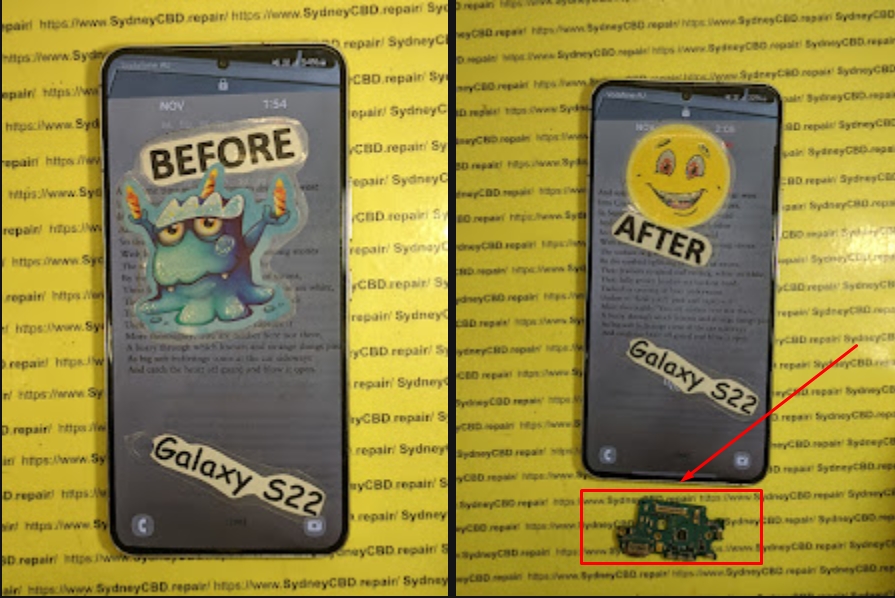
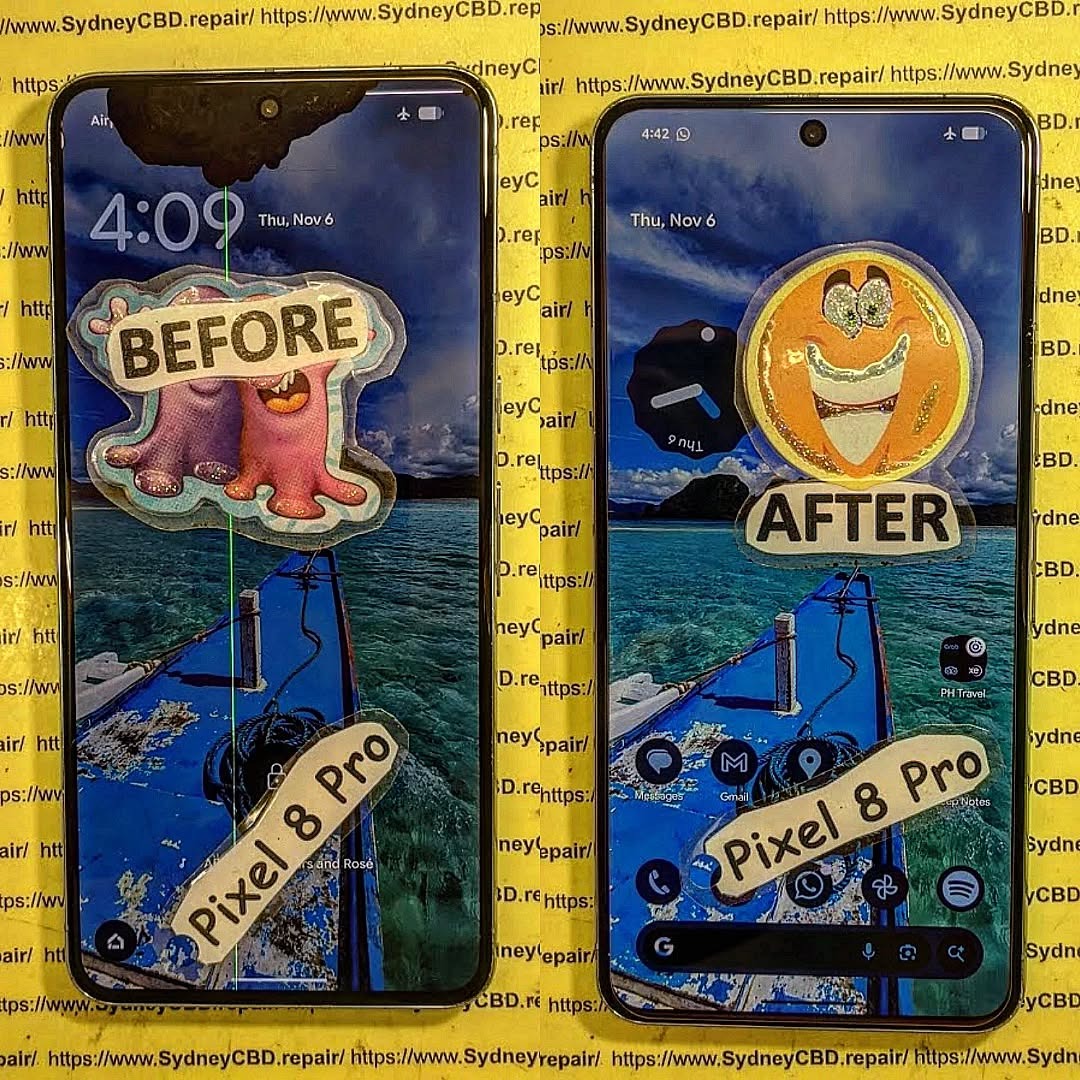
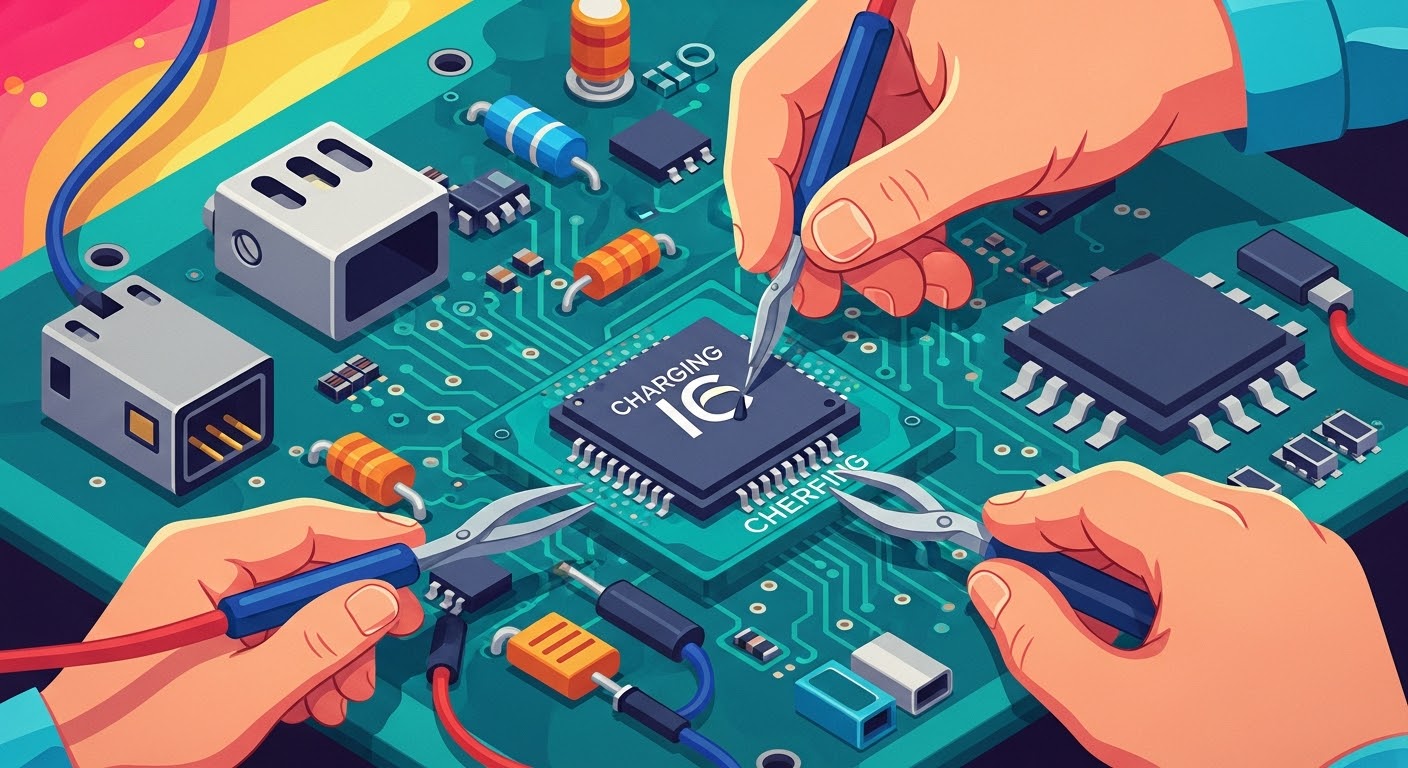
Beyond Phone Screens: Fixing Your Phone’s Charging IC – 7 Proven Ways to Bring Your Device Back to Life
Understanding the Charging IC
The charging IC (Integrated Circuit) is the brain behind your smartphone’s power management system. It regulates voltage and current from the charger, ensuring your battery charges safely and efficiently. A faulty IC can lead to charging failures, overheating, and even complete shutdowns.
In modern phones like iPhones, Samsung Galaxy, and Google Pixels, the charging IC is directly soldered onto the motherboard, making it a delicate yet critical component. Without it, your device simply won’t charge — no matter how many cables or chargers you try.
If your phone takes longer than usual to charge or doesn’t charge at all despite using different cables and adapters, it’s a major sign your charging IC could be failing. This problem often appears after a drop, moisture exposure, or power surge.
Device Overheating During Charge
Another red flag is excessive heat during charging. The IC is responsible for regulating temperature, and when it malfunctions, it can overwork, causing dangerous heat buildup that affects nearby components like capacitors and resistors.
Power fluctuations from unstable sockets or cheap chargers can burn out the IC’s tiny transistors. Always use genuine, manufacturer-approved chargers to avoid this common issue.
Liquid Damage and Corrosion
Even a drop of water inside your phone can corrode the IC’s connection points. Over time, this corrosion can lead to short circuits and irreversible board damage — a major cause of IC replacement in repair shops.
How Technicians Diagnose Charging IC Problems
Visual Inspection
Experts start with a microscopic inspection of the motherboard. Burn marks, corrosion, or lifted pads are strong indicators of IC failure.
Multimeter and Power Supply Testing
Technicians then use a multimeter or a DC power supply to test for irregular voltages. If power doesn’t flow to the battery despite correct input, the charging IC is confirmed faulty.
Fixing Your Charging IC: 7 Proven Methods
1. IC Replacement
Replacing the IC is the most reliable method. Skilled technicians desolder the faulty chip, clean the area, and install a new, genuine IC using precision tools. This process requires steady hands and advanced soldering skills.
2. Reballing the IC
Sometimes, the IC itself isn’t dead — it’s just poorly connected. Reballing involves removing the IC, replacing its solder balls, and reattaching it to the board. It’s an intricate task but can fully restore function.
3. Connector Cleaning and Rework
Charging problems might come from oxidized or broken connectors. Cleaning or re-soldering the charging port ensures proper contact with the IC, improving power flow.
4. Using a Heat Gun Properly
Controlled reflow with a heat gun can fix minor cracks or cold joints. Professionals carefully heat the IC area to re-establish connections without damaging adjacent chips.
5. Board-Level Repair Techniques
If traces or pads under the IC are damaged, micro-jumpering or track rebuilding can restore continuity. This is where experience truly matters — even one wrong connection can fry the entire board.
6. Firmware and Software Restoration
Sometimes, a software glitch mimics IC failure. Flashing the firmware or restoring system power controls can solve these without hardware replacement.
7. Full Board Replacement
If the IC and its surrounding circuits are too damaged, replacing the entire motherboard might be the only viable option. Though expensive, it ensures long-term stability.
DIY vs Professional IC Repair
While it’s tempting to attempt a DIY fix, IC repair is not a beginner-friendly task. It involves microscopic soldering and complex circuit knowledge. At Sydney CBD Repair Centre, professionals use advanced rework stations and genuine parts to ensure safe, lasting results — all backed by a 90-day warranty.
How Sydney CBD Repair Centre Fixes Charging ICs
At Sydney CBD Repair Centre, the repair process is precise and efficient:
Comprehensive Diagnosis – Identifying the root cause before any action.
Professional IC Rework – Using industry-grade soldering tools.
Genuine Component Replacement – Only original IC chips are used.
Post-Repair Testing – Ensuring the phone charges and discharges normally.
Same-Day Repairs – Most IC issues are resolved in under 3 hours.
Their reputation — 6-time award winners and 2000+ 5-star Google reviews — speaks volumes about their service quality.
Prevention Tips for a Healthy Charging IC
Avoid overnight charging. Continuous power inflow strains the IC.
Use genuine accessories. Cheap chargers can cause voltage instability.
Keep your phone dry. Moisture is the IC’s worst enemy.
Regular maintenance. Have professionals clean and inspect your device periodically.
FAQs
1. What is a charging IC in a phone?
It’s a chip that controls how your phone charges and distributes power across components.
2. Can I repair a damaged charging IC myself?
Not recommended. IC repair requires special tools and micro-soldering skills.
3. How much does it cost to replace a charging IC in Sydney?
Prices vary, but Sydney CBD Repair Centre offers competitive rates depending on model and damage severity.
4. What are the signs my charging IC needs replacement?
Slow charging, no charging, overheating, or your phone turning off when unplugged.
5. How long does charging IC replacement take?
Most repairs are completed same-day, typically within 2 to 3 hours.
6. Does replacing the IC affect phone performance?
No — if done professionally using genuine parts, your device will function like new.
Conclusion
A faulty charging IC doesn’t mean your phone is beyond repair. With the right expertise and equipment, it can be restored to full functionality. For reliable, professional repairs, visit Sydney CBD Repair Centre — where quality meets reliability.
📍 Sydney CBD Repair Centre
🕓 Same-Day Repairs | Genuine Parts | 90-Day Warranty
🌐 https://SydneyCBD.repair/locate-us
📞 Call: +61280114119
Micro Soldering Secrets: Why Your Phone Charging Port Refuses To Accept Power – 11 Powerful Repair Insights
Introduction
A phone that suddenly refuses to charge can feel like a disaster. One moment it works perfectly, and the next moment the battery icon stays frozen no matter how many chargers you try. In many cases, the problem goes deeper than a dirty charging port. That’s where micro soldering secrets become incredibly important.
Modern smartphones are miniature computers packed with ultra-small components. A damaged charging port often affects nearby circuits, charging ICs, filters, or motherboard traces. Because of this, standard repairs sometimes fail. Skilled technicians use advanced micro soldering techniques to restore damaged electrical pathways and bring dead devices back to life.
Whether you own an Apple Inc. iPhone, a Samsung Electronics Galaxy device, or a Google Pixel phone, understanding these hidden repair methods can help you make smarter decisions.
In this guide, you’ll discover why charging ports stop accepting power, how technicians diagnose motherboard-level issues, and why professional micro soldering repairs often save devices that seem beyond repair.
Charging ports go through tremendous stress every single day. Think about it. Most people plug and unplug their phones several times daily. Over time, this constant movement slowly weakens the internal structure.
The Role of Daily Wear and Tear
Repeated insertion of charging cables eventually loosens the metal contacts inside the port. Once these contacts bend or crack, electrical current can no longer flow correctly.
Common symptoms include:
Charging only at certain angles
Slow charging speeds
Random charging disconnections
“Accessory not supported” messages
Complete charging failure
USB-C and Lightning connectors contain delicate pins that can wear out surprisingly fast if handled roughly.
How Moisture Damages Charging Components
Water exposure is another major reason charging ports fail. Even a small amount of moisture can corrode the tiny solder joints connecting the charging port to the motherboard.
Corrosion usually appears after:
Rain exposure
Humid environments
Liquid spills
Steam from bathrooms
Saltwater exposure
Once corrosion spreads, the damage can extend beyond the charging port and affect power management circuits.
Micro soldering is a specialized repair process involving tiny electronic components on a smartphone motherboard. Unlike basic repairs, micro soldering targets microscopic electrical faults.
Technicians work under powerful microscopes using precision soldering stations.
Why Modern Phones Need Precision Repairs
Today’s smartphones are more compact than ever. Manufacturers place charging chips, capacitors, and filters extremely close together. A single damaged component may stop the entire charging system from functioning.
Micro soldering helps repair:
Broken charging circuits
Damaged charging ICs
Torn motherboard pads
Shorted capacitors
Corroded traces
Burned connectors
Without micro soldering, many “dead” phones would simply be replaced.
Tools Used in Micro Soldering
Professional technicians use advanced tools, including:
Tool
Purpose
Microscope
Magnifies tiny components
Hot air station
Removes soldered chips
Precision soldering iron
Repairs micro connections
Multimeter
Measures electrical flow
DC power supply
Tests motherboard power draw
Ultrasonic cleaner
Removes corrosion
According to Sydney CBD Repair Centre, motherboard-level repair has become increasingly important because manufacturers now integrate more charging functions directly into the logic board.
Common Signs Your Charging Port Has Serious Damage
Not every charging issue means the battery is faulty. Often, the charging port itself is the real culprit.
Intermittent Charging Problems
Intermittent charging is one of the earliest warning signs. The device may charge briefly and then stop unexpectedly.
This usually indicates:
Loose charging pins
Cracked solder joints
Damaged flex cables
Internal connector wear
Many users mistakenly replace batteries first, wasting money before discovering the real issue.
Burnt Smell or Heat Around the Port
If your phone becomes unusually hot while charging, stop using it immediately.
Excess heat may indicate:
Short circuits
Burned charging ICs
Electrical resistance
Melted internal contacts
A burning smell often points to motherboard-level damage requiring micro soldering intervention.
Hidden Causes Behind Charging Failure
Some charging failures aren’t visible from the outside. In fact, many of the worst problems occur deep inside the motherboard.
Broken Charging IC
The charging integrated circuit controls how power flows into the phone. If this chip fails, your device may:
Refuse to charge
Restart repeatedly
Overheat
Show incorrect battery percentages
Replacing charging ICs requires advanced micro soldering skills because these chips contain extremely tiny solder balls underneath.
Corroded Motherboard Traces
Motherboard traces are microscopic copper pathways carrying electrical signals. Corrosion can eat through these traces, disconnecting critical charging circuits.
Technicians often rebuild damaged traces manually using jumper wires thinner than human hair.
Damaged USB-C Pins
USB-C connectors contain multiple communication pins responsible for:
Fast charging
Data transfer
Voltage negotiation
Even one broken pin can stop charging completely.
Why Cheap Chargers Can Trigger Board Damage
Many users don’t realize that low-quality charging accessories can permanently damage their phones.
Voltage Spikes Explained
Cheap chargers often fail to regulate voltage properly. Sudden spikes can destroy sensitive charging circuits instantly.
Modern smartphones expect precise voltage ranges. If the incoming power fluctuates excessively, charging ICs may burn out.
The Dangers of Fake Charging Accessories
Counterfeit cables and adapters commonly cause:
Overheating
Battery swelling
Connector damage
Short circuits
Slow charging
Random shutdowns
Certified accessories provide safer power delivery and better long-term reliability.
Step-By-Step Diagnostic Process Used by Experts
Professional repair shops follow a structured process before performing micro soldering repairs.
Visual Inspection
Technicians first inspect the charging port under magnification.
They look for:
Bent pins
Corrosion
Debris buildup
Burn marks
Torn pads
Sometimes the issue is simple dirt accumulation rather than component failure.
Power Consumption Testing
A DC power supply helps measure how the phone behaves electrically.
For example:
Reading
Possible Meaning
No current draw
Broken power path
Excessive current draw
Short circuit
Fluctuating current
Damaged charging IC
This process identifies faults without guessing.
Microscope-Level Analysis
Under high magnification, technicians can detect tiny fractures invisible to the naked eye.
This stage often reveals:
Cracked solder joints
Missing components
Corrosion damage
Lifted pads
Micro soldering repairs become much more precise after detailed analysis.
How Micro Soldering Restores Charging Function
Micro soldering isn’t just about replacing parts. It’s about restoring the phone’s electrical integrity.
Rebuilding Broken Pads
When charging ports are ripped off aggressively, motherboard pads can tear away completely.
Technicians carefully reconstruct these damaged points using:
Micro jumper wires
UV solder masks
Precision solder techniques
This process restores electrical continuity.
Replacing Charging Chips
Charging chips often fail after power surges or liquid damage.
Replacement involves:
Heating the motherboard carefully
Removing the damaged chip
Cleaning old solder
Reballing or replacing components
Testing voltage flow
Experienced technicians must avoid overheating nearby components during this process.
Can You Repair a Charging Port at Home?
DIY phone repair videos make micro soldering look easy. In reality, it’s one of the most difficult electronics repair skills.
DIY Risks Most Users Ignore
Home repair attempts frequently cause:
Torn motherboard pads
Melted connectors
Short circuits
Permanent data loss
Without professional equipment, even minor mistakes can destroy the motherboard.
When to Seek Professional Help
You should seek expert repair if:
Your phone won’t detect chargers
The port feels loose
Charging stops randomly
Water exposure occurred
The device overheats during charging
Professional diagnosis prevents unnecessary part replacements.
Preventing Future Charging Port Problems
Fortunately, many charging issues are preventable with proper habits.
Proper Cable Handling
Avoid pulling cables sideways while charging. This creates stress on internal solder joints.
Good habits include:
Unplugging gently
Using certified cables
Avoiding cheap adapters
Preventing cable tension
Small habits greatly extend charging port lifespan.
Cleaning Your Charging Port Safely
Pocket lint commonly blocks charging pins.
Safe cleaning methods include:
Soft anti-static brushes
Compressed air
Wooden toothpicks
Never use metal objects because they can short internal pins.
Why Professional Repair Saves Money
Many people assume replacing a phone is easier than repairing it. However, professional micro soldering often costs far less than buying a new device.
Repair vs Replacement Cost
Consider the financial difference:
Option
Typical Cost
New flagship phone
Very expensive
Charging port replacement
Moderate
Micro soldering repair
Often affordable
Repairing the motherboard also preserves important personal data.
Protecting Your Data
A dead charging system can block access to:
Family photos
Business files
Banking apps
Two-factor authentication
Contacts
Successful micro soldering repairs often recover devices long enough for full data backup.
Frequently Asked Questions
Can a charging port be repaired without replacing the motherboard?
Yes. Many charging failures only require micro soldering repairs or charging port replacement rather than full motherboard replacement.
How long does micro soldering repair take?
Most repairs take several hours to one business day depending on component availability and damage severity.
Is micro soldering safe for my phone?
When performed by experienced technicians, micro soldering is generally safe and highly effective.
Why does my phone only charge at certain angles?
This usually indicates worn charging pins, cracked solder joints, or internal connector damage.
Can water damage affect charging even months later?
Yes. Corrosion can slowly spread over time and eventually interrupt charging circuits.
Are wireless charging issues related to charging ports?
Sometimes. Certain motherboard power circuits manage both wired and wireless charging systems.
Should I use aftermarket chargers?
High-quality certified chargers are usually safe. Extremely cheap chargers may damage sensitive power circuits.
Can charging IC damage drain the battery quickly?
Yes. Faulty charging chips can cause abnormal power consumption and battery drain.
Conclusion
Understanding the hidden world of micro soldering secrets explains why some phones refuse to accept power even after basic repairs. Charging problems often go far beyond dirt or worn connectors. In many cases, the real issue lies deep within microscopic motherboard components.
Professional micro soldering technicians diagnose faults using microscopes, thermal tools, electrical testing equipment, and years of experience. Their ability to repair charging circuits, rebuild damaged traces, and replace failed ICs can save phones that appear completely dead.
Most importantly, timely repair prevents further motherboard damage and protects valuable personal data. Instead of immediately replacing your device, seeking expert diagnosis may offer a faster and more affordable solution.
For reliable information about repairability and device maintenance, resources like Sydney CBD Repair Centre provide additional educational support for smartphone users worldwide.
David from Sydney CBD Repair Centre – The Best place to fix mobile phones as 7 Years In A Row! Top Mobile Phone Repair In Sydney. More than 2000 Positive Reviews on Google and Same Day Repairs.
We take pride in delivering exceptional repair services for all major phone brands including Apple, Samsung, Google, and more. Our expert technicians use only genuine parts and offer 90days warranty on repairs. Located in the heart of Sydney CBD, we’re your one-stop solution for all mobile device repairs.
Our commitment to excellence has earned us the trust of thousands of satisfied customers. Whether it’s a cracked screen, battery replacement, or water damage repair, we handle it all with professional care and expertise. Walk in today and experience why we’re Sydney’s #1 choice for mobile phone repairs.
Visit us for:
✓ Same Day Express Repairs
✓ Genuine Parts Guarantee
✓ Professional Technicians
✓ Competitive Pricing
✓ 2000+ 5-Star Google Reviews
✓ 7-Time Award Winner for Best Phone Repairs
Sydney CBD Repair Centre – Where Quality Meets Reliability.
Call : +61280114119
Website: Sydney CBD Repair Centre
CHARGING CHALLENGES! Pixel 8 Pro Port Restoration: 7 Expert Fixes That Bring Back Fast Charging Power
Introduction: When Your Pixel 8 Pro Refuses to Charge
Few things are more frustrating than plugging in your Google Pixel 8 Pro and realizing it’s not charging. You wiggle the cable, swap the adapter, and still—nothing. This charging challenge often leads users to think the battery or charger is at fault, but in many cases, the culprit is the charging port itself.
At Sydney CBD Repair Centre, we’ve seen countless Pixel 8 Pro devices come in with similar symptoms—slow charging, intermittent connections, or complete power loss. Luckily, with professional Pixel 8 Pro port restoration, these issues can be resolved efficiently, restoring your phone’s fast-charging capabilities and performance.
The Pixel 8 Pro features a USB-C port, designed for durability and rapid data transfer. Yet, this small connector endures significant wear and tear due to daily plugging, pocket lint, and accidental yanks.
Over time, dust and debris can compact inside the port, preventing full connection. Additionally, moisture exposure or mechanical stress can damage the tiny internal pins, leading to inconsistent power delivery.
How the USB-C Port Affects Fast Charging
The Pixel 8 Pro supports up to 30W fast charging, but only if the connection between the charger and the device is optimal. When the port is damaged, even slightly, fast charging is automatically disabled by the system for safety reasons—resulting in painfully slow charging speeds.
Visible dirt or bent metal contacts inside the port
Step-by-Step Diagnosis Before Repair
Before any restoration begins, professionals perform a structured diagnostic process to isolate the cause of the problem.
Visual Inspection Checklist
Examine for dust, rust, or bent pins
Check internal lighting reflections for alignment
Inspect outer casing for warping or dents
Safe Cleaning Techniques
Use compressed air or a soft brush
Avoid metal tweezers (can short the pins)
Apply isopropyl alcohol sparingly for corrosion
Testing with Different Chargers and Cables
Sometimes the issue isn’t with the phone but with the cable or adapter. Using Google-certified chargers ensures correct voltage and amperage flow for optimal charging speed.
7 Expert Fixes for Pixel 8 Pro Port Restoration
1. Port Cleaning and Dust Removal
A deep clean using precision tools and magnification can often restore full functionality. This is the most common fix for users experiencing intermittent charging.
2. Connector Pin Realignment
Bent pins cause poor contact. Skilled technicians can realign or replace pins without replacing the entire port—saving both time and cost.
3. Charging Port Replacement
If physical damage is severe, the port is replaced using OEM-grade components, ensuring compatibility and durability.
4. Board-Level Soldering Fix
When solder joints connecting the port to the motherboard crack, micro-soldering is required. This advanced repair demands expertise and specialized equipment.
5. Moisture or Corrosion Treatment
Exposure to moisture can corrode metal components. Professional cleaning with ultrasonic tools removes corrosion and restores electrical conductivity.
6. Battery Health Assessment
A weak battery can mimic port issues. Technicians check battery integrity to rule out unrelated power problems.
7. Firmware & Charging IC Recalibration
Software corruption or damaged charging ICs can stop power flow. Firmware resets or IC repairs ensure the system correctly manages charging again.
Professional Port Restoration in Sydney
Why Choose Sydney CBD Repair Centre
Located in the heart of Sydney, Sydney CBD Repair Centre has earned its title as the #1 mobile repair shop in Sydney, with 2000+ five-star Google reviews. Our expert team handles Pixel devices daily, ensuring every repair is done right the first time.
We offer:
✅ Same-day express repairs
✅ Genuine Google components
✅ Warranty on all parts and labor
✅ Professional-grade diagnostic tools
The Benefits of Genuine Google Parts
Using genuine parts not only restores your Pixel’s charging speed but also maintains water resistance and ensures long-term reliability. Aftermarket parts often cause new issues, so always choose certified technicians for best results.
Preventing Future Charging Problems
Cleaning and Maintenance Tips
Clean your USB-C port monthly
Keep your phone in a case to reduce debris exposure
Store your device in a dry environment
Using Certified Cables and Adapters
Avoid cheap alternatives. Only use Google-approved or USB-IF certified cables to prevent voltage fluctuations that may damage your port.
FAQs: Pixel 8 Pro Charging Port Issues
1. How do I know if my Pixel 8 Pro charging port is damaged?
If the cable wiggles or charging starts and stops randomly, your port might be worn out or obstructed.
2. Can I clean the charging port myself?
You can remove minor dust using a soft brush, but deep cleaning or pin realignment should be handled by professionals.
3. How long does a port restoration take?
At Sydney CBD Repair Centre, most charging port restorations are completed within 1–2 hours.
4. Does charging port repair affect data transfer?
No. In fact, restoring the port often improves data transfer stability and speed.
5. What’s the cost of a Pixel 8 Pro port repair in Sydney?
Prices vary depending on damage severity but typically range between $120–$180 for professional restoration.
6. Do you provide a warranty on repairs?
Yes! All our repairs include a 90-day warranty covering parts and labor.
Conclusion: Restore Power, Restore Confidence
Charging issues can feel like the end of your Pixel 8 Pro’s life, but with expert port restoration, it’s often just the beginning of renewed performance. Whether you’re dealing with intermittent charging or complete connection loss, Sydney CBD Repair Centre provides the professional care your device deserves.
Visit us today for fast, genuine, and affordable Pixel 8 Pro repairs—and experience why thousands trust us as Sydney’s #1 repair destination.
Beyond the Screen: Repairing a Charging IC Like a Pro (2025 Guide)
Introduction: Why Charging IC Repairs Matter
Your phone’s charging IC (Integrated Circuit) is the unsung hero that regulates the power flow between your charger and your battery. When it fails, your device may not charge, power on, or even recognize a power source. Understanding how to diagnose and repair a faulty charging IC isn’t just for technicians—it’s essential knowledge for anyone who relies on their phone daily.
In this 2025 guide, we’ll take you beyond the screen into the heart of your device, exploring how charging IC repairs are performed, why they fail, and how Sydney CBD Repair Centre leads the way in expert-level repairs.
A charging IC is a microchip responsible for managing voltage, current, and battery charging cycles. Think of it as your phone’s power traffic controller, ensuring electricity flows correctly between the battery, motherboard, and charger.
How It Controls Power Flow
When you plug in your device, the charging IC verifies input voltage, regulates charging speed, and prevents overcurrent damage. A single misstep in this process can stop your phone from charging altogether — making this small chip one of the most critical parts of your device.
Power surges can cause micro-burns on IC circuits, leading to permanent failure. Overheating, especially from prolonged gaming or heavy charging, accelerates this damage.
Faulty Charging Accessories
Cheap cables and adapters can send unstable voltage to your device, stressing the charging IC beyond repair. Always use certified accessories from trusted brands.
Moisture and Corrosion Damage
Even minimal water exposure can oxidize the IC’s tiny pins. Over time, this corrosion disrupts current flow and triggers IC malfunction.
Signs Your Charging IC Might Be Failing
Your phone charges only at specific angles
The battery percentage fluctuates randomly
Your device doesn’t recognize the charger
Excessive heating while charging
Complete power failure
Diagnosing Charging IC Problems Like a Pro
A professional diagnosis ensures you replace only what’s necessary.
Step 1: Checking Power Input Lines
Technicians first inspect the charging port and flex cables for continuity using a multimeter.
Step 2: Measuring Voltage Across Key Components
Voltage readings help determine if the issue lies before or after the IC.
Step 3: Using a Multimeter for IC Testing
By checking for resistance or open lines on the IC’s VBUS pin, experts confirm IC integrity before desoldering.
Essential Tools for Charging IC Repairs
Hot air rework station (for IC removal)
Microscope (for pin-level precision)
Flux and soldering paste
Thermal insulation tape
Multimeter and power supply
Professional repair centers like Sydney CBD Repair Centre use advanced microscopes and anti-static tools to ensure damage-free replacements.
The Step-by-Step Charging IC Replacement Process
Disassemble the Device – Carefully remove the motherboard.
Remove the Faulty IC – Apply hot air at controlled temperature to lift the chip.
Clean the Pads – Remove residual solder and flux.
Install the New IC – Precisely align and solder the new chip.
Reassemble and Test – Verify voltage flow and charging stability.
Advanced Tips: Extending the Life of a New Charging IC
Use original chargers only
Avoid charging overnight
Keep the device cool during use
Clean charging ports regularly
Case Study: Sydney CBD Repair Centre’s Expertise
Sydney CBD Repair Centre has been Sydney’s #1 phone repair shop for 6 years running, specializing in intricate motherboard-level repairs like charging IC replacements.
Their certified technicians use precision tools, genuine parts, and follow a detailed post-repair testing process to ensure every device performs like new.
Cost of Charging IC Repair in Sydney (2025 Update)
Device Type
Average Cost (AUD)
iPhone 13 Series
$180 – $250
Samsung Galaxy S Series
$160 – $220
Google Pixel Phones
$150 – $200
Other Brands
$130 – $200
While DIY methods may seem cheaper, professional repair guarantees reliability and data safety.
DIY vs Professional Charging IC Repair
The Risks of DIY Repairs
Without proper tools or experience, you risk shorting other components or permanently damaging your board.
Benefits of Expert Services
Genuine replacement ICs
Precision soldering
Warranty coverage (90 days at Sydney CBD Repair Centre)
Data protection assurance
Preventing Future Charging IC Failures
Keep software updated to optimize charging algorithms
Avoid using power banks with unstable output
Store your phone in dry, moderate environments
Frequently Asked Questions (FAQs)
1. What causes a charging IC to burn out?
Power surges, moisture exposure, and using cheap chargers can all damage your charging IC.
2. Can a damaged charging IC be repaired or must it be replaced?
In most cases, it’s replaced since the chip itself can’t be repaired once its circuits are burnt.
3. How long does a charging IC repair take?
Typically, 2 to 4 hours depending on the device model and complexity.
4. Will my phone’s data be safe during the repair?
Yes, at Sydney CBD Repair Centre, motherboard-level repairs are performed without erasing your data.
5. Is it safe to keep using my phone with a faulty charging IC?
No. It can cause overheating and even permanent motherboard damage.
6. How can I prevent future IC damage?
Always use certified chargers and avoid exposing your device to heat or moisture.
Conclusion: Power Up with Expert IC Repair
A malfunctioning charging IC can leave your phone lifeless—but with professional diagnosis and repair, your device can be restored to peak performance. Whether you’re dealing with no-charge issues or overheating, Sydney CBD Repair Centre offers fast, safe, and reliable charging IC replacements using only genuine parts and certified expertise.
About Sydney CBD Repair Centre
Sydney CBD Repair Centre has proudly served thousands of happy customers, earning over 2000 five-star Google reviews and being voted Best Mobile Phone Repair Shop in Sydney for six consecutive years.
From Dead Ports to Full Power: Sydney’s Best Charging Port Repair Specialists
Introduction
There’s nothing more frustrating than plugging in your phone and realizing it’s not charging. Whether you own an iPhone, Samsung Galaxy, or Google Pixel, charging issues can quickly turn your essential device into a useless brick. But before assuming it’s just a simple port replacement, it’s important to know that the charging system in modern smartphones is far more complex than it seems.
At Sydney CBD Repair Centre, we specialize in diagnosing and repairing charging issues that go beyond basic replacements. Sometimes, the problem isn’t just a damaged port — it could be corrosion, a faulty charging IC, loose connectors, or even software-related faults. Our expert technicians have the advanced tools and experience to pinpoint the exact issue and restore your phone’s power safely and efficiently.
With over 2000 five-star Google reviews and recognized as Sydney’s #1 mobile phone repair centre for six consecutive years, we’ve built our reputation on precision, honesty, and results. Whether your phone won’t charge, overheats while plugged in, or only charges at certain angles, we’ll bring it back to life with genuine parts, same-day service, and a 90-day warranty.
Let’s explore how charging port fixes go beyond simple replacements — and why trusting professionals like Sydney CBD Repair Centre can save you time, money, and stress.
When your phone suddenly stops charging, it’s easy to assume the problem lies solely in the charging port. However, modern smartphones like the iPhone, Samsung Galaxy, and Google Pixel are built with intricate charging systems that involve more than just a physical connector. At Sydney CBD Repair Centre, we understand that a non-charging device can disrupt your day — and that’s why we go beyond simple charging port replacements to identify and repair the true cause of the issue.
The charging port is more than just a plug for your cable — it’s part of a complex circuit that involves your power IC (integrated circuit), motherboard, and battery management system. Dust, corrosion, or even software errors can affect how efficiently your device charges. Sometimes, what appears to be a damaged port could actually be a faulty charging chip, a damaged flex cable, or oxidation on internal connectors.
That’s why at Sydney CBD Repair Centre, we don’t just swap parts — we diagnose, clean, and test every component connected to the charging function to ensure your phone charges safely and efficiently.
Common Charging Issues We Fix
Here are a few of the most frequent charging-related problems our expert technicians encounter:
Loose or intermittent charging – Often caused by debris or a worn port connector.
No charging at all – Could be due to motherboard damage, a faulty charging IC, or liquid corrosion.
Slow charging – Sometimes related to a failing battery or non-genuine cable.
Charging but overheating – Indicates voltage irregularities or short circuits.
USB connection not recognized by computer – Could be an issue with the data pins or damaged flex cable.
Our Advanced Repair Approach
At Sydney CBD Repair Centre, our process goes beyond replacement:
Thorough Diagnosis – We use precision testing tools to check the port, battery, and charging circuits.
Professional Cleaning – Dust, lint, or corrosion buildup inside the port is carefully removed using specialized micro-tools.
Component-Level Repair – If needed, our technicians perform microsoldering repairs on the logic board to restore charging capability.
Genuine Part Replacement – We use only OEM or genuine charging ports that meet the manufacturer’s standards.
Final Testing – Every device undergoes multi-point testing to ensure it charges, syncs, and functions perfectly.
This detailed process ensures your phone doesn’t just charge again — it charges reliably and safely.
Why Choose Sydney CBD Repair Centre for Charging Port Repairs
For more than six consecutive years, Sydney CBD Repair Centre has been recognized as Sydney’s best mobile phone repair shop, with over 2000 five-star Google reviews. Our team of skilled technicians has decades of combined experience in diagnosing and fixing even the most complex charging problems.
When you bring your device to us, you get:
✅ Same-Day Repairs – Most charging port fixes are completed within 1 hour.
✅ Genuine Parts Guarantee – We never compromise on quality.
✅ 90-Day Warranty – Covering both parts and labor.
✅ Transparent Pricing – No hidden fees, ever.
✅ Professional Technicians – Skilled in advanced microsoldering and circuit-level diagnostics.
Brands We Service
We specialize in charging port repairs for all major phone brands, including:
Apple iPhone (All models)
Samsung Galaxy & Note series
Google Pixel phones
Huawei, Oppo, and OnePlus devices
Whether you need a Lightning port, USB-C, or micro-USB repair, we have the right tools, experience, and genuine replacement parts to get it done right.
Don’t Wait — Get Your Device Charging Again Today
If your phone isn’t charging, don’t risk it by forcing the cable or using cheap chargers. Bring it to Sydney CBD Repair Centre, where we can restore your device’s charging function safely and affordably. We’ll diagnose the issue on the spot and provide a free quote before any repair begins.
Sydney CBD Repair Centre — Where Quality Meets Reliability
David and his expert team have made Sydney CBD Repair Centre the city’s go-to destination for mobile phone repairs for over six years. From screen replacements and battery fixes to charging port repairs, we deliver professional, affordable, and fast solutions backed by our genuine parts guarantee and 90-day warranty.
With over 2000 positive Google reviews and a reputation built on excellence, we’re proud to be Sydney’s #1 choice for trusted, high-quality mobile repairs.
Sydney CBD Repair Centre — Beyond simple replacements. Because your phone deserves expert care.
✅ Same Day Express Repairs
✅ Genuine Parts Guarantee
✅ Professional Technicians
✅ Competitive Pricing
✅ 2000+ 5-Star Google Reviews
✅ 6-Time Award Winner for Best Phone Repairs
A faulty charging port doesn’t always mean your phone is beyond repair — it simply needs the right expertise. Modern smartphones have intricate power systems that require more than just swapping parts, and that’s where Sydney CBD Repair Centre truly stands out.
With cutting-edge diagnostic tools, genuine replacement parts, and skilled technicians, we ensure that every charging issue — from loose connectors to complex circuit faults — is fixed with precision and care. Our goal is not just to make your device charge again, but to restore it to peak performance while protecting its long-term reliability.
For over six years, we’ve been Sydney’s most trusted mobile repair shop, proudly earning over 2000 five-star Google reviews. Whether it’s a charging port fix, screen replacement, or battery repair, we deliver the quality and confidence you deserve — all backed by a 90-day warranty and same-day turnaround.
Don’t let a dead charging port keep you disconnected. Visit Sydney CBD Repair Centre today and experience why we’re known as Sydney’s #1 choice for professional, affordable, and reliable phone repairs.