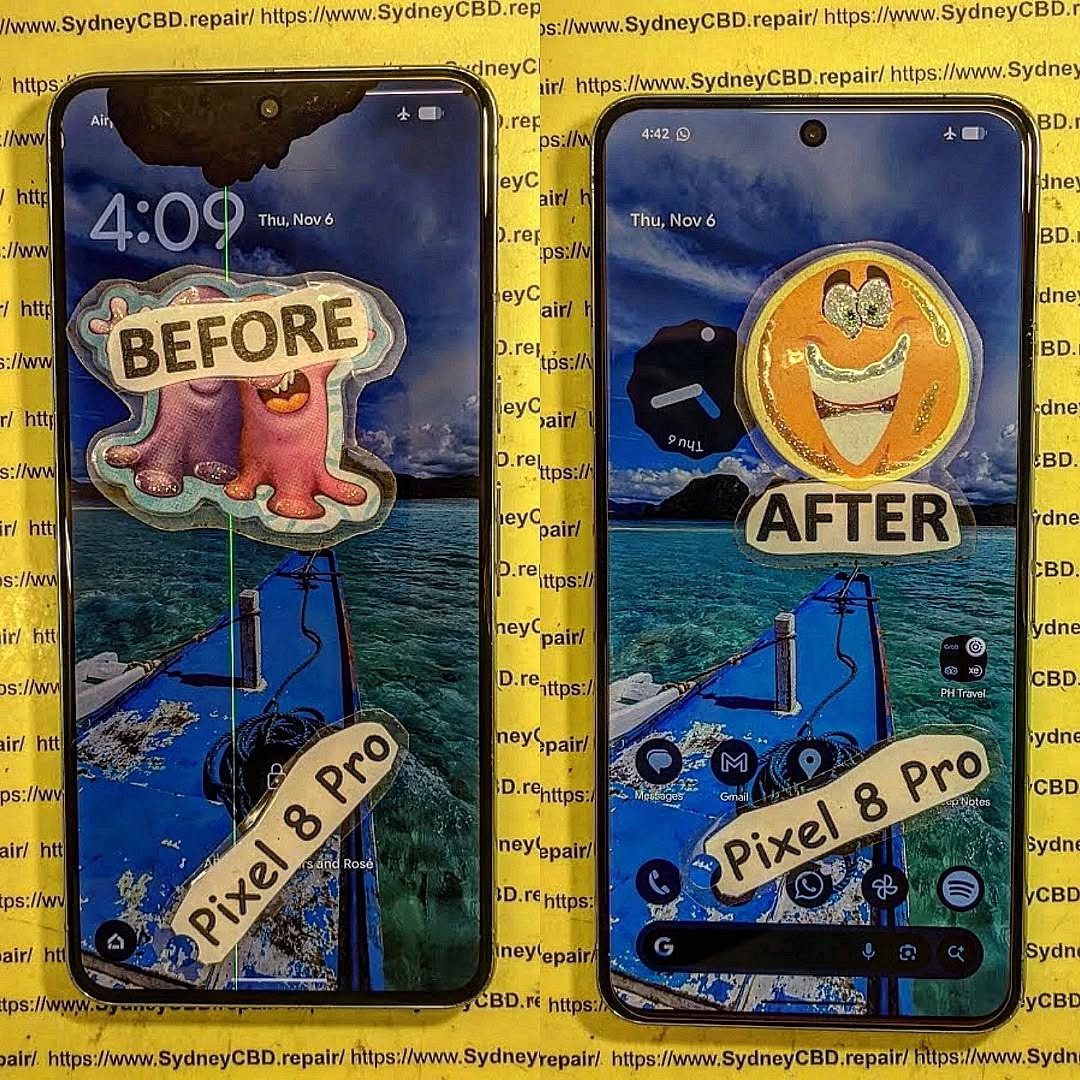
The Truth About Phone Repair Costs: 10 Essential Insights You Must Know
Understanding phone repair costs is more important than ever. With smartphones becoming more advanced and essential in our daily lives, a broken device can cause inconvenience, loss of data, and even financial strain. Many users often find themselves shocked by repair estimates, but the truth is that costs vary based on several factors, including the type of repair, the device model, and whether you choose professional service or attempt a DIY fix.
In this comprehensive guide, we’ll break down everything you need to know about phone repair costs, explore ways to save money, and provide actionable tips to ensure your device is repaired safely and efficiently.
Introduction: The Truth About Phone Repair Costs
In today’s fast-paced digital world, our smartphones are more than just devices—they’re lifelines. From managing work emails and social media to navigating our daily schedules, we rely heavily on these gadgets. But what happens when your phone breaks, suffers water damage, or the screen shatters unexpectedly? Suddenly, understanding phone repair costs becomes crucial.
Many users are often surprised by how much repairs can cost, with prices varying widely depending on the device model, type of repair, and whether you opt for professional service or attempt a DIY fix. Knowing what influences these costs can save you time, money, and frustration.
This comprehensive guide will explore everything you need to know about phone repair costs, including common repairs, hidden charges, factors affecting pricing, and ways to save money. By the end, you’ll be equipped to make informed decisions, protect your device, and avoid costly mistakes.
Whether you own an iPhone, Samsung, Google Pixel, or any other smartphone, this guide provides valuable insights to ensure your device is repaired safely, efficiently, and cost-effectively.
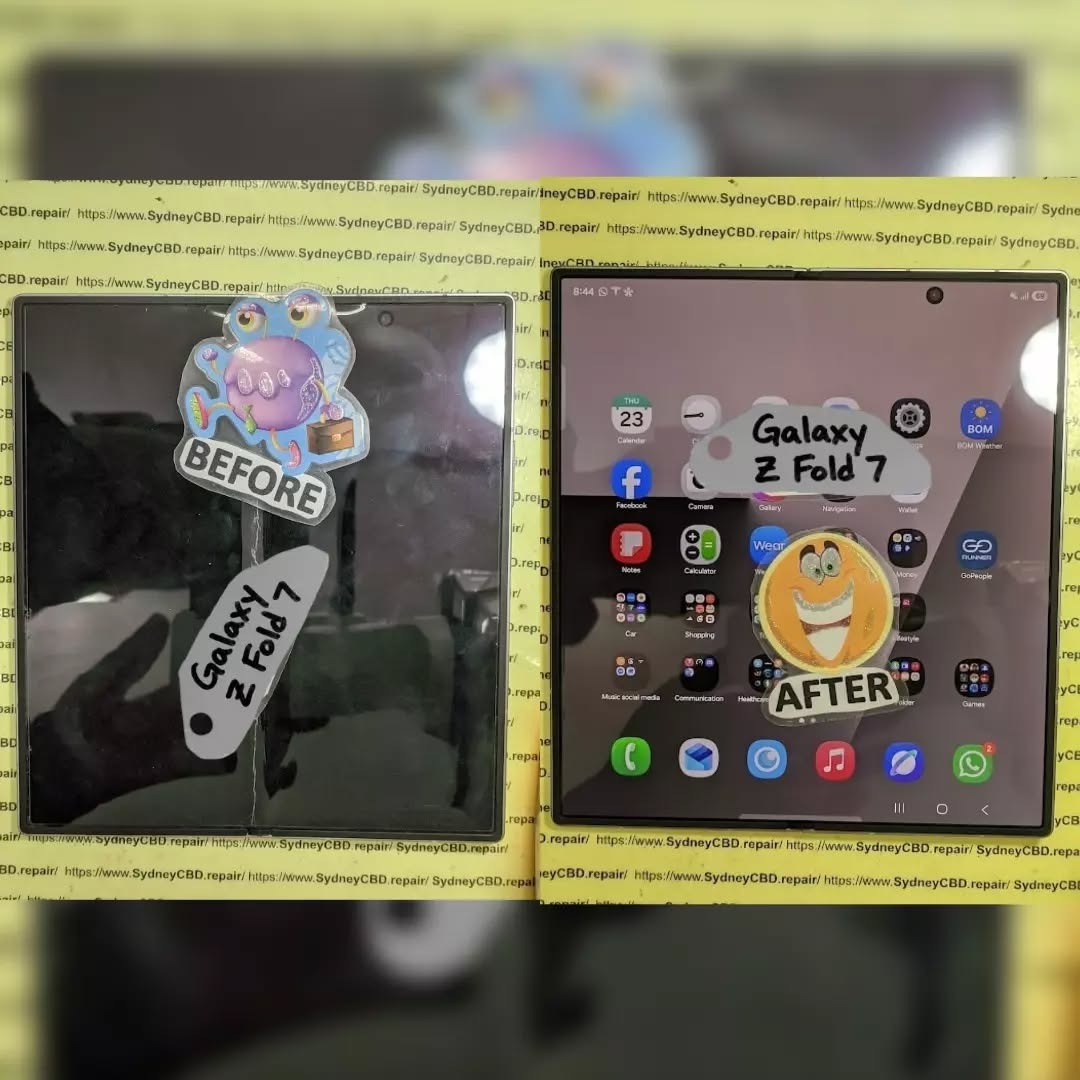
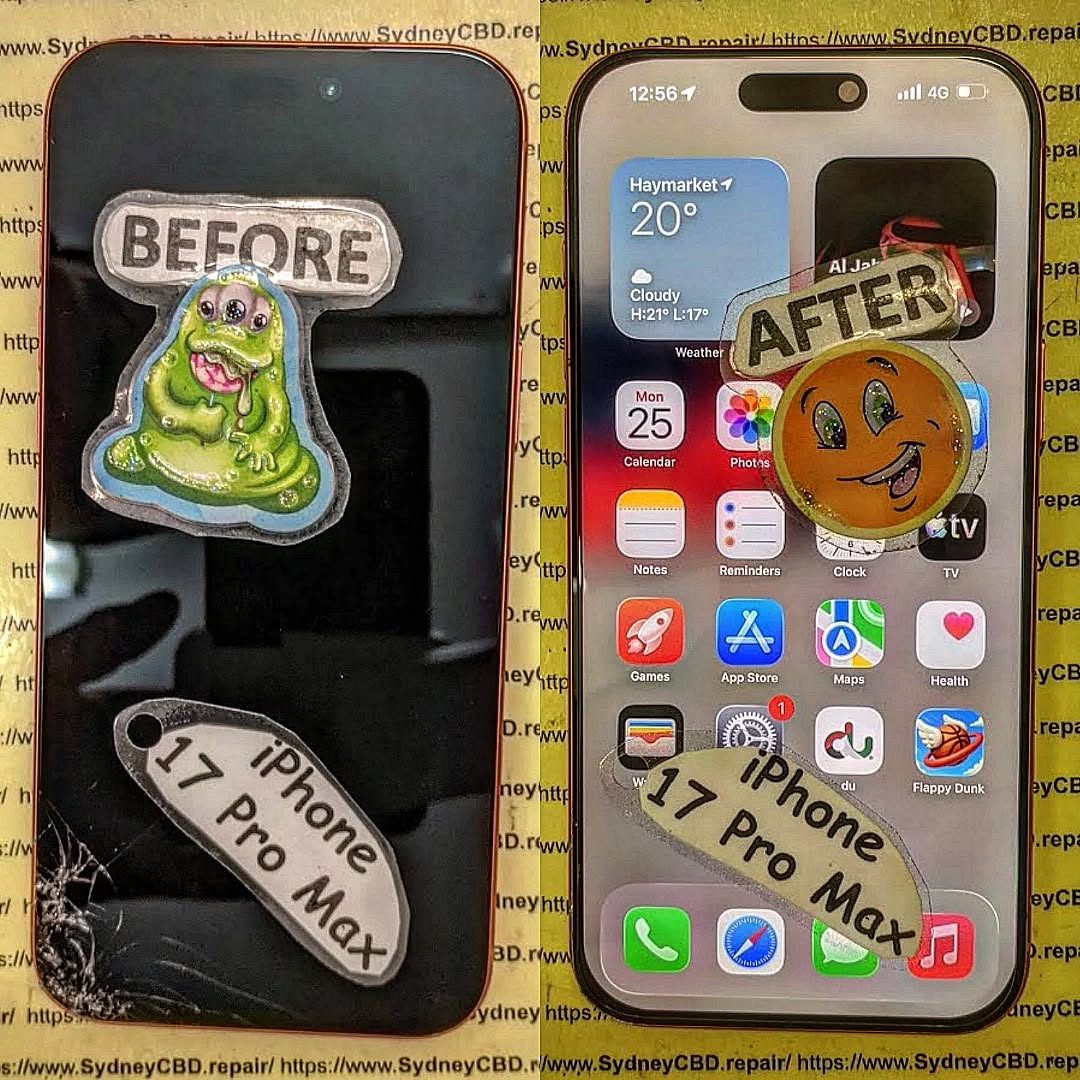
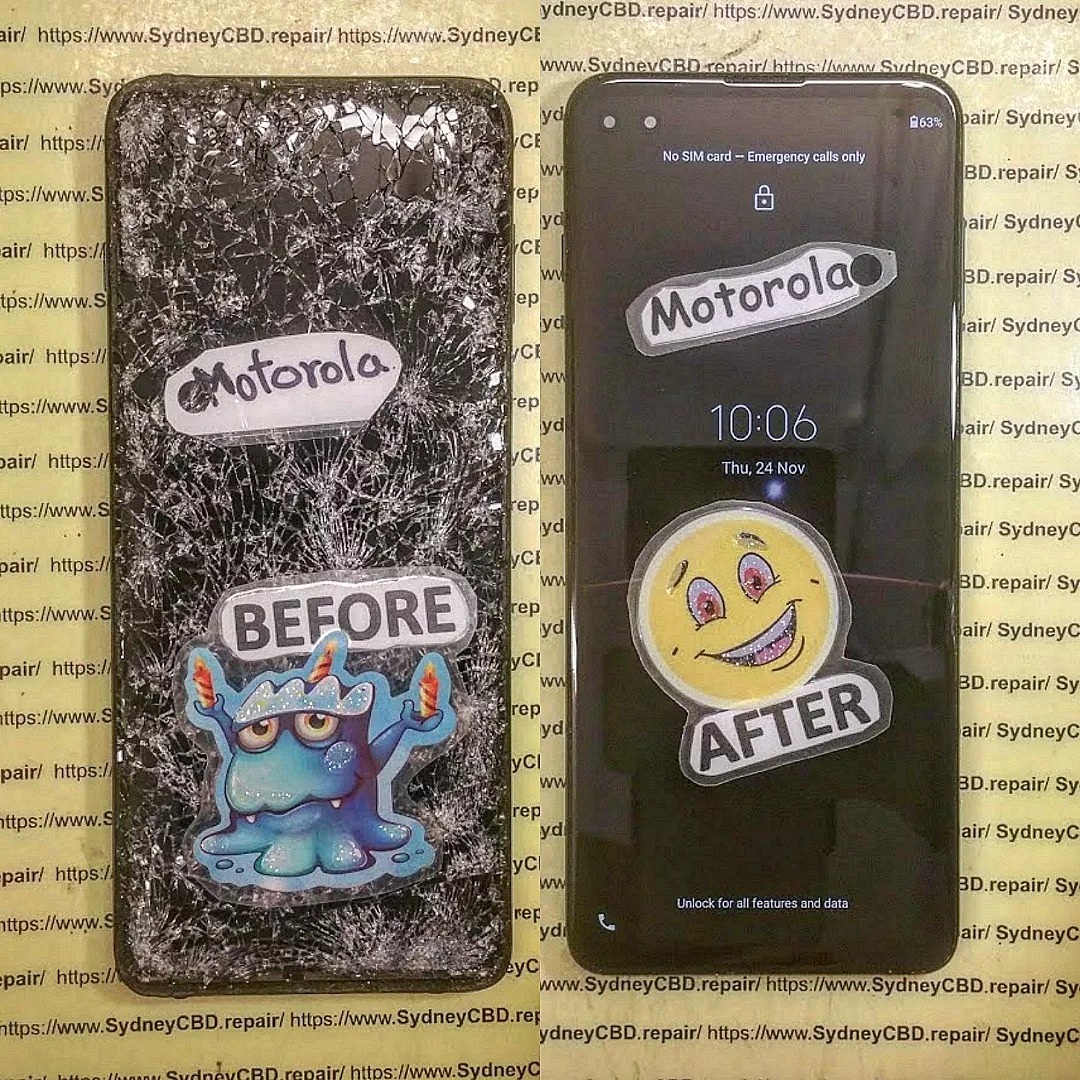
Cracked screens are the most common repair. Costs depend on the phone model and screen type (LCD, OLED, AMOLED). For example, replacing an iPhone 14 Pro Max screen can cost up to $450, while a budget Android phone may be under $100.
Battery Replacement
Battery issues reduce device performance. Professional replacement ensures proper installation and calibration. Costs typically range:
iPhone: $80 – $120
Samsung Galaxy: $70 – $110
Other Android: $50 – $90
Charging Port Repairs
Charging ports are prone to wear and tear. Repair costs include parts and labor:
Average: $60 – $150 depending on brand and complexity.
Water Damage Repairs
Water exposure is unpredictable. Costs vary depending on severity:
Minor damage: $80 – $150
Severe damage: $200 – $400 (may require motherboard repair or replacement)
Camera Repair
Camera malfunctions can be costly due to small, intricate parts:
Rear camera: $80 – $200
Front camera: $60 – $150
Factors Affecting Repair Costs
Device Model & Age
Older phones may be cheaper to repair, but replacement parts could be scarce. Newer models with advanced technology often have higher repair costs due to complex assembly.
Parts Quality
High-quality parts last longer and maintain device performance. Cheaper parts may save money initially but could result in repeated repairs.
Labor Charges
Expert technicians charge more, but they reduce the risk of errors. Labor costs can range from $30 for minor repairs to $150+ for complex fixes.
Warranty Considerations
Repairs covered under warranty are usually cheaper or free. Third-party repairs may void manufacturer warranties. Always check before proceeding.
DIY vs Professional Phone Repairs
Pros and Cons of DIY
Pros: Lower cost, immediate action.
Cons: Risk of further damage, no warranty, technical challenges.
Risks of DIY Repairs
Improper installation, static damage, and loss of small parts can permanently damage your device.
Advantages of Professional Repairs
Trained technicians with experience
Use of genuine parts
Warranty on service
Quick and safe solutions
How to Save Money on Phone Repairs
Comparing Repair Shops
Check multiple repair centers for pricing, reviews, and warranty offers. Don’t just pick the cheapest option.
Using Genuine Parts
While third-party parts are cheaper, genuine parts may prevent repeated issues and maintain resale value.
Timing Your Repair
Avoid waiting until damage worsens. Immediate repair can prevent more costly problems like motherboard damage.
Understanding Warranty and Insurance Coverage
Manufacturer Warranty
Covers defects but usually excludes accidental damage.
Third-Party Insurance
Covers accidental damage and water exposure. Policies vary in coverage and deductibles.
Extended Warranties
Extended warranties can cover repairs for an extra fee but read the terms carefully.
Hidden Costs You Might Not Expect
Diagnostic Fees
Some repair shops charge a diagnostic fee, which may or may not be applied to the repair cost.
Additional Damage
Often, a visible issue is accompanied by hidden damage, increasing the total repair cost.
Software Issues
Sometimes, repairs involve software fixes or updates, which may incur additional charges.
Tips for Choosing the Best Repair Service
Reputation and Reviews
Check Google reviews or local forums for trustworthy repair centers.
Certification of Technicians
Certified technicians ensure quality repair work and proper handling of devices.
Genuine Parts Guarantee
Confirm that the repair center uses genuine parts to prevent recurring issues.
These real-life examples highlight cost variations and factors affecting total charges.
Emerging Trends in Phone Repairs
Mobile Repair Kiosks
Quick repairs at malls and airports, often for minor issues.
Remote Diagnostics
Technicians can sometimes diagnose problems remotely, saving time.
Eco-Friendly Repairs
Recycling old components and offering refurbished parts are gaining popularity.
FAQs About Phone Repair Costs
1. How much does an iPhone screen repair cost?
Depending on the model, $100 to $450. Higher-end models are more expensive.
2. Is it cheaper to replace my phone than repair it?
For minor repairs, fixing is usually cheaper. For extensive damage, replacement may be more cost-effective.
3. Can DIY repairs void my warranty?
Yes. Unauthorized repairs often void manufacturer warranties.
4. Are third-party parts reliable?
Quality varies. Genuine OEM parts are always safer.
5. How long does a typical repair take?
Minor repairs: 1–2 hours; Major repairs: 2–4 hours.
6. Does insurance cover all repair types?
Coverage varies. Accidental damage is usually included, but manufacturer defects may not be.
Conclusion: Making Smart Decisions About Phone Repairs
Understanding phone repair costs empowers you to make informed decisions, avoid scams, and protect your investment. Whether choosing a professional service or weighing a DIY repair, consider parts quality, labor expertise, and warranty coverage. By comparing options and acting promptly, you can maintain your device efficiently and cost-effectively.
David from Sydney CBD Repair Centre – The Best place to fix mobile phones as 7 Years In A Row! Top Mobile Phone Repair In Sydney. More than 2000 Positive Reviews on Google and Same Day Repairs.
We take pride in delivering exceptional repair services for all major phone brands including Apple, Samsung, Google, and more. Our expert technicians use only genuine parts and offer 90days warranty on repairs. Located in the heart of Sydney CBD, we’re your one-stop solution for all mobile device repairs.
Our commitment to excellence has earned us the trust of thousands of satisfied customers. Whether it’s a cracked screen, battery replacement, or water damage repair, we handle it all with professional care and expertise. Walk in today and experience why we’re Sydney’s #1 choice for mobile phone repairs.
Visit us for:
✓ Same Day Express Repairs
✓ Genuine Parts Guarantee
✓ Professional Technicians
✓ Competitive Pricing
✓ 2000+ 5-Star Google Reviews
✓ 7-Time Award Winner for Best Phone Repairs
Inside Sydney CBD Repair Centre: A Day In The Life Of Master Techs – 7 Powerful Secrets Behind Expert Repairs
Introduction: What Really Happens Inside a Phone Repair Centre?
A cracked smartphone screen may look like a simple repair job. However, professional mobile phone repair involves much more than removing a damaged component and installing a replacement.
At Sydney CBD Repair Centre, every device presents a different challenge. One customer may arrive with a shattered iPhone display, while another needs a Samsung battery replacement or help with a phone that suddenly refuses to charge. Some problems are obvious. Others require careful testing before the real fault becomes clear.
That’s why the work of experienced technicians matters.
A professional repair technician combines technical knowledge, hands-on experience, specialist tools, careful inspection, and attention to detail. The goal isn’t simply to make a phone turn on again. It’s to identify the problem, complete the repair correctly, test the device, and return it to the customer in reliable working condition.
This behind-the-scenes look at Sydney CBD Repair Centre explores what a typical day can involve and why professional repair techniques can make such a difference.
From early-morning preparation to final quality checks, there’s plenty happening behind the repair counter.
Before the first customer walks through the door, professional technicians have plenty to do.
A repair centre needs to be organised because mobile phones aren’t all built the same way. Different models require different tools, components, procedures, and testing methods.
The day typically begins by preparing the work area.
Technicians need a clean and organised workspace where small components can be handled safely. Precision screwdrivers, pry tools, inspection equipment, cleaning materials, testing devices, and other specialist tools need to be readily available.
Organisation might sound like a small detail, but it can have a major effect on repair quality.
A cluttered workspace can increase the chance of misplaced screws, damaged components, or unnecessary delays. A well-prepared workstation, on the other hand, allows technicians to focus on the device in front of them.
Checking Tools and Equipment
Professional repairs require more than a screwdriver.
Depending on the repair, technicians may work with:
Precision screwdrivers
Opening and separation tools
Magnification equipment
Diagnostic software
Battery testing equipment
Cleaning tools
Heat-control equipment
Replacement components
Device testing accessories
Each tool has a specific purpose.
The technician’s experience also matters. Having the right equipment doesn’t automatically make someone a skilled repairer. Knowing how and when to use each tool is equally important.
Reviewing the Repair Queue
Once the workspace is ready, technicians can review the day’s expected repairs.
These may include:
Screen replacement
Battery replacement
Charging-port issues
Camera problems
Speaker faults
Microphone problems
Back-glass damage
Water-damaged devices
Software-related issues
General diagnostic requests
Every repair is different, even when two customers have the same phone model.
For example, two phones with cracked screens may require completely different approaches if one has suffered additional internal damage.
That’s why experienced technicians don’t simply rush into the repair.
They inspect first.
2. The First Customer: Understanding the Problem
When a customer brings in a phone, the first step isn’t always opening the device.
It’s listening.
Customers often know exactly what happened. Perhaps the phone was dropped on concrete, exposed to water, left charging overnight, or suddenly stopped responding.
That information can provide valuable clues.
A technician may ask questions such as:
When did the problem begin?
Was the phone recently dropped?
Has it been exposed to water?
Does the device still turn on?
Is the screen responsive?
Does it charge?
Has the phone been repaired previously?
Did another component stop working at the same time?
These questions help establish a useful repair history.
Why Customer Information Matters
A phone’s visible problem isn’t always the root problem.
Imagine a customer arrives because the display is black. It would be easy to assume that the screen needs replacement. But the actual issue could involve the battery, charging system, internal connection, or another component.
Likewise, a phone that won’t charge may have a damaged charging port, but it could also have debris inside the port, a faulty cable, a battery problem, or another internal issue.
Professional diagnostics help separate symptoms from causes.
Creating a Repair Plan
After gathering information, the technician can explain the next step.
This is where transparency becomes important.
Customers deserve to understand what is being inspected and what the likely repair involves. If additional damage is discovered, the technician should explain the situation rather than simply proceeding without discussion.
A clear repair process builds trust.
And when your phone contains your photos, contacts, work information, banking apps, messages, and personal files, trust isn’t something to take lightly.
Diagnostics are one of the most important parts of mobile phone repair.
A skilled technician doesn’t simply replace parts until something works.
Instead, the device is assessed systematically.
The technician may inspect the external condition first. They can then check the display, buttons, cameras, speakers, microphones, charging system, battery performance, connectivity, and other relevant functions.
This process can reveal additional damage that isn’t immediately visible.
Visual Inspection
The first inspection may identify:
Cracks
Bent frames
Missing components
Damaged buttons
Signs of liquid exposure
Gaps around the display
Broken camera glass
Damage around charging ports
Physical damage can provide clues about what happened internally.
Functional Testing
The technician may then test the device’s major functions.
Depending on the problem, this can include:
Power and startup
Touchscreen response
Display brightness
Camera operation
Speaker output
Microphone recording
Charging behaviour
Wi-Fi and Bluetooth
Mobile network functions
Buttons and biometric features
Not every repair requires every test, but comprehensive testing can be useful when the device has suffered significant damage.
Why Diagnosis Saves Time
Correct diagnosis can prevent unnecessary repairs.
For example, replacing a charging port when the real problem is simply debris inside the port would be unnecessary. Similarly, replacing a screen without checking for additional internal damage could leave the customer with an unresolved problem.
That’s why professional technicians take the time to investigate.
The golden rule is simple: diagnose first, repair second.
4. Screen Repairs: Precision Matters
Cracked screens are among the most common smartphone problems.
A phone can slip from a pocket, fall from a desk, or land awkwardly on a hard surface. Even a short drop can create a spiderweb of cracks across the display.
However, replacing a modern smartphone screen isn’t simply a matter of removing glass and putting on a new panel.
The technician must carefully separate the damaged component, protect internal parts, transfer relevant components where necessary, install the replacement correctly, and test the finished device.
Inspecting Damage Before Replacement
A cracked screen can sometimes hide other problems.
Technicians may check whether:
The frame is bent
Touch functionality still works
The display has dead areas
The front camera functions correctly
Sensors operate normally
Internal components show signs of impact
If the frame is severely damaged, installing a new display may require additional consideration.
Precision During Installation
Modern smartphones contain tightly packed components.
A technician must work carefully around:
Flexible cables
Cameras
Sensors
Batteries
Connectors
Speakers
Internal boards
A rushed repair can create new problems.
That’s why professional experience and appropriate tools are so important.
Final Screen Testing
After installation, the technician should test the display.
This can include checking:
Touch response
Brightness
Colour and image quality
Front camera
Sensors
Face or biometric functions where applicable
Screen alignment
A repair isn’t finished simply because the screen lights up.
The device needs to be checked as a complete unit.
5. Battery Replacement: More Than Just a New Battery
Battery problems can be frustrating.
A phone might drain rapidly, shut down unexpectedly, struggle to hold a charge, or become unreliable during normal daily use.
Battery replacement can restore practical usability, but safety is a major consideration.
Smartphone batteries are compact lithium-based power sources. They need to be handled carefully during removal and installation.
Identifying Battery Problems
Technicians may look for symptoms such as:
Rapid battery drain
Unexpected shutdowns
Poor battery life
Charging inconsistencies
Performance issues associated with an ageing battery
Physical swelling
A swollen battery deserves particular attention because continuing to use a physically damaged battery can create additional risks.
Safe Removal
Removing a battery from a modern smartphone requires care.
The battery may be secured inside the device, and other components can be located nearby. Excessive force or incorrect tools can damage internal parts.
Experienced technicians understand that patience is often faster than rushing.
Testing the Replacement
After a battery replacement, the technician can check charging behaviour, startup, battery recognition, and general operation.
The customer should receive a device that has been tested rather than simply reassembled.
6. Water Damage: Acting Carefully
Water damage is one of the repair problems where time can matter.
A phone that has been dropped into water, exposed to heavy rain, or affected by another liquid may continue operating initially. That doesn’t necessarily mean the internal components are unaffected.
Liquid can reach areas that aren’t visible from the outside.
What Technicians Look For
A professional inspection may involve checking for:
Corrosion
Liquid indicators
Moisture around connectors
Contamination
Damaged components
Charging problems
Display issues
Battery concerns
Water-damaged devices can be unpredictable because corrosion may continue affecting components over time.
What Customers Should Avoid
If a phone becomes wet, avoid repeatedly turning it on just to see whether it works.
Also avoid relying on household fixes as a substitute for professional inspection.
If the device contains important information, prompt professional assessment may help determine whether the phone can be safely restored.
The key lesson is simple: don’t assume that a working phone is an undamaged phone.
7. Charging Problems: Looking Beyond the Port
A phone that won’t charge can cause plenty of frustration.
Many people immediately blame the charging port. Sometimes that’s correct. Sometimes it isn’t.
Technicians can investigate several possible causes.
These may include:
Damaged charging ports
Dirt or debris
Faulty charging accessories
Battery problems
Software-related issues
Internal connection problems
Board-level faults
Careful Inspection
Charging ports are exposed to pockets, bags, dust, lint, and everyday debris.
A small amount of compacted material can sometimes interfere with proper charging.
However, attempting aggressive cleaning with inappropriate objects can cause damage.
A professional technician can inspect the port and determine whether cleaning, component replacement, or further diagnosis is appropriate.
Testing After Repair
Once the issue has been addressed, charging should be tested.
Depending on the device, technicians may check charging consistency and other related functions.
The goal isn’t just to make the charging symbol appear. It’s to establish whether the device is behaving normally.
8. Brand-Specific Expertise: Apple, Samsung, Google and More
Modern smartphones vary considerably between brands and models.
Apple, Samsung, Google, and other manufacturers use different designs, components, software systems, and repair procedures.
This means a technician needs broad knowledge.
Apple Repairs
Apple devices can require careful handling because internal components are tightly integrated.
Screen, battery, charging, camera, and other repairs each have their own considerations.
For official information about Apple devices and service, customers can consult Apple Support.
Samsung Repairs
Samsung produces a wide range of devices, from entry-level smartphones to premium Galaxy models.
Repair procedures can vary significantly between models.
Technicians therefore need to identify the exact model before selecting components or beginning a repair.
Google and Other Android Devices
Google Pixel and other Android smartphones also have model-specific construction and repair requirements.
The same principle applies across the industry:
Know the device before opening it.
Professional experience helps technicians adapt their approach instead of relying on a one-size-fits-all method.
9. Quality Control: The Repair Isn’t Finished Yet
One of the most important parts of a professional repair happens after the replacement itself.
It’s called quality control.
A technician should verify that the repair has solved the original problem and hasn’t introduced another one.
A Typical Post-Repair Check
Depending on the repair, technicians may test:
Component
Possible Test
Display
Touch, brightness, image quality
Battery
Charging and power behaviour
Camera
Front and rear camera operation
Speaker
Audio output
Microphone
Voice recording
Charging port
Charging connection
Buttons
Physical response
Connectivity
Wi-Fi, Bluetooth, network functions
Sensors
Relevant sensor operation
This extra step may take a few minutes, but it can make a major difference.
Why Quality Control Builds Confidence
Imagine collecting your phone after a screen replacement and discovering later that the microphone doesn’t work.
That’s exactly the sort of issue final testing is designed to catch.
Professional repair isn’t only about replacing a damaged part. It’s about returning a functioning device.
10. Same-Day Repairs: Speed Without Cutting Corners
Customers often need their phones quickly.
For many people, a smartphone isn’t simply a gadget. It’s a communication tool, navigation device, work accessory, camera, payment tool, and connection to everyday life.
That’s why same-day repair services can be valuable.
However, speed shouldn’t mean rushing.
The real challenge is balancing efficiency with accuracy.
How Experienced Technicians Work Efficiently
Experienced technicians can often work efficiently because they understand common repair procedures.
They know:
Which tools are needed
Which components require special care
Where common faults occur
Which tests should be performed
How to organise the repair process
This experience can reduce unnecessary delays.
A Simple Principle
A fast repair is useful.
A fast repair that has to be redone isn’t.
The best workflow aims to complete the job efficiently while maintaining careful workmanship and appropriate testing.
11. Genuine Parts and Component Quality
The quality of replacement components can influence the repair experience.
A replacement part needs to be appropriate for the specific device and repair.
At Sydney CBD Repair Centre, customers are informed that the centre uses genuine parts for its repairs.
Component quality matters because smartphones depend on tightly integrated hardware.
For example, a replacement display isn’t simply a piece of glass. It can involve touch functionality, brightness, colour reproduction, sensors, cameras, and other connected features.
Likewise, a replacement battery needs to be suitable for the particular device.
Why Compatibility Matters
Using the wrong component can result in:
Poor performance
Compatibility problems
Reduced reliability
Additional faults
The need for another repair
That’s why professional technicians identify the exact phone model before beginning work.
12. Common Repair Mistakes and Why Experience Matters
DIY repair videos can make smartphone repairs look surprisingly easy.
The reality can be different.
Modern phones are compact and delicate. A mistake made during disassembly can cause damage that wasn’t present before the repair began.
Common problems can include:
Using excessive force
Damaging flexible cables
Puncturing batteries
Losing tiny screws
Damaging connectors
Installing incompatible parts
Forgetting to test components
Closing the device before checking all functions
Experience Makes a Difference
An experienced technician has seen many different failure patterns.
They can recognise signs that might not be obvious to someone performing their first repair.
This is one of the strongest reasons people choose professional repair services.
You aren’t only paying for a replacement component.
You’re also paying for knowledge, tools, experience, testing, and accountability.
13. Customer Experience: Communication Builds Trust
Technical skill is only one part of a successful repair service.
Communication matters, too.
Customers want to know what’s wrong with their device, what can be repaired, how long the process may take, and what to expect.
A professional repair centre should aim to make that information easy to understand.
Clear Communication Includes
Explaining the diagnosed issue
Discussing repair options
Providing relevant pricing information
Explaining unexpected findings
Setting realistic expectations
Answering customer questions
Explaining the repair after completion
Good communication helps remove uncertainty.
And when your phone contains valuable personal information, knowing that it’s being handled professionally can provide peace of mind.
14. What Makes a Professional Repair Different?
There are plenty of places where people can find phone repair advice.
The difference between professional repair and an improvised fix often comes down to process.
A professional approach includes:
Listening to the customer’s description
Inspecting the device
Diagnosing the problem
Selecting appropriate components
Using suitable tools
Performing the repair carefully
Testing the device
Communicating the result
Providing relevant warranty information
This structured approach reduces guesswork.
It also creates accountability.
At Sydney CBD Repair Centre, the stated repair service includes a 90-day warranty on repairs, giving customers an additional point of confidence when choosing a repair service.
15. FAQs About Professional Mobile Phone Repairs
How long does a phone repair take?
Repair times depend on the device, the type of damage, parts availability, and the complexity of the repair. Common repairs such as certain screen or battery replacements may be completed the same day when the required components are available.
Can a cracked phone screen be repaired?
In many cases, a damaged screen can be replaced. The technician should first inspect the device for additional damage, including frame problems, touch issues, camera problems, and internal impact.
Is battery replacement worth considering?
If a battery has significantly degraded or is causing charging and power problems, replacement may restore more reliable everyday use. A technician can inspect the device and explain whether battery replacement is appropriate.
What should I do if my phone gets wet?
Avoid repeatedly powering the phone on and seek professional assessment as soon as practical. Liquid damage can affect internal components even when the device initially appears to work normally.
Can you repair charging problems?
Charging faults can have several causes. A technician can inspect the charging port, check for debris or physical damage, test the battery and charging behaviour, and determine whether further repair is required.
Do professional technicians repair Apple and Samsung phones?
Professional mobile phone repair centres can service a range of brands and models. The exact repair options depend on the device, its condition, available components, and the nature of the fault.
Why is professional diagnosis important?
Diagnosis helps identify the actual cause of a problem rather than simply replacing components based on symptoms. This can reduce unnecessary repairs and help ensure the correct solution is applied.
Does Sydney CBD Repair Centre offer same-day repairs?
Sydney CBD Repair Centre promotes same-day express repairs for supported devices and repair types. Actual completion time can depend on the phone model, damage, parts availability, and repair complexity.
Are repairs covered by a warranty?
Sydney CBD Repair Centre states that its repairs include a 90-day warranty. Customers should confirm the specific warranty terms applicable to their individual repair.
Should I repair or replace my phone?
That depends on several factors, including the phone’s age, condition, repair cost, performance, battery health, and replacement price. A professional technician can assess the device and explain the available repair option without requiring you to make an immediate decision.
Conclusion: Behind Every Good Repair Is Careful Work
A professional phone repair may look simple from the outside.
Behind the counter, however, there’s a structured process involving diagnosis, precision, experience, suitable components, specialist tools, testing, and customer communication.
That’s the real story behind a day in the life of master techs at Sydney CBD Repair Centre.
From the first inspection in the morning to the final quality check before a customer collects their phone, every stage matters.
Whether it’s a cracked screen, weak battery, charging fault, water damage, camera problem, or another device issue, careful diagnosis should come before repair.
After all, your smartphone isn’t just another electronic device. It’s often where your work, photos, conversations, contacts, documents, and everyday life come together.
When something goes wrong, professional workmanship can make the repair process far less stressful.
If you’re looking for mobile phone repair in Sydney CBD, a careful inspection is a sensible place to start.
David from Sydney CBD Repair Centre – The Best place to fix mobile phones as 7 Years In A Row! Top Mobile Phone Repair In Sydney. More than 2000 Positive Reviews on Google and Same Day Repairs.
We take pride in delivering exceptional repair services for all major phone brands including Apple, Samsung, Google, and more. Our expert technicians use only genuine parts and offer 90days warranty on repairs. Located in the heart of Sydney CBD, we’re your one-stop solution for all mobile device repairs.
Our commitment to excellence has earned us the trust of thousands of satisfied customers. Whether it’s a cracked screen, battery replacement, or water damage repair, we handle it all with professional care and expertise. Walk in today and experience why we’re Sydney’s #1 choice for mobile phone repairs.
Visit us for:
✓ Same Day Express Repairs
✓ Genuine Parts Guarantee
✓ Professional Technicians
✓ Competitive Pricing
✓ 2000+ 5-Star Google Reviews
✓ 7-Time Award Winner for Best Phone Repairs
Sydney CBD Repair Centre – Where Quality Meets Reliability.
Call : +61280114119
Website: Sydney CBD Repair Centre
The iPhone 16’s Secret Flaw? A Charging Port Repair Deep Dive! + 7 Insights
Introduction: Why the iPhone 16 Charging Port Matters
The charging port may seem like a small component, but it’s the lifeline of your iPhone 16. It not only delivers power but also facilitates data transfer for syncing and backups. A faulty port can cause slow charging, device malfunctions, or even total power failure.
For users experiencing repeated charging issues, understanding the port’s design and how to repair it is crucial. Early detection of problems can save both time and money, avoiding costly motherboard replacements or full device swaps.
The iPhone 16 charging port repair has become one of the most sought-after fixes in Sydney and beyond. As Apple pushes innovation with every new release, subtle design changes can sometimes create hidden issues that users don’t notice until they become a real problem. In this article, we’ll explore the iPhone 16 charging port in detail, uncover its secret flaws, explain repair solutions, and give tips to keep your device power-ready.
Apple made notable changes in the iPhone 16’s charging system. This is not just about a new port shape but also internal alignment, shielding, and material quality.
Lightning vs USB-C: What Changed in iPhone 16?
The iPhone 16 finally embraces USB-C, a shift from the long-standing Lightning connector. While USB-C brings faster charging and higher data transfer rates, it also introduces compatibility issues with older accessories.
Key differences include:
USB-C pins are more fragile compared to Lightning pins.
USB-C connectors are slightly larger, affecting port reinforcement.
Current devices require precision for high-wattage fast charging.
These subtle shifts make the port more susceptible to wear if not handled correctly.
Common Issues Observed in Users
Several recurring problems have been reported among iPhone 16 users:
Issue
Symptom
Loose connection
Charger slips or disconnects easily
Slow charging
Device charges slower than expected
Intermittent recognition
Accessories or computers fail to detect the iPhone
Corrosion
Moisture exposure causing green/white residue inside port
Knowing when to repair your iPhone 16’s charging port is vital. Ignoring early signs can lead to battery damage or motherboard failure.
Slow Charging and Intermittent Power
If your iPhone 16 suddenly stops charging efficiently, or the charging bar fluctuates while plugged in, the port may be dirty, worn, or damaged.
Device Not Recognizing Accessories
A common indicator is when your iPhone fails to detect headphones, USB drives, or computer connections. This is often due to pin misalignment or debris accumulation.
Battery Drain Despite New Battery
Sometimes, users replace the battery but still experience rapid draining. A faulty charging port can prevent proper current flow, leaving the battery undercharged.
Dropping your iPhone or using excessive force with cables can bend internal pins. Even slight misalignment can trigger intermittent connections.
Water and Moisture Exposure
Though the iPhone 16 is water-resistant, prolonged exposure can still cause port corrosion or short circuits, especially if liquids penetrate through the Lightning or USB-C port.
Software vs Hardware Problems
Not all charging problems are hardware-related. Sometimes, outdated software or buggy iOS updates create false “charging error” notifications. Knowing the difference is crucial before repair.
DIY Troubleshooting Before Repair
Before visiting a professional, there are a few safe troubleshooting steps.
Safe Cleaning Methods
Use a soft-bristled brush to remove dust or lint.
Apply isopropyl alcohol (90%) sparingly to clean pins.
Avoid sharp objects like pins or needles that can damage the port.
Software Reset & Updates
Restart your iPhone to reset temporary glitches.
Ensure iOS is up to date, as some charging issues are fixed in updates.
Reset network settings if accessory recognition fails.
Professional iPhone 16 Charging Port Repair
For persistent issues, professional repair is the safest route. Attempting a DIY fix for internal port damage can void warranty or worsen the problem.
What Technicians Do
Technicians perform:
Diagnostic testing to confirm port failure.
Removal of the damaged port assembly.
Installation of a genuine replacement part.
Testing for charge speed, data transfer, and accessory recognition.
Tools and Parts Used
Tool/Part
Purpose
Precision screwdrivers
Open the iPhone without damage
ESD-safe tweezers
Handle small pins and components
Genuine Apple or OEM ports
Ensure optimal performance
Magnification lenses
Check alignment of pins
Cost and Time Expectations
Typical repair cost: $120–$250 AUD (depending on part quality).
Repair duration: 1–2 hours for express service in most repair centers.
Same-day repairs are available at Sydney CBD Repair Centre.
Preventive Measures to Protect Your Charging Port
Prevention is always better than repair.
Using Quality Cables
Stick to Apple-certified cables (MFi).
Avoid cheap knockoffs that can damage pins.
Port Covers & Clean Habits
Use silicone port plugs to prevent dust entry.
Avoid eating or drinking near your device to reduce moisture risk.
Regularly inspect the port for debris and clean safely.
When to Consider Full Replacement
Sometimes, a charging port repair may not be sufficient, especially if:
The motherboard is damaged due to corrosion.
Multiple ports fail repeatedly.
Fast charging doesn’t work after replacement.
In these cases, a full board replacement may be necessary. Always consult professional technicians for evaluation.
FAQs About iPhone 16 Charging Port Repairs
Q1: Can I fix my iPhone 16 charging port myself?
A: Minor cleaning can be done at home, but internal repair should be handled by professionals to avoid voiding warranty.
Q2: How long does a charging port repair take?
A: Most reputable repair centers complete the service in 1–2 hours. Same-day express service is often available.
Q3: Will replacing the port fix all charging issues?
A: It fixes hardware-related issues. Software or battery problems may still require additional troubleshooting.
Q4: Can water damage be repaired?
A: Yes, professional technicians can clean corrosion and replace damaged ports, but severe damage might require a motherboard replacement.
Q5: Is it safe to use third-party cables?
A: Low-quality cables can bend or break pins, so always use certified accessories.
Q6: How can I prevent future charging port issues?
A: Clean the port regularly, avoid moisture exposure, and use protective port plugs and quality cables.
Conclusion: Keep Your iPhone 16 Power-Ready
The iPhone 16 charging port may be a hidden vulnerability, but with proper care and timely professional repairs, you can extend your device’s lifespan and maintain optimal performance. Whether it’s a slow charge, accessory recognition issue, or corrosion, acting promptly is key.
Remember, prevention—like using quality cables, cleaning the port, and avoiding moisture—is always better than repair. Sydney CBD Repair Centre offers expert, same-day charging port repairs to keep your iPhone 16 running smoothly.
David from Sydney CBD Repair Centre – The Best place to fix mobile phones as 7 Years In A Row! Top Mobile Phone Repair In Sydney. More than 2000 Positive Reviews on Google and Same Day Repairs.
We take pride in delivering exceptional repair services for all major phone brands including Apple, Samsung, Google, and more. Our expert technicians use only genuine parts and offer 90 days warranty on repairs. Located in the heart of Sydney CBD, we’re your one-stop solution for all mobile device repairs.
Our commitment to excellence has earned us the trust of thousands of satisfied customers. Whether it’s a cracked screen, battery replacement, or water damage repair, we handle it all with professional care and expertise. Walk in today and experience why we’re Sydney’s #1 choice for mobile phone repairs.
Visit us for:
✓ Same Day Express Repairs
✓ Genuine Parts Guarantee
✓ Professional Technicians
✓ Competitive Pricing
✓ 2000+ 5-Star Google Reviews
✓ 7-Time Award Winner for Best Phone Repairs
Beyond Phone Screens: Replacing Dead Batteries and Malfunctioning Charge Ports – The Ultimate Power Guide 7
Introduction: Why Power Issues Matter More Than Screens
When people think about phone repairs, cracked screens usually steal the spotlight. However, beyond screens, replacing dead batteries and malfunctioning charge ports is often far more important for long-term usability. A phone with a flawless display is useless if it won’t turn on or charge reliably.
Dead batteries and faulty charging ports are among the most common smartphone issues worldwide. They creep up gradually, then suddenly your phone shuts down at 40% or only charges at a strange angle. These problems affect productivity, safety, and even data security. That’s why understanding battery replacement and charging port repair is critical for every smartphone owner.
In this guide, we go beyond screens to explore how power systems work, how to diagnose issues correctly, and when professional repair is the smartest move.
Modern smartphones rely on lithium-ion or lithium-polymer batteries. These batteries store energy chemically and release it when needed. Each full charge cycle slightly degrades the battery. Over time, capacity drops, and the phone can no longer hold enough charge to last the day.
Key facts:
Average battery lifespan: 2–3 years
Typical charge cycles: 300–500
Degradation is normal and unavoidable
Once capacity falls below 80%, performance issues become noticeable.
The Role of the Charging Port
The charging port acts as the gateway between external power and the internal battery. It handles:
Power input
Data transfer
Fast-charging communication
Because it’s exposed, the charging port is vulnerable to dust, moisture, and physical stress. Even minor damage can disrupt charging consistency.
A failing battery doesn’t always die suddenly. Common signs include:
Rapid battery drain
Phone shutting down unexpectedly
Slower performance during low charge
Overheating during normal use
These symptoms often appear gradually, making them easy to ignore.
Physical Warning Signs
Some issues are visible:
Battery swelling causing screen lift
Phone feeling unusually warm
Back panel separating slightly
If you notice swelling, stop using the device immediately. It’s a safety hazard.
Common Causes of Battery Failure
Age and Charge Cycles
Every charge cycle reduces battery health. Even with perfect care, batteries wear out. Heavy users reach this point faster, especially gamers and streamers.
Heat, Software, and User Habits
Heat is the enemy of battery health. Causes include:
Leaving phones in hot cars
Heavy multitasking
Poorly optimized apps
Software bugs can also drain batteries faster, but hardware degradation remains the leading cause.
Diagnosing Charging Port Problems
Dirt, Damage, and Internal Faults
Most charging port issues start with lint and debris. Pocket dust compacts over time, blocking proper cable contact. However, repeated forceful plugging can loosen internal pins.
Port vs Cable vs Adapter Issues
Before assuming port failure:
Try a different cable
Test another adapter
Use a different power outlet
If problems persist, the port itself may need repair or replacement.
Dead Battery vs Faulty Charging Port
Distinguishing between the two saves money. Here’s a quick comparison:
Symptom
Likely Cause
Charges only at certain angles
Charging port
Drains extremely fast
Battery
Won’t power on but shows charging icon
Battery
No response when plugged in
Port or motherboard
Professional diagnostics are often the safest way to be sure.
Battery Replacement: What to Expect
Professional Replacement Process
A professional battery replacement involves:
Full device inspection
Safe removal of adhesive-sealed components
Installation of a compatible, high-quality battery
Calibration and testing
This process minimizes risk and ensures optimal performance.
Time, Cost, and Warranty
Most battery replacements take 30–60 minutes. Costs are significantly lower than buying a new phone. Reputable repair centers offer warranties, giving peace of mind.
According to consumer repair data from iFixit, battery replacement is one of the highest-value repairs for extending phone lifespan.
Charging Port Repair and Replacement
Cleaning vs Replacement
Not all ports need replacement. Professional ultrasonic cleaning can restore connectivity if debris is the issue. However, bent or broken pins require full port replacement.
Soldering and Micro-Component Risks
Charging ports are often soldered to the motherboard. Improper handling can damage surrounding components. That’s why expert technicians and proper tools matter.
DIY Repairs: Are They Worth It?
DIY repair kits are tempting, but risks include:
Damaging flex cables
Breaking screens
Voiding warranties
While DIY may work for older phones, modern devices are tightly sealed. Professional repair usually costs less than fixing DIY mistakes.
Cost Comparison: Repair vs Replacement Phone
Option
Average Cost
Lifespan
Battery replacement
Low
1–2 years
Charging port repair
Moderate
1–3 years
New phone
High
3–5 years
Repairing power issues is often the most cost-effective choice.
How to Extend Battery and Port Lifespan
Practical tips:
Avoid overnight charging
Use certified chargers
Keep ports clean
Avoid extreme heat
Update software regularly
Small habits go a long way.
Environmental and Safety Considerations
Repairing instead of replacing reduces e-waste. Batteries contain harmful chemicals that require proper disposal. Professional repair centers recycle responsibly, helping the environment while saving money.
FAQs
1. How long does a phone battery replacement last?
A quality replacement battery typically lasts 1–2 years with normal use.
2. Can a charging port be repaired without replacement?
Yes, if debris is the issue. Cleaning often solves minor problems.
3. Is it safe to use a phone with a swollen battery?
No. Stop using it immediately and seek professional repair.
4. Does fast charging damage batteries faster?
Slightly, but modern phones manage heat efficiently. Quality chargers matter.
5. How do I know if my phone needs a new battery or port?
Professional diagnostics are the most accurate method.
6. Is repairing older phones worth it?
If performance meets your needs, repair is often cheaper than replacement.
Conclusion: Power Restored, Device Revived
Going beyond screens, replacing dead batteries and malfunctioning charge ports can dramatically extend your phone’s life. These repairs restore reliability, save money, and reduce environmental impact. With professional service, your device can feel new again—without the cost of replacement.
David from Sydney CBD Repair Centre – The Best place to fix mobile phones as 6 Years In A Row! Top Mobile Phone Repair In Sydney. More than 2000 Positive Reviews on Google and Same Day Repairs.
We take pride in delivering exceptional repair services for all major phone brands including Apple, Samsung, Google, and more. Our expert technicians use only genuine parts and offer 90days warranty on repairs. Located in the heart of Sydney CBD, we’re your one-stop solution for all mobile device repairs.
Our commitment to excellence has earned us the trust of thousands of satisfied customers. Whether it’s a cracked screen, battery replacement, or water damage repair, we handle it all with professional care and expertise. Walk in today and experience why we’re Sydney’s #1 choice for mobile phone repairs.
Visit us for:
✓ Same Day Express Repairs
✓ Genuine Parts Guarantee
✓ Professional Technicians
✓ Competitive Pricing
✓ 2000+ 5-Star Google Reviews
✓ 6-Time Award Winner for Best Phone Repairs
Fixing The Black Screen of Death: Why Your Modern Smartphone’s Won’t Turn On – 11 Powerful Solutions That Actually Work
Introduction
Modern smartphones are incredibly powerful. They’ve replaced cameras, laptops, gaming systems, wallets, and even TVs for many people. However, despite their advanced technology, one issue still terrifies smartphone owners everywhere: the Black Screen of Death.
You press the power button, but nothing happens. No vibration. No logo. No charging symbol. Just a cold, lifeless black screen.
It’s frustrating, stressful, and sometimes expensive.
Thankfully, not every black screen problem means your phone is permanently dead. In many cases, there are practical solutions that can bring your device back to life. Understanding the real reasons behind the issue can also help you avoid future failures.
In this detailed guide, we’ll explore why your smartphone won’t turn on, what causes the black screen of death, how to troubleshoot the issue safely, and when it’s time to seek professional repair services.
The Black Screen of Death refers to a smartphone that appears completely unresponsive. The display remains black even though the phone may still have internal power.
Sometimes the device vibrates, rings, or receives notifications while the screen stays dark. Other times, the entire phone becomes non-functional.
This problem affects almost every major smartphone brand, including:
Before diagnosing the problem, it’s important to identify the warning signs associated with the black screen of death.
Typical Symptoms Include
Symptom
Possible Cause
Black display with vibration
OLED/display failure
Phone won’t charge
Battery or charging IC issue
Boot loop
Software corruption
Overheating before shutdown
Motherboard failure
Flickering display
Damaged flex cable
Random shutdowns
Battery degradation
Green or purple lines
OLED damage
No response to buttons
Power IC malfunction
These symptoms often appear gradually before total failure occurs.
Why Modern Smartphones Suddenly Stop Turning On
Today’s smartphones are thinner, more powerful, and more fragile than ever before. Several internal components work together perfectly until one critical failure disrupts the entire system.
Battery-Related Failures
The battery is one of the most common reasons behind the black screen of death.
Lithium-ion batteries naturally degrade over time. After hundreds of charging cycles, the battery may fail to provide stable voltage to the motherboard.
Common battery-related causes include:
Swollen batteries
Deep discharge
Charging IC failure
Low-quality chargers
Extreme heat exposure
A severely drained battery may also prevent the phone from booting entirely.
Display and OLED Damage
Modern OLED displays are stunning, but they’re delicate.
Sometimes the phone is still functioning normally internally, but the display itself has failed. This creates the illusion of a dead device.
Signs of OLED failure include:
Green flashes
Purple lines
Flickering brightness
Partial image display
Touch still working while screen stays black
Foldable smartphones are especially vulnerable because flexible OLED panels experience repeated stress over time.
Software Corruption
Software bugs can also trigger the black screen of death.
Failed updates, corrupted apps, or operating system crashes may prevent the device from booting correctly.
Common software triggers include:
Interrupted firmware updates
Malware infections
Rooting or jailbreaking
Storage corruption
Incompatible applications
Fortunately, software-related black screen problems are often repairable without hardware replacement.
Water and Moisture Damage
Even water-resistant smartphones aren’t fully waterproof.
Moisture can enter through:
Cracked screens
Damaged seals
SIM tray gaps
Charging ports
Once liquid reaches the motherboard, corrosion may begin almost immediately.
Interestingly, many phones continue working temporarily before suddenly developing the black screen of death days later.
Motherboard and Power IC Issues
The motherboard acts as the brain of the smartphone.
When key components fail, the device may stop powering on completely.
Common motherboard issues include:
Burned capacitors
CPU separation
Power management IC failure
NAND storage damage
Short circuits
Unfortunately, motherboard repairs are among the most complex smartphone repair procedures.
First Things to Do Before Panicking
Seeing a black screen can feel alarming, but don’t rush to assume the worst.
Before visiting a repair center, try these simple steps:
Leave the phone charging for 30 minutes
Use an original charging cable
Remove phone cases or accessories
Try a force restart
Inspect for physical damage
Check if the phone vibrates
Sometimes the solution is surprisingly simple.
Step-by-Step Troubleshooting Guide
Now let’s go deeper into practical troubleshooting methods.
Force Restart Your Device
A force restart can clear temporary software crashes.
iPhone Force Restart
For newer iPhones:
Press Volume Up
Press Volume Down
Hold the Side Button
Samsung Force Restart
Hold Power + Volume Down
Wait 10–15 seconds
This method often restores frozen devices instantly.
Check the Charging Port
Pocket lint and debris can block charging connections.
Use:
A flashlight
Soft brush
Wooden toothpick
Avoid using metal objects because they can damage the charging pins.
Try Another Charger
Cheap or damaged chargers frequently cause power issues.
Use:
Certified cables
Original adapters
Wireless charging (if supported)
If the phone responds to wireless charging but not USB charging, the charging port may require repair.
Use Recovery Mode
Recovery mode can restore corrupted operating systems.
For Android devices:
Power off device
Hold Power + Volume Up
Select Recovery Mode
For iPhones:
Connect to a computer and enter recovery mode through iTunes or Finder.
Connect to a Computer
A computer may still detect a phone with a black screen.
If detected, immediately:
Back up data
Update firmware
Restore operating system
This step can save important files before further failure occurs.
iPhone Black Screen Problems Explained
iPhones commonly experience black screen problems after:
iOS updates
Hard drops
Battery degradation
Water exposure
On OLED iPhones, display connector damage is especially common after impact.
In some cases, the device still powers on normally, but the display backlight or OLED panel no longer functions.
Popular affected models include:
iPhone 13 Pro Max
iPhone 14 Pro
iPhone 15 series
Older iPhone X models
Apple’s tightly integrated hardware design improves performance but also increases repair complexity.
Samsung and Android Black Screen Problems
Samsung and Android phones experience black screen issues for different reasons.
Common Android-specific causes include:
AMOLED burn-in
System crashes
Faulty firmware
Third-party launcher conflicts
Overheating
Samsung foldable devices also experience stress damage near hinge areas.
Meanwhile, gaming phones can suffer overheating-related motherboard failure due to heavy processing loads.
Android phones vary greatly in repairability depending on manufacturer design.
Can Water Damage Cause the Black Screen of Death?
Absolutely.
Water damage remains one of the biggest causes of smartphone failure worldwide.
Even a few drops of liquid can create serious electrical shorts inside modern smartphones.
Common Liquids That Cause Damage
Liquid
Damage Severity
Fresh water
Moderate
Salt water
Severe
Coffee
Severe
Soft drinks
Severe
Alcohol
Moderate
Humid air
Mild but dangerous
The biggest mistake users make is trying to charge a wet phone.
Electricity combined with moisture accelerates corrosion dramatically.
Instead:
Turn off the device immediately
Do not charge it
Seek professional cleaning quickly
Time matters enormously after liquid exposure.
Professional Repair vs DIY Repair
DIY repair videos are everywhere online. However, modern smartphone repairs require specialized tools and experience.
DIY Repair Risks
Face ID damage
Fingerprint sensor failure
Battery puncture
Waterproof seal loss
Flex cable tearing
Professional technicians use:
Thermal cameras
Microsoldering stations
Diagnostic power supplies
Microscope inspection tools
These tools help identify precise failures without unnecessary part replacement.
How Repair Technicians Diagnose Dead Phones
Professional diagnosis follows a systematic process.
Step 1: External Inspection
Technicians check for:
Cracks
Water indicators
Burn marks
Bent frames
Step 2: Power Consumption Testing
Special equipment measures current draw behavior.
Different current patterns indicate different faults.
Step 3: Display Testing
Technicians connect test screens to verify OLED functionality.
Step 4: Board-Level Diagnosis
Microscope inspection identifies:
Corrosion
Short circuits
Damaged IC chips
Step 5: Functional Testing
After repair, the device undergoes:
Charging tests
Camera tests
Signal tests
Thermal monitoring
This ensures long-term reliability.
Preventing the Black Screen of Death
Prevention is always cheaper than repair.
Best Practices for Smartphone Health
Avoid Cheap Chargers
Low-quality chargers can damage charging IC components.
Keep Your Phone Cool
Heat is one of the biggest enemies of smartphone longevity.
Even tiny cracks allow moisture intrusion over time.
The Future of Smartphone Reliability
Smartphones continue evolving rapidly.
Manufacturers are introducing:
Stronger glass
Better thermal management
Improved waterproofing
Advanced battery technology
However, ultra-thin designs still create repair challenges.
Consumers increasingly expect devices that are:
Durable
Repairable
Sustainable
The growing “Right to Repair” movement is also pushing manufacturers toward easier repair access.
Learn more about repairability advocacy through iFixit.
Frequently Asked Questions
Why is my phone screen black but still vibrating?
This usually indicates display failure rather than total phone failure. The motherboard may still be functioning normally.
Can a dead phone be repaired?
Yes. Many black screen issues are repairable depending on the damaged component.
Does water damage always destroy phones?
Not always. Fast professional cleaning can prevent permanent motherboard corrosion.
Why won’t my phone charge after getting wet?
Moisture may trigger charging port protection or create internal short circuits.
Is replacing the motherboard worth it?
It depends on the phone’s value and data importance. High-end devices are often worth repairing.
Can software updates cause the black screen of death?
Yes. Corrupted firmware installations can prevent proper booting.
How long should I charge a completely dead phone?
Leave it charging for at least 30 minutes using a certified charger before troubleshooting further.
Conclusion
The black screen of death can feel catastrophic, but many smartphones are repairable with proper diagnosis and professional care.
Modern devices are incredibly complex, combining fragile OLED displays, high-density batteries, and advanced motherboards into ultra-thin designs. As a result, failures can occur from drops, water exposure, software corruption, or simple wear and tear.
The key is acting quickly and avoiding common mistakes like forcing the device to charge after water exposure or attempting risky DIY repairs without experience.
By understanding the warning signs, troubleshooting carefully, and seeking expert repair when necessary, you can often restore your smartphone and protect your valuable data.
Most importantly, preventative care goes a long way. Quality chargers, protective cases, regular backups, and prompt repairs can significantly extend your device’s lifespan.
Your smartphone may seem dead today, but with the right approach, there’s a very good chance it can be brought back to life.
David from Sydney CBD Repair Centre – The Best place to fix mobile phones as 7 Years In A Row! Top Mobile Phone Repair In Sydney. More than 2000 Positive Reviews on Google and Same Day Repairs.
We take pride in delivering exceptional repair services for all major phone brands including Apple, Samsung, Google, and more. Our expert technicians use only genuine parts and offer 90days warranty on repairs. Located in the heart of Sydney CBD, we’re your one-stop solution for all mobile device repairs.
Our commitment to excellence has earned us the trust of thousands of satisfied customers. Whether it’s a cracked screen, battery replacement, or water damage repair, we handle it all with professional care and expertise. Walk in today and experience why we’re Sydney’s #1 choice for mobile phone repairs.
Visit us for:
✓ Same Day Express Repairs
✓ Genuine Parts Guarantee
✓ Professional Technicians
✓ Competitive Pricing
✓ 2000+ 5-Star Google Reviews
✓ 7-Time Award Winner for Best Phone Repairs
The Ultimate Phone Restoration: From Assembling Parts to Perfection Repair Finish [2026 Guide]
Introduction: Why Smartphone Restoration Matters in 2026
In today’s fast-paced digital era, smartphones aren’t just devices – they’re lifelines. From business communication to personal entertainment, a smartphone keeps us connected to the world. But as these devices age, issues like cracked screens, weak batteries, or faulty charging ports can make them feel obsolete. This is where smartphone restoration steps in – a cost-effective, eco-friendly, and smart way to bring your old device back to life.
At Sydney CBD Repair Centre, we’ve seen countless smartphones come in damaged and leave as good as new. With over 2,000 5-star Google reviews and recognition as the best mobile phone repair shop in Sydney seven years in a row, we know what it takes to restore devices with precision and care.
Restoration isn’t just about fixing a broken phone; it’s about maximizing its lifespan, saving money, and reducing e-waste. Let’s dive into the ultimate guide on restoring smartphones – from diagnosing issues to achieving perfection with genuine parts.
Smartphones today are designed with incredible precision and durability. Still, no matter how advanced, they remain vulnerable to damage and wear over time. The restoration process always begins with identifying the type of damage your device has suffered and evaluating how much it affects day-to-day performance.
Common Types of Smartphone Damage
Here are some of the most common issues technicians encounter:
Cracked or Shattered Screens
Dropping a phone on hard surfaces often leads to broken glass or malfunctioning touch panels.
Screen damage doesn’t just affect usability – it can also compromise internal components.
Battery Degradation
Lithium-ion batteries lose capacity with every charge cycle.
Signs include quick draining, random shutdowns, and overheating.
Charging Port Failures
Dust, moisture, or physical wear can prevent proper charging or data transfer.
A failing port often leads users to think their phone is beyond saving, but it’s a fixable issue.
Water and Moisture Damage
Despite water resistance ratings, smartphones can still suffer from corrosion inside.
Even minor exposure can affect connectors, speakers, and microphones.
Camera Malfunctions
Blurry images, faulty autofocus, or non-functional sensors reduce the phone’s usability.
Software Corruption
Slow performance, system crashes, and virus infections can cripple an otherwise healthy device.
How Wear and Tear Impacts Performance
Daily use inevitably wears down components, even without accidents. For example:
Micro scratches on the display can affect sensitivity.
Buttons and fingerprint sensors may lose responsiveness.
Internal dust buildup causes overheating and poor performance.
Understanding these issues is crucial before diving into the restoration process, as it helps determine whether a repair is straightforward or requires advanced techniques.
Just like a mechanic needs proper tools to fix a car, restoring a smartphone requires the right equipment. At Sydney CBD Repair Centre, our technicians use a mix of basic and advanced tools to ensure precise and safe repairs.
Basic Tools Every Technician Needs
Precision Screwdriver Set – Smartphones use specialized screws like pentalobe, Torx, and Phillips.
Having these tools not only speeds up the repair process but also ensures restorations last longer, preventing repeat issues.
Step-by-Step Smartphone Restoration Process
Restoring a smartphone isn’t just about fixing one issue — it’s a systematic process that ensures every part of the device is checked, repaired, and optimized for peak performance. At Sydney CBD Repair Centre, we follow a structured restoration workflow to guarantee that every smartphone leaving our workshop performs as close to factory standards as possible.
Initial Diagnosis and Inspection
Before any repair, diagnosis is key. A thorough inspection saves time, reduces mistakes, and prevents future issues.
Visual Assessment:
We first examine the exterior for cracks, dents, scratches, and signs of water exposure. Small things like a loose SIM tray or corrosion on the charging port can reveal bigger internal problems.
Functionality Testing:
Every button, speaker, microphone, camera, and sensor is tested. This helps identify hidden problems that a customer may not notice immediately.
Software Checks:
We run system diagnostics to detect malware, corrupted files, or faulty updates that may be affecting performance.
Moisture and Corrosion Detection:
Special indicators inside smartphones change color when exposed to water. Our technicians check these before deciding on further action.
This step ensures the repair is accurate and cost-effective, instead of replacing unnecessary parts.
Screen Replacement and Display Fixes
A cracked or malfunctioning screen is the most common smartphone issue. Restoration here involves more than just swapping glass — it’s about restoring clarity, touch sensitivity, and display accuracy.
Steps in Screen Restoration:
Heating the adhesive with specialized tools to safely separate the damaged screen.
Disconnecting the display cables without damaging fragile connectors.
Installing a genuine replacement display to ensure correct brightness and responsiveness.
Sealing with precision adhesive to maintain water resistance.
Why Genuine Screens Matter:
Cheap replacements often lack brightness and color accuracy.
Touch sensitivity may lag or fail, making the phone frustrating to use.
Inferior screens are prone to cracking again quickly.
At Sydney CBD Repair Centre, we always recommend OEM or high-quality parts so the phone feels “like new” after restoration.
Battery Restoration and Replacement
Batteries degrade naturally, and after 2–3 years, most smartphone batteries lose significant capacity. Restoration means either recalibrating or replacing the unit.
Battery Restoration Process:
Testing battery health using diagnostic tools.
Checking charging cycles and temperature performance.
Replacing swollen or weak batteries with genuine parts.
Calibrating the new battery so the system reads percentages accurately.
Signs You Need a New Battery:
The phone drains unusually fast.
Sudden shutdowns occur at 20–30% battery life.
The device heats up even under light usage.
A properly restored battery can add years of usability to a smartphone.
Charging Port and Connector Repairs
The charging port is one of the most vulnerable components due to daily use. Even slight dust buildup can block power flow, while moisture or rough handling can damage the pins.
Restoration Methods:
Cleaning: Removing lint, dirt, and corrosion with micro-tools.
Port Replacement: Soldering a new charging port if cleaning isn’t enough.
Connector Testing: Ensuring the new port connects seamlessly with the motherboard.
A reliable charging port not only restores charging but also ensures stable data transfers.
Camera and Sensor Calibrations
Modern smartphones are equipped with multiple lenses and sensors, making the camera system highly complex. A damaged or misaligned camera can ruin photos, but restoration can bring it back to life.
Steps in Camera Restoration:
Cleaning lenses and replacing cracked glass covers.
Fixing autofocus issues with recalibration.
Replacing malfunctioning sensors such as wide-angle or telephoto modules.
Aligning the camera system with diagnostic software for perfect clarity.
Additionally, sensors like proximity, light, and fingerprint scanners are checked and restored for seamless user experience.
Software Optimization and Updates
Hardware restoration isn’t enough if the software is outdated or bloated. A sluggish phone can often be revived through system optimization.
Steps for Software Restoration:
Removing unnecessary files and malware.
Updating to the latest operating system for performance and security.
Reinstalling stock firmware if corruption is found.
Calibrating system settings for smooth multitasking.
This step ensures that once the hardware is restored, the software complements it perfectly, delivering an experience close to when the phone was brand new.
✅ By following this structured restoration workflow, any smartphone — whether suffering from a shattered screen, dead battery, or sluggish software — can be brought back to perfection.
The Importance of Using Genuine Parts
One of the biggest mistakes smartphone owners make during repair is choosing cheap, low-quality replacement parts. At first glance, saving a few dollars may seem smart, but in reality, using non-genuine components often causes more problems in the long run.
At Sydney CBD Repair Centre, we’ve handled countless devices that came in after being “repaired” elsewhere with poor-quality parts. Customers usually complain of poor screen responsiveness, weak batteries, or recurring charging issues — all of which stem from using counterfeit or substandard components.
Risks of Cheap, Fake Parts
Non-genuine parts don’t undergo the same level of quality testing and can harm your device. Some of the common risks include:
Unreliable Performance
Fake screens may have dull colors, slow touch response, or poor visibility in sunlight.
Non-original batteries often lose capacity quickly and may fail after just a few months.
Safety Hazards
Low-quality batteries can overheat or even swell, creating a fire risk.
Poorly made charging ports can short-circuit, damaging the motherboard.
Software Conflicts
Smartphones are designed to detect and work seamlessly with genuine parts.
Fake components may trigger system errors or compatibility warnings.
Loss of Water Resistance
Cheap adhesive and poorly fitted parts compromise the device’s seal.
Even minor water exposure can then cause major internal damage.
Frequent Breakdowns
A poorly made screen or port is more likely to fail again, meaning you’ll end up spending more money overall.
Benefits of Genuine Manufacturer Components
Investing in OEM (Original Equipment Manufacturer) parts ensures your smartphone works as it was designed. Genuine components offer:
Perfect Compatibility
OEM parts are built to match your phone’s exact specifications.
This ensures smooth integration with hardware and software systems.
Longer Lifespan
High-quality batteries and screens can last for years.
Durable materials mean fewer repeat repairs.
Maintained Resale Value
If you ever sell your device, having it repaired with genuine parts increases its market value.
Better Performance
Genuine displays maintain brightness, resolution, and color accuracy.
Authentic batteries provide stable power delivery and safer charging.
Warranty Protection
Many manufacturers and reputable repair shops provide warranties only when genuine parts are used.
At Sydney CBD Repair Centre, all genuine part repairs come with a 90-day warranty for peace of mind.
💡 Pro Tip: If a repair shop is offering a price that seems “too good to be true,” it probably is. Always ask whether they’re using genuine, certified parts, especially for high-value devices like Samsung Galaxy, Google Pixel, or iPhones.
At Sydney CBD Repair Centre, we only use genuine or Grade-A components, ensuring every restored device performs like new — without hidden risks.
Conclusion: Bringing Smartphones Back to Life
Smartphone restoration isn’t just about fixing a broken device — it’s about reviving performance, extending lifespan, and saving money while reducing electronic waste. From diagnosing hidden issues to replacing screens, batteries, and charging ports, the process requires expertise, precision tools, and most importantly, genuine parts to ensure lasting results.
While some minor repairs can be attempted at home, most restorations are best left to professionals who have the right skills and equipment. Choosing a trusted repair centre ensures that your smartphone not only works again but performs as close to brand new as possible.
At Sydney CBD Repair Centre, we’ve built our reputation on quality, reliability, and customer satisfaction. With over 2,000 five-star Google reviews, award-winning service, and a commitment to using only genuine parts, we are Sydney’s #1 destination for smartphone repairs. Whether you’re dealing with a cracked screen, dying battery, or water-damaged phone, our expert technicians are here to restore your device with care and precision.
✨ Don’t replace your phone just yet — restore it. Experience why thousands of Sydneysiders trust us to bring their devices from parts to perfection.
📞 Call us today: +61 2 8011 4119
🌐 Visit us online:Sydney CBD Repair Centre
📍 Location: Conveniently in the heart of Sydney CBD
✅ Sydney CBD Repair Centre — Where Quality Meets Reliability.
Beyond screen repair: Reviving dead charging ports across all major brands – The Ultimate 7-Step Repair Guide
Understanding Charging Port Repair and Why It Matters
Charging port repair is one of the most requested mobile phone services worldwide, and honestly, it’s not hard to see why. Your phone might have a flawless screen and a long-lasting battery, but without a working charging port, it’s basically a paperweight. Charging port repair restores the lifeline between your device and its power source, bringing dead phones back to life.
A charging port repair issue often starts small. At first, the cable needs to be wiggled. Then charging becomes painfully slow. Eventually, the device stops charging altogether. Because this problem sneaks up gradually, many users delay professional charging port repair until the phone is completely unusable.
From an E-E-A-T perspective, experienced technicians see these issues daily. At Sydney CBD Repair Centre, charging port repair isn’t guesswork—it’s a precise process refined over thousands of successful repairs. This expertise ensures safety, reliability, and long-term performance, which DIY fixes simply can’t guarantee.
You’d be surprised how much debris fits into a charging port. Pocket lint is the number one silent killer. Over time, compressed lint blocks the connection between the cable and the charging pins. Many charging port repair jobs begin with a professional clean, saving customers money and stress.
Liquid Damage and Corrosion
Water damage doesn’t always kill a phone instantly. Moisture seeps into the charging port, causing corrosion that worsens over time. Even small exposure—like rain or humidity—can trigger the need for charging port repair weeks later. According to Apple’s own guidelines on liquid exposure , corrosion can compromise internal connectors long after the device dries.
Wear and Tear from Daily Use
Charging ports are mechanical components. Plugging and unplugging cables multiple times a day causes gradual loosening. Eventually, internal pins bend or break, making charging port repair unavoidable.
Apple devices are known for precision engineering, which means charging port repair requires skill and the right tools. iPhone charging ports are often integrated with microphones or antenna flex cables. A proper charging port repair ensures all functions work perfectly, not just charging.
Samsung Charging Port Repair
Samsung charging port repair varies by model. Some devices use daughterboards, while others require micro-soldering. Professional technicians understand these differences, ensuring safe and efficient charging port repair without risking data loss.
Google Pixel and Other Android Brands
Google Pixel charging port repair often involves USB-C modules that demand careful calibration. Brands like OPPO, Xiaomi, and Huawei each have unique designs, reinforcing why experienced hands matter when performing charging port repair.
Diagnosing Charging Port Problems Like a Pro
Symptoms You Shouldn’t Ignore
If your phone only charges at a certain angle, stops charging randomly, or overheats while plugged in, these are red flags. Early charging port repair can prevent secondary damage to the battery or motherboard.
Professional Diagnostic Tools
Certified repair centres use multimeters, microscopes, and current readers to pinpoint faults. This level of diagnosis ensures charging port repair targets the real problem—not just the symptoms.
Professional Charging Port Repair Process
Cleaning vs Full Charging Port Replacement
Not every case needs a full charging port replacement. Sometimes, a deep ultrasonic clean restores perfect charging. When replacement is needed, technicians carefully remove the damaged port and install a new one using precise soldering techniques.
Quality Parts and Precision Soldering
High-quality components are crucial. Inferior parts fail quickly, undoing the benefits of charging port repair. Professional centres use genuine or premium-grade parts, ensuring durability and performance.
DIY vs Professional Charging Port Repair
Risks of DIY Repairs
DIY charging port repair videos make it look easy, but one slip can damage the motherboard. Static electricity, improper tools, and low-quality parts often turn a simple repair into an expensive disaster.
Benefits of Expert Technicians
Professional charging port repair saves time, protects data, and comes with warranties. It’s a smarter, safer investment—especially for premium devices.
Preventing Future Charging Port Damage
Daily Habits That Protect Your Port
Avoid charging your phone in dusty environments. Don’t use excessive force when plugging cables. Small habits go a long way in reducing the need for charging port repair.
Accessories That Extend Port Life
Magnetic charging cables and wireless charging pads reduce wear. While not perfect, they can significantly delay future charging port repair needs.
FAQs About Charging Port Repair
1. How long does charging port repair take?
Most charging port repair jobs take 30–90 minutes, depending on the model.
2. Will charging port repair erase my data?
No. Professional charging port repair does not affect stored data.
3. Is charging port repair permanent?
Yes, when quality parts and proper techniques are used.
4. Can water-damaged ports be repaired?
Often, yes. Early charging port repair increases success rates.
5. Is charging port repair cheaper than replacing the phone?
Absolutely. Charging port repair costs a fraction of a new device.
6. Should I replace my cable before charging port repair?
Yes. Technicians always test with known-good cables first.
Conclusion: Reliable Charging Port Repair That Lasts
Charging port repair is more than a technical fix—it’s about restoring reliability, safety, and peace of mind. Across Apple, Samsung, Google, and every major brand, expert charging port repair breathes new life into devices that seem beyond saving. With professional care, genuine parts, and proven expertise, your phone can charge flawlessly again—and stay that way.
David from Sydney CBD Repair Centre – The Best place to fix mobile phones as 7 Years In A Row! Top Mobile Phone Repair In Sydney. More than 2000 Positive Reviews on Google and Same Day Repairs.
We take pride in delivering exceptional repair services for all major phone brands including Apple, Samsung, Google, and more. Our expert technicians use only genuine parts and offer 90 days warranty on repairs. Located in the heart of Sydney CBD, we’re your one-stop solution for all mobile device repairs.
Our commitment to excellence has earned us the trust of thousands of satisfied customers. Whether it’s a cracked screen, battery replacement, or water damage repair, we handle it all with professional care and expertise. Walk in today and experience why we’re Sydney’s #1 choice for mobile phone repairs.
Visit us for:
✓ Same Day Express Repairs
✓ Genuine Parts Guarantee
✓ Professional Technicians
✓ Competitive Pricing
✓ 2000+ 5-Star Google Reviews
✓ 7-Time Award Winner for Best Phone Repairs
Fixing a Google Pixel 8 Pro Damaged by High Pressure From Sea Water: 9 Powerful Recovery Steps That Actually Work
Introduction
Accidents involving water are among the most common causes of smartphone failure, and saltwater exposure is particularly destructive. When a premium device like the Google Pixel 8 Pro encounters high pressure sea water, the consequences can be far more serious than typical water damage. Salt particles, minerals, and pressure-driven moisture can quickly penetrate tiny openings in the phone, reaching sensitive internal components such as the motherboard, charging port, and camera modules. As a result, fixing a Google Pixel 8 Pro damaged by high pressure sea water requires more than simply drying the device—it demands careful diagnostics, corrosion removal, and professional repair techniques.
Modern smartphones are often marketed as water-resistant, but it’s important to understand the limitations of these protections. While the Pixel 8 Pro carries an IP68 rating designed to resist fresh water under controlled conditions, seawater introduces additional risks including salt corrosion and electrical conductivity. These factors can trigger short circuits, degrade internal connections, and cause gradual component failure if not addressed quickly.
Fortunately, a sea water–damaged phone does not always mean the end of the device. With prompt action and proper repair procedures, many smartphones can be restored to full functionality. Professional technicians use specialized tools such as ultrasonic cleaners, microscopic board inspections, and precision micro-soldering to remove corrosion and repair damaged circuits. These advanced methods significantly improve the chances of recovery, even after severe saltwater exposure.
This guide explains everything you need to know about fixing a Google Pixel 8 Pro damaged by high pressure sea water. From the science behind saltwater corrosion to emergency steps you should take immediately after exposure, we’ll walk through the full repair process used by professionals. Whether your phone fell into the ocean during a beach trip or was exposed to powerful sea spray, understanding the right recovery steps can make the difference between saving your device and losing it permanently.
Understanding How High Pressure Sea Water Damages Smartphones
When it comes to fixing a Google Pixel 8 Pro damaged by high pressure sea water, understanding the underlying damage mechanisms is critical. While modern smartphones such as the Google Pixel 8 Pro include water-resistance features, they are not designed to withstand high pressure sea water exposure.
The device carries an IP68 rating, meaning it can survive limited freshwater immersion. However, saltwater introduces two major risks:
Salt corrosion
Electrical conductivity
Let’s break these down.
Saltwater Corrosion
Sea water contains sodium chloride and minerals that rapidly corrode metal components. Once salt enters the phone’s interior, it begins oxidizing:
motherboard solder joints
charging contacts
battery connectors
camera modules
This corrosion continues even after the phone dries.
In fact, corrosion can spread for weeks, slowly damaging circuits.
Electrical Short Circuits
Saltwater is highly conductive. If the phone remains powered on after exposure, electrical current flows through unintended paths.
This can cause:
blown power IC chips
damaged display drivers
motherboard short circuits
Consequently, immediate shutdown is crucial.
High Pressure Makes Things Worse
Regular water exposure is one thing. But high pressure sea water, such as waves crashing or dropping a phone underwater, forces liquid past seals.
Even the IP68 protection fails under pressure, allowing saltwater to penetrate:
SIM tray seals
speaker mesh
microphone openings
USB-C charging port
That’s why fixing a Google Pixel 8 Pro damaged by high pressure sea water often requires deep internal repair, not just drying.
Compared to buying a new flagship phone, repairing can save hundreds of dollars.
Preventing Future Water Damage
While accidents happen, there are ways to reduce risk.
Use Waterproof Cases
A quality waterproof case adds an extra layer of protection.
This is especially helpful when:
boating
beach trips
water sports
Avoid Charging Near Water
Many water damage incidents occur near pools or beaches while charging.
Keep devices away from moisture when plugged in.
Rinse After Salt Exposure
Even if the phone survives ocean exposure, rinse it with fresh water to remove salt.
When to Seek Professional Repair Services
You should seek professional help if your Google Pixel 8 Pro shows:
charging problems
overheating
camera fogging
touchscreen issues
random shutdowns
These are clear signs that internal corrosion may be present.
Professional repair services have tools unavailable to most consumers.
For example, technicians may use advanced diagnostic equipment recommended by industry resources
Frequently Asked Questions
1. Can a Google Pixel 8 Pro survive sea water exposure?
It might survive brief exposure, but saltwater often causes corrosion. Immediate action and professional cleaning greatly improve recovery chances.
2. Is rice effective for drying water-damaged phones?
No. Rice does not remove salt or corrosion. Professional cleaning is far more effective.
3. How long does saltwater damage take to appear?
Symptoms can appear immediately or even days to weeks later, depending on corrosion spread.
4. Should I rinse my phone after ocean exposure?
Yes, rinsing with fresh water helps remove salt. However, the phone should remain powered off afterward.
5. Can water damage be repaired permanently?
Many devices can be restored, especially if treatment occurs quickly. However, severe corrosion may require component replacement.
6. How long does water damage repair take?
Most professional repairs take 24–72 hours, depending on the extent of damage.
Conclusion
Saltwater exposure is one of the most damaging incidents a smartphone can experience. However, fixing a Google Pixel 8 Pro damaged by high pressure sea water is often possible with the right approach.
Immediate shutdown, proper cleaning, and professional diagnostics are critical steps in preventing permanent failure. While some devices may require component replacements, modern repair techniques—including ultrasonic cleaning and micro-soldering—have dramatically improved recovery success rates.
If your Pixel 8 Pro encounters the ocean, acting quickly and seeking expert repair services can make the difference between a fully restored device and a total loss.
David from Sydney CBD Repair Centre – The Best place to fix mobile phones as 7 Years In A Row! Top Mobile Phone Repair In Sydney. More than 2000 Positive Reviews on Google and Same Day Repairs.
We take pride in delivering exceptional repair services for all major phone brands including Apple, Samsung, Google, and more. Our expert technicians use only genuine parts and offer 90days warranty on repairs. Located in the heart of Sydney CBD, we’re your one-stop solution for all mobile device repairs.
Our commitment to excellence has earned us the trust of thousands of satisfied customers. Whether it’s a cracked screen, battery replacement, or water damage repair, we handle it all with professional care and expertise. Walk in today and experience why we’re Sydney’s #1 choice for mobile phone repairs.
Visit us for:
✓ Same Day Express Repairs
✓ Genuine Parts Guarantee
✓ Professional Technicians
✓ Competitive Pricing
✓ 2000+ 5-Star Google Reviews
✓ 7-Time Award Winner for Best Phone Repairs
The Chain Reaction Repairs: Why Changing Your Screen Might Break Your Charging Port – 9 Surprising Risks
Introduction
Smartphones have become essential tools in everyday life, helping us stay connected, productive, and entertained. However, despite their advanced technology, they remain delicate devices. A single drop can shatter a display, making screen replacement one of the most common smartphone repairs worldwide. At first glance, replacing a cracked screen may seem like a simple and isolated fix. Yet in reality, modern devices are built with tightly integrated components, meaning one repair can sometimes trigger unexpected problems.
This is where the concept of chain reaction repairs comes into play. In many cases, technicians discover that fixing one part of a smartphone can affect another. For example, it may sound surprising, but changing your screen might break your charging port if the repair process disrupts internal connectors, structural alignment, or delicate ribbon cables. Because today’s smartphones are engineered to be ultra-thin and compact, components such as the display, battery, charging module, and motherboard are closely interconnected inside the device.
As a result, even a routine repair requires careful handling, precise tools, and professional expertise. Without proper techniques, small mistakes—like applying too much pressure during installation or using low-quality replacement parts—can lead to additional hardware failures. Understanding how chain reaction repairs occur is important for both technicians and smartphone owners, as it highlights why professional diagnostics and experienced repair services are essential.
In this article, we’ll explore the hidden risks behind smartphone repairs, explain why changing your screen might break your charging port, and reveal how skilled technicians prevent these issues from happening. By the end, you’ll gain a deeper understanding of smartphone repair processes and learn how to protect your device from costly secondary damage.
Smartphones today are incredibly advanced devices. Inside a slim frame, dozens of delicate components work together in a tightly packed design. Because of this complexity, a simple repair can sometimes trigger unexpected issues. This phenomenon is known as chain reaction repairs.
One of the most common situations occurs when replacing a cracked screen. At first glance, a display repair should only affect the display. However, technicians occasionally discover that changing the screen might break your charging port or cause other unrelated problems.
This article explores why chain reaction repairs happen, how a screen replacement can affect other components, and what professional technicians do to prevent it.
A chain reaction repair occurs when fixing one component unintentionally affects another part of the device. This happens because smartphone components are interconnected both physically and electronically.
Modern devices from companies like Apple, Samsung, and Google are built with compact internal layouts. Components such as the display, battery, charging port, motherboard, and speakers are stacked and connected with delicate ribbon cables.
Because of this design, repairing one component often requires removing several others first.
A typical screen replacement involves several steps:
Heating the device adhesive
Opening the display panel
Disconnecting battery connectors
Removing display flex cables
Installing a new screen
Reassembling the device
Although this procedure sounds straightforward, the internal components are extremely fragile.
For example:
Flex cables can tear easily
Connectors may loosen
Internal brackets can shift
If a technician isn’t careful, these issues can lead to chain reaction repairs.
Why Multiple Components Are Connected
Smartphone manufacturers prioritize thinness and durability. As a result, components are stacked tightly together.
Many parts share the same structural frame, including:
Component
Connection Type
Risk During Repair
Screen
Flex cable to motherboard
Cable damage
Charging port
Sub-board connection
Misalignment
Battery
Adhesive mount
Puncture risk
Speaker
Frame mounted
Displacement
Because everything is interconnected, disturbing one component can accidentally affect another.
How Screen Repairs Can Damage Charging Ports
One surprising outcome of chain reaction repairs is charging port failure after a screen replacement.
While the screen and charging port seem unrelated, they often share structural mounting points and internal pathways.
Shared Internal Connectors
Many smartphones use modular designs where the charging port sits on a sub-board connected to the motherboard through a ribbon cable.
During a screen repair:
The battery must be disconnected
Connectors near the bottom of the phone are exposed
Flex cables may be temporarily moved
If a connector is bent or partially unplugged, the charging port might stop working.
Common symptoms include:
Phone not charging
Loose charging cable
Intermittent power connection
These issues are classic examples of chain reaction repairs.
Pressure and Frame Alignment
Another reason changing your screen might break your charging port is frame pressure.
Smartphone frames act as the structural support for many components. When replacing a screen, technicians sometimes apply pressure to secure the display.
However, excessive pressure can:
Bend internal brackets
Shift the charging port module
Damage solder points
If the port becomes slightly misaligned, charging cables may not connect properly.
Common Mistakes That Trigger Chain Reaction Repairs
While professional technicians follow strict procedures, mistakes can still occur—especially during DIY repairs.
Using Excessive Force
One of the most common causes of chain reaction repairs is applying too much pressure.
For example:
Pulling adhesive too quickly
Forcing connectors
Bending flex cables
These actions can damage nearby components.
Even a slight tear in a ribbon cable can disrupt the charging system.
Low-Quality Replacement Parts
Not all replacement screens are created equal.
Cheap parts may:
Have thicker frames
Use poor connectors
Require extra pressure during installation
This increases the risk that changing your screen might break your charging port.
High-quality parts, on the other hand, fit precisely and reduce stress on internal components.
Real Examples of Chain Reaction Repairs
Professional repair shops frequently encounter cases where one repair reveals another issue.
Charging Port Failure After Screen Replacement
Imagine this scenario:
A customer brings in a smartphone with a cracked screen. After replacing the display, the technician tests the device and discovers that the phone no longer charges.
Upon inspection, they find:
A flex cable slightly disconnected
Charging board shifted during repair
Dust trapped near the connector
This is a classic chain reaction repair situation.
Battery and Speaker Issues After Repair
Other components can also be affected.
For example:
Original Repair
New Issue
Cause
Screen replacement
Battery draining quickly
Battery connector disturbed
Screen replacement
Speaker not working
Flex cable pinched
Screen replacement
Charging failure
Port misalignment
These situations highlight how tightly integrated modern smartphones have become.
Professional Techniques to Avoid Chain Reaction Repairs
Experienced technicians use several strategies to prevent chain reaction repairs.
Proper Diagnostic Procedures
Before any repair begins, professionals run diagnostic tests.
These checks include:
Charging tests
Battery health checks
Speaker functionality
Sensor testing
This helps identify pre-existing problems before the repair.
Correct Tool Usage
Precision tools are essential.
Professional repair labs use:
Anti-static tweezers
Controlled heat machines
Microscope inspection
Torque-controlled screwdrivers
Organizations like iFixit provide professional repair guides that emphasize safe handling techniques.
These tools and guides significantly reduce the chances of chain reaction repairs.
Why Professional Repair Shops Reduce Risks
Professional repair technicians have experience dealing with complex devices.
Benefits of professional repairs include:
Accurate diagnostics
High-quality parts
Warranty coverage
Advanced tools
Experienced technicians also understand the internal layout of popular smartphone models, allowing them to avoid damaging sensitive components.
In many cases, professional repairs actually prevent chain reaction repairs by identifying hidden issues before they become serious.
Preventive Measures Before Screen Replacement
If you’re planning a screen replacement, there are several steps you can take to minimize risks.
1. Choose an Experienced Technician
Experienced repair shops understand the risks associated with chain reaction repairs.
2. Request Pre-Repair Testing
A quick diagnostic check ensures the charging port works before the repair begins.
3. Avoid DIY Repairs
DIY kits may seem convenient, but they often increase the risk of chain reaction repairs due to improper tools.
4. Use High-Quality Parts
Premium screens reduce installation pressure and alignment problems.
Frequently Asked Questions
1. Can replacing a screen really break a charging port?
Yes. Because smartphone components are tightly connected, changing your screen might break your charging port if connectors shift or internal components are stressed.
2. Why do phones have so many interconnected parts?
Manufacturers design smartphones to be thin and compact. This means many components share structural and electrical connections.
3. Are chain reaction repairs common?
They aren’t extremely common, but they do occur—especially during DIY repairs or when low-quality parts are used.
4. How can I avoid chain reaction repairs?
Choose a professional repair technician, request diagnostics, and ensure high-quality replacement parts are used.
5. Should charging ports be tested after a screen repair?
Absolutely. Professional technicians always test charging, speakers, cameras, and sensors after completing repairs.
6. Are some phones more prone to chain reaction repairs?
Yes. Ultra-thin smartphones and foldable devices often have more delicate internal layouts.
Conclusion
Modern smartphones are engineering marvels. Their compact design allows powerful technology to fit into a slim device. However, this complexity also creates risks during repairs.
As we’ve explored, chain reaction repairs can occur when fixing one component affects another. In some cases, changing your screen might break your charging port due to connector movement, frame pressure, or installation errors.
Fortunately, these issues can usually be avoided through professional repair practices, proper diagnostics, and high-quality replacement parts.
By understanding how smartphone components interact, both technicians and consumers can make smarter repair decisions and prevent unnecessary damage.
David from Sydney CBD Repair Centre – The Best place to fix mobile phones as 7 Years In A Row! Top Mobile Phone Repair In Sydney. More than 2000 Positive Reviews on Google and Same Day Repairs.
We take pride in delivering exceptional repair services for all major phone brands including Apple, Samsung, Google, and more. Our expert technicians use only genuine parts and offer 90days warranty on repairs. Located in the heart of Sydney CBD, we’re your one-stop solution for all mobile device repairs.
Our commitment to excellence has earned us the trust of thousands of satisfied customers. Whether it’s a cracked screen, battery replacement, or water damage repair, we handle it all with professional care and expertise. Walk in today and experience why we’re Sydney’s #1 choice for mobile phone repairs.
Visit us for:
✓ Same Day Express Repairs
✓ Genuine Parts Guarantee
✓ Professional Technicians
✓ Competitive Pricing
✓ 2000+ 5-Star Google Reviews
✓ 7-Time Award Winner for Best Phone Repairs
Charging Mystery: Diagnosing and Solving Flashing Lights and Dead Batteries That Finally Make Sense ⚡ (7-Step Expert Guide)
Introduction: Why Charging Problems Are So Confusing
Few things are more frustrating than plugging in your phone and seeing nothing happen—or worse, watching a tiny light blink at you like it’s mocking your effort. Solving your charging mystery can feel overwhelming because charging problems don’t always have one clear cause. Sometimes it’s the battery. Other times, it’s the charger, cable, port, or even the software playing tricks.
What makes diagnosing flashing lights and dead batteries especially tricky is that symptoms often overlap. A flashing red light might mean low battery, overheating, or a hardware fault depending on the brand. A phone that won’t charge today might work perfectly tomorrow. That uncertainty is why many users delay repairs, hoping the problem magically disappears.
The good news? It doesn’t have to stay mysterious. By understanding how charging systems work and what common warning signs really mean, you can take confident steps toward a solution—whether that’s a quick fix at home or a professional repair.
Before solving your charging mystery, it helps to know what’s actually happening when you plug your phone in.
How Power Flows From Charger to Battery
When you connect a charger, electricity travels from the power outlet, through the adapter, along the cable, and into your phone’s charging port. From there, the charging IC (integrated circuit) regulates voltage and current before sending power to the battery.
If any point along this chain fails—even slightly—you may see slow charging, flashing lights, or a completely dead battery. That’s why charging issues are rarely caused by just one component.
Role of Charging IC and Battery Management
The charging IC is essentially your phone’s gatekeeper. It decides how much power enters the battery and when to stop charging. Modern smartphones also rely on battery management software to prevent overheating and overcharging.
If this system detects abnormal voltage, moisture, or temperature issues, it may intentionally stop charging. From the user’s perspective, it looks like a fault—but in reality, it’s a safety feature doing its job.
Flashing lights are one of the most misunderstood charging signals.
Common LED Indicators Explained
While meanings vary by brand, some general rules apply:
Flashing red light: Extremely low battery or charging error
Flashing orange/amber: Charging paused due to temperature
Blinking white: Notification alert, not charging-related
No light at all: Possible battery, port, or motherboard issue
Understanding these signals is a major step in solving your charging mystery, because they point you toward the right diagnosis faster.
Brand-Specific Charging Light Behaviors
Different manufacturers interpret LED signals differently. For example, Samsung devices often flash red when charging fails, while some Android models blink when moisture is detected. Apple devices rely more on on-screen alerts than LEDs.
If you’re unsure, checking the manufacturer’s support page—or a trusted repair guide like those from iFixit—can help clarify what your device is trying to tell you.
👉 External resource: iFixit Smartphone Charging Guides
The Real Reasons Behind Dead Batteries
A phone that won’t power on isn’t always “dead” in the way people think.
Battery Aging and Chemical Degradation
Lithium-ion batteries degrade over time. After 2–3 years, most phone batteries lose a noticeable amount of capacity. They may drain quickly, shut down unexpectedly, or refuse to charge past a certain percentage.
In many cases, users assume the phone is broken when in reality, a simple battery replacement would restore normal performance. This is one of the most common discoveries when solving your charging mystery.
Software vs Hardware Battery Failures
Not all battery issues are physical. Corrupted firmware, failed updates, or power management bugs can cause incorrect battery readings. Your phone might show 0% even when the battery still has charge.
Restarting the device, performing a forced reboot, or updating the operating system can sometimes resolve these issues without hardware repairs.
Charging Cables, Adapters, and Power Sources
Never underestimate the importance of accessories.
Why Cheap Chargers Cause Big Problems
Low-quality chargers often deliver unstable voltage. Over time, this can damage the charging IC or battery. Even if the phone still charges, it may do so slowly or inconsistently.
Certified chargers are designed to communicate properly with your phone. Using the correct adapter is a simple but powerful step in solving your charging mystery.
Port Problems: The Hidden Culprit
Charging ports are exposed to daily wear and tear.
Dust, Corrosion, and Bent Pins
Pocket lint, dust, and debris can block the connection between the cable and port. Moisture can cause corrosion, while repeated force can bend internal pins.
A professional cleaning often restores charging instantly. However, attempting to scrape inside the port with metal tools can cause permanent damage—so caution is key.
Software Glitches That Stop Charging
Modern phones rely heavily on software.
Updates, Bugs, and Power Management Errors
Sometimes, charging issues begin right after a software update. Background processes may drain power faster than it charges, giving the illusion of a dead battery.
Safe mode testing, clearing cache partitions, or performing a factory reset (as a last resort) can help identify whether software is the root cause.
Advanced Diagnostics: When DIY Isn’t Enough
If you’ve tried multiple chargers, cables, and outlets with no success, the issue may be internal. Faulty charging ICs, damaged motherboards, or battery connectors require professional diagnostic tools.
At this stage, solving your charging mystery usually means visiting a trusted repair centre with experience in board-level diagnostics.
Professional Repair vs Replacement Decisions
Many people assume replacement is cheaper than repair—but that’s not always true. Battery and port replacements are often far more affordable than buying a new device.
A professional technician can assess whether repair is cost-effective and advise honestly, saving you money in the long run.
Preventing Future Charging Issues
Prevention goes a long way:
Use certified chargers
Avoid charging in extreme heat
Keep the charging port clean
Don’t let batteries drain to 0% regularly
Update software responsibly
Small habits can significantly extend battery life and reduce charging failures.
Frequently Asked Questions (FAQs)
Why is my phone flashing but not charging?
This often indicates low battery, overheating, or a charging error caused by the cable, port, or battery.
Can a dead battery be revived?
In some cases, yes. Deeply discharged batteries may recover with a stable charger, but many require replacement.
Does wireless charging fix charging port issues?
It can be a temporary workaround, but it doesn’t fix underlying port or battery problems.
Is it safe to keep trying different chargers?
Yes, as long as they’re certified. Avoid cheap, unregulated chargers.
How long should a phone battery last?
Typically 2–3 years with normal use before noticeable degradation.
When should I see a professional repairer?
If the phone won’t charge after basic troubleshooting, professional diagnostics are recommended.
Conclusion: Ending Your Charging Mystery for Good
Charging issues don’t have to remain frustrating or mysterious. By understanding how your phone’s charging system works and recognizing the signs behind flashing lights and dead batteries, you’re already halfway toward a solution. Whether it’s a simple cable swap, a battery replacement, or expert diagnostics, solving your charging mystery is entirely possible with the right approach.
David from Sydney CBD Repair Centre – The Best Place to Fix Mobile Phones, 6 Years In A Row!
We take pride in delivering exceptional repair services for all major phone brands including Apple, Samsung, Google, and more. Our expert technicians use only genuine parts and offer a 90-day warranty on repairs. Located in the heart of Sydney CBD, we’re your one-stop solution for all mobile device repairs.
Our commitment to excellence has earned us the trust of thousands of satisfied customers. Whether it’s a cracked screen, battery replacement, or water damage repair, we handle it all with professional care and expertise. Walk in today and experience why we’re Sydney’s #1 choice for mobile phone repairs.
Visit us for:
✓ Same Day Express Repairs
✓ Genuine Parts Guarantee
✓ Professional Technicians
✓ Competitive Pricing
✓ 2000+ 5-Star Google Reviews
✓ 6-Time Award Winner for Best Phone Repairs