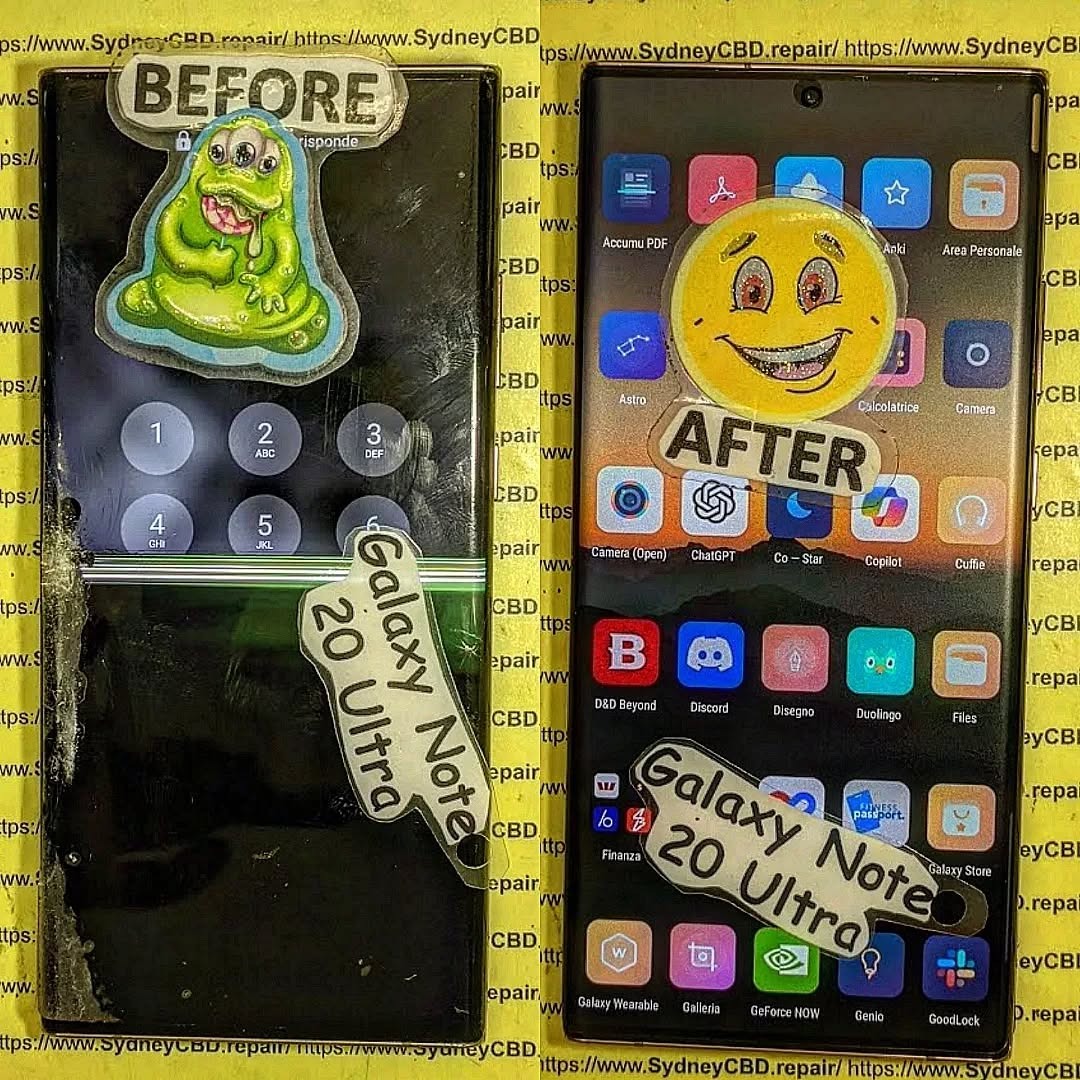
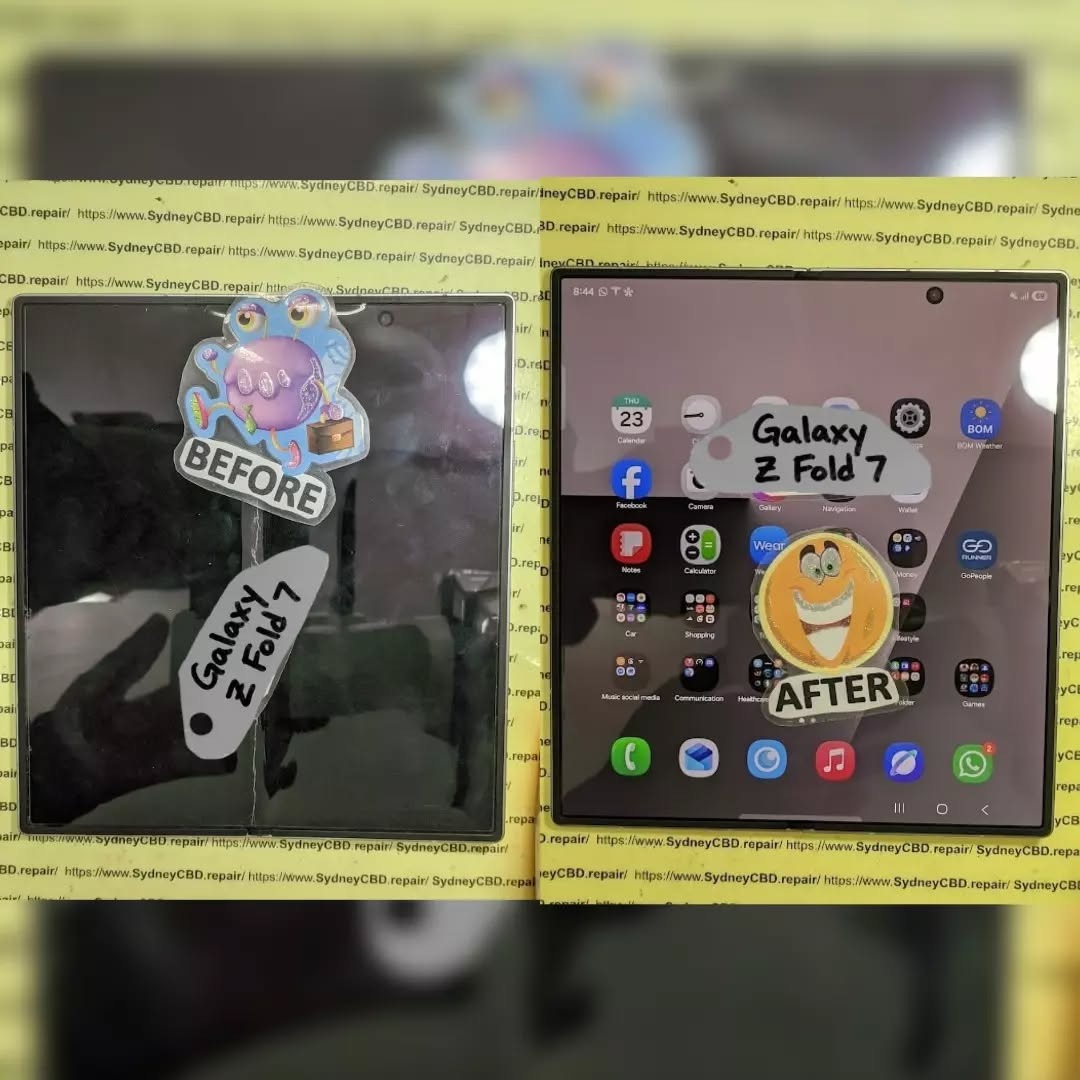
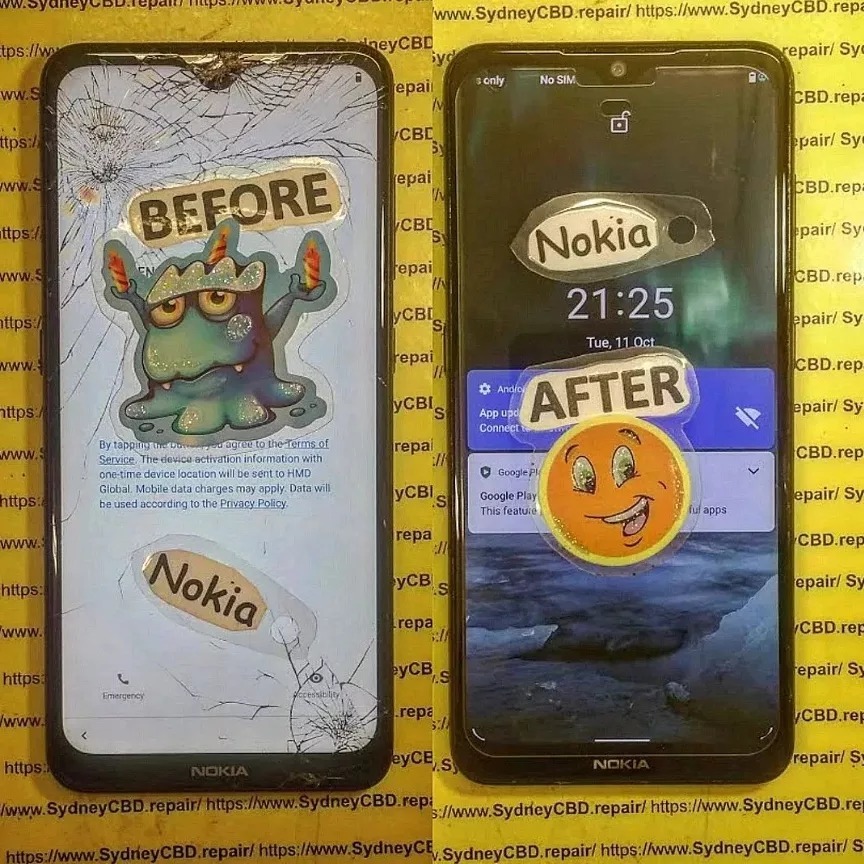
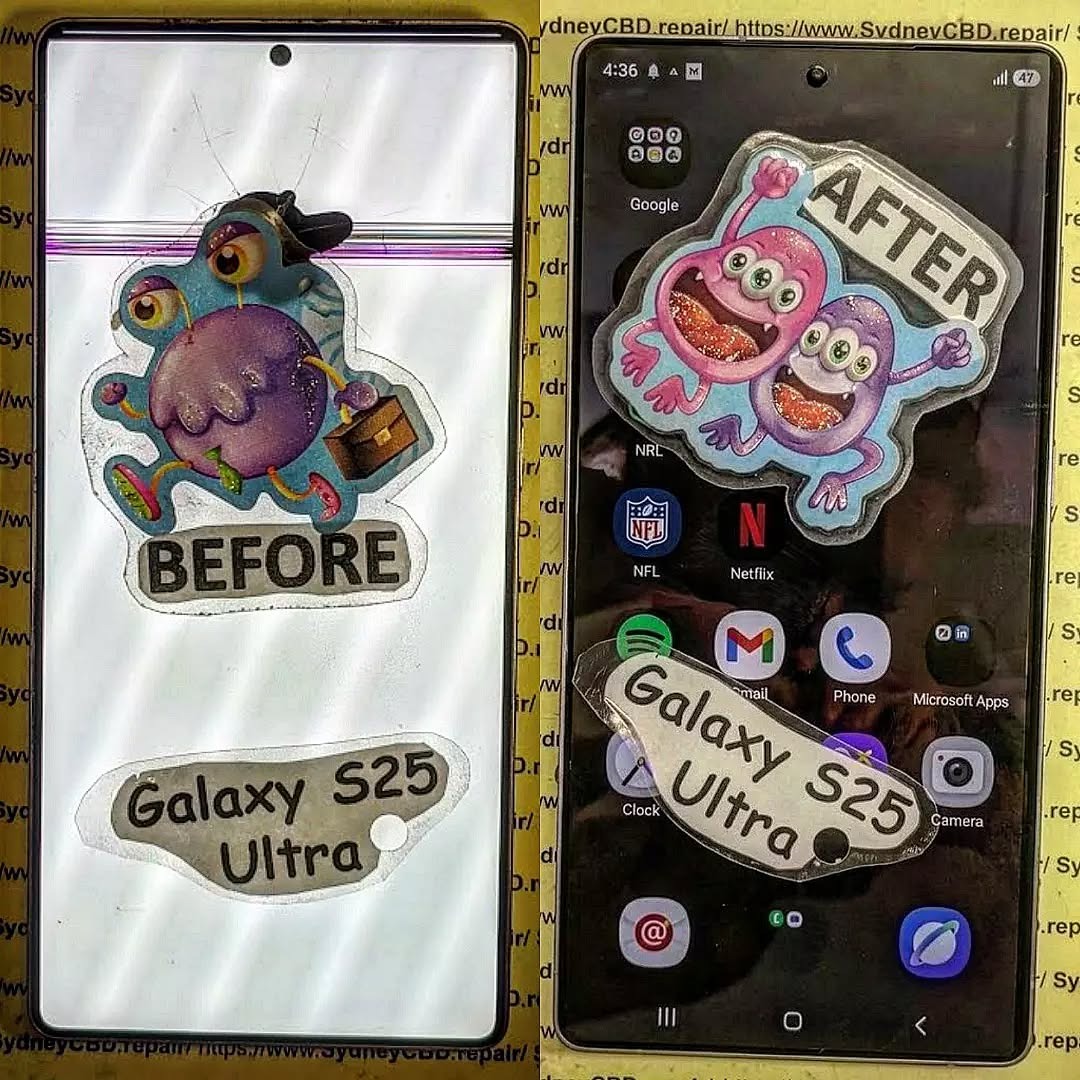
Samsung Galaxy Note 20 Ultra is an iconic flagship phone known for its dynamic AMOLED 2X display, high refresh rate, and immersive viewing experience. But even premium screens aren’t immune to cracks, scratches, or malfunctioning touch sensitivity. Understanding the Samsung Galaxy Note 20 Ultra screen replacement cost is essential for budgeting repairs and avoiding further damage.
Whether your device suffered accidental drops, water exposure, or long-term wear, a damaged screen can compromise both usability and resale value. In this guide, we’ll break down the costs, explain repair options, share tips to save money, and answer frequently asked questions to help you make the best decision.
The Note 20 Ultra boasts a 6.9-inch Dynamic AMOLED 2X display. This screen offers vivid colors, deep blacks, and an adaptive refresh rate up to 120Hz, delivering a smooth scrolling experience. AMOLED technology, while visually stunning, is more delicate than traditional LCDs, making professional care vital for repairs.
Screen Durability and Common Issues
Despite its Gorilla Glass Victus protection, the Note 20 Ultra screen is susceptible to:
Cracks and shattering from drops or impacts
Dead pixels or discoloration over time
Touch screen malfunctions caused by internal damage
Screen burn-in with prolonged static image use
These problems often necessitate a full screen replacement rather than partial repairs.
Understanding the components that influence repair costs can help you plan effectively.
OEM vs Aftermarket Parts
OEM (Original Equipment Manufacturer) parts ensure full compatibility and performance. Prices are higher but guarantee longevity.
Aftermarket screens are cheaper but may have lower color accuracy, touch sensitivity issues, or faster wear.
Labor Costs and Repair Complexity
Replacing the Note 20 Ultra screen requires careful disassembly, removal of the curved glass, and proper installation of a new panel. Labor fees vary depending on location and technician expertise.
Warranty and Service Charges
Authorized service centers may charge more, but repairs often come with warranty coverage. Third-party shops may offer competitive rates but with limited guarantees.
Average Price Range for Screen Replacement
Retail and Authorized Service Centers
Samsung official repair services typically charge $350–$450 for a Note 20 Ultra screen replacement. This includes OEM parts and warranty coverage, ensuring original quality.
Independent Repair Shops
Independent or local repair centers often charge $200–$300, offering a balance between affordability and reliability. Ensure they use high-quality parts and provide at least a 90-day warranty.
DIY Repair Cost Considerations
DIY replacements can cost $150–$250, depending on parts and tools. While cheaper, risks include voiding warranties, damaging internal components, and poor screen alignment.
Step-by-Step Guide to Samsung Galaxy Note 20 Ultra Screen Replacement
Preparing for the Repair
Backup your data to prevent accidental loss.
Power off the device and remove the SIM card tray.
Use a suction cup and plastic opening tools to lift the back panel.
Disconnect battery and display connectors carefully.
Replacing the Screen
Remove the damaged screen gently, avoiding damage to the frame or internal components.
Install the new screen, ensuring connectors are properly seated.
Apply new adhesive for secure attachment.
Reassembling and Testing
Reconnect battery and close the device.
Test display, touch functionality, and sensors before sealing completely.
Ensure no dust or bubbles are trapped under the new screen.
DIY vs Professional Repair: Pros and Cons
Option
Pros
Cons
DIY
Lower cost, flexible timing
Risk of damage, no warranty, technical skill required
Professional
Warranty coverage, high success rate, no risk to internals
Higher cost, scheduling required
Tips to Minimize Repair Costs
Use of Insurance and Warranty
Check if your device insurance or Samsung Care+ covers screen damage.
Some plans reduce the out-of-pocket cost significantly.
Choosing Reliable Repair Centers
Look for certified technicians with genuine parts.
Check online reviews and ask for written guarantees.
Signs Your Screen Needs Immediate Replacement
Cracked glass or shattered panels
Unresponsive touch or ghost touches
Dark spots, lines, or discoloration
Flickering or dead pixels
Ignoring these signs can lead to further internal damage and higher costs.
How to Protect Your Samsung Galaxy Note 20 Ultra Screen
Screen Protectors and Cases
Tempered glass or high-quality film protectors prevent scratches and minor cracks.
Protective cases with raised edges minimize direct impact on the screen.
Proper Handling Practices
Avoid placing the phone face-down on rough surfaces.
Keep it away from extreme heat or direct sunlight for long periods.
Handle with clean, dry hands to prevent moisture damage.
FAQs About Samsung Galaxy Note 20 Ultra Screen Replacement
Q1: How long does a screen replacement take?
A1: Professional repairs usually take 30 minutes to 2 hours depending on shop workload. DIY repairs can take longer due to careful handling.
Q2: Is it safe to use an aftermarket screen?
A2: Aftermarket screens are generally safe but may have lower brightness, color accuracy, or touch sensitivity. OEM parts are recommended for optimal performance.
Q3: Will a cracked screen affect my warranty?
A3: Yes, using a DIY or unauthorized repair can void your warranty. Official repairs maintain coverage.
Q4: Can water damage occur during screen replacement?
A4: If not properly sealed after repair, water damage is possible. Ensure professional technicians apply appropriate adhesive and seals.
Q5: Is Samsung Care+ worth it?
A5: Absolutely. It reduces repair costs and ensures genuine parts, especially for expensive screens like the Note 20 Ultra.
Q6: Can I repair the screen myself without special tools?
A6: It’s risky. Proper tools and knowledge are required to avoid damaging fragile internal components. DIY should only be attempted if confident.
Conclusion: Making the Right Choice for Screen Repair
Replacing a Samsung Galaxy Note 20 Ultra screen can be costly, but making an informed choice ensures device longevity and functionality. Consider OEM parts for long-term reliability, weigh professional repair benefits against DIY cost savings, and always use protective accessories to prevent future damage. By understanding the screen replacement costs, repair steps, and tips to reduce expenses, you’ll protect your investment while enjoying a flawless display.
For professional and reliable repairs in Sydney, visit Sydney CBD Repair Centre – experts in Samsung phone repairs with genuine parts and same-day service.
David from Sydney CBD Repair Centre – The Best place to fix mobile phones as 7 Years In A Row! Top Mobile Phone Repair In Sydney. More than 2000 Positive Reviews on Google and Same Day Repairs.
We take pride in delivering exceptional repair services for all major phone brands including Apple, Samsung, Google, and more. Our expert technicians use only genuine parts and offer 90days warranty on repairs. Located in the heart of Sydney CBD, we’re your one-stop solution for all mobile device repairs.
Visit us for:
✓ Same Day Express Repairs
✓ Genuine Parts Guarantee
✓ Professional Technicians
✓ Competitive Pricing
✓ 2000+ 5-Star Google Reviews
✓ 7-Time Award Winner for Best Phone Repairs
The Future of Foldables: Repairing The New Next Generation of Foldable Phone Screens – Ultimate Breakdown + 7 Key Insights
Introduction
Foldable smartphones are no longer prototypes or futuristic concepts—they’re rapidly becoming mainstream devices reshaping how we use mobile technology. As brands like Samsung, Google, Huawei, and Motorola push boundaries with sleeker hinges, tougher screens, and more immersive displays, users are beginning to ask the next big question: How do we repair these next-gen flexible phone screens when something goes wrong? The Future of Foldables: Repairing Next-Gen Flexible Phone Screens isn’t just a trending topic—it’s an essential discussion for anyone who owns, repairs, or plans to invest in a foldable device.
In recent years, foldable technology has evolved from fragile plastic displays to robust ultra-thin glass (UTG), offering improved durability and a smoother touch experience. But despite these innovations, the unique materials and mechanical structures in foldables mean repairs aren’t as straightforward as fixing traditional smartphone screens. Their complex layering, adhesive bonding, and hinge-display interaction require specialized techniques, advanced tools, and expert handling.
This introduction sets the stage for a deep dive into the world of flexible phone screen technology—how it works, why it fails, and what the future of repairability looks like. As foldables continue to gain popularity, understanding these concepts becomes increasingly important for consumers, technicians, and tech enthusiasts alike. The goal? To empower you with clear, practical, and forward-thinking insights into maintaining and repairing the mobile devices of tomorrow.
Foldable smartphones are becoming the new normal in mobile innovation, and as more users invest in futuristic devices with bending screens, repairability becomes a major concern. The Future of Foldables: Repairing Next-Gen Flexible Phone Screens is a topic that every smartphone user—especially early adopters—needs to understand. These devices look sleek and work beautifully, but fixing them isn’t as straightforward as repairing traditional flat screens.
In this guide, you’ll discover how foldable screens work, why they break, what it takes to repair them, and how future technology will make repairs easier, cheaper, and more accessible.
Foldable phones rely on advanced display engineering that allows screens to bend thousands of times without losing clarity or touch sensitivity. These displays combine flexibility with durability, though the balance is still evolving.
Types of Flexible Screens
There are two main types of foldable screens today:
1. AMOLED Foldable Displays
These screens use flexible AMOLED layers that maintain brightness and color accuracy even when bent.
2. Ultra-Thin Glass (UTG) Displays
UTG offers improved scratch resistance and reduced creasing compared to plastic OLED.
Materials Used in Modern Foldables
Next-gen displays use a combination of:
Ultra-thin glass
Flexible OLED panels
Polyimide layers
Multi-layer laminated protective coatings
These materials work together to deliver durability, but they also complicate the repair process.
Although foldable screens have improved dramatically, they still face recurring issues.
Creasing and Wrinkles
Even premium devices show slight crease marks after extended use. This happens due to consistent folding pressure on the middle hinge area.
OLED Pixel Damage
Damaged pixels or dark spots may appear after drops or pressure. Because the OLED layer is thin and flexible, it’s more vulnerable than rigid displays.
Why Flexible Screens Break Differently
Foldable screens use elastic materials not found in traditional displays.
Stress Points and Repeated Folding
Every fold creates mechanical stress. Over time, this can:
Loosen layers
Cause micro-fractures
Reduce touchscreen responsiveness
Thermal Impact on Flexible OLED Layers
Heat expands the layers unevenly, increasing the chance of delamination or screen bubbling.
Repair Challenges for Foldable Screens
Repairing foldable devices is not the same as fixing normal phones. There are several unique challenges.
High Cost of Replacement Panels
Foldable panels are more expensive because:
They require specialized manufacturing
There’s limited supply
Repairs must be done with advanced equipment
Adhesive and Lamination Complexity
Foldable screens use multiple bonding layers that need precise alignment during replacement—a process nearly impossible without professional tools.
Advancements Making Repairs Cheaper and Faster
The future looks promising thanks to ongoing technological improvements.
Modular Display Layers
Manufacturers are now designing foldable displays with independent layers, making repairs less invasive.
Improved Ultra-Thin Glass (UTG) Technology
Modern UTG is:
Tougher
More flexible
Less prone to cracking
This decreases repair frequency and cost.
DIY vs Professional Repairs
Why DIY Repairs Often Fail
Trying to repair a foldable screen at home can lead to:
Touchscreen failure
Creasing
Broken hinges
Total display damage
Benefits of Choosing Certified Technicians
Professionals offer:
Proper tools
Accurate lamination
Genuine replacement parts
Device-safe diagnostics
Future Trends in Foldable Screen Repair
Self-Healing Materials
Self-repairing polymers may soon fix small scratches or creases automatically—reducing service needs.
Magnetic or Snap-On Display Modules
Future foldables may allow easier panel swaps without full disassembly.
FAQs
1. Are foldable screens easier to break than regular screens?
Yes, because they contain flexible OLED layers that are thinner and more delicate.
2. Can a crease in a foldable screen be removed?
Not completely, although UTG improvements reduce visibility.
3. How much does a typical foldable screen repair cost?
It depends on the model, but repairs often range from $400 to $900.
4. How long do foldable displays last?
Most are tested for 200,000 folds—equivalent to 5+ years of normal use.
5. Can water damage ruin a foldable display?
Absolutely. Water can seep into layers and cause irreversible pixel failure.
6. What’s the best way to protect a foldable screen?
Use manufacturer-approved screen protectors and avoid applying pressure near the hinge.
Conclusion
Foldable technology continues to evolve, and so does the repair industry supporting it. While early foldables faced major durability issues, new models are stronger, more flexible, and more repair-friendly. As materials improve and modular designs become mainstream, repairs will get cheaper and faster—making foldable phones accessible to more users worldwide.
If you rely on your foldable phone daily, choosing skilled repair professionals ensures long-term performance, device safety, and cost savings.
David from Sydney CBD Repair Centre – The Best place to fix mobile phones as 7 Years In A Row! Top Mobile Phone Repair In Sydney. More than 2000 Positive Reviews on Google and Same Day Repairs.
We take pride in delivering exceptional repair services for all major phone brands including Apple, Samsung, Google, and more. Our expert technicians use only genuine parts and offer 90 days warranty on repairs. Located in the heart of Sydney CBD, we’re your one-stop solution for all mobile device repairs.
Visit us for:
✓ Same Day Express Repairs
✓ Genuine Parts Guarantee
✓ Professional Technicians
✓ Competitive Pricing
✓ 2000+ 5-Star Google Reviews
✓ 7-Time Award Winner for Best Phone Repairs
Which is better? Screen Replacement Frame or Screen Replacement Frameless + Expert Insights + 9 Key Differences
Cracked phone screen? You’re probably searching for a replacement screen—and now you’re staring at two options: with frame or frameless (without frame). But which one is better?
Understanding the difference can help you avoid costly mistakes, wasted time, and performance issues. Whether you’re considering a DIY approach or seeking a professional fix, this article breaks down everything you need to know.
A screen with frame includes the LCD/OLED display pre-installed within the mid-frame (or chassis) of the phone. It’s essentially a complete front panel, ready to be attached to the rest of the device.
Also known as:
Full display assembly
Screen with housing
Pre-installed screen unit
Benefits:
Pre-aligned components
Easier and safer installation
Reduced chance of damaging the display during replacement
A frameless screen is only the display panel (LCD/OLED), without the supporting mid-frame. The technician must detach the broken display from the original frame and install the new one carefully.
Also known as:
Bare screen
Display only
LCD without bezel
Drawbacks:
Requires more skill and precision
Time-consuming
Prone to misalignment or adhesive issues
Visual Comparison: Frame vs Frameless
Aspect
Screen With Frame
Frameless Screen
Includes mid-frame
✅ Yes
❌ No
Risk of breakage during install
Low
High
Installation time
Faster
Slower
Cost
Higher
Lower
Requires glue/heat
No (or minimal)
Yes
Recommended for beginners
✅
❌
Pros of Screen With Frame
✅ Perfect alignment
✅ Maintains structural integrity
✅ Lower failure rate
✅ Easier for professional and DIY repairs
✅ Better support for waterproofing restoration
If you’re in a hurry or want to avoid complications, this is the safest choice.
Pros of Frameless Screen Replacement
✅ Cost-effective
✅ More widely available for certain models
✅ Smaller packaging for shipping
✅ Useful for partial repairs (screen only)
Ideal for experienced repair technicians or repair shops with re-alignment jigs and screen press tools.
Technical Skills Required for Both
Task
Screen With Frame
Frameless Screen
Disassembly
Moderate
High
Glue/adhesive application
Minimal
Required
Heat gun use
Rarely
Frequently
Re-aligning components
Not needed
Crucial
Reuse of old frame
❌
✅
Time & Complexity Differences
With Frame: 30–45 minutes (professional)
Frameless: 60–90 minutes or more (even for pros)
DIY Note:
Frameless screens often require heat application and risk damaging internal components if not done correctly.
Cost Comparison: Frame vs Frameless
Phone Model
With Frame (AUD)
Frameless (AUD)
iPhone 11
$260
$180
Samsung S21
$330
$250
Google Pixel 6
$290
$210
Prices include parts only; labor not included.
Risk Factors of Frameless Replacements
❌ Misalignment may cause unresponsive touch
❌ Excess adhesive can damage internals
❌ Glass breakage during installation
❌ Face ID or fingerprint sensor failures
❌ Loss of waterproofing
When Should You Choose Screen With Frame?
Choose screen with frame if:
You want long-term durability
Your phone has waterproofing you want to retain
You’re not confident with tools
Your existing frame is cracked or warped
You want a faster, smoother process
When Frameless Screens Are Acceptable
Opt for frameless screens if:
You’re on a strict budget
You have professional repair experience
Your frame is in perfect condition
The repair is not mission-critical (e.g., backup phone)
Brand and Model Variations
Some phones are easier to repair with a screen-only option:
Brand
Frame Preferred
Frameless Feasible
iPhone (X and newer)
✅
⚠️ Risky
Samsung Galaxy S Series
✅
⚠️ Difficult
Xiaomi Redmi Series
⚠️ Mixed
✅ Common
Google Pixel
✅
⚠️ Only with calibration tools
Impact on Water Resistance
Phones with IP67/IP68 ratings lose their water resistance if:
The adhesive is improperly applied
The frame is not sealed correctly
Non-genuine gaskets are used
Using a screen with frame helps maintain or restore water protection more effectively.
Durability Over Time
Screen With Frame:
Better structural support
Reduced stress on the screen
Lower chance of loosening over time
Frameless:
Can shift or lift with poor adhesive
Susceptible to cracks around the edges
Less shock absorption
Expert Recommendations
At Sydney CBD Repair Centre, we recommend screen with frame for 90% of screen replacements. It ensures:
Proper alignment
Long-term durability
Quicker turnaround
Higher customer satisfaction
We only use genuine parts with or without frames and always advise customers on the best option for their specific device.
FAQs
1. What’s the main difference between frame and frameless screens?
Framed screens include the mid-frame; frameless are just the screen. Framed screens are easier and safer to install.
2. Is a screen with frame more durable?
Yes. It has better alignment, stability, and long-term performance.
3. Can I reuse my old frame with a frameless screen?
Yes, but only if it’s undamaged and precisely cleaned.
4. Are framed screens more expensive?
Generally, yes—but they save you time and reduce installation risk.
5. Does screen with frame help retain water resistance?
Absolutely. It allows better resealing using original-grade components.
6. Do repair shops charge more for screen with frame?
Slightly, but it includes a faster, safer repair and typically a better warranty.
Conclusion
So, screen with frame vs frameless—what’s the final verdict?
✔️ Go with frame if you want a reliable, efficient, and durable screen replacement.
⚠️ Only choose frameless if you’re experienced, or working with a trusted technician and on a tight budget.
At Sydney CBD Repair Centre, we help customers choose the best solution tailored to their needs—no upsells, no shortcuts, just honest, expert repair services.
David from Sydney CBD Repair Centre
6-Time Winner for Best Mobile Repairs in Sydney
✓ Same-Day Repairs
✓ 2000+ 5-Star Reviews
✓ Genuine Parts with 90-Day Warranty
📍 Find Us Here
📞 Call: +61280114119
The Unseen water damage fix: Samsung Galaxy S25 Ultra! 7 Expert Secrets to Save Your Device
Introduction
Water and smartphones have never been the best of friends — even when it comes to the most advanced flagship like the Samsung Galaxy S25 Ultra. While Samsung promotes its premium device with an impressive IP68 water-resistance rating, the truth is that unseen moisture can still find its way into delicate internal circuits. Over time, this hidden water damage can quietly corrode connectors, weaken the battery, and cause unpredictable malfunctions.
At Sydney CBD Repair Centre, we’ve seen it all — phones that look perfectly fine on the outside but are silently deteriorating within. This article reveals the unseen side of water damage and how you can identify, fix, and prevent it before it’s too late. Whether your Galaxy S25 Ultra took an unexpected dip or simply absorbed moisture from the air, understanding the signs and solutions could save you hundreds in repair costs — and possibly your data.
Let’s dive deep into the expert-approved ways to restore your Samsung Galaxy S25 Ultra to its peak condition and ensure it stays safe from the hidden dangers of water exposure.
Water damage remains one of the most deceptive phone issues — especially with modern flagships like the Samsung Galaxy S25 Ultra. Despite its premium IP68 waterproof rating, your device can still suffer from unseen moisture intrusion, slowly degrading components over time.
In this guide, we’ll uncover 7 expert secrets for identifying and fixing hidden water damage, straight from the professionals at Sydney CBD Repair Centre, Sydney’s most trusted name in phone repairs for over six consecutive years.
Even with its cutting-edge design and water-resistant features, the Galaxy S25 Ultra isn’t immune to the physics of moisture. Water damage often sneaks in through charging ports, speaker grills, SIM trays, or micro-cracks invisible to the naked eye.
Common Causes of Hidden Moisture Damage
Using your device in the rain or bathroom
Exposure to steam or humidity (e.g., kitchens or saunas)
Quick temperature shifts causing internal condensation
Improper sealing after third-party repairs
While your phone might appear dry, internal circuits could already be corroding.
How Samsung’s IP68 Rating Really Works
Samsung’s IP68 certification guarantees water resistance — not waterproofing. It protects the phone for up to 30 minutes in 1.5 meters of freshwater, but saltwater, soap, or chlorinated water can easily compromise seals. Once damaged, these seals lose effectiveness permanently.
Early Signs of Unseen Water Damage
Recognizing water damage early can be the difference between a quick fix and a costly replacement.
Software Glitches Caused by Moisture
Water can short internal connections, triggering:
Random restarts
Screen flickering
Ghost touches or unresponsive gestures
System lag and erratic battery readings
Corrosion and Battery Problems
Internal corrosion silently eats away at battery terminals and charging ICs. Common symptoms include:
Slow or failed charging
Overheating during use
Battery drain even on standby
Ignoring these warning signs could lead to permanent motherboard damage.
DIY Steps Before Visiting a Repair Centre
Before rushing to a technician, follow these safe, data-preserving steps.
What Not to Do After Water Exposure
❌ Don’t power on your device immediately.
❌ Don’t plug it in or attempt wireless charging.
❌ Don’t use a hair dryer — it spreads moisture internally.
❌ Avoid rice — it’s ineffective and can leave debris.
Drying Techniques That Actually Work
✅ Turn off your phone and remove the SIM card.
✅ Pat dry gently with a lint-free cloth.
✅ Place the device in a silica gel pack (or desiccant bag).
✅ Leave it for at least 24–48 hours.
✅ If available, use isopropyl alcohol to displace residual moisture on circuit boards (by professionals only).
Professional Repair: Inside Sydney CBD Repair Centre’s Process
When at-home fixes fail, expert intervention becomes essential. Here’s how the Sydney CBD Repair Centre restores your Galaxy S25 Ultra to full working order.
Expert Diagnostic Techniques
Technicians use thermal imaging cameras and microscopic inspections to detect corrosion points and trapped humidity. They assess:
Logic board damage
Battery health
Camera lens fogging
Charging port integrity
Genuine Parts & Advanced Equipment
Unlike generic repair shops, Sydney CBD Repair Centre uses Samsung-authorized components and precision reflow tools. This ensures:
Reliable, lasting repairs
No data loss during diagnostics
Restored waterproof sealing
Cost of Water Damage Repairs in 2025
Pricing varies depending on the damage level, but here’s a breakdown of average repair costs in Sydney for 2025:
Repair Type
Estimated Cost (AUD)
Turnaround Time
Water Damage Diagnostic
$89
1–2 hours
Cleaning & Drying
$149–$199
Same day
Board-Level Repair
$250–$400
1–3 days
Component Replacement
$150–$350
Same day
What Affects the Price
Type of water (fresh, salt, chlorinated)
Duration of exposure
Parts requiring replacement
Warranty and After-Service Benefits
All repairs come with a 90-day warranty covering workmanship and parts — another reason customers rate Sydney CBD Repair Centre 5 stars across 2,000+ Google reviews.
How to Prevent Future Water Damage
A few proactive measures can save you hundreds in future repairs.
Protective Gear & Habits
Use IP68-rated waterproof cases during beach or pool trips
Avoid using phones in high-humidity environments
Keep charging ports clean and dry
Regular Checkups & Professional Cleaning
Schedule bi-annual cleanings at professional centers like Sydney CBD Repair Centre. Regular diagnostics ensure seals remain tight and corrosion-free.
FAQs
1. Can the Galaxy S25 Ultra survive water exposure?
It’s water-resistant, not waterproof. Short-term freshwater exposure may be fine, but long-term or saltwater contact causes internal damage.
2. How can I tell if my Samsung phone has water damage?
Check for fogged cameras, unresponsive buttons, or charging issues. You can also look at the Liquid Damage Indicator (LDI) near the SIM tray — it turns red when wet.
3. Will Samsung warranty cover water damage?
No. Water damage is considered user-induced, even with an IP68 rating.
4. Is water damage repair worth it?
Absolutely — if done by a professional. At Sydney CBD Repair Centre, most water-damaged phones are fully recoverable when brought in early.
5. How long does it take to repair water damage?
Same-day service is possible for minor corrosion. Severe damage may take up to 3 days for full recovery.
6. Can rice really dry out my phone?
No. Rice only absorbs surface moisture. It cannot remove internal humidity or prevent corrosion.
Conclusion
Even the mighty Samsung Galaxy S25 Ultra isn’t invincible to unseen water damage. But with quick action and expert help from Sydney CBD Repair Centre, your device can be restored safely and effectively.
Whether you’ve dropped your phone in water or suspect slow corrosion, don’t wait. Visit Sydney CBD Repair Centre, where quality meets reliability — and your Galaxy S25 Ultra gets the professional care it deserves.
Data Recovery: The Broken Phone, All Files Safe! | Proven Solutions & Expert Tips (2025)
Understanding Data Loss from a Broken Phone
When your smartphone suddenly slips from your hands, crashes onto the pavement, or refuses to turn on after getting wet — panic sets in. Your first thought? “Are my photos and files gone forever?” Fortunately, data recovery for broken phones has advanced dramatically, and most of your information can still be retrieved.
Common Causes of Data Loss
Physical Damage – Cracked screens, broken ports, or damaged motherboards.
Water Damage – Corrosion can interrupt power and data access.
Software Errors – System crashes, failed updates, or malware infections.
Battery or Power Failure – When a phone won’t turn on but the data remains intact.
Factory Reset or Accidental Deletion – User error leading to wiped data.
Why Immediate Action Matters
The longer you wait, the more likely it is for your data to become irretrievable due to continued damage or automatic overwriting. Always power off a damaged phone and avoid DIY repairs that can worsen internal issues.
Modern smartphones have sophisticated storage systems. Even if the device doesn’t power on, data often remains safe within its memory chip.
Internal vs External Storage Explained
Your phone’s internal storage holds essential system files, contacts, messages, and app data, while the external SD card stores images, videos, and documents. Professional repair centres can access both safely using specialized tools.
How Recovery Software Extracts Data
Recovery software works by scanning memory sectors for recoverable fragments. Advanced programs like Dr.Fone, Tenorshare UltData, and iMobie PhoneRescue can reconstruct missing files even from damaged partitions.
Step-by-Step: Recovering Data from a Broken Android Phone
If your Android device has a cracked screen or doesn’t respond, there are still options before you lose hope.
Using Google Backup & Sync
Log into your Google Account on another device.
Visit Google Photos, Drive, or Contacts.
Restore all synced data with a single click.
If syncing was enabled before damage occurred, your data is already safe in the cloud.
Using Android Recovery Tools
Software like Dr.Fone for Android, Tenorshare UltData, or iMobie DroidKit allows USB connection to access files even from an unresponsive phone. These programs can extract:
Photos and videos
WhatsApp messages
Contacts and call logs
App data and documents
When to Visit a Professional Repair Centre
If your phone suffers from hardware failure, DIY software might not help. At this point, it’s best to visit a trusted service provider such as Sydney CBD Repair Centre — where certified technicians safely extract your data without risking further damage.
Apple’s ecosystem simplifies recovery. Log in to iCloud.com or connect your iPhone to iTunes/Finder on your computer to retrieve your:
Photos
Contacts
Messages
App Data
Using Third-Party iPhone Data Recovery Tools
Programs like iMobie PhoneRescue, Dr.Fone iOS, and Tenorshare UltData for iPhone can recover data even if backups are incomplete or the device is unresponsive.
Professional Data Recovery Services in Sydney
When software isn’t enough, professional help is the safest path forward.
Why Choose Sydney CBD Repair Centre
🧰 Same Day Express Repairs
🔋 Genuine Parts with Warranty
💼 Expert Technicians with years of experience
⭐ 2000+ 5-Star Google Reviews
🏆 6-Time Award Winner for Best Phone Repairs
Sydney CBD Repair Centre specializes in data recovery for Apple, Samsung, Google, and other major brands. Whether your device has a shattered display, water exposure, or a faulty motherboard — they can help retrieve your valuable files safely.
Avoid using phones during charging to prevent overheating.
Regularly transfer data to your PC or external drive.
Top Data Recovery Tools in 2025
Tool Name
Supported Devices
Free Trial
Key Features
Dr.Fone
Android/iOS
✅
Deep scan, full backup restore
Tenorshare UltData
Android/iOS
✅
WhatsApp & file recovery
iMobie PhoneRescue
Android/iOS
✅
Data extraction from dead phones
DiskDigger
Android only
✅
Lightweight photo recovery
EaseUS MobiSaver
Android/iOS
✅
Full file recovery with UI wizard
FAQs – Broken Phone Data Recovery
1. Can I recover data from a phone that won’t turn on?
Yes, as long as the internal storage is intact, professionals can recover your data using specialized tools.
2. Is data recovery expensive?
Prices vary by damage type, but Sydney CBD Repair Centre offers affordable rates and free assessments.
3. How long does recovery take?
Most recoveries are completed within the same day, depending on damage severity.
4. Can I recover WhatsApp messages from a broken phone?
Yes. Recovery tools and cloud backups can restore WhatsApp chats easily.
5. Is DIY recovery safe?
Only for minor issues. For physical or motherboard damage, always consult experts.
6. What if my screen is black but the phone vibrates?
That means it’s still powered. Technicians can connect to your phone and retrieve files safely.
Conclusion – Get Your Files Back Safely Today!
A broken phone doesn’t mean your memories, photos, and documents are lost forever. With advanced tools and professional repair services like Sydney CBD Repair Centre, you can recover your data quickly, securely, and affordably. Don’t let panic take over — take the right steps today to get your files back and your phone working again.
David from Sydney CBD Repair Centre – The Best place to fix mobile phones as 6 Years In A Row! Top Mobile Phone Repair In Sydney. More than 2000 Positive Reviews on Google and Same Day Repairs.
📍 Visit us today for:
✓ Same Day Express Repairs
✓ Genuine Parts Guarantee
✓ Professional Technicians
✓ Competitive Pricing
✓ 2000+ 5-Star Google Reviews
✓ 6-Time Award Winner for Best Phone Repairs
WHAT HAPPENS NEXT? Unseen Damage From Phone Screen Repair + 7 Critical Mistakes You Must Avoid
Introduction: The Hidden Side of Screen Repairs
Screen damage can happen to anyone. A sudden drop, an accidental bump, or even sitting on your phone can lead to a cracked screen that demands immediate attention. But what most users don’t realize is that screen repair is more than just replacing the glass—it involves delicate electronic systems that require precision and expertise.
At first glance, your phone might look and function perfectly after a repair. However, beneath the surface, unseen damage can develop over time—affecting your phone’s responsiveness, display brightness, and even battery life.
When done incorrectly, even minor missteps during a screen replacement can cause long-term harm. Let’s explore the unseen damage that can happen during or after screen repairs and how to avoid it.
Replacing a screen isn’t just a matter of swapping out parts. Modern smartphones are built with integrated circuits, touch sensors, proximity detectors, and other intricate components that work in harmony.
The Role of Micro-Connections and Internal Components
Every tap, swipe, and gesture depends on micro-connections between the digitizer (the touch layer) and your phone’s logic board. When a repair technician mishandles these components, even slightly, it can lead to problems like:
Ghost touches or unresponsive screens
Dimming or color inconsistency
Delayed touch feedback
This is why proper disassembly tools and expertise are crucial during screen repair.
Common Issues After Screen Replacement
Unseen damage often manifests gradually. Users may experience:
Battery draining faster than usual
Front camera malfunction or misalignment
Face ID or fingerprint sensor issues
Display flickering under sunlight
These problems often stem from cheap replacement parts or improper installation, both of which can compromise your device’s performance.
After a repair, your phone must undergo a full diagnostic check. Skipping this step is one of the most common yet dangerous mistakes.
How Skipping Testing Can Cause Long-Term Issues
Without diagnostics, small problems like sensor misalignment, loose connectors, or temperature irregularities go unnoticed. Over time, these can lead to:
Display freezing or lag
Accelerated battery wear
Internal corrosion from unnoticed microdamage
Professional repair centers like Sydney CBD Repair Centre perform a 20-point diagnostic test after every repair to ensure every component functions perfectly before handing the device back.
Mistake #2: Using Non-Genuine Parts
Many repair shops cut corners by using aftermarket or counterfeit screens that mimic OEM quality. While they may look the same initially, the differences become obvious after a few days of use.
The Difference Between OEM and Aftermarket Screens
Feature
OEM Screen
Aftermarket Screen
Brightness
True-to-original
Dull or tinted
Touch Sensitivity
Perfectly responsive
Laggy or inconsistent
Durability
Tempered and tested
Prone to cracks
Compatibility
100% match
May cause software conflicts
At Sydney CBD Repair Centre, only genuine parts are used—backed by a 90-day warranty for complete peace of mind.
Mistake #3: DIY Screen Repairs Without Expertise
You might think you’re saving money by fixing your phone yourself, but DIY repairs often lead to hidden internal damage that costs more to fix later.
The Hidden Costs of Attempting It Yourself
Cable tears during disassembly
Overheating due to improper adhesive removal
Waterproofing seals broken permanently
Battery punctures, which can cause dangerous short circuits
Without proper training and tools, even a small mistake can destroy a device worth hundreds of dollars.
Mistake #4: Overlooking Battery and Sensor Calibration
When your screen is replaced, battery and sensor calibration must be redone to ensure optimal performance.
How Improper Calibration Impacts Device Performance
Without proper calibration, your device might:
Show incorrect battery percentages
Have auto-brightness issues
Experience inaccurate proximity detection (like the screen staying on during calls)
Professional repair centers use specialized diagnostic software to recalibrate these systems—something DIY kits or unqualified shops can’t do.
Mistake #5: Failing to Address Water and Dust Resistance
Most modern smartphones come with IP67 or IP68 water resistance ratings, which can be compromised after screen replacement.
How Repairs Affect Your Device’s IP Rating
Improper resealing after repair allows microscopic water or dust particles to enter the device, causing corrosion, speaker damage, and short circuits over time.
Expert technicians reapply factory-grade waterproof seals, ensuring your device maintains its protection standards.
Mistake #6: Not Choosing a Certified Repair Centre
Your choice of repair shop determines whether your phone lasts or fails prematurely.
Why Expertise and Experience Matter
Certified technicians understand manufacturer repair guidelines, use anti-static environments, and follow strict part-handling protocols.
At Sydney CBD Repair Centre, over 2000 customers have rated their experience 5-stars for quality, speed, and reliability.
Mistake #7: Ignoring Early Warning Signs Post-Repair
Even after a seemingly successful repair, subtle issues can indicate hidden damage.
Common Symptoms That Indicate Deeper Damage
Screen flickers under dim light
Face ID or fingerprint not registering
Battery drains unusually fast
Phone heats up during idle
If you notice any of these, return to your repair centre immediately for inspection.
FAQs: Everything You Need to Know About Screen Repairs
1. How long does a professional screen repair take?
Most high-quality screen repairs take 30–60 minutes at trusted centres like Sydney CBD Repair Centre.
2. Does screen repair affect water resistance?
Yes, if not done properly. Always ensure resealing is done with factory-grade adhesives.
3. Are aftermarket screens really that bad?
They often compromise brightness, responsiveness, and longevity. OEM parts ensure the best results.
4. Can a bad screen repair affect my battery life?
Yes, poor installation or calibration can cause increased battery drain.
5. Will my warranty be voided after third-party repair?
Only if the repairer is unlicensed or uses non-genuine parts.
6. How do I know if my phone has unseen damage?
Look for performance changes—like slow touch response, camera blur, or sudden restarts.
Conclusion: Protect Your Investment with Expert Repairs
Your smartphone is more than a device—it’s your connection to work, family, and daily life. Don’t risk it with unqualified repairs. Unseen damage from screen repair can cost more in the long run than the repair itself. Always choose certified professionals who use genuine parts, perform full diagnostics, and provide post-repair support.
Why Sydney CBD Repair Centre Is the Trusted Name in Screen Repairs
🏆 6 Years in a Row – Sydney’s Best Phone Repair Service
📍 Located in the heart of Sydney CBD
📱 Genuine parts, expert technicians, and same-day service
⭐ 2000+ Google 5-Star Reviews
🛠️ 90-Day Warranty on All Repairs
THE UNFIXABLE? When A Phone Screen Replacement Fails – 7 Shocking Reasons & How to Fix It
Introduction: When a Screen Replacement Goes Wrong
Few things feel more frustrating than realizing your brand-new screen replacement has failed. Whether it’s flickering, unresponsive touch, or sudden blackouts, these issues can make you feel like your phone is beyond repair. But here’s the truth — most screen replacement failures aren’t unfixable.
At Sydney CBD Repair Centre, we’ve seen it all: from iPhones that wouldn’t turn on after a screen change to Samsung devices losing display brightness. The good news? With the right diagnosis and genuine parts, every “unfixable” problem often has a surprisingly simple solution.
Let’s uncover the 7 shocking reasons why screen replacements fail — and how you can fix them for good.
The most common reason behind a failed screen replacement is low-quality or counterfeit parts. Many third-party repair shops cut costs by using cheaper aftermarket screens, which may look identical but perform far worse.
How Cheap Screens Cause More Harm
Poor Touch Response: You might notice lag, ghost touches, or sections of the screen not responding.
Dim or Oversaturated Display: Inconsistent color calibration affects viewing comfort.
Frequent Cracks: Subpar glass materials tend to break easily even with minor drops.
At Sydney CBD Repair Centre, every repair uses genuine OEM or high-grade refurbished screens — never copies. We back every replacement with a 90-day warranty, ensuring your phone feels brand new again.
Even the best screen can fail if it’s not installed properly. Screen replacement requires precision — aligning connectors, ensuring adhesive pressure, and sealing frames evenly.
Signs of Improper Installation
Screen lifts from edges
Flickering display
Touch irregularities
Gaps letting dust or moisture inside
A skilled technician uses calibrated tools, anti-static mats, and factory-level adhesives. That’s why all our repairs are handled by certified experts with over 6 years of experience.
3. Damaged Flex Cable or Connectors
The flex cable connects your screen to the motherboard — and it’s fragile. A small bend or static shock during installation can render the screen non-functional.
Identifying a Broken Connector
Phone powers on but screen stays black
Random screen flashes or vertical lines
Display cuts off after a few minutes
Repairing this often means replacing the flex cable or re-soldering connectors. It’s delicate work that should always be done by professionals.
4. Software or Firmware Incompatibility
Not every screen failure is hardware-related. Sometimes, the issue stems from a software mismatch — especially after major iOS or Android updates.
How to Recalibrate or Reset Properly
Update to the latest system firmware
Perform a screen calibration in settings
Use recovery mode to reset display settings
When hardware meets new firmware, sensors and display controllers may miscommunicate. Expert calibration restores optimal touch and brightness levels.
5. Battery or Power Supply Issues
If your phone doesn’t power on after a screen replacement, don’t rush to blame the screen. The battery or power IC chip may be the culprit.
How Battery Health Affects the Screen
Weak voltage can cause the screen to flicker
Faulty power delivery may result in random shutdowns
Some devices throttle display brightness under low power conditions
Our technicians always run a complete diagnostic test before replacement — ensuring power components are stable before installing a new screen.
6. Aftermarket Frames and Fit Issues
Using non-original phone frames can lead to screen misalignment or stress cracks. Aftermarket housings often have incorrect tolerances, causing pressure on the glass.
Precision and Pressure Points
When a screen is forced into a slightly off-sized frame, the corners bear stress — making cracks inevitable. That’s why we recommend using genuine frames and bezels to maintain screen longevity.
7. Moisture or Static Damage During Repair
Tiny traces of moisture or static electricity can silently kill a screen during installation. This type of damage often appears hours or days later.
Safe Workbench & ESD Precautions
Professional repair centers use:
Anti-static gloves and mats
Controlled humidity environments
ESD-safe tools
At Sydney CBD Repair Centre, we maintain clean, static-free workspaces to ensure long-lasting repairs every time.
Expert Tips: How to Avoid Failed Screen Replacements
✅ Always choose authorized repair centers
✅ Ask if genuine OEM parts are used
✅ Ensure a warranty covers your repair
✅ Avoid DIY kits unless you’re trained
✅ Check for after-service diagnostics
A reliable repair isn’t just about replacing a screen — it’s about restoring your device to factory standard.
Real-Life Case Study: Sydney CBD Repair Centre Success Stories
A customer brought in a Samsung Galaxy S22 that had gone dark after a third-party repair. The previous technician claimed it was unfixable. Within two hours, our experts diagnosed a damaged connector pin and replaced it using precision micro-soldering.
Result? The phone powered up with a flawless display — proving again that no repair is truly unfixable when handled by professionals.
FAQs: Fixing Screen Replacement Failures
1. Why does my new screen stop working after a few days?
It’s likely due to a loose connector or poor-quality replacement screen. Always go to verified repair centers using genuine parts.
2. Can a faulty battery damage my new screen?
Yes. Unstable power flow can cause flickering, ghosting, or even display failure. Always test battery health first.
3. Are aftermarket screens safe?
They may work temporarily but often lack durability and color accuracy. OEM screens are always more reliable.
4. What should I do if my screen doesn’t respond after repair?
Try a soft reset first. If unresponsive, visit a technician — it could be a flex cable issue.
5. Is water damage repairable after a failed replacement?
Yes, but it depends on corrosion level. Professional cleaning and drying can often save the device.
6. How long should a screen replacement last?
A properly installed genuine screen can last as long as the phone itself — often 2–4 years or more.
Conclusion: Why Trust Sydney CBD Repair Centre
When your screen replacement fails, don’t give up. The issue might not be “unfixable” — it might just need the right hands.
At Sydney CBD Repair Centre, we’ve been the Top Mobile Phone Repair Shop in Sydney for 6 years in a row, earning 2000+ 5-star reviews from satisfied customers.
The Rescue Mission: Recovering Precious Photos From a Completely Smashed Google Pixel 10 Pro XL + Ultimate Guide 2026
📱 Introduction to Data Recovery Challenges
When your Google Pixel 10 Pro XL gets completely smashed, panic often sets in immediately. Photos—those irreplaceable memories—suddenly feel lost forever. But here’s the good news: recovering photos from a completely smashed Google Pixel 10 Pro XL is often possible, even when the damage looks catastrophic.
Modern smartphones are surprisingly resilient when it comes to data storage. Even if the screen is shattered or the phone won’t turn on, your photos might still be safe inside the internal storage chip. That’s why understanding your recovery options is critical before taking any drastic steps.
In many cases, users assume that physical damage equals data loss. That’s simply not true. Data loss depends more on internal damage than external appearance. So even if your device looks like it’s been run over, there’s still hope.
If you didn’t back up your device, don’t worry—there are still options.
USB Debugging Method
If USB debugging was enabled:
Connect phone to PC
Use ADB tools
Extract DCIM folder
This method works even if the screen is unusable.
OTG Mouse Trick
For broken screens:
Connect USB OTG adapter
Attach a mouse
Unlock phone manually
Transfer files
Simple, effective, and often overlooked.
🛠️ Professional Data Recovery Solutions
When to Seek Experts
If your phone:
Won’t power on
Has motherboard damage
Is water-damaged
…it’s time for professionals.
Cost Expectations
Service Type
Estimated Cost
Basic recovery
$100–$300
Advanced recovery
$300–$800
Chip-level recovery
$800+
Prices vary depending on damage severity.
💻 Using Recovery Software Tools
Popular Tools Comparison
Tool
Best For
Difficulty
Dr.Fone
Beginners
Easy
iMobie PhoneRescue
Deep scans
Medium
Tenorshare UltData
Quick recovery
Easy
These tools work best when the phone is still partially functional.
🔬 Motherboard-Level Recovery Explained
Chip-Off Technique
This advanced method involves:
Removing the storage chip
Reading data directly
Rebuilding file systems
It’s highly technical but incredibly effective when done by experts.
🔐 Preventing Future Data Loss
Backup Best Practices
To avoid future stress:
Enable automatic backups
Use multiple backup solutions
Regularly export important files
Think of backups as insurance for your memories.
⚠️ Common Mistakes to Avoid
Ignoring backups
Using untrusted repair shops
Attempting DIY motherboard repair
Waiting too long after water damage
Each mistake reduces recovery success rates.
❓ FAQs
1. Can I recover photos from a completely smashed Google Pixel 10 Pro XL?
Yes, in most cases. As long as the storage chip isn’t damaged, recovery is possible.
2. What if my phone won’t turn on?
You can still recover data using professional services or chip-level recovery.
3. Are recovery apps safe?
Some are, but only use trusted tools. Avoid unknown apps that may overwrite data.
4. How long does recovery take?
Basic recovery: 1–2 days
Advanced recovery: 3–7 days
5. Is data recovery expensive?
It depends on the damage. Costs range from affordable to premium for complex cases.
6. Can water damage destroy my photos permanently?
Yes, if corrosion reaches the storage chip. Immediate action is crucial.
🏁 Conclusion
Recovering photos from a completely smashed Google Pixel 10 Pro XL isn’t just possible—it’s often highly successful when done correctly. The key lies in acting quickly, avoiding common mistakes, and choosing the right recovery method.
Whether you rely on cloud backups, DIY solutions, or professional services, your precious memories are rarely truly lost. With the right approach, you can bring them back safely.
🔚 Post-Article Message
David from Sydney CBD Repair Centre – The Best place to fix mobile phones as 7 Years In A Row! Top Mobile Phone Repair In Sydney. More than 2000 Positive Reviews on Google and Same Day Repairs.
We take pride in delivering exceptional repair services for all major phone brands including Apple, Samsung, Google, and more. Our expert technicians use only genuine parts and offer 90days warranty on repairs. Located in the heart of Sydney CBD, we’re your one-stop solution for all mobile device repairs.
Our commitment to excellence has earned us the trust of thousands of satisfied customers. Whether it’s a cracked screen, battery replacement, or water damage repair, we handle it all with professional care and expertise. Walk in today and experience why we’re Sydney’s #1 choice for mobile phone repairs.
Visit us for:
✓ Same Day Express Repairs
✓ Genuine Parts Guarantee
✓ Professional Technicians
✓ Competitive Pricing
✓ 2000+ 5-Star Google Reviews
✓ 7-Time Award Winner for Best Phone Repairs
Rescuing a Saltwater Damaged Samsung Galaxy S25 Ultra: Professional Component Level Cleaning + 7 Proven Techniques
Introduction
Saltwater exposure is a smartphone owner’s worst nightmare, especially for a high-end device like the Galaxy S25 Ultra. Unlike freshwater, saltwater is highly corrosive and conductive, which means even a brief contact can wreak havoc on the phone’s delicate circuits, connectors, and microchips. Many users panic when their devices accidentally take a dip in the ocean or get splashed while boating, often resorting to ineffective home remedies that can worsen the damage.
Professional intervention is critical. Component-level cleaning, a precise process performed by trained technicians, can remove corrosive salt deposits, restore damaged connections, and significantly improve the chances of full device recovery. In this guide, we’ll walk you through everything you need to know about rescuing a saltwater-damaged Galaxy S25 Ultra—from immediate emergency steps to professional cleaning techniques, component inspection, repair decisions, and preventive measures.
By understanding the risks, acting quickly, and relying on expert care, you can dramatically increase the likelihood of bringing your device back to life. Whether you’re dealing with a minor splash or full immersion, this guide provides actionable insights and practical advice to save your Galaxy S25 Ultra from permanent damage.
Saltwater is notorious for causing rapid and irreversible damage to smartphones like the Galaxy S25 Ultra. Unlike fresh water, saltwater contains dissolved minerals and salts that are highly conductive. When a phone comes into contact with saltwater, it can create short circuits and initiate corrosion within minutes. This corrosion gradually eats away at internal circuitry, connectors, and microchips, often leading to permanent failure if left untreated.
How Saltwater Corrodes Circuitry
Saltwater accelerates chemical reactions between metals and oxygen, leading to oxidation and corrosion. For instance, copper traces on the motherboard can oxidize within hours, and solder joints may weaken, causing intermittent connections or complete failure. Additionally, salts leave mineral deposits that can retain moisture, further promoting corrosion over time.
Recognizing these signs early increases the likelihood of a successful recovery.
Immediate Steps to Take After Saltwater Exposure
Swift, precise action can save a Galaxy S25 Ultra from irreversible damage.
Powering Off and Disconnecting
Never attempt to use the device after saltwater exposure. Immediately power it off. Active circuits in contact with saltwater accelerate corrosion and shorting.
Removing the Battery and SIM Cards
If removable, take out the battery, SIM card, and microSD card. Isolating these components reduces further risk of damage and protects your personal data.
Initial Rinse Myths: Do’s and Don’ts
Do: Rinse gently with distilled water if done immediately, as it removes surface salt.
Don’t: Use tap water or attempt to dry with heat (hair dryers can warp components).
Do: Pat dry with a lint-free cloth and avoid pressing buttons.
Professional Component Level Cleaning Explained
For a saltwater-damaged Galaxy S25 Ultra, professional intervention at the component level is often the only way to restore full functionality.
Ultrasonic Cleaning Techniques
Technicians place the disassembled motherboard and micro-components in an ultrasonic cleaning bath. Ultrasonic waves penetrate microscopic gaps, dislodging salt particles and corrosion residues without damaging delicate circuits.
Specialized Solvents for Corrosion Removal
Safe solvents, such as high-purity isopropyl alcohol, dissolve mineral deposits and oxidation layers. Professionals use these alongside precision brushes and air nozzles to clean every connection point meticulously.
Inspection of Micro Components
After cleaning, each component is inspected under magnification to detect remaining corrosion, burnt traces, or damaged solder joints. Reflowing or micro-soldering may be applied if needed to restore continuity.
Repair vs Replacement Decisions
Even with professional cleaning, some components may be irreparably damaged.
Commonly Affected Components in Galaxy S25 Ultra
Mainboard ICs and traces
Charging port and connectors
Battery cells and PCB
Cameras and sensors
Cost vs Value Analysis
Repairing individual components is often cheaper than replacing the entire device. However, if multiple boards or ICs are corroded beyond repair, full replacement may be more cost-effective. Professional technicians can advise based on inspection.
Recovery and Testing Process
After cleaning and any necessary repairs, thorough testing ensures reliability.
Functional Testing Checklist
Power-on consistency
Display clarity and touch response
Camera operation
Battery charging and endurance
Audio and sensor functions
Data Recovery Considerations
If the phone was exposed for a prolonged period, professional data recovery may be necessary to salvage photos, contacts, and documents. Using specialized tools prevents overwriting corrupted sectors.
Preventive Measures Against Future Saltwater Damage
Prevention is always better than cure.
Waterproofing Accessories and Cases
High-quality waterproof cases or pouches rated IP68 or above provide excellent protection for saltwater environments. Even short-term submersion is safer with these cases.
Handling Tips for Outdoor Use
Avoid placing phones near open water without protection
Keep pockets and bags separate from wet gear
Use wrist straps or lanyards for phones on boats or beaches
Frequently Asked Questions (FAQs)
Q1: Can a Galaxy S25 Ultra survive saltwater immersion?
A1: Yes, if acted upon immediately with professional cleaning. Delays reduce chances of full recovery.
Q2: Can I dry my phone at home after saltwater exposure?
A2: Not safely. DIY drying often leads to corrosion. Component-level cleaning is recommended.
Q3: Is ultrasonic cleaning safe for Galaxy S25 Ultra components?
A3: Yes, when performed by trained technicians using proper solvents and equipment.
Q4: How long does professional recovery take?
A4: Typically 1–3 business days, depending on corrosion severity and parts availability.
Q5: Will repaired devices have warranty?
A5: Reputable repair centers provide a 90-day warranty on water damage repairs.
Q6: Can data be fully recovered after saltwater damage?
A6: Most often yes, but depends on exposure duration and component damage. Early professional intervention improves success.
Conclusion
Rescuing a saltwater-damaged Galaxy S25 Ultra is challenging but achievable with professional component-level cleaning. Immediate action, proper inspection, and expert repair significantly improve recovery chances. Combining these measures with preventive practices ensures longevity and protection against future accidents. If your device has suffered saltwater exposure, seek professional services immediately to maximize recovery potential.
David from Sydney CBD Repair Centre – The Best place to fix mobile phones as 7 Years In A Row! Top Mobile Phone Repair In Sydney. More than 2000 Positive Reviews on Google and Same Day Repairs.
We take pride in delivering exceptional repair services for all major phone brands including Apple, Samsung, Google, and more. Our expert technicians use only genuine parts and offer 90days warranty on repairs. Located in the heart of Sydney CBD, we’re your one-stop solution for all mobile device repairs.
Our commitment to excellence has earned us the trust of thousands of satisfied customers. Whether it’s a cracked screen, battery replacement, or water damage repair, we handle it all with professional care and expertise. Walk in today and experience why we’re Sydney’s #1 choice for mobile phone repairs.
Visit us for:
✓ Same Day Express Repairs
✓ Genuine Parts Guarantee
✓ Professional Technicians
✓ Competitive Pricing
✓ 2000+ 5-Star Google Reviews
✓ 7-Time Award Winner for Best Phone Repairs
Diagnosing Black Screen And Green Line Glitches On Damaged OPPO Find X5 Pro Displays: 11 Powerful Fixes
Introduction
The OPPO Find X5 Pro is equipped with a high-end 6.7-inch curved AMOLED display designed for detailed images, smooth motion, and rich colour reproduction. OPPO’s specifications describe the panel as a 1 Billion Colour Bionic Display with a 120Hz dynamic refresh rate, while the company also lists Gorilla Glass Victus protection and WQHD+ resolution. (OPPO)
However, even a premium display can develop problems after a drop, impact, pressure, liquid exposure, overheating, or internal component failure. Two symptoms that deserve particular attention are a completely black screen and a persistent green line running vertically or horizontally across the display.
If your phone still vibrates, rings, receives notifications, or connects to a computer while the screen remains black, the problem may be concentrated in the display assembly rather than the entire phone. Likewise, a green line that remains visible after restarting the device can indicate a hardware-related OLED panel problem.
This guide explains how to diagnose these symptoms safely, distinguish software glitches from physical display damage, and determine when professional repair is the sensible next step.
The first step in diagnosing a display problem is understanding what you’re dealing with.
The OPPO Find X5 Pro uses a curved AMOLED display. Its official specifications list a 6.7-inch panel, 3216 × 1440 resolution, 10-bit colour depth, and an adaptive refresh rate that can operate up to 120Hz. OPPO also highlights its 1 Billion Colour Bionic Display technology and 8192-level brightness control. (OPPO)
That technology produces an excellent viewing experience, but an AMOLED panel isn’t indestructible.
A modern smartphone display consists of several layers and components working together. Depending on the exact fault, damage can affect:
The outer protective glass
Touch-sensitive layers
The AMOLED/OLED panel
Display driver circuitry
Flexible display cables
Connectors
Power circuitry
Mainboard display components
Software responsible for rendering images
A phone can therefore have a display that looks physically acceptable but has internal damage.
For example, a small impact near the edge of a curved screen may damage the panel underneath the glass. You might initially notice only a tiny line or flicker. Over time, however, additional pixels may stop working.
On the other hand, a phone that suddenly goes black after a fall may have suffered connector damage, panel damage, or a failure in the display power circuit.
That’s why simply looking at the glass isn’t always enough.
Why AMOLED Damage Can Look Different
AMOLED technology produces light at the individual pixel level. This means panel damage can create distinctive symptoms.
A damaged OLED panel might show:
Green or pink lines
Black spots
Flickering
Partial screen failure
Brightness abnormalities
Unusual colour patches
Ghost-like images
A completely black display
The symptom can also change depending on how much pressure the phone has experienced.
For example, if the display briefly works when the phone is flexed or squeezed, that’s not a sign that pressing the device is a good repair method. Instead, it may indicate an unstable internal connection or damaged panel.
In short, don’t press, bend, twist, or heat the phone to make the display work again.
That can turn a repairable fault into a more serious one.
1. Common Causes of Black Screen And Green Line Glitches
When diagnosing black screen and green line glitches on damaged OPPO Find X5 Pro displays, technicians generally begin by establishing what happened immediately before the problem appeared.
Accidental Drops and Impacts
Drops are among the most obvious causes.
The Find X5 Pro has a premium curved screen, and an impact can transfer force through the glass into the display assembly. Even when there isn’t a dramatic crack, the AMOLED panel underneath can be affected.
A drop onto:
A corner
A hard floor
The screen surface
The frame
A raised object
can produce different forms of damage.
A phone may continue operating normally while the display develops a green line or black section.
Pressure Damage
Pressure can be just as troublesome as an obvious drop.
Sitting on the phone, carrying it tightly in a pocket, or placing heavy objects on it can put stress on the curved panel.
This type of damage may initially appear as a thin line or flickering area.
Liquid Exposure
The OPPO Find X5 Pro has an IP68 rating under specified laboratory conditions, but water resistance isn’t the same as permanent waterproofing. OPPO itself describes the device as water and dust resistant. (OPPO)
Seals can deteriorate with age, previous repairs, impacts, or physical wear.
If the display problem appeared after liquid exposure, avoid repeatedly charging or powering the phone until it has been assessed.
Heat and Component Failure
Heat doesn’t automatically mean a screen is damaged, but excessive heat can contribute to electronic instability.
If a green line appears alongside:
Severe overheating
Random restarts
Charging problems
Display flickering
Battery swelling
the device should be inspected rather than repeatedly used.
Previous Screen Repair
A previous repair can also be relevant.
If the phone has already had a display replaced, possible causes include:
Damaged flex cable
Poor connector seating
Incompatible replacement part
Installation damage
Contamination around the connector
Defective replacement panel
This doesn’t mean every replacement screen is problematic. It simply means repair history should form part of the diagnosis.
A black screen doesn’t necessarily mean the entire phone has failed.
Before assuming the display needs replacement, determine whether the device itself is still operating.
Step 1: Check for Signs of Life
Try calling the phone from another device.
Listen for:
Ringing
Vibration
Notification sounds
Charging sounds
Haptic feedback
If the phone responds but the screen stays black, that’s useful diagnostic information.
It suggests that the motherboard and operating system may still be functioning.
Step 2: Perform a Forced Restart
A temporary system crash can make a perfectly functional display appear dead.
Use the manufacturer’s recommended restart procedure for your particular software version and device configuration.
If the phone restarts and the screen returns to normal, the original problem may have been software-related.
If the display remains completely black, continue with hardware-focused checks.
Step 3: Connect a Charger
Connect the phone to a known-good charger and cable.
Allow some time for charging.
However, don’t assume that a black screen automatically means the battery is empty. If the phone produces other signs of operation, the display itself may be the problem.
Step 4: Look for Faint Images
In a darker environment, inspect the screen carefully.
Don’t use excessive pressure.
If you can barely see an image under certain lighting conditions, the display may have a brightness or panel problem rather than a total software failure.
Step 5: Check for Recent Physical Damage
Think about what happened immediately before the failure.
Did the phone:
Fall?
Get squeezed?
Get wet?
Become unusually hot?
Receive a previous repair?
Develop a line before going black?
The timeline can provide valuable diagnostic evidence.
3. Diagnosing Green Line Glitches on the Display
A green line can be alarming because it often appears suddenly.
The most important question is whether the line is present across different screens and after restarting the phone.
A Persistent Green Line
If a green line appears:
On the lock screen
In apps
During startup
After restarting
At different brightness levels
there’s a stronger reason to suspect a display hardware issue.
A line that remains in exactly the same location is particularly important to document.
A Temporary Green Line
If the line appears briefly and disappears, possible causes can include:
Temporary software rendering issues
Display-driver instability
A loose or compromised connection
An emerging panel fault
Further testing is needed before deciding on a repair.
Take a Screenshot
A useful diagnostic trick is taking a screenshot while the green line is visible.
Then view that screenshot on another device.
If the line appears in the screenshot, the issue may involve software or the rendered image.
If the screenshot looks normal elsewhere while the physical phone still shows the green line, that points more strongly toward the physical display path.
This test isn’t perfect, but it’s useful evidence.
4. Software Problems Versus Hardware Display Damage
Not every display problem requires a screen replacement.
That’s why diagnosis matters.
Symptom
Possible Software Cause
Possible Hardware Cause
Temporary flicker
Yes
Yes
Persistent green line
Less likely
More likely
Completely black screen
Yes
Yes
Screen works after restart
Possible
Possible
Cracked glass with no image
Unlikely
Very likely
Touch works but image doesn’t
Unlikely
Likely
Green line after impact
Unlikely
Strong possibility
Problem only in one app
Possible
Less likely
Display changes when physically moved
Unlikely
Possible
This table isn’t a substitute for professional testing. It simply helps narrow down the possibilities.
Software Troubleshooting Worth Trying
Before paying for a repair, reasonable software checks can include:
Restarting the phone.
Installing available system updates when the display remains usable.
Checking whether the issue occurs in different applications.
Testing display behaviour at different brightness levels.
Taking screenshots.
Removing recently installed software if the problem began after an app installation.
Backing up important data.
If the phone has obvious physical damage and the display remains faulty across the operating system, don’t waste hours repeatedly resetting it.
A factory reset won’t repair a physically damaged OLED panel.
5. Safe Troubleshooting for Black Screen Problems
When a display is damaged, the goal is to gather information without making the problem worse.
Avoid Pressing the Screen
It can be tempting to press around a green line or black area to see whether it disappears.
Don’t.
Pressure can damage the OLED layers or cause cracks to spread.
Avoid DIY Heating Methods
Online repair videos sometimes suggest heating a phone to manipulate adhesives or connections.
That’s a job for trained technicians using controlled equipment.
A household hair dryer doesn’t provide the precision needed for professional display work.
Avoid Opening the Phone Without Experience
The Find X5 Pro has a carefully assembled internal structure.
Opening the device incorrectly can damage:
Back-cover materials
Flex cables
Wireless charging components
Battery
Display connectors
Water-resistant seals
If you’re not experienced with smartphone repair, professional diagnosis is safer.
Back Up Your Data
If the display still works intermittently, back up your important information immediately.
Prioritize:
Photos
Contacts
Messages
Documents
Authentication information
Important application data
A display that works today may stop working completely tomorrow.
6. When Does the OPPO Find X5 Pro Need a Screen Replacement?
A screen replacement may be appropriate when the AMOLED panel itself has suffered physical damage.
Common signs include:
Persistent green lines
Large black areas
No image despite phone activity
Severe flickering
Display bleeding
Dead sections of the panel
Touch and image failure after impact
Cracked display combined with visual problems
The key point is that the entire display assembly may need replacement even when the outer glass isn’t badly cracked.
Glass Damage Versus Display Damage
These are not always the same thing.
Glass-only damage may leave:
Image quality normal
Touch function normal
No lines
No black areas
Panel damage may cause:
Lines
Flickering
Black patches
Missing image
Touch problems
Colour distortion
If you have both cracked glass and display symptoms, replacing only the outer glass generally isn’t enough.
7. What Happens During a Professional Display Diagnosis?
A professional repair technician should diagnose the device before replacing expensive components.
A typical assessment may include:
Visual Inspection
The technician checks the:
Frame
Display
Back cover
Camera area
Charging port
Signs of liquid exposure
Functional Testing
The phone can be checked for:
Power
Charging
Touch
Display brightness
Colours
Cameras
Speakers
Microphones
Buttons
Connectivity
Connector Inspection
The display connection may be inspected for visible damage or contamination.
Test Display
Where appropriate, a known-good test display can help determine whether the original panel is responsible for the problem.
This is one of the most useful diagnostic methods because it separates display faults from motherboard-related faults.
Mainboard Assessment
If a test display doesn’t solve the issue, technicians may investigate display power and board-level circuitry.
That’s where professional tools and experience become especially valuable.
8. Choosing a Quality Replacement Display
If the diagnosis confirms panel failure, the replacement component matters.
A poor-quality screen can create new problems, including:
Inaccurate colours
Lower brightness
Poor touch response
Uneven illumination
Reduced refresh performance
Compatibility problems
Premature failure
For a premium device such as the Find X5 Pro, the display isn’t just a basic glass panel. OPPO’s official specifications emphasize its high-resolution AMOLED technology, 10-bit colour capability and adaptive refresh rate. (OPPO)
Ask the repair provider what type of replacement component will be installed and what warranty applies.
A reputable repair service should also explain whether the repair affects any water-resistance characteristics.
Warranty Matters
A written repair warranty provides useful protection if the replacement component develops a fault.
Before approving a repair, ask:
How long is the repair warranty?
Does it cover the display?
Are labour charges covered?
What happens if the replacement screen develops a line?
Is accidental damage excluded?
Will the device be tested before collection?
Clear answers are a good sign of professional repair practices.
9. Protecting Your Data Before a Screen Repair
Data protection is often overlooked when people focus on the broken display.
If the phone is still usable, back it up before handing it over.
If the display is only partially functional, you may still be able to transfer important files.
If the display is completely black, recovery options depend on whether the phone remains operational and what security features are enabled.
Don’t Automatically Factory Reset
A factory reset erases user data.
It doesn’t fix a physically damaged display.
Therefore, don’t reset the phone simply because the screen is black unless there is a specific reason to do so and your important information has already been backed up.
Use Official Support Where Appropriate
OPPO provides regional support and service-centre information. Its Philippines support site includes service-centre and warranty resources, while OPPO’s International Warranty Service information specifically lists the Find X5 series among supported products in applicable markets. (OPPO Support)
10. Preventing Future Green Lines and Black Screens
You can’t eliminate every possible display failure, but you can reduce avoidable damage.
Use a Protective Case
A good case should provide protection around the phone’s corners and edges.
This is especially important for a curved display.
Add Screen Protection
A suitable screen protector can help reduce scratches and minor surface damage.
However, no protector guarantees protection against a major impact.
Avoid Extreme Pressure
Don’t keep your phone underneath heavy objects.
Also avoid placing it in a pocket where it can be heavily compressed.
Keep the Phone Away From Unnecessary Heat
Don’t leave the phone in direct sunlight for long periods or expose it to avoidable high temperatures.
Deal With Damage Early
If a green line appears after an impact, don’t wait for the screen to become completely black.
Early diagnosis can help determine whether the issue is limited to the display or accompanied by other damage.
11. When Should You Stop Troubleshooting?
There’s a point where continued troubleshooting isn’t productive.
Consider professional assessment if:
The screen remains black after restarting.
The phone responds to calls but shows no image.
A green line remains after rebooting.
The problem began immediately after a drop.
The screen flickers continuously.
Touch works inconsistently.
The display has black patches.
The phone has been exposed to liquid.
A previous repair was performed.
The device becomes unusually hot.
In particular, a black screen combined with physical impact should be treated as a hardware problem until testing proves otherwise.
Trying random internet fixes can sometimes make things worse.
12. Black Screen And Green Line Repair: A Practical Decision Guide
Here’s a simple way to approach the problem.
Situation
Recommended Next Step
Phone works normally after restart
Monitor and check software
Green line disappears after restart
Investigate software first
Green line remains everywhere
Professional display diagnosis
Phone rings but screen stays black
Display and connector diagnosis
Screen broke after a drop
Hardware inspection
Display is black after liquid exposure
Stop unnecessary use and seek inspection
Touch works but image doesn’t
Display diagnosis
Previous screen repair was performed
Check replacement and connections
Phone is hot and display is failing
Stop use and seek professional assessment
This approach saves time because it starts with the simplest explanations before moving toward component-level diagnosis.
Frequently Asked Questions
1. Why does my OPPO Find X5 Pro have a green line?
A persistent green line can be associated with an OLED display fault, particularly when it remains after restarting and appears across multiple screens. Physical impact, pressure, panel failure, or internal display-related damage can be possible causes.
2. Can a software update remove a green line?
It depends on the cause. If the line is produced by a software rendering problem, an update may help. However, a physical OLED panel fault won’t normally be repaired by a software update.
3. My OPPO Find X5 Pro screen is black but the phone still rings. What does that mean?
If the phone rings or vibrates but doesn’t display an image, the operating system may still be functioning. The display assembly, connection, display power circuit, or another hardware component may need to be tested.
4. Can a black screen be fixed without replacing the display?
Sometimes. If the problem is caused by a temporary software crash or a connection issue, a display replacement may not be necessary. If the AMOLED panel itself is physically damaged, however, replacement is commonly required.
5. Should I press the screen when the green line appears?
No. Pressing or bending the display can worsen internal damage. It is better to document the symptom and have the device professionally assessed.
6. Does a cracked screen always need replacement?
Not necessarily. A cracked outer glass surface can sometimes leave the display and touch functions working. However, if the OLED panel has lines, black areas, flickering, or image failure, a more comprehensive display repair may be required.
7. Is the OPPO Find X5 Pro display repairable after a drop?
It can often be repaired, but the exact solution depends on the damage. A technician should determine whether the issue involves the screen assembly, connector, frame, or motherboard before recommending a replacement.
8. Will a factory reset fix a black screen?
A factory reset is not a reliable solution for physical display damage. If the screen became black after a drop or shows other hardware symptoms, professional diagnosis is more appropriate.
9. Can water damage cause display problems?
Yes. Liquid exposure can affect electronic components and connections. Although the Find X5 Pro has an IP68 rating under specified conditions, water resistance can be affected by physical damage, wear, age, or previous repairs. (OPPO)
10. Should I repair the phone immediately after a green line appears?
Prompt diagnosis is sensible, particularly if the line appeared after an impact or is accompanied by flickering, black areas, touch problems, or overheating. Getting the issue assessed early can help identify the actual cause before additional symptoms develop.
Conclusion
Diagnosing black screen and green line glitches on damaged OPPO Find X5 Pro displays requires more than simply looking at the glass.
The phone’s premium AMOLED panel contains multiple components that can fail independently. A green line may indicate a display-panel problem, while a completely black screen can result from software instability, display failure, connector damage, or another hardware issue.
Start with safe checks such as restarting the device, checking whether it responds to calls, testing the charger, and documenting when the problem occurs. If the issue began after a drop, pressure, liquid exposure, or previous repair, hardware damage should receive particular attention.
Most importantly, avoid pressing, bending, heating, or opening the phone without appropriate tools and experience.
If the display remains black or the green line persists, professional diagnosis can establish whether the problem requires a screen replacement or whether another component is responsible. Choosing a repair provider that explains the diagnosis, uses an appropriate replacement component, and offers a clear repair warranty can also help protect your investment.
The OPPO Find X5 Pro was designed around a high-resolution 120Hz AMOLED display, so restoring the correct display performance requires attention to both the replacement component and the repair process. (OPPO)
A damaged screen doesn’t necessarily mean your phone is beyond repair. With the right diagnosis and careful repair, many display problems can be resolved while preserving the rest of the device.
Final Repair Checklist
Before approving an OPPO Find X5 Pro display repair, ask:
Has the phone been fully diagnosed?
Is the problem definitely the display?
Has the connector been inspected?
Will the replacement panel be tested?
What warranty is included?
Will touch and display functions be tested after repair?
Will cameras, speakers, charging, and buttons be checked?
Has the condition of the frame been assessed?
Will the technician explain any limitations regarding water resistance after repair?
Taking a few minutes to ask these questions can save you from unnecessary expense and help ensure that the underlying problem—not just the visible symptom—is properly addressed.
David from Sydney CBD Repair Centre – The Best place to fix mobile phones as 7 Years In A Row! Top Mobile Phone Repair In Sydney. More than 2000 Positive Reviews on Google and Same Day Repairs.
We take pride in delivering exceptional repair services for all major phone brands including Apple, Samsung, Google, and more. Our expert technicians use only genuine parts and offer 90days warranty on repairs. Located in the heart of Sydney CBD, we’re your one-stop solution for all mobile device repairs.
Our commitment to excellence has earned us the trust of thousands of satisfied customers. Whether it’s a cracked screen, battery replacement, or water damage repair, we handle it all with professional care and expertise. Walk in today and experience why we’re Sydney’s #1 choice for mobile phone repairs.
Visit us for:
✓ Same Day Express Repairs
✓ Genuine Parts Guarantee
✓ Professional Technicians
✓ Competitive Pricing
✓ 2000+ 5-Star Google Reviews
✓ 7-Time Award Winner for Best Phone Repairs
Sydney CBD Repair Centre – Where Quality Meets Reliability.
Call : +61280114119
Website: Sydney CBD Repair Centre