Is It Waterproof? Restoring IP68 Seals After a Professional Phone Screen Repair – 7 Powerful Truths You Must Know
📱 Introduction to Waterproofing and Screen Repairs
Smartphones today are more advanced than ever. Brands like Apple Inc. and Samsung Electronics have pushed durability to new heights, especially with water-resistant designs. But here’s the real question most people ask after fixing a cracked screen: Is it waterproof after repair?
The short answer? Not always—but it can be restored under the right conditions.
Modern phones come with IP68 ratings, which means they’re designed to withstand dust and water exposure. However, once a device is opened—even by professionals—the original seal is broken. From that point on, restoring that protection becomes a delicate and technical process.
This process breaks the original waterproof seal, which is precisely engineered in controlled factory conditions.
🧠 Understanding IP68 Sealing Technology
To appreciate restoration, you need to understand what’s being replaced.
🧩 Components That Keep Your Phone Waterproof
🔒 Adhesive Seals
Strong, custom-cut adhesives bond the display to the frame.
🧱 Gaskets and Barriers
Rubber seals protect buttons, speakers, and ports.
🌬️ Pressure Equalization Membranes
Allow air movement while blocking water entry.
These components work together like a tight fortress—once disturbed, they must be carefully rebuilt.
⚠️ Is It Waterproof After Repair? The Honest Answer
Let’s be blunt: your phone is not guaranteed to be waterproof after repair.
🏭 Manufacturer vs Third-Party Repairs
Authorized repairs may restore water resistance but rarely guarantee IP68 again.
Third-party repairs depend heavily on technician skill and tools.
🌍 Real-World Performance After Repair
Even with professional restoration:
Splash resistance is usually achievable
Full submersion protection is uncertain
So yes—it can be water-resistant again, but not identical to factory conditions.
🛠️ Restoring IP68 Seals After Screen Replacement
Now here’s where expertise matters.
🔬 Professional Techniques Used
🎯 Precision Adhesive Application
Technicians use pre-cut OEM-grade adhesive to replicate factory seals.
🔥 Heat Press Sealing
Specialized machines apply controlled heat and pressure to bond components tightly.
💦 Water Resistance Testing
Shops may use:
Vacuum pressure tests
Seal integrity diagnostics
These don’t make it “new,” but they significantly improve protection.
🌊 Risks of Losing Waterproofing
Skipping proper sealing? That’s asking for trouble.
🚨 Water Damage Scenarios
Rain exposure
Accidental drops in water
Humidity buildup
⏳ Long-Term Effects
Corrosion of internal parts
Battery damage
Screen malfunction
Even a tiny gap can let moisture in over time.
🧴 How to Maintain Water Resistance After Repair
You’ve had it fixed—now what?
✅ Best Practices for Users
Avoid water exposure for 24–48 hours after repair
Use protective cases
Keep ports clean and dry
❌ What to Avoid
Swimming with your phone
High-pressure water (showers, jets)
Charging when wet
Think of your phone as water-resistant, not waterproof.
📊 Comparing Brands and Repair Quality
Different manufacturers design seals differently.
🍎 Apple Devices
Devices like iPhones use laser-cut adhesives and tight tolerances, making restoration more precise but still imperfect.
📱 Samsung Devices
Samsung phones often include layered sealing systems, offering slightly better post-repair restoration potential.
🤖 Other Android Phones
Quality varies widely depending on brand and build.
🔧 Professional vs DIY Repairs
Tempted to fix it yourself? Think twice.
❌ Why DIY Repairs Compromise Waterproofing
No access to OEM adhesives
Lack of pressure sealing tools
Improper alignment risks
DIY repairs almost always result in zero water resistance.
💰 Cost vs Value of Waterproof Restoration
💡 Is It Worth Paying Extra?
Absolutely—if you care about longevity.
Factor
Cheap Repair
Professional Repair
Seal Quality
Poor
High
Water Resistance
None
Partial restoration
Longevity
Short
Extended
Paying more upfront can save you from costly water damage later.
🚀 Future of Waterproof Smartphone Repairs
The industry is evolving fast.
🔮 New Technologies
Improved adhesive materials
Modular waterproof designs
AI-assisted repair diagnostics
Soon, restoring IP68 may become more reliable—but we’re not fully there yet.
❓ FAQs
1. Is it waterproof after a screen replacement?
No, not fully. It can be water-resistant if professionally sealed.
2. Can IP68 rating be restored completely?
Not to factory level, but close with expert repair.
3. How do I test water resistance safely?
Use professional pressure tests—not actual water.
4. Does warranty cover water damage after repair?
Usually not, especially after third-party repairs.
5. How long does waterproof sealing last after repair?
It depends on usage, but typically several months to a year.
6. Should I avoid water completely after repair?
Yes, especially submersion. Light splashes may be okay.
🏁 Conclusion
So, is it waterproof after a professional screen repair? The truth is nuanced.
While modern repair techniques can restore a level of water resistance, achieving the original IP68 rating is extremely difficult outside factory conditions. That said, choosing a skilled technician and following proper care practices can significantly reduce your risk.
In the end, it comes down to this: treat your repaired phone with a bit more caution, and it’ll reward you with longer life and better performance.
David from Sydney CBD Repair Centre – The Best place to fix mobile phones as 7 Years In A Row! Top Mobile Phone Repair In Sydney. More than 2000 Positive Reviews on Google and Same Day Repairs.
We take pride in delivering exceptional repair services for all major phone brands including Apple, Samsung, Google, and more. Our expert technicians use only genuine parts and offer 90days warranty on repairs. Located in the heart of Sydney CBD, we’re your one-stop solution for all mobile device repairs.
Our commitment to excellence has earned us the trust of thousands of satisfied customers. Whether it’s a cracked screen, battery replacement, or water damage repair, we handle it all with professional care and expertise. Walk in today and experience why we’re Sydney’s #1 choice for mobile phone repairs.
Visit us for:
✓ Same Day Express Repairs
✓ Genuine Parts Guarantee
✓ Professional Technicians
✓ Competitive Pricing
✓ 2000+ 5-Star Google Reviews
✓ 7-Time Award Winner for Best Phone Repairs
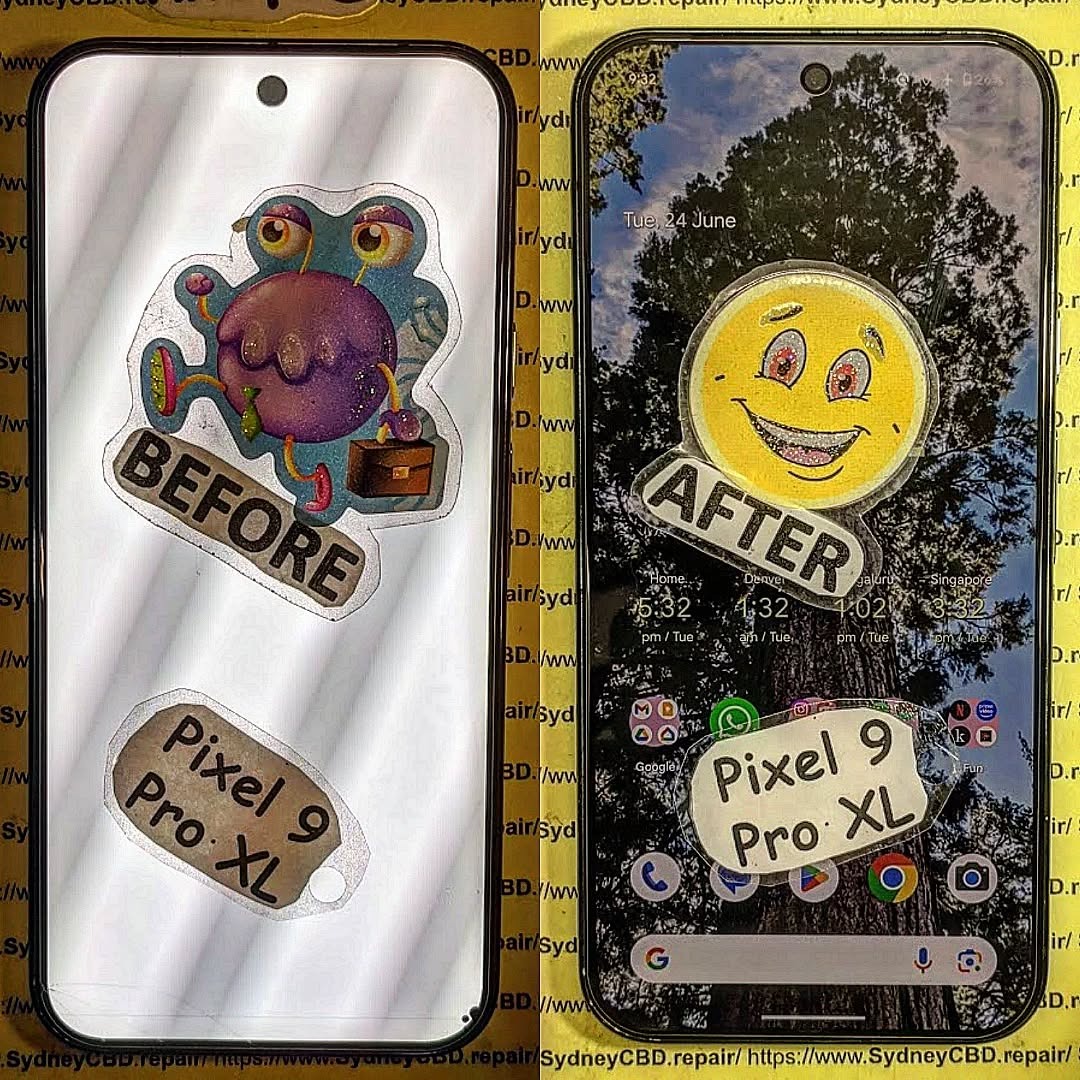
The Impossible Fix? The Rescue of a Crushed Google Pixel 9 Pro XL Hinge – Ultimate Repair Guide 2026
Introduction to Google Pixel 9 Pro XL Hinge Damage
The Google Pixel 9 Pro XL hinge repair process might sound like something straight out of a technician’s nightmare. After all, foldable devices are marvels of engineering—but when they fail, they fail hard. A crushed hinge isn’t just cosmetic damage; it affects the entire usability of the device.
Nowadays, foldable smartphones are becoming more common, and so are hinge-related issues. While manufacturers have improved durability, real-world conditions—drops, pressure, debris—still push these devices beyond their limits.
So, what happens when your Pixel 9 Pro XL hinge gets crushed? Is it truly impossible to fix? Surprisingly, the answer isn’t always “no.” With the right tools, patience, and expertise, many seemingly “dead” hinges can be revived.
Foldable hinges are complex. They rely on multiple moving parts working in harmony. Over time, friction, dust, and stress can wear down these components.
Some common reasons include:
Repeated folding cycles
Dust and debris infiltration
Structural fatigue
Accidental drops
Even though manufacturers design hinges to withstand thousands of folds, real-life usage is rarely ideal.
Common Causes of Crushing
A crushed hinge typically occurs due to:
Sitting on the device accidentally
Heavy objects placed on it
Drops onto hard surfaces
Improper storage in tight spaces
Once crushed, the hinge may misalign, jam, or completely fail.
The hinge mechanism in foldable devices is an intricate assembly of:
Micro gears
Flexible plates
Springs
Lubrication layers
These parts allow smooth folding while maintaining screen integrity. The Google Pixel 9 Pro XL hinge repair becomes tricky because even slight misalignment can disrupt the entire system.
Components Inside the Mechanism
Inside the hinge, you’ll typically find:
Component
Function
Metal Spine
Structural support
Gear Tracks
Controlled movement
Flex Cables
Signal transmission
Protective Brushes
Dust prevention
Each component plays a crucial role. Damage to one can affect all.
Initial Damage Assessment
Before attempting any Google Pixel 9 Pro XL hinge repair, assessment is key.
Visual Inspection Checklist
Look for:
Visible dents or warping
Gaps when folded
Uneven alignment
Screen lifting near hinge
These signs indicate structural issues.
Functional Testing
Test the device:
Does it open fully?
Is there resistance?
Does the screen flicker?
If yes, the hinge likely needs repair.
Tools Required for Hinge Repair
Professional vs DIY Tools
Here’s what you’ll need:
Essential Tools
Precision screwdrivers
Heat gun
Plastic pry tools
Tweezers
Advanced Tools
Microscope (for precision work)
Ultrasonic cleaner
Replacement hinge assembly
While DIY repairs are possible, professional-grade tools significantly increase success rates.
Step-by-Step Repair Process
Disassembly Procedures
First, power off the device. Then:
Heat the back panel to soften adhesive
Carefully pry open the casing
Disconnect battery and flex cables
Remove internal shielding
Take your time—rushing can cause more damage.
Hinge Reconstruction
This is the most delicate part of Google Pixel 9 Pro XL hinge repair.
Steps include:
Removing the damaged hinge
Cleaning debris and dust
Realigning internal components
Replacing bent parts
In severe cases, replacing the entire hinge assembly is necessary.
Reassembly
Once repaired:
Reconnect all components
Test before sealing
Apply fresh adhesive
Close device securely
Always double-check functionality before final sealing.
Challenges and Risks
Repairing a crushed hinge isn’t easy.
Irreversible Damage Signs
Some damage can’t be fixed:
Cracked internal frame
Severely bent hinge spine
Torn flex cables
Screen damage
If you notice these, replacement may be the better option.
Preventive Measures
Proper Usage Tips
To avoid future issues:
Avoid overextending the hinge
Keep device clean
Use protective cases
Don’t place heavy objects on it
Simple habits can extend your phone’s life significantly.
Cost vs Replacement Analysis
Repair costs vary depending on damage severity.
Scenario
Estimated Cost
Recommendation
Minor Misalignment
Low
Repair
Moderate Damage
Medium
Repair
Severe Crushing
High
Replace
Sometimes, replacing the device is more cost-effective.
Expert Repair Tips
Work in a clean, dust-free environment
Use proper lighting
Document each step during disassembly
Don’t force components
Professional technicians often succeed where DIY attempts fail.
FAQs
1. Can a crushed hinge really be fixed?
Yes, but it depends on the severity. Minor to moderate damage is often repairable.
2. Is DIY repair safe?
It can be risky. Without proper tools and experience, you might worsen the damage.
3. How long does hinge repair take?
Typically 2–4 hours for experienced technicians.
4. Will the phone be as good as new?
Not always, but a well-done repair can restore most functionality.
5. How much does repair cost?
Costs vary widely but are usually cheaper than full replacement.
6. What’s the biggest risk during repair?
Damaging the flexible display or internal cables.
Conclusion
The idea of fixing a crushed foldable hinge might seem impossible at first glance. However, as we’ve explored, Google Pixel 9 Pro XL hinge repair is achievable under the right conditions. With careful assessment, proper tools, and a methodical approach, even heavily damaged hinges can sometimes be restored.
That said, not every case is salvageable. Knowing when to repair and when to replace is just as important as the repair itself. If you’re unsure, consulting a professional is always a smart move.
For those willing to take on the challenge, patience and precision are your best allies. And who knows? What once seemed impossible might just turn into a satisfying success story.
David from Sydney CBD Repair Centre – The Best place to fix mobile phones as 7 Years In A Row! Top Mobile Phone Repair In Sydney. More than 2000 Positive Reviews on Google and Same Day Repairs.
We take pride in delivering exceptional repair services for all major phone brands including Apple, Samsung, Google, and more. Our expert technicians use only genuine parts and offer 90days warranty on repairs. Located in the heart of Sydney CBD, we’re your one-stop solution for all mobile device repairs.
Our commitment to excellence has earned us the trust of thousands of satisfied customers. Whether it’s a cracked screen, battery replacement, or water damage repair, we handle it all with professional care and expertise. Walk in today and experience why we’re Sydney’s #1 choice for mobile phone repairs.
Visit us for:
✓ Same Day Express Repairs
✓ Genuine Parts Guarantee
✓ Professional Technicians
✓ Competitive Pricing
✓ 2000+ 5-Star Google Reviews
✓ 7-Time Award Winner for Best Phone Repairs
The Future of Foldables: Repairing The New Next Generation of Foldable Phone Screens – Ultimate Breakdown + 7 Key Insights
Introduction
Foldable smartphones are no longer prototypes or futuristic concepts—they’re rapidly becoming mainstream devices reshaping how we use mobile technology. As brands like Samsung, Google, Huawei, and Motorola push boundaries with sleeker hinges, tougher screens, and more immersive displays, users are beginning to ask the next big question: How do we repair these next-gen flexible phone screens when something goes wrong? The Future of Foldables: Repairing Next-Gen Flexible Phone Screens isn’t just a trending topic—it’s an essential discussion for anyone who owns, repairs, or plans to invest in a foldable device.
In recent years, foldable technology has evolved from fragile plastic displays to robust ultra-thin glass (UTG), offering improved durability and a smoother touch experience. But despite these innovations, the unique materials and mechanical structures in foldables mean repairs aren’t as straightforward as fixing traditional smartphone screens. Their complex layering, adhesive bonding, and hinge-display interaction require specialized techniques, advanced tools, and expert handling.
This introduction sets the stage for a deep dive into the world of flexible phone screen technology—how it works, why it fails, and what the future of repairability looks like. As foldables continue to gain popularity, understanding these concepts becomes increasingly important for consumers, technicians, and tech enthusiasts alike. The goal? To empower you with clear, practical, and forward-thinking insights into maintaining and repairing the mobile devices of tomorrow.
Foldable smartphones are becoming the new normal in mobile innovation, and as more users invest in futuristic devices with bending screens, repairability becomes a major concern. The Future of Foldables: Repairing Next-Gen Flexible Phone Screens is a topic that every smartphone user—especially early adopters—needs to understand. These devices look sleek and work beautifully, but fixing them isn’t as straightforward as repairing traditional flat screens.
In this guide, you’ll discover how foldable screens work, why they break, what it takes to repair them, and how future technology will make repairs easier, cheaper, and more accessible.
Foldable phones rely on advanced display engineering that allows screens to bend thousands of times without losing clarity or touch sensitivity. These displays combine flexibility with durability, though the balance is still evolving.
Types of Flexible Screens
There are two main types of foldable screens today:
1. AMOLED Foldable Displays
These screens use flexible AMOLED layers that maintain brightness and color accuracy even when bent.
2. Ultra-Thin Glass (UTG) Displays
UTG offers improved scratch resistance and reduced creasing compared to plastic OLED.
Materials Used in Modern Foldables
Next-gen displays use a combination of:
Ultra-thin glass
Flexible OLED panels
Polyimide layers
Multi-layer laminated protective coatings
These materials work together to deliver durability, but they also complicate the repair process.
Although foldable screens have improved dramatically, they still face recurring issues.
Creasing and Wrinkles
Even premium devices show slight crease marks after extended use. This happens due to consistent folding pressure on the middle hinge area.
OLED Pixel Damage
Damaged pixels or dark spots may appear after drops or pressure. Because the OLED layer is thin and flexible, it’s more vulnerable than rigid displays.
Why Flexible Screens Break Differently
Foldable screens use elastic materials not found in traditional displays.
Stress Points and Repeated Folding
Every fold creates mechanical stress. Over time, this can:
Loosen layers
Cause micro-fractures
Reduce touchscreen responsiveness
Thermal Impact on Flexible OLED Layers
Heat expands the layers unevenly, increasing the chance of delamination or screen bubbling.
Repair Challenges for Foldable Screens
Repairing foldable devices is not the same as fixing normal phones. There are several unique challenges.
High Cost of Replacement Panels
Foldable panels are more expensive because:
They require specialized manufacturing
There’s limited supply
Repairs must be done with advanced equipment
Adhesive and Lamination Complexity
Foldable screens use multiple bonding layers that need precise alignment during replacement—a process nearly impossible without professional tools.
Advancements Making Repairs Cheaper and Faster
The future looks promising thanks to ongoing technological improvements.
Modular Display Layers
Manufacturers are now designing foldable displays with independent layers, making repairs less invasive.
Improved Ultra-Thin Glass (UTG) Technology
Modern UTG is:
Tougher
More flexible
Less prone to cracking
This decreases repair frequency and cost.
DIY vs Professional Repairs
Why DIY Repairs Often Fail
Trying to repair a foldable screen at home can lead to:
Touchscreen failure
Creasing
Broken hinges
Total display damage
Benefits of Choosing Certified Technicians
Professionals offer:
Proper tools
Accurate lamination
Genuine replacement parts
Device-safe diagnostics
Future Trends in Foldable Screen Repair
Self-Healing Materials
Self-repairing polymers may soon fix small scratches or creases automatically—reducing service needs.
Magnetic or Snap-On Display Modules
Future foldables may allow easier panel swaps without full disassembly.
FAQs
1. Are foldable screens easier to break than regular screens?
Yes, because they contain flexible OLED layers that are thinner and more delicate.
2. Can a crease in a foldable screen be removed?
Not completely, although UTG improvements reduce visibility.
3. How much does a typical foldable screen repair cost?
It depends on the model, but repairs often range from $400 to $900.
4. How long do foldable displays last?
Most are tested for 200,000 folds—equivalent to 5+ years of normal use.
5. Can water damage ruin a foldable display?
Absolutely. Water can seep into layers and cause irreversible pixel failure.
6. What’s the best way to protect a foldable screen?
Use manufacturer-approved screen protectors and avoid applying pressure near the hinge.
Conclusion
Foldable technology continues to evolve, and so does the repair industry supporting it. While early foldables faced major durability issues, new models are stronger, more flexible, and more repair-friendly. As materials improve and modular designs become mainstream, repairs will get cheaper and faster—making foldable phones accessible to more users worldwide.
If you rely on your foldable phone daily, choosing skilled repair professionals ensures long-term performance, device safety, and cost savings.
David from Sydney CBD Repair Centre – The Best place to fix mobile phones as 7 Years In A Row! Top Mobile Phone Repair In Sydney. More than 2000 Positive Reviews on Google and Same Day Repairs.
We take pride in delivering exceptional repair services for all major phone brands including Apple, Samsung, Google, and more. Our expert technicians use only genuine parts and offer 90 days warranty on repairs. Located in the heart of Sydney CBD, we’re your one-stop solution for all mobile device repairs.
Visit us for:
✓ Same Day Express Repairs
✓ Genuine Parts Guarantee
✓ Professional Technicians
✓ Competitive Pricing
✓ 2000+ 5-Star Google Reviews
✓ 7-Time Award Winner for Best Phone Repairs
The Hidden Cost Of Cheap Phone Repairs: Aftermarket Versus Genuine Screen Comparison 2026 – Shocking Truth
Introduction to Aftermarket Versus Genuine Screen Comparison
When it comes to smartphone repairs, many people are tempted by low prices. At first glance, saving money seems like a smart move. However, the aftermarket versus genuine screen comparison tells a very different story. Cheap repairs often come with hidden costs that only show up later—sometimes sooner than expected.
In 2026, smartphone technology has become more advanced than ever. Screens are not just displays anymore; they are integrated systems that affect performance, battery life, and even security. Because of this, choosing between aftermarket and genuine parts is no longer a simple decision.
Let’s break it down clearly. A genuine screen is made by the original manufacturer. It meets strict standards for quality and performance. On the other hand, aftermarket screens are produced by third-party companies. While some are decent, many fall short in critical areas.
So why do people still choose cheaper options? The answer is simple: upfront cost. Aftermarket repairs can be significantly cheaper. But here’s the catch—those savings can disappear quickly due to poor performance, shorter lifespan, and additional repairs.
Moreover, many users don’t realize how much a low-quality screen can impact their daily experience. From dull colors to laggy touch response, the difference is noticeable. Over time, frustration builds, and users end up paying more to fix the same issue again.
This article dives deep into the aftermarket versus genuine screen comparison to uncover the real cost behind cheap repairs. By the end, you’ll have a clear understanding of what you’re actually paying for—and what you might lose.
An aftermarket screen is a replacement part made by a third-party manufacturer. These screens are not produced or certified by the original phone brand. Instead, they are designed to mimic the look and function of the original display.
At first glance, aftermarket screens can look nearly identical. They fit into the device and function at a basic level. However, the similarities often stop there.
Types of Aftermarket Screens
Not all aftermarket screens are the same. In fact, they vary widely in quality:
Low-grade LCD replacements – Cheapest option, often poor brightness and color
High-copy screens – Designed to closely match original specs
Refurbished panels – Original screens repaired with replacement glass
OLED copies – Attempt to replicate premium displays but often fall short
Each type comes with its own trade-offs. For example, low-grade screens may flicker or drain battery faster. High-copy screens might look better but still lack long-term durability.
The biggest issue? There’s no universal standard. One supplier’s “premium” screen could be another’s “budget” option. That inconsistency makes it hard for consumers to know what they’re getting.
Additionally, aftermarket screens often skip important quality checks. This means defects are more common, and performance can vary from one unit to another.
While some repair shops offer higher-quality aftermarket parts, many choose cheaper options to maximize profit. This creates a risk for customers who assume all replacements are equal.
A genuine screen is manufactured by the original device maker or an authorized supplier. These screens are identical to the ones installed in brand-new devices.
They meet strict quality standards and are designed to work seamlessly with the phone’s hardware and software.
Manufacturer Standards Explained
Genuine screens go through rigorous testing before reaching the market. These tests ensure:
Accurate color reproduction
Smooth touch response
High durability
Full compatibility with device features
Unlike aftermarket parts, genuine screens are built with precise materials and advanced technology. This ensures consistent performance across all devices.
Another important factor is calibration. Genuine screens are tuned specifically for each model. This means better brightness levels, correct color tones, and optimal energy efficiency.
Furthermore, genuine parts maintain the integrity of the device. Features like face recognition, fingerprint sensors, and adaptive brightness work as intended.
In contrast, aftermarket screens may interfere with these features. Some users report issues like face ID failure or reduced touch accuracy after installing non-genuine parts.
Ultimately, genuine screens provide peace of mind. They deliver the same experience as a new phone—something aftermarket parts often struggle to achieve.
Key Differences Between Aftermarket and Genuine Screens
Understanding the aftermarket versus genuine screen comparison becomes easier when we look at specific performance areas.
Display Quality
Genuine screens offer vibrant colors, deep blacks, and sharp resolution. Aftermarket screens, especially cheaper ones, often appear washed out or overly bright.
Touch Sensitivity
Touch responsiveness is crucial. Genuine screens provide smooth, accurate input. Aftermarket options may lag or miss touches entirely.
Durability
Original screens are built to last. They use stronger materials and better bonding techniques. Aftermarket screens are more prone to cracks and failures.
These differences may seem small at first. However, they become more noticeable over time. What starts as a minor inconvenience can turn into a major frustration.
Cost Breakdown: Cheap vs Genuine Repairs
Price is often the deciding factor. But it’s important to look beyond the initial cost.
Short-Term Savings
Aftermarket repairs are cheaper upfront. This makes them appealing, especially for older devices.
Long-Term Expenses
Here’s where things change. Cheaper screens often fail sooner. This leads to:
Repeat repairs
Additional labor costs
Potential damage to other components
In many cases, users end up spending more than they would have on a genuine repair.
Performance Impact on Devices
Screens are deeply connected to device performance.
Battery Consumption
Aftermarket screens can drain battery faster due to inefficient components.
Software Compatibility
Modern phones use advanced software calibration. Non-genuine screens may cause glitches or errors.
This can affect everything from brightness control to app performance.
Risks of Using Aftermarket Screens
Choosing a cheaper repair comes with risks.
Warranty Issues
Using non-genuine parts can void manufacturer warranties.
Safety Concerns
Poor-quality screens may overheat or fail unexpectedly. In rare cases, they can even pose safety hazards.
Benefits of Genuine Screen Repairs
Investing in genuine parts offers clear advantages.
Longevity
Genuine screens last longer and perform better over time.
Resale Value
Phones with original parts retain higher resale value.
Buyers are more likely to trust a device with genuine components.
Real-World Case Studies
Many repair professionals report similar trends. Customers who choose cheap repairs often return within months.
In contrast, those who opt for genuine parts rarely experience repeat issues.
This pattern highlights the true cost of cutting corners.
When Aftermarket Screens Might Be Acceptable
There are situations where aftermarket screens make sense:
Older devices with low resale value
Temporary fixes
Budget constraints
However, even in these cases, quality should not be ignored.
How to Identify Screen Quality Before Repair
Before agreeing to a repair, ask questions:
Is the screen genuine or aftermarket?
What warranty is included?
Can you see the part before installation?
A reputable shop will be transparent about their parts.
Expert Recommendations
Experts generally agree: if you want reliability, choose genuine parts.
While aftermarket options may save money initially, they often lead to higher costs and frustration.
Think of it as an investment in your device’s performance and longevity.
❓ FAQs
1. Are aftermarket screens always bad?
Not always, but quality varies widely. Some are decent, while others are poor.
2. Why are genuine screens more expensive?
They use higher-quality materials and undergo strict testing.
3. Can aftermarket screens damage my phone?
In some cases, yes. Poor compatibility can affect other components.
4. Do genuine screens improve battery life?
They can help maintain optimal battery performance.
5. Is it worth replacing a screen with a genuine part?
For newer devices, absolutely.
6. How can I ensure I’m getting a genuine screen?
Choose reputable repair centers and ask for part verification.
Conclusion
The aftermarket versus genuine screen comparison reveals a simple truth: cheaper is not always better. While aftermarket screens offer short-term savings, they often come with hidden costs that outweigh the initial price difference.
From reduced performance to shorter lifespan, the drawbacks can quickly add up. Genuine screens, on the other hand, provide reliability, quality, and peace of mind.
In 2026, where smartphones play a crucial role in daily life, cutting corners on repairs is rarely worth it. Investing in genuine parts ensures your device performs at its best—now and in the future.
David from Sydney CBD Repair Centre – The Best place to fix mobile phones as 7 Years In A Row! Top Mobile Phone Repair In Sydney. More than 2000 Positive Reviews on Google and Same Day Repairs.
We take pride in delivering exceptional repair services for all major phone brands including Apple, Samsung, Google, and more. Our expert technicians use only genuine parts and offer 90days warranty on repairs. Located in the heart of Sydney CBD, we’re your one-stop solution for all mobile device repairs.
Our commitment to excellence has earned us the trust of thousands of satisfied customers. Whether it’s a cracked screen, battery replacement, or water damage repair, we handle it all with professional care and expertise. Walk in today and experience why we’re Sydney’s #1 choice for mobile phone repairs.
Visit us for:
✓ Same Day Express Repairs
✓ Genuine Parts Guarantee
✓ Professional Technicians
✓ Competitive Pricing
✓ 2000+ 5-Star Google Reviews
✓ 7-Time Award Winner for Best Phone Repairs
iPhone water damage vs. Android water damage: Who truly survives the splash?Ultimate Truth + 7 Real-World Tests
Introduction
Water and smartphones don’t mix—or so we’re told. Yet every year, manufacturers promise better protection, higher IP ratings, and stronger seals. That’s where the debate around iPhone vs. Android water damage really heats up. When your phone takes an unexpected dip in the sink, gets caught in the rain, or slips into the pool, which device truly survives the splash?
At first glance, iPhones and Android phones seem equally prepared. Both advertise water resistance, sleek designs, and cutting-edge engineering. However, real-world use tells a different story. Water damage doesn’t always show up right away, and what works in a lab doesn’t always hold up in daily life. Over time, moisture can quietly corrode internal components, leading to sudden failures and costly repairs.
In this in-depth guide, we break down the truth behind water resistance claims, compare how iPhones and Android devices handle liquid exposure, and share real repair-world insights from experienced technicians. Whether you’re choosing your next phone or trying to protect the one you already own, this article will help you understand which device really stands a chance when water strikes—and what you should do when accidents happen.
Water damage is one of the most common—and misunderstood—issues we see daily at professional repair centres. Despite bold marketing claims, water damage doesn’t play favourites. Whether you’re holding an iPhone or an Android, liquid exposure can quietly cause corrosion, short circuits, and long-term failures.
That said, not all phones are created equal. The debate around iPhone vs. Android water damage isn’t just about brand loyalty—it’s about engineering, materials, and real-world survival.
Water damage happens when moisture enters areas it shouldn’t. Once inside, it reacts with electricity, causing oxidation and component breakdown. Even a phone that “works fine” after a splash may fail weeks later. This delayed damage is what catches most users off guard.
Here’s the kicker: water-resistant is not waterproof. No modern smartphone is truly waterproof. Manufacturers design devices to resist limited exposure under controlled conditions, not real-life chaos like pools, oceans, or bathroom steam.
Water resistance also degrades over time. Heat, drops, and repairs weaken seals. So that phone you bought two years ago? It’s not as resistant as it once was.
IP Ratings Explained Simply
Most flagship phones carry an IP67 or IP68 rating:
IP67: Survives up to 1 meter of fresh water for 30 minutes
IP68: Survives deeper water (usually 1.5–6 meters) for 30 minutes
Sounds impressive, right? But these tests are done in fresh, still water, not salt water, soapy water, or moving currents. Manufacturers also exclude water damage from warranty coverage—telling, isn’t it?
How iPhones Handle Water Exposure
Apple has steadily improved water resistance since the iPhone 7. Modern models like the iPhone 14 and 15 series boast IP68 ratings, and in lab conditions, they do perform well.
Apple’s Water Resistance Strategy
Apple relies heavily on:
Precision seals
Adhesive gaskets
Tight manufacturing tolerances
This approach works… initially. iPhones are well-sealed out of the box, and brief splashes are often survivable. However, Apple prioritizes sleek design, which leaves little room for drainage if water does get inside.
Also, Apple’s Liquid Contact Indicators (LCIs) are extremely sensitive. Once triggered, warranty support is usually off the table—even if the phone still works.
Common iPhone Water Damage Failures
From real repair data, the most common post-water issues on iPhones include:
Face ID failure
No service or weak signal
Battery swelling
Corrosion on the logic board
Lightning ports are especially vulnerable. Even minor moisture can cause charging issues within days.
How Android Phones Handle Water Exposure
Android isn’t one thing—it’s an ecosystem. Samsung, Google, and other manufacturers take slightly different approaches, and this diversity matters in water damage scenarios.
Samsung, Google, and Others Compared
Samsung Galaxy S/Ultra series: Excellent sealing, often more forgiving than iPhones
Google Pixel: Strong resistance, but prone to speaker and microphone damage
Mid-range Android phones: Often lack proper sealing despite marketing claims
Samsung devices, in particular, tend to survive splashes better in real-world conditions. USB-C ports also dry faster than Lightning ports, reducing corrosion risk.
Android-Specific Water Damage Risks
That said, Android phones aren’t immune. Common issues include:
Green or pink screen lines
Camera fogging
Speaker distortion
Power button failure
Foldables deserve a special mention—they’re far more vulnerable due to moving parts and thinner seals.
iPhone vs. Android Water Damage: Real-World Testing
Lab tests are one thing. Real life is another. In day-to-day repair scenarios, we see patterns that marketing never mentions.
Fresh Water vs. Salt Water
Fresh water exposure is usually survivable if handled quickly. Salt water, on the other hand, is brutal. It accelerates corrosion and leaves conductive residue.
In this area, Android phones—especially Samsung—tend to recover better, largely due to board design and easier cleaning access.
Steam, Rain, and Humidity
Steam is a silent killer. Bathrooms, saunas, and kitchens cause gradual moisture buildup. Over time, this leads to:
Oxidized connectors
Intermittent failures
Random shutdowns
Both iPhones and Androids suffer here, but iPhones show issues sooner due to tighter internal layouts.
Repairability After Water Damage
Here’s where the conversation gets real—what happens after the splash.
Cost and Complexity of Repairs
In general:
iPhone water damage repairs are more expensive
Parts are costlier
Logic board repairs are complex
Android phones, particularly Samsung models, are often more modular. This reduces labour time and cost.
At professional centres like Sydney CBD Repair Centre, same-day water damage diagnostics are possible for both platforms—but Android repairs often have higher success rates.
Data Recovery Chances
Data recovery depends on how quickly the phone is powered off and treated. iPhones encrypt data heavily, which is great for security—but bad for recovery if the board fails.
Android devices sometimes allow easier data extraction, especially if storage chips remain intact.
Prevention Tips That Actually Work
Forget rice—it doesn’t work. Instead:
Power off immediately
Do not charge
Keep the phone upright
Get professional cleaning within 24 hours
A waterproof pouch is a small investment that saves big money. Also, avoid exposing phones to steam—it’s sneakier than spills.
Frequently Asked Questions (FAQs)
1. Are iPhones more water-resistant than Android phones?
Not necessarily. Some Android flagships match or exceed iPhone performance in real-world water exposure.
2. Can a phone survive water damage if it still turns on?
Yes, but hidden corrosion can cause failure days or weeks later.
3. Does IP68 mean I can swim with my phone?
No. Swimming, especially in salt water, is not covered and highly risky.
4. Which phone is cheaper to repair after water damage?
Generally, Android phones—especially Samsung—are cheaper and easier to repair.
5. Is water damage covered under warranty?
Almost never. Both Apple and Android manufacturers exclude liquid damage.
6. What should I do immediately after dropping my phone in water?
Turn it off, don’t charge it, and take it to a professional repair centre immediately.
Conclusion: Which Phone Truly Survives the Splash?
So, iPhone vs. Android water damage—who wins?
In controlled conditions, both perform well. In the real world, Android phones—particularly Samsung models—often survive better and cost less to repair. iPhones, while premium and polished, are less forgiving once water gets inside.
The real winner, though, is prevention and fast action. No phone likes water, no matter the logo on the back.
David from Sydney CBD Repair Centre – The Best Place to Fix Mobile Phones 7 Years In A Row!
Top Mobile Phone Repair in Sydney with more than 2000 positive Google reviews and same-day repairs.
We take pride in delivering exceptional repair services for all major phone brands including Apple, Samsung, Google, and more. Our expert technicians use only genuine parts and offer a 90-day warranty on repairs. Located in the heart of Sydney CBD, we’re your one-stop solution for all mobile device repairs.
Our commitment to excellence has earned us the trust of thousands of satisfied customers. Whether it’s a cracked screen, battery replacement, or water damage repair, we handle it all with professional care and expertise. Walk in today and experience why we’re Sydney’s #1 choice for mobile phone repairs.
Visit us for:
✓ Same Day Express Repairs
✓ Genuine Parts Guarantee
✓ Professional Technicians
✓ Competitive Pricing
✓ 2000+ 5-Star Google Reviews
✓ 7-Time Award Winner for Best Phone Repairs
Google Pixel 10 Pro Hidden Internal Design Changes During Full Screen Replacement: 11 Powerful Discoveries Every Repair Enthusiast Should Know
Introduction
The Google Pixel 10 Pro hidden internal design changes during full screen replacement have become one of the most discussed topics among repair technicians and smartphone enthusiasts. While many users only see the stunning display and sleek exterior, a screen replacement reveals a surprising amount of engineering innovation hidden beneath the surface.
Modern smartphones continue to evolve in ways that aren’t immediately visible. Manufacturers increasingly focus on structural strength, thermal performance, repair efficiency, and component protection. The Google Pixel 10 Pro appears to follow this trend with several notable refinements that become visible only when technicians perform a complete display removal.
As smartphone repair professionals know, every new generation introduces subtle yet meaningful internal modifications. These changes may affect repair difficulty, device reliability, and long-term performance. During a full screen replacement, technicians gain a unique opportunity to inspect the internal architecture and understand how Google’s engineering team has optimized the device.
In this detailed guide, we’ll explore the Google Pixel 10 Pro hidden internal design changes during full screen replacement, explain why they matter, and discuss how they impact both repair specialists and everyday users.
A screen replacement is much more than simply removing a broken display and installing a new one.
When technicians perform a complete display replacement, they gain access to:
Display connectors
Midframe structures
Thermal pads
Adhesive systems
Antenna routing
Camera protection brackets
Internal shielding components
Battery placement architecture
These elements reveal how manufacturers improve device durability and performance between generations.
Interestingly, many of the most significant upgrades aren’t advertised during product launches. Instead, they’re discovered during professional teardowns and repair procedures.
The display assembly remains one of the most expensive and technically advanced components inside the smartphone.
OLED Panel Advancements
The Google Pixel 10 Pro continues Google’s commitment to premium OLED technology.
Key display benefits include:
Feature
Benefit
High brightness
Better outdoor visibility
Enhanced color accuracy
Improved image quality
Faster refresh rates
Smoother user experience
Improved durability
Reduced risk of display degradation
The display assembly appears more integrated than previous generations, helping improve structural stability while maintaining premium visual performance.
Frame Reinforcement Improvements
One of the first observations during a screen replacement is the strengthened frame design.
Engineers appear to have reinforced several stress points around:
Display edges
Corner impact zones
Connector mounting locations
Internal support brackets
These improvements help distribute impact forces more evenly across the chassis.
Hidden Internal Design Changes Found During Repair
The most fascinating discoveries emerge after removing the display assembly.
Redesigned Display Connector Layout
One significant update involves the display connector system.
Previous Pixel generations often required careful navigation around tightly packed flex cables. The Pixel 10 Pro appears to feature:
Better cable routing
Improved connector accessibility
Reduced stress points
Enhanced shielding protection
Benefits include:
Lower risk of accidental cable damage
Faster repair procedures
Improved long-term reliability
Better resistance to connector fatigue
This seemingly minor redesign can dramatically improve serviceability.
Enhanced Thermal Management System
Thermal management remains critical in flagship smartphones.
During a full screen replacement, technicians may observe:
Larger graphite sheets
Expanded heat-spreading surfaces
Improved thermal transfer materials
Revised cooling pathways
These hidden modifications help manage heat generated by:
AI processing
Gaming workloads
Camera operations
Multitasking activities
Effective cooling contributes directly to sustained performance and battery health.
Stronger Midframe Architecture
The midframe serves as the structural backbone of the smartphone.
The Pixel 10 Pro appears to incorporate:
Additional reinforcement points
Improved alloy construction
Better load distribution
Enhanced rigidity
Advantages include:
Reduced flexing
Better drop resistance
Improved display protection
Greater structural integrity
These upgrades may not be visible externally, but they significantly influence durability.
Modified Adhesive Placement
Adhesive design has become increasingly sophisticated.
Rather than simply securing the display, modern adhesive systems contribute to:
Water resistance
Shock absorption
Structural stability
The Google Pixel 10 Pro hidden internal design changes during full screen replacement suggest more strategic adhesive placement around critical areas.
This provides stronger sealing while maintaining repair accessibility for trained technicians.
How These Changes Affect Screen Replacement Procedures
The Google Pixel 10 Pro hidden internal design changes during full screen replacement directly impact repair workflows.
Repair Complexity
Although internal improvements enhance device performance, they can also influence repair complexity.
Technicians must account for:
Precision adhesive removal
Delicate cable handling
Waterproof seal restoration
Thermal component alignment
Professional training becomes increasingly important as smartphone engineering advances.
Required Tools
Modern Pixel repairs typically require:
Tool
Purpose
Heat mat
Adhesive softening
Plastic picks
Safe display separation
Suction tools
Controlled lifting
Precision screwdrivers
Internal access
Adhesive templates
Waterproof sealing
ESD protection
Component safety
Using proper equipment helps ensure a successful repair without causing secondary damage.
Battery and Power System Improvements
Beyond the display assembly, the battery architecture reveals additional refinements.
Several noteworthy observations include:
Improved Battery Protection
The battery appears better isolated from surrounding components.
Benefits include:
Enhanced safety
Reduced puncture risk
Better heat management
Improved repair access
Optimized Internal Space Utilization
Modern smartphones must balance numerous competing priorities.
Google’s engineers appear to have optimized internal layouts for:
Larger batteries
Better cooling
Improved antenna performance
Stronger structural support
Efficient space utilization remains one of the hallmarks of premium smartphone design.
Better Power Distribution
Internal power pathways appear more organized and protected.
This may contribute to:
Improved charging efficiency
Reduced electrical interference
Greater component longevity
Such refinements help maintain performance throughout the device’s lifespan.
Camera Module Protection Enhancements
Flagship camera systems continue growing in complexity and cost.
As a result, manufacturers increasingly prioritize camera protection.
The Pixel 10 Pro appears to feature:
Reinforced Camera Brackets
These brackets help:
Stabilize camera modules
Reduce vibration
Improve drop resistance
Protect sensitive sensors
Additional Shielding Components
Protective shields may provide:
Electromagnetic interference reduction
Structural reinforcement
Thermal isolation
These hidden elements contribute significantly to imaging reliability.
Improved Component Isolation
Separating critical components helps prevent:
Heat transfer issues
Mechanical stress
Signal interference
This results in more consistent camera performance over time.
Water Resistance Considerations During Repairs
Water resistance remains a major concern during any screen replacement.
Modern smartphones rely on:
Precision adhesive seals
Gasket systems
Internal barriers
During a repair, technicians must carefully restore these protections.
Important considerations include:
Removing old adhesive completely
Cleaning frame surfaces thoroughly
Installing manufacturer-grade sealing materials
Applying consistent pressure during reassembly
Failure to restore waterproofing correctly can compromise device protection.
Understanding the evolution of Google’s design philosophy requires comparing generations.
Pixel 9 Pro vs Pixel 10 Pro
Several trends become apparent:
Area
Pixel 9 Pro
Pixel 10 Pro
Frame rigidity
Strong
Improved
Thermal management
Advanced
Enhanced
Connector layout
Efficient
More accessible
Component protection
Good
Better
Repair workflow
Complex
Refined
These refinements demonstrate Google’s ongoing focus on engineering optimization.
Repairability Differences
Repair technicians often evaluate devices based on:
Component accessibility
Cable routing
Adhesive complexity
Parts replacement efficiency
The Pixel 10 Pro appears designed with improved internal organization, potentially simplifying certain repair steps while maintaining premium construction standards.
Benefits for Everyday Users
Many users never see the internal architecture of their smartphones.
However, the Google Pixel 10 Pro hidden internal design changes during full screen replacement can deliver tangible benefits.
Better Durability
Structural improvements may help:
Reduce accidental damage
Improve drop survival rates
Minimize chassis flex
Enhanced Performance
Improved cooling contributes to:
Sustained gaming performance
Faster AI processing
Better multitasking
Longer Device Lifespan
Protective design enhancements can increase component longevity.
This translates into:
Fewer hardware failures
Better reliability
Improved resale value
More Reliable Repairs
When repairs become necessary, thoughtful internal layouts help technicians perform more accurate service procedures.
Professional Repair Recommendations
If your Pixel 10 Pro requires a screen replacement, consider the following recommendations:
Choose Experienced Technicians
Professional repair specialists understand:
OLED display handling
Waterproof sealing techniques
Thermal component positioning
Connector safety procedures
Use High-Quality Parts
Quality replacement components help preserve:
Display performance
Touch responsiveness
Brightness levels
Color accuracy
Verify Waterproof Sealing
Always ask whether:
New adhesive seals are installed
Water resistance procedures are followed
Device testing is performed
Request Warranty Coverage
A reputable repair provider should offer warranty protection for workmanship and replacement components.
Frequently Asked Questions
FAQ 1: What are the most important Google Pixel 10 Pro hidden internal design changes during full screen replacement?
The most notable changes include enhanced thermal management, stronger frame construction, improved connector layouts, and better component protection systems.
FAQ 2: Does the Pixel 10 Pro have a repair-friendly design?
Compared with earlier generations, the internal organization appears more refined and accessible, although repairs still require professional tools and expertise.
FAQ 3: Can a screen replacement affect water resistance?
Yes. Water resistance can be compromised if proper sealing procedures are not followed during the repair process.
FAQ 4: Why is thermal management important inside the Pixel 10 Pro?
Effective thermal management helps maintain performance during gaming, photography, AI tasks, and prolonged device usage.
FAQ 5: Are genuine display assemblies better than aftermarket screens?
Genuine or premium-quality replacement displays generally provide superior brightness, color accuracy, touch sensitivity, and durability.
FAQ 6: How long does a professional Pixel 10 Pro screen replacement usually take?
Most professional repair centers can complete the repair within a few hours, depending on parts availability and testing requirements.
FAQ 7: Does the stronger internal frame reduce screen breakage?
A reinforced frame can help distribute impact forces more effectively, potentially reducing damage during accidental drops.
FAQ 8: Should users attempt DIY screen replacement?
Unless you have specialized repair experience, professional service is strongly recommended due to the complexity of modern smartphone construction.
Conclusion
The Google Pixel 10 Pro hidden internal design changes during full screen replacement reveal a sophisticated approach to modern smartphone engineering. While these upgrades may remain invisible during everyday use, they significantly influence durability, performance, repairability, and long-term reliability.
From redesigned connector layouts and enhanced thermal management systems to stronger midframe construction and improved component protection, Google’s engineering refinements demonstrate a clear focus on creating a more resilient flagship device.
For consumers, these hidden improvements translate into better real-world performance and longevity. For repair professionals, they provide valuable insight into the continuing evolution of smartphone design. As devices become increasingly complex, understanding these internal changes becomes essential for delivering high-quality repairs and maintaining optimal device performance.
David from Sydney CBD Repair Centre – The Best place to fix mobile phones as 7 Years In A Row! Top Mobile Phone Repair In Sydney. More than 2000 Positive Reviews on Google and Same Day Repairs.
We take pride in delivering exceptional repair services for all major phone brands including Apple, Samsung, Google, and more. Our expert technicians use only genuine parts and offer 90days warranty on repairs. Located in the heart of Sydney CBD, we’re your one-stop solution for all mobile device repairs.
Our commitment to excellence has earned us the trust of thousands of satisfied customers. Whether it’s a cracked screen, battery replacement, or water damage repair, we handle it all with professional care and expertise. Walk in today and experience why we’re Sydney’s #1 choice for mobile phone repairs.
Visit us for:
✓ Same Day Express Repairs
✓ Genuine Parts Guarantee
✓ Professional Technicians
✓ Competitive Pricing
✓ 2000+ 5-Star Google Reviews
✓ 7-Time Award Winner for Best Phone Repairs
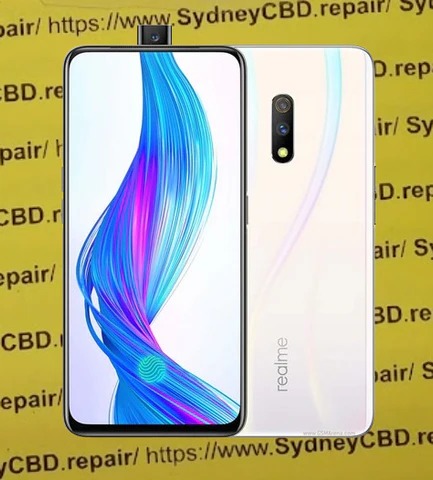
Realme’s Hidden Flaws: What Sydney CBD Repairs Discovers – 7 Shocking Truths
Introduction:
Realme has become a household name in the smartphone market, especially among budget-conscious consumers. At first glance, Realme devices look like unbeatable deals—powerful specs, stylish designs, and aggressive pricing. However, Realme’s hidden flaws often surface after months of everyday use. At Sydney CBD Repairs, technicians see these issues daily.
While Realme phones promise value, durability and long-term reliability can be a mixed bag. This article draws on real-world repair data, hands-on technician experience, and customer feedback to uncover what really happens after the honeymoon phase ends. And yes, we’ll keep things balanced—because no phone is all bad.
Realme’s strategy is simple: release multiple models quickly and dominate price-sensitive markets. This approach works, but it comes with trade-offs. When brands prioritize speed and specs, quality control can slip.
From an E-E-A-T perspective, Sydney CBD Repairs has repaired hundreds of Realme phones over the years. That hands-on experience reveals patterns most online reviews miss. Realme’s rapid product cycles often mean reused components, rushed firmware, and limited long-term testing.
Still, Realme deserves credit for innovation. But innovation without refinement can lead to avoidable failures.
One of the most frequent Realme hidden flaws involves screens. Despite Gorilla Glass claims, many models suffer from:
Unresponsive touch zones
Ghost touching
Cracks from minor drops
Technicians report that Realme screens often lack the shock absorption seen in Samsung or Apple devices. As a result, screen replacements are among the top Realme repairs in Sydney CBD.
Battery Degradation Problems
Realme phones tend to show noticeable battery wear within 12–18 months. Common signs include:
Rapid battery drain
Unexpected shutdowns
Overheating during charging
This isn’t unusual in budget phones, but Realme batteries degrade faster than average. According to repair logs, battery replacements are often needed sooner than customers expect.
Charging Port and Power IC Failures
Charging issues are another recurring theme. Loose ports, slow charging, and complete power failure often trace back to:
Weak solder joints
Dust-prone USB-C ports
Fragile power IC chips
These issues can escalate quickly if ignored, turning a small repair into a costly one.
Software vs Hardware: Where Realme Struggles
Update Delays and Compatibility Issues
Realme UI has improved, but update delays remain a concern. Security patches often arrive late, and some models stop receiving updates sooner than competitors.
This creates a gap between hardware capability and software optimization. Over time, phones feel slower—not because the hardware is weak, but because the software isn’t keeping up.
Firmware Bugs Affecting Performance
Sydney CBD Repairs frequently encounters Realme phones with:
Boot loops
App crashes
Random restarts
While factory resets help sometimes, persistent firmware bugs can mimic hardware failure. This blurs the line between repair and replacement.
Build Quality Analysis from Professional Technicians
Frame, Glass, and Internal Component Wear
From a technician’s viewpoint, Realme phones show:
Softer aluminum frames
Thinner internal shielding
Less robust connectors
These design choices reduce manufacturing costs but increase repair frequency. Over time, minor drops or pressure can cause internal components to loosen.
Still, not all Realme models are equal. Flagship-tier devices perform better, proving that Realme can build durable phones—when they choose to.
Cost of Ownership: Repairs, Parts, and Longevity
Realme phones are affordable upfront, but long-term costs add up. Replacement parts are cheaper than Apple’s, yet availability can be inconsistent. Some models require imported parts, increasing wait times.
Sydney CBD Repairs often advises customers to weigh repair costs against device age. Sometimes, spending a little more upfront saves money down the road.
How Realme Compares to Samsung and Apple
When compared to Samsung and Apple:
Brand
Durability
Software Support
Repair Frequency
Realme
Moderate
Short-term
High
Samsung
High
Long-term
Moderate
Apple
Very High
Long-term
Low
Realme wins on price but trails in longevity. According to industry benchmarks and manufacturer insights from sources like , premium brands invest more in long-term reliability.
Preventive Care Tips for Realme Users
To minimize Realme hidden flaws, users should:
Use high-quality cases and screen protectors
Avoid overnight charging
Keep software updated
Clean charging ports regularly
These small habits can extend device life significantly.
FAQs
1. Are Realme phones unreliable?
Not unreliable, but they require more care than premium brands.
2. What is the most common Realme repair?
Screen and battery replacements top the list.
3. Do Realme phones overheat easily?
Some models do, especially during fast charging.
4. Is Realme good for long-term use?
Moderate. Expect 2–3 years with proper care.
5. Are Realme parts easy to find in Australia?
Common parts are available, but rare models may take longer.
6. Should I repair or replace my Realme phone?
If repair costs exceed 40% of the phone’s value, replacement may be smarter.
Conclusion: Are Realme Phones Still Worth It?
Despite Realme’s hidden flaws, these devices still offer solid value for the right user. They’re ideal for those who upgrade frequently or prioritize specs over longevity. However, for users seeking long-term reliability, understanding these flaws is crucial.
Sydney CBD Repairs’ real-world experience shows that informed ownership makes all the difference. Choose wisely, care properly, and your Realme phone can still deliver great value.
David from Sydney CBD Repair Centre – The Best place to fix mobile phones as 7 Years In A Row! Top Mobile Phone Repair In Sydney. More than 2000 Positive Reviews on Google and Same Day Repairs.
We take pride in delivering exceptional repair services for all major phone brands including Apple, Samsung, Google, and more. Our expert technicians use only genuine parts and offer 90days warranty on repairs. Located in the heart of Sydney CBD, we’re your one-stop solution for all mobile device repairs.
Our commitment to excellence has earned us the trust of thousands of satisfied customers. Whether it’s a cracked screen, battery replacement, or water damage repair, we handle it all with professional care and expertise. Walk in today and experience why we’re Sydney’s #1 choice for mobile phone repairs.
Visit us for:
✓ Same Day Express Repairs
✓ Genuine Parts Guarantee
✓ Professional Technicians
✓ Competitive Pricing
✓ 2000+ 5-Star Google Reviews
✓ 7-Time Award Winner for Best Phone Repairs
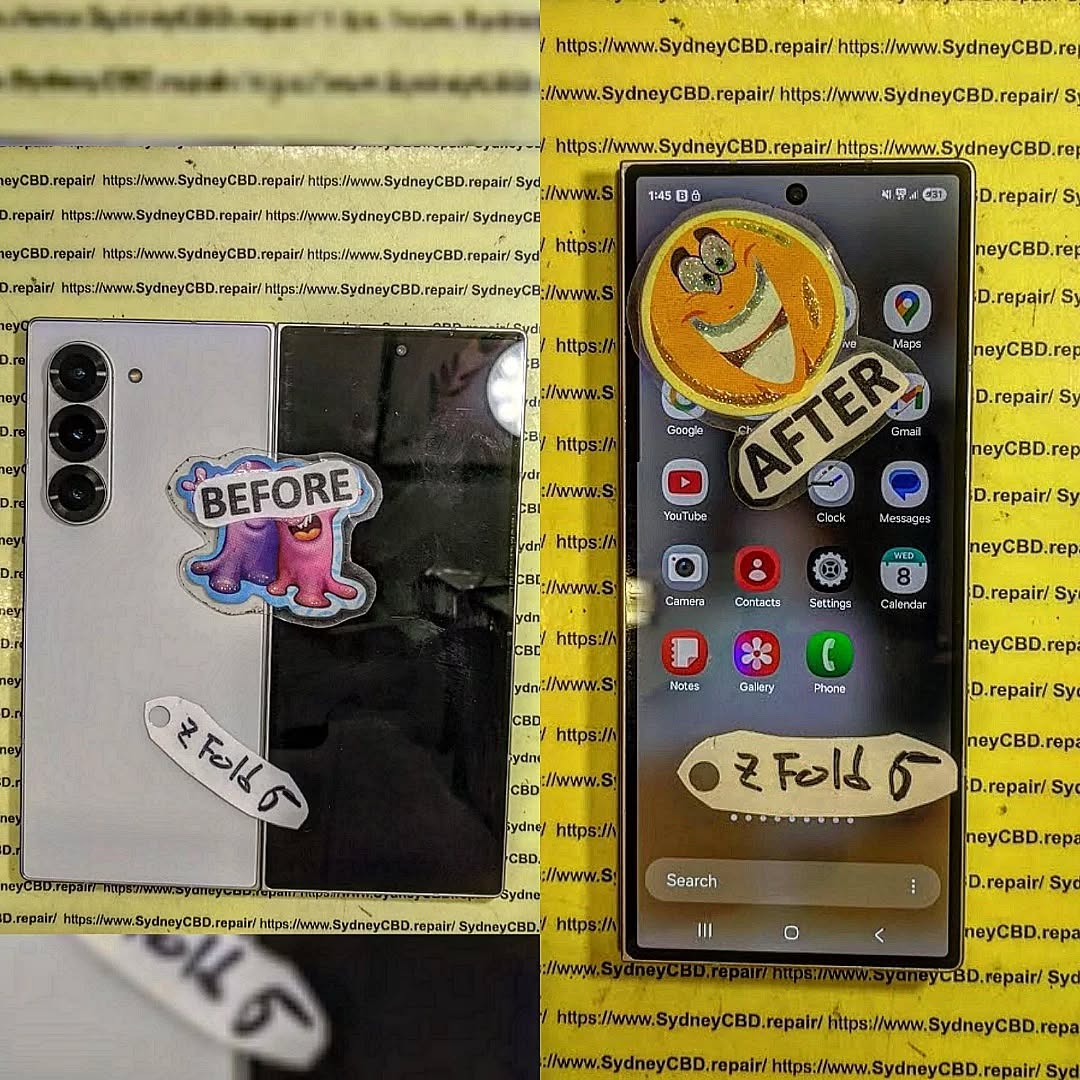
Will the Galaxy Z Fold 6 Change Repairs? 12 Key Insights
The Galaxy Z Fold 6 represents a major leap in foldable smartphone technology. With its advanced hinge design, ultra-thin glass, and cutting-edge software, this device is poised to redefine not just user experiences but also repair processes. For repair professionals and consumers alike, understanding the nuances of repairing such a sophisticated device is critical. In this article, we dive deep into the factors that make the Galaxy Z Fold 6 both innovative and challenging in the world of phone repairs.
Introduction to the Galaxy Z Fold 6
Samsung has consistently pushed the boundaries of foldable smartphones. The Galaxy Z Fold 6 brings together sleek design, a larger foldable display, and enhanced durability features. Its ultra-thin glass (UTG) and reinforced hinge make it more resilient than its predecessors, but they also introduce unique challenges when it comes to repair.
For repair centers like Sydney CBD Repair Centre, staying ahead of these changes ensures customers continue to receive same-day express services with genuine parts. The first mention of “Galaxy Z Fold 6 repairs” highlights the growing importance of understanding foldable-specific technology for repair experts and consumers alike.
The journey of foldable smartphones began with experimental designs, often plagued by fragile displays and cumbersome hinges. The first-generation Galaxy Fold faced criticism for its screen durability, but each subsequent release brought improvements.
With each iteration, Samsung addressed weaknesses in hinge mechanisms, screen layers, and software optimization. The Galaxy Z Fold 6 builds upon these advancements with a focus on repairability, durability, and consumer usability. However, foldable devices remain more complex to service than standard smartphones due to their multiple moving parts and layered displays.
Several features distinguish the Galaxy Z Fold 6 from its predecessors:
Enhanced Hinge Design: The new hinge reduces crease visibility and increases lifespan.
Ultra-Thin Glass: UTG provides a smooth touch experience but is delicate.
Software Integration: Fold-specific features require calibration after repairs.
Durability Enhancements: Improved water and dust resistance.
These innovations improve the user experience but simultaneously increase repair complexity. Technicians must use specialized tools and follow precise protocols to avoid further damage.
The Impact on Screen Repairs
One of the most critical challenges with the Galaxy Z Fold 6 is screen repair. Foldable displays are inherently more fragile than standard smartphones, and improper handling can lead to permanent damage.
Ultra-Thin Glass Technology
Ultra-thin glass (UTG) is a hallmark of the Galaxy Z Fold 6. While it offers a smooth, premium touch experience, it is highly susceptible to scratches, cracks, and pressure damage. Repairing UTG screens requires precise heat application and delicate separation from the AMOLED layer.
Touchscreen Sensitivity Issues
After screen replacements, calibration is essential. Incorrect installation can result in unresponsive touch zones or ghost touches. Repair centers must use foldable-specific diagnostic tools to ensure touchscreen accuracy post-repair.
Cost Implications for Consumers
Screen replacements for foldable devices are significantly more expensive than conventional smartphones. While the Galaxy Z Fold 6 offers enhanced durability, users can expect repair costs ranging from $450 to $700 USD for the internal foldable display, depending on warranty and service provider.
Hinge Mechanism Innovations
The hinge of the Galaxy Z Fold 6 has been redesigned for durability and smoother folding. However, this introduces new challenges for repair technicians.
Durability Tests and Results
Samsung claims the hinge can withstand 300,000 folds, but real-world usage exposes vulnerabilities such as dust accumulation or mechanical wear. Laboratory tests indicate increased longevity, yet repair professionals must remain vigilant when servicing this component.
Repair Complexity of Hinge
Repairing or replacing the hinge requires partial disassembly of the device, including screen removal, battery detachment, and precise alignment. Misalignment can cause creasing or affect folding mechanics, making this repair technically demanding.
Battery Replacement Considerations
Battery replacement in the Galaxy Z Fold 6 is more intricate due to its slim, dual-cell design.
Safety Concerns in Repairs
Lithium-ion batteries in foldable phones are placed close to sensitive components. Improper handling can lead to swelling, punctures, or short circuits. Certified technicians follow strict safety protocols, including ESD-safe environments and protective insulation.
Service Costs and Availability
Battery replacement costs range between $120-$200 USD. Availability of genuine parts is limited initially, meaning repair centers must source authentic batteries from trusted suppliers to maintain warranty compliance.
After hardware replacements, calibration software ensures screen responsiveness and hinge performance remain optimal. These tools are often OEM-specific and require professional training.
Impact on Third-Party Repair Shops
Some software features may be restricted by Samsung, limiting third-party repair options. Updates may also disable or limit functionality if repairs are not performed through authorized channels, emphasizing the importance of certified repair centers.
Accessory and Component Availability
Repair efficiency is also influenced by the availability of components and accessories.
OEM vs Third-Party Parts
Genuine Samsung parts ensure durability and compatibility. Third-party components may be cheaper but can compromise device integrity, particularly the foldable screen and hinge.
Supply Chain Considerations
Global supply chain challenges may delay parts availability, affecting repair turnaround times. Sydney CBD Repair Centre proactively stocks critical components to ensure same-day repairs for foldable devices.
Repairability Ratings & Reviews
Industry assessments provide insights into repair feasibility.
Sydney CBD Repair Centre Scores and Analysis
The Galaxy Z Fold 6 received a repairability score of 4/10, indicating moderate difficulty. Screen replacement and hinge repair remain the most challenging tasks.
Real-World Repair Experiences
Technicians report that foldable-specific training, precise tools, and access to genuine components are essential. Repair centers without these resources risk voiding warranties or causing irreversible damage.
Environmental Impact of Repairs
Repairing foldables has implications for sustainability.
Encouraging Longer Device Lifespans
Repairing instead of replacing devices reduces e-waste. Foldable repairs, while costly, extend device life and reduce environmental impact.
Recycling Programs
Samsung and other OEMs offer trade-in and recycling programs. Repair centers participate in responsible recycling of damaged components, further promoting sustainability.
FAQs about Galaxy Z Fold 6 Repairs
Q1: How durable is the Galaxy Z Fold 6 screen?
A: The UTG screen is more resilient than previous models but remains fragile compared to standard smartphones. Proper handling is essential.
Q2: Can I repair the Galaxy Z Fold 6 myself?
A: DIY repairs are not recommended due to complex hinge mechanics and sensitive screen layers. Professional service ensures safety and functionality.
Q3: How much does a screen replacement cost?
A: Average replacement costs range from $450 to $700 USD, depending on parts and service provider.
Q4: Are third-party repair parts safe to use?
A: Third-party parts may compromise performance. Genuine parts are recommended to maintain durability and warranty.
Q5: How long does a battery replacement take?
A: Certified technicians can replace the battery in 30–60 minutes, depending on component availability.
Q6: Does software calibration affect repair quality?
A: Yes. Calibration ensures touchscreen sensitivity and hinge performance are restored post-repair.
Conclusion
The Galaxy Z Fold 6 introduces significant innovations that enhance user experience but complicate repairs. From ultra-thin glass to advanced hinge mechanisms and fold-specific software, repair centers must adapt with specialized tools, training, and genuine components.
Despite higher repair costs, foldable repairs extend device lifespan, promote sustainability, and ensure optimal performance. Consumers benefit from professional services, while repair technicians have the opportunity to evolve their expertise with cutting-edge devices.
As foldable technology matures, repairs will become more standardized, reliable, and accessible, ensuring that devices like the Galaxy Z Fold 6 remain both innovative and serviceable.
David from Sydney CBD Repair Centre – The Best place to fix mobile phones as 6 Years In A Row! Top Mobile Phone Repair In Sydney. More than 2000 Positive Reviews on Google and Same Day Repairs.
We take pride in delivering exceptional repair services for all major phone brands including Apple, Samsung, Google, and more. Our expert technicians use only genuine parts and offer 90days warranty on repairs. Located in the heart of Sydney CBD, we’re your one-stop solution for all mobile device repairs.
Our commitment to excellence has earned us the trust of thousands of satisfied customers. Whether it’s a cracked screen, battery replacement, or water damage repair, we handle it all with professional care and expertise. Walk in today and experience why we’re Sydney’s #1 choice for mobile phone repairs.
Visit us for:
✓ Same Day Express Repairs
✓ Genuine Parts Guarantee
✓ Professional Technicians
✓ Competitive Pricing
✓ 2000+ 5-Star Google Reviews
✓ 6-Time Award Winner for Best Phone Repairs