The Debunking Repair Myths: What Really Happens When Your Phone Breaks? + 10 Surprising Truths
Introduction: The Rise of Phone Repair Myths
Smartphones are more than just gadgets—they’re essential extensions of our daily lives. Yet, the moment a screen cracks, a battery swells, or water spills, panic sets in. Unfortunately, widespread myths often guide how users react to these issues. Many believe that DIY fixes are always cheaper, non-original parts are just as good, or that a water-damaged phone is doomed. These misconceptions can lead to costly mistakes, prolonged device downtime, and even permanent damage.
This article dives deep into the top 10 repair myths and the real truths behind them. By understanding what actually happens when your phone breaks, you’ll be empowered to make informed decisions and protect your investment.
Many users think that fixing a phone themselves saves money, but the reality is more nuanced.
Hidden Costs of DIY Repairs
DIY repair kits might seem affordable, but hidden costs quickly add up. You’ll need precision tools, replacement parts, adhesives, and sometimes even magnification devices. Mistakes are common, and one wrong move can damage internal components, turning a simple repair into a full replacement scenario.
Warranty Voiding Issues
Opening a phone yourself almost always voids the manufacturer warranty. That means any future issues, even unrelated to your repair, could cost you the full replacement price. Professional repair services ensure devices are fixed without invalidating warranty coverage.
Some believe cheaper third-party components are just as effective. This is far from true.
Risks of Third-Party Parts
Third-party screens or batteries often lack quality controls. A low-quality battery may overheat or swell, while a poorly calibrated display can compromise touch sensitivity. This puts not only the device but also your safety at risk.
How Genuine Parts Extend Device Life
Genuine replacement parts maintain the original performance and longevity of your device. Using OEM components ensures proper battery life, display quality, and functionality, giving you peace of mind and preserving resale value.
Myth 3: Water Damage Means Total Loss
Water exposure doesn’t automatically spell doom for your phone.
Steps Professionals Take to Recover Devices
Expert technicians use specialized drying techniques, ultrasonic cleaning, and board-level repairs to restore functionality. Quick action can often salvage devices that might seem hopeless.
When Water Damage Is Irreversible
In severe cases—such as prolonged exposure to saltwater or corrosion on essential circuitry—repairs may be impossible. However, most spills are recoverable with professional intervention.
Myth 4: Screen Cracks Don’t Affect Function
A small crack may seem harmless, but it can cause hidden damage.
Microfractures and Touch Issues
Cracks create microfractures that can interfere with the digitizer, resulting in unresponsive touch areas or ghost touches.
Long-Term Damage from Cracks
Over time, cracks can worsen, allowing dust and moisture inside, potentially leading to more serious hardware failures and reducing the device’s lifespan.
Myth 5: Battery Replacement Is Complicated
Battery issues are common, but many avoid replacement due to perceived difficulty.
Signs Your Battery Needs Replacement
Look for swelling, sudden shutdowns, poor battery life, or overheating. These are clear indicators that a new battery is needed.
How Technicians Replace Batteries Safely
Professional technicians use safe, structured processes, including disconnecting the old battery carefully, installing genuine replacements, and testing for voltage and capacity. This ensures safety and optimal performance.
Myth 6: All Repairs Take Weeks
Time is a crucial factor, and many believe professional repair is slow.
Same-Day Repair Services
Many repair centers offer same-day service for common issues like screen replacements, battery swaps, or charging port repairs. Professional technicians can often complete tasks in under an hour.
Factors Affecting Repair Time
Complex issues, rare parts, or water-damaged devices may require longer repairs, but transparent service centers will provide accurate time estimates.
Myth 7: Repair Costs Are Always Overpriced
Repairing your device doesn’t have to break the bank.
Why Prices Vary
Costs vary based on brand, part quality, and technician expertise. High-quality services may charge more, but you get reliability and genuine parts.
How to Avoid Overpaying
Compare local repair centers, check reviews, and confirm part authenticity. Avoid “too cheap to be true” services—they often result in repeat repairs.
Myth 8: Software Issues Require a New Phone
Many users panic when their phone freezes, assuming a replacement is needed.
Common Fixes Without Replacement
Software problems are often resolved with system resets, firmware updates, or cache clearing. These fixes save time and money without hardware replacement.
When Device Replacement Is Necessary
If software issues are caused by hardware faults—like a failing motherboard—replacement may be the only solution. Diagnostic services can clarify the problem.
Myth 9: Insurance Covers Everything
Phone insurance provides peace of mind but has limitations.
Typical Insurance Policies
Most policies cover accidental damage but exclude wear-and-tear, unauthorized repairs, or water damage beyond certain limits. Deductibles also apply.
Alternative Solutions
Professional repair centers often provide cost-effective options outside insurance, including warranty-backed repairs using genuine parts.
Myth 10: One Repair Fixes All
A single repair doesn’t always address the root cause.
Importance of Diagnostics
Full diagnostics help identify underlying problems. For instance, a cracked screen may hide battery or motherboard damage that requires attention.
Preventive Maintenance Tips
Regular cleaning, case protection, software updates, and avoiding DIY mishaps help prevent repeated issues and extend your phone’s lifespan.
FAQs
Q1: Can I safely repair my phone at home?
A: Minor fixes like screen protectors are safe, but opening devices can void warranties and risk damage. Professional repair is safer.
Q2: Are third-party batteries safe?
A: Low-quality third-party batteries may overheat or degrade quickly. Always use OEM or certified replacements.
Q3: How long does water damage repair take?
A: Depending on severity, minor water damage can be fixed within hours. Severe corrosion may take days.
Q4: Does insurance cover all phone repairs?
A: Not always. Insurance often excludes wear-and-tear or unauthorized repairs. Review your policy carefully.
Q5: Why is my replacement screen unresponsive?
A: This may occur if the digitizer isn’t calibrated or if a third-party part was used. Genuine parts and professional installation prevent this.
Q6: How often should I replace my phone battery?
A: Typically every 2–3 years, or sooner if you notice swelling, overheating, or rapid battery drain.
Conclusion
Phone repair myths are widespread, but understanding the truth can save money, prevent stress, and extend the life of your device. DIY may seem cheap, but hidden costs, voided warranties, and safety risks make professional services the better option. Genuine parts, diagnostics, and preventive maintenance ensure your phone performs at its best.
For reliable repairs in Sydney, trust Sydney CBD Repair Centre for same-day service, genuine parts, and expert technicians. Avoid myths and ensure your phone stays functional, safe, and long-lasting.
David from Sydney CBD Repair Centre – The Best place to fix mobile phones as 7 Years In A Row! Top Mobile Phone Repair In Sydney. More than 2000 Positive Reviews on Google and Same Day Repairs.
We take pride in delivering exceptional repair services for all major phone brands including Apple, Samsung, Google, and more. Our expert technicians use only genuine parts and offer 90days warranty on repairs. Located in the heart of Sydney CBD, we’re your one-stop solution for all mobile device repairs.
Our commitment to excellence has earned us the trust of thousands of satisfied customers. Whether it’s a cracked screen, battery replacement, or water damage repair, we handle it all with professional care and expertise. Walk in today and experience why we’re Sydney’s #1 choice for mobile phone repairs.
Visit us for:
✓ Same Day Express Repairs
✓ Genuine Parts Guarantee
✓ Professional Technicians
✓ Competitive Pricing
✓ 2000+ 5-Star Google Reviews
✓ 7-Time Award Winner for Best Phone Repairs
Is It Waterproof? Pixel 7 Ghost Touch Water Damage Recovery and Test – Ultimate Guide with 9 Expert Insights
Introduction
The Pixel 7 Ghost Touch Water Damage Recovery and Test process has become one of the most searched repair topics among Google Pixel owners. Although the Google Pixel 7 features impressive water resistance, many users mistakenly believe that “water-resistant” means “waterproof.” Unfortunately, that’s not the case.
A single accidental drop into water, exposure to heavy rain, or even moisture trapped inside a pocket can sometimes cause strange touchscreen behavior. One of the most frustrating symptoms is ghost touch, where the screen starts tapping, swiping, or opening apps without anyone touching it.
The good news is that ghost touch caused by water doesn’t always mean your phone is beyond repair. In many situations, professional cleaning, careful diagnostics, and component replacement can restore the device completely.
This guide explains exactly why ghost touch happens after water exposure, how professionals recover affected devices, and what you should do immediately to improve your chances of saving your Pixel 7.
The Google Pixel 7 carries an IP68 rating. This certification means the phone has been tested under controlled laboratory conditions to resist dust and temporary freshwater immersion.
However, several important limitations often go unnoticed.
An IP68 rating does not guarantee protection against:
Salt water
Chlorinated pools
Soap
Coffee
Soft drinks
Steam
High-pressure water
Long-term immersion
Even everyday wear slowly weakens the waterproof seals around the display, buttons, speakers, SIM tray, and USB-C port.
Over time, factors such as:
Heat
Drops
Previous repairs
Frame bending
Aging adhesive
can reduce the phone’s ability to keep moisture out.
That means a Pixel 7 that survived water one year ago might not survive another splash today.
What Is Ghost Touch?
Ghost touch describes a situation where the touchscreen behaves as though invisible fingers are constantly touching it.
Common symptoms include:
Random taps
Apps opening automatically
Keyboard typing by itself
Screen scrolling unexpectedly
Notification panel opening alone
Camera launching randomly
Phone becoming impossible to control
Sometimes the problem appears only occasionally.
Other times it becomes continuous until the phone is completely unusable.
Ghost touch may be caused by:
Cause
Common?
Water damage
Very Common
Display failure
Common
Damaged digitizer
Common
Loose display connector
Moderate
Software bugs
Occasional
Motherboard corrosion
Severe cases
When water is involved, ghost touch often worsens over several hours as moisture spreads deeper inside the phone.
Why Water Causes Ghost Touch Problems
The touchscreen on the Pixel 7 relies on tiny electrical signals to detect your finger.
When water enters the display assembly or reaches sensitive electronic circuits, it interferes with those signals.
Instead of accurately detecting your finger, the digitizer starts interpreting random electrical changes as touches.
The result is ghost touch.
Understanding the causes helps explain why immediate action is so important.
Moisture Inside the Display
Modern OLED displays contain multiple extremely thin layers.
If moisture penetrates these layers, several problems may develop:
False touch inputs
Flickering
Green lines
Black spots
Screen discoloration
Dead touch zones
Even tiny amounts of trapped moisture can trigger unpredictable touchscreen behavior.
Sometimes drying the device helps.
Other times the display itself becomes permanently damaged.
Corrosion on Internal Components
Water alone isn’t always the biggest threat.
The real danger begins after the water enters the phone.
As electricity continues flowing through wet circuits, corrosion slowly forms on:
Connectors
Display flex cables
Motherboard components
Touch controller chips
Power management circuits
Corrosion continues spreading long after the phone appears dry.
This is why a Pixel 7 that initially works after getting wet may suddenly develop ghost touch days later.
Professional repair centres inspect these microscopic areas under magnification to detect hidden corrosion before it causes permanent failure.
Charging Port Moisture Effects
Many users notice the Pixel 7 displaying a moisture warning after water exposure.
This warning protects the phone from electrical shorts while charging.
However, moisture inside the USB-C port can also contribute indirectly to touchscreen instability by affecting charging voltage and electrical grounding.
If the phone repeatedly displays moisture alerts:
Stop charging immediately.
Disconnect all accessories.
Allow the port to dry naturally.
Avoid inserting tissues or sharp objects into the connector.
Ignoring these warnings can increase the risk of short circuits.
Not every water-damaged phone behaves the same way.
Some continue working almost normally.
Others develop multiple problems within minutes.
Common warning signs include:
Ghost touches
Screen flickering
Random restarts
Speaker distortion
Camera fogging
Face Unlock failure
Touchscreen freezing
Rapid battery drain
Charging problems
USB connection errors
You might also notice condensation beneath the camera lens or display glass.
This is often a strong indication that moisture has entered the device.
The earlier these symptoms are addressed, the higher the chance of successful recovery.
Immediate Steps After Water Exposure
Quick action can make a significant difference in preventing permanent damage.
If your Pixel 7 comes into contact with water:
Power the phone off immediately if possible.
Remove any case or accessories.
Dry the exterior with a clean microfiber cloth.
Keep the USB-C port facing downward so excess water can drain.
Place the phone in a cool, dry, well-ventilated area.
Wait until the charging port is completely dry before connecting a charger.
Seek professional inspection if ghost touch or other symptoms appear.
One common myth is that placing a phone in rice will fix water damage.
In reality, rice does little to remove moisture trapped inside the phone and may even introduce dust or starch particles into the charging port. Professional drying and internal cleaning remain the safest and most effective solutions.
What You Should Never Do After Water Damage
When your Pixel 7 starts showing ghost touch after getting wet, it’s natural to want to fix it immediately. However, some common actions can make the damage much worse.
Avoid the following mistakes:
Don’t Charge the Phone Immediately
If moisture is still inside the device, connecting a charger can create electrical shorts. Even if the phone appears dry on the outside, water may still be trapped inside the charging port or on the motherboard.
Wait until the phone has been professionally inspected or the charging port is completely dry before charging.
Don’t Use a Hair Dryer
Hot air may seem like a quick solution, but it can:
Damage the OLED display
Soften waterproof adhesives
Push moisture deeper into the phone
Warp delicate internal components
Instead, let the phone dry naturally in a well-ventilated location.
Don’t Shake the Phone
Shaking the device may spread water to areas that were previously dry.
A few drops of water near the speaker can quickly reach the motherboard if the phone is moved aggressively.
Don’t Press the Screen Repeatedly
Many users continuously tap the display to see if ghost touch has disappeared.
Unfortunately, repeated use while moisture remains inside can worsen electrical damage and increase the chance of permanent display failure.
Don’t Attempt DIY Disassembly
Opening a Pixel 7 without proper tools often causes additional damage.
Risks include:
Cracking the rear glass
Damaging display flex cables
Tearing waterproof seals
Breaking wireless charging components
Damaging battery connectors
Professional technicians use specialized heating equipment, precision tools, and anti-static workstations designed specifically for modern smartphones.
Can the Pixel 7 Recover on Its Own?
This is one of the most common questions people ask after experiencing water damage.
The answer depends on the extent of the damage.
Minor Moisture Exposure
If only a small amount of water entered the phone, symptoms may disappear after the internal moisture evaporates.
Temporary issues include:
Minor ghost touches
Moisture warnings
Slight speaker distortion
Touchscreen lag
These problems sometimes resolve within 24 to 72 hours.
Moderate Water Damage
If moisture reaches display connectors or internal cables, the phone may continue working intermittently before symptoms worsen.
You may notice:
Random touch inputs
Green display tint
Flickering
Charging issues
Camera condensation
Professional cleaning is strongly recommended at this stage.
Severe Water Damage
When corrosion reaches the motherboard or display controller, the phone usually cannot recover without repair.
Symptoms may include:
Constant ghost touch
Boot loops
Black screen
No charging
Complete touchscreen failure
Device not powering on
Delaying repairs increases the likelihood of permanent component failure.
Professional Water Damage Recovery Process
Professional repair centers follow a systematic recovery process designed to maximize the chances of saving your Pixel 7.
Each step is carefully performed to identify hidden damage and prevent further corrosion.
Step 1: Initial Inspection
The technician first performs a complete visual inspection.
This includes checking:
Rear glass condition
Display assembly
SIM tray
Charging port
Speaker openings
Camera lenses
Frame alignment
Signs of liquid entry are documented before disassembly begins.
Step 2: Safe Device Disassembly
Opening the Pixel 7 requires controlled heating to soften factory adhesive.
Technicians carefully remove:
Rear cover
Wireless charging assembly
Protective shields
Battery connector
Display connector
Camera modules where necessary
This provides access to the motherboard and internal components without causing unnecessary damage.
Step 3: Internal Inspection
Once opened, every major component is inspected under magnification.
Technicians look for:
Water residue
Corrosion
Oxidized connectors
Burn marks
Mineral deposits
Broken solder joints
Even tiny corrosion spots can eventually cause major failures if left untreated.
Step 4: Ultrasonic Cleaning
One of the most effective methods of recovering water-damaged electronics is ultrasonic cleaning.
Special cleaning solutions combined with ultrasonic waves remove:
Corrosion
Mineral deposits
Dirt
Conductive residue
Unlike simple alcohol cleaning, ultrasonic cleaning reaches tiny spaces beneath integrated circuits that are otherwise impossible to clean manually.
Step 5: Drying and Moisture Removal
After cleaning, components are carefully dried using professional equipment.
Technicians ensure that:
Moisture is completely removed
Connectors are clean
No cleaning solution remains
Internal humidity has been eliminated
Proper drying prevents corrosion from returning after reassembly.
Step 6: Component Testing
Each major component is individually tested.
This typically includes:
Component
Inspection Purpose
OLED Display
Touch response and image quality
Digitizer
Ghost touch detection
Battery
Charging performance
USB-C Port
Power delivery
Cameras
Focus and image testing
Speakers
Audio quality
Microphones
Voice recording
Wireless Charging
Charging efficiency
Motherboard
Power stability
Testing every component helps ensure hidden issues are discovered before the phone is returned to the customer.
Testing the Display After Recovery
After the cleaning and repair process, the display undergoes extensive testing.
Technicians verify that:
Touch input is accurate
Multi-touch functions correctly
Brightness adjusts normally
Colors remain consistent
Fingerprint sensor operates correctly
Refresh rate is stable
No ghost touches remain
Special diagnostic software allows technicians to visualize every touch input across the display.
This makes it easy to identify even small areas with abnormal touch behavior.
If ghost touch persists after cleaning, the display assembly itself may require replacement.
When Is a Screen Replacement Necessary?
Sometimes water permanently damages the digitizer integrated into the OLED display.
In these situations, replacing the display is the only reliable solution.
Common indicators include:
Persistent ghost touch after cleaning
Large dead touch areas
Display flickering
Vertical green lines
Black spots spreading across the screen
Complete touchscreen failure
Using high-quality replacement parts helps restore the phone’s original responsiveness, brightness, and durability.
Preventing Future Water Damage
Although the Pixel 7 offers excellent water resistance, prevention remains the best protection.
Here are several practical tips:
Keep the phone away from salt water whenever possible.
Avoid exposing it to hot showers or steam.
Replace damaged screens or rear glass promptly.
Use a high-quality protective case.
Never intentionally submerge the phone.
Keep the USB-C port clean and dry.
Back up important data regularly.
Have the waterproof seals inspected after major repairs.
Remember that water resistance naturally decreases as a phone ages, especially after accidental drops or previous repairs.
Taking a few preventative measures today can save you from costly repairs tomorrow.
For additional information about your Pixel 7’s water resistance and care recommendations, visit Google’s official Pixel support documentation: https://support.google.com/pixel
Frequently Asked Questions (FAQs)
1. Is the Google Pixel 7 completely waterproof?
No. The Google Pixel 7 is water-resistant, not waterproof. It carries an IP68 rating, meaning it can resist dust and temporary immersion in fresh water under controlled laboratory conditions. However, this protection doesn’t cover damage from salt water, chlorinated pools, hot water, soaps, or high-pressure water. As the phone ages or experiences drops and repairs, its water resistance may also decrease.
2. Why does my Pixel 7 have ghost touch after getting wet?
Ghost touch occurs when moisture interferes with the touchscreen digitizer or internal electrical circuits. Water can create false electrical signals that the phone interprets as finger touches. If left untreated, corrosion may develop, leading to permanent touchscreen or motherboard damage.
3. Will putting my Pixel 7 in rice fix water damage?
No. Although it’s a popular myth, placing a phone in rice does not effectively remove moisture trapped inside the device. It may also introduce dust or starch particles into the charging port. Professional internal cleaning and drying provide a much better chance of successful recovery.
4. Can ghost touch disappear on its own?
Sometimes. If only a small amount of moisture entered the phone, ghost touch may disappear after the device dries completely. However, if corrosion has already started or the display has been damaged, the issue usually requires professional repair or display replacement.
5. How long should I wait before charging a wet Pixel 7?
Only charge the phone after you’re confident the USB-C port is completely dry and any moisture warnings have disappeared. If ghost touch or other symptoms remain, it’s best to have the phone inspected by a professional technician before charging to avoid causing additional electrical damage.
6. Can a water-damaged Pixel 7 be repaired?
Yes, in many cases. The success of the repair depends on how quickly the device is treated and how much internal damage has occurred. Professional water damage recovery often includes disassembly, corrosion removal, ultrasonic cleaning, diagnostics, and replacement of damaged components where necessary.
7. Does replacing the screen fix ghost touch?
If the ghost touch is caused by a damaged digitizer or OLED display, replacing the screen often resolves the problem. However, if the issue originates from motherboard corrosion or damaged internal connectors, additional repairs may also be required.
8. How can I reduce the risk of future water damage?
You can reduce the risk by:
Keeping your phone away from excessive moisture.
Avoiding intentional submersion.
Using a quality protective case.
Repairing cracked screens or back glass promptly.
Keeping charging ports clean and dry.
Having waterproof seals professionally replaced after major repairs when applicable.
Conclusion
The Pixel 7 Ghost Touch Water Damage Recovery and Test process demonstrates that while the Google Pixel 7 is engineered with excellent water resistance, it is not immune to liquid damage. Even a small amount of moisture can interfere with the touchscreen, resulting in frustrating ghost touch symptoms, charging issues, or display instability.
The most important factor in a successful recovery is acting quickly. Turning the phone off, avoiding common mistakes like charging or heating the device, and seeking professional assistance can significantly improve the chances of saving both the display and internal components.
Professional technicians use specialized diagnostic tools, ultrasonic cleaning equipment, and component-level testing to identify hidden corrosion that cannot be seen from the outside. In many cases, early intervention allows a water-damaged Pixel 7 to be restored to full working condition without extensive replacement of expensive components.
Preventative care is equally important. Protecting your phone from unnecessary exposure to water, repairing physical damage promptly, and understanding the limitations of IP68 water resistance can help extend the life of your device and reduce the risk of future failures.
Whether your Pixel 7 has experienced a minor splash or significant liquid exposure, taking the right steps immediately can make the difference between a simple repair and a complete device replacement.
David from Sydney CBD Repair Centre – The Best place to fix mobile phones as 7 Years In A Row! Top Mobile Phone Repair In Sydney. More than 2000 Positive Reviews on Google and Same Day Repairs.

We take pride in delivering exceptional repair services for all major phone brands including Apple, Samsung, Google, and more. Our expert technicians use only genuine parts and offer a 90 days warranty on repairs. Located in the heart of Sydney CBD, we’re your one-stop solution for all mobile device repairs.
Our commitment to excellence has earned us the trust of thousands of satisfied customers. Whether it’s a cracked screen, battery replacement, or water damage repair, we handle it all with professional care and expertise. Walk in today and experience why we’re Sydney’s #1 choice for mobile phone repairs.
Visit us for:
✓ Same Day Express Repairs
✓ Genuine Parts Guarantee
✓ Professional Technicians
✓ Competitive Pricing
✓ 2000+ 5-Star Google Reviews
✓ 7-Time Award Winner for Best Phone Repairs
Sydney CBD Repair Centre – Where Quality Meets Reliability.
Google Pixel 10 Pro Hidden Internal Design Changes During Full Screen Replacement: 11 Powerful Discoveries Every Repair Enthusiast Should Know
Introduction
The Google Pixel 10 Pro hidden internal design changes during full screen replacement have become one of the most discussed topics among repair technicians and smartphone enthusiasts. While many users only see the stunning display and sleek exterior, a screen replacement reveals a surprising amount of engineering innovation hidden beneath the surface.
Modern smartphones continue to evolve in ways that aren’t immediately visible. Manufacturers increasingly focus on structural strength, thermal performance, repair efficiency, and component protection. The Google Pixel 10 Pro appears to follow this trend with several notable refinements that become visible only when technicians perform a complete display removal.
As smartphone repair professionals know, every new generation introduces subtle yet meaningful internal modifications. These changes may affect repair difficulty, device reliability, and long-term performance. During a full screen replacement, technicians gain a unique opportunity to inspect the internal architecture and understand how Google’s engineering team has optimized the device.
In this detailed guide, we’ll explore the Google Pixel 10 Pro hidden internal design changes during full screen replacement, explain why they matter, and discuss how they impact both repair specialists and everyday users.
A screen replacement is much more than simply removing a broken display and installing a new one.
When technicians perform a complete display replacement, they gain access to:
Display connectors
Midframe structures
Thermal pads
Adhesive systems
Antenna routing
Camera protection brackets
Internal shielding components
Battery placement architecture
These elements reveal how manufacturers improve device durability and performance between generations.
Interestingly, many of the most significant upgrades aren’t advertised during product launches. Instead, they’re discovered during professional teardowns and repair procedures.
The display assembly remains one of the most expensive and technically advanced components inside the smartphone.
OLED Panel Advancements
The Google Pixel 10 Pro continues Google’s commitment to premium OLED technology.
Key display benefits include:
Feature
Benefit
High brightness
Better outdoor visibility
Enhanced color accuracy
Improved image quality
Faster refresh rates
Smoother user experience
Improved durability
Reduced risk of display degradation
The display assembly appears more integrated than previous generations, helping improve structural stability while maintaining premium visual performance.
Frame Reinforcement Improvements
One of the first observations during a screen replacement is the strengthened frame design.
Engineers appear to have reinforced several stress points around:
Display edges
Corner impact zones
Connector mounting locations
Internal support brackets
These improvements help distribute impact forces more evenly across the chassis.
Hidden Internal Design Changes Found During Repair
The most fascinating discoveries emerge after removing the display assembly.
Redesigned Display Connector Layout
One significant update involves the display connector system.
Previous Pixel generations often required careful navigation around tightly packed flex cables. The Pixel 10 Pro appears to feature:
Better cable routing
Improved connector accessibility
Reduced stress points
Enhanced shielding protection
Benefits include:
Lower risk of accidental cable damage
Faster repair procedures
Improved long-term reliability
Better resistance to connector fatigue
This seemingly minor redesign can dramatically improve serviceability.
Enhanced Thermal Management System
Thermal management remains critical in flagship smartphones.
During a full screen replacement, technicians may observe:
Larger graphite sheets
Expanded heat-spreading surfaces
Improved thermal transfer materials
Revised cooling pathways
These hidden modifications help manage heat generated by:
AI processing
Gaming workloads
Camera operations
Multitasking activities
Effective cooling contributes directly to sustained performance and battery health.
Stronger Midframe Architecture
The midframe serves as the structural backbone of the smartphone.
The Pixel 10 Pro appears to incorporate:
Additional reinforcement points
Improved alloy construction
Better load distribution
Enhanced rigidity
Advantages include:
Reduced flexing
Better drop resistance
Improved display protection
Greater structural integrity
These upgrades may not be visible externally, but they significantly influence durability.
Modified Adhesive Placement
Adhesive design has become increasingly sophisticated.
Rather than simply securing the display, modern adhesive systems contribute to:
Water resistance
Shock absorption
Structural stability
The Google Pixel 10 Pro hidden internal design changes during full screen replacement suggest more strategic adhesive placement around critical areas.
This provides stronger sealing while maintaining repair accessibility for trained technicians.
How These Changes Affect Screen Replacement Procedures
The Google Pixel 10 Pro hidden internal design changes during full screen replacement directly impact repair workflows.
Repair Complexity
Although internal improvements enhance device performance, they can also influence repair complexity.
Technicians must account for:
Precision adhesive removal
Delicate cable handling
Waterproof seal restoration
Thermal component alignment
Professional training becomes increasingly important as smartphone engineering advances.
Required Tools
Modern Pixel repairs typically require:
Tool
Purpose
Heat mat
Adhesive softening
Plastic picks
Safe display separation
Suction tools
Controlled lifting
Precision screwdrivers
Internal access
Adhesive templates
Waterproof sealing
ESD protection
Component safety
Using proper equipment helps ensure a successful repair without causing secondary damage.
Battery and Power System Improvements
Beyond the display assembly, the battery architecture reveals additional refinements.
Several noteworthy observations include:
Improved Battery Protection
The battery appears better isolated from surrounding components.
Benefits include:
Enhanced safety
Reduced puncture risk
Better heat management
Improved repair access
Optimized Internal Space Utilization
Modern smartphones must balance numerous competing priorities.
Google’s engineers appear to have optimized internal layouts for:
Larger batteries
Better cooling
Improved antenna performance
Stronger structural support
Efficient space utilization remains one of the hallmarks of premium smartphone design.
Better Power Distribution
Internal power pathways appear more organized and protected.
This may contribute to:
Improved charging efficiency
Reduced electrical interference
Greater component longevity
Such refinements help maintain performance throughout the device’s lifespan.
Camera Module Protection Enhancements
Flagship camera systems continue growing in complexity and cost.
As a result, manufacturers increasingly prioritize camera protection.
The Pixel 10 Pro appears to feature:
Reinforced Camera Brackets
These brackets help:
Stabilize camera modules
Reduce vibration
Improve drop resistance
Protect sensitive sensors
Additional Shielding Components
Protective shields may provide:
Electromagnetic interference reduction
Structural reinforcement
Thermal isolation
These hidden elements contribute significantly to imaging reliability.
Improved Component Isolation
Separating critical components helps prevent:
Heat transfer issues
Mechanical stress
Signal interference
This results in more consistent camera performance over time.
Water Resistance Considerations During Repairs
Water resistance remains a major concern during any screen replacement.
Modern smartphones rely on:
Precision adhesive seals
Gasket systems
Internal barriers
During a repair, technicians must carefully restore these protections.
Important considerations include:
Removing old adhesive completely
Cleaning frame surfaces thoroughly
Installing manufacturer-grade sealing materials
Applying consistent pressure during reassembly
Failure to restore waterproofing correctly can compromise device protection.
Understanding the evolution of Google’s design philosophy requires comparing generations.
Pixel 9 Pro vs Pixel 10 Pro
Several trends become apparent:
Area
Pixel 9 Pro
Pixel 10 Pro
Frame rigidity
Strong
Improved
Thermal management
Advanced
Enhanced
Connector layout
Efficient
More accessible
Component protection
Good
Better
Repair workflow
Complex
Refined
These refinements demonstrate Google’s ongoing focus on engineering optimization.
Repairability Differences
Repair technicians often evaluate devices based on:
Component accessibility
Cable routing
Adhesive complexity
Parts replacement efficiency
The Pixel 10 Pro appears designed with improved internal organization, potentially simplifying certain repair steps while maintaining premium construction standards.
Benefits for Everyday Users
Many users never see the internal architecture of their smartphones.
However, the Google Pixel 10 Pro hidden internal design changes during full screen replacement can deliver tangible benefits.
Better Durability
Structural improvements may help:
Reduce accidental damage
Improve drop survival rates
Minimize chassis flex
Enhanced Performance
Improved cooling contributes to:
Sustained gaming performance
Faster AI processing
Better multitasking
Longer Device Lifespan
Protective design enhancements can increase component longevity.
This translates into:
Fewer hardware failures
Better reliability
Improved resale value
More Reliable Repairs
When repairs become necessary, thoughtful internal layouts help technicians perform more accurate service procedures.
Professional Repair Recommendations
If your Pixel 10 Pro requires a screen replacement, consider the following recommendations:
Choose Experienced Technicians
Professional repair specialists understand:
OLED display handling
Waterproof sealing techniques
Thermal component positioning
Connector safety procedures
Use High-Quality Parts
Quality replacement components help preserve:
Display performance
Touch responsiveness
Brightness levels
Color accuracy
Verify Waterproof Sealing
Always ask whether:
New adhesive seals are installed
Water resistance procedures are followed
Device testing is performed
Request Warranty Coverage
A reputable repair provider should offer warranty protection for workmanship and replacement components.
Frequently Asked Questions
FAQ 1: What are the most important Google Pixel 10 Pro hidden internal design changes during full screen replacement?
The most notable changes include enhanced thermal management, stronger frame construction, improved connector layouts, and better component protection systems.
FAQ 2: Does the Pixel 10 Pro have a repair-friendly design?
Compared with earlier generations, the internal organization appears more refined and accessible, although repairs still require professional tools and expertise.
FAQ 3: Can a screen replacement affect water resistance?
Yes. Water resistance can be compromised if proper sealing procedures are not followed during the repair process.
FAQ 4: Why is thermal management important inside the Pixel 10 Pro?
Effective thermal management helps maintain performance during gaming, photography, AI tasks, and prolonged device usage.
FAQ 5: Are genuine display assemblies better than aftermarket screens?
Genuine or premium-quality replacement displays generally provide superior brightness, color accuracy, touch sensitivity, and durability.
FAQ 6: How long does a professional Pixel 10 Pro screen replacement usually take?
Most professional repair centers can complete the repair within a few hours, depending on parts availability and testing requirements.
FAQ 7: Does the stronger internal frame reduce screen breakage?
A reinforced frame can help distribute impact forces more effectively, potentially reducing damage during accidental drops.
FAQ 8: Should users attempt DIY screen replacement?
Unless you have specialized repair experience, professional service is strongly recommended due to the complexity of modern smartphone construction.
Conclusion
The Google Pixel 10 Pro hidden internal design changes during full screen replacement reveal a sophisticated approach to modern smartphone engineering. While these upgrades may remain invisible during everyday use, they significantly influence durability, performance, repairability, and long-term reliability.
From redesigned connector layouts and enhanced thermal management systems to stronger midframe construction and improved component protection, Google’s engineering refinements demonstrate a clear focus on creating a more resilient flagship device.
For consumers, these hidden improvements translate into better real-world performance and longevity. For repair professionals, they provide valuable insight into the continuing evolution of smartphone design. As devices become increasingly complex, understanding these internal changes becomes essential for delivering high-quality repairs and maintaining optimal device performance.
David from Sydney CBD Repair Centre – The Best place to fix mobile phones as 7 Years In A Row! Top Mobile Phone Repair In Sydney. More than 2000 Positive Reviews on Google and Same Day Repairs.
We take pride in delivering exceptional repair services for all major phone brands including Apple, Samsung, Google, and more. Our expert technicians use only genuine parts and offer 90days warranty on repairs. Located in the heart of Sydney CBD, we’re your one-stop solution for all mobile device repairs.
Our commitment to excellence has earned us the trust of thousands of satisfied customers. Whether it’s a cracked screen, battery replacement, or water damage repair, we handle it all with professional care and expertise. Walk in today and experience why we’re Sydney’s #1 choice for mobile phone repairs.
Visit us for:
✓ Same Day Express Repairs
✓ Genuine Parts Guarantee
✓ Professional Technicians
✓ Competitive Pricing
✓ 2000+ 5-Star Google Reviews
✓ 7-Time Award Winner for Best Phone Repairs
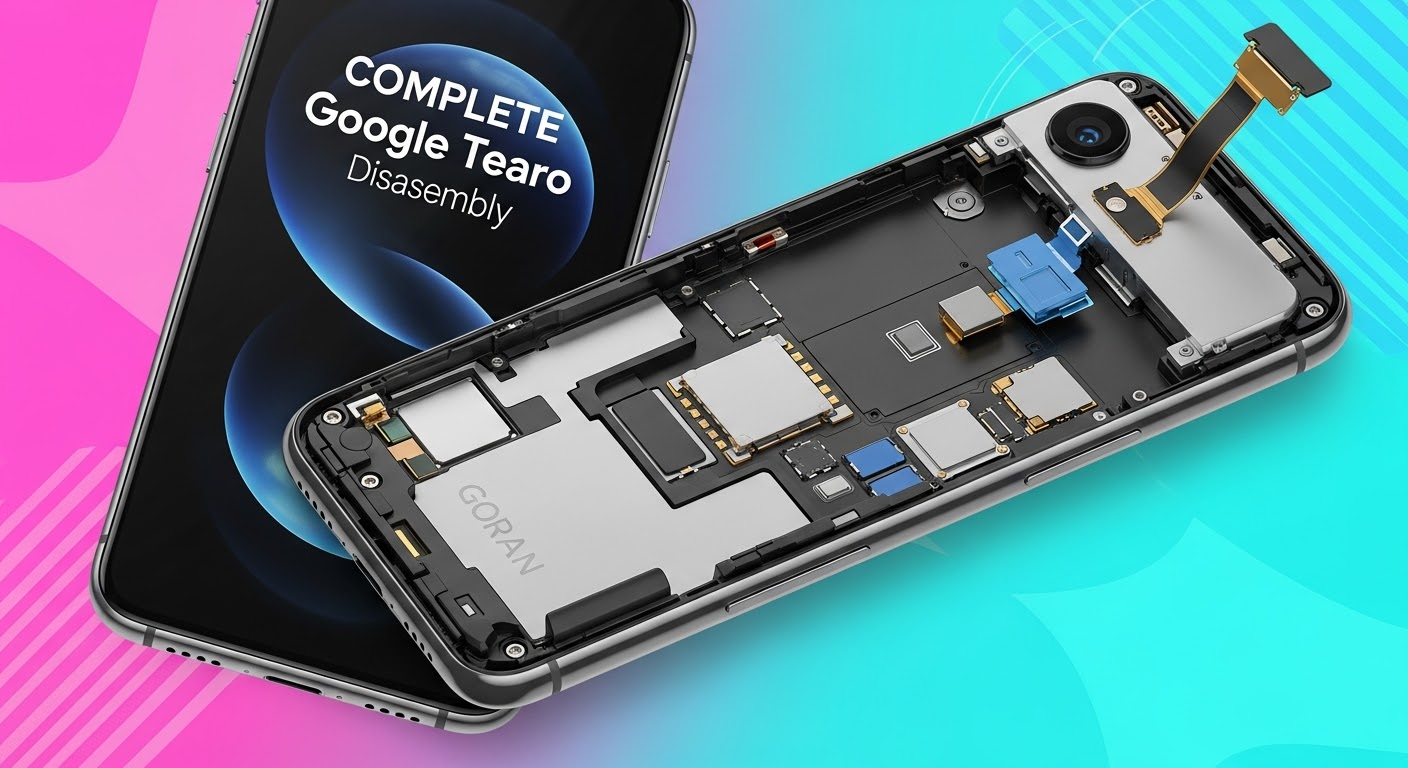
Detailed Internal Teardown and Full Screen Restoration of Google Pixel 10: Ultimate Guide 2026
Introduction to Google Pixel 10 Screen Restoration
The Google Pixel 10 represents the latest advancement in smartphone engineering, combining premium materials, cutting-edge display technology, and intelligent software integration. Despite its durability, accidental drops, pressure damage, and impact events can still lead to display failures. When this happens, a Google Pixel 10 screen restoration becomes essential to return the device to full functionality.
A successful Google Pixel 10 screen restoration involves much more than simply replacing the front glass. Modern smartphones integrate touch layers, OLED panels, fingerprint sensors, proximity sensors, and display controllers into a tightly engineered assembly. Therefore, technicians must carefully dismantle the device and evaluate every internal component before proceeding with repairs.
In this comprehensive guide, we’ll explore the complete teardown process, restoration procedures, diagnostic methods, and testing requirements involved in professional Google Pixel 10 screen restoration.
Modern smartphones are engineering marvels, and the Google Pixel 10 is no exception.
Design Evolution of the Pixel Series
Over the years, Google has refined its Pixel lineup with stronger frames, thinner bezels, and improved repairability. The Pixel 10 continues this trend while maintaining a sleek profile and advanced hardware integration.
Key design improvements include:
Enhanced OLED panel technology
Improved thermal management
Stronger internal frame construction
Advanced camera stabilization systems
Optimized battery placement
These improvements help increase device longevity while maintaining premium performance.
Core Hardware Components
Inside the Pixel 10, technicians encounter several critical modules:
Component
Function
OLED Display
Visual output
Battery
Power storage
Motherboard
Main processing unit
Camera Modules
Image capture
Speaker Assembly
Audio output
USB-C Port
Charging and data transfer
Antenna System
Wireless communication
Cooling Components
Thermal regulation
Understanding component placement is crucial before beginning any Google Pixel 10 screen restoration procedure.
Tools Required for Professional Teardown
Successful repairs depend heavily on using the correct equipment.
Professional technicians commonly use:
Precision screwdriver set
Plastic opening picks
Anti-static mat
Suction cup tools
Heat pad or heat gun
Tweezers
Isopropyl alcohol
Display adhesive strips
Magnetic parts tray
Microscope for inspection
Using specialized tools minimizes the risk of damaging delicate connectors and flex cables.
Safety Precautions Before Opening the Device
Before opening any smartphone:
Power off the device.
Discharge the battery below 25%.
Remove SIM trays.
Wear anti-static protection.
Organize workspace components carefully.
Document screw locations.
These precautions help prevent accidental short circuits and component damage.
Initial Diagnostic Assessment
Before beginning repairs, technicians perform a detailed evaluation.
Common Screen Failure Symptoms
Indicators that a Google Pixel 10 screen restoration may be required include:
Black display
Flickering screen
Green line defects
Dead touch zones
OLED bleeding
Display separation
Random ghost touches
Each symptom can reveal different underlying issues.
Determining Repair Feasibility
Not every damaged device requires a complete replacement.
Technicians assess:
Frame condition
Motherboard integrity
Battery safety
Connector condition
Water damage indicators
Camera alignment
A thorough diagnosis ensures that restoration efforts will produce reliable results.
While DIY repair videos are widely available, professional service offers substantial advantages.
Advanced Diagnostic Equipment
Professionals use:
Thermal imaging
Microscopes
Board-level testing tools
Calibration software
Genuine Component Compatibility
High-quality parts ensure:
Better durability
Improved display quality
Enhanced touch responsiveness
Reliable fingerprint functionality
Warranty Coverage
Many repair providers offer warranties that protect customers against defects and installation issues.
Faster Turnaround Times
Experienced technicians can often complete a Google Pixel 10 screen restoration efficiently while maintaining quality standards.
Frequently Asked Questions
1. How long does a Google Pixel 10 screen restoration take?
Most professional repairs are completed within a few hours, depending on component availability and device condition.
2. Can a cracked Pixel 10 screen still be repaired?
Yes. In most cases, damaged screens can be replaced successfully unless severe motherboard damage is also present.
3. Will waterproofing remain after repair?
Professional technicians apply new adhesive seals to restore resistance against dust and moisture, though factory waterproof ratings cannot always be fully guaranteed.
4. Is OLED replacement better than glass-only repair?
Yes. Full OLED replacement ensures proper touch functionality, display quality, and long-term reliability.
5. Can impact damage affect internal components?
Absolutely. Drops may damage batteries, connectors, cameras, and motherboards even when external damage appears minor.
6. Why does my screen show green lines after a drop?
Green lines typically indicate OLED layer damage or display controller failure, often requiring complete screen replacement.
7. Should I repair or replace my Pixel 10?
If the motherboard remains healthy, repair is usually far more economical than purchasing a new device.
8. Does screen replacement affect performance?
A properly installed display should perform exactly like the original and have no negative impact on system performance.
Conclusion
The process of Google Pixel 10 screen restoration involves far more than replacing a broken display. Professional technicians must carefully diagnose hidden damage, safely dismantle the device, inspect critical internal components, install a high-quality replacement OLED assembly, and perform extensive testing before returning the phone to service.
As smartphone technology becomes increasingly sophisticated, successful repairs require specialized knowledge, professional tools, and attention to detail. By following proven restoration procedures, technicians can restore damaged Pixel 10 devices to near-original condition while maximizing reliability and longevity.
For users facing screen damage, investing in professional Google Pixel 10 screen restoration remains one of the most effective ways to extend the life of a premium smartphone and avoid the expense of full device replacement.
For additional information about Google devices, visit the official Google Pixel Support resource center.
David from Sydney CBD Repair Centre – The Best place to fix mobile phones as 7 Years In A Row! Top Mobile Phone Repair In Sydney. More than 2000 Positive Reviews on Google and Same Day Repairs.
We take pride in delivering exceptional repair services for all major phone brands including Apple, Samsung, Google, and more. Our expert technicians use only genuine parts and offer 90days warranty on repairs. Located in the heart of Sydney CBD, we’re your one-stop solution for all mobile device repairs.
Our commitment to excellence has earned us the trust of thousands of satisfied customers. Whether it’s a cracked screen, battery replacement, or water damage repair, we handle it all with professional care and expertise. Walk in today and experience why we’re Sydney’s #1 choice for mobile phone repairs.
Visit us for:
✓ Same Day Express Repairs
✓ Genuine Parts Guarantee
✓ Professional Technicians
✓ Competitive Pricing
✓ 2000+ 5-Star Google Reviews
✓ 7-Time Award Winner for Best Phone Repairs
Why Your Local Shop Failed: Fixing a Botched Pixel 9 Pro Repair – 9 Powerful Lessons Every Owner Must Know
Introduction
The growing popularity of Google’s flagship smartphones has led to an increase in demand for Pixel 9 Pro repair services. While many local repair shops promise quick fixes and affordable prices, not all technicians possess the expertise needed to handle sophisticated modern devices. Unfortunately, a poorly executed Pixel 9 Pro repair can create more problems than it solves.
When a repair goes wrong, users often experience new hardware failures, battery issues, display malfunctions, and even data loss. The good news is that most botched repairs can be corrected by experienced technicians who understand Google’s advanced hardware and software architecture.
This article explores why repair failures happen, how to identify them, and what professional repair centres do to restore devices properly.
The Google Pixel 9 Pro represents one of the most advanced Android smartphones available today. It combines premium materials, powerful processors, advanced AI features, and sophisticated camera systems.
As device ownership grows, so does the demand for Pixel 9 Pro repair services. Common repair requests include:
Cracked OLED screens
Battery replacements
Charging port repairs
Camera repairs
Water damage restoration
Back glass replacement
Because of the device’s complexity, even a seemingly simple repair requires specialized tools and expertise.
Why Modern Smartphones Are Harder to Repair
Today’s smartphones contain:
High-density circuit boards
Delicate flex cables
Precision adhesive systems
Biometric security components
Advanced thermal management systems
A technician lacking experience with Pixel devices can easily damage internal components during disassembly or reassembly.
A botched Pixel 9 Pro repair occurs when a repair introduces new faults, leaves existing problems unresolved, or compromises the phone’s functionality.
These issues often appear immediately after collection from a repair shop, although some may take days or weeks to become noticeable.
Common Mistakes Made by Inexperienced Technicians
Several repair errors occur frequently.
Incorrect Screen Installation
Improper screen installation may lead to:
Dead pixels
Touchscreen unresponsiveness
Screen lifting
Light leakage
Display flickering
Damaged Flex Cables
The Pixel 9 Pro contains numerous delicate flex cables connecting:
Cameras
Battery
Charging assembly
Display
Antennas
A torn cable can disable major device functions.
Improper Adhesive Application
Excess adhesive can:
Interfere with sensors
Affect wireless charging
Reduce water resistance
Cause display separation
Poor Quality Replacement Parts
Many repair failures stem from cheap aftermarket components.
Low-quality parts often cause:
Component
Potential Issue
Display
Poor brightness and colour
Battery
Rapid degradation
Charging Port
Intermittent charging
Camera Module
Autofocus failures
Back Glass
Poor durability
Warning Signs After a Failed Pixel 9 Pro Repair
Recognizing the signs of a bad Pixel 9 Pro repair early can prevent further damage.
Display Problems
A damaged or poorly installed display may show:
Green tinting
Flickering
Ghost touches
Black spots
Reduced brightness
These symptoms often indicate installation mistakes or inferior replacement screens.
Battery Issues
Battery-related symptoms include:
Overheating
Rapid battery drain
Random shutdowns
Slow charging
Swollen battery
These problems require immediate inspection.
Connectivity Failures
Connectivity issues can appear after internal damage during repair.
Watch for:
Weak Wi-Fi signals
Bluetooth failures
GPS inaccuracies
Mobile network dropouts
NFC malfunctions
Many of these functions rely on small connectors that are easy to damage during servicing.
Why Local Repair Shops Sometimes Get It Wrong
Not every repair business has the necessary training to perform advanced Pixel 9 Pro repair procedures.
Lack of Specialized Training
Google devices differ significantly from other Android phones.
Technicians must understand:
Pixel hardware layouts
Google diagnostic tools
Component pairing systems
Calibration requirements
Without proper training, repair quality can suffer.
Inadequate Diagnostic Procedures
Many budget repair shops skip diagnostic testing to save time.
Professional technicians perform:
Pre-repair inspection
Functional testing
Component verification
Post-repair validation
Quality assurance checks
Skipping these steps often leads to unresolved issues.
Cost-Cutting Measures
Some repair providers reduce costs by:
Using low-grade parts
Rushing repairs
Avoiding calibration procedures
Reusing damaged adhesives
Ignoring quality control
While these shortcuts may increase profits, they often result in customer dissatisfaction.
Professional Assessment of a Damaged Repair
When correcting a failed Pixel 9 Pro repair, experts begin with a comprehensive evaluation.
Internal Hardware Inspection
Technicians inspect:
Flex cable integrity
Connector damage
Battery health
Board-level faults
Water damage indicators
Microscopic inspection tools often reveal issues invisible to the naked eye.
Software and Calibration Testing
Modern smartphones require software verification after hardware replacement.
Tests include:
Display calibration
Touch sensitivity
Camera functionality
Biometric authentication
Charging performance
Comprehensive diagnostics ensure all systems function correctly.
How Experts Fix a Botched Pixel 9 Pro Repair
Repairing someone else’s mistakes often requires significantly more work than performing the original repair properly.
Replacing Damaged Components
Corrective repairs may involve replacing:
Damaged displays
Torn flex cables
Faulty batteries
Charging assemblies
Camera modules
In severe cases, motherboard repairs may also be necessary.
Restoring Factory-Level Performance
Professional repair centres focus on returning the device to original operating standards.
This includes:
Accurate component installation
Proper adhesive application
Full system testing
Thermal performance verification
Battery optimization
The goal is to ensure the phone performs as intended by the manufacturer.
The Importance of Genuine Parts
One of the most critical aspects of successful Pixel 9 Pro repair work is the use of quality replacement components.
Benefits include:
Better reliability
Improved compatibility
Longer lifespan
Enhanced safety
Consistent performance
Genuine or premium-grade parts reduce the likelihood of repeat failures.
Quality Parts Versus Cheap Alternatives
Feature
Genuine Parts
Low-Quality Parts
Durability
Excellent
Poor
Compatibility
High
Variable
Performance
Consistent
Inconsistent
Warranty Support
Available
Limited
Safety
High
Potential Risk
Investing in quality components often saves money in the long run.
Risks of Delaying Corrective Repairs
Ignoring a failed Pixel 9 Pro repair can create serious consequences.
Potential risks include:
Further hardware damage
Battery swelling
Data loss
Motherboard failure
Increased repair costs
For example, a loose display connector can eventually damage the motherboard if left unchecked.
Financial Impact
Delaying repairs frequently leads to:
More extensive damage
Additional replacement parts
Longer repair times
Reduced device value
Addressing problems early remains the most cost-effective solution.
How to Choose a Reliable Repair Centre
Selecting the right provider significantly reduces the risk of future Pixel 9 Pro repair problems.
Certifications and Experience
Look for repair centres that offer:
Experienced technicians
Specialized training
Modern diagnostic equipment
Transparent repair processes
Professional facilities
Experience matters, particularly when handling premium smartphones.
Warranty and Customer Reviews
A reputable repair centre should provide:
Written warranties
Positive customer feedback
Clear pricing
Repair documentation
Post-repair support
Researching customer reviews can provide valuable insight into service quality.
Questions to Ask Before Booking
Consider asking:
Do you use genuine-quality parts?
What warranty is included?
How long will the repair take?
Are diagnostics performed before repair?
Have you repaired Pixel devices before?
These questions help identify trustworthy providers.
Preventing Future Repair Problems
Prevention remains the best strategy.
To avoid future repair issues:
Use protective cases
Install tempered glass protectors
Avoid unauthorized repair providers
Back up data regularly
Address minor damage promptly
Routine care extends device lifespan and reduces repair frequency.
Smart Maintenance Tips
Here are some additional recommendations:
Avoid extreme temperatures
Keep charging ports clean
Use certified chargers
Update software regularly
Monitor battery health
Simple habits can significantly improve long-term reliability.
Frequently Asked Questions
1. How do I know if my Pixel 9 Pro repair was done incorrectly?
Common signs include touchscreen issues, battery drain, display flickering, connectivity problems, and overheating after the repair.
2. Can a botched Pixel 9 Pro repair be fixed?
Yes. Most repair mistakes can be corrected by experienced technicians using proper diagnostic procedures and quality replacement parts.
3. Is it safe to keep using a phone after a failed repair?
Not always. Continuing to use a damaged device may worsen existing issues and increase repair costs.
4. Why are genuine parts important for Pixel 9 Pro repair?
Genuine-quality parts provide better compatibility, reliability, safety, and overall performance compared to low-cost alternatives.
5. How long does corrective Pixel 9 Pro repair usually take?
Repair times vary depending on the damage. Minor corrective work may take a few hours, while complex repairs can require several days.
6. Can a bad repair affect water resistance?
Yes. Improper adhesive application or incorrect assembly can compromise the phone’s original sealing and reduce water resistance.
7. Should I return to the original repair shop?
If the shop offers a valid warranty and has a good reputation, returning may be reasonable. However, if confidence has been lost, seeking an independent expert assessment is often the safer option.
8. Can data be recovered after a failed repair?
In many cases, yes. Professional technicians can often recover data even when hardware issues are present, provided the storage system remains intact.
Conclusion
A failed Pixel 9 Pro repair can be frustrating, expensive, and disruptive. However, understanding the warning signs and seeking professional assistance quickly can prevent further damage and restore your device to optimal performance.
The most common causes of repair failure include inexperienced technicians, poor-quality parts, inadequate testing, and rushed workmanship. Fortunately, expert repair centres possess the skills, tools, and diagnostic procedures required to correct these issues effectively.
When choosing a repair provider, prioritize experience, transparency, quality parts, and warranty support. By doing so, you’ll significantly reduce the risk of future problems and ensure your Pixel 9 Pro continues to perform at its best for years to come.
For additional information about Google Pixel devices and support resources, visit the official Google Pixel Support page.
David from Sydney CBD Repair Centre – The Best place to fix mobile phones as 7 Years In A Row! Top Mobile Phone Repair In Sydney. More than 2000 Positive Reviews on Google and Same Day Repairs.
We take pride in delivering exceptional repair services for all major phone brands including Apple, Samsung, Google, and more. Our expert technicians use only genuine parts and offer 90days warranty on repairs. Located in the heart of Sydney CBD, we’re your one-stop solution for all mobile device repairs.
Our commitment to excellence has earned us the trust of thousands of satisfied customers. Whether it’s a cracked screen, battery replacement, or water damage repair, we handle it all with professional care and expertise. Walk in today and experience why we’re Sydney’s #1 choice for mobile phone repairs.
Visit us for:
✓ Same Day Express Repairs
✓ Genuine Parts Guarantee
✓ Professional Technicians
✓ Competitive Pricing
✓ 2000+ 5-Star Google Reviews
✓ 7-Time Award Winner for Best Phone Repairs
The Science of Speed: How Sydney CBD Repairs Phones Same-Day – 7 Proven Secrets
Introduction:
In our fast-paced digital world, a broken or malfunctioning phone can throw your entire day into chaos. From missed calls and lost messages to interrupted work and disrupted social connections, downtime is frustrating—and costly. That’s why same-day phone repairs have become not just a convenience but a necessity for busy professionals, students, and anyone who relies on mobile devices.
Sydney CBD Repair Centre has mastered the art of fast, reliable, and high-quality phone repairs. Combining cutting-edge diagnostic tools, expert technicians, and genuine parts, the centre ensures that most repairs, from cracked screens to water damage, are completed within hours. This blend of speed, precision, and reliability makes them Sydney’s top choice for same-day phone repair services.
In this article, we’ll explore the science behind their rapid repair process, why same-day service matters, and how Sydney CBD Repair Centre maintains excellence year after year. You’ll discover the secrets of their award-winning workflow, cost-effective solutions, and tips to prolong the life of your mobile devices after repair. By the end, you’ll understand why they’re not just fixing phones—they’re keeping Sydney connected, one device at a time.
In today’s fast-paced digital world, a broken phone isn’t just an inconvenience—it can disrupt work, communication, and daily routines. Same-day phone repairs have become an essential service for busy professionals, students, and anyone who relies heavily on their mobile devices. Waiting days for a repair can lead to missed calls, lost data, and unnecessary stress.
Sydney CBD Repair Centre understands this urgency. By prioritizing speed without compromising quality, the centre has mastered the art of same-day repairs. Whether it’s a cracked screen, a faulty battery, or water damage, their workflow is designed to restore your device within hours. Fast repairs not only save time but also maintain connectivity, ensuring life and work go uninterrupted.
Sydney CBD Repair Centre isn’t just any repair shop—it’s a recognized leader in mobile phone repair. With over six consecutive years of accolades, including top mobile phone repair in Sydney, the centre’s reputation is built on consistency and trust. Customers often praise the professionalism, speed, and expertise of the technicians, making Sydney CBD Repair the go-to place for anyone facing device issues. Over 2,000 positive Google reviews attest to their dedication and exceptional service.
Genuine Parts and 90-Day Warranty
Speed doesn’t matter much if the repair doesn’t last. That’s why Sydney CBD Repair Centre uses only genuine parts. Every screen, battery, or component is sourced from official suppliers, ensuring compatibility and longevity. Additionally, a 90-day warranty backs every repair, giving customers peace of mind. This combination of quality and speed distinguishes them from competitors who may offer faster services but compromise on durability.
Understanding the Technology Behind Phone Repairs
Screen Replacement Science
Cracked screens are one of the most common issues. Behind the scenes, screen replacement is a precise science. Technicians use specialized tools to carefully separate the damaged glass without harming internal components. Modern OLED and AMOLED screens are sensitive, requiring meticulous calibration. By optimizing their workflow and using advanced tools, Sydney CBD Repair technicians can perform screen replacements within hours—sometimes less than an hour—ensuring customers can leave with a fully functional device.
Battery Replacement Breakthroughs
Battery issues, such as rapid drainage or unexpected shutdowns, are often more complicated than they appear. Technicians must not only replace the battery but also test the device for underlying issues. The centre’s rapid diagnostic tools identify problems instantly, allowing battery replacements to be completed efficiently while preserving data integrity. The latest lithium-ion technology, combined with strict safety protocols, ensures batteries are swapped safely and reliably.
Water Damage Solutions
Water damage is tricky because it can affect multiple internal components. Sydney CBD Repair uses advanced drying techniques and moisture detection tools to assess damage immediately. By identifying affected circuits and components quickly, technicians prevent further corrosion, salvaging as much of the device as possible. Data recovery is also prioritized, ensuring that precious photos, contacts, and files are preserved.
Workflow Optimization for Same-Day Repairs
Diagnostic Technology
A fast repair starts with fast diagnostics. Modern tools allow technicians to pinpoint the exact problem within minutes. Automated software tests, visual inspections under high magnification, and specialized hardware analyzers all contribute to rapid fault detection. This step is crucial—it ensures repairs are targeted and effective, eliminating the trial-and-error delays that slow other repair services.
Parts Inventory Management
Speedy repairs also require having the right parts on hand. Sydney CBD Repair maintains a comprehensive stock of the most commonly needed components, including screens, batteries, cameras, and connectors. This reduces waiting times and allows same-day service to be the standard, not an exception. Inventory management systems track part usage, anticipate demand, and reorder stock proactively, keeping the repair workflow smooth.
Choosing the Right Repair Service in Sydney
Reputation and Reviews
When selecting a repair service, reputation matters. Reviews, awards, and customer feedback are indicators of reliability and expertise. Sydney CBD Repair’s 2,000+ positive Google reviews highlight customer satisfaction and consistent performance. By checking reviews, potential customers can gauge both the quality of repairs and the timeliness of service.
Speed vs Quality
Not all fast repairs are equal. A shop promising same-day service but using low-quality parts may leave you with recurring issues. Sydney CBD Repair balances speed with professionalism, ensuring every repair is thorough, tested, and durable. This balance is what makes their service a preferred choice in Sydney CBD.
Cost Considerations for Same-Day Repairs
Competitive Pricing Strategy
Quality same-day repairs don’t have to break the bank. Sydney CBD Repair offers transparent pricing for all major brands and repair types. Competitive pricing ensures customers receive excellent service without hidden fees, making professional repairs accessible to everyone.
Value of Warranty
A repair isn’t just about fixing a phone—it’s about peace of mind. The 90-day warranty ensures that if anything goes wrong post-repair, Sydney CBD Repair will fix it without extra cost. Investing slightly more for a reliable, guaranteed repair is often more economical than opting for cheaper alternatives with no warranty.
Tips to Maintain Your Phone After Repair
Screen Protection Strategies
Protecting your device after repair extends its life. Using tempered glass screen protectors and durable cases reduces the risk of future cracks. Avoid placing your phone in back pockets or crowded bags where it can be easily crushed.
Battery Longevity Tips
Battery health is crucial. Avoid overcharging, minimize extreme heat exposure, and update your device software regularly. Small changes in charging habits can dramatically extend battery life, reducing the need for future repairs.
External Resources for Mobile Repair Technology
For those interested in learning more about phone repair technology, consider these authoritative sources:
1. How long does a same-day repair take at Sydney CBD Repair Centre?
Most repairs, including screen and battery replacements, can be completed within 1–3 hours, depending on the complexity of the damage.
2. Do you use genuine parts for all repairs?
Yes, Sydney CBD Repair uses only manufacturer-approved parts and components, ensuring longevity and performance.
3. Is there a warranty on repairs?
Absolutely. Every repair comes with a 90-day warranty covering both parts and labor.
4. Can you recover data from a water-damaged phone?
Yes. Technicians prioritize data recovery and use specialized tools to salvage files whenever possible.
5. Do I need an appointment for same-day repairs?
Walk-ins are welcome, but scheduling an appointment can help minimize waiting time and ensure part availability.
6. Are repairs safe for the latest smartphone models?
Yes. Technicians are trained on all major brands, including Apple, Samsung, and Google, and handle devices with the highest care.
Conclusion
Sydney CBD Repair Centre exemplifies the perfect blend of speed, quality, and reliability. With expert technicians, genuine parts, advanced diagnostics, and streamlined workflows, same-day phone repairs are not just a promise—they’re a guarantee. Whether it’s a cracked screen, battery replacement, or water damage, Sydney CBD Repair ensures your device is restored quickly and efficiently.
Visit Sydney CBD Repair Centre today to experience why thousands of Sydney residents trust them for fast, dependable mobile phone repairs
David from Sydney CBD Repair Centre – The Best place to fix mobile phones as 6 Years In A Row! Top Mobile Phone Repair In Sydney. More than 2000 Positive Reviews on Google and Same Day Repairs.
We take pride in delivering exceptional repair services for all major phone brands including Apple, Samsung, Google, and more. Our expert technicians use only genuine parts and offer 90days warranty on repairs. Located in the heart of Sydney CBD, we’re your one-stop solution for all mobile device repairs.
Our commitment to excellence has earned us the trust of thousands of satisfied customers. Whether it’s a cracked screen, battery replacement, or water damage repair, we handle it all with professional care and expertise. Walk in today and experience why we’re Sydney’s #1 choice for mobile phone repairs.
Visit us for:
✓ Same Day Express Repairs
✓ Genuine Parts Guarantee
✓ Professional Technicians
✓ Competitive Pricing
✓ 2000+ 5-Star Google Reviews
✓ 6-Time Award Winner for Best Phone Repairs
Mail-In Repair Masterclass: Sending Your Phone to Sydney CBD from Anywhere + 10 Expert Tips
Introduction: Why Mail-In Repairs are the Future
In today’s fast-paced world, sending your phone for repair without stepping out of your home has become a game-changer. Mail-in repairs eliminate travel hassles, save time, and often provide faster turnaround than traditional walk-in services. Sydney CBD Repair Centre offers mail-in services that are trusted across Australia, providing high-quality repairs, genuine parts, and warranty-backed solutions. Whether your phone has a cracked screen, battery issues, or water damage, understanding how to safely mail your device can save you both money and stress.
Proper preparation ensures your device arrives safely and the repair process is smooth.
Backup Your Data
Before sending your phone, back up your data. For Apple users, iCloud or iTunes backups are essential. Android users can use Google Drive or manual backups. Backups protect personal files, photos, and apps during repairs.
Remove SIM and SD Cards
Always remove SIM and SD cards to prevent loss or damage during shipment. Store them securely in a small envelope or container.
Documenting the Condition
Take clear photos of your device from multiple angles. This helps in case of transit damage or warranty disputes. Include close-ups of existing cracks or scratches.
Selecting the right service is crucial for peace of mind.
Sydney CBD Repair Centre Overview
Sydney CBD Repair Centre has earned its reputation through six consecutive years as the top mobile repair provider in Sydney. With over 2,000 positive Google reviews, the centre combines skilled technicians with genuine parts to ensure long-lasting repairs.
Genuine Parts and Warranty
Always ensure the repair centre uses certified replacement parts. Sydney CBD Repair Centre provides a 90-day warranty, guaranteeing repairs that meet the highest industry standards. Learn more about genuine repair standards here.
Step 3: Packaging Your Phone Safely
Proper packaging is key to preventing damage during shipping.
Using Proper Materials
Use bubble wrap, padded envelopes, or a small cardboard box. Ensure the device is snug and cannot move inside the package. Include a copy of your repair request or invoice inside the box.
Labeling and Shipping
Clearly label your package with both sender and recipient addresses. Use a waterproof marker and add tracking information. Avoid using generic boxes without padding—they can lead to unnecessary damage.
Step 4: Selecting the Right Shipping Service
Choosing a reliable shipping provider ensures your device reaches its destination safely.
Express vs Standard Shipping
Express shipping offers faster delivery but may cost more. Standard shipping is budget-friendly but takes longer. Choose based on urgency and device value.
Insurance and Tracking
For high-value devices, purchase insurance to protect against loss or damage. Always use a trackable service to monitor your shipment.
Step 5: Tracking Your Repair
Keeping tabs on your repair reduces anxiety and ensures transparency.
Using Online Portals
Many repair centres, including Sydney CBD, offer online tracking portals. These allow you to see repair status updates in real-time.
Communicating with Technicians
Stay in touch with the repair team via email or phone. Clear communication ensures your requests are followed and any issues are addressed promptly.
Step 6: Common Repairs Available
Sydney CBD Repair Centre handles a variety of issues for all major brands.
Screen Replacement
Cracked or unresponsive screens are repaired with genuine replacement parts, restoring your phone’s touch sensitivity and display quality.
Battery Replacement
Old or faulty batteries reduce performance. Replacing them increases device lifespan and charging efficiency.
Water Damage Repair
Water-exposed phones require expert intervention to prevent permanent damage. Sydney CBD uses advanced techniques to restore functionality safely.
Step 7: Post-Repair Checklist
Verify your device is fully functional before concluding the repair process.
Test Functionality
Check camera, touch screen, speakers, apps, Wi-Fi, and cellular connectivity. Ensure the repair has resolved all issues.
Restore Your Data
Use your backup to restore photos, apps, and personal files. Confirm that everything works as expected.
Step 8: Tips for International Customers
International customers need to consider customs regulations and shipping requirements. Use insured, trackable international shipping and comply with import/export rules to avoid delays.
Step 9: Cost Considerations
Understand pricing before sending your phone. Sydney CBD Repair Centre provides transparent quotes with no hidden fees. Compare repair costs for different devices to avoid surprises.
Step 10: Preventive Maintenance Tips
Reduce future repairs by taking preventive steps:
Use durable cases and screen protectors
Avoid water exposure
Charge your battery correctly
Keep software updated
FAQs
Q1: How long does mail-in repair take?
A1: Most repairs are completed within 24-72 hours after receipt, depending on device type and repair complexity.
Q2: Is my personal data safe during repair?
A2: Yes, technicians handle devices securely, but backups are highly recommended.
Q3: Can I track my phone during shipping?
A3: Absolutely. Sydney CBD Repair Centre provides real-time tracking updates.
Q4: Do you provide warranty on repairs?
A4: Yes, a 90-day warranty is included on all genuine part repairs.
Q5: What brands do you repair?
A5: Apple, Samsung, Google, Huawei, and more.
Q6: Can international customers use mail-in service?
A6: Yes, as long as proper shipping, customs, and insurance procedures are followed.
Conclusion
Mail-in repairs are a convenient, safe, and efficient solution for anyone needing top-tier mobile repairs. Sydney CBD Repair Centre combines professional expertise, genuine parts, and a proven track record of excellence. Whether local or international, sending your phone for repair has never been easier. Take the first step today to restore your device with confidence.
David from Sydney CBD Repair Centre – The Best place to fix mobile phones as 6 Years In A Row! Top Mobile Phone Repair In Sydney. More than 2000 Positive Reviews on Google and Same Day Repairs.
We take pride in delivering exceptional repair services for all major phone brands including Apple, Samsung, Google, and more. Our expert technicians use only genuine parts and offer 90days warranty on repairs. Located in the heart of Sydney CBD, we’re your one-stop solution for all mobile device repairs.
Our commitment to excellence has earned us the trust of thousands of satisfied customers. Whether it’s a cracked screen, battery replacement, or water damage repair, we handle it all with professional care and expertise. Walk in today and experience why we’re Sydney’s #1 choice for mobile phone repairs.
Visit us for:
✓ Same Day Express Repairs
✓ Genuine Parts Guarantee
✓ Professional Technicians
✓ Competitive Pricing
✓ 2000+ 5-Star Google Reviews
✓ 6-Time Award Winner for Best Phone Repairs
COMPLETE Teardown: Google Pixel 9 Pro Disassembly – Step-by-Step Guide to Unlock the Future of Repairability
Introduction: Why the Google Pixel 9 Pro Teardown Matters
The Google Pixel 9 Pro disassembly isn’t just about curiosity—it’s a deep dive into one of the most advanced Android devices of 2025. Every component, from its OLED display to the custom Tensor G4 chip, reflects Google’s engineering excellence. However, with innovation comes complexity, making repairability an essential topic for tech enthusiasts and phone repair professionals alike.
At Sydney CBD Repair Centre, we believe understanding a device’s structure is key to performing reliable, efficient, and safe repairs. With over 2000 five-star reviews and six consecutive awards for best mobile phone repairs in Sydney, our team leads the way in Pixel repair expertise.
Before you begin any Pixel 9 Pro teardown, preparation is everything. Handling delicate internal parts without the right tools or precautions can lead to irreversible damage.
Essential Tools You’ll Need
Precision screwdriver set (Torx and Phillips)
Plastic prying tools and suction cup
Isopropyl alcohol (90% or higher)
ESD-safe tweezers
Heat gun or iOpener kit
Magnetic screw mat
Anti-static wrist strap
Each of these tools ensures that the repair process is smooth, safe, and efficient—especially when dealing with the strong adhesive Google uses in its latest models.
Safety Guidelines and ESD Protection
Always start by powering off the device completely. Wear an anti-static wrist strap to prevent electrostatic discharge, which can silently destroy sensitive circuitry. Work on a clean, well-lit, and static-free surface.
Step 1: Power Down and Remove the SIM Tray
Begin the teardown by shutting down the Pixel 9 Pro and ejecting the SIM tray using a SIM removal tool. This prevents any electrical contact during the disassembly.
Once removed, store the SIM tray in a safe location—it’s a small but critical part of the reassembly process.
Step 2: Separating the Display Assembly
The Google Pixel 9 Pro display is bonded with durable adhesive to ensure water resistance (rated IP68). Removing it requires precision and patience.
Heat and Pry Techniques for Adhesive Removal
Use a heat gun or iOpener to gently warm the screen edges, softening the adhesive. Carefully insert a plastic pry tool around the perimeter to lift the display. Avoid metal tools—they can scratch the screen or damage the housing.
Disconnecting the Display Cables
Once the display is loose, carefully open the phone from the side, like a book. Disconnect the display ribbon cables connected to the logic board using a spudger tool.
Step 3: Accessing the Battery Compartment
Google’s latest Pixel comes with a high-capacity Li-Po 5050mAh battery that supports 45W fast charging and reverse wireless charging.
Adhesive Pull Tabs and Battery Safety
Lift the graphite film to reveal the adhesive pull tabs beneath the battery. Gently pull each tab at a low angle to release the adhesive without bending or puncturing the cell.
Removing the Wireless Charging Coil
The Pixel 9 Pro includes a Qi-certified wireless charging coil layered above the battery. Remove it carefully to avoid damaging the flex connector.
Step 4: Removing Cameras and Sensor Modules
The camera system is a major highlight of the Pixel 9 Pro, featuring AI-enhanced photography with professional-grade clarity.
Triple Camera Array Breakdown
Main Sensor: 50MP wide-angle with OIS
Telephoto Lens: 48MP periscope with 5x optical zoom
Ultra-Wide Lens: 12MP for macro and wide shots
Each camera module is connected via independent ribbon cables—detach them gently to prevent flex damage.
Front Camera and Face Unlock Module
The front-facing camera and sensor array are integrated into a single module. Unplug the ribbon connector and lift the assembly carefully.
Step 5: Logic Board and Chipset Analysis
At the heart of the Pixel 9 Pro lies the Google Tensor G4 chip, designed for superior AI computation, battery efficiency, and thermal performance.
Key Components: Tensor G4, RAM, and Storage
The logic board houses:
Tensor G4 SoC
12GB LPDDR5X RAM
UFS 4.0 Storage
5G Modem and Wi-Fi 7 module
Cooling System and Heat Dissipation Design
Google has enhanced heat dissipation with a vapor chamber system and layered graphite sheets, improving sustained performance during heavy workloads.
Step 6: Speaker, Vibration Motor, and Connectivity Components
Next, remove the bottom loudspeaker module, USB-C port, and taptic motor. These are secured with Torx screws and minor adhesive.
The vibration motor provides precise haptic feedback—replacing it with a non-genuine part may affect user experience.
Reassembly Tips and Common Mistakes to Avoid
Reassembly is the reverse of disassembly—but attention to detail is crucial:
Reconnect all ribbon cables firmly.
Replace adhesive strips where needed.
Avoid overtightening screws.
Test all components before sealing the device.
A small misalignment can compromise waterproofing, so seal integrity must be checked carefully.
The Google Pixel 9 Pro earns a repairability score of 7/10. While modularity has improved since previous generations, the tightly glued display and battery make DIY repairs tricky.
At Sydney CBD Repair Centre, our certified technicians use genuine parts and precision tools to restore devices to factory condition—without voiding warranty.
Professional Repair vs DIY: Which Is Right for You?
When to Visit a Certified Repair Centre
Broken or unresponsive screen
Battery swelling or overheating
Logic board issues
Water or liquid damage
Benefits of Genuine Parts
Using authentic parts ensures:
Longevity
Compatibility
Safety
Warranty coverage
That’s why customers across Sydney trust Sydney CBD Repair Centre for same-day service and reliable workmanship.
About Sydney CBD Repair Centre: Trusted Pixel Specialists
Located in the heart of Sydney, Sydney CBD Repair Centre has been voted Best Phone Repair Shop in Sydney for six years running. With over 2000 Google reviews and a commitment to 90-day repair warranties, we continue to set the standard in smartphone restoration.
Sydney CBD Repair Centre — Where Quality Meets Reliability.
FAQs
1. Can I replace the Google Pixel 9 Pro screen myself?
Yes, but it requires precision tools and experience. We recommend professional service to avoid damaging internal components.
2. Is the Pixel 9 Pro battery user-replaceable?
No, it’s secured with strong adhesive. A trained technician should handle replacements.
3. How long does a Pixel 9 Pro repair take?
Most repairs at Sydney CBD Repair Centre are completed within the same day.
4. Are third-party parts safe for Pixel devices?
We strongly advise against them. Genuine parts maintain device integrity and performance.
5. Does opening the Pixel 9 Pro void the warranty?
Yes, unless performed by an authorized repair centre like Sydney CBD Repair Centre.
6. Do you offer water damage repair for Pixel phones?
Absolutely. Our team specializes in Pixel water damage recovery and diagnostic services.
Conclusion: The Pixel 9 Pro – Built for Performance, Serviced by Experts
The Google Pixel 9 Pro disassembly reveals a blend of sophisticated engineering and elegant design. While its construction prioritizes durability and performance, it also challenges repair accessibility for untrained users.
That’s where Sydney CBD Repair Centre excels—offering expertise, genuine components, and same-day turnaround to get your Pixel 9 Pro back to its best.
David from Sydney CBD Repair Centre – The Best place to fix mobile phones as 6 Years In A Row! Top Mobile Phone Repair In Sydney. More than 2000 Positive Reviews on Google and Same Day Repairs.
📍 Visit us today for:
✓ Same Day Express Repairs
✓ Genuine Parts Guarantee
✓ Professional Technicians
✓ Competitive Pricing
✓ 2000+ 5-Star Google Reviews
✓ 6-Time Award Winner for Best Phone Repairs