DIY Disaster vs. Pro Fix: When Should You Attempt a Phone Repair? (Ultimate Guide + 7 Critical Truths)
Introduction: The Temptation of DIY Phone Repair
Let’s face it—smartphones are expensive. So when your screen cracks or your battery starts acting funny, the idea of a DIY phone repair can feel pretty tempting. A quick YouTube tutorial, a cheap repair kit, and boom—you think you’ve saved yourself a bundle.
However, here’s the catch: modern smartphones aren’t built like they used to be. What looks simple on video can quickly turn into a costly DIY disaster. Therefore, knowing when to attempt a phone repair yourself and when to call a professional makes all the difference.
This guide breaks it all down clearly, honestly, and without fluff.
Smartphones today are slim, powerful, and packed with advanced technology. Unfortunately, that also makes phone repair far more complex.
Key challenges include:
Sealed designs with strong adhesives
Fragile OLED and AMOLED displays
Integrated components that are hard to isolate
Water-resistant seals that are easy to break
In other words, one wrong move can turn a small issue into a major repair nightmare.
What Is DIY Phone Repair?
DIY phone repair means attempting to fix your device without professional assistance. People usually do this at home using online tutorials and third-party tools.
Common DIY Phone Repair Types
Some popular DIY phone repair attempts include:
Screen replacement
Battery replacement
Charging port cleaning
Speaker or microphone fixes
While some of these are relatively simple, others can spiral out of control fast.
Pros of DIY Phone Repair
Cost Savings and Convenience
The biggest draw of DIY phone repair is cost. Repair kits often seem cheaper than professional services, and you avoid service wait times.
Benefits include:
Lower upfront cost
Immediate action
Learning a new skill
No appointment needed
That said, these benefits only hold up if the repair goes smoothly.
Here’s where reality kicks in. DIY phone repair comes with serious risks that many people underestimate.
Common problems include:
Damaging internal components
Losing water resistance
Voiding manufacturer warranties
Using low-quality or incompatible parts
Data loss or security issues
According to professional repair experts, over 40% of failed DIY repairs end up costing more to fix afterward than the original professional service would have. That’s a tough pill to swallow.
When DIY Phone Repair Makes Sense
Simple Fixes You Can Safely Try
Not all DIY phone repair attempts are bad ideas. In fact, some minor fixes are generally safe if you’re careful.
Good DIY candidates include:
Cleaning charging ports
Replacing phone cases or screen protectors
Software troubleshooting
Replacing SIM trays
If the repair doesn’t require opening the phone or handling sensitive components, DIY can be reasonable.
When Professional Phone Repair Is the Better Choice
Complex Repairs That Require Experts
Professional phone repair is strongly recommended for:
Screen replacements
Battery replacements in sealed phones
Water damage repairs
Motherboard issues
Face ID or fingerprint sensor problems
Professionals use specialized tools, genuine parts, and proven processes. More importantly, they know what not to touch.
At first glance, DIY looks cheaper. However, once you factor in mistakes, tool purchases, and repeat repairs, professional phone repair often delivers better long-term value.
Warranty, Data Safety, and Long-Term Value
DIY phone repair almost always voids manufacturer warranties. That’s a big deal, especially for newer devices.
Professional repair shops typically offer:
Repair warranties
Data protection procedures
Quality assurance testing
Genuine or OEM-grade parts
So while DIY may save money today, professional phone repair protects your investment tomorrow.
Environmental and Ethical Considerations
Interestingly, professional phone repair is often more environmentally responsible. Repair centers properly recycle parts, manage e-waste, and extend device lifespans.
DIY repairs, on the other hand, often result in:
Unused broken parts
Shortened device life
Increased electronic waste
Choosing professional phone repair supports sustainability while keeping your device running longer.
Expert Insights from Professional Technicians
Experienced technicians agree on one thing: most DIY disasters are preventable.
According to industry professionals:
“People usually come in after a DIY attempt has already damaged the phone further. At that point, the repair becomes more expensive and sometimes impossible.”
Expert phone repair isn’t just about tools—it’s about training, experience, and knowing the device inside out.
Frequently Asked Questions (FAQs)
1. Is DIY phone repair safe?
It can be safe for minor, non-invasive fixes. However, complex repairs carry high risks.
2. Does DIY phone repair void my warranty?
Yes, in most cases, opening your phone voids the manufacturer warranty.
3. Is professional phone repair worth the cost?
Absolutely. Professional phone repair ensures reliability, safety, and long-term value.
4. Can DIY phone repair damage my data?
Yes. Incorrect handling can cause data loss or security vulnerabilities.
5. Are third-party phone repair parts reliable?
Quality varies. Many DIY kits use low-grade components that fail quickly.
6. What’s the most common DIY phone repair mistake?
Screen replacement errors—damaged connectors and broken displays are very common.
Conclusion: Making the Smart Choice
DIY phone repair isn’t always a bad idea—but it’s not always a smart one either. Simple fixes? Go ahead. Anything complex? Think twice.
When it comes to protecting your data, your investment, and your peace of mind, professional phone repair often wins hands down. In the long run, choosing expertise over experimentation saves time, money, and frustration.
David from Sydney CBD Repair Centre – The Best place to fix mobile phones as 7 Years In A Row! Top Mobile Phone Repair In Sydney. More than 2000 Positive Reviews on Google and Same Day Repairs.
We take pride in delivering exceptional repair services for all major phone brands including Apple, Samsung, Google, and more. Our expert technicians use only genuine parts and offer 90days warranty on repairs. Located in the heart of Sydney CBD, we’re your one-stop solution for all mobile device repairs.
Our commitment to excellence has earned us the trust of thousands of satisfied customers. Whether it’s a cracked screen, battery replacement, or water damage repair, we handle it all with professional care and expertise. Walk in today and experience why we’re Sydney’s #1 choice for mobile phone repairs.
Visit us for:
✓ Same Day Express Repairs
✓ Genuine Parts Guarantee
✓ Professional Technicians
✓ Competitive Pricing
✓ 2000+ 5-Star Google Reviews
✓ 7-Time Award Winner for Best Phone Repairs
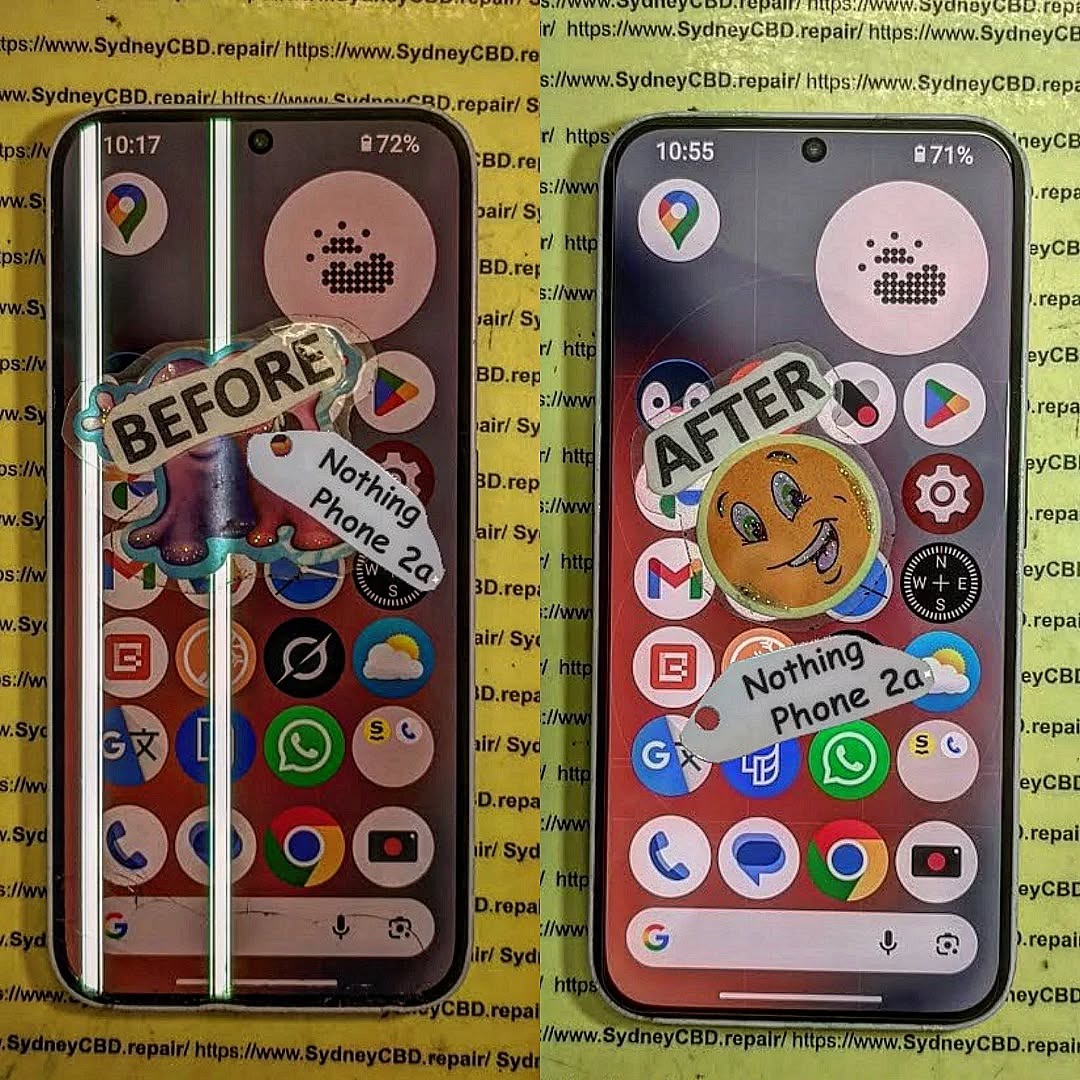
ULTIMATE REFINEMENT! Nothing Phone 2a Glyph Interface Screen Repair | Sydney CBD Repair Centre – 7 Powerful Reasons to Fix Your Device Fast

Introduction to Nothing Phone 2a Screen Repairs
The Nothing Phone 2a has quickly become one of the most talked-about smartphones on the market. With its futuristic design, stunning OLED display, and signature Glyph Interface, it’s a device that stands out from the crowd. However, like any premium smartphone, accidents can happen. Cracked glass, unresponsive touchscreens, dead pixels, and display flickering are all common issues users face after drops or impacts.
That’s where professional Nothing Phone 2a Glyph Interface Screen Repair services become essential. A damaged display doesn’t just affect the appearance of your device. It can also interfere with touch sensitivity, display clarity, battery performance, and even the functionality of the iconic Glyph lighting system.
At Sydney CBD Repair Centre, experienced technicians specialize in restoring devices to their best condition using high-quality replacement parts and precise repair methods. Whether your phone has suffered a shattered screen or internal OLED damage, getting it fixed quickly can save you from bigger problems down the line.
In today’s fast-paced world, smartphones are essential tools for communication, work, entertainment, and navigation. Consequently, a damaged screen can disrupt your daily routine. Fortunately, professional repair services provide fast turnaround times, reliable workmanship, and warranty-backed repairs that give customers peace of mind.
The standout feature of the Nothing Phone 2a is undoubtedly its Glyph Interface. Unlike traditional smartphones, the device uses LED lighting patterns on the back panel to provide notifications, charging indicators, timers, and visual alerts.
What Makes the Glyph Interface Unique
The Glyph Interface transforms the user experience by making notifications more interactive and less intrusive. Instead of constantly checking the display, users can rely on custom lighting signals to stay informed.
Some key features include:
Visual notification alerts
Charging progress indicators
Camera fill-light assistance
Timer countdown animations
Music synchronization lighting
Because the Glyph Interface is integrated closely with the phone’s internal components, screen repairs require careful handling. Poor-quality repairs may damage internal connectors or affect LED synchronization.
That’s why choosing a qualified repair specialist is critical.
Common Causes of Screen Damage
Even though the device uses durable materials, accidents still happen. Some of the most common causes of damage include:
Cause
Resulting Damage
Accidental Drops
Cracked glass and OLED damage
Pressure in Bags or Pockets
Display discoloration
Water Exposure
Touchscreen malfunction
Impact Damage
Frame bending and screen separation
Heat Exposure
Flickering and display burnout
Many users continue using their phones despite visible cracks. However, this can worsen the problem over time. Tiny fractures may spread across the screen, while exposed internal components become vulnerable to dust and moisture.
Recognizing repair symptoms early can help prevent expensive motherboard or display failures.
Touchscreen Malfunctions
One major warning sign is poor touch response. If the screen becomes sluggish, registers ghost touches, or stops responding entirely, the display assembly may already be damaged internally.
Symptoms include:
Delayed touch response
Random screen taps
Frozen applications
Multi-touch failures
These issues often develop after drops, even if the glass appears intact.
OLED Display Issues
OLED technology produces vibrant colors and deep blacks. However, it’s more delicate than traditional LCD panels.
Common OLED issues include:
Green lines
Purple blotches
Black screen despite phone vibration
Burn-in shadows
Brightness inconsistency
If left untreated, OLED damage can spread further.
Flickering and Dead Pixels
Screen flickering usually points to loose connectors or display panel damage. Dead pixels appear as tiny black or colored dots that remain permanently visible.
Professional Nothing Phone 2a Glyph Interface Screen Repair technicians can accurately diagnose whether the issue affects only the glass, the OLED panel, or deeper motherboard components.
Why Professional Screen Repair Matters
Many people consider cheap repair options or DIY kits after cracking their screens. While this might seem cost-effective initially, it often creates larger problems later.
Risks of DIY Repairs
Modern smartphones are incredibly complex. The Nothing Phone 2a contains delicate flex cables, adhesive layers, biometric components, and advanced display technology.
DIY repair risks include:
Damaging internal connectors
Breaking the OLED panel completely
Water resistance failure
Poor adhesive application
Fingerprint sensor malfunction
Without specialized equipment, repairs can quickly become disastrous.
Benefits of Expert Technicians
Professional technicians use advanced tools and proper repair procedures to ensure device safety and reliability.
Benefits include:
Accurate diagnostics
Genuine-quality parts
Safe disassembly techniques
Proper adhesive sealing
Thorough testing procedures
Repair warranties
Additionally, experienced repair specialists understand how to preserve the functionality of the Glyph Interface during screen replacements.
According to Nothing Technology Official Website, the design architecture of Nothing devices is intentionally engineered for unique hardware integration, which makes skilled repair work especially important.
The Sydney CBD Repair Centre Advantage
When it comes to Nothing Phone 2a Glyph Interface Screen Repair, choosing the right repair center makes all the difference.
Genuine-Quality Parts
At Sydney CBD Repair Centre, repairs are performed using premium replacement parts designed for excellent display quality, durability, and touch responsiveness.
Inferior aftermarket screens often suffer from:
Low brightness
Poor color accuracy
Weak touch sensitivity
Fast battery drain
Short lifespan
Using high-quality components helps maintain the premium feel of the device.
Same-Day Repairs
Nobody wants to be without their phone for days. Fortunately, many screen repairs can be completed the same day, depending on parts availability and device condition.
This fast turnaround is ideal for:
Students
Business professionals
Travelers
Content creators
Everyday users
Efficient service minimizes downtime and restores convenience quickly.
Warranty Protection
Reliable repair centers stand behind their work. Warranty-backed repairs provide confidence that any post-repair issues will be addressed professionally.
A quality warranty generally covers:
Warranty Coverage
Included
Screen defects
Yes
Touch functionality
Yes
Installation faults
Yes
Accidental damage
No
Water damage after repair
Usually No
Always ask about warranty terms before approving repairs.
Step-by-Step Nothing Phone 2a Repair Process
Understanding the repair process helps customers feel more informed and comfortable.
Diagnosis
The first step involves a complete device assessment. Technicians inspect:
Display condition
Frame integrity
Internal connectors
Touch responsiveness
OLED functionality
Glyph Interface operation
This ensures no hidden issues are overlooked.
Screen Replacement
Once diagnosed, the damaged display is carefully removed using specialized heating and separation tools.
The replacement process typically includes:
Device disassembly
Battery isolation
Screen removal
Adhesive cleaning
New screen installation
Reassembly
Professional alignment is crucial because improper installation can cause light bleeding or touch issues.
Quality Testing
Before returning the device, technicians perform extensive testing.
Testing includes:
Touch accuracy
Display brightness
Face unlock functionality
Speaker performance
Charging operation
Glyph Interface synchronization
Only after all functions pass inspection is the phone considered ready for pickup.
Cost Factors for Nothing Phone 2a Repairs
Repair costs can vary depending on several factors.
These include:
Factor
Impact on Price
OLED panel damage
Higher cost
Glass-only repair availability
Lower cost
Genuine part quality
Moderate increase
Frame damage
Additional labor
Water damage complications
Higher repair complexity
While cheap repairs may appear attractive, they often use low-grade screens with inferior longevity.
Investing in professional Nothing Phone 2a Glyph Interface Screen Repair services helps protect the overall lifespan of your device.
How to Protect Your Nothing Phone 2a Screen
Preventing future damage is just as important as repairing current issues.
Protective Cases
A high-quality shockproof case absorbs impact energy during accidental drops.
Look for features such as:
Raised screen edges
Reinforced corners
Anti-slip texture
Durable TPU materials
Cases significantly reduce crack risks.
Tempered Glass Protection
Tempered glass protectors provide an additional defensive layer against scratches and impacts.
Benefits include:
Scratch resistance
Crack absorption
Fingerprint reduction
Easier screen cleaning
Replacing a screen protector is far cheaper than replacing an OLED display.
Additionally, avoiding excessive heat exposure and keeping phones away from moisture can help preserve long-term screen health.
Frequently Asked Questions
How long does Nothing Phone 2a screen repair take?
Most repairs can be completed the same day, depending on technician workload and part availability.
Will the Glyph Interface still work after repair?
Yes. Professional technicians ensure the Glyph Interface remains fully functional after the screen replacement process.
Is it worth repairing a cracked Nothing Phone 2a screen?
Absolutely. Repairing the device restores usability, prevents further damage, and extends the phone’s lifespan.
Can OLED damage spread over time?
Yes. Black spots, green lines, and flickering often worsen if ignored.
Do repairs include warranty coverage?
Many professional repair centers provide warranties covering workmanship and replacement parts.
Will my data be deleted during repair?
In most cases, no. However, customers should always back up important files before repairs.
Can a tempered glass protector prevent cracks?
It can reduce damage severity significantly, although no protector guarantees total protection.
Why should I avoid cheap replacement screens?
Low-quality screens often have poor brightness, inaccurate colors, weak durability, and unreliable touch performance.
Conclusion
The Nothing Phone 2a is an innovative smartphone that combines futuristic design with impressive performance. However, its sophisticated OLED display and Glyph Interface require professional attention when damage occurs.
Choosing expert Nothing Phone 2a Glyph Interface Screen Repair services ensures your device receives proper care, accurate diagnostics, premium-quality parts, and dependable warranty support.
Whether your phone suffers from cracked glass, dead pixels, touch issues, or display flickering, professional technicians can restore it quickly and safely. Investing in quality repairs not only improves device performance but also protects your smartphone’s long-term value.
For trusted repair services, fast turnaround times, and experienced technicians, Sydney CBD Repair Centre remains a reliable destination for premium smartphone repairs.

David from Sydney CBD Repair Centre – The Best place to fix mobile phones as 7 Years In A Row! Top Mobile Phone Repair In Sydney. More than 2000 Positive Reviews on Google and Same Day Repairs.
We take pride in delivering exceptional repair services for all major phone brands including Apple, Samsung, Google, and more. Our expert technicians use only genuine parts and offer 90days warranty on repairs. Located in the heart of Sydney CBD, we’re your one-stop solution for all mobile device repairs.
Our commitment to excellence has earned us the trust of thousands of satisfied customers. Whether it’s a cracked screen, battery replacement, or water damage repair, we handle it all with professional care and expertise. Walk in today and experience why we’re Sydney’s #1 choice for mobile phone repairs.
Visit us for:
✓ Same Day Express Repairs
✓ Genuine Parts Guarantee
✓ Professional Technicians
✓ Competitive Pricing
✓ 2000+ 5-Star Google Reviews
✓ 7-Time Award Winner for Best Phone Repairs
MICROSCOPIC ACCURACY! Fixing a Shattered Nothing Phone 3a Pro Screen in Sydney CBD Shop + Ultimate Precision Guide 2026
Introduction
A shattered smartphone screen can instantly turn a premium device into a frustrating daily problem, especially when it involves the advanced Nothing Phone 3a Pro. Known for its sleek transparent aesthetics, powerful OLED display, and futuristic engineering, this smartphone demands far more than a basic repair approach when damage occurs. Even a minor crack can affect touch responsiveness, fingerprint functionality, display clarity, and overall device performance.
In a fast-paced city like Sydney, smartphone users rely heavily on their devices for work, communication, navigation, and entertainment. That’s why professional Nothing Phone 3a Pro screen repair services have become increasingly important. Modern repair specialists now use microscopic inspection tools, precision calibration equipment, and advanced adhesive technology to restore damaged devices with exceptional accuracy.
This article explores the complete process of fixing a shattered Nothing Phone 3a Pro screen in a Sydney CBD repair shop. From diagnosing hidden damage to installing a premium OLED replacement, you’ll discover why expert technicians focus on microscopic precision to achieve reliable, long-lasting results. Whether your phone has suffered a sudden drop, pressure crack, or display malfunction, understanding the professional repair process can help you make smarter decisions and protect your investment.
The Nothing Phone 3a Pro stands out in today’s smartphone market because of its futuristic transparent design, premium OLED display, and sophisticated internal engineering. While it looks stunning, the device also demands microscopic accuracy during repairs. A shattered display on this model isn’t just cosmetic damage—it can affect touch responsiveness, fingerprint recognition, display brightness, and even internal board connectivity.
Modern smartphones are becoming thinner and more compact. Because of this, replacing a cracked screen requires advanced tools and technical expertise. In a busy city like Sydney, many users rely on professional technicians rather than risking costly DIY mistakes.
The Nothing Phone 3a Pro screen repair process is especially delicate due to:
Flexible OLED connectors
Thin frame tolerances
Embedded biometric sensors
High-strength display adhesive
Precision-aligned internal screws
Repair technicians in Sydney CBD shops use advanced heat separation tools, anti-static workstations, and microscopic inspection equipment to ensure flawless results. Without these professional methods, even a tiny installation error can damage the motherboard or create display flickering issues later on.
Moreover, the transparent design of the phone means imperfections become more noticeable. Dust particles trapped beneath the screen or uneven adhesive application can ruin the visual appearance. That’s why experienced repair specialists focus heavily on detail-oriented workmanship.
Even premium smartphones aren’t immune to accidents. The Nothing Phone 3a Pro screen repair industry has seen a sharp rise in cracked OLED displays caused by daily mishaps.
Impact Damage
Most shattered screens happen because of accidental drops. Smartphones frequently slip from:
Pockets
Car mounts
Office desks
Gym equipment
Bathroom counters
Even when using protective cases, direct corner impacts can crack OLED layers underneath the glass. In many cases, the outer glass appears lightly damaged while the internal display suffers severe pixel bleeding.
A drop onto concrete can create:
Black ink spots
Green lines
Ghost touch problems
Touchscreen dead zones
Complete display failure
Interestingly, many customers continue using damaged devices for weeks before seeking professional help. Unfortunately, delayed repair can worsen internal damage.
Liquid Exposure
Water exposure is another major reason for Nothing Phone 3a Pro screen repair services. Moisture can seep beneath cracked glass and corrode display connectors.
Common liquid-related issues include:
Symptom
Possible Cause
Flickering display
Corroded OLED connector
Random touch activity
Moisture contamination
Screen discoloration
Water-damaged pixels
No display output
Shorted display circuitry
Although many modern phones advertise water resistance, cracked screens compromise protective seals. Once the seal is broken, even light rain can become dangerous.
Signs You Need Immediate Repair
Some users ignore small cracks, thinking they’re harmless. However, professional technicians recommend immediate Nothing Phone 3a Pro screen repair when any of the following symptoms appear:
Display flickering
Black spots spreading
Green vertical lines
Touchscreen delays
Unresponsive fingerprint sensor
Glass splinters
OLED burn patterns
Sudden battery drain
A damaged display may also expose internal components to dust and moisture. Over time, contamination can affect charging systems and motherboard functionality.
Another overlooked issue is eye strain. Cracked OLED screens sometimes produce unstable brightness levels that make prolonged usage uncomfortable.
In Sydney CBD repair environments, technicians often use microscopic diagnostic tools to inspect hidden structural fractures around the frame. These tiny fractures can compromise future repair quality if not addressed early.
Professional Diagnostic Process
Before replacing any component, professional repair technicians perform a complete device assessment.
Microscopic Inspection Tools
Modern repair shops use:
Digital microscopes
OLED testing systems
Thermal imaging cameras
Precision voltage meters
Anti-static inspection mats
These tools help identify hidden issues that ordinary users can’t see. For example, a shattered display may have also damaged nearby flex cables or loosened board connectors.
Professional inspection ensures technicians don’t simply replace the screen while missing deeper hardware faults.
Internal Hardware Testing
A proper Nothing Phone 3a Pro screen repair includes testing:
Battery health
Charging port stability
Motherboard voltage
Front camera alignment
Face recognition sensors
Internal antennas
This comprehensive process prevents repeat visits and guarantees long-term reliability.
Professional shops in Sydney CBD often complete diagnostics before providing repair quotes. That transparency helps customers understand exactly what’s damaged.
Step-by-Step Screen Replacement
Nothing Phone 3a Pro screen repair requires patience, precision, and professional equipment.
Device Opening Procedure
The repair begins with controlled heating. Technicians use calibrated heat pads to soften industrial adhesive around the frame.
Next steps include:
Removing the rear panel carefully
Disconnecting the battery
Protecting internal flex cables
Separating the damaged OLED assembly
This stage is extremely delicate. Excessive force can bend the frame or damage nearby components.
OLED Panel Installation
Once the damaged screen is removed, technicians clean the frame thoroughly. Any leftover adhesive or glass fragments can create uneven pressure points.
The new OLED assembly is then aligned with microscopic precision.
Important installation considerations include:
Flex cable positioning
Touch calibration
Fingerprint sensor alignment
Pressure distribution
Dust prevention
Professional repairers use specialized clamps to maintain proper screen seating during adhesive curing.
Adhesive Sealing Process
The final step restores structural integrity and helps maintain water resistance.
Technicians apply precision-cut adhesive seals designed specifically for the Nothing Phone 3a Pro. Cheap glue alternatives often fail within weeks.
After sealing, the device undergoes:
Display brightness testing
Touch responsiveness checks
Camera alignment inspection
Frame pressure verification
This detailed process ensures the repaired device functions like new.
Why DIY Repairs Often Fail
Online tutorials make screen replacement look simple. In reality, DIY Nothing Phone 3a Pro screen repair attempts frequently cause additional damage.
Common DIY mistakes include:
Overheating the battery
Tearing OLED flex cables
Using low-quality replacement parts
Damaging waterproof seals
Misaligning biometric sensors
Without professional tools, separating shattered OLED glass becomes extremely risky.
Many DIY users also underestimate electrostatic discharge. A tiny static shock can permanently damage motherboard components.
Another issue is adhesive quality. Cheap adhesive strips may cause the screen to lift after a few days of use.
Professional repair shops invest heavily in:
Controlled repair environments
OEM-grade tools
High-quality replacement components
Technician training
Safety procedures
These factors significantly improve repair success rates.
Benefits of Professional Repair
Choosing professional Nothing Phone 3a Pro screen repair offers several important advantages.
Reliable Workmanship
Experienced technicians understand the phone’s internal layout and repair challenges. Their expertise minimizes risks during disassembly and reassembly.
Quality Components
Professional shops typically use premium-grade OLED panels with accurate brightness, refresh rates, and touch sensitivity.
Faster Turnaround
Many Sydney CBD repair centres offer same-day service for screen replacements. That convenience matters greatly for busy professionals and students.
Warranty Protection
A reputable repair centre usually provides warranty coverage on both parts and labour.
Data Safety
Professional technicians focus on preserving customer data during repairs. DIY mistakes sometimes result in complete data loss.
Genuine vs Aftermarket Screens
One major factor in Nothing Phone 3a Pro screen repair quality is the replacement screen itself.
Feature
Genuine-Quality OLED
Cheap Aftermarket OLED
Brightness
Excellent
Inconsistent
Color Accuracy
True-to-life
Oversaturated
Touch Sensitivity
Smooth
Laggy
Durability
Long-lasting
Fragile
Battery Efficiency
Optimized
Higher drain
Low-quality aftermarket screens may initially look acceptable, but long-term performance often declines rapidly.
Users sometimes notice:
Screen flickering
Weak brightness outdoors
Poor fingerprint detection
Ghost touch problems
Professional repair centres generally recommend premium-quality parts to maintain device performance.
Repair Time and Cost Expectations
Repair times vary depending on damage severity and parts availability.
Typical Nothing Phone 3a Pro screen repair timelines include:
Repair Type
Estimated Time
Basic screen replacement
1–2 hours
Screen with frame repair
2–3 hours
Liquid-damaged display repair
3–5 hours
Costs depend on:
OLED quality
Additional component damage
Frame condition
Water exposure severity
Professional repair shops in Sydney CBD often provide upfront quotes after diagnostics.
Protecting Your Nothing Phone 3a Pro
After completing a Nothing Phone 3a Pro screen repair, prevention becomes essential.
Recommended protection strategies include:
Use a Quality Case
Shock-absorbing cases reduce impact force during drops.
Install Tempered Glass
Premium tempered glass protectors add an extra defensive layer.
Avoid Extreme Temperatures
Excessive heat weakens adhesives and OLED durability.
Keep Away From Water
Even water-resistant devices can fail after repeated moisture exposure.
Handle Carefully During Charging
Many cracked screens happen when phones fall from charging cables.
Preventive habits can significantly extend device lifespan.
Why Sydney CBD Customers Choose Experts
Customers in Sydney expect high-quality service, fast turnaround, and reliable results. Professional repair centres in Sydney CBD meet these expectations through technical expertise and customer-focused support.
In competitive repair markets, reputation matters enormously. Repair businesses with strong customer reviews and consistent workmanship often become trusted local leaders.
Is the Nothing Phone 3a Pro screen difficult to repair?
Yes. The device uses advanced OLED technology and precision internal engineering, making professional repair strongly recommended.
How long does Nothing Phone 3a Pro screen repair take?
Most professional screen replacements are completed within 1–2 hours, depending on damage severity.
Can a cracked screen affect phone performance?
Absolutely. Cracked displays can impact touch sensitivity, fingerprint recognition, brightness, and even motherboard stability.
Should I repair or replace my phone?
If the motherboard remains functional, screen replacement is usually far more affordable than purchasing a new device.
Will water resistance remain after repair?
Professional repair centres attempt to restore protective sealing, but original factory waterproof ratings can’t always be guaranteed.
Are aftermarket OLED screens reliable?
Higher-quality aftermarket OLEDs can perform well, but cheaper versions often develop flickering and touch issues over time.
Can data be lost during screen repair?
Professional technicians typically preserve all user data during repairs unless severe motherboard damage exists.
Why do OLED screens cost more?
OLED displays provide superior brightness, color accuracy, and thinness, but they’re significantly more complex to manufacture and replace.
Conclusion
The Nothing Phone 3a Pro is a beautifully engineered smartphone that demands microscopic accuracy during repairs. From OLED calibration to adhesive sealing, every repair stage requires professional skill and specialized equipment.
While DIY repair videos may seem tempting, the risks often outweigh the savings. Professional Nothing Phone 3a Pro screen repair services in Sydney CBD deliver safer, faster, and more reliable results.
By choosing experienced technicians, using premium-quality parts, and practicing proper device care afterward, users can restore their smartphones to excellent working condition and extend their lifespan significantly.
David from Sydney CBD Repair Centre – The Best place to fix mobile phones as 7 Years In A Row! Top Mobile Phone Repair In Sydney. More than 2000 Positive Reviews on Google and Same Day Repairs.
We take pride in delivering exceptional repair services for all major phone brands including Apple, Samsung, Google, and more. Our expert technicians use only genuine parts and offer 90days warranty on repairs. Located in the heart of Sydney CBD, we’re your one-stop solution for all mobile device repairs.
Our commitment to excellence has earned us the trust of thousands of satisfied customers. Whether it’s a cracked screen, battery replacement, or water damage repair, we handle it all with professional care and expertise. Walk in today and experience why we’re Sydney’s #1 choice for mobile phone repairs.
Visit us for:
✓ Same Day Express Repairs
✓ Genuine Parts Guarantee
✓ Professional Technicians
✓ Competitive Pricing
✓ 2000+ 5-Star Google Reviews
✓ 7-Time Award Winner for Best Phone Repairs
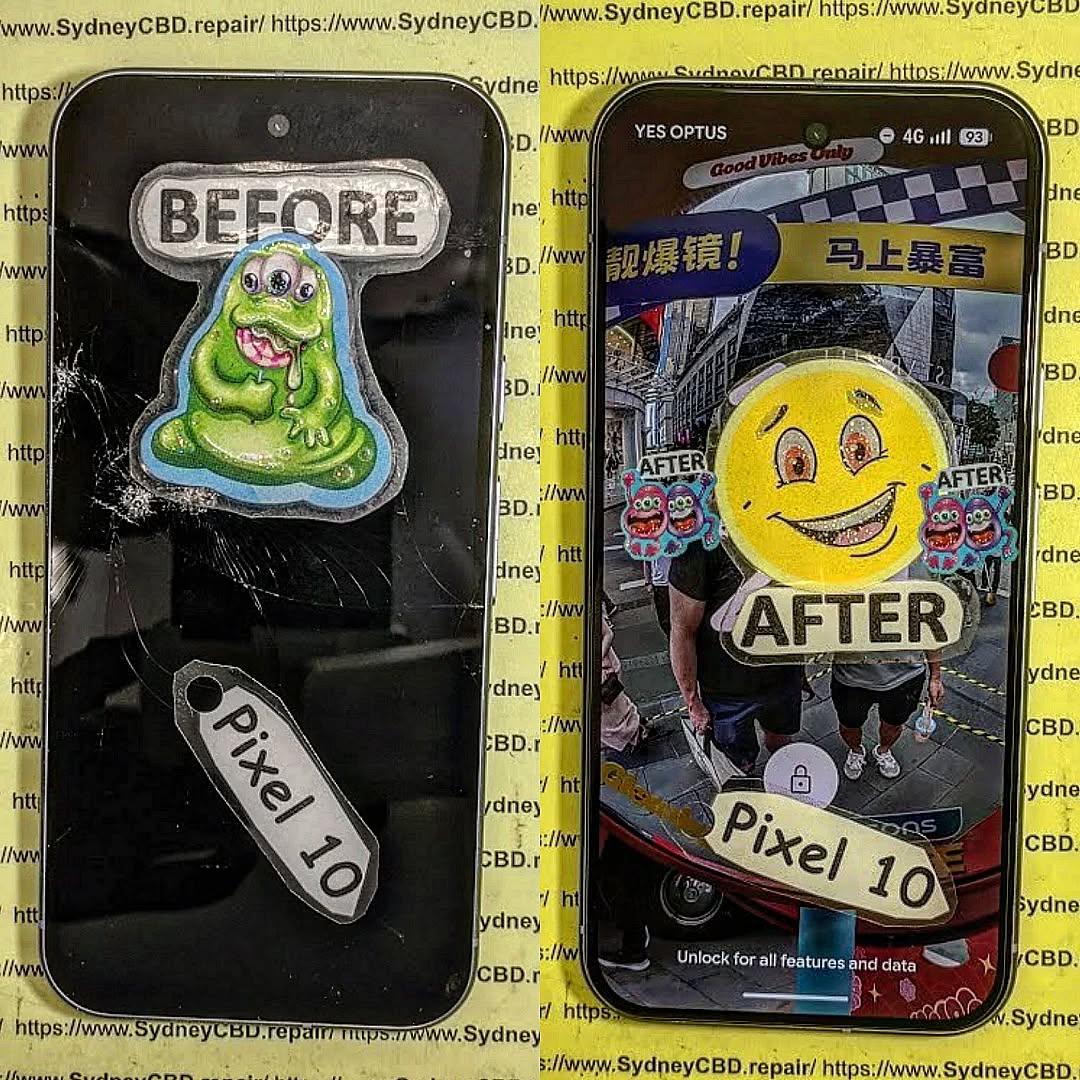
Can We Fix It? Restoring a Smashed Google Pixel 10 Pro XL – Ultimate Guide 2026
Introduction
A smashed phone can feel like a disaster. One moment your device is perfectly fine, and the next, your beloved Google Pixel 10 Pro XL slips from your hand and crashes onto concrete. The screen shatters, the frame bends, and suddenly you’re wondering whether it’s time to replace it completely.
The good news is this: in many cases, a smashed Google Pixel 10 Pro XL can absolutely be repaired.
Modern smartphones are incredibly advanced, but they’re also designed with repairability in mind. Skilled technicians can replace broken OLED screens, restore bent frames, repair damaged charging ports, and even recover precious data from heavily damaged devices.
Today’s repair industry has evolved dramatically. Professional repair centres use specialized equipment, precision tools, and genuine components to restore phones that once seemed impossible to fix. In fact, many devices that appear “dead” can be brought back to life with the right expertise.
According to Google Store Official Website, Pixel devices are engineered with premium hardware and advanced AI features, making them valuable investments worth repairing instead of discarding.
In this detailed guide, we’ll explore every stage involved in restoring a smashed Google Pixel 10 Pro XL. From diagnostics and screen replacement to motherboard repair and waterproofing, you’ll learn exactly what’s possible and how professional technicians tackle severe smartphone damage.
When a Google Pixel 10 Pro XL suffers impact damage, the visible cracks often tell only part of the story. Underneath the shattered glass, there may be hidden issues affecting performance and safety.
Common Causes of Severe Phone Damage
Most major phone damage happens because of:
Accidental drops
Vehicle accidents
Water exposure
Pressure damage in bags or pockets
Battery swelling
Heavy impacts onto hard surfaces
A smashed Google Pixel 10 Pro XL may experience several failures at once. For example, the display might stop responding while internal connectors become loose after impact.
In some cases, the phone still powers on but shows:
Green lines
Black spots
Flickering
Ghost touch
No display output
These are strong signs of OLED damage.
Signs Your Pixel 10 Pro XL Can Still Be Saved
Even badly damaged phones can often be repaired if:
The motherboard still powers up
The device vibrates or rings
Charging is detected
Data remains accessible
The frame isn’t excessively twisted
Professional technicians use specialized tools to determine whether the logic board remains functional before beginning repairs.
Premium smartphones like the Google Pixel 10 Pro XL are expensive devices packed with advanced technology.
Premium Hardware Features
The Google Pixel 10 Pro XL typically includes:
Advanced AI processing
High-end OLED display technology
Powerful cameras
Long software support
Premium build quality
Because of these features, repairing the device often makes more financial sense than replacing it.
Cost Comparison: Repair vs Replacement
Here’s a general comparison:
Option
Estimated Cost
Benefit
Screen Repair
Moderate
Saves original device
Full Restoration
Moderate to High
Preserves data and performance
Brand-New Replacement
Very High
Expensive and time-consuming
Repairing a smashed Google Pixel 10 Pro XL can save hundreds of dollars while preserving apps, files, and personal settings.
Moreover, repairing electronics helps reduce e-waste, which is increasingly important for environmental sustainability.
The Full Diagnostic Process
Professional phone restoration starts with diagnostics.
External Inspection
Technicians first inspect:
Cracked glass
Bent housing
Camera damage
Frame separation
Button functionality
This initial step identifies visible structural damage.
Internal Component Testing
After opening the device, technicians test:
Battery health
Motherboard functionality
Display connectors
Charging circuitry
Camera modules
Wireless charging coils
Advanced repair centres use microscope inspections and thermal imaging to locate hidden board faults.
Water Damage Assessment
Sometimes impact damage occurs alongside liquid exposure.
Corrosion may appear:
Around connectors
Under IC chips
Near battery terminals
If untreated, corrosion can worsen over time and permanently destroy the motherboard.
Screen Restoration for a Smashed Google Pixel 10 Pro XL
The screen is usually the most expensive and most commonly damaged component.
OLED Display Replacement
Modern Google Pixel devices use advanced OLED panels. These displays deliver:
Deep blacks
High brightness
Smooth refresh rates
Excellent colour accuracy
Unfortunately, OLED screens are fragile.
Professional replacement involves:
Removing broken glass safely
Disconnecting battery power
Installing a new OLED assembly
Testing touch responsiveness
Calibrating display functions
A properly installed screen restores the original viewing experience.
Glass-Only Repairs Explained
Some repair centres offer glass-only repairs when:
OLED still works
Touch remains functional
Internal layers are intact
Glass-only repair is more affordable but requires advanced equipment such as:
Laminating machines
Vacuum separators
Bubble removers
Not every smashed Google Pixel 10 Pro XL qualifies for this procedure.
Frame Straightening and Housing Repair
Severe drops may bend the phone frame.
Bent housings can cause:
Pressure on the OLED
Poor waterproof sealing
Wireless charging failure
Professional technicians use precision tools to straighten frames and restore structural integrity.
Repairing Internal Damage
Sometimes the visible cracks are only the beginning.
Battery Replacement
Impact damage may puncture or weaken lithium-ion batteries.
Signs of battery issues include:
Overheating
Swelling
Random shutdowns
Rapid battery drain
Battery replacement restores safe performance and reliability.
Charging Port Repairs
A smashed Google Pixel 10 Pro XL may stop charging after impact.
Common causes include:
Broken USB-C connectors
Damaged charging ICs
Debris inside ports
Technicians test charging voltage and current flow to determine the exact fault.
Camera Module Restoration
Modern Pixel phones feature sophisticated camera systems.
Impact damage can affect:
Autofocus
Optical stabilization
Lens clarity
Sensor alignment
Replacing damaged camera modules restores image quality and video performance.
Data Recovery from a Damaged Google Pixel 10 Pro XL
For many users, the most valuable part of the phone isn’t the hardware — it’s the data.
Recovering Photos and Videos
Professional repair technicians often prioritize:
Family photos
Business files
Contacts
Messages
Videos
If the motherboard still functions, temporary repairs can sometimes recover data even before complete restoration.
Motherboard Repair Techniques
Logic board repair is one of the most advanced areas of phone restoration.
Technicians may perform:
Microsoldering
IC replacement
Trace repair
Connector rebuilding
These procedures require:
High-powered microscopes
Hot air stations
Soldering expertise
Board-level repair can revive phones considered “beyond repair” by inexperienced technicians.
Genuine Parts vs Cheap Replacement Parts
Part quality matters enormously.
Benefits of Genuine Components
Genuine parts typically offer:
Better durability
Accurate colour reproduction
Proper brightness levels
Reliable touch sensitivity
Longer lifespan
Using genuine components helps maintain the original user experience.
Risks of Low-Quality Parts
Cheap replacement parts may cause:
Poor touch response
Fast battery degradation
Display flickering
Weak adhesive seals
Compatibility problems
Low-cost repairs sometimes create additional long-term issues.
That’s why reputable repair centres prioritize quality over shortcuts.
Waterproofing After Repair
One of the biggest concerns after restoring a smashed Google Pixel 10 Pro XL is water resistance.
Can Water Resistance Be Restored?
Professional repair centres can often restore partial water resistance by:
Replacing adhesive seals
Installing fresh waterproof gaskets
Using precision alignment techniques
However, no repair shop can guarantee factory-level waterproofing forever.
Pressure Testing Procedures
Advanced repair centres perform pressure testing to evaluate sealing quality.
Pressure testing helps identify:
Air leaks
Improper sealing
Weak adhesive points
This process gives customers extra confidence after repairs.
Professional Repair vs DIY Repair
Many people consider repairing phones themselves after watching online tutorials.
Risks of Home Repairs
DIY repair can easily cause:
Torn flex cables
Battery punctures
Static damage
Lost screws
Broken connectors
Without proper tools, repairs become extremely risky.
Advantages of Certified Technicians
Professional technicians provide:
Specialized equipment
Repair warranties
Genuine parts
Experience with complex faults
Safer procedures
Experienced repair experts understand how delicate modern smartphones really are.
Preventing Future Damage
Once your Google Pixel 10 Pro XL is repaired, protecting it becomes essential.
Best Protective Accessories
Strong protection includes:
Shockproof cases
Tempered glass protectors
Waterproof pouches
Camera lens protectors
These accessories reduce the chance of another major accident.
Smart Maintenance Habits
Good habits include:
Avoiding overcharging
Keeping phones away from water
Cleaning charging ports carefully
Avoiding extreme temperatures
Simple care routines help extend phone lifespan dramatically.
Frequently Asked Questions
Can a completely smashed Google Pixel 10 Pro XL be repaired?
Yes, many severely damaged devices can be restored depending on motherboard condition and component availability.
Is it cheaper to repair or replace a Google Pixel 10 Pro XL?
In most cases, repair is significantly cheaper than buying a brand-new flagship device.
Will my phone still be waterproof after repair?
Professional repair centres can restore some water resistance, but factory waterproofing can’t always be fully guaranteed.
How long does screen replacement take?
Most screen repairs can be completed within a few hours to one business day depending on damage severity.
Can data be recovered from a dead Google Pixel 10 Pro XL?
Yes, data recovery is often possible through motherboard repair or temporary restoration procedures.
Are genuine parts really better?
Absolutely. Genuine parts provide superior performance, durability, and compatibility compared to cheap alternatives.
Can a bent phone frame be repaired?
Yes, professional technicians can often straighten or replace damaged frames.
Conclusion
A smashed Google Pixel 10 Pro XL may look beyond saving, but modern repair technology has changed what’s possible. Skilled technicians can restore screens, repair internal components, recover important data, and bring heavily damaged devices back to life.
The key is acting quickly and choosing an experienced repair centre that uses proper diagnostic procedures and high-quality parts.
Repairing instead of replacing can save money, preserve important files, and extend the life of a premium smartphone. Whether the issue is a shattered OLED display, bent frame, charging failure, or motherboard damage, professional restoration offers a practical and environmentally responsible solution.
If your Google Pixel 10 Pro XL has suffered major damage, don’t assume it’s the end of the road. With the right expertise, there’s a very good chance your device can be repaired and returned to excellent working condition.
David from Sydney CBD Repair Centre – The Best place to fix mobile phones as 7 Years In A Row! Top Mobile Phone Repair In Sydney. More than 2000 Positive Reviews on Google and Same Day Repairs.
We take pride in delivering exceptional repair services for all major phone brands including Apple, Samsung, Google, and more. Our expert technicians use only genuine parts and offer 90days warranty on repairs. Located in the heart of Sydney CBD, we’re your one-stop solution for all mobile device repairs.
Our commitment to excellence has earned us the trust of thousands of satisfied customers. Whether it’s a cracked screen, battery replacement, or water damage repair, we handle it all with professional care and expertise. Walk in today and experience why we’re Sydney’s #1 choice for mobile phone repairs.
Visit us for:
✓ Same Day Express Repairs
✓ Genuine Parts Guarantee
✓ Professional Technicians
✓ Competitive Pricing
✓ 2000+ 5-Star Google Reviews
✓ 7-Time Award Winner for Best Phone Repairs
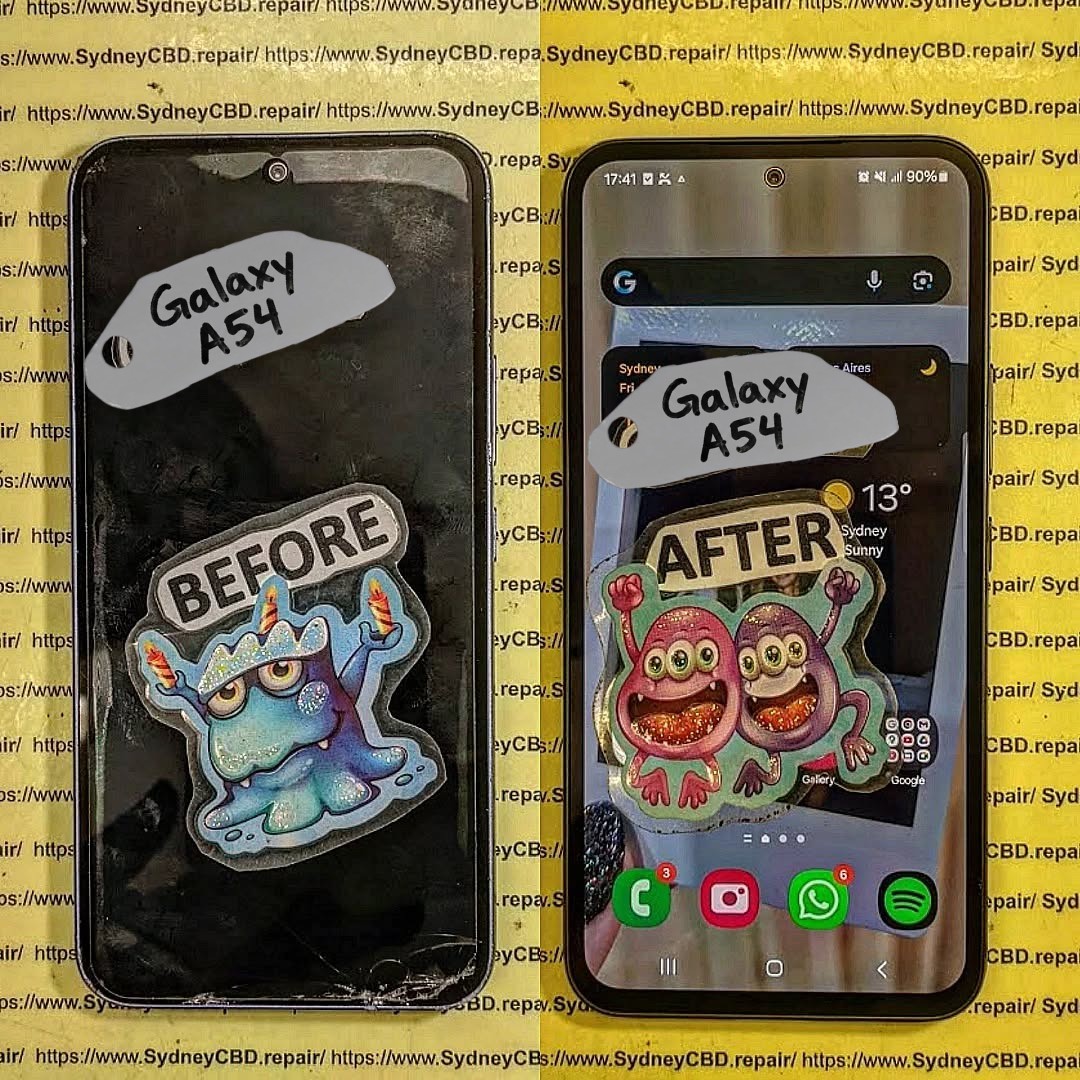
Repair or Replace? Analyzing the Cost of Galaxy A54 5G Screen Fixes – 7 Powerful Insights You Must Know
📱 Introduction to Galaxy A54 5G Screen Issues
The Galaxy A54 5G screen fix cost is one of the most common concerns among smartphone users today. After all, accidents happen—phones slip, screens crack, and suddenly you’re stuck deciding: repair or replace?
The Galaxy A54 5G is a solid mid-range device, but like any smartphone, its screen is its most vulnerable part. Whether it’s a minor crack or a completely unresponsive display, the cost and decision-making process can feel overwhelming.
So, what’s the smarter move?
In this guide, we’ll break everything down—from repair pricing to real-world scenarios—so you can make the best decision without wasting money.
Let’s get into the numbers. The Galaxy A54 5G screen fix cost varies depending on where and how you repair it.
🏢 Official Repair Costs
Authorized service centers typically charge:
Repair Type
Estimated Cost
Screen Replacement
$120 – $180
Full Display Assembly
$150 – $220
✅ Pros:
Genuine parts
Warranty protection
❌ Cons:
Higher price
Longer wait times
🔧 Third-Party Repair Costs
Local repair shops often offer more affordable solutions:
Repair Type
Estimated Cost
Screen Replacement
$80 – $140
Aftermarket Display
$70 – $120
👉 This is where most people save money—but quality can vary.
🛠️ DIY Repair Costs
Feeling adventurous?
Item
Cost
Replacement Screen
$50 – $100
Tools Kit
$10 – $25
⚠️ Warning: DIY repairs can void warranties and risk further damage.
📊 Factors That Influence Repair Costs
The Galaxy A54 5G screen fix cost isn’t fixed—it depends on several factors.
🌍 Location and Labor
Urban areas = higher labor costs
Rural areas = cheaper but limited options
🧩 Parts Quality
OEM (Original) = expensive but reliable
Aftermarket = cheaper but inconsistent
📜 Warranty Status
If your phone is under warranty or insurance:
You might pay little to nothing
Or just a deductible fee
🔧 When Repairing Makes More Sense
Repairing is usually the better option if:
The phone is less than 2 years old
Only the screen is damaged
Repair cost is under 50% of device value
👉 In most cases, fixing your Galaxy A54 is the smarter financial move.
🔄 When Replacing Your Device is Better
Sometimes, repair isn’t worth it.
Consider replacement if:
Multiple components are damaged
Repair cost exceeds 60% of phone value
Battery and performance are already declining
⚖️ Pros and Cons of Screen Repair
✅ Pros
Cheaper than buying new
Keeps your data intact
Environmentally friendly
❌ Cons
Risk of poor-quality parts
No guarantee of long-term durability
📦 Pros and Cons of Replacement
✅ Pros
Brand-new device performance
Updated features
Full warranty
❌ Cons
Expensive upfront
Data transfer hassle
⏱️ How Long Does Screen Repair Take?
Official centers: 1–3 days
Local shops: 30 minutes to 2 hours
DIY: 2–4 hours (or more if things go wrong!)
⚠️ Risks of Cheap Repairs
Going for the lowest price can backfire:
Poor display quality
Touch issues
स्क्रीन detaching over time
👉 Always balance cost with quality.
🛡️ How to Prevent Future Screen Damage
Prevention is better than cure, right?
Use a tempered glass protector
Invest in a shockproof case
Avoid placing your phone in back pockets
💡 Expert Tips for Saving Money
Want to cut down the Galaxy A54 5G screen fix cost?
Compare at least 3 repair quotes
Ask about warranty on repairs
Avoid ultra-cheap deals—they’re risky
Consider refurbished parts
❓ Frequently Asked Questions
1. How much does it cost to fix a Galaxy A54 5G screen?
It typically ranges from $80 to $220 depending on repair type and provider.
2. Is it worth repairing a cracked screen?
Yes, if the repair cost is less than half the phone’s value.
3. Can I use my phone with a cracked screen?
You can, but it’s risky—damage may worsen over time.
4. Does screen repair affect waterproofing?
Yes, most repairs reduce water resistance unless properly sealed.
5. How do I know if my screen needs full replacement?
If there are lines, flickering, or no display, a full replacement is needed.
6. Is DIY screen repair safe?
Only if you have experience. Otherwise, it can cause more damage.
🏁 Conclusion
So, should you repair or replace?
If your device is still in good condition and the Galaxy A54 5G screen fix cost is reasonable, repairing is usually the smarter choice. It saves money, extends your phone’s life, and keeps things simple.
However, if your phone is aging or heavily damaged, replacing it might be the better long-term investment.
At the end of the day, it’s all about balancing cost, convenience, and value.
David from Sydney CBD Repair Centre – The Best place to fix mobile phones as 7 Years In A Row! Top Mobile Phone Repair In Sydney. More than 2000 Positive Reviews on Google and Same Day Repairs.
We take pride in delivering exceptional repair services for all major phone brands including Apple, Samsung, Google, and more. Our expert technicians use only genuine parts and offer 90days warranty on repairs. Located in the heart of Sydney CBD, we’re your one-stop solution for all mobile device repairs.
Our commitment to excellence has earned us the trust of thousands of satisfied customers. Whether it’s a cracked screen, battery replacement, or water damage repair, we handle it all with professional care and expertise. Walk in today and experience why we’re Sydney’s #1 choice for mobile phone repairs.
Visit us for:
✓ Same Day Express Repairs
✓ Genuine Parts Guarantee
✓ Professional Technicians
✓ Competitive Pricing
✓ 2000+ 5-Star Google Reviews
✓ 7-Time Award Winner for Best Phone Repairs
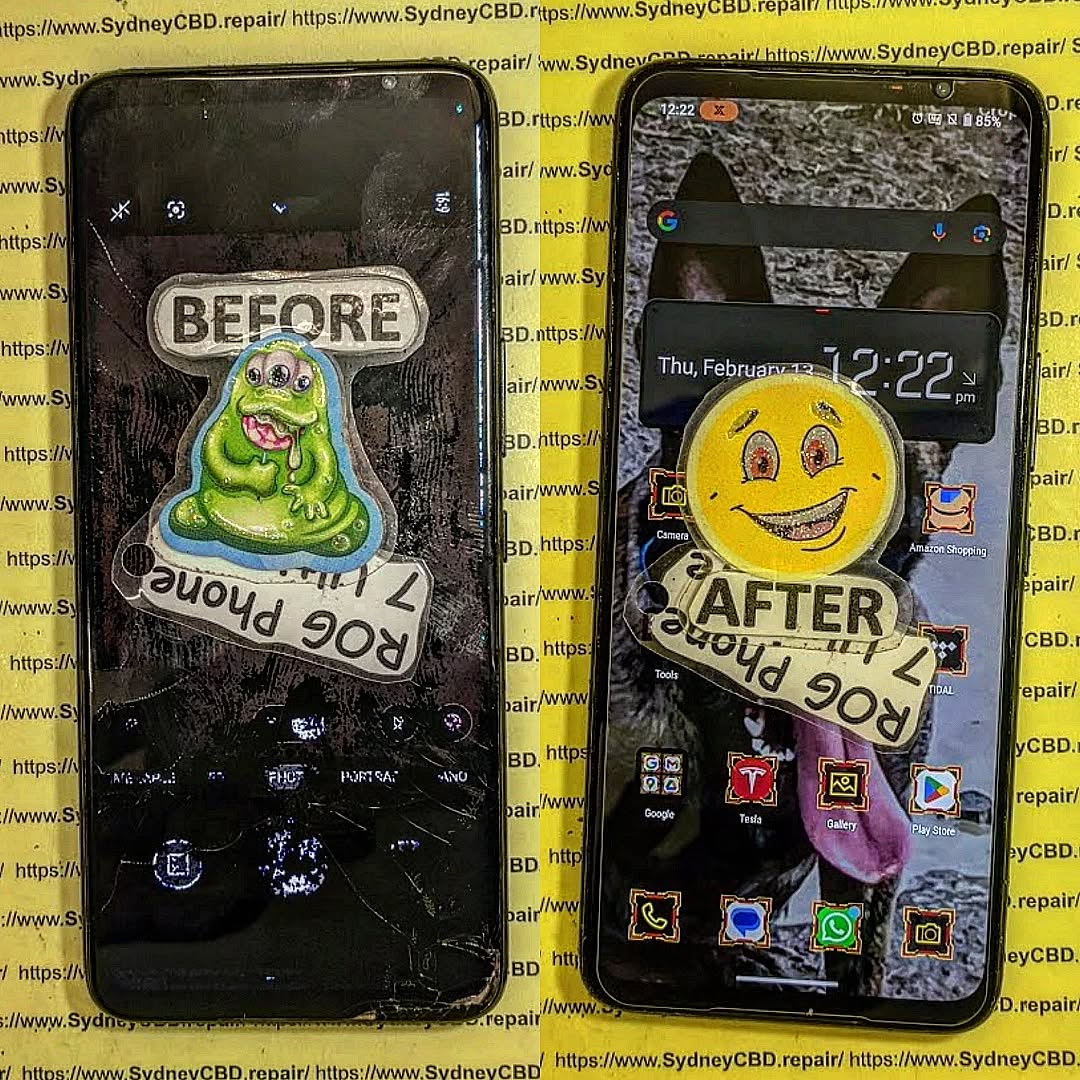
Mail-In Repair Masterclass: Your ROG Phone 7 Screen Fix, No Matter Where! | Ultimate 7-Step Expert Guide
Introduction
A cracked or unresponsive screen can instantly take the shine off your ASUS ROG Phone 7—especially when it’s a device built for speed, precision, and immersive gaming. Fortunately, a professional ROG Phone 7 screen fix no longer depends on your location. Thanks to secure and efficient mail-in repair services, getting your device restored to like-new condition is now easier than ever. Whether you’re in a major city or a remote area, expert technicians, genuine parts, and streamlined logistics come together to deliver reliable results without the hassle of visiting a repair shop.
In this guide, we’ll walk you through everything you need to know about mail-in screen repair for the ROG Phone 7—from how the process works and why it’s safe, to what benefits you can expect and how to choose the right repair centre. If you’re looking for a convenient, trustworthy solution that keeps performance intact, you’re in the right place.
The ASUS ROG Phone 7 is a powerhouse device engineered for gamers, professionals, and performance enthusiasts. Its AMOLED display delivers ultra-smooth visuals, vibrant colors, and a high refresh rate that’s tough to beat. However, with advanced tech comes increased fragility. When screen damage occurs, a ROG Phone 7 screen fix becomes essential—and that’s where mail-in repair services truly shine.
Why ROG Phone 7 Screens Are Unique
The ROG Phone 7 uses a high-refresh-rate AMOLED panel designed for extreme responsiveness. Unlike standard smartphone screens, this display integrates touch sensitivity, gaming optimization layers, and advanced cooling considerations. As a result, replacing or repairing it requires expert handling and genuine parts. A DIY approach or inexperienced technician can easily cause more harm than good.
Common Causes of Screen Damage
Even the most careful users encounter accidents. Common causes include accidental drops, pressure damage from pockets or bags, liquid exposure, or manufacturing defects that surface over time. When these issues arise, users often assume they must visit a physical store. Thankfully, mail-in repair services eliminate that limitation entirely.
What Is Mail-In Repair and Why It Works
Mail-in repair is a professional service that allows customers to send their damaged device to a certified repair centre for inspection, repair, and return shipping. For a ROG Phone 7 screen fix, this method is both practical and reliable.
How Mail-In Repair Services Operate
The process starts online. You book your repair, receive clear instructions, and ship your device securely. Once the repair centre receives it, trained technicians diagnose the issue, perform the screen replacement using genuine components, and thoroughly test the device before sending it back.
Is Mail-In Repair Safe and Secure?
Absolutely. Reputable repair centres follow strict protocols for data privacy, device tracking, and secure packaging. Devices are logged upon arrival, repaired in controlled environments, and returned with tracking information. It’s not guesswork—it’s a well-oiled system.
Choosing mail-in repair for your ROG Phone 7 screen fix offers advantages that in-store repairs simply can’t match.
Convenience for Remote Customers
No matter where you live—regional areas, interstate, or even internationally—mail-in repair ensures access to expert technicians. You don’t need to travel, wait in queues, or rearrange your schedule. Everything happens on your terms.
Cost Efficiency and Transparency
Mail-in services often reduce overhead costs, which translates into competitive pricing. You’ll receive upfront quotes, no hidden fees, and clear communication throughout the process. That transparency builds trust and peace of mind.
Step-by-Step Mail-In Repair Process
Understanding the process helps eliminate uncertainty. Here’s how a typical ROG Phone 7 screen fix via mail-in repair works.
Booking Your Repair Online
You start by selecting your device model and issue on the repair centre’s website. After confirming details, you’ll receive instructions for shipping and preparation. Some centres even provide prepaid shipping labels.
Packaging Your ROG Phone 7 Safely
Proper packaging is crucial. Use bubble wrap, a sturdy box, and remove accessories like cases or SIM cards. This ensures your device arrives safely and avoids delays.
Repair, Testing, and Return Shipping
Once repaired, technicians conduct multiple tests—display quality, touch responsiveness, and overall performance. Only after passing quality checks is your phone shipped back, often with express delivery options.
Choosing the Right Repair Centre
Not all repair centres are created equal. Selecting the right one is key to a successful ROG Phone 7 screen fix.
Certifications, Reviews, and Experience
Look for centres with proven experience, positive reviews, and industry certifications. Trusted businesses often showcase customer testimonials and years of service excellence.
Genuine Parts and Warranty Coverage
Always choose a repair centre that uses genuine or OEM-quality parts and offers a warranty. This protects your investment and ensures long-term reliability.
Turnaround Time and What to Expect
Most mail-in repairs are completed within 1–3 business days after receipt, excluding shipping time. Clear timelines and regular updates keep you informed, so you’re never left guessing.
Data Safety, Privacy, and Trust
Reputable centres prioritize data protection. Devices are handled under strict confidentiality policies, and technicians never access personal data unless required for testing. Still, backing up your data before shipping is always a smart move.
Environmental Benefits of Mail-In Repairs
Repairing instead of replacing reduces electronic waste. Mail-in repair services contribute to sustainability by extending device lifespan and minimizing environmental impact. It’s a win-win for you and the planet.
Frequently Asked Questions (FAQs)
1. Is mail-in repair reliable for a ROG Phone 7 screen fix?
Yes, when handled by an experienced repair centre, mail-in repairs are highly reliable and professionally managed.
2. How long does the entire process take?
Typically 5–7 business days including shipping, depending on location.
3. Will my data be safe during repair?
Reputable centres follow strict data privacy protocols. Backups are recommended.
4. Are genuine parts used for screen replacement?
Top-tier centres use genuine or OEM-quality parts and provide warranties.
5. What if additional issues are found?
You’ll be contacted with a revised quote before any extra work begins.
6. Is mail-in repair more affordable than in-store repair?
Often yes, due to reduced overhead and competitive pricing structures.
Conclusion
A cracked or faulty screen doesn’t mean your ROG Phone 7 is done for. With professional mail-in repair services, a ROG Phone 7 screen fix is accessible, secure, and efficient—no matter where you are. From convenience and cost savings to expert craftsmanship and environmental benefits, mail-in repair stands out as a smart, modern solution. Choose wisely, and your device will be back in top shape before you know it.
David from Sydney CBD Repair Centre – The Best place to fix mobile phones as 7 Years In A Row! Top Mobile Phone Repair In Sydney. More than 2000 Positive Reviews on Google and Same Day Repairs.
We take pride in delivering exceptional repair services for all major phone brands including Apple, Samsung, Google, and more. Our expert technicians use only genuine parts and offer 90days warranty on repairs. Located in the heart of Sydney CBD, we’re your one-stop solution for all mobile device repairs.
Our commitment to excellence has earned us the trust of thousands of satisfied customers. Whether it’s a cracked screen, battery replacement, or water damage repair, we handle it all with professional care and expertise. Walk in today and experience why we’re Sydney’s #1 choice for mobile phone repairs.
Visit us for:
✓ Same Day Express Repairs
✓ Genuine Parts Guarantee
✓ Professional Technicians
✓ Competitive Pricing
✓ 2000+ 5-Star Google Reviews
✓ 7-Time Award Winner for Best Phone Repairs
Cracked Screen Cost Guide: International Pricing, Shipping & Repair Value Explained + Ultimate Breakdown in 2026
Introduction to Cracked Screen Repair Costs
A cracked phone screen isn’t just an inconvenience—it’s a financial decision waiting to happen. Whether you’ve dropped your phone on concrete, watched it slip from your pocket, or discovered mysterious cracks overnight, the first question is always the same: how much is this going to cost?
This cracked screen cost guide exists to answer that question in full. More importantly, it explains why prices vary so much across countries, brands, and repair methods. From Sydney to San Francisco, London to Manila, cracked screen repair costs can differ by hundreds of dollars.
These differences aren’t random. They’re driven by labor rates, parts availability, shipping logistics, taxes, and even local consumer protection laws. Add inflation, global supply chain shifts, and evolving phone technology, and it’s no wonder people feel confused.
In this guide, we’ll break everything down clearly, using plain English and real-world examples. By the end, you’ll know whether repairing your phone is worth it, how international pricing works, and how to avoid overpaying.
Before comparing prices globally, it’s crucial to understand what actually goes into a cracked screen repair bill. The cost isn’t just about the glass—it’s about the entire ecosystem behind it.
Phone Brand and Model Differences
Not all phones are created equal. An entry-level Android device might cost less to repair than a flagship phone’s screen protector. Premium brands invest heavily in proprietary display technology, which raises repair costs.
For example:
iPhones use custom OLED or LTPO panels.
Samsung flagships rely on curved AMOLED displays.
Google Pixel devices integrate fingerprint sensors into the screen.
Each added feature increases part cost and repair complexity. Simply put, the newer and more advanced the phone, the higher the cracked screen repair cost.
Screen Technology and Material Types
Modern screens are layered systems, not just glass. A cracked screen may involve:
Outer glass
Touch digitizer
OLED/LCD panel
Embedded sensors
Replacing only glass is cheaper but risky. Full display replacements cost more but ensure reliability. Gorilla Glass Victus, Ceramic Shield, and curved edges all increase manufacturing and replacement costs.
Labor, Skill, and Regional Economics
Labor costs vary dramatically worldwide. A technician in Australia or the US earns far more than one in Southeast Asia. That difference directly affects repair pricing.
However, cheaper labor doesn’t always mean better value. Skill, training, and accountability matter. Certified technicians reduce the risk of secondary damage, which saves money long-term.
Now let’s get into the heart of this cracked screen cost guide—global pricing comparisons. These figures are averages and may vary by city and provider.
North America Pricing Breakdown
In the United States and Canada, cracked screen repairs are among the most expensive globally.
Average costs:
iPhone Pro models: USD $280–$420
Samsung Galaxy S/Ultra: USD $250–$390
Mid-range Android: USD $120–$220
Why so high?
High labor costs
Expensive genuine parts
Strong consumer warranty standards
Authorized service centers charge more but provide peace of mind.
Europe Pricing Comparison
Europe sits slightly below North America but above Asia.
Average costs:
Western Europe: €180–€350
Eastern Europe: €120–€220
VAT, environmental fees, and strict consumer protection laws influence prices. However, quality standards are generally excellent.
Asia-Pacific Repair Costs
Asia-Pacific offers the widest range of pricing.
Average costs:
Australia: AUD $250–$450
Japan: ¥25,000–¥45,000
Philippines, Vietnam, India: USD $40–$120
Lower labor costs and local parts sourcing reduce prices. Still, quality varies widely, so choosing reputable repair centers is essential.
Middle East, Africa & Emerging Markets
In emerging markets, cracked screen repair is often significantly cheaper.
Average costs:
Middle East: USD $90–$200
Africa: USD $60–$150
However, genuine parts may be harder to source, which affects durability and resale value.
Shipping Costs and Logistics for Screen Repairs
Some users consider mailing their phones for repair, especially when local prices are high. But shipping isn’t free—and it’s not risk-free either.
Domestic vs International Shipping
Domestic shipping costs are usually manageable:
$10–$30 with tracking and insurance
International shipping can cost:
$40–$100+ depending on country and courier
Add customs declarations, delays, and taxes, and savings may disappear quickly.
Risks, Insurance, and Transit Damage
Phones are fragile. Even well-packed devices can suffer damage in transit. Insurance helps, but claims take time and effort.
In many cases, local professional repair ends up cheaper once shipping risks are factored in.
Repair Value Analysis: Repair vs Replace
Repair cost alone doesn’t tell the full story. You need to consider value.
Depreciation and Resale Value Impact
A cracked screen slashes resale value instantly. Repairing the screen can restore up to 70–90% of the phone’s resale price, especially with genuine parts.
Warranty, Quality, and Longevity
Professional repairs often include warranties. DIY or low-quality fixes may fail, leading to repeat costs. Paying slightly more upfront often saves money long-term.
Genuine vs Aftermarket Screens: Cost Implications
Genuine screens cost more, no doubt about it. But they deliver:
Accurate colors
Proper brightness
Touch responsiveness
Compatibility with updates
Aftermarket screens are cheaper but may reduce battery life, brightness, and resale value.
According to industry data shared by repair associations and suppliers like Sydney CBD Repair Centre ( https://SydneyCBD.repair ), genuine components significantly improve repair longevity.
Hidden Costs Most People Miss
This cracked screen cost guide wouldn’t be complete without highlighting hidden expenses:
Loss of water resistance
Face ID or fingerprint issues
Software calibration fees
Downtime and data transfer
Ignoring these can turn a “cheap” repair into an expensive headache.
Environmental and Sustainability Considerations
Repairing instead of replacing reduces e-waste. One screen repair saves kilograms of carbon emissions. Globally, repair-first approaches are gaining support from governments and manufacturers alike.
In most cases, yes—especially for phones less than three years old.
2. Why do cracked screen costs vary so much by country?
Labor rates, parts access, taxes, and regulations all play a role.
3. Can I ship my phone overseas for cheaper repair?
You can, but shipping risks and delays often cancel out savings.
4. Are aftermarket screens safe to use?
They work, but quality and lifespan are usually lower.
5. How long does a professional screen repair take?
Most reputable centers complete repairs the same day.
6. Does screen repair affect water resistance?
Yes, unless resealed professionally with proper equipment.
Conclusion
A cracked screen doesn’t have to crack your budget—if you understand the full picture. This cracked screen cost guide has shown that pricing depends on far more than just the glass. International economics, shipping logistics, repair quality, and long-term value all matter.
Choosing professional repair isn’t just about cost—it’s about reliability, safety, and peace of mind. With the right information, you can make a smart, confident decision that keeps both your phone and wallet intact.
David from Sydney CBD Repair Centre – The Best place to fix mobile phones as 6 Years In A Row! Top Mobile Phone Repair In Sydney. More than 2000 Positive Reviews on Google and Same Day Repairs.
We take pride in delivering exceptional repair services for all major phone brands including Apple, Samsung, Google, and more. Our expert technicians use only genuine parts and offer 90days warranty on repairs. Located in the heart of Sydney CBD, we’re your one-stop solution for all mobile device repairs.
Our commitment to excellence has earned us the trust of thousands of satisfied customers. Whether it’s a cracked screen, battery replacement, or water damage repair, we handle it all with professional care and expertise. Walk in today and experience why we’re Sydney’s #1 choice for mobile phone repairs.
Visit us for:
✓ Same Day Express Repairs
✓ Genuine Parts Guarantee
✓ Professional Technicians
✓ Competitive Pricing
✓ 2000+ 5-Star Google Reviews
✓ 6-Time Award Winner for Best Phone Repairs
Why So Pricey? The Real Cost of Phone Screen Replacements Explained – Shocking Truths (7 Reasons)
Introduction
Cracked screens happen when we least expect them—one slip from your hand, a sudden drop, and suddenly your phone looks unusable. What often shocks people even more than the damage itself is the phone screen replacement cost. Many customers ask the same question: Why is replacing a phone screen so expensive? At first glance, it may seem like a simple fix. However, the real cost goes far beyond swapping out a piece of glass.
Modern smartphones are packed with advanced display technology, precision engineering, and delicate components that demand expert handling. From OLED panels and in-display sensors to brand-specific calibration and warranty protection, every factor contributes to the final price you’re quoted. In this article, we’ll break down the real reasons behind high screen repair costs, uncover what you’re truly paying for, and explain how understanding these details can help you make smarter repair decisions with confidence.
When customers ask why the phone screen replacement cost feels so high, the answer isn’t simple. In fact, it’s a mix of advanced technology, skilled labor, brand pricing, and real business risks. At first glance, replacing a cracked screen may look like a quick job. However, behind the scenes, there’s a lot going on.
A modern smartphone screen isn’t just glass. It’s a layered system that includes touch sensors, display panels, protective coatings, and sometimes even fingerprint readers embedded under the screen. Because of this, the phone screen replacement cost reflects much more than the part alone.
Moreover, manufacturers continuously push innovation. Brighter displays, higher refresh rates, and thinner designs make screens more expensive to produce and harder to repair. As a result, repair costs rise naturally over time.
What Is Included in a Screen Replacement?
A proper screen replacement typically includes:
The display panel (OLED, AMOLED, or LCD)
Touch digitizer
Frame or bezel (in some models)
Adhesives and seals
Calibration and testing
Each of these components adds to the overall phone screen replacement cost. Skipping steps might lower the price, but it often leads to future problems.
OEM vs Aftermarket Screens
Original Equipment Manufacturer (OEM) screens are made by the same companies that supply phone brands. They’re more expensive but deliver perfect color accuracy and durability. Aftermarket screens cost less, yet quality can vary. This choice directly affects the phone screen replacement cost and long-term performance.
Smartphone displays have evolved rapidly. Years ago, LCD screens were standard. Today, OLED and AMOLED dominate premium devices, driving up the phone screen replacement cost significantly.
AMOLED, OLED, and LCD Explained
LCD: Affordable but thicker and less vibrant
OLED: Brighter, energy-efficient, flexible
AMOLED: Superior contrast, thinner design, higher cost
OLED-based screens are more fragile and harder to manufacture, which increases replacement pricing.
Why Foldable Screens Cost More
Foldable phones use ultra-thin glass and flexible OLED panels. These are cutting-edge technologies with limited supply. As a result, foldable device repairs can cost several times more than standard phones.
Labor, Expertise, and Skill Costs
While parts are expensive, labor plays a huge role in the phone screen replacement cost. Skilled technicians don’t appear overnight. They require extensive training, tools, and experience.
Technician Training and Certification
Professional repair centers invest heavily in technician education. Learning how to safely remove fragile displays without damaging internal components takes time. This expertise protects your device but also adds to repair pricing.
Same-Day Repair Economics
Same-day repairs sound convenient—and they are. However, keeping parts in stock, employing trained staff, and maintaining advanced tools increases operating costs. That convenience is built into the phone screen replacement cost.
Brand, Model, and Availability Factors
Not all phones are priced equally when it comes to repairs. Brand reputation and model popularity heavily influence the phone screen replacement cost.
Apple, Samsung, and Premium Brands
Premium brands use proprietary technology. Apple, for instance, pairs screens with software calibration. Samsung uses advanced AMOLED panels. These features increase repair complexity and cost.
Older Models vs New Releases
Surprisingly, older models aren’t always cheaper. Limited part availability can increase prices due to scarcity. Newer models, while expensive, often have better part availability early on.
Supply Chain, Parts, and Global Pricing
Global events affect repair pricing more than most people realize. Shipping delays, currency changes, and factory shutdowns all influence the phone screen replacement cost.
Shipping, Import Taxes, and Shortages
Replacement screens often travel internationally. Import taxes, freight costs, and supply shortages raise prices. These increases are passed down to repair providers and ultimately to customers.
For authoritative insight on device components, Apple explains display technology and quality standards on their official site:
👉 https://support.apple.com
Warranty, Quality Control, and Risk
A quality repair includes more than installation. It includes accountability. Reputable repair centers offer warranties, which add security—but also cost.
Why Warranties Add Value
A warranty protects you against defects and installation issues. Repair shops must account for potential rework, which factors into the phone screen replacement cost. It’s a safety net worth having.
How to Reduce Your Phone Screen Replacement Cost
Although screen repairs aren’t cheap, you can still minimize expenses.
Repair vs Replace Decision
Ask yourself:
Is the phone less than 2 years old?
Does it still perform well?
Is the repair cost less than half the phone’s value?
If yes, repairing is usually the smarter financial choice. Preventive steps like screen protectors and sturdy cases also help reduce future costs.
Frequently Asked Questions (FAQs)
1. Why is phone screen replacement cost higher than expected?
Because modern screens use advanced technology and require skilled labor.
2. Are aftermarket screens worth it?
They can be, but quality varies. OEM screens last longer.
3. Does insurance lower phone screen replacement cost?
Yes, but deductibles and monthly fees apply.
4. Can I replace my phone screen myself?
DIY repairs are risky and often void warranties.
5. Why do foldable phones cost so much to repair?
They use rare, flexible OLED technology.
6. How long does a professional screen replacement take?
Usually 30–90 minutes, depending on the model.
Conclusion
So, why is the phone screen replacement cost so high? It’s the result of advanced display technology, skilled labor, brand-specific parts, supply chain realities, and quality assurance. While the price may seem steep, professional repairs protect your investment and extend your phone’s life.
Understanding these factors empowers you to make smarter decisions—whether that’s choosing OEM parts, using insurance, or protecting your device better in the future.
David from Sydney CBD Repair Centre – The Best place to fix mobile phones as 6 Years In A Row! Top Mobile Phone Repair In Sydney. More than 2000 Positive Reviews on Google and Same Day Repairs.
We take pride in delivering exceptional repair services for all major phone brands including Apple, Samsung, Google, and more. Our expert technicians use only genuine parts and offer 90days warranty on repairs. Located in the heart of Sydney CBD, we’re your one-stop solution for all mobile device repairs.
Our commitment to excellence has earned us the trust of thousands of satisfied customers. Whether it’s a cracked screen, battery replacement, or water damage repair, we handle it all with professional care and expertise. Walk in today and experience why we’re Sydney’s #1 choice for mobile phone repairs.
Visit us for:
✓ Same Day Express Repairs
✓ Genuine Parts Guarantee
✓ Professional Technicians
✓ Competitive Pricing
✓ 2000+ 5-Star Google Reviews
✓ 6-Time Award Winner for Best Phone Repairs
REPAIR SHOP SECRETS: The Most Common Phone Damage You Must Know + Expert Tips + 7 Shocking Facts
Introduction: Why Phone Damage is More Common Than You Think
In today’s fast-paced digital world, our smartphones are more than just gadgets—they’re our lifeline to work, family, and entertainment. Yet, despite how advanced these devices have become, phone damage is still one of the most common frustrations faced by millions of users worldwide. From cracked screens to failing batteries, accidents happen more often than people realize.
At Sydney CBD Repair Centre, we’ve repaired thousands of devices and witnessed firsthand the most frequent types of phone damage. Many of these issues are preventable with the right habits and protective measures. In this article, we’ll uncover the 7 most common phone damages, why they happen, how to avoid them, and when it’s best to leave the fix to professionals.
If you’ve ever dropped your phone and picked it up with a cracked screen, you’re not alone. Screen damage is by far the most common phone issue brought to repair shops.
Causes of Cracked Screens
Accidental Drops: The number one culprit, whether it’s from your hand, table, or pocket.
Pressure Damage: Sitting on your phone or keeping it in a tight bag.
Invest in a high-quality tempered glass protector.
Use a durable phone case with shock absorption.
Avoid placing your phone in your back pocket or under heavy items.
Handle your phone with a secure grip when multitasking.
Even with the best precautions, accidents still happen. The good news is that screen repairs are one of the fastest and most affordable fixes, especially when handled by professionals using genuine parts.
A phone’s battery is like its heart—without a healthy one, the device can’t function properly. Yet, battery degradation often goes unnoticed until it becomes severe.
Signs of Battery Damage
Rapid battery drain
Phone shutting down unexpectedly
Overheating during regular use
Swelling of the battery casing
Extending Battery Life with Smart Habits
Avoid charging your phone overnight regularly.
Keep your phone between 20%–80% battery levels when possible.
Reduce screen brightness and background apps.
Use certified charging cables and adapters only.
Replacing a damaged battery can restore your phone’s performance and extend its life by years. At Sydney CBD Repair Centre, we use genuine batteries that maintain factory-grade performance and come with warranty.
Charging Port Issues – Why Your Phone Won’t Charge
One of the most frustrating problems is when your phone refuses to charge, even though your charger works fine.
Common Causes of Charging Port Failure
Dust, lint, or debris clogging the port
Frequent bending or tugging of the charging cable
Water or liquid damage inside the port
Loose or broken internal connectors
When to Replace vs Repair the Charging Port
Minor Issues: Cleaning the port often resolves charging problems.
Serious Damage: If pins are broken or corroded, professional replacement is necessary.
Trying to fix charging ports at home can worsen the damage. Professional repair ensures your phone charges safely without risking further motherboard issues.
Water Damage – The Repair Shop’s Worst Nightmare
Smartphones and water rarely mix well. Even with waterproof ratings, liquid exposure remains one of the trickiest repairs.
Signs Your Phone Has Water Damage
Screen flickering or discoloration
Phone won’t turn on after exposure
Speakers producing muffled sound
Fog or condensation under camera lens
What to Do Immediately After Water Exposure
Turn the phone off right away.
Avoid pressing buttons—it can push water deeper inside.
Don’t use rice—it’s ineffective compared to professional drying.
Bring your device to a repair centre within 24–48 hours for the best chance of recovery.
Water damage requires specialized ultrasonic cleaning and component inspection, something only experienced technicians can do effectively.
Camera Malfunctions – Blurry Photos & More
Smartphone cameras have replaced traditional cameras for most people, but when they fail, the experience is frustrating.
Why Smartphone Cameras Fail
Physical damage to the lens
Moisture inside the module
Faulty image stabilization
Software glitches interfering with camera function
Repair vs Replacement: Which is Best?
Repair: Lens cleaning, calibration, or fixing loose connectors can restore clarity.
Replacement: If the camera sensor is damaged, replacing the module is often more cost-effective.
Speaker & Microphone Damage – The Overlooked Problem
You can’t fully enjoy your smartphone if people can’t hear you, or if your calls sound distorted.
Causes of Sound Issues in Phones
Dust or lint blocking speaker grills
Water damage corroding audio components
Loose internal connections
Software misconfigurations
Professional Fixes for Clear Audio
Cleaning or replacing speaker grills
Re-soldering broken microphone components
Testing and restoring audio IC chips when needed
Software Glitches – Not Always a Hardware Issue
Not all phone problems are physical. Sometimes, software errors mimic hardware failure.
When to Suspect Software vs Hardware
Apps crashing frequently
Phone freezing or restarting randomly
Bluetooth/WiFi issues without visible hardware damage
Best Practices for Preventing Glitches
Keep your OS updated
Avoid installing unverified apps
Perform regular system reboots
Back up and reset when glitches persist
The Cost of Phone Repairs – What Customers Should Expect
Many people avoid repairs because they fear high costs. The truth is, repair prices vary depending on several factors.
Factors Affecting Repair Prices
Phone brand and model
Type of damage (screen vs motherboard)
Availability of genuine parts
Labour complexity
Hidden Costs to Watch Out For
Shops using cheap third-party parts
Short warranties that leave customers unprotected
Overcharging for simple fixes
At Sydney CBD Repair Centre, pricing is transparent and always includes genuine parts plus a 90-day warranty.
DIY vs Professional Repair – Which is Smarter?
With so many YouTube tutorials, DIY repairs are tempting. But are they worth the risk?
Risks of DIY Fixes
Potential to damage delicate components
Voiding manufacturer warranties
Using low-quality replacement parts
Benefits of Professional Repairs
Expert handling of sensitive hardware
Use of genuine parts with warranty
Faster and safer turnaround times
How to Choose the Right Phone Repair Shop
Not all repair shops are created equal. Choosing wisely can save you money and stress.
What to Look for in a Trusted Repair Centre
Genuine parts guarantee
Experienced technicians
Transparent pricing
Warranty on all repairs
Positive customer reviews
Red Flags to Avoid
No warranty offered
Suspiciously cheap pricing
Poor customer service
Lack of physical address
👉 You can check out Sydney CBD Repair Centre (Locate Us Here)—a trusted repair shop with 2000+ 5-star reviews and a 6-year streak as Sydney’s top repair centre.
FAQs – Answering Your Most Common Questions
Q1: How long do most phone repairs take?
Most common repairs like screen or battery replacements can be done within the same day.
Q2: Are third-party parts safe to use?
No. They often degrade performance and can cause further damage. Always insist on genuine parts.
Q3: Can water-damaged phones be fully repaired?
It depends on the extent of damage. Early intervention improves the chances of recovery.
Q4: How can I make my phone last longer?
Use protective accessories, charge smartly, and avoid exposing your phone to extreme heat or moisture.
Q5: Do repair shops back up data before fixing?
Professional shops advise customers to back up data before service, though some may assist with recovery if needed.
Q6: Is it better to repair or replace my phone?
If the cost of repair is less than 40% of the price of a new phone, repair is often the smarter choice.
Conclusion – Protecting Your Phone for the Future
Phone damage is common, but most of it can be prevented with the right care. From cracked screens to battery issues, knowing the risks and taking proactive steps can save you time, stress, and money.
For those inevitable accidents, trust the experts at Sydney CBD Repair Centre. With over 2000 positive Google reviews, same-day service, and a genuine parts guarantee, we’ve earned our reputation as Sydney’s #1 mobile phone repair shop.
MYTHBUSTING: Can ANY Phone Screen Be Repaired? – Truths, Limits & Expert Tips (2025)
🟢 Introduction
Cracked your phone screen? You’re not alone. It’s one of the most common smartphone mishaps in the world—and usually the first reason people visit a repair shop. But there’s a big question that keeps popping up: Can any phone screen be repaired? Spoiler alert: not always.
This article will break down myths, outline what’s possible, what’s not, and help you make smart decisions about screen repair. Whether you’re holding the latest iPhone, a Google Pixel, or a no-name brand, we’ve got the facts you need to know.
OLED vs LCD vs AMOLED vs TFT: What You Need to Know
Not all phone displays are built the same:
Type
Characteristics
Common In
LCD
Affordable, backlit, less vibrant
Budget Android phones
OLED
More vibrant, thinner, power-efficient
iPhones, flagships
AMOLED
OLED variant, deeper contrast
Samsung Galaxy series
TFT
Basic LCD with fast response
Older or cheaper models
Each type reacts differently to impact, moisture, or wear. That’s why repairing a Samsung AMOLED isn’t the same as fixing a Nokia LCD.
Glass vs Display: Not the Same Thing
Glass is just the outer layer. The display panel is the component underneath that actually shows visuals. Many people think a cracked glass = screen replacement, but that’s not always true.
🤔 Can All Screens Actually Be Repaired?
High-End Phones: iPhones, Galaxies, and More
For newer iPhones (like the iPhone 13–15 series), screen repair is usually possible, thanks to readily available parts and modular design. Samsung Galaxies also fall into this group—especially S21 and newer.
But some models have issues:
In-display fingerprint scanners may not work after screen repair unless recalibrated.
Face ID sensors are delicate; breaking them can make the phone unusable.
Budget Phones: Are Repairs Worth It?
Budget devices like older Oppos, Motorolas, or Realme models might not be worth repairing due to:
Low resale value
Lack of spare parts
Non-removable screens glued into the frame
Sometimes replacing the whole phone is more economical.
🧨 Common Myths About Phone Screen Repairs
“All Screens Are the Same”
False. Screen components vary not only between brands, but even between regions (e.g., Korean vs Chinese Samsung screens).
“Cheaper Repairs Save Money”
Not really. Low-cost repairs often:
Use aftermarket or low-quality parts
Void warranty
Fail quickly—costing more long-term
“DIY Is Just as Good as Professional”
Unless you’re trained and equipped, this is a risky gamble. Many DIY kits don’t include:
Adhesive sealants
Electrostatic protection
Specialized tools for modern bezels
⚠️ Real Limitations of Screen Repairs
Lack of Genuine Parts
Some brands (like Apple and Huawei) tightly control part distribution, so only authorized repairers can access original components.
Outdated or Rare Models
Devices that are over 5 years old often fall into the “non-repairable” category—not because they can’t be fixed, but because parts are discontinued.
Structural Frame Damage
If your screen shattered because the phone was bent or warped, repair becomes tricky. A new screen on a deformed frame won’t sit flush or last long.
🧩 Factors That Affect Screen Repairability
Availability of Parts
Your phone’s popularity determines how easily parts are sourced. For example:
iPhones and Samsungs? Easy.
Niche Chinese brands? Not so much.
Device Design (Modular vs Sealed Units)
Phones with modular design (e.g., Fairphone) are easy to repair.
But many flagships are now sealed units requiring heat, suction, and precision—raising costs and risks.
Brand Repair Policies
Some brands push users toward official repairs only, even disabling features if parts are replaced elsewhere (looking at you, Apple Face ID!).
🧪 How to Know if Your Phone Screen Can Be Repaired
Physical Inspection
Cracks near corners? Less problematic. Spiderwebbing across the whole screen? Tougher. Internal bleeding (LCD leakage)? Major concern.
Diagnostic Testing
Shops like Sydney CBD Repair Centre run multi-point diagnostics to determine if it’s just the screen—or deeper issues like motherboard damage.
Quoting and Evaluation by Professionals
Always ask for a quote after inspection. A reputable shop won’t charge you for simply checking.
✅ Best Practices to Avoid Repair Disasters
Choose Certified Technicians
Look for technicians with certifications or proven track records (like 2000+ reviews on Google for Sydney CBD Repair Centre).
Ask for Genuine Parts
Always clarify if OEM parts are used. If not available, ask for premium-grade alternatives with warranty.
Understand the Warranty
A 90-day repair warranty is the bare minimum. Ensure your shop stands behind their work.
😕 Why Some Shops Say “It’s Not Repairable”
They might mean:
Parts are unavailable
Risk of damage is high
Device is not worth the repair cost
That’s why a second opinion from a trusted centre like Sydney CBD Repair Centre can make all the difference.
🛠️ What If It’s Really Beyond Repair? Your Options
Trade-in the device for parts
Recycle responsibly
Sell for scrap (some shops pay for motherboards, batteries, etc.)
Buy refurbished – cheaper and sustainable
⭐ Why Sydney CBD Repair Centre Leads the Way
At Sydney CBD Repair Centre, we’ve seen it all—from phones that look run over by a bus to rare imports with obscure parts. Here’s what makes us different:
1. Can I fix just the glass if the display still works?
Yes, but it’s delicate. Glass-only repairs require specialized equipment and are best done by professionals.
2. Are aftermarket screens bad?
Not all. Some high-grade aftermarket displays are excellent. The key is to avoid ultra-cheap knockoffs.
3. How long does screen replacement take?
At Sydney CBD Repair Centre, most screen repairs are completed the same day, often within 1–2 hours.
4. Will Face ID or fingerprint sensors still work after repair?
If the repair is done professionally, yes. However, replacing components without recalibration may disable these features.
5. Should I repair or replace an old phone?
If your phone is over 5 years old or parts are rare, replacement may be more cost-effective.
6. Do cracked screens get worse over time?
Absolutely. Cracks can spread, compromise waterproofing, and expose the display to further damage.
🧠 Conclusion: Can Any Screen Be Fixed? It Depends
The short answer? Not every screen is repairable—but many are.
The long answer? It depends on the model, damage, part availability, and who’s doing the repair.
When in doubt, trust the experts. At Sydney CBD Repair Centre, we blend experience, technology, and passion to bring your phone back to life—the right way.