The Phone Screen Replacement What to Expect from a Repair Shops – 15 Insider Tips for a Hassle-Free Experience
# Introduction
Cracked screen? Unresponsive display?
A damaged phone screen can throw your entire day off. The good news? A professional phone repair shop can get your device back to normal faster than you think.
In this guide, we explain exactly what to expect from a phone screen repair, from diagnostics and costs to part quality and turnaround time. Whether it’s your first time or your fifth, knowing what goes on behind the counter can help you make the best decision for your phone—and your wallet.
Phone screens are made from delicate glass layered over intricate touch sensors and OLED or LCD panels. Even with a case and screen protector, accidents happen.
Common causes of screen damage include:
Drops on hard surfaces
Pressure from sitting on the phone
Water or heat exposure
Manufacturing defects
As one of the most frequent repairs, shops like Sydney CBD Repair Centre see hundreds of screen repairs weekly.
Some screen damage is obvious. Others sneak up on you. Watch for:
Cracks or shatter marks
Unresponsive touch areas
Flickering or dim display
Green or black screen
Ghost touches (screen moves on its own)
Early repairs prevent further damage and keep costs down.
# What Happens When You Visit a Repair Shop
A professional repair shop will typically follow this process:
Initial assessment of physical damage
Function tests on display, touch, face ID/fingerprint, and sensors
Provide a quote based on damage and part availability
Proceed with repair only after your approval
At Sydney CBD Repair Centre, this entire process takes less than 10 minutes for walk-ins.
# Screen Diagnosis and Inspection
We’ll inspect:
Glass cracks
Internal damage to the digitizer or LCD/OLED
Whether Face ID, fingerprint scanner, proximity sensors still work
Battery or logic board signs (if the phone is completely unresponsive)
This ensures only the necessary parts are replaced, and we don’t miss anything.
# How Long Does a Screen Repair Take?
The average screen replacement takes:
30–60 minutes for common models
1–2 hours for newer iPhones and Samsungs
Up to 24 hours for foldables or rare models
We offer same-day express service for most screen repairs at Sydney CBD Repair Centre.
# Types of Screens: Original vs Aftermarket
Repair shops may offer different types of screens:
Type
Description
OEM (Original Equipment Manufacturer)
Same as factory-installed; highest quality
Refurbished OEM
Original panel with new glass
Aftermarket Premium
High-grade copy with good performance
Cheap Aftermarket
Low-cost copies with poor performance
We always recommend OEM or refurbished OEM for best results.
# OEM vs Fake Parts: What’s the Difference?
Here’s what separates genuine parts from fakes:
Feature
OEM Parts
Fake Parts
Display quality
Crisp, vibrant
Washed out, dim
Touch sensitivity
Precise, responsive
Delayed or erratic
Durability
Scratch-resistant glass
Cheap plastic
Face ID/fingerprint
Fully compatible
Often disabled or buggy
Price
Higher
Lower
⚠️ Using fake parts can lead to more costly re-repairs later on.
# Questions to Ask Before Getting a Repair
Before you agree to anything, ask your technician:
Do you use genuine or OEM-grade parts?
Is there a warranty on the repair?
Will this affect Face ID or fingerprint functionality?
Will I lose any data during the repair?
How long will the repair take?
Shops like ours provide clear answers upfront—no surprises.
# Screen Repair Costs: What’s Normal?
Costs depend on your phone model and the part used. Here’s a rough breakdown:
Phone Model
OEM Screen Cost Estimate (AUD)
iPhone 11
$160 – $200
iPhone 13 Pro Max
$350 – $450
Samsung Galaxy S22
$290 – $400
Google Pixel 7 Pro
$280 – $350
Galaxy Z Fold 5
$600 – $900
💡 Get a quote before approving any repair.
# Can You Repair a Screen Without Losing Data?
Yes! A professional shop like Sydney CBD Repair Centre takes data safety seriously. We:
Don’t reset your phone
Avoid damaging memory or motherboard
Use anti-static tools to prevent data corruption
Still, we recommend backing up your data just in case.
# Risks of DIY Screen Repairs
YouTube might make it look easy, but here’s the reality:
Heat guns can burn OLED displays
Cheap tools can damage logic boards
No adhesive seals = loss of water resistance
No warranty if something goes wrong
🛠 Leave it to professionals for peace of mind and a warranty.
# Warranty and After-Service Support
A proper repair shop will give you:
Written warranty (90 days minimum)
Post-repair inspections
Support if an issue comes up
At Sydney CBD Repair Centre, every repair includes a 90-day warranty—no hassle, no fine print.
# Why Choose Sydney CBD Repair Centre
Here’s what sets us apart:
✅ Same-Day Repairs
✅ Genuine Parts Guarantee
✅ 90-Day Warranty on All Screen Repairs
✅ 2000+ Google 5-Star Reviews
✅ Award-Winning Team (6 Years in a Row)
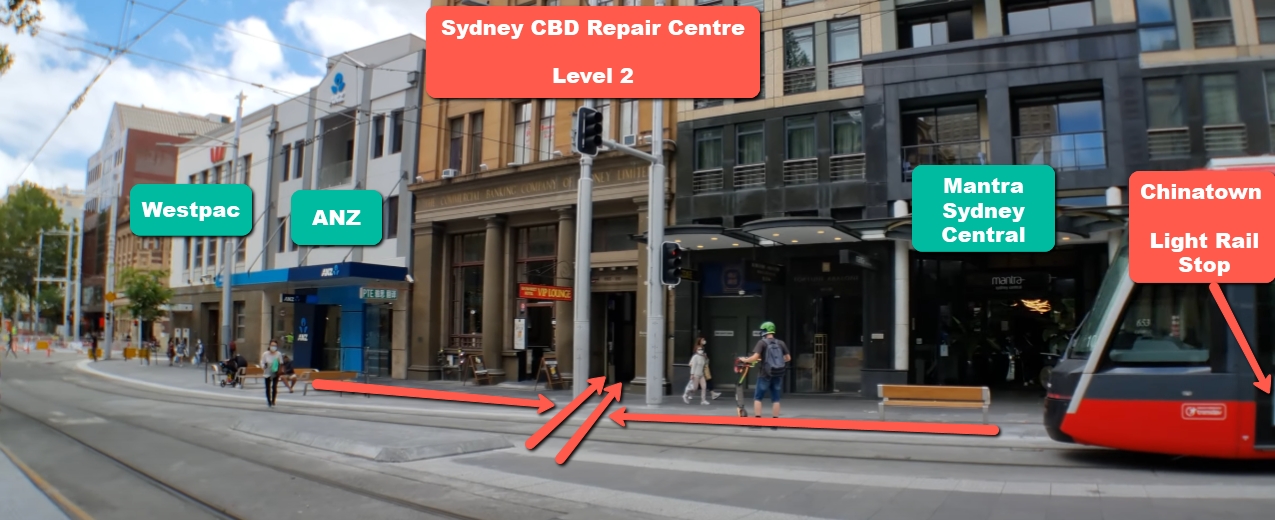
✅ Convenient Location in Sydney CBD
✅ Walk-Ins Welcome — No Appointment Needed
Yes! Walk-ins are always welcome at Sydney CBD Repair Centre.
2. Will my Face ID or fingerprint still work after screen repair?
Yes—if the repair is done properly with genuine parts.
3. How long will I be without my phone?
Most screen repairs are done within 1–2 hours.
4. What if my phone stops working after the repair?
We offer a 90-day warranty—come back and we’ll make it right.
5. Can you repair foldable phone screens?
Absolutely. We’re one of the few centres in Sydney that specialise in foldable repairs.
6. Do you service phones outside of Sydney?
Yes—we offer mail-in repairs across Australia. Just contact us to arrange shipping.
# Conclusion
Getting your phone screen repaired shouldn’t be stressful. Now that you know what to expect—from diagnosis to parts and pricing—you can walk into a repair shop with confidence and peace of mind.
And if you’re in Sydney, trust Sydney CBD Repair Centre—your go-to destination for fast, high-quality, and warranty-backed screen repairs done right the first time.
David from Sydney CBD Repair Centre – The Best place to fix mobile phones as 6 Years In A Row!
Top Mobile Phone Repair In Sydney. More than 2000 Positive Reviews on Google and Same Day Repairs.
Visit us today for:
✓ Same Day Express Repairs
✓ Genuine Parts Guarantee
✓ Competitive Pricing
✓ 90-Day Warranty
✓ 6-Time Award Winner for Best Phone Repairs
Comparing Genuine Samsung Adhesive vs Generic Glue During Samsung Z Fold 6 Repairs: 7 Powerful Facts Every Owner Must Know
Introduction: Why Adhesive Choice Matters in Foldable Repairs
When it comes to Comparing Genuine Samsung Adhesive vs Generic Glue During Z Fold 6 Repairs, many users assume glue is just glue. However, that assumption couldn’t be further from the truth. The Samsung Galaxy Z Fold 6 is not a regular smartphone. It’s a highly engineered foldable device that relies heavily on precision adhesives for structure, durability, and water resistance.
Unlike traditional slab phones, foldables depend on flexible bonding materials that can endure thousands of folds without cracking, separating, or weakening. In fact, adhesive quality directly affects:
Structural stability
Hinge performance
Water resistance
Long-term durability
Screen alignment
So, when technicians are Comparing Genuine Samsung Adhesive vs Generic Glue During Z Fold 6 Repairs, the decision isn’t minor—it’s critical.
The Samsung Galaxy Z Fold 6 represents years of foldable innovation. It features:
Ultra-thin glass display
Advanced hinge mechanism
Multi-layer flexible OLED panel
Water-resistant sealing design
The Role of Adhesive in Foldable Structural Integrity
Adhesive in the Z Fold 6 does more than “stick parts together.” It:
Bonds flexible OLED to frame
Seals the hinge housing
Maintains even pressure distribution
Absorbs micro-movements during folding
In foldable phones, adhesive must stretch slightly yet return to form. Generic glue often becomes brittle over time. That’s where the first major difference appears when Comparing Genuine Samsung Adhesive vs Generic Glue During Z Fold 6 Repairs.
Waterproofing and Dust Resistance Challenges
Foldables have more entry points for dust and moisture. Genuine adhesive is engineered to maintain a tight seal under:
Heat expansion
Repeated folding
Pressure stress
If generic glue is used, water resistance can be compromised immediately.
Genuine Samsung adhesive is manufacturer-grade bonding material designed specifically for Samsung devices.
Composition and Factory Standards
Samsung adhesive is:
Pre-cut for precision alignment
Temperature-resistant
Flexible under stress
Engineered for OLED bonding
It’s tested in controlled environments to ensure consistent adhesion even after thousands of folds.
Manufacturer Testing and Certification
Samsung’s adhesives are validated through:
Heat cycle testing
Humidity resistance tests
Fold endurance simulations
According to industry durability benchmarks from Samsung Electronics, foldables undergo extensive mechanical stress testing before approval.
That level of certification simply doesn’t exist for most generic glues.
What Is Generic Glue in Smartphone Repairs?
Generic glue typically refers to:
Liquid adhesives
Universal bonding compounds
Aftermarket double-sided tapes
Common Types Used by Third-Party Shops
Technicians sometimes use:
B7000 adhesive
T7000 glue
Generic industrial double-sided tape
While these may work for basic smartphones, foldables demand more specialized bonding.
Cost vs Performance Trade-Off
Generic glue costs less upfront. However, cheaper adhesive can lead to:
Early screen lifting
Frame separation
Reduced water resistance
Dust intrusion
When Comparing Genuine Samsung Adhesive vs Generic Glue During Z Fold 6 Repairs, cost savings often disappear due to repeat repairs.
Head-to-Head Comparison: Genuine Samsung Adhesive vs Generic Glue
Let’s break it down clearly.
Feature
Genuine Samsung Adhesive
Generic Glue
Flexibility
High
Moderate to Low
Water Resistance
Maintains Seal
Often Compromised
Longevity
2–3+ Years
3–12 Months
Heat Resistance
Optimized
Inconsistent
Precision Fit
Pre-Cut
Manual Application
Warranty Safety
Yes
Often Void
Durability and Longevity
Genuine adhesive is built for long-term use. Generic glue may degrade faster due to heat and folding stress.
Water Resistance Performance
The Z Fold 6 relies on tight seals. Once compromised, even small moisture exposure can damage internal components.
Heat Resistance and Flexibility
Foldables generate heat around the hinge and processor. Adhesive must withstand thermal cycles without weakening.
Aesthetic and Structural Finish
Genuine adhesive provides:
Cleaner frame alignment
No glue overflow
Professional finish
Generic glue often leaves residue or uneven bonding.
Risks of Using Generic Glue on Z Fold 6
Screen Lifting and Panel Separation
Improper adhesive bonding can cause:
Display edge lifting
Crease stress
Touch sensitivity issues
Dust Ingress and Internal Damage
The hinge mechanism is vulnerable. Dust intrusion can:
Affect folding smoothness
Scratch internal layers
Cause display failure
Warranty and Insurance Implications
Using non-genuine materials may void warranty policies connected to Samsung Electronics.
That’s a serious financial risk.
Why Professional Repair Centers Choose Genuine Adhesive
Professional repair centers that value long-term quality consistently choose genuine parts.
For example, leading independent repair standards promoted by iFixit emphasize correct materials for structural repairs.
Precision Application Tools
Certified centers use:
Alignment frames
Controlled heating plates
Pressure calibration tools
Quality Control and Testing
Post-repair testing often includes:
Seal inspection
Fold-cycle simulation
Visual alignment check
This ensures durability beyond just “it sticks.”
Cost Analysis: Is Genuine Adhesive Worth It?
While genuine adhesive costs more upfront, it reduces:
Repeat repair visits
Display damage risks
Internal contamination
Long-term ownership costs
Think of it like this: saving $30 today might cost $600 tomorrow in screen replacement.
In the long run, genuine adhesive provides peace of mind—and that’s priceless.
FAQs About Adhesive Use in Z Fold 6 Repairs
1. Does adhesive really affect fold performance?
Yes. Foldables rely on flexible bonding. Incorrect adhesive can restrict movement and stress the display.
2. Can generic glue damage the OLED panel?
It can. Some adhesives release chemicals that weaken OLED layers over time.
3. Will water resistance remain after third-party repair?
Only if proper sealing materials are used. Generic glue often reduces original protection.
4. How long does genuine adhesive last?
Typically 2–3 years or more, depending on usage.
5. Is genuine adhesive required for warranty compliance?
In many cases, yes. Non-genuine materials may void coverage.
6. Why is foldable repair more complex than regular phones?
Foldables have moving components and flexible displays requiring precision engineering.
Conclusion: Making the Smart Repair Decision
When Comparing Genuine Samsung Adhesive vs Generic Glue During Z Fold 6 Repairs, the evidence is clear. Foldable smartphones demand precision-engineered bonding materials that match factory specifications.
Generic glue might seem convenient. It might even look fine at first. But over time, the risks multiply—screen lifting, dust damage, water exposure, and warranty voiding.
Choosing genuine adhesive isn’t just about sticking parts together. It’s about protecting your investment, ensuring long-term durability, and maintaining the premium experience the Z Fold 6 was designed to deliver.
When it comes to foldables, quality isn’t optional—it’s essential.
David from Sydney CBD Repair Centre – The Best place to fix mobile phones as 7 Years In A Row! Top Mobile Phone Repair In Sydney. More than 2000 Positive Reviews on Google and Same Day Repairs.
We take pride in delivering exceptional repair services for all major phone brands including Apple, Samsung, Google, and more. Our expert technicians use only genuine parts and offer 90days warranty on repairs. Located in the heart of Sydney CBD, we’re your one-stop solution for all mobile device repairs.
Our commitment to excellence has earned us the trust of thousands of satisfied customers. Whether it’s a cracked screen, battery replacement, or water damage repair, we handle it all with professional care and expertise. Walk in today and experience why we’re Sydney’s #1 choice for mobile phone repairs.
Visit us for:
✓ Same Day Express Repairs
✓ Genuine Parts Guarantee
✓ Professional Technicians
✓ Competitive Pricing
✓ 2000+ 5-Star Google Reviews
✓ 7-Time Award Winner for Best Phone Repairs
DIY Repair vs. Pro Repair: When is a shattered screen worth repairing by yourself? + 7 Powerful Insights to Save Money
Introduction to DIY vs. Pro Repair
When your phone slips from your hand and lands face-first, your heart sinks. That spiderweb crack across the display isn’t just cosmetic—it’s frustrating, inconvenient, and potentially expensive. Naturally, you start wondering about DIY vs. pro repair. Should you fix it yourself and save money, or trust a professional technician?
In today’s world, smartphones are more than gadgets. They’re essential tools for communication, work, banking, and entertainment. Deciding between DIY vs. pro repair isn’t just about cost—it’s about safety, reliability, and long-term value.
This comprehensive guide explores when a shattered screen is worth repairing yourself and when it’s better to seek professional help. By the end, you’ll have clarity and confidence to make the right decision.
Modern smartphones use advanced display technologies like OLED and AMOLED. Devices from companies such as Apple, Samsung, and Google incorporate delicate components layered tightly together.
Today’s screens are not just glass panels. They include:
Touch digitizers
Display panels
Protective glass (often Gorilla Glass)
Sensors (fingerprint, proximity, face recognition)
How Screens Break
Screens typically shatter due to:
Accidental drops
Pressure in pockets or bags
Impact on corners
Thermal stress
Even a small crack can spread quickly. Worse still, internal damage may not be visible immediately.
Hidden Damage Beneath the Glass
Here’s the kicker: cracked glass doesn’t always mean only glass damage. Internal components like the OLED panel or digitizer can suffer microfractures. In DIY vs. pro repair debates, this hidden damage often becomes the deciding factor.
A DIY repair may replace visible glass, but professionals diagnose deeper problems using specialized tools.
Choosing professional repair can extend device lifespan significantly.
Frequently Asked Questions
1. Is DIY screen repair cheaper?
Yes, upfront costs are lower. However, mistakes may increase total expenses.
2. Does DIY void warranty?
Yes. Opening your phone typically voids manufacturer warranty.
3. How long does professional repair take?
Most reputable shops offer same-day repairs.
4. Are aftermarket screens safe?
Quality varies. Cheap screens often reduce brightness and durability.
5. Can I restore waterproofing after DIY repair?
It’s difficult without specialized adhesive and pressure equipment.
6. Is DIY repair worth it for newer phones?
Usually not. Modern smartphones are complex and expensive.
Conclusion
So, when is a shattered screen worth repairing yourself?
In the DIY vs. pro repair debate, the answer depends on your phone’s value, your skill level, and your risk tolerance.
DIY works for older devices and experienced users. However, for premium smartphones and daily-use devices, professional repair offers safety, warranty, and long-term reliability.
Ultimately, peace of mind often outweighs small savings.
David from Sydney CBD Repair Centre – The Best place to fix mobile phones as 7 Years In A Row! Top Mobile Phone Repair In Sydney. More than 2000 Positive Reviews on Google and Same Day Repairs.
We take pride in delivering exceptional repair services for all major phone brands including Apple, Samsung, Google, and more. Our expert technicians use only genuine parts and offer 90days warranty on repairs. Located in the heart of Sydney CBD, we’re your one-stop solution for all mobile device repairs.
Our commitment to excellence has earned us the trust of thousands of satisfied customers. Whether it’s a cracked screen, battery replacement, or water damage repair, we handle it all with professional care and expertise. Walk in today and experience why we’re Sydney’s #1 choice for mobile phone repairs.
Visit us for:
✓ Same Day Express Repairs
✓ Genuine Parts Guarantee
✓ Professional Technicians
✓ Competitive Pricing
✓ 2000+ 5-Star Google Reviews
✓ 7-Time Award Winner for Best Phone Repairs
Restoring from Pieces to Perfection Restoring a Smashed Google Pixel Fold Using OEM Parts + 7 Proven Techniques
Introduction
The Google Pixel Fold represents a groundbreaking leap in mobile technology, combining the portability of a smartphone with the expansive experience of a tablet. Its sleek foldable design allows users to multitask, enjoy larger screens for media, and carry advanced technology in a compact form. However, with innovation comes vulnerability. The delicate foldable screen, intricate hinge mechanism, and ultra-thin internal components make the Pixel Fold prone to damage from drops, pressure, or even minor mishandling.
Restoring a smashed Pixel Fold isn’t just about replacing a screen or battery—it’s about understanding the device’s unique engineering, using high-quality OEM parts, and following precise repair techniques to ensure the device functions like new. Whether you’re a DIY enthusiast looking to attempt the repair yourself or considering professional service, knowing the step-by-step process, potential pitfalls, and the importance of genuine parts is essential.
In this comprehensive guide, we’ll explore everything from identifying damage, sourcing the right OEM components, executing meticulous repairs, to preventing future issues. By the end, you’ll have the knowledge and confidence to bring your Pixel Fold back from “pieces to perfection.”
The Google Pixel Fold is a marvel of modern mobile technology, combining a tablet-sized screen with a pocketable form factor. Its foldable design offers versatility, but it also introduces vulnerabilities not seen in standard smartphones. The foldable hinge, ultra-thin OLED display, and flexible internal components are prone to cracking, creasing, or malfunctioning if mishandled. Understanding these weaknesses is the first step toward effective repair.
Unlike traditional smartphones, even minor pressure in the wrong spot can lead to permanent screen damage. Many users overlook hinge care, which can result in misalignment, screen separation, or internal component stress. Being proactive and understanding the Pixel Fold’s unique engineering ensures a higher success rate when restoring a smashed device.
Organized Parts Tray: Avoid losing screws or small components during reassembly.
Preparation is half the battle; rushing increases chances of irreversible damage.
Step-by-Step Guide to Screen Replacement
Replacing the Pixel Fold screen is intricate but achievable with patience and proper OEM components.
Removing the Damaged Display
Power off the device.
Heat the edges gently to soften adhesive.
Use a suction cup and spudger to lift the screen without bending the OLED.
Disconnect ribbon cables carefully to avoid tearing.
Installing the New OEM Screen
Align the new screen precisely with the hinge and frame.
Connect ribbon cables securely.
Test functionality before sealing with adhesive.
Press gently to ensure adhesion without warping.
Battery Replacement and Optimization
A damaged battery can reduce performance even after a screen replacement. When replacing:
Use OEM batteries only.
Avoid bending or puncturing the battery.
Calibrate after installation by charging to 100% and discharging fully once.
Proper battery replacement ensures longer lifespan and prevents overheating.
Repairing Internal Components
Other internal repairs include:
Logic Board Fixes: Address short circuits or flex cable damage.
Camera Replacement: Carefully detach connectors.
Hinge Adjustment: Replace worn bushings or lubricate hinge pins.
Sensor Alignment: Ensure fold detection sensors function properly.
All repairs require OEM parts and patience to avoid cascading failures.
Reassembling the Device Safely
Reassembly involves:
Using correct screws for each component
Applying adhesive only where necessary
Aligning hinge for smooth folding
Checking screen flushness and touch sensitivity
Skipping any step can result in poor fold mechanics or uneven display.
Software Calibration After Repair
Once hardware is restored:
Check touchscreen responsiveness across the fold
Test fold sensors and animations
Update software to the latest patch
Run built-in diagnostics to confirm component integrity
This ensures the device functions as if it were new.
Preventative Tips to Avoid Future Damage
Use a robust foldable case
Apply high-quality screen protectors
Avoid sitting on the device or storing in tight spaces
Keep away from heat and moisture
Schedule routine diagnostics if fold responsiveness declines
These simple steps extend the Pixel Fold’s lifespan dramatically.
Cost Analysis: DIY vs Professional Repair
Factor
DIY
Professional
Cost
Lower upfront but risk of mistakes
Higher but includes warranty
Tools
Must buy precision tools
Provided by technician
Time
Can take hours
Typically same-day or 1-2 days
Risk
High if inexperienced
Low, experts handle delicate parts
Warranty
None if DIY
Usually 90 days+ with OEM parts
While DIY is tempting, professional repair ensures longevity and preserves device value.
FAQ Section
Q1: Can I use non-OEM screens for Pixel Fold repair?
A1: Technically yes, but non-OEM screens can have reduced durability, touch sensitivity issues, and color inaccuracies.
Q2: How long does a Pixel Fold screen replacement take?
A2: With experience, 60–90 minutes. For DIY beginners, allow 2–3 hours.
Q3: Does replacing the battery affect fold performance?
A3: Only if improper handling bends internal components; OEM batteries maintain normal fold mechanics.
Q4: How can I prevent hinge damage?
A4: Avoid placing stress on the fold, keep it free of dust, and consider professional lubrication.
Q5: Is software calibration necessary after screen replacement?
A5: Absolutely. Calibration ensures touchscreen responsiveness and correct fold detection.
Q6: What warranty applies to OEM part replacements?
A6: Typically, professional repairs with OEM parts provide at least 90 days warranty, covering defects and functionality issues.
Conclusion
Restoring a smashed Google Pixel Fold using OEM parts is both feasible and highly recommended. OEM components preserve device integrity, ensure optimal performance, and reduce future maintenance. Whether opting for professional repair or a carefully planned DIY approach, understanding the unique vulnerabilities of the Pixel Fold, using the right tools, and following precise steps can return your foldable device to “as-new” condition. For additional support and genuine parts, visit Google Support.
David from Sydney CBD Repair Centre – The Best place to fix mobile phones as 7 Years In A Row! Top Mobile Phone Repair In Sydney. More than 2000 Positive Reviews on Google and Same Day Repairs.
We take pride in delivering exceptional repair services for all major phone brands including Apple, Samsung, Google, and more. Our expert technicians use only genuine parts and offer 90days warranty on repairs. Located in the heart of Sydney CBD, we’re your one-stop solution for all mobile device repairs.
Our commitment to excellence has earned us the trust of thousands of satisfied customers. Whether it’s a cracked screen, battery replacement, or water damage repair, we handle it all with professional care and expertise. Walk in today and experience why we’re Sydney’s #1 choice for mobile phone repairs.
Visit us for:
✓ Same Day Express Repairs
✓ Genuine Parts Guarantee
✓ Professional Technicians
✓ Competitive Pricing
✓ 2000+ 5-Star Google Reviews
✓ 7-Time Award Winner for Best Phone Repairs
Original Screens vs. Aftermarket Screens: The Ultimate Comparison for Your Phone Screen Repair! + 7 Powerful Facts You Must Know
Introduction to Original vs. Aftermarket Screens
When your phone screen cracks, the first question that pops up is simple: Should I choose original or aftermarket screens? This debate around Original vs. Aftermarket Screens has become more important than ever, especially with modern smartphones like the iPhone 15 Pro, Samsung Galaxy S24, and Google Pixel 8 becoming more advanced and more expensive.
Choosing the right screen replacement isn’t just about cost. It affects display quality, touch performance, battery life, resale value, and even future software updates. In short, it matters a lot.
In this comprehensive guide, we’ll break down everything you need to know about Original vs. Aftermarket Screens so you can make a confident and informed decision.
Original screens, often referred to as OEM (Original Equipment Manufacturer) screens, are the exact same screens used by manufacturers during phone production.
For example, if you replace a cracked display on your iPhone 15 Pro with an original screen, you’re getting the same part Apple uses in its factories.
How Manufacturers Produce Original Screens
Major brands such as Apple Inc., Samsung Electronics, and Google partner with high-end display manufacturers to produce premium OLED or AMOLED panels. These screens undergo strict quality control processes to ensure:
Accurate color calibration
True brightness levels
Proper touch sensitivity
Seamless hardware-software integration
Benefits of Choosing Original Screens
Here’s why many people prefer original screens:
Perfect fit and finish
Maximum brightness and color accuracy
No software compatibility issues
Maintains phone warranty (if installed by authorized service centers)
Higher resale value
However, original screens often come with a higher price tag.
Aftermarket screens are replacement displays manufactured by third-party companies. They are not produced directly by the phone’s original brand.
That doesn’t automatically mean they’re bad. In fact, some aftermarket screens are high quality, while others are low grade.
Types of Aftermarket Screens
There are generally three categories:
High-Quality OLED Copies
Soft OLED Screens
LCD Replacement Screens (for OLED phones)
Each type varies in price and performance.
Why Aftermarket Screens Are Popular
Lower cost
Wider availability
Faster repair turnaround
Suitable for older devices
For someone repairing an older device like the iPhone 11, aftermarket screens may offer a practical solution without overspending.
7 Powerful Facts About Original vs. Aftermarket Screens
Fact 1: Display Quality Differences
When comparing Original vs. Aftermarket Screens, display quality is the biggest difference.
Original screens offer:
True-to-life colors
Deep blacks (especially OLED)
Higher brightness
Better outdoor visibility
Aftermarket screens may:
Appear slightly dull
Have lower brightness
Show uneven color tones
For high-end devices like the Samsung Galaxy S24, the difference can be noticeable.
Fact 2: Touch Sensitivity and Responsiveness
Original screens are precisely calibrated with the device’s touch controller.
Aftermarket screens sometimes:
Have slight touch delays
Show ghost touches
Require more pressure
If you use your phone heavily for gaming or typing, this difference becomes obvious.
Fact 3: Durability and Longevity
Original screens typically last longer because:
They use stronger glass
They meet manufacturer durability standards
They integrate better with internal components
Lower-grade aftermarket screens may crack more easily or develop display lines over time.
Fact 4: Price Comparison
Here’s where aftermarket screens shine.
Feature
Original Screen
Aftermarket Screen
Price
High
Low to Medium
Display Quality
Excellent
Good to Fair
Longevity
Long-lasting
Varies
Warranty
Yes (authorized)
Limited
For example, replacing an original OLED screen on an iPhone 15 Pro can cost significantly more than using an aftermarket alternative.
Fact 5: Warranty and Manufacturer Support
Using original screens at authorized centers ensures continued manufacturer support.
According to Apple Inc.’s official repair policies (see: https://support.apple.com/repair), unauthorized modifications can affect service eligibility.
Aftermarket installations may void certain warranties.
Fact 6: Impact on Phone Resale Value
Buyers often check whether a device has original parts.
Phones repaired with original screens:
Sell faster
Command higher prices
Inspire buyer confidence
This is especially true for premium models.
Fact 7: Compatibility with Software Updates
Modern smartphones use software calibration tied to hardware.
With original screens:
No warning messages
No reduced functionality
Smooth updates
Some aftermarket screens may trigger display warnings or disable features like True Tone.
Cost Breakdown Table: Original vs. Aftermarket Screens
Device Type
Original Screen Cost
Aftermarket Screen Cost
Flagship OLED
$$$$
$$
Mid-Range OLED
$$$
$-$$
LCD Devices
$$
$
The savings can be substantial, especially for older models.
Which Screen Is Right for You?
Choose original screens if:
You own a new flagship
You plan to resell
You value display perfection
Choose aftermarket screens if:
You’re on a budget
It’s an older phone
You need a quick fix
Professional Repair vs. DIY Replacement
DIY repairs may seem tempting. However, modern phones are complex.
Professional repair centers:
Use proper tools
Calibrate screens
Offer warranty
Attempting DIY may damage delicate components.
How to Identify High-Quality Aftermarket Screens
Look for:
OLED labeling
Warranty from repair shop
Good customer reviews
No dead pixels
Ask your technician about screen grade.
Risks of Low-Grade Aftermarket Screens
Low-quality screens may:
Drain battery faster
Overheat
Show flickering
Crack easily
That’s why choosing a reputable repair center is essential.
Environmental Impact of Screen Choices
Repairing your phone instead of replacing it reduces e-waste.
Organizations like United Nations Environment Programme promote device repair to reduce global waste.
Choosing quality repairs extends your phone’s life and protects the planet.
Frequently Asked Questions (FAQs)
1. Are aftermarket screens always bad?
No. High-quality aftermarket screens can perform well, but quality varies.
2. Will an aftermarket screen affect Face ID?
It can if improperly installed.
3. Is original always worth the extra cost?
For flagship phones, usually yes.
4. Can I switch from aftermarket to original later?
Yes, but it requires another replacement.
5. Do aftermarket screens break easily?
Lower-grade ones do. High-quality versions can be durable.
6. Will software updates stop working?
Usually not, but warnings may appear.
Conclusion
When it comes to Original vs. Aftermarket Screens, the right choice depends on your budget, phone model, and long-term plans.
If you want perfection, longevity, and resale value, original screens are the gold standard.
If affordability and practicality matter more, high-quality aftermarket screens can be a smart option.
Either way, always choose a trusted repair professional. A good repair doesn’t just fix your phone — it restores your peace of mind.
David from Sydney CBD Repair Centre – The Best place to fix mobile phones as 7 Years In A Row! Top Mobile Phone Repair In Sydney. More than 2000 Positive Reviews on Google and Same Day Repairs.
We take pride in delivering exceptional repair services for all major phone brands including Apple, Samsung, Google, and more. Our expert technicians use only genuine parts and offer 90days warranty on repairs. Located in the heart of Sydney CBD, we’re your one-stop solution for all mobile device repairs.
Our commitment to excellence has earned us the trust of thousands of satisfied customers. Whether it’s a cracked screen, battery replacement, or water damage repair, we handle it all with professional care and expertise. Walk in today and experience why we’re Sydney’s #1 choice for mobile phone repairs.
Visit us for:
✓ Same Day Express Repairs
✓ Genuine Parts Guarantee
✓ Professional Technicians
✓ Competitive Pricing
✓ 2000+ 5-Star Google Reviews
✓ 7-Time Award Winner for Best Phone Repairs
Samsung Galaxy S25 Ultra Full Teardown and Screen Restoration in Sydney CBD: 15 Expert Techniques That Save Your Phone
Introduction
The Samsung Galaxy S25 Ultra is one of the most advanced smartphones ever released by Samsung Electronics. With its ultra-bright AMOLED display, titanium frame, AI-powered camera system, and premium design, this flagship device represents cutting-edge mobile engineering. However, even the toughest premium smartphones can suffer cracked screens, touch issues, or display damage after accidental drops.
That’s where Samsung Galaxy S25 Ultra full teardown and screen restoration in Sydney CBD becomes essential. Professional technicians use advanced tools, genuine components, and proven restoration methods to bring damaged devices back to life without compromising performance or reliability.
In busy city environments like Sydney, phones endure daily wear and tear. From accidental falls on pavement to pressure damage inside bags, screen failures are increasingly common. Fortunately, expert restoration services can completely revive the device while maintaining its premium functionality.
The Samsung Galaxy S25 Ultra features an advanced engineering structure designed for durability and performance. Unlike older devices, modern Samsung phones use layered internal assemblies that make repairs more challenging but more precise.
Key Components Inside the Device
Component
Function
AMOLED Display
Produces vivid visuals and touch responsiveness
Titanium Frame
Provides structural durability
Battery Module
Powers the device efficiently
Main Logic Board
Controls processing and communication
Camera Array
Captures ultra-high-resolution photos
Cooling System
Prevents overheating during heavy use
The Samsung Galaxy S25 Ultra full teardown and screen restoration in Sydney CBD process requires careful handling because every component is interconnected with delicate flex cables and adhesives.
Why Screen Damage Happens on Premium Smartphones
Even though flagship smartphones are built with stronger materials, they aren’t indestructible. In fact, premium curved-edge displays often become more vulnerable to impact.
Common Causes of Damage
Accidental drops
Sitting on the phone
Pressure inside backpacks
Water exposure
Poor-quality screen protectors
Heat expansion damage
Interestingly, many users assume minor cracks don’t require immediate repair. Unfortunately, small cracks often spread rapidly and may eventually damage the OLED layer underneath.
Hidden Risks of Ignoring Cracks
When users delay Samsung Galaxy S25 Ultra full teardown and screen restoration in Sydney CBD, additional issues may appear:
Sometimes the damage isn’t obvious. A phone may still function while internal components slowly deteriorate.
Major Warning Signs
Display Problems
Dead pixels
Screen flickering
Purple ink-like spots
Dim brightness
Partial black display
Touchscreen Issues
Delayed response
Ghost touching
Unresponsive areas
Random typing
Structural Damage
Bent frame
Loose glass
Exposed adhesive
Rear glass separation
If your phone shows these symptoms, professional Samsung Galaxy S25 Ultra full teardown and screen restoration in Sydney CBD should be performed immediately.
Tools Required for a Full Teardown
Professional repair technicians rely on specialized equipment to safely disassemble flagship devices.
Essential Repair Tools
Tool
Purpose
Heat Pad
Softens adhesive
Precision Screwdrivers
Removes internal screws
Plastic Pry Tools
Opens housing safely
Suction Cup
Lifts display panels
Anti-Static Mat
Prevents component damage
Isopropyl Alcohol
Cleans adhesive residue
Without these tools, DIY attempts often cause permanent motherboard damage.
Why Specialized Equipment Matters
Modern Samsung devices use extremely strong waterproof adhesive. Attempting removal without controlled heat may crack the rear glass or damage internal flex cables.
Professional repair labs in Sydney invest heavily in advanced repair systems to ensure safer restoration procedures.
Step-by-Step Samsung Galaxy S25 Ultra Full Teardown
The Samsung Galaxy S25 Ultra full teardown and screen restoration in Sydney CBD process follows a structured workflow designed to minimize risk.
Step 1: Device Inspection
Technicians first assess:
Frame condition
Display responsiveness
Internal pressure points
Battery health
Water damage indicators
This inspection determines whether additional repairs are necessary.
Step 2: Heating the Rear Panel
Controlled heat softens the factory adhesive. Technicians carefully apply suction tools and pry instruments to lift the rear glass without cracking it.
Step 3: Disconnecting the Battery
Battery disconnection is critical for safety.
Modern lithium batteries can become hazardous if punctured accidentally during screen restoration.
Step 4: Removing Internal Shields
The Samsung Galaxy S25 Ultra contains several protective covers secured with precision screws. These shields protect the motherboard and camera connectors.
Step 5: Detaching the Display Assembly
Technicians separate the damaged AMOLED panel from the frame using calibrated heat equipment.
This stage requires patience because excessive force can damage:
Fingerprint sensor cables
Touch IC components
Charging flex assemblies
Safe Battery Removal Procedures
Battery safety is one of the most overlooked aspects of smartphone repair.
Risks of Improper Battery Handling
A damaged lithium-ion battery may:
Swell unexpectedly
Overheat
Leak chemicals
Ignite under pressure
That’s why experienced technicians follow strict battery removal protocols during Samsung Galaxy S25 Ultra full teardown and screen restoration in Sydney CBD.
Professional Safety Measures
Technicians Use:
Heat-controlled environments
Anti-static gloves
Plastic-only pry tools
Fire-resistant safety containers
Professional repair centers also test battery voltage before reassembly.
Removing the AMOLED Display Assembly
Samsung’s Dynamic AMOLED technology delivers incredible visuals, but it’s also fragile.
Challenges During Display Removal
The OLED layer is extremely thin and bonded tightly to the chassis.
Improper removal can damage:
Display circuitry
Under-display fingerprint sensor
Frame integrity
Restoration Workflow
Heat application
Adhesive softening
Controlled panel separation
Residual adhesive cleaning
New screen alignment
Waterproof seal installation
The Samsung Galaxy S25 Ultra full teardown and screen restoration in Sydney CBD process requires precision alignment to ensure touch accuracy and display clarity.
Common Mistakes During Screen Restoration
DIY repairs may look easy online, but real-world repairs are much more complex.
Frequent DIY Errors
Mistake
Result
Using metal tools
Short circuits
Excessive heat
OLED damage
Cheap replacement screens
Poor display quality
Incorrect adhesive
Loss of waterproofing
Skipping battery disconnection
Electrical damage
Many users attempt repairs after watching short videos, only to create more expensive motherboard problems later.
Genuine vs Aftermarket Samsung Galaxy S25 Ultra Screens
One major decision during Samsung Galaxy S25 Ultra full teardown and screen restoration in Sydney CBD is choosing the right replacement display.
Genuine Samsung Displays
Benefits
Accurate color reproduction
Smooth refresh rates
Better durability
Proper brightness calibration
Full fingerprint sensor compatibility
Aftermarket Displays
Potential Drawbacks
Lower brightness
Inconsistent touch response
Reduced lifespan
Poor adhesive quality
Increased battery usage
Professional repair centers strongly recommend genuine OLED replacements whenever possible.
Premium repair labs use advanced restoration procedures to achieve factory-like results.
Precision Adhesive Alignment
Modern Samsung phones depend heavily on waterproof sealing adhesives.
Technicians use:
Laser alignment systems
Frame calibration tools
OEM-grade adhesives
These ensure the restored device maintains durability and structural integrity.
Display Calibration Testing
After installation, technicians test:
Color balance
Brightness uniformity
Touch sensitivity
Fingerprint scanner accuracy
Refresh rate performance
The Samsung Galaxy S25 Ultra full teardown and screen restoration in Sydney CBD process isn’t complete until all tests pass successfully.
Waterproofing and Adhesive Reinstallation
One of the biggest concerns after repair is waterproofing.
Can Waterproofing Be Restored?
Professional repair centers can significantly restore water resistance using premium sealing methods. However, no repaired device should be considered completely waterproof again.
Customers often worry about losing photos, contacts, and personal files.
How Professionals Protect Data
Experienced technicians avoid unnecessary software modifications during Samsung Galaxy S25 Ultra full teardown and screen restoration in Sydney CBD.
Standard Data Safety Procedures
Airplane mode activation
Minimal software access
No factory reset unless required
Secure workstation protocols
In most cases, screen restoration does not affect stored data.
Benefits of Professional Screen Restoration in Sydney CBD
There’s a huge difference between amateur repairs and expert-level restoration.
Advantages of Professional Technicians
Better Repair Quality
Professionals use:
Genuine components
Advanced equipment
Specialized diagnostics
Faster Turnaround
Many Sydney CBD repair centers complete Samsung Galaxy S25 Ultra full teardown and screen restoration in Sydney CBD on the same day.
Warranty Protection
Reliable repair shops provide warranties covering:
Display functionality
Touch responsiveness
Installation defects
How Long Samsung Galaxy S25 Ultra Repairs Take
Repair duration depends on the severity of the damage.
Typical Timeframes
Repair Type
Estimated Time
Basic Screen Replacement
1–2 hours
Full Teardown Restoration
2–4 hours
Water Damage + Screen Repair
1–2 days
Professional repair labs prioritize accuracy over speed.
Cost Factors for Samsung Galaxy S25 Ultra Repairs
Several variables affect pricing.
Main Pricing Factors
Display Quality
Genuine Samsung OLED panels cost significantly more than aftermarket screens.
Additional Damage
Extra repairs may include:
Frame replacement
Battery replacement
Charging port repair
Camera restoration
Labor Complexity
The Samsung Galaxy S25 Ultra full teardown and screen restoration in Sydney CBD process is labor-intensive due to the phone’s complex internal structure.
Preventive Tips After Screen Restoration
After repair, proper care helps extend device lifespan.
Recommended Protection Tips
Use Quality Accessories
Invest in:
Tempered glass protectors
Shockproof cases
Waterproof pouches
Avoid Extreme Temperatures
Heat can weaken adhesives and reduce battery longevity.
Keep the Device Dry
Even professionally restored phones shouldn’t be submerged intentionally.
Why Sydney CBD Repair Experts Stand Out
Repair professionals in Sydney are known for handling premium smartphone restorations with exceptional precision.
What Makes CBD Repair Centers Different?
High Repair Volume
Experienced technicians perform hundreds of flagship Samsung repairs regularly.
Access to Premium Parts
Leading repair centers source high-quality components from trusted suppliers.
Strong Customer Support
Customers benefit from:
Transparent pricing
Repair tracking
Warranty coverage
Honest diagnostics
Frequently Asked Questions
1. Can a cracked Samsung Galaxy S25 Ultra screen be fully restored?
Yes. Professional Samsung Galaxy S25 Ultra full teardown and screen restoration in Sydney CBD can restore both display functionality and appearance using high-quality replacement components.
2. Will my data be lost during screen restoration?
In most cases, no. Professional technicians usually preserve all user data unless severe motherboard damage requires advanced recovery procedures.
3. How long does the repair process take?
Most screen restorations are completed within a few hours, depending on parts availability and internal damage severity.
4. Are genuine Samsung screens worth the extra cost?
Absolutely. Genuine screens provide superior brightness, touch accuracy, color quality, and long-term durability compared to cheaper aftermarket displays.
5. Can waterproofing be restored after repair?
Professional technicians can restore much of the original sealing protection, although repaired phones should never be considered fully waterproof again.
6. What should I do immediately after cracking my screen?
Turn off the device if the display flickers or overheats. Avoid pressure on the damaged area and seek professional Samsung Galaxy S25 Ultra full teardown and screen restoration in Sydney CBD as soon as possible.
7. Is DIY repair recommended for flagship Samsung phones?
No. Modern Samsung Ultra devices contain delicate components and strong adhesives that require professional-grade tools and expertise.
Conclusion
The Samsung Galaxy S25 Ultra is an engineering masterpiece, but even premium smartphones need expert care after accidental damage. Professional Samsung Galaxy S25 Ultra full teardown and screen restoration in Sydney CBD ensures your device receives the precision handling, genuine parts, and advanced diagnostics necessary for long-lasting performance.
From AMOLED display replacement to waterproof resealing and full internal diagnostics, expert technicians help restore your smartphone safely and efficiently. While DIY repairs may seem tempting, professional restoration remains the smartest choice for protecting such a high-end investment.
Whether you’re dealing with cracked glass, touch failures, or complete display damage, experienced repair specialists in Sydney can bring your Samsung Galaxy S25 Ultra back to premium condition quickly and reliably.
Post-Article Message:
Thank you for reading this comprehensive guide on Samsung Galaxy S25 Ultra full teardown and screen restoration in Sydney CBD. Professional repairs not only restore your device’s appearance but also protect its long-term functionality and value.
David from Sydney CBD Repair Centre – The Best place to fix mobile phones as 7 Years In A Row! Top Mobile Phone Repair In Sydney. More than 2000 Positive Reviews on Google and Same Day Repairs.
We take pride in delivering exceptional repair services for all major phone brands including Apple, Samsung, Google, and more. Our expert technicians use only genuine parts and offer 90days warranty on repairs. Located in the heart of Sydney CBD, we’re your one-stop solution for all mobile device repairs.
Our commitment to excellence has earned us the trust of thousands of satisfied customers. Whether it’s a cracked screen, battery replacement, or water damage repair, we handle it all with professional care and expertise. Walk in today and experience why we’re Sydney’s #1 choice for mobile phone repairs.
Visit us for:
✓ Same Day Express Repairs
✓ Genuine Parts Guarantee
✓ Professional Technicians
✓ Competitive Pricing
✓ 2000+ 5-Star Google Reviews
✓ 7-Time Award Winner for Best Phone Repairs
Sydney CBD Repair Centre – Where Quality Meets Reliability.
Call : +61280114119
Website: Sydney CBD Repair Centre
Realme’s Hidden Flaws: What Sydney CBD Repairs Discovers – 7 Shocking Truths
Introduction:
Realme has become a household name in the smartphone market, especially among budget-conscious consumers. At first glance, Realme devices look like unbeatable deals—powerful specs, stylish designs, and aggressive pricing. However, Realme’s hidden flaws often surface after months of everyday use. At Sydney CBD Repairs, technicians see these issues daily.
While Realme phones promise value, durability and long-term reliability can be a mixed bag. This article draws on real-world repair data, hands-on technician experience, and customer feedback to uncover what really happens after the honeymoon phase ends. And yes, we’ll keep things balanced—because no phone is all bad.
Realme’s strategy is simple: release multiple models quickly and dominate price-sensitive markets. This approach works, but it comes with trade-offs. When brands prioritize speed and specs, quality control can slip.
From an E-E-A-T perspective, Sydney CBD Repairs has repaired hundreds of Realme phones over the years. That hands-on experience reveals patterns most online reviews miss. Realme’s rapid product cycles often mean reused components, rushed firmware, and limited long-term testing.
Still, Realme deserves credit for innovation. But innovation without refinement can lead to avoidable failures.
One of the most frequent Realme hidden flaws involves screens. Despite Gorilla Glass claims, many models suffer from:
Unresponsive touch zones
Ghost touching
Cracks from minor drops
Technicians report that Realme screens often lack the shock absorption seen in Samsung or Apple devices. As a result, screen replacements are among the top Realme repairs in Sydney CBD.
Battery Degradation Problems
Realme phones tend to show noticeable battery wear within 12–18 months. Common signs include:
Rapid battery drain
Unexpected shutdowns
Overheating during charging
This isn’t unusual in budget phones, but Realme batteries degrade faster than average. According to repair logs, battery replacements are often needed sooner than customers expect.
Charging Port and Power IC Failures
Charging issues are another recurring theme. Loose ports, slow charging, and complete power failure often trace back to:
Weak solder joints
Dust-prone USB-C ports
Fragile power IC chips
These issues can escalate quickly if ignored, turning a small repair into a costly one.
Software vs Hardware: Where Realme Struggles
Update Delays and Compatibility Issues
Realme UI has improved, but update delays remain a concern. Security patches often arrive late, and some models stop receiving updates sooner than competitors.
This creates a gap between hardware capability and software optimization. Over time, phones feel slower—not because the hardware is weak, but because the software isn’t keeping up.
Firmware Bugs Affecting Performance
Sydney CBD Repairs frequently encounters Realme phones with:
Boot loops
App crashes
Random restarts
While factory resets help sometimes, persistent firmware bugs can mimic hardware failure. This blurs the line between repair and replacement.
Build Quality Analysis from Professional Technicians
Frame, Glass, and Internal Component Wear
From a technician’s viewpoint, Realme phones show:
Softer aluminum frames
Thinner internal shielding
Less robust connectors
These design choices reduce manufacturing costs but increase repair frequency. Over time, minor drops or pressure can cause internal components to loosen.
Still, not all Realme models are equal. Flagship-tier devices perform better, proving that Realme can build durable phones—when they choose to.
Cost of Ownership: Repairs, Parts, and Longevity
Realme phones are affordable upfront, but long-term costs add up. Replacement parts are cheaper than Apple’s, yet availability can be inconsistent. Some models require imported parts, increasing wait times.
Sydney CBD Repairs often advises customers to weigh repair costs against device age. Sometimes, spending a little more upfront saves money down the road.
How Realme Compares to Samsung and Apple
When compared to Samsung and Apple:
Brand
Durability
Software Support
Repair Frequency
Realme
Moderate
Short-term
High
Samsung
High
Long-term
Moderate
Apple
Very High
Long-term
Low
Realme wins on price but trails in longevity. According to industry benchmarks and manufacturer insights from sources like , premium brands invest more in long-term reliability.
Preventive Care Tips for Realme Users
To minimize Realme hidden flaws, users should:
Use high-quality cases and screen protectors
Avoid overnight charging
Keep software updated
Clean charging ports regularly
These small habits can extend device life significantly.
FAQs
1. Are Realme phones unreliable?
Not unreliable, but they require more care than premium brands.
2. What is the most common Realme repair?
Screen and battery replacements top the list.
3. Do Realme phones overheat easily?
Some models do, especially during fast charging.
4. Is Realme good for long-term use?
Moderate. Expect 2–3 years with proper care.
5. Are Realme parts easy to find in Australia?
Common parts are available, but rare models may take longer.
6. Should I repair or replace my Realme phone?
If repair costs exceed 40% of the phone’s value, replacement may be smarter.
Conclusion: Are Realme Phones Still Worth It?
Despite Realme’s hidden flaws, these devices still offer solid value for the right user. They’re ideal for those who upgrade frequently or prioritize specs over longevity. However, for users seeking long-term reliability, understanding these flaws is crucial.
Sydney CBD Repairs’ real-world experience shows that informed ownership makes all the difference. Choose wisely, care properly, and your Realme phone can still deliver great value.
David from Sydney CBD Repair Centre – The Best place to fix mobile phones as 7 Years In A Row! Top Mobile Phone Repair In Sydney. More than 2000 Positive Reviews on Google and Same Day Repairs.
We take pride in delivering exceptional repair services for all major phone brands including Apple, Samsung, Google, and more. Our expert technicians use only genuine parts and offer 90days warranty on repairs. Located in the heart of Sydney CBD, we’re your one-stop solution for all mobile device repairs.
Our commitment to excellence has earned us the trust of thousands of satisfied customers. Whether it’s a cracked screen, battery replacement, or water damage repair, we handle it all with professional care and expertise. Walk in today and experience why we’re Sydney’s #1 choice for mobile phone repairs.
Visit us for:
✓ Same Day Express Repairs
✓ Genuine Parts Guarantee
✓ Professional Technicians
✓ Competitive Pricing
✓ 2000+ 5-Star Google Reviews
✓ 7-Time Award Winner for Best Phone Repairs
PRECISION WORK! Google Pixel 10 Pro XL Display Restoration Sydney CBD Repair Centre – 7 Expert Techniques for Stunning Screen Recovery
Introduction
Modern smartphones are more advanced than ever, and the Google Pixel 10 Pro XL stands at the top of premium Android innovation. However, even flagship devices can suffer accidental drops, cracked screens, flickering displays, or touchscreen failures. That’s where professional Google Pixel 10 Pro XL display restoration Sydney CBD Repair Centre services become essential.
A damaged screen doesn’t just affect appearance. It impacts usability, battery efficiency, responsiveness, and even long-term device reliability. Fortunately, skilled technicians can restore your Pixel device quickly and safely using advanced repair tools and precision techniques.
Whether your phone has a shattered OLED panel, dead pixels, green lines, or touch sensitivity problems, professional repair specialists can bring it back to life. Furthermore, choosing an experienced repair centre ensures your valuable device receives the care it deserves.
The growing popularity of Google Pixel devices has increased demand for reliable display restoration services in Sydney. Customers now expect fast turnaround times, genuine replacement parts, and transparent diagnostics. Thankfully, Sydney CBD Repair Centre has become a trusted destination for premium smartphone repairs.
The Google Pixel 10 Pro XL features one of the most sophisticated smartphone displays on the market. Its advanced OLED panel delivers:
Vibrant colours
Deep contrast levels
Smooth refresh rates
Enhanced outdoor visibility
Superior touch responsiveness
Because of these premium features, repairing the display requires specialized expertise. Unlike older LCD screens, OLED technology is delicate and more complex to restore correctly.
Key Features of the Pixel 10 Pro XL Display
Feature
Benefit
OLED Technology
Rich colour reproduction
High Refresh Rate
Smooth scrolling and gaming
HDR Support
Enhanced video quality
Gorilla Glass Protection
Improved durability
Edge-to-Edge Design
Immersive viewing experience
Unfortunately, despite strong glass protection, accidental impacts still occur daily.
Many users are surprised by how easily premium devices can sustain screen damage. While the Pixel 10 Pro XL is durable, it’s not indestructible.
Frequent Causes of Display Damage
Accidental drops
Pressure inside pockets or bags
Water exposure
Sharp object scratches
Heat-related display failure
Manufacturing defects
Battery swelling
Even a small crack can worsen over time. In many cases, tiny fractures eventually lead to complete touchscreen failure or OLED bleeding.
Signs Your Pixel 10 Pro XL Needs Display Restoration
Sometimes screen damage is obvious. Other times, the symptoms appear gradually.
Warning Signs Include
Black spots on the display
Green or purple lines
Flickering brightness
Ghost touch issues
Unresponsive touchscreen
Screen burn-in
Cracked glass
Display discoloration
If you notice any of these problems, seeking immediate professional repair can prevent further internal damage.
Understanding OLED Display Technology
OLED technology has revolutionized smartphone displays. Unlike traditional LCD screens, OLED panels illuminate individual pixels independently. This creates sharper contrast and more vibrant colours.
However, OLED displays are also more sensitive to impact and moisture. That’s why Google Pixel 10 Pro XL display restoration Sydney CBD Repair Centre specialists use precision equipment during repairs.
Why OLED Repairs Require Expertise
OLED restoration is not a simple process. Technicians must carefully separate components without damaging:
Display flex cables
Under-screen sensors
Touch digitizers
Internal frame structures
Additionally, improper repairs can cause:
Face unlock issues
Fingerprint scanner malfunction
Battery drain
Overheating
Touch latency
This is why choosing a professional repair provider matters enormously.
Advanced Tools Used During Repairs
Professional repair centres use specialized tools such as:
Tool
Purpose
Heat Separation Machines
Screen removal
Precision Screwdrivers
Device disassembly
OLED Testing Equipment
Display calibration
Anti-Static Mats
Component protection
Microscope Inspection Tools
Micro-level diagnostics
Without these tools, repair quality may suffer significantly.
Why Professional Repair Matters
DIY repair kits may look tempting online, but they often create more problems than solutions. Inexperienced repairs frequently lead to:
Damaged connectors
Broken waterproof seals
Dust contamination
Poor adhesive application
Inferior screen quality
Professional technicians have extensive experience handling delicate Google Pixel components.
Benefits of Expert Repair Services
Faster turnaround
Reliable diagnostics
Genuine-quality parts
Warranty protection
Safer repair process
Proper device testing
Furthermore, professional restoration maintains the overall resale value of your device.
Benefits of Genuine Display Parts
Using genuine-quality replacement components is critical for long-term performance. Cheap aftermarket displays often cause:
Dull colours
Reduced brightness
Laggy touch response
Rapid battery drain
Short lifespan
By contrast, premium-grade replacement screens restore the original Google Pixel experience.
Genuine Parts Improve Performance
A high-quality OLED replacement ensures:
Accurate colour calibration
Smooth animations
Consistent touch accuracy
Reliable fingerprint recognition
Better battery optimization
At Sydney CBD Repair Centre, technicians focus on maintaining original device performance standards.
The Sydney CBD Repair Centre Restoration Process
Professional repair isn’t just about swapping screens. It involves a complete restoration workflow designed for accuracy and reliability.
Step-by-Step Repair Process
1. Initial Inspection
Technicians inspect the device thoroughly to identify:
External damage
Internal component issues
Water exposure indicators
Battery condition
2. Diagnostic Testing
Specialized software and hardware tests determine the exact source of display failure.
3. Safe Disassembly
The device is carefully opened using precision heating and anti-static procedures.
4. Display Replacement
The damaged OLED assembly is replaced with a premium-quality component.
5. Reassembly and Calibration
Technicians recalibrate the display and test touch responsiveness.
6. Final Quality Testing
Every repaired phone undergoes:
Brightness testing
Camera verification
Charging checks
Touchscreen accuracy testing
This meticulous approach ensures long-lasting results.
Diagnostic Testing and Assessment
Before beginning repairs, a complete assessment helps identify hidden issues.
Common Diagnostic Checks
Diagnostic Area
Purpose
OLED Brightness Test
Detect pixel failure
Touch Accuracy Test
Verify responsiveness
Battery Health Check
Assess power stability
Moisture Detection
Identify water damage
Internal Inspection
Examine connectors
Sometimes display problems are linked to motherboard issues rather than the screen itself.
Glass Repair vs Full OLED Replacement
Many customers wonder whether they need glass-only replacement or full OLED restoration.
Glass-Only Repairs
Glass replacement is possible when:
OLED remains functional
Touchscreen works properly
No dead pixels exist
This repair can be more affordable in certain cases.
Full OLED Replacement
A full display assembly replacement is required if:
Screen flickers
Touch stops responding
Black spots appear
OLED bleeding spreads
Display remains blank
Technicians assess the device carefully before recommending the best option.
Water Damage and Display Recovery
Water exposure can cause severe screen complications. Moisture may damage:
Professional repair centres use ultrasonic cleaning equipment and corrosion treatment techniques to restore affected devices.
Data Protection During Repairs
One major concern customers have is data security. Fortunately, professional repair technicians prioritize device privacy.
How Data Is Protected
Reliable repair providers:
Avoid unnecessary data access
Use secure handling procedures
Maintain customer confidentiality
Recommend backup procedures
In most display restoration cases, customer data remains fully intact.
Same-Day Repair Advantages
Modern lifestyles depend heavily on smartphones. Waiting several days for repairs can be extremely inconvenient.
Benefits of Same-Day Service
Minimal downtime
Faster work productivity
Immediate communication access
Reduced stress
Sydney CBD Repair Centre offers efficient turnaround times for many Google Pixel repairs.
Preventing Future Display Damage
After repairing your device, protecting it becomes essential.
Recommended Protection Methods
Use a Tempered Glass Protector
A quality screen protector absorbs impact and reduces scratches.
Invest in a Durable Case
Shock-resistant cases minimize drop damage.
Avoid Extreme Temperatures
Heat exposure can weaken OLED panels.
Keep Moisture Away
Even water-resistant phones can suffer liquid damage.
Best Protective Accessories
Accessory
Benefit
Tempered Glass
Scratch prevention
Shockproof Case
Drop protection
Waterproof Pouch
Moisture safety
Camera Lens Protector
Lens protection
Cost Factors for Pixel 10 Pro XL Repairs
Repair pricing varies depending on several factors.
Main Cost Influences
Extent of Damage
Minor glass cracks cost less than full OLED replacements.
Part Quality
Premium-quality screens provide better performance and longevity.
Additional Internal Damage
Sometimes drops damage internal connectors or batteries.
Repair Complexity
Advanced OLED repairs require specialized labour and equipment.
Although premium repairs may cost more initially, they often save money long-term by preventing repeated failures.
Warranty and Repair Guarantees
Trustworthy repair centres stand behind their workmanship.
Why Repair Warranties Matter
A warranty provides peace of mind and protects customers against:
Installation defects
Component issues
Unexpected failures
Always ask about repair warranty terms before proceeding.
Frequently Asked Questions
How long does Google Pixel 10 Pro XL display restoration take?
Most standard repairs can be completed within a few hours, depending on part availability and damage severity.
Will my data be erased during screen repair?
In most cases, no. Display restoration typically does not affect internal storage or personal data.
Is OLED replacement better than cheap aftermarket screens?
Yes. Premium OLED replacements provide superior brightness, responsiveness, and durability.
Can water-damaged Pixel screens be repaired?
Yes, but success depends on how quickly the device receives professional treatment.
Why is my screen flickering after a drop?
Internal OLED layers or display connectors may have been damaged during impact.
Should I repair or replace my Pixel 10 Pro XL?
If the phone functions well aside from display damage, repair is usually the most cost-effective option.
Does a cracked screen worsen over time?
Yes. Small cracks often expand and eventually cause touch failure or OLED bleeding.
Are genuine-quality replacement screens worth it?
Absolutely. They maintain original display performance and improve long-term reliability.
Conclusion
The Google Pixel 10 Pro XL is a remarkable smartphone that deserves expert care when damage occurs. Whether you’re dealing with a cracked screen, OLED bleeding, touch failure, or water damage, professional Google Pixel 10 Pro XL display restoration Sydney CBD Repair Centre services provide reliable solutions.
With skilled technicians, premium replacement parts, advanced diagnostic tools, and same-day repair options, restoring your Pixel device has never been easier. More importantly, professional restoration protects your investment and extends the lifespan of your phone.
Instead of struggling with a damaged display, trust experienced specialists to restore your device to peak condition quickly and safely.
David from Sydney CBD Repair Centre – The Best place to fix mobile phones as 7 Years In A Row! Top Mobile Phone Repair In Sydney. More than 2000 Positive Reviews on Google and Same Day Repairs.
We take pride in delivering exceptional repair services for all major phone brands including Apple, Samsung, Google, and more. Our expert technicians use only genuine parts and offer 90days warranty on repairs. Located in the heart of Sydney CBD, we’re your one-stop solution for all mobile device repairs.
Our commitment to excellence has earned us the trust of thousands of satisfied customers. Whether it’s a cracked screen, battery replacement, or water damage repair, we handle it all with professional care and expertise. Walk in today and experience why we’re Sydney’s #1 choice for mobile phone repairs.
Visit us for:
✓ Same Day Express Repairs
✓ Genuine Parts Guarantee
✓ Professional Technicians
✓ Competitive Pricing
✓ 2000+ 5-Star Google Reviews
✓ 7-Time Award Winner for Best Phone Repairs
Sydney CBD Repair Centre – Where Quality Meets Reliability.
Call : +61280114119
Website: Sydney CBD Repair Centre
MICROSCOPIC ACCURACY! Fixing a Shattered Nothing Phone 3a Pro Screen in Sydney CBD Shop + Ultimate Precision Guide 2026
Introduction
A shattered smartphone screen can instantly turn a premium device into a frustrating daily problem, especially when it involves the advanced Nothing Phone 3a Pro. Known for its sleek transparent aesthetics, powerful OLED display, and futuristic engineering, this smartphone demands far more than a basic repair approach when damage occurs. Even a minor crack can affect touch responsiveness, fingerprint functionality, display clarity, and overall device performance.
In a fast-paced city like Sydney, smartphone users rely heavily on their devices for work, communication, navigation, and entertainment. That’s why professional Nothing Phone 3a Pro screen repair services have become increasingly important. Modern repair specialists now use microscopic inspection tools, precision calibration equipment, and advanced adhesive technology to restore damaged devices with exceptional accuracy.
This article explores the complete process of fixing a shattered Nothing Phone 3a Pro screen in a Sydney CBD repair shop. From diagnosing hidden damage to installing a premium OLED replacement, you’ll discover why expert technicians focus on microscopic precision to achieve reliable, long-lasting results. Whether your phone has suffered a sudden drop, pressure crack, or display malfunction, understanding the professional repair process can help you make smarter decisions and protect your investment.
The Nothing Phone 3a Pro stands out in today’s smartphone market because of its futuristic transparent design, premium OLED display, and sophisticated internal engineering. While it looks stunning, the device also demands microscopic accuracy during repairs. A shattered display on this model isn’t just cosmetic damage—it can affect touch responsiveness, fingerprint recognition, display brightness, and even internal board connectivity.
Modern smartphones are becoming thinner and more compact. Because of this, replacing a cracked screen requires advanced tools and technical expertise. In a busy city like Sydney, many users rely on professional technicians rather than risking costly DIY mistakes.
The Nothing Phone 3a Pro screen repair process is especially delicate due to:
Flexible OLED connectors
Thin frame tolerances
Embedded biometric sensors
High-strength display adhesive
Precision-aligned internal screws
Repair technicians in Sydney CBD shops use advanced heat separation tools, anti-static workstations, and microscopic inspection equipment to ensure flawless results. Without these professional methods, even a tiny installation error can damage the motherboard or create display flickering issues later on.
Moreover, the transparent design of the phone means imperfections become more noticeable. Dust particles trapped beneath the screen or uneven adhesive application can ruin the visual appearance. That’s why experienced repair specialists focus heavily on detail-oriented workmanship.
Even premium smartphones aren’t immune to accidents. The Nothing Phone 3a Pro screen repair industry has seen a sharp rise in cracked OLED displays caused by daily mishaps.
Impact Damage
Most shattered screens happen because of accidental drops. Smartphones frequently slip from:
Pockets
Car mounts
Office desks
Gym equipment
Bathroom counters
Even when using protective cases, direct corner impacts can crack OLED layers underneath the glass. In many cases, the outer glass appears lightly damaged while the internal display suffers severe pixel bleeding.
A drop onto concrete can create:
Black ink spots
Green lines
Ghost touch problems
Touchscreen dead zones
Complete display failure
Interestingly, many customers continue using damaged devices for weeks before seeking professional help. Unfortunately, delayed repair can worsen internal damage.
Liquid Exposure
Water exposure is another major reason for Nothing Phone 3a Pro screen repair services. Moisture can seep beneath cracked glass and corrode display connectors.
Common liquid-related issues include:
Symptom
Possible Cause
Flickering display
Corroded OLED connector
Random touch activity
Moisture contamination
Screen discoloration
Water-damaged pixels
No display output
Shorted display circuitry
Although many modern phones advertise water resistance, cracked screens compromise protective seals. Once the seal is broken, even light rain can become dangerous.
Signs You Need Immediate Repair
Some users ignore small cracks, thinking they’re harmless. However, professional technicians recommend immediate Nothing Phone 3a Pro screen repair when any of the following symptoms appear:
Display flickering
Black spots spreading
Green vertical lines
Touchscreen delays
Unresponsive fingerprint sensor
Glass splinters
OLED burn patterns
Sudden battery drain
A damaged display may also expose internal components to dust and moisture. Over time, contamination can affect charging systems and motherboard functionality.
Another overlooked issue is eye strain. Cracked OLED screens sometimes produce unstable brightness levels that make prolonged usage uncomfortable.
In Sydney CBD repair environments, technicians often use microscopic diagnostic tools to inspect hidden structural fractures around the frame. These tiny fractures can compromise future repair quality if not addressed early.
Professional Diagnostic Process
Before replacing any component, professional repair technicians perform a complete device assessment.
Microscopic Inspection Tools
Modern repair shops use:
Digital microscopes
OLED testing systems
Thermal imaging cameras
Precision voltage meters
Anti-static inspection mats
These tools help identify hidden issues that ordinary users can’t see. For example, a shattered display may have also damaged nearby flex cables or loosened board connectors.
Professional inspection ensures technicians don’t simply replace the screen while missing deeper hardware faults.
Internal Hardware Testing
A proper Nothing Phone 3a Pro screen repair includes testing:
Battery health
Charging port stability
Motherboard voltage
Front camera alignment
Face recognition sensors
Internal antennas
This comprehensive process prevents repeat visits and guarantees long-term reliability.
Professional shops in Sydney CBD often complete diagnostics before providing repair quotes. That transparency helps customers understand exactly what’s damaged.
Step-by-Step Screen Replacement
Nothing Phone 3a Pro screen repair requires patience, precision, and professional equipment.
Device Opening Procedure
The repair begins with controlled heating. Technicians use calibrated heat pads to soften industrial adhesive around the frame.
Next steps include:
Removing the rear panel carefully
Disconnecting the battery
Protecting internal flex cables
Separating the damaged OLED assembly
This stage is extremely delicate. Excessive force can bend the frame or damage nearby components.
OLED Panel Installation
Once the damaged screen is removed, technicians clean the frame thoroughly. Any leftover adhesive or glass fragments can create uneven pressure points.
The new OLED assembly is then aligned with microscopic precision.
Important installation considerations include:
Flex cable positioning
Touch calibration
Fingerprint sensor alignment
Pressure distribution
Dust prevention
Professional repairers use specialized clamps to maintain proper screen seating during adhesive curing.
Adhesive Sealing Process
The final step restores structural integrity and helps maintain water resistance.
Technicians apply precision-cut adhesive seals designed specifically for the Nothing Phone 3a Pro. Cheap glue alternatives often fail within weeks.
After sealing, the device undergoes:
Display brightness testing
Touch responsiveness checks
Camera alignment inspection
Frame pressure verification
This detailed process ensures the repaired device functions like new.
Why DIY Repairs Often Fail
Online tutorials make screen replacement look simple. In reality, DIY Nothing Phone 3a Pro screen repair attempts frequently cause additional damage.
Common DIY mistakes include:
Overheating the battery
Tearing OLED flex cables
Using low-quality replacement parts
Damaging waterproof seals
Misaligning biometric sensors
Without professional tools, separating shattered OLED glass becomes extremely risky.
Many DIY users also underestimate electrostatic discharge. A tiny static shock can permanently damage motherboard components.
Another issue is adhesive quality. Cheap adhesive strips may cause the screen to lift after a few days of use.
Professional repair shops invest heavily in:
Controlled repair environments
OEM-grade tools
High-quality replacement components
Technician training
Safety procedures
These factors significantly improve repair success rates.
Benefits of Professional Repair
Choosing professional Nothing Phone 3a Pro screen repair offers several important advantages.
Reliable Workmanship
Experienced technicians understand the phone’s internal layout and repair challenges. Their expertise minimizes risks during disassembly and reassembly.
Quality Components
Professional shops typically use premium-grade OLED panels with accurate brightness, refresh rates, and touch sensitivity.
Faster Turnaround
Many Sydney CBD repair centres offer same-day service for screen replacements. That convenience matters greatly for busy professionals and students.
Warranty Protection
A reputable repair centre usually provides warranty coverage on both parts and labour.
Data Safety
Professional technicians focus on preserving customer data during repairs. DIY mistakes sometimes result in complete data loss.
Genuine vs Aftermarket Screens
One major factor in Nothing Phone 3a Pro screen repair quality is the replacement screen itself.
Feature
Genuine-Quality OLED
Cheap Aftermarket OLED
Brightness
Excellent
Inconsistent
Color Accuracy
True-to-life
Oversaturated
Touch Sensitivity
Smooth
Laggy
Durability
Long-lasting
Fragile
Battery Efficiency
Optimized
Higher drain
Low-quality aftermarket screens may initially look acceptable, but long-term performance often declines rapidly.
Users sometimes notice:
Screen flickering
Weak brightness outdoors
Poor fingerprint detection
Ghost touch problems
Professional repair centres generally recommend premium-quality parts to maintain device performance.
Repair Time and Cost Expectations
Repair times vary depending on damage severity and parts availability.
Typical Nothing Phone 3a Pro screen repair timelines include:
Repair Type
Estimated Time
Basic screen replacement
1–2 hours
Screen with frame repair
2–3 hours
Liquid-damaged display repair
3–5 hours
Costs depend on:
OLED quality
Additional component damage
Frame condition
Water exposure severity
Professional repair shops in Sydney CBD often provide upfront quotes after diagnostics.
Protecting Your Nothing Phone 3a Pro
After completing a Nothing Phone 3a Pro screen repair, prevention becomes essential.
Recommended protection strategies include:
Use a Quality Case
Shock-absorbing cases reduce impact force during drops.
Install Tempered Glass
Premium tempered glass protectors add an extra defensive layer.
Avoid Extreme Temperatures
Excessive heat weakens adhesives and OLED durability.
Keep Away From Water
Even water-resistant devices can fail after repeated moisture exposure.
Handle Carefully During Charging
Many cracked screens happen when phones fall from charging cables.
Preventive habits can significantly extend device lifespan.
Why Sydney CBD Customers Choose Experts
Customers in Sydney expect high-quality service, fast turnaround, and reliable results. Professional repair centres in Sydney CBD meet these expectations through technical expertise and customer-focused support.
In competitive repair markets, reputation matters enormously. Repair businesses with strong customer reviews and consistent workmanship often become trusted local leaders.
Is the Nothing Phone 3a Pro screen difficult to repair?
Yes. The device uses advanced OLED technology and precision internal engineering, making professional repair strongly recommended.
How long does Nothing Phone 3a Pro screen repair take?
Most professional screen replacements are completed within 1–2 hours, depending on damage severity.
Can a cracked screen affect phone performance?
Absolutely. Cracked displays can impact touch sensitivity, fingerprint recognition, brightness, and even motherboard stability.
Should I repair or replace my phone?
If the motherboard remains functional, screen replacement is usually far more affordable than purchasing a new device.
Will water resistance remain after repair?
Professional repair centres attempt to restore protective sealing, but original factory waterproof ratings can’t always be guaranteed.
Are aftermarket OLED screens reliable?
Higher-quality aftermarket OLEDs can perform well, but cheaper versions often develop flickering and touch issues over time.
Can data be lost during screen repair?
Professional technicians typically preserve all user data during repairs unless severe motherboard damage exists.
Why do OLED screens cost more?
OLED displays provide superior brightness, color accuracy, and thinness, but they’re significantly more complex to manufacture and replace.
Conclusion
The Nothing Phone 3a Pro is a beautifully engineered smartphone that demands microscopic accuracy during repairs. From OLED calibration to adhesive sealing, every repair stage requires professional skill and specialized equipment.
While DIY repair videos may seem tempting, the risks often outweigh the savings. Professional Nothing Phone 3a Pro screen repair services in Sydney CBD deliver safer, faster, and more reliable results.
By choosing experienced technicians, using premium-quality parts, and practicing proper device care afterward, users can restore their smartphones to excellent working condition and extend their lifespan significantly.
David from Sydney CBD Repair Centre – The Best place to fix mobile phones as 7 Years In A Row! Top Mobile Phone Repair In Sydney. More than 2000 Positive Reviews on Google and Same Day Repairs.
We take pride in delivering exceptional repair services for all major phone brands including Apple, Samsung, Google, and more. Our expert technicians use only genuine parts and offer 90days warranty on repairs. Located in the heart of Sydney CBD, we’re your one-stop solution for all mobile device repairs.
Our commitment to excellence has earned us the trust of thousands of satisfied customers. Whether it’s a cracked screen, battery replacement, or water damage repair, we handle it all with professional care and expertise. Walk in today and experience why we’re Sydney’s #1 choice for mobile phone repairs.
Visit us for:
✓ Same Day Express Repairs
✓ Genuine Parts Guarantee
✓ Professional Technicians
✓ Competitive Pricing
✓ 2000+ 5-Star Google Reviews
✓ 7-Time Award Winner for Best Phone Repairs
📍 Sydney CBD Repair Centre: Your Guide to Finding Us & Sending Phones Power Guide + 9 Essential Steps
Introduction
Finding a reliable mobile phone repair service in a busy city can be challenging, especially when your device is essential for work, communication, and everyday life. That’s where Sydney CBD Repair Centre stands out. Known for professional expertise, fast turnaround times, and customer-first service, Sydney CBD Repair Centre has become a trusted name for mobile phone repairs across Sydney. Whether you’re dealing with a cracked screen, battery issues, or unexpected water damage, having a dependable repair centre makes all the difference.
This guide, Sydney CBD Repair Centre: Your Guide to Finding Us & Sending Phones, is designed to make your experience simple and stress-free. You’ll learn exactly where we’re located in the heart of Sydney CBD, how to reach us using public transport or parking options, and how to securely send your phone if you’re unable to visit in person. We’ll also walk you through what happens once your device reaches our technicians, so there are no surprises along the way.
With award-winning service, thousands of positive reviews, and a commitment to genuine parts and quality repairs, Sydney CBD Repair Centre continues to set the standard for mobile phone repairs in Sydney.
Finding a reliable phone repair shop in the heart of the city can feel overwhelming. However, Sydney CBD Repair Centre makes it simple, transparent, and stress-free. This detailed guide explains exactly how to find us, how to send your phone if you can’t visit, and why thousands of customers trust us year after year.
Whether you’re dealing with a cracked screen, weak battery, or water-damaged phone, Sydney CBD Repair Centre is the dependable choice for fast, professional, and high-quality repairs.
When it comes to mobile phone repairs, experience matters. At Sydney CBD Repair Centre, we’ve spent years perfecting our craft while keeping customer satisfaction front and centre.
Trusted Expertise Built on Experience
Our technicians are highly trained and experienced in repairing all major phone brands, including Apple, Samsung, Google, Oppo, and more. Every repair is handled with precision, care, and industry-best practices.
We don’t cut corners. Instead, we rely on proven repair methods, advanced diagnostic tools, and genuine replacement parts. That’s how we consistently deliver results customers can rely on.
Award-Winning Reputation & Customer Trust
Being recognised as the Best Phone Repair Centre in Sydney six years in a row isn’t accidental. It’s the result of honest service, consistent quality, and clear communication. With over 2000 positive Google reviews, Sydney CBD Repair Centre has earned a reputation built on trust and results.
A centrally located repair centre saves you time. Sydney CBD Repair Centre is positioned for convenience, making it easy to drop in before work, during lunch, or while shopping in the city.
Our CBD location also allows us to provide faster turnaround times, including same-day express repairs for most issues.
Landmarks Near Sydney CBD Repair Centre
We’re surrounded by well-known Sydney landmarks, making us easy to find even if you’re new to the city.
Public Transport Access
Close to major train stations
Easy access via buses and light rail
Short walking distance from main CBD routes
Parking Options
Secure parking stations nearby
Street parking options available
Ideal for quick drop-offs
Step-by-Step Guide: How to Find Sydney CBD Repair Centre
Finding Sydney CBD Repair Centre is straightforward, even during busy city hours.
Walking Directions
If you’re already in the CBD, simply follow the main pedestrian routes toward our address. Clear signage and nearby landmarks make navigation easy.
Train, Bus, and Light Rail Routes
Most major public transport lines stop within minutes of our store. This makes visiting Sydney CBD Repair Centre convenient no matter where you’re coming from.
Sending Your Phone to Sydney CBD Repair Centre
Can’t visit us in person? No worries. We offer a secure and reliable mail-in repair service.
Mail-In Repair Explained
Sending your phone to Sydney CBD Repair Centre is a simple process designed for peace of mind. Once your device arrives, our technicians handle everything from inspection to repair.
Packaging Your Phone Safely
Power off your device
Remove SIM cards
Wrap the phone in bubble wrap
Use a sturdy box
Choosing the Right Courier
Select a tracked and insured courier service for added security. This ensures your phone arrives safely and on time.
What Happens After We Receive Your Device
Transparency is key at Sydney CBD Repair Centre. Here’s what happens once your phone arrives.
Inspection & Diagnosis
Our technicians perform a detailed diagnostic check to identify all issues. You’ll be informed before any repair begins.
Repair Process & Quality Control
Repairs are completed using genuine parts where applicable. Every device undergoes strict quality testing before being returned.
Types of Phone Repairs We Handle
Sydney CBD Repair Centre provides comprehensive solutions for nearly every phone issue.
Screen Repairs
Cracked or unresponsive screens are repaired quickly, often on the same day.
Battery Replacements
If your battery drains fast or overheats, we offer safe and reliable replacements.
Water Damage & Logic Board Repairs
Advanced repairs require expertise, and our technicians are trained to handle even complex damage.
Why Genuine Parts & Warranty Matter
Using genuine parts ensures longevity, safety, and performance. That’s why Sydney CBD Repair Centre backs every repair with a 90-day warranty, giving you confidence long after you leave our store.
For more information on manufacturer repair standards, visit Apple’s official repair guidelines.
Frequently Asked Questions (FAQs)
1. How long do repairs usually take?
Most repairs are completed the same day.
2. Do you use genuine parts?
Yes, we prioritise genuine or premium-quality parts.
3. Is mail-in repair safe?
Absolutely. We recommend tracked and insured shipping.
4. Do repairs include warranty?
Yes, all repairs come with a 90-day warranty.
5. Can I walk in without an appointment?
Yes, walk-ins are always welcome.
6. What brands do you repair?
Apple, Samsung, Google, and many more.
Conclusion
Whether you’re visiting in person or sending your device by mail, Sydney CBD Repair Centre delivers professional, reliable, and fast phone repairs you can trust. Our central location, expert technicians, and customer-first approach make us Sydney’s top choice for mobile phone repairs.
If your phone needs fixing, don’t put it off. Choose quality. Choose experience. Choose Sydney CBD Repair Centre.
David from Sydney CBD Repair Centre – The Best place to fix mobile phones as 6 Years In A Row! Top Mobile Phone Repair In Sydney. More than 2000 Positive Reviews on Google and Same Day Repairs.
We take pride in delivering exceptional repair services for all major phone brands including Apple, Samsung, Google, and more. Our expert technicians use only genuine parts and offer 90days warranty on repairs. Located in the heart of Sydney CBD, we’re your one-stop solution for all mobile device repairs.
Our commitment to excellence has earned us the trust of thousands of satisfied customers. Whether it’s a cracked screen, battery replacement, or water damage repair, we handle it all with professional care and expertise. Walk in today and experience why we’re Sydney’s #1 choice for mobile phone repairs.
Visit us for:
✓ Same Day Express Repairs
✓ Genuine Parts Guarantee
✓ Professional Technicians
✓ Competitive Pricing
✓ 2000+ 5-Star Google Reviews
✓ 6-Time Award Winner for Best Phone Repairs