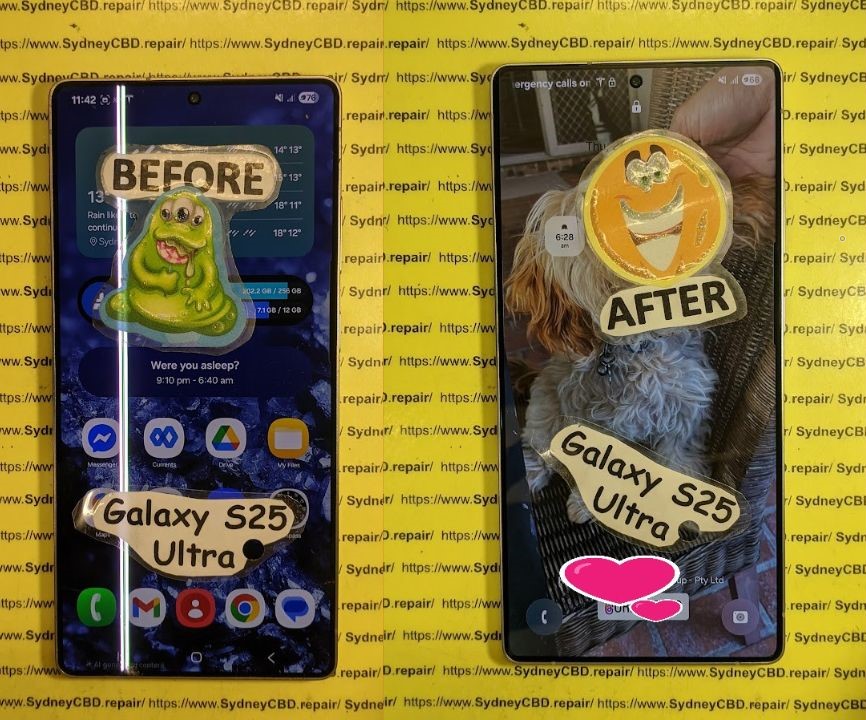
Choices between Genuine vs. Aftermarket Phone Screens: What You Must Know + 8 Critical Comparisons
A cracked phone screen is frustrating—but your next decision is even more important: Should you go for a genuine screen or save money with an aftermarket one?
Both options have their pros and cons, but the differences go far beyond just price. From performance and compatibility to safety and warranty, what you choose can affect your phone’s life and daily experience.
This guide explains everything you need to know to make a smart decision.
Genuine screens, also known as OEM (Original Equipment Manufacturer) screens, are the same displays used by your phone’s brand—Apple, Samsung, Google, etc.—in their factory.
At Sydney CBD Repair Centre, we always recommend genuine screens for flagship models like the iPhone 14, Galaxy S23, and Pixel 7.
Pros of Aftermarket Phone Screens
✅ Lower upfront cost
✅ Easier to find for older models
✅ Quick replacement in some shops
✅ Good option for backup or secondary phones
Ideal for:
Phones outside warranty
Budget repairs
Non-critical devices
Hidden Drawbacks of Aftermarket Parts
❌ Unpredictable touch response
❌ Increased risk of ghost touches
❌ Inconsistent brightness in direct sunlight
❌ Poor fit leading to water/dust ingress
❌ May disable features like True Tone (iPhones)
In the long run, what you save in money, you may pay in frustration.
Cost Comparison: Genuine vs. Aftermarket
Phone Model
Genuine Screen (AUD)
Aftermarket Screen (AUD)
iPhone 13
$290–$330
$180–$220
Samsung Galaxy S21
$320–$360
$200–$250
Google Pixel 6
$270–$310
$180–$220
Note: Prices vary depending on repair shop and region. Genuine screens usually come with a longer warranty.
How to Identify Genuine Screens
✔️ Apple screens may have a True Tone option post-repair
✔️ Samsung genuine parts often include Samsung branding on packaging
✔️ Look for uniform backlight, clear adhesive finish, and matching serial numbers
Avoid screens with:
No branding
Flickering on startup
Inconsistent color at low brightness
Are Aftermarket Screens Safe?
Generally yes—but only if sourced from reputable suppliers. Cheap knockoffs can:
Overheat
Crack easily
Interfere with proximity sensors
Pose risk during battery reinstallation
Pro tip: Ask the technician about the screen’s source and whether it includes a warranty.
Impact on Phone Features
Feature
Genuine Screen
Aftermarket Screen
Face ID / Touch ID
Full support
May not work
True Tone / Night Shift
Retained
Often disabled
Display Calibration
Precise
Unreliable
Haptic Feedback
Smooth
Inconsistent
Power Efficiency
Optimized
May drain battery faster
Warranty Implications
Installing an aftermarket screen may:
Void your manufacturer’s warranty
Affect trade-in value
Limit support from official service centres
At Sydney CBD Repair Centre, we offer a 90-day warranty on all repairs—including those with genuine parts—giving you peace of mind.
Screen Longevity and Durability
Genuine screens last 12–24 months longer on average compared to aftermarket options.
Scratch-resistant coating holds up better
Glass edges resist chipping
Fewer issues with dead pixels and burn-in
Aftermarket screens may show signs of aging or pixel decay within 6–12 months.
Industry Expert Opinions
According to repair technicians at Sydney CBD Repair Centre:
“Most of the devices we see for second repairs had aftermarket screens installed elsewhere. Genuine screens may cost more, but they last longer, look better, and don’t compromise features.”
Repair experts also note fewer return visits and customer complaints when OEM parts are used.
When to Choose Genuine Over Aftermarket
Choose genuine screens if:
You use your phone daily for work
Your phone is less than 2 years old
You want full feature support
You value long-term performance
You’re planning to resell or trade in your phone
When Aftermarket Screens Make Sense
Aftermarket may be suitable if:
You’re on a tight budget
You’re repairing an older device
You don’t rely on Face ID or premium features
It’s a temporary fix for light use
FAQs
1. Are aftermarket screens bad for my phone?
Not necessarily, but lower-quality ones can cause display issues or reduce feature functionality.
2. How do I know if a screen is genuine?
Check for branding, packaging, and confirm with a certified technician like those at Sydney CBD Repair Centre.
3. Will Face ID work with aftermarket screens?
Often, no—especially on iPhones. Genuine screens retain Face ID with proper installation.
4. Do genuine screens last longer?
Yes. They’re built with higher-grade materials and tested for durability.
5. Can aftermarket screens void my warranty?
Yes. Unauthorized repairs often void both warranty and device insurance.
6. Are there high-quality aftermarket screens?
Yes—premium aftermarket screens exist but must be sourced from reliable suppliers and installed professionally.
Conclusion
So, genuine vs. aftermarket phone screens—which is better?
✔️ If you care about performance, display quality, and feature integrity, genuine is the clear winner.
⚠️ Aftermarket screens can work in budget scenarios, but always check quality and shop reputation.
At Sydney CBD Repair Centre, we help you choose the best option for your phone and budget—with expert advice, genuine parts, and a 90-day warranty.
David from Sydney CBD Repair Centre
Top Mobile Phone Repair in Sydney – 6 Years in a Row!
📍 Visit us: SydneyCBD.repair/locate-us
📞 Call: +61280114119
✓ Same-Day Express Repairs
✓ Genuine Parts Guarantee
✓ Trusted by 2000+ Google Reviews
DIY Phone Screen Repairs: Is It Worth It? + Must-Know Facts + 7 Risks
With smartphones becoming more advanced and expensive, it’s no wonder users explore alternatives when accidents happen. One of the most common dilemmas? Cracked screens. Many tech-savvy users have asked themselves: “Should I fix my phone screen myself?” On the surface, DIY screen repair promises a cheaper and empowering alternative to professional services. But is it really worth the risk?
In this comprehensive guide, we’ll unpack the process, tools, challenges, benefits, and long-term implications of DIY phone screen repair. Whether you’re holding an iPhone, Samsung, or any Android phone, we’ll help you decide what’s best.
DIY tech culture has exploded in recent years thanks to platforms like YouTube and Reddit. From changing batteries to replacing motherboards, tutorials are everywhere. As device repair kits flood the market and the “Right to Repair” movement gains traction, users now feel more confident about fixing things themselves.
But the truth is, what works in a 10-minute video may not reflect the complexity of real-life repairs.
Here’s why many opt to take matters into their own hands:
Save Money: Professional repairs can be pricey, especially out of warranty.
Curiosity & Skill Building: Some want the satisfaction of fixing things.
Convenience: Immediate need to use the phone—no time for repair shops.
Misinformation: Belief that it’s easier than it really is.
Influence from Content Creators: “If they can do it, why can’t I?”
While these reasons are valid, many don’t account for the possible complications.
Tools and Equipment Needed
Before opening up your phone, you’ll need:
Tool
Purpose
Precision Screwdriver Set
Remove micro-screws
Suction Cup
To gently lift the screen
Plastic Pry Tools
Avoid damaging internal components
Anti-static Wrist Strap
Protect from electrostatic discharge
Heat Gun or iOpener
Soften adhesive under the screen
Replacement Screen
Must match exact model and specs
Magnetic Mat
Organize screws and components
Safety Tip: Never work on a phone that’s powered on or connected to a charger.
Step-by-Step DIY Phone Screen Replacement
⚠️ This is a general guide. Always refer to your phone model’s repair manual.
Power Off Device
Remove SIM Card and Back Cover (if accessible)
Unscrew and Open the Frame
Disconnect Battery First
Gently Remove Screen With Heat & Suction
Unclip Display Connectors
Install New Screen
Reconnect Battery & Components
Power On & Test
Reassemble Carefully
If at any point you feel unsure—pause. Forcing components can cause irreversible damage.
Pros of DIY Phone Screen Repair
Lower Costs (initially)
Sense of Accomplishment
Learn a New Skill
No Waiting or Appointments
For hobbyists or tech lovers, DIY repairs can be a fun challenge. But don’t let enthusiasm override preparation.
Cons of DIY Phone Screen Repair
Voids Warranty
Might Damage Internal Components
Screen Quality Can Vary
Lack of Specialized Tools or Knowledge
Time-Consuming
No Warranty on Workmanship
One slip could turn a cracked screen into a non-functional phone.
Hidden Costs Most DIYers Miss
Buying wrong tools or duplicate parts
Replacing parts more than once
Damaged fingerprint sensors
Loss of waterproofing
Data loss due to improper disconnection
Missed calls or work while waiting to fix it
DIY vs Professional Repairs: Cost Breakdown
Repair Type
DIY Cost (AUD)
Pro Repair Cost (AUD)
iPhone 13
$150–$200 (parts/tools)
$250–$330
Samsung Galaxy S21
$160–$210
$280–$350
Google Pixel 7
$140–$180
$270–$320
Note: Pro repairs usually include warranty and genuine parts.
Safety Risks and Precautions
Electric Shock
Sharp Glass Cuts
Short Circuits
Data Loss
Fire Hazards with Lithium Batteries
Always use protective gear, and don’t attempt repairs on a swollen battery.
Phone Models Not Ideal for DIY
Avoid attempting DIY on these models due to complex build:
Samsung Galaxy Fold / Flip series
iPhones with Face ID (X and up)
Huawei with curved displays
Phones with under-display fingerprint readers
These require professional calibration tools post-repair.
Case Study: Cracked iPhone 13 Repair Gone Wrong
John from Parramatta tried replacing his iPhone 13 screen. He followed a YouTube guide and bought a screen online. But the display had no True Tone support, and he accidentally tore the Face ID cable. In the end, he had to pay double for a proper repair—and lost Face ID permanently.
Why Genuine Parts Matter
Cheap screens can affect:
Touch Sensitivity
Brightness & Color Accuracy
Durability
Face ID/Fingerprint Reader Functionality
Always ask for genuine parts, especially for flagship models.
Environmental Impact of Failed DIYs
Each failed DIY attempt could result in:
More e-waste
Discarded parts and packaging
Shorter device lifespan
Professional repairs often reuse, recycle, or refurbish parts responsibly.
Professional Repair Benefits
Trained Technicians
Access to Genuine Parts
Warranty Coverage (like 90 days at Sydney CBD Repair Centre)
Quick Turnaround
Data Protection Measures
Specialized Tools
You get peace of mind knowing your phone is in safe hands.
FAQs
1. Can I fix a cracked phone screen myself?
Yes, but it requires proper tools, patience, and the right screen. It’s not recommended unless you’re experienced.
2. Will DIY screen replacement void my warranty?
Yes, most manufacturers void warranties if unauthorized repairs are done.
3. Are DIY screen replacement kits reliable?
Some are, but quality varies. Always research reviews and ensure compatibility.
4. How long does it take to replace a screen?
It can take anywhere from 1 to 3 hours for DIYers. Professionals can do it in 30–60 minutes.
5. Is it cheaper to fix a phone or buy a new one?
Repairing is usually cheaper and more environmentally friendly than replacing a device.
6. Where can I get my screen professionally repaired in Sydney?
So, is DIY phone screen repair worth it? For the few with experience, proper tools, and a steady hand—maybe. But for most users, the risks outweigh the rewards. Between possible damage, lack of warranty, and hidden costs, professional repair remains the safest and smartest option.
David from Sydney CBD Repair Centre
The Best place to fix mobile phones 6 Years In A Row! With expert technicians, genuine parts, and a 90-day warranty, we’ve got your back.
🛠️ Visit us: SydneyCBD.repair/locate-us
📞 Call us: +61280114119
💬 Let us help: Cracked screen? Battery issues? Water damage? We fix it all—fast.
The Screen Quality Deep Dive: What’s Worth Repairing? (+5 Essential Tips to Save Money and Extend Your Phone’s Life)
Understanding Modern Smartphone Screen Technology
Smartphone displays are more advanced than ever, blending artistry with cutting-edge engineering. Today’s screens deliver crisp visuals, vibrant colors, and smooth performance that elevate everyday digital experiences. But not all screens are created equal—some are more durable, responsive, and repairable than others.
Let’s start by understanding the two dominant display technologies shaping the smartphone industry: OLED and LCD.
OLED (Organic Light-Emitting Diode) screens are famous for their deep blacks and energy efficiency. Each pixel emits its own light, resulting in stunning contrast and vibrant color reproduction. You’ll find OLED displays in flagship models like the iPhone 15 Pro and Samsung Galaxy S24 Ultra.
LCD (Liquid Crystal Display) screens, on the other hand, rely on backlighting. They are cost-effective and durable, often found in mid-range and budget smartphones. Although they may lack the deep contrast of OLED, LCDs are easier—and cheaper—to repair.
Verdict:
If you own an OLED device, screen repair costs are higher, but image quality is exceptional. For LCD users, repairs are more affordable, making replacement a practical choice.
Beyond brightness and clarity, modern displays also rely on touch responsiveness and refresh rate—two critical factors that shape your user experience.
Touch Sensitivity: Determines how accurately your screen registers taps and gestures. A damaged digitizer can lead to unresponsive touch zones or “ghost touches.”
Refresh Rate: Measured in Hz, it dictates how smoothly your screen updates visuals. A 120Hz display feels fluid, while a 60Hz screen can appear slightly laggy in comparison.
When these components get damaged, even a small crack can degrade your screen’s overall feel and responsiveness.
Common Types of Screen Damage Explained
No matter how careful you are, screen damage can happen to anyone. Understanding the type of damage helps you decide whether it’s repairable—or time for a replacement.
Cracked Glass vs. Broken Display – Knowing the Difference
A cracked glass usually looks bad but doesn’t always affect performance. If your screen still displays images clearly and the touch functions remain responsive, you likely just need glass replacement.
A broken display, however, shows black spots, lines, or color bleeding. This means the internal LCD or OLED layer is damaged—requiring a full screen replacement.
Dead Pixels and Ghost Touches: Hidden Issues That Matter
Dead Pixels: Small, non-responsive dots on the screen can ruin visual quality.
Ghost Touches: Your phone seems to move or type on its own. This is often caused by a faulty digitizer or poor-quality replacement screen.
Both issues are fixable, but only by professional technicians using diagnostic tools and genuine parts.
Water Damage and Its Effect on Screen Quality
Water exposure can short-circuit display connectors and cause discoloration, flickering, or permanent damage. Even “water-resistant” phones aren’t immune—over time, seals degrade, allowing moisture to creep in.
If your phone has been wet and the screen behaves erratically, turn it off immediately and take it to a certified repair center.
When Is It Worth Repairing Your Screen?
Many users face this dilemma: Is my screen worth fixing, or should I just buy a new phone? The answer depends on several factors.
Cost vs. Value: The Repair Economics
Here’s a quick reference:
Device Type
Average Screen Repair Cost (AUD)
Typical Replacement Value (AUD)
Worth Repairing?
iPhone 14 Pro (OLED)
$450–$600
$1,600+
✅ Yes
Samsung Galaxy S23
$350–$500
$1,400
✅ Yes
Google Pixel 8
$300–$450
$1,300
✅ Yes
Mid-Range Android (LCD)
$150–$250
$600–$800
✅ Yes
Older Models
$100–$200
<$400
⚠️ Maybe
Rule of Thumb:
If the repair costs less than 40% of your phone’s current value, it’s worth repairing—especially if the device still performs well.
Signs Your Screen Is Beyond Repair
Severe internal burn marks or bleeding
Unresponsive display even after replacement attempts
Frame warping that prevents proper screen fitment
In these cases, a replacement device may be the better option.
How Professional Screen Repair Ensures Longevity
Professional repair is not just about replacing glass—it’s about restoring performance and durability.
Importance of Using Genuine Replacement Parts
Using genuine parts ensures color accuracy, touch precision, and brightness consistency. Fake or low-grade parts can cause:
Faster wear and tear
Poor battery life (due to inefficient displays)
Malfunctioning touch features
That’s why Sydney CBD Repair Centre exclusively uses OEM-quality components, ensuring every repair meets factory standards.
Why Expertise and Tools Matter in Screen Repair
A true repair professional combines skill with precision tools. At Sydney CBD Repair Centre, technicians use microscopic calibration tools and anti-static workstations, minimizing risks during the delicate replacement process.
This level of care translates to longer-lasting repairs and better device reliability.
5 Essential Tips to Save Money on Screen Repairs
Tip #1: Repair Early Before Damage Spreads
Tiny cracks expand over time, increasing repair costs. Fix your screen as soon as you notice visible damage.
Tip #2: Choose Certified Technicians Only
Avoid unverified repair shops that may use counterfeit parts. Always ask for certification and previous client feedback.
Tip #3: Avoid DIY Fixes on Fragile Screens
DIY kits might seem cheaper, but improper handling can cause more damage—costing you more in the long run.
Tip #4: Protect Your Screen with Quality Accessories
Invest in tempered glass protectors and shockproof cases. They can save you hundreds in potential repairs.
Tip #5: Always Ask for a Warranty
Reputable repair centers, like Sydney CBD Repair Centre, provide 90-day warranties for all screen repairs.
Why Sydney CBD Repair Centre Leads in Screen Quality Repairs
Award-Winning Service and Expert Technicians
Recognized as Sydney’s Best Phone Repair Shop for six consecutive years, our team combines skill, experience, and integrity.
Genuine Parts, Fair Pricing, and Same-Day Repairs
We use only genuine parts, offer transparent quotes, and complete most repairs within an hour.
Trusted by Thousands of Happy Customers
With 2000+ five-star Google reviews, we’re Sydney’s go-to repair center for Apple, Samsung, Google, and more.
1. Can I still use my phone with a cracked screen?
You can, but it’s risky. Cracks can worsen and damage internal layers, making future repairs more expensive.
2. How long does a screen repair take?
Most professional repairs are completed within 60–90 minutes, depending on model and part availability.
3. Are third-party screens as good as original ones?
Not always. Only OEM-quality replacements ensure original color accuracy and touch performance.
4. Does screen repair affect waterproofing?
Yes, waterproofing seals are compromised after screen replacement. Professional shops can reseal it effectively.
5. What if my phone still works fine after water damage?
Turn it off immediately—moisture corrosion can appear days later. Get it inspected promptly.
6. Why choose Sydney CBD Repair Centre?
We’re Sydney’s most trusted and top-rated phone repair center with over six years of award-winning service.
Conclusion: Choose Smart, Repair Right
Screen repairs don’t have to be stressful or costly. By understanding your screen’s quality, knowing when to repair, and choosing certified professionals, you’ll extend your phone’s life—and save money in the long run.
At Sydney CBD Repair Centre, we combine expert craftsmanship, genuine parts, and affordable pricing to deliver unmatched value. Whether it’s an iPhone, Samsung, or Pixel device—your screen deserves the best.
Sydney CBD Repair Centre – Where Quality Meets Reliability.
David from Sydney CBD Repair Centre – The Best place to fix mobile phones as 6 Years In A Row! Top Mobile Phone Repair In Sydney. More than 2000 Positive Reviews on Google and Same Day Repairs.
📍 Visit us today for:
✓ Same Day Express Repairs
✓ Genuine Parts Guarantee
✓ Professional Technicians
✓ Competitive Pricing
✓ 2000+ 5-Star Google Reviews
✓ 6-Time Award Winner for Best Phone Repairs
iPhone 17 Pro Max Screen Replacement Step By Step Display Removal Guide: 55 Essential Steps
Introduction to iPhone 17 Pro Max Screen Replacement
Replacing an iPhone 17 Pro Max display isn’t a simple matter of removing a few screws and installing a new panel. The phone contains delicate display, sensor, battery, and connector components, so careful preparation is essential. This guide explains the iPhone 17 Pro Max screen replacement process in a structured, step-by-step format, based on currently available repair documentation and established repair procedures.
Apple provides an official iPhone 17 Pro Max Repair Manual covering display procedures, safety, tools, diagnostics, and other components.
Important: This is an advanced repair. If you’re not experienced with smartphone disassembly, professional repair is the safer option. Lithium-ion batteries, fragile display cables, and Face ID-related components can be damaged by improper tools or excessive force.
The iPhone 17 Pro Max screen replacement process requires patience, precision, and the right equipment. A damaged display may show cracked glass, black areas, lines, flickering, ghost touches, dead pixels, or complete loss of image. In some cases, however, a screen problem can be caused by a connector or another internal component rather than the display itself.
Apple’s repair documentation for the iPhone 17 Pro Max includes dedicated procedures for the display, battery, front camera, troubleshooting, tools, screws, and safety.
That matters because modern iPhones are tightly integrated. The screen isn’t simply a slab of glass that can be swapped without consequences. Display connectors, sensor assemblies, clips and perimeter adhesive all have to be handled correctly.
The good news is that a careful repair can be approached systematically.
What Does a Screen Replacement Involve?
A complete display replacement generally involves:
Backing up important data.
Powering the iPhone down.
Protecting yourself from broken glass.
Removing the bottom pentalobe screws.
Softening the display adhesive.
Separating the screen from the frame.
Disconnecting the battery.
Disconnecting display and sensor connectors.
Removing the old display.
Transferring components where necessary.
Cleaning the frame.
Installing fresh display adhesive.
Connecting and testing the replacement screen.
Sealing the phone.
Completing software calibration when required.
The current iFixit repair procedure documents this general sequence and contains 55 numbered steps, including display removal, sensor transfer, adhesive installation, testing, and final reassembly.
Before opening the phone, it helps to understand what you’re working with.
The display assembly isn’t only the visible screen. It also interacts with the front sensor system and the phone’s internal electronics through flexible cables and press connectors.
Some replacement displays may arrive with certain components already installed, while others require transferring components from the original display.
Why the Front Sensors Matter
The front sensor assembly is particularly delicate. During a component transfer, excessive force can damage the flexible cable or sensor hardware.
For that reason, the sensor transfer should be treated as a separate operation rather than an afterthought.
If you’re purchasing a replacement display, check exactly what is included before beginning the repair.
Genuine Versus Non-Genuine Displays
Replacement-screen quality varies considerably.
A poor-quality panel can potentially produce differences in:
Brightness
Colour reproduction
Touch responsiveness
Viewing angles
Power consumption
Auto-brightness behavior
True Tone functionality
Long-term reliability
iFixit’s current guide notes that True Tone and auto-brightness may require calibration after replacement, particularly where the replacement display isn’t recognized as genuine.
For a premium phone such as the iPhone 17 Pro Max, using a high-quality replacement component is therefore important.
Before starting, assemble everything. Stopping halfway through a phone repair because you’re missing adhesive is a recipe for frustration.
Essential Tools
A typical display replacement requires tools such as:
P2 pentalobe screwdriver
JIS 00 screwdriver
Y000 tri-point screwdriver
Opening picks
Plastic spudger
Suction handle
Tweezers
Heat source
Safety glasses
Lint-free cloth
High-concentration isopropyl alcohol
Replacement display
Replacement display adhesive
The iFixit guide specifically identifies P2, JIS 00 and Y000 drivers at different stages and recommends replacement screen adhesive.
Recommended Workspace
Work on a clean, flat surface with good lighting.
Keep small screws organized because different screws can look almost identical while having different lengths or positions.
A magnetic project mat or labelled screw tray can make a huge difference.
Safety Preparations Before Starting
Safety should come before speed.
iFixit’s current procedure recommends reducing the battery charge below 25% before starting because a damaged charged lithium-ion battery can present a fire risk.
Also disconnect all external cables and power the iPhone off completely.
Broken Glass Safety
If the display is shattered, tiny pieces of glass can come loose during opening.
Wear eye protection and cover the broken display glass with suitable tape before applying a suction tool. This can help contain loose fragments and improve suction.
Don’t press unnecessarily hard on severely damaged glass.
Heat Safety
Heat is used to soften display adhesive, but excessive heat can damage components.
The iFixit procedure calls for heating individual edges before separating their adhesive.
Use controlled, moderate heat rather than attempting to cook the adhesive loose.
Prepare and Inspect the iPhone
Before opening the device, inspect it carefully.
Check whether:
The display still produces an image.
Touch works.
The phone powers on.
The frame is bent.
The back glass is damaged.
Cameras function.
Face ID works.
Buttons work.
The phone has liquid-damage indicators or signs of moisture.
If the frame is severely bent, installing a replacement display may not solve the underlying problem.
Back Up Your Data
A display replacement normally isn’t intended to erase your data, but repairs always carry some risk.
Create a current backup before opening the phone.
If the device is operational, verify that important photos, contacts and files are synchronized or backed up.
Step 1: Remove the Pentalobe Screws
Begin at the bottom edge of the phone.
The iFixit guide identifies two 7.5 mm pentalobe screws located on either side of the charging port.
Use a suitable P2 pentalobe driver and apply controlled downward pressure.
Avoid slipping because a stripped screw can turn a straightforward repair into a much harder extraction job.
Place both screws in a labelled container.
Step 2: Mark Your Opening Pick
Before inserting an opening pick, limit how deeply it can enter.
The iFixit procedure recommends marking the pick approximately 3 mm from its tip.
This simple preparation is important because deeper insertion can contact internal components or cables.
Think of the pick as a blade with a depth limit: more isn’t better.
Step 3: Heat the Bottom Edge
Apply controlled heat to the bottom edge to soften the adhesive.
The objective isn’t to make the entire phone extremely hot. You’re simply trying to make the adhesive more flexible.
Check the temperature continuously and avoid prolonged heating in one spot.
Step 4: Apply the Suction Handle
Position the suction handle close to the bottom edge.
Apply steady upward force until a small gap forms between the display and frame.
This may require patience.
If the gap doesn’t form, don’t immediately increase force dramatically. Reapply moderate heat and try again.
Step 5: Insert the Opening Pick Carefully
Once the gap forms, insert the opening pick.
The correct insertion point and depth are critical because the display perimeter contains sensitive components and cables.
The iFixit guide specifically warns against inserting the pick deeper than approximately 3 mm.
Step 6: Separate the Bottom Adhesive
Slide the opening pick along the bottom edge.
The goal is to cut through the adhesive rather than pry aggressively against the display.
Keep another pick in the opened section where necessary to prevent the adhesive from resealing.
Step 7: Separate the Right Edge
Heat the right edge before working on its adhesive.
Insert a second opening pick near the bottom-right corner and carefully move it upward.
There are clips around the perimeter, so some resistance is normal.
Don’t force the pick.
If resistance increases unexpectedly, stop and reassess its position.
Step 8: Separate the Top Edge
Apply controlled heat to the top edge.
Move an opening pick along the upper perimeter while staying within the safe working area.
Extra caution is needed around the front sensor area.
The iFixit guide specifically warns that moving too far around the top-left area can damage the ambient-light-sensor cable.
Step 9: Separate the Left Edge
Heat the left edge and use another opening pick.
Move carefully upward, stopping before sensitive button-related areas.
Again, the goal is adhesive separation, not forceful prying.
If the display doesn’t release, don’t assume more pressure is the answer. Reheat and inspect the perimeter.
Step 10: Lift and Prop Up the Display
Once the adhesive and clips are released, the display should separate from the frame.
Lift it carefully.
Don’t yank it away because display cables are still connected.
The iFixit procedure recommends swinging the display over the left side and supporting it so that the cables aren’t strained.
At this stage, the phone should remain stable on your work surface.
Step 11: Remove the Connector Covers
Next, access the internal connector covers.
Keep track of every screw.
Small screws can easily become mixed up, and incorrect screw placement can cause damage.
Use the appropriate driver and remove the screws securing the covers.
Set the covers aside in an organized location.
Step 12: Disconnect the Battery
Disconnecting the battery is an important safety step before manipulating display connectors.
Use a plastic spudger or appropriate non-metallic tool to disconnect the battery press connector.
Avoid slipping across the logic board.
Don’t use excessive force.
Step 13: Disconnect the Display and Sensor Connectors
Once the battery is disconnected, carefully disconnect the display-related press connectors.
Use the appropriate non-metallic tool.
Never force a connector sideways.
A press connector should release from the correct lifting point.
The current iFixit procedure identifies separate screen and front-sensor connectors at this stage.
Step 14: Remove the Old Display
With the connectors disconnected, the old display can be removed.
Place it somewhere safe rather than immediately throwing it away.
If the replacement screen has no front sensor assembly, you’ll need the original sensor hardware for transfer.
This is also a useful opportunity to inspect the inside of the phone for:
Dust
Broken glass
Bent clips
Damaged cables
Adhesive residue
Signs of liquid exposure
Step 15: Transfer the Front Sensor Assembly
This is one of the most delicate parts of the procedure.
If the replacement screen doesn’t already include the required front sensor components, remove the sensor bracket and carefully release the sensor assembly from the old display.
The documented procedure uses a Y000 driver for the sensor screws and controlled heat to soften adhesive.
Take Extra Care
The sensor cable is fragile.
Don’t pry directly against the sensor itself.
Instead, work underneath the appropriate cable or tab and use minimal force.
If the adhesive refuses to release, apply additional controlled heat rather than pulling harder.
Step 16: Install the Front Sensors on the New Display
Position the transferred sensor assembly correctly on the replacement screen.
Ensure the components sit in their designated recesses.
Reinstall the bracket and screws.
The iFixit guide describes securing the front sensor bracket with two 1.0 mm screws.
Before proceeding, visually inspect the sensor cable for folds, tears or incorrect positioning.
Step 17: Clean the iPhone Frame
Old display adhesive must be removed before applying new adhesive.
Use tweezers for larger adhesive pieces and an appropriate plastic tool for residue.
Be careful around grounding clips.
The repair guide recommends high-concentration isopropyl alcohol for stubborn adhesive residue and a lint-free cloth for cleaning.
Why Cleaning Matters
A dirty frame can cause:
Uneven screen seating
Gaps around the display
Poor adhesive bonding
Dust intrusion
Display movement
Reduced sealing performance
Take your time here.
Step 18: Prepare the Replacement Display
Before permanently attaching the replacement display, inspect it.
Check for:
Scratches
Cracks
Damaged flex cables
Missing brackets
Bent clips
Contamination
Incorrect component placement
Never install a visibly damaged replacement panel.
Step 19: Apply New Display Adhesive
Use replacement adhesive designed for the iPhone 17 Pro Max display.
Align it carefully with the frame perimeter.
Don’t rush this stage.
Once pressure is applied to the adhesive, repositioning can be difficult.
The current iFixit procedure specifically notes that correctly aligned adhesive should be pressed into place carefully and that repositioning may require new adhesive.
Step 20: Connect the Replacement Display
Place the new screen beside the phone so its cables reach the logic board without being stretched.
Connect the display connectors carefully.
Press them into position using a finger or the flat side of a suitable spudger.
Don’t force a connector.
If it doesn’t align, lift it and reposition it.
Step 21: Reconnect the Battery
After the display connectors are seated, reconnect the battery.
Make sure the connector is correctly aligned before applying pressure.
A connector that isn’t aligned correctly can potentially damage contacts.
Step 22: Test the Repair Before Sealing
This is one of the most important stages.
Before permanently sealing the display, power on the phone and test it.
Check:
Display image
Brightness
Touch response
Multi-touch
Dead areas
Flickering
Front sensors
Auto-brightness
Face ID-related functionality
Cameras
Earpiece
Proximity behavior
Buttons
Charging
If something doesn’t work, investigate before sealing the phone.
The iFixit procedure explicitly recommends testing the repair before completing final reassembly.
Step 23: Reinstall Connector Covers
Once the replacement display has passed initial testing, reinstall the connector covers.
Ensure each cover sits correctly.
Use the correct screws in their original positions.
Avoid overtightening.
Small electronic-device screws don’t require excessive force.
Step 24: Close the Display
Remove the remaining adhesive liners according to the adhesive layout.
Lower the display carefully, beginning with the appropriate edge and ensuring no cables are trapped.
The display should sit flush against the frame.
If you feel unusual resistance, stop.
A bent perimeter clip or trapped cable can prevent proper seating.
Step 25: Press the Display Into Position
Once correctly aligned, apply even pressure around the display perimeter.
Don’t concentrate all your force on one corner.
The aim is consistent contact between the display and new adhesive.
Step 26: Apply Controlled Heat
Moderate heat can help the adhesive establish a strong bond.
The iFixit guide recommends heating the perimeter after the screen is installed to soften the adhesive and improve bonding.
Don’t overheat the device.
Step 27: Reinstall the Pentalobe Screws
Finally, reinstall the two pentalobe screws beside the charging port.
Confirm that both are correctly seated.
The phone should now have a fully installed replacement display.
Display Calibration and Repair Assistant
Completing the physical installation doesn’t necessarily mean the repair is finished.
Apple provides a Repair Assistant process for supported repairs. The iFixit guide notes that a genuine replacement screen may need calibration through Repair Assistant to restore functions such as True Tone and auto-brightness.
Apple’s official iPhone 17 Pro Max repair documentation also includes diagnostics and display troubleshooting resources.
After installation, check the phone’s Parts & Service History and follow any available on-screen repair-completion instructions.
Common iPhone 17 Pro Max Screen Replacement Problems
Touch Doesn’t Work
Possible causes include:
Display connector not fully seated
Damaged replacement screen
Connector contamination
Cable damage
Disconnect the battery and inspect the connections before repeatedly restarting the device.
Display Is Black
Check:
Battery connection.
Display connector.
Display cable.
Replacement panel.
Signs of internal damage.
Don’t immediately assume the motherboard has failed.
Auto-Brightness Doesn’t Work
Calibration may be required.
Also verify that the relevant front sensor components were transferred correctly.
True Tone Isn’t Available
A replacement display may require Apple’s repair/calibration process.
This is one reason replacement-part quality and post-repair configuration matter.
Screen Sits Unevenly
Inspect for:
Remaining adhesive
Bent clips
Misaligned adhesive
Trapped cables
Debris around the frame
Don’t try to force an uneven display flush with excessive pressure.
Professional Repair Versus DIY Replacement
DIY repair can be appealing, particularly if you already have repair experience.
However, professional repair offers several practical advantages.
DIY Repair
Professional Repair
Lower labor cost
Technician handles disassembly
Requires specialist tools
Professional equipment available
Risk of accidental damage
Controlled repair process
You manage calibration
Repairer can handle post-repair checks
More time required
Often faster
Warranty depends on parts/work
Repair warranty may be available
For a high-value device, the cheapest screen isn’t always the lowest-cost option if it fails shortly afterward.
A professional technician can also identify whether the problem is actually the display before replacing it.
How to Choose a Replacement Screen
When purchasing a replacement display, consider more than price.
Look for:
Correct iPhone 17 Pro Max compatibility
Reliable supplier
Quality display panel
Proper connector configuration
Sensor compatibility
New perimeter adhesive
Warranty
Return policy
Calibration compatibility
Ask whether the replacement is a complete assembly or requires transferring components from your original screen.
That distinction can significantly change the complexity of the repair.
iPhone 17 Pro Max Screen Replacement Checklist
Before finishing, run through this checklist:
Before Opening
Back up data
Power off iPhone
Battery below recommended charge level
Disconnect cables
Wear eye protection
Prepare tools
During Removal
Remove pentalobe screws
Mark opening-pick depth
Apply controlled heat
Separate adhesive carefully
Avoid deep pick insertion
Support display cables
Disconnect battery
Disconnect display connectors
During Installation
Inspect replacement screen
Transfer sensors if necessary
Clean frame
Install new adhesive
Connect display
Reconnect battery
Test before sealing
Install connector covers
Align display
Press perimeter evenly
Reinstall bottom screws
After Repair
Test touch
Test brightness
Test cameras
Test sensors
Test Face ID-related functions
Check charging
Check Parts & Service History
Complete available calibration
Frequently Asked Questions
1. How difficult is an iPhone 17 Pro Max screen replacement?
It’s an advanced repair. The process involves adhesive removal, delicate flex cables, small screws, connector handling and potentially transferring front sensor components. Someone without prior smartphone repair experience may find it challenging.
2. Can I replace the iPhone 17 Pro Max screen myself?
Yes, technically, but the repair requires suitable tools, a compatible replacement assembly and careful handling. Apple’s official repair manual provides documentation for the device, while detailed third-party guides can provide additional visual assistance.
3. Do I need to replace the display adhesive?
Yes. Reusing old display adhesive isn’t recommended when completing a proper screen replacement. A fresh adhesive perimeter helps the replacement display seat correctly.
4. Will Face ID work after screen replacement?
The display replacement itself doesn’t necessarily mean Face ID must stop working. However, the front sensor assembly is delicate, and damage or incorrect transfer of relevant components can cause functionality problems.
5. Why should I disconnect the battery before removing the display?
Disconnecting the battery reduces the chance of accidentally energizing components while manipulating connectors. The documented iFixit procedure disconnects the battery before disconnecting the screen connectors.
6. Why is my replacement display missing True Tone or auto-brightness?
The replacement may require calibration or may not support all original display functions. iFixit specifically notes that True Tone and auto-brightness can require Repair Assistant after replacement.
7. How do I know whether my screen is actually defective?
Look for symptoms such as persistent black areas, broken touch response, lines, flickering, visible physical damage or a display that remains unresponsive after basic troubleshooting. However, connector or logic-board problems can produce similar symptoms, so diagnosis is useful before purchasing a replacement.
8. Can a cracked display be repaired without replacing the whole screen?
That depends on the damage and repair method. A badly damaged display assembly is generally handled by replacing the display assembly rather than attempting a glass-only repair. Glass-only repair requires specialized equipment and is a different procedure.
9. Should I use an aftermarket display?
The decision depends on your priorities and the exact component available. Aftermarket displays can vary significantly in quality and feature compatibility. For a premium device, verify the supplier, warranty, specifications and post-repair functionality before choosing a replacement.
10. What should I do if the new screen doesn’t work?
Don’t seal the phone immediately. Power it down, disconnect the battery and inspect the display connectors for alignment, contamination or damage. If the problem persists with a known-good screen, professional diagnosis may be appropriate.
Conclusion
The iPhone 17 Pro Max screen replacement process is detailed but manageable when approached methodically. The key is not speed. It’s controlling each stage: safely opening the display, protecting internal cables, disconnecting the battery, handling the front sensors carefully, cleaning the frame, applying fresh adhesive and testing the replacement before final sealing.
Apple’s official repair documentation confirms that the iPhone 17 Pro Max has dedicated procedures for display repair, troubleshooting, tools and safety, while current third-party repair documentation provides a detailed 55-step display replacement workflow.
If you’re experienced with electronics repair and have the correct tools, following a structured procedure can make the job much more predictable. If you’re not, professional repair is worth considering because a mistake involving the display cable, battery, sensors or logic board can turn a screen replacement into a much more expensive repair.
Above all, don’t rush. A careful repair today can prevent a costly repair tomorrow.
David from Sydney CBD Repair Centre – The Best place to fix mobile phones as 7 Years In A Row! Top Mobile Phone Repair In Sydney. More than 2000 Positive Reviews on Google and Same Day Repairs.
We take pride in delivering exceptional repair services for all major phone brands including Apple, Samsung, Google, and more. Our expert technicians use only genuine parts and offer 90days warranty on repairs. Located in the heart of Sydney CBD, we’re your one-stop solution for all mobile device repairs.
Our commitment to excellence has earned us the trust of thousands of satisfied customers. Whether it’s a cracked screen, battery replacement, or water damage repair, we handle it all with professional care and expertise. Walk in today and experience why we’re Sydney’s #1 choice for mobile phone repairs.
Visit us for: ✓ Same Day Express Repairs ✓ Genuine Parts Guarantee ✓ Professional Technicians ✓ Competitive Pricing ✓ 2000+ 5-Star Google Reviews ✓ 7-Time Award Winner for Best Phone Repairs
Sydney CBD Repair Centre – Where Quality Meets Reliability. Call : +61280114119 Website: Sydney CBD Repair Centre
Phone Screen Frame vs Phone Screen Only: Which Repair Method Does Your Phone Actually Need? + Ultimate Guide + 7 Critical Facts
Introduction to Screen Frame vs Screen Only Repairs
When your phone screen cracks, the first question you’ll likely ask is simple: should I choose a screen frame vs screen only repair? It sounds technical, but don’t worry. Once you understand the difference, the decision becomes much clearer.
In today’s smartphones—whether it’s an iPhone, Samsung Galaxy, or Google Pixel—the display is more than just glass. It’s a layered system including the digitizer, OLED or LCD panel, adhesives, and sometimes the metal frame that supports everything. If one part fails, the repair approach matters.
The debate around screen frame vs screen only repair isn’t just about cost. It’s about durability, alignment, touch sensitivity, and overall phone performance. Choosing the wrong option can lead to gaps, loose screens, poor waterproof sealing, or even recurring cracks.
Let’s break it down clearly and professionally, so you can make an informed decision with confidence.
A screen frame repair, also called a “full assembly replacement,” replaces both the display and the supporting frame.
This is more comprehensive. Instead of separating the broken display from the existing housing, technicians install a new display already mounted onto a new frame.
When Screen Frame Replacement Is Necessary
You’ll likely need this repair if:
The phone is bent
Corners are dented
The screen doesn’t sit flush
The device suffered a heavy drop
There’s internal alignment damage
Many flagship devices, especially those with ultra-thin designs like models from Google, are more vulnerable to structural shifts after impact.
Pros and Cons of Screen Frame Repair
Pros:
Restores original alignment
Stronger long-term durability
Cleaner internal fit
Better chance of maintaining water resistance
Cons:
Higher cost
Slightly longer repair time
It’s more expensive, yes—but it’s also more comprehensive.
Screen Frame vs Screen Only: 7 Critical Differences
Now let’s dive into the real comparison of screen frame vs screen only repairs.
1. Structural Integrity
Screen-only keeps the original frame. Frame replacement restores the entire structural shell.
2. Cost Comparison
Screen-only repairs are typically 20–40% cheaper.
3. Durability
Frame replacements last longer when structural damage exists.
4. Waterproof Sealing
Full frame replacements often provide better resealing results.
A properly aligned phone with a frame replacement often looks newer.
7. Risk Factor
If the frame is even slightly bent, screen-only repairs may fail early.
How Technicians Decide the Right Repair
Professional technicians follow a strict checklist:
Diagnostic Checklist
Inspect frame corners
Check for micro-bends
Test display seating
Evaluate adhesive integrity
Examine internal brackets
Measure structural alignment
This isn’t guesswork—it’s precision.
Risks of Choosing the Wrong Repair Method
Choosing incorrectly in the screen frame vs screen only debate can lead to:
Screen lifting after weeks
Light bleeding at edges
Touch dead zones
Repeat cracks
Reduced resale value
Worse still, moisture may seep in if sealing fails.
Brand-Specific Considerations
Different brands design screens differently.
Devices from Apple use tight integration between display and housing. Samsung devices often feature curved OLED panels that require precise alignment.
That’s why experienced repair centers matter.
For additional technical guidance on smartphone display structures, you can review iFixit’s professional teardown resources: https://SydneyCBD.repair/locate-us
Cost Breakdown Table
Repair Type
Average Cost Range
Repair Time
Best For
Screen Only
$120–$280
1–2 hours
Minor cracks
Screen + Frame
$200–$450
2–3 hours
Bent or dented phones
Prices vary depending on model.
Frequently Asked Questions
1. Is screen-only repair safe?
Yes, if the frame is undamaged.
2. How do I know if my frame is bent?
Look for gaps, uneven edges, or lifted glass corners.
3. Does frame replacement improve durability?
Yes, especially after heavy drops.
4. Will my phone remain waterproof?
It depends on technician skill and adhesive quality.
5. Which repair lasts longer?
Frame replacement generally offers stronger structural integrity.
6. Is screen-only cheaper?
Yes, but only suitable for minor damage.
Conclusion
The choice between screen frame vs screen only repair ultimately depends on your phone’s structural condition. If the damage is purely cosmetic and the frame is straight, screen-only replacement can save you money.
However, if there’s any bend, dent, or alignment issue, a full screen frame repair is the smarter investment. It protects your phone’s longevity, durability, and performance.
When in doubt, consult experienced technicians who can perform a proper diagnostic. That way, you won’t just fix your screen—you’ll protect your entire device.
David from Sydney CBD Repair Centre – The Best place to fix mobile phones as 7 Years In A Row! Top Mobile Phone Repair In Sydney. More than 2000 Positive Reviews on Google and Same Day Repairs.
We take pride in delivering exceptional repair services for all major phone brands including Apple, Samsung, Google, and more. Our expert technicians use only genuine parts and offer 90days warranty on repairs. Located in the heart of Sydney CBD, we’re your one-stop solution for all mobile device repairs.
Our commitment to excellence has earned us the trust of thousands of satisfied customers. Whether it’s a cracked screen, battery replacement, or water damage repair, we handle it all with professional care and expertise. Walk in today and experience why we’re Sydney’s #1 choice for mobile phone repairs.
Visit us for:
✓ Same Day Express Repairs
✓ Genuine Parts Guarantee
✓ Professional Technicians
✓ Competitive Pricing
✓ 2000+ 5-Star Google Reviews
✓ 7-Time Award Winner for Best Phone Repairs
The Lifespan of a Repaired Phone Screen: How Long Will It Last? + Ultimate Guide + 7 Key Factors
Introduction:
When your phone screen cracks or stops functioning properly, the immediate question is not just “how much will it cost to fix?” but also, “how long will this repair actually last?” After all, no one wants a replacement that fails after a few weeks. Understanding the lifespan of a repaired screen can save you money, stress, and countless hours of phone downtime.
Modern smartphones are more delicate than ever, and their screens are among the most vulnerable components. Repaired screens, like all tech, aren’t immune to wear and tear. However, with the right materials, skillful repair, and proper care, your repaired screen can often last as long as the original—sometimes even longer.
In this article, we’ll break down the key factors affecting screen lifespan, provide average longevity statistics, and share practical tips to help you maximize the durability of your repair.
Several elements determine how long your repaired screen will last. While some are within your control, others depend on the repair process itself. Understanding these factors can help you make an informed decision when choosing a repair service.
Type of Screen Replacement
Not all replacements are created equal. OEM (Original Equipment Manufacturer) screens are the gold standard, as they match your phone’s original display quality perfectly. Aftermarket screens, while cheaper, may not have the same color accuracy, touch sensitivity, or durability. Choosing the right type affects not only visual performance but also how long your screen stays intact.
Quality of Replacement Parts
Genuine parts are crucial. High-quality replacement glass, digitizers, and LCD components are less prone to malfunction and cracking. Inferior components may initially look fine but can develop issues within months. Always check for warranties and supplier credibility when considering a repair.
Repair Technician Skill
A skilled technician can make a huge difference. Even high-quality parts may fail prematurely if installed incorrectly. Experienced technicians ensure proper alignment, adhesion, and sealing, which reduces the risk of dust infiltration, moisture damage, and internal screen failure.
Usage Patterns
How you use your device impacts screen longevity. Frequent drops, rough handling, and heavy multitasking can all shorten a repaired screen’s lifespan. Even with the best repair, careless usage can quickly lead to cracks or touch sensitivity issues.
Protective Measures
Cases, tempered glass, and screen protectors act as your screen’s first line of defense. Regular maintenance, including cleaning and avoiding extreme conditions, adds years to your repaired screen’s life. A minor investment in protective accessories can pay off in durability.
While every repair scenario is different, industry data provides useful benchmarks.
Apple Devices
For iPhones, a properly repaired screen using OEM parts can last 2–5 years, depending on usage. Apple-certified repairs usually guarantee long-term reliability.
Samsung & Android Devices
Samsung, Google, and other Android devices vary more due to different models and screen technologies. Typically, a repaired AMOLED or LCD screen lasts 1.5–3 years. Higher-end models with Gorilla Glass and OEM parts tend to last longer.
Differences Between Phone Models
Premium phones generally use tougher materials, so their repaired screens can endure more wear. Budget models may require extra care, even after a professional repair.
Signs Your Repaired Screen is Wearing Out
Even high-quality repairs have limits. Watch for these warning signs:
Flickering or dead pixels
Reduced touch sensitivity
Discoloration or spots on the display
Cracks forming around edges
Separation between glass and frame
Early detection can prevent more costly repairs or complete replacement.
Tips to Extend the Life of Your Repaired Screen
Prolonging your repaired screen’s life requires a combination of care, protection, and smart usage.
Daily Care Routines
Clean your screen with microfiber cloths only
Avoid using harsh chemicals or abrasive cleaners
Keep liquids away to prevent accidental spills
Protective Accessories
Invest in high-quality phone cases and tempered glass
Consider edge bumpers or screen guards for extra protection
Environmental Considerations
Avoid leaving your phone in direct sunlight or hot environments
Keep it away from moisture and extreme temperatures
Cost vs Longevity: Is a Cheap Repair Worth It?
While a budget repair may save you money upfront, it can cost more in the long run. Low-cost repairs often use aftermarket parts and inexperienced technicians, leading to shorter lifespan and potential repeated repairs. Investing in quality parts and skilled service often offers better return on investment.
Expert Opinions and Industry Standards
Technicians recommend OEM or high-quality aftermarket parts, proper alignment, and avoiding third-party repairs that offer no warranties. Sydney CBD Repair Centre, for example, provides genuine parts with a 90-day warranty, demonstrating how professional standards increase repaired screen longevity.
Frequently Asked Questions (FAQs)
Q1: How long does a repaired phone screen usually last?
A: On average, 2–5 years for premium devices and 1.5–3 years for most Android phones, depending on usage and care.
Q2: Are OEM screens better than aftermarket?
A: Yes. OEM screens match original specs and typically last longer.
Q3: Can I use my phone while it’s charging without affecting the screen?
A: Using your phone while charging does not significantly impact screen lifespan, but excessive heat can degrade components.
Q4: Will a tempered glass protector reduce touch sensitivity?
A: High-quality tempered glass usually does not affect sensitivity, but cheap options may.
Q5: Does warranty cover screen lifespan?
A: Warranties usually cover defects from repair but not accidental damage or wear from misuse.
Q6: How can I tell if my repaired screen is failing early?
A: Look for flickering, dead pixels, discoloration, cracks, or touch response issues.
Conclusion
The lifespan of a repaired screen depends on a combination of factors, including part quality, repair skill, usage patterns, and protection. With OEM parts, experienced technicians, and proactive care, your repaired screen can last years, often matching or exceeding the original display’s durability. Investing in quality repairs upfront saves frustration, money, and downtime in the long run.
For expert repairs and peace of mind, Sydney CBD Repair Centre ensures genuine parts, skilled technicians, and same-day service that keeps your phone running smoothly for years.
David from Sydney CBD Repair Centre – The Best place to fix mobile phones as 7 Years In A Row! Top Mobile Phone Repair In Sydney. More than 2000 Positive Reviews on Google and Same Day Repairs.
Visit us for:
✓ Same Day Express Repairs
✓ Genuine Parts Guarantee
✓ Professional Technicians
✓ Competitive Pricing
✓ 2000+ 5-Star Google Reviews
✓ 7-Time Award Winner for Best Phone Repairs
Cracked Phone Screen, Dead Battery: Double Repair, Double Trouble? ⚡ 9 Shocking Truths You Must Know
Introduction
In today’s fast-paced digital world, smartphones have become an essential part of daily life. From managing work and staying connected to capturing memories, we rely on our devices more than ever. That’s why encountering a cracked screen, dead battery problem can feel like a double blow. One moment your phone slips from your hand, and the next you’re dealing with shattered glass and a battery that barely lasts the day.
While a cracked screen and a failing battery may seem like separate issues, they’re often closely connected. Physical impact, internal stress, and increased power consumption can cause these problems to appear together, creating what many users see as “double trouble.” Unfortunately, ignoring one issue while fixing the other usually leads to higher repair costs and reduced phone performance over time.
This article takes a clear, practical look at why cracked screen, dead battery problems happen so frequently, how they affect your device, and what smart repair decisions can save you time and money. Whether you’re deciding between repair or replacement, or simply want to prevent future damage, this guide will help you make informed, confident choices about your smartphone’s health.
A cracked screen, dead battery scenario is more common than most phone owners realize. At first glance, a shattered display and a battery that won’t hold charge may seem unrelated. However, they’re often two sides of the same coin. When a phone is dropped, exposed to pressure, or overheats, both the screen and battery can suffer simultaneously.
Phones today are compact powerhouses. Everything is tightly packed. So when one component fails, stress transfers quickly to others. In many repair cases, technicians discover battery damage only after opening a phone for screen replacement. That’s why ignoring either problem can snowball into bigger, more expensive repairs later.
What’s more, users often keep using their phone despite visible cracks or battery warnings. That’s understandable—we’re attached to our devices. Still, continuing to use a damaged phone can accelerate internal wear. In short, a cracked screen isn’t just cosmetic, and a dead battery isn’t just inconvenient.
Most cracked screens result from drops. That same impact can jolt the battery, loosening connectors or damaging battery cells. Even if the phone keeps working, micro-damage may already be done.
Pressure and Heat Build-Up
A cracked display can compromise the phone’s seal. Dust and moisture sneak in, forcing the battery to work harder. Over time, heat builds up, and battery health declines rapidly.
Power Drain from Touch Malfunctions
When a screen is cracked, ghost touches or unresponsive areas can occur. The phone repeatedly tries to process faulty inputs, increasing power consumption. That extra strain drains the battery faster than usual.
Common User Behaviors That Cause Double Damage
Many users unknowingly worsen a cracked screen, dead battery issue through daily habits:
Continuing to charge overnight with a damaged screen
Using cheap, uncertified chargers
Ignoring overheating warnings
Carrying phones in back pockets or tight bags
These behaviors add pressure to already weakened components. Over time, what could’ve been a simple screen repair turns into a battery replacement too.
How a Cracked Screen Impacts Battery Health
A cracked screen does more than affect visibility—it changes how the phone behaves internally.
Increased Power Consumption
Damaged displays often need more power to maintain brightness or register touch input. That means the battery works overtime, shortening its lifespan.
Short Circuits and Power Leakage
Cracks can expose internal layers of the screen. This exposure increases the risk of electrical leakage, which drains the battery even when the phone is idle.
Heat Retention
Phones rely on intact screens to dissipate heat properly. Once cracked, heat gets trapped, and batteries hate heat. According to general lithium-ion battery research (see insights from sources like Battery University: https://batteryuniversity.com), heat is one of the biggest enemies of battery longevity.
Dead Battery Symptoms You Should Never Ignore
A failing battery rarely dies suddenly. It sends warnings first.
Rapid Power Drain
If your phone drops from 40% to 10% in minutes, that’s a red flag—especially after screen damage.
Unexpected Shutdowns
Phones shutting down at 20–30% battery often indicate internal battery cell damage.
Battery Swelling
In severe cases, batteries swell, pushing against the cracked screen. This is dangerous and should be addressed immediately.
Ignoring these signs doesn’t save money—it usually costs more in the long run.
Repair or Replace? Making the Smart Decision
When facing a cracked screen, dead battery situation, many people ask: Should I just replace the phone?
Cost Comparison: Single vs Double Repairs
Scenario
Approximate Cost
Outcome
Screen only
Moderate
Short-term fix
Battery only
Moderate
Performance improves
Screen + Battery
Cost-effective bundle
Phone feels new
New Phone
High
Data transfer hassle
In most cases, repairing both components together is cheaper than buying a new device. Plus, bundled repairs often come with warranties.
Professional Repair vs DIY Risks
DIY repair videos make it look easy. However, modern smartphones are complex.
Why Certified Technicians Matter
Professional repair centers use calibrated tools, genuine parts, and proper sealing methods. That ensures:
Correct battery calibration
Screen pressure alignment
Waterproofing restoration
DIY repairs often lead to loose connections, further battery drain, or even complete device failure.
Preventing Future Cracked Screen, Dead Battery Issues
Prevention is always better than cure.
Practical Protection Tips That Work
Use tempered glass and quality cases
Avoid extreme temperatures
Replace batteries every 18–24 months
Don’t ignore small cracks—they spread
Simple habits can extend your phone’s life by years.
Frequently Asked Questions (FAQs)
1. Can a cracked screen really cause battery problems?
Yes. A cracked screen increases power consumption, heat retention, and internal stress, all of which degrade battery health.
2. Is it safe to keep using a phone with a cracked screen and dead battery?
Not recommended. It increases the risk of sudden shutdowns, data loss, and battery swelling.
3. Should I replace the battery when fixing a cracked screen?
Often, yes. Combined repairs are cost-effective and restore optimal performance.
4. How long does a combined repair usually take?
At professional centers, most screen and battery replacements are completed the same day.
5. Will repairing both parts make my phone feel new again?
In many cases, absolutely. Users often report better performance, battery life, and responsiveness.
6. Is professional repair better than upgrading my phone?
If the phone is less than 3–4 years old, professional repair is usually the smarter choice.
Conclusion: Double Trouble or Smart Opportunity?
A cracked screen, dead battery situation might feel like double trouble at first. However, with the right approach, it’s an opportunity to restore your phone’s performance without the high cost of replacement. Addressing both issues together saves time, money, and frustration.
Phones are investments. Treating them with timely, professional care ensures they serve you longer and better. Instead of waiting for complete failure, act early—and smartly.
David from Sydney CBD Repair Centre – The Best place to fix mobile phones as 7 Years In A Row! Top Mobile Phone Repair In Sydney. More than 2000 Positive Reviews on Google and Same Day Repairs.
We take pride in delivering exceptional repair services for all major phone brands including Apple, Samsung, Google, and more. Our expert technicians use only genuine parts and offer 90 days warranty on repairs. Located in the heart of Sydney CBD, we’re your one-stop solution for all mobile device repairs.
Our commitment to excellence has earned us the trust of thousands of satisfied customers. Whether it’s a cracked screen, battery replacement, or water damage repair, we handle it all with professional care and expertise. Walk in today and experience why we’re Sydney’s #1 choice for mobile phone repairs.
Visit us for:
✓ Same Day Express Repairs
✓ Genuine Parts Guarantee
✓ Professional Technicians
✓ Competitive Pricing
✓ 2000+ 5-Star Google Reviews
✓ 7-Time Award Winner for Best Phone Repairs
The Truth About Replacement OLED Quality In Budget Versus Premium Smartphone Screen Repairs: 10 Crucial Insights
Introduction
Smartphones have become an indispensable part of our daily lives, and a damaged screen can bring everything to a halt. OLED screens, known for their vivid colors, deep blacks, and energy efficiency, are particularly prized in modern devices like the iPhone 16 Pro and Samsung Galaxy S23 Ultra. But when it comes time for a repair, not all replacement screens are created equal.
Choosing between budget and premium OLED replacements can be confusing. Budget options may seem tempting due to lower costs, but they often compromise on color accuracy, touch sensitivity, and long-term durability. On the other hand, premium and OEM replacements preserve the original display performance but come at a higher price. Understanding these differences is essential to making an informed decision that balances cost, quality, and longevity.
In this article, we’ll explore the truth about replacement OLED quality in budget versus premium smartphone repairs. We’ll break down how OLED technology works, the types of replacement screens available, and the factors that affect performance. Additionally, we’ll provide practical tips for choosing the right repair option and answer the most common questions about OLED screen replacements. By the end, you’ll have a clear roadmap to ensure your device looks and performs at its best without unnecessary compromises.
In today’s fast-paced smartphone market, replacing a broken screen is almost inevitable. But the choices for OLED replacements vary widely, and not all options deliver the same quality. Understanding the truth about replacement OLED quality in budget versus premium smartphone repairs is crucial for maintaining your device’s performance and longevity. Whether you own the latest iPhone 16 Pro, a Samsung Galaxy S23 Ultra, or any other OLED-equipped device, knowing what to expect from different repair options can save you time, money, and frustration.
OLED (Organic Light Emitting Diode) technology has revolutionized smartphone displays. Unlike traditional LCDs, OLEDs emit light individually from each pixel, allowing for deeper blacks, richer colors, and better energy efficiency.
How OLED Displays Work
Each pixel in an OLED screen is made of organic compounds that emit light when an electrical current passes through them. This self-emitting property eliminates the need for a backlight, which is required in LCDs. As a result:
Colors appear more vivid.
Blacks are truly black, enhancing contrast.
Screens can be thinner and more flexible.
Advantages of OLED Over LCD
Contrast and Brightness: OLEDs provide infinite contrast ratios because each pixel can be turned off individually.
Energy Efficiency: Dark-themed apps consume less battery.
Thin and Flexible Design: Enables curved and foldable smartphones.
When it comes to replacing OLED screens, three main types dominate the market: OEM, premium aftermarket, and budget screens.
OEM (Original Equipment Manufacturer) Screens
OEM screens are produced by the same manufacturer that made your device. They match factory specifications exactly and offer:
Perfect color accuracy.
Full touch sensitivity.
High durability and longevity.
However, OEM replacements are the most expensive and may require longer wait times if sourced directly from the manufacturer.
Premium Aftermarket Screens
Premium aftermarket screens are manufactured by third-party companies but adhere closely to OEM standards. They often provide:
Near-identical color performance.
Good touch responsiveness.
Reasonable durability.
These are generally cheaper than OEM and more readily available, but quality can vary depending on the supplier.
Budget Replacement Screens
Budget screens are the most affordable but come with significant risks:
Poor color accuracy and brightness.
Reduced touch sensitivity.
Higher chance of burn-in and short lifespan.
While tempting for cost-conscious users, these screens may degrade quickly, potentially requiring another replacement sooner.
Key Factors Affecting OLED Replacement Quality
The final user experience depends on several critical factors, regardless of cost.
Color Accuracy and Brightness
Budget screens often display washed-out colors and lower maximum brightness. Premium screens, on the other hand, closely replicate the original factory quality.
Touch Sensitivity and Responsiveness
The digitizer, which translates touch input to the device, is crucial. Lower-quality replacements may suffer from lag or missed touches.
Longevity and Burn-In Risks
OLED burn-in is the permanent fading of pixels in areas of static content. Premium and OEM replacements have longer lifespans and are less prone to early burn-in compared to budget screens.
Comparing Budget vs Premium Repairs
Cost Analysis
Screen Type
Typical Price Range (USD)
OEM
$250 – $450
Premium Aftermarket
$150 – $300
Budget
$60 – $120
Performance Metrics
Color Accuracy: OEM = Excellent | Premium = Very Good | Budget = Fair
Tech forums and repair reviews reveal that users with budget replacements often face complaints about dim displays, inaccurate colors, and touch issues, while premium repairs provide near-original experiences.
Common Myths About OLED Replacements
“All Screens Are the Same”
Not true. Screen quality, durability, and touch responsiveness vary widely depending on manufacturer and price.
“Budget Screens Last Just As Long”
Budget OLED replacements may fail within months due to inferior materials and poor assembly standards.
Tips for Choosing the Right Repair Option
Assessing Your Needs
Consider how often you use your device, the device’s value, and personal priorities. Heavy users or high-value devices benefit from OEM or premium repairs.
Evaluating Repair Shops
Select repair centers with strong reputations, certified technicians, and warranties. Avoid unknown vendors offering ultra-cheap replacements.
Cost-Saving Without Sacrificing Quality
Warranty Considerations
Prioritize repair options offering at least 90-day warranties. A warranty ensures accountability and can save future costs.
Certified Technicians and Genuine Parts
Using certified technicians ensures proper installation and reduces the risk of damage. Genuine or high-quality aftermarket parts enhance performance and lifespan.
FAQs
Q1: Can a budget OLED screen match an OEM screen in performance?
A1: No. Budget screens often compromise on color accuracy, touch responsiveness, and lifespan, making them inferior to OEM or premium options.
Q2: How long do premium aftermarket OLED replacements last?
A2: Typically 2–3 years with normal use, slightly shorter than OEM but significantly longer than budget screens.
Q3: Are OEM OLED replacements worth the high cost?
A3: Yes, especially for flagship devices. OEM screens maintain original performance and durability, justifying the investment.
Q4: Can using a budget replacement damage my phone?
A4: Potentially. Poor-quality screens may have electrical or assembly flaws that could harm internal components.
Q5: How to identify if a replacement screen is genuine OEM?
A5: Look for manufacturer certification, warranty, and repair center reputation. OEM screens usually come with proper documentation.
Q6: Is burn-in more common in budget OLED screens?
A6: Yes. Inferior materials and poor pixel calibration make budget OLEDs more prone to burn-in.
Conclusion
Choosing between budget and premium OLED replacements involves balancing cost, performance, and longevity. OEM and high-quality aftermarket screens provide near-original performance and durability, while budget options offer short-term savings but carry significant risks. Assess your device’s value, usage habits, and repair shop credibility before making a decision. Investing in quality ensures your smartphone remains vibrant, responsive, and reliable for years to come.
David from Sydney CBD Repair Centre – The Best place to fix mobile phones as 7 Years In A Row! Top Mobile Phone Repair In Sydney. More than 2000 Positive Reviews on Google and Same Day Repairs.
We take pride in delivering exceptional repair services for all major phone brands including Apple, Samsung, Google, and more. Our expert technicians use only genuine parts and offer 90days warranty on repairs. Located in the heart of Sydney CBD, we’re your one-stop solution for all mobile device repairs.
Our commitment to excellence has earned us the trust of thousands of satisfied customers. Whether it’s a cracked screen, battery replacement, or water damage repair, we handle it all with professional care and expertise. Walk in today and experience why we’re Sydney’s #1 choice for mobile phone repairs.
Visit us for:
✓ Same Day Express Repairs
✓ Genuine Parts Guarantee
✓ Professional Technicians
✓ Competitive Pricing
✓ 2000+ 5-Star Google Reviews
✓ 7-Time Award Winner for Best Phone Repairs
Comprehensive Outline: The Anatomy of a Bezel: Why Samsung vs. iPhone Screen Edge Repairs Differ + 10 Key Insights
Introduction: Understanding the Importance of Screen Bezels
The bezel is often overlooked when it comes to smartphones, but it plays a crucial role in both design and repair. When comparing Samsung and iPhone devices, the difference in bezel design becomes even more apparent, affecting repair costs, durability, and touch sensitivity. Understanding why Samsung vs. iPhone screen edge repairs differ can help users make informed decisions when seeking professional repairs.
Screen edges do more than frame your display—they influence your phone’s structural integrity and repair feasibility. With high-end devices pushing toward edge-to-edge displays, the bezel’s role in protecting and supporting the screen has become more significant than ever.
A bezel is the frame that surrounds a smartphone’s display. While often thin and subtle in modern devices, it serves multiple purposes:
Structural support for the glass
Housing for sensors, cameras, and antennas
Protection against drops and scratches
Types of Bezels: Thick vs. Thin, Flat vs. Curved
Thick Bezels: Provide extra protection and are easier to repair; often found in older models.
Thin Bezels: Enhance aesthetics but make repairs more delicate.
Curved Edge Displays: Popular in Samsung’s flagship devices; increase repair complexity.
Flat Bezels: Found in most iPhones, simplifying repairs and replacements.
Samsung vs. iPhone: Design Philosophies Behind Bezels
Samsung’s Edge-to-Edge Display Technology
Samsung favors curved, edge-to-edge displays, emphasizing aesthetics and immersive viewing. While visually stunning, this design introduces unique challenges during repairs:
Glass separation requires specialized tools
Higher risk of cracking during replacement
More time-consuming labor for adhesive removal
Apple’s Uniform and Minimalist Bezel Approach
iPhones maintain consistent, flat bezels to support both durability and repair simplicity. This design choice ensures:
Easier glass removal and replacement
Lower risk of damaging internal components
Faster turnaround time in professional repair centers
1. Are Samsung screen edge repairs more expensive than iPhones?
Yes, due to curved displays and higher risk of damage, Samsung repairs are usually costlier.
2. Can I repair a bezel at home?
It’s not recommended. Improper tools and adhesives can permanently damage the screen.
3. How long does an iPhone screen edge repair take?
Typically 30–60 minutes in a professional repair center.
4. Will a repaired Samsung screen be as durable as new?
Yes, if genuine parts and proper techniques are used, but edge-to-edge glass remains more fragile than flat iPhones.
5. Do curved Samsung screens affect touch sensitivity after repair?
If recalibration isn’t done properly, touch sensitivity at the edges may be reduced.
6. How can I prevent bezel damage?
Use tempered glass protectors, durable cases, and avoid drops.
Conclusion: Choosing the Right Repair Approach
When it comes to Samsung vs. iPhone screen edge repairs, the key differences lie in design and materials. Samsung’s curved edges demand precision and specialized tools, while iPhones benefit from flat, uniform bezels that simplify repairs. Choosing a professional repair service ensures longevity, maintains warranty, and preserves device functionality.
By understanding bezel anatomy and repair complexity, users can make informed decisions, reduce repair costs, and protect their investment in high-end smartphones.
David from Sydney CBD Repair Centre – The Best place to fix mobile phones as 7 Years In A Row! Top Mobile Phone Repair In Sydney. More than 2000 Positive Reviews on Google and Same Day Repairs.
We take pride in delivering exceptional repair services for all major phone brands including Apple, Samsung, Google, and more. Our expert technicians use only genuine parts and offer 90days warranty on repairs. Located in the heart of Sydney CBD, we’re your one-stop solution for all mobile device repairs.
Our commitment to excellence has earned us the trust of thousands of satisfied customers. Whether it’s a cracked screen, battery replacement, or water damage repair, we handle it all with professional care and expertise. Walk in today and experience why we’re Sydney’s #1 choice for mobile phone repairs.
Visit us for:
✓ Same Day Express Repairs
✓ Genuine Parts Guarantee
✓ Professional Technicians
✓ Competitive Pricing
✓ 2000+ 5-Star Google Reviews
✓ 7-Time Award Winner for Best Phone Repairs
DIY Repair vs. Pro Repair: When is a shattered screen worth repairing by yourself? + 7 Powerful Insights to Save Money
Introduction to DIY vs. Pro Repair
When your phone slips from your hand and lands face-first, your heart sinks. That spiderweb crack across the display isn’t just cosmetic—it’s frustrating, inconvenient, and potentially expensive. Naturally, you start wondering about DIY vs. pro repair. Should you fix it yourself and save money, or trust a professional technician?
In today’s world, smartphones are more than gadgets. They’re essential tools for communication, work, banking, and entertainment. Deciding between DIY vs. pro repair isn’t just about cost—it’s about safety, reliability, and long-term value.
This comprehensive guide explores when a shattered screen is worth repairing yourself and when it’s better to seek professional help. By the end, you’ll have clarity and confidence to make the right decision.
Modern smartphones use advanced display technologies like OLED and AMOLED. Devices from companies such as Apple, Samsung, and Google incorporate delicate components layered tightly together.
Today’s screens are not just glass panels. They include:
Touch digitizers
Display panels
Protective glass (often Gorilla Glass)
Sensors (fingerprint, proximity, face recognition)
How Screens Break
Screens typically shatter due to:
Accidental drops
Pressure in pockets or bags
Impact on corners
Thermal stress
Even a small crack can spread quickly. Worse still, internal damage may not be visible immediately.
Hidden Damage Beneath the Glass
Here’s the kicker: cracked glass doesn’t always mean only glass damage. Internal components like the OLED panel or digitizer can suffer microfractures. In DIY vs. pro repair debates, this hidden damage often becomes the deciding factor.
A DIY repair may replace visible glass, but professionals diagnose deeper problems using specialized tools.
Choosing professional repair can extend device lifespan significantly.
Frequently Asked Questions
1. Is DIY screen repair cheaper?
Yes, upfront costs are lower. However, mistakes may increase total expenses.
2. Does DIY void warranty?
Yes. Opening your phone typically voids manufacturer warranty.
3. How long does professional repair take?
Most reputable shops offer same-day repairs.
4. Are aftermarket screens safe?
Quality varies. Cheap screens often reduce brightness and durability.
5. Can I restore waterproofing after DIY repair?
It’s difficult without specialized adhesive and pressure equipment.
6. Is DIY repair worth it for newer phones?
Usually not. Modern smartphones are complex and expensive.
Conclusion
So, when is a shattered screen worth repairing yourself?
In the DIY vs. pro repair debate, the answer depends on your phone’s value, your skill level, and your risk tolerance.
DIY works for older devices and experienced users. However, for premium smartphones and daily-use devices, professional repair offers safety, warranty, and long-term reliability.
Ultimately, peace of mind often outweighs small savings.
David from Sydney CBD Repair Centre – The Best place to fix mobile phones as 7 Years In A Row! Top Mobile Phone Repair In Sydney. More than 2000 Positive Reviews on Google and Same Day Repairs.
We take pride in delivering exceptional repair services for all major phone brands including Apple, Samsung, Google, and more. Our expert technicians use only genuine parts and offer 90days warranty on repairs. Located in the heart of Sydney CBD, we’re your one-stop solution for all mobile device repairs.
Our commitment to excellence has earned us the trust of thousands of satisfied customers. Whether it’s a cracked screen, battery replacement, or water damage repair, we handle it all with professional care and expertise. Walk in today and experience why we’re Sydney’s #1 choice for mobile phone repairs.
Visit us for:
✓ Same Day Express Repairs
✓ Genuine Parts Guarantee
✓ Professional Technicians
✓ Competitive Pricing
✓ 2000+ 5-Star Google Reviews
✓ 7-Time Award Winner for Best Phone Repairs