The Unseen Horrors: What Water Damage Really Does to Your Phone + Shocking Truths + 7 Facts
Introduction
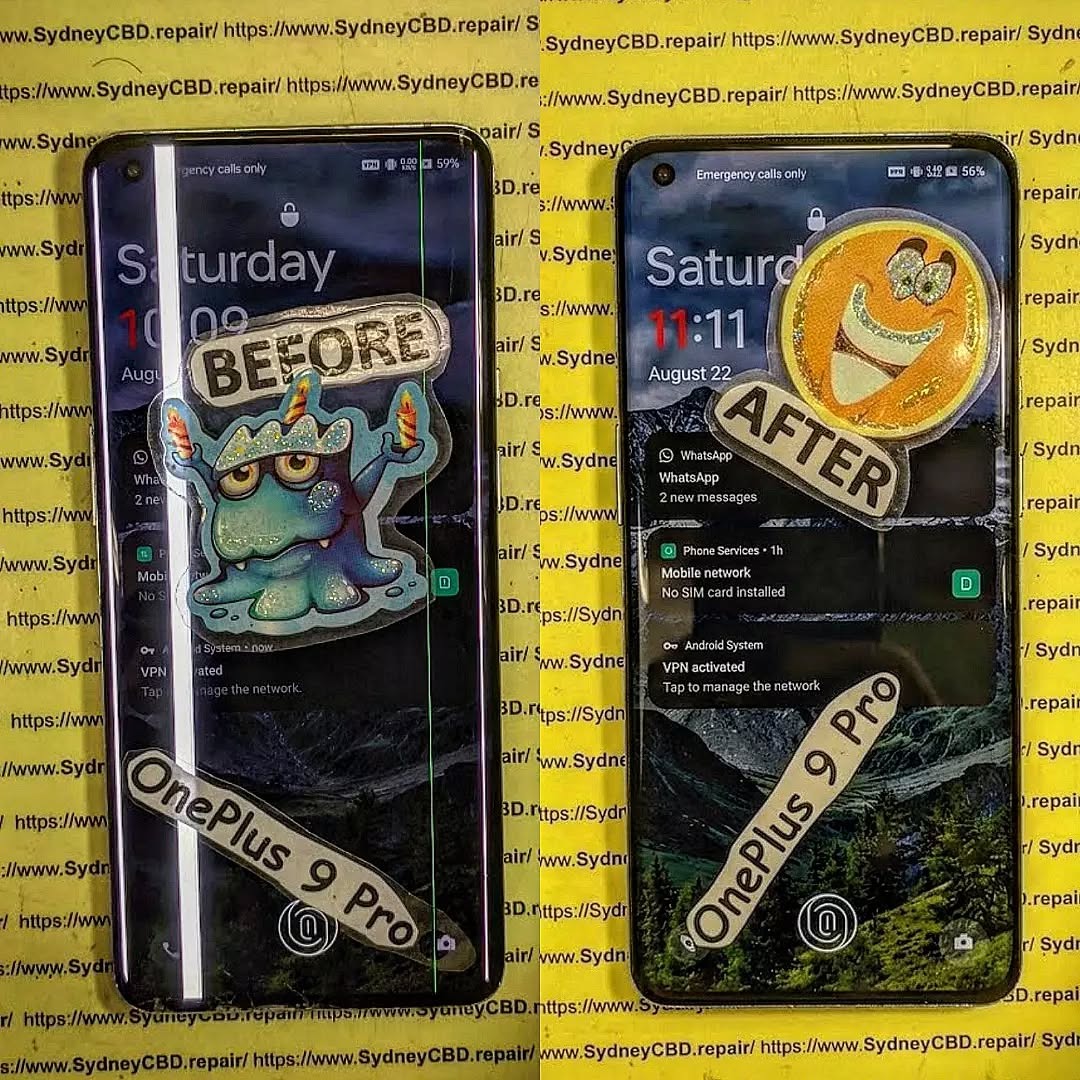
Water damage is one of the most misunderstood smartphone issues today. At first glance, a phone that’s been dropped in water might seem fine after drying out. However, what water damage really does to your phone goes far beyond a blank screen or a dead battery. The real trouble often starts days or even weeks later.
In this guide, we’ll break down the hidden effects of water damage, explain why even “water-resistant” phones aren’t safe, and show how professional repair can save your device. The goal is simple: help you understand the risks and make smarter decisions when accidents happen.
Water damage doesn’t always mean total failure. In fact, many phones continue working temporarily after exposure. That’s what makes it dangerous.
Modern smartphones are packed with delicate components: microchips, sensors, connectors, and batteries. Even a tiny amount of moisture can disrupt these parts. While manufacturers advertise water resistance, they don’t guarantee full protection.
Why Modern Phones Aren’t Truly Waterproof
Most devices today carry an IP rating, such as IP67 or IP68. These ratings indicate resistance, not immunity. Over time, seals degrade due to heat, drops, and normal wear. Once that happens, water finds a way in.
To truly understand what water damage really does to your phone, you need to look at the science.
How Liquid Interacts with Phone Components
Water conducts electricity. When it enters your phone, it can create unintended electrical paths, leading to short circuits. Additionally, minerals in tap water or seawater leave residues that accelerate corrosion.
Key affected components include:
Logic board
Battery connectors
Display cables
Charging port
Immediate Effects of Water Damage
Some effects appear right away, while others stay hidden.
Short Circuits and Power Failure
As soon as moisture bridges electrical contacts, your phone may shut down. Sometimes it restarts, giving a false sense of security. Unfortunately, internal damage may already be underway.
Long-Term Consequences You Can’t See
This is where things get serious. Even if your phone works after drying, internal corrosion continues silently.
Corrosion and Mineral Buildup
Corrosion eats away at metal contacts. Over time, this leads to:
Random shutdowns
Touchscreen failures
Camera malfunctions
Complete motherboard failure
This delayed damage explains why many users return weeks later asking why their “fixed” phone suddenly died.
Common Myths About Water-Damaged Phones
Let’s clear up a few myths:
“If it turns on, it’s fine.” Not true.
“Rice dries phones completely.” Ineffective.
“Water-resistant means waterproof.” Incorrect.
These myths often cause more harm than good.
Early Warning Signs After Water Exposure
Watch for these red flags:
Foggy camera lens
Distorted speaker sound
Overheating
Battery draining fast
Unresponsive buttons
If you notice any of these, seek professional help immediately.
Why Rice Is Not a Reliable Fix
Rice absorbs surface moisture but does nothing for internal corrosion. Worse, rice dust can clog ports. According to repair experts and resources like iFixit , proper drying requires controlled heat and professional tools.
Professional Water Damage Repair Explained
Professional repair involves:
Full disassembly
Ultrasonic cleaning
Corrosion treatment
Component-level diagnostics
This process dramatically improves survival rates, especially when done quickly.
Preventing Water Damage in the Future
Prevention tips:
Use waterproof cases
Avoid charging near water
Keep phones away from steam
Get seals checked after repairs
A little caution goes a long way.
Frequently Asked Questions
1. Can a water-damaged phone be fully repaired?
Yes, if treated early. Delays reduce success rates.
2. How long after water exposure can damage appear?
Anywhere from hours to several weeks.
3. Is saltwater worse than fresh water?
Absolutely. Salt accelerates corrosion.
4. Should I turn my phone on to check it?
No. Powering it on can cause shorts.
5. Does warranty cover water damage?
Most manufacturers exclude liquid damage.
6. Is data recovery possible from water-damaged phones?
In many cases, yes—especially with professional tools.
Conclusion
Understanding what water damage really does to your phone can save you money, data, and frustration. The damage isn’t always immediate, but it’s almost always serious. Acting fast and choosing professional repair makes all the difference.
David from Sydney CBD Repair Centre – The Best place to fix mobile phones as 7 Years In A Row! Top Mobile Phone Repair In Sydney. More than 2000 Positive Reviews on Google and Same Day Repairs.
We take pride in delivering exceptional repair services for all major phone brands including Apple, Samsung, Google, and more. Our expert technicians use only genuine parts and offer 90days warranty on repairs. Located in the heart of Sydney CBD, we’re your one-stop solution for all mobile device repairs.
Our commitment to excellence has earned us the trust of thousands of satisfied customers. Whether it’s a cracked screen, battery replacement, or water damage repair, we handle it all with professional care and expertise. Walk in today and experience why we’re Sydney’s #1 choice for mobile phone repairs.
Visit us for:
✓ Same Day Express Repairs
✓ Genuine Parts Guarantee
✓ Professional Technicians
✓ Competitive Pricing
✓ 2000+ 5-Star Google Reviews
✓ 7-Time Award Winner for Best Phone Repairs
Cracked Phone Screen, Dead Battery: Double Repair, Double Trouble? ⚡ 9 Shocking Truths You Must Know
Introduction
In today’s fast-paced digital world, smartphones have become an essential part of daily life. From managing work and staying connected to capturing memories, we rely on our devices more than ever. That’s why encountering a cracked screen, dead battery problem can feel like a double blow. One moment your phone slips from your hand, and the next you’re dealing with shattered glass and a battery that barely lasts the day.
While a cracked screen and a failing battery may seem like separate issues, they’re often closely connected. Physical impact, internal stress, and increased power consumption can cause these problems to appear together, creating what many users see as “double trouble.” Unfortunately, ignoring one issue while fixing the other usually leads to higher repair costs and reduced phone performance over time.
This article takes a clear, practical look at why cracked screen, dead battery problems happen so frequently, how they affect your device, and what smart repair decisions can save you time and money. Whether you’re deciding between repair or replacement, or simply want to prevent future damage, this guide will help you make informed, confident choices about your smartphone’s health.
A cracked screen, dead battery scenario is more common than most phone owners realize. At first glance, a shattered display and a battery that won’t hold charge may seem unrelated. However, they’re often two sides of the same coin. When a phone is dropped, exposed to pressure, or overheats, both the screen and battery can suffer simultaneously.
Phones today are compact powerhouses. Everything is tightly packed. So when one component fails, stress transfers quickly to others. In many repair cases, technicians discover battery damage only after opening a phone for screen replacement. That’s why ignoring either problem can snowball into bigger, more expensive repairs later.
What’s more, users often keep using their phone despite visible cracks or battery warnings. That’s understandable—we’re attached to our devices. Still, continuing to use a damaged phone can accelerate internal wear. In short, a cracked screen isn’t just cosmetic, and a dead battery isn’t just inconvenient.
Most cracked screens result from drops. That same impact can jolt the battery, loosening connectors or damaging battery cells. Even if the phone keeps working, micro-damage may already be done.
Pressure and Heat Build-Up
A cracked display can compromise the phone’s seal. Dust and moisture sneak in, forcing the battery to work harder. Over time, heat builds up, and battery health declines rapidly.
Power Drain from Touch Malfunctions
When a screen is cracked, ghost touches or unresponsive areas can occur. The phone repeatedly tries to process faulty inputs, increasing power consumption. That extra strain drains the battery faster than usual.
Common User Behaviors That Cause Double Damage
Many users unknowingly worsen a cracked screen, dead battery issue through daily habits:
Continuing to charge overnight with a damaged screen
Using cheap, uncertified chargers
Ignoring overheating warnings
Carrying phones in back pockets or tight bags
These behaviors add pressure to already weakened components. Over time, what could’ve been a simple screen repair turns into a battery replacement too.
How a Cracked Screen Impacts Battery Health
A cracked screen does more than affect visibility—it changes how the phone behaves internally.
Increased Power Consumption
Damaged displays often need more power to maintain brightness or register touch input. That means the battery works overtime, shortening its lifespan.
Short Circuits and Power Leakage
Cracks can expose internal layers of the screen. This exposure increases the risk of electrical leakage, which drains the battery even when the phone is idle.
Heat Retention
Phones rely on intact screens to dissipate heat properly. Once cracked, heat gets trapped, and batteries hate heat. According to general lithium-ion battery research (see insights from sources like Battery University: https://batteryuniversity.com), heat is one of the biggest enemies of battery longevity.
Dead Battery Symptoms You Should Never Ignore
A failing battery rarely dies suddenly. It sends warnings first.
Rapid Power Drain
If your phone drops from 40% to 10% in minutes, that’s a red flag—especially after screen damage.
Unexpected Shutdowns
Phones shutting down at 20–30% battery often indicate internal battery cell damage.
Battery Swelling
In severe cases, batteries swell, pushing against the cracked screen. This is dangerous and should be addressed immediately.
Ignoring these signs doesn’t save money—it usually costs more in the long run.
Repair or Replace? Making the Smart Decision
When facing a cracked screen, dead battery situation, many people ask: Should I just replace the phone?
Cost Comparison: Single vs Double Repairs
Scenario
Approximate Cost
Outcome
Screen only
Moderate
Short-term fix
Battery only
Moderate
Performance improves
Screen + Battery
Cost-effective bundle
Phone feels new
New Phone
High
Data transfer hassle
In most cases, repairing both components together is cheaper than buying a new device. Plus, bundled repairs often come with warranties.
Professional Repair vs DIY Risks
DIY repair videos make it look easy. However, modern smartphones are complex.
Why Certified Technicians Matter
Professional repair centers use calibrated tools, genuine parts, and proper sealing methods. That ensures:
Correct battery calibration
Screen pressure alignment
Waterproofing restoration
DIY repairs often lead to loose connections, further battery drain, or even complete device failure.
Preventing Future Cracked Screen, Dead Battery Issues
Prevention is always better than cure.
Practical Protection Tips That Work
Use tempered glass and quality cases
Avoid extreme temperatures
Replace batteries every 18–24 months
Don’t ignore small cracks—they spread
Simple habits can extend your phone’s life by years.
Frequently Asked Questions (FAQs)
1. Can a cracked screen really cause battery problems?
Yes. A cracked screen increases power consumption, heat retention, and internal stress, all of which degrade battery health.
2. Is it safe to keep using a phone with a cracked screen and dead battery?
Not recommended. It increases the risk of sudden shutdowns, data loss, and battery swelling.
3. Should I replace the battery when fixing a cracked screen?
Often, yes. Combined repairs are cost-effective and restore optimal performance.
4. How long does a combined repair usually take?
At professional centers, most screen and battery replacements are completed the same day.
5. Will repairing both parts make my phone feel new again?
In many cases, absolutely. Users often report better performance, battery life, and responsiveness.
6. Is professional repair better than upgrading my phone?
If the phone is less than 3–4 years old, professional repair is usually the smarter choice.
Conclusion: Double Trouble or Smart Opportunity?
A cracked screen, dead battery situation might feel like double trouble at first. However, with the right approach, it’s an opportunity to restore your phone’s performance without the high cost of replacement. Addressing both issues together saves time, money, and frustration.
Phones are investments. Treating them with timely, professional care ensures they serve you longer and better. Instead of waiting for complete failure, act early—and smartly.
David from Sydney CBD Repair Centre – The Best place to fix mobile phones as 7 Years In A Row! Top Mobile Phone Repair In Sydney. More than 2000 Positive Reviews on Google and Same Day Repairs.
We take pride in delivering exceptional repair services for all major phone brands including Apple, Samsung, Google, and more. Our expert technicians use only genuine parts and offer 90 days warranty on repairs. Located in the heart of Sydney CBD, we’re your one-stop solution for all mobile device repairs.
Our commitment to excellence has earned us the trust of thousands of satisfied customers. Whether it’s a cracked screen, battery replacement, or water damage repair, we handle it all with professional care and expertise. Walk in today and experience why we’re Sydney’s #1 choice for mobile phone repairs.
Visit us for:
✓ Same Day Express Repairs
✓ Genuine Parts Guarantee
✓ Professional Technicians
✓ Competitive Pricing
✓ 2000+ 5-Star Google Reviews
✓ 7-Time Award Winner for Best Phone Repairs
Does Replacing Your Phone Screen Damage The Charging Port? 7 Shocking Professional Repair Secrets Revealed
Introduction: The Real Concern Behind Screen Repairs
Does replacing your screen damage the charging port? That’s a question many phone owners ask the moment their screen cracks. After all, modern smartphones are tightly packed with delicate components. When you open one part, could another part suffer?
It’s a fair concern.
Today’s devices from brands like Apple, Samsung, and Google are engineered with compact internal layouts. The screen connects through fragile flex cables. The charging port is mounted near the bottom, often on a separate daughterboard or integrated into the main board.
So, does replacing your screen damage the charging port?
The short answer: It can — but only if done improperly.
Modern smartphones are like mini computers. Every component connects in layers:
Display assembly
Digitizer
Front sensors
Battery
Charging port module
Motherboard
Each part interacts through ribbon cables and connectors. During a screen replacement, technicians must disconnect the battery, detach the display cables, and carefully remove adhesive.
The Role of the Charging Port in Daily Usage
The charging port isn’t just for power. It handles:
Charging current
Data transfer
Accessory connections
Car integration
Firmware updates
It endures frequent plugging and unplugging. That constant stress already makes it vulnerable.
How Screen Replacement Is Performed
Professional screen replacement typically involves:
Heating adhesive
Lifting the display
Disconnecting battery first
Removing display connectors
Installing new display
Testing before resealing
If steps are skipped or rushed, that’s when trouble begins.
Yes — replacing your screen can damage the charging port, but not directly.
The charging port isn’t attached to the screen. However, mistakes during repair can indirectly affect it.
When Damage Actually Happens
Damage typically occurs when:
Battery isn’t disconnected first
Tools slip and scrape the board
Excess heat warps connectors
Frame gets bent during prying
Cheap screens create pressure misalignment
DIY repairs are particularly risky because internal layouts vary by model.
When It Does NOT Happen
When handled by trained technicians, charging port damage is extremely rare.
Professionals:
Follow safe disassembly order
Use proper heat control tools
Test ports before and after repair
Avoid flex cable strain
That’s the difference between guesswork and expertise.
7 Professional Repair Secrets Technicians Don’t Always Share
Now, let’s uncover insider knowledge.
Secret #1: Proper Disconnection Order Matters
Battery first. Always.
If power remains connected while removing the display, even slight contact can short circuit the charging IC.
Secret #2: Heat Control Is Critical
Too much heat can weaken solder joints near the charging port.
Professionals use calibrated heat guns, not household hairdryers.
Secret #3: Cheap Parts Increase Risk
Low-quality screens may:
Be thicker
Have misaligned frames
Put pressure on internal modules
That pressure can strain the charging port area over time.
Secret #4: Flex Cable Tension Mistakes
Improper routing of display cables can cause internal pressure. Over weeks, this may impact nearby modules.
Secret #5: Charging Port Pre-Testing
Before replacing a screen, pros test:
Charging speed
Cable fit
Data transfer
This ensures no pre-existing issues get blamed on the repair.
Secret #6: Frame Alignment Accuracy
Even slight misalignment affects structural stability.
Secret #7: Post-Repair Diagnostics
Professional shops run diagnostics to confirm:
Charging amperage levels
Port recognition
Thermal stability
That’s E-E-A-T in action — experience, expertise, authority, and trust.
Differences Between Major Phone Brands
Not all phones are built the same.
Apple Devices
Devices from Apple often separate charging ports into modular assemblies, especially older models. Newer models integrate components tightly, increasing complexity.
Samsung Devices
Samsung devices use heavy adhesive and layered frames. Improper removal can flex internal boards.
Google Devices
Google Pixel phones often have sensitive mid-frames. Overheating during screen removal may affect nearby connectors.
DIY Screen Replacement vs Professional Repair
Factor
DIY Repair
Professional Repair
Risk to Charging Port
High
Low
Tools Used
Basic
Precision calibrated
Warranty
None
Usually included
Diagnostic Testing
Rare
Standard practice
Long-term Reliability
Uncertain
High
DIY might seem cheaper. But if the charging port fails afterward, costs double.
Warning Signs of Charging Port Damage After Repair
Watch for:
Slow charging
Loose cable connection
Device overheating
Charging only at certain angles
No data recognition
If you notice these after a screen repair, seek professional inspection immediately.
How Professionals Prevent Charging Port Damage
Experts prevent issues by:
Using anti-static mats
Disconnecting battery first
Applying controlled heat
Testing before sealing device
Using genuine-quality parts
It’s not just about replacing a screen. It’s about preserving the whole device.
Cost Implications of Charging Port Damage
Screen replacement alone may cost moderate pricing.
But if the charging port is damaged:
Additional labor required
Component replacement needed
Potential motherboard repair
That’s when expenses escalate.
Prevention is always cheaper than correction.
Frequently Asked Questions
1. Does replacing your screen damage the charging port immediately?
Not usually. Damage, if it occurs, is often due to improper repair methods.
2. Can a cracked screen affect charging performance?
Generally no, unless internal damage extends beyond the display.
3. Is charging port damage common after screen repair?
No. It’s rare when done professionally.
4. Should I test charging before leaving the repair shop?
Absolutely. Always confirm charging works properly before leaving.
5. Can overheating during repair weaken the charging port?
Yes. Excessive heat may weaken nearby solder joints.
6. Are some brands more at risk?
Devices with integrated components have higher repair complexity.
For further reading on safe electronics handling standards, refer to the official guidelines by the International Electrotechnical Commission: https://www.iec.ch
Conclusion
So, does replacing your screen damage the charging port?
It can — but only in careless hands.
When professionals handle the repair using proper tools and techniques, the charging port remains safe. Choosing experience over shortcuts makes all the difference.
A cracked screen is frustrating, sure. But with the right technician, your device will work just as reliably as before — charging port included.
phone repair, screen replacement, charging port repair, smartphone maintenance, cracked screen fix, mobile repair tips, DIY phone repair risks, professional phone repair, Apple repair service, Samsung repair expert, Google Pixel repair, phone charging issues, mobile technician secrets, phone hardware repair, smartphone troubleshooting, device repair guide, phone repair costs, charging problems after repair, genuine phone parts, electronics repair safety
David from Sydney CBD Repair Centre – The Best place to fix mobile phones as 7 Years In A Row! Top Mobile Phone Repair In Sydney. More than 2000 Positive Reviews on Google and Same Day Repairs.
We take pride in delivering exceptional repair services for all major phone brands including Apple, Samsung, Google, and more. Our expert technicians use only genuine parts and offer 90days warranty on repairs. Located in the heart of Sydney CBD, we’re your one-stop solution for all mobile device repairs.
Our commitment to excellence has earned us the trust of thousands of satisfied customers. Whether it’s a cracked screen, battery replacement, or water damage repair, we handle it all with professional care and expertise. Walk in today and experience why we’re Sydney’s #1 choice for mobile phone repairs.
Visit us for:
✓ Same Day Express Repairs
✓ Genuine Parts Guarantee
✓ Professional Technicians
✓ Competitive Pricing
✓ 2000+ 5-Star Google Reviews
✓ 7-Time Award Winner for Best Phone Repairs
BUDGET CHAMPION SMASHED! Samsung Galaxy A16 5G Screen Replacement Sydney CBD Repair Centre: 7 Powerful Reasons to Repair Instead of Replace
Introduction to Samsung Galaxy A16 5G Repairs
The Samsung Galaxy A16 5G has quickly become one of Samsung’s most popular budget smartphones. It offers excellent value, modern features, and reliable performance without the premium price tag. However, even budget champions can suffer accidents. A drop onto concrete, pressure inside a bag, or unexpected impact can easily damage the screen.
When this happens, many people search for Samsung Galaxy A16 5G screen replacement Sydney CBD Repair Centre because they want a fast, affordable, and trustworthy repair solution.
A damaged display affects more than just appearance. Cracks can spread over time, touch sensitivity may fail, and internal components could become vulnerable to dust and moisture. Therefore, repairing a broken screen promptly is important.
Professional repair services offer several benefits:
Restored display quality
Improved touchscreen response
Enhanced device protection
Longer phone lifespan
Better resale value
At Sydney CBD Repair Centre, experienced technicians perform repairs using high-quality parts and industry-standard procedures. This helps customers avoid the risks associated with low-quality components and DIY repair attempts.
Modern smartphones, including the Galaxy A16 5G, contain delicate components that require careful handling. Attempting repairs without proper tools can lead to additional damage, higher costs, and permanent device issues.
That’s why many Sydney users prefer professional repair services instead of replacing their phones entirely.
Samsung has become famous for offering feature-rich devices at competitive prices. The Galaxy A16 5G continues this tradition by delivering excellent value.
Some standout features include:
Feature
Benefit
5G Connectivity
Faster internet speeds
Large Display
Better viewing experience
Long Battery Life
Extended daily use
Modern Design
Premium appearance
Samsung Software Support
Improved longevity
Despite being affordable, the Galaxy A16 5G uses advanced display technology. Unfortunately, this also means repairs require skill and precision.
Many users wonder whether it’s worth repairing a budget phone. In most cases, the answer is yes. A professional screen replacement costs significantly less than purchasing a new device.
Additionally, repairing a phone supports sustainability. Electronic waste continues to grow globally, and extending the life of existing devices helps reduce environmental impact.
Organizations such as the United Nations E-Waste Coalition emphasize the importance of reducing electronic waste through repair and reuse.
Cracked glass is the most common issue. Even minor cracks can worsen over time, especially when pressure is applied during daily use.
Signs include:
Spiderweb cracks
Sharp edges
Reduced visibility
Finger injuries
Touchscreen Failure
Sometimes the display appears normal, but touch functions stop working.
Symptoms include:
Delayed response
Dead touch areas
Ghost touches
Unresponsive screen sections
Display Lines and Dead Pixels
Internal damage can create:
Green lines
Purple spots
Black patches
Flickering images
These problems typically require a full display replacement rather than a simple glass repair.
Why Professional Screen Replacement Matters
A phone screen is more than just glass. It contains several layers:
Protective glass
Digitizer
OLED or LCD panel
Adhesive components
Internal connectors
Professional technicians understand how these layers work together.
Benefits of expert repair include:
Proper installation
Accurate diagnostics
High-quality parts
Warranty protection
Reduced risk of additional damage
DIY repairs might appear cheaper at first. However, mistakes can damage:
Motherboards
Battery connectors
Cameras
Charging ports
Professional services often save money in the long run.
Genuine vs Aftermarket Samsung Screens
Choosing between genuine and aftermarket parts affects performance and longevity.
Feature
Genuine Screen
Aftermarket Screen
Color Accuracy
Excellent
Varies
Touch Response
Original Quality
May differ
Brightness
Factory Standard
Often lower
Durability
High
Variable
Compatibility
Perfect
May vary
High-quality parts provide a better experience and maintain device performance.
Customers seeking Samsung Galaxy A16 5G screen replacement Sydney CBD Repair Centre often prioritize reliability, making genuine-quality components an excellent investment.
The Samsung Galaxy A16 5G Screen Replacement Process
Diagnostic Testing
Technicians begin by examining:
Display functionality
Touch response
Camera operation
Battery condition
Frame integrity
Screen Removal
Specialized tools help remove damaged screens without harming internal components.
Important steps include:
Device heating
Adhesive softening
Connector protection
Careful lifting
Installation and Testing
The replacement screen undergoes extensive testing:
Brightness checks
Touch testing
Camera verification
Sensor calibration
Final quality checks ensure the phone performs like new.
Repair Costs Compared With Buying a New Device
Many customers compare repair costs with replacement costs.
Option
Estimated Cost
Screen Repair
Lower
New Phone Purchase
Higher
Data Transfer Costs
Additional
Accessories
Extra Expense
Repairing offers several advantages:
Keep your existing data
Avoid setup time
Reduce costs
Maintain familiarity
For budget-conscious users, professional repair is often the smarter financial choice.
Why Sydney Customers Choose Sydney CBD Repair Centre
Finding a trusted repair provider is essential.
Customers often choose Sydney CBD Repair Centre because of:
Same-day repairs
Experienced technicians
Genuine-quality parts
Competitive pricing
Warranty coverage
The repair process is transparent and efficient. Customers receive clear explanations, accurate diagnostics, and professional service.
Experience matters in smartphone repair. Skilled technicians understand common issues and use proven techniques to deliver reliable outcomes.
This commitment to quality has helped establish a strong reputation among Sydney smartphone users.
Preventing Future Screen Damage
After repairing your Galaxy A16 5G, protecting it becomes important.
Recommended accessories include:
Tempered glass protectors
Shockproof cases
Protective pouches
Good habits also help:
Avoid sitting on your phone
Keep it away from sharp objects
Use both hands when carrying it
Store it safely during travel
Preventive measures can significantly reduce future repair costs.
Frequently Asked Questions
1. How long does a Samsung Galaxy A16 5G screen replacement take?
Most repairs can be completed on the same day, depending on parts availability.
2. Is it worth repairing a budget phone?
Yes. Repairing is often much cheaper than buying a new device.
3. Will my data be safe during repair?
Professional technicians generally preserve customer data, although backups are always recommended.
4. Do genuine screens perform better?
Yes. Genuine screens usually provide superior brightness, color accuracy, and touch response.
5. Does screen replacement affect phone performance?
A high-quality repair restores normal functionality without reducing performance.
6. Is there a warranty on repairs?
Many professional repair providers offer warranties for added peace of mind.
Conclusion
The Samsung Galaxy A16 5G proves that affordable smartphones can deliver excellent performance and value. However, accidents happen, and screen damage remains one of the most common smartphone problems.
Choosing Samsung Galaxy A16 5G screen replacement Sydney CBD Repair Centre allows users to restore their devices quickly, affordably, and professionally. Repairing instead of replacing saves money, reduces waste, and extends the life of a valuable device.
With experienced technicians, high-quality parts, and same-day service, professional repair remains the best solution for keeping the Galaxy A16 5G performing at its best.
David from Sydney CBD Repair Centre – The Best place to fix mobile phones as 7 Years In A Row! Top Mobile Phone Repair In Sydney. More than 2000 Positive Reviews on Google and Same Day Repairs.
We take pride in delivering exceptional repair services for all major phone brands including Apple, Samsung, Google, and more. Our expert technicians use only genuine parts and offer 90days warranty on repairs. Located in the heart of Sydney CBD, we’re your one-stop solution for all mobile device repairs.
Our commitment to excellence has earned us the trust of thousands of satisfied customers. Whether it’s a cracked screen, battery replacement, or water damage repair, we handle it all with professional care and expertise. Walk in today and experience why we’re Sydney’s #1 choice for mobile phone repairs.
Visit us for:
✓ Same Day Express Repairs
✓ Genuine Parts Guarantee
✓ Professional Technicians
✓ Competitive Pricing
✓ 2000+ 5-Star Google Reviews
✓ 7-Time Award Winner for Best Phone Repairs
Sydney CBD Repair Centre – Where Quality Meets Reliability.
“Unfixable” Motorola: Resurrecting Phones Sydney Repair Centre’s Declared Dead + 10 Expert Strategies
Introduction: Why Some Motorola Phones Seem Beyond Repair
Motorola has long been a staple in mobile technology, offering reliable devices with cutting-edge features. Yet, some models—especially the older Edge series or foldable Razr devices—end up in repair centres looking “dead” and unfixable. Sydney repair centres often face the challenge of phones that appear beyond revival, with customers being told, “Sorry, there’s nothing we can do.”
However, declaring a Motorola phone “unfixable” is often premature. With the right expertise, tools, and techniques, even phones deemed beyond repair can be brought back to life. In this article, we’ll explore why Motorolas fail, why many repair centres give up, and how expert Sydney repair technicians resurrect phones that seemed permanently dead.
Keyword placement: Motorola repair, unfixable Motorola, Sydney repair centres.
Understanding why Motorola phones fail is crucial to prevent damage and identify repair solutions. Most failures fall into hardware or software issues, each requiring specific approaches.
Water Damage and Corrosion
Liquid damage remains one of the most frequent causes of “unfixable” Motorolas. Water or moisture entering the device can corrode the motherboard, connectors, or battery terminals. Common signs include:
Screen flickering or blank display
Random reboots or shutdowns
Charging problems
Even minor corrosion can lead to long-term failures if not addressed promptly.
Cracked Screens and Display Malfunctions
Cracked or unresponsive screens are another major reason phones are declared unrepairable. Issues include:
AMOLED or LCD dead pixels
Unresponsive touch screen
Internal glass shattering beneath the surface
In many cases, replacing the screen requires precision to avoid damaging the internal components.
Battery Failures and Overheating
Motorola batteries can swell or degrade over time, causing devices to overheat or fail to charge. Symptoms include:
Rapid battery drain
Unexpected shutdowns
Charging port malfunction
Battery replacements seem simple but often require careful calibration and matching to the device’s original specifications.
Software Glitches and OS Corruption
Sometimes, phones fail not because of hardware but software. System crashes, firmware corruption, or incomplete updates can render a Motorola unresponsive.
Advanced technicians can revive these devices through software recovery tools, flashing firmware, or restoring factory settings without affecting user data.
Not every repair centre is equipped to handle complex Motorola issues. The reasons for giving up often include:
Lack of Expertise in Complex Motorola Models
Some repair centres specialize in basic iPhone or Samsung repairs but lack the micro-soldering or component-level experience needed for Motorola’s advanced boards, especially in foldable phones.
Unavailability of Genuine Parts
Genuine Motorola parts are not always available in Sydney. Many repair shops rely on generic replacements, which can fail or cause further damage, leading them to declare the device unfixable.
How Expert Sydney Repair Centres Resurrect “Dead” Motorolas
High-level repair centres in Sydney, like Sydney CBD Repair Centre, tackle unfixable Motorolas with precision. They follow rigorous steps to ensure device revival.
Diagnostic Processes and Advanced Tools
Before touching the motherboard, technicians perform a full diagnostic, using tools like:
Multimeters to check circuit continuity
Thermal cameras to detect overheating components
Ultrasonic cleaners for corrosion removal
This thorough inspection identifies the root cause of the failure.
Component-Level Repairs
Expert technicians can repair or replace damaged components on the motherboard. Micro-soldering enables the restoration of broken circuits, allowing phones to function again even after severe damage.
Battery and Charging Port Restoration
Damaged charging ports or degraded batteries are common culprits. Specialists replace ports and calibrate batteries, restoring charging efficiency and safety.
Screen Replacement Techniques
Modern Motorola devices often feature complex AMOLED or foldable screens. Professionals use specialized tools to replace the screens while ensuring touch functionality and color accuracy.
Case Studies: Phones Revived Against All Odds
Motorola Edge Series Resurrection
One customer brought in a Motorola Edge completely water-damaged. After motherboard cleaning, micro-soldering, and battery replacement, the phone was fully functional within 24 hours.
Motorola Razr Fold Repair Success
A Razr fold with a cracked screen and dead hinge seemed beyond repair. Expert technicians replaced the screen, repaired the folding mechanism, and restored battery life, reviving a device that other centres had written off.
Tips for Motorola Owners to Prevent Irreversible Damage
Water and Dust Prevention
Use protective cases and screen protectors
Avoid exposure to moisture
Check IP rating before submerging devices
Battery Care and Optimal Charging Habits
Avoid overnight charging
Keep battery between 20%-80%
Use original chargers
Software Updates and Regular Backups
Keep firmware updated
Back up important data to cloud storage
Restore factory settings periodically to prevent corruption
Choosing the Right Repair Centre in Sydney
Credentials and Experience
Look for repair centres with certified technicians, awards, and years of experience. Sydney CBD Repair Centre has been recognized 7 times for excellence in phone repairs.
Customer Reviews and Reputation
Check Google reviews and testimonials. Over 2,000 positive reviews indicate reliability and trustworthiness.
Warranty and Genuine Parts Assurance
Ensure the repair centre uses genuine parts and provides warranties. Sydney CBD Repair Centre offers 90-day guarantees on all repairs.
External Reference:Motorola Official Support provides official guidance on device issues and authorized repair options.
Frequently Asked Questions (FAQs)
Q1: Can all dead Motorola phones be repaired?
A1: Most can, but success depends on the extent of damage. Hardware and software issues can be fixed if proper expertise and parts are available.
Q2: How long does a typical Motorola repair take in Sydney?
A2: Minor repairs like screen or battery replacements often take 1-2 hours. Complex repairs may take 24-48 hours.
Q3: Are genuine Motorola parts necessary?
A3: Yes. Using genuine parts ensures durability, compatibility, and preserves warranties.
Q4: Can water-damaged phones be fully restored?
A4: Yes, if treated quickly. Technicians use cleaning, drying, and component-level repairs to prevent permanent damage.
Q5: How can I prevent my Motorola from becoming unfixable?
A5: Avoid water exposure, maintain battery health, perform software updates, and choose reliable repair centres for any issues.
Q6: Are foldable Motorola devices more difficult to repair?
A6: Yes, they require specialized tools and expertise due to flexible screens and complex hinge mechanisms.
Conclusion: The Myth of the “Unfixable” Motorola
The idea of a completely unfixable Motorola is largely a myth. With advanced tools, component-level expertise, and genuine parts, even phones declared dead by some repair centres can be resurrected. Sydney CBD Repair Centre exemplifies this, restoring devices that seemed beyond hope.
If you own a Motorola that’s been declared “unfixable,” don’t give up. Expert repair centres in Sydney are ready to bring your device back to life with precision and care.
David from Sydney CBD Repair Centre – The Best place to fix mobile phones 7 Years In A Row! Top Mobile Phone Repair In Sydney. More than 2000 Positive Reviews on Google and Same Day Repairs.
Visit us for:
✓ Same Day Express Repairs
✓ Genuine Parts Guarantee
✓ Professional Technicians
✓ Competitive Pricing
✓ 2000+ 5-Star Google Reviews
✓ 7-Time Award Winner for Best Phone Repairs
The Chain Reaction Repairs: Why Changing Your Screen Might Break Your Charging Port – 9 Surprising Risks
Introduction
Smartphones have become essential tools in everyday life, helping us stay connected, productive, and entertained. However, despite their advanced technology, they remain delicate devices. A single drop can shatter a display, making screen replacement one of the most common smartphone repairs worldwide. At first glance, replacing a cracked screen may seem like a simple and isolated fix. Yet in reality, modern devices are built with tightly integrated components, meaning one repair can sometimes trigger unexpected problems.
This is where the concept of chain reaction repairs comes into play. In many cases, technicians discover that fixing one part of a smartphone can affect another. For example, it may sound surprising, but changing your screen might break your charging port if the repair process disrupts internal connectors, structural alignment, or delicate ribbon cables. Because today’s smartphones are engineered to be ultra-thin and compact, components such as the display, battery, charging module, and motherboard are closely interconnected inside the device.
As a result, even a routine repair requires careful handling, precise tools, and professional expertise. Without proper techniques, small mistakes—like applying too much pressure during installation or using low-quality replacement parts—can lead to additional hardware failures. Understanding how chain reaction repairs occur is important for both technicians and smartphone owners, as it highlights why professional diagnostics and experienced repair services are essential.
In this article, we’ll explore the hidden risks behind smartphone repairs, explain why changing your screen might break your charging port, and reveal how skilled technicians prevent these issues from happening. By the end, you’ll gain a deeper understanding of smartphone repair processes and learn how to protect your device from costly secondary damage.
Smartphones today are incredibly advanced devices. Inside a slim frame, dozens of delicate components work together in a tightly packed design. Because of this complexity, a simple repair can sometimes trigger unexpected issues. This phenomenon is known as chain reaction repairs.
One of the most common situations occurs when replacing a cracked screen. At first glance, a display repair should only affect the display. However, technicians occasionally discover that changing the screen might break your charging port or cause other unrelated problems.
This article explores why chain reaction repairs happen, how a screen replacement can affect other components, and what professional technicians do to prevent it.
A chain reaction repair occurs when fixing one component unintentionally affects another part of the device. This happens because smartphone components are interconnected both physically and electronically.
Modern devices from companies like Apple, Samsung, and Google are built with compact internal layouts. Components such as the display, battery, charging port, motherboard, and speakers are stacked and connected with delicate ribbon cables.
Because of this design, repairing one component often requires removing several others first.
A typical screen replacement involves several steps:
Heating the device adhesive
Opening the display panel
Disconnecting battery connectors
Removing display flex cables
Installing a new screen
Reassembling the device
Although this procedure sounds straightforward, the internal components are extremely fragile.
For example:
Flex cables can tear easily
Connectors may loosen
Internal brackets can shift
If a technician isn’t careful, these issues can lead to chain reaction repairs.
Why Multiple Components Are Connected
Smartphone manufacturers prioritize thinness and durability. As a result, components are stacked tightly together.
Many parts share the same structural frame, including:
Component
Connection Type
Risk During Repair
Screen
Flex cable to motherboard
Cable damage
Charging port
Sub-board connection
Misalignment
Battery
Adhesive mount
Puncture risk
Speaker
Frame mounted
Displacement
Because everything is interconnected, disturbing one component can accidentally affect another.
How Screen Repairs Can Damage Charging Ports
One surprising outcome of chain reaction repairs is charging port failure after a screen replacement.
While the screen and charging port seem unrelated, they often share structural mounting points and internal pathways.
Shared Internal Connectors
Many smartphones use modular designs where the charging port sits on a sub-board connected to the motherboard through a ribbon cable.
During a screen repair:
The battery must be disconnected
Connectors near the bottom of the phone are exposed
Flex cables may be temporarily moved
If a connector is bent or partially unplugged, the charging port might stop working.
Common symptoms include:
Phone not charging
Loose charging cable
Intermittent power connection
These issues are classic examples of chain reaction repairs.
Pressure and Frame Alignment
Another reason changing your screen might break your charging port is frame pressure.
Smartphone frames act as the structural support for many components. When replacing a screen, technicians sometimes apply pressure to secure the display.
However, excessive pressure can:
Bend internal brackets
Shift the charging port module
Damage solder points
If the port becomes slightly misaligned, charging cables may not connect properly.
Common Mistakes That Trigger Chain Reaction Repairs
While professional technicians follow strict procedures, mistakes can still occur—especially during DIY repairs.
Using Excessive Force
One of the most common causes of chain reaction repairs is applying too much pressure.
For example:
Pulling adhesive too quickly
Forcing connectors
Bending flex cables
These actions can damage nearby components.
Even a slight tear in a ribbon cable can disrupt the charging system.
Low-Quality Replacement Parts
Not all replacement screens are created equal.
Cheap parts may:
Have thicker frames
Use poor connectors
Require extra pressure during installation
This increases the risk that changing your screen might break your charging port.
High-quality parts, on the other hand, fit precisely and reduce stress on internal components.
Real Examples of Chain Reaction Repairs
Professional repair shops frequently encounter cases where one repair reveals another issue.
Charging Port Failure After Screen Replacement
Imagine this scenario:
A customer brings in a smartphone with a cracked screen. After replacing the display, the technician tests the device and discovers that the phone no longer charges.
Upon inspection, they find:
A flex cable slightly disconnected
Charging board shifted during repair
Dust trapped near the connector
This is a classic chain reaction repair situation.
Battery and Speaker Issues After Repair
Other components can also be affected.
For example:
Original Repair
New Issue
Cause
Screen replacement
Battery draining quickly
Battery connector disturbed
Screen replacement
Speaker not working
Flex cable pinched
Screen replacement
Charging failure
Port misalignment
These situations highlight how tightly integrated modern smartphones have become.
Professional Techniques to Avoid Chain Reaction Repairs
Experienced technicians use several strategies to prevent chain reaction repairs.
Proper Diagnostic Procedures
Before any repair begins, professionals run diagnostic tests.
These checks include:
Charging tests
Battery health checks
Speaker functionality
Sensor testing
This helps identify pre-existing problems before the repair.
Correct Tool Usage
Precision tools are essential.
Professional repair labs use:
Anti-static tweezers
Controlled heat machines
Microscope inspection
Torque-controlled screwdrivers
Organizations like iFixit provide professional repair guides that emphasize safe handling techniques.
These tools and guides significantly reduce the chances of chain reaction repairs.
Why Professional Repair Shops Reduce Risks
Professional repair technicians have experience dealing with complex devices.
Benefits of professional repairs include:
Accurate diagnostics
High-quality parts
Warranty coverage
Advanced tools
Experienced technicians also understand the internal layout of popular smartphone models, allowing them to avoid damaging sensitive components.
In many cases, professional repairs actually prevent chain reaction repairs by identifying hidden issues before they become serious.
Preventive Measures Before Screen Replacement
If you’re planning a screen replacement, there are several steps you can take to minimize risks.
1. Choose an Experienced Technician
Experienced repair shops understand the risks associated with chain reaction repairs.
2. Request Pre-Repair Testing
A quick diagnostic check ensures the charging port works before the repair begins.
3. Avoid DIY Repairs
DIY kits may seem convenient, but they often increase the risk of chain reaction repairs due to improper tools.
4. Use High-Quality Parts
Premium screens reduce installation pressure and alignment problems.
Frequently Asked Questions
1. Can replacing a screen really break a charging port?
Yes. Because smartphone components are tightly connected, changing your screen might break your charging port if connectors shift or internal components are stressed.
2. Why do phones have so many interconnected parts?
Manufacturers design smartphones to be thin and compact. This means many components share structural and electrical connections.
3. Are chain reaction repairs common?
They aren’t extremely common, but they do occur—especially during DIY repairs or when low-quality parts are used.
4. How can I avoid chain reaction repairs?
Choose a professional repair technician, request diagnostics, and ensure high-quality replacement parts are used.
5. Should charging ports be tested after a screen repair?
Absolutely. Professional technicians always test charging, speakers, cameras, and sensors after completing repairs.
6. Are some phones more prone to chain reaction repairs?
Yes. Ultra-thin smartphones and foldable devices often have more delicate internal layouts.
Conclusion
Modern smartphones are engineering marvels. Their compact design allows powerful technology to fit into a slim device. However, this complexity also creates risks during repairs.
As we’ve explored, chain reaction repairs can occur when fixing one component affects another. In some cases, changing your screen might break your charging port due to connector movement, frame pressure, or installation errors.
Fortunately, these issues can usually be avoided through professional repair practices, proper diagnostics, and high-quality replacement parts.
By understanding how smartphone components interact, both technicians and consumers can make smarter repair decisions and prevent unnecessary damage.
David from Sydney CBD Repair Centre – The Best place to fix mobile phones as 7 Years In A Row! Top Mobile Phone Repair In Sydney. More than 2000 Positive Reviews on Google and Same Day Repairs.
We take pride in delivering exceptional repair services for all major phone brands including Apple, Samsung, Google, and more. Our expert technicians use only genuine parts and offer 90days warranty on repairs. Located in the heart of Sydney CBD, we’re your one-stop solution for all mobile device repairs.
Our commitment to excellence has earned us the trust of thousands of satisfied customers. Whether it’s a cracked screen, battery replacement, or water damage repair, we handle it all with professional care and expertise. Walk in today and experience why we’re Sydney’s #1 choice for mobile phone repairs.
Visit us for:
✓ Same Day Express Repairs
✓ Genuine Parts Guarantee
✓ Professional Technicians
✓ Competitive Pricing
✓ 2000+ 5-Star Google Reviews
✓ 7-Time Award Winner for Best Phone Repairs
What Is The Most Extreme Phone Damage We’ve Repaired at Sydney CBD Repair Centre? – Shocking Stories & 7 Unbelievable Fixes
Introduction to Extreme Phone Damage Cases
At Sydney CBD Repair Centre, we’ve seen it all—and then some. From phones crushed under heavy vehicles to devices pulled from the ocean weeks later, the most extreme phone damage we’ve repaired at Sydney CBD Repair Centre goes far beyond cracked screens and worn-out batteries. These cases test not only the limits of mobile devices but also the expertise, patience, and innovation of our technicians.
Phones today are powerful, compact, and essential. However, they’re also vulnerable. Accidents happen fast, and when they do, customers often assume the worst. Still, time and again, we’ve proven that even the most extreme phone damage can often be repaired—saving data, money, and memories.
In this article, we’ll walk you through seven shocking real-life repair stories, explain how professional diagnostics make a difference, and show why trusting experts matters more than ever.
You might think extreme phone damage is rare. In reality, it’s becoming increasingly common. Busy lifestyles, constant device use, and environmental exposure all play a role. Phones are dropped from balconies, left on car roofs, exposed to seawater, or damaged during DIY repairs.
Moreover, modern smartphones are more complex than ever. A single incident can affect multiple components at once—screen, logic board, battery, and cameras. That’s why the most extreme phone damage we’ve repaired at Sydney CBD Repair Centre often involves layered issues rather than one obvious fault.
Case Study #1: Phone Run Over by a Truck
This case still shocks new technicians. A customer accidentally dropped their phone in a parking lot, and before they noticed, a delivery truck rolled right over it.
Damage Assessment Process
The phone arrived with:
Shattered front and back glass
Bent aluminium frame
Non-responsive display
No power
At first glance, it looked beyond saving. However, our diagnostic tools revealed that the logic board was intact—a critical discovery.
Repair Strategy and Outcome
We replaced:
Screen assembly
Battery
Housing and frame
Charging port
After careful reassembly and testing, the phone powered on successfully. Data was fully recovered. This repair stands as one of the most extreme phone damage we’ve repaired at Sydney CBD Repair Centre—and a reminder not to give up too soon.
Case Study #2: Severe Water and Saltwater Damage
Water damage is common, but saltwater damage is a different beast entirely.
Internal Corrosion Challenges
Salt accelerates corrosion. In this case, the phone had been submerged in the ocean for two days. Internally, connectors and chips showed visible oxidation.
Advanced Cleaning Techniques
Using ultrasonic cleaning and specialised chemical solutions, we removed corrosion from the logic board. Several components were microsoldered and replaced. While the phone required extensive work, it eventually powered on and functioned normally.
This case highlights why professional intervention matters. According to Apple’s official water damage guidance, improper drying methods can worsen internal damage.
Case Study #3: Phone Burnt in a House Fire
Fire damage is rare—but devastating.
Heat Damage to Components
The phone casing had partially melted. Internally, the battery was destroyed, and the screen layers had fused together.
Data Recovery Success
While the phone itself couldn’t be fully restored, our technicians focused on data recovery. By isolating the memory chip, we successfully retrieved photos and documents. For the customer, this outcome mattered more than the device itself.
Case Study #4: Folded, Bent, and Crushed Frames
We often see phones bent in back pockets—but this one was folded nearly in half after being caught in gym equipment.
Structural Integrity Testing
Bent frames compromise internal alignment. We transferred all salvageable components into a new housing. After recalibration and stress testing, the phone passed all functionality checks.
Case Study #5: DIY Repair Gone Wrong
DIY repairs are tempting. Unfortunately, they often lead to more damage.
Common DIY Mistakes
In this case:
Incorrect screws punctured the logic board
Battery connector was torn
Screen cables were damaged
We replaced multiple components and corrected internal alignment. The phone was saved—but at a higher cost than a professional repair would’ve been initially.
Case Study #6: Battery Explosion and Power Failure
A swollen battery eventually ruptured due to prolonged overheating.
Safety Measures and Replacement
We safely removed the damaged battery, inspected surrounding components, and replaced the power management IC. The phone powered on safely, with no further risk.
Case Study #7: Phones Retrieved from the Ocean
One of the most extreme phone damage cases involved a phone recovered after three weeks underwater.
Long-Term Salt Exposure Effects
The phone required:
Full logic board cleaning
Multiple component replacements
New display and battery
Amazingly, after weeks of work, it functioned again. This repair perfectly embodies the most extreme phone damage we’ve repaired at Sydney CBD Repair Centre.
Our technicians combine formal training with real-world problem-solving. That’s how we consistently achieve results others can’t.
What These Extreme Phone Damage Repairs Teach Us
Every extreme repair teaches a lesson:
Don’t assume a phone is beyond saving
Act quickly after damage
Avoid DIY fixes for complex issues
Choose experienced professionals
Phones are resilient—but expert care makes all the difference.
Frequently Asked Questions (FAQs)
1. Can extreme phone damage really be repaired?
Yes, in many cases. Even severe damage can often be partially or fully repaired.
2. Is water-damaged phone repair worth it?
Often, yes—especially if data recovery is important.
3. How long do extreme repairs take?
Anywhere from same day to several days, depending on severity.
4. Will data be lost during extreme repairs?
We prioritise data preservation whenever possible.
5. Are genuine parts used in extreme repairs?
Absolutely. We use only high-quality, genuine or equivalent parts.
6. Is there a warranty on these repairs?
Yes, all repairs include a 90-day warranty.
Conclusion
From crushed frames to fire damage, the most extreme phone damage we’ve repaired at Sydney CBD Repair Centre proves that hope isn’t lost when accidents happen. With the right tools, expertise, and commitment, even the most shocking cases can have positive outcomes.
If your phone has suffered serious damage, don’t give up. Bring it to professionals who’ve seen—and fixed—it all.
David from Sydney CBD Repair Centre – The Best place to fix mobile phones as 6 Years In A Row! Top Mobile Phone Repair In Sydney. More than 2000 Positive Reviews on Google and Same Day Repairs.
We take pride in delivering exceptional repair services for all major phone brands including Apple, Samsung, Google, and more. Our expert technicians use only genuine parts and offer 90days warranty on repairs. Located in the heart of Sydney CBD, we’re your one-stop solution for all mobile device repairs.
Our commitment to excellence has earned us the trust of thousands of satisfied customers. Whether it’s a cracked screen, battery replacement, or water damage repair, we handle it all with professional care and expertise. Walk in today and experience why we’re Sydney’s #1 choice for mobile phone repairs.
Visit us for:
✓ Same Day Express Repairs
✓ Genuine Parts Guarantee
✓ Professional Technicians
✓ Competitive Pricing
✓ 2000+ 5-Star Google Reviews
✓ 6-Time Award Winner for Best Phone Repairs
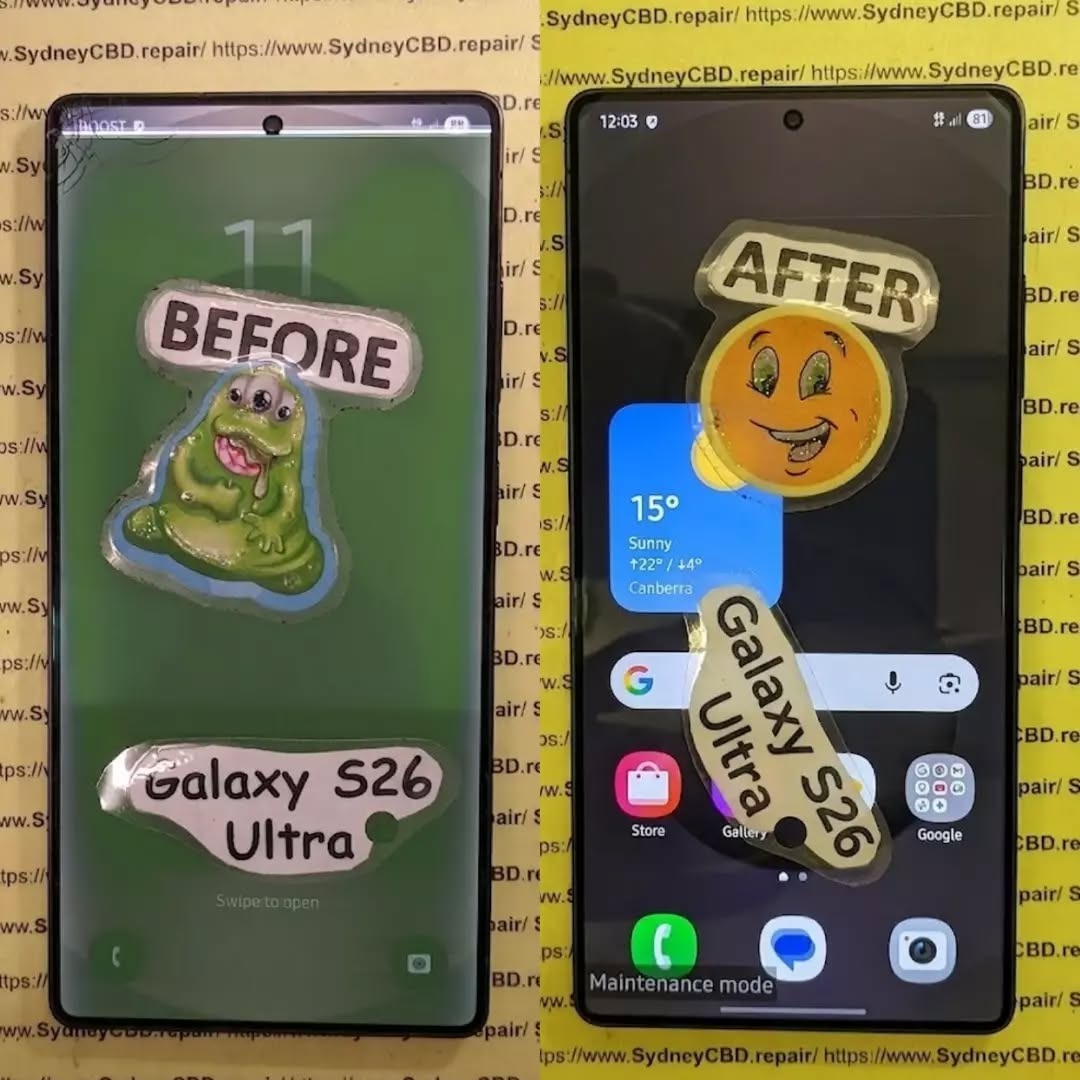
FIRST IN AUSTRALIA! Samsung Galaxy S26 Ultra Full Screen Restoration Process Revealed: Ultimate 10 Expert Insights
Introduction
The Samsung Galaxy S26 Ultra Full Screen Restoration Process Revealed is more than simply replacing a broken display. Modern flagship smartphones feature advanced AMOLED technology, integrated fingerprint scanners, AI-powered touch recognition, adaptive refresh rates, and highly durable protective glass. Restoring these sophisticated devices requires technical expertise, precision equipment, and genuine replacement components.
A cracked screen isn’t always just cosmetic. In many situations, impact damage can affect the OLED display, touch digitizer, fingerprint sensor, frame alignment, and even internal connectors. While some users continue using their phones despite visible cracks, delaying repairs may allow moisture, dust, and additional stress to worsen the damage.
Professional repair technicians follow a systematic restoration process that ensures every component is inspected, cleaned, repaired, and tested before the phone is returned to its owner. This approach restores not only the appearance of the phone but also its functionality, durability, and reliability.
Throughout this guide, you’ll discover exactly how professionals restore Samsung’s latest flagship device, why genuine components matter, and what separates expert repair shops from inexperienced technicians.
Samsung continues pushing smartphone display technology forward with every Ultra model. The Galaxy S26 Ultra features one of the most advanced smartphone screens available, delivering exceptional brightness, vibrant colors, and outstanding responsiveness.
Its display combines several technologies into one compact assembly.
AMOLED Display Technology
The AMOLED panel delivers:
Rich contrast
Deep black levels
Excellent outdoor visibility
Smooth animations
Power-efficient operation
HDR support
Adaptive refresh rates
Unlike traditional LCD panels, AMOLED displays illuminate individual pixels independently. This allows for remarkable picture quality while consuming less power during dark-mode usage.
However, this advanced technology also means repairs demand greater care. OLED panels are extremely thin and can crack internally even when the outer glass appears relatively intact.
Professional technicians use specialized tools designed specifically for OLED handling to prevent additional damage during restoration.
Gorilla Glass Protection
Samsung’s flagship devices are engineered for durability.
The strengthened front glass helps resist:
Everyday scratches
Minor drops
Pocket wear
Key abrasion
Surface impacts
Even so, no smartphone glass is indestructible.
A drop onto concrete, tiles, asphalt, or metal edges can easily shatter the protective layer, requiring complete display replacement.
Fortunately, professional restoration returns the phone to nearly factory condition when quality replacement parts are used.
Although Samsung builds premium devices, accidents remain the leading cause of screen damage worldwide.
Accidental Drops
The majority of repairs begin with a simple accident.
Common scenarios include:
Phone slipping from pockets
Falling off desks
Dropping during selfies
Falling while exiting vehicles
Children accidentally throwing devices
Even protective cases cannot absorb every impact.
The force may damage:
Outer glass
OLED panel
Display flex cables
Touch digitizer
Internal frame
Professional diagnosis determines the full extent of hidden damage.
Pressure Damage
Pressure damage develops gradually.
Examples include:
Sitting on the phone
Carrying it in a back pocket
Heavy bags compressing the device
Objects pressing against the display
Unlike impact damage, pressure often causes:
Green lines
Pink lines
Black spots
Touch failures
Flickering displays
Because these issues originate inside the OLED layer, replacing only the outer glass isn’t enough.
Complete screen restoration becomes necessary.
Water Exposure
Although flagship Samsung devices include water resistance, no waterproof seal lasts forever.
Previous repairs, accidental drops, or worn adhesive can reduce protection.
Water intrusion may damage:
Display connectors
OLED circuitry
Charging circuits
Internal sensors
Cameras
Technicians always inspect for moisture indicators before installing replacement components.
Ignoring liquid damage may result in future failures, even after installing a new display.
Professional Diagnosis Before Repair
One of the biggest differences between professional repair centers and inexperienced workshops is diagnosis.
Replacing parts without understanding the root cause often leads to repeat repairs.
Experts spend considerable time inspecting the device before beginning any restoration.
External Inspection
The repair begins with a complete visual examination.
Technicians look for:
Bent frames
Cracked rear glass
Camera damage
Housing separation
Missing screws
Previous repair attempts
Every observation helps determine whether additional components require replacement.
Display Function Testing
Even badly cracked displays provide valuable diagnostic information.
Technicians evaluate:
Test
Purpose
Touch Response
Detect dead zones
Brightness
OLED health
Color Accuracy
Panel integrity
Fingerprint Sensor
Biometric functionality
Refresh Rate
Display performance
Adaptive Brightness
Sensor verification
Multi-touch
Digitizer testing
These tests establish a repair baseline before disassembly begins.
Internal Frame Inspection
After opening the phone, professionals inspect the internal structure.
Common findings include:
Bent midframes
Loose connectors
Broken brackets
Torn flex cables
Dust contamination
Corrosion
Battery swelling
Repairing these issues before installing a new screen significantly improves long-term reliability.
Rather than rushing the job, experienced technicians ensure every component is properly aligned, cleaned, and secured. This careful preparation minimizes the risk of future display failures and helps the Samsung Galaxy S26 Ultra perform as intended after restoration.
Samsung Galaxy S26 Ultra Full Screen Restoration Process Revealed
The Samsung Galaxy S26 Ultra Full Screen Restoration Process Revealed isn’t simply about swapping a damaged display for a new one. Professional technicians follow a detailed workflow that minimizes risk and ensures every feature works exactly as it should after the repair.
From preparation to final testing, every step requires patience, precision, and specialized equipment.
Preparing the Device
Before any repair begins, technicians prepare a clean, static-free workstation equipped with professional repair tools.
Typical equipment includes:
Precision screwdrivers
Plastic opening picks
Suction cups
Heat pads or controlled heating equipment
Anti-static wrist straps
Fine-tip tweezers
Display adhesive
Cleaning solutions
Magnification equipment
The device is then powered off completely to protect sensitive internal components from electrical damage.
Whenever possible, customers are encouraged to back up important files before leaving their phone for repair. While professional repairs rarely affect stored data, creating a backup is always a smart precaution.
Softening the Display Adhesive
Samsung secures its displays using industrial-strength adhesive that creates an excellent seal against dust and moisture.
Rather than forcing the display loose, technicians gently warm the edges of the phone using calibrated heating equipment.
This controlled heat:
Softens the adhesive
Reduces stress on the OLED panel
Prevents frame damage
Makes removal safer
Using too much heat can permanently damage nearby components such as the battery, cameras, or wireless charging coil. That’s why professional repair centers carefully monitor temperature throughout the process.
Removing the Damaged Screen
Once the adhesive has softened, the damaged display is lifted carefully using specialized tools.
Technicians work slowly around the perimeter to avoid:
Tearing display flex cables
Damaging antenna lines
Scratching the frame
Cracking internal components
Even if the display is already shattered, removing it carefully protects the expensive hardware underneath.
The display connector is disconnected only after the phone is safely opened and internal shielding has been removed.
Cleaning the Frame
After the damaged screen is removed, attention shifts to the phone’s frame.
Old adhesive, dust, and tiny glass fragments are completely removed.
The frame is inspected for:
Warping
Bends
Hairline cracks
Sharp edges
Loose brackets
A perfectly clean frame ensures the replacement display sits flush without gaps.
This step is often overlooked in low-cost repairs but plays a major role in the durability of the finished repair.
Inspecting Internal Components
With the phone open, technicians perform another round of inspections.
Components checked include:
Component
Inspection Purpose
Battery
Swelling or impact damage
Charging Port
Bent pins or corrosion
Cameras
Alignment and cleanliness
Wireless Charging Coil
Physical damage
Speaker Assembly
Dust or moisture
Vibration Motor
Secure mounting
Motherboard
Connector integrity
If hidden damage is discovered, customers are usually informed before the repair continues.
This transparent approach helps prevent unexpected issues after the phone is reassembled.
Installing the New Display
The replacement display is never installed immediately after unboxing.
Instead, professionals first perform a temporary connection test.
This confirms:
OLED image quality
Touch responsiveness
Fingerprint scanner compatibility
Brightness
Refresh rate
Display calibration
Only after passing these checks is the screen permanently installed.
Fresh waterproof adhesive is then applied evenly around the frame.
Proper alignment is essential because even slight positioning errors can affect:
Touch sensitivity
Display sealing
Side button operation
Camera alignment
Dust resistance
Experienced technicians carefully position the display before applying uniform pressure to achieve a factory-like finish.
Why Genuine Replacement Parts Matter
One of the most important factors in any flagship phone repair is the quality of the replacement display.
Although aftermarket screens are widely available, not all offer the same level of performance.
High-quality genuine or premium-grade replacement parts typically provide:
Accurate color reproduction
Smooth scrolling
Excellent brightness
Reliable touch sensitivity
Better durability
Proper fingerprint scanner support
Improved longevity
Lower-quality displays may appear acceptable initially but can develop issues over time such as:
Reduced brightness
Poor viewing angles
Slower touch response
Increased battery consumption
Display flickering
Color inconsistency
For premium devices like the Galaxy S26 Ultra, investing in quality replacement components helps maintain the phone’s flagship experience.
Adhesive Quality Is Just as Important
Many people focus only on the display itself.
However, the adhesive used during installation is equally critical.
Professional-grade adhesive helps:
Secure the display firmly
Reduce dust entry
Improve structural strength
Restore the original fit
Enhance long-term durability
Inferior adhesive can loosen over time, causing the screen to lift from the frame and increasing the risk of future damage.
Quality Control Testing
Installing the display is only part of the restoration process.
Professional technicians perform extensive testing before returning the device.
A complete quality inspection typically includes:
Display Testing
Technicians verify:
Uniform brightness
Color accuracy
Dead pixel inspection
Refresh rate performance
Auto brightness
Touch Testing
Every section of the display is checked for:
Multi-touch functionality
Gesture navigation
Swipe accuracy
Edge sensitivity
Palm rejection
Fingerprint Sensor Verification
Modern Samsung phones feature under-display fingerprint sensors.
Following installation, technicians ensure:
Fast recognition
Accurate enrollment
Reliable unlocking
Consistent performance
If necessary, fingerprint registration is repeated to maximize accuracy.
Camera Testing
Because the device has been opened, cameras are tested for:
Focus speed
Image clarity
Lens cleanliness
Optical stabilization
Front camera quality
Charging Tests
Technicians also verify:
Wired charging
Wireless charging
Fast charging compatibility
USB data transfer
This confirms that no internal connectors were disturbed during the repair.
Final Cosmetic Inspection
Before the repair is completed, the phone receives one final inspection.
Professionals check:
Display alignment
Adhesive finish
Button operation
Speaker openings
SIM tray fit
Camera alignment
Overall cleanliness
The goal is to return the phone looking and functioning as close to factory condition as possible.
By combining careful workmanship, premium replacement parts, and thorough quality control, professional technicians ensure that the Samsung Galaxy S26 Ultra Full Screen Restoration Process Revealed delivers reliable, long-lasting results rather than a temporary fix.
Repair vs. Replacement: Which Option Makes More Sense?
After learning about the Samsung Galaxy S26 Ultra Full Screen Restoration Process Revealed, many owners wonder whether repairing the phone is worth it or if upgrading to a new device is the better option.
For most users, a professional screen restoration is the more economical and environmentally friendly choice. The Galaxy S26 Ultra is a premium flagship smartphone built with cutting-edge hardware, including a powerful processor, advanced camera system, generous storage options, and a brilliant AMOLED display. If only the screen is damaged, replacing the display can restore nearly all of the phone’s original functionality.
However, there are situations where replacing the entire device may be the smarter investment.
Repair Is Usually Recommended When:
The screen is cracked but the motherboard works perfectly.
The phone powers on normally.
Face recognition and fingerprint functions still operate.
Cameras and charging functions remain unaffected.
There is no significant water damage.
The repair cost is considerably lower than purchasing a new flagship phone.
Replacement May Be Better When:
The motherboard has suffered severe impact damage.
Repair costs approach the price of a replacement device.
The device has experienced repeated unsuccessful repairs.
A trusted technician can provide an honest assessment after inspecting the phone, helping you choose the most cost-effective solution.
How to Protect Your Samsung Galaxy S26 Ultra After Repair
Once your phone has been professionally restored, taking a few preventive measures can significantly reduce the chances of future damage.
Use a High-Quality Protective Case
A premium protective case absorbs impact during accidental drops.
Look for features such as:
Shock-absorbing corners
Raised screen bezels
Reinforced edges
Anti-slip grip
Certified drop protection
While no case can guarantee complete protection, quality cases greatly reduce the risk of serious damage.
Install a Tempered Glass Screen Protector
A tempered glass protector acts as the first line of defense against scratches and minor impacts.
Benefits include:
Reduced scratching
Improved resale value
Easier cleaning
Additional impact protection
Lower repair costs after minor accidents
Replacing a worn screen protector is far less expensive than replacing another OLED display.
Avoid Extreme Temperatures
Modern smartphones are designed to operate within specific temperature ranges.
Avoid:
Leaving the phone inside hot vehicles
Direct sunlight for extended periods
Freezing environments
Rapid temperature changes
Extreme heat may weaken adhesives, while excessive cold can make glass more brittle.
Keep the Charging Port Clean
Dust and pocket lint accumulate over time.
Instead of using sharp metal objects, gently clean the charging port using:
A soft brush
Compressed air (used carefully)
Professional cleaning services
Keeping the port clean helps maintain reliable charging and data connectivity.
Handle Water Resistance Carefully
Even though flagship Samsung phones offer water resistance, it should never be considered permanent.
Water-resistant seals naturally age over time and may be affected by drops or previous repairs.
To maximize protection:
Avoid unnecessary water exposure.
Dry the phone immediately if it becomes wet.
Do not intentionally submerge the device.
Have damaged seals replaced during professional repairs.
Frequently Asked Questions
1. How long does a Galaxy S26 Ultra screen replacement usually take?
Most professional repair centers can complete a standard screen replacement on the same day, provided replacement parts are available and no additional internal damage is found.
2. Will replacing the screen erase my data?
In most cases, no. A screen replacement does not require deleting your photos, contacts, or applications. However, backing up important data before any repair is always recommended.
3. Can a cracked screen become worse over time?
Yes. Small cracks often spread with continued use. Dust, moisture, and repeated pressure can also damage the OLED panel beneath the glass, leading to display failure or touch issues.
4. Why should I choose genuine replacement parts?
Genuine or premium-quality parts generally provide better brightness, color accuracy, touch responsiveness, durability, and compatibility with features such as the under-display fingerprint scanner.
5. Is the phone still water-resistant after a screen replacement?
Professional technicians use high-quality adhesive to help restore the device’s seal. However, no repair shop can guarantee that the phone will retain the exact same factory water-resistance rating. It is still wise to avoid unnecessary exposure to water.
6. How can I tell if my screen needs replacement instead of just the glass?
If you notice any of the following, a complete display replacement is often required:
Black spots
Green or pink lines
Flickering
Dead pixels
Touchscreen not responding
Display not turning on
A professional diagnostic inspection can confirm the extent of the damage.
Final Thoughts
The Samsung Galaxy S26 Ultra Full Screen Restoration Process Revealed demonstrates that restoring a premium smartphone is far more involved than simply installing a new display. Every stage—from diagnosis and careful disassembly to frame preparation, genuine component installation, and comprehensive quality testing—plays a vital role in achieving a dependable, long-lasting repair.
Choosing an experienced repair provider helps ensure that your Galaxy S26 Ultra maintains its exceptional display quality, smooth touch performance, and overall reliability. Skilled technicians, premium replacement parts, and rigorous testing can often restore the device to a condition that feels remarkably close to new.
With proper care, a protective case, a quality screen protector, and timely maintenance, your repaired phone can continue delivering flagship performance for years to come.
For additional information about Samsung device care and support, visit the official Samsung Support website: https://www.samsung.com/support/
Conclusion
Investing in a professional screen restoration is often the smartest way to extend the life of your Samsung Galaxy S26 Ultra. Rather than replacing an otherwise excellent smartphone, expert repairs preserve your investment, reduce electronic waste, and restore the premium user experience you expect from a flagship device.
Whether your screen has suffered a minor crack or significant display damage, following the proper restoration process ensures the best possible outcome. Always choose experienced technicians who prioritize quality workmanship, genuine parts, and thorough testing to keep your device performing at its best.
David from Sydney CBD Repair Centre – The Best place to fix mobile phones as 7 Years In A Row! Top Mobile Phone Repair In Sydney. More than 2000 Positive Reviews on Google and Same Day Repairs.
We take pride in delivering exceptional repair services for all major phone brands including Apple, Samsung, Google, and more. Our expert technicians use only genuine parts and offer 90 days warranty on repairs. Located in the heart of Sydney CBD, we’re your one-stop solution for all mobile device repairs.
Our commitment to excellence has earned us the trust of thousands of satisfied customers. Whether it’s a cracked screen, battery replacement, or water damage repair, we handle it all with professional care and expertise. Walk in today and experience why we’re Sydney’s #1 choice for mobile phone repairs.
Visit us for:
✓ Same Day Express Repairs
✓ Genuine Parts Guarantee
✓ Professional Technicians
✓ Competitive Pricing
✓ 2000+ 5-Star Google Reviews
✓ 7-Time Award Winner for Best Phone Repairs
Sydney CBD Repair Centre – Where Quality Meets Reliability.
RARE FIND FIX! Nothing Phone (3a) Full Display Assembly | Sydney CBD Repair Centre – 7 Expert Reasons to Choose Professional Repair
Introduction to Nothing Phone (3a) Screen Repairs
The Nothing Phone (3a) Full Display Assembly is one of the most important components of the device. It serves as the primary interface between the user and the smartphone, delivering vivid visuals, responsive touch controls, and the premium experience that Nothing devices are known for.
However, accidents happen. A sudden drop onto concrete, pressure from a crowded backpack, or unexpected liquid exposure can leave the display cracked, unresponsive, or completely unusable. When this occurs, replacing the Nothing Phone (3a) Full Display Assembly is often the most effective solution.
Modern smartphones feature highly integrated display systems. Unlike older devices where only the glass could be changed easily, today’s smartphones combine multiple layers into a single module. This design improves durability and image quality but also requires specialized tools and expertise for repairs.
At Sydney CBD Repair Centre, technicians handle advanced display replacements daily. Their experience with premium smartphones ensures every repair is completed with precision and care. Whether the damage is cosmetic or severe, professional intervention can restore the phone to excellent working condition.
Furthermore, a quality screen replacement not only improves usability but also protects the device’s long-term value. A damaged screen can worsen over time, affecting touch sensitivity, display clarity, and even internal components.
For users who rely on their phones for work, communication, entertainment, and navigation, restoring the screen quickly becomes a priority. Fortunately, professional repair services make the process straightforward and efficient.
The Nothing Phone (3a) Full Display Assembly is far more than a simple piece of glass. It is a sophisticated module consisting of several interconnected components working together.
Components Included in the Display Assembly
A complete display assembly generally includes:
Component
Function
Front Glass
Protects the display underneath
OLED/AMOLED Panel
Produces images and colors
Touch Digitizer
Registers touch input
Display Flex Cables
Connect display to motherboard
Adhesive Layer
Secures the assembly
Because these elements are fused together, replacing the entire assembly is often the safest and most reliable repair option.
Why the Display Is Critical
The display impacts almost every interaction with the device. Users depend on it for:
Calling and messaging
Social media browsing
Photography and video editing
Mobile gaming
Online banking
Business communication
A damaged display can significantly reduce productivity and enjoyment. That’s why replacing the Nothing Phone (3a) Full Display Assembly promptly is highly recommended.
Additionally, modern OLED displays provide exceptional contrast, brightness, and energy efficiency. Preserving these features requires high-quality replacement parts installed by trained professionals.
Common Causes of Display Damage
Despite improvements in smartphone durability, displays remain vulnerable to everyday accidents.
Accidental Drops
Drops continue to be the leading cause of screen damage. Even when a phone survives a fall without visible cracks, internal display layers may suffer damage.
Potential issues include:
Black spots
Touch failure
Flickering
Color distortion
Display separation
Pressure Damage
Phones are often stored in tight pockets, handbags, and backpacks. Excessive pressure can crack internal layers without visibly breaking the outer glass.
Pressure damage frequently results in:
Vertical lines
Dead areas
Screen discoloration
Touch responsiveness issues
Liquid Exposure
While many smartphones offer some degree of water resistance, liquid exposure remains a significant threat.
Liquids can cause:
Display flickering
Corrosion
Touchscreen malfunction
Complete display failure
In such situations, replacing the Nothing Phone (3a) Full Display Assembly may be necessary after a thorough diagnostic assessment.
Warning Signs Your Display Needs Replacement
Not all display issues are immediately obvious. Some symptoms gradually worsen over time.
Touchscreen Problems
If your phone stops responding accurately to touch inputs, the digitizer may be damaged.
Common symptoms include:
Delayed responses
Random touches
Dead zones
Multi-touch failures
Dead Pixels and Lines
Vertical or horizontal lines often indicate internal display damage.
Watch for:
Green lines
Pink lines
White lines
Black spots
These defects typically cannot be repaired and require a new Nothing Phone (3a) Full Display Assembly.
Flickering Screens
Screen flickering may indicate:
Damaged OLED layers
Loose display connections
Internal impact damage
Ignoring flickering can lead to total display failure.
Benefits of Professional Display Assembly Replacement
Professional repairs provide numerous advantages over temporary fixes or amateur attempts.
Precision Repairs
Experienced technicians use:
Specialized tools
Manufacturer-grade procedures
Proper adhesive systems
Professional testing equipment
This ensures the Nothing Phone (3a) Full Display Assembly functions correctly after installation.
Genuine Quality Components
Quality replacement assemblies deliver:
Accurate color reproduction
Reliable touch sensitivity
Consistent brightness
Improved durability
Using inferior components may result in poor performance and reduced lifespan.
Professional repair centers carefully source quality parts that meet strict performance standards.
Sydney CBD Repair Centre Repair Process
Replacing a Nothing Phone (3a) Full Display Assembly involves a systematic process designed to ensure reliability.
Diagnosis
Every repair begins with a detailed inspection.
Technicians evaluate:
Display condition
Frame integrity
Battery health
Internal connectors
Water damage indicators
This comprehensive assessment helps identify all underlying issues.
Replacement Procedure
The replacement process typically includes:
Device disassembly
Battery isolation
Removal of damaged display
Surface preparation
Installation of new assembly
Reconnection of components
Secure reassembly
Each step requires careful attention to detail.
Quality Testing
Before returning the device, technicians verify:
Touch responsiveness
Brightness levels
Color consistency
Camera functionality
Sensor operation
Charging performance
These checks ensure the repair meets professional standards.
Why DIY Repairs Can Be Risky
Online repair tutorials may appear simple, but smartphone repairs have become increasingly complex.
DIY repairs often involve risks such as:
Flex cable damage
Battery punctures
Adhesive failures
Water resistance compromise
Frame damage
Furthermore, specialized tools are usually required for successful installation.
Without proper experience, replacing a Nothing Phone (3a) Full Display Assembly can become significantly more expensive if additional components are damaged during the process.
Professional repair services eliminate these risks and provide peace of mind.
Although lower-cost options may seem attractive initially, investing in professional repairs often delivers greater long-term value.
Quality repairs help:
Extend device lifespan
Preserve performance
Maintain resale value
Reduce repeat repair expenses
As a result, choosing an experienced repair provider is often the smartest financial decision.
Maintaining Your New Display
Once the Nothing Phone (3a) Full Display Assembly has been replaced, proper care can significantly extend its lifespan.
Recommended protection measures include:
Use a Quality Case
A shock-absorbing case reduces impact forces during accidental drops.
Install a Screen Protector
Screen protectors help prevent:
Scratches
Minor cracks
Surface wear
Avoid Excessive Pressure
Never place heavy objects on top of the phone.
Keep Away from Liquids
Even water-resistant devices can experience liquid-related damage.
Regular Cleaning
Use a microfiber cloth to remove dirt and oils without scratching the display.
Following these simple practices can help keep the display looking and functioning like new.
Why Sydney CBD Repair Centre Stands Out
When it comes to replacing a Nothing Phone (3a) Full Display Assembly, experience matters.
Sydney CBD Repair Centre offers:
Same-day repair solutions
Professional technicians
Quality replacement parts
Advanced repair equipment
Thorough quality control
Warranty-backed repairs
Excellent customer support
Customers trust the centre because of its commitment to quality workmanship and transparent service.
Additionally, the repair team continually updates its knowledge to stay current with evolving smartphone technologies.
For mobile users seeking dependable repairs, professional expertise remains the safest choice.
For additional smartphone care and repair information, visit the official Android support resources: Android Help Center
Frequently Asked Questions
1. What is included in the Nothing Phone (3a) Full Display Assembly?
The assembly generally includes the front glass, OLED display panel, touch digitizer, flex cables, and installation adhesive components.
2. How long does a display replacement take?
Most professional repairs can be completed on the same day, depending on part availability and device condition.
3. Can a cracked screen still be repaired if the touch works?
Yes. Even if touch functionality remains operational, replacing the damaged Nothing Phone (3a) Full Display Assembly is recommended to prevent further deterioration.
4. Will replacing the display restore original performance?
When quality components are used and installation is performed correctly, users can expect display performance comparable to the original screen.
5. Is DIY screen replacement recommended?
DIY repairs carry substantial risks due to the complexity of modern smartphones. Professional repairs are generally the safer option.
6. Can display damage affect other phone functions?
Yes. Severe impacts can affect internal connectors, sensors, cameras, and other components beyond the display itself.
7. How can I protect my replacement screen?
Using a protective case, screen protector, and careful handling practices can significantly extend display lifespan.
8. What causes green lines on smartphone screens?
Green lines are usually caused by OLED panel damage, impact stress, or display connector issues and often require replacement of the display assembly.
Conclusion
The Nothing Phone (3a) Full Display Assembly is a sophisticated component that plays a crucial role in everyday smartphone use. When damage occurs, professional replacement offers the most reliable path to restoring performance, appearance, and functionality.
From accidental drops and pressure damage to touchscreen failures and display flickering, screen issues can quickly disrupt daily life. Fortunately, expert repair services provide a safe and effective solution.
By choosing experienced technicians, quality components, and comprehensive testing procedures, users can enjoy confidence that their device will perform at its best once again. Whether the damage is minor or severe, timely intervention helps preserve the phone’s value and extend its useful lifespan.
David from Sydney CBD Repair Centre – The Best place to fix mobile phones as 7 Years In A Row! Top Mobile Phone Repair In Sydney. More than 2000 Positive Reviews on Google and Same Day Repairs.
We take pride in delivering exceptional repair services for all major phone brands including Apple, Samsung, Google, and more. Our expert technicians use only genuine parts and offer 90days warranty on repairs. Located in the heart of Sydney CBD, we’re your one-stop solution for all mobile device repairs.
Our commitment to excellence has earned us the trust of thousands of satisfied customers. Whether it’s a cracked screen, battery replacement, or water damage repair, we handle it all with professional care and expertise. Walk in today and experience why we’re Sydney’s #1 choice for mobile phone repairs.
Visit us for:
✓ Same Day Express Repairs
✓ Genuine Parts Guarantee
✓ Professional Technicians
✓ Competitive Pricing
✓ 2000+ 5-Star Google Reviews
✓ 7-Time Award Winner for Best Phone Repairs
Sydney CBD Repair Centre – Where Quality Meets Reliability.
HARSH WINTER DAMAGE! iPhone 17 Pro Max Screen Recovery in Sydney CBD Shop – 7 Powerful Reasons Expert Repair Saves Your Device
Introduction
Winter weather can be surprisingly harsh on modern smartphones. Even premium devices like the iPhone 17 Pro Max are not immune to temperature-related issues. When cold conditions combine with accidental drops, moisture exposure, and rapid temperature changes, display damage can occur quickly.
This is where iPhone 17 Pro Max screen recovery in Sydney CBD shop services become essential. Professional technicians can diagnose, repair, and restore damaged displays while preserving the functionality and value of your device.
Whether you’re experiencing flickering screens, touch sensitivity problems, or visible OLED damage, understanding the causes and solutions can help you make informed decisions. In this guide, we’ll explore everything you need to know about iPhone 17 Pro Max screen recovery in Sydney CBD shop services and why expert repairs remain the smartest option.
Cold weather affects smartphones in ways many users don’t expect. While modern devices are engineered for durability, extreme environmental conditions still create risks.
Winter damage often develops gradually. A phone may appear normal initially, only to reveal display problems days later.
Common winter-related screen issues include:
Screen flickering
OLED discoloration
Reduced touch responsiveness
Green or white vertical lines
Black spots on the display
Internal moisture buildup
Cracked glass from temperature stress
For users seeking iPhone 17 Pro Max screen recovery in Sydney CBD shop solutions, identifying the cause of damage is the first step toward effective repair.
Temperature Fluctuations and OLED Stress
One of the biggest threats to smartphone displays is rapid temperature change.
Imagine walking from a cold Sydney morning into a heated office. The sudden transition creates thermal expansion and contraction within the device. Over time, these changes place stress on delicate display components.
OLED panels contain numerous microscopic layers. Repeated expansion and contraction can contribute to:
Pixel abnormalities
Display separation
Touch sensor issues
Internal connector instability
Moisture Condensation Risks
Another hidden danger is condensation.
When a cold phone enters a warm environment, moisture can form inside the device. Even tiny amounts of water can affect display circuitry.
Symptoms may include:
Temporary screen flickering
Random touch inputs
Brightness fluctuations
Display discoloration
Professional iPhone 17 Pro Max screen recovery in Sydney CBD shop technicians use advanced diagnostics to identify moisture-related damage before it becomes permanent.
The iPhone 17 Pro Max incorporates advanced display technology designed for exceptional visual performance. However, higher complexity often means greater sensitivity to certain forms of damage.
Modern OLED displays include:
Component
Function
OLED Layer
Produces vibrant colors
Digitizer
Detects touch input
Display Controller
Processes image signals
Flexible Cables
Connect display to motherboard
Protective Glass
Shields internal components
Damage to any of these elements can impact functionality.
Although Apple’s engineering standards are exceptionally high, physical impacts combined with winter conditions can still create repair needs.
Professional repair specialists understand these components thoroughly and can determine whether the problem requires:
Display replacement
Connector repair
Moisture treatment
Board-level diagnostics
Signs Your Screen Needs Immediate Attention
Not all display damage is obvious. Early intervention often prevents more serious issues.
Flickering Display
Flickering usually indicates:
OLED panel stress
Connector damage
Display controller issues
Ignoring flickering can eventually lead to complete screen failure.
Touch Response Failure
If certain areas of the screen stop responding, the digitizer may have sustained damage.
Warning signs include:
Delayed responses
Missed taps
Ghost touches
Unresponsive zones
Green Lines and Dead Pixels
Green lines have become one of the most discussed OLED-related issues in modern smartphones.
These lines often indicate:
OLED layer damage
Connector failure
Display circuit problems
Dead pixels may appear as:
Black dots
Colored spots
Permanently illuminated pixels
Professional iPhone 17 Pro Max screen recovery in Sydney CBD shop services can quickly determine the extent of the damage and recommend the most cost-effective solution.
Professional iPhone 17 Pro Max Screen Recovery Process
Repairing a premium smartphone requires far more than simply replacing a screen.
Experienced technicians follow a structured process designed to protect device integrity and maximize repair success.
Initial Device Inspection
The repair journey begins with a comprehensive inspection.
Technicians assess:
Screen condition
Frame integrity
Water exposure indicators
Face ID functionality
Charging performance
Camera operation
This evaluation helps identify both visible and hidden issues.
Advanced Diagnostics
Professional repair centers use specialized tools to test:
Display communication
Touch sensor functionality
Internal connections
Power consumption patterns
Diagnostics prevent misdiagnosis and ensure accurate repairs.
Precision Screen Replacement
Screen replacement involves meticulous attention to detail.
The process typically includes:
Safe device disassembly
Component inspection
Removal of damaged display
Installation of replacement screen
Calibration procedures
Quality assurance testing
Professional repair ensures all critical features continue operating correctly after installation.
Benefits of Choosing a Sydney CBD Shop
Local expertise matters.
A reputable Sydney CBD repair center offers several advantages compared with mail-in services or inexperienced providers.
Same-Day Repairs
Time is valuable.
Many professional repair centers complete screen replacements within the same day, minimizing disruption to work and daily life.
Benefits include:
Faster turnaround
Immediate diagnostics
Face-to-face consultation
Reduced downtime
Genuine Quality Components
Display quality directly affects user experience.
High-quality replacement screens deliver:
Accurate color reproduction
Smooth touch response
Reliable brightness levels
Enhanced durability
Choosing quality components helps preserve the premium feel of the iPhone 17 Pro Max.
Skilled Technicians
Experience makes a significant difference.
Professional technicians possess:
Advanced repair training
Specialized tools
Board-level repair knowledge
Extensive device familiarity
This expertise reduces risks and improves long-term reliability.
Preventing Future Winter Damage
While professional repairs restore functionality, prevention remains the best strategy.
Protecting your device from winter conditions helps reduce future repair costs.
Protective Cases and Accessories
A quality case provides valuable protection against:
Accidental drops
Temperature shock
Structural stress
Recommended accessories include:
Shock-resistant cases
Tempered glass protectors
Waterproof pouches
Insulated phone sleeves
Safe Charging Practices
Charging habits influence device health.
Avoid:
Charging immediately after exposure to cold temperatures
Using damaged cables
Leaving devices in vehicles overnight
Instead:
Allow devices to reach room temperature first
Use certified charging equipment
Monitor battery performance regularly
Temperature Management Tips
Simple precautions can significantly extend device lifespan.
Best practices include:
Keeping phones inside jackets during cold weather
Avoiding direct exposure to rain
Preventing sudden temperature changes
Storing devices in dry environments
These habits help minimize the need for future iPhone 17 Pro Max screen recovery in Sydney CBD shop services.
Cost Versus Replacement Analysis
Many users immediately consider replacing their phone after significant screen damage.
However, repair is often the smarter financial decision.
Option
Advantages
Disadvantages
Screen Repair
Lower cost, preserves data, fast turnaround
Requires professional service
Device Replacement
Brand-new device
Much higher expense
DIY Repair
Lower initial cost
High risk of additional damage
Professional repair frequently restores devices to excellent working condition at a fraction of replacement cost.
Additionally, repairing rather than replacing reduces electronic waste and supports sustainable technology practices.
For most users, expert iPhone 17 Pro Max screen recovery in Sydney CBD shop services represent the most practical solution.
Why Professional Repair Delivers Better Results
The sophistication of modern smartphones leaves little room for error.
DIY repairs may seem appealing initially, but they often introduce new problems.
Common DIY risks include:
Face ID failure
Connector damage
Battery punctures
Display calibration issues
Water resistance compromise
Professional repair providers invest in:
Precision equipment
Advanced training
Quality testing procedures
Warranty-backed service
These advantages deliver greater peace of mind and superior outcomes.
Industry best practices recommended by manufacturers and repair professionals emphasize proper diagnostics and quality components. For additional information about smartphone care and device maintenance, users can visit the official Apple support website: Apple Support
Ultimately, professional expertise remains the safest route when dealing with premium smartphones.
Frequently Asked Questions
1. Can cold weather really damage an iPhone 17 Pro Max screen?
Yes. Extreme cold and rapid temperature changes can contribute to OLED stress, condensation issues, and display malfunctions.
2. How do I know if my screen needs replacement?
Visible cracks, flickering, green lines, dead pixels, and touch responsiveness issues are common indicators.
3. Can water condensation inside the phone affect the display?
Absolutely. Internal moisture can interfere with display circuits and create temporary or permanent screen problems.
4. Is same-day screen repair possible?
Many professional repair centers offer same-day services depending on parts availability and repair complexity.
5. Will Face ID continue working after a professional screen repair?
When performed correctly by experienced technicians, Face ID functionality can often be preserved.
6. Is repairing an iPhone 17 Pro Max cheaper than replacing it?
In most situations, yes. Screen repair is typically far more cost-effective than purchasing a new device.
7. Can a damaged OLED screen worsen over time?
Yes. Small display issues frequently progress into larger failures if left untreated.
8. How can I protect my phone during winter?
Use a protective case, avoid sudden temperature changes, keep the phone dry, and follow safe charging practices.
Conclusion
Winter conditions can be surprisingly damaging to advanced smartphone displays. The combination of cold temperatures, moisture, accidental impacts, and thermal stress creates a perfect environment for screen-related issues to develop.
Fortunately, professional iPhone 17 Pro Max screen recovery in Sydney CBD shop services provide a reliable solution. Through expert diagnostics, precision repairs, and high-quality replacement components, technicians can restore performance while preserving the value of your device.
Rather than risking further damage through DIY methods or spending significantly more on a replacement device, professional repair offers a practical, efficient, and cost-effective path forward. When display problems appear, early intervention remains the key to achieving the best possible outcome.
David from Sydney CBD Repair Centre – The Best place to fix mobile phones as 7 Years In A Row! Top Mobile Phone Repair In Sydney. More than 2000 Positive Reviews on Google and Same Day Repairs.
We take pride in delivering exceptional repair services for all major phone brands including Apple, Samsung, Google, and more. Our expert technicians use only genuine parts and offer 90days warranty on repairs. Located in the heart of Sydney CBD, we’re your one-stop solution for all mobile device repairs.
Our commitment to excellence has earned us the trust of thousands of satisfied customers. Whether it’s a cracked screen, battery replacement, or water damage repair, we handle it all with professional care and expertise. Walk in today and experience why we’re Sydney’s #1 choice for mobile phone repairs.
Visit us for:
✓ Same Day Express Repairs
✓ Genuine Parts Guarantee
✓ Professional Technicians
✓ Competitive Pricing
✓ 2000+ 5-Star Google Reviews
✓ 7-Time Award Winner for Best Phone Repairs