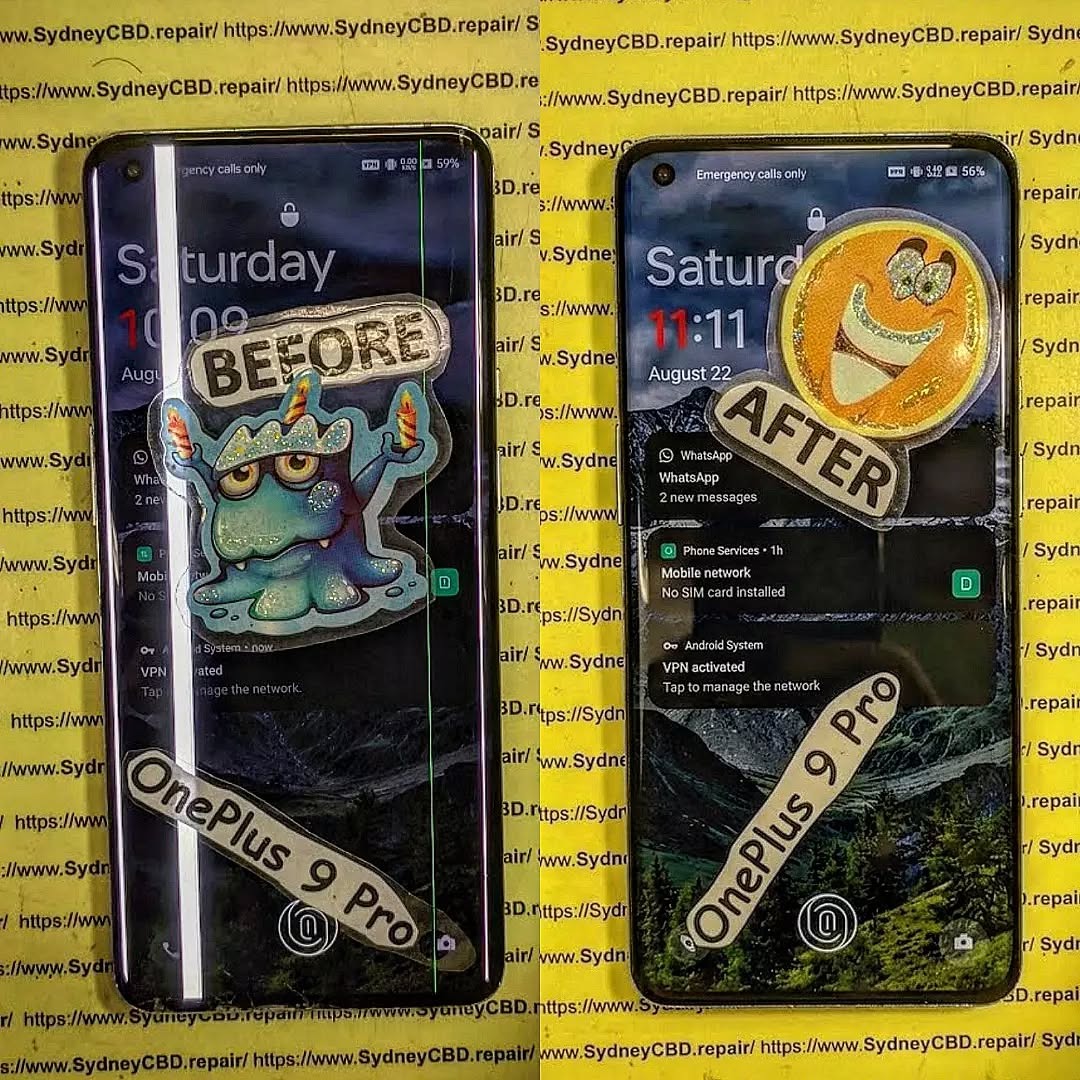
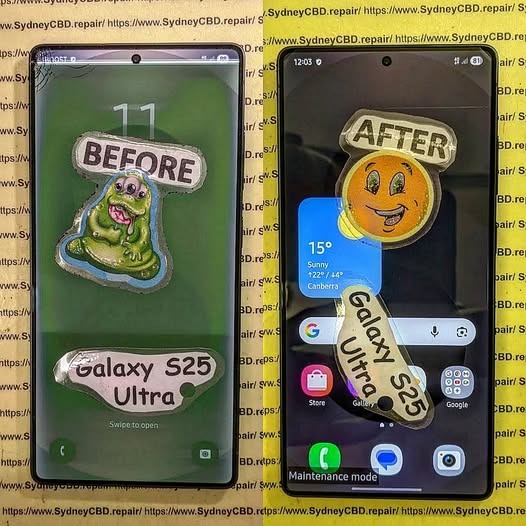
The Unseen Horrors: What Water Damage Really Does to Your Phone + Shocking Truths + 7 Facts
Introduction
Water damage is one of the most misunderstood smartphone issues today. At first glance, a phone that’s been dropped in water might seem fine after drying out. However, what water damage really does to your phone goes far beyond a blank screen or a dead battery. The real trouble often starts days or even weeks later.
In this guide, we’ll break down the hidden effects of water damage, explain why even “water-resistant” phones aren’t safe, and show how professional repair can save your device. The goal is simple: help you understand the risks and make smarter decisions when accidents happen.
Water damage doesn’t always mean total failure. In fact, many phones continue working temporarily after exposure. That’s what makes it dangerous.
Modern smartphones are packed with delicate components: microchips, sensors, connectors, and batteries. Even a tiny amount of moisture can disrupt these parts. While manufacturers advertise water resistance, they don’t guarantee full protection.
Why Modern Phones Aren’t Truly Waterproof
Most devices today carry an IP rating, such as IP67 or IP68. These ratings indicate resistance, not immunity. Over time, seals degrade due to heat, drops, and normal wear. Once that happens, water finds a way in.
To truly understand what water damage really does to your phone, you need to look at the science.
How Liquid Interacts with Phone Components
Water conducts electricity. When it enters your phone, it can create unintended electrical paths, leading to short circuits. Additionally, minerals in tap water or seawater leave residues that accelerate corrosion.
Key affected components include:
Logic board
Battery connectors
Display cables
Charging port
Immediate Effects of Water Damage
Some effects appear right away, while others stay hidden.
Short Circuits and Power Failure
As soon as moisture bridges electrical contacts, your phone may shut down. Sometimes it restarts, giving a false sense of security. Unfortunately, internal damage may already be underway.
Long-Term Consequences You Can’t See
This is where things get serious. Even if your phone works after drying, internal corrosion continues silently.
Corrosion and Mineral Buildup
Corrosion eats away at metal contacts. Over time, this leads to:
Random shutdowns
Touchscreen failures
Camera malfunctions
Complete motherboard failure
This delayed damage explains why many users return weeks later asking why their “fixed” phone suddenly died.
Common Myths About Water-Damaged Phones
Let’s clear up a few myths:
“If it turns on, it’s fine.” Not true.
“Rice dries phones completely.” Ineffective.
“Water-resistant means waterproof.” Incorrect.
These myths often cause more harm than good.
Early Warning Signs After Water Exposure
Watch for these red flags:
Foggy camera lens
Distorted speaker sound
Overheating
Battery draining fast
Unresponsive buttons
If you notice any of these, seek professional help immediately.
Why Rice Is Not a Reliable Fix
Rice absorbs surface moisture but does nothing for internal corrosion. Worse, rice dust can clog ports. According to repair experts and resources like iFixit , proper drying requires controlled heat and professional tools.
Professional Water Damage Repair Explained
Professional repair involves:
Full disassembly
Ultrasonic cleaning
Corrosion treatment
Component-level diagnostics
This process dramatically improves survival rates, especially when done quickly.
Preventing Water Damage in the Future
Prevention tips:
Use waterproof cases
Avoid charging near water
Keep phones away from steam
Get seals checked after repairs
A little caution goes a long way.
Frequently Asked Questions
1. Can a water-damaged phone be fully repaired?
Yes, if treated early. Delays reduce success rates.
2. How long after water exposure can damage appear?
Anywhere from hours to several weeks.
3. Is saltwater worse than fresh water?
Absolutely. Salt accelerates corrosion.
4. Should I turn my phone on to check it?
No. Powering it on can cause shorts.
5. Does warranty cover water damage?
Most manufacturers exclude liquid damage.
6. Is data recovery possible from water-damaged phones?
In many cases, yes—especially with professional tools.
Conclusion
Understanding what water damage really does to your phone can save you money, data, and frustration. The damage isn’t always immediate, but it’s almost always serious. Acting fast and choosing professional repair makes all the difference.
David from Sydney CBD Repair Centre – The Best place to fix mobile phones as 7 Years In A Row! Top Mobile Phone Repair In Sydney. More than 2000 Positive Reviews on Google and Same Day Repairs.
We take pride in delivering exceptional repair services for all major phone brands including Apple, Samsung, Google, and more. Our expert technicians use only genuine parts and offer 90days warranty on repairs. Located in the heart of Sydney CBD, we’re your one-stop solution for all mobile device repairs.
Our commitment to excellence has earned us the trust of thousands of satisfied customers. Whether it’s a cracked screen, battery replacement, or water damage repair, we handle it all with professional care and expertise. Walk in today and experience why we’re Sydney’s #1 choice for mobile phone repairs.
Visit us for:
✓ Same Day Express Repairs
✓ Genuine Parts Guarantee
✓ Professional Technicians
✓ Competitive Pricing
✓ 2000+ 5-Star Google Reviews
✓ 7-Time Award Winner for Best Phone Repairs
iPhone water damage vs. Android water damage: Who truly survives the splash?Ultimate Truth + 7 Real-World Tests
Introduction
Water and smartphones don’t mix—or so we’re told. Yet every year, manufacturers promise better protection, higher IP ratings, and stronger seals. That’s where the debate around iPhone vs. Android water damage really heats up. When your phone takes an unexpected dip in the sink, gets caught in the rain, or slips into the pool, which device truly survives the splash?
At first glance, iPhones and Android phones seem equally prepared. Both advertise water resistance, sleek designs, and cutting-edge engineering. However, real-world use tells a different story. Water damage doesn’t always show up right away, and what works in a lab doesn’t always hold up in daily life. Over time, moisture can quietly corrode internal components, leading to sudden failures and costly repairs.
In this in-depth guide, we break down the truth behind water resistance claims, compare how iPhones and Android devices handle liquid exposure, and share real repair-world insights from experienced technicians. Whether you’re choosing your next phone or trying to protect the one you already own, this article will help you understand which device really stands a chance when water strikes—and what you should do when accidents happen.
Water damage is one of the most common—and misunderstood—issues we see daily at professional repair centres. Despite bold marketing claims, water damage doesn’t play favourites. Whether you’re holding an iPhone or an Android, liquid exposure can quietly cause corrosion, short circuits, and long-term failures.
That said, not all phones are created equal. The debate around iPhone vs. Android water damage isn’t just about brand loyalty—it’s about engineering, materials, and real-world survival.
Water damage happens when moisture enters areas it shouldn’t. Once inside, it reacts with electricity, causing oxidation and component breakdown. Even a phone that “works fine” after a splash may fail weeks later. This delayed damage is what catches most users off guard.
Here’s the kicker: water-resistant is not waterproof. No modern smartphone is truly waterproof. Manufacturers design devices to resist limited exposure under controlled conditions, not real-life chaos like pools, oceans, or bathroom steam.
Water resistance also degrades over time. Heat, drops, and repairs weaken seals. So that phone you bought two years ago? It’s not as resistant as it once was.
IP Ratings Explained Simply
Most flagship phones carry an IP67 or IP68 rating:
IP67: Survives up to 1 meter of fresh water for 30 minutes
IP68: Survives deeper water (usually 1.5–6 meters) for 30 minutes
Sounds impressive, right? But these tests are done in fresh, still water, not salt water, soapy water, or moving currents. Manufacturers also exclude water damage from warranty coverage—telling, isn’t it?
How iPhones Handle Water Exposure
Apple has steadily improved water resistance since the iPhone 7. Modern models like the iPhone 14 and 15 series boast IP68 ratings, and in lab conditions, they do perform well.
Apple’s Water Resistance Strategy
Apple relies heavily on:
Precision seals
Adhesive gaskets
Tight manufacturing tolerances
This approach works… initially. iPhones are well-sealed out of the box, and brief splashes are often survivable. However, Apple prioritizes sleek design, which leaves little room for drainage if water does get inside.
Also, Apple’s Liquid Contact Indicators (LCIs) are extremely sensitive. Once triggered, warranty support is usually off the table—even if the phone still works.
Common iPhone Water Damage Failures
From real repair data, the most common post-water issues on iPhones include:
Face ID failure
No service or weak signal
Battery swelling
Corrosion on the logic board
Lightning ports are especially vulnerable. Even minor moisture can cause charging issues within days.
How Android Phones Handle Water Exposure
Android isn’t one thing—it’s an ecosystem. Samsung, Google, and other manufacturers take slightly different approaches, and this diversity matters in water damage scenarios.
Samsung, Google, and Others Compared
Samsung Galaxy S/Ultra series: Excellent sealing, often more forgiving than iPhones
Google Pixel: Strong resistance, but prone to speaker and microphone damage
Mid-range Android phones: Often lack proper sealing despite marketing claims
Samsung devices, in particular, tend to survive splashes better in real-world conditions. USB-C ports also dry faster than Lightning ports, reducing corrosion risk.
Android-Specific Water Damage Risks
That said, Android phones aren’t immune. Common issues include:
Green or pink screen lines
Camera fogging
Speaker distortion
Power button failure
Foldables deserve a special mention—they’re far more vulnerable due to moving parts and thinner seals.
iPhone vs. Android Water Damage: Real-World Testing
Lab tests are one thing. Real life is another. In day-to-day repair scenarios, we see patterns that marketing never mentions.
Fresh Water vs. Salt Water
Fresh water exposure is usually survivable if handled quickly. Salt water, on the other hand, is brutal. It accelerates corrosion and leaves conductive residue.
In this area, Android phones—especially Samsung—tend to recover better, largely due to board design and easier cleaning access.
Steam, Rain, and Humidity
Steam is a silent killer. Bathrooms, saunas, and kitchens cause gradual moisture buildup. Over time, this leads to:
Oxidized connectors
Intermittent failures
Random shutdowns
Both iPhones and Androids suffer here, but iPhones show issues sooner due to tighter internal layouts.
Repairability After Water Damage
Here’s where the conversation gets real—what happens after the splash.
Cost and Complexity of Repairs
In general:
iPhone water damage repairs are more expensive
Parts are costlier
Logic board repairs are complex
Android phones, particularly Samsung models, are often more modular. This reduces labour time and cost.
At professional centres like Sydney CBD Repair Centre, same-day water damage diagnostics are possible for both platforms—but Android repairs often have higher success rates.
Data Recovery Chances
Data recovery depends on how quickly the phone is powered off and treated. iPhones encrypt data heavily, which is great for security—but bad for recovery if the board fails.
Android devices sometimes allow easier data extraction, especially if storage chips remain intact.
Prevention Tips That Actually Work
Forget rice—it doesn’t work. Instead:
Power off immediately
Do not charge
Keep the phone upright
Get professional cleaning within 24 hours
A waterproof pouch is a small investment that saves big money. Also, avoid exposing phones to steam—it’s sneakier than spills.
Frequently Asked Questions (FAQs)
1. Are iPhones more water-resistant than Android phones?
Not necessarily. Some Android flagships match or exceed iPhone performance in real-world water exposure.
2. Can a phone survive water damage if it still turns on?
Yes, but hidden corrosion can cause failure days or weeks later.
3. Does IP68 mean I can swim with my phone?
No. Swimming, especially in salt water, is not covered and highly risky.
4. Which phone is cheaper to repair after water damage?
Generally, Android phones—especially Samsung—are cheaper and easier to repair.
5. Is water damage covered under warranty?
Almost never. Both Apple and Android manufacturers exclude liquid damage.
6. What should I do immediately after dropping my phone in water?
Turn it off, don’t charge it, and take it to a professional repair centre immediately.
Conclusion: Which Phone Truly Survives the Splash?
So, iPhone vs. Android water damage—who wins?
In controlled conditions, both perform well. In the real world, Android phones—particularly Samsung models—often survive better and cost less to repair. iPhones, while premium and polished, are less forgiving once water gets inside.
The real winner, though, is prevention and fast action. No phone likes water, no matter the logo on the back.
David from Sydney CBD Repair Centre – The Best Place to Fix Mobile Phones 7 Years In A Row!
Top Mobile Phone Repair in Sydney with more than 2000 positive Google reviews and same-day repairs.
We take pride in delivering exceptional repair services for all major phone brands including Apple, Samsung, Google, and more. Our expert technicians use only genuine parts and offer a 90-day warranty on repairs. Located in the heart of Sydney CBD, we’re your one-stop solution for all mobile device repairs.
Our commitment to excellence has earned us the trust of thousands of satisfied customers. Whether it’s a cracked screen, battery replacement, or water damage repair, we handle it all with professional care and expertise. Walk in today and experience why we’re Sydney’s #1 choice for mobile phone repairs.
Visit us for:
✓ Same Day Express Repairs
✓ Genuine Parts Guarantee
✓ Professional Technicians
✓ Competitive Pricing
✓ 2000+ 5-Star Google Reviews
✓ 7-Time Award Winner for Best Phone Repairs
The Truth About IP68 Water Resistance After A Professional Screen Replacement: 9 Crucial Facts Every Phone Owner Must Know
Introduction
Modern smartphones are engineering marvels. Devices like the Apple iPhone 15 Pro, Samsung Galaxy S24 Ultra, and Google Pixel 8 Pro come with advanced cameras, durable displays, and IP68 water resistance ratings. However, many phone owners become concerned about one question after a repair: does IP68 water resistance still work after a professional screen replacement?
The answer isn’t as simple as “yes” or “no.” A professional screen replacement can restore much of the original sealing protection, but several factors determine whether your phone remains resistant to water afterward. Repair quality, adhesive strength, technician expertise, and device condition all play a role.
Today, we’ll uncover the truth about IP68 water resistance after a professional screen replacement. You’ll learn how manufacturers design water-resistant phones, why repairs affect seals, and what you can realistically expect after your device is fixed.
Modern smartphones rely heavily on precision adhesive systems.
Internal Gaskets and Pressure Equalization
Inside an IP68-rated device, several components help prevent water intrusion:
Component
Purpose
Display adhesive
Seals screen edges
Rubber gaskets
Protect ports and buttons
Mesh barriers
Shield microphones and speakers
Pressure vents
Balance internal air pressure
These tiny barriers work together like layers of armor.
If even one seal weakens, water can enter the device.
Weak Points Around the Display
The display area is one of the largest openings on any smartphone. During a screen replacement, technicians must carefully remove:
Broken glass
Display adhesive
Residual sealant
This process temporarily breaks the factory water-resistant seal.
Even when replaced professionally, recreated seals may not match factory robotic assembly conditions exactly.
That’s why many repair providers avoid guaranteeing waterproof performance after repair.
What Happens During a Professional Screen Replacement
Understanding the repair process helps explain why IP68 water resistance changes after a professional screen replacement.
Removing the Original Adhesive
Technicians use:
Controlled heat
Suction tools
Precision blades
Specialized opening equipment
The goal is to separate the screen without damaging:
Internal cables
Frame edges
Sensors
Battery components
Unfortunately, factory adhesive must be removed during this process.
Once removed, it cannot simply be reused.
Reapplying Waterproof Seals
After installing the new display, technicians apply replacement adhesive strips or liquid sealants.
High-quality repair shops typically use:
OEM-grade adhesive
Laser-cut waterproof gaskets
Pressurized curing methods
Some even perform pressure testing to check seal integrity.
Still, there’s an important reality:
No independent repair process can perfectly replicate factory assembly lines.
Factory assembly uses robotic calibration, industrial compression systems, and controlled manufacturing environments that are difficult to duplicate in retail repair settings.
Can IP68 Water Resistance Be Restored After Repair?
This is the question most customers ask.
Manufacturer vs Independent Repair Standards
Authorized repair centers sometimes have access to:
Genuine adhesives
Calibration software
Manufacturer pressure-testing systems
Independent repair shops may also use high-quality parts and advanced techniques, but procedures vary between businesses.
A skilled technician can restore significant water resistance protection, especially when:
The frame is undamaged
Genuine-quality seals are used
Proper curing time is followed
However, even excellent repairs may not fully restore original IP68 certification.
Why No Repair Shop Can Promise Full Waterproofing
Many reputable repair centers clearly state:
Water resistance cannot be guaranteed after opening the device.
This isn’t because the technician lacks skill.
Instead, it’s because:
Tiny frame bends can affect sealing
Microscopic gaps may remain
Adhesives age differently after reinstallation
Future drops may weaken seals further
Even manufacturers themselves often limit warranty coverage for water damage.
So while professional repairs can restore a high level of protection, complete waterproof certainty simply doesn’t exist.
Common Myths About IP68 After Screen Repairs
There’s plenty of misinformation online.
Let’s separate fact from fiction.
“It’s Still Waterproof Forever”
False.
Even untouched phones lose water resistance over time due to:
Temperature changes
Pocket lint
Frame stress
UV exposure
Adhesive aging
After a screen replacement, careful use becomes even more important.
“Third-Party Repairs Always Ruin Water Resistance”
Also false.
An experienced technician using quality materials can often restore excellent sealing performance.
The real issue is repair quality.
Cheap repairs sometimes use:
Weak adhesives
Incorrect fitting methods
Low-grade screens
Improper curing procedures
These shortcuts increase water damage risk dramatically.
Choosing a trusted repair center makes a major difference.
Signs Your Phone May Have Lost Water Resistance
Several warning signs suggest weakened sealing.
Foggy Camera Lens
Moisture trapped inside the device may cause:
Condensation
Blurry photos
Fog behind camera glass
This usually indicates internal humidity exposure.
Loose Display or Gaps
Look closely around the phone’s frame.
Potential warning signs include:
Raised corners
Uneven screen alignment
Visible adhesive gaps
Clicking when pressing edges
If the display doesn’t sit flush, water resistance may already be compromised.
How Professional Repair Shops Improve Water Resistance
Not all repair services are equal.
Professional technicians use advanced methods to improve sealing reliability.
Using Genuine Adhesives
High-quality adhesive matters enormously.
Premium repair shops use:
Adhesive Type
Benefit
OEM-cut adhesive
Precise fitting
Heat-resistant sealant
Longer durability
Pressure-sensitive bonding
Stronger seal consistency
Cheap generic adhesives often fail under heat or moisture exposure.
Pressure and Seal Testing
Some advanced repair centers perform:
Vacuum testing
Air pressure testing
Seal integrity diagnostics
These procedures help identify leaks before returning the phone to the customer.
Although testing improves confidence, it still cannot guarantee permanent waterproofing.
The Risks of Water Exposure After Screen Replacement
Even if your phone appears perfectly sealed, caution remains essential.
Saltwater Damage
Saltwater is far more destructive than freshwater.
It accelerates:
Corrosion
Short circuits
Connector damage
Even IP68-rated phones can suffer permanent damage from ocean exposure.
Steam and Humidity Exposure
Many users forget that steam is dangerous too.
Common risks include:
Hot showers
Saunas
Kitchen steam
Humid environments
Steam particles are tiny and can penetrate weakened seals more easily than liquid water.
Best Practices to Protect Your Phone After Repair
If you’ve had a professional screen replacement, these habits help protect your device.
Avoiding Water Contact
For maximum safety:
Don’t intentionally submerge the phone
Keep devices away from pools
Avoid beach exposure
Dry phones immediately after accidental splashes
Even if your phone survived water before repair, avoid assuming the same protection remains afterward.
Using Protective Cases
A quality protective case helps by:
Reducing frame flex
Minimizing drop damage
Shielding edges from impacts
Some rugged cases even add secondary water resistance layers.
Comparing Apple, Samsung, and Google Water Resistance Designs
Different manufacturers approach water resistance differently.
Apple Devices
Apple uses strong perimeter adhesive systems and internal mesh barriers.
Recent iPhones feature excellent sealing, but repairs still require adhesive replacement.
Samsung Devices
Samsung often combines adhesive barriers with reinforced frame structures.
Their curved-edge devices can be particularly sensitive to frame deformation after drops.
Google Pixel Phones
Google devices emphasize slim construction and internal adhesive precision.
Pixel phones may require especially careful screen alignment during repair to maintain sealing performance.
Why Professional Repairs Still Matter
Despite limitations, professional repairs remain the safest option.
Experienced technicians provide:
Proper screen calibration
Reliable adhesive application
Safe battery handling
High-quality parts
Reduced internal damage risk
DIY repairs or ultra-cheap services frequently cause more serious problems, including:
Face ID failure
Fingerprint sensor issues
Battery punctures
Weak sealing
Display lifting
A reputable repair shop dramatically lowers these risks.
Frequently Asked Questions
Does IP68 water resistance remain after a professional screen replacement?
A professional screen replacement can restore significant water resistance, but full factory-level IP68 protection usually cannot be guaranteed.
Can water damage void my phone warranty after repair?
Yes. Many manufacturers exclude liquid damage from warranty coverage, especially after third-party repairs.
Is my phone waterproof after repair?
No phone is truly waterproof. Devices are only water resistant under specific test conditions.
Should I avoid water completely after a screen replacement?
Yes, it’s safer to avoid intentional water exposure after any repair.
Do genuine parts improve water resistance?
Yes. Genuine-quality adhesives and properly fitted screens help improve sealing reliability.
Can repair shops test water resistance?
Some professional repair centers perform pressure testing and seal diagnostics, but no test guarantees permanent waterproof performance.
What’s the biggest danger after a repair?
Drops and frame bending are major risks because they can weaken newly installed adhesive seals.
Is steam dangerous for repaired phones?
Absolutely. Steam and humidity can penetrate weakened seals more easily than liquid water.
Conclusion
The truth about IP68 water resistance after a professional screen replacement is nuanced. A skilled technician can restore much of your phone’s original sealing capability, especially when using premium adhesives and professional repair methods. However, factory-perfect waterproofing is difficult to recreate once a device has been opened.
That doesn’t mean repairs are unsafe. In fact, professional repairs remain the best solution for damaged devices. The key is understanding realistic expectations. Water resistance after repair should be treated as added protection—not an invitation for underwater photography or swimming pool use.
By choosing experienced technicians, avoiding unnecessary water exposure, and caring for your device properly, you can greatly extend the life of your smartphone after a professional screen replacement.
David from Sydney CBD Repair Centre – The Best place to fix mobile phones as 7 Years In A Row! Top Mobile Phone Repair In Sydney. More than 2000 Positive Reviews on Google and Same Day Repairs.
We take pride in delivering exceptional repair services for all major phone brands including Apple, Samsung, Google, and more. Our expert technicians use only genuine parts and offer 90days warranty on repairs. Located in the heart of Sydney CBD, we’re your one-stop solution for all mobile device repairs.
Our commitment to excellence has earned us the trust of thousands of satisfied customers. Whether it’s a cracked screen, battery replacement, or water damage repair, we handle it all with professional care and expertise. Walk in today and experience why we’re Sydney’s #1 choice for mobile phone repairs.
Visit us for:
✓ Same Day Express Repairs
✓ Genuine Parts Guarantee
✓ Professional Technicians
✓ Competitive Pricing
✓ 2000+ 5-Star Google Reviews
✓ 7-Time Award Winner for Best Phone Repairs
INSIDE LOOK: WHAT HAPPENS TO WATER DAMAGED PHONES? + Shocking Facts + 10 Key Insights
Water damage is one of the most common yet devastating issues a smartphone can face. Whether it’s an accidental spill, dropping your device in the sink, or exposure to rain, water can silently wreak havoc on your phone’s internal components. Understanding what happens to water-damaged phones is critical—not just for recovery, but for preventing permanent loss of functionality and data. In this comprehensive guide, we’ll explore the causes, symptoms, and recovery techniques for water-damaged phones, backed by real-life case studies and expert advice.
Introduction
Water damage is one of the most dreaded accidents for smartphone owners. In a matter of seconds, a simple spill, rain exposure, or a dropped device in water can compromise your phone’s functionality, leaving you frustrated and worried about data loss. But what actually happens to a phone when water gets inside? Understanding the mechanisms of water damage, the symptoms to watch for, and the steps for recovery can save your device from permanent harm.
In this article, we take an inside look at water-damaged phones, revealing the shocking effects of water on internal components, the immediate actions you should take, and how professional repairs can restore your device. From screen malfunctions and battery issues to long-term corrosion and data recovery, we cover everything you need to know to protect your smartphone from liquid disasters. Whether you own an iPhone, Samsung, or any Android device, this guide will equip you with the knowledge to act fast, prevent irreversible damage, and potentially save your phone.
By the end of this comprehensive guide, you’ll understand not only what water does to your phone, but also how to prevent future mishaps and confidently restore your device if disaster strikes.
Water damage occurs when moisture enters a phone’s internal structure, affecting its electronic circuits, battery, and display. Even a small amount of liquid can trigger corrosion, short circuits, and other long-term problems that may not appear immediately.
Common Causes of Water Damage
Water damage doesn’t always require a dramatic accident. Some common causes include:
Accidental drops in sinks, bathtubs, or toilets
Rain or outdoor exposure without proper protection
Sweat or condensation from humid environments
Spilled beverages like coffee, soda, or juice
How Water Interacts with Phone Components
Water is conductive, which means it can create short circuits within your phone. It can also seep into:
Logic boards – affecting processing capabilities
Battery contacts – causing failure or swelling
Speakers and microphones – distorting sound
Screen connectors – leading to flickering or unresponsive touch
Even “water-resistant” devices have limits. IP ratings do not make phones invincible—they only reduce risk under controlled conditions.
Not all water damage is immediately visible. Symptoms may appear gradually, ranging from mild glitches to complete device failure.
Screen Malfunctions and Display Issues
Flickering or dim screens
Ghost touches or unresponsive touchscreens
Discoloration or water stains under the display
Battery and Charging Problems
Phone not charging or charging slowly
Unexpected shutdowns
Overheating or battery swelling
Audio and Speaker Issues
Muffled sound
Microphone failing during calls
Speakers emitting static or crackling
Connectivity and Performance Issues
Wi-Fi or Bluetooth malfunction
Apps crashing unexpectedly
Slow processing or freezing
Immediate Steps to Take After Water Exposure
Time is critical when it comes to saving a water-damaged phone. Acting quickly can prevent permanent damage.
Powering Off Your Device
Immediately turn off the device. Powering it on while wet can cause short circuits, frying delicate components.
Removing SIM and SD Cards
Take out SIM cards, memory cards, and any external accessories. These components can hold moisture that spreads inside the phone.
Drying Methods: Do’s and Don’ts
Do:
Pat dry with a microfiber cloth
Place in a ventilated, dry area
Use silica gel packets if available
Don’t:
Don’t use a hair dryer or heat gun (excess heat can warp components)
Don’t put your phone in rice (ineffective and can introduce dust)
Don’t shake aggressively, which can spread liquid
Internal Damage and Corrosion
Water damage can remain hidden, slowly corroding internal components over weeks or months.
How Corrosion Spreads Inside Phones
Water introduces minerals and ions that react with metal contacts, leading to corrosion. This can affect:
CPU and logic boards
Connectors and solder joints
Battery terminals
Long-term Effects on Performance
Gradual slowing of the phone
Intermittent failures
Complete device shutdown over time
Diagnostic Tools for Water-Damaged Phones
Professional technicians use specialized tools to assess water damage:
Moisture indicators inside the SIM slot
Ultrasonic cleaning machines for corrosion removal
Diagnostic software to check battery health, sensors, and screen responsiveness
Repair Options for Water-Damaged Phones
Repairing a water-damaged phone depends on the severity of damage.
DIY Fixes vs. Professional Repairs
DIY attempts include drying methods and temporary fixes, but they carry risk. Professional repairs offer:
Proper cleaning of corrosion
Component replacement
Warranty-backed repairs
Component Replacement and Cleaning
Technicians may replace:
Logic boards
Charging ports
Speakers and cameras
Cost Considerations
Costs can vary based on brand and damage extent. Apple and Samsung repairs tend to be more expensive than other brands due to component pricing.
Preventing Future Water Damage
Prevention is always better than repair.
Water-Resistant Devices and Features
Look for IP68-rated devices, which are resistant to dust and submersion in water, but remember, resistance is not immunity.
Protective Cases and Accessories
Waterproof cases for swimming or beach use
Screen protectors to seal openings
Dust plugs for charging ports
Behavioral Changes and Safety Tips
Avoid using phones near liquids
Store devices in pockets or bags away from water
Regularly backup data in case of accidents
Data Recovery from Water-Damaged Phones
Data loss is a major concern. Early intervention increases recovery success.
Backups and Cloud Storage
Always maintain automatic backups to Google Drive, iCloud, or third-party services to protect against data loss.
Professional Data Recovery Services
Technicians can extract data from devices too damaged to power on. This is often the only option if the phone has severe corrosion.
Case Studies: Water Damage Recovery Successes
iPhone Recovery Examples
Some iPhones submerged in water for hours were fully restored using ultrasonic cleaning and component replacement.
Samsung and Android Device Recovery Examples
Samsung devices often respond well to professional cleaning, with battery and screen replacements restoring full functionality.
Myths and Misconceptions About Water Damage
Rice Can Save Your Phone?
Rice is largely ineffective. It absorbs minimal moisture and can leave dust inside the device.
Insurance Covers Everything?
Not all insurance plans cover water damage. Check policy limits and deductibles before assuming coverage.
FAQs About Water-Damaged Phones
1. Can water-damaged phones be fully repaired?
Yes, depending on the extent of corrosion and component failure, many phones can be restored by professionals.
2. How long do I have to act after water exposure?
Ideally, within the first few hours. The sooner you act, the higher the chance of recovery.
3. Is rice an effective solution for water-damaged phones?
No. Rice is not a reliable drying method and may introduce additional problems.
4. Will water damage affect my warranty?
Most manufacturer warranties do not cover water damage unless explicitly stated.
5. Can water-resistant phones still be damaged?
Yes. IP-rated phones are water-resistant, not waterproof, and prolonged or high-pressure exposure can still cause damage.
6. How can I prevent future water damage?
Use waterproof cases, avoid water exposure, and maintain regular backups to safeguard data.
Conclusion and Final Thoughts
Water damage is a common but preventable problem. Immediate action, careful drying, and professional repair can often save your device and your data. Understanding the symptoms, risks, and proper recovery techniques ensures you’re prepared for accidents, while prevention measures reduce future incidents. Whether it’s an iPhone, Samsung, or Android device, water damage doesn’t have to mean the end of your phone—acting quickly and smartly can restore your device and give you peace of mind.
For professional repairs in Sydney, trust Sydney CBD Repair Centre for expert service, same-day repairs, and genuine parts.
David from Sydney CBD Repair Centre – The Best place to fix mobile phones as 6 Years In A Row! Top Mobile Phone Repair In Sydney. More than 2000 Positive Reviews on Google and Same Day Repairs.
📍 Visit us today for:
✓ Same Day Express Repairs
✓ Genuine Parts Guarantee
✓ Professional Technicians
✓ Competitive Pricing
✓ 2000+ 5-Star Google Reviews
✓ 6-Time Award Winner for Best Phone Repairs