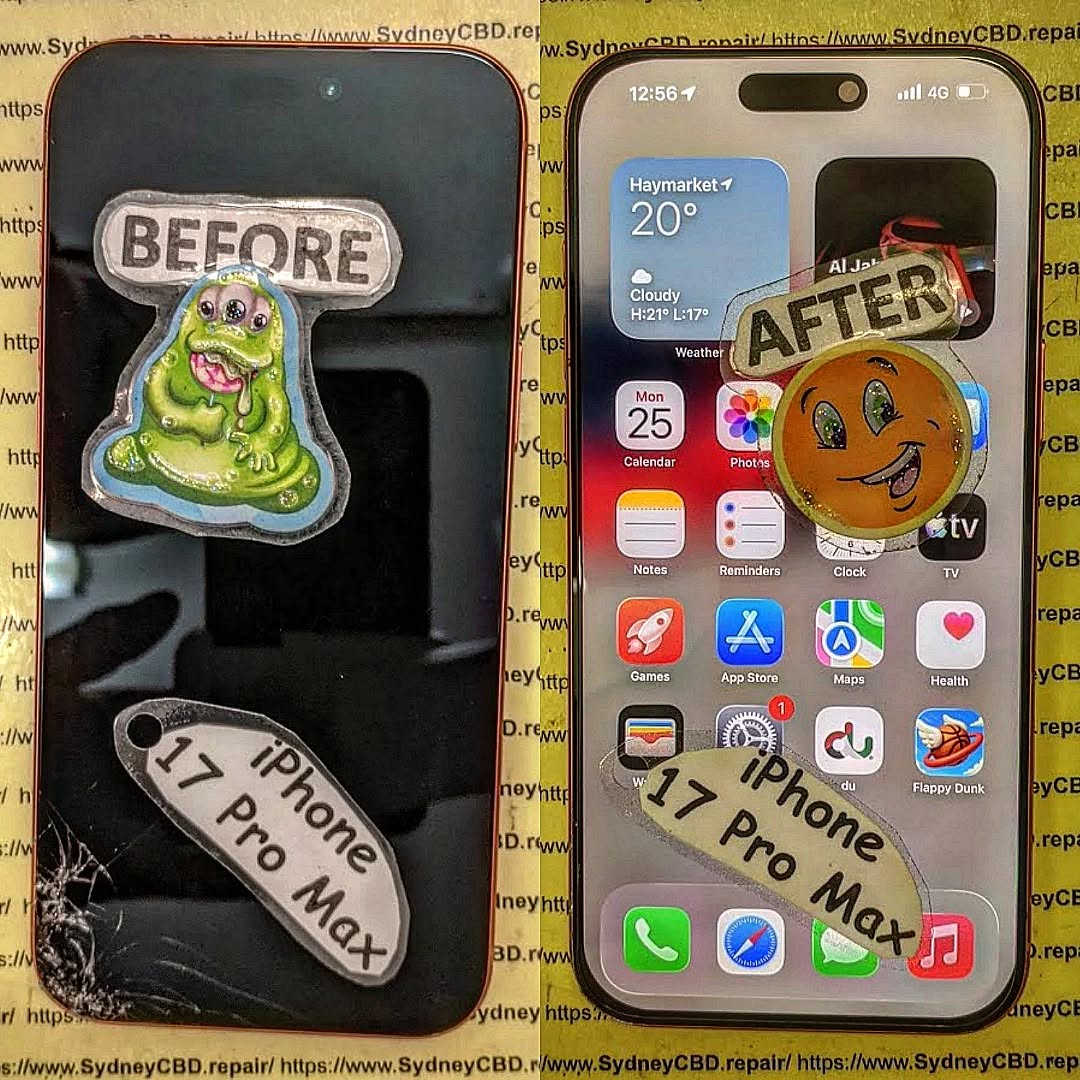
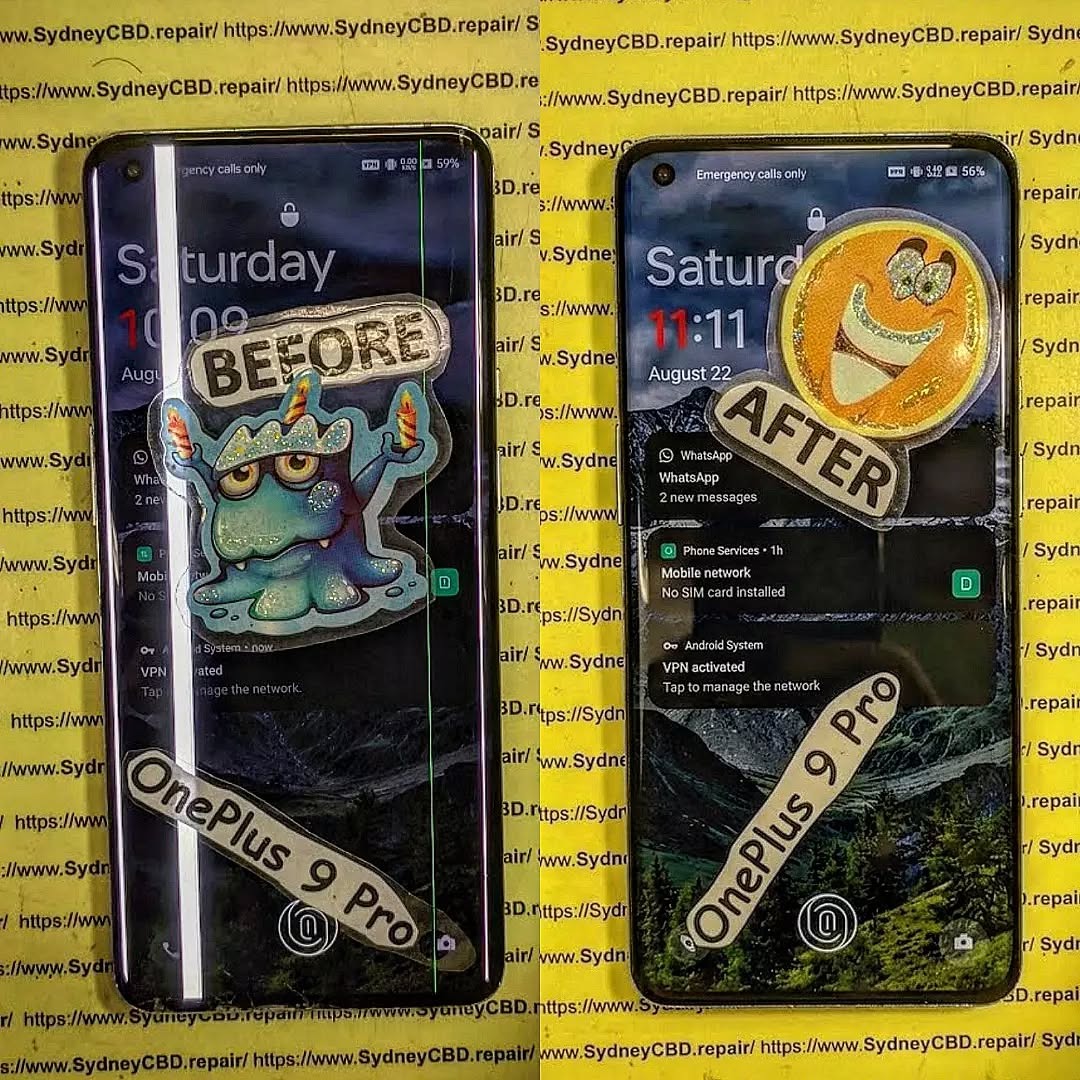
Green Line Fix: Does a New Screen Prevent Future Samsung Issues? Proven Insights & 7 Expert Facts
Introduction to the Samsung Green Line Issue
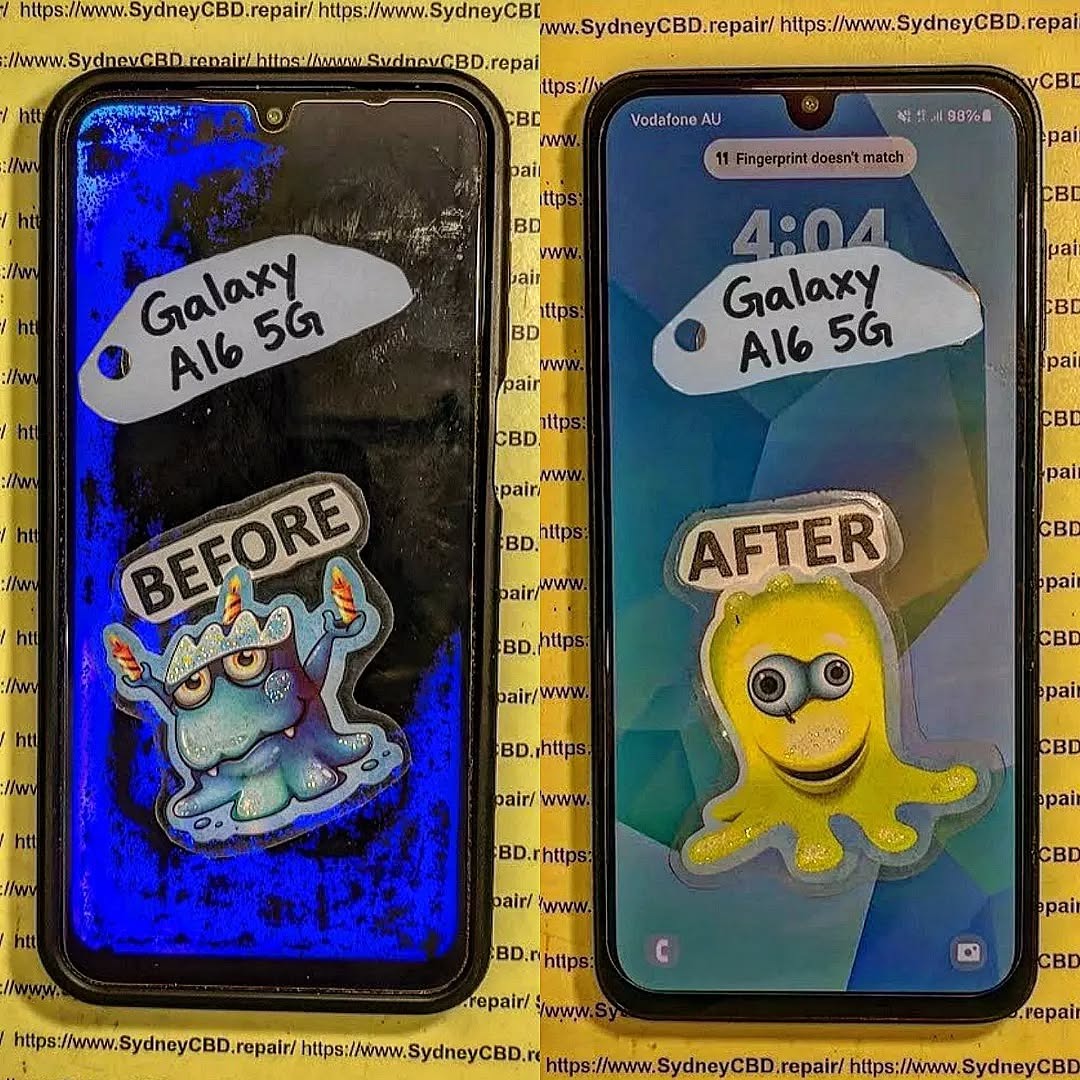
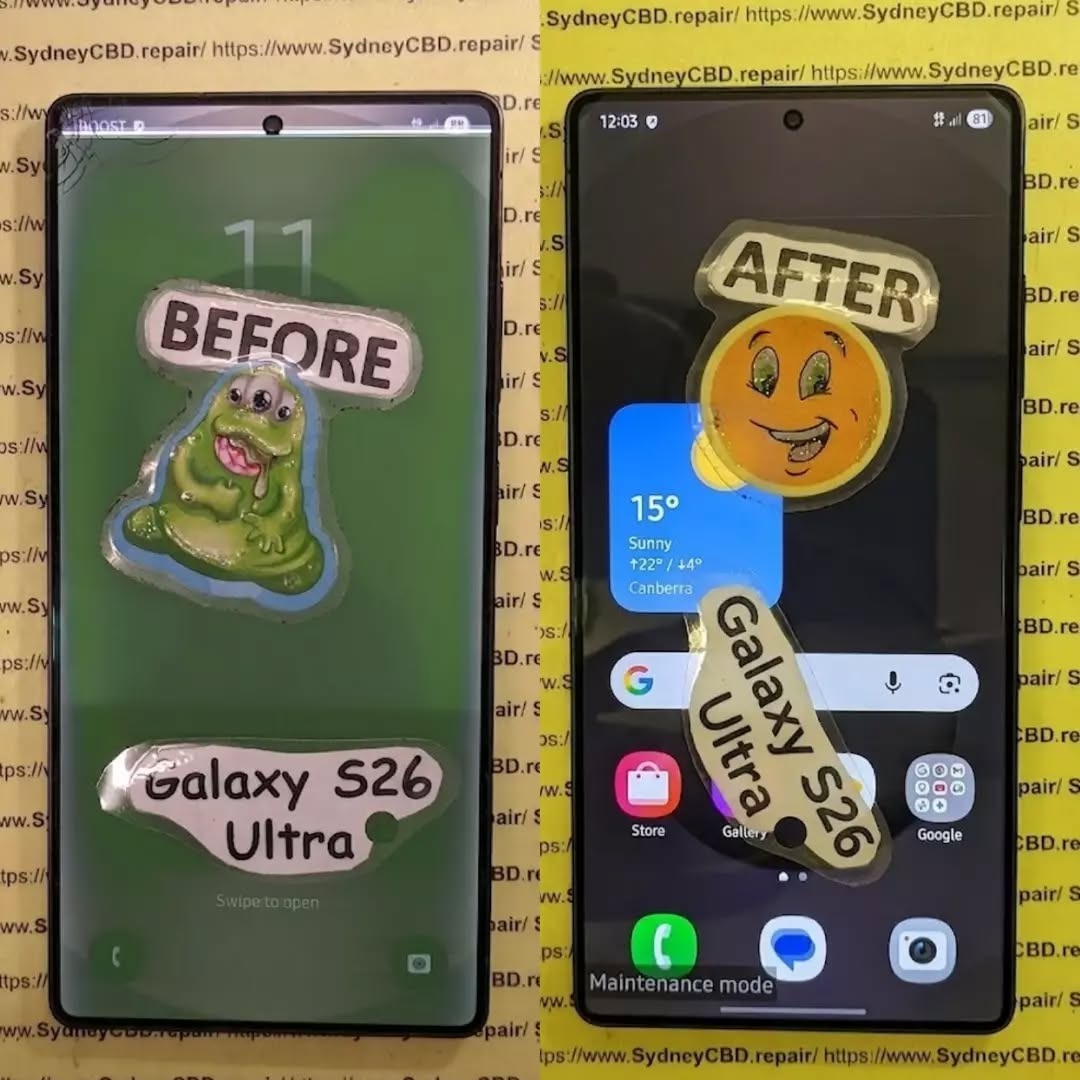
The Green Line Fix has become a hot topic among Samsung users worldwide. If you’ve ever unlocked your phone only to see a bright green vertical line cutting through your display, you’re not alone. This issue has been reported across multiple Samsung models, especially those using AMOLED screens. Naturally, the big question follows: does replacing the screen actually prevent future Samsung issues, or is it just a temporary patch?
In this in-depth guide, we’ll unpack the truth behind the Samsung green line problem. We’ll look at why it happens, whether a Green Line Fix through screen replacement is effective long term, and what you can realistically do to prevent it from coming back. The goal here is simple—clear answers, expert-backed insights, and practical advice you can trust.
The green line issue usually appears as a thin, vertical neon-green stripe running from the top to the bottom of the screen. It may start faint and grow brighter over time. In many cases, the line is always visible, regardless of apps or background color.
This problem is most often linked to the display panel itself, not the glass on top. That’s why restarting the phone or resetting software rarely makes it disappear for good.
Why Samsung Phones Are Commonly Affected
Samsung is a global leader in AMOLED display technology. Ironically, that innovation also makes these screens more susceptible to certain failures. AMOLED panels rely on self-emissive pixels, which degrade unevenly over time. When one vertical pixel line fails, you get the dreaded green stripe.
Models frequently reported with this issue include the Galaxy S20, S21, S22, Note series, and some A-series devices.
AMOLED screens don’t use a backlight. Each pixel produces its own light. Over time, these pixels wear out at different rates. Green subpixels often last longer than red or blue ones, which can cause color imbalance.
When a specific column of pixels degrades abnormally, it may lock into a green output—hence the line. At this point, no software tweak can reverse physical pixel damage.
Software vs Hardware Triggers
Some users notice the green line after a system update. While this feels like a software issue, updates can push hardware harder—higher brightness, new color profiles, or thermal changes. These stresses can reveal an existing weakness in the display rather than create a new one.
According to Samsung display documentation and general AMOLED behavior, once pixel circuitry is damaged, replacement is the only permanent Green Line Fix (Samsung Display Insights).
Green Line Fix Explained: Does Replacing the Screen Really Work?
This is the moment of truth. Does a new screen actually solve the problem?
When Screen Replacement Is Effective
In the vast majority of cases, yes. A full display replacement removes the faulty AMOLED panel entirely. Since the green line originates from damaged pixels or display driver circuits, installing a new screen resets that risk to zero—at least initially.
For phones without motherboard-level display controller damage, a professional Green Line Fix using a genuine Samsung screen is highly effective and visually restores the device to like-new condition.
Limitations of a New Screen
However, replacing the screen doesn’t magically change how AMOLED technology works. If the same usage patterns continue—high brightness, static images, overheating—the new display may eventually develop similar issues years down the line.
Importance of Genuine Parts
Using non-genuine or low-quality screens increases the risk of recurrence. Aftermarket displays may lack proper calibration or thermal protection. A genuine Samsung display is engineered to work seamlessly with the phone’s hardware and firmware, reducing stress on pixels over time.
Preventing Future Samsung Green Line Issues
While no method is foolproof, smart habits go a long way.
These small changes help extend AMOLED lifespan and support the long-term success of any Green Line Fix.
Software Maintenance Best Practices
Install updates gradually, not immediately on release
Restart your device weekly
Avoid unofficial firmware or display mods
Software stability helps regulate power delivery to the screen, minimizing uneven pixel aging.
Professional Repair vs DIY Fixes
Risks of DIY Repairs
DIY screen replacement videos make the process look easy. In reality, Samsung displays are fragile, expensive, and bonded with industrial adhesive. One slip can damage the fingerprint sensor, motherboard, or frame.
A failed DIY attempt often ends up costing more than a professional repair.
Benefits of Certified Repair Centres
Certified technicians use proper tools, anti-static protection, and calibrated displays. They also test thermal output and display drivers after installation. That’s a level of care you simply can’t replicate at home.
A professional Green Line Fix also usually comes with a warranty, giving you peace of mind.
Frequently Asked Questions (FAQs)
1. Is the green line issue covered under Samsung warranty?
Sometimes. If the device is within warranty and shows no physical damage, Samsung may replace the screen.
2. Can a software update fix the green line?
No. Software may hide symptoms briefly, but it cannot repair damaged pixels.
3. Will factory reset remove the green line?
No. A factory reset does not affect hardware-level display issues.
4. Is the green line dangerous to use?
Not dangerous, but it can worsen over time and reduce resale value.
5. How long does a screen replacement take?
Typically 1–2 hours at a professional repair centre.
6. Can the green line come back after screen replacement?
Rarely, if genuine parts and proper usage habits are followed.
Conclusion: Is a New Screen the Final Answer?
So, does a new screen prevent future Samsung issues? In practical terms—yes. A professional Green Line Fix using a genuine display is the most reliable and permanent solution available today. While it doesn’t eliminate the inherent aging nature of AMOLED technology, it resets the clock and restores full visual performance.
Pair that replacement with smart usage habits and proper software care, and you can confidently enjoy your Samsung device for years without seeing that green line again.
David from Sydney CBD Repair Centre – The Best place to fix mobile phones as 7 Years In A Row! Top Mobile Phone Repair In Sydney. More than 2000 Positive Reviews on Google and Same Day Repairs.
We take pride in delivering exceptional repair services for all major phone brands including Apple, Samsung, Google, and more. Our expert technicians use only genuine parts and offer 90days warranty on repairs. Located in the heart of Sydney CBD, we’re your one-stop solution for all mobile device repairs.
Our commitment to excellence has earned us the trust of thousands of satisfied customers. Whether it’s a cracked screen, battery replacement, or water damage repair, we handle it all with professional care and expertise. Walk in today and experience why we’re Sydney’s #1 choice for mobile phone repairs.
Visit us for:
✓ Same Day Express Repairs
✓ Genuine Parts Guarantee
✓ Professional Technicians
✓ Competitive Pricing
✓ 2000+ 5-Star Google Reviews
✓ 7-Time Award Winner for Best Phone Repairs
Fixing a Black Screen Samsung Phone That Still Vibrates and Rings: 11 Powerful Solutions That Actually Work
Introduction
A Samsung phone with a black screen can be alarming, especially when the device still vibrates, receives notifications, and rings during incoming calls. This situation often leaves users confused because the phone appears to be functioning internally while the display remains completely dark.
Fortunately, fixing a black screen Samsung phone that still vibrates and rings is often possible without immediately replacing the device. The issue may stem from software glitches, display connector problems, physical damage, firmware corruption, or battery-related faults.
In this comprehensive guide, we’ll explain the causes, troubleshooting methods, repair options, and preventive measures to help you restore your Samsung smartphone.
A black screen issue occurs when the display stops showing any visual output even though the phone itself remains powered on.
Typical signs include:
Phone rings during incoming calls
Vibration works normally
Notification sounds continue
Charging sounds are heard
Alarm functions remain active
Touchscreen may still respond in some cases
When fixing a black screen Samsung phone that still vibrates and rings, identifying whether the problem is software-related or hardware-related is the first critical step.
Recognizing these signs helps narrow down the source of the problem quickly.
Why a Samsung Phone Vibrates and Rings but Shows No Display
Several factors can trigger this issue.
Physical Screen Damage
A cracked screen or impact damage may destroy the AMOLED panel internally while leaving the rest of the phone operational.
Even if the glass appears intact, the display underneath may have failed.
Software Crashes
Android occasionally encounters system-level crashes that prevent the display from initializing correctly.
This is one of the most common reasons behind fixing a black screen Samsung phone that still vibrates and rings without replacing hardware.
Display Connector Issues
A loose display flex cable can interrupt communication between the motherboard and the screen.
This often happens after:
Drops
Previous repairs
Excessive pressure
Manufacturing defects
Water Damage
Liquid exposure can corrode display circuits and connectors.
Even minor moisture ingress can eventually cause the screen to stop functioning entirely.
Initial Safety Checks Before Repair
Before opening the device or attempting advanced troubleshooting, perform these basic checks:
Inspect for visible cracks.
Check if the phone responds to charging.
Listen for notification sounds.
Try calling the device.
Observe whether vibration feedback still works.
Remove accessories and cases.
These steps help determine if the phone remains operational internally.
Solution 1: Perform a Forced Restart
A forced reboot is often the simplest and most effective fix.
Steps
Press and hold:
Volume Down
Power Button
Hold for 10-20 seconds.
Wait for Samsung logo.
A forced restart clears temporary software crashes that may be preventing the display from loading.
Many users report success with this method when fixing a black screen Samsung phone that still vibrates and rings.
Solution 2: Charge the Device Properly
A depleted battery can sometimes cause display abnormalities.
Recommended Charging Procedure
Use original Samsung charger.
Charge for at least 30 minutes.
Check for charging vibration.
Observe LED indicators.
If the screen reappears after charging, battery calibration may have been the underlying issue.
Solution 3: Boot Into Safe Mode
Safe Mode disables third-party applications.
How to Enter Safe Mode
Power off device.
Press Power button.
Release Power when Samsung logo appears.
Hold Volume Down immediately.
If the screen functions in Safe Mode, an app conflict is likely causing the issue.
Common Problematic Apps
Battery optimizers
Screen filter apps
Custom launchers
Performance boosters
Removing recently installed applications may resolve the problem permanently.
Solution 4: Use Recovery Mode
Recovery Mode provides access to repair utilities without fully booting Android.
Enter Recovery Mode
Turn off phone.
Press:
Power
Volume Up
Release when Samsung logo appears.
Recovery Mode allows advanced troubleshooting while preserving data.
Solution 5: Clear Cache Partition
Corrupted system cache can interfere with display initialization.
Steps
Enter Recovery Mode.
Select:
Wipe Cache Partition
Confirm action.
Reboot system.
This procedure does not erase personal files.
Many Samsung users successfully resolve black screen problems using this maintenance step.
Solution 6: Update Firmware
Outdated firmware can cause display-related bugs.
Benefits of Firmware Updates
Bug fixes
Security patches
Improved hardware compatibility
Stability enhancements
Samsung regularly releases software updates to address known issues.
For official support information, visit the Samsung support website: Samsung Support
Solution 7: Check for Display Damage
Hardware failure becomes more likely if software troubleshooting fails.
Signs of Screen Failure
Black Ink Spots
Dark patches usually indicate OLED damage.
Green Lines
Vertical green or pink lines often precede total display failure.
Flickering
Intermittent flickering suggests a failing AMOLED panel.
No Backlight Activity
A completely dark screen despite phone activity may indicate display circuit failure.
Inspecting for these symptoms can determine whether repair or replacement is necessary.
Solution 8: Connect to an External Display
Many Samsung flagship devices support external display output.
Using Samsung DeX
Compatible devices can connect to:
Monitors
TVs
Computers
If the external display works correctly, the motherboard is likely healthy while the screen assembly has failed.
This diagnostic step can save considerable repair costs.
Solution 9: Recover Important Data
Before pursuing extensive repairs, back up valuable data.
Data Recovery Options
Samsung Smart Switch
Useful for transferring files between devices.
Samsung Cloud
Restores:
Contacts
Photos
Settings
Notes
Google Backup
Recovers:
Applications
Messages
Calendar entries
Device preferences
Data protection should always be a priority before major troubleshooting procedures.
Solution 10: Factory Reset the Device
A factory reset removes deeply rooted software corruption.
Warning
This process erases:
Photos
Apps
Messages
Documents
Factory Reset Steps
Enter Recovery Mode.
Select:
Wipe Data/Factory Reset
Confirm selection.
Reboot phone.
Only perform this step after backing up important files.
Solution 11: Seek Professional Repair
If all troubleshooting fails, professional diagnosis becomes necessary.
Common Hardware Repairs
Repair Type
Typical Cause
Screen Replacement
OLED damage
Display Connector Repair
Loose flex cable
Motherboard Repair
IC failure
Water Damage Repair
Corrosion
Power Circuit Repair
Charging faults
Technicians use specialized equipment to identify faults that cannot be detected through software troubleshooting.
Professional repair often proves more economical than purchasing a new phone.
Preventing Future Black Screen Issues
Preventive care significantly reduces the risk of display failures.
Use a Quality Protective Case
Cases absorb impact energy during drops.
Install Tempered Glass Protection
Screen protectors reduce damage from scratches and minor impacts.
Avoid Excessive Heat
Heat accelerates OLED degradation and battery wear.
Keep Software Updated
Regular updates improve stability and security.
Avoid Low-Quality Chargers
Poor-quality accessories may cause voltage irregularities that affect internal components.
Protect Against Moisture
Water resistance has limits. Avoid exposing the device to liquids whenever possible.
Following these habits extends the lifespan of Samsung smartphones considerably.
Frequently Asked Questions
1. Why is my Samsung phone black but still ringing?
The phone is likely functioning normally, but the display system has failed due to software corruption, connector issues, or screen damage.
2. Can a black screen fix itself?
Occasionally, temporary software crashes resolve after a forced restart. Hardware failures generally require repair.
3. Will a factory reset fix a black screen?
If software corruption is responsible, a factory reset may restore functionality. Hardware issues won’t be resolved through resetting.
4. How much does Samsung screen repair usually cost?
Costs vary depending on model, region, and damage severity. Premium Galaxy devices generally require more expensive display replacements.
5. Can I recover data from a Samsung phone with a black screen?
Yes. Samsung Smart Switch, Samsung Cloud, Google Backup, and external display connections often allow data recovery.
6. Is a black screen always caused by a broken display?
No. Software crashes, firmware corruption, battery issues, and motherboard faults can produce similar symptoms.
7. Can water damage cause a black screen later?
Yes. Corrosion can develop gradually after exposure, leading to delayed screen failure days or even weeks later.
8. Should I repair or replace my Samsung phone?
If the device is relatively new and otherwise functional, repair is often the most cost-effective option.
Conclusion
Fixing a black screen Samsung phone that still vibrates and rings begins with understanding whether the problem originates from software or hardware. Forced restarts, Safe Mode, Recovery Mode, cache clearing, firmware updates, and factory resets can resolve many software-related issues. However, physical screen damage, connector failures, and motherboard faults typically require professional repair.
By following the troubleshooting steps outlined in this guide, users can accurately diagnose the issue, protect their data, and make informed repair decisions. In many cases, a seemingly dead display can be restored quickly, allowing the device to continue serving reliably for years to come.
David from Sydney CBD Repair Centre – The Best place to fix mobile phones as 7 Years In A Row! Top Mobile Phone Repair In Sydney. More than 2000 Positive Reviews on Google and Same Day Repairs.
We take pride in delivering exceptional repair services for all major phone brands including Apple, Samsung, Google, and more. Our expert technicians use only genuine parts and offer 90days warranty on repairs. Located in the heart of Sydney CBD, we’re your one-stop solution for all mobile device repairs.
Our commitment to excellence has earned us the trust of thousands of satisfied customers. Whether it’s a cracked screen, battery replacement, or water damage repair, we handle it all with professional care and expertise. Walk in today and experience why we’re Sydney’s #1 choice for mobile phone repairs.
Visit us for:
✓ Same Day Express Repairs
✓ Genuine Parts Guarantee
✓ Professional Technicians
✓ Competitive Pricing
✓ 2000+ 5-Star Google Reviews
✓ 7-Time Award Winner for Best Phone Repairs
Sydney CBD Repair Centre – Where Quality Meets Reliability.
Fixing The Black Screen of Death: Why Your Modern Smartphone Won’t Turn On – 11 Powerful Solutions That Actually Work
Introduction
Modern smartphones are incredibly powerful. They’ve replaced cameras, laptops, gaming systems, wallets, and even TVs for many people. However, despite their advanced technology, one issue still terrifies smartphone owners everywhere: the Black Screen of Death.
You press the power button, but nothing happens. No vibration. No logo. No charging symbol. Just a cold, lifeless black screen.
It’s frustrating, stressful, and sometimes expensive.
Thankfully, not every black screen problem means your phone is permanently dead. In many cases, there are practical solutions that can bring your device back to life. Understanding the real reasons behind the issue can also help you avoid future failures.
In this detailed guide, we’ll explore why your smartphone won’t turn on, what causes the black screen of death, how to troubleshoot the issue safely, and when it’s time to seek professional repair services.
The Black Screen of Death refers to a smartphone that appears completely unresponsive. The display remains black even though the phone may still have internal power.
Sometimes the device vibrates, rings, or receives notifications while the screen stays dark. Other times, the entire phone becomes non-functional.
This problem affects almost every major smartphone brand, including:
Before diagnosing the problem, it’s important to identify the warning signs associated with the black screen of death.
Typical Symptoms Include
Symptom
Possible Cause
Black display with vibration
OLED/display failure
Phone won’t charge
Battery or charging IC issue
Boot loop
Software corruption
Overheating before shutdown
Motherboard failure
Flickering display
Damaged flex cable
Random shutdowns
Battery degradation
Green or purple lines
OLED damage
No response to buttons
Power IC malfunction
These symptoms often appear gradually before total failure occurs.
Why Modern Smartphones Suddenly Stop Turning On
Today’s smartphones are thinner, more powerful, and more fragile than ever before. Several internal components work together perfectly until one critical failure disrupts the entire system.
Battery-Related Failures
The battery is one of the most common reasons behind the black screen of death.
Lithium-ion batteries naturally degrade over time. After hundreds of charging cycles, the battery may fail to provide stable voltage to the motherboard.
Common battery-related causes include:
Swollen batteries
Deep discharge
Charging IC failure
Low-quality chargers
Extreme heat exposure
A severely drained battery may also prevent the phone from booting entirely.
Display and OLED Damage
Modern OLED displays are stunning, but they’re delicate.
Sometimes the phone is still functioning normally internally, but the display itself has failed. This creates the illusion of a dead device.
Signs of OLED failure include:
Green flashes
Purple lines
Flickering brightness
Partial image display
Touch still working while screen stays black
Foldable smartphones are especially vulnerable because flexible OLED panels experience repeated stress over time.
Software Corruption
Software bugs can also trigger the black screen of death.
Failed updates, corrupted apps, or operating system crashes may prevent the device from booting correctly.
Common software triggers include:
Interrupted firmware updates
Malware infections
Rooting or jailbreaking
Storage corruption
Incompatible applications
Fortunately, software-related black screen problems are often repairable without hardware replacement.
Water and Moisture Damage
Even water-resistant smartphones aren’t fully waterproof.
Moisture can enter through:
Cracked screens
Damaged seals
SIM tray gaps
Charging ports
Once liquid reaches the motherboard, corrosion may begin almost immediately.
Interestingly, many phones continue working temporarily before suddenly developing the black screen of death days later.
Motherboard and Power IC Issues
The motherboard acts as the brain of the smartphone.
When key components fail, the device may stop powering on completely.
Common motherboard issues include:
Burned capacitors
CPU separation
Power management IC failure
NAND storage damage
Short circuits
Unfortunately, motherboard repairs are among the most complex smartphone repair procedures.
First Things to Do Before Panicking
Seeing a black screen can feel alarming, but don’t rush to assume the worst.
Before visiting a repair center, try these simple steps:
Leave the phone charging for 30 minutes
Use an original charging cable
Remove phone cases or accessories
Try a force restart
Inspect for physical damage
Check if the phone vibrates
Sometimes the solution is surprisingly simple.
Step-by-Step Troubleshooting Guide
Now let’s go deeper into practical troubleshooting methods.
Force Restart Your Device
A force restart can clear temporary software crashes.
iPhone Force Restart
For newer iPhones:
Press Volume Up
Press Volume Down
Hold the Side Button
Samsung Force Restart
Hold Power + Volume Down
Wait 10–15 seconds
This method often restores frozen devices instantly.
Check the Charging Port
Pocket lint and debris can block charging connections.
Use:
A flashlight
Soft brush
Wooden toothpick
Avoid using metal objects because they can damage the charging pins.
Try Another Charger
Cheap or damaged chargers frequently cause power issues.
Use:
Certified cables
Original adapters
Wireless charging (if supported)
If the phone responds to wireless charging but not USB charging, the charging port may require repair.
Use Recovery Mode
Recovery mode can restore corrupted operating systems.
For Android devices:
Power off device
Hold Power + Volume Up
Select Recovery Mode
For iPhones:
Connect to a computer and enter recovery mode through iTunes or Finder.
Connect to a Computer
A computer may still detect a phone with a black screen.
If detected, immediately:
Back up data
Update firmware
Restore operating system
This step can save important files before further failure occurs.
iPhone Black Screen Problems Explained
iPhones commonly experience black screen problems after:
iOS updates
Hard drops
Battery degradation
Water exposure
On OLED iPhones, display connector damage is especially common after impact.
In some cases, the device still powers on normally, but the display backlight or OLED panel no longer functions.
Popular affected models include:
iPhone 13 Pro Max
iPhone 14 Pro
iPhone 15 series
Older iPhone X models
Apple’s tightly integrated hardware design improves performance but also increases repair complexity.
Samsung and Android Black Screen Problems
Samsung and Android phones experience black screen issues for different reasons.
Common Android-specific causes include:
AMOLED burn-in
System crashes
Faulty firmware
Third-party launcher conflicts
Overheating
Samsung foldable devices also experience stress damage near hinge areas.
Meanwhile, gaming phones can suffer overheating-related motherboard failure due to heavy processing loads.
Android phones vary greatly in repairability depending on manufacturer design.
Can Water Damage Cause the Black Screen of Death?
Absolutely.
Water damage remains one of the biggest causes of smartphone failure worldwide.
Even a few drops of liquid can create serious electrical shorts inside modern smartphones.
Common Liquids That Cause Damage
Liquid
Damage Severity
Fresh water
Moderate
Salt water
Severe
Coffee
Severe
Soft drinks
Severe
Alcohol
Moderate
Humid air
Mild but dangerous
The biggest mistake users make is trying to charge a wet phone.
Electricity combined with moisture accelerates corrosion dramatically.
Instead:
Turn off the device immediately
Do not charge it
Seek professional cleaning quickly
Time matters enormously after liquid exposure.
Professional Repair vs DIY Repair
DIY repair videos are everywhere online. However, modern smartphone repairs require specialized tools and experience.
DIY Repair Risks
Face ID damage
Fingerprint sensor failure
Battery puncture
Waterproof seal loss
Flex cable tearing
Professional technicians use:
Thermal cameras
Microsoldering stations
Diagnostic power supplies
Microscope inspection tools
These tools help identify precise failures without unnecessary part replacement.
How Repair Technicians Diagnose Dead Phones
Professional diagnosis follows a systematic process.
Step 1: External Inspection
Technicians check for:
Cracks
Water indicators
Burn marks
Bent frames
Step 2: Power Consumption Testing
Special equipment measures current draw behavior.
Different current patterns indicate different faults.
Step 3: Display Testing
Technicians connect test screens to verify OLED functionality.
Step 4: Board-Level Diagnosis
Microscope inspection identifies:
Corrosion
Short circuits
Damaged IC chips
Step 5: Functional Testing
After repair, the device undergoes:
Charging tests
Camera tests
Signal tests
Thermal monitoring
This ensures long-term reliability.
Preventing the Black Screen of Death
Prevention is always cheaper than repair.
Best Practices for Smartphone Health
Avoid Cheap Chargers
Low-quality chargers can damage charging IC components.
Keep Your Phone Cool
Heat is one of the biggest enemies of smartphone longevity.
Even tiny cracks allow moisture intrusion over time.
The Future of Smartphone Reliability
Smartphones continue evolving rapidly.
Manufacturers are introducing:
Stronger glass
Better thermal management
Improved waterproofing
Advanced battery technology
However, ultra-thin designs still create repair challenges.
Consumers increasingly expect devices that are:
Durable
Repairable
Sustainable
The growing “Right to Repair” movement is also pushing manufacturers toward easier repair access.
Learn more about repairability advocacy through iFixit.
Frequently Asked Questions
Why is my phone screen black but still vibrating?
This usually indicates display failure rather than total phone failure. The motherboard may still be functioning normally.
Can a dead phone be repaired?
Yes. Many black screen issues are repairable depending on the damaged component.
Does water damage always destroy phones?
Not always. Fast professional cleaning can prevent permanent motherboard corrosion.
Why won’t my phone charge after getting wet?
Moisture may trigger charging port protection or create internal short circuits.
Is replacing the motherboard worth it?
It depends on the phone’s value and data importance. High-end devices are often worth repairing.
Can software updates cause the black screen of death?
Yes. Corrupted firmware installations can prevent proper booting.
How long should I charge a completely dead phone?
Leave it charging for at least 30 minutes using a certified charger before troubleshooting further.
Conclusion
The black screen of death can feel catastrophic, but many smartphones are repairable with proper diagnosis and professional care.
Modern devices are incredibly complex, combining fragile OLED displays, high-density batteries, and advanced motherboards into ultra-thin designs. As a result, failures can occur from drops, water exposure, software corruption, or simple wear and tear.
The key is acting quickly and avoiding common mistakes like forcing the device to charge after water exposure or attempting risky DIY repairs without experience.
By understanding the warning signs, troubleshooting carefully, and seeking expert repair when necessary, you can often restore your smartphone and protect your valuable data.
Most importantly, preventative care goes a long way. Quality chargers, protective cases, regular backups, and prompt repairs can significantly extend your device’s lifespan.
Your smartphone may seem dead today, but with the right approach, there’s a very good chance it can be brought back to life.
David from Sydney CBD Repair Centre – The Best place to fix mobile phones as 7 Years In A Row! Top Mobile Phone Repair In Sydney. More than 2000 Positive Reviews on Google and Same Day Repairs.
We take pride in delivering exceptional repair services for all major phone brands including Apple, Samsung, Google, and more. Our expert technicians use only genuine parts and offer 90days warranty on repairs. Located in the heart of Sydney CBD, we’re your one-stop solution for all mobile device repairs.
Our commitment to excellence has earned us the trust of thousands of satisfied customers. Whether it’s a cracked screen, battery replacement, or water damage repair, we handle it all with professional care and expertise. Walk in today and experience why we’re Sydney’s #1 choice for mobile phone repairs.
Visit us for:
✓ Same Day Express Repairs
✓ Genuine Parts Guarantee
✓ Professional Technicians
✓ Competitive Pricing
✓ 2000+ 5-Star Google Reviews
✓ 7-Time Award Winner for Best Phone Repairs
The Global Repair Guide: How to Mail Your Broken Device to Sydney for Fast, Secure & Stress-Free Repairs in 10 Easy Steps
Introduction
Technology has become part of daily life. Smartphones, tablets, smartwatches, and laptops keep people connected to work, family, banking, travel, and entertainment. So when a device suddenly breaks, panic often follows. A cracked screen, dead battery, charging issue, or water damage can disrupt an entire routine.
Fortunately, mail-in repair services have changed the way people fix electronics. Instead of searching endlessly for a trustworthy local repair shop, customers can now send their damaged devices to expert technicians in Sydney. This process is simple, safe, and surprisingly fast.
This global repair guide explains everything you need to know about how to mail your broken device to Sydney. From packaging and shipping to repair timelines and warranties, this article covers every important detail.
Mail-in phone repair services are becoming more popular because they offer convenience and reliability. Many smaller towns and remote areas don’t have access to experienced repair specialists. Even in larger cities, customers often struggle to find technicians who use genuine parts and provide proper warranties.
Mail-in services solve these problems by allowing customers to access premium repair centers regardless of location.
Some major reasons behind this growing trend include:
Faster repair turnaround
Better quality control
Access to advanced repair equipment
Certified technicians
Transparent pricing
Easier online communication
Consumers today also value convenience more than ever. Rather than driving around town or waiting in long queues, people can package their device at home and arrange pickup through a courier service.
According to industry trends shared by Statista, global smartphone ownership continues to rise every year. Naturally, repair demand has increased alongside it.
Sydney has become a trusted destination for professional electronics repair. The city is known for skilled technicians, modern repair facilities, and strong customer service standards.
Access to Certified Technicians
One of the biggest advantages of mailing your broken device to Sydney is access to highly trained repair professionals. Experienced technicians can diagnose hidden problems that inexperienced repair shops may overlook.
This matters because modern smartphones are extremely complex. Devices now contain delicate OLED displays, tiny motherboard components, biometric sensors, and advanced waterproofing systems.
A professional repair center understands how to work with these sensitive parts safely.
Genuine Replacement Parts
Another major benefit is the availability of genuine or premium-quality replacement components. Low-quality aftermarket parts may lead to:
Reduced battery life
Display discoloration
Touchscreen lag
Charging problems
Device overheating
Professional repair centers in Sydney often source high-grade components directly from trusted suppliers.
Faster Turnaround Times
Many repair centers in Sydney offer same-day repairs for common issues such as:
Screen replacement
Battery replacement
Charging port repair
Speaker repair
This means international customers can often receive their repaired device quickly after delivery.
Devices You Can Safely Mail for Repair
Mail-in repair services aren’t limited to smartphones. Many electronics can be safely shipped for diagnostics and repair.
Smartphones
Popular smartphone brands include:
Apple
Samsung
Google
Huawei
Xiaomi
Common issues include cracked displays, swollen batteries, and charging faults.
Tablets
Tablets are also commonly repaired through mail-in services. Screen damage is particularly common because tablets have large glass surfaces.
Laptops and Wearables
Customers can also send:
Smartwatches
Gaming handhelds
Laptops
Bluetooth devices
Professional packaging is especially important for larger electronics.
Preparing Your Device Before Shipping
Before mailing your broken device to Sydney, preparation is critical. A few careful steps can protect your information and reduce repair delays.
Back Up Your Data
Always create a full backup before shipping your device.
You can back up:
Photos
Videos
Contacts
Messages
Documents
Cloud storage services make this process easier than ever.
Never ignore digital privacy when sending devices internationally.
Mistakes to Avoid When Shipping Electronics
Many shipping problems happen because of avoidable mistakes.
Using Weak Packaging
Thin packaging increases the risk of transit damage.
Forgetting to Back Up Data
Repairs sometimes require software resets.
Sending Accessories Unnecessarily
Extra accessories can become misplaced.
Ignoring Shipping Insurance
Insurance protects against unexpected loss or damage.
Delaying Water Damage Repairs
Water damage worsens quickly because corrosion spreads internally.
Fast shipping improves repair success rates.
How to Track Your Device During Transit
Tracking technology has improved significantly in recent years.
Most major couriers now provide:
Real-time GPS tracking
SMS notifications
Email alerts
Delivery confirmations
Customers should regularly monitor shipping progress.
If delays occur, contact the courier immediately.
Why Sydney Is a Trusted Global Repair Destination
Sydney has earned a strong reputation in the repair industry for several reasons.
Highly Skilled Technicians
Many repair specialists undergo advanced technical training.
Access to Premium Parts
Professional suppliers help maintain repair quality standards.
Fast Logistics Infrastructure
Sydney’s transport network supports efficient domestic and international shipping.
Strong Consumer Protection Standards
Australian consumer laws encourage higher service quality and accountability.
This gives international customers added confidence when choosing a Sydney-based repair provider.
FAQs
Can I safely mail my broken device internationally?
Yes. Proper packaging, tracking, and insurance make international device shipping very safe.
Should I remove my SIM card before shipping?
Absolutely. Remove SIM cards and memory cards to protect your personal data and prevent accidental loss.
How much does mail-in repair usually cost?
Costs vary depending on the device model and repair type. Screen replacements are generally more expensive than battery repairs.
Is shipping insurance necessary?
It’s strongly recommended because it protects against package loss or transit damage.
Can water-damaged phones still be repaired?
Yes, but immediate action is important. Fast professional cleaning greatly improves recovery chances.
How long does international mail-in repair take?
Most repairs are completed within several business days after arrival. Total time depends on shipping speed and repair complexity.
Will my data remain secure during repair?
Reputable repair centers follow professional privacy procedures, but customers should still back up and secure sensitive information beforehand.
Conclusion
Mail-in repair services have transformed the electronics repair industry. Customers no longer need to settle for low-quality local repair options or replace expensive devices unnecessarily.
By learning how to properly mail your broken device to Sydney, you can access expert technicians, premium replacement parts, and reliable warranties from almost anywhere in the world.
The process is straightforward:
Prepare the device
Back up your data
Package it securely
Choose a trusted courier
Track the shipment carefully
Whether you have a cracked smartphone screen, battery issue, charging problem, or water-damaged tablet, professional mail-in repairs offer a practical and cost-effective solution.
David from Sydney CBD Repair Centre – The Best place to fix mobile phones as 7 Years In A Row! Top Mobile Phone Repair In Sydney. More than 2000 Positive Reviews on Google and Same Day Repairs.
We take pride in delivering exceptional repair services for all major phone brands including Apple, Samsung, Google, and more. Our expert technicians use only genuine parts and offer 90days warranty on repairs. Located in the heart of Sydney CBD, we’re your one-stop solution for all mobile device repairs.
Our commitment to excellence has earned us the trust of thousands of satisfied customers. Whether it’s a cracked screen, battery replacement, or water damage repair, we handle it all with professional care and expertise. Walk in today and experience why we’re Sydney’s #1 choice for mobile phone repairs.
Visit us for:
✓ Same Day Express Repairs
✓ Genuine Parts Guarantee
✓ Professional Technicians
✓ Competitive Pricing
✓ 2000+ 5-Star Google Reviews
✓ 7-Time Award Winner for Best Phone Repairs
Complex Ribbon Cable Replacement for Samsung Galaxy Z Fold 6 Internal Screen Repair Mastery 2026
Introduction to Samsung Galaxy Z Fold 6 Ribbon Cable Repairs
The Samsung Galaxy Z Fold 6 is one of the most advanced foldable smartphones ever released. Its innovative folding mechanism, immersive AMOLED display, and premium engineering make it a standout device in the mobile industry. However, despite all its cutting-edge technology, one small component often becomes the source of major problems — the internal ribbon cable.
Complex ribbon cable replacement for Samsung Galaxy Z Fold 6 internal screen repairs has become increasingly common as foldable devices age. Since the phone constantly folds and unfolds, the internal flex cables experience ongoing stress. Over time, these cables may weaken, crack, or disconnect entirely.
Unlike standard slab smartphones, foldable phones contain sophisticated moving parts. The ribbon cable inside the Galaxy Z Fold 6 handles communication between the motherboard, internal display, touch sensors, and hinge assembly. If this cable fails, the entire internal display may stop functioning correctly.
Users often notice symptoms gradually. At first, the screen may flicker occasionally. Then dead pixels might appear near the fold area. Eventually, the display could go black while the outer screen continues working normally. In many cases, the device still powers on, receives notifications, and vibrates, but the internal display becomes unusable.
This type of repair isn’t simple. Replacing the internal ribbon cable requires advanced technical expertise, specialized tools, and delicate handling of the foldable OLED panel. One tiny mistake during disassembly can permanently damage the display.
As foldable smartphones become more mainstream, understanding how ribbon cable systems work is essential. Whether you’re considering professional repair or simply researching the issue, knowing the repair process can help you make smarter decisions.
The internal screen ribbon cable system inside the Samsung Galaxy Z Fold 6 is far more complicated than traditional smartphone wiring. Instead of fixed internal connectors, foldable phones rely on flexible cables that bend repeatedly alongside the hinge mechanism.
Why Foldable Phones Depend on Flexible Cables
Traditional smartphones remain rigid throughout their lifespan. Foldable devices, on the other hand, experience continuous motion every single day. Every fold introduces mechanical stress to the internal flex cables.
The ribbon cable performs several crucial tasks:
Transfers display signals
Connects touch digitizer functions
Supplies power to the OLED panel
Communicates hinge sensor data
Maintains refresh rate synchronization
Without this cable functioning correctly, the phone’s internal screen cannot operate reliably.
The engineering behind these cables is genuinely impressive. Manufacturers design them with ultra-thin conductive traces that flex repeatedly while maintaining stable electrical performance. Nevertheless, even premium materials eventually wear down after thousands of folds.
Common Ribbon Cable Failure Points
Several areas inside the phone are especially vulnerable:
Failure Area
Description
Hinge Bend Region
Constant folding weakens conductive layers
Connector Ends
Pressure loosens delicate connections
Adhesive Channels
Heat damages cable insulation
OLED Junction Area
Screen movement creates tension
The most common failure point is near the hinge. This section bends constantly and endures the greatest mechanical strain.
In some cases, the cable itself remains intact while the connector becomes partially detached. Other times, microscopic tears develop inside the conductive pathways. Unfortunately, these tiny fractures can be difficult to diagnose without professional equipment.
Modern foldable devices are engineering marvels, yet they still face durability challenges. That’s why complex ribbon cable replacement for Samsung Galaxy Z Fold 6 internal screen repairs requires highly trained technicians familiar with foldable architecture.
Recognizing the early signs of ribbon cable damage can help prevent more serious internal screen failures.
Flickering Display Problems
One of the first symptoms users notice is intermittent flickering. The display may flash briefly when opening or closing the device. This occurs because the damaged cable struggles to maintain stable signal transmission.
Sometimes the issue appears only at certain folding angles. Users may think it’s a software glitch initially, but the underlying cause is usually hardware-related.
Black Screen While Phone Still Works
A completely black internal display is another common symptom. Interestingly, the device often continues functioning normally in the background.
Typical signs include:
Phone vibrates normally
Notifications still arrive
External display works
Audio remains functional
Calls continue connecting
This indicates the motherboard still operates correctly while the ribbon cable fails to communicate with the internal OLED screen.
Touchscreen Delays and Ghost Touches
Ribbon cable damage can also affect touch responsiveness. Users may experience:
Delayed touch input
Random ghost touches
Partial touch failure
Dead zones near the fold
Inconsistent scrolling
Since the cable carries touch digitizer data, damaged connections directly affect touchscreen performance.
In severe cases, pressure near the hinge temporarily restores functionality. While this may seem encouraging, it usually indicates worsening cable deterioration.
Main Causes of Samsung Galaxy Z Fold 6 Ribbon Cable Failure
Several factors contribute to ribbon cable damage over time.
Repeated Folding Stress
The biggest cause is simple wear and tear. Every fold cycle introduces tiny amounts of stress to the cable assembly.
Samsung designs the Fold 6 hinge to survive hundreds of thousands of folds, but real-world conditions vary. Dust, temperature, pressure, and accidental impacts accelerate wear significantly.
Heavy users who open and close their devices constantly may experience earlier failures.
Liquid and Dust Intrusion
Although the Samsung Galaxy Z Fold 6 includes water resistance features, moisture and fine particles can still affect internal components.
Tiny contaminants may enter through hinge gaps and gradually damage:
Cable insulation
Connector pins
Internal adhesives
OLED bonding layers
Over time, corrosion weakens electrical conductivity.
Accidental Drops and Pressure Damage
Even minor drops can shift internal components slightly. Foldable phones contain extremely tight tolerances, meaning small impacts may stress ribbon connections.
Common accidental damage sources include:
Sitting on the device
Carrying it in tight pockets
Dropping it while unfolded
Pressure from heavy bags
Because foldable devices contain moving parts, impact damage can be more severe than on conventional smartphones.
Tools Required for Complex Ribbon Cable Replacement
Professional technicians use highly specialized tools during foldable phone repairs.
Professional Repair Equipment
A proper repair setup usually includes:
Tool
Purpose
Precision Screwdrivers
Remove internal fasteners
Plastic Pry Tools
Prevent frame scratches
OLED Separation Tools
Lift delicate screen components
Microscope
Inspect tiny cable damage
ESD Protection Equipment
Prevent static damage
Heat Pads
Soften strong adhesives
Without professional tools, the risk of damaging the OLED display increases dramatically.
Heat and Adhesive Handling
Foldable phones rely heavily on strong adhesives for waterproofing and structural stability. Controlled heat application is essential during disassembly.
Technicians carefully heat specific sections to soften adhesive without overheating nearby components. Excessive heat can permanently damage the OLED layer.
This stage requires patience and precision. Rushing the process often leads to cracked displays or torn cables.
Step-by-Step Ribbon Cable Replacement Process
Complex ribbon cable replacement for Samsung Galaxy Z Fold 6 internal screen repairs involves multiple delicate stages.
Device Preparation
The repair begins with powering down the device and removing the SIM tray. Technicians then inspect the frame for hidden damage.
Battery safety is critical. Foldable batteries are extremely sensitive to punctures and overheating.
Internal Disassembly
The rear glass panel must be removed carefully using heat and specialized opening tools.
Afterward, technicians disconnect:
Battery connectors
Wireless charging assembly
Mainboard shields
Speaker modules
Hinge protection plates
Each screw must return to its original location during reassembly.
Removing the Damaged Ribbon Cable
This is the most delicate stage of the repair. The damaged flex cable routes through the hinge mechanism and beneath the internal OLED panel.
Technicians must carefully:
Separate the OLED layer
Remove adhesive channels
Extract damaged cable sections
Inspect connectors for corrosion
Prepare replacement pathways
Even slight bending errors can crack the display permanently.
Installing the Replacement Cable
The new cable must align perfectly with existing channels. Improper routing creates tension that shortens cable lifespan.
Technicians use precision alignment techniques to ensure:
Smooth hinge movement
Stable signal transmission
Proper connector seating
Even adhesive pressure
After installation, temporary testing confirms functionality before final sealing.
Reassembly and Testing
The device undergoes extensive testing after reassembly.
Key tests include:
Fold cycle testing
Brightness uniformity checks
Touchscreen diagnostics
Hinge resistance evaluation
Camera functionality
Wi-Fi and Bluetooth testing
Finally, technicians replace waterproofing seals where possible.
Challenges During Galaxy Z Fold 6 Internal Screen Repairs
Foldable phone repairs are among the most challenging tasks in the smartphone industry.
Fragile OLED Components
The internal OLED display is exceptionally thin and flexible. Unlike standard screens, foldable panels are highly vulnerable during disassembly.
Common repair risks include:
Display cracking
Dead pixels
Pressure marks
Delamination
Touch layer separation
This explains why inexperienced DIY repairs often fail.
Waterproofing Concerns
Opening the phone compromises factory waterproof seals. While technicians can replace adhesives, achieving original factory resistance remains difficult.
Users should understand that repaired foldable phones may have reduced water resistance afterward.
Hinge Alignment Issues
The hinge mechanism must remain perfectly aligned. Tiny positioning errors can cause:
Uneven folding
Additional cable stress
Display creasing
Frame gaps
Professional calibration helps minimize these risks.
Why Professional Repair Matters
Professional repair services provide major advantages when handling foldable devices.
Certified technicians understand:
Foldable architecture
OLED handling procedures
Cable routing techniques
Adhesive replacement methods
Diagnostic testing protocols
Attempting DIY repair without proper experience can transform a repairable issue into a complete screen replacement.
Professional repair centers also use high-quality replacement parts. Inferior aftermarket flex cables may fail quickly or cause display instability.
Furthermore, reputable repair providers typically offer warranties on workmanship and parts.
Estimated Repair Costs in 2026
Repair pricing varies depending on damage severity and part availability.
Repair Type
Estimated Cost
Ribbon Cable Only
$180 – $350
Cable + OLED Repair
$450 – $800
Full Internal Screen Assembly
$700 – $1200
Hinge and Cable Combo Repair
$900 – $1400
Pricing also depends on region, technician expertise, and whether genuine components are used.
While these repairs may seem expensive, replacing the entire device costs significantly more.
Preventing Future Ribbon Cable Damage
Prevention remains the best strategy for extending foldable phone lifespan.
Here are practical tips:
Avoid snapping the phone shut aggressively
Keep the hinge area clean
Don’t expose the phone to sand or dust
Use protective cases designed for foldables
Avoid placing pressure on the folded device
Open and close the phone gently
Regular maintenance inspections can also identify early warning signs before catastrophic failure occurs.
DIY Repair vs Professional Service
Some users consider DIY repair kits after seeing online tutorials. However, foldable phone repairs differ greatly from standard smartphone repairs.
DIY Repair
Professional Repair
High risk of damage
Lower repair risk
Limited tools
Professional equipment
No warranty
Service warranty
Difficult waterproofing
Better sealing methods
Lower upfront cost
Higher long-term reliability
Although DIY repair may appear cheaper initially, accidental display damage often increases total costs substantially.
Frequently Asked Questions
Can a damaged ribbon cable cause a black screen?
Yes. A damaged ribbon cable often interrupts communication between the motherboard and OLED display, resulting in a black internal screen.
Is ribbon cable replacement cheaper than full screen replacement?
Usually, yes. If the OLED panel remains intact, replacing only the ribbon cable is significantly cheaper.
How long does Galaxy Z Fold 6 ribbon cable repair take?
Most professional repairs require 4 to 24 hours depending on technician workload and parts availability.
Will the phone remain waterproof after repair?
Water resistance may be reduced after repair. While technicians replace seals, factory waterproof certification cannot always be fully restored.
Can folding the device too much damage the cable?
Yes. Repeated folding creates mechanical fatigue over time, eventually weakening the internal flex cable.
Is it safe to continue using the phone with flickering issues?
Using the device while the ribbon cable deteriorates can worsen damage and potentially affect the OLED display permanently.
Are genuine replacement parts important?
Absolutely. Genuine or premium-quality flex cables provide better durability and compatibility with foldable devices.
Conclusion
The Samsung Galaxy Z Fold 6 represents the future of smartphone innovation, but its advanced foldable design also introduces unique repair challenges. Complex ribbon cable replacement for Samsung Galaxy Z Fold 6 internal screen repairs requires exceptional technical precision, advanced tools, and specialized expertise.
From flickering displays to complete screen failure, ribbon cable damage can severely impact device usability. Fortunately, professional repair services can restore functionality effectively when handled correctly.
Understanding the causes, warning signs, repair process, and prevention strategies helps users protect their investment and extend device lifespan. While foldable phones remain more delicate than traditional smartphones, careful usage and expert maintenance can keep them performing smoothly for years.
As foldable technology continues evolving, repair techniques will also improve. For now, trusting experienced professionals remains the safest approach for complex internal screen ribbon cable repairs.
David from Sydney CBD Repair Centre – The Best place to fix mobile phones as 7 Years In A Row! Top Mobile Phone Repair In Sydney. More than 2000 Positive Reviews on Google and Same Day Repairs.
We take pride in delivering exceptional repair services for all major phone brands including Apple, Samsung, Google, and more. Our expert technicians use only genuine parts and offer 90days warranty on repairs. Located in the heart of Sydney CBD, we’re your one-stop solution for all mobile device repairs.
Our commitment to excellence has earned us the trust of thousands of satisfied customers. Whether it’s a cracked screen, battery replacement, or water damage repair, we handle it all with professional care and expertise. Walk in today and experience why we’re Sydney’s #1 choice for mobile phone repairs.
Visit us for:
✓ Same Day Express Repairs
✓ Genuine Parts Guarantee
✓ Professional Technicians
✓ Competitive Pricing
✓ 2000+ 5-Star Google Reviews
✓ 7-Time Award Winner for Best Phone Repairs
Sydney CBD Repair Centre – Where Quality Meets Reliability.
Call : +61280114119
Website: Sydney CBD Repair Centre
Global Mail-In Repair Guide: Sending Your Broken Smartphone to Sydney CBD Centre for Fast, Reliable Fixes + Proven 10-Step Process
Introduction to Global Mail-In Phone Repairs
In today’s connected world, smartphones are essential tools for communication, work, and entertainment. So, when your device breaks, it’s more than just an inconvenience—it can disrupt your entire routine. That’s where a global mail-in repair guide sending your broken smartphone to Sydney CBD Centre becomes incredibly useful.
Instead of searching endlessly for a local repair shop that may lack expertise, you can now send your device to a trusted international repair specialist. This process is not only convenient but also ensures your phone gets handled by experienced technicians using high-quality parts.
More importantly, mail-in repair services have evolved significantly. With secure shipping, real-time tracking, and professional handling, sending your phone abroad is safer than ever. And yes, it’s surprisingly straightforward.
Choosing a global mail-in repair guide sending your broken smartphone to Sydney CBD Centre offers several advantages over traditional local repairs.
First, you gain access to specialized expertise. Not all repair shops are equipped to handle advanced devices like foldables or flagship smartphones. However, international repair centres often focus on high-end repairs.
Second, quality assurance is a big deal. Reputable repair centres use genuine or OEM-grade parts, ensuring your phone performs like new after repair.
Additionally, cost efficiency plays a role. While shipping may add some cost, competitive repair pricing often balances things out.
Other benefits include:
Access to advanced diagnostic tools
Professional-grade repair environments
Faster turnaround for complex issues
Better warranty coverage
In short, you’re not just fixing your phone—you’re investing in reliability.
Sydney CBD Repair Centre has built a strong reputation for delivering top-tier mobile repair services. With years of hands-on experience, their technicians are skilled in handling everything from cracked screens to complex motherboard issues.
Their team stays updated with the latest smartphone technologies. Whether it’s a flagship device or a foldable phone, they know the ins and outs.
Certifications and Trust
Trust matters when sending your device internationally. Sydney CBD Repair Centre operates with strict quality standards and follows professional repair protocols.
They’ve earned customer trust through:
Consistent high-quality repairs
Transparent communication
Reliable turnaround times
Devices Supported for Mail-In Repairs
Popular Smartphone Brands
One of the biggest advantages of this global mail-in repair guide sending your broken smartphone to Sydney CBD Centre is broad device compatibility.
Supported brands include:
Apple iPhones
Samsung Galaxy devices
Google Pixel phones
Huawei smartphones
Foldable and Premium Devices
Not every repair shop can handle foldable phones—but Sydney CBD Repair Centre can.
They specialize in:
Samsung Galaxy Z Fold series
Samsung Galaxy Z Flip series
Advanced OLED and AMOLED screens
Step-by-Step Mail-In Repair Process
Step 1: Initial Diagnosis
Start by identifying the issue. Is it a cracked screen, battery issue, or water damage? The more details you provide, the more accurate your quote will be.
Step 2: Request a Quote
Contact the repair centre via their website. Provide device details and the problem description.
Step 3: Secure Packaging
Use proper packaging materials to protect your phone during transit.
Step 4: Shipping Guidelines
Choose a reliable courier service with tracking and insurance.
Step 5: Repair Process
Once received, technicians perform diagnostics and begin repairs using high-quality parts.
Step 6: Return Shipping
After repair, your phone is securely shipped back to you.
Packaging Tips for Safe Shipping
Materials to Use
Proper packaging is crucial. Use:
Bubble wrap
Sturdy box
Anti-static bags
Common Mistakes to Avoid
Avoid these pitfalls:
Using weak packaging
Forgetting to remove SIM cards
Not labeling the package correctly
Shipping Options and Costs
International Couriers
Popular options include:
DHL
FedEx
UPS
Delivery Timeframes
Shipping times vary:
Region
Estimated Time
Asia
3–5 days
Europe
5–7 days
USA
5–8 days
Repair Turnaround Times
Most repairs are completed within 24–48 hours after receiving the device. Complex repairs may take slightly longer.
Warranty and Quality Assurance
Genuine Parts Policy
Sydney CBD Repair Centre uses high-quality parts and offers warranties on repairs, ensuring peace of mind.
Data Safety and Privacy
Before sending your device:
Back up your data
Log out of accounts
Perform a factory reset if possible
Your privacy is taken seriously throughout the repair process.
Pricing Transparency
No one likes hidden fees. That’s why clear pricing is provided upfront. You’ll know exactly what you’re paying for before repairs begin.
Customer Reviews and Testimonials
Customers worldwide have praised the service for:
Fast turnaround
Reliable repairs
Excellent communication
FAQs
1. Is it safe to send my phone internationally for repair?
Yes, with proper packaging and insured shipping, it’s very safe.
2. How long does the entire process take?
Typically 7–10 days including shipping.
3. Will my data be محفوظ?
Yes, but backing up your data is strongly recommended.
4. What if my phone can’t be repaired?
You’ll be informed, and return shipping will be arranged.
5. Do I get a warranty?
Yes, most repairs come with a warranty.
6. Can I track my repair status?
Yes, updates are provided throughout the process.
Conclusion
The global mail-in repair guide sending your broken smartphone to Sydney CBD Centre simplifies what once seemed complicated. With a clear process, professional expertise, and reliable service, getting your phone repaired internationally is now easier than ever.
Instead of settling for subpar local repairs, you can trust a proven repair centre that prioritizes quality, transparency, and customer satisfaction.
David from Sydney CBD Repair Centre – The Best place to fix mobile phones as 7 Years In A Row! Top Mobile Phone Repair In Sydney. More than 2000 Positive Reviews on Google and Same Day Repairs.

We take pride in delivering exceptional repair services for all major phone brands including Apple, Samsung, Google, and more. Our expert technicians use only genuine parts and offer 90days warranty on repairs. Located in the heart of Sydney CBD, we’re your one-stop solution for all mobile device repairs.
Our commitment to excellence has earned us the trust of thousands of satisfied customers. Whether it’s a cracked screen, battery replacement, or water damage repair, we handle it all with professional care and expertise. Walk in today and experience why we’re Sydney’s #1 choice for mobile phone repairs.
Visit us for:
✓ Same Day Express Repairs
✓ Genuine Parts Guarantee
✓ Professional Technicians
✓ Competitive Pricing
✓ 2000+ 5-Star Google Reviews
✓ 7-Time Award Winner for Best Phone Repairs
The Ultimate Smartphone Restoration: From Parts to Perfection with Proven Repair Techniques [2026 Guide]
Introduction: Why Smartphone Restoration Matters in 2026
In today’s fast-paced digital era, smartphones aren’t just devices – they’re lifelines. From business communication to personal entertainment, a smartphone keeps us connected to the world. But as these devices age, issues like cracked screens, weak batteries, or faulty charging ports can make them feel obsolete. This is where smartphone restoration steps in – a cost-effective, eco-friendly, and smart way to bring your old device back to life.
At Sydney CBD Repair Centre, we’ve seen countless smartphones come in damaged and leave as good as new. With over 2,000 5-star Google reviews and recognition as the best mobile phone repair shop in Sydney seven years in a row, we know what it takes to restore devices with precision and care.
Restoration isn’t just about fixing a broken phone; it’s about maximizing its lifespan, saving money, and reducing e-waste. Let’s dive into the ultimate guide on restoring smartphones – from diagnosing issues to achieving perfection with genuine parts.
Smartphones today are designed with incredible precision and durability. Still, no matter how advanced, they remain vulnerable to damage and wear over time. The restoration process always begins with identifying the type of damage your device has suffered and evaluating how much it affects day-to-day performance.
Common Types of Smartphone Damage
Here are some of the most common issues technicians encounter:
Cracked or Shattered Screens
Dropping a phone on hard surfaces often leads to broken glass or malfunctioning touch panels.
Screen damage doesn’t just affect usability – it can also compromise internal components.
Battery Degradation
Lithium-ion batteries lose capacity with every charge cycle.
Signs include quick draining, random shutdowns, and overheating.
Charging Port Failures
Dust, moisture, or physical wear can prevent proper charging or data transfer.
A failing port often leads users to think their phone is beyond saving, but it’s a fixable issue.
Water and Moisture Damage
Despite water resistance ratings, smartphones can still suffer from corrosion inside.
Even minor exposure can affect connectors, speakers, and microphones.
Camera Malfunctions
Blurry images, faulty autofocus, or non-functional sensors reduce the phone’s usability.
Software Corruption
Slow performance, system crashes, and virus infections can cripple an otherwise healthy device.
How Wear and Tear Impacts Performance
Daily use inevitably wears down components, even without accidents. For example:
Micro scratches on the display can affect sensitivity.
Buttons and fingerprint sensors may lose responsiveness.
Internal dust buildup causes overheating and poor performance.
Understanding these issues is crucial before diving into the restoration process, as it helps determine whether a repair is straightforward or requires advanced techniques.
Just like a mechanic needs proper tools to fix a car, restoring a smartphone requires the right equipment. At Sydney CBD Repair Centre, our technicians use a mix of basic and advanced tools to ensure precise and safe repairs.
Basic Tools Every Technician Needs
Precision Screwdriver Set – Smartphones use specialized screws like pentalobe, Torx, and Phillips.
Having these tools not only speeds up the repair process but also ensures restorations last longer, preventing repeat issues.
Step-by-Step Smartphone Restoration Process
Restoring a smartphone isn’t just about fixing one issue — it’s a systematic process that ensures every part of the device is checked, repaired, and optimized for peak performance. At Sydney CBD Repair Centre, we follow a structured restoration workflow to guarantee that every smartphone leaving our workshop performs as close to factory standards as possible.
Initial Diagnosis and Inspection
Before any repair, diagnosis is key. A thorough inspection saves time, reduces mistakes, and prevents future issues.
Visual Assessment:
We first examine the exterior for cracks, dents, scratches, and signs of water exposure. Small things like a loose SIM tray or corrosion on the charging port can reveal bigger internal problems.
Functionality Testing:
Every button, speaker, microphone, camera, and sensor is tested. This helps identify hidden problems that a customer may not notice immediately.
Software Checks:
We run system diagnostics to detect malware, corrupted files, or faulty updates that may be affecting performance.
Moisture and Corrosion Detection:
Special indicators inside smartphones change color when exposed to water. Our technicians check these before deciding on further action.
This step ensures the repair is accurate and cost-effective, instead of replacing unnecessary parts.
Screen Replacement and Display Fixes
A cracked or malfunctioning screen is the most common smartphone issue. Restoration here involves more than just swapping glass — it’s about restoring clarity, touch sensitivity, and display accuracy.
Steps in Screen Restoration:
Heating the adhesive with specialized tools to safely separate the damaged screen.
Disconnecting the display cables without damaging fragile connectors.
Installing a genuine replacement display to ensure correct brightness and responsiveness.
Sealing with precision adhesive to maintain water resistance.
Why Genuine Screens Matter:
Cheap replacements often lack brightness and color accuracy.
Touch sensitivity may lag or fail, making the phone frustrating to use.
Inferior screens are prone to cracking again quickly.
At Sydney CBD Repair Centre, we always recommend OEM or high-quality parts so the phone feels “like new” after restoration.
Battery Restoration and Replacement
Batteries degrade naturally, and after 2–3 years, most smartphone batteries lose significant capacity. Restoration means either recalibrating or replacing the unit.
Battery Restoration Process:
Testing battery health using diagnostic tools.
Checking charging cycles and temperature performance.
Replacing swollen or weak batteries with genuine parts.
Calibrating the new battery so the system reads percentages accurately.
Signs You Need a New Battery:
The phone drains unusually fast.
Sudden shutdowns occur at 20–30% battery life.
The device heats up even under light usage.
A properly restored battery can add years of usability to a smartphone.
Charging Port and Connector Repairs
The charging port is one of the most vulnerable components due to daily use. Even slight dust buildup can block power flow, while moisture or rough handling can damage the pins.
Restoration Methods:
Cleaning: Removing lint, dirt, and corrosion with micro-tools.
Port Replacement: Soldering a new charging port if cleaning isn’t enough.
Connector Testing: Ensuring the new port connects seamlessly with the motherboard.
A reliable charging port not only restores charging but also ensures stable data transfers.
Camera and Sensor Calibrations
Modern smartphones are equipped with multiple lenses and sensors, making the camera system highly complex. A damaged or misaligned camera can ruin photos, but restoration can bring it back to life.
Steps in Camera Restoration:
Cleaning lenses and replacing cracked glass covers.
Fixing autofocus issues with recalibration.
Replacing malfunctioning sensors such as wide-angle or telephoto modules.
Aligning the camera system with diagnostic software for perfect clarity.
Additionally, sensors like proximity, light, and fingerprint scanners are checked and restored for seamless user experience.
Software Optimization and Updates
Hardware restoration isn’t enough if the software is outdated or bloated. A sluggish phone can often be revived through system optimization.
Steps for Software Restoration:
Removing unnecessary files and malware.
Updating to the latest operating system for performance and security.
Reinstalling stock firmware if corruption is found.
Calibrating system settings for smooth multitasking.
This step ensures that once the hardware is restored, the software complements it perfectly, delivering an experience close to when the phone was brand new.
✅ By following this structured restoration workflow, any smartphone — whether suffering from a shattered screen, dead battery, or sluggish software — can be brought back to perfection.
The Importance of Using Genuine Parts
One of the biggest mistakes smartphone owners make during repair is choosing cheap, low-quality replacement parts. At first glance, saving a few dollars may seem smart, but in reality, using non-genuine components often causes more problems in the long run.
At Sydney CBD Repair Centre, we’ve handled countless devices that came in after being “repaired” elsewhere with poor-quality parts. Customers usually complain of poor screen responsiveness, weak batteries, or recurring charging issues — all of which stem from using counterfeit or substandard components.
Risks of Cheap, Fake Parts
Non-genuine parts don’t undergo the same level of quality testing and can harm your device. Some of the common risks include:
Unreliable Performance
Fake screens may have dull colors, slow touch response, or poor visibility in sunlight.
Non-original batteries often lose capacity quickly and may fail after just a few months.
Safety Hazards
Low-quality batteries can overheat or even swell, creating a fire risk.
Poorly made charging ports can short-circuit, damaging the motherboard.
Software Conflicts
Smartphones are designed to detect and work seamlessly with genuine parts.
Fake components may trigger system errors or compatibility warnings.
Loss of Water Resistance
Cheap adhesive and poorly fitted parts compromise the device’s seal.
Even minor water exposure can then cause major internal damage.
Frequent Breakdowns
A poorly made screen or port is more likely to fail again, meaning you’ll end up spending more money overall.
Benefits of Genuine Manufacturer Components
Investing in OEM (Original Equipment Manufacturer) parts ensures your smartphone works as it was designed. Genuine components offer:
Perfect Compatibility
OEM parts are built to match your phone’s exact specifications.
This ensures smooth integration with hardware and software systems.
Longer Lifespan
High-quality batteries and screens can last for years.
Durable materials mean fewer repeat repairs.
Maintained Resale Value
If you ever sell your device, having it repaired with genuine parts increases its market value.
Better Performance
Genuine displays maintain brightness, resolution, and color accuracy.
Authentic batteries provide stable power delivery and safer charging.
Warranty Protection
Many manufacturers and reputable repair shops provide warranties only when genuine parts are used.
At Sydney CBD Repair Centre, all genuine part repairs come with a 90-day warranty for peace of mind.
💡 Pro Tip: If a repair shop is offering a price that seems “too good to be true,” it probably is. Always ask whether they’re using genuine, certified parts, especially for high-value devices like Samsung Galaxy, Google Pixel, or iPhones.
At Sydney CBD Repair Centre, we only use genuine or Grade-A components, ensuring every restored device performs like new — without hidden risks.
Conclusion: Bringing Smartphones Back to Life
Smartphone restoration isn’t just about fixing a broken device — it’s about reviving performance, extending lifespan, and saving money while reducing electronic waste. From diagnosing hidden issues to replacing screens, batteries, and charging ports, the process requires expertise, precision tools, and most importantly, genuine parts to ensure lasting results.
While some minor repairs can be attempted at home, most restorations are best left to professionals who have the right skills and equipment. Choosing a trusted repair centre ensures that your smartphone not only works again but performs as close to brand new as possible.
At Sydney CBD Repair Centre, we’ve built our reputation on quality, reliability, and customer satisfaction. With over 2,000 five-star Google reviews, award-winning service, and a commitment to using only genuine parts, we are Sydney’s #1 destination for smartphone repairs. Whether you’re dealing with a cracked screen, dying battery, or water-damaged phone, our expert technicians are here to restore your device with care and precision.
✨ Don’t replace your phone just yet — restore it. Experience why thousands of Sydneysiders trust us to bring their devices from parts to perfection.
📞 Call us today: +61 2 8011 4119
🌐 Visit us online:Sydney CBD Repair Centre
📍 Location: Conveniently in the heart of Sydney CBD
✅ Sydney CBD Repair Centre — Where Quality Meets Reliability.
Does Replacing Your Screen Damage The Charging Port? 7 Shocking Professional Repair Secrets Revealed
Introduction: The Real Concern Behind Screen Repairs
Does replacing your screen damage the charging port? That’s a question many phone owners ask the moment their screen cracks. After all, modern smartphones are tightly packed with delicate components. When you open one part, could another part suffer?
It’s a fair concern.
Today’s devices from brands like Apple, Samsung, and Google are engineered with compact internal layouts. The screen connects through fragile flex cables. The charging port is mounted near the bottom, often on a separate daughterboard or integrated into the main board.
So, does replacing your screen damage the charging port?
The short answer: It can — but only if done improperly.
Modern smartphones are like mini computers. Every component connects in layers:
Display assembly
Digitizer
Front sensors
Battery
Charging port module
Motherboard
Each part interacts through ribbon cables and connectors. During a screen replacement, technicians must disconnect the battery, detach the display cables, and carefully remove adhesive.
The Role of the Charging Port in Daily Usage
The charging port isn’t just for power. It handles:
Charging current
Data transfer
Accessory connections
Car integration
Firmware updates
It endures frequent plugging and unplugging. That constant stress already makes it vulnerable.
How Screen Replacement Is Performed
Professional screen replacement typically involves:
Heating adhesive
Lifting the display
Disconnecting battery first
Removing display connectors
Installing new display
Testing before resealing
If steps are skipped or rushed, that’s when trouble begins.
Yes — replacing your screen can damage the charging port, but not directly.
The charging port isn’t attached to the screen. However, mistakes during repair can indirectly affect it.
When Damage Actually Happens
Damage typically occurs when:
Battery isn’t disconnected first
Tools slip and scrape the board
Excess heat warps connectors
Frame gets bent during prying
Cheap screens create pressure misalignment
DIY repairs are particularly risky because internal layouts vary by model.
When It Does NOT Happen
When handled by trained technicians, charging port damage is extremely rare.
Professionals:
Follow safe disassembly order
Use proper heat control tools
Test ports before and after repair
Avoid flex cable strain
That’s the difference between guesswork and expertise.
7 Professional Repair Secrets Technicians Don’t Always Share
Now, let’s uncover insider knowledge.
Secret #1: Proper Disconnection Order Matters
Battery first. Always.
If power remains connected while removing the display, even slight contact can short circuit the charging IC.
Secret #2: Heat Control Is Critical
Too much heat can weaken solder joints near the charging port.
Professionals use calibrated heat guns, not household hairdryers.
Secret #3: Cheap Parts Increase Risk
Low-quality screens may:
Be thicker
Have misaligned frames
Put pressure on internal modules
That pressure can strain the charging port area over time.
Secret #4: Flex Cable Tension Mistakes
Improper routing of display cables can cause internal pressure. Over weeks, this may impact nearby modules.
Secret #5: Charging Port Pre-Testing
Before replacing a screen, pros test:
Charging speed
Cable fit
Data transfer
This ensures no pre-existing issues get blamed on the repair.
Secret #6: Frame Alignment Accuracy
Even slight misalignment affects structural stability.
Secret #7: Post-Repair Diagnostics
Professional shops run diagnostics to confirm:
Charging amperage levels
Port recognition
Thermal stability
That’s E-E-A-T in action — experience, expertise, authority, and trust.
Differences Between Major Phone Brands
Not all phones are built the same.
Apple Devices
Devices from Apple often separate charging ports into modular assemblies, especially older models. Newer models integrate components tightly, increasing complexity.
Samsung Devices
Samsung devices use heavy adhesive and layered frames. Improper removal can flex internal boards.
Google Devices
Google Pixel phones often have sensitive mid-frames. Overheating during screen removal may affect nearby connectors.
DIY Screen Replacement vs Professional Repair
Factor
DIY Repair
Professional Repair
Risk to Charging Port
High
Low
Tools Used
Basic
Precision calibrated
Warranty
None
Usually included
Diagnostic Testing
Rare
Standard practice
Long-term Reliability
Uncertain
High
DIY might seem cheaper. But if the charging port fails afterward, costs double.
Warning Signs of Charging Port Damage After Repair
Watch for:
Slow charging
Loose cable connection
Device overheating
Charging only at certain angles
No data recognition
If you notice these after a screen repair, seek professional inspection immediately.
How Professionals Prevent Charging Port Damage
Experts prevent issues by:
Using anti-static mats
Disconnecting battery first
Applying controlled heat
Testing before sealing device
Using genuine-quality parts
It’s not just about replacing a screen. It’s about preserving the whole device.
Cost Implications of Charging Port Damage
Screen replacement alone may cost moderate pricing.
But if the charging port is damaged:
Additional labor required
Component replacement needed
Potential motherboard repair
That’s when expenses escalate.
Prevention is always cheaper than correction.
Frequently Asked Questions
1. Does replacing your screen damage the charging port immediately?
Not usually. Damage, if it occurs, is often due to improper repair methods.
2. Can a cracked screen affect charging performance?
Generally no, unless internal damage extends beyond the display.
3. Is charging port damage common after screen repair?
No. It’s rare when done professionally.
4. Should I test charging before leaving the repair shop?
Absolutely. Always confirm charging works properly before leaving.
5. Can overheating during repair weaken the charging port?
Yes. Excessive heat may weaken nearby solder joints.
6. Are some brands more at risk?
Devices with integrated components have higher repair complexity.
For further reading on safe electronics handling standards, refer to the official guidelines by the International Electrotechnical Commission: https://www.iec.ch
Conclusion
So, does replacing your screen damage the charging port?
It can — but only in careless hands.
When professionals handle the repair using proper tools and techniques, the charging port remains safe. Choosing experience over shortcuts makes all the difference.
A cracked screen is frustrating, sure. But with the right technician, your device will work just as reliably as before — charging port included.
phone repair, screen replacement, charging port repair, smartphone maintenance, cracked screen fix, mobile repair tips, DIY phone repair risks, professional phone repair, Apple repair service, Samsung repair expert, Google Pixel repair, phone charging issues, mobile technician secrets, phone hardware repair, smartphone troubleshooting, device repair guide, phone repair costs, charging problems after repair, genuine phone parts, electronics repair safety
David from Sydney CBD Repair Centre – The Best place to fix mobile phones as 7 Years In A Row! Top Mobile Phone Repair In Sydney. More than 2000 Positive Reviews on Google and Same Day Repairs.
We take pride in delivering exceptional repair services for all major phone brands including Apple, Samsung, Google, and more. Our expert technicians use only genuine parts and offer 90days warranty on repairs. Located in the heart of Sydney CBD, we’re your one-stop solution for all mobile device repairs.
Our commitment to excellence has earned us the trust of thousands of satisfied customers. Whether it’s a cracked screen, battery replacement, or water damage repair, we handle it all with professional care and expertise. Walk in today and experience why we’re Sydney’s #1 choice for mobile phone repairs.
Visit us for:
✓ Same Day Express Repairs
✓ Genuine Parts Guarantee
✓ Professional Technicians
✓ Competitive Pricing
✓ 2000+ 5-Star Google Reviews
✓ 7-Time Award Winner for Best Phone Repairs
Is It Worth It? Repairing Your Phone Versus Buying A New 2026 Model + Proven 7-Point Decision Guide
Introduction: The Big Dilemma in 2026
Repairing your phone versus buying a new 2026 model—this is the question millions of people are asking right now. With every new launch from brands like Apple, Samsung, and Google, the pressure to upgrade feels stronger than ever.
But here’s the truth: not every broken phone needs replacing.
Many users assume that once their screen cracks or battery drains faster, it’s time to buy the newest flagship. Yet, repairing your phone often costs a fraction of a new device—and in many cases, restores it to near-new performance.
In 2026, smartphones are powerful. Even devices released in 2022 or 2023 still run smoothly with proper maintenance. So instead of rushing into a $1,500 purchase, let’s explore whether repairing your phone might actually be the smarter move.
A new flagship in 2026 can cost anywhere between $1,200 and $2,000. Devices like the latest iPhone 16 Pro or Samsung Galaxy S26 Ultra are packed with advanced features. However, do you really need all of them?
Here’s a simple comparison:
Expense Type
New 2026 Model
Repairing Your Phone
Device Cost
$1,200–$2,000
$100–$400
Accessories
Often Required
Not Needed
Setup Time
2–4 Hours
Same Day
Data Migration
Required
Not Required
Learning Curve
Moderate
None
Repairing your phone often saves 70–85% of the total upgrade cost.
Hidden Expenses Most Buyers Forget
When buying a new phone, people often overlook:
New case and screen protector
Insurance upgrades
Increased data usage
Subscription bundles
Trade-in undervaluation
Suddenly, that “$1,400 phone” becomes a $1,700 expense.
Repairing your phone eliminates these hidden costs. It keeps your ecosystem stable and your wallet happier.
Let’s say your battery health drops below 80%. A battery replacement costs significantly less than buying a new device.
Common repair costs:
Screen replacement: $150–$400
Battery replacement: $90–$180
Charging port repair: $120–$200
Camera repair: $150–$350
Compared to a new device? That’s a massive difference.
Repairing your phone also protects your investment. You’ve already paid for it—why not extend its life?
Same-Day Repairs and Convenience
Modern repair centres offer same-day service. That means:
No long setup
No data transfer stress
No app reinstallation
No password reset nightmares
It’s quick. It’s simple. And frankly, it just makes sense.
Performance Comparison: Repaired Phone vs 2026 Flagship
Processor & Speed Differences
Yes, 2026 processors are faster. But the real question is: do you need that extra speed?
Most users:
Scroll social media
Watch videos
Use messaging apps
Take photos
Phones from 2023 onward still handle these tasks effortlessly. Unless you’re gaming heavily or editing 4K videos daily, the difference may be negligible.
Battery and Display Considerations
Battery degradation is the most common reason people consider upgrading.
However, replacing the battery restores performance dramatically. Apple itself explains battery health impacts performance in detail here: https://support.apple.com/en-us/HT208387
Repairing your phone by replacing worn components can restore 80–95% of original performance.
Environmental Impact: Repairing Your Phone Helps the Planet
E-Waste Statistics
According to the Global E-waste Statistics Partnership, over 50 million metric tons of e-waste are generated annually.
That’s staggering.
When you choose repairing your phone instead of buying a new device, you:
Reduce electronic waste
Lower carbon footprint
Support sustainable practices
Sustainability Benefits
Manufacturing a new smartphone requires:
Rare earth metals
Large energy consumption
Global transportation
Repairing your phone dramatically reduces environmental strain.
7-Point Decision Guide: Should You Repair or Upgrade?
Here’s your practical checklist:
Question
If YES →
If NO →
Is repair under 40% of new phone cost?
Repair
Upgrade
Is your phone under 4 years old?
Repair
Consider Upgrade
Does it still receive updates?
Repair
Upgrade
Is damage limited to screen/battery?
Repair
Upgrade
Is performance acceptable?
Repair
Upgrade
Do you rely on latest camera tech?
Upgrade
Repair
Is storage full and unexpandable?
Upgrade
Repair
If you answered “Repair” more than 4 times, repairing your phone is likely the smarter choice.
Brand-Specific Considerations
Apple Devices
iPhones receive long software support. Repairing your phone often extends usability by 2–3 years.
Samsung Devices
Premium Galaxy models maintain strong performance for years. Repairing your phone is typically cost-effective.
Google Devices
Pixel devices benefit from AI software updates. A repair keeps those benefits intact.
When Buying a New Phone Actually Makes Sense
Repairing your phone isn’t always the best option.
Upgrade if:
Motherboard is damaged
Repair cost exceeds 60% of new device
No more software updates
Severe water damage
In such cases, investing in a 2026 model may provide better long-term value.
When Repairing Your Phone Is the Smart Move
Repairing your phone is ideal when:
Damage is minor
Device still performs well
You want to save money
You care about sustainability
You need immediate turnaround
For most everyday users, this option makes financial and practical sense.
Frequently Asked Questions
1. Is repairing your phone safe?
Yes, when done by certified professionals using genuine parts.
2. How long does a phone repair last?
Quality repairs can last 2–3 years or more.
3. Will replacing the battery improve speed?
Yes. A new battery can restore performance and prevent throttling.
4. Is repairing your phone cheaper than insurance claims?
Often yes, especially considering deductibles.
5. Does repairing your phone void warranty?
It depends on manufacturer policy and repair provider.
6. How do I know if repair is worth it?
Compare repair cost to 40–50% of new device price.
Conclusion: Making the Right Choice in 2026
Repairing your phone versus buying a new 2026 model isn’t just about technology—it’s about smart decision-making.
In many cases, repairing your phone offers:
Massive cost savings
Comparable performance
Environmental responsibility
Immediate convenience
Unless your device is severely damaged or outdated, repair is often the practical choice.
Before spending thousands on the newest release, evaluate your situation carefully. Sometimes, the smartest upgrade… is no upgrade at all.
David from Sydney CBD Repair Centre – The Best place to fix mobile phones as 7 Years In A Row! Top Mobile Phone Repair In Sydney. More than 2000 Positive Reviews on Google and Same Day Repairs.
We take pride in delivering exceptional repair services for all major phone brands including Apple, Samsung, Google, and more. Our expert technicians use only genuine parts and offer 90days warranty on repairs. Located in the heart of Sydney CBD, we’re your one-stop solution for all mobile device repairs.
Our commitment to excellence has earned us the trust of thousands of satisfied customers. Whether it’s a cracked screen, battery replacement, or water damage repair, we handle it all with professional care and expertise. Walk in today and experience why we’re Sydney’s #1 choice for mobile phone repairs.
Visit us for:
✓ Same Day Express Repairs
✓ Genuine Parts Guarantee
✓ Professional Technicians
✓ Competitive Pricing
✓ 2000+ 5-Star Google Reviews
✓ 7-Time Award Winner for Best Phone Repairs
Unseen Horrors: What Water Damage Really Does to Your Phone + Shocking Truths + 7 Facts
Introduction
Water damage is one of the most misunderstood smartphone issues today. At first glance, a phone that’s been dropped in water might seem fine after drying out. However, what water damage really does to your phone goes far beyond a blank screen or a dead battery. The real trouble often starts days or even weeks later.
In this guide, we’ll break down the hidden effects of water damage, explain why even “water-resistant” phones aren’t safe, and show how professional repair can save your device. The goal is simple: help you understand the risks and make smarter decisions when accidents happen.
Water damage doesn’t always mean total failure. In fact, many phones continue working temporarily after exposure. That’s what makes it dangerous.
Modern smartphones are packed with delicate components: microchips, sensors, connectors, and batteries. Even a tiny amount of moisture can disrupt these parts. While manufacturers advertise water resistance, they don’t guarantee full protection.
Why Modern Phones Aren’t Truly Waterproof
Most devices today carry an IP rating, such as IP67 or IP68. These ratings indicate resistance, not immunity. Over time, seals degrade due to heat, drops, and normal wear. Once that happens, water finds a way in.
To truly understand what water damage really does to your phone, you need to look at the science.
How Liquid Interacts with Phone Components
Water conducts electricity. When it enters your phone, it can create unintended electrical paths, leading to short circuits. Additionally, minerals in tap water or seawater leave residues that accelerate corrosion.
Key affected components include:
Logic board
Battery connectors
Display cables
Charging port
Immediate Effects of Water Damage
Some effects appear right away, while others stay hidden.
Short Circuits and Power Failure
As soon as moisture bridges electrical contacts, your phone may shut down. Sometimes it restarts, giving a false sense of security. Unfortunately, internal damage may already be underway.
Long-Term Consequences You Can’t See
This is where things get serious. Even if your phone works after drying, internal corrosion continues silently.
Corrosion and Mineral Buildup
Corrosion eats away at metal contacts. Over time, this leads to:
Random shutdowns
Touchscreen failures
Camera malfunctions
Complete motherboard failure
This delayed damage explains why many users return weeks later asking why their “fixed” phone suddenly died.
Common Myths About Water-Damaged Phones
Let’s clear up a few myths:
“If it turns on, it’s fine.” Not true.
“Rice dries phones completely.” Ineffective.
“Water-resistant means waterproof.” Incorrect.
These myths often cause more harm than good.
Early Warning Signs After Water Exposure
Watch for these red flags:
Foggy camera lens
Distorted speaker sound
Overheating
Battery draining fast
Unresponsive buttons
If you notice any of these, seek professional help immediately.
Why Rice Is Not a Reliable Fix
Rice absorbs surface moisture but does nothing for internal corrosion. Worse, rice dust can clog ports. According to repair experts and resources like iFixit , proper drying requires controlled heat and professional tools.
Professional Water Damage Repair Explained
Professional repair involves:
Full disassembly
Ultrasonic cleaning
Corrosion treatment
Component-level diagnostics
This process dramatically improves survival rates, especially when done quickly.
Preventing Water Damage in the Future
Prevention tips:
Use waterproof cases
Avoid charging near water
Keep phones away from steam
Get seals checked after repairs
A little caution goes a long way.
Frequently Asked Questions
1. Can a water-damaged phone be fully repaired?
Yes, if treated early. Delays reduce success rates.
2. How long after water exposure can damage appear?
Anywhere from hours to several weeks.
3. Is saltwater worse than fresh water?
Absolutely. Salt accelerates corrosion.
4. Should I turn my phone on to check it?
No. Powering it on can cause shorts.
5. Does warranty cover water damage?
Most manufacturers exclude liquid damage.
6. Is data recovery possible from water-damaged phones?
In many cases, yes—especially with professional tools.
Conclusion
Understanding what water damage really does to your phone can save you money, data, and frustration. The damage isn’t always immediate, but it’s almost always serious. Acting fast and choosing professional repair makes all the difference.
David from Sydney CBD Repair Centre – The Best place to fix mobile phones as 7 Years In A Row! Top Mobile Phone Repair In Sydney. More than 2000 Positive Reviews on Google and Same Day Repairs.
We take pride in delivering exceptional repair services for all major phone brands including Apple, Samsung, Google, and more. Our expert technicians use only genuine parts and offer 90days warranty on repairs. Located in the heart of Sydney CBD, we’re your one-stop solution for all mobile device repairs.
Our commitment to excellence has earned us the trust of thousands of satisfied customers. Whether it’s a cracked screen, battery replacement, or water damage repair, we handle it all with professional care and expertise. Walk in today and experience why we’re Sydney’s #1 choice for mobile phone repairs.
Visit us for:
✓ Same Day Express Repairs
✓ Genuine Parts Guarantee
✓ Professional Technicians
✓ Competitive Pricing
✓ 2000+ 5-Star Google Reviews
✓ 7-Time Award Winner for Best Phone Repairs