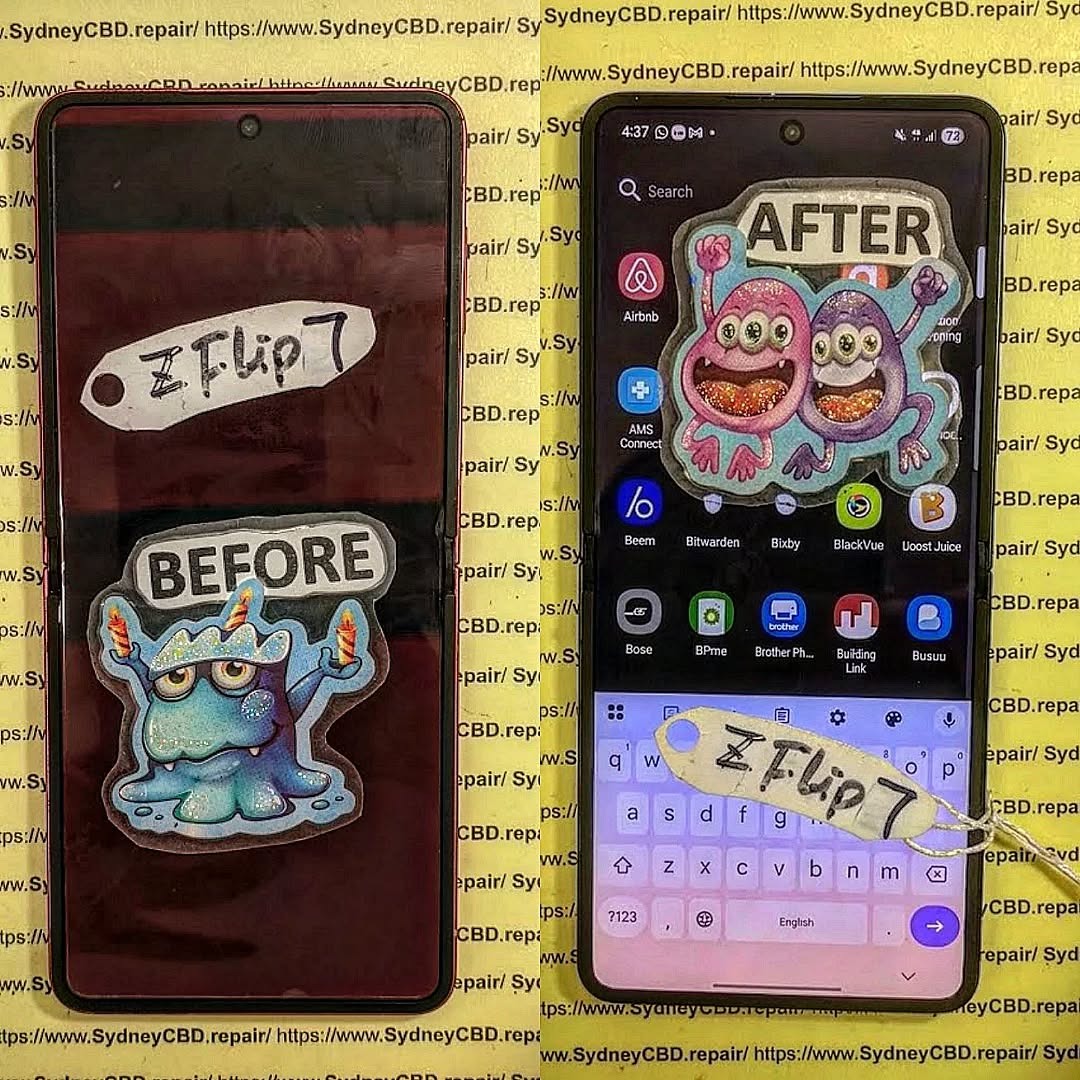
Samsung Galaxy Z Flip 7 Inner Folding Screen Replacement Step By Step Guide

Samsung Galaxy Z Flip 7 Inner Folding Screen Replacement: 9 Powerful Steps for a Professional Repair
Introduction
The Samsung Galaxy Z Flip 7 Inner Folding Screen Replacement is a much more delicate repair than replacing the display on a traditional smartphone. Unlike a conventional flat phone, the Galaxy Z Flip 7 uses a flexible inner display that works around a folding mechanism. That means even a small mistake during disassembly, adhesive removal, connector handling, or screen installation can turn a manageable repair into a costly one.
The good news is that a careful, methodical approach can make the process far more predictable.
This guide explains the professional workflow used when dealing with a damaged Galaxy Z Flip 7 inner folding display. It covers diagnosis, preparation, opening the handset, disconnecting the display assembly, installing the replacement, testing the phone, and completing final quality checks.
Important: This is an advanced repair. The inner foldable display and its associated components are delicate. If you’re not experienced with foldable-phone repairs, professional service is strongly recommended. The exact parts, adhesive materials, fasteners, and service procedures can vary by model and regional version.

Why the Galaxy Z Flip 7 Inner Screen Is Different
The Galaxy Z Flip 7’s inner screen isn’t simply a smaller version of a standard smartphone display. It forms part of a foldable system that must tolerate repeated opening and closing.
That creates several additional repair challenges.
The technician has to consider:
- Flexible display construction
- Display connector and flex cables
- Folding mechanism
- Adhesive layers
- Frame alignment
- Screen protection layers
- Pressure applied during installation
- Dust contamination
- Display calibration and functionality
The main display is particularly important because it is the screen users interact with when the phone is unfolded. A replacement that looks perfect but has poor alignment or an improperly seated connector can still produce problems.
That’s why professional technicians don’t treat a foldable screen replacement like an ordinary LCD or OLED repair.
Before Starting: Determine Whether You Actually Need a Screen Replacement
A broken-looking display doesn’t always mean the entire inner screen assembly needs replacing.
First, diagnose the problem.
Common signs of inner display damage
A Galaxy Z Flip 7 may require display service if you notice:
- Black areas across the display
- Persistent vertical or horizontal lines
- Flickering
- Dead pixels
- Touchscreen failure
- Cracks beneath the display surface
- A spreading black spot
- Display discoloration
- An unresponsive section near the folding area
- A display that works only at certain folding angles
Physical damage around the center crease is particularly important.
However, software problems, connector issues, or other internal faults can sometimes create symptoms that resemble screen damage.
Perform a basic diagnostic first
Before opening the phone, check whether:
- The phone powers on normally.
- The cover display works.
- The inner display produces an image.
- Touch input works across the entire screen.
- The problem changes when the device is gently opened or closed.
- There are signs of physical impact or liquid exposure.
If the phone has intermittent display behavior, don’t immediately assume the panel itself is defective.
A proper diagnosis can prevent replacing an expensive component unnecessarily.
Tools and Parts Needed for Galaxy Z Flip 7 Inner Folding Screen Replacement
A professional repair starts with proper preparation.
The exact tools required can vary depending on the replacement assembly and service procedure, but a typical repair workstation may include:
| Tool | Purpose |
|---|---|
| Precision screwdriver set | Removing internal screws |
| Plastic opening picks | Separating components safely |
| Suction tool | Helping lift bonded panels |
| Heat source | Softening suitable adhesives |
| Fine tweezers | Handling small components |
| ESD protection | Reducing static discharge risk |
| Cleaning materials | Preparing adhesive surfaces |
| Replacement adhesive | Securing components |
| Replacement inner display assembly | Main repair component |
| Magnification | Inspecting connectors and edges |
Avoid using excessive heat.
Foldable devices contain delicate components, and uncontrolled heat can damage the display, battery, adhesives, sensors, or nearby components.
A professional repair bench should also be clean and well illuminated. Dust is particularly troublesome during screen installation because even a tiny particle trapped beneath an optical surface can become permanently visible.
Safety Preparation Before Disassembly

Back Up the Phone
If the device still operates, back up important data before beginning.
Use Samsung’s supported backup options, cloud services, or another secure method.
A screen replacement should not normally erase user data, but unexpected damage can occur during any hardware repair. A backup provides an important safety net.
Power the Phone Off
Completely shut down the device before opening it.
Don’t rely on simply locking the screen.
Powering down reduces the possibility of electrical damage while connectors are being handled.
Remove Accessories
Take off:
- Protective case
- SIM tray, where applicable
- Screen accessories
- Adhesive accessories
- Any removable external items
Place screws and small parts in an organized tray.
Mixing screws during reassembly can cause serious problems if an incorrect screw is installed in the wrong location.
Protect the Work Area
Use an ESD-safe workspace where possible.
Keep liquids away from the phone.
Avoid metal tools near exposed circuitry unless they are specifically intended for the task.
Step 1: Power Down and Prepare the Galaxy Z Flip 7
Start with the phone fully powered off.
Before applying heat or attempting to separate bonded components, inspect the exterior carefully.
Look for:
- Cracks
- Bent frame areas
- Gaps between panels
- Evidence of impact
- Damaged hinge areas
- Signs of liquid exposure
This inspection is important because a replacement display may not solve problems caused by a damaged frame or hinge.
If the frame is bent, installing a new display without addressing the underlying structural issue may lead to poor alignment or premature failure.
Take photographs of the device before disassembly.
This creates a useful reference for cable routing, component positioning, and external condition.
Step 2: Remove the External Components Carefully
Foldable phones rely heavily on adhesive.
Unlike some older smartphones that could be opened using a few screws and a removable rear cover, modern foldable designs often require controlled separation of bonded surfaces.
Apply only enough heat to soften the relevant adhesive.
Then use an appropriate plastic opening tool to gradually separate the panel.
Important technique
Don’t force the tool deep into the phone.
A shallow, controlled movement is safer than aggressive insertion.
The goal is to separate adhesive, not cut through internal components.
Move slowly around the perimeter and pay attention to areas where cables, antennas, coils, or other components may be positioned.
If resistance suddenly increases, stop and reassess.
Never assume that more force is the answer.
Step 3: Open the Phone Without Damaging Internal Components
Once the external panel is sufficiently separated, carefully lift it according to the applicable service procedure.
This is one of the stages where experience makes a significant difference.
The internal layout of a foldable phone is compact. Components may be positioned very close to one another, leaving little room for mistakes.
Don’t bend the panel excessively.
Don’t twist the phone around its hinge.
Don’t pull on flexible cables.
If you encounter resistance, identify what is holding the component before continuing.
Why patience matters
Many repair failures happen because a technician becomes impatient.
The display may already be damaged, but that doesn’t mean the rest of the phone can be treated roughly.
The objective is to replace one damaged component while preserving everything else.
Step 4: Disconnect the Battery and Display Connections
After gaining access to the internal components, identify the battery and relevant display connections.
The battery should be disconnected before manipulating sensitive display connectors whenever the service procedure calls for it.
Use a non-conductive tool where appropriate.
Avoid scraping across the motherboard.
Avoid lifting connectors at an angle that could damage their sockets.
Connector handling tips
When disconnecting a flex connector:
- Identify the connector carefully.
- Confirm how the locking mechanism works.
- Lift or release it using the appropriate technique.
- Keep pressure controlled.
- Never pull directly on the cable.
- Inspect the connector after removal.
A damaged connector can create a much bigger repair problem than the original screen damage.
Step 5: Remove the Damaged Inner Folding Display Assembly
This is the most delicate part of the repair.
The inner display is bonded to the device structure, and removal requires careful control.
Don’t rush.
Don’t attempt to peel the display aggressively.
Don’t fold a damaged display more than necessary.
Don’t use excessive heat around sensitive areas.
The replacement procedure can vary depending on whether the replacement is supplied as a complete service assembly or as a particular display component.
Inspect the frame
Once the damaged display has been removed, inspect the mounting surface.
Look for:
- Remaining adhesive
- Dust
- Bent areas
- Debris
- Damaged clips
- Uneven surfaces
- Signs of liquid contamination
The mounting surface needs to be clean and properly prepared.
A replacement display installed over uneven adhesive or debris may sit incorrectly.
Step 6: Prepare the Replacement Inner Display
Before permanently installing the new display, inspect it carefully.
Check for:
- Scratches
- Cracks
- Connector damage
- Manufacturing defects
- Contamination
- Incorrect part identification
Do not remove protective films prematurely unless required by the service procedure.
Keep the replacement display on a clean surface.
Dry-fit before final installation
Whenever the repair procedure permits it, carefully position the display before committing to adhesive.
Check:
- Alignment
- Frame position
- Cable routing
- Hinge-area positioning
- Connector reach
- Edge spacing
This step can save a lot of trouble.
If the display is misaligned after adhesive has been applied, correcting it becomes significantly harder.
Step 7: Install the Replacement Screen
With the mounting surface prepared and the replacement display inspected, position it carefully.
Follow the correct adhesive layout for the specific replacement part.
Avoid stretching the display.
Avoid pressing directly on vulnerable areas.
Apply even, controlled pressure where appropriate.
The center fold deserves special attention
The folding area is one of the most important sections of the display.
The screen needs to sit correctly so the phone can open and close without creating abnormal stress.
Don’t force the hinge or fold the phone aggressively during installation.
If the replacement display doesn’t naturally align with the device structure, stop and investigate.
A screen should never need to be forced into position.
Step 8: Reconnect Components and Reassemble the Phone
Once the replacement screen is correctly positioned, reconnect the required flex cables and internal components.
Double-check every connector.
A partially connected display flex can produce symptoms such as:
- No image
- Flickering
- Touch problems
- Intermittent operation
- Lines across the screen
Before completely sealing the phone, perform an initial functional test if the applicable service procedure allows it.
Testing before final closure is much easier than reopening the device later.
Step 9: Test the Replacement Display Thoroughly
Don’t stop after confirming that an image appears.
A professional test should cover multiple functions.
Display test
Check:
- Brightness
- Colors
- Uniformity
- Dead pixels
- Flickering
- Lines
- Black levels
- Viewing consistency
Touch test
Test the entire display surface.
Pay particular attention to:
- Top edge
- Bottom edge
- Left side
- Right side
- Center
- Folding region
Open a drawing or keyboard interface and check whether touch input works consistently.
Folding test
Slowly open and close the device.
Watch for:
- Flickering
- Sudden blackouts
- Touch interruptions
- Unusual resistance
- Abnormal screen behavior
Don’t repeatedly cycle the phone unnecessarily during testing. A controlled functional test is enough.
Common Mistakes During Galaxy Z Flip 7 Screen Replacement
Using Too Much Heat
Excessive heat can damage surrounding components.
Controlled heating is safer than simply increasing the temperature when adhesive doesn’t release quickly.
Using Metal Tools Aggressively
Metal tools can scratch surfaces, puncture components, or create electrical risks.
Use appropriate non-conductive opening tools whenever possible.
Pulling on Flex Cables
Flex cables aren’t handles.
Always manipulate connectors and cables through their proper connection points.
Installing the Screen Over Debris
Even tiny particles can affect alignment or create pressure points.
Cleanliness matters.
Skipping the Test Before Final Closure
This is a classic time-waster.
Test important functions before final sealing whenever the service procedure permits it.
Reusing Damaged Adhesive
Old adhesive may not provide the correct bond or alignment.
Use the correct replacement adhesive for the component and repair method.
Ignoring Frame Damage
A damaged frame can cause a replacement display to sit incorrectly.
If the structural mounting surface isn’t right, simply replacing the screen may not produce a durable repair.
Professional vs DIY Galaxy Z Flip 7 Inner Screen Replacement
A foldable screen repair is not an ideal first smartphone repair.
Traditional battery or charging-port repairs can already require patience, but a foldable inner display introduces additional complexity.
Professional repair is particularly appropriate when:
- The phone contains important data.
- The display is completely dead.
- The hinge has been damaged.
- The frame is bent.
- The device has suffered liquid exposure.
- The phone is still under applicable warranty or protection coverage.
- You don’t have foldable-device repair experience.
- You don’t have the correct tools.
A qualified technician can also inspect the phone for secondary damage.
That’s important because a cracked inner display may be only one symptom of a larger impact.
How to Reduce the Risk of Future Inner Screen Damage
Once you’ve invested in a screen replacement, a little prevention can go a long way.
Keep the hinge area clean
Dust and debris can become problematic around any moving mechanism.
Avoid pressing hard on the crease
Foldable displays are designed to bend, but that doesn’t mean they should be subjected to unnecessary pressure.
Use a compatible case
A properly designed case can provide additional protection against accidental drops.
Don’t carry sharp objects against the screen
Keys, coins, and other objects can create pressure or scratches when stored improperly.
Close the phone normally
Avoid snapping the phone shut with excessive force.
Have unusual display behavior checked early
If you notice flickering, lines, touch issues, or changes around the crease, professional inspection may prevent further damage.
Quality Control Checklist After Screen Replacement
Before returning the phone to its owner, a technician should complete a final inspection.
| Test | Check |
|---|---|
| Power | Phone starts normally |
| Inner display | Image is clear |
| Touch | Full surface responds |
| Brightness | Adjustment works normally |
| Folding | Phone opens and closes normally |
| Cover display | Functions correctly |
| Cameras | Front and rear cameras operate |
| Audio | Speakers and microphones work |
| Charging | Wired charging operates |
| Connectivity | Wi-Fi/Bluetooth/mobile network checked |
| Biometrics | Relevant biometric functions checked |
| Frame | No gaps or loose panels |
| Exterior | No new scratches or damage |
A repair isn’t complete simply because the screen lights up.
A professional repair should restore as much of the phone’s original functionality as possible.
Signs That Your Replacement Wasn’t Installed Correctly
Contact the repair provider if you notice:
- Screen flickering
- Touch dead zones
- New lines
- Display discoloration
- Uneven edges
- Screen lifting
- Unusual hinge behavior
- Random display shutdowns
- New noises when folding
- A visible gap between components
Don’t continue using a phone that appears structurally compromised.
The sooner a potential installation issue is identified, the easier it may be to correct.
Frequently Asked Questions
1. Can I replace the Galaxy Z Flip 7 inner screen myself?
Technically, an experienced repair technician can perform the work, but it’s an advanced repair. The inner foldable display, adhesive, connectors, and hinge area require careful handling. Beginners are generally better off using a professional repair service.
2. How long does a Galaxy Z Flip 7 inner screen replacement take?
Repair time depends on the condition of the phone, availability of the correct replacement part, repairer’s experience, and whether additional damage is discovered. A straightforward professional repair can often be completed within a service appointment, while complicated damage may take longer.
3. Does replacing the inner screen erase my data?
A screen replacement itself isn’t intended to erase user data. However, hardware repairs always carry some risk, so backing up important information before service is strongly recommended.
4. Can a cracked folding screen be repaired instead of replaced?
In most cases, significant physical damage to the flexible display requires replacement of the affected display assembly rather than simply repairing the visible crack.
The exact repair solution depends on the type and extent of damage.
5. Why is the foldable screen replacement more difficult than a normal screen replacement?
A foldable display must operate while repeatedly bending. The repair therefore involves additional considerations around flexible components, adhesive, alignment, hinge movement, and the center folding area.
6. Can I use any replacement screen for the Galaxy Z Flip 7?
No. The replacement component should be specifically compatible with the exact Galaxy Z Flip 7 model and regional variant where applicable. Using an incorrect part can result in compatibility, fitment, or functionality problems.
7. What should I do if the new screen works but touch doesn’t?
First, the repair should be checked for connector seating and possible installation issues. If the problem remains, the replacement part itself may require further testing. Avoid repeatedly opening the phone yourself if you don’t have the necessary experience.
8. Is a screen protector necessary after replacement?
A suitable protector may provide additional protection, but foldable displays require compatible products and proper installation. Avoid using an incompatible protector that places excessive pressure on the folding area.
9. Should I repair a damaged hinge at the same time?
If the hinge or frame was involved in the original accident, it should be inspected before installing the new display. A damaged structure can affect the fit and long-term performance of a replacement screen.
When You Should Choose a Professional Repair Centre
There are times when DIY repair simply isn’t worth the risk.
The Galaxy Z Flip 7 is an advanced foldable smartphone, and the inner display is one of its most delicate components. If you don’t have professional tools, suitable replacement parts, ESD protection, or experience working with foldable devices, a repair centre can reduce the risk of accidental secondary damage.
A professional technician can also perform a broader inspection.
For example, if the phone was dropped, the problem might involve the display, frame, hinge, internal connectors, or several components at once.
Getting the device properly diagnosed first can therefore save time and money.
Conclusion

The Samsung Galaxy Z Flip 7 Inner Folding Screen Replacement requires patience, precision, and the right equipment.
The basic workflow is straightforward in theory: diagnose the problem, prepare the phone, carefully disassemble it, disconnect the necessary components, remove the damaged display, prepare the mounting surface, install the replacement, reconnect everything, and perform extensive testing.
In practice, however, foldable-phone repairs leave little room for careless handling.
The biggest lesson is simple: don’t rush the repair.
A clean workstation, correct replacement component, controlled adhesive removal, careful connector handling, accurate alignment, and thorough testing can make a major difference in the quality of the finished repair.
If your Galaxy Z Flip 7 has a cracked inner screen, dead pixels, touch problems, flickering, or damage around the crease, having it professionally inspected is often the safest approach.
For official product information, specifications, and support resources, consult Samsung’s official Galaxy Z Flip 7 resources before arranging a repair.
The Galaxy Z Flip 7 inner display is a sophisticated flexible component that requires specialist handling. A successful Samsung Galaxy Z Flip 7 Inner Folding Screen Replacement involves more than simply removing a broken screen and attaching a new one. Proper diagnosis, safe disassembly, connector protection, adhesive preparation, accurate alignment, and complete post-repair testing are all essential.
When in doubt, choose an experienced foldable-phone repair technician rather than risking additional damage to the device.
David from Sydney CBD Repair Centre – The Best place to fix mobile phones as 7 Years In A Row! Top Mobile Phone Repair In Sydney. More than 2000 Positive Reviews on Google and Same Day Repairs.
We take pride in delivering exceptional repair services for all major phone brands including Apple, Samsung, Google, and more. Our expert technicians use only genuine parts and offer 90days warranty on repairs. Located in the heart of Sydney CBD, we’re your one-stop solution for all mobile device repairs.
Our commitment to excellence has earned us the trust of thousands of satisfied customers. Whether it’s a cracked screen, battery replacement, or water damage repair, we handle it all with professional care and expertise. Walk in today and experience why we’re Sydney’s #1 choice for mobile phone repairs.
Visit us for:
✓ Same Day Express Repairs
✓ Genuine Parts Guarantee
✓ Professional Technicians
✓ Competitive Pricing
✓ 2000+ 5-Star Google Reviews
✓ 7-Time Award Winner for Best Phone Repairs
Sydney CBD Repair Centre – Where Quality Meets Reliability.
Call : +61280114119
Website: Sydney CBD Repair Centre