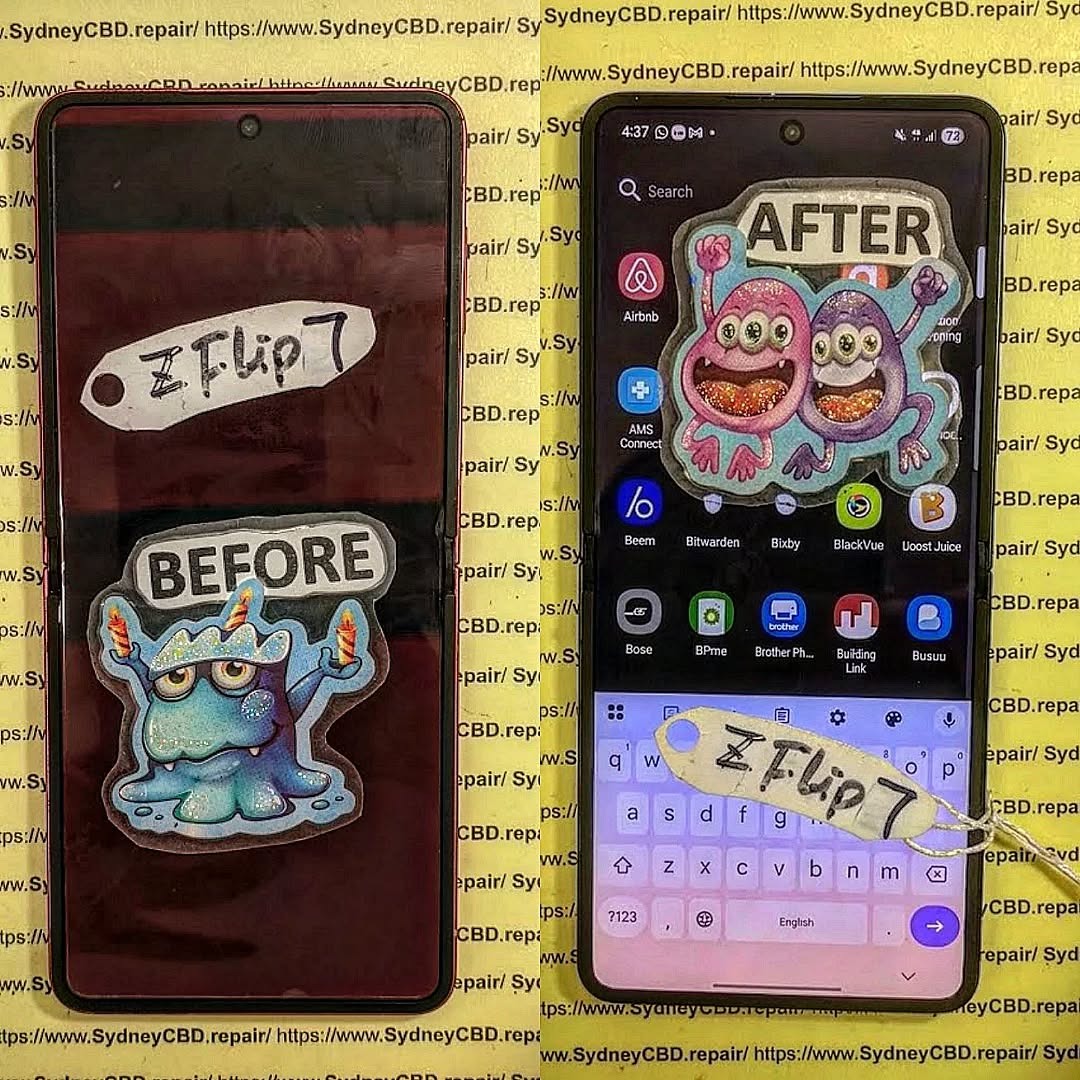
Inside the Lab Recovering Memories from a Snapped Samsung Galaxy Z Flip 7

Inside the Lab Recovering Memories from a Snapped Samsung Galaxy Z Flip 7 Ultimate Guide: 11 Powerful Recovery Secrets
Introduction
A snapped foldable phone looks like the end of the road. Many people believe that once a Samsung Galaxy Z Flip 7 breaks across its hinge, every treasured photo, family video, business document, and personal message disappears forever.
Fortunately, that’s not always true.
Inside the Lab Recovering Memories from a Snapped Samsung Galaxy Z Flip 7 reveals how professional technicians carefully inspect, repair, and recover valuable information from devices that appear beyond saving. Modern smartphones contain sophisticated storage chips and advanced encryption, making recovery challenging—but not impossible.
The key is acting quickly and avoiding mistakes that can permanently damage the remaining hardware.
Whether your phone suffered a severe drop, accidental crushing, or hinge failure, understanding the recovery process can dramatically improve your chances of retrieving irreplaceable memories.
Why Data Recovery Matters More Than Ever
Smartphones have become our digital lives.
Instead of carrying cameras, notebooks, wallets, and computers separately, we keep almost everything inside one device. Losing that information can be devastating.
Typical data stored on today’s Galaxy Z Flip 7 includes:
- Family photographs
- Wedding videos
- Business contacts
- Banking records
- Work documents
- Authentication apps
- Medical information
- School assignments
- Voice recordings
- Important conversations
For many users, these files are worth far more than the phone itself.
Replacing damaged hardware is relatively straightforward. Replacing years of memories simply isn’t possible.
That’s why professional laboratories focus first on preserving the data before considering cosmetic repairs.
Understanding the Samsung Galaxy Z Flip 7 Architecture
Recovering data starts with understanding how the phone is built.
Samsung’s newest foldable devices are engineering masterpieces packed into an incredibly compact frame. Every millimetre inside the phone is carefully utilised.
Unlike traditional smartphones, foldables introduce additional engineering complexity because they must bend thousands of times throughout their lifetime.
Foldable Display Technology
The Galaxy Z Flip 7 features an ultra-thin flexible OLED display supported by multiple protective layers.
These include:
| Component | Purpose |
|---|---|
| Ultra Thin Glass | Provides rigidity |
| Flexible OLED | Produces images |
| Touch Digitizer | Detects touch input |
| Protective Film | Reduces scratches |
| Display Cable | Transfers signals |
When the phone snaps, these layers rarely fail in the same way.
Sometimes the display dies instantly.
Other times, only the touch function stops working while the motherboard continues operating normally.
This distinction becomes critical during data recovery.
Internal Memory Layout
One of the biggest misconceptions is that photos are stored inside the screen.
They’re not.
Your memories actually reside inside a dedicated NAND flash memory chip mounted directly onto the logic board.
That storage chip contains:
- Android operating system
- User photos
- Videos
- Downloads
- Applications
- Settings
- Documents
As long as this storage remains intact—and encryption keys are available—there may still be an opportunity for successful recovery.
Security and Encryption
Modern Samsung smartphones use powerful security features.
These include:
- Hardware encryption
- Secure boot
- Knox security
- Trusted execution environments
- User authentication
These protections are excellent for privacy but add another layer of complexity during recovery.
Unlike older phones, technicians cannot simply remove the memory chip and read its contents using standard equipment.
Instead, recovery usually requires restoring enough functionality for the original processor and security hardware to decrypt the stored information.
This is why professional expertise is so valuable.
What Happens When a Galaxy Z Flip 7 Snaps in Half

A foldable phone rarely experiences just one type of damage.
Instead, several failures often occur simultaneously.
Understanding these failures helps explain why successful recovery depends on careful diagnostics rather than guesswork.
Physical Damage
The most obvious issue is structural damage.
The hinge absorbs tremendous force during an accident.
Possible damage includes:
- Broken aluminium frame
- Torn flexible cables
- Cracked OLED panel
- Detached battery connectors
- Bent internal brackets
- Loose motherboard mounting points
Interestingly, severe cosmetic damage doesn’t always mean the storage chip has failed.
Many seemingly destroyed phones still contain fully functional data.
Electrical Damage
Physical breaks often create electrical problems.
Examples include:
- Short circuits
- Damaged power rails
- Burned charging circuits
- Failed battery protection ICs
- Broken display power lines
Even a tiny short circuit can prevent the phone from starting.
Professional technicians use laboratory-grade power supplies to monitor current consumption during diagnostics.
This allows them to identify hidden electrical faults without risking further damage.
Motherboard Damage
The motherboard is the heart of every smartphone.
When a Galaxy Z Flip 7 bends unexpectedly, microscopic solder joints beneath integrated circuits may crack.
These invisible fractures can interrupt communication between:
- CPU
- Memory
- Storage
- Power management chips
- Charging controller
- Display controller
Repairing these faults requires advanced board-level repair techniques using microscopes and precision soldering equipment.
Rather than replacing the entire motherboard—which would result in data loss—experienced technicians work to restore the original board whenever possible.
Inside a Professional Data Recovery Laboratory
Recovering information from a snapped Samsung Galaxy Z Flip 7 involves much more than replacing a screen.
Professional laboratories combine advanced electronics expertise with specialised diagnostic equipment to maximise recovery success.
The process begins with a careful visual inspection before any power is applied to the damaged device. Technicians examine the frame, hinge, display cables, battery connectors, and motherboard for signs of impact, corrosion, or electrical failure. Every detail matters because powering a severely damaged phone too soon can sometimes worsen the damage.
Next comes microscopic inspection. High-powered microscopes allow engineers to identify tiny cracks in solder joints, damaged integrated circuits, or torn flex cables that are invisible to the naked eye. Foldable devices contain densely packed components, making precision essential.
Another critical tool is a laboratory power supply. Instead of connecting the original battery immediately, technicians use controlled power sources that limit voltage and current. By observing how much power the phone draws, they can often pinpoint faulty circuits before beginning repairs.
Throughout the recovery process, professionals document each step, ensuring that repairs are systematic rather than experimental. This disciplined approach significantly increases the likelihood of recovering irreplaceable photos, videos, contacts, and documents while protecting the integrity of the device.
In the next part, we’ll explore the specialized equipment used in professional recovery labs, the first actions you should take after a Galaxy Z Flip 7 breaks, common recovery challenges, and the advanced board-level techniques experts rely on to retrieve priceless memories.
Inside a Professional Data Recovery Laboratory
Recovering data from a snapped Samsung Galaxy Z Flip 7 requires a combination of technical expertise, specialized tools, and patience. Every damaged phone presents a unique challenge, so technicians follow a structured workflow to maximize the chances of success.
Unlike a standard phone repair, data recovery places the highest priority on preserving the original motherboard and storage components. Cosmetic repairs can wait—saving priceless memories comes first.
Specialized Diagnostic Equipment
Professional repair laboratories invest heavily in equipment designed specifically for board-level diagnostics and data recovery.
Some of the most commonly used tools include:
| Equipment | Purpose |
|---|---|
| Stereo Microscope | Inspects microscopic damage |
| Hot Air Rework Station | Removes and reinstalls components |
| Micro Soldering Station | Repairs damaged solder joints |
| Laboratory Power Supply | Safely powers damaged devices |
| Thermal Camera | Detects overheating components |
| Multimeter | Measures voltage and continuity |
| Oscilloscope | Analyses electrical signals |
| Ultrasonic Cleaner | Cleans boards affected by contamination |
These tools allow technicians to diagnose faults that would otherwise remain hidden.
For example, a thermal camera may reveal an integrated circuit heating excessively due to an internal short circuit. Without this equipment, locating the fault could take hours—or even days.
Clean Working Environment
Foldable smartphones are packed with extremely delicate components.
Dust, static electricity, and moisture can all interfere with repairs.
Professional laboratories maintain clean workspaces that reduce contamination and protect sensitive electronics.
Technicians also wear anti-static wrist straps to prevent electrostatic discharge (ESD), which can permanently damage integrated circuits without producing any visible signs.
Although smartphones are not repaired inside hospital-grade clean rooms, maintaining a clean, organized workspace dramatically improves repair quality.
Precision Repair Techniques
Board-level repairs require exceptional precision.
A single solder pad on the motherboard may measure less than half a millimetre across.
Using a microscope, technicians carefully perform procedures such as:
- Replacing damaged capacitors
- Repairing broken traces
- Reballing integrated circuits
- Replacing damaged connectors
- Repairing torn flex cable sockets
- Restoring broken power lines
Every repair is verified through electrical testing before progressing to the next stage.
This methodical approach minimizes risk while preserving valuable customer data.
First Steps After a Foldable Phone Breaks
Your actions immediately after the accident can make a significant difference.
Many successful recoveries begin because the owner resisted the temptation to “see if it still works.”
Instead, follow these recommendations.
Turn the Device Off
If the phone remains powered on after impact, shut it down safely if possible.
If the display is completely unusable but the phone appears active, avoid repeatedly pressing buttons.
Repeated restart attempts may stress damaged components.
Do Not Charge the Phone
Charging a severely damaged phone is one of the biggest mistakes owners make.
Hidden internal damage may cause:
- Electrical shorts
- Overheating
- Component failure
- Battery damage
If the motherboard has suffered physical trauma, connecting a charger may worsen the problem.
Avoid DIY Repairs
Online repair videos can make complex repairs appear simple.
However, foldable phones are among the most difficult smartphones to repair.
Attempting to open the device yourself may:
- Tear additional display cables
- Damage waterproof seals
- Crack the OLED further
- Destroy fragile connectors
- Reduce recovery chances
If recovering your memories is the priority, avoid unnecessary disassembly.
Protect the Phone
Store the device safely.
Keep it:
- Dry
- Clean
- Away from magnets
- Away from extreme heat
- Inside a protective container
If liquid exposure also occurred, seek professional assessment as soon as possible.
Corrosion begins surprisingly quickly.
Common Recovery Challenges
Recovering data from a snapped Samsung Galaxy Z Flip 7 isn’t always straightforward.
Multiple failures often occur simultaneously.
Broken Display
A completely black screen doesn’t necessarily mean the motherboard has failed.
Sometimes:
- The phone still boots.
- Calls still arrive.
- Notifications continue.
- Data remains perfectly intact.
Technicians may temporarily connect compatible testing displays to determine whether the phone is actually functioning.
Damaged Flex Cables
Foldable phones rely heavily on flexible ribbon cables.
When the hinge breaks, these cables often tear.
Damaged flex cables can interrupt communication between:
- Display
- Touchscreen
- Cameras
- Charging system
- Secondary display
Replacing these components is often enough to regain temporary access to important files.
Battery Problems
A crushed battery presents both safety and technical challenges.
Damaged lithium-ion batteries may:
- Swell
- Overheat
- Fail to provide stable voltage
Technicians frequently substitute laboratory power supplies during diagnostics before installing replacement batteries.
Motherboard Fractures
The greatest challenge is a cracked motherboard.
In some severe accidents, the logic board physically separates into multiple sections.
Recovering data then becomes an advanced micro-soldering project involving:
- Trace reconstruction
- Jumper wire installation
- PCB reinforcement
- Component replacement
These repairs require extensive experience.
Encryption Protection
Modern Samsung devices encrypt nearly everything.
Even if technicians successfully repair the motherboard, they must preserve:
- Original processor
- Security chip
- Storage chip
- Encryption keys
Replacing these components with donor parts usually prevents data access.
That’s why experienced recovery specialists focus on repairing—not replacing—the original board whenever possible.
Professional Board-Level Repairs
Board-level repair forms the foundation of successful smartphone data recovery.
Rather than swapping parts indiscriminately, technicians diagnose individual electrical faults.
Diagnosing Power Failures
One of the first priorities is restoring stable power.
Common issues include:
- Shorted capacitors
- Failed power management ICs
- Broken charging circuits
- Damaged battery connectors
Each circuit is tested individually.
Restoring Communication
Once power returns, attention shifts to communication between major chips.
Technicians verify whether:
- CPU communicates with memory
- Storage responds correctly
- Display controller initializes
- Charging controller functions
- USB communication operates
Every successful test moves the recovery one step closer.
Temporary Functional Repairs
Interestingly, technicians don’t always aim to restore the phone permanently.
Sometimes the goal is simply to make it operational long enough to retrieve:
- Photos
- Videos
- Contacts
- Documents
- Messages
- Cloud authentication tokens
Once the customer’s information has been safely backed up, additional repairs become optional.
This approach reduces cost while prioritizing what matters most—the customer’s memories.
Why Experience Matters
Modern foldable phones contain thousands of miniature components working together.
Diagnosing failures often relies on years of practical experience rather than simply following repair manuals.
Experienced technicians recognize common failure patterns caused by:
- Hinge impacts
- Water damage
- Flex cable fatigue
- Power surges
- Manufacturing tolerances
- Previous repair attempts
This knowledge allows them to work efficiently while minimizing unnecessary risks.
Created with AIPRM Prompt “Fully SEO Optimized Article including FAQ’s (2.0)”
Memory Chip Recovery
When a Samsung Galaxy Z Flip 7 suffers catastrophic damage, people often assume technicians simply remove the memory chip and copy the data. In reality, modern smartphones are far more sophisticated than older mobile devices.
Today’s Samsung phones use advanced encryption that ties the storage chip to the original processor and security hardware. This means the memory chip alone is usually unreadable if removed from the motherboard.
Why Chip-Off Recovery Isn’t Always Possible
Years ago, “chip-off recovery” was a common solution for damaged phones. Technicians could desolder the NAND flash memory and read its contents using specialized programmers.
Modern Galaxy devices are different because they rely on:
- Hardware-backed encryption
- Secure Boot
- Samsung Knox security
- Device-specific encryption keys
- Trusted Execution Environment (TEE)
These security measures protect users from unauthorized access. They also mean that successful data recovery often depends on repairing the original motherboard rather than transplanting components.
Temporary Restoration for Data Extraction
Professional technicians frequently perform temporary repairs instead of full device restoration.
Examples include:
- Repairing broken power circuits
- Replacing damaged display connectors
- Installing temporary displays
- Rebuilding cracked PCB traces
- Replacing failed charging components
Once the phone boots successfully, technicians immediately create secure backups of:
- Photos
- Videos
- Contacts
- Messages
- Documents
- Voice recordings
- Application data (where possible)
Only after customer data has been safely copied do they consider additional repairs.
Protecting Customer Privacy
Recovering memories also means protecting sensitive personal information.
Professional repair laboratories should follow strict privacy procedures throughout the recovery process.
Good privacy practices include:
- Secure handling of customer devices
- Password confidentiality
- Limited technician access
- Encrypted backup storage
- Secure deletion of temporary recovery files
- Customer authorization before accessing data
Trust is essential in every data recovery project.
Customers often entrust technicians with years of personal memories, confidential work files, and financial information. A reputable repair centre treats this responsibility with the highest level of professionalism.
Success Rates Explained
One of the most common questions customers ask is:
“Can my data actually be recovered?”
The honest answer depends entirely on the type of damage.
| Damage Type | Typical Recovery Outlook |
|---|---|
| Broken display only | Excellent |
| Damaged hinge | Very High |
| Torn flex cables | High |
| Battery failure | Very High |
| Charging circuit damage | High |
| Motherboard fracture | Moderate to High |
| Water damage | Variable |
| Fire damage | Low to Moderate |
Every device is unique.
Even phones that appear beyond repair sometimes contain fully recoverable data, while devices with only minor visible damage may have suffered severe internal electrical failures.
This is why professional diagnostics are always the first step before making assumptions.
Preventing Future Data Loss
Although professional recovery can be remarkably successful, prevention remains the best strategy.
Simple habits can greatly reduce the risk of permanent data loss.
Enable Automatic Cloud Backups
Cloud storage provides an additional layer of protection.
Regular backups ensure your memories remain safe even if the device is severely damaged.
Consider backing up:
- Photos
- Videos
- Contacts
- Documents
- Calendar events
- Notes
Automatic synchronization removes the need to remember manual backups.
Handle Foldable Phones Carefully
Foldable smartphones contain moving parts that deserve extra care.
Good habits include:
- Closing the phone gently
- Avoiding excessive pressure
- Keeping debris away from the hinge
- Using a quality protective case
- Avoiding extreme temperatures
These simple steps can significantly extend the lifespan of the device.
Repair Damage Promptly
Small problems often become larger ones.
A damaged hinge, cracked display, or swollen battery should be assessed by professionals before additional failures occur.
Delaying repairs may reduce the chances of successful data recovery if another accident happens.
Professional Recovery vs DIY
Many online videos promise easy smartphone recovery techniques.
Unfortunately, these demonstrations rarely reflect real-world foldable phone repairs.
Professional laboratories offer several advantages:
| DIY Attempt | Professional Recovery |
|---|---|
| Limited tools | Advanced laboratory equipment |
| Higher risk of damage | Controlled diagnostic procedures |
| No board-level experience | Skilled micro-soldering technicians |
| Possible permanent data loss | Focus on preserving original data |
| No warranty | Professional workmanship |
When irreplaceable memories are involved, professional expertise is often the safest choice.
Learn More About Mobile Security
For additional information about Android security and device protection, visit the official Android Security website:
https://source.android.com/security
This resource explains how Android protects user information through encryption, verified boot, and ongoing security updates.
Frequently Asked Questions
1. Can photos be recovered from a snapped Samsung Galaxy Z Flip 7?
Yes, in many cases. If the motherboard and encrypted storage remain functional—or can be temporarily repaired—professional technicians may be able to recover photos, videos, and documents.
2. Will replacing the motherboard preserve my data?
Usually not. The original motherboard contains the processor and encryption keys linked to the stored data. Replacing it typically results in the loss of locally stored information.
3. Should I keep trying to turn my phone on?
No. Repeated power attempts may worsen electrical damage. It’s safer to have the device professionally diagnosed before applying power again.
4. Does a broken screen mean my files are gone?
Not necessarily. A damaged display often prevents access to the phone, but the internal storage may still be intact. Many recoveries begin with replacing or temporarily bypassing the damaged display.
5. Can water damage reduce recovery chances?
Yes. Corrosion can spread quickly after liquid exposure, damaging electrical circuits. Prompt professional assessment usually offers the best chance of preserving data.
6. How long does professional data recovery take?
The timeline depends on the complexity of the damage. Simple repairs may take only a few hours, while advanced board-level work can require several days.
7. Is recovering data from a foldable phone harder than from a regular smartphone?
Generally, yes. Foldable devices contain more delicate flex cables, complex hinge assemblies, and tightly packed internal components, making diagnostics and repairs more challenging.
Conclusion

Inside the Lab Recovering Memories from a Snapped Samsung Galaxy Z Flip 7 demonstrates that severe physical damage does not always mean precious memories are lost forever. Modern foldable smartphones combine innovative engineering with advanced security features, creating both opportunities and challenges for professional data recovery.
Successful recovery depends on preserving the original motherboard, understanding Samsung’s encryption system, and performing meticulous board-level diagnostics using specialized laboratory equipment. Every repair requires patience, technical expertise, and a commitment to protecting customer privacy.
Most importantly, acting quickly after an accident can significantly improve recovery outcomes. Avoid unnecessary charging, refrain from attempting complex DIY repairs, and seek assistance from experienced technicians who prioritize data preservation before hardware replacement.
With the right approach, even a severely damaged Samsung Galaxy Z Flip 7 may still hold years of irreplaceable memories waiting to be recovered.
David from Sydney CBD Repair Centre – The Best place to fix mobile phones as 7 Years In A Row! Top Mobile Phone Repair In Sydney. More than 2000 Positive Reviews on Google and Same Day Repairs.
We take pride in delivering exceptional repair services for all major phone brands including Apple, Samsung, Google, and more. Our expert technicians use only genuine parts and offer 90days warranty on repairs. Located in the heart of Sydney CBD, we’re your one-stop solution for all mobile device repairs.
Our commitment to excellence has earned us the trust of thousands of satisfied customers. Whether it’s a cracked screen, battery replacement, or water damage repair, we handle it all with professional care and expertise. Walk in today and experience why we’re Sydney’s #1 choice for mobile phone repairs.
Visit us for:
- ✓ Same Day Express Repairs
- ✓ Genuine Parts Guarantee
- ✓ Professional Technicians
- ✓ Competitive Pricing
- ✓ 2000+ 5-Star Google Reviews
- ✓ 7-Time Award Winner for Best Phone Repairs
Sydney CBD Repair Centre – Where Quality Meets Reliability.
Call: +61 2 8011 4119
Website: https://SydneyCBD.repair/locate-us