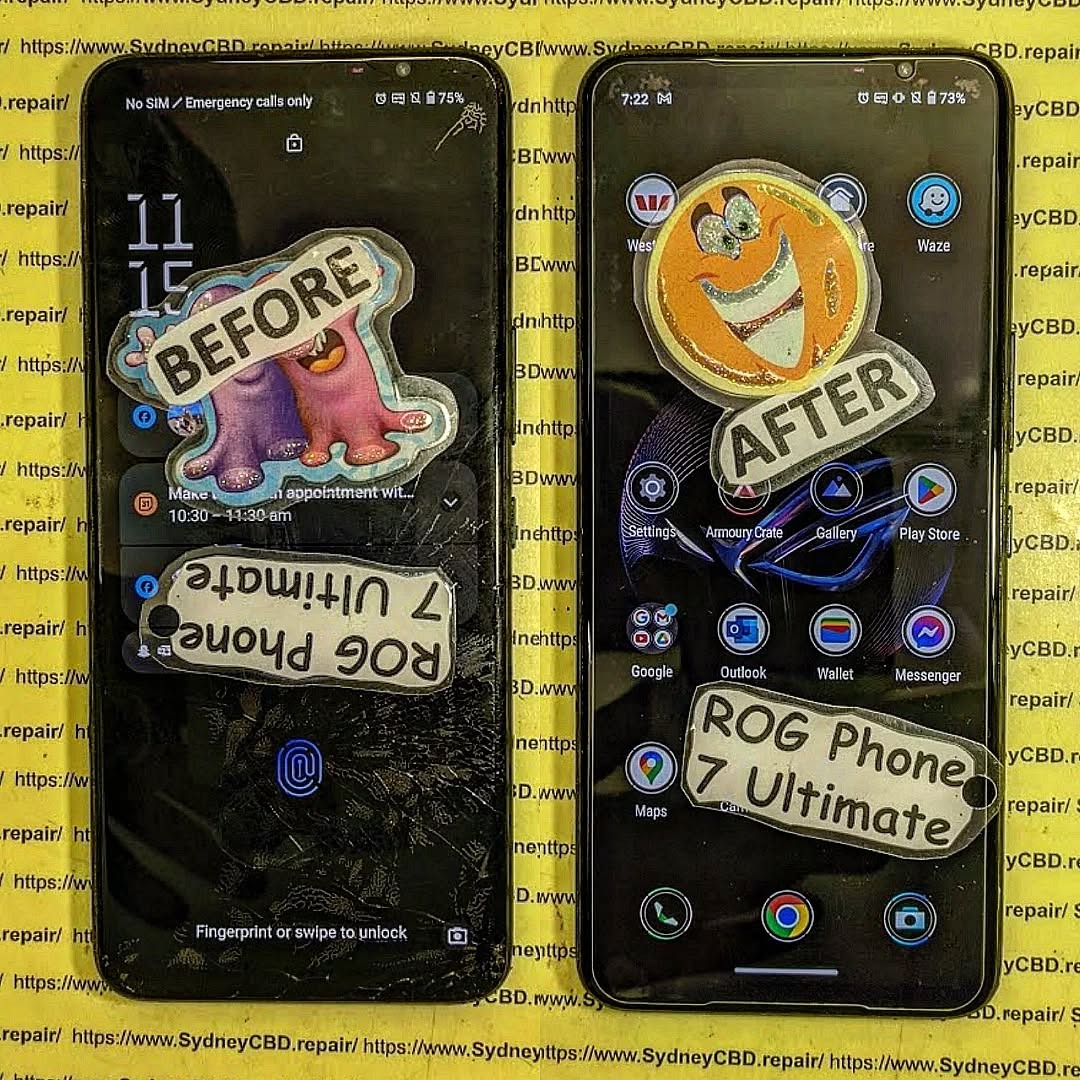
Rescuing a Crushed Asus ROG Phone with the Full Thermal Paste Reapplication Techniques: 9 Powerful Steps for Ultimate Recovery
Introduction
Modern gaming smartphones are built for extreme performance, but they are not invincible. When a high-end device like an ASUS ROG Phone suffers physical impact or becomes crushed, the damage often goes far beyond what meets the eye. Internal components can shift, the cooling system can lose efficiency, and the CPU may begin overheating under even light usage.
This is where crushed Asus ROG Phone thermal paste reapplication techniques become critically important. Thermal paste plays a key role in transferring heat away from the processor to the cooling system. Once a device is physically damaged, that thermal interface can become uneven, dried out, or completely disrupted. The result is performance throttling, unexpected shutdowns, and long-term hardware degradation.
In this guide, we’ll walk through the full recovery process—from understanding the damage to safely disassembling the device, cleaning old thermal compound, and applying new thermal paste using professional-grade techniques. Whether you’re a technician or an advanced DIY enthusiast, these crushed Asus ROG Phone thermal paste reapplication techniques will help you restore cooling efficiency and bring the device back to stable performance.
By the end, you’ll have a clear understanding of how thermal management directly impacts gaming performance and why proper reapplication is often the difference between a dead device and a fully revived one.
A crushed Asus ROG Phone thermal paste reapplication techniques scenario is one of the most complex mobile repair situations technicians face. The ASUS ROG Phone series is built for gaming performance, but its compact design makes it vulnerable to pressure damage. When the device is crushed, both structural and thermal integrity can be compromised.
In many cases, users notice screen distortion, overheating, or sudden shutdowns. These symptoms are not just cosmetic—they often indicate deeper motherboard stress or displaced thermal compounds. This is where crushed Asus ROG Phone thermal paste reapplication techniques become critical for restoring performance and preventing long-term chip damage.
Understanding how heat flows through the vapor chamber and CPU is essential. Once the original thermal paste is disrupted, heat transfer efficiency drops drastically, leading to throttling and hardware instability.
1.1 Signs of Internal Stress
A damaged device often shows:
Random reboot loops
Excessive heat during idle
Reduced gaming performance
Battery drain anomalies
These are early warnings that thermal management has failed.
1.2 Why Thermal Paste Matters
Thermal paste fills microscopic gaps between the CPU and heatsink. Without it, even a powerful cooling system fails. Proper crushed Asus ROG Phone thermal paste reapplication techniques restore this essential thermal bridge.
Before applying any crushed Asus ROG Phone thermal paste reapplication techniques, safety must be prioritized. A crushed phone often has sharp edges, exposed components, and unstable internal pressure points.
2.1 Essential Tools Required
You will need:
Precision screwdriver set
Plastic pry tools
Isopropyl alcohol (90%+)
Microfiber cloth
ESD wrist strap
2.2 Anti-Static Handling
Electrostatic discharge can permanently damage components. Always ground yourself before touching the motherboard. Professional technicians never skip this step.
Using proper crushed Asus ROG Phone thermal paste reapplication techniques without safety measures increases risk of irreversible damage.
3. Disassembly Process
3.1 Opening a Crushed Chassis
Opening a damaged ROG Phone requires patience. The frame may be bent, meaning standard opening methods may not work. Heat may be needed to soften adhesive.
Slow, controlled force is key. Rushing can tear ribbon cables or fracture the display further.
3.2 Removing the Motherboard Safely
Once opened, the motherboard must be carefully detached. Disconnect:
Battery connector first
Display flex cables
Cooling module assembly
This step is critical in crushed Asus ROG Phone thermal paste reapplication techniques, as motherboard stress is already high due to physical damage.
4. Cleaning Old Thermal Compound
4.1 Safe Cleaning Materials
Use isopropyl alcohol and lint-free cloths. Gently remove all old thermal paste from:
CPU surface
GPU contact points
Heat spreader
4.2 Common Mistakes
Avoid:
Scratching chips
Using metal tools
Leaving residue behind
Improper cleaning reduces effectiveness of crushed Asus ROG Phone thermal paste reapplication techniques, leading to overheating issues later.
5. Thermal Paste Reapplication Techniques
This is the most important phase of the entire repair process.
5.1 Application Methods
There are three main techniques:
Dot method (center application)
Spread method (thin layer)
Cross method (balanced distribution)
For gaming phones like ASUS ROG, the dot method is most commonly recommended.
5.2 Paste Selection
Not all thermal compounds are equal. Choose high-performance pastes with:
Over-tightening screws can warp the motherboard. Use light, even torque.
6.2 Cable Reconnection
Ensure all flex cables are securely reattached. Loose connections may mimic hardware failure even after successful crushed Asus ROG Phone thermal paste reapplication techniques.
7. Testing Performance After Repair
7.1 Temperature Benchmarking
Use monitoring tools to track CPU temperature under load. A properly repaired device should show:
Lower idle temperature
Stable load performance
7.2 Stress Testing
Run gaming or benchmarking apps to validate thermal stability.
Successful crushed Asus ROG Phone thermal paste reapplication techniques should eliminate throttling issues.
8. Advanced Recovery Insights
Advanced technicians often combine:
Vapor chamber inspection
Heat pipe realignment
Frame reshaping techniques
These enhance results when performing crushed Asus ROG Phone thermal paste reapplication techniques on severely damaged devices.
9. FAQs
Q1: Can a crushed Asus ROG Phone be fully repaired?
Yes, depending on motherboard integrity and display condition.
Q2: How often should thermal paste be replaced?
Every 2–3 years or after overheating issues.
Q3: Is thermal paste reapplication safe for beginners?
Not recommended without training.
Q4: What happens if thermal paste is applied incorrectly?
It can cause overheating or short circuits.
Q5: Do gaming phones need special thermal paste?
Yes, high-performance compounds are recommended.
Q6: Can crushed phones overheat even after repair?
Yes, if structural damage affects heat dissipation.
10. Conclusion
Recovering a severely damaged device using crushed Asus ROG Phone thermal paste reapplication techniques requires precision, patience, and technical knowledge. While physical restoration is important, thermal management plays an even greater role in long-term device health.
By carefully following disassembly, cleaning, and reapplication steps, it is possible to restore performance close to original factory levels. However, success depends heavily on the severity of the crush damage and the technician’s skill.
In many cases, combining structural repair with advanced thermal paste techniques ensures the best possible outcome for high-performance gaming smartphones.
David from Sydney CBD Repair Centre – The Best place to fix mobile phones as 7 Years In A Row! Top Mobile Phone Repair In Sydney. More than 2000 Positive Reviews on Google and Same Day Repairs.
We take pride in delivering exceptional repair services for all major phone brands including Apple, Samsung, Google, and more. Our expert technicians use only genuine parts and offer 90days warranty on repairs. Located in the heart of Sydney CBD, we’re your one-stop solution for all mobile device repairs.
Our commitment to excellence has earned us the trust of thousands of satisfied customers. Whether it’s a cracked screen, battery replacement, or water damage repair, we handle it all with professional care and expertise. Walk in today and experience why we’re Sydney’s #1 choice for mobile phone repairs.
Visit us for:
✓ Same Day Express Repairs
✓ Genuine Parts Guarantee
✓ Professional Technicians
✓ Competitive Pricing
✓ 2000+ 5-Star Google Reviews
✓ 7-Time Award Winner for Best Phone Repairs
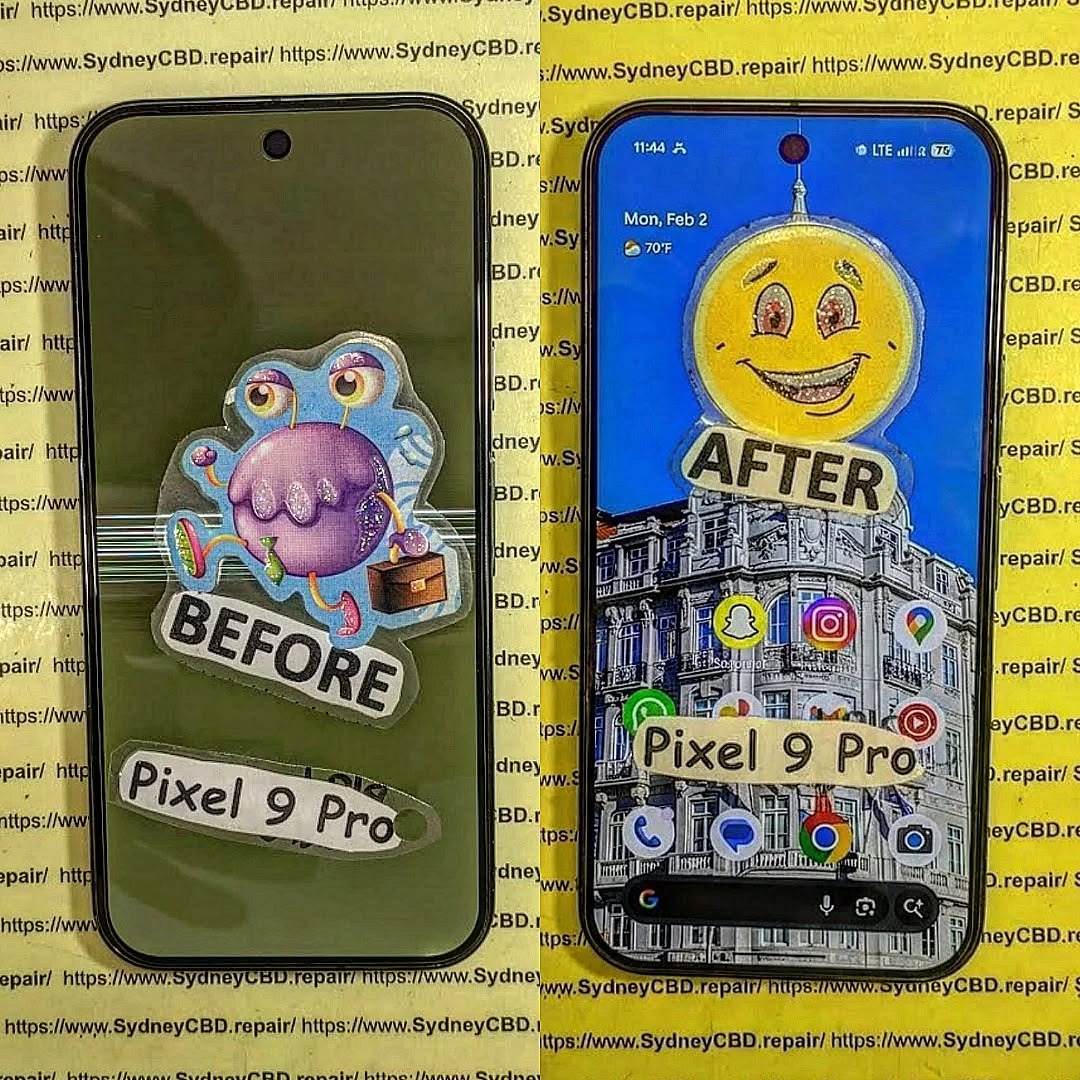
The Rescue Mission: Recovering Data From a Completely Snapped Google Pixel 9 Pro + 7 Proven Recovery Techniques
Introduction
Smartphones today hold the most valuable pieces of our digital lives. From irreplaceable family photos to essential work files, nearly everything we rely on daily is stored inside these compact devices. So when a phone suffers catastrophic damage—especially something as dramatic as being snapped in half—it can feel like a total disaster. For owners of the Google Pixel 9 Pro, such an accident raises one urgent question: Is the data still recoverable?
The good news is that modern smartphones are built with surprisingly resilient storage technology. Even when the exterior frame is severely bent or completely broken, the internal memory chip often remains intact. That means recovering data from a completely snapped Google Pixel 9 Pro is not only possible in many cases, but it’s something professional technicians handle regularly using specialized tools and recovery techniques.
However, successful data recovery depends heavily on the steps taken immediately after the damage occurs. Improper handling—such as repeatedly trying to power the device on, attempting DIY repairs, or charging a compromised phone—can worsen the internal damage and make recovery more difficult. Acting carefully and understanding the right recovery options can dramatically increase the chances of saving your photos, messages, contacts, and other important files.
In this article, we’ll explore how experts approach recovering data from a completely snapped Google Pixel 9 Pro, what technologies make recovery possible, and the advanced techniques used by professional repair labs. We’ll also discuss preventative measures that can protect your data in the future so that even if your device suffers severe physical damage, your information remains safe.
Whether you’re dealing with a broken phone right now or simply want to understand how data recovery works, this guide will walk you through the entire rescue mission step by step.
Smartphones hold the most important pieces of modern life. Photos, contacts, messages, work documents, banking apps—everything sits inside a device that fits in your pocket. So when a phone snaps in half, panic usually follows.
Yet surprisingly, catastrophic physical damage does not always mean permanent data loss. In fact, Recovering Data From a Completely Snapped Google Pixel 9 Pro is often possible when the correct recovery techniques are applied.
Modern devices store information in highly durable flash memory chips. Even when the frame breaks or the screen shatters, the internal storage may still function perfectly.
This article explores exactly how technicians perform Recovering Data From a Completely Snapped Google Pixel 9 Pro, what tools they use, and how you can improve your chances of saving valuable files.
Cloud backups are often the fastest way to retrieve important information.
Tools Used in Professional Data Recovery Labs
Recovering data from severely damaged phones requires advanced laboratory equipment.
These tools allow technicians to safely access microscopic components.
Microsoldering Stations
Microsoldering tools operate under high magnification.
They include:
Precision soldering irons
Hot air rework stations
Stereo microscopes
These tools allow technicians to rebuild damaged circuits safely.
Data Recovery Software
Professional labs also rely on specialized software.
These tools can:
Reconstruct damaged file systems
Extract hidden partitions
Recover deleted files
Such software analyzes raw memory structures and rebuilds usable files.
Diagnostic Platforms
Diagnostic tools help identify hardware faults.
These systems test:
Power lines
Circuit continuity
Storage chip integrity
With accurate diagnostics, technicians can determine the best strategy for Recovering Data From a Completely Snapped Google Pixel 9 Pro.
Preventing Data Loss in the Future
While recovery is often possible, prevention remains the best strategy.
Smartphone users should adopt habits that protect both devices and data.
Cloud Backup Setup
Automatic backups provide the simplest protection.
Enable:
Photo backups
Contact synchronization
App data backups
Most modern phones can perform daily backups automatically.
Physical Protection
Many catastrophic breaks happen because phones lack protection.
Consider using:
Shock-absorbing cases
Screen protectors
Reinforced frames
Even small protective upgrades can prevent structural damage.
Routine Data Maintenance
Regular digital maintenance also helps.
Best practices include:
Exporting important files monthly
Backing up work documents
Keeping multiple storage copies
These habits reduce dependence on a single device.
Frequently Asked Questions
1. Can data really be recovered from a snapped phone?
Yes. As long as the internal storage chip remains intact, technicians can often perform Recovering Data From a Completely Snapped Google Pixel 9 Pro successfully.
2. How long does the recovery process take?
Basic recoveries may take a few hours. Complex chip-level extractions can take several days.
3. Is the phone repairable after recovery?
Sometimes yes, but in many cases the phone becomes a donor device after data extraction.
4. Will all data be recovered?
Recovery success depends on the condition of the storage chip. If it is undamaged, recovery rates are very high.
5. Is data recovery expensive?
Costs vary depending on damage severity and required techniques.
6. Should I try to repair the phone myself?
DIY repair attempts often reduce recovery success. Professional diagnostics are strongly recommended.
Conclusion
A completely snapped smartphone looks catastrophic, but appearances can be deceiving. Internal storage chips are remarkably durable, and modern recovery techniques allow specialists to retrieve valuable data from devices that seem completely destroyed.
Through board-level repair, chip extraction, and cloud recovery, Recovering Data From a Completely Snapped Google Pixel 9 Pro is often achievable.
The key is acting quickly, avoiding DIY damage, and relying on experienced technicians equipped with professional tools.
Even when the phone itself cannot be saved, your memories, photos, and important documents often can be.
David from Sydney CBD Repair Centre – The Best place to fix mobile phones as 7 Years In A Row! Top Mobile Phone Repair In Sydney. More than 2000 Positive Reviews on Google and Same Day Repairs.
We take pride in delivering exceptional repair services for all major phone brands including Apple, Samsung, Google, and more. Our expert technicians use only genuine parts and offer 90days warranty on repairs. Located in the heart of Sydney CBD, we’re your one-stop solution for all mobile device repairs.
Our commitment to excellence has earned us the trust of thousands of satisfied customers. Whether it’s a cracked screen, battery replacement, or water damage repair, we handle it all with professional care and expertise. Walk in today and experience why we’re Sydney’s #1 choice for mobile phone repairs.
Visit us for:
✓ Same Day Express Repairs
✓ Genuine Parts Guarantee
✓ Professional Technicians
✓ Competitive Pricing
✓ 2000+ 5-Star Google Reviews
✓ 7-Time Award Winner for Best Phone Repairs
Smartphones hold the most important pieces of modern life. Photos, contacts, messages, work documents, banking apps—everything sits inside a device that fits in your pocket. So when a phone snaps in half, panic usually follows.
Yet surprisingly, catastrophic physical damage does not always mean permanent data loss. In fact, Recovering Data From a Completely Snapped Google Pixel 9 Pro is often possible when the correct recovery techniques are applied.
Modern devices store information in highly durable flash memory chips. Even when the frame breaks or the screen shatters, the internal storage may still function perfectly.
This article explores exactly how technicians perform Recovering Data From a Completely Snapped Google Pixel 9 Pro, what tools they use, and how you can improve your chances of saving valuable files.
Understanding Catastrophic Smartphone Damage
When a smartphone snaps, most people assume the internal electronics are destroyed. However, the situation is usually more complicated.
Phones are built in layers:
External frame
Display assembly
Battery system
Motherboard
Storage chips
A phone can break structurally while the storage component remains untouched.
Types of Structural Damage in Modern Smartphones
A completely snapped phone typically falls into one of these categories:
1. Frame Break
The aluminum or composite frame cracks, often from bending pressure.
2. Display Separation
The screen disconnects from the main board.
3. Battery Displacement
Internal pressure causes the battery to detach.
4. Motherboard Stress
In severe cases, the board cracks partially.
Not every break destroys the storage chip. In many cases, Recovering Data From a Completely Snapped Google Pixel 9 Pro remains achievable.
Why Data Often Survives Physical Destruction
Flash memory used in smartphones is surprisingly resilient. These chips are designed to survive:
Heat
Power fluctuations
Minor physical stress
Unless the storage chip itself is cracked, technicians can often retrieve files even when the phone body looks beyond repair.
In other words, a snapped phone does not automatically equal lost memories.
Initial Steps After a Phone Snaps
What you do immediately after the accident greatly affects recovery success.
Taking the wrong step can permanently damage components that would otherwise survive.
Powering Down Safely
If the phone still has power:
Turn it off immediately.
Avoid charging it.
Do not press the power button repeatedly.
Electrical shorts often happen when damaged components continue receiving power.
Turning off the device protects the motherboard and improves the chances of Recovering Data From a Completely Snapped Google Pixel 9 Pro.
Avoiding DIY Mistakes
Many people attempt quick fixes like:
Bending the phone back into shape
Taping the screen together
Charging the phone repeatedly
Opening the device without tools
These actions can destroy delicate circuits.
Instead:
Store the device in a dry place
Avoid pressure
Seek professional diagnostics
Remember: preservation comes before repair.
Professional Techniques for Recovering Data From a Completely Snapped Google Pixel 9 Pro
Professional repair labs follow a structured process when performing Recovering Data From a Completely Snapped Google Pixel 9 Pro.
The process usually includes diagnosis, temporary reconstruction, and data extraction.
Board-Level Repair
If the motherboard is partially cracked, technicians may perform micro-soldering.
This involves:
Rebuilding broken circuit traces
Reinforcing connectors
Restoring power pathways
Under a microscope, technicians repair tiny connections thinner than a human hair.
Once the board powers up, data extraction becomes possible.
Temporary Screen Reconstruction
Sometimes the screen is shattered but the motherboard works.
Technicians temporarily connect:
A test display
Touch interface
Diagnostic board
This allows the phone to boot and unlock.
After unlocking, files can be transferred using USB or secure extraction tools.
Data Extraction via USB Debugging
When the phone boots successfully, technicians enable developer access and use specialized tools to transfer data.
Typical files recovered include:
Photos
Videos
Contacts
Messages
Documents
App data
This is often the simplest method for Recovering Data From a Completely Snapped Google Pixel 9 Pro when the internal storage remains intact.
Advanced Data Recovery Methods
When the motherboard cannot boot, specialists move to deeper recovery techniques.
These require highly specialized equipment.
NAND Chip-Level Data Extraction
The NAND chip stores the device’s data.
Technicians may remove this chip and connect it to professional readers.
Steps include:
Removing the chip using hot air tools
Cleaning solder contacts
Attaching the chip to a reader board
Extracting raw data
This process can recover files even when the motherboard is completely unusable.
However, encryption and software limitations sometimes make this method complex.
Using Android Recovery Systems
Android devices often store partial backups internally.
Technicians may access recovery partitions and retrieve:
System backups
Cache files
Temporary storage
These backups sometimes contain surprisingly large amounts of user data.
Cloud Synchronization Recovery
Sometimes the easiest recovery method requires no hardware repair at all.
Many phones automatically sync data to cloud accounts.
Possible recovered items include:
Photos
Contacts
Messages
Notes
App data
Users can check backups through their account dashboard or by visiting:
Cloud backups are often the fastest way to retrieve important information.
Tools Used in Professional Data Recovery Labs
Recovering data from severely damaged phones requires advanced laboratory equipment.
These tools allow technicians to safely access microscopic components.
Microsoldering Stations
Microsoldering tools operate under high magnification.
They include:
Precision soldering irons
Hot air rework stations
Stereo microscopes
These tools allow technicians to rebuild damaged circuits safely.
Data Recovery Software
Professional labs also rely on specialized software.
These tools can:
Reconstruct damaged file systems
Extract hidden partitions
Recover deleted files
Such software analyzes raw memory structures and rebuilds usable files.
Diagnostic Platforms
Diagnostic tools help identify hardware faults.
These systems test:
Power lines
Circuit continuity
Storage chip integrity
With accurate diagnostics, technicians can determine the best strategy for Recovering Data From a Completely Snapped Google Pixel 9 Pro.
Preventing Data Loss in the Future
While recovery is often possible, prevention remains the best strategy.
Smartphone users should adopt habits that protect both devices and data.
Cloud Backup Setup
Automatic backups provide the simplest protection.
Enable:
Photo backups
Contact synchronization
App data backups
Most modern phones can perform daily backups automatically.
Physical Protection
Many catastrophic breaks happen because phones lack protection.
Consider using:
Shock-absorbing cases
Screen protectors
Reinforced frames
Even small protective upgrades can prevent structural damage.
Routine Data Maintenance
Regular digital maintenance also helps.
Best practices include:
Exporting important files monthly
Backing up work documents
Keeping multiple storage copies
These habits reduce dependence on a single device.
Frequently Asked Questions
1. Can data really be recovered from a snapped phone?
Yes. As long as the internal storage chip remains intact, technicians can often perform Recovering Data From a Completely Snapped Google Pixel 9 Pro successfully.
2. How long does the recovery process take?
Basic recoveries may take a few hours. Complex chip-level extractions can take several days.
3. Is the phone repairable after recovery?
Sometimes yes, but in many cases the phone becomes a donor device after data extraction.
4. Will all data be recovered?
Recovery success depends on the condition of the storage chip. If it is undamaged, recovery rates are very high.
5. Is data recovery expensive?
Costs vary depending on damage severity and required techniques.
6. Should I try to repair the phone myself?
DIY repair attempts often reduce recovery success. Professional diagnostics are strongly recommended.
Conclusion
A completely snapped smartphone looks catastrophic, but appearances can be deceiving. Internal storage chips are remarkably durable, and modern recovery techniques allow specialists to retrieve valuable data from devices that seem completely destroyed.
Through board-level repair, chip extraction, and cloud recovery, Recovering Data From a Completely Snapped Google Pixel 9 Pro is often achievable.
The key is acting quickly, avoiding DIY damage, and relying on experienced technicians equipped with professional tools.
Even when the phone itself cannot be saved, your memories, photos, and important documents often can be.
David from Sydney CBD Repair Centre – The Best place to fix mobile phones as 7 Years In A Row! Top Mobile Phone Repair In Sydney. More than 2000 Positive Reviews on Google and Same Day Repairs.
We take pride in delivering exceptional repair services for all major phone brands including Apple, Samsung, Google, and more. Our expert technicians use only genuine parts and offer 90days warranty on repairs. Located in the heart of Sydney CBD, we’re your one-stop solution for all mobile device repairs.
Our commitment to excellence has earned us the trust of thousands of satisfied customers. Whether it’s a cracked screen, battery replacement, or water damage repair, we handle it all with professional care and expertise. Walk in today and experience why we’re Sydney’s #1 choice for mobile phone repairs.
Visit us for:
✓ Same Day Express Repairs
✓ Genuine Parts Guarantee
✓ Professional Technicians
✓ Competitive Pricing
✓ 2000+ 5-Star Google Reviews
✓ 7-Time Award Winner for Best Phone Repairs
Recovering Data From A Smashed Pixel 10 Pro XL 101
Introduction
Dropping your smartphone can feel like a disaster, especially when the display is shattered and the phone no longer responds properly. For many users, the biggest concern isn’t the physical damage itself. Instead, it’s the fear of losing precious memories, work files, contacts, and important personal information. Fortunately, recovering data from a smashed Pixel 10 Pro XL is often possible if you act quickly and carefully.
The Google Pixel 10 Pro XL is one of Google’s most advanced smartphones, featuring premium cameras, AI-powered features, and high-speed performance. However, like all smartphones, it’s still vulnerable to accidental drops, water exposure, and impact damage. A smashed display may look catastrophic, but your internal storage often remains intact.
In many cases, your data can still be recovered through cloud backups, USB connections, display mirroring, or professional repair techniques. The key is understanding which recovery method fits your situation. Some methods are simple and safe enough to try at home, while others require the expertise of trained technicians.
According to Google Support, Android devices automatically back up many important files if cloud syncing is enabled. That means there’s a good chance your contacts, photos, and settings are already stored safely online.
In this detailed guide, we’ll explain everything you need to know about recovering data from a smashed Pixel 10 Pro XL. We’ll cover DIY methods, professional recovery options, common mistakes to avoid, and the smartest ways to protect your data in the future.
A cracked screen doesn’t always mean your phone’s data is gone. In fact, most smartphone data is stored on internal memory chips that are separate from the display assembly. That’s good news for users trying to recover valuable information.
There are generally three levels of damage:
Minor Screen Damage
This includes:
Hairline cracks
Small impact points
Partial touchscreen failure
In these situations, the phone usually still functions normally. Recovering data from a smashed Pixel 10 Pro XL with minor damage is often very easy.
Moderate Damage
This may involve:
Black spots on display
Flickering screens
Touch input failure
Random shutdowns
The internal storage may still work perfectly, but accessing the device becomes more challenging.
Severe Damage
Severe damage can include:
Completely black display
Bent frame
Motherboard damage
Water exposure
At this stage, professional recovery services may be necessary.
Interestingly, many people assume a black screen means their files are erased. That’s usually not true. The OLED display and touchscreen are separate from the memory chips where your photos and documents are stored.
Smartphones face everyday risks, and even premium devices aren’t indestructible. Here are the most common reasons users need help recovering data from a smashed Pixel 10 Pro XL.
Accidental Drops
This remains the leading cause of phone damage worldwide. Even a short fall onto concrete can destroy an OLED panel.
Water Damage
Although the Pixel series has water resistance, prolonged exposure can still damage internal components.
Pressure Damage
Sitting on a phone or carrying it in a tight pocket can crack the screen internally.
Vehicle Accidents
Phones damaged in car accidents often suffer extreme impact damage.
Battery Swelling
A swollen battery can internally crack the screen or disconnect components.
Each type of damage affects recovery possibilities differently. That’s why proper diagnosis matters before attempting repairs.
First Steps To Take After Your Phone Is Smashed
When panic sets in, many users make mistakes that worsen the damage. Taking the right first steps greatly improves the chances of recovering data from a smashed Pixel 10 Pro XL.
Step 1: Don’t Force Restart Repeatedly
Constant reboot attempts can worsen motherboard issues.
Step 2: Avoid Cheap Charging Cables
Using unreliable chargers may create electrical problems.
Step 3: Check For Signs Of Life
Look for:
Vibrations
Notification sounds
Charging indicators
Heat generation
These clues help determine whether the phone is still operational internally.
Step 4: Remove The SIM Card
Your SIM card contains useful contact and carrier information.
Step 5: Try A Trusted Computer Connection
Connect the device using an official USB cable. Sometimes the phone still appears as a storage device even with a dead display.
Can You Recover Data From A Completely Dead Pixel 10 Pro XL?
Yes, sometimes you can. However, success depends on which internal components survived the damage.
If The Motherboard Still Works
Data recovery is highly likely.
If Only The Screen Is Damaged
Recovery is usually straightforward after temporary display replacement.
If The Storage Chip Is Damaged
Recovery becomes extremely difficult and expensive.
Professional technicians often perform temporary screen installations specifically for recovering data from a smashed Pixel 10 Pro XL. This allows users to unlock the phone and back up files before permanent repairs are completed.
Using Google Cloud Backup For Recovery
Cloud backups are one of the easiest solutions.
What Google Backup Can Restore
Your Google account may already contain:
Photos
Contacts
SMS messages
App data
Calendar entries
Wi-Fi passwords
To check:
Log into your Google account
Visit Google Drive
Open backup settings
You may discover your information is already safe.
Google Photos Recovery
Google Photos automatically uploads images when backup is enabled.
That means even a completely destroyed phone may still have recoverable photos online.
Gmail And Contacts
Most Android users sync contacts automatically through Gmail accounts.
Recovering Photos and Videos
Photos are usually the most emotionally valuable files on a smartphone.
Method 1: Google Photos
This is the fastest option if syncing was enabled.
Method 2: USB File Transfer
If the touchscreen still partially works:
Unlock the phone
Connect via USB
Enable file transfer mode
You can then manually copy media files.
Method 3: OTG Mouse Adapter
A USB-C OTG adapter lets you connect a mouse to the phone. This helps when the touchscreen no longer responds.
Method 4: Professional Extraction
Technicians can temporarily replace damaged components to access media files.
Recovering data from a smashed Pixel 10 Pro XL becomes much easier when the device still powers on.
Accessing Contacts, Messages, and Apps
Contacts and messages often sync automatically, but not always.
Contacts
Check:
Google Contacts
SIM card storage
Third-party backup apps
SMS Messages
Some apps back up messages automatically, including:
Google One
SMS Backup & Restore
App Data
Certain apps store information locally only. Banking apps, for example, may require re-authentication.
Using USB Debugging and File Transfer
USB debugging is one of the most effective recovery tools.
What Is USB Debugging?
It allows advanced communication between your phone and a computer.
Important Limitation
USB debugging must usually be enabled before the damage occurs.
If enabled, recovering data from a smashed Pixel 10 Pro XL becomes much easier using Android debugging tools.
Common Recovery Software
Some tools include:
Android File Transfer
ADB tools
Recovery management software
However, users should avoid suspicious recovery programs that may compromise privacy.
Recovering Data Through External Display Methods
Some smartphones support external display output through USB-C.
Using A USB-C Hub
You may connect:
HDMI monitor
Keyboard
Mouse
This setup allows you to unlock the phone even if the screen is completely black.
Screen Mirroring Solutions
Certain Android devices support casting to smart TVs or computers.
Benefits Of External Display Recovery
No data loss
Fast backup process
Safer than opening the phone
Professional repair shops frequently use this method when recovering data from a smashed Pixel 10 Pro XL.
Professional Data Recovery Services Explained
Sometimes DIY methods simply aren’t enough.
What Professionals Can Do
Repair specialists may:
Replace temporary screens
Repair motherboard connections
Extract storage data
Rebuild damaged circuits
Why Experience Matters
Modern smartphones use encrypted storage systems. Improper handling can permanently destroy recoverable files.
Signs You Need Professional Help
Seek expert assistance if:
The phone won’t power on
Water damage is involved
The device overheats
The motherboard is bent
Professional recovery services often succeed where home attempts fail.
DIY Recovery Risks You Should Know
Trying to save money can sometimes make things worse.
Common DIY Mistakes
Using Cheap Parts
Low-quality screens may short-circuit the motherboard.
Opening The Phone Incorrectly
Modern phones contain delicate flex cables and adhesive seals.
Ignoring Water Damage
Turning on a wet device can destroy internal circuits instantly.
Downloading Unsafe Software
Some fake recovery tools steal personal information.
When recovering data from a smashed Pixel 10 Pro XL, patience and caution are essential.
Using quality components helps preserve device stability after repair.
Data Security Matters
Trusted repair centres protect customer privacy during data recovery procedures.
That’s especially important when recovering data from a smashed Pixel 10 Pro XL containing personal or business files.
Choosing The Right Repair Centre
Not every repair shop specializes in advanced recovery work.
Look For These Qualities
Feature
Why It Matters
Experienced Technicians
Better recovery success
Genuine Parts
Improved reliability
Warranty Coverage
Added customer protection
Positive Reviews
Proven customer trust
Transparent Pricing
No hidden fees
Questions To Ask
Can they perform data recovery?
Do they use genuine parts?
Is data privacy protected?
What warranty is included?
Choosing the right technicians can make all the difference.
Frequently Asked Questions
Can I recover data if my Pixel 10 Pro XL screen is black?
Yes. If the motherboard still functions, data recovery is often possible through temporary display replacement or external display methods.
Will repairing the screen erase my data?
Standard screen replacement usually does not erase data. However, severe motherboard repairs may involve risks.
How long does data recovery take?
Simple recoveries may take under an hour, while severe cases can require several days.
Can water damage destroy my files permanently?
Yes, especially if corrosion reaches the storage chip or motherboard circuits.
Is cloud backup enough protection?
Cloud backup is extremely helpful, but combining cloud and local backups offers better security.
Should I attempt DIY recovery?
Minor issues may be manageable, but severe damage should be handled professionally.
Does factory reset remove recoverable data?
A factory reset can permanently erase files, so avoid resetting damaged phones before attempting recovery.
Conclusion
Recovering data from a smashed Pixel 10 Pro XL may seem overwhelming at first, but there are often more recovery options available than people realize. Even when the display is completely destroyed, your internal storage may still contain all your important files safely intact.
The smartest approach is staying calm, avoiding risky DIY mistakes, and identifying the true extent of the damage before taking action. Cloud backups, USB connections, OTG adapters, external displays, and professional repair services all provide possible pathways toward successful data recovery.
Most importantly, prevention remains the best strategy. Regular backups, quality protective accessories, and professional repairs dramatically reduce the chances of permanent data loss.
If your device has already suffered serious damage, acting quickly improves recovery success rates. The sooner qualified technicians inspect the phone, the better the chances of saving your precious data.
David from Sydney CBD Repair Centre – The Best place to fix mobile phones as 7 Years In A Row! Top Mobile Phone Repair In Sydney. More than 2000 Positive Reviews on Google and Same Day Repairs.
We take pride in delivering exceptional repair services for all major phone brands including Apple, Samsung, Google, and more. Our expert technicians use only genuine parts and offer 90days warranty on repairs. Located in the heart of Sydney CBD, we’re your one-stop solution for all mobile device repairs.
Our commitment to excellence has earned us the trust of thousands of satisfied customers. Whether it’s a cracked screen, battery replacement, or water damage repair, we handle it all with professional care and expertise. Walk in today and experience why we’re Sydney’s #1 choice for mobile phone repairs.
Visit us for:
✓ Same Day Express Repairs
✓ Genuine Parts Guarantee
✓ Professional Technicians
✓ Competitive Pricing
✓ 2000+ 5-Star Google Reviews
✓ 7-Time Award Winner for Best Phone Repairs