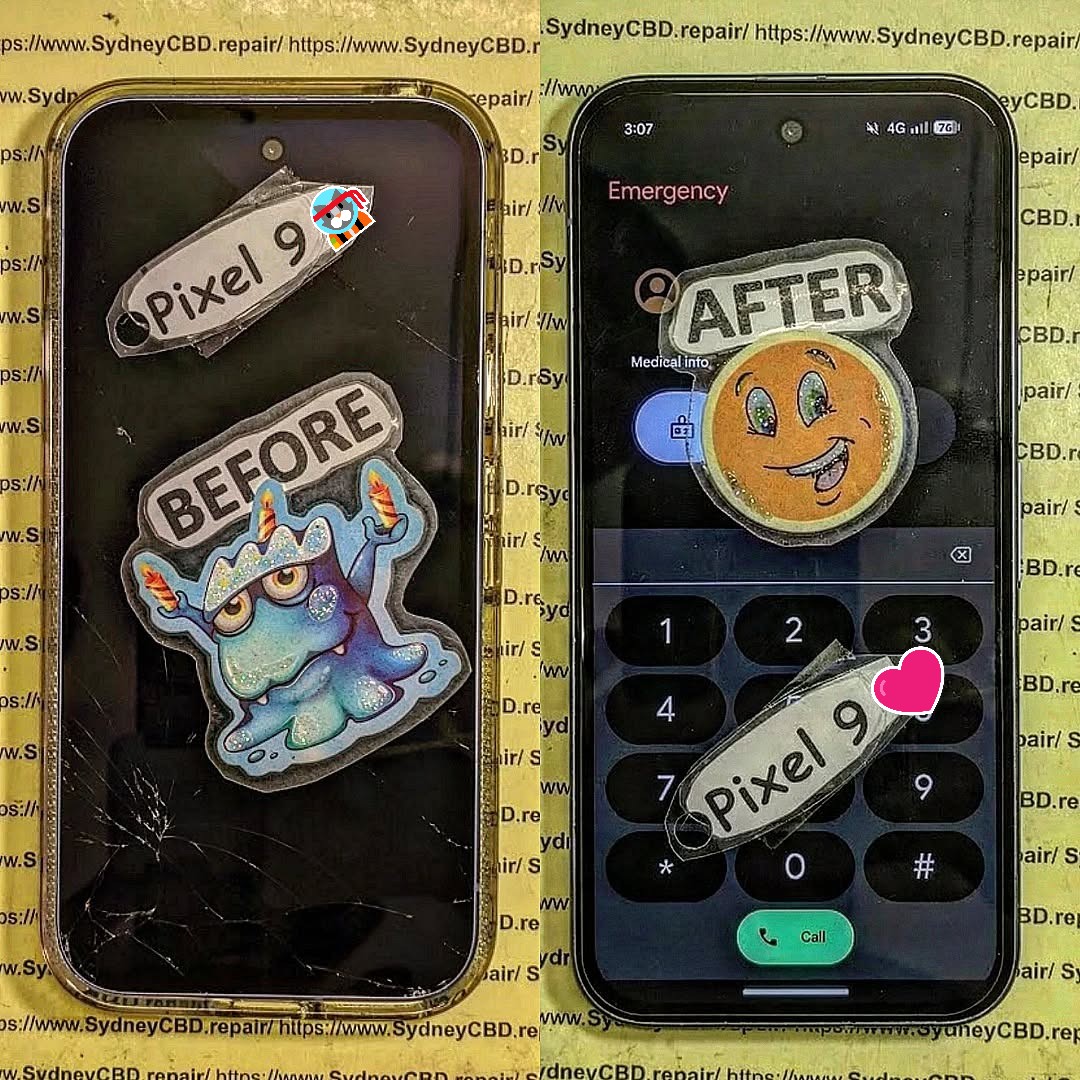
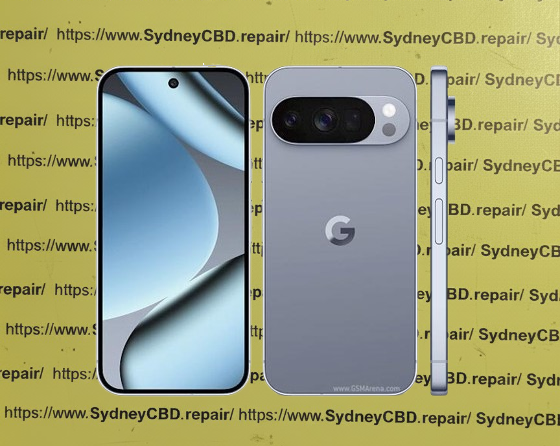
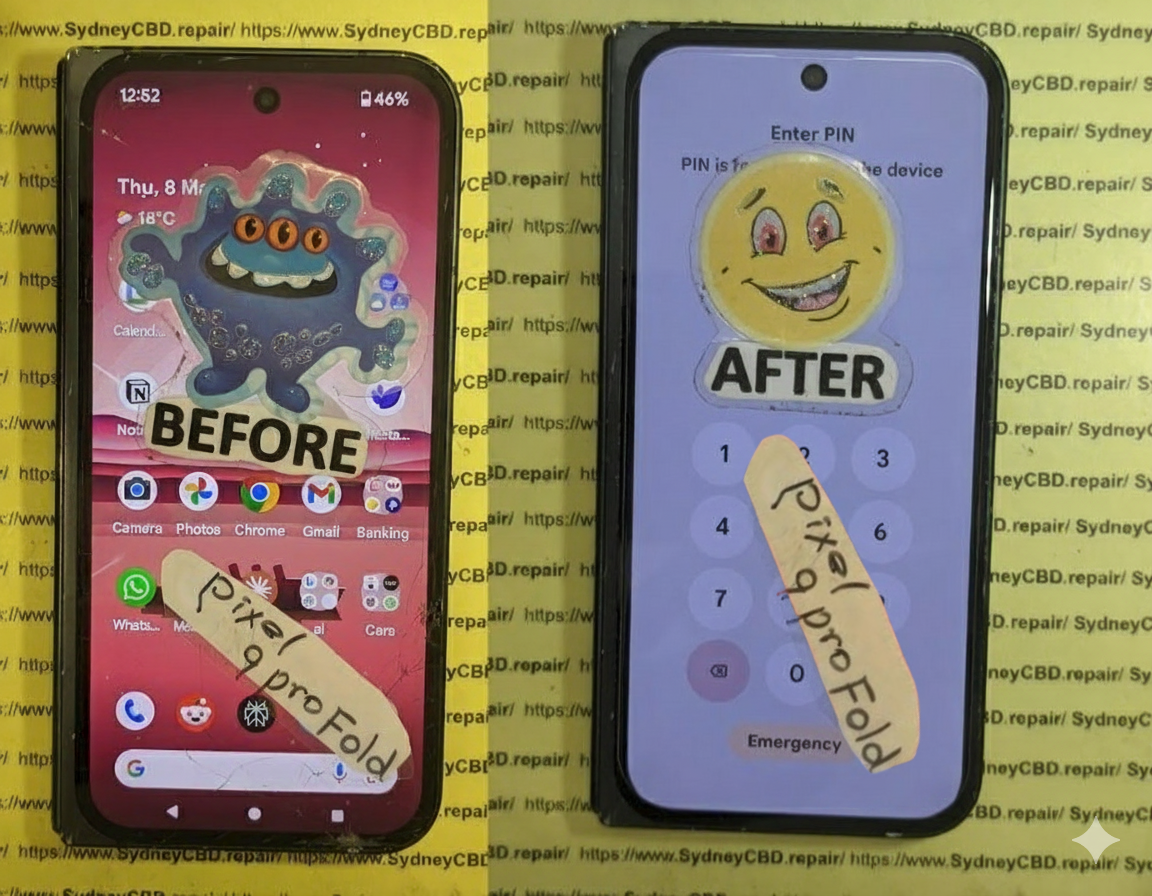
Process of Fixing a Google Pixel 9 Pro Fold XL With a Mystery Inner Screen Failure: 10 Proven Solutions
Introduction: Understanding the Inner Screen Failure Issue
Foldable smartphones like the Google Pixel 9 Pro Fold XL bring cutting-edge innovation to the mobile world. However, with innovation comes new challenges. One such challenge is the mysterious inner screen failure that users sometimes experience. This issue often manifests as flickering, unresponsive areas, ghost touch, or complete black screens on the inner display while the outer display may appear normal.
Understanding the causes and potential fixes is critical for anyone looking to restore their device without causing further damage. In this guide, we’ll explore the root causes, diagnostic methods, DIY fixes, professional repair options, and preventive measures to ensure your Pixel 9 Pro Fold XL remains in peak condition.
The foldable design inherently introduces a hinge and flexible display, making the inner screen more susceptible to stress. Even minor drops, bending, or pressure can compromise the delicate OLED layers beneath the protective glass.
Pressure Points: Frequent folding can create localized stress, leading to pixel failures or dark spots.
Cracks: Even invisible micro-cracks can disrupt circuitry, causing touch or display issues.
Software Glitches Affecting Display
Sometimes, the issue is not hardware-related. Software glitches or outdated firmware can trigger screen malfunctions. Examples include:
Frozen apps or processes that prevent touch input.
Firmware bugs affecting adaptive brightness or display calibration.
Third-party apps causing display conflicts.
Manufacturing Defects in the Pixel 9 Pro Fold XL
Despite rigorous quality control, some devices may have factory defects:
Faulty display connectors or flex cables.
Misalignment of the hinge affecting screen integrity.
Substandard soldering or screen bonding.
Understanding whether the problem is hardware or software is crucial before attempting any repairs.
A careful visual check can reveal clues about the screen’s condition:
Look for cracks, scratches, or separation along the fold line.
Check for discoloration, flickering, or ghost touches.
Inspect the hinge for abnormal tension or misalignment.
Running Built-in Pixel Diagnostic Tools
Google provides diagnostic tools that can help isolate display problems:
Access the Pixel’s Hidden Diagnostics Menu by dialing *#*#4636#*#*.
Run screen tests to detect dead zones or pixel failures.
Using Third-Party Screen Testing Apps
Apps such as Display Tester or Dead Pixel Detect can help identify:
Dead pixels.
Color inaccuracies.
Touch responsiveness across the entire screen.
These tests confirm whether the issue is software or hardware-based.
Step-by-Step DIY Fixes for the Inner Screen
Restarting and Soft Reset Techniques
Often, a simple restart can resolve minor glitches:
Press and hold the Power + Volume Down buttons for 10–15 seconds.
Release when the Google logo appears.
Test the inner screen for improvement.
Factory Reset as a Last Resort
If software conflicts persist, a factory reset may help:
Backup all important data to Google Drive.
Navigate to Settings > System > Reset options > Erase all data.
Confirm and allow the device to restart.
Caution: This erases all user data; ensure backups are complete.
Updating Firmware and Software Patches
Keeping your device updated can fix display bugs:
Go to Settings > System > System update.
Download and install any pending updates.
Reboot and test the screen again.
When to Seek Professional Help
Certified Repair Centers vs Local Technicians
If the screen remains unresponsive, it may require professional intervention:
Certified Google repair centers use original replacement parts and maintain warranty integrity.
Local technicians may offer cheaper repairs but risk using substandard components.
Cost Considerations for Inner Screen Replacement
Replacing a foldable screen is expensive, ranging between $600–$1000 depending on parts and labor. Always weigh the cost against device age and warranty status.
Understanding Pixel 9 Pro Fold XL Replacement Parts
Original vs Third-Party Screen Panels
Original OEM panels ensure optimal color, touch sensitivity, and longevity.
Third-party screens may save money but risk reduced performance and warranty voiding.
Warranty and Quality Considerations
Using non-OEM parts can void manufacturer warranty.
Certified centers often provide a 90-day guarantee for replaced screens.
Tools and Equipment Needed for Repair
Precision Screwdrivers and Pry Tools
Necessary for opening the device without damaging delicate internal components.
Anti-Static Mats and ESD Protection
Prevents electrostatic discharge from damaging sensitive circuitry during repairs.
Preventive Measures to Avoid Future Screen Failures
Proper Handling and Storage Tips
Avoid excessive bending or pressure on the hinge.
Store the device in upright or flat positions, not folded under weight.
Protective Cases and Screen Protectors
Use foldable-compatible cases to reduce stress on the hinge.
Tempered glass protectors can prevent scratches and minor cracks.
Advanced Troubleshooting Techniques
Connecting to External Display for Diagnostics
Use USB-C to HDMI adapters to confirm device functionality.
If external display works but the inner screen doesn’t, hardware repair is confirmed.
Hardware Component Testing and Multimeter Use
Test flex cables and connectors for continuity.
Identify voltage inconsistencies that may indicate faulty screen modules.
FAQs About Google Pixel 9 Pro Fold XL Screen Issues
Q1: How long does it take to repair the inner screen?
A1: Professional repair typically takes 2–4 hours, depending on availability of parts.
Q2: Will DIY repair void my warranty?
A2: Yes, opening the device or using non-OEM parts may void your warranty.
Q3: Can software updates fix unresponsive touch?
A3: Minor glitches may resolve with updates, but persistent black screens often require hardware replacement.
Q4: Are foldable screens more fragile than standard displays?
A4: Yes, the flexible OLED is more sensitive to pressure, bending, and micro-cracks.
Q5: How can I prevent hinge-related screen issues?
A5: Avoid applying force on the hinge and use cases designed for foldable devices.
Q6: Are third-party replacement screens reliable?
A6: They may work temporarily but often lack full touch sensitivity, color accuracy, and longevity compared to OEM parts.
Conclusion: Restoring Your Pixel 9 Pro Fold XL Safely
Fixing a Google Pixel 9 Pro Fold XL with a mysterious inner screen failure can be challenging but achievable with the right knowledge. From software fixes to professional replacement, understanding the causes, diagnostics, and preventive measures is key to prolonging your device’s life. Always consider OEM parts, certified repair centers, and careful handling to ensure your foldable smartphone performs at its best.
External Resource: For more information on foldable smartphone care, visit Google Support.
David from Sydney CBD Repair Centre – The Best place to fix mobile phones as 7 Years In A Row! Top Mobile Phone Repair In Sydney. More than 2000 Positive Reviews on Google and Same Day Repairs.
We take pride in delivering exceptional repair services for all major phone brands including Apple, Samsung, Google, and more. Our expert technicians use only genuine parts and offer 90days warranty on repairs. Located in the heart of Sydney CBD, we’re your one-stop solution for all mobile device repairs.
Our commitment to excellence has earned us the trust of thousands of satisfied customers. Whether it’s a cracked screen, battery replacement, or water damage repair, we handle it all with professional care and expertise. Walk in today and experience why we’re Sydney’s #1 choice for mobile phone repairs.
Visit us for:
✓ Same Day Express Repairs
✓ Genuine Parts Guarantee
✓ Professional Technicians
✓ Competitive Pricing
✓ 2000+ 5-Star Google Reviews
✓ 7-Time Award Winner for Best Phone Repairs
Mail-In Makeover: Resurrecting a Near-Dead Google Pixel Fold + 7 Essential Steps
Introduction
In the fast-paced world of mobile technology, the Google Pixel Fold stands out as a cutting-edge marvel. Combining the power of a flagship smartphone with a flexible, foldable display, it promises users a unique and immersive experience. However, this innovative design comes with its own set of challenges. From delicate hinges to ultra-thin screens, even minor mishaps can render the device seemingly lifeless.
This is where mail-in repair services come into play. Instead of scrambling to find a local technician or attempting risky DIY fixes, a professional mail-in repair can bring your near-dead Google Pixel Fold back to life with precision and care. In this comprehensive guide, we’ll walk you through every step of the mail-in repair process—from identifying issues and choosing a trusted repair center to the final quality checks—so you can restore your device efficiently and safely.
Whether your Pixel Fold suffers from battery degradation, screen failure, or software glitches, this article will provide expert insights, practical tips, and real-life success stories to ensure your device functions like new again. By the end, you’ll not only understand how to revive your Pixel Fold but also how to maintain it for long-term durability.
The Google Pixel Fold is a marvel of modern mobile engineering. It combines a flagship-level performance with a flexible, foldable display. But as innovative as it is, this device comes with inherent fragility. The folding mechanism, delicate hinge, and ultra-thin OLED display make it prone to certain types of damage. Unlike conventional phones, a Pixel Fold needs extra care, and even a minor drop can lead to catastrophic failure.
Despite careful usage, a Google Pixel Fold can encounter several failure points.
Battery Degradation
Battery health is one of the most overlooked aspects of foldable phones. Pixel Fold batteries degrade faster due to dual-screen usage, high refresh rates, and heat generated during heavy tasks. Symptoms include sudden shutdowns, fast battery drain, or the device refusing to power on.
Display Issues
The folding display is both the phone’s greatest innovation and its weakest link. Common issues include:
Creasing along the fold
Unresponsive touch in certain zones
Dead pixels or discoloration
Complete screen failure after accidental drops
Software Glitches
Software problems can also mimic hardware failure. Boot loops, frozen screens, or apps crashing constantly might lead you to think your phone is broken, when in reality, it may be a repairable software issue.
Benefits of Mail-In Repair Services
Mail-in repair services are increasingly popular for foldable devices. Here’s why:
Convenience: No need to travel to a repair shop; the technician comes to you through a secure process.
Expertise: Specialized technicians handle foldable technology, often with years of experience.
Cost-Effectiveness: Avoid expensive emergency repairs by shipping your device for precise diagnostics.
Safety and Warranty Considerations
Always choose a repair service that uses genuine parts and offers warranty coverage. Certified centers, like Sydney CBD Repair Centre, guarantee authenticity and reliability.
Step-by-Step Mail-In Repair Process
Step 1: Assessing the Damage
Before sending your Pixel Fold, perform a basic evaluation. Take photos, note symptoms, and attempt minor software fixes if safe. This ensures technicians can immediately identify the issue.
Step 2: Selecting a Trusted Repair Centre
Check reviews, certifications, and years of experience. A trusted repair service reduces risk of further damage during handling.
Step 3: Packaging and Shipping Your Device
Use protective materials:
Bubble wrap around the device
Hard box to prevent pressure on the fold
Insure the package for full value
Step 4: Diagnostic and Repair
Technicians perform comprehensive diagnostics:
Screen and hinge inspection
Battery performance test
Software integrity check
Water or physical damage assessment
Step 5: Component Replacement
Common replacements:
Folding OLED screen
Battery pack
Hinges and internal connectors
Charging ports
Step 6: Software Restoration and Testing
After hardware replacement:
Update OS to the latest version
Restore apps and data
Perform performance and stress tests
Step 7: Quality Check and Return Shipping
Final steps ensure the phone functions perfectly. After rigorous testing, your device is securely packaged and shipped back to you.
Cost Analysis: Is Mail-In Repair Worth It?
Repair costs vary:
Component
Approximate Cost (USD)
Folding Screen
500-700
Battery
100-150
Hinge/Mechanism
80-120
Software Diagnostics
50-100
Mail-in repairs often save time and prevent additional damage compared to DIY or rushed local repairs.
Real-Life Success Stories
John from Sydney reported a Pixel Fold that wouldn’t power on. After a mail-in repair:
Battery replaced
Screen calibrated
Device returned within 5 days
He described the service as “seamless and professional.”
How to Prevent Future Failures
Use a high-quality case designed for foldables
Avoid overcharging to prolong battery health
Regularly clean the hinge
Keep software updated
Google Pixel Fold vs Competitors: Durability Comparison
Device
Hinge Durability
Screen Longevity
Warranty Options
Google Pixel Fold
Medium
Medium
1-Year
Samsung Galaxy Z Fold
High
Medium-High
1-Year + Care+
Huawei Mate X
Medium
Medium
1-Year
Choosing the Right Insurance or Protection Plan
Consider plans covering:
Accidental drops
Water damage
Hardware failure
Theft and loss
FAQs About Google Pixel Fold Mail-In Repairs
Q1: How long does a mail-in repair take?
A: Typically 5–10 business days depending on damage severity.
Q2: Are my data and apps safe during repair?
A: Reputable centers perform diagnostics without wiping data. Backup is recommended.
Q3: Is mail-in repair more expensive than local repair?
A: Often comparable or slightly higher due to secure shipping, but offers expertise.
Q4: Can all screen issues be repaired?
A: Most hardware and hinge issues can be repaired, but extreme damage may require replacement.
Q5: Do I get a warranty on repaired parts?
A: Yes, certified centers provide 90-day warranty on parts and labor.
Q6: What if my device is water-damaged?
A: Mail-in services have the tools to dry, clean, and replace components, restoring functionality.
Conclusion
Mail-in repair is a lifeline for Google Pixel Fold owners. With expert technicians, genuine parts, and a secure process, even a near-dead device can be resurrected. By understanding the steps, costs, and preventive measures, you can ensure your Pixel Fold remains functional for years.
David from Sydney CBD Repair Centre – The Best place to fix mobile phones as 7 Years In A Row! Top Mobile Phone Repair In Sydney. More than 2000 Positive Reviews on Google and Same Day Repairs.
We take pride in delivering exceptional repair services for all major phone brands including Apple, Samsung, Google, and more. Our expert technicians use only genuine parts and offer 90days warranty on repairs. Located in the heart of Sydney CBD, we’re your one-stop solution for all mobile device repairs.
Our commitment to excellence has earned us the trust of thousands of satisfied customers. Whether it’s a cracked screen, battery replacement, or water damage repair, we handle it all with professional care and expertise. Walk in today and experience why we’re Sydney’s #1 choice for mobile phone repairs.
Visit us for:
✓ Same Day Express Repairs
✓ Genuine Parts Guarantee
✓ Professional Technicians
✓ Competitive Pricing
✓ 2000+ 5-Star Google Reviews
✓ 7-Time Award Winner for Best Phone Repairs
Fixing a Google Pixel 10 Pro With Severe Thermal Damage and Battery Swelling: Ultimate Repair Guide (2026)
Introduction to Thermal Damage in Smartphones
Fixing a Google Pixel 10 Pro with severe thermal damage and battery swelling is no small task. Modern smartphones like the Google Pixel 10 Pro pack immense power into a compact frame, and that naturally generates heat. When this heat isn’t managed properly, it can lead to serious internal damage.
Thermal damage occurs when internal components are exposed to excessive temperatures for extended periods. Over time, this heat degrades circuits, weakens solder joints, and compromises battery integrity. Combine that with battery swelling, and you’ve got a potentially dangerous situation on your hands.
Now, here’s the thing—phones aren’t designed to fail easily. Companies like Google invest heavily in thermal management systems. However, factors like heavy gaming, fast charging, environmental heat, and manufacturing defects can still push devices beyond their limits.
Despite advanced cooling systems, the Pixel 10 Pro can still suffer thermal stress due to:
High-performance processors
Compact internal layout
Aggressive fast-charging technology
When these elements combine, internal temperatures can spike quickly—especially in tropical climates.
Understanding Battery Swelling
Battery swelling is often the most visible sign of internal failure. If you’re fixing a Google Pixel 10 Pro with severe thermal damage and battery swelling, this is the part you absolutely can’t ignore.
Signs of a Swollen Battery
Look out for:
Bulging back cover
Screen lifting from the frame
Reduced battery life
Device overheating even when idle
Difficulty pressing buttons
Risks of Ignoring Battery Swelling
Ignoring a swollen battery can lead to:
Battery rupture
Fire hazards
Permanent motherboard damage
In extreme cases, lithium-ion batteries can become unstable and dangerous.
Initial Assessment Before Repair
Before diving into fixing a Google Pixel 10 Pro with severe thermal damage and battery swelling, proper assessment is critical.
Safety Precautions
Always:
Power off the device
Work in a well-ventilated area
Wear anti-static gloves
Keep a fire-resistant surface nearby
Tools Required
Tool
Purpose
Heat gun
Loosen adhesive
Plastic pry tools
Open device safely
Precision screwdriver set
Remove screws
Isopropyl alcohol
Clean components
Replacement battery
Core repair part
Step-by-Step Disassembly Guide
Removing the Back Cover
Start by gently heating the back panel. Use a suction cup and pry tool to lift it carefully. Don’t rush—this is where many accidental damages occur.
Disconnecting Internal Components
Once open:
Disconnect the battery first
Remove flex cables
Unscrew shielding plates
This ensures safe access to internal components.
Diagnosing Thermal Damage
Fixing a Google Pixel 10 Pro with severe thermal damage and battery swelling requires identifying affected areas.
Inspecting the Motherboard
Check for:
Burn marks
Corroded components
Loose solder joints
Checking the Cooling System
Modern phones use graphite sheets or vapor chambers. If these are damaged, heat won’t dissipate properly.
Battery Replacement Process
Removing the Swollen Battery
Carefully detach adhesive strips. Never puncture the battery—it’s extremely dangerous.
Installing a New Battery
Use original or high-quality replacement
Align properly
Secure with adhesive
Repairing Heat-Damaged Components
Replacing IC Chips
Advanced repairs may involve replacing power ICs using micro-soldering techniques.
Fixing Burnt Connectors
Damaged connectors must be cleaned or replaced to restore functionality.
Reassembly and Testing
Reassemble in reverse order:
Reconnect all cables
Seal the back cover
Power on and test
Check:
Battery performance
Temperature stability
Charging functionality
Preventing Future Thermal Damage
To avoid repeating the issue:
Avoid heavy usage while charging
Use certified chargers
Remove thick cases during gaming
Keep software updated
Cost Analysis: Repair vs Replacement
Option
Cost
Pros
Cons
Repair
Moderate
Saves data
Requires expertise
Replacement
High
Brand new device
Expensive
Professional Repair vs DIY
DIY repairs can save money, but they carry risks. Professional technicians offer:
Warranty
Proper tools
Experience
If you’re unsure, don’t gamble—seek expert help.
FAQs
1. Can a swollen battery fix itself?
No. Once swollen, it must be replaced immediately.
2. Is it safe to use a phone with thermal damage?
Not at all. It can worsen and become hazardous.
3. How long does repair take?
Typically 1–3 hours depending on severity.
4. Can thermal damage affect data?
Yes, especially if the motherboard is impacted.
5. What causes battery swelling the most?
Heat, overcharging, and aging batteries.
6. Should I repair or replace my Pixel 10 Pro?
If damage is limited, repair is often the better choice.
Conclusion
Fixing a Google Pixel 10 Pro with severe thermal damage and battery swelling requires patience, precision, and the right knowledge. While it may seem intimidating, understanding the process empowers you to make informed decisions—whether you go DIY or professional.
The key takeaway? Don’t ignore early warning signs. Heat and battery issues only get worse over time. Act quickly, repair smartly, and your device can still have a long, functional life ahead.
David from Sydney CBD Repair Centre – The Best place to fix mobile phones as 7 Years In A Row! Top Mobile Phone Repair In Sydney. More than 2000 Positive Reviews on Google and Same Day Repairs.
We take pride in delivering exceptional repair services for all major phone brands including Apple, Samsung, Google, and more. Our expert technicians use only genuine parts and offer 90days warranty on repairs. Located in the heart of Sydney CBD, we’re your one-stop solution for all mobile device repairs.
Our commitment to excellence has earned us the trust of thousands of satisfied customers. Whether it’s a cracked screen, battery replacement, or water damage repair, we handle it all with professional care and expertise. Walk in today and experience why we’re Sydney’s #1 choice for mobile phone repairs.
Visit us for:
✓ Same Day Express Repairs
✓ Genuine Parts Guarantee
✓ Professional Technicians
✓ Competitive Pricing
✓ 2000+ 5-Star Google Reviews
✓ 7-Time Award Winner for Best Phone Repairs
Rescue Mission: Recovering Data From a Completely Snapped Google Pixel 9 Pro + 7 Proven Recovery Techniques
Introduction
Smartphones today hold the most valuable pieces of our digital lives. From irreplaceable family photos to essential work files, nearly everything we rely on daily is stored inside these compact devices. So when a phone suffers catastrophic damage—especially something as dramatic as being snapped in half—it can feel like a total disaster. For owners of the Google Pixel 9 Pro, such an accident raises one urgent question: Is the data still recoverable?
The good news is that modern smartphones are built with surprisingly resilient storage technology. Even when the exterior frame is severely bent or completely broken, the internal memory chip often remains intact. That means recovering data from a completely snapped Google Pixel 9 Pro is not only possible in many cases, but it’s something professional technicians handle regularly using specialized tools and recovery techniques.
However, successful data recovery depends heavily on the steps taken immediately after the damage occurs. Improper handling—such as repeatedly trying to power the device on, attempting DIY repairs, or charging a compromised phone—can worsen the internal damage and make recovery more difficult. Acting carefully and understanding the right recovery options can dramatically increase the chances of saving your photos, messages, contacts, and other important files.
In this article, we’ll explore how experts approach recovering data from a completely snapped Google Pixel 9 Pro, what technologies make recovery possible, and the advanced techniques used by professional repair labs. We’ll also discuss preventative measures that can protect your data in the future so that even if your device suffers severe physical damage, your information remains safe.
Whether you’re dealing with a broken phone right now or simply want to understand how data recovery works, this guide will walk you through the entire rescue mission step by step.
Smartphones hold the most important pieces of modern life. Photos, contacts, messages, work documents, banking apps—everything sits inside a device that fits in your pocket. So when a phone snaps in half, panic usually follows.
Yet surprisingly, catastrophic physical damage does not always mean permanent data loss. In fact, Recovering Data From a Completely Snapped Google Pixel 9 Pro is often possible when the correct recovery techniques are applied.
Modern devices store information in highly durable flash memory chips. Even when the frame breaks or the screen shatters, the internal storage may still function perfectly.
This article explores exactly how technicians perform Recovering Data From a Completely Snapped Google Pixel 9 Pro, what tools they use, and how you can improve your chances of saving valuable files.
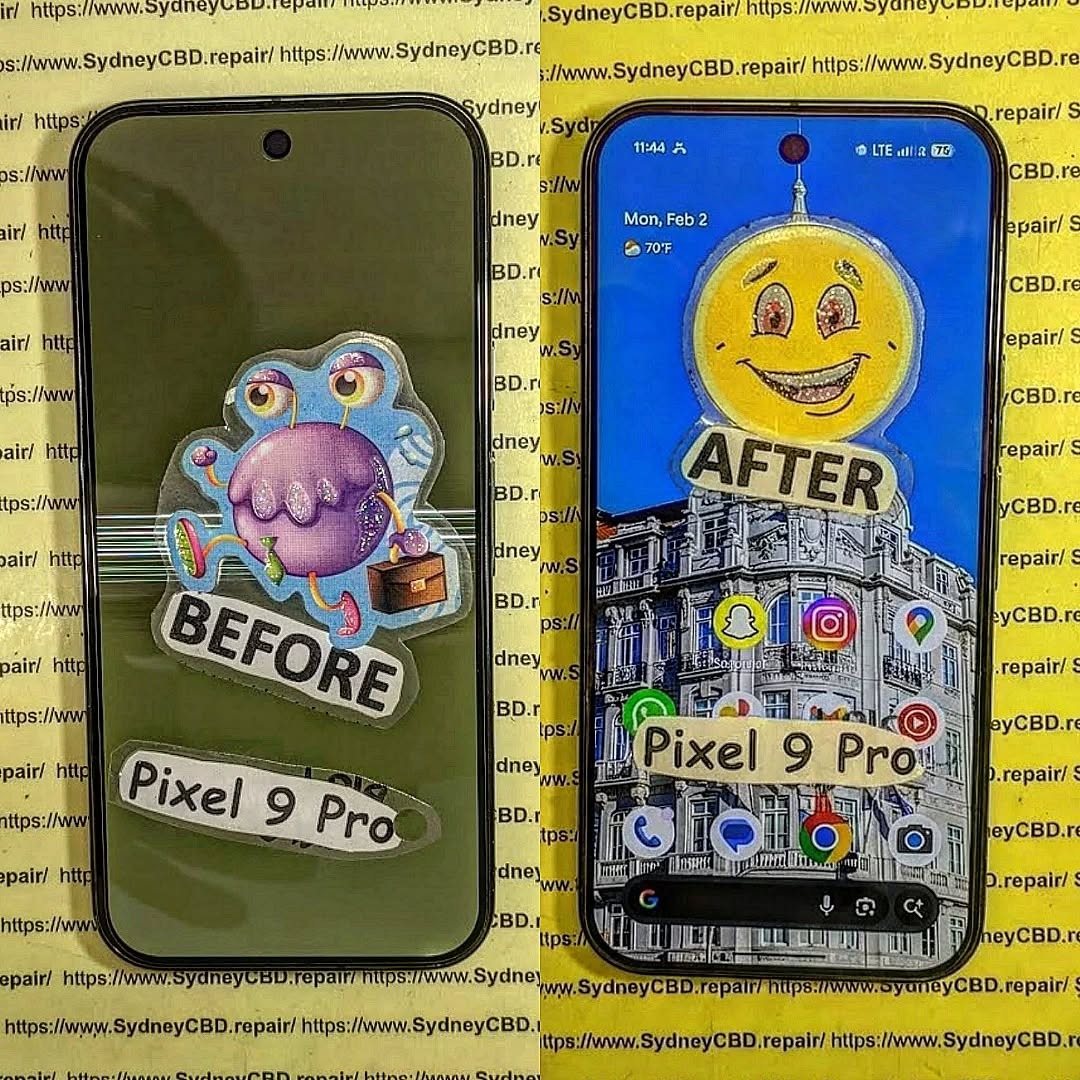
Cloud backups are often the fastest way to retrieve important information.
Tools Used in Professional Data Recovery Labs
Recovering data from severely damaged phones requires advanced laboratory equipment.
These tools allow technicians to safely access microscopic components.
Microsoldering Stations
Microsoldering tools operate under high magnification.
They include:
Precision soldering irons
Hot air rework stations
Stereo microscopes
These tools allow technicians to rebuild damaged circuits safely.
Data Recovery Software
Professional labs also rely on specialized software.
These tools can:
Reconstruct damaged file systems
Extract hidden partitions
Recover deleted files
Such software analyzes raw memory structures and rebuilds usable files.
Diagnostic Platforms
Diagnostic tools help identify hardware faults.
These systems test:
Power lines
Circuit continuity
Storage chip integrity
With accurate diagnostics, technicians can determine the best strategy for Recovering Data From a Completely Snapped Google Pixel 9 Pro.
Preventing Data Loss in the Future
While recovery is often possible, prevention remains the best strategy.
Smartphone users should adopt habits that protect both devices and data.
Cloud Backup Setup
Automatic backups provide the simplest protection.
Enable:
Photo backups
Contact synchronization
App data backups
Most modern phones can perform daily backups automatically.
Physical Protection
Many catastrophic breaks happen because phones lack protection.
Consider using:
Shock-absorbing cases
Screen protectors
Reinforced frames
Even small protective upgrades can prevent structural damage.
Routine Data Maintenance
Regular digital maintenance also helps.
Best practices include:
Exporting important files monthly
Backing up work documents
Keeping multiple storage copies
These habits reduce dependence on a single device.
Frequently Asked Questions
1. Can data really be recovered from a snapped phone?
Yes. As long as the internal storage chip remains intact, technicians can often perform Recovering Data From a Completely Snapped Google Pixel 9 Pro successfully.
2. How long does the recovery process take?
Basic recoveries may take a few hours. Complex chip-level extractions can take several days.
3. Is the phone repairable after recovery?
Sometimes yes, but in many cases the phone becomes a donor device after data extraction.
4. Will all data be recovered?
Recovery success depends on the condition of the storage chip. If it is undamaged, recovery rates are very high.
5. Is data recovery expensive?
Costs vary depending on damage severity and required techniques.
6. Should I try to repair the phone myself?
DIY repair attempts often reduce recovery success. Professional diagnostics are strongly recommended.
Conclusion
A completely snapped smartphone looks catastrophic, but appearances can be deceiving. Internal storage chips are remarkably durable, and modern recovery techniques allow specialists to retrieve valuable data from devices that seem completely destroyed.
Through board-level repair, chip extraction, and cloud recovery, Recovering Data From a Completely Snapped Google Pixel 9 Pro is often achievable.
The key is acting quickly, avoiding DIY damage, and relying on experienced technicians equipped with professional tools.
Even when the phone itself cannot be saved, your memories, photos, and important documents often can be.
David from Sydney CBD Repair Centre – The Best place to fix mobile phones as 7 Years In A Row! Top Mobile Phone Repair In Sydney. More than 2000 Positive Reviews on Google and Same Day Repairs.
We take pride in delivering exceptional repair services for all major phone brands including Apple, Samsung, Google, and more. Our expert technicians use only genuine parts and offer 90days warranty on repairs. Located in the heart of Sydney CBD, we’re your one-stop solution for all mobile device repairs.
Our commitment to excellence has earned us the trust of thousands of satisfied customers. Whether it’s a cracked screen, battery replacement, or water damage repair, we handle it all with professional care and expertise. Walk in today and experience why we’re Sydney’s #1 choice for mobile phone repairs.
Visit us for:
✓ Same Day Express Repairs
✓ Genuine Parts Guarantee
✓ Professional Technicians
✓ Competitive Pricing
✓ 2000+ 5-Star Google Reviews
✓ 7-Time Award Winner for Best Phone Repairs
Smartphones hold the most important pieces of modern life. Photos, contacts, messages, work documents, banking apps—everything sits inside a device that fits in your pocket. So when a phone snaps in half, panic usually follows.
Yet surprisingly, catastrophic physical damage does not always mean permanent data loss. In fact, Recovering Data From a Completely Snapped Google Pixel 9 Pro is often possible when the correct recovery techniques are applied.
Modern devices store information in highly durable flash memory chips. Even when the frame breaks or the screen shatters, the internal storage may still function perfectly.
This article explores exactly how technicians perform Recovering Data From a Completely Snapped Google Pixel 9 Pro, what tools they use, and how you can improve your chances of saving valuable files.
Understanding Catastrophic Smartphone Damage
When a smartphone snaps, most people assume the internal electronics are destroyed. However, the situation is usually more complicated.
Phones are built in layers:
External frame
Display assembly
Battery system
Motherboard
Storage chips
A phone can break structurally while the storage component remains untouched.
Types of Structural Damage in Modern Smartphones
A completely snapped phone typically falls into one of these categories:
1. Frame Break
The aluminum or composite frame cracks, often from bending pressure.
2. Display Separation
The screen disconnects from the main board.
3. Battery Displacement
Internal pressure causes the battery to detach.
4. Motherboard Stress
In severe cases, the board cracks partially.
Not every break destroys the storage chip. In many cases, Recovering Data From a Completely Snapped Google Pixel 9 Pro remains achievable.
Why Data Often Survives Physical Destruction
Flash memory used in smartphones is surprisingly resilient. These chips are designed to survive:
Heat
Power fluctuations
Minor physical stress
Unless the storage chip itself is cracked, technicians can often retrieve files even when the phone body looks beyond repair.
In other words, a snapped phone does not automatically equal lost memories.
Initial Steps After a Phone Snaps

What you do immediately after the accident greatly affects recovery success.
Taking the wrong step can permanently damage components that would otherwise survive.
Powering Down Safely
If the phone still has power:
Turn it off immediately.
Avoid charging it.
Do not press the power button repeatedly.
Electrical shorts often happen when damaged components continue receiving power.
Turning off the device protects the motherboard and improves the chances of Recovering Data From a Completely Snapped Google Pixel 9 Pro.
Avoiding DIY Mistakes
Many people attempt quick fixes like:
Bending the phone back into shape
Taping the screen together
Charging the phone repeatedly
Opening the device without tools
These actions can destroy delicate circuits.
Instead:
Store the device in a dry place
Avoid pressure
Seek professional diagnostics
Remember: preservation comes before repair.
Professional Techniques for Recovering Data From a Completely Snapped Google Pixel 9 Pro
Professional repair labs follow a structured process when performing Recovering Data From a Completely Snapped Google Pixel 9 Pro.
The process usually includes diagnosis, temporary reconstruction, and data extraction.
Board-Level Repair
If the motherboard is partially cracked, technicians may perform micro-soldering.
This involves:
Rebuilding broken circuit traces
Reinforcing connectors
Restoring power pathways
Under a microscope, technicians repair tiny connections thinner than a human hair.
Once the board powers up, data extraction becomes possible.
Temporary Screen Reconstruction
Sometimes the screen is shattered but the motherboard works.
Technicians temporarily connect:
A test display
Touch interface
Diagnostic board
This allows the phone to boot and unlock.
After unlocking, files can be transferred using USB or secure extraction tools.
Data Extraction via USB Debugging
When the phone boots successfully, technicians enable developer access and use specialized tools to transfer data.
Typical files recovered include:
Photos
Videos
Contacts
Messages
Documents
App data
This is often the simplest method for Recovering Data From a Completely Snapped Google Pixel 9 Pro when the internal storage remains intact.
Advanced Data Recovery Methods
When the motherboard cannot boot, specialists move to deeper recovery techniques.
These require highly specialized equipment.
NAND Chip-Level Data Extraction
The NAND chip stores the device’s data.
Technicians may remove this chip and connect it to professional readers.
Steps include:
Removing the chip using hot air tools
Cleaning solder contacts
Attaching the chip to a reader board
Extracting raw data
This process can recover files even when the motherboard is completely unusable.
However, encryption and software limitations sometimes make this method complex.
Using Android Recovery Systems
Android devices often store partial backups internally.
Technicians may access recovery partitions and retrieve:
System backups
Cache files
Temporary storage
These backups sometimes contain surprisingly large amounts of user data.
Cloud Synchronization Recovery
Sometimes the easiest recovery method requires no hardware repair at all.
Many phones automatically sync data to cloud accounts.
Possible recovered items include:
Photos
Contacts
Messages
Notes
App data
Users can check backups through their account dashboard or by visiting:
Cloud backups are often the fastest way to retrieve important information.
Tools Used in Professional Data Recovery Labs
Recovering data from severely damaged phones requires advanced laboratory equipment.
These tools allow technicians to safely access microscopic components.
Microsoldering Stations
Microsoldering tools operate under high magnification.
They include:
Precision soldering irons
Hot air rework stations
Stereo microscopes
These tools allow technicians to rebuild damaged circuits safely.
Data Recovery Software
Professional labs also rely on specialized software.
These tools can:
Reconstruct damaged file systems
Extract hidden partitions
Recover deleted files
Such software analyzes raw memory structures and rebuilds usable files.
Diagnostic Platforms
Diagnostic tools help identify hardware faults.
These systems test:
Power lines
Circuit continuity
Storage chip integrity
With accurate diagnostics, technicians can determine the best strategy for Recovering Data From a Completely Snapped Google Pixel 9 Pro.
Preventing Data Loss in the Future
While recovery is often possible, prevention remains the best strategy.
Smartphone users should adopt habits that protect both devices and data.
Cloud Backup Setup
Automatic backups provide the simplest protection.
Enable:
Photo backups
Contact synchronization
App data backups
Most modern phones can perform daily backups automatically.
Physical Protection
Many catastrophic breaks happen because phones lack protection.
Consider using:
Shock-absorbing cases
Screen protectors
Reinforced frames
Even small protective upgrades can prevent structural damage.
Routine Data Maintenance
Regular digital maintenance also helps.
Best practices include:
Exporting important files monthly
Backing up work documents
Keeping multiple storage copies
These habits reduce dependence on a single device.
Frequently Asked Questions
1. Can data really be recovered from a snapped phone?
Yes. As long as the internal storage chip remains intact, technicians can often perform Recovering Data From a Completely Snapped Google Pixel 9 Pro successfully.
2. How long does the recovery process take?
Basic recoveries may take a few hours. Complex chip-level extractions can take several days.
3. Is the phone repairable after recovery?
Sometimes yes, but in many cases the phone becomes a donor device after data extraction.
4. Will all data be recovered?
Recovery success depends on the condition of the storage chip. If it is undamaged, recovery rates are very high.
5. Is data recovery expensive?
Costs vary depending on damage severity and required techniques.
6. Should I try to repair the phone myself?
DIY repair attempts often reduce recovery success. Professional diagnostics are strongly recommended.
Conclusion
A completely snapped smartphone looks catastrophic, but appearances can be deceiving. Internal storage chips are remarkably durable, and modern recovery techniques allow specialists to retrieve valuable data from devices that seem completely destroyed.
Through board-level repair, chip extraction, and cloud recovery, Recovering Data From a Completely Snapped Google Pixel 9 Pro is often achievable.
The key is acting quickly, avoiding DIY damage, and relying on experienced technicians equipped with professional tools.
Even when the phone itself cannot be saved, your memories, photos, and important documents often can be.
David from Sydney CBD Repair Centre – The Best place to fix mobile phones as 7 Years In A Row! Top Mobile Phone Repair In Sydney. More than 2000 Positive Reviews on Google and Same Day Repairs.
We take pride in delivering exceptional repair services for all major phone brands including Apple, Samsung, Google, and more. Our expert technicians use only genuine parts and offer 90days warranty on repairs. Located in the heart of Sydney CBD, we’re your one-stop solution for all mobile device repairs.
Our commitment to excellence has earned us the trust of thousands of satisfied customers. Whether it’s a cracked screen, battery replacement, or water damage repair, we handle it all with professional care and expertise. Walk in today and experience why we’re Sydney’s #1 choice for mobile phone repairs.
Visit us for:
✓ Same Day Express Repairs
✓ Genuine Parts Guarantee
✓ Professional Technicians
✓ Competitive Pricing
✓ 2000+ 5-Star Google Reviews
✓ 7-Time Award Winner for Best Phone Repairs
Why Your Google Pixel 9 Screen Failed Suddenly and How to Fix It Fast: 9 Powerful Solutions
Introduction: Understanding Sudden Google Pixel 9 Screen Failure
If your Google Pixel 9 screen failed suddenly, you are not alone. Many smartphone users experience unexpected display issues that seem to appear without warning. One moment your phone works perfectly, and the next moment the screen turns black, flickers, or becomes unresponsive.
Modern smartphones rely on advanced OLED display technology. While these screens deliver incredible color accuracy and brightness, they are also delicate. Even minor internal issues can cause a complete display failure.
When a Google Pixel 9 screen failed, the problem could originate from several factors including hardware damage, internal cable disconnection, liquid exposure, or software glitches. Understanding the cause is the first step toward fixing the issue effectively.
Fortunately, many screen issues can be resolved quickly with the right troubleshooting steps. In some cases, a simple restart solves the problem. In more serious situations, the display assembly may need professional replacement.
This comprehensive guide explains:
Why your Google Pixel 9 screen failed suddenly
The most common warning signs
Diagnostic techniques
Powerful repair solutions
How to prevent future display failures
By the end of this guide, you will know exactly what to do if your Pixel display stops working.
When a Google Pixel 9 screen failed suddenly, several symptoms may appear. Identifying these signs helps determine whether the issue is hardware or software related.
Display Not Turning On
One of the most obvious indicators of a display failure is when the phone powers on but the screen remains black.
Typical signs include:
Phone vibrates but screen stays dark
Notifications sounds still occur
Alarm rings but display is blank
This often indicates a damaged OLED panel or disconnected screen flex cable.
Green or Purple Lines on Screen
Vertical or horizontal lines appearing on your screen usually suggest display panel damage.
Common causes include:
Impact damage
Internal OLED pixel failure
Loose display connectors
These lines may gradually worsen over time.
Touchscreen Not Responding
Sometimes the display appears normal but the touchscreen stops responding.
This could occur due to:
Digitizer failure
Software conflicts
Internal connector issues
Flickering or Black Screen
Flickering screens often indicate a deeper hardware problem.
Symptoms include:
Random brightness changes
Screen flashing on and off
Partial display visibility
When a Google Pixel 9 screen failed suddenly, flickering is a warning sign that the display may soon stop working completely.
If the screen issue started after installing new software, a factory reset may resolve it.
Important: Backup your data first.
Solution 7: Reseat Internal Display Cable
Advanced users may open the phone and reseat the display connector.
However, this requires:
Heat gun
Plastic pry tools
Precision screwdrivers
Improper disassembly can damage the phone further.
Solution 8: Replace the OLED Screen
If the OLED panel is damaged, replacement is the only permanent solution.
Pixel displays are modular units that include:
OLED panel
Touch digitizer
Front glass
Replacing the entire display assembly restores functionality.
Solution 9: Professional Repair Service
Professional technicians can quickly diagnose the issue and install a genuine display.
Benefits include:
Warranty coverage
Quality parts
Safe repair process
Preventing Future Pixel Screen Failures
While accidents happen, you can reduce the risk of display damage.
Use Protective Cases
Shock-absorbing cases reduce impact damage during drops.
Avoid Overheating
Excess heat can damage OLED screens and internal circuits.
Avoid leaving your phone in hot environments.
Keep Phone Dry
Even water-resistant devices are not waterproof.
Avoid:
Swimming with your phone
Heavy rain exposure
Steam environments
Regular Software Updates
Keeping Android updated helps prevent system crashes and display bugs.
Cost of Repairing a Google Pixel 9 Screen
The repair cost depends on several factors.
Repair Type
Estimated Cost
DIY Screen Replacement
$180 – $300
Authorized Service Repair
$280 – $420
Independent Repair Shop
$200 – $350
Professional repair often includes warranty protection.
DIY Repair vs Professional Repair
Factor
DIY Repair
Professional Repair
Cost
Lower
Higher
Risk
High
Low
Warranty
None
Usually included
Difficulty
Advanced
Easy for customer
If you lack experience, professional repair is usually safer.
Frequently Asked Questions (FAQs)
1. Why did my Google Pixel 9 screen suddenly go black?
The most common reasons include OLED panel damage, software crashes, or internal connector failure.
2. Can a software update cause screen issues?
Yes. Occasionally a firmware bug may cause display glitches. Updating or resetting the phone usually fixes it.
3. How much does it cost to fix a Pixel 9 screen?
Repairs typically cost between $200 and $420 depending on the repair method and parts used.
4. Can water damage cause screen failure?
Yes. Liquid exposure can short internal circuits and damage the display controller.
5. Is it safe to replace the screen yourself?
DIY repair is possible but requires specialized tools and technical experience.
6. How long does professional screen repair take?
Most repair shops complete screen replacements within 1–2 hours.
Conclusion
When a Google Pixel 9 screen failed suddenly, the issue may feel frustrating and unexpected. However, many display problems have clear causes and reliable solutions.
From simple fixes like restarting the phone to advanced repairs like OLED replacement, understanding the problem is key to restoring your device.
If troubleshooting steps do not resolve the issue, professional repair services offer the safest and fastest solution. With proper care and protective accessories, you can also prevent future screen failures and keep your Pixel device running smoothly for years to come.
David from Sydney CBD Repair Centre – The Best place to fix mobile phones as 7 Years In A Row! Top Mobile Phone Repair In Sydney. More than 2000 Positive Reviews on Google and Same Day Repairs.
We take pride in delivering exceptional repair services for all major phone brands including Apple, Samsung, Google, and more. Our expert technicians use only genuine parts and offer 90days warranty on repairs. Located in the heart of Sydney CBD, we’re your one-stop solution for all mobile device repairs.
Our commitment to excellence has earned us the trust of thousands of satisfied customers. Whether it’s a cracked screen, battery replacement, or water damage repair, we handle it all with professional care and expertise. Walk in today and experience why we’re Sydney’s #1 choice for mobile phone repairs.
Visit us for:
✓ Same Day Express Repairs
✓ Genuine Parts Guarantee
✓ Professional Technicians
✓ Competitive Pricing
✓ 2000+ 5-Star Google Reviews
✓ 7-Time Award Winner for Best Phone Repairs