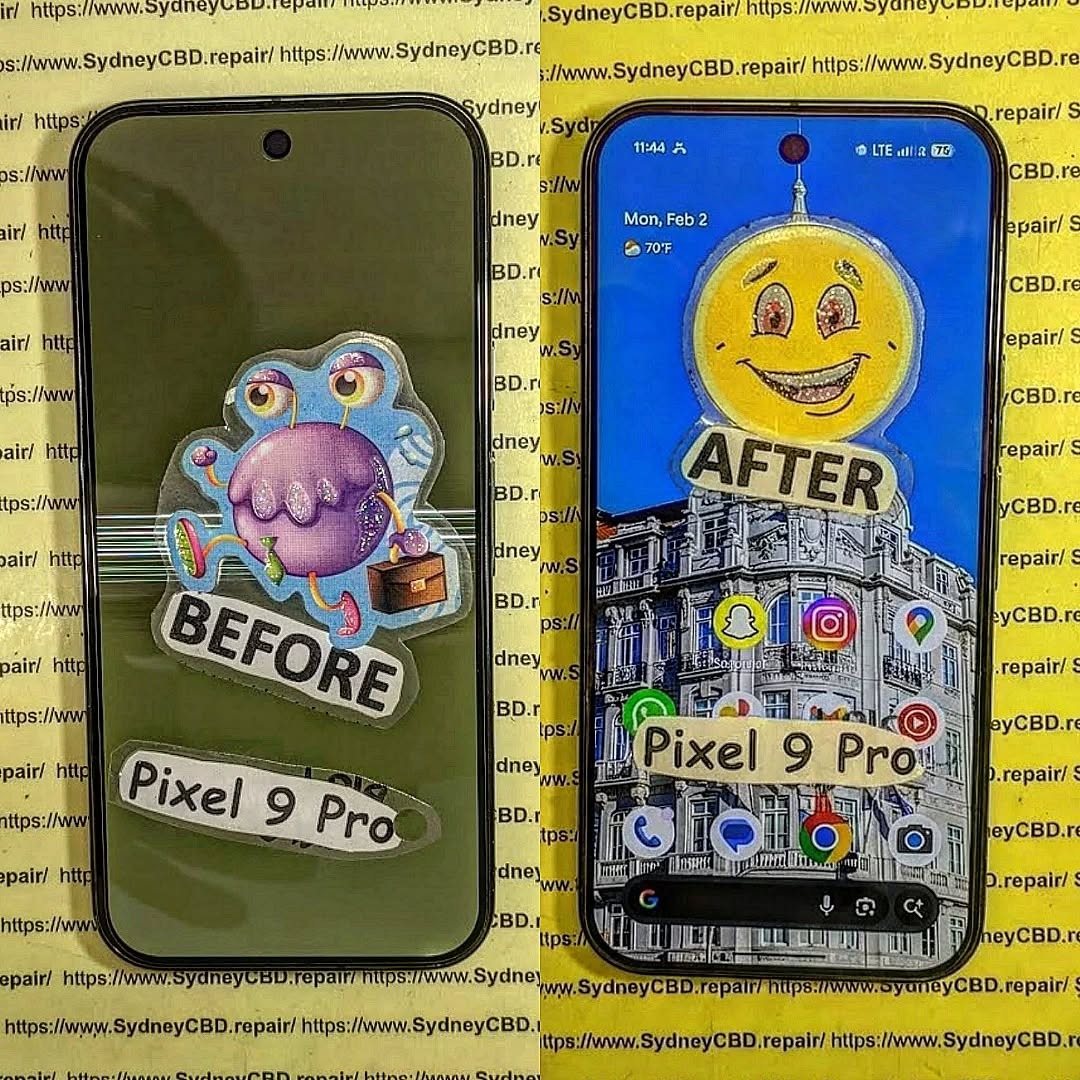
THE RECOVERING LOST MEMORIES! Data Extraction From A Completely Shattered Google Pixel 9 Pro + 7 Proven Techniques
Introduction
In today’s fast-paced digital world, our smartphones are more than just communication tools—they are vaults of our memories, containing photos, videos, contacts, and important documents. But what happens when a Google Pixel 9 Pro suffers catastrophic damage? A shattered screen, internal component failures, or water exposure can make your phone seem irrecoverable. For many, the panic sets in immediately: “Have I lost everything?”
Recovering lost memories from a completely broken device may sound impossible, but with the right knowledge, techniques, and tools, it’s far from hopeless. This guide dives into proven data extraction methods, ranging from simple software solutions to advanced hardware-based procedures, ensuring that even the most damaged Pixel 9 Pro can yield its valuable information.
Whether you’re a tech-savvy DIY enthusiast or someone who prefers professional intervention, this article will equip you with the confidence and actionable steps to safely retrieve your data. From initial assessment to final verification, every stage is covered in detail, helping you maximize recovery chances while minimizing risk.
By the end of this guide, you’ll understand not only how to extract your files, but also how to prevent future data loss, safeguarding your digital life against unexpected accidents. Your memories matter—let’s make sure they’re never truly lost.
A completely shattered Google Pixel 9 Pro isn’t just visually broken—it’s a ticking time bomb for your precious data. Attempting to retrieve memories, contacts, or work files without proper precautions can lead to permanent loss. Cracks in the screen, damaged internal components, or water intrusion all compromise the device’s integrity. Even seemingly minor damage can cause corruption in storage systems.
The first step is awareness: know that every attempt at data extraction carries risks. Mistakes like forcing the phone to power on or connecting unreliable cables can make recovery impossible. Optimism is key, but it must be paired with caution. Understanding the underlying risks helps you choose the right recovery path, whether software-based or professional.
Before diving into recovery, a careful evaluation is essential. Here’s a structured approach:
Physical Damage Inspection
Look for:
Cracked or shattered screens: Severe cracks may prevent touch input.
Loose parts: Buttons or frames may no longer connect properly.
Water or liquid damage: Corrosion can short circuits internally.
Battery and Power Assessment
Check whether:
The device powers on.
It responds to charging or vibration.
LEDs blink or the screen flickers.
If the device shows no signs of life, professional hardware intervention may be necessary.
Backup Strategies Before Attempting Recovery
Even broken devices may contain some recoverable data. Before trying extraction, implement safety measures.
Cloud Backup Options
Google Pixel integrates seamlessly with Google Drive. Log in via a PC to see if contacts, photos, and documents have synced. Often, this is the fastest way to regain access without physically interacting with a damaged phone.
Local Backup Methods
For partially functional devices:
OTG cables: Connect your phone to a computer or external drive.
Recovery software: Programs like Dr.Fone or EaseUS MobiSaver can help extract data without booting the phone fully.
Software-Based Data Recovery Tools
Software solutions are the first line of recovery.
Android-Specific Recovery Solutions
Popular options for Pixel devices include:
Dr.Fone – Data Recovery (Android)
iMobie PhoneRescue
Tenorshare UltData for Android
These apps can scan internal memory even when the device is partially damaged, extracting messages, contacts, and media.
Cons: Some may require root access or may not work if the device storage is physically damaged.
Hardware-Based Recovery Techniques
For severe damage, software tools alone won’t cut it.
Chip-Off Data Extraction
Involves physically removing the NAND memory chip and reading it with specialized hardware. Only professionals should attempt this, as it’s extremely delicate.
JTAG/ISP Techniques
JTAG (Joint Test Action Group) allows direct communication with internal circuits. It’s effective for retrieving data from unresponsive devices but requires advanced expertise and equipment.
DIY vs Professional Repair
While DIY methods may work for minor damage, fully shattered Pixel 9 Pros usually demand professional intervention:
Method
Pros
Cons
DIY Software Recovery
Low cost, quick
Risk of overwriting files, limited if phone is dead
Professional Hardware Recovery
High success rate
Expensive, requires trust and time
At Sydney CBD Repair Centre, experts handle chip-off and JTAG recovery safely, preserving your memories with a high success rate.
Step-by-Step Guide to Extracting Data
Preparing the Device
Ensure battery has sufficient charge or use a powered USB hub.
Use original cables when connecting to computers.
Avoid forcing the device to boot if internal damage is suspected.
Running Recovery Software Safely
Select “Read-only” mode to avoid overwriting data.
Perform scans in segments to reduce risk of system crashes.
Backup recovered data immediately to multiple storage locations.
Verifying Extracted Data
Check file integrity and metadata.
Open photos, documents, and videos to confirm usability.
Cross-reference contact lists and messages to ensure nothing is missing.
Common Challenges in Data Recovery
Corrupted storage: Damaged NAND may yield unreadable files.
Inaccessible partitions: Some system areas may require professional tools.
Failed recovery attempts: Multiple software scans may be necessary.
Mitigation involves patience, professional tools, and avoiding repeated DIY attempts if initial scans fail.
Preventing Future Data Loss
Enable automatic Google backups.
Use external cloud storage like Dropbox or OneDrive.
Regularly export contacts and photos to a secure location.
Protect your device with durable cases and waterproofing.
FAQs
1. Can I recover data from a Pixel 9 Pro with a completely broken screen?
Yes, if the internal storage is intact. Software tools or professional hardware recovery can extract data.
2. Is chip-off recovery safe for my data?
Yes, when performed by professionals using proper equipment. DIY attempts are extremely risky.
3. How long does data extraction take?
It depends on the method and damage level. Software recovery may take 1–3 hours; chip-off methods can take longer.
4. Will I lose data if the device won’t power on?
Not necessarily. Hardware recovery techniques can access memory without powering the device.
5. Can cloud backups replace physical recovery?
They can help restore most files, but any unsynced data will require device-specific extraction.
6. Where can I get professional Pixel 9 Pro recovery?
Sydney CBD Repair Centre specializes in advanced recovery for shattered devices. Visit Sydney CBD Repair Centre.
Conclusion
Recovering lost memories from a completely shattered Google Pixel 9 Pro is challenging but possible. Start with a thorough assessment, explore cloud backups, and carefully use recovery software. For severe damage, professional hardware recovery ensures the highest success rate. Implement preventive strategies to safeguard data for the future.
Even in the worst-case scenario, with patience, proper tools, and expert help, your precious memories can be retrieved safely.
David from Sydney CBD Repair Centre – The Best place to fix mobile phones as 7 Years In A Row! Top Mobile Phone Repair In Sydney. More than 2000 Positive Reviews on Google and Same Day Repairs.
We take pride in delivering exceptional repair services for all major phone brands including Apple, Samsung, Google, and more. Our expert technicians use only genuine parts and offer 90days warranty on repairs. Located in the heart of Sydney CBD, we’re your one-stop solution for all mobile device repairs.
Our commitment to excellence has earned us the trust of thousands of satisfied customers. Whether it’s a cracked screen, battery replacement, or water damage repair, we handle it all with professional care and expertise. Walk in today and experience why we’re Sydney’s #1 choice for mobile phone repairs.
Visit us for:
✓ Same Day Express Repairs
✓ Genuine Parts Guarantee
✓ Professional Technicians
✓ Competitive Pricing
✓ 2000+ 5-Star Google Reviews
✓ 7-Time Award Winner for Best Phone Repairs
Rescue Mission: Recovering Data From a Completely Snapped Google Pixel 9 Pro + 7 Proven Recovery Techniques
Introduction
Smartphones today hold the most valuable pieces of our digital lives. From irreplaceable family photos to essential work files, nearly everything we rely on daily is stored inside these compact devices. So when a phone suffers catastrophic damage—especially something as dramatic as being snapped in half—it can feel like a total disaster. For owners of the Google Pixel 9 Pro, such an accident raises one urgent question: Is the data still recoverable?
The good news is that modern smartphones are built with surprisingly resilient storage technology. Even when the exterior frame is severely bent or completely broken, the internal memory chip often remains intact. That means recovering data from a completely snapped Google Pixel 9 Pro is not only possible in many cases, but it’s something professional technicians handle regularly using specialized tools and recovery techniques.
However, successful data recovery depends heavily on the steps taken immediately after the damage occurs. Improper handling—such as repeatedly trying to power the device on, attempting DIY repairs, or charging a compromised phone—can worsen the internal damage and make recovery more difficult. Acting carefully and understanding the right recovery options can dramatically increase the chances of saving your photos, messages, contacts, and other important files.
In this article, we’ll explore how experts approach recovering data from a completely snapped Google Pixel 9 Pro, what technologies make recovery possible, and the advanced techniques used by professional repair labs. We’ll also discuss preventative measures that can protect your data in the future so that even if your device suffers severe physical damage, your information remains safe.
Whether you’re dealing with a broken phone right now or simply want to understand how data recovery works, this guide will walk you through the entire rescue mission step by step.
Smartphones hold the most important pieces of modern life. Photos, contacts, messages, work documents, banking apps—everything sits inside a device that fits in your pocket. So when a phone snaps in half, panic usually follows.
Yet surprisingly, catastrophic physical damage does not always mean permanent data loss. In fact, Recovering Data From a Completely Snapped Google Pixel 9 Pro is often possible when the correct recovery techniques are applied.
Modern devices store information in highly durable flash memory chips. Even when the frame breaks or the screen shatters, the internal storage may still function perfectly.
This article explores exactly how technicians perform Recovering Data From a Completely Snapped Google Pixel 9 Pro, what tools they use, and how you can improve your chances of saving valuable files.
Cloud backups are often the fastest way to retrieve important information.
Tools Used in Professional Data Recovery Labs
Recovering data from severely damaged phones requires advanced laboratory equipment.
These tools allow technicians to safely access microscopic components.
Microsoldering Stations
Microsoldering tools operate under high magnification.
They include:
Precision soldering irons
Hot air rework stations
Stereo microscopes
These tools allow technicians to rebuild damaged circuits safely.
Data Recovery Software
Professional labs also rely on specialized software.
These tools can:
Reconstruct damaged file systems
Extract hidden partitions
Recover deleted files
Such software analyzes raw memory structures and rebuilds usable files.
Diagnostic Platforms
Diagnostic tools help identify hardware faults.
These systems test:
Power lines
Circuit continuity
Storage chip integrity
With accurate diagnostics, technicians can determine the best strategy for Recovering Data From a Completely Snapped Google Pixel 9 Pro.
Preventing Data Loss in the Future
While recovery is often possible, prevention remains the best strategy.
Smartphone users should adopt habits that protect both devices and data.
Cloud Backup Setup
Automatic backups provide the simplest protection.
Enable:
Photo backups
Contact synchronization
App data backups
Most modern phones can perform daily backups automatically.
Physical Protection
Many catastrophic breaks happen because phones lack protection.
Consider using:
Shock-absorbing cases
Screen protectors
Reinforced frames
Even small protective upgrades can prevent structural damage.
Routine Data Maintenance
Regular digital maintenance also helps.
Best practices include:
Exporting important files monthly
Backing up work documents
Keeping multiple storage copies
These habits reduce dependence on a single device.
Frequently Asked Questions
1. Can data really be recovered from a snapped phone?
Yes. As long as the internal storage chip remains intact, technicians can often perform Recovering Data From a Completely Snapped Google Pixel 9 Pro successfully.
2. How long does the recovery process take?
Basic recoveries may take a few hours. Complex chip-level extractions can take several days.
3. Is the phone repairable after recovery?
Sometimes yes, but in many cases the phone becomes a donor device after data extraction.
4. Will all data be recovered?
Recovery success depends on the condition of the storage chip. If it is undamaged, recovery rates are very high.
5. Is data recovery expensive?
Costs vary depending on damage severity and required techniques.
6. Should I try to repair the phone myself?
DIY repair attempts often reduce recovery success. Professional diagnostics are strongly recommended.
Conclusion
A completely snapped smartphone looks catastrophic, but appearances can be deceiving. Internal storage chips are remarkably durable, and modern recovery techniques allow specialists to retrieve valuable data from devices that seem completely destroyed.
Through board-level repair, chip extraction, and cloud recovery, Recovering Data From a Completely Snapped Google Pixel 9 Pro is often achievable.
The key is acting quickly, avoiding DIY damage, and relying on experienced technicians equipped with professional tools.
Even when the phone itself cannot be saved, your memories, photos, and important documents often can be.
David from Sydney CBD Repair Centre – The Best place to fix mobile phones as 7 Years In A Row! Top Mobile Phone Repair In Sydney. More than 2000 Positive Reviews on Google and Same Day Repairs.
We take pride in delivering exceptional repair services for all major phone brands including Apple, Samsung, Google, and more. Our expert technicians use only genuine parts and offer 90days warranty on repairs. Located in the heart of Sydney CBD, we’re your one-stop solution for all mobile device repairs.
Our commitment to excellence has earned us the trust of thousands of satisfied customers. Whether it’s a cracked screen, battery replacement, or water damage repair, we handle it all with professional care and expertise. Walk in today and experience why we’re Sydney’s #1 choice for mobile phone repairs.
Visit us for:
✓ Same Day Express Repairs
✓ Genuine Parts Guarantee
✓ Professional Technicians
✓ Competitive Pricing
✓ 2000+ 5-Star Google Reviews
✓ 7-Time Award Winner for Best Phone Repairs
Smartphones hold the most important pieces of modern life. Photos, contacts, messages, work documents, banking apps—everything sits inside a device that fits in your pocket. So when a phone snaps in half, panic usually follows.
Yet surprisingly, catastrophic physical damage does not always mean permanent data loss. In fact, Recovering Data From a Completely Snapped Google Pixel 9 Pro is often possible when the correct recovery techniques are applied.
Modern devices store information in highly durable flash memory chips. Even when the frame breaks or the screen shatters, the internal storage may still function perfectly.
This article explores exactly how technicians perform Recovering Data From a Completely Snapped Google Pixel 9 Pro, what tools they use, and how you can improve your chances of saving valuable files.
Understanding Catastrophic Smartphone Damage
When a smartphone snaps, most people assume the internal electronics are destroyed. However, the situation is usually more complicated.
Phones are built in layers:
External frame
Display assembly
Battery system
Motherboard
Storage chips
A phone can break structurally while the storage component remains untouched.
Types of Structural Damage in Modern Smartphones
A completely snapped phone typically falls into one of these categories:
1. Frame Break
The aluminum or composite frame cracks, often from bending pressure.
2. Display Separation
The screen disconnects from the main board.
3. Battery Displacement
Internal pressure causes the battery to detach.
4. Motherboard Stress
In severe cases, the board cracks partially.
Not every break destroys the storage chip. In many cases, Recovering Data From a Completely Snapped Google Pixel 9 Pro remains achievable.
Why Data Often Survives Physical Destruction
Flash memory used in smartphones is surprisingly resilient. These chips are designed to survive:
Heat
Power fluctuations
Minor physical stress
Unless the storage chip itself is cracked, technicians can often retrieve files even when the phone body looks beyond repair.
In other words, a snapped phone does not automatically equal lost memories.
Initial Steps After a Phone Snaps
What you do immediately after the accident greatly affects recovery success.
Taking the wrong step can permanently damage components that would otherwise survive.
Powering Down Safely
If the phone still has power:
Turn it off immediately.
Avoid charging it.
Do not press the power button repeatedly.
Electrical shorts often happen when damaged components continue receiving power.
Turning off the device protects the motherboard and improves the chances of Recovering Data From a Completely Snapped Google Pixel 9 Pro.
Avoiding DIY Mistakes
Many people attempt quick fixes like:
Bending the phone back into shape
Taping the screen together
Charging the phone repeatedly
Opening the device without tools
These actions can destroy delicate circuits.
Instead:
Store the device in a dry place
Avoid pressure
Seek professional diagnostics
Remember: preservation comes before repair.
Professional Techniques for Recovering Data From a Completely Snapped Google Pixel 9 Pro
Professional repair labs follow a structured process when performing Recovering Data From a Completely Snapped Google Pixel 9 Pro.
The process usually includes diagnosis, temporary reconstruction, and data extraction.
Board-Level Repair
If the motherboard is partially cracked, technicians may perform micro-soldering.
This involves:
Rebuilding broken circuit traces
Reinforcing connectors
Restoring power pathways
Under a microscope, technicians repair tiny connections thinner than a human hair.
Once the board powers up, data extraction becomes possible.
Temporary Screen Reconstruction
Sometimes the screen is shattered but the motherboard works.
Technicians temporarily connect:
A test display
Touch interface
Diagnostic board
This allows the phone to boot and unlock.
After unlocking, files can be transferred using USB or secure extraction tools.
Data Extraction via USB Debugging
When the phone boots successfully, technicians enable developer access and use specialized tools to transfer data.
Typical files recovered include:
Photos
Videos
Contacts
Messages
Documents
App data
This is often the simplest method for Recovering Data From a Completely Snapped Google Pixel 9 Pro when the internal storage remains intact.
Advanced Data Recovery Methods
When the motherboard cannot boot, specialists move to deeper recovery techniques.
These require highly specialized equipment.
NAND Chip-Level Data Extraction
The NAND chip stores the device’s data.
Technicians may remove this chip and connect it to professional readers.
Steps include:
Removing the chip using hot air tools
Cleaning solder contacts
Attaching the chip to a reader board
Extracting raw data
This process can recover files even when the motherboard is completely unusable.
However, encryption and software limitations sometimes make this method complex.
Using Android Recovery Systems
Android devices often store partial backups internally.
Technicians may access recovery partitions and retrieve:
System backups
Cache files
Temporary storage
These backups sometimes contain surprisingly large amounts of user data.
Cloud Synchronization Recovery
Sometimes the easiest recovery method requires no hardware repair at all.
Many phones automatically sync data to cloud accounts.
Possible recovered items include:
Photos
Contacts
Messages
Notes
App data
Users can check backups through their account dashboard or by visiting:
Cloud backups are often the fastest way to retrieve important information.
Tools Used in Professional Data Recovery Labs
Recovering data from severely damaged phones requires advanced laboratory equipment.
These tools allow technicians to safely access microscopic components.
Microsoldering Stations
Microsoldering tools operate under high magnification.
They include:
Precision soldering irons
Hot air rework stations
Stereo microscopes
These tools allow technicians to rebuild damaged circuits safely.
Data Recovery Software
Professional labs also rely on specialized software.
These tools can:
Reconstruct damaged file systems
Extract hidden partitions
Recover deleted files
Such software analyzes raw memory structures and rebuilds usable files.
Diagnostic Platforms
Diagnostic tools help identify hardware faults.
These systems test:
Power lines
Circuit continuity
Storage chip integrity
With accurate diagnostics, technicians can determine the best strategy for Recovering Data From a Completely Snapped Google Pixel 9 Pro.
Preventing Data Loss in the Future
While recovery is often possible, prevention remains the best strategy.
Smartphone users should adopt habits that protect both devices and data.
Cloud Backup Setup
Automatic backups provide the simplest protection.
Enable:
Photo backups
Contact synchronization
App data backups
Most modern phones can perform daily backups automatically.
Physical Protection
Many catastrophic breaks happen because phones lack protection.
Consider using:
Shock-absorbing cases
Screen protectors
Reinforced frames
Even small protective upgrades can prevent structural damage.
Routine Data Maintenance
Regular digital maintenance also helps.
Best practices include:
Exporting important files monthly
Backing up work documents
Keeping multiple storage copies
These habits reduce dependence on a single device.
Frequently Asked Questions
1. Can data really be recovered from a snapped phone?
Yes. As long as the internal storage chip remains intact, technicians can often perform Recovering Data From a Completely Snapped Google Pixel 9 Pro successfully.
2. How long does the recovery process take?
Basic recoveries may take a few hours. Complex chip-level extractions can take several days.
3. Is the phone repairable after recovery?
Sometimes yes, but in many cases the phone becomes a donor device after data extraction.
4. Will all data be recovered?
Recovery success depends on the condition of the storage chip. If it is undamaged, recovery rates are very high.
5. Is data recovery expensive?
Costs vary depending on damage severity and required techniques.
6. Should I try to repair the phone myself?
DIY repair attempts often reduce recovery success. Professional diagnostics are strongly recommended.
Conclusion
A completely snapped smartphone looks catastrophic, but appearances can be deceiving. Internal storage chips are remarkably durable, and modern recovery techniques allow specialists to retrieve valuable data from devices that seem completely destroyed.
Through board-level repair, chip extraction, and cloud recovery, Recovering Data From a Completely Snapped Google Pixel 9 Pro is often achievable.
The key is acting quickly, avoiding DIY damage, and relying on experienced technicians equipped with professional tools.
Even when the phone itself cannot be saved, your memories, photos, and important documents often can be.
David from Sydney CBD Repair Centre – The Best place to fix mobile phones as 7 Years In A Row! Top Mobile Phone Repair In Sydney. More than 2000 Positive Reviews on Google and Same Day Repairs.
We take pride in delivering exceptional repair services for all major phone brands including Apple, Samsung, Google, and more. Our expert technicians use only genuine parts and offer 90days warranty on repairs. Located in the heart of Sydney CBD, we’re your one-stop solution for all mobile device repairs.
Our commitment to excellence has earned us the trust of thousands of satisfied customers. Whether it’s a cracked screen, battery replacement, or water damage repair, we handle it all with professional care and expertise. Walk in today and experience why we’re Sydney’s #1 choice for mobile phone repairs.
Visit us for:
✓ Same Day Express Repairs
✓ Genuine Parts Guarantee
✓ Professional Technicians
✓ Competitive Pricing
✓ 2000+ 5-Star Google Reviews
✓ 7-Time Award Winner for Best Phone Repairs