




The Rescue Mission: Recovering Data From a Completely Snapped Google Pixel 9 Pro

The Rescue Mission: Recovering Data From a Completely Snapped Google Pixel 9 Pro + 7 Proven Recovery Techniques
Smartphones hold the most important pieces of modern life. Photos, contacts, messages, work documents, banking apps—everything sits inside a device that fits in your pocket. So when a phone snaps in half, panic usually follows.
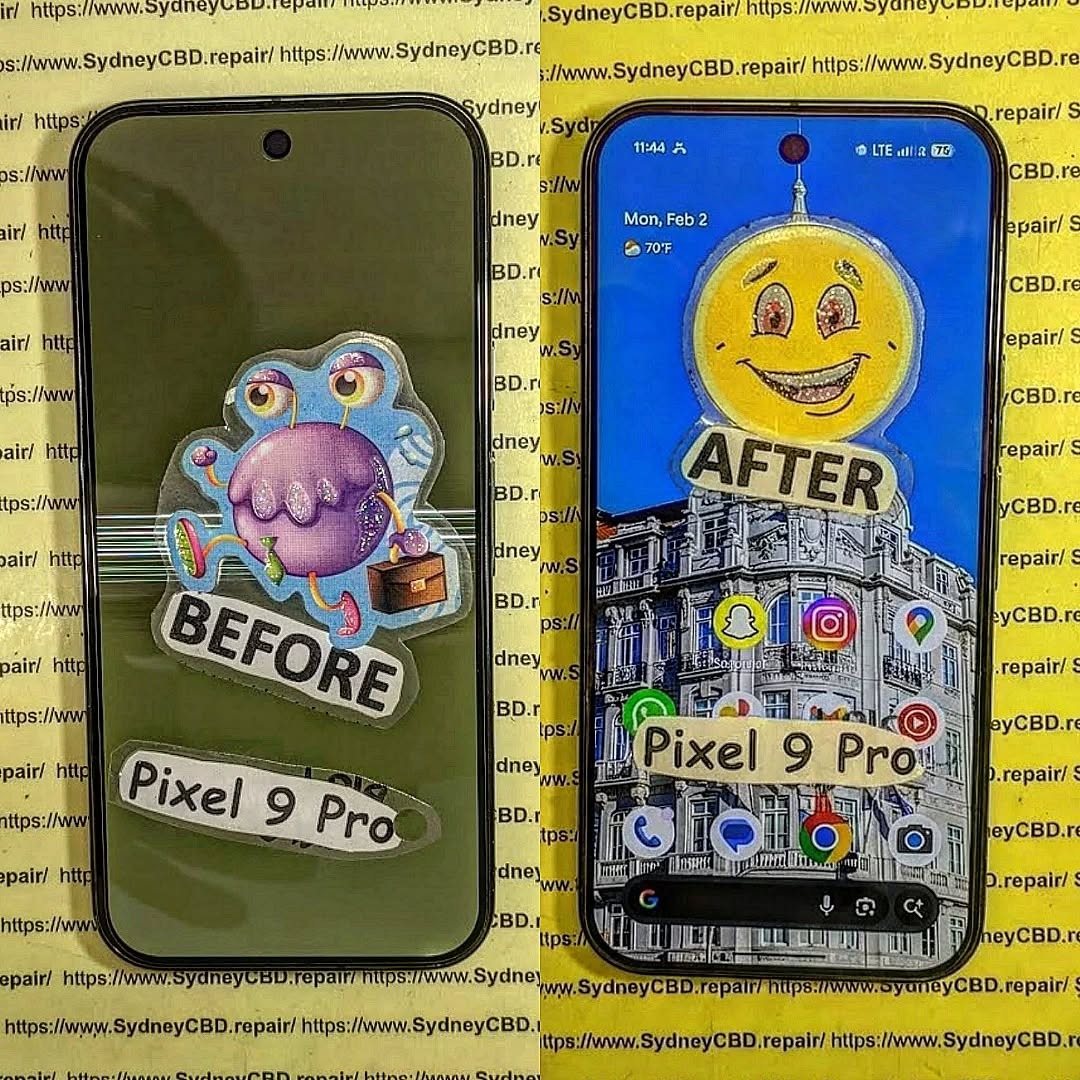
Yet surprisingly, catastrophic physical damage does not always mean permanent data loss. In fact, Recovering Data From a Completely Snapped Google Pixel 9 Pro is often possible when the correct recovery techniques are applied.
Modern devices store information in highly durable flash memory chips. Even when the frame breaks or the screen shatters, the internal storage may still function perfectly.
This article explores exactly how technicians perform Recovering Data From a Completely Snapped Google Pixel 9 Pro, what tools they use, and how you can improve your chances of saving valuable files.
Understanding Catastrophic Smartphone Damage
When a smartphone snaps, most people assume the internal electronics are destroyed. However, the situation is usually more complicated.
Phones are built in layers:
- External frame
- Display assembly
- Battery system
- Motherboard
- Storage chips
A phone can break structurally while the storage component remains untouched.
Types of Structural Damage in Modern Smartphones
A completely snapped phone typically falls into one of these categories:
1. Frame Break
The aluminum or composite frame cracks, often from bending pressure.
2. Display Separation
The screen disconnects from the main board.
3. Battery Displacement
Internal pressure causes the battery to detach.
4. Motherboard Stress
In severe cases, the board cracks partially.
Not every break destroys the storage chip. In many cases, Recovering Data From a Completely Snapped Google Pixel 9 Pro remains achievable.
Why Data Often Survives Physical Destruction
Flash memory used in smartphones is surprisingly resilient. These chips are designed to survive:
- Heat
- Power fluctuations
- Minor physical stress
Unless the storage chip itself is cracked, technicians can often retrieve files even when the phone body looks beyond repair.
In other words, a snapped phone does not automatically equal lost memories.
Initial Steps After a Phone Snaps

What you do immediately after the accident greatly affects recovery success.
Taking the wrong step can permanently damage components that would otherwise survive.
Powering Down Safely
If the phone still has power:
- Turn it off immediately.
- Avoid charging it.
- Do not press the power button repeatedly.
Electrical shorts often happen when damaged components continue receiving power.
Turning off the device protects the motherboard and improves the chances of Recovering Data From a Completely Snapped Google Pixel 9 Pro.
Avoiding DIY Mistakes
Many people attempt quick fixes like:
- Bending the phone back into shape
- Taping the screen together
- Charging the phone repeatedly
- Opening the device without tools
These actions can destroy delicate circuits.
Instead:
- Store the device in a dry place
- Avoid pressure
- Seek professional diagnostics
Remember: preservation comes before repair.
Professional Techniques for Recovering Data From a Completely Snapped Google Pixel 9 Pro
Professional repair labs follow a structured process when performing Recovering Data From a Completely Snapped Google Pixel 9 Pro.
The process usually includes diagnosis, temporary reconstruction, and data extraction.
Board-Level Repair
If the motherboard is partially cracked, technicians may perform micro-soldering.
This involves:
- Rebuilding broken circuit traces
- Reinforcing connectors
- Restoring power pathways
Under a microscope, technicians repair tiny connections thinner than a human hair.
Once the board powers up, data extraction becomes possible.
Temporary Screen Reconstruction
Sometimes the screen is shattered but the motherboard works.
Technicians temporarily connect:
- A test display
- Touch interface
- Diagnostic board
This allows the phone to boot and unlock.
After unlocking, files can be transferred using USB or secure extraction tools.
Data Extraction via USB Debugging
When the phone boots successfully, technicians enable developer access and use specialized tools to transfer data.
Typical files recovered include:
- Photos
- Videos
- Contacts
- Messages
- Documents
- App data
This is often the simplest method for Recovering Data From a Completely Snapped Google Pixel 9 Pro when the internal storage remains intact.
Advanced Data Recovery Methods
When the motherboard cannot boot, specialists move to deeper recovery techniques.
These require highly specialized equipment.
NAND Chip-Level Data Extraction
The NAND chip stores the device’s data.
Technicians may remove this chip and connect it to professional readers.
Steps include:
- Removing the chip using hot air tools
- Cleaning solder contacts
- Attaching the chip to a reader board
- Extracting raw data
This process can recover files even when the motherboard is completely unusable.
However, encryption and software limitations sometimes make this method complex.
Using Android Recovery Systems
Android devices often store partial backups internally.
Technicians may access recovery partitions and retrieve:
- System backups
- Cache files
- Temporary storage
These backups sometimes contain surprisingly large amounts of user data.
Cloud Synchronization Recovery
Sometimes the easiest recovery method requires no hardware repair at all.
Many phones automatically sync data to cloud accounts.
Possible recovered items include:
- Photos
- Contacts
- Messages
- Notes
- App data
Users can check backups through their account dashboard or by visiting:
https://support.google.com/android/answer/2819582
Cloud backups are often the fastest way to retrieve important information.
Tools Used in Professional Data Recovery Labs
Recovering data from severely damaged phones requires advanced laboratory equipment.
These tools allow technicians to safely access microscopic components.
Microsoldering Stations
Microsoldering tools operate under high magnification.
They include:
- Precision soldering irons
- Hot air rework stations
- Stereo microscopes
These tools allow technicians to rebuild damaged circuits safely.
Data Recovery Software
Professional labs also rely on specialized software.
These tools can:
- Reconstruct damaged file systems
- Extract hidden partitions
- Recover deleted files
Such software analyzes raw memory structures and rebuilds usable files.
Diagnostic Platforms
Diagnostic tools help identify hardware faults.
These systems test:
- Power lines
- Circuit continuity
- Storage chip integrity
With accurate diagnostics, technicians can determine the best strategy for Recovering Data From a Completely Snapped Google Pixel 9 Pro.
Preventing Data Loss in the Future
While recovery is often possible, prevention remains the best strategy.
Smartphone users should adopt habits that protect both devices and data.
Cloud Backup Setup
Automatic backups provide the simplest protection.
Enable:
- Photo backups
- Contact synchronization
- App data backups
Most modern phones can perform daily backups automatically.
Physical Protection
Many catastrophic breaks happen because phones lack protection.
Consider using:
- Shock-absorbing cases
- Screen protectors
- Reinforced frames
Even small protective upgrades can prevent structural damage.
Routine Data Maintenance
Regular digital maintenance also helps.
Best practices include:
- Exporting important files monthly
- Backing up work documents
- Keeping multiple storage copies
These habits reduce dependence on a single device.
Frequently Asked Questions
1. Can data really be recovered from a snapped phone?
Yes. As long as the internal storage chip remains intact, technicians can often perform Recovering Data From a Completely Snapped Google Pixel 9 Pro successfully.
2. How long does the recovery process take?
Basic recoveries may take a few hours. Complex chip-level extractions can take several days.
3. Is the phone repairable after recovery?
Sometimes yes, but in many cases the phone becomes a donor device after data extraction.
4. Will all data be recovered?
Recovery success depends on the condition of the storage chip. If it is undamaged, recovery rates are very high.
5. Is data recovery expensive?
Costs vary depending on damage severity and required techniques.
6. Should I try to repair the phone myself?
DIY repair attempts often reduce recovery success. Professional diagnostics are strongly recommended.
Conclusion

A completely snapped smartphone looks catastrophic, but appearances can be deceiving. Internal storage chips are remarkably durable, and modern recovery techniques allow specialists to retrieve valuable data from devices that seem completely destroyed.
Through board-level repair, chip extraction, and cloud recovery, Recovering Data From a Completely Snapped Google Pixel 9 Pro is often achievable.
The key is acting quickly, avoiding DIY damage, and relying on experienced technicians equipped with professional tools.
Even when the phone itself cannot be saved, your memories, photos, and important documents often can be.
David from Sydney CBD Repair Centre – The Best place to fix mobile phones as 7 Years In A Row! Top Mobile Phone Repair In Sydney. More than 2000 Positive Reviews on Google and Same Day Repairs.
We take pride in delivering exceptional repair services for all major phone brands including Apple, Samsung, Google, and more. Our expert technicians use only genuine parts and offer 90days warranty on repairs. Located in the heart of Sydney CBD, we’re your one-stop solution for all mobile device repairs.
Our commitment to excellence has earned us the trust of thousands of satisfied customers. Whether it’s a cracked screen, battery replacement, or water damage repair, we handle it all with professional care and expertise. Walk in today and experience why we’re Sydney’s #1 choice for mobile phone repairs.
Visit us for:
✓ Same Day Express Repairs
✓ Genuine Parts Guarantee
✓ Professional Technicians
✓ Competitive Pricing
✓ 2000+ 5-Star Google Reviews
✓ 7-Time Award Winner for Best Phone Repairs
Sydney CBD Repair Centre – Where Quality Meets Reliability.
Call : +61280114119
Website: https://SydneyCBD.repair/locate-us
Smartphones hold the most important pieces of modern life. Photos, contacts, messages, work documents, banking apps—everything sits inside a device that fits in your pocket. So when a phone snaps in half, panic usually follows.
Yet surprisingly, catastrophic physical damage does not always mean permanent data loss. In fact, Recovering Data From a Completely Snapped Google Pixel 9 Pro is often possible when the correct recovery techniques are applied.
Modern devices store information in highly durable flash memory chips. Even when the frame breaks or the screen shatters, the internal storage may still function perfectly.
This article explores exactly how technicians perform Recovering Data From a Completely Snapped Google Pixel 9 Pro, what tools they use, and how you can improve your chances of saving valuable files.
Understanding Catastrophic Smartphone Damage
When a smartphone snaps, most people assume the internal electronics are destroyed. However, the situation is usually more complicated.
Phones are built in layers:
- External frame
- Display assembly
- Battery system
- Motherboard
- Storage chips
A phone can break structurally while the storage component remains untouched.
Types of Structural Damage in Modern Smartphones
A completely snapped phone typically falls into one of these categories:
1. Frame Break
The aluminum or composite frame cracks, often from bending pressure.
2. Display Separation
The screen disconnects from the main board.
3. Battery Displacement
Internal pressure causes the battery to detach.
4. Motherboard Stress
In severe cases, the board cracks partially.
Not every break destroys the storage chip. In many cases, Recovering Data From a Completely Snapped Google Pixel 9 Pro remains achievable.
Why Data Often Survives Physical Destruction
Flash memory used in smartphones is surprisingly resilient. These chips are designed to survive:
- Heat
- Power fluctuations
- Minor physical stress
Unless the storage chip itself is cracked, technicians can often retrieve files even when the phone body looks beyond repair.
In other words, a snapped phone does not automatically equal lost memories.
Initial Steps After a Phone Snaps
What you do immediately after the accident greatly affects recovery success.
Taking the wrong step can permanently damage components that would otherwise survive.
Powering Down Safely
If the phone still has power:
- Turn it off immediately.
- Avoid charging it.
- Do not press the power button repeatedly.
Electrical shorts often happen when damaged components continue receiving power.
Turning off the device protects the motherboard and improves the chances of Recovering Data From a Completely Snapped Google Pixel 9 Pro.
Avoiding DIY Mistakes
Many people attempt quick fixes like:
- Bending the phone back into shape
- Taping the screen together
- Charging the phone repeatedly
- Opening the device without tools
These actions can destroy delicate circuits.
Instead:
- Store the device in a dry place
- Avoid pressure
- Seek professional diagnostics
Remember: preservation comes before repair.
Professional Techniques for Recovering Data From a Completely Snapped Google Pixel 9 Pro
Professional repair labs follow a structured process when performing Recovering Data From a Completely Snapped Google Pixel 9 Pro.
The process usually includes diagnosis, temporary reconstruction, and data extraction.
Board-Level Repair
If the motherboard is partially cracked, technicians may perform micro-soldering.
This involves:
- Rebuilding broken circuit traces
- Reinforcing connectors
- Restoring power pathways
Under a microscope, technicians repair tiny connections thinner than a human hair.
Once the board powers up, data extraction becomes possible.
Temporary Screen Reconstruction
Sometimes the screen is shattered but the motherboard works.
Technicians temporarily connect:
- A test display
- Touch interface
- Diagnostic board
This allows the phone to boot and unlock.
After unlocking, files can be transferred using USB or secure extraction tools.
Data Extraction via USB Debugging
When the phone boots successfully, technicians enable developer access and use specialized tools to transfer data.
Typical files recovered include:
- Photos
- Videos
- Contacts
- Messages
- Documents
- App data
This is often the simplest method for Recovering Data From a Completely Snapped Google Pixel 9 Pro when the internal storage remains intact.
Advanced Data Recovery Methods
When the motherboard cannot boot, specialists move to deeper recovery techniques.
These require highly specialized equipment.
NAND Chip-Level Data Extraction
The NAND chip stores the device’s data.
Technicians may remove this chip and connect it to professional readers.
Steps include:
- Removing the chip using hot air tools
- Cleaning solder contacts
- Attaching the chip to a reader board
- Extracting raw data
This process can recover files even when the motherboard is completely unusable.
However, encryption and software limitations sometimes make this method complex.
Using Android Recovery Systems
Android devices often store partial backups internally.
Technicians may access recovery partitions and retrieve:
- System backups
- Cache files
- Temporary storage
These backups sometimes contain surprisingly large amounts of user data.
Cloud Synchronization Recovery
Sometimes the easiest recovery method requires no hardware repair at all.
Many phones automatically sync data to cloud accounts.
Possible recovered items include:
- Photos
- Contacts
- Messages
- Notes
- App data
Users can check backups through their account dashboard or by visiting:
https://support.google.com/android/answer/2819582
Cloud backups are often the fastest way to retrieve important information.
Tools Used in Professional Data Recovery Labs
Recovering data from severely damaged phones requires advanced laboratory equipment.
These tools allow technicians to safely access microscopic components.
Microsoldering Stations
Microsoldering tools operate under high magnification.
They include:
- Precision soldering irons
- Hot air rework stations
- Stereo microscopes
These tools allow technicians to rebuild damaged circuits safely.
Data Recovery Software
Professional labs also rely on specialized software.
These tools can:
- Reconstruct damaged file systems
- Extract hidden partitions
- Recover deleted files
Such software analyzes raw memory structures and rebuilds usable files.
Diagnostic Platforms
Diagnostic tools help identify hardware faults.
These systems test:
- Power lines
- Circuit continuity
- Storage chip integrity
With accurate diagnostics, technicians can determine the best strategy for Recovering Data From a Completely Snapped Google Pixel 9 Pro.
Preventing Data Loss in the Future
While recovery is often possible, prevention remains the best strategy.
Smartphone users should adopt habits that protect both devices and data.
Cloud Backup Setup
Automatic backups provide the simplest protection.
Enable:
- Photo backups
- Contact synchronization
- App data backups
Most modern phones can perform daily backups automatically.
Physical Protection
Many catastrophic breaks happen because phones lack protection.
Consider using:
- Shock-absorbing cases
- Screen protectors
- Reinforced frames
Even small protective upgrades can prevent structural damage.
Routine Data Maintenance
Regular digital maintenance also helps.
Best practices include:
- Exporting important files monthly
- Backing up work documents
- Keeping multiple storage copies
These habits reduce dependence on a single device.
Frequently Asked Questions
1. Can data really be recovered from a snapped phone?
Yes. As long as the internal storage chip remains intact, technicians can often perform Recovering Data From a Completely Snapped Google Pixel 9 Pro successfully.
2. How long does the recovery process take?
Basic recoveries may take a few hours. Complex chip-level extractions can take several days.
3. Is the phone repairable after recovery?
Sometimes yes, but in many cases the phone becomes a donor device after data extraction.
4. Will all data be recovered?
Recovery success depends on the condition of the storage chip. If it is undamaged, recovery rates are very high.
5. Is data recovery expensive?
Costs vary depending on damage severity and required techniques.
6. Should I try to repair the phone myself?
DIY repair attempts often reduce recovery success. Professional diagnostics are strongly recommended.
Conclusion
A completely snapped smartphone looks catastrophic, but appearances can be deceiving. Internal storage chips are remarkably durable, and modern recovery techniques allow specialists to retrieve valuable data from devices that seem completely destroyed.
Through board-level repair, chip extraction, and cloud recovery, Recovering Data From a Completely Snapped Google Pixel 9 Pro is often achievable.
The key is acting quickly, avoiding DIY damage, and relying on experienced technicians equipped with professional tools.
Even when the phone itself cannot be saved, your memories, photos, and important documents often can be.
David from Sydney CBD Repair Centre – The Best place to fix mobile phones as 7 Years In A Row! Top Mobile Phone Repair In Sydney. More than 2000 Positive Reviews on Google and Same Day Repairs.
We take pride in delivering exceptional repair services for all major phone brands including Apple, Samsung, Google, and more. Our expert technicians use only genuine parts and offer 90days warranty on repairs. Located in the heart of Sydney CBD, we’re your one-stop solution for all mobile device repairs.
Our commitment to excellence has earned us the trust of thousands of satisfied customers. Whether it’s a cracked screen, battery replacement, or water damage repair, we handle it all with professional care and expertise. Walk in today and experience why we’re Sydney’s #1 choice for mobile phone repairs.
Visit us for:
✓ Same Day Express Repairs
✓ Genuine Parts Guarantee
✓ Professional Technicians
✓ Competitive Pricing
✓ 2000+ 5-Star Google Reviews
✓ 7-Time Award Winner for Best Phone Repairs
Sydney CBD Repair Centre – Where Quality Meets Reliability.
Call : +61280114119
Website: https://SydneyCBD.repair/locate-us


