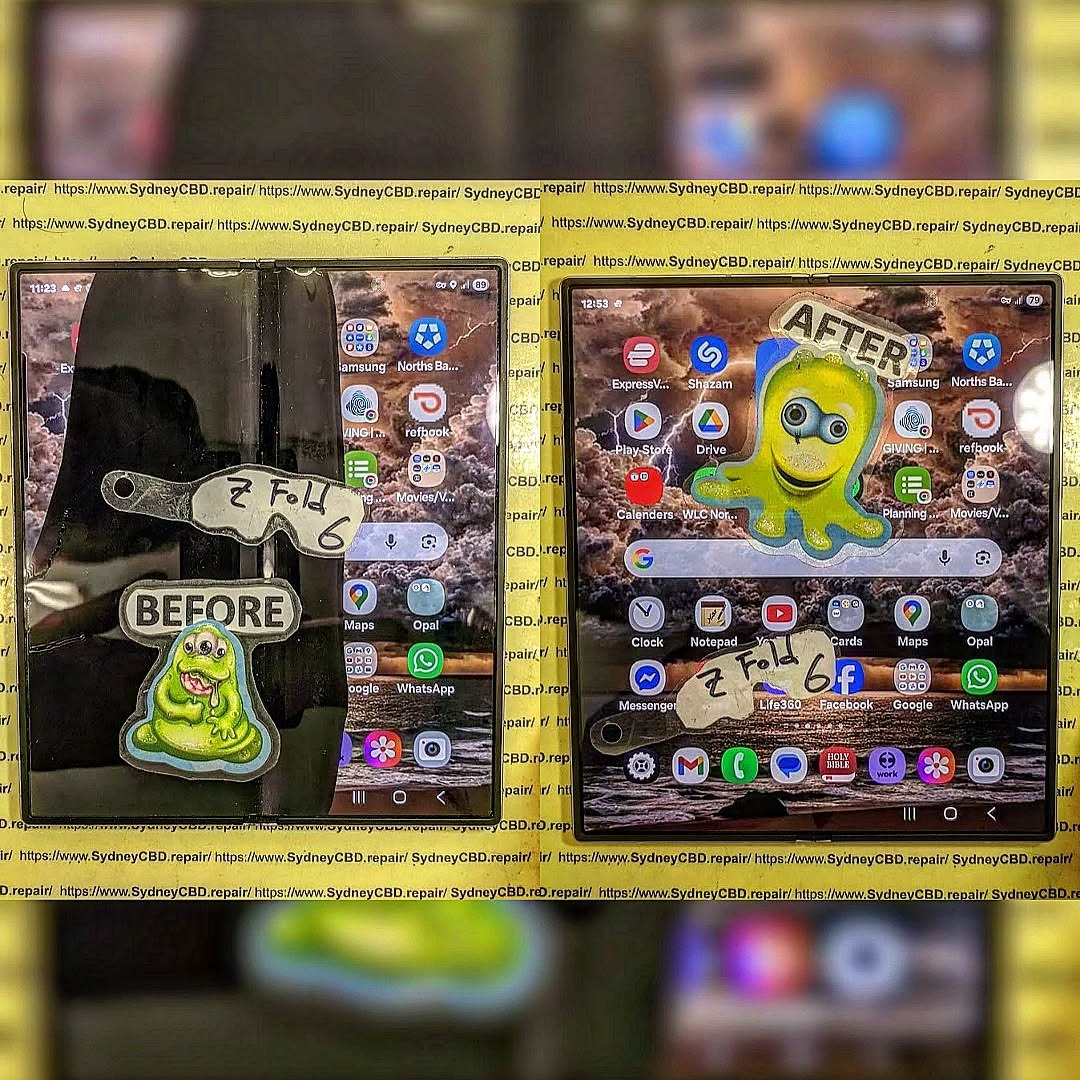
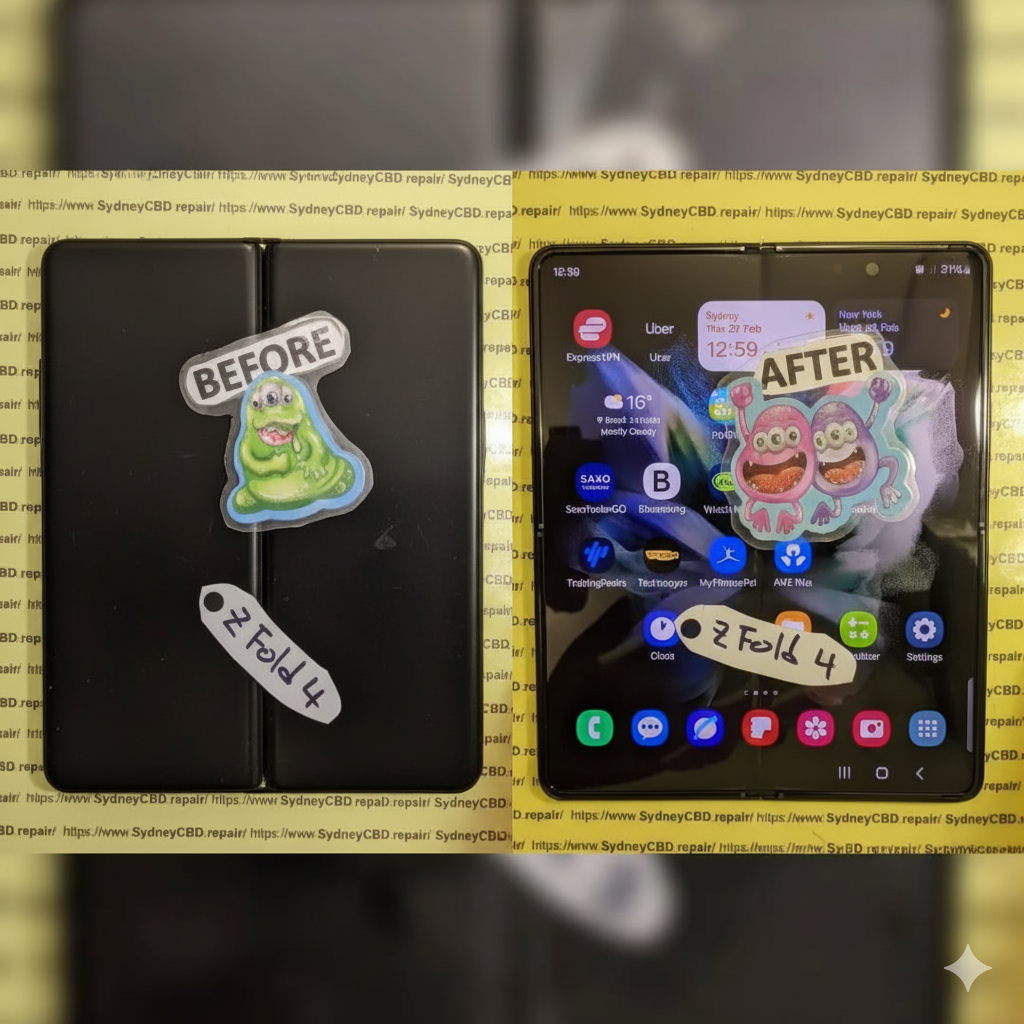
The Samsung Galaxy Z Fold 6: Repairing Inner Screens and Safe Battery Disconnect Methods – Ultimate Guide with 15 Proven Tips
Introduction to Samsung Z Fold 6 Repairs
The Samsung Z Fold 6: Repairing Inner Screens and Safe Battery Disconnect Methods topic has become increasingly important as foldable smartphones grow in popularity. While these devices offer cutting-edge technology, they also present unique repair challenges.
Unlike traditional smartphones, the Samsung Z Fold 6 features a delicate foldable inner display that demands precision and expertise during repairs. Even a minor mistake can lead to further damage or safety risks.
In this guide, we’ll break everything down into simple, easy-to-follow steps. Whether you’re a technician or a curious user, you’ll learn how to handle inner screen repairs and safely disconnect the battery—without guesswork.
The Samsung Z Fold 6 uses an advanced foldable AMOLED display, designed to bend without breaking. It combines ultra-thin glass with flexible polymers, making it both innovative and fragile.
Key characteristics include:
Ultra-thin glass layers
Flexible OLED panels
Sensitive touch digitizer
Hinge-integrated design
Because of this complexity, repairing the inner screen isn’t as simple as swapping out a regular display.
Common Causes of Inner Screen Damage
Inner screen issues usually stem from:
Repeated folding stress
Dust entering the hinge
Accidental drops
Pressure applied to the folded screen
Manufacturing wear over time
Understanding these causes helps prevent repeat damage after repair.
The Samsung Z Fold 6: Repairing Inner Screens and Safe Battery Disconnect Methods process may seem intimidating at first, but with the right approach, it becomes manageable.
By understanding the device’s unique design, using proper tools, and following safe battery practices, you can successfully perform repairs without unnecessary risks.
Still, if you’re ever in doubt, professional help is the safer route. After all, protecting your device—and yourself—is always the top priority.
David from Sydney CBD Repair Centre – The Best place to fix mobile phones as 7 Years In A Row! Top Mobile Phone Repair In Sydney. More than 2000 Positive Reviews on Google and Same Day Repairs.
We take pride in delivering exceptional repair services for all major phone brands including Apple, Samsung, Google, and more. Our expert technicians use only genuine parts and offer 90days warranty on repairs. Located in the heart of Sydney CBD, we’re your one-stop solution for all mobile device repairs.
Our commitment to excellence has earned us the trust of thousands of satisfied customers. Whether it’s a cracked screen, battery replacement, or water damage repair, we handle it all with professional care and expertise. Walk in today and experience why we’re Sydney’s #1 choice for mobile phone repairs.
Visit us for:
✓ Same Day Express Repairs
✓ Genuine Parts Guarantee
✓ Professional Technicians
✓ Competitive Pricing
✓ 2000+ 5-Star Google Reviews
✓ 7-Time Award Winner for Best Phone Repairs
INNER SCREEN SURGERY: Samsung Galaxy Z Fold 6 Folding Display Restoration Process – Ultimate 12-Step Professional Guide
Introduction
Samsung’s latest foldable smartphones are engineering masterpieces. The Samsung Galaxy Z Fold 6 combines a powerful flagship experience with an advanced flexible AMOLED display that folds hundreds of thousands of times throughout its lifetime.
However, when the inner display becomes cracked, develops black spots, stops responding, or suffers hinge-related damage, repairing it requires far more than replacing a conventional smartphone screen.
This guide explains the INNER SCREEN SURGERY: Samsung Galaxy Z Fold 6 Folding Display Restoration Process from the perspective of experienced repair professionals. We’ll explore the technology, repair workflow, required equipment, quality testing, and best practices that help restore one of Samsung’s most sophisticated displays.
The INNER SCREEN SURGERY: Samsung Galaxy Z Fold 6 Folding Display Restoration Process is one of the most technically demanding smartphone repairs available today.
Unlike a traditional smartphone screen replacement, restoring the Galaxy Z Fold 6 requires extensive knowledge of flexible OLED technology, precision adhesives, delicate ribbon cables, and sophisticated hinge engineering.
Samsung designed the Fold 6 to provide users with a seamless transition between smartphone and tablet modes. Achieving this experience involves an incredibly thin display stack that includes:
Flexible OLED panel
Ultra Thin Glass (UTG)
Protective polymer layer
Precision hinge support
Multiple flex cables
Under-display components
Each layer must work perfectly together.
A minor mistake during repair can permanently damage:
the OLED panel,
touch digitizer,
fingerprint calibration,
hinge mechanism,
display flex cables,
or motherboard.
That’s why professional technicians follow carefully developed repair procedures instead of rushing through the process.
Throughout this guide, you’ll discover exactly how professionals restore these remarkable devices while minimizing risk and maximizing long-term reliability.
The Galaxy Z Fold 6 represents years of engineering innovation.
Unlike ordinary smartphones that use rigid display assemblies, the Fold 6 incorporates a flexible AMOLED display capable of bending repeatedly while maintaining exceptional image quality.
Components of the Folding Display
The display assembly consists of several highly engineered layers.
Component
Purpose
Flexible OLED Panel
Produces vibrant colors and deep blacks
Ultra Thin Glass
Adds rigidity while remaining flexible
Protective Film
Protects against scratches
Digitizer
Detects touch input
Polarizer
Improves visibility
Flexible Ribbon Cables
Carry display signals
Adhesive Layers
Secure the display assembly
Each layer is measured in fractions of a millimeter.
Even tiny amounts of dust trapped between these layers can affect performance.
Why Foldable Displays Are Different
Traditional displays remain flat throughout their lifespan.
Foldable displays must continuously:
bend,
unfold,
compress,
expand,
withstand pressure,
resist temperature fluctuations.
The hinge distributes mechanical stress across the display every time the phone opens or closes.
This repeated movement makes foldable display repairs considerably more complex than repairing standard smartphones.
Ultra Thin Glass Technology
One of Samsung’s most remarkable achievements is the Ultra Thin Glass layer.
Although called “glass,” it’s incredibly thin and flexible.
Benefits include:
smoother folding
improved durability
reduced crease visibility
better touch accuracy
enhanced display clarity
However, once damaged, UTG cannot simply be repaired independently.
Professional restoration usually requires replacing the complete inner display assembly.
Display Flex Cable Design
Hidden beneath the display are delicate flex cables.
These carry:
display signals
touch input
refresh rate data
brightness information
power delivery
Improper handling during repair can tear these cables instantly.
Unlike conventional smartphones, replacement requires careful routing through the hinge assembly.
Hinge Integration
The hinge isn’t merely a mechanical component.
It directly supports the flexible display.
If the hinge becomes:
bent,
contaminated,
loose,
or partially seized,
the replacement display may fail prematurely.
For this reason, technicians inspect hinge operation before installing a new screen.
Although Samsung has significantly improved durability with each Fold generation, no flexible display is immune to damage.
Impact Damage
The most common reason for repair is accidental drops.
Even if the outer frame appears undamaged, impact forces can travel through the chassis and crack the fragile internal OLED layers.
Common symptoms include:
black ink spots
vertical colored lines
flashing display
complete display failure
Sometimes the phone still powers on while the internal screen remains unusable.
Excessive Pressure
Unlike traditional phones, foldable displays don’t tolerate concentrated pressure well.
Examples include:
sitting on the phone
storing it beneath heavy objects
closing the phone with debris inside
pressing sharply with fingernails
accidental impacts from hard objects
Pressure damage often begins beneath the surface before becoming visible.
Hinge Wear
Although Samsung rates the Fold 6 hinge for hundreds of thousands of folds, prolonged use eventually introduces wear.
Potential issues include:
increased resistance
uneven folding
debris accumulation
misalignment
abnormal noises
When ignored, hinge wear may place uneven stress on the display and contribute to premature failure.
Foreign Object Intrusion
Tiny particles are one of the biggest threats to foldable devices.
Dust, sand, or small debris entering the hinge can create pressure points beneath the display.
These particles may:
scratch internal layers
damage the protective film
stress the OLED
interfere with hinge movement
Keeping the hinge clean significantly reduces long-term risk.
Manufacturing Defects
Although uncommon, manufacturing defects occasionally occur.
Possible examples include:
premature pixel failure
adhesive separation
flex cable fatigue
OLED layer defects
Professional diagnostics help distinguish accidental damage from potential component-related issues.
Water and Liquid Exposure
While the Galaxy Z Fold 6 offers improved water resistance, prolonged exposure to moisture can still affect internal components.
Liquid intrusion may result in:
corrosion
touch failure
display flickering
intermittent operation
connector oxidation
Early intervention improves the likelihood of successful restoration.
Early Warning Signs
Owners should seek professional assessment if they notice:
A growing black spot
Green or pink display lines
Touch becoming inconsistent
Flickering near the fold
Unusual hinge resistance
Display lifting
Random screen shutdowns
Visible crease abnormalities
Addressing these symptoms promptly can prevent further internal damage and reduce the complexity of the repair.
Professional Diagnostic Process Before Repair
Every successful INNER SCREEN SURGERY: Samsung Galaxy Z Fold 6 Folding Display Restoration Process begins with a detailed inspection. Experienced technicians never assume the inner display is the only damaged component. Instead, they perform a systematic diagnosis to identify hidden issues that could affect the repair.
A thorough diagnostic helps determine whether the phone only needs an inner display replacement or if additional components—such as the hinge, frame, battery, or flex cables—also require attention.
Initial Visual Inspection
The repair process starts with a careful examination of the device’s exterior.
Technicians look for:
Cracks around the frame
Signs of impact damage
Hinge alignment
Scratches near the folding area
Damage to the outer display
Missing screws or frame separation
Even small dents can indicate significant internal stress.
Functional Testing
If the phone still powers on, technicians test every major function before opening the device.
Typical tests include:
Component
Test Performed
Inner Display
Brightness, dead pixels, flickering
Outer Display
Image quality and responsiveness
Touchscreen
Multi-touch accuracy
Cameras
Front and rear camera operation
Speakers
Audio clarity
Microphones
Recording quality
Charging Port
Charging and data transfer
Wireless Charging
Charging performance
Wi-Fi & Bluetooth
Connectivity
Fingerprint Reader
Authentication speed
Recording these results protects both the customer and the repair technician by documenting the phone’s condition before work begins.
Foldable phones require a controlled work environment. Dust, static electricity, and improper tools can all lead to repair failure.
Professional workshops maintain clean benches, anti-static protection, and specialized equipment.
Essential Professional Tools
Common tools include:
Precision screwdrivers
Plastic opening picks
Thin metal separation tools
Suction cups
Heat-controlled hot plate
Precision tweezers
Anti-static wrist strap
Adhesive remover
Cleaning alcohol
Lint-free cloths
Replacement adhesive
Professional display press
Unlike standard smartphones, foldable devices also require specialized fixtures to support the flexible display during installation.
Powering Down the Device
Before disassembly begins, the phone is completely powered off.
This simple step helps reduce the risk of:
Short circuits
Electrical damage
Component failure
Static discharge
Although obvious, skipping this step can have expensive consequences.
Removing the Rear Panel
The rear glass is secured using industrial-strength adhesive.
Professionals soften the adhesive using carefully controlled heat.
Too little heat makes removal difficult.
Too much heat may damage:
Internal plastics
Battery
Wireless charging coil
Waterproof seals
The panel is lifted slowly to avoid cracking the glass.
Battery Isolation: The Most Important Safety Step
Many inexperienced repair attempts fail because technicians skip battery disconnection.
With foldable devices, battery isolation is absolutely essential.
The Galaxy Z Fold 6 contains multiple battery cells connected through delicate circuitry.
Disconnecting power protects:
OLED panel
Motherboard
Display connectors
Touch controller
Charging IC
Cameras
Attempting to disconnect display cables while power remains connected can permanently damage sensitive integrated circuits.
Professional technicians always disconnect the battery before touching any display connector.
Internal Component Inspection
With the rear panel removed, the technician performs another inspection.
They examine:
Battery condition
Water damage indicators
Internal screws
Flex cable routing
Dust accumulation
Signs of corrosion
If corrosion is discovered, cleaning may be required before installing new components.
Removing the Damaged Folding Display
This is the stage where experience matters most.
The flexible AMOLED assembly cannot simply be pulled away from the frame.
Instead, technicians carefully weaken the factory adhesive while protecting nearby components.
Controlled Heating
Professional heating equipment evenly warms the adhesive.
Even heating prevents:
OLED warping
Plastic deformation
Display cracking
Frame damage
Temperature control is critical because flexible OLED panels are far more heat-sensitive than conventional smartphone screens.
Separating the Display
Once the adhesive softens, technicians slowly separate the display assembly.
Special care is taken around:
Display edges
Folding crease
Ribbon cable channels
Hinge area
Any sudden movement could tear fragile flex cables.
Patience is one of the most valuable tools during this stage.
Cleaning the Frame
After the damaged display is removed, the frame must be perfectly clean.
Old adhesive is removed completely.
Technicians also inspect for:
Bent frame edges
Loose brackets
Dust particles
Adhesive residue
A perfectly prepared frame ensures the replacement display sits flat and folds correctly.
Installing the Replacement Inner Display
Installing the new screen is even more demanding than removing the damaged one.
Every millimeter matters.
Professional technicians dry-fit the display before applying adhesive.
This confirms:
Proper alignment
Cable routing
Hinge clearance
Frame compatibility
Only after verifying the fit is permanent adhesive applied.
Applying New Adhesive
Manufacturers use precision-cut adhesive that provides:
Strong bonding
Flexibility
Heat resistance
Long-term durability
Applying too much adhesive may interfere with folding.
Applying too little may allow the display to lift over time.
Professionals use factory-style adhesive templates to achieve consistent results.
Routing the Display Flex Cables
The replacement display’s ribbon cables must follow the original routing path.
Improper routing may lead to:
Cable pinching
Display flickering
Touch failure
Premature cable wear
Technicians double-check every connector before reassembly.
Hinge Inspection and Adjustment
The hinge is the heart of every foldable smartphone.
Replacing the display without inspecting the hinge can shorten the lifespan of the new screen.
Technicians evaluate:
Folding resistance
Opening angle
Smoothness
Mechanical noise
Alignment
If debris is present, it is carefully removed using appropriate cleaning techniques.
Damaged hinges may require replacement before a new display can be safely installed.
Reconnecting Internal Components
After the new display is installed, every connector is reattached in the proper sequence.
Technicians reconnect:
Display connectors
Touch digitizer
Battery
Wireless charging assembly
Cameras
Antennas
Each connector is checked for secure engagement before the phone is powered on.
Initial Power-On Test
Before sealing the phone, the replacement display undergoes an initial functional check.
The technician verifies:
Samsung logo appears correctly
No display flickering
Uniform brightness
Accurate touch response
Proper folding animation
Stable refresh rate
If any abnormal behavior is detected, the phone is powered down and inspected again before final assembly.
Precision Calibration Procedures
Modern foldable smartphones require more than physical installation. Calibration ensures that hardware and software communicate correctly.
Professional calibration includes:
Touchscreen sensitivity checks
Display brightness verification
Adaptive refresh rate confirmation
Orientation sensor testing
Fingerprint sensor validation (where applicable)
Software diagnostics
These procedures help restore the Galaxy Z Fold 6 to factory-like performance after the INNER SCREEN SURGERY: Samsung Galaxy Z Fold 6 Folding Display Restoration Process.
Quality Control Testing After the Repair
Completing the INNER SCREEN SURGERY: Samsung Galaxy Z Fold 6 Folding Display Restoration Process doesn’t end when the new display is installed. A professional repair shop performs extensive quality control testing to ensure the phone functions as intended before returning it to the customer.
Every major feature should be verified to ensure the repair meets high standards of reliability and performance.
Display Quality Inspection
Technicians carefully inspect the new folding display for:
Uniform brightness
Accurate color reproduction
Dead or stuck pixels
Flickering
Display artifacts
Crease appearance
Proper contrast
Refresh rate performance
A flawless display should deliver the premium viewing experience expected from Samsung’s flagship foldable smartphone.
Touchscreen Testing
The touchscreen is tested across the entire display.
This includes checking:
Edge responsiveness
Multi-touch gestures
Drag accuracy
Pinch-to-zoom
Stylus compatibility (where supported)
Any missed touch inputs or inconsistent sensitivity must be corrected before final assembly.
Folding Mechanism Test
The hinge undergoes repeated opening and closing cycles to verify:
Smooth movement
Consistent resistance
Proper alignment
No unusual noises
Full opening angle
A properly restored Galaxy Z Fold 6 should fold naturally without excessive force.
Connectivity Testing
Professional technicians also verify:
Feature
Test
Wi-Fi
Stable connection
Bluetooth
Device pairing
NFC
Communication test
Mobile Network
Signal reception
USB-C Port
Charging and data
Wireless Charging
Charging speed
Cameras
Image and video quality
Speakers
Stereo output
Microphones
Voice recording
Vibration Motor
Haptic feedback
Every function is checked to ensure no connectors were disturbed during the repair.
Common Mistakes to Avoid During Foldable Display Repairs
Repairing a foldable smartphone requires precision, patience, and specialized knowledge. Attempting shortcuts can lead to costly damage.
Some of the most common mistakes include:
Skipping Battery Disconnection
Failing to disconnect the battery before removing display connectors can permanently damage sensitive electronic components.
Applying Excessive Heat
Too much heat may:
Warp plastic components
Damage the OLED panel
Soften internal adhesives excessively
Reduce waterproof sealing effectiveness
Using Incorrect Adhesive
Generic adhesives may fail after repeated folding cycles.
Professionals use high-quality, precision-cut adhesive designed specifically for foldable devices.
Touching the Flexible OLED
The flexible OLED panel is extremely delicate.
Even light pressure from a fingernail or metal tool can permanently damage the display.
Ignoring Hinge Problems
Installing a new display without addressing a worn or damaged hinge can cause the replacement screen to fail prematurely.
Poor Dust Control
Tiny dust particles trapped beneath the display may become visible after installation.
Clean-room practices and careful cleaning significantly improve repair quality.
Tips to Extend the Life of Your Galaxy Z Fold 6 Display
After a successful repair, proper care helps maximize the lifespan of the new inner screen.
Here are some practical recommendations:
Open and close the phone gently.
Avoid pressing directly on the crease.
Never close the phone with objects inside.
Use a quality protective case.
Keep the hinge clean.
Avoid exposure to sand and fine dust.
Protect the phone from extreme temperatures.
Do not remove the factory-installed screen protector unless advised by a professional.
Have the device inspected if you notice unusual hinge resistance or display flickering.
Preventive care can significantly reduce the likelihood of future repairs.
Why Professional Repair Is Worth It
Foldable smartphones represent a significant investment, and their repair demands expertise that goes beyond conventional phone servicing.
Professional technicians offer several advantages:
Specialized tools designed for foldable devices
Genuine or premium-quality replacement parts
Experience with delicate flexible OLED assemblies
Accurate diagnostics before and after repair
Proper adhesive application techniques
Comprehensive quality assurance testing
Warranty coverage on eligible repairs
Choosing a reputable repair center helps protect your investment and restore your device to dependable working condition.
For additional information about Samsung Galaxy devices, visit Samsung’s official support website: https://www.samsung.com/support/
Frequently Asked Questions
1. Can the Samsung Galaxy Z Fold 6 inner screen be repaired?
Yes. In most cases, a damaged inner display can be restored by replacing the complete folding display assembly. The exact repair depends on the extent of the damage.
2. How long does a professional inner screen replacement take?
Repair times vary depending on parts availability and the condition of the device. Many professional repair centers can complete the repair on the same day when replacement parts are in stock.
3. Will the crease disappear after replacing the display?
A slight crease is a normal characteristic of Samsung foldable displays. A new display will restore normal appearance, but the fold line will still be visible under certain lighting conditions.
4. Does replacing the inner display affect the outer screen?
No. The inner and outer displays are separate components. However, both are tested during the repair to ensure the device functions correctly.
5. Is the repaired phone still water resistant?
Opening the device breaks the original factory seal. Professional technicians replace adhesive seals during reassembly, but the phone may not retain the exact factory-rated level of water resistance. It’s best to avoid unnecessary exposure to water after any major repair.
6. Should I repair or replace my Galaxy Z Fold 6?
If the motherboard, cameras, and other major components remain in good condition, repairing the inner display is often a cost-effective solution compared to purchasing a new flagship device.
Conclusion
The INNER SCREEN SURGERY: Samsung Galaxy Z Fold 6 Folding Display Restoration Process demonstrates just how advanced modern smartphone technology has become. From its flexible AMOLED panel and Ultra Thin Glass to its precision-engineered hinge, every component must work together flawlessly to deliver the seamless folding experience users expect.
Restoring this sophisticated device requires careful diagnostics, specialized equipment, expert handling, and rigorous quality control. Every stage—from battery isolation and safe disassembly to display installation, calibration, and final testing—plays an essential role in ensuring long-lasting performance.
Attempting such a repair without the proper experience can lead to additional damage, making professional service the safest and most reliable choice. By trusting skilled technicians and following good maintenance practices, Galaxy Z Fold 6 owners can enjoy a fully restored folding display and continue using one of Samsung’s most innovative smartphones with confidence.
David from Sydney CBD Repair Centre – The Best place to fix mobile phones as 7 Years In A Row! Top Mobile Phone Repair In Sydney. More than 2000 Positive Reviews on Google and Same Day Repairs.
We take pride in delivering exceptional repair services for all major phone brands including Apple, Samsung, Google, and more. Our expert technicians use only genuine parts and offer 90 days warranty on repairs. Located in the heart of Sydney CBD, we’re your one-stop solution for all mobile device repairs.
Our commitment to excellence has earned us the trust of thousands of satisfied customers. Whether it’s a cracked screen, battery replacement, or water damage repair, we handle it all with professional care and expertise. Walk in today and experience why we’re Sydney’s #1 choice for mobile phone repairs.
Visit us for:
✓ Same Day Express Repairs
✓ Genuine Parts Guarantee
✓ Professional Technicians
✓ Competitive Pricing
✓ 2000+ 5-Star Google Reviews
✓ 7-Time Award Winner for Best Phone Repairs
Sydney CBD Repair Centre – Where Quality Meets Reliability.
Samsung Galaxy Z Fold 6 Inner Screen Replacement and Biometric Sensor Calibration: 15 Essential Facts for a Flawless Repair
Introduction
The Samsung Galaxy Z Fold 6 Inner Screen Replacement and Biometric Sensor Calibration process is one of the most advanced smartphone repair procedures available today. Foldable smartphones represent cutting-edge technology, combining the functionality of a tablet and a phone into a single device. However, their sophisticated design also means repairs require specialized expertise.
When the inner display becomes damaged, replacing it isn’t as straightforward as changing a standard smartphone screen. The repair must be performed carefully to protect the folding mechanism, maintain display quality, and ensure biometric systems continue functioning correctly.
Furthermore, biometric sensor calibration is an essential step after many repairs. Without proper calibration, features such as fingerprint recognition and secure authentication may not operate as intended.
This guide explores every aspect of Samsung Galaxy Z Fold 6 Inner Screen Replacement and Biometric Sensor Calibration, helping device owners understand what to expect from the repair process and how to maintain their investment afterward.
1. How long does a Samsung Galaxy Z Fold 6 inner screen replacement take?
Most professional repairs are completed within several hours to one business day, depending on parts availability and calibration requirements.
2. Is biometric sensor calibration always necessary?
In many cases, yes. Calibration ensures that fingerprint and security systems operate correctly after repairs involving internal components.
3. Can I replace the inner screen myself?
Due to the complexity of foldable devices, DIY repairs are generally not recommended. Specialized tools and expertise are required.
4. Will replacing the screen affect waterproofing?
Professional repair centers use proper sealing methods to restore device protection as closely as possible to factory standards.
5. How can I prevent future screen damage?
Use protective cases, avoid excessive pressure, keep the hinge clean, and handle the device carefully during opening and closing.
6. Are genuine replacement parts important?
Absolutely. Genuine components help maintain display quality, durability, compatibility, and long-term reliability.
7. Does screen replacement improve device performance?
If display-related issues were affecting usability, replacing the screen can restore normal functionality and enhance the user experience.
8. What happens if biometric calibration is skipped?
Users may experience fingerprint recognition failures, authentication errors, or reduced security feature functionality.
Conclusion
The Samsung Galaxy Z Fold 6 Inner Screen Replacement and Biometric Sensor Calibration process is far more sophisticated than a standard smartphone repair. The foldable display, flexible architecture, and integrated security systems require specialized expertise, professional tools, and meticulous attention to detail.
By choosing an experienced repair provider, using genuine parts, and ensuring proper biometric sensor calibration, users can restore their Galaxy Z Fold 6 to optimal condition. Regular maintenance and careful handling will further extend the lifespan of the repaired device, helping owners continue enjoying the innovative features that make foldable smartphones so unique.
For additional information about Samsung devices and support resources, visit the official Samsung Support.
David from Sydney CBD Repair Centre – The Best place to fix mobile phones as 7 Years In A Row! Top Mobile Phone Repair In Sydney. More than 2000 Positive Reviews on Google and Same Day Repairs.
We take pride in delivering exceptional repair services for all major phone brands including Apple, Samsung, Google, and more. Our expert technicians use only genuine parts and offer 90days warranty on repairs. Located in the heart of Sydney CBD, we’re your one-stop solution for all mobile device repairs.
Our commitment to excellence has earned us the trust of thousands of satisfied customers. Whether it’s a cracked screen, battery replacement, or water damage repair, we handle it all with professional care and expertise. Walk in today and experience why we’re Sydney’s #1 choice for mobile phone repairs.
Visit us for:
✓ Same Day Express Repairs
✓ Genuine Parts Guarantee
✓ Professional Technicians
✓ Competitive Pricing
✓ 2000+ 5-Star Google Reviews
✓ 7-Time Award Winner for Best Phone Repairs
Sydney CBD Repair Centre – Where Quality Meets Reliability.
Call : +61280114119
Website: Sydney CBD Repair Centre
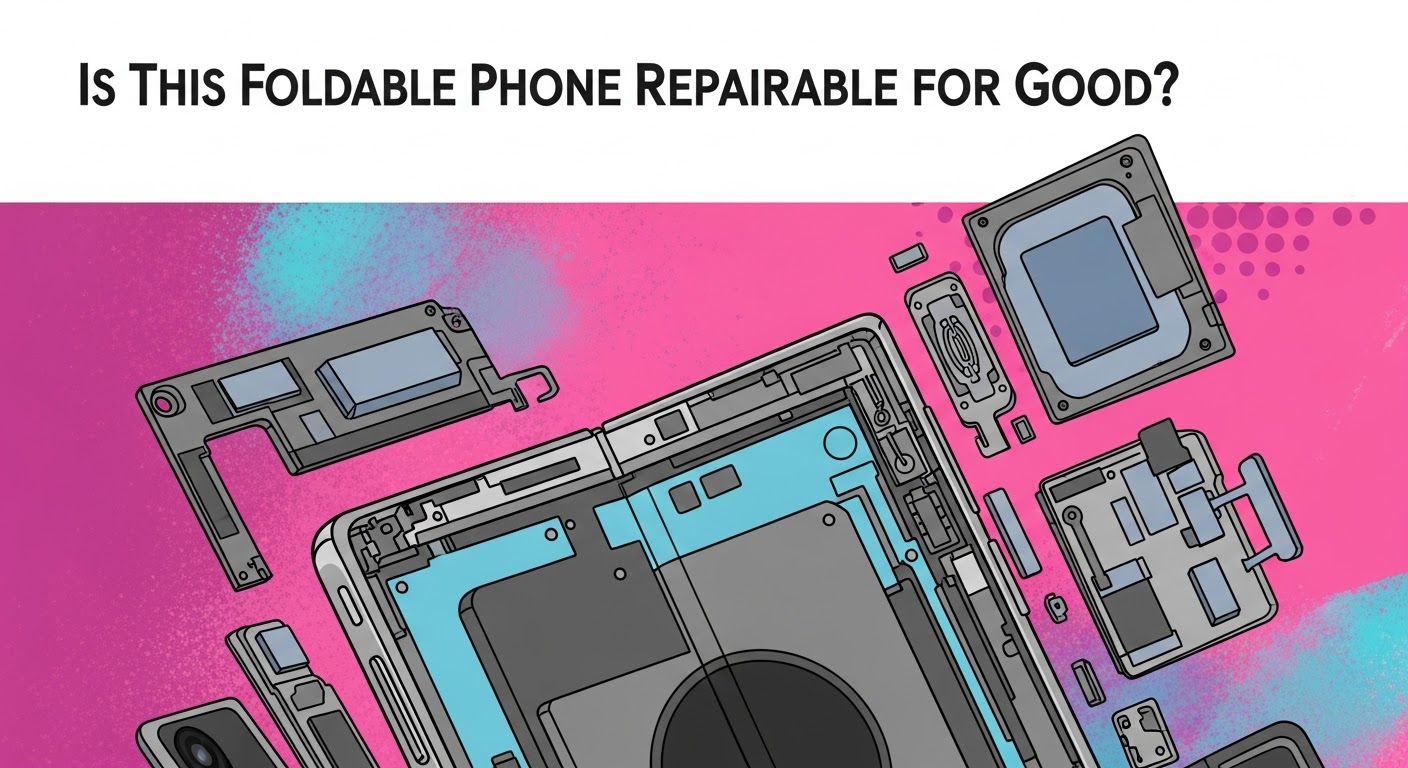
Is This Foldable Phone Repairable for Good? Ultimate Durability Breakdown + 7 Key Insights
Foldable smartphones are the coolest tech trend right now, and it’s no surprise people keep asking: “Is this foldable phone repairable for good?”
The keyword stems from curiosity, concern, and genuine confusion—because foldables are unlike any phones we’ve seen before. They bend, twist, fold, and unfold hundreds of thousands of times. But can they also be fixed the same way a standard smartphone can?
In this long-form guide, we break down repairability from every angle—parts, durability, hinge design, cost, repair difficulty, lifespan expectations, and what owners can do to make these expensive devices last longer.
Let’s dig in.
Introduction
Foldable phones have changed the smartphone world in a big way. With their flexible displays, compact size, and futuristic features, these devices are quickly becoming the top choice for tech-savvy users. But as more people switch to foldables, one important question keeps coming up: “Is this foldable phone repairable for good?”
It’s a fair question. Foldable phones have delicate hinges, ultra-thin glass, and complicated internal parts that make them very different from regular smartphones. While their advanced design gives users a unique experience, it also raises concerns about durability, long-term performance, and repair costs.
In this guide, we take a closer look at how foldable phones work, what makes them fragile, and how repairable they really are. We also explore common issues, long-term maintenance tips, and why choosing the right repair center matters more than ever. With the right knowledge and proper care, your foldable phone can stay reliable, durable, and fully functional for years.
Foldable smartphones have transformed the mobile device industry, standing out as cutting-edge pieces of engineering that combine flexibility, thin glass layers, hinge systems, and ultra-compact internal components. These devices offer immersive screens, pocket-friendly portability, and futuristic designs—but they also come with questions regarding long-term repairability.
Foldables became mainstream with the rise of the Samsung Galaxy Z Fold and Z Flip series, followed by Oppo Find N, Huawei Mate X, Xiaomi Mix Fold, and Google Pixel Fold. Each model introduced unique hinge innovations, better Ultra-Thin Glass (UTG), and tighter water resistance.
Yet as impressive as they are, foldables remain more fragile than slab phones, raising the critical question: “Is this foldable phone repairable for good?”
What Makes Foldables Unique?
Foldables rely on several engineering breakthroughs that set them apart:
UTG displays only a fraction of a millimeter thick
Complex multi-gear hinges
Ultra-dense internal components
A flexible AMOLED layer
Self-healing polymers on inner layers
Dual batteries split between halves
These innovations create sleek, futuristic phones—but also make repairs far more complex.
Why Consumers Ask, “Is This Foldable Phone Repairable for Good?”
Key reasons include:
Foldable screens cost 3–5× more than standard OLED panels
Hinges wear down or gather debris
Creases become more visible over time
Foldables have numerous delicate layers
Repairs require specialized tools and training
Many users worry about longevity, especially with premium devices costing well above $1500–$2500.
However, with proper care and access to qualified repair shops, foldables can remain repairable long-term.
Understanding what affects repairability helps users make smarter decisions about maintenance and repair costs.
The Ultra-Thin Glass (UTG) Challenge
Foldables rely on UTG—glass so thin that it can bend without breaking. The downside?
It scratches more easily
It’s extremely sensitive to pressure
It requires heat-based separation tools
Only a few manufacturers produce UTG
This limited supply increases repair costs and decreases availability over time. Replacing UTG-based screens demands high precision and specialized machinery.
Hinge Mechanics and Long-Term Durability Issues
Hinges are the “spine” of every foldable, and they take on enormous stress. Some hinges use:
Floating gears
Water-resistant channels
Brush systems to block debris
Sealed micro-rollers
Failures typically include:
Clicking noises
Resistance when folding
Debris getting stuck
Alignment issues
Complete hinge lockup
Replacing a hinge requires complete disassembly of both halves of the device.
Internal Layout Complexity
Foldables need:
Dual batteries
Ribbon cables connecting both halves
Compact motherboards
Split speaker systems
Ultra-tight component stacking
This tight internal architecture increases the difficulty of accessing and repairing components.
How Foldable Phone Screens Fail Over Time
Foldable displays are masterfully engineered, but they still face wear and tear.
Crease Development
All foldables develop a crease—some more visible than others. Over time, repeated folding deepens the crease, impacting:
Display uniformity
Touch sensitivity
Light reflection patterns
This is normal wear but can accelerate if mishandled.
Pressure Points & Flex Region Weaknesses
The bending area is the most fragile part of a foldable phone. Common issues include:
Micro-cracks under the surface
Pixel dimming
Touchline failures
Bubble development
Even light pressure from fingernails can create permanent marks.
Adhesive and Lamination Failures
Foldable screens rely on multiple adhesive layers. Heat, humidity, and mechanical stress can cause:
Delamination
Touch grid separation
Visible lines
Black spots
Once these appear, the entire screen assembly must be replaced.
Most Common Repairs for Foldable Phones
Repair centers like Sydney CBD Repair Centre see a consistent pattern in foldable device repairs.
Inner Main Screen Replacement
This is the most common repair, especially for:
Samsung Z Fold series
Samsung Z Flip series
Google Pixel Fold
Costs are high because the screen includes UTG, digitizer, OLED panel, and frame adhesions.
Outer Cover Screen Repairs
Thankfully, outer screens are cheaper because they are similar to normal OLED or AMOLED displays.
Battery Replacements in Foldables
Foldables include two batteries—one in each half. Symptoms of aging include:
Rapid draining
Random shutdowns
Heat buildup
A proper repair requires replacing both batteries to maintain device balance.
Cost Breakdown: Are Foldable Phone Repairs Worth It?
Foldables cost more to repair for three reasons:
High part cost
Longer labor time
Specialized tools and training
Screen Replacement Price Trends
Typical foldable inner screen prices:
Z Fold: $600–$900
Z Flip: $450–$700
Pixel Fold: $700–$950
Hinge Repair Cost Averages
Hinge repairs usually cost:
$180–$350 depending on model and part availability
Labor Complexity & Technician Skill Requirements
Technicians require:
Micro-heating pads
Precision alignment systems
Clean room environment
This adds to repair cost but ensures better results.
Can Foldables Be Repaired Long-Term? (Expert Analysis)
Let’s return to the key question: Is this foldable phone repairable for good?
The answer is: Yes—but only if parts remain available and repairs are done by skilled technicians.
Part Availability Forecast
Samsung maintains strong part supply for 4–6 years.
Google maintains support for 3–5 years.
Oppo and Xiaomi availability varies.
Manufacturer Repair Policies
Brands are expanding their repair programs due to pressure from Right-to-Repair laws globally.
Third-Party Repair Viability
Shops like Sydney CBD Repair Centre offer:
Genuine replacement parts
Same-day repairs
90-day warranties
Skilled technicians
This ensures foldables can stay repairable for many years.
How to Extend the Life of a Foldable Phone
You can make your foldable last significantly longer by following simple tips.
Daily Usage Habits
Avoid pressing the center fold line
Open/close gently
Keep the phone dry
Prevent exposure to fine dust
Handling and Storage Tips
Don’t store in tight pockets
Avoid leaving in hot cars
Don’t place heavy objects on it
Protective Accessories That Actually Help
Screen protectors rated for UTG
Case with hinge protection
Magnetic-free accessories
High-quality microfiber cloths
FAQs
1. Is this foldable phone repairable for good?
Yes. Foldables are repairable long-term as long as parts remain available and the repairs are done by qualified technicians.
2. Why do foldable screens cost so much to replace?
They use UTG, flexible AMOLED, and complex lamination, making manufacturing expensive.
3. Can hinge problems be fixed permanently?
Yes, but hinges wear over time. Replacing them restores smooth operation.
4. Is replacing the inner screen worth it?
If the device is under 3 years old, absolutely. It restores full functionality.
5. Do foldables last as long as regular phones?
With proper care, they can last 4–6 years.
6. Where should I repair my foldable phone?
A specialized repair center like Sydney CBD Repair Centre is recommended.
Conclusion
Foldable smartphones are repairable, durable, and long-lasting—if treated well and serviced by professionals.
So the answer to “Is this foldable phone repairable for good?” is a confident yes, provided the user invests in proper care and relies on experienced technicians.
David from Sydney CBD Repair Centre – The Best place to fix mobile phones as 6 Years In A Row! Top Mobile Phone Repair In Sydney. More than 2000 Positive Reviews on Google and Same Day Repairs.
📍 Visit us today for:
✓ Same Day Express Repairs
✓ Genuine Parts Guarantee
✓ Professional Technicians
✓ Competitive Pricing
✓ 2000+ 5-Star Google Reviews
✓ 6-Time Award Winner for Best Phone Repairs