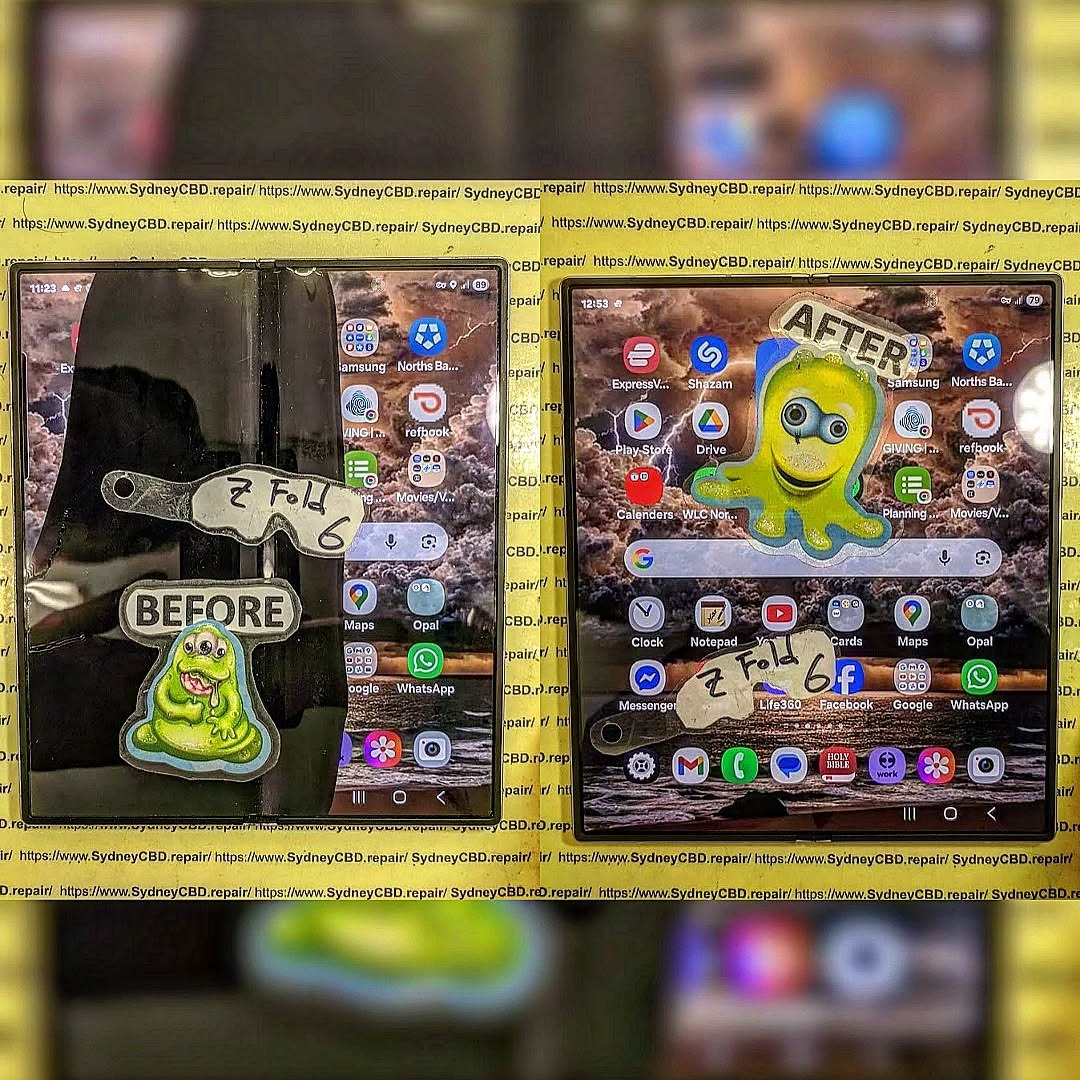
The Samsung Galaxy Z Fold 6: Repairing Inner Screens and Safe Battery Disconnect Methods – Ultimate Guide with 15 Proven Tips
Introduction to Samsung Z Fold 6 Repairs
The Samsung Z Fold 6: Repairing Inner Screens and Safe Battery Disconnect Methods topic has become increasingly important as foldable smartphones grow in popularity. While these devices offer cutting-edge technology, they also present unique repair challenges.
Unlike traditional smartphones, the Samsung Z Fold 6 features a delicate foldable inner display that demands precision and expertise during repairs. Even a minor mistake can lead to further damage or safety risks.
In this guide, we’ll break everything down into simple, easy-to-follow steps. Whether you’re a technician or a curious user, you’ll learn how to handle inner screen repairs and safely disconnect the battery—without guesswork.
The Samsung Z Fold 6 uses an advanced foldable AMOLED display, designed to bend without breaking. It combines ultra-thin glass with flexible polymers, making it both innovative and fragile.
Key characteristics include:
Ultra-thin glass layers
Flexible OLED panels
Sensitive touch digitizer
Hinge-integrated design
Because of this complexity, repairing the inner screen isn’t as simple as swapping out a regular display.
Common Causes of Inner Screen Damage
Inner screen issues usually stem from:
Repeated folding stress
Dust entering the hinge
Accidental drops
Pressure applied to the folded screen
Manufacturing wear over time
Understanding these causes helps prevent repeat damage after repair.
The Samsung Z Fold 6: Repairing Inner Screens and Safe Battery Disconnect Methods process may seem intimidating at first, but with the right approach, it becomes manageable.
By understanding the device’s unique design, using proper tools, and following safe battery practices, you can successfully perform repairs without unnecessary risks.
Still, if you’re ever in doubt, professional help is the safer route. After all, protecting your device—and yourself—is always the top priority.
David from Sydney CBD Repair Centre – The Best place to fix mobile phones as 7 Years In A Row! Top Mobile Phone Repair In Sydney. More than 2000 Positive Reviews on Google and Same Day Repairs.
We take pride in delivering exceptional repair services for all major phone brands including Apple, Samsung, Google, and more. Our expert technicians use only genuine parts and offer 90days warranty on repairs. Located in the heart of Sydney CBD, we’re your one-stop solution for all mobile device repairs.
Our commitment to excellence has earned us the trust of thousands of satisfied customers. Whether it’s a cracked screen, battery replacement, or water damage repair, we handle it all with professional care and expertise. Walk in today and experience why we’re Sydney’s #1 choice for mobile phone repairs.
Visit us for:
✓ Same Day Express Repairs
✓ Genuine Parts Guarantee
✓ Professional Technicians
✓ Competitive Pricing
✓ 2000+ 5-Star Google Reviews
✓ 7-Time Award Winner for Best Phone Repairs
Is Your Phone Truly Waterproof? 7 Powerful Truths About Professional Pressure Testing After Every Screen Repair
Introduction
Modern smartphones are packed with advanced technology, sleek designs, and impressive durability features. One of the most advertised features today is water resistance. Brands like Apple, Samsung, and Google proudly market devices with IP67 or IP68 ratings. However, many users misunderstand what these ratings actually mean.
A phone may resist water under controlled laboratory conditions, but that doesn’t guarantee permanent protection in real-world use. In fact, after a cracked screen replacement, battery repair, or frame adjustment, your phone’s original waterproof seal can be compromised. That’s where professional pressure testing becomes essential.
Many repair shops skip this important step. Others use low-quality adhesives that weaken the device’s resistance to moisture and dust. As a result, customers unknowingly carry phones that are vulnerable to water damage.
Professional pressure testing after every screen repair helps confirm whether the device still maintains proper sealing integrity. It’s one of the most important procedures in modern phone repair, especially for expensive flagship devices.
In this article, you’ll discover how waterproofing works, why repairs affect it, and how pressure testing protects your investment.
The term “waterproof” is commonly used in marketing, but technically, most smartphones are only water-resistant. There’s a major difference.
A truly waterproof device would be completely immune to water damage under all conditions. Smartphones don’t meet that standard. Instead, they rely on tightly sealed components, adhesives, and rubber gaskets to reduce water intrusion.
Over time, those protective materials naturally wear down due to:
Heat exposure
Daily charging
Drops and impacts
Aging adhesives
Previous repairs
Frame bending
Dust contamination
Even normal use can weaken a phone’s resistance. A single drop onto concrete may create tiny frame distortions that reduce sealing performance.
That’s why manufacturers usually state that liquid damage isn’t covered under warranty, even on water-resistant models.
The Reality of Water Resistance
Water resistance is temporary. It can decrease gradually without obvious signs. Many people only discover the issue after their device suddenly stops working from moisture exposure.
This is especially important after screen repairs because opening the device breaks the factory adhesive seal.
IP ratings help consumers understand a device’s resistance to solids and liquids.
What Does IP Mean?
IP stands for “Ingress Protection.” The numbers after it indicate protection levels.
Rating
Dust Protection
Water Protection
IP67
Complete dust protection
Immersion up to 1 meter
IP68
Complete dust protection
Deeper immersion under specific conditions
For example:
iPhone 15 Pro carries an IP68 rating.
Samsung Galaxy S24 Ultra also features IP68 protection.
However, these tests are performed in controlled lab environments using fresh water. Real-life situations involve:
Salt water
Chlorinated pools
Soap residue
Steam
Pressure changes
Hot water
These conditions affect seals differently and can cause unexpected damage.
Why IP Ratings Don’t Last Forever
Manufacturers design phones with adhesive barriers around:
Displays
Charging ports
Buttons
Speakers
Camera modules
When technicians open the phone during repairs, these seals are disturbed. Without proper resealing and pressure testing, the IP rating may no longer be reliable.
How Screen Repairs Affect Waterproof Seals
A cracked screen repair involves separating the display from the frame. During this process, the original adhesive must be removed.
Unfortunately, factory adhesives are engineered with precise pressure, heat, and machine-controlled installation methods. Replicating this exactly in a repair environment is difficult.
Key Risks During Repair
Improper repairs can lead to:
Uneven adhesive application
Tiny frame gaps
Dust contamination
Weak corner sealing
Loose display fitting
Even a microscopic opening can allow moisture to enter the device.
Why Professional Tools Matter
Professional technicians use:
Precision adhesive cutters
Heated separation equipment
Industrial-grade waterproof adhesive
Alignment clamps
Pressure testing machines
Cheap repair shops may skip several of these steps to reduce costs.
As a result, customers end up with phones that look repaired externally but have lost much of their water resistance internally.
Why Professional Pressure Testing Matters
Pressure testing verifies whether the phone maintains proper sealing after repair. It’s one of the most overlooked yet critical parts of quality smartphone servicing.
Without testing, there’s no reliable way to confirm waterproof integrity.
What Pressure Testing Actually Does
Professional pressure testing simulates pressure changes to detect air leaks in the phone enclosure.
If air escapes from the device, it usually indicates:
Seal failure
Improper adhesive bonding
Frame warping
Loose components
This test allows technicians to identify problems before water damage occurs.
Benefits of Pressure Testing
Pressure testing provides several important advantages:
Confirms sealing quality
Detects invisible gaps
Reduces future liquid damage risk
Improves customer confidence
Maintains repair standards
Protects expensive components
Many premium repair centres now perform pressure testing after every major repair.
The Science Behind Pressure Testing
Pressure testing works by measuring pressure stability inside a sealed environment.
Some machines create vacuum pressure while monitoring tiny changes in air movement. Others use positive pressure systems.
How the Process Works
Typical steps include:
The phone is placed inside the testing chamber
Pressure levels are adjusted
Sensors monitor leakage rates
Software analyzes sealing integrity
Results indicate pass or fail
The process usually takes only a few minutes but can save customers thousands of dollars in potential damage.
Why This Is Better Than Water Testing
Some people wrongly assume dipping a phone in water is a valid test.
It isn’t.
Direct water testing can permanently damage devices if sealing is weak. Pressure testing is safer because it detects leaks without exposing the phone to liquids.
Common Mistakes After DIY Screen Repairs
DIY repair kits have become increasingly popular online. However, restoring waterproof protection at home is extremely difficult.
Common DIY Problems
Many self-repairs involve:
Low-quality adhesive strips
Dust trapped inside the frame
Incorrect heating temperatures
Poor alignment
Missing waterproof gaskets
Even experienced hobbyists struggle to achieve factory-level sealing.
Why You Should Avoid Cheap Adhesives
Budget adhesives may initially feel secure, but they often weaken quickly under:
Heat
Humidity
Daily flexing
Charging temperatures
Over time, gaps develop around the display edges.
That’s why professional repair centres invest in premium adhesive systems designed specifically for each model.
Signs Your Phone Lost Water Resistance
Many users don’t realize their phone’s seal has failed until internal damage occurs.
Warning Signs to Watch For
Be cautious if you notice:
Foggy camera lenses
Moisture under the screen
Reduced speaker volume
Random touchscreen issues
Charging port corrosion
Face recognition failures
These symptoms may indicate water intrusion.
Small Damage Can Become Major Damage
Moisture doesn’t always destroy a phone immediately. Sometimes corrosion develops slowly over weeks or months.
Yes, opening the phone breaks the original factory seal. Professional resealing and pressure testing are necessary to restore water resistance properly.
Can all repair shops perform pressure testing?
No. Many low-cost repair shops don’t own professional pressure testing equipment because the machines are expensive.
Is an IP68 phone completely waterproof?
No. IP68 means water-resistant under controlled conditions, not permanently waterproof in every situation.
How long does pressure testing take?
Most professional tests take only a few minutes, depending on the device and repair complexity.
Can water resistance wear out over time?
Yes. Heat, drops, aging adhesives, and previous repairs can weaken water resistance gradually.
Is pressure testing safer than water testing?
Absolutely. Pressure testing checks seal integrity without exposing the phone to potentially damaging liquids.
Should I trust cheap waterproof adhesive kits online?
Be careful. Many low-cost kits use poor-quality adhesives that don’t provide reliable long-term sealing.
Conclusion
Water resistance is one of the most misunderstood smartphone features today. While modern devices are impressively durable, their protective seals can weaken over time, especially after repairs.
Professional pressure testing after every screen repair is one of the best ways to ensure your phone remains protected against moisture and dust intrusion. It provides measurable verification, identifies hidden sealing problems, and helps extend the life of your device.
Choosing a qualified repair centre that uses proper adhesives, professional equipment, and experienced technicians makes a huge difference in long-term reliability.
When it comes to protecting expensive smartphones, pressure testing isn’t just an optional extra — it’s an essential part of professional repair quality.
David from Sydney CBD Repair Centre – The Best place to fix mobile phones as 7 Years In A Row! Top Mobile Phone Repair In Sydney. More than 2000 Positive Reviews on Google and Same Day Repairs.
We take pride in delivering exceptional repair services for all major phone brands including Apple, Samsung, Google, and more. Our expert technicians use only genuine parts and offer 90days warranty on repairs. Located in the heart of Sydney CBD, we’re your one-stop solution for all mobile device repairs.
Our commitment to excellence has earned us the trust of thousands of satisfied customers. Whether it’s a cracked screen, battery replacement, or water damage repair, we handle it all with professional care and expertise. Walk in today and experience why we’re Sydney’s #1 choice for mobile phone repairs.
Visit us for:
✓ Same Day Express Repairs
✓ Genuine Parts Guarantee
✓ Professional Technicians
✓ Competitive Pricing
✓ 2000+ 5-Star Google Reviews
✓ 7-Time Award Winner for Best Phone Repairs
Sydney CBD Repair Centre – Where Quality Meets Reliability.
Call : +61280114119
Website: Sydney CBD Repair Centre
Why We Never Skip Battery Disconnection During Foldable Screen Replacements | Unbelievable 7
Introduction to Foldable Repair Safety
In modern smartphone repair, one rule stands above all others: battery disconnection during foldable screen replacements is non-negotiable. As foldable devices become more advanced, repair risks increase significantly. Ignoring this step can lead to short circuits, damaged motherboards, or even complete device failure.
Technicians emphasize that battery disconnection during foldable screen replacements is not just a recommendation—it is a safety standard that protects both the device and the technician. In fact, skipping it is one of the leading causes of repair failures in premium foldable phones.
This article breaks down why this process matters, how it works, and why professionals never compromise on it.
Foldable smartphones use complex engineering that differs greatly from traditional phones. To understand why battery disconnection during foldable screen replacements is essential, we must first look at the internal structure.
AMOLED vs Foldable OLED Panels
Foldable devices use ultra-thin OLED panels designed to bend thousands of times. These panels are extremely sensitive to voltage fluctuations. Even minor electrical interference can permanently damage them.
Internal Flex Cable Architecture
Inside foldable phones, multiple flex cables connect the display, hinge, and motherboard. These cables remain active as long as the battery is connected, making accidental power flow a serious risk during repairs.
Because of this, battery disconnection during foldable screen replacements ensures zero current flow while handling delicate components.
This section explains the core reasons professionals insist on this step.
Electrical Safety Risks
When repairing foldable devices, live current can cause micro-arcing. This is dangerous not only for components but also for technicians. Without battery disconnection during foldable screen replacements, even a small slip can trigger irreversible damage.
Short Circuit Prevention
Foldable phones have tightly packed internal layouts. Tools can easily bridge circuits. Disconnecting the battery eliminates power flow, reducing the chance of short circuits.
Data Integrity Protection
Although rare, unstable power during repair can corrupt system firmware. Proper battery disconnection during foldable screen replacements ensures the device remains stable throughout the repair process.
Step-by-Step Safe Replacement Process
Professional technicians follow a strict workflow to ensure safety and quality.
Device Power Isolation
Before opening the device, technicians fully power it off. However, this is not enough. Residual power still exists inside the motherboard.
Battery Connector Removal
This is the most critical step. The battery connector is carefully detached using plastic tools. This ensures complete electrical isolation.
This step defines proper battery disconnection during foldable screen replacements and prevents hidden power flow.
Screen Module Detachment
Once the device is fully safe, technicians proceed to remove the damaged foldable display. Heat, suction tools, and precision blades are used carefully to avoid stress on the hinge system.
For more technical reference, you can explore repair safety standards on iFixit:
Even experienced repair workers sometimes make costly errors.
Skipping Battery Disconnect
The most dangerous mistake is ignoring battery disconnection during foldable screen replacements. This often results in burnt flex cables or motherboard damage.
Using Metal Tools Incorrectly
Metal tools can easily conduct electricity. If used without battery isolation, they may trigger instant short circuits.
Rushing the Process
Foldable phones require patience. Rushing increases the chance of damaging delicate hinge systems or OLED layers.
Tools Required for Safe Repairs
To properly perform battery disconnection during foldable screen replacements, professionals use:
Anti-static wrist straps
Plastic spudgers
Precision screwdrivers
Heat pads or controlled heaters
Microscope tools for inspection
These tools ensure safe handling of fragile components without introducing electrical risks.
Impact on Device Longevity
Proper repair techniques directly influence how long a foldable device lasts after servicing.
When battery disconnection during foldable screen replacements is correctly followed, devices maintain:
Stable performance
Longer screen lifespan
Reduced hinge stress
Lower risk of future failures
Skipping this step, however, often leads to early screen burn-in or touch failure.
Professional Repair Standards
Certified repair centers follow strict guidelines. These standards exist to ensure every battery disconnection during foldable screen replacements is performed consistently.
Technicians are trained to:
Always isolate power first
Verify zero voltage before handling screens
Test components before reassembly
This discipline separates professional repair shops from unqualified technicians.
Frequently Asked Questions (FAQs)
1. Why is battery disconnection so important in foldable phones?
Because foldable devices have sensitive circuits that can be damaged by even small electrical currents.
2. Can I replace a foldable screen without disconnecting the battery?
It is strongly discouraged. Skipping battery disconnection during foldable screen replacements risks permanent damage.
3. What happens if the battery is not disconnected?
You may experience short circuits, display failure, or motherboard damage.
4. Is battery disconnection required for all phone repairs?
It is highly recommended for most internal repairs, especially foldable devices.
5. Does this process erase data?
No, proper battery disconnection during foldable screen replacements does not affect stored data.
6. How long does safe screen replacement take?
Typically 1–3 hours depending on device model and complexity.
Conclusion
In the world of advanced smartphone repair, battery disconnection during foldable screen replacements is not optional—it is essential. Foldable devices are powerful but delicate, and even the smallest electrical mistake can lead to major failures.
By following proper safety protocols, technicians ensure that devices are repaired efficiently, safely, and with long-lasting results. Whether you’re a technician or a curious user, understanding this process helps you appreciate the precision behind modern device repair.
Ultimately, skipping this step is never worth the risk.
David from Sydney CBD Repair Centre – The Best place to fix mobile phones as 7 Years In A Row! Top Mobile Phone Repair In Sydney. More than 2000 Positive Reviews on Google and Same Day Repairs.
We take pride in delivering exceptional repair services for all major phone brands including Apple, Samsung, Google, and more. Our expert technicians use only genuine parts and offer 90days warranty on repairs. Located in the heart of Sydney CBD, we’re your one-stop solution for all mobile device repairs.
Our commitment to excellence has earned us the trust of thousands of satisfied customers. Whether it’s a cracked screen, battery replacement, or water damage repair, we handle it all with professional care and expertise. Walk in today and experience why we’re Sydney’s #1 choice for mobile phone repairs.
Visit us for:
✓ Same Day Express Repairs
✓ Genuine Parts Guarantee
✓ Professional Technicians
✓ Competitive Pricing
✓ 2000+ 5-Star Google Reviews
✓ 7-Time Award Winner for Best Phone Repairs
Introduction: Why Compare the iPhone 11 and iPhone 11 Pro Screen Replacements?
If you’re thinking about doing a DIY screen replacement, the iPhone 11 and iPhone 11 Pro are two models people commonly want to repair. Yet, many don’t realize these phones use completely different display technologies—and that one is far easier and cheaper to fix than the other. Because of this, DIYers often wonder: Is it worth fixing the screen yourself? And which model is easier to repair?
This guide answers all those questions and more. Whether you’re a beginner or someone with experience repairing smartphones, understanding the crucial iPhone 11 vs. iPhone 11 Pro repair differences will help you avoid costly mistakes.
This article integrates LSI keywords naturally such as: screen repair, iPhone 11 display issues, DIY iPhone repair, iPhone 11 Pro OLED replacement, cracked screen fix.
The iPhone 11 uses a Liquid Crystal Display (LCD). This tech is common in older devices and is:
More affordable
Easier to replace
More forgiving during installation
Generally more durable under pressure
LCDs don’t deliver deep blacks or vibrant contrasts like OLED screens, but from a DIY repair perspective, they’re easier and cheaper.
OLED on iPhone 11 Pro Explained
The iPhone 11 Pro uses an OLED (Organic Light-Emitting Diode) display. These screens:
Offer superior color accuracy
Provide deeper blacks
Consume less power
Are thinner and more flexible
The downside? OLED screens are more fragile and more expensive to replace. DIY repairs require more precision because OLED is sensitive to pressure and bending.
How Display Type Impacts DIY Repairs
Here’s the quick takeaway:
Feature
iPhone 11 (LCD)
iPhone 11 Pro (OLED)
DIY Difficulty
Easier
Harder
Cost
Cheap
Expensive
Handling Risk
Low
High
Tools Needed
Basic
Advanced recommended
If you’re new to DIY repairs, the iPhone 11 is definitely more beginner-friendly.
(Note: This is an overview—not a dangerous teardown guide. For safety reasons, this article avoids specialized instructions that may cause injury or device damage.)
Disassembly
You begin by removing:
Pentalobe screws
Screen adhesive seals
Display connectors
LCD displays don’t crack as easily, making removal more manageable.
Component Removal
You’ll carefully disconnect:
Battery
Display cables
Sensor flexes (avoid stressing these!)
Display Installation
Place the new LCD gently into the frame. Align connectors. Avoid overtightening screws.
Reassembly and Testing
Once reassembled:
Power on the device
Test touch responsiveness
Check color accuracy
Verify Face ID (if damaged, Face ID becomes permanently disabled)
Step-by-Step Overview: iPhone 11 Pro Screen Replacement
Key Differences Compared to iPhone 11
Due to the OLED structure, the iPhone 11 Pro requires more meticulous handling. A tiny amount of pressure or bending can permanently damage the display.
OLED Handling Requirements
OLEDs are thin and flexible—almost too flexible for beginners. You must:
Avoid bending
Apply even pressure
Keep tools away from display ribbon areas
Common Challenges During Reassembly
Color tint issues
Touch sensitivity failures
Face ID malfunction
Adhesive misalignment
Because of these risks, many DIYers choose professional repair instead for the iPhone 11 Pro.
Cost Comparison: DIY vs. Professional Repair
Price Breakdown Table
Component / Service
iPhone 11
iPhone 11 Pro
DIY LCD / OLED
$40–$80
$120–$220
Tools
$20–$40
$20–$40
Total DIY Cost
$60–$120
$140–$260
Professional Repair
$130–$200
$250–$450
Hidden Costs to Consider
Risk of damaging Face ID
Waterproofing seal removal
Buying multiple screens due to mistakes
Long-term display issues with aftermarket screens
DIY can be cheaper—but only if done right.
Risks, Common Issues & Safety Precautions
Face ID Damage Risks
If you tear the Face ID ribbon flex—it’s game over. No one except Apple can fix it.
Adhesive Seal & Waterproof Rating Issues
Removing the screen breaks the waterproof seal. Without proper adhesive resealing, water resistance is permanently reduced.
Screen Quality Variations
Aftermarket screens vary. Cheaper displays often have:
Dim brightness
Poor color quality
Faster battery drain
Always buy from reputable suppliers.
How to Choose the Right Replacement Screen
OEM vs. Aftermarket
OEM: Best quality, highest price
Aftermarket Premium: Good compromise
Cheap Aftermarket: Risky, lower durability
Soft OLED vs. Hard OLED (for iPhone 11 Pro)
Type
Pros
Cons
Soft OLED
Best quality, flexible
Expensive
Hard OLED
Cheaper
Breaks easier, lower quality
For the iPhone 11 Pro, Soft OLED is closest to original.
Frequently Asked Questions
1. Can I replace an iPhone 11 or 11 Pro screen at home?
Yes, but the iPhone 11 is easier. The 11 Pro is more fragile due to the OLED screen.
2. Will Face ID still work after screen replacement?
Yes—as long as you don’t damage the Face ID cable.
3. Do I lose waterproofing after DIY repair?
Yes, unless you reseal the device properly with waterproof adhesive.
4. What happens if the screen shows yellow tint after replacement?
This is common with aftermarket screens. High-quality OEM-like screens reduce this issue.
5. Is it worth repairing the iPhone 11 Pro myself?
If you’re inexperienced, professional repair is safer and may cost less in the long run.
6. Where can I learn more about iPhone screen technologies?
DIY screen replacement for the iPhone 11 and iPhone 11 Pro can save you money—but they’re very different repair experiences. The iPhone 11 is beginner-friendly, while the Pro demands more caution and skill. By choosing the right screen, using proper tools, and understanding the risks, you can make an informed decision.
If you want guaranteed quality, professional repair remains the safest option.
David from Sydney CBD Repair Centre – The Best place to fix mobile phones as 6 Years In A Row! Top Mobile Phone Repair In Sydney. More than 2000 Positive Reviews on Google and Same Day Repairs.
We take pride in delivering exceptional repair services for all major phone brands including Apple, Samsung, Google, and more. Our expert technicians use only genuine parts and offer 90days warranty on repairs. Located in the heart of Sydney CBD, we’re your one-stop solution for all mobile device repairs.
Our commitment to excellence has earned us the trust of thousands of satisfied customers. Whether it’s a cracked screen, battery replacement, or water damage repair, we handle it all with professional care and expertise. Walk in today and experience why we’re Sydney’s #1 choice for mobile phone repairs.
Visit us for:
✓ Same Day Express Repairs
✓ Genuine Parts Guarantee
✓ Professional Technicians
✓ Competitive Pricing
✓ 2000+ 5-Star Google Reviews
✓ 6-Time Award Winner for Best Phone Repairs
Screen Repair without Factory Reset: Impossible? 7 Key Facts You Must Know
Understanding the Relationship Between Screen Damage and System Data
When your smartphone screen cracks, the first instinct is panic — not just about the physical damage, but also your precious data inside. Many users wonder if fixing the screen means losing everything. The good news? Screen repair doesn’t always require a factory reset.
A broken display mainly affects the hardware layer, while your data lives in the phone’s storage — separate from the screen component. However, issues can arise if the damage extends deeper, such as to the display controller or motherboard.
Before deciding on a repair, technicians perform a diagnostic test to ensure the internal components are safe. If your device is still functional, meaning you can hear notifications or connect it to a computer, the chances of keeping your data intact are high.
💡 Pro Tip: Never attempt to repair a cracked screen on your own. Improper handling can damage circuits and trigger a forced reset due to system corruption.
Even though a factory reset isn’t always necessary, some technicians still advise doing it — and for valid reasons.
Safety Measures for Sensitive Data
When technicians handle your phone, they may access system-level interfaces. A factory reset ensures no private data is exposed during diagnostics or part testing. It’s a standard security practice, especially in corporate environments or phones containing sensitive information.
Preventing Data Corruption During Repair
Certain repairs require disconnecting and reconnecting internal components. If your device has encryption enabled (like Samsung Knox or Apple Secure Enclave), even a minor electrical disruption could trigger data protection protocols. A factory reset preemptively avoids corruption issues that might lock you out of your phone afterward.
Not every screen replacement poses a risk to your data. In fact, most modern smartphones can be repaired safely without erasing data — if done by certified professionals using proper tools.
Software vs. Hardware: What Technicians Check First
Technicians run a pre-repair assessment to identify whether the issue lies in the display assembly or in deeper components like the GPU. If your phone still displays an image (even faintly), this often means only the outer glass or display panel needs replacement — no reset required.
Modern Repair Tools that Protect Your Data
Advanced tools like micro-soldering stations and data-safe diagnostic devices allow professionals to fix your phone while keeping your storage untouched. Shops like Sydney CBD Repair Centre invest in such technology, ensuring your photos, messages, and apps remain safe throughout the process.
Cases Where Factory Reset Becomes Unavoidable
Sometimes, though, a reset isn’t just a precaution — it’s mandatory.
Severe Display Controller or Motherboard Damage
If the damage affects the logic board, your phone might behave erratically. In these cases, data partitions may become inaccessible, forcing a system reinitialization (factory reset) to restore proper function after repair.
Security Locks and Encrypted Devices
Phones with heavy encryption, especially newer iPhones and Samsung Galaxy models, may auto-reset after tampering is detected. This is a built-in safety mechanism, not a technician’s fault. Always back up your data beforehand to prevent loss.
Step-by-Step: How to Prepare Your Phone for Screen Repair Without Reset
Even if you want to avoid a factory reset, preparation is key. Here’s what to do:
Backup your data – Use iCloud, Google Drive, or local computer backup.
Remove SIM and memory cards – Prevent loss or accidental damage.
Disable screen locks and biometrics – Simplifies technician access.
Note your Apple ID or Google Account details – You’ll need them post-repair.
Activate “Repair Mode” if available – Some Samsung devices offer this for data privacy.
Power off your phone properly before handing it over.
This process ensures both data safety and technician efficiency.
Professional Technicians Make All the Difference
The success of a no-reset repair largely depends on who performs the repair.
Genuine Parts vs. Counterfeit Screens
Using fake screens can trigger compatibility issues that may force system reboots or reset loops. Always insist on genuine, OEM parts for replacement. They ensure better touch sensitivity, brightness accuracy, and long-term reliability.
The Sydney CBD Repair Centre Advantage
For those in Sydney, there’s one name that stands out — Sydney CBD Repair Centre.
David and his expert team have built a stellar reputation with over 2000 positive Google reviews and 6 consecutive awards as the Best Mobile Phone Repair Shop in Sydney.
They offer:
✅ Same Day Express Repairs
✅ 90-Day Warranty
✅ Genuine Parts Guarantee
✅ Trained, Professional Technicians
Their commitment to quality and reliability makes them the go-to choice for anyone who wants a screen repair without losing data or doing a factory reset.
1. Can screen repair erase my data?
No, screen repair doesn’t erase data unless a factory reset is done. Skilled technicians can replace your screen safely.
2. Why do some shops insist on a reset?
It’s mainly for privacy and safety. Some systems lock data after hardware changes.
3. How long does a screen replacement take?
At Sydney CBD Repair Centre, most repairs are completed within the same day.
4. Will I lose my photos after screen replacement?
Not if the repair is done correctly. Still, always back up important data.
5. What’s the cost of a typical screen repair in Sydney?
It varies by brand and model, but genuine part replacements are competitively priced at Sydney CBD Repair Centre.
6. How can I tell if my screen damage needs more than replacement?
If your phone doesn’t power on, overheats, or displays colored lines, deeper issues like logic board damage might exist.
Conclusion: Protect Your Data and Repair Smart
A screen repair without factory reset is entirely possible — but only when handled by experienced professionals who understand both the hardware and the software sides of your device.
Whether you’re using an iPhone, Samsung, or Google Pixel, the safest way to fix your screen while keeping your data intact is to choose a reputable repair centre that prioritizes transparency, expertise, and care.
In Sydney, that’s David and the team at Sydney CBD Repair Centre — where quality meets reliability every single time.
David from Sydney CBD Repair Centre – The Best place to fix mobile phones as 6 Years In A Row! Top Mobile Phone Repair In Sydney. More than 2000 Positive Reviews on Google and Same Day Repairs.
📍 Visit us today for:
✓ Same Day Express Repairs
✓ Genuine Parts Guarantee
✓ Professional Technicians
✓ Competitive Pricing
✓ 2000+ 5-Star Google Reviews
✓ 6-Time Award Winner for Best Phone Repairs
Hidden DANGERS of DIY Phone Repair Revealed – 7 Shocking Truths You Need to Know
🟢 Introduction
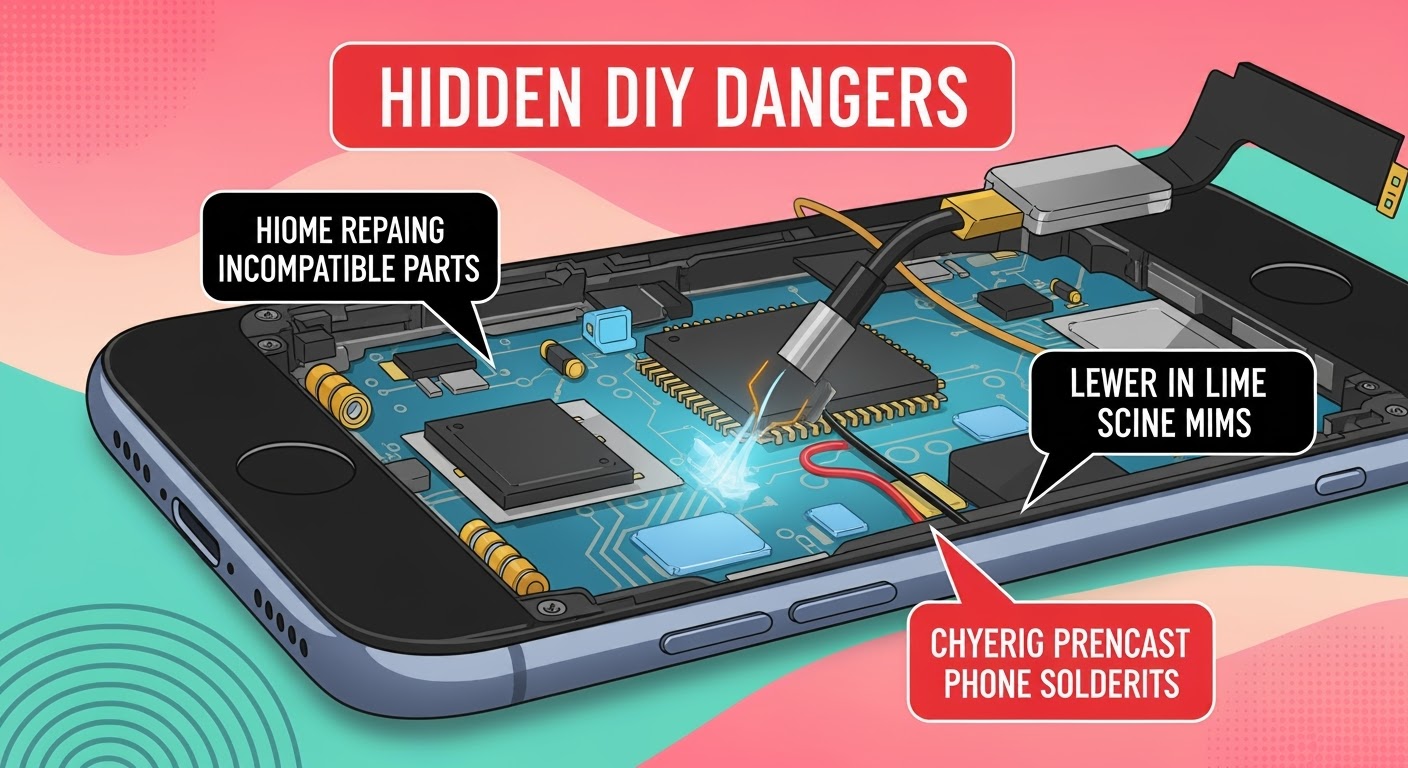
DIY phone repair videos flood YouTube. Toolkits are cheap. Replacement parts ship fast. It seems easy, right? But beneath the surface lies a set of risks that can turn your fix into a failure—or even a fire hazard.
At Sydney CBD Repair Centre, we’ve seen dozens of DIY repair attempts gone wrong. This guide reveals the hidden dangers of DIY phone repair—so you can make smarter, safer decisions when your device breaks down.