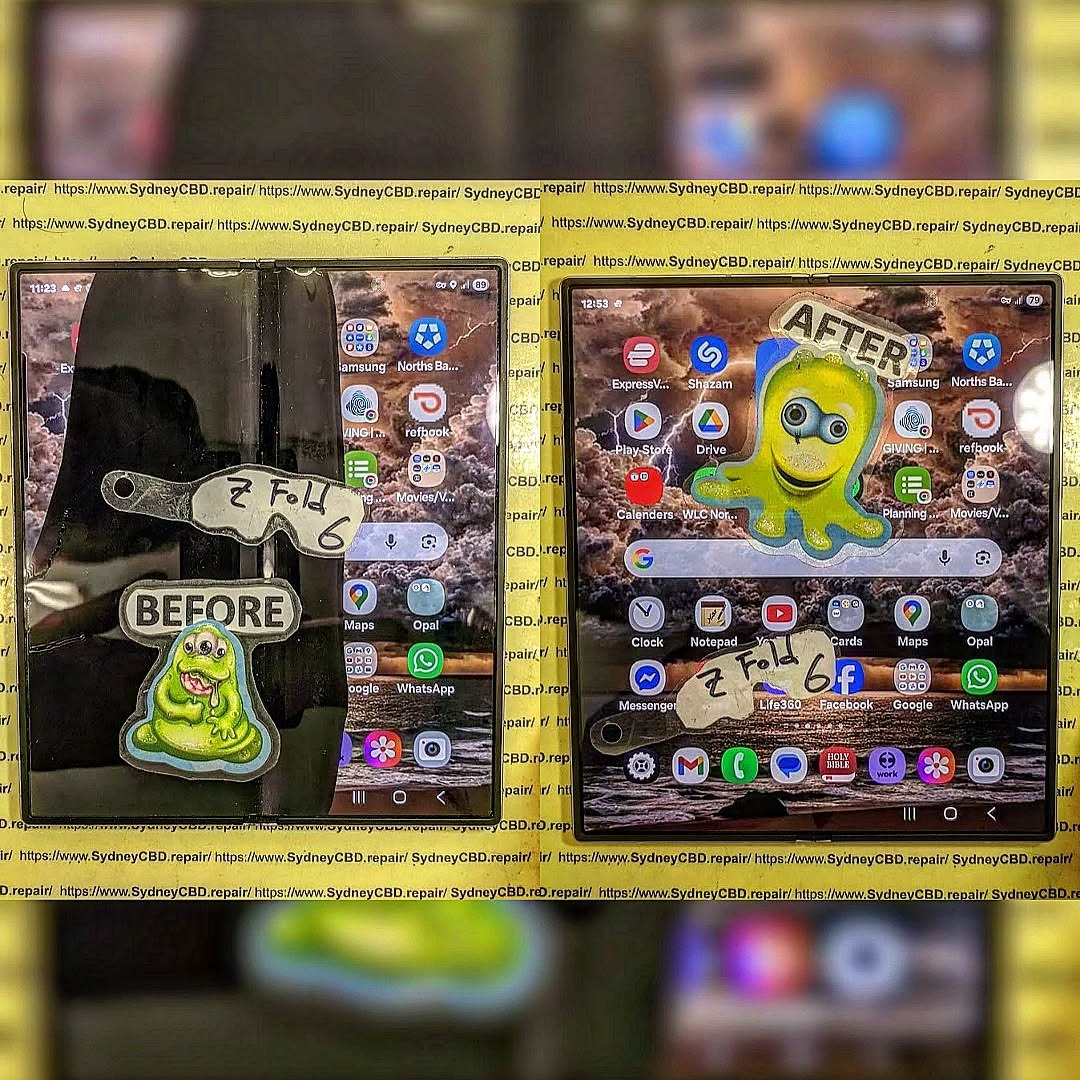
Why Your Foldable Hinge Grinds: Deep Cleaning the Samsung Galaxy Z Fold 6 Mechanism + 10 Expert Tips
Introduction: Understanding the Foldable Hinge
The Galaxy Z Fold 6 is a marvel of modern engineering, but its complex hinge mechanism is also its most delicate component. Over time, the foldable hinge may begin to grind, squeak, or resist smooth movement, which can be alarming for users. Understanding why this happens is the first step in preventing permanent damage. The hinge isn’t just a simple pivot—it’s a network of micro-gears, cams, and tension springs that allow the flexible display to open and close flawlessly. Even minor debris or lack of lubrication can disrupt its delicate balance, leading to grinding sounds and uneven folding.
To properly clean and maintain your foldable hinge, you need to understand what’s inside. The Galaxy Z Fold 6 hinge is engineered for precision, with multiple moving parts working in perfect harmony.
Key Components of the Hinge
Gears and Cams: These distribute folding force evenly across the hinge.
Micro-Springs: Maintain tension and help the fold “snap” into open or closed positions.
Protective Covers: Shield the hinge from dust and moisture while allowing airflow.
Lubricant Channels: Tiny grooves designed to hold factory-applied lubricants.
How the Hinge Mechanism Works
When you fold your Galaxy Z Fold 6, the cams rotate and compress the springs, guiding the screen along a controlled path. The gears synchronize the movement so that one side of the screen doesn’t fold faster than the other. Even a small speck of dust can disrupt this balance, causing grinding or resistance.
Several factors contribute to hinge grinding, and understanding them can prevent future issues.
Dust and Debris Accumulation
Tiny particles from pockets, bags, or the environment often accumulate inside the hinge. Over time, this buildup creates friction and leads to a noticeable grinding noise.
Lubrication Issues
The hinge is coated with a specialized lubricant at the factory. Frequent use, dust, or exposure to heat can degrade or dry out the lubricant, increasing resistance during folding.
Physical Damage and Misalignment
Dropping your foldable or applying excessive pressure can bend or misalign hinge components. Even small misalignments can produce grinding, and persistent damage may worsen over time.
Signs Your Foldable Hinge Needs Cleaning
Audible grinding or squeaking when folding/unfolding.
Uneven folding or resistance along the hinge.
Visible debris or dust along the hinge seam.
Slight misalignment of the flexible screen edges.
Stiff movement requiring extra force to open or close.
Safety Precautions Before Cleaning
Before attempting any cleaning, safety is crucial:
Power off your Galaxy Z Fold 6.
Remove any case or accessory that may obstruct access.
Work on a clean, static-free surface.
Avoid excessive pressure on the hinge to prevent damage.
Wear gloves or use anti-static measures if possible.
Tools and Materials Needed
Soft microfiber cloths
Soft-bristled brush (anti-static if available)
Compressed air canister
Isopropyl alcohol (90% or higher)
Precision lubricant recommended by Samsung
Tweezers or small picks (plastic recommended)
Cotton swabs
Step-by-Step Guide: Cleaning the Hinge
Cleaning your hinge properly requires patience and precision. Follow these steps carefully.
Removing Surface Debris
Use a soft brush to dislodge dust along the hinge.
Wipe gently with a microfiber cloth.
Avoid pushing debris deeper into the mechanism.
Using Compressed Air
Hold the can upright to avoid moisture spraying.
Blow air along the hinge from multiple angles.
Do not insert objects into the hinge.
Applying Lubricant Properly
Select a small amount of precision lubricant.
Apply along the hinge’s moving parts using a toothpick or fine applicator.
Open and close the hinge gently to distribute the lubricant.
Testing and Adjusting
Slowly fold and unfold the device multiple times.
Check for smooth motion and absence of grinding.
Repeat cleaning if necessary.
Maintenance Tips for Long-Term Hinge Health
Clean the hinge every 2-3 months or after heavy dust exposure.
Avoid folding the phone with wet or dirty hands.
Keep your device away from sand, food particles, or small debris.
Store the phone in a protective case when not in use.
Troubleshooting Persistent Grinding
If grinding persists despite cleaning:
Verify lubrication coverage.
Check for visible damage or bent components.
Ensure no debris is lodged deep inside.
Consider professional assessment to prevent further damage.
When to Seek Professional Repair
Some hinge issues are beyond DIY repair:
Persistent resistance or grinding after thorough cleaning.
Misalignment that affects the screen or causes damage.
Water or liquid exposure inside the hinge.
Warranty-covered repairs are preferable to prevent voiding.
Samsung official hinge maintenance guide: Samsung Care+
YouTube tutorials from certified repair centers
Forums for Galaxy Z Fold 6 users sharing hinge tips
FAQs
1. How often should I clean my Galaxy Z Fold 6 hinge?
Every 2-3 months, or immediately if you notice dust or grinding.
2. Can I use household lubricants on the hinge?
No, always use manufacturer-recommended or precision lubricants.
3. Will cleaning the hinge void my warranty?
Careful cleaning using non-invasive methods typically doesn’t void warranty; avoid disassembly.
4. What if my hinge still grinds after cleaning?
Persistent grinding may indicate misalignment or damage—consult a professional.
5. Can debris inside the hinge damage the screen?
Yes, prolonged friction can stress the foldable display over time.
6. Is it safe to clean the hinge with water?
No, never use water; use isopropyl alcohol and dry methods only.
Conclusion
Deep cleaning your Galaxy Z Fold 6 hinge not only restores smooth motion but also prolongs the lifespan of your foldable device. By understanding the mechanism, recognizing early signs, and following proper cleaning and maintenance routines, you can avoid costly repairs and enjoy a seamless folding experience. Regular maintenance combined with professional inspections when needed ensures your hinge remains reliable and quiet for years to come.
David from Sydney CBD Repair Centre – The Best place to fix mobile phones as 7 Years In A Row! Top Mobile Phone Repair In Sydney. More than 2000 Positive Reviews on Google and Same Day Repairs.
We take pride in delivering exceptional repair services for all major phone brands including Apple, Samsung, Google, and more. Our expert technicians use only genuine parts and offer 90days warranty on repairs. Located in the heart of Sydney CBD, we’re your one-stop solution for all mobile device repairs.
Our commitment to excellence has earned us the trust of thousands of satisfied customers. Whether it’s a cracked screen, battery replacement, or water damage repair, we handle it all with professional care and expertise. Walk in today and experience why we’re Sydney’s #1 choice for mobile phone repairs.
Visit us for:
✓ Same Day Express Repairs
✓ Genuine Parts Guarantee
✓ Professional Technicians
✓ Competitive Pricing
✓ 2000+ 5-Star Google Reviews
✓ 7-Time Award Winner for Best Phone Repairs
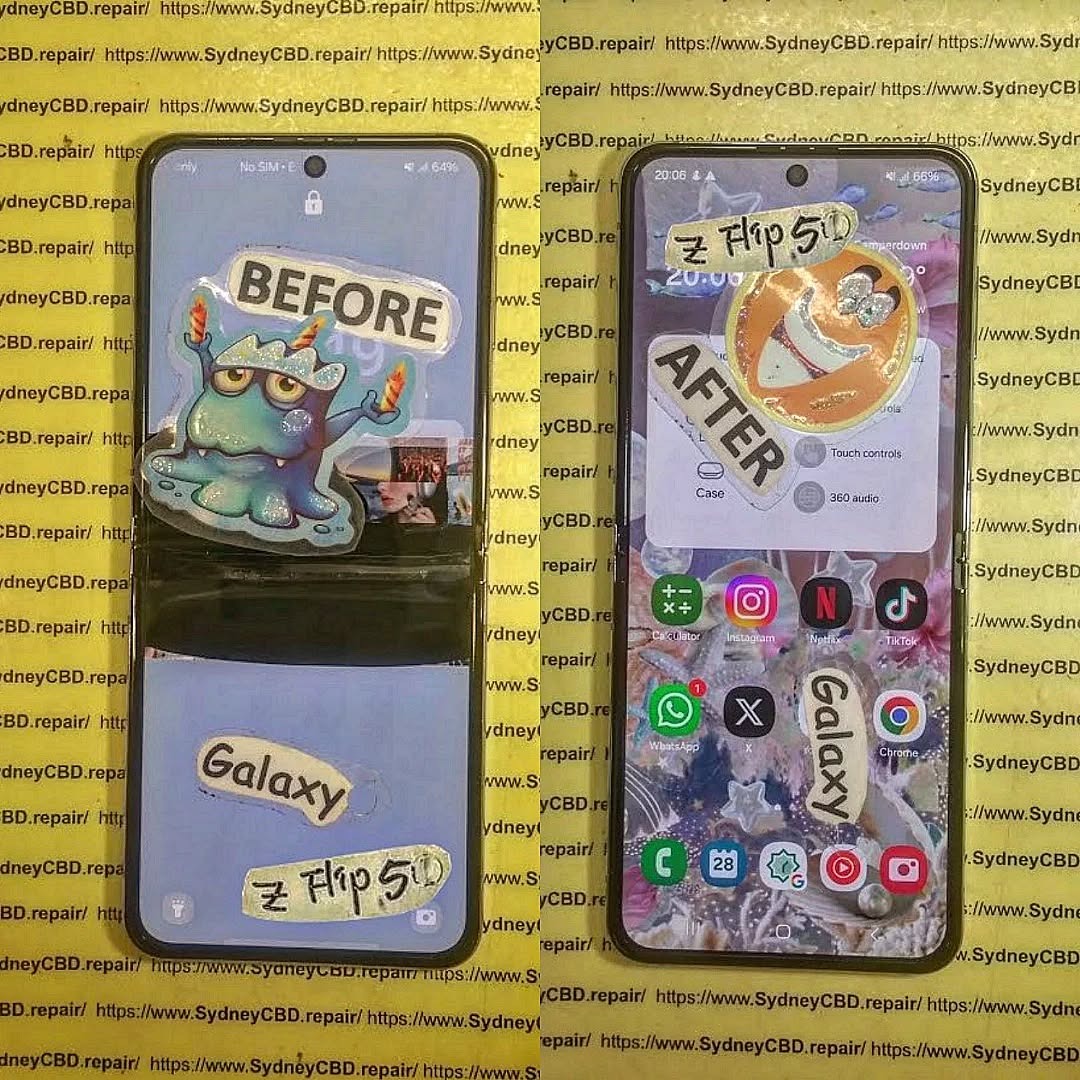
Foldable Phone Screen Failure: Repairing a Samsung Galaxy Z Flip 5 That Shuts Down Suddenly – Ultimate Guide with 9 Proven Fixes
Introduction
Foldable Screen Failure begins with understanding what actually goes wrong inside a foldable device. Foldable screen failure refers to damage or malfunction in the flexible OLED display system, hinge mechanism, or internal flex cables that connect the screen to the motherboard. Unlike traditional smartphones, foldable devices bend hundreds of times per week. Over time, that motion creates stress.
Foldable Screen Failure: Repairing a Z Flip 5 That Shuts Down Suddenly is becoming one of the most common concerns among Samsung foldable users. While the Galaxy Z Flip 5 represents cutting-edge engineering, its innovative foldable OLED display introduces unique vulnerabilities. When your phone shuts down suddenly while folding or unfolding, it’s more than frustrating—it’s alarming.
So what exactly is happening?
Foldable screen failure typically involves damage to the flexible AMOLED panel, internal display cable, hinge mechanism, or even the power management circuitry. Because the Z Flip 5 folds hundreds of times per week, the internal flex cable endures constant stress. Over time, this repetitive motion can lead to microscopic fractures.
Why the Z Flip 5 Is Unique
Unlike traditional smartphones, the Z Flip 5 features:
Ultra-Thin Glass (UTG)
Flexible AMOLED panel
Dual battery configuration
Precision hinge assembly
Internal ribbon flex connectors
These components allow the phone to bend smoothly. However, they also increase repair complexity. Even a minor misalignment can interrupt the power supply to the display, causing random shutdowns.
According to Samsung’s official foldable technology overview, foldables rely on layered structural engineering to distribute bending stress evenly. You can read more about Samsung’s display technology here: https://www.samsung.com/global/galaxy/what-is/foldable-display/
Early Warning Signs
Before complete failure, you may notice:
Screen flickering when folding
Black line along the crease
Touch not responding in the center
Phone shutting down at specific fold angles
Overheating during use
If ignored, these symptoms often escalate. The device may stop powering on entirely.
The good news? Most cases of Foldable Screen Failure: Repairing a Z Flip 5 That Shuts Down Suddenly can be resolved professionally—often the same day.
Understanding the cause is half the solution. When diagnosing Foldable Screen Failure: Repairing a Z Flip 5 That Shuts Down Suddenly, technicians look at both hardware and software triggers.
1. Display Flex Cable Damage
This is the #1 culprit.
Each time you fold the phone, the internal ribbon cable bends. Over time, the copper traces weaken. Eventually, connection loss causes:
Instant black screen
Sudden power cut
Reboot loop
Because the cable is integrated into the screen assembly, replacement typically involves full display replacement.
2. Battery and Power IC Issues
The Z Flip 5 uses dual batteries connected by a power distribution board. If voltage drops unexpectedly:
Device shuts down at 20–40% battery
Phone dies while folding
Random reboots occur
Sometimes it’s not the battery itself—it’s the Power Management IC (PMIC) on the motherboard.
3. Software Corruption
Though less common, firmware glitches can mimic hardware failure. Signs include:
Shutdown during updates
Boot loop after system crash
Device freezing before power off
A professional diagnostic always rules out software before recommending hardware repair.
4. Hinge Pressure Damage
Debris inside the hinge can place pressure on the display from behind. This causes:
Pressure spots
Internal OLED crack
Short circuit triggering shutdown
Because foldables are precision devices, even tiny dust particles matter.
Step-by-Step Diagnosis Process
Professional repair centers follow a structured approach when handling Foldable Screen Failure: Repairing a Z Flip 5 That Shuts Down Suddenly.
Step 1: External Inspection
Technicians check:
Crease integrity
Dead pixels
Frame separation
Impact marks near hinge
Step 2: Angle Testing
The device is opened and closed at multiple angles to identify if shutdown occurs at specific positions. This confirms flex cable damage.
Step 3: Internal Teardown
The Z Flip 5 requires careful heating and panel removal. Inside, experts test:
Display flex continuity
Battery voltage stability
Motherboard integrity
Short circuits
Step 4: Software Scan
Before replacing parts, technicians:
Reflash firmware
Check boot logs
Perform safe mode test
This ensures the correct repair path.
Professional diagnosis prevents unnecessary replacement costs. That’s why experience matters.
Repair Options Explained
When addressing Foldable Screen Failure: Repairing a Z Flip 5 That Shuts Down Suddenly, repair options depend on diagnosis.
Option 1: Genuine OLED Screen Replacement
Most common solution.
Includes:
New AMOLED foldable panel
Integrated flex cable
Fresh adhesive sealing
Benefits:
Restores original brightness
Fixes shutdown issue
Preserves folding mechanism
Maintains durability
Using genuine parts ensures compatibility and longevity.
Option 2: Battery Replacement
If shutdown occurs at random percentages, replacing one or both batteries may solve the issue.
Option 3: Motherboard Micro-Soldering
For advanced cases involving power IC damage, micro-soldering repairs can:
Restore voltage stability
Prevent data loss
Avoid full board replacement
This requires specialized equipment and certified technicians.
Cost of Repairing a Z Flip 5
Repair pricing depends on the fault.
Repair Type
Estimated Cost Range
Screen Replacement
Premium-tier pricing
Battery Replacement
Moderate
Motherboard Repair
Variable
Software Repair
Lower cost
Foldable screens are more expensive than standard displays due to:
Ultra-Thin Glass layer
Integrated flex assembly
Complex installation process
However, professional repair is often significantly cheaper than replacing the entire device.
Preventing Future Foldable Screen Failure
While no foldable lasts forever, you can extend its life.
Maintenance Tips
Avoid snapping the phone shut
Keep hinge clean
Don’t press the crease
Use official screen protector
Avoid extreme temperatures
Smart Charging Habits
Avoid 0% battery drains
Use certified chargers
Don’t overheat device while charging
Handle with Care
Foldables aren’t fragile—but they require mindful use. Think of them like precision laptops rather than rugged bricks.
Why Professional Repair Matters
Repairing a foldable device isn’t DIY territory.
At Sydney CBD Repair Centre, technicians:
Use genuine parts
Offer 90-day warranty
Provide same-day service
Conduct full device diagnostics
With 2000+ 5-star Google reviews and 7 consecutive awards, expertise makes all the difference.
Attempting unofficial repairs may:
Void warranty
Damage hinge alignment
Cause permanent data loss
Professional service ensures safety, reliability, and peace of mind.
Frequently Asked Questions (FAQs)
1. Why does my Z Flip 5 shut down when I fold it?
This usually indicates flex cable damage linked to foldable screen failure.
2. Can software updates fix sudden shutdown?
Only if the issue is firmware-related. Hardware issues require repair.
3. Is it safe to keep using the phone?
Not recommended. Continued folding may worsen damage.
4. How long does repair take?
Most professional repairs are completed same day.
5. Will my data be safe?
Screen replacements do not affect stored data.
6. Is foldable screen failure common?
With heavy use, yes—but professional repair restores full function.
Conclusion
Foldable Screen Failure: Repairing a Z Flip 5 That Shuts Down Suddenly may sound intimidating, but it’s completely manageable with the right expertise. Foldable devices represent the future of smartphones. And like any advanced technology, they require specialized care.
If your Z Flip 5 shuts down unexpectedly, don’t panic. Early diagnosis and professional repair can restore your device to like-new performance.
David from Sydney CBD Repair Centre – The Best place to fix mobile phones as 7 Years In A Row! Top Mobile Phone Repair In Sydney. More than 2000 Positive Reviews on Google and Same Day Repairs.
We take pride in delivering exceptional repair services for all major phone brands including Apple, Samsung, Google, and more. Our expert technicians use only genuine parts and offer 90days warranty on repairs. Located in the heart of Sydney CBD, we’re your one-stop solution for all mobile device repairs.
Our commitment to excellence has earned us the trust of thousands of satisfied customers. Whether it’s a cracked screen, battery replacement, or water damage repair, we handle it all with professional care and expertise. Walk in today and experience why we’re Sydney’s #1 choice for mobile phone repairs.
Visit us for:
✓ Same Day Express Repairs
✓ Genuine Parts Guarantee
✓ Professional Technicians
✓ Competitive Pricing
✓ 2000+ 5-Star Google Reviews
✓ 7-Time Award Winner for Best Phone Repairs
Beyond the Screen Green Line: When to Repair or Replace Your Foldable Phone
Introduction: The Rise of Foldable Phones
Foldable phones have revolutionized the smartphone landscape, combining the convenience of a compact device with the functionality of a tablet. Companies like Samsung, Huawei, and Google have pushed boundaries with sleek, foldable displays that promise flexibility and enhanced multitasking.
However, with great innovation comes unique challenges. Unlike traditional smartphones, foldable phones involve intricate hinge mechanisms and flexible screens that can be susceptible to wear over time. Recognizing when to repair or replace your foldable device is crucial not only for performance but also for preventing permanent damage. By understanding these warning signs, you can make informed decisions to maximize your investment.
Foldable phones aren’t just regular smartphones with hinges—they incorporate advanced materials and engineering. Most modern devices feature AMOLED or OLED flexible panels combined with precision-engineered hinges that allow repeated folding and unfolding.
Foldable Display Types
AMOLED (Active Matrix Organic Light-Emitting Diode): Known for vivid colors and deep blacks, it’s commonly used in foldable devices. Susceptible to burn-in if left on static images.
OLED (Organic Light-Emitting Diode): Slightly more flexible but may show creasing over time.
LTPO (Low-Temperature Polycrystalline Oxide): Offers energy efficiency and adaptive refresh rates, ideal for foldables.
Understanding your display type helps in predicting durability and repair costs.
Hinge Mechanisms Explained
Hinges are the backbone of foldable phones. They can be:
Multi-link mechanical hinges: Smooth folding but can accumulate dust.
Rotating axis hinges: Durable but prone to stiffness over time.
Invisible hinges: Sleek design, harder to repair if damaged.
Regular maintenance and careful handling can prolong hinge life.
While innovative, foldable phones face challenges that traditional smartphones don’t.
Screen Creases and Cracks
Repeated folding can create visible creases or micro-cracks. Over time, these may worsen, affecting touch responsiveness and display quality.
Hinge Wear and Tear
Hinges may become stiff, noisy, or even loose. Ignoring these issues can lead to internal damage, including screen detachment.
Battery Degradation
Due to larger and flexible displays, foldables often consume more power. Reduced battery life, swelling, or charging issues indicate it’s time for attention.
Software Glitches and Performance Lag
Software may lag due to OS updates, app incompatibility, or aging hardware. While some issues can be fixed with updates, persistent problems may warrant replacement.
10 Signs It’s Time to Repair or Replace
Identifying these signs early can save money and prevent further damage.
Visible Screen Damage: Cracks, dead pixels, or display discoloration.
Hinge Stiffness or Noise: Difficulty opening or closing the device.
Battery Life Dropping Significantly: Rapid charge loss or swelling.
Overheating During Use: Device becomes uncomfortably hot.
Charging Problems: Slow or inconsistent charging.
Frequent App Crashes: Apps freeze or crash often.
Touchscreen Malfunctions: Dead zones or erratic input.
Camera Failures: Blurry images or sensor issues.
Water or Dust Damage: Signs of corrosion or residue.
Repairing foldable phones can be costly. Screen replacement often ranges from $400–$900, depending on model and parts availability. Compare this with a replacement phone’s current value before deciding.
Longevity and Future Updates
Older foldables may stop receiving software updates, affecting security and app compatibility. In such cases, replacement may be more practical.
Environmental Impact
Repairing devices reduces e-waste and supports sustainability. Replacing unnecessarily contributes to electronic waste accumulation.
Choosing the Right Repair Service
Selecting a qualified repair service is crucial:
Expertise: Technicians must be trained in foldable devices.
Genuine Parts: Avoid third-party components that may fail quickly.
Warranty Coverage: Ensure repairs come with guarantees.
Keep device away from water, dust, and extreme temperatures.
Charge with recommended chargers to prevent battery stress.
Frequently Asked Questions (FAQs)
Q1: How long do foldable phones typically last?
A: With proper care, most foldable devices last 2–3 years before hinge or screen issues emerge.
Q2: Can a crease in the screen be repaired?
A: Minor creases are usually cosmetic, but severe creases may require a full display replacement.
Q3: Are all hinge noises a sign of damage?
A: Not always; light clicking is normal. Persistent stiffness or grinding suggests repair is needed.
Q4: How can I prevent battery swelling?
A: Avoid overcharging, high temperatures, and use only certified chargers.
Q5: Is repair always cheaper than replacement?
A: Not necessarily. Evaluate repair costs relative to device age and current market value.
Q6: Can water-damaged foldables be fully restored?
A: Sometimes. Immediate professional attention increases chances of successful repair, but complete restoration is not guaranteed.
Conclusion
Foldable phones are a marvel of modern engineering, but they require careful maintenance and timely interventions. By understanding the key warning signs, you can decide whether repair or replacement is the best course of action. Remember, proactive care extends device life, maintains performance, and saves money in the long run.
For professional repairs and expert guidance, Sydney CBD Repair Centre offers top-tier foldable phone services with genuine parts, same-day repairs, and a 90-day warranty.
David from Sydney CBD Repair Centre – The Best place to fix mobile phones as 6 Years In A Row! Top Mobile Phone Repair In Sydney. More than 2000 Positive Reviews on Google and Same Day Repairs.
We take pride in delivering exceptional repair services for all major phone brands including Apple, Samsung, Google, and more. Our expert technicians use only genuine parts and offer 90days warranty on repairs. Located in the heart of Sydney CBD, we’re your one-stop solution for all mobile device repairs.
Our commitment to excellence has earned us the trust of thousands of satisfied customers. Whether it’s a cracked screen, battery replacement, or water damage repair, we handle it all with professional care and expertise. Walk in today and experience why we’re Sydney’s #1 choice for mobile phone repairs.
Visit us for:
✓ Same Day Express Repairs
✓ Genuine Parts Guarantee
✓ Professional Technicians
✓ Competitive Pricing
✓ 2000+ 5-Star Google Reviews
✓ 6-Time Award Winner for Best Phone Repairs
Samsung Galaxy Z Fold 6 vs. Huawei Mate X4: Repairability Showdown at Sydney CBD – Ultimate 2026 Breakdown
Introduction: Why Repairability Matters More Than Ever
Foldable smartphones are no longer futuristic novelties—they’re daily drivers. In 2026, devices like the Galaxy Z Fold 6 vs. Huawei Mate X4 dominate premium smartphone conversations. However, beyond glossy screens and powerful processors, one critical factor often gets overlooked: repairability.
At Sydney CBD Repair Centre, we see firsthand how repair-friendly designs save customers time, money, and stress. A foldable phone isn’t cheap, so repairing instead of replacing just makes sense. In this in-depth comparison, we’ll break down how the Galaxy Z Fold 6 and Huawei Mate X4 stack up when it comes to real-world repairs, costs, durability, and long-term ownership—especially for users in Sydney CBD.
Foldable phones combine cutting-edge engineering with delicate components. Unlike slab phones, they include:
Flexible OLED displays
Complex hinge mechanisms
Dual battery systems
Ultra-thin glass layers
These features are impressive, but they also increase repair complexity. A minor drop can affect multiple components at once. That’s why repairability is such a big deal when choosing between the Galaxy Z Fold 6 vs. Huawei Mate X4.
Why Sydney CBD Users Care About Repairs
Sydney CBD professionals rely on their phones daily. Downtime isn’t an option. Quick access to genuine parts, same-day repairs, and skilled technicians can make or break the ownership experience. That’s where local expertise truly shines.
Samsung has refined its foldable design over several generations, and the Galaxy Z Fold 6 shows it.
Internal Layout and Component Access
From a technician’s perspective, the Z Fold 6 is surprisingly structured. Samsung uses modular components where possible, which helps during repairs. The hinge assembly, while still intricate, is more accessible than earlier models.
Key repair notes:
Screen replacements are still complex but more standardized
Battery modules are easier to isolate
Charging ports are less prone to board-level damage
Common Repair Issues Seen in 2026
At Sydney CBD Repair Centre, the most common Galaxy Z Fold 6 repairs include:
Inner screen protector wear
Hinge debris buildup
Battery degradation after heavy use
Thankfully, Samsung’s global presence ensures steady parts availability, reducing repair turnaround time.
Huawei Mate X4: Design, Build, and Repair Overview
Huawei takes a different approach with the Mate X4, focusing on premium materials and sleek aesthetics.
Internal Architecture and Materials
The Mate X4 features a robust hinge and high-grade materials, but this comes at a cost. Components are tightly packed, making disassembly more time-consuming.
Technician observations:
Adhesive-heavy construction
Delicate flex cables
Limited modularity
Frequent Repair Problems in Real Use
Common Huawei Mate X4 issues include:
Outer screen impact damage
Hinge stiffness over time
Limited software-region support affecting diagnostics
While the build quality is excellent, repairs often take longer compared to Samsung.
Galaxy Z Fold 6 vs. Huawei Mate X4: Parts Availability in Australia
Parts availability is a huge factor in repairability. Samsung has a clear advantage here.
Galaxy Z Fold 6: Widely available genuine parts in Australia
Huawei Mate X4: Parts often need special sourcing
For Sydney CBD customers, this means faster repairs and lower costs with Samsung devices. According to industry insights shared by iFixit (a global authority on device repairability), supply chain accessibility directly impacts repair success rates.
Repair Cost Comparison at Sydney CBD Repair Centre
When comparing Galaxy Z Fold 6 vs. Huawei Mate X4, repair costs can vary significantly.
Repair Type
Galaxy Z Fold 6
Huawei Mate X4
Inner Screen
Moderate
High
Battery Replacement
Moderate
Moderate–High
Charging Port
Low–Moderate
Moderate
Hinge Service
Moderate
High
Samsung’s standardized components help keep costs predictable. Huawei repairs, while possible, often involve longer labor times.
Durability Testing and Long-Term Reliability
Durability affects repair frequency. Samsung’s hinge testing has improved year over year, reducing failure rates. Huawei’s Mate X4 feels solid but is less forgiving during accidental drops.
In long-term use:
Galaxy Z Fold 6 shows fewer hinge-related repairs
Mate X4 excels in material quality but struggles with repair logistics
Software Support and Its Impact on Repairs
Software matters more than people think. Diagnostic tools, calibration, and updates all affect repair outcomes.
Samsung offers extensive software support globally
Huawei’s ecosystem can be restrictive in Australia
This gives the Galaxy Z Fold 6 an edge in post-repair reliability.
Environmental Impact and Sustainability
Repairability isn’t just about money—it’s about sustainability. Easier repairs mean fewer devices end up as e-waste. Samsung’s commitment to longer software support and accessible repairs aligns better with eco-conscious ownership.
Professional Technician Insights from Sydney CBD
After hundreds of foldable repairs, our technicians agree:
Samsung foldables are more repair-friendly
Huawei devices require higher skill and time investment
That doesn’t make Huawei bad—it just means planning ahead.
Frequently Asked Questions (FAQs)
1. Which phone is easier to repair: Galaxy Z Fold 6 or Huawei Mate X4?
The Galaxy Z Fold 6 is generally easier to repair due to better parts availability and modular design.
2. Are foldable phones worth repairing?
Absolutely. Repairs extend device lifespan and cost far less than replacement.
3. How long does a foldable repair take in Sydney CBD?
Most Galaxy Z Fold 6 repairs are same-day. Huawei Mate X4 repairs may take longer.
4. Do repairs affect water resistance?
Yes, but professional resealing restores protection effectively.
5. Are genuine parts important?
Yes. Genuine parts ensure performance, durability, and warranty protection.
6. Can hinge issues be fixed?
In many cases, yes—especially when addressed early by professionals.
Conclusion: Which Foldable Wins the Repairability Showdown?
When it comes to Galaxy Z Fold 6 vs. Huawei Mate X4, both are premium foldables with unique strengths. However, from a repairability standpoint—especially in Sydney CBD—the Galaxy Z Fold 6 takes the lead. Better parts access, faster repairs, and lower long-term costs make it the smarter choice for users who value reliability and serviceability.
That said, with expert technicians, both devices can be kept running smoothly for years.
David from Sydney CBD Repair Centre – The Best place to fix mobile phones as 6 Years In A Row! Top Mobile Phone Repair In Sydney. More than 2000 Positive Reviews on Google and Same Day Repairs.
We take pride in delivering exceptional repair services for all major phone brands including Apple, Samsung, Google, and more. Our expert technicians use only genuine parts and offer 90days warranty on repairs. Located in the heart of Sydney CBD, we’re your one-stop solution for all mobile device repairs.
Our commitment to excellence has earned us the trust of thousands of satisfied customers. Whether it’s a cracked screen, battery replacement, or water damage repair, we handle it all with professional care and expertise. Walk in today and experience why we’re Sydney’s #1 choice for mobile phone repairs.
Visit us for:
✓ Same Day Express Repairs
✓ Genuine Parts Guarantee
✓ Professional Technicians
✓ Competitive Pricing
✓ 2000+ 5-Star Google Reviews
✓ 6-Time Award Winner for Best Phone Repairs
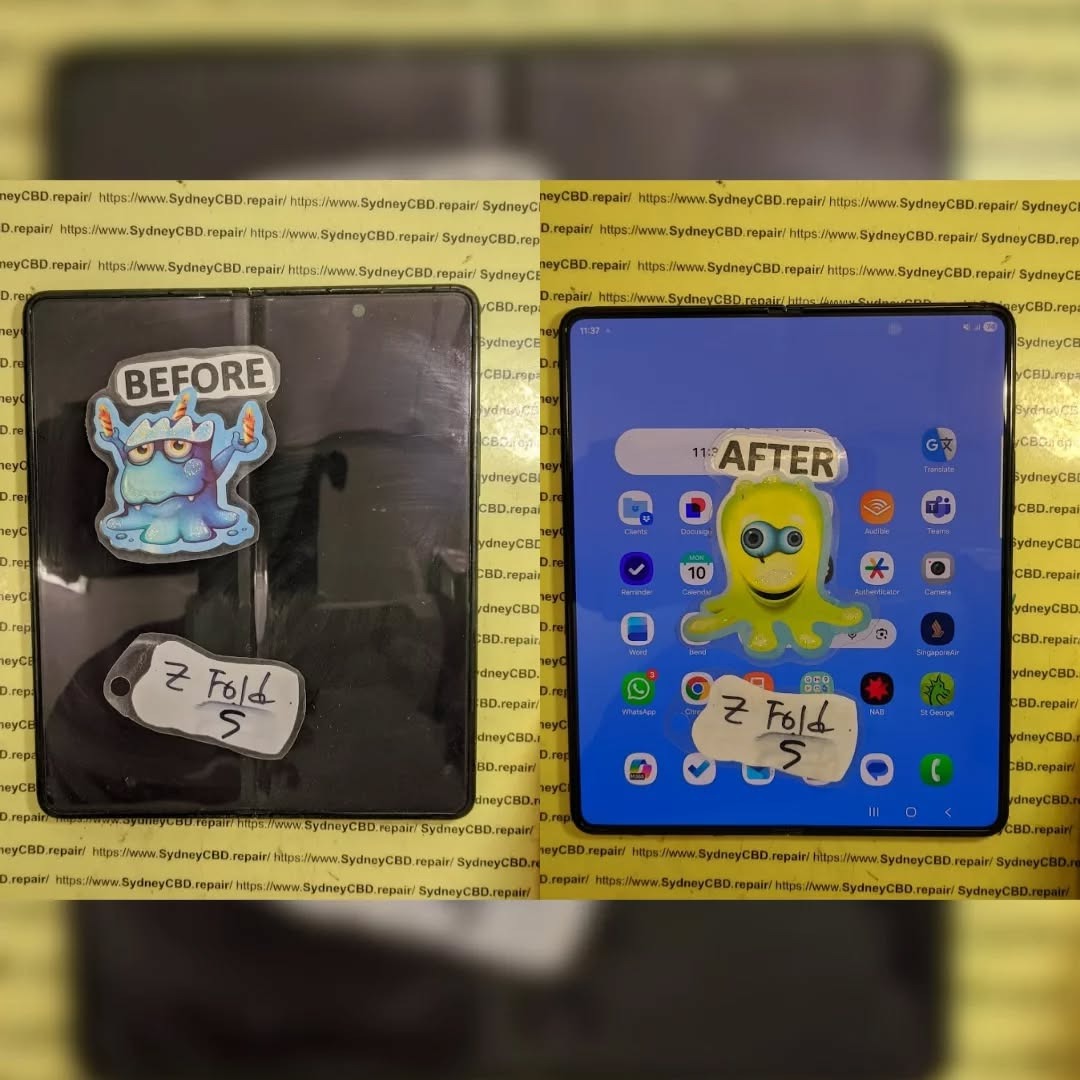
The Most Challenging Repair Battle between Samsung Galaxy Folds Z Flip 5 vs. Samsung Galaxy Z Fold 5 – Ultimate Showdown (7 Expert Insights)
Introduction to Foldable Phone Repairs
Foldable smartphones have changed the mobile landscape. However, with innovation comes complexity. The Z Flip 5 vs. Z Fold 5 repair battle highlights just how challenging modern foldable repairs can be. While both devices showcase Samsung’s engineering excellence, they also push repair technicians to their limits.
At Sydney CBD Repair Centre, we’ve seen firsthand how foldables test skill, patience, and precision. These aren’t your everyday slab phones. They’re intricate machines with moving parts, layered displays, and fragile internal components. And yes, repairs can be daunting—but not impossible.
The Galaxy Z Flip 5 is compact, stylish, and folds vertically. It’s designed for convenience, but that convenience introduces repair headaches.
Z Flip 5 Hinge and Screen Architecture
The hinge mechanism is smaller than previous models, which sounds great, but it leaves little room for error during repairs. The ultra-thin glass (UTG) display is flexible yet delicate. One wrong move, and the screen’s gone.
Battery placement is split, meaning technicians must disconnect multiple components before even reaching the damaged part. This layered design increases repair time and risk.
Understanding the Samsung Z Fold 5 Design
The Z Fold 5 is essentially a phone and tablet in one. That’s impressive—but from a repair standpoint, it’s a beast.
Z Fold 5 Internal Layout and Complexity
Inside, the Fold 5 features a massive inner display, complex flex cables, and a robust hinge spanning the device’s width. Every component is interconnected. Removing one part often means disturbing several others.
In the Z Flip 5 vs. Z Fold 5 repair battle, the Fold 5 often wins for sheer complexity alone.
Common Damage Scenarios in Foldables
Foldable phones face unique risks:
Inner screen cracks from pressure
Hinge failure due to dust ingress
Battery swelling
Outer display damage
Liquid damage spreading through hinge gaps
Unlike traditional phones, damage often cascades, turning minor issues into major repairs.
Z Flip 5 Repair Challenges Explained
The Z Flip 5 may look simpler, but don’t be fooled.
Screen, Battery, and Hinge Repairs
Screen replacements require precise alignment. Battery replacements involve dismantling nearly the entire device. Hinge repairs? Those are among the trickiest, often requiring specialized tools and genuine parts.
In many cases, a simple screen issue can turn into a full assembly replacement.
The Fold 5 takes everything difficult about the Flip and multiplies it.
Inner Display, Flex Cables, and Frame
The inner display is extremely fragile. Flex cables can tear easily. Frame alignment is critical—if it’s off by even a millimeter, the phone won’t fold properly.
From our experience, the Z Flip 5 vs. Z Fold 5 repair battle often ends with the Fold 5 being more time-consuming and costly.
Z Flip 5 vs. Z Fold 5 Repair Battle: Head-to-Head
Aspect
Z Flip 5
Z Fold 5
Repair Time
Moderate
Long
Parts Cost
High
Very High
Complexity
Medium
Extreme
Risk Level
High
Very High
Both are challenging, but the Fold 5 clearly demands more expertise.
Cost Comparison: Flip vs. Fold Repairs
Repair costs vary, but generally:
Z Flip 5 screen repairs are expensive yet manageable.
Z Fold 5 inner display repairs can rival the cost of a new phone.
Using genuine parts is essential. According to Samsung’s official repair guidelines (see Samsung Support), foldable repairs must meet strict standards to maintain functionality and warranty.
Durability and Longevity Considerations
Foldables are improving, but they’re still more fragile than standard smartphones. Regular maintenance, proper handling, and professional repairs extend lifespan significantly.
Genuine Parts and Warranty Implications
Using non-genuine parts can void warranties and cause long-term issues. At Sydney CBD Repair Centre, we only use genuine or manufacturer-approved components, ensuring reliability and peace of mind.
Professional Repair vs. DIY Risks
DIY repairs on foldables are risky. Without specialized tools and experience, damage can worsen quickly. Professional repair isn’t just safer—it’s often cheaper in the long run.
FAQs
1. Which is harder to repair, Z Flip 5 or Z Fold 5?
The Z Fold 5 is generally harder due to its larger inner display and complex internals.
2. Are foldable screen repairs worth it?
Yes, when done professionally with genuine parts.
3. How long do foldable repairs take?
Anywhere from a few hours to a full day, depending on damage.
4. Can hinge issues be fixed permanently?
Yes, with proper replacement and calibration.
5. Do foldable repairs come with warranty?
Professional repairs usually include a limited warranty.
6. Is water damage worse in foldables?
Yes, due to hinge gaps allowing liquid spread.
Conclusion: Which Fold Is Harder to Repair?
In the Z Flip 5 vs. Z Fold 5 repair battle, both devices present serious challenges. However, the Z Fold 5 stands out as the more complex, costly, and time-intensive repair. That said, with expert technicians and genuine parts, both can be restored to near-new condition.
Foldables are the future—but when they break, trust matters.
David from Sydney CBD Repair Centre – The Best place to fix mobile phones as 7 Years In A Row! Top Mobile Phone Repair In Sydney. More than 2000 Positive Reviews on Google and Same Day Repairs.
We take pride in delivering exceptional repair services for all major phone brands including Apple, Samsung, Google, and more. Our expert technicians use only genuine parts and offer 90days warranty on repairs. Located in the heart of Sydney CBD, we’re your one-stop solution for all mobile device repairs.
Our commitment to excellence has earned us the trust of thousands of satisfied customers. Whether it’s a cracked screen, battery replacement, or water damage repair, we handle it all with professional care and expertise. Walk in today and experience why we’re Sydney’s #1 choice for mobile phone repairs.
Visit us for:
✓ Same Day Express Repairs
✓ Genuine Parts Guarantee
✓ Professional Technicians
✓ Competitive Pricing
✓ 2000+ 5-Star Google Reviews
✓ 7-Time Award Winner for Best Phone Repairs
The Mail-In Marvel: Reviving a Critically Damaged Samsung Galaxy Z Flip 5 – Ultimate Recovery Power Guide 7
Introduction
The Samsung Galaxy Z Flip 5 represents a bold leap in smartphone innovation. However, when disaster strikes—such as hinge failure, display blackout, or liquid exposure—many owners fear the worst. This Mail-In Marvel story proves that even a critically damaged Samsung Galaxy Z Flip 5 isn’t the end of the road. With professional mail-in repair services, advanced tools, and experienced technicians, full restoration is often achievable.
In the first 10% of this article, it’s important to highlight the keyword Mail-In Marvel as a symbol of modern repair excellence. Today’s repair ecosystem has evolved, blending convenience with precision. Instead of replacing your device outright, expert mail-in repair solutions breathe new life into it—saving money, time, and valuable data.
The Samsung Galaxy Z Flip 5 is engineered around a foldable AMOLED display, reinforced hinge system, and compact dual-battery layout. While the design is elegant, it’s also complex. Foldable phones rely on ultra-thin glass, flexible circuits, and micro-tolerance components that demand expert handling.
Because of this complexity, even minor damage can escalate quickly. A small drop may affect hinge alignment, while moisture can creep into layered display components. That’s why professional repair knowledge is critical for successful restoration.
A critically damaged Samsung Galaxy Z Flip 5 often shows multiple failure points, such as:
Unresponsive foldable display
Visible crease distortion or black spots
Hinge grinding or failure to close fully
Water or corrosion damage
Boot loops or no power
These issues usually require more than surface-level fixes. They demand in-depth diagnostics, microsoldering, and sometimes full display or hinge replacement.
Why Mail-In Repair Services Are a Game-Changer
Mail-in repair services redefine convenience. Instead of traveling or waiting in-store, customers ship their device securely to certified technicians. This approach offers several advantages:
Access to specialized tools and experts
Consistent repair standards
Faster turnaround for complex repairs
Ideal for customers outside major cities
For foldable phones like the Z Flip 5, mail-in repair ensures the device is handled in a controlled, professional environment.
Step-by-Step Mail-In Repair Process Explained
The mail-in repair journey is straightforward yet meticulous:
Booking & Assessment – Customers describe the issue online.
Secure Shipping – Devices are packed with protective materials.
Professional Diagnostics – Technicians evaluate visible and hidden faults.
Repair Authorization – Clear quotes and timelines are provided.
Precision Repair – Genuine parts and calibrated tools are used.
Safe Return Shipping – The restored device is sent back.
This structured process ensures transparency and trust throughout the repair.
Diagnostics: Identifying Hidden Internal Failures
One of the most critical stages is diagnostics. Foldable devices can suffer from unseen issues such as micro-cracks in display layers or damaged flex cables. Advanced diagnostic tools allow technicians to pinpoint these faults accurately.
According to industry insights from Samsung’s official repair guidelines , proper diagnostics significantly increase repair success rates for foldable devices.
Genuine Parts vs Aftermarket Components
Using genuine Samsung parts ensures:
Correct display brightness and touch response
Long-term hinge durability
Maintained resale value
Aftermarket parts may be cheaper upfront, but they often compromise performance. Professional services prioritize authenticity to guarantee reliability.
Data Protection and Privacy During Repairs
Reputable repair centers follow strict data protection protocols. Devices are tested without accessing personal files, and customers are encouraged to back up data beforehand. Secure handling builds confidence and protects sensitive information.
Real-World Success Stories and Case Analysis
Many Galaxy Z Flip 5 owners have seen near-total device recovery after severe damage. Hinges restored, displays replaced, and water-damaged boards revived—all through expert intervention. These success stories highlight the value of skilled technicians and proper tools.
Cost, Timeframes, and Value Comparison
Repairing a critically damaged Z Flip 5 typically costs significantly less than replacement. While repairs may take a few days, the savings and sustainability benefits are substantial. Moreover, professional repairs often include warranties for peace of mind.
Preventing Future Damage to Foldable Phones
To extend device life:
Avoid debris in hinge areas
Use manufacturer-approved cases
Keep devices away from moisture
Fold gently without pressure
Simple habits can dramatically reduce future repair needs.
Environmental Benefits of Repair Over Replacement
Repairing instead of replacing reduces electronic waste. Extending device lifespan conserves resources and lowers carbon footprints. Choosing repair is both economical and environmentally responsible.
Expert Tips from Professional Technicians
Don’t delay repairs—early intervention matters.
Avoid DIY fixes on foldable screens.
Choose repair centers with foldable phone experience.
Expert insight ensures smarter decisions and better outcomes.
Frequently Asked Questions (FAQs)
1. Can a water-damaged Galaxy Z Flip 5 really be repaired?
Yes, if treated quickly by professionals with proper tools.
2. How long does a mail-in repair usually take?
Typically 3–7 business days, depending on damage severity.
Absolutely. They ensure performance and longevity.
5. Is mail-in repair safe for expensive devices?
Yes, when using insured shipping and trusted repair providers.
6. Does repair affect resale value?
Professional repairs often preserve or even improve resale value.
Conclusion: Why Professional Mail-In Repair Matters
The Mail-In Marvel of reviving a critically damaged Samsung Galaxy Z Flip 5 demonstrates the power of expertise, precision, and trust. Instead of discarding an innovative device, professional mail-in repair services restore functionality, protect the environment, and save money. With the right technicians, even severe damage doesn’t have to be permanent.
David from Sydney CBD Repair Centre – The Best place to fix mobile phones as 7 Years In A Row! Top Mobile Phone Repair In Sydney. More than 2000 Positive Reviews on Google and Same Day Repairs.
We take pride in delivering exceptional repair services for all major phone brands including Apple, Samsung, Google, and more. Our expert technicians use only genuine parts and offer 90days warranty on repairs. Located in the heart of Sydney CBD, we’re your one-stop solution for all mobile device repairs.
Our commitment to excellence has earned us the trust of thousands of satisfied customers. Whether it’s a cracked screen, battery replacement, or water damage repair, we handle it all with professional care and expertise. Walk in today and experience why we’re Sydney’s #1 choice for mobile phone repairs.
Visit us for:
✓ Same Day Express Repairs
✓ Genuine Parts Guarantee
✓ Professional Technicians
✓ Competitive Pricing
✓ 2000+ 5-Star Google Reviews
✓ 7-Time Award Winner for Best Phone Repairs
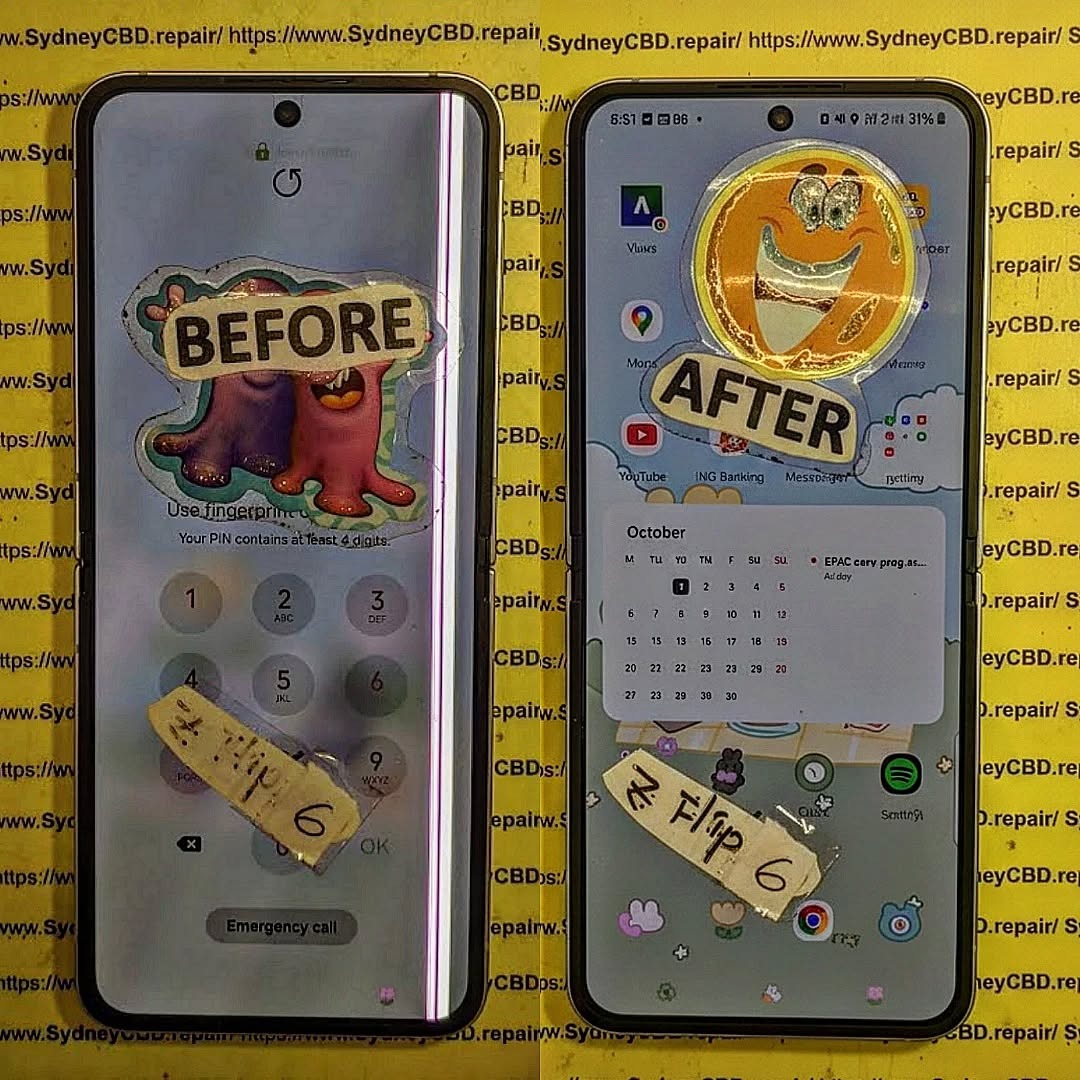
NO MORE BLINKING! Fixing Flickering Issues On Samsung Galaxy Z Flip 6 Screen – Ultimate 10-Step Professional Repair Guide
Introduction
Screen flickering on a foldable phone can quickly turn a premium device into a frustrating experience. If your Samsung Galaxy Z Flip 6 display randomly flashes, flickers, dims, or behaves unpredictably, you’re not alone.
This comprehensive guide explains everything you need to know about fixing flickering issues on Samsung Galaxy Z Flip 6 screen, including common causes, professional repair methods, DIY troubleshooting, and preventative maintenance. Whether you’re a smartphone owner or simply curious about foldable display technology, this guide will help you understand the problem from an expert’s perspective.
The Samsung Galaxy Z Flip 6 represents one of Samsung’s most advanced foldable smartphones. Its flexible AMOLED display offers vibrant colors, deep blacks, and smooth animations. However, like every sophisticated piece of technology, it isn’t completely immune to problems.
One issue that concerns many users is fixing flickering issues on Samsung Galaxy Z Flip 6 screen. Screen flickering can appear suddenly or develop gradually over time. Sometimes the display flashes only when brightness changes. In other cases, the entire screen rapidly blinks, making the phone difficult—or even impossible—to use.
The symptoms vary depending on the underlying cause. Some owners notice:
Random screen flashing
Green or white flickering
Black screen with occasional image flashes
Display brightness constantly changing
Flickering after unfolding the device
Touchscreen remaining functional while the display flashes
Screen working normally for several minutes before flickering begins
Because foldable phones use flexible OLED panels connected by delicate ribbon cables, diagnosing these issues requires more than simply replacing a screen. Every repair should begin with careful testing to determine whether the problem is software-related or hardware-related.
Modern foldable displays contain multiple precision-engineered layers, including:
Component
Function
Flexible OLED Panel
Produces the image
Ultra Thin Glass
Protects the OLED
Polarizer
Improves visibility
Digitizer
Detects touch input
Display Flex Cable
Transfers display signals
Display Driver IC
Controls pixels
Mainboard Connectors
Connect display to motherboard
Each component must function perfectly for the screen to operate correctly. Even a tiny defect can create noticeable flickering.
Unlike conventional smartphones, the Galaxy Z Flip 6 repeatedly folds and unfolds throughout the day. This constant motion places mechanical stress on the flexible display assembly. Although Samsung has engineered the phone for durability, years of folding—or unexpected accidents—can eventually affect internal components.
Another important point is that not every flickering issue requires an expensive display replacement. Professional technicians first eliminate software causes before moving on to hardware diagnostics. This approach saves both time and money.
Users should also avoid assuming that a flickering screen automatically means permanent damage. Many cases result from corrupted firmware, outdated software, loose connectors after an impact, or temporary system instability. Correct diagnosis is the key to successful repair.
Understanding how the foldable display functions is the first step toward solving the issue. In the following sections, we’ll explore every major cause behind Galaxy Z Flip 6 screen flickering and explain why accurate diagnosis is essential before replacing any parts.
Understanding the reasons behind fixing flickering issues on Samsung Galaxy Z Flip 6 screen begins with identifying the root cause. While the symptom may appear identical—a blinking or flashing display—the underlying reasons can vary significantly.
Professional repair technicians typically divide these causes into two categories:
Software-related issues
Hardware-related issues
Knowing the difference prevents unnecessary repairs and ensures the correct solution is applied.
Software Problems
Software faults are among the easiest issues to resolve. They usually occur after:
Android updates
One UI upgrades
Corrupted applications
Graphics driver conflicts
System cache corruption
Firmware installation failures
Common software symptoms include:
Flickering only during startup
Display flashing after installing updates
Brightness instability
Temporary black screen
Random app crashes alongside display problems
Fortunately, these issues can often be corrected by:
Restarting the device
Updating firmware
Clearing the cache partition
Booting into Safe Mode
Performing a factory reset (after backing up data)
If the flickering disappears in Safe Mode, a third-party application may be responsible.
Hardware Problems
Hardware failures are generally more serious and require specialist equipment.
Professional repair centers inspect:
Flexible OLED display
Hinge assembly
Display flex cable
Connector sockets
Display Driver IC
Power management circuits
Motherboard components
Hardware-related flickering usually becomes worse over time rather than improving.
Signs include:
Flickering when opening the phone
Display flashing after minor drops
Green vertical lines
White flashing at maximum brightness
Screen blackout when folding
Permanent image distortion
One of the most common hardware failures involves the display flex cable. Because this cable bends every time the phone opens and closes, it experiences continuous mechanical stress. Even microscopic cracks in the cable can interrupt signal transmission, causing intermittent flickering.
Physical Impact Damage
A surprising number of flickering issues begin after seemingly harmless accidents.
Examples include:
Dropping the phone onto hard flooring
Sitting on the device
Pressure inside a backpack
Twisting the phone while folded
Hitting the hinge against a table
Even when the outer glass remains intact, internal layers may suffer damage.
Technicians frequently discover:
Partially disconnected display connectors
Damaged flex cables
Micro-fractures in OLED panels
Bent internal brackets
Hinge alignment issues
These problems often require professional disassembly because the Galaxy Z Flip 6 uses precision adhesives, delicate ribbon cables, and tightly integrated components.
Water and Moisture Exposure
Although the Galaxy Z Flip 6 offers water resistance, no device is completely waterproof. Over time, seals naturally age, and accidental exposure to liquids can affect internal electronics.
Moisture intrusion may lead to:
Corrosion on display connectors
Oxidation of motherboard contacts
Short circuits
Voltage instability
Random screen flickering
Interestingly, moisture damage doesn’t always appear immediately. Corrosion can develop gradually over days or weeks, making diagnosis more challenging.
Professional technicians use specialized microscopes to inspect connector pins and solder joints for corrosion that may not be visible to the naked eye.
Manufacturing Defects
While relatively uncommon, manufacturing defects can occasionally contribute to display problems. These defects may involve:
Faulty OLED panels
Weak solder joints
Defective display driver chips
Connector manufacturing inconsistencies
Such issues often emerge early in the device’s lifespan and may be covered under the manufacturer’s warranty, depending on the cause and the phone’s condition.
Heat and Environmental Stress
Excessive heat is another factor that can contribute to display instability. Leaving the phone in direct sunlight, using it during heavy gaming sessions for extended periods, or charging in high-temperature environments may stress sensitive electronic components.
High temperatures can affect:
OLED performance
Adhesive integrity
Internal connectors
Display driver circuits
Although heat alone rarely causes permanent flickering, it can expose an underlying weakness that later develops into a persistent problem.
Professional Diagnostic Process for a Flickering Galaxy Z Flip 6 Screen
Successfully fixing flickering issues on Samsung Galaxy Z Flip 6 screen starts with an accurate diagnosis. Replacing the display without identifying the real cause can lead to unnecessary costs and repeated repairs. Professional repair technicians follow a structured process to determine whether the issue originates from software, hardware, or both.
Step 1: Gather Device History
Before opening the phone, technicians ask several important questions:
Has the phone been dropped recently?
Did the flickering begin after a software update?
Has the device been exposed to water?
Does the screen flicker only when folded or unfolded?
Has the phone been repaired before?
These answers help narrow down the possible causes before any disassembly begins.
Step 2: External Inspection
A careful visual inspection often reveals clues that users may overlook.
Technicians examine:
The foldable OLED display
The cover screen
The hinge mechanism
The frame
The USB-C charging port
SIM tray indicators
Water damage indicators
Signs of impact or bending
Even tiny dents around the hinge can suggest internal stress affecting the display cable.
Step 3: Functional Testing
Before opening the device, several diagnostic tests are performed.
Typical tests include:
Brightness adjustment
Touchscreen responsiveness
Adaptive refresh rate
Always-On Display
Camera operation
Wireless charging
Fingerprint sensor
Flex mode functionality
If flickering only occurs at certain brightness levels or fold angles, this information becomes extremely valuable.
Step 4: Software Diagnostics
Professional technicians verify that the issue isn’t software-related by checking:
Android version
Samsung One UI version
Display driver updates
Safe Mode operation
Diagnostic logs
Error reports
Many intermittent display problems disappear after software corrections, saving customers from unnecessary hardware replacement.
Step 5: Internal Inspection
If software is ruled out, the phone is carefully disassembled using specialized tools.
The technician inspects:
Display flex cables
Internal connectors
Battery condition
Hinge routing
Motherboard connectors
Protective shields
Grounding contacts
Foldable phones require significantly more care than traditional smartphones because the flexible display assembly can be damaged during improper disassembly.
Step 6: Electrical Testing
Advanced repair centers use precision instruments to measure electrical performance.
These include:
Diagnostic Tool
Purpose
Digital Multimeter
Voltage testing
Microscope
Connector inspection
Thermal Camera
Detect overheating
DC Power Supply
Current monitoring
Display Tester
OLED verification
USB Analyzer
Charging diagnostics
These tools help identify faulty circuits without replacing working components.
Professional Repair Options
After identifying the root cause, technicians determine the most effective repair strategy.
OLED Display Replacement
If the OLED panel itself has failed, replacing the complete display assembly is often the best solution.
Benefits include:
Restored image quality
Eliminated flickering
Factory-like performance
Reliable touch response
Improved durability
Using genuine replacement parts helps preserve display brightness, color accuracy, and fold performance.
Display Flex Cable Repair
Sometimes the OLED panel remains functional while the flexible ribbon cable develops damage.
Symptoms include:
Flickering only while folding
Temporary black screen
Image returning after movement
Random flashing
Depending on the extent of the damage, technicians may replace the cable or install a complete display assembly.
Connector Reseating
A loose connector may interrupt communication between the motherboard and display.
Technicians carefully:
Disconnect the battery.
Remove protective shields.
Clean connector contacts.
Inspect for corrosion.
Reconnect and test.
This relatively simple repair can resolve intermittent flickering if no permanent damage exists.
Motherboard-Level Repair
In more complex cases, the issue originates from the motherboard rather than the display.
Potential faults include:
Display driver IC failure
Damaged power management circuits
Broken solder joints
Liquid-damaged components
Burned display filters
These repairs require advanced microsoldering skills and specialized equipment.
When Is a Full Display Replacement Necessary?
A complete screen replacement is typically recommended if:
The OLED panel has visible damage.
Colored lines appear permanently.
The screen stays black despite power.
Touch response is lost.
The display has internal cracks.
Flickering worsens rapidly over time.
Replacing only part of the assembly in these situations may lead to recurring issues.
Genuine vs. Aftermarket Displays
One of the biggest decisions during fixing flickering issues on Samsung Galaxy Z Flip 6 screen is selecting the replacement display.
While aftermarket parts may reduce upfront costs, they can vary significantly in quality.
Feature
Genuine Display
Aftermarket Display
Color Accuracy
Excellent
Varies
Brightness
Factory Standard
Often Lower
Fold Durability
Excellent
May Differ
Touch Sensitivity
Excellent
Can Vary
Refresh Rate Support
Full
May Be Limited
Long-Term Reliability
High
Depends on Manufacturer
Warranty Support
Better
Varies
For premium foldable devices like the Galaxy Z Flip 6, genuine parts generally provide the best overall experience.
Preventing Future Screen Flickering
Although not every failure can be prevented, good habits can significantly reduce the likelihood of display problems.
Protect the Hinge
The hinge is the heart of the foldable design.
Avoid:
Forcing the phone open.
Folding it with debris inside.
Carrying it in overstuffed pockets.
Twisting the device.
Use a Protective Case
A quality case helps absorb impacts that could otherwise damage internal components.
Look for:
Hinge protection
Shock absorption
Raised bezels
Secure grip
Precision fit
Avoid Extreme Temperatures
Very high or very low temperatures can affect OLED performance and internal electronics.
Best practices include:
Don’t leave the phone in a hot car.
Avoid prolonged direct sunlight.
Allow the phone to cool during intensive tasks.
Charge in moderate temperatures.
Keep Software Updated
Samsung regularly releases updates that improve stability, performance, and compatibility.
Updating the device can:
Fix graphics bugs.
Improve display drivers.
Enhance battery management.
Resolve known software issues.
Charge with Certified Accessories
Poor-quality chargers may produce unstable voltage that affects sensitive components.
Choose:
Samsung-certified chargers
High-quality USB-C cables
Reputable charging accessories
Consistent power delivery contributes to overall device reliability.
Repair Costs and Factors That Affect Pricing
When it comes to fixing flickering issues on Samsung Galaxy Z Flip 6 screen, repair costs can vary considerably depending on the underlying fault. A simple software issue may be resolved at little or no cost, while a damaged foldable OLED display or motherboard component requires a more involved repair.
Several factors influence the final repair price:
Extent of the damage
Whether the OLED panel or only the flex cable is affected
Availability of genuine replacement parts
Labor required to safely disassemble and reassemble the foldable phone
Whether additional components, such as the hinge or motherboard, require repair
Because every Galaxy Z Flip 6 is different, professional diagnostics should always be completed before approving a repair. This prevents unnecessary part replacements and ensures customers receive the most cost-effective solution.
Why Professional Repairs Matter
Foldable smartphones are engineered differently from traditional slab-style phones. The Galaxy Z Flip 6 contains a flexible AMOLED display, ultra-thin glass, precision adhesives, delicate flex cables, and a sophisticated hinge assembly.
Professional technicians understand these complexities and follow repair procedures designed to preserve the integrity of the device.
Benefits of choosing an experienced repair centre include:
Accurate fault diagnosis
Professional-grade repair equipment
Proper battery disconnection before servicing
Genuine or premium-quality replacement parts
Careful adhesive application
Functional testing before device return
Repair warranty for added peace of mind
Attempting a repair without the proper tools or expertise can result in additional damage, including torn flex cables, damaged connectors, broken internal components, or compromised water resistance.
Common Mistakes to Avoid
Many Galaxy Z Flip 6 owners unintentionally make the problem worse while trying to troubleshoot a flickering screen.
Avoid these common mistakes:
Ignoring Early Symptoms
Minor flickering can indicate the beginning of a larger hardware issue. Seeking professional diagnosis early may prevent further damage.
Applying Excessive Pressure
Pressing firmly on the display or hinge can damage the flexible OLED layers.
Continuing to Fold the Phone Excessively
If flickering appears only while folding or unfolding, repeated movement may worsen a damaged display cable.
Using Low-Quality Chargers
Cheap charging accessories can contribute to unstable power delivery and should be avoided.
Attempting DIY Screen Replacement
Foldable displays require specialized tools and techniques. Improper removal may permanently damage the screen or hinge assembly.
Best Practices for Long-Term Display Health
Keeping your Galaxy Z Flip 6 in excellent condition involves regular care and responsible usage.
Follow these recommendations:
Clean the screen using a microfiber cloth.
Avoid exposing the phone to sand, dust, or debris around the hinge.
Install software updates promptly.
Use protective cases designed specifically for foldable devices.
Avoid dropping the phone or placing heavy objects on it.
Charge using certified accessories.
Have unusual display behavior inspected early.
Small preventative measures can greatly extend the lifespan of your foldable smartphone.
Frequently Asked Questions
1. Why is my Samsung Galaxy Z Flip 6 screen flickering?
Screen flickering may be caused by software bugs, display cable damage, OLED panel failure, impact damage, water exposure, or motherboard faults. A professional diagnosis is the best way to identify the exact cause.
2. Can software updates fix screen flickering?
Yes. If the issue is related to firmware or graphics drivers, updating the operating system or installing the latest Samsung One UI update may resolve the problem without hardware repairs.
3. Does a flickering screen always mean the display must be replaced?
No. Some cases are caused by loose connectors, software conflicts, or damaged flex cables. Only a proper inspection can determine whether a full display replacement is necessary.
4. Is it safe to continue using a flickering Galaxy Z Flip 6?
While the phone may still function, continued use could worsen an underlying hardware problem. It is advisable to have the device inspected as soon as possible.
5. Can water cause intermittent screen flickering?
Yes. Moisture can corrode internal connectors or damage sensitive electronic components, resulting in intermittent or persistent display issues.
6. How can I reduce the risk of future screen problems?
Use a protective case, avoid unnecessary stress on the hinge, keep software updated, charge with certified accessories, and seek professional repairs whenever problems appear.
Additional Resources
For official Samsung device support, software updates, and troubleshooting guides, visit the Samsung Support website:
The Samsung Galaxy Z Flip 6 is an impressive example of modern foldable smartphone engineering, combining cutting-edge display technology with a compact, stylish design. However, its advanced construction also means that display issues require careful diagnosis and professional attention.
Throughout this guide, we’ve explored the most common causes of fixing flickering issues on Samsung Galaxy Z Flip 6 screen, from software glitches and firmware conflicts to damaged OLED panels, worn flex cables, loose connectors, and motherboard faults. Understanding these potential causes is the first step toward choosing the correct repair solution.
The most important takeaway is that not every flickering display requires a complete screen replacement. A systematic diagnostic process can identify whether the issue is software-related, connector-related, or caused by a more serious hardware failure. Early intervention often prevents minor problems from developing into expensive repairs.
If your Galaxy Z Flip 6 begins flashing, dimming, or displaying intermittent flickering, avoid applying pressure to the screen or attempting complex DIY repairs. Instead, back up your data, perform basic software troubleshooting, and consult experienced technicians who specialize in foldable devices.
With genuine parts, professional repair techniques, and proper preventative care, your Galaxy Z Flip 6 can continue delivering the premium foldable experience it was designed to provide for years to come.
David from Sydney CBD Repair Centre
David from Sydney CBD Repair Centre – The Best place to fix mobile phones as 7 Years In A Row! Top Mobile Phone Repair In Sydney. More than 2000 Positive Reviews on Google and Same Day Repairs.
We take pride in delivering exceptional repair services for all major phone brands including Apple, Samsung, Google, and more. Our expert technicians use only genuine parts and offer 90 days warranty on repairs. Located in the heart of Sydney CBD, we’re your one-stop solution for all mobile device repairs.
Our commitment to excellence has earned us the trust of thousands of satisfied customers. Whether it’s a cracked screen, battery replacement, or water damage repair, we handle it all with professional care and expertise. Walk in today and experience why we’re Sydney’s #1 choice for mobile phone repairs.
Visit us for:
✓ Same Day Express Repairs
✓ Genuine Parts Guarantee
✓ Professional Technicians
✓ Competitive Pricing
✓ 2000+ 5-Star Google Reviews
✓ 7-Time Award Winner for Best Phone Repairs
Sydney CBD Repair Centre – Where Quality Meets Reliability.
INNER SCREEN SURGERY: Samsung Galaxy Z Fold 6 Folding Display Restoration Process – Ultimate 12-Step Professional Guide
Introduction
Samsung’s latest foldable smartphones are engineering masterpieces. The Samsung Galaxy Z Fold 6 combines a powerful flagship experience with an advanced flexible AMOLED display that folds hundreds of thousands of times throughout its lifetime.
However, when the inner display becomes cracked, develops black spots, stops responding, or suffers hinge-related damage, repairing it requires far more than replacing a conventional smartphone screen.
This guide explains the INNER SCREEN SURGERY: Samsung Galaxy Z Fold 6 Folding Display Restoration Process from the perspective of experienced repair professionals. We’ll explore the technology, repair workflow, required equipment, quality testing, and best practices that help restore one of Samsung’s most sophisticated displays.
The INNER SCREEN SURGERY: Samsung Galaxy Z Fold 6 Folding Display Restoration Process is one of the most technically demanding smartphone repairs available today.
Unlike a traditional smartphone screen replacement, restoring the Galaxy Z Fold 6 requires extensive knowledge of flexible OLED technology, precision adhesives, delicate ribbon cables, and sophisticated hinge engineering.
Samsung designed the Fold 6 to provide users with a seamless transition between smartphone and tablet modes. Achieving this experience involves an incredibly thin display stack that includes:
Flexible OLED panel
Ultra Thin Glass (UTG)
Protective polymer layer
Precision hinge support
Multiple flex cables
Under-display components
Each layer must work perfectly together.
A minor mistake during repair can permanently damage:
the OLED panel,
touch digitizer,
fingerprint calibration,
hinge mechanism,
display flex cables,
or motherboard.
That’s why professional technicians follow carefully developed repair procedures instead of rushing through the process.
Throughout this guide, you’ll discover exactly how professionals restore these remarkable devices while minimizing risk and maximizing long-term reliability.
The Galaxy Z Fold 6 represents years of engineering innovation.
Unlike ordinary smartphones that use rigid display assemblies, the Fold 6 incorporates a flexible AMOLED display capable of bending repeatedly while maintaining exceptional image quality.
Components of the Folding Display
The display assembly consists of several highly engineered layers.
Component
Purpose
Flexible OLED Panel
Produces vibrant colors and deep blacks
Ultra Thin Glass
Adds rigidity while remaining flexible
Protective Film
Protects against scratches
Digitizer
Detects touch input
Polarizer
Improves visibility
Flexible Ribbon Cables
Carry display signals
Adhesive Layers
Secure the display assembly
Each layer is measured in fractions of a millimeter.
Even tiny amounts of dust trapped between these layers can affect performance.
Why Foldable Displays Are Different
Traditional displays remain flat throughout their lifespan.
Foldable displays must continuously:
bend,
unfold,
compress,
expand,
withstand pressure,
resist temperature fluctuations.
The hinge distributes mechanical stress across the display every time the phone opens or closes.
This repeated movement makes foldable display repairs considerably more complex than repairing standard smartphones.
Ultra Thin Glass Technology
One of Samsung’s most remarkable achievements is the Ultra Thin Glass layer.
Although called “glass,” it’s incredibly thin and flexible.
Benefits include:
smoother folding
improved durability
reduced crease visibility
better touch accuracy
enhanced display clarity
However, once damaged, UTG cannot simply be repaired independently.
Professional restoration usually requires replacing the complete inner display assembly.
Display Flex Cable Design
Hidden beneath the display are delicate flex cables.
These carry:
display signals
touch input
refresh rate data
brightness information
power delivery
Improper handling during repair can tear these cables instantly.
Unlike conventional smartphones, replacement requires careful routing through the hinge assembly.
Hinge Integration
The hinge isn’t merely a mechanical component.
It directly supports the flexible display.
If the hinge becomes:
bent,
contaminated,
loose,
or partially seized,
the replacement display may fail prematurely.
For this reason, technicians inspect hinge operation before installing a new screen.
Although Samsung has significantly improved durability with each Fold generation, no flexible display is immune to damage.
Impact Damage
The most common reason for repair is accidental drops.
Even if the outer frame appears undamaged, impact forces can travel through the chassis and crack the fragile internal OLED layers.
Common symptoms include:
black ink spots
vertical colored lines
flashing display
complete display failure
Sometimes the phone still powers on while the internal screen remains unusable.
Excessive Pressure
Unlike traditional phones, foldable displays don’t tolerate concentrated pressure well.
Examples include:
sitting on the phone
storing it beneath heavy objects
closing the phone with debris inside
pressing sharply with fingernails
accidental impacts from hard objects
Pressure damage often begins beneath the surface before becoming visible.
Hinge Wear
Although Samsung rates the Fold 6 hinge for hundreds of thousands of folds, prolonged use eventually introduces wear.
Potential issues include:
increased resistance
uneven folding
debris accumulation
misalignment
abnormal noises
When ignored, hinge wear may place uneven stress on the display and contribute to premature failure.
Foreign Object Intrusion
Tiny particles are one of the biggest threats to foldable devices.
Dust, sand, or small debris entering the hinge can create pressure points beneath the display.
These particles may:
scratch internal layers
damage the protective film
stress the OLED
interfere with hinge movement
Keeping the hinge clean significantly reduces long-term risk.
Manufacturing Defects
Although uncommon, manufacturing defects occasionally occur.
Possible examples include:
premature pixel failure
adhesive separation
flex cable fatigue
OLED layer defects
Professional diagnostics help distinguish accidental damage from potential component-related issues.
Water and Liquid Exposure
While the Galaxy Z Fold 6 offers improved water resistance, prolonged exposure to moisture can still affect internal components.
Liquid intrusion may result in:
corrosion
touch failure
display flickering
intermittent operation
connector oxidation
Early intervention improves the likelihood of successful restoration.
Early Warning Signs
Owners should seek professional assessment if they notice:
A growing black spot
Green or pink display lines
Touch becoming inconsistent
Flickering near the fold
Unusual hinge resistance
Display lifting
Random screen shutdowns
Visible crease abnormalities
Addressing these symptoms promptly can prevent further internal damage and reduce the complexity of the repair.
Professional Diagnostic Process Before Repair
Every successful INNER SCREEN SURGERY: Samsung Galaxy Z Fold 6 Folding Display Restoration Process begins with a detailed inspection. Experienced technicians never assume the inner display is the only damaged component. Instead, they perform a systematic diagnosis to identify hidden issues that could affect the repair.
A thorough diagnostic helps determine whether the phone only needs an inner display replacement or if additional components—such as the hinge, frame, battery, or flex cables—also require attention.
Initial Visual Inspection
The repair process starts with a careful examination of the device’s exterior.
Technicians look for:
Cracks around the frame
Signs of impact damage
Hinge alignment
Scratches near the folding area
Damage to the outer display
Missing screws or frame separation
Even small dents can indicate significant internal stress.
Functional Testing
If the phone still powers on, technicians test every major function before opening the device.
Typical tests include:
Component
Test Performed
Inner Display
Brightness, dead pixels, flickering
Outer Display
Image quality and responsiveness
Touchscreen
Multi-touch accuracy
Cameras
Front and rear camera operation
Speakers
Audio clarity
Microphones
Recording quality
Charging Port
Charging and data transfer
Wireless Charging
Charging performance
Wi-Fi & Bluetooth
Connectivity
Fingerprint Reader
Authentication speed
Recording these results protects both the customer and the repair technician by documenting the phone’s condition before work begins.
Foldable phones require a controlled work environment. Dust, static electricity, and improper tools can all lead to repair failure.
Professional workshops maintain clean benches, anti-static protection, and specialized equipment.
Essential Professional Tools
Common tools include:
Precision screwdrivers
Plastic opening picks
Thin metal separation tools
Suction cups
Heat-controlled hot plate
Precision tweezers
Anti-static wrist strap
Adhesive remover
Cleaning alcohol
Lint-free cloths
Replacement adhesive
Professional display press
Unlike standard smartphones, foldable devices also require specialized fixtures to support the flexible display during installation.
Powering Down the Device
Before disassembly begins, the phone is completely powered off.
This simple step helps reduce the risk of:
Short circuits
Electrical damage
Component failure
Static discharge
Although obvious, skipping this step can have expensive consequences.
Removing the Rear Panel
The rear glass is secured using industrial-strength adhesive.
Professionals soften the adhesive using carefully controlled heat.
Too little heat makes removal difficult.
Too much heat may damage:
Internal plastics
Battery
Wireless charging coil
Waterproof seals
The panel is lifted slowly to avoid cracking the glass.
Battery Isolation: The Most Important Safety Step
Many inexperienced repair attempts fail because technicians skip battery disconnection.
With foldable devices, battery isolation is absolutely essential.
The Galaxy Z Fold 6 contains multiple battery cells connected through delicate circuitry.
Disconnecting power protects:
OLED panel
Motherboard
Display connectors
Touch controller
Charging IC
Cameras
Attempting to disconnect display cables while power remains connected can permanently damage sensitive integrated circuits.
Professional technicians always disconnect the battery before touching any display connector.
Internal Component Inspection
With the rear panel removed, the technician performs another inspection.
They examine:
Battery condition
Water damage indicators
Internal screws
Flex cable routing
Dust accumulation
Signs of corrosion
If corrosion is discovered, cleaning may be required before installing new components.
Removing the Damaged Folding Display
This is the stage where experience matters most.
The flexible AMOLED assembly cannot simply be pulled away from the frame.
Instead, technicians carefully weaken the factory adhesive while protecting nearby components.
Controlled Heating
Professional heating equipment evenly warms the adhesive.
Even heating prevents:
OLED warping
Plastic deformation
Display cracking
Frame damage
Temperature control is critical because flexible OLED panels are far more heat-sensitive than conventional smartphone screens.
Separating the Display
Once the adhesive softens, technicians slowly separate the display assembly.
Special care is taken around:
Display edges
Folding crease
Ribbon cable channels
Hinge area
Any sudden movement could tear fragile flex cables.
Patience is one of the most valuable tools during this stage.
Cleaning the Frame
After the damaged display is removed, the frame must be perfectly clean.
Old adhesive is removed completely.
Technicians also inspect for:
Bent frame edges
Loose brackets
Dust particles
Adhesive residue
A perfectly prepared frame ensures the replacement display sits flat and folds correctly.
Installing the Replacement Inner Display
Installing the new screen is even more demanding than removing the damaged one.
Every millimeter matters.
Professional technicians dry-fit the display before applying adhesive.
This confirms:
Proper alignment
Cable routing
Hinge clearance
Frame compatibility
Only after verifying the fit is permanent adhesive applied.
Applying New Adhesive
Manufacturers use precision-cut adhesive that provides:
Strong bonding
Flexibility
Heat resistance
Long-term durability
Applying too much adhesive may interfere with folding.
Applying too little may allow the display to lift over time.
Professionals use factory-style adhesive templates to achieve consistent results.
Routing the Display Flex Cables
The replacement display’s ribbon cables must follow the original routing path.
Improper routing may lead to:
Cable pinching
Display flickering
Touch failure
Premature cable wear
Technicians double-check every connector before reassembly.
Hinge Inspection and Adjustment
The hinge is the heart of every foldable smartphone.
Replacing the display without inspecting the hinge can shorten the lifespan of the new screen.
Technicians evaluate:
Folding resistance
Opening angle
Smoothness
Mechanical noise
Alignment
If debris is present, it is carefully removed using appropriate cleaning techniques.
Damaged hinges may require replacement before a new display can be safely installed.
Reconnecting Internal Components
After the new display is installed, every connector is reattached in the proper sequence.
Technicians reconnect:
Display connectors
Touch digitizer
Battery
Wireless charging assembly
Cameras
Antennas
Each connector is checked for secure engagement before the phone is powered on.
Initial Power-On Test
Before sealing the phone, the replacement display undergoes an initial functional check.
The technician verifies:
Samsung logo appears correctly
No display flickering
Uniform brightness
Accurate touch response
Proper folding animation
Stable refresh rate
If any abnormal behavior is detected, the phone is powered down and inspected again before final assembly.
Precision Calibration Procedures
Modern foldable smartphones require more than physical installation. Calibration ensures that hardware and software communicate correctly.
Professional calibration includes:
Touchscreen sensitivity checks
Display brightness verification
Adaptive refresh rate confirmation
Orientation sensor testing
Fingerprint sensor validation (where applicable)
Software diagnostics
These procedures help restore the Galaxy Z Fold 6 to factory-like performance after the INNER SCREEN SURGERY: Samsung Galaxy Z Fold 6 Folding Display Restoration Process.
Quality Control Testing After the Repair
Completing the INNER SCREEN SURGERY: Samsung Galaxy Z Fold 6 Folding Display Restoration Process doesn’t end when the new display is installed. A professional repair shop performs extensive quality control testing to ensure the phone functions as intended before returning it to the customer.
Every major feature should be verified to ensure the repair meets high standards of reliability and performance.
Display Quality Inspection
Technicians carefully inspect the new folding display for:
Uniform brightness
Accurate color reproduction
Dead or stuck pixels
Flickering
Display artifacts
Crease appearance
Proper contrast
Refresh rate performance
A flawless display should deliver the premium viewing experience expected from Samsung’s flagship foldable smartphone.
Touchscreen Testing
The touchscreen is tested across the entire display.
This includes checking:
Edge responsiveness
Multi-touch gestures
Drag accuracy
Pinch-to-zoom
Stylus compatibility (where supported)
Any missed touch inputs or inconsistent sensitivity must be corrected before final assembly.
Folding Mechanism Test
The hinge undergoes repeated opening and closing cycles to verify:
Smooth movement
Consistent resistance
Proper alignment
No unusual noises
Full opening angle
A properly restored Galaxy Z Fold 6 should fold naturally without excessive force.
Connectivity Testing
Professional technicians also verify:
Feature
Test
Wi-Fi
Stable connection
Bluetooth
Device pairing
NFC
Communication test
Mobile Network
Signal reception
USB-C Port
Charging and data
Wireless Charging
Charging speed
Cameras
Image and video quality
Speakers
Stereo output
Microphones
Voice recording
Vibration Motor
Haptic feedback
Every function is checked to ensure no connectors were disturbed during the repair.
Common Mistakes to Avoid During Foldable Display Repairs
Repairing a foldable smartphone requires precision, patience, and specialized knowledge. Attempting shortcuts can lead to costly damage.
Some of the most common mistakes include:
Skipping Battery Disconnection
Failing to disconnect the battery before removing display connectors can permanently damage sensitive electronic components.
Applying Excessive Heat
Too much heat may:
Warp plastic components
Damage the OLED panel
Soften internal adhesives excessively
Reduce waterproof sealing effectiveness
Using Incorrect Adhesive
Generic adhesives may fail after repeated folding cycles.
Professionals use high-quality, precision-cut adhesive designed specifically for foldable devices.
Touching the Flexible OLED
The flexible OLED panel is extremely delicate.
Even light pressure from a fingernail or metal tool can permanently damage the display.
Ignoring Hinge Problems
Installing a new display without addressing a worn or damaged hinge can cause the replacement screen to fail prematurely.
Poor Dust Control
Tiny dust particles trapped beneath the display may become visible after installation.
Clean-room practices and careful cleaning significantly improve repair quality.
Tips to Extend the Life of Your Galaxy Z Fold 6 Display
After a successful repair, proper care helps maximize the lifespan of the new inner screen.
Here are some practical recommendations:
Open and close the phone gently.
Avoid pressing directly on the crease.
Never close the phone with objects inside.
Use a quality protective case.
Keep the hinge clean.
Avoid exposure to sand and fine dust.
Protect the phone from extreme temperatures.
Do not remove the factory-installed screen protector unless advised by a professional.
Have the device inspected if you notice unusual hinge resistance or display flickering.
Preventive care can significantly reduce the likelihood of future repairs.
Why Professional Repair Is Worth It
Foldable smartphones represent a significant investment, and their repair demands expertise that goes beyond conventional phone servicing.
Professional technicians offer several advantages:
Specialized tools designed for foldable devices
Genuine or premium-quality replacement parts
Experience with delicate flexible OLED assemblies
Accurate diagnostics before and after repair
Proper adhesive application techniques
Comprehensive quality assurance testing
Warranty coverage on eligible repairs
Choosing a reputable repair center helps protect your investment and restore your device to dependable working condition.
For additional information about Samsung Galaxy devices, visit Samsung’s official support website: https://www.samsung.com/support/
Frequently Asked Questions
1. Can the Samsung Galaxy Z Fold 6 inner screen be repaired?
Yes. In most cases, a damaged inner display can be restored by replacing the complete folding display assembly. The exact repair depends on the extent of the damage.
2. How long does a professional inner screen replacement take?
Repair times vary depending on parts availability and the condition of the device. Many professional repair centers can complete the repair on the same day when replacement parts are in stock.
3. Will the crease disappear after replacing the display?
A slight crease is a normal characteristic of Samsung foldable displays. A new display will restore normal appearance, but the fold line will still be visible under certain lighting conditions.
4. Does replacing the inner display affect the outer screen?
No. The inner and outer displays are separate components. However, both are tested during the repair to ensure the device functions correctly.
5. Is the repaired phone still water resistant?
Opening the device breaks the original factory seal. Professional technicians replace adhesive seals during reassembly, but the phone may not retain the exact factory-rated level of water resistance. It’s best to avoid unnecessary exposure to water after any major repair.
6. Should I repair or replace my Galaxy Z Fold 6?
If the motherboard, cameras, and other major components remain in good condition, repairing the inner display is often a cost-effective solution compared to purchasing a new flagship device.
Conclusion
The INNER SCREEN SURGERY: Samsung Galaxy Z Fold 6 Folding Display Restoration Process demonstrates just how advanced modern smartphone technology has become. From its flexible AMOLED panel and Ultra Thin Glass to its precision-engineered hinge, every component must work together flawlessly to deliver the seamless folding experience users expect.
Restoring this sophisticated device requires careful diagnostics, specialized equipment, expert handling, and rigorous quality control. Every stage—from battery isolation and safe disassembly to display installation, calibration, and final testing—plays an essential role in ensuring long-lasting performance.
Attempting such a repair without the proper experience can lead to additional damage, making professional service the safest and most reliable choice. By trusting skilled technicians and following good maintenance practices, Galaxy Z Fold 6 owners can enjoy a fully restored folding display and continue using one of Samsung’s most innovative smartphones with confidence.
David from Sydney CBD Repair Centre – The Best place to fix mobile phones as 7 Years In A Row! Top Mobile Phone Repair In Sydney. More than 2000 Positive Reviews on Google and Same Day Repairs.
We take pride in delivering exceptional repair services for all major phone brands including Apple, Samsung, Google, and more. Our expert technicians use only genuine parts and offer 90 days warranty on repairs. Located in the heart of Sydney CBD, we’re your one-stop solution for all mobile device repairs.
Our commitment to excellence has earned us the trust of thousands of satisfied customers. Whether it’s a cracked screen, battery replacement, or water damage repair, we handle it all with professional care and expertise. Walk in today and experience why we’re Sydney’s #1 choice for mobile phone repairs.
Visit us for:
✓ Same Day Express Repairs
✓ Genuine Parts Guarantee
✓ Professional Technicians
✓ Competitive Pricing
✓ 2000+ 5-Star Google Reviews
✓ 7-Time Award Winner for Best Phone Repairs
Sydney CBD Repair Centre – Where Quality Meets Reliability.
FLIP IT RIGHT! Samsung Galaxy Z Flip 7 Inner Screen Professional Restoration Process – Ultimate 12-Step Expert Guide
Introduction
Foldable smartphones have transformed the mobile industry, and the Samsung Galaxy Z Flip 7 continues this evolution with a slimmer design, stronger hinge, brighter display, and improved durability. Despite these advancements, the inner foldable screen remains one of the most sophisticated—and delicate—components inside any smartphone.
The Samsung Galaxy Z Flip 7 Inner Screen Professional Restoration Process is far more complex than replacing the display on a conventional smartphone. Every layer of the folding display is engineered to flex thousands of times while maintaining brilliant image quality and responsive touch performance. Even a tiny mistake during repair can permanently damage the OLED panel, hinge mechanism, flexible display cable, or protective layers.
That’s why professional restoration matters.
Experienced repair technicians follow carefully controlled procedures using specialized tools, genuine replacement parts, precision adhesives, and extensive diagnostic testing. Every stage is designed to restore the device as closely as possible to its original factory condition while minimizing risks.
In this guide, you’ll learn exactly how professionals restore the Galaxy Z Flip 7 inner display, why each repair step is important, and how expert workmanship helps maximize the lifespan of your foldable smartphone.
The Galaxy Z Flip 7 features one of Samsung’s most advanced flexible OLED displays. Unlike traditional smartphones, its screen bends repeatedly along a precisely engineered hinge while maintaining exceptional image quality.
Several advanced technologies work together to make this possible:
Dynamic AMOLED display technology
Ultra Thin Glass (UTG)
Flexible OLED panel
Protective polymer layers
Precision hinge assembly
Fold-resistant display adhesive
Integrated touch digitizer
Under-display components
Unlike a flat smartphone display, every layer inside the Z Flip 7 must move together perfectly every time the phone opens or closes.
The Role of Ultra Thin Glass
Ultra Thin Glass provides a balance between flexibility and durability. Although it is called “glass,” it behaves differently from the glass used on conventional smartphones.
Its benefits include:
Improved scratch resistance
Better display clarity
Enhanced touch sensitivity
More natural folding characteristics
Reduced crease visibility
However, UTG remains vulnerable to:
Sharp impacts
Excessive pressure
Twisting forces
Improper repair techniques
This is one reason the Samsung Galaxy Z Flip 7 Inner Screen Professional Restoration Process should always be handled by trained technicians.
Flexible OLED Technology
Samsung’s flexible OLED panels deliver:
Feature
Benefit
Deep blacks
Higher contrast
Bright colors
Better viewing experience
High refresh rate
Smooth scrolling
Low power consumption
Longer battery life
Thin construction
Enables folding design
The OLED layer is exceptionally fragile. During professional repair, technicians avoid direct pressure on the display because even slight deformation can permanently damage the pixels.
Why the Hinge Matters
Many people assume the display alone causes problems. In reality, the hinge and display function as one integrated system.
The hinge controls:
Folding angle
Opening resistance
Display cable movement
Internal cable protection
Stress distribution
If the hinge becomes bent or contaminated with debris, it can place uneven stress on the flexible display, eventually leading to cracks or display failure.
Professional technicians always inspect the hinge before installing a replacement screen.
Integrated Flexible Cables
Unlike standard smartphones, the Galaxy Z Flip 7 uses flexible ribbon cables that constantly move as the phone opens and closes.
These cables connect:
Main OLED panel
Touch digitizer
Display controller
Internal sensors
Repeated bending makes these cables one of the most sensitive parts of the device.
During restoration, technicians carefully route replacement cables through the hinge area while ensuring they maintain the correct bending radius. Improper positioning can dramatically shorten the lifespan of the repair.
Why Foldable Displays Require Specialized Repairs
Repairing a foldable phone is very different from replacing a standard smartphone screen.
Professional repair shops use specialized equipment, including:
Temperature-controlled heating plates
Precision opening tools
Anti-static workstations
Display alignment fixtures
High-strength flexible adhesives
Microscope inspection systems
OLED testing equipment
These tools help prevent accidental damage while ensuring every replacement component is installed accurately.
Common Causes of Inner Screen Failure
Although Samsung has significantly improved durability, several issues can still affect foldable displays:
Accidental Drops
Even a minor drop can:
Crack the OLED panel
Damage Ultra Thin Glass
Shift hinge alignment
Loosen internal display layers
Pressure Damage
Placing heavy objects on the folded phone can create excessive stress at the crease, leading to:
Dead pixels
Touch failure
Internal display fractures
Dust and Debris
Tiny particles entering the hinge may:
Increase friction
Affect smooth folding
Place uneven pressure on the display
Accelerate internal wear
Liquid Exposure
Although water resistance has improved, moisture can still affect:
Display connectors
OLED circuitry
Touch controller
Internal adhesive strength
Natural Wear
Every fold creates microscopic stress within the flexible display. Over years of use, this repetitive movement can contribute to:
Crease deepening
Reduced touch responsiveness
Pixel degradation
Ribbon cable fatigue
Understanding these failure mechanisms helps explain why the Samsung Galaxy Z Flip 7 Inner Screen Professional Restoration Process requires much more than simply swapping one display for another.
Professional Diagnostic Process Before Restoration
Before any technician removes a single screw, a complete diagnostic inspection is performed. This ensures that the problem truly lies with the inner display and not another component, such as the motherboard, battery, display cable, or hinge assembly.
Professional diagnostics reduce unnecessary repairs and help identify hidden damage caused by drops, impacts, or liquid exposure.
Typical inspections include:
Visual inspection of the OLED panel
Checking the folding hinge for smooth movement
Testing touch responsiveness across the entire screen
Inspecting for dead pixels or color distortion
Examining the crease for abnormal wear
Verifying brightness consistency
Testing cameras and sensors
Checking wireless charging and NFC
Battery health evaluation
Internal moisture indicator inspection
Identifying Hidden Damage
Not every damaged screen shows obvious cracks.
Technicians often encounter problems such as:
Hidden Issue
Possible Cause
Green or pink display lines
OLED layer damage
Black spots
Internal pixel failure
Flickering display
Ribbon cable damage
Partial touch response
Digitizer malfunction
Random shutdowns
Internal impact damage
Screen flashing
Display controller fault
Professional diagnostic equipment helps determine whether only the display requires replacement or if additional components need servicing.
Any debris left behind may create pressure points that affect the new OLED panel.
Step 9 – Installing the Replacement Inner Screen
The new flexible display is aligned using precision fixtures.
Proper alignment ensures:
Uniform bezels
Smooth folding
Correct hinge clearance
Accurate cable routing
Reliable adhesive bonding
This stage requires exceptional attention to detail because even a slight misalignment can impact long-term durability.
Step 10 – Applying Professional Adhesive
Foldable displays rely on flexible, high-strength adhesives designed to withstand repeated opening and closing.
Professional adhesives provide:
Strong bonding
Controlled flexibility
Temperature resistance
Long-term durability
Improved structural integrity
Improper adhesive application can lead to lifting edges, display movement, or premature repair failure.
Step 11 – Reconnecting Components
After the new display is secured, technicians reconnect:
Display ribbon cables
Battery connector
Wireless charging assembly
Cameras
Antennas
Internal sensors
Every connection is inspected under magnification to ensure it is fully seated.
Step 12 – Reassembly
The smartphone is carefully reassembled in the reverse order.
Key tasks include:
Reinstalling internal shields
Tightening screws to appropriate torque
Replacing waterproof adhesive seals
Reattaching the rear housing
Cleaning fingerprints and residue
A meticulous reassembly helps restore both functionality and structural integrity.
Quality Control and Functional Testing
A professional restoration is not complete once the phone is reassembled. Extensive testing confirms that every major feature works correctly before the device is returned to the customer.
Technicians typically verify:
Test
Purpose
Inner display brightness
Uniform illumination
Touch responsiveness
Accurate multi-touch input
Fold and unfold operation
Smooth hinge movement
Fingerprint sensor
Reliable biometric recognition
Cameras
Proper image capture
Speakers and microphones
Clear audio performance
Charging
Stable wired and wireless charging
Connectivity
Wi-Fi, Bluetooth, and cellular performance
Proximity and ambient light sensors
Correct automatic behavior
These quality control procedures help ensure the Samsung Galaxy Z Flip 7 Inner Screen Professional Restoration Process delivers a dependable repair that performs as expected in everyday use.
Display Calibration After the Samsung Galaxy Z Flip 7 Inner Screen Professional Restoration Process
Installing a new display is only part of a successful repair. The final stage is calibration and functional optimization to ensure the replacement screen performs as intended.
Professional technicians carry out several checks to verify that the phone delivers a premium user experience.
Touch Sensitivity Testing
The Galaxy Z Flip 7 relies on a highly responsive touch digitizer. After installation, technicians test the entire surface of the display, paying particular attention to the folding crease.
Testing includes:
Multi-touch response
Swipe accuracy
Gesture recognition
Edge sensitivity
Keyboard responsiveness
Pressure consistency
Any irregularities are investigated before the repair is considered complete.
Display Quality Inspection
The OLED display is examined under different brightness levels to confirm:
Uniform brightness
Accurate color reproduction
No dead pixels
No flickering
Proper refresh rate
Smooth animations
Professionals also inspect the display from multiple viewing angles to ensure image consistency.
Fingerprint Sensor Verification
If the Galaxy Z Flip 7 uses an integrated biometric system associated with the display assembly, technicians verify that fingerprint recognition remains fast and reliable after the repair.
Checks include:
Fingerprint enrollment
Unlock speed
Authentication accuracy
Multiple-user support
Waterproofing and Adhesive Replacement
Although professional repairs aim to restore the phone’s sealing, it’s important to understand that once a device has been opened, its original factory waterproof certification cannot always be guaranteed.
Professional technicians replace all removed adhesive seals with high-quality equivalents and carefully reseal the device.
The sealing process includes:
Removing old adhesive
Cleaning all contact surfaces
Applying precision-cut replacement adhesive
Even pressure during bonding
Appropriate curing time
Proper sealing helps improve resistance to dust and accidental moisture exposure.
Genuine vs. Aftermarket Inner Displays
One of the most important decisions during the Samsung Galaxy Z Flip 7 Inner Screen Professional Restoration Process is selecting the replacement display.
Comparison Table
Feature
Genuine Display
Quality Aftermarket Display
Color Accuracy
Excellent
Good to Very Good
Brightness
Factory Specification
May vary
Refresh Rate
Full specification
Depends on supplier
Fold Durability
Designed for repeated folding
Varies by manufacturer
Touch Response
Excellent
Usually good
Compatibility
Full
May require adjustments
Longevity
Typically longer
Depends on quality
Manufacturer Support
Yes
Limited
Professional repair centers often recommend genuine parts whenever available because they provide the closest match to the original performance and durability.
Common DIY Mistakes to Avoid
Foldable smartphones are significantly more difficult to repair than conventional devices. Attempting a DIY repair without the proper tools or experience can lead to additional damage.
Common mistakes include:
Using Excessive Heat
Too much heat can damage:
Flexible OLED layers
Plastic display components
Battery
Internal adhesives
Pulling the Screen Too Quickly
Removing the screen without controlled separation may tear:
Ribbon cables
Touch digitizer layers
Flexible OLED panel
Damaging the Hinge
Applying force in the wrong direction can affect hinge alignment, causing uneven folding or additional stress on the new display.
Incorrect Adhesive Application
Poor adhesive installation may result in:
Lifting edges
Dust entering the device
Uneven screen pressure
Reduced durability
Forgetting Battery Isolation
Working on an energized phone increases the risk of electrical shorts and accidental component damage.
Benefits of Choosing Professional Restoration
Professional repairs provide advantages that extend beyond simply replacing a damaged screen.
These include:
Experienced technicians
Specialized equipment
Proper diagnostic testing
High-quality replacement parts
Safe handling of delicate components
Thorough post-repair quality control
Repair warranty
Reduced risk of repeat failures
An experienced technician also identifies hidden issues that may not be visible during a basic inspection, helping prevent future problems.
Tips to Protect Your Galaxy Z Flip 7 Inner Screen
Preventive care can significantly extend the life of your foldable device.
Keep the Hinge Clean
Dust and debris can accumulate around the hinge. Wipe the exterior regularly with a soft microfiber cloth and avoid exposing the phone to sandy or dusty environments whenever possible.
Avoid Excessive Pressure
Do not place heavy objects on the folded phone or keep it in a tightly packed pocket where it may be compressed.
Open and Close the Phone Gently
The hinge is engineered for repeated use, but smooth, controlled opening and closing reduces unnecessary stress on the flexible display.
Use a Protective Case
A case designed specifically for the Galaxy Z Flip 7 can help absorb impacts and protect the frame from accidental drops.
Avoid Extreme Temperatures
Very high or very low temperatures can affect battery performance, adhesives, and display materials. Store and use the phone within the manufacturer’s recommended temperature range.
Address Minor Issues Early
If you notice flickering, touch delays, unusual noises from the hinge, or visible lines on the display, have the device inspected promptly. Early intervention may prevent more extensive damage.
Frequently Asked Questions
1. How long does a Galaxy Z Flip 7 inner screen replacement usually take?
Most professional repair centers can complete the repair on the same day if replacement parts are in stock. More complex cases involving hinge or motherboard damage may require additional time.
2. Can the inner screen be repaired without replacing the entire display?
In most cases, damage to the flexible OLED panel requires replacement of the complete display assembly because the layers are permanently bonded together.
3. Will the phone fold normally after a professional repair?
Yes. When the repair is performed correctly with proper alignment and quality components, the phone should open and close smoothly.
4. Is it safe to keep using a phone with a cracked inner screen?
No. Continued use may allow cracks to spread, reduce touch responsiveness, and expose internal components to dust or moisture.
5. Does replacing the inner screen improve touch performance?
If the original display suffered from touch issues caused by physical damage, a professionally installed replacement should restore normal responsiveness.
6. How can I make my foldable display last longer?
Use a protective case, avoid excessive pressure, keep the hinge clean, and have any developing issues inspected by qualified technicians before they worsen.
Conclusion
The Samsung Galaxy Z Flip 7 Inner Screen Professional Restoration Process is a precise procedure that combines advanced diagnostic techniques, specialized tools, skilled workmanship, and rigorous quality control. Unlike traditional smartphone repairs, restoring a foldable display requires careful attention to the flexible OLED panel, Ultra Thin Glass, hinge mechanism, ribbon cables, and adhesive system.
Choosing a professional repair service helps ensure the new display is installed accurately, calibrated correctly, and thoroughly tested before the device is returned. With high-quality replacement parts and experienced technicians, your Galaxy Z Flip 7 can regain its smooth folding action, vibrant display quality, and dependable touch performance.
By following good maintenance practices and addressing problems early, you can maximize the lifespan of your foldable smartphone and continue enjoying its innovative design for years to come.
Learn More
For additional information about caring for Samsung Galaxy devices and foldable technology, visit the official Samsung Support website: https://www.samsung.com/support/
David from Sydney CBD Repair Centre – The Best place to fix mobile phones as 7 Years In A Row! Top Mobile Phone Repair In Sydney. More than 2000 Positive Reviews on Google and Same Day Repairs.
We take pride in delivering exceptional repair services for all major phone brands including Apple, Samsung, Google, and more. Our expert technicians use only genuine parts and offer 90 days warranty on repairs. Located in the heart of Sydney CBD, we’re your one-stop solution for all mobile device repairs.
Our commitment to excellence has earned us the trust of thousands of satisfied customers. Whether it’s a cracked screen, battery replacement, or water damage repair, we handle it all with professional care and expertise. Walk in today and experience why we’re Sydney’s #1 choice for mobile phone repairs.
Visit us for:
✓ Same Day Express Repairs
✓ Genuine Parts Guarantee
✓ Professional Technicians
✓ Competitive Pricing
✓ 2000+ 5-Star Google Reviews
✓ 7-Time Award Winner for Best Phone Repairs
Sydney CBD Repair Centre – Where Quality Meets Reliability.
Samsung Z Flip 6 Fingerprint Sensor Testing and Calibration After Screen Repair: Complete Guide to Perfect Biometric Performance
Introduction
The Samsung Galaxy Z Flip 6 combines cutting-edge foldable technology with a highly responsive side-mounted fingerprint sensor integrated into the power button. While replacing a damaged screen restores the device’s appearance and touch functionality, professional technicians understand that the repair is incomplete without thoroughly testing and verifying biometric performance.
A fingerprint sensor that fails after repair isn’t always defective. In many cases, improper assembly, loose flex cable connections, damaged side-button assemblies, or incomplete diagnostic testing are responsible.
At Sydney CBD Repair Centre, every Samsung Z Flip 6 undergoes comprehensive fingerprint sensor testing before it leaves our workshop, ensuring customers receive a phone that functions exactly as Samsung intended.
Unlike under-display fingerprint readers, the Galaxy Z Flip 6 uses a capacitive fingerprint sensor built directly into the power button located on the side frame.
This design offers:
Faster unlocking
Better reliability
Lower power consumption
High biometric accuracy
Improved durability
Because the sensor is integrated into the side button assembly, any screen repair requiring frame disassembly must be performed carefully to avoid stressing the fingerprint flex cable.
Why Fingerprint Testing Matters After Screen Repair
Many repair shops simply verify that the display lights up and touch functions work.
Professional repair centres go much further.
Every repair should include testing of:
Fingerprint enrollment
Fingerprint recognition speed
Wake button functionality
Power button clicks
Side key responsiveness
Security authentication
Samsung Pass compatibility
App authentication
Lock screen unlocking
Even a tiny assembly mistake can reduce fingerprint accuracy.
Common Fingerprint Sensor Problems After Screen Replacement
Some issues only become apparent after the phone has been fully reassembled.
Examples include:
Fingerprint Not Detected
The phone displays:
Fingerprint hardware unavailable
Sensor not responding
Unable to register fingerprint
Possible causes include:
Loose connector
Damaged flex cable
Pinched cable
Damaged power button assembly
Fingerprint Recognition Is Slow
The sensor responds but takes several attempts.
Possible reasons include:
Improper seating
Flex cable stress
Software needing optimization
Contaminated sensor surface
Fingerprint Enrollment Fails
Users may see:
“Couldn’t register fingerprint.”
Professional diagnostics determine whether the issue is software-related or hardware-related.
Unlike some smartphones with under-display ultrasonic sensors, the Samsung Galaxy Z Flip 6 side-mounted fingerprint sensor generally does not require optical recalibration after a standard screen replacement.
However, technicians should still verify:
Firmware communication
Hardware detection
Sensor response
Security authentication
Knox integrity
Biometric registration
Professional testing confirms everything is functioning correctly before returning the device to the customer.
Professional Diagnostic Procedures
At Sydney CBD Repair Centre, every Z Flip 6 follows a structured inspection process.
Visual Inspection
Technicians examine:
Side frame
Power button
Flex routing
Connector condition
Water-resistant seals
Internal Inspection
After opening the device:
Battery disconnected safely
Fingerprint connector inspected
Flex cable examined under magnification
Connector reseated
Frame alignment checked
Functional Diagnostics
Technicians verify:
Side key input
Fingerprint response
Wake functionality
Sleep mode
Authentication
Step-by-Step Fingerprint Sensor Testing
Professional testing includes multiple stages.
Stage 1
Delete all saved fingerprints.
Stage 2
Restart the phone.
Stage 3
Register a completely new fingerprint.
Stage 4
Perform multiple unlock attempts.
Stage 5
Test unlocking from different finger angles.
Stage 6
Verify Samsung Pass.
Stage 7
Test biometric authentication inside secure apps.
Checking Side Fingerprint Flex Cable Connections
The fingerprint sensor communicates through an extremely delicate flex cable.
Technicians carefully inspect for:
Bent contacts
Torn cable
Loose connector
Connector contamination
Compression damage
Even microscopic damage may reduce reliability.
Testing Power Button Responsiveness
Because the sensor shares the power button assembly, technicians verify:
Single press
Long press
Double press
Emergency shortcut
Camera shortcut
Screen wake
Screen sleep
Any inconsistency could indicate assembly issues.
Software Calibration and Firmware Verification
Modern Samsung devices rely on firmware communication between hardware components.
Professional repair centres use Samsung diagnostic tools to test:
Fingerprint hardware
Side key response
Touch functionality
Display
Battery
Cameras
Sensors
Comprehensive diagnostics ensure every major component operates correctly after repair.
Common Mistakes During Screen Repairs
Several repair mistakes can affect fingerprint performance.
Forgetting Battery Disconnection
Working on connectors while the battery remains connected risks damaging sensitive circuits.
Damaging the Fingerprint Cable
Improper tool placement may:
Tear the cable
Stretch the cable
Bend connectors
Poor Cable Routing
Incorrect cable positioning may lead to:
Pressure damage
Fold fatigue
Connector movement
Cheap Replacement Parts
Low-quality components can affect:
Button fitment
Frame alignment
Internal tolerances
Professional repairs rely on high-quality replacement parts designed for precise compatibility.
Importance of Genuine Samsung Parts
High-quality replacement components ensure:
Correct frame alignment
Accurate button placement
Reliable flex routing
Long-term durability
Better overall repair quality
Inferior parts may introduce unnecessary complications that affect the fingerprint sensor and other hardware.
Why DIY Repairs Can Cause Fingerprint Failures
Foldable phones are significantly more complex than traditional smartphones.
DIY repairs often lack:
Professional heating equipment
Precision screwdrivers
Anti-static protection
Diagnostic software
Experience handling foldable assemblies
Small mistakes can lead to expensive secondary damage.
Professional Quality Control Before Device Return
Every Samsung Z Flip 6 repaired at Sydney CBD Repair Centre undergoes extensive quality control.
Technicians test:
Display brightness
OLED performance
Touch sensitivity
Folding mechanism
Charging
Wireless charging
Cameras
Speakers
Microphones
Wi-Fi
Bluetooth
Cellular signal
Fingerprint sensor
Side button
Face Unlock
Battery performance
Only after passing every inspection is the device returned to the customer.
Why Choose Sydney CBD Repair Centre
David from Sydney CBD Repair Centre has built a reputation for precision repairs, honest service, and exceptional customer satisfaction.
Why customers trust us:
Best place to fix mobile phones 7 Years In A Row
Top Mobile Phone Repair in Sydney
More than 2000 Positive Google Reviews
Same Day Express Repairs
Genuine Parts Guarantee
Professional Technicians
Competitive Pricing
90-Day Repair Warranty
Repairs for Samsung, Apple, Google Pixel, Motorola, Huawei, Oppo, OnePlus, ASUS ROG, Nokia, Xiaomi, and more
Convenient Sydney CBD location
Whether your Samsung Z Flip 6 needs a screen replacement, battery service, hinge repair, charging port repair, or fingerprint sensor diagnosis, our experienced technicians are ready to help.
Sydney CBD Repair Centre – Where Quality Meets Reliability.
Can a Samsung Z Flip 6 fingerprint sensor stop working after a screen replacement?
Yes. Improper assembly, connector issues, or flex cable damage can prevent the fingerprint sensor from functioning correctly after a repair.
Does the fingerprint sensor require calibration?
The side-mounted fingerprint sensor generally does not require optical calibration after a standard screen replacement, but comprehensive hardware and software testing is essential to verify proper operation.
Can a damaged flex cable be repaired?
In some cases, replacement of the damaged fingerprint button or flex assembly is the most reliable solution, depending on the extent of the damage.
Why is my fingerprint recognition slower after repair?
Slow recognition may be caused by connector issues, contamination, mechanical stress on the flex cable, or software-related factors. Professional diagnostics can identify the exact cause.
Is the fingerprint sensor part of the display?
No. On the Samsung Galaxy Z Flip 6, the fingerprint sensor is integrated into the side-mounted power button rather than the display.
How long does fingerprint testing take?
A thorough professional inspection and testing process typically takes only a few minutes but is an important part of ensuring the repair is complete.
Conclusion
A successful Samsung Galaxy Z Flip 6 screen repair is about more than replacing a damaged display. Every critical feature—including the fingerprint sensor—must be carefully inspected, tested, and verified before the device is returned to its owner. Comprehensive diagnostics, precise assembly, and quality replacement parts all contribute to restoring the phone’s original performance and reliability.
At Sydney CBD Repair Centre, fingerprint sensor testing is an essential part of every Samsung Z Flip 6 repair. From connector inspection and hardware diagnostics to biometric enrollment and quality assurance, every device receives meticulous attention from experienced technicians. That commitment to precision is why thousands of customers continue to trust Sydney CBD Repair Centre for professional mobile phone repairs.
David from Sydney CBD Repair Centre – The Best place to fix mobile phones as 7 Years In A Row! Top Mobile Phone Repair In Sydney. More than 2000 Positive Reviews on Google and Same Day Repairs.
📍 Visit us today for:
✓ Same Day Express Repairs
✓ Genuine Parts Guarantee
✓ Professional Technicians
✓ Competitive Pricing
✓ 2000+ 5-Star Google Reviews
✓ 7-Time Award Winner for Best Phone Repairs