Future Proofing Your Foldable: Mastering Galaxy Z Fold 6 Screen Care
Introduction
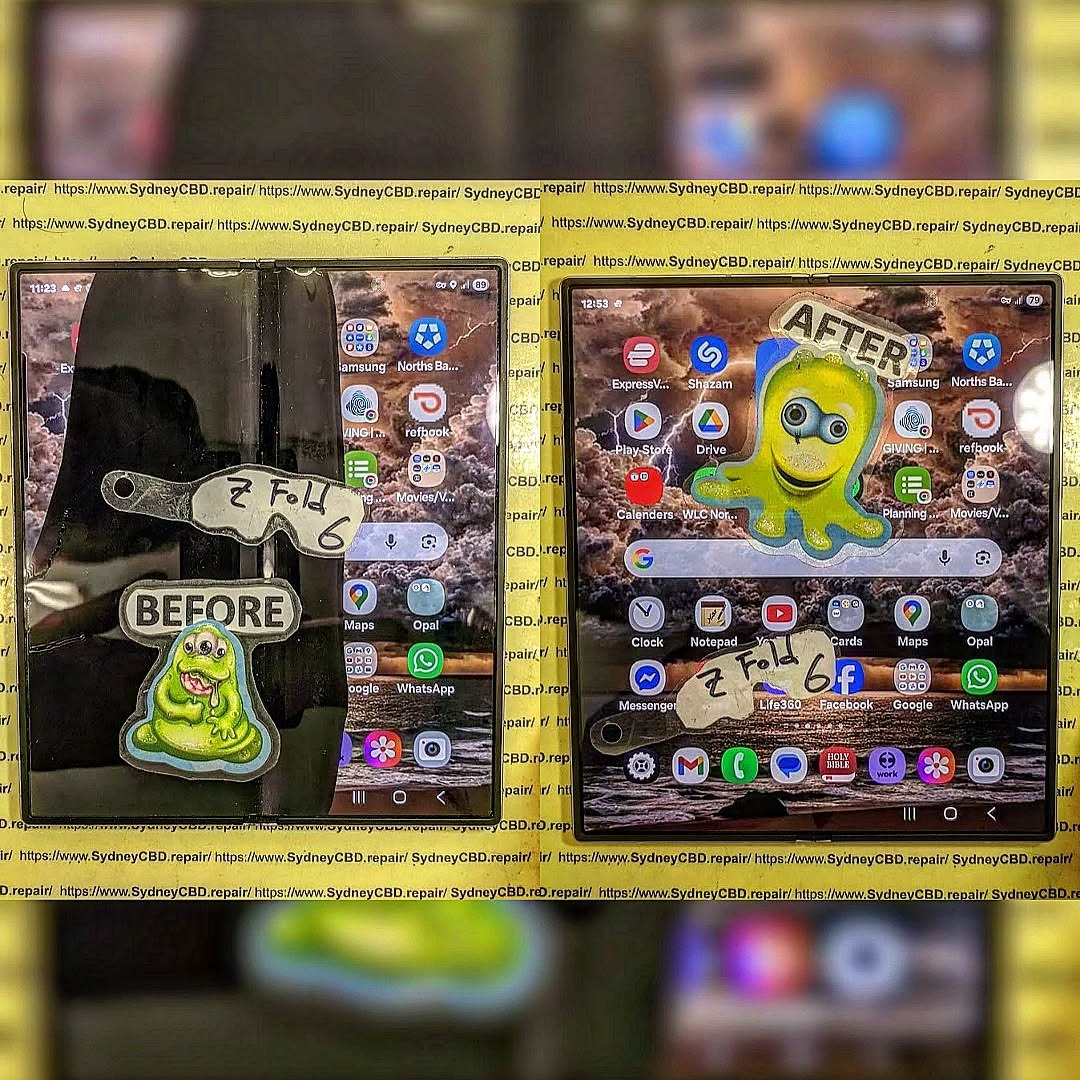
The Galaxy Z Fold 6 represents the pinnacle of foldable smartphone technology. Its expansive screen and innovative folding design are marvels of modern engineering—but with great technology comes great responsibility. Proper care is essential to preserve the lifespan and flawless appearance of your foldable device.
At Sydney CBD Repair Centre, we specialize in mobile phone repairs, offering expert advice and genuine parts for all major brands. Here’s your ultimate guide to Galaxy Z Fold 6 screen care.
Unlike traditional smartphones, foldable screens use ultra-thin glass or flexible polymer layers. These materials allow folding but are more prone to dents, scratches, and damage if mishandled.
Cost of Repair vs. Prevention
A cracked Galaxy Z Fold 6 screen can cost hundreds of dollars to replace. Investing time in prevention ensures your device stays functional and visually pristine without incurring unnecessary repair costs.
Invest in a screen protector designed specifically for foldable devices. Avoid standard glass protectors; opt for flexible, ultra-thin polymer protectors that move with the screen.
Handle with Clean Hands
Dirt, dust, and oils can scratch your screen over time. Wash your hands before using your Galaxy Z Fold 6 to minimize surface debris.
Avoid Sharp Objects
Keys, pens, and coins in your pockets or bags can press against the screen and cause micro-scratches or dents. Store your phone in a protective case or dedicated pocket.
Mind the Folding Mechanism
Always open and close your device gently. Avoid applying extra pressure in the hinge area; even slight mishandling can weaken the folding mechanism over time.
Keep Away from Extreme Temperatures
Excessive heat or cold can affect the adhesive and polymers in foldable screens. Avoid leaving your phone in direct sunlight or in freezing environments.
Accessories That Enhance Protection
Protective Cases for Foldables
A case specifically designed for the Galaxy Z Fold 6 adds a layer of shock absorption. Look for models that protect both front and back panels without interfering with the hinge.
Foldable-Friendly Pouches
For extra protection during travel, consider foldable-friendly pouches or sleeves. These keep dust out and reduce the risk of accidental drops.
Common Mistakes to Avoid
DIY Screen Repairs
Attempting to repair your foldable screen at home can cause more damage than good. Trust professional technicians to maintain the integrity of your device.
Ignoring Small Scratches
Minor scratches can worsen over time, eventually leading to cracks or touch sensitivity issues. Early intervention is key.
When to Seek Professional Help
Cracks or Unresponsive Areas
If your screen cracks or certain areas stop responding, immediate professional repair is recommended to prevent further damage.
Hinge Issues
If the folding mechanism feels stiff or unusual noises occur, bring it to a certified technician. Attempting to fix it yourself may void warranties or worsen the problem.
Why Choose Sydney CBD Repair Centre
Same Day Express Repairs
Genuine Parts Guarantee
Professional Technicians
Competitive Pricing
2000+ 5-Star Google Reviews
7-Time Award Winner for Best Phone Repairs
We’ve built a reputation as Sydney’s #1 mobile repair centre, providing reliable, high-quality service for foldables and all major smartphone brands.
Conclusion
Mastering Galaxy Z Fold 6 screen care is all about prevention, smart handling, and professional maintenance. With the right habits and accessories, your foldable phone can stay pristine, functional, and future-ready.
Visit Sydney CBD Repair Centre today to ensure your Galaxy Z Fold 6 gets the care it deserves.
FAQs
Q1: Can I use a regular tempered glass protector on the Galaxy Z Fold 6?
No. Foldables require flexible polymer protectors that can bend with the screen without cracking.
Q2: How often should I clean my foldable screen?
Clean your screen daily or at least weekly using a microfiber cloth to prevent dust buildup.
Q3: What should I do if my hinge feels stiff?
Stop using excessive force and bring your device to a professional technician immediately.
Q4: Are DIY repairs safe for foldable screens?
DIY repairs are highly risky. Always rely on certified repair centres like Sydney CBD Repair Centre.
Q5: Can I prevent scratches completely?
While no method guarantees 100% protection, using a dedicated screen protector, case, and careful handling significantly reduces risk.
David from Sydney CBD Repair Centre – The Best place to fix mobile phones as 7 Years In A Row! Top Mobile Phone Repair In Sydney. More than 2000 Positive Reviews on Google and Same Day Repairs.
📍 Visit us today for:
✓ Same Day Express Repairs
✓ Genuine Parts Guarantee
✓ Professional Technicians
✓ Competitive Pricing
✓ 2000+ 5-Star Google Reviews
✓ 7-Time Award Winner for Best Phone Repairs
Samsung Z Fold 6 Hinge Deep Clean: Solving the Gritty Folding Screen Crunch + 7 Proven Maintenance Tips
Introduction: Why Hinge Maintenance is Critical
The Samsung Z Fold 6 represents a pinnacle in foldable smartphone technology, but its innovative hinge system can accumulate dust, grit, and debris over time. A small buildup may seem harmless at first, yet it can lead to audible crunching, stiff folds, or even long-term hinge damage. Understanding how to perform a Samsung Z Fold 6 Hinge Deep Clean ensures your device remains smooth, functional, and visually pristine.
Many users overlook this crucial maintenance, which can shorten the hinge’s lifespan and affect the overall folding experience. By addressing the problem early, you can prevent costly repairs and maintain optimal performance.
The Samsung Z Fold 6 hinge is a complex, multi-roller mechanism designed to provide fluid folding and unfolding while maintaining screen integrity. Unlike traditional smartphones, foldables require precision engineering to prevent screen creases and mechanical stress.
The Multi-Roller Hinge System
This hinge uses multiple miniature rollers, each with a precise spring and gear assembly, to evenly distribute folding forces. The rollers allow the foldable screen to pivot smoothly while preventing unnecessary strain on the flexible display. However, the compact design also creates narrow gaps where dust and grit can accumulate.
Common Grit and Dust Accumulation Areas
Key areas where debris collects include:
The inner crease of the fold
Gaps between roller tracks
Edges of the hinge near the display
Neglecting these areas can cause friction, audible crunching, and even screen misalignment over time.
Proper hinge maintenance begins with identifying early warning signs. Here are common indicators that your Samsung Z Fold 6 hinge needs attention:
Audible Crunching or Clicking
When you hear small clicks or a gritty sound while folding or unfolding, it usually indicates debris trapped inside the hinge.
Reduced Folding Smoothness
If the hinge feels stiff or less fluid than before, accumulated dirt may be causing friction between rollers and pins.
Screen Misalignment
A misaligned display can result from uneven pressure on the hinge due to trapped particles.
Tools & Materials Needed for Hinge Deep Cleaning
Maintaining your hinge safely requires specialized tools and cleaning solutions.
Microfiber Cloths & Brushes
Soft microfiber cloths prevent scratches
Small anti-static brushes reach tight spaces without causing damage
Isopropyl Alcohol & Lubricants
90%+ isopropyl alcohol is safe for cleaning hinge tracks
Light silicone-based lubricants maintain smooth operation without damaging components
Avoiding DIY Pitfalls
Never use sharp objects, water, or household oils, as these can irreparably harm the hinge and flexible display.
Step-by-Step Samsung Z Fold 6 Hinge Cleaning Guide
Powering Down and Preparing Your Device
Always power off your Z Fold 6 and place it on a clean, flat surface to prevent accidental damage during cleaning.
Removing Surface Dust
Use a microfiber cloth and soft brush to gently sweep away dirt from the hinge exterior and inner crease.
Deep Hinge Cleaning Techniques
Compressed Air: Blow air into the hinge gaps to dislodge fine debris
Alcohol Swabs: Lightly moisten swabs with isopropyl alcohol and clean roller tracks
Precision Tools: Optional plastic picks for stubborn particles, handled gently
Lubricating Without Damage
Apply a small amount of silicone-based lubricant along hinge rollers. Fold and unfold slowly to evenly distribute, avoiding excess which can attract more dust.
Final Inspection & Testing
Check for smooth folding and ensure no sticky residue remains. Listen for crunching — the absence of sound indicates successful cleaning.
Preventive Maintenance Tips to Avoid Hinge Crunch
Keeping Folds Clean
Always check your pockets or bags for lint and debris. Wipe the hinge weekly with a soft cloth.
Regular Checkups
Perform light cleaning every 2–3 months, depending on usage and environment.
Protective Cases & Accessories
A dedicated Z Fold 6 case with hinge protection can minimize dust entry and accidental knocks.
Common Mistakes During Hinge Maintenance
Using Sharp Objects
Avoid metal picks or knives which can scratch the hinge or screen.
Over-Lubricating
Too much lubricant causes dust adhesion and sticky folds.
Ignoring Manufacturer Guidelines
Samsung advises against water exposure and DIY disassembly — follow official maintenance tips.
Professional Repair vs. DIY Cleaning
Warranty Considerations
DIY hinge repairs may void warranty. Always consult official guidelines.
Signs You Need Professional Help
Persistent crunching after cleaning
Screen misalignment
Hinge stiffness that doesn’t improve with light maintenance
For these, professional repair ensures safety and longevity.
FAQs
1. How often should I clean the Samsung Z Fold 6 hinge?
Every 2–3 months for regular use, or sooner if you notice crunching or stiffness.
2. Can I use water to clean my hinge?
No, water can damage internal components. Use isopropyl alcohol and microfiber cloths only.
3. What lubricant is safe for my Z Fold 6?
Silicone-based lubricants recommended for foldable hinges.
4. Will DIY cleaning void my warranty?
Minor cleaning is safe, but full disassembly may void warranty. Always follow Samsung guidelines.
5. Why is my hinge making a grinding sound?
Debris trapped between rollers causes friction. Deep cleaning usually resolves this.
6. Can protective cases prevent hinge issues?
Yes, cases reduce dust entry and accidental knocks that can damage hinges.
Conclusion: Keep Your Samsung Z Fold 6 Hinge Crunch-Free
Regular maintenance and careful cleaning ensure your Samsung Z Fold 6 folds smoothly for years. By understanding hinge mechanics, using safe tools, and applying preventive practices, you can avoid the gritty crunch that frustrates many foldable phone owners.
For detailed official guidance, visit Samsung Support to check maintenance tips and warranty recommendations.
David from Sydney CBD Repair Centre – The Best place to fix mobile phones as 7 Years In A Row! Top Mobile Phone Repair In Sydney. More than 2000 Positive Reviews on Google and Same Day Repairs.
We take pride in delivering exceptional repair services for all major phone brands including Apple, Samsung, Google, and more. Our expert technicians use only genuine parts and offer 90days warranty on repairs. Located in the heart of Sydney CBD, we’re your one-stop solution for all mobile device repairs.
Our commitment to excellence has earned us the trust of thousands of satisfied customers. Whether it’s a cracked screen, battery replacement, or water damage repair, we handle it all with professional care and expertise. Walk in today and experience why we’re Sydney’s #1 choice for mobile phone repairs.
Visit us for:
✓ Same Day Express Repairs
✓ Genuine Parts Guarantee
✓ Professional Technicians
✓ Competitive Pricing
✓ 2000+ 5-Star Google Reviews
✓ 7-Time Award Winner for Best Phone Repairs
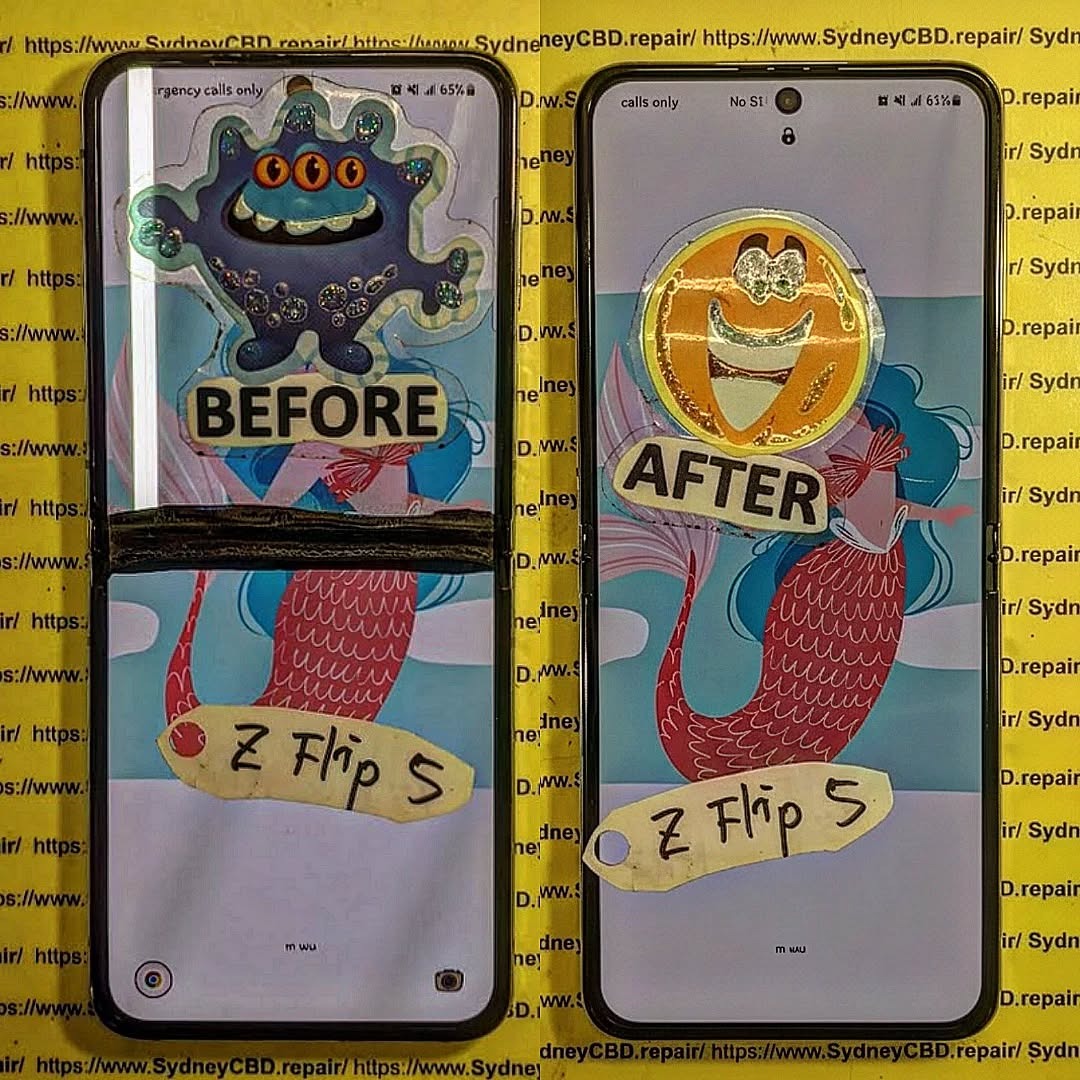
Folding Phone Nightmare: Restoring a Catastrophic Samsung Z Flip 5 – 10 Proven Fixes
Introduction
Foldable smartphones have redefined mobile technology, offering sleek designs and innovative features that make everyday tasks more convenient and stylish. Among these cutting-edge devices, the Samsung Z Flip 5 stands out as a marvel of engineering, combining a full-sized smartphone experience with the portability of a compact, foldable form factor. However, with its revolutionary design comes a unique set of challenges. One accidental drop, an exposed hinge to dust, or minor water exposure can transform your high-tech device into a folding phone nightmare.
For many users, facing a damaged Z Flip 5 can feel overwhelming. The delicate foldable screen, hinge mechanisms, and internal components require careful handling, and improper repairs may lead to permanent damage. That’s why understanding the proper steps for diagnosis, repair, and maintenance is crucial.
In this guide, we’ll take you through everything you need to know to restore a catastrophic Samsung Z Flip 5. From immediate troubleshooting and DIY repair options to professional services and long-term maintenance strategies, you’ll discover 10 proven fixes that can bring your foldable phone back to life. Whether you’re a tech enthusiast attempting a careful repair at home or a user seeking trusted professional assistance, this article will provide the knowledge, tips, and confidence needed to tackle even the most severe Z Flip 5 issues.
By the end, you’ll understand not only how to fix your device but also how to maintain it, ensuring that your Samsung Z Flip 5 continues to perform flawlessly for years to come.
Foldable smartphones have revolutionized mobile technology, and the Samsung Z Flip 5 is a prime example of engineering brilliance. Its sleek design and flexible screen make it both futuristic and functional. However, this sophistication comes with fragility. One misstep—a drop, a spill, or an excessive bend—can turn your high-end phone into a folding phone nightmare.
In this comprehensive guide, we’ll explore how to restore a catastrophic Samsung Z Flip 5, covering everything from diagnosing damage to DIY repair tips, professional fixes, and long-term maintenance. With 10 proven fixes, you can regain full functionality while protecting your device for the future.
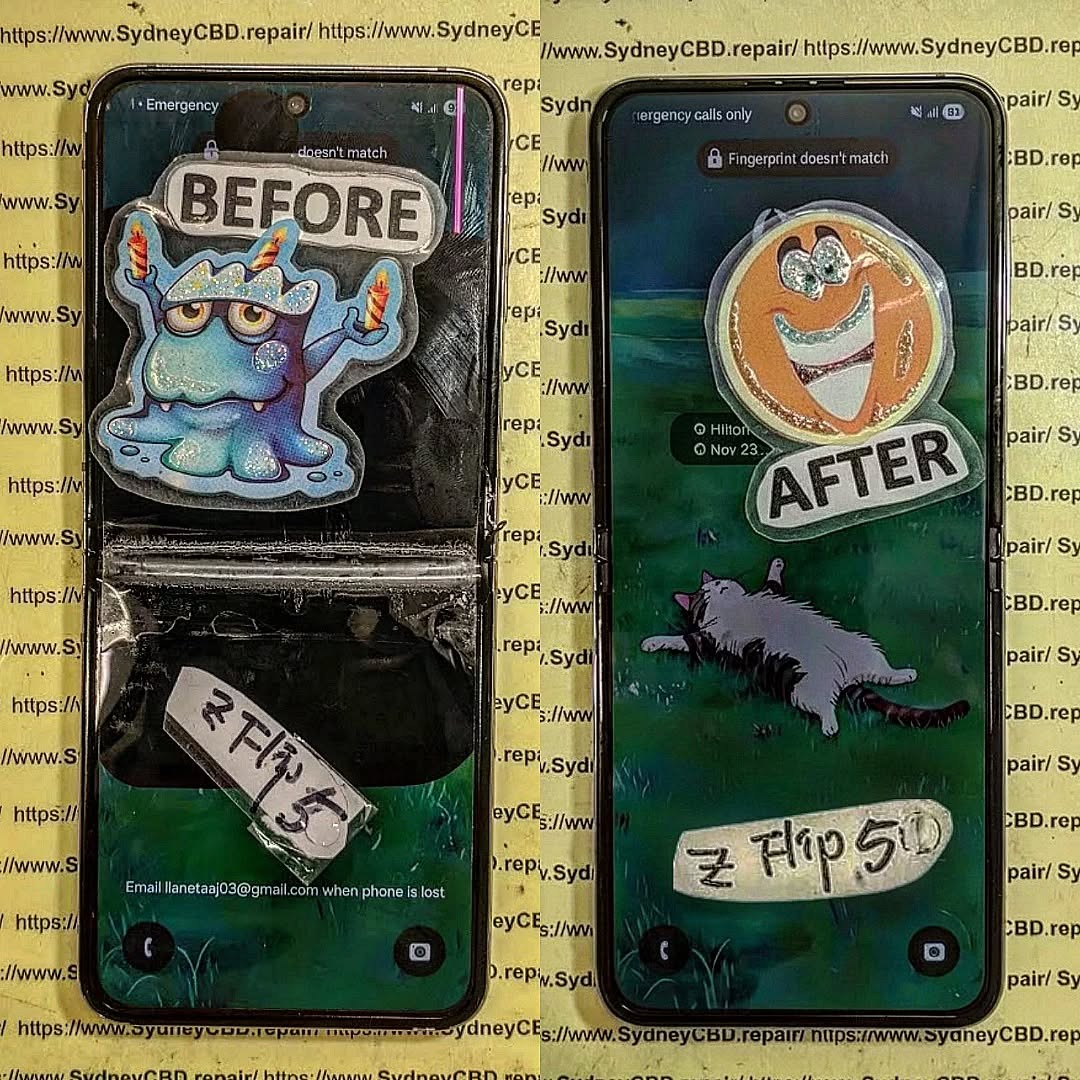
The Samsung Z Flip 5 is more than just a phone; it’s a technological statement. Its foldable OLED display allows a full-sized smartphone to collapse into a compact form, blending portability with power. But the very features that make it remarkable also make it delicate.
The Anatomy of the Foldable Screen
The Z Flip 5’s screen is a marvel of flexible engineering:
Ultra-thin glass layer: Provides a smooth touch experience but is prone to cracking if stressed.
Plastic protective layer: Guards the OLED, but scratches easily.
Flexible OLED panel: The core display that bends along the hinge.
Hinge mechanism: Allows folding but is susceptible to dust and misalignment.
Understanding these components is crucial for any repair strategy.
Why Foldable Phones Fail: Common Issues
Foldable phones, especially the Z Flip 5, face unique challenges:
Screen crease or crack: Frequent folding may cause permanent lines or breaks.
Hinge malfunction: Misalignment or stiffness can affect folding and cause internal damage.
Water or dust ingress: Even with IPX8 water resistance, particles can penetrate the hinge.
Battery or connector damage: A drop may disconnect or puncture internal components.
Reacting quickly is essential. A wrong move can worsen damage or void warranties.
Diagnosing Physical vs. Software Damage
Not all issues are obvious. For instance, a phone that refuses to boot might have:
Software glitches: Corrupted apps, failed updates, or system crashes.
Hardware damage: Broken display, damaged connectors, or hinge issues.
Check for:
Visible screen cracks
Unusual sounds from the hinge
Overheating
Error messages
Power Cycling and Safe Reboot Methods
To prevent further harm:
Hold the power and volume down buttons for 10 seconds to force reboot.
If the screen is unresponsive, connect the phone to a charger or a PC to see if it powers up.
Avoid attempting to fold or unfold the device forcefully.
Repair Options: DIY vs Professional

Essential Tools for DIY Foldable Phone Repair
For those daring to repair at home, you’ll need:
Precision screwdrivers
Plastic pry tools
ESD-safe tweezers
Suction cups
Heat gun (for adhesive loosening)
Caution: DIY repairs are risky; a single misstep can damage the OLED beyond repair.
When to Seek Expert Technicians
Professional repair is recommended when:
The screen is shattered
The hinge is misaligned or jammed
Water damage is suspected
Internal components appear damaged
Sydney CBD Repair Centre, for instance, provides same-day express repairs and uses genuine parts with 90-day warranty—ideal for foldable phone emergencies.
Step-by-Step Guide to Restoring a Damaged Z Flip 5
Screen Replacement Techniques
Screen replacement is delicate due to the foldable OLED:
Heat the frame gently to soften the adhesive.
Use a suction cup and plastic pry tool to lift the screen.
Disconnect the ribbon cables carefully.
Align and install the new screen, then test before sealing.
Tip: Only use genuine Samsung replacement screens to avoid touch sensitivity issues.
Hinge Adjustment and Lubrication
Hinges can get stiff or loose over time:
Inspect for dust or debris.
Apply a small amount of precision hinge lubricant.
Align screws and test folding movement.
Misaligned hinges can damage the OLED if ignored.
Battery and Internal Component Checks
After physical repair:
Inspect battery connectors and ribbon cables.
Check for bulges or liquid damage.
Replace damaged components to prevent future failures.
Software Troubleshooting After Hardware Repair
Even after physical repairs, software issues may persist.
Factory Reset and Data Backup
Always backup your data to Samsung Cloud or a PC.
Perform a factory reset if apps misbehave or the system crashes.
Firmware Updates and Calibration
Update to the latest software to fix bugs.
Calibrate foldable sensors for smooth folding animations and battery optimization.
Maintaining Your Samsung Z Flip 5 to Prevent Future Damage
Protective Cases and Screen Guards
Use a custom-fit flip case to prevent drops.
Apply a screen protector designed for foldable displays.
Regular Maintenance and Cleaning
Remove dust from the hinge every few weeks.
Clean screen with a microfiber cloth.
Avoid extreme heat or moisture exposure.
Cost Analysis: Repair vs Replacement
Issue
DIY Cost
Professional Cost
Replacement Cost
Screen Replacement
$250-$350
$400-$500
$1200+
Hinge Repair
$50-$100
$150-$250
N/A
Battery Replacement
$30-$50
$80-$120
N/A
Full Replacement
N/A
N/A
$1200+
Professional repair often saves money long-term, as it ensures genuine parts and avoids repeated damage.
FAQs About Samsung Z Flip 5 Repair
Q1: Can a foldable phone fully recover after a screen crease?
A: Minor creases may fade over time, but deep creases typically require a screen replacement.
Q2: Is DIY screen replacement safe?
A: Only if you have experience. Otherwise, professional repair is strongly recommended.
Q3: How long does Samsung Z Flip 5 repair take?
A: Simple fixes like battery or hinge adjustment may take 1–2 hours, full screen replacement 2–4 hours.
Q4: Does repair void the warranty?
A: Yes, unauthorized repairs can void warranty. Use certified centers like Sydney CBD Repair Centre.
Q5: Can water damage be repaired?
A: Yes, if addressed quickly. Components must be cleaned, dried, and replaced if needed.
Q6: How can I prevent hinge damage in the future?
A: Clean regularly, avoid forceful folding, and use protective cases designed for foldables.
Conclusion: Restoring Confidence in Your Foldable Phone
A catastrophic Samsung Z Flip 5 doesn’t have to spell disaster. With the right diagnosis, repair strategy, and maintenance, you can restore your foldable phone to near-original condition. Whether you choose DIY repair or professional service, following these 10 proven fixes ensures longevity, performance, and peace of mind.
Invest in protective accessories, maintain the hinge, and update software regularly. Foldable phones are marvels of technology—but even marvels need care.
David from Sydney CBD Repair Centre – The Best place to fix mobile phones as 6 Years In A Row! Top Mobile Phone Repair In Sydney. More than 2000 Positive Reviews on Google and Same Day Repairs.
We take pride in delivering exceptional repair services for all major phone brands including Apple, Samsung, Google, and more. Our expert technicians use only genuine parts and offer 90days warranty on repairs. Located in the heart of Sydney CBD, we’re your one-stop solution for all mobile device repairs.
Our commitment to excellence has earned us the trust of thousands of satisfied customers. Whether it’s a cracked screen, battery replacement, or water damage repair, we handle it all with professional care and expertise. Walk in today and experience why we’re Sydney’s #1 choice for mobile phone repairs.
Visit us for:
✓ Same Day Express Repairs
✓ Genuine Parts Guarantee
✓ Professional Technicians
✓ Competitive Pricing
✓ 2000+ 5-Star Google Reviews
✓ 6-Time Award Winner for Best Phone Repairs
Beyond the Green Line: 10 Critical Signs You Should Repair or Replace Your Foldable Phone
Introduction: The Rise of Foldable Phones
Foldable phones have revolutionized the smartphone landscape, combining the convenience of a compact device with the functionality of a tablet. Companies like Samsung, Huawei, and Google have pushed boundaries with sleek, foldable displays that promise flexibility and enhanced multitasking.
However, with great innovation comes unique challenges. Unlike traditional smartphones, foldable phones involve intricate hinge mechanisms and flexible screens that can be susceptible to wear over time. Recognizing when to repair or replace your foldable device is crucial not only for performance but also for preventing permanent damage. By understanding these warning signs, you can make informed decisions to maximize your investment.
Foldable phones aren’t just regular smartphones with hinges—they incorporate advanced materials and engineering. Most modern devices feature AMOLED or OLED flexible panels combined with precision-engineered hinges that allow repeated folding and unfolding.
Foldable Display Types
AMOLED (Active Matrix Organic Light-Emitting Diode): Known for vivid colors and deep blacks, it’s commonly used in foldable devices. Susceptible to burn-in if left on static images.
OLED (Organic Light-Emitting Diode): Slightly more flexible but may show creasing over time.
LTPO (Low-Temperature Polycrystalline Oxide): Offers energy efficiency and adaptive refresh rates, ideal for foldables.
Understanding your display type helps in predicting durability and repair costs.
Hinge Mechanisms Explained
Hinges are the backbone of foldable phones. They can be:
Multi-link mechanical hinges: Smooth folding but can accumulate dust.
Rotating axis hinges: Durable but prone to stiffness over time.
Invisible hinges: Sleek design, harder to repair if damaged.
Regular maintenance and careful handling can prolong hinge life.
While innovative, foldable phones face challenges that traditional smartphones don’t.
Screen Creases and Cracks
Repeated folding can create visible creases or micro-cracks. Over time, these may worsen, affecting touch responsiveness and display quality.
Hinge Wear and Tear
Hinges may become stiff, noisy, or even loose. Ignoring these issues can lead to internal damage, including screen detachment.
Battery Degradation
Due to larger and flexible displays, foldables often consume more power. Reduced battery life, swelling, or charging issues indicate it’s time for attention.
Software Glitches and Performance Lag
Software may lag due to OS updates, app incompatibility, or aging hardware. While some issues can be fixed with updates, persistent problems may warrant replacement.
10 Signs It’s Time to Repair or Replace
Identifying these signs early can save money and prevent further damage.
Visible Screen Damage: Cracks, dead pixels, or display discoloration.
Hinge Stiffness or Noise: Difficulty opening or closing the device.
Battery Life Dropping Significantly: Rapid charge loss or swelling.
Overheating During Use: Device becomes uncomfortably hot.
Charging Problems: Slow or inconsistent charging.
Frequent App Crashes: Apps freeze or crash often.
Touchscreen Malfunctions: Dead zones or erratic input.
Camera Failures: Blurry images or sensor issues.
Water or Dust Damage: Signs of corrosion or residue.
Repairing foldable phones can be costly. Screen replacement often ranges from $400–$900, depending on model and parts availability. Compare this with a replacement phone’s current value before deciding.
Longevity and Future Updates
Older foldables may stop receiving software updates, affecting security and app compatibility. In such cases, replacement may be more practical.
Environmental Impact
Repairing devices reduces e-waste and supports sustainability. Replacing unnecessarily contributes to electronic waste accumulation.
Choosing the Right Repair Service
Selecting a qualified repair service is crucial:
Expertise: Technicians must be trained in foldable devices.
Genuine Parts: Avoid third-party components that may fail quickly.
Warranty Coverage: Ensure repairs come with guarantees.
Keep device away from water, dust, and extreme temperatures.
Charge with recommended chargers to prevent battery stress.
Frequently Asked Questions (FAQs)
Q1: How long do foldable phones typically last?
A: With proper care, most foldable devices last 2–3 years before hinge or screen issues emerge.
Q2: Can a crease in the screen be repaired?
A: Minor creases are usually cosmetic, but severe creases may require a full display replacement.
Q3: Are all hinge noises a sign of damage?
A: Not always; light clicking is normal. Persistent stiffness or grinding suggests repair is needed.
Q4: How can I prevent battery swelling?
A: Avoid overcharging, high temperatures, and use only certified chargers.
Q5: Is repair always cheaper than replacement?
A: Not necessarily. Evaluate repair costs relative to device age and current market value.
Q6: Can water-damaged foldables be fully restored?
A: Sometimes. Immediate professional attention increases chances of successful repair, but complete restoration is not guaranteed.
Conclusion
Foldable phones are a marvel of modern engineering, but they require careful maintenance and timely interventions. By understanding the key warning signs, you can decide whether repair or replacement is the best course of action. Remember, proactive care extends device life, maintains performance, and saves money in the long run.
For professional repairs and expert guidance, Sydney CBD Repair Centre offers top-tier foldable phone services with genuine parts, same-day repairs, and a 90-day warranty.
David from Sydney CBD Repair Centre – The Best place to fix mobile phones as 6 Years In A Row! Top Mobile Phone Repair In Sydney. More than 2000 Positive Reviews on Google and Same Day Repairs.
We take pride in delivering exceptional repair services for all major phone brands including Apple, Samsung, Google, and more. Our expert technicians use only genuine parts and offer 90days warranty on repairs. Located in the heart of Sydney CBD, we’re your one-stop solution for all mobile device repairs.
Our commitment to excellence has earned us the trust of thousands of satisfied customers. Whether it’s a cracked screen, battery replacement, or water damage repair, we handle it all with professional care and expertise. Walk in today and experience why we’re Sydney’s #1 choice for mobile phone repairs.
Visit us for:
✓ Same Day Express Repairs
✓ Genuine Parts Guarantee
✓ Professional Technicians
✓ Competitive Pricing
✓ 2000+ 5-Star Google Reviews
✓ 6-Time Award Winner for Best Phone Repairs
Beyond the Screen: Reviving a Charging Port Dead Samsung Z Flip 5 – 7 Proven Fixes
Introduction
Experiencing a dead charging port on your Samsung Z Flip 5 can feel catastrophic, especially when your device is your lifeline. From sudden power loss to the frustration of watching your device refuse to charge, a malfunctioning port can disrupt your daily routine. The Samsung Z Flip 5 is a sleek, foldable device that relies on a precision-engineered USB-C port to maintain power delivery. Unlike traditional smartphones, the Z Flip 5’s compact, hinge-enabled design makes its charging system slightly more delicate, and even minor debris or moisture can interfere with its operation.
In this article, we’ll explore seven proven fixes to revive a dead charging port on the Samsung Z Flip 5. We’ll cover simple DIY solutions, advanced repair methods, and tips to prevent future issues—all backed by expert insights to restore your device’s performance safely.
A thorough understanding of the Z Flip 5’s charging mechanism helps diagnose problems accurately. At its core, the charging system consists of the USB-C port, a power management IC (PMIC), and internal circuitry that regulates current and voltage.
USB-C Port Components
The USB-C port features multiple pins that handle power delivery, data transfer, and grounding. Wear and tear or bent pins can interrupt the flow of electricity. Debris, lint, and dust often accumulate in the port’s tight recesses, leading to intermittent or total charging failure.
Power Management IC
The PMIC acts as the device’s “charging brain,” regulating current, voltage, and battery temperature. A malfunctioning PMIC can mimic port failure, making it critical to verify whether the issue lies with the hardware or software before attempting repairs.
Charging port problems can arise from a combination of physical, environmental, and software-related factors. Understanding these causes allows users to address the root issue rather than simply treating symptoms.
Physical Damage and Wear
Frequent plugging and unplugging can bend pins or loosen solder connections. Over time, these minor damages accumulate, eventually preventing reliable contact. Visible signs of damage include wobbly cables, bent pins, or unusual resistance when connecting a charger.
Liquid Exposure
Even minimal exposure to water or other liquids can corrode contacts inside the charging port. Moisture often seeps into the hinge mechanism of the Z Flip 5, making it more susceptible than traditional flat devices.
Software & Firmware Problems
Occasionally, a charging port may appear dead due to firmware glitches or battery calibration issues. Updates may interfere with charging recognition, or the system may misinterpret power delivery, resulting in a non-charging state.
Safety Precautions Before Attempting Repair
Before diving into DIY fixes, safety is paramount. Here’s what you need to know:
Power Down the Device: Never attempt cleaning or disassembly with the phone powered on.
Use ESD Protection: Electrostatic discharge can damage sensitive circuitry. Work on a grounded surface using anti-static tools.
Avoid Excessive Force: Forcing cables or tools into the port may worsen the problem.
DIY Cleaning and Maintenance Methods
Many charging issues stem from debris or dirt buildup. These solutions are easy, safe, and can often restore functionality without opening the phone.
Using Compressed Air
Compressed air can effectively blow out lint and dust from the USB-C port. Hold the phone at a slight angle and use short bursts to prevent moisture accumulation. Avoid using your mouth, as saliva can damage contacts.
Isopropyl Alcohol Method
Dip a soft brush or cotton swab in 90–99% isopropyl alcohol and gently clean the port. Alcohol evaporates quickly and helps remove sticky residues. Repeat this process carefully, allowing the port to dry fully before testing.
Software Troubleshooting Tips
Sometimes, the charging problem is not hardware-related. The following software steps can resolve common glitches:
Soft Reset: Restarting the phone can resolve temporary charging recognition issues.
Firmware Update: Ensure your device is running the latest software to fix bugs affecting the PMIC or battery management system.
Battery Calibration: Fully discharge the phone and recharge it to 100% without interruption. This recalibration can sometimes restore normal charging behavior.
Advanced Repair Techniques
When DIY methods fail, professional intervention or advanced repairs may be necessary.
Charging Port Replacement
Replacing the USB-C port involves carefully disassembling the device, desoldering the old port, and soldering a new one in place. This process requires precision tools and steady hands. Incorrect handling may damage the motherboard, so it’s recommended only for experienced technicians.
Soldering and Micro Repairs
Micro soldering can fix loose connections or broken traces leading to the charging port. This delicate work restores full functionality but is generally best left to professionals due to the risk of permanent damage.
Preventing Future Charging Port Issues
Preventing problems is far easier than fixing them. Follow these tips to maintain your Samsung Z Flip 5 charging system:
Protective Accessories
Use dust plugs or protective cases designed for foldable phones. High-quality USB-C cables with reinforced tips reduce wear and tear on the port.
Regular Maintenance
Schedule a monthly cleaning routine, inspecting the port for debris or corrosion. Avoid charging in humid environments or exposing the device to liquids.
Choosing a Professional Repair Service
If advanced repair is required, selecting the right service is critical.
What to Look for in a Repair Centre
Genuine Parts: Avoid cheap replacements that may fail prematurely.
Warranty: Look for at least a 90-day warranty on repairs.
Positive Reviews: Check customer feedback on platforms like Google or Trustpilot.
Sydney CBD Repair Centre, for instance, has over 2,000 positive reviews and is recognized as a top repair provider for Samsung devices. Their expert technicians can replace the charging port safely, ensuring your Z Flip 5 returns to full functionality. Visit Sydney CBD Repair Centre
FAQs
1. How do I know if my charging port is truly dead?
A dead port shows no response when connecting multiple verified cables and chargers. If the device powers on but doesn’t charge, the port or PMIC may be faulty.
2. Can I use wireless charging if the port is dead?
Yes, the Samsung Z Flip 5 supports wireless charging, providing a temporary solution while you repair the port.
3. Is it safe to try DIY port replacement?
Only if you have proper tools and experience. Mishandling can permanently damage your phone.
4. How long does professional repair take?
Most certified centers can perform a charging port replacement within a few hours. Same-day service is often available.
5. Can firmware issues mimic hardware failure?
Absolutely. A soft reset, firmware update, or battery calibration may solve the problem without any physical repair.
6. How can I prevent future port damage?
Regular cleaning, using protective accessories, and avoiding excessive plugging/unplugging can significantly extend port lifespan.
Conclusion
A dead charging port on the Samsung Z Flip 5 can feel frustrating, but with the right approach, it’s fully repairable. Start with simple cleaning and software fixes, progress to advanced repairs if necessary, and always take preventive measures to avoid recurrence. Whether you attempt DIY methods or rely on professionals like Sydney CBD Repair Centre, restoring your phone’s charging functionality is entirely achievable. Taking action early ensures your device remains reliable for years to come.
David from Sydney CBD Repair Centre – The Best place to fix mobile phones as 6 Years In A Row! Top Mobile Phone Repair In Sydney. More than 2000 Positive Reviews on Google and Same Day Repairs.
We take pride in delivering exceptional repair services for all major phone brands including Apple, Samsung, Google, and more. Our expert technicians use only genuine parts and offer 90days warranty on repairs. Located in the heart of Sydney CBD, we’re your one-stop solution for all mobile device repairs.
Our commitment to excellence has earned us the trust of thousands of satisfied customers. Whether it’s a cracked screen, battery replacement, or water damage repair, we handle it all with professional care and expertise. Walk in today and experience why we’re Sydney’s #1 choice for mobile phone repairs.
Visit us for:
✓ Same Day Express Repairs
✓ Genuine Parts Guarantee
✓ Professional Technicians
✓ Competitive Pricing
✓ 2000+ 5-Star Google Reviews
✓ 6-Time Award Winner for Best Phone Repairs
The Google Pixel Fold represents one of the most advanced breakthroughs in modern smartphone engineering. With its beautifully crafted hinge system and ultra-thin foldable OLED display, it delivers a premium experience that feels both futuristic and practical. However, as many Sydney users have discovered, the Pixel Fold inner screen is also one of the device’s most vulnerable components. Even with careful use, issues such as crease-line damage, touch failures, flickering, and brightness irregularities can appear without warning.
In a bustling urban environment like Sydney—where temperature shifts, daily travel, and busy lifestyles are the norm—foldable phones face conditions that can accelerate wear and tear. When the Pixel Fold inner screen starts showing signs of trouble, it’s not just a cosmetic inconvenience. It can affect usability, productivity, and even device safety. That’s why understanding the causes, symptoms, and repair solutions is crucial for every Pixel Fold owner.
This article explores the complete landscape of Pixel Fold inner screen repairs in Sydney, breaking down the technical challenges, diagnosis methods, repair options, and preventative care. Whether you’re dealing with early-stage screen issues or a fully malfunctioning display, this guide provides the expert insights needed to restore your device efficiently and safely.
The Pixel Fold has been one of Google’s most ambitious smartphone releases. With its futuristic foldable OLED display and seamless hinge engineering, the device promised a new era of productivity and immersion. Still, as many Sydney users have experienced, the Pixel Fold inner screen can become a technical headache when something goes wrong. This article explores the real challenges behind inner screen failures, why repairs in Sydney are uniquely complex, and how professional technicians handle these problems daily.
The keyword “Pixel Fold inner screen” appears early in the content—as required—and will naturally reappear throughout this article to maintain readability and SEO integrity.
Foldable smartphones, including the Pixel Fold, are more fragile than traditional candy-bar phones. The ultra-thin glass (UTG), flexible OLED layers, and mechanical hinge system work in harmony, but even a slight disruption can cause significant display problems. In Sydney’s busy environment—between temperature changes, daily commuting, and casual rough handling—these issues can appear more frequently.
When your Pixel Fold inner screen acts up, it’s rarely random. Several technical factors are usually at play:
Hinge tension imbalance
Micro-fractures in the ultra-thin glass
Pressure damage from objects inside pockets
Shock damage from minor drops
Moisture trapped in the hinge mechanism
OLED layer delamination
Because the inner screen is flexible, it’s much more susceptible to bending stress compared with typical rigid displays. These breakdown points are why early diagnosis is so important.
Common Symptoms of Pixel Fold Inner Screen Damage
You may notice one or more of the following signs:
A bright line across the fold crease
Black spots or bubble-like distortions
Flickering or random white flashes
A completely dead half-screen
Touch response failures
Vertical or horizontal lines
These indicators typically mean that the OLED or digitizer layer in the Pixel Fold inner screen has been compromised. Left untreated, the damage worsens quickly.
The Importance of Early Diagnosis
Fixing a Pixel Fold inner screen isn’t cheap—so catching issues early can save hundreds of dollars and prevent data loss. In a city like Sydney, where professionals rely heavily on their devices, downtime isn’t an option.
When the inner screen begins to malfunction, some users keep folding and unfolding the phone, hoping it “sorts itself out.” Unfortunately, that only speeds up the damage.
Early diagnosis can prevent:
Extended OLED burn
Digitizer failure
Hinge-aligned glass cracks
Permanent display death
Let’s examine the specific signs you should watch closely.
Visual Signs You Shouldn’t Ignore
Sudden dimming along the crease
Hairline cracks that appear only under strong light
Colour patches near the hinge
Touch dead zones around the fold centre
Even these small issues often signal deeper structural problems.
Internal Damage Indicators
Delayed touch feedback
Random ghost touches
Subtle hinge clicking
Bright spots forming in the crease area
When these internal signals appear, it usually means the flexible OLED layers are misaligned or damaged beneath the UTG surface.
Sydney’s Unique Repair Challenges
Repairing a Pixel Fold inner screen in Sydney isn’t the same as repairing one in the U.S. or Asia. Several factors influence part availability, logistics, and expertise.
Availability of Pixel Fold Parts in Australia
Google does not mass-distribute foldable components within Australia. That makes Pixel Fold inner screen stock harder to obtain.
Challenges include:
Long part procurement times
Higher import duties
Region-locked parts shipments
Limited authorised vendors
Some repair shops resort to aftermarket or refurbished screens—something Sydney CBD Repair Centre avoids due to reliability concerns.
Why Foldable Repairs Are More Complex
Foldable repairs require:
Precision micro-soldering
Careful hinge rebalancing
Laser machinery for adhesive removal
UTG handling tools
Static-safe, dust-controlled benches
One small mistake can destroy the $700–$900 inner screen assembly. This is why only qualified repair shops should handle the Pixel Fold inner screen replacement.
Step-by-Step Diagnosis Guide
To determine if your Pixel Fold inner screen truly needs repair, professionals follow a standard diagnosis procedure.
Touch Response Testing
Technicians check:
Pressure sensitivity
Multi-touch coordination
Dead touch zones
Touch latency
This helps differentiate between digitizer damage and software glitches.
Crease Line Examination
Using magnification:
The crease is checked for micro-cracks
Edge stress lines
Glass delamination
Weak hinge tension
This is extremely common in inner-screen problems.
Pixel Brightness Uniformity Check
A diagnostic app tests:
Uniform colour reproduction
Brightness dips
Burn-in areas
Screen flicker under PWM
This confirms whether the OLED layer has been compromised.
Professional Repair Options in Sydney
While many Sydney repair shops claim to fix foldables, only a few have the tools, training, and experience to successfully repair a Pixel Fold inner screen.
Trusted Local Repair Centres
Only a handful of shops in Sydney specialise in foldable repairs, including:
Sydney CBD Repair Centre
A few high-end repair hubs in Newtown and Chatswood
Select independent specialists who import OEM parts
But the leading choice remains Sydney CBD Repair Centre due to expertise and genuine parts.
Why Choose Sydney CBD Repair Centre
10+ years repairing complex OLED technologies
Genuine and OEM Pixel Fold inner screen replacements
Same-day service (when parts are available)
Highly trained foldable technicians
Transparent pricing
90-day warranty
No data loss guarantee
Our team handles hundreds of foldable devices, giving customers confidence in every repair.
Pixel Fold Screen Replacement Process
Understanding the process helps users appreciate why the cost is high and why the job requires top-tier skill.
Disassembly Explained
The Pixel Fold inner screen repair starts with:
Removing the outer display
Detaching mid-frame components
Disconnecting flex cables beneath the hinge
Removing the inner display under controlled temperature
Heat distribution must be precise to prevent OLED damage.
Handling the Inner Display
The inner screen is:
Ultra-fragile
Sensitive to bending
Easily damaged by fingerprints, dust, or static
Technicians must use:
UTG lifters
Fold-safe adhesive softening tools
Laser cutters for precision
This is not a DIY-friendly process.
Reassembly and QC Testing
After installing the new screen:
Hinge tension is recalibrated
Display alignment is checked
Brightness uniformity tests are run
Touch grid calibration is performed
Stress-fold cycles are tested
Only then is the device ready for collection.
Cost Breakdown of Pixel Fold Inner Screen Repair
Pixel Fold repairs in Sydney aren’t cheap—but knowing the breakdown helps customers understand why.
OEM vs Aftermarket Price Comparison
Screen Type
Approx. Cost (AUD)
Notes
OEM Pixel Fold Inner Screen
$700–$900
Best quality, longest lifespan
Aftermarket Inner Screen
$400–$550
Lower durability, not recommended
Sydney CBD Repair Centre only uses genuine or OEM screens to ensure longevity.
Labour Costs and Turnaround Time
Labour: $180–$250
Time: 3–5 hours (depending on part availability)
Urgent same-day repairs possible
Foldable repairs take significantly longer than standard displays due to complex assembly.
Preventing Future Damage
Repairing a Pixel Fold inner screen is expensive—preventing damage is much cheaper.
Recommended Protective Accessories
Foldable-safe screen protector
Shock-absorbing hinge case
Anti-pressure pouch for bags
Gentle-fold hinge-friendly case designs
These accessories reduce hinge stress.
Daily Care Tips for Foldable Phones
Avoid folding your phone too quickly
Keep keys and coins away from the screen
Don’t press hard on the inner display
Keep the hinge clean and dust-free
Prevent exposure to extreme heat
Foldables require more gentle handling.
User Maintenance Tips
Best Cleaning Practices
Use microfiber only
Avoid alcohol near the crease
Use low-pressure air to clear dust
Never use wipes that contain ammonia
UTG reacts poorly to harsh cleaning agents.
Avoiding Pressure Damage
Don’t sit with the phone in your pocket
Avoid placing heavy items on top of your device
Keep your phone in a wide pocket or bag section
Even mild pressure can crack the inner screen.
Understanding Warranty and Repair Policies
Google Warranty Limitations
Google’s warranty typically does NOT cover:
Pressure damage
Crease cracks
Drops
Water damage
Dust ingress
These issues are considered user-caused.
Third-Party Repair Implications
Some users worry about losing warranty coverage. However:
If the warranty is already void from damage
Third-party repair is your only viable option
Sydney CBD Repair Centre ensures safe, professional, reversible repairs
You’re in good hands.
Frequently Asked Questions
1. How much does it cost to replace the Pixel Fold inner screen in Sydney?
Typically $700–$900 for OEM parts, plus labour.
2. How long does the repair take?
Around 3–5 hours depending on stock availability.
3. Can the Pixel Fold inner screen be repaired if it’s flickering?
Yes—if caught early. Severe flicker may require full replacement.
4. Does replacing the inner screen affect water resistance?
Foldables aren’t waterproof, so water resistance isn’t significantly impacted.
5. Will my data be erased during repair?
No—Sydney CBD Repair Centre performs non-intrusive repairs.
6. Is it worth repairing the Pixel Fold inner screen?
Yes, especially with OEM parts. It restores full functionality and resale value.
Conclusion
The Pixel Fold inner screen is a sophisticated piece of engineering that demands expert care and precision when damaged. In Sydney, where availability of original components is limited and foldable repairs require highly specialised skills, choosing the right repair centre is essential.
Sydney CBD Repair Centre leads the field with genuine parts, advanced tools, and experienced technicians who deliver reliable, fast, and customer-focused service. Whether you’re dealing with flickers, cracks, lines, or total screen failure, professional handling ensures your device returns to peak performance.
David from Sydney CBD Repair Centre – The Best place to fix mobile phones as 6 Years In A Row! Top Mobile Phone Repair In Sydney. More than 2000 Positive Reviews on Google and Same Day Repairs.
📍 Visit us today for:
✓ Same Day Express Repairs
✓ Genuine Parts Guarantee
✓ Professional Technicians
✓ Competitive Pricing
✓ 2000+ 5-Star Google Reviews
✓ 6-Time Award Winner for Best Phone Repairs
Unveiling the Foldable Future: Z Flip 5 Repair Simplified with Expert Care
Introduction: Why the Galaxy Z Flip 5 Deserves Special Attention
The Samsung Galaxy Z Flip 5 stands as a symbol of innovation, bridging the gap between modern design and cutting-edge technology. With its sleek foldable structure and compact aesthetic, it’s no wonder this device has become a favorite among tech lovers. However, with innovation comes complexity—making Z Flip 5 repair a specialized process that requires expert attention.
Whether it’s a cracked foldable screen, hinge stiffness, or charging issue, the Z Flip 5’s unique architecture demands precise handling. This is why understanding the inner workings of your phone—and choosing the right repair service—can make all the difference in maintaining performance and longevity.
Understanding the Z Flip 5’s Foldable Design
Innovative Hinge Mechanism Explained
At the heart of the Z Flip 5 is Samsung’s Flex Hinge, a revolutionary engineering marvel that allows the phone to open smoothly and stay in position at various angles. This flexible hinge supports the Flex Mode, giving users the power to multitask hands-free—perfect for video calls or content creation.
However, this same hinge is also one of the most sensitive parts of the phone. Dust, accidental drops, and excessive folding can lead to misalignment or stiffness, affecting both the screen and hinge movement.
Display Technology and Common Weak Points
The Dynamic AMOLED 2X display provides stunning visuals, but its ultra-thin glass (UTG) layer is more vulnerable than traditional screens. Continuous folding and unfolding cause stress at the crease, leading to potential micro-cracks or dead pixels over time.
Even though Samsung integrates protective film layers, improper handling or using third-party screen protectors can compromise display integrity. This is why professional repair and maintenance play an essential role in keeping your Z Flip 5 flawless.
The most frequent Z Flip 5 repair request involves the foldable display. Whether from an accidental drop or prolonged use, a damaged screen requires expert-level disassembly and recalibration to restore full touch and visual performance.
Battery and Charging Problems
Over time, battery health may decline—causing rapid drain or inconsistent charging. Since the Z Flip 5 features a dual-battery setup, only skilled technicians should replace or recalibrate it to ensure power efficiency.
Software and Performance Glitches
Like any smart device, the Z Flip 5 isn’t immune to bugs. Glitches often result from software updates or third-party app interference. Professional repair centers can diagnose these through Samsung’s Smart Repair Tools, ensuring firmware stability.
Hinge Stiffness or Misalignment
Physical stress and dirt accumulation can make the hinge rigid or misaligned. A professional cleaning or hinge replacement restores the smooth folding mechanism without affecting internal connections.
Why Professional Repair is Essential
Risks of DIY Repairs
Trying to fix your Z Flip 5 at home might sound tempting—but it’s risky. Foldable phones contain intricate flex cables and layered components. A single misstep could lead to permanent damage, voided warranties, or even safety hazards like battery punctures.
Importance of Using Genuine Samsung Parts
Only certified service centers like Sydney CBD Repair Centre use genuine Samsung components. Authentic parts ensure longevity, proper fit, and maintain device integrity—something counterfeit parts can’t guarantee.
Every repair begins with a multi-point diagnostic test—checking hardware, software, and display calibration. This helps identify both visible and hidden issues.
Screen Replacement Procedure
Technicians carefully disassemble the phone using specialized heat and suction tools. The damaged display is replaced with a genuine Samsung foldable panel, followed by recalibration to match the phone’s original specs.
Battery Replacement and Calibration
If a battery replacement is needed, technicians ensure both battery cells are balanced. Software tools are then used to recalibrate power distribution and improve overall battery health.
Quality Testing Before Delivery
Before handing the device back, professionals conduct final functionality and safety checks, ensuring your Z Flip 5 performs like new.
Choosing the Right Repair Service in Sydney
What Makes Sydney CBD Repair Centre the Best
Located in the heart of Sydney, Sydney CBD Repair Centre has been a trusted name for over six years, offering same-day express repairs and genuine parts.
With more than 2,000 positive Google reviews, they’ve earned a reputation for excellence, transparency, and precision.
Warranty, Genuine Parts, and Expert Technicians
All repairs come with a 90-day warranty, guaranteeing peace of mind. Skilled technicians handle every device with professional care, ensuring each repair meets Samsung’s quality standards.
Cost of Z Flip 5 Repair in Sydney
Price Range for Common Fixes
Repair Type
Estimated Cost (AUD)
Screen Replacement
$499 – $699
Battery Replacement
$199 – $299
Hinge Repair
$250 – $400
Water Damage Restoration
$150 – $350
Factors Affecting Repair Cost
Severity of damage
Availability of genuine parts
Labor time and diagnostic complexity
Warranty or insurance coverage
Maintenance Tips to Extend Your Z Flip 5 Lifespan
Avoiding Fold Line Pressure
Keep your phone free from pocket pressure or hard folds. Always close it gently to avoid straining the hinge assembly.
Safe Charging and Cleaning Practices
Use official Samsung chargers to prevent overheating. Clean your device with a microfiber cloth—never use alcohol or high-pressure air near the hinge.
FAQs About Z Flip 5 Repairs
Q1: How long does a Z Flip 5 screen repair take?
A typical screen replacement at Sydney CBD Repair Centre takes 1 to 3 hours, depending on part availability.
Q2: Is it safe to use third-party screen protectors?
It’s not recommended. Only Samsung-approved protectors ensure proper flexibility and sensitivity.
Q3: Can water damage be fixed?
Yes. Professional technicians can perform moisture extraction and corrosion cleaning to restore function.
Q4: Does repairing void my warranty?
Not if serviced at authorized centers like Sydney CBD Repair Centre, which uses Samsung-certified methods.
Q5: How can I prevent hinge issues?
Avoid dust exposure and open/close your phone slowly to prevent stress on the mechanism.
Q6: Do you offer same-day repairs?
Yes! Sydney CBD Repair Centre provides same-day express repairs for most Z Flip 5 issues.
Conclusion: Preserve the Future of Your Foldable Device
Your Samsung Galaxy Z Flip 5 is more than just a smartphone—it’s a glimpse into the future of mobile technology. Keeping it in pristine condition requires both careful handling and expert repair services.
For Sydney residents, Sydney CBD Repair Centre remains the #1 trusted choice—offering reliability, authenticity, and unbeatable service quality. Whether you need a quick fix or a full replacement, your foldable future is in good hands.
David from Sydney CBD Repair Centre – The Best Place to Fix Mobile Phones, 6 Years in a Row!
📍 Visit us for:
✓ Same Day Express Repairs
✓ Genuine Parts Guarantee
✓ Professional Technicians
✓ Competitive Pricing
✓ 2000+ 5-Star Google Reviews
✓ 6-Time Award Winner
Foldable smartphones like the Samsung Galaxy Z Flip and Z Fold series have revolutionized mobile design, combining innovation and functionality in one sleek device. But with great technology comes delicate engineering—and that means inner screen damage is more common than most users realize.
Unlike traditional phones, flip phones have two interconnected displays joined by a flexible hinge. This unique construction makes the inner OLED display vulnerable to micro-stresses, temperature fluctuations, and pressure points that often go unnoticed until they cause significant visual or touch issues.
At Sydney CBD Repair Centre, we’ve seen hundreds of flip phone users shocked to discover cracks, flickering, or dead pixels hidden beneath the surface. Understanding how to identify and repair inner screen damage early can save you both money and frustration.
Your flip phone’s outer display serves quick tasks—checking notifications or snapping selfies. The inner screen, however, is a foldable AMOLED panel that delivers the full smartphone experience. Because of its flexible materials and embedded sensors, it’s far more sensitive to bending stress and heat.
Common Causes of Inner Screen Damage
Excessive folding pressure when snapping the phone shut
Debris or dust trapped in the hinge mechanism
Temperature changes, especially from cold to hot environments
Improper handling during cleaning or case installation
Drops or impacts, even when the outer shell appears fine
Many of these causes lead to “unseen damage”—hairline cracks or delamination that progress over time.
1. Spotting Unseen Damage Before It Gets Worse
Subtle Signs of Inner Screen Problems
Early detection can prevent catastrophic screen failure. Watch for these warning signs:
Faint horizontal or vertical lines after folding
Touch lag or dead spots in certain areas
Slight color distortions when opening fully
Bubbles or creases forming near the hinge
These issues often appear small at first but indicate deeper stress fractures.
Why Delayed Repairs Cost You More
Once the OLED begins to degrade, the issue spreads rapidly. Waiting too long can lead to complete display failure, forcing a full panel replacement rather than a localized fix. Early repair not only saves money—it preserves the integrity of your device’s hinge and wiring assembly.
2. Why Inner Screen Repairs Are Different from Regular Screen Replacements
The Complexity of Foldable Displays
Inner screen repair for flip phones is one of the most intricate procedures in modern smartphone repair. The flexible OLED panel is ultra-thin and bonded with adhesive layers to maintain foldability. Mishandling even one component can ruin the screen.
Tools and Techniques for Professional Repairs
At Sydney CBD Repair Centre, our technicians use manufacturer-grade tools to safely detach, clean, and replace foldable panels. The process requires precision temperature control, anti-static workstations, and genuine Samsung replacement parts—ensuring that your repaired screen performs like new.
3. Common Symptoms That Indicate Inner Screen Damage
Display Lines and Discoloration
If you notice faint lines or blotchy areas on your screen, it’s often due to pressure points or stress marks along the fold. These can worsen after repeated use.
Touch Response and Flickering Issues
When parts of your inner screen stop responding or flicker intermittently, the OLED’s underlying circuits may be damaged. Prompt repair can prevent further electrical failure.
4. The Step-by-Step Process of Inner Screen Repair
Initial Diagnostics and Disassembly
Technicians first perform a complete diagnostic scan to assess both screens and the hinge mechanism. The inner display is then carefully separated using a temperature-controlled separator.
Replacing the Foldable OLED Panel
A genuine replacement screen is installed using factory-standard adhesives and bonding methods. This ensures consistent flexibility and durability.
Testing and Quality Assurance
Every device undergoes multi-point testing—display calibration, hinge resistance check, and touch accuracy validation—before being returned to the customer.
5. Costs and Warranty Options for Inner Screen Repairs
Typical Repair Price Ranges
Repair prices vary depending on model and part availability. For most Samsung Galaxy Z Flip models, expect prices between $499 and $749 for an inner screen replacement.
How Warranty Coverage Works
Samsung’s limited warranty may cover some defects, but accidental or pressure-related damage is usually not included. Sydney CBD Repair Centre provides a 90-day warranty on all repairs for added peace of mind.
6. DIY Fixes vs Professional Inner Screen Repair
Why DIY Is Risky for Foldable Phones
Foldable screens are not designed for at-home repair. DIY attempts can cause irreversible hinge damage, burnt circuits, or screen delamination.
The Value of Expert Technicians at Sydney CBD Repair Centre
Our team has successfully repaired thousands of flip phones using only genuine parts and approved tools. We combine experience, speed, and reliability, earning over 2000 five-star reviews and six consecutive awards for Best Phone Repairs in Sydney.
7. How to Protect Your Flip Phone After Repair
Best Screen Protectors and Care Tips
Use Samsung-approved screen protectors, keep your phone away from extreme heat, and avoid pressing the middle of the fold.
Avoiding Common Mistakes That Cause Repeat Damage
Never use cheap third-party cases that stress the hinge or press the screen directly to close it. Regularly clean the hinge using a soft, dry brush to prevent grit buildup.
FAQs About Flip Phone Inner Screen Repair
Q1: Can the inner screen be repaired or does it always need replacement?
A: Minor display issues can sometimes be fixed, but most inner screen damages require a complete OLED panel replacement for long-term reliability.
Q2: How long does an inner screen repair take?
A: Most repairs are completed the same day, depending on parts availability.
Q3: Is it worth repairing my Galaxy Z Flip inner screen?
A: Absolutely. A professional repair restores full performance at a fraction of replacement cost.
Q4: Will my phone still be waterproof after repair?
A: Foldable devices lose factory sealing during repair. However, professional technicians reseal and test them for moisture resistance.
Q5: Can I continue using my phone with minor screen issues?
A: It’s risky. Even small cracks can spread quickly, leading to full display failure.
Q6: Do you offer pickup and drop-off services?
A: Yes. Sydney CBD Repair Centre offers convenient mail-in and walk-in repair options for all major phone brands.
Conclusion: Protect Your Investment with Professional Repairs
Your flip phone represents cutting-edge innovation—and it deserves professional care. Inner screen damage can start small but lead to costly replacements if ignored. At Sydney CBD Repair Centre, we specialize in Samsung Z Flip and Z Fold repairs, delivering same-day service, genuine parts, and guaranteed quality.
Trust Sydney’s most awarded repair team to bring your device back to life.
👉 Visit SydneyCBD.repair/locate-us or call +61280114119 today.
About Sydney CBD Repair Centre
Sydney CBD Repair Centre is the #1 choice for mobile phone repairs in Sydney—six years in a row!
With 2000+ positive Google reviews, genuine parts, and expert technicians, we provide unmatched repair services for Apple, Samsung, Google, and more.
✓ Same Day Express Repairs
✓ Genuine Parts Guarantee
✓ Professional Technicians
✓ Competitive Pricing
✓ 90-Day Warranty
✓ 6-Time Award Winner
📍 Located in the heart of Sydney CBD – Where Quality Meets Reliability.