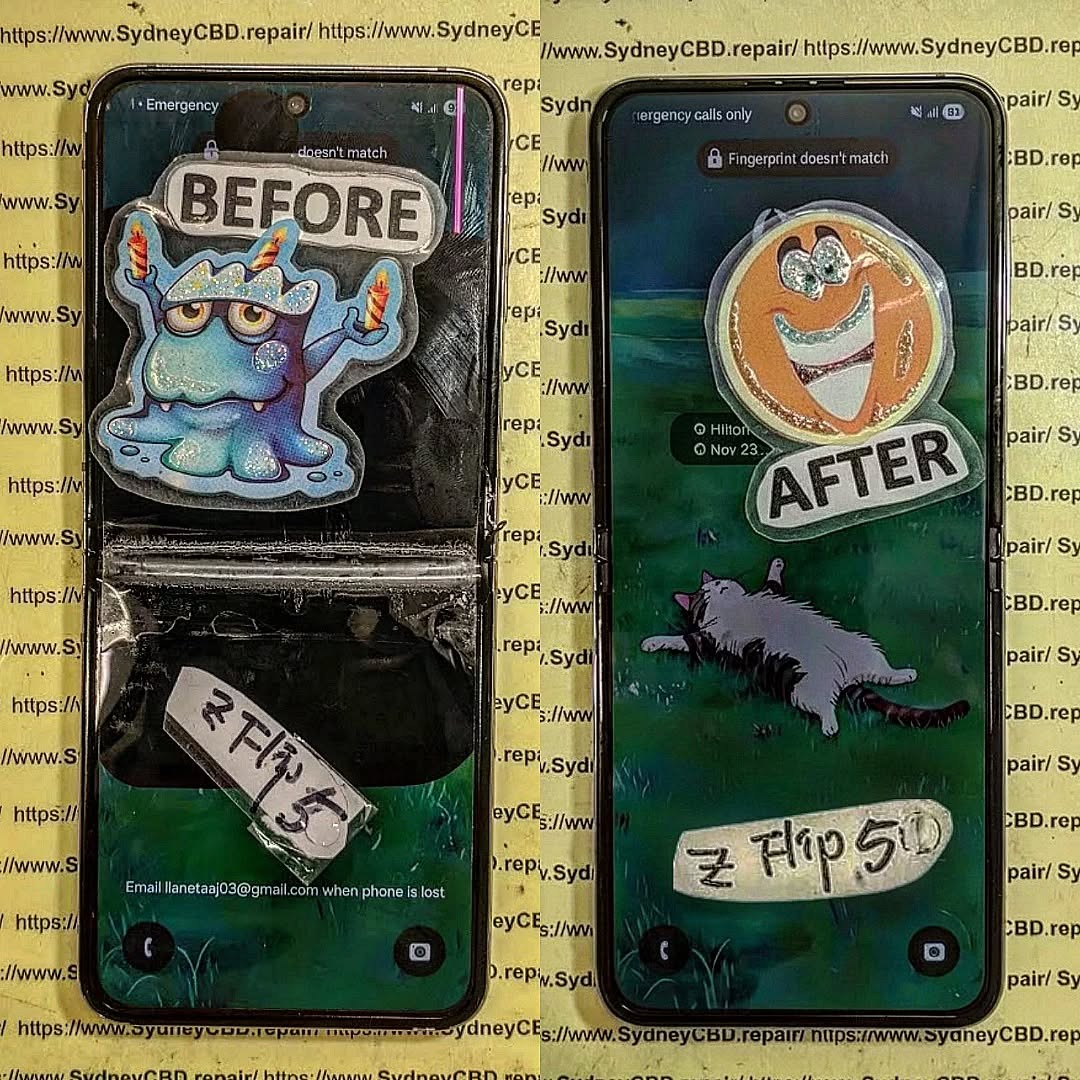
Folding Phone Nightmare: Restoring a Catastrophic Samsung Galaxy Z Flip 5 – 10 Proven Fixes
Introduction
Foldable smartphones have redefined mobile technology, offering sleek designs and innovative features that make everyday tasks more convenient and stylish. Among these cutting-edge devices, the Samsung Z Flip 5 stands out as a marvel of engineering, combining a full-sized smartphone experience with the portability of a compact, foldable form factor. However, with its revolutionary design comes a unique set of challenges. One accidental drop, an exposed hinge to dust, or minor water exposure can transform your high-tech device into a folding phone nightmare.
For many users, facing a damaged Z Flip 5 can feel overwhelming. The delicate foldable screen, hinge mechanisms, and internal components require careful handling, and improper repairs may lead to permanent damage. That’s why understanding the proper steps for diagnosis, repair, and maintenance is crucial.
In this guide, we’ll take you through everything you need to know to restore a catastrophic Samsung Z Flip 5. From immediate troubleshooting and DIY repair options to professional services and long-term maintenance strategies, you’ll discover 10 proven fixes that can bring your foldable phone back to life. Whether you’re a tech enthusiast attempting a careful repair at home or a user seeking trusted professional assistance, this article will provide the knowledge, tips, and confidence needed to tackle even the most severe Z Flip 5 issues.
By the end, you’ll understand not only how to fix your device but also how to maintain it, ensuring that your Samsung Z Flip 5 continues to perform flawlessly for years to come.
Foldable smartphones have revolutionized mobile technology, and the Samsung Z Flip 5 is a prime example of engineering brilliance. Its sleek design and flexible screen make it both futuristic and functional. However, this sophistication comes with fragility. One misstep—a drop, a spill, or an excessive bend—can turn your high-end phone into a folding phone nightmare.
In this comprehensive guide, we’ll explore how to restore a catastrophic Samsung Z Flip 5, covering everything from diagnosing damage to DIY repair tips, professional fixes, and long-term maintenance. With 10 proven fixes, you can regain full functionality while protecting your device for the future.
The Samsung Z Flip 5 is more than just a phone; it’s a technological statement. Its foldable OLED display allows a full-sized smartphone to collapse into a compact form, blending portability with power. But the very features that make it remarkable also make it delicate.
The Anatomy of the Foldable Screen
The Z Flip 5’s screen is a marvel of flexible engineering:
Ultra-thin glass layer: Provides a smooth touch experience but is prone to cracking if stressed.
Plastic protective layer: Guards the OLED, but scratches easily.
Flexible OLED panel: The core display that bends along the hinge.
Hinge mechanism: Allows folding but is susceptible to dust and misalignment.
Understanding these components is crucial for any repair strategy.
Why Foldable Phones Fail: Common Issues
Foldable phones, especially the Z Flip 5, face unique challenges:
Screen crease or crack: Frequent folding may cause permanent lines or breaks.
Hinge malfunction: Misalignment or stiffness can affect folding and cause internal damage.
Water or dust ingress: Even with IPX8 water resistance, particles can penetrate the hinge.
Battery or connector damage: A drop may disconnect or puncture internal components.
Reacting quickly is essential. A wrong move can worsen damage or void warranties.
Diagnosing Physical vs. Software Damage
Not all issues are obvious. For instance, a phone that refuses to boot might have:
Software glitches: Corrupted apps, failed updates, or system crashes.
Hardware damage: Broken display, damaged connectors, or hinge issues.
Check for:
Visible screen cracks
Unusual sounds from the hinge
Overheating
Error messages
Power Cycling and Safe Reboot Methods
To prevent further harm:
Hold the power and volume down buttons for 10 seconds to force reboot.
If the screen is unresponsive, connect the phone to a charger or a PC to see if it powers up.
Avoid attempting to fold or unfold the device forcefully.
Repair Options: DIY vs Professional
Essential Tools for DIY Foldable Phone Repair
For those daring to repair at home, you’ll need:
Precision screwdrivers
Plastic pry tools
ESD-safe tweezers
Suction cups
Heat gun (for adhesive loosening)
Caution: DIY repairs are risky; a single misstep can damage the OLED beyond repair.
When to Seek Expert Technicians
Professional repair is recommended when:
The screen is shattered
The hinge is misaligned or jammed
Water damage is suspected
Internal components appear damaged
Sydney CBD Repair Centre, for instance, provides same-day express repairs and uses genuine parts with 90-day warranty—ideal for foldable phone emergencies.
Step-by-Step Guide to Restoring a Damaged Z Flip 5
Screen Replacement Techniques
Screen replacement is delicate due to the foldable OLED:
Heat the frame gently to soften the adhesive.
Use a suction cup and plastic pry tool to lift the screen.
Disconnect the ribbon cables carefully.
Align and install the new screen, then test before sealing.
Tip: Only use genuine Samsung replacement screens to avoid touch sensitivity issues.
Hinge Adjustment and Lubrication
Hinges can get stiff or loose over time:
Inspect for dust or debris.
Apply a small amount of precision hinge lubricant.
Align screws and test folding movement.
Misaligned hinges can damage the OLED if ignored.
Battery and Internal Component Checks
After physical repair:
Inspect battery connectors and ribbon cables.
Check for bulges or liquid damage.
Replace damaged components to prevent future failures.
Software Troubleshooting After Hardware Repair
Even after physical repairs, software issues may persist.
Factory Reset and Data Backup
Always backup your data to Samsung Cloud or a PC.
Perform a factory reset if apps misbehave or the system crashes.
Firmware Updates and Calibration
Update to the latest software to fix bugs.
Calibrate foldable sensors for smooth folding animations and battery optimization.
Maintaining Your Samsung Z Flip 5 to Prevent Future Damage
Protective Cases and Screen Guards
Use a custom-fit flip case to prevent drops.
Apply a screen protector designed for foldable displays.
Regular Maintenance and Cleaning
Remove dust from the hinge every few weeks.
Clean screen with a microfiber cloth.
Avoid extreme heat or moisture exposure.
Cost Analysis: Repair vs Replacement
Issue
DIY Cost
Professional Cost
Replacement Cost
Screen Replacement
$250-$350
$400-$500
$1200+
Hinge Repair
$50-$100
$150-$250
N/A
Battery Replacement
$30-$50
$80-$120
N/A
Full Replacement
N/A
N/A
$1200+
Professional repair often saves money long-term, as it ensures genuine parts and avoids repeated damage.
FAQs About Samsung Z Flip 5 Repair
Q1: Can a foldable phone fully recover after a screen crease?
A: Minor creases may fade over time, but deep creases typically require a screen replacement.
Q2: Is DIY screen replacement safe?
A: Only if you have experience. Otherwise, professional repair is strongly recommended.
Q3: How long does Samsung Z Flip 5 repair take?
A: Simple fixes like battery or hinge adjustment may take 1–2 hours, full screen replacement 2–4 hours.
Q4: Does repair void the warranty?
A: Yes, unauthorized repairs can void warranty. Use certified centers like Sydney CBD Repair Centre.
Q5: Can water damage be repaired?
A: Yes, if addressed quickly. Components must be cleaned, dried, and replaced if needed.
Q6: How can I prevent hinge damage in the future?
A: Clean regularly, avoid forceful folding, and use protective cases designed for foldables.
Conclusion: Restoring Confidence in Your Foldable Phone
A catastrophic Samsung Z Flip 5 doesn’t have to spell disaster. With the right diagnosis, repair strategy, and maintenance, you can restore your foldable phone to near-original condition. Whether you choose DIY repair or professional service, following these 10 proven fixes ensures longevity, performance, and peace of mind.
Invest in protective accessories, maintain the hinge, and update software regularly. Foldable phones are marvels of technology—but even marvels need care.
David from Sydney CBD Repair Centre – The Best place to fix mobile phones as 6 Years In A Row! Top Mobile Phone Repair In Sydney. More than 2000 Positive Reviews on Google and Same Day Repairs.
We take pride in delivering exceptional repair services for all major phone brands including Apple, Samsung, Google, and more. Our expert technicians use only genuine parts and offer 90days warranty on repairs. Located in the heart of Sydney CBD, we’re your one-stop solution for all mobile device repairs.
Our commitment to excellence has earned us the trust of thousands of satisfied customers. Whether it’s a cracked screen, battery replacement, or water damage repair, we handle it all with professional care and expertise. Walk in today and experience why we’re Sydney’s #1 choice for mobile phone repairs.
Visit us for:
✓ Same Day Express Repairs
✓ Genuine Parts Guarantee
✓ Professional Technicians
✓ Competitive Pricing
✓ 2000+ 5-Star Google Reviews
✓ 6-Time Award Winner for Best Phone Repairs
Comparing Samsung S21 Ultra Longevity Against Modern S25 Repairability Standards in Sydney: The Ultimate 2026 Expert Guide (7 Powerful Insights)
Introduction
The smartphone market moves incredibly fast. Every year, manufacturers introduce faster processors, brighter displays, smarter cameras, and more advanced artificial intelligence features. Yet one question remains surprisingly common among Sydney smartphone users:
Should you repair your Samsung Galaxy S21 Ultra or invest in the latest Galaxy S25?
This isn’t simply a comparison between an older flagship and Samsung’s newest innovation. Instead, it’s about understanding long-term value, repairability, device lifespan, and ownership costs.
Many Australians continue using the Samsung Galaxy S21 Ultra because it remains one of Samsung’s most successful premium smartphones. Even several years after its release, it still delivers excellent photography, premium performance, and an impressive Dynamic AMOLED display.
Meanwhile, the Samsung Galaxy S25 introduces modern hardware, Galaxy AI enhancements, stronger efficiency, and redesigned internal engineering intended to simplify servicing in certain repair scenarios.
For Sydney residents, the decision often comes down to practical considerations:
Is repairing an S21 Ultra worthwhile?
Does the S25 offer better longevity?
Which phone costs less over five years?
Which model is easier for professional technicians to repair?
Should a cracked screen automatically mean it’s time to upgrade?
Throughout this guide, we’ll compare both devices from the perspective of experienced repair professionals who work on Samsung smartphones every day.
The Galaxy S21 Ultra has reached an interesting stage of its life cycle. While it’s no longer Samsung’s latest flagship, it continues to outperform many mid-range smartphones released years later.
That longevity is one reason many owners hesitate before replacing it.
Hardware That Still Impresses
Samsung designed the S21 Ultra with premium materials that remain competitive today.
Key specifications include:
Feature
Galaxy S21 Ultra
Display
6.8-inch Dynamic AMOLED 2X
Refresh Rate
120Hz Adaptive
Resolution
Quad HD+
Main Camera
108MP
Telephoto
Dual Optical Zoom Cameras
RAM
Up to 16GB
Water Resistance
IP68
Wireless Charging
Yes
Even in 2026, these specifications remain highly capable for everyday users.
Whether you’re editing photos, streaming videos, attending virtual meetings, or playing demanding mobile games, the S21 Ultra still delivers flagship-level performance for most workloads.
The Display Continues to Set High Standards
Samsung has long been recognised for manufacturing some of the world’s finest OLED displays, and the S21 Ultra remains one of its standout achievements.
Users still appreciate:
Rich colours
Deep contrast
Exceptional brightness
Smooth scrolling
HDR video support
Excellent outdoor visibility
Unfortunately, premium displays are also among the most expensive smartphone components to replace.
A cracked AMOLED panel may still function temporarily, but issues such as dead pixels, green lines, black spots, or unresponsive touch areas can quickly develop if the damage worsens.
Professional replacement using genuine-quality parts helps restore the original viewing experience while preserving display performance.
Cameras That Continue to Compete
One reason many S21 Ultra owners delay upgrading is the camera system.
Even several years after launch, it remains capable of producing outstanding photographs thanks to:
108MP primary sensor
Ultra-wide lens
Dual telephoto zoom cameras
Laser autofocus
Optical image stabilisation
Advanced Night Mode
For many users, photography quality remains more than sufficient for travel, family events, business content creation, and social media.
Instead of upgrading solely for camera improvements, replacing a damaged screen or worn battery can often restore the phone to excellent everyday usability.
Software Support Still Matters
While hardware longevity is impressive, software support is equally important.
Samsung has significantly extended software support for newer flagship models, meaning newer devices like the Galaxy S25 will continue receiving Android and security updates for much longer.
However, that doesn’t immediately make the S21 Ultra obsolete.
Many users continue operating securely by:
Installing the latest available updates
Using trusted applications
Avoiding unknown downloads
Replacing ageing batteries when performance declines
Repairing damaged hardware promptly
For customers who primarily use messaging, photography, navigation, email, banking, and streaming services, the S21 Ultra remains a dependable daily driver.
Every new Samsung flagship introduces improvements, but the Galaxy S25 represents more than just a routine annual update. It reflects Samsung’s continued focus on performance, efficiency, sustainability, and serviceability.
For repair professionals in Sydney, these engineering changes influence how devices are diagnosed, disassembled, repaired, and reassembled.
A New Generation of Internal Engineering
Compared with earlier Galaxy models, the S25 benefits from years of refinement in component layout and manufacturing techniques.
Some of the most notable advancements include:
More efficient chipset architecture
Improved thermal management
Better power efficiency
Stronger adhesive design
Enhanced battery protection
Optimised internal cable routing
These refinements help improve reliability during daily use while also reducing the likelihood of certain hardware failures over time.
However, modern smartphone construction remains highly compact. Precision tools, specialist equipment, and experienced technicians are still essential for safe repairs without causing secondary damage.
Galaxy AI Brings New Everyday Advantages
One of the defining features of the Galaxy S25 is its deeper integration of on-device artificial intelligence.
Users can benefit from features such as:
Live translation
AI writing assistance
Intelligent photo editing
Smarter search
Voice summarisation
Productivity enhancements
These capabilities improve convenience without requiring users to constantly rely on cloud-based processing.
Although AI features enhance the user experience, they don’t eliminate the need for hardware maintenance. A damaged display, degraded battery, or faulty charging port will still require professional repair regardless of how advanced the software becomes.
Repairability Continues to Evolve
Modern smartphone repair is no longer just about replacing broken glass.
Today’s technicians must also consider:
Display calibration
Biometric sensor alignment
Waterproof sealing
Camera positioning
Wireless charging functionality
Thermal performance
Software diagnostics
As Samsung devices become more sophisticated, choosing an experienced repair centre becomes increasingly important. Proper installation techniques, high-quality replacement parts, and post-repair testing help ensure that repaired devices continue to perform reliably for years.
Longevity vs Repairability: Which Phone Offers Better Long-Term Value?
When comparing the Samsung Galaxy S21 Ultra with the Galaxy S25, it’s important to separate two different concepts:
Longevity – How long the device remains useful and performs well.
Repairability – How practical and cost-effective it is to repair when something goes wrong.
A phone can have excellent longevity but poor repairability, or vice versa.
The Samsung S21 Ultra has already proven its durability over several years of real-world use. Many owners continue to enjoy smooth performance thanks to its premium processor, high-quality AMOLED display, and flagship camera system.
The Galaxy S25, however, is built with future software support and newer hardware technologies in mind, giving it a longer expected lifespan from the day of purchase.
Software Support Comparison
Samsung has significantly improved its software support policy over recent generations.
Feature
Galaxy S21 Ultra
Galaxy S25
Android Updates
Nearing end of support
Extended multi-year support
Security Updates
Limited future availability
Long-term support
Galaxy AI Features
Limited
Full support
Performance Optimisation
Mature software
Latest optimisation
For users planning to keep their phone for another four to six years, the Galaxy S25 naturally offers a longer software roadmap.
However, software support isn’t the only factor worth considering. If your S21 Ultra still performs well and meets your daily needs, repairing it can remain a financially sensible decision.
Battery Health: The Biggest Factor Affecting Older Phones
One of the first components to show its age is the lithium-ion battery.
Over hundreds of charging cycles, batteries gradually lose their ability to hold a full charge.
Common symptoms include:
Faster battery drain
Unexpected shutdowns
Overheating
Slow charging
Reduced peak performance
Fortunately, battery replacement is one of the most effective repairs available.
Replacing an ageing battery can dramatically improve:
Daily battery life
Charging reliability
Device responsiveness
Thermal management
Many S21 Ultra owners are surprised by how “new” their phone feels after a professional battery replacement.
The Galaxy S25 naturally starts with a fresh battery, but every battery will eventually experience wear. Proper charging habits and timely replacement help maximise the lifespan of either device.
Display Reliability Over Time
Samsung’s AMOLED displays are among the best in the smartphone industry, but they’re not immune to damage.
Typical display issues include:
Cracked glass
Green screen flickering
Vertical green or pink lines
Dead pixels
Black spots
Ghost touch
Touchscreen failure
While accidental drops remain the leading cause of display repairs, prolonged exposure to impact or pressure can also affect internal display layers.
Professional screen replacement restores not only the appearance of the phone but also touch sensitivity, brightness, and colour accuracy.
Screen Repairs Compared
Screen replacement is the most common smartphone repair in Sydney.
Because both devices use premium AMOLED panels with high refresh rates, repairs require specialist equipment and careful handling.
Samsung S21 Ultra Screen Repairs
The S21 Ultra display features:
Curved AMOLED technology
Integrated fingerprint reader
120Hz adaptive refresh rate
HDR capability
Replacing this screen requires precise installation to ensure:
Accurate fingerprint recognition
Proper display calibration
Uniform adhesive sealing
Responsive touch performance
Professional technicians also inspect the frame for hidden bending or structural damage before fitting a replacement display.
Samsung Galaxy S25 Screen Repairs
The Galaxy S25 introduces updated display technologies and refined internal construction.
Repair procedures may involve:
New calibration routines
Enhanced display diagnostics
Updated waterproof sealing methods
Improved adhesive systems
Although engineering has evolved, the importance of expert installation remains unchanged.
Improper repairs can lead to:
Dust intrusion
Display lifting
Reduced water resistance
Fingerprint sensor issues
Premature screen failure
Choosing experienced technicians helps minimise these risks.
Battery Replacement Comparison
Battery replacement is one of the highest-value repairs available for extending a smartphone’s usable life.
S21 Ultra Battery Replacement
Benefits include:
Longer daily usage
Faster charging consistency
Reduced overheating
Improved standby time
Better gaming performance
Many customers report noticeable improvements immediately after replacing an ageing battery.
S25 Battery Service
Although newer devices won’t require battery replacement immediately, all lithium-ion batteries degrade over time.
Professional battery replacement ensures:
Safe removal
Genuine-quality replacement cells
Proper adhesive installation
Charging system verification
Battery health testing
Preventative maintenance extends the usable life of premium smartphones considerably.
Water Resistance After Repairs
One of the most common questions customers ask is:
“Will my phone still be waterproof after repair?”
The answer depends on several factors.
Samsung devices are originally manufactured with precision-installed adhesive seals that contribute to their IP68 water-resistance rating.
During any repair involving the display, battery, or rear glass, these seals are removed.
Professional repair centres replace the adhesive with high-quality waterproof sealing materials and perform careful reassembly.
However, no independent repair can guarantee restoration to the exact factory-certified IP68 rating. For this reason, it’s always wise to avoid intentionally exposing any repaired phone to water.
Using proper sealing techniques greatly improves resistance to dust and everyday splashes, but caution is still recommended.
Genuine Parts vs Aftermarket Components
One of the biggest factors influencing repair quality is the replacement parts used.
Genuine-Quality Components
Advantages include:
Better colour accuracy
Correct brightness levels
Reliable touch sensitivity
Accurate fingerprint functionality
Longer lifespan
Better compatibility
Low-Quality Aftermarket Parts
Inferior components may initially appear attractive because of their lower cost, but they often result in:
Poor colour reproduction
Lower brightness
Reduced durability
Increased battery drain
Touchscreen lag
Display flickering
For premium devices like the Galaxy S21 Ultra and Galaxy S25, investing in high-quality replacement parts helps preserve the original user experience and reduces the likelihood of repeat repairs.
Cost of Ownership in Sydney
When deciding whether to repair or replace a smartphone, it’s important to look beyond the upfront price.
Consider the total cost of ownership, including:
Initial purchase price
Repair expenses
Battery replacements
Protective accessories
Insurance (if applicable)
Resale value
For many users, repairing a well-maintained Galaxy S21 Ultra is significantly more economical than purchasing a brand-new flagship.
However, if your device has multiple major faults—such as a damaged screen, worn battery, failing motherboard, and camera issues—the cumulative repair costs may approach the value of a newer device.
Evaluating the overall condition of the phone with a professional technician can help determine the most cost-effective path forward.
Professional Repairs vs DIY Repairs
Online repair videos make smartphone repairs appear simple, but modern flagship devices are engineered with tightly integrated components and specialised adhesives.
DIY repairs can lead to:
Torn display flex cables
Battery punctures
Damaged fingerprint sensors
Broken wireless charging coils
Improper waterproof sealing
Stripped screws
Frame damage
Professional repair technicians use:
Precision heating equipment
Anti-static workstations
Specialised opening tools
Factory-grade adhesives
Calibration software
Diagnostic testing
These tools and procedures help ensure repairs are completed safely and reliably, preserving the performance of premium Samsung devices.
Should You Repair Your S21 Ultra or Upgrade to the S25?
The right decision depends on your needs and the condition of your current phone.
Repairing your S21 Ultra is often worthwhile if:
The phone still performs well.
Only one or two components need replacing.
You are satisfied with the camera quality.
You want to save money.
You prefer reducing electronic waste.
Upgrading to the Galaxy S25 may be the better choice if:
Your phone has multiple hardware failures.
You want the latest Galaxy AI features.
Long-term software support is important to you.
You need maximum battery efficiency.
You are ready for the newest Samsung ecosystem experience.
Ultimately, a professional assessment can help you compare repair costs against the benefits of upgrading.
Frequently Asked Questions (FAQs)
1. Is the Samsung Galaxy S21 Ultra still worth repairing in 2026?
Yes. If your Samsung Galaxy S21 Ultra only has a cracked screen, weak battery, damaged charging port, or rear glass damage, repairing it is often a cost-effective solution. Its premium hardware, excellent cameras, and high-resolution AMOLED display still provide flagship-level performance for most users.
2. How long can a Samsung Galaxy S21 Ultra last?
With proper care and professional repairs, many Galaxy S21 Ultra devices can remain reliable for five to seven years or more. Regular battery replacements, quality screen repairs, and protective accessories significantly extend the phone’s lifespan.
3. Does replacing the screen affect fingerprint recognition?
A professionally installed, high-quality display should maintain accurate fingerprint sensor performance when the repair is completed correctly and the device is properly tested. Low-quality replacement screens, however, may reduce fingerprint accuracy or responsiveness.
4. Should I replace my battery before upgrading?
If your phone still meets your needs, replacing an ageing battery can be a smart investment. A new battery often restores all-day battery life, improves charging performance, and makes the device feel much more responsive, delaying the need for an expensive upgrade.
5. Are genuine-quality parts important?
Absolutely. Genuine-quality replacement parts provide:
Better display brightness
Accurate colours
Reliable touch sensitivity
Longer service life
Improved compatibility
Better overall performance
Choosing high-quality components also reduces the risk of future repair issues.
6. Can water resistance be maintained after a repair?
Professional repair centres replace the original adhesive seals with high-quality waterproof adhesive during reassembly. While this helps restore resistance against dust and everyday splashes, no independent repair can guarantee restoration to the original factory IP68 certification. It is always advisable to keep repaired devices away from unnecessary water exposure.
7. Is repairing my phone better for the environment?
Yes. Repairing a smartphone instead of replacing it helps reduce electronic waste, conserves valuable raw materials, and lowers the environmental impact associated with manufacturing new devices. Extending the life of a premium smartphone is both an economical and environmentally responsible choice.
8. How do I know whether to repair or replace my Samsung phone?
Consider the following:
Situation
Best Option
Cracked screen only
Repair
Battery degradation
Replace battery
Charging port failure
Repair
Rear glass damage
Repair
Multiple major hardware faults
Compare repair costs with upgrading
Desire for latest AI features and longer software support
Upgrade to Galaxy S25
A professional diagnostic assessment can provide the clearest recommendation based on your device’s condition and the expected repair costs.
Conclusion
Comparing Samsung S21 Ultra longevity against modern S25 repairability standards in Sydney highlights that there is no one-size-fits-all answer. Both devices have compelling strengths, and the best decision depends on your priorities, budget, and the current condition of your phone.
The Galaxy S21 Ultra has proven itself to be one of Samsung’s most enduring flagship smartphones. Its outstanding AMOLED display, versatile camera system, premium build quality, and powerful performance continue to satisfy many users years after its launch. When issues such as battery wear or accidental screen damage occur, professional repairs can restore the device and extend its usable life significantly.
The Galaxy S25, meanwhile, represents Samsung’s latest advancements in smartphone engineering. With improved internal design, enhanced efficiency, advanced Galaxy AI features, and longer software support, it is an attractive option for users seeking the newest technology and a device designed for many years of future updates.
From a repair professional’s perspective, the key takeaway is simple:
Repair when the device remains fundamentally healthy and the repair cost is reasonable.
Upgrade when multiple critical components require replacement or when you want the latest hardware and software innovations.
For Sydney residents, choosing a trusted repair centre ensures that your investment is protected through expert workmanship, high-quality replacement parts, and comprehensive post-repair testing. Whether you decide to repair your trusted Galaxy S21 Ultra or transition to the latest Galaxy S25, making an informed decision will maximise both the lifespan and value of your smartphone.
For additional information about Samsung device care and maintenance, visit the official Samsung Australia support page: https://www.samsung.com/au/support/
Final Thoughts
Smartphones have become indispensable tools for work, communication, entertainment, and everyday life. Keeping them in excellent condition is not just about saving money—it is about maintaining reliability, reducing electronic waste, and ensuring your device continues to perform when you need it most.
By understanding the balance between longevity and repairability, you can confidently decide whether repairing your current Samsung Galaxy S21 Ultra or investing in the Galaxy S25 is the right choice for your lifestyle. Consulting experienced technicians and opting for quality repairs will help you get the maximum value from whichever device you choose.
David from Sydney CBD Repair Centre – The Best place to fix mobile phones as 7 Years In A Row! Top Mobile Phone Repair In Sydney. More than 2000 Positive Reviews on Google and Same Day Repairs.
We take pride in delivering exceptional repair services for all major phone brands including Apple, Samsung, Google, and more. Our expert technicians use only genuine parts and offer 90 days warranty on repairs. Located in the heart of Sydney CBD, we’re your one-stop solution for all mobile device repairs.
Our commitment to excellence has earned us the trust of thousands of satisfied customers. Whether it’s a cracked screen, battery replacement, or water damage repair, we handle it all with professional care and expertise. Walk in today and experience why we’re Sydney’s #1 choice for mobile phone repairs.
Visit us for:
✓ Same Day Express Repairs
✓ Genuine Parts Guarantee
✓ Professional Technicians
✓ Competitive Pricing
✓ 2000+ 5-Star Google Reviews
✓ 7-Time Award Winner for Best Phone Repairs
Sydney CBD Repair Centre – Where Quality Meets Reliability.
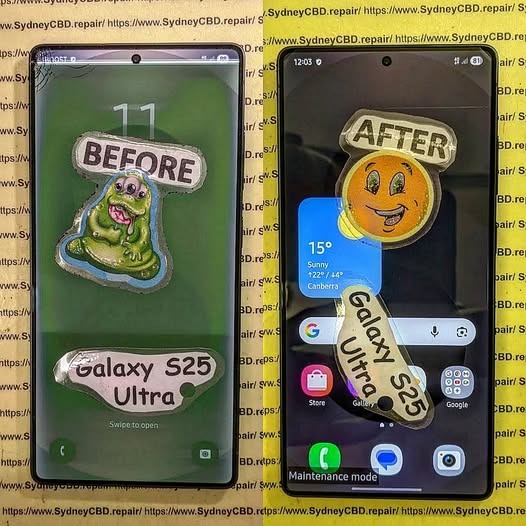
WATER DAMAGE RECOVERY! Samsung Galaxy S25 Ultra Display and Component Precision Repair + Ultimate Guide 2026
Introduction
The Samsung Galaxy S25 Ultra is one of the most advanced smartphones ever created. With its premium AMOLED display, high-powered chipset, and sophisticated camera system, it’s built for performance and durability. However, even flagship smartphones can suffer severe problems after accidental liquid exposure. That’s where Samsung Galaxy S25 Ultra water damage recovery becomes critical.
Water damage can happen in seconds. A spilled drink, sudden rainstorm, swimming pool accident, or bathroom mishap may cause hidden corrosion inside the device. Even though the Samsung Galaxy S25 Ultra offers water resistance, no phone is entirely waterproof forever. Over time, seals weaken, adhesives degrade, and accidental impacts can compromise water protection.
Professional repair technicians now use advanced methods like ultrasonic cleaning, motherboard diagnostics, and micro soldering to restore water-damaged devices. These procedures help revive displays, charging systems, and internal components while protecting valuable user data.
In this detailed guide, we’ll explore the entire Samsung Galaxy S25 Ultra display and component precision repair process. You’ll also discover what causes internal damage, how experts diagnose problems, and why fast action dramatically increases recovery success.
Water damage affects smartphones differently depending on the type of liquid involved, exposure duration, and internal component sensitivity. While some devices survive brief splashes, others experience instant failures.
Common Causes of Liquid Damage
Several everyday situations can expose your Samsung Galaxy S25 Ultra to moisture:
Dropping the phone into water
Rain exposure during outdoor use
Spilled coffee or soft drinks
Steam from bathrooms or kitchens
Saltwater exposure at beaches
Sweat buildup during workouts
Interestingly, saltwater and sugary liquids are usually more destructive than clean water. They accelerate corrosion and leave conductive residue across sensitive circuits.
Early Warning Signs After Water Exposure
Sometimes the phone continues functioning temporarily after exposure. However, hidden issues may appear later.
Common symptoms include:
Symptom
Possible Cause
Screen flickering
Display connector corrosion
Ghost touch
Moisture affecting digitizer
No charging
Damaged charging IC
Overheating
Short circuit on motherboard
Camera fogging
Internal condensation
Speaker distortion
Water trapped in speaker mesh
If you notice these signs, immediate professional inspection is essential.
Why Immediate Action Matters
Time plays a massive role in successful Samsung Galaxy S25 Ultra water damage recovery. Corrosion begins almost instantly once liquid reaches internal circuits.
How Corrosion Begins Inside the Phone
Modern smartphones contain microscopic pathways carrying electrical signals across the motherboard. When water bridges those pathways, it creates unintended electrical connections.
This process causes:
Short circuits
Component overheating
Burned IC chips
Power failures
Permanent motherboard damage
Corrosion spreads like rust. Even tiny traces of moisture continue damaging the phone long after the initial accident.
Risks of Delayed Repairs
Many users make the mistake of waiting several days before seeking repair services. Unfortunately, delays often worsen internal damage.
Here’s what can happen:
Corrosion spreads further
Battery swelling develops
Display connectors deteriorate
Data becomes unrecoverable
Motherboard repair costs increase
Quick professional intervention dramatically improves recovery chances.
The display assembly is one of the most vulnerable parts affected by water exposure.
AMOLED Display Failure Symptoms
The Samsung Galaxy S25 Ultra uses a sophisticated AMOLED panel that delivers vivid colors and ultra-smooth refresh rates. However, moisture can severely impact the display system.
Common display problems include:
Green lines
Black spots
Flickering brightness
Touch response failure
Complete display blackout
Sometimes the display itself remains functional while flex cables or connectors become corroded.
Touchscreen and Flex Cable Issues
Flex cables carry signals between the display and motherboard. Water intrusion near these connectors often causes intermittent display behavior.
Technicians carefully inspect:
Display flex connectors
Backlight circuits
Touch IC chips
AMOLED control lines
Precision repair procedures help restore functionality without replacing unnecessary components.
Precision Repair Process for Water-Damaged Devices
Professional repair centers follow systematic recovery procedures to maximize success.
Initial Diagnostic Procedures
The first step involves complete device disassembly. Technicians inspect every component using magnification tools and specialized equipment.
Diagnostic checks include:
Voltage testing
Thermal imaging
Corrosion inspection
Power rail analysis
Display functionality tests
This process identifies both visible and hidden failures.
Ultrasonic Cleaning Techniques
One of the most important repair methods is ultrasonic cleaning. Specialized cleaning machines use high-frequency vibrations to remove corrosion from delicate motherboard components.
Benefits include:
Deep contaminant removal
Safe precision cleaning
Reduced corrosion spread
Improved electrical stability
This step is critical for successful Samsung Galaxy S25 Ultra display and component precision repair.
Component-Level Repairs
If corrosion damages specific chips or connectors, technicians perform targeted repairs.
Examples include:
Replacing charging ICs
Rebuilding damaged pads
Repairing broken traces
Replacing connectors
Restoring display circuits
These repairs require advanced soldering expertise and professional equipment.
Motherboard Recovery and Micro Soldering
The motherboard is the heart of the Samsung Galaxy S25 Ultra. Water damage here can affect every major function.
Common IC Components Affected
Several motherboard chips are especially vulnerable:
Component
Function
Power Management IC
Controls power distribution
Charging IC
Manages charging system
Audio IC
Handles sound functions
Display IC
Controls screen output
Wi-Fi IC
Wireless connectivity
Damage to any of these components may cause major device failures.
Precision Soldering Methods
Micro soldering involves repairing tiny electronic components under a microscope.
Technicians use:
Hot air rework stations
Precision soldering irons
Microscope magnification
Fine solder wire
PCB repair tools
This delicate process allows specialists to restore severely damaged boards.
Battery and Charging Port Restoration
Water damage often affects charging systems before other components.
Charging Failure Symptoms
A damaged charging system may show signs like:
Slow charging
No charging response
Moisture detection errors
Overheating while charging
Intermittent charging
Technicians inspect both the charging port and surrounding motherboard circuits.
Battery Safety Concerns
Lithium-ion batteries can become dangerous after water exposure. Internal short circuits may lead to swelling or overheating.
Warning signs include:
Battery bulging
Excessive heat
Rapid power drain
Random shutdowns
Replacing compromised batteries is essential for device safety.
Camera and Audio Component Repairs
Modern flagship phones contain sophisticated imaging and sound systems that are highly sensitive to moisture.
Lens Fogging and Camera Failure
Water vapor trapped inside camera modules often creates fogging. Over time, moisture damages autofocus motors and image sensors.
Repair procedures may involve:
Camera module replacement
Lens cleaning
Connector restoration
Sensor diagnostics
Speaker and Microphone Issues
Audio components frequently suffer after liquid exposure.
Typical problems include:
Muffled sound
Crackling speakers
Microphone failure
Reduced audio volume
Cleaning and replacing affected parts restores clear sound quality.
Data Recovery From Water-Damaged Samsung Phones
For many users, recovering photos, messages, and business files matters more than repairing the phone itself.
Professional Recovery Techniques
Experienced technicians use specialized tools to retrieve important data.
Methods include:
Temporary power restoration
NAND chip recovery
Board-level bypass techniques
Data extraction software
In severe cases, partial motherboard repairs may be necessary just to access stored information.
Preventing Permanent Data Loss
To protect your data:
Avoid turning the phone on repeatedly
Don’t attempt DIY charging
Seek immediate professional help
Backup recovered data immediately
Fast action significantly increases recovery success rates.
DIY Water Damage Myths
The internet is full of misleading advice regarding water-damaged smartphones.
Why Rice Doesn’t Work
Placing phones in rice is one of the most common myths. Unfortunately, rice doesn’t remove corrosion or trapped moisture inside sealed components.
Rice may actually:
Delay professional repairs
Introduce dust particles
Trap moisture internally
Professional cleaning remains the safest option.
Common Mistakes Users Make
Avoid these harmful actions:
Charging the phone immediately
Using a hairdryer
Freezing the phone
Shaking out water aggressively
Ignoring minor symptoms
These mistakes often worsen internal damage.
Benefits of Professional Samsung Galaxy S25 Ultra Repairs
Professional repair services offer major advantages over temporary fixes.
Genuine Parts and Warranty
Reliable repair centers use high-quality replacement components and proper repair procedures.
Benefits include:
Better durability
Improved display performance
Safer charging behavior
Manufacturer-grade compatibility
Professional warranties also provide peace of mind.
Long-Term Reliability
Proper repairs restore structural integrity and reduce future failure risks.
Experienced technicians ensure:
Internal cleaning
Correct adhesive sealing
Precision calibration
Full functionality testing
This comprehensive approach extends device lifespan considerably.
For official Samsung device support and care information, visit Samsung Support
Preventing Future Water Damage
Prevention is always better than expensive repairs.
Waterproofing Limitations
Even water-resistant devices have limitations. IP ratings apply only under controlled laboratory conditions.
Factors reducing resistance include:
Previous repairs
Physical drops
Aging adhesive seals
Extreme temperatures
Users should still treat their devices carefully around liquids.
Protective Habits for Daily Use
Here are smart habits to reduce risk:
Use waterproof pouches outdoors
Avoid bathroom steam exposure
Keep drinks away from devices
Dry phones immediately after splashes
Inspect damaged frames promptly
Simple precautions can prevent costly repairs.
Frequently Asked Questions
Can a Samsung Galaxy S25 Ultra survive water damage?
Yes, many devices can be successfully repaired if treated quickly. Immediate professional cleaning greatly improves recovery chances.
How long should I wait before turning on a wet phone?
Avoid powering it on entirely until inspected by a technician. Turning it on too soon can cause short circuits.
Does rice fix water-damaged phones?
No. Rice doesn’t remove corrosion or internal moisture effectively.
Can water damage affect the display only?
Sometimes. However, moisture often spreads beyond the screen and impacts the motherboard or battery.
Is data recovery possible after severe liquid damage?
In many cases, yes. Professional repair labs can often recover photos, contacts, and files even from heavily damaged devices.
How much does Samsung Galaxy S25 Ultra water damage repair cost?
Costs vary depending on affected components. Minor cleaning is cheaper than motherboard reconstruction or display replacement.
Can a water-damaged battery become dangerous?
Yes. Damaged lithium batteries may swell, overheat, or fail unpredictably. Professional inspection is important.
Conclusion
The Samsung Galaxy S25 Ultra is an impressive flagship smartphone, but water damage remains a serious threat to its advanced internal systems. From AMOLED display failures to motherboard corrosion, liquid exposure can quickly turn into a costly disaster if ignored.
Fortunately, modern Samsung Galaxy S25 Ultra display and component precision repair techniques offer highly effective recovery solutions. Ultrasonic cleaning, micro soldering, and advanced diagnostics now allow experienced technicians to restore many water-damaged devices that once seemed beyond repair.
Most importantly, acting quickly makes a huge difference. Immediate professional inspection reduces corrosion, protects valuable data, and improves repair success rates dramatically.
Whether you’re facing screen flickering, charging issues, speaker failure, or complete device shutdown, professional repair specialists can often restore your phone safely and efficiently. By understanding the repair process and avoiding common mistakes, you can maximize the chances of full recovery and extend the life of your Samsung Galaxy S25 Ultra.
David from Sydney CBD Repair Centre – The Best place to fix mobile phones as 7 Years In A Row! Top Mobile Phone Repair In Sydney. More than 2000 Positive Reviews on Google and Same Day Repairs.
We take pride in delivering exceptional repair services for all major phone brands including Apple, Samsung, Google, and more. Our expert technicians use only genuine parts and offer 90days warranty on repairs. Located in the heart of Sydney CBD, we’re your one-stop solution for all mobile device repairs.
Our commitment to excellence has earned us the trust of thousands of satisfied customers. Whether it’s a cracked screen, battery replacement, or water damage repair, we handle it all with professional care and expertise. Walk in today and experience why we’re Sydney’s #1 choice for mobile phone repairs.
Visit us for:
✓ Same Day Express Repairs
✓ Genuine Parts Guarantee
✓ Professional Technicians
✓ Competitive Pricing
✓ 2000+ 5-Star Google Reviews
✓ 7-Time Award Winner for Best Phone Repairs
Expert Comparison: Repairing the Google Pixel 10 Pro XL vs Galaxy S25 Ultra Internals – 15 Powerful Insights Every Technician Should Know
Introduction to Modern Smartphone Repair Challenges
Smartphone repair has changed dramatically over the last few years. Devices are now thinner, faster, and packed with premium materials. While these upgrades improve user experience, they also make repairs more complicated. When comparing repairing the Google Pixel 10 Pro XL vs Galaxy S25 Ultra internals, technicians quickly notice how different engineering philosophies affect repairability.
Manufacturers are focusing heavily on waterproofing, slim designs, and camera performance. Unfortunately, these features often come at the cost of easy repairs. Adhesives are stronger, internal layouts are tighter, and delicate flex cables sit dangerously close to opening points.
Both flagship devices represent the peak of Android engineering. However, they differ significantly once you remove the rear glass and examine the internal structure. Understanding these differences is critical for repair technicians, DIY enthusiasts, and customers wanting reliable long-term ownership.
According to Google Official Store and Samsung Official Website, both devices prioritize premium durability and advanced AI features. Yet from a repair standpoint, those priorities create unique service challenges.
Why Repairability Matters More Than Ever
Repairability isn’t just about replacing a cracked screen anymore. Consumers now expect smartphones to last several years. As device prices rise, users want affordable repair options instead of expensive replacements.
Here’s why repairability matters:
Lower ownership costs
Reduced electronic waste
Faster repair turnaround
Better resale value
Longer device lifespan
The debate surrounding repairing the Google Pixel 10 Pro XL vs Galaxy S25 Ultra internals has become increasingly important because these are ultra-premium devices with equally premium repair costs.
Modern consumers also care more about sustainability. Companies like Sydney CBD Repair Centre have pushed manufacturers toward improving repairability scores. Even so, flagship smartphones remain difficult to service compared to older models.
The Google Pixel 10 Pro XL follows Google’s familiar minimalist internal design philosophy. Once opened, technicians immediately notice a relatively organized layout with modular sections.
Pixel 10 Pro XL Frame Construction
Google uses a reinforced aluminum frame combined with Gorilla Glass protection. The frame feels sturdy, but the rear glass remains vulnerable during opening procedures.
One advantage of the Pixel design is its cleaner cable routing. Flex cables are positioned more predictably compared to Samsung’s denser arrangement.
Internal highlights include:
Layered motherboard architecture
Centrally positioned battery
Independent camera housing
Modular charging assembly
These features make repairing the Google Pixel 10 Pro XL vs Galaxy S25 Ultra internals somewhat easier on the Google side for intermediate technicians.
Battery Placement and Adhesive Layout
The Pixel battery uses pull-tab adhesive strips that simplify removal. While adhesive remains strong, controlled heat and proper lifting techniques reduce battery puncture risks significantly.
Benefits include:
Pixel 10 Pro XL Battery Design
Advantage
Pull-tab adhesives
Easier extraction
Central battery location
Better access
Reduced cable overlap
Lower accidental damage risk
Camera Module Accessibility
Google’s camera modules are surprisingly accessible once the upper protective shields are removed. This helps technicians replace faulty cameras without fully dismantling the motherboard.
That modular approach saves time and lowers labor costs.
Samsung approaches flagship engineering differently. The Galaxy S25 Ultra emphasizes rigidity, thermal management, and dense component integration.
S25 Ultra Structural Reinforcement
Samsung reinforces the internal structure heavily. The titanium frame and additional support brackets improve durability but increase repair complexity.
Technicians often notice:
Multiple hidden screws
Strong perimeter adhesive
Layered shielding plates
Tighter cable pathways
This makes repairing the Google Pixel 10 Pro XL vs Galaxy S25 Ultra internals more challenging on Samsung devices, especially for beginners.
Samsung’s Display Assembly Design
Samsung’s display assembly is incredibly thin and expensive. Because of curved-edge technology and integrated digitizer layers, screen replacements require extreme caution.
A damaged OLED panel can cost hundreds of dollars alone.
Additionally, Samsung screens often integrate:
Ultrasonic fingerprint sensors
High-refresh LTPO technology
Flexible OLED connectors
Delicate ribbon cable assemblies
Cooling System and Heat Dissipation
Samsung includes an advanced vapor chamber cooling system. While excellent for gaming and thermal performance, it complicates motherboard removal.
Technicians must carefully disconnect thermal layers to avoid bending critical components.
Comparing Opening Procedures
Opening procedures reveal major differences between both phones.
Heat Application Requirements
The Galaxy S25 Ultra generally requires more heat because Samsung uses stronger adhesive around the rear panel.
The Pixel 10 Pro XL opens slightly easier because its adhesive softens more consistently under controlled temperatures.
Recommended repair temperatures:
Device
Suggested Opening Temperature
Pixel 10 Pro XL
75°C–80°C
Galaxy S25 Ultra
85°C–90°C
Too much heat can damage wireless charging coils and OLED layers.
Adhesive Strength Differences
Samsung prioritizes water resistance aggressively. As a result, the S25 Ultra’s adhesive can feel almost cement-like during first entry.
Google balances waterproofing with moderate repairability, making rear glass separation slightly safer.
Still, both devices demand:
Precision pry tools
Isopropyl alcohol
Controlled heat pads
Suction cups
Patience
Rushing repairs is where things go pear-shaped quickly.
Screen Repair Difficulty Comparison
Display repairs remain the most common smartphone repair worldwide.
When comparing repairing the Google Pixel 10 Pro XL vs Galaxy S25 Ultra internals, Samsung’s screen replacement is notably more difficult and expensive.
Google Pixel 10 Pro XL Screen Repairs
Advantages:
Flatter display profile
Easier frame alignment
Reduced OLED flex stress
Less edge cracking risk
Disadvantages:
Fragile under-display sensors
Strong display adhesive
Delicate flex connectors
Galaxy S25 Ultra Screen Repairs
Advantages:
Exceptional display quality
Strong structural frame
Disadvantages:
Curved edge vulnerability
Expensive OLED assembly
Difficult adhesive cleanup
Increased accidental crack risk
Technicians often spend longer calibrating Samsung displays after replacement due to fingerprint sensor integration.
Battery Replacement Analysis
Battery replacements are essential after years of charging cycles.
Google performs better here.
Pixel 10 Pro XL Battery Serviceability
The Pixel’s pull-tab system significantly reduces repair risk. Batteries can often be removed cleanly with less force.
This minimizes:
Battery swelling incidents
Frame bending
Internal punctures
Thermal runaway risks
Galaxy S25 Ultra Battery Serviceability
Samsung batteries use stronger adhesive layers without equally effective pull tabs. Removing them safely often requires additional solvent and careful prying.
That extra difficulty increases labor time and risk.
Motherboard and Component-Level Repair Accessibility
Component-level repair specialists care deeply about motherboard accessibility.
Google provides:
Cleaner shield layouts
Easier connector access
More logical screw placement
Samsung prioritizes compact engineering over repair simplicity.
Common Component Repairs
| Repair Type | Pixel Difficulty | Samsung Difficulty |
|—|—|
| Charging port | Moderate | Hard |
| Front camera | Easy | Moderate |
| Rear camera | Moderate | Hard |
| Power IC repair | Hard | Very Hard |
| Audio IC replacement | Hard | Very Hard |
The tighter Samsung layout means accidental cable damage occurs more frequently during disassembly.
Camera Repair and Lens Replacement
Camera technology is one of the biggest selling points for both phones.
However, camera repairs differ considerably.
Pixel Camera Repairs
Google’s modular camera design allows individual lens replacements more efficiently. Technicians can isolate defective units faster.
Samsung Camera Repairs
Samsung’s larger sensor array and integrated stabilization system complicate repairs.
Potential issues include:
Dust contamination
Autofocus calibration
Sensor alignment
OIS instability
Professional clean-room handling becomes increasingly important.
Water Resistance Challenges After Repairs
Both devices advertise strong IP ratings. However, maintaining waterproofing after repair is difficult.
Why Water Resistance Changes After Repair
Once opened:
Factory seals break
Adhesive consistency changes
Pressure equalization alters
Tiny gaps may appear
Even expert technicians can’t fully recreate factory conditions.
That’s why customers should understand realistic expectations after repairs.
Parts quality dramatically affects repair outcomes.
Genuine Parts Advantages
Genuine Components
Benefit
Better OLED quality
Improved visuals
Proper calibration
Stable performance
Accurate fitment
Easier installation
Reliable waterproofing
Better durability
Aftermarket Risks
Cheap parts may cause:
Ghost touch issues
Poor brightness
Battery overheating
Weak adhesives
Camera malfunctions
Repair technicians should always explain these trade-offs clearly to customers.
Repair Costs and Long-Term Value
Premium smartphones come with premium repair costs.
Typical Repair Cost Comparison
| Repair Type | Pixel 10 Pro XL | Galaxy S25 Ultra |
|—|—|
| Screen replacement | High | Very High |
| Battery replacement | Moderate | Moderate-High |
| Rear glass repair | Moderate | High |
| Charging port repair | Moderate | High |
Samsung repairs usually cost more because:
OLED panels are pricier
Labor time increases
Curved displays raise risks
Component density complicates work
Still, both phones offer excellent longevity when repaired properly.
Tools Technicians Need for Both Devices
Professional repairs require specialized equipment.
Essential Repair Tools
Precision screwdrivers
OLED-safe pry picks
Controlled heating pads
Microscope for board work
ESD protection
Adhesive removal tools
High-quality tweezers
Advanced technicians also use:
Thermal cameras
DC power supplies
Microsoldering stations
Without proper tools, expensive mistakes happen fast.
Common Repair Mistakes to Avoid
Many repair failures happen because technicians rush.
Frequent Errors
Overheating the Rear Glass
Too much heat weakens OLED layers and damages wireless charging coils.
Using Excessive Prying Force
This often snaps flex cables hidden beneath the glass.
Poor Adhesive Cleanup
Uneven adhesive creates waterproofing issues and frame gaps.
Installing Cheap Batteries
Low-quality batteries may swell prematurely or trigger thermal instability.
Forgetting Calibration Steps
Modern smartphones require calibration after repairs, especially fingerprint sensors and cameras.
Which Phone Is Easier to Repair?
When evaluating repairing the Google Pixel 10 Pro XL vs Galaxy S25 Ultra internals, the Google Pixel 10 Pro XL is generally easier to repair overall.
Why the Pixel Wins for Repairability
Simpler internal organization
Better battery adhesive system
Easier camera access
Reduced cable congestion
Less aggressive adhesive usage
Why Samsung Still Excels
Despite repair complexity, Samsung offers:
Outstanding structural durability
Premium thermal engineering
Exceptional display technology
Advanced camera systems
Ultimately, the better device depends on whether users prioritize repairability or cutting-edge engineering.
Frequently Asked Questions
Is the Google Pixel 10 Pro XL easier to repair than the Galaxy S25 Ultra?
Yes. The Pixel 10 Pro XL generally offers easier battery access, cleaner cable routing, and simpler modular repairs.
Why are Samsung screen repairs more expensive?
Samsung uses advanced curved OLED panels with integrated technologies that increase both parts cost and repair difficulty.
Can waterproofing remain after repairs?
Professional technicians can restore some water resistance using premium adhesives, but factory-level sealing is difficult to fully replicate.
Are genuine parts worth the extra cost?
Absolutely. Genuine parts improve reliability, performance, durability, and compatibility.
Which phone has better long-term repair value?
The Pixel 10 Pro XL often provides better repair value because labor times are shorter and component access is simpler.
Should DIY users attempt these repairs?
Only experienced DIY users should attempt flagship repairs. Modern smartphones contain fragile components that are easy to damage.
Conclusion
Modern flagship smartphones are engineering marvels, but they’re also increasingly difficult to repair. Comparing repairing the Google Pixel 10 Pro XL vs Galaxy S25 Ultra internals reveals two very different design philosophies.
Google prioritizes cleaner layouts and somewhat improved serviceability, while Samsung focuses heavily on durability, thermal management, and cutting-edge display technology.
For technicians, the Pixel 10 Pro XL offers a smoother repair experience overall. For consumers, both devices remain excellent choices if serviced properly using genuine parts and professional repair methods.
As smartphones continue evolving, repairability will remain a major factor influencing long-term ownership costs, sustainability, and customer satisfaction.
David from Sydney CBD Repair Centre – The Best place to fix mobile phones as 7 Years In A Row! Top Mobile Phone Repair In Sydney. More than 2000 Positive Reviews on Google and Same Day Repairs.
We take pride in delivering exceptional repair services for all major phone brands including Apple, Samsung, Google, and more. Our expert technicians use only genuine parts and offer 90days warranty on repairs. Located in the heart of Sydney CBD, we’re your one-stop solution for all mobile device repairs.
Our commitment to excellence has earned us the trust of thousands of satisfied customers. Whether it’s a cracked screen, battery replacement, or water damage repair, we handle it all with professional care and expertise. Walk in today and experience why we’re Sydney’s #1 choice for mobile phone repairs.
Visit us for:
✓ Same Day Express Repairs
✓ Genuine Parts Guarantee
✓ Professional Technicians
✓ Competitive Pricing
✓ 2000+ 5-Star Google Reviews
✓ 7-Time Award Winner for Best Phone Repairs
Top 3 Phone Repair Questions Answered! Ultimate Guide for 2025
Introduction: Why Phone Repairs Matter in 2025
In today’s fast-paced world, our smartphones have become indispensable. From handling work emails to managing personal schedules, your phone is often your lifeline. When issues like cracked screens, battery failure, or water damage occur, it can disrupt daily life significantly. Understanding the most common phone problems and knowing how to address them quickly can save both time and money.
Sydney CBD Repair Centre, with over six years of experience and 2000+ positive reviews, has been a trusted destination for resolving phone issues efficiently. Their team of professional technicians ensures repairs are conducted using genuine parts with a 90-day warranty, making them a reliable choice for both minor and major phone repairs.
Understanding Common Phone Issues
Phones today are technologically advanced, but they’re still prone to wear and tear. The top three issues reported by users typically include cracked screens, battery problems, and water damage. Recognizing the signs of these problems early can prevent more severe damage.
Cracked Screens: Causes and Solutions
Screen damage is the most visible and common problem in smartphones. Causes include accidental drops, pressure from being in a pocket, or even extreme temperatures. Cracked screens not only affect usability but can also expose internal components to dust and moisture.
Solutions:
Professional Screen Replacement: Using genuine parts ensures durability and touch sensitivity.
DIY Repairs: Possible but risky; improper handling can damage internal components.
Protective Measures: Tempered glass screen protectors and robust phone cases can prevent future damage.
Cost Factors: Screen replacement costs vary depending on phone model and screen type. High-end devices like iPhones or Samsung Galaxy Ultra series may cost more than mid-range phones.
Battery Problems: Symptoms and Fixes
Battery issues are another frequent concern, often manifesting as quick discharge, overheating, or failure to charge. These symptoms usually indicate a degraded battery that needs replacement.
Solutions:
Battery Replacement: A certified technician can safely replace the battery using genuine components.
Battery Care Tips: Avoid extreme temperatures, overcharging, or using non-certified chargers.
Warning Signs: Rapid battery drain, phone shutting down unexpectedly, and visible swelling are all indicators that immediate attention is required.
Water Damage: Immediate Actions
Water exposure is particularly destructive, potentially harming internal circuits. Even small amounts of moisture can cause significant long-term problems.
Immediate Actions:
Power off the device immediately.
Remove any case or accessories.
Avoid charging or pressing buttons.
Take it to a professional repair center for assessment.
Repair Options:
Internal component cleaning
Replacement of damaged parts
Preventive sealing of the device if necessary
Swift action is crucial; waiting too long can lead to permanent damage.
Selecting a reputable repair service is key to ensuring your phone is fixed properly. Factors to consider include the use of genuine parts, technician expertise, repair warranty, and customer reviews.
Genuine Parts vs. Third-Party Components
Using genuine parts guarantees compatibility, durability, and maintains device warranty. Third-party components may be cheaper but can compromise phone performance and safety.
Technicians’ Expertise and Certifications
Certified technicians with experience in multiple phone brands provide reliable service and minimize the risk of further damage. Check reviews and credentials before committing.
Some users attempt DIY repairs to save money. While this can work for minor issues, it carries significant risks, especially with modern, intricate smartphones.
Common Mistakes to Avoid
Using excessive force on delicate components
Mixing incompatible parts
Ignoring anti-static precautions
Neglecting battery safety protocols
Tools You’ll Need for Safe DIY Repairs
Precision screwdrivers
Anti-static mat and wrist strap
Suction cups for screen removal
Opening picks and spudgers
DIY repairs require patience, skill, and proper tools to avoid making problems worse.
Cost Factors in Phone Repairs
Repair costs vary widely based on device model, repair type, and component quality. High-end devices naturally incur higher costs for parts and labor. Complexity also plays a role; replacing a battery is simpler and cheaper than motherboard repairs.
Table: Average Repair Costs (AUD)
Repair Type
Apple iPhone
Samsung Galaxy
Google Pixel
Screen Replacement
$250–$450
$200–$400
$180–$350
Battery Replacement
$120–$180
$100–$150
$90–$140
Water Damage Repair
$200–$500
$180–$450
$160–$400
Timeframe: How Long Repairs Take
Repair time depends on the issue. Simple battery or screen replacements can often be completed on the same day, whereas complex internal repairs might take several days. Sydney CBD Repair Centre prides itself on providing express same-day repairs for most common issues.
Warranty and Aftercare
A reputable repair service offers warranties and aftercare support. Sydney CBD Repair Centre provides a 90-day warranty, ensuring customer peace of mind and service reliability. Always check warranty terms and conditions before approving repairs.
Tips to Extend Your Phone’s Lifespan
Use protective cases and screen protectors
Avoid extreme temperatures
Charge with certified adapters
Keep software updated
Avoid exposing the phone to water or moisture
These practices reduce the likelihood of repairs and extend the overall usability of your device.
Frequently Asked Questions (FAQs)
1. How do I know if my phone battery needs replacement?
Rapid discharge, overheating, and swelling are key indicators. Professional assessment is recommended.
2. Can a cracked screen affect other phone components?
Yes, cracks can allow dust and moisture in, potentially damaging internal circuits.
3. Is it safe to repair a phone myself?
DIY is possible for minor repairs but carries risks, especially with high-end devices. Professional repair is safer.
4. How long does water-damaged phone repair take?
Depending on severity, 1–5 days. Immediate action improves chances of success.
5. Do third-party replacement parts void warranties?
Yes, using non-genuine components can void manufacturer warranties.
6. How much does a screen replacement usually cost?
Costs vary by model, typically $180–$450 AUD for modern smartphones.
Conclusion: Choosing Quality and Reliability
When it comes to phone repairs, expertise, genuine parts, and reliable service make all the difference. Sydney CBD Repair Centre combines professional technicians, same-day repairs, and a 90-day warranty to ensure your phone is restored safely and efficiently. Protect your investment, extend your phone’s lifespan, and enjoy peace of mind by choosing trusted professionals.
David from Sydney CBD Repair Centre – The Best place to fix mobile phones as 6 Years In A Row! Top Mobile Phone Repair In Sydney. More than 2000 Positive Reviews on Google and Same Day Repairs.
📍 Visit us today for:
✓ Same Day Express Repairs
✓ Genuine Parts Guarantee
✓ Professional Technicians
✓ Competitive Pricing
✓ 2000+ 5-Star Google Reviews
✓ 6-Time Award Winner for Best Phone Repairs
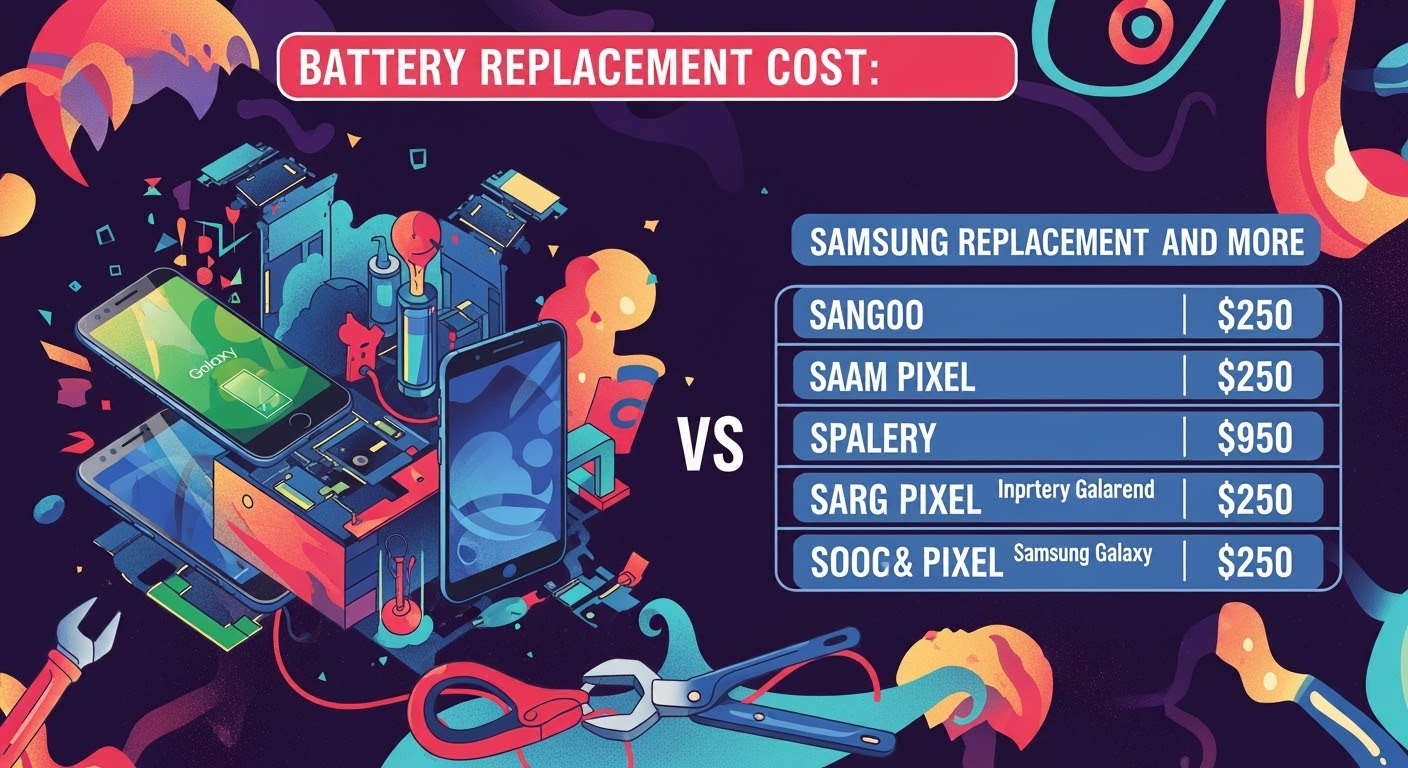
Battery Replacement Cost: Samsung, Pixel, and More
Introduction: Why Battery Health Matters
Your smartphone’s battery is the heart of the device. Without it, the most advanced hardware won’t function. Over time, batteries lose capacity due to charge cycles, heat, and aging, making replacement inevitable.
The big question for most users: How much does it cost to replace a phone battery? Let’s break down the costs across Samsung, Google Pixel, iPhone, and other brands to help you decide if replacing your battery is worth it.
Genuine: Safer, longer-lasting, optimized for performance
Aftermarket: Cheaper but risk overheating and poor lifespan
Repair centre expertise
Skilled technicians ensure proper installation without damaging other components.
Warranty coverage
Some manufacturers offer reduced costs if your phone is still under warranty or AppleCare/Samsung Care+.
Why Choose Genuine Phone Batteries
Safety benefits
Genuine batteries meet strict safety and thermal standards, reducing fire hazards.
Performance reliability
They deliver consistent power, ensuring smooth performance.
Longer lifespan
Genuine replacements often last 2–3 years longer than cheap aftermarket options.
FAQs on Battery Replacement
Q1: How often should I replace my phone battery?
Typically every 2–3 years, depending on usage.
Q2: How long does a battery replacement take?
Most repairs take 30 minutes to 1 hour.
Q3: Is it worth replacing the battery in an older phone?
If the phone is less than 4 years old and works well, yes. For very old models, replacement may not be cost-effective.
Q4: Can I replace my own phone battery?
DIY is risky and may damage internal components. Professional repair is always safer.
Q5: Does replacing the battery affect my phone’s data?
No, but it’s recommended to back up your device before repair.
Q6: Is battery replacement covered under warranty?
Yes, if the battery is defective within the warranty period. Otherwise, it’s a paid repair.
Conclusion: Is Replacing Your Phone Battery Worth It?
Replacing your smartphone battery is one of the most cost-effective ways to extend your device’s life. Compared to buying a new phone that can cost over $1,200, a $150–$200 battery swap is a smart investment.
At Sydney CBD Repair Centre, we provide genuine battery replacements for Samsung, Google Pixel, iPhone, and more. With same-day service, expert technicians, and over 2000+ 5-star reviews, we’re Sydney’s trusted repair destination.
The Samsung Galaxy S Ultra series has become the pinnacle of smartphone innovation—combining sleek design, powerful performance, and cutting-edge technology. Yet, many tech enthusiasts, bloggers, and even some repair shops label these phones as “unrepairable.”
But is that really the case? The truth is, while Samsung’s flagship devices are complex and delicate, they are far from unfixable. With the right techniques, specialized equipment, and experienced professionals, even the most “impossible” Samsung S Ultra repairs can be successfully carried out.
This guide will debunk the myths, uncover the real challenges, and reveal 10 secrets to repairing the so-called “unrepairable” Samsung S Ultra phones.
Samsung’s Galaxy S Ultra models are built with slim bezels, tightly glued glass panels, and intricately layered components. This makes disassembly challenging without causing further damage.
Specialized Components
Unlike budget smartphones, the S Ultra uses custom parts—from the AMOLED panels to the Snapdragon/Exynos chipsets—making replacements costly and harder to source.
Fragile Materials
The premium Gorilla Glass Victus panels and ultra-thin flexible wiring inside the device can crack or tear during even the smallest repair attempts, which fuels the “unrepairable” label.
Common Samsung S Ultra Failures That Seem Impossible to Fix
Even though these phones are powerful, they’re not immune to common smartphone problems:
Cracked Display and Touch Issues
The 6.8-inch AMOLED display is both the highlight and Achilles heel of the S Ultra. Dropping it often results in cracked glass or unresponsive touch panels.
Battery Swelling and Rapid Drain
Despite large battery capacity, users often report overheating, swelling, or rapid battery drain after a year or two.
Charging Port Malfunctions
Daily plugging and unplugging can wear down the USB-C charging port, leading to charging failures.
Water and Liquid Damage
Although marketed as water-resistant, extended exposure or severe drops in water can still seep through seals, damaging internal components.
Motherboard & IC Failures
When chips like the Power IC or Charging IC fail, many believe the phone is beyond repair. However, microsoldering techniques can restore life.
10 Secrets to Repairing the “Unrepairable” Samsung S Ultra
1. Professional Diagnostic Tools
Specialized equipment like thermal cameras, multimeters, and ultrasonic cleaners allow technicians to pinpoint issues beyond what the naked eye can detect.
2. Using OEM & Genuine Parts
Counterfeit screens or batteries often worsen the problem. Genuine Samsung parts ensure longevity and compatibility.
3. Advanced Microsoldering Techniques
For damaged motherboards or IC chips, microsoldering can reconnect circuits at the microscopic level.
4. Screen Refurbishment vs. Replacement
Instead of replacing the whole display, experts can separate cracked glass from working OLED panels, saving customers hundreds of dollars.
5. Specialized Heat and Separation Equipment
Removing glued glass requires precisely controlled heat machines to avoid cracking the OLED panel underneath.
6. Battery Recalibration & Replacement
Sometimes rapid battery drain isn’t just a failing cell—recalibration can restore function before replacement becomes necessary.
7. Reflow & IC Chip-Level Repair
When chips loosen from the board due to heat, reflowing solder joints can restore full performance.
8. Data Recovery from Damaged Boards
Even when a phone is “dead,” professionals can extract data by working directly with the storage chips.
9. Waterproofing Restoration
Replacing seals and adhesives restores IP68 water resistance after major repairs.
10. Preventive Maintenance & Care
Encouraging users to use protective cases, charge properly, and avoid overheating extends the device’s lifespan.
Cons: Risk of permanent damage, no warranty, lack of proper tools.
Advantages of Professional Repairs
Guaranteed use of genuine parts.
Advanced diagnostic and soldering equipment.
Warranty and after-service support.
Higher success rates with complex repairs.
How Sydney CBD Repair Centre Masters the “Unrepairable”
Our Tools and Techniques
At Sydney CBD Repair Centre, we use OEM parts, thermal diagnostic systems, reflow stations, and ultrasonic cleaners to bring dead Samsung S Ultra phones back to life.
Case Studies of Successful Samsung S Ultra Repairs
A Galaxy S22 Ultra with a dead motherboard restored using microsoldering.
A Galaxy S23 Ultra with a cracked AMOLED display repaired with glass-only replacement, saving the client 40%.
Multiple water-damaged devices revived using ultrasonic cleaning and part-level replacements.
Q1: Can a cracked Samsung S Ultra screen be repaired without full replacement?
Yes, in some cases technicians can replace only the outer glass if the OLED is intact.
Q2: How long does a typical Samsung S Ultra repair take?
Most repairs can be completed within 1–2 hours, especially at professional shops like Sydney CBD Repair Centre.
Q3: Is water damage really fixable?
Yes, if treated early. Ultrasonic cleaning and part replacement can restore functionality.
Q4: Why is it important to use genuine parts?
Genuine parts ensure long-term reliability, preserve resale value, and maintain waterproofing.
Q5: Is DIY repair a good idea for Samsung S Ultra models?
Not recommended unless you have proper tools and expertise. Mistakes can cause irreparable damage.
Q6: Do professional repair shops offer warranty?
Yes, Sydney CBD Repair Centre offers a 90-day warranty on all repairs for peace of mind.
Conclusion: Turning the “Unrepairable” into Repairable
The Samsung S Ultra series may look intimidating to repair, but with advanced tools, genuine parts, and skilled technicians, even the most complex issues can be solved. Whether it’s a cracked screen, swollen battery, or a dead motherboard, there’s always a solution in the right hands.
If your Samsung Galaxy S Ultra has been deemed “unrepairable,” don’t give up hope. At Sydney CBD Repair Centre, we specialize in breathing life back into devices others have written off.
Thank you for using
Themify Popup
This is a sample pop up. Themify Builder or Builder Lite (free) plugin is recommended to design the pop up layouts.