The REAL Cost of Smartphone’s Repair: Screen, Battery, and Beyond! ⚡ 9 Shocking Truths
Introduction
Smartphones have become essential tools in everyday life, but when something goes wrong, the smartphone repair cost often comes as an unpleasant surprise. A cracked screen, fast-draining battery, or charging issue can instantly turn a useful device into a costly problem. In 2026, smartphone repairs are no longer simple or cheap—modern designs, advanced materials, and sealed components have significantly changed the repair landscape.
Many users assume repairing a phone is always cheaper than replacing it, yet the real cost of smartphone repair goes far beyond the price quoted at the counter. Labor expertise, part quality, brand policies, and long-term reliability all play a role. In this in-depth guide, we break down the real costs of smartphone repair—from screens and batteries to hidden fees and long-term value—so you can make informed, confident decisions and avoid overpaying for fixes you may not actually need.
Smartphone repair costs have become a hot topic, especially as modern devices push past the $1,000 mark. Many people assume repairs are cheap—until they’re staring at a cracked screen or a phone that won’t charge. The smartphone repair cost today isn’t just about replacing a part; it includes labor, diagnostics, part quality, and even future device reliability.
In the first 10% of this article, let’s be clear: smartphone repair cost is influenced by technology complexity, brand policies, and consumer habits. And yes, prices in 2026 are very different from what they were even three years ago.
What “Smartphone Repair Cost” Really Means
At its core, smartphone repair cost includes:
Replacement parts (screen, battery, ports)
Skilled labor
Diagnostic testing
Post-repair quality checks
Warranty coverage
What most users don’t realize is that newer phones are harder to open, sealed with industrial adhesives, and packed with fragile components. This increases both time and risk for technicians—and cost for customers.
Why Repair Prices Vary So Much
Repair pricing varies due to:
Brand policies (Apple and Samsung parts cost more)
Phone model (flagships cost more than budget phones)
Part quality (OEM vs aftermarket)
Location and labor rates
For example, an iPhone Pro Max screen replacement can cost more than replacing an entire mid-range Android phone.
Screens are the most commonly repaired component—and the most expensive.
OLED vs LCD Screens
OLED displays offer better color and power efficiency but are costly to produce. This drives up smartphone repair cost significantly. LCD screens are cheaper, but they’re becoming rare in premium devices.
Average screen repair costs (2026 estimates):
OLED flagship: High
LCD budget phone: Low to moderate
Foldable screens: Extremely high
Foldable and Curved Display Repairs
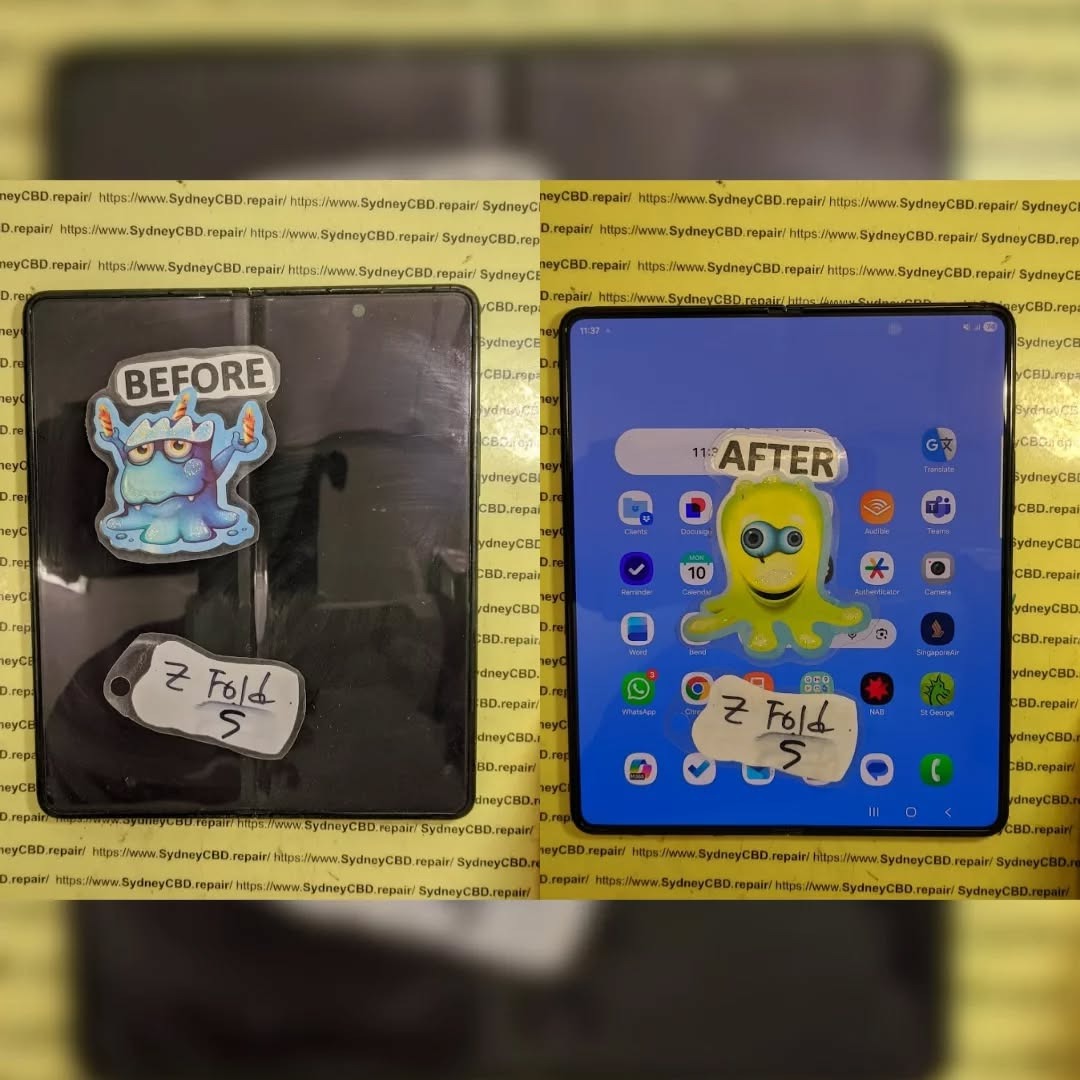
Foldable phones look futuristic, but their repair costs are brutal. Hinges, flexible glass, and dual-layer screens mean repairs can rival the cost of a new device.
Curved screens, while stylish, are more prone to edge damage and harder to replace—adding to smartphone repair cost.
Battery Replacement Costs and Value
Battery issues are inevitable. Lithium-ion batteries degrade over time, regardless of brand.
Lithium-Ion Degradation Over Time
After 500–800 charge cycles, batteries lose efficiency. Symptoms include:
Sudden shutdowns
Slower performance
Overheating
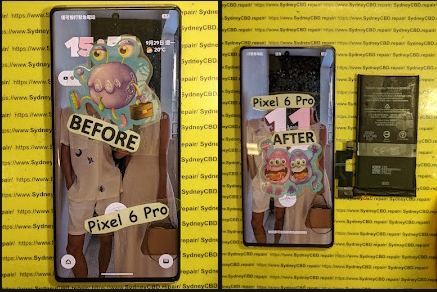
Battery replacement is one of the best value repairs, often restoring near-new performance for a fraction of replacement cost.
Fast Charging and Battery Wear
Fast charging is convenient, but it accelerates battery wear. Heat is the enemy. Over time, this increases the likelihood of battery-related smartphone repair costs.
Hidden Smartphone Repair Costs You Should Know
Not all costs are obvious upfront.
Diagnostic Fees
Some repair centers charge diagnostic fees, especially for complex issues like motherboard faults. These fees are often waived if you proceed with the repair—but not always.
Water Damage and Corrosion
Water damage repairs are unpredictable. Corrosion can spread silently, meaning:
Multiple components may fail later
No long-term guarantee
Higher overall smartphone repair cost
Manufacturer vs Third-Party Repair
Choosing where to repair matters.
Authorized Repair Centers
Pros:
Genuine parts
Maintains warranty
Brand-certified technicians
Cons:
Higher costs
Longer wait times
Independent Repair Shops
Pros:
Lower smartphone repair cost
Faster turnaround
Flexible part options
Cons:
Quality varies by shop
Reputable third-party shops often match or exceed manufacturer repair quality at better prices.
Is Smartphone Repair Worth It in 2026?
This is the million-dollar question.
Repair vs Replacement Comparison
Scenario
Repair
Replace
Cracked screen
✅ Yes
❌ No
Battery issue
✅ Yes
❌ No
Motherboard failure
⚠️ Maybe
✅ Often
Older than 4 years
⚠️ Depends
✅ Often
Environmental and Sustainability Factors
Repairing instead of replacing:
Reduces e-waste
Lowers carbon footprint
Saves rare materials
From a sustainability standpoint, repair wins almost every time.
How to Reduce Smartphone Repair Costs
A little prevention goes a long way.
Protective Accessories
Tempered glass screen protectors
Shock-absorbing cases
Camera lens covers
These can reduce repair risk by up to 70%.
Maintenance Habits
Avoid extreme heat
Don’t overcharge overnight
Keep ports clean
Update software regularly
Healthy habits mean fewer repairs—and lower smartphone repair cost over time.
Frequently Asked Questions (FAQs)
1. Why is smartphone repair so expensive now?
Because modern phones use advanced materials, sealed designs, and complex components that require skilled labor.
2. Is repairing a phone better than buying a new one?
In most cases, yes—especially for screen and battery issues.
3. Does third-party repair void warranty?
It can, depending on the manufacturer. Always check warranty terms.
4. How long should a smartphone last with repairs?
With proper maintenance, 4–6 years is realistic.
5. Are aftermarket parts safe?
High-quality aftermarket parts can be safe and cost-effective when installed by professionals.
6. What’s the most cost-effective repair?
Battery replacement offers the best performance-to-cost ratio.
Conclusion: The Real Truth About Smartphone Repair Costs
The real cost of smartphone repair goes far beyond the price tag. It’s about value, longevity, sustainability, and smart decision-making. In 2026, repairing your phone is often the wiser, greener, and more economical choice—especially when done by experienced professionals.
David from Sydney CBD Repair Centre – The Best place to fix mobile phones as 7 Years In A Row! Top Mobile Phone Repair In Sydney. More than 2000 Positive Reviews on Google and Same Day Repairs.
We take pride in delivering exceptional repair services for all major phone brands including Apple, Samsung, Google, and more. Our expert technicians use only genuine parts and offer 90 days warranty on repairs. Located in the heart of Sydney CBD, we’re your one-stop solution for all mobile device repairs.
Our commitment to excellence has earned us the trust of thousands of satisfied customers. Whether it’s a cracked screen, battery replacement, or water damage repair, we handle it all with professional care and expertise. Walk in today and experience why we’re Sydney’s #1 choice for mobile phone repairs.
Visit us for:
✓ Same Day Express Repairs
✓ Genuine Parts Guarantee
✓ Professional Technicians
✓ Competitive Pricing
✓ 2000+ 5-Star Google Reviews
✓ 7-Time Award Winner for Best Phone Repairs
The Extreme Durability Test: Can OnePlus 13 phone Survive a Drop? The Ultimate Guide with 7 Key Insights
Introduction to OnePlus 13 Durability
OnePlus has always focused on creating phones that balance style and strength. The OnePlus 13 continues this tradition with a sleek design, premium materials, and advanced engineering that promises both elegance and resilience. While flagship devices are often fragile, OnePlus claims that the 13 can withstand everyday accidents with minimal risk of damage.
Durability is crucial for long-term device satisfaction. Smartphones today cost hundreds of dollars, and drops or scratches can drastically reduce usability and resale value. Knowing your OnePlus 13’s limits helps in making informed decisions about protection and daily handling.
The OnePlus 13 is hailed as a powerhouse in the flagship smartphone market. But beyond speed, performance, and display, many users are asking: How tough is it really? Can it survive a drop without cracking or malfunctioning? In this comprehensive guide, we break down the OnePlus 13’s durability, analyze real-world drop tests, and provide expert tips to protect your device. By the end, you’ll know exactly how resilient this device is—and how to keep it that way.
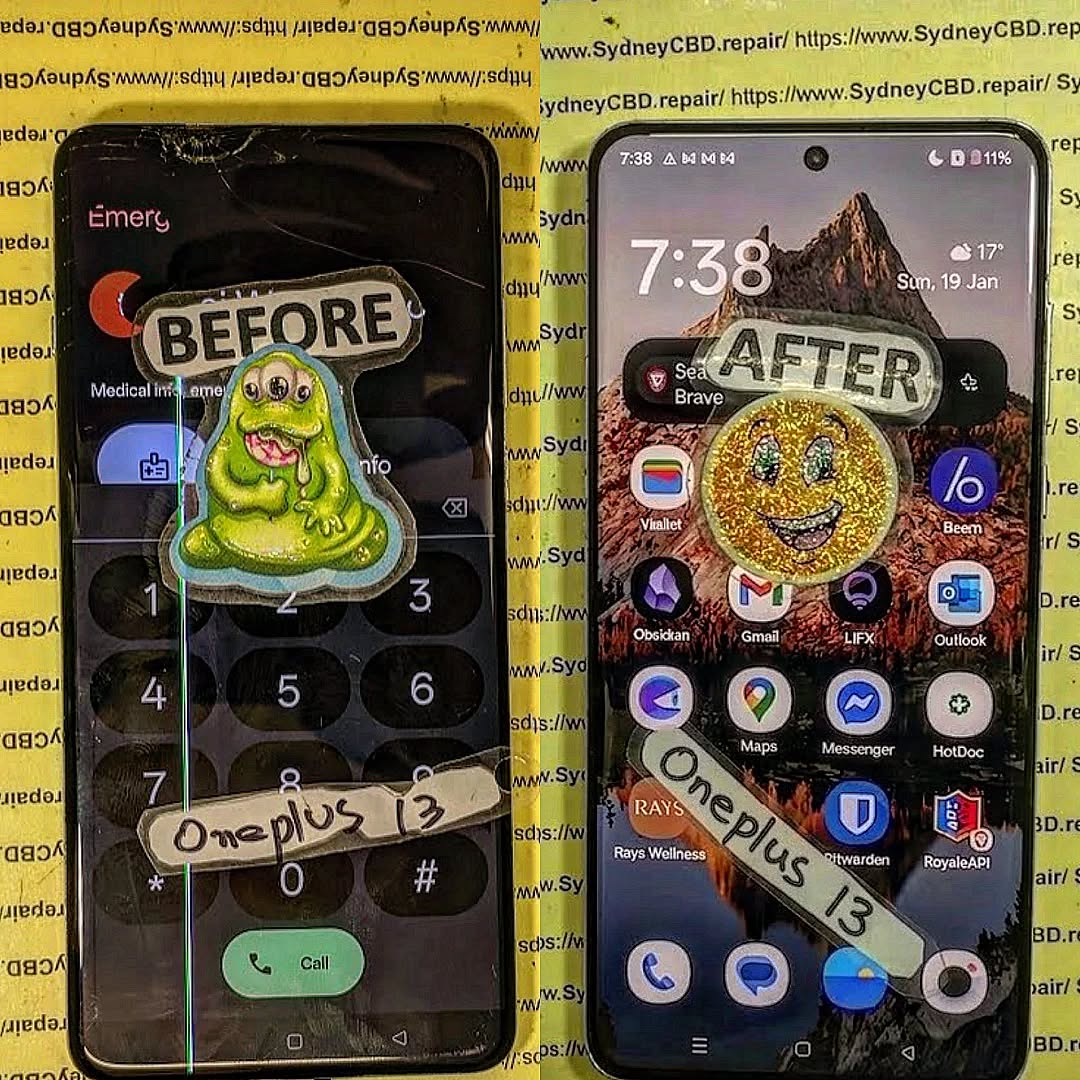
The OnePlus 13 employs Gorilla Glass Victus 2, renowned for its resistance to scratches and drops. This glass provides up to 2x better drop resistance compared to previous generations. While it can resist minor scratches from keys and coins, sharp or angled impacts can still pose a threat.
Aluminum Alloy Frame
The phone features a high-strength aluminum alloy frame, designed to absorb shocks while maintaining a slim profile. Aluminum offers lightweight durability, but corners and edges remain vulnerable during falls. Engineers strategically reinforce the frame to balance weight, strength, and aesthetics.
Drop Test Methodology
Understanding how the OnePlus 13 performs requires systematic testing. Professional labs simulate real-world scenarios to evaluate resilience.
Height and Surface Considerations
Drop tests typically involve 1–2 meters, simulating pocket-to-floor or table-to-floor drops. Surfaces like wood, concrete, and tile test the phone’s ability to withstand impact.
Multiple Angle Drops
Phones rarely fall flat. Tests include corner, edge, and face drops to examine weak points. The OnePlus 13’s frame design plays a crucial role in distributing shock during these incidents.
Dropping a phone from waist height onto a carpet or tile is common. The OnePlus 13’s reinforced corners often prevent screen cracks in these low-impact scenarios.
Table and Counter Drops
A desk or kitchen counter fall from roughly 1 meter onto hardwood can result in screen or frame damage. While Gorilla Glass reduces scratches, corner impacts remain the most vulnerable.
Outdoor Drops
High-impact drops onto concrete or gravel are the most dangerous. Even top-tier phones can crack. Users are advised to employ protective cases when outdoors.
Benchmarking Against Competitors
Durability Ratings
Compared with the iPhone 15 and Samsung Galaxy S23, the OnePlus 13 holds its own in drop and scratch resistance. All three devices feature Gorilla Glass, but OnePlus edges slightly in frame shock absorption due to its aluminum alloy structure.
Device
Drop Resistance
IP Rating
Scratch Resistance
OnePlus 13
High
IP68
Strong
iPhone 15
Medium-High
IP68
Strong
Samsung S23
Medium
IP68
Moderate
Long-Term Reliability
Repeated drops over months can lead to micro-fractures. OnePlus 13 demonstrates excellent long-term durability, outperforming many competitors in multi-angle repeated drop tests.
User Experiences and Testimonials
Many users report surviving accidental drops with minimal damage. Online reviews highlight small scratches on frames but no major screen damage when using minor protective measures. Professional reviewers emphasize that despite high durability, cases and screen protectors still provide optimal safety.
Protective Accessories for Enhanced Safety
Rugged Cases
Military-grade cases significantly reduce impact force. Brands like OtterBox and Spigen offer tailored solutions for OnePlus 13.
Tempered Glass
A high-quality tempered glass screen protector adds a second line of defense against cracks and scratches without affecting touch sensitivity.
Maintenance Tips for Maximum Longevity
Cleaning and Handling
Regular cleaning prevents grit accumulation that can scratch the screen. Use a microfiber cloth and avoid harsh chemicals.
Avoiding Extreme Conditions
Extreme heat, water exposure, and dust can exacerbate damage during a drop. Even IP68-rated phones should be handled with care to avoid unnecessary risks.
Frequently Asked Questions
1. Can the OnePlus 13 survive a concrete drop?
It can survive minor drops, but direct falls onto concrete can crack the screen. Using a rugged case is recommended.
2. Is Gorilla Glass Victus 2 scratch-proof?
It’s highly scratch-resistant but not completely scratch-proof. Sharp objects may still cause minor marks.
3. How does OnePlus 13 compare to iPhone 15 in durability?
OnePlus 13 has slightly better shock absorption due to its aluminum frame, while iPhone 15 offers robust glass protection.
4. Do screen protectors affect touch sensitivity?
High-quality tempered glass protectors do not compromise touch sensitivity.
5. Is a case necessary for daily use?
While not mandatory, a case significantly reduces the risk of screen cracks and frame damage.
6. Can repeated small drops damage internal components?
Yes, repeated impacts can affect internal parts even if the screen remains intact. Proper protection is advised.
Conclusion
The OnePlus 13 demonstrates impressive drop resilience, thanks to its Gorilla Glass Victus 2 and reinforced aluminum frame. While no phone is indestructible, strategic use of protective cases and tempered glass can significantly extend the life of your device. Whether you’re prone to accidental drops or just want peace of mind, the OnePlus 13 is engineered to withstand the rigors of everyday life while maintaining performance and aesthetic appeal. For more information on mobile durability and protective accessories, check OnePlus Official Accessories.
David from Sydney CBD Repair Centre – The Best place to fix mobile phones as 7 Years In A Row! Top Mobile Phone Repair In Sydney. More than 2000 Positive Reviews on Google and Same Day Repairs.
We take pride in delivering exceptional repair services for all major phone brands including Apple, Samsung, Google, and more. Our expert technicians use only genuine parts and offer 90 days warranty on repairs. Located in the heart of Sydney CBD, we’re your one-stop solution for all mobile device repairs.
Visit us for:
✓ Same Day Express Repairs
✓ Genuine Parts Guarantee
✓ Professional Technicians
✓ Competitive Pricing
✓ 2000+ 5-Star Google Reviews
✓ 7-Time Award Winner for Best Phone Repairs
The Water Resistance Myth: Restoring IP68 Seals After Professional Smartphone Screen Replacement + Essential Truths + 2026 Guide
Introduction to IP68 and Modern Smartphones
What Does IP68 Really Mean?
IP68 is often marketed as a gold standard for water resistance, but many users misunderstand what it actually guarantees. The rating comes from the Ingress Protection (IP) classification system, where:
6 = Complete protection against dust
8 = Protection against prolonged water immersion (usually up to 1.5 meters for 30 minutes)
However, here’s the catch—this rating applies only under controlled laboratory conditions. Real-world scenarios are far less forgiving. Water pressure, temperature, and even the type of liquid (saltwater vs freshwater) can affect performance.
Why Water Resistance Matters Today
Smartphones have evolved into essential daily tools. From navigation to banking, we rely on them heavily. Naturally, manufacturers added water resistance to:
Reduce accidental damage
Increase product lifespan
Enhance consumer confidence
But while the idea sounds reassuring, the reality is more nuanced—especially after a smartphone screen repair.
High temperatures soften adhesive, while humidity weakens bonds.
Wear and Tear Over Time
Daily use gradually reduces sealing effectiveness.
FAQs
1. Can a phone remain waterproof after screen repair?
No. A smartphone screen repair compromises the original seal, and while resistance can be improved, it won’t return to full IP68 standards.
2. How long does water resistance last after repair?
It varies, but generally much lower than factory condition—sometimes only offering minimal protection.
3. Is it safe to use my phone in rain after repair?
It’s not recommended. Even light moisture can enter through weakened seals.
4. Do authorized repairs guarantee waterproofing?
Not always. Some restore partial resistance, but full IP68 certification is rarely guaranteed.
5. What’s the best way to protect my phone after repair?
Use waterproof cases and avoid exposure to liquids entirely.
6. Can water damage still occur even without visible gaps?
Yes. Microscopic gaps can allow moisture to seep in over time.
Conclusion
The idea that a smartphone screen repair can fully restore IP68 water resistance is largely a myth. While professional technicians can significantly improve sealing, achieving factory-level waterproofing remains nearly impossible outside controlled manufacturing environments.
That doesn’t mean repairs aren’t worth it—they absolutely are. But it does mean users need to adjust expectations and take proactive steps to protect their devices.
Understanding the limitations helps you make smarter decisions, avoid costly mistakes, and extend the life of your smartphone.
David from Sydney CBD Repair Centre – The Best place to fix mobile phones as 7 Years In A Row! Top Mobile Phone Repair In Sydney. More than 2000 Positive Reviews on Google and Same Day Repairs.
We take pride in delivering exceptional repair services for all major phone brands including Apple, Samsung, Google, and more. Our expert technicians use only genuine parts and offer 90days warranty on repairs. Located in the heart of Sydney CBD, we’re your one-stop solution for all mobile device repairs.
Our commitment to excellence has earned us the trust of thousands of satisfied customers. Whether it’s a cracked screen, battery replacement, or water damage repair, we handle it all with professional care and expertise. Walk in today and experience why we’re Sydney’s #1 choice for mobile phone repairs.
Visit us for:
✓ Same Day Express Repairs
✓ Genuine Parts Guarantee
✓ Professional Technicians
✓ Competitive Pricing
✓ 2000+ 5-Star Google Reviews
✓ 7-Time Award Winner for Best Phone Repairs
The Nothing Phone (2) Battery Breakdown Extending Life Beyond the Obvious | Ultimate Power Guide 2026
Introduction
The Nothing Phone (2) battery breakdown is more than a technical discussion—it’s a practical guide for anyone who wants their smartphone to last longer, perform better, and age gracefully. While battery capacity often gets the spotlight, real battery life depends on how power is managed, charged, and protected over time. Understanding these factors helps users avoid common mistakes that quietly shorten battery lifespan.
At first glance, the Nothing Phone (2) delivers strong day-to-day battery performance. However, many users don’t realize how small habits, software behavior, and charging routines influence long-term battery health. From fast charging myths to hidden background drain, there are several overlooked details that play a major role in how well the battery holds up after months—or even years—of use.
This guide breaks down the Nothing Phone (2) battery system in clear, simple terms. It combines manufacturer insights with real-world repair experience to reveal what truly matters when it comes to extending battery life beyond the obvious. Whether you’re a new owner or planning to keep your device long-term, this breakdown will help you get the most out of every charge.
The Nothing Phone (2) battery breakdown begins with understanding how the device manages power at a system level. The phone is equipped with a modern lithium-ion battery designed to balance efficiency, longevity, and performance. While the capacity looks competitive on paper, real-world endurance depends heavily on how hardware and software work together.
Nothing positions the Phone (2) as a refined, minimalist device, and that philosophy extends to battery management. Intelligent power distribution, adaptive refresh rates, and background optimization help conserve energy during everyday use. As a result, many users experience better-than-expected endurance when usage is moderate.
That said, battery life is not just about size. It’s shaped by charging habits, heat exposure, and long-term chemical aging. Many users misunderstand this point, assuming that fast charging or higher wattage automatically improves battery health. In reality, these factors can accelerate degradation if misused.
From a professional repair standpoint, the Nothing Phone (2) holds up well when cared for properly. Devices that avoid excessive heat and aggressive charging cycles tend to maintain solid battery health well into their second year, which is a positive sign for long-term ownership.
The Nothing Phone (2) uses a lithium-ion polymer battery, a common choice in modern smartphones due to its balance of energy density and safety. This chemistry allows for faster charging and a slimmer design, but it naturally degrades over time.
Each full charge cycle slightly reduces the battery’s maximum capacity. This process is unavoidable and occurs regardless of brand. Understanding this reality helps users manage expectations and adopt habits that slow degradation.
How Nothing OS Impacts Battery Performance
Nothing OS plays a major role in the Nothing Phone (2) battery breakdown. Built on Android with minimal bloatware, it reduces unnecessary background activity. Fewer background services mean lower idle drain and improved standby time.
Regular system updates are equally important. Updates often include battery optimizations, bug fixes, and improved power scheduling. Keeping the device updated is one of the easiest ways to improve battery efficiency without changing daily habits.
Real-World Battery Performance: What Users Experience
In real-world usage, the Nothing Phone (2) delivers reliable battery performance for most users. Moderate usage typically lasts a full day with power left over, while heavier use may require an evening recharge.
This part of the Nothing Phone (2) battery breakdown becomes clearer when usage patterns are examined. Activities like gaming, video streaming, and navigation place higher demands on the battery. In contrast, messaging, browsing, and calls consume significantly less power.
One strong point is standby efficiency. Overnight battery drain is minimal when background syncing is controlled, which reflects well-optimized power management.
Screen-On Time vs Standby Drain
Screen-on time remains the largest contributor to battery usage. The OLED display is efficient, but higher refresh rates increase consumption. Lowering the refresh rate during light tasks can noticeably extend battery life.
Standby drain is influenced by background apps, notifications, and network activity. Fortunately, Nothing OS limits unnecessary background wake-ups, helping preserve battery overnight.
Network, Apps, and Usage Patterns
Weak mobile signals force the phone to work harder, draining the battery faster. Similarly, poorly optimized third-party apps can consume power in the background. Regularly reviewing app usage helps identify and remove these hidden drains.
Charging Technology Explained
Charging behavior is central to any Nothing Phone (2) battery breakdown. The device supports fast charging, offering convenience but also introducing heat-related stress when overused.
Fast charging generates more heat, especially when charging from very low battery levels. Heat accelerates chemical aging, reducing long-term capacity.
Fast Charging Myths and Realities
Fast charging itself isn’t harmful when used occasionally. The issue arises when it’s used constantly, especially from zero to full. Moderation is key for preserving battery health.
Heat, Voltage, and Long-Term Degradation
Lithium-ion batteries are sensitive to both heat and high voltage. Charging overnight or using the phone heavily while charging increases internal temperatures. Over time, this leads to faster degradation.
Hidden Causes of Battery Drain
Not all battery drain is obvious. Background services, constant location tracking, and visual features like the Glyph Interface all contribute incrementally.
Background Processes You Don’t See
Some apps refresh data continuously, even when unused. Restricting background activity for non-essential apps can significantly improve daily battery life.
Display, Glyph Interface, and Power Consumption
The Glyph Interface is visually distinctive but does consume power. While the impact is modest, disabling unnecessary lighting patterns can help extend battery life slightly.
Proven Strategies to Extend Battery Life
Extending battery life doesn’t require extreme measures. Small, consistent adjustments often deliver the best results.
Smart Charging Habits
Keeping the battery between 20 percent and 80 percent whenever possible reduces chemical stress. This habit alone can significantly slow battery degradation over time.
Software Tweaks That Actually Work
Enabling adaptive battery features, limiting background sync, and managing notifications are simple yet effective strategies.
When Battery Replacement Becomes Necessary
Even with ideal care, batteries eventually wear out. Recognizing the right time for replacement is essential.
Signs of Battery Health Decline
Rapid percentage drops, unexpected shutdowns, and excessive heat are common indicators of battery degradation.
Repair vs Replacement Decision Matrix
If the phone performs well otherwise, battery replacement is often more cost-effective than upgrading. Professional replacement restores performance and extends device lifespan.
For additional technical insight into lithium-ion batteries, Battery University is a widely respected educational resource on battery technology.
Professional Battery Care and Expert Recommendations
Manufacturers provide general safety guidelines, while repair professionals offer practical longevity advice based on real-world outcomes.
Manufacturer Guidelines vs Repair Expert Insights
Nothing’s guidelines focus on safety and performance consistency. Repair experts emphasize charging moderation and heat control. Together, they form a balanced approach to battery care.
FAQs
How long does the Nothing Phone (2) battery last on average?
Most users achieve a full day of moderate use, sometimes extending into a second day.
Is fast charging harmful to the Nothing Phone (2) battery?
Occasional fast charging is safe, but frequent use can accelerate long-term wear.
Should I charge my phone overnight?
It’s best to avoid overnight charging to reduce heat and voltage stress.
Does the Glyph Interface drain a lot of battery?
Its impact is modest compared to the display, but disabling unnecessary effects helps.
When should I replace my battery?
When daily usage becomes inconvenient or the battery degrades noticeably.
Is professional battery replacement worth it?
Yes, especially if the device is otherwise in good condition.
Conclusion
The Nothing Phone (2) battery breakdown makes one thing clear: battery longevity depends more on habits than specifications. With mindful charging, smart software settings, and timely maintenance, users can extend battery life well beyond the obvious. The Phone (2) is built for durability, and with the right care, it delivers on that promise.
David from Sydney CBD Repair Centre – The Best place to fix mobile phones as 7 Years In A Row! Top Mobile Phone Repair In Sydney. More than 2000 Positive Reviews on Google and Same Day Repairs.
We take pride in delivering exceptional repair services for all major phone brands including Apple, Samsung, Google, and more. Our expert technicians use only genuine parts and offer 90days warranty on repairs. Located in the heart of Sydney CBD, we’re your one-stop solution for all mobile device repairs.
Our commitment to excellence has earned us the trust of thousands of satisfied customers. Whether it’s a cracked screen, battery replacement, or water damage repair, we handle it all with professional care and expertise. Walk in today and experience why we’re Sydney’s number one choice for mobile phone repairs.
Visit us for:
✓ Same Day Express Repairs
✓ Genuine Parts Guarantee
✓ Professional Technicians
✓ Competitive Pricing
✓ 2000+ 5-Star Google Reviews
✓ 7-Time Award Winner for Best Phone Repairs
Comparing Samsung S21 Ultra Longevity Against Modern S25 Repairability Standards in Sydney: The Ultimate 2026 Expert Guide (7 Powerful Insights)
Introduction
The smartphone market moves incredibly fast. Every year, manufacturers introduce faster processors, brighter displays, smarter cameras, and more advanced artificial intelligence features. Yet one question remains surprisingly common among Sydney smartphone users:
Should you repair your Samsung Galaxy S21 Ultra or invest in the latest Galaxy S25?
This isn’t simply a comparison between an older flagship and Samsung’s newest innovation. Instead, it’s about understanding long-term value, repairability, device lifespan, and ownership costs.
Many Australians continue using the Samsung Galaxy S21 Ultra because it remains one of Samsung’s most successful premium smartphones. Even several years after its release, it still delivers excellent photography, premium performance, and an impressive Dynamic AMOLED display.
Meanwhile, the Samsung Galaxy S25 introduces modern hardware, Galaxy AI enhancements, stronger efficiency, and redesigned internal engineering intended to simplify servicing in certain repair scenarios.
For Sydney residents, the decision often comes down to practical considerations:
Is repairing an S21 Ultra worthwhile?
Does the S25 offer better longevity?
Which phone costs less over five years?
Which model is easier for professional technicians to repair?
Should a cracked screen automatically mean it’s time to upgrade?
Throughout this guide, we’ll compare both devices from the perspective of experienced repair professionals who work on Samsung smartphones every day.
The Galaxy S21 Ultra has reached an interesting stage of its life cycle. While it’s no longer Samsung’s latest flagship, it continues to outperform many mid-range smartphones released years later.
That longevity is one reason many owners hesitate before replacing it.
Hardware That Still Impresses
Samsung designed the S21 Ultra with premium materials that remain competitive today.
Key specifications include:
Feature
Galaxy S21 Ultra
Display
6.8-inch Dynamic AMOLED 2X
Refresh Rate
120Hz Adaptive
Resolution
Quad HD+
Main Camera
108MP
Telephoto
Dual Optical Zoom Cameras
RAM
Up to 16GB
Water Resistance
IP68
Wireless Charging
Yes
Even in 2026, these specifications remain highly capable for everyday users.
Whether you’re editing photos, streaming videos, attending virtual meetings, or playing demanding mobile games, the S21 Ultra still delivers flagship-level performance for most workloads.
The Display Continues to Set High Standards
Samsung has long been recognised for manufacturing some of the world’s finest OLED displays, and the S21 Ultra remains one of its standout achievements.
Users still appreciate:
Rich colours
Deep contrast
Exceptional brightness
Smooth scrolling
HDR video support
Excellent outdoor visibility
Unfortunately, premium displays are also among the most expensive smartphone components to replace.
A cracked AMOLED panel may still function temporarily, but issues such as dead pixels, green lines, black spots, or unresponsive touch areas can quickly develop if the damage worsens.
Professional replacement using genuine-quality parts helps restore the original viewing experience while preserving display performance.
Cameras That Continue to Compete
One reason many S21 Ultra owners delay upgrading is the camera system.
Even several years after launch, it remains capable of producing outstanding photographs thanks to:
108MP primary sensor
Ultra-wide lens
Dual telephoto zoom cameras
Laser autofocus
Optical image stabilisation
Advanced Night Mode
For many users, photography quality remains more than sufficient for travel, family events, business content creation, and social media.
Instead of upgrading solely for camera improvements, replacing a damaged screen or worn battery can often restore the phone to excellent everyday usability.
Software Support Still Matters
While hardware longevity is impressive, software support is equally important.
Samsung has significantly extended software support for newer flagship models, meaning newer devices like the Galaxy S25 will continue receiving Android and security updates for much longer.
However, that doesn’t immediately make the S21 Ultra obsolete.
Many users continue operating securely by:
Installing the latest available updates
Using trusted applications
Avoiding unknown downloads
Replacing ageing batteries when performance declines
Repairing damaged hardware promptly
For customers who primarily use messaging, photography, navigation, email, banking, and streaming services, the S21 Ultra remains a dependable daily driver.
Every new Samsung flagship introduces improvements, but the Galaxy S25 represents more than just a routine annual update. It reflects Samsung’s continued focus on performance, efficiency, sustainability, and serviceability.
For repair professionals in Sydney, these engineering changes influence how devices are diagnosed, disassembled, repaired, and reassembled.
A New Generation of Internal Engineering
Compared with earlier Galaxy models, the S25 benefits from years of refinement in component layout and manufacturing techniques.
Some of the most notable advancements include:
More efficient chipset architecture
Improved thermal management
Better power efficiency
Stronger adhesive design
Enhanced battery protection
Optimised internal cable routing
These refinements help improve reliability during daily use while also reducing the likelihood of certain hardware failures over time.
However, modern smartphone construction remains highly compact. Precision tools, specialist equipment, and experienced technicians are still essential for safe repairs without causing secondary damage.
Galaxy AI Brings New Everyday Advantages
One of the defining features of the Galaxy S25 is its deeper integration of on-device artificial intelligence.
Users can benefit from features such as:
Live translation
AI writing assistance
Intelligent photo editing
Smarter search
Voice summarisation
Productivity enhancements
These capabilities improve convenience without requiring users to constantly rely on cloud-based processing.
Although AI features enhance the user experience, they don’t eliminate the need for hardware maintenance. A damaged display, degraded battery, or faulty charging port will still require professional repair regardless of how advanced the software becomes.
Repairability Continues to Evolve
Modern smartphone repair is no longer just about replacing broken glass.
Today’s technicians must also consider:
Display calibration
Biometric sensor alignment
Waterproof sealing
Camera positioning
Wireless charging functionality
Thermal performance
Software diagnostics
As Samsung devices become more sophisticated, choosing an experienced repair centre becomes increasingly important. Proper installation techniques, high-quality replacement parts, and post-repair testing help ensure that repaired devices continue to perform reliably for years.
Longevity vs Repairability: Which Phone Offers Better Long-Term Value?
When comparing the Samsung Galaxy S21 Ultra with the Galaxy S25, it’s important to separate two different concepts:
Longevity – How long the device remains useful and performs well.
Repairability – How practical and cost-effective it is to repair when something goes wrong.
A phone can have excellent longevity but poor repairability, or vice versa.
The Samsung S21 Ultra has already proven its durability over several years of real-world use. Many owners continue to enjoy smooth performance thanks to its premium processor, high-quality AMOLED display, and flagship camera system.
The Galaxy S25, however, is built with future software support and newer hardware technologies in mind, giving it a longer expected lifespan from the day of purchase.
Software Support Comparison
Samsung has significantly improved its software support policy over recent generations.
Feature
Galaxy S21 Ultra
Galaxy S25
Android Updates
Nearing end of support
Extended multi-year support
Security Updates
Limited future availability
Long-term support
Galaxy AI Features
Limited
Full support
Performance Optimisation
Mature software
Latest optimisation
For users planning to keep their phone for another four to six years, the Galaxy S25 naturally offers a longer software roadmap.
However, software support isn’t the only factor worth considering. If your S21 Ultra still performs well and meets your daily needs, repairing it can remain a financially sensible decision.
Battery Health: The Biggest Factor Affecting Older Phones
One of the first components to show its age is the lithium-ion battery.
Over hundreds of charging cycles, batteries gradually lose their ability to hold a full charge.
Common symptoms include:
Faster battery drain
Unexpected shutdowns
Overheating
Slow charging
Reduced peak performance
Fortunately, battery replacement is one of the most effective repairs available.
Replacing an ageing battery can dramatically improve:
Daily battery life
Charging reliability
Device responsiveness
Thermal management
Many S21 Ultra owners are surprised by how “new” their phone feels after a professional battery replacement.
The Galaxy S25 naturally starts with a fresh battery, but every battery will eventually experience wear. Proper charging habits and timely replacement help maximise the lifespan of either device.
Display Reliability Over Time
Samsung’s AMOLED displays are among the best in the smartphone industry, but they’re not immune to damage.
Typical display issues include:
Cracked glass
Green screen flickering
Vertical green or pink lines
Dead pixels
Black spots
Ghost touch
Touchscreen failure
While accidental drops remain the leading cause of display repairs, prolonged exposure to impact or pressure can also affect internal display layers.
Professional screen replacement restores not only the appearance of the phone but also touch sensitivity, brightness, and colour accuracy.
Screen Repairs Compared
Screen replacement is the most common smartphone repair in Sydney.
Because both devices use premium AMOLED panels with high refresh rates, repairs require specialist equipment and careful handling.
Samsung S21 Ultra Screen Repairs
The S21 Ultra display features:
Curved AMOLED technology
Integrated fingerprint reader
120Hz adaptive refresh rate
HDR capability
Replacing this screen requires precise installation to ensure:
Accurate fingerprint recognition
Proper display calibration
Uniform adhesive sealing
Responsive touch performance
Professional technicians also inspect the frame for hidden bending or structural damage before fitting a replacement display.
Samsung Galaxy S25 Screen Repairs
The Galaxy S25 introduces updated display technologies and refined internal construction.
Repair procedures may involve:
New calibration routines
Enhanced display diagnostics
Updated waterproof sealing methods
Improved adhesive systems
Although engineering has evolved, the importance of expert installation remains unchanged.
Improper repairs can lead to:
Dust intrusion
Display lifting
Reduced water resistance
Fingerprint sensor issues
Premature screen failure
Choosing experienced technicians helps minimise these risks.
Battery Replacement Comparison
Battery replacement is one of the highest-value repairs available for extending a smartphone’s usable life.
S21 Ultra Battery Replacement
Benefits include:
Longer daily usage
Faster charging consistency
Reduced overheating
Improved standby time
Better gaming performance
Many customers report noticeable improvements immediately after replacing an ageing battery.
S25 Battery Service
Although newer devices won’t require battery replacement immediately, all lithium-ion batteries degrade over time.
Professional battery replacement ensures:
Safe removal
Genuine-quality replacement cells
Proper adhesive installation
Charging system verification
Battery health testing
Preventative maintenance extends the usable life of premium smartphones considerably.
Water Resistance After Repairs
One of the most common questions customers ask is:
“Will my phone still be waterproof after repair?”
The answer depends on several factors.
Samsung devices are originally manufactured with precision-installed adhesive seals that contribute to their IP68 water-resistance rating.
During any repair involving the display, battery, or rear glass, these seals are removed.
Professional repair centres replace the adhesive with high-quality waterproof sealing materials and perform careful reassembly.
However, no independent repair can guarantee restoration to the exact factory-certified IP68 rating. For this reason, it’s always wise to avoid intentionally exposing any repaired phone to water.
Using proper sealing techniques greatly improves resistance to dust and everyday splashes, but caution is still recommended.
Genuine Parts vs Aftermarket Components
One of the biggest factors influencing repair quality is the replacement parts used.
Genuine-Quality Components
Advantages include:
Better colour accuracy
Correct brightness levels
Reliable touch sensitivity
Accurate fingerprint functionality
Longer lifespan
Better compatibility
Low-Quality Aftermarket Parts
Inferior components may initially appear attractive because of their lower cost, but they often result in:
Poor colour reproduction
Lower brightness
Reduced durability
Increased battery drain
Touchscreen lag
Display flickering
For premium devices like the Galaxy S21 Ultra and Galaxy S25, investing in high-quality replacement parts helps preserve the original user experience and reduces the likelihood of repeat repairs.
Cost of Ownership in Sydney
When deciding whether to repair or replace a smartphone, it’s important to look beyond the upfront price.
Consider the total cost of ownership, including:
Initial purchase price
Repair expenses
Battery replacements
Protective accessories
Insurance (if applicable)
Resale value
For many users, repairing a well-maintained Galaxy S21 Ultra is significantly more economical than purchasing a brand-new flagship.
However, if your device has multiple major faults—such as a damaged screen, worn battery, failing motherboard, and camera issues—the cumulative repair costs may approach the value of a newer device.
Evaluating the overall condition of the phone with a professional technician can help determine the most cost-effective path forward.
Professional Repairs vs DIY Repairs
Online repair videos make smartphone repairs appear simple, but modern flagship devices are engineered with tightly integrated components and specialised adhesives.
DIY repairs can lead to:
Torn display flex cables
Battery punctures
Damaged fingerprint sensors
Broken wireless charging coils
Improper waterproof sealing
Stripped screws
Frame damage
Professional repair technicians use:
Precision heating equipment
Anti-static workstations
Specialised opening tools
Factory-grade adhesives
Calibration software
Diagnostic testing
These tools and procedures help ensure repairs are completed safely and reliably, preserving the performance of premium Samsung devices.
Should You Repair Your S21 Ultra or Upgrade to the S25?
The right decision depends on your needs and the condition of your current phone.
Repairing your S21 Ultra is often worthwhile if:
The phone still performs well.
Only one or two components need replacing.
You are satisfied with the camera quality.
You want to save money.
You prefer reducing electronic waste.
Upgrading to the Galaxy S25 may be the better choice if:
Your phone has multiple hardware failures.
You want the latest Galaxy AI features.
Long-term software support is important to you.
You need maximum battery efficiency.
You are ready for the newest Samsung ecosystem experience.
Ultimately, a professional assessment can help you compare repair costs against the benefits of upgrading.
Frequently Asked Questions (FAQs)
1. Is the Samsung Galaxy S21 Ultra still worth repairing in 2026?
Yes. If your Samsung Galaxy S21 Ultra only has a cracked screen, weak battery, damaged charging port, or rear glass damage, repairing it is often a cost-effective solution. Its premium hardware, excellent cameras, and high-resolution AMOLED display still provide flagship-level performance for most users.
2. How long can a Samsung Galaxy S21 Ultra last?
With proper care and professional repairs, many Galaxy S21 Ultra devices can remain reliable for five to seven years or more. Regular battery replacements, quality screen repairs, and protective accessories significantly extend the phone’s lifespan.
3. Does replacing the screen affect fingerprint recognition?
A professionally installed, high-quality display should maintain accurate fingerprint sensor performance when the repair is completed correctly and the device is properly tested. Low-quality replacement screens, however, may reduce fingerprint accuracy or responsiveness.
4. Should I replace my battery before upgrading?
If your phone still meets your needs, replacing an ageing battery can be a smart investment. A new battery often restores all-day battery life, improves charging performance, and makes the device feel much more responsive, delaying the need for an expensive upgrade.
5. Are genuine-quality parts important?
Absolutely. Genuine-quality replacement parts provide:
Better display brightness
Accurate colours
Reliable touch sensitivity
Longer service life
Improved compatibility
Better overall performance
Choosing high-quality components also reduces the risk of future repair issues.
6. Can water resistance be maintained after a repair?
Professional repair centres replace the original adhesive seals with high-quality waterproof adhesive during reassembly. While this helps restore resistance against dust and everyday splashes, no independent repair can guarantee restoration to the original factory IP68 certification. It is always advisable to keep repaired devices away from unnecessary water exposure.
7. Is repairing my phone better for the environment?
Yes. Repairing a smartphone instead of replacing it helps reduce electronic waste, conserves valuable raw materials, and lowers the environmental impact associated with manufacturing new devices. Extending the life of a premium smartphone is both an economical and environmentally responsible choice.
8. How do I know whether to repair or replace my Samsung phone?
Consider the following:
Situation
Best Option
Cracked screen only
Repair
Battery degradation
Replace battery
Charging port failure
Repair
Rear glass damage
Repair
Multiple major hardware faults
Compare repair costs with upgrading
Desire for latest AI features and longer software support
Upgrade to Galaxy S25
A professional diagnostic assessment can provide the clearest recommendation based on your device’s condition and the expected repair costs.
Conclusion
Comparing Samsung S21 Ultra longevity against modern S25 repairability standards in Sydney highlights that there is no one-size-fits-all answer. Both devices have compelling strengths, and the best decision depends on your priorities, budget, and the current condition of your phone.
The Galaxy S21 Ultra has proven itself to be one of Samsung’s most enduring flagship smartphones. Its outstanding AMOLED display, versatile camera system, premium build quality, and powerful performance continue to satisfy many users years after its launch. When issues such as battery wear or accidental screen damage occur, professional repairs can restore the device and extend its usable life significantly.
The Galaxy S25, meanwhile, represents Samsung’s latest advancements in smartphone engineering. With improved internal design, enhanced efficiency, advanced Galaxy AI features, and longer software support, it is an attractive option for users seeking the newest technology and a device designed for many years of future updates.
From a repair professional’s perspective, the key takeaway is simple:
Repair when the device remains fundamentally healthy and the repair cost is reasonable.
Upgrade when multiple critical components require replacement or when you want the latest hardware and software innovations.
For Sydney residents, choosing a trusted repair centre ensures that your investment is protected through expert workmanship, high-quality replacement parts, and comprehensive post-repair testing. Whether you decide to repair your trusted Galaxy S21 Ultra or transition to the latest Galaxy S25, making an informed decision will maximise both the lifespan and value of your smartphone.
For additional information about Samsung device care and maintenance, visit the official Samsung Australia support page: https://www.samsung.com/au/support/
Final Thoughts
Smartphones have become indispensable tools for work, communication, entertainment, and everyday life. Keeping them in excellent condition is not just about saving money—it is about maintaining reliability, reducing electronic waste, and ensuring your device continues to perform when you need it most.
By understanding the balance between longevity and repairability, you can confidently decide whether repairing your current Samsung Galaxy S21 Ultra or investing in the Galaxy S25 is the right choice for your lifestyle. Consulting experienced technicians and opting for quality repairs will help you get the maximum value from whichever device you choose.
David from Sydney CBD Repair Centre – The Best place to fix mobile phones as 7 Years In A Row! Top Mobile Phone Repair In Sydney. More than 2000 Positive Reviews on Google and Same Day Repairs.
We take pride in delivering exceptional repair services for all major phone brands including Apple, Samsung, Google, and more. Our expert technicians use only genuine parts and offer 90 days warranty on repairs. Located in the heart of Sydney CBD, we’re your one-stop solution for all mobile device repairs.
Our commitment to excellence has earned us the trust of thousands of satisfied customers. Whether it’s a cracked screen, battery replacement, or water damage repair, we handle it all with professional care and expertise. Walk in today and experience why we’re Sydney’s #1 choice for mobile phone repairs.
Visit us for:
✓ Same Day Express Repairs
✓ Genuine Parts Guarantee
✓ Professional Technicians
✓ Competitive Pricing
✓ 2000+ 5-Star Google Reviews
✓ 7-Time Award Winner for Best Phone Repairs
Sydney CBD Repair Centre – Where Quality Meets Reliability.
WHICH IS BETTER? REPAIR OR RECYCLE? The Cost Reality of Modern Sustainable Smartphone Screen Fixes + 12 Smart Insights
Introduction: Why Screen Repairs Matter Today
In today’s smartphone-driven world, the dilemma between repairing or recycling a damaged screen has become increasingly common. With the average smartphone costing several hundred dollars, and repair costs often climbing into the hundreds, consumers face a difficult choice: spend money to repair, or invest in a new device. Beyond finances, the environmental consequences of replacing devices unnecessarily are significant. E-waste has become one of the fastest-growing waste streams worldwide, with millions of tons of electronics discarded annually.
The modern approach to sustainability encourages repairing devices whenever feasible. Not only does it save money, but it also significantly reduces your environmental footprint. This article dives deep into the cost realities, technological challenges, and environmental implications of smartphone screen repairs, giving you 12 smart insights to make the best decision.
Understanding the financial side of screen repairs is crucial. Repair costs vary widely depending on brand, model, and type of damage. While some older devices may be relatively cheap to repair, flagship smartphones often come with premium repair costs.
Average Repair Costs Across Major Brands
Brand
Model Examples
Screen Repair Cost (AUD)
Notes
Apple
iPhone 14, 15
350–600
OLED/AMOLED screens more expensive
Samsung
Galaxy S23, S24
300–550
Curve screens increase complexity
Google
Pixel 8, 8 Pro
250–500
Availability of parts varies
Huawei
P60, Mate 50
200–450
Limited local repair centers
These are average market costs in Australia; prices may vary globally.
DIY vs Professional Repair: Hidden Costs
While DIY repair kits can reduce upfront costs, they come with hidden challenges. Tools, risk of accidental damage, time investment, and warranty voids can make professional repair more cost-effective in the long run. A professional repair service like Sydney CBD Repair Centre ensures genuine parts, expert handling, and warranty protection.
Repairing your phone is often the greener choice. Each repaired device avoids contributing to e-waste and lowers the carbon footprint associated with manufacturing new devices.
E-Waste Statistics and Trends
Global E-Waste: Over 57 million tons in 2021, projected to reach 74 million tons by 2030.
Average Smartphone Life: 2–3 years, emphasizing the importance of repair.
Recycling Rate: Less than 20% of smartphones are properly recycled.
Carbon Footprint Comparison
Manufacturing a new smartphone generates roughly 55–95 kg of CO₂. Repairing a screen instead can cut emissions by up to 80%, depending on the repair type and device.
Technological Advances in Screen Repairs
Screen technology is evolving rapidly. OLED and AMOLED displays are more fragile and costly, but repair technologies are keeping pace.
OLED, AMOLED, and LCD Challenges
Modern displays are ultra-thin and flexible, making them prone to damage during both everyday use and repair. Professional repair tools and training are essential to avoid further damage.
New Repair-Friendly Phone Designs
Brands like Fairphone and Apple are exploring modular designs, self-repairable parts, and repair programs to make screen fixes easier and more cost-effective.
Cost-Benefit Analysis: Repair vs Recycling
Depreciation and Resale Value
A repaired device often retains higher resale value than a recycled or replaced one. For example, an iPhone with a professionally replaced screen can sell for 70–80% of its original value, compared to 40–50% if replaced or sold as broken.
Case Studies
Case 1: iPhone 14 screen cracked, repair cost AUD 400 → device resale AUD 700 → net savings AUD 300.
Most professional repair services follow similar pricing trends, but turnaround time and part authenticity can vary significantly. Local centers often provide quicker, reliable service.
DIY Screen Repairs: Pros and Cons
Tools You’ll Need
Precision screwdrivers
Suction cups and spudgers
Replacement screen kits
Anti-static wristbands
Risks of DIY Repairs
Warranty void
Accidental component damage
Misaligned screens or touch sensitivity issues
DIY is viable for those confident in technical skills, but for high-end devices, professional repair often makes more sense.
Recycling Options for Damaged Phones
Even after repair isn’t feasible, responsible recycling ensures minimal environmental impact.
Apple, Samsung, Google Recycling Programs
Apple Trade-In: Receive store credit or recycling
Samsung Recycling: Return old devices for eco-friendly processing
Google: Certified recycling options for Pixel devices
Local Recycling Centers
In Sydney, several e-waste centers accept old smartphones for proper dismantling and recycling, reducing landfill impact.
Consumer Decision-Making Factors
Cost Sensitivity
Budget constraints often drive repair decisions. Minor scratches may not justify repair, while cracked screens affecting usability typically do.
Environmental Awareness
Eco-conscious consumers increasingly prefer repairs over replacements to reduce e-waste and carbon emissions.
FAQs
1. Is repairing my phone cheaper than buying a new one?
Yes, especially for mid-range and flagship devices. Repairs usually cost 30–50% of a new device’s price.
2. Can I DIY repair a modern smartphone screen?
Yes, but risks include warranty void, accidental damage, and touch sensitivity issues. Professional repair is safer.
3. How long does a professional screen repair take?
Most reputable centers, like Sydney CBD Repair Centre, complete repairs the same day.
4. Does repairing a screen improve resale value?
Absolutely. Professionally repaired screens retain up to 80% of a device’s original value.
5. Are there eco-friendly options if I choose not to repair?
Yes, certified recycling programs from Apple, Samsung, and Google ensure environmentally safe disposal.
6. How do OLED screens affect repair costs?
OLED screens are more expensive due to fragility and complexity, often costing 20–30% more than LCDs.
Conclusion: Making an Informed Choice
Repairing your smartphone screen is often the most financially and environmentally responsible choice. By weighing costs, considering professional vs DIY options, and understanding the ecological impact, consumers can make smarter decisions. Sustainable repair practices not only save money but also contribute to reducing the growing e-waste problem.
David from Sydney CBD Repair Centre – The Best place to fix mobile phones as 7 Years In A Row! Top Mobile Phone Repair In Sydney. More than 2000 Positive Reviews on Google and Same Day Repairs.
We take pride in delivering exceptional repair services for all major phone brands including Apple, Samsung, Google, and more. Our expert technicians use only genuine parts and offer 90days warranty on repairs. Located in the heart of Sydney CBD, we’re your one-stop solution for all mobile device repairs.
Visit us for:
✓ Same Day Express Repairs
✓ Genuine Parts Guarantee
✓ Professional Technicians
✓ Competitive Pricing
✓ 2000+ 5-Star Google Reviews
✓ 7-Time Award Winner for Best Phone Repairs
The $2000 Mistake: Repairing a Samsung Galaxy Z Fold 5 With Non-Genuine Parts
Introduction: The High Stakes of Smartphone Repairs
In today’s fast-paced digital world, smartphones like the Galaxy Z Fold 5 are more than just communication tools—they are lifestyle devices, productivity hubs, and personal entertainment centers. With prices hovering around $1,800–$2,000, any damage can feel catastrophic. One wrong move during repair—especially opting for non-genuine parts—can quickly turn into a $2,000 mistake.
Non-genuine components may seem cost-effective initially, but they often compromise performance, reliability, and safety. Whether it’s a cracked screen, battery issue, or water damage, understanding the stakes is crucial before handing your premium device over to any repair shop.
The Galaxy Z Fold 5 is Samsung’s flagship foldable smartphone, designed with cutting-edge technology that blends innovation with fragility. Its unique design requires careful handling during repairs, as even minor errors can cause long-term damage.
Folding Screen Technology Explained
At the heart of the Z Fold 5 is its foldable OLED display, capable of bending without cracking—yet extremely delicate. Unlike traditional rigid screens, foldable displays use ultra-thin layers that demand specialized handling. Non-genuine replacements may not replicate the exact folding mechanics, leading to issues like dead pixels, uneven folding, or premature wear.
Internal Hardware and Sensors
Beneath the foldable screen lies a complex arrangement of sensors, connectors, and chips. Components like the in-display fingerprint sensor, hinge motors, and cameras are precisely calibrated. A subpar part or an inexperienced repair attempt can misalign these, resulting in malfunctioning sensors, uneven touch response, or hinge failure.
Non-Genuine Parts: What Are They?
Non-genuine, or aftermarket, parts are components produced by third-party manufacturers. These parts are often marketed as “compatible” or “OEM-like,” but they rarely match the quality of original Samsung parts.
Common Non-Genuine Parts Used
Repair shops often use non-genuine parts to cut costs. Common replacements include:
Foldable screens
Batteries
Side buttons and volume keys
Camera lenses and modules
Charging ports and internal connectors
While cheaper, these parts rarely offer the durability and performance of original components.
Cost vs. Quality Tradeoff
A non-genuine screen replacement may save $200–$400 upfront, but the tradeoff is enormous. These screens can flicker, lose brightness, or fail entirely within months. Batteries may overheat or degrade faster, and even minor internal connectors may cause functionality loss. In the long run, the total cost of repeated repairs can exceed the price of a professional repair using genuine parts.
The Hidden Risks of Non-Genuine Repairs
Opting for aftermarket parts is not just a financial risk—it’s a potential hazard to your device and personal safety.
Shortened Device Lifespan
Substandard materials wear out quickly. Non-genuine displays may peel, become unresponsive, or warp, while cheap batteries often fail sooner, leading to device shutdowns or swelling. Your $2,000 phone can end up feeling like a $500 device within months.
Warranty and Insurance Issues
Samsung’s official warranty explicitly voids coverage if non-genuine parts are used. Likewise, many insurance policies will deny claims on phones repaired with aftermarket components. Choosing non-genuine parts could make you responsible for 100% of future repair costs.
Safety Hazards
Cheap batteries are particularly dangerous—they can overheat, leak, or even explode. Poor-quality screens may crack or shatter unpredictably, posing risk of injury. Non-genuine parts compromise the strict safety standards built into the Galaxy Z Fold 5, which are designed to protect both the device and its user.
To avoid the $2,000 mistake, it’s vital to know how to differentiate genuine Samsung components from cheap substitutes.
Visual and Functional Indicators
Screen clarity: Genuine screens maintain uniform brightness and colors. Non-genuine displays may appear dull or patchy.
Touch response: Original parts have smooth, accurate touch sensitivity; aftermarket parts can be laggy or uneven.
Hinge movement: Non-genuine parts can create stiffness or unusual gaps in folding.
Using Samsung Authorized Service Centers
The safest approach is to seek repairs through Samsung Authorized Service Centers or certified repair shops. They verify authenticity with serial numbers, provide factory-tested parts, and ensure your device maintains warranty coverage.
Repair Cost Breakdown
Understanding realistic costs can prevent falling for cheap, risky alternatives.
Screen Replacement Costs
Genuine screen replacement: $650–$800
Non-genuine screen replacement: $300–$400 (often fails within months)
Battery & Component Costs
Genuine battery replacement: $120–$180
Non-genuine battery: $50–$80 (risk of overheating or reduced lifespan)
When calculating potential future repairs due to failed aftermarket parts, the “savings” quickly vanish.
Expert Repair Strategies
Professional repair shops prioritize precision, safety, and long-term reliability.
Certified Technicians and Tools
Trained technicians use specialized tools for folding screens and internal connectors. They adhere to ESD safety standards, avoiding static damage to sensitive circuits. Using non-genuine parts circumvents these standards and increases failure risk.
Step-by-Step Screen Replacement
Power off the device
Carefully remove back cover without damaging hinges
Disconnect battery
Detach foldable screen using heat and precision tools
Test touch, fold, display quality, and battery function
Skipping any step or using cheap components can cause permanent malfunction.
Preventing Damage in the First Place
Avoiding repair is always better than repairing poorly.
Protective Cases & Screen Protectors
Invest in foldable-friendly cases and screen protectors. Some brands specialize in foldable displays, providing protection without restricting the hinge.
Usage Habits for Longevity
Avoid extreme folding angles
Keep away from liquids
Don’t overload device with heavy apps or excessive heat
Use certified chargers to avoid battery stress
External Resources & Samsung Guidelines
For official repair guidance, Samsung provides detailed information for authorized service: Samsung Galaxy Z Fold 5 Support. Following these guidelines ensures safety and keeps your warranty intact.
Frequently Asked Questions (FAQs)
Q1: Can I save money with non-genuine parts?
A1: Short-term savings exist, but long-term costs often surpass the price of genuine repairs. Risk of repeated failures makes it a poor investment.
Q2: How can I tell if a part is genuine?
A2: Look for factory-quality finish, proper touch response, correct hinge alignment, and purchase from authorized centers.
Q3: What happens if my warranty is voided?
A3: Samsung may refuse repairs or replacements, leaving you fully responsible for future repair costs.
Q4: Are non-genuine batteries dangerous?
A4: Yes. Cheap batteries can overheat, swell, or leak, posing safety risks.
Q5: Is DIY repair with aftermarket parts safe?
A5: Not recommended. The Z Fold 5 requires specialized tools and experience; mistakes can permanently damage the device.
Q6: Can I switch back to genuine parts after a non-genuine repair?
A6: Yes, but previous damage may complicate installation. It’s often more costly and requires certified technicians.
Conclusion
Repairing your Galaxy Z Fold 5 with non-genuine parts is more than a financial risk—it’s a $2,000 mistake waiting to happen. From shorter device lifespan to safety hazards and voided warranties, the downsides far outweigh initial savings. Choosing genuine components, certified repair services, and preventive care ensures your device remains functional, safe, and long-lasting. Investing in quality now avoids costly repairs and protects your valuable device.
When it comes to high-end foldable phones, cutting corners is never worth it. Protect your investment with expert repairs, genuine parts, and informed choices.
David from Sydney CBD Repair Centre – The Best place to fix mobile phones as 7 Years In A Row! Top Mobile Phone Repair In Sydney. More than 2000 Positive Reviews on Google and Same Day Repairs.
We take pride in delivering exceptional repair services for all major phone brands including Apple, Samsung, Google, and more. Our expert technicians use only genuine parts and offer 90days warranty on repairs. Located in the heart of Sydney CBD, we’re your one-stop solution for all mobile device repairs.
Our commitment to excellence has earned us the trust of thousands of satisfied customers. Whether it’s a cracked screen, battery replacement, or water damage repair, we handle it all with professional care and expertise. Walk in today and experience why we’re Sydney’s #1 choice for mobile phone repairs.
Visit us for:
✓ Same Day Express Repairs
✓ Genuine Parts Guarantee
✓ Professional Technicians
✓ Competitive Pricing
✓ 2000+ 5-Star Google Reviews
✓ 7-Time Award Winner for Best Phone Repairs
Top 5 Phones Designed for Easy Repairability in 2026: Ultimate Guide to Fixing Your Device
Introduction
In 2026, choosing a smartphone isn’t just about performance, camera quality, or sleek design—it’s also about how easy it is to repair. As devices become more sophisticated, repairing them has often become a complex and costly process. However, some manufacturers are now prioritizing repairability, designing phones that make it simple to replace batteries, screens, cameras, and other components.
Repair-friendly phones not only save users money but also contribute to a more sustainable tech ecosystem. They reduce electronic waste, extend device lifespan, and offer users the flexibility to perform DIY repairs when needed. Whether you’re a tech-savvy enthusiast or someone who just wants to avoid costly repairs, understanding which phones are easy to fix is more important than ever.
In this guide, we’ll explore the top 5 phones designed for easy repairability in 2026, highlighting their features, repair scores, and practical tips for keeping your device in top shape. By the end, you’ll know which smartphones combine cutting-edge technology with accessibility and longevity, empowering you to make smarter, eco-conscious choices for the future.
In 2026, phone repairability has become a major focus for both manufacturers and consumers. With environmental concerns, cost-saving measures, and the desire to extend the lifespan of devices, more people are prioritizing phones that are easy to repair. This guide explores the top 5 phones designed for easy repairability in 2026, showing you which devices allow hassle-free screen replacements, battery swaps, and component repairs. Whether you’re a DIY enthusiast or want a phone that won’t break the bank in repair costs, this article has you covered.
Repairability is no longer just a niche concern. With electronics becoming a major part of daily life, choosing a repair-friendly phone has multiple benefits. From cost savings to environmental responsibility, understanding why repairability matters is key for any savvy consumer.
Environmental Benefits of Repairable Phones
Electronic waste is a growing concern worldwide. According to the United Nations Environment Programme, more than 57 million metric tons of e-waste are generated each year. Repairable phones help reduce this by allowing users to replace only damaged components instead of discarding the entire device. Modular designs and readily available parts extend the phone’s life, significantly lowering environmental impact.
Cost Savings for Users
Repairable phones save money in the long run. Instead of paying for a full replacement due to a broken screen or battery failure, users can perform affordable repairs. For example, swapping a battery in a modular device often costs a fraction of the phone’s total price. This financial advantage makes repair-friendly phones highly attractive for budget-conscious buyers.
Enhancing Longevity and Performance
Phones that are easy to repair typically maintain performance longer. Regular component replacements, like batteries or worn-out buttons, prevent slowdowns and malfunctions that often plague non-repairable models. This ensures your device stays reliable and fast for years.
Repairability isn’t accidental; it’s designed. Several factors contribute to a phone being easy to repair.
Modular Components
Phones with modular components allow you to replace parts independently. Commonly modular parts include:
Batteries
Screens
Cameras
Charging ports
This modularity is a major factor in the repairability score, a rating system used by iFixit and other repair advocacy groups.
Availability of Genuine Parts
Repairing your phone is easier when manufacturers provide genuine replacement parts. OEM (Original Equipment Manufacturer) parts ensure compatibility, reduce risks of damage, and maintain warranties. In 2026, many leading brands now sell repair kits with step-by-step instructions.
User-Friendly Design
A repairable phone typically has:
Accessible screws instead of glued components
Minimal adhesive
Clear service manuals or online guides
These design choices empower users and reduce the chance of errors during repairs.
Top 5 Phones for Easy Repair in 2026
Now, let’s explore the five best phones in 2026 that are designed for easy repairability, along with their unique features, pros, and cons.
1. Fairphone 6
Overview: Fairphone has long been a leader in ethical, repairable devices. The Fairphone 6 continues this trend with a fully modular design.
Repair Features:
Easily replaceable battery, screen, and camera modules
Minimal screws, no adhesive
Step-by-step repair guides available online
Pros:
Strong ethical sourcing of components
Exceptional repairability score
Long software support
Cons:
Moderate performance compared to flagship models
Limited availability in some regions
2. iPhone 16
Overview: Apple has improved repairability significantly with the iPhone 16, acknowledging user demand for longer-lasting devices.
Repair Features:
Battery and screen replacements are now easier
Official repair kits available from Apple stores
Improved internal layout for easier component access
Pros:
Premium design and performance
Extensive support network
High resale value
Cons:
Repairs still cost more than other modular devices
Manufacturer manuals – Apple, Samsung, Google, Motorola official guides
YouTube tutorials – visual demonstrations for complex repairs
Frequently Asked Questions
1. Are all flagship phones hard to repair?
Not necessarily. While many flagship phones use glued components, models like iPhone 16 and Samsung Galaxy S26 are now designed with easier repairability in mind.
2. Can I replace my phone battery at home safely?
Yes, with proper tools, OEM batteries, and safety precautions, battery replacement can be done at home without damaging the phone.
3. Does repairing a phone void its warranty?
It depends on the brand. Using OEM parts and following official repair guides usually preserves the warranty, but unauthorized repairs can void it.
4. How can I tell if a phone is repairable before buying?
Check iFixit repair scores, look for modular designs, and see if official parts and guides are available.
5. Are repair-friendly phones more expensive?
Not necessarily. While some modular phones cost more, many mid-range options like Google Pixel 8a and Motorola Edge 40 offer excellent repairability at affordable prices.
6. Where can I buy genuine replacement parts?
Parts are available from official manufacturer stores, authorized resellers, and verified online retailers. Using genuine parts ensures safety and performance.
Conclusion
Repairability in 2026 is more important than ever. Phones like the Fairphone 6, iPhone 16, Samsung Galaxy S26, Google Pixel 8a, and Motorola Edge 40 showcase the shift toward devices that last longer, cost less to maintain, and reduce e-waste. By choosing a repair-friendly phone and understanding basic repair procedures, users can enjoy longer-lasting devices without breaking the bank.
David from Sydney CBD Repair Centre – The Best place to fix mobile phones as 7 Years In A Row! Top Mobile Phone Repair In Sydney. More than 2000 Positive Reviews on Google and Same Day Repairs.
We take pride in delivering exceptional repair services for all major phone brands including Apple, Samsung, Google, and more. Our expert technicians use only genuine parts and offer 90days warranty on repairs. Located in the heart of Sydney CBD, we’re your one-stop solution for all mobile device repairs.
Visit us for:
✓ Same Day Express Repairs
✓ Genuine Parts Guarantee
✓ Professional Technicians
✓ Competitive Pricing
✓ 2000+ 5-Star Google Reviews
✓ 7-Time Award Winner for Best Phone Repairs
The Ultimate Guide to Preventing Smartphone Damage: Sydney CBD Repair Centre Edition – 17 Powerful Strategies
Introduction
In today’s fast-paced world, our smartphones are more than just communication tools—they’re our cameras, wallets, calendars, and even entertainment hubs. We rely on them for nearly every aspect of daily life, which makes protecting them essential. Yet, despite their importance, smartphone damage is an incredibly common problem. Cracked screens, battery failures, water exposure, and software glitches can strike at any time, often costing hundreds of dollars in repairs and causing unnecessary stress.
The good news? Most smartphone damage is preventable. With a combination of smart habits, the right accessories, and professional advice, you can dramatically reduce your risk of costly repairs and extend the life of your device. At Sydney CBD Repair Centre, we’ve seen thousands of phones damaged in ways that could have been avoided with simple precautions.
This ultimate guide is designed to help you protect your smartphone from everyday hazards. From understanding the most common types of damage to implementing effective preventative strategies, we’ll cover everything you need to know. Whether you’re a tech-savvy user or just someone who wants to keep their phone safe, this guide offers practical, expert-backed advice to ensure your device stays in top condition.
By the end of this guide, you’ll have the knowledge and tools to safeguard your smartphone, save money on repairs, and enjoy peace of mind knowing your device is well-protected.
Smartphones have become extensions of our hands. We use them while walking, commuting, eating, and even relaxing at home. Because of this constant use, preventing smartphone damage is harder than most people expect. Modern devices are powerful, slim, and stylish—but they’re also fragile.
Although manufacturers market devices as “durable” or “water-resistant,” real-world usage tells a different story. One accidental drop, a brief splash, or prolonged heat exposure can lead to serious issues. According to repair industry data, screen and battery issues remain the most frequent repair requests globally.
Preventing smartphone damage isn’t about paranoia—it’s about awareness. When users understand how damage happens, they can adjust habits and save hundreds of dollars in repairs. At Sydney CBD Repair Centre, we see daily examples of damage that could’ve been avoided with simple preventive steps.
Before you can master preventing smartphone damage, you need to understand what you’re up against. Damage isn’t always dramatic. Often, it starts small and grows worse over time.
Screen Damage and Micro-Fractures
Cracked screens aren’t always the result of major drops. Micro-fractures can form from pressure in pockets, bags, or tight phone mounts. Over time, these tiny cracks spread, weakening the display.
Key contributors include:
Sitting with your phone in your back pocket
Storing phones with keys or coins
Using low-quality screen protectors
Once micro-fractures exist, even a small bump can shatter the display completely.
Water and Moisture Exposure
Water resistance does not mean waterproof. Steam from showers, humidity, and rain can all cause corrosion inside your device. Liquid damage often affects charging ports, speakers, and internal circuits long before the phone stops working.
For authoritative guidance on moisture risks, Apple clearly states that water resistance decreases over time due to wear and tear .
Battery Degradation and Power Issues
Battery damage is less visible but just as costly. Heat, overcharging, and poor-quality chargers shorten battery life. Users often ignore early signs like fast draining or overheating, only to face sudden shutdowns later.
The Real Cost of Smartphone Damage Over Time
Many people delay prevention because accessories feel expensive. However, the long-term cost of smartphone damage is far higher. Screen replacements, battery swaps, and logic board repairs quickly add up.
Consider these hidden costs:
Lost productivity during repairs
Data loss or transfer expenses
Reduced resale value
Preventing smartphone damage can extend your device’s usable life by years. That’s not just smart—it’s economical.
Choosing the Right Protective Accessories
Accessories aren’t just fashion statements. They’re your first line of defense.
Cases: Materials, Fit, and Drop Ratings
A good case absorbs shock and distributes impact. Silicone cases are flexible, while polycarbonate cases offer rigidity. Hybrid cases combine both.
Look for:
Raised edges around the screen and camera
Military-grade drop testing
Snug fit without bending
Cheap cases often fail during real drops, giving users a false sense of security.
Screen Protectors: Tempered Glass vs Film
Tempered glass protectors are far superior for preventing smartphone damage. They absorb impact and prevent direct screen contact with hard surfaces.
Film protectors only guard against scratches—not cracks.
Everyday Habits That Prevent Smartphone Damage
Most damage happens during routine activities. Small habit changes make a big difference.
Practical habits include:
Using both hands when texting while walking
Placing phones screen-up on flat surfaces
Avoiding phone use over hard floors
It sounds simple, but consistency is key. Preventing smartphone damage is about repetition, not perfection.
Environmental Risks You Should Never Ignore
Your phone reacts to its environment more than you might think.
High-risk conditions:
Extreme heat (cars, direct sunlight)
Cold temperatures affecting battery chemistry
Dust and sand entering ports
Avoid leaving your device in cars or at the beach unprotected. Environmental damage is slow but cumulative.
Charging Practices That Protect Your Phone
Charging habits play a major role in device longevity.
Best practices:
Use certified chargers only
Avoid charging overnight every day
Keep battery levels between 20% and 80%
Fast charging is convenient, but excessive heat during charging accelerates battery wear. Preventing smartphone damage includes protecting internal components, not just screens.
Software Care and Digital Hygiene
Not all damage is physical. Software issues can mimic hardware failure.
Smart digital habits:
Install updates promptly
Avoid unverified apps
Restart your phone weekly
Malware and system bugs can cause overheating, lag, and excessive battery drain.
Travel and Commute Safety Tips
Phones are most vulnerable during travel. Crowded spaces increase drop and theft risks.
Tips:
Use wrist straps or lanyards
Avoid holding phones near train doors
Store phones in zipped pockets
Preventing smartphone damage while commuting requires awareness, especially in busy cities like Sydney.
Kids, Pets, and Phones: Risk Management
Children and pets are unpredictable. Phones don’t mix well with curiosity or playful paws.
Protective strategies:
Keep phones out of reach
Use rugged cases at home
Avoid leaving devices on edges
Many water damage cases we see involve pets or children knocking phones into sinks or bowls.
When Prevention Fails: Early Warning Signs
Even with care, issues can arise. Early detection prevents bigger repairs.
Watch for:
Flickering screens
Overheating
Delayed charging
Addressing problems early often reduces repair costs significantly.
Professional Inspections and Preventive Maintenance
Annual inspections are underrated. At Sydney CBD Repair Centre, technicians can spot issues before they escalate.
Benefits include:
Port cleaning
Battery health checks
Seal inspections
Preventing smartphone damage isn’t just DIY—professional care matters too.
FAQs About Preventing Smartphone Damage
1. Is preventing smartphone damage really worth the effort?
Yes. Prevention reduces repair costs, data loss, and device downtime.
2. Are expensive cases always better?
Not always, but quality materials and drop ratings matter more than brand names.
3. Does water resistance mean I can use my phone in the shower?
No. Steam and humidity can still cause internal corrosion.
4. How often should I replace my screen protector?
Every 6–12 months, or immediately after cracks appear.
5. Can software updates really prevent damage?
Indirectly, yes. Updates improve efficiency and reduce overheating.
6. When should I visit a repair centre for inspection?
If you notice heat, battery drain, or charging issues, don’t wait.
Conclusion: Prevention Is Always Cheaper Than Repair
Preventing smartphone damage is a mindset, not a one-time action. By combining smart habits, quality accessories, and professional support, you can dramatically extend your phone’s lifespan. At Sydney CBD Repair Centre, we’ve seen firsthand how prevention saves customers time, money, and frustration.
A little care today avoids major repairs tomorrow. That’s the real power of prevention.
David from Sydney CBD Repair Centre – The Best place to fix mobile phones as 7 Years In A Row! Top Mobile Phone Repair In Sydney. More than 2000 Positive Reviews on Google and Same Day Repairs.
We take pride in delivering exceptional repair services for all major phone brands including Apple, Samsung, Google, and more. Our expert technicians use only genuine parts and offer 90days warranty on repairs. Located in the heart of Sydney CBD, we’re your one-stop solution for all mobile device repairs.
Our commitment to excellence has earned us the trust of thousands of satisfied customers. Whether it’s a cracked screen, battery replacement, or water damage repair, we handle it all with professional care and expertise. Walk in today and experience why we’re Sydney’s #1 choice for mobile phone repairs.
Visit us for:
✓ Same Day Express Repairs
✓ Genuine Parts Guarantee
✓ Professional Technicians
✓ Competitive Pricing
✓ 2000+ 5-Star Google Reviews
✓ 7-Time Award Winner for Best Phone Repairs
Realme’s Hidden Flaws: What Sydney CBD Repairs Discovers – 7 Shocking Truths
Introduction:
Realme has become a household name in the smartphone market, especially among budget-conscious consumers. At first glance, Realme devices look like unbeatable deals—powerful specs, stylish designs, and aggressive pricing. However, Realme’s hidden flaws often surface after months of everyday use. At Sydney CBD Repairs, technicians see these issues daily.
While Realme phones promise value, durability and long-term reliability can be a mixed bag. This article draws on real-world repair data, hands-on technician experience, and customer feedback to uncover what really happens after the honeymoon phase ends. And yes, we’ll keep things balanced—because no phone is all bad.
Realme’s strategy is simple: release multiple models quickly and dominate price-sensitive markets. This approach works, but it comes with trade-offs. When brands prioritize speed and specs, quality control can slip.
From an E-E-A-T perspective, Sydney CBD Repairs has repaired hundreds of Realme phones over the years. That hands-on experience reveals patterns most online reviews miss. Realme’s rapid product cycles often mean reused components, rushed firmware, and limited long-term testing.
Still, Realme deserves credit for innovation. But innovation without refinement can lead to avoidable failures.
One of the most frequent Realme hidden flaws involves screens. Despite Gorilla Glass claims, many models suffer from:
Unresponsive touch zones
Ghost touching
Cracks from minor drops
Technicians report that Realme screens often lack the shock absorption seen in Samsung or Apple devices. As a result, screen replacements are among the top Realme repairs in Sydney CBD.
Battery Degradation Problems
Realme phones tend to show noticeable battery wear within 12–18 months. Common signs include:
Rapid battery drain
Unexpected shutdowns
Overheating during charging
This isn’t unusual in budget phones, but Realme batteries degrade faster than average. According to repair logs, battery replacements are often needed sooner than customers expect.
Charging Port and Power IC Failures
Charging issues are another recurring theme. Loose ports, slow charging, and complete power failure often trace back to:
Weak solder joints
Dust-prone USB-C ports
Fragile power IC chips
These issues can escalate quickly if ignored, turning a small repair into a costly one.
Software vs Hardware: Where Realme Struggles
Update Delays and Compatibility Issues
Realme UI has improved, but update delays remain a concern. Security patches often arrive late, and some models stop receiving updates sooner than competitors.
This creates a gap between hardware capability and software optimization. Over time, phones feel slower—not because the hardware is weak, but because the software isn’t keeping up.
Firmware Bugs Affecting Performance
Sydney CBD Repairs frequently encounters Realme phones with:
Boot loops
App crashes
Random restarts
While factory resets help sometimes, persistent firmware bugs can mimic hardware failure. This blurs the line between repair and replacement.
Build Quality Analysis from Professional Technicians
Frame, Glass, and Internal Component Wear
From a technician’s viewpoint, Realme phones show:
Softer aluminum frames
Thinner internal shielding
Less robust connectors
These design choices reduce manufacturing costs but increase repair frequency. Over time, minor drops or pressure can cause internal components to loosen.
Still, not all Realme models are equal. Flagship-tier devices perform better, proving that Realme can build durable phones—when they choose to.
Cost of Ownership: Repairs, Parts, and Longevity
Realme phones are affordable upfront, but long-term costs add up. Replacement parts are cheaper than Apple’s, yet availability can be inconsistent. Some models require imported parts, increasing wait times.
Sydney CBD Repairs often advises customers to weigh repair costs against device age. Sometimes, spending a little more upfront saves money down the road.
How Realme Compares to Samsung and Apple
When compared to Samsung and Apple:
Brand
Durability
Software Support
Repair Frequency
Realme
Moderate
Short-term
High
Samsung
High
Long-term
Moderate
Apple
Very High
Long-term
Low
Realme wins on price but trails in longevity. According to industry benchmarks and manufacturer insights from sources like , premium brands invest more in long-term reliability.
Preventive Care Tips for Realme Users
To minimize Realme hidden flaws, users should:
Use high-quality cases and screen protectors
Avoid overnight charging
Keep software updated
Clean charging ports regularly
These small habits can extend device life significantly.
FAQs
1. Are Realme phones unreliable?
Not unreliable, but they require more care than premium brands.
2. What is the most common Realme repair?
Screen and battery replacements top the list.
3. Do Realme phones overheat easily?
Some models do, especially during fast charging.
4. Is Realme good for long-term use?
Moderate. Expect 2–3 years with proper care.
5. Are Realme parts easy to find in Australia?
Common parts are available, but rare models may take longer.
6. Should I repair or replace my Realme phone?
If repair costs exceed 40% of the phone’s value, replacement may be smarter.
Conclusion: Are Realme Phones Still Worth It?
Despite Realme’s hidden flaws, these devices still offer solid value for the right user. They’re ideal for those who upgrade frequently or prioritize specs over longevity. However, for users seeking long-term reliability, understanding these flaws is crucial.
Sydney CBD Repairs’ real-world experience shows that informed ownership makes all the difference. Choose wisely, care properly, and your Realme phone can still deliver great value.
David from Sydney CBD Repair Centre – The Best place to fix mobile phones as 7 Years In A Row! Top Mobile Phone Repair In Sydney. More than 2000 Positive Reviews on Google and Same Day Repairs.
We take pride in delivering exceptional repair services for all major phone brands including Apple, Samsung, Google, and more. Our expert technicians use only genuine parts and offer 90days warranty on repairs. Located in the heart of Sydney CBD, we’re your one-stop solution for all mobile device repairs.
Our commitment to excellence has earned us the trust of thousands of satisfied customers. Whether it’s a cracked screen, battery replacement, or water damage repair, we handle it all with professional care and expertise. Walk in today and experience why we’re Sydney’s #1 choice for mobile phone repairs.
Visit us for:
✓ Same Day Express Repairs
✓ Genuine Parts Guarantee
✓ Professional Technicians
✓ Competitive Pricing
✓ 2000+ 5-Star Google Reviews
✓ 7-Time Award Winner for Best Phone Repairs