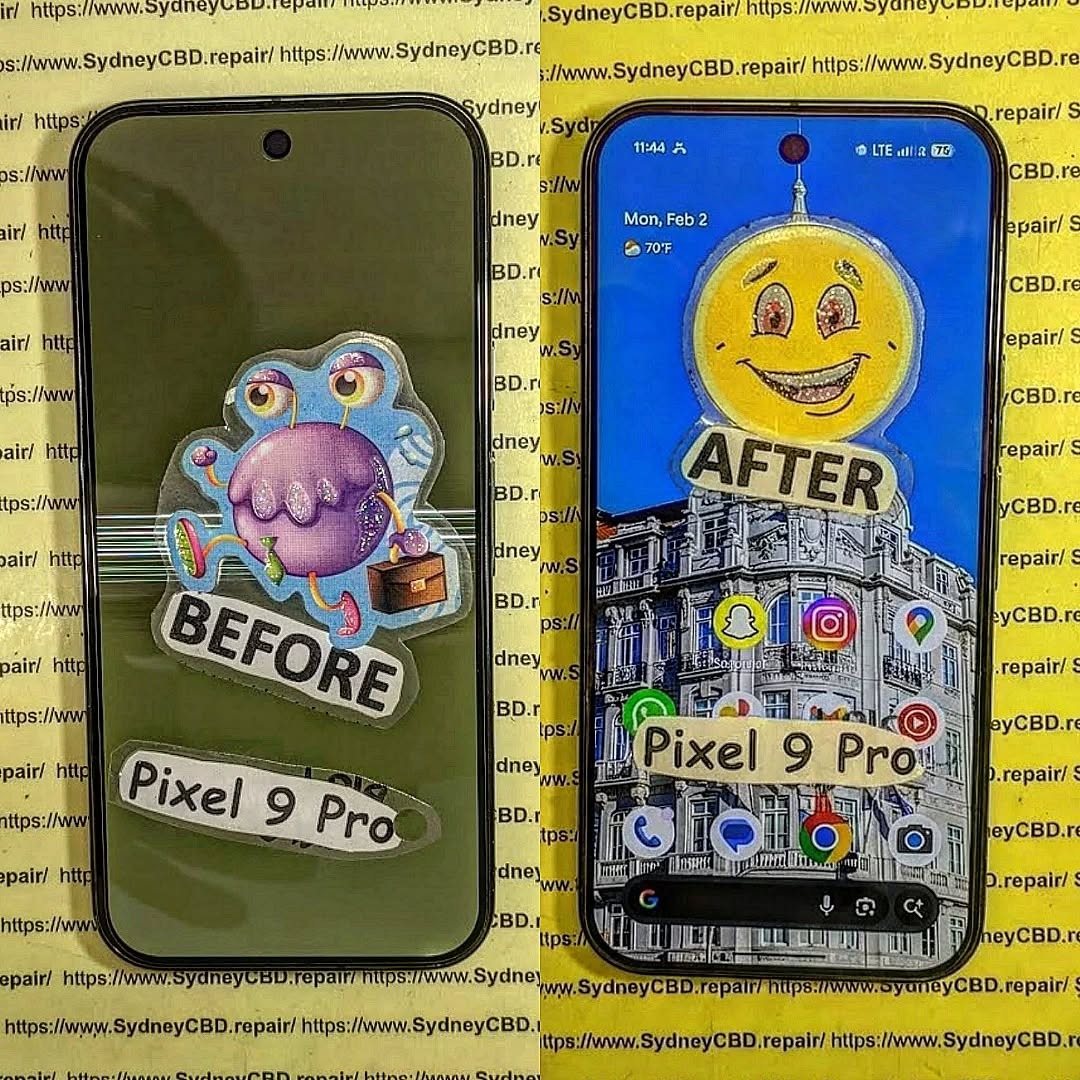
Beyond the Screen: 10 Essential Steps for Replacing the Fragile Back Glass of a Google Pixel 9 Pro
Introduction: Understanding the Pixel 9 Pro Back Glass
Replacing the back glass of a Google Pixel 9 Pro isn’t just about aesthetics—it’s about preserving the device’s structural integrity and performance. The Pixel 9 Pro’s sleek design is built with premium materials, but this elegance comes with vulnerability. Accidental drops, pressure from pockets, or even minor impacts can leave your back panel shattered. Understanding the intricacies of the back glass is the first step toward a successful replacement.
The back glass not only protects internal components but also contributes to wireless charging functionality. Cracks or damage can interfere with sensors and reduce your device’s efficiency. Whether you’re a DIY enthusiast or planning a professional repair, knowledge of the material and repair process is crucial.
The Pixel 9 Pro’s back panel is crafted from Gorilla Glass Victus 2, which is tougher than previous iterations but still prone to cracking under certain stresses. Designers favor this glass for its premium feel, clarity, and scratch resistance. However, its thinness and rigidity make it susceptible to breaks from drops or uneven pressure.
Before attempting a back glass replacement, ensure you have the right tools. Using improper tools can result in further damage or injury. Commonly used tools include:
Heat gun or iOpener
Suction cups
Plastic picks or spudgers
Precision screwdrivers
Tweezers
Adhesive strips and glue
Lint-free cloth and isopropyl alcohol
Heat Guns vs. iOpener Tools
A heat gun offers faster heating but risks overheating sensitive components. iOpener tools provide controlled, even heat, reducing the chance of internal damage. Always prioritize controlled heat over speed.
Adhesives and Suction Cups
High-quality adhesive ensures the new back panel stays firmly in place, while suction cups help lift glass without cracking. Avoid metal tools directly on glass surfaces.
Step-by-Step Guide to Removing the Broken Back Glass
Removing a broken back panel requires patience. Rushing can lead to further cracks or damage to internal components like cameras and sensors.
Preparing Your Workspace
Work in a clean, dust-free, static-free environment. Organize your tools within easy reach and wear anti-static gloves if possible.
Heating and Loosening Adhesive
Apply gentle heat around the edges using a heat gun or iOpener. Warm adhesive becomes pliable, making it easier to lift the panel. Avoid overheating.
Carefully Lifting the Back Panel
Use suction cups and plastic picks to gently lift the back glass. Work slowly, applying even pressure along the edges. Avoid touching the cameras and fingerprint sensor.
Installing the New Back Glass
Once the old glass is removed, careful installation is crucial for a seamless finish.
Cleaning and Prepping Surfaces
Remove all residual adhesive and clean surfaces with isopropyl alcohol. Ensure no dust particles remain.
Applying New Adhesive
Apply new adhesive strips or glue along the edges. Even distribution ensures a strong bond and prevents lifting over time.
Positioning the New Panel
Carefully align the new glass and press evenly. Avoid sliding it across the surface, which may introduce dust or misalignment. Inspect for gaps or uneven placement.
Testing Functionality Post-Replacement
Before sealing the phone completely, verify all functions:
Cameras capture clear images
Fingerprint sensor works
Wireless charging functions properly
Buttons respond as expected
Common Mistakes to Avoid During Replacement
Applying excessive heat
Using metal tools on glass
Misaligning adhesive
Neglecting post-installation testing
Skipping cleaning of surfaces
DIY vs. Professional Repair: Pros and Cons
DIY Pros: Lower cost, learning experience, immediate solution. DIY Cons: High risk of damage, no warranty, requires patience.
Professional Pros: Warranty, proper tools, reduced risk, fast service. Professional Cons: Higher cost, travel time.
For fragile devices like the Pixel 9 Pro, professional repairs often guarantee safer outcomes.
Cost Analysis: DIY vs. Service Centers
DIY replacement costs range from $40–$80 for adhesive and tools. Professional repairs can cost $200–$350 but include warranty and genuine parts. Choosing a professional service often provides peace of mind, especially for expensive flagship phones.
Maintaining Your Pixel 9 Pro Post-Repair
Use a protective case
Avoid placing the phone face-down on hard surfaces
Apply a tempered glass protector
Keep away from extreme temperatures
Frequently Asked Questions (FAQs)
1. Can I replace the back glass myself?
Yes, with proper tools and patience, but risks include damaging cameras or internal components.
2. How long does a back glass replacement take?
DIY repairs can take 1–2 hours; professional repairs usually under 1 hour.
3. Is the Pixel 9 Pro waterproof after back glass replacement?
Water resistance may be reduced. Professional replacement ensures better sealing.
4. Can cracks affect wireless charging?
Yes, even small cracks can reduce charging efficiency.
5. What’s the best adhesive for back glass replacement?
Use high-quality double-sided adhesive or UV-curable glue recommended for Pixel devices.
6. Where can I find replacement back glass?
Genuine parts are available from authorized repair centers or reputable suppliers.
Conclusion
Replacing the fragile back glass of a Pixel 9 Pro demands precision, patience, and the right tools. Whether opting for DIY or professional repair, understanding the material, proper heating techniques, and adhesive application ensures a successful restoration. By following the steps outlined, you can maintain your Pixel 9 Pro’s elegance, functionality, and longevity.
David from Sydney CBD Repair Centre – The Best place to fix mobile phones as 7 Years In A Row! Top Mobile Phone Repair In Sydney. More than 2000 Positive Reviews on Google and Same Day Repairs.
We take pride in delivering exceptional repair services for all major phone brands including Apple, Samsung, Google, and more. Our expert technicians use only genuine parts and offer 90days warranty on repairs. Located in the heart of Sydney CBD, we’re your one-stop solution for all mobile device repairs.
Visit us for:
✓ Same Day Express Repairs
✓ Genuine Parts Guarantee
✓ Professional Technicians
✓ Competitive Pricing
✓ 2000+ 5-Star Google Reviews
✓ 7-Time Award Winner for Best Phone Repairs
The Water Resistance Myth: Restoring IP68 Seals After Professional Smartphone Screen Replacement + Essential Truths + 2026 Guide
Introduction to IP68 and Modern Smartphones
What Does IP68 Really Mean?
IP68 is often marketed as a gold standard for water resistance, but many users misunderstand what it actually guarantees. The rating comes from the Ingress Protection (IP) classification system, where:
6 = Complete protection against dust
8 = Protection against prolonged water immersion (usually up to 1.5 meters for 30 minutes)
However, here’s the catch—this rating applies only under controlled laboratory conditions. Real-world scenarios are far less forgiving. Water pressure, temperature, and even the type of liquid (saltwater vs freshwater) can affect performance.
Why Water Resistance Matters Today
Smartphones have evolved into essential daily tools. From navigation to banking, we rely on them heavily. Naturally, manufacturers added water resistance to:
Reduce accidental damage
Increase product lifespan
Enhance consumer confidence
But while the idea sounds reassuring, the reality is more nuanced—especially after a smartphone screen repair.
High temperatures soften adhesive, while humidity weakens bonds.
Wear and Tear Over Time
Daily use gradually reduces sealing effectiveness.
FAQs
1. Can a phone remain waterproof after screen repair?
No. A smartphone screen repair compromises the original seal, and while resistance can be improved, it won’t return to full IP68 standards.
2. How long does water resistance last after repair?
It varies, but generally much lower than factory condition—sometimes only offering minimal protection.
3. Is it safe to use my phone in rain after repair?
It’s not recommended. Even light moisture can enter through weakened seals.
4. Do authorized repairs guarantee waterproofing?
Not always. Some restore partial resistance, but full IP68 certification is rarely guaranteed.
5. What’s the best way to protect my phone after repair?
Use waterproof cases and avoid exposure to liquids entirely.
6. Can water damage still occur even without visible gaps?
Yes. Microscopic gaps can allow moisture to seep in over time.
Conclusion
The idea that a smartphone screen repair can fully restore IP68 water resistance is largely a myth. While professional technicians can significantly improve sealing, achieving factory-level waterproofing remains nearly impossible outside controlled manufacturing environments.
That doesn’t mean repairs aren’t worth it—they absolutely are. But it does mean users need to adjust expectations and take proactive steps to protect their devices.
Understanding the limitations helps you make smarter decisions, avoid costly mistakes, and extend the life of your smartphone.
David from Sydney CBD Repair Centre – The Best place to fix mobile phones as 7 Years In A Row! Top Mobile Phone Repair In Sydney. More than 2000 Positive Reviews on Google and Same Day Repairs.
We take pride in delivering exceptional repair services for all major phone brands including Apple, Samsung, Google, and more. Our expert technicians use only genuine parts and offer 90days warranty on repairs. Located in the heart of Sydney CBD, we’re your one-stop solution for all mobile device repairs.
Our commitment to excellence has earned us the trust of thousands of satisfied customers. Whether it’s a cracked screen, battery replacement, or water damage repair, we handle it all with professional care and expertise. Walk in today and experience why we’re Sydney’s #1 choice for mobile phone repairs.
Visit us for:
✓ Same Day Express Repairs
✓ Genuine Parts Guarantee
✓ Professional Technicians
✓ Competitive Pricing
✓ 2000+ 5-Star Google Reviews
✓ 7-Time Award Winner for Best Phone Repairs
Comparing Genuine Samsung Adhesive vs Generic Glue During Samsung Z Fold 6 Repairs: 7 Powerful Facts Every Owner Must Know
Introduction: Why Adhesive Choice Matters in Foldable Repairs
When it comes to Comparing Genuine Samsung Adhesive vs Generic Glue During Z Fold 6 Repairs, many users assume glue is just glue. However, that assumption couldn’t be further from the truth. The Samsung Galaxy Z Fold 6 is not a regular smartphone. It’s a highly engineered foldable device that relies heavily on precision adhesives for structure, durability, and water resistance.
Unlike traditional slab phones, foldables depend on flexible bonding materials that can endure thousands of folds without cracking, separating, or weakening. In fact, adhesive quality directly affects:
Structural stability
Hinge performance
Water resistance
Long-term durability
Screen alignment
So, when technicians are Comparing Genuine Samsung Adhesive vs Generic Glue During Z Fold 6 Repairs, the decision isn’t minor—it’s critical.
The Samsung Galaxy Z Fold 6 represents years of foldable innovation. It features:
Ultra-thin glass display
Advanced hinge mechanism
Multi-layer flexible OLED panel
Water-resistant sealing design
The Role of Adhesive in Foldable Structural Integrity
Adhesive in the Z Fold 6 does more than “stick parts together.” It:
Bonds flexible OLED to frame
Seals the hinge housing
Maintains even pressure distribution
Absorbs micro-movements during folding
In foldable phones, adhesive must stretch slightly yet return to form. Generic glue often becomes brittle over time. That’s where the first major difference appears when Comparing Genuine Samsung Adhesive vs Generic Glue During Z Fold 6 Repairs.
Waterproofing and Dust Resistance Challenges
Foldables have more entry points for dust and moisture. Genuine adhesive is engineered to maintain a tight seal under:
Heat expansion
Repeated folding
Pressure stress
If generic glue is used, water resistance can be compromised immediately.
Genuine Samsung adhesive is manufacturer-grade bonding material designed specifically for Samsung devices.
Composition and Factory Standards
Samsung adhesive is:
Pre-cut for precision alignment
Temperature-resistant
Flexible under stress
Engineered for OLED bonding
It’s tested in controlled environments to ensure consistent adhesion even after thousands of folds.
Manufacturer Testing and Certification
Samsung’s adhesives are validated through:
Heat cycle testing
Humidity resistance tests
Fold endurance simulations
According to industry durability benchmarks from Samsung Electronics, foldables undergo extensive mechanical stress testing before approval.
That level of certification simply doesn’t exist for most generic glues.
What Is Generic Glue in Smartphone Repairs?
Generic glue typically refers to:
Liquid adhesives
Universal bonding compounds
Aftermarket double-sided tapes
Common Types Used by Third-Party Shops
Technicians sometimes use:
B7000 adhesive
T7000 glue
Generic industrial double-sided tape
While these may work for basic smartphones, foldables demand more specialized bonding.
Cost vs Performance Trade-Off
Generic glue costs less upfront. However, cheaper adhesive can lead to:
Early screen lifting
Frame separation
Reduced water resistance
Dust intrusion
When Comparing Genuine Samsung Adhesive vs Generic Glue During Z Fold 6 Repairs, cost savings often disappear due to repeat repairs.
Head-to-Head Comparison: Genuine Samsung Adhesive vs Generic Glue
Let’s break it down clearly.
Feature
Genuine Samsung Adhesive
Generic Glue
Flexibility
High
Moderate to Low
Water Resistance
Maintains Seal
Often Compromised
Longevity
2–3+ Years
3–12 Months
Heat Resistance
Optimized
Inconsistent
Precision Fit
Pre-Cut
Manual Application
Warranty Safety
Yes
Often Void
Durability and Longevity
Genuine adhesive is built for long-term use. Generic glue may degrade faster due to heat and folding stress.
Water Resistance Performance
The Z Fold 6 relies on tight seals. Once compromised, even small moisture exposure can damage internal components.
Heat Resistance and Flexibility
Foldables generate heat around the hinge and processor. Adhesive must withstand thermal cycles without weakening.
Aesthetic and Structural Finish
Genuine adhesive provides:
Cleaner frame alignment
No glue overflow
Professional finish
Generic glue often leaves residue or uneven bonding.
Risks of Using Generic Glue on Z Fold 6
Screen Lifting and Panel Separation
Improper adhesive bonding can cause:
Display edge lifting
Crease stress
Touch sensitivity issues
Dust Ingress and Internal Damage
The hinge mechanism is vulnerable. Dust intrusion can:
Affect folding smoothness
Scratch internal layers
Cause display failure
Warranty and Insurance Implications
Using non-genuine materials may void warranty policies connected to Samsung Electronics.
That’s a serious financial risk.
Why Professional Repair Centers Choose Genuine Adhesive
Professional repair centers that value long-term quality consistently choose genuine parts.
For example, leading independent repair standards promoted by iFixit emphasize correct materials for structural repairs.
Precision Application Tools
Certified centers use:
Alignment frames
Controlled heating plates
Pressure calibration tools
Quality Control and Testing
Post-repair testing often includes:
Seal inspection
Fold-cycle simulation
Visual alignment check
This ensures durability beyond just “it sticks.”
Cost Analysis: Is Genuine Adhesive Worth It?
While genuine adhesive costs more upfront, it reduces:
Repeat repair visits
Display damage risks
Internal contamination
Long-term ownership costs
Think of it like this: saving $30 today might cost $600 tomorrow in screen replacement.
In the long run, genuine adhesive provides peace of mind—and that’s priceless.
FAQs About Adhesive Use in Z Fold 6 Repairs
1. Does adhesive really affect fold performance?
Yes. Foldables rely on flexible bonding. Incorrect adhesive can restrict movement and stress the display.
2. Can generic glue damage the OLED panel?
It can. Some adhesives release chemicals that weaken OLED layers over time.
3. Will water resistance remain after third-party repair?
Only if proper sealing materials are used. Generic glue often reduces original protection.
4. How long does genuine adhesive last?
Typically 2–3 years or more, depending on usage.
5. Is genuine adhesive required for warranty compliance?
In many cases, yes. Non-genuine materials may void coverage.
6. Why is foldable repair more complex than regular phones?
Foldables have moving components and flexible displays requiring precision engineering.
Conclusion: Making the Smart Repair Decision
When Comparing Genuine Samsung Adhesive vs Generic Glue During Z Fold 6 Repairs, the evidence is clear. Foldable smartphones demand precision-engineered bonding materials that match factory specifications.
Generic glue might seem convenient. It might even look fine at first. But over time, the risks multiply—screen lifting, dust damage, water exposure, and warranty voiding.
Choosing genuine adhesive isn’t just about sticking parts together. It’s about protecting your investment, ensuring long-term durability, and maintaining the premium experience the Z Fold 6 was designed to deliver.
When it comes to foldables, quality isn’t optional—it’s essential.
David from Sydney CBD Repair Centre – The Best place to fix mobile phones as 7 Years In A Row! Top Mobile Phone Repair In Sydney. More than 2000 Positive Reviews on Google and Same Day Repairs.
We take pride in delivering exceptional repair services for all major phone brands including Apple, Samsung, Google, and more. Our expert technicians use only genuine parts and offer 90days warranty on repairs. Located in the heart of Sydney CBD, we’re your one-stop solution for all mobile device repairs.
Our commitment to excellence has earned us the trust of thousands of satisfied customers. Whether it’s a cracked screen, battery replacement, or water damage repair, we handle it all with professional care and expertise. Walk in today and experience why we’re Sydney’s #1 choice for mobile phone repairs.
Visit us for:
✓ Same Day Express Repairs
✓ Genuine Parts Guarantee
✓ Professional Technicians
✓ Competitive Pricing
✓ 2000+ 5-Star Google Reviews
✓ 7-Time Award Winner for Best Phone Repairs
15 Advanced Tips for Transferring Under-Display Fingerprint Sensors Without Damaging Screen Glass
Introduction
Modern smartphones have evolved dramatically over the past decade. One of the most impressive innovations is the under-display fingerprint sensor. These sensors create seamless smartphone designs while improving device security. However, repairing phones with these systems is significantly more complicated than older devices.
Technicians often struggle when transferring under-display fingerprint sensors without damaging screen glass. A small mistake can crack the OLED panel, destroy the digitizer, or render biometric security unusable. Consequently, mastering proper repair methods is essential for successful repairs.
In this comprehensive guide, you’ll discover advanced professional techniques, safe heating practices, adhesive management methods, and expert-level repair strategies that help preserve delicate screen assemblies.
Before attempting any repair, it’s important to understand how these systems work. Under-display sensors rely on sophisticated imaging or ultrasonic scanning technology integrated beneath the OLED panel.
Optical vs Ultrasonic Fingerprint Sensors
Optical sensors illuminate the finger and capture a visual image. They’re commonly found in mid-range smartphones because they’re cheaper to manufacture.
Ultrasonic sensors, on the other hand, use sound waves to create a 3D fingerprint map. Premium devices from Samsung and other flagship brands frequently use this technology due to better accuracy and enhanced security.
Each type requires different repair handling procedures:
Sensor Type
Heat Sensitivity
Transfer Difficulty
Risk Level
Optical
Moderate
Medium
Moderate
Ultrasonic
High
Difficult
High
Why Screen Glass Damage Happens During Transfer
Most damage occurs because of uneven heat application or improper prying techniques. OLED displays are extremely thin. Once localized stress develops, cracks spread rapidly across the panel.
Another common issue is adhesive resistance. Manufacturers use strong industrial adhesives to secure the fingerprint module. Pulling too aggressively often causes glass separation or OLED delamination.
Therefore, careful preparation is absolutely critical.
Professional technicians use OEM-grade adhesive precuts whenever possible.
Calibration and Testing After Repair
Testing ensures repair quality and long-term reliability.
Fingerprint Enrollment Testing
After reassembly:
Power on the device
Test fingerprint enrollment
Verify recognition speed
Test multiple fingers
Confirm security apps function properly
Some devices require software calibration after screen replacement.
For example, certain models from Google require fingerprint recalibration utilities after OLED repairs.
Display Uniformity Checks
Always inspect the display for:
Green tinting
Bright spots
Touch dead zones
Pressure marks
Uneven brightness
Testing under low brightness helps reveal hidden OLED damage.
Professional Repair vs DIY Repairs
Many consumers attempt repairs themselves after watching online tutorials. Unfortunately, under-display fingerprint sensor repairs are not beginner-friendly.
Risks of Inexperienced Repairs
DIY repair attempts commonly result in:
Repair Mistake
Consequence
Overheating
OLED failure
Incorrect prying
Cracked glass
Adhesive contamination
Fingerprint malfunction
Cable tearing
Permanent sensor failure
Moreover, replacement OLED panels are expensive.
One failed attempt can cost more than professional repair services.
Benefits of Certified Technicians
Professional repair centers offer several advantages:
Controlled repair environments
OEM-grade parts
Advanced calibration tools
Warranty-backed repairs
Experienced technicians
Certified professionals also understand brand-specific repair procedures, which significantly lowers risk.
If you’re researching professional repair standards, the Sydney CBD Repair Centre Guides platform provides valuable educational resources for technicians and consumers alike.
Advanced Technician Tips for Better Success Rates
Experienced technicians continuously refine their methods to improve repair consistency.
Here are additional expert-level techniques:
Use Preheating Mats Instead of Direct Heat Guns
Preheating distributes warmth more evenly and reduces hot spots.
Work in Low-Dust Environments
Dust trapped under OLED panels becomes highly visible after reassembly.
Replace Damaged Adhesive Completely
Reusing old adhesive increases failure rates and reduces waterproofing integrity.
Wear Finger Cots or Gloves
Skin oils can contaminate display layers and adhesives.
Test Before Full Sealing
Always verify fingerprint functionality before permanently sealing the phone.
These habits dramatically increase successful repair outcomes.
Why OLED Displays Are More Fragile Than LCD Panels
OLED technology enables thinner and more vibrant displays. However, the structure is inherently delicate.
OLED assemblies contain:
Organic emissive layers
Thin-film encapsulation
Flexible substrates
Integrated sensor systems
Unlike LCD screens, OLED panels lack rigid backlighting support. As a result, they flex more easily and crack under uneven stress.
This fragility explains why transferring under-display fingerprint sensors without damaging screen glass requires specialized expertise.
Best Smartphone Brands for Repairability
Some brands design phones with easier repair access than others.
Easier Devices to Repair
Generally considered easier:
Google Pixel devices
Nothing smartphones
Older Samsung models
More Difficult Devices
More complex repairs often involve:
Foldable phones
Curved-edge OLED devices
Ultrasonic fingerprint systems
Thin titanium-frame phones
Repair complexity continues increasing as smartphone designs become thinner and more integrated.
Frequently Asked Questions
Can under-display fingerprint sensors be reused after screen replacement?
Yes, many sensors can be reused if transferred carefully. However, damage to the flex cable or improper alignment may cause fingerprint failure.
What temperature is safest for OLED screen repairs?
Most OLED repairs work best between 70°C and 90°C. Going beyond this range significantly increases damage risk.
Why does my fingerprint sensor stop working after repair?
Common reasons include:
Incorrect alignment
Torn flex cable
Adhesive interference
Missing software calibration
Are ultrasonic fingerprint sensors harder to repair?
Yes. Ultrasonic sensors are more sensitive to adhesive thickness, heat exposure, and positioning errors.
Can excessive heat permanently damage AMOLED displays?
Absolutely. Excessive heat can cause:
Burn marks
Green lines
Dead pixels
Touchscreen malfunction
Should beginners attempt fingerprint sensor transfer repairs?
Generally, no. These repairs require advanced skills, specialized tools, and experience handling fragile OLED assemblies.
Is waterproofing affected after screen repairs?
Yes, unless professional-grade adhesive sealing is restored properly after reassembly.
Conclusion
Modern smartphone repair is becoming increasingly sophisticated. Transferring under-display fingerprint sensors without damaging screen glass demands patience, technical knowledge, precision tools, and advanced repair experience.
Technicians who understand heat control, adhesive management, OLED fragility, and sensor calibration achieve far better outcomes. Meanwhile, rushed repairs often lead to cracked displays, failed biometric systems, and expensive replacement costs.
By following the advanced methods outlined in this guide, repair professionals and serious enthusiasts can greatly improve repair success rates while protecting delicate OLED assemblies.
Whether you’re repairing a premium flagship or learning advanced microsoldering techniques, mastering these procedures is essential in today’s evolving smartphone repair industry.
David from Sydney CBD Repair Centre – The Best place to fix mobile phones as 7 Years In A Row! Top Mobile Phone Repair In Sydney. More than 2000 Positive Reviews on Google and Same Day Repairs.
We take pride in delivering exceptional repair services for all major phone brands including Apple, Samsung, Google, and more. Our expert technicians use only genuine parts and offer 90days warranty on repairs. Located in the heart of Sydney CBD, we’re your one-stop solution for all mobile device repairs.
Our commitment to excellence has earned us the trust of thousands of satisfied customers. Whether it’s a cracked screen, battery replacement, or water damage repair, we handle it all with professional care and expertise. Walk in today and experience why we’re Sydney’s #1 choice for mobile phone repairs.
Visit us for:
✓ Same Day Express Repairs
✓ Genuine Parts Guarantee
✓ Professional Technicians
✓ Competitive Pricing
✓ 2000+ 5-Star Google Reviews
✓ 7-Time Award Winner for Best Phone Repairs
Is It Waterproof? Restoring IP68 Seals After a Professional Screen Repair – 7 Powerful Truths You Must Know
📱 Introduction to Waterproofing and Screen Repairs
Smartphones today are more advanced than ever. Brands like Apple Inc. and Samsung Electronics have pushed durability to new heights, especially with water-resistant designs. But here’s the real question most people ask after fixing a cracked screen: Is it waterproof after repair?
The short answer? Not always—but it can be restored under the right conditions.
Modern phones come with IP68 ratings, which means they’re designed to withstand dust and water exposure. However, once a device is opened—even by professionals—the original seal is broken. From that point on, restoring that protection becomes a delicate and technical process.
This process breaks the original waterproof seal, which is precisely engineered in controlled factory conditions.
🧠 Understanding IP68 Sealing Technology
To appreciate restoration, you need to understand what’s being replaced.
🧩 Components That Keep Your Phone Waterproof
🔒 Adhesive Seals
Strong, custom-cut adhesives bond the display to the frame.
🧱 Gaskets and Barriers
Rubber seals protect buttons, speakers, and ports.
🌬️ Pressure Equalization Membranes
Allow air movement while blocking water entry.
These components work together like a tight fortress—once disturbed, they must be carefully rebuilt.
⚠️ Is It Waterproof After Repair? The Honest Answer
Let’s be blunt: your phone is not guaranteed to be waterproof after repair.
🏭 Manufacturer vs Third-Party Repairs
Authorized repairs may restore water resistance but rarely guarantee IP68 again.
Third-party repairs depend heavily on technician skill and tools.
🌍 Real-World Performance After Repair
Even with professional restoration:
Splash resistance is usually achievable
Full submersion protection is uncertain
So yes—it can be water-resistant again, but not identical to factory conditions.
🛠️ Restoring IP68 Seals After Screen Replacement
Now here’s where expertise matters.
🔬 Professional Techniques Used
🎯 Precision Adhesive Application
Technicians use pre-cut OEM-grade adhesive to replicate factory seals.
🔥 Heat Press Sealing
Specialized machines apply controlled heat and pressure to bond components tightly.
💦 Water Resistance Testing
Shops may use:
Vacuum pressure tests
Seal integrity diagnostics
These don’t make it “new,” but they significantly improve protection.
🌊 Risks of Losing Waterproofing
Skipping proper sealing? That’s asking for trouble.
🚨 Water Damage Scenarios
Rain exposure
Accidental drops in water
Humidity buildup
⏳ Long-Term Effects
Corrosion of internal parts
Battery damage
Screen malfunction
Even a tiny gap can let moisture in over time.
🧴 How to Maintain Water Resistance After Repair
You’ve had it fixed—now what?
✅ Best Practices for Users
Avoid water exposure for 24–48 hours after repair
Use protective cases
Keep ports clean and dry
❌ What to Avoid
Swimming with your phone
High-pressure water (showers, jets)
Charging when wet
Think of your phone as water-resistant, not waterproof.
📊 Comparing Brands and Repair Quality
Different manufacturers design seals differently.
🍎 Apple Devices
Devices like iPhones use laser-cut adhesives and tight tolerances, making restoration more precise but still imperfect.
📱 Samsung Devices
Samsung phones often include layered sealing systems, offering slightly better post-repair restoration potential.
🤖 Other Android Phones
Quality varies widely depending on brand and build.
🔧 Professional vs DIY Repairs
Tempted to fix it yourself? Think twice.
❌ Why DIY Repairs Compromise Waterproofing
No access to OEM adhesives
Lack of pressure sealing tools
Improper alignment risks
DIY repairs almost always result in zero water resistance.
💰 Cost vs Value of Waterproof Restoration
💡 Is It Worth Paying Extra?
Absolutely—if you care about longevity.
Factor
Cheap Repair
Professional Repair
Seal Quality
Poor
High
Water Resistance
None
Partial restoration
Longevity
Short
Extended
Paying more upfront can save you from costly water damage later.
🚀 Future of Waterproof Smartphone Repairs
The industry is evolving fast.
🔮 New Technologies
Improved adhesive materials
Modular waterproof designs
AI-assisted repair diagnostics
Soon, restoring IP68 may become more reliable—but we’re not fully there yet.
❓ FAQs
1. Is it waterproof after a screen replacement?
No, not fully. It can be water-resistant if professionally sealed.
2. Can IP68 rating be restored completely?
Not to factory level, but close with expert repair.
3. How do I test water resistance safely?
Use professional pressure tests—not actual water.
4. Does warranty cover water damage after repair?
Usually not, especially after third-party repairs.
5. How long does waterproof sealing last after repair?
It depends on usage, but typically several months to a year.
6. Should I avoid water completely after repair?
Yes, especially submersion. Light splashes may be okay.
🏁 Conclusion
So, is it waterproof after a professional screen repair? The truth is nuanced.
While modern repair techniques can restore a level of water resistance, achieving the original IP68 rating is extremely difficult outside factory conditions. That said, choosing a skilled technician and following proper care practices can significantly reduce your risk.
In the end, it comes down to this: treat your repaired phone with a bit more caution, and it’ll reward you with longer life and better performance.
David from Sydney CBD Repair Centre – The Best place to fix mobile phones as 7 Years In A Row! Top Mobile Phone Repair In Sydney. More than 2000 Positive Reviews on Google and Same Day Repairs.
We take pride in delivering exceptional repair services for all major phone brands including Apple, Samsung, Google, and more. Our expert technicians use only genuine parts and offer 90days warranty on repairs. Located in the heart of Sydney CBD, we’re your one-stop solution for all mobile device repairs.
Our commitment to excellence has earned us the trust of thousands of satisfied customers. Whether it’s a cracked screen, battery replacement, or water damage repair, we handle it all with professional care and expertise. Walk in today and experience why we’re Sydney’s #1 choice for mobile phone repairs.
Visit us for:
✓ Same Day Express Repairs
✓ Genuine Parts Guarantee
✓ Professional Technicians
✓ Competitive Pricing
✓ 2000+ 5-Star Google Reviews
✓ 7-Time Award Winner for Best Phone Repairs