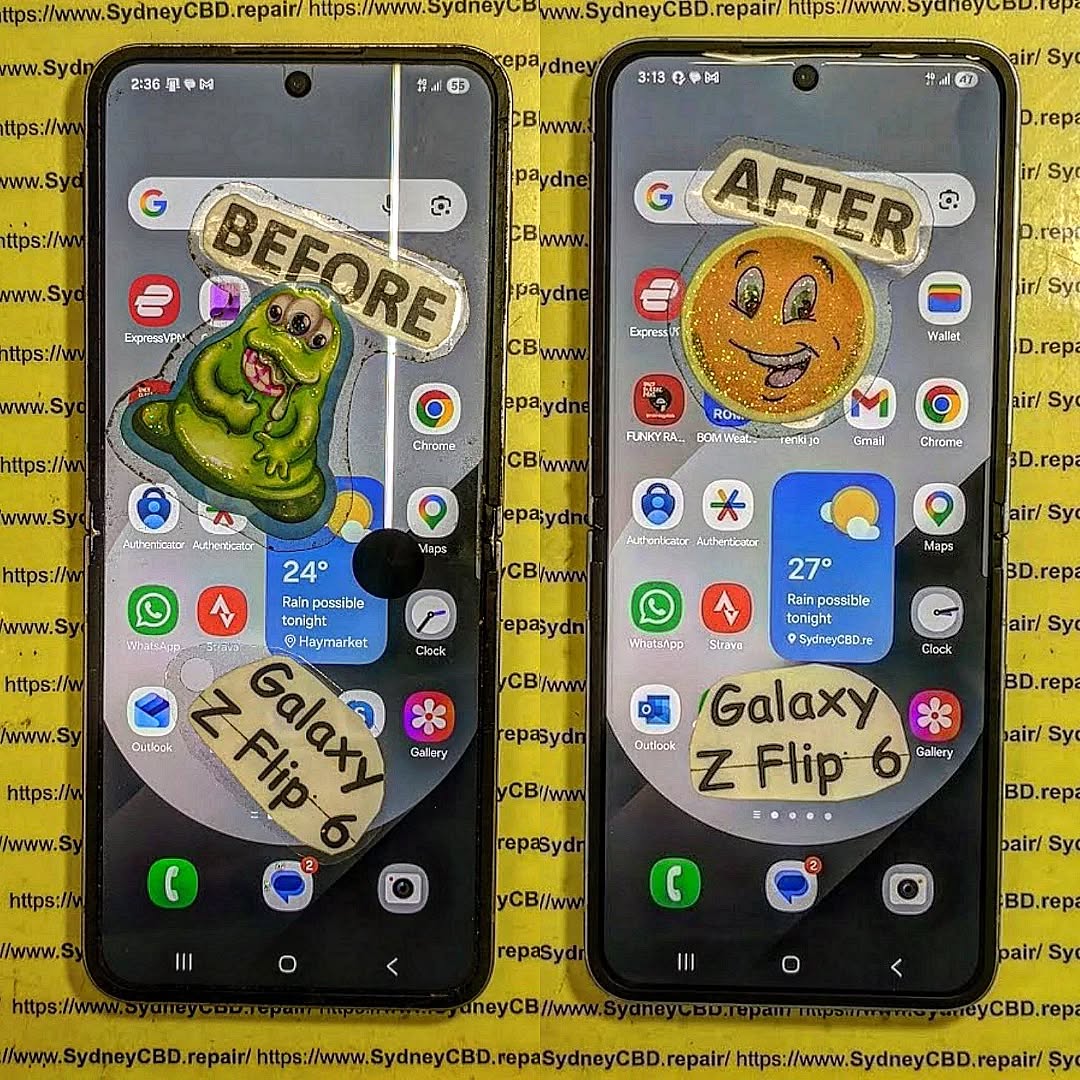
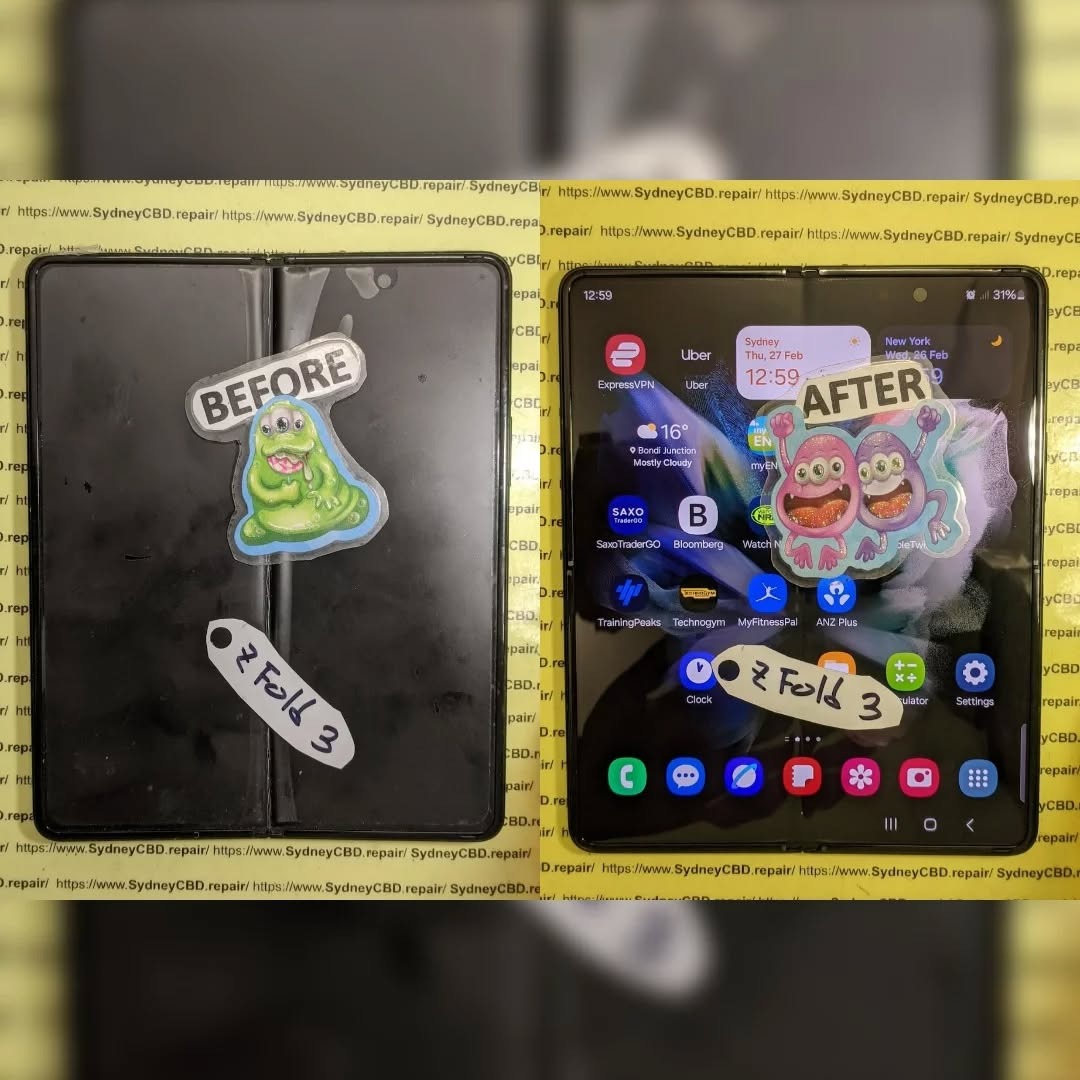
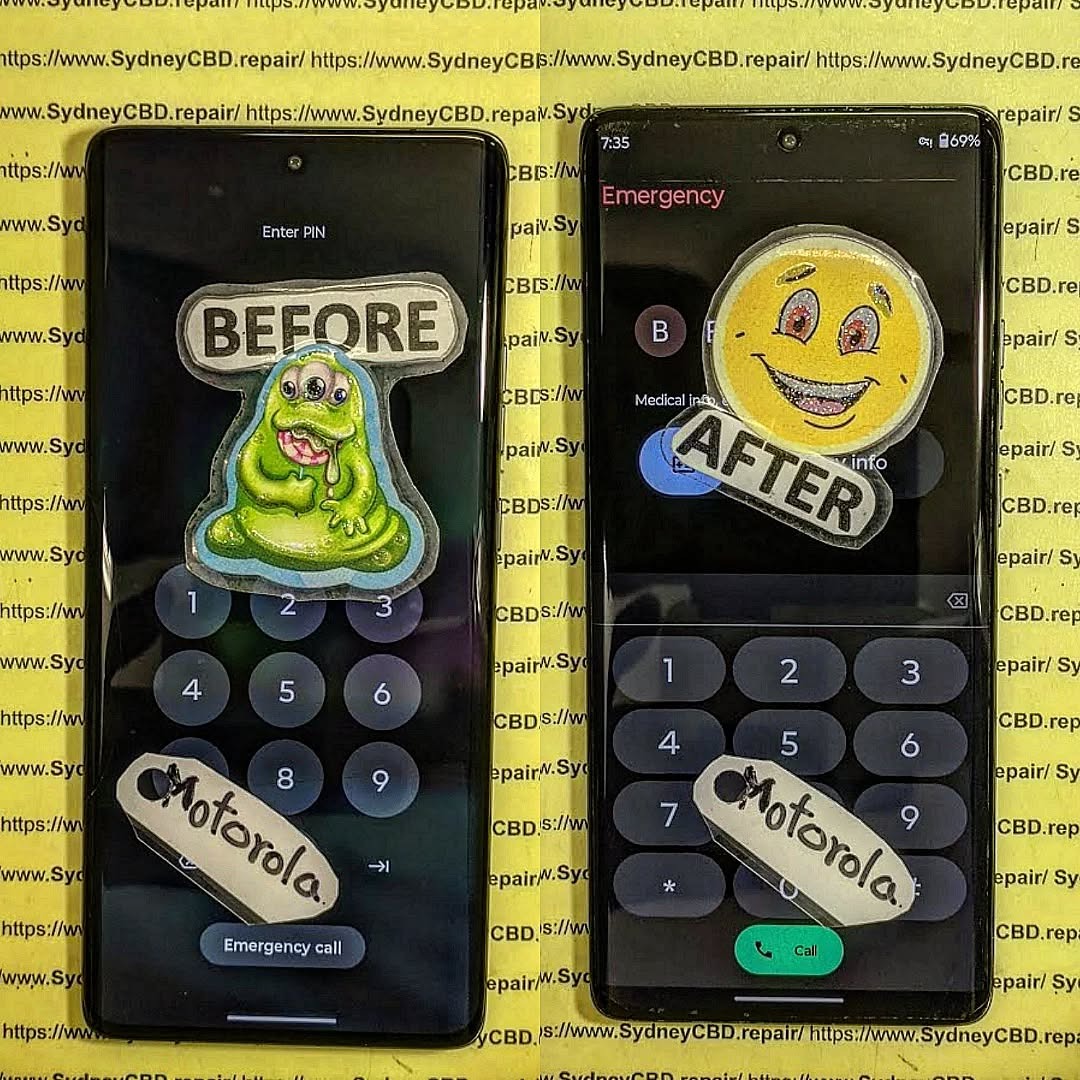
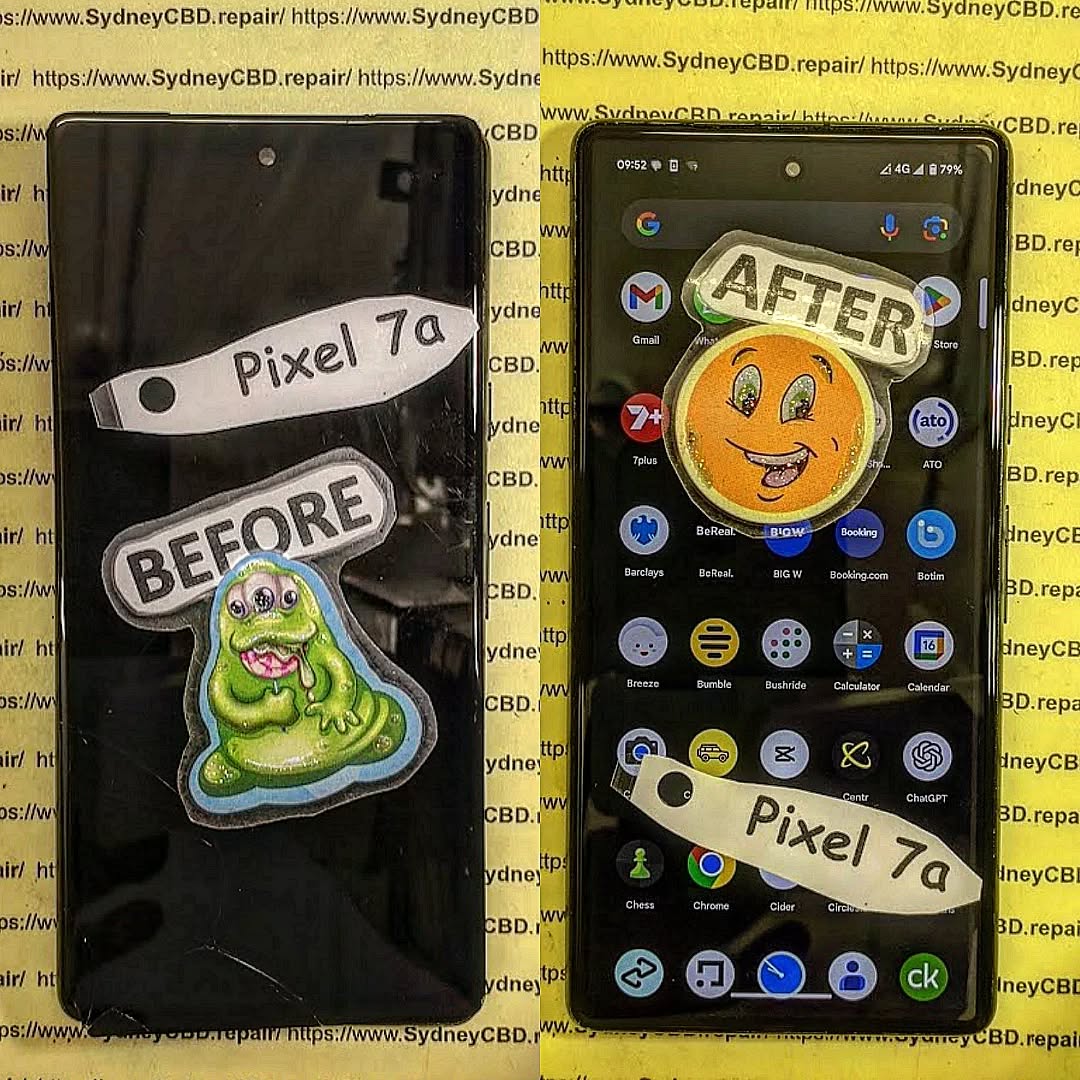
OLED Screen vs. LCD Screen : Real-World Durability Test by Sydney Repair Centre + Eye-Opening Results + 2026 Report
Introduction: Why OLED vs. LCD Durability Matters
When customers walk into Sydney CBD Repair Centre, one question pops up again and again: Is OLED or LCD more durable in real-world conditions?
The debate around OLED vs. LCD durability isn’t just about picture quality. It’s about lifespan, repair cost, reliability, and how well your phone survives daily wear and tear.
As a 7-time award-winning repair centre in Sydney with over 2000 five-star Google reviews, we’ve repaired thousands of devices featuring both technologies. So instead of marketing claims, we’re sharing hands-on, real repair data.
Let’s dive into what really happens when these screens meet everyday accidents.
That’s not marketing hype. That’s workshop reality.
Battery Heat Impact on OLED vs. LCD
Here’s something most blogs ignore.
Heat accelerates OLED degradation. Devices used heavily for gaming or navigation show:
Color shift
Burn-in
Reduced brightness uniformity
LCD panels handle heat slightly better, though battery swelling can still cause pressure damage.
Long-Term Usage: 2-Year Customer Analysis
We tracked customers who kept devices over 2 years.
Results:
OLED: 31% required screen repair
LCD: 18% required screen repair
OLED offers stunning visuals, but durability under real-world stress leans toward LCD.
OLED vs. LCD for Different Users
Choose OLED if:
You prioritize display quality
You upgrade every 1–2 years
You use dark mode frequently
Choose LCD if:
You keep phones 3+ years
You’re prone to drops
You want lower repair cost
It’s about lifestyle, not just specs.
Environmental Impact and Sustainability
OLED production uses organic compounds that degrade faster. That means:
Shorter lifecycle
Higher replacement frequency
More electronic waste
LCD screens, though older tech, often last longer in rugged usage scenarios.
Sustainability matters more than ever.
Expert Recommendations from Sydney Repair Centre
After repairing thousands of devices, our advice is simple:
Use a high-quality tempered glass protector
Invest in a shockproof case
Avoid static high-brightness displays
Replace batteries before swelling damages the screen
At Sydney CBD Repair Centre, we use genuine parts and offer 90-day warranty on all repairs.
Frequently Asked Questions
1. Is OLED more fragile than LCD?
Yes, based on real repair data, OLED panels are more likely to fail completely after drops.
2. Does OLED burn-in really happen?
Yes, especially with static UI elements over 18–24 months.
3. Why are OLED repairs more expensive?
OLED panels are thinner, self-emissive, and harder to manufacture.
4. Do LCD screens last longer?
In terms of structural durability and burn resistance, often yes.
5. Is OLED worth it?
If display quality matters most to you, absolutely.
6. Which screen is better for gaming?
OLED offers better contrast and response times.
Conclusion: Which Screen Technology Wins?
So, in the OLED vs. LCD durability test, who wins?
If we’re talking pure display brilliance—OLED wins.
If we’re talking real-world durability and cost-effectiveness—LCD edges ahead.
At Sydney CBD Repair Centre, we’ve seen it all. Both technologies have strengths. But durability data doesn’t lie.
Ultimately, the right choice depends on how you use your device.
David from Sydney CBD Repair Centre – The Best place to fix mobile phones as 7 Years In A Row! Top Mobile Phone Repair In Sydney. More than 2000 Positive Reviews on Google and Same Day Repairs.
We take pride in delivering exceptional repair services for all major phone brands including Apple, Samsung, Google, and more. Our expert technicians use only genuine parts and offer 90days warranty on repairs. Located in the heart of Sydney CBD, we’re your one-stop solution for all mobile device repairs.
Our commitment to excellence has earned us the trust of thousands of satisfied customers. Whether it’s a cracked screen, battery replacement, or water damage repair, we handle it all with professional care and expertise. Walk in today and experience why we’re Sydney’s #1 choice for mobile phone repairs.
Visit us for:
✓ Same Day Express Repairs
✓ Genuine Parts Guarantee
✓ Professional Technicians
✓ Competitive Pricing
✓ 2000+ 5-Star Google Reviews
✓ 7-Time Award Winner for Best Phone Repairs
Comparing Samsung S21 Ultra Longevity Against Modern S25 Repairability Standards in Sydney: The Ultimate 2026 Expert Guide (7 Powerful Insights)
Introduction
The smartphone market moves incredibly fast. Every year, manufacturers introduce faster processors, brighter displays, smarter cameras, and more advanced artificial intelligence features. Yet one question remains surprisingly common among Sydney smartphone users:
Should you repair your Samsung Galaxy S21 Ultra or invest in the latest Galaxy S25?
This isn’t simply a comparison between an older flagship and Samsung’s newest innovation. Instead, it’s about understanding long-term value, repairability, device lifespan, and ownership costs.
Many Australians continue using the Samsung Galaxy S21 Ultra because it remains one of Samsung’s most successful premium smartphones. Even several years after its release, it still delivers excellent photography, premium performance, and an impressive Dynamic AMOLED display.
Meanwhile, the Samsung Galaxy S25 introduces modern hardware, Galaxy AI enhancements, stronger efficiency, and redesigned internal engineering intended to simplify servicing in certain repair scenarios.
For Sydney residents, the decision often comes down to practical considerations:
Is repairing an S21 Ultra worthwhile?
Does the S25 offer better longevity?
Which phone costs less over five years?
Which model is easier for professional technicians to repair?
Should a cracked screen automatically mean it’s time to upgrade?
Throughout this guide, we’ll compare both devices from the perspective of experienced repair professionals who work on Samsung smartphones every day.
The Galaxy S21 Ultra has reached an interesting stage of its life cycle. While it’s no longer Samsung’s latest flagship, it continues to outperform many mid-range smartphones released years later.
That longevity is one reason many owners hesitate before replacing it.
Hardware That Still Impresses
Samsung designed the S21 Ultra with premium materials that remain competitive today.
Key specifications include:
Feature
Galaxy S21 Ultra
Display
6.8-inch Dynamic AMOLED 2X
Refresh Rate
120Hz Adaptive
Resolution
Quad HD+
Main Camera
108MP
Telephoto
Dual Optical Zoom Cameras
RAM
Up to 16GB
Water Resistance
IP68
Wireless Charging
Yes
Even in 2026, these specifications remain highly capable for everyday users.
Whether you’re editing photos, streaming videos, attending virtual meetings, or playing demanding mobile games, the S21 Ultra still delivers flagship-level performance for most workloads.
The Display Continues to Set High Standards
Samsung has long been recognised for manufacturing some of the world’s finest OLED displays, and the S21 Ultra remains one of its standout achievements.
Users still appreciate:
Rich colours
Deep contrast
Exceptional brightness
Smooth scrolling
HDR video support
Excellent outdoor visibility
Unfortunately, premium displays are also among the most expensive smartphone components to replace.
A cracked AMOLED panel may still function temporarily, but issues such as dead pixels, green lines, black spots, or unresponsive touch areas can quickly develop if the damage worsens.
Professional replacement using genuine-quality parts helps restore the original viewing experience while preserving display performance.
Cameras That Continue to Compete
One reason many S21 Ultra owners delay upgrading is the camera system.
Even several years after launch, it remains capable of producing outstanding photographs thanks to:
108MP primary sensor
Ultra-wide lens
Dual telephoto zoom cameras
Laser autofocus
Optical image stabilisation
Advanced Night Mode
For many users, photography quality remains more than sufficient for travel, family events, business content creation, and social media.
Instead of upgrading solely for camera improvements, replacing a damaged screen or worn battery can often restore the phone to excellent everyday usability.
Software Support Still Matters
While hardware longevity is impressive, software support is equally important.
Samsung has significantly extended software support for newer flagship models, meaning newer devices like the Galaxy S25 will continue receiving Android and security updates for much longer.
However, that doesn’t immediately make the S21 Ultra obsolete.
Many users continue operating securely by:
Installing the latest available updates
Using trusted applications
Avoiding unknown downloads
Replacing ageing batteries when performance declines
Repairing damaged hardware promptly
For customers who primarily use messaging, photography, navigation, email, banking, and streaming services, the S21 Ultra remains a dependable daily driver.
Every new Samsung flagship introduces improvements, but the Galaxy S25 represents more than just a routine annual update. It reflects Samsung’s continued focus on performance, efficiency, sustainability, and serviceability.
For repair professionals in Sydney, these engineering changes influence how devices are diagnosed, disassembled, repaired, and reassembled.
A New Generation of Internal Engineering
Compared with earlier Galaxy models, the S25 benefits from years of refinement in component layout and manufacturing techniques.
Some of the most notable advancements include:
More efficient chipset architecture
Improved thermal management
Better power efficiency
Stronger adhesive design
Enhanced battery protection
Optimised internal cable routing
These refinements help improve reliability during daily use while also reducing the likelihood of certain hardware failures over time.
However, modern smartphone construction remains highly compact. Precision tools, specialist equipment, and experienced technicians are still essential for safe repairs without causing secondary damage.
Galaxy AI Brings New Everyday Advantages
One of the defining features of the Galaxy S25 is its deeper integration of on-device artificial intelligence.
Users can benefit from features such as:
Live translation
AI writing assistance
Intelligent photo editing
Smarter search
Voice summarisation
Productivity enhancements
These capabilities improve convenience without requiring users to constantly rely on cloud-based processing.
Although AI features enhance the user experience, they don’t eliminate the need for hardware maintenance. A damaged display, degraded battery, or faulty charging port will still require professional repair regardless of how advanced the software becomes.
Repairability Continues to Evolve
Modern smartphone repair is no longer just about replacing broken glass.
Today’s technicians must also consider:
Display calibration
Biometric sensor alignment
Waterproof sealing
Camera positioning
Wireless charging functionality
Thermal performance
Software diagnostics
As Samsung devices become more sophisticated, choosing an experienced repair centre becomes increasingly important. Proper installation techniques, high-quality replacement parts, and post-repair testing help ensure that repaired devices continue to perform reliably for years.
Longevity vs Repairability: Which Phone Offers Better Long-Term Value?
When comparing the Samsung Galaxy S21 Ultra with the Galaxy S25, it’s important to separate two different concepts:
Longevity – How long the device remains useful and performs well.
Repairability – How practical and cost-effective it is to repair when something goes wrong.
A phone can have excellent longevity but poor repairability, or vice versa.
The Samsung S21 Ultra has already proven its durability over several years of real-world use. Many owners continue to enjoy smooth performance thanks to its premium processor, high-quality AMOLED display, and flagship camera system.
The Galaxy S25, however, is built with future software support and newer hardware technologies in mind, giving it a longer expected lifespan from the day of purchase.
Software Support Comparison
Samsung has significantly improved its software support policy over recent generations.
Feature
Galaxy S21 Ultra
Galaxy S25
Android Updates
Nearing end of support
Extended multi-year support
Security Updates
Limited future availability
Long-term support
Galaxy AI Features
Limited
Full support
Performance Optimisation
Mature software
Latest optimisation
For users planning to keep their phone for another four to six years, the Galaxy S25 naturally offers a longer software roadmap.
However, software support isn’t the only factor worth considering. If your S21 Ultra still performs well and meets your daily needs, repairing it can remain a financially sensible decision.
Battery Health: The Biggest Factor Affecting Older Phones
One of the first components to show its age is the lithium-ion battery.
Over hundreds of charging cycles, batteries gradually lose their ability to hold a full charge.
Common symptoms include:
Faster battery drain
Unexpected shutdowns
Overheating
Slow charging
Reduced peak performance
Fortunately, battery replacement is one of the most effective repairs available.
Replacing an ageing battery can dramatically improve:
Daily battery life
Charging reliability
Device responsiveness
Thermal management
Many S21 Ultra owners are surprised by how “new” their phone feels after a professional battery replacement.
The Galaxy S25 naturally starts with a fresh battery, but every battery will eventually experience wear. Proper charging habits and timely replacement help maximise the lifespan of either device.
Display Reliability Over Time
Samsung’s AMOLED displays are among the best in the smartphone industry, but they’re not immune to damage.
Typical display issues include:
Cracked glass
Green screen flickering
Vertical green or pink lines
Dead pixels
Black spots
Ghost touch
Touchscreen failure
While accidental drops remain the leading cause of display repairs, prolonged exposure to impact or pressure can also affect internal display layers.
Professional screen replacement restores not only the appearance of the phone but also touch sensitivity, brightness, and colour accuracy.
Screen Repairs Compared
Screen replacement is the most common smartphone repair in Sydney.
Because both devices use premium AMOLED panels with high refresh rates, repairs require specialist equipment and careful handling.
Samsung S21 Ultra Screen Repairs
The S21 Ultra display features:
Curved AMOLED technology
Integrated fingerprint reader
120Hz adaptive refresh rate
HDR capability
Replacing this screen requires precise installation to ensure:
Accurate fingerprint recognition
Proper display calibration
Uniform adhesive sealing
Responsive touch performance
Professional technicians also inspect the frame for hidden bending or structural damage before fitting a replacement display.
Samsung Galaxy S25 Screen Repairs
The Galaxy S25 introduces updated display technologies and refined internal construction.
Repair procedures may involve:
New calibration routines
Enhanced display diagnostics
Updated waterproof sealing methods
Improved adhesive systems
Although engineering has evolved, the importance of expert installation remains unchanged.
Improper repairs can lead to:
Dust intrusion
Display lifting
Reduced water resistance
Fingerprint sensor issues
Premature screen failure
Choosing experienced technicians helps minimise these risks.
Battery Replacement Comparison
Battery replacement is one of the highest-value repairs available for extending a smartphone’s usable life.
S21 Ultra Battery Replacement
Benefits include:
Longer daily usage
Faster charging consistency
Reduced overheating
Improved standby time
Better gaming performance
Many customers report noticeable improvements immediately after replacing an ageing battery.
S25 Battery Service
Although newer devices won’t require battery replacement immediately, all lithium-ion batteries degrade over time.
Professional battery replacement ensures:
Safe removal
Genuine-quality replacement cells
Proper adhesive installation
Charging system verification
Battery health testing
Preventative maintenance extends the usable life of premium smartphones considerably.
Water Resistance After Repairs
One of the most common questions customers ask is:
“Will my phone still be waterproof after repair?”
The answer depends on several factors.
Samsung devices are originally manufactured with precision-installed adhesive seals that contribute to their IP68 water-resistance rating.
During any repair involving the display, battery, or rear glass, these seals are removed.
Professional repair centres replace the adhesive with high-quality waterproof sealing materials and perform careful reassembly.
However, no independent repair can guarantee restoration to the exact factory-certified IP68 rating. For this reason, it’s always wise to avoid intentionally exposing any repaired phone to water.
Using proper sealing techniques greatly improves resistance to dust and everyday splashes, but caution is still recommended.
Genuine Parts vs Aftermarket Components
One of the biggest factors influencing repair quality is the replacement parts used.
Genuine-Quality Components
Advantages include:
Better colour accuracy
Correct brightness levels
Reliable touch sensitivity
Accurate fingerprint functionality
Longer lifespan
Better compatibility
Low-Quality Aftermarket Parts
Inferior components may initially appear attractive because of their lower cost, but they often result in:
Poor colour reproduction
Lower brightness
Reduced durability
Increased battery drain
Touchscreen lag
Display flickering
For premium devices like the Galaxy S21 Ultra and Galaxy S25, investing in high-quality replacement parts helps preserve the original user experience and reduces the likelihood of repeat repairs.
Cost of Ownership in Sydney
When deciding whether to repair or replace a smartphone, it’s important to look beyond the upfront price.
Consider the total cost of ownership, including:
Initial purchase price
Repair expenses
Battery replacements
Protective accessories
Insurance (if applicable)
Resale value
For many users, repairing a well-maintained Galaxy S21 Ultra is significantly more economical than purchasing a brand-new flagship.
However, if your device has multiple major faults—such as a damaged screen, worn battery, failing motherboard, and camera issues—the cumulative repair costs may approach the value of a newer device.
Evaluating the overall condition of the phone with a professional technician can help determine the most cost-effective path forward.
Professional Repairs vs DIY Repairs
Online repair videos make smartphone repairs appear simple, but modern flagship devices are engineered with tightly integrated components and specialised adhesives.
DIY repairs can lead to:
Torn display flex cables
Battery punctures
Damaged fingerprint sensors
Broken wireless charging coils
Improper waterproof sealing
Stripped screws
Frame damage
Professional repair technicians use:
Precision heating equipment
Anti-static workstations
Specialised opening tools
Factory-grade adhesives
Calibration software
Diagnostic testing
These tools and procedures help ensure repairs are completed safely and reliably, preserving the performance of premium Samsung devices.
Should You Repair Your S21 Ultra or Upgrade to the S25?
The right decision depends on your needs and the condition of your current phone.
Repairing your S21 Ultra is often worthwhile if:
The phone still performs well.
Only one or two components need replacing.
You are satisfied with the camera quality.
You want to save money.
You prefer reducing electronic waste.
Upgrading to the Galaxy S25 may be the better choice if:
Your phone has multiple hardware failures.
You want the latest Galaxy AI features.
Long-term software support is important to you.
You need maximum battery efficiency.
You are ready for the newest Samsung ecosystem experience.
Ultimately, a professional assessment can help you compare repair costs against the benefits of upgrading.
Frequently Asked Questions (FAQs)
1. Is the Samsung Galaxy S21 Ultra still worth repairing in 2026?
Yes. If your Samsung Galaxy S21 Ultra only has a cracked screen, weak battery, damaged charging port, or rear glass damage, repairing it is often a cost-effective solution. Its premium hardware, excellent cameras, and high-resolution AMOLED display still provide flagship-level performance for most users.
2. How long can a Samsung Galaxy S21 Ultra last?
With proper care and professional repairs, many Galaxy S21 Ultra devices can remain reliable for five to seven years or more. Regular battery replacements, quality screen repairs, and protective accessories significantly extend the phone’s lifespan.
3. Does replacing the screen affect fingerprint recognition?
A professionally installed, high-quality display should maintain accurate fingerprint sensor performance when the repair is completed correctly and the device is properly tested. Low-quality replacement screens, however, may reduce fingerprint accuracy or responsiveness.
4. Should I replace my battery before upgrading?
If your phone still meets your needs, replacing an ageing battery can be a smart investment. A new battery often restores all-day battery life, improves charging performance, and makes the device feel much more responsive, delaying the need for an expensive upgrade.
5. Are genuine-quality parts important?
Absolutely. Genuine-quality replacement parts provide:
Better display brightness
Accurate colours
Reliable touch sensitivity
Longer service life
Improved compatibility
Better overall performance
Choosing high-quality components also reduces the risk of future repair issues.
6. Can water resistance be maintained after a repair?
Professional repair centres replace the original adhesive seals with high-quality waterproof adhesive during reassembly. While this helps restore resistance against dust and everyday splashes, no independent repair can guarantee restoration to the original factory IP68 certification. It is always advisable to keep repaired devices away from unnecessary water exposure.
7. Is repairing my phone better for the environment?
Yes. Repairing a smartphone instead of replacing it helps reduce electronic waste, conserves valuable raw materials, and lowers the environmental impact associated with manufacturing new devices. Extending the life of a premium smartphone is both an economical and environmentally responsible choice.
8. How do I know whether to repair or replace my Samsung phone?
Consider the following:
Situation
Best Option
Cracked screen only
Repair
Battery degradation
Replace battery
Charging port failure
Repair
Rear glass damage
Repair
Multiple major hardware faults
Compare repair costs with upgrading
Desire for latest AI features and longer software support
Upgrade to Galaxy S25
A professional diagnostic assessment can provide the clearest recommendation based on your device’s condition and the expected repair costs.
Conclusion
Comparing Samsung S21 Ultra longevity against modern S25 repairability standards in Sydney highlights that there is no one-size-fits-all answer. Both devices have compelling strengths, and the best decision depends on your priorities, budget, and the current condition of your phone.
The Galaxy S21 Ultra has proven itself to be one of Samsung’s most enduring flagship smartphones. Its outstanding AMOLED display, versatile camera system, premium build quality, and powerful performance continue to satisfy many users years after its launch. When issues such as battery wear or accidental screen damage occur, professional repairs can restore the device and extend its usable life significantly.
The Galaxy S25, meanwhile, represents Samsung’s latest advancements in smartphone engineering. With improved internal design, enhanced efficiency, advanced Galaxy AI features, and longer software support, it is an attractive option for users seeking the newest technology and a device designed for many years of future updates.
From a repair professional’s perspective, the key takeaway is simple:
Repair when the device remains fundamentally healthy and the repair cost is reasonable.
Upgrade when multiple critical components require replacement or when you want the latest hardware and software innovations.
For Sydney residents, choosing a trusted repair centre ensures that your investment is protected through expert workmanship, high-quality replacement parts, and comprehensive post-repair testing. Whether you decide to repair your trusted Galaxy S21 Ultra or transition to the latest Galaxy S25, making an informed decision will maximise both the lifespan and value of your smartphone.
For additional information about Samsung device care and maintenance, visit the official Samsung Australia support page: https://www.samsung.com/au/support/
Final Thoughts
Smartphones have become indispensable tools for work, communication, entertainment, and everyday life. Keeping them in excellent condition is not just about saving money—it is about maintaining reliability, reducing electronic waste, and ensuring your device continues to perform when you need it most.
By understanding the balance between longevity and repairability, you can confidently decide whether repairing your current Samsung Galaxy S21 Ultra or investing in the Galaxy S25 is the right choice for your lifestyle. Consulting experienced technicians and opting for quality repairs will help you get the maximum value from whichever device you choose.
David from Sydney CBD Repair Centre – The Best place to fix mobile phones as 7 Years In A Row! Top Mobile Phone Repair In Sydney. More than 2000 Positive Reviews on Google and Same Day Repairs.
We take pride in delivering exceptional repair services for all major phone brands including Apple, Samsung, Google, and more. Our expert technicians use only genuine parts and offer 90 days warranty on repairs. Located in the heart of Sydney CBD, we’re your one-stop solution for all mobile device repairs.
Our commitment to excellence has earned us the trust of thousands of satisfied customers. Whether it’s a cracked screen, battery replacement, or water damage repair, we handle it all with professional care and expertise. Walk in today and experience why we’re Sydney’s #1 choice for mobile phone repairs.
Visit us for:
✓ Same Day Express Repairs
✓ Genuine Parts Guarantee
✓ Professional Technicians
✓ Competitive Pricing
✓ 2000+ 5-Star Google Reviews
✓ 7-Time Award Winner for Best Phone Repairs
Sydney CBD Repair Centre – Where Quality Meets Reliability.
Price Breakdown: Samsung Screen Replacement Costs in 2025 – What You Need to Know
Introduction to Samsung Screen Replacement Costs
A cracked or malfunctioning Samsung screen is one of the most frustrating issues any smartphone owner can face. Whether it’s an accidental drop, impact damage, or screen burn, replacing your Samsung display can often be expensive.
In 2025, Samsung screen replacement costs vary widely depending on the model, repair location, and whether genuine or aftermarket parts are used. For premium devices like the Galaxy S24 Ultra or Z Fold 5, prices can be significantly higher compared to mid-range A-series phones.
But don’t worry—this guide breaks down everything you need to know about Samsung screen repair pricing, why it costs so much, and how you can make the smartest repair decisions without overspending.
Samsung smartphones are known for their cutting-edge display technology, but this innovation also drives up replacement costs. Let’s take a closer look at why.
Premium AMOLED and Dynamic AMOLED Displays
Most flagship Samsung models, such as the Galaxy S24 Ultra, feature Dynamic AMOLED 2X displays with HDR10+ and 120Hz refresh rates. These displays provide stunning visuals but require highly specialized components that are expensive to manufacture and replace.
Advanced Touch Digitizer Technology
Unlike older LCD screens, modern Samsung devices integrate the digitizer (the touch-responsive layer) directly with the display. This means if your screen cracks, both the glass and digitizer need replacement, leading to higher repair prices.
Original vs. Aftermarket Screen Quality
Another factor is the difference between genuine Samsung screens and third-party aftermarket options. Genuine parts ensure original brightness, color accuracy, and responsiveness, while aftermarket screens may come at a lower price but often compromise quality.
Here’s a breakdown of average screen replacement prices for Samsung models in 2025.
Galaxy S Series (S24, S23, S22)
Galaxy S24 Ultra: $550–$650 AUD
Galaxy S24 / S24+: $400–$500 AUD
Galaxy S23 Series: $350–$480 AUD
Galaxy S22 Series: $300–$450 AUD
Galaxy Z Series (Z Fold 5, Z Flip 5)
Galaxy Z Fold 5 Inner Screen: $800–$1,000 AUD
Galaxy Z Fold 5 Outer Screen: $350–$450 AUD
Galaxy Z Flip 5 Main Screen: $600–$750 AUD
Galaxy Z Flip 5 Cover Screen: $250–$350 AUD
Galaxy A Series (A54, A34, A14)
Galaxy A54: $180–$250 AUD
Galaxy A34: $160–$220 AUD
Galaxy A14: $120–$160 AUD
Galaxy Note Series (Note 20 Ultra, Note 10+)
Galaxy Note 20 Ultra: $480–$600 AUD
Galaxy Note 10+: $350–$450 AUD
👉 These prices vary depending on whether you choose Samsung-authorized repair centres or independent repair shops like Sydney CBD Repair Centre.
Factors That Influence Samsung Screen Repair Pricing
Several elements can change how much you’ll pay for a screen replacement.
Model and Display Type
Flagship models with foldable or curved edge displays are always more expensive to repair than budget-friendly A-series models.
Repair Shop Location
Big city repair centres may charge slightly more than suburban ones, but they often offer faster turnaround and access to genuine parts.
Genuine vs. Third-Party Parts
Opting for genuine Samsung screens guarantees quality and durability, while third-party parts can lower the upfront cost but risk frequent issues.
Warranty and Service Inclusions
Shops offering warranty coverage (like Sydney CBD Repair Centre with a 90-day warranty) provide added peace of mind, which is worth considering when investing in a costly repair.
Price Comparison: Samsung vs. Apple Screen Replacements
Many customers wonder if Samsung screens cost more than iPhone repairs.
iPhone 15 Pro Max: $550–$650 AUD
Samsung Galaxy S24 Ultra: $550–$650 AUD
The costs are nearly identical for premium devices. However, foldable Samsung screens (Z Fold / Z Flip) are significantly more expensive than iPhone repairs due to the complexity of the technology.
If your device is under Samsung Care+ or carrier insurance, your out-of-pocket expenses may be reduced to a fraction of the full cost.
DIY Screen Repair Kits – Are They Worth It?
While cheaper, DIY kits pose major risks. Without proper tools and skills, you can easily damage internal components, leading to even higher repair costs.
Choosing Trusted Repair Centres
The safest way to save money while maintaining quality is to go with a trusted independent repair shop.
Sydney CBD Repair Centre – Expert Samsung Screen Repairs
When it comes to Samsung repairs in Sydney, Sydney CBD Repair Centre is the trusted name.
Why Choose Us for Your Samsung Repairs
Over 2,000+ 5-star Google reviews
6-time award winner for Best Phone Repairs in Sydney
Convenient CBD location for walk-in services
Genuine Parts and 90-Day Warranty
We use genuine Samsung replacement screens, ensuring your phone looks and works exactly like new. Every repair comes with a 90-day warranty for extra assurance.
Same-Day Express Repairs
Most Samsung screen repairs are done on the same day, so you don’t have to be without your device for long.
FAQs – Samsung Screen Replacement Costs
1. How much does it cost to replace a Samsung S24 Ultra screen?
On average, between $550–$650 AUD in 2025.
2. Is it cheaper to repair a Samsung phone at an independent repair shop?
Yes. Independent shops like Sydney CBD Repair Centre often charge less than official Samsung centres while still using genuine parts.
3. Can a cracked Samsung screen get worse if I don’t fix it?
Absolutely. Cracks can spread, touchscreen sensitivity can degrade, and water or dust may enter your device.
4. Does Samsung warranty cover accidental screen damage?
No. Standard warranty doesn’t cover physical damage. Only Samsung Care+ or insurance does.
5. Are foldable Samsung screens more expensive to replace?
Yes. Models like the Z Fold 5 can cost up to $1,000 AUD due to their advanced dual-display technology.
6. How long does a Samsung screen replacement take at Sydney CBD Repair Centre?
Most repairs are completed within a few hours, depending on parts availability.
Conclusion: Making the Smart Choice for Samsung Screen Repairs
Samsung screen replacements in 2025 are an investment, especially for high-end and foldable devices. The key to avoiding unnecessary expenses is choosing genuine parts and a trusted repair centre.
At Sydney CBD Repair Centre, we’ve been delivering fast, affordable, and professional Samsung repairs for over a decade. With same-day service, genuine parts, and thousands of satisfied customers, we remain Sydney’s #1 choice.
Don’t let a cracked screen ruin your Samsung experience—visit us today.
📍 Sydney CBD Repair Centre – Where Quality Meets Reliability
✓ Same Day Express Repairs
✓ Genuine Parts Guarantee
✓ Professional Technicians
✓ Competitive Pricing
✓ 2000+ 5-Star Google Reviews
✓ 6-Time Award Winner for Best Phone Repairs
📱 Genuine vs. Aftermarket Phone Screens: The Truth + Expert Comparison + 6 Key Differences
📖 Introduction: Why This Matters More Than You Think
Your smartphone’s screen is more than glass and pixels—it’s your digital window to the world. When it cracks or breaks, you’ll likely need a replacement fast. But here’s the big question: Do you go for a genuine screen or an aftermarket one?
At Sydney CBD Repair Centre, we get asked this every single day.
And the truth? Not all screens are created equal. The screen you choose not only affects how your phone looks and feels—it also impacts performance, resale value, and long-term durability.
Let’s break it down so you can make the right choice for your device and your peace of mind.
A genuine screen is sourced directly from your phone’s original equipment manufacturer (OEM)—be it Apple, Samsung, or Google. These components are designed to meet the same quality control standards as the screen that originally came with your device.
OEM vs. Genuine Screens
OEM (Original Equipment Manufacturer): Often used interchangeably with “genuine,” these are made by the same manufacturers that supply parts to the phone brands.
Genuine: These are brand-labeled screens with all the logos, features, and specs intended by the original brand.
Bottom line: Genuine means true-to-original, both in performance and appearance.
Aftermarket screens are manufactured by third-party companies not affiliated with the phone brand. They may look similar on the surface, but differences quickly become apparent when you start using the device.
These screens vary widely in:
Build quality
Color calibration
Touch sensitivity
Adhesive strength
Why They’re Cheaper (and Riskier)
Aftermarket parts are less expensive because:
They’re produced in bulk without strict QA
They use lower-grade materials
They cut corners on compatibility checks
While the savings can be tempting, the hidden costs—from screen malfunctions to device damage—can outweigh the initial discount.
🆚 Key Differences Between Genuine and Aftermarket Screens
1. Display Brightness and Color Accuracy
Feature
Genuine Screen
Aftermarket Screen
Brightness
High, factory-calibrated
Dull or overly bright
Color Accuracy
True-to-life
Often oversaturated or washed out
Viewing Angles
Excellent
Limited or uneven
2. Touch Sensitivity and Responsiveness
Genuine: Seamless, low-latency response that mimics the original device.
Aftermarket: May lag, misread touches, or suffer from “ghost touch” issues.
3. Durability and Material Quality
Genuine screens use Gorilla Glass or similar strengthened glass.
Aftermarket screens often use generic, brittle glass that cracks more easily.
4. Compatibility and Software Issues
Some aftermarket displays can cause:
Face ID / Fingerprint sensor malfunctions
Incompatibility with brightness auto-adjust
OS update issues
5. Warranty and Support
Genuine parts often come with a 90-day to 1-year warranty.
Most aftermarket repairs offer little to no guarantee.
6. Long-Term Device Health
Aftermarket screens may strain other components, like:
Battery life (due to inefficient power draw)
Display connectors (due to mismatched pin alignments)
🧪 How We Test Screen Quality at Sydney CBD Repair Centre
Visual Calibration Tools
We use colorimeter and pixel checkers to ensure color accuracy and brightness levels match OEM standards.
Real-World Stress Testing
Phones are tested for:
Touch response in games
Sunlight visibility
Multi-touch precision
These checks ensure your device feels and behaves like new after screen replacement.
When you invest in quality, you’re also investing in your device’s longevity.
📊 Cost Breakdown: Is the Extra Price Worth It?
Let’s break it down:
Screen Type
Upfront Cost
Likely Re-Repair Cost
Total Value Over 2 Years
Genuine
$200
$0
High
Aftermarket
$120
$90–$150
Low
The takeaway? Aftermarket might seem cheaper today, but it often costs more in the long run.
📋 What to Ask Before Getting Your Screen Replaced
Part Origin and Supplier Details
Ask your technician:
“Is this a genuine screen?”
“Where do you source your parts from?”
Warranty Terms and Installation Practices
A reputable repair shop should:
Offer a written warranty
Be transparent about their installation process
🔒 How Sydney CBD Repair Centre Guarantees Genuine Parts
Our Supply Chain Transparency
We only work with certified distributors and verify part origins before stocking them.
In-Shop Verification Practices
Every screen repair includes:
Serial number cross-checks
Post-installation diagnostics
Customer verification at pickup
With over 2000 five-star Google reviews, our reputation is built on authenticity and trust.
🙋♂️ Frequently Asked Questions (FAQs)
1. How can I tell if my screen is genuine?
A genuine screen has high brightness, accurate colors, smooth touch, and seamless fit. If the display looks off or touch feels sluggish, it may be aftermarket.
2. Are aftermarket screens always bad?
Not necessarily—but quality varies wildly. Unless you trust the brand and supplier, you’re taking a risk.
3. Will Face ID or Fingerprint work with aftermarket screens?
Often, no. Many third-party screens interfere with biometric sensors, especially on newer iPhones and Samsung devices.
4. Do genuine screens come with a warranty?
Yes. At Sydney CBD Repair Centre, all genuine screen repairs include a 90-day warranty.
5. Is the price difference worth it?
Absolutely. With longer lifespan, better performance, and fewer issues, genuine screens save you money and frustration over time.
6. Can I request a genuine screen for my old phone?
Yes! We stock genuine parts for both new and older models, including legacy iPhones and flagship Androids.
🏁 Conclusion: Choose Wisely, Repair Right
The screen is the most-used part of your phone. Don’t gamble with its quality.
At Sydney CBD Repair Centre, we believe in doing things right the first time—with genuine parts, certified technicians, and a commitment to excellence.
Stop by our shop in the heart of Sydney CBD or visit our website to book your repair. With us, your phone gets the screen it deserves—and you get the service you can trust.
Is It Worth Repairing Your Cracked Smartphone Screen? 7 Powerful Reasons Why You Should Consider It
🟦 Introduction: The Cracked Screen Dilemma
A cracked smartphone screen is one of the most common tech mishaps today. Whether it’s from a careless drop or an accidental sit, you’re not alone—millions of people deal with shattered displays each year. But here’s the real question: Is it worth repairing your cracked smartphone screen?
In this comprehensive guide, we’ll explore 7 powerful reasons why fixing your screen might just be the best decision you make for your device, your wallet, and even the planet.
“Fixed my iPhone 13 screen in under 2 hours. Looks and works like new!” – Jenny M.
“Honest, reliable, and much cheaper than Apple. Highly recommended!” – Tom L.
Over 2000+ 5-star Google reviews tell the story.
🟩 Frequently Asked Questions
❓ Is it cheaper to repair a phone or replace it?
Yes—repairs usually cost 50–70% less than a new phone.
❓ Can I still use my phone with a cracked screen?
You can, but you risk further damage and injury from broken glass.
❓ How long does a screen repair take?
At Sydney CBD Repair Centre, most repairs are done same-day.
❓ Will a cracked screen affect resale value?
Yes. Cracks can reduce resale value by up to 40%.
❓ Is screen replacement covered under warranty?
Usually not, unless you have accidental damage coverage.
❓ Does a repaired screen work like a new one?
Yes—when done professionally with genuine parts, performance is restored.
🟦 Conclusion: A Cracked Screen Isn’t the End
So, is it worth repairing your cracked smartphone screen? Absolutely.
From financial benefits and data security to eco-conscious living, repairing offers unmatched value. But only if you choose the right repair centre.
With its unmatched reputation, Sydney CBD Repair Centre is your go-to place for reliable, affordable, and speedy smartphone repairs.
David from Sydney CBD Repair Centre – The Best Place to Fix Mobile Phones 6 Years in a Row!
📍 Visit Us Today: SydneyCBD.repair/locate-us
📞 Call: +61280114119
✅ Same Day Repairs | ✅ Genuine Parts | ✅ 2000+ Reviews | ✅ 90-Day Warranty
📱 Phone Screen Repair: The Hidden Costs You Need to Know – Shocking Truths + 7 Key Insights
📱 Introduction
Cracked your smartphone screen again? You’re not alone. Thousands of Australians seek screen repairs every year, only to be hit with unexpected costs that drain their wallets. At first glance, repairing your screen might seem simple and affordable. But what many customers don’t realize is that hidden costs—from poor-quality parts to data loss—can make that “quick fix” far more expensive than anticipated.
In this article, we’ll reveal 7 shocking hidden costs associated with phone screen repairs and how you can avoid them. Whether you own an iPhone, Samsung Galaxy, or Google Pixel, this is your ultimate guide to making a smart repair decision.
It’s tempting to go for the lowest quote. $99 for a screen repair? Sounds like a steal. But when the price seems too good to be true—it usually is. Shops offering bargain repairs often cut corners using low-quality parts, untrained technicians, or even used screens pulled from other devices.
Original Equipment Manufacturer (OEM) parts match your phone’s specifications. They’re expensive for a reason—they perform reliably and maintain your device’s warranty. In contrast, aftermarket parts may be incompatible, poorly calibrated, and have a drastically shorter lifespan.
1️⃣ The Cost of Incompatible Replacement Screens
🖐 Touch Sensitivity and Display Quality Issues
Cheap replacement screens often lead to ghost touch, delayed response, or washed-out colours. Imagine spending $120 only to find your screen lags during simple tasks—or doesn’t register touches at all!
📉 Long-Term Performance Problems
Over time, incompatible screens can cause internal hardware strain. From battery drain to display flickering and sensor issues, the performance degradation may force you to replace the phone altogether.
2️⃣ Hidden Labour Charges You Didn’t Expect
🧰 Disassembly Complexity
Many modern phones—especially foldables and flagship models—are incredibly complex to disassemble. If your repair quote doesn’t itemize labour, you could be surprised by added costs after service.
👨🔧 Technician Expertise Fees
Experienced technicians come at a premium—and rightfully so. But some repair shops won’t tell you upfront that complex devices may require specialised tools or skills, adding $50–$100 in hidden fees.
3️⃣ Warranty Loss from Unauthorized Repairs
📝 Manufacturer Policies
Apple, Samsung, and Google often void warranties when repairs are conducted by unauthorized centres or with non-genuine parts. Even if your device was still under warranty, one repair from the wrong place could cancel it.
⚠️ Real-World Cases
We’ve had customers come in after getting a “budget fix,” only to discover they lost AppleCare eligibility or were denied Samsung service center support. It’s a costly lesson in choosing the right repairer the first time.
4️⃣ Downtime and Its Economic Impact
📆 Lost Productivity
If your phone is essential for work or business, every hour it’s offline is money lost. Some repair shops require days—or even weeks—for parts to arrive, adding to unseen financial losses.
💼 Missed Work or Business Opportunities
Missed client calls, broken appointment scheduling apps, or delays in business transactions can cost far more than a screen repair ever would.
5️⃣ Data Loss or Privacy Breach Risks
🔐 Importance of Choosing Reputable Repair Centres
Dodgy repair shops have been reported accessing personal files or even cloning data. It’s essential to choose a centre like Sydney CBD Repair Centre, where data privacy and device integrity are guaranteed.
🧠 Tips to Protect Your Data Before Repairs
Back up your device
Log out of sensitive apps
Use a temporary screen lock code
Ask for written assurance on data protection
6️⃣ The Price of Cosmetic Imperfections
🔍 Reassembly Marks or Gaps
Low-cost repairs often leave behind case warping, screen gaps, or dust under the glass. Not only does this look bad—it can reduce the phone’s resale value by hundreds.
🎨 Color or Display Mismatch
Aftermarket screens may not match your original’s brightness or colour calibration, especially for OLEDs. The difference is visibly jarring, especially for content creators and designers.
7️⃣ Re-Repair Expenses from Poor Workmanship
💸 How Cheap Fixes Can Lead to Costly Second Repairs
Many customers who choose the cheapest option end up returning for a second, more expensive fix—doubling the total cost. A poor-quality screen may break again within weeks.
🚩 Warning Signs of a Botched Job
Unresponsive buttons
Display flickering
Poor screen alignment
Loose frame or back panel
✅ How to Avoid These Hidden Costs
🛠 Choose Certified Technicians
Make sure your repair technician is certified and experienced. Ask for credentials or customer reviews—they’re your best defence against repair scams.
📜 Ask for Genuine Parts and Upfront Quotes
Always request a detailed quote that includes labour, parts, and warranty. Don’t hesitate to ask whether they use OEM parts or high-grade aftermarket ones.
🏆 Why Sydney CBD Repair Centre Is Your Best Bet
⭐ 6-Time Award Winner & 2000+ Reviews
We’ve been Sydney’s top phone repair destination for 6 years running. With over 2,000 Google 5-star reviews, we’ve earned our reputation by providing reliable, trustworthy service.
🔧 Only Genuine Parts + Same Day Repairs
We use genuine parts, offer a 90-day warranty, and provide same-day repair services. Our skilled technicians treat every device like it’s their own.
Q1: Is it worth repairing a phone screen or should I buy a new phone?
A: If your device is under 3 years old and working well otherwise, a quality screen repair is almost always more cost-effective than buying a new phone.
Q2: How can I tell if a repair shop uses genuine parts?
A: Ask directly, and check online reviews. Reputable centres like Sydney CBD Repair Centre will state this upfront and offer a warranty.
Q3: Can I repair my phone screen at home?
A: It’s risky unless you’re highly skilled. DIY repairs often lead to further damage or voided warranties.
Q4: Will third-party screen repairs affect resale value?
A: Yes—especially if aftermarket parts are used. Always request OEM parts if resale is a concern.
Q5: How long does a screen repair take?
A: At Sydney CBD Repair Centre, most repairs are completed within an hour, depending on model and stock availability.
Q6: What should I do before handing over my phone for repair?
A: Back up your data, remove the SIM card, and deactivate security locks. This helps protect your data and speed up service.
🧠 Conclusion: Be Smart About Screen Repairs
Screen repairs aren’t just about replacing glass—they’re about preserving your phone’s performance, value, and data. Understanding these hidden costs can save you hundreds of dollars and hours of stress.
Choose wisely. Avoid shortcuts. And when in doubt, visit Sydney CBD Repair Centre—where quality meets peace of mind.
The Biggest Mistakes When Replacing a Smartphone Screen + Expert Advice + 10 Things to Avoid
Introduction
Replacing a cracked or faulty phone screen may seem like a straightforward DIY project—until you run into problems. One wrong move could damage your phone beyond repair. At Sydney CBD Repair Centre, we’ve seen countless devices come in after failed DIY attempts.
In this guide, we’ll walk you through the biggest mistakes people make when replacing a smartphone screen, and how to avoid them. Whether you’re attempting the repair yourself or just curious about the process, read on before picking up that screwdriver.
Modern smartphones are compact machines with delicate internal components, ultra-thin flex cables, water-resistant seals, and specialized adhesives. Without the right tools and techniques, you’re risking:
1. Can I replace my phone screen without losing data?
Yes, screen replacement doesn’t affect your data. But it’s still best to back up your device beforehand.
2. How long does a professional screen replacement take?
At Sydney CBD Repair Centre, most repairs are completed within 30–60 minutes.
3. Is it cheaper to repair or replace my phone?
In most cases, repairing is significantly cheaper, especially for newer models.
4. Do you offer warranty on screen repairs?
Absolutely. All screen replacements come with a 90-day warranty.
5. What if I already tried to replace the screen and made a mistake?
Bring your device in—we specialize in fixing DIY mishaps as well.
6. Do you use genuine replacement screens?
Yes, we only use genuine or OEM-grade screens for all major brands.
Conclusion
Replacing a smartphone screen may seem like a cost-saving option, but if done incorrectly, it can lead to bigger expenses, data loss, and permanent damage. By avoiding these 10 common mistakes, you stand a better chance of getting it right—or better yet, leave it to the professionals.
At Sydney CBD Repair Centre, we’ve helped thousands of customers restore their phones safely and quickly. Whether you need a Samsung, iPhone, Pixel, or OnePlus screen fixed, trust us to do it right—the first time.
Screen Repair Cost Comparison: Google Pixel vs Samsung – Ultimate Breakdown & Top 10 Tips to Save Big
📝 Introduction: Why Screen Repair Costs Matter
A cracked screen is every smartphone user’s nightmare. Whether you’ve dropped your Google Pixel on concrete or cracked your Samsung Galaxy in your bag, screen repairs can be unexpectedly expensive. But not all screen repairs are priced equally—and understanding the cost differences between Google Pixel and Samsung devices can save you hundreds of dollars.
In this article, we’ll walk you through everything you need to know about screen repair costs for these two leading smartphone brands. Whether you’re dealing with a cracked screen or looking to compare repair centres in Sydney, this guide has you covered.
💡 Understanding Mobile Screen Technology
📺 OLED vs AMOLED: What’s the Difference?
Both Google Pixel and Samsung smartphones rely on advanced display technologies. Google uses OLED displays in most of its devices, while Samsung has pioneered AMOLED technology. Though similar, AMOLED offers better power efficiency and deeper blacks.
The repair implication? AMOLED screens tend to cost more due to their richer display and integrated features like fingerprint sensors or curved edges.
💰 Impact of Screen Quality on Repair Cost
Higher screen resolution and display complexity (like edge screens or embedded sensors) significantly affect repair costs. For example:
Samsung’s official repair pricing tends to be steeper, especially for their flagship models.
Samsung Model
Official Screen Repair Cost (AUD)
Galaxy S22
$370
Galaxy S22 Ultra
$550
Galaxy Z Flip 4
$620
Galaxy Z Fold 4
$720
Their foldable and curved screens come with premium repair tags due to their complexity.
🛠️ Independent Repair Costs
Sydney CBD Repair Centre offers repairs for Samsung devices often 20–30% cheaper than official services.
Samsung Model
CBD Repair Centre Cost (AUD)
Galaxy S22
$340
Galaxy S22 Ultra
$495
Galaxy Z Flip 4
$580
Galaxy Z Fold 4
$690
Still using genuine Samsung parts, the savings are real and reliable.
📉 Factors That Affect Screen Repair Prices
📱 Model & Screen Type
Premium models like Pixel Pro or Galaxy Ultra require special screens, increasing cost.
🔍 Availability of Genuine Parts
Rare or new models may have limited genuine parts available, hiking up prices.
🧑🔧 Technician Expertise
Don’t underestimate labour costs. An experienced technician can reduce the risk of further damage and failed repairs.
⚖️ Pros & Cons: Manufacturer Repair vs Independent Repair Centres
Criteria
Manufacturer Repair
Independent Repair (e.g. Sydney CBD Repair Centre)
Cost
Higher
Lower
Turnaround Time
Slower (3–10 days)
Faster (Same-day)
Genuine Parts
Guaranteed
Guaranteed (at certified centres)
Warranty
Manufacturer warranty
90-day warranty
Convenience
Needs booking, mail-in
Walk-in available
🔍 Case Study: Pixel 7 Pro vs Galaxy S23 Ultra Screen Repair
Let’s compare side by side:
Feature
Pixel 7 Pro
Galaxy S23 Ultra
Screen Type
OLED
AMOLED (Curved)
Official Repair Cost
$430
$580
CBD Repair Cost
$399
$525
Repair Time
5-7 Days (Official)
5-7 Days (Official)
CBD Time
Same-Day
Same-Day
Samsung’s flagship models are generally more expensive to fix due to their advanced display and build complexity.
🛡️ Warranty Considerations: Google vs Samsung
Both brands offer limited hardware warranties but don’t cover accidental damage unless you’re enrolled in premium protection plans. Choosing repair centres like Sydney CBD Repair Centre gives you a 90-day repair warranty—a valuable fallback for peace of mind.
⚠️ How to Tell If You’re Being Overcharged
Check online for your phone’s model-specific repair rates.
Ensure you’re being quoted for genuine parts.
Ask about the repair duration and warranty.
Read customer reviews and testimonials.
Beware of prices that are too good to be true—they likely involve counterfeit parts.
💡 Tips to Save on Screen Repairs
📋 Compare Repair Quotes
Always get at least two or three estimates to avoid overpaying.
❌ Avoid DIY Repair Kits
Unless you’re a trained technician, DIY screen repair usually ends up more costly in the long run.
🎯 Choose Quality Repair Centres
Pick authorised or reputable centres like Sydney CBD Repair Centre for long-term satisfaction.
❓ FAQs
1. Can a cracked screen get worse if I delay repair?
Yes, even minor cracks can spread and damage internal components over time.
2. Are third-party repairs safe for my Pixel or Samsung?
Absolutely—if you choose certified centres like Sydney CBD Repair Centre that use genuine parts.
3. Will screen repair void my phone’s warranty?
Repairs from non-official sources may void your manufacturer’s warranty, but most local centres offer their own repair warranties.
4. Is it worth repairing an old Samsung or Pixel phone?
If your phone is under 3 years old and the repair is under 50% of the original cost, it’s usually worth it.
5. How long does a typical screen repair take?
At Sydney CBD Repair Centre—same-day service for most models.
6. Do screen protectors prevent cracks entirely?
They help reduce the risk but won’t guarantee full protection from hard drops.
🏁 Conclusion: Which Brand Offers Better Value for Repairs?
When it comes to screen repairs, Google Pixel phones tend to be slightly cheaper to fix than comparable Samsung devices, especially the Ultra or Fold models. However, both brands can be affordably serviced by independent experts like Sydney CBD Repair Centre, where genuine parts, expert repairs, and same-day service are standard.
Before committing to a costly repair, do your homework, compare prices, and trust only certified repair technicians.
Visit Sydney CBD Repair Centre Today!
📍 Locate Us | ☎ +61280114119
“Where Quality Meets Reliability”
How To Fix Common Smartphone Screen Problems – 7 Expert-Backed Solutions for a Clear Display
🟦 Introduction: Why Screen Problems Are So Common
Smartphones are essential in our daily lives. But with constant use, accidents are bound to happen. A cracked screen, ghost touches, or an unresponsive display can turn a useful device into a frustrating paperweight.
Most users think screen issues require a brand-new phone or an expensive fix—but that’s not always the case.
At Sydney CBD Repair Centre, we’ve seen every screen issue imaginable. With over 2000+ glowing reviews and 6 consecutive years as Sydney’s best repair shop, we’re here to break down the most common screen problems—and exactly how you can fix or prevent them.
Let’s dive into the top 7 smartphone screen problems and how to solve them!
Clear tape or tempered glass can prevent the cracks from spreading.
Use a stylus if touch is erratic but still works.
⚠️ Reminder: These are just temporary band-aids. They won’t stop further internal damage.
🏥 When to Seek Professional Repair
A cracked screen can:
Affect touch sensitivity
Cause internal screen bleeding
Risk injury from glass shards
Sydney CBD Repair Centre offers same-day screen replacements using genuine parts for major brands like Apple, Samsung, Google, and more. You’ll also get a 90-day warranty, so you can rest easy.
🟦 6. Screen Burn-in: What It Is and How to Prevent It
🔥 What Causes Burn-in on OLED Screens
Burn-in happens when static images (like a navigation bar or logo) stay on-screen too long, creating a permanent “ghost” image.
🛡️ Ways to Reduce or Reverse Screen Burn-in
Enable dark mode and auto-hide features
Use screen savers
Apps like OLED Saver can reduce visible effects
In severe cases, screen replacement may be necessary
🟦 7. Display Not Turning On: Black Screen Issues
⚡ Battery or Display Problem?
Try charging the phone and observe any vibration or sounds
Try a forced reboot
If it vibrates but doesn’t show anything, it’s likely a display issue
🛠 Fixes to Consider
Reset with key combinations
Replace screen or connector if hardware-related
Same-day diagnosis available at Sydney CBD Repair Centre
🟦 When to DIY and When to Call the Pros
⚠️ Risks of DIY Repairs
Voiding your warranty
Damaging other internal components
Using low-quality parts from unreliable sellers
🏆 Benefits of Expert Repairs
Trained technicians with years of experience
Use of genuine parts
90-day warranty on all repairs
No fix? No fee.
🟦 Tips to Protect Your Smartphone Screen
🛡 Best Screen Protectors
Tempered glass with oleophobic coating
Privacy filters to reduce eye strain and light burn
🧼 Proper Handling & Usage
Don’t keep your phone in the same pocket as coins or keys
Avoid direct sunlight for extended periods
Keep the software updated to minimize bugs that affect display performance
❓ Frequently Asked Questions
1. Can I still use a phone with a cracked screen?
Yes, but it’s not recommended. Continued use may cause further damage or injury.
2. How much does it cost to fix a smartphone screen?
Costs vary by brand and model. At Sydney CBD Repair Centre, we offer competitive pricing with genuine parts.
3. Is screen flickering always a hardware issue?
Not always. Try Safe Mode or a factory reset to rule out software issues first.
4. What’s the best way to fix ghost touches?
Start with software resets and screen protector removal. If it continues, seek professional repair.
5. Will a screen protector stop cracks?
It won’t prevent all cracks, but it can greatly reduce damage from minor drops and scratches.
6. How long does a screen replacement take?
At Sydney CBD Repair Centre, most screen repairs are completed within the same day.
✅ Conclusion
Your smartphone screen is your digital lifeline. Whether it’s a crack, flicker, ghost touch, or black display, it can be incredibly frustrating. The good news? Most problems can be diagnosed and fixed—often affordably and quickly.
Don’t wait for the issue to get worse. Visit Sydney CBD Repair Centre—Sydney’s most trusted phone repair shop. With genuine parts, expert service, and thousands of satisfied customers, your phone is in the best hands possible.
Smartphone Screen Compatibility: S22 vs. S22 5G – What You Need to Know Before Replacing
📱 Introduction
When your Samsung Galaxy S22 screen cracks, your first instinct is to get it replaced quickly. But what many users don’t realize is that screen compatibility can be a major issue—especially when it comes to S22 vs. S22 5G.
Although they may look identical, different models of the Galaxy S22 series may not share the same internal components, including the display.
In this article, we’ll explore everything you need to know about S22 screen compatibility, including part numbers, installation risks, and best practices.
While globally marketed as “Galaxy S22 5G,” in some regions (like Australia and Europe), the “5G” label is implied and not always listed. However, the underlying hardware—especially the processor (Snapdragon vs. Exynos)—can influence display compatibility.
For example:
Exynos models (SM-S901B) may use different screen controllers compared to Snapdragon models (SM-S901U/U1).
📐 Comparing Screen Specifications
Resolution and Size
Both S22 and S22 5G feature:
6.1-inch Dynamic AMOLED 2X
2340 x 1080 resolution
Gorilla Glass Victus+ front
Refresh Rate and Brightness
120Hz refresh rate
Peak brightness up to 1300 nits
These specs are technically identical—but screen connectors and firmware tuning may vary.
🔄 Do S22 and S22 5G Use the Same Screen?
Panel Type and Connector Compatibility
Most models of the Galaxy S22 use the same Dynamic AMOLED 2X panel, but that doesn’t guarantee universal compatibility.
What varies:
Display connector layout
Touch IC (integrated circuit)
Firmware handshake with the motherboard
⚠️ Using the wrong screen—even if it fits—may result in:
Ghost touch
No display
Incompatible brightness controls
🆔 OEM Part Numbers and Manufacturer Variations
Identifying Correct Display Replacements
Genuine Samsung screens have distinct part numbers, such as:
GH82-28564A (commonly used for Galaxy S22 SM-S901 variants)
It’s important to match:
Part number
Model number (SM-S901B, SM-S901U, etc.)
Manufacturer brand (Samsung, BOE, LG, etc.)
Even if the size and display resolution match, internal compatibility must align perfectly.
⚠️ What Happens If You Install the Wrong Screen?
Issues with Touch, Display, and Sensors
A mismatched screen can lead to:
Touchscreen delays or non-responsiveness
Screen flicker or color tinting
Inoperable fingerprint sensor
Face ID or proximity sensor misalignment
Worst case? You damage your phone’s logic board or void any remaining warranty.
🧠 Software and Firmware Compatibility
Screen Calibration and One UI Integration
Samsung’s One UI firmware auto-calibrates display output based on your screen’s specific ID. If a non-matching screen is installed:
It may fail calibration
You may lose adaptive brightness or refresh rate control
Updates might cause further bugs
Technicians at Sydney CBD Repair Centre use calibration tools to verify screen data and alignment with Samsung firmware.
📝 Tips to Ensure You Order the Right Screen
Check Model Number and Region Code
Locate your model number:
Go to Settings > About Phone
Look for SM-S901B, SM-S901U, etc.
Use Samsung’s official database to cross-check part compatibility.
Compare IMEI with Samsung Database
IMEI number can help identify:
Regional variant
Factory configuration
Original display panel used
You can check your IMEI via #06# or in Settings > About Phone.
🔧 How Technicians Verify Screen Compatibility
Diagnostic Tools and Testing Before Installation
Reputable technicians use:
Pre-installation display testers
Samsung Smart Repair software
Magnification tools to inspect connector type
At Sydney CBD Repair Centre, we match the screen using:
Model and IMEI data
OEM part lookup
Hands-on testing
This guarantees zero mismatch issues during or after installation.
🛠️ Why You Should Choose a Trusted Repair Centre
How Sydney CBD Repair Centre Gets It Right
With over 2000+ 5-star Google reviews and 6 years of award-winning service, Sydney CBD Repair Centre:
Uses only genuine Samsung parts
Checks compatibility before installation
Offers a 90-day warranty
Delivers same-day screen replacements
📍 Located in Sydney’s CBD:
👉 Locate Us
📞 Call: +61280114119
Don’t risk a mismatch. Trust the pros.
❓ Frequently Asked Questions (FAQs)
Q1: Are Galaxy S22 and S22 5G screens the same?
Technically, yes—but internal compatibility can vary based on region and processor. Always match part numbers.
Q2: Can I use an S22 Ultra screen on an S22?
No. The S22 Ultra uses a larger display and different panel assembly altogether.
Q3: What happens if I install an incompatible screen?
You may experience issues with touch, display brightness, fingerprint reader, or even total screen failure.
Q4: How do I know my S22 model number?
Go to Settings > About Phone or dial *#06# to see the IMEI and model number.
Q5: Can I replace the screen myself?
Only if you’re experienced and have the right tools. Otherwise, professional repair is recommended.
Q6: Do all S22 screens come with fingerprint sensor support?
Only OEM-quality displays preserve full biometric compatibility. Many cheap copies don’t.
✅ Conclusion
When it comes to screen compatibility for Galaxy S22 vs. S22 5G, small differences can cause big problems. Always check your model number, part number, and firmware requirements before ordering a replacement screen.
Want a worry-free repair? Sydney CBD Repair Centre provides expert diagnostics, genuine parts, and seamless installation—guaranteed to work with your device.