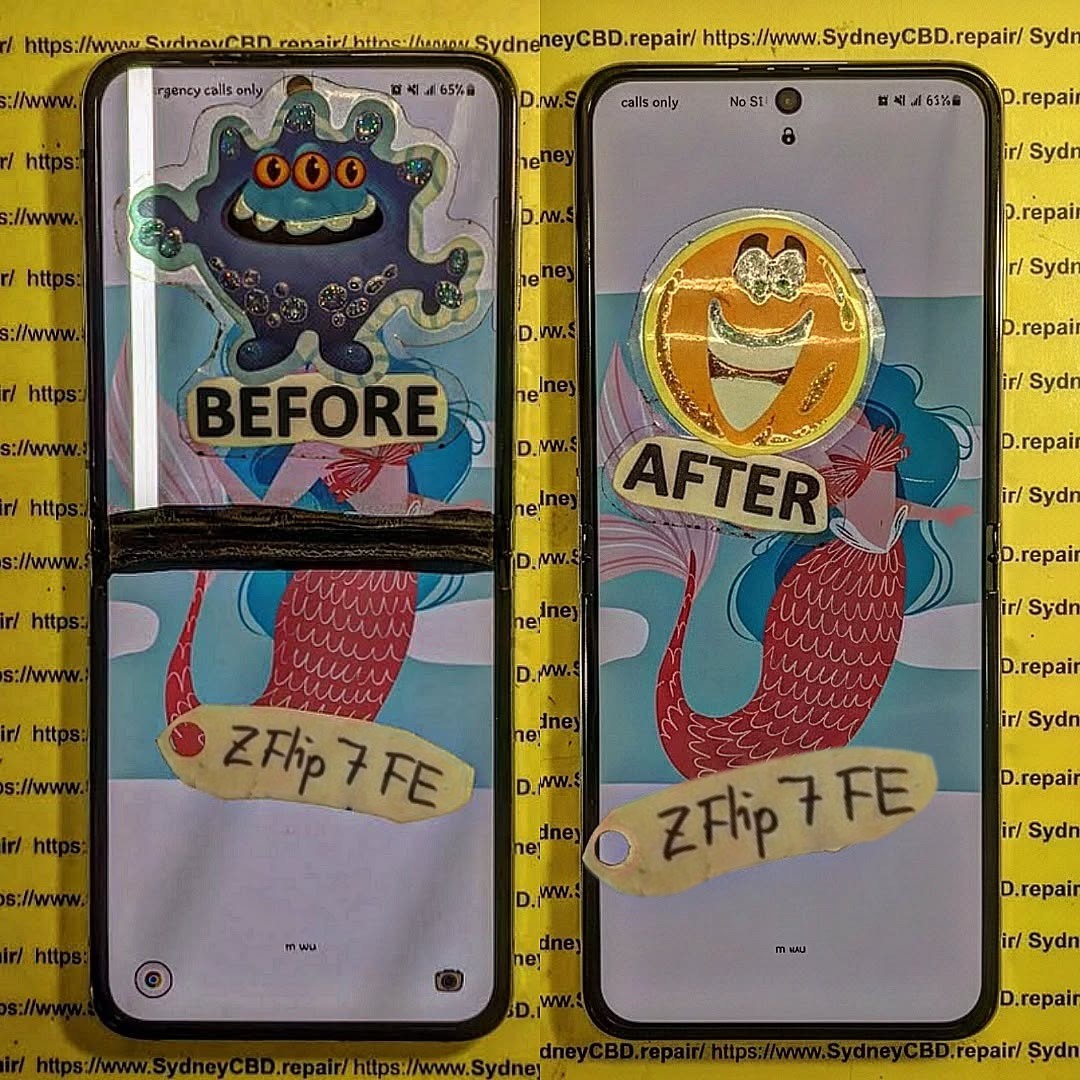
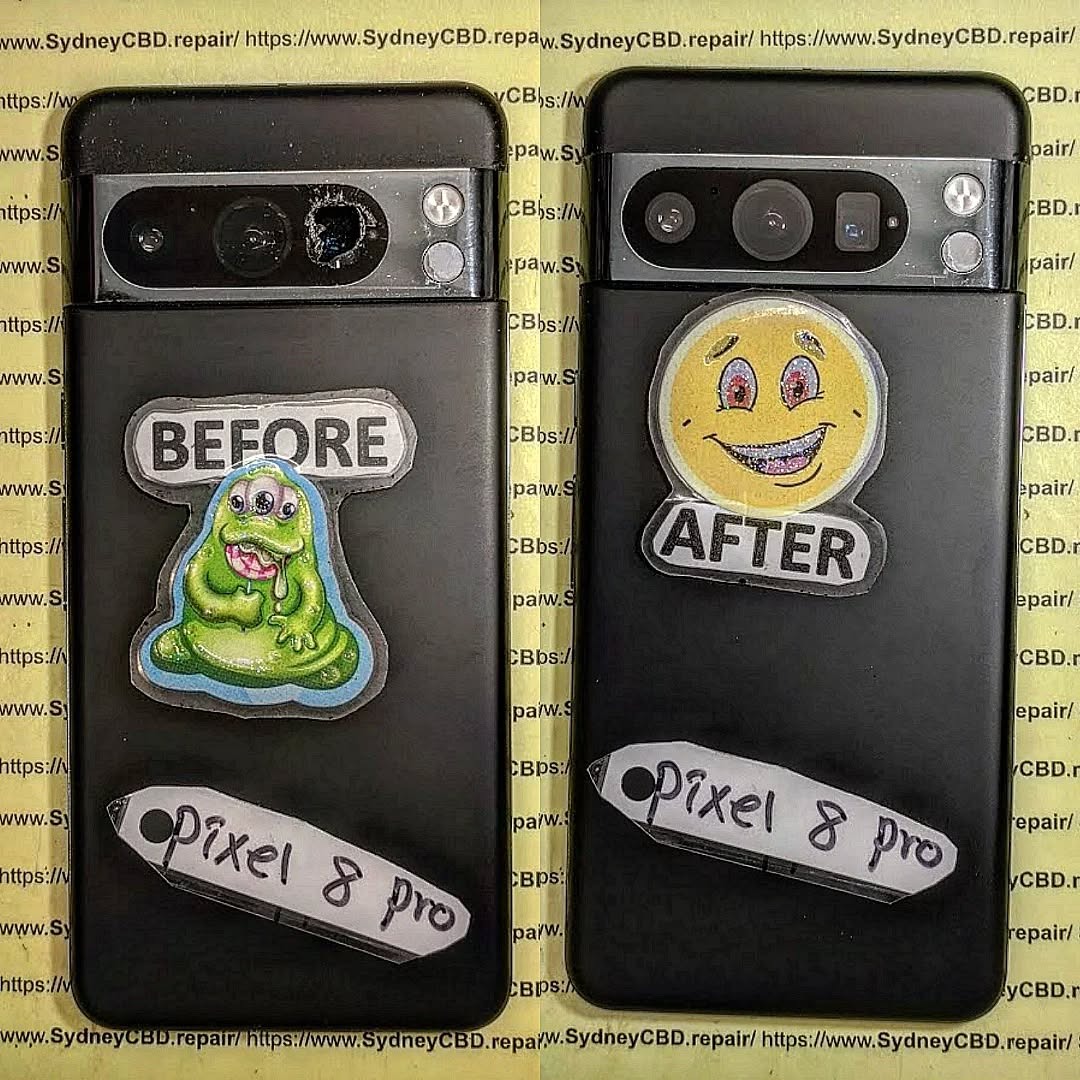
Beyond Screen Repairs: Unmasking The Most Challenging Smartphone Repairs of 2026
Introduction to Modern Smartphone Repairs
Smartphones have come a long way since the early 2000s, and by 2026, the complexity of devices has skyrocketed. Beyond just cracked screens and dead batteries, technicians now face intricate challenges from foldable designs, ultra-thin components, and advanced AI-integrated systems. For everyday users, a seemingly minor mishap can become a repair nightmare.
The modern smartphone is more than just hardware; it’s a combination of delicate electronics, precision sensors, and software security protocols. Repair experts now need a deep understanding of both physical and digital intricacies. As the demand for fast, efficient, and reliable repair grows, knowing the most challenging repairs of 2026 helps users make informed decisions.
Smartphones in 2026 are smarter, thinner, and more flexible than ever. Foldable screens, ultra-thin motherboards, and multi-layered batteries make repairs more complicated. Unlike past devices, a minor misstep can damage multiple components at once.
Foldable and Flexible Screens
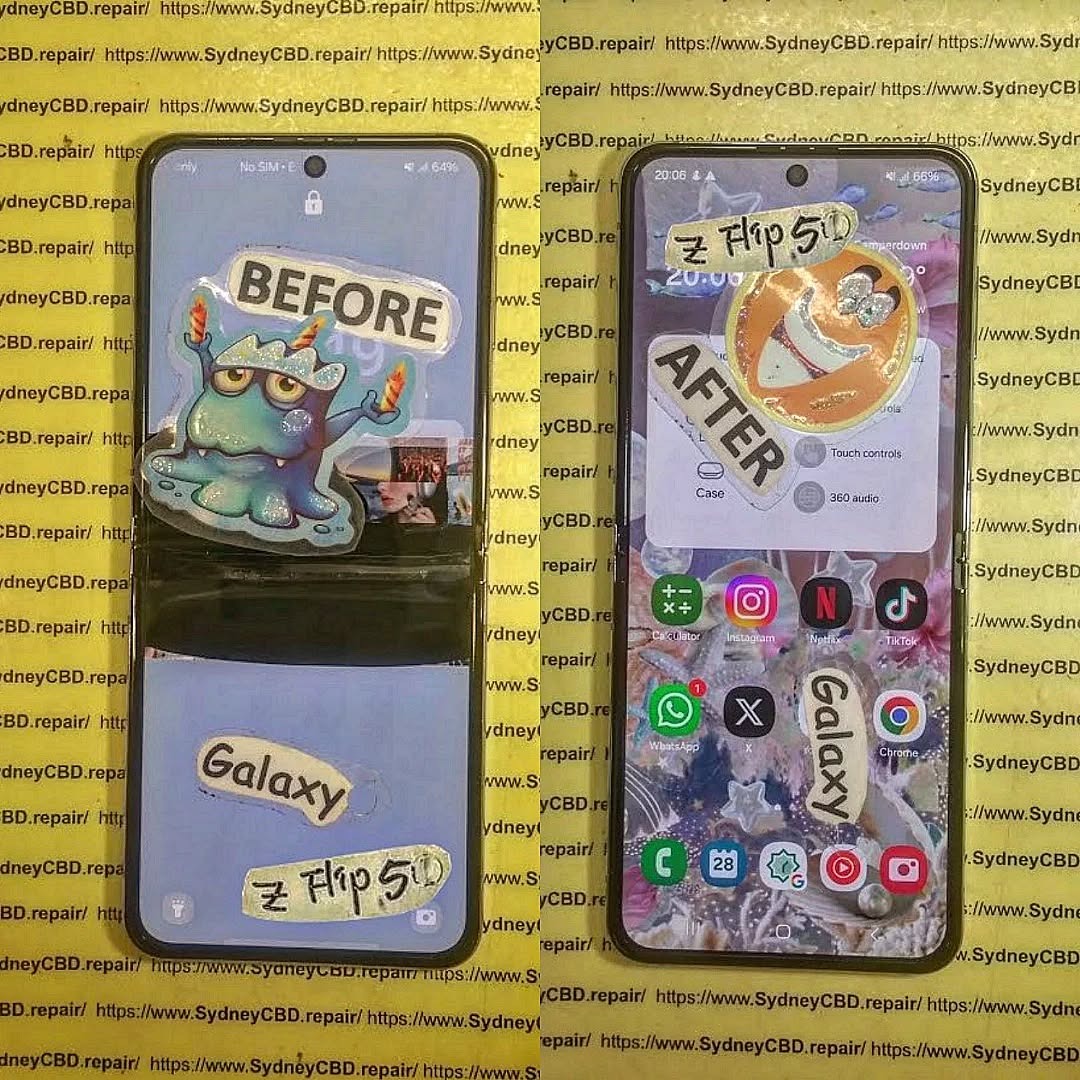
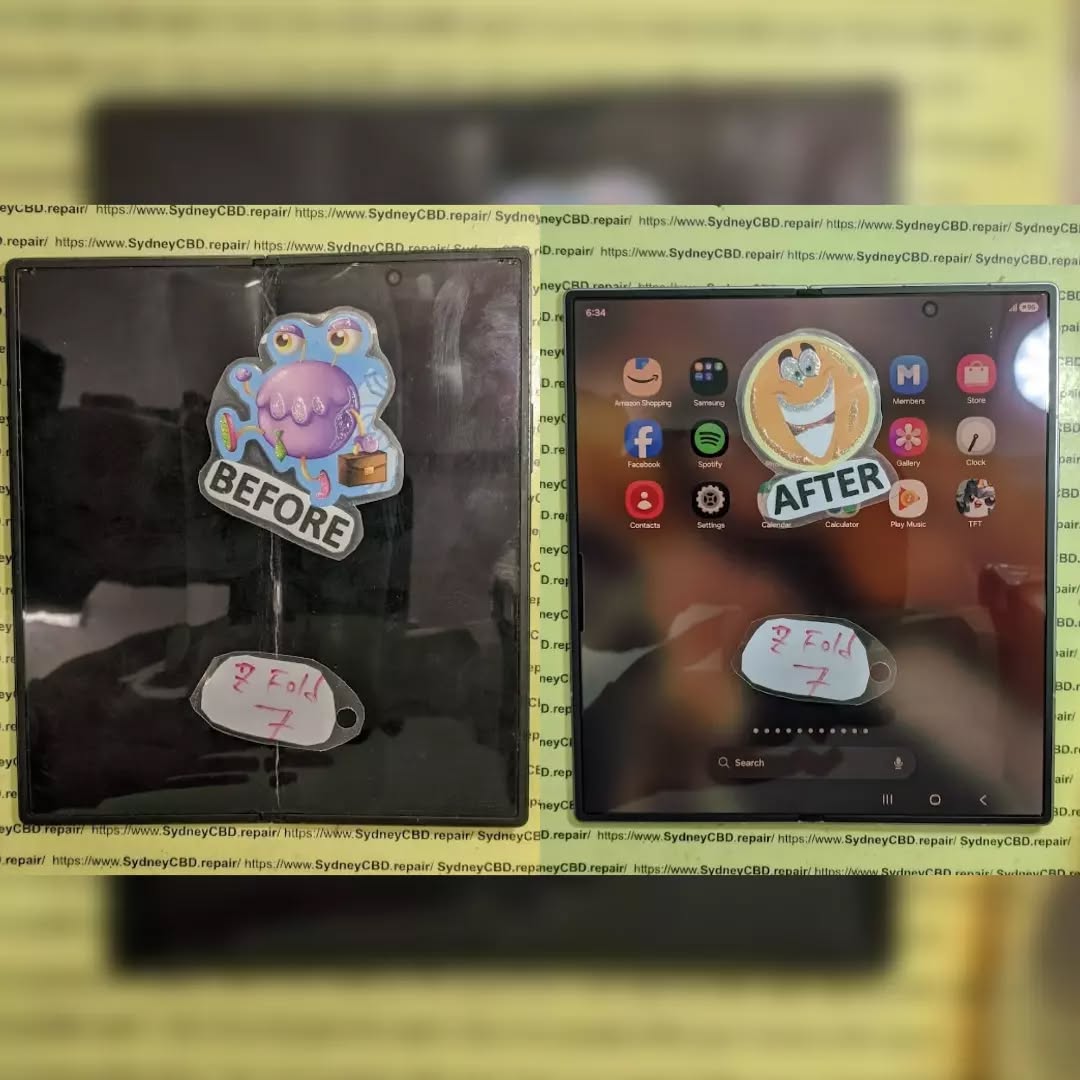
Foldables are the poster child of modern design innovation. Their flexible displays are prone to hinge misalignment, dead pixels, and micro-tears along the crease. Repairing these screens requires specialized tools, high-precision alignment, and a steady hand. In 2026, technicians are leveraging new adhesive technologies and nano-reinforcements to increase longevity.
Ultra-Thin and Multi-Layered Components
Ultra-thin devices pack more power in smaller spaces. Batteries, motherboards, and sensors are now stacked in multiple layers. Removing one component without affecting others requires specialized heat management tools and microscopes. Even simple soldering tasks demand exceptional precision, making these repairs costly and time-consuming.
Water damage remains a top cause of smartphone failure. New water-resistant designs reduce incidents, but when liquid enters, it often infiltrates sensitive micro-layers.
Internal Corrosion Issues
Water exposure triggers corrosion on micro-circuits, leading to short circuits and intermittent failures. By 2026, technicians use ultrasonic cleaning and corrosion inhibitors to salvage affected devices, though complete recovery isn’t guaranteed.
Advanced Water Detection Systems
Modern smartphones now include multiple water sensors throughout internal circuits. These sensors alert the system to exposure but also complicate repairs. Detecting which sensor triggered the alert and bypassing it safely requires deep technical know-how.
Software and Firmware Glitches
Repair isn’t just physical. Firmware issues can prevent devices from booting even if hardware is intact. Locked bootloaders, encrypted storage, and AI-based diagnostics create repair hurdles.
Locked Bootloaders & Firmware Security
Smartphone manufacturers increasingly use hardware-level encryption. Unlocking bootloaders or reflashing firmware without proper authorization can render devices unusable. Expert technicians must navigate these legal and technical barriers carefully.
Data Preservation Challenges
Repairing a device without erasing personal data is a growing concern. In 2026, experts use encrypted backups, specialized data recovery tools, and forensic-level techniques to maintain user privacy while fixing hardware.
Battery and Charging Port Challenges
Battery technology has evolved, with solid-state and ultra-thin lithium-ion variants becoming standard. While these batteries enhance performance, they’re harder to replace.
Battery Swelling and Replacement Risks
Thin designs increase the risk of punctures during repairs. Swollen batteries can warp frames or damage nearby sensors. Experts must carefully handle replacements with specialized anti-static and protective equipment.
Fast Charging & Port Malfunctions
High-speed charging technologies exert more stress on ports. Microfractures in solder points or corrosion can lead to intermittent failures. Proper diagnostics require advanced multimeters and thermal imaging tools.
Camera and Sensor Repairs
Multi-lens camera systems, LiDAR sensors, and depth mapping technologies present unique repair challenges. Even slight misalignments can compromise photo quality or AR performance.
Optical Image Stabilization Complexity
OIS mechanisms involve precise gyroscopes and springs. A technician must disassemble, realign, and recalibrate without disturbing surrounding components—a painstaking process.
Sensor Calibration
After repairs, cameras and sensors require calibration with AI-assisted software to maintain accuracy. This ensures autofocus, HDR, and depth-sensing functions work correctly.
Connectivity Repairs
With 5G, Wi-Fi 7, and ultra-high-frequency antennas, connectivity issues are trickier than ever.
Micro-Antenna Failures
Tiny antennas embedded in ultra-thin frames are difficult to diagnose. Failures often mimic software problems, requiring detailed testing.
Signal Interference Challenges
Physical damage or repair mishaps can create interference. Technicians use spectrum analyzers and RF testing equipment to restore optimal connectivity.
Physical Damage Beyond Screens
Beyond screens, devices suffer from hinge wear, frame bending, and ceramic back cracks.
Foldable Hinge Mechanisms
Hinges are engineered for tens of thousands of folds. Misalignment or debris can cause permanent damage, demanding delicate realignment or replacement.
Material-Specific Repairs
Ceramic, titanium, and reinforced glass require specialized adhesives and polishing techniques. Incorrect handling can leave scratches or compromise structural integrity.
Repair Tools and Techniques in 2026
Advanced tools are essential for modern repairs. AI-assisted diagnostics, micro-robotics, and precision microscopes streamline complex fixes.
AI-Assisted Diagnostics
AI analyzes error logs, sensor data, and physical condition to pinpoint failures quickly. Technicians can then make precise repairs without trial-and-error approaches.
Micro-Robotics in Repair
Robotic arms now assist in micro-soldering, hinge calibration, and component placement. This reduces human error and improves consistency.
Cost vs DIY Repairs
DIY repair kits are widely available, but the risks are higher than ever.
Risks of DIY Repairs
Thin frames, delicate sensors, and AI-locked firmware make DIY attempts risky. Mistakes can void warranties, damage components, or permanently disable the device.
When to Trust Professionals
Professional repair centers, like Sydney CBD Repair Centre, have certified technicians, advanced tools, and access to genuine parts—making them the safest option for complex issues.
FAQs
Q1: Can foldable screens be repaired at home?
A1: Attempting DIY repairs on foldables is highly risky due to delicate hinges and flexible layers. Professional repair is recommended.
Q2: How long does a typical battery replacement take in 2026 smartphones?
A2: Professional replacements can take 30–90 minutes depending on the model and battery type.
Q3: Are water-damaged phones always repairable?
A3: Not always. Success depends on the extent of internal corrosion and whether critical sensors are affected.
Q4: Can software glitches be fixed without losing data?
A4: Yes, using specialized forensic tools and backups, experts can often repair devices without data loss.
Q5: How much does a hinge repair for foldable phones cost?
A5: Costs vary by brand and model, typically ranging from $250–$600 for high-end devices.
Q6: Are DIY tools safe for ultra-thin smartphones?
A6: Generally not. DIY kits lack precision instruments and can damage micro-components or void warranties.
Conclusion
Smartphone repairs in 2026 go far beyond cracked screens. Foldable displays, ultra-thin layers, AI-driven diagnostics, and advanced sensors make modern repairs a complex blend of art and science. While DIY solutions exist, entrusting your device to professional centers like Sydney CBD Repair Centre ensures precision, safety, and data integrity. Staying informed about these repair challenges empowers users to make smarter choices and extends the lifespan of their devices.
David from Sydney CBD Repair Centre – The Best place to fix mobile phones as 7 Years In A Row! Top Mobile Phone Repair In Sydney. More than 2000 Positive Reviews on Google and Same Day Repairs.
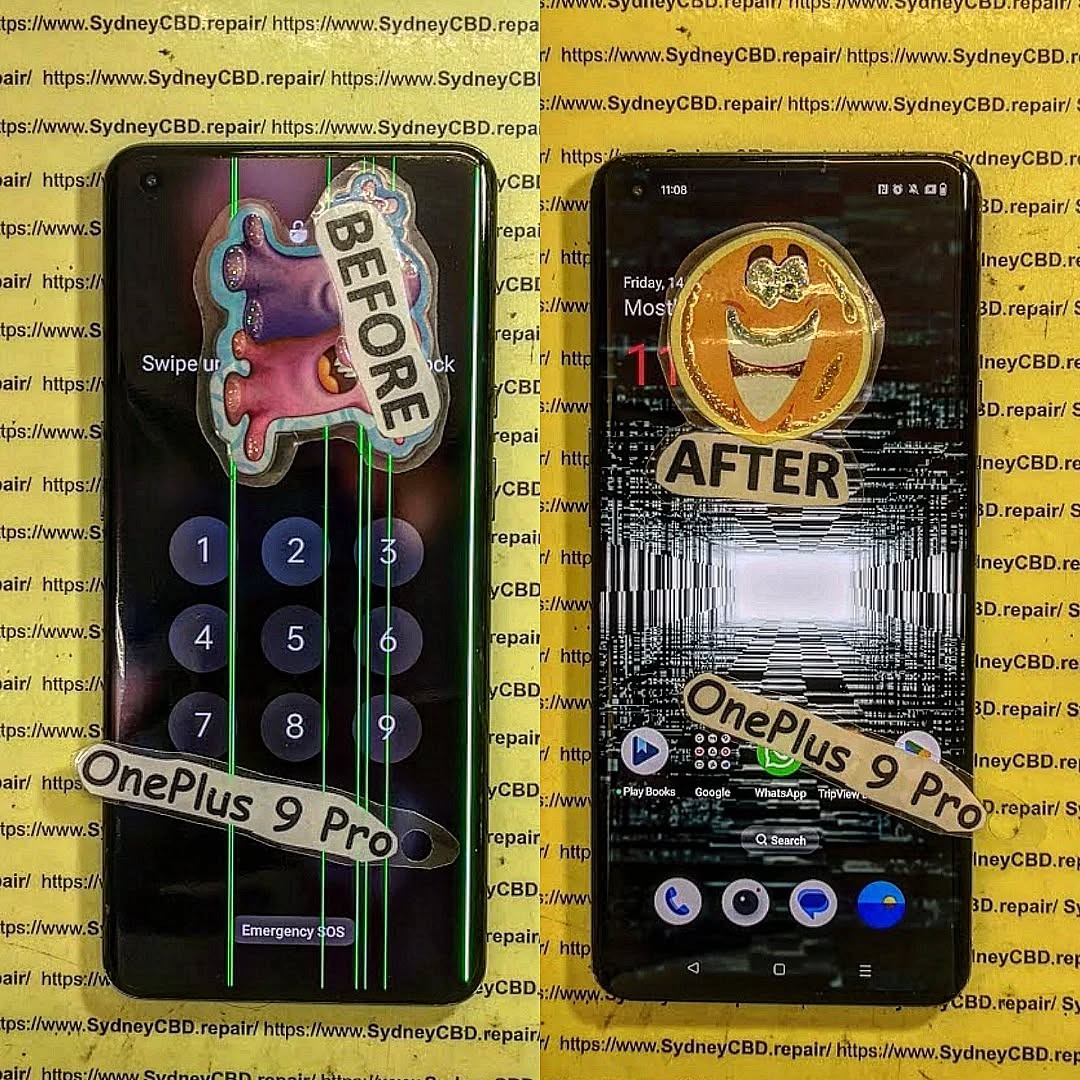
We take pride in delivering exceptional repair services for all major phone brands including Apple, Samsung, Google, and more. Our expert technicians use only genuine parts and offer 90days warranty on repairs. Located in the heart of Sydney CBD, we’re your one-stop solution for all mobile device repairs.
Our commitment to excellence has earned us the trust of thousands of satisfied customers. Whether it’s a cracked screen, battery replacement, or water damage repair, we handle it all with professional care and expertise. Walk in today and experience why we’re Sydney’s #1 choice for mobile phone repairs.
Visit us for:
✓ Same Day Express Repairs
✓ Genuine Parts Guarantee
✓ Professional Technicians
✓ Competitive Pricing
✓ 2000+ 5-Star Google Reviews
✓ 7-Time Award Winner for Best Phone Repairs
Beyond the Screen Repair: Essential Google Pixel 8 Pro camera glass replacement – Ultimate Guide + 9 Power Insights
Introduction: Why Google Pixel 8 Pro Camera Glass Repair Matters
The Google Pixel 8 Pro is known for its cutting-edge camera technology. From advanced AI processing to professional-grade lenses, this device delivers photography that rivals standalone cameras. However, even the best hardware isn’t immune to accidents. That’s where Google Pixel 8 Pro camera glass repair becomes essential.
In the first days of ownership, most users focus on the screen. Yet, the camera glass is just as exposed. A minor drop, a scrape against keys, or even sudden temperature changes can crack the glass. When that happens, image quality suffers, and internal components are put at risk. In the first 10% of this article, it’s important to stress that timely Google Pixel 8 Pro camera glass repair protects both your photos and your investment.
Moreover, repairing the camera glass early helps maintain resale value. Buyers quickly spot damaged lenses, and even small cracks can raise red flags. Simply put, fixing the problem sooner rather than later saves money, stress, and frustration.
The Pixel 8 Pro features a multi-lens rear camera system designed for versatility. Each lens is protected by reinforced camera glass, engineered to resist scratches and minor impacts. Still, no glass is unbreakable.
Camera Glass vs Camera Module Explained
Many users confuse camera glass with the camera module itself. The camera glass is the outer protective layer. The camera module includes sensors, lenses, and stabilisation components. A crack in the glass doesn’t always mean the module is damaged. That’s good news, because Google Pixel 8 Pro camera glass repair is far more affordable than replacing the entire camera module.
Understanding this distinction helps users make informed decisions. If images are blurry or distorted due to cracked glass, replacing only the glass often restores full performance.
Common Causes of Camera Glass Damage
Camera glass damage rarely happens without reason. In fact, most cases fall into predictable patterns.
Accidental Drops and Impact
A sudden drop onto concrete is the most common culprit. Even with a case, the raised camera bar on the Pixel 8 Pro can take a direct hit. One awkward angle is all it takes.
Pressure, Heat, and Everyday Wear
Sitting on your phone, placing it lens-down on rough surfaces, or exposing it to extreme heat can weaken the glass. Over time, micro-fractures form. Eventually, they become visible cracks that demand Google Pixel 8 Pro camera glass repair.
Some signs are obvious, while others sneak up slowly.
Visual Cracks and Shattered Glass
If you can see cracks around the camera lens, repair is overdue. Even hairline fractures can spread quickly.
Image Quality Issues
Photos may appear hazy, flared, or unevenly lit. Dust trapped under cracked glass scatters light, reducing sharpness. If cleaning the lens doesn’t help, professional repair is the next step.
Risks of Ignoring Broken Camera Glass
Putting off repairs might seem harmless, but it often leads to bigger problems.
Dust and Moisture Ingress
Once the glass is compromised, dust and moisture can enter. Over time, this damages sensors and circuitry.
Long-Term Camera Damage
What starts as a simple glass replacement can escalate into a full camera module repair. Addressing the issue early with Google Pixel 8 Pro camera glass repair prevents costly outcomes.
DIY vs Professional Camera Glass Repair
It’s tempting to try a DIY fix. After all, online kits are everywhere. Still, results vary.
Why DIY Repairs Often Fail
DIY repairs lack specialised tools and controlled environments. Misalignment, dust contamination, or adhesive failure are common. These mistakes often cause more harm than good.
Benefits of Professional Repair Services
Professional technicians use precision tools and genuine-grade parts. Repairs are cleaner, safer, and backed by warranty. That peace of mind is hard to beat.
Step-by-Step Overview of Professional Repair Process
Knowing what happens during repair builds trust.
Diagnostics and Safety Checks
Technicians inspect the camera, test image output, and confirm that only the glass is damaged.
Precision Glass Replacement
The damaged glass is carefully removed. New glass is installed with optical-grade adhesive, ensuring clarity and durability. This process restores the phone to near-new condition.
Cost of Google Pixel 8 Pro Camera Glass Repair
Pricing varies depending on several factors.
Factors Affecting Repair Pricing
Costs depend on damage severity, part quality, and labour expertise. Compared to full camera replacement, Google Pixel 8 Pro camera glass repair remains a cost-effective solution.
For official specifications and camera care tips, users can also refer to Google’s own Pixel support resources: Google Pixel Help – Camera Care
Preventing Future Camera Glass Damage
Prevention always beats repair.
Protective Accessories and Habits
Use a case with a raised camera lip. Avoid placing the phone lens-down. Clean the camera gently and regularly. Small habits make a big difference.
Frequently Asked Questions (FAQs)
1. Can I still use my Pixel 8 Pro camera with cracked glass?
Yes, but image quality may suffer, and internal damage risk increases.
2. Is camera glass repair cheaper than module replacement?
Absolutely. Glass-only repair is significantly more affordable.
3. How long does professional repair take?
Most repairs are completed the same day.
4. Will repaired camera glass affect photo quality?
When done professionally, photo quality is fully restored.
5. Is my data safe during repair?
Yes. Camera glass repair doesn’t affect stored data.
6. Does camera glass repair include warranty?
Reputable repair centres typically offer a warranty on parts and labour.
Conclusion
The Google Pixel 8 Pro is built for exceptional photography, but damaged camera glass can hold it back. Acting quickly with Google Pixel 8 Pro camera glass repair preserves image quality, protects internal components, and saves money in the long run. With professional repair and smart prevention, your Pixel stays ready to capture life’s best moments.
David from Sydney CBD Repair Centre – The Best place to fix mobile phones as 7 Years In A Row! Top Mobile Phone Repair In Sydney. More than 2000 Positive Reviews on Google and Same Day Repairs.
We take pride in delivering exceptional repair services for all major phone brands including Apple, Samsung, Google, and more. Our expert technicians use only genuine parts and offer 90days warranty on repairs. Located in the heart of Sydney CBD, we’re your one-stop solution for all mobile device repairs.
Our commitment to excellence has earned us the trust of thousands of satisfied customers. Whether it’s a cracked screen, battery replacement, or water damage repair, we handle it all with professional care and expertise. Walk in today and experience why we’re Sydney’s #1 choice for mobile phone repairs.
Visit us for:
✓ Same Day Express Repairs
✓ Genuine Parts Guarantee
✓ Professional Technicians
✓ Competitive Pricing
✓ 2000+ 5-Star Google Reviews
✓ 7-Time Award Winner for Best Phone Repairs
Comparing Original Quality Versus Third Party Screens For Sydney CBD Mobile Users: Ultimate Guide With 12 Essential Facts
Introduction
Choosing the right replacement screen for your smartphone is one of the most important decisions you’ll make after damaging your device. While many repair shops advertise low prices, not all replacement screens are created equal. Understanding the differences between original-quality and third-party screens can save you money, protect your phone, and ensure you enjoy the same user experience as before the damage occurred.
This comprehensive guide explains everything Sydney CBD mobile users need to know before booking a screen replacement.
A cracked smartphone screen is one of the most common problems affecting mobile users across Sydney. Whether you’ve dropped your phone while commuting, damaged it during work, or accidentally cracked it at home, replacing the display quickly becomes a priority.
However, many people face another important decision after the damage occurs. Should they choose an original-quality screen or save money with a third-party alternative?
When comparing original quality versus third party screens for Sydney CBD mobile users, the answer isn’t always as straightforward as choosing the cheapest repair. Display quality, touch responsiveness, durability, battery efficiency, and long-term reliability all play major roles in determining the true value of a replacement screen.
A quality screen replacement restores your smartphone to near-original performance. A poor-quality replacement, on the other hand, may introduce new issues that weren’t present before the repair. These can include poor brightness, washed-out colours, delayed touch response, increased battery drain, and even compatibility problems with fingerprint sensors.
Understanding these differences allows you to make an informed decision based on your needs, budget, and expectations.
In this guide, we’ll explain everything you need to know so you can confidently choose the right repair option.
Modern smartphones are far more sophisticated than they were just a few years ago. Today’s displays combine multiple technologies into a single component that delivers stunning visuals and responsive touch controls.
A typical smartphone screen includes several layers:
Protective glass
Touch digitizer
OLED or LCD display
Polarizer
Adhesive layers
Flexible display connectors
These components work together seamlessly to create the smooth experience users expect every day.
Premium smartphones from Apple, Samsung, Google, and other manufacturers feature advanced display technologies including:
OLED panels
AMOLED displays
LTPO adaptive refresh technology
HDR support
High refresh rates
Anti-reflective coatings
High brightness modes
Each layer contributes to image quality and overall performance.
When replacing a damaged screen, it’s important that the replacement matches these specifications as closely as possible.
If lower-quality materials are substituted, users may notice immediate differences such as:
Lower brightness
Reduced sharpness
Inaccurate colours
Slower touch response
Increased glare
Poor viewing angles
These differences become especially noticeable during everyday activities like:
Watching videos
Playing games
Reading outdoors
Editing photos
Using navigation apps
Video calling
Because the display is the primary way users interact with their phones, screen quality has a direct impact on the overall user experience.
Why Modern Displays Cost More
Many consumers wonder why original-quality screens are significantly more expensive than generic replacements.
The answer lies in manufacturing precision.
Original-quality displays undergo strict quality control procedures that include:
Feature
Original Quality
Typical Third Party
Brightness Testing
Extensive
Limited
Colour Calibration
Factory calibrated
Basic
Touch Accuracy
High precision
Varies
Glass Quality
Premium
Depends on supplier
Connector Testing
Comprehensive
Basic
Durability Checks
Extensive
Limited
Manufacturers invest heavily in research, development, and testing to ensure every display performs consistently.
As a result, original-quality displays deliver a more predictable experience over their lifespan.
Why Screen Quality Matters Every Day
Some users assume that “a screen is just a screen.”
In reality, the display affects almost every interaction with your smartphone.
Consider how often you use your device each day:
Reading emails
Messaging friends
Watching YouTube
Browsing social media
Using GPS navigation
Mobile banking
Photography
Online shopping
Video conferencing
Streaming entertainment
Every one of these activities depends on a responsive, high-quality display.
Even small reductions in brightness or touch accuracy become noticeable over months of daily use.
For professionals working in Sydney CBD, reliable screen performance is especially important. Busy schedules often require constant communication, navigation, document viewing, and mobile productivity. A lower-quality display can interrupt these tasks and reduce efficiency.
Original-quality replacement screens are designed to closely match the specifications of the display that originally came with the phone. Depending on the repair provider and device model, these may be genuine manufacturer components or premium OEM-grade parts produced to the same standards.
These screens aim to preserve the original user experience by maintaining consistent performance across brightness, colour accuracy, touch sensitivity, and durability.
Key characteristics of original-quality screens include:
Excellent colour reproduction
High brightness levels
Smooth touch responsiveness
Reliable fingerprint sensor compatibility
Strong glass construction
Long service life
Accurate display calibration
Because these screens are manufactured using premium materials and strict quality controls, they often provide a repair that feels almost identical to using a brand-new device.
Another significant advantage is software compatibility. Modern smartphones rely on close integration between hardware and software, and original-quality components are generally better suited to support features such as adaptive brightness, high refresh rates, and advanced display settings without unexpected issues.
For users who rely heavily on their phones for work, study, photography, or entertainment, investing in an original-quality screen can help maintain both performance and resale value.
Third-party replacement screens are manufactured by companies other than the original device manufacturer. They are widely available and are often chosen because they offer a lower upfront repair cost. However, quality can vary greatly depending on the manufacturer and the grade of the replacement part.
When comparing original quality versus third party screens for Sydney CBD mobile users, it’s important to understand that not all third-party screens are the same. Some premium aftermarket screens perform well for everyday use, while lower-grade options may compromise the overall experience.
Third-party screens are generally divided into three categories:
Budget Aftermarket Screens
These are the least expensive replacement options and are commonly used to reduce repair costs.
Common characteristics include:
Lower brightness levels
Reduced colour accuracy
Less durable glass
Lower touch sensitivity
Shorter lifespan
Greater variation in manufacturing quality
Although these displays may function adequately for basic tasks, they often struggle to match the smooth experience of an original-quality display.
Mid-Range Aftermarket Screens
Mid-range screens provide a balance between affordability and performance. Many reputable repair centres use carefully selected aftermarket displays that offer acceptable image quality and reliable touch performance.
Advantages may include:
Better brightness than entry-level screens
Improved colour reproduction
More durable construction
Better compatibility with phone software
Competitive pricing
For users with older devices or tighter budgets, these can represent a practical compromise.
Premium Aftermarket Screens
Premium aftermarket screens are manufactured to higher standards and often use better-quality materials than generic alternatives.
Benefits may include:
Higher brightness
Better viewing angles
More responsive touch input
Improved durability
Closer colour accuracy
While they may not always match genuine or original-quality components perfectly, they often deliver a satisfying experience for many users.
Side-by-Side Comparison of Original Quality and Third Party Screens
The easiest way to understand the differences is by comparing the key performance areas that affect daily smartphone use.
Feature
Original Quality Screen
Third Party Screen
Display Brightness
Excellent
Varies
Colour Accuracy
Excellent
Moderate to Good
Touch Response
Highly Accurate
May vary
Refresh Performance
Original specifications
Sometimes limited
Fingerprint Compatibility
Excellent
Model dependent
Battery Efficiency
Optimised
Can vary
Glass Strength
Premium
Depends on supplier
Long-Term Reliability
Excellent
Varies significantly
Warranty Confidence
Usually stronger
Depends on repair shop
Resale Value
Better preserved
May reduce resale value
As the table shows, the largest differences are found in consistency. Original-quality screens are designed to deliver dependable performance across every aspect of the user experience, while third-party options can range from excellent to disappointing.
Display Brightness and Outdoor Visibility
One of the first differences users notice is display brightness.
Modern flagship smartphones are engineered to remain visible even in direct sunlight. High brightness levels make it easier to:
Read messages outdoors
Navigate using maps
Capture photos
Watch videos
Use payment apps
Original-quality displays generally maintain brightness levels close to factory specifications. This means automatic brightness adjustments work smoothly, and outdoor visibility remains strong.
Some third-party screens produce noticeably lower brightness. As a result, users may find themselves increasing screen brightness more often, which can affect battery life.
For Sydney CBD professionals who spend time commuting, walking between offices, or working outdoors, display brightness is more than just a convenience—it contributes to productivity and usability.
Colour Accuracy and Image Quality
Colour accuracy plays an important role in how enjoyable a smartphone is to use.
High-quality displays reproduce colours naturally and consistently. Whites appear clean, blacks are deep, and photographs retain realistic tones.
Original-quality screens are carefully calibrated to match the manufacturer’s intended colour profile.
This delivers benefits when:
Editing photos
Streaming movies
Watching sports
Viewing social media
Reading documents
Video conferencing
Lower-grade third-party displays may produce:
Slight colour shifts
Cooler or warmer whites
Reduced contrast
Less vibrant colours
Uneven brightness across the panel
While casual users may not notice every difference immediately, the variations often become more apparent over time.
Touch Sensitivity and User Experience
A smartphone’s touchscreen is used hundreds or even thousands of times each day.
Every swipe, tap, pinch, and gesture depends on precise touch detection.
Original-quality displays are designed to provide:
Fast response times
Accurate multi-touch input
Smooth scrolling
Consistent gesture recognition
Reliable typing performance
This precision becomes especially important when:
Playing games
Drawing
Editing photos
Using gesture navigation
Typing long emails
Signing digital documents
Some lower-cost third-party displays may experience:
Slight touch delays
Reduced edge sensitivity
Occasional missed taps
Inconsistent gesture recognition
Although these issues may seem minor individually, they can affect the overall user experience over months of everyday use.
Durability and Everyday Protection
A replacement screen is an investment, so durability should never be overlooked.
Original-quality screens typically use stronger materials that are engineered to withstand everyday wear.
Benefits include:
Better scratch resistance
Improved impact resistance
Strong adhesive bonding
Reliable structural integrity
Third-party screens vary considerably.
Premium aftermarket displays may offer impressive durability, while lower-cost options can be more susceptible to scratches or cracking from relatively minor drops.
Regardless of the screen type chosen, users can improve durability by:
Installing a quality tempered glass protector
Using a protective phone case
Avoiding exposure to excessive heat
Keeping the phone away from sharp objects in pockets or bags
Handling the device with care
Proper protection helps extend the lifespan of any replacement screen and reduces the likelihood of future repairs.
Battery Performance and Power Efficiency
Another important consideration when comparing original quality versus third party screens for Sydney CBD mobile users is battery performance.
Original-quality displays are designed to work efficiently with the phone’s hardware and software, helping to optimise power consumption. Features such as adaptive brightness and variable refresh rates operate as intended, contributing to longer battery life.
In contrast, some lower-quality third-party screens may consume more power due to less efficient display panels or components. Users may notice:
Faster battery drain
Increased heat during prolonged use
More frequent charging
Premium aftermarket screens often perform better than budget alternatives in this area, but efficiency can still vary depending on the manufacturer and the quality of the components used.
For people who depend on their phones throughout a busy workday in Sydney CBD, maintaining good battery life is an important factor when choosing a replacement screen.
Modern smartphones increasingly rely on advanced biometric security. Whether your phone uses an under-display ultrasonic fingerprint sensor, an optical fingerprint reader, or a side-mounted sensor, the quality of the replacement screen can directly affect its performance.
When comparing original quality versus third party screens for Sydney CBD mobile users, fingerprint compatibility is one of the most overlooked factors.
Original-quality replacement screens are manufactured to closely match the thickness, transparency, and sensitivity of the original display. This helps ensure that the fingerprint sensor continues to work reliably after the repair.
Benefits include:
Fast fingerprint recognition
Consistent unlocking
Better compatibility with software updates
Reduced need to re-register fingerprints
Improved security performance
Some third-party screens may still support fingerprint authentication, but results vary depending on the quality of the screen and the installation process. Lower-grade displays can reduce sensor accuracy, requiring multiple attempts before successfully unlocking the device.
For users who unlock their phones dozens of times each day, this seemingly small issue can become frustrating over time.
Long-Term Value: Is Paying More Worth It?
At first glance, a third-party screen may appear to be the obvious choice because of its lower initial cost. However, it’s important to consider the total cost of ownership rather than focusing only on the repair price.
Original-quality screens often provide better long-term value by offering:
Longer lifespan
Better durability
Higher customer satisfaction
Lower likelihood of repeat repairs
Better resale value
More consistent performance
A cheaper repair that requires another replacement within a year may ultimately cost more than investing in a higher-quality screen from the beginning.
Consider the following comparison:
Consideration
Original Quality
Third Party
Initial Cost
Higher
Lower
Daily Performance
Excellent
Variable
Lifespan
Longer
Depends on quality
Warranty Confidence
Higher
Varies
Future Repair Risk
Lower
Potentially higher
Resale Appeal
Better
Lower
For business professionals, students, and frequent travellers in Sydney CBD, reliability is often worth the additional investment.
How to Choose a Trustworthy Repair Centre
Even the highest-quality replacement screen can perform poorly if it is installed incorrectly. Choosing an experienced repair centre is just as important as selecting the right replacement part.
Look for a repair provider that offers:
Experienced Technicians
Skilled technicians understand the delicate components inside modern smartphones and follow proper repair procedures.
Quality Replacement Parts
Ask whether the repair centre uses original-quality or premium-grade replacement screens rather than the cheapest available alternatives.
Clear Warranty
A reputable repair business should stand behind its workmanship with a written warranty on both parts and labour.
Positive Customer Reviews
Check independent customer reviews to understand the experiences of previous clients. Consistently positive feedback is a strong indicator of reliable service.
Transparent Pricing
Professional repair centres provide clear quotations without hidden fees or unexpected charges.
Fast Turnaround Times
Many quality repair centres in Sydney CBD offer same-day service for common screen replacements, allowing customers to return to work or daily life with minimal disruption.
Tips for Extending the Life of Your New Screen
Regardless of whether you choose an original-quality or third-party replacement, proper care can help maximise its lifespan.
Here are a few practical tips:
Use a high-quality tempered glass screen protector.
Invest in a shock-absorbing protective case.
Avoid placing your phone in the same pocket as keys or coins.
Keep your device away from excessive heat and moisture.
Clean the screen regularly with a microfiber cloth.
Avoid using excessive force when tapping or pressing on the display.
Simple habits like these can significantly reduce the risk of accidental damage.
Why E-E-A-T Matters When Choosing Repair Advice
When researching phone repairs online, it’s important to rely on information that demonstrates Experience, Expertise, Authoritativeness, and Trustworthiness (E-E-A-T).
Look for repair providers that:
Have years of industry experience.
Employ qualified technicians.
Clearly explain repair options.
Offer warranties on their work.
Publish educational resources for customers.
Maintain a strong reputation through verified reviews.
You can also learn more about smartphone display technologies by visiting the official Corning Gorilla Glass website, which explains how modern protective glass is engineered for durability and scratch resistance: https://www.corning.com/gorillaglass
Frequently Asked Questions
1. Are original-quality screens always genuine manufacturer parts?
Not necessarily. Some repair centres use genuine manufacturer components, while others use premium OEM-grade screens designed to match the original specifications. Always ask your repair provider what type of replacement they offer.
2. Can a third-party screen still provide good performance?
Yes. High-quality aftermarket screens can deliver excellent performance for many users. However, quality varies widely, making it important to choose a reputable repair centre.
3. Will replacing my screen affect Face ID or fingerprint sensors?
If the repair is carried out correctly using compatible parts, biometric features should continue to function properly. Some lower-quality screens may reduce fingerprint sensor reliability.
4. Is an original-quality screen worth the additional cost?
For users who value display quality, responsiveness, durability, and resale value, an original-quality screen is often the better long-term investment.
5. How long does a professional screen replacement usually take?
Many common smartphone screen repairs can be completed on the same day, depending on the device model and parts availability.
6. Should I replace my cracked screen immediately?
Yes. Continuing to use a cracked screen can worsen the damage, expose internal components to dust or moisture, and even pose a risk of injury from broken glass.
Conclusion
When comparing original quality versus third party screens for Sydney CBD mobile users, there is no one-size-fits-all answer. The right choice depends on your priorities, budget, and how you use your smartphone.
Original-quality screens provide the closest experience to the factory display, offering superior brightness, accurate colours, responsive touch performance, excellent durability, and reliable compatibility with advanced features such as fingerprint sensors. While they generally cost more upfront, they often deliver greater long-term value and a better overall user experience.
Third-party screens, on the other hand, can be a suitable solution for users seeking a more affordable repair. Premium aftermarket displays may perform very well, but quality can differ significantly between manufacturers. This makes it essential to choose a trusted repair provider that sources reliable components and backs its work with a warranty.
Ultimately, selecting a reputable repair centre is just as important as choosing the replacement screen itself. Experienced technicians, transparent pricing, quality parts, and dependable after-sales support all contribute to a successful repair and peace of mind.
By understanding the strengths and limitations of both options, you can make an informed decision that keeps your smartphone performing at its best for years to come.
Thank you for reading this comprehensive guide. We hope it has helped you better understand the differences between original-quality and third-party smartphone screens. Making an informed choice can improve your device’s performance, extend its lifespan, and ensure you receive the best value from your repair investment.
David from Sydney CBD Repair Centre – The Best place to fix mobile phones as 7 Years In A Row! Top Mobile Phone Repair In Sydney. More than 2000 Positive Reviews on Google and Same Day Repairs.

We take pride in delivering exceptional repair services for all major phone brands including Apple, Samsung, Google, and more. Our expert technicians use only genuine parts and offer 90days warranty on repairs. Located in the heart of Sydney CBD, we’re your one-stop solution for all mobile device repairs.
Our commitment to excellence has earned us the trust of thousands of satisfied customers. Whether it’s a cracked screen, battery replacement, or water damage repair, we handle it all with professional care and expertise. Walk in today and experience why we’re Sydney’s #1 choice for mobile phone repairs.
Visit us for:
✓ Same Day Express Repairs
✓ Genuine Parts Guarantee
✓ Professional Technicians
✓ Competitive Pricing
✓ 2000+ 5-Star Google Reviews
✓ 7-Time Award Winner for Best Phone Repairs
Sydney CBD Repair Centre – Where Quality Meets Reliability.
Reasons Why Your Flash Stopped Working After a DIY OnePlus 9 Pro Repair – 9 Powerful Reasons You Must Know
Introduction: When a Simple Repair Turns Into a Bigger Problem
You finished your DIY repair. The screen looks great. The battery charges. Everything seems fine—until you open the camera.
And then you notice it.
Your flash stopped working after DIY OnePlus 9 Pro repair.
It’s frustrating, isn’t it? You saved money, followed a guide, handled every screw carefully, and yet something small—but essential—stopped functioning. The LED flash on the OnePlus 9 Pro plays a crucial role not only in photography but also as a flashlight and even for QR code scanning in low light.
Let’s break down exactly why this happens—and more importantly—what you can do about it.
Before jumping into fixes, it helps to understand how the flash system works.
How the LED Flash Works
The OnePlus 9 Pro uses a high-intensity dual LED flash connected through a flex cable that interfaces directly with the motherboard. The flash relies on:
Stable power from the battery
Proper motherboard communication
Camera module integration
Software control via OxygenOS
If even one of these components fails, your flash stopped working after DIY OnePlus 9 Pro repair becomes a reality.
Connection Between Camera and Flash Module
The flash and camera module often share nearby connectors and power lines. During DIY repair, even slight misalignment can disrupt the flash system.
1. Loose or Improperly Seated Flex Cable
This is the most common reason your flash stopped working after DIY OnePlus 9 Pro repair.
Symptoms of a Loose Flash Connector
Flash option greyed out
Flash works intermittently
Flashlight feature disabled
Camera error messages
How to Inspect Safely
Power off device completely.
Disconnect battery before touching connectors.
Reseat the flash and camera flex cables carefully.
Check for bent pins under magnification.
Even a half-millimeter misalignment can cause failure.
2. Damaged Flash Module During Disassembly
DIY repairs often involve heat guns and pry tools. One wrong move and the flash module can crack.
Common DIY Mistakes
Applying excessive heat
Using metal pry tools
Pulling flex cables aggressively
Not removing adhesive properly
Signs of Hardware Failure
Burn marks
Physical cracks
No flash response even after reseating
If your flash stopped working after DIY OnePlus 9 Pro repair due to hardware damage, replacement is usually required.
3. Motherboard Connector Damage
This is more serious.
Why Board-Level Damage Is Serious
Motherboard connectors are fragile. If you lifted the connector instead of the flex cable, you might have:
Torn pads
Broken solder joints
Damaged flash IC circuits
Repair vs Replacement
Board-level repairs require microsoldering expertise. This isn’t a beginner-friendly fix.
4. Short Circuit After Battery Reconnection
Did you reconnect the battery before securing all connectors? That’s risky.
Power Surge Risks
A brief short circuit can:
Blow the flash IC
Damage power management components
Disable LED output permanently
Preventive Measures
Always:
Disconnect battery first
Reconnect battery last
Use insulated tools
Many users realize too late why their flash stopped working after DIY OnePlus 9 Pro repair.
5. Software Glitch After Reassembly
Sometimes, it’s not hardware.
The OnePlus 9 Pro runs OxygenOS. After hardware changes, firmware conflicts may occur.
System Cache Problems
Try:
Clearing camera app cache
Booting into recovery mode
Wiping cache partition
OxygenOS Camera Bugs
A system update or factory reset can sometimes restore flash functionality.
6. Camera Module Not Properly Installed
Flash and camera systems are interconnected.
Shared Circuit Path Issues
If the camera flex isn’t fully seated:
Flash may disable automatically
System may detect camera error
Diagnostic Testing
Download a hardware diagnostic app to test LED directly.
7. Faulty Replacement Parts
Aftermarket parts can be unreliable.
Aftermarket Risks
Poor quality LEDs
Incorrect voltage specifications
Weak solder joints
Importance of Genuine Parts
Professional repair centers use OEM-grade parts tested for compatibility.
This significantly reduces chances your flash stopped working after DIY OnePlus 9 Pro repair.
8. Water or Moisture Exposure During Repair
Humidity, sweat, or accidental liquid exposure can corrode contacts.
Hidden Corrosion
You may not see damage immediately.
But corrosion slowly interrupts electrical flow.
Professional Cleaning Solutions
Technicians use ultrasonic cleaners and isopropyl alcohol treatments.
9. ESD (Electrostatic Discharge) Damage
Static electricity can silently kill flash circuits.
Why Static Electricity Matters
You won’t see or feel it—but it can destroy microchips instantly.
If none works, hardware repair is likely required.
When to Seek Professional Repair
If your flash stopped working after DIY OnePlus 9 Pro repair and:
You see physical damage
Flash doesn’t respond in safe mode
There are motherboard issues
You’re unsure about re-opening device
It’s time to consult professionals.
For official device specifications, visit the manufacturer’s website: https://www.oneplus.com
Frequently Asked Questions
1. Why did my flash stop working after screen replacement?
Most likely due to a loose connector or accidental flex damage.
2. Can software updates fix flash issues?
Sometimes. If it’s firmware-related, yes.
3. Is flash connected to the camera module?
Yes, they share power and communication pathways.
4. How much does professional flash repair cost?
It varies by region and damage severity.
5. Can static electricity damage phone flash?
Absolutely. ESD damage is common in DIY repairs.
6. Should I attempt motherboard repair myself?
Not recommended unless you have microsoldering expertise.
Conclusion: Repair Smart, Not Twice
DIY repairs can save money. But without proper tools and ESD protection, small issues can turn into costly problems.
If your flash stopped working after DIY OnePlus 9 Pro repair, don’t panic. Start with simple checks. Rule out software causes. Then inspect connectors carefully.
And if it’s beyond your comfort level? It’s okay to let professionals handle it.
Smart repairs mean fewer headaches—and better results.
David from Sydney CBD Repair Centre – The Best place to fix mobile phones as 7 Years In A Row! Top Mobile Phone Repair In Sydney. More than 2000 Positive Reviews on Google and Same Day Repairs.
We take pride in delivering exceptional repair services for all major phone brands including Apple, Samsung, Google, and more. Our expert technicians use only genuine parts and offer 90days warranty on repairs. Located in the heart of Sydney CBD, we’re your one-stop solution for all mobile device repairs.
Our commitment to excellence has earned us the trust of thousands of satisfied customers. Whether it’s a cracked screen, battery replacement, or water damage repair, we handle it all with professional care and expertise. Walk in today and experience why we’re Sydney’s #1 choice for mobile phone repairs.
Visit us for:
✓ Same Day Express Repairs
✓ Genuine Parts Guarantee
✓ Professional Technicians
✓ Competitive Pricing
✓ 2000+ 5-Star Google Reviews
✓ 7-Time Award Winner for Best Phone Repairs
SALVAGING THE TITANIUM! The iPhone 17 Pro Max Frame Alignment and Screen Repair at Sydney – Powerful Fix Guide 2026
Introduction
The iPhone 17 Pro Max Frame Alignment and Screen Repair Sydney process is becoming one of the most sought-after smartphone repairs in 2026. Apple’s flagship device features a cutting-edge titanium chassis, advanced OLED display, and precision engineering. However, even premium materials aren’t immune to real-world accidents.
Dropped phones, sudden pressure, or impact can bend the frame and damage the screen. When this happens, many users assume the device is beyond repair. Fortunately, professional technicians can restore the structural integrity of the phone using specialized tools and expertise.
This guide explains everything you need to know about iPhone 17 Pro Max Frame Alignment and Screen Repair Sydney, including how damage occurs, how technicians repair titanium frames, and why professional repair services are essential.
Apple’s premium smartphones have evolved dramatically over the past decade. With the release of the iPhone 17 Pro Max, Apple continues using aerospace-grade titanium for the external frame.
Titanium provides several advantages:
High strength-to-weight ratio
Corrosion resistance
Improved durability compared to aluminum
Premium feel and aesthetics
Despite these benefits, titanium is not indestructible. Extreme impacts can still cause deformation.
Why Titanium Frames Can Still Bend
While titanium is stronger than aluminum, smartphones have extremely thin structural components. When a device experiences force—such as a drop onto concrete—the energy travels through the frame.
Several factors contribute to bending:
Impact angles
Point pressure
Internal component rigidity
Frame thickness
Even a small frame distortion can cause major functional problems.
Signs Your Frame Is Misaligned
Recognizing frame damage early can prevent further problems. Common indicators include:
Screen lifting from one edge
Uneven gaps around the display
Buttons that feel stuck or misaligned
Screen flickering or display distortion
Difficulty installing protective cases
These symptoms often signal the need for iPhone 17 Pro Max Frame Alignment and Screen Repair Sydney services.
Even careful users occasionally experience accidents. Understanding the most common causes of frame damage helps explain why repairs are sometimes unavoidable.
Impact Damage Explained
The most frequent cause of frame misalignment is accidental drops.
Typical scenarios include:
Phone falling from a pocket
Device slipping from a desk
Dropping the phone while walking
Impact during vehicle movement
When the phone hits a hard surface, the shock can travel directly through the titanium frame and into the internal structure.
Screen Failure After Frame Bending
A bent frame rarely affects only the chassis. Instead, it often leads to display damage.
This happens because modern smartphones use ultra-thin OLED panels that are bonded to the frame.
Consequences may include:
Dead pixels
Green lines
Screen flickering
Touch response failure
Complete display blackout
As a result, many technicians perform iPhone 17 Pro Max Frame Alignment and Screen Repair Sydney together in a single repair session.
The Professional Frame Alignment Process
Repairing a titanium frame is far more complex than replacing a screen. It requires careful measurement, specialized equipment, and experienced technicians.
Professional repair centers typically follow a multi-step process.
Diagnostic Inspection
The first step involves a detailed structural assessment.
Technicians inspect:
Frame distortion
Internal component alignment
Screen integrity
Battery placement
Camera module stability
Advanced diagnostic tools allow technicians to detect even microscopic frame deviations.
Precision Frame Straightening
Once the damage is confirmed, technicians begin the alignment process.
This involves:
Disassembling the phone
Mounting the frame on alignment equipment
Applying controlled pressure
Restoring original structural geometry
Because titanium is rigid, improper force could cause cracking. Therefore, precision equipment is essential.
Professional technicians specializing in iPhone 17 Pro Max Frame Alignment and Screen Repair Sydney use calibrated machines designed specifically for smartphone frames.
Screen Repair for the iPhone 17 Pro Max
Frame damage often compromises the OLED display. Even a slight twist can crack internal display layers.
When Screen Replacement Is Required
Technicians usually recommend replacement if the screen shows:
Severe cracks
Touch failure
Dead zones
OLED burn patterns
Display flickering
Replacing the screen ensures full functionality and restores the device’s visual clarity.
Genuine Parts vs Aftermarket Parts
One of the most important decisions during iPhone 17 Pro Max Frame Alignment and Screen Repair Sydney is the type of replacement parts used.
Feature
Genuine Parts
Aftermarket Parts
Display Quality
Excellent
Varies
Touch Sensitivity
Perfect calibration
Sometimes inconsistent
Durability
Higher
Lower
Compatibility
Guaranteed
Potential issues
Apple-grade parts ensure optimal performance and longevity.
Some people consider DIY repairs after watching online tutorials. However, titanium frame repair is extremely technical.
Professional technicians provide several advantages:
Advanced Equipment
Professional repair centers use:
Frame alignment machines
Micro-soldering stations
Precision heating equipment
Anti-static workstations
These tools allow safe and accurate repair procedures.
Experienced Technicians
Skilled technicians understand:
Titanium stress tolerances
OLED display fragility
Internal component alignment
Battery safety protocols
This expertise dramatically improves repair success rates.
Warranty Protection
Reliable repair centers offer warranty coverage on repairs, ensuring peace of mind.
Preventing Frame and Screen Damage
While repairs are possible, prevention is always better.
Here are simple strategies to protect your device:
Use High-Quality Cases
Protective cases absorb impact energy and reduce structural damage.
Recommended case types include:
Shock-absorbing cases
Rugged protective cases
Hybrid armor cases
Apply Screen Protectors
Tempered glass protectors reduce the likelihood of display cracking.
Avoid Pressure Stress
Avoid sitting with your phone in a back pocket or placing heavy objects on top of it.
Regular Inspections
If your phone experiences a drop, inspect it immediately. Early detection of frame misalignment can prevent further damage.
Cost Considerations for Repairs
Many users worry about the cost of repairing a premium device like the iPhone 17 Pro Max.
However, professional repair is often far more affordable than purchasing a new device.
Factors influencing repair costs include:
Frame damage severity
Screen replacement requirements
Internal component damage
Replacement part quality
In most cases, iPhone 17 Pro Max Frame Alignment and Screen Repair Sydney services can restore the device for a fraction of the cost of replacement.
Frequently Asked Questions
1. Can a bent iPhone 17 Pro Max frame be fully repaired?
Yes. Professional technicians can realign titanium frames using specialized equipment. Most structural distortions can be corrected successfully.
2. Is it safe to continue using a phone with a bent frame?
No. A bent frame can place stress on internal components, leading to battery damage or screen failure.
3. How long does frame alignment and screen repair take?
Many professional repair centers complete iPhone 17 Pro Max Frame Alignment and Screen Repair Sydney within a few hours, depending on damage severity.
4. Will repairing the frame affect water resistance?
After repairs, water resistance may be reduced. However, technicians typically install new seals to restore protection as much as possible.
5. Can a bent frame cause touchscreen issues?
Yes. Frame distortion can misalign the display layers, leading to touch sensitivity problems.
6. Should I replace the phone instead of repairing it?
Not necessarily. If the motherboard and key components remain intact, repair is usually the most cost-effective solution.
Conclusion
The iPhone 17 Pro Max Frame Alignment and Screen Repair Sydney process demonstrates just how advanced modern smartphone repair has become. Even when premium devices suffer structural damage, expert technicians can often restore them to near-perfect condition.
Titanium frames offer exceptional durability, but real-world accidents can still cause bending and screen damage. Fortunately, with specialized tools, professional experience, and high-quality replacement parts, technicians can repair these devices efficiently and safely.
If your device experiences frame distortion or display failure, seeking professional repair services is the smartest decision. Not only does it extend the lifespan of your phone, but it also saves significant money compared to replacement.
Modern smartphone repair is no longer just about fixing cracked screens—it’s about precision engineering and restoring technology to its original performance.
David from Sydney CBD Repair Centre – The Best place to fix mobile phones as 7 Years In A Row! Top Mobile Phone Repair In Sydney. More than 2000 Positive Reviews on Google and Same Day Repairs.
We take pride in delivering exceptional repair services for all major phone brands including Apple, Samsung, Google, and more. Our expert technicians use only genuine parts and offer 90days warranty on repairs. Located in the heart of Sydney CBD, we’re your one-stop solution for all mobile device repairs.
Our commitment to excellence has earned us the trust of thousands of satisfied customers. Whether it’s a cracked screen, battery replacement, or water damage repair, we handle it all with professional care and expertise. Walk in today and experience why we’re Sydney’s #1 choice for mobile phone repairs.
Visit us for:
✓ Same Day Express Repairs
✓ Genuine Parts Guarantee
✓ Professional Technicians
✓ Competitive Pricing
✓ 2000+ 5-Star Google Reviews
✓ 7-Time Award Winner for Best Phone Repairs
The Ultimate Phone Revival: Resurrecting a Water-Damaged iPhone 15 Pro Max, Sydney Edition – 7 Proven Fixes
Introduction: Why Water Damage Still Happens in 2026
Even with Apple’s advanced engineering, water damage remains one of the most common smartphone failures worldwide. The water-damaged iPhone 15 Pro Max is a reality many Sydney users face, despite the device’s impressive IP68 water resistance rating. Let’s be honest—accidents happen. Phones slip into sinks, get soaked at Bondi Beach, or take an unexpected swim during a rainy commute in the CBD.
Although Apple has improved sealing technology, water resistance isn’t water-proofing. Over time, seals degrade, microscopic gaps appear, and pressurized water finds its way inside. As a result, liquid damage continues to be a top reason customers walk into professional repair centres.
This guide is designed to walk you through everything you need to know—from understanding how water affects the iPhone 15 Pro Max to the professional repair process in Sydney. We’ll also share practical tips, costs, timelines, and expert insights so you can make an informed decision with confidence.
The iPhone 15 Pro Max carries an IP68 rating, meaning it can theoretically survive submersion in up to 6 meters of water for 30 minutes. Sounds reassuring, right? However, Apple clearly states that water resistance diminishes with normal wear and tear. Drops, temperature changes, and even routine charging can weaken seals.
Importantly, Apple’s warranty does not cover liquid damage. That means a water-damaged iPhone 15 Pro Max often requires third-party professional repair, especially in high-humidity coastal cities like Sydney.
Common Causes of Liquid Exposure in Sydney
Sydney’s lifestyle is fantastic—but not always phone-friendly. Common scenarios include:
Saltwater exposure at beaches like Manly or Coogee
Coffee spills during busy CBD mornings
Sudden downpours and flooding footpaths
Gym sweat seeping into charging ports
Saltwater and sugary liquids are particularly damaging because they accelerate corrosion on internal components.
Not all water damage is immediately obvious. Watch out for:
Face ID failure
Distorted or muffled speakers
Random shutdowns
Overheating
Fog inside the camera lens
If you notice any of these, chances are your iPhone has internal moisture or corrosion starting to form.
Immediate Actions to Take After Water Exposure
What to Do in the First 10 Minutes
The first few minutes are critical. If your iPhone 15 Pro Max gets wet:
Power it off immediately
Remove the case and SIM tray
Gently wipe external moisture
Keep it upright to prevent liquid spreading
These steps can significantly improve the chances of recovery for a water-damaged iPhone 15 Pro Max.
Myths That Can Make Damage Worse
Let’s bust a few common myths:
❌ Putting the phone in rice (ineffective and messy)
❌ Using a hair dryer (forces water deeper)
❌ Charging the phone “to test it”
These well-intended actions often cause more harm than good.
Why Speed Matters with Liquid Damage
Liquid triggers corrosion almost immediately. Even if your phone seems fine, internal damage can worsen over 24–72 hours. That’s why professional inspection is strongly recommended as soon as possible.
Professional Water Damage Repair Process in Sydney
Diagnostic Procedures Used by Experts
Professional repair centres start with a full diagnostic. This includes:
Liquid contact indicator inspection
Microscopic board examination
Voltage and continuity testing
At Sydney CBD Repair Centre, technicians use industry-grade tools to assess the true extent of damage before proceeding.
Component-Level Repair vs Replacement
A water-damaged iPhone 15 Pro Max doesn’t always need full replacement. In many cases, technicians can:
Replace corroded connectors
Repair logic board traces
Restore Face ID modules
Component-level repair is cost-effective and environmentally friendly.
Cleaning, Drying, and Corrosion Treatment
Ultrasonic cleaning is commonly used to remove corrosion. Devices are then carefully dried in controlled environments before reassembly and testing. This meticulous process is what separates professional repairs from DIY attempts.
For Apple’s official water resistance guidelines, visit Apple’s support page: https://support.apple.com
Cost, Timeframes, and Repair Success Rates
Typical Repair Costs in Sydney
Repair costs vary depending on damage severity:
Damage Level
Estimated Cost (AUD)
Minor moisture
$99 – $149
Moderate corrosion
$150 – $299
Severe board damage
$300+
How Long Water Damage Repairs Take
Most professional repairs take:
Same day for minor cases
1–3 days for complex board repairs
Fast turnaround is one reason Sydney CBD Repair Centre is trusted by thousands.
Factors That Affect Repair Success
Success depends on:
Type of liquid
Exposure time
Whether the phone was powered on
Speed of professional intervention
Early action dramatically improves outcomes.
Preventing Future Water Damage
Practical Prevention Tips
Prevention beats repair every time. Consider:
Avoiding phone use near pools or beaches
Drying hands before handling your phone
Keeping ports clean and debris-free
Accessories That Actually Help
Waterproof pouches
Port covers
Shock-resistant cases with sealed edges
These small investments can save you hundreds down the road.
FAQs
Can a water-damaged iPhone 15 Pro Max be fully repaired?
Yes, in many cases. Success depends on how quickly professional repair is performed.
Is water damage covered under Apple warranty?
No. Apple excludes liquid damage from standard warranties.
How soon should I take my phone for repair?
Immediately. The sooner, the better.
Does saltwater cause more damage than freshwater?
Absolutely. Salt accelerates corrosion significantly.
Will Face ID work again after water damage?
Often yes, if repaired early by professionals.
Is data recovery possible from a water-damaged device?
In many cases, yes—even if the phone doesn’t power on.
Conclusion: When to Repair vs Replace
If your water-damaged iPhone 15 Pro Max is relatively new, professional repair is usually the smarter and more affordable option. Replacement should only be considered when damage is extreme or repair costs exceed the phone’s value.
Final Thoughts
Water damage is stressful, but it’s not the end of the road. With fast action and expert care, even severely affected devices can often be revived. In Sydney, trusted professionals make all the difference—saving your phone, your data, and your peace of mind.
David from Sydney CBD Repair Centre – The Best place to fix mobile phones as 7 Years In A Row! Top Mobile Phone Repair In Sydney. More than 2000 Positive Reviews on Google and Same Day Repairs.
We take pride in delivering exceptional repair services for all major phone brands including Apple, Samsung, Google, and more. Our expert technicians use only genuine parts and offer 90days warranty on repairs. Located in the heart of Sydney CBD, we’re your one-stop solution for all mobile device repairs.
Our commitment to excellence has earned us the trust of thousands of satisfied customers. Whether it’s a cracked screen, battery replacement, or water damage repair, we handle it all with professional care and expertise. Walk in today and experience why we’re Sydney’s #1 choice for mobile phone repairs.
Visit us for:
✓ Same Day Express Repairs
✓ Genuine Parts Guarantee
✓ Professional Technicians
✓ Competitive Pricing
✓ 2000+ 5-Star Google Reviews
✓ 7-Time Award Winner for Best Phone Repairs
The Repair Safety: Why Your Charging Port Failed After a Samsung Screen Replacement + Essential Guide + 7 Critical Facts
Introduction to Repair Safety and Charging Port Issues
Repair safety is often overlooked when it comes to smartphone fixes. Yet, when your charging port failed after a Samsung screen replacement, it usually isn’t a coincidence. In fact, this issue highlights deeper concerns about workmanship, parts quality, and repair protocols.
Many Samsung users—whether using a Galaxy S series, Galaxy A series, or Galaxy Note device—experience charging issues right after a screen replacement. At first glance, it feels unrelated. After all, the screen and charging port are separate components. However, internally, they’re more connected than most people realize.
This article explains exactly why your charging port failed after a Samsung screen replacement, what caused it, and how to prevent it. More importantly, it outlines repair safety practices that protect your device long-term.
Modern Samsung smartphones are engineering marvels. However, their compact internal design leaves little margin for error.
The Role of the Charging Port Assembly
In most Samsung Galaxy devices, the charging port sits on a sub-board connected to the main motherboard via a delicate flex cable. This sub-board may also include:
Microphone
SIM reader
Antenna connectors
USB-C port
Because the phone is tightly sealed for water resistance, accessing the display often requires heating and separating adhesive layers. That process can disturb nearby components.
How the Display Assembly Connects to the Motherboard
The display assembly connects through ribbon cables routed near other critical components. During screen removal:
Heat is applied
Adhesives are softened
Cables are disconnected
Internal brackets are removed
If even one step is rushed, it can affect surrounding hardware—including the charging port.
Every screw has a specific length and placement. Mixing them up may puncture or compress nearby circuits.
6. Debris Inside the Port
Screen replacements involve adhesive scraping. Dust or glue fragments can enter the charging port unnoticed.
7. Software Calibration Errors
Some Samsung models require battery recalibration after screen replacement. Without it, charging inconsistencies may appear.
Warning Signs Your Charging Port Is Failing
After screen repair, watch for:
Cable only works at certain angles
Slow charging
Device overheating
USB connection failure
“Moisture detected” errors
These symptoms suggest either hardware stress or improper repair safety procedures.
Professional Repair vs DIY: What’s Safer?
Risks of DIY Samsung Repairs
DIY kits seem appealing. However, Samsung devices use:
Strong adhesive seals
Fragile AMOLED displays
Complex ribbon routing
Without training, charging port damage becomes highly likely.
Benefits of Certified Technicians
Experienced technicians:
Use torque-controlled screwdrivers
Follow manufacturer disassembly maps
Implement ESD protection
Test charging amperage before sealing
Repair safety isn’t optional—it’s systematic.
Repair Safety Best Practices
Tools That Should Always Be Used
Anti-static wrist straps
Heat-controlled separation pads
Plastic pry tools
Magnification inspection
ESD Protection Protocols
Workstations must be grounded. Static discharge invisible to the eye can destroy charging IC chips instantly.
Genuine Parts Importance
OEM-quality screens reduce:
Fitment stress
Connector strain
Board flex
In short, quality parts protect internal circuitry.
Cost Implications of Charging Port Failures
Charging port repair costs vary depending on model:
Mid-range Samsung: Moderate repair cost
Flagship Galaxy S series: Higher labor cost
If motherboard damage occurs, repairs become significantly more expensive.
Therefore, saving money on screen repair may cost more later.
Preventing Future Damage After Screen Replacement
Here’s what you can do:
Choose reputable repair centers
Request genuine parts
Ask about warranty coverage
Test charging before leaving
Avoid using damaged cables
Preventive care protects your investment.
Frequently Asked Questions
1. Can a screen replacement really damage the charging port?
Yes. Internal components are tightly integrated, and improper handling can affect nearby circuits.
2. Why did my phone stop charging days after repair?
Static damage or micro-tears may worsen over time.
3. Should I replace the charging port again?
If diagnostics confirm failure, yes. However, choose an experienced technician.
4. Does Samsung warranty cover third-party repairs?
No. Unauthorized repairs typically void manufacturer warranty.
5. Is slow charging always hardware-related?
Not always. Software recalibration may help.
6. How long should a proper repair last?
With correct repair safety standards, it should last the lifetime of the device.
Conclusion: Protecting Your Samsung Investment
When your charging port failed after a Samsung screen replacement, it wasn’t random. It was likely the result of overlooked repair safety protocols.
Modern smartphones demand precision. Every screw, cable, and bracket matters. That’s why professional service, quality parts, and strict ESD control make all the difference.
Ultimately, protecting your Samsung device means choosing expertise over shortcuts. Because when repair safety is done right, your phone works like new—no surprises.
Blog Tags: Samsung repair, charging port failure, screen replacement issues, phone repair safety, Galaxy charging problem, Samsung Galaxy repair guide, mobile phone maintenance, smartphone hardware troubleshooting, Samsung screen repair risks, USB-C port damage, phone motherboard issues, professional phone repair, ESD protection electronics, OEM phone parts, Galaxy S charging fix, Samsung repair tips, mobile device safety, smartphone repair mistakes, charging problems after repair, phone service guide
David from Sydney CBD Repair Centre – The Best place to fix mobile phones as 7 Years In A Row! Top Mobile Phone Repair In Sydney. More than 2000 Positive Reviews on Google and Same Day Repairs.
We take pride in delivering exceptional repair services for all major phone brands including Apple, Samsung, Google, and more. Our expert technicians use only genuine parts and offer 90days warranty on repairs. Located in the heart of Sydney CBD, we’re your one-stop solution for all mobile device repairs.
Our commitment to excellence has earned us the trust of thousands of satisfied customers. Whether it’s a cracked screen, battery replacement, or water damage repair, we handle it all with professional care and expertise. Walk in today and experience why we’re Sydney’s #1 choice for mobile phone repairs.
Visit us for:
✓ Same Day Express Repairs
✓ Genuine Parts Guarantee
✓ Professional Technicians
✓ Competitive Pricing
✓ 2000+ 5-Star Google Reviews
✓ 7-Time Award Winner for Best Phone Repairs
HARSH WINTER DAMAGE! iPhone 17 Pro Max Screen Recovery in Sydney CBD Shop – 7 Powerful Reasons Expert Repair Saves Your Device
Introduction
Winter weather can be surprisingly harsh on modern smartphones. Even premium devices like the iPhone 17 Pro Max are not immune to temperature-related issues. When cold conditions combine with accidental drops, moisture exposure, and rapid temperature changes, display damage can occur quickly.
This is where iPhone 17 Pro Max screen recovery in Sydney CBD shop services become essential. Professional technicians can diagnose, repair, and restore damaged displays while preserving the functionality and value of your device.
Whether you’re experiencing flickering screens, touch sensitivity problems, or visible OLED damage, understanding the causes and solutions can help you make informed decisions. In this guide, we’ll explore everything you need to know about iPhone 17 Pro Max screen recovery in Sydney CBD shop services and why expert repairs remain the smartest option.
Cold weather affects smartphones in ways many users don’t expect. While modern devices are engineered for durability, extreme environmental conditions still create risks.
Winter damage often develops gradually. A phone may appear normal initially, only to reveal display problems days later.
Common winter-related screen issues include:
Screen flickering
OLED discoloration
Reduced touch responsiveness
Green or white vertical lines
Black spots on the display
Internal moisture buildup
Cracked glass from temperature stress
For users seeking iPhone 17 Pro Max screen recovery in Sydney CBD shop solutions, identifying the cause of damage is the first step toward effective repair.
Temperature Fluctuations and OLED Stress
One of the biggest threats to smartphone displays is rapid temperature change.
Imagine walking from a cold Sydney morning into a heated office. The sudden transition creates thermal expansion and contraction within the device. Over time, these changes place stress on delicate display components.
OLED panels contain numerous microscopic layers. Repeated expansion and contraction can contribute to:
Pixel abnormalities
Display separation
Touch sensor issues
Internal connector instability
Moisture Condensation Risks
Another hidden danger is condensation.
When a cold phone enters a warm environment, moisture can form inside the device. Even tiny amounts of water can affect display circuitry.
Symptoms may include:
Temporary screen flickering
Random touch inputs
Brightness fluctuations
Display discoloration
Professional iPhone 17 Pro Max screen recovery in Sydney CBD shop technicians use advanced diagnostics to identify moisture-related damage before it becomes permanent.
The iPhone 17 Pro Max incorporates advanced display technology designed for exceptional visual performance. However, higher complexity often means greater sensitivity to certain forms of damage.
Modern OLED displays include:
Component
Function
OLED Layer
Produces vibrant colors
Digitizer
Detects touch input
Display Controller
Processes image signals
Flexible Cables
Connect display to motherboard
Protective Glass
Shields internal components
Damage to any of these elements can impact functionality.
Although Apple’s engineering standards are exceptionally high, physical impacts combined with winter conditions can still create repair needs.
Professional repair specialists understand these components thoroughly and can determine whether the problem requires:
Display replacement
Connector repair
Moisture treatment
Board-level diagnostics
Signs Your Screen Needs Immediate Attention
Not all display damage is obvious. Early intervention often prevents more serious issues.
Flickering Display
Flickering usually indicates:
OLED panel stress
Connector damage
Display controller issues
Ignoring flickering can eventually lead to complete screen failure.
Touch Response Failure
If certain areas of the screen stop responding, the digitizer may have sustained damage.
Warning signs include:
Delayed responses
Missed taps
Ghost touches
Unresponsive zones
Green Lines and Dead Pixels
Green lines have become one of the most discussed OLED-related issues in modern smartphones.
These lines often indicate:
OLED layer damage
Connector failure
Display circuit problems
Dead pixels may appear as:
Black dots
Colored spots
Permanently illuminated pixels
Professional iPhone 17 Pro Max screen recovery in Sydney CBD shop services can quickly determine the extent of the damage and recommend the most cost-effective solution.
Professional iPhone 17 Pro Max Screen Recovery Process
Repairing a premium smartphone requires far more than simply replacing a screen.
Experienced technicians follow a structured process designed to protect device integrity and maximize repair success.
Initial Device Inspection
The repair journey begins with a comprehensive inspection.
Technicians assess:
Screen condition
Frame integrity
Water exposure indicators
Face ID functionality
Charging performance
Camera operation
This evaluation helps identify both visible and hidden issues.
Advanced Diagnostics
Professional repair centers use specialized tools to test:
Display communication
Touch sensor functionality
Internal connections
Power consumption patterns
Diagnostics prevent misdiagnosis and ensure accurate repairs.
Precision Screen Replacement
Screen replacement involves meticulous attention to detail.
The process typically includes:
Safe device disassembly
Component inspection
Removal of damaged display
Installation of replacement screen
Calibration procedures
Quality assurance testing
Professional repair ensures all critical features continue operating correctly after installation.
Benefits of Choosing a Sydney CBD Shop
Local expertise matters.
A reputable Sydney CBD repair center offers several advantages compared with mail-in services or inexperienced providers.
Same-Day Repairs
Time is valuable.
Many professional repair centers complete screen replacements within the same day, minimizing disruption to work and daily life.
Benefits include:
Faster turnaround
Immediate diagnostics
Face-to-face consultation
Reduced downtime
Genuine Quality Components
Display quality directly affects user experience.
High-quality replacement screens deliver:
Accurate color reproduction
Smooth touch response
Reliable brightness levels
Enhanced durability
Choosing quality components helps preserve the premium feel of the iPhone 17 Pro Max.
Skilled Technicians
Experience makes a significant difference.
Professional technicians possess:
Advanced repair training
Specialized tools
Board-level repair knowledge
Extensive device familiarity
This expertise reduces risks and improves long-term reliability.
Preventing Future Winter Damage
While professional repairs restore functionality, prevention remains the best strategy.
Protecting your device from winter conditions helps reduce future repair costs.
Protective Cases and Accessories
A quality case provides valuable protection against:
Accidental drops
Temperature shock
Structural stress
Recommended accessories include:
Shock-resistant cases
Tempered glass protectors
Waterproof pouches
Insulated phone sleeves
Safe Charging Practices
Charging habits influence device health.
Avoid:
Charging immediately after exposure to cold temperatures
Using damaged cables
Leaving devices in vehicles overnight
Instead:
Allow devices to reach room temperature first
Use certified charging equipment
Monitor battery performance regularly
Temperature Management Tips
Simple precautions can significantly extend device lifespan.
Best practices include:
Keeping phones inside jackets during cold weather
Avoiding direct exposure to rain
Preventing sudden temperature changes
Storing devices in dry environments
These habits help minimize the need for future iPhone 17 Pro Max screen recovery in Sydney CBD shop services.
Cost Versus Replacement Analysis
Many users immediately consider replacing their phone after significant screen damage.
However, repair is often the smarter financial decision.
Option
Advantages
Disadvantages
Screen Repair
Lower cost, preserves data, fast turnaround
Requires professional service
Device Replacement
Brand-new device
Much higher expense
DIY Repair
Lower initial cost
High risk of additional damage
Professional repair frequently restores devices to excellent working condition at a fraction of replacement cost.
Additionally, repairing rather than replacing reduces electronic waste and supports sustainable technology practices.
For most users, expert iPhone 17 Pro Max screen recovery in Sydney CBD shop services represent the most practical solution.
Why Professional Repair Delivers Better Results
The sophistication of modern smartphones leaves little room for error.
DIY repairs may seem appealing initially, but they often introduce new problems.
Common DIY risks include:
Face ID failure
Connector damage
Battery punctures
Display calibration issues
Water resistance compromise
Professional repair providers invest in:
Precision equipment
Advanced training
Quality testing procedures
Warranty-backed service
These advantages deliver greater peace of mind and superior outcomes.
Industry best practices recommended by manufacturers and repair professionals emphasize proper diagnostics and quality components. For additional information about smartphone care and device maintenance, users can visit the official Apple support website: Apple Support
Ultimately, professional expertise remains the safest route when dealing with premium smartphones.
Frequently Asked Questions
1. Can cold weather really damage an iPhone 17 Pro Max screen?
Yes. Extreme cold and rapid temperature changes can contribute to OLED stress, condensation issues, and display malfunctions.
2. How do I know if my screen needs replacement?
Visible cracks, flickering, green lines, dead pixels, and touch responsiveness issues are common indicators.
3. Can water condensation inside the phone affect the display?
Absolutely. Internal moisture can interfere with display circuits and create temporary or permanent screen problems.
4. Is same-day screen repair possible?
Many professional repair centers offer same-day services depending on parts availability and repair complexity.
5. Will Face ID continue working after a professional screen repair?
When performed correctly by experienced technicians, Face ID functionality can often be preserved.
6. Is repairing an iPhone 17 Pro Max cheaper than replacing it?
In most situations, yes. Screen repair is typically far more cost-effective than purchasing a new device.
7. Can a damaged OLED screen worsen over time?
Yes. Small display issues frequently progress into larger failures if left untreated.
8. How can I protect my phone during winter?
Use a protective case, avoid sudden temperature changes, keep the phone dry, and follow safe charging practices.
Conclusion
Winter conditions can be surprisingly damaging to advanced smartphone displays. The combination of cold temperatures, moisture, accidental impacts, and thermal stress creates a perfect environment for screen-related issues to develop.
Fortunately, professional iPhone 17 Pro Max screen recovery in Sydney CBD shop services provide a reliable solution. Through expert diagnostics, precision repairs, and high-quality replacement components, technicians can restore performance while preserving the value of your device.
Rather than risking further damage through DIY methods or spending significantly more on a replacement device, professional repair offers a practical, efficient, and cost-effective path forward. When display problems appear, early intervention remains the key to achieving the best possible outcome.
David from Sydney CBD Repair Centre – The Best place to fix mobile phones as 7 Years In A Row! Top Mobile Phone Repair In Sydney. More than 2000 Positive Reviews on Google and Same Day Repairs.
We take pride in delivering exceptional repair services for all major phone brands including Apple, Samsung, Google, and more. Our expert technicians use only genuine parts and offer 90days warranty on repairs. Located in the heart of Sydney CBD, we’re your one-stop solution for all mobile device repairs.
Our commitment to excellence has earned us the trust of thousands of satisfied customers. Whether it’s a cracked screen, battery replacement, or water damage repair, we handle it all with professional care and expertise. Walk in today and experience why we’re Sydney’s #1 choice for mobile phone repairs.
Visit us for:
✓ Same Day Express Repairs
✓ Genuine Parts Guarantee
✓ Professional Technicians
✓ Competitive Pricing
✓ 2000+ 5-Star Google Reviews
✓ 7-Time Award Winner for Best Phone Repairs
iPhone 16 Plus Genuine Charge Port Replacement In Our Sydney CBD Workshop – Ultimate Reliability Guide With 7 Powerful Benefits
Introduction
The iPhone 16 Plus Genuine Charge Port Replacement In Our Sydney CBD Workshop service is designed for customers who depend on their phones every day. Whether you’re using your device for business, communication, photography, or entertainment, a faulty charging port can quickly become a major inconvenience.
Charging issues are among the most common smartphone problems. While many users initially assume their battery is failing, the real culprit is often a damaged, worn, or contaminated charging port. Fortunately, professional repair services can restore your device to full functionality without compromising performance.
At Sydney CBD Repair Centre, our technicians specialize in iPhone 16 Plus Genuine Charge Port Replacement In Our Sydney CBD Workshop procedures using premium-quality genuine components and industry-leading repair techniques. This ensures optimal charging performance, data transfer reliability, and long-term durability.
Throughout this guide, we’ll explain everything you need to know about charge port failures, repair procedures, genuine parts, and why professional repair remains the safest choice.
Modern smartphones are engineered to withstand years of daily use. However, the charging port experiences constant wear due to repeated cable insertion and removal.
The iPhone 16 Plus Genuine Charge Port Replacement In Our Sydney CBD Workshop service addresses problems caused by:
Physical wear and tear
Liquid exposure
Dust accumulation
Connector damage
Electrical faults
Accidental impacts
Because charging ports serve as a critical connection point between the device and power source, even minor damage can significantly affect functionality.
Professional replacement ensures that every component is correctly installed and tested, helping restore your device to manufacturer-level performance.
Understanding the causes of charging port failure helps users identify problems before they worsen.
Common Symptoms of Charge Port Damage
When a charging port begins to fail, several symptoms often appear:
Symptom
Possible Cause
Intermittent charging
Loose connector
Slow charging
Internal damage
Charging cable falls out
Worn contacts
Device not recognized by computer
Data pin failure
Overheating while charging
Electrical fault
Complete charging failure
Severe port damage
These issues can gradually worsen over time.
Early Warning Signs to Watch For
Many users overlook small signs that indicate future charging port failure.
Examples include:
Needing to reposition the charging cable
Slow charging speeds
Inconsistent connection
Random charging interruptions
Debris visible inside the port
Addressing these symptoms early can prevent additional damage and reduce repair complexity.
Importance of Genuine Charge Port Replacement
Choosing genuine components is one of the most important factors in repair quality.
Genuine vs Aftermarket Components
Many repair providers offer cheaper aftermarket parts. While they may initially function correctly, they often present long-term reliability concerns.
Genuine Components Offer:
Precise fitment
Reliable charging performance
Better durability
Improved compatibility
Consistent data transfer
Enhanced safety standards
Aftermarket Components May Cause:
Charging inconsistencies
Connection failures
Reduced lifespan
Poor build quality
Compatibility issues
This is why our iPhone 16 Plus Genuine Charge Port Replacement In Our Sydney CBD Workshop focuses on quality-first repair solutions.
Long-Term Performance Benefits
Using genuine components delivers several long-term advantages:
Stable charging performance
Reliable computer connectivity
Lower risk of future failures
Better overall device value
Enhanced user experience
Reduced repair frequency
Greater peace of mind
Investing in quality repairs often saves money over the lifetime of the device.
Our Sydney CBD Repair Process
Professional repair involves far more than simply replacing a component.
Initial Device Inspection
Every repair begins with a comprehensive assessment.
Technicians examine:
External condition
Charging behavior
Connector alignment
Internal damage indicators
Liquid exposure evidence
This helps identify any underlying issues that may affect repair outcomes.
Diagnostic Testing
Advanced diagnostics verify the exact source of the problem.
Testing includes:
Charging current analysis
Voltage monitoring
Data communication checks
Battery performance evaluation
System functionality verification
Accurate diagnosis ensures that customers only pay for repairs they actually need.
Precision Component Replacement
The repair process requires specialized equipment and technical expertise.
Steps typically include:
Device disassembly
Internal inspection
Removal of damaged components
Installation of genuine replacement parts
Connector calibration
Reassembly
Attention to detail is essential throughout the procedure.
Quality Assurance Procedures
Following installation, every repaired device undergoes extensive testing.
Checks include:
Charging performance
Fast charging functionality
Cable fitment
Data transfer capability
Physical inspection
Operational verification
Only after passing all tests is the device returned to the customer.
Benefits of Professional Repair Services
Many consumers wonder whether professional repair is worth the investment.
In most cases, the answer is yes.
Data Safety and Protection
One significant benefit of professional repair is data preservation.
Unlike device replacement, charge port repair generally allows customers to retain:
Photos
Videos
Contacts
Applications
Messages
Documents
Professional handling also reduces the risk of accidental data loss.
Maintaining Device Performance
The iPhone 16 Plus Genuine Charge Port Replacement In Our Sydney CBD Workshop service helps maintain overall device functionality.
Benefits include:
Restored charging efficiency
Improved reliability
Better cable connectivity
Reduced downtime
Extended device lifespan
For many users, repairing an existing device is significantly more cost-effective than purchasing a replacement.
Why Customers Choose Sydney CBD Repair Centre
Selecting the right repair provider can make a substantial difference in outcomes.
Experienced Technicians
Our repair specialists have extensive experience working with advanced smartphone technologies.
Their expertise includes:
Micro-soldering
Component-level diagnostics
Advanced repair procedures
Precision hardware replacement
This knowledge helps ensure accurate repairs and reliable results.
Fast Same-Day Service
We understand how important smartphones are to daily life.
That’s why many repairs can be completed on the same day, minimizing disruption and helping customers get back to normal quickly.
Advantages include:
Reduced downtime
Faster turnaround
Immediate diagnostics
Convenient service experience
Warranty Protection
Professional repairs should always include warranty support.
Warranty coverage provides:
Additional confidence
Protection against defects
Greater customer satisfaction
Long-term reliability assurance
Customers can feel comfortable knowing their repair is backed by professional service standards.
Cost Factors for Charge Port Replacement
Several factors influence repair pricing.
These may include:
Factor
Impact
Part quality
Higher quality may cost more
Device condition
Additional repairs may be needed
Internal damage
Increased labor requirements
Liquid exposure
Additional diagnostics required
Previous repairs
Potential complexity increase
Although cheaper repair options may seem attractive, investing in genuine components often results in better long-term value.
Tips to Prevent Future Charge Port Damage
After completing an iPhone 16 Plus Genuine Charge Port Replacement In Our Sydney CBD Workshop, following good maintenance practices can help extend the lifespan of your new charging port.
Use High-Quality Charging Accessories
Poor-quality cables can damage charging contacts.
Always choose:
Certified charging cables
Reliable power adapters
Trusted accessories
Keep the Port Clean
Dust and debris accumulation can cause connection issues.
Helpful habits include:
Storing the device in clean environments
Avoiding dusty workspaces when possible
Periodic professional cleaning
Avoid Excessive Force
Charging connectors are designed for smooth insertion.
Never:
Force cables into the port
Use damaged connectors
Pull cables sideways during charging
Protect Against Moisture
Even moisture-resistant devices can experience internal damage if exposed to excessive liquid.
Avoid:
Charging with wet hands
Using devices in heavy rain
Leaving phones in humid environments
Disconnect Carefully
Many charging port failures result from improper cable removal.
Instead:
Hold the connector firmly
Pull straight outward
Avoid twisting motions
Simple habits can significantly increase component longevity.
Frequently Asked Questions
1. How do I know if my iPhone 16 Plus charging port needs replacement?
Common indicators include intermittent charging, cable looseness, slow charging speeds, and failure to connect to a computer.
2. Can a dirty charging port mimic hardware failure?
Yes. Dust, lint, and debris often create symptoms similar to damaged charging ports. Professional cleaning may resolve the issue if no hardware damage exists.
3. How long does charge port replacement take?
Many repairs can be completed on the same day, depending on device condition and part availability.
4. Will my data be erased during repair?
In most cases, no. Charge port replacement generally does not affect stored data.
5. Why should I choose genuine replacement parts?
Genuine parts provide superior compatibility, reliability, durability, and charging performance compared with many aftermarket alternatives.
6. Is repairing my iPhone 16 Plus better than replacing it?
For many users, yes. Professional repair is often significantly more affordable than purchasing a new device while restoring full functionality.
7. Can water damage affect the charging port?
Absolutely. Even minor liquid exposure can corrode charging contacts and internal circuitry, leading to charging issues.
8. Does a faulty charging port damage the battery?
A malfunctioning charging system can create inconsistent charging behavior, potentially affecting battery performance over time.
Conclusion
A damaged charging port can severely impact the usability of your smartphone. Fortunately, the iPhone 16 Plus Genuine Charge Port Replacement In Our Sydney CBD Workshop service offers a dependable solution that restores charging reliability, improves connectivity, and helps extend device lifespan.
By choosing genuine components, experienced technicians, and professional diagnostics, customers receive repairs that prioritize quality, safety, and long-term performance. Whether your device suffers from intermittent charging, connector damage, or complete charging failure, professional repair remains the most effective path to restoring functionality.
For additional information about iPhone support and device care, visit the official Apple Support website.
David from Sydney CBD Repair Centre – The Best place to fix mobile phones as 7 Years In A Row! Top Mobile Phone Repair In Sydney. More than 2000 Positive Reviews on Google and Same Day Repairs.
We take pride in delivering exceptional repair services for all major phone brands including Apple, Samsung, Google, and more. Our expert technicians use only genuine parts and offer 90days warranty on repairs. Located in the heart of Sydney CBD, we’re your one-stop solution for all mobile device repairs.
Our commitment to excellence has earned us the trust of thousands of satisfied customers. Whether it’s a cracked screen, battery replacement, or water damage repair, we handle it all with professional care and expertise. Walk in today and experience why we’re Sydney’s #1 choice for mobile phone repairs.
Visit us for:
✓ Same Day Express Repairs
✓ Genuine Parts Guarantee
✓ Professional Technicians
✓ Competitive Pricing
✓ 2000+ 5-Star Google Reviews
✓ 7-Time Award Winner for Best Phone Repairs
Sydney CBD Repair Centre – Where Quality Meets Reliability.
Saving a Crushed iPhone 17 Pro Max with Genuine Parts Sydney CBD: Ultimate Recovery Guide 2026
Introduction
A severely damaged smartphone can feel like a disaster, especially when it’s a premium device such as the iPhone 17 Pro Max. Many owners assume that a crushed phone is beyond repair. However, modern repair techniques and access to genuine components have dramatically improved restoration outcomes.
When it comes to Saving a Crushed iPhone 17 Pro Max with Genuine Parts Sydney CBD, professional repair specialists can often restore functionality, preserve valuable data, and extend the lifespan of the device. Whether the damage resulted from a vehicle accident, workplace incident, or accidental drop, expert technicians can evaluate the situation and provide effective solutions.
In today’s digital world, smartphones hold precious memories, business information, financial records, and daily communication tools. Consequently, investing in professional repair services is often far more economical than replacing an expensive flagship device.
This guide explores everything you need to know about restoring a crushed iPhone 17 Pro Max using genuine parts and professional repair methods in Sydney CBD.
Crushing damage differs significantly from a standard cracked screen. While many phones survive minor drops, crushing forces can affect multiple layers of the device simultaneously.
A crushed iPhone 17 Pro Max may experience:
Broken OLED display assemblies
Bent frames
Damaged camera systems
Battery deformation
Logic board complications
Charging port issues
Internal connector failures
Water resistance seal compromise
The extent of damage often depends on the type and duration of pressure applied to the device.
Why Genuine Parts Matter for Premium Devices
Premium smartphones are engineered with precise specifications. Therefore, using genuine components during repairs helps preserve the original performance standards.
Benefits include:
Better compatibility
Improved reliability
Factory-level functionality
Enhanced durability
Accurate sensor performance
Optimized battery management
Professional repair centres understand that genuine components maintain the integrity of advanced flagship devices.
The Risks of Non-Genuine Components
While aftermarket components may initially seem attractive because of lower pricing, they can introduce significant challenges.
Potential risks include:
Issue
Impact
Display quality reduction
Poor brightness and color accuracy
Touch sensitivity problems
Delayed or inaccurate responses
Battery instability
Reduced lifespan and safety concerns
Camera performance issues
Lower image quality
Software compatibility problems
Error messages and feature limitations
As a result, many customers ultimately spend more replacing inferior components later.
Long-Term Benefits of Authentic Repairs
Choosing genuine parts offers advantages beyond immediate functionality.
Long-term benefits include:
Greater resale value
Improved reliability
Longer service life
Better user experience
Reduced repair frequency
These factors make professional repairs a smart investment for high-end smartphones.
Understanding how crushing damage occurs helps users appreciate the complexity of the repair process.
Vehicle Accidents
One of the most common causes involves phones being run over by vehicles. Surprisingly, many devices remain partially recoverable despite severe external destruction.
Damage may include:
Shattered display assemblies
Twisted frames
Camera lens destruction
Internal board stress
Construction Site Incidents
Workers frequently carry phones in challenging environments. Heavy machinery, dropped tools, and equipment pressure can create catastrophic damage.
In these situations, professional diagnostics become essential.
Heavy Impact Drops
Although modern smartphones are durable, repeated impacts can weaken structural integrity. Eventually, a severe drop may result in extensive crushing damage.
Common symptoms include:
Black screens
Display flickering
Charging failure
Audio issues
Camera malfunction
Initial Assessment of a Crushed Device
Before beginning any repair, technicians conduct a detailed evaluation.
External Damage Inspection
The first stage involves visual examination.
Technicians assess:
Screen condition
Frame alignment
Camera lens integrity
Button functionality
Charging port condition
This process helps determine the overall repair strategy.
Internal Component Evaluation
External damage often tells only part of the story.
Internal assessments focus on:
Battery health
Logic board condition
Connector integrity
Camera modules
Wireless charging systems
Advanced diagnostic tools help identify hidden issues that may not be immediately visible.
The Professional Repair Process
The process of Saving a Crushed iPhone 17 Pro Max with Genuine Parts Sydney CBD involves multiple specialized stages.
Diagnostic Procedures
Comprehensive diagnostics form the foundation of every successful repair.
Technicians test:
Power delivery systems
Display functionality
Touch responsiveness
Charging circuits
Wireless connectivity
Face ID components
Audio systems
Accurate diagnostics prevent unnecessary component replacement.
Component Replacement
After diagnostics are complete, damaged parts are carefully removed and replaced.
Common replacement components include:
OLED display assemblies
Rear glass panels
Battery units
Camera modules
Charging ports
Housing assemblies
Precision tools ensure proper installation and alignment.
Quality Assurance Testing
Following repairs, extensive testing verifies performance.
Quality checks typically include:
Test Area
Purpose
Display testing
Verify brightness and touch accuracy
Camera testing
Confirm photo and video performance
Charging verification
Ensure proper power delivery
Audio testing
Validate speakers and microphones
Connectivity testing
Confirm Wi-Fi and Bluetooth functionality
Only after successful testing is the device returned to the customer.
Genuine Parts Sydney CBD Repair Advantages
Repairing flagship smartphones with authentic components offers significant advantages.
First, compatibility remains consistent with manufacturer specifications.
Second, genuine parts help preserve advanced features such as:
High-refresh-rate displays
Premium camera performance
Battery optimization
Face ID functionality
Third, authentic repairs reduce the likelihood of future failures.
Customers frequently report improved confidence knowing their devices have been restored using professional standards.
Moreover, repair specialists in Sydney CBD possess extensive experience working with premium Apple devices. Their expertise allows them to address even complex damage scenarios efficiently.
Data Recovery Possibilities
For many users, data is more valuable than the device itself.
Fortunately, a crushed iPhone 17 Pro Max often retains recoverable information.
Professional technicians may recover:
Photos
Videos
Contacts
Documents
Messages
Application data
The success rate depends largely on the condition of the logic board and storage components.
Early intervention improves recovery chances significantly.
Therefore, owners should avoid attempting DIY repairs that could worsen internal damage.
Cost Considerations and Value
Many customers initially worry about repair costs. However, comparing repair expenses to replacement costs often reveals substantial savings.
Factors influencing repair pricing include:
Damage severity
Components required
Labor complexity
Data recovery requirements
A professionally repaired iPhone 17 Pro Max can continue functioning reliably for years, making repair an economically sensible choice.
When evaluating value, consider:
Device replacement cost
Data recovery importance
Downtime reduction
Environmental sustainability
Repairing rather than replacing also reduces electronic waste, supporting environmentally responsible technology use.
Preventing Future Damage
While professional repairs can restore damaged devices, prevention remains the best strategy.
Protective measures include:
Use a High-Quality Case
A premium protective case absorbs impact forces and helps prevent catastrophic damage.
Install Tempered Glass Protection
Screen protectors provide an additional defense layer against impacts and scratches.
Avoid Risky Storage Locations
Never place smartphones:
On vehicle roofs
Under heavy equipment
In unstable positions
Near crushing hazards
Perform Regular Device Inspections
Early detection of minor issues helps prevent larger problems later.
Choosing the Right Repair Centre
Selecting an experienced repair provider is crucial.
Look for:
Genuine parts availability
Positive customer reviews
Qualified technicians
Warranty coverage
Transparent pricing
Advanced diagnostic equipment
An established repair centre can dramatically improve repair outcomes.
Questions to ask include:
Are genuine parts used?
Is a repair warranty provided?
What diagnostic procedures are performed?
How long will repairs take?
Reliable answers indicate professional standards and customer-focused service.
Frequently Asked Questions
1. Can a completely crushed iPhone 17 Pro Max be repaired?
Yes. Many severely damaged devices can be restored depending on the condition of the internal logic board and critical components.
2. Why are genuine parts important?
Genuine parts provide optimal compatibility, reliability, and performance while maintaining factory-level functionality.
3. Can my data be recovered from a crushed phone?
In many cases, yes. Professional technicians can often recover data if the storage system remains intact.
4. How long does the repair process take?
Repair times vary depending on damage severity. Some repairs can be completed the same day, while complex restorations may require additional time.
5. Will Face ID continue working after repair?
When genuine parts and proper procedures are used, technicians can often preserve important features, including Face ID functionality.
6. Is repairing cheaper than replacing an iPhone 17 Pro Max?
In many situations, professional repair is significantly less expensive than purchasing a brand-new flagship device.
7. Does a crushed frame always require replacement?
Not always. Technicians evaluate whether the frame can be restored or if replacement is necessary for structural integrity.
8. Can water resistance be restored after repair?
While original factory sealing may be affected, professional technicians can install replacement seals to improve protection against moisture.
Conclusion
The process of Saving a Crushed iPhone 17 Pro Max with Genuine Parts Sydney CBD demonstrates how advanced repair technology can transform what appears to be an irreparable device into a fully functional smartphone once again.
From comprehensive diagnostics and genuine component replacement to data recovery and quality assurance testing, professional repair specialists provide valuable solutions that extend device lifespan and protect customer investments.
Rather than assuming a crushed phone is beyond saving, owners should seek expert evaluation from experienced technicians who understand the complexities of flagship smartphone restoration. In many cases, professional repair delivers excellent results while preserving important data and reducing replacement costs.
For users seeking dependable, high-quality repairs, genuine parts and experienced technicians remain the key ingredients for successful smartphone restoration.
Helpful External Resource
For additional information about device support and genuine components, visit the official Apple support website: https://support.apple.com
David from Sydney CBD Repair Centre – The Best place to fix mobile phones as 7 Years In A Row! Top Mobile Phone Repair In Sydney. More than 2000 Positive Reviews on Google and Same Day Repairs.
We take pride in delivering exceptional repair services for all major phone brands including Apple, Samsung, Google, and more. Our expert technicians use only genuine parts and offer 90days warranty on repairs. Located in the heart of Sydney CBD, we’re your one-stop solution for all mobile device repairs.
Our commitment to excellence has earned us the trust of thousands of satisfied customers. Whether it’s a cracked screen, battery replacement, or water damage repair, we handle it all with professional care and expertise. Walk in today and experience why we’re Sydney’s #1 choice for mobile phone repairs.
Visit us for:
✓ Same Day Express Repairs
✓ Genuine Parts Guarantee
✓ Professional Technicians
✓ Competitive Pricing
✓ 2000+ 5-Star Google Reviews
✓ 7-Time Award Winner for Best Phone Repairs