Genuine vs. Copy The Ultimate Guide to Quality Phone Replacement Screens + 7 Key Insights
Introduction: Why Your Screen Choice Matters
Your smartphone screen is more than just a display; it’s your window to the digital world. Whether you’re streaming videos, responding to messages, or handling work on the go, a high-quality screen ensures clarity, accuracy, and reliability. Choosing between a genuine or copy replacement screen can significantly impact your device’s performance, longevity, and overall satisfaction. In this comprehensive guide, we’ll break down the differences, benefits, and risks of genuine and copy screens, giving you the knowledge to make an informed decision.
Genuine replacement screens are manufactured by the original device maker or an authorized supplier. They are identical to the screen originally installed in your phone, ensuring perfect fit, touch response, and visual quality. These screens undergo strict quality control, meeting brand-specific standards for brightness, color accuracy, and durability.
Advantages of Using Genuine Screens
Optimal Performance: Genuine screens maintain the original touch sensitivity and color calibration.
Durability: Designed to withstand everyday wear and tear, including drops and scratches.
Warranty Protection: Most genuine replacements come with warranties covering defects or installation issues.
Compatibility: No glitches or hardware conflicts occur when paired with the device’s software.
Resale Value: Using genuine parts preserves your phone’s resale or trade-in value.
Brands That Offer Genuine Replacement Screens
Some leading brands provide genuine replacement screens for their devices, including:
Apple – iPhone displays with True Tone and OLED/Retina technology
Samsung – Galaxy series with Super AMOLED displays
Google – Pixel series with high-resolution OLED displays
Huawei – P and Mate series with OLED screens
These screens ensure consistency with the original device design and functionality.
Copy screens, also known as third-party or aftermarket screens, are replacements made by manufacturers who do not supply parts to the original device maker. While some high-quality copies may closely resemble genuine screens, many compromise on materials, touch sensitivity, or durability to cut costs.
Pros and Cons of Copy Screens
Pros:
Cost-effective alternative to genuine screens
Often readily available, even for older phone models
Can restore basic screen functionality
Cons:
Reduced display quality, such as lower brightness or color accuracy
Shorter lifespan and potential for early failure
Possible software compatibility issues
May void manufacturer warranty
How Copy Screens Differ From Genuine Screens
Copy screens often use cheaper materials for the glass, backlight, and digitizer. While the physical appearance may be similar, under closer inspection, color reproduction, touch responsiveness, and overall feel are noticeably inferior.
Key Differences Between Genuine and Copy Screens
Build Quality and Materials
Genuine screens use high-grade materials that match the original device. Copy screens may compromise on glass hardness or adhesive quality, increasing the risk of cracks and peeling.
Display Quality and Color Accuracy
Genuine screens deliver vibrant colors and precise contrast ratios. Copy screens may appear dull, oversaturated, or slightly blurry.
Touch Sensitivity and Responsiveness
Genuine displays are calibrated to respond instantly to touch, gestures, and multi-touch input. Copy screens can have noticeable lag or unresponsiveness, particularly at screen edges.
Durability and Lifespan
Genuine screens last longer under daily usage and accidental drops. Copy screens often fail earlier, sometimes within months of replacement.
Warranty and Customer Support
Authorized repair centers offer full support and warranty for genuine screens. Copy screens typically provide limited or no warranty, leaving users responsible for future repairs.
Cost Comparison: Are Savings Worth It?
Average Pricing of Genuine vs Copy Screens
Genuine Screens: $150–$400 depending on device model
Copy screens may lead to frequent replacements, higher energy consumption, or even internal hardware damage, offsetting initial savings. In contrast, genuine screens provide long-term reliability, reducing additional costs over time.
How to Identify Genuine Replacement Screens
Visual Inspection Techniques
Check brightness uniformity and color accuracy
Inspect glass edges for smoothness and proper fit
Observe for pixel irregularities or dead zones
Serial Numbers and Brand Verification
Some manufacturers embed serial numbers, QR codes, or NFC chips in genuine screens. Always verify these with official tools or repair centers.
Using Trusted Repair Centers
Reputable repair shops like Sydney CBD Repair Centre guarantee genuine parts and certified technicians, minimizing the risk of counterfeit replacements.
Popular Myths About Copy Screens
Myth 1: All Screens Look the Same
While copy screens may resemble originals at first glance, subtle differences in brightness, touch sensitivity, and color accuracy reveal the gap.
Myth 2: Copy Screens Are Always Cheaper in the Long Run
Frequent replacements and potential device damage can make copy screens more expensive over time.
Myth 3: Only High-End Phones Require Genuine Screens
Even budget or mid-range phones benefit from genuine screens in terms of durability and touch response, enhancing user experience.
Tips for Maintaining Your Replacement Screen
Proper Cleaning Methods
Use microfiber cloths and gentle screen cleaners to avoid scratches and smudges. Avoid harsh chemicals that can damage the coating.
Avoiding Physical and Water Damage
Protect your device from drops, impacts, and water exposure. Invest in protective cases and avoid placing the phone in risky environments.
Using Screen Protectors and Cases
Tempered glass protectors and quality cases can significantly prolong your screen’s life, whether genuine or copy.
Frequently Asked Questions (FAQs)
1. Can a copy screen damage my phone?
Yes, poorly made copy screens can strain the device’s software or hardware, potentially leading to battery issues, ghost touches, or display failures.
2. How long do genuine screens last compared to copy screens?
Genuine screens typically last several years under normal use, while copy screens may degrade within 6–12 months depending on quality and usage.
3. Is it worth paying extra for a genuine screen?
Absolutely. Genuine screens offer better durability, performance, and long-term savings by reducing the risk of repeated repairs.
4. How can I be sure my replacement screen is genuine?
Purchase from authorized repair centers, verify serial numbers, and inspect visual and functional quality before installation.
5. Do copy screens affect phone resale value?
Yes, devices with copy screens often sell for less because buyers prioritize original, high-quality components.
6. Are there reliable copy screens that mimic genuine quality?
High-quality aftermarket screens exist, but they still may fall short in durability and software compatibility compared to genuine replacements.
Conclusion: Making an Informed Choice
When replacing a smartphone screen, the choice between genuine and copy parts can impact your device’s functionality, lifespan, and resale value. Genuine screens, while more expensive, offer unmatched reliability, color accuracy, and warranty protection. Copy screens may save money upfront, but hidden costs and reduced durability make them a riskier option. For peace of mind, performance, and long-term savings, opting for genuine replacement screens from trusted repair centers like Sydney CBD Repair Centre is the smart choice.
David from Sydney CBD Repair Centre – The Best place to fix mobile phones as 6 Years In A Row! Top Mobile Phone Repair In Sydney. More than 2000 Positive Reviews on Google and Same Day Repairs.
We take pride in delivering exceptional repair services for all major phone brands including Apple, Samsung, Google, and more. Our expert technicians use only genuine parts and offer 90 days warranty on repairs. Located in the heart of Sydney CBD, we’re your one-stop solution for all mobile device repairs.
Our commitment to excellence has earned us the trust of thousands of satisfied customers. Whether it’s a cracked screen, battery replacement, or water damage repair, we handle it all with professional care and expertise. Walk in today and experience why we’re Sydney’s #1 choice for mobile phone repairs.
Visit us for:
✓ Same Day Express Repairs
✓ Genuine Parts Guarantee
✓ Professional Technicians
✓ Competitive Pricing
✓ 2000+ 5-Star Google Reviews
✓ 6-Time Award Winner for Best Phone Repairs
Comparing Original Quality Versus Third Party Screens For Sydney CBD Mobile Users: Ultimate Guide With 12 Essential Facts
Introduction
Choosing the right replacement screen for your smartphone is one of the most important decisions you’ll make after damaging your device. While many repair shops advertise low prices, not all replacement screens are created equal. Understanding the differences between original-quality and third-party screens can save you money, protect your phone, and ensure you enjoy the same user experience as before the damage occurred.
This comprehensive guide explains everything Sydney CBD mobile users need to know before booking a screen replacement.
A cracked smartphone screen is one of the most common problems affecting mobile users across Sydney. Whether you’ve dropped your phone while commuting, damaged it during work, or accidentally cracked it at home, replacing the display quickly becomes a priority.
However, many people face another important decision after the damage occurs. Should they choose an original-quality screen or save money with a third-party alternative?
When comparing original quality versus third party screens for Sydney CBD mobile users, the answer isn’t always as straightforward as choosing the cheapest repair. Display quality, touch responsiveness, durability, battery efficiency, and long-term reliability all play major roles in determining the true value of a replacement screen.
A quality screen replacement restores your smartphone to near-original performance. A poor-quality replacement, on the other hand, may introduce new issues that weren’t present before the repair. These can include poor brightness, washed-out colours, delayed touch response, increased battery drain, and even compatibility problems with fingerprint sensors.
Understanding these differences allows you to make an informed decision based on your needs, budget, and expectations.
In this guide, we’ll explain everything you need to know so you can confidently choose the right repair option.
Modern smartphones are far more sophisticated than they were just a few years ago. Today’s displays combine multiple technologies into a single component that delivers stunning visuals and responsive touch controls.
A typical smartphone screen includes several layers:
Protective glass
Touch digitizer
OLED or LCD display
Polarizer
Adhesive layers
Flexible display connectors
These components work together seamlessly to create the smooth experience users expect every day.
Premium smartphones from Apple, Samsung, Google, and other manufacturers feature advanced display technologies including:
OLED panels
AMOLED displays
LTPO adaptive refresh technology
HDR support
High refresh rates
Anti-reflective coatings
High brightness modes
Each layer contributes to image quality and overall performance.
When replacing a damaged screen, it’s important that the replacement matches these specifications as closely as possible.
If lower-quality materials are substituted, users may notice immediate differences such as:
Lower brightness
Reduced sharpness
Inaccurate colours
Slower touch response
Increased glare
Poor viewing angles
These differences become especially noticeable during everyday activities like:
Watching videos
Playing games
Reading outdoors
Editing photos
Using navigation apps
Video calling
Because the display is the primary way users interact with their phones, screen quality has a direct impact on the overall user experience.
Why Modern Displays Cost More
Many consumers wonder why original-quality screens are significantly more expensive than generic replacements.
The answer lies in manufacturing precision.
Original-quality displays undergo strict quality control procedures that include:
Feature
Original Quality
Typical Third Party
Brightness Testing
Extensive
Limited
Colour Calibration
Factory calibrated
Basic
Touch Accuracy
High precision
Varies
Glass Quality
Premium
Depends on supplier
Connector Testing
Comprehensive
Basic
Durability Checks
Extensive
Limited
Manufacturers invest heavily in research, development, and testing to ensure every display performs consistently.
As a result, original-quality displays deliver a more predictable experience over their lifespan.
Why Screen Quality Matters Every Day
Some users assume that “a screen is just a screen.”
In reality, the display affects almost every interaction with your smartphone.
Consider how often you use your device each day:
Reading emails
Messaging friends
Watching YouTube
Browsing social media
Using GPS navigation
Mobile banking
Photography
Online shopping
Video conferencing
Streaming entertainment
Every one of these activities depends on a responsive, high-quality display.
Even small reductions in brightness or touch accuracy become noticeable over months of daily use.
For professionals working in Sydney CBD, reliable screen performance is especially important. Busy schedules often require constant communication, navigation, document viewing, and mobile productivity. A lower-quality display can interrupt these tasks and reduce efficiency.
Original-quality replacement screens are designed to closely match the specifications of the display that originally came with the phone. Depending on the repair provider and device model, these may be genuine manufacturer components or premium OEM-grade parts produced to the same standards.
These screens aim to preserve the original user experience by maintaining consistent performance across brightness, colour accuracy, touch sensitivity, and durability.
Key characteristics of original-quality screens include:
Excellent colour reproduction
High brightness levels
Smooth touch responsiveness
Reliable fingerprint sensor compatibility
Strong glass construction
Long service life
Accurate display calibration
Because these screens are manufactured using premium materials and strict quality controls, they often provide a repair that feels almost identical to using a brand-new device.
Another significant advantage is software compatibility. Modern smartphones rely on close integration between hardware and software, and original-quality components are generally better suited to support features such as adaptive brightness, high refresh rates, and advanced display settings without unexpected issues.
For users who rely heavily on their phones for work, study, photography, or entertainment, investing in an original-quality screen can help maintain both performance and resale value.
Third-party replacement screens are manufactured by companies other than the original device manufacturer. They are widely available and are often chosen because they offer a lower upfront repair cost. However, quality can vary greatly depending on the manufacturer and the grade of the replacement part.
When comparing original quality versus third party screens for Sydney CBD mobile users, it’s important to understand that not all third-party screens are the same. Some premium aftermarket screens perform well for everyday use, while lower-grade options may compromise the overall experience.
Third-party screens are generally divided into three categories:
Budget Aftermarket Screens
These are the least expensive replacement options and are commonly used to reduce repair costs.
Common characteristics include:
Lower brightness levels
Reduced colour accuracy
Less durable glass
Lower touch sensitivity
Shorter lifespan
Greater variation in manufacturing quality
Although these displays may function adequately for basic tasks, they often struggle to match the smooth experience of an original-quality display.
Mid-Range Aftermarket Screens
Mid-range screens provide a balance between affordability and performance. Many reputable repair centres use carefully selected aftermarket displays that offer acceptable image quality and reliable touch performance.
Advantages may include:
Better brightness than entry-level screens
Improved colour reproduction
More durable construction
Better compatibility with phone software
Competitive pricing
For users with older devices or tighter budgets, these can represent a practical compromise.
Premium Aftermarket Screens
Premium aftermarket screens are manufactured to higher standards and often use better-quality materials than generic alternatives.
Benefits may include:
Higher brightness
Better viewing angles
More responsive touch input
Improved durability
Closer colour accuracy
While they may not always match genuine or original-quality components perfectly, they often deliver a satisfying experience for many users.
Side-by-Side Comparison of Original Quality and Third Party Screens
The easiest way to understand the differences is by comparing the key performance areas that affect daily smartphone use.
Feature
Original Quality Screen
Third Party Screen
Display Brightness
Excellent
Varies
Colour Accuracy
Excellent
Moderate to Good
Touch Response
Highly Accurate
May vary
Refresh Performance
Original specifications
Sometimes limited
Fingerprint Compatibility
Excellent
Model dependent
Battery Efficiency
Optimised
Can vary
Glass Strength
Premium
Depends on supplier
Long-Term Reliability
Excellent
Varies significantly
Warranty Confidence
Usually stronger
Depends on repair shop
Resale Value
Better preserved
May reduce resale value
As the table shows, the largest differences are found in consistency. Original-quality screens are designed to deliver dependable performance across every aspect of the user experience, while third-party options can range from excellent to disappointing.
Display Brightness and Outdoor Visibility
One of the first differences users notice is display brightness.
Modern flagship smartphones are engineered to remain visible even in direct sunlight. High brightness levels make it easier to:
Read messages outdoors
Navigate using maps
Capture photos
Watch videos
Use payment apps
Original-quality displays generally maintain brightness levels close to factory specifications. This means automatic brightness adjustments work smoothly, and outdoor visibility remains strong.
Some third-party screens produce noticeably lower brightness. As a result, users may find themselves increasing screen brightness more often, which can affect battery life.
For Sydney CBD professionals who spend time commuting, walking between offices, or working outdoors, display brightness is more than just a convenience—it contributes to productivity and usability.
Colour Accuracy and Image Quality
Colour accuracy plays an important role in how enjoyable a smartphone is to use.
High-quality displays reproduce colours naturally and consistently. Whites appear clean, blacks are deep, and photographs retain realistic tones.
Original-quality screens are carefully calibrated to match the manufacturer’s intended colour profile.
This delivers benefits when:
Editing photos
Streaming movies
Watching sports
Viewing social media
Reading documents
Video conferencing
Lower-grade third-party displays may produce:
Slight colour shifts
Cooler or warmer whites
Reduced contrast
Less vibrant colours
Uneven brightness across the panel
While casual users may not notice every difference immediately, the variations often become more apparent over time.
Touch Sensitivity and User Experience
A smartphone’s touchscreen is used hundreds or even thousands of times each day.
Every swipe, tap, pinch, and gesture depends on precise touch detection.
Original-quality displays are designed to provide:
Fast response times
Accurate multi-touch input
Smooth scrolling
Consistent gesture recognition
Reliable typing performance
This precision becomes especially important when:
Playing games
Drawing
Editing photos
Using gesture navigation
Typing long emails
Signing digital documents
Some lower-cost third-party displays may experience:
Slight touch delays
Reduced edge sensitivity
Occasional missed taps
Inconsistent gesture recognition
Although these issues may seem minor individually, they can affect the overall user experience over months of everyday use.
Durability and Everyday Protection
A replacement screen is an investment, so durability should never be overlooked.
Original-quality screens typically use stronger materials that are engineered to withstand everyday wear.
Benefits include:
Better scratch resistance
Improved impact resistance
Strong adhesive bonding
Reliable structural integrity
Third-party screens vary considerably.
Premium aftermarket displays may offer impressive durability, while lower-cost options can be more susceptible to scratches or cracking from relatively minor drops.
Regardless of the screen type chosen, users can improve durability by:
Installing a quality tempered glass protector
Using a protective phone case
Avoiding exposure to excessive heat
Keeping the phone away from sharp objects in pockets or bags
Handling the device with care
Proper protection helps extend the lifespan of any replacement screen and reduces the likelihood of future repairs.
Battery Performance and Power Efficiency
Another important consideration when comparing original quality versus third party screens for Sydney CBD mobile users is battery performance.
Original-quality displays are designed to work efficiently with the phone’s hardware and software, helping to optimise power consumption. Features such as adaptive brightness and variable refresh rates operate as intended, contributing to longer battery life.
In contrast, some lower-quality third-party screens may consume more power due to less efficient display panels or components. Users may notice:
Faster battery drain
Increased heat during prolonged use
More frequent charging
Premium aftermarket screens often perform better than budget alternatives in this area, but efficiency can still vary depending on the manufacturer and the quality of the components used.
For people who depend on their phones throughout a busy workday in Sydney CBD, maintaining good battery life is an important factor when choosing a replacement screen.
Modern smartphones increasingly rely on advanced biometric security. Whether your phone uses an under-display ultrasonic fingerprint sensor, an optical fingerprint reader, or a side-mounted sensor, the quality of the replacement screen can directly affect its performance.
When comparing original quality versus third party screens for Sydney CBD mobile users, fingerprint compatibility is one of the most overlooked factors.
Original-quality replacement screens are manufactured to closely match the thickness, transparency, and sensitivity of the original display. This helps ensure that the fingerprint sensor continues to work reliably after the repair.
Benefits include:
Fast fingerprint recognition
Consistent unlocking
Better compatibility with software updates
Reduced need to re-register fingerprints
Improved security performance
Some third-party screens may still support fingerprint authentication, but results vary depending on the quality of the screen and the installation process. Lower-grade displays can reduce sensor accuracy, requiring multiple attempts before successfully unlocking the device.
For users who unlock their phones dozens of times each day, this seemingly small issue can become frustrating over time.
Long-Term Value: Is Paying More Worth It?
At first glance, a third-party screen may appear to be the obvious choice because of its lower initial cost. However, it’s important to consider the total cost of ownership rather than focusing only on the repair price.
Original-quality screens often provide better long-term value by offering:
Longer lifespan
Better durability
Higher customer satisfaction
Lower likelihood of repeat repairs
Better resale value
More consistent performance
A cheaper repair that requires another replacement within a year may ultimately cost more than investing in a higher-quality screen from the beginning.
Consider the following comparison:
Consideration
Original Quality
Third Party
Initial Cost
Higher
Lower
Daily Performance
Excellent
Variable
Lifespan
Longer
Depends on quality
Warranty Confidence
Higher
Varies
Future Repair Risk
Lower
Potentially higher
Resale Appeal
Better
Lower
For business professionals, students, and frequent travellers in Sydney CBD, reliability is often worth the additional investment.
How to Choose a Trustworthy Repair Centre
Even the highest-quality replacement screen can perform poorly if it is installed incorrectly. Choosing an experienced repair centre is just as important as selecting the right replacement part.
Look for a repair provider that offers:
Experienced Technicians
Skilled technicians understand the delicate components inside modern smartphones and follow proper repair procedures.
Quality Replacement Parts
Ask whether the repair centre uses original-quality or premium-grade replacement screens rather than the cheapest available alternatives.
Clear Warranty
A reputable repair business should stand behind its workmanship with a written warranty on both parts and labour.
Positive Customer Reviews
Check independent customer reviews to understand the experiences of previous clients. Consistently positive feedback is a strong indicator of reliable service.
Transparent Pricing
Professional repair centres provide clear quotations without hidden fees or unexpected charges.
Fast Turnaround Times
Many quality repair centres in Sydney CBD offer same-day service for common screen replacements, allowing customers to return to work or daily life with minimal disruption.
Tips for Extending the Life of Your New Screen
Regardless of whether you choose an original-quality or third-party replacement, proper care can help maximise its lifespan.
Here are a few practical tips:
Use a high-quality tempered glass screen protector.
Invest in a shock-absorbing protective case.
Avoid placing your phone in the same pocket as keys or coins.
Keep your device away from excessive heat and moisture.
Clean the screen regularly with a microfiber cloth.
Avoid using excessive force when tapping or pressing on the display.
Simple habits like these can significantly reduce the risk of accidental damage.
Why E-E-A-T Matters When Choosing Repair Advice
When researching phone repairs online, it’s important to rely on information that demonstrates Experience, Expertise, Authoritativeness, and Trustworthiness (E-E-A-T).
Look for repair providers that:
Have years of industry experience.
Employ qualified technicians.
Clearly explain repair options.
Offer warranties on their work.
Publish educational resources for customers.
Maintain a strong reputation through verified reviews.
You can also learn more about smartphone display technologies by visiting the official Corning Gorilla Glass website, which explains how modern protective glass is engineered for durability and scratch resistance: https://www.corning.com/gorillaglass
Frequently Asked Questions
1. Are original-quality screens always genuine manufacturer parts?
Not necessarily. Some repair centres use genuine manufacturer components, while others use premium OEM-grade screens designed to match the original specifications. Always ask your repair provider what type of replacement they offer.
2. Can a third-party screen still provide good performance?
Yes. High-quality aftermarket screens can deliver excellent performance for many users. However, quality varies widely, making it important to choose a reputable repair centre.
3. Will replacing my screen affect Face ID or fingerprint sensors?
If the repair is carried out correctly using compatible parts, biometric features should continue to function properly. Some lower-quality screens may reduce fingerprint sensor reliability.
4. Is an original-quality screen worth the additional cost?
For users who value display quality, responsiveness, durability, and resale value, an original-quality screen is often the better long-term investment.
5. How long does a professional screen replacement usually take?
Many common smartphone screen repairs can be completed on the same day, depending on the device model and parts availability.
6. Should I replace my cracked screen immediately?
Yes. Continuing to use a cracked screen can worsen the damage, expose internal components to dust or moisture, and even pose a risk of injury from broken glass.
Conclusion
When comparing original quality versus third party screens for Sydney CBD mobile users, there is no one-size-fits-all answer. The right choice depends on your priorities, budget, and how you use your smartphone.
Original-quality screens provide the closest experience to the factory display, offering superior brightness, accurate colours, responsive touch performance, excellent durability, and reliable compatibility with advanced features such as fingerprint sensors. While they generally cost more upfront, they often deliver greater long-term value and a better overall user experience.
Third-party screens, on the other hand, can be a suitable solution for users seeking a more affordable repair. Premium aftermarket displays may perform very well, but quality can differ significantly between manufacturers. This makes it essential to choose a trusted repair provider that sources reliable components and backs its work with a warranty.
Ultimately, selecting a reputable repair centre is just as important as choosing the replacement screen itself. Experienced technicians, transparent pricing, quality parts, and dependable after-sales support all contribute to a successful repair and peace of mind.
By understanding the strengths and limitations of both options, you can make an informed decision that keeps your smartphone performing at its best for years to come.
Thank you for reading this comprehensive guide. We hope it has helped you better understand the differences between original-quality and third-party smartphone screens. Making an informed choice can improve your device’s performance, extend its lifespan, and ensure you receive the best value from your repair investment.
David from Sydney CBD Repair Centre – The Best place to fix mobile phones as 7 Years In A Row! Top Mobile Phone Repair In Sydney. More than 2000 Positive Reviews on Google and Same Day Repairs.
We take pride in delivering exceptional repair services for all major phone brands including Apple, Samsung, Google, and more. Our expert technicians use only genuine parts and offer 90days warranty on repairs. Located in the heart of Sydney CBD, we’re your one-stop solution for all mobile device repairs.
Our commitment to excellence has earned us the trust of thousands of satisfied customers. Whether it’s a cracked screen, battery replacement, or water damage repair, we handle it all with professional care and expertise. Walk in today and experience why we’re Sydney’s #1 choice for mobile phone repairs.
Visit us for:
✓ Same Day Express Repairs
✓ Genuine Parts Guarantee
✓ Professional Technicians
✓ Competitive Pricing
✓ 2000+ 5-Star Google Reviews
✓ 7-Time Award Winner for Best Phone Repairs
Sydney CBD Repair Centre – Where Quality Meets Reliability.
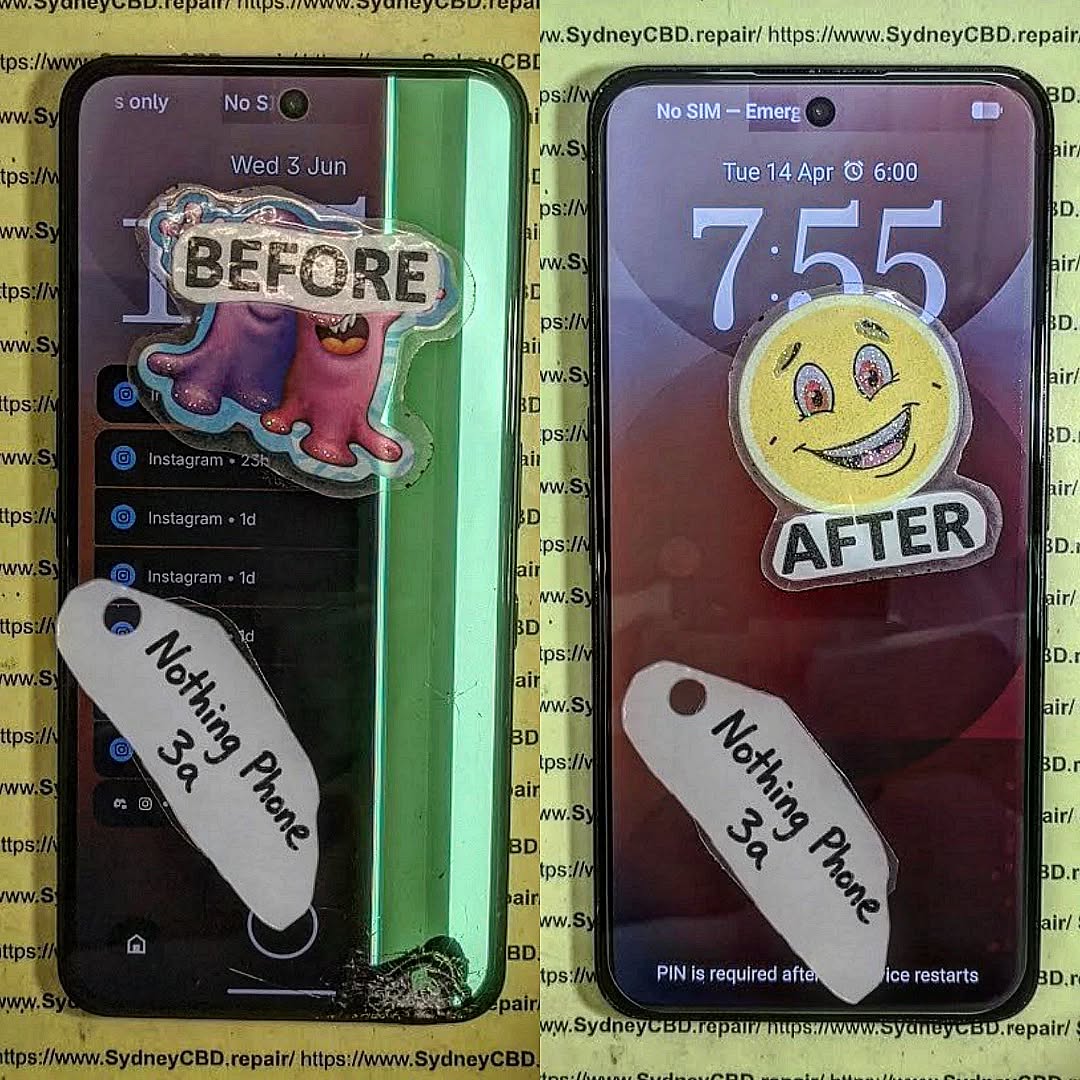
RARE FIND FIX! Nothing Phone (3a) Full Display Assembly | Sydney CBD Repair Centre – 7 Expert Reasons to Choose Professional Repair
Introduction to Nothing Phone (3a) Screen Repairs
The Nothing Phone (3a) Full Display Assembly is one of the most important components of the device. It serves as the primary interface between the user and the smartphone, delivering vivid visuals, responsive touch controls, and the premium experience that Nothing devices are known for.
However, accidents happen. A sudden drop onto concrete, pressure from a crowded backpack, or unexpected liquid exposure can leave the display cracked, unresponsive, or completely unusable. When this occurs, replacing the Nothing Phone (3a) Full Display Assembly is often the most effective solution.
Modern smartphones feature highly integrated display systems. Unlike older devices where only the glass could be changed easily, today’s smartphones combine multiple layers into a single module. This design improves durability and image quality but also requires specialized tools and expertise for repairs.
At Sydney CBD Repair Centre, technicians handle advanced display replacements daily. Their experience with premium smartphones ensures every repair is completed with precision and care. Whether the damage is cosmetic or severe, professional intervention can restore the phone to excellent working condition.
Furthermore, a quality screen replacement not only improves usability but also protects the device’s long-term value. A damaged screen can worsen over time, affecting touch sensitivity, display clarity, and even internal components.
For users who rely on their phones for work, communication, entertainment, and navigation, restoring the screen quickly becomes a priority. Fortunately, professional repair services make the process straightforward and efficient.
The Nothing Phone (3a) Full Display Assembly is far more than a simple piece of glass. It is a sophisticated module consisting of several interconnected components working together.
Components Included in the Display Assembly
A complete display assembly generally includes:
Component
Function
Front Glass
Protects the display underneath
OLED/AMOLED Panel
Produces images and colors
Touch Digitizer
Registers touch input
Display Flex Cables
Connect display to motherboard
Adhesive Layer
Secures the assembly
Because these elements are fused together, replacing the entire assembly is often the safest and most reliable repair option.
Why the Display Is Critical
The display impacts almost every interaction with the device. Users depend on it for:
Calling and messaging
Social media browsing
Photography and video editing
Mobile gaming
Online banking
Business communication
A damaged display can significantly reduce productivity and enjoyment. That’s why replacing the Nothing Phone (3a) Full Display Assembly promptly is highly recommended.
Additionally, modern OLED displays provide exceptional contrast, brightness, and energy efficiency. Preserving these features requires high-quality replacement parts installed by trained professionals.
Common Causes of Display Damage
Despite improvements in smartphone durability, displays remain vulnerable to everyday accidents.
Accidental Drops
Drops continue to be the leading cause of screen damage. Even when a phone survives a fall without visible cracks, internal display layers may suffer damage.
Potential issues include:
Black spots
Touch failure
Flickering
Color distortion
Display separation
Pressure Damage
Phones are often stored in tight pockets, handbags, and backpacks. Excessive pressure can crack internal layers without visibly breaking the outer glass.
Pressure damage frequently results in:
Vertical lines
Dead areas
Screen discoloration
Touch responsiveness issues
Liquid Exposure
While many smartphones offer some degree of water resistance, liquid exposure remains a significant threat.
Liquids can cause:
Display flickering
Corrosion
Touchscreen malfunction
Complete display failure
In such situations, replacing the Nothing Phone (3a) Full Display Assembly may be necessary after a thorough diagnostic assessment.
Warning Signs Your Display Needs Replacement
Not all display issues are immediately obvious. Some symptoms gradually worsen over time.
Touchscreen Problems
If your phone stops responding accurately to touch inputs, the digitizer may be damaged.
Common symptoms include:
Delayed responses
Random touches
Dead zones
Multi-touch failures
Dead Pixels and Lines
Vertical or horizontal lines often indicate internal display damage.
Watch for:
Green lines
Pink lines
White lines
Black spots
These defects typically cannot be repaired and require a new Nothing Phone (3a) Full Display Assembly.
Flickering Screens
Screen flickering may indicate:
Damaged OLED layers
Loose display connections
Internal impact damage
Ignoring flickering can lead to total display failure.
Benefits of Professional Display Assembly Replacement
Professional repairs provide numerous advantages over temporary fixes or amateur attempts.
Precision Repairs
Experienced technicians use:
Specialized tools
Manufacturer-grade procedures
Proper adhesive systems
Professional testing equipment
This ensures the Nothing Phone (3a) Full Display Assembly functions correctly after installation.
Genuine Quality Components
Quality replacement assemblies deliver:
Accurate color reproduction
Reliable touch sensitivity
Consistent brightness
Improved durability
Using inferior components may result in poor performance and reduced lifespan.
Professional repair centers carefully source quality parts that meet strict performance standards.
Sydney CBD Repair Centre Repair Process
Replacing a Nothing Phone (3a) Full Display Assembly involves a systematic process designed to ensure reliability.
Diagnosis
Every repair begins with a detailed inspection.
Technicians evaluate:
Display condition
Frame integrity
Battery health
Internal connectors
Water damage indicators
This comprehensive assessment helps identify all underlying issues.
Replacement Procedure
The replacement process typically includes:
Device disassembly
Battery isolation
Removal of damaged display
Surface preparation
Installation of new assembly
Reconnection of components
Secure reassembly
Each step requires careful attention to detail.
Quality Testing
Before returning the device, technicians verify:
Touch responsiveness
Brightness levels
Color consistency
Camera functionality
Sensor operation
Charging performance
These checks ensure the repair meets professional standards.
Why DIY Repairs Can Be Risky
Online repair tutorials may appear simple, but smartphone repairs have become increasingly complex.
DIY repairs often involve risks such as:
Flex cable damage
Battery punctures
Adhesive failures
Water resistance compromise
Frame damage
Furthermore, specialized tools are usually required for successful installation.
Without proper experience, replacing a Nothing Phone (3a) Full Display Assembly can become significantly more expensive if additional components are damaged during the process.
Professional repair services eliminate these risks and provide peace of mind.
Although lower-cost options may seem attractive initially, investing in professional repairs often delivers greater long-term value.
Quality repairs help:
Extend device lifespan
Preserve performance
Maintain resale value
Reduce repeat repair expenses
As a result, choosing an experienced repair provider is often the smartest financial decision.
Maintaining Your New Display
Once the Nothing Phone (3a) Full Display Assembly has been replaced, proper care can significantly extend its lifespan.
Recommended protection measures include:
Use a Quality Case
A shock-absorbing case reduces impact forces during accidental drops.
Install a Screen Protector
Screen protectors help prevent:
Scratches
Minor cracks
Surface wear
Avoid Excessive Pressure
Never place heavy objects on top of the phone.
Keep Away from Liquids
Even water-resistant devices can experience liquid-related damage.
Regular Cleaning
Use a microfiber cloth to remove dirt and oils without scratching the display.
Following these simple practices can help keep the display looking and functioning like new.
Why Sydney CBD Repair Centre Stands Out
When it comes to replacing a Nothing Phone (3a) Full Display Assembly, experience matters.
Sydney CBD Repair Centre offers:
Same-day repair solutions
Professional technicians
Quality replacement parts
Advanced repair equipment
Thorough quality control
Warranty-backed repairs
Excellent customer support
Customers trust the centre because of its commitment to quality workmanship and transparent service.
Additionally, the repair team continually updates its knowledge to stay current with evolving smartphone technologies.
For mobile users seeking dependable repairs, professional expertise remains the safest choice.
For additional smartphone care and repair information, visit the official Android support resources: Android Help Center
Frequently Asked Questions
1. What is included in the Nothing Phone (3a) Full Display Assembly?
The assembly generally includes the front glass, OLED display panel, touch digitizer, flex cables, and installation adhesive components.
2. How long does a display replacement take?
Most professional repairs can be completed on the same day, depending on part availability and device condition.
3. Can a cracked screen still be repaired if the touch works?
Yes. Even if touch functionality remains operational, replacing the damaged Nothing Phone (3a) Full Display Assembly is recommended to prevent further deterioration.
4. Will replacing the display restore original performance?
When quality components are used and installation is performed correctly, users can expect display performance comparable to the original screen.
5. Is DIY screen replacement recommended?
DIY repairs carry substantial risks due to the complexity of modern smartphones. Professional repairs are generally the safer option.
6. Can display damage affect other phone functions?
Yes. Severe impacts can affect internal connectors, sensors, cameras, and other components beyond the display itself.
7. How can I protect my replacement screen?
Using a protective case, screen protector, and careful handling practices can significantly extend display lifespan.
8. What causes green lines on smartphone screens?
Green lines are usually caused by OLED panel damage, impact stress, or display connector issues and often require replacement of the display assembly.
Conclusion
The Nothing Phone (3a) Full Display Assembly is a sophisticated component that plays a crucial role in everyday smartphone use. When damage occurs, professional replacement offers the most reliable path to restoring performance, appearance, and functionality.
From accidental drops and pressure damage to touchscreen failures and display flickering, screen issues can quickly disrupt daily life. Fortunately, expert repair services provide a safe and effective solution.
By choosing experienced technicians, quality components, and comprehensive testing procedures, users can enjoy confidence that their device will perform at its best once again. Whether the damage is minor or severe, timely intervention helps preserve the phone’s value and extend its useful lifespan.
David from Sydney CBD Repair Centre – The Best place to fix mobile phones as 7 Years In A Row! Top Mobile Phone Repair In Sydney. More than 2000 Positive Reviews on Google and Same Day Repairs.
We take pride in delivering exceptional repair services for all major phone brands including Apple, Samsung, Google, and more. Our expert technicians use only genuine parts and offer 90days warranty on repairs. Located in the heart of Sydney CBD, we’re your one-stop solution for all mobile device repairs.
Our commitment to excellence has earned us the trust of thousands of satisfied customers. Whether it’s a cracked screen, battery replacement, or water damage repair, we handle it all with professional care and expertise. Walk in today and experience why we’re Sydney’s #1 choice for mobile phone repairs.
Visit us for:
✓ Same Day Express Repairs
✓ Genuine Parts Guarantee
✓ Professional Technicians
✓ Competitive Pricing
✓ 2000+ 5-Star Google Reviews
✓ 7-Time Award Winner for Best Phone Repairs
Sydney CBD Repair Centre – Where Quality Meets Reliability.
Watch A Master Technician Rebuild This Destroyed Google Pixel 10 Pro XL Screen Assembly Like New + Ultimate Guide 2026
Introduction to Google Pixel 10 Pro XL Screen Repair
The Google Pixel 10 Pro XL is one of the most advanced Android smartphones ever released. Packed with a stunning AMOLED display, intelligent AI-powered features, and premium build quality, it’s designed for users who expect top-tier performance. However, even the toughest smartphones can suffer catastrophic damage after a hard fall, accidental pressure, or liquid exposure.
Watching a master technician rebuild a destroyed Google Pixel 10 Pro XL screen assembly is fascinating because it combines engineering precision, technical expertise, and patience. A badly shattered display may appear beyond repair, yet skilled professionals can often restore the device to like-new condition using specialized tools and genuine replacement parts.
In today’s world, smartphone repairs aren’t just about replacing broken glass. Modern devices integrate the display, frame, biometric sensors, and touch circuitry into a single assembly. That means every repair requires careful handling and extensive knowledge.
Many users attempt DIY repairs after watching online videos. While tutorials can be helpful, the Google Pixel 10 Pro XL screen assembly is delicate and expensive. One small mistake can permanently damage the motherboard, facial recognition sensors, or fingerprint reader. That’s why professional repair services remain the safest option.
For official Google device information, visit Google Store.
The Google Pixel 10 Pro XL screen assembly represents years of smartphone innovation. It’s not simply a piece of glass attached to a phone. Instead, it’s a sophisticated module combining multiple technologies into one slim package.
AMOLED Display Technology Explained
The Pixel 10 Pro XL uses a high-resolution AMOLED display capable of delivering deep blacks, vibrant colors, and ultra-smooth refresh rates. AMOLED panels work by illuminating individual pixels instead of using a traditional backlight. This technology improves battery efficiency while providing richer visuals.
Because the AMOLED layer is extremely thin, it’s more vulnerable to impact damage. Even a seemingly small crack can spread across the panel and affect display quality. In severe cases, the screen may flicker, develop green lines, or become completely black.
Professional technicians handling a Google Pixel 10 Pro XL screen assembly must carefully separate the damaged display without harming nearby components. This process often requires controlled heat and precision tools.
Touch Sensitivity and Frame Integration
Modern smartphones integrate touch sensors directly into the display assembly. That means the touch digitizer and AMOLED panel are fused together. If one component fails, the entire assembly usually needs replacement.
Additionally, the Google Pixel 10 Pro XL frame is engineered with tight tolerances. This premium construction improves durability but also makes repairs more complicated. Technicians must ensure the new screen sits perfectly flush within the frame to maintain water resistance and structural integrity.
Smartphone damage can happen in seconds. Even careful users sometimes experience unexpected accidents.
Accidental Drops
Drops remain the leading cause of Google Pixel 10 Pro XL screen assembly failures. A fall onto concrete or tiles can shatter the glass instantly. In many cases, the external glass cracks while the AMOLED panel underneath also suffers hidden damage.
The severity of the damage depends on several factors:
Height of the drop
Surface material
Angle of impact
Existing frame stress
Presence of a protective case
Repeated minor drops can weaken the display over time, eventually leading to sudden failure.
Water Exposure
Although flagship smartphones include water resistance ratings, they’re not indestructible. Once the screen cracks, moisture can seep into the phone and corrode sensitive internal components.
Water damage may cause:
Ghost touch issues
Display flickering
Screen discoloration
Face unlock failure
Charging problems
Professional technicians often inspect the motherboard under a microscope before installing a new Google Pixel 10 Pro XL screen assembly.
Internal Connector Damage
Sometimes the screen itself isn’t the only issue. Strong impacts can loosen internal connectors or damage flex cables. In these situations, replacing only the front glass won’t solve the problem.
A complete diagnostic process is essential before beginning repairs.
Signs Your Google Pixel 10 Pro XL Needs Immediate Repair
A damaged screen doesn’t always stop working immediately. However, delaying repairs can worsen the problem over time.
Common warning signs include:
Symptom
Possible Cause
Flickering display
AMOLED damage
Black spots
Pixel bleeding
Unresponsive touch
Digitizer failure
Green or purple lines
Internal screen fracture
Screen lifting
Swollen battery or frame damage
Ghost touches
Liquid or sensor damage
If your Google Pixel 10 Pro XL shows any of these symptoms, professional repair is strongly recommended.
Tools Used by Professional Technicians
Repairing a Google Pixel 10 Pro XL screen assembly requires specialized equipment that most consumers don’t own.
Precision Screwdrivers
Technicians use high-quality precision screwdrivers designed specifically for smartphone repairs. Using incorrect tools can strip screws or damage sensitive components.
Professional repair centers organize screws carefully because different screw sizes are used throughout the device.
Heat Mats and Adhesive Removal Tools
Modern smartphones use powerful adhesive to secure displays and maintain water resistance. Heat mats soften this adhesive safely.
Technicians also use:
Plastic pry tools
Suction cups
Anti-static tweezers
Adhesive cutters
These tools help remove broken displays without scratching the frame.
Microscope Inspection Equipment
Microscopes allow technicians to inspect tiny connectors and identify hidden motherboard damage.
This level of precision separates professional repairs from risky DIY attempts.
Step-by-Step Google Pixel 10 Pro XL Screen Assembly Rebuild
Watching a destroyed Google Pixel 10 Pro XL screen assembly come back to life is impressive. The process requires patience and technical skill.
The damaged display is heated carefully to soften adhesive. Technicians then lift the screen slowly using specialized pry tools.
This stage is delicate because excessive force can damage:
Flex cables
Front camera modules
Fingerprint sensors
Internal antennas
Cleaning and Frame Preparation
After removing the broken display, all remaining adhesive and glass fragments must be cleaned from the frame.
Technicians often use isopropyl alcohol and anti-static brushes to prepare the surface.
A perfectly clean frame ensures the new Google Pixel 10 Pro XL screen assembly fits securely.
Installing the New Display
Once the frame is prepared, the new display assembly is connected and aligned precisely.
Professional technicians verify:
Uniform adhesive placement
Proper connector seating
Screen alignment
Dust-free installation
Even a tiny dust particle trapped beneath the display can affect visual quality.
Testing and Calibration
After installation, the phone undergoes extensive testing.
Technicians check:
Touch responsiveness
Brightness levels
Color accuracy
Fingerprint recognition
Front camera quality
Proximity sensors
Only after all tests pass is the repair considered complete.
Genuine vs Aftermarket Google Pixel 10 Pro XL Screens
One of the biggest decisions during repair is choosing between genuine and aftermarket parts.
Genuine Screen
Aftermarket Screen
Better color accuracy
Lower cost
Higher durability
Variable quality
Smooth refresh rates
Possible lag
Original brightness
Lower brightness
Reliable touch response
Potential touch issues
Professional repair centers generally recommend genuine Google Pixel 10 Pro XL screen assembly replacements for the best long-term performance.
Cheap aftermarket screens may initially appear similar, but they often suffer from poor touch sensitivity, weak brightness, and reduced lifespan.
Why Professional Repairs Matter
Professional repair services provide far more than simple part replacement.
Warranty Protection
Many reputable repair centers offer warranties covering both labor and replacement components. This gives customers peace of mind after repairs.
DIY repairs usually provide no protection if something goes wrong.
Avoiding Further Damage
Modern flagship smartphones are highly complex. Improper repairs can accidentally damage:
Motherboards
Wireless charging coils
Cameras
Battery connectors
Face unlock systems
Professional technicians minimize these risks through experience and proper equipment.
Cost of Google Pixel 10 Pro XL Screen Repairs
Repair costs vary depending on damage severity and part quality.
Factors affecting pricing include:
Genuine vs aftermarket parts
Frame condition
Labor complexity
Additional internal damage
Water exposure
Although premium smartphone repairs can seem expensive, replacing a flagship device entirely usually costs far more.
Investing in a quality Google Pixel 10 Pro XL screen assembly repair can significantly extend the phone’s lifespan.
Preventing Future Screen Damage
After repairing a Google Pixel 10 Pro XL screen assembly, protecting the device becomes essential.
Recommended protection methods include:
Use a Quality Case
Shock-absorbing cases reduce impact force during drops.
Install Tempered Glass
A tempered glass protector helps prevent scratches and absorbs minor impacts.
Avoid Extreme Temperatures
Heat and cold can weaken adhesives and damage AMOLED panels.
Keep the Phone Away from Water
Even water-resistant devices can suffer moisture damage if seals become compromised.
Don’t Ignore Small Cracks
Minor cracks can spread quickly and allow dust or moisture inside the device.
Preventive care saves money and reduces repair frequency.
Frequently Asked Questions
How long does a Google Pixel 10 Pro XL screen repair take?
Most professional repairs can be completed within a few hours, depending on part availability and damage severity.
Can a shattered Google Pixel 10 Pro XL screen be fully restored?
Yes, in many cases a professional technician can restore the device to near-original condition using quality replacement parts.
Is it safe to use a cracked Google Pixel 10 Pro XL?
Using a cracked device is risky because glass fragments and moisture exposure can worsen internal damage.
Does replacing the screen affect water resistance?
Professional repairs aim to restore water resistance using premium adhesive seals, though factory-level resistance can’t always be guaranteed.
Should I choose genuine or aftermarket screens?
Genuine Google Pixel 10 Pro XL screen assembly replacements generally provide better brightness, touch response, and durability.
Why does my screen flicker after being dropped?
Flickering usually indicates AMOLED or connector damage inside the display assembly.
Can dead pixels spread over time?
Yes, damaged AMOLED pixels often expand gradually if the screen remains under pressure.
Conclusion
Watching a master technician rebuild a destroyed Google Pixel 10 Pro XL screen assembly highlights the incredible skill involved in modern smartphone repair. Today’s flagship devices combine advanced engineering with delicate components, making professional expertise more important than ever.
From safe disassembly to precision testing, every step of the repair process requires patience, specialized equipment, and technical knowledge. While DIY videos may make repairs appear simple, real-world smartphone restoration is far more complex.
Choosing a trusted repair center ensures your Google Pixel 10 Pro XL receives proper care, genuine parts, and reliable workmanship. In many cases, professional repairs can restore heavily damaged devices to excellent condition while extending their lifespan for years.
Whether your phone suffered a cracked screen, display flickering, or complete AMOLED failure, expert technicians can often bring it back to life safely and efficiently.
David from Sydney CBD Repair Centre – The Best place to fix mobile phones as 7 Years In A Row! Top Mobile Phone Repair In Sydney. More than 2000 Positive Reviews on Google and Same Day Repairs.
We take pride in delivering exceptional repair services for all major phone brands including Apple, Samsung, Google, and more. Our expert technicians use only genuine parts and offer 90days warranty on repairs. Located in the heart of Sydney CBD, we’re your one-stop solution for all mobile device repairs.
Our commitment to excellence has earned us the trust of thousands of satisfied customers. Whether it’s a cracked screen, battery replacement, or water damage repair, we handle it all with professional care and expertise. Walk in today and experience why we’re Sydney’s #1 choice for mobile phone repairs.
Visit us for:
✓ Same Day Express Repairs
✓ Genuine Parts Guarantee
✓ Professional Technicians
✓ Competitive Pricing
✓ 2000+ 5-Star Google Reviews
✓ 7-Time Award Winner for Best Phone Repairs
Sydney CBD Repair Centre – Where Quality Meets Reliability.
Call : +61280114119
Website: Sydney CBD Repair Centre
Separating Glass vs Display: Can You Replace Only the Cracked Top Layer? 9 Powerful Facts You Must Know
Introduction
When a smartphone screen cracks, most people immediately assume the entire display needs replacement. However, that’s not always the case. Modern smartphones are built with multiple layers, including the outer protective glass, touch digitizer, and internal OLED or LCD display. Understanding the difference between these components is essential because separating glass vs display can dramatically affect repair costs, repair methods, and overall device performance.
In many situations, only the top glass layer is damaged while the display underneath continues to function perfectly. That means users may be able to replace only the cracked top layer instead of paying for a complete screen assembly replacement. This repair option can save money, preserve the original factory display, and reduce electronic waste. However, determining whether a device qualifies for glass-only repair requires proper inspection and professional expertise.
As smartphone technology continues to evolve, screens have become thinner, brighter, and more advanced than ever before. Unfortunately, these improvements also make repairs more delicate and technically demanding. A simple crack may hide deeper internal damage, while some shattered screens may still have fully functional OLED panels beneath them.
This article explores everything you need to know about separating glass vs display, including how smartphone screens are constructed, signs of glass-only damage, when a full display replacement is necessary, the repair process involved, and how professional technicians safely separate damaged glass from working displays. By the end, you’ll have a clear understanding of whether replacing only the cracked top layer is possible and whether it’s the right solution for your device.
Modern smartphones are engineering marvels. They combine advanced materials, touch-sensitive technology, and ultra-thin displays into a slim device that fits comfortably in your pocket. However, when a phone falls, users often panic after seeing cracks spread across the screen. Many immediately assume the entire display needs replacement. In reality, separating glass vs display is the key to understanding what repair is actually required.
What Is the Glass Layer?
The outermost part of your phone screen is the protective glass layer. This glass is designed to absorb minor impacts and scratches. Popular manufacturers like Apple and Samsung use strengthened glass technologies such as Gorilla Glass or Ceramic Shield.
This top layer acts like a shield. When dropped, it’s usually the first part to crack. Fortunately, cracks on the top layer don’t always mean the inner display is damaged.
Main Functions of the Glass Layer
Protects the OLED or LCD beneath
Prevents scratches and dirt buildup
Maintains touch sensitivity
Improves visual clarity
If the image underneath still looks perfect and touch remains responsive, there’s a good chance only the glass layer is broken.
What Is the Display Layer?
Beneath the glass lies the actual display. Depending on the phone, this may be an OLED, AMOLED, or LCD panel. This component generates images, colors, brightness, and animations.
When the display itself breaks, users may notice:
Black spots
Green lines
Flickering
Dead pixels
No image at all
At this stage, separating glass vs display becomes extremely important because the repair cost increases significantly once the panel is damaged.
How Touch Digitizers Work
Many modern phones integrate the digitizer into the display assembly. The digitizer detects touch input and converts it into commands.
In older phones, the digitizer was separate. Nowadays, manufacturers laminate the layers together to improve brightness and reduce thickness. This design improves user experience but makes repairs more complex.
The phrase “separating glass vs display” refers to determining whether only the outer glass is damaged or whether the internal display assembly is also broken.
Why Many People Confuse Glass and Display
At first glance, a cracked screen looks catastrophic. However, a phone can still function perfectly even when the glass is shattered.
Here’s why confusion happens:
Symptom
Glass Damage
Display Damage
Cracks visible
Yes
Sometimes
Touch works
Usually
Often fails
Image visible
Yes
Sometimes distorted
Black spots
No
Yes
Flickering
No
Yes
Green or purple lines
No
Yes
Understanding these differences can save users hundreds of dollars.
Signs That Only the Glass Is Damaged
You may only need a glass replacement if:
The touchscreen still works normally
Colors appear accurate
No black bleeding exists
Brightness remains stable
The display shows no flickering
This is the ideal scenario for a glass-only repair.
Signs That the OLED or LCD Is Broken
A full display replacement is likely necessary if you notice:
Ink-like black marks
Display discoloration
No touch response
Flashing screen
Partial image failure
Once the display is compromised, replacing only the glass won’t solve the problem.
Can You Replace Only the Cracked Top Layer?
The short answer is yes — but only under the right conditions. Separating glass vs display accurately is the first step.
Devices Compatible With Glass-Only Repairs
Many flagship devices support professional glass-only replacement, including selected models from:
Apple
Samsung
Google
Xiaomi
Professional technicians can remove the broken glass while preserving the original OLED underneath.
This process requires precision equipment and advanced expertise.
Cases Where Glass-Only Repairs Are Impossible
Sometimes a full replacement is unavoidable. This happens when:
The OLED is cracked
Touch sensitivity is lost
The frame is bent
Internal moisture exists
The display has pressure damage
In these cases, attempting a glass-only repair can worsen the problem.
Benefits of Replacing Only the Glass
There are several advantages to glass-only repairs.
Lower Costs
Replacing only the glass is usually cheaper than replacing the entire display assembly.
Original Display Retention
Users keep the original factory OLED panel, which maintains:
Better color accuracy
Original brightness
Smooth refresh rates
Factory calibration
Reduced Electronic Waste
Repairing only the damaged glass helps reduce unnecessary component disposal.
That’s a win for both your wallet and the environment.
How Professional Glass Separation Works
Glass-only repair is highly technical. It’s not something most people should attempt at home.
Specialized Equipment Used
Professional repair centers use advanced machines such as:
Separator machines
Vacuum laminators
Bubble removers
Heated plates
Precision wire cutting tools
These tools allow technicians to separate glass vs display safely without damaging the OLED panel underneath.
Risks of DIY Repairs
Watching online tutorials may make the process seem simple, but DIY attempts often end badly.
Common DIY Problems
Destroyed OLED panels
Dust trapped under glass
Uneven adhesive application
Touch malfunction
Face ID or fingerprint sensor issues
Modern displays are extremely delicate. One mistake can turn a minor repair into a costly replacement.
Why Experience Matters
Experienced technicians understand:
Heat sensitivity
Adhesive behavior
Flex cable positioning
OLED fragility
Pressure management
That expertise dramatically increases the chances of successful glass-only repair.
For more information about professional mobile repair standards, you can visit iFixit.
Glass-Only Repair vs Full Display Replacement
Choosing the right repair depends on the actual damage.
Cost Comparison
Here’s a general comparison:
Repair Type
Average Cost
Complexity
Glass-only replacement
Lower
High skill required
Full display replacement
Higher
Easier installation
OLED panels are expensive, especially on premium devices.
That’s why separating glass vs display properly can significantly reduce repair expenses.
Performance Differences
When done correctly, glass-only repairs preserve original performance because the factory OLED remains untouched.
Benefits include:
Better color reproduction
Factory brightness levels
Original touch responsiveness
Superior fingerprint performance
Cheap aftermarket screens may not deliver the same quality.
Durability and Longevity
Professional repairs using premium materials can last for years. However, low-quality adhesive or poor workmanship can lead to:
Lifting glass
Dust intrusion
Reduced sensitivity
Premature cracking
Choosing a reputable repair technician matters enormously.
Common Myths About Screen Repairs
There’s plenty of misinformation online regarding cracked screens.
Myth: Every Cracked Screen Needs Full Replacement
This is one of the biggest myths in the repair industry.
If the OLED still functions properly, glass-only replacement may be possible.
Separating glass vs display helps determine the correct repair path.
Myth: Cheap Repairs Are Always Good
Budget repairs sometimes use:
Inferior glass
Weak adhesive
Low-grade aftermarket screens
While the initial price looks attractive, poor-quality repairs can fail quickly.
Myth: Third-Party Parts Are Identical
Not all replacement parts are equal.
High-quality OLED panels cost more because they deliver:
Accurate brightness
Smooth refresh rates
Reliable touch response
Better battery efficiency
Extremely cheap displays often sacrifice quality to reduce cost.
How to Protect Your Screen After Repair
Once your device is repaired, prevention becomes critical.
Use Tempered Glass Protection
A quality tempered glass protector adds an extra impact layer.
Benefits include:
Scratch prevention
Minor drop protection
Easier cleaning
Reduced direct impact
Think of it as inexpensive insurance.
Avoid Pressure Damage
Many OLED failures happen due to pressure, not drops.
Avoid:
Sitting on your phone
Keeping phones in tight back pockets
Placing heavy items on devices
Pressure can crack internal layers without damaging the glass.
Invest in Quality Phone Cases
A strong protective case absorbs impact energy and reduces damage during accidental drops.
Look for:
Raised bezels
Shock absorption
Corner reinforcement
Certified drop protection
Good protection is far cheaper than another repair.
Frequently Asked Questions
Can separating glass vs display really save money?
Yes. If only the top glass is cracked and the OLED remains functional, glass-only repair is significantly cheaper than replacing the entire display assembly.
Is glass-only repair safe?
When performed by experienced professionals using proper equipment, yes. However, inexperienced repairs carry substantial risk.
How do I know if my OLED is damaged?
Signs include black spots, flickering, green lines, dead pixels, or image distortion.
Why are OLED screen replacements expensive?
OLED technology is costly to manufacture. Premium phones use advanced high-refresh displays with integrated touch technology.
Does a cracked glass protector mean my screen is broken?
Not necessarily. Sometimes only the tempered glass protector is damaged. Remove it carefully to inspect the actual display underneath.
Can water damage affect glass-only repairs?
Yes. Moisture can damage internal display layers and adhesives, making glass-only repairs unsafe or impossible.
Are original screens better than aftermarket replacements?
In most cases, yes. Original displays typically offer superior brightness, touch response, and durability.
Conclusion
Understanding the difference between the outer glass and the internal display can save smartphone users both money and frustration. Separating glass vs display is essential because not every cracked phone requires a complete screen replacement.
If your phone still shows a perfect image and touch functionality works normally, a glass-only repair may be the ideal solution. It preserves the original OLED, reduces costs, and minimizes electronic waste.
However, these repairs require professional skill and specialized machinery. Attempting DIY repairs without experience can easily destroy the display completely.
Whether you own an iPhone, Samsung Galaxy, or another flagship device, choosing a trusted repair specialist ensures your phone receives the correct diagnosis and highest-quality repair possible.
David from Sydney CBD Repair Centre – The Best place to fix mobile phones as 7 Years In A Row! Top Mobile Phone Repair In Sydney. More than 2000 Positive Reviews on Google and Same Day Repairs.
We take pride in delivering exceptional repair services for all major phone brands including Apple, Samsung, Google, and more. Our expert technicians use only genuine parts and offer 90days warranty on repairs. Located in the heart of Sydney CBD, we’re your one-stop solution for all mobile device repairs.
Our commitment to excellence has earned us the trust of thousands of satisfied customers. Whether it’s a cracked screen, battery replacement, or water damage repair, we handle it all with professional care and expertise. Walk in today and experience why we’re Sydney’s #1 choice for mobile phone repairs.
Visit us for:
✓ Same Day Express Repairs
✓ Genuine Parts Guarantee
✓ Professional Technicians
✓ Competitive Pricing
✓ 2000+ 5-Star Google Reviews
✓ 7-Time Award Winner for Best Phone Repairs
Smartwatches play a massive role in our daily routines, so when the screen cracks, it can feel like disaster strikes instantly. In this guide, you’ll get an inside look at cracked smartwatch screen repair, from diagnostics to replacement techniques. This keyword — cracked smartwatch screen repair — appears naturally throughout this article to improve search visibility while keeping the reading experience smooth and engaging. Let’s walk through the real process technicians follow, the pitfalls of DIY, and how you can decide whether repair or replacement is the right move.
Introduction
Smartwatches have become indispensable companions, seamlessly blending technology with everyday life. From tracking fitness goals to managing notifications, these devices keep us connected and organized. However, accidents happen, and one of the most common mishaps is a cracked smartwatch screen. A damaged screen not only affects the aesthetic appeal but can also impair touch functionality, display quality, and even water resistance.
Understanding the process behind a cracked smartwatch screen repair is essential for anyone looking to restore their device without risking further damage. In this guide, we’ll explore the causes of screen damage, step-by-step repair procedures, necessary tools, potential risks of DIY fixes, and why professional repairs often provide the best long-term results. Whether you’re a tech enthusiast or someone seeking expert repair advice, this comprehensive introduction will set the stage for making informed decisions about your smartwatch.
By the end of this article, you’ll have a clear understanding of the repair process, cost considerations, and prevention tips to ensure your smartwatch stays functional and stylish for years to come.
Smartwatches use specialized screen assemblies made up of delicate layers. When cracked, the damage isn’t always superficial — deeper components often take a hit too.
Types of Smartwatch Screens
Most modern smartwatches use one of the following:
OLED displays (Apple Watch, Samsung Galaxy Watch)
LCD displays (budget smartwatches and fitness bands)
Sapphire crystal glass (high-end Garmin, Tissot)
Ion-X or Gorilla Glass
Touch digitizer layers
Knowing your display type helps determine repair complexity and cost.
Common Causes of Screen Cracks
Smartwatch screens crack for many reasons:
Hard impacts against door frames
Gym equipment collisions
Drops from wrist height
Cycling or running accidents
Heat exposure damaging adhesives
Manufacturing fatigue over time
Even mild cracks can compromise touch accuracy or cause dead pixels.
The Initial Assessment Process
Before any technician begins a cracked smartwatch screen repair, they run an assessment to detect all underlying issues — because a crack is often just the start.
Identifying Display vs. Touch Issues
Technicians check:
Touch responsiveness
Dead zones
Display discoloration
Lines or flickering pixels
Backlight issues for LCD units
Evaluating Internal Damage
More serious cracks may affect:
Battery
Taptic Engine
Water-resistance seals
Internal connectors
Logic board flex cables
This diagnostic stage determines whether a simple screen replacement is enough or if deeper repairs are needed.
This section provides a deep look at the real repair workflow. Even though it’s tempting to try DIY, this part will show why professionals trained in micro-repairs are often the safest bet.
Opening the Watch Safely
Smartwatches are sealed with high-strength adhesive. To open one safely, technicians:
Apply controlled heat
Use micro pry tools
Lift the screen without tearing cables
Disconnect flex connectors carefully
A wrong move here destroys the display or motherboard instantly.
Removing Broken Glass and Adhesive
Once opened, the technician:
Removes shattered glass
Cleans adhesive residue
Inspects the digitizer
Prepares the frame for a new assembly
Precision is everything — even one speck of dust can ruin touch sensitivity.
Installing the New Screen
Replacement involves:
Aligning the new display
Reconnecting flex cables
Re-sealing the watch
Restoring water resistance
Running full hardware diagnostics
Professionals test for:
Brightness levels
Touch precision
Battery draw
Display uniformity
Structural integrity
Tools and Materials Used in Screen Repairs
Smartwatch repairs require premium tools — not generic screwdrivers from a $10 kit.
Professional Tools vs. DIY Kits
Professionals use:
Heat mats
Microsoldering stations
Anti-static workspaces
Precision tweezers
OEM-grade adhesives
Laser separators (for glass-only repairs)
DIY kits, meanwhile, often include:
Low-quality pry tools
Weak adhesives
Non-OEM parts
These differences drastically impact repair success and long-term durability.
Cost Breakdown: What You’re Really Paying For
A cracked smartwatch screen repair cost includes:
Component
Price Influence
Display type
OLED costs more than LCD
OEM vs aftermarket
OEM ensures accuracy
Labor skill
Micro-repairs require expertise
Water-seal replacement
Essential for durability
Warranty
Technician accountability
Premium brands like Apple or Samsung cost more because their screens contain multiple layers fused together.
Risks of DIY Smartwatch Screen Repair
Trying to fix your own smartwatch may seem affordable, but the risks outweigh the savings:
Loss of water resistance
Damage to internal sensors
Broken connectors
Display ghosting
Battery damage
Touch failure
And once damaged, many manufacturers refuse further service.
Why Professional Repairs Deliver Better Results
Certified repair centres — like Sydney CBD Repair Centre — provide:
Genuine replacement parts
Skilled micro-technicians
Water-seal restoration
Same-day service
Warranty-backed repairs
You also get peace of mind knowing your smartwatch will function as originally intended.
How to Prevent Future Screen Damage
Here are practical tips:
Use a screen protector
Add a bumper case
Avoid wearing the watch during heavy-impact activities
Keep it away from extreme heat
Service the watch annually for seal maintenance
Small habits significantly extend your device’s life.
FAQs
1. How long does a cracked smartwatch screen repair take?
Most repairs take 1–2 hours, depending on parts availability and waterproofing requirements.
2. Is it safe to use a smartwatch with a cracked screen?
Not really. Cracks allow moisture to enter, which can short internal circuits.
3. Does replacing the screen remove water resistance?
Only if done incorrectly. Professional technicians reapply seals to restore protection.
4. How much does a smartwatch screen repair cost?
Prices typically range from $120–$450, depending on the model and display technology.
5. Is OEM better than aftermarket?
Absolutely. OEM maintains original brightness, accuracy, and durability.
6. Where can I get reliable smartwatch repairs in Sydney?
The Sydney CBD Repair Centre is one of the highest-rated shops with over 2,000 positive reviews.
Visit: https://SydneyCBD.repair/locate-us
Conclusion
A cracked smartwatch screen doesn’t have to mean replacing the entire device. With expert diagnostics, precision tools, and professional repair methods, your smartwatch can look and function like new again. By choosing a trusted repair centre — such as Sydney CBD Repair Centre — you ensure durability, functionality, and peace of mind.
David from Sydney CBD Repair Centre – The Best place to fix mobile phones as 6 Years In A Row! Top Mobile Phone Repair In Sydney. More than 2000 Positive Reviews on Google and Same Day Repairs.
📍 Visit us today for:
✓ Same Day Express Repairs
✓ Genuine Parts Guarantee
✓ Professional Technicians
✓ Competitive Pricing
✓ 2000+ 5-Star Google Reviews
✓ 6-Time Award Winner for Best Phone Repairs
Top 5 Most Common Smartphone Problems and Their Fixes + Expert Repair Tips
📱 Introduction: Why Knowing Common Phone Issues Matters
Smartphones are essential in our daily lives—but even the most reliable devices aren’t immune to problems. Cracked screens, dead batteries, and charging issues are just a few of the common complaints we see daily at Sydney CBD Repair Centre. By understanding the most frequent issues and how to fix or prevent them, you can save time, money, and stress.
Permanent: Screen replacement by professionals
At Sydney CBD Repair Centre, we use only genuine screens with a 90-day warranty and offer same-day service.
Replace battery if it’s bloated or aged We offer fast battery replacements for iPhones, Samsung, Google Pixel, and more—done by certified technicians.
⚡ Problem #3 – Phone Not Charging Properly
Symptoms:
Phone won’t charge at all
Charges only at certain angles
Slow charging
Causes:
Dust or lint in charging port
Faulty charging cable or adapter
Damaged charging IC (internal chip)
Fix:
Clean port gently with a toothpick or soft brush
Try a different cable and power source
Replace port or internal component (if needed) Our team diagnoses and repairs charging issues quickly using OEM parts for long-lasting results.
💧 Problem #4 – Water Damage
Symptoms:
Phone won’t turn on
Screen flickers or becomes unresponsive
Audio or speaker distortion
Do’s:
Power off immediately
Remove SIM/memory cards
Bring to a repair shop ASAP
Don’ts:
Don’t charge it
Don’t blow dry it
Don’t shake it to remove water
💡 Sydney CBD Repair Centre has professional tools and methods to handle water damage recovery safely and effectively.
🖐️ Problem #5 – Unresponsive Touchscreen
Symptoms:
Screen doesn’t react to touch
Delayed or erratic responses
Only part of the screen works
Causes:
Software glitches
Faulty screen or digitizer
Water or impact damage
Fix:
Restart device
Boot into safe mode to check for software issues
Replace screen or digitizer if needed We run full diagnostics to determine whether it’s a hardware or software issue before starting repairs.
🔍 DIY vs. Professional Repair
Aspect
DIY Repair
Professional Repair
Cost
Lower upfront
Slightly higher
Risk
High – possible damage
Low – experts handle it
Tools Required
Many specialized tools
All included in service
Warranty
None
Yes – 90 Days at Sydney CBD Repair
DIY might save you a few dollars, but one mistake could cost much more. With over 2000+ 5-star reviews, our customers trust Sydney CBD Repair Centre to get it right the first time.
🛡️ How to Prevent These Issues
Use a shockproof case and tempered glass protector
Keep ports clean and dry
Avoid using your phone while charging
Update your phone’s OS and apps regularly
Avoid exposing the device to extreme temperatures
🌟 Why Choose Sydney CBD Repair Centre
✅ Same-Day Express Repairs
✅ Only Genuine Parts
✅ Expert Technicians
✅ 90-Day Warranty
✅ Located in the Heart of Sydney CBD
✅ 6-Time Award Winner for Best Phone Repairs
Whether you have an iPhone, Samsung, Google Pixel, or any other device, we handle it all with precision, care, and transparency.
🙋♂️ FAQs
1. Can I still use my phone with a cracked screen?
Yes, but it’s risky—cracks can spread or cause touch issues. It’s best to get it repaired early.
2. How do I know if my battery needs replacing?
Fast drainage, overheating, or sudden shutdowns are clear signs. You can also check battery health in settings.
3. Is water damage repairable?
Often yes, especially if treated quickly. Bring it in within 24 hours for the best chance.
4. How much does screen repair cost?
It depends on the model. Sydney CBD Repair Centre offers competitive rates—call us for a free quote.
5. Do you offer same-day repairs?
Yes, most screen, battery, and charging port repairs are completed on the same day.
6. What brands do you repair?
We service Apple, Samsung, Google, Oppo, Huawei, Sony, and more.
🧠 Final Thoughts
Smartphones may be smart—but they’re not indestructible. By understanding these common problems and acting quickly, you can extend the life of your device and avoid major costs.
For guaranteed, fast, and trusted repairs, visit Sydney CBD Repair Centre—Sydney’s most reliable repair experts for over 6 years in a row.