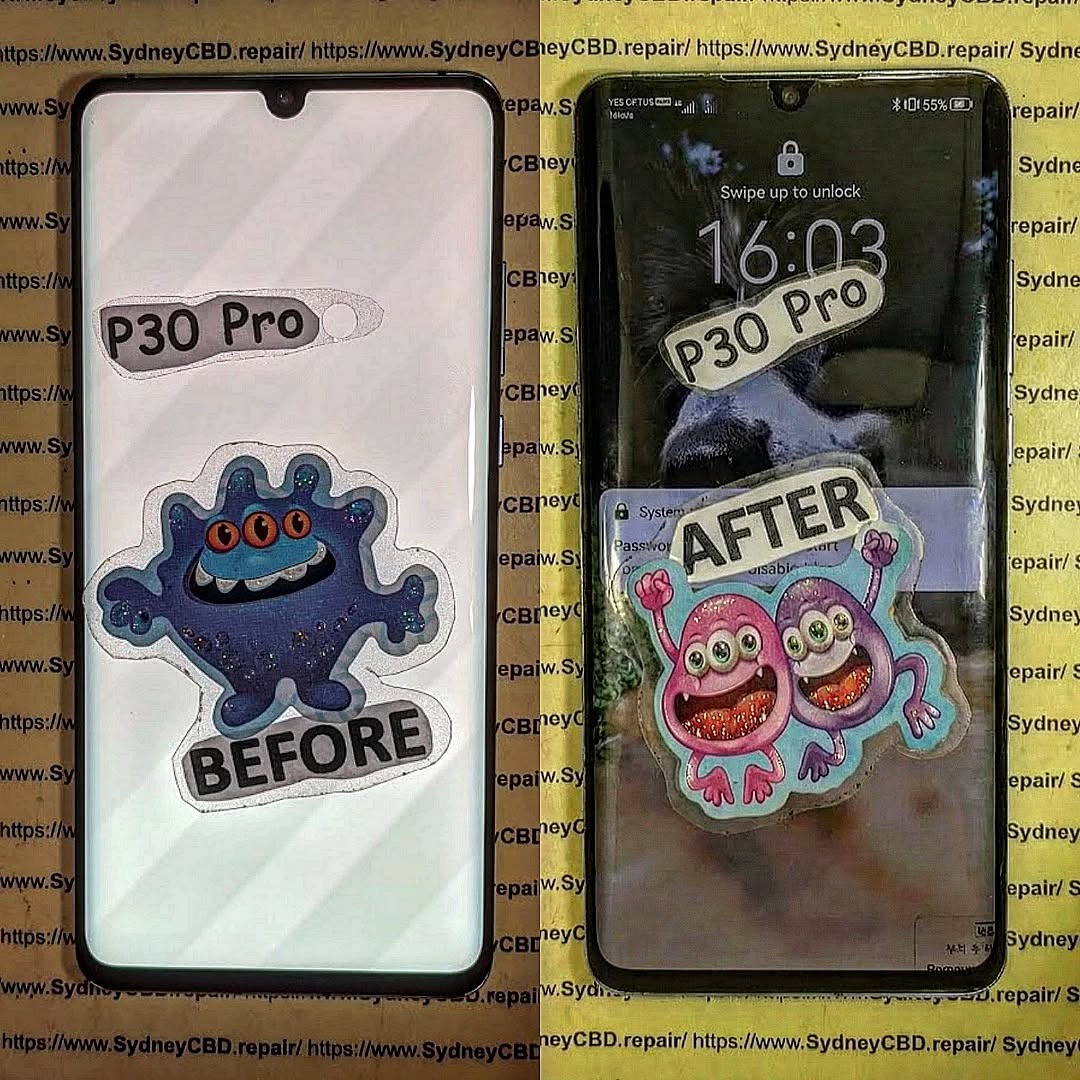
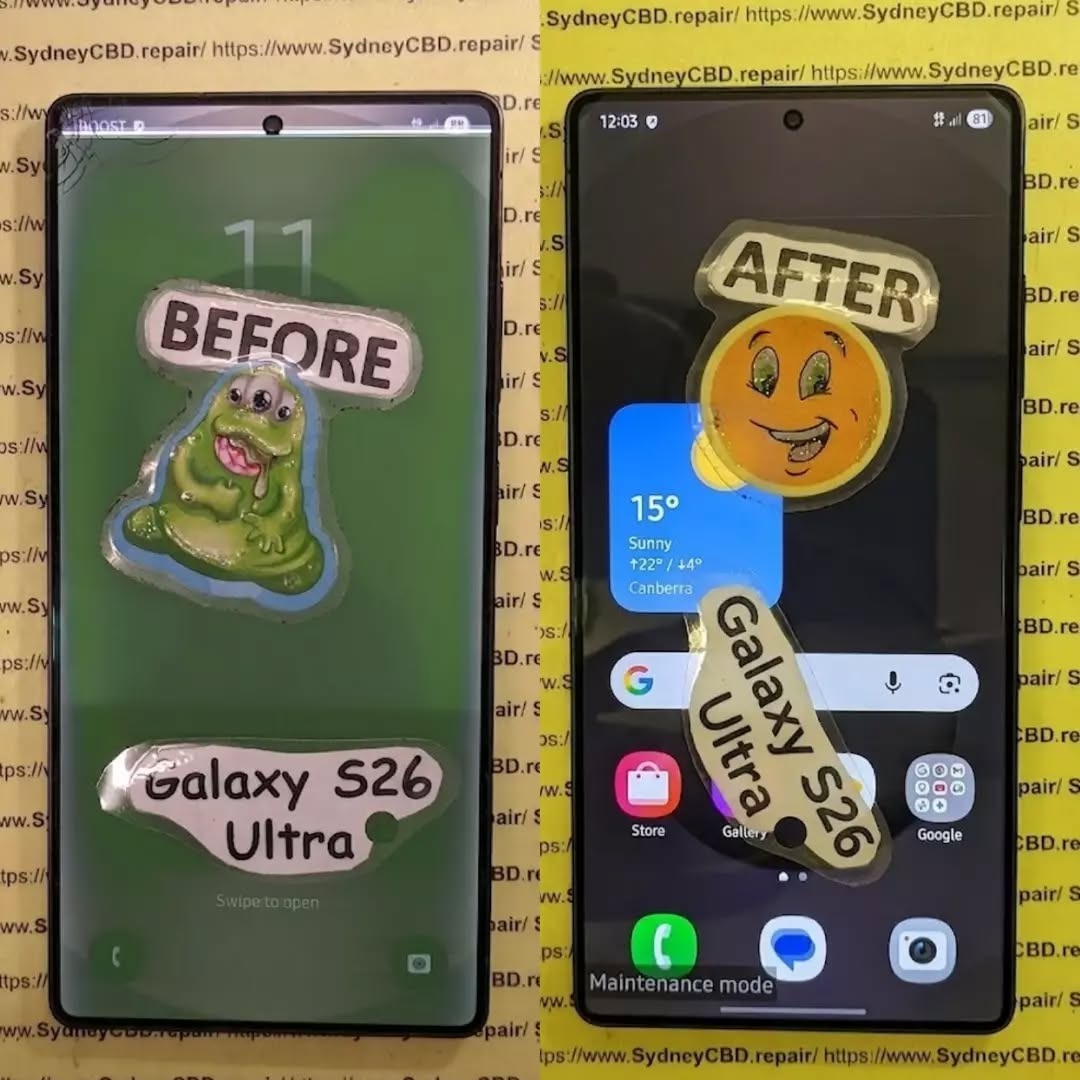
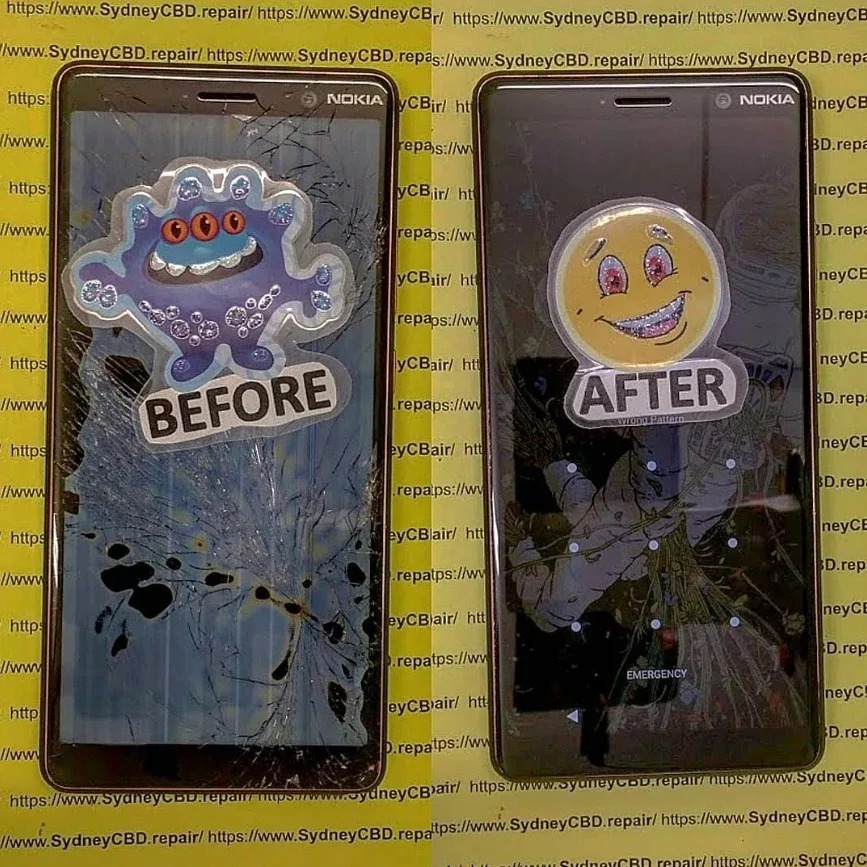
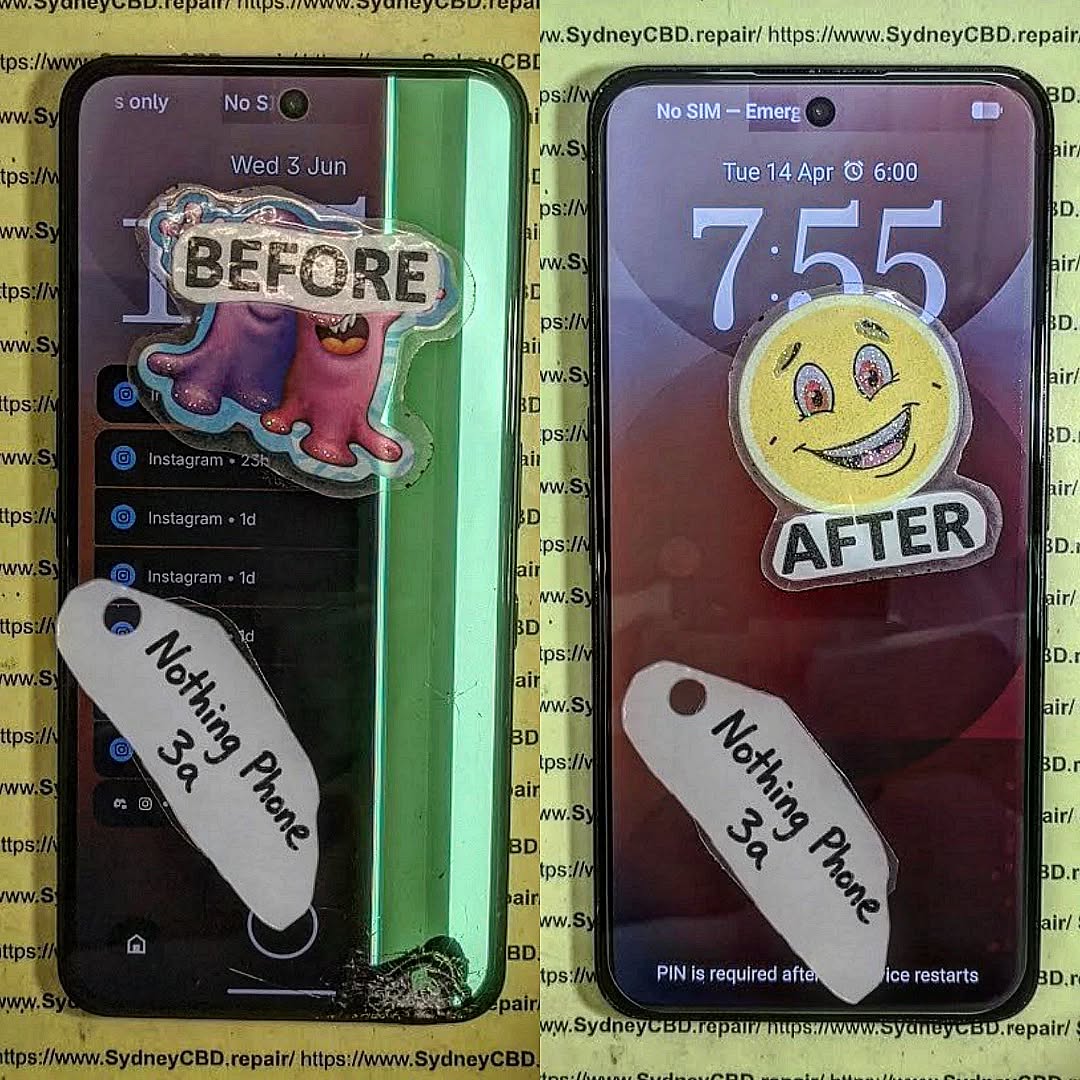
THE ISSUE WITH A WATER-DAMAGED PHONE? We Saved This One! Discover How Our Experts Revived It Fast
Introduction: When Disaster Strikes – Water and Phones Don’t Mix
Every smartphone user has faced that heart-stopping moment — the phone slips from your hand and plunges into water. Whether it’s a pool, sink, or sudden downpour, water exposure can wreak havoc on delicate circuits and connectors.
At Sydney CBD Repair Centre, we’ve seen it all. From completely submerged iPhones to Galaxy phones splashed with coffee, our expert technicians specialize in reviving even the most hopeless cases of water damage. With over 2000 five-star Google reviews and a 7-year winning streak as Sydney’s top phone repair shop, we bring unmatched skill and experience to every repair.
Modern smartphones may boast water resistance, but “resistant” doesn’t mean “waterproof.” Once moisture seeps through seals, it can reach the motherboard, battery, and display connectors, causing short circuits and corrosion.
Water acts as a conductive medium, disrupting voltage pathways and potentially frying sensitive chips. Even a single drop can lead to oxidation and long-term malfunction if not professionally cleaned.
Common Signs of Water Damage
Touchscreen lag or unresponsiveness
Speaker distortion or muffled audio
Fog or spots under the camera lens
Unusual overheating
Random shutdowns or boot loops
These symptoms can appear hours or even days after exposure, making early intervention critical.
Contrary to popular advice, don’t toss your phone in rice. While rice absorbs surface moisture, it does nothing for internal corrosion. Avoid:
Charging or powering on the device
Applying heat with a hairdryer
Shaking or blowing into the ports
These actions can drive moisture deeper inside or cause irreversible damage.
Quick Actions to Save Your Device Before Professional Help
Turn it off immediately.
Remove the SIM card and case.
Gently dab with a microfiber cloth.
Bring it to Sydney CBD Repair Centre as soon as possible.
Speed is everything — the sooner we begin ultrasonic cleaning, the higher your chances of full recovery.
Professional Water Damage Repair Process at Sydney CBD Repair Centre
Step 1: Comprehensive Device Inspection
Each water-damaged phone undergoes a full diagnostic assessment to identify moisture-affected areas. Our technicians disassemble the device safely using anti-static tools.
Step 2: Ultrasonic Cleaning Process
We immerse the motherboard in a professional-grade ultrasonic cleaner that uses microscopic vibrations to remove corrosion and mineral deposits — something no home remedy can match.
Step 3: Drying, Reassembly, and Testing
After precision drying, we reassemble your phone using genuine parts and perform extensive quality testing to ensure stability and full functionality.
Why DIY Water Damage Repairs Often Fail
The Hidden Dangers of Corrosion
Even if your phone powers on after water exposure, corrosion silently spreads across internal circuits. Weeks later, this can cause permanent failure.
Why Rice and Home Remedies Don’t Work
Rice can’t extract moisture trapped under IC chips or connectors. Only ultrasonic cleaning and professional drying can prevent oxidation.
Tools and Equipment Used by Professional Technicians
Ultrasonic cleaning machines
Microscope inspection systems
Specialized drying chambers
OEM-grade replacement parts
Precision soldering tools
These ensure every repair meets factory-level standards.
Real Customer Story: How We Saved a Water-Damaged iPhone 13 Pro Max
A customer walked into our Sydney CBD shop after accidentally dropping their iPhone into saltwater. The device was completely unresponsive. Within three hours, our technicians disassembled, cleaned, and revived the phone — restoring full functionality and saving priceless data.
The customer left with a smile and another 5-star Google review — just one of over 2000 that prove our reliability.
Costs and Timeframes for Water Damage Repairs
Factors Affecting Repair Pricing
Repair costs depend on:
Extent of internal corrosion
Need for component replacement
Phone model and part availability
On average, water damage repair in Sydney ranges from $150–$350, depending on severity.
How Long Does a Typical Repair Take?
Most water-damaged phones are repaired within the same day, thanks to our express service and on-site equipment.
Preventing Future Water Damage – Expert Tips
Using Water-Resistant Accessories
Invest in IP-rated cases and waterproof pouches — especially if you’re often near pools or the beach.
Smart Habits to Keep Your Phone Safe
Avoid charging in humid environments
Keep your phone away from drinks or sinks
Schedule professional cleaning every few months
Why Choose Sydney CBD Repair Centre
6-Time Award Winner for Best Phone Repairs in Sydney
We’re proud to be Sydney’s trusted mobile repair experts — with six consecutive awards recognizing our commitment to quality.
Genuine Parts, Same Day Repairs, and 90-Day Warranty
Your phone deserves only the best. That’s why we use genuine parts, provide same-day service, and offer a 90-day repair warranty on all jobs.
FAQs
Can a water-damaged phone be completely fixed?
Yes, if treated promptly. Early professional intervention can restore most devices to full working order.
How do I know if my phone has internal water damage?
Look for display fogging, audio distortion, or erratic behavior — these often indicate internal moisture.
Does water damage void my warranty?
Most manufacturers exclude water damage from standard warranties. However, Sydney CBD Repair Centre offers affordable repair options regardless of warranty status.
What should I do immediately after dropping my phone in water?
Turn it off, avoid charging, and bring it to our repair centre as soon as possible.
How long does a professional water damage repair take?
Typically, 3–6 hours, depending on the extent of damage and drying requirements.
How much does water damage repair cost in Sydney?
Repairs usually cost between $150–$350, depending on the phone model and damage level.
Conclusion: Don’t Give Up on Your Water-Damaged Phone
Water damage doesn’t have to mean the end of your device. With professional care from Sydney CBD Repair Centre, your phone can be revived quickly and safely. Our expert technicians, genuine parts, and proven track record make us Sydney’s #1 choice for mobile phone repairs.
Visit Sydney CBD Repair Centre – The Trusted Experts
Inside Sydney CBD Repair Centre: A Day In The Life Of Master Techs – 7 Powerful Secrets Behind Expert Repairs
Introduction: What Really Happens Inside a Phone Repair Centre?
A cracked smartphone screen may look like a simple repair job. However, professional mobile phone repair involves much more than removing a damaged component and installing a replacement.
At Sydney CBD Repair Centre, every device presents a different challenge. One customer may arrive with a shattered iPhone display, while another needs a Samsung battery replacement or help with a phone that suddenly refuses to charge. Some problems are obvious. Others require careful testing before the real fault becomes clear.
That’s why the work of experienced technicians matters.
A professional repair technician combines technical knowledge, hands-on experience, specialist tools, careful inspection, and attention to detail. The goal isn’t simply to make a phone turn on again. It’s to identify the problem, complete the repair correctly, test the device, and return it to the customer in reliable working condition.
This behind-the-scenes look at Sydney CBD Repair Centre explores what a typical day can involve and why professional repair techniques can make such a difference.
From early-morning preparation to final quality checks, there’s plenty happening behind the repair counter.
Before the first customer walks through the door, professional technicians have plenty to do.
A repair centre needs to be organised because mobile phones aren’t all built the same way. Different models require different tools, components, procedures, and testing methods.
The day typically begins by preparing the work area.
Technicians need a clean and organised workspace where small components can be handled safely. Precision screwdrivers, pry tools, inspection equipment, cleaning materials, testing devices, and other specialist tools need to be readily available.
Organisation might sound like a small detail, but it can have a major effect on repair quality.
A cluttered workspace can increase the chance of misplaced screws, damaged components, or unnecessary delays. A well-prepared workstation, on the other hand, allows technicians to focus on the device in front of them.
Checking Tools and Equipment
Professional repairs require more than a screwdriver.
Depending on the repair, technicians may work with:
Precision screwdrivers
Opening and separation tools
Magnification equipment
Diagnostic software
Battery testing equipment
Cleaning tools
Heat-control equipment
Replacement components
Device testing accessories
Each tool has a specific purpose.
The technician’s experience also matters. Having the right equipment doesn’t automatically make someone a skilled repairer. Knowing how and when to use each tool is equally important.
Reviewing the Repair Queue
Once the workspace is ready, technicians can review the day’s expected repairs.
These may include:
Screen replacement
Battery replacement
Charging-port issues
Camera problems
Speaker faults
Microphone problems
Back-glass damage
Water-damaged devices
Software-related issues
General diagnostic requests
Every repair is different, even when two customers have the same phone model.
For example, two phones with cracked screens may require completely different approaches if one has suffered additional internal damage.
That’s why experienced technicians don’t simply rush into the repair.
They inspect first.
2. The First Customer: Understanding the Problem
When a customer brings in a phone, the first step isn’t always opening the device.
It’s listening.
Customers often know exactly what happened. Perhaps the phone was dropped on concrete, exposed to water, left charging overnight, or suddenly stopped responding.
That information can provide valuable clues.
A technician may ask questions such as:
When did the problem begin?
Was the phone recently dropped?
Has it been exposed to water?
Does the device still turn on?
Is the screen responsive?
Does it charge?
Has the phone been repaired previously?
Did another component stop working at the same time?
These questions help establish a useful repair history.
Why Customer Information Matters
A phone’s visible problem isn’t always the root problem.
Imagine a customer arrives because the display is black. It would be easy to assume that the screen needs replacement. But the actual issue could involve the battery, charging system, internal connection, or another component.
Likewise, a phone that won’t charge may have a damaged charging port, but it could also have debris inside the port, a faulty cable, a battery problem, or another internal issue.
Professional diagnostics help separate symptoms from causes.
Creating a Repair Plan
After gathering information, the technician can explain the next step.
This is where transparency becomes important.
Customers deserve to understand what is being inspected and what the likely repair involves. If additional damage is discovered, the technician should explain the situation rather than simply proceeding without discussion.
A clear repair process builds trust.
And when your phone contains your photos, contacts, work information, banking apps, messages, and personal files, trust isn’t something to take lightly.
Diagnostics are one of the most important parts of mobile phone repair.
A skilled technician doesn’t simply replace parts until something works.
Instead, the device is assessed systematically.
The technician may inspect the external condition first. They can then check the display, buttons, cameras, speakers, microphones, charging system, battery performance, connectivity, and other relevant functions.
This process can reveal additional damage that isn’t immediately visible.
Visual Inspection
The first inspection may identify:
Cracks
Bent frames
Missing components
Damaged buttons
Signs of liquid exposure
Gaps around the display
Broken camera glass
Damage around charging ports
Physical damage can provide clues about what happened internally.
Functional Testing
The technician may then test the device’s major functions.
Depending on the problem, this can include:
Power and startup
Touchscreen response
Display brightness
Camera operation
Speaker output
Microphone recording
Charging behaviour
Wi-Fi and Bluetooth
Mobile network functions
Buttons and biometric features
Not every repair requires every test, but comprehensive testing can be useful when the device has suffered significant damage.
Why Diagnosis Saves Time
Correct diagnosis can prevent unnecessary repairs.
For example, replacing a charging port when the real problem is simply debris inside the port would be unnecessary. Similarly, replacing a screen without checking for additional internal damage could leave the customer with an unresolved problem.
That’s why professional technicians take the time to investigate.
The golden rule is simple: diagnose first, repair second.
4. Screen Repairs: Precision Matters
Cracked screens are among the most common smartphone problems.
A phone can slip from a pocket, fall from a desk, or land awkwardly on a hard surface. Even a short drop can create a spiderweb of cracks across the display.
However, replacing a modern smartphone screen isn’t simply a matter of removing glass and putting on a new panel.
The technician must carefully separate the damaged component, protect internal parts, transfer relevant components where necessary, install the replacement correctly, and test the finished device.
Inspecting Damage Before Replacement
A cracked screen can sometimes hide other problems.
Technicians may check whether:
The frame is bent
Touch functionality still works
The display has dead areas
The front camera functions correctly
Sensors operate normally
Internal components show signs of impact
If the frame is severely damaged, installing a new display may require additional consideration.
Precision During Installation
Modern smartphones contain tightly packed components.
A technician must work carefully around:
Flexible cables
Cameras
Sensors
Batteries
Connectors
Speakers
Internal boards
A rushed repair can create new problems.
That’s why professional experience and appropriate tools are so important.
Final Screen Testing
After installation, the technician should test the display.
This can include checking:
Touch response
Brightness
Colour and image quality
Front camera
Sensors
Face or biometric functions where applicable
Screen alignment
A repair isn’t finished simply because the screen lights up.
The device needs to be checked as a complete unit.
5. Battery Replacement: More Than Just a New Battery
Battery problems can be frustrating.
A phone might drain rapidly, shut down unexpectedly, struggle to hold a charge, or become unreliable during normal daily use.
Battery replacement can restore practical usability, but safety is a major consideration.
Smartphone batteries are compact lithium-based power sources. They need to be handled carefully during removal and installation.
Identifying Battery Problems
Technicians may look for symptoms such as:
Rapid battery drain
Unexpected shutdowns
Poor battery life
Charging inconsistencies
Performance issues associated with an ageing battery
Physical swelling
A swollen battery deserves particular attention because continuing to use a physically damaged battery can create additional risks.
Safe Removal
Removing a battery from a modern smartphone requires care.
The battery may be secured inside the device, and other components can be located nearby. Excessive force or incorrect tools can damage internal parts.
Experienced technicians understand that patience is often faster than rushing.
Testing the Replacement
After a battery replacement, the technician can check charging behaviour, startup, battery recognition, and general operation.
The customer should receive a device that has been tested rather than simply reassembled.
6. Water Damage: Acting Carefully
Water damage is one of the repair problems where time can matter.
A phone that has been dropped into water, exposed to heavy rain, or affected by another liquid may continue operating initially. That doesn’t necessarily mean the internal components are unaffected.
Liquid can reach areas that aren’t visible from the outside.
What Technicians Look For
A professional inspection may involve checking for:
Corrosion
Liquid indicators
Moisture around connectors
Contamination
Damaged components
Charging problems
Display issues
Battery concerns
Water-damaged devices can be unpredictable because corrosion may continue affecting components over time.
What Customers Should Avoid
If a phone becomes wet, avoid repeatedly turning it on just to see whether it works.
Also avoid relying on household fixes as a substitute for professional inspection.
If the device contains important information, prompt professional assessment may help determine whether the phone can be safely restored.
The key lesson is simple: don’t assume that a working phone is an undamaged phone.
7. Charging Problems: Looking Beyond the Port
A phone that won’t charge can cause plenty of frustration.
Many people immediately blame the charging port. Sometimes that’s correct. Sometimes it isn’t.
Technicians can investigate several possible causes.
These may include:
Damaged charging ports
Dirt or debris
Faulty charging accessories
Battery problems
Software-related issues
Internal connection problems
Board-level faults
Careful Inspection
Charging ports are exposed to pockets, bags, dust, lint, and everyday debris.
A small amount of compacted material can sometimes interfere with proper charging.
However, attempting aggressive cleaning with inappropriate objects can cause damage.
A professional technician can inspect the port and determine whether cleaning, component replacement, or further diagnosis is appropriate.
Testing After Repair
Once the issue has been addressed, charging should be tested.
Depending on the device, technicians may check charging consistency and other related functions.
The goal isn’t just to make the charging symbol appear. It’s to establish whether the device is behaving normally.
8. Brand-Specific Expertise: Apple, Samsung, Google and More
Modern smartphones vary considerably between brands and models.
Apple, Samsung, Google, and other manufacturers use different designs, components, software systems, and repair procedures.
This means a technician needs broad knowledge.
Apple Repairs
Apple devices can require careful handling because internal components are tightly integrated.
Screen, battery, charging, camera, and other repairs each have their own considerations.
For official information about Apple devices and service, customers can consult Apple Support.
Samsung Repairs
Samsung produces a wide range of devices, from entry-level smartphones to premium Galaxy models.
Repair procedures can vary significantly between models.
Technicians therefore need to identify the exact model before selecting components or beginning a repair.
Google and Other Android Devices
Google Pixel and other Android smartphones also have model-specific construction and repair requirements.
The same principle applies across the industry:
Know the device before opening it.
Professional experience helps technicians adapt their approach instead of relying on a one-size-fits-all method.
9. Quality Control: The Repair Isn’t Finished Yet
One of the most important parts of a professional repair happens after the replacement itself.
It’s called quality control.
A technician should verify that the repair has solved the original problem and hasn’t introduced another one.
A Typical Post-Repair Check
Depending on the repair, technicians may test:
Component
Possible Test
Display
Touch, brightness, image quality
Battery
Charging and power behaviour
Camera
Front and rear camera operation
Speaker
Audio output
Microphone
Voice recording
Charging port
Charging connection
Buttons
Physical response
Connectivity
Wi-Fi, Bluetooth, network functions
Sensors
Relevant sensor operation
This extra step may take a few minutes, but it can make a major difference.
Why Quality Control Builds Confidence
Imagine collecting your phone after a screen replacement and discovering later that the microphone doesn’t work.
That’s exactly the sort of issue final testing is designed to catch.
Professional repair isn’t only about replacing a damaged part. It’s about returning a functioning device.
10. Same-Day Repairs: Speed Without Cutting Corners
Customers often need their phones quickly.
For many people, a smartphone isn’t simply a gadget. It’s a communication tool, navigation device, work accessory, camera, payment tool, and connection to everyday life.
That’s why same-day repair services can be valuable.
However, speed shouldn’t mean rushing.
The real challenge is balancing efficiency with accuracy.
How Experienced Technicians Work Efficiently
Experienced technicians can often work efficiently because they understand common repair procedures.
They know:
Which tools are needed
Which components require special care
Where common faults occur
Which tests should be performed
How to organise the repair process
This experience can reduce unnecessary delays.
A Simple Principle
A fast repair is useful.
A fast repair that has to be redone isn’t.
The best workflow aims to complete the job efficiently while maintaining careful workmanship and appropriate testing.
11. Genuine Parts and Component Quality
The quality of replacement components can influence the repair experience.
A replacement part needs to be appropriate for the specific device and repair.
At Sydney CBD Repair Centre, customers are informed that the centre uses genuine parts for its repairs.
Component quality matters because smartphones depend on tightly integrated hardware.
For example, a replacement display isn’t simply a piece of glass. It can involve touch functionality, brightness, colour reproduction, sensors, cameras, and other connected features.
Likewise, a replacement battery needs to be suitable for the particular device.
Why Compatibility Matters
Using the wrong component can result in:
Poor performance
Compatibility problems
Reduced reliability
Additional faults
The need for another repair
That’s why professional technicians identify the exact phone model before beginning work.
12. Common Repair Mistakes and Why Experience Matters
DIY repair videos can make smartphone repairs look surprisingly easy.
The reality can be different.
Modern phones are compact and delicate. A mistake made during disassembly can cause damage that wasn’t present before the repair began.
Common problems can include:
Using excessive force
Damaging flexible cables
Puncturing batteries
Losing tiny screws
Damaging connectors
Installing incompatible parts
Forgetting to test components
Closing the device before checking all functions
Experience Makes a Difference
An experienced technician has seen many different failure patterns.
They can recognise signs that might not be obvious to someone performing their first repair.
This is one of the strongest reasons people choose professional repair services.
You aren’t only paying for a replacement component.
You’re also paying for knowledge, tools, experience, testing, and accountability.
13. Customer Experience: Communication Builds Trust
Technical skill is only one part of a successful repair service.
Communication matters, too.
Customers want to know what’s wrong with their device, what can be repaired, how long the process may take, and what to expect.
A professional repair centre should aim to make that information easy to understand.
Clear Communication Includes
Explaining the diagnosed issue
Discussing repair options
Providing relevant pricing information
Explaining unexpected findings
Setting realistic expectations
Answering customer questions
Explaining the repair after completion
Good communication helps remove uncertainty.
And when your phone contains valuable personal information, knowing that it’s being handled professionally can provide peace of mind.
14. What Makes a Professional Repair Different?
There are plenty of places where people can find phone repair advice.
The difference between professional repair and an improvised fix often comes down to process.
A professional approach includes:
Listening to the customer’s description
Inspecting the device
Diagnosing the problem
Selecting appropriate components
Using suitable tools
Performing the repair carefully
Testing the device
Communicating the result
Providing relevant warranty information
This structured approach reduces guesswork.
It also creates accountability.
At Sydney CBD Repair Centre, the stated repair service includes a 90-day warranty on repairs, giving customers an additional point of confidence when choosing a repair service.
15. FAQs About Professional Mobile Phone Repairs
How long does a phone repair take?
Repair times depend on the device, the type of damage, parts availability, and the complexity of the repair. Common repairs such as certain screen or battery replacements may be completed the same day when the required components are available.
Can a cracked phone screen be repaired?
In many cases, a damaged screen can be replaced. The technician should first inspect the device for additional damage, including frame problems, touch issues, camera problems, and internal impact.
Is battery replacement worth considering?
If a battery has significantly degraded or is causing charging and power problems, replacement may restore more reliable everyday use. A technician can inspect the device and explain whether battery replacement is appropriate.
What should I do if my phone gets wet?
Avoid repeatedly powering the phone on and seek professional assessment as soon as practical. Liquid damage can affect internal components even when the device initially appears to work normally.
Can you repair charging problems?
Charging faults can have several causes. A technician can inspect the charging port, check for debris or physical damage, test the battery and charging behaviour, and determine whether further repair is required.
Do professional technicians repair Apple and Samsung phones?
Professional mobile phone repair centres can service a range of brands and models. The exact repair options depend on the device, its condition, available components, and the nature of the fault.
Why is professional diagnosis important?
Diagnosis helps identify the actual cause of a problem rather than simply replacing components based on symptoms. This can reduce unnecessary repairs and help ensure the correct solution is applied.
Does Sydney CBD Repair Centre offer same-day repairs?
Sydney CBD Repair Centre promotes same-day express repairs for supported devices and repair types. Actual completion time can depend on the phone model, damage, parts availability, and repair complexity.
Are repairs covered by a warranty?
Sydney CBD Repair Centre states that its repairs include a 90-day warranty. Customers should confirm the specific warranty terms applicable to their individual repair.
Should I repair or replace my phone?
That depends on several factors, including the phone’s age, condition, repair cost, performance, battery health, and replacement price. A professional technician can assess the device and explain the available repair option without requiring you to make an immediate decision.
Conclusion: Behind Every Good Repair Is Careful Work
A professional phone repair may look simple from the outside.
Behind the counter, however, there’s a structured process involving diagnosis, precision, experience, suitable components, specialist tools, testing, and customer communication.
That’s the real story behind a day in the life of master techs at Sydney CBD Repair Centre.
From the first inspection in the morning to the final quality check before a customer collects their phone, every stage matters.
Whether it’s a cracked screen, weak battery, charging fault, water damage, camera problem, or another device issue, careful diagnosis should come before repair.
After all, your smartphone isn’t just another electronic device. It’s often where your work, photos, conversations, contacts, documents, and everyday life come together.
When something goes wrong, professional workmanship can make the repair process far less stressful.
If you’re looking for mobile phone repair in Sydney CBD, a careful inspection is a sensible place to start.
David from Sydney CBD Repair Centre – The Best place to fix mobile phones as 7 Years In A Row! Top Mobile Phone Repair In Sydney. More than 2000 Positive Reviews on Google and Same Day Repairs.
We take pride in delivering exceptional repair services for all major phone brands including Apple, Samsung, Google, and more. Our expert technicians use only genuine parts and offer 90days warranty on repairs. Located in the heart of Sydney CBD, we’re your one-stop solution for all mobile device repairs.
Our commitment to excellence has earned us the trust of thousands of satisfied customers. Whether it’s a cracked screen, battery replacement, or water damage repair, we handle it all with professional care and expertise. Walk in today and experience why we’re Sydney’s #1 choice for mobile phone repairs.
Visit us for:
✓ Same Day Express Repairs
✓ Genuine Parts Guarantee
✓ Professional Technicians
✓ Competitive Pricing
✓ 2000+ 5-Star Google Reviews
✓ 7-Time Award Winner for Best Phone Repairs
Sydney CBD Repair Centre – Where Quality Meets Reliability.
Call : +61280114119
Website: Sydney CBD Repair Centre
Samsung Galaxy Z Fold 6 vs. Huawei Mate X4: Repairability Showdown at Sydney CBD – Ultimate 2026 Breakdown
Introduction: Why Repairability Matters More Than Ever
Foldable smartphones are no longer futuristic novelties—they’re daily drivers. In 2026, devices like the Galaxy Z Fold 6 vs. Huawei Mate X4 dominate premium smartphone conversations. However, beyond glossy screens and powerful processors, one critical factor often gets overlooked: repairability.
At Sydney CBD Repair Centre, we see firsthand how repair-friendly designs save customers time, money, and stress. A foldable phone isn’t cheap, so repairing instead of replacing just makes sense. In this in-depth comparison, we’ll break down how the Galaxy Z Fold 6 and Huawei Mate X4 stack up when it comes to real-world repairs, costs, durability, and long-term ownership—especially for users in Sydney CBD.
Foldable phones combine cutting-edge engineering with delicate components. Unlike slab phones, they include:
Flexible OLED displays
Complex hinge mechanisms
Dual battery systems
Ultra-thin glass layers
These features are impressive, but they also increase repair complexity. A minor drop can affect multiple components at once. That’s why repairability is such a big deal when choosing between the Galaxy Z Fold 6 vs. Huawei Mate X4.
Why Sydney CBD Users Care About Repairs
Sydney CBD professionals rely on their phones daily. Downtime isn’t an option. Quick access to genuine parts, same-day repairs, and skilled technicians can make or break the ownership experience. That’s where local expertise truly shines.
Samsung has refined its foldable design over several generations, and the Galaxy Z Fold 6 shows it.
Internal Layout and Component Access
From a technician’s perspective, the Z Fold 6 is surprisingly structured. Samsung uses modular components where possible, which helps during repairs. The hinge assembly, while still intricate, is more accessible than earlier models.
Key repair notes:
Screen replacements are still complex but more standardized
Battery modules are easier to isolate
Charging ports are less prone to board-level damage
Common Repair Issues Seen in 2026
At Sydney CBD Repair Centre, the most common Galaxy Z Fold 6 repairs include:
Inner screen protector wear
Hinge debris buildup
Battery degradation after heavy use
Thankfully, Samsung’s global presence ensures steady parts availability, reducing repair turnaround time.
Huawei Mate X4: Design, Build, and Repair Overview
Huawei takes a different approach with the Mate X4, focusing on premium materials and sleek aesthetics.
Internal Architecture and Materials
The Mate X4 features a robust hinge and high-grade materials, but this comes at a cost. Components are tightly packed, making disassembly more time-consuming.
Technician observations:
Adhesive-heavy construction
Delicate flex cables
Limited modularity
Frequent Repair Problems in Real Use
Common Huawei Mate X4 issues include:
Outer screen impact damage
Hinge stiffness over time
Limited software-region support affecting diagnostics
While the build quality is excellent, repairs often take longer compared to Samsung.
Galaxy Z Fold 6 vs. Huawei Mate X4: Parts Availability in Australia
Parts availability is a huge factor in repairability. Samsung has a clear advantage here.
Galaxy Z Fold 6: Widely available genuine parts in Australia
Huawei Mate X4: Parts often need special sourcing
For Sydney CBD customers, this means faster repairs and lower costs with Samsung devices. According to industry insights shared by iFixit (a global authority on device repairability), supply chain accessibility directly impacts repair success rates.
Repair Cost Comparison at Sydney CBD Repair Centre
When comparing Galaxy Z Fold 6 vs. Huawei Mate X4, repair costs can vary significantly.
Repair Type
Galaxy Z Fold 6
Huawei Mate X4
Inner Screen
Moderate
High
Battery Replacement
Moderate
Moderate–High
Charging Port
Low–Moderate
Moderate
Hinge Service
Moderate
High
Samsung’s standardized components help keep costs predictable. Huawei repairs, while possible, often involve longer labor times.
Durability Testing and Long-Term Reliability
Durability affects repair frequency. Samsung’s hinge testing has improved year over year, reducing failure rates. Huawei’s Mate X4 feels solid but is less forgiving during accidental drops.
In long-term use:
Galaxy Z Fold 6 shows fewer hinge-related repairs
Mate X4 excels in material quality but struggles with repair logistics
Software Support and Its Impact on Repairs
Software matters more than people think. Diagnostic tools, calibration, and updates all affect repair outcomes.
Samsung offers extensive software support globally
Huawei’s ecosystem can be restrictive in Australia
This gives the Galaxy Z Fold 6 an edge in post-repair reliability.
Environmental Impact and Sustainability
Repairability isn’t just about money—it’s about sustainability. Easier repairs mean fewer devices end up as e-waste. Samsung’s commitment to longer software support and accessible repairs aligns better with eco-conscious ownership.
Professional Technician Insights from Sydney CBD
After hundreds of foldable repairs, our technicians agree:
Samsung foldables are more repair-friendly
Huawei devices require higher skill and time investment
That doesn’t make Huawei bad—it just means planning ahead.
Frequently Asked Questions (FAQs)
1. Which phone is easier to repair: Galaxy Z Fold 6 or Huawei Mate X4?
The Galaxy Z Fold 6 is generally easier to repair due to better parts availability and modular design.
2. Are foldable phones worth repairing?
Absolutely. Repairs extend device lifespan and cost far less than replacement.
3. How long does a foldable repair take in Sydney CBD?
Most Galaxy Z Fold 6 repairs are same-day. Huawei Mate X4 repairs may take longer.
4. Do repairs affect water resistance?
Yes, but professional resealing restores protection effectively.
5. Are genuine parts important?
Yes. Genuine parts ensure performance, durability, and warranty protection.
6. Can hinge issues be fixed?
In many cases, yes—especially when addressed early by professionals.
Conclusion: Which Foldable Wins the Repairability Showdown?
When it comes to Galaxy Z Fold 6 vs. Huawei Mate X4, both are premium foldables with unique strengths. However, from a repairability standpoint—especially in Sydney CBD—the Galaxy Z Fold 6 takes the lead. Better parts access, faster repairs, and lower long-term costs make it the smarter choice for users who value reliability and serviceability.
That said, with expert technicians, both devices can be kept running smoothly for years.
David from Sydney CBD Repair Centre – The Best place to fix mobile phones as 6 Years In A Row! Top Mobile Phone Repair In Sydney. More than 2000 Positive Reviews on Google and Same Day Repairs.
We take pride in delivering exceptional repair services for all major phone brands including Apple, Samsung, Google, and more. Our expert technicians use only genuine parts and offer 90days warranty on repairs. Located in the heart of Sydney CBD, we’re your one-stop solution for all mobile device repairs.
Our commitment to excellence has earned us the trust of thousands of satisfied customers. Whether it’s a cracked screen, battery replacement, or water damage repair, we handle it all with professional care and expertise. Walk in today and experience why we’re Sydney’s #1 choice for mobile phone repairs.
Visit us for:
✓ Same Day Express Repairs
✓ Genuine Parts Guarantee
✓ Professional Technicians
✓ Competitive Pricing
✓ 2000+ 5-Star Google Reviews
✓ 6-Time Award Winner for Best Phone Repairs
Reasons Why My Phone Screen Has Purple Stains? [10 Hidden Causes & Proven Fixes]
Introduction
Have you ever looked at your phone and noticed weird purple stains spreading across the screen? It’s not just an aesthetic issue—it’s a clear sign that your display might be suffering from internal damage or component failure. Whether it’s a tiny purple dot or an entire section of your screen turning violet, this issue can get worse if ignored.
In this article, we’ll explore 10 hidden causes of purple stains, how to diagnose and fix them, and when to seek professional repair help. By the end, you’ll know exactly what’s happening to your phone—and how to prevent it from happening again.
Understanding Purple Stains on Phone Screens
What Are Purple Stains Exactly?
Purple stains are discoloration patches that appear on LCD, OLED, or AMOLED phone screens. They often start small—like a bruise under the glass—and gradually spread. These stains result from pixel or liquid crystal damage, internal screen pressure, or even chemical reactions inside the display layers.
Why Do They Appear Over Time?
Over time, exposure to heat, pressure, and impact weakens your phone’s display. Pixels or backlight components can fail, and in AMOLED screens, the organic compounds degrade unevenly, leading to that distinct purple tint.
Applying too much pressure on your screen—like sitting on your phone or pressing too hard—can cause micro-fractures inside the display layers. These microscopic damages often manifest as purple or black spots.
Tip: Avoid placing heavy objects on your phone or keeping it in tight pockets.
2. OLED or AMOLED Burn-in
Modern displays use organic compounds that emit light individually. When certain pixels stay lit for too long (e.g., static icons), they burn in, leaving behind a faint purple ghost image.
Solution: Use a pixel refresher app or enable dark mode to minimize uneven wear.
3. Water or Moisture Ingress
Even a few drops of water can oxidize internal circuits, causing purple stains or flickering lines. This often happens if your phone was used in the rain or bathroom.
Preventive Tip: Always keep your device dry, and avoid charging it immediately after exposure to moisture.
4. Overheating and Thermal Stress
Phones generate heat during gaming or charging. Excessive heat can cause liquid crystal distortion or OLED degradation, resulting in discolored patches.
Fix: Avoid using your phone while charging and ensure proper ventilation.
5. Internal Hardware Damage
Internal damage to the display connector or backlight system can cause uneven colors. This often requires professional inspection and component-level repair.
6. Cheap Replacement Parts
Low-quality replacement screens from unauthorized shops may look fine at first but degrade rapidly. They often lack proper color calibration and protective coatings, leading to purple stains within months.
Best Practice: Always choose genuine parts from certified repair centers like Sydney CBD Repair Centre.
7. Manufacturing Defects
In rare cases, purple stains appear due to factory-level screen defects. If your device is under warranty, contact the manufacturer for a replacement.
8. Battery Leakage or Swelling
A swollen battery can press against the display, distorting the pixels and creating purple discolorations. This is a critical issue—it can lead to screen damage or even fire hazards.
Warning: Stop using the device immediately and seek professional help.
9. Software Glitches and Ghosting
Occasionally, temporary software bugs or system glitches cause purple hues that disappear after a reboot. Always test using a safe mode or diagnostic app to confirm if it’s hardware or software-related.
10. Physical Impact or Drops
Even a single drop can loosen internal layers or damage the liquid crystal panel. The purple spot may start small and expand slowly.
Repair Tip: If your phone suffered a drop, visit a technician for inspection before the damage worsens.
How to Diagnose the Problem
Checking for Internal vs External Damage
Run your finger over the screen—if you feel no cracks, the damage is internal. Check if the purple spot changes color or shape when pressing lightly; if it does, it’s likely a display layer issue.
Screen Test Apps and Diagnostic Tools
You can use apps like:
Dead Pixel Test and Fix
Display Tester
Phone Doctor Plus
These tools help identify whether the discoloration is caused by dead pixels or deeper hardware faults.
If the stain persists, the best solution is a full display replacement. Trusted repair centers like Sydney CBD Repair Centre use genuine OEM parts and provide same-day service with a 90-day warranty.
Gently massage the affected area (only if there’s no crack).
These may help with minor discolorations but won’t fix severe internal damage.
Using Pixel Refresher or Burn-in Tools
Modern smartphones like Samsung Galaxy or Google Pixel include screen care features that run a “refresh” cycle to reduce burn-in effects. Use them periodically to extend your display life.
Prevention Tips for Future Protection
Avoid Direct Sunlight Exposure
UV rays accelerate OLED degradation. Keep your phone out of intense sunlight when not in use.
Use a High-Quality Case and Screen Protector
Protective accessories reduce impact pressure and keep your screen safe from scratches.
Keep Your Device Cool and Dry
Avoid using your phone in humid environments and give it rest during heavy use.
When to Seek Professional Repair Help
Signs You Need Expert Assistance
Purple stains spreading quickly
Screen flickering or unresponsive areas
Device overheating abnormally
Visible battery swelling
Why Choose Sydney CBD Repair Centre
Sydney CBD Repair Centre has been awarded “Best Phone Repair in Sydney” six years in a row with over 2000+ 5-star Google reviews. They provide:
Genuine parts
Expert technicians
Same-day repairs
90-day warranty
Your device deserves care from trusted professionals, not cheap shortcuts.
FAQs
1. Can I fix purple stains without replacing the screen?
Minor software-related stains might fade after rebooting or using burn-in tools. Hardware-related ones usually need replacement.
2. Is the purple stain dangerous?
It won’t harm you physically, but it’s a sign of internal damage that can worsen and affect usability.
3. How much does it cost to repair a purple screen in Sydney?
Costs vary by model, but professional repair typically ranges from $150–$400, depending on screen type and brand.
4. Will the stain spread over time?
Yes. If left untreated, purple patches can expand, causing total display failure.
5. Is this covered by warranty?
If caused by manufacturing defects (not impact or liquid damage), it might be covered. Check your warranty status.
6. Can I prevent purple stains permanently?
You can’t make screens indestructible, but using protective gear and avoiding heat or moisture greatly reduces risks.
Conclusion
Purple stains on your phone screen can be frustrating—but understanding their causes helps you act fast. Whether it’s due to burn-in, pressure damage, or moisture, identifying the issue early can save your device and money.
If your phone already shows signs of purple discoloration, trust Sydney CBD Repair Centre, Sydney’s #1 mobile phone repair shop, for same-day service using genuine parts and backed by 2000+ 5-star reviews.
RARE FIND FIX! Nothing Phone (3a) Full Display Assembly | Sydney CBD Repair Centre – 7 Expert Reasons to Choose Professional Repair
Introduction to Nothing Phone (3a) Screen Repairs
The Nothing Phone (3a) Full Display Assembly is one of the most important components of the device. It serves as the primary interface between the user and the smartphone, delivering vivid visuals, responsive touch controls, and the premium experience that Nothing devices are known for.
However, accidents happen. A sudden drop onto concrete, pressure from a crowded backpack, or unexpected liquid exposure can leave the display cracked, unresponsive, or completely unusable. When this occurs, replacing the Nothing Phone (3a) Full Display Assembly is often the most effective solution.
Modern smartphones feature highly integrated display systems. Unlike older devices where only the glass could be changed easily, today’s smartphones combine multiple layers into a single module. This design improves durability and image quality but also requires specialized tools and expertise for repairs.
At Sydney CBD Repair Centre, technicians handle advanced display replacements daily. Their experience with premium smartphones ensures every repair is completed with precision and care. Whether the damage is cosmetic or severe, professional intervention can restore the phone to excellent working condition.
Furthermore, a quality screen replacement not only improves usability but also protects the device’s long-term value. A damaged screen can worsen over time, affecting touch sensitivity, display clarity, and even internal components.
For users who rely on their phones for work, communication, entertainment, and navigation, restoring the screen quickly becomes a priority. Fortunately, professional repair services make the process straightforward and efficient.
The Nothing Phone (3a) Full Display Assembly is far more than a simple piece of glass. It is a sophisticated module consisting of several interconnected components working together.
Components Included in the Display Assembly
A complete display assembly generally includes:
Component
Function
Front Glass
Protects the display underneath
OLED/AMOLED Panel
Produces images and colors
Touch Digitizer
Registers touch input
Display Flex Cables
Connect display to motherboard
Adhesive Layer
Secures the assembly
Because these elements are fused together, replacing the entire assembly is often the safest and most reliable repair option.
Why the Display Is Critical
The display impacts almost every interaction with the device. Users depend on it for:
Calling and messaging
Social media browsing
Photography and video editing
Mobile gaming
Online banking
Business communication
A damaged display can significantly reduce productivity and enjoyment. That’s why replacing the Nothing Phone (3a) Full Display Assembly promptly is highly recommended.
Additionally, modern OLED displays provide exceptional contrast, brightness, and energy efficiency. Preserving these features requires high-quality replacement parts installed by trained professionals.
Common Causes of Display Damage
Despite improvements in smartphone durability, displays remain vulnerable to everyday accidents.
Accidental Drops
Drops continue to be the leading cause of screen damage. Even when a phone survives a fall without visible cracks, internal display layers may suffer damage.
Potential issues include:
Black spots
Touch failure
Flickering
Color distortion
Display separation
Pressure Damage
Phones are often stored in tight pockets, handbags, and backpacks. Excessive pressure can crack internal layers without visibly breaking the outer glass.
Pressure damage frequently results in:
Vertical lines
Dead areas
Screen discoloration
Touch responsiveness issues
Liquid Exposure
While many smartphones offer some degree of water resistance, liquid exposure remains a significant threat.
Liquids can cause:
Display flickering
Corrosion
Touchscreen malfunction
Complete display failure
In such situations, replacing the Nothing Phone (3a) Full Display Assembly may be necessary after a thorough diagnostic assessment.
Warning Signs Your Display Needs Replacement
Not all display issues are immediately obvious. Some symptoms gradually worsen over time.
Touchscreen Problems
If your phone stops responding accurately to touch inputs, the digitizer may be damaged.
Common symptoms include:
Delayed responses
Random touches
Dead zones
Multi-touch failures
Dead Pixels and Lines
Vertical or horizontal lines often indicate internal display damage.
Watch for:
Green lines
Pink lines
White lines
Black spots
These defects typically cannot be repaired and require a new Nothing Phone (3a) Full Display Assembly.
Flickering Screens
Screen flickering may indicate:
Damaged OLED layers
Loose display connections
Internal impact damage
Ignoring flickering can lead to total display failure.
Benefits of Professional Display Assembly Replacement
Professional repairs provide numerous advantages over temporary fixes or amateur attempts.
Precision Repairs
Experienced technicians use:
Specialized tools
Manufacturer-grade procedures
Proper adhesive systems
Professional testing equipment
This ensures the Nothing Phone (3a) Full Display Assembly functions correctly after installation.
Genuine Quality Components
Quality replacement assemblies deliver:
Accurate color reproduction
Reliable touch sensitivity
Consistent brightness
Improved durability
Using inferior components may result in poor performance and reduced lifespan.
Professional repair centers carefully source quality parts that meet strict performance standards.
Sydney CBD Repair Centre Repair Process
Replacing a Nothing Phone (3a) Full Display Assembly involves a systematic process designed to ensure reliability.
Diagnosis
Every repair begins with a detailed inspection.
Technicians evaluate:
Display condition
Frame integrity
Battery health
Internal connectors
Water damage indicators
This comprehensive assessment helps identify all underlying issues.
Replacement Procedure
The replacement process typically includes:
Device disassembly
Battery isolation
Removal of damaged display
Surface preparation
Installation of new assembly
Reconnection of components
Secure reassembly
Each step requires careful attention to detail.
Quality Testing
Before returning the device, technicians verify:
Touch responsiveness
Brightness levels
Color consistency
Camera functionality
Sensor operation
Charging performance
These checks ensure the repair meets professional standards.
Why DIY Repairs Can Be Risky
Online repair tutorials may appear simple, but smartphone repairs have become increasingly complex.
DIY repairs often involve risks such as:
Flex cable damage
Battery punctures
Adhesive failures
Water resistance compromise
Frame damage
Furthermore, specialized tools are usually required for successful installation.
Without proper experience, replacing a Nothing Phone (3a) Full Display Assembly can become significantly more expensive if additional components are damaged during the process.
Professional repair services eliminate these risks and provide peace of mind.
Although lower-cost options may seem attractive initially, investing in professional repairs often delivers greater long-term value.
Quality repairs help:
Extend device lifespan
Preserve performance
Maintain resale value
Reduce repeat repair expenses
As a result, choosing an experienced repair provider is often the smartest financial decision.
Maintaining Your New Display
Once the Nothing Phone (3a) Full Display Assembly has been replaced, proper care can significantly extend its lifespan.
Recommended protection measures include:
Use a Quality Case
A shock-absorbing case reduces impact forces during accidental drops.
Install a Screen Protector
Screen protectors help prevent:
Scratches
Minor cracks
Surface wear
Avoid Excessive Pressure
Never place heavy objects on top of the phone.
Keep Away from Liquids
Even water-resistant devices can experience liquid-related damage.
Regular Cleaning
Use a microfiber cloth to remove dirt and oils without scratching the display.
Following these simple practices can help keep the display looking and functioning like new.
Why Sydney CBD Repair Centre Stands Out
When it comes to replacing a Nothing Phone (3a) Full Display Assembly, experience matters.
Sydney CBD Repair Centre offers:
Same-day repair solutions
Professional technicians
Quality replacement parts
Advanced repair equipment
Thorough quality control
Warranty-backed repairs
Excellent customer support
Customers trust the centre because of its commitment to quality workmanship and transparent service.
Additionally, the repair team continually updates its knowledge to stay current with evolving smartphone technologies.
For mobile users seeking dependable repairs, professional expertise remains the safest choice.
For additional smartphone care and repair information, visit the official Android support resources: Android Help Center
Frequently Asked Questions
1. What is included in the Nothing Phone (3a) Full Display Assembly?
The assembly generally includes the front glass, OLED display panel, touch digitizer, flex cables, and installation adhesive components.
2. How long does a display replacement take?
Most professional repairs can be completed on the same day, depending on part availability and device condition.
3. Can a cracked screen still be repaired if the touch works?
Yes. Even if touch functionality remains operational, replacing the damaged Nothing Phone (3a) Full Display Assembly is recommended to prevent further deterioration.
4. Will replacing the display restore original performance?
When quality components are used and installation is performed correctly, users can expect display performance comparable to the original screen.
5. Is DIY screen replacement recommended?
DIY repairs carry substantial risks due to the complexity of modern smartphones. Professional repairs are generally the safer option.
6. Can display damage affect other phone functions?
Yes. Severe impacts can affect internal connectors, sensors, cameras, and other components beyond the display itself.
7. How can I protect my replacement screen?
Using a protective case, screen protector, and careful handling practices can significantly extend display lifespan.
8. What causes green lines on smartphone screens?
Green lines are usually caused by OLED panel damage, impact stress, or display connector issues and often require replacement of the display assembly.
Conclusion
The Nothing Phone (3a) Full Display Assembly is a sophisticated component that plays a crucial role in everyday smartphone use. When damage occurs, professional replacement offers the most reliable path to restoring performance, appearance, and functionality.
From accidental drops and pressure damage to touchscreen failures and display flickering, screen issues can quickly disrupt daily life. Fortunately, expert repair services provide a safe and effective solution.
By choosing experienced technicians, quality components, and comprehensive testing procedures, users can enjoy confidence that their device will perform at its best once again. Whether the damage is minor or severe, timely intervention helps preserve the phone’s value and extend its useful lifespan.
David from Sydney CBD Repair Centre – The Best place to fix mobile phones as 7 Years In A Row! Top Mobile Phone Repair In Sydney. More than 2000 Positive Reviews on Google and Same Day Repairs.
We take pride in delivering exceptional repair services for all major phone brands including Apple, Samsung, Google, and more. Our expert technicians use only genuine parts and offer 90days warranty on repairs. Located in the heart of Sydney CBD, we’re your one-stop solution for all mobile device repairs.
Our commitment to excellence has earned us the trust of thousands of satisfied customers. Whether it’s a cracked screen, battery replacement, or water damage repair, we handle it all with professional care and expertise. Walk in today and experience why we’re Sydney’s #1 choice for mobile phone repairs.
Visit us for:
✓ Same Day Express Repairs
✓ Genuine Parts Guarantee
✓ Professional Technicians
✓ Competitive Pricing
✓ 2000+ 5-Star Google Reviews
✓ 7-Time Award Winner for Best Phone Repairs
Sydney CBD Repair Centre – Where Quality Meets Reliability.
📍 Sydney CBD Repair Centre: Your Guide to Finding Us & Sending Phones Power Guide + 9 Essential Steps
Introduction
Finding a reliable mobile phone repair service in a busy city can be challenging, especially when your device is essential for work, communication, and everyday life. That’s where Sydney CBD Repair Centre stands out. Known for professional expertise, fast turnaround times, and customer-first service, Sydney CBD Repair Centre has become a trusted name for mobile phone repairs across Sydney. Whether you’re dealing with a cracked screen, battery issues, or unexpected water damage, having a dependable repair centre makes all the difference.
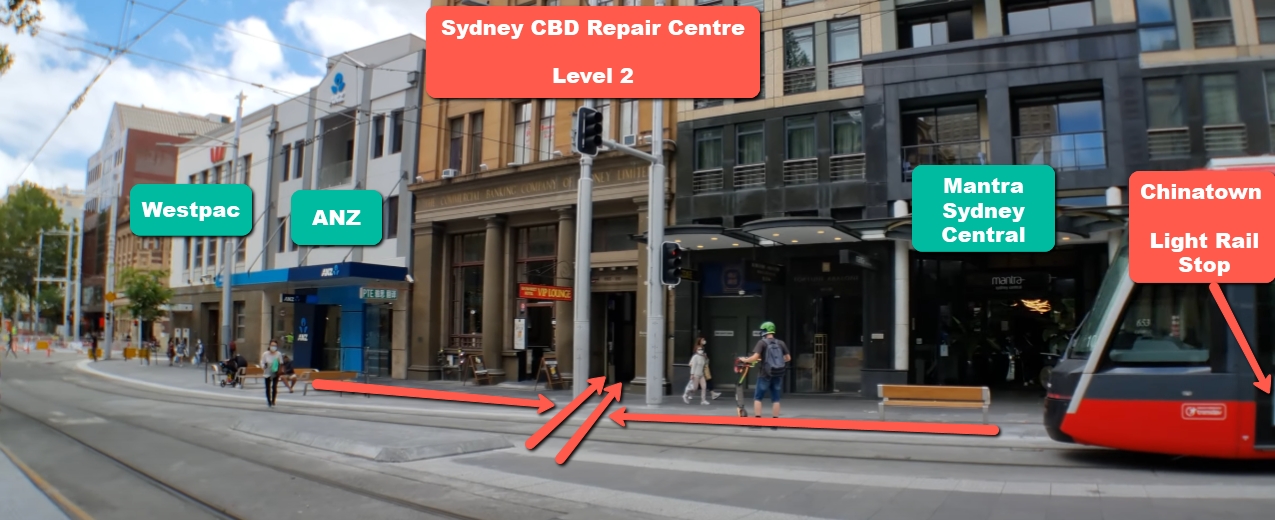
This guide, Sydney CBD Repair Centre: Your Guide to Finding Us & Sending Phones, is designed to make your experience simple and stress-free. You’ll learn exactly where we’re located in the heart of Sydney CBD, how to reach us using public transport or parking options, and how to securely send your phone if you’re unable to visit in person. We’ll also walk you through what happens once your device reaches our technicians, so there are no surprises along the way.
With award-winning service, thousands of positive reviews, and a commitment to genuine parts and quality repairs, Sydney CBD Repair Centre continues to set the standard for mobile phone repairs in Sydney.
Finding a reliable phone repair shop in the heart of the city can feel overwhelming. However, Sydney CBD Repair Centre makes it simple, transparent, and stress-free. This detailed guide explains exactly how to find us, how to send your phone if you can’t visit, and why thousands of customers trust us year after year.
Whether you’re dealing with a cracked screen, weak battery, or water-damaged phone, Sydney CBD Repair Centre is the dependable choice for fast, professional, and high-quality repairs.
When it comes to mobile phone repairs, experience matters. At Sydney CBD Repair Centre, we’ve spent years perfecting our craft while keeping customer satisfaction front and centre.
Trusted Expertise Built on Experience
Our technicians are highly trained and experienced in repairing all major phone brands, including Apple, Samsung, Google, Oppo, and more. Every repair is handled with precision, care, and industry-best practices.
We don’t cut corners. Instead, we rely on proven repair methods, advanced diagnostic tools, and genuine replacement parts. That’s how we consistently deliver results customers can rely on.
Award-Winning Reputation & Customer Trust
Being recognised as the Best Phone Repair Centre in Sydney six years in a row isn’t accidental. It’s the result of honest service, consistent quality, and clear communication. With over 2000 positive Google reviews, Sydney CBD Repair Centre has earned a reputation built on trust and results.
A centrally located repair centre saves you time. Sydney CBD Repair Centre is positioned for convenience, making it easy to drop in before work, during lunch, or while shopping in the city.
Our CBD location also allows us to provide faster turnaround times, including same-day express repairs for most issues.
Landmarks Near Sydney CBD Repair Centre
We’re surrounded by well-known Sydney landmarks, making us easy to find even if you’re new to the city.
Public Transport Access
Close to major train stations
Easy access via buses and light rail
Short walking distance from main CBD routes
Parking Options
Secure parking stations nearby
Street parking options available
Ideal for quick drop-offs
Step-by-Step Guide: How to Find Sydney CBD Repair Centre
Finding Sydney CBD Repair Centre is straightforward, even during busy city hours.
Walking Directions
If you’re already in the CBD, simply follow the main pedestrian routes toward our address. Clear signage and nearby landmarks make navigation easy.
Train, Bus, and Light Rail Routes
Most major public transport lines stop within minutes of our store. This makes visiting Sydney CBD Repair Centre convenient no matter where you’re coming from.
Sending Your Phone to Sydney CBD Repair Centre
Can’t visit us in person? No worries. We offer a secure and reliable mail-in repair service.
Mail-In Repair Explained
Sending your phone to Sydney CBD Repair Centre is a simple process designed for peace of mind. Once your device arrives, our technicians handle everything from inspection to repair.
Packaging Your Phone Safely
Power off your device
Remove SIM cards
Wrap the phone in bubble wrap
Use a sturdy box
Choosing the Right Courier
Select a tracked and insured courier service for added security. This ensures your phone arrives safely and on time.
What Happens After We Receive Your Device
Transparency is key at Sydney CBD Repair Centre. Here’s what happens once your phone arrives.
Inspection & Diagnosis
Our technicians perform a detailed diagnostic check to identify all issues. You’ll be informed before any repair begins.
Repair Process & Quality Control
Repairs are completed using genuine parts where applicable. Every device undergoes strict quality testing before being returned.
Types of Phone Repairs We Handle
Sydney CBD Repair Centre provides comprehensive solutions for nearly every phone issue.
Screen Repairs
Cracked or unresponsive screens are repaired quickly, often on the same day.
Battery Replacements
If your battery drains fast or overheats, we offer safe and reliable replacements.
Water Damage & Logic Board Repairs
Advanced repairs require expertise, and our technicians are trained to handle even complex damage.
Why Genuine Parts & Warranty Matter
Using genuine parts ensures longevity, safety, and performance. That’s why Sydney CBD Repair Centre backs every repair with a 90-day warranty, giving you confidence long after you leave our store.
For more information on manufacturer repair standards, visit Apple’s official repair guidelines.
Frequently Asked Questions (FAQs)
1. How long do repairs usually take?
Most repairs are completed the same day.
2. Do you use genuine parts?
Yes, we prioritise genuine or premium-quality parts.
3. Is mail-in repair safe?
Absolutely. We recommend tracked and insured shipping.
4. Do repairs include warranty?
Yes, all repairs come with a 90-day warranty.
5. Can I walk in without an appointment?
Yes, walk-ins are always welcome.
6. What brands do you repair?
Apple, Samsung, Google, and many more.
Conclusion
Whether you’re visiting in person or sending your device by mail, Sydney CBD Repair Centre delivers professional, reliable, and fast phone repairs you can trust. Our central location, expert technicians, and customer-first approach make us Sydney’s top choice for mobile phone repairs.
If your phone needs fixing, don’t put it off. Choose quality. Choose experience. Choose Sydney CBD Repair Centre.
David from Sydney CBD Repair Centre – The Best place to fix mobile phones as 6 Years In A Row! Top Mobile Phone Repair In Sydney. More than 2000 Positive Reviews on Google and Same Day Repairs.
We take pride in delivering exceptional repair services for all major phone brands including Apple, Samsung, Google, and more. Our expert technicians use only genuine parts and offer 90days warranty on repairs. Located in the heart of Sydney CBD, we’re your one-stop solution for all mobile device repairs.
Our commitment to excellence has earned us the trust of thousands of satisfied customers. Whether it’s a cracked screen, battery replacement, or water damage repair, we handle it all with professional care and expertise. Walk in today and experience why we’re Sydney’s #1 choice for mobile phone repairs.
Visit us for:
✓ Same Day Express Repairs
✓ Genuine Parts Guarantee
✓ Professional Technicians
✓ Competitive Pricing
✓ 2000+ 5-Star Google Reviews
✓ 6-Time Award Winner for Best Phone Repairs
Top 5 Most Durable Phones: Repair Centre’s Verdict on Longevity and Performance
Introduction: Why Durability Matters in Smartphones
In today’s fast-paced world, smartphones are more than just devices—they’re our wallets, cameras, offices, and entertainment systems all rolled into one. But with heavy use comes heavy wear and tear. That’s why durability has become one of the top deciding factors when choosing a phone. A durable smartphone not only lasts longer but also saves users from frequent costly repairs.
At Sydney CBD Repair Centre, we’ve seen firsthand which phones withstand years of drops, scratches, and exposure—and which ones don’t. With over 2,000 five-star Google reviews and six-time award recognition, our team has the expertise to rank the Top 5 most durable phones currently available.
Durability isn’t just about a phone feeling sturdy in your hand. At Sydney CBD Repair Centre, our technicians use a well-rounded set of criteria to decide which phones truly deserve the “durable” label.
Build Quality and Materials
The materials used in a phone’s frame, back, and screen play a huge role in how well it withstands daily wear. Phones with reinforced aluminum or stainless steel frames, Gorilla Glass Victus, or ceramic shields typically outlast cheaper alternatives.
Water and Dust Resistance Ratings
The IP rating (Ingress Protection) determines how well a phone can survive exposure to water and dust. Phones with IP68 ratings can survive short submersions in water, while others may only resist splashes.
Drop and Impact Resistance
Accidents happen. Whether it’s falling from your pocket or slipping from your hands, the ability to survive a fall is crucial. Some phones are built to military-grade standards, with shock-absorbing designs.
Repairability and Part Availability
A phone may be durable, but when it does break, how easily can it be fixed? Availability of spare parts, ease of screen replacements, and battery swaps also define a phone’s long-term durability.
#1 Samsung Galaxy XCover Series – Built Like a Tank
The Samsung Galaxy XCover series has consistently been praised for its rugged build. Designed for people who work outdoors or in demanding environments, this phone is built to survive almost anything.
Key Features of Durability
Military-grade MIL-STD-810G certification
IP68 rating for water and dust resistance
Replaceable battery (rare in modern smartphones)
Reinforced corners and shock-absorbing frame
Common Repairs and Longevity
At Sydney CBD Repair Centre, we’ve seen fewer screen replacements for the XCover compared to other models. Most repairs involve battery swaps or charging ports, which are fairly straightforward and affordable.
Verdict from Technicians
If you need a phone that can take a beating and still function, the XCover series tops the list. Its repairability score is high, thanks to easy battery replacement and solid part availability.
#2 Apple iPhone 14 Pro Max – Premium Strength Meets Style
Apple’s iPhone 14 Pro Max is a perfect blend of durability and luxury. While not marketed as a rugged phone, its Ceramic Shield front glass and stainless-steel frame make it one of the toughest premium devices.
Ceramic Shield and Frame Quality
The Ceramic Shield is tougher than any other smartphone glass. The surgical-grade stainless steel also resists bending and dents far better than aluminum.
Repairability Challenges
The downside? iPhones are notoriously tricky to repair outside Apple’s ecosystem. Screens and batteries are replaceable, but repairs are more complex compared to Samsung or Nokia devices.
Expert Verdict
Despite repair difficulties, the iPhone 14 Pro Max earns its place for its premium durability. It’s not indestructible, but paired with a quality case, it can last many years with minimal issues.
#3 Google Pixel 7 Pro – Balance Between Durability and Performance
Google’s Pixel 7 Pro offers an impressive balance of cutting-edge performance and sturdy build quality. While it’s not branded as a rugged device, our repair centre has noticed that it holds up exceptionally well against daily wear and tear.
Materials and Resistance Ratings
The Pixel 7 Pro comes with:
Gorilla Glass Victus front and back
Polished aluminum frame for strength and style
IP68 water and dust resistance
This means it can withstand accidental drops, scratches, and even the occasional splash or dunk in water.
Most Common Repair Requests
At Sydney CBD Repair Centre, we typically see screen replacements as the most common repair for Pixel 7 Pro users. Like many glass-back devices, it’s vulnerable to shattering when dropped on hard surfaces. Battery replacements also come up after two to three years of heavy use.
Verdict from Sydney CBD Repair Centre
The Pixel 7 Pro is a fantastic option for people who want a durable phone without sacrificing premium features. While it’s not as rugged as the Galaxy XCover or Nokia XR20, it balances sleek design with practical resistance, making it one of the best choices for everyday durability.
#4 Nokia XR20 – Military-Grade Protection
The Nokia XR20 is the definition of rugged durability. Specifically designed to handle harsh conditions, it’s a top choice for tradies, adventurers, and anyone who prioritizes toughness over slim design.
IP68 rating: dustproof and water-resistant up to 1.5 meters for 30 minutes
Drop-tested from up to 1.8 meters
Gorilla Glass Victus display
The Nokia XR20 is built to survive extreme temperatures, humidity, and impacts, making it one of the hardest-to-break smartphones on the market.
Repair Insights from the Workshop
Interestingly, our team doesn’t see many XR20 repairs. Most issues are related to the charging port or battery wear rather than broken screens. The rugged casing and Gorilla Glass really do their job in protecting the phone from accidents.
Overall Durability Verdict
If durability is your #1 priority, the Nokia XR20 is almost unbeatable. It might not be the sleekest phone, but it will save you hundreds in repair costs over time.
#5 ASUS ROG Phone 7 – Gaming Beast with Solid Protection
The ASUS ROG Phone 7 is marketed as a gaming smartphone, but its durability is also worth noting. While it doesn’t have military certifications like the Nokia XR20, it’s engineered with strong materials to handle heavy daily and gaming use.
Build and Cooling System Impact on Durability
Gorilla Glass Victus protection
Aluminum frame with reinforced corners
Advanced cooling system to prevent overheating damage
Overheating is a major concern in high-performance gaming phones, but the ROG Phone 7’s cooling technology helps protect the internal components from long-term heat damage.
Common Gaming-Related Repairs
From our repair centre’s experience, the most frequent ROG Phone 7 issues involve:
Charging ports (due to high gaming use while plugged in)
Battery wear from prolonged gaming sessions
Occasional screen replacements
Final Verdict from Experts
The ROG Phone 7 is perfect for heavy users who demand both performance and resilience. While not as rugged as the Nokia XR20, its strong materials and cooling system make it surprisingly durable for a premium gaming device.
Among the top five, the ASUS ROG Phone 7 and Nokia XR20 stand out for battery life. The ROG is optimized for gaming endurance, while the XR20 is built for all-day rugged use.
Do rugged phones sacrifice performance for durability?
Not always. The Nokia XR20 focuses heavily on toughness, so it doesn’t pack flagship-level performance. However, devices like the Samsung XCover strike a good balance between both.
Can water-resistant phones survive saltwater?
No. Even IP68-rated phones aren’t built for saltwater. Salt is corrosive and can damage internal components. Always rinse your phone with fresh water if exposed.
What’s the easiest phone to repair today?
The Samsung Galaxy XCover is one of the easiest thanks to its removable battery and simple design. In contrast, iPhones are more complex and require specialized tools.
Do phone cases make a real difference in durability?
Yes. A rugged phone case with shock absorption can reduce screen damage by up to 70%, according to industry reports.
How often should I replace my smartphone battery?
On average, every 2–3 years depending on usage. At Sydney CBD Repair Centre, we recommend replacing the battery once it drops below 80% health.
Conclusion: The Repair Centre’s Final Verdict on Durable Phones
After years of repairs and hands-on experience, our technicians conclude that:
The Nokia XR20 is the toughest overall.
The Samsung Galaxy XCover is the most repair-friendly.
The iPhone 14 Pro Max offers premium durability for Apple fans.
The Pixel 7 Pro provides a balanced choice of performance and resilience.
The ASUS ROG Phone 7 is perfect for gamers who demand durability.
No matter which model you choose, pairing it with a protective case and screen protector will significantly extend its life. And when repairs are needed, Sydney CBD Repair Centre is here to help with genuine parts, expert service, and same-day repairs.
✅ David from Sydney CBD Repair Centre – The Best place to fix mobile phones as 6 Years In A Row!
📍 Located in the heart of Sydney CBD
⭐ More than 2000 Positive Reviews on Google
🛠️ Same Day Express Repairs | Genuine Parts Guarantee | 90 Days Warranty
FUTURE PHONES: What Will Repair Look Like? + Expert Insights
Introduction – The Evolution of Phone Repair
Smartphones have transformed drastically in the past decade—from small screens to foldables, and from physical buttons to fully gesture-based systems. But one thing hasn’t changed: phones still break, and repairs are still essential. As technology advances, so too does the way we fix these devices.
The question is: what will phone repair look like in the future? Will we see self-repairing devices, AI-driven diagnostics, or modular smartphones that can be fixed like Lego? Let’s explore the innovations shaping tomorrow’s repair industry.
One major trend in future phone design is modularity. Instead of replacing an entire device, users could swap out faulty parts:
A cracked screen replaced in minutes
Cameras upgraded without buying a new phone
Batteries swapped as easily as changing a SIM card
Google’s Project Ara (though discontinued) hinted at this concept. Brands like Fairphone already lead the way, showing a future where repairs are simple, affordable, and eco-friendly.
Imagine a phone that tells you exactly what’s wrong with it. Future smartphones may integrate AI repair assistants capable of:
Running self-diagnostics on hardware and software
Suggesting solutions or patch updates
Connecting directly to repair centers for booking services
This would drastically reduce guesswork and speed up the repair process.
Self-Healing Materials in Phones
Research into self-healing glass and polymers could redefine phone durability. In the near future:
Minor scratches on your screen may vanish overnight
Phone backs could repair themselves from small cracks
Coatings could resist fingerprints and micro-abrasions
Such materials won’t eliminate the need for professional repair, but they will reduce frequency of visits to repair shops.
Foldable & Rollable Phones – The New Repair Challenge
With foldable and rollable displays becoming mainstream, repair shops must adapt to these complex designs. Future repairs may require:
Specialized hinge replacements
Flexible OLED screen repairs
Ultra-thin battery servicing
As phones become more futuristic, repair centers will need cutting-edge tools and training.
Sustainability & Eco-Friendly Repair
E-waste is one of the fastest-growing global problems. The future of phone repair will lean toward sustainability:
Recycling damaged components
Using eco-friendly repair materials
Extending phone lifespan through regular maintenance
This shift benefits both consumers (lower costs) and the environment.
Remote Repair Services
In the future, some phone issues may be fixed without leaving your home. Remote services could include:
Cloud-based troubleshooting
Remote software restoration
AI-driven step-by-step repair guides
Pair this with doorstep delivery repair kits, and convenience will reach new heights.
Professional Repair Will Always Be Essential
Despite futuristic advances, not all problems can be solved at home. Complex issues like:
Water damage
Advanced chip-level repairs
Foldable hinge replacements
…will always require skilled technicians with professional-grade tools.
FAQs – The Future of Phone Repairs
1. Will future phones be unbreakable?
Not entirely—while materials will improve, accidents and wear will still cause damage.
2. Will DIY repairs become more common?
Yes, with modular parts and AI guides, but professionals will still handle complex issues.
3. How will foldable phones affect repair costs?
Foldables and rollables will likely remain more expensive to repair due to specialized parts.
4. Can AI really fix my phone?
AI can assist with diagnostics and software fixes, but physical issues still need technicians.
5. Are eco-friendly phone repairs possible now?
Yes—some repair centers already recycle old parts and use sustainable practices.
6. Will future repairs be faster?
Absolutely. With modular parts and advanced tools, repairs could take minutes, not hours.
Conclusion – The Future Is Bright for Phone Repairs
The future of phone repair is set to be smarter, faster, and more sustainable. From AI-powered diagnostics to eco-friendly practices, tomorrow’s repair industry will keep pace with the rapid evolution of smartphones.
But one thing remains true: whether it’s a foldable hinge, cracked screen, or water damage, professional repair expertise will always be in demand.
David from Sydney CBD Repair Centre – The Best place to fix mobile phones as 6 Years In A Row! Top Mobile Phone Repair In Sydney. More than 2000 Positive Reviews on Google and Same Day Repairs.
We take pride in delivering exceptional repair services for all major phone brands including Apple, Samsung, Google, and more. Our expert technicians use only genuine parts and offer 90 days warranty on repairs. Located in the heart of Sydney CBD, we’re your one-stop solution for all mobile device repairs.
Whether it’s a cracked screen, battery replacement, or water damage repair, we handle it all with professional care and expertise. Walk in today and experience why we’re Sydney’s #1 choice for mobile phone repairs.
✅ Visit us for:
✓ Same Day Express Repairs
✓ Genuine Parts Guarantee
✓ Professional Technicians
✓ Competitive Pricing
✓ 2000+ 5-Star Google Reviews
✓ 6-Time Award Winner for Best Phone Repairs
When your phone suddenly stops working, it’s easy to assume the worst—that it’s beyond repair and you’ll need to spend hundreds or even thousands on a replacement. But here’s the truth: many so-called “unfixable” phones can actually be repaired with the right expertise and genuine parts.
At Sydney CBD Repair Centre, we’ve seen it all—cracked screens that looked unsalvageable, water-damaged devices, faulty hinges in foldables, and even phones written off by other shops. More often than not, those “dead” phones walk out of our store working like new after professional repair.
DIY attempts gone wrong – Many people try YouTube fixes and damage parts further.
Cheap repair shops – Some use poor-quality parts that fail quickly, making the phone look beyond saving.
Manufacturer recommendations – Brands often push for full device replacements instead of repairs.
The reality? With skilled technicians and genuine parts, most issues are 100% repairable.
Why Choose Sydney CBD Repair Centre?
Same Day Express Repairs – Walk in with a broken phone, walk out the same day.
Genuine Parts Guarantee – No cheap copies—only reliable, factory-approved parts.
Professional Technicians – With years of experience handling complex phone repairs.
Affordable Pricing – Repairing is always cheaper than replacing.
Proven Trust – Over 2000+ 5-Star Google Reviews and 6 consecutive awards for Best Phone Repairs in Sydney.
Final Word
If you’ve been told your phone is “unfixable,” don’t give up yet. Chances are, with the right expertise, it can be restored—saving you money and keeping your device in action.
📞 Call us today at +61280114119
🌐 Visit us in Sydney CBD: Locate Us Here
Sydney CBD Repair Centre – Where Quality Meets Reliability.
Few things are more frustrating than pressing the power button on your phone and being met with silence. A smartphone that won’t turn on doesn’t necessarily mean it’s dead—it could be suffering from anything between a simple drained battery to complex hardware damage. At Sydney CBD Repair Centre, we’ve diagnosed and repaired thousands of phones with this exact issue. Here’s a breakdown of the most common causes, how to troubleshoot them, and when to seek professional help.
The most common reason a phone won’t turn on is a completely drained or faulty battery.
Fully Drained Battery: If your phone hasn’t been charged for a long time, the battery may be so low it needs several minutes of charging before showing signs of life.
Defective Battery: Over time, batteries lose their ability to hold charge, or may fail completely.
Loose Connection: Sometimes, the internal battery connector can loosen after drops or heavy use.
Quick Fix: Try charging your device with a different cable and adapter for at least 15–20 minutes.
Sometimes the phone isn’t the problem—it’s the charging equipment.
Worn-out cables or adapters may not supply power.
Dust or debris in the charging port can block the connection.
Using non-certified accessories may cause inconsistent charging.
Quick Fix: Test your charger on another device or try a genuine charger. Clean your charging port gently with compressed air.
💻 3. Software Glitches and Crashes
A frozen operating system can also cause a phone to appear “dead.”
System crashes may prevent the screen from lighting up.
Corrupted software updates can cause boot failures.
Malware infections can also brick a device.
Quick Fix: Try performing a force restart (varies by phone brand). For example, on most iPhones, press and quickly release the volume up button, then the volume down, then hold the power button until you see the Apple logo.
🔧 4. Hardware Damage
If your phone has been dropped or exposed to elements, physical damage may be the culprit.
Cracked internal components from drops.
Water damage short-circuiting the motherboard.
Damaged buttons preventing power activation.
Quick Fix: Unfortunately, hardware damage often requires professional diagnosis and repair.
🌊 5. Water or Moisture Damage
Even water-resistant phones can fail after liquid exposure.
Corrosion on connectors can block power flow.
Short circuits may prevent the phone from booting.
Quick Fix: Do not attempt to charge the phone if you suspect water damage. Power it off, dry it as much as possible, and bring it to a technician immediately.
🛠 6. Motherboard or Component Failure
In rare cases, the problem lies with the logic board or smaller internal chips.
Burnt-out circuits from power surges.
Faulty IC (integrated circuits) chips.
Long-term wear on solder joints.
These repairs are complex and require micro-soldering, something only trained technicians should attempt.
⚠️ When to Seek Professional Help
If your phone still won’t turn on after basic troubleshooting, it’s time to visit a trusted repair centre. Professional technicians can:
Test internal components with specialized tools.
Replace faulty batteries or charging ports.
Perform advanced repairs like motherboard micro-soldering.
At Sydney CBD Repair Centre, we provide same-day express repairs, genuine parts, and expert diagnosis so you can get your device back quickly and reliably.
💡 Final Thoughts
A phone that won’t turn on doesn’t always mean it’s gone for good. From simple battery issues to complex hardware failures, there are multiple reasons behind this problem. Start with basic troubleshooting, but don’t risk making it worse—trust professionals when things get complicated.
👉 Need fast, reliable help? Visit Sydney CBD Repair Centre today. We’re Sydney’s #1 choice for phone repairs, diagnostics, and genuine part replacements.