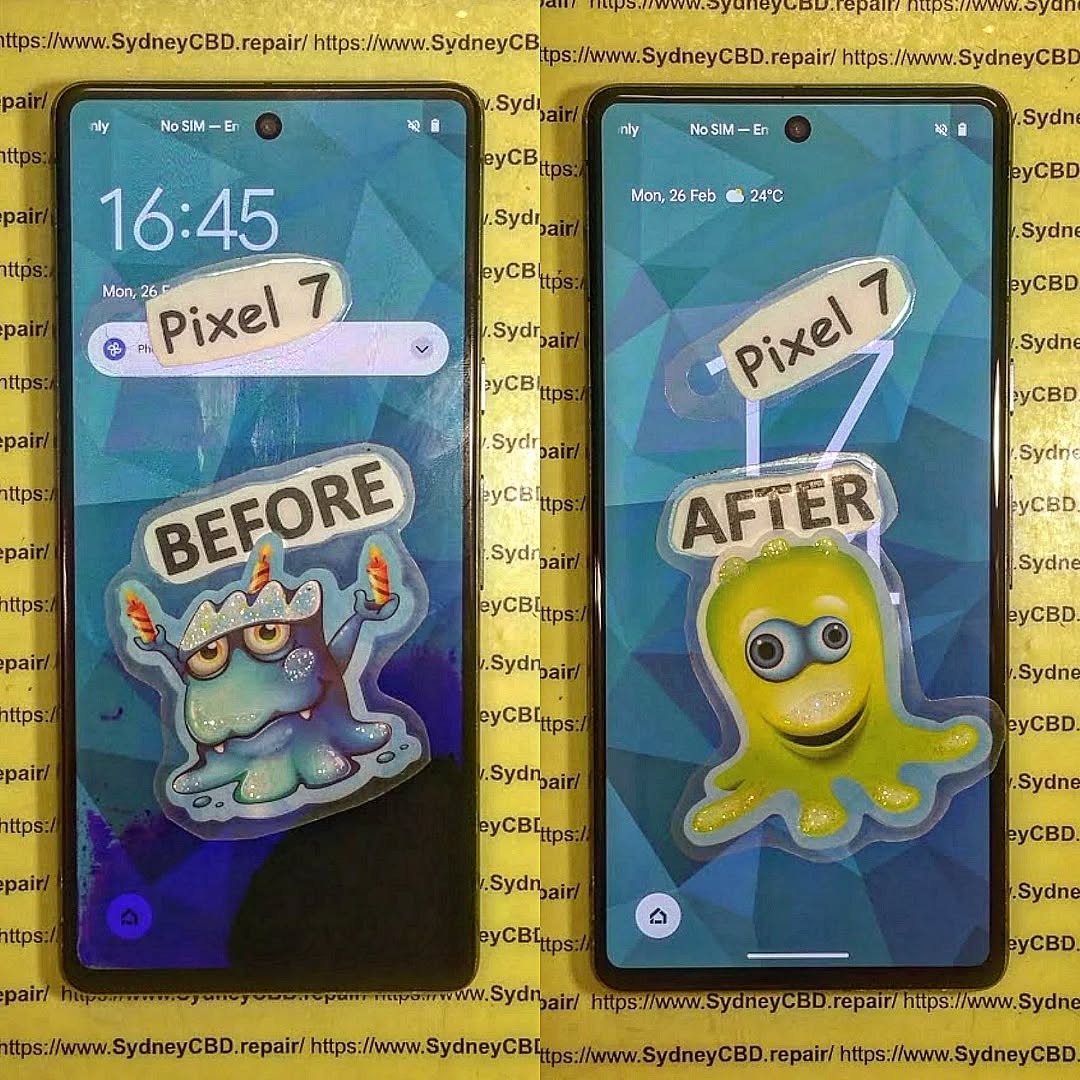
THE ISSUE WITH A WATER-DAMAGED PHONE? We Saved This One! Discover How Our Experts Revived It Fast
Introduction: When Disaster Strikes – Water and Phones Don’t Mix
Every smartphone user has faced that heart-stopping moment — the phone slips from your hand and plunges into water. Whether it’s a pool, sink, or sudden downpour, water exposure can wreak havoc on delicate circuits and connectors.
At Sydney CBD Repair Centre, we’ve seen it all. From completely submerged iPhones to Galaxy phones splashed with coffee, our expert technicians specialize in reviving even the most hopeless cases of water damage. With over 2000 five-star Google reviews and a 7-year winning streak as Sydney’s top phone repair shop, we bring unmatched skill and experience to every repair.
Modern smartphones may boast water resistance, but “resistant” doesn’t mean “waterproof.” Once moisture seeps through seals, it can reach the motherboard, battery, and display connectors, causing short circuits and corrosion.
Water acts as a conductive medium, disrupting voltage pathways and potentially frying sensitive chips. Even a single drop can lead to oxidation and long-term malfunction if not professionally cleaned.
Common Signs of Water Damage
Touchscreen lag or unresponsiveness
Speaker distortion or muffled audio
Fog or spots under the camera lens
Unusual overheating
Random shutdowns or boot loops
These symptoms can appear hours or even days after exposure, making early intervention critical.
Contrary to popular advice, don’t toss your phone in rice. While rice absorbs surface moisture, it does nothing for internal corrosion. Avoid:
Charging or powering on the device
Applying heat with a hairdryer
Shaking or blowing into the ports
These actions can drive moisture deeper inside or cause irreversible damage.
Quick Actions to Save Your Device Before Professional Help
Turn it off immediately.
Remove the SIM card and case.
Gently dab with a microfiber cloth.
Bring it to Sydney CBD Repair Centre as soon as possible.
Speed is everything — the sooner we begin ultrasonic cleaning, the higher your chances of full recovery.
Professional Water Damage Repair Process at Sydney CBD Repair Centre
Step 1: Comprehensive Device Inspection
Each water-damaged phone undergoes a full diagnostic assessment to identify moisture-affected areas. Our technicians disassemble the device safely using anti-static tools.
Step 2: Ultrasonic Cleaning Process
We immerse the motherboard in a professional-grade ultrasonic cleaner that uses microscopic vibrations to remove corrosion and mineral deposits — something no home remedy can match.
Step 3: Drying, Reassembly, and Testing
After precision drying, we reassemble your phone using genuine parts and perform extensive quality testing to ensure stability and full functionality.
Why DIY Water Damage Repairs Often Fail
The Hidden Dangers of Corrosion
Even if your phone powers on after water exposure, corrosion silently spreads across internal circuits. Weeks later, this can cause permanent failure.
Why Rice and Home Remedies Don’t Work
Rice can’t extract moisture trapped under IC chips or connectors. Only ultrasonic cleaning and professional drying can prevent oxidation.
Tools and Equipment Used by Professional Technicians
Ultrasonic cleaning machines
Microscope inspection systems
Specialized drying chambers
OEM-grade replacement parts
Precision soldering tools
These ensure every repair meets factory-level standards.
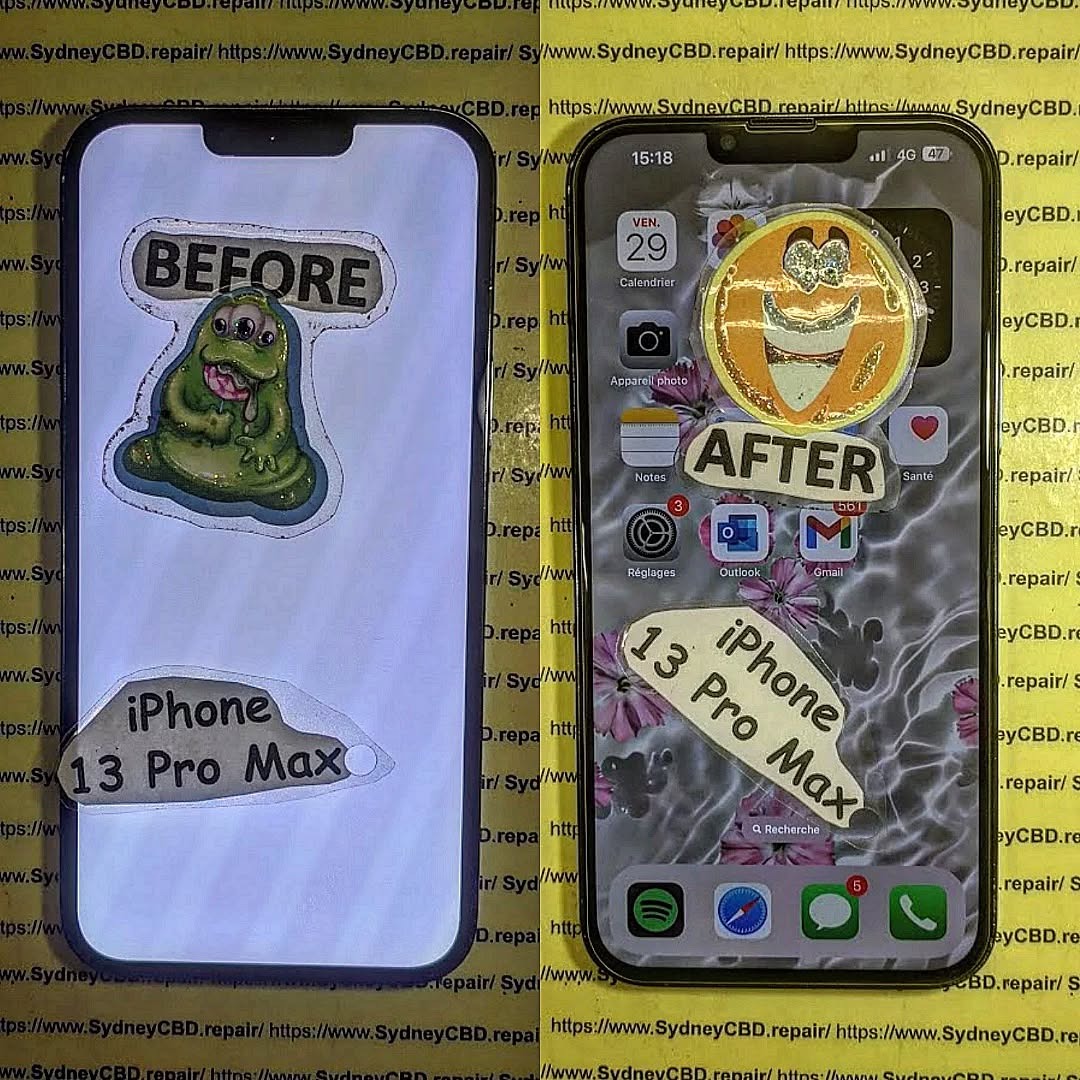
Real Customer Story: How We Saved a Water-Damaged iPhone 13 Pro Max
A customer walked into our Sydney CBD shop after accidentally dropping their iPhone into saltwater. The device was completely unresponsive. Within three hours, our technicians disassembled, cleaned, and revived the phone — restoring full functionality and saving priceless data.
The customer left with a smile and another 5-star Google review — just one of over 2000 that prove our reliability.
Costs and Timeframes for Water Damage Repairs
Factors Affecting Repair Pricing
Repair costs depend on:
Extent of internal corrosion
Need for component replacement
Phone model and part availability
On average, water damage repair in Sydney ranges from $150–$350, depending on severity.
How Long Does a Typical Repair Take?
Most water-damaged phones are repaired within the same day, thanks to our express service and on-site equipment.
Preventing Future Water Damage – Expert Tips
Using Water-Resistant Accessories
Invest in IP-rated cases and waterproof pouches — especially if you’re often near pools or the beach.
Smart Habits to Keep Your Phone Safe
Avoid charging in humid environments
Keep your phone away from drinks or sinks
Schedule professional cleaning every few months
Why Choose Sydney CBD Repair Centre
6-Time Award Winner for Best Phone Repairs in Sydney
We’re proud to be Sydney’s trusted mobile repair experts — with six consecutive awards recognizing our commitment to quality.
Genuine Parts, Same Day Repairs, and 90-Day Warranty
Your phone deserves only the best. That’s why we use genuine parts, provide same-day service, and offer a 90-day repair warranty on all jobs.
FAQs
Can a water-damaged phone be completely fixed?
Yes, if treated promptly. Early professional intervention can restore most devices to full working order.
How do I know if my phone has internal water damage?
Look for display fogging, audio distortion, or erratic behavior — these often indicate internal moisture.
Does water damage void my warranty?
Most manufacturers exclude water damage from standard warranties. However, Sydney CBD Repair Centre offers affordable repair options regardless of warranty status.
What should I do immediately after dropping my phone in water?
Turn it off, avoid charging, and bring it to our repair centre as soon as possible.
How long does a professional water damage repair take?
Typically, 3–6 hours, depending on the extent of damage and drying requirements.
How much does water damage repair cost in Sydney?
Repairs usually cost between $150–$350, depending on the phone model and damage level.
Conclusion: Don’t Give Up on Your Water-Damaged Phone
Water damage doesn’t have to mean the end of your device. With professional care from Sydney CBD Repair Centre, your phone can be revived quickly and safely. Our expert technicians, genuine parts, and proven track record make us Sydney’s #1 choice for mobile phone repairs.
Visit Sydney CBD Repair Centre – The Trusted Experts
Introduction: Why Smartphone Water Damage Is a Common Disaster
Few things are as heart-stopping as dropping your smartphone into water. Whether it slips into the sink, tumbles into a pool, or faces a sudden downpour, water exposure can cause significant damage. Despite advancements in water resistance, no smartphone is 100% waterproof. That’s why smartphone liquid damage repair remains one of the most common services requested at repair centres worldwide.
Smartphones are not only expensive but also essential to daily life—used for communication, banking, work, and entertainment. Losing one to water damage can feel catastrophic. But here’s the good news: with the right steps, timely intervention, and professional expertise, most water-damaged phones can be saved.
When liquid enters a smartphone, it doesn’t just make things “wet.” Instead, it causes a series of harmful reactions:
Corrosion and Short-Circuits Explained
Water contains minerals and impurities that interact with the delicate circuits inside your device. Once moisture settles on the motherboard or connectors, corrosion begins almost immediately. This corrosion weakens connections, leading to short-circuits that may fry critical components.
Signs of Immediate vs. Long-Term Damage
Immediate symptoms: phone not turning on, display glitches, distorted audio, or rapid battery drain.
Long-term symptoms: corrosion that worsens over weeks, random shutdowns, faulty charging, or unresponsive buttons.
Spotting these early signs can be the difference between a repairable phone and one that’s beyond recovery.
Understanding the culprits helps prevent future accidents. Here are the most frequent scenarios:
Accidental Drops in Water
Toilets, sinks, pools, and bathtubs are the top offenders. One slip, and your device may be submerged.
Humidity and Sweat Exposure
Even without a dramatic drop, high humidity or keeping your phone in a sweaty pocket during workouts can introduce damaging moisture.
Spills and Rain Incidents
From morning coffee mishaps to unexpected downpours, everyday environments pose hidden risks.
First Aid: What to Do Immediately After Water Exposure
Speed is critical when dealing with liquid damage. Follow these proven first-aid measures:
Powering Down the Device
Turn off your smartphone immediately. Leaving it on risks further short-circuits.
Removing External Components
Take out the SIM card, memory card, and—if possible—the battery. These steps reduce points of corrosion.
Drying Techniques That Work
Pat dry with a soft cloth.
Place the device in a sealed container with silica gel packets (better than rice).
Avoid direct heat sources like ovens or hairdryers, which may warp parts.
Myths About Smartphone Water Damage Repair
Not all advice online is good advice. Some “hacks” can worsen the situation.
Rice Method: Helpful or Harmful?
While rice absorbs moisture, it’s inefficient compared to silica gel. Worse, rice dust can infiltrate your phone.
Hairdryers and Heat Risks
High heat can damage adhesives, melt plastics, and warp delicate components. Instead, stick to professional drying methods.
DIY Repair Options for Water-Damaged Phones
If you’re confident and careful, you can attempt some DIY fixes:
Alcohol Cleaning for Corroded Parts
Isopropyl alcohol (90%+) can clean corrosion on circuit boards. Use a soft brush and gentle application.
Using Silica Gel Packets
Seal your phone with multiple silica packs for at least 24–48 hours.
Disassembly Precautions
Only experienced users should attempt to open a phone. One wrong move can cause more harm than good.
Professional Smartphone Water Damage Repair Services
When DIY isn’t enough, professionals step in with advanced tools.
Diagnostic Testing
Repair shops use microscopes and specialized software to identify hidden liquid damage.
Ultrasonic Cleaning Process
An ultrasonic cleaner uses special solutions and sound waves to remove corrosion at a microscopic level.
Component Replacement Options
Damaged screens, batteries, or charging ports can often be swapped out, restoring full functionality.
👉 For Sydney residents, Sydney CBD Repair Centre offers expert water damage repair using genuine parts, same-day service, and a 90-day warranty.
Cost of Smartphone Liquid Damage Repair
Repair pricing varies depending on several factors.
Factors That Influence Repair Pricing
Extent of damage
Brand and model
Replacement parts required
Average Repair Costs by Brand
Apple iPhones: $150–$400 (depending on model)
Samsung Galaxy/Note: $180–$450
Google Pixel: $170–$350
While costs vary, repairing is often cheaper than buying a new phone.
Preventing Future Water Damage
Prevention is always better than cure.
Waterproof Cases and Pouches
Invest in a high-quality waterproof case if you’re frequently around water.
Using Nano Coatings
Some third-party services apply hydrophobic coatings that repel moisture at the microscopic level.
Avoiding High-Risk Environments
Don’t bring your phone into saunas, showers, or anywhere with extreme humidity.
Frequently Asked Questions (FAQs)
Q1: Can a phone with water damage be fixed permanently?
Yes, if treated quickly and professionally, many water-damaged phones can be fully restored.
Q2: Is it safe to use a phone after water damage repair?
Absolutely. Once cleaned and repaired, your phone is safe to use again.
Q3: Does water damage void a phone warranty?
Most manufacturer warranties don’t cover water damage. However, third-party repair shops provide their own warranties.
Q4: How long does professional water damage repair take?
At trusted centres like Sydney CBD Repair Centre, most repairs are completed the same day.
Q5: Should I attempt DIY water damage repair at home?
Basic first-aid is fine, but for complex damage, professional repair is strongly recommended.
Q6: Can rice really save a water-damaged phone?
It might help a little, but it’s not effective compared to silica gel or professional methods.
Conclusion: Save Your Phone and Avoid Costly Replacements
Smartphone water damage doesn’t always mean the end of your device. Acting fast, avoiding myths, and seeking expert help can bring your phone back to life.
If you’re in Sydney and dealing with a water-damaged device, David and the team at Sydney CBD Repair Centre are ready to help. With over 2000 positive reviews, award-winning service, and same-day repairs, they’re the go-to experts for smartphone liquid damage repair.
David from Sydney CBD Repair Centre – The Best place to fix mobile phones as 6 Years In A Row! Top Mobile Phone Repair In Sydney. More than 2000 Positive Reviews on Google and Same Day Repairs.
📍 Visit us for: ✓ Same Day Express Repairs ✓ Genuine Parts Guarantee ✓ Professional Technicians ✓ Competitive Pricing ✓ 2000+ 5-Star Google Reviews ✓ 6-Time Award Winner for Best Phone Repairs
Unveiling The Truth: Are “Waterproof” Smartphones Truly Repairable After a Dip? Shocking Facts & 7 Expert Insights
Introduction
Modern smartphones are often marketed as “waterproof,” giving users a comforting sense of security around pools, rain, and accidental spills. But when a phone takes an unexpected dip and starts acting up, reality sets in fast. Are waterproof phones truly protected, or is water damage repair still inevitable? This question has become increasingly important as premium devices grow more expensive and more complex to fix.
In today’s repair landscape, waterproof phones repair is one of the most misunderstood topics among everyday users. While IP ratings and manufacturer claims suggest strong water resistance, they don’t always reflect real-world conditions such as drops, aging seals, or exposure to saltwater and chemicals. As a result, many phone owners are shocked to learn that water damage is rarely covered by warranty—and that repairs can range from simple to extremely complex.
This article uncovers the truth behind waterproof phone claims, explains what really happens inside a device after water exposure, and explores whether professional repair is a viable option. By the end, you’ll have clear, expert-backed insights to help you protect your device, avoid costly mistakes, and make smarter decisions after water damage strikes.
Smartphone manufacturers proudly advertise phones as waterproof, but here’s the kicker—most phones are not truly waterproof. Instead, they’re water-resistant. That difference matters a lot when it comes to repairability.
From an SEO and repair perspective, waterproof phones repair is one of the most misunderstood topics in mobile technology today. While brands like Apple and Samsung promote water resistance, real-world usage often tells a different story.
What IP Ratings Really Mean
IP ratings (Ingress Protection) define how well a phone resists dust and water.
IP Rating
Protection Level
IP67
Submersion up to 1m for 30 minutes
IP68
Submersion beyond 1m (varies by brand)
Sounds reassuring, right? However, these tests occur in controlled lab conditions—freshwater, no movement, sealed ports, and brand-new devices.
Over time, seals degrade. Drops, repairs, heat, and even pocket lint compromise water resistance. So while IP ratings help, they don’t guarantee safety.
👉 Learn more directly from manufacturers via Apple’s official explanation on water resistance
Marketing vs Real-World Protection
Manufacturers rarely highlight that water resistance:
Decreases over time
Isn’t permanent
Isn’t covered under warranty
That’s why waterproof phones repair remains a booming service industry worldwide.
Once liquid enters a phone, things go downhill fast—even if the device still works initially.
Short-Term Damage vs Long-Term Corrosion
Immediately after exposure:
Short circuits may occur
Screen flickering begins
Charging issues arise
Long-term effects are worse:
Microscopic corrosion spreads
Logic board components degrade
Face ID, cameras, and speakers fail
Corrosion doesn’t stop when the phone dries. It keeps spreading unless professionally treated.
Why Phones Fail Days or Weeks Later
This is where many users get fooled. The phone “survives” the dip—until it doesn’t.
Residual moisture reacts with oxygen, slowly eating away solder points. That’s why waterproof phones repair often becomes more complex weeks after the incident.
Are Waterproof Phones Truly Repairable?
The honest answer: Yes—but with conditions.
Waterproof phones repair success depends on several critical factors.
Factors That Determine Repair Success
Type of liquid (freshwater vs saltwater)
Duration of exposure
Speed of power shutdown
Professional cleaning timing
Internal component damage
Saltwater, soda, or coffee cause far more harm than clean water.
When Repair Is Worth It
Repair is usually viable when:
The phone is powered off quickly
Corrosion hasn’t reached the CPU
Damage is isolated to connectors or peripherals
At Sydney CBD Repair Centre, technicians routinely recover phones deemed “dead” elsewhere—proof that expertise matters.
Common Myths About Waterproof Phones
Let’s bust some myths that hurt repair chances.
“Rice Will Fix Everything” Explained
Rice absorbs surface moisture—not internal corrosion. In fact, rice dust can clog charging ports and speakers, making waterproof phones repair harder.
Warranty Misconceptions
Most manufacturers include liquid contact indicators (LCIs). If triggered:
Warranty is void
Paid repair is your only option
Water resistance ≠ water damage coverage.
Professional Water Damage Repair Process
Professional repair is vastly different from DIY attempts.
Diagnostic & Cleaning Stages
Device disassembly
Ultrasonic cleaning
Corrosion neutralization
Board-level inspection
Component testing
This process stops corrosion and restores functionality when possible.
Parts Most Commonly Replaced
Component
Failure Rate
Battery
Very High
Charging Port
High
Display
Medium
Cameras
Medium
This structured approach increases waterproof phones repair success dramatically.
Cost vs Replacement: What’s Smarter?
Flagship Phones vs Budget Devices
Phone Type
Repair Value
iPhone / Galaxy Ultra
High
Foldables
Very High
Budget Phones
Case-by-case
Repairing a $1,500 phone often costs far less than replacing it.
Prevention Tips to Avoid Water Damage
Avoid water exposure despite IP rating
Use waterproof pouches near pools
Dry phone immediately if splashed
Never charge a wet phone
Prevention always beats repair.
Frequently Asked Questions (FAQs)
1. Are waterproof phones really waterproof?
No. They are water-resistant under specific conditions.
2. Can a phone be repaired after water damage?
Yes, especially with fast professional treatment.
3. Does water resistance wear off over time?
Absolutely. Seals degrade with age and impact.
4. Is saltwater damage repairable?
Sometimes, but it’s more challenging and urgent.
5. Should I turn my phone on after it gets wet?
No. Powering it on can cause short circuits.
6. Is professional repair better than DIY drying?
Yes. DIY methods don’t stop corrosion.
Conclusion
So, are “waterproof” phones truly repairable after a dip? The truth is nuanced. While water resistance helps reduce immediate damage, it doesn’t make phones immune. The good news is that with expert care, many waterproof phones repair cases end successfully.
Fast action, professional diagnostics, and experienced technicians make all the difference. When in doubt, skip the rice and trust the experts.
External Resource
Learn more about IP ratings from IEC standards documentation via trusted tech sources.
David from Sydney CBD Repair Centre – The Best Place to Fix Mobile Phones, 6 Years in a Row!
Top Mobile Phone Repair in Sydney with 2000+ Positive Google Reviews and Same Day Repairs.
We take pride in delivering exceptional repair services for all major phone brands including Apple, Samsung, Google, and more. Our expert technicians use only genuine parts and offer a 90-day warranty on repairs. Located in the heart of Sydney CBD, we’re your one-stop solution for all mobile device repairs.
Our commitment to excellence has earned us the trust of thousands of satisfied customers. Whether it’s a cracked screen, battery replacement, or water damage repair, we handle it all with professional care and expertise. Walk in today and experience why we’re Sydney’s #1 choice for mobile phone repairs.
Visit us for:
✓ Same Day Express Repairs
✓ Genuine Parts Guarantee
✓ Professional Technicians
✓ Competitive Pricing
✓ 2000+ 5-Star Google Reviews
✓ 6-Time Award Winner for Best Phone Repairs
Charging Port Issue: Can We Save This iPhone 17 Pro Max from the Charging Port Catastrophe? Ultimate Repair Guide #7
Introduction
The iPhone 17 Pro Max is Apple’s most advanced smartphone yet—sleek, powerful, and packed with cutting-edge technology. But even the best devices can stumble. One of the most alarming issues users face is a full-blown charging port failure. When your phone refuses to charge, panic sets in fast. After all, no power means no phone.
So, can we save this iPhone 17 Pro Max from a charging port catastrophe? The good news is yes—in most cases, the device can be rescued with the right approach, proper diagnostics, and expert care. This guide breaks everything down in plain English, so you’ll know exactly what’s going on and what to do next.
We’ll explore why charging ports fail, how professionals handle iPhone 17 Pro Max charging port repair, and what you can do to prevent the problem from happening again. Let’s dig in.
Charging issues don’t just appear out of thin air. They build up over time, often showing subtle signs long before total failure.
What Makes the iPhone 17 Pro Max Charging Port Unique
Apple refined the USB-C port in the iPhone 17 Pro Max to support faster data transfer and improved power efficiency. However, this compact design also means tighter tolerances. Dust, lint, moisture, or minor connector damage can quickly disrupt charging.
Unlike older models, the port integrates closely with the logic board. That means a simple issue can feel catastrophic—even when it’s repairable.
Early Warning Signs You Shouldn’t Ignore
Catching problems early can save you time and money. Watch out for:
Phone only charges at a certain angle
Charging cable feels loose
Slow or intermittent charging
Device heats up while charging
“Accessory not supported” warnings
If you notice any of these, it’s time to act.
Why Charging Port Failures Are Increasing
Modern smartphones are used harder than ever. From streaming and gaming to constant charging, the port takes a beating.
Environmental Factors
Dust in pockets, beach sand, humidity, and accidental spills all play a role. Even tiny debris can block proper contact between the cable and port pins.
User Habits
Let’s be honest—using cheap cables, yanking cords out, or charging while gaming doesn’t help. These habits accelerate wear and tear.
Here’s the optimistic truth: most charging port issues are fixable. The key is accurate diagnosis.
Diagnostic Process Used by Professionals
At a professional repair centre, technicians don’t guess. They test.
A proper diagnosis includes:
Visual inspection under magnification
Port continuity testing
Cable and power adapter verification
Logic board power flow analysis
This process determines whether the issue is debris-related, port damage, or something deeper.
DIY Fixes vs Professional Repair
DIY cleaning with a toothpick or compressed air can help—but it’s risky. One slip can damage delicate pins.
Professional iPhone 17 Pro Max charging port repair offers:
DIY Fix
Professional Repair
Temporary results
Long-term solution
Risk of damage
Safe, controlled process
No warranty
Warranty included
Sometimes saving a few dollars upfront leads to bigger costs later.
Tools and Technology Used in Modern Repairs
Certified repair centres use:
Microsoldering stations
ESD-safe tools
OEM-grade components
Precision heating systems
These tools allow safe removal and replacement without harming surrounding components.
Genuine vs Aftermarket Parts
Using genuine or high-quality OEM-equivalent parts ensures:
Proper power delivery
Long-term durability
Compatibility with iOS updates
Apple itself recommends authorised repair practices (see Apple’s official guidance here: https://support.apple.com).
Preventing Future Charging Port Disasters
Once your phone is fixed, prevention becomes the name of the game.
Best Charging Practices
Simple habits go a long way:
Use certified cables
Avoid charging in dusty or humid environments
Don’t bend the cable while plugged in
Remove the charger gently
These steps reduce mechanical stress on the port.
Cleaning and Maintenance Tips
Routine maintenance helps:
Inspect the port monthly
Use a soft brush or air blower
Keep pockets and bags lint-free
Avoid metal objects at all costs—they’re a recipe for disaster.
When to Seek Professional Help
If cleaning doesn’t help or the problem keeps coming back, don’t wait. Ongoing charging issues can damage the battery or logic board, turning a small repair into a major one.
Frequently Asked Questions (FAQs)
Is iPhone 17 Pro Max charging port repair expensive?
Costs vary, but most repairs are far cheaper than replacing the device. Early intervention keeps prices down.
Can water damage affect the charging port only?
Yes. Even minor moisture exposure can corrode port pins while the rest of the phone seems fine.
How long does a professional repair take?
In most cases, same-day service is possible—often within an hour.
Will my data be safe during repair?
Yes. Charging port repair doesn’t involve data removal.
Can wireless charging replace a faulty port?
It’s a temporary workaround, not a fix. Data transfer and fast charging still rely on the port.
Is it safe to keep using a phone with charging issues?
Not really. It can worsen damage and affect internal components.
Conclusion
So, can we save this iPhone 17 Pro Max from a charging port catastrophe? Absolutely. With proper diagnosis, expert repair, and smarter usage habits, your device can be fully restored—and stay that way.
Charging port problems are frustrating, but they’re rarely the end of the road. Acting early, choosing professional iPhone 17 Pro Max charging port repair, and following preventative tips can keep your phone running smoothly for years to come.
David from Sydney CBD Repair Centre – The Best place to fix mobile phones as 7 Years In A Row!
Top Mobile Phone Repair In Sydney. More than 2000 Positive Reviews on Google and Same Day Repairs.
We take pride in delivering exceptional repair services for all major phone brands including Apple, Samsung, Google, and more. Our expert technicians use only genuine parts and offer 90 days warranty on repairs. Located in the heart of Sydney CBD, we’re your one-stop solution for all mobile device repairs.
Our commitment to excellence has earned us the trust of thousands of satisfied customers. Whether it’s a cracked screen, battery replacement, or water damage repair, we handle it all with professional care and expertise. Walk in today and experience why we’re Sydney’s #1 choice for mobile phone repairs.
Visit us for:
✓ Same Day Express Repairs
✓ Genuine Parts Guarantee
✓ Professional Technicians
✓ Competitive Pricing
✓ 2000+ 5-Star Google Reviews
✓ 7-Time Award Winner for Best Phone Repairs
Unveiling The Water Damage Secrets: What is Inside a Submerged iPhone 16 Pro Repair — 7 Powerful Truths
## Introduction to Water Damaged iPhone 16 Pro Repair
Water and smartphones have always had a complicated relationship. Even with Apple’s advanced engineering, water damaged iPhone 16 Pro repair remains one of the most common—and misunderstood—repair requests technicians see today. While the iPhone 16 Pro boasts impressive water resistance, that doesn’t make it waterproof. In fact, thousands of users learn this the hard way every year.
In this deep dive, we’re unveiling water damage secrets that most phone owners never hear about. You’ll discover what really happens when an iPhone 16 Pro is submerged, why damage can appear days or even weeks later, and how professional repair specialists revive devices that seem completely dead.
More importantly, this guide is written with clarity and optimism. Water damage isn’t always a death sentence. With the right steps, fast action, and expert-level care, a water damaged iPhone 16 Pro repair can often bring your device back to life—sometimes good as new.
Apple markets the iPhone 16 Pro with an IP68 rating. Sounds bulletproof, right? Not quite. IP68 means the device can survive submersion under controlled laboratory conditions, usually in fresh water and for a limited time.
Real life, however, doesn’t follow lab rules. Drops, daily wear, temperature changes, and micro-gaps around seals all reduce water resistance over time. Once those seals degrade, water damaged iPhone 16 Pro repair becomes far more likely.
### Common Entry Points for Liquid Damage
Water doesn’t need much space to sneak in. Common entry points include:
Charging port
Speaker grilles
Microphone holes
SIM tray seals
Cracked or weakened screen edges
Saltwater, coffee, soft drinks, and even steam are especially dangerous. They carry minerals and acids that accelerate corrosion, making professional water damaged iPhone 16 Pro repair essential rather than optional.
When liquid bridges electrical connections, it creates short circuits. These shorts can instantly disable power rails, fry microchips, or cause the phone to shut down to protect itself. Sometimes, the phone turns back on—giving users false hope—while hidden damage continues spreading internally.
### Corrosion: The Silent Phone Killer
Corrosion is the real villain. Even after the phone dries, microscopic moisture reacts with metals on the logic board. Over time, this corrosion eats away at connections. That’s why delayed water damaged iPhone 16 Pro repair often costs more—or becomes impossible.
## Immediate Steps After iPhone 16 Pro Water Exposure
### What to Do in the First 10 Minutes
Speed matters. If your iPhone 16 Pro gets wet:
Power it off immediately
Disconnect all cables
Remove the SIM tray
Gently dry the exterior
Seek professional repair ASAP
These steps can significantly improve water damaged iPhone 16 Pro repair success rates.
### Common Myths That Make Damage Worse
Let’s clear the air. These “fixes” usually cause more harm:
❌ Rice drying (ineffective and slow)
❌ Hair dryers (heat pushes moisture deeper)
❌ Charging to “test it” (can short the board)
Professional technicians use controlled methods—never guesswork.
## Professional Water Damaged iPhone 16 Pro Repair Process
### Diagnostic Testing and Moisture Mapping
A proper water damaged iPhone 16 Pro repair starts with diagnostics. Technicians open the device, inspect liquid indicators, and test voltage lines. Advanced shops use thermal cameras and moisture mapping tools to pinpoint hidden damage.
### Ultrasonic Cleaning and Board-Level Repair
Next comes ultrasonic cleaning. This process uses sound waves in a specialized solution to remove corrosion at a microscopic level. For severe cases, board-level microsoldering repairs damaged chips and connectors.
This is expert work—done right, it can restore phones most people would write off as “dead.”
## Can a Water Damaged iPhone 16 Pro Be Fully Restored?
The honest answer? Sometimes yes, sometimes partially. A successful water damaged iPhone 16 Pro repair may restore:
Full functionality
Partial features (e.g., Face ID disabled)
Data access only
Even when full restoration isn’t possible, data recovery alone can be priceless.
## Repair Cost vs Replacement: What Makes Sense?
Costs vary depending on exposure type, time elapsed, and damage severity. In many cases, water damaged iPhone 16 Pro repair costs significantly less than replacing the device outright—especially when data recovery is factored in.
A trusted repair centre will always give transparent advice, not pressure.
## How to Prevent Future Water Damage
Prevention is cheaper than repair. Simple habits help:
Avoid charging near water
Use waterproof cases
Never trust steam resistance
Replace cracked screens promptly
Apple also provides guidance on liquid damage care via their official support resources .
## FAQs About Water Damaged iPhone 16 Pro Repair
1. Can an iPhone 16 Pro survive full submersion?
Yes, but survival depends on depth, duration, and liquid type.
2. How long does water damage take to show symptoms?
Sometimes immediately, other times days or weeks later.
3. Is data recovery possible after water damage?
Often yes, even if the phone won’t power on.
4. Does Apple warranty cover water damage?
No. Liquid damage is considered accidental.
5. Is rice ever effective for drying phones?
No. It delays proper water damaged iPhone 16 Pro repair.
6. Should I replace or repair my iPhone 16 Pro?
A professional assessment is always the smartest first step.
## Conclusion: The Truth About Saving a Water Damaged iPhone 16 Pro
Water damage feels catastrophic—but it doesn’t have to be the end. Understanding the science, acting quickly, and choosing professional water damaged iPhone 16 Pro repair can mean the difference between permanent loss and full recovery.
The biggest secret? Most failures happen not because of water—but because of delayed or incorrect action. Stay informed, stay calm, and trust experienced hands.
David from Sydney CBD Repair Centre – The Best place to fix mobile phones as 7 Years In A Row! Top Mobile Phone Repair In Sydney. More than 2000 Positive Reviews on Google and Same Day Repairs.
We take pride in delivering exceptional repair services for all major phone brands including Apple, Samsung, Google, and more. Our expert technicians use only genuine parts and offer 90 days warranty on repairs. Located in the heart of Sydney CBD, we’re your one-stop solution for all mobile device repairs.
Our commitment to excellence has earned us the trust of thousands of satisfied customers. Whether it’s a cracked screen, battery replacement, or water damage repair, we handle it all with professional care and expertise. Walk in today and experience why we’re Sydney’s #1 choice for mobile phone repairs.
Visit us for:
✓ Same Day Express Repairs
✓ Genuine Parts Guarantee
✓ Professional Technicians
✓ Competitive Pricing
✓ 2000+ 5-Star Google Reviews
✓ 7-Time Award Winner for Best Phone Repairs
iPhone 17 Pro Max Full Housing Swap And Internal Component Restoration Sydney: Ultimate 2026 Expert Guide
Introduction
Has your iPhone 17 Pro Max suffered a bent frame, cracked rear housing, heavy cosmetic damage, or internal issues after an accidental drop? A professional iPhone 17 Pro Max Full Housing Swap And Internal Component Restoration Sydney service can restore both its appearance and performance without compromising reliability.
This comprehensive guide explains how housing replacement works, why precision matters, and why experienced technicians are essential for such an advanced repair.
The iPhone 17 Pro Max is one of Apple’s most advanced smartphones. It combines premium materials, powerful hardware, professional-grade cameras, and cutting-edge engineering into a single device. While it is built for durability, accidents still happen.
A significant drop can bend the frame, crack the rear housing, damage mounting points, or deform the chassis enough to affect buttons, cameras, speakers, wireless charging, or even display alignment.
That’s where iPhone 17 Pro Max Full Housing Swap And Internal Component Restoration Sydney becomes invaluable.
Unlike a simple screen replacement, a housing swap involves completely disassembling the phone. Every working internal component is carefully transferred into a brand-new housing while maintaining proper alignment and functionality.
Professional restoration provides several benefits:
Restores factory appearance
Corrects structural damage
Improves button responsiveness
Fixes camera alignment
Restores speaker positioning
Re-establishes wireless charging alignment
Extends device lifespan
Preserves valuable internal components
For premium smartphones, replacing the housing often costs far less than purchasing an entirely new device.
What Is a Full Housing Swap?
A housing swap is among the most advanced smartphone repairs available.
Instead of replacing only one damaged part, technicians move nearly every internal component into a new original-quality housing.
These components include:
Component
Transferred?
OLED Display
✔
Logic Board
✔
Rear Cameras
✔
Front Camera
✔
Battery
✔ (if healthy)
Speakers
✔
Taptic Engine
✔
Charging Port
✔
Face ID Components
✔
Microphones
✔
Antennas
✔
Buttons
Usually pre-installed or transferred
Each part must be removed carefully because many components are connected using delicate flex cables and microscopic connectors.
Unlike older smartphones, modern iPhones rely heavily on precision alignment. Even slight installation errors can affect:
Face ID
Camera focus
Display seating
Button feel
Charging
Wireless charging
Signal reception
Professional technicians follow systematic procedures that minimize risk while ensuring every component functions as intended.
Many users assume that cosmetic damage is merely an aesthetic issue. However, structural damage can gradually lead to much larger problems.
Common warning signs include:
Bent Frame
Even a slight bend may prevent the display from sealing correctly.
Potential issues include:
Dust ingress
Display lifting
Pressure spots
Water resistance loss
Cracked Rear Housing
Glass fragments may expose internal components to dust and moisture.
Risks include:
Battery contamination
Camera damage
Wireless charging issues
Loose Buttons
Housing deformation often affects:
Volume buttons
Power button
Action button
Camera Control button (if applicable)
Camera Misalignment
A damaged frame can cause:
Blurry photos
Autofocus problems
Lens vibration
Optical stabilization errors
Charging Problems
Housing damage may place stress on:
USB-C connector
Charging port bracket
Internal flex cables
This can lead to intermittent charging or complete charging failure.
Display Not Sitting Flush
A warped frame prevents proper installation of the display.
Symptoms include:
Screen lifting
Adhesive failure
Increased vulnerability to moisture
These issues indicate that a full housing restoration is often the most reliable long-term solution.
Common Causes of Housing Damage
Housing damage typically occurs through repeated physical stress or sudden impact.
The most common causes include:
Accidental Drops
Even a drop from waist height can generate significant force on the titanium or aluminum frame.
Corners usually absorb the greatest impact.
Heavy Pressure
Sitting on the phone while it’s in a back pocket can slowly bend the chassis.
Over time this affects:
Display alignment
Internal brackets
Camera positioning
Vehicle Accidents
Phones left on car roofs, dashboards, or seats often sustain severe structural damage during accidents.
Water Damage
Moisture may corrode internal screws and structural components, making restoration necessary.
Previous Poor Repairs
Improper repairs can create:
Missing screws
Broken brackets
Misaligned components
Damaged adhesive
Bent internal shields
Professional restoration corrects these issues while restoring the phone to a much higher standard.
Components Carefully Transferred During Internal Restoration
A complete iPhone 17 Pro Max Full Housing Swap And Internal Component Restoration Sydney involves transferring dozens of precision-engineered components into a new housing.
Every component plays an important role in the overall performance of the device. Skilled technicians follow an organized workflow to ensure nothing is damaged during the transfer.
Logic Board
The logic board is the heart of the iPhone.
It contains:
Processor
Memory
Storage
Security chips
Power management circuits
Wireless communication modules
Extreme care is required because even minor flexing can permanently damage solder connections.
OLED Display Assembly
If the display is still functioning correctly, it is carefully removed using specialized heating equipment and precision tools.
The display is inspected for:
Pixel defects
Pressure marks
Flex cable integrity
Connector condition
Once transferred, it is reseated with fresh adhesive to help maintain proper alignment.
Rear Camera System
The advanced multi-camera array must remain perfectly aligned.
During restoration, technicians inspect:
Lens condition
Optical image stabilization
Autofocus performance
Dust contamination
Camera brackets
Proper installation ensures image quality remains excellent after the repair.
Battery
If the battery health remains strong and shows no signs of swelling or damage, it can often be transferred into the replacement housing.
Before reuse, technicians check:
Battery health
Charge cycles
Physical condition
Connector integrity
A degraded battery may be replaced during the restoration to maximize device longevity.
Charging Port Assembly
The USB-C charging port is one of the most frequently used components in the iPhone 17 Pro Max. During a full housing restoration, technicians carefully remove and inspect the charging assembly before installing it into the new housing.
The charging port assembly includes several interconnected parts:
USB-C connector
Primary microphone
Charging flex cable
Mounting brackets
Waterproof seals
Connector shielding
Any signs of corrosion, bent pins, or physical wear are addressed before reassembly. Reusing a damaged charging port can lead to unreliable charging, intermittent data transfer, or accessory connection issues.
Speaker Modules
The iPhone 17 Pro Max features high-quality stereo speakers designed to deliver rich sound for music, videos, and phone calls.
During the restoration, technicians inspect:
Speaker mesh
Dust accumulation
Water residue
Speaker magnets
Mounting screws
Cleaning the speaker chambers often improves sound quality, especially on devices that have accumulated dirt over time.
Taptic Engine
Apple’s Taptic Engine provides the precise vibration feedback users expect when typing, receiving notifications, or using system gestures.
The component is transferred carefully to avoid damage to its mounting points.
Once installed, technicians verify:
Vibration strength
Haptic accuracy
Noise levels
Mounting stability
Face ID Components
Face ID is among the most sensitive systems inside the iPhone.
Its components include:
Infrared camera
Dot projector
Flood illuminator
Ambient light sensor
Because these components are paired to the logic board, replacing them improperly can permanently disable Face ID functionality.
Professional technicians transfer these components with exceptional care while preserving their factory pairing.
Wireless Charging Components
Modern iPhones rely on precision alignment for wireless charging.
Technicians inspect:
MagSafe charging coil
NFC antenna
Wireless charging flex cables
Alignment brackets
Shielding components
Accurate positioning ensures accessories attach correctly and charging performance remains consistent.
Professional Tools Required for Housing Restoration
A successful iPhone 17 Pro Max Full Housing Swap And Internal Component Restoration Sydney requires far more than a standard screwdriver set. Professional workshops invest in specialized equipment that allows technicians to perform intricate repairs safely and accurately.
Some of the essential tools include:
Tool
Purpose
Precision Screwdriver Set
Removes Apple’s proprietary screws
Heated Display Separator
Softens waterproof adhesive
Plastic Pry Tools
Prevents cosmetic damage
Anti-Static Workstation
Protects sensitive electronics
Magnetic Screw Mat
Organizes tiny screws
Microscope
Inspects connectors and solder joints
Fine Tweezers
Handles delicate flex cables
Adhesive Removal Tools
Cleans old waterproof seals
Battery Removal Cards
Safely separates battery adhesive
Torque-Control Drivers
Prevents overtightening screws
These professional tools significantly reduce the risk of accidental damage during disassembly and reassembly.
A complete housing swap is a meticulous procedure that requires patience, technical expertise, and attention to detail.
Step 1 – Initial Assessment
Before any repair begins, technicians examine the device for:
Frame distortion
Screen condition
Camera alignment
Charging functionality
Face ID performance
Speaker output
Battery health
This baseline assessment helps identify any pre-existing issues.
Step 2 – Data Protection
Although a housing restoration generally does not affect stored data, customers are encouraged to back up their device beforehand.
Technicians also verify that:
The phone powers on
Touchscreen responds correctly
Cameras function
Wireless connectivity works
Step 3 – Display Removal
Using controlled heat and precision tools, the display is carefully separated from the housing.
Special attention is given to:
Display flex cables
Adhesive integrity
Connector brackets
Face ID assembly
This is one of the most delicate stages of the repair.
Step 4 – Component Transfer
One by one, every reusable internal component is removed and installed into the new housing.
Technicians maintain an organized workflow to ensure:
Correct screw placement
Accurate cable routing
Proper bracket installation
Secure component alignment
Step 5 – New Adhesive Installation
Fresh waterproof adhesive is applied around the display frame.
While no third-party repair can guarantee the original factory water resistance, using high-quality adhesive helps restore a strong protective seal against dust and everyday moisture exposure.
Step 6 – Reassembly
The device is carefully reassembled, ensuring that:
Buttons click properly
Display sits flush
Cameras are aligned
Charging port fits securely
Speakers seal correctly
Step 7 – Comprehensive Testing
Once assembled, technicians perform extensive testing before returning the device to the customer.
Risks of DIY Housing Swaps
Watching online repair videos may make a housing replacement appear straightforward, but the reality is far more complex.
Attempting a DIY repair carries several significant risks.
Flex Cable Damage
Modern iPhones contain extremely thin ribbon cables that can tear easily if handled incorrectly.
Replacing damaged cables often adds considerable repair costs.
Face ID Failure
Improper handling of the TrueDepth system can permanently disable Face ID.
Unlike many components, these sensors cannot simply be replaced without affecting functionality.
Display Damage
OLED displays are both expensive and fragile.
Common DIY mistakes include:
Excessive prying force
Uneven heating
Flex cable tears
Pressure cracks
Replacing a damaged display dramatically increases the total repair cost.
Missing Screws
Apple uses multiple screw sizes throughout the device.
Installing a screw in the wrong location may puncture the logic board or damage the OLED display from behind.
Professional technicians carefully organize every screw throughout the repair process.
Waterproof Seal Failure
Without proper adhesive application and surface preparation, the device may lose much of its resistance to dust and moisture.
This increases the likelihood of future internal damage.
Static Electricity
Electrostatic discharge can damage delicate integrated circuits even if no visible spark occurs.
Professional repair environments use anti-static equipment to minimize this risk.
Benefits of Choosing Professional Housing Restoration
Opting for a professional iPhone 17 Pro Max Full Housing Swap And Internal Component Restoration Sydney service provides advantages that go well beyond cosmetic improvements.
Precision Workmanship
Experienced technicians understand the intricate internal layout of Apple’s flagship devices. Their expertise helps reduce the likelihood of accidental damage and ensures each component is installed correctly.
High-Quality Replacement Housing
Professional repair centres use premium replacement housings designed to match the original fit, finish, and structural integrity of the device.
Genuine-Quality Components
Where appropriate, original components are carefully retained and transferred, helping preserve the phone’s performance, compatibility, and overall reliability.
Thorough Quality Control
Every repaired device undergoes detailed inspections and functional testing before it is returned to the customer. This helps identify and resolve any issues prior to completion.
Cost-Effective Alternative
Replacing the housing is typically much more affordable than purchasing a brand-new flagship smartphone, making it a practical option for extending the life of your device.
Extended Device Lifespan
A professionally restored iPhone 17 Pro Max can continue to provide dependable performance for years, especially when paired with regular maintenance and protective accessories.
Importance of Genuine Parts During Restoration
Choosing high-quality parts is one of the most important aspects of a successful iPhone 17 Pro Max Full Housing Swap And Internal Component Restoration Sydney service. Premium replacement housings are manufactured to precise specifications, allowing all internal components to fit correctly while maintaining the premium feel of the device.
Benefits of using genuine-quality or OEM-specification parts include:
Precise fit and finish
Proper button alignment
Accurate camera positioning
Reliable wireless charging performance
Improved structural strength
Better long-term durability
Inferior replacement housings may seem less expensive initially, but they can introduce issues such as poor button response, loose camera modules, gaps around the display, or reduced structural integrity. Investing in quality parts helps ensure the restored iPhone continues to perform as expected.
Data Safety During the Restoration Process
Many customers worry about losing their photos, contacts, or important files during a repair. Fortunately, a housing swap focuses on the physical components of the phone rather than its stored data.
During the repair process, technicians aim to preserve:
Photos and videos
Contacts
Messages
Apps
Documents
Device settings
Although data is generally unaffected, it’s always recommended to create a full backup before any major repair. This provides peace of mind in the unlikely event of an unexpected issue.
Comprehensive Quality Testing Procedures
After the device has been fully reassembled, professional technicians perform an extensive series of quality control tests to verify that every feature operates correctly.
Functional Testing Checklist
Function
Tested
OLED Display
✔
Touchscreen
✔
Face ID
✔
Front Camera
✔
Rear Cameras
✔
Flash
✔
Speakers
✔
Microphones
✔
USB-C Charging
✔
Wireless Charging
✔
Wi-Fi
✔
Bluetooth
✔
Cellular Signal
✔
Buttons
✔
Vibration
✔
Proximity Sensor
✔
Ambient Light Sensor
✔
Only after every test has been completed successfully is the phone considered ready for collection.
Preventing Future Housing Damage
Once your iPhone has been professionally restored, taking a few preventative measures can significantly reduce the risk of future damage.
Use a High-Quality Protective Case
A shock-absorbing case helps protect the frame and corners from accidental impacts.
Install a Tempered Glass Screen Protector
While a screen protector won’t prevent every accident, it can reduce the risk of scratches and minor cracks.
Avoid Carrying the Phone in a Back Pocket
Sitting on a phone can gradually bend the chassis, affecting display alignment and internal components.
Keep the Device Away from Excessive Heat
High temperatures may weaken adhesives and accelerate battery wear.
Clean the Charging Port Regularly
Removing lint and debris helps maintain reliable charging performance and reduces unnecessary strain on the USB-C connector.
Schedule Prompt Repairs
Ignoring minor frame damage can allow problems to worsen over time. Addressing issues early often prevents more extensive repairs later.
Choosing a Trusted Repair Centre in Sydney
Selecting an experienced repair provider is just as important as the repair itself. When evaluating a repair centre, consider the following:
Experienced technicians with expertise in Apple devices
High-quality replacement parts
Transparent pricing
Warranty on workmanship
Positive customer reviews
Same-day service where available
Comprehensive testing procedures
A reputable repair centre will clearly explain the repair process, answer your questions, and stand behind the quality of its work.
For general information about Apple device care and support, you can visit the official Apple Support website: https://support.apple.com/
Frequently Asked Questions
1. What is included in a full housing swap?
A full housing swap involves transferring all functional internal components—including the logic board, display, cameras, battery (if suitable), speakers, charging port, and sensors—into a new replacement housing.
2. Will I lose my data during the repair?
In most cases, no. Since the logic board and storage remain with your device, your personal data is typically preserved. However, creating a backup before any repair is always recommended.
3. How long does a housing restoration take?
Repair times vary depending on the condition of the device and parts availability. Many professional repair centres can complete the service on the same day or within 24 hours.
4. Can a bent frame affect phone performance?
Yes. A bent frame can cause issues such as display lifting, camera misalignment, button problems, charging difficulties, and reduced structural stability.
5. Is the phone still water-resistant after the repair?
Professional technicians install new waterproof adhesive during reassembly. While this helps restore protection against everyday dust and moisture, no third-party repair can guarantee the original factory water-resistance rating.
6. Is a housing replacement better than buying a new phone?
If the internal components remain in good condition, a housing replacement is often a cost-effective way to restore the appearance and functionality of your iPhone while extending its usable lifespan.
Conclusion
A professional iPhone 17 Pro Max Full Housing Swap And Internal Component Restoration Sydney service is an excellent solution for devices with severe cosmetic or structural damage. Rather than replacing an otherwise functional phone, a complete housing restoration preserves valuable internal components while restoring the premium appearance and feel of the device.
By entrusting your repair to experienced technicians who use high-quality parts and follow meticulous restoration procedures, you can enjoy renewed confidence in your iPhone’s performance, reliability, and longevity. Whether your device has suffered a bent frame, cracked housing, or impact damage, a comprehensive housing swap can return it to excellent working condition and help protect your investment for years to come.
David from Sydney CBD Repair Centre – The Best place to fix mobile phones as 7 Years In A Row! Top Mobile Phone Repair In Sydney. More than 2000 Positive Reviews on Google and Same Day Repairs.
We take pride in delivering exceptional repair services for all major phone brands including Apple, Samsung, Google, and more. Our expert technicians use only genuine parts and offer 90 days warranty on repairs. Located in the heart of Sydney CBD, we’re your one-stop solution for all mobile device repairs.
Our commitment to excellence has earned us the trust of thousands of satisfied customers. Whether it’s a cracked screen, battery replacement, water damage, charging port repair, back glass replacement, or a complete housing restoration, we handle every repair with professional care and expertise.
Visit us for:
✓ Same Day Express Repairs
✓ Genuine Parts Guarantee
✓ Professional Technicians
✓ Competitive Pricing
✓ 2000+ 5-Star Google Reviews
✓ 7-Time Award Winner for Best Phone Repairs
Sydney CBD Repair Centre – Where Quality Meets Reliability.
Salvaging a Liquid Damaged iPhone 13 Pro Max Through Deep Ultrasonic Cleaning Methods: 9 Powerful Recovery Techniques
Introduction
When an iPhone experiences water exposure, panic often follows. However, salvaging a liquid damaged iPhone 13 Pro Max through deep ultrasonic cleaning methods can significantly improve the chances of successful restoration. Modern smartphones contain densely packed electronic components, making them highly vulnerable to moisture intrusion. Even though the iPhone 13 Pro Max offers water resistance, it is not completely waterproof.
Liquid damage can affect charging circuits, display connectors, cameras, speakers, microphones, and the motherboard. In many situations, immediate professional intervention can mean the difference between a full recovery and an expensive replacement.
Deep ultrasonic cleaning methods have become one of the most effective approaches for restoring liquid-damaged smartphones. By using specialized cleaning equipment and professional-grade solutions, technicians can remove contaminants and corrosion that are impossible to clean manually.
This guide explores every aspect of salvaging a liquid damaged iPhone 13 Pro Max through deep ultrasonic cleaning methods, from diagnosis to restoration and prevention.
The iPhone 13 Pro Max was engineered with an impressive level of durability. However, water resistance decreases over time due to normal wear, accidental drops, and aging adhesive seals.
When liquid enters the device, it begins a chain reaction that can quickly damage internal circuitry. Minerals, salts, sugars, and other contaminants found in liquids create conductive paths where electricity shouldn’t flow.
Common Sources of Liquid Damage
Many people assume only complete submersion causes problems. In reality, even small amounts of moisture can be devastating.
Common sources include:
Dropping the phone in water
Rain exposure
Sweat accumulation
Coffee spills
Soft drinks
Saltwater exposure
Bathroom humidity
Washing machine accidents
Each liquid introduces different contaminants. For example, saltwater accelerates corrosion dramatically, while sugary drinks leave sticky residues that attract moisture and dirt.
Internal Components Most at Risk
Several components face immediate danger when moisture enters the device:
Component
Risk Level
Typical Symptoms
Logic Board
Extremely High
No power
Battery Connector
High
Charging issues
Display Connector
High
Screen flickering
Cameras
Medium
Blurry images
Speakers
Medium
Distorted audio
Face ID Components
High
Face ID failure
Because these components work together, damage in one area often creates symptoms elsewhere.
Why Water Exposure Is More Dangerous Than Most Users Think
Many users believe placing a wet phone in rice will solve the problem. Unfortunately, this popular myth rarely addresses the actual issue.
Water itself isn’t always the primary threat. The real danger comes from:
Electrical short circuits
Mineral deposits
Corrosion formation
Oxidation reactions
Contaminant buildup
Corrosion can continue developing for weeks or months after exposure. A phone may appear functional initially but fail later due to ongoing damage.
This is why salvaging a liquid damaged iPhone 13 Pro Max through deep ultrasonic cleaning methods is often recommended as soon as possible after exposure.
Professional technicians understand that quick action dramatically increases repair success rates.
Initial Assessment and Diagnostic Procedures
Before restoration begins, a complete assessment must be performed.
Proper diagnostics identify:
Extent of liquid penetration
Corrosion severity
Damaged components
Data recovery potential
Repair feasibility
Visual Inspection Techniques
Technicians inspect:
Liquid Contact Indicators (LCIs)
Charging ports
SIM tray areas
Display connectors
Motherboard sections
Magnification tools help reveal corrosion invisible to the naked eye.
Identifying Corrosion Indicators
Corrosion commonly appears as:
Green residue
White powder deposits
Black discoloration
Rust-colored staining
These signs indicate chemical reactions occurring on the circuit board.
Advanced repair facilities utilize microscopes to inspect delicate solder joints and microchips.
Deep Ultrasonic Cleaning Methods Explained
The centerpiece of modern liquid damage restoration is ultrasonic cleaning technology.
How Ultrasonic Cleaning Works
Ultrasonic cleaning uses high-frequency sound waves transmitted through a specialized cleaning solution.
The process creates microscopic bubbles through a phenomenon known as cavitation.
When these bubbles collapse, they generate tiny cleaning forces capable of removing:
Corrosion
Oxidation
Dirt
Mineral deposits
Liquid residue
The cleaning action reaches areas that brushes and manual tools simply cannot access.
This is why salvaging a liquid damaged iPhone 13 Pro Max through deep ultrasonic cleaning methods is considered one of the most effective restoration strategies available.
Equipment Used During Restoration
Professional repair centers use:
Equipment
Purpose
Ultrasonic Cleaner
Corrosion removal
Microscope
Board inspection
Hot Air Station
Component drying
Bench Power Supply
Testing
Multimeter
Electrical diagnostics
Specialized Cleaning Fluids
Safe contaminant removal
These tools work together to maximize restoration success.
Repairing liquid-damaged devices requires patience, precision, and expertise.
Device Disassembly
The restoration process begins with complete disassembly.
Technicians carefully remove:
Display assembly
Battery
Camera modules
Logic board
Speakers
Charging assembly
Every component must be separated before cleaning.
Component Separation
Sensitive parts receive individual inspection.
Technicians evaluate:
Connector integrity
Flex cable condition
Component corrosion
Solder joint damage
Damaged parts may require replacement before final assembly.
Ultrasonic Cleaning Cycle
The logic board is submerged in a specialized ultrasonic cleaning solution.
The cleaning cycle typically involves:
Initial contamination removal
Multiple cleaning passes
Rinse stages
Controlled drying procedures
The duration depends on corrosion severity.
For heavily damaged devices, several cleaning sessions may be necessary.
Drying and Reassembly
After cleaning, moisture must be eliminated completely.
Professional drying methods include:
Controlled heat drying
Vacuum-assisted drying
Desiccant chambers
Once dry, technicians begin reassembly and testing.
Every function is verified, including:
Charging
Display
Cameras
Audio systems
Wireless connectivity
Face ID functionality
Benefits of Professional Ultrasonic Cleaning
Professional restoration offers several important advantages.
Improved Recovery Rates
Compared to DIY methods, ultrasonic cleaning provides:
Better contaminant removal
More thorough cleaning
Reduced corrosion progression
Increased board survivability
Many devices considered “dead” can often be restored successfully.
Long-Term Reliability
A properly cleaned device experiences:
Reduced future failures
Stable electrical performance
Improved charging reliability
Better component longevity
Professional repair minimizes the likelihood of recurring corrosion-related issues.
Furthermore, salvaging a liquid damaged iPhone 13 Pro Max through deep ultrasonic cleaning methods can preserve valuable user data, which is often more important than the hardware itself.
Challenges During Liquid Damage Repair
Despite advanced techniques, some cases remain difficult.
Severe Corrosion Cases
Long-term exposure can result in:
Broken circuit traces
Destroyed components
Burned power circuits
Connector deterioration
These issues often require board-level repair in addition to cleaning.
Data Recovery Concerns
Data recovery becomes challenging when:
Storage circuits are damaged
Power systems fail
Corrosion affects memory pathways
Specialized repair techniques may still recover photos, contacts, and important files.
The earlier the device receives professional attention, the better the chances of successful recovery.
Preventing Future Liquid Damage
While repairs are possible, prevention remains the best strategy.
Protective Accessories
Recommended protection includes:
Waterproof cases
Port covers
Protective pouches
Impact-resistant cases
Quality accessories reduce risk significantly.
Safe Usage Practices
Follow these simple habits:
Avoid charging near water.
Keep devices away from beverages.
Dry hands before use.
Avoid bathroom storage.
Inspect seals after repairs.
Replace damaged protective cases promptly.
These practices help extend device lifespan and maintain water resistance.
Frequently Asked Questions
1. Can an iPhone 13 Pro Max survive water damage?
Yes. Many devices can be restored successfully if treated quickly and professionally. Success depends on exposure duration, liquid type, and corrosion severity.
2. Does rice fix water-damaged iPhones?
No. Rice may absorb some external moisture but cannot remove internal corrosion or contaminants. Professional cleaning remains the preferred solution.
3. How soon should I seek repair after liquid exposure?
Immediately. Faster intervention improves recovery chances and reduces corrosion progression.
4. Is ultrasonic cleaning safe for iPhone motherboards?
Yes. When performed by trained technicians using proper equipment and cleaning solutions, ultrasonic cleaning is a safe and highly effective restoration method.
5. Can data be recovered from a liquid-damaged iPhone?
In many cases, yes. Even severely damaged devices can often yield recoverable data through board-level repair techniques.
6. Will water damage continue to worsen over time?
Yes. Corrosion can continue developing long after the initial incident. Professional cleaning helps stop ongoing deterioration.
7. How long does ultrasonic cleaning take?
Most restoration procedures take several hours, although severe cases may require additional cleaning cycles and board repairs.
8. Is replacing the motherboard always necessary?
No. Many liquid-damaged boards can be restored through cleaning and component-level repairs without complete replacement.
Conclusion
Salvaging a liquid damaged iPhone 13 Pro Max through deep ultrasonic cleaning methods represents one of the most advanced and effective approaches to smartphone restoration. Liquid damage can appear catastrophic, but modern repair technology provides remarkable recovery opportunities.
Professional diagnostics, careful disassembly, ultrasonic cleaning, and board-level repair techniques dramatically improve the chances of restoring functionality and recovering valuable data. Acting quickly remains critical, as corrosion becomes more severe over time.
Rather than assuming a water-damaged device is beyond repair, consulting experienced technicians can often reveal practical and cost-effective recovery solutions. With proper intervention, many liquid-damaged iPhone 13 Pro Max devices can continue operating reliably for years after restoration.
For additional information regarding water resistance and device care, visit the official Apple support page: Apple Support
David from Sydney CBD Repair Centre – The Best place to fix mobile phones as 7 Years In A Row! Top Mobile Phone Repair In Sydney. More than 2000 Positive Reviews on Google and Same Day Repairs.
We take pride in delivering exceptional repair services for all major phone brands including Apple, Samsung, Google, and more. Our expert technicians use only genuine parts and offer 90days warranty on repairs. Located in the heart of Sydney CBD, we’re your one-stop solution for all mobile device repairs.
Our commitment to excellence has earned us the trust of thousands of satisfied customers. Whether it’s a cracked screen, battery replacement, or water damage repair, we handle it all with professional care and expertise. Walk in today and experience why we’re Sydney’s #1 choice for mobile phone repairs.
Visit us for:
✓ Same Day Express Repairs
✓ Genuine Parts Guarantee
✓ Professional Technicians
✓ Competitive Pricing
✓ 2000+ 5-Star Google Reviews
✓ 7-Time Award Winner for Best Phone Repairs
Cracking the Code: iPhone 16 Screen Replacement Secrets You Need to Know
Introduction: The Evolution of iPhone 16 Screens
The iPhone 16 continues Apple’s tradition of excellence with a sleek, durable design and cutting-edge display. Yet, even with enhanced durability, accidents happen. Cracked screens remain one of the most common issues for iPhone users. That’s where understanding iPhone 16 screen replacement becomes essential—not just to restore its flawless look, but to preserve its high-end performance.
At Sydney CBD Repair Centre, our team has repaired thousands of iPhone screens, including the latest iPhone 16 series. With over six years as Sydney’s top-rated phone repair shop and 2000+ five-star reviews, we know exactly what makes a perfect repair.
Apple’s Super Retina XDR display redefines smartphone visuals. With stunning color accuracy, HDR support, and 2000 nits of peak brightness, the iPhone 16 screen isn’t just a display—it’s a masterpiece of engineering. But this complexity also makes screen replacements more challenging than ever.
Super Retina XDR – What Makes It Different
The Super Retina XDR screen uses LTPO OLED technology, offering adaptive refresh rates and energy efficiency. It’s sensitive to even slight misalignment during repairs, which is why professional calibration tools are crucial after replacement.
Ceramic Shield Innovations for Durability
Apple claims the Ceramic Shield glass is tougher than any smartphone glass. However, while it resists scratches better than previous models, it’s not shatterproof. A hard fall or uneven pressure can still lead to cracks or pixel damage.
Even the toughest screens have their limits. The following are common reasons iPhone 16 screens fail:
Accidental Drops and Pressure Damage
A single drop can cause microfractures beneath the glass, leading to spreading cracks. Similarly, carrying your iPhone in tight pockets can cause pressure stress.
Liquid Exposure and Internal Display Issues
While iPhones are water-resistant, internal liquid damage can still corrode connectors, leading to display malfunctions or ghost touches.
Factory Defects and Rare Malfunctions
Occasionally, manufacturing defects—like faulty touch sensors or uneven pixel illumination—can affect screen performance, requiring replacement even under warranty.
Signs You Need a Screen Replacement
Recognizing the signs early can save your device from further damage:
Visible cracks or discoloration
Touch screen unresponsiveness
Flickering display or ghost touch
Screen lifting off the frame
Face ID malfunction after impact
If you’re experiencing any of these, your iPhone 16 screen may need immediate professional attention.
iPhone 16 Screen Replacement Cost Breakdown
OEM vs. Aftermarket Screens
OEM (Original Equipment Manufacturer) parts ensure perfect color, brightness, and durability.
Aftermarket screens are cheaper but may compromise display quality and responsiveness.
Labor, Tools, and Service Fees Explained
Professional repair includes:
Expert diagnosis
Precision disassembly tools
Genuine adhesive seals
Post-repair calibration and testing
Expect prices to vary depending on part availability and repair complexity.
DIY vs. Professional iPhone 16 Screen Replacement
Why DIY Repairs Are Risky
Replacing an iPhone 16 screen at home might sound tempting, but without professional tools and ESD safety measures, you risk damaging the logic board or Face ID module.
Benefits of Choosing Certified Technicians
Professional technicians—like those at Sydney CBD Repair Centre—use specialized microscopes, precision screwdrivers, and calibration software to ensure your new screen functions like brand new.
Step-by-Step: How Experts Replace an iPhone 16 Screen
Power off the device and remove the pentalobe screws.
Use heat and suction to carefully detach the display.
Disconnect the battery and display connectors.
Install the new genuine display assembly.
Reconnect Face ID components precisely.
Seal the device with water-resistant adhesive.
Calibrate brightness and touch sensitivity.
Conduct full post-repair testing.
How Sydney CBD Repair Centre Perfects iPhone 16 Screen Repairs
Same-Day Repairs and Genuine Parts Guarantee
At Sydney CBD Repair Centre, we offer same-day service, genuine Apple parts, and a 90-day warranty—ensuring both speed and quality.
Warranty, Testing, and Customer Satisfaction
Before returning your phone, every device undergoes:
Use a wireless charger to reduce accidental drops.
FAQs About iPhone 16 Screen Replacement
1. How long does an iPhone 16 screen replacement take?
Most repairs are completed within 1 hour at Sydney CBD Repair Centre.
2. Will replacing the screen affect Face ID?
Not if handled by professionals. We ensure Face ID remains functional after repair.
3. Do you use genuine Apple parts?
Yes. We source original components to maintain Apple-level performance.
4. Can you repair water-damaged screens?
Yes, but it depends on the extent of corrosion. Diagnosis is free.
5. What warranty do you offer?
All screen repairs come with a 90-day warranty.
6. Is walk-in service available?
Absolutely! No appointment needed—just visit our Sydney CBD store.
Conclusion: Restore Brilliance with Trusted Repairs
Your iPhone 16 deserves the best care. Whether it’s a small crack or full display replacement, choosing Sydney CBD Repair Centre guarantees quality, reliability, and long-term satisfaction.
With genuine parts, same-day service, and a 90-day warranty, we ensure your iPhone looks and feels brand new again.
📞 Sydney CBD Repair Centre – Where Quality Meets Reliability
Call: +61 2 8011 4119 Visit:https://SydneyCBD.repair/locate-us Why Choose Us:
✓ Same Day Express Repairs
✓ Genuine Parts Guarantee
✓ Professional Technicians
✓ 2000+ 5-Star Google Reviews
✓ 6-Time Award Winner
BEYOND THE SCREEN! Smartphone Water Damage Restoration Secrets + 10 Proven Fixes
Introduction: Why Water Damage Is a Smartphone’s Worst Enemy
Smartphones have become our lifeline—holding personal memories, business documents, and connections with loved ones. But despite their advanced technology, they remain highly vulnerable to one silent killer: water damage. Whether it’s a sudden drop into the sink, an unexpected rainstorm, or a spill during dinner, liquid exposure can wreak havoc on delicate circuits, batteries, and displays.
Unlike cracked screens or drained batteries, water damage is unpredictable and can affect multiple components at once. What seems like a small splash today can lead to corrosion, short-circuits, or even permanent data loss tomorrow. That’s why smartphone water damage restoration is not just about fixing the device—it’s about saving your digital life.
In this guide, we’ll uncover:
How water actually damages smartphones
The signs of hidden liquid exposure
Emergency steps to take after a mishap
DIY restoration myths vs. real solutions
Professional-level fixes used by repair experts
Prevention strategies to protect your phone for the future
By the end, you’ll know exactly what to do if your smartphone ever takes an unexpected swim.
These symptoms may not appear immediately. Sometimes water-damaged phones work for days or weeks before showing issues, which makes professional diagnosis crucial.
Immediate Actions to Take After Water Exposure
Powering Off and Disassembly
Turn off the device immediately – don’t wait for it to dry.
Professionals can replace compromised parts immediately.
What Technicians Do Differently
Unlike DIY attempts, repair shops:
Disassemble the phone completely
Clean circuits with professional solvents
Test every component before reassembly
💡 Sydney CBD Repair Centre has built its reputation on handling thousands of water-damaged phones with same-day service and genuine replacement parts.
10 Proven Fixes for Water-Damaged Smartphones
Battery Replacement – Avoids risks of swelling or explosions.
Screen and Display Repairs – Restores brightness and touch sensitivity.
Logic Board Restoration – Repairs corrosion on the motherboard.
Camera Module Recovery – Fixes blurry or foggy lenses.
Charging Port and Audio Jack Fixes – Restores reliable power and sound.
Speaker and Microphone Repair – Clears muffled audio.
Data Recovery Services – Retrieves photos, messages, and files.
Waterproofing Replacements – Seals and gaskets replaced to prevent future leaks.
Professional Diagnostics – Pinpoints damage invisible to the eye.
Full Device Refurbishment – Complete restoration for heavily damaged phones.
Prevention Tips: How to Protect Your Phone from Water Damage
Waterproof Cases
Invest in IP68-certified waterproof cases if you often use your phone outdoors or near water.
IP Ratings Explained
IP67 – Protects against immersion up to 1 meter for 30 minutes.
IP68 – Protects against deeper immersion (varies by manufacturer).
⚠️ Remember: “Water-resistant” doesn’t mean waterproof. Over time, seals degrade, and even IP-rated phones can fail.
FAQs: Smartphone Water Damage Restoration
Q1: Can rice really fix a wet phone?
No. Rice absorbs surface water but does not reach internal circuits.
Q2: How soon should I bring my phone for repair?
Immediately. The longer water stays inside, the higher the risk of permanent damage.
Q3: Is water damage covered under warranty?
Most manufacturers do not cover liquid damage under standard warranties.
Q4: Can all water-damaged phones be repaired?
Not always, but skilled technicians can often recover devices others might declare “dead.”
Q5: What if only the screen got wet?
Even if the screen works, hidden water may still affect internal circuits. A checkup is recommended.
Q6: How much does professional water damage repair cost?
It varies depending on the parts affected. Sydney CBD Repair Centre offers competitive pricing with a 90-day warranty.
Conclusion: Save Your Phone, Save Your Memories
Water damage may seem like the end of your smartphone, but with the right steps—and timely professional help—you can bring it back to life. From emergency actions to expert restoration services, every decision you make increases the chances of saving your device and the precious data it holds.
If you’re in Sydney, there’s only one name to trust:
David from Sydney CBD Repair Centre – The best place to fix mobile phones for 6 years in a row! With over 2000 glowing Google reviews and same-day water damage repairs, we deliver quality you can count on. Whether it’s an iPhone, Samsung, Google Pixel, or any major brand, our professional technicians use genuine parts and back repairs with a 90-day warranty.
📍 Visit us today in the heart of Sydney CBD and experience why thousands of customers call us their #1 choice.
Phone Not Turning On After Water Damage? Here’s What You Need to Know
💧 What Happens When Water Gets Inside a Phone
Phones aren’t as waterproof as we think. When liquid enters your device, it starts corroding circuits almost immediately. Saltwater or chlorinated pool water is even worse, accelerating damage.
Even so-called “water-resistant” models like iPhones or Samsung Galaxy S series aren’t immune. Their seals can weaken over time.
Sometimes, the screen is gone, but the motherboard is still functional. Other times, the battery or charging port is shorted. We’ve seen phones power up after professional cleaning and part replacement — even if they looked completely dead.
❌ What NOT to Do After Water Exposure
Don’t charge it. Electricity and water don’t mix.
Don’t press buttons. It could push water further inside.
Don’t use a hairdryer. Heat can melt delicate components.
Don’t wait. Corrosion starts within hours.
✅ Immediate Steps to Take After Water Damage
Turn it off if it’s on.
Remove the SIM card.
Pat dry with a towel – no shaking!
Do not place in rice – it won’t fix corrosion.
Bring it to a professional repair shop ASAP.
🛠️ DIY Fixes: Are They Worth the Risk?
YouTube makes it look easy, but opening a phone without proper tools and anti-static precautions can cause irreversible damage. You also risk voiding your warranty.
Trust the experts — it’s safer, faster, and usually cheaper in the long run.
🔧 How Experts Diagnose Internal Water Damage
At Sydney CBD Repair Centre, our technicians:
Use microscopes to inspect internal corrosion
Test circuits with multimeters
Use ultrasonic cleaning machines to remove residue
Replace only the damaged components
We restore phones others have written off as “beyond repair.”
🔩 Common Components Affected by Water
Component
Issue Caused by Water
Battery
Short circuit or swelling
Display
Flickering or blackout
Charging Port
Corrosion or failure to charge
Motherboard
Complete phone failure
Camera
Fogging or dead sensors
🧯 Can Water-Damaged Phones Be Repaired?
Yes, in many cases. But it depends on:
How long it’s been exposed
The type of water (saltwater is worse)
How quickly you act
Same Day Repairs at Sydney CBD Repair Centre increase your chances of a full recovery.
💾 Data Recovery After Water Damage
We can often retrieve your:
Photos and videos
Contacts and messages
Notes and app data
Even if the phone itself can’t be saved, your memories and important files can often be rescued.
⏱️ Why Speed Matters in Water Damage Repairs
Water doesn’t just sit there — it spreads and corrodes. The longer you wait, the more damage occurs. That’s why we offer express same-day service for water-damaged phones.
🛡️ Prevention Tips for the Future
Use a waterproof pouch near water
Avoid charging near sinks or pools
Don’t take your phone into the bathroom (yes, even the shower!)
Always turn off the phone immediately if it gets wet
🧑🔧 Why Choose Sydney CBD Repair Centre
📍Location: Central Sydney — easy walk-in access
🛠️ Expert Technicians with years of experience
🔒 Genuine Parts Only — no dodgy knockoffs
⚡ Same Day Repairs available
🌟 2,000+ 5-Star Google Reviews
🏆 6-Time Award-Winning Service
We’ve repaired thousands of water-damaged phones that other shops gave up on.
⭐ Real Customer Success Stories
“My iPhone fell in the pool and wouldn’t turn on. Apple said it was dead. Sydney CBD Repair Centre brought it back to life the same day!”
— Jenny, Bondi
“Samsung S22 Ultra took a bath with me. Thought I lost everything. These guys saved all my files!”
— Tom, Surry Hills
🙋♂️ FAQs
Q1: How long does it take to repair a water-damaged phone?
Most cases are done same day, but severe corrosion may take 24-48 hours.
Q2: Is water damage covered under warranty?
Usually not. Most manufacturers exclude liquid damage. But we offer a 90-day repair warranty.
Q3: Can water-damaged phones be 100% restored?
If you act fast and there’s no extensive corrosion, full restoration is often possible.
Q4: What if my phone won’t charge after water exposure?
It’s likely the charging port is corroded. We can replace it quickly.
Q5: How much does it cost to fix water damage?
Depends on the extent. Walk-ins get a free diagnosis.
Q6: Is putting the phone in rice effective?
No. It may absorb moisture but won’t stop corrosion. It delays proper treatment.
✅ Conclusion: Trust the Experts Before It’s Too Late
Water damage is scary — but not always fatal. If your phone won’t turn on after getting wet, act fast and bring it to the trusted professionals at Sydney CBD Repair Centre.
Let our experience, equipment, and expertise save your phone — and your data.
David from Sydney CBD Repair Centre – The Best Place to Fix Mobile Phones 6 Years in a Row!
📞 Call us: +61280114119
🌐 Visit: https://SydneyCBD.repair/locate-us