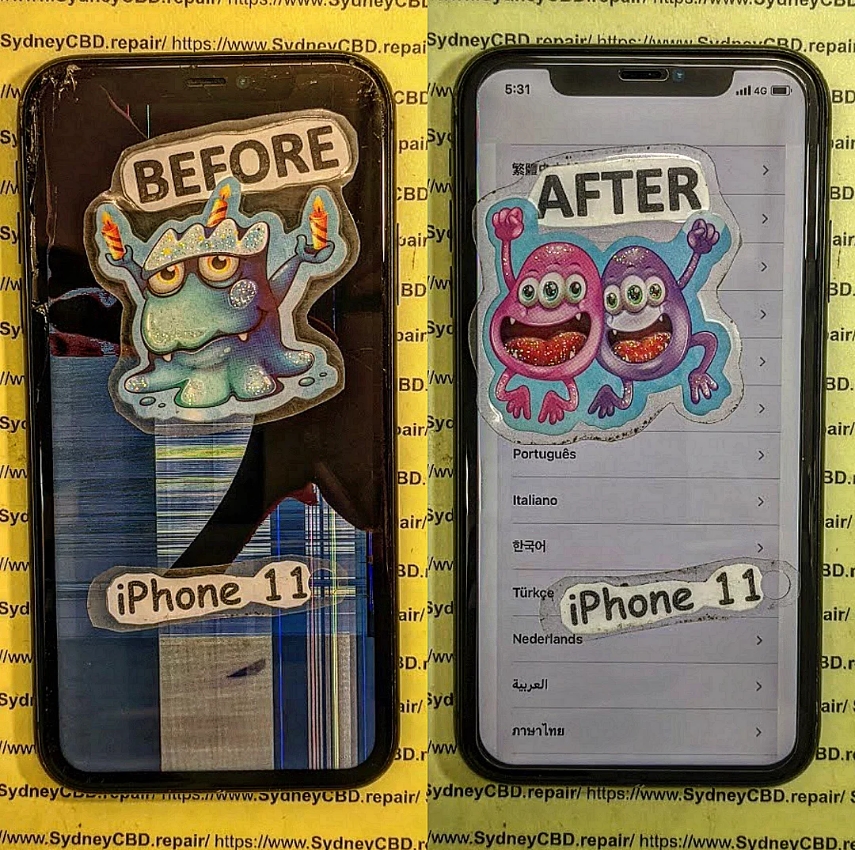
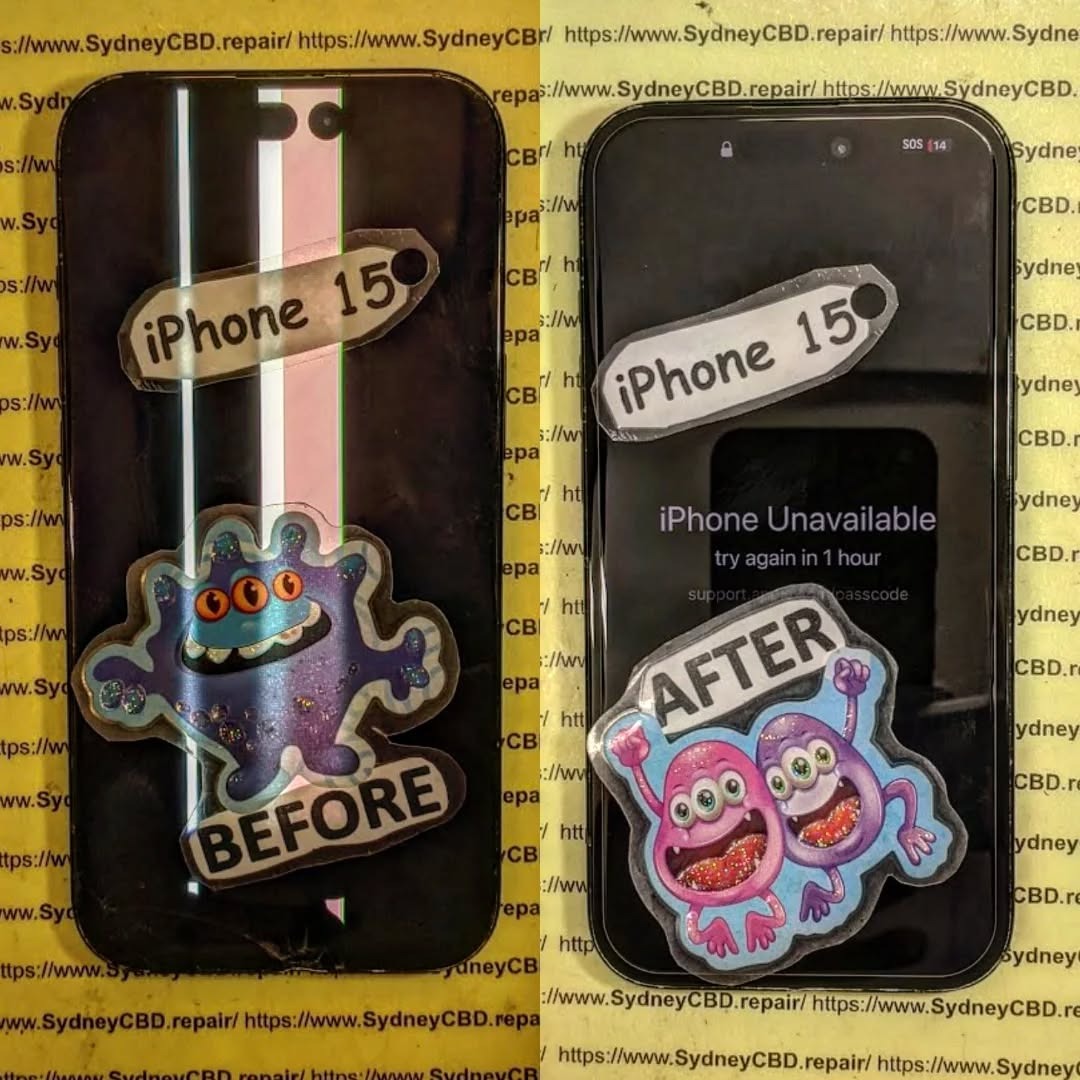
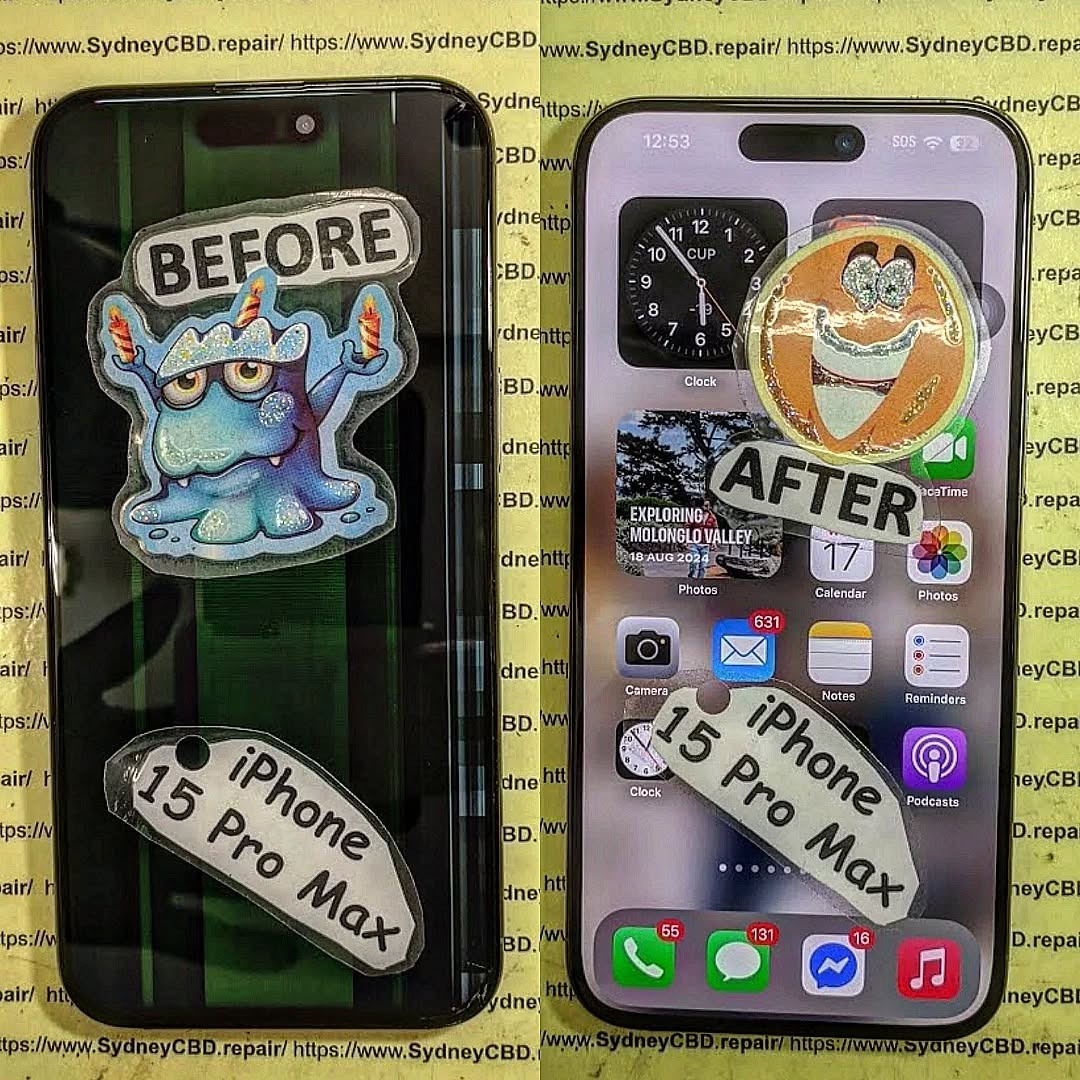
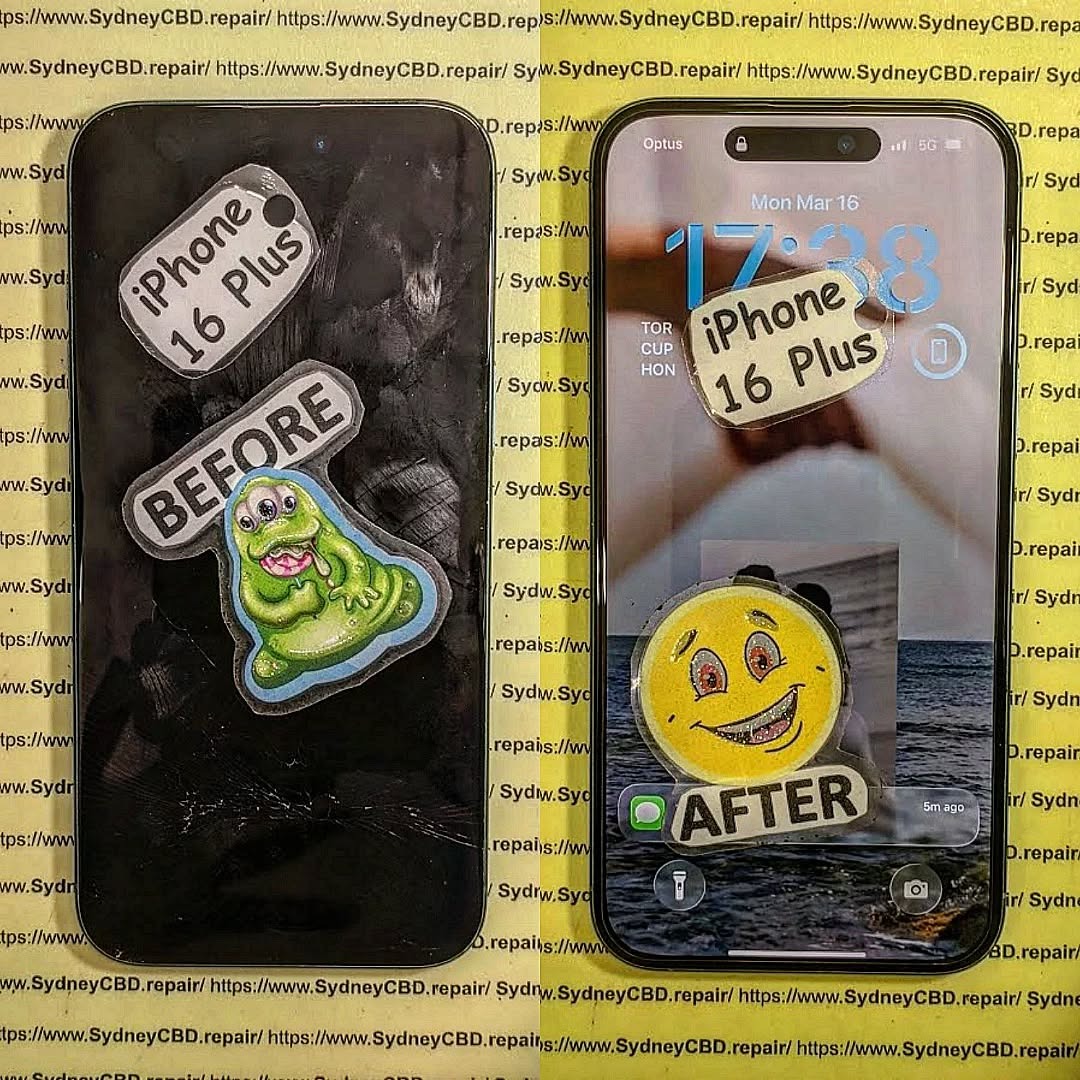
THE CRITICAL iPHONE 11 SCREEN REPAIR: WHAT WENT WRONG? (7 Common Mistakes You Must Avoid)
Introduction
Cracked screens, unresponsive touch panels, and dull displays — these are some of the most common issues iPhone 11 users face. While the iPhone 11 is known for its durability and vibrant display, even the most careful users can’t always avoid accidental drops or impacts. When that happens, the first instinct is to get the screen fixed quickly and cheaply. But here’s the catch — not all screen repairs are created equal.
Many iPhone 11 owners learn this the hard way: after a poorly done repair, their device may develop new issues such as Face ID failure, flickering screens, color inaccuracy, or loss of water resistance. What was supposed to be a simple fix turns into an expensive and frustrating experience.
In this article, we’ll uncover what often goes wrong during iPhone 11 screen repairs, explore the most common mistakes made by DIY enthusiasts and unqualified technicians, and show you how to avoid these pitfalls. You’ll also discover why choosing a trusted and certified service provider — like Sydney CBD Repair Centre, a six-time award-winning repair shop — ensures your iPhone gets back to perfect working condition safely and efficiently.
Whether you’re considering a DIY replacement or searching for a reputable Sydney repair shop, this guide will help you make informed decisions, protect your investment, and keep your iPhone 11 looking and functioning like new.
When your iPhone 11 screen cracks or stops responding, the urge to fix it immediately is understandable. However, a quick or cheap repair often leads to further damage, especially when the technician isn’t trained or uses non-genuine parts. The iPhone 11 is a high-precision device, and its screen system includes sensors, cameras, and complex connectors that require expertise to handle.
This article reveals the 7 most common mistakes people make during iPhone 11 screen repairs — and how you can avoid them by choosing professional repair services like Sydney CBD Repair Centre, Sydney’s top-rated phone repair shop six years in a row.
Unlike older iPhone models, the iPhone 11’s screen integrates several high-tech components:
OLED or Liquid Retina Display (LCD) technology
True Tone and Haptic Touch features
Face ID sensors and front camera module
Water-resistant adhesive seals
Because of this complexity, replacing an iPhone 11 screen isn’t just about removing glass. It’s about maintaining display accuracy, water resistance, and functionality. That’s why professional handling is critical.
🔍 OLED vs LCD – Why It Matters
Apple’s iPhone 11 uses a Liquid Retina HD (LCD) display, unlike its Pro models that feature OLED. But both screen types are sensitive to improper repairs.
Feature
OLED
LCD
Display Type
Organic Light-Emitting Diode
Liquid Crystal Display
Color Accuracy
Superior
Very Good
Repair Cost
Higher
Moderate
Durability
Slightly lower
Better resistance
Common Issue
Burn-in risk
Backlight bleeding
Choosing the wrong screen type or using low-quality third-party panels often results in dull colors, poor brightness, or dead pixels — problems that only worsen over time.
⚠️ Common Mistakes During iPhone 11 Screen Repairs
Even small repair errors can cause irreversible damage. Below are seven critical mistakes every iPhone 11 owner should know.
⚙️ Mistake #1: Using Cheap Replacement Screens
While it’s tempting to save money, cheap screens lack Apple’s calibration and quality control. These parts often:
Display inaccurate colors
Reduce touch sensitivity
Fail True Tone detection
Break more easily under slight pressure
A genuine iPhone screen may cost more upfront but saves money long-term by lasting longer and maintaining resale value.
🌈 Mistake #2: Ignoring True Tone Calibration
True Tone automatically adjusts color temperature based on ambient lighting. When you replace your screen, this calibration is lost unless transferred correctly using specialized tools.
Untrained technicians often skip this step, causing the screen to appear unnaturally blue or yellow, especially in low light.
😷 Mistake #3: Damaging the Face ID Module
The iPhone 11’s Face ID sensor sits dangerously close to the display flex cables. If mishandled during a screen swap, it can disable Face ID permanently.
Repairing Face ID damage often requires logic board work, which is expensive and complex — something only expert technicians like those at Sydney CBD Repair Centre can handle safely.
💧 Mistake #4: Poor Adhesive Application
Apple uses precision waterproof adhesives to maintain water resistance. Incorrect or uneven application leads to:
Gaps around the frame
Dust or moisture ingress
Reduced structural integrity
A professional repairer uses factory-grade adhesive strips and presses to ensure a perfect seal, keeping your device resistant to spills and rain.
⚡ Mistake #5: Static Discharge and Motherboard Damage
Static electricity can fry delicate components on the iPhone’s logic board. Many DIY repairers forget ESD (electrostatic discharge) precautions. A single spark can destroy touch controllers or cause ghost-touch problems.
Professional shops use anti-static workbenches, gloves, and grounded mats to prevent this.
🧰 Mistake #6: Incorrect Tools Used
Using screwdrivers or pry tools not designed for Apple devices often strips screws or cracks internal glass shields. Precision tools like tri-point and pentalobe drivers are essential to avoid permanent damage.
🔄 Mistake #7: Skipping Post-Repair Testing
Some repairs end with screen replacement but skip diagnostics. Without testing:
Proximity sensors might fail
Display may flicker or freeze
Face ID might not align
A professional repair shop conducts a complete 15-step diagnostic before returning your iPhone — ensuring every feature functions properly.
🧩 The Importance of Genuine Parts
Genuine parts not only fit perfectly but also maintain Apple’s color accuracy, responsiveness, and durability.
Non-genuine screens often lead to:
Shorter lifespan
Uneven brightness
Overheating issues
Sydney CBD Repair Centre sources authentic and OEM-grade parts, ensuring your device performs just like new. That’s backed by their 90-day repair warranty.
📍 Choosing the Right Repair Shop in Sydney
With so many repair options available, it’s vital to choose a service that guarantees transparency and reliability.
🧾 Certification, Warranty, and Reviews
Before trusting your iPhone to any repairer, check:
Certifications for Apple or electronic repair standards
Warranty coverage on parts and labor
Google Reviews and local reputation
A trustworthy repair shop should provide clear pricing, a written warranty, and same-day repair options.
🏆 Why Sydney CBD Repair Centre Excels
Located in the heart of Sydney, Sydney CBD Repair Centre has:
2000+ verified 5-star Google reviews
6-time “Best Mobile Phone Repair” award
Expert Apple-certified technicians
Genuine parts guarantee
Same-day express repairs
They’ve built their reputation on transparency, quality, and trust, making them the go-to repair centre for iPhone 11 screen replacements.
Once repaired, you can extend your iPhone 11 screen’s life by:
Using a tempered glass protector
Avoiding exposure to heat or moisture
Keeping the device in a protective case
Cleaning the display with a microfiber cloth
Getting minor cracks repaired immediately before spreading
Simple precautions go a long way toward keeping your device in top shape.
❓ FAQs About iPhone 11 Screen Repair
1. How long does an iPhone 11 screen repair take?
Most professional repairs, including testing, take under 1 hour at Sydney CBD Repair Centre.
2. Does replacing the screen affect Face ID?
Not if done correctly by experts. Mishandling flex cables, however, can cause Face ID failure.
3. Is the new screen water-resistant?
Yes, when installed with original-grade adhesives by certified technicians.
4. Can I keep True Tone after a screen replacement?
Absolutely — if your repair shop uses data transfer tools to copy True Tone calibration.
5. Why does my new screen look dimmer?
This usually happens with cheap aftermarket panels that lack Apple’s brightness specs.
6. What warranty does Sydney CBD Repair Centre offer?
All repairs come with a 90-day warranty covering workmanship and parts.
🏁 Conclusion: Professional Repair for Peace of Mind
Your iPhone 11 deserves the best care. Avoiding cheap parts, untrained technicians, and improper repairs ensures long-lasting performance and perfect display quality.
Trust Sydney CBD Repair Centre — Sydney’s most reviewed and award-winning mobile repair shop — for your next screen replacement.
David from Sydney CBD Repair Centre – The best place to fix mobile phones for six years in a row!
Top-rated mobile phone repair in Sydney with 2000+ positive reviews, genuine parts, and same-day repairs.
Top 5 Screen Brands: The Best Replacement Displays for iPhone’s That Professionals Trust in 2026
Introduction to iPhone Replacement Screens
The demand for the best replacement displays for iPhones has never been higher. With iPhones becoming more advanced—and more expensive—users are increasingly choosing screen replacement over full device upgrades. A cracked or faulty screen doesn’t mean your iPhone’s life is over. Instead, the right replacement display can restore it to near-original condition.
However, not all screens are created equal. Some look great at first but fade quickly. Others may have touch issues, poor brightness, or color distortion. That’s why understanding the top 5 screen brands is critical, especially if you want long-term performance and value.
This guide is written from a professional repair perspective, drawing on years of hands-on experience, customer feedback, and real-world testing. Let’s break it all down clearly and simply.
Choosing the wrong screen brand can cost you more in the long run. While cheaper displays may seem appealing, they often lead to:
Reduced brightness and washed-out colors
Poor touch responsiveness
Higher battery drain
Shorter lifespan
On the other hand, the best replacement displays for iPhones offer consistency, reliability, and a user experience that feels “just right.” For professional repair centers, reputation is on the line. For consumers, it’s about protecting a significant investment.
In short, the screen brand determines whether your repaired iPhone feels brand new—or barely usable.
Before ranking brands, it’s important to understand the criteria professionals use. These factors are universally recognized in the repair industry:
Display Technology – OLED, AMOLED, or LCD
Color Accuracy – True Tone compatibility and realistic colors
Brightness Levels – Outdoor visibility matters
Touch Sensitivity – Lag-free response
Durability – Resistance to burn-in and dead pixels
Compatibility – Works seamlessly with iOS updates
When these factors align, you get one of the best replacement displays for iPhones available on the market.
Understanding OEM vs Aftermarket iPhone Screens
OEM (Original Equipment Manufacturer) screens are produced by Apple or its official suppliers. Aftermarket screens are made by third-party manufacturers.
OEM Screens
Exact match to original
Higher cost
Limited availability
Aftermarket Screens
More affordable
Wide quality range
Ideal when sourced from top-tier brands
The brands listed below represent the highest-quality options in both categories.
Brand #1 – Apple OEM Displays
Display Quality and Color Accuracy
Apple OEM displays set the benchmark. These are the same screens installed in brand-new iPhones. Color accuracy is exceptional, brightness is perfectly balanced, and True Tone works flawlessly.
For users who want absolute originality, OEM remains one of the best replacement displays for iPhones without question.
Durability and Longevity
OEM screens last longer and resist issues like ghost touch or uneven backlighting. With proper installation, they perform reliably for years.
Cost and Availability
The downside? Cost. OEM screens are the most expensive and often harder to source. Still, many professionals and customers consider them worth it.
Brand #2 – Samsung AMOLED Replacement Screens
AMOLED Technology Explained
Samsung is a global leader in AMOLED technology. Many iPhone OLED panels are actually manufactured by Samsung, making this brand a close second to OEM.
Performance Compared to OEM
Brightness, contrast, and color depth are outstanding. In blind tests, most users can’t tell the difference. That’s why Samsung screens are often considered the best replacement displays for iPhones outside of OEM.
Ideal Use Cases
Perfect for users who want premium quality without paying full OEM prices.
Brand #3 – BOE High-Quality iPhone Displays
Manufacturing Standards
BOE is one of the world’s largest display manufacturers. Their high-grade iPhone screens meet strict quality controls and are widely used by professional repair centers.
Repair Technician Feedback
Technicians praise BOE for consistent quality, minimal defects, and strong compatibility with iOS updates.
Value for Money
BOE strikes a balance between price and performance, making it a smart choice for cost-conscious users seeking the best replacement displays for iPhones.
Brand #4 – LG Display iPhone Replacement Screens
Visual Performance
LG displays offer excellent color reproduction and stable brightness levels. They perform especially well in outdoor conditions.
Touch Sensitivity and Responsiveness
Touch response is smooth and accurate, even during fast typing or gaming.
Pros and Cons
Pros:
Reliable performance
Trusted manufacturer
Cons:
Slightly higher cost than BOE
Still, LG remains a strong contender among the top screen brands.
Brand #5 – Tianma Premium Aftermarket Screens
Build Quality
Tianma has improved dramatically in recent years. Their premium line offers solid construction and dependable performance.
Compatibility Across iPhone Models
These screens support a wide range of iPhone models, making them popular in busy repair shops.
Who Should Choose Tianma
Ideal for budget-focused repairs where reliability still matters. While not the absolute best, Tianma earns its place among the best replacement displays for iPhones in the aftermarket category.
Comparison Table: Top 5 Screen Brands for iPhones
Brand
Display Type
Quality
Price
Best For
Apple OEM
OLED
Excellent
$$$$
Original feel
Samsung
AMOLED
Excellent
$$$
Premium alternative
BOE
OLED/LCD
Very Good
$$
Value seekers
LG
OLED
Very Good
$$$
Balanced performance
Tianma
LCD/OLED
Good
$
Budget repairs
How Professional Repair Centers Select iPhone Screens
Professional repair centers don’t guess—they test. Screens are selected based on failure rates, customer satisfaction, and long-term performance. Brands that cause repeat repairs are quickly eliminated.
That’s why reputable centers consistently choose from these top 5 screen brands when sourcing the best replacement displays for iPhones.
For further technical insights into display manufacturing, you can explore industry resources like Display Daily (https://www.displaydaily.com).
Common Myths About iPhone Replacement Displays
“Aftermarket screens are always bad” – False. Quality depends on the brand.
“OEM is the only safe option” – Not true. Samsung and BOE are excellent alternatives.
“Cheapest screens save money” – Often false due to repeat failures.
Understanding these myths helps users make informed decisions.
Frequently Asked Questions (FAQs)
1. Are aftermarket screens safe for iPhones?
Yes, when sourced from reputable brands like Samsung, BOE, or LG.
2. Will True Tone work after screen replacement?
It depends on proper programming and screen compatibility.
3. Which brand offers the best value for money?
BOE is often considered the best balance of cost and quality.
4. Do replacement screens affect battery life?
Low-quality screens can. High-quality displays do not.
5. How long do replacement screens last?
Premium screens can last as long as the original.
6. Can I tell if my screen is OEM?
A professional technician can verify this through diagnostics.
Conclusion
Choosing among the top 5 screen brands ensures you get the best replacement displays for iPhones available today. Whether you prioritize originality, performance, or value, there’s a reliable option for every need.
A quality screen doesn’t just fix your iPhone—it restores confidence, usability, and longevity. Make the smart choice, and your iPhone will thank you for it.
David from Sydney CBD Repair Centre – The Best place to fix mobile phones as 7 Years In A Row! Top Mobile Phone Repair In Sydney. More than 2000 Positive Reviews on Google and Same Day Repairs.
We take pride in delivering exceptional repair services for all major phone brands including Apple, Samsung, Google, and more. Our expert technicians use only genuine parts and offer a 90-day warranty on repairs. Located in the heart of Sydney CBD, we’re your one-stop solution for all mobile device repairs.
Our commitment to excellence has earned us the trust of thousands of satisfied customers. Whether it’s a cracked screen, battery replacement, or water damage repair, we handle it all with professional care and expertise. Walk in today and experience why we’re Sydney’s #1 choice for mobile phone repairs.
Visit us for:
✓ Same Day Express Repairs
✓ Genuine Parts Guarantee
✓ Professional Technicians
✓ Competitive Pricing
✓ 2000+ 5-Star Google Reviews
✓ 7-Time Award Winner for Best Phone Repairs
Charging Port Issue: Can We Save This iPhone 17 Pro Max from the Charging Port Catastrophe? Ultimate Repair Guide #7
Introduction
The iPhone 17 Pro Max is Apple’s most advanced smartphone yet—sleek, powerful, and packed with cutting-edge technology. But even the best devices can stumble. One of the most alarming issues users face is a full-blown charging port failure. When your phone refuses to charge, panic sets in fast. After all, no power means no phone.
So, can we save this iPhone 17 Pro Max from a charging port catastrophe? The good news is yes—in most cases, the device can be rescued with the right approach, proper diagnostics, and expert care. This guide breaks everything down in plain English, so you’ll know exactly what’s going on and what to do next.
We’ll explore why charging ports fail, how professionals handle iPhone 17 Pro Max charging port repair, and what you can do to prevent the problem from happening again. Let’s dig in.
Charging issues don’t just appear out of thin air. They build up over time, often showing subtle signs long before total failure.
What Makes the iPhone 17 Pro Max Charging Port Unique
Apple refined the USB-C port in the iPhone 17 Pro Max to support faster data transfer and improved power efficiency. However, this compact design also means tighter tolerances. Dust, lint, moisture, or minor connector damage can quickly disrupt charging.
Unlike older models, the port integrates closely with the logic board. That means a simple issue can feel catastrophic—even when it’s repairable.
Early Warning Signs You Shouldn’t Ignore
Catching problems early can save you time and money. Watch out for:
Phone only charges at a certain angle
Charging cable feels loose
Slow or intermittent charging
Device heats up while charging
“Accessory not supported” warnings
If you notice any of these, it’s time to act.
Why Charging Port Failures Are Increasing
Modern smartphones are used harder than ever. From streaming and gaming to constant charging, the port takes a beating.
Environmental Factors
Dust in pockets, beach sand, humidity, and accidental spills all play a role. Even tiny debris can block proper contact between the cable and port pins.
User Habits
Let’s be honest—using cheap cables, yanking cords out, or charging while gaming doesn’t help. These habits accelerate wear and tear.
Here’s the optimistic truth: most charging port issues are fixable. The key is accurate diagnosis.
Diagnostic Process Used by Professionals
At a professional repair centre, technicians don’t guess. They test.
A proper diagnosis includes:
Visual inspection under magnification
Port continuity testing
Cable and power adapter verification
Logic board power flow analysis
This process determines whether the issue is debris-related, port damage, or something deeper.
DIY Fixes vs Professional Repair
DIY cleaning with a toothpick or compressed air can help—but it’s risky. One slip can damage delicate pins.
Professional iPhone 17 Pro Max charging port repair offers:
DIY Fix
Professional Repair
Temporary results
Long-term solution
Risk of damage
Safe, controlled process
No warranty
Warranty included
Sometimes saving a few dollars upfront leads to bigger costs later.
Tools and Technology Used in Modern Repairs
Certified repair centres use:
Microsoldering stations
ESD-safe tools
OEM-grade components
Precision heating systems
These tools allow safe removal and replacement without harming surrounding components.
Genuine vs Aftermarket Parts
Using genuine or high-quality OEM-equivalent parts ensures:
Proper power delivery
Long-term durability
Compatibility with iOS updates
Apple itself recommends authorised repair practices (see Apple’s official guidance here: https://support.apple.com).
Preventing Future Charging Port Disasters
Once your phone is fixed, prevention becomes the name of the game.
Best Charging Practices
Simple habits go a long way:
Use certified cables
Avoid charging in dusty or humid environments
Don’t bend the cable while plugged in
Remove the charger gently
These steps reduce mechanical stress on the port.
Cleaning and Maintenance Tips
Routine maintenance helps:
Inspect the port monthly
Use a soft brush or air blower
Keep pockets and bags lint-free
Avoid metal objects at all costs—they’re a recipe for disaster.
When to Seek Professional Help
If cleaning doesn’t help or the problem keeps coming back, don’t wait. Ongoing charging issues can damage the battery or logic board, turning a small repair into a major one.
Frequently Asked Questions (FAQs)
Is iPhone 17 Pro Max charging port repair expensive?
Costs vary, but most repairs are far cheaper than replacing the device. Early intervention keeps prices down.
Can water damage affect the charging port only?
Yes. Even minor moisture exposure can corrode port pins while the rest of the phone seems fine.
How long does a professional repair take?
In most cases, same-day service is possible—often within an hour.
Will my data be safe during repair?
Yes. Charging port repair doesn’t involve data removal.
Can wireless charging replace a faulty port?
It’s a temporary workaround, not a fix. Data transfer and fast charging still rely on the port.
Is it safe to keep using a phone with charging issues?
Not really. It can worsen damage and affect internal components.
Conclusion
So, can we save this iPhone 17 Pro Max from a charging port catastrophe? Absolutely. With proper diagnosis, expert repair, and smarter usage habits, your device can be fully restored—and stay that way.
Charging port problems are frustrating, but they’re rarely the end of the road. Acting early, choosing professional iPhone 17 Pro Max charging port repair, and following preventative tips can keep your phone running smoothly for years to come.
David from Sydney CBD Repair Centre – The Best place to fix mobile phones as 7 Years In A Row!
Top Mobile Phone Repair In Sydney. More than 2000 Positive Reviews on Google and Same Day Repairs.
We take pride in delivering exceptional repair services for all major phone brands including Apple, Samsung, Google, and more. Our expert technicians use only genuine parts and offer 90 days warranty on repairs. Located in the heart of Sydney CBD, we’re your one-stop solution for all mobile device repairs.
Our commitment to excellence has earned us the trust of thousands of satisfied customers. Whether it’s a cracked screen, battery replacement, or water damage repair, we handle it all with professional care and expertise. Walk in today and experience why we’re Sydney’s #1 choice for mobile phone repairs.
Visit us for:
✓ Same Day Express Repairs
✓ Genuine Parts Guarantee
✓ Professional Technicians
✓ Competitive Pricing
✓ 2000+ 5-Star Google Reviews
✓ 7-Time Award Winner for Best Phone Repairs
THE UNSEEN DAMAGE: Water damaged of iPhone 15 motherboard repair Secrets You Need to Know (2025 Guide)
Understanding Water Damage in the iPhone 15
Water damage is one of the most unpredictable threats to modern smartphones, especially for the iPhone 15, which combines intricate circuitry with delicate micro-components. Even though Apple advertises its latest models as water-resistant, this doesn’t mean they are waterproof.
How Water Reaches the Motherboard
The iPhone 15 is sealed using precision gaskets and adhesives that slow down water ingress. However, when dropped in water, pressure and temperature variations can still force liquid through the charging port, SIM tray, or speaker grills. Once inside, water conducts electricity between circuits, leading to short circuits, oxidation, and eventual motherboard failure.
Common Causes of iPhone 15 Water Damage
Accidental immersion in pools, toilets, or washing machines.
Rain exposure during outdoor use.
Sweat and humidity during workouts.
Condensation from rapid temperature changes (cold-to-hot environments).
Even if your phone seems to work after contact with water, hidden corrosion can silently degrade its components.
Physical and Internal Indicators
Flickering or completely black screen
Overheating battery or random restarts
Distorted speaker or microphone output
Camera malfunction or Face ID failure
Diagnostic Tests and Hidden Corrosion
Technicians use microscopic inspection and moisture sensors to detect corrosion. A logic board continuity test confirms whether circuits remain intact. This diagnostic step is vital because many motherboard issues don’t appear immediately after the incident.
How Electricity and Water Interact Inside the Device
When water bridges metal circuits, ions from the liquid accelerate oxidation. This electrochemical reaction corrodes solder joints, destroying key connections between chips.
The Role of Apple’s Waterproofing Seals
Apple uses IP68-rated sealing, which protects against brief immersion in shallow water. However, repeated exposure, impact damage, or unauthorized screen replacements weaken these seals — making professional repairs essential.
Why Motherboard Damage Is So Critical
The motherboard is the brain of your iPhone 15 — controlling everything from data transfer to image processing.
Impact on Performance and Data
A damaged motherboard can cause:
Boot failure or data corruption
Battery charging irregularities
Camera and sensor malfunctions
Permanent Face ID or Touch ID loss
Risks of Ignoring Early Warning Signs
Delaying repairs can spread corrosion to secondary chips, making data recovery impossible. Quick professional intervention is crucial to save both your device and your personal information.
Professional Water-Damaged iPhone 15 Motherboard Repair Process
At Sydney CBD Repair Centre, each water-damaged device undergoes a meticulous restoration process led by certified technicians.
Step 1: Initial Assessment and Liquid Damage Test
Technicians open the device and inspect the Liquid Contact Indicator (LCI). If it’s red, moisture has breached the seal.
Step 2: Ultrasonic Cleaning and Corrosion Removal
The motherboard is removed and placed in an ultrasonic cleaning machine with specialized solutions that safely remove oxidation.
Step 3: Component-Level Repair and Testing
Corroded IC chips are desoldered and replaced using micro-soldering tools. After repairs, the board is re-tested under simulated load conditions to ensure stability.
DIY Myths About Fixing Water-Damaged iPhones
Why Rice and Air-Drying Don’t Work
Rice can’t remove moisture trapped beneath chips or connectors. It may absorb surface water, but corrosion begins almost instantly inside the device.
The Dangers of DIY Alcohol Cleaning
Using isopropyl alcohol without proper training can dislodge sensitive components or leave residues that worsen corrosion. Always trust a professional repair lab.
Choosing the Right Repair Centre in Sydney
Why Sydney CBD Repair Centre Leads the Industry
For six consecutive years, Sydney CBD Repair Centre has been voted Sydney’s Best Phone Repair Shop, with over 2000+ five-star reviews on Google.
They specialize in motherboard-level repairs for Apple, Samsung, and Google devices, using only genuine parts backed by a 90-day warranty.
How Genuine Parts and Expertise Make a Difference
Using non-original components can cause compatibility issues or re-trigger liquid damage. Certified parts ensure full functionality and reliability.
Cost of iPhone 15 Motherboard Repair
Factors That Influence Repair Pricing
Extent of corrosion or chip damage
Parts replacement needs
Data recovery requirements
Typical iPhone 15 motherboard repairs range between $250 to $500 AUD, depending on severity.
Warranty and Quality Assurance
Every repair at Sydney CBD Repair Centre comes with a 90-day warranty, ensuring peace of mind and transparency.
Preventing Future Water Damage
Protective Accessories and Maintenance Tips
Use waterproof cases for extra protection.
Avoid charging your phone immediately after exposure.
Keep your device away from humid bathrooms or gym lockers.
Smart Habits for Long-Term Device Health
Schedule regular cleaning of charging ports.
Replace worn gaskets during screen replacements.
Store backups via iCloud in case of sudden failures.
FAQs
Q1: Is my iPhone 15 waterproof?
A: No. It’s water-resistant but not waterproof. It can survive splashes, not submersion.
Q2: Can Sydney CBD Repair Centre fix water-damaged iPhones?
A: Yes. Their experts specialize in logic board repairs for all iPhone models, including the iPhone 15 series.
Q3: How long does a motherboard repair take?
A: Most repairs are completed same day, depending on part availability.
Q4: Will I lose my data?
A: Not necessarily. Many devices retain recoverable data if serviced promptly.
Q5: How do I know if my motherboard is damaged?
A: Look for random shutdowns, charging issues, or camera malfunctions after water exposure.
Q6: Why should I choose Sydney CBD Repair Centre?
A: Their proven track record, 2000+ 5-star reviews, and use of genuine parts ensure professional, lasting results.
Conclusion
The unseen damage from water exposure can silently destroy your iPhone 15 motherboard if not addressed quickly. Trusting experts like Sydney CBD Repair Centre ensures your phone is restored with precision, reliability, and genuine Apple-grade quality.
Whether you’re facing a sudden malfunction or hidden corrosion, professional diagnostics and repair are your best defense. Don’t risk your investment — visit Sydney CBD Repair Centre today for same-day service and guaranteed results.
📍 Sydney CBD Repair Centre – Where Quality Meets Reliability
From Scrap to Sparkle: Reviving a Critically Damaged of iPhone 15 Pro Max Screen + 12 Proven Techniques
Introduction:
Your iPhone 15 Pro Max is more than just a phone—it’s a personal assistant, a camera, a gaming device, and a hub for your digital life. So, when its screen suffers a critical crack or shatter, it can feel like your entire day comes to a halt. The good news? Even the most damaged iPhone 15 Pro Max screens can be revived with the right approach, tools, and professional guidance.
In this article, we’ll take you step by step through understanding the screen’s complex structure, diagnosing hidden damage, exploring both DIY and professional repair options, and applying preventive measures to keep your screen looking flawless. Whether you’re a tech enthusiast eager to attempt a self-repair or someone seeking trusted professional services, this guide provides practical, detailed, and reliable solutions to bring your iPhone back to life.
By the end of this guide, you’ll not only understand how to restore your device but also learn how to protect it for the long haul—turning that “scrap” into true “sparkle.”
The iPhone 15 Pro Max is an engineering marvel, but even the toughest phones aren’t immune to damage. A shattered screen can make your smartphone almost unusable—but fear not. Reviving a critically damaged iPhone 15 Pro Max screen isn’t impossible. With the right knowledge, tools, and a touch of expertise, you can restore your device to like-new condition. This guide dives into everything you need to know—from diagnosing damage to professional repairs, DIY strategies, and preventive tips.
Before attempting any repair, it’s vital to understand what makes up your iPhone 15 Pro Max screen. Modern Apple devices use a combination of advanced materials and sensors to deliver exceptional display quality.
Display Panels: OLED vs Super Retina XDR
The iPhone 15 Pro Max uses a Super Retina XDR OLED display, providing vibrant colors, deep blacks, and high contrast ratios. OLED technology allows each pixel to emit its own light, making it more energy-efficient but slightly more delicate compared to older LCDs. Understanding this helps prevent unnecessary errors during repairs.
Touch Sensitivity & Haptic Layer
Underneath the screen lies the touch-sensitive layer, which detects every tap and swipe. The haptic feedback layer gives the tactile response you feel when interacting with your device. Damage to these layers may not always be visible, but it can severely affect the device’s functionality, even if the glass appears intact.
Knowing how your screen can get damaged helps in both repair and prevention.
Accidental Drops and Impacts
Most screen damage happens from drops. Even a small fall on a hard surface can cause cracks or dislodge internal components. According to research, 40% of iPhone repairs are due to accidental drops.
Water and Liquid Exposure
Though the iPhone 15 Pro Max is water-resistant, liquid can still seep in, damaging the OLED layer and sensors. Sticky residues from drinks or saltwater are particularly harmful.
Heat, Pressure, and Environmental Factors
High temperatures, prolonged sun exposure, or excessive pressure (like sitting with your phone in your pocket) can warp or fracture the screen. These factors can cause subtle cracks that worsen over time.
Diagnosing the Extent of Damage
Not all damage is obvious. Proper diagnosis ensures effective repair.
Visual Inspection: Cracks and Shards
Start by checking for visible cracks, chips, or shattered glass. Look for discoloration or dead pixels, which indicate deeper damage.
Functional Tests: Touch, Display, and Sensors
Test the touch responsiveness, brightness levels, and color display. Check Face ID and haptic feedback for any issues.
Professional Diagnostic Tools
Advanced repair shops use microscopes, thermal imaging, and software diagnostics to pinpoint hidden faults. Consulting professionals can save you time and money in the long run.
DIY Screen Repair: Risks and Limitations
DIY repairs are tempting but come with risks.
Necessary Tools and Kits
You’ll need precision screwdrivers, suction tools, anti-static mats, and specialized adhesives. Without these, you risk further damage.
Step-by-Step Replacement Process
Power off your iPhone.
Remove screws near the Lightning port.
Carefully separate the screen from the frame.
Disconnect the battery and display connectors.
Replace the screen assembly and reassemble.
Even with careful steps, minor misalignments can impair performance.
Common Mistakes and How to Avoid Them
Using excessive force on connectors.
Skipping anti-static precautions.
Not testing the new screen before final assembly.
Professional Repair Options
Apple Authorized Service Providers
Offers original parts and warranty coverage. Repairs are often costlier but guarantee quality and compatibility.
Independent Repair Shops
Many independent shops, like Sydney CBD Repair Centre, offer competitive pricing, rapid turnaround, and genuine parts, often with a 90-day warranty. Independent shops can sometimes handle issues that Apple may not cover under warranty.
Sydney CBD Repair Centre Case Study
Our experts have repaired thousands of iPhones, restoring shattered screens efficiently. With 7 years of awards and 2000+ 5-star reviews, we’re the trusted choice for Sydney locals. Learn more here.
Screen Protection Post-Repair
Prevention is key after repair.
Tempered Glass & Film Protectors
High-quality tempered glass reduces the risk of future cracks. Look for ultra-clear, high-durability options.
Cases and Edge Protection
Rugged cases with reinforced edges absorb shock and prevent direct impact on the screen.
Usage Habits to Extend Screen Life
Avoid placing phones in back pockets.
Keep away from heat and liquids.
Clean gently with microfiber cloths.
Cost Analysis: DIY vs Professional Repair
Factor
DIY
Professional
Cost
$80–$200
$250–$450
Time
1–3 hours
30–60 minutes
Risk
High
Low
Warranty
None
90 days+
Skill Required
Advanced
Minimal
Professional repair is generally safer, faster, and more reliable, especially for critical damage.
FAQs
1. Can I repair my iPhone 15 Pro Max screen myself?
Yes, but it carries risks. Professional repair is recommended for severe damage.
2. How long does a screen repair take?
DIY can take 1–3 hours; professional services often complete repairs in under an hour.
3. Will my warranty be voided by DIY repair?
Yes, self-repair may void Apple’s warranty. Always check before attempting.
4. What is the cost difference between Apple and independent repair?
Apple repairs are typically higher due to original parts; independent shops are more affordable but still reliable.
5. Can cracked screens affect Face ID?
Yes, cracks near the TrueDepth sensor can impair Face ID functionality.
6. How can I prevent future screen damage?
Use tempered glass, protective cases, and avoid drops, heat, and pressure.
Conclusion
Reviving a critically damaged iPhone 15 Pro Max screen requires understanding the screen’s structure, accurate damage diagnosis, and selecting the right repair path—DIY or professional. With careful attention and preventive measures, your iPhone can return to pristine condition. Remember, investing in professional repair services and protective accessories ensures both performance and longevity.
David from Sydney CBD Repair Centre – The Best place to fix mobile phones as 7 Years In A Row! Top Mobile Phone Repair In Sydney. More than 2000 Positive Reviews on Google and Same Day Repairs.
Visit us for:
✓ Same Day Express Repairs
✓ Genuine Parts Guarantee
✓ Professional Technicians
✓ Competitive Pricing
✓ 2000+ 5-Star Google Reviews
✓ 7-Time Award Winner for Best Phone Repairs
THE TITANIUM TOUGH! iPhone 16 Pro Max Rear Camera Module Replacement Sydney CBD Repair + 7 Key Benefits”
Introduction to iPhone 16 Pro Max Rear Camera Repairs
When your iPhone 16 Pro Max camera starts acting up—whether it’s blurry photos, malfunctioning sensors, or complete camera failure—it’s not just frustrating; it can seriously disrupt your daily life. At Sydney CBD Repair, we specialize in iPhone 16 Pro Max rear camera module replacements that restore your phone to its original titanium-tough performance. With the rapid evolution of Apple’s camera technology, professional handling is crucial to maintain your phone’s top-tier image quality and functionality.
The iPhone 16 Pro Max features a sophisticated rear camera system, including LiDAR sensors, advanced optical zoom, and cinematic video capabilities. While these innovations provide stunning photo and video output, they also require precision engineering when repair is needed. Attempting a DIY repair can risk damaging delicate components or voiding warranties. That’s why expert services like Sydney CBD Repair are a must for anyone seeking reliable, professional, and long-lasting repairs.
Sydney CBD Repair has built a reputation as Sydney’s #1 mobile repair center. With over seven years of consistent service excellence, our team combines technical skill with customer-first care.
Expertise of Technicians
Our certified technicians have extensive hands-on experience with Apple devices, including the latest iPhone 16 Pro Max models. They undergo regular training on hardware upgrades, diagnostic procedures, and the latest repair techniques. This ensures that every repair, from lens replacement to sensor calibration, is executed with precision.
Genuine Parts and Warranty
We use only manufacturer-approved parts, guaranteeing that your iPhone retains its original performance standards. Every camera module replacement comes with a 90-day warranty, giving you peace of mind. Using genuine components ensures durability, prevents software conflicts, and maintains your iPhone’s resale value.
Understanding common camera problems helps you recognize when professional repair is necessary.
Physical Damage
Cracked or shattered lens: Often caused by drops or impacts.
Scratches affecting image clarity: Can blur photos or reduce light sensitivity.
Software-Related Issues
App crashes or freezing: Camera app may fail to open or close unexpectedly.
Sensor calibration errors: Affects focus, exposure, and stabilization.
Step-by-Step Process of Camera Module Replacement
Replacing a rear camera module is a delicate process that requires precision.
Diagnostic Phase
The first step is diagnosing the exact issue. Technicians run a series of tests to determine if the problem is hardware-related or software-based. This ensures an accurate and cost-effective repair plan.
Disassembly and Removal
After diagnostics, the phone is carefully disassembled. Protective procedures prevent damage to the screen, battery, or motherboard. The damaged camera module is safely removed.
Installation of New Module
A brand-new rear camera module is installed using precise alignment techniques. All connections are checked to ensure perfect sensor integration, maintaining the iPhone’s original performance.
Testing & Quality Assurance
Finally, the camera undergoes rigorous testing. Photos, videos, and sensor functionalities are thoroughly evaluated. Only after passing these tests is the device returned to the customer.
Benefits of Professional Camera Replacement
Image Quality Restoration
Professional replacements restore your camera to factory-level quality, ensuring sharp, vibrant photos and videos.
Cost vs DIY Repairs
While DIY kits may seem cheaper, they carry risks of permanent damage or voided warranties. Professional services provide efficiency, accuracy, and guaranteed results.
Speed and Efficiency
Sydney CBD Repair offers same-day repairs, minimizing downtime and keeping your digital life uninterrupted.
Understanding the Costs Involved
Repair costs can vary depending on the severity of damage, model type, and parts required. On average, an iPhone 16 Pro Max rear camera module replacement at Sydney CBD Repair includes:
Component
Cost Estimate
Rear Camera Module
$350-$450 AUD
Labor
$100-$150 AUD
Total
$450-$600 AUD
Using genuine parts and certified technicians ensures that the investment delivers long-term value.
Maintenance Tips Post-Replacement
To prolong camera life and performance:
Use a protective case to prevent drops.
Clean the lens gently with microfiber cloths.
Keep iOS updated to ensure optimal camera software performance.
Avoid exposure to extreme temperatures.
FAQs About iPhone 16 Pro Max Camera Replacement
1. How long does a camera module replacement take?
Most repairs are completed within 2–3 hours, with same-day service available.
2. Will the repair affect my iPhone warranty?
Using genuine parts from Sydney CBD Repair ensures your device warranty remains intact.
3. Can software issues be fixed without replacing the module?
Yes, diagnostic tests can differentiate between software and hardware issues.
4. Do I need to back up my data before repair?
While data loss is rare, we recommend a backup as a precaution.
5. How much does a typical camera module replacement cost?
Costs range from $450 to $600 AUD, depending on the parts and labor involved.
6. Can I book a walk-in repair?
Absolutely, walk-ins are welcome, and priority service is available.
Conclusion
TITANIUM TOUGH! iPhone 16 Pro Max rear camera module replacement at Sydney CBD Repair guarantees precision, efficiency, and long-lasting performance. Our certified technicians, genuine parts, and 90-day warranty make us the top choice for Sydney residents seeking reliable, professional iPhone repairs. Don’t compromise your photos or device quality—experience the peace of mind that comes with expert service.
For more information on iPhone camera technology and repair insights, visit Apple Support.
David from Sydney CBD Repair Centre – The Best place to fix mobile phones as 7 Years In A Row! Top Mobile Phone Repair In Sydney. More than 2000 Positive Reviews on Google and Same Day Repairs.
We take pride in delivering exceptional repair services for all major phone brands including Apple, Samsung, Google, and more. Our expert technicians use only genuine parts and offer 90days warranty on repairs. Located in the heart of Sydney CBD, we’re your one-stop solution for all mobile device repairs.
Our commitment to excellence has earned us the trust of thousands of satisfied customers. Whether it’s a cracked screen, battery replacement, or water damage repair, we handle it all with professional care and expertise. Walk in today and experience why we’re Sydney’s #1 choice for mobile phone repairs.
Visit us for:
✓ Same Day Express Repairs
✓ Genuine Parts Guarantee
✓ Professional Technicians
✓ Competitive Pricing
✓ 2000+ 5-Star Google Reviews
✓ 7-Time Award Winner for Best Phone Repairs
iPhone 15 Pro Max Which Screen Brands Offer The Best Screen Repair Value? 7 Expert Insights
Introduction: Why Screen Quality Matters for iPhone 15 Pro Max
The iPhone 15 Pro Max is not just a device; it’s an investment. With its sleek design, advanced display technology, and high resale value, ensuring your screen stays in perfect condition is paramount. Choosing the right screen brand for replacement can affect both your user experience and the longevity of your device. This guide dives deep into which brands offer the best repair value, helping you make an informed choice.
Whether you’re dealing with a cracked screen, dead pixels, or color issues, understanding the options available is key. From Apple OEM screens to premium third-party alternatives, each choice comes with distinct benefits and considerations. Let’s explore them in detail.
Understanding why screens fail can help prevent costly replacements. Some of the most common causes include:
Accidental Drops: Even minor falls can crack the sophisticated OLED display.
Scratches and Abrasions: Everyday objects in pockets or bags often damage screens.
Water or Liquid Damage: Despite water resistance, prolonged exposure can lead to display issues.
Manufacturing Defects: Occasionally, screens may develop dead pixels or discoloration.
Regular precautions, like protective cases and screen protectors, reduce the likelihood of damage but don’t eliminate it entirely. When accidents happen, having a reliable repair option becomes crucial.
Understanding Screen Replacement Options
Replacing your iPhone 15 Pro Max screen isn’t one-size-fits-all. The two primary categories are OEM screens and aftermarket screens.
OEM Screens: Benefits and Drawbacks
Original Equipment Manufacturer (OEM) screens are produced by Apple or certified suppliers. Benefits include:
Perfect color accuracy
High touch sensitivity
Warranty coverage
However, the main drawback is higher cost, which can be 1.5–2 times more than premium aftermarket screens. Still, OEM screens provide the highest assurance of quality.
Aftermarket Screens: Types and Considerations
Aftermarket screens are not made by Apple but vary in quality:
Premium Third-Party: Comparable to OEM in clarity and touch responsiveness.
Mid-Tier: Affordable, but may show slight color or brightness differences.
Budget: Low-cost replacements that often compromise durability and performance.
When selecting aftermarket options, check reviews, warranty policies, and supplier reputation.
Not all replacement screens are created equal. Here’s a detailed look at the leading brands:
Apple Original OEM Screens
Price: High, typically around AUD 700–900
Quality: Best color accuracy, touch responsiveness, and durability
Warranty: Supported by Apple if replaced through certified channels
Third-Party Premium Brands
Brands like Belkin and Anker now offer high-quality replacement options. These often provide:
Comparable performance to OEM screens
Slightly lower cost
Limited warranty
Budget-Friendly Options
Affordable aftermarket screens are tempting but come with risks:
Potential for poor touch response
Faster screen degradation
Limited or no warranty
A careful balance of price vs. quality is essential for long-term satisfaction.
Price vs. Quality: Finding the Best Value
Here’s a comparative table for a clearer picture:
Screen Type
Approx. Cost (AUD)
Performance
Warranty
Ideal For
OEM
700–900
Excellent
Yes
Maximum reliability
Premium Aftermarket
450–650
Very Good
6–12 months
Cost-conscious users seeking quality
Mid-Tier Aftermarket
300–450
Good
3–6 months
Moderate use, budget-limited
Budget
<300
Fair
Limited
Short-term replacement, low usage
DIY vs Professional Screen Replacement
DIY Replacement Guide
Many users attempt DIY repairs to save costs. Essentials include:
Precision screwdriver set
Suction cup and plastic prying tools
Replacement screen
Patience and step-by-step guides
While DIY is cheaper, mistakes can damage internal components, void warranties, or reduce resale value.
Professional Repair Advantages
Opting for experts like Sydney CBD Repair Centre guarantees:
Fast, same-day repairs
Use of genuine parts
90-day repair warranty
Trained technicians minimizing risk
Professional service often provides better long-term value despite slightly higher upfront costs.
How to Spot a Low-Quality Screen
Red flags to watch out for:
Uneven brightness or color inconsistencies
Reduced touch responsiveness
Loose fitting or misaligned edges
Short warranty or no after-sales support
Investing a bit more upfront avoids costly issues down the road.
Longevity and Durability Considerations
Screen longevity depends on:
Build quality: OEM screens last longest
Material strength: Gorilla Glass or Ceramic Shield
Environmental factors: Heat, moisture, and impact protection
A high-quality replacement reduces the likelihood of repeated repairs and extends device life.
Warranty and After-Sales Support
Always verify:
Length of warranty (OEM typically longest)
Coverage (does it cover touch failure, discoloration, or dead pixels?)
Service locations and availability
Professional repair centers often offer better post-service support than DIY or low-tier aftermarket options.
Customer Reviews and Feedback Insights
Real-world insights matter:
OEM screens consistently receive the highest satisfaction ratings
Premium third-party brands offer a solid compromise between cost and quality
Budget options often see negative feedback after 6–12 months
Checking independent reviews ensures you avoid low-quality replacements.
FAQs
1. Can I replace an iPhone 15 Pro Max screen myself?
Yes, but it’s risky. DIY replacement can void warranty and damage internal components. Professional repairs are safer.
2. Are aftermarket screens reliable?
Premium aftermarket screens are usually reliable. Budget options may degrade faster and compromise touch sensitivity.
3. How long does a professional screen replacement take?
Most certified repair centers complete the job in 30–60 minutes. Same-day service is often available.
4. Will a replacement screen affect my iPhone warranty?
Replacing through Apple-certified technicians maintains warranty. Third-party replacements may void it unless performed by approved service providers.
5. How can I tell if a screen is OEM?
OEM screens match original color accuracy, brightness, and touch responsiveness. Documentation and supplier verification help confirm authenticity.
6. Is it worth paying more for an OEM screen?
Yes, for durability, touch performance, and long-term device value, OEM screens offer the best return on investment.
Conclusion: Choosing the Right Screen for Your iPhone 15 Pro Max
When it comes to iPhone 15 Pro Max screen replacements, balancing cost, quality, and longevity is essential. OEM screens offer unmatched performance and reliability, while premium third-party options provide strong value for those seeking savings. Avoid budget screens unless temporary use is intended. For optimal results, professional repair centers like Sydney CBD Repair Centre offer same-day service, genuine parts, and warranties—ensuring your device performs at its best.
For more details on official Apple repairs, visit Apple Support.
David from Sydney CBD Repair Centre – The Best place to fix mobile phones as 6 Years In A Row! Top Mobile Phone Repair In Sydney. More than 2000 Positive Reviews on Google and Same Day Repairs.
We take pride in delivering exceptional repair services for all major phone brands including Apple, Samsung, Google, and more. Our expert technicians use only genuine parts and offer 90days warranty on repairs. Located in the heart of Sydney CBD, we’re your one-stop solution for all mobile device repairs.
Our commitment to excellence has earned us the trust of thousands of satisfied customers. Whether it’s a cracked screen, battery replacement, or water damage repair, we handle it all with professional care and expertise. Walk in today and experience why we’re Sydney’s #1 choice for mobile phone repairs.
Visit us for:
✓ Same Day Express Repairs
✓ Genuine Parts Guarantee
✓ Professional Technicians
✓ Competitive Pricing
✓ 2000+ 5-Star Google Reviews
✓ 6-Time Award Winner for Best Phone Repairs
iPhone 17 Pro Max Full Housing Swap And Internal Component Restoration Sydney: Ultimate 2026 Expert Guide
Introduction
Has your iPhone 17 Pro Max suffered a bent frame, cracked rear housing, heavy cosmetic damage, or internal issues after an accidental drop? A professional iPhone 17 Pro Max Full Housing Swap And Internal Component Restoration Sydney service can restore both its appearance and performance without compromising reliability.
This comprehensive guide explains how housing replacement works, why precision matters, and why experienced technicians are essential for such an advanced repair.
The iPhone 17 Pro Max is one of Apple’s most advanced smartphones. It combines premium materials, powerful hardware, professional-grade cameras, and cutting-edge engineering into a single device. While it is built for durability, accidents still happen.
A significant drop can bend the frame, crack the rear housing, damage mounting points, or deform the chassis enough to affect buttons, cameras, speakers, wireless charging, or even display alignment.
That’s where iPhone 17 Pro Max Full Housing Swap And Internal Component Restoration Sydney becomes invaluable.
Unlike a simple screen replacement, a housing swap involves completely disassembling the phone. Every working internal component is carefully transferred into a brand-new housing while maintaining proper alignment and functionality.
Professional restoration provides several benefits:
Restores factory appearance
Corrects structural damage
Improves button responsiveness
Fixes camera alignment
Restores speaker positioning
Re-establishes wireless charging alignment
Extends device lifespan
Preserves valuable internal components
For premium smartphones, replacing the housing often costs far less than purchasing an entirely new device.
What Is a Full Housing Swap?
A housing swap is among the most advanced smartphone repairs available.
Instead of replacing only one damaged part, technicians move nearly every internal component into a new original-quality housing.
These components include:
Component
Transferred?
OLED Display
✔
Logic Board
✔
Rear Cameras
✔
Front Camera
✔
Battery
✔ (if healthy)
Speakers
✔
Taptic Engine
✔
Charging Port
✔
Face ID Components
✔
Microphones
✔
Antennas
✔
Buttons
Usually pre-installed or transferred
Each part must be removed carefully because many components are connected using delicate flex cables and microscopic connectors.
Unlike older smartphones, modern iPhones rely heavily on precision alignment. Even slight installation errors can affect:
Face ID
Camera focus
Display seating
Button feel
Charging
Wireless charging
Signal reception
Professional technicians follow systematic procedures that minimize risk while ensuring every component functions as intended.
Many users assume that cosmetic damage is merely an aesthetic issue. However, structural damage can gradually lead to much larger problems.
Common warning signs include:
Bent Frame
Even a slight bend may prevent the display from sealing correctly.
Potential issues include:
Dust ingress
Display lifting
Pressure spots
Water resistance loss
Cracked Rear Housing
Glass fragments may expose internal components to dust and moisture.
Risks include:
Battery contamination
Camera damage
Wireless charging issues
Loose Buttons
Housing deformation often affects:
Volume buttons
Power button
Action button
Camera Control button (if applicable)
Camera Misalignment
A damaged frame can cause:
Blurry photos
Autofocus problems
Lens vibration
Optical stabilization errors
Charging Problems
Housing damage may place stress on:
USB-C connector
Charging port bracket
Internal flex cables
This can lead to intermittent charging or complete charging failure.
Display Not Sitting Flush
A warped frame prevents proper installation of the display.
Symptoms include:
Screen lifting
Adhesive failure
Increased vulnerability to moisture
These issues indicate that a full housing restoration is often the most reliable long-term solution.
Common Causes of Housing Damage
Housing damage typically occurs through repeated physical stress or sudden impact.
The most common causes include:
Accidental Drops
Even a drop from waist height can generate significant force on the titanium or aluminum frame.
Corners usually absorb the greatest impact.
Heavy Pressure
Sitting on the phone while it’s in a back pocket can slowly bend the chassis.
Over time this affects:
Display alignment
Internal brackets
Camera positioning
Vehicle Accidents
Phones left on car roofs, dashboards, or seats often sustain severe structural damage during accidents.
Water Damage
Moisture may corrode internal screws and structural components, making restoration necessary.
Previous Poor Repairs
Improper repairs can create:
Missing screws
Broken brackets
Misaligned components
Damaged adhesive
Bent internal shields
Professional restoration corrects these issues while restoring the phone to a much higher standard.
Components Carefully Transferred During Internal Restoration
A complete iPhone 17 Pro Max Full Housing Swap And Internal Component Restoration Sydney involves transferring dozens of precision-engineered components into a new housing.
Every component plays an important role in the overall performance of the device. Skilled technicians follow an organized workflow to ensure nothing is damaged during the transfer.
Logic Board
The logic board is the heart of the iPhone.
It contains:
Processor
Memory
Storage
Security chips
Power management circuits
Wireless communication modules
Extreme care is required because even minor flexing can permanently damage solder connections.
OLED Display Assembly
If the display is still functioning correctly, it is carefully removed using specialized heating equipment and precision tools.
The display is inspected for:
Pixel defects
Pressure marks
Flex cable integrity
Connector condition
Once transferred, it is reseated with fresh adhesive to help maintain proper alignment.
Rear Camera System
The advanced multi-camera array must remain perfectly aligned.
During restoration, technicians inspect:
Lens condition
Optical image stabilization
Autofocus performance
Dust contamination
Camera brackets
Proper installation ensures image quality remains excellent after the repair.
Battery
If the battery health remains strong and shows no signs of swelling or damage, it can often be transferred into the replacement housing.
Before reuse, technicians check:
Battery health
Charge cycles
Physical condition
Connector integrity
A degraded battery may be replaced during the restoration to maximize device longevity.
Charging Port Assembly
The USB-C charging port is one of the most frequently used components in the iPhone 17 Pro Max. During a full housing restoration, technicians carefully remove and inspect the charging assembly before installing it into the new housing.
The charging port assembly includes several interconnected parts:
USB-C connector
Primary microphone
Charging flex cable
Mounting brackets
Waterproof seals
Connector shielding
Any signs of corrosion, bent pins, or physical wear are addressed before reassembly. Reusing a damaged charging port can lead to unreliable charging, intermittent data transfer, or accessory connection issues.
Speaker Modules
The iPhone 17 Pro Max features high-quality stereo speakers designed to deliver rich sound for music, videos, and phone calls.
During the restoration, technicians inspect:
Speaker mesh
Dust accumulation
Water residue
Speaker magnets
Mounting screws
Cleaning the speaker chambers often improves sound quality, especially on devices that have accumulated dirt over time.
Taptic Engine
Apple’s Taptic Engine provides the precise vibration feedback users expect when typing, receiving notifications, or using system gestures.
The component is transferred carefully to avoid damage to its mounting points.
Once installed, technicians verify:
Vibration strength
Haptic accuracy
Noise levels
Mounting stability
Face ID Components
Face ID is among the most sensitive systems inside the iPhone.
Its components include:
Infrared camera
Dot projector
Flood illuminator
Ambient light sensor
Because these components are paired to the logic board, replacing them improperly can permanently disable Face ID functionality.
Professional technicians transfer these components with exceptional care while preserving their factory pairing.
Wireless Charging Components
Modern iPhones rely on precision alignment for wireless charging.
Technicians inspect:
MagSafe charging coil
NFC antenna
Wireless charging flex cables
Alignment brackets
Shielding components
Accurate positioning ensures accessories attach correctly and charging performance remains consistent.
Professional Tools Required for Housing Restoration
A successful iPhone 17 Pro Max Full Housing Swap And Internal Component Restoration Sydney requires far more than a standard screwdriver set. Professional workshops invest in specialized equipment that allows technicians to perform intricate repairs safely and accurately.
Some of the essential tools include:
Tool
Purpose
Precision Screwdriver Set
Removes Apple’s proprietary screws
Heated Display Separator
Softens waterproof adhesive
Plastic Pry Tools
Prevents cosmetic damage
Anti-Static Workstation
Protects sensitive electronics
Magnetic Screw Mat
Organizes tiny screws
Microscope
Inspects connectors and solder joints
Fine Tweezers
Handles delicate flex cables
Adhesive Removal Tools
Cleans old waterproof seals
Battery Removal Cards
Safely separates battery adhesive
Torque-Control Drivers
Prevents overtightening screws
These professional tools significantly reduce the risk of accidental damage during disassembly and reassembly.
A complete housing swap is a meticulous procedure that requires patience, technical expertise, and attention to detail.
Step 1 – Initial Assessment
Before any repair begins, technicians examine the device for:
Frame distortion
Screen condition
Camera alignment
Charging functionality
Face ID performance
Speaker output
Battery health
This baseline assessment helps identify any pre-existing issues.
Step 2 – Data Protection
Although a housing restoration generally does not affect stored data, customers are encouraged to back up their device beforehand.
Technicians also verify that:
The phone powers on
Touchscreen responds correctly
Cameras function
Wireless connectivity works
Step 3 – Display Removal
Using controlled heat and precision tools, the display is carefully separated from the housing.
Special attention is given to:
Display flex cables
Adhesive integrity
Connector brackets
Face ID assembly
This is one of the most delicate stages of the repair.
Step 4 – Component Transfer
One by one, every reusable internal component is removed and installed into the new housing.
Technicians maintain an organized workflow to ensure:
Correct screw placement
Accurate cable routing
Proper bracket installation
Secure component alignment
Step 5 – New Adhesive Installation
Fresh waterproof adhesive is applied around the display frame.
While no third-party repair can guarantee the original factory water resistance, using high-quality adhesive helps restore a strong protective seal against dust and everyday moisture exposure.
Step 6 – Reassembly
The device is carefully reassembled, ensuring that:
Buttons click properly
Display sits flush
Cameras are aligned
Charging port fits securely
Speakers seal correctly
Step 7 – Comprehensive Testing
Once assembled, technicians perform extensive testing before returning the device to the customer.
Risks of DIY Housing Swaps
Watching online repair videos may make a housing replacement appear straightforward, but the reality is far more complex.
Attempting a DIY repair carries several significant risks.
Flex Cable Damage
Modern iPhones contain extremely thin ribbon cables that can tear easily if handled incorrectly.
Replacing damaged cables often adds considerable repair costs.
Face ID Failure
Improper handling of the TrueDepth system can permanently disable Face ID.
Unlike many components, these sensors cannot simply be replaced without affecting functionality.
Display Damage
OLED displays are both expensive and fragile.
Common DIY mistakes include:
Excessive prying force
Uneven heating
Flex cable tears
Pressure cracks
Replacing a damaged display dramatically increases the total repair cost.
Missing Screws
Apple uses multiple screw sizes throughout the device.
Installing a screw in the wrong location may puncture the logic board or damage the OLED display from behind.
Professional technicians carefully organize every screw throughout the repair process.
Waterproof Seal Failure
Without proper adhesive application and surface preparation, the device may lose much of its resistance to dust and moisture.
This increases the likelihood of future internal damage.
Static Electricity
Electrostatic discharge can damage delicate integrated circuits even if no visible spark occurs.
Professional repair environments use anti-static equipment to minimize this risk.
Benefits of Choosing Professional Housing Restoration
Opting for a professional iPhone 17 Pro Max Full Housing Swap And Internal Component Restoration Sydney service provides advantages that go well beyond cosmetic improvements.
Precision Workmanship
Experienced technicians understand the intricate internal layout of Apple’s flagship devices. Their expertise helps reduce the likelihood of accidental damage and ensures each component is installed correctly.
High-Quality Replacement Housing
Professional repair centres use premium replacement housings designed to match the original fit, finish, and structural integrity of the device.
Genuine-Quality Components
Where appropriate, original components are carefully retained and transferred, helping preserve the phone’s performance, compatibility, and overall reliability.
Thorough Quality Control
Every repaired device undergoes detailed inspections and functional testing before it is returned to the customer. This helps identify and resolve any issues prior to completion.
Cost-Effective Alternative
Replacing the housing is typically much more affordable than purchasing a brand-new flagship smartphone, making it a practical option for extending the life of your device.
Extended Device Lifespan
A professionally restored iPhone 17 Pro Max can continue to provide dependable performance for years, especially when paired with regular maintenance and protective accessories.
Importance of Genuine Parts During Restoration
Choosing high-quality parts is one of the most important aspects of a successful iPhone 17 Pro Max Full Housing Swap And Internal Component Restoration Sydney service. Premium replacement housings are manufactured to precise specifications, allowing all internal components to fit correctly while maintaining the premium feel of the device.
Benefits of using genuine-quality or OEM-specification parts include:
Precise fit and finish
Proper button alignment
Accurate camera positioning
Reliable wireless charging performance
Improved structural strength
Better long-term durability
Inferior replacement housings may seem less expensive initially, but they can introduce issues such as poor button response, loose camera modules, gaps around the display, or reduced structural integrity. Investing in quality parts helps ensure the restored iPhone continues to perform as expected.
Data Safety During the Restoration Process
Many customers worry about losing their photos, contacts, or important files during a repair. Fortunately, a housing swap focuses on the physical components of the phone rather than its stored data.
During the repair process, technicians aim to preserve:
Photos and videos
Contacts
Messages
Apps
Documents
Device settings
Although data is generally unaffected, it’s always recommended to create a full backup before any major repair. This provides peace of mind in the unlikely event of an unexpected issue.
Comprehensive Quality Testing Procedures
After the device has been fully reassembled, professional technicians perform an extensive series of quality control tests to verify that every feature operates correctly.
Functional Testing Checklist
Function
Tested
OLED Display
✔
Touchscreen
✔
Face ID
✔
Front Camera
✔
Rear Cameras
✔
Flash
✔
Speakers
✔
Microphones
✔
USB-C Charging
✔
Wireless Charging
✔
Wi-Fi
✔
Bluetooth
✔
Cellular Signal
✔
Buttons
✔
Vibration
✔
Proximity Sensor
✔
Ambient Light Sensor
✔
Only after every test has been completed successfully is the phone considered ready for collection.
Preventing Future Housing Damage
Once your iPhone has been professionally restored, taking a few preventative measures can significantly reduce the risk of future damage.
Use a High-Quality Protective Case
A shock-absorbing case helps protect the frame and corners from accidental impacts.
Install a Tempered Glass Screen Protector
While a screen protector won’t prevent every accident, it can reduce the risk of scratches and minor cracks.
Avoid Carrying the Phone in a Back Pocket
Sitting on a phone can gradually bend the chassis, affecting display alignment and internal components.
Keep the Device Away from Excessive Heat
High temperatures may weaken adhesives and accelerate battery wear.
Clean the Charging Port Regularly
Removing lint and debris helps maintain reliable charging performance and reduces unnecessary strain on the USB-C connector.
Schedule Prompt Repairs
Ignoring minor frame damage can allow problems to worsen over time. Addressing issues early often prevents more extensive repairs later.
Choosing a Trusted Repair Centre in Sydney
Selecting an experienced repair provider is just as important as the repair itself. When evaluating a repair centre, consider the following:
Experienced technicians with expertise in Apple devices
High-quality replacement parts
Transparent pricing
Warranty on workmanship
Positive customer reviews
Same-day service where available
Comprehensive testing procedures
A reputable repair centre will clearly explain the repair process, answer your questions, and stand behind the quality of its work.
For general information about Apple device care and support, you can visit the official Apple Support website: https://support.apple.com/
Frequently Asked Questions
1. What is included in a full housing swap?
A full housing swap involves transferring all functional internal components—including the logic board, display, cameras, battery (if suitable), speakers, charging port, and sensors—into a new replacement housing.
2. Will I lose my data during the repair?
In most cases, no. Since the logic board and storage remain with your device, your personal data is typically preserved. However, creating a backup before any repair is always recommended.
3. How long does a housing restoration take?
Repair times vary depending on the condition of the device and parts availability. Many professional repair centres can complete the service on the same day or within 24 hours.
4. Can a bent frame affect phone performance?
Yes. A bent frame can cause issues such as display lifting, camera misalignment, button problems, charging difficulties, and reduced structural stability.
5. Is the phone still water-resistant after the repair?
Professional technicians install new waterproof adhesive during reassembly. While this helps restore protection against everyday dust and moisture, no third-party repair can guarantee the original factory water-resistance rating.
6. Is a housing replacement better than buying a new phone?
If the internal components remain in good condition, a housing replacement is often a cost-effective way to restore the appearance and functionality of your iPhone while extending its usable lifespan.
Conclusion
A professional iPhone 17 Pro Max Full Housing Swap And Internal Component Restoration Sydney service is an excellent solution for devices with severe cosmetic or structural damage. Rather than replacing an otherwise functional phone, a complete housing restoration preserves valuable internal components while restoring the premium appearance and feel of the device.
By entrusting your repair to experienced technicians who use high-quality parts and follow meticulous restoration procedures, you can enjoy renewed confidence in your iPhone’s performance, reliability, and longevity. Whether your device has suffered a bent frame, cracked housing, or impact damage, a comprehensive housing swap can return it to excellent working condition and help protect your investment for years to come.
David from Sydney CBD Repair Centre – The Best place to fix mobile phones as 7 Years In A Row! Top Mobile Phone Repair In Sydney. More than 2000 Positive Reviews on Google and Same Day Repairs.
We take pride in delivering exceptional repair services for all major phone brands including Apple, Samsung, Google, and more. Our expert technicians use only genuine parts and offer 90 days warranty on repairs. Located in the heart of Sydney CBD, we’re your one-stop solution for all mobile device repairs.
Our commitment to excellence has earned us the trust of thousands of satisfied customers. Whether it’s a cracked screen, battery replacement, water damage, charging port repair, back glass replacement, or a complete housing restoration, we handle every repair with professional care and expertise.
Visit us for:
✓ Same Day Express Repairs
✓ Genuine Parts Guarantee
✓ Professional Technicians
✓ Competitive Pricing
✓ 2000+ 5-Star Google Reviews
✓ 7-Time Award Winner for Best Phone Repairs
Sydney CBD Repair Centre – Where Quality Meets Reliability.
iPhone 16 Plus Genuine Charge Port Replacement In Our Sydney CBD Workshop – Ultimate Reliability Guide With 7 Powerful Benefits
Introduction
The iPhone 16 Plus Genuine Charge Port Replacement In Our Sydney CBD Workshop service is designed for customers who depend on their phones every day. Whether you’re using your device for business, communication, photography, or entertainment, a faulty charging port can quickly become a major inconvenience.
Charging issues are among the most common smartphone problems. While many users initially assume their battery is failing, the real culprit is often a damaged, worn, or contaminated charging port. Fortunately, professional repair services can restore your device to full functionality without compromising performance.
At Sydney CBD Repair Centre, our technicians specialize in iPhone 16 Plus Genuine Charge Port Replacement In Our Sydney CBD Workshop procedures using premium-quality genuine components and industry-leading repair techniques. This ensures optimal charging performance, data transfer reliability, and long-term durability.
Throughout this guide, we’ll explain everything you need to know about charge port failures, repair procedures, genuine parts, and why professional repair remains the safest choice.
Modern smartphones are engineered to withstand years of daily use. However, the charging port experiences constant wear due to repeated cable insertion and removal.
The iPhone 16 Plus Genuine Charge Port Replacement In Our Sydney CBD Workshop service addresses problems caused by:
Physical wear and tear
Liquid exposure
Dust accumulation
Connector damage
Electrical faults
Accidental impacts
Because charging ports serve as a critical connection point between the device and power source, even minor damage can significantly affect functionality.
Professional replacement ensures that every component is correctly installed and tested, helping restore your device to manufacturer-level performance.
Understanding the causes of charging port failure helps users identify problems before they worsen.
Common Symptoms of Charge Port Damage
When a charging port begins to fail, several symptoms often appear:
Symptom
Possible Cause
Intermittent charging
Loose connector
Slow charging
Internal damage
Charging cable falls out
Worn contacts
Device not recognized by computer
Data pin failure
Overheating while charging
Electrical fault
Complete charging failure
Severe port damage
These issues can gradually worsen over time.
Early Warning Signs to Watch For
Many users overlook small signs that indicate future charging port failure.
Examples include:
Needing to reposition the charging cable
Slow charging speeds
Inconsistent connection
Random charging interruptions
Debris visible inside the port
Addressing these symptoms early can prevent additional damage and reduce repair complexity.
Importance of Genuine Charge Port Replacement
Choosing genuine components is one of the most important factors in repair quality.
Genuine vs Aftermarket Components
Many repair providers offer cheaper aftermarket parts. While they may initially function correctly, they often present long-term reliability concerns.
Genuine Components Offer:
Precise fitment
Reliable charging performance
Better durability
Improved compatibility
Consistent data transfer
Enhanced safety standards
Aftermarket Components May Cause:
Charging inconsistencies
Connection failures
Reduced lifespan
Poor build quality
Compatibility issues
This is why our iPhone 16 Plus Genuine Charge Port Replacement In Our Sydney CBD Workshop focuses on quality-first repair solutions.
Long-Term Performance Benefits
Using genuine components delivers several long-term advantages:
Stable charging performance
Reliable computer connectivity
Lower risk of future failures
Better overall device value
Enhanced user experience
Reduced repair frequency
Greater peace of mind
Investing in quality repairs often saves money over the lifetime of the device.
Our Sydney CBD Repair Process
Professional repair involves far more than simply replacing a component.
Initial Device Inspection
Every repair begins with a comprehensive assessment.
Technicians examine:
External condition
Charging behavior
Connector alignment
Internal damage indicators
Liquid exposure evidence
This helps identify any underlying issues that may affect repair outcomes.
Diagnostic Testing
Advanced diagnostics verify the exact source of the problem.
Testing includes:
Charging current analysis
Voltage monitoring
Data communication checks
Battery performance evaluation
System functionality verification
Accurate diagnosis ensures that customers only pay for repairs they actually need.
Precision Component Replacement
The repair process requires specialized equipment and technical expertise.
Steps typically include:
Device disassembly
Internal inspection
Removal of damaged components
Installation of genuine replacement parts
Connector calibration
Reassembly
Attention to detail is essential throughout the procedure.
Quality Assurance Procedures
Following installation, every repaired device undergoes extensive testing.
Checks include:
Charging performance
Fast charging functionality
Cable fitment
Data transfer capability
Physical inspection
Operational verification
Only after passing all tests is the device returned to the customer.
Benefits of Professional Repair Services
Many consumers wonder whether professional repair is worth the investment.
In most cases, the answer is yes.
Data Safety and Protection
One significant benefit of professional repair is data preservation.
Unlike device replacement, charge port repair generally allows customers to retain:
Photos
Videos
Contacts
Applications
Messages
Documents
Professional handling also reduces the risk of accidental data loss.
Maintaining Device Performance
The iPhone 16 Plus Genuine Charge Port Replacement In Our Sydney CBD Workshop service helps maintain overall device functionality.
Benefits include:
Restored charging efficiency
Improved reliability
Better cable connectivity
Reduced downtime
Extended device lifespan
For many users, repairing an existing device is significantly more cost-effective than purchasing a replacement.
Why Customers Choose Sydney CBD Repair Centre
Selecting the right repair provider can make a substantial difference in outcomes.
Experienced Technicians
Our repair specialists have extensive experience working with advanced smartphone technologies.
Their expertise includes:
Micro-soldering
Component-level diagnostics
Advanced repair procedures
Precision hardware replacement
This knowledge helps ensure accurate repairs and reliable results.
Fast Same-Day Service
We understand how important smartphones are to daily life.
That’s why many repairs can be completed on the same day, minimizing disruption and helping customers get back to normal quickly.
Advantages include:
Reduced downtime
Faster turnaround
Immediate diagnostics
Convenient service experience
Warranty Protection
Professional repairs should always include warranty support.
Warranty coverage provides:
Additional confidence
Protection against defects
Greater customer satisfaction
Long-term reliability assurance
Customers can feel comfortable knowing their repair is backed by professional service standards.
Cost Factors for Charge Port Replacement
Several factors influence repair pricing.
These may include:
Factor
Impact
Part quality
Higher quality may cost more
Device condition
Additional repairs may be needed
Internal damage
Increased labor requirements
Liquid exposure
Additional diagnostics required
Previous repairs
Potential complexity increase
Although cheaper repair options may seem attractive, investing in genuine components often results in better long-term value.
Tips to Prevent Future Charge Port Damage
After completing an iPhone 16 Plus Genuine Charge Port Replacement In Our Sydney CBD Workshop, following good maintenance practices can help extend the lifespan of your new charging port.
Use High-Quality Charging Accessories
Poor-quality cables can damage charging contacts.
Always choose:
Certified charging cables
Reliable power adapters
Trusted accessories
Keep the Port Clean
Dust and debris accumulation can cause connection issues.
Helpful habits include:
Storing the device in clean environments
Avoiding dusty workspaces when possible
Periodic professional cleaning
Avoid Excessive Force
Charging connectors are designed for smooth insertion.
Never:
Force cables into the port
Use damaged connectors
Pull cables sideways during charging
Protect Against Moisture
Even moisture-resistant devices can experience internal damage if exposed to excessive liquid.
Avoid:
Charging with wet hands
Using devices in heavy rain
Leaving phones in humid environments
Disconnect Carefully
Many charging port failures result from improper cable removal.
Instead:
Hold the connector firmly
Pull straight outward
Avoid twisting motions
Simple habits can significantly increase component longevity.
Frequently Asked Questions
1. How do I know if my iPhone 16 Plus charging port needs replacement?
Common indicators include intermittent charging, cable looseness, slow charging speeds, and failure to connect to a computer.
2. Can a dirty charging port mimic hardware failure?
Yes. Dust, lint, and debris often create symptoms similar to damaged charging ports. Professional cleaning may resolve the issue if no hardware damage exists.
3. How long does charge port replacement take?
Many repairs can be completed on the same day, depending on device condition and part availability.
4. Will my data be erased during repair?
In most cases, no. Charge port replacement generally does not affect stored data.
5. Why should I choose genuine replacement parts?
Genuine parts provide superior compatibility, reliability, durability, and charging performance compared with many aftermarket alternatives.
6. Is repairing my iPhone 16 Plus better than replacing it?
For many users, yes. Professional repair is often significantly more affordable than purchasing a new device while restoring full functionality.
7. Can water damage affect the charging port?
Absolutely. Even minor liquid exposure can corrode charging contacts and internal circuitry, leading to charging issues.
8. Does a faulty charging port damage the battery?
A malfunctioning charging system can create inconsistent charging behavior, potentially affecting battery performance over time.
Conclusion
A damaged charging port can severely impact the usability of your smartphone. Fortunately, the iPhone 16 Plus Genuine Charge Port Replacement In Our Sydney CBD Workshop service offers a dependable solution that restores charging reliability, improves connectivity, and helps extend device lifespan.
By choosing genuine components, experienced technicians, and professional diagnostics, customers receive repairs that prioritize quality, safety, and long-term performance. Whether your device suffers from intermittent charging, connector damage, or complete charging failure, professional repair remains the most effective path to restoring functionality.
For additional information about iPhone support and device care, visit the official Apple Support website.
David from Sydney CBD Repair Centre – The Best place to fix mobile phones as 7 Years In A Row! Top Mobile Phone Repair In Sydney. More than 2000 Positive Reviews on Google and Same Day Repairs.
We take pride in delivering exceptional repair services for all major phone brands including Apple, Samsung, Google, and more. Our expert technicians use only genuine parts and offer 90days warranty on repairs. Located in the heart of Sydney CBD, we’re your one-stop solution for all mobile device repairs.
Our commitment to excellence has earned us the trust of thousands of satisfied customers. Whether it’s a cracked screen, battery replacement, or water damage repair, we handle it all with professional care and expertise. Walk in today and experience why we’re Sydney’s #1 choice for mobile phone repairs.
Visit us for:
✓ Same Day Express Repairs
✓ Genuine Parts Guarantee
✓ Professional Technicians
✓ Competitive Pricing
✓ 2000+ 5-Star Google Reviews
✓ 7-Time Award Winner for Best Phone Repairs
Sydney CBD Repair Centre – Where Quality Meets Reliability.
Why Your Face ID Stops Working After A Simple DIY Screen Replacement: 9 Shocking Reasons Every iPhone Owner Must Know
Introduction
Many iPhone users try fixing cracked screens at home to save money. At first glance, replacing a screen looks easy. You watch a few videos online, order a replacement display kit, and begin the repair yourself. However, many people quickly discover a frustrating surprise: Face ID suddenly stops working after the repair.
This issue is more common than most people realize. In fact, one small mistake during a DIY screen replacement can disable Face ID permanently. Since Apple designed Face ID with advanced security hardware, every tiny component must stay perfectly connected and calibrated.
When people search for why your Face ID stops working after a simple DIY screen replacement, they often assume the screen itself caused the problem. Yet the real issue usually comes from damaged sensors, torn cables, poor-quality parts, or improper installation techniques.
The good news is that understanding the causes can help you avoid expensive mistakes. More importantly, professional repair shops can often diagnose and fix the issue before it becomes irreversible.
In this guide, you’ll learn exactly why Face ID fails after screen repairs, how the technology works, what warning signs to watch for, and why expert repair matters more than ever.
Before discussing repair mistakes, it’s important to understand how Face ID operates.
Face ID isn’t just a simple front camera. Instead, it’s a highly advanced biometric security system made up of several delicate components working together.
These include:
Infrared camera
Flood illuminator
Dot projector
Ambient light sensor
Proximity sensor
Front camera module
Together, these parts create a detailed 3D map of your face. Unlike traditional fingerprint systems, Face ID constantly analyzes depth and facial geometry for security.
Apple also pairs many of these components to the phone’s logic board. That means replacing or damaging certain parts can break communication between the hardware and software.
As a result, even a “simple” screen replacement can become risky if proper procedures aren’t followed.
DIY repairs have become increasingly popular for several reasons.
First, replacement kits are widely available online. Second, tutorial videos make repairs appear fast and easy. Finally, many users want to avoid expensive repair costs from official service centers.
Still, DIY repairs often overlook one important fact: modern smartphones are incredibly delicate.
Unlike older phones with modular designs, newer iPhones contain tightly integrated systems. Components are layered closely together, and even minor force can damage hidden cables or sensors.
Additionally, aftermarket repair kits may include:
Low-quality screens
Weak adhesives
Incorrect screws
Cheap tools
Poor flex cable alignment
Consequently, people attempting repairs without professional experience often encounter problems immediately afterward.
One of the most frustrating outcomes is discovering that Face ID no longer functions properly.
The Fragile Components Connected to Face ID
The Face ID system sits near the top portion of the iPhone display assembly. During a screen replacement, technicians must carefully transfer these components from the old screen to the new one.
Unfortunately, these parts are extremely sensitive.
A tiny tear in a cable or slight misalignment can trigger errors such as:
“Face ID Not Available”
“Unable to Activate Face ID”
Face recognition failure
Camera malfunction messages
What makes matters worse is that some Face ID components are cryptographically paired to the motherboard. Once damaged, they cannot simply be replaced with generic parts.
This is why professional technicians use specialized microscopes, calibration tools, and anti-static equipment during repairs.
#1 Damaged Flex Cables
One of the most common causes of Face ID failure is torn flex cables.
The flex cable connecting the front sensor assembly is extremely thin. During DIY repairs, people may accidentally:
Pull the screen too hard
Pry at the wrong angle
Bend the cable sharply
Disconnect connectors improperly
Even microscopic tears can interrupt communication between sensors and the motherboard.
Unfortunately, these cables are fragile enough that damage may not even be visible to the naked eye.
Professional repair technicians inspect these cables under magnification to detect tiny breaks or stress points.
#2 Incorrect Screen Installation
Improper installation can also stop Face ID from working.
When a replacement screen isn’t seated correctly, the sensor assembly may become slightly misaligned. Since Face ID relies on precision positioning, even a tiny shift can interfere with depth mapping.
Common installation mistakes include:
Uneven screw pressure
Missing brackets
Incorrect screw placement
Misaligned sensor brackets
Interestingly, using the wrong screw length can even damage internal motherboard layers. This issue is known in repair circles as “long screw damage.”
Therefore, attention to detail is critical during every repair step.
#3 Dot Projector Misalignment
The dot projector is arguably the most important Face ID component.
It projects thousands of invisible infrared dots onto your face to create a 3D map.
However, this module is extremely delicate.
If the dot projector becomes damaged or misaligned during screen replacement, Face ID may stop working permanently.
Unlike ordinary camera modules, dot projectors require factory-level precision. In many cases, replacing the projector alone won’t restore functionality because the system is uniquely paired to the motherboard.
This is why expert handling matters so much during repairs.
#4 Water Resistance Seal Problems
Modern iPhones use adhesive seals to maintain water resistance.
During DIY screen replacement, these seals are often damaged or discarded entirely.
While this may not immediately affect Face ID, moisture exposure afterward can cause corrosion around sensitive front sensor components.
Over time, corrosion may damage:
Infrared sensors
Camera connectors
Dot projector circuitry
Ambient light sensors
As a result, Face ID may fail days or weeks after the repair.
Professional repair centers typically replace waterproof seals properly using precision adhesives and controlled installation methods.
#5 Non-Genuine Screen Compatibility Issues
Cheap aftermarket screens are another major problem.
Although many third-party displays appear similar to genuine Apple screens, they often lack proper compatibility with Face ID systems.
Common issues include:
Sensor interference
Poor proximity sensor alignment
Excessive display thickness
Weak flex cable shielding
In some cases, aftermarket displays trigger random touchscreen problems alongside Face ID errors.
That’s why reputable repair centers usually recommend premium-quality or genuine replacement parts whenever possible.
#6 Static Electricity Damage
Static electricity can silently destroy sensitive electronics.
Without proper anti-static protection, touching internal iPhone components may discharge electricity into delicate circuits.
The scary part is that static damage often leaves no visible signs.
A repair may appear successful initially, only for Face ID problems to appear later.
Professional technicians use:
ESD-safe workstations
Anti-static mats
Grounded wrist straps
Controlled environments
These precautions dramatically reduce the risk of hidden electrical damage.
#7 Software Calibration Errors
Face ID depends on both hardware and software communication.
Sometimes, after screen replacement, calibration issues occur.
This can happen when:
Connectors are not fully seated
Sensors initialize incorrectly
Software detects hardware mismatch
The repair interrupts TrueDepth calibration
In some situations, software updates or advanced calibration tools may help restore normal operation.
However, severe hardware damage usually requires board-level repair expertise.
#8 Front Camera Damage During Repair
The front camera assembly sits extremely close to the Face ID sensors.
During DIY repairs, users may accidentally damage:
Camera lenses
Sensor brackets
Camera connectors
Infrared filters
When this happens, Face ID often fails simultaneously because the system relies on multiple interconnected modules.
Typical symptoms include:
Symptom
Possible Cause
Blurry selfies
Front camera damage
Black camera screen
Connector issue
Face ID unavailable
Sensor communication failure
Auto-brightness failure
Ambient sensor damage
Therefore, even if the screen replacement seems successful, hidden camera damage may still exist internally.
#9 Improper Tools and Repair Techniques
Many DIY kits include low-quality tools that increase repair risks.
Using metal prying tools incorrectly can scratch circuits, damage connectors, or puncture cables.
Likewise, excessive heat from cheap heat guns may damage nearby components.
Professional repair centers use specialized equipment such as:
Precision screwdrivers
Controlled heating systems
Microsoldering stations
Screen separation machines
Calibration software
These tools help ensure safe, accurate repairs.
Signs Your Face ID Is Failing
After a DIY repair, watch for warning signs immediately.
Common symptoms include:
Face ID setup fails
Unlocking becomes inconsistent
Face recognition slows down
Front camera issues appear
Auto-brightness stops working
Portrait mode fails on selfies
These signs usually indicate sensor communication problems or physical damage.
The sooner the phone is inspected, the better the chances of successful repair.
Can Face ID Be Repaired After DIY Damage?
In many situations, yes — but not always.
The outcome depends on which component failed.
Minor issues like:
Loose connectors
Poor installation
Misaligned brackets
can often be repaired successfully.
However, severe damage to paired components like the dot projector may require advanced microsoldering or specialized data transfer procedures.
In worst-case scenarios, Face ID may become permanently disabled.
That’s why early diagnosis from experienced technicians is extremely important.
Why Professional Repair Matters
Professional repair isn’t only about replacing parts. It’s about protecting delicate systems throughout the repair process.
Experienced technicians understand:
Safe disassembly methods
Component sensitivity
Calibration procedures
Static protection
Screw mapping
Adhesive sealing
Moreover, professional shops often test all sensors before and after repair to confirm everything functions correctly.
This dramatically lowers the risk of accidental Face ID failure.
How Technicians Restore Face ID Properly
Professional repair specialists follow strict procedures when handling Face ID systems.
Typical steps include:
Diagnostic testing
Sensor inspection
Connector verification
Microscope examination
Flex cable testing
Software calibration
Waterproof resealing
Final quality testing
Some advanced repair centers even perform board-level microsoldering repairs to recover damaged Face ID systems.
This expertise can save customers from replacing their entire device.
For official repair information, users can also visit Apple Support.
Tips To Prevent Face ID Problems
If you’re considering screen replacement, these tips can help protect your device.
Always Use Quality Parts
Cheap screens may create compatibility issues.
Avoid Excessive Force
Never pull the display aggressively during opening.
Disconnect Battery First
This reduces electrical damage risks.
Use Proper Tools
Precision tools lower the chance of connector damage.
Consider Professional Repair
Complex devices deserve experienced handling.
Preventive care is usually far cheaper than repairing Face ID damage afterward.
DIY Repair vs Professional Repair Comparison
Feature
DIY Repair
Professional Repair
Lower upfront cost
Yes
No
Risk of Face ID failure
High
Low
Waterproof sealing
Often missing
Professionally restored
Warranty protection
Usually none
Often included
Calibration tools
Limited
Advanced
Microsoldering capability
Rare
Available
Genuine parts access
Limited
Better availability
Although DIY repairs may seem cheaper initially, failed repairs can ultimately become far more expensive.
Frequently Asked Questions
Does replacing an iPhone screen automatically disable Face ID?
No. Proper repairs usually preserve Face ID functionality. Problems happen when components become damaged or improperly installed.
Why does Face ID say “Unavailable” after screen replacement?
This message often appears due to damaged flex cables, sensor misalignment, or communication errors between the TrueDepth system and motherboard.
Can aftermarket screens break Face ID?
Yes. Some low-quality screens interfere with sensor alignment and proximity systems, leading to Face ID issues.
Is Face ID repair expensive?
Costs vary depending on the damage severity. Simple connector fixes may be affordable, while microsoldering repairs are more advanced and costly.
Can Apple repair Face ID damage caused by DIY repair?
In many cases, Apple may recommend full device replacement if paired Face ID components are damaged.
Should I attempt DIY repair again after Face ID failure?
Usually no. Reopening the phone without proper tools or expertise may worsen the damage.
How can I protect Face ID during repair?
Use professional repair services, quality parts, anti-static precautions, and proper installation techniques.
Conclusion
Understanding why your Face ID stops working after a simple DIY screen replacement can help you avoid one of the most frustrating iPhone repair mistakes.
Although DIY repairs may appear simple online, modern iPhones contain incredibly delicate hardware systems. Tiny errors involving flex cables, dot projectors, sensors, or calibration can permanently disable Face ID functionality.
The reality is that Face ID technology requires precision, experience, and specialized tools. While some repair issues are recoverable, severe damage may become irreversible.
That’s why choosing professional repair services remains the safest option for protecting both your device and your data security.
When it comes to modern smartphone repairs, expertise truly matters.
David from Sydney CBD Repair Centre – The Best place to fix mobile phones as 7 Years In A Row! Top Mobile Phone Repair In Sydney. More than 2000 Positive Reviews on Google and Same Day Repairs.
We take pride in delivering exceptional repair services for all major phone brands including Apple, Samsung, Google, and more. Our expert technicians use only genuine parts and offer 90days warranty on repairs. Located in the heart of Sydney CBD, we’re your one-stop solution for all mobile device repairs.
Our commitment to excellence has earned us the trust of thousands of satisfied customers. Whether it’s a cracked screen, battery replacement, or water damage repair, we handle it all with professional care and expertise. Walk in today and experience why we’re Sydney’s #1 choice for mobile phone repairs.
Visit us for:
✓ Same Day Express Repairs
✓ Genuine Parts Guarantee
✓ Professional Technicians
✓ Competitive Pricing
✓ 2000+ 5-Star Google Reviews
✓ 7-Time Award Winner for Best Phone Repairs