Reason Why Your Charging Port Failed After a Screen Repair: Avoid This DIY Disaster with 7 Proven Fixes
Introduction: When a Simple Screen Repair Turns Into a Charging Nightmare
You fixed your cracked screen. Everything looks perfect. Then suddenly, your phone won’t charge. If your charging port failed after screen repair, you’re not alone. This frustrating issue happens more often than most people expect.
At first glance, a screen replacement seems unrelated to charging. However, modern smartphones—like the iPhone 15 Pro and Samsung Galaxy S24 Ultra—are built with tightly integrated internal components. One small mistake during disassembly can affect multiple systems.
When a charging port failed after screen repair, it’s rarely a coincidence. Smartphone components are interconnected. During screen replacement, technicians must disconnect several flex cables and remove internal brackets. The charging assembly often sits near the display connectors.
What Happens During a Screen Replacement?
Screen repair involves:
Powering down the device
Opening the housing
Disconnecting battery connectors
Removing display flex cables
Detaching protective shields
Reassembling in reverse order
If any connector is misaligned or damaged, problems arise.
How the Charging Assembly Is Connected
In many phones, the charging port connects via:
Flex ribbon cable
Daughterboard assembly
Soldered motherboard connections
For example, devices running Android often use modular charging boards, while iOS devices may integrate components more tightly.
That’s why a charging port failed after screen repair can be traced back to assembly errors.
Even a millimeter misalignment can break connectivity.
2. Damaged Charging Port Ribbon
During screen removal, prying tools can accidentally nick the ribbon cable. The damage may not be visible immediately but can worsen over time.
3. Pin Misalignment or Debris Intrusion
If debris enters during repair:
Charging becomes inconsistent
Cable won’t sit properly
Sparks may occur
4. Short Circuit from Improper Reassembly
Failure to disconnect the battery before screen removal can cause a short circuit. This is a leading reason why charging port failed after screen repair incidents occur.
5. Low-Quality Replacement Parts
Cheap screens may:
Draw incorrect voltage
Cause overheating
Affect motherboard stability
6. Static Discharge Damage
Without ESD protection, static electricity can damage microcomponents.
7. Hidden Motherboard Damage
In worst cases, the charging IC (Integrated Circuit) gets damaged. This requires advanced microsoldering repair.
DIY vs Professional Repairs: The Hidden Risks
When DIY Makes Sense
DIY may work if:
You have proper tools
You’ve repaired devices before
You follow manufacturer guides
However, even experienced hobbyists sometimes face issues where the charging port failed after screen repair.
When to Call the Experts
Professional technicians:
Use diagnostic tools
Test voltage flow
Ensure secure cable seating
Offer warranties
At established repair centers, quality checks reduce risk dramatically.
How Professionals Prevent Charging Port Failure
Diagnostic Testing Procedures
Before returning a device, experts:
Run charging cycle tests
Measure voltage output
Inspect flex connections
Quality Control and Warranty Standards
Trusted repair centers use:
Genuine parts
ESD-safe equipment
Post-repair testing
This dramatically lowers the chance that a charging port failed after screen repair.
Step-by-Step Troubleshooting Guide
If your charging port failed after screen repair, follow this safe checklist:
Visual Inspection Checklist
Check charging cable
Inspect port for debris
Look for bent pins
Software Reset Options
Restart device
Perform factory reset
Update firmware
Safe Hardware Checks
⚠️ Only attempt if confident.
Reopen device
Reseat connectors
Inspect ribbon cables
If unsure, stop immediately.
The Role of Genuine Parts in Long-Term Performance
Genuine parts:
Match original voltage specs
Fit precisely
Reduce overheating
Third-party components may save money short-term but cause long-term issues.
Preventive Measures Before and After Screen Repairs
Before repair:
Backup data
Power off device
Use anti-static protection
After repair:
Test charging immediately
Monitor battery performance
Avoid cheap cables
Cost Comparison: DIY Mistakes vs Professional Repairs
Repair Type
Average Cost
Risk Level
DIY Screen Replacement
Low
High
Professional Screen Repair
Moderate
Low
Charging IC Repair
High
Very High
Fixing a charging port failed after screen repair often costs more than the original screen repair.
FAQs About Charging Port Failed After Screen Repair
1. Why did my phone stop charging after screen replacement?
Most likely a loose connector or damaged ribbon cable.
2. Can a screen replacement damage the charging port?
Yes. Internal components are closely linked.
3. Is this covered under warranty?
Only if performed by authorized technicians.
4. Can I fix it without reopening the phone?
Sometimes cleaning or restarting helps, but often internal inspection is needed.
5. How much does charging port repair cost?
It varies by model and damage severity.
6. Should I replace the charging port or motherboard?
A technician must diagnose first. Motherboard repair is more complex.
Conclusion: Protect Your Device the Smart Way
When your charging port failed after screen repair, it’s not just bad luck. It’s often the result of internal misalignment, component damage, or improper assembly.
The good news? It’s preventable.
Choose skilled technicians, use quality parts, and avoid rushed DIY repairs. Your smartphone is an investment—treat it like one.
External Resource:
For more technical repair insights, visit the official iFixit repair guides.
David from Sydney CBD Repair Centre – The Best place to fix mobile phones as 7 Years In A Row! Top Mobile Phone Repair In Sydney. More than 2000 Positive Reviews on Google and Same Day Repairs.
We take pride in delivering exceptional repair services for all major phone brands including Apple, Samsung, Google, and more. Our expert technicians use only genuine parts and offer 90days warranty on repairs. Located in the heart of Sydney CBD, we’re your one-stop solution for all mobile device repairs.
Our commitment to excellence has earned us the trust of thousands of satisfied customers. Whether it’s a cracked screen, battery replacement, or water damage repair, we handle it all with professional care and expertise. Walk in today and experience why we’re Sydney’s #1 choice for mobile phone repairs.
Visit us for:
✓ Same Day Express Repairs
✓ Genuine Parts Guarantee
✓ Professional Technicians
✓ Competitive Pricing
✓ 2000+ 5-Star Google Reviews
✓ 7-Time Award Winner for Best Phone Repairs
iPhone 17 Pro Max: Is This the TOUGHEST Screen to Replace? Shocking Truth + 7 Expert Insights
Introduction to iPhone 17 Pro Max Screen Technology
The iPhone 17 Pro Max is already shaping up to be one of Apple’s most ambitious smartphones yet. While Apple hasn’t officially released every technical detail, industry analysts and repair professionals agree on one thing: the iPhone 17 Pro Max screen replacement process may be the most complex Apple has ever designed.
At first glance, the display looks sleek and familiar. However, beneath the surface lies a highly integrated structure that prioritizes durability, visual clarity, and power efficiency. This is great news for users—but not always for repair technicians.
In fact, within the first 10% of this discussion, it’s important to highlight that iPhone 17 Pro Max screen replacement difficulty is expected to increase due to layered glass composites, tighter internal tolerances, and advanced sensor bonding. Simply put, Apple has doubled down on innovation, even if it makes repairs more challenging.
Apple is rumored to use a next-generation Ceramic Shield Ultra for the iPhone 17 Pro Max. This material reportedly blends nano-ceramic crystals with reinforced glass layers. As a result, it offers improved drop resistance but becomes significantly harder to separate during screen replacement.
Additionally, the OLED panel itself is thinner yet more rigid. This rigidity reduces flex during removal, increasing the risk of cracking if improper tools are used.
Micro-Bezel Engineering
The bezels on the iPhone 17 Pro Max are expected to be the thinnest ever. While visually stunning, micro-bezels mean:
Less margin for error during disassembly
Higher likelihood of damaging the display cable
Increased adhesive density around the edges
These changes alone make iPhone 17 Pro Max screen replacement a precision-based task rather than a routine repair.
Apple designs its devices with longevity and performance in mind. However, repairability often takes a back seat. The iPhone 17 Pro Max continues this trend by integrating components directly into the display assembly.
This includes:
Ambient light sensors
Proximity sensors
Face ID components
Each of these elements must remain perfectly aligned during reassembly.
Increased Component Integration
Unlike older models, the iPhone 17 Pro Max screen isn’t just a display. It’s a hub. The tighter the integration, the higher the risk during replacement. Consequently, even experienced technicians must proceed cautiously.
Tools and Skills Required to Replace iPhone 17 Pro Max Screen
Replacing an iPhone 17 Pro Max screen isn’t something you tackle with household tools. It demands:
Precision heat plates
Anti-static workstations
OEM-grade replacement screens
Advanced calibration software
Professional vs DIY Repairs
DIY repairs may seem tempting. However, without the right experience, the odds of permanent damage skyrocket. Professional repair centers invest in training and equipment specifically for complex models like the iPhone 17 Pro Max.
Common Risks During iPhone 17 Pro Max Screen Replacement
Face ID and Sensor Damage
One of the biggest risks is damaging the Face ID module. Apple pairs this system tightly with the original screen. A minor misalignment can disable Face ID permanently.
Other risks include:
Display cable tearing
Dust contamination
Loss of True Tone functionality
These issues highlight why iPhone 17 Pro Max screen replacement should be handled by experts.
Cost Breakdown of iPhone 17 Pro Max Screen Replacement
Screen replacement costs are expected to rise due to:
Cost Factor
Impact
Advanced OLED
High
Ceramic Shield
Medium
Labor Expertise
High
Calibration
Medium
On average, professional repairs may cost more upfront. However, they often save money long-term by preventing secondary damage.
Professional Repair vs Apple Authorized Service
Apple Authorized Service Providers follow strict protocols. While reliable, they may charge premium prices. Independent professional repair centers, on the other hand, often provide faster turnaround times and competitive pricing—without compromising quality.
The iPhone 17 Pro Max is designed to withstand daily wear. Its improved water and dust resistance means stronger seals, which also make disassembly harder. While durability is a win for users, it adds another layer of complexity to screen replacement.
Future of iPhone Screen Repairs
Looking ahead, Apple may continue moving toward modular repairs—but we’re not there yet. For now, the iPhone 17 Pro Max represents a peak in screen engineering complexity. Repair professionals must evolve alongside Apple’s innovations.
Frequently Asked Questions (FAQs)
1. Is the iPhone 17 Pro Max screen harder to replace than previous models?
Yes, due to advanced materials and tighter internal integration.
2. Can I replace the iPhone 17 Pro Max screen myself?
Technically yes, but it’s strongly discouraged without professional tools and training.
3. Will replacing the screen affect Face ID?
If not done correctly, Face ID can be permanently disabled.
4. How long does professional screen replacement take?
Typically same day, depending on part availability.
5. Are aftermarket screens safe to use?
Quality varies. Genuine or OEM-grade parts are recommended.
6. Does screen replacement void warranty?
Unauthorized repairs may void Apple’s warranty.
Conclusion
So, is the iPhone 17 Pro Max screen replacement the toughest yet? All signs point to yes. Apple’s relentless pursuit of innovation has resulted in a display that’s stronger, sleeker, and smarter—but also far more complex to repair.
The good news? With the right expertise, tools, and genuine parts, screen replacement is still very achievable. Choosing a trusted repair professional ensures your iPhone 17 Pro Max stays as powerful and polished as the day you bought it.
David from Sydney CBD Repair Centre – The Best place to fix mobile phones as 7 Years In A Row! Top Mobile Phone Repair In Sydney. More than 2000 Positive Reviews on Google and Same Day Repairs.
We take pride in delivering exceptional repair services for all major phone brands including Apple, Samsung, Google, and more. Our expert technicians use only genuine parts and offer 90 days warranty on repairs. Located in the heart of Sydney CBD, we’re your one-stop solution for all mobile device repairs.
Our commitment to excellence has earned us the trust of thousands of satisfied customers. Whether it’s a cracked screen, battery replacement, or water damage repair, we handle it all with professional care and expertise. Walk in today and experience why we’re Sydney’s #1 choice for mobile phone repairs.
Visit us for:
✓ Same Day Express Repairs
✓ Genuine Parts Guarantee
✓ Professional Technicians
✓ Competitive Pricing
✓ 2000+ 5-Star Google Reviews
✓ 7-Time Award Winner for Best Phone Repairs
Why Your Face ID Stops Working After A Simple DIY Screen Replacement: 9 Shocking Reasons Every iPhone Owner Must Know
Introduction
Many iPhone users try fixing cracked screens at home to save money. At first glance, replacing a screen looks easy. You watch a few videos online, order a replacement display kit, and begin the repair yourself. However, many people quickly discover a frustrating surprise: Face ID suddenly stops working after the repair.
This issue is more common than most people realize. In fact, one small mistake during a DIY screen replacement can disable Face ID permanently. Since Apple designed Face ID with advanced security hardware, every tiny component must stay perfectly connected and calibrated.
When people search for why your Face ID stops working after a simple DIY screen replacement, they often assume the screen itself caused the problem. Yet the real issue usually comes from damaged sensors, torn cables, poor-quality parts, or improper installation techniques.
The good news is that understanding the causes can help you avoid expensive mistakes. More importantly, professional repair shops can often diagnose and fix the issue before it becomes irreversible.
In this guide, you’ll learn exactly why Face ID fails after screen repairs, how the technology works, what warning signs to watch for, and why expert repair matters more than ever.
Before discussing repair mistakes, it’s important to understand how Face ID operates.
Face ID isn’t just a simple front camera. Instead, it’s a highly advanced biometric security system made up of several delicate components working together.
These include:
Infrared camera
Flood illuminator
Dot projector
Ambient light sensor
Proximity sensor
Front camera module
Together, these parts create a detailed 3D map of your face. Unlike traditional fingerprint systems, Face ID constantly analyzes depth and facial geometry for security.
Apple also pairs many of these components to the phone’s logic board. That means replacing or damaging certain parts can break communication between the hardware and software.
As a result, even a “simple” screen replacement can become risky if proper procedures aren’t followed.
DIY repairs have become increasingly popular for several reasons.
First, replacement kits are widely available online. Second, tutorial videos make repairs appear fast and easy. Finally, many users want to avoid expensive repair costs from official service centers.
Still, DIY repairs often overlook one important fact: modern smartphones are incredibly delicate.
Unlike older phones with modular designs, newer iPhones contain tightly integrated systems. Components are layered closely together, and even minor force can damage hidden cables or sensors.
Additionally, aftermarket repair kits may include:
Low-quality screens
Weak adhesives
Incorrect screws
Cheap tools
Poor flex cable alignment
Consequently, people attempting repairs without professional experience often encounter problems immediately afterward.
One of the most frustrating outcomes is discovering that Face ID no longer functions properly.
The Fragile Components Connected to Face ID
The Face ID system sits near the top portion of the iPhone display assembly. During a screen replacement, technicians must carefully transfer these components from the old screen to the new one.
Unfortunately, these parts are extremely sensitive.
A tiny tear in a cable or slight misalignment can trigger errors such as:
“Face ID Not Available”
“Unable to Activate Face ID”
Face recognition failure
Camera malfunction messages
What makes matters worse is that some Face ID components are cryptographically paired to the motherboard. Once damaged, they cannot simply be replaced with generic parts.
This is why professional technicians use specialized microscopes, calibration tools, and anti-static equipment during repairs.
#1 Damaged Flex Cables
One of the most common causes of Face ID failure is torn flex cables.
The flex cable connecting the front sensor assembly is extremely thin. During DIY repairs, people may accidentally:
Pull the screen too hard
Pry at the wrong angle
Bend the cable sharply
Disconnect connectors improperly
Even microscopic tears can interrupt communication between sensors and the motherboard.
Unfortunately, these cables are fragile enough that damage may not even be visible to the naked eye.
Professional repair technicians inspect these cables under magnification to detect tiny breaks or stress points.
#2 Incorrect Screen Installation
Improper installation can also stop Face ID from working.
When a replacement screen isn’t seated correctly, the sensor assembly may become slightly misaligned. Since Face ID relies on precision positioning, even a tiny shift can interfere with depth mapping.
Common installation mistakes include:
Uneven screw pressure
Missing brackets
Incorrect screw placement
Misaligned sensor brackets
Interestingly, using the wrong screw length can even damage internal motherboard layers. This issue is known in repair circles as “long screw damage.”
Therefore, attention to detail is critical during every repair step.
#3 Dot Projector Misalignment
The dot projector is arguably the most important Face ID component.
It projects thousands of invisible infrared dots onto your face to create a 3D map.
However, this module is extremely delicate.
If the dot projector becomes damaged or misaligned during screen replacement, Face ID may stop working permanently.
Unlike ordinary camera modules, dot projectors require factory-level precision. In many cases, replacing the projector alone won’t restore functionality because the system is uniquely paired to the motherboard.
This is why expert handling matters so much during repairs.
#4 Water Resistance Seal Problems
Modern iPhones use adhesive seals to maintain water resistance.
During DIY screen replacement, these seals are often damaged or discarded entirely.
While this may not immediately affect Face ID, moisture exposure afterward can cause corrosion around sensitive front sensor components.
Over time, corrosion may damage:
Infrared sensors
Camera connectors
Dot projector circuitry
Ambient light sensors
As a result, Face ID may fail days or weeks after the repair.
Professional repair centers typically replace waterproof seals properly using precision adhesives and controlled installation methods.
#5 Non-Genuine Screen Compatibility Issues
Cheap aftermarket screens are another major problem.
Although many third-party displays appear similar to genuine Apple screens, they often lack proper compatibility with Face ID systems.
Common issues include:
Sensor interference
Poor proximity sensor alignment
Excessive display thickness
Weak flex cable shielding
In some cases, aftermarket displays trigger random touchscreen problems alongside Face ID errors.
That’s why reputable repair centers usually recommend premium-quality or genuine replacement parts whenever possible.
#6 Static Electricity Damage
Static electricity can silently destroy sensitive electronics.
Without proper anti-static protection, touching internal iPhone components may discharge electricity into delicate circuits.
The scary part is that static damage often leaves no visible signs.
A repair may appear successful initially, only for Face ID problems to appear later.
Professional technicians use:
ESD-safe workstations
Anti-static mats
Grounded wrist straps
Controlled environments
These precautions dramatically reduce the risk of hidden electrical damage.
#7 Software Calibration Errors
Face ID depends on both hardware and software communication.
Sometimes, after screen replacement, calibration issues occur.
This can happen when:
Connectors are not fully seated
Sensors initialize incorrectly
Software detects hardware mismatch
The repair interrupts TrueDepth calibration
In some situations, software updates or advanced calibration tools may help restore normal operation.
However, severe hardware damage usually requires board-level repair expertise.
#8 Front Camera Damage During Repair
The front camera assembly sits extremely close to the Face ID sensors.
During DIY repairs, users may accidentally damage:
Camera lenses
Sensor brackets
Camera connectors
Infrared filters
When this happens, Face ID often fails simultaneously because the system relies on multiple interconnected modules.
Typical symptoms include:
Symptom
Possible Cause
Blurry selfies
Front camera damage
Black camera screen
Connector issue
Face ID unavailable
Sensor communication failure
Auto-brightness failure
Ambient sensor damage
Therefore, even if the screen replacement seems successful, hidden camera damage may still exist internally.
#9 Improper Tools and Repair Techniques
Many DIY kits include low-quality tools that increase repair risks.
Using metal prying tools incorrectly can scratch circuits, damage connectors, or puncture cables.
Likewise, excessive heat from cheap heat guns may damage nearby components.
Professional repair centers use specialized equipment such as:
Precision screwdrivers
Controlled heating systems
Microsoldering stations
Screen separation machines
Calibration software
These tools help ensure safe, accurate repairs.
Signs Your Face ID Is Failing
After a DIY repair, watch for warning signs immediately.
Common symptoms include:
Face ID setup fails
Unlocking becomes inconsistent
Face recognition slows down
Front camera issues appear
Auto-brightness stops working
Portrait mode fails on selfies
These signs usually indicate sensor communication problems or physical damage.
The sooner the phone is inspected, the better the chances of successful repair.
Can Face ID Be Repaired After DIY Damage?
In many situations, yes — but not always.
The outcome depends on which component failed.
Minor issues like:
Loose connectors
Poor installation
Misaligned brackets
can often be repaired successfully.
However, severe damage to paired components like the dot projector may require advanced microsoldering or specialized data transfer procedures.
In worst-case scenarios, Face ID may become permanently disabled.
That’s why early diagnosis from experienced technicians is extremely important.
Why Professional Repair Matters
Professional repair isn’t only about replacing parts. It’s about protecting delicate systems throughout the repair process.
Experienced technicians understand:
Safe disassembly methods
Component sensitivity
Calibration procedures
Static protection
Screw mapping
Adhesive sealing
Moreover, professional shops often test all sensors before and after repair to confirm everything functions correctly.
This dramatically lowers the risk of accidental Face ID failure.
How Technicians Restore Face ID Properly
Professional repair specialists follow strict procedures when handling Face ID systems.
Typical steps include:
Diagnostic testing
Sensor inspection
Connector verification
Microscope examination
Flex cable testing
Software calibration
Waterproof resealing
Final quality testing
Some advanced repair centers even perform board-level microsoldering repairs to recover damaged Face ID systems.
This expertise can save customers from replacing their entire device.
For official repair information, users can also visit Apple Support.
Tips To Prevent Face ID Problems
If you’re considering screen replacement, these tips can help protect your device.
Always Use Quality Parts
Cheap screens may create compatibility issues.
Avoid Excessive Force
Never pull the display aggressively during opening.
Disconnect Battery First
This reduces electrical damage risks.
Use Proper Tools
Precision tools lower the chance of connector damage.
Consider Professional Repair
Complex devices deserve experienced handling.
Preventive care is usually far cheaper than repairing Face ID damage afterward.
DIY Repair vs Professional Repair Comparison
Feature
DIY Repair
Professional Repair
Lower upfront cost
Yes
No
Risk of Face ID failure
High
Low
Waterproof sealing
Often missing
Professionally restored
Warranty protection
Usually none
Often included
Calibration tools
Limited
Advanced
Microsoldering capability
Rare
Available
Genuine parts access
Limited
Better availability
Although DIY repairs may seem cheaper initially, failed repairs can ultimately become far more expensive.
Frequently Asked Questions
Does replacing an iPhone screen automatically disable Face ID?
No. Proper repairs usually preserve Face ID functionality. Problems happen when components become damaged or improperly installed.
Why does Face ID say “Unavailable” after screen replacement?
This message often appears due to damaged flex cables, sensor misalignment, or communication errors between the TrueDepth system and motherboard.
Can aftermarket screens break Face ID?
Yes. Some low-quality screens interfere with sensor alignment and proximity systems, leading to Face ID issues.
Is Face ID repair expensive?
Costs vary depending on the damage severity. Simple connector fixes may be affordable, while microsoldering repairs are more advanced and costly.
Can Apple repair Face ID damage caused by DIY repair?
In many cases, Apple may recommend full device replacement if paired Face ID components are damaged.
Should I attempt DIY repair again after Face ID failure?
Usually no. Reopening the phone without proper tools or expertise may worsen the damage.
How can I protect Face ID during repair?
Use professional repair services, quality parts, anti-static precautions, and proper installation techniques.
Conclusion
Understanding why your Face ID stops working after a simple DIY screen replacement can help you avoid one of the most frustrating iPhone repair mistakes.
Although DIY repairs may appear simple online, modern iPhones contain incredibly delicate hardware systems. Tiny errors involving flex cables, dot projectors, sensors, or calibration can permanently disable Face ID functionality.
The reality is that Face ID technology requires precision, experience, and specialized tools. While some repair issues are recoverable, severe damage may become irreversible.
That’s why choosing professional repair services remains the safest option for protecting both your device and your data security.
When it comes to modern smartphone repairs, expertise truly matters.
David from Sydney CBD Repair Centre – The Best place to fix mobile phones as 7 Years In A Row! Top Mobile Phone Repair In Sydney. More than 2000 Positive Reviews on Google and Same Day Repairs.
We take pride in delivering exceptional repair services for all major phone brands including Apple, Samsung, Google, and more. Our expert technicians use only genuine parts and offer 90days warranty on repairs. Located in the heart of Sydney CBD, we’re your one-stop solution for all mobile device repairs.
Our commitment to excellence has earned us the trust of thousands of satisfied customers. Whether it’s a cracked screen, battery replacement, or water damage repair, we handle it all with professional care and expertise. Walk in today and experience why we’re Sydney’s #1 choice for mobile phone repairs.
Visit us for:
✓ Same Day Express Repairs
✓ Genuine Parts Guarantee
✓ Professional Technicians
✓ Competitive Pricing
✓ 2000+ 5-Star Google Reviews
✓ 7-Time Award Winner for Best Phone Repairs
Unmasking Fake Screens: How to Spot a Bad Replacement Before It’s Too Late + 12 Pro Tips
Introduction
Phone screens are the most vulnerable part of your mobile device, and when they break, it’s tempting to opt for a quick replacement—often without verifying the quality. Unfortunately, fake or substandard replacement screens are more common than many realize. Installing a low-quality screen can result in flickering displays, touch issues, and even long-term damage to your device.
This article will provide a comprehensive guide on identifying fake screens, understanding the risks, and ensuring your phone gets a genuine replacement. We’ll explore everything from visual inspection to certified repair centers, arming you with the knowledge to make the right choice.
Replacing a phone screen isn’t just about swapping glass. It involves understanding the types of replacements available and the differences between them.
OEM vs Third-Party Screens
Original Equipment Manufacturer (OEM) screens are made by the phone’s brand itself. These offer perfect color accuracy, durability, and guaranteed compatibility. On the other hand, third-party screens are made by external manufacturers. While some third-party screens are decent, others are cheaply made, with poor touch response, color fidelity, and lifespan.
Feature
OEM Screen
Third-Party Screen
Color Accuracy
High
Varies
Touch Sensitivity
Smooth & accurate
Often delayed or uneven
Durability
Long-lasting
Shorter lifespan
Warranty
Usually included
Often limited or none
Cost
Higher
Lower
Refurbished Screens Explained
Refurbished screens are used panels that have been restored for resale. While some refurbished options are reliable, many are prone to defects such as dead pixels, reduced brightness, and faster wear. Always verify the refurbishing process and source to avoid buying a problematic screen.
Even before turning on your phone, a few indicators can reveal whether a screen replacement is fake.
Visual Inspection
Fake screens often show imperfections:
Pixelation: Colors may appear blotchy or inconsistent.
Color Inconsistency: Whites may appear yellowish or gray.
Gaps and Misalignment: Poorly fitted screens create visible gaps between the glass and frame.
Touchscreen Sensitivity
One of the most common complaints about fake screens is touch responsiveness:
Lagging touches
Ghost touches (phone registers touches you didn’t make)
Unresponsive areas that don’t register taps
Display Brightness & Color Accuracy
A fake screen may struggle with brightness levels and fail to reproduce colors accurately. Compare the screen to the original under the same lighting conditions.
Build Quality & Material Differences
Fake screens may feel lighter or cheaper, and the glass may be more fragile. The screen frame may also be flimsy, making it prone to bending or breaking.
Performance Issues Linked to Fake Screens
Low-quality screens don’t just look bad—they can affect device performance:
Battery Drain: Fake screens may consume more power due to inefficiencies.
Overheating: Poorly manufactured screens can generate excess heat.
Software Glitches: Misaligned sensors or incompatible hardware may cause crashes or erratic behavior.
Risks of Installing Fake Screens
Installing a fake screen may seem cost-effective initially, but it carries hidden risks:
Long-Term Device Damage: Overheating or short-circuiting can harm internal components.
Warranty Void: Most manufacturers will not honor warranties after third-party repairs.
Reduced Resale Value: Buyers may be skeptical of devices with non-genuine parts.
How to Verify Screen Authenticity
Before agreeing to a replacement, verify the authenticity of the screen.
Checking Serial Numbers
OEM screens often have unique serial numbers. Cross-check with manufacturer databases or official apps to confirm authenticity.
Manufacturer Tools & Apps
Brands like Apple and Samsung provide apps and diagnostic tools to verify screen replacements. Using these tools before installation can prevent issues.
Trusted Repair Centers
Opting for a certified repair shop ensures that the screen is genuine, and you receive proper warranties. Look for official certifications and customer reviews.
Cost vs Quality: Why Cheap Screens Aren’t Always Worth It
While a third-party or fake screen may cost 50-70% less, the long-term costs can far outweigh the savings:
Frequent repairs
Early replacement due to wear
Potential device damage
Investing in a high-quality replacement ultimately saves time, money, and frustration.
Preventative Measures
Taking preventative measures can help avoid the need for a screen replacement:
Use a Quality Screen Protector: Reduces the risk of cracks and scratches.
Invest in a Sturdy Case: Protects against drops and pressure damage.
Avoid Cheap Repair Shops: Always research before committing.
Handle Devices Carefully: Avoid placing phones in pockets with keys or coins.
FAQs About Fake Screens
1. How can I tell if my replacement screen is fake?
Check for color inconsistency, touch issues, and build quality differences. Compare with the original screen under similar lighting.
2. Are fake screens dangerous for my phone?
Yes, they can cause overheating, battery drain, and long-term damage to internal components.
3. Do fake screens come with warranties?
Most third-party or fake screens offer limited or no warranty, unlike OEM replacements.
4. Can I trust refurbished screens?
Only if they come from certified refurbishers with a guarantee of quality. Verify the source before buying.
5. Is it cheaper to use a fake screen?
Initially yes, but frequent repairs and potential damage make them more costly in the long run.
6. How do I find a trustworthy repair center?
Look for certified technicians, official brand partnerships, positive reviews, and warranties on repairs.
Conclusion
Fake screens may appear to be a convenient solution, but the risks far outweigh the benefits. From touch sensitivity issues to potential long-term device damage, identifying and avoiding fake replacements is critical. Always prioritize quality, verify authenticity, and choose certified repair centers for peace of mind. Your phone deserves the best care to maintain performance, appearance, and lifespan.
David from Sydney CBD Repair Centre – The Best place to fix mobile phones as 6 Years In A Row! Top Mobile Phone Repair In Sydney. More than 2000 Positive Reviews on Google and Same Day Repairs.
We take pride in delivering exceptional repair services for all major phone brands including Apple, Samsung, Google, and more. Our expert technicians use only genuine parts and offer 90days warranty on repairs. Located in the heart of Sydney CBD, we’re your one-stop solution for all mobile device repairs.
Our commitment to excellence has earned us the trust of thousands of satisfied customers. Whether it’s a cracked screen, battery replacement, or water damage repair, we handle it all with professional care and expertise. Walk in today and experience why we’re Sydney’s #1 choice for mobile phone repairs.
Visit us for:
✓ Same Day Express Repairs
✓ Genuine Parts Guarantee
✓ Professional Technicians
✓ Competitive Pricing
✓ 2000+ 5-Star Google Reviews
✓ 6-Time Award Winner for Best Phone Repairs
The Hidden Costs of DIY Phone Repair Discovered: 7 Shocking Facts
Introduction
In today’s fast-paced digital world, smartphones have become an extension of ourselves. From managing emails to capturing memories, they are indispensable. Naturally, when a device malfunctions, we seek immediate solutions. DIY phone repair has gained popularity thanks to its promise of convenience and cost savings. YouTube tutorials, affordable repair kits, and easy-to-follow guides make it look simple.
However, beneath the surface, DIY repairs carry hidden costs that are often overlooked. From voiding warranties to risking further damage, these pitfalls can turn a seemingly minor fix into a major headache. This article uncovers seven shocking facts about DIY phone repairs, helping you make informed decisions.
The primary reason people consider DIY repair is cost savings. A cracked screen at a repair shop might cost hundreds of dollars, but a DIY kit may only be $30–$50. While this upfront saving is enticing, it rarely accounts for hidden costs like time spent learning the repair, potential part replacement, or accidental damage to internal components. Often, the cumulative cost of multiple DIY attempts exceeds professional service fees.
Easy Access to Repair Tools
Online marketplaces and tutorials have made phone repair seem accessible to everyone. Screwdriver sets, replacement screens, and adhesive kits are available at the click of a button. YouTube videos offer step-by-step guidance, giving the impression that anyone can fix their device. Unfortunately, accessibility doesn’t guarantee safety or success.
Screen replacement is arguably the most common DIY repair. Despite the ease of following tutorials, risks include:
Cracking the new screen during installation
Poor adhesion leading to display issues
Dust or fingerprints trapped under the glass
Even a minor error can render a costly screen replacement useless.
Battery Replacement Challenges
Battery replacement may sound straightforward, but lithium-ion batteries are delicate. Common issues include:
Swelling or leakage if mishandled
Short circuits causing permanent damage
Fire hazards if punctured or improperly installed
Incorrect battery installation can escalate costs dramatically.
Water Damage Repairs
Water damage repair is particularly tricky for DIY enthusiasts. Simply drying a device isn’t enough; corrosion can slowly destroy internal components. Mistakes include:
Incomplete drying causing ongoing issues
Damaged logic boards or connectors
Permanent loss of device functionality
These risks often outweigh the perceived benefits of a DIY fix.
Hidden Costs of DIY Repairs
Wasted Time and Effort
DIY repair is time-intensive. For beginners, one minor misstep can result in hours wasted. Trial-and-error attempts, reordering parts, and consulting multiple guides add to frustration. Time lost could have been used for work or leisure, representing an indirect but significant cost.
Damage to Internal Components
Without proper experience, internal components such as cameras, sensors, or the logic board are highly vulnerable. Mishandling delicate connectors or exerting excessive pressure can cause irreversible damage, often making professional repair unavoidable.
Voiding Manufacturer Warranty
DIY repairs almost always void the manufacturer warranty. Even minor damages from unauthorized repair attempts can prevent coverage for future malfunctions. This can result in paying full price for professional repairs that would have otherwise been covered.
Quality of DIY Parts vs Genuine Parts
Aftermarket Screens and Batteries
While aftermarket parts are cheaper, they rarely match the durability and performance of genuine components. Issues include:
Reduced touch sensitivity
Inferior display brightness or color accuracy
Shorter lifespan, leading to frequent replacements
In the long run, these compromises can outweigh the initial cost savings.
Risks of Counterfeit Parts
Some DIY kits may include counterfeit components. These carry legal and safety concerns, including:
Fire hazards
Device malfunction
Non-compliance with safety standards
Using genuine parts ensures reliability and peace of mind.
Technical Knowledge Requirements
Learning Curve Pitfalls
Phone repairs require technical know-how. Even simple tasks like screen replacement demand precision and care. Without experience, small errors can escalate, causing long-term damage and additional repair costs.
Need for Precision Tools
Professional repairs rely on specialized tools, such as anti-static equipment, torque screwdrivers, and adhesive kits. DIY enthusiasts often use generic tools, increasing the likelihood of mistakes and component damage.
Safety Concerns in DIY Repairs
Battery Safety
Lithium-ion batteries are volatile. Mishandling can lead to swelling, overheating, or even explosions. DIY enthusiasts without proper safety measures are at higher risk of accidents.
Handling Small Components
Modern smartphones contain tiny screws, connectors, and microchips. Losing or damaging these components during DIY repair is common and can render the device unusable.
Professional Repair vs DIY
Advantages of Professional Services
Choosing professional repair offers several benefits:
Warranty protection
Use of genuine parts
Skilled technicians
Faster, reliable service
Cost Analysis
Though DIY kits seem cheaper initially, hidden costs like part replacements, device damage, and wasted time can make professional services more economical in the long term.
How to Decide Between DIY and Professional Repair
Consider the following factors:
Device value and age
Complexity of repair
Skill level and tools available
Willingness to risk voiding warranty
High-value devices or complex issues typically benefit more from professional repair services.
Case Studies of DIY Repair Failures
Screen Replacement Gone Wrong – A user cracked the replacement screen while attempting to lift the old display. Total loss: $250 in parts.
Battery Swelling Incident – Improper installation led to battery swelling and logic board damage. Cost to replace professionally: $400.
Water Damage Misjudgment – DIY drying failed to prevent corrosion; motherboard failure occurred. Replacement cost: $600.
These examples highlight the potential financial and technical risks.
FAQs
Q1: Is DIY phone repair really cheaper than professional repair?
A1: Often, it’s not. Hidden costs from mistakes, time, and subpar parts can exceed professional repair fees.
Q2: Can DIY repairs void my warranty?
A2: Yes. Any unauthorized repair attempt typically voids manufacturer warranty, leading to higher future costs.
Q3: Are DIY parts reliable?
A3: Aftermarket parts vary in quality. Genuine parts are more durable, safer, and often perform better.
Q4: What are the safety risks of DIY repairs?
A4: Risks include battery fire, electrical shock, damage to internal components, and handling tiny fragile parts.
Q5: Can I repair water damage at home?
A5: DIY water damage repairs are risky. Corrosion may continue, making professional service the safer choice.
Q6: When is DIY repair acceptable?
A6: Simple issues on older or low-value devices can be suitable for DIY. Complex repairs on new devices are best left to professionals.
Conclusion
DIY phone repair may appear cost-effective and convenient, but hidden risks often outweigh benefits. From safety hazards and voided warranties to technical challenges and poor-quality parts, the financial and personal costs can be substantial. Making an informed choice is critical. For high-value devices or complex repairs, professional repair services provide security, reliability, and peace of mind.
David from Sydney CBD Repair Centre – The Best place to fix mobile phones as 6 Years In A Row! Top Mobile Phone Repair In Sydney. More than 2000 Positive Reviews on Google and Same Day Repairs.
We take pride in delivering exceptional repair services for all major phone brands including Apple, Samsung, Google, and more. Our expert technicians use only genuine parts and offer 90days warranty on repairs. Located in the heart of Sydney CBD, we’re your one-stop solution for all mobile device repairs.
Our commitment to excellence has earned us the trust of thousands of satisfied customers. Whether it’s a cracked screen, battery replacement, or water damage repair, we handle it all with professional care and expertise. Walk in today and experience why we’re Sydney’s #1 choice for mobile phone repairs.
Visit us for:
✓ Same Day Express Repairs
✓ Genuine Parts Guarantee
✓ Professional Technicians
✓ Competitive Pricing
✓ 2000+ 5-Star Google Reviews
✓ 6-Time Award Winner for Best Phone Repairs
Don’t Fall for These Common DIY Phone Fixes: The Ultimate Guide to Avoiding Costly Mistakes (2025 Edition)
DIY phone fixes are everywhere online—quick hacks, flashy tutorials, and step-by-step guides promising to solve your phone problems in minutes. But don’t fall for these common DIY phone fixes, because most of them do more harm than good. In fact, many of the devices brought into repair shops today are damaged not by accidents, but by DIY attempts gone wrong.
In the first 10% of this article alone, we’ll highlight why DIY phone fixes often lead to costly consequences and what you should do instead. Whether it’s water damage, cracked screens, dead batteries, or charging issues, understanding the risks of DIY can save you hundreds of dollars in future repairs.
Let’s break down the myths, the mistakes, and the smarter solutions you can trust.
Introduction
In today’s fast-paced digital world, our smartphones have become more than just devices—they’re lifelines. So when something goes wrong, it’s tempting to jump onto TikTok, YouTube, or DIY forums and try a quick fix. But don’t fall for these common DIY phone fixes, because many of them can turn a simple issue into a costly disaster. While DIY solutions often look easy and affordable, the reality is that modern smartphones are packed with delicate components that require professional tools, precision, and expertise.
From viral “rice for water damage” myths to cheap screen replacement kits that fail within days, these shortcuts can compromise your phone’s performance, void your warranty, or even cause permanent damage. This guide breaks down why DIY phone repairs are riskier than they seem, the science behind common failures, and smarter alternatives you can rely on.
Whether you’re dealing with battery issues, a broken display, charging problems, or water damage, this introduction sets the stage for understanding why expert help is often the safest and most cost-effective choice. Let’s dive into the most common mistakes and how you can avoid falling into the DIY trap.
DIY repair content seems simple, fast, and cheap. But once you peel back the layers, you discover why these “easy hacks” actually end up costing much more than professional repairs.
The Rise of TikTok and YouTube Tutorials
DIY content exploded with short-form video apps. A few camera clicks, a confident narrator, and suddenly you think you can replace a $400 screen with a $12 kit.
But here’s the truth:
These tutorials skip important safety steps
They fast-forward the hardest parts
They use tools that professionals spent years learning to master
They rarely show failures
Because of this, people follow incomplete or misleading advice, believing repairs are simpler than they truly are.
Why Quick Hacks Often Fail
Many hacks work only temporarily—if at all.
Examples:
A charging port “cleaning hack” might push lint further inside
Hairdryer warmth can expand components and cause micro-cracks
Battery “revival tricks” can cause thermal runaway
Rice doesn’t fix water damage—it accelerates corrosion
DIY tips exist to generate views—not protect your phone.
This is where the real trouble begins. These are the DIY phone fixes professionals wish would disappear forever.
Using Rice for Water Damage
You’ve heard it a thousand times:
“Drop your phone in rice!”
But don’t fall for this common DIY phone fix. Rice dries the outside of your device—not the inside.
What actually happens:
Rice traps moisture inside the motherboard
Corrosion begins within hours
Mineral deposits form around chips
Ports remain damp, causing charging failure
Water-damaged phones need immediate disassembly, professional ultrasonic cleaning, and corrosion treatment—not grains of rice.
DIY Screen Replacement Kits
Low-cost screen kits are one of the biggest consumer traps. They’re marketed as “premium” and “OEM-grade,” but nearly all of them have:
Lower brightness
Poor touch sensitivity
Thicker displays
Incorrect colors
No oleophobic coating
Worse:
You can rip flex cables easily
You can damage the bezel
You can break Face ID or fingerprint sensors (irreversible!)
You often crack the replacement during installation
One small slip and your repair costs multiply.
Battery Replacement Risks
People watch one “battery swap” video and assume it’s easy. But modern smartphones use industrial-strength adhesives, temperature-sensitive electronics, and concealed connectors.
DIY battery dangers include:
Puncturing the battery
Causing internal fires
Bending the battery casing
Breaking the Taptic engine
Severing the wireless charging coil
Even experienced technicians avoid rushing battery replacements.
Heat Gun Fixes for Screen Ghosting
Heating a phone to “reset the display” is one of the worst DIY hacks. Excessive heat causes:
OLED burn-in
Adhesive melting
Board flexing
Face ID flood illuminators cracking
Glue seepage into ports
Even 5 seconds too long can destroy the display.
Charging Port Cleaning With Pins or Needles
Another viral TikTok disaster.
Using pins, metal tools, or needles can:
Bend charging pins
Scratch insulation
Short-circuit components
Break the entire port
Professionals use specialized micro-tools, microscopes, and anti-static equipment—not sewing needles.
Why DIY Solutions Fail: The Real Science Behind Phone Repairs
Smartphones today are engineered with precision. Components are smaller, thinner, and far more delicate than most people realize.
Internal Components Are More Fragile Than You Think
Inside every phone, you’ll find:
Micro soldered chips thinner than paper
High-density ribbon cables
Tiny connectors meant for robotic assembly
Batteries that react to pressure
Layers of protective shielding
DIY methods often overlook this, which leads to:
Lifted pads
Broken solder joints
Permanent sensor damage
Motherboard failure
One wrong move can turn a working phone into a dead one.
Improper Tools Lead to Hidden Damage
Most DIY kits use cheap:
Screwdrivers
Pry tools
Plastic cards
Suction cups
These tools cause:
Stripped screws
Display separation
Frame warping
Micro-tears in flex cables
Professional repair shops use:
Microsoldering equipment
Temperature-regulated heating pads
Genuine OEM parts
Industrial adhesive machines
Microscopes
Precision torque drivers
This is why pro repairs succeed where DIY fails.
What You Should Do Instead: Safe Alternatives to DIY Fixes
You don’t need to avoid DIY entirely—just avoid the dangerous ones.
When It’s Okay to Try Minor Fixes
Safe DIY tasks include:
Restarting the device
Gently removing lint using a wooden toothpick
Cleaning your screen
Checking for software issues
Using official troubleshooting guides
Removing your case after overheating
Inspecting for liquid inside SIM tray
These are low-risk and safe.
When You Need a Professional Immediately
Seek expert repair when:
Your device has water damage
Your screen is cracked
Battery swells or drains fast
Phone overheats
Face ID or fingerprint stops working
Charging port fails
Phone doesn’t turn on
For trusted service, you can visit a reputable repair provider like:
👉 Apple Authorized Service
👉 Samsung Service Centre
👉 or reputable independent repair shops with proven reviews.
A great example of a reliable repair shop is the Sydney CBD Repair Centre, known for genuine parts, expert technicians, and over 2000 Google reviews.
FAQs
1. Can DIY repairs void my warranty?
Yes. Opening your device or using non-genuine parts instantly voids most warranties.
2. Is rice ever helpful for water damage?
No. It worsens corrosion and delays proper treatment.
3. Are cheaper screen replacements safe?
They often break easier, show inaccurate colors, and can permanently disable Face ID or sensors.
4. Why is my charging port loose after DIY cleaning?
Metal tools bend internal connectors, causing mechanical failure.
5. How fast does corrosion start in water-damaged phones?
Within minutes. Full failure can occur in hours.
6. Is DIY battery replacement dangerous?
Yes—puncturing a lithium battery can cause swelling, smoke, and fires.
Conclusion
Don’t fall for these common DIY phone fixes just because they seem easy or cheap. Modern smartphones are highly advanced, fragile devices that demand professional tools and expertise. While some minor troubleshooting is safe, anything involving hardware should be left to trained repair specialists who understand the complexities inside your phone.
Before attempting a risky DIY, remember: It’s always cheaper to repair a problem than fix a DIY mistake.
David from Sydney CBD Repair Centre – The Best place to fix mobile phones as 6 Years In A Row!
✓ Same Day Repairs
✓ Genuine Parts
✓ Expert Technicians
✓ 2000+ 5-Star Reviews
Call: +61280114119
Website: https://SydneyCBD.repair/locate-us
DIY PHONE FIXES: What NOT to Do! Essential Mistakes Tech Experts Want You to Avoid (15 Critical Warnings)
Introduction
DIY phone repair looks easy—especially when social media is full of “quick hacks” and five-minute tutorials promising fast results. But the truth is, modern smartphones are incredibly complex machines with delicate components, precise engineering, and layers of adhesive that only trained technicians are meant to handle. One wrong move can turn a minor issue into a major, expensive disaster.
In this guide on DIY PHONE FIXES: What NOT to Do, you’ll learn the most common mistakes people make when trying to repair their own devices and why these errors can lead to permanent damage. Whether you’re dealing with a cracked screen, battery issue, or water damage, understanding what not to do is just as important as knowing the correct steps. This introduction sets the stage for exploring crucial warnings, expert insights, and safe alternatives to protect both your phone and your wallet.
Let’s dive in so you can avoid costly errors and keep your device working at its best.
DIY phone fixing sounds easy—after all, you’ve seen hundreds of videos online showing quick “5-minute fixes,” right? But here’s the real talk: modern smartphones are tightly engineered, delicate, and far more complex than most people realize. And one wrong move can cost you hundreds of dollars—or worse, kill your device permanently.
This guide explains what NOT to do when attempting DIY phone repairs. By reading this, you’ll understand the most common mistakes phone owners make, why they happen, and how to avoid turning a small issue into a catastrophic one.
Below is everything you need to know before you pick up a screwdriver, pry tool, or heat gun. Let’s get into it.
Smartphone repair isn’t what it used to be. Older phones had removable batteries, fewer adhesive layers, and simpler components. Newer models from Apple, Samsung, Google, and others now use:
Extremely fragile OLED displays
High-temperature adhesives
Paper-thin flex cables
Glued-on back covers
Water-resistance seals that require precise reinstalling
Multiple screw types and component layers
DIY repairs go wrong because people underestimate these complexities. They assume phones are still easy to open—but one wrong pry or a little too much force can cause irreversible damage.
Many users attempt repairs to save money, but in the long run, DIY mistakes often cost more than professional repairs. Let’s break down the biggest mistakes.
Mistake #1: Using Cheap Tools and Poor-Quality Parts
Many beginners buy low-cost parts from online marketplaces. They look identical—but internally, they’re nowhere near the same.
Risks of Low-Quality Replacement Parts
Cheap parts come with problems such as:
Poor touch responsiveness
Dim or inaccurate colors
Shorter lifespan
Poor adhesion
No warranty
Higher chance of breaking during installation
Even worse, fake charging ports or batteries may:
Short-circuit the motherboard
Overheat
Deliver unstable voltage
Using non-genuine batteries is especially dangerous.
Safety Hazards from Improper Tools
Cheap screwdrivers strip screws.
Plastic pry tools snap easily.
Metal tools cause shorts if used carelessly.
Using the wrong tools can:
Slice flex cables
Shatter a working screen
Pierce a battery
Bottom line: Cheap tools cause expensive problems.
Mistake #2: Ignoring Battery Safety Protocols
Every modern smartphone uses a lithium-ion battery—and they’re extremely volatile. Mishandling can be dangerous.
Lithium-Ion Battery Expansion
If you:
Pry under the battery
Bend it
Puncture it
Heat it too much
…it can swell, smoke, or even explode. A swelling battery is NEVER safe to reuse, and DIY users often assume otherwise.
Fire and Short Circuit Risks
A small spark from a metal tool can ignite the battery. Many DIY hobbyists experience:
Smoke
Melting flex cables
Burning adhesive
Immediate motherboard death
This is why technicians receive specialized chemical-safety training.
Mistake #3: Applying Excessive Heat During Screen Removal
Heat guns are essential for display and back glass removal—but it’s easy to overdo it.
Glass Separation Issues
Too much heat can:
Melt plastic components
Warp the midframe
Soften adhesives unevenly
Crack glass instantly
Heat must be applied at controlled temperatures—not the “guessing” method DIY users follow.
OLED Burn or Flex Cable Damage
Applying heat directly over the OLED panel can:
Cause purple blotches
Create permanent burn marks
Destroy fingerprint sensors
Break flex cables under the display
Professional shops use thermal heat pads and controlled temperature machines.
Mistake #4: Forgetting to Disconnect the Battery
This is the #1 most common mistake seen in repair shops.
Electrical Shorting Hazards
If the battery isn’t disconnected, plugging or unplugging components can:
Instantly short the motherboard
Damage IC chips
Kill the display
Blow backlight circuits
This damage is usually permanent.
Data Corruption Risks
Shorting can wipe storage chips, causing total data loss, even if the phone turns back on later.
Mistake #5: Over-Tightening Interior Screws
Smartphones use micro-sized screws designed for precise torque. Over-tightening them can:
Crack the motherboard
Damage the charging IC
Strip the frame threads
Clamp the display too tightly
Even one over-tightened screw can cause touch issues or display discoloration.
Mistake #6: DIY Water Damage Cleaning Gone Wrong
Many people try to fix water damage by:
Using rice
Using alcohol incorrectly
Scrubbing corrosion
Applying heat
These methods can cause further rusting, shorting, or complete component failure.
Never scrub a water-damaged board—professional ultrasonic cleaning is required.
Mistake #7: Using Random YouTube Tutorials for Complex Repairs
YouTube videos are often:
Outdated
Using different phone versions
Missing critical steps
Simplified for views
Filmed by amateurs
Modern phones require model-specific procedures—one tiny difference can ruin a device.
Mistake #8: Mixing Up Screws and Components
Phones have 5–7 different screw types in one repair. Mixing them up can cause:
Screen pressure points
Motherboard damage
Stripped internal threads
Charging port failure
Professionals use labeled magnetic mats for a reason.
Mistake #9: Using Glue Incorrectly on Display Assemblies
Too much glue can leak into:
Speakers
Front cameras
Buttons
Flex cable grooves
Too little glue leads to:
Lifting screens
Loss of waterproofing
Unresponsive touch due to gaps
Phones use OEM-grade adhesive—not generic glue.
Mistake #10: Ignoring Warranty and Data Loss Risks
DIY repairs can:
Void manufacturer warranty
Erase Apple or Samsung coverage
Lead to lost photos, messages, contacts
Permanently disable biometrics
Even something small like battery removal may require Apple pairing tools you don’t have.
FAQs
1. Is DIY phone repair ever safe?
Yes, but only for simple tasks like cleaning ports or replacing external cases. Anything involving adhesive or wiring is risky.
2. Can I damage my phone just by opening it?
Absolutely. Even opening the back cover can tear flex cables or break water-resistant seals.
3. Is it okay to use aftermarket screens?
Some are safe, but many low-quality screens reduce brightness, drain battery faster, or stop working after weeks.
4. Will DIY repair void my warranty?
Yes. Most manufacturers void coverage once the phone is opened by an unlicensed technician.
5. What’s the safest way to fix a swollen battery?
Don’t touch it. Take it to a repair shop immediately—swollen batteries can ignite.
6. Why is professional repair better than DIY?
Professionals use genuine parts, precise tools, training, and offer warranty—reducing risk and ensuring longevity.
Conclusion
DIY phone repair might sound like a great way to save money, but one wrong move can lead to costly mistakes, data loss, or permanent device damage. Modern smartphones are built with complex engineering and require specialized equipment and expertise.
If you want the safest, fastest, and most reliable repair service, trust real professionals.
6 Years in a Row – Sydney’s #1 Phone Repair Shop
💼 2000+ 5-Star Reviews
⚡ Same Day Repairs
🔧 Expert Technicians
📱 Genuine Parts Only
📞 Call: +61280114119
David from Sydney CBD Repair Centre – The Best place to fix mobile phones as 6 Years In A Row! Top Mobile Phone Repair In Sydney. More than 2000 Positive Reviews on Google and Same Day Repairs.
📍 Visit us today for:
✓ Same Day Express Repairs
✓ Genuine Parts Guarantee
✓ Professional Technicians
✓ Competitive Pricing
✓ 2000+ 5-Star Google Reviews
✓ 6-Time Award Winner for Best Phone Repairs
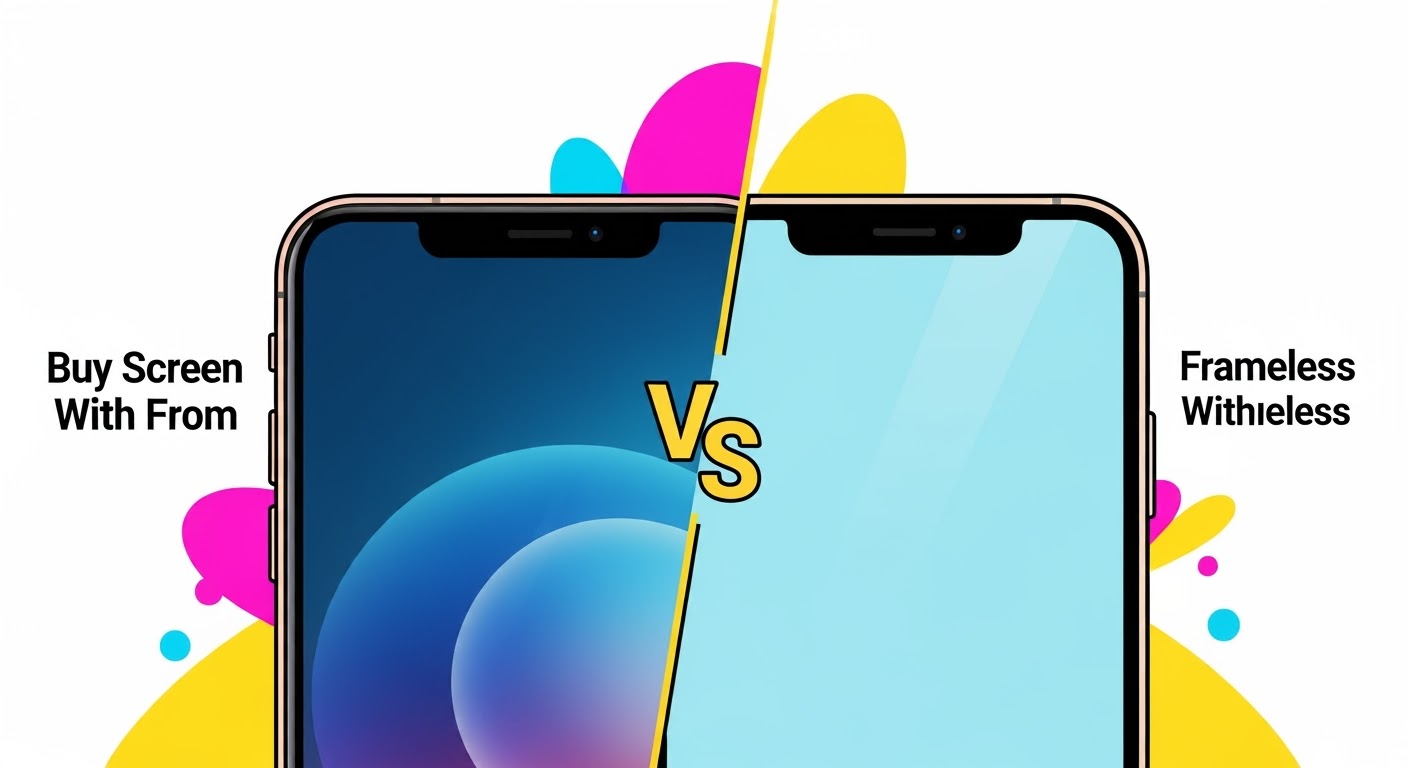
When it comes to replacing a broken or damaged phone screen, you’ll often come across two types of replacement parts: screens with frame and screens without frame. While both serve the same purpose, they’re quite different in terms of installation, cost, and long-term reliability. Understanding these differences can help you make the right decision—whether you’re attempting a DIY fix or leaving it to professionals.
A screen without frame includes only the display and digitizer. You’ll need to separate your old frame from the broken screen before installing the new one.
Key Features:
LCD/OLED panel + touch digitizer only.
Requires reusing your existing frame.
Pros:
Cheaper than with-frame options.
Good if your original frame is still in excellent condition.
Cons:
Installation is more complex.
High risk of damaging the display during fitting.
If the old frame is bent or cracked, the new screen may not sit properly.
Which One Should You Choose?
Go for Screen With Frame if:
Your phone’s frame is damaged, bent, or cracked.
You want a faster and safer installation.
You prefer better long-term stability.
Go for Screen Without Frame if:
Your frame is still in perfect condition.
You’re on a tight budget.
You have the skills and tools to perform a precise installation.
Expert Recommendation
At Sydney CBD Repair Centre, we typically recommend screens with frame for most customers. While they cost a little more, they save time, reduce risks, and ensure your phone feels as good as new. For those experienced in DIY repairs, a without frame screen may work if the frame is undamaged—but it comes with added challenges.
Final Thoughts
The choice between with frame vs. without frame phone screens comes down to budget, condition of your phone’s frame, and whether you’re going DIY or professional. For peace of mind, structural strength, and long-term durability, screens with frame are usually the smarter option.