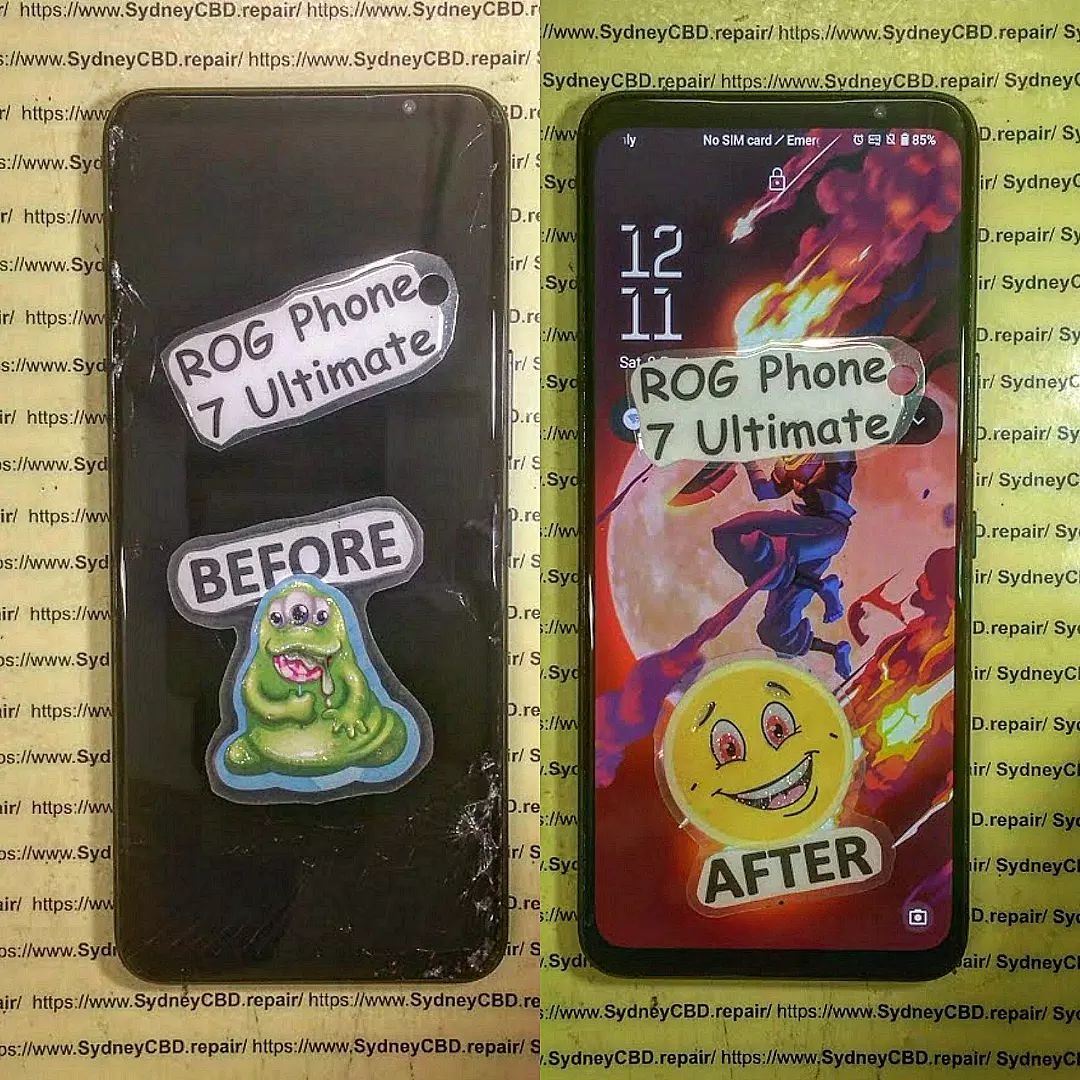
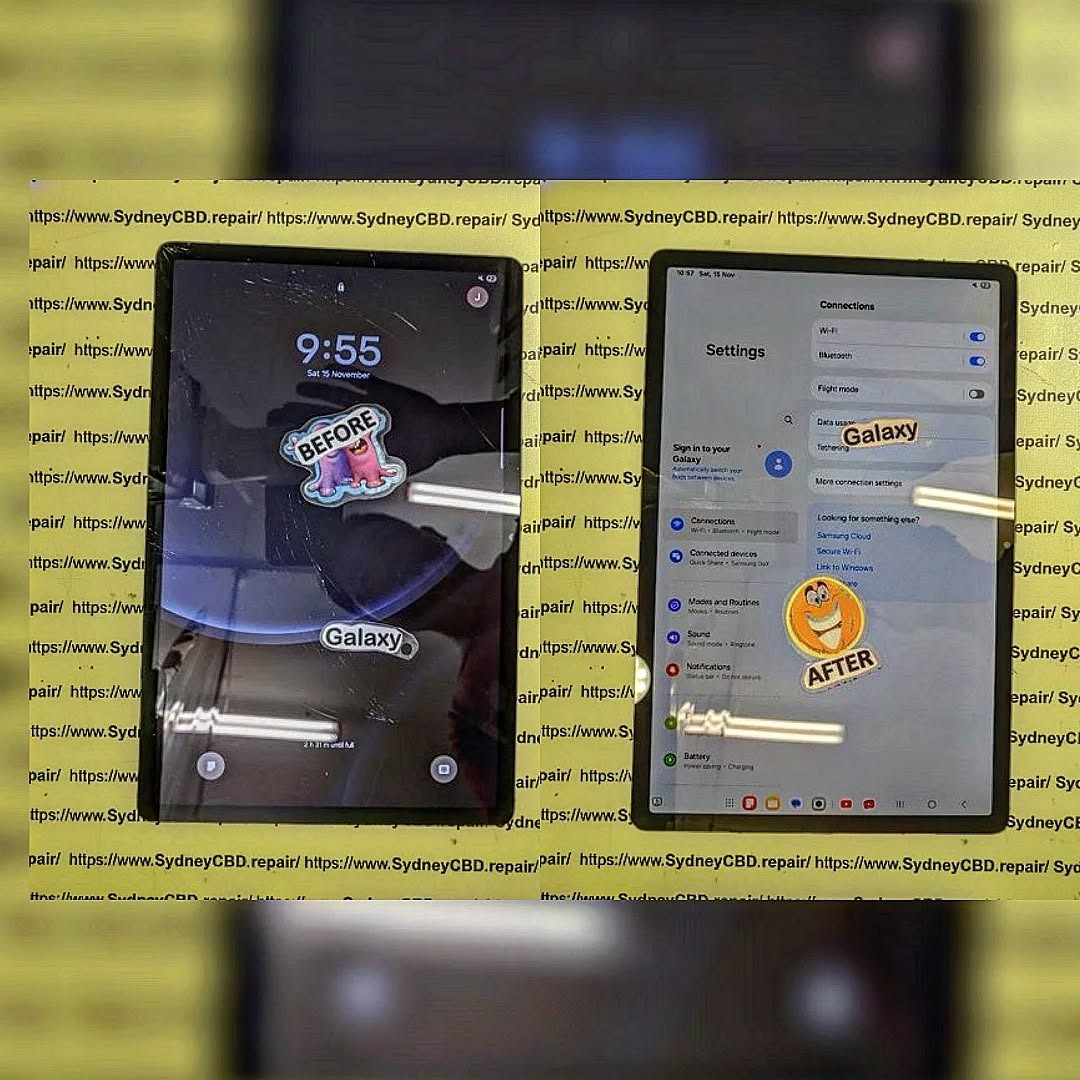
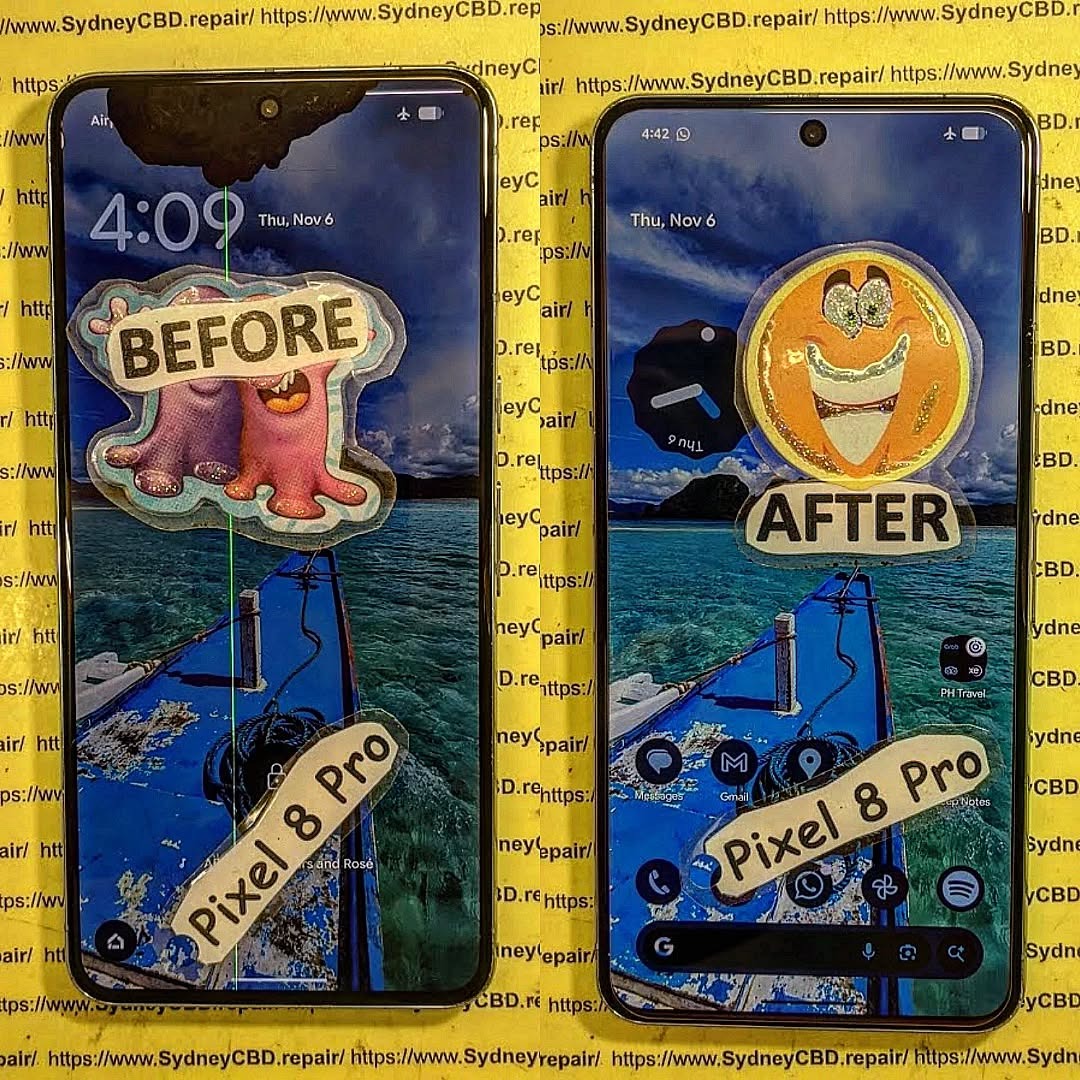
📱 The Genuine Phone Screens vs. The Generic Phone Screens: What’s the Difference?: What’s the Difference?
🔍 Introduction: The Real Price Behind the Screen
Your smartphone screen does more than just display content—it’s the heart of your interaction with your device. When it’s cracked or damaged, you’re faced with a decision: go with a cheaper, generic screen or invest in a genuine replacement.
At first glance, the difference may seem minimal. But beneath the glass, the consequences of your choice can significantly affect your phone’s performance, lifespan, and value.
A genuine screen is one that’s manufactured by, or approved by, the original brand—whether that’s Apple, Samsung, Google, or others. These screens are built to meet exact specifications for:
Resolution
Touch responsiveness
Color reproduction
Battery efficiency
They’re the same as the ones used when the phone was first assembled.
Generic screens—often labeled as “aftermarket,” “third-party,” or “compatible”—are made by other manufacturers who don’t follow the strict standards set by the phone’s brand.
Although they fit the phone’s housing, they often lack:
High-quality materials
Accurate touch calibration
Full software compatibility
Result: While they may be cheaper, performance is usually compromised.
🎨 1. Display Quality: Clarity, Brightness, and Color Accuracy
Genuine screens deliver true-to-life color, deep contrast, and optimal brightness—even in direct sunlight.
Generic screens may:
Look dull or washed out
Show lower brightness levels
Struggle with contrast in low-light modes
If you value vibrant visuals, genuine is the clear winner.
✋ 2. Touch Responsiveness and Sensitivity
Genuine screens provide seamless responsiveness, essential for:
Gaming
Typing
Swiping
Multi-touch gestures
With generic screens, you may experience:
Lagging input
Missed taps
Ghost touches
This can frustrate even the simplest tasks like messaging or scrolling.
🛡️ 3. Durability and Resistance to Damage
Genuine screens are designed with Gorilla Glass or similar high-grade materials, offering better resistance against drops and scratches.
Generic screens often use inferior glass that cracks more easily—even with minor impacts.
At Sydney CBD Repair Centre, we’ve seen generic replacements shatter within a week of use.
⚙️ 4. Compatibility With Software and Hardware Features
OEM screens are designed to support:
True Tone and Face ID (on iPhones)
Fingerprint sensors
Adaptive brightness
Refresh rate synchronization
Generic screens can disable or degrade these features.
🔋 5. Battery Life and Power Consumption Differences
Genuine screens are optimized for power efficiency, reducing unnecessary battery drain.
Generic screens may lack power-saving calibration, causing:
Faster battery depletion
Overheating
Shorter battery lifespan
🔥 6. Safety Concerns: Heat, Short Circuits, and Fire Hazards
Poor-quality generic screens may cause:
Short circuits
Improper grounding
Excessive heat buildup
This creates real fire and explosion risks—especially if the battery or internal connectors are disturbed during installation.
📝 7. Warranty and Manufacturer Support
Using a generic screen often voids your phone’s warranty. Many manufacturers refuse repairs if the phone has been opened or modified with non-genuine parts.
Sydney CBD Repair Centre uses only genuine or certified OEM parts, preserving your warranty and device integrity.
💡 Why Genuine Screens Offer Long-Term Value
Though they cost more upfront, genuine screens offer:
Longer lifespan
Lower risk of future issues
Better resale value
Generic screens may save money now, but cost you more later in repairs and frustration.
❌ Common Myths About Generic Screens Debunked
Myth
Reality
“They’re just as good”
Generic screens lack the precision and quality of OEM ones
“They save money”
You may pay more in repeat repairs
“No one can tell the difference”
Display and touch issues become obvious quickly
“All parts are made in the same factory”
Not true—OEM screens pass rigorous testing
🛠️ Sydney CBD Repair Centre: Genuine Parts You Can Trust
David from Sydney CBD Repair Centre and his expert team have been Sydney’s top-rated repair service for 6 years running.
Why choose us?
✅ Genuine Parts
✅ 90-Day Warranty
✅ Same-Day Repairs
✅ Certified Technicians
✅ Over 2000 5-Star Reviews
✅ Competitive Pricing
Why Cheap Screen DIYs Fail and How Professionals Fix Your iPhone Correctly: 11 Powerful Reasons You Should Know
Introduction
When an iPhone screen cracks, many people immediately search for affordable repair options online. Countless videos promise easy repairs, and inexpensive repair kits appear to offer a quick solution. However, the reality is often very different. Understanding Why Cheap Screen DIYs Fail and How Professionals Fix Your iPhone Correctly can save you time, money, and frustration.
Modern iPhones are sophisticated devices with tightly integrated components. While replacing a screen may seem straightforward, even a small mistake can create bigger problems than the original crack. From damaged Face ID systems to reduced display quality, DIY repairs frequently lead to unexpected costs.
Professional technicians, on the other hand, use specialized tools, tested procedures, and high-quality parts to restore devices properly. In this article, we’ll explore the reasons cheap DIY repairs fail and explain how experts ensure reliable results.
Today’s iPhones use advanced display technology. Models equipped with OLED and Super Retina displays deliver exceptional brightness, color accuracy, and contrast levels. These displays are not simple glass panels. They contain multiple delicate layers that work together to create a premium viewing experience. Separating or replacing them incorrectly can permanently affect image quality.
Touch Layer Integration
The touch sensor layer is integrated directly into the display assembly. This design improves responsiveness but makes repairs more complex. If a technician lacks proper equipment, damage can occur during disassembly or installation.
The internet is filled with repair guides that make screen replacement look simple. Many videos condense an hour-long repair into a few minutes, skipping critical details.
As a result, users often underestimate the difficulty involved.
The Appeal of Saving Money
Cost savings remain the biggest motivation. A cheap repair kit may cost significantly less than a professional repair service.
Unfortunately, many people discover later that the initial savings disappear after:
Purchasing replacement tools
Ordering additional parts
Fixing accidental damage
Paying professionals to correct mistakes
Common Mistakes Made During DIY Repairs
Using Low-Quality Parts
One of the biggest reasons Why Cheap Screen DIYs Fail and How Professionals Fix Your iPhone Correctly becomes apparent is the quality of replacement components.
Low-cost screens frequently suffer from:
Problem
Effect
Poor color accuracy
Washed-out images
Low brightness
Difficult outdoor visibility
Weak glass
Increased cracking risk
Inferior touch sensors
Delayed response
Many aftermarket screens simply do not match original performance standards.
Damaging Internal Components
Inside an iPhone are delicate flex cables and connectors. A slight slip during disassembly can damage:
Display cables
Battery connectors
Front camera modules
Face ID components
Proximity sensors
Such damage can dramatically increase repair costs.
Incorrect Adhesive Installation
Apple devices use specialized adhesives to secure displays and help maintain structural integrity.
Improper adhesive application can cause:
Dust intrusion
Display lifting
Reduced water resistance
Future screen failures
Hidden Costs of Cheap DIY Screen Repairs
Additional Part Replacements
Many DIY enthusiasts discover secondary damage after opening the device.
Common unexpected replacements include:
Batteries
Charging ports
Camera assemblies
Sensor modules
What began as a budget repair can quickly become expensive.
Loss of Device Value
Potential buyers often inspect screen quality carefully. Poor repairs may reduce resale value because buyers notice:
Uneven display brightness
Gaps around the frame
Touchscreen issues
Non-functioning sensors
A professionally repaired device typically retains greater market value.
Why Cheap Replacement Screens Often Disappoint
Display Quality Differences
At first glance, a low-cost screen may seem acceptable. However, daily use reveals major differences.
Common complaints include:
Dull colors
Lower brightness
Increased battery consumption
Reduced viewing angles
Users frequently regret choosing the cheapest available option.
Touch Sensitivity Problems
Touch responsiveness affects every interaction with the device.
Low-quality screens may cause:
Missed taps
Delayed gestures
Ghost touching
Scrolling inconsistencies
These issues create a frustrating user experience.
How Professionals Fix Your iPhone Correctly
Diagnostic Procedures
Professional technicians begin with a thorough diagnosis.
Before replacing the display, they check:
Battery condition
Sensor functionality
Camera performance
Face ID operation
Internal damage
This process identifies hidden issues before repairs begin.
Genuine Quality Components
Professional repair providers prioritize quality components that meet strict standards.
Benefits include:
Better durability
Improved touch performance
Accurate color reproduction
Reliable long-term operation
Many reputable repair centres also provide warranties for additional peace of mind.
Precision Installation Methods
Professional technicians use specialized equipment including:
Precision screwdrivers
Heat separation tools
Microscope inspection systems
Screen calibration tools
These tools help ensure accurate installation and proper functionality.
Benefits of Professional Repair Services
Warranty Protection
One major advantage of professional repair services is warranty coverage.
If a problem develops after repair, customers can return for assistance without additional expense in many cases.
This protection simply doesn’t exist with most DIY repairs.
Time Savings
Repairing an iPhone correctly takes skill and experience.
A professional technician can often complete repairs quickly because they:
Follow established procedures
Have proper tools
Understand common complications
Perform quality control testing
The result is less downtime and greater reliability.
Signs Your DIY Repair Has Gone Wrong
Watch for these warning signs after a DIY repair:
Display Problems
Flickering screen
Dead pixels
Discoloration
Bright spots
Touchscreen Issues
Delayed response
Ghost touches
Unresponsive areas
Physical Problems
Raised display edges
Visible gaps
Loose components
Functional Failures
Face ID not working
Front camera issues
Sensor malfunctions
Any of these symptoms indicate the repair may require professional attention.
Professional Repair Process Step-by-Step
Understanding the professional workflow further explains Why Cheap Screen DIYs Fail and How Professionals Fix Your iPhone Correctly.
Step 1: Initial Assessment
Technicians inspect the device and verify all functions.
Step 2: Safe Disassembly
Specialized tools minimize the risk of internal damage.
Step 3: Component Transfer
Important components are carefully transferred to the new display assembly.
Step 4: Quality Screen Installation
A premium replacement screen is installed precisely.
Step 5: Adhesive Application
Correct adhesives restore structural integrity.
Step 6: Functional Testing
Every feature is tested before returning the device.
Step 7: Final Quality Control
The technician confirms performance standards have been met.
How to Choose a Reliable Repair Centre
Not all repair providers deliver the same quality.
Consider the following factors:
Factor
Why It Matters
Experience
Reduces repair risks
Warranty
Protects your investment
Customer Reviews
Indicates service quality
Quality Parts
Ensures durability
Transparent Pricing
Prevents surprises
For additional consumer information regarding device care and electronics, visit the official website of Apple Support.
Frequently Asked Questions (FAQs)
1. Is replacing an iPhone screen yourself worth it?
In most cases, DIY repairs carry significant risks. While they may appear cheaper initially, mistakes often result in higher overall costs.
2. Why do cheap replacement screens look different?
Low-cost screens frequently use lower-grade materials, resulting in reduced brightness, color accuracy, and touch responsiveness.
3. Can DIY repairs damage Face ID?
Yes. Face ID components are delicate and can be damaged during improper disassembly or installation.
4. Do professional repairs maintain water resistance?
Professional technicians use appropriate adhesives and procedures that help preserve the device’s original sealing characteristics.
5. How long does a professional screen repair take?
Many repair centres can complete screen replacements on the same day, depending on model availability and repair complexity.
6. Will a professional repair improve resale value?
Generally, yes. High-quality repairs using reliable components are more attractive to potential buyers.
7. What should I do if my DIY repair caused new problems?
Stop using the device if significant issues appear and consult an experienced technician for a diagnostic assessment.
8. How can I tell if a screen replacement is high quality?
Look for proper brightness levels, accurate colors, responsive touch performance, and warranty-backed workmanship.
Conclusion
Understanding Why Cheap Screen DIYs Fail and How Professionals Fix Your iPhone Correctly is essential before attempting a repair. While online tutorials and inexpensive kits may seem attractive, they rarely show the full complexity of modern iPhone screen replacement.
From fragile internal components to advanced display technology, numerous factors contribute to successful repairs. Professional technicians bring experience, specialized tools, quality components, and proven procedures that dramatically reduce risks and improve outcomes.
Ultimately, investing in professional repair services can save money, preserve device value, and provide peace of mind. Rather than gambling with an expensive smartphone, choosing experienced experts remains the safest and most reliable solution.
David from Sydney CBD Repair Centre – The Best place to fix mobile phones as 7 Years In A Row! Top Mobile Phone Repair In Sydney. More than 2000 Positive Reviews on Google and Same Day Repairs.
We take pride in delivering exceptional repair services for all major phone brands including Apple, Samsung, Google, and more. Our expert technicians use only genuine parts and offer 90days warranty on repairs. Located in the heart of Sydney CBD, we’re your one-stop solution for all mobile device repairs.
Our commitment to excellence has earned us the trust of thousands of satisfied customers. Whether it’s a cracked screen, battery replacement, or water damage repair, we handle it all with professional care and expertise. Walk in today and experience why we’re Sydney’s #1 choice for mobile phone repairs.
Visit us for:
✓ Same Day Express Repairs
✓ Genuine Parts Guarantee
✓ Professional Technicians
✓ Competitive Pricing
✓ 2000+ 5-Star Google Reviews
✓ 7-Time Award Winner for Best Phone Repairs
The Hidden Cost of Cheap Repairs: 7 Shocking Reasons Non-Genuine Screens Fail in Six Months
Introduction to Smartphone Screen Repairs
Smartphones have become part of daily life. People use them for work, communication, banking, entertainment, and navigation. So when a screen cracks or stops working, most users want a fast and affordable repair. That’s where cheap screen replacement services often catch attention.
At first glance, low-cost repairs seem like a smart choice. Spending less money today feels practical, especially when premium smartphone repairs can appear expensive. However, there’s a major downside many users don’t discover until months later. Non-genuine screens often fail quickly, creating more problems and higher long-term costs.
Cheap screen repairs may initially restore the appearance of a phone, but they rarely restore full performance and reliability. Many aftermarket displays use lower-quality materials, weak adhesives, and poor manufacturing standards. As a result, problems begin appearing within weeks or months.
Consumers commonly report:
Flickering displays
Touchscreen delays
Random ghost touching
Poor brightness
Battery overheating
Cracked glass from minor drops
The reality is simple. A cheap repair today can lead to multiple repairs tomorrow.
In the mobile repair industry, technicians regularly see devices returning after six months with failing non-genuine screens. In many cases, customers end up paying twice because the first repair did not last.
That’s why understanding the difference between genuine and non-genuine parts matters so much.
Price is often the biggest reason customers choose low-cost repairs. Many people compare quotes online and naturally select the cheapest option available. Unfortunately, repair pricing rarely tells the whole story.
Budget repair shops sometimes reduce costs by using:
Low-grade aftermarket displays
Refurbished damaged panels
Incompatible replacement components
Weak waterproof seals
Cheap adhesives
For customers, the phone may appear “fixed” after installation. The screen turns on, touch works, and the device looks normal. But internally, major compromises often exist.
Here’s why cheap repairs feel tempting:
Reason
Why Consumers Choose It
Lower upfront cost
Saves money immediately
Fast turnaround
Same-day service appeals to busy users
Online advertisements
Discounts create urgency
Lack of technical knowledge
Many users don’t know screen quality differences
Older phones
Users hesitate spending more on aging devices
Still, the initial savings can disappear quickly.
For example, a genuine screen replacement might last years, while a cheap display may fail within six months. Once repeat repairs, data risks, and downtime are added up, the total cost becomes much higher.
Moreover, cheap screens often reduce resale value. Buyers can usually tell when a display is non-genuine due to color distortion, uneven brightness, or poor touch sensitivity.
So although the lower price tag looks appealing, it often hides serious long-term compromises.
A genuine screen is manufactured to meet the original device specifications. These displays are designed to work seamlessly with the smartphone’s hardware, software, sensors, and power management systems.
Genuine screens typically include:
Original OLED or LCD technology
High-quality digitizers
Durable strengthened glass
Factory-grade brightness calibration
Accurate color reproduction
Reliable touch responsiveness
Because they meet manufacturer standards, genuine screens deliver the same user experience as the original display installed in the phone.
Premium repair providers prioritize genuine parts because reliability matters. Genuine displays also reduce the risk of compatibility problems and unexpected system errors.
Common Types of Aftermarket Screens
Not all aftermarket screens are equal. Some are decent quality, while others are extremely poor. Unfortunately, many cheap repair services use the lowest-grade options available.
Common aftermarket screen types include:
Screen Type
Quality Level
Copy LCD
Very low
Soft OLED
Moderate
Hard OLED
Lower durability
Refurbished OEM
Varies
Premium aftermarket
Better but still not original
Low-end copy displays are the most problematic. These screens often use poor materials and inferior electronics. Although they cost less, they fail far more frequently.
Users may notice:
Dull colors
Thick bezels
Delayed touch response
Excessive battery usage
Random blackouts
In short, non-genuine screens rarely match the quality of authentic components.
The Real Reason Cheap Screens Fail Quickly
Inferior OLED and LCD Technology
Display technology plays a huge role in smartphone performance. High-end smartphones rely on advanced OLED and LCD panels engineered for precision and efficiency.
Cheap replacement screens often use outdated or low-grade display technology. As a result, image quality suffers immediately.
Common issues include:
Burn-in problems
Uneven brightness
Poor sunlight visibility
Flickering displays
Dead pixels
The lower manufacturing standards also reduce lifespan dramatically.
Premium OLED screens are carefully calibrated for heat management and energy efficiency. Cheap displays lack this refinement, causing excessive stress on internal components.
That’s one major reason non-genuine screens fail within six months.
Weak Glass Durability
Many cheap displays use fragile glass that cracks easily. Unlike premium strengthened glass, low-cost alternatives lack proper reinforcement.
Even small drops can cause:
Spider cracks
Corner fractures
Touch failure
Display bleeding
Customers often feel frustrated because the phone breaks again after minor accidents that the original screen would likely survive.
Poor Touch Response Components
The touchscreen digitizer is another major weakness in cheap repairs.
A poor-quality digitizer can lead to:
Delayed typing
Ghost touching
Unresponsive gestures
Gaming lag
Scrolling problems
These issues become especially noticeable during gaming, video editing, or multitasking.
Users often blame the phone itself when the real problem is the low-quality replacement screen.
Hidden Problems Caused by Non-Genuine Screens
Battery Drain Issues
One hidden danger of non-genuine screens is increased battery consumption.
Cheap displays are often less power efficient. They demand more energy from the battery to maintain brightness and touch responsiveness.
As a result, users may notice:
Faster battery drain
Reduced screen-on time
Excessive charging cycles
Shorter battery lifespan
Over time, this creates another expensive repair problem.
Overheating Problems
Low-quality displays frequently generate excess heat. Poor internal circuitry can strain the motherboard and battery.
Overheating can cause:
Random shutdowns
Device lag
Performance throttling
Battery swelling risks
Heat is one of the biggest enemies of smartphone longevity. Cheap repairs often worsen this issue significantly.
Signal and Sensor Malfunctions
Modern smartphones rely on delicate sensors integrated near the screen assembly.
Poor replacement screens can interfere with:
Face ID
Fingerprint sensors
Ambient light sensors
Proximity sensors
Auto brightness
This creates frustrating daily problems.
For example, some phones may keep the display active during calls because the proximity sensor no longer functions correctly.
The Financial Cost of Repeated Repairs
Many consumers believe they’re saving money with cheap repairs. Ironically, they often spend far more in the long run.
Consider this comparison:
Repair Option
Initial Cost
Average Lifespan
Long-Term Cost
Cheap aftermarket repair
Low
3–6 months
High due to repeat repairs
Genuine screen repair
Higher
Years
Lower overall
Repeated failures create additional costs like:
Lost productivity
Data risks
Travel expenses
Time without a phone
Multiple repair fees
Additionally, some repair shops offer little or no warranty coverage for cheap parts.
That leaves customers paying again when problems appear.
How Cheap Repairs Affect Phone Performance
Face ID and Fingerprint Sensor Risks
Modern flagship phones use advanced biometric systems. These systems require precise calibration and compatibility.
Cheap replacement screens can interfere with:
Facial recognition speed
Fingerprint scanning accuracy
Security reliability
In some cases, biometric features stop working entirely after poor-quality repairs.
That’s especially common when inexperienced technicians damage sensitive flex cables during installation.
Brightness and Color Accuracy Problems
One of the clearest signs of a non-genuine screen is poor visual quality.
Users often notice:
Yellow tinting
Blue hue distortion
Weak contrast
Reduced brightness
Inaccurate skin tones
These issues affect:
Gaming
Streaming
Photography
Social media editing
Professional work
Genuine displays are calibrated carefully to maintain accurate visual performance.
Cheap replacements usually are not.
Safety Concerns Linked to Low-Quality Screens
Safety is another overlooked issue.
Poor-quality repairs can create serious hazards, including:
Battery punctures
Electrical shorts
Overheating
Fire risks
Low-grade adhesives may also weaken the phone’s structural integrity.
In waterproof devices, cheap repairs often destroy water resistance completely. That means even light moisture exposure can damage internal components.
Consumers should never underestimate the safety importance of proper repairs.
Signs Your Screen Replacement Is Non-Genuine
Many users don’t realize they received a non-genuine display until problems appear later.
Here are common warning signs:
Symptom
Possible Cause
Dim brightness
Cheap LCD/OLED panel
Thick bezels
Poor aftermarket manufacturing
Fast battery drain
Inefficient screen electronics
Ghost touches
Weak digitizer
Screen flickering
Low-quality display controller
Poor viewing angles
Inferior panel quality
Another clue is the repair price itself. If the quote sounds dramatically cheaper than competitors, corners are likely being cut somewhere.
How to Choose a Reliable Repair Service
Questions to Ask Before Repair
Before handing over a smartphone, customers should ask important questions.
Examples include:
Are genuine parts used?
Is there a repair warranty?
How experienced are the technicians?
Will waterproof sealing be restored?
Are diagnostics included?
A trustworthy repair provider answers these questions clearly and honestly.
Importance of Warranty Coverage
Warranty protection shows confidence in repair quality.
Reliable repair shops usually provide warranties because they trust the durability of their parts and workmanship.
Look for:
Written warranty terms
Transparent repair policies
Positive customer reviews
Experienced technicians
Consumers should avoid repair services that refuse warranty coverage.
Why Genuine Parts Save Money Long-Term
Although genuine repairs cost more initially, they usually provide far better value.
Benefits include:
Longer lifespan
Better touch performance
Accurate colors
Improved durability
Reduced battery strain
Stronger resale value
Most importantly, genuine parts reduce the likelihood of repeat repairs.
That means fewer headaches and lower overall ownership costs.
In the long run, quality repairs protect both the device and the user’s investment.
For more information about professional repair standards and genuine parts, visit Apple Support.
Frequently Asked Questions
Why do non-genuine screens fail so quickly?
Non-genuine screens often use low-quality materials and poor manufacturing standards. This leads to touch problems, flickering, overheating, and durability issues within months.
Can cheap screen replacements damage my phone?
Yes. Poor-quality screens can affect battery life, sensors, Face ID systems, and motherboard performance.
Are aftermarket OLED screens safe?
Some premium aftermarket OLED screens are acceptable, but very cheap versions can cause overheating and electrical issues.
How can I tell if my screen replacement is genuine?
Signs include accurate colors, strong brightness, smooth touch response, and proper sensor functionality. Poor visual quality often indicates a non-genuine screen.
Is it worth paying more for genuine parts?
Absolutely. Genuine parts usually last longer, maintain better performance, and reduce repeat repair costs.
Do cheap repairs void waterproofing?
In many cases, yes. Poor installation and weak adhesives often compromise the phone’s water resistance.
Conclusion
Cheap smartphone repairs may appear convenient at first, but the long-term consequences can be costly. Non-genuine screens often fail within six months because of poor materials, weak construction, and inferior electronics.
These low-quality repairs don’t just affect display quality. They can harm battery life, sensors, performance, and overall device reliability.
Consumers who invest in genuine parts usually enjoy:
Better durability
Improved performance
Greater safety
Longer device lifespan
Lower long-term repair costs
Choosing a trusted repair provider is one of the smartest decisions any smartphone owner can make. Quality repairs protect your investment, preserve your user experience, and help avoid expensive repeat failures down the road.
David from Sydney CBD Repair Centre – The Best place to fix mobile phones as 7 Years In A Row! Top Mobile Phone Repair In Sydney. More than 2000 Positive Reviews on Google and Same Day Repairs.
We take pride in delivering exceptional repair services for all major phone brands including Apple, Samsung, Google, and more. Our expert technicians use only genuine parts and offer 90days warranty on repairs. Located in the heart of Sydney CBD, we’re your one-stop solution for all mobile device repairs.
Our commitment to excellence has earned us the trust of thousands of satisfied customers. Whether it’s a cracked screen, battery replacement, or water damage repair, we handle it all with professional care and expertise. Walk in today and experience why we’re Sydney’s #1 choice for mobile phone repairs.
Visit us for:
✓ Same Day Express Repairs
✓ Genuine Parts Guarantee
✓ Professional Technicians
✓ Competitive Pricing
✓ 2000+ 5-Star Google Reviews
✓ 7-Time Award Winner for Best Phone Repairs
Sydney CBD Repair Centre – Where Quality Meets Reliability.
Call : +61280114119
Website: Sydney CBD Repair Centre
The Lifespan of a Repaired Screen: How Long Will It Last? + Ultimate Guide + 7 Key Factors
Introduction:
When your phone screen cracks or stops functioning properly, the immediate question is not just “how much will it cost to fix?” but also, “how long will this repair actually last?” After all, no one wants a replacement that fails after a few weeks. Understanding the lifespan of a repaired screen can save you money, stress, and countless hours of phone downtime.
Modern smartphones are more delicate than ever, and their screens are among the most vulnerable components. Repaired screens, like all tech, aren’t immune to wear and tear. However, with the right materials, skillful repair, and proper care, your repaired screen can often last as long as the original—sometimes even longer.
In this article, we’ll break down the key factors affecting screen lifespan, provide average longevity statistics, and share practical tips to help you maximize the durability of your repair.
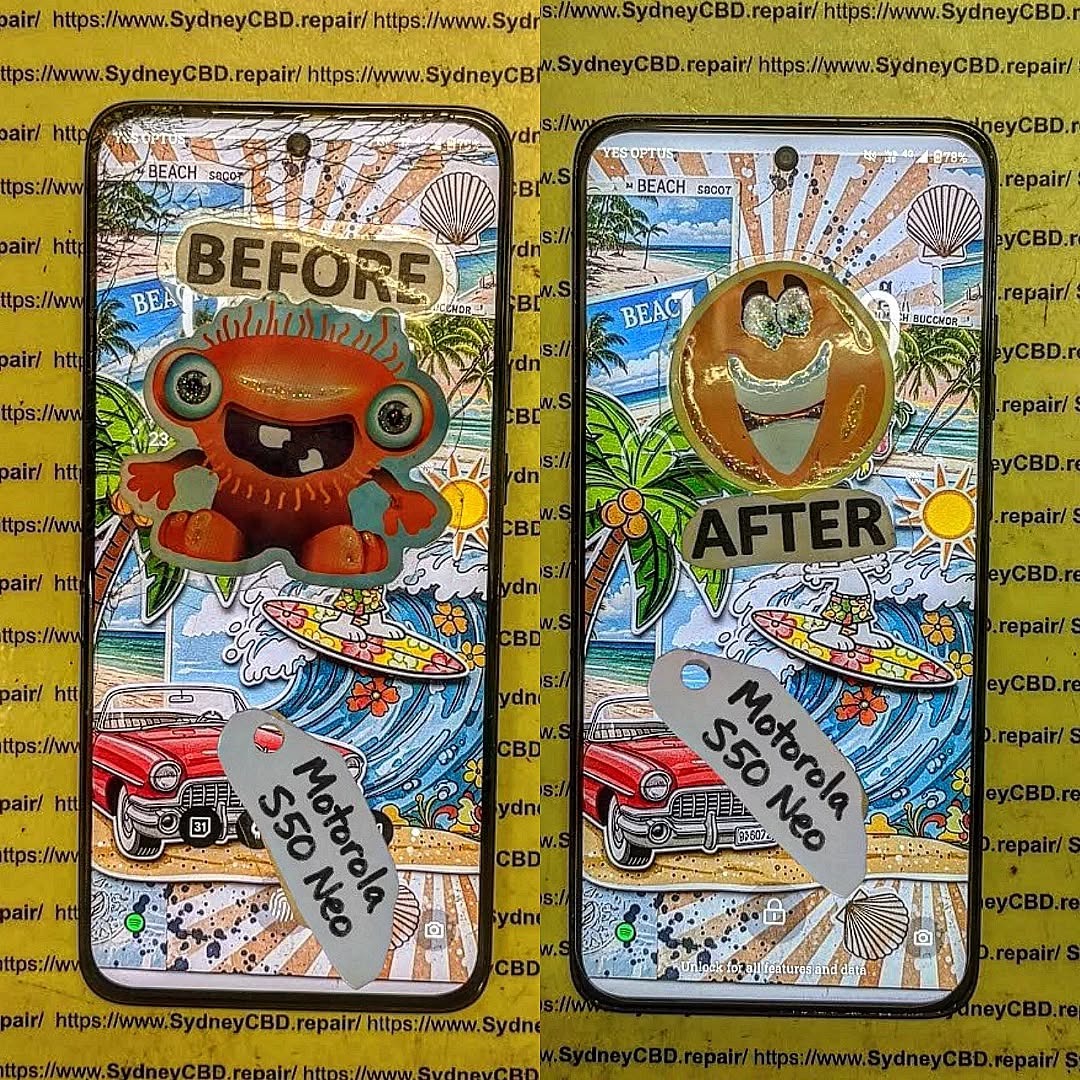
Several elements determine how long your repaired screen will last. While some are within your control, others depend on the repair process itself. Understanding these factors can help you make an informed decision when choosing a repair service.
Type of Screen Replacement
Not all replacements are created equal. OEM (Original Equipment Manufacturer) screens are the gold standard, as they match your phone’s original display quality perfectly. Aftermarket screens, while cheaper, may not have the same color accuracy, touch sensitivity, or durability. Choosing the right type affects not only visual performance but also how long your screen stays intact.
Quality of Replacement Parts
Genuine parts are crucial. High-quality replacement glass, digitizers, and LCD components are less prone to malfunction and cracking. Inferior components may initially look fine but can develop issues within months. Always check for warranties and supplier credibility when considering a repair.
Repair Technician Skill
A skilled technician can make a huge difference. Even high-quality parts may fail prematurely if installed incorrectly. Experienced technicians ensure proper alignment, adhesion, and sealing, which reduces the risk of dust infiltration, moisture damage, and internal screen failure.
Usage Patterns
How you use your device impacts screen longevity. Frequent drops, rough handling, and heavy multitasking can all shorten a repaired screen’s lifespan. Even with the best repair, careless usage can quickly lead to cracks or touch sensitivity issues.
Protective Measures
Cases, tempered glass, and screen protectors act as your screen’s first line of defense. Regular maintenance, including cleaning and avoiding extreme conditions, adds years to your repaired screen’s life. A minor investment in protective accessories can pay off in durability.
While every repair scenario is different, industry data provides useful benchmarks.
Apple Devices
For iPhones, a properly repaired screen using OEM parts can last 2–5 years, depending on usage. Apple-certified repairs usually guarantee long-term reliability.
Samsung & Android Devices
Samsung, Google, and other Android devices vary more due to different models and screen technologies. Typically, a repaired AMOLED or LCD screen lasts 1.5–3 years. Higher-end models with Gorilla Glass and OEM parts tend to last longer.
Differences Between Phone Models
Premium phones generally use tougher materials, so their repaired screens can endure more wear. Budget models may require extra care, even after a professional repair.
Signs Your Repaired Screen is Wearing Out
Even high-quality repairs have limits. Watch for these warning signs:
Flickering or dead pixels
Reduced touch sensitivity
Discoloration or spots on the display
Cracks forming around edges
Separation between glass and frame
Early detection can prevent more costly repairs or complete replacement.
Tips to Extend the Life of Your Repaired Screen

Prolonging your repaired screen’s life requires a combination of care, protection, and smart usage.
Daily Care Routines
Clean your screen with microfiber cloths only
Avoid using harsh chemicals or abrasive cleaners
Keep liquids away to prevent accidental spills
Protective Accessories
Invest in high-quality phone cases and tempered glass
Consider edge bumpers or screen guards for extra protection
Environmental Considerations
Avoid leaving your phone in direct sunlight or hot environments
Keep it away from moisture and extreme temperatures
Cost vs Longevity: Is a Cheap Repair Worth It?
While a budget repair may save you money upfront, it can cost more in the long run. Low-cost repairs often use aftermarket parts and inexperienced technicians, leading to shorter lifespan and potential repeated repairs. Investing in quality parts and skilled service often offers better return on investment.
Expert Opinions and Industry Standards
Technicians recommend OEM or high-quality aftermarket parts, proper alignment, and avoiding third-party repairs that offer no warranties. Sydney CBD Repair Centre, for example, provides genuine parts with a 90-day warranty, demonstrating how professional standards increase repaired screen longevity.
Frequently Asked Questions (FAQs)
Q1: How long does a repaired phone screen usually last?
A: On average, 2–5 years for premium devices and 1.5–3 years for most Android phones, depending on usage and care.
Q2: Are OEM screens better than aftermarket?
A: Yes. OEM screens match original specs and typically last longer.
Q3: Can I use my phone while it’s charging without affecting the screen?
A: Using your phone while charging does not significantly impact screen lifespan, but excessive heat can degrade components.
Q4: Will a tempered glass protector reduce touch sensitivity?
A: High-quality tempered glass usually does not affect sensitivity, but cheap options may.
Q5: Does warranty cover screen lifespan?
A: Warranties usually cover defects from repair but not accidental damage or wear from misuse.
Q6: How can I tell if my repaired screen is failing early?
A: Look for flickering, dead pixels, discoloration, cracks, or touch response issues.
Conclusion
The lifespan of a repaired screen depends on a combination of factors, including part quality, repair skill, usage patterns, and protection. With OEM parts, experienced technicians, and proactive care, your repaired screen can last years, often matching or exceeding the original display’s durability. Investing in quality repairs upfront saves frustration, money, and downtime in the long run.
For expert repairs and peace of mind, Sydney CBD Repair Centre ensures genuine parts, skilled technicians, and same-day service that keeps your phone running smoothly for years.
David from Sydney CBD Repair Centre – The Best place to fix mobile phones as 7 Years In A Row! Top Mobile Phone Repair In Sydney. More than 2000 Positive Reviews on Google and Same Day Repairs.
Visit us for:
✓ Same Day Express Repairs
✓ Genuine Parts Guarantee
✓ Professional Technicians
✓ Competitive Pricing
✓ 2000+ 5-Star Google Reviews
✓ 7-Time Award Winner for Best Phone Repairs
Unmasking Fake Screens: How to Spot a Bad Replacement Before It’s Too Late + 12 Pro Tips
Introduction
Phone screens are the most vulnerable part of your mobile device, and when they break, it’s tempting to opt for a quick replacement—often without verifying the quality. Unfortunately, fake or substandard replacement screens are more common than many realize. Installing a low-quality screen can result in flickering displays, touch issues, and even long-term damage to your device.
This article will provide a comprehensive guide on identifying fake screens, understanding the risks, and ensuring your phone gets a genuine replacement. We’ll explore everything from visual inspection to certified repair centers, arming you with the knowledge to make the right choice.
Replacing a phone screen isn’t just about swapping glass. It involves understanding the types of replacements available and the differences between them.
OEM vs Third-Party Screens
Original Equipment Manufacturer (OEM) screens are made by the phone’s brand itself. These offer perfect color accuracy, durability, and guaranteed compatibility. On the other hand, third-party screens are made by external manufacturers. While some third-party screens are decent, others are cheaply made, with poor touch response, color fidelity, and lifespan.
Feature
OEM Screen
Third-Party Screen
Color Accuracy
High
Varies
Touch Sensitivity
Smooth & accurate
Often delayed or uneven
Durability
Long-lasting
Shorter lifespan
Warranty
Usually included
Often limited or none
Cost
Higher
Lower
Refurbished Screens Explained
Refurbished screens are used panels that have been restored for resale. While some refurbished options are reliable, many are prone to defects such as dead pixels, reduced brightness, and faster wear. Always verify the refurbishing process and source to avoid buying a problematic screen.
Even before turning on your phone, a few indicators can reveal whether a screen replacement is fake.
Visual Inspection
Fake screens often show imperfections:
Pixelation: Colors may appear blotchy or inconsistent.
Color Inconsistency: Whites may appear yellowish or gray.
Gaps and Misalignment: Poorly fitted screens create visible gaps between the glass and frame.
Touchscreen Sensitivity
One of the most common complaints about fake screens is touch responsiveness:
Lagging touches
Ghost touches (phone registers touches you didn’t make)
Unresponsive areas that don’t register taps
Display Brightness & Color Accuracy
A fake screen may struggle with brightness levels and fail to reproduce colors accurately. Compare the screen to the original under the same lighting conditions.
Build Quality & Material Differences
Fake screens may feel lighter or cheaper, and the glass may be more fragile. The screen frame may also be flimsy, making it prone to bending or breaking.
Performance Issues Linked to Fake Screens
Low-quality screens don’t just look bad—they can affect device performance:
Battery Drain: Fake screens may consume more power due to inefficiencies.
Overheating: Poorly manufactured screens can generate excess heat.
Software Glitches: Misaligned sensors or incompatible hardware may cause crashes or erratic behavior.
Risks of Installing Fake Screens
Installing a fake screen may seem cost-effective initially, but it carries hidden risks:
Long-Term Device Damage: Overheating or short-circuiting can harm internal components.
Warranty Void: Most manufacturers will not honor warranties after third-party repairs.
Reduced Resale Value: Buyers may be skeptical of devices with non-genuine parts.
How to Verify Screen Authenticity
Before agreeing to a replacement, verify the authenticity of the screen.
Checking Serial Numbers
OEM screens often have unique serial numbers. Cross-check with manufacturer databases or official apps to confirm authenticity.
Manufacturer Tools & Apps
Brands like Apple and Samsung provide apps and diagnostic tools to verify screen replacements. Using these tools before installation can prevent issues.
Trusted Repair Centers
Opting for a certified repair shop ensures that the screen is genuine, and you receive proper warranties. Look for official certifications and customer reviews.
Cost vs Quality: Why Cheap Screens Aren’t Always Worth It
While a third-party or fake screen may cost 50-70% less, the long-term costs can far outweigh the savings:
Frequent repairs
Early replacement due to wear
Potential device damage
Investing in a high-quality replacement ultimately saves time, money, and frustration.
Preventative Measures
Taking preventative measures can help avoid the need for a screen replacement:
Use a Quality Screen Protector: Reduces the risk of cracks and scratches.
Invest in a Sturdy Case: Protects against drops and pressure damage.
Avoid Cheap Repair Shops: Always research before committing.
Handle Devices Carefully: Avoid placing phones in pockets with keys or coins.
FAQs About Fake Screens
1. How can I tell if my replacement screen is fake?
Check for color inconsistency, touch issues, and build quality differences. Compare with the original screen under similar lighting.
2. Are fake screens dangerous for my phone?
Yes, they can cause overheating, battery drain, and long-term damage to internal components.
3. Do fake screens come with warranties?
Most third-party or fake screens offer limited or no warranty, unlike OEM replacements.
4. Can I trust refurbished screens?
Only if they come from certified refurbishers with a guarantee of quality. Verify the source before buying.
5. Is it cheaper to use a fake screen?
Initially yes, but frequent repairs and potential damage make them more costly in the long run.
6. How do I find a trustworthy repair center?
Look for certified technicians, official brand partnerships, positive reviews, and warranties on repairs.
Conclusion
Fake screens may appear to be a convenient solution, but the risks far outweigh the benefits. From touch sensitivity issues to potential long-term device damage, identifying and avoiding fake replacements is critical. Always prioritize quality, verify authenticity, and choose certified repair centers for peace of mind. Your phone deserves the best care to maintain performance, appearance, and lifespan.
David from Sydney CBD Repair Centre – The Best place to fix mobile phones as 6 Years In A Row! Top Mobile Phone Repair In Sydney. More than 2000 Positive Reviews on Google and Same Day Repairs.
We take pride in delivering exceptional repair services for all major phone brands including Apple, Samsung, Google, and more. Our expert technicians use only genuine parts and offer 90days warranty on repairs. Located in the heart of Sydney CBD, we’re your one-stop solution for all mobile device repairs.
Our commitment to excellence has earned us the trust of thousands of satisfied customers. Whether it’s a cracked screen, battery replacement, or water damage repair, we handle it all with professional care and expertise. Walk in today and experience why we’re Sydney’s #1 choice for mobile phone repairs.
Visit us for:
✓ Same Day Express Repairs
✓ Genuine Parts Guarantee
✓ Professional Technicians
✓ Competitive Pricing
✓ 2000+ 5-Star Google Reviews
✓ 6-Time Award Winner for Best Phone Repairs
ROG Phone Ghost Touch Solved: 10 Expert Diagnostics and Fixes for Seamless Gaming
Introduction to ROG Phone Ghost Touch Issue
The ROG Phone is designed for hardcore gamers seeking unparalleled performance. But nothing kills your gaming experience faster than ghost touch issues. Ghost touches—phantom screen interactions without your input—can interfere with gameplay, typing, and app usage. In this guide, we’ll explore why it happens and how to fix it effectively. By understanding the causes and applying the right diagnostics, you can restore your ROG Phone to peak performance.
Ghost touches occur when your screen registers inputs that aren’t real. They can range from minor cursor jumps to full-on erratic tapping, impacting gameplay and daily phone use.
Software Glitches
Software is often the silent culprit behind ghost touches. Outdated firmware, conflicting apps, or corrupt system files can trick your touchscreen into responding incorrectly. A simple app update or firmware reinstall might solve the problem instantly.
Hardware Problems
Physical damage is a common factor. Cracks, bent screens, or faulty connectors can trigger phantom touches. Even a minor drop can misalign the digitizer, causing erratic responses.
Environmental Factors
External conditions—like humidity, extreme heat, or magnetic interference—can temporarily affect touch sensitivity. Moisture under the screen or a dirty screen protector can exacerbate ghost touches.
Before diving into repairs, diagnosing the root cause is critical. Identifying whether it’s software, hardware, or environmental allows for a targeted solution.
Checking for Software Problems
Start with the simplest solutions: reboot your device, uninstall recent apps, or boot into safe mode. If ghost touches disappear, software is likely the culprit. A factory reset may be required for persistent issues.
Inspecting Hardware
Look for visible damage like cracks, bulges, or water ingress. Loose connectors between the display and motherboard can also cause phantom touches. Gently flexing the device should not trigger inputs; if it does, hardware inspection is needed.
Using Diagnostic Tools
Several apps and built-in ROG tools can monitor touchscreen input and detect irregularities. These diagnostics help confirm whether the issue is hardware- or software-related.
Quick Fixes for Ghost Touch
Sometimes, a few simple tweaks are enough to eliminate ghost touches.
Restart and Reset
Perform a soft restart first. If that doesn’t work, a factory reset may clear persistent software glitches. Clearing the cache partition can also help.
Screen Calibration and Settings
Adjust touch sensitivity in settings. Disabling high-sensitivity modes temporarily can reduce false inputs. Some ROG Phone models allow screen recalibration through developer options.
Cleaning and Protective Accessories
Dirt, dust, or a low-quality screen protector can trigger ghost touches. Clean your screen with a microfiber cloth and consider removing any case or protector to test responsiveness.
Advanced Fixes for Persistent Issues
If ghost touches persist after basic troubleshooting, professional intervention may be necessary.
Professional Screen Replacement
Damaged or defective screens require replacement. Use only genuine ROG Phone parts for reliability. Reputable repair centers, like Sydney CBD Repair Centre, guarantee quality parts and professional installation.
Motherboard or Connector Repair
Sometimes the problem lies deeper in the device. Loose ribbon cables, damaged touch ICs, or motherboard faults may need professional repair. Technicians can solder or replace components to restore proper functionality.
Software Reflashing and Updates
Corrupt firmware can be reflashed using official ROG tools. Reinstalling stock ROM or performing a firmware update often fixes persistent ghost touches caused by software bugs.
Preventing Future Ghost Touch Problems
Maintaining your ROG Phone reduces the likelihood of ghost touches returning.
Regular Software Updates
Always install system updates. Patches not only improve security but also enhance touchscreen stability.
Proper Handling and Accessories
Avoid drops, moisture, and cheap screen protectors. Invest in high-quality protective cases and tempered glass to shield your device.
Monitoring Device Performance
Use diagnostic apps to track touchscreen response. Early detection of abnormal inputs can prevent major issues.
FAQs
Q1: Can ghost touches occur after a minor drop?
Yes, even small impacts can misalign the screen or connectors, triggering ghost touches.
Q2: Is ghost touch repair covered under warranty?
It depends on the manufacturer’s terms. Physical damage often voids warranty, but software-related issues may be covered.
Q3: Can cleaning the screen eliminate ghost touches?
Yes, dirt, moisture, or low-quality protectors can cause phantom touches, and cleaning may help.
Q4: Are DIY screen replacements safe?
Not recommended unless you have experience. Incorrect installation can worsen the issue.
Q5: How do I know if it’s a software or hardware problem?
Boot into safe mode or use diagnostic apps. If the issue disappears, it’s software-related; if not, hardware is likely the cause.
Q6: Can environmental factors cause ghost touches temporarily?
Yes, humidity, extreme temperature, and magnetic interference can temporarily affect touchscreen performance.
Conclusion
ROG Phone ghost touches are frustrating but solvable. Start with basic troubleshooting, like restarts, cleaning, and software updates. If the issue persists, professional repairs such as screen replacement or motherboard fixes are your best bet. With proper care and maintenance, you can enjoy flawless touch responsiveness and immersive gaming again.
David from Sydney CBD Repair Centre – The Best place to fix mobile phones as 6 Years In A Row! Top Mobile Phone Repair In Sydney. More than 2000 Positive Reviews on Google and Same Day Repairs.
We take pride in delivering exceptional repair services for all major phone brands including Apple, Samsung, Google, and more. Our expert technicians use only genuine parts and offer 90days warranty on repairs. Located in the heart of Sydney CBD, we’re your one-stop solution for all mobile device repairs.
Visit us for:
✓ Same Day Express Repairs
✓ Genuine Parts Guarantee
✓ Professional Technicians
✓ Competitive Pricing
✓ 2000+ 5-Star Google Reviews
✓ 6-Time Award Winner for Best Phone Repairs
Modern tablets have become essential everyday tools, but they’re also among the trickiest devices to repair. This article takes an inside look at our toughest tablet fixes, how experts solve them, and what users can do to avoid costly damage. Throughout this guide, you’ll see detailed examples, explanations, and expert insights from real-world repair situations.
Introduction
Tablets have become an indispensable part of daily life, serving as tools for work, education, entertainment, and creative projects. Despite their convenience and portability, they are also surprisingly delicate, making them prone to damage from drops, spills, and general wear and tear. For many users, a broken tablet is more than just an inconvenience—it can disrupt productivity and even compromise important data.
Repairing modern tablets is far from simple. Advances in technology have made devices slimmer, faster, and more feature-rich, but these improvements also increase the complexity of repairs. From cracked displays to swollen batteries and water damage, each issue presents unique challenges that require professional expertise, precision tools, and high-quality replacement parts.
In this guide, we take an inside look at some of the toughest tablet repairs our technicians have tackled. You’ll gain insight into common problems, the step-by-step solutions used to restore devices, and practical tips to prevent damage and extend your tablet’s lifespan. Whether you’re a tablet owner, a tech enthusiast, or someone considering professional repair services, this comprehensive overview will provide valuable knowledge and guidance.
By the end of this article, you’ll understand why professional tablet repair is both an art and a science, and why entrusting your device to experienced technicians can save you time, money, and frustration.
Tablet repairs used to be simple—replace a screen, swap a battery, and you’re good to go. But today, tablets combine powerful processors, multi-layered displays, laminated touch sensors, fragile flex cables, and tightly sealed waterproofing systems. Because of this, technicians face complicated challenges when diagnosing and repairing them.
How Tablets Became Harder to Repair
Tablets have evolved rapidly. With every new model, manufacturers try to make devices thinner, lighter, faster, and more durable. While these upgrades are great for users, they make repair work extremely difficult.
Some major changes include:
Edge-to-edge laminated displays
The glass, touch panel, and LCD are fused together, meaning one crack often requires full module replacement.
Stronger adhesives
Heat-resistant adhesives make it harder to open tablets without damaging internal parts.
Integrated components
Buttons, antennas, and even microphones are built into single flex cables, making them more fragile.
Highly compact internal layouts
Components are stacked tightly, leaving almost no room for error during disassembly.
Growing Demand for Professional-level Repairs
As tablets increase in value and capabilities (especially for school, business, and creative work), more owners choose repair over replacement. However, DIY repairs often lead to additional damage—ripped flex cables, cracked LCDs, fried connectors—which makes expert intervention even more necessary.
Repair centres encounter a wide range of tablet problems every day. While some repairs are simple, others involve deep internal damage that demands advanced tools and techniques.
Here are the most common issues:
1. Shattered screens and unresponsive touch panels
The most frequent repair request. A single drop can crack not just the glass but also damage the sensitive digitizer layer underneath.
2. Battery swelling
A swollen battery can push the screen outward, warp the frame, or even leak chemicals.
3. Water damage
Tablets exposed to moisture often suffer corrosion, short circuits, and dead motherboard components.
4. Charging port failures
Due to constant plugging and unplugging, ports loosen, break, or gather debris.
5. Power IC failures
Low-quality chargers or overheating can damage integrated circuits responsible for power distribution.
6. Firmware and software corruption
Failed updates, resets, or system bugs can render tablets unusable.
Why Tablet Repairs Have Become More Challenging
Tablet repair difficulty has increased due to design decisions, better waterproofing, component integration, and ultra-thin frames. Let’s look at the top reasons technicians face challenges:
1. Strong waterproof sealing
Waterproofing uses tight glue and rubber gaskets—great for protection, tough for repair.
2. Multi-layered displays
Because LCD and digitizer are fused, replacement costs and repair difficulty rise.
3. Hidden cables and connectors
Flex cables secretly run under boards or behind frames, making disassembly risky.
4. Non-modular parts
Manufacturers often solder or fuse components instead of making them replaceable.
These cases highlight the type of challenging repairs technicians deal with daily. Each scenario required expert skill, patience, and specialized tools.
Case Study 1: Severely Cracked Displays and Touch Failures
A popular high-end tablet arrived with a web-like shattered display. The customer dropped it on concrete, cracking the touch layer and damaging the LCD. The adhesive was extremely strong, and tiny shards risked cutting flex cables beneath the screen.
Process
Heating the display to soften the adhesive
Slow lifting using micro-suction tools
Cleaning glass fragments from the frame
Reconnecting and testing a new display module
Any mistake here could destroy the motherboard.
Case Study 2: Deep Battery Swelling and Structural Damage
A swollen battery had pushed the front display outward by several millimetres. The frame was bent, adhesive was compromised, and the internal components were under pressure.
Repair Steps
Carefully opening the warped frame
Removing the expanded battery without puncturing it
Straightening the tablet housing
Installing a protected, genuine battery
Rebuilding structural support
Battery swelling cases remain among the most dangerous repairs.
Case Study 3: Water and Liquid Intrusion Beyond the Logic Board
This tablet was dropped into a pool, soaked for hours, and left unpowered for days. Corrosion reached the logic board, connectors, and various flex cables.
Repair Complexity
Full disassembly
Chemical cleaning
Microsoldering on affected components
Replacing multiple connectors
Restoring firmware and recalibrating the board
Even after deep cleaning, success isn’t guaranteed.
Case Study 4: Dead Tablets with Zero Power Signs
This was a no-power issue. No charging indicator, no vibration, nothing. Such cases are extremely complex because the cause could hide anywhere—battery failure, charging IC damage, blown capacitors, or motherboard shorts.
Diagnostic Process
Checking voltages
Inspecting charging circuits
Testing the battery
Using microscopes to locate board damage
Replacing power management ICs
Only advanced repair centres can perform this level of board-level work.
Tools, Techniques, and Technology Behind Expert Tablet Repairs
To handle modern tablet repairs, professionals rely on:
Precision Opening Tools
Adhesive cutters
Heat guns
Infrared separators
Plastic prying tools
Advanced Diagnostic Tools
Multimeters
Thermal cameras
Microsoldering stations
Firmware tools
Software Calibration
After replacing displays or batteries, calibration ensures accurate touch response, brightness, and battery reporting.
Importance of Genuine Parts
Using high-quality parts ensures:
Accurate touch input
Brighter and colour-accurate displays
Safe battery performance
Long device lifespan
Preventing Tablet Damage and Extending Device Lifespan
Best Practices for Tablet Care
Use a shock-resistant case
Apply a tempered glass protector
Avoid cheap chargers
Keep liquids away
Update software regularly
User Mistakes to Avoid
Leaving tablet under direct heat
Ignoring swelling
Using non-certified cables
Overcharging overnight
Useful Accessories
Rugged cases
Keyboard covers
Anti-glare screen protectors
Waterproof sleeves
FAQs
1. Is a cracked tablet screen still safe to use?
Not always. Cracks can worsen and expose internal components, and broken glass can injure your fingers.
2. Can a swollen tablet battery explode?
While rare, swollen batteries can rupture if punctured. Professional replacement is essential.
3. Is water damage repairable?
Yes, but not guaranteed. Success depends on how long the tablet was wet and how quickly it’s brought for repair.
4. Why is tablet screen replacement expensive?
Because LCD, digitizer, and glass are fused, manufacturers charge more for modules, increasing repair costs.
5. Are third-party chargers harmful?
Some are. Low-quality chargers can damage charging ICs and batteries.
6. How long do professional repairs take?
Most take 1–3 hours, but complex logic board work may take 1–3 days.
Conclusion
Tablet repairs have become more difficult, but with expert technicians, advanced tools, and proper care, even the toughest problems can be solved. If your tablet suffers from cracked screens, battery swelling, water damage, or power failure, professional repair centres have both the knowledge and experience to bring it back to life.
David from Sydney CBD Repair Centre – The Best place to fix mobile phones as 6 Years In A Row! Top Mobile Phone Repair In Sydney. More than 2000 Positive Reviews on Google and Same Day Repairs.
📍 Visit us today for:
✓ Same Day Express Repairs
✓ Genuine Parts Guarantee
✓ Professional Technicians
✓ Competitive Pricing
✓ 2000+ 5-Star Google Reviews
✓ 6-Time Award Winner for Best Phone Repairs
Preserve Your Data: Screen Repair Without Wiping + 7 Expert Techniques
Introduction
In today’s digital world, our smartphones are more than communication devices—they’re storage vaults for our memories, work files, and personal data. When your screen cracks or becomes unresponsive, the thought of losing all your precious information can be terrifying. Many users assume a screen repair automatically wipes all data, leading to unnecessary panic and hesitancy to seek help.
Thankfully, data loss is not inevitable. With the right techniques and professional guidance, you can repair your screen without wiping your data. This article will provide seven expert methods to ensure your files, contacts, photos, and apps remain safe during repairs. Whether you’re handling an iPhone, Samsung, Google Pixel, or another device, these strategies will empower you to restore functionality while preserving your valuable information.
Even minor screen issues can pose significant risks to your data if not handled correctly. Here’s why:
Factory Reset Myths
Many users believe that screen repair necessitates a factory reset. In reality, most professional repair centers can replace or repair screens without performing a reset, unless there’s severe software corruption. Understanding this misconception can save both time and unnecessary worry.
Accidental Data Deletion
When inexperienced technicians or DIY methods are applied, internal components can be damaged, sometimes causing unexpected data deletion. A cracked screen may also trigger input errors, resulting in accidental deletion during attempted navigation.
Recognizing early warning signs can prevent further damage and help protect your data:
Cracks and Shattered Glass
Cracked screens not only make your device look bad—they can affect touch sensitivity and allow moisture or dirt to reach internal components, risking data integrity.
Touchscreen Unresponsiveness
Unresponsive touchscreens hinder your ability to access and back up files, making it harder to secure your data before repair. Immediate attention is crucial in such cases.
Preparing Your Device for Repair
Before sending your phone for screen repair, preparation is key. Proper steps reduce risks of data loss and ensure a smooth repair process.
Backup Options
Cloud Backup – Services like iCloud, Google Drive, and OneDrive automatically store your photos, contacts, and app data.
PC Backup – Connect your phone to a computer to save full device images.
Local Storage Backup – External drives or SD cards can store large files safely.
Security Measures
Enable device encryption and strong passwords.
Activate two-factor authentication for accounts linked to the device.
Log out of sensitive apps temporarily if possible.
7 Techniques to Repair Your Screen Without Wiping Data
Here are seven expert-approved methods to ensure your data remains safe during screen repair:
1. Using Professional Repair Services
Opting for trusted repair centers, like Sydney CBD Repair Centre, ensures your screen is replaced without factory resets. Experts handle components carefully, using genuine parts and professional tools.
2. Component-Level Repair
Instead of replacing the entire motherboard or performing full resets, technicians can focus on the damaged screen. This approach avoids unnecessary data loss and maintains device functionality.
3. Data-Safe DIY Kits
For tech-savvy users, specialized DIY repair kits allow screen replacement while leaving storage and system settings untouched. Always follow instructions carefully and use quality parts.
4. Temporary Screen Mirroring
If your touchscreen is completely unresponsive, mirroring your display to a computer or external device can allow you to access files during repair. Tools like Vysor or ApowerMirror make this process straightforward.
5. Software-Assisted Screen Fixes
Some software tools can recalibrate touchscreen functions or temporarily fix display issues, reducing the need for immediate hardware replacement and preserving data integrity.
6. Protective Cases and Tools During Repair
Using protective cases or anti-static tools can prevent secondary damage during repair, ensuring internal components stay safe and your data remains untouched.
7. Post-Repair Data Verification
Once repairs are complete, immediately verify that contacts, photos, apps, and other essential files are intact. This step confirms that data was preserved throughout the process.
Common Mistakes to Avoid
Ignoring Early Warning Signs
Delaying repairs can worsen screen damage and increase the likelihood of internal faults, making data preservation more difficult.
Using Unauthorized Repair Shops
Non-genuine parts or inexperienced technicians may require a factory reset or damage internal storage. Always choose certified professionals.
Case Studies: Successful Data-Preserving Repairs
Apple iPhone Screen Repair
A cracked iPhone 13 screen was replaced at a certified service center without wiping data. Contacts, photos, and apps remained intact, thanks to component-level repair and careful handling.
Samsung Galaxy Screen Repair
A Samsung Galaxy S22 with an unresponsive touchscreen underwent professional replacement while preserving media files. Temporary screen mirroring allowed access to files during repair, avoiding data loss.
Expert Tips for Long-Term Screen and Data Safety
Regular Backups
Automate backups weekly or daily to ensure no data is ever at risk during unexpected repairs.
Screen Protectors and Cases
High-quality tempered glass protectors and rugged cases reduce damage severity and repair frequency.
Software Updates
Keep your OS updated to prevent glitches that could complicate future repairs.
Frequently Asked Questions (FAQs)
1. Will replacing my screen erase my phone?
Not if the repair is done correctly. Professional technicians can replace screens without performing a factory reset.
2. Can I repair a water-damaged screen without losing data?
Yes, but it depends on the extent of internal damage. Quick professional attention increases chances of data preservation.
3. Are DIY screen replacements safe for my data?
They can be, provided you use high-quality kits and follow instructions meticulously.
4. How can I back up my device if the screen is unresponsive?
Use screen mirroring tools or connect your device to a PC to access files.
5. Do I need special tools for data-safe repairs?
Certified repair centers already have professional tools. DIY kits may require screwdrivers, suction cups, and static-free workspaces.
6. Can software fix minor screen issues without hardware replacement?
In some cases, yes. Software calibration can temporarily restore touchscreen function, allowing safe access to your data.
Conclusion
Screen damage doesn’t have to mean data loss. By choosing professional repair services, using component-level methods, and preparing your device properly, you can restore your screen without wiping your data. Incorporate preventive measures like regular backups, quality protectors, and software updates to safeguard your information long-term. Your data is valuable, and with the right approach, it can stay secure—even during a screen repair.
David from Sydney CBD Repair Centre – The Best place to fix mobile phones as 6 Years In A Row! Top Mobile Phone Repair In Sydney. More than 2000 Positive Reviews on Google and Same Day Repairs.
Visit us for:
✓ Same Day Express Repairs
✓ Genuine Parts Guarantee
✓ Professional Technicians
✓ Competitive Pricing
✓ 2000+ 5-Star Google Reviews
✓ 6-Time Award Winner for Best Phone Repairs