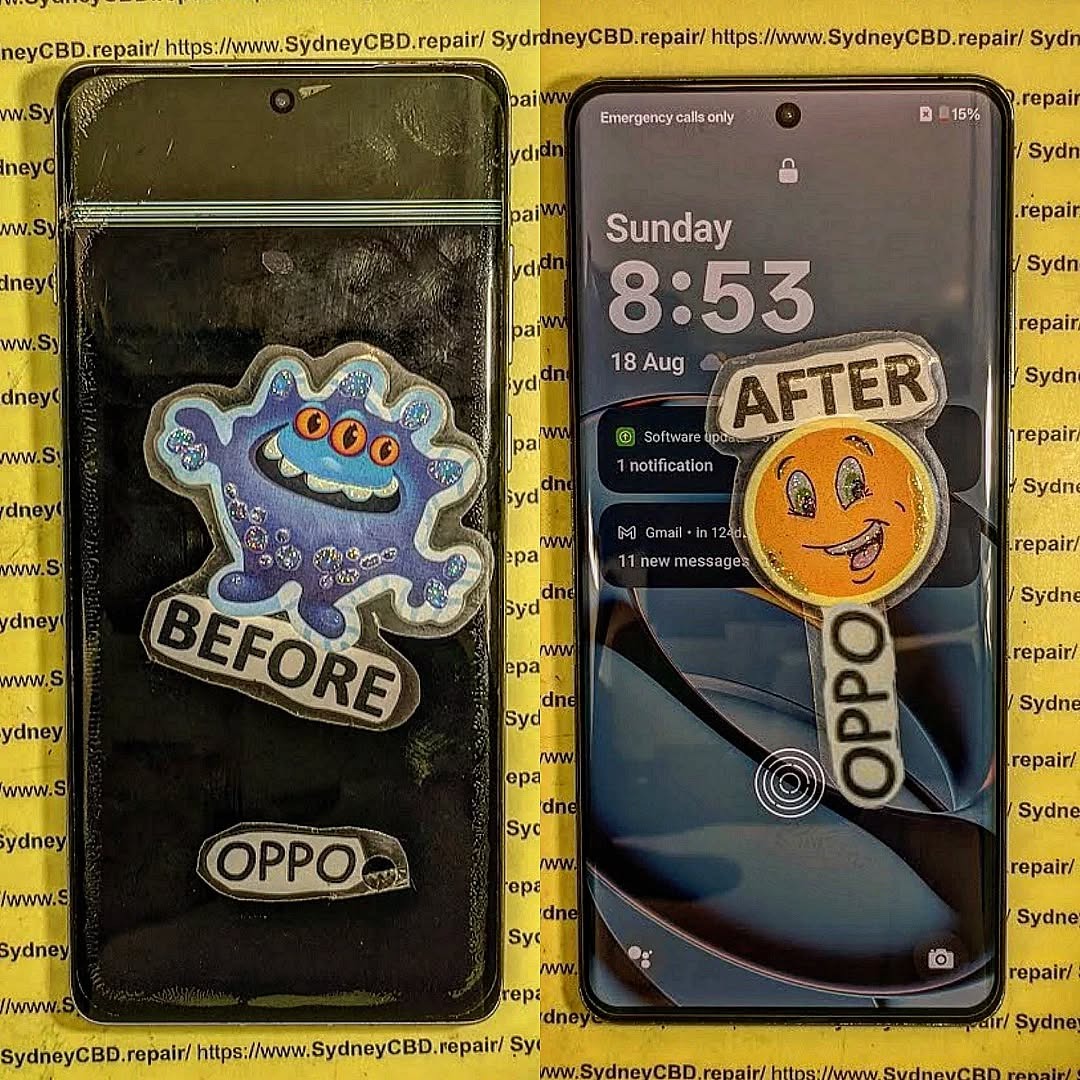
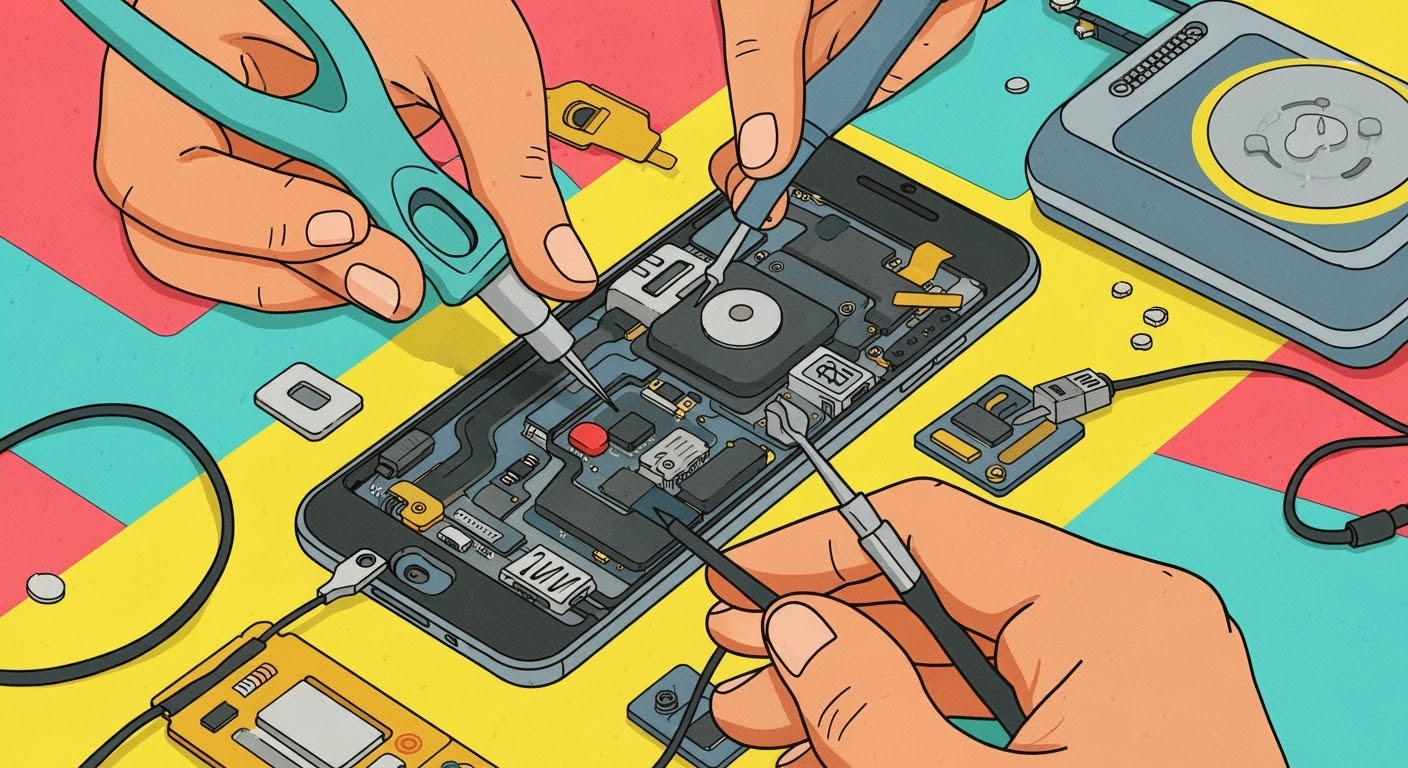
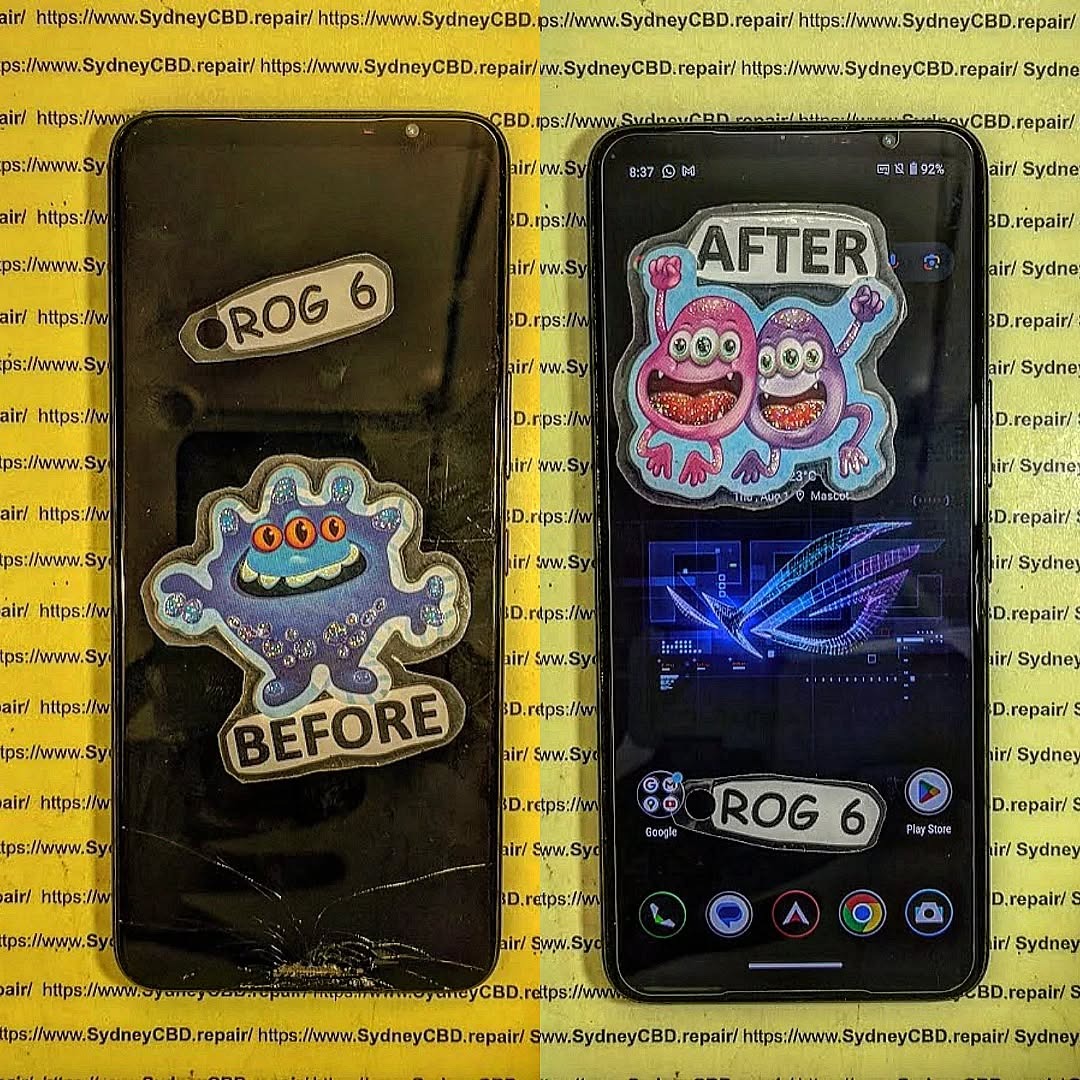
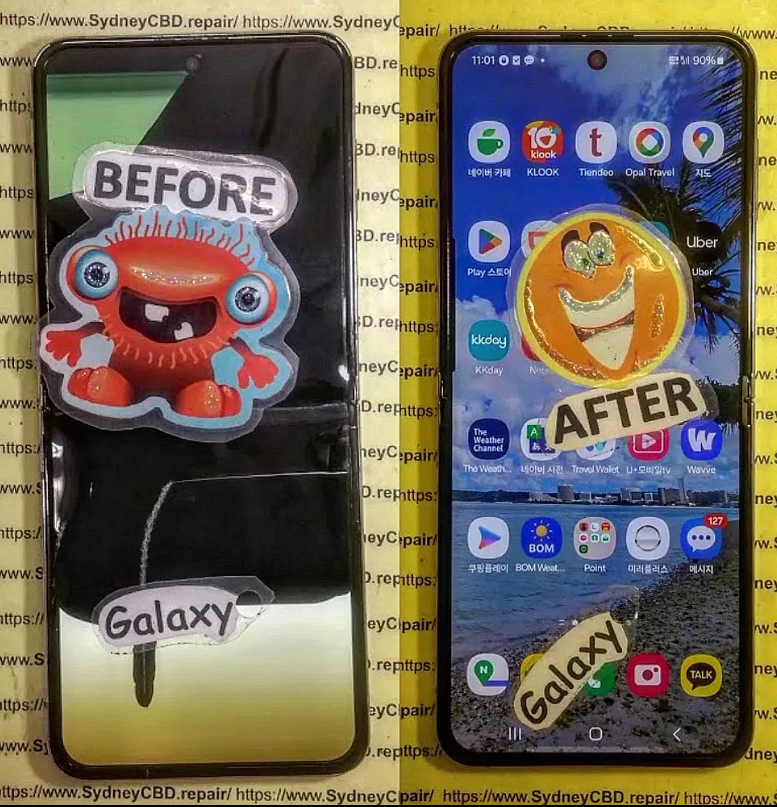
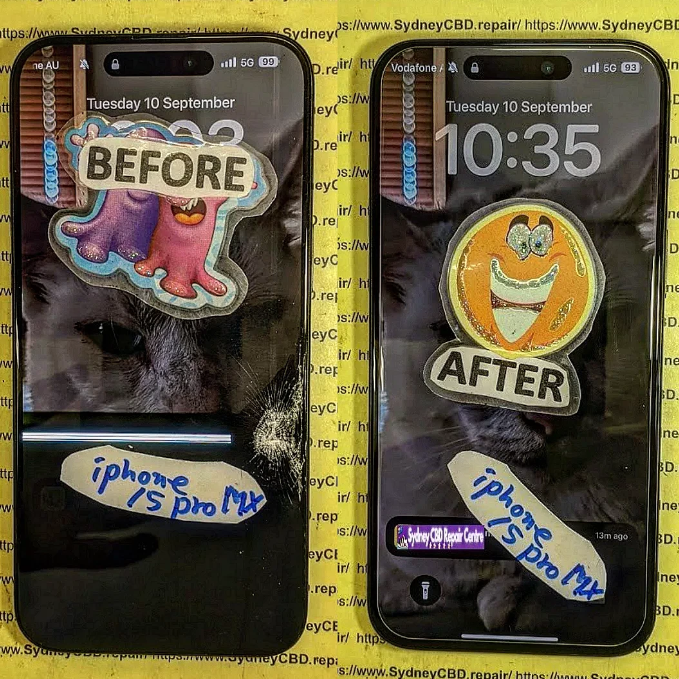
The Masterclass: iPhone 16 Pro Max Screen Replacement Challenges — Overcoming 7 Common Repair Obstacles
Introduction: The iPhone 16 Pro Max – A Marvel of Modern Engineering
The iPhone 16 Pro Max is Apple’s latest flagship, boasting a stunning titanium frame, Super Retina XDR OLED display, and next-generation A18 Pro chip. However, with such technological sophistication comes increased repair complexity. Replacing a screen on this device isn’t a simple “swap and fix” job — it requires deep technical expertise, precision calibration, and specialized tools to maintain its original performance.
At Sydney CBD Repair Centre, our team of professionals has handled thousands of iPhone screen replacements, and the iPhone 16 Pro Max presents both exciting challenges and unique opportunities for repair innovation.
Understanding the Complexities of iPhone 16 Pro Max Screen Replacement
Apple’s display technology has evolved from LCD to OLED and now to advanced LTPO Super Retina XDR panels. These displays deliver ultra-high brightness, smoother refresh rates, and adaptive color correction — but they’re also more delicate and expensive to replace. Even a minor misalignment during repair can cause color imbalances or touch responsiveness issues.
Apple’s focus on component integration means more sensors and circuits are now embedded within the display assembly. The Face ID module, True Tone sensor, and proximity detectors are intricately paired to the phone’s motherboard, meaning a single wrong move can cause system errors or permanent feature loss.
Challenge 1: Advanced OLED Display Calibration
Replacing the OLED display on the iPhone 16 Pro Max requires precision calibration tools that can read and match color data from the original screen.
Why OLED Alignment Matters
Each OLED panel is uniquely calibrated at the factory. This ensures accurate color reproduction and brightness consistency. Improper calibration can lead to uneven colors, reduced contrast, or faster burn-in.
Common Issues During Calibration
Technicians without proper equipment often experience mismatched True Tone settings or flickering due to incorrect voltage alignment. That’s why at Sydney CBD Repair Centre, only Apple-certified calibration tools are used to ensure perfect display matching.
Challenge 2: Face ID and TrueDepth Camera Sensitivity
The Face ID system on the iPhone 16 Pro Max integrates several components into the screen assembly — including infrared sensors and dot projectors.
Ensuring Proper Sensor Realignment
These sensors must be placed with millimeter accuracy. A slight misalignment can cause the system to reject face data, making Face ID unusable.
Avoiding System Detection Errors
Non-genuine displays or incorrect installation may trigger iOS alerts such as “Unable to verify this iPhone has a genuine Apple display.” The experts at Sydney CBD Repair Centre ensure that all sensors are realigned perfectly and verified before the device is sealed.
Challenge 3: Genuine vs. Aftermarket Display Compatibility
The Impact of Fake Screens on Performance
Aftermarket or counterfeit screens may look identical but often lack essential display drivers, resulting in lag, ghost touches, or reduced brightness. Worse, these screens can cause long-term damage to the logic board.
Why Only Genuine Parts Ensure Longevity
Genuine Apple screens maintain color accuracy, battery efficiency, and system stability. At Sydney CBD Repair Centre, we use only authentic OEM components, preserving your iPhone’s resale value and functionality.
Challenge 4: Managing the Titanium Frame and Adhesive Bonding
Precision in Disassembly and Reassembly
The new titanium frame adds durability but requires specialized tools to safely separate the screen without bending the chassis. A single slip can cause micro-fractures or alignment issues.
Maintaining Water Resistance Integrity
Apple uses strong adhesive seals to maintain IP68 water resistance. Replacing a screen requires resealing the phone with waterproof adhesive compounds — a process performed meticulously in our workshop.
Challenge 5: Handling the iOS Screen Re-Verification Feature
The New iOS Parts Pairing Restriction
Apple’s new parts pairing system in iOS 18 links each display’s serial number to the phone’s logic board. Unauthorized replacements trigger warning messages and disable True Tone.
How Professionals Bypass These Safely
Authorized service centers like Sydney CBD Repair Centre perform secure component transfers and serial matching to restore full functionality without voiding your warranty.
Challenge 6: Risk of Display Flickering and Touch Malfunctions
Post-Repair Testing Procedures
Our technicians conduct over 10 quality checks after every iPhone 16 Pro Max repair — including brightness uniformity, touch accuracy, and color calibration.
How to Fix Calibration Mismatches
If any irregularities appear, we perform micro-voltage tuning through diagnostic software, ensuring seamless performance under all lighting conditions.
Challenge 7: Maintaining Battery Health After Screen Replacement
The Connection Between Display and Power Management IC
The display directly communicates with the power management IC, drawing significant voltage. Faulty screens can cause battery drain or overheating.
Tips for Maintaining Optimal Battery Performance
We always test the battery and update firmware during screen replacement, ensuring power efficiency remains intact.
How Sydney CBD Repair Centre Excels in iPhone 16 Pro Max Repairs
For over six years, Sydney CBD Repair Centre has led Sydney’s mobile repair industry with expert technicians, genuine components, and unmatched customer care.
Use of Genuine Parts
We never compromise on quality — only authentic Apple parts are used for every screen replacement.
Skilled Technicians with 6 Years of Award-Winning Service
Our experienced team has over 2000 verified 5-star Google reviews and multiple awards for repair excellence.
90-Day Warranty and Same-Day Repairs
Enjoy peace of mind with same-day service and a 90-day warranty on all screen replacements.
FAQs About iPhone 16 Pro Max Screen Replacement
1. How long does an iPhone 16 Pro Max screen replacement take?
Usually around 60–90 minutes, depending on part availability and diagnostic checks.
2. Will Face ID still work after the replacement?
Yes — when performed by experts using proper calibration tools, Face ID functionality remains intact.
3. Is my water resistance preserved after repair?
Yes, professional resealing ensures your phone retains its original water resistance rating.
4. Can I use aftermarket screens to save money?
It’s not recommended — aftermarket displays often cause color issues and system warnings.
5. Do repairs void my Apple warranty?
Not when genuine parts are used and the repair is handled by certified professionals like us.
6. Do you offer a warranty for screen replacements?
Absolutely — all repairs come with a 90-day warranty for total peace of mind.
Conclusion: Trust Only the Experts for iPhone 16 Pro Max Repairs
The iPhone 16 Pro Max is a remarkable device that deserves professional care. Screen replacement for this model is not a DIY task — it requires precision, skill, and certified tools to ensure the phone’s integrity.
At Sydney CBD Repair Centre, we combine expertise, authentic parts, and a customer-first approach to deliver flawless results — every time.
Sydney CBD Repair Centre – Where Quality Meets Reliability
📍 Location: https://SydneyCBD.repair/locate-us
📞 Call: +61 2 8011 4119
🕒 Same-Day Repairs | Genuine Parts | 2000+ 5-Star Reviews
Are You Having a Cracked Phone? The Cost of Repair vs. New Phone in Sydney – Smart Guide + 7 Insider Facts
Introduction: Why This Decision Matters More Than Ever
A cracked phone can feel like a disaster. One slip from your hand, a short drop onto concrete, and suddenly your device looks—and feels—broken. In Sydney, where smartphones are essential for work, transport, payments, and daily communication, this problem isn’t just annoying. It’s disruptive.
The big question most people ask immediately is simple: repair or replace? When considering a cracked phone, the cost of repair vs. new phone in Sydney can vary widely depending on your device, damage severity, and where you go for help. Many people rush into buying a new phone without realizing how affordable professional repairs can be.
This guide breaks it all down in plain English. We’ll explore real repair prices in Sydney, the true cost of buying new, and expert insights from experienced technicians. By the end, you’ll feel confident making a smart, cost-effective decision—without the stress.
Repair pricing in Sydney has become far more competitive in recent years. Thanks to advanced tools and skilled technicians, most cracked phone repairs are quicker and more affordable than ever.
Screen Repair Costs by Phone Brand
Screen damage is the most common issue Sydney phone owners face. Prices vary depending on brand and model, but here’s a general guide:
Apple iPhone: $99 – $349
Samsung Galaxy: $120 – $390
Google Pixel: $150 – $350
Other Android brands: $90 – $280
When weighing a cracked phone, the cost of repair vs. new phone in Sydney often favors repair—especially for devices under three years old. Modern OLED and AMOLED displays are expensive to manufacture, but repairing them is still significantly cheaper than replacement.
Professional repair centres typically use genuine or OEM-quality parts, restoring your phone’s original clarity and touch responsiveness.
Battery, Charging Port, and Camera Repairs
Cracked screens often come with other issues. Luckily, these are also affordable to fix:
Battery replacement: $69 – $129
Charging port repair: $79 – $149
Camera lens repair: $89 – $169
Compared to buying a new phone priced at $1,200 or more, these repairs are a fraction of the cost. Plus, same-day service means you’re not without your device for long.
Hidden Repair Costs Most People Miss
Some people assume repairs come with surprise fees. In reality, reputable Sydney repair centres offer transparent pricing. However, things to watch for include:
Water damage discovered during repair
Frame damage under the screen
Low-quality parts from unlicensed repairers
Choosing a trusted repair centre reduces these risks significantly and ensures warranties are honored.
Buying a new phone might feel like a clean slate, but it comes with costs many people underestimate.
Upfront Purchase Prices
In Sydney, flagship smartphones typically cost:
Phone Type
Average Price
iPhone Pro Models
$1,799 – $2,399
Samsung Ultra Models
$1,699 – $2,299
Mid-Range Phones
$600 – $1,100
Budget Phones
$300 – $500
When comparing a cracked phone, the cost of repair vs. new phone in Sydney becomes very clear at this stage. A $199 screen repair versus a $1,800 upgrade is a big financial jump.
Long-Term Costs and Depreciation
New phones lose value quickly. On average:
20–30% value lost in the first year
50% or more after two years
That depreciation means replacing your phone frequently costs more in the long run. Repairs, on the other hand, extend the life of a device you already own and understand.
Environmental and Convenience Factors
Replacing a phone isn’t just about money. It also means:
Data transfer hassles
Learning a new interface
Increased electronic waste
Repairing your phone is the greener choice. According to global sustainability studies, extending a phone’s life by just one year significantly reduces its environmental footprint. You can learn more about device sustainability from manufacturers like Apple: https://www.apple.com/environment/
Repair vs. Replace: A Side-by-Side Cost Comparison
Let’s put emotions aside and look at the numbers.
Short-Term Savings Analysis
Option
Average Cost
Screen Repair
$150 – $350
New Phone Purchase
$800 – $2,300
In nearly every cracked phone scenario, the cost of repair vs. new phone in Sydney strongly favors repair in the short term.
Long-Term Value Assessment
A repaired phone can last another 2–3 years with proper care. That means:
Lower annual cost of ownership
No learning curve
Minimal disruption to daily life
When Replacement Makes More Sense
Replacement may be the better option if:
The phone is over 5 years old
Multiple internal components are damaged
Repair cost exceeds 60% of replacement value
Even then, it’s worth getting a professional assessment before deciding.
Expert Advice from Sydney Repair Professionals
Experienced technicians see the same mistakes every day—and they’re easy to avoid.
Common Mistakes Sydney Phone Owners Make
Delaying repairs, worsening damage
Choosing the cheapest repair without checking quality
Assuming a cracked screen means the phone is “done”
Most cracked phones are fully recoverable within hours.
How to Extend Your Phone’s Life After Repair
After repair, simple habits make a big difference:
Use a quality screen protector
Invest in a shock-resistant case
Avoid extreme heat and moisture
Keep software updated
These steps help ensure you won’t face the repair vs. replace decision again anytime soon.
Frequently Asked Questions
Is it worth fixing a cracked phone in Sydney?
Yes. In most cases, repairing is far cheaper than buying new and restores full functionality.
How long does a screen repair take?
Most professional Sydney repair centres complete repairs within 1–2 hours.
Will repair affect my phone’s performance?
No. High-quality repairs restore performance without slowing your device.
Is a repaired phone less valuable?
Slightly, but far less than the depreciation of buying a new phone.
Can I claim phone repairs on insurance?
Some policies allow claims, but excess fees often exceed repair costs.
What’s the biggest factor in deciding repair vs. replace?
The phone’s age and repair cost compared to replacement price.
Conclusion: Making the Smart Choice in Sydney
When facing a cracked phone, the cost of repair vs. new phone in Sydney almost always points toward repair—especially for modern devices. Repairs save money, reduce waste, and keep your digital life running smoothly. With expert technicians, genuine parts, and same-day service available across Sydney, fixing your phone is often the smartest move you can make.
David from Sydney CBD Repair Centre – The Best place to fix mobile phones as 7 Years In A Row! Top Mobile Phone Repair In Sydney. More than 2000 Positive Reviews on Google and Same Day Repairs.
We take pride in delivering exceptional repair services for all major phone brands including Apple, Samsung, Google, and more. Our expert technicians use only genuine parts and offer 90days warranty on repairs. Located in the heart of Sydney CBD, we’re your one-stop solution for all mobile device repairs.
Our commitment to excellence has earned us the trust of thousands of satisfied customers. Whether it’s a cracked screen, battery replacement, or water damage repair, we handle it all with professional care and expertise. Walk in today and experience why we’re Sydney’s #1 choice for mobile phone repairs.
Visit us for:
✓ Same Day Express Repairs
✓ Genuine Parts Guarantee
✓ Professional Technicians
✓ Competitive Pricing
✓ 2000+ 5-Star Google Reviews
✓ 7-Time Award Winner for Best Phone Repairs
iPhone 17 Pro Max Full Housing Swap And Internal Component Restoration Sydney: Ultimate 2026 Expert Guide
Introduction
Has your iPhone 17 Pro Max suffered a bent frame, cracked rear housing, heavy cosmetic damage, or internal issues after an accidental drop? A professional iPhone 17 Pro Max Full Housing Swap And Internal Component Restoration Sydney service can restore both its appearance and performance without compromising reliability.
This comprehensive guide explains how housing replacement works, why precision matters, and why experienced technicians are essential for such an advanced repair.
The iPhone 17 Pro Max is one of Apple’s most advanced smartphones. It combines premium materials, powerful hardware, professional-grade cameras, and cutting-edge engineering into a single device. While it is built for durability, accidents still happen.
A significant drop can bend the frame, crack the rear housing, damage mounting points, or deform the chassis enough to affect buttons, cameras, speakers, wireless charging, or even display alignment.
That’s where iPhone 17 Pro Max Full Housing Swap And Internal Component Restoration Sydney becomes invaluable.
Unlike a simple screen replacement, a housing swap involves completely disassembling the phone. Every working internal component is carefully transferred into a brand-new housing while maintaining proper alignment and functionality.
Professional restoration provides several benefits:
Restores factory appearance
Corrects structural damage
Improves button responsiveness
Fixes camera alignment
Restores speaker positioning
Re-establishes wireless charging alignment
Extends device lifespan
Preserves valuable internal components
For premium smartphones, replacing the housing often costs far less than purchasing an entirely new device.
What Is a Full Housing Swap?
A housing swap is among the most advanced smartphone repairs available.
Instead of replacing only one damaged part, technicians move nearly every internal component into a new original-quality housing.
These components include:
Component
Transferred?
OLED Display
✔
Logic Board
✔
Rear Cameras
✔
Front Camera
✔
Battery
✔ (if healthy)
Speakers
✔
Taptic Engine
✔
Charging Port
✔
Face ID Components
✔
Microphones
✔
Antennas
✔
Buttons
Usually pre-installed or transferred
Each part must be removed carefully because many components are connected using delicate flex cables and microscopic connectors.
Unlike older smartphones, modern iPhones rely heavily on precision alignment. Even slight installation errors can affect:
Face ID
Camera focus
Display seating
Button feel
Charging
Wireless charging
Signal reception
Professional technicians follow systematic procedures that minimize risk while ensuring every component functions as intended.
Many users assume that cosmetic damage is merely an aesthetic issue. However, structural damage can gradually lead to much larger problems.
Common warning signs include:
Bent Frame
Even a slight bend may prevent the display from sealing correctly.
Potential issues include:
Dust ingress
Display lifting
Pressure spots
Water resistance loss
Cracked Rear Housing
Glass fragments may expose internal components to dust and moisture.
Risks include:
Battery contamination
Camera damage
Wireless charging issues
Loose Buttons
Housing deformation often affects:
Volume buttons
Power button
Action button
Camera Control button (if applicable)
Camera Misalignment
A damaged frame can cause:
Blurry photos
Autofocus problems
Lens vibration
Optical stabilization errors
Charging Problems
Housing damage may place stress on:
USB-C connector
Charging port bracket
Internal flex cables
This can lead to intermittent charging or complete charging failure.
Display Not Sitting Flush
A warped frame prevents proper installation of the display.
Symptoms include:
Screen lifting
Adhesive failure
Increased vulnerability to moisture
These issues indicate that a full housing restoration is often the most reliable long-term solution.
Common Causes of Housing Damage
Housing damage typically occurs through repeated physical stress or sudden impact.
The most common causes include:
Accidental Drops
Even a drop from waist height can generate significant force on the titanium or aluminum frame.
Corners usually absorb the greatest impact.
Heavy Pressure
Sitting on the phone while it’s in a back pocket can slowly bend the chassis.
Over time this affects:
Display alignment
Internal brackets
Camera positioning
Vehicle Accidents
Phones left on car roofs, dashboards, or seats often sustain severe structural damage during accidents.
Water Damage
Moisture may corrode internal screws and structural components, making restoration necessary.
Previous Poor Repairs
Improper repairs can create:
Missing screws
Broken brackets
Misaligned components
Damaged adhesive
Bent internal shields
Professional restoration corrects these issues while restoring the phone to a much higher standard.
Components Carefully Transferred During Internal Restoration
A complete iPhone 17 Pro Max Full Housing Swap And Internal Component Restoration Sydney involves transferring dozens of precision-engineered components into a new housing.
Every component plays an important role in the overall performance of the device. Skilled technicians follow an organized workflow to ensure nothing is damaged during the transfer.
Logic Board
The logic board is the heart of the iPhone.
It contains:
Processor
Memory
Storage
Security chips
Power management circuits
Wireless communication modules
Extreme care is required because even minor flexing can permanently damage solder connections.
OLED Display Assembly
If the display is still functioning correctly, it is carefully removed using specialized heating equipment and precision tools.
The display is inspected for:
Pixel defects
Pressure marks
Flex cable integrity
Connector condition
Once transferred, it is reseated with fresh adhesive to help maintain proper alignment.
Rear Camera System
The advanced multi-camera array must remain perfectly aligned.
During restoration, technicians inspect:
Lens condition
Optical image stabilization
Autofocus performance
Dust contamination
Camera brackets
Proper installation ensures image quality remains excellent after the repair.
Battery
If the battery health remains strong and shows no signs of swelling or damage, it can often be transferred into the replacement housing.
Before reuse, technicians check:
Battery health
Charge cycles
Physical condition
Connector integrity
A degraded battery may be replaced during the restoration to maximize device longevity.
Charging Port Assembly
The USB-C charging port is one of the most frequently used components in the iPhone 17 Pro Max. During a full housing restoration, technicians carefully remove and inspect the charging assembly before installing it into the new housing.
The charging port assembly includes several interconnected parts:
USB-C connector
Primary microphone
Charging flex cable
Mounting brackets
Waterproof seals
Connector shielding
Any signs of corrosion, bent pins, or physical wear are addressed before reassembly. Reusing a damaged charging port can lead to unreliable charging, intermittent data transfer, or accessory connection issues.
Speaker Modules
The iPhone 17 Pro Max features high-quality stereo speakers designed to deliver rich sound for music, videos, and phone calls.
During the restoration, technicians inspect:
Speaker mesh
Dust accumulation
Water residue
Speaker magnets
Mounting screws
Cleaning the speaker chambers often improves sound quality, especially on devices that have accumulated dirt over time.
Taptic Engine
Apple’s Taptic Engine provides the precise vibration feedback users expect when typing, receiving notifications, or using system gestures.
The component is transferred carefully to avoid damage to its mounting points.
Once installed, technicians verify:
Vibration strength
Haptic accuracy
Noise levels
Mounting stability
Face ID Components
Face ID is among the most sensitive systems inside the iPhone.
Its components include:
Infrared camera
Dot projector
Flood illuminator
Ambient light sensor
Because these components are paired to the logic board, replacing them improperly can permanently disable Face ID functionality.
Professional technicians transfer these components with exceptional care while preserving their factory pairing.
Wireless Charging Components
Modern iPhones rely on precision alignment for wireless charging.
Technicians inspect:
MagSafe charging coil
NFC antenna
Wireless charging flex cables
Alignment brackets
Shielding components
Accurate positioning ensures accessories attach correctly and charging performance remains consistent.
Professional Tools Required for Housing Restoration
A successful iPhone 17 Pro Max Full Housing Swap And Internal Component Restoration Sydney requires far more than a standard screwdriver set. Professional workshops invest in specialized equipment that allows technicians to perform intricate repairs safely and accurately.
Some of the essential tools include:
Tool
Purpose
Precision Screwdriver Set
Removes Apple’s proprietary screws
Heated Display Separator
Softens waterproof adhesive
Plastic Pry Tools
Prevents cosmetic damage
Anti-Static Workstation
Protects sensitive electronics
Magnetic Screw Mat
Organizes tiny screws
Microscope
Inspects connectors and solder joints
Fine Tweezers
Handles delicate flex cables
Adhesive Removal Tools
Cleans old waterproof seals
Battery Removal Cards
Safely separates battery adhesive
Torque-Control Drivers
Prevents overtightening screws
These professional tools significantly reduce the risk of accidental damage during disassembly and reassembly.
A complete housing swap is a meticulous procedure that requires patience, technical expertise, and attention to detail.
Step 1 – Initial Assessment
Before any repair begins, technicians examine the device for:
Frame distortion
Screen condition
Camera alignment
Charging functionality
Face ID performance
Speaker output
Battery health
This baseline assessment helps identify any pre-existing issues.
Step 2 – Data Protection
Although a housing restoration generally does not affect stored data, customers are encouraged to back up their device beforehand.
Technicians also verify that:
The phone powers on
Touchscreen responds correctly
Cameras function
Wireless connectivity works
Step 3 – Display Removal
Using controlled heat and precision tools, the display is carefully separated from the housing.
Special attention is given to:
Display flex cables
Adhesive integrity
Connector brackets
Face ID assembly
This is one of the most delicate stages of the repair.
Step 4 – Component Transfer
One by one, every reusable internal component is removed and installed into the new housing.
Technicians maintain an organized workflow to ensure:
Correct screw placement
Accurate cable routing
Proper bracket installation
Secure component alignment
Step 5 – New Adhesive Installation
Fresh waterproof adhesive is applied around the display frame.
While no third-party repair can guarantee the original factory water resistance, using high-quality adhesive helps restore a strong protective seal against dust and everyday moisture exposure.
Step 6 – Reassembly
The device is carefully reassembled, ensuring that:
Buttons click properly
Display sits flush
Cameras are aligned
Charging port fits securely
Speakers seal correctly
Step 7 – Comprehensive Testing
Once assembled, technicians perform extensive testing before returning the device to the customer.
Risks of DIY Housing Swaps
Watching online repair videos may make a housing replacement appear straightforward, but the reality is far more complex.
Attempting a DIY repair carries several significant risks.
Flex Cable Damage
Modern iPhones contain extremely thin ribbon cables that can tear easily if handled incorrectly.
Replacing damaged cables often adds considerable repair costs.
Face ID Failure
Improper handling of the TrueDepth system can permanently disable Face ID.
Unlike many components, these sensors cannot simply be replaced without affecting functionality.
Display Damage
OLED displays are both expensive and fragile.
Common DIY mistakes include:
Excessive prying force
Uneven heating
Flex cable tears
Pressure cracks
Replacing a damaged display dramatically increases the total repair cost.
Missing Screws
Apple uses multiple screw sizes throughout the device.
Installing a screw in the wrong location may puncture the logic board or damage the OLED display from behind.
Professional technicians carefully organize every screw throughout the repair process.
Waterproof Seal Failure
Without proper adhesive application and surface preparation, the device may lose much of its resistance to dust and moisture.
This increases the likelihood of future internal damage.
Static Electricity
Electrostatic discharge can damage delicate integrated circuits even if no visible spark occurs.
Professional repair environments use anti-static equipment to minimize this risk.
Benefits of Choosing Professional Housing Restoration
Opting for a professional iPhone 17 Pro Max Full Housing Swap And Internal Component Restoration Sydney service provides advantages that go well beyond cosmetic improvements.
Precision Workmanship
Experienced technicians understand the intricate internal layout of Apple’s flagship devices. Their expertise helps reduce the likelihood of accidental damage and ensures each component is installed correctly.
High-Quality Replacement Housing
Professional repair centres use premium replacement housings designed to match the original fit, finish, and structural integrity of the device.
Genuine-Quality Components
Where appropriate, original components are carefully retained and transferred, helping preserve the phone’s performance, compatibility, and overall reliability.
Thorough Quality Control
Every repaired device undergoes detailed inspections and functional testing before it is returned to the customer. This helps identify and resolve any issues prior to completion.
Cost-Effective Alternative
Replacing the housing is typically much more affordable than purchasing a brand-new flagship smartphone, making it a practical option for extending the life of your device.
Extended Device Lifespan
A professionally restored iPhone 17 Pro Max can continue to provide dependable performance for years, especially when paired with regular maintenance and protective accessories.
Importance of Genuine Parts During Restoration
Choosing high-quality parts is one of the most important aspects of a successful iPhone 17 Pro Max Full Housing Swap And Internal Component Restoration Sydney service. Premium replacement housings are manufactured to precise specifications, allowing all internal components to fit correctly while maintaining the premium feel of the device.
Benefits of using genuine-quality or OEM-specification parts include:
Precise fit and finish
Proper button alignment
Accurate camera positioning
Reliable wireless charging performance
Improved structural strength
Better long-term durability
Inferior replacement housings may seem less expensive initially, but they can introduce issues such as poor button response, loose camera modules, gaps around the display, or reduced structural integrity. Investing in quality parts helps ensure the restored iPhone continues to perform as expected.
Data Safety During the Restoration Process
Many customers worry about losing their photos, contacts, or important files during a repair. Fortunately, a housing swap focuses on the physical components of the phone rather than its stored data.
During the repair process, technicians aim to preserve:
Photos and videos
Contacts
Messages
Apps
Documents
Device settings
Although data is generally unaffected, it’s always recommended to create a full backup before any major repair. This provides peace of mind in the unlikely event of an unexpected issue.
Comprehensive Quality Testing Procedures
After the device has been fully reassembled, professional technicians perform an extensive series of quality control tests to verify that every feature operates correctly.
Functional Testing Checklist
Function
Tested
OLED Display
✔
Touchscreen
✔
Face ID
✔
Front Camera
✔
Rear Cameras
✔
Flash
✔
Speakers
✔
Microphones
✔
USB-C Charging
✔
Wireless Charging
✔
Wi-Fi
✔
Bluetooth
✔
Cellular Signal
✔
Buttons
✔
Vibration
✔
Proximity Sensor
✔
Ambient Light Sensor
✔
Only after every test has been completed successfully is the phone considered ready for collection.
Preventing Future Housing Damage
Once your iPhone has been professionally restored, taking a few preventative measures can significantly reduce the risk of future damage.
Use a High-Quality Protective Case
A shock-absorbing case helps protect the frame and corners from accidental impacts.
Install a Tempered Glass Screen Protector
While a screen protector won’t prevent every accident, it can reduce the risk of scratches and minor cracks.
Avoid Carrying the Phone in a Back Pocket
Sitting on a phone can gradually bend the chassis, affecting display alignment and internal components.
Keep the Device Away from Excessive Heat
High temperatures may weaken adhesives and accelerate battery wear.
Clean the Charging Port Regularly
Removing lint and debris helps maintain reliable charging performance and reduces unnecessary strain on the USB-C connector.
Schedule Prompt Repairs
Ignoring minor frame damage can allow problems to worsen over time. Addressing issues early often prevents more extensive repairs later.
Choosing a Trusted Repair Centre in Sydney
Selecting an experienced repair provider is just as important as the repair itself. When evaluating a repair centre, consider the following:
Experienced technicians with expertise in Apple devices
High-quality replacement parts
Transparent pricing
Warranty on workmanship
Positive customer reviews
Same-day service where available
Comprehensive testing procedures
A reputable repair centre will clearly explain the repair process, answer your questions, and stand behind the quality of its work.
For general information about Apple device care and support, you can visit the official Apple Support website: https://support.apple.com/
Frequently Asked Questions
1. What is included in a full housing swap?
A full housing swap involves transferring all functional internal components—including the logic board, display, cameras, battery (if suitable), speakers, charging port, and sensors—into a new replacement housing.
2. Will I lose my data during the repair?
In most cases, no. Since the logic board and storage remain with your device, your personal data is typically preserved. However, creating a backup before any repair is always recommended.
3. How long does a housing restoration take?
Repair times vary depending on the condition of the device and parts availability. Many professional repair centres can complete the service on the same day or within 24 hours.
4. Can a bent frame affect phone performance?
Yes. A bent frame can cause issues such as display lifting, camera misalignment, button problems, charging difficulties, and reduced structural stability.
5. Is the phone still water-resistant after the repair?
Professional technicians install new waterproof adhesive during reassembly. While this helps restore protection against everyday dust and moisture, no third-party repair can guarantee the original factory water-resistance rating.
6. Is a housing replacement better than buying a new phone?
If the internal components remain in good condition, a housing replacement is often a cost-effective way to restore the appearance and functionality of your iPhone while extending its usable lifespan.
Conclusion
A professional iPhone 17 Pro Max Full Housing Swap And Internal Component Restoration Sydney service is an excellent solution for devices with severe cosmetic or structural damage. Rather than replacing an otherwise functional phone, a complete housing restoration preserves valuable internal components while restoring the premium appearance and feel of the device.
By entrusting your repair to experienced technicians who use high-quality parts and follow meticulous restoration procedures, you can enjoy renewed confidence in your iPhone’s performance, reliability, and longevity. Whether your device has suffered a bent frame, cracked housing, or impact damage, a comprehensive housing swap can return it to excellent working condition and help protect your investment for years to come.
David from Sydney CBD Repair Centre – The Best place to fix mobile phones as 7 Years In A Row! Top Mobile Phone Repair In Sydney. More than 2000 Positive Reviews on Google and Same Day Repairs.
We take pride in delivering exceptional repair services for all major phone brands including Apple, Samsung, Google, and more. Our expert technicians use only genuine parts and offer 90 days warranty on repairs. Located in the heart of Sydney CBD, we’re your one-stop solution for all mobile device repairs.
Our commitment to excellence has earned us the trust of thousands of satisfied customers. Whether it’s a cracked screen, battery replacement, water damage, charging port repair, back glass replacement, or a complete housing restoration, we handle every repair with professional care and expertise.
Visit us for:
✓ Same Day Express Repairs
✓ Genuine Parts Guarantee
✓ Professional Technicians
✓ Competitive Pricing
✓ 2000+ 5-Star Google Reviews
✓ 7-Time Award Winner for Best Phone Repairs
Sydney CBD Repair Centre – Where Quality Meets Reliability.
Genuine vs Counterfeit Parts: 7 Powerful Ways We Identify Quality Screens For Sydney Customers
Introduction
Mobile phones have become essential tools for work, communication, banking, entertainment, and navigation. When a screen cracks or stops working, many people rush to the nearest repair shop looking for a quick fix. However, not all replacement parts are equal. The difference between genuine and counterfeit screens can affect your phone’s performance, safety, lifespan, and overall user experience.
In today’s repair market, counterfeit parts are more common than ever. Some fake screens may look convincing at first glance, yet they often fail within weeks or months. Worse still, low-quality replacement parts can damage other internal components. That’s why professional repair technicians focus heavily on identifying quality screens before installation.
For Sydney customers, choosing a trusted repair centre matters. Reliable technicians understand how to spot counterfeit displays and ensure every repair meets strict quality standards. This article explores the most effective ways experts identify genuine screens, the risks associated with counterfeit parts, and how customers can protect their devices from poor-quality repairs.
Modern smartphones are built with advanced display technologies. Devices from Apple Inc., Samsung Electronics, and Google use highly engineered OLED and LCD panels designed for precise colour reproduction, energy efficiency, and touch responsiveness.
When genuine screens are replaced with counterfeit versions, several problems may occur:
Reduced brightness
Inaccurate colour tones
Weak touch sensitivity
Poor fingerprint sensor performance
Faster battery drain
Increased overheating
Random screen flickering
Customers often don’t notice the difference immediately. However, over time, counterfeit screens usually reveal their weaknesses. Genuine screens provide smoother operation, stronger durability, and better compatibility with internal components.
Professional repair shops understand that long-term reliability matters more than short-term savings. While counterfeit parts may appear cheaper initially, they often lead to repeated repairs and additional expenses.
The global smartphone repair industry has grown rapidly over the last decade. As repair demand increased, counterfeit manufacturers entered the market with low-cost alternatives. Unfortunately, many consumers cannot easily distinguish between genuine and fake components.
What Makes A Screen Counterfeit
A counterfeit screen is typically manufactured without approval from the original device maker. These screens often use:
Lower-grade glass
Inferior OLED or LCD panels
Cheap adhesive materials
Weak connectors
Inconsistent digitizers
Although some counterfeit screens imitate original branding, they rarely match genuine manufacturing standards.
Why Fake Parts Flood The Repair Industry
There are several reasons counterfeit screens remain widespread:
Consumers often search for the cheapest repair option.
Some repair shops prioritise profit over quality.
Online marketplaces make fake parts easy to source.
Many customers lack technical knowledge about display quality.
According to the International AntiCounterfeiting Coalition, counterfeit electronics remain a growing concern worldwide. The mobile repair industry is especially vulnerable because replacement parts are constantly in demand.
7 Powerful Ways We Identify Quality Screens
Experienced technicians use multiple inspection methods to determine whether a screen meets professional standards. These tests help ensure Sydney customers receive reliable repairs with dependable components.
Visual Inspection Standards
The first step involves careful visual analysis. Genuine screens typically display:
Uniform brightness
Accurate colour balance
Deep black levels
Smooth refresh performance
High-quality glass finishing
Counterfeit screens may show uneven lighting, washed-out colours, or visible manufacturing defects around the edges.
Technicians also inspect bezels, adhesive application, and connector precision. Even tiny inconsistencies can indicate a low-quality replacement.
Touch Sensitivity Testing
A phone’s touchscreen experience depends heavily on digitizer quality. Genuine screens respond smoothly and accurately to touch input.
Technicians test:
Swipe responsiveness
Multi-touch accuracy
Typing precision
Gesture recognition
Edge sensitivity
Counterfeit screens often produce delayed responses or “ghost touches,” where the screen reacts without user input.
Frame Alignment Checks
Professional repair specialists inspect how the replacement screen fits within the phone frame. Genuine-quality parts align perfectly with:
Front cameras
Sensors
Buttons
Speaker grills
Waterproof seals
Poor alignment may cause pressure points, display lifting, or reduced water resistance.
OLED And LCD Verification
Modern flagship phones use advanced OLED technology for better colour and energy efficiency.
Technicians examine:
Contrast ratios
Pixel consistency
Burn-in resistance
Brightness calibration
Refresh rates
Counterfeit OLED panels may mimic genuine appearance briefly, but performance often deteriorates quickly.
Manufacturer Coding Authentication
Many genuine components contain serial numbers or manufacturer-specific coding.
Repair professionals verify:
QR labels
Factory serials
Connector markings
Firmware compatibility
Supplier traceability
These checks help identify whether the screen originated from trusted supply chains.
Heat And Power Consumption Analysis
Counterfeit screens often consume more power because they use inefficient components.
Technicians perform thermal testing to monitor:
Battery usage
Charging behaviour
Heat generation
Voltage consistency
Overheating can reduce battery lifespan and damage nearby components.
Long-Term Durability Testing
Before installation, reputable repair centres evaluate overall durability through:
Pressure resistance checks
Adhesion testing
Flex testing
Impact simulation
Operational stress analysis
These procedures help prevent future failures and improve repair reliability.
Common Problems Caused By Counterfeit Screens
Counterfeit screens may initially appear functional, but problems often develop over time.
Battery Drain And Overheating
Low-quality displays require more power to operate efficiently. This increased energy consumption causes:
Faster battery depletion
Excessive heat
Slower phone performance
In severe cases, overheating may affect the motherboard or battery health.
Ghost Touch And Flickering
Poor digitizer calibration frequently leads to:
Random touches
Delayed typing
Screen jittering
Display flickering
These issues make daily phone use frustrating.
Weak Glass Durability
Counterfeit glass lacks the same structural integrity found in genuine parts. As a result:
Cracks occur more easily
Small drops cause major damage
Scratches appear faster
For customers who rely heavily on their devices, durability matters significantly.
How Professional Repair Shops Protect Customers
Trusted repair centres follow strict quality control procedures to ensure every replacement screen performs properly.
Technician Training And Certification
Experienced technicians undergo continuous training to stay updated with modern smartphone technology.
Professional repair specialists understand:
Advanced diagnostics
Screen calibration
Component compatibility
Safe installation techniques
Repair expertise plays a major role in identifying counterfeit components before they reach customers.
Warranty Protection
Reliable repair centres provide warranty coverage because they trust the quality of their parts and workmanship.
A professional warranty typically covers:
Repair Element
Genuine Quality Repair
Counterfeit Repair
Display Performance
Stable and reliable
Often inconsistent
Touch Response
Smooth and accurate
Delayed or erratic
Battery Efficiency
Optimised
Higher power drain
Durability
Strong glass quality
Easily damaged
Warranty Support
Commonly included
Often unavailable
Warranty protection gives customers confidence that their repair investment is protected.
Comparing Genuine Vs Counterfeit Screens
The difference between genuine and counterfeit displays becomes clearer during long-term usage.
Feature
Genuine Screen
Counterfeit Screen
Brightness
Consistent
Uneven
Colour Accuracy
Natural tones
Washed-out colours
Touch Sensitivity
Precise
Inconsistent
Durability
High impact resistance
Fragile
Battery Usage
Efficient
Excessive
Compatibility
Fully optimised
Limited
Lifespan
Long-lasting
Short-term reliability
Although counterfeit screens may cost less upfront, genuine-quality replacements often save money over time due to reduced repair frequency.
Why Sydney Customers Choose Quality Repairs
Sydney customers increasingly value transparency, reliability, and long-term performance when choosing phone repair services.
Professional repair providers focus on:
Genuine-quality components
Skilled technicians
Fast turnaround times
Warranty-backed repairs
Honest diagnostics
Customers who invest in proper repairs usually experience better device performance and fewer repeat issues.
Repair centres with strong reputations often receive positive customer reviews because they consistently prioritise quality over shortcuts.
Tips For Customers Before Choosing A Repair Service
Before handing over a valuable smartphone, customers should ask important questions.
Key Questions To Ask
Are genuine-quality screens used?
Is there a repair warranty?
How experienced are the technicians?
Are diagnostic tests performed after installation?
What brands does the shop specialise in?
Warning Signs Of Low-Quality Repairs
Be cautious if a repair provider:
Offers unusually cheap prices
Refuses warranty coverage
Cannot explain part sourcing
Rushes diagnostics
Avoids discussing quality standards
Choosing a professional repair centre protects both the device and the customer’s investment.
Frequently Asked Questions
How can I tell if my phone screen is counterfeit?
Counterfeit screens often show poor brightness, inaccurate colours, weak touch responsiveness, and fast battery drain. Professional technicians use specialised diagnostic tests to verify screen quality.
Are genuine screens worth the higher price?
Yes. Genuine-quality screens provide better durability, smoother performance, and improved compatibility with your phone’s hardware. They also reduce the likelihood of future repairs.
Can counterfeit screens damage my phone?
Yes. Poor-quality screens may cause overheating, battery issues, motherboard stress, and touchscreen malfunctions over time.
Why do some repair shops use counterfeit parts?
Some repair businesses focus on lowering costs rather than maintaining quality standards. Counterfeit parts are cheaper and easier to source through unofficial suppliers.
Do counterfeit screens affect Face ID or fingerprint sensors?
Yes. In many cases, low-quality screens interfere with biometric systems such as fingerprint readers and facial recognition sensors.
How long should a genuine replacement screen last?
A genuine-quality replacement screen can last several years when installed correctly and protected from major physical damage.
Should I choose OEM or aftermarket screens?
High-quality OEM or premium aftermarket screens are generally the safest choice. Trusted repair centres explain the differences clearly and recommend the best option for your device.
Conclusion
The difference between genuine and counterfeit screens is far more significant than appearance alone. Quality screens improve durability, battery efficiency, touch responsiveness, and long-term reliability. Counterfeit displays, on the other hand, may introduce ongoing problems that frustrate users and increase repair costs.
For Sydney customers, choosing an experienced repair centre remains one of the most important decisions when repairing a damaged phone. Skilled technicians use detailed inspection methods, advanced diagnostics, and strict quality control processes to ensure every screen replacement meets professional standards.
By understanding how quality screens are identified and why counterfeit parts pose serious risks, customers can make informed decisions that protect both their devices and their wallets. Investing in genuine-quality repairs ultimately delivers better value, greater peace of mind, and a much better smartphone experience overall.
David from Sydney CBD Repair Centre – The Best place to fix mobile phones as 7 Years In A Row! Top Mobile Phone Repair In Sydney. More than 2000 Positive Reviews on Google and Same Day Repairs.
We take pride in delivering exceptional repair services for all major phone brands including Apple, Samsung, Google, and more. Our expert technicians use only genuine parts and offer 90days warranty on repairs. Located in the heart of Sydney CBD, we’re your one-stop solution for all mobile device repairs.
Our commitment to excellence has earned us the trust of thousands of satisfied customers. Whether it’s a cracked screen, battery replacement, or water damage repair, we handle it all with professional care and expertise. Walk in today and experience why we’re Sydney’s #1 choice for mobile phone repairs.
Visit us for:
✓ Same Day Express Repairs
✓ Genuine Parts Guarantee
✓ Professional Technicians
✓ Competitive Pricing
✓ 2000+ 5-Star Google Reviews
✓ 7-Time Award Winner for Best Phone Repairs
Genuine vs Aftermarket Display Comparison Test During iPhone Screen Repair Sydney – 9 Powerful Truths You Must Know
Introduction to iPhone Screen Repair in Sydney
When your iPhone screen cracks, flickers, or stops responding, getting it repaired quickly becomes a priority. However, many customers don’t realize there’s a major difference between genuine and aftermarket displays during an iPhone screen repair Sydney service.
In Sydney, phone repair shops offer a wide range of replacement screen options. Some use authentic Apple-quality displays, while others use aftermarket alternatives to lower repair costs. At first glance, both may look similar. Yet once you start using the device, the differences become obvious.
From color accuracy and touch sensitivity to durability and battery performance, the type of display installed during an iPhone screen repair Sydney service can dramatically affect your phone’s overall performance.
According to Apple Support, genuine parts are specifically designed and tested for compatibility and long-term reliability. That’s why professional repair technicians always recommend understanding the differences before making a decision.
A genuine display is either manufactured directly by Apple or produced to Apple’s exact specifications. These screens are designed to match the original factory-installed display in every aspect.
Key features include:
Accurate colors
Smooth touch response
Proper True Tone functionality
Excellent brightness levels
Reliable Face ID compatibility
Longer lifespan
When customers choose genuine parts during an iPhone screen repair Sydney, they’re investing in performance and reliability.
What Is an Aftermarket iPhone Display?
Aftermarket displays are third-party replacement screens made by independent manufacturers. Their quality can vary widely depending on the supplier and production standards.
Some aftermarket screens perform reasonably well. Others may have noticeable flaws such as:
Dull colors
Lower brightness
Poor touch response
Increased battery drain
Reduced durability
Still, aftermarket options remain popular because they cost less during an iPhone screen repair Sydney service.
A smartphone display isn’t just glass. It’s one of the most advanced components inside the device. It handles visual output, touch input, and communication with other internal hardware.
Touch Sensitivity Differences
One of the first things users notice after an iPhone screen repair Sydney service is touch responsiveness.
Genuine displays offer:
Faster typing accuracy
Better swipe recognition
More precise gestures
Improved gaming responsiveness
Cheap aftermarket displays may suffer from delayed responses or “ghost touches,” where the phone reacts without actual contact.
Brightness and Color Accuracy
Apple calibrates its displays carefully to deliver vibrant and accurate colors.
Genuine screens typically provide:
Better HDR quality
More natural skin tones
Stronger contrast
Consistent brightness
Aftermarket displays often appear colder, dimmer, or oversaturated.
Battery Consumption Impact
Poor-quality screens can consume more power because of inefficient components. As a result, some users notice shorter battery life after a low-cost iPhone screen repair Sydney service.
Genuine displays are optimized to work efficiently with iOS power management systems.
Genuine vs Aftermarket Display Comparison Test Results
Professional technicians often perform comparison tests to determine how displays perform under real-world conditions.
Display Clarity Test
During side-by-side testing, genuine displays usually show:
Sharper text
Better black levels
Cleaner whites
Higher pixel consistency
Aftermarket displays sometimes reveal slight pixelation or uneven lighting.
Durability Stress Test
Durability is critical because smartphones face daily wear and tear.
Genuine displays generally perform better under:
Drop tests
Heat exposure
Pressure resistance
Flex testing
Premium aftermarket screens can still be durable, but lower-quality versions crack more easily.
Outdoor Visibility Comparison
Using an iPhone outdoors under sunlight can reveal major display differences.
Genuine displays maintain:
Higher maximum brightness
Better anti-reflective coating
Easier readability
Some aftermarket screens become difficult to see under direct sunlight.
Gaming and Video Playback Performance
Gamers and video enthusiasts often notice smoother performance on genuine displays during an iPhone screen repair Sydney comparison test.
Advantages include:
Faster refresh responsiveness
Reduced touch lag
More vibrant video playback
Better motion handling
Aftermarket screens may occasionally stutter during demanding applications.
Common Problems With Cheap Aftermarket Screens
Not all aftermarket screens are bad. However, extremely cheap replacements can create major issues.
Ghost Touch Issues
Ghost touch occurs when the display detects touches that never happened.
Symptoms include:
Apps opening randomly
Keyboard typing errors
Unwanted scrolling
This issue is more common with low-quality aftermarket displays installed during rushed repair jobs.
Screen Flickering
Inferior screen connectors or poor-quality display panels may cause flickering.
This problem becomes especially noticeable when:
Lowering brightness
Watching dark videos
Using night mode
Face ID Compatibility Problems
Some non-genuine displays can interfere with Face ID sensors if improperly installed.
Professional technicians performing iPhone screen repair Sydney services must carefully transfer sensitive components to avoid functionality loss.
Benefits of Choosing Genuine Displays
Choosing a genuine display offers several long-term advantages.
Long-Term Reliability
Genuine screens are engineered for durability and compatibility. That means fewer problems over time.
Benefits include:
Longer screen lifespan
Reduced repair risk
Stable performance
Better software integration
Better Resale Value
A phone repaired using genuine parts often maintains higher resale value.
Buyers today are increasingly aware of repair quality and frequently ask about:
Genuine parts
Repair invoices
Warranty documentation
Improved User Experience
Everyday usage simply feels smoother with authentic-quality displays.
Users benefit from:
Better scrolling
Cleaner visuals
Accurate touch response
Reduced eye strain
When investing in an iPhone screen repair Sydney service, the experience matters just as much as the repair itself.
When Aftermarket Screens May Be Acceptable
Although genuine displays are preferred, aftermarket screens can still make sense in certain situations.
Budget-Friendly Repairs
For older devices, a budget repair may be more practical.
For example:
iPhone X
iPhone XR
iPhone 11
Some users prefer affordable aftermarket repairs instead of spending heavily on aging phones.
Temporary Device Solutions
If a user plans to upgrade soon, an aftermarket screen may provide a temporary fix at a lower cost.
However, choosing a reputable repair technician remains essential.
How Professional Technicians Perform Screen Testing
Professional repair centers don’t simply install screens and hope for the best. They conduct thorough testing.
These tests ensure the iPhone screen repair Sydney process meets high standards.
Calibration and Quality Checks
Professional calibration may include:
True Tone restoration
Ambient light sensor testing
Touch response verification
Dead pixel inspection
Experienced technicians also check for internal frame damage before installation.
How to Choose the Right Repair Shop in Sydney
Not all repair shops offer the same quality standards.
Technician Experience
Experienced technicians understand:
Apple hardware architecture
Safe disassembly techniques
Waterproof sealing procedures
Component-level troubleshooting
Always choose technicians with proven repair expertise.
Warranty and Repair Guarantees
A quality repair shop should offer:
Warranty coverage
Transparent pricing
Repair tracking
Genuine part options
Warranty support provides peace of mind after an iPhone screen repair Sydney service.
Genuine Parts Availability
Before booking a repair, ask:
Are genuine-quality displays available?
Is True Tone supported?
Does the repair include warranty?
Will Face ID continue functioning?
These questions can prevent disappointment later.
Cost Comparison Between Genuine and Aftermarket Repairs
Feature
Genuine Display
Aftermarket Display
Price
Higher
Lower
Color Accuracy
Excellent
Varies
Brightness
Superior
Moderate
Touch Sensitivity
Excellent
Inconsistent
Durability
High
Medium
Battery Efficiency
Optimized
May Drain Faster
Warranty Confidence
Strong
Depends on Supplier
Resale Value
Better
Lower
While aftermarket repairs may save money upfront, genuine repairs often provide better long-term value.
FAQs
Is a genuine screen really worth the extra cost?
Yes. Genuine displays generally provide better durability, color quality, touch responsiveness, and long-term reliability.
Can aftermarket screens damage my iPhone?
Low-quality aftermarket screens can sometimes cause touch issues, battery drain, or compatibility problems. However, premium aftermarket screens from reputable suppliers can still perform reasonably well.
Will Face ID stop working after screen replacement?
Face ID usually continues working if the repair is done correctly by experienced technicians.
How long does an iPhone screen repair Sydney service take?
Most professional repair shops complete repairs within 1 to 2 hours, depending on the device model and parts availability.
Do genuine screens improve resale value?
Yes. Buyers typically prefer phones repaired with authentic or genuine-quality components.
Are aftermarket screens always bad?
No. High-quality aftermarket screens can offer decent performance, especially for older devices or budget repairs.
What should I ask before choosing a repair shop?
Ask about:
Warranty coverage
Technician experience
Genuine parts availability
Repair turnaround time
Face ID compatibility
Conclusion
Choosing between genuine and aftermarket displays during an iPhone screen repair Sydney service is an important decision. While aftermarket screens may reduce initial repair costs, genuine displays consistently deliver superior quality, reliability, and user experience.
From brightness and touch sensitivity to battery efficiency and durability, genuine displays outperform most third-party alternatives in real-world testing. Still, aftermarket options can remain practical for older devices or short-term use.
Ultimately, the best repair outcome depends on both the quality of the replacement screen and the expertise of the technician performing the work.
If you value long-term performance, strong resale value, and a smooth user experience, investing in a genuine-quality display is usually the smartest choice.
David from Sydney CBD Repair Centre – The Best place to fix mobile phones as 7 Years In A Row! Top Mobile Phone Repair In Sydney. More than 2000 Positive Reviews on Google and Same Day Repairs.
We take pride in delivering exceptional repair services for all major phone brands including Apple, Samsung, Google, and more. Our expert technicians use only genuine parts and offer 90days warranty on repairs. Located in the heart of Sydney CBD, we’re your one-stop solution for all mobile device repairs.
Our commitment to excellence has earned us the trust of thousands of satisfied customers. Whether it’s a cracked screen, battery replacement, or water damage repair, we handle it all with professional care and expertise. Walk in today and experience why we’re Sydney’s #1 choice for mobile phone repairs.
Visit us for:
✓ Same Day Express Repairs
✓ Genuine Parts Guarantee
✓ Professional Technicians
✓ Competitive Pricing
✓ 2000+ 5-Star Google Reviews
✓ 7-Time Award Winner for Best Phone Repairs
Sydney CBD Repair Centre – Where Quality Meets Reliability.
Call : +61280114119
Website: Sydney CBD Repair Centre
Troubleshooting Common Screen Problems After Replacement: 10 Expert Fixes You Need to Know
📝 Introduction
Getting your phone screen replaced should mean smooth sailing from there—but sometimes, it doesn’t go as planned. From ghost touches to flickering displays, screen problems after a repair are more common than you’d think.
But don’t panic.
In this article, we’ll walk you through 10 common post-replacement screen issues, why they happen, and what to do about them. Whether it’s a DIY fix or a case for professional repair, we’ve got you covered.
One of the most common causes of screen issues post-repair is improper installation. If the screen wasn’t fitted correctly or if connectors weren’t aligned properly, problems will pop up quickly.
– Low-Quality or Incompatible Parts
Cheap or knockoff screens can cause:
Poor touch sensitivity
Off-color displays
Shortened lifespan
That’s why genuine parts matter—especially for high-end devices like iPhones or Samsung Galaxy models.
1. Screen Not Turning On
Your phone seems on (vibrates, rings) but the screen is black.
Possible Fixes:
Check for loose connections (especially if DIY repair was done).
Force restart your device.
Return to the shop to check display connector placement.
2. Unresponsive Touchscreen
If touches don’t register or feel delayed:
Causes:
Damaged digitizer
Poor calibration
Software glitch
Fix: Restart first. If issue persists, the screen or digitizer may be faulty and needs inspection.
3. Display Flickering or Glitching
The screen flashes, dims, or behaves erratically.
Common in: iPhones, Android OLED displays
Fixes:
Update software (iOS/Android)
Boot into safe mode to rule out third-party apps
If hardware-related, the screen may be defective or poorly grounded
4. Ghost Touch Issues
Ghost touch means the phone reacts to touches you didn’t make.
Fixes:
Remove screen protector if misaligned
Check for moisture under the glass
Get screen reinstalled or replaced at a trusted repair centre
5. Screen Brightness Too Low or Uneven
If your display is dim or brightness fluctuates oddly:
Causes:
Faulty LCD backlight
Cheap third-party screen
Damaged light sensor during repair
Solution: Replacement with a high-quality genuine part is often required.
6. Screen Color Distortion or Dead Pixels
You may notice:
Washed-out colors
Blue or yellow tint
Black or white dots that don’t move
Fix: This is a hardware issue. The display panel is likely defective and must be replaced again.
7. Delayed Screen Response or Lag
If there’s a noticeable delay between your input and screen response:
Causes:
Poor screen calibration
Slow software
Incompatible screen model
Fixes:
Update firmware
Perform factory reset
Replace with a compatible, high-grade part
8. Face ID or Fingerprint Sensor Not Working
This often happens with iPhones or Samsung Galaxy phones.
Reasons:
The biometric sensor wasn’t reinstalled properly
Cable or sensor damaged during repair
Solution: Only skilled technicians should handle biometric components. Return to your repair shop.
9. Screen Detachment or Lifting at Edges
If your screen lifts from the frame or has uneven gaps:
Why it happens:
Weak adhesive
Poor fitment
Frame not properly cleaned
Fix: A professional reinstallation using OEM adhesive can resolve this.
10. Cracks Reappearing After Installation
A new screen shouldn’t crack days later—unless:
It was a refurbished part
Installed under stress or bent frame
Poor adhesive led to pressure spots
Solution: Demand a proper warranty-backed replacement.
If any of these problems show up, especially within the warranty period, don’t wait:
Collect your receipt and warranty card
Take photos/videos of the issue
Visit the shop for a check-up or free re-repair
Why Choose a Trusted Repair Centre Like Sydney CBD Repair Centre
– Same Day Repairs with Genuine Parts
We repair phones the right way—the first time. That includes:
OEM screens and digitizers
Precision tools
Manufacturer-aligned processes
– 90-Day Warranty for Peace of Mind
Every repair at Sydney CBD Repair Centre is backed by a 90-day warranty, so you’re covered in case something goes wrong.
❓ FAQs
How do I know if my screen was installed incorrectly?
Look for lifting edges, unresponsive touch, display flickers, or screen lag. These are red flags of poor installation.
Is it normal for a screen to glitch after a repair?
No, especially not with genuine parts. Glitches suggest a poor connection or low-quality display.
Can I fix ghost touch myself?
Only if it’s caused by a misaligned screen protector or debris. Otherwise, seek professional help.
What should I do if Face ID doesn’t work after screen replacement?
Visit the repair centre immediately. The Face ID module may need calibration or reconnection.
How long should a screen replacement last?
With quality parts, it should last as long as the original screen—often several years if the device isn’t dropped again.
Is flickering caused by the screen or software?
Could be either. Start by updating your software. If flickering persists, the screen may be defective.
✅ Conclusion
Screen issues after a replacement can be frustrating—but they’re not always the end of the world. The key is to act quickly, identify the cause, and get expert help when needed.
At Sydney CBD Repair Centre, we take screen replacements seriously. With same-day service, genuine parts, and a 90-day warranty, we ensure your phone gets the care it deserves—no flickers, glitches, or ghost touches.
Repairing a Cracked Screen Without Replacing It: Is It Possible?
📝 Introduction
Cracked phone screens are one of the most common—and frustrating—issues smartphone users face. Whether you dropped your device on the pavement or it slipped off your lap, that dreaded web of fractures can appear in a second.
But here’s the big question: Can you repair a cracked screen without replacing it?
In this article, we’ll break down whether it’s possible, explore temporary solutions, and help you decide the safest, most cost-effective option for your phone.
To know whether a cracked screen can be fixed without full replacement, it’s essential to understand its layers.
– Outer Glass vs LCD or OLED Panel
A modern smartphone screen is typically made up of three parts:
Glass (outer layer): The protective surface
Digitizer: Responsible for touch sensitivity
Display (LCD or OLED): Shows images and visuals
If only the outer glass is cracked and the touch + display work fine, you might be able to get away without full replacement—but it’s not always recommended.
Each cause affects the screen differently. Surface cracks might look minor but could worsen over time.
Can You Repair a Cracked Screen Without Full Replacement?
– Surface-Level Cracks
If your phone has minor hairline cracks and the display and touch still function normally, you can try temporary solutions (we’ll cover them below). However, these are only cosmetic fixes—not permanent.
– Deep Cracks or Touchscreen Failure
If the crack is deep or your touch/display is affected, then screen replacement is necessary. No surface-level repair will restore full functionality in such cases.
Temporary Fixes for Minor Cracks
These DIY options might help protect your phone temporarily, but they are not long-term solutions:
– Using a Screen Protector Over the Crack
Applying a high-quality tempered glass protector can:
Prevent the crack from spreading
Stop glass shards from cutting your fingers
Buy you time until a proper repair
– DIY Liquid Glass Solutions
Some users swear by “liquid glass” (nano-liquid screen protectors). While these may fill in micro-scratches, they won’t magically “heal” deep cracks.
– Clear Nail Polish Method
Applying clear nail polish on minor cracks can seal them and reduce their visibility—but it’s messy and not advised for long-term use. It can also seep into internal components.
Risks of Avoiding Proper Screen Replacement
Avoiding screen replacement when needed can lead to:
– Touchscreen Malfunction
Cracks often worsen and affect the digitizer, making your screen unresponsive or glitchy.
– Exposure to Moisture and Dust
A cracked screen breaks your phone’s seal, letting in moisture, dust, and debris, which can damage internal components.
When Is Full Screen Replacement Necessary?
You’ll likely need a full screen replacement if:
The crack spans across the screen
Touch sensitivity is impaired
Dead pixels or display discoloration is visible
The phone becomes unresponsive
In these cases, only replacing the full screen (glass + digitizer + display) will fully restore your device.
Professional vs DIY Repair Options
– Why Professional Repairs Are Safer
Choosing a professional repair shop like Sydney CBD Repair Centre ensures:
Correct diagnosis of screen layers affected
Use of genuine replacement parts
Fast, efficient repairs without damaging your phone further
Warranty for peace of mind
– What to Avoid with DIY Fixes
Avoid:
Cheap screen repair kits from unreliable sources
Online tutorials that oversimplify complex repairs
Opening your phone without proper tools or training
A DIY mistake can easily damage internal components or void your warranty.
Benefits of Choosing Professional Repair Shops
– Genuine Parts and Warranty
Professional shops use original or OEM parts, which ensure:
Proper fit and finish
Long-term durability
Compatibility with your device
At Sydney CBD Repair Centre, you also get a 90-day warranty on all repairs.
– Fast and Reliable Turnaround
Why wait for weeks? Local shops like ours offer:
Same-day repairs
Expert technicians
Transparent pricing
Cost Comparison: Temporary Fix vs Replacement
Solution
Estimated Cost
Durability
Risk Level
Clear Nail Polish
$2 – $5
Very low
High
Liquid Glass
$10 – $30
Low
Medium
Screen Protector
$10 – $50
Medium
Low
Professional Replacement
$150 – $400 (varies by model)
High
Very low
Temporary fixes may save money short-term, but they don’t address the real issue. If your phone is valuable or under warranty, invest in professional repair.
❓ FAQs
Can toothpaste really fix a cracked screen?
No. Toothpaste is an internet myth. It may buff out minor scratches but won’t fix cracks—and may cause more damage.
Will my phone be waterproof after a screen crack repair?
If repaired by a professional who reseals the screen properly, it may retain some water resistance—but never assume it’s waterproof again.
Is it safe to keep using a phone with a cracked screen?
Not really. Cracked screens can cut your fingers, allow moisture inside, and get worse quickly. Temporary use is fine, but get it fixed soon.
How much does a professional screen repair cost in Sydney?
Prices range from $150 to $400, depending on your model. Flagship devices like iPhones or Galaxy models cost more due to high-end parts.
Will repairing only the glass fix my touch issues?
No. If your touchscreen is unresponsive, it means the digitizer is damaged. You’ll need a full screen replacement.
Can you fix a screen without replacing the digitizer?
Only if the digitizer and display are untouched. In most modern phones, the glass, digitizer, and display come as a single unit.
✅ Conclusion
So, can you repair a cracked screen without replacing it? Yes—but only in minor cases, and the fix is temporary at best. For anything more serious, a full replacement is the safest, most reliable option.
At Sydney CBD Repair Centre, we offer same-day repairs, use only genuine parts, and provide a 90-day warranty. Whether your phone is slightly cracked or completely shattered, we’ve got you covered with trusted, affordable service.
The Ultimate Guide to The Evolution of Phone Screen Replacement Techniques: 15 Breakthroughs Every User Should Know
📱 Introduction: How Far We’ve Come
From the chunky phones of the early 2000s to today’s sleek foldables, screen technology has transformed dramatically—and so have the techniques to repair them. In this guide, we’ll walk you through the evolution of phone screen replacement, shedding light on how repair practices have adapted to each technological leap.
At Sydney CBD Repair Centre, we’ve evolved alongside the industry, mastering techniques from the simplest glass swaps to complex AMOLED and foldable screen repairs.
In the beginning, mobile phones used small, non-touch LCD screens protected by a separate layer of plastic or glass. If the outer layer cracked, it could be replaced independently—a relatively simple fix.
Key characteristics:
No touchscreen integration
Manual disassembly with limited adhesive
Minimal risk of internal damage
These screens were cheaper and more forgiving to repair compared to modern devices.
As screen tech advances, so must the toolkits and technician expertise.
🔍 Genuine Parts vs Aftermarket Screens: Quality Matters
The demand for cheap repairs has flooded the market with aftermarket screens—but not all are equal. Key differences include:
Touch sensitivity
Fingerprint sensor support
Display brightness and colour
Durability over time
At Sydney CBD Repair Centre, we only use OEM or manufacturer-authorised parts, giving our customers peace of mind with every repair.
🧠 The Role of Software in Modern Screen Calibration
Modern screens often require software-level calibration post-repair to restore:
Brightness levels
Touch response mapping
Fingerprint sensor accuracy
Face ID and proximity sensor alignment
Our technicians use brand-specific software tools to guarantee the display performs like new—even after complex repairs.
🛠️ Sydney CBD Repair Centre’s Evolution in Screen Repair Services
We’ve come a long way from simple glass swaps. Our journey includes:
Adopting foldable screen repair early
Investing in laser and lamination technology
Training technicians to handle fingerprint and biometric calibration
Winning 6 awards and earning 2000+ 5-star reviews
We continue to innovate, making us Sydney’s top choice for advanced phone screen repairs.
🚀 What’s Next? The Future of Phone Screen Repairs
Looking ahead, we expect to see:
Self-healing screens
Transparent displays on dual-sided phones
Modular screen components for easier replacement
More AI-driven diagnostics and calibration tools
At Sydney CBD Repair Centre, we’re committed to staying ahead of the curve, ensuring your future devices get the expert care they deserve.
❓ FAQs About Modern Screen Repair Techniques
Q1: Are modern screens harder to repair?
Yes. With components like OLED layers and under-display sensors, screen repairs today require expert precision.
Q2: Can cracked foldable screens be repaired?
Absolutely. We repair Galaxy Z Fold and Flip series using specialised tools and genuine Samsung parts.
Q3: Is it safe to use aftermarket displays?
They may work, but often lack the brightness, touch accuracy, and fingerprint compatibility of genuine parts.
Q4: How long do modern screen repairs take?
Standard OLED screen replacements take 1–2 hours, while foldables may take 3–4 hours depending on part availability.
Q5: Does screen repair affect waterproofing?
Yes, but professional repair shops like ours use OEM-grade adhesives to restore water resistance.
Q6: Will my fingerprint or Face ID still work after a screen replacement?
Yes—if done properly using the right parts and tools, which we ensure at Sydney CBD Repair Centre.
✅ Conclusion: Why Expert Repairs Matter More Than Ever
As screen technology becomes more advanced, so do the challenges of replacing them. Gone are the days of easy glass swaps—today’s repairs require technical knowledge, precision tools, and genuine parts.
At Sydney CBD Repair Centre, we blend innovation with experience, ensuring every screen replacement meets factory standards. Whether you own a classic iPhone or the latest Galaxy Fold, we’re here to help—fast, reliable, and trusted.
📞 Call us today at +61280114119 or visit our store for expert screen repair solutions you can trust.
Smartphone Screen Repair: Do-It-Yourself vs Professional
A cracked or malfunctioning smartphone screen can be more than just an inconvenience—it can disrupt your communication, work, and daily routine. When faced with screen damage, many people are torn between fixing it themselves or turning to a professional repair service.
At Sydney CBD Repair Centre, we’ve helped thousands of customers make the smart choice. Here’s a breakdown of DIY vs professional smartphone screen repair, so you can decide what’s right for you.
broken-iphone-15-pro-max-screen-before-after.png
🔧 The DIY Route: Is It Worth It?
Do-it-yourself screen repair might sound like a cost-saving option. After all, there are countless YouTube tutorials, affordable toolkits, and aftermarket parts available online.
Pros of DIY Repair
Lower upfront cost (if done right)
Satisfaction of fixing it yourself
Convenient for tech-savvy users
Cons of DIY Repair
High risk of further damage
Mishandling components like the digitizer, battery, or Face ID sensors can lead to more expensive issues.
No warranty or guarantee
Time-consuming and complex
Loss of features like waterproofing, True Tone, or brightness calibration if not reassembled correctly
Limited access to genuine parts
Even the most careful DIYer can run into issues that require a second (or third) repair attempt, potentially costing more than just getting it fixed professionally from the start.
At Sydney CBD Repair Centre, we’re proud to offer expert smartphone screen repairs using genuine parts and industry-grade tools. Whether you use an iPhone, Samsung Galaxy, or Google Pixel, our trained technicians know how to handle delicate components properly.
Benefits of Choosing a Professional Repair
✅ Same-day service for most repairs
✅ Genuine replacement parts used
✅ Warranty coverage (90 days)
✅ Data remains intact
✅ Advanced calibration to restore True Tone, brightness levels, and more
✅ Preserves waterproof integrity (where possible)
Professional repairs aren’t just about fixing the issue—they’re about maintaining your phone’s performance and longevity.
👩🔧 Expertise You Can Trust: Sydney CBD Repair Centre
We’ve been Sydney’s top mobile phone repair destination six years in a row, thanks to our:
📍 Central CBD location
⭐ 2000+ 5-star reviews
🧰 Certified technicians
💯 Commitment to using genuine parts
Whether it’s a shattered iPhone 14 Pro Max screen or a flickering Galaxy display, we have the tools and expertise to fix it fast—and fix it right.
📝 Final Verdict: DIY or Professional?
If you have the tools, time, and confidence, a DIY repair can be a rewarding project. But for most users, especially those with newer models or data concerns, professional repair is the smarter, safer, and more reliable option.
Sydney CBD Repair Centre is your go-to repair destination. We offer same-day repairs, transparent pricing, and customer-first service that ensures your phone is back in your hands—good as new.
Troubleshooting Common Smartphone Screen Issues: Expert Fixes from Sydney’s Top Repair Team
📱 Introduction: Screens Are More Fragile Than You Think
Smartphones are modern marvels, but their sleek glass screens can be vulnerable to everyday wear and tear. Whether it’s a minor scratch or a completely shattered display, screen issues are among the most common problems users face. But don’t panic — many screen-related problems can be diagnosed and fixed, especially if you catch them early.
⚠️ Most Common Smartphone Screen Issues
Cracked or Smashed Glass
This is the number one reason people seek screen repairs. A single drop can cause anything from a small crack to total shatter. Cracks not only look bad but can also:
Cause cuts on your fingers
Compromise water resistance
Spread further over time
Display Not Turning On
Sometimes the phone vibrates or rings, but the screen stays black. This could mean:
A dead battery
Display connector damage
Internal screen failure
Screen Flickering or Glitching
If your display flickers or flashes:
You might have a faulty display ribbon
Apps may be causing graphical conflicts
It could be a software bug or hardware malfunction
Touchscreen Not Responding
Non-responsive screens are often linked to:
Moisture or dirt under the glass
Faulty digitizer
Overheating
Ghost Touch Issues
Ghost touches occur when your phone acts like it’s being touched — even when it isn’t. This is usually due to:
Screen damage
Poor-quality screen replacements
System glitches
🔧 DIY Troubleshooting Tips You Can Try
Restart or Soft Reset
Sometimes, a simple restart clears up glitches. Hold down your power button and give your device a fresh start.
Screen Calibration Apps
Apps like “Touchscreen Repair” can recalibrate screen sensitivity, especially useful for ghost touch or lagging responses.
Safe Mode for App Conflicts
Booting into safe mode disables third-party apps. If the screen behaves normally here, a rogue app may be to blame.
Cleaning the Screen Surface
Use a microfiber cloth to remove dirt or grease. Moisture or grime can affect touch accuracy.
We use 100% original screens for all major phone brands — including Samsung, Apple, and Google — ensuring durability and perfect display quality.
Calibration for Touch & Fingerprint Sensors
After replacement, we recalibrate touch and fingerprint sensors, especially important for in-display readers like those in Samsung and Google Pixel phones.
90-Day Warranty on Repairs
Enjoy peace of mind with our 90-day guarantee. If your screen has issues post-repair, we’ll take care of it — no extra cost.
🛡️ Avoiding Screen Issues in the Future
Screen Protectors and Phone Cases
Invest in tempered glass screen protectors and shock-resistant phone cases. These small accessories can save you hundreds in repair costs.
Avoiding Water and Heat Exposure
Don’t leave your phone in hot cars or near water. Excess moisture or heat can cause internal damage, even without cracks.
Regular Software Updates
Keep your operating system updated. Some screen issues are software-related and get resolved with updates.
❓ FAQs
1. Can I fix a cracked screen without replacing it?
In most cases, a cracked screen needs full replacement, especially if the crack affects touch or visibility.
2. Why is my phone pressing itself?
This is likely a ghost touch issue. It could be caused by pressure on the screen, internal damage, or faulty screen replacements.
3. How long does a screen repair take?
At Sydney CBD Repair Centre, most screen repairs are done same day, often within 1–2 hours.
4. Will my fingerprint scanner still work after a screen repair?
Yes — if the repair is done professionally using genuine parts and proper calibration.
5. What’s the difference between original and aftermarket screens?
Original screens match your phone’s quality exactly. Aftermarket ones are cheaper but may lack touch sensitivity, brightness, or durability.
6. How do I know if my screen issue is hardware or software?
Try restarting in Safe Mode. If the issue disappears, it’s likely software. If not, it’s probably hardware-related.
✅ Conclusion: Don’t Let a Damaged Screen Slow You Down
Screen issues can range from mild annoyances to serious problems. Whether it’s a hairline crack or a blank display, don’t ignore the signs. Quick action can prevent bigger (and more expensive) issues. At Sydney CBD Repair Centre, we’re committed to giving your device the expert care it deserves — with genuine parts, same-day service, and a solid warranty to back it all up.
David from Sydney CBD Repair Centre – The Best Place to Fix Mobile Phones 6 Years in a Row! Top Mobile Phone Repair in Sydney. Over 2000 Positive Reviews and Same Day Repairs.