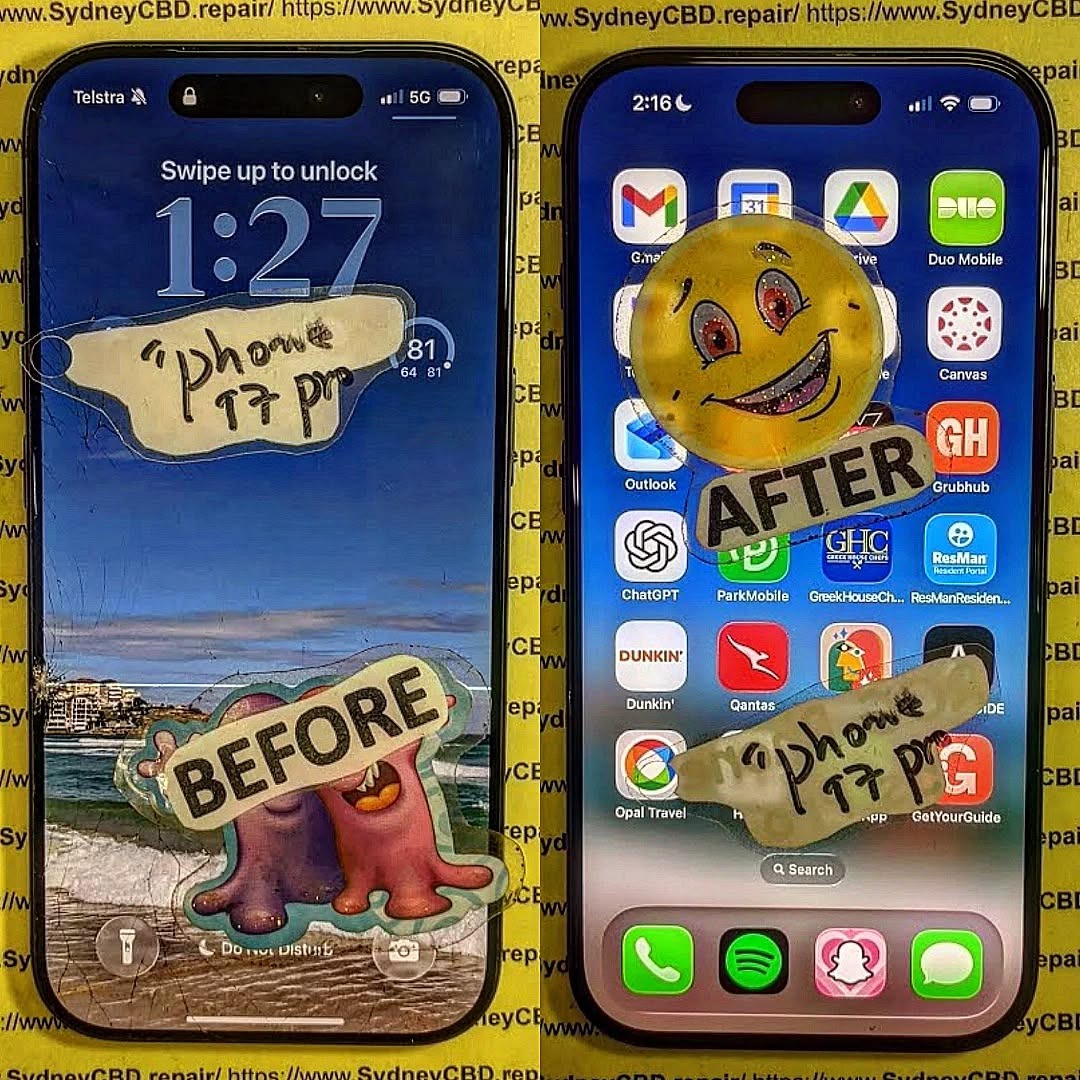
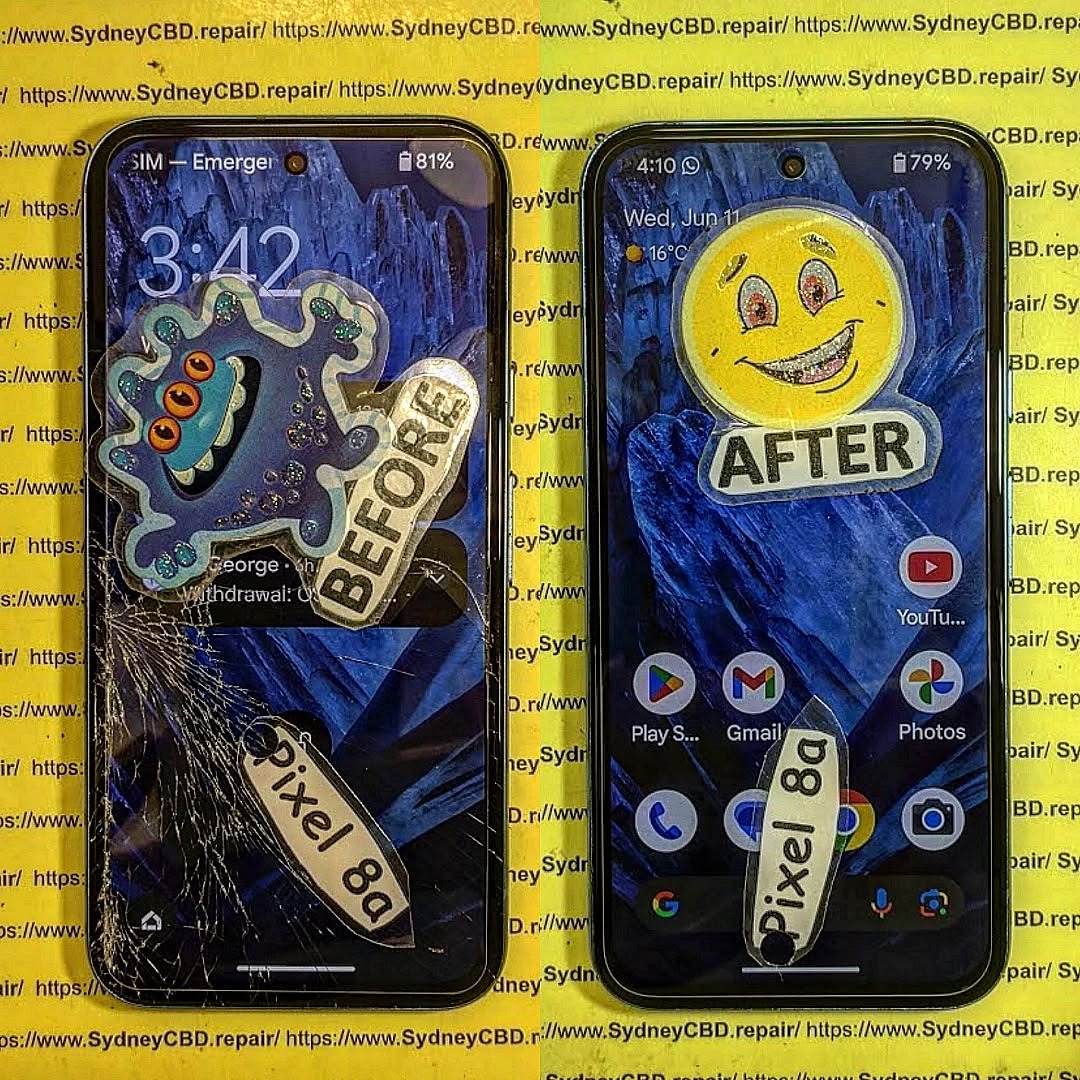
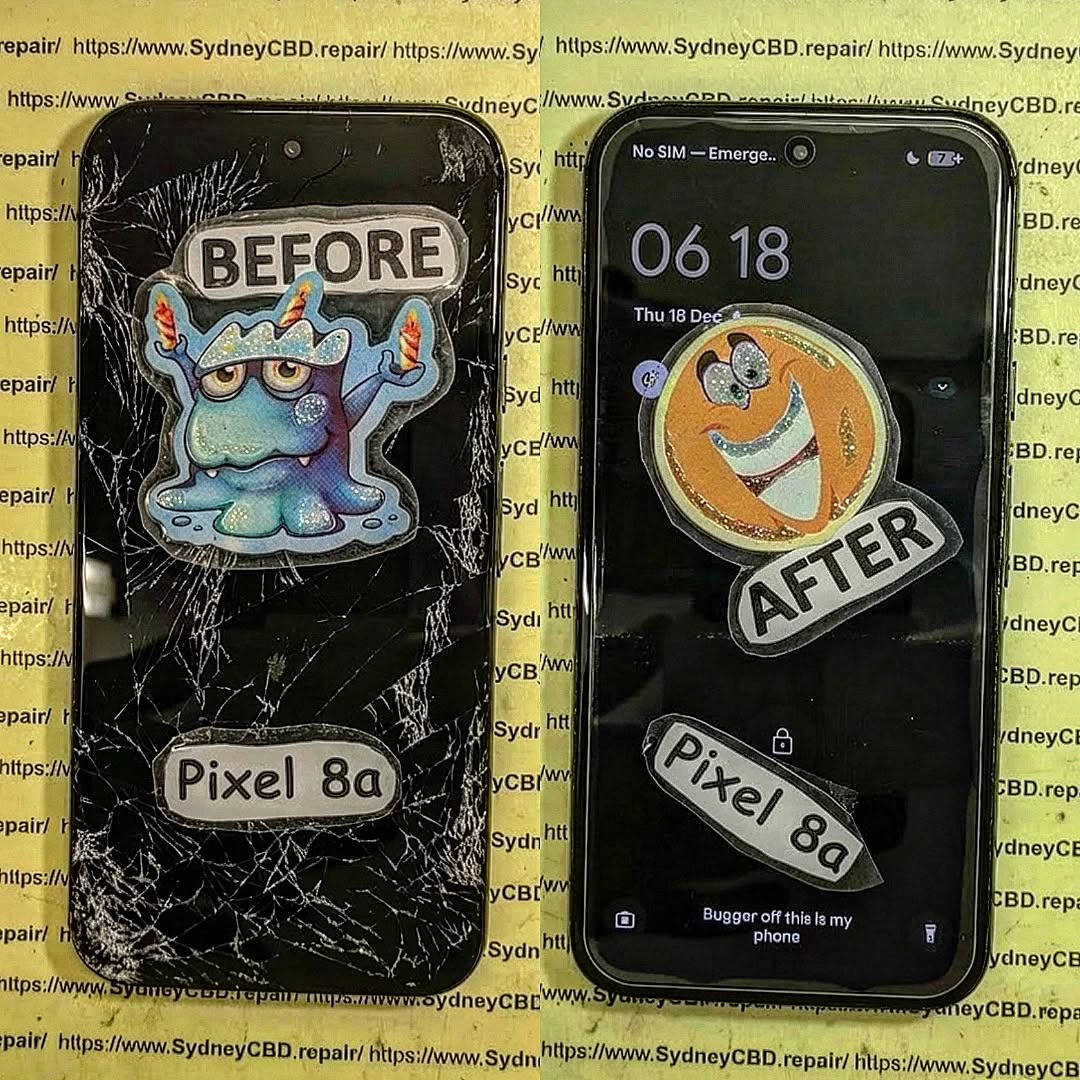
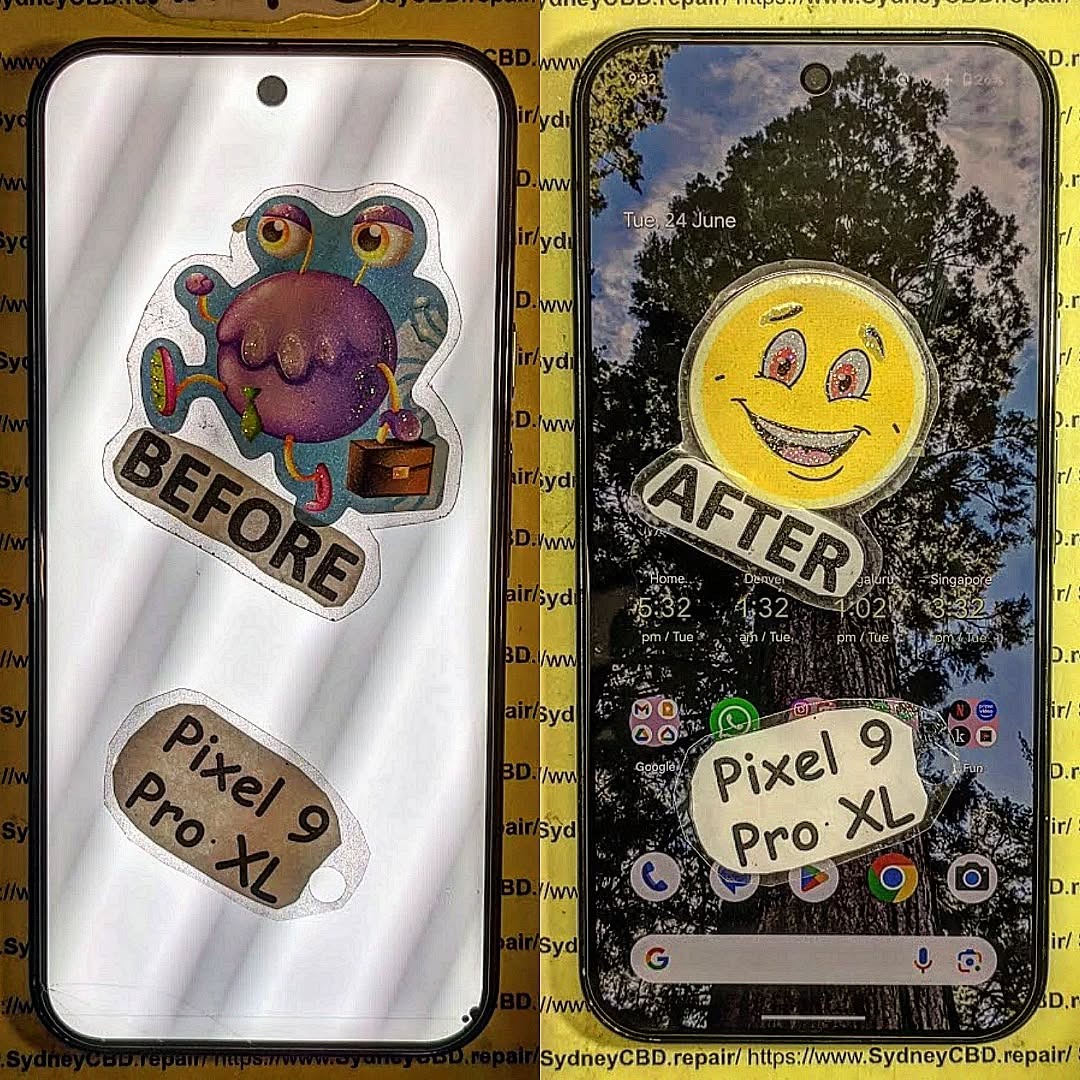
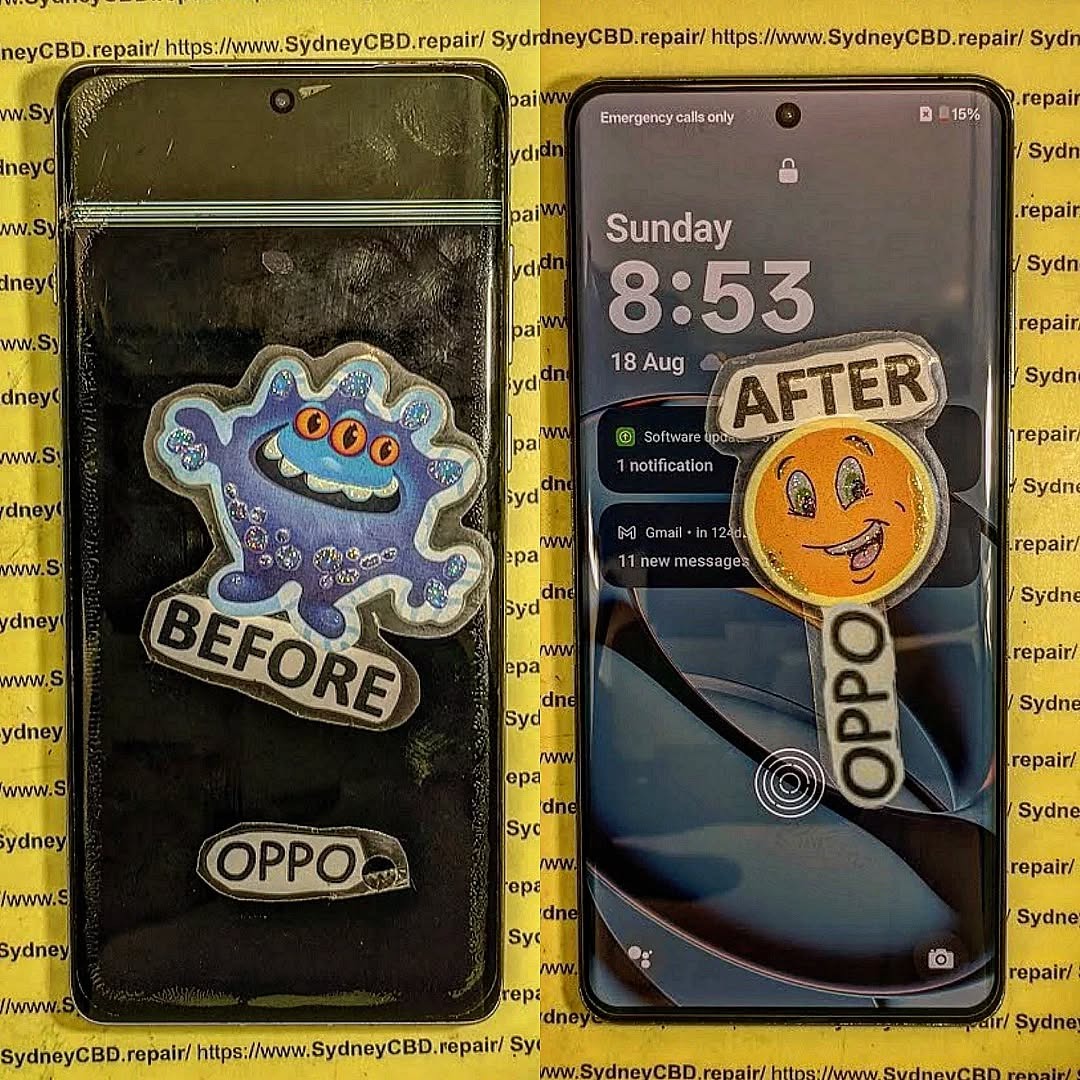
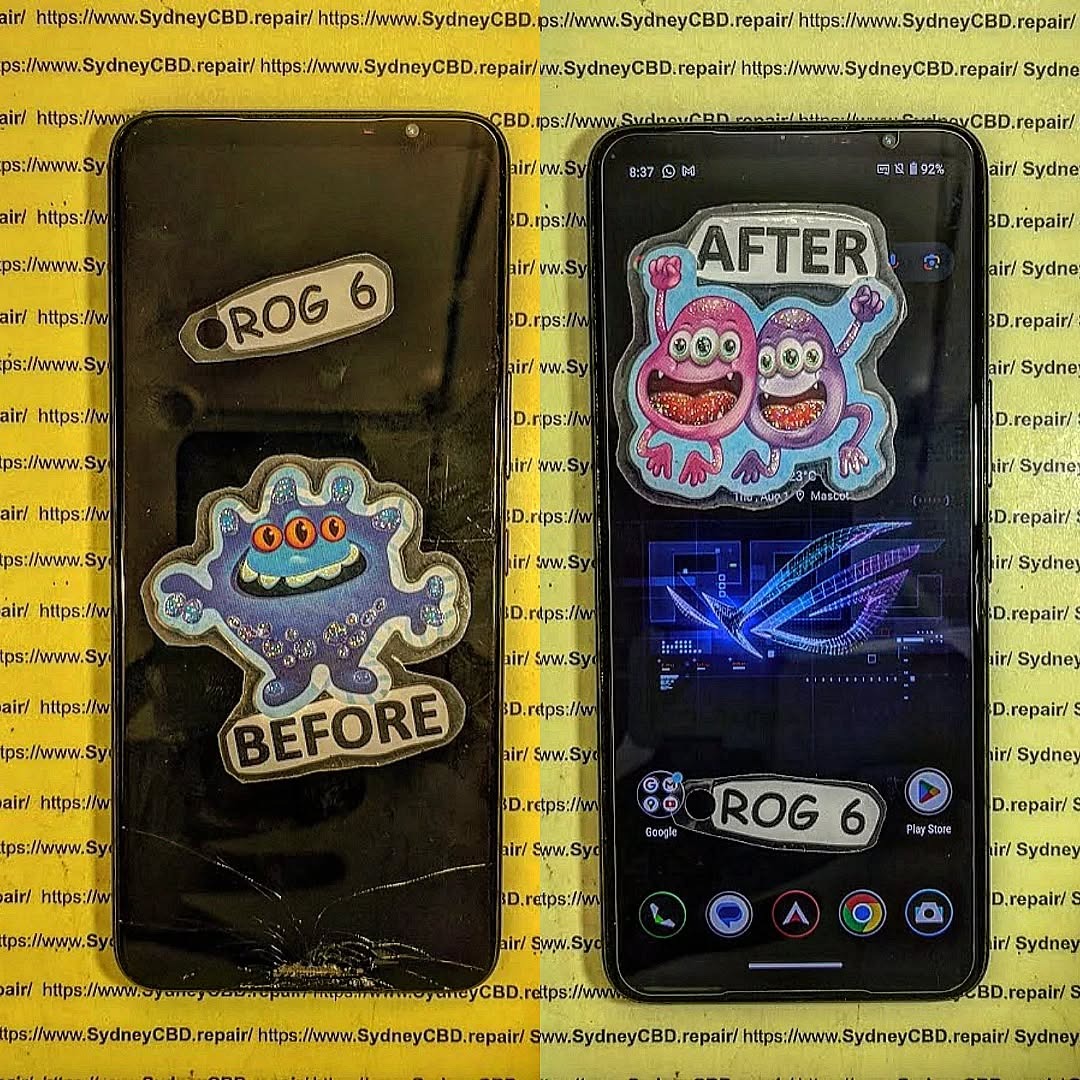
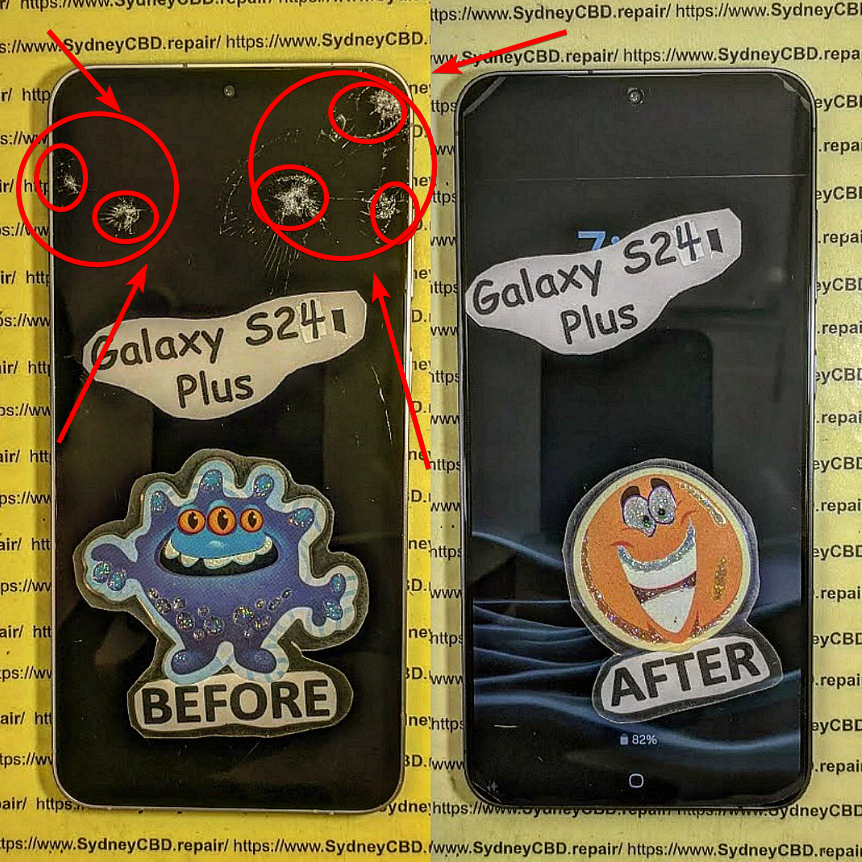
🧩 Reasons Why Phone Frames Matter in Screen Repairs: 10 Crucial Reasons You Shouldn’t Ignore
Introduction: The Hidden Hero Behind Every Screen Repair
When people talk about screen repairs, most think of glass and display panels — but there’s an unsung hero that determines how well the new screen fits and performs: the phone frame.
Without a stable frame, even the highest-quality replacement screen won’t last long. Whether it’s an iPhone, Samsung Galaxy, or Google Pixel, the integrity of your phone frame plays a major role in repair success and long-term durability.
At Sydney CBD Repair Centre, with over 2000 positive Google reviews and a 6-year winning streak as Sydney’s best mobile phone repair shop, we’ve seen how overlooked frames lead to recurring repair problems.
Let’s explore why phone frames matter more than most people realize.
The Frame as the Foundation of Your Phone’s Integrity
Think of your phone frame as the skeleton of your device. It provides structural support to hold the screen, battery, logic board, and internal components in precise alignment.
A minor bend, dent, or warp in the frame can cause uneven pressure on the display — leading to cracks, screen lift, or unresponsive touch zones.
Materials Used in Modern Smartphone Frames
Today’s smartphones use a mix of aluminum alloys, stainless steel, and polycarbonate materials. Each offers a balance between strength, weight, and flexibility.
Apple’s iPhone models, for example, use aerospace-grade aluminum or surgical stainless steel, while Samsung often uses reinforced aluminum mid-frames for improved resilience.
However, these materials can still deform under impact — making proper frame alignment and correction vital before installing a new screen.
During screen replacement, even a 0.5mm bend in the frame can prevent the new display from sitting flush.
A professional technician ensures that the frame is straightened and level, allowing proper adhesive contact and preventing screen lift or light bleed around edges.
Preventing Internal Damage During Repairs
Frame issues don’t just affect the outer structure. Misalignment can stress internal components such as the battery or motherboard. Skilled repair shops like Sydney CBD Repair Centre use frame molds and alignment tools to safeguard your phone’s inner parts while ensuring perfect screen installation.
Common Frame-Related Issues Affecting Screen Repairs
Bent or Warped Frames: A Hidden Obstacle
Drops, pressure, or even pocket stress can bend a phone frame slightly — enough to ruin your next repair if left unchecked.
A bent frame may cause uneven contact between the screen and chassis, leading to lifted edges or touch sensitivity issues.
Cracked or Damaged Corners: Risk to Screen Stability
Corner impacts are common. A cracked corner not only weakens the phone’s structure but also creates a weak point where the screen may crack again soon after repair.
Professionals often reshape or replace damaged frame corners before reattaching a screen.
How Technicians Assess Frame Integrity Before Repairs
Visual Inspection vs. Precision Measuring Tools
Expert technicians start with a visual inspection, but they don’t stop there. Using digital calipers and alignment boards, they verify that every corner and edge sits within factory specifications.
Using Alignment Jigs for Accuracy
Shops like Sydney CBD Repair Centre employ frame jigs and molds to hold devices securely during screen replacement. This guarantees that your new screen bonds correctly — with no lifting or misalignment.
The Impact of Frame Damage on Touch and Display Performance
Misaligned Screens and Ghost Touches
A bent or uneven frame can distort screen contact layers, causing ghost touches or delayed responsiveness.
Inconsistent pressure also increases the risk of screen flex damage over time.
Gaps, Dust, and Water Ingress After Poor Repairs
When a frame isn’t perfectly aligned, gaps around the display allow dust and moisture to seep in.
This not only affects screen clarity but can also compromise internal circuits — reducing the lifespan of your device.
Why Ignoring Frame Damage Can Cost You More Later
The Risk of Screen Replacements Failing Prematurely
Installing a new screen on a damaged frame is like putting a fresh coat of paint on a cracked wall.
You might save money now, but the screen can fail again in weeks — costing you more in the long run.
Compromised Device Safety and Longevity
A warped frame can make your phone less resistant to drops and water exposure. Over time, this accelerates wear and internal stress, shortening your phone’s usable life.
Benefits of Professional Frame Correction During Repairs
Restoring Factory Precision
Professional repair shops use calibration tools to restore the phone frame’s original factory angles. This ensures every component — from the battery to the display — fits perfectly, minimizing repair complications.
Enhancing Overall Device Durability
Once the frame is corrected, your phone becomes structurally sound again, ensuring better screen adhesion, longer part life, and smoother user experience.
DIY Screen Repairs vs. Professional Frame Handling
Why Frame Tools and Techniques Matter
DIY kits rarely include the tools or expertise needed to assess frame damage. Without alignment fixtures, you risk reinstalling a screen on an uneven surface — guaranteeing early failure.
Mistakes DIYers Commonly Make
Ignoring small bends or warps
Over-tightening screws that crack corners
Using poor-quality adhesives
Failing to clean debris before screen fitting
That’s why professional technicians are worth every cent — they see what most DIYers miss.
Sydney CBD Repair Centre’s Expertise in Frame-Integrated Repairs
Genuine Parts and Expert Technicians
At Sydney CBD Repair Centre, our team uses only genuine OEM parts and precision repair tools. Every repair includes a frame inspection to ensure a perfect fit for your new screen.
6-Time Award Winner for Best Phone Repairs
Voted Sydney’s Best Phone Repair Shop for six consecutive years, we’ve earned over 2000 five-star reviews by consistently delivering flawless results.
Step-by-Step: How Sydney CBD Repair Centre Handles Frame Issues
Frame Inspection – We assess every phone under magnification and laser alignment tools.
Precision Adjustment – Bent or cracked areas are corrected using professional jigs.
Final Calibration and Testing – We reassemble your phone, test for screen fit, and ensure full functionality.
This process guarantees that your screen replacement performs like new — with factory-level precision.
How to Know If Your Phone Frame Needs Attention
Visible Signs of Frame Damage
Uneven screen edges
Gaps around display corners
Misaligned buttons or charging ports
Subtle Clues Affecting Performance
Ghost touches
Screen flex when pressed
Display flickering or detachment
If you notice these, it’s time to visit a trusted repair centre before more damage occurs.
FAQs About Phone Frames and Screen Repairs
Q1. Can a slightly bent frame be repaired?
Yes. Skilled technicians use specialized straightening tools to restore alignment without replacing the frame entirely.
Q2. Why is my new screen lifting on one side?
This often indicates frame warping or uneven adhesive bonding. A technician can fix it by realigning the frame.
Q3. Does Apple or Samsung warranty cover frame damage?
No. Physical damage from drops or pressure typically voids manufacturer warranties.
Q4. Can I replace the screen myself if the frame is fine?
You can, but professional repair ensures dust-free bonding, perfect fit, and warranty coverage.
Q5. How do technicians fix cracked phone corners?
They use precision sanding or frame replacement depending on severity, ensuring a secure foundation for your new screen.
Q6. Is it safe to use a phone with a bent frame?
Not really. It can strain internal parts and cause screen detachment or motherboard damage over time.
Conclusion: Strong Frames, Strong Repairs
A screen repair is only as good as the frame beneath it. Ignoring frame issues leads to costly repeat repairs and compromised performance.
When you trust professionals like Sydney CBD Repair Centre, you ensure that your phone not only looks new but performs at its best — safely, reliably, and durably.
About Sydney CBD Repair Centre
David from Sydney CBD Repair Centre
📍 Located in the heart of Sydney
💬 More than 2000 Positive Google Reviews
🏆 6-Time Award Winner for Best Phone Repairs
We provide:
✓ Same-Day Express Repairs
✓ Genuine Parts Guarantee
✓ Professional Technicians
✓ Competitive Pricing
✓ 90-Day Warranty
The Mastering Mobile Diagnostics: How to Identify True Screen Damage + Proven 7-Step Expert Method
Introduction to Mobile Diagnostics
Mobile diagnostics plays a crucial role in determining whether your device truly suffers from screen damage or if the issue lies elsewhere. In today’s world, smartphones are essential tools for communication, productivity, and entertainment. When a screen problem appears, panic often follows. However, not every flicker or touch issue means the display is broken.
Understanding how to identify true screen damage can save money, time, and frustration. Many users mistakenly replace screens when a software glitch or loose connector is the real culprit. That’s why mastering mobile diagnostics is more important than ever.
Professional repair centers rely on structured testing methods rather than guesswork. By applying a proven 7-step expert method, you can distinguish between cosmetic damage and critical display failure.
Correctly identifying true screen damage protects both your wallet and your device. Replacing a smartphone screen unnecessarily can cost hundreds of dollars. Worse still, improper repairs may cause additional hardware problems.
When mobile diagnostics are done correctly:
You avoid unnecessary replacement costs.
You preserve original manufacturer parts.
You maintain warranty coverage where applicable.
You reduce electronic waste.
Many customers assume cracks always require immediate replacement. While visible cracks often indicate physical screen damage, sometimes only the glass layer is affected while the display underneath works perfectly.
Before diagnosing true screen damage, it’s essential to understand how smartphone screens function.
LCD vs OLED vs AMOLED
Most modern devices use either LCD or OLED-based displays.
LCD (Liquid Crystal Display): Uses backlighting to illuminate pixels.
OLED (Organic Light-Emitting Diode): Each pixel emits its own light.
AMOLED: Advanced OLED technology offering better contrast and flexibility.
For example, devices like the Apple iPhone series often use OLED panels in premium models, while many Samsung Galaxy devices feature AMOLED displays.
Different technologies respond differently to screen damage. OLED screens may show burn-in or black spots, while LCD screens may display bleeding or bright patches.
Touch Digitizer vs Display Panel
A smartphone screen consists of:
Outer glass layer
Touch digitizer
Display panel (LCD/OLED)
True screen damage can affect one or more layers. Sometimes the glass cracks, but the digitizer and display function normally. In other cases, the display panel itself fails internally without visible cracks.
Common Symptoms of Screen Damage
Identifying true screen damage begins with observing symptoms.
Physical Cracks
Cracks are the most obvious indicator. However, not all cracks cause functionality loss. If touch response and display clarity remain intact, the damage may be cosmetic.
Display Distortion
Signs include:
Black spots
Vertical or horizontal lines
Color bleeding
Dead pixels
These often indicate internal display damage rather than just surface cracks.
Ghost Touch Issues
Ghost touch refers to random screen inputs without user interaction. While this can signal screen damage, it may also result from software bugs or moisture interference.
7-Step Expert Method to Identify True Screen Damage
Mastering mobile diagnostics requires a systematic approach. Follow this 7-step method used by professionals.
Step 1: Visual Inspection
Examine the device under bright light. Look for:
Hairline cracks
Pixel discoloration
Pressure marks
Frame bending
Frame damage often suggests internal display stress.
Step 2: Touch Sensitivity Test
Open a drawing app and trace lines across the entire screen. Gaps in the lines may indicate digitizer failure, confirming true screen damage.
Step 3: Display Color Test
Use solid color screens (red, green, blue, white, black) to identify:
Dead pixels
Color inconsistencies
Backlight bleeding
Step 4: Brightness & Flicker Check
Adjust brightness from minimum to maximum. Flickering may suggest internal display issues.
Step 5: Safe Mode Diagnosis
Booting in safe mode helps determine whether apps cause the issue. If the problem disappears, it’s likely software-related rather than true screen damage.
Step 6: External Damage Assessment
Inspect the device frame and internal components if accessible. Drops often cause internal connector displacement.
Step 7: Professional Diagnostic Tools
Authorized repair centers use advanced diagnostic software and hardware tools to confirm true screen damage. These tools measure display output and touch responsiveness accurately.
Software Issues vs Hardware Damage
Many screen problems originate from software:
OS bugs
App conflicts
Malware
Firmware corruption
For instance, Android system glitches may mimic hardware screen damage. Devices from Google running Android occasionally require firmware resets rather than hardware repairs.
If factory reset resolves the issue, hardware replacement isn’t necessary.
When to Repair vs When to Replace
Not all screen damage requires full replacement.
Situation
Recommended Action
Minor cracks, full function
Monitor or replace glass only
Dead pixels, black spots
Full display replacement
Touch unresponsive zones
Digitizer or full screen replacement
Software glitches
Reset or update
Economic considerations also matter. Older devices may not justify expensive screen replacements.
Preventing Future Screen Damage
Prevention is always better than cure.
Use tempered glass protectors.
Install shockproof cases.
Avoid placing phones in tight pockets.
Keep devices away from moisture.
Handle with care during charging.
Regular maintenance reduces the likelihood of severe screen damage.
Cost Implications of Misdiagnosis
Misdiagnosing true screen damage leads to:
Unnecessary repair expenses
Loss of original parts
Voided warranties
Extended downtime
Professional mobile diagnostics ensures accurate assessment before repair authorization.
Importance of Professional Technicians
Certified technicians understand complex display assemblies. They follow manufacturer guidelines and use high-quality replacement parts.
Professional repair services offer:
Warranty protection
Proper sealing for water resistance
Genuine or premium-grade components
Data safety protocols
Experience and training make a significant difference in identifying true screen damage accurately.
Frequently Asked Questions
1. How can I tell if my phone screen damage is internal?
Internal screen damage often appears as black spots, colored lines, or unresponsive touch areas without visible cracks.
2. Can screen damage fix itself?
No. Physical screen damage does not self-repair. Software issues, however, may resolve after updates.
3. Is it safe to use a phone with cracked glass?
If touch and display function normally, it may be temporarily safe. However, cracks can worsen over time.
4. Does screen protector prevent all damage?
No, but it significantly reduces minor impact risks.
5. Can water cause screen damage without cracks?
Yes. Moisture can damage internal display components even without visible cracks.
6. Should I replace my screen immediately?
If functionality is affected or glass shards pose risk, immediate replacement is recommended.
Conclusion
Mastering mobile diagnostics empowers users and technicians to identify true screen damage accurately. By following the 7-step expert method, you avoid unnecessary repairs and protect your investment.
Understanding screen technology, distinguishing between software and hardware problems, and consulting professional technicians ensures proper diagnosis. Ultimately, accurate mobile diagnostics saves money, time, and frustration.
When in doubt, always consult a reputable repair center with proven expertise.
David from Sydney CBD Repair Centre – The Best place to fix mobile phones as 7 Years In A Row! Top Mobile Phone Repair In Sydney. More than 2000 Positive Reviews on Google and Same Day Repairs.
We take pride in delivering exceptional repair services for all major phone brands including Apple, Samsung, Google, and more. Our expert technicians use only genuine parts and offer 90days warranty on repairs. Located in the heart of Sydney CBD, we’re your one-stop solution for all mobile device repairs.
Our commitment to excellence has earned us the trust of thousands of satisfied customers. Whether it’s a cracked screen, battery replacement, or water damage repair, we handle it all with professional care and expertise. Walk in today and experience why we’re Sydney’s #1 choice for mobile phone repairs.
Visit us for:
✓ Same Day Express Repairs
✓ Genuine Parts Guarantee
✓ Professional Technicians
✓ Competitive Pricing
✓ 2000+ 5-Star Google Reviews
✓ 7-Time Award Winner for Best Phone Repairs
Is It Waterproof? Pixel 7 Ghost Touch Water Damage Recovery and Test – Ultimate Guide with 9 Expert Insights
Introduction
The Pixel 7 Ghost Touch Water Damage Recovery and Test process has become one of the most searched repair topics among Google Pixel owners. Although the Google Pixel 7 features impressive water resistance, many users mistakenly believe that “water-resistant” means “waterproof.” Unfortunately, that’s not the case.
A single accidental drop into water, exposure to heavy rain, or even moisture trapped inside a pocket can sometimes cause strange touchscreen behavior. One of the most frustrating symptoms is ghost touch, where the screen starts tapping, swiping, or opening apps without anyone touching it.
The good news is that ghost touch caused by water doesn’t always mean your phone is beyond repair. In many situations, professional cleaning, careful diagnostics, and component replacement can restore the device completely.
This guide explains exactly why ghost touch happens after water exposure, how professionals recover affected devices, and what you should do immediately to improve your chances of saving your Pixel 7.
The Google Pixel 7 carries an IP68 rating. This certification means the phone has been tested under controlled laboratory conditions to resist dust and temporary freshwater immersion.
However, several important limitations often go unnoticed.
An IP68 rating does not guarantee protection against:
Salt water
Chlorinated pools
Soap
Coffee
Soft drinks
Steam
High-pressure water
Long-term immersion
Even everyday wear slowly weakens the waterproof seals around the display, buttons, speakers, SIM tray, and USB-C port.
Over time, factors such as:
Heat
Drops
Previous repairs
Frame bending
Aging adhesive
can reduce the phone’s ability to keep moisture out.
That means a Pixel 7 that survived water one year ago might not survive another splash today.
What Is Ghost Touch?
Ghost touch describes a situation where the touchscreen behaves as though invisible fingers are constantly touching it.
Common symptoms include:
Random taps
Apps opening automatically
Keyboard typing by itself
Screen scrolling unexpectedly
Notification panel opening alone
Camera launching randomly
Phone becoming impossible to control
Sometimes the problem appears only occasionally.
Other times it becomes continuous until the phone is completely unusable.
Ghost touch may be caused by:
Cause
Common?
Water damage
Very Common
Display failure
Common
Damaged digitizer
Common
Loose display connector
Moderate
Software bugs
Occasional
Motherboard corrosion
Severe cases
When water is involved, ghost touch often worsens over several hours as moisture spreads deeper inside the phone.
Why Water Causes Ghost Touch Problems
The touchscreen on the Pixel 7 relies on tiny electrical signals to detect your finger.
When water enters the display assembly or reaches sensitive electronic circuits, it interferes with those signals.
Instead of accurately detecting your finger, the digitizer starts interpreting random electrical changes as touches.
The result is ghost touch.
Understanding the causes helps explain why immediate action is so important.
Moisture Inside the Display
Modern OLED displays contain multiple extremely thin layers.
If moisture penetrates these layers, several problems may develop:
False touch inputs
Flickering
Green lines
Black spots
Screen discoloration
Dead touch zones
Even tiny amounts of trapped moisture can trigger unpredictable touchscreen behavior.
Sometimes drying the device helps.
Other times the display itself becomes permanently damaged.
Corrosion on Internal Components
Water alone isn’t always the biggest threat.
The real danger begins after the water enters the phone.
As electricity continues flowing through wet circuits, corrosion slowly forms on:
Connectors
Display flex cables
Motherboard components
Touch controller chips
Power management circuits
Corrosion continues spreading long after the phone appears dry.
This is why a Pixel 7 that initially works after getting wet may suddenly develop ghost touch days later.
Professional repair centres inspect these microscopic areas under magnification to detect hidden corrosion before it causes permanent failure.
Charging Port Moisture Effects
Many users notice the Pixel 7 displaying a moisture warning after water exposure.
This warning protects the phone from electrical shorts while charging.
However, moisture inside the USB-C port can also contribute indirectly to touchscreen instability by affecting charging voltage and electrical grounding.
If the phone repeatedly displays moisture alerts:
Stop charging immediately.
Disconnect all accessories.
Allow the port to dry naturally.
Avoid inserting tissues or sharp objects into the connector.
Ignoring these warnings can increase the risk of short circuits.
Not every water-damaged phone behaves the same way.
Some continue working almost normally.
Others develop multiple problems within minutes.
Common warning signs include:
Ghost touches
Screen flickering
Random restarts
Speaker distortion
Camera fogging
Face Unlock failure
Touchscreen freezing
Rapid battery drain
Charging problems
USB connection errors
You might also notice condensation beneath the camera lens or display glass.
This is often a strong indication that moisture has entered the device.
The earlier these symptoms are addressed, the higher the chance of successful recovery.
Immediate Steps After Water Exposure
Quick action can make a significant difference in preventing permanent damage.
If your Pixel 7 comes into contact with water:
Power the phone off immediately if possible.
Remove any case or accessories.
Dry the exterior with a clean microfiber cloth.
Keep the USB-C port facing downward so excess water can drain.
Place the phone in a cool, dry, well-ventilated area.
Wait until the charging port is completely dry before connecting a charger.
Seek professional inspection if ghost touch or other symptoms appear.
One common myth is that placing a phone in rice will fix water damage.
In reality, rice does little to remove moisture trapped inside the phone and may even introduce dust or starch particles into the charging port. Professional drying and internal cleaning remain the safest and most effective solutions.
What You Should Never Do After Water Damage
When your Pixel 7 starts showing ghost touch after getting wet, it’s natural to want to fix it immediately. However, some common actions can make the damage much worse.
Avoid the following mistakes:
Don’t Charge the Phone Immediately
If moisture is still inside the device, connecting a charger can create electrical shorts. Even if the phone appears dry on the outside, water may still be trapped inside the charging port or on the motherboard.
Wait until the phone has been professionally inspected or the charging port is completely dry before charging.
Don’t Use a Hair Dryer
Hot air may seem like a quick solution, but it can:
Damage the OLED display
Soften waterproof adhesives
Push moisture deeper into the phone
Warp delicate internal components
Instead, let the phone dry naturally in a well-ventilated location.
Don’t Shake the Phone
Shaking the device may spread water to areas that were previously dry.
A few drops of water near the speaker can quickly reach the motherboard if the phone is moved aggressively.
Don’t Press the Screen Repeatedly
Many users continuously tap the display to see if ghost touch has disappeared.
Unfortunately, repeated use while moisture remains inside can worsen electrical damage and increase the chance of permanent display failure.
Don’t Attempt DIY Disassembly
Opening a Pixel 7 without proper tools often causes additional damage.
Risks include:
Cracking the rear glass
Damaging display flex cables
Tearing waterproof seals
Breaking wireless charging components
Damaging battery connectors
Professional technicians use specialized heating equipment, precision tools, and anti-static workstations designed specifically for modern smartphones.
Can the Pixel 7 Recover on Its Own?
This is one of the most common questions people ask after experiencing water damage.
The answer depends on the extent of the damage.
Minor Moisture Exposure
If only a small amount of water entered the phone, symptoms may disappear after the internal moisture evaporates.
Temporary issues include:
Minor ghost touches
Moisture warnings
Slight speaker distortion
Touchscreen lag
These problems sometimes resolve within 24 to 72 hours.
Moderate Water Damage
If moisture reaches display connectors or internal cables, the phone may continue working intermittently before symptoms worsen.
You may notice:
Random touch inputs
Green display tint
Flickering
Charging issues
Camera condensation
Professional cleaning is strongly recommended at this stage.
Severe Water Damage
When corrosion reaches the motherboard or display controller, the phone usually cannot recover without repair.
Symptoms may include:
Constant ghost touch
Boot loops
Black screen
No charging
Complete touchscreen failure
Device not powering on
Delaying repairs increases the likelihood of permanent component failure.
Professional Water Damage Recovery Process
Professional repair centers follow a systematic recovery process designed to maximize the chances of saving your Pixel 7.
Each step is carefully performed to identify hidden damage and prevent further corrosion.
Step 1: Initial Inspection
The technician first performs a complete visual inspection.
This includes checking:
Rear glass condition
Display assembly
SIM tray
Charging port
Speaker openings
Camera lenses
Frame alignment
Signs of liquid entry are documented before disassembly begins.
Step 2: Safe Device Disassembly
Opening the Pixel 7 requires controlled heating to soften factory adhesive.
Technicians carefully remove:
Rear cover
Wireless charging assembly
Protective shields
Battery connector
Display connector
Camera modules where necessary
This provides access to the motherboard and internal components without causing unnecessary damage.
Step 3: Internal Inspection
Once opened, every major component is inspected under magnification.
Technicians look for:
Water residue
Corrosion
Oxidized connectors
Burn marks
Mineral deposits
Broken solder joints
Even tiny corrosion spots can eventually cause major failures if left untreated.
Step 4: Ultrasonic Cleaning
One of the most effective methods of recovering water-damaged electronics is ultrasonic cleaning.
Special cleaning solutions combined with ultrasonic waves remove:
Corrosion
Mineral deposits
Dirt
Conductive residue
Unlike simple alcohol cleaning, ultrasonic cleaning reaches tiny spaces beneath integrated circuits that are otherwise impossible to clean manually.
Step 5: Drying and Moisture Removal
After cleaning, components are carefully dried using professional equipment.
Technicians ensure that:
Moisture is completely removed
Connectors are clean
No cleaning solution remains
Internal humidity has been eliminated
Proper drying prevents corrosion from returning after reassembly.
Step 6: Component Testing
Each major component is individually tested.
This typically includes:
Component
Inspection Purpose
OLED Display
Touch response and image quality
Digitizer
Ghost touch detection
Battery
Charging performance
USB-C Port
Power delivery
Cameras
Focus and image testing
Speakers
Audio quality
Microphones
Voice recording
Wireless Charging
Charging efficiency
Motherboard
Power stability
Testing every component helps ensure hidden issues are discovered before the phone is returned to the customer.
Testing the Display After Recovery
After the cleaning and repair process, the display undergoes extensive testing.
Technicians verify that:
Touch input is accurate
Multi-touch functions correctly
Brightness adjusts normally
Colors remain consistent
Fingerprint sensor operates correctly
Refresh rate is stable
No ghost touches remain
Special diagnostic software allows technicians to visualize every touch input across the display.
This makes it easy to identify even small areas with abnormal touch behavior.
If ghost touch persists after cleaning, the display assembly itself may require replacement.
When Is a Screen Replacement Necessary?
Sometimes water permanently damages the digitizer integrated into the OLED display.
In these situations, replacing the display is the only reliable solution.
Common indicators include:
Persistent ghost touch after cleaning
Large dead touch areas
Display flickering
Vertical green lines
Black spots spreading across the screen
Complete touchscreen failure
Using high-quality replacement parts helps restore the phone’s original responsiveness, brightness, and durability.
Preventing Future Water Damage
Although the Pixel 7 offers excellent water resistance, prevention remains the best protection.
Here are several practical tips:
Keep the phone away from salt water whenever possible.
Avoid exposing it to hot showers or steam.
Replace damaged screens or rear glass promptly.
Use a high-quality protective case.
Never intentionally submerge the phone.
Keep the USB-C port clean and dry.
Back up important data regularly.
Have the waterproof seals inspected after major repairs.
Remember that water resistance naturally decreases as a phone ages, especially after accidental drops or previous repairs.
Taking a few preventative measures today can save you from costly repairs tomorrow.
For additional information about your Pixel 7’s water resistance and care recommendations, visit Google’s official Pixel support documentation: https://support.google.com/pixel
Frequently Asked Questions (FAQs)
1. Is the Google Pixel 7 completely waterproof?
No. The Google Pixel 7 is water-resistant, not waterproof. It carries an IP68 rating, meaning it can resist dust and temporary immersion in fresh water under controlled laboratory conditions. However, this protection doesn’t cover damage from salt water, chlorinated pools, hot water, soaps, or high-pressure water. As the phone ages or experiences drops and repairs, its water resistance may also decrease.
2. Why does my Pixel 7 have ghost touch after getting wet?
Ghost touch occurs when moisture interferes with the touchscreen digitizer or internal electrical circuits. Water can create false electrical signals that the phone interprets as finger touches. If left untreated, corrosion may develop, leading to permanent touchscreen or motherboard damage.
3. Will putting my Pixel 7 in rice fix water damage?
No. Although it’s a popular myth, placing a phone in rice does not effectively remove moisture trapped inside the device. It may also introduce dust or starch particles into the charging port. Professional internal cleaning and drying provide a much better chance of successful recovery.
4. Can ghost touch disappear on its own?
Sometimes. If only a small amount of moisture entered the phone, ghost touch may disappear after the device dries completely. However, if corrosion has already started or the display has been damaged, the issue usually requires professional repair or display replacement.
5. How long should I wait before charging a wet Pixel 7?
Only charge the phone after you’re confident the USB-C port is completely dry and any moisture warnings have disappeared. If ghost touch or other symptoms remain, it’s best to have the phone inspected by a professional technician before charging to avoid causing additional electrical damage.
6. Can a water-damaged Pixel 7 be repaired?
Yes, in many cases. The success of the repair depends on how quickly the device is treated and how much internal damage has occurred. Professional water damage recovery often includes disassembly, corrosion removal, ultrasonic cleaning, diagnostics, and replacement of damaged components where necessary.
7. Does replacing the screen fix ghost touch?
If the ghost touch is caused by a damaged digitizer or OLED display, replacing the screen often resolves the problem. However, if the issue originates from motherboard corrosion or damaged internal connectors, additional repairs may also be required.
8. How can I reduce the risk of future water damage?
You can reduce the risk by:
Keeping your phone away from excessive moisture.
Avoiding intentional submersion.
Using a quality protective case.
Repairing cracked screens or back glass promptly.
Keeping charging ports clean and dry.
Having waterproof seals professionally replaced after major repairs when applicable.
Conclusion
The Pixel 7 Ghost Touch Water Damage Recovery and Test process demonstrates that while the Google Pixel 7 is engineered with excellent water resistance, it is not immune to liquid damage. Even a small amount of moisture can interfere with the touchscreen, resulting in frustrating ghost touch symptoms, charging issues, or display instability.
The most important factor in a successful recovery is acting quickly. Turning the phone off, avoiding common mistakes like charging or heating the device, and seeking professional assistance can significantly improve the chances of saving both the display and internal components.
Professional technicians use specialized diagnostic tools, ultrasonic cleaning equipment, and component-level testing to identify hidden corrosion that cannot be seen from the outside. In many cases, early intervention allows a water-damaged Pixel 7 to be restored to full working condition without extensive replacement of expensive components.
Preventative care is equally important. Protecting your phone from unnecessary exposure to water, repairing physical damage promptly, and understanding the limitations of IP68 water resistance can help extend the life of your device and reduce the risk of future failures.
Whether your Pixel 7 has experienced a minor splash or significant liquid exposure, taking the right steps immediately can make the difference between a simple repair and a complete device replacement.
David from Sydney CBD Repair Centre – The Best place to fix mobile phones as 7 Years In A Row! Top Mobile Phone Repair In Sydney. More than 2000 Positive Reviews on Google and Same Day Repairs.
We take pride in delivering exceptional repair services for all major phone brands including Apple, Samsung, Google, and more. Our expert technicians use only genuine parts and offer a 90 days warranty on repairs. Located in the heart of Sydney CBD, we’re your one-stop solution for all mobile device repairs.
Our commitment to excellence has earned us the trust of thousands of satisfied customers. Whether it’s a cracked screen, battery replacement, or water damage repair, we handle it all with professional care and expertise. Walk in today and experience why we’re Sydney’s #1 choice for mobile phone repairs.
Visit us for:
✓ Same Day Express Repairs
✓ Genuine Parts Guarantee
✓ Professional Technicians
✓ Competitive Pricing
✓ 2000+ 5-Star Google Reviews
✓ 7-Time Award Winner for Best Phone Repairs
Sydney CBD Repair Centre – Where Quality Meets Reliability.
📱 Know the hidden dangers of cheap screen replacement.: 7 Shocking Facts Every Smartphone Owner Must Know
🛠️ Introduction: Why Cutting Costs Can Cut More Than Corners
Smartphone repairs can be expensive, especially screen replacements. So, it’s tempting to go with the cheapest quote available. But what many don’t realize is that cheap screen repairs often come with hidden dangers—ones that can lead to permanent damage, data loss, or even serious safety risks.
In this article, we’ll explore 7 shocking truths behind cheap screen repairs and why choosing a trusted repair center, like Sydney CBD Repair Centre, could save you time, money, and your phone.
You might think you’re saving money by choosing a low-cost repair. But many customers end up paying twice—once for the cheap repair, and again when it fails or causes further damage.
Low-grade adhesive can cause the screen to lift within days.
Non-calibrated screens may have inaccurate touch responses.
Often, cheap parts void manufacturer warranties, leaving you without support when the real issues begin.
Real-world example: Customers who got $80 screen repairs often returned to Sydney CBD Repair Centre to fix what the budget shops botched—at full price.
Counterfeit parts are low-quality copies of OEM (Original Equipment Manufacturer) components. They look similar but lack the durability and compatibility of genuine parts.
How Non-Genuine Parts Affect Device Performance
Dull or off-color displays
Inconsistent brightness
Lower responsiveness
Shorter lifespan of the screen
Even worse, fake screens can interfere with your phone’s internal sensors, causing issues like auto-brightness failure or battery drain.
📲 3. Risk of Touchscreen Malfunctions
Dead Zones and Ghost Touches Explained
Cheap repairs often fail to properly align or calibrate the touchscreen, leading to:
Dead zones (areas that don’t respond)
Ghost touches (screen reacting without input)
This is more than just annoying—it’s disruptive. Imagine typing a message and your screen randomly presses keys or opens apps.
🔐 4. Compromised Device Security
Data Theft from Unauthorized Technicians
When you leave your phone with a budget repair shop, do you know who’s working on it? Or what access they have?
Risks include:
Data theft
Installation of spyware
SIM card cloning
Unlike Sydney CBD Repair Centre, many shops don’t background-check their technicians or protect your data.
🚫 5. No Warranty, No Peace of Mind
What Happens When Things Go Wrong?
Cheap repair shops rarely offer warranties—or they offer ones they don’t honor. When your phone stops working a week later, you’re out of luck and money.
With Sydney CBD Repair Centre:
90-day warranty included
Free diagnosis if issues arise
Peace of mind with every repair
⚠️ 6. Damage to Internal Components
Botched Repairs That Cause More Harm Than Good
Inexperienced technicians may damage:
Motherboards
Connectors
Cameras
Speakers
We’ve seen phones come in with missing screws, ripped flex cables, or loose battery connections after a cheap screen repair.
🔥 7. Fire Hazards and Battery Issues
Overheating from Incorrect Assembly
Improper installation can cause the battery to shift, swell, or short-circuit. That’s not just a tech problem—it’s a safety hazard.
Signs of battery-related issues from poor repair:
Phone gets unusually hot
Screen lifts after a few days
Swelling or battery draining fast
Fact: Low-quality replacement screens can lack proper shielding, allowing heat to build up.
🛠️ How to Identify a Trustworthy Repair Shop
Credentials, Reviews, and Questions to Ask
Not all repair shops are created equal. Look for:
Google reviews (2000+ is a good sign!)
Years of experience
Genuine part guarantee
Clear warranty terms
Questions to ask:
Do you use OEM parts?
Do you offer a warranty?
Are your technicians certified?
⭐ Sydney CBD Repair Centre: Trusted Experts You Can Count On
David from Sydney CBD Repair Centre and his expert team have built a reputation for excellence—6 years in a row!
Why choose Sydney CBD Repair Centre?
✅ Genuine Parts Guarantee
✅ 90-Day Warranty
✅ Same Day Repairs
✅ Professional, Background-Checked Technicians
✅ 2000+ 5-Star Google Reviews
✅ Located in the Heart of Sydney CBD
1. Is it safe to get a screen repair from a market stall or kiosk?
Not always. Many use low-grade parts and untrained staff, which can cause damage or security issues.
2. Can a cheap screen damage my phone’s internals?
Yes. Incorrect fitting and non-OEM parts can harm sensors, connectors, and other internal components.
3. Why do cheap repairs void my phone’s warranty?
Most manufacturers require genuine parts and authorized technicians. Cheap repairs often violate those terms.
4. How can I know if a part is genuine?
Ask the technician. Reputable shops will show you the part and its packaging or certification.
5. What’s the average lifespan of a cheap screen repair?
Some last weeks; some fail within days. Genuine parts, on the other hand, match factory quality.
6. Will my phone be water-resistant after a cheap repair?
Unlikely. Many budget repairs skip proper resealing, which voids water resistance.
✅ Conclusion: Cheap Can Be Costly
What seems like a good deal upfront could cost you your device—or your data. When it comes to screen repairs, cutting corners often leads to cutting ties with your phone altogether.
Choose safety, quality, and reliability. Choose Sydney CBD Repair Centre.
Imagine this: you just got your smartphone screen replaced, expecting everything to be smooth and flawless. But soon after, your phone starts behaving oddly—apps open on their own, text types itself, and swipes register without you touching the screen. This frustrating phenomenon is called ghost touch, and it can turn a simple repair into a nerve-wracking experience.
Ghost touch is more than just a minor annoyance. It can interfere with daily tasks, make your device almost unusable, and even lead to accidental data loss. While it’s commonly seen after screen replacements, understanding the causes, symptoms, and solutions can save you both time and money.
In this guide, we’ll explore why ghost touch happens after replacing a phone screen, how to diagnose it, and 7 proven solutions to fix it. We’ll also cover preventive tips for future repairs and answer frequently asked questions to ensure you can enjoy a smooth, reliable touchscreen experience.
By the end of this article, you’ll not only understand why your replaced screen bugs out but also how to tackle it effectively, keeping your device functioning perfectly for years to come.
If you recently replaced your smartphone screen and noticed random taps or erratic behaviour, you’re dealing with what’s called ghost touch. This frustrating issue can make your phone feel possessed—apps open on their own, typing becomes chaotic, and screen navigation turns into a guessing game. Understanding why this happens after a screen replacement is crucial to solving it.
Ghost touch refers to a situation where a phone’s screen reacts as if it’s being touched, even when it isn’t. It’s a common problem in touchscreen devices, particularly after repairs.
Symptoms of Ghost Touch
Random screen taps or swipes
Apps opening without input
Continuous scrolling or typing errors
Intermittent lag or freezes
These symptoms can appear gradually or suddenly, often triggered by environmental factors like heat, moisture, or faulty components.
Q1: Can a cheap screen replacement cause ghost touch?
A: Yes, low-quality screens often have defective digitizers that can trigger ghost touches. Always opt for OEM or certified parts.
Q2: How can I tell if ghost touch is hardware or software-related?
A: Use safe mode to disable third-party apps. If ghost touch persists, it’s likely hardware-related.
Q3: Will removing a screen protector fix ghost touch?
A: Sometimes, yes. Certain protectors interfere with touch sensors, especially tempered glass or thick cases.
Q4: Is ghost touch covered under warranty?
A: OEM replacements usually have warranties. Third-party repairs depend on the provider’s policy.
Q5: Can moisture inside the phone cause ghost touch?
A: Absolutely. Water can affect digitizers and internal circuits, causing erratic screen behavior.
Q6: How do I prevent ghost touch after future repairs?
A: Use certified parts, ensure professional installation, and avoid cheap, poorly aligned replacements.
Conclusion
Ghost touch after screen replacement is common but solvable. By understanding causes, performing careful diagnostics, and applying proven fixes, you can restore your phone’s performance. Remember, prevention is just as important as cure: always use quality parts and professional services. Don’t let ghost touch haunt your device—take proactive steps today.
David from Sydney CBD Repair Centre – The Best place to fix mobile phones as 6 Years In A Row! Top Mobile Phone Repair In Sydney. More than 2000 Positive Reviews on Google and Same Day Repairs.
Visit us for:
✓ Same Day Express Repairs
✓ Genuine Parts Guarantee
✓ Professional Technicians
✓ Competitive Pricing
✓ 2000+ 5-Star Google Reviews
✓ 6-Time Award Winner for Best Phone Repairs
Sydney’s Toughest Phone Repair Challenges Revealed – Top 8 Cases Only Experts Can Fix
🛠️ Introduction: Why Some Repairs Are Not for Amateurs
In today’s fast-paced world, smartphones are practically extensions of ourselves. But when something goes wrong — and it will — fixing these devices isn’t always a simple screen swap or battery change. Some issues are so complex that only the most skilled and experienced technicians can handle them.
At Sydney CBD Repair Centre, we’ve faced some of the most difficult phone repair challenges in the city — and conquered them with precision, patience, and genuine parts. In this article, we’re revealing the top 8 toughest phone repairs we regularly handle, many of which other shops simply turn away.
Water damage is often invisible to the naked eye, but can silently corrode your phone’s internal components, leading to failure weeks after the initial incident.
Real Recovery Techniques
At Sydney CBD Repair Centre, we disassemble the device, use isopropyl ultrasonic cleaning, and microsolder if necessary to restore the phone’s logic board. We never suggest using rice — that’s a myth that delays proper treatment.
✅ Pro Tip: The faster you bring a wet phone in, the higher the chance of saving it — especially if the data is critical.
Dropped your phone and it bent? Trying to straighten it at home can result in:
Cracked LCD and OLED displays
Misalignment that breaks the screen
Weakened waterproof seals
Even applying mild pressure incorrectly can destroy your device.
How Professionals Do It
We use precision frame straightening jigs and calibrated tools to restore the original contour of your phone without damaging the internal components or screen. It’s one of the most delicate jobs, and doing it right ensures your phone’s housing retains structural integrity.
👁️ 3. Face ID and Fingerprint Sensor Failures
iPhone Face ID Recalibration
Face ID issues are notorious for being non-repairable according to most shops, but with the right tools, it can be fixed. Apple uses a complex system of dot projectors and infrared sensors — which can be damaged during screen replacements if not handled properly.
At Sydney CBD Repair Centre, we’ve invested in Face ID calibration machines that allow us to restore biometric functionality without replacing the logic board.
Samsung and Google Biometric Issues
For Samsung Galaxy and Pixel devices, fingerprint sensors under the screen can malfunction due to:
Using cheap replacement screens
Adhesive blocking sensor access
Improper calibration during installation
We use OEM-grade screens and manufacturer-level diagnostic tools to properly restore biometric access.
🔬 4. Micro-Soldering: Fixing the “Unfixable”
Logic Board Repairs Explained
Micro-soldering is one of the most advanced services in the mobile repair world. It involves removing and replacing micro-components like capacitors, IC chips, and FPC connectors — parts smaller than a grain of rice.
These issues usually stem from:
Power surge damage
Water ingress
Manufacturing defects
Improper third-party repair
How It Saves Data and Devices
In most cases, a faulty logic board means data loss. Micro-soldering allows us to salvage motherboards, extract data, and even restore full phone functionality when replacements aren’t available or cost-effective.
This is the kind of repair that separates real repair professionals from basic part swappers.
👻 5. Ghost Touch Problems: When Your Phone Goes Rogue
Causes and Common Misdiagnoses
Ghost touch occurs when your phone starts pressing things on its own or reacting without being touched. It’s often misdiagnosed as just a screen issue, but can be caused by:
Poor quality aftermarket screens
Loose internal grounding connections
Damaged digitizer controller on the board
Expert Diagnostic Tools
We test touch inputs using OEM diagnostic software and isolate faults to either the screen, logic board, or both. If it’s the board, we offer component-level repair that restores proper functionality.
💾 6. Data Recovery from Dead Phones
NAND-Level Access Techniques
Some phones simply won’t power on after a major failure — due to logic board issues or failed power circuits. But often, the data is still recoverable.
Our team uses advanced chip-off data recovery and direct NAND access to retrieve:
Photos and videos
Contacts and messages
App data
iCloud or Google account info (if not encrypted)
This is critical for business users, parents, students — anyone with irreplaceable digital memories or records.
Real-World Recovery Success Story
We recently recovered over 20,000 wedding photos from a dead iPhone that no other repair shop could fix. The client had tried three other stores before us.
🔋 7. Battery Swelling & Exploding Risk
What Causes Swelling
Lithium-ion batteries swell due to:
Overcharging
Battery age (2+ years)
Poor quality third-party replacements
Exposure to heat or water
Swollen batteries are dangerous. They can explode or leak and must be handled with care.
Safe Removal Techniques
We use anti-static gloves, metal shields, and non-conductive tools to remove swollen batteries. We then install OEM-certified replacements, ensuring proper battery health and long-term safety.
Too many shops skip the bezel frame when replacing screens to cut costs. The result?
The screen lifts within weeks
Poor touchscreen performance
Device loses its waterproofing
Visual misalignment
How We Fix Bad Repairs
We remove the substandard screen, clean residual glue, and reinstall a genuine screen assembly with bezel — just like the manufacturer intended. Our repairs pass both fitment and functionality tests before leaving the bench.
❓ FAQs
1. Can a phone with no power still be repaired?
Yes, even dead phones can be repaired or used for data recovery through micro-soldering or NAND-level access.
2. Is water damage repair always successful?
It depends on how quickly the phone is brought in and the extent of corrosion. The faster you act, the better your chances.
3. Can Face ID or fingerprint sensors be repaired?
Yes! With specialised calibration tools, we can restore biometric security features on most major devices.
4. What causes ghost touch and can it be fixed?
Ghost touch is usually from poor-quality screens or logic board issues. We perform diagnostics to determine the root cause and offer permanent solutions.
5. Do you use original parts?
We use genuine OEM parts or high-quality manufacturer-certified alternatives, depending on availability and your budget.
6. Do you offer a warranty?
Yes, every repair comes with a 90-day warranty, covering parts and workmanship.
🏁 Conclusion: Why Expertise Matters
At Sydney CBD Repair Centre, we don’t just replace parts — we solve problems. Whether it’s advanced micro-soldering, Face ID recalibration, or rescuing water-damaged phones, our expert team is ready for Sydney’s toughest repair jobs.
We’ve built a reputation as the repair shop other shops refer their toughest cases to — and with over 2,000 five-star Google reviews, the results speak for themselves.
Don’t risk your phone or data with an inexperienced technician. Bring it to the pros.
Troubleshooting Common Screen Problems After Replacement: 10 Expert Fixes You Need to Know
📝 Introduction
Getting your phone screen replaced should mean smooth sailing from there—but sometimes, it doesn’t go as planned. From ghost touches to flickering displays, screen problems after a repair are more common than you’d think.
But don’t panic.
In this article, we’ll walk you through 10 common post-replacement screen issues, why they happen, and what to do about them. Whether it’s a DIY fix or a case for professional repair, we’ve got you covered.
One of the most common causes of screen issues post-repair is improper installation. If the screen wasn’t fitted correctly or if connectors weren’t aligned properly, problems will pop up quickly.
– Low-Quality or Incompatible Parts
Cheap or knockoff screens can cause:
Poor touch sensitivity
Off-color displays
Shortened lifespan
That’s why genuine parts matter—especially for high-end devices like iPhones or Samsung Galaxy models.
1. Screen Not Turning On
Your phone seems on (vibrates, rings) but the screen is black.
Possible Fixes:
Check for loose connections (especially if DIY repair was done).
Force restart your device.
Return to the shop to check display connector placement.
2. Unresponsive Touchscreen
If touches don’t register or feel delayed:
Causes:
Damaged digitizer
Poor calibration
Software glitch
Fix: Restart first. If issue persists, the screen or digitizer may be faulty and needs inspection.
3. Display Flickering or Glitching
The screen flashes, dims, or behaves erratically.
Common in: iPhones, Android OLED displays
Fixes:
Update software (iOS/Android)
Boot into safe mode to rule out third-party apps
If hardware-related, the screen may be defective or poorly grounded
4. Ghost Touch Issues
Ghost touch means the phone reacts to touches you didn’t make.
Fixes:
Remove screen protector if misaligned
Check for moisture under the glass
Get screen reinstalled or replaced at a trusted repair centre
5. Screen Brightness Too Low or Uneven
If your display is dim or brightness fluctuates oddly:
Causes:
Faulty LCD backlight
Cheap third-party screen
Damaged light sensor during repair
Solution: Replacement with a high-quality genuine part is often required.
6. Screen Color Distortion or Dead Pixels
You may notice:
Washed-out colors
Blue or yellow tint
Black or white dots that don’t move
Fix: This is a hardware issue. The display panel is likely defective and must be replaced again.
7. Delayed Screen Response or Lag
If there’s a noticeable delay between your input and screen response:
Causes:
Poor screen calibration
Slow software
Incompatible screen model
Fixes:
Update firmware
Perform factory reset
Replace with a compatible, high-grade part
8. Face ID or Fingerprint Sensor Not Working
This often happens with iPhones or Samsung Galaxy phones.
Reasons:
The biometric sensor wasn’t reinstalled properly
Cable or sensor damaged during repair
Solution: Only skilled technicians should handle biometric components. Return to your repair shop.
9. Screen Detachment or Lifting at Edges
If your screen lifts from the frame or has uneven gaps:
Why it happens:
Weak adhesive
Poor fitment
Frame not properly cleaned
Fix: A professional reinstallation using OEM adhesive can resolve this.
10. Cracks Reappearing After Installation
A new screen shouldn’t crack days later—unless:
It was a refurbished part
Installed under stress or bent frame
Poor adhesive led to pressure spots
Solution: Demand a proper warranty-backed replacement.
If any of these problems show up, especially within the warranty period, don’t wait:
Collect your receipt and warranty card
Take photos/videos of the issue
Visit the shop for a check-up or free re-repair
Why Choose a Trusted Repair Centre Like Sydney CBD Repair Centre
– Same Day Repairs with Genuine Parts
We repair phones the right way—the first time. That includes:
OEM screens and digitizers
Precision tools
Manufacturer-aligned processes
– 90-Day Warranty for Peace of Mind
Every repair at Sydney CBD Repair Centre is backed by a 90-day warranty, so you’re covered in case something goes wrong.
❓ FAQs
How do I know if my screen was installed incorrectly?
Look for lifting edges, unresponsive touch, display flickers, or screen lag. These are red flags of poor installation.
Is it normal for a screen to glitch after a repair?
No, especially not with genuine parts. Glitches suggest a poor connection or low-quality display.
Can I fix ghost touch myself?
Only if it’s caused by a misaligned screen protector or debris. Otherwise, seek professional help.
What should I do if Face ID doesn’t work after screen replacement?
Visit the repair centre immediately. The Face ID module may need calibration or reconnection.
How long should a screen replacement last?
With quality parts, it should last as long as the original screen—often several years if the device isn’t dropped again.
Is flickering caused by the screen or software?
Could be either. Start by updating your software. If flickering persists, the screen may be defective.
✅ Conclusion
Screen issues after a replacement can be frustrating—but they’re not always the end of the world. The key is to act quickly, identify the cause, and get expert help when needed.
At Sydney CBD Repair Centre, we take screen replacements seriously. With same-day service, genuine parts, and a 90-day warranty, we ensure your phone gets the care it deserves—no flickers, glitches, or ghost touches.
Why Your Phone’s Screen Might Be Flawed: Common Issues + Expert Insights
🟦 Introduction: The Importance of Screen Quality
The screen is your smartphone’s main interface—if it’s flawed, your entire experience suffers. From swiping to scrolling, gaming to video streaming, a damaged or malfunctioning screen can turn your phone into a frustrating device.
Many users assume screen issues mean accidental drops or visible cracks, but there’s more than meets the eye. Let’s explore the most common screen problems and how to identify and fix them.
Ghost touch occurs when your phone starts acting on its own—tapping apps, typing random letters, or swiping without input.
Causes:
Faulty screen or digitizer
Incompatible screen protector
Moisture or static build-up
Fix:
Remove screen protector
Restart in Safe Mode
Seek expert repair if issue persists
🟦 Dead Pixels and Discoloration
A “dead pixel” appears as a black dot that never lights up. Stuck pixels show constant colors (red, green, blue), while discoloration may indicate LCD or OLED damage.
Causes:
Manufacturing defect
Pressure or impact damage
Overheating
Fix:
Use pixel-fixer apps (e.g., JScreenFix)
Screen replacement if pixel issues spread
🟦 Unresponsive Touchscreen
If your screen doesn’t react to touches, it’s either a software glitch, a damaged digitizer, or a hardware failure.
Try:
Reboot the device
Update the OS
Remove case or screen protector
If nothing works, visit Sydney CBD Repair Centre for diagnostics.
🟦 Flickering or Flashing Displays
Causes:
Loose LCD connector
Software bugs after updates
Battery problems
Solutions:
Turn off adaptive brightness
Update or roll back recent apps
Professional repair for hardware issues
🟦 Screen Burn-in or Image Retention
This is common in OLED displays where static images cause permanent shadows on the screen.
Prevention:
Use dark mode
Enable screen savers
Lower screen brightness
Fix:
Use apps like OLED Saver
Replace display if burn-in is severe
🟦 Low Brightness or Dimming Issues
If your screen seems too dim even at max brightness:
Causes:
Ambient light sensor issues
Power-saving modes
Screen degradation
Fix:
Adjust settings manually
Disable battery saver
Visit a technician if brightness stays low
🟦 Screen Freezing or Lag
Lag can feel like a screen issue but often points to CPU or RAM overuse.
Solutions:
Close background apps
Clear system cache
Factory reset if lag persists
🟦 Water Damage Effects on Display
If your phone got wet, screen problems may not appear immediately. Symptoms include:
Flickering
Unresponsiveness
Discoloration or ghosting
Fix:
Power off immediately
Do not charge
Visit Sydney CBD Repair Centre for water damage treatment
🟦 Software Bugs vs. Hardware Damage
Sometimes what looks like a screen problem is software-related.
Software Clues:
Issues resolved after reboot or Safe Mode
Problems after an update
Hardware Clues:
Physical cracks or flickering
No improvement after resets
🟦 How to Diagnose Your Screen Problem
Use this quick checklist:
Symptom
Likely Cause
Cracks or shattered glass
Drop or impact
Touch doesn’t respond
Digitizer failure
Colors distorted
LCD/OLED damage
Random touches
Ghost touch
Black areas
Dead pixels
Flickering
Loose connector
🟦 Can You Fix It Yourself?
While there are DIY kits available, fixing a screen isn’t simple. You risk:
Breaking internal components
Losing water resistance
Voiding warranty
If you’re not experienced, it’s safer and often more cost-effective to go professional.
🟦 When to See a Professional Repair Technician
Visit Sydney CBD Repair Centre when:
The screen is cracked or won’t respond
DIY solutions failed
The phone is under warranty or high-value
You need a genuine parts guarantee and same-day service
🟦 Prevention Tips to Protect Your Screen
Use a tempered glass screen protector
Install a shock-resistant case
Avoid extreme temperatures
Don’t keep your phone in tight pockets or bags with keys
❓ Frequently Asked Questions
1. Why does my screen have a black spot?
It’s likely a dead pixel or internal LCD damage.
2. Can a cracked screen affect touch sensitivity?
Yes, especially if the digitizer is also damaged.
3. Is ghost touch caused by moisture?
It can be. Static, water, or hardware failure may be responsible.
4. Should I keep using my phone if the screen is cracked?
You can, but it’s risky. Cracks can spread or cause injuries.
5. How much does a screen replacement cost?
It varies by brand and model. Call us at +61280114119 for a quote.
6. How long does it take to repair a screen?
At Sydney CBD Repair Centre, most screens are fixed the same day.
✅ Conclusion
From cracked glass to flickering displays, screen issues are common—but not unbeatable. Whether it’s wear and tear or water damage, identifying the cause early can save your phone and your wallet.
For trusted, fast, and guaranteed screen repairs in Sydney, visit Sydney CBD Repair Centre. With 2000+ positive reviews and award-winning service, we’ve earned our place as Sydney’s top mobile repair experts.
Your phone screen is your connection to the digital world—and when it starts acting up, it can disrupt your day instantly. But how do you know when it’s time to replace it, rather than just live with a few cracks?
Even small cracks can spread quickly and compromise your phone’s structural integrity. Beyond being an eyesore, cracks can also lead to finger injuries and worsen with pressure or temperature changes.
Tip: A cracked screen can allow dust and moisture to enter your device, potentially causing deeper damage.
2. Unresponsive Touch Screen
If your screen doesn’t register your taps, swipes, or gestures accurately, it’s a red flag. This often means the digitizer (the part of the screen responsible for touch) is damaged.
3. Discoloration or Flickering Display
Do you see weird lines, colour patches, or screen flickers? This typically indicates internal screen damage or issues with the display connectors. It might look minor at first, but it could lead to a completely blacked-out screen soon.
Is your phone performing actions on its own—like opening apps or typing randomly? This is known as “ghost touch,” and it usually means your screen is malfunctioning.
5. Delayed Response or Dead Zones
If parts of your screen stop responding altogether or respond slower than others, this is a sign of partial digitizer failure. This makes typing, swiping, and general use frustrating.
🚀 Get It Fixed Fast at Sydney CBD Repair Centre
If your screen is showing any of these signs, don’t wait until it gets worse. At Sydney CBD Repair Centre, we:
✅ Replace screens using genuine parts
✅ Offer same-day express service
✅ Provide a 90-day repair warranty
✅ Are trusted by over 2000+ 5-star Google reviewers
Walk in today and let our expert technicians bring your phone back to life—safely, affordably, and professionally.