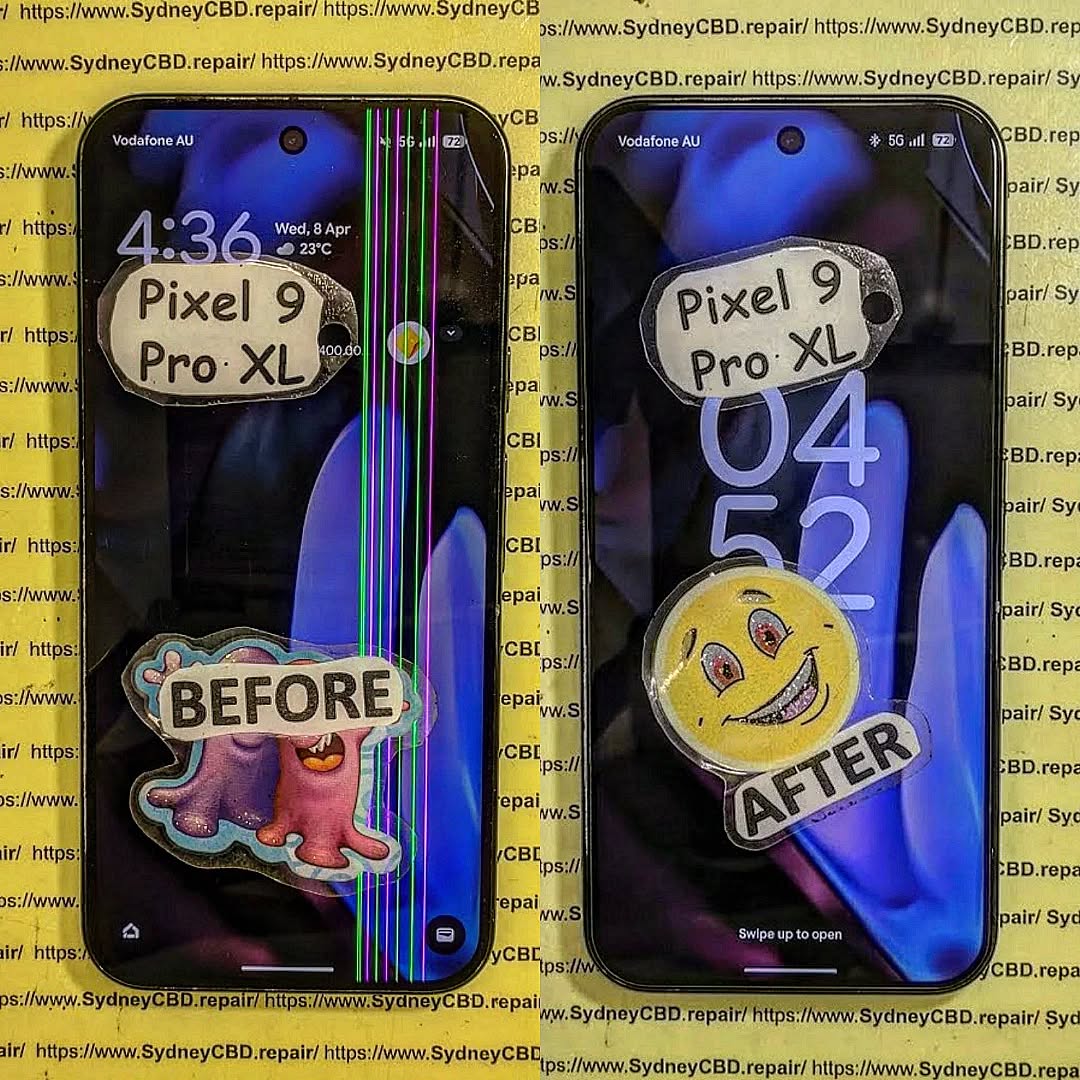
Is It Waterproof? Pixel 7 Ghost Touch Water Damage Recovery and Test

Is It Waterproof? Pixel 7 Ghost Touch Water Damage Recovery and Test – Ultimate Guide with 9 Expert Insights
Introduction
The Pixel 7 Ghost Touch Water Damage Recovery and Test process has become one of the most searched repair topics among Google Pixel owners. Although the Google Pixel 7 features impressive water resistance, many users mistakenly believe that “water-resistant” means “waterproof.” Unfortunately, that’s not the case.
A single accidental drop into water, exposure to heavy rain, or even moisture trapped inside a pocket can sometimes cause strange touchscreen behavior. One of the most frustrating symptoms is ghost touch, where the screen starts tapping, swiping, or opening apps without anyone touching it.
The good news is that ghost touch caused by water doesn’t always mean your phone is beyond repair. In many situations, professional cleaning, careful diagnostics, and component replacement can restore the device completely.
This guide explains exactly why ghost touch happens after water exposure, how professionals recover affected devices, and what you should do immediately to improve your chances of saving your Pixel 7.

Understanding the Pixel 7 Water Resistance Rating
The Google Pixel 7 carries an IP68 rating. This certification means the phone has been tested under controlled laboratory conditions to resist dust and temporary freshwater immersion.
However, several important limitations often go unnoticed.
An IP68 rating does not guarantee protection against:
- Salt water
- Chlorinated pools
- Soap
- Coffee
- Soft drinks
- Steam
- High-pressure water
- Long-term immersion
Even everyday wear slowly weakens the waterproof seals around the display, buttons, speakers, SIM tray, and USB-C port.
Over time, factors such as:
- Heat
- Drops
- Previous repairs
- Frame bending
- Aging adhesive
can reduce the phone’s ability to keep moisture out.
That means a Pixel 7 that survived water one year ago might not survive another splash today.
What Is Ghost Touch?
Ghost touch describes a situation where the touchscreen behaves as though invisible fingers are constantly touching it.
Common symptoms include:
- Random taps
- Apps opening automatically
- Keyboard typing by itself
- Screen scrolling unexpectedly
- Notification panel opening alone
- Camera launching randomly
- Phone becoming impossible to control
Sometimes the problem appears only occasionally.
Other times it becomes continuous until the phone is completely unusable.
Ghost touch may be caused by:
| Cause | Common? |
|---|---|
| Water damage | Very Common |
| Display failure | Common |
| Damaged digitizer | Common |
| Loose display connector | Moderate |
| Software bugs | Occasional |
| Motherboard corrosion | Severe cases |
When water is involved, ghost touch often worsens over several hours as moisture spreads deeper inside the phone.
Why Water Causes Ghost Touch Problems
The touchscreen on the Pixel 7 relies on tiny electrical signals to detect your finger.
When water enters the display assembly or reaches sensitive electronic circuits, it interferes with those signals.
Instead of accurately detecting your finger, the digitizer starts interpreting random electrical changes as touches.
The result is ghost touch.
Understanding the causes helps explain why immediate action is so important.
Moisture Inside the Display
Modern OLED displays contain multiple extremely thin layers.
If moisture penetrates these layers, several problems may develop:
- False touch inputs
- Flickering
- Green lines
- Black spots
- Screen discoloration
- Dead touch zones
Even tiny amounts of trapped moisture can trigger unpredictable touchscreen behavior.
Sometimes drying the device helps.
Other times the display itself becomes permanently damaged.
Corrosion on Internal Components
Water alone isn’t always the biggest threat.
The real danger begins after the water enters the phone.
As electricity continues flowing through wet circuits, corrosion slowly forms on:
- Connectors
- Display flex cables
- Motherboard components
- Touch controller chips
- Power management circuits
Corrosion continues spreading long after the phone appears dry.
This is why a Pixel 7 that initially works after getting wet may suddenly develop ghost touch days later.
Professional repair centres inspect these microscopic areas under magnification to detect hidden corrosion before it causes permanent failure.
Charging Port Moisture Effects
Many users notice the Pixel 7 displaying a moisture warning after water exposure.
This warning protects the phone from electrical shorts while charging.
However, moisture inside the USB-C port can also contribute indirectly to touchscreen instability by affecting charging voltage and electrical grounding.
If the phone repeatedly displays moisture alerts:
- Stop charging immediately.
- Disconnect all accessories.
- Allow the port to dry naturally.
- Avoid inserting tissues or sharp objects into the connector.
Ignoring these warnings can increase the risk of short circuits.
Signs Your Pixel 7 Has Water Damage
Not every water-damaged phone behaves the same way.
Some continue working almost normally.
Others develop multiple problems within minutes.
Common warning signs include:
- Ghost touches
- Screen flickering
- Random restarts
- Speaker distortion
- Camera fogging
- Face Unlock failure
- Touchscreen freezing
- Rapid battery drain
- Charging problems
- USB connection errors
You might also notice condensation beneath the camera lens or display glass.
This is often a strong indication that moisture has entered the device.
The earlier these symptoms are addressed, the higher the chance of successful recovery.
Immediate Steps After Water Exposure

Quick action can make a significant difference in preventing permanent damage.
If your Pixel 7 comes into contact with water:
- Power the phone off immediately if possible.
- Remove any case or accessories.
- Dry the exterior with a clean microfiber cloth.
- Keep the USB-C port facing downward so excess water can drain.
- Place the phone in a cool, dry, well-ventilated area.
- Wait until the charging port is completely dry before connecting a charger.
- Seek professional inspection if ghost touch or other symptoms appear.
One common myth is that placing a phone in rice will fix water damage.
In reality, rice does little to remove moisture trapped inside the phone and may even introduce dust or starch particles into the charging port. Professional drying and internal cleaning remain the safest and most effective solutions.
What You Should Never Do After Water Damage
When your Pixel 7 starts showing ghost touch after getting wet, it’s natural to want to fix it immediately. However, some common actions can make the damage much worse.
Avoid the following mistakes:
Don’t Charge the Phone Immediately
If moisture is still inside the device, connecting a charger can create electrical shorts. Even if the phone appears dry on the outside, water may still be trapped inside the charging port or on the motherboard.
Wait until the phone has been professionally inspected or the charging port is completely dry before charging.
Don’t Use a Hair Dryer
Hot air may seem like a quick solution, but it can:
- Damage the OLED display
- Soften waterproof adhesives
- Push moisture deeper into the phone
- Warp delicate internal components
Instead, let the phone dry naturally in a well-ventilated location.
Don’t Shake the Phone
Shaking the device may spread water to areas that were previously dry.
A few drops of water near the speaker can quickly reach the motherboard if the phone is moved aggressively.
Don’t Press the Screen Repeatedly
Many users continuously tap the display to see if ghost touch has disappeared.
Unfortunately, repeated use while moisture remains inside can worsen electrical damage and increase the chance of permanent display failure.
Don’t Attempt DIY Disassembly
Opening a Pixel 7 without proper tools often causes additional damage.
Risks include:
- Cracking the rear glass
- Damaging display flex cables
- Tearing waterproof seals
- Breaking wireless charging components
- Damaging battery connectors
Professional technicians use specialized heating equipment, precision tools, and anti-static workstations designed specifically for modern smartphones.
Can the Pixel 7 Recover on Its Own?
This is one of the most common questions people ask after experiencing water damage.
The answer depends on the extent of the damage.
Minor Moisture Exposure
If only a small amount of water entered the phone, symptoms may disappear after the internal moisture evaporates.
Temporary issues include:
- Minor ghost touches
- Moisture warnings
- Slight speaker distortion
- Touchscreen lag
These problems sometimes resolve within 24 to 72 hours.
Moderate Water Damage
If moisture reaches display connectors or internal cables, the phone may continue working intermittently before symptoms worsen.
You may notice:
- Random touch inputs
- Green display tint
- Flickering
- Charging issues
- Camera condensation
Professional cleaning is strongly recommended at this stage.
Severe Water Damage
When corrosion reaches the motherboard or display controller, the phone usually cannot recover without repair.
Symptoms may include:
- Constant ghost touch
- Boot loops
- Black screen
- No charging
- Complete touchscreen failure
- Device not powering on
Delaying repairs increases the likelihood of permanent component failure.
Professional Water Damage Recovery Process
Professional repair centers follow a systematic recovery process designed to maximize the chances of saving your Pixel 7.
Each step is carefully performed to identify hidden damage and prevent further corrosion.
Step 1: Initial Inspection
The technician first performs a complete visual inspection.
This includes checking:
- Rear glass condition
- Display assembly
- SIM tray
- Charging port
- Speaker openings
- Camera lenses
- Frame alignment
Signs of liquid entry are documented before disassembly begins.
Step 2: Safe Device Disassembly
Opening the Pixel 7 requires controlled heating to soften factory adhesive.
Technicians carefully remove:
- Rear cover
- Wireless charging assembly
- Protective shields
- Battery connector
- Display connector
- Camera modules where necessary
This provides access to the motherboard and internal components without causing unnecessary damage.
Step 3: Internal Inspection
Once opened, every major component is inspected under magnification.
Technicians look for:
- Water residue
- Corrosion
- Oxidized connectors
- Burn marks
- Mineral deposits
- Broken solder joints
Even tiny corrosion spots can eventually cause major failures if left untreated.
Step 4: Ultrasonic Cleaning
One of the most effective methods of recovering water-damaged electronics is ultrasonic cleaning.
Special cleaning solutions combined with ultrasonic waves remove:
- Corrosion
- Mineral deposits
- Dirt
- Conductive residue
Unlike simple alcohol cleaning, ultrasonic cleaning reaches tiny spaces beneath integrated circuits that are otherwise impossible to clean manually.
Step 5: Drying and Moisture Removal
After cleaning, components are carefully dried using professional equipment.
Technicians ensure that:
- Moisture is completely removed
- Connectors are clean
- No cleaning solution remains
- Internal humidity has been eliminated
Proper drying prevents corrosion from returning after reassembly.
Step 6: Component Testing
Each major component is individually tested.
This typically includes:
| Component | Inspection Purpose |
|---|---|
| OLED Display | Touch response and image quality |
| Digitizer | Ghost touch detection |
| Battery | Charging performance |
| USB-C Port | Power delivery |
| Cameras | Focus and image testing |
| Speakers | Audio quality |
| Microphones | Voice recording |
| Wireless Charging | Charging efficiency |
| Motherboard | Power stability |
Testing every component helps ensure hidden issues are discovered before the phone is returned to the customer.
Testing the Display After Recovery
After the cleaning and repair process, the display undergoes extensive testing.
Technicians verify that:
- Touch input is accurate
- Multi-touch functions correctly
- Brightness adjusts normally
- Colors remain consistent
- Fingerprint sensor operates correctly
- Refresh rate is stable
- No ghost touches remain
Special diagnostic software allows technicians to visualize every touch input across the display.
This makes it easy to identify even small areas with abnormal touch behavior.
If ghost touch persists after cleaning, the display assembly itself may require replacement.
When Is a Screen Replacement Necessary?
Sometimes water permanently damages the digitizer integrated into the OLED display.
In these situations, replacing the display is the only reliable solution.
Common indicators include:
- Persistent ghost touch after cleaning
- Large dead touch areas
- Display flickering
- Vertical green lines
- Black spots spreading across the screen
- Complete touchscreen failure
Using high-quality replacement parts helps restore the phone’s original responsiveness, brightness, and durability.
Preventing Future Water Damage
Although the Pixel 7 offers excellent water resistance, prevention remains the best protection.
Here are several practical tips:
- Keep the phone away from salt water whenever possible.
- Avoid exposing it to hot showers or steam.
- Replace damaged screens or rear glass promptly.
- Use a high-quality protective case.
- Never intentionally submerge the phone.
- Keep the USB-C port clean and dry.
- Back up important data regularly.
- Have the waterproof seals inspected after major repairs.
Remember that water resistance naturally decreases as a phone ages, especially after accidental drops or previous repairs.
Taking a few preventative measures today can save you from costly repairs tomorrow.
For additional information about your Pixel 7’s water resistance and care recommendations, visit Google’s official Pixel support documentation: https://support.google.com/pixel
Frequently Asked Questions (FAQs)
1. Is the Google Pixel 7 completely waterproof?
No. The Google Pixel 7 is water-resistant, not waterproof. It carries an IP68 rating, meaning it can resist dust and temporary immersion in fresh water under controlled laboratory conditions. However, this protection doesn’t cover damage from salt water, chlorinated pools, hot water, soaps, or high-pressure water. As the phone ages or experiences drops and repairs, its water resistance may also decrease.
2. Why does my Pixel 7 have ghost touch after getting wet?
Ghost touch occurs when moisture interferes with the touchscreen digitizer or internal electrical circuits. Water can create false electrical signals that the phone interprets as finger touches. If left untreated, corrosion may develop, leading to permanent touchscreen or motherboard damage.
3. Will putting my Pixel 7 in rice fix water damage?
No. Although it’s a popular myth, placing a phone in rice does not effectively remove moisture trapped inside the device. It may also introduce dust or starch particles into the charging port. Professional internal cleaning and drying provide a much better chance of successful recovery.
4. Can ghost touch disappear on its own?
Sometimes. If only a small amount of moisture entered the phone, ghost touch may disappear after the device dries completely. However, if corrosion has already started or the display has been damaged, the issue usually requires professional repair or display replacement.
5. How long should I wait before charging a wet Pixel 7?
Only charge the phone after you’re confident the USB-C port is completely dry and any moisture warnings have disappeared. If ghost touch or other symptoms remain, it’s best to have the phone inspected by a professional technician before charging to avoid causing additional electrical damage.
6. Can a water-damaged Pixel 7 be repaired?
Yes, in many cases. The success of the repair depends on how quickly the device is treated and how much internal damage has occurred. Professional water damage recovery often includes disassembly, corrosion removal, ultrasonic cleaning, diagnostics, and replacement of damaged components where necessary.
7. Does replacing the screen fix ghost touch?
If the ghost touch is caused by a damaged digitizer or OLED display, replacing the screen often resolves the problem. However, if the issue originates from motherboard corrosion or damaged internal connectors, additional repairs may also be required.
8. How can I reduce the risk of future water damage?
You can reduce the risk by:
- Keeping your phone away from excessive moisture.
- Avoiding intentional submersion.
- Using a quality protective case.
- Repairing cracked screens or back glass promptly.
- Keeping charging ports clean and dry.
- Having waterproof seals professionally replaced after major repairs when applicable.
Conclusion

The Pixel 7 Ghost Touch Water Damage Recovery and Test process demonstrates that while the Google Pixel 7 is engineered with excellent water resistance, it is not immune to liquid damage. Even a small amount of moisture can interfere with the touchscreen, resulting in frustrating ghost touch symptoms, charging issues, or display instability.
The most important factor in a successful recovery is acting quickly. Turning the phone off, avoiding common mistakes like charging or heating the device, and seeking professional assistance can significantly improve the chances of saving both the display and internal components.
Professional technicians use specialized diagnostic tools, ultrasonic cleaning equipment, and component-level testing to identify hidden corrosion that cannot be seen from the outside. In many cases, early intervention allows a water-damaged Pixel 7 to be restored to full working condition without extensive replacement of expensive components.
Preventative care is equally important. Protecting your phone from unnecessary exposure to water, repairing physical damage promptly, and understanding the limitations of IP68 water resistance can help extend the life of your device and reduce the risk of future failures.
Whether your Pixel 7 has experienced a minor splash or significant liquid exposure, taking the right steps immediately can make the difference between a simple repair and a complete device replacement.
References
- Google Pixel Help – Water resistance and device care: https://support.google.com/pixel
- IP Code (Ingress Protection) Standard – IEC 60529: https://www.iec.ch
David from Sydney CBD Repair Centre – The Best place to fix mobile phones as 7 Years In A Row! Top Mobile Phone Repair In Sydney. More than 2000 Positive Reviews on Google and Same Day Repairs.
We take pride in delivering exceptional repair services for all major phone brands including Apple, Samsung, Google, and more. Our expert technicians use only genuine parts and offer a 90 days warranty on repairs. Located in the heart of Sydney CBD, we’re your one-stop solution for all mobile device repairs.
Our commitment to excellence has earned us the trust of thousands of satisfied customers. Whether it’s a cracked screen, battery replacement, or water damage repair, we handle it all with professional care and expertise. Walk in today and experience why we’re Sydney’s #1 choice for mobile phone repairs.
Visit us for:
- ✓ Same Day Express Repairs
- ✓ Genuine Parts Guarantee
- ✓ Professional Technicians
- ✓ Competitive Pricing
- ✓ 2000+ 5-Star Google Reviews
- ✓ 7-Time Award Winner for Best Phone Repairs
Sydney CBD Repair Centre – Where Quality Meets Reliability.
Call: +61 2 8011 4119
Website: https://SydneyCBD.repair/locate-us