The Ultimate Guide to Choosing a Reliable Phone Repair Shop – Top 15 Must-Know Factors for Smart Decisions
# Introduction
Choosing a phone repair shop might seem like a quick decision—until you end up with poor service, faulty parts, or worse, an even more damaged phone.
This ultimate guide will help you make an informed, confident choice by explaining what to look for, what to avoid, and why your repair shop matters more than you think.
If you’re in Sydney, Sydney CBD Repair Centre is the city’s most trusted name for fast, reliable, and high-quality phone repairs.
Are they trained in Apple, Samsung, Google repairs?
Do they use anti-static precautions and proper tools?
Have they worked with your phone model before?
At Sydney CBD Repair Centre, our team has years of hands-on experience with all major brands, including the latest foldables and flagships.
# Experience with Your Phone Brand
Not all phones are the same. A shop might handle iPhones well but struggle with Samsung AMOLED displays or Google Pixel repairs.
✅ Choose a shop that specializes in your brand and uses the right tools for:
OLED screen replacement
Foldable hinge repairs
Face ID sensor calibration
Under-display fingerprint scanners
# Do They Use Genuine Parts?
Using non-original parts can lead to:
Dim screens
Poor touch sensitivity
Ghost touches
Loss of water resistance
Face ID or fingerprint failure
At Sydney CBD Repair Centre, we use genuine or OEM-grade parts only, ensuring your device performs just like new.
# Warranty Policies: What to Expect
A professional shop should back their work with a clear, written warranty. Ours includes:
90-day warranty on all screen, battery, and internal repairs
Free re-inspection if an issue arises within the warranty period
No-fuss claim process
Avoid shops that don’t offer a warranty—it’s a sign they don’t trust their own work.
# Pricing Transparency & Hidden Costs
No one likes surprise fees. Ask upfront:
Is the quote final?
Does it include parts, labor, and tax?
Any extra charges if complications arise?
We provide clear quotes at the start—no hidden charges, ever.
# Turnaround Time: Speed vs Quality
Quick is good—but not at the expense of quality. A good shop balances both:
Same-day express options
Quality checks and post-repair diagnostics
On-the-spot assessments
Most repairs at Sydney CBD Repair Centre are completed within 1 to 2 hours.
# Repair Shop Location and Accessibility
Convenient location means you can:
Drop off during your lunch break
Walk in without an appointment
Pick up quickly once done
📍 We’re located in the heart of Sydney CBD, with easy access via public transport.
# Google Reviews and Customer Feedback
Always check Google reviews and testimonials. Look for:
High star ratings (4.8+ preferred)
Detailed customer experiences
Responses from the business (shows they care)
With over 2,000 5-star Google reviews, Sydney CBD Repair Centre is Sydney’s most trusted repair destination.
# Communication and Customer Service
A great shop should:
Answer questions clearly
Offer honest advice (even if that means not repairing)
Keep you updated if repairs take longer than expected
We treat your device like it’s our own—and keep you informed every step of the way.
# In-Shop Diagnostics vs Over-the-Phone Quotes
Be wary of repair shops that only give estimates over the phone. Real diagnostics include:
On-site screen inspection
Battery health reports
Camera, sensor, and mic testing
We offer free in-shop assessments so you know exactly what’s wrong before committing.
# Red Flags That Signal Poor Service
Avoid shops that:
🚫 Use suspiciously low pricing
🚫 Refuse to disclose part origin
🚫 Offer no warranty
🚫 Have mostly negative or no reviews
🚫 Have inexperienced or rude staff
If it feels shady, it probably is.
# Why Sydney CBD Repair Centre Is Trusted by Thousands
✅ 6-Time Award-Winning Repair Team
✅ Same-Day Repairs for Most Devices
✅ Genuine Parts Only
✅ Over 2,000 Google Reviews
✅ 90-Day Repair Warranty
✅ Expert Technicians for Apple, Samsung, Google, and More
No guesswork. Just professional, guaranteed repairs you can count on.
1. How do I know if a phone repair shop is trustworthy?
Look at Google reviews, warranty policy, technician experience, and part quality. Trusted shops are transparent and customer-focused.
2. Is it better to repair or replace my phone?
If your phone is under 3 years old and still fast, repairing (especially a screen or battery) is usually much cheaper than replacing.
3. How long does a typical repair take?
Most repairs take 1–2 hours at Sydney CBD Repair Centre. Same-day options are available for most models.
4. Do all repair shops use genuine parts?
No. Some use aftermarket parts to cut costs. Always ask if they use OEM or genuine parts.
5. Will my phone still be water-resistant after repair?
If resealed properly with OEM adhesive, yes. We take steps to restore water resistance wherever possible.
6. Do I need an appointment?
Not at all. We welcome walk-ins at our Sydney CBD location.
# Conclusion
Choosing the right phone repair shop is about more than price—it’s about trust, quality, and peace of mind. Whether you’re dealing with a cracked screen, battery issue, or internal damage, a reputable repair centre can save your phone—and your money.
At Sydney CBD Repair Centre, we’ve built our reputation on delivering professional, honest, and high-quality repairs every single time.
David from Sydney CBD Repair Centre – The Best place to fix mobile phones as 6 Years In A Row!
Top Mobile Phone Repair In Sydney. More than 2000 Positive Reviews on Google and Same Day Repairs.
Visit us today for:
✓ Same Day Express Repairs
✓ Genuine Parts Guarantee
✓ Competitive Pricing
✓ 90-Day Warranty
✓ 6-Time Award Winner for Best Phone Repairs
Inside Sydney CBD Repair Centre: A Day In The Life Of Master Techs – 7 Powerful Secrets Behind Expert Repairs
Introduction: What Really Happens Inside a Phone Repair Centre?
A cracked smartphone screen may look like a simple repair job. However, professional mobile phone repair involves much more than removing a damaged component and installing a replacement.
At Sydney CBD Repair Centre, every device presents a different challenge. One customer may arrive with a shattered iPhone display, while another needs a Samsung battery replacement or help with a phone that suddenly refuses to charge. Some problems are obvious. Others require careful testing before the real fault becomes clear.
That’s why the work of experienced technicians matters.
A professional repair technician combines technical knowledge, hands-on experience, specialist tools, careful inspection, and attention to detail. The goal isn’t simply to make a phone turn on again. It’s to identify the problem, complete the repair correctly, test the device, and return it to the customer in reliable working condition.
This behind-the-scenes look at Sydney CBD Repair Centre explores what a typical day can involve and why professional repair techniques can make such a difference.
From early-morning preparation to final quality checks, there’s plenty happening behind the repair counter.
Before the first customer walks through the door, professional technicians have plenty to do.
A repair centre needs to be organised because mobile phones aren’t all built the same way. Different models require different tools, components, procedures, and testing methods.
The day typically begins by preparing the work area.
Technicians need a clean and organised workspace where small components can be handled safely. Precision screwdrivers, pry tools, inspection equipment, cleaning materials, testing devices, and other specialist tools need to be readily available.
Organisation might sound like a small detail, but it can have a major effect on repair quality.
A cluttered workspace can increase the chance of misplaced screws, damaged components, or unnecessary delays. A well-prepared workstation, on the other hand, allows technicians to focus on the device in front of them.
Checking Tools and Equipment
Professional repairs require more than a screwdriver.
Depending on the repair, technicians may work with:
Precision screwdrivers
Opening and separation tools
Magnification equipment
Diagnostic software
Battery testing equipment
Cleaning tools
Heat-control equipment
Replacement components
Device testing accessories
Each tool has a specific purpose.
The technician’s experience also matters. Having the right equipment doesn’t automatically make someone a skilled repairer. Knowing how and when to use each tool is equally important.
Reviewing the Repair Queue
Once the workspace is ready, technicians can review the day’s expected repairs.
These may include:
Screen replacement
Battery replacement
Charging-port issues
Camera problems
Speaker faults
Microphone problems
Back-glass damage
Water-damaged devices
Software-related issues
General diagnostic requests
Every repair is different, even when two customers have the same phone model.
For example, two phones with cracked screens may require completely different approaches if one has suffered additional internal damage.
That’s why experienced technicians don’t simply rush into the repair.
They inspect first.
2. The First Customer: Understanding the Problem
When a customer brings in a phone, the first step isn’t always opening the device.
It’s listening.
Customers often know exactly what happened. Perhaps the phone was dropped on concrete, exposed to water, left charging overnight, or suddenly stopped responding.
That information can provide valuable clues.
A technician may ask questions such as:
When did the problem begin?
Was the phone recently dropped?
Has it been exposed to water?
Does the device still turn on?
Is the screen responsive?
Does it charge?
Has the phone been repaired previously?
Did another component stop working at the same time?
These questions help establish a useful repair history.
Why Customer Information Matters
A phone’s visible problem isn’t always the root problem.
Imagine a customer arrives because the display is black. It would be easy to assume that the screen needs replacement. But the actual issue could involve the battery, charging system, internal connection, or another component.
Likewise, a phone that won’t charge may have a damaged charging port, but it could also have debris inside the port, a faulty cable, a battery problem, or another internal issue.
Professional diagnostics help separate symptoms from causes.
Creating a Repair Plan
After gathering information, the technician can explain the next step.
This is where transparency becomes important.
Customers deserve to understand what is being inspected and what the likely repair involves. If additional damage is discovered, the technician should explain the situation rather than simply proceeding without discussion.
A clear repair process builds trust.
And when your phone contains your photos, contacts, work information, banking apps, messages, and personal files, trust isn’t something to take lightly.
Diagnostics are one of the most important parts of mobile phone repair.
A skilled technician doesn’t simply replace parts until something works.
Instead, the device is assessed systematically.
The technician may inspect the external condition first. They can then check the display, buttons, cameras, speakers, microphones, charging system, battery performance, connectivity, and other relevant functions.
This process can reveal additional damage that isn’t immediately visible.
Visual Inspection
The first inspection may identify:
Cracks
Bent frames
Missing components
Damaged buttons
Signs of liquid exposure
Gaps around the display
Broken camera glass
Damage around charging ports
Physical damage can provide clues about what happened internally.
Functional Testing
The technician may then test the device’s major functions.
Depending on the problem, this can include:
Power and startup
Touchscreen response
Display brightness
Camera operation
Speaker output
Microphone recording
Charging behaviour
Wi-Fi and Bluetooth
Mobile network functions
Buttons and biometric features
Not every repair requires every test, but comprehensive testing can be useful when the device has suffered significant damage.
Why Diagnosis Saves Time
Correct diagnosis can prevent unnecessary repairs.
For example, replacing a charging port when the real problem is simply debris inside the port would be unnecessary. Similarly, replacing a screen without checking for additional internal damage could leave the customer with an unresolved problem.
That’s why professional technicians take the time to investigate.
The golden rule is simple: diagnose first, repair second.
4. Screen Repairs: Precision Matters
Cracked screens are among the most common smartphone problems.
A phone can slip from a pocket, fall from a desk, or land awkwardly on a hard surface. Even a short drop can create a spiderweb of cracks across the display.
However, replacing a modern smartphone screen isn’t simply a matter of removing glass and putting on a new panel.
The technician must carefully separate the damaged component, protect internal parts, transfer relevant components where necessary, install the replacement correctly, and test the finished device.
Inspecting Damage Before Replacement
A cracked screen can sometimes hide other problems.
Technicians may check whether:
The frame is bent
Touch functionality still works
The display has dead areas
The front camera functions correctly
Sensors operate normally
Internal components show signs of impact
If the frame is severely damaged, installing a new display may require additional consideration.
Precision During Installation
Modern smartphones contain tightly packed components.
A technician must work carefully around:
Flexible cables
Cameras
Sensors
Batteries
Connectors
Speakers
Internal boards
A rushed repair can create new problems.
That’s why professional experience and appropriate tools are so important.
Final Screen Testing
After installation, the technician should test the display.
This can include checking:
Touch response
Brightness
Colour and image quality
Front camera
Sensors
Face or biometric functions where applicable
Screen alignment
A repair isn’t finished simply because the screen lights up.
The device needs to be checked as a complete unit.
5. Battery Replacement: More Than Just a New Battery
Battery problems can be frustrating.
A phone might drain rapidly, shut down unexpectedly, struggle to hold a charge, or become unreliable during normal daily use.
Battery replacement can restore practical usability, but safety is a major consideration.
Smartphone batteries are compact lithium-based power sources. They need to be handled carefully during removal and installation.
Identifying Battery Problems
Technicians may look for symptoms such as:
Rapid battery drain
Unexpected shutdowns
Poor battery life
Charging inconsistencies
Performance issues associated with an ageing battery
Physical swelling
A swollen battery deserves particular attention because continuing to use a physically damaged battery can create additional risks.
Safe Removal
Removing a battery from a modern smartphone requires care.
The battery may be secured inside the device, and other components can be located nearby. Excessive force or incorrect tools can damage internal parts.
Experienced technicians understand that patience is often faster than rushing.
Testing the Replacement
After a battery replacement, the technician can check charging behaviour, startup, battery recognition, and general operation.
The customer should receive a device that has been tested rather than simply reassembled.
6. Water Damage: Acting Carefully
Water damage is one of the repair problems where time can matter.
A phone that has been dropped into water, exposed to heavy rain, or affected by another liquid may continue operating initially. That doesn’t necessarily mean the internal components are unaffected.
Liquid can reach areas that aren’t visible from the outside.
What Technicians Look For
A professional inspection may involve checking for:
Corrosion
Liquid indicators
Moisture around connectors
Contamination
Damaged components
Charging problems
Display issues
Battery concerns
Water-damaged devices can be unpredictable because corrosion may continue affecting components over time.
What Customers Should Avoid
If a phone becomes wet, avoid repeatedly turning it on just to see whether it works.
Also avoid relying on household fixes as a substitute for professional inspection.
If the device contains important information, prompt professional assessment may help determine whether the phone can be safely restored.
The key lesson is simple: don’t assume that a working phone is an undamaged phone.
7. Charging Problems: Looking Beyond the Port
A phone that won’t charge can cause plenty of frustration.
Many people immediately blame the charging port. Sometimes that’s correct. Sometimes it isn’t.
Technicians can investigate several possible causes.
These may include:
Damaged charging ports
Dirt or debris
Faulty charging accessories
Battery problems
Software-related issues
Internal connection problems
Board-level faults
Careful Inspection
Charging ports are exposed to pockets, bags, dust, lint, and everyday debris.
A small amount of compacted material can sometimes interfere with proper charging.
However, attempting aggressive cleaning with inappropriate objects can cause damage.
A professional technician can inspect the port and determine whether cleaning, component replacement, or further diagnosis is appropriate.
Testing After Repair
Once the issue has been addressed, charging should be tested.
Depending on the device, technicians may check charging consistency and other related functions.
The goal isn’t just to make the charging symbol appear. It’s to establish whether the device is behaving normally.
8. Brand-Specific Expertise: Apple, Samsung, Google and More
Modern smartphones vary considerably between brands and models.
Apple, Samsung, Google, and other manufacturers use different designs, components, software systems, and repair procedures.
This means a technician needs broad knowledge.
Apple Repairs
Apple devices can require careful handling because internal components are tightly integrated.
Screen, battery, charging, camera, and other repairs each have their own considerations.
For official information about Apple devices and service, customers can consult Apple Support.
Samsung Repairs
Samsung produces a wide range of devices, from entry-level smartphones to premium Galaxy models.
Repair procedures can vary significantly between models.
Technicians therefore need to identify the exact model before selecting components or beginning a repair.
Google and Other Android Devices
Google Pixel and other Android smartphones also have model-specific construction and repair requirements.
The same principle applies across the industry:
Know the device before opening it.
Professional experience helps technicians adapt their approach instead of relying on a one-size-fits-all method.
9. Quality Control: The Repair Isn’t Finished Yet
One of the most important parts of a professional repair happens after the replacement itself.
It’s called quality control.
A technician should verify that the repair has solved the original problem and hasn’t introduced another one.
A Typical Post-Repair Check
Depending on the repair, technicians may test:
Component
Possible Test
Display
Touch, brightness, image quality
Battery
Charging and power behaviour
Camera
Front and rear camera operation
Speaker
Audio output
Microphone
Voice recording
Charging port
Charging connection
Buttons
Physical response
Connectivity
Wi-Fi, Bluetooth, network functions
Sensors
Relevant sensor operation
This extra step may take a few minutes, but it can make a major difference.
Why Quality Control Builds Confidence
Imagine collecting your phone after a screen replacement and discovering later that the microphone doesn’t work.
That’s exactly the sort of issue final testing is designed to catch.
Professional repair isn’t only about replacing a damaged part. It’s about returning a functioning device.
10. Same-Day Repairs: Speed Without Cutting Corners
Customers often need their phones quickly.
For many people, a smartphone isn’t simply a gadget. It’s a communication tool, navigation device, work accessory, camera, payment tool, and connection to everyday life.
That’s why same-day repair services can be valuable.
However, speed shouldn’t mean rushing.
The real challenge is balancing efficiency with accuracy.
How Experienced Technicians Work Efficiently
Experienced technicians can often work efficiently because they understand common repair procedures.
They know:
Which tools are needed
Which components require special care
Where common faults occur
Which tests should be performed
How to organise the repair process
This experience can reduce unnecessary delays.
A Simple Principle
A fast repair is useful.
A fast repair that has to be redone isn’t.
The best workflow aims to complete the job efficiently while maintaining careful workmanship and appropriate testing.
11. Genuine Parts and Component Quality
The quality of replacement components can influence the repair experience.
A replacement part needs to be appropriate for the specific device and repair.
At Sydney CBD Repair Centre, customers are informed that the centre uses genuine parts for its repairs.
Component quality matters because smartphones depend on tightly integrated hardware.
For example, a replacement display isn’t simply a piece of glass. It can involve touch functionality, brightness, colour reproduction, sensors, cameras, and other connected features.
Likewise, a replacement battery needs to be suitable for the particular device.
Why Compatibility Matters
Using the wrong component can result in:
Poor performance
Compatibility problems
Reduced reliability
Additional faults
The need for another repair
That’s why professional technicians identify the exact phone model before beginning work.
12. Common Repair Mistakes and Why Experience Matters
DIY repair videos can make smartphone repairs look surprisingly easy.
The reality can be different.
Modern phones are compact and delicate. A mistake made during disassembly can cause damage that wasn’t present before the repair began.
Common problems can include:
Using excessive force
Damaging flexible cables
Puncturing batteries
Losing tiny screws
Damaging connectors
Installing incompatible parts
Forgetting to test components
Closing the device before checking all functions
Experience Makes a Difference
An experienced technician has seen many different failure patterns.
They can recognise signs that might not be obvious to someone performing their first repair.
This is one of the strongest reasons people choose professional repair services.
You aren’t only paying for a replacement component.
You’re also paying for knowledge, tools, experience, testing, and accountability.
13. Customer Experience: Communication Builds Trust
Technical skill is only one part of a successful repair service.
Communication matters, too.
Customers want to know what’s wrong with their device, what can be repaired, how long the process may take, and what to expect.
A professional repair centre should aim to make that information easy to understand.
Clear Communication Includes
Explaining the diagnosed issue
Discussing repair options
Providing relevant pricing information
Explaining unexpected findings
Setting realistic expectations
Answering customer questions
Explaining the repair after completion
Good communication helps remove uncertainty.
And when your phone contains valuable personal information, knowing that it’s being handled professionally can provide peace of mind.
14. What Makes a Professional Repair Different?
There are plenty of places where people can find phone repair advice.
The difference between professional repair and an improvised fix often comes down to process.
A professional approach includes:
Listening to the customer’s description
Inspecting the device
Diagnosing the problem
Selecting appropriate components
Using suitable tools
Performing the repair carefully
Testing the device
Communicating the result
Providing relevant warranty information
This structured approach reduces guesswork.
It also creates accountability.
At Sydney CBD Repair Centre, the stated repair service includes a 90-day warranty on repairs, giving customers an additional point of confidence when choosing a repair service.
15. FAQs About Professional Mobile Phone Repairs
How long does a phone repair take?
Repair times depend on the device, the type of damage, parts availability, and the complexity of the repair. Common repairs such as certain screen or battery replacements may be completed the same day when the required components are available.
Can a cracked phone screen be repaired?
In many cases, a damaged screen can be replaced. The technician should first inspect the device for additional damage, including frame problems, touch issues, camera problems, and internal impact.
Is battery replacement worth considering?
If a battery has significantly degraded or is causing charging and power problems, replacement may restore more reliable everyday use. A technician can inspect the device and explain whether battery replacement is appropriate.
What should I do if my phone gets wet?
Avoid repeatedly powering the phone on and seek professional assessment as soon as practical. Liquid damage can affect internal components even when the device initially appears to work normally.
Can you repair charging problems?
Charging faults can have several causes. A technician can inspect the charging port, check for debris or physical damage, test the battery and charging behaviour, and determine whether further repair is required.
Do professional technicians repair Apple and Samsung phones?
Professional mobile phone repair centres can service a range of brands and models. The exact repair options depend on the device, its condition, available components, and the nature of the fault.
Why is professional diagnosis important?
Diagnosis helps identify the actual cause of a problem rather than simply replacing components based on symptoms. This can reduce unnecessary repairs and help ensure the correct solution is applied.
Does Sydney CBD Repair Centre offer same-day repairs?
Sydney CBD Repair Centre promotes same-day express repairs for supported devices and repair types. Actual completion time can depend on the phone model, damage, parts availability, and repair complexity.
Are repairs covered by a warranty?
Sydney CBD Repair Centre states that its repairs include a 90-day warranty. Customers should confirm the specific warranty terms applicable to their individual repair.
Should I repair or replace my phone?
That depends on several factors, including the phone’s age, condition, repair cost, performance, battery health, and replacement price. A professional technician can assess the device and explain the available repair option without requiring you to make an immediate decision.
Conclusion: Behind Every Good Repair Is Careful Work
A professional phone repair may look simple from the outside.
Behind the counter, however, there’s a structured process involving diagnosis, precision, experience, suitable components, specialist tools, testing, and customer communication.
That’s the real story behind a day in the life of master techs at Sydney CBD Repair Centre.
From the first inspection in the morning to the final quality check before a customer collects their phone, every stage matters.
Whether it’s a cracked screen, weak battery, charging fault, water damage, camera problem, or another device issue, careful diagnosis should come before repair.
After all, your smartphone isn’t just another electronic device. It’s often where your work, photos, conversations, contacts, documents, and everyday life come together.
When something goes wrong, professional workmanship can make the repair process far less stressful.
If you’re looking for mobile phone repair in Sydney CBD, a careful inspection is a sensible place to start.
David from Sydney CBD Repair Centre – The Best place to fix mobile phones as 7 Years In A Row! Top Mobile Phone Repair In Sydney. More than 2000 Positive Reviews on Google and Same Day Repairs.
We take pride in delivering exceptional repair services for all major phone brands including Apple, Samsung, Google, and more. Our expert technicians use only genuine parts and offer 90days warranty on repairs. Located in the heart of Sydney CBD, we’re your one-stop solution for all mobile device repairs.
Our commitment to excellence has earned us the trust of thousands of satisfied customers. Whether it’s a cracked screen, battery replacement, or water damage repair, we handle it all with professional care and expertise. Walk in today and experience why we’re Sydney’s #1 choice for mobile phone repairs.
Visit us for:
✓ Same Day Express Repairs
✓ Genuine Parts Guarantee
✓ Professional Technicians
✓ Competitive Pricing
✓ 2000+ 5-Star Google Reviews
✓ 7-Time Award Winner for Best Phone Repairs
Sydney CBD Repair Centre – Where Quality Meets Reliability.
Call : +61280114119
Website: Sydney CBD Repair Centre
The Dead Phone Diagnosis: Sydney’s Trickiest No-Power Fix That Brings Phones Back to Life
Understanding What “No Power” Really Means
When a phone shows absolutely no response — no lights, no vibration, and no boot-up — it’s typically classified as a “no power” issue. In Sydney, this is one of the most complex problems phone technicians face, as the cause could be anything from a burnt charging IC to a completely shorted motherboard.
A “dead phone” doesn’t always mean it’s beyond repair. Skilled professionals at Sydney CBD Repair Centre have brought countless lifeless phones back to full working condition. Understanding the real reason behind this issue is the first step to solving it.
When a smartphone won’t turn on, it’s often due to an underlying electrical, hardware, or software fault. Below are the most common culprits:
Battery-Related Failures and Power Supply Issues
The simplest explanation is often a faulty or swollen battery. Lithium-ion cells degrade over time, and once they lose capacity or leak, they can prevent the phone from booting. Charging port damage or a malfunctioning power IC (Integrated Circuit) can also block energy flow.
Common indicators:
The phone doesn’t respond to different chargers or cables.
The battery overheats when plugged in.
You notice bulging at the back of the phone.
Logic Board and Internal Component Damage
If your phone was dropped, exposed to moisture, or short-circuited, it might have suffered logic board damage. This issue is more serious — and requires micro-soldering and board-level repair, a skill only advanced technicians like those at Sydney CBD Repair Centre possess.
Software Corruption or Firmware Errors
Sometimes, what appears to be a dead phone could be a firmware issue. Corrupted software or a failed update can cause the system to freeze at boot. In such cases, technicians can use DFU mode (for iPhones) or Odin flashing (for Samsung devices) to restore functionality.
Repairing a dead phone requires both expert knowledge and specialized equipment. The diagnosis stage is critical in identifying whether the issue lies in power delivery, battery health, or mainboard damage.
Step-by-Step Diagnostic Process
Initial Visual Inspection – Checking for corrosion, burnt marks, or physical damage.
Voltage Testing – Using a power supply to test current draw.
Component Isolation – Separating modules like the battery, charging board, and display.
Software Recovery Attempts – Reinstalling firmware or restoring boot partitions.
Board-Level Repair – Micro-soldering ICs or replacing burnt components.
Advanced Tools Used in Professional Repair Labs
At Sydney CBD Repair Centre, the technicians use thermal cameras, multimeters, and microscopes for precision diagnosis. They rely on schematics and circuit diagrams for Apple, Samsung, and Google devices to identify hidden faults.
Importance of Using Genuine Parts in Diagnosis
Using genuine parts ensures the diagnostic results are accurate. Generic or counterfeit batteries and flex cables can distort voltage readings, leading to false conclusions. That’s why Sydney CBD Repair Centre only uses authentic OEM parts, backed by a 90-day warranty.
The Role of Sydney CBD Repair Centre in Reviving Dead Phones
When Sydney locals face a dead phone emergency, they turn to David and his award-winning team at Sydney CBD Repair Centre. For six years running, they’ve been recognized as Sydney’s Best Mobile Phone Repair Shop.
6-Time Award-Winning Mobile Phone Repair Experts
With over 2000 positive Google reviews, Sydney CBD Repair Centre has become a trusted name for reliability and skill. They repair Apple, Samsung, Google Pixel, Huawei, and more — all using genuine replacement parts.
Why 2000+ Sydney Locals Trust Us
90-day repair warranty
Same-day service available
Expert micro-soldering specialists
Transparent pricing, no hidden fees
Our Proven “No Power Fix” Procedure
Full device assessment
Battery and charging circuit evaluation
Board-level fault detection
Precision micro-soldering repairs
Reassembly and multi-point testing
Each repair ends with a thorough quality check to ensure your phone works like new again.
Case Studies: Real Dead Phones Revived in Sydney
Case 1: iPhone 13 Pro Max – Dead after a short circuit; revived after charging IC replacement.
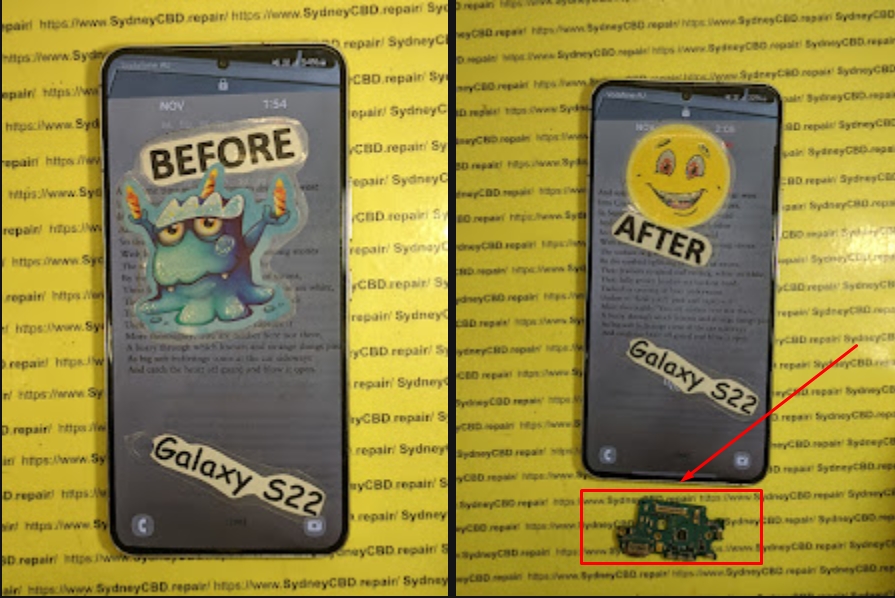
Case 2: Samsung Galaxy S22 Ultra – Boot loop and no power; fixed via board reflow.
Case 3: Google Pixel 7 – Liquid-damaged and unresponsive; successfully repaired with board cleaning and chip reballing.
Top Signs Your Phone Might Be Heading Toward a “No Power” Failure
Catching issues early can save you from total phone failure. Watch out for these red flags:
The phone randomly turns off even at 30–40% battery.
Overheating during charging or gaming.
Slower charging than usual.
Unresponsive power button or display flickering.
If any of these sound familiar, bring your device to Sydney CBD Repair Centre before it completely shuts down.
Preventing Future Power Failures
Best Practices for Battery Health
Avoid overcharging overnight.
Use only certified or original chargers.
Keep your phone out of direct sunlight.
Replace your battery every 2–3 years.
Keeping Firmware Updated and Stable
Regularly install system updates.
Avoid third-party ROMs or root access.
Perform a backup before major software updates.
FAQs
1. Can a completely dead phone be repaired?
Yes, in most cases! Expert technicians can identify the root cause — from damaged IC chips to firmware corruption — and restore full functionality.
2. How much does a no-power repair cost in Sydney?
Costs vary depending on the cause, but most no-power repairs range from $100–$350 at reputable shops like Sydney CBD Repair Centre.
3. How long does the repair take?
Many dead phone repairs are completed the same day, depending on parts availability.
4. Will my data be safe during repair?
Yes. Professionals always prioritize data preservation. However, if the logic board is too damaged, some data loss may occur.
5. What brands can you repair?
Apple, Samsung, Google, Oppo, Huawei, and more. Sydney CBD Repair Centre covers all major phone brands.
6. Do you offer a warranty?
Absolutely — all repairs come with a 90-day warranty for parts and labor.
Conclusion
A dead phone doesn’t have to mean the end of your device. With expert diagnostics, genuine parts, and precise craftsmanship, Sydney CBD Repair Centre has proven time and again that even the most “hopeless” devices can be brought back to life.
So if your phone won’t power on, visit Sydney CBD Repair Centre — Sydney’s #1 choice for mobile phone repairs — and experience the difference of quality, honesty, and expertise.
Inside Sydney CBD’s Mail-In Repair Services: From Australia to Perfect Phone + 12 Proven Tips
Introduction to Sydney CBD Mail-In Repair
In today’s fast-paced digital world, a broken phone can disrupt not just communication but also your productivity. Sydney CBD Repair Centre recognized this challenge years ago and introduced a seamless mail-in repair service that allows Australians to get their devices fixed without leaving the comfort of their homes. This innovative service caters to both busy professionals and tech-savvy users who demand reliability and speed. With a proven track record of over 2000 positive Google reviews and seven awards for Best Mobile Repair in Sydney, the mail-in service ensures your phone gets the care it deserves.
The service prioritizes convenience, efficiency, and trust, integrating genuine parts, expert technicians, and transparent repair processes. Whether you’re facing a shattered screen, faulty battery, water damage, or a malfunctioning charging port, the Sydney CBD mail-in repair system is designed to resolve it efficiently.
With multiple repair options available today, why opt for mail-in service? The advantages go beyond convenience. Mail-in repairs provide a controlled, safe, and professional environment for your device. Here’s why it’s gaining popularity across Australia:
Convenience and Time-Saving Benefits
Mail-in repairs eliminate the need for commuting, waiting in lines, and juggling schedules. You can simply book a repair online, securely package your device, and send it off. While traditional walk-in repairs can take hours or even days, the mail-in system allows you to continue your daily activities without disruption.
Nationwide Access from Anywhere in Australia
Whether you live in Sydney’s CBD or a remote town in Western Australia, mail-in repair opens doors. Courier services ensure your device reaches the repair centre swiftly, often within 2–3 business days, depending on location. This inclusivity ensures that Australians nationwide can enjoy professional repair services without compromise.
Sydney CBD Repair Centre handles a broad spectrum of phone problems. By combining technical expertise with genuine parts, they tackle even the trickiest issues efficiently.
Screen Repairs
Cracked or shattered screens are among the most common mobile problems. Mail-in repair ensures:
Fast screen replacements using OEM parts
Retention of touch sensitivity and display quality
Minimal risk of further damage during transit
Battery Replacement
Over time, batteries degrade, leading to poor performance and unexpected shutdowns. Mail-in battery replacement offers:
Safe removal of old batteries
Installation of high-quality replacements
Testing for optimal performance before returning
Water Damage & Liquid Repairs
Liquid exposure can cause unseen damage. Sydney CBD experts perform:
Immediate diagnostic tests
Professional cleaning and drying
Repair or replacement of affected components
Charging Port Repairs
Faulty charging ports can be caused by debris, wear, or manufacturing defects. Mail-in service ensures:
Thorough inspection of port and connections
Replacement or repair with genuine parts
Post-repair testing for stable charging
Step-by-Step Mail-In Repair Process
Sydney CBD’s mail-in repair process is transparent and user-friendly. Understanding the steps ensures peace of mind.
Booking Your Repair Online
Start by visiting Sydney CBD Repair Centre’s website. Choose your device type, select the repair service, and provide shipment details. You’ll receive a unique repair tracking number for updates.
Preparing Your Phone for Shipment
Before sending your device:
Backup data to avoid loss
Remove SIM cards and external accessories
Package securely using bubble wrap or original boxes
Label clearly with tracking information
Tracking and Communication
Once your phone is shipped, you can:
Track progress using the provided number
Receive updates at key stages: received, diagnostics, repair, and dispatch
Contact support for any queries
Post-Repair Delivery and Quality Checks
After repair:
Devices undergo rigorous quality assurance checks
Repaired phones are securely packaged and shipped back
Expected delivery within 2–5 business days depending on location
Expert Technicians Behind the Repair
Sydney CBD prides itself on its highly qualified technicians. Every expert:
Holds certifications in electronics and mobile repair
Performs meticulous diagnostics and precision repairs
Maintains strict adherence to safety and quality standards
Genuine Parts & Warranty
One key to reliable repairs is genuine replacement parts. Sydney CBD Repair Centre provides:
90-day warranty on all repairs
Only authentic OEM parts to preserve device longevity
Transparent explanation of parts and labor costs
Using non-genuine parts can compromise device performance, void warranties, and increase long-term costs.
Cost and Pricing Transparency
Pricing is an important consideration. Mail-in repairs at Sydney CBD are competitive and transparent, with no hidden fees. Factors influencing cost include:
Device model
Type of repair
Urgency of service (standard vs express)
Typical costs range from AUD $99 for minor repairs to $399 for extensive damage, ensuring you know exactly what to expect.
Customer Reviews & Trust Factor
Customer trust is a hallmark of Sydney CBD Repair Centre. Some highlights:
2000+ 5-star Google reviews
Repeat customers across Sydney and nationwide
Testimonials praising efficiency, professionalism, and courteous service
Frequently Asked Questions (FAQs)
How long does mail-in repair take?
Typically, repairs take 2–3 business days from receipt to dispatch, depending on the complexity. Express options are available for urgent cases.
Is my data safe during repair?
Yes. Sydney CBD implements strict data privacy protocols, including secure handling and optional device reset upon request.
Can I repair an old phone model?
Absolutely. The mail-in service caters to most iPhone, Samsung, Google, and other major brands, even older models.
Do you offer same-day repairs?
For Sydney-based customers, same-day express repairs are available for select services such as screen replacement or battery swap.
What if my device is beyond repair?
If a device is irreparable, technicians provide a detailed report and may suggest replacement options or trade-in alternatives.
How do I track my repair shipment?
Every device receives a unique tracking number. Customers can monitor repair progress online or via email notifications.
External Resources & References
For further reading on safe mail-in repairs and best practices, visit:
Sydney CBD’s mail-in repair service is more than just a convenience; it’s a reliable, professional, and nationwide solution for all phone repair needs. By combining expert technicians, genuine parts, transparent pricing, and secure shipping, they’ve set a new standard in mobile device care. Whether you’re facing screen damage, battery issues, water exposure, or charging port failure, Sydney CBD ensures your device is returned in perfect condition.
Trust, efficiency, and quality are at the heart of their mail-in repair service – making them the #1 choice in Sydney and beyond.
David from Sydney CBD Repair Centre – The Best place to fix mobile phones as 7 Years In A Row! Top Mobile Phone Repair In Sydney. More than 2000 Positive Reviews on Google and Same Day Repairs.
We take pride in delivering exceptional repair services for all major phone brands including Apple, Samsung, Google, and more. Our expert technicians use only genuine parts and offer 90days warranty on repairs. Located in the heart of Sydney CBD, we’re your one-stop solution for all mobile device repairs.
Our commitment to excellence has earned us the trust of thousands of satisfied customers. Whether it’s a cracked screen, battery replacement, or water damage repair, we handle it all with professional care and expertise. Walk in today and experience why we’re Sydney’s #1 choice for mobile phone repairs.
Visit us for:
✓ Same Day Express Repairs
✓ Genuine Parts Guarantee
✓ Professional Technicians
✓ Competitive Pricing
✓ 2000+ 5-Star Google Reviews
✓ 7-Time Award Winner for Best Phone Repairs
Is It Waterproof? Pixel 7 Ghost Touch Water Damage Recovery and Test – Ultimate Guide with 9 Expert Insights
Introduction
The Pixel 7 Ghost Touch Water Damage Recovery and Test process has become one of the most searched repair topics among Google Pixel owners. Although the Google Pixel 7 features impressive water resistance, many users mistakenly believe that “water-resistant” means “waterproof.” Unfortunately, that’s not the case.
A single accidental drop into water, exposure to heavy rain, or even moisture trapped inside a pocket can sometimes cause strange touchscreen behavior. One of the most frustrating symptoms is ghost touch, where the screen starts tapping, swiping, or opening apps without anyone touching it.
The good news is that ghost touch caused by water doesn’t always mean your phone is beyond repair. In many situations, professional cleaning, careful diagnostics, and component replacement can restore the device completely.
This guide explains exactly why ghost touch happens after water exposure, how professionals recover affected devices, and what you should do immediately to improve your chances of saving your Pixel 7.
The Google Pixel 7 carries an IP68 rating. This certification means the phone has been tested under controlled laboratory conditions to resist dust and temporary freshwater immersion.
However, several important limitations often go unnoticed.
An IP68 rating does not guarantee protection against:
Salt water
Chlorinated pools
Soap
Coffee
Soft drinks
Steam
High-pressure water
Long-term immersion
Even everyday wear slowly weakens the waterproof seals around the display, buttons, speakers, SIM tray, and USB-C port.
Over time, factors such as:
Heat
Drops
Previous repairs
Frame bending
Aging adhesive
can reduce the phone’s ability to keep moisture out.
That means a Pixel 7 that survived water one year ago might not survive another splash today.
What Is Ghost Touch?
Ghost touch describes a situation where the touchscreen behaves as though invisible fingers are constantly touching it.
Common symptoms include:
Random taps
Apps opening automatically
Keyboard typing by itself
Screen scrolling unexpectedly
Notification panel opening alone
Camera launching randomly
Phone becoming impossible to control
Sometimes the problem appears only occasionally.
Other times it becomes continuous until the phone is completely unusable.
Ghost touch may be caused by:
Cause
Common?
Water damage
Very Common
Display failure
Common
Damaged digitizer
Common
Loose display connector
Moderate
Software bugs
Occasional
Motherboard corrosion
Severe cases
When water is involved, ghost touch often worsens over several hours as moisture spreads deeper inside the phone.
Why Water Causes Ghost Touch Problems
The touchscreen on the Pixel 7 relies on tiny electrical signals to detect your finger.
When water enters the display assembly or reaches sensitive electronic circuits, it interferes with those signals.
Instead of accurately detecting your finger, the digitizer starts interpreting random electrical changes as touches.
The result is ghost touch.
Understanding the causes helps explain why immediate action is so important.
Moisture Inside the Display
Modern OLED displays contain multiple extremely thin layers.
If moisture penetrates these layers, several problems may develop:
False touch inputs
Flickering
Green lines
Black spots
Screen discoloration
Dead touch zones
Even tiny amounts of trapped moisture can trigger unpredictable touchscreen behavior.
Sometimes drying the device helps.
Other times the display itself becomes permanently damaged.
Corrosion on Internal Components
Water alone isn’t always the biggest threat.
The real danger begins after the water enters the phone.
As electricity continues flowing through wet circuits, corrosion slowly forms on:
Connectors
Display flex cables
Motherboard components
Touch controller chips
Power management circuits
Corrosion continues spreading long after the phone appears dry.
This is why a Pixel 7 that initially works after getting wet may suddenly develop ghost touch days later.
Professional repair centres inspect these microscopic areas under magnification to detect hidden corrosion before it causes permanent failure.
Charging Port Moisture Effects
Many users notice the Pixel 7 displaying a moisture warning after water exposure.
This warning protects the phone from electrical shorts while charging.
However, moisture inside the USB-C port can also contribute indirectly to touchscreen instability by affecting charging voltage and electrical grounding.
If the phone repeatedly displays moisture alerts:
Stop charging immediately.
Disconnect all accessories.
Allow the port to dry naturally.
Avoid inserting tissues or sharp objects into the connector.
Ignoring these warnings can increase the risk of short circuits.
Not every water-damaged phone behaves the same way.
Some continue working almost normally.
Others develop multiple problems within minutes.
Common warning signs include:
Ghost touches
Screen flickering
Random restarts
Speaker distortion
Camera fogging
Face Unlock failure
Touchscreen freezing
Rapid battery drain
Charging problems
USB connection errors
You might also notice condensation beneath the camera lens or display glass.
This is often a strong indication that moisture has entered the device.
The earlier these symptoms are addressed, the higher the chance of successful recovery.
Immediate Steps After Water Exposure
Quick action can make a significant difference in preventing permanent damage.
If your Pixel 7 comes into contact with water:
Power the phone off immediately if possible.
Remove any case or accessories.
Dry the exterior with a clean microfiber cloth.
Keep the USB-C port facing downward so excess water can drain.
Place the phone in a cool, dry, well-ventilated area.
Wait until the charging port is completely dry before connecting a charger.
Seek professional inspection if ghost touch or other symptoms appear.
One common myth is that placing a phone in rice will fix water damage.
In reality, rice does little to remove moisture trapped inside the phone and may even introduce dust or starch particles into the charging port. Professional drying and internal cleaning remain the safest and most effective solutions.
What You Should Never Do After Water Damage
When your Pixel 7 starts showing ghost touch after getting wet, it’s natural to want to fix it immediately. However, some common actions can make the damage much worse.
Avoid the following mistakes:
Don’t Charge the Phone Immediately
If moisture is still inside the device, connecting a charger can create electrical shorts. Even if the phone appears dry on the outside, water may still be trapped inside the charging port or on the motherboard.
Wait until the phone has been professionally inspected or the charging port is completely dry before charging.
Don’t Use a Hair Dryer
Hot air may seem like a quick solution, but it can:
Damage the OLED display
Soften waterproof adhesives
Push moisture deeper into the phone
Warp delicate internal components
Instead, let the phone dry naturally in a well-ventilated location.
Don’t Shake the Phone
Shaking the device may spread water to areas that were previously dry.
A few drops of water near the speaker can quickly reach the motherboard if the phone is moved aggressively.
Don’t Press the Screen Repeatedly
Many users continuously tap the display to see if ghost touch has disappeared.
Unfortunately, repeated use while moisture remains inside can worsen electrical damage and increase the chance of permanent display failure.
Don’t Attempt DIY Disassembly
Opening a Pixel 7 without proper tools often causes additional damage.
Risks include:
Cracking the rear glass
Damaging display flex cables
Tearing waterproof seals
Breaking wireless charging components
Damaging battery connectors
Professional technicians use specialized heating equipment, precision tools, and anti-static workstations designed specifically for modern smartphones.
Can the Pixel 7 Recover on Its Own?
This is one of the most common questions people ask after experiencing water damage.
The answer depends on the extent of the damage.
Minor Moisture Exposure
If only a small amount of water entered the phone, symptoms may disappear after the internal moisture evaporates.
Temporary issues include:
Minor ghost touches
Moisture warnings
Slight speaker distortion
Touchscreen lag
These problems sometimes resolve within 24 to 72 hours.
Moderate Water Damage
If moisture reaches display connectors or internal cables, the phone may continue working intermittently before symptoms worsen.
You may notice:
Random touch inputs
Green display tint
Flickering
Charging issues
Camera condensation
Professional cleaning is strongly recommended at this stage.
Severe Water Damage
When corrosion reaches the motherboard or display controller, the phone usually cannot recover without repair.
Symptoms may include:
Constant ghost touch
Boot loops
Black screen
No charging
Complete touchscreen failure
Device not powering on
Delaying repairs increases the likelihood of permanent component failure.
Professional Water Damage Recovery Process
Professional repair centers follow a systematic recovery process designed to maximize the chances of saving your Pixel 7.
Each step is carefully performed to identify hidden damage and prevent further corrosion.
Step 1: Initial Inspection
The technician first performs a complete visual inspection.
This includes checking:
Rear glass condition
Display assembly
SIM tray
Charging port
Speaker openings
Camera lenses
Frame alignment
Signs of liquid entry are documented before disassembly begins.
Step 2: Safe Device Disassembly
Opening the Pixel 7 requires controlled heating to soften factory adhesive.
Technicians carefully remove:
Rear cover
Wireless charging assembly
Protective shields
Battery connector
Display connector
Camera modules where necessary
This provides access to the motherboard and internal components without causing unnecessary damage.
Step 3: Internal Inspection
Once opened, every major component is inspected under magnification.
Technicians look for:
Water residue
Corrosion
Oxidized connectors
Burn marks
Mineral deposits
Broken solder joints
Even tiny corrosion spots can eventually cause major failures if left untreated.
Step 4: Ultrasonic Cleaning
One of the most effective methods of recovering water-damaged electronics is ultrasonic cleaning.
Special cleaning solutions combined with ultrasonic waves remove:
Corrosion
Mineral deposits
Dirt
Conductive residue
Unlike simple alcohol cleaning, ultrasonic cleaning reaches tiny spaces beneath integrated circuits that are otherwise impossible to clean manually.
Step 5: Drying and Moisture Removal
After cleaning, components are carefully dried using professional equipment.
Technicians ensure that:
Moisture is completely removed
Connectors are clean
No cleaning solution remains
Internal humidity has been eliminated
Proper drying prevents corrosion from returning after reassembly.
Step 6: Component Testing
Each major component is individually tested.
This typically includes:
Component
Inspection Purpose
OLED Display
Touch response and image quality
Digitizer
Ghost touch detection
Battery
Charging performance
USB-C Port
Power delivery
Cameras
Focus and image testing
Speakers
Audio quality
Microphones
Voice recording
Wireless Charging
Charging efficiency
Motherboard
Power stability
Testing every component helps ensure hidden issues are discovered before the phone is returned to the customer.
Testing the Display After Recovery
After the cleaning and repair process, the display undergoes extensive testing.
Technicians verify that:
Touch input is accurate
Multi-touch functions correctly
Brightness adjusts normally
Colors remain consistent
Fingerprint sensor operates correctly
Refresh rate is stable
No ghost touches remain
Special diagnostic software allows technicians to visualize every touch input across the display.
This makes it easy to identify even small areas with abnormal touch behavior.
If ghost touch persists after cleaning, the display assembly itself may require replacement.
When Is a Screen Replacement Necessary?
Sometimes water permanently damages the digitizer integrated into the OLED display.
In these situations, replacing the display is the only reliable solution.
Common indicators include:
Persistent ghost touch after cleaning
Large dead touch areas
Display flickering
Vertical green lines
Black spots spreading across the screen
Complete touchscreen failure
Using high-quality replacement parts helps restore the phone’s original responsiveness, brightness, and durability.
Preventing Future Water Damage
Although the Pixel 7 offers excellent water resistance, prevention remains the best protection.
Here are several practical tips:
Keep the phone away from salt water whenever possible.
Avoid exposing it to hot showers or steam.
Replace damaged screens or rear glass promptly.
Use a high-quality protective case.
Never intentionally submerge the phone.
Keep the USB-C port clean and dry.
Back up important data regularly.
Have the waterproof seals inspected after major repairs.
Remember that water resistance naturally decreases as a phone ages, especially after accidental drops or previous repairs.
Taking a few preventative measures today can save you from costly repairs tomorrow.
For additional information about your Pixel 7’s water resistance and care recommendations, visit Google’s official Pixel support documentation: https://support.google.com/pixel
Frequently Asked Questions (FAQs)
1. Is the Google Pixel 7 completely waterproof?
No. The Google Pixel 7 is water-resistant, not waterproof. It carries an IP68 rating, meaning it can resist dust and temporary immersion in fresh water under controlled laboratory conditions. However, this protection doesn’t cover damage from salt water, chlorinated pools, hot water, soaps, or high-pressure water. As the phone ages or experiences drops and repairs, its water resistance may also decrease.
2. Why does my Pixel 7 have ghost touch after getting wet?
Ghost touch occurs when moisture interferes with the touchscreen digitizer or internal electrical circuits. Water can create false electrical signals that the phone interprets as finger touches. If left untreated, corrosion may develop, leading to permanent touchscreen or motherboard damage.
3. Will putting my Pixel 7 in rice fix water damage?
No. Although it’s a popular myth, placing a phone in rice does not effectively remove moisture trapped inside the device. It may also introduce dust or starch particles into the charging port. Professional internal cleaning and drying provide a much better chance of successful recovery.
4. Can ghost touch disappear on its own?
Sometimes. If only a small amount of moisture entered the phone, ghost touch may disappear after the device dries completely. However, if corrosion has already started or the display has been damaged, the issue usually requires professional repair or display replacement.
5. How long should I wait before charging a wet Pixel 7?
Only charge the phone after you’re confident the USB-C port is completely dry and any moisture warnings have disappeared. If ghost touch or other symptoms remain, it’s best to have the phone inspected by a professional technician before charging to avoid causing additional electrical damage.
6. Can a water-damaged Pixel 7 be repaired?
Yes, in many cases. The success of the repair depends on how quickly the device is treated and how much internal damage has occurred. Professional water damage recovery often includes disassembly, corrosion removal, ultrasonic cleaning, diagnostics, and replacement of damaged components where necessary.
7. Does replacing the screen fix ghost touch?
If the ghost touch is caused by a damaged digitizer or OLED display, replacing the screen often resolves the problem. However, if the issue originates from motherboard corrosion or damaged internal connectors, additional repairs may also be required.
8. How can I reduce the risk of future water damage?
You can reduce the risk by:
Keeping your phone away from excessive moisture.
Avoiding intentional submersion.
Using a quality protective case.
Repairing cracked screens or back glass promptly.
Keeping charging ports clean and dry.
Having waterproof seals professionally replaced after major repairs when applicable.
Conclusion
The Pixel 7 Ghost Touch Water Damage Recovery and Test process demonstrates that while the Google Pixel 7 is engineered with excellent water resistance, it is not immune to liquid damage. Even a small amount of moisture can interfere with the touchscreen, resulting in frustrating ghost touch symptoms, charging issues, or display instability.
The most important factor in a successful recovery is acting quickly. Turning the phone off, avoiding common mistakes like charging or heating the device, and seeking professional assistance can significantly improve the chances of saving both the display and internal components.
Professional technicians use specialized diagnostic tools, ultrasonic cleaning equipment, and component-level testing to identify hidden corrosion that cannot be seen from the outside. In many cases, early intervention allows a water-damaged Pixel 7 to be restored to full working condition without extensive replacement of expensive components.
Preventative care is equally important. Protecting your phone from unnecessary exposure to water, repairing physical damage promptly, and understanding the limitations of IP68 water resistance can help extend the life of your device and reduce the risk of future failures.
Whether your Pixel 7 has experienced a minor splash or significant liquid exposure, taking the right steps immediately can make the difference between a simple repair and a complete device replacement.
David from Sydney CBD Repair Centre – The Best place to fix mobile phones as 7 Years In A Row! Top Mobile Phone Repair In Sydney. More than 2000 Positive Reviews on Google and Same Day Repairs.
We take pride in delivering exceptional repair services for all major phone brands including Apple, Samsung, Google, and more. Our expert technicians use only genuine parts and offer a 90 days warranty on repairs. Located in the heart of Sydney CBD, we’re your one-stop solution for all mobile device repairs.
Our commitment to excellence has earned us the trust of thousands of satisfied customers. Whether it’s a cracked screen, battery replacement, or water damage repair, we handle it all with professional care and expertise. Walk in today and experience why we’re Sydney’s #1 choice for mobile phone repairs.
Visit us for:
✓ Same Day Express Repairs
✓ Genuine Parts Guarantee
✓ Professional Technicians
✓ Competitive Pricing
✓ 2000+ 5-Star Google Reviews
✓ 7-Time Award Winner for Best Phone Repairs
Sydney CBD Repair Centre – Where Quality Meets Reliability.
Beyond the Screen Repair: Essential Google Pixel 8 Pro camera glass replacement – Ultimate Guide + 9 Power Insights
Introduction: Why Google Pixel 8 Pro Camera Glass Repair Matters
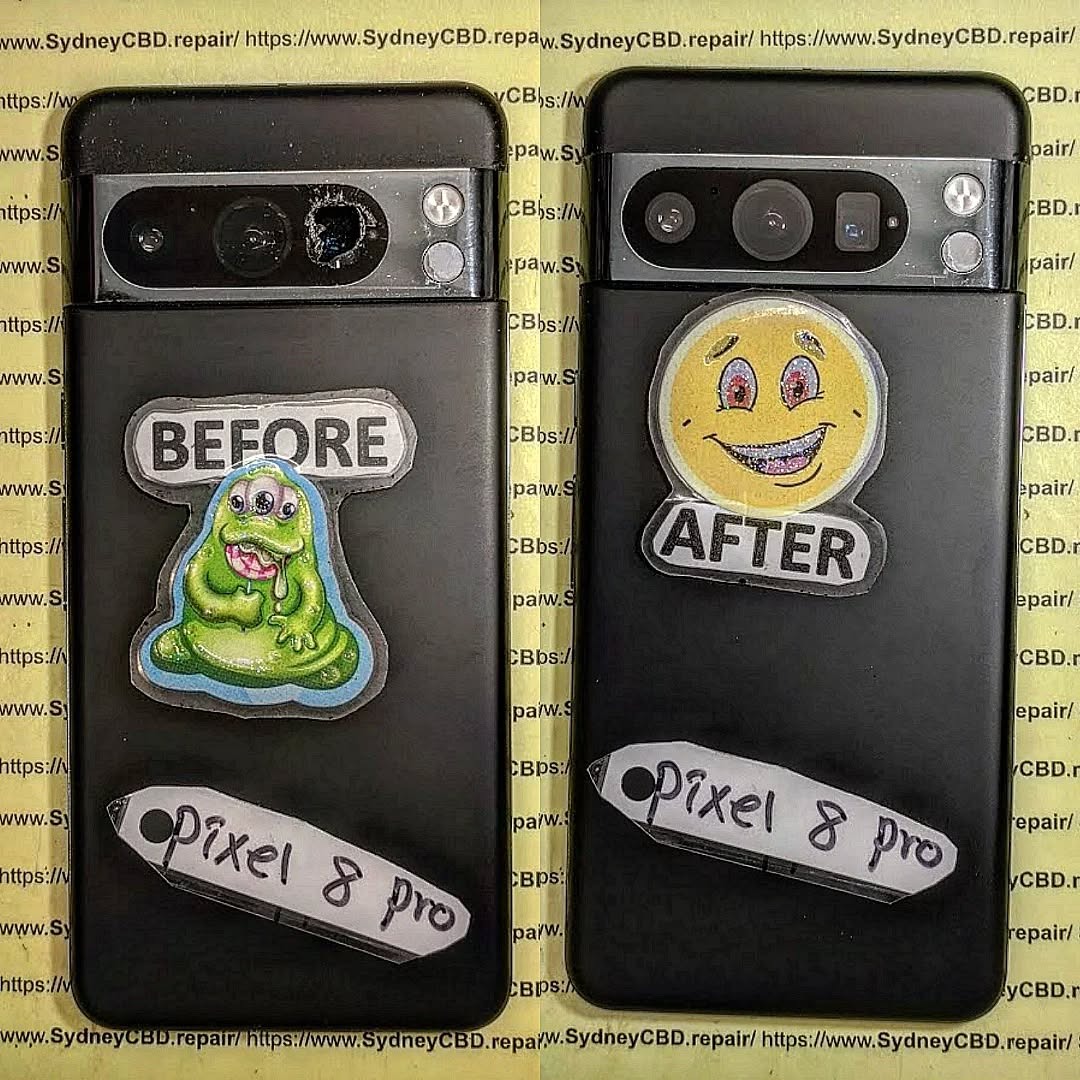
The Google Pixel 8 Pro is known for its cutting-edge camera technology. From advanced AI processing to professional-grade lenses, this device delivers photography that rivals standalone cameras. However, even the best hardware isn’t immune to accidents. That’s where Google Pixel 8 Pro camera glass repair becomes essential.
In the first days of ownership, most users focus on the screen. Yet, the camera glass is just as exposed. A minor drop, a scrape against keys, or even sudden temperature changes can crack the glass. When that happens, image quality suffers, and internal components are put at risk. In the first 10% of this article, it’s important to stress that timely Google Pixel 8 Pro camera glass repair protects both your photos and your investment.
Moreover, repairing the camera glass early helps maintain resale value. Buyers quickly spot damaged lenses, and even small cracks can raise red flags. Simply put, fixing the problem sooner rather than later saves money, stress, and frustration.
The Pixel 8 Pro features a multi-lens rear camera system designed for versatility. Each lens is protected by reinforced camera glass, engineered to resist scratches and minor impacts. Still, no glass is unbreakable.
Camera Glass vs Camera Module Explained
Many users confuse camera glass with the camera module itself. The camera glass is the outer protective layer. The camera module includes sensors, lenses, and stabilisation components. A crack in the glass doesn’t always mean the module is damaged. That’s good news, because Google Pixel 8 Pro camera glass repair is far more affordable than replacing the entire camera module.
Understanding this distinction helps users make informed decisions. If images are blurry or distorted due to cracked glass, replacing only the glass often restores full performance.
Common Causes of Camera Glass Damage
Camera glass damage rarely happens without reason. In fact, most cases fall into predictable patterns.
Accidental Drops and Impact
A sudden drop onto concrete is the most common culprit. Even with a case, the raised camera bar on the Pixel 8 Pro can take a direct hit. One awkward angle is all it takes.
Pressure, Heat, and Everyday Wear
Sitting on your phone, placing it lens-down on rough surfaces, or exposing it to extreme heat can weaken the glass. Over time, micro-fractures form. Eventually, they become visible cracks that demand Google Pixel 8 Pro camera glass repair.
Some signs are obvious, while others sneak up slowly.
Visual Cracks and Shattered Glass
If you can see cracks around the camera lens, repair is overdue. Even hairline fractures can spread quickly.
Image Quality Issues
Photos may appear hazy, flared, or unevenly lit. Dust trapped under cracked glass scatters light, reducing sharpness. If cleaning the lens doesn’t help, professional repair is the next step.
Risks of Ignoring Broken Camera Glass
Putting off repairs might seem harmless, but it often leads to bigger problems.
Dust and Moisture Ingress
Once the glass is compromised, dust and moisture can enter. Over time, this damages sensors and circuitry.
Long-Term Camera Damage
What starts as a simple glass replacement can escalate into a full camera module repair. Addressing the issue early with Google Pixel 8 Pro camera glass repair prevents costly outcomes.
DIY vs Professional Camera Glass Repair
It’s tempting to try a DIY fix. After all, online kits are everywhere. Still, results vary.
Why DIY Repairs Often Fail
DIY repairs lack specialised tools and controlled environments. Misalignment, dust contamination, or adhesive failure are common. These mistakes often cause more harm than good.
Benefits of Professional Repair Services
Professional technicians use precision tools and genuine-grade parts. Repairs are cleaner, safer, and backed by warranty. That peace of mind is hard to beat.
Step-by-Step Overview of Professional Repair Process
Knowing what happens during repair builds trust.
Diagnostics and Safety Checks
Technicians inspect the camera, test image output, and confirm that only the glass is damaged.
Precision Glass Replacement
The damaged glass is carefully removed. New glass is installed with optical-grade adhesive, ensuring clarity and durability. This process restores the phone to near-new condition.
Cost of Google Pixel 8 Pro Camera Glass Repair
Pricing varies depending on several factors.
Factors Affecting Repair Pricing
Costs depend on damage severity, part quality, and labour expertise. Compared to full camera replacement, Google Pixel 8 Pro camera glass repair remains a cost-effective solution.
For official specifications and camera care tips, users can also refer to Google’s own Pixel support resources: Google Pixel Help – Camera Care
Preventing Future Camera Glass Damage
Prevention always beats repair.
Protective Accessories and Habits
Use a case with a raised camera lip. Avoid placing the phone lens-down. Clean the camera gently and regularly. Small habits make a big difference.
Frequently Asked Questions (FAQs)
1. Can I still use my Pixel 8 Pro camera with cracked glass?
Yes, but image quality may suffer, and internal damage risk increases.
2. Is camera glass repair cheaper than module replacement?
Absolutely. Glass-only repair is significantly more affordable.
3. How long does professional repair take?
Most repairs are completed the same day.
4. Will repaired camera glass affect photo quality?
When done professionally, photo quality is fully restored.
5. Is my data safe during repair?
Yes. Camera glass repair doesn’t affect stored data.
6. Does camera glass repair include warranty?
Reputable repair centres typically offer a warranty on parts and labour.
Conclusion
The Google Pixel 8 Pro is built for exceptional photography, but damaged camera glass can hold it back. Acting quickly with Google Pixel 8 Pro camera glass repair preserves image quality, protects internal components, and saves money in the long run. With professional repair and smart prevention, your Pixel stays ready to capture life’s best moments.
David from Sydney CBD Repair Centre – The Best place to fix mobile phones as 7 Years In A Row! Top Mobile Phone Repair In Sydney. More than 2000 Positive Reviews on Google and Same Day Repairs.
We take pride in delivering exceptional repair services for all major phone brands including Apple, Samsung, Google, and more. Our expert technicians use only genuine parts and offer 90days warranty on repairs. Located in the heart of Sydney CBD, we’re your one-stop solution for all mobile device repairs.
Our commitment to excellence has earned us the trust of thousands of satisfied customers. Whether it’s a cracked screen, battery replacement, or water damage repair, we handle it all with professional care and expertise. Walk in today and experience why we’re Sydney’s #1 choice for mobile phone repairs.
Visit us for:
✓ Same Day Express Repairs
✓ Genuine Parts Guarantee
✓ Professional Technicians
✓ Competitive Pricing
✓ 2000+ 5-Star Google Reviews
✓ 7-Time Award Winner for Best Phone Repairs
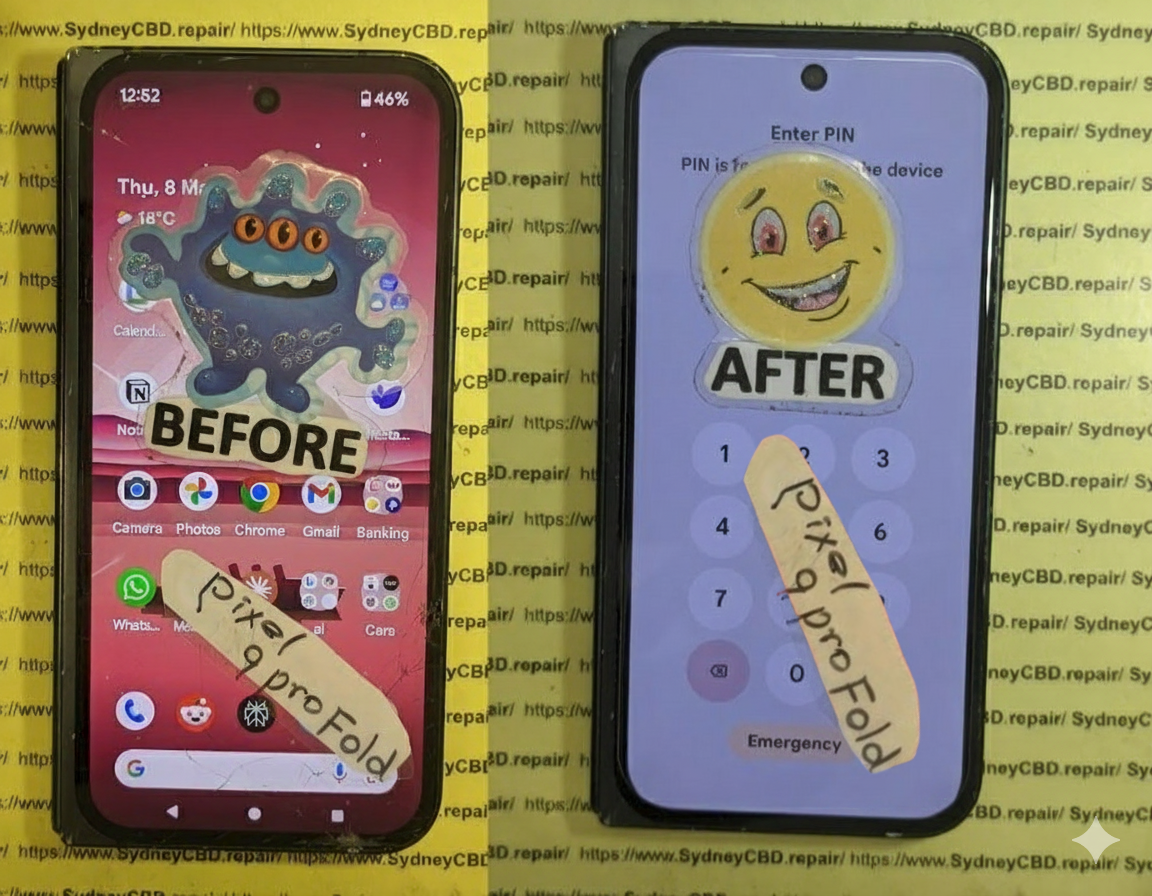
Can We Fix It? Reviving a Water Damaged Pixel 9 Pro Fold XL – Amazing 9-Step Recovery Guide
Introduction
Modern foldable smartphones are engineering masterpieces. The water damaged Pixel 9 Pro Fold XL combines a premium folding OLED display, advanced cameras, artificial intelligence features, and sophisticated internal hardware into one slim device. While it offers excellent durability compared to previous generations, liquid exposure remains one of the biggest threats to its lifespan.
Many owners assume that because their phone has an IP rating, it can survive almost any encounter with water. Unfortunately, that’s not true. Even a small amount of moisture can begin damaging sensitive electronic components within minutes. Saltwater, coffee, soft drinks, swimming pools, rain, and even steam can create problems that become worse over time.
The encouraging news is that not every water damaged Pixel 9 Pro Fold XL is beyond repair. Professional technicians equipped with the proper tools, cleaning equipment, and diagnostic systems can often restore devices that appear completely lifeless.
In this guide, we’ll explain exactly what happens inside your phone after liquid exposure, why acting quickly matters, and how professional repair dramatically increases the chances of a successful recovery.
Liquid damage doesn’t simply stop at the surface. Once moisture enters the phone, it begins affecting numerous components simultaneously.
Unlike traditional smartphones, foldable devices contain additional moving parts, flexible display connectors, hinge assemblies, multiple protective seals, and delicate ribbon cables. Every one of these components creates another possible pathway for moisture intrusion.
That makes a water damaged Pixel 9 Pro Fold XL significantly more complicated to repair than older smartphones.
Why Foldable Phones Are More Vulnerable
Although Google’s engineers designed the Fold XL to withstand everyday use, foldable technology naturally introduces additional engineering challenges.
Some vulnerable areas include:
Flexible OLED display connectors
Internal hinge mechanisms
Multiple ribbon cables
Dual battery configuration
Precision adhesive seals
Internal microphones
Speakers
USB-C charging assembly
Water doesn’t need a large opening.
Even microscopic gaps can allow moisture to travel deep into the phone through capillary action.
Once inside, corrosion begins almost immediately.
Water Resistance Doesn’t Mean Waterproof
One of the biggest misconceptions involves IP ratings.
An IP rating means a phone was tested under controlled laboratory conditions using fresh water. Real-world accidents rarely happen under laboratory conditions.
Consider these common scenarios:
Swimming pool chemicals
Ocean saltwater
Soap residue
Rain driven by wind
Coffee spills
Soft drinks
Beer
Sweat during exercise
Humid bathrooms
Each liquid behaves differently.
Many contain minerals or contaminants that greatly accelerate corrosion.
Even if your water damaged Pixel 9 Pro Fold XL initially appears to function normally, hidden corrosion may continue developing over the following days or weeks.
Hidden Damage Often Appears Later
Many customers tell technicians:
“It worked perfectly yesterday.”
That’s actually common.
After liquid exposure, symptoms may appear gradually, including:
Random shutdowns
Display flickering
Green screen
Black screen
Touch failure
Face Unlock issues
Camera fogging
Charging failures
Overheating
Speaker distortion
Battery drain
Corrosion continues spreading long after the original accident unless professionally cleaned.
Your actions during the first half-hour can determine whether your phone requires a simple cleaning or an expensive motherboard repair.
Many well-intentioned DIY attempts actually increase the damage.
Let’s examine what should—and shouldn’t—be done.
Mistake #1: Continuing to Use the Phone
The biggest mistake is assuming:
“It’s still working, so it’s probably okay.”
Using a water damaged Pixel 9 Pro Fold XL while moisture remains inside allows electricity to flow across contaminated circuits.
That causes:
Short circuits
Burned components
Permanent motherboard failure
Damaged display connectors
Battery issues
If liquid has entered the phone, power should be turned off immediately.
Mistake #2: Charging the Device
Many users notice low battery after the accident.
Their first instinct?
Plug it into a charger.
Unfortunately, this is one of the fastest ways to destroy the charging circuitry.
Electric current and moisture are a dangerous combination.
Professional technicians always recommend avoiding:
Wired charging
Wireless charging
Fast charging
Power banks
until the phone has been professionally inspected.
Mistake #3: Putting It in Rice
The “rice trick” has become one of the internet’s most persistent myths.
Rice cannot:
Remove corrosion
Dry moisture trapped beneath chips
Eliminate minerals
Clean contaminated circuits
Prevent oxidation
Instead, rice may introduce dust and starch particles into charging ports and speaker openings.
Professional repair centres never rely on rice.
Instead, they disassemble the phone, remove moisture mechanically, clean affected components using specialised solutions, and inspect every circuit under magnification.
Mistake #4: Using a Hair Dryer
Heat causes several additional problems.
High temperatures may:
Warp the OLED display
Damage waterproof seals
Soften adhesives
Push moisture deeper inside
Harm battery chemistry
Likewise, compressed air can drive water further into connectors instead of removing it.
Gentle drying of the phone’s exterior is fine, but internal drying requires professional equipment.
What You Should Do Instead
If your water damaged Pixel 9 Pro Fold XL has been exposed to liquid, follow these steps immediately:
Turn the phone off.
Disconnect all charging cables.
Remove any protective case.
Dry the exterior with a lint-free cloth.
Keep the device unfolded if possible.
Do not press unnecessary buttons.
Do not attempt charging.
Avoid shaking the device.
Take it to a professional repair technician as soon as possible.
Time is one of the biggest factors affecting successful recovery.
The sooner corrosion is removed, the greater the chance that expensive components can be saved.
Many people believe water damage simply “dries out.”
Unfortunately, electronics don’t work that way.
The real enemy isn’t always the water itself.
It’s what remains behind after the water evaporates.
Minerals, salts, sugars, cleaning chemicals, chlorine, and other contaminants remain on electronic circuits. These residues begin reacting with electricity and metal almost immediately, producing corrosion that slowly destroys microscopic pathways on the motherboard.
For a water damaged Pixel 9 Pro Fold XL, this process can affect nearly every internal system. Because foldable phones use tightly packed components connected by flexible ribbon cables, even a tiny amount of corrosion can interrupt communication between essential hardware.
Professional technicians often discover multiple affected areas from what seemed like a small spill.
Some of the first components inspected include:
Component
Possible Water Damage Symptoms
OLED Inner Display
Flickering, black screen, green tint
Outer Display
Touch issues, display artifacts
Battery
Rapid drain, overheating, swelling
Charging Port
Slow charging, no charging, intermittent connection
Cameras
Foggy lenses, autofocus failure
Speakers
Muffled or distorted sound
Microphones
Poor call quality
Motherboard
Random restarts, complete failure
Flex Cables
Display disconnects, touch failure
The challenge is that these issues don’t always appear immediately. Some develop over several days as corrosion spreads, which is why early professional cleaning remains the best defence against permanent damage.
Professional Diagnostic Process
When a water damaged Pixel 9 Pro Fold XL arrives at a professional repair centre, technicians don’t immediately replace parts. Instead, they follow a structured diagnostic process designed to identify both visible and hidden damage. This careful approach prevents unnecessary repairs and increases the likelihood of restoring the device while preserving valuable data.
Unlike DIY repair attempts, professional diagnostics rely on specialised tools, precision equipment, and years of experience working with delicate foldable smartphones.
Step 1: External Inspection
The first step is a detailed visual inspection.
Technicians check for:
Signs of liquid entry around the SIM tray
Moisture near the USB-C charging port
Speaker and microphone openings
Display abnormalities
Hinge movement
Physical impact damage
Bent frame sections
Cracked glass
These initial observations often provide clues about where the liquid entered the phone.
Step 2: Safe Device Disassembly
Foldable phones are significantly more challenging to open than standard smartphones.
Improper disassembly can damage:
Flexible OLED display
Internal display cables
Waterproof adhesive seals
Hinge components
Battery connections
Professional technicians use specialised heating equipment, precision opening tools, and manufacturer-approved procedures to safely access the internal components without causing additional damage.
Step 3: Internal Moisture Assessment
Once opened, technicians inspect every major component.
Particular attention is given to:
Motherboard
Battery connectors
Display flex cables
Charging circuitry
Camera modules
Wireless charging coil
Hinge assembly
Liquid contact indicators
These indicators help determine how extensively the liquid has spread throughout the device.
Step 4: Microscope-Level Inspection
Many forms of corrosion are invisible to the naked eye.
Professional repair centres use high-powered microscopes to inspect:
Integrated circuits (ICs)
Power management chips
Display connectors
Capacitors
Micro solder joints
Charging ICs
This level of precision allows technicians to locate damaged areas that would otherwise go unnoticed.
Step 5: Ultrasonic Cleaning
One of the most important stages in repairing a water damaged Pixel 9 Pro Fold XL is ultrasonic cleaning.
The motherboard is carefully cleaned using professional electronic-safe cleaning solutions inside an ultrasonic cleaner. This process removes:
Corrosion
Mineral deposits
Salt residue
Dirt particles
Oxidation
Unlike household cleaning methods, ultrasonic cleaning reaches beneath chips and into microscopic spaces where corrosion often hides.
Step 6: Drying and Component Testing
After cleaning, all components are thoroughly dried using controlled equipment.
Technicians then test:
Power rails
Battery voltage
Charging current
Display output
Camera operation
Speaker function
Touch response
Wireless charging
Network connectivity
Wi-Fi and Bluetooth
Only after confirming the integrity of each subsystem will the device be reassembled.
Common Components That May Require Replacement
Not every water-damaged component can be restored through cleaning alone. Depending on the extent of the damage, one or more parts may need replacement.
Component
Possible Repair
OLED Display
Replace if permanently damaged
USB-C Charging Port
Replace charging assembly
Battery
Install a new genuine battery
Cameras
Replace affected camera module
Loudspeaker
Install new speaker
Microphone
Replace damaged microphone
Flex Cables
Replace faulty ribbon cables
Motherboard Components
Microsoldering or IC replacement
Professional technicians always aim to preserve the original hardware whenever possible, especially if replacing it isn’t necessary.
Can Every Water Damaged Pixel 9 Pro Fold XL Be Saved?
One of the most common questions customers ask is whether every water damaged Pixel 9 Pro Fold XL can be repaired.
The honest answer is: not always—but many can be saved.
The outcome depends on several factors, including:
How much liquid entered the phone
The type of liquid involved
Whether the phone remained powered on
How quickly professional treatment began
The extent of corrosion
Whether the motherboard has suffered electrical shorts
Fresh water generally causes less long-term damage than saltwater or sugary drinks, which leave behind conductive residues that accelerate corrosion.
Even phones that appear completely dead may still be recoverable if the damage is addressed promptly.
Factors That Improve Repair Success
Several conditions significantly increase the chances of a successful repair:
The phone was switched off immediately.
It wasn’t connected to a charger after the incident.
No DIY repair attempts were made.
The device was professionally cleaned within 24 to 48 hours.
Corrosion had not reached critical integrated circuits.
These factors can often make the difference between a straightforward repair and an irreparable motherboard failure.
When Repair May Not Be Possible
In some cases, the damage is simply too extensive.
Examples include:
Severe motherboard corrosion
Multiple burned integrated circuits
Delaminated OLED display
Battery thermal damage
Extensive saltwater exposure over several days
Physical damage combined with liquid intrusion
Even in these situations, professional technicians may still be able to recover important data before recommending device replacement.
Repair vs Replacement: Which Is the Better Option?
Deciding whether to repair or replace a water damaged Pixel 9 Pro Fold XL depends on several practical considerations.
Repair Is Often the Better Choice When:
The motherboard is recoverable.
The display remains functional.
Your data is valuable.
The phone is relatively new.
Only a few components require replacement.
Repairing the original device is often more cost-effective than purchasing a brand-new premium foldable smartphone.
Replacement May Be Necessary When:
The motherboard is beyond repair.
Both displays are destroyed.
The repair cost approaches the price of a replacement device.
Multiple critical components have failed simultaneously.
A professional diagnostic assessment provides the information needed to make an informed decision.
Data Recovery Considerations
For many users, the data stored on the phone is more valuable than the hardware itself.
Photos, videos, contacts, business documents, and personal memories can often be recovered if the motherboard can be temporarily restored to working condition.
This is another reason to avoid DIY repair attempts, as they can reduce the chances of successful data recovery.
Professional technicians prioritise data preservation whenever possible before proceeding with more extensive repairs.
Why Professional Repair Matters
Foldable smartphones represent some of the most advanced consumer electronics available today. Repairing them requires specialised tools, technical expertise, and an understanding of their unique internal design.
Attempting to repair a water damaged Pixel 9 Pro Fold XL without the proper equipment can result in:
Torn display cables
Damaged hinge mechanisms
Broken OLED panels
Further motherboard damage
Loss of waterproof sealing
Reduced chances of successful data recovery
Choosing an experienced repair centre gives your device the best opportunity for a full recovery while minimising the risk of additional damage.
Preventing Future Water Damage
While professional repair can often save a water damaged Pixel 9 Pro Fold XL, prevention is always the most cost-effective solution. Foldable smartphones are built with impressive engineering, but no electronic device is completely immune to liquid damage.
By following a few practical habits, you can significantly reduce the risk of expensive repairs.
Keep Your Phone Away from High-Risk Environments
Many liquid damage cases don’t happen because someone drops a phone into a pool. Instead, they occur during everyday activities.
Common situations include:
Using the phone in heavy rain
Placing it beside a sink
Taking it into the bathroom while showering
Leaving it near beverages at cafés or restaurants
Using it around swimming pools
Carrying it during water sports
Avoiding these scenarios whenever possible can dramatically reduce the chances of accidental exposure.
Remember That Water Resistance Changes Over Time
The factory seals that help protect your phone gradually wear down through normal use.
Factors that affect water resistance include:
Daily opening and closing of the foldable hinge
Minor drops or impacts
Exposure to heat
Previous repairs
Normal ageing of adhesive seals
Even if your Pixel 9 Pro Fold XL survived water exposure in the past, it may not provide the same level of protection months or years later.
Use Protective Accessories
Although accessories cannot make your phone waterproof, they can help minimise risk.
Consider using:
A quality protective case
Waterproof pouch for beach trips
Dry bags during boating or hiking
Screen protectors
Dust plugs when appropriate
These accessories add another layer of defence against accidental spills and splashes.
Back Up Your Data Regularly
Even the best repair cannot guarantee data recovery in every situation.
Protect your memories and important files by enabling automatic cloud backups.
Regularly back up:
Photos
Videos
Contacts
Messages
Documents
App data
If the unexpected happens, you’ll still have access to your important information.
Frequently Asked Questions
1. Can a water damaged Pixel 9 Pro Fold XL be completely repaired?
Yes, many devices can be successfully repaired, especially if they are turned off immediately and professionally cleaned before corrosion becomes severe. The outcome depends on the amount of liquid exposure, the type of liquid, and how quickly the phone receives professional attention.
2. Should I put my Pixel 9 Pro Fold XL in rice?
No.
Rice does not remove corrosion or moisture trapped beneath integrated circuits. It may also introduce dust and starch particles into ports and speakers. Professional disassembly and ultrasonic cleaning are far more effective.
3. My phone still works after getting wet. Should I still have it inspected?
Absolutely.
Hidden corrosion can continue developing even if the phone appears normal. A professional inspection can identify and treat problems before they become permanent.
4. How long should I wait before turning my phone back on?
Do not turn it back on until it has been inspected and properly dried by a qualified technician. Powering on a wet device can create electrical shorts that permanently damage the motherboard.
5. Can water damage affect the folding screen?
Yes.
The flexible OLED display, ribbon cables, and display connectors are all vulnerable to liquid intrusion. Damage may appear as flickering, green lines, black screens, or touch issues.
6. Is repairing a water damaged Pixel 9 Pro Fold XL cheaper than replacing it?
In many cases, yes.
If the motherboard and display can be saved, professional repair is often significantly more affordable than purchasing a brand-new premium foldable smartphone.
7. Can my photos and files still be recovered?
Often, yes.
Even if the phone will not power on, experienced technicians may be able to restore the motherboard temporarily or repair specific circuits to recover important data. The sooner the device is professionally assessed, the better the chances of successful recovery.
8. Does Google’s warranty cover water damage?
Generally, accidental liquid damage is not covered under the standard manufacturer’s warranty. If liquid contact indicators have been triggered or corrosion is present, repairs are typically considered out-of-warranty.
Conclusion
A water damaged Pixel 9 Pro Fold XL doesn’t automatically mean the end of your device. Thanks to advances in professional diagnostics, ultrasonic cleaning, and motherboard-level repair techniques, many phones that appear beyond saving can be restored to full working order.
The key is acting quickly. Turning the phone off immediately, avoiding charging, resisting common DIY myths like placing it in rice, and seeking professional assistance as soon as possible can dramatically improve the chances of a successful repair.
Foldable smartphones are among the most sophisticated mobile devices ever created. Their intricate internal design demands specialised tools, technical expertise, and careful handling. Whether the issue is minor moisture exposure or significant liquid intrusion, an experienced repair technician can accurately assess the damage, recommend the most cost-effective solution, and maximise the likelihood of preserving both your device and your valuable data.
If your Pixel 9 Pro Fold XL has suffered water damage, don’t wait for corrosion to spread. Early intervention is often the difference between a straightforward repair and an expensive replacement. Trust skilled professionals who understand the complexities of foldable smartphones and are equipped to return your device to peak performance.
Final Thoughts
Water accidents happen to everyone, but they don’t always have to result in losing your phone. Prompt action, informed decisions, and professional repair services can make all the difference. By understanding the risks, avoiding common mistakes, and prioritising expert diagnostics, you’ll give your Pixel 9 Pro Fold XL the best possible chance of recovery and many more years of reliable use.
David from Sydney CBD Repair Centre – The Best place to fix mobile phones as 7 Years In A Row! Top Mobile Phone Repair In Sydney. More than 2000 Positive Reviews on Google and Same Day Repairs.
We take pride in delivering exceptional repair services for all major phone brands including Apple, Samsung, Google, and more. Our expert technicians use only genuine parts and offer 90 days warranty on repairs. Located in the heart of Sydney CBD, we’re your one-stop solution for all mobile device repairs.
Our commitment to excellence has earned us the trust of thousands of satisfied customers. Whether it’s a cracked screen, battery replacement, or water damage repair, we handle it all with professional care and expertise. Walk in today and experience why we’re Sydney’s #1 choice for mobile phone repairs.
Visit us for:
✓ Same Day Express Repairs
✓ Genuine Parts Guarantee
✓ Professional Technicians
✓ Competitive Pricing
✓ 2000+ 5-Star Google Reviews
✓ 7-Time Award Winner for Best Phone Repairs
Sydney CBD Repair Centre – Where Quality Meets Reliability.
THE INVISIBLE FIX! Replacing Google Pixel 9 Pro Under-Display Ultrasonic Fingerprint Sensors
Introduction
Modern smartphones have transformed security, and the Google Pixel 9 Pro is one of the best examples of this innovation. Instead of relying on a traditional rear-mounted fingerprint scanner, Google integrates an advanced under-display ultrasonic fingerprint sensor beneath the OLED screen. This invisible technology provides quick, secure, and convenient authentication while maintaining the phone’s sleek appearance.
However, despite its impressive engineering, the fingerprint sensor isn’t immune to damage. Drops, liquid exposure, poor-quality screen replacements, manufacturing defects, and improper repairs can all lead to sensor failures. When that happens, many users assume the entire display has failed. Fortunately, that’s rarely the case.
Replacing Google Pixel 9 Pro Under-Display Ultrasonic Fingerprint Sensors requires specialized equipment, technical expertise, and careful calibration. Unlike older fingerprint readers that could simply be unplugged and replaced, modern ultrasonic sensors interact closely with the display assembly and motherboard. Even a small mistake during repair can prevent biometric authentication from functioning correctly.
This guide explains everything you need to know—from understanding how the technology works to recognizing warning signs, comparing DIY and professional repairs, and learning why genuine replacement parts make a significant difference.
The fingerprint scanner inside the Google Pixel 9 Pro is considerably more advanced than earlier generations of biometric readers.
Rather than using a camera to photograph your fingerprint, the ultrasonic sensor emits microscopic sound waves beneath the display. These sound waves bounce back after encountering the unique ridges and valleys of your fingerprint.
The sensor then creates a highly detailed three-dimensional fingerprint map.
Because of this technology, the scanner offers numerous benefits:
Faster unlocking
Better security
Improved recognition accuracy
Excellent performance with wet fingers
Greater resistance to spoofing attempts
Reliable operation in different lighting conditions
Unlike optical fingerprint scanners, ultrasonic technology doesn’t depend on brightness or visible light. This makes it both faster and more secure.
Google carefully integrates this sensor beneath the OLED display, allowing users to unlock the phone without sacrificing screen space or aesthetics.
How Under-Display Ultrasonic Technology Works
At first glance, unlocking your phone seems simple.
Place your thumb on the designated area.
The screen briefly illuminates.
Within milliseconds, the phone unlocks.
Behind the scenes, however, a remarkably sophisticated process takes place.
Step 1: Finger Placement
Your finger touches the designated scanning zone beneath the OLED display.
Step 2: Ultrasonic Pulse
The fingerprint module emits ultrasonic sound waves through the display.
Step 3: Echo Reception
The waves reflect differently depending on the ridges and valleys of your fingerprint.
Step 4: Digital Mapping
Specialized hardware converts these reflections into a secure three-dimensional fingerprint model.
Step 5: Authentication
The encrypted fingerprint is compared against the securely stored biometric template inside Google’s Titan security architecture.
If the fingerprints match, access is granted almost instantly.
This entire process typically takes less than half a second.
Why Google Chose Ultrasonic Instead of Optical Sensors
Several Android manufacturers still use optical fingerprint readers because they’re less expensive to manufacture.
Google’s decision to use ultrasonic technology provides several advantages.
Feature
Ultrasonic Sensor
Optical Sensor
Security
Excellent
Good
3D Mapping
Yes
No
Wet Finger Support
Excellent
Limited
Bright Light Needed
No
Yes
Spoof Resistance
Very High
Moderate
Recognition Accuracy
Excellent
Good
Performance Through Screen Protectors
Better
Variable
Although ultrasonic technology increases manufacturing costs, it significantly improves security and everyday usability.
Common Causes of Fingerprint Sensor Failure
Despite its durability, several issues can cause the fingerprint reader to malfunction.
1. Cracked OLED Display
The most common cause is a cracked screen.
Even if the fingerprint sensor itself remains intact, fractures in the OLED panel can interfere with ultrasonic wave transmission.
2. Low-Quality Screen Replacement
Cheap aftermarket displays frequently lack the precise material properties required for ultrasonic scanning.
Many users discover that after replacing their screen with inexpensive components, fingerprint recognition becomes unreliable or stops working entirely.
3. Water Damage
Although the Pixel 9 Pro offers water resistance, prolonged exposure to moisture can damage sensitive electronic components.
Corrosion may affect:
Sensor connectors
Display flex cables
Motherboard circuits
Calibration circuitry
4. Physical Impact
A severe drop can misalign internal components without visibly damaging the display.
The ultrasonic module relies on extremely precise positioning.
Even slight movement may prevent accurate fingerprint scanning.
5. Manufacturing Defects
Although uncommon, factory defects occasionally appear after months of normal use.
Some issues can be resolved through software troubleshooting, but persistent hardware-related symptoms often require professional diagnosis and replacement.
Diagnosing the Problem Before Repair
A professional technician doesn’t immediately replace the fingerprint sensor. Instead, they follow a structured diagnostic process to determine the root cause and avoid unnecessary repairs.
Visual Inspection
The first step is checking the phone for obvious signs of damage, including:
Cracked or lifting display
Frame distortion from impacts
Evidence of liquid exposure
Damaged display flex cables
Even minor physical damage can affect how ultrasonic waves travel through the display.
Software Testing
Next, technicians verify whether the issue is software-related by:
Checking for Android updates
Testing fingerprint settings
Removing and re-enrolling fingerprints
Running built-in diagnostic tools
Reviewing hardware error logs where available
If the sensor responds normally after software troubleshooting, a hardware replacement may not be necessary.
Hardware Diagnostics
If software isn’t the problem, the device is opened for internal inspection. Technicians examine:
Fingerprint sensor connections
Display assembly integrity
Motherboard connectors
Signs of corrosion or component damage
Using specialized testing equipment helps determine whether the fault lies with the sensor itself, the display assembly, or another internal component.
Proper diagnosis is essential because replacing the wrong part increases repair costs without solving the problem.
Professional Replacement Process
Replacing Google Pixel 9 Pro under-display ultrasonic fingerprint sensors is one of the most delicate smartphone repairs available today. Unlike older fingerprint readers mounted on the back or side of a device, the Pixel 9 Pro’s ultrasonic sensor works as part of a carefully engineered system that includes the OLED display, display adhesive, motherboard, and biometric security software.
Professional repair centres follow a strict workflow to ensure the replacement restores both functionality and reliability.
Step 1: Initial Device Inspection
Before opening the phone, technicians perform a complete inspection to identify any additional problems that could affect the repair.
This includes checking:
Display responsiveness
OLED image quality
Touch sensitivity
Face Unlock functionality
Camera operation
Charging performance
Wireless charging
Speaker and microphone
Network connectivity
Documenting the phone’s condition before disassembly helps ensure no unrelated issues are overlooked.
Step 2: Safe Device Disassembly
The Pixel 9 Pro is sealed with strong waterproof adhesive. Removing the display requires carefully heating the edges to soften the adhesive without overheating the OLED panel.
Specialized repair tools include:
Precision heat pad
Plastic opening picks
Suction cups
Thin pry tools
Anti-static equipment
Precision screwdrivers
Using excessive force can crack the display or damage delicate flex cables, making experience essential.
Step 3: Disconnecting Internal Components
Once the display is lifted, the technician disconnects the battery before working on any internal electronics.
This prevents:
Short circuits
Electrical damage
Accidental component failure
Static discharge risks
Battery isolation is a standard safety procedure for professional smartphone repairs.
Step 4: Removing the Damaged Fingerprint Sensor
The fingerprint sensor is carefully detached from the display assembly.
Technicians inspect:
Connector pins
Ribbon cables
Sensor alignment
Adhesive residue
Display mounting surface
If additional damage is discovered, such as a torn flex cable or damaged display connector, these issues are addressed before installing the new component.
Step 5: Installing the New Sensor
A genuine replacement sensor is positioned with extreme precision.
Even a slight misalignment may cause:
Slow fingerprint recognition
Failed fingerprint enrollment
Intermittent unlocking
Complete sensor failure
Professional repair centres use manufacturer-grade alignment procedures to ensure the ultrasonic waves pass correctly through the OLED display.
Step 6: Calibration
This is one of the most important steps.
Many users don’t realize that installing a new sensor alone isn’t enough.
Calibration ensures:
Fingerprint recognition accuracy
Security compliance
Reliable biometric performance
Proper communication between hardware and software
Without calibration, the phone may detect the sensor but refuse to register fingerprints.
Step 7: Functional Testing
After reassembly, technicians thoroughly test:
Fingerprint enrollment
Unlock speed
Multiple fingerprint registrations
Touch sensitivity
Display brightness
OLED colour accuracy
Face Unlock
Charging
Camera
Speakers
Wireless charging
Only after every function passes inspection is the repair considered complete.
Tools Required for Repair
Professional workshops invest in specialized equipment designed for modern smartphone repairs.
Tool
Purpose
Heat Pad
Softens waterproof adhesive
Precision Screwdrivers
Remove internal screws
Opening Picks
Separate display safely
Suction Cup
Lift OLED screen
Anti-static Mat
Prevent ESD damage
Tweezers
Handle delicate connectors
Adhesive Templates
Restore water resistance
Microscope
Inspect connectors
Calibration Equipment
Verify sensor accuracy
These tools help minimize the risk of accidental damage during the repair process.
Genuine vs Aftermarket Replacement Parts
Choosing the correct replacement component can significantly affect the long-term performance of your Pixel 9 Pro.
Genuine Parts
Advantages include:
Excellent fingerprint recognition
Original performance
Reliable calibration
Longer lifespan
Better compatibility
Manufacturer-quality materials
Disadvantages:
Higher cost
Limited availability
Aftermarket Parts
Advantages:
Lower purchase price
Wider availability
Disadvantages:
Reduced fingerprint accuracy
Inconsistent performance
Potential calibration issues
Lower durability
Variable manufacturing quality
Although aftermarket components may appear attractive due to their lower price, they often result in repeated repairs and user frustration.
Comparison Table: Genuine vs Aftermarket Parts
Feature
Genuine Parts
Aftermarket Parts
Fingerprint Accuracy
Excellent
Variable
Unlock Speed
Fast
Often Slower
Durability
High
Moderate
Compatibility
Excellent
Inconsistent
Calibration Success
Very High
May Fail
Warranty Support
Yes
Depends on Supplier
Overall Reliability
Excellent
Mixed
For a premium device like the Google Pixel 9 Pro, genuine components generally provide the best long-term value.
DIY vs Professional Repair
Many repair videos online make fingerprint sensor replacement appear straightforward. However, replacing an under-display ultrasonic fingerprint sensor involves much more than simply swapping parts.
DIY Repair
Advantages
Lower upfront cost
Learn a new skill
Flexible repair schedule
Disadvantages
Risk of damaging the OLED display
Difficulty maintaining water resistance
Calibration challenges
Potential warranty implications
Need for specialized tools
No professional workmanship guarantee
Professional Repair
Advantages
Experienced technicians
Genuine replacement parts
Proper calibration
Comprehensive testing
Warranty on workmanship
Faster turnaround
Reduced risk of additional damage
Disadvantages
Higher initial cost than DIY
Requires visiting or mailing the device to a repair centre
For most users, professional repair offers greater reliability and peace of mind, especially when dealing with advanced biometric technology.
Repair Cost Factors
The cost of replacing a Google Pixel 9 Pro under-display ultrasonic fingerprint sensor depends on several factors:
Whether the display also requires replacement
Availability of genuine parts
Extent of internal damage
Labour required for disassembly and calibration
Water damage or corrosion repairs
Warranty coverage
Attempting a cheaper repair with low-quality components may save money initially but can lead to additional expenses if the fingerprint sensor fails again.
Preventing Future Fingerprint Sensor Problems
Once your phone has been repaired, a few simple habits can help keep the fingerprint sensor working reliably.
Use a high-quality protective case.
Apply a compatible screen protector.
Avoid exposing the phone to excessive moisture.
Keep the display clean and free from heavy dirt or oils.
Register multiple fingerprints for improved recognition.
Install official software updates.
Avoid low-quality replacement screens.
Seek professional repairs after significant drops.
Regular care can extend the life of both the display and the fingerprint sensor while maintaining fast and accurate biometric performance.
Frequently Asked Questions (FAQs)
1. Why has my Google Pixel 9 Pro fingerprint sensor stopped working?
There are several possible reasons, including a cracked OLED display, physical impact, liquid damage, software glitches, or a faulty fingerprint sensor. In some cases, a low-quality aftermarket screen replacement can also interfere with the ultrasonic fingerprint scanner.
2. Can the fingerprint sensor be repaired without replacing the display?
It depends on the extent of the damage. If only the fingerprint sensor has failed and the OLED display remains fully functional, a technician may be able to replace the sensor independently. However, if the display itself is damaged or affects ultrasonic signal transmission, both components may need replacement.
3. Will my fingerprints still be saved after the repair?
In most cases, existing fingerprint data must be removed and re-enrolled after replacing the fingerprint sensor or display. This ensures the new hardware is properly calibrated and functions accurately.
4. Is it safe to replace the fingerprint sensor myself?
While DIY repair kits are available, replacing an under-display ultrasonic fingerprint sensor requires specialized tools, technical expertise, and proper calibration. An incorrect installation can damage the OLED display or prevent the biometric system from working. For most users, professional repair is the safer and more reliable option.
5. Does replacing the fingerprint sensor affect the phone’s security?
No. When installed and calibrated correctly using compatible components, the replacement sensor maintains the same high level of biometric security designed for the Google Pixel 9 Pro.
6. How long does the repair take?
The repair time depends on the availability of replacement parts and the extent of the damage. In many professional repair centres, fingerprint sensor and display-related repairs can often be completed on the same day, provided the necessary parts are in stock.
7. Will my phone remain water-resistant after the repair?
Professional technicians replace the waterproof adhesive during reassembly to help restore the device’s original sealing. However, no repaired smartphone can be guaranteed to retain its original factory water-resistance rating, so it’s still advisable to avoid unnecessary exposure to liquids.
8. Why doesn’t my fingerprint scanner work after a screen replacement?
One of the most common causes is the use of a low-quality aftermarket display that is not fully compatible with ultrasonic fingerprint technology. Another possibility is that the sensor was not properly aligned or calibrated during the repair process.
9. How can I prevent future fingerprint sensor issues?
You can reduce the risk of future problems by:
Using a quality protective case.
Installing a compatible tempered glass screen protector.
Avoiding exposure to excessive moisture.
Keeping the display clean.
Having repairs performed by experienced technicians using genuine-quality replacement parts.
10. Is professional repair worth the investment?
Yes. Professional repair helps ensure the fingerprint sensor, display, and biometric security system all work together as intended. Using genuine-quality components, proper calibration procedures, and experienced technicians significantly reduces the risk of repeat failures and protects your investment in a premium smartphone.
Conclusion
The Google Pixel 9 Pro showcases some of the most advanced smartphone security technology available today. Its under-display ultrasonic fingerprint sensor delivers fast, accurate, and secure authentication while preserving the sleek design of the device. However, this sophisticated technology also demands precision when repairs become necessary.
Whether the issue stems from accidental damage, a faulty display, water exposure, or normal wear over time, replacing the fingerprint sensor is far more complex than simply swapping a component. Accurate diagnosis, high-quality replacement parts, professional calibration, and thorough testing are all essential to restoring reliable biometric performance.
Although DIY repairs may appear to save money initially, they often carry significant risks, including display damage, failed calibration, and reduced long-term reliability. Choosing an experienced repair specialist ensures your Google Pixel 9 Pro continues to perform as designed, giving you confidence every time you unlock your device.
If your fingerprint sensor has become unreliable or stopped working altogether, don’t wait for the problem to worsen. A professional assessment can quickly determine the cause and provide the most effective repair solution, helping extend the life of your smartphone while maintaining its premium security features.
⭐ 7 Reasons Why Sydney CBD Repair Centre is Sydney’s Trusted Choice for Google Pixel Repairs
When your Google Pixel 9 Pro needs expert attention, choosing the right repair centre makes all the difference. At Sydney CBD Repair Centre, our experienced technicians specialise in advanced Google Pixel repairs, including under-display ultrasonic fingerprint sensor replacements, OLED screen repairs, battery replacements, charging issues, and water damage restoration.
Why customers continue to trust us:
✓ Same Day Express Repairs*
✓ Genuine Quality Replacement Parts
✓ Professional Google Pixel Specialists
✓ Advanced Diagnostic Equipment
✓ 90-Day Repair Warranty
✓ Competitive Pricing
✓ More than 2,000 Positive Google Reviews
✓ Seven-Time Award Winner for Best Mobile Phone Repairs
We understand how important your smartphone is to your daily life. That’s why every repair is performed with precision, care, and attention to detail to restore your device to the highest possible standard.
Whether you’re dealing with a damaged display, a faulty fingerprint sensor, or another hardware issue, our team is ready to help you get back up and running as quickly as possible.
Contact Sydney CBD Repair Centre Today
David from Sydney CBD Repair Centre – The Best place to fix mobile phones as 7 Years In A Row! Top Mobile Phone Repair In Sydney. More than 2000 Positive Reviews on Google and Same Day Repairs.
We take pride in delivering exceptional repair services for all major phone brands including Apple, Samsung, Google, and more. Our expert technicians use only genuine parts and offer 90 days warranty on repairs. Located in the heart of Sydney CBD, we’re your one-stop solution for all mobile device repairs.
Our commitment to excellence has earned us the trust of thousands of satisfied customers. Whether it’s a cracked screen, battery replacement, or water damage repair, we handle it all with professional care and expertise. Walk in today and experience why we’re Sydney’s #1 choice for mobile phone repairs.
Visit us for:
✓ Same Day Express Repairs
✓ Genuine Parts Guarantee
✓ Professional Technicians
✓ Competitive Pricing
✓ 2000+ 5-Star Google Reviews
✓ 7-Time Award Winner for Best Phone Repairs
Sydney CBD Repair Centre – Where Quality Meets Reliability.
📍 Sydney CBD Repair Centre: Your Guide to Finding Us & Sending Phones Power Guide + 9 Essential Steps
Introduction
Finding a reliable mobile phone repair service in a busy city can be challenging, especially when your device is essential for work, communication, and everyday life. That’s where Sydney CBD Repair Centre stands out. Known for professional expertise, fast turnaround times, and customer-first service, Sydney CBD Repair Centre has become a trusted name for mobile phone repairs across Sydney. Whether you’re dealing with a cracked screen, battery issues, or unexpected water damage, having a dependable repair centre makes all the difference.
This guide, Sydney CBD Repair Centre: Your Guide to Finding Us & Sending Phones, is designed to make your experience simple and stress-free. You’ll learn exactly where we’re located in the heart of Sydney CBD, how to reach us using public transport or parking options, and how to securely send your phone if you’re unable to visit in person. We’ll also walk you through what happens once your device reaches our technicians, so there are no surprises along the way.
With award-winning service, thousands of positive reviews, and a commitment to genuine parts and quality repairs, Sydney CBD Repair Centre continues to set the standard for mobile phone repairs in Sydney.
Finding a reliable phone repair shop in the heart of the city can feel overwhelming. However, Sydney CBD Repair Centre makes it simple, transparent, and stress-free. This detailed guide explains exactly how to find us, how to send your phone if you can’t visit, and why thousands of customers trust us year after year.
Whether you’re dealing with a cracked screen, weak battery, or water-damaged phone, Sydney CBD Repair Centre is the dependable choice for fast, professional, and high-quality repairs.
When it comes to mobile phone repairs, experience matters. At Sydney CBD Repair Centre, we’ve spent years perfecting our craft while keeping customer satisfaction front and centre.
Trusted Expertise Built on Experience
Our technicians are highly trained and experienced in repairing all major phone brands, including Apple, Samsung, Google, Oppo, and more. Every repair is handled with precision, care, and industry-best practices.
We don’t cut corners. Instead, we rely on proven repair methods, advanced diagnostic tools, and genuine replacement parts. That’s how we consistently deliver results customers can rely on.
Award-Winning Reputation & Customer Trust
Being recognised as the Best Phone Repair Centre in Sydney six years in a row isn’t accidental. It’s the result of honest service, consistent quality, and clear communication. With over 2000 positive Google reviews, Sydney CBD Repair Centre has earned a reputation built on trust and results.
A centrally located repair centre saves you time. Sydney CBD Repair Centre is positioned for convenience, making it easy to drop in before work, during lunch, or while shopping in the city.
Our CBD location also allows us to provide faster turnaround times, including same-day express repairs for most issues.
Landmarks Near Sydney CBD Repair Centre
We’re surrounded by well-known Sydney landmarks, making us easy to find even if you’re new to the city.
Public Transport Access
Close to major train stations
Easy access via buses and light rail
Short walking distance from main CBD routes
Parking Options
Secure parking stations nearby
Street parking options available
Ideal for quick drop-offs
Step-by-Step Guide: How to Find Sydney CBD Repair Centre
Finding Sydney CBD Repair Centre is straightforward, even during busy city hours.
Walking Directions
If you’re already in the CBD, simply follow the main pedestrian routes toward our address. Clear signage and nearby landmarks make navigation easy.
Train, Bus, and Light Rail Routes
Most major public transport lines stop within minutes of our store. This makes visiting Sydney CBD Repair Centre convenient no matter where you’re coming from.
Sending Your Phone to Sydney CBD Repair Centre
Can’t visit us in person? No worries. We offer a secure and reliable mail-in repair service.
Mail-In Repair Explained
Sending your phone to Sydney CBD Repair Centre is a simple process designed for peace of mind. Once your device arrives, our technicians handle everything from inspection to repair.
Packaging Your Phone Safely
Power off your device
Remove SIM cards
Wrap the phone in bubble wrap
Use a sturdy box
Choosing the Right Courier
Select a tracked and insured courier service for added security. This ensures your phone arrives safely and on time.
What Happens After We Receive Your Device
Transparency is key at Sydney CBD Repair Centre. Here’s what happens once your phone arrives.
Inspection & Diagnosis
Our technicians perform a detailed diagnostic check to identify all issues. You’ll be informed before any repair begins.
Repair Process & Quality Control
Repairs are completed using genuine parts where applicable. Every device undergoes strict quality testing before being returned.
Types of Phone Repairs We Handle
Sydney CBD Repair Centre provides comprehensive solutions for nearly every phone issue.
Screen Repairs
Cracked or unresponsive screens are repaired quickly, often on the same day.
Battery Replacements
If your battery drains fast or overheats, we offer safe and reliable replacements.
Water Damage & Logic Board Repairs
Advanced repairs require expertise, and our technicians are trained to handle even complex damage.
Why Genuine Parts & Warranty Matter
Using genuine parts ensures longevity, safety, and performance. That’s why Sydney CBD Repair Centre backs every repair with a 90-day warranty, giving you confidence long after you leave our store.
For more information on manufacturer repair standards, visit Apple’s official repair guidelines.
Frequently Asked Questions (FAQs)
1. How long do repairs usually take?
Most repairs are completed the same day.
2. Do you use genuine parts?
Yes, we prioritise genuine or premium-quality parts.
3. Is mail-in repair safe?
Absolutely. We recommend tracked and insured shipping.
4. Do repairs include warranty?
Yes, all repairs come with a 90-day warranty.
5. Can I walk in without an appointment?
Yes, walk-ins are always welcome.
6. What brands do you repair?
Apple, Samsung, Google, and many more.
Conclusion
Whether you’re visiting in person or sending your device by mail, Sydney CBD Repair Centre delivers professional, reliable, and fast phone repairs you can trust. Our central location, expert technicians, and customer-first approach make us Sydney’s top choice for mobile phone repairs.
If your phone needs fixing, don’t put it off. Choose quality. Choose experience. Choose Sydney CBD Repair Centre.
David from Sydney CBD Repair Centre – The Best place to fix mobile phones as 6 Years In A Row! Top Mobile Phone Repair In Sydney. More than 2000 Positive Reviews on Google and Same Day Repairs.
We take pride in delivering exceptional repair services for all major phone brands including Apple, Samsung, Google, and more. Our expert technicians use only genuine parts and offer 90days warranty on repairs. Located in the heart of Sydney CBD, we’re your one-stop solution for all mobile device repairs.
Our commitment to excellence has earned us the trust of thousands of satisfied customers. Whether it’s a cracked screen, battery replacement, or water damage repair, we handle it all with professional care and expertise. Walk in today and experience why we’re Sydney’s #1 choice for mobile phone repairs.
Visit us for:
✓ Same Day Express Repairs
✓ Genuine Parts Guarantee
✓ Professional Technicians
✓ Competitive Pricing
✓ 2000+ 5-Star Google Reviews
✓ 6-Time Award Winner for Best Phone Repairs
From Dead Ports to Full Power: Sydney’s Best Charging Port Repair Specialists
Introduction
There’s nothing more frustrating than plugging in your phone and realizing it’s not charging. Whether you own an iPhone, Samsung Galaxy, or Google Pixel, charging issues can quickly turn your essential device into a useless brick. But before assuming it’s just a simple port replacement, it’s important to know that the charging system in modern smartphones is far more complex than it seems.
At Sydney CBD Repair Centre, we specialize in diagnosing and repairing charging issues that go beyond basic replacements. Sometimes, the problem isn’t just a damaged port — it could be corrosion, a faulty charging IC, loose connectors, or even software-related faults. Our expert technicians have the advanced tools and experience to pinpoint the exact issue and restore your phone’s power safely and efficiently.
With over 2000 five-star Google reviews and recognized as Sydney’s #1 mobile phone repair centre for six consecutive years, we’ve built our reputation on precision, honesty, and results. Whether your phone won’t charge, overheats while plugged in, or only charges at certain angles, we’ll bring it back to life with genuine parts, same-day service, and a 90-day warranty.
Let’s explore how charging port fixes go beyond simple replacements — and why trusting professionals like Sydney CBD Repair Centre can save you time, money, and stress.
When your phone suddenly stops charging, it’s easy to assume the problem lies solely in the charging port. However, modern smartphones like the iPhone, Samsung Galaxy, and Google Pixel are built with intricate charging systems that involve more than just a physical connector. At Sydney CBD Repair Centre, we understand that a non-charging device can disrupt your day — and that’s why we go beyond simple charging port replacements to identify and repair the true cause of the issue.
The charging port is more than just a plug for your cable — it’s part of a complex circuit that involves your power IC (integrated circuit), motherboard, and battery management system. Dust, corrosion, or even software errors can affect how efficiently your device charges. Sometimes, what appears to be a damaged port could actually be a faulty charging chip, a damaged flex cable, or oxidation on internal connectors.
That’s why at Sydney CBD Repair Centre, we don’t just swap parts — we diagnose, clean, and test every component connected to the charging function to ensure your phone charges safely and efficiently.
Common Charging Issues We Fix
Here are a few of the most frequent charging-related problems our expert technicians encounter:
Loose or intermittent charging – Often caused by debris or a worn port connector.
No charging at all – Could be due to motherboard damage, a faulty charging IC, or liquid corrosion.
Slow charging – Sometimes related to a failing battery or non-genuine cable.
Charging but overheating – Indicates voltage irregularities or short circuits.
USB connection not recognized by computer – Could be an issue with the data pins or damaged flex cable.
Our Advanced Repair Approach
At Sydney CBD Repair Centre, our process goes beyond replacement:
Thorough Diagnosis – We use precision testing tools to check the port, battery, and charging circuits.
Professional Cleaning – Dust, lint, or corrosion buildup inside the port is carefully removed using specialized micro-tools.
Component-Level Repair – If needed, our technicians perform microsoldering repairs on the logic board to restore charging capability.
Genuine Part Replacement – We use only OEM or genuine charging ports that meet the manufacturer’s standards.
Final Testing – Every device undergoes multi-point testing to ensure it charges, syncs, and functions perfectly.
This detailed process ensures your phone doesn’t just charge again — it charges reliably and safely.
Why Choose Sydney CBD Repair Centre for Charging Port Repairs
For more than six consecutive years, Sydney CBD Repair Centre has been recognized as Sydney’s best mobile phone repair shop, with over 2000 five-star Google reviews. Our team of skilled technicians has decades of combined experience in diagnosing and fixing even the most complex charging problems.
When you bring your device to us, you get:
✅ Same-Day Repairs – Most charging port fixes are completed within 1 hour.
✅ Genuine Parts Guarantee – We never compromise on quality.
✅ 90-Day Warranty – Covering both parts and labor.
✅ Transparent Pricing – No hidden fees, ever.
✅ Professional Technicians – Skilled in advanced microsoldering and circuit-level diagnostics.
Brands We Service
We specialize in charging port repairs for all major phone brands, including:
Apple iPhone (All models)
Samsung Galaxy & Note series
Google Pixel phones
Huawei, Oppo, and OnePlus devices
Whether you need a Lightning port, USB-C, or micro-USB repair, we have the right tools, experience, and genuine replacement parts to get it done right.
Don’t Wait — Get Your Device Charging Again Today
If your phone isn’t charging, don’t risk it by forcing the cable or using cheap chargers. Bring it to Sydney CBD Repair Centre, where we can restore your device’s charging function safely and affordably. We’ll diagnose the issue on the spot and provide a free quote before any repair begins.
Sydney CBD Repair Centre — Where Quality Meets Reliability
David and his expert team have made Sydney CBD Repair Centre the city’s go-to destination for mobile phone repairs for over six years. From screen replacements and battery fixes to charging port repairs, we deliver professional, affordable, and fast solutions backed by our genuine parts guarantee and 90-day warranty.
With over 2000 positive Google reviews and a reputation built on excellence, we’re proud to be Sydney’s #1 choice for trusted, high-quality mobile repairs.
Sydney CBD Repair Centre — Beyond simple replacements. Because your phone deserves expert care.
✅ Same Day Express Repairs
✅ Genuine Parts Guarantee
✅ Professional Technicians
✅ Competitive Pricing
✅ 2000+ 5-Star Google Reviews
✅ 6-Time Award Winner for Best Phone Repairs
A faulty charging port doesn’t always mean your phone is beyond repair — it simply needs the right expertise. Modern smartphones have intricate power systems that require more than just swapping parts, and that’s where Sydney CBD Repair Centre truly stands out.
With cutting-edge diagnostic tools, genuine replacement parts, and skilled technicians, we ensure that every charging issue — from loose connectors to complex circuit faults — is fixed with precision and care. Our goal is not just to make your device charge again, but to restore it to peak performance while protecting its long-term reliability.
For over six years, we’ve been Sydney’s most trusted mobile repair shop, proudly earning over 2000 five-star Google reviews. Whether it’s a charging port fix, screen replacement, or battery repair, we deliver the quality and confidence you deserve — all backed by a 90-day warranty and same-day turnaround.
Don’t let a dead charging port keep you disconnected. Visit Sydney CBD Repair Centre today and experience why we’re known as Sydney’s #1 choice for professional, affordable, and reliable phone repairs.