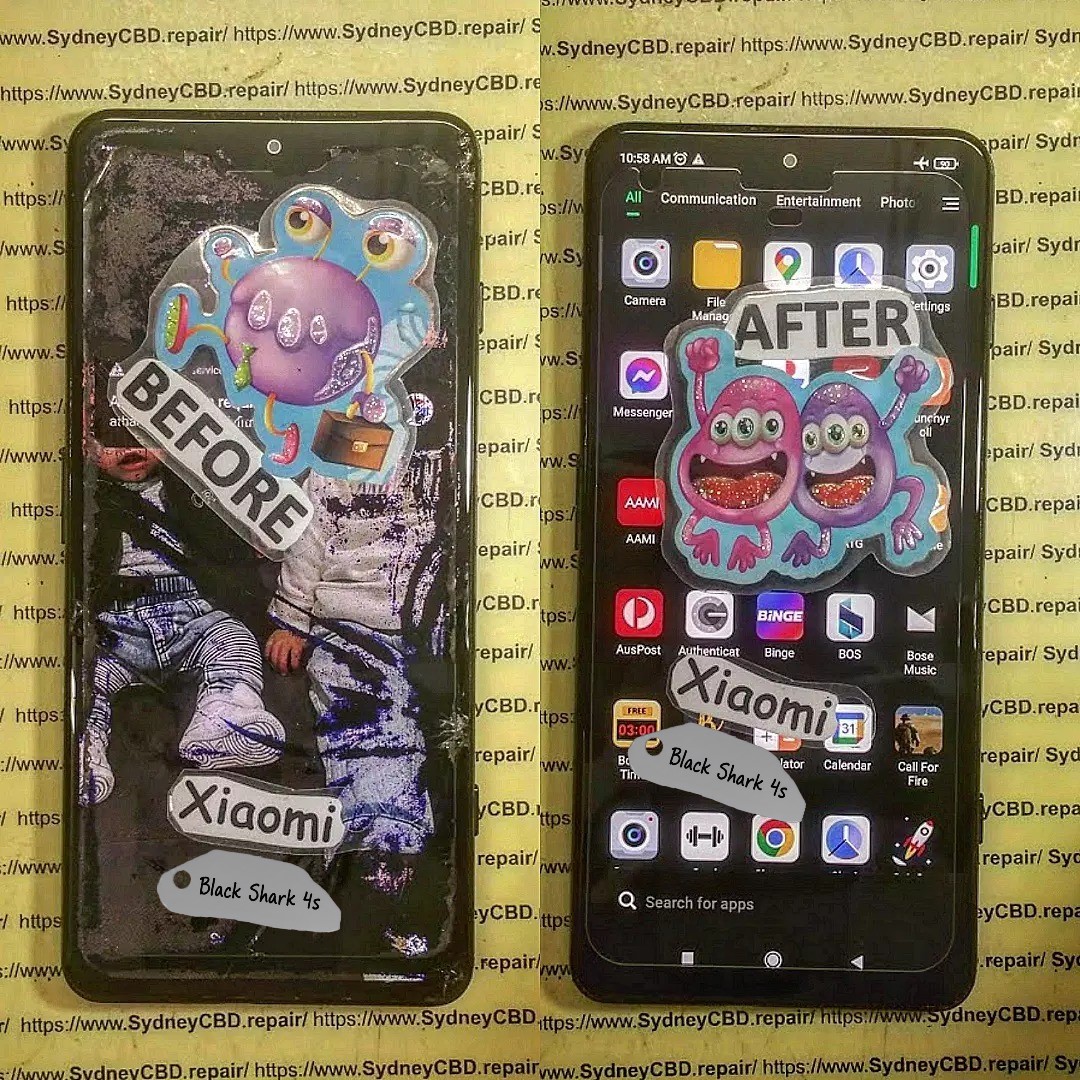
Unveiling The Truth: Are “Waterproof” Smartphones Truly Repairable After a Dip? Shocking Facts & 7 Expert Insights
Introduction
Modern smartphones are often marketed as “waterproof,” giving users a comforting sense of security around pools, rain, and accidental spills. But when a phone takes an unexpected dip and starts acting up, reality sets in fast. Are waterproof phones truly protected, or is water damage repair still inevitable? This question has become increasingly important as premium devices grow more expensive and more complex to fix.
In today’s repair landscape, waterproof phones repair is one of the most misunderstood topics among everyday users. While IP ratings and manufacturer claims suggest strong water resistance, they don’t always reflect real-world conditions such as drops, aging seals, or exposure to saltwater and chemicals. As a result, many phone owners are shocked to learn that water damage is rarely covered by warranty—and that repairs can range from simple to extremely complex.
This article uncovers the truth behind waterproof phone claims, explains what really happens inside a device after water exposure, and explores whether professional repair is a viable option. By the end, you’ll have clear, expert-backed insights to help you protect your device, avoid costly mistakes, and make smarter decisions after water damage strikes.
Smartphone manufacturers proudly advertise phones as waterproof, but here’s the kicker—most phones are not truly waterproof. Instead, they’re water-resistant. That difference matters a lot when it comes to repairability.
From an SEO and repair perspective, waterproof phones repair is one of the most misunderstood topics in mobile technology today. While brands like Apple and Samsung promote water resistance, real-world usage often tells a different story.
What IP Ratings Really Mean
IP ratings (Ingress Protection) define how well a phone resists dust and water.
IP Rating
Protection Level
IP67
Submersion up to 1m for 30 minutes
IP68
Submersion beyond 1m (varies by brand)
Sounds reassuring, right? However, these tests occur in controlled lab conditions—freshwater, no movement, sealed ports, and brand-new devices.
Over time, seals degrade. Drops, repairs, heat, and even pocket lint compromise water resistance. So while IP ratings help, they don’t guarantee safety.
👉 Learn more directly from manufacturers via Apple’s official explanation on water resistance
Marketing vs Real-World Protection
Manufacturers rarely highlight that water resistance:
Decreases over time
Isn’t permanent
Isn’t covered under warranty
That’s why waterproof phones repair remains a booming service industry worldwide.
Once liquid enters a phone, things go downhill fast—even if the device still works initially.
Short-Term Damage vs Long-Term Corrosion
Immediately after exposure:
Short circuits may occur
Screen flickering begins
Charging issues arise
Long-term effects are worse:
Microscopic corrosion spreads
Logic board components degrade
Face ID, cameras, and speakers fail
Corrosion doesn’t stop when the phone dries. It keeps spreading unless professionally treated.
Why Phones Fail Days or Weeks Later
This is where many users get fooled. The phone “survives” the dip—until it doesn’t.
Residual moisture reacts with oxygen, slowly eating away solder points. That’s why waterproof phones repair often becomes more complex weeks after the incident.
Are Waterproof Phones Truly Repairable?
The honest answer: Yes—but with conditions.
Waterproof phones repair success depends on several critical factors.
Factors That Determine Repair Success
Type of liquid (freshwater vs saltwater)
Duration of exposure
Speed of power shutdown
Professional cleaning timing
Internal component damage
Saltwater, soda, or coffee cause far more harm than clean water.
When Repair Is Worth It
Repair is usually viable when:
The phone is powered off quickly
Corrosion hasn’t reached the CPU
Damage is isolated to connectors or peripherals
At Sydney CBD Repair Centre, technicians routinely recover phones deemed “dead” elsewhere—proof that expertise matters.
Common Myths About Waterproof Phones
Let’s bust some myths that hurt repair chances.
“Rice Will Fix Everything” Explained
Rice absorbs surface moisture—not internal corrosion. In fact, rice dust can clog charging ports and speakers, making waterproof phones repair harder.
Warranty Misconceptions
Most manufacturers include liquid contact indicators (LCIs). If triggered:
Warranty is void
Paid repair is your only option
Water resistance ≠ water damage coverage.
Professional Water Damage Repair Process
Professional repair is vastly different from DIY attempts.
Diagnostic & Cleaning Stages
Device disassembly
Ultrasonic cleaning
Corrosion neutralization
Board-level inspection
Component testing
This process stops corrosion and restores functionality when possible.
Parts Most Commonly Replaced
Component
Failure Rate
Battery
Very High
Charging Port
High
Display
Medium
Cameras
Medium
This structured approach increases waterproof phones repair success dramatically.
Cost vs Replacement: What’s Smarter?
Flagship Phones vs Budget Devices
Phone Type
Repair Value
iPhone / Galaxy Ultra
High
Foldables
Very High
Budget Phones
Case-by-case
Repairing a $1,500 phone often costs far less than replacing it.
Prevention Tips to Avoid Water Damage
Avoid water exposure despite IP rating
Use waterproof pouches near pools
Dry phone immediately if splashed
Never charge a wet phone
Prevention always beats repair.
Frequently Asked Questions (FAQs)
1. Are waterproof phones really waterproof?
No. They are water-resistant under specific conditions.
2. Can a phone be repaired after water damage?
Yes, especially with fast professional treatment.
3. Does water resistance wear off over time?
Absolutely. Seals degrade with age and impact.
4. Is saltwater damage repairable?
Sometimes, but it’s more challenging and urgent.
5. Should I turn my phone on after it gets wet?
No. Powering it on can cause short circuits.
6. Is professional repair better than DIY drying?
Yes. DIY methods don’t stop corrosion.
Conclusion
So, are “waterproof” phones truly repairable after a dip? The truth is nuanced. While water resistance helps reduce immediate damage, it doesn’t make phones immune. The good news is that with expert care, many waterproof phones repair cases end successfully.
Fast action, professional diagnostics, and experienced technicians make all the difference. When in doubt, skip the rice and trust the experts.
External Resource
Learn more about IP ratings from IEC standards documentation via trusted tech sources.
David from Sydney CBD Repair Centre – The Best Place to Fix Mobile Phones, 6 Years in a Row!
Top Mobile Phone Repair in Sydney with 2000+ Positive Google Reviews and Same Day Repairs.
We take pride in delivering exceptional repair services for all major phone brands including Apple, Samsung, Google, and more. Our expert technicians use only genuine parts and offer a 90-day warranty on repairs. Located in the heart of Sydney CBD, we’re your one-stop solution for all mobile device repairs.
Our commitment to excellence has earned us the trust of thousands of satisfied customers. Whether it’s a cracked screen, battery replacement, or water damage repair, we handle it all with professional care and expertise. Walk in today and experience why we’re Sydney’s #1 choice for mobile phone repairs.
Visit us for:
✓ Same Day Express Repairs
✓ Genuine Parts Guarantee
✓ Professional Technicians
✓ Competitive Pricing
✓ 2000+ 5-Star Google Reviews
✓ 6-Time Award Winner for Best Phone Repairs
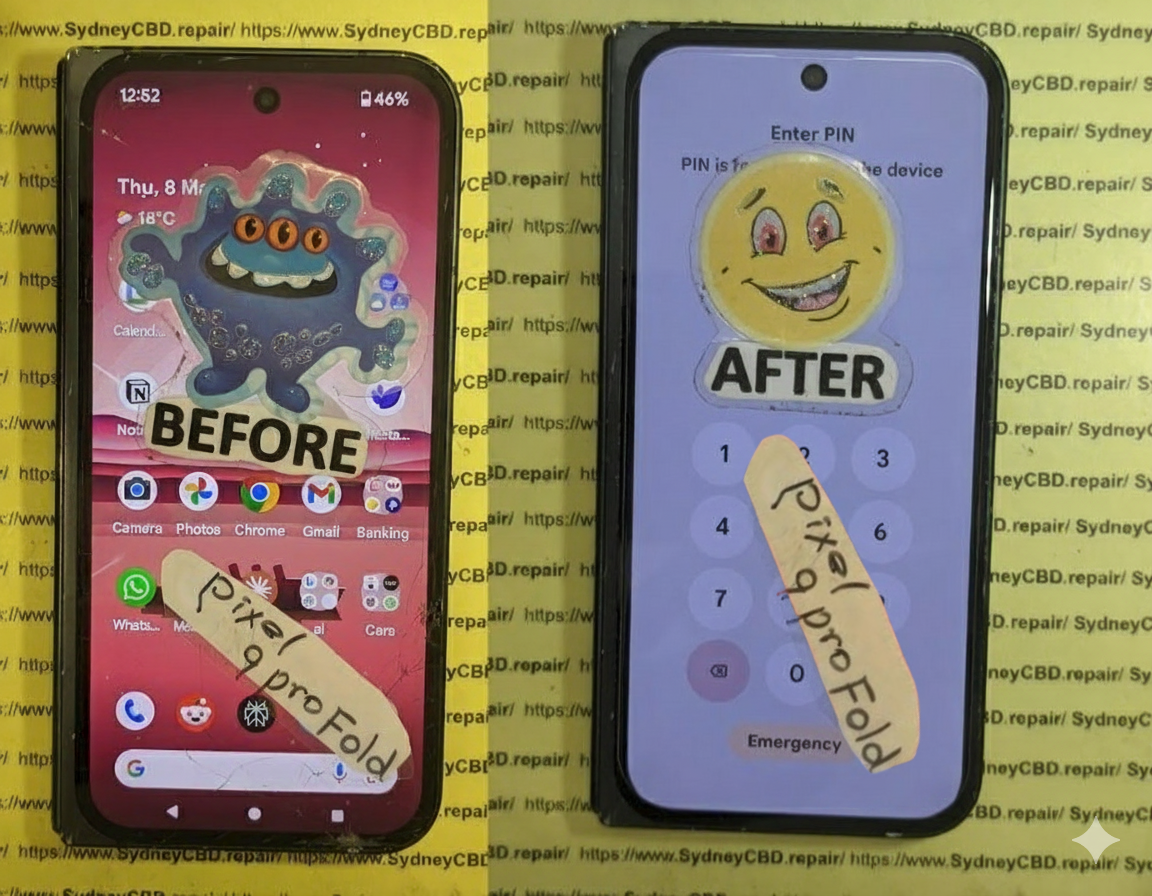
Can We Fix It? Reviving a Water Damaged Pixel 9 Pro Fold XL – Amazing 9-Step Recovery Guide
Introduction
Modern foldable smartphones are engineering masterpieces. The water damaged Pixel 9 Pro Fold XL combines a premium folding OLED display, advanced cameras, artificial intelligence features, and sophisticated internal hardware into one slim device. While it offers excellent durability compared to previous generations, liquid exposure remains one of the biggest threats to its lifespan.
Many owners assume that because their phone has an IP rating, it can survive almost any encounter with water. Unfortunately, that’s not true. Even a small amount of moisture can begin damaging sensitive electronic components within minutes. Saltwater, coffee, soft drinks, swimming pools, rain, and even steam can create problems that become worse over time.
The encouraging news is that not every water damaged Pixel 9 Pro Fold XL is beyond repair. Professional technicians equipped with the proper tools, cleaning equipment, and diagnostic systems can often restore devices that appear completely lifeless.
In this guide, we’ll explain exactly what happens inside your phone after liquid exposure, why acting quickly matters, and how professional repair dramatically increases the chances of a successful recovery.
Liquid damage doesn’t simply stop at the surface. Once moisture enters the phone, it begins affecting numerous components simultaneously.
Unlike traditional smartphones, foldable devices contain additional moving parts, flexible display connectors, hinge assemblies, multiple protective seals, and delicate ribbon cables. Every one of these components creates another possible pathway for moisture intrusion.
That makes a water damaged Pixel 9 Pro Fold XL significantly more complicated to repair than older smartphones.
Why Foldable Phones Are More Vulnerable
Although Google’s engineers designed the Fold XL to withstand everyday use, foldable technology naturally introduces additional engineering challenges.
Some vulnerable areas include:
Flexible OLED display connectors
Internal hinge mechanisms
Multiple ribbon cables
Dual battery configuration
Precision adhesive seals
Internal microphones
Speakers
USB-C charging assembly
Water doesn’t need a large opening.
Even microscopic gaps can allow moisture to travel deep into the phone through capillary action.
Once inside, corrosion begins almost immediately.
Water Resistance Doesn’t Mean Waterproof
One of the biggest misconceptions involves IP ratings.
An IP rating means a phone was tested under controlled laboratory conditions using fresh water. Real-world accidents rarely happen under laboratory conditions.
Consider these common scenarios:
Swimming pool chemicals
Ocean saltwater
Soap residue
Rain driven by wind
Coffee spills
Soft drinks
Beer
Sweat during exercise
Humid bathrooms
Each liquid behaves differently.
Many contain minerals or contaminants that greatly accelerate corrosion.
Even if your water damaged Pixel 9 Pro Fold XL initially appears to function normally, hidden corrosion may continue developing over the following days or weeks.
Hidden Damage Often Appears Later
Many customers tell technicians:
“It worked perfectly yesterday.”
That’s actually common.
After liquid exposure, symptoms may appear gradually, including:
Random shutdowns
Display flickering
Green screen
Black screen
Touch failure
Face Unlock issues
Camera fogging
Charging failures
Overheating
Speaker distortion
Battery drain
Corrosion continues spreading long after the original accident unless professionally cleaned.
Your actions during the first half-hour can determine whether your phone requires a simple cleaning or an expensive motherboard repair.
Many well-intentioned DIY attempts actually increase the damage.
Let’s examine what should—and shouldn’t—be done.
Mistake #1: Continuing to Use the Phone
The biggest mistake is assuming:
“It’s still working, so it’s probably okay.”
Using a water damaged Pixel 9 Pro Fold XL while moisture remains inside allows electricity to flow across contaminated circuits.
That causes:
Short circuits
Burned components
Permanent motherboard failure
Damaged display connectors
Battery issues
If liquid has entered the phone, power should be turned off immediately.
Mistake #2: Charging the Device
Many users notice low battery after the accident.
Their first instinct?
Plug it into a charger.
Unfortunately, this is one of the fastest ways to destroy the charging circuitry.
Electric current and moisture are a dangerous combination.
Professional technicians always recommend avoiding:
Wired charging
Wireless charging
Fast charging
Power banks
until the phone has been professionally inspected.
Mistake #3: Putting It in Rice
The “rice trick” has become one of the internet’s most persistent myths.
Rice cannot:
Remove corrosion
Dry moisture trapped beneath chips
Eliminate minerals
Clean contaminated circuits
Prevent oxidation
Instead, rice may introduce dust and starch particles into charging ports and speaker openings.
Professional repair centres never rely on rice.
Instead, they disassemble the phone, remove moisture mechanically, clean affected components using specialised solutions, and inspect every circuit under magnification.
Mistake #4: Using a Hair Dryer
Heat causes several additional problems.
High temperatures may:
Warp the OLED display
Damage waterproof seals
Soften adhesives
Push moisture deeper inside
Harm battery chemistry
Likewise, compressed air can drive water further into connectors instead of removing it.
Gentle drying of the phone’s exterior is fine, but internal drying requires professional equipment.
What You Should Do Instead
If your water damaged Pixel 9 Pro Fold XL has been exposed to liquid, follow these steps immediately:
Turn the phone off.
Disconnect all charging cables.
Remove any protective case.
Dry the exterior with a lint-free cloth.
Keep the device unfolded if possible.
Do not press unnecessary buttons.
Do not attempt charging.
Avoid shaking the device.
Take it to a professional repair technician as soon as possible.
Time is one of the biggest factors affecting successful recovery.
The sooner corrosion is removed, the greater the chance that expensive components can be saved.
Many people believe water damage simply “dries out.”
Unfortunately, electronics don’t work that way.
The real enemy isn’t always the water itself.
It’s what remains behind after the water evaporates.
Minerals, salts, sugars, cleaning chemicals, chlorine, and other contaminants remain on electronic circuits. These residues begin reacting with electricity and metal almost immediately, producing corrosion that slowly destroys microscopic pathways on the motherboard.
For a water damaged Pixel 9 Pro Fold XL, this process can affect nearly every internal system. Because foldable phones use tightly packed components connected by flexible ribbon cables, even a tiny amount of corrosion can interrupt communication between essential hardware.
Professional technicians often discover multiple affected areas from what seemed like a small spill.
Some of the first components inspected include:
Component
Possible Water Damage Symptoms
OLED Inner Display
Flickering, black screen, green tint
Outer Display
Touch issues, display artifacts
Battery
Rapid drain, overheating, swelling
Charging Port
Slow charging, no charging, intermittent connection
Cameras
Foggy lenses, autofocus failure
Speakers
Muffled or distorted sound
Microphones
Poor call quality
Motherboard
Random restarts, complete failure
Flex Cables
Display disconnects, touch failure
The challenge is that these issues don’t always appear immediately. Some develop over several days as corrosion spreads, which is why early professional cleaning remains the best defence against permanent damage.
Professional Diagnostic Process
When a water damaged Pixel 9 Pro Fold XL arrives at a professional repair centre, technicians don’t immediately replace parts. Instead, they follow a structured diagnostic process designed to identify both visible and hidden damage. This careful approach prevents unnecessary repairs and increases the likelihood of restoring the device while preserving valuable data.
Unlike DIY repair attempts, professional diagnostics rely on specialised tools, precision equipment, and years of experience working with delicate foldable smartphones.
Step 1: External Inspection
The first step is a detailed visual inspection.
Technicians check for:
Signs of liquid entry around the SIM tray
Moisture near the USB-C charging port
Speaker and microphone openings
Display abnormalities
Hinge movement
Physical impact damage
Bent frame sections
Cracked glass
These initial observations often provide clues about where the liquid entered the phone.
Step 2: Safe Device Disassembly
Foldable phones are significantly more challenging to open than standard smartphones.
Improper disassembly can damage:
Flexible OLED display
Internal display cables
Waterproof adhesive seals
Hinge components
Battery connections
Professional technicians use specialised heating equipment, precision opening tools, and manufacturer-approved procedures to safely access the internal components without causing additional damage.
Step 3: Internal Moisture Assessment
Once opened, technicians inspect every major component.
Particular attention is given to:
Motherboard
Battery connectors
Display flex cables
Charging circuitry
Camera modules
Wireless charging coil
Hinge assembly
Liquid contact indicators
These indicators help determine how extensively the liquid has spread throughout the device.
Step 4: Microscope-Level Inspection
Many forms of corrosion are invisible to the naked eye.
Professional repair centres use high-powered microscopes to inspect:
Integrated circuits (ICs)
Power management chips
Display connectors
Capacitors
Micro solder joints
Charging ICs
This level of precision allows technicians to locate damaged areas that would otherwise go unnoticed.
Step 5: Ultrasonic Cleaning
One of the most important stages in repairing a water damaged Pixel 9 Pro Fold XL is ultrasonic cleaning.
The motherboard is carefully cleaned using professional electronic-safe cleaning solutions inside an ultrasonic cleaner. This process removes:
Corrosion
Mineral deposits
Salt residue
Dirt particles
Oxidation
Unlike household cleaning methods, ultrasonic cleaning reaches beneath chips and into microscopic spaces where corrosion often hides.
Step 6: Drying and Component Testing
After cleaning, all components are thoroughly dried using controlled equipment.
Technicians then test:
Power rails
Battery voltage
Charging current
Display output
Camera operation
Speaker function
Touch response
Wireless charging
Network connectivity
Wi-Fi and Bluetooth
Only after confirming the integrity of each subsystem will the device be reassembled.
Common Components That May Require Replacement
Not every water-damaged component can be restored through cleaning alone. Depending on the extent of the damage, one or more parts may need replacement.
Component
Possible Repair
OLED Display
Replace if permanently damaged
USB-C Charging Port
Replace charging assembly
Battery
Install a new genuine battery
Cameras
Replace affected camera module
Loudspeaker
Install new speaker
Microphone
Replace damaged microphone
Flex Cables
Replace faulty ribbon cables
Motherboard Components
Microsoldering or IC replacement
Professional technicians always aim to preserve the original hardware whenever possible, especially if replacing it isn’t necessary.
Can Every Water Damaged Pixel 9 Pro Fold XL Be Saved?
One of the most common questions customers ask is whether every water damaged Pixel 9 Pro Fold XL can be repaired.
The honest answer is: not always—but many can be saved.
The outcome depends on several factors, including:
How much liquid entered the phone
The type of liquid involved
Whether the phone remained powered on
How quickly professional treatment began
The extent of corrosion
Whether the motherboard has suffered electrical shorts
Fresh water generally causes less long-term damage than saltwater or sugary drinks, which leave behind conductive residues that accelerate corrosion.
Even phones that appear completely dead may still be recoverable if the damage is addressed promptly.
Factors That Improve Repair Success
Several conditions significantly increase the chances of a successful repair:
The phone was switched off immediately.
It wasn’t connected to a charger after the incident.
No DIY repair attempts were made.
The device was professionally cleaned within 24 to 48 hours.
Corrosion had not reached critical integrated circuits.
These factors can often make the difference between a straightforward repair and an irreparable motherboard failure.
When Repair May Not Be Possible
In some cases, the damage is simply too extensive.
Examples include:
Severe motherboard corrosion
Multiple burned integrated circuits
Delaminated OLED display
Battery thermal damage
Extensive saltwater exposure over several days
Physical damage combined with liquid intrusion
Even in these situations, professional technicians may still be able to recover important data before recommending device replacement.
Repair vs Replacement: Which Is the Better Option?
Deciding whether to repair or replace a water damaged Pixel 9 Pro Fold XL depends on several practical considerations.
Repair Is Often the Better Choice When:
The motherboard is recoverable.
The display remains functional.
Your data is valuable.
The phone is relatively new.
Only a few components require replacement.
Repairing the original device is often more cost-effective than purchasing a brand-new premium foldable smartphone.
Replacement May Be Necessary When:
The motherboard is beyond repair.
Both displays are destroyed.
The repair cost approaches the price of a replacement device.
Multiple critical components have failed simultaneously.
A professional diagnostic assessment provides the information needed to make an informed decision.
Data Recovery Considerations
For many users, the data stored on the phone is more valuable than the hardware itself.
Photos, videos, contacts, business documents, and personal memories can often be recovered if the motherboard can be temporarily restored to working condition.
This is another reason to avoid DIY repair attempts, as they can reduce the chances of successful data recovery.
Professional technicians prioritise data preservation whenever possible before proceeding with more extensive repairs.
Why Professional Repair Matters
Foldable smartphones represent some of the most advanced consumer electronics available today. Repairing them requires specialised tools, technical expertise, and an understanding of their unique internal design.
Attempting to repair a water damaged Pixel 9 Pro Fold XL without the proper equipment can result in:
Torn display cables
Damaged hinge mechanisms
Broken OLED panels
Further motherboard damage
Loss of waterproof sealing
Reduced chances of successful data recovery
Choosing an experienced repair centre gives your device the best opportunity for a full recovery while minimising the risk of additional damage.
Preventing Future Water Damage
While professional repair can often save a water damaged Pixel 9 Pro Fold XL, prevention is always the most cost-effective solution. Foldable smartphones are built with impressive engineering, but no electronic device is completely immune to liquid damage.
By following a few practical habits, you can significantly reduce the risk of expensive repairs.
Keep Your Phone Away from High-Risk Environments
Many liquid damage cases don’t happen because someone drops a phone into a pool. Instead, they occur during everyday activities.
Common situations include:
Using the phone in heavy rain
Placing it beside a sink
Taking it into the bathroom while showering
Leaving it near beverages at cafés or restaurants
Using it around swimming pools
Carrying it during water sports
Avoiding these scenarios whenever possible can dramatically reduce the chances of accidental exposure.
Remember That Water Resistance Changes Over Time
The factory seals that help protect your phone gradually wear down through normal use.
Factors that affect water resistance include:
Daily opening and closing of the foldable hinge
Minor drops or impacts
Exposure to heat
Previous repairs
Normal ageing of adhesive seals
Even if your Pixel 9 Pro Fold XL survived water exposure in the past, it may not provide the same level of protection months or years later.
Use Protective Accessories
Although accessories cannot make your phone waterproof, they can help minimise risk.
Consider using:
A quality protective case
Waterproof pouch for beach trips
Dry bags during boating or hiking
Screen protectors
Dust plugs when appropriate
These accessories add another layer of defence against accidental spills and splashes.
Back Up Your Data Regularly
Even the best repair cannot guarantee data recovery in every situation.
Protect your memories and important files by enabling automatic cloud backups.
Regularly back up:
Photos
Videos
Contacts
Messages
Documents
App data
If the unexpected happens, you’ll still have access to your important information.
Frequently Asked Questions
1. Can a water damaged Pixel 9 Pro Fold XL be completely repaired?
Yes, many devices can be successfully repaired, especially if they are turned off immediately and professionally cleaned before corrosion becomes severe. The outcome depends on the amount of liquid exposure, the type of liquid, and how quickly the phone receives professional attention.
2. Should I put my Pixel 9 Pro Fold XL in rice?
No.
Rice does not remove corrosion or moisture trapped beneath integrated circuits. It may also introduce dust and starch particles into ports and speakers. Professional disassembly and ultrasonic cleaning are far more effective.
3. My phone still works after getting wet. Should I still have it inspected?
Absolutely.
Hidden corrosion can continue developing even if the phone appears normal. A professional inspection can identify and treat problems before they become permanent.
4. How long should I wait before turning my phone back on?
Do not turn it back on until it has been inspected and properly dried by a qualified technician. Powering on a wet device can create electrical shorts that permanently damage the motherboard.
5. Can water damage affect the folding screen?
Yes.
The flexible OLED display, ribbon cables, and display connectors are all vulnerable to liquid intrusion. Damage may appear as flickering, green lines, black screens, or touch issues.
6. Is repairing a water damaged Pixel 9 Pro Fold XL cheaper than replacing it?
In many cases, yes.
If the motherboard and display can be saved, professional repair is often significantly more affordable than purchasing a brand-new premium foldable smartphone.
7. Can my photos and files still be recovered?
Often, yes.
Even if the phone will not power on, experienced technicians may be able to restore the motherboard temporarily or repair specific circuits to recover important data. The sooner the device is professionally assessed, the better the chances of successful recovery.
8. Does Google’s warranty cover water damage?
Generally, accidental liquid damage is not covered under the standard manufacturer’s warranty. If liquid contact indicators have been triggered or corrosion is present, repairs are typically considered out-of-warranty.
Conclusion
A water damaged Pixel 9 Pro Fold XL doesn’t automatically mean the end of your device. Thanks to advances in professional diagnostics, ultrasonic cleaning, and motherboard-level repair techniques, many phones that appear beyond saving can be restored to full working order.
The key is acting quickly. Turning the phone off immediately, avoiding charging, resisting common DIY myths like placing it in rice, and seeking professional assistance as soon as possible can dramatically improve the chances of a successful repair.
Foldable smartphones are among the most sophisticated mobile devices ever created. Their intricate internal design demands specialised tools, technical expertise, and careful handling. Whether the issue is minor moisture exposure or significant liquid intrusion, an experienced repair technician can accurately assess the damage, recommend the most cost-effective solution, and maximise the likelihood of preserving both your device and your valuable data.
If your Pixel 9 Pro Fold XL has suffered water damage, don’t wait for corrosion to spread. Early intervention is often the difference between a straightforward repair and an expensive replacement. Trust skilled professionals who understand the complexities of foldable smartphones and are equipped to return your device to peak performance.
Final Thoughts
Water accidents happen to everyone, but they don’t always have to result in losing your phone. Prompt action, informed decisions, and professional repair services can make all the difference. By understanding the risks, avoiding common mistakes, and prioritising expert diagnostics, you’ll give your Pixel 9 Pro Fold XL the best possible chance of recovery and many more years of reliable use.
David from Sydney CBD Repair Centre – The Best place to fix mobile phones as 7 Years In A Row! Top Mobile Phone Repair In Sydney. More than 2000 Positive Reviews on Google and Same Day Repairs.
We take pride in delivering exceptional repair services for all major phone brands including Apple, Samsung, Google, and more. Our expert technicians use only genuine parts and offer 90 days warranty on repairs. Located in the heart of Sydney CBD, we’re your one-stop solution for all mobile device repairs.
Our commitment to excellence has earned us the trust of thousands of satisfied customers. Whether it’s a cracked screen, battery replacement, or water damage repair, we handle it all with professional care and expertise. Walk in today and experience why we’re Sydney’s #1 choice for mobile phone repairs.
Visit us for:
✓ Same Day Express Repairs
✓ Genuine Parts Guarantee
✓ Professional Technicians
✓ Competitive Pricing
✓ 2000+ 5-Star Google Reviews
✓ 7-Time Award Winner for Best Phone Repairs
Sydney CBD Repair Centre – Where Quality Meets Reliability.
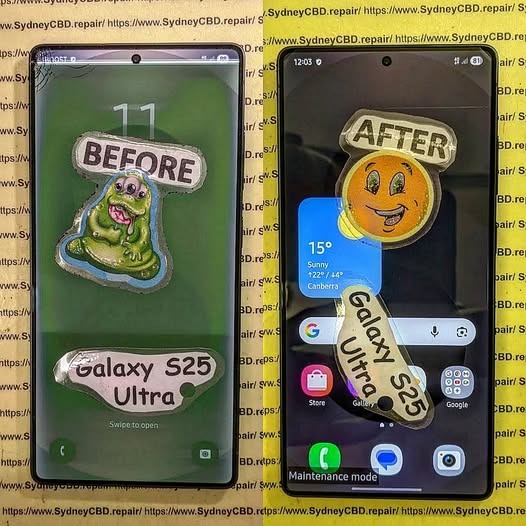
WATER DAMAGE RECOVERY! Samsung Galaxy S25 Ultra Display and Component Precision Repair + Ultimate Guide 2026
Introduction
The Samsung Galaxy S25 Ultra is one of the most advanced smartphones ever created. With its premium AMOLED display, high-powered chipset, and sophisticated camera system, it’s built for performance and durability. However, even flagship smartphones can suffer severe problems after accidental liquid exposure. That’s where Samsung Galaxy S25 Ultra water damage recovery becomes critical.
Water damage can happen in seconds. A spilled drink, sudden rainstorm, swimming pool accident, or bathroom mishap may cause hidden corrosion inside the device. Even though the Samsung Galaxy S25 Ultra offers water resistance, no phone is entirely waterproof forever. Over time, seals weaken, adhesives degrade, and accidental impacts can compromise water protection.
Professional repair technicians now use advanced methods like ultrasonic cleaning, motherboard diagnostics, and micro soldering to restore water-damaged devices. These procedures help revive displays, charging systems, and internal components while protecting valuable user data.
In this detailed guide, we’ll explore the entire Samsung Galaxy S25 Ultra display and component precision repair process. You’ll also discover what causes internal damage, how experts diagnose problems, and why fast action dramatically increases recovery success.
Water damage affects smartphones differently depending on the type of liquid involved, exposure duration, and internal component sensitivity. While some devices survive brief splashes, others experience instant failures.
Common Causes of Liquid Damage
Several everyday situations can expose your Samsung Galaxy S25 Ultra to moisture:
Dropping the phone into water
Rain exposure during outdoor use
Spilled coffee or soft drinks
Steam from bathrooms or kitchens
Saltwater exposure at beaches
Sweat buildup during workouts
Interestingly, saltwater and sugary liquids are usually more destructive than clean water. They accelerate corrosion and leave conductive residue across sensitive circuits.
Early Warning Signs After Water Exposure
Sometimes the phone continues functioning temporarily after exposure. However, hidden issues may appear later.
Common symptoms include:
Symptom
Possible Cause
Screen flickering
Display connector corrosion
Ghost touch
Moisture affecting digitizer
No charging
Damaged charging IC
Overheating
Short circuit on motherboard
Camera fogging
Internal condensation
Speaker distortion
Water trapped in speaker mesh
If you notice these signs, immediate professional inspection is essential.
Why Immediate Action Matters
Time plays a massive role in successful Samsung Galaxy S25 Ultra water damage recovery. Corrosion begins almost instantly once liquid reaches internal circuits.
How Corrosion Begins Inside the Phone
Modern smartphones contain microscopic pathways carrying electrical signals across the motherboard. When water bridges those pathways, it creates unintended electrical connections.
This process causes:
Short circuits
Component overheating
Burned IC chips
Power failures
Permanent motherboard damage
Corrosion spreads like rust. Even tiny traces of moisture continue damaging the phone long after the initial accident.
Risks of Delayed Repairs
Many users make the mistake of waiting several days before seeking repair services. Unfortunately, delays often worsen internal damage.
Here’s what can happen:
Corrosion spreads further
Battery swelling develops
Display connectors deteriorate
Data becomes unrecoverable
Motherboard repair costs increase
Quick professional intervention dramatically improves recovery chances.
The display assembly is one of the most vulnerable parts affected by water exposure.
AMOLED Display Failure Symptoms
The Samsung Galaxy S25 Ultra uses a sophisticated AMOLED panel that delivers vivid colors and ultra-smooth refresh rates. However, moisture can severely impact the display system.
Common display problems include:
Green lines
Black spots
Flickering brightness
Touch response failure
Complete display blackout
Sometimes the display itself remains functional while flex cables or connectors become corroded.
Touchscreen and Flex Cable Issues
Flex cables carry signals between the display and motherboard. Water intrusion near these connectors often causes intermittent display behavior.
Technicians carefully inspect:
Display flex connectors
Backlight circuits
Touch IC chips
AMOLED control lines
Precision repair procedures help restore functionality without replacing unnecessary components.
Precision Repair Process for Water-Damaged Devices
Professional repair centers follow systematic recovery procedures to maximize success.
Initial Diagnostic Procedures
The first step involves complete device disassembly. Technicians inspect every component using magnification tools and specialized equipment.
Diagnostic checks include:
Voltage testing
Thermal imaging
Corrosion inspection
Power rail analysis
Display functionality tests
This process identifies both visible and hidden failures.
Ultrasonic Cleaning Techniques
One of the most important repair methods is ultrasonic cleaning. Specialized cleaning machines use high-frequency vibrations to remove corrosion from delicate motherboard components.
Benefits include:
Deep contaminant removal
Safe precision cleaning
Reduced corrosion spread
Improved electrical stability
This step is critical for successful Samsung Galaxy S25 Ultra display and component precision repair.
Component-Level Repairs
If corrosion damages specific chips or connectors, technicians perform targeted repairs.
Examples include:
Replacing charging ICs
Rebuilding damaged pads
Repairing broken traces
Replacing connectors
Restoring display circuits
These repairs require advanced soldering expertise and professional equipment.
Motherboard Recovery and Micro Soldering
The motherboard is the heart of the Samsung Galaxy S25 Ultra. Water damage here can affect every major function.
Common IC Components Affected
Several motherboard chips are especially vulnerable:
Component
Function
Power Management IC
Controls power distribution
Charging IC
Manages charging system
Audio IC
Handles sound functions
Display IC
Controls screen output
Wi-Fi IC
Wireless connectivity
Damage to any of these components may cause major device failures.
Precision Soldering Methods
Micro soldering involves repairing tiny electronic components under a microscope.
Technicians use:
Hot air rework stations
Precision soldering irons
Microscope magnification
Fine solder wire
PCB repair tools
This delicate process allows specialists to restore severely damaged boards.
Battery and Charging Port Restoration
Water damage often affects charging systems before other components.
Charging Failure Symptoms
A damaged charging system may show signs like:
Slow charging
No charging response
Moisture detection errors
Overheating while charging
Intermittent charging
Technicians inspect both the charging port and surrounding motherboard circuits.
Battery Safety Concerns
Lithium-ion batteries can become dangerous after water exposure. Internal short circuits may lead to swelling or overheating.
Warning signs include:
Battery bulging
Excessive heat
Rapid power drain
Random shutdowns
Replacing compromised batteries is essential for device safety.
Camera and Audio Component Repairs
Modern flagship phones contain sophisticated imaging and sound systems that are highly sensitive to moisture.
Lens Fogging and Camera Failure
Water vapor trapped inside camera modules often creates fogging. Over time, moisture damages autofocus motors and image sensors.
Repair procedures may involve:
Camera module replacement
Lens cleaning
Connector restoration
Sensor diagnostics
Speaker and Microphone Issues
Audio components frequently suffer after liquid exposure.
Typical problems include:
Muffled sound
Crackling speakers
Microphone failure
Reduced audio volume
Cleaning and replacing affected parts restores clear sound quality.
Data Recovery From Water-Damaged Samsung Phones
For many users, recovering photos, messages, and business files matters more than repairing the phone itself.
Professional Recovery Techniques
Experienced technicians use specialized tools to retrieve important data.
Methods include:
Temporary power restoration
NAND chip recovery
Board-level bypass techniques
Data extraction software
In severe cases, partial motherboard repairs may be necessary just to access stored information.
Preventing Permanent Data Loss
To protect your data:
Avoid turning the phone on repeatedly
Don’t attempt DIY charging
Seek immediate professional help
Backup recovered data immediately
Fast action significantly increases recovery success rates.
DIY Water Damage Myths
The internet is full of misleading advice regarding water-damaged smartphones.
Why Rice Doesn’t Work
Placing phones in rice is one of the most common myths. Unfortunately, rice doesn’t remove corrosion or trapped moisture inside sealed components.
Rice may actually:
Delay professional repairs
Introduce dust particles
Trap moisture internally
Professional cleaning remains the safest option.
Common Mistakes Users Make
Avoid these harmful actions:
Charging the phone immediately
Using a hairdryer
Freezing the phone
Shaking out water aggressively
Ignoring minor symptoms
These mistakes often worsen internal damage.
Benefits of Professional Samsung Galaxy S25 Ultra Repairs
Professional repair services offer major advantages over temporary fixes.
Genuine Parts and Warranty
Reliable repair centers use high-quality replacement components and proper repair procedures.
Benefits include:
Better durability
Improved display performance
Safer charging behavior
Manufacturer-grade compatibility
Professional warranties also provide peace of mind.
Long-Term Reliability
Proper repairs restore structural integrity and reduce future failure risks.
Experienced technicians ensure:
Internal cleaning
Correct adhesive sealing
Precision calibration
Full functionality testing
This comprehensive approach extends device lifespan considerably.
For official Samsung device support and care information, visit Samsung Support
Preventing Future Water Damage
Prevention is always better than expensive repairs.
Waterproofing Limitations
Even water-resistant devices have limitations. IP ratings apply only under controlled laboratory conditions.
Factors reducing resistance include:
Previous repairs
Physical drops
Aging adhesive seals
Extreme temperatures
Users should still treat their devices carefully around liquids.
Protective Habits for Daily Use
Here are smart habits to reduce risk:
Use waterproof pouches outdoors
Avoid bathroom steam exposure
Keep drinks away from devices
Dry phones immediately after splashes
Inspect damaged frames promptly
Simple precautions can prevent costly repairs.
Frequently Asked Questions
Can a Samsung Galaxy S25 Ultra survive water damage?
Yes, many devices can be successfully repaired if treated quickly. Immediate professional cleaning greatly improves recovery chances.
How long should I wait before turning on a wet phone?
Avoid powering it on entirely until inspected by a technician. Turning it on too soon can cause short circuits.
Does rice fix water-damaged phones?
No. Rice doesn’t remove corrosion or internal moisture effectively.
Can water damage affect the display only?
Sometimes. However, moisture often spreads beyond the screen and impacts the motherboard or battery.
Is data recovery possible after severe liquid damage?
In many cases, yes. Professional repair labs can often recover photos, contacts, and files even from heavily damaged devices.
How much does Samsung Galaxy S25 Ultra water damage repair cost?
Costs vary depending on affected components. Minor cleaning is cheaper than motherboard reconstruction or display replacement.
Can a water-damaged battery become dangerous?
Yes. Damaged lithium batteries may swell, overheat, or fail unpredictably. Professional inspection is important.
Conclusion
The Samsung Galaxy S25 Ultra is an impressive flagship smartphone, but water damage remains a serious threat to its advanced internal systems. From AMOLED display failures to motherboard corrosion, liquid exposure can quickly turn into a costly disaster if ignored.
Fortunately, modern Samsung Galaxy S25 Ultra display and component precision repair techniques offer highly effective recovery solutions. Ultrasonic cleaning, micro soldering, and advanced diagnostics now allow experienced technicians to restore many water-damaged devices that once seemed beyond repair.
Most importantly, acting quickly makes a huge difference. Immediate professional inspection reduces corrosion, protects valuable data, and improves repair success rates dramatically.
Whether you’re facing screen flickering, charging issues, speaker failure, or complete device shutdown, professional repair specialists can often restore your phone safely and efficiently. By understanding the repair process and avoiding common mistakes, you can maximize the chances of full recovery and extend the life of your Samsung Galaxy S25 Ultra.
David from Sydney CBD Repair Centre – The Best place to fix mobile phones as 7 Years In A Row! Top Mobile Phone Repair In Sydney. More than 2000 Positive Reviews on Google and Same Day Repairs.
We take pride in delivering exceptional repair services for all major phone brands including Apple, Samsung, Google, and more. Our expert technicians use only genuine parts and offer 90days warranty on repairs. Located in the heart of Sydney CBD, we’re your one-stop solution for all mobile device repairs.
Our commitment to excellence has earned us the trust of thousands of satisfied customers. Whether it’s a cracked screen, battery replacement, or water damage repair, we handle it all with professional care and expertise. Walk in today and experience why we’re Sydney’s #1 choice for mobile phone repairs.
Visit us for:
✓ Same Day Express Repairs
✓ Genuine Parts Guarantee
✓ Professional Technicians
✓ Competitive Pricing
✓ 2000+ 5-Star Google Reviews
✓ 7-Time Award Winner for Best Phone Repairs