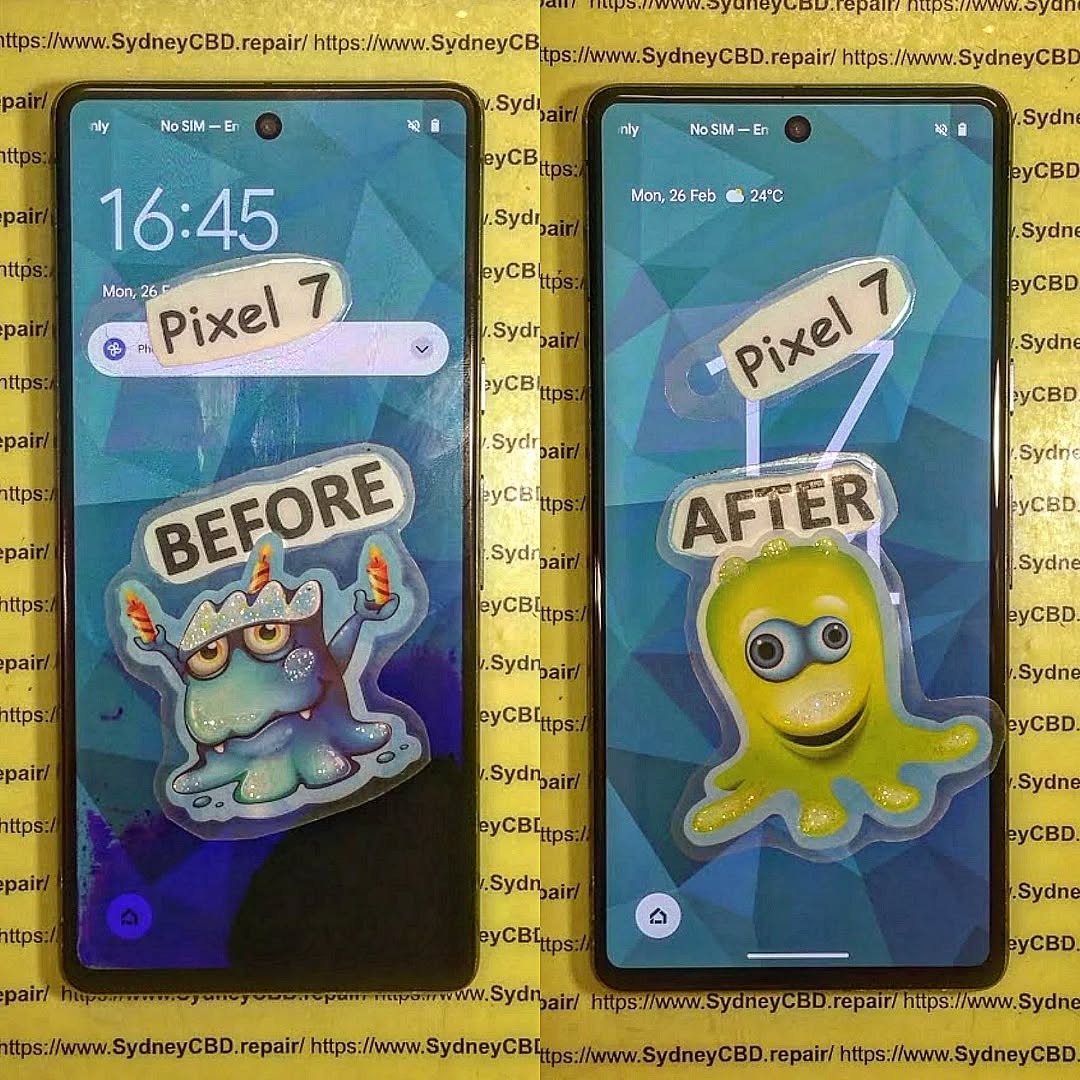
Data Recovery: The Broken Phone, All Files Safe! | Proven Solutions & Expert Tips (2025)
Understanding Data Loss from a Broken Phone
When your smartphone suddenly slips from your hands, crashes onto the pavement, or refuses to turn on after getting wet — panic sets in. Your first thought? “Are my photos and files gone forever?” Fortunately, data recovery for broken phones has advanced dramatically, and most of your information can still be retrieved.
Common Causes of Data Loss
Physical Damage – Cracked screens, broken ports, or damaged motherboards.
Water Damage – Corrosion can interrupt power and data access.
Software Errors – System crashes, failed updates, or malware infections.
Battery or Power Failure – When a phone won’t turn on but the data remains intact.
Factory Reset or Accidental Deletion – User error leading to wiped data.
Why Immediate Action Matters
The longer you wait, the more likely it is for your data to become irretrievable due to continued damage or automatic overwriting. Always power off a damaged phone and avoid DIY repairs that can worsen internal issues.
Modern smartphones have sophisticated storage systems. Even if the device doesn’t power on, data often remains safe within its memory chip.
Internal vs External Storage Explained
Your phone’s internal storage holds essential system files, contacts, messages, and app data, while the external SD card stores images, videos, and documents. Professional repair centres can access both safely using specialized tools.
How Recovery Software Extracts Data
Recovery software works by scanning memory sectors for recoverable fragments. Advanced programs like Dr.Fone, Tenorshare UltData, and iMobie PhoneRescue can reconstruct missing files even from damaged partitions.
Step-by-Step: Recovering Data from a Broken Android Phone
If your Android device has a cracked screen or doesn’t respond, there are still options before you lose hope.
Using Google Backup & Sync
Log into your Google Account on another device.
Visit Google Photos, Drive, or Contacts.
Restore all synced data with a single click.
If syncing was enabled before damage occurred, your data is already safe in the cloud.
Using Android Recovery Tools
Software like Dr.Fone for Android, Tenorshare UltData, or iMobie DroidKit allows USB connection to access files even from an unresponsive phone. These programs can extract:
Photos and videos
WhatsApp messages
Contacts and call logs
App data and documents
When to Visit a Professional Repair Centre
If your phone suffers from hardware failure, DIY software might not help. At this point, it’s best to visit a trusted service provider such as Sydney CBD Repair Centre — where certified technicians safely extract your data without risking further damage.
Apple’s ecosystem simplifies recovery. Log in to iCloud.com or connect your iPhone to iTunes/Finder on your computer to retrieve your:
Photos
Contacts
Messages
App Data
Using Third-Party iPhone Data Recovery Tools
Programs like iMobie PhoneRescue, Dr.Fone iOS, and Tenorshare UltData for iPhone can recover data even if backups are incomplete or the device is unresponsive.
Professional Data Recovery Services in Sydney
When software isn’t enough, professional help is the safest path forward.
Why Choose Sydney CBD Repair Centre
🧰 Same Day Express Repairs
🔋 Genuine Parts with Warranty
💼 Expert Technicians with years of experience
⭐ 2000+ 5-Star Google Reviews
🏆 6-Time Award Winner for Best Phone Repairs
Sydney CBD Repair Centre specializes in data recovery for Apple, Samsung, Google, and other major brands. Whether your device has a shattered display, water exposure, or a faulty motherboard — they can help retrieve your valuable files safely.
Avoid using phones during charging to prevent overheating.
Regularly transfer data to your PC or external drive.
Top Data Recovery Tools in 2025
Tool Name
Supported Devices
Free Trial
Key Features
Dr.Fone
Android/iOS
✅
Deep scan, full backup restore
Tenorshare UltData
Android/iOS
✅
WhatsApp & file recovery
iMobie PhoneRescue
Android/iOS
✅
Data extraction from dead phones
DiskDigger
Android only
✅
Lightweight photo recovery
EaseUS MobiSaver
Android/iOS
✅
Full file recovery with UI wizard
FAQs – Broken Phone Data Recovery
1. Can I recover data from a phone that won’t turn on?
Yes, as long as the internal storage is intact, professionals can recover your data using specialized tools.
2. Is data recovery expensive?
Prices vary by damage type, but Sydney CBD Repair Centre offers affordable rates and free assessments.
3. How long does recovery take?
Most recoveries are completed within the same day, depending on damage severity.
4. Can I recover WhatsApp messages from a broken phone?
Yes. Recovery tools and cloud backups can restore WhatsApp chats easily.
5. Is DIY recovery safe?
Only for minor issues. For physical or motherboard damage, always consult experts.
6. What if my screen is black but the phone vibrates?
That means it’s still powered. Technicians can connect to your phone and retrieve files safely.
Conclusion – Get Your Files Back Safely Today!
A broken phone doesn’t mean your memories, photos, and documents are lost forever. With advanced tools and professional repair services like Sydney CBD Repair Centre, you can recover your data quickly, securely, and affordably. Don’t let panic take over — take the right steps today to get your files back and your phone working again.
David from Sydney CBD Repair Centre – The Best place to fix mobile phones as 6 Years In A Row! Top Mobile Phone Repair In Sydney. More than 2000 Positive Reviews on Google and Same Day Repairs.
📍 Visit us today for:
✓ Same Day Express Repairs
✓ Genuine Parts Guarantee
✓ Professional Technicians
✓ Competitive Pricing
✓ 2000+ 5-Star Google Reviews
✓ 6-Time Award Winner for Best Phone Repairs
The Smartphone Repair Tips For Beginners: 15 Essential Steps You Can’t Miss
📱 Introduction
Smartphones are essential tools in modern life, and when they break, it can feel like everything comes to a halt. The good news? With the right guidance, even beginners can handle basic smartphone repairs. This guide will walk you through 15 essential steps to repair your phone safely and effectively.
Whether it’s a cracked screen, fading battery, or speaker issue, knowing how to troubleshoot and fix common problems will save you money and extend your phone’s life. So grab your toolkit and let’s get into the essentials.
💡 Always cross-check part numbers and ensure warranty terms are provided.
❌ 14. Common Mistakes to Avoid
Rushing the process
Using the wrong tools
Not disconnecting the battery first
Skipping screen tests before final assembly
Forgetting screws or mixing them up
Take your time and double-check each step.
🧑🔧 15. Benefits of Professional Repair Services
Sometimes, DIY isn’t the best option. Professional repair services offer:
Genuine parts with warranties
Trained technicians with specialized tools
Faster turnaround times
Better diagnostics for deep hardware issues
📍 If you’re in Sydney, visit David at Sydney CBD Repair Centre—trusted by over 2000 customers and 6-time award winner for best phone repair!
❓ FAQs
1. Is it safe to repair my phone at home?
Yes, if you follow safety procedures and use proper tools. Avoid complex motherboard repairs unless you’re trained.
2. What’s the hardest part of smartphone repair?
Handling delicate parts like flex cables and reassembling the phone without damaging components.
3. Will DIY repair void my warranty?
Yes. Once the device is opened, most manufacturers void the warranty.
4. Can I repair a water-damaged phone myself?
Minor water damage can sometimes be fixed, but extensive corrosion requires professional care.
5. How do I know if my battery needs replacement?
If your phone shuts off randomly, charges slowly, or the battery swells, it’s time to replace it.
6. Where can I get quality phone parts in Sydney?
Sydney CBD Repair Centre sources genuine parts and offers 90-day warranties on repairs.
✅ Conclusion
Smartphone repairs may seem intimidating, but with the right knowledge and tools, you can handle many common issues yourself. Whether you’re replacing a screen, fixing a charging port, or recovering from water damage, always proceed with care.
However, for more complex problems, trusting professionals like Sydney CBD Repair Centre ensures your device gets the expert attention it needs.
The Extreme Phone Makeover: Restoring a Near-Destroyed Device to Mint Condition + 10 Proven Steps
Introduction: The Art of Reviving Your Phone
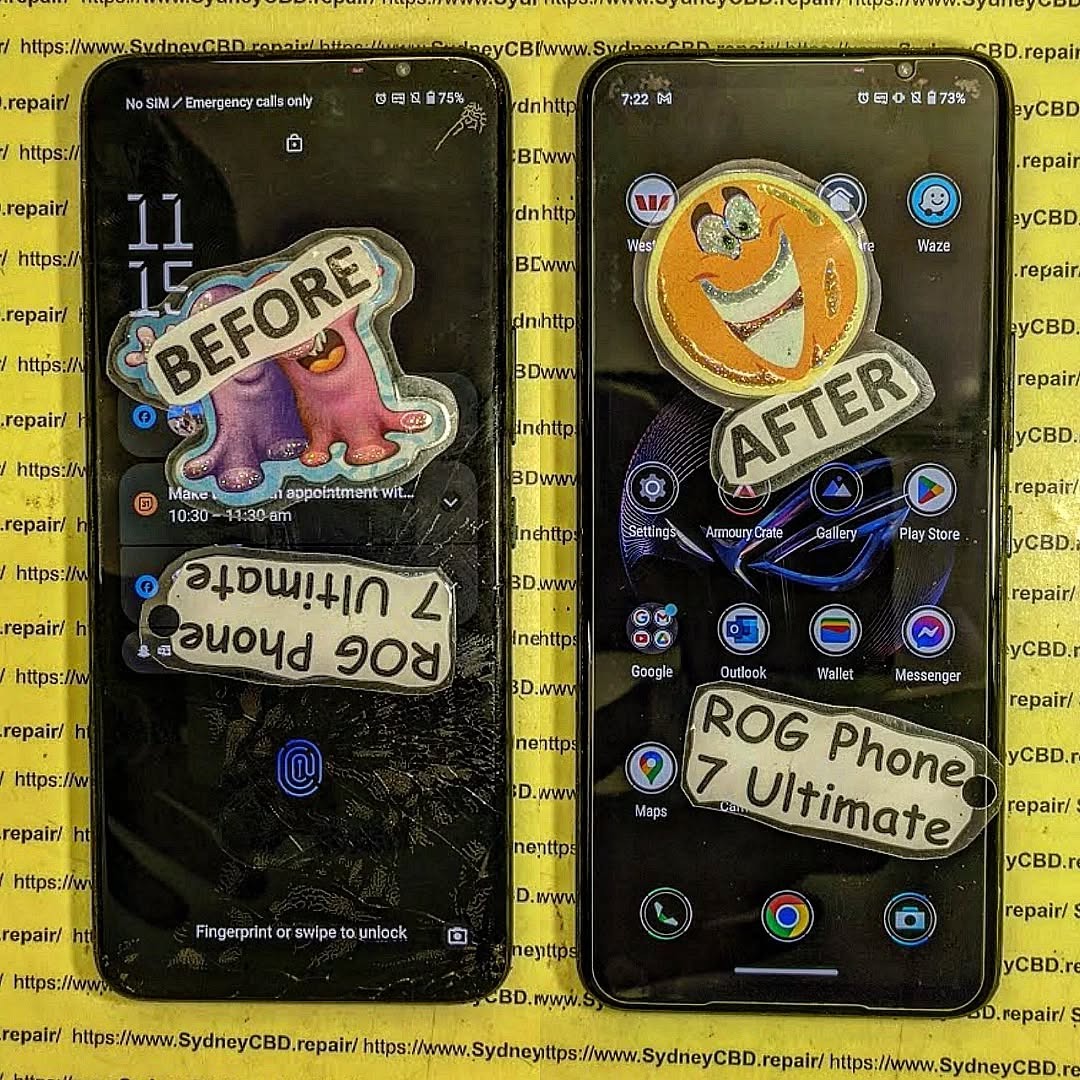
Restoring a heavily damaged phone isn’t just about aesthetics—it’s about functionality, reliability, and extending the lifespan of an expensive device. Many people assume that a cracked screen or water exposure means the phone is irreparable, but with the right knowledge, tools, and techniques, you can achieve what many consider a “phone makeover miracle.”
This article provides a step-by-step roadmap, integrating proven repair techniques, preventive tips, and FAQs, all written with practical guidance and professional insight.
In the modern world, smartphones are no longer just communication devices—they’re lifelines. Dropping your phone, spilling liquid on it, or suffering software malfunctions can feel catastrophic. But before you give up and buy a new device, know this: restoring a near-destroyed phone to mint condition is entirely possible. Whether you’re a DIY enthusiast or looking for professional repair guidance, this comprehensive guide walks you through everything from initial assessment to the final polish.
From cracked screens to water damage and sluggish performance, we’ll cover the full spectrum of repair strategies. By the end, you’ll understand how to bring even the most battered phones back to life, saving money, time, and the environment.
Phones face three primary types of damage: physical, liquid, and software-related. Identifying the exact type of damage is the first step toward effective restoration.
Physical Damage: Cracks, Scratches, and Dents
Cracked screens, scratched backs, and dented frames are the most visible signs of damage. While they may seem cosmetic, physical issues can affect touch sensitivity, camera function, and structural integrity. Recognizing the difference between surface scratches and deep cracks is essential for selecting the right repair method.
Signs of severe physical damage:
Touchscreen unresponsiveness
Display discoloration
Loose buttons or ports
Misaligned frame or back cover
Water and Liquid Exposure
Liquid damage is notorious for causing slow, unpredictable failures. Even a phone that appears to work after a spill may develop corrosion over time.
Early signs of liquid exposure include:
Sudden shutdowns or reboots
Screen flickering
Buttons sticking
Charging issues
Immediate action is critical. Turn off the device, remove any cases, and avoid charging until the phone is thoroughly dried and cleaned.
Software and Performance Issues
Sometimes, a phone may look fine physically but suffer from software problems due to corrupted files, failed updates, or malware. Common symptoms include:
Slow operation or freezing
Unexpected app crashes
Battery drain
Connectivity problems
Addressing software issues often requires a combination of resets, updates, and sometimes full system reinstallations.
Successful phone repair depends on having the right tools. While professionals use specialized equipment, even DIY repairs can be effective with basic tools and proper safety measures.
Basic DIY Tools
Precision screwdrivers
Plastic prying tools
Anti-static mats and wristbands
Cleaning brushes and microfiber cloths
Isopropyl alcohol (99%) for cleaning components
Advanced Repair Equipment
For those tackling complex repairs, consider:
Heat guns or hairdryers (for loosening adhesives)
Microsoldering kits for circuit board repairs
Magnifying lamps or microscopes
Ultrasonic cleaners for internal component cleaning
Investing in these tools pays off when dealing with extensive damage or high-value devices.
Step-by-Step Extreme Phone Makeover
Here’s the detailed process to transform a near-destroyed phone into mint condition.
Step 1: Initial Assessment and Diagnostics
Before touching your device, assess the damage systematically:
Inspect the exterior for cracks, dents, or broken ports.
Check if the phone powers on or responds to touch.
Note unusual noises, overheating, or water residue.
Document all issues to prioritize repairs.
Tip: Taking photos of the damage helps track progress and identify missing screws or components during reassembly.
Step 2: Disassembly and Cleaning
Disassembly is delicate. Follow these steps:
Power off and remove any SIM/memory cards.
Use the correct screwdriver to open the back panel.
Carefully detach connectors without forcing them.
Clean dust, dirt, or minor corrosion with a soft brush and isopropyl alcohol.
Warning: Avoid using excessive force—modern phones have fragile ribbon cables that tear easily.
Step 3: Screen Replacement
Cracked or unresponsive screens are the most common issue. Screen replacement involves:
Removing the broken screen carefully with a heat gun to soften adhesive.
Cleaning the frame to remove leftover glue.
Installing the new screen while ensuring proper alignment.
Testing the display before sealing the device.
Using a high-quality replacement screen is critical for touch sensitivity and color accuracy.
Step 4: Battery Check and Replacement
Battery health is crucial for overall performance. Signs of a failing battery include swelling, rapid discharge, or unexpected shutdowns.
Test battery voltage using a multimeter.
Replace with a certified OEM battery if needed.
Avoid cheap, untested replacements—they can be unsafe.
Step 5: Internal Component Repair
Damaged internal components often require specialized care:
Logic board repair for short circuits
Connector replacement for charging or headphones
Camera and sensor adjustments
Pro tip: If you’re uncomfortable with micro-soldering, seek professional help. One wrong move can render the phone useless.
Step 6: Water Damage Recovery
For liquid-exposed phones:
Disassemble the device immediately.
Remove moisture using lint-free cloths and compressed air.
Clean corroded contacts with isopropyl alcohol.
Let the device dry for at least 24–48 hours before testing.
Avoid using rice—it’s ineffective and may introduce dust.
Step 7: Software Optimization
After hardware restoration, optimize software:
Backup important data.
Perform a factory reset if necessary.
Update the operating system.
Remove unnecessary apps and cache for smoother performance.
This step often transforms a sluggish device into a near-new experience.
Step 8: Reassembly and Testing
Carefully reassemble the phone:
Ensure all screws, connectors, and adhesives are secure.
Power on the device and test every function—touchscreen, camera, buttons, speakers, and connectivity.
Perform stress tests to verify stability.
Only after thorough testing can you declare the makeover complete.
Preventive Tips to Avoid Future Damage
Prevention is always better than repair. Here’s how to protect your newly restored phone:
Protective Cases and Screen Protectors
Use a shock-absorbent case.
Apply tempered glass screen protectors.
Opt for waterproof or water-resistant cases for added protection.
Software Maintenance
Regularly update your OS and apps.
Backup data to cloud storage.
Run occasional cache cleanups and malware scans.
FAQs About Extreme Phone Makeover
1. Can I restore a phone with extensive water damage?
Yes, but success depends on how quickly you act. Immediate disassembly and drying are critical. Severe corrosion may require component replacement.
2. How long does a full phone makeover take?
DIY repair can take 3–8 hours depending on the damage. Professional services may complete it in 1–2 days, depending on parts availability.
3. Will screen replacement affect my warranty?
Yes, unofficial repairs often void warranties. Using certified repair centers or OEM parts can preserve warranty in some cases.
4. Are DIY repairs safe?
Basic repairs like battery or screen replacement are generally safe. Advanced internal repairs require experience; mishandling can damage the device permanently.
5. How can I prevent my phone from future damage?
Invest in protective cases, screen protectors, and software maintenance. Avoid exposing the phone to water or extreme conditions.
6. Where can I find professional guidance for tough repairs?
Trusted sources include repair guides on https://SydneyCBD.repair , certified service centers, and manufacturer support pages.
Conclusion
Restoring a near-destroyed phone to mint condition is not only feasible—it’s empowering. With the right assessment, tools, and techniques, you can breathe new life into damaged devices, saving money and reducing electronic waste. Whether tackling DIY repairs or seeking professional help, understanding the process gives you confidence and control. Your phone doesn’t have to be a casualty of accidents—it can be reborn, often better than before.
External Resources and References
Apple Support – Official instructions for iPhone maintenance.
David from Sydney CBD Repair Centre – The Best place to fix mobile phones as 7 Years In A Row! Top Mobile Phone Repair In Sydney. More than 2000 Positive Reviews on Google and Same Day Repairs.
We take pride in delivering exceptional repair services for all major phone brands including Apple, Samsung, Google, and more. Our expert technicians use only genuine parts and offer 90days warranty on repairs. Located in the heart of Sydney CBD, we’re your one-stop solution for all mobile device repairs.
Our commitment to excellence has earned us the trust of thousands of satisfied customers. Whether it’s a cracked screen, battery replacement, or water damage repair, we handle it all with professional care and expertise. Walk in today and experience why we’re Sydney’s #1 choice for mobile phone repairs.
Visit us for:
✓ Same Day Express Repairs
✓ Genuine Parts Guarantee
✓ Professional Technicians
✓ Competitive Pricing
✓ 2000+ 5-Star Google Reviews
✓ 7-Time Award Winner for Best Phone Repairs
WATER DAMAGE RECOVERY! Samsung Galaxy S25 Ultra Display and Component Precision Repair + Ultimate Guide 2026
Introduction
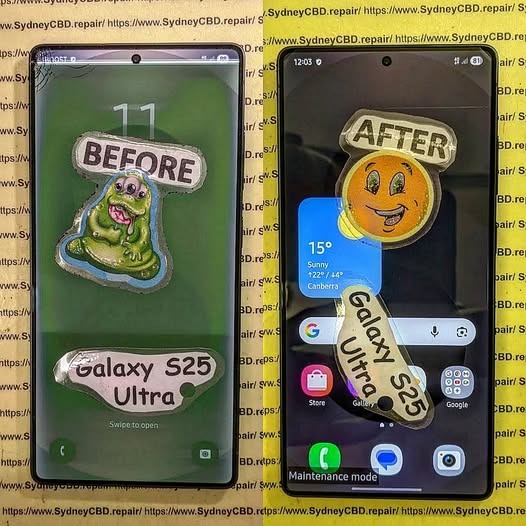
The Samsung Galaxy S25 Ultra is one of the most advanced smartphones ever created. With its premium AMOLED display, high-powered chipset, and sophisticated camera system, it’s built for performance and durability. However, even flagship smartphones can suffer severe problems after accidental liquid exposure. That’s where Samsung Galaxy S25 Ultra water damage recovery becomes critical.
Water damage can happen in seconds. A spilled drink, sudden rainstorm, swimming pool accident, or bathroom mishap may cause hidden corrosion inside the device. Even though the Samsung Galaxy S25 Ultra offers water resistance, no phone is entirely waterproof forever. Over time, seals weaken, adhesives degrade, and accidental impacts can compromise water protection.
Professional repair technicians now use advanced methods like ultrasonic cleaning, motherboard diagnostics, and micro soldering to restore water-damaged devices. These procedures help revive displays, charging systems, and internal components while protecting valuable user data.
In this detailed guide, we’ll explore the entire Samsung Galaxy S25 Ultra display and component precision repair process. You’ll also discover what causes internal damage, how experts diagnose problems, and why fast action dramatically increases recovery success.
Water damage affects smartphones differently depending on the type of liquid involved, exposure duration, and internal component sensitivity. While some devices survive brief splashes, others experience instant failures.
Common Causes of Liquid Damage
Several everyday situations can expose your Samsung Galaxy S25 Ultra to moisture:
Dropping the phone into water
Rain exposure during outdoor use
Spilled coffee or soft drinks
Steam from bathrooms or kitchens
Saltwater exposure at beaches
Sweat buildup during workouts
Interestingly, saltwater and sugary liquids are usually more destructive than clean water. They accelerate corrosion and leave conductive residue across sensitive circuits.
Early Warning Signs After Water Exposure
Sometimes the phone continues functioning temporarily after exposure. However, hidden issues may appear later.
Common symptoms include:
Symptom
Possible Cause
Screen flickering
Display connector corrosion
Ghost touch
Moisture affecting digitizer
No charging
Damaged charging IC
Overheating
Short circuit on motherboard
Camera fogging
Internal condensation
Speaker distortion
Water trapped in speaker mesh
If you notice these signs, immediate professional inspection is essential.
Why Immediate Action Matters
Time plays a massive role in successful Samsung Galaxy S25 Ultra water damage recovery. Corrosion begins almost instantly once liquid reaches internal circuits.
How Corrosion Begins Inside the Phone
Modern smartphones contain microscopic pathways carrying electrical signals across the motherboard. When water bridges those pathways, it creates unintended electrical connections.
This process causes:
Short circuits
Component overheating
Burned IC chips
Power failures
Permanent motherboard damage
Corrosion spreads like rust. Even tiny traces of moisture continue damaging the phone long after the initial accident.
Risks of Delayed Repairs
Many users make the mistake of waiting several days before seeking repair services. Unfortunately, delays often worsen internal damage.
Here’s what can happen:
Corrosion spreads further
Battery swelling develops
Display connectors deteriorate
Data becomes unrecoverable
Motherboard repair costs increase
Quick professional intervention dramatically improves recovery chances.
The display assembly is one of the most vulnerable parts affected by water exposure.
AMOLED Display Failure Symptoms
The Samsung Galaxy S25 Ultra uses a sophisticated AMOLED panel that delivers vivid colors and ultra-smooth refresh rates. However, moisture can severely impact the display system.
Common display problems include:
Green lines
Black spots
Flickering brightness
Touch response failure
Complete display blackout
Sometimes the display itself remains functional while flex cables or connectors become corroded.
Touchscreen and Flex Cable Issues
Flex cables carry signals between the display and motherboard. Water intrusion near these connectors often causes intermittent display behavior.
Technicians carefully inspect:
Display flex connectors
Backlight circuits
Touch IC chips
AMOLED control lines
Precision repair procedures help restore functionality without replacing unnecessary components.
Precision Repair Process for Water-Damaged Devices
Professional repair centers follow systematic recovery procedures to maximize success.
Initial Diagnostic Procedures
The first step involves complete device disassembly. Technicians inspect every component using magnification tools and specialized equipment.
Diagnostic checks include:
Voltage testing
Thermal imaging
Corrosion inspection
Power rail analysis
Display functionality tests
This process identifies both visible and hidden failures.
Ultrasonic Cleaning Techniques
One of the most important repair methods is ultrasonic cleaning. Specialized cleaning machines use high-frequency vibrations to remove corrosion from delicate motherboard components.
Benefits include:
Deep contaminant removal
Safe precision cleaning
Reduced corrosion spread
Improved electrical stability
This step is critical for successful Samsung Galaxy S25 Ultra display and component precision repair.
Component-Level Repairs
If corrosion damages specific chips or connectors, technicians perform targeted repairs.
Examples include:
Replacing charging ICs
Rebuilding damaged pads
Repairing broken traces
Replacing connectors
Restoring display circuits
These repairs require advanced soldering expertise and professional equipment.
Motherboard Recovery and Micro Soldering
The motherboard is the heart of the Samsung Galaxy S25 Ultra. Water damage here can affect every major function.
Common IC Components Affected
Several motherboard chips are especially vulnerable:
Component
Function
Power Management IC
Controls power distribution
Charging IC
Manages charging system
Audio IC
Handles sound functions
Display IC
Controls screen output
Wi-Fi IC
Wireless connectivity
Damage to any of these components may cause major device failures.
Precision Soldering Methods
Micro soldering involves repairing tiny electronic components under a microscope.
Technicians use:
Hot air rework stations
Precision soldering irons
Microscope magnification
Fine solder wire
PCB repair tools
This delicate process allows specialists to restore severely damaged boards.
Battery and Charging Port Restoration
Water damage often affects charging systems before other components.
Charging Failure Symptoms
A damaged charging system may show signs like:
Slow charging
No charging response
Moisture detection errors
Overheating while charging
Intermittent charging
Technicians inspect both the charging port and surrounding motherboard circuits.
Battery Safety Concerns
Lithium-ion batteries can become dangerous after water exposure. Internal short circuits may lead to swelling or overheating.
Warning signs include:
Battery bulging
Excessive heat
Rapid power drain
Random shutdowns
Replacing compromised batteries is essential for device safety.
Camera and Audio Component Repairs
Modern flagship phones contain sophisticated imaging and sound systems that are highly sensitive to moisture.
Lens Fogging and Camera Failure
Water vapor trapped inside camera modules often creates fogging. Over time, moisture damages autofocus motors and image sensors.
Repair procedures may involve:
Camera module replacement
Lens cleaning
Connector restoration
Sensor diagnostics
Speaker and Microphone Issues
Audio components frequently suffer after liquid exposure.
Typical problems include:
Muffled sound
Crackling speakers
Microphone failure
Reduced audio volume
Cleaning and replacing affected parts restores clear sound quality.
Data Recovery From Water-Damaged Samsung Phones
For many users, recovering photos, messages, and business files matters more than repairing the phone itself.
Professional Recovery Techniques
Experienced technicians use specialized tools to retrieve important data.
Methods include:
Temporary power restoration
NAND chip recovery
Board-level bypass techniques
Data extraction software
In severe cases, partial motherboard repairs may be necessary just to access stored information.
Preventing Permanent Data Loss
To protect your data:
Avoid turning the phone on repeatedly
Don’t attempt DIY charging
Seek immediate professional help
Backup recovered data immediately
Fast action significantly increases recovery success rates.
DIY Water Damage Myths
The internet is full of misleading advice regarding water-damaged smartphones.
Why Rice Doesn’t Work
Placing phones in rice is one of the most common myths. Unfortunately, rice doesn’t remove corrosion or trapped moisture inside sealed components.
Rice may actually:
Delay professional repairs
Introduce dust particles
Trap moisture internally
Professional cleaning remains the safest option.
Common Mistakes Users Make
Avoid these harmful actions:
Charging the phone immediately
Using a hairdryer
Freezing the phone
Shaking out water aggressively
Ignoring minor symptoms
These mistakes often worsen internal damage.
Benefits of Professional Samsung Galaxy S25 Ultra Repairs
Professional repair services offer major advantages over temporary fixes.
Genuine Parts and Warranty
Reliable repair centers use high-quality replacement components and proper repair procedures.
Benefits include:
Better durability
Improved display performance
Safer charging behavior
Manufacturer-grade compatibility
Professional warranties also provide peace of mind.
Long-Term Reliability
Proper repairs restore structural integrity and reduce future failure risks.
Experienced technicians ensure:
Internal cleaning
Correct adhesive sealing
Precision calibration
Full functionality testing
This comprehensive approach extends device lifespan considerably.
For official Samsung device support and care information, visit Samsung Support
Preventing Future Water Damage
Prevention is always better than expensive repairs.
Waterproofing Limitations
Even water-resistant devices have limitations. IP ratings apply only under controlled laboratory conditions.
Factors reducing resistance include:
Previous repairs
Physical drops
Aging adhesive seals
Extreme temperatures
Users should still treat their devices carefully around liquids.
Protective Habits for Daily Use
Here are smart habits to reduce risk:
Use waterproof pouches outdoors
Avoid bathroom steam exposure
Keep drinks away from devices
Dry phones immediately after splashes
Inspect damaged frames promptly
Simple precautions can prevent costly repairs.
Frequently Asked Questions
Can a Samsung Galaxy S25 Ultra survive water damage?
Yes, many devices can be successfully repaired if treated quickly. Immediate professional cleaning greatly improves recovery chances.
How long should I wait before turning on a wet phone?
Avoid powering it on entirely until inspected by a technician. Turning it on too soon can cause short circuits.
Does rice fix water-damaged phones?
No. Rice doesn’t remove corrosion or internal moisture effectively.
Can water damage affect the display only?
Sometimes. However, moisture often spreads beyond the screen and impacts the motherboard or battery.
Is data recovery possible after severe liquid damage?
In many cases, yes. Professional repair labs can often recover photos, contacts, and files even from heavily damaged devices.
How much does Samsung Galaxy S25 Ultra water damage repair cost?
Costs vary depending on affected components. Minor cleaning is cheaper than motherboard reconstruction or display replacement.
Can a water-damaged battery become dangerous?
Yes. Damaged lithium batteries may swell, overheat, or fail unpredictably. Professional inspection is important.
Conclusion
The Samsung Galaxy S25 Ultra is an impressive flagship smartphone, but water damage remains a serious threat to its advanced internal systems. From AMOLED display failures to motherboard corrosion, liquid exposure can quickly turn into a costly disaster if ignored.
Fortunately, modern Samsung Galaxy S25 Ultra display and component precision repair techniques offer highly effective recovery solutions. Ultrasonic cleaning, micro soldering, and advanced diagnostics now allow experienced technicians to restore many water-damaged devices that once seemed beyond repair.
Most importantly, acting quickly makes a huge difference. Immediate professional inspection reduces corrosion, protects valuable data, and improves repair success rates dramatically.
Whether you’re facing screen flickering, charging issues, speaker failure, or complete device shutdown, professional repair specialists can often restore your phone safely and efficiently. By understanding the repair process and avoiding common mistakes, you can maximize the chances of full recovery and extend the life of your Samsung Galaxy S25 Ultra.
David from Sydney CBD Repair Centre – The Best place to fix mobile phones as 7 Years In A Row! Top Mobile Phone Repair In Sydney. More than 2000 Positive Reviews on Google and Same Day Repairs.
We take pride in delivering exceptional repair services for all major phone brands including Apple, Samsung, Google, and more. Our expert technicians use only genuine parts and offer 90days warranty on repairs. Located in the heart of Sydney CBD, we’re your one-stop solution for all mobile device repairs.
Our commitment to excellence has earned us the trust of thousands of satisfied customers. Whether it’s a cracked screen, battery replacement, or water damage repair, we handle it all with professional care and expertise. Walk in today and experience why we’re Sydney’s #1 choice for mobile phone repairs.
Visit us for:
✓ Same Day Express Repairs
✓ Genuine Parts Guarantee
✓ Professional Technicians
✓ Competitive Pricing
✓ 2000+ 5-Star Google Reviews
✓ 7-Time Award Winner for Best Phone Repairs
Water Damage Recovery: Worth Fixing That Phone? + Ultimate Guide + 15 Must-Know Tips
Introduction
Water damage is one of the most stressful experiences a smartphone owner can face. In the blink of an eye, your trusted device slips into water, a sink, or even a puddle, leaving you panicked and unsure if it can survive. Modern smartphones are marketed as water-resistant, but even the most advanced models are vulnerable to liquid damage if not handled carefully.
Knowing how to respond immediately and understanding whether repairing a water-damaged phone is worth it can save both your device and your wallet. This guide explores everything from initial emergency steps to professional repair options, data recovery, and prevention techniques. By the end, you’ll be equipped with the knowledge to make an informed decision and protect your phone against future accidents.
Whether you’re facing minor spills or a full submersion, this comprehensive guide on water damage recovery will help you determine: is it worth fixing that phone, or is replacement the smarter choice?
Water damage recovery is one of the most common challenges phone users face today, even with “water-resistant” models flooding the market. Despite powerful marketing claims, no smartphone is fully waterproof. Each model has tiny openings—speaker grills, SIM trays, microphone holes—that water can easily pass through. Even IP68 or IP67 ratings only protect against controlled lab conditions, not real-life scenarios like saltwater, pool chlorine, or soap.
Smartphones today are built with hundreds of delicate components. The moment water touches them, corrosion starts almost immediately. The liquid can short-circuit critical areas like the charging IC, backlight, battery terminals, or the motherboard itself. This is why quick action matters.
Many people assume water damage is instantly fatal—but that’s not always true. It’s possible to save a phone if handled properly and quickly. On the other hand, some phones may continue working for hours or even days before failing. This delayed failure happens due to progressive corrosion.
Below are the most common signs your phone might have water damage:
Common Signs Your Phone Has Water Damage
Random shutdowns
Screen flickering or dark spots
Battery draining unusually fast
No sound or distorted audio
Charging issues or charging not detected
Camera fogging
Overheating
Buttons becoming unresponsive
Why Water Damage Is More Serious Than It Looks
Water damage spreads quickly—faster than most users expect. Even a splash can reach sensitive chips. Corrosion continues even when the phone appears to function normally. That’s why getting a professional inspection early is essential. Water can penetrate glued areas, seep under chips on the motherboard, and permanently damage internal layers if ignored for too long.
When your device takes an unfortunate dip, every second counts. Acting fast can significantly increase the chances of successful water damage recovery.
Unfortunately, many users panic and end up doing more harm than good. Let’s clear up what you should and shouldn’t do when your phone gets wet.
What NOT To Do After Water Exposure
Avoid these common mistakes at all costs:
❌ Don’t turn the phone on
❌ Don’t press any physical buttons
❌ Don’t charge the phone
❌ Don’t shake the device
❌ Don’t put it in rice (it’s a myth and often traps moisture)
❌ Don’t heat it with a hairdryer (you risk melting components)
Quick DIY Steps To Reduce Damage
Here’s what actually helps:
✔️ Power off the phone immediately
✔️ Remove case and accessories
✔️ Dry the exterior with a soft cloth
✔️ Remove SIM card and tray
✔️ Place in an open-air environment for ventilation
✔️ Take it to a professional repair shop ASAP
Time matters. The faster a technician opens and cleans the device, the higher the survival rate.
Is Water Damage Worth Repairing? Key Factors to Consider
Whether fixing a water-damaged phone is worth it depends on several important factors. Water damage recovery isn’t always straightforward, but professional repair shops can often restore functionality.
Cost vs Value Analysis
Ask yourself:
How much was the phone worth?
How much will the repair cost?
How important is the data stored inside?
Will replacing be more expensive?
In most cases, repairs range from $150–$350, depending on the damage. For flagship phones like Samsung Galaxy or iPhone Pro models, repair is usually worth it due to high replacement costs.
Device Age and Part Availability
Newer devices have better part availability, making repair more affordable. Older phones may be harder to restore because parts are scarce.
Professional Repair vs Replacement
Sometimes, replacing the motherboard alone may cost as much as buying a new phone. However, many shops—including Sydney CBD Repair Centre—can restore motherboards instead of replacing them, saving you hundreds of dollars.
How Professionals Diagnose Water Damage
Professional diagnosis involves more than just opening the phone and looking for moisture.
Internal Inspection Process
Technicians check:
The Liquid Contact Indicator (LCI)
Battery condition
Motherboard corrosion
Damaged resistors and capacitors
Charging IC, audio IC, and PMIC chips
Tools & Techniques Used
Professionals use:
Ultrasonic cleaners
Microsoldering stations
Thermal cameras
PCB microscopes
Dedicated drying chambers
These tools allow technicians to identify and repair board-level failures.
Common Repairs After Water Damage
Depending on the condition, technicians may perform one or more of the following:
Battery Replacement
Water exposure weakens battery cells, causing overheating or swelling.
Motherboard Treatment
Includes:
Corrosion cleaning
Reballing or replacing damaged chips
Microsoldering
Screen Repair
If water enters the display layers, discoloration or touch issues may appear.
Data Recovery After Water Damage
Many users worry more about photos and files than the phone itself.
Chances of Successful Recovery
If the motherboard hasn’t suffered deep corrosion, data recovery is often successful.
What Professionals Can Recover
Photos
Contacts
Chat history
Notes
Internal storage files
A skilled technician can recover data even when the phone won’t turn on.
2. How long does water damage take to show symptoms?
It can take minutes, hours, or days depending on corrosion spread.
3. Is rice a good solution?
No. It doesn’t remove moisture and can introduce dust.
4. How much does water damage repair cost?
Usually $150–$350 depending on severity and model.
5. Can I recover my data?
Often yes, especially if the motherboard is still partially functional.
6. Does Apple or Samsung cover water damage?
No, water damage is excluded from manufacturer warranties.
Conclusion
Water damage recovery is absolutely possible when done professionally and promptly. While modern phones are more resilient, even minor water exposure can lead to serious internal issues. The key is fast action and expert repair. Whether you choose to fix your device or replace it, understanding the process helps you make smarter decisions.
📍 Need expert water damage repair in Sydney? Sydney CBD Repair Centre is the city’s #1 trusted repair shop with 2000+ 5-star reviews, genuine parts, and same-day service.
David from Sydney CBD Repair Centre – The Best place to fix mobile phones as 6 Years In A Row! Top Mobile Phone Repair In Sydney. More than 2000 Positive Reviews on Google and Same Day Repairs.
📍 Visit us today for:
✓ Same Day Express Repairs
✓ Genuine Parts Guarantee
✓ Professional Technicians
✓ Competitive Pricing
✓ 2000+ 5-Star Google Reviews
✓ 6-Time Award Winner for Best Phone Repairs
Rescuing a “Beyond Repair” Waterlogged Foldable Phone: 7 Proven Steps to Bring It Back to Life
Understanding the Complexity of Foldable Phones
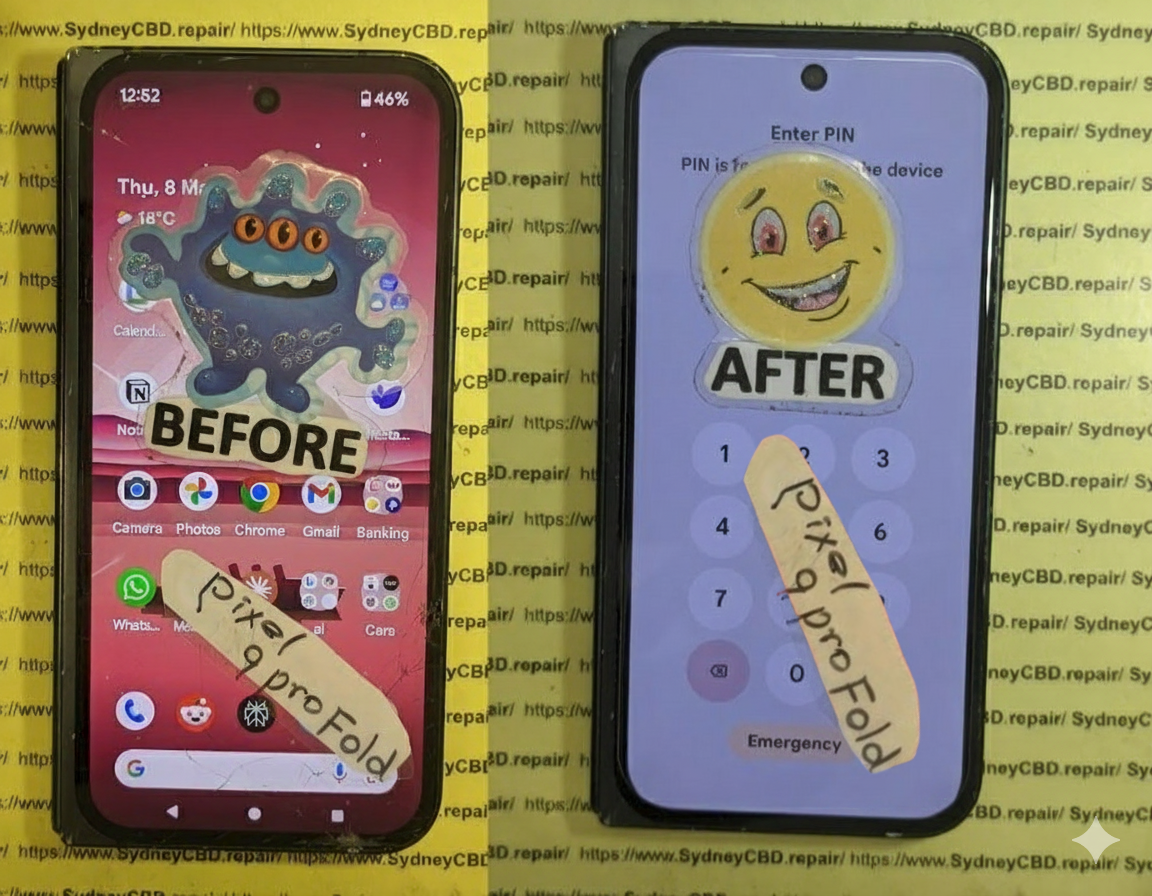
Foldable phones represent the cutting edge of modern mobile technology, combining flexibility with high performance. Devices like the Samsung Galaxy Z Fold series or Huawei Mate X showcase incredible engineering—yet, their sophisticated hinges, flexible OLED displays, and layered circuit designs make them extremely sensitive to water exposure.
Why Water Damage Is More Dangerous for Foldables
Unlike traditional smartphones, foldables have more points of vulnerability. The hinge mechanism, flexible display, and split battery design all present potential water entry paths. Even a few drops of water can cause short circuits or corrosion within hours. When a foldable gets submerged, the damage spreads faster and deeper due to its multiple internal layers.
Common Myths About Water Resistance
Manufacturers advertise IP ratings like IPX8, suggesting resistance to water immersion. However, these tests are conducted under controlled laboratory conditions—not in real-world scenarios like saltwater, pool water, or rain. The truth is: “water-resistant” doesn’t mean “waterproof.” Over time, seals weaken, and accidental submersion can overwhelm the device’s protective coatings.
When your foldable phone comes into contact with water, your instinct might be to check if it still works—but resist that urge. Turning it on can instantly short-circuit the motherboard.
The Dangers of Keeping It On
Even a few seconds of operation post-exposure can cause irreparable internal damage. Powering down prevents the flow of electricity through wet components, reducing the risk of a total board failure. If you can, remove the battery—though this is not possible in most modern foldables without professional tools.
Removing external and internal accessories allows trapped moisture to escape.
What to Remove and Why It Matters
Take out the SIM card, microSD card, and any detachable accessories like cases or styluses. These items trap water near ports and can lead to corrosion if left in place. Wipe each component separately using a soft, lint-free cloth—never a hairdryer or tissue, as they can push water further inside or cause static damage.
Step 3: Gently Dry the Exterior
After removing accessories, pat the phone dry using a microfiber cloth. Be gentle—foldables have delicate joints and flexible glass that can easily deform under pressure.
The Right and Wrong Ways to Dry Your Phone
✅ Do this:
Keep the device unfolded to allow airflow through the hinge
Use an absorbent towel or microfiber cloth
Let it sit in a dry, ventilated area for several hours
❌ Avoid this:
Using a hairdryer or direct sunlight
Shaking or folding the device excessively
Placing it near heaters or microwaves
Step 4: Avoid Using Rice – Here’s What to Do Instead
The “phone in rice” myth is one of the most common misconceptions about water damage.
The Truth About Rice and Water Damage
Rice can absorb surface moisture, but it does nothing for internal humidity or corrosion. Worse, rice particles or dust can enter the hinge mechanism, making matters worse for foldables. Instead, use silica gel packets or place your phone in a sealed container with moisture-absorbing materials like calcium chloride desiccants.
Step 5: Use Desiccants or Vacuum Drying Techniques
Desiccants are effective for mild water exposure. However, if your phone was submerged, professional drying methods are a must.
Why Professional Drying Saves Your Phone
At Sydney CBD Repair Centre, technicians use vacuum drying machines that safely extract moisture from every layer of your phone. This process not only prevents corrosion but also stabilizes delicate circuits that could otherwise fail days later.
Professional drying also includes ultrasonic cleaning, which removes mineral deposits and impurities left behind by contaminated water sources.
Step 6: Visit a Professional Repair Centre
DIY methods have their limits—especially when dealing with foldables.
Why DIY Can Make It Worse
Foldable phones have complex adhesive layers, multiple display cables, and sealed connectors. Opening them without the right tools can tear flexible displays or break the hinge assembly. Using alcohol or heat without precision can further corrode circuit boards.
What Sydney CBD Repair Centre Does Differently
Sydney CBD Repair Centre stands out as Sydney’s #1 phone repair service, with over 2000 5-star Google reviews and six consecutive “Best Mobile Repair” awards.
Their technicians specialize in water damage restoration, foldable screen repairs, and motherboard diagnostics using genuine OEM parts. Every repair comes with a 90-day warranty and same-day service for most cases.
Even after repair, it’s wise to protect your phone from future mishaps.
Investing in Protection for Your Foldable Phone
Use a certified waterproof case designed for your model.
Avoid using the phone near pools, sinks, or beaches.
Regularly inspect seals and hinges for signs of wear.
Back up your data frequently to prevent loss from sudden failure.
Proactive care can extend your foldable’s life span and maintain performance even after accidental exposure.
Frequently Asked Questions (FAQs)
1. Can a waterlogged foldable phone be fully repaired?
Yes, but it depends on how quickly you act. If you bring it to a professional within 24–48 hours, there’s a high chance of recovery.
2. Is it safe to charge a wet phone after drying it overnight?
No. Even residual moisture inside can cause electrical shorts. Always have it inspected before plugging in a charger.
3. Will my phone’s warranty cover water damage?
Most manufacturers exclude water damage from warranty coverage. However, authorized repair centres like Sydney CBD Repair Centre can help with cost-effective solutions.
4. What if my foldable screen shows flickering or lines after water exposure?
That’s usually a sign of moisture in the display layers or internal short circuits. Seek professional help immediately.
5. How long should I wait before turning my phone back on?
Wait at least 48 hours—and only after a technician confirms it’s safe.
6. Can silica gel fully fix water damage?
Silica gel helps reduce moisture but won’t repair corrosion or internal damage. Professional cleaning is still necessary.
Conclusion: Your Foldable Phone Deserves Expert Care
Rescuing a “beyond repair” foldable phone is entirely possible when you act fast and trust the right experts. While DIY methods can provide temporary relief, professional restoration ensures long-term success.
At Sydney CBD Repair Centre, your device is treated with precision, care, and genuine parts—restoring it to full functionality and reliability. Whether it’s a Samsung Galaxy Z Fold, Google Pixel Fold, or Huawei Mate X, you’re in the hands of Sydney’s most trusted technicians.
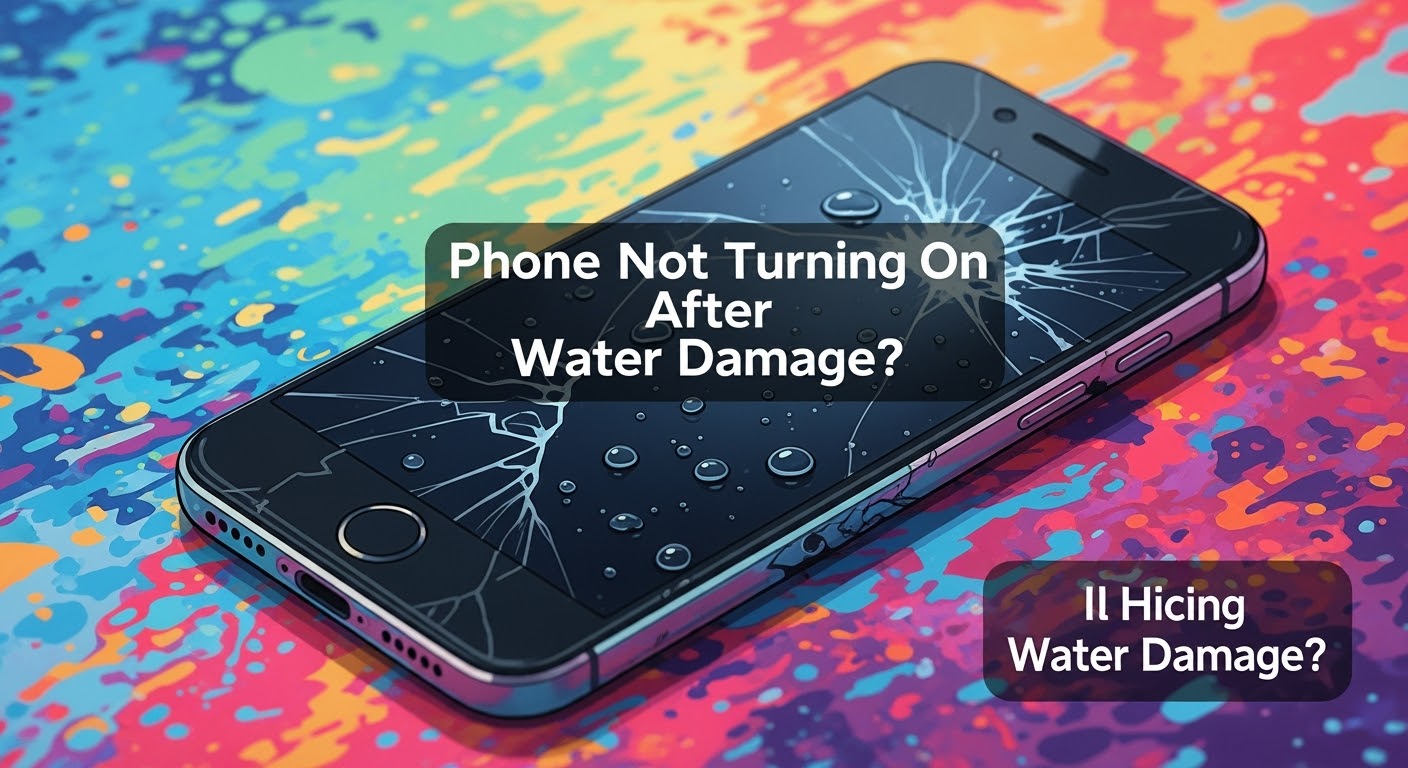
Phone Not Turning On After Water Damage? Here’s What You Need to Know
💧 What Happens When Water Gets Inside a Phone
Phones aren’t as waterproof as we think. When liquid enters your device, it starts corroding circuits almost immediately. Saltwater or chlorinated pool water is even worse, accelerating damage.
Even so-called “water-resistant” models like iPhones or Samsung Galaxy S series aren’t immune. Their seals can weaken over time.
Sometimes, the screen is gone, but the motherboard is still functional. Other times, the battery or charging port is shorted. We’ve seen phones power up after professional cleaning and part replacement — even if they looked completely dead.
❌ What NOT to Do After Water Exposure
Don’t charge it. Electricity and water don’t mix.
Don’t press buttons. It could push water further inside.
Don’t use a hairdryer. Heat can melt delicate components.
Don’t wait. Corrosion starts within hours.
✅ Immediate Steps to Take After Water Damage
Turn it off if it’s on.
Remove the SIM card.
Pat dry with a towel – no shaking!
Do not place in rice – it won’t fix corrosion.
Bring it to a professional repair shop ASAP.
🛠️ DIY Fixes: Are They Worth the Risk?
YouTube makes it look easy, but opening a phone without proper tools and anti-static precautions can cause irreversible damage. You also risk voiding your warranty.
Trust the experts — it’s safer, faster, and usually cheaper in the long run.
🔧 How Experts Diagnose Internal Water Damage
At Sydney CBD Repair Centre, our technicians:
Use microscopes to inspect internal corrosion
Test circuits with multimeters
Use ultrasonic cleaning machines to remove residue
Replace only the damaged components
We restore phones others have written off as “beyond repair.”
🔩 Common Components Affected by Water
Component
Issue Caused by Water
Battery
Short circuit or swelling
Display
Flickering or blackout
Charging Port
Corrosion or failure to charge
Motherboard
Complete phone failure
Camera
Fogging or dead sensors
🧯 Can Water-Damaged Phones Be Repaired?
Yes, in many cases. But it depends on:
How long it’s been exposed
The type of water (saltwater is worse)
How quickly you act
Same Day Repairs at Sydney CBD Repair Centre increase your chances of a full recovery.
💾 Data Recovery After Water Damage
We can often retrieve your:
Photos and videos
Contacts and messages
Notes and app data
Even if the phone itself can’t be saved, your memories and important files can often be rescued.
⏱️ Why Speed Matters in Water Damage Repairs
Water doesn’t just sit there — it spreads and corrodes. The longer you wait, the more damage occurs. That’s why we offer express same-day service for water-damaged phones.
🛡️ Prevention Tips for the Future
Use a waterproof pouch near water
Avoid charging near sinks or pools
Don’t take your phone into the bathroom (yes, even the shower!)
Always turn off the phone immediately if it gets wet
🧑🔧 Why Choose Sydney CBD Repair Centre
📍Location: Central Sydney — easy walk-in access
🛠️ Expert Technicians with years of experience
🔒 Genuine Parts Only — no dodgy knockoffs
⚡ Same Day Repairs available
🌟 2,000+ 5-Star Google Reviews
🏆 6-Time Award-Winning Service
We’ve repaired thousands of water-damaged phones that other shops gave up on.
⭐ Real Customer Success Stories
“My iPhone fell in the pool and wouldn’t turn on. Apple said it was dead. Sydney CBD Repair Centre brought it back to life the same day!”
— Jenny, Bondi
“Samsung S22 Ultra took a bath with me. Thought I lost everything. These guys saved all my files!”
— Tom, Surry Hills
🙋♂️ FAQs
Q1: How long does it take to repair a water-damaged phone?
Most cases are done same day, but severe corrosion may take 24-48 hours.
Q2: Is water damage covered under warranty?
Usually not. Most manufacturers exclude liquid damage. But we offer a 90-day repair warranty.
Q3: Can water-damaged phones be 100% restored?
If you act fast and there’s no extensive corrosion, full restoration is often possible.
Q4: What if my phone won’t charge after water exposure?
It’s likely the charging port is corroded. We can replace it quickly.
Q5: How much does it cost to fix water damage?
Depends on the extent. Walk-ins get a free diagnosis.
Q6: Is putting the phone in rice effective?
No. It may absorb moisture but won’t stop corrosion. It delays proper treatment.
✅ Conclusion: Trust the Experts Before It’s Too Late
Water damage is scary — but not always fatal. If your phone won’t turn on after getting wet, act fast and bring it to the trusted professionals at Sydney CBD Repair Centre.
Let our experience, equipment, and expertise save your phone — and your data.
David from Sydney CBD Repair Centre – The Best Place to Fix Mobile Phones 6 Years in a Row!
📞 Call us: +61280114119
🌐 Visit: https://SydneyCBD.repair/locate-us
Thank you for using
Themify Popup
This is a sample pop up. Themify Builder or Builder Lite (free) plugin is recommended to design the pop up layouts.