Data Recovery: The Broken Phone, All Files Safe! | Proven Solutions & Expert Tips (2025)
Understanding Data Loss from a Broken Phone
When your smartphone suddenly slips from your hands, crashes onto the pavement, or refuses to turn on after getting wet — panic sets in. Your first thought? “Are my photos and files gone forever?” Fortunately, data recovery for broken phones has advanced dramatically, and most of your information can still be retrieved.
Common Causes of Data Loss
Physical Damage – Cracked screens, broken ports, or damaged motherboards.
Water Damage – Corrosion can interrupt power and data access.
Software Errors – System crashes, failed updates, or malware infections.
Battery or Power Failure – When a phone won’t turn on but the data remains intact.
Factory Reset or Accidental Deletion – User error leading to wiped data.
Why Immediate Action Matters
The longer you wait, the more likely it is for your data to become irretrievable due to continued damage or automatic overwriting. Always power off a damaged phone and avoid DIY repairs that can worsen internal issues.
Modern smartphones have sophisticated storage systems. Even if the device doesn’t power on, data often remains safe within its memory chip.
Internal vs External Storage Explained
Your phone’s internal storage holds essential system files, contacts, messages, and app data, while the external SD card stores images, videos, and documents. Professional repair centres can access both safely using specialized tools.
How Recovery Software Extracts Data
Recovery software works by scanning memory sectors for recoverable fragments. Advanced programs like Dr.Fone, Tenorshare UltData, and iMobie PhoneRescue can reconstruct missing files even from damaged partitions.
Step-by-Step: Recovering Data from a Broken Android Phone
If your Android device has a cracked screen or doesn’t respond, there are still options before you lose hope.
Using Google Backup & Sync
Log into your Google Account on another device.
Visit Google Photos, Drive, or Contacts.
Restore all synced data with a single click.
If syncing was enabled before damage occurred, your data is already safe in the cloud.
Using Android Recovery Tools
Software like Dr.Fone for Android, Tenorshare UltData, or iMobie DroidKit allows USB connection to access files even from an unresponsive phone. These programs can extract:
Photos and videos
WhatsApp messages
Contacts and call logs
App data and documents
When to Visit a Professional Repair Centre
If your phone suffers from hardware failure, DIY software might not help. At this point, it’s best to visit a trusted service provider such as Sydney CBD Repair Centre — where certified technicians safely extract your data without risking further damage.
Apple’s ecosystem simplifies recovery. Log in to iCloud.com or connect your iPhone to iTunes/Finder on your computer to retrieve your:
Photos
Contacts
Messages
App Data
Using Third-Party iPhone Data Recovery Tools
Programs like iMobie PhoneRescue, Dr.Fone iOS, and Tenorshare UltData for iPhone can recover data even if backups are incomplete or the device is unresponsive.
Professional Data Recovery Services in Sydney
When software isn’t enough, professional help is the safest path forward.
Why Choose Sydney CBD Repair Centre
🧰 Same Day Express Repairs
🔋 Genuine Parts with Warranty
💼 Expert Technicians with years of experience
⭐ 2000+ 5-Star Google Reviews
🏆 6-Time Award Winner for Best Phone Repairs
Sydney CBD Repair Centre specializes in data recovery for Apple, Samsung, Google, and other major brands. Whether your device has a shattered display, water exposure, or a faulty motherboard — they can help retrieve your valuable files safely.
Avoid using phones during charging to prevent overheating.
Regularly transfer data to your PC or external drive.
Top Data Recovery Tools in 2025
Tool Name
Supported Devices
Free Trial
Key Features
Dr.Fone
Android/iOS
✅
Deep scan, full backup restore
Tenorshare UltData
Android/iOS
✅
WhatsApp & file recovery
iMobie PhoneRescue
Android/iOS
✅
Data extraction from dead phones
DiskDigger
Android only
✅
Lightweight photo recovery
EaseUS MobiSaver
Android/iOS
✅
Full file recovery with UI wizard
FAQs – Broken Phone Data Recovery
1. Can I recover data from a phone that won’t turn on?
Yes, as long as the internal storage is intact, professionals can recover your data using specialized tools.
2. Is data recovery expensive?
Prices vary by damage type, but Sydney CBD Repair Centre offers affordable rates and free assessments.
3. How long does recovery take?
Most recoveries are completed within the same day, depending on damage severity.
4. Can I recover WhatsApp messages from a broken phone?
Yes. Recovery tools and cloud backups can restore WhatsApp chats easily.
5. Is DIY recovery safe?
Only for minor issues. For physical or motherboard damage, always consult experts.
6. What if my screen is black but the phone vibrates?
That means it’s still powered. Technicians can connect to your phone and retrieve files safely.
Conclusion – Get Your Files Back Safely Today!
A broken phone doesn’t mean your memories, photos, and documents are lost forever. With advanced tools and professional repair services like Sydney CBD Repair Centre, you can recover your data quickly, securely, and affordably. Don’t let panic take over — take the right steps today to get your files back and your phone working again.
David from Sydney CBD Repair Centre – The Best place to fix mobile phones as 6 Years In A Row! Top Mobile Phone Repair In Sydney. More than 2000 Positive Reviews on Google and Same Day Repairs.
📍 Visit us today for:
✓ Same Day Express Repairs
✓ Genuine Parts Guarantee
✓ Professional Technicians
✓ Competitive Pricing
✓ 2000+ 5-Star Google Reviews
✓ 6-Time Award Winner for Best Phone Repairs
The Rescue Mission: Recovering Precious Photos From a Completely Smashed Google Pixel 10 Pro XL + Ultimate Guide 2026
📱 Introduction to Data Recovery Challenges
When your Google Pixel 10 Pro XL gets completely smashed, panic often sets in immediately. Photos—those irreplaceable memories—suddenly feel lost forever. But here’s the good news: recovering photos from a completely smashed Google Pixel 10 Pro XL is often possible, even when the damage looks catastrophic.
Modern smartphones are surprisingly resilient when it comes to data storage. Even if the screen is shattered or the phone won’t turn on, your photos might still be safe inside the internal storage chip. That’s why understanding your recovery options is critical before taking any drastic steps.
In many cases, users assume that physical damage equals data loss. That’s simply not true. Data loss depends more on internal damage than external appearance. So even if your device looks like it’s been run over, there’s still hope.
If you didn’t back up your device, don’t worry—there are still options.
USB Debugging Method
If USB debugging was enabled:
Connect phone to PC
Use ADB tools
Extract DCIM folder
This method works even if the screen is unusable.
OTG Mouse Trick
For broken screens:
Connect USB OTG adapter
Attach a mouse
Unlock phone manually
Transfer files
Simple, effective, and often overlooked.
🛠️ Professional Data Recovery Solutions
When to Seek Experts
If your phone:
Won’t power on
Has motherboard damage
Is water-damaged
…it’s time for professionals.
Cost Expectations
Service Type
Estimated Cost
Basic recovery
$100–$300
Advanced recovery
$300–$800
Chip-level recovery
$800+
Prices vary depending on damage severity.
💻 Using Recovery Software Tools
Popular Tools Comparison
Tool
Best For
Difficulty
Dr.Fone
Beginners
Easy
iMobie PhoneRescue
Deep scans
Medium
Tenorshare UltData
Quick recovery
Easy
These tools work best when the phone is still partially functional.
🔬 Motherboard-Level Recovery Explained
Chip-Off Technique
This advanced method involves:
Removing the storage chip
Reading data directly
Rebuilding file systems
It’s highly technical but incredibly effective when done by experts.
🔐 Preventing Future Data Loss
Backup Best Practices
To avoid future stress:
Enable automatic backups
Use multiple backup solutions
Regularly export important files
Think of backups as insurance for your memories.
⚠️ Common Mistakes to Avoid
Ignoring backups
Using untrusted repair shops
Attempting DIY motherboard repair
Waiting too long after water damage
Each mistake reduces recovery success rates.
❓ FAQs
1. Can I recover photos from a completely smashed Google Pixel 10 Pro XL?
Yes, in most cases. As long as the storage chip isn’t damaged, recovery is possible.
2. What if my phone won’t turn on?
You can still recover data using professional services or chip-level recovery.
3. Are recovery apps safe?
Some are, but only use trusted tools. Avoid unknown apps that may overwrite data.
4. How long does recovery take?
Basic recovery: 1–2 days
Advanced recovery: 3–7 days
5. Is data recovery expensive?
It depends on the damage. Costs range from affordable to premium for complex cases.
6. Can water damage destroy my photos permanently?
Yes, if corrosion reaches the storage chip. Immediate action is crucial.
🏁 Conclusion
Recovering photos from a completely smashed Google Pixel 10 Pro XL isn’t just possible—it’s often highly successful when done correctly. The key lies in acting quickly, avoiding common mistakes, and choosing the right recovery method.
Whether you rely on cloud backups, DIY solutions, or professional services, your precious memories are rarely truly lost. With the right approach, you can bring them back safely.
🔚 Post-Article Message
David from Sydney CBD Repair Centre – The Best place to fix mobile phones as 7 Years In A Row! Top Mobile Phone Repair In Sydney. More than 2000 Positive Reviews on Google and Same Day Repairs.
We take pride in delivering exceptional repair services for all major phone brands including Apple, Samsung, Google, and more. Our expert technicians use only genuine parts and offer 90days warranty on repairs. Located in the heart of Sydney CBD, we’re your one-stop solution for all mobile device repairs.
Our commitment to excellence has earned us the trust of thousands of satisfied customers. Whether it’s a cracked screen, battery replacement, or water damage repair, we handle it all with professional care and expertise. Walk in today and experience why we’re Sydney’s #1 choice for mobile phone repairs.
Visit us for:
✓ Same Day Express Repairs
✓ Genuine Parts Guarantee
✓ Professional Technicians
✓ Competitive Pricing
✓ 2000+ 5-Star Google Reviews
✓ 7-Time Award Winner for Best Phone Repairs
The Salvaging a Saltwater Damaged iPhone 15 Pro: A Sydney Repair Challenge – 9 Proven Fixes That Work
🌊 Introduction to Saltwater Damage
Saltwater damage is one of the most severe threats to modern smartphones, especially premium devices like the iPhone 15 Pro. While these devices boast advanced engineering and water resistance, saltwater introduces a whole different level of destruction.
Unlike accidental spills or rain exposure, saltwater penetrates deeper and accelerates corrosion almost instantly. If you’re dealing with this issue, acting fast can make the difference between saving your device and losing it completely.
In Sydney, where beaches are part of everyday life, repair technicians frequently encounter saltwater-damaged phones. This guide walks you through everything you need to know—from immediate action to professional repair strategies.
Saltwater is far more conductive than freshwater. That means it can short-circuit internal components faster. But that’s not all.
Key Differences:
Salt residue remains after drying
Corrosion continues even after exposure
Metal components degrade rapidly
When salt dries, it forms crystals that cling to internal circuits. These crystals attract moisture from the air, restarting corrosion cycles again and again.
Saltwater damage is one of the toughest challenges for any smartphone, especially a premium device like the iPhone 15 Pro. However, it’s not always a death sentence.
With fast action, proper handling, and expert repair techniques, you can often restore both the device and your valuable data. Sydney repair professionals deal with these cases regularly and have developed proven methods that work.
The key takeaway? Don’t wait. The sooner you act, the better your chances of recovery.
David from Sydney CBD Repair Centre – The Best place to fix mobile phones as 7 Years In A Row! Top Mobile Phone Repair In Sydney. More than 2000 Positive Reviews on Google and Same Day Repairs.
We take pride in delivering exceptional repair services for all major phone brands including Apple, Samsung, Google, and more. Our expert technicians use only genuine parts and offer 90days warranty on repairs. Located in the heart of Sydney CBD, we’re your one-stop solution for all mobile device repairs.
Our commitment to excellence has earned us the trust of thousands of satisfied customers. Whether it’s a cracked screen, battery replacement, or water damage repair, we handle it all with professional care and expertise. Walk in today and experience why we’re Sydney’s #1 choice for mobile phone repairs.
Visit us for:
✓ Same Day Express Repairs
✓ Genuine Parts Guarantee
✓ Professional Technicians
✓ Competitive Pricing
✓ 2000+ 5-Star Google Reviews
✓ 7-Time Award Winner for Best Phone Repairs
What Is The Most Extreme Phone Damage We’ve Repaired at Sydney CBD Repair Centre? – Shocking Stories & 7 Unbelievable Fixes
Introduction to Extreme Phone Damage Cases
At Sydney CBD Repair Centre, we’ve seen it all—and then some. From phones crushed under heavy vehicles to devices pulled from the ocean weeks later, the most extreme phone damage we’ve repaired at Sydney CBD Repair Centre goes far beyond cracked screens and worn-out batteries. These cases test not only the limits of mobile devices but also the expertise, patience, and innovation of our technicians.
Phones today are powerful, compact, and essential. However, they’re also vulnerable. Accidents happen fast, and when they do, customers often assume the worst. Still, time and again, we’ve proven that even the most extreme phone damage can often be repaired—saving data, money, and memories.
In this article, we’ll walk you through seven shocking real-life repair stories, explain how professional diagnostics make a difference, and show why trusting experts matters more than ever.
You might think extreme phone damage is rare. In reality, it’s becoming increasingly common. Busy lifestyles, constant device use, and environmental exposure all play a role. Phones are dropped from balconies, left on car roofs, exposed to seawater, or damaged during DIY repairs.
Moreover, modern smartphones are more complex than ever. A single incident can affect multiple components at once—screen, logic board, battery, and cameras. That’s why the most extreme phone damage we’ve repaired at Sydney CBD Repair Centre often involves layered issues rather than one obvious fault.
Case Study #1: Phone Run Over by a Truck
This case still shocks new technicians. A customer accidentally dropped their phone in a parking lot, and before they noticed, a delivery truck rolled right over it.
Damage Assessment Process
The phone arrived with:
Shattered front and back glass
Bent aluminium frame
Non-responsive display
No power
At first glance, it looked beyond saving. However, our diagnostic tools revealed that the logic board was intact—a critical discovery.
Repair Strategy and Outcome
We replaced:
Screen assembly
Battery
Housing and frame
Charging port
After careful reassembly and testing, the phone powered on successfully. Data was fully recovered. This repair stands as one of the most extreme phone damage we’ve repaired at Sydney CBD Repair Centre—and a reminder not to give up too soon.
Case Study #2: Severe Water and Saltwater Damage
Water damage is common, but saltwater damage is a different beast entirely.
Internal Corrosion Challenges
Salt accelerates corrosion. In this case, the phone had been submerged in the ocean for two days. Internally, connectors and chips showed visible oxidation.
Advanced Cleaning Techniques
Using ultrasonic cleaning and specialised chemical solutions, we removed corrosion from the logic board. Several components were microsoldered and replaced. While the phone required extensive work, it eventually powered on and functioned normally.
This case highlights why professional intervention matters. According to Apple’s official water damage guidance, improper drying methods can worsen internal damage.
Case Study #3: Phone Burnt in a House Fire
Fire damage is rare—but devastating.
Heat Damage to Components
The phone casing had partially melted. Internally, the battery was destroyed, and the screen layers had fused together.
Data Recovery Success
While the phone itself couldn’t be fully restored, our technicians focused on data recovery. By isolating the memory chip, we successfully retrieved photos and documents. For the customer, this outcome mattered more than the device itself.
Case Study #4: Folded, Bent, and Crushed Frames
We often see phones bent in back pockets—but this one was folded nearly in half after being caught in gym equipment.
Structural Integrity Testing
Bent frames compromise internal alignment. We transferred all salvageable components into a new housing. After recalibration and stress testing, the phone passed all functionality checks.
Case Study #5: DIY Repair Gone Wrong
DIY repairs are tempting. Unfortunately, they often lead to more damage.
Common DIY Mistakes
In this case:
Incorrect screws punctured the logic board
Battery connector was torn
Screen cables were damaged
We replaced multiple components and corrected internal alignment. The phone was saved—but at a higher cost than a professional repair would’ve been initially.
Case Study #6: Battery Explosion and Power Failure
A swollen battery eventually ruptured due to prolonged overheating.
Safety Measures and Replacement
We safely removed the damaged battery, inspected surrounding components, and replaced the power management IC. The phone powered on safely, with no further risk.
Case Study #7: Phones Retrieved from the Ocean
One of the most extreme phone damage cases involved a phone recovered after three weeks underwater.
Long-Term Salt Exposure Effects
The phone required:
Full logic board cleaning
Multiple component replacements
New display and battery
Amazingly, after weeks of work, it functioned again. This repair perfectly embodies the most extreme phone damage we’ve repaired at Sydney CBD Repair Centre.
Our technicians combine formal training with real-world problem-solving. That’s how we consistently achieve results others can’t.
What These Extreme Phone Damage Repairs Teach Us
Every extreme repair teaches a lesson:
Don’t assume a phone is beyond saving
Act quickly after damage
Avoid DIY fixes for complex issues
Choose experienced professionals
Phones are resilient—but expert care makes all the difference.
Frequently Asked Questions (FAQs)
1. Can extreme phone damage really be repaired?
Yes, in many cases. Even severe damage can often be partially or fully repaired.
2. Is water-damaged phone repair worth it?
Often, yes—especially if data recovery is important.
3. How long do extreme repairs take?
Anywhere from same day to several days, depending on severity.
4. Will data be lost during extreme repairs?
We prioritise data preservation whenever possible.
5. Are genuine parts used in extreme repairs?
Absolutely. We use only high-quality, genuine or equivalent parts.
6. Is there a warranty on these repairs?
Yes, all repairs include a 90-day warranty.
Conclusion
From crushed frames to fire damage, the most extreme phone damage we’ve repaired at Sydney CBD Repair Centre proves that hope isn’t lost when accidents happen. With the right tools, expertise, and commitment, even the most shocking cases can have positive outcomes.
If your phone has suffered serious damage, don’t give up. Bring it to professionals who’ve seen—and fixed—it all.
David from Sydney CBD Repair Centre – The Best place to fix mobile phones as 6 Years In A Row! Top Mobile Phone Repair In Sydney. More than 2000 Positive Reviews on Google and Same Day Repairs.
We take pride in delivering exceptional repair services for all major phone brands including Apple, Samsung, Google, and more. Our expert technicians use only genuine parts and offer 90days warranty on repairs. Located in the heart of Sydney CBD, we’re your one-stop solution for all mobile device repairs.
Our commitment to excellence has earned us the trust of thousands of satisfied customers. Whether it’s a cracked screen, battery replacement, or water damage repair, we handle it all with professional care and expertise. Walk in today and experience why we’re Sydney’s #1 choice for mobile phone repairs.
Visit us for:
✓ Same Day Express Repairs
✓ Genuine Parts Guarantee
✓ Professional Technicians
✓ Competitive Pricing
✓ 2000+ 5-Star Google Reviews
✓ 6-Time Award Winner for Best Phone Repairs
International Shipping to Sydney: Can We Repair Your Phone From Overseas? 15 Powerful Reasons Why the Answer Is Yes
Introduction
In today’s connected world, smartphone users aren’t limited to repair services available in their local area. Thanks to international shipping to Sydney, customers from around the globe can access professional phone repair services from trusted technicians with extensive experience in device restoration.
Whether you own an iPhone, Samsung Galaxy, Google Pixel, Oppo, Huawei, Xiaomi, or another smartphone brand, sending your device to Sydney for repair can be a practical and cost-effective solution. Many customers choose international shipping to Sydney because of the availability of genuine parts, advanced diagnostic equipment, and highly skilled repair specialists.
If you’re wondering whether it’s possible to ship your damaged phone from overseas and have it repaired professionally in Sydney, the answer is a resounding yes. This guide explains everything you need to know about the process, benefits, timelines, and expectations.
Modern courier networks have transformed the repair industry. Customers can now safely send smartphones internationally to specialized repair centres that offer expertise unavailable locally.
International repair services are especially beneficial when:
Genuine replacement parts are unavailable locally
Local repair costs are excessive
Specialized motherboard repairs are required
Foldable phones need expert attention
Data recovery services are necessary
Advanced diagnostics are required
Many overseas customers find that international shipping to Sydney offers access to repair professionals who routinely handle complex repairs that local shops may decline.
Moreover, experienced repair centres often maintain extensive inventories of replacement parts, reducing delays and improving repair outcomes.
Sydney has become a recognized destination for premium mobile device repairs. Customers from various countries choose Australian repair specialists because of their reputation for quality workmanship and reliable service.
Access to Experienced Technicians
Professional repair technicians in Sydney work on thousands of devices annually. This experience enables accurate diagnostics and efficient repairs.
Benefits include:
Advanced fault detection
Micro-soldering expertise
Logic board repairs
Data recovery capabilities
Water damage restoration
Screen replacement precision
Genuine Parts Availability
One major reason customers choose international shipping to Sydney is access to quality components.
High-quality repair centres prioritize:
Genuine components where available
Premium OEM-grade parts
Strict quality control
Performance testing
Long-term reliability
This commitment often leads to better repair outcomes and longer device lifespans.
How International Shipping to Sydney Works
The process is straightforward and designed to minimize stress for customers.
Step 1: Contact the Repair Centre
Before shipping your device:
Describe the issue.
Provide the device model.
Share photos if possible.
Request a preliminary assessment.
Obtain shipping instructions.
This helps technicians prepare for the repair before the device arrives.
Choose a courier with experience handling electronics.
Step 4: Repair and Testing
Once received, technicians typically perform:
Full diagnostics
Repair confirmation
Component replacement
Functional testing
Quality assurance inspections
Every major function should be tested before return shipping.
Step 5: Return Shipping
After successful repairs:
Devices are securely packaged
Tracking information is provided
Return insurance options are available
Delivery timelines are confirmed
This ensures transparency throughout the process.
Which Devices Can Be Repaired from Overseas?
International customers send a wide range of devices for repair.
Apple Devices
Common Apple repairs include:
Screen replacement
Battery replacement
Charging port repair
Face ID repair
Camera replacement
Logic board repair
Water damage restoration
Popular models include:
iPhone 15 series
iPhone 16 series
iPhone 17 series
Older iPhones
Samsung Devices
Samsung devices frequently shipped for repair include:
Galaxy S Series
Galaxy Note Series
Galaxy Z Fold Series
Galaxy Z Flip Series
Common issues include:
Broken displays
Hinge problems
Battery failures
Motherboard issues
Google Pixel Devices
Pixel repairs often involve:
Display replacement
Battery replacement
Charging issues
Camera faults
Water damage
Other Smartphone Brands
Additional brands regularly serviced include:
Oppo
Xiaomi
Huawei
Vivo
OnePlus
Sony
Asus ROG
Motorola
The flexibility of international shipping to Sydney allows owners of many device types to access professional repair solutions.
Common Repairs Requested by International Customers
International customers often seek assistance for issues that require advanced expertise.
Popular repairs include:
Repair Type
Complexity
Screen Replacement
Moderate
Battery Replacement
Low
Water Damage Repair
High
Motherboard Repair
Very High
Data Recovery
High
Charging Port Repair
Moderate
Camera Repair
Moderate
Foldable Screen Repair
High
Many customers specifically choose international shipping to Sydney for motherboard-level repairs because these services require specialized tools and skills.
Benefits of International Shipping to Sydney
There are numerous advantages to sending your device overseas for professional repair.
Access to Specialized Repairs
Some faults require advanced micro-soldering equipment unavailable locally.
Better Component Quality
Quality parts can significantly improve repair outcomes.
Competitive Pricing
Despite shipping costs, overall repair expenses may remain competitive.
Data Preservation
Professional technicians focus on maintaining valuable user data whenever possible.
Trusted Expertise
High-volume repair centres develop extensive experience across many device models.
These benefits make international shipping to Sydney an attractive option for smartphone owners worldwide.
Packaging Tips for Safe Transit
Proper packaging greatly reduces transit risks.
Recommended Steps
Power off the device.
Remove SIM cards.
Back up data if possible.
Wrap the phone in bubble wrap.
Place inside an anti-static bag.
Use a sturdy shipping box.
Fill empty spaces with cushioning.
Avoid These Mistakes
Using padded envelopes alone
Shipping loose accessories unnecessarily
Forgetting customs declarations
Failing to insure valuable devices
Taking these precautions helps ensure safe delivery.
Customs and Shipping Considerations
International shipments may be subject to customs regulations.
Important factors include:
Accurate declarations
Repair-related customs forms
Temporary export procedures
Insurance coverage
Local import regulations
Customers should verify requirements with their courier provider before shipping.
Clear documentation helps prevent delays and facilitates smooth processing.
Repair Timeframes and Expectations
Repair timelines vary depending on:
Shipping distance
Customs clearance
Device model
Part availability
Repair complexity
Typical timeline estimates:
Stage
Estimated Time
International Shipping
3-10 Days
Diagnostics
1-2 Days
Repair Work
1-5 Days
Quality Testing
1 Day
Return Shipping
3-10 Days
Complex motherboard repairs may require additional time.
However, many repairs are completed much faster than customers expect.
Warranty and Quality Assurance
A reputable repair centre should stand behind its workmanship.
Quality assurance procedures generally include:
Diagnostic verification
Component testing
Battery health checks
Camera testing
Network testing
Charging verification
Final inspection
Warranty coverage provides additional confidence for international customers.
When selecting a repair provider, always ask about:
Warranty duration
Coverage details
Return procedures
Post-repair support
These factors are important indicators of service quality.
Cost Comparison: Local vs Sydney Repairs
Many people assume overseas repairs are more expensive. In reality, the total cost can be surprisingly competitive.
Factors affecting repair pricing include:
Local Repair Challenges
Limited parts availability
Inexperienced technicians
Longer waiting periods
Higher component costs
Sydney Repair Advantages
Bulk parts inventory
Specialized expertise
Efficient workflows
Advanced equipment
While shipping adds expense, customers often find the overall value proposition highly attractive.
Additionally, successful repair outcomes can prevent the need for costly device replacement.
Why Sydney CBD Repair Centre Is Trusted Worldwide
Choosing the right repair partner is critical.
Sydney CBD Repair Centre has established a strong reputation through:
Thousands of completed repairs
Extensive experience with flagship devices
Professional diagnostic procedures
Genuine and premium-quality parts
Comprehensive testing processes
Strong customer satisfaction record
The centre regularly handles:
iPhone repairs
Samsung repairs
Google Pixel repairs
Foldable device repairs
Water damage recovery
Data recovery services
Its commitment to quality and transparency makes it a preferred destination for customers considering international shipping to Sydney.
For more information about international shipping and courier services, visit the official website of DHL Express.
Frequently Asked Questions
1. Can I ship my phone from any country?
In most cases, yes. International courier providers operate across the majority of countries worldwide.
2. Is international shipping to Sydney safe for smartphones?
Yes. When packaged correctly and shipped with reputable couriers, smartphones are generally transported safely.
3. How long does the repair process take?
Most repairs are completed within several days after arrival, depending on complexity and parts availability.
4. Will my data be preserved?
Technicians strive to preserve customer data whenever possible. However, backups are always recommended before shipping.
5. Can water-damaged phones be repaired?
Many water-damaged devices can be restored, particularly when professional diagnostics are performed promptly.
6. Is repair cheaper than replacing my phone?
Often, yes. Repairing a device can be substantially more economical than purchasing a new flagship smartphone.
7. What happens if replacement parts are unavailable?
The repair centre will typically discuss alternative solutions or estimated procurement timelines before proceeding.
8. Can foldable phones be repaired through international shipping?
Absolutely. Foldable devices such as Samsung Galaxy Z Fold and Z Flip models are commonly repaired by specialized technicians.
Conclusion
International smartphone repair services have opened new opportunities for device owners worldwide. Through international shipping to Sydney, customers can access experienced technicians, genuine parts, advanced diagnostics, and specialized repair expertise that may not be available locally.
Whether you’re dealing with a cracked display, motherboard failure, water damage, battery issue, or foldable phone malfunction, shipping your device to a trusted Sydney repair centre can be a practical and cost-effective solution.
By following proper packaging guidelines, understanding customs requirements, and choosing a reputable repair provider, international customers can enjoy a smooth repair experience and extend the life of their valuable devices.
David from Sydney CBD Repair Centre – The Best place to fix mobile phones as 7 Years In A Row! Top Mobile Phone Repair In Sydney. More than 2000 Positive Reviews on Google and Same Day Repairs.
We take pride in delivering exceptional repair services for all major phone brands including Apple, Samsung, Google, and more. Our expert technicians use only genuine parts and offer 90days warranty on repairs. Located in the heart of Sydney CBD, we’re your one-stop solution for all mobile device repairs.
Our commitment to excellence has earned us the trust of thousands of satisfied customers. Whether it’s a cracked screen, battery replacement, or water damage repair, we handle it all with professional care and expertise. Walk in today and experience why we’re Sydney’s #1 choice for mobile phone repairs.
Visit us for:
✓ Same Day Express Repairs
✓ Genuine Parts Guarantee
✓ Professional Technicians
✓ Competitive Pricing
✓ 2000+ 5-Star Google Reviews
✓ 7-Time Award Winner for Best Phone Repairs
Water Damage Recovery: Worth Fixing That Phone? + Ultimate Guide + 15 Must-Know Tips
Introduction
Water damage is one of the most stressful experiences a smartphone owner can face. In the blink of an eye, your trusted device slips into water, a sink, or even a puddle, leaving you panicked and unsure if it can survive. Modern smartphones are marketed as water-resistant, but even the most advanced models are vulnerable to liquid damage if not handled carefully.
Knowing how to respond immediately and understanding whether repairing a water-damaged phone is worth it can save both your device and your wallet. This guide explores everything from initial emergency steps to professional repair options, data recovery, and prevention techniques. By the end, you’ll be equipped with the knowledge to make an informed decision and protect your phone against future accidents.
Whether you’re facing minor spills or a full submersion, this comprehensive guide on water damage recovery will help you determine: is it worth fixing that phone, or is replacement the smarter choice?
Water damage recovery is one of the most common challenges phone users face today, even with “water-resistant” models flooding the market. Despite powerful marketing claims, no smartphone is fully waterproof. Each model has tiny openings—speaker grills, SIM trays, microphone holes—that water can easily pass through. Even IP68 or IP67 ratings only protect against controlled lab conditions, not real-life scenarios like saltwater, pool chlorine, or soap.
Smartphones today are built with hundreds of delicate components. The moment water touches them, corrosion starts almost immediately. The liquid can short-circuit critical areas like the charging IC, backlight, battery terminals, or the motherboard itself. This is why quick action matters.
Many people assume water damage is instantly fatal—but that’s not always true. It’s possible to save a phone if handled properly and quickly. On the other hand, some phones may continue working for hours or even days before failing. This delayed failure happens due to progressive corrosion.
Below are the most common signs your phone might have water damage:
Common Signs Your Phone Has Water Damage
Random shutdowns
Screen flickering or dark spots
Battery draining unusually fast
No sound or distorted audio
Charging issues or charging not detected
Camera fogging
Overheating
Buttons becoming unresponsive
Why Water Damage Is More Serious Than It Looks
Water damage spreads quickly—faster than most users expect. Even a splash can reach sensitive chips. Corrosion continues even when the phone appears to function normally. That’s why getting a professional inspection early is essential. Water can penetrate glued areas, seep under chips on the motherboard, and permanently damage internal layers if ignored for too long.
When your device takes an unfortunate dip, every second counts. Acting fast can significantly increase the chances of successful water damage recovery.
Unfortunately, many users panic and end up doing more harm than good. Let’s clear up what you should and shouldn’t do when your phone gets wet.
What NOT To Do After Water Exposure
Avoid these common mistakes at all costs:
❌ Don’t turn the phone on
❌ Don’t press any physical buttons
❌ Don’t charge the phone
❌ Don’t shake the device
❌ Don’t put it in rice (it’s a myth and often traps moisture)
❌ Don’t heat it with a hairdryer (you risk melting components)
Quick DIY Steps To Reduce Damage
Here’s what actually helps:
✔️ Power off the phone immediately
✔️ Remove case and accessories
✔️ Dry the exterior with a soft cloth
✔️ Remove SIM card and tray
✔️ Place in an open-air environment for ventilation
✔️ Take it to a professional repair shop ASAP
Time matters. The faster a technician opens and cleans the device, the higher the survival rate.
Is Water Damage Worth Repairing? Key Factors to Consider
Whether fixing a water-damaged phone is worth it depends on several important factors. Water damage recovery isn’t always straightforward, but professional repair shops can often restore functionality.
Cost vs Value Analysis
Ask yourself:
How much was the phone worth?
How much will the repair cost?
How important is the data stored inside?
Will replacing be more expensive?
In most cases, repairs range from $150–$350, depending on the damage. For flagship phones like Samsung Galaxy or iPhone Pro models, repair is usually worth it due to high replacement costs.
Device Age and Part Availability
Newer devices have better part availability, making repair more affordable. Older phones may be harder to restore because parts are scarce.
Professional Repair vs Replacement
Sometimes, replacing the motherboard alone may cost as much as buying a new phone. However, many shops—including Sydney CBD Repair Centre—can restore motherboards instead of replacing them, saving you hundreds of dollars.
How Professionals Diagnose Water Damage
Professional diagnosis involves more than just opening the phone and looking for moisture.
Internal Inspection Process
Technicians check:
The Liquid Contact Indicator (LCI)
Battery condition
Motherboard corrosion
Damaged resistors and capacitors
Charging IC, audio IC, and PMIC chips
Tools & Techniques Used
Professionals use:
Ultrasonic cleaners
Microsoldering stations
Thermal cameras
PCB microscopes
Dedicated drying chambers
These tools allow technicians to identify and repair board-level failures.
Common Repairs After Water Damage
Depending on the condition, technicians may perform one or more of the following:
Battery Replacement
Water exposure weakens battery cells, causing overheating or swelling.
Motherboard Treatment
Includes:
Corrosion cleaning
Reballing or replacing damaged chips
Microsoldering
Screen Repair
If water enters the display layers, discoloration or touch issues may appear.
Data Recovery After Water Damage
Many users worry more about photos and files than the phone itself.
Chances of Successful Recovery
If the motherboard hasn’t suffered deep corrosion, data recovery is often successful.
What Professionals Can Recover
Photos
Contacts
Chat history
Notes
Internal storage files
A skilled technician can recover data even when the phone won’t turn on.
2. How long does water damage take to show symptoms?
It can take minutes, hours, or days depending on corrosion spread.
3. Is rice a good solution?
No. It doesn’t remove moisture and can introduce dust.
4. How much does water damage repair cost?
Usually $150–$350 depending on severity and model.
5. Can I recover my data?
Often yes, especially if the motherboard is still partially functional.
6. Does Apple or Samsung cover water damage?
No, water damage is excluded from manufacturer warranties.
Conclusion
Water damage recovery is absolutely possible when done professionally and promptly. While modern phones are more resilient, even minor water exposure can lead to serious internal issues. The key is fast action and expert repair. Whether you choose to fix your device or replace it, understanding the process helps you make smarter decisions.
📍 Need expert water damage repair in Sydney? Sydney CBD Repair Centre is the city’s #1 trusted repair shop with 2000+ 5-star reviews, genuine parts, and same-day service.
David from Sydney CBD Repair Centre – The Best place to fix mobile phones as 6 Years In A Row! Top Mobile Phone Repair In Sydney. More than 2000 Positive Reviews on Google and Same Day Repairs.
📍 Visit us today for:
✓ Same Day Express Repairs
✓ Genuine Parts Guarantee
✓ Professional Technicians
✓ Competitive Pricing
✓ 2000+ 5-Star Google Reviews
✓ 6-Time Award Winner for Best Phone Repairs
📘 Beyond Screens: 7 Hidden Phone Repair Challenges You Didn’t Know About
Introduction: The Hidden World of Phone Repairs
When most people think of phone repair, the first thing that comes to mind is a cracked screen. While screen replacements are indeed the most common service, the world of phone repairs goes far beyond that. From intricate micro-soldering work to complex data recovery challenges, professional repair technicians face numerous hidden issues that often go unnoticed by customers.
At Sydney CBD Repair Centre, we’ve handled thousands of unique repair cases — and every phone tells a different story. With over 2000 positive reviews and recognition as the Best Phone Repair Centre in Sydney for 6 years in a row, our expert team understands that not all phone damage is visible to the naked eye.
Let’s dive deeper into the seven hidden phone repair challenges that even tech enthusiasts rarely think about.
Most users assume that replacing a damaged part, like a motherboard or a display, will automatically fix their phone. However, when data loss is involved, the repair becomes much more intricate.
Understanding Data Loss Scenarios
Data can become inaccessible for many reasons — from corrupted storage chips to system crashes or liquid exposure. In some cases, the data is intact but trapped behind malfunctioning hardware, requiring specialized recovery techniques.
Secure Data Recovery Techniques
Expert technicians use tools such as chip-off recovery and logical data extraction to retrieve precious files. This process requires experience and care to ensure data privacy and device integrity.
At Sydney CBD Repair Centre, we treat every data recovery case with confidentiality, ensuring your memories and files remain safe throughout the process.
Micro-soldering is where phone repair transforms from a simple replacement task into a work of art. This skill involves repairing tiny circuits and chips on the motherboard — parts often smaller than a grain of rice.
The Role of Micro-Soldering in Modern Repairs
Phones today are built with microscopic components that can’t be replaced as entire units. When a charging IC or backlight filter fails, micro-soldering becomes the only way to restore functionality without replacing the whole board.
Why It’s a Skill Few Technicians Master
Not every repair shop invests in high-end microscopes or soldering stations. At our Sydney-based repair centre, only trained professionals handle motherboard-level repairs, ensuring precision, safety, and longevity.
3. Battery Calibration – Not Just Replacing the Cell
A poorly calibrated battery can cause false readings — like your phone shutting off at 20% or taking hours to charge. Many people think a battery replacement will fix it, but that’s only half the story.
Common Signs of Battery Calibration Issues
Sudden battery percentage drops
Overheating during charging
Inconsistent battery life reports
Professional Calibration vs. DIY Fixes
Calibration involves reconfiguring the power management system to accurately read and distribute energy. DIY apps might promise quick fixes, but professional calibration ensures long-term performance and safety.
4. Water Damage Diagnostics – The Invisible Enemy
Water damage doesn’t always mean a soaked phone. Even a drop of moisture can corrode internal components and cause delayed failures.
How Moisture Affects Internal Circuits
Liquid damage triggers oxidation, which silently eats away at delicate connections. That’s why some phones work fine right after a spill — only to die days later.
Real Solutions for Water-Exposed Devices
Professional technicians perform ultrasonic cleaning, remove corrosion, and test circuits before restoring power. This multi-step approach gives your device the best chance of survival.
5. Firmware and Software Failures – The Silent Saboteurs
When hardware appears fine but the phone still won’t boot or connect properly, firmware corruption may be the real culprit.
The Complex Relationship Between Hardware and Software
Modern smartphones rely on firmware to communicate between components. When it’s damaged, even new parts won’t function correctly.
Expert Tools for Flashing and Firmware Recovery
Certified repair centres use tools like Odin, 3uTools, or proprietary flashing software to reinstall stable firmware and restore normal operation — safely and without voiding warranties.
Not all parts are created equal. Cheap components can cause color imbalances, signal issues, or even motherboard damage.
The Genuine vs. Aftermarket Debate
While aftermarket parts are cheaper, they often lack the precision and durability of genuine components. That’s why Sydney CBD Repair Centre uses only genuine and OEM-grade parts, backed by a 90-day warranty.
How Trusted Repair Centres Ensure Compatibility
Our technicians verify every replacement part for performance and compatibility before installation, ensuring that your device feels and functions just like new.
7. Diagnostic Accuracy – The Key to Efficient Repairs
Every successful repair starts with the right diagnosis. Without it, you risk fixing symptoms instead of causes.
Advanced Diagnostic Equipment Used in Repairs
We use thermal cameras, board-level testers, and circuit tracers to detect even the smallest electrical irregularities.
Why Quick Fixes Often Miss the Root Cause
Many third-party shops rush the process, overlooking deep issues like power IC faults or shorted capacitors. Our technicians take the time to test every component — because accuracy saves both time and money in the long run.
FAQs – Your Questions Answered
1. How do I know if my phone needs micro-soldering?
If your phone has issues with charging, audio, or booting even after replacing major parts, it may need board-level repairs involving micro-soldering.
2. Is data recovery always possible?
Not always — but success rates are high if the storage chip isn’t physically damaged. Bringing your phone in early increases the chances.
3. What should I do if my phone gets wet?
Turn it off immediately and don’t charge it. Bring it to a repair shop within 24 hours for professional water damage cleaning.
4. Are aftermarket parts really that bad?
Some are decent, but they often lack long-term reliability. Genuine parts perform better, especially for touchscreens and batteries.
5. Can software issues cause battery drain?
Absolutely. Faulty updates or apps can corrupt the power management firmware, leading to inaccurate battery readings.
6. How long does a diagnostic take at Sydney CBD Repair Centre?
Most diagnostics are completed within the same day, thanks to our efficient testing process and experienced technicians.
Conclusion: Why Professional Repair Services Matter
While online tutorials and DIY kits promise easy fixes, the truth is — modern phone repair is more complex than ever. From micro-soldering to firmware flashing, it demands not just tools but expertise.
At Sydney CBD Repair Centre, we’ve built our reputation on trust, skill, and transparency. Whether it’s data recovery, water damage, or calibration issues, our team ensures every repair is handled with utmost care using genuine parts and industry-leading diagnostics.
So, next time your phone acts up, remember — it’s not always “just the screen.” Sometimes, the real challenge lies beneath.
✓ Same Day Express Repairs
✓ Genuine Parts Guarantee
✓ Professional Technicians
✓ Competitive Pricing
✓ 2000+ 5-Star Google Reviews
✓ 6-Time Award Winner for Best Phone Repairs
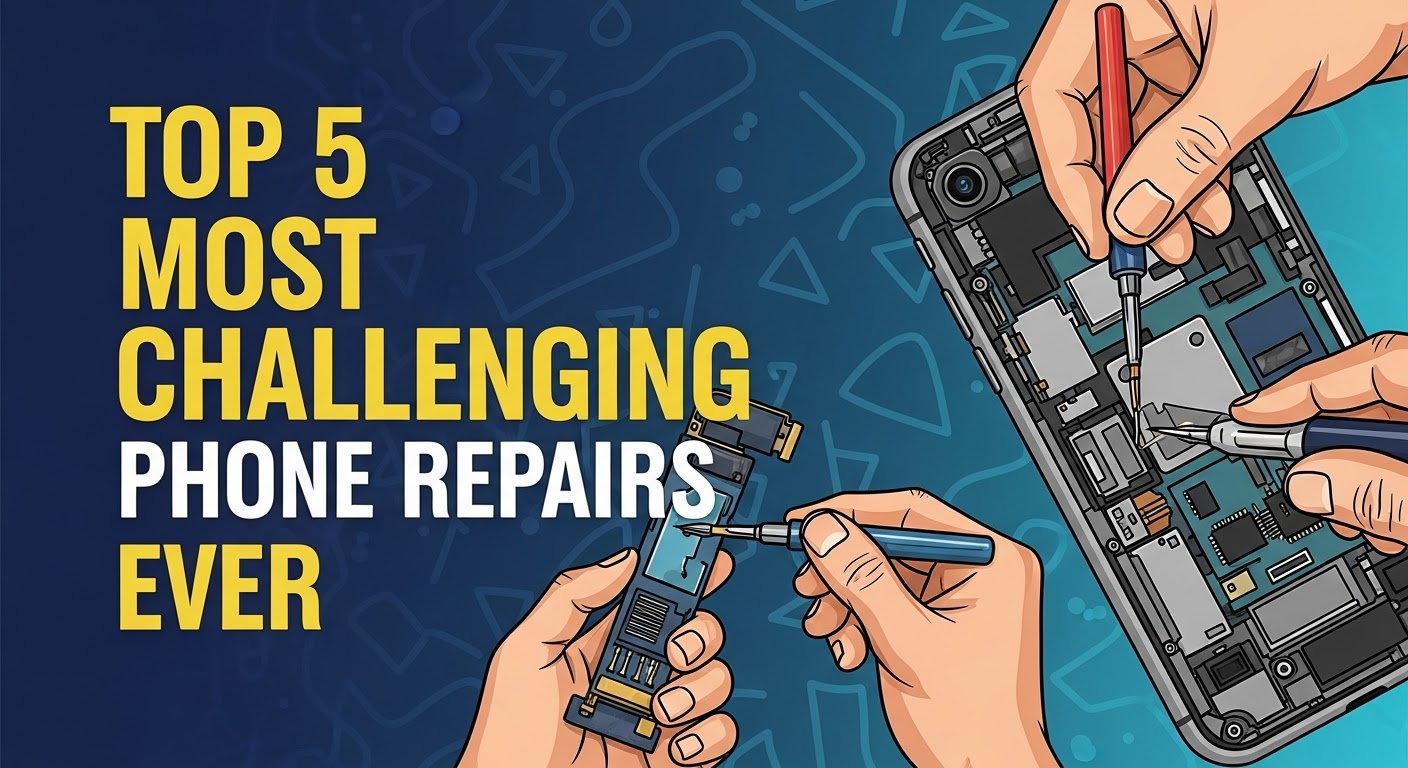
Top 5 Most Challenging Phone Repairs EVER – Unbelievable Fixes Only Experts Can Handle
Introduction: Why Some Phone Repairs Push Technicians to the Limit
Smartphones are marvels of modern engineering, packing incredible technology into compact frames. But when something goes wrong—especially deep inside the device—repairing it isn’t as simple as swapping a screen. Some repairs test even the most seasoned professionals, requiring advanced tools, specialized knowledge, and nerves of steel.
At Sydney CBD Repair Centre, our technicians have seen it all: shattered foldable displays, corroded logic boards, and biometric sensors that refuse to pair. Today, we’re diving into the Top 5 Most Challenging Phone Repairs EVER—and why trusting experts makes all the difference.
The Rise of Foldable Phones and Their Repair Challenges
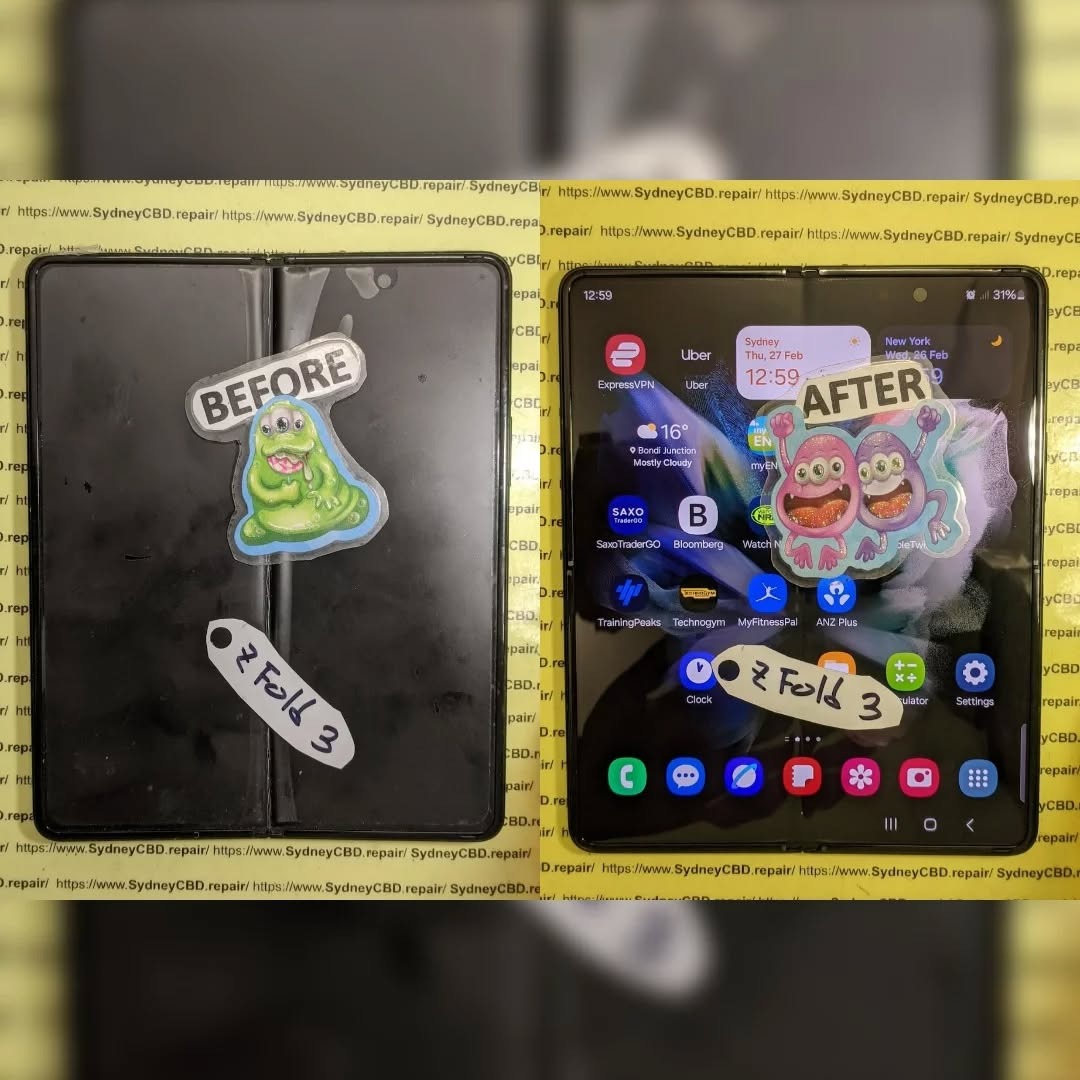
Foldable phones like the Samsung Galaxy Z Fold, Z Flip, and Google Pixel Fold have redefined mobile innovation. But their flexible OLED screens and hinge mechanisms introduce new layers of complexity. Unlike traditional flat displays, foldable screens are paper-thin and sensitive to pressure.
Repairing them demands precision tools, cleanroom environments, and hours of disassembly. Even a single misalignment during reinstallation can cause pixel damage or hinge malfunction.
Common Failures in Foldable Displays
Hinge wear and tear leading to display creases
Screen bubbling or separation after impact
Broken ultra-thin glass layers
Cable tears within the fold zone
Why Only Certified Experts Should Attempt These Repairs
Because foldable displays use integrated hinge-to-display cabling, only certified technicians with proper training and manufacturer-grade tools can perform safe repairs. A DIY attempt may result in irreversible damage.
At Sydney CBD Repair Centre, our specialists replace foldable screens using OEM components, ensuring perfect hinge tension and display calibration every time.
The motherboard (or logic board) is the lifeblood of your phone. It connects every component—from the camera and charging port to the CPU and sensors. But when it fails, it’s one of the most intricate repairs possible.
Micro-soldering at the sub-millimeter scale requires extreme precision. A single slip of the soldering iron could destroy entire circuits or data pathways.
Common Motherboard Failures in Major Brands
Power IC failure (phone won’t turn on)
Audio IC issues (distorted or no sound)
Charging IC malfunction (battery not charging)
Corrosion from liquid exposure
Baseband chip failure (no network signal)
How Sydney CBD Repair Centre Handles Motherboard Repairs
We use microscopic reflow stations and diagnostic software to identify and fix faulty components without replacing the entire board. This method saves our customers hundreds of dollars compared to full replacements.
💡 Fun Fact: Less than 10% of repair shops worldwide can perform advanced motherboard microsoldering — we’re proud to be among them.
3. Water-Damaged Devices: The Invisible Killer Inside Your Phone
How Liquid Damage Creeps In
Even with IP-rated phones, water can find its way in through charging ports, speaker grills, or worn-out seals. Once inside, it corrodes circuits and causes short-circuits that spread damage long after drying.
Myths About Rice and DIY Fixes
You’ve probably heard the “put it in rice” trick—but that’s a myth. Rice absorbs surface moisture but doesn’t stop internal corrosion. In fact, waiting too long can make the damage worse.
Professional Restoration Techniques That Work
Our technicians disassemble the device, clean all components with ultrasonic solutions, and repair or replace any corroded parts. We’ve successfully revived phones submerged for over 24 hours, saving precious data for our clients.
4. Face ID and Fingerprint Sensor Replacements: Security Meets Sensitivity
Why Biometric Sensors Are Extremely Delicate
Apple’s Face ID and in-display fingerprint scanners use micro-laser and capacitive mapping technologies paired to your phone’s unique hardware. Any replacement must be perfectly calibrated—or the feature won’t work.
The Role of Software Pairing and Calibration
Even with new parts, biometric systems often need proprietary tools or factory pairing to function. Without them, iPhones may display “Unable to activate Face ID” errors, and Android sensors may become permanently unresponsive.
Expert Repair Tools Required
At Sydney CBD Repair Centre, we use manufacturer-approved calibration software to re-pair sensors securely. This ensures that your biometric authentication stays fast, safe, and private—just like it was when new.
5. Data Recovery from Dead Phones: The Last Hope for Lost Memories
When Backups Fail – What Technicians Can Do
Sometimes, a phone dies before you can back up your data. Whether it’s due to board failure, physical damage, or boot loop issues, data recovery can be the most emotionally charged repair.
Tools and Techniques Used in Data Extraction
Technicians use specialized software, chip-off techniques, and data extraction hardware to recover internal storage. Every byte matters—especially when you’re retrieving photos, messages, or business files.
Why Attempting It Yourself Can Cause Permanent Loss
DIY data recovery often worsens the problem, especially when amateurs overheat chips or short circuits during dismantling. Professional labs, like ours, maintain static-free environments to protect your data integrity.
FAQs – Answering the Most Common Questions About Difficult Phone Repairs
1. Can I repair my foldable phone screen at home?
No. Foldable screens require factory tools and calibration software. DIY attempts can permanently damage the display or hinge.
2. How long does motherboard repair take?
Depending on the issue, it takes 1–3 days. Minor re-soldering can be same-day, but full IC replacements may take longer.
3. Is water damage repair worth it?
Absolutely—if handled promptly by experts. Corrosion can spread quickly, so professional cleaning is crucial within 24 hours.
4. Will Face ID or fingerprint work after repair?
Yes, if repaired by certified technicians using calibration software. Unauthorized repairs may disable these features permanently.
5. Can data be recovered from a completely dead phone?
In most cases, yes. Our data recovery specialists can retrieve files even from phones that won’t power on.
6. Do genuine parts really make a difference?
Yes. OEM parts ensure compatibility, longevity, and safety—especially for screens and batteries.
Conclusion: Why Expert Repairs Are Worth Every Dollar
Phone repairs are more than just quick fixes—they’re precision jobs that require knowledge, skill, and passion. Whether it’s a foldable screen or motherboard restoration, trusting experts like Sydney CBD Repair Centre ensures you get your device back working flawlessly.
We’ve earned over 2000 5-star reviews for a reason: genuine parts, expert technicians, and unbeatable service. Don’t risk your expensive device—bring it to the team Sydney trusts most.
About Sydney CBD Repair Centre
David from Sydney CBD Repair Centre — The Best place to fix mobile phones as 6 Years In A Row!