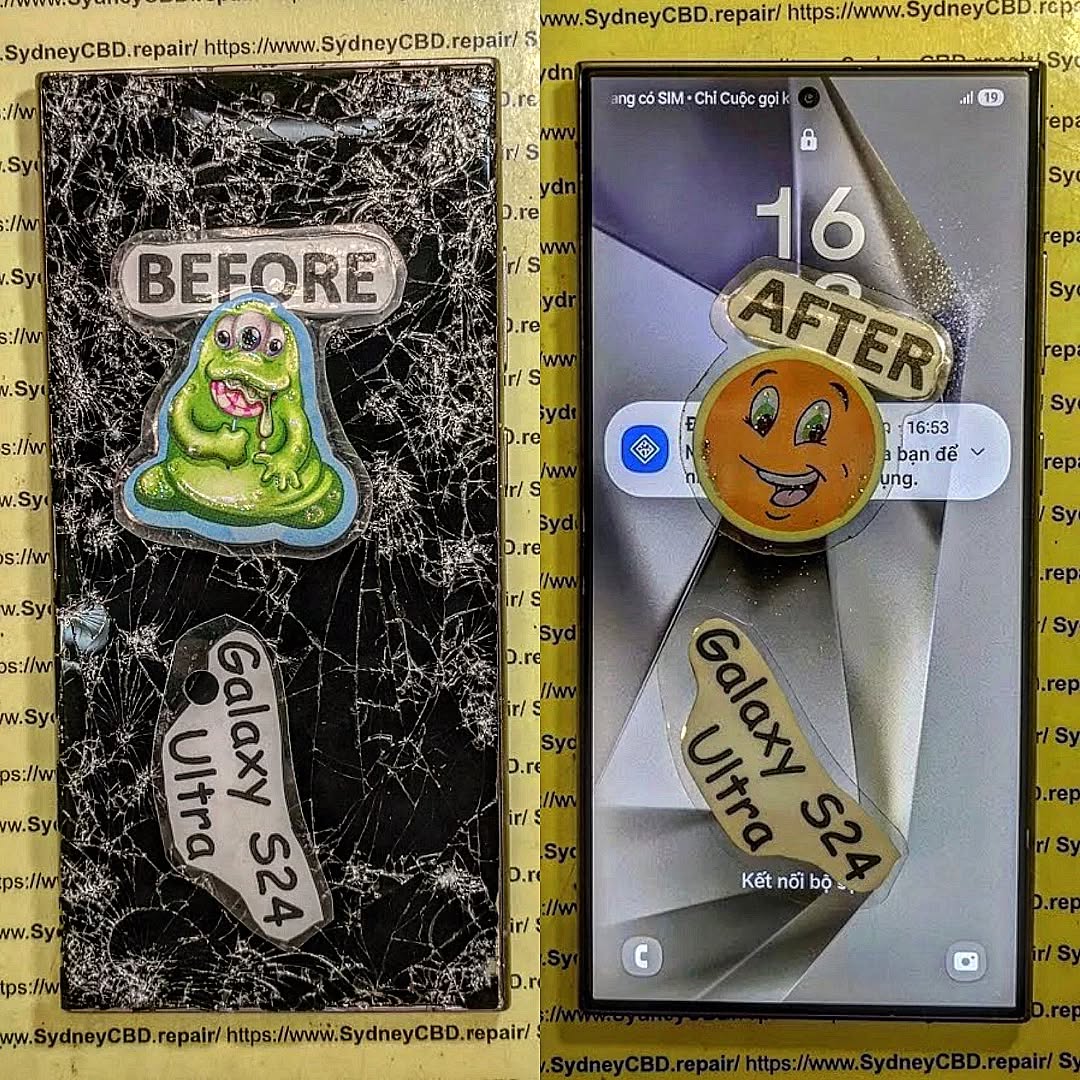
The Rescue Mission: Recovering Precious Photos From a Completely Smashed Google Pixel 10 Pro XL + Ultimate Guide 2026
📱 Introduction to Data Recovery Challenges
When your Google Pixel 10 Pro XL gets completely smashed, panic often sets in immediately. Photos—those irreplaceable memories—suddenly feel lost forever. But here’s the good news: recovering photos from a completely smashed Google Pixel 10 Pro XL is often possible, even when the damage looks catastrophic.
Modern smartphones are surprisingly resilient when it comes to data storage. Even if the screen is shattered or the phone won’t turn on, your photos might still be safe inside the internal storage chip. That’s why understanding your recovery options is critical before taking any drastic steps.
In many cases, users assume that physical damage equals data loss. That’s simply not true. Data loss depends more on internal damage than external appearance. So even if your device looks like it’s been run over, there’s still hope.
If you didn’t back up your device, don’t worry—there are still options.
USB Debugging Method
If USB debugging was enabled:
Connect phone to PC
Use ADB tools
Extract DCIM folder
This method works even if the screen is unusable.
OTG Mouse Trick
For broken screens:
Connect USB OTG adapter
Attach a mouse
Unlock phone manually
Transfer files
Simple, effective, and often overlooked.
🛠️ Professional Data Recovery Solutions
When to Seek Experts
If your phone:
Won’t power on
Has motherboard damage
Is water-damaged
…it’s time for professionals.
Cost Expectations
Service Type
Estimated Cost
Basic recovery
$100–$300
Advanced recovery
$300–$800
Chip-level recovery
$800+
Prices vary depending on damage severity.
💻 Using Recovery Software Tools
Popular Tools Comparison
Tool
Best For
Difficulty
Dr.Fone
Beginners
Easy
iMobie PhoneRescue
Deep scans
Medium
Tenorshare UltData
Quick recovery
Easy
These tools work best when the phone is still partially functional.
🔬 Motherboard-Level Recovery Explained
Chip-Off Technique
This advanced method involves:
Removing the storage chip
Reading data directly
Rebuilding file systems
It’s highly technical but incredibly effective when done by experts.
🔐 Preventing Future Data Loss
Backup Best Practices
To avoid future stress:
Enable automatic backups
Use multiple backup solutions
Regularly export important files
Think of backups as insurance for your memories.
⚠️ Common Mistakes to Avoid
Ignoring backups
Using untrusted repair shops
Attempting DIY motherboard repair
Waiting too long after water damage
Each mistake reduces recovery success rates.
❓ FAQs
1. Can I recover photos from a completely smashed Google Pixel 10 Pro XL?
Yes, in most cases. As long as the storage chip isn’t damaged, recovery is possible.
2. What if my phone won’t turn on?
You can still recover data using professional services or chip-level recovery.
3. Are recovery apps safe?
Some are, but only use trusted tools. Avoid unknown apps that may overwrite data.
4. How long does recovery take?
Basic recovery: 1–2 days
Advanced recovery: 3–7 days
5. Is data recovery expensive?
It depends on the damage. Costs range from affordable to premium for complex cases.
6. Can water damage destroy my photos permanently?
Yes, if corrosion reaches the storage chip. Immediate action is crucial.
🏁 Conclusion
Recovering photos from a completely smashed Google Pixel 10 Pro XL isn’t just possible—it’s often highly successful when done correctly. The key lies in acting quickly, avoiding common mistakes, and choosing the right recovery method.
Whether you rely on cloud backups, DIY solutions, or professional services, your precious memories are rarely truly lost. With the right approach, you can bring them back safely.
🔚 Post-Article Message
David from Sydney CBD Repair Centre – The Best place to fix mobile phones as 7 Years In A Row! Top Mobile Phone Repair In Sydney. More than 2000 Positive Reviews on Google and Same Day Repairs.
We take pride in delivering exceptional repair services for all major phone brands including Apple, Samsung, Google, and more. Our expert technicians use only genuine parts and offer 90days warranty on repairs. Located in the heart of Sydney CBD, we’re your one-stop solution for all mobile device repairs.
Our commitment to excellence has earned us the trust of thousands of satisfied customers. Whether it’s a cracked screen, battery replacement, or water damage repair, we handle it all with professional care and expertise. Walk in today and experience why we’re Sydney’s #1 choice for mobile phone repairs.
Visit us for:
✓ Same Day Express Repairs
✓ Genuine Parts Guarantee
✓ Professional Technicians
✓ Competitive Pricing
✓ 2000+ 5-Star Google Reviews
✓ 7-Time Award Winner for Best Phone Repairs
Rescuing a Saltwater Damaged Samsung Galaxy S25 Ultra: Professional Component Level Cleaning + 7 Proven Techniques
Introduction
Saltwater exposure is a smartphone owner’s worst nightmare, especially for a high-end device like the Galaxy S25 Ultra. Unlike freshwater, saltwater is highly corrosive and conductive, which means even a brief contact can wreak havoc on the phone’s delicate circuits, connectors, and microchips. Many users panic when their devices accidentally take a dip in the ocean or get splashed while boating, often resorting to ineffective home remedies that can worsen the damage.
Professional intervention is critical. Component-level cleaning, a precise process performed by trained technicians, can remove corrosive salt deposits, restore damaged connections, and significantly improve the chances of full device recovery. In this guide, we’ll walk you through everything you need to know about rescuing a saltwater-damaged Galaxy S25 Ultra—from immediate emergency steps to professional cleaning techniques, component inspection, repair decisions, and preventive measures.
By understanding the risks, acting quickly, and relying on expert care, you can dramatically increase the likelihood of bringing your device back to life. Whether you’re dealing with a minor splash or full immersion, this guide provides actionable insights and practical advice to save your Galaxy S25 Ultra from permanent damage.
Saltwater is notorious for causing rapid and irreversible damage to smartphones like the Galaxy S25 Ultra. Unlike fresh water, saltwater contains dissolved minerals and salts that are highly conductive. When a phone comes into contact with saltwater, it can create short circuits and initiate corrosion within minutes. This corrosion gradually eats away at internal circuitry, connectors, and microchips, often leading to permanent failure if left untreated.
How Saltwater Corrodes Circuitry
Saltwater accelerates chemical reactions between metals and oxygen, leading to oxidation and corrosion. For instance, copper traces on the motherboard can oxidize within hours, and solder joints may weaken, causing intermittent connections or complete failure. Additionally, salts leave mineral deposits that can retain moisture, further promoting corrosion over time.
Recognizing these signs early increases the likelihood of a successful recovery.
Immediate Steps to Take After Saltwater Exposure
Swift, precise action can save a Galaxy S25 Ultra from irreversible damage.
Powering Off and Disconnecting
Never attempt to use the device after saltwater exposure. Immediately power it off. Active circuits in contact with saltwater accelerate corrosion and shorting.
Removing the Battery and SIM Cards
If removable, take out the battery, SIM card, and microSD card. Isolating these components reduces further risk of damage and protects your personal data.
Initial Rinse Myths: Do’s and Don’ts
Do: Rinse gently with distilled water if done immediately, as it removes surface salt.
Don’t: Use tap water or attempt to dry with heat (hair dryers can warp components).
Do: Pat dry with a lint-free cloth and avoid pressing buttons.
Professional Component Level Cleaning Explained
For a saltwater-damaged Galaxy S25 Ultra, professional intervention at the component level is often the only way to restore full functionality.
Ultrasonic Cleaning Techniques
Technicians place the disassembled motherboard and micro-components in an ultrasonic cleaning bath. Ultrasonic waves penetrate microscopic gaps, dislodging salt particles and corrosion residues without damaging delicate circuits.
Specialized Solvents for Corrosion Removal
Safe solvents, such as high-purity isopropyl alcohol, dissolve mineral deposits and oxidation layers. Professionals use these alongside precision brushes and air nozzles to clean every connection point meticulously.
Inspection of Micro Components
After cleaning, each component is inspected under magnification to detect remaining corrosion, burnt traces, or damaged solder joints. Reflowing or micro-soldering may be applied if needed to restore continuity.
Repair vs Replacement Decisions
Even with professional cleaning, some components may be irreparably damaged.
Commonly Affected Components in Galaxy S25 Ultra
Mainboard ICs and traces
Charging port and connectors
Battery cells and PCB
Cameras and sensors
Cost vs Value Analysis
Repairing individual components is often cheaper than replacing the entire device. However, if multiple boards or ICs are corroded beyond repair, full replacement may be more cost-effective. Professional technicians can advise based on inspection.
Recovery and Testing Process
After cleaning and any necessary repairs, thorough testing ensures reliability.
Functional Testing Checklist
Power-on consistency
Display clarity and touch response
Camera operation
Battery charging and endurance
Audio and sensor functions
Data Recovery Considerations
If the phone was exposed for a prolonged period, professional data recovery may be necessary to salvage photos, contacts, and documents. Using specialized tools prevents overwriting corrupted sectors.
Preventive Measures Against Future Saltwater Damage
Prevention is always better than cure.
Waterproofing Accessories and Cases
High-quality waterproof cases or pouches rated IP68 or above provide excellent protection for saltwater environments. Even short-term submersion is safer with these cases.
Handling Tips for Outdoor Use
Avoid placing phones near open water without protection
Keep pockets and bags separate from wet gear
Use wrist straps or lanyards for phones on boats or beaches
Frequently Asked Questions (FAQs)
Q1: Can a Galaxy S25 Ultra survive saltwater immersion?
A1: Yes, if acted upon immediately with professional cleaning. Delays reduce chances of full recovery.
Q2: Can I dry my phone at home after saltwater exposure?
A2: Not safely. DIY drying often leads to corrosion. Component-level cleaning is recommended.
Q3: Is ultrasonic cleaning safe for Galaxy S25 Ultra components?
A3: Yes, when performed by trained technicians using proper solvents and equipment.
Q4: How long does professional recovery take?
A4: Typically 1–3 business days, depending on corrosion severity and parts availability.
Q5: Will repaired devices have warranty?
A5: Reputable repair centers provide a 90-day warranty on water damage repairs.
Q6: Can data be fully recovered after saltwater damage?
A6: Most often yes, but depends on exposure duration and component damage. Early professional intervention improves success.
Conclusion
Rescuing a saltwater-damaged Galaxy S25 Ultra is challenging but achievable with professional component-level cleaning. Immediate action, proper inspection, and expert repair significantly improve recovery chances. Combining these measures with preventive practices ensures longevity and protection against future accidents. If your device has suffered saltwater exposure, seek professional services immediately to maximize recovery potential.
David from Sydney CBD Repair Centre – The Best place to fix mobile phones as 7 Years In A Row! Top Mobile Phone Repair In Sydney. More than 2000 Positive Reviews on Google and Same Day Repairs.
We take pride in delivering exceptional repair services for all major phone brands including Apple, Samsung, Google, and more. Our expert technicians use only genuine parts and offer 90days warranty on repairs. Located in the heart of Sydney CBD, we’re your one-stop solution for all mobile device repairs.
Our commitment to excellence has earned us the trust of thousands of satisfied customers. Whether it’s a cracked screen, battery replacement, or water damage repair, we handle it all with professional care and expertise. Walk in today and experience why we’re Sydney’s #1 choice for mobile phone repairs.
Visit us for:
✓ Same Day Express Repairs
✓ Genuine Parts Guarantee
✓ Professional Technicians
✓ Competitive Pricing
✓ 2000+ 5-Star Google Reviews
✓ 7-Time Award Winner for Best Phone Repairs
Can We Revive a Water-Damaged Google Pixel 9 After 24 Hours? Ultimate Guide + 10 Proven Solutions
Introduction
Water damage is one of the most frustrating and stressful problems a smartphone owner can face. For users of the Pixel 9, a high-end device with premium features, the thought of losing valuable data, apps, and memories due to liquid exposure can be alarming. While the Pixel 9 is designed with an IP68 rating, offering resistance against water and dust, this protection has its limits. Extended exposure—especially beyond 24 hours—can cause severe internal damage that isn’t always visible from the outside.
The first question many Pixel 9 owners ask is: “Can we revive a water-damaged Pixel 9 after 24 hours?” The answer depends on multiple factors, including the type of water, the extent of exposure, and the steps taken immediately after the incident. In this guide, we’ll explore everything you need to know about water damage in Pixel 9 devices. From recognizing early warning signs to DIY and professional recovery methods, data recovery solutions, and preventive measures, this article offers a comprehensive roadmap for saving your device.
Whether you’re dealing with a phone that was accidentally dropped in a pool, spilled with coffee, or submerged in rain, the tips and strategies in this guide will give you hope—and actionable steps—to recover your Pixel 9 as quickly and safely as possible. By following expert recommendations, you can maximize your chances of reviving a water-damaged phone and avoid permanent damage.
Water damage is one of the most dreaded issues for smartphone users, especially for a high-end device like the Pixel 9. If your phone has been submerged or exposed to water for more than 24 hours, you might be wondering: is revival even possible? The answer isn’t black and white—it depends on several factors including water type, device exposure, and the steps you take after the incident.
In this guide, we’ll explore how water damages your Pixel 9, immediate actions to take, professional recovery techniques, and preventive strategies to safeguard your device in the future.
Water doesn’t just ruin your phone visually—it infiltrates delicate internal components. The Pixel 9 is rated IP68, meaning it can withstand dust and water submersion up to 1.5 meters for 30 minutes. However, once water exposure exceeds this limit, internal corrosion can begin quickly.
How Water Damages the Internal Hardware
Logic Board: Water can short-circuit microchips and connectors.
Battery: Liquid can cause swelling, overheating, or failure.
Screen & Display: Water causes flickering, touch sensitivity issues, or blackouts.
Connectors & Ports: Corrosion can prevent charging or accessory usage.
Signs Your Pixel 9 is Water-Damaged
Screen flickering or unresponsiveness
Random reboots or complete shutdown
Corrosion residue or discoloration near ports
Strange odors or heat from the battery
Difficulty charging or connecting peripherals
Immediate Steps to Take Within 24 Hours
Taking the right actions in the first 24 hours dramatically increases your Pixel 9’s survival chances.
Powering Off and Disconnecting
Turn off your phone immediately.
Remove SIM and memory cards.
Disconnect any chargers or headphones.
Drying Techniques: DIY vs Professional
DIY Methods:
Silica Gel Packs: Absorbs moisture more effectively than rice.
Air Drying: Place phone in a dry, ventilated area.
Avoid: Heat guns or microwaves—they damage circuitry.
While Pixel 9’s IP68 rating is robust, 24-hour submersion is beyond its designed tolerance.
Factors Affecting Survival
Water Type: Saltwater and chlorinated water accelerate corrosion.
Duration: Prolonged exposure increases the risk of permanent damage.
Device Condition: Age, prior repairs, and battery health influence outcomes.
Professional Water Damage Repair
If DIY drying fails, professional repair is the next best option. Experts have tools and experience to save devices thought beyond recovery.
Internal Component Cleaning
Ultrasonic PCB cleaning removes microscopic water and corrosion.
Corrosion inhibitors prevent long-term damage.
Part Replacement Options
Screen replacements for display failure
Battery swaps for water-compromised cells
Logic board repair or replacement for shorted circuits
Data Recovery Options
Even if your Pixel 9 fails to power on, there may still be hope for data recovery.
Using Google Backup Services
Check Google Photos, Drive, and Contacts for automatic backups.
Restore your device after repair or replacement.
Third-Party Data Recovery Tools
Tools like Dr.Fone or EaseUS can extract data from partially functional devices.
Hardware recovery services can retrieve data from damaged PCBs.
Preventing Future Water Damage
Prevention is better than cure.
Waterproof Cases and Screen Protectors
Cases rated IP68 or above
Screen protectors with edge sealing
Safe Usage Tips
Avoid phone use near pools, sinks, or rainy conditions
Use dry hands when handling the device
Cost of Repair and Replacement
Repair costs vary based on damage severity.
DIY Repair Costs vs Professional Services
Service
Approximate Cost
DIY drying
$0–$30
Screen replacement
$150–$250
Battery replacement
$80–$120
Logic board repair
$200–$400
Full professional water damage recovery
$250–$500
Real-Life Pixel 9 Recovery Stories
Many users have successfully revived their phones after prolonged water exposure. Common success factors include immediate action, professional intervention, and having backups ready. Conversely, neglect or delayed repair often results in irreparable damage.
FAQs
1. Can a Pixel 9 survive 24 hours in water?
It’s unlikely, but immediate drying and professional intervention can increase survival chances.
2. Should I turn on my Pixel 9 after water exposure?
No, powering on can cause short circuits. Always turn it off first.
3. Is rice effective for drying?
Rice helps minimally; silica gel or professional drying is far superior.
4. How long does professional water damage repair take?
Typically 1–3 days depending on the severity of internal damage.
5. Can data be recovered from a completely dead Pixel 9?
Yes, using professional data recovery tools and techniques.
6. Does insurance cover water damage?
Some policies or Google’s protection plan may cover repair or replacement costs.
Conclusion
Reviving a water-damaged Pixel 9 after 24 hours is challenging but not impossible. Swift action, proper drying methods, and professional repair services greatly improve your phone’s survival odds. Always back up your data, use protective cases, and practice safe handling to avoid future water damage.
David from Sydney CBD Repair Centre – The Best place to fix mobile phones as 7 Years In A Row! Top Mobile Phone Repair In Sydney. More than 2000 Positive Reviews on Google and Same Day Repairs.
We take pride in delivering exceptional repair services for all major phone brands including Apple, Samsung, Google, and more. Our expert technicians use only genuine parts and offer 90days warranty on repairs. Located in the heart of Sydney CBD, we’re your one-stop solution for all mobile device repairs.
Our commitment to excellence has earned us the trust of thousands of satisfied customers. Whether it’s a cracked screen, battery replacement, or water damage repair, we handle it all with professional care and expertise. Walk in today and experience why we’re Sydney’s #1 choice for mobile phone repairs.
Visit us for:
✓ Same Day Express Repairs
✓ Genuine Parts Guarantee
✓ Professional Technicians
✓ Competitive Pricing
✓ 2000+ 5-Star Google Reviews
✓ 7-Time Award Winner for Best Phone Repairs
Unveiling The Truth: Are “Waterproof” Smartphones Truly Repairable After a Dip? Shocking Facts & 7 Expert Insights
Introduction
Modern smartphones are often marketed as “waterproof,” giving users a comforting sense of security around pools, rain, and accidental spills. But when a phone takes an unexpected dip and starts acting up, reality sets in fast. Are waterproof phones truly protected, or is water damage repair still inevitable? This question has become increasingly important as premium devices grow more expensive and more complex to fix.
In today’s repair landscape, waterproof phones repair is one of the most misunderstood topics among everyday users. While IP ratings and manufacturer claims suggest strong water resistance, they don’t always reflect real-world conditions such as drops, aging seals, or exposure to saltwater and chemicals. As a result, many phone owners are shocked to learn that water damage is rarely covered by warranty—and that repairs can range from simple to extremely complex.
This article uncovers the truth behind waterproof phone claims, explains what really happens inside a device after water exposure, and explores whether professional repair is a viable option. By the end, you’ll have clear, expert-backed insights to help you protect your device, avoid costly mistakes, and make smarter decisions after water damage strikes.
Smartphone manufacturers proudly advertise phones as waterproof, but here’s the kicker—most phones are not truly waterproof. Instead, they’re water-resistant. That difference matters a lot when it comes to repairability.
From an SEO and repair perspective, waterproof phones repair is one of the most misunderstood topics in mobile technology today. While brands like Apple and Samsung promote water resistance, real-world usage often tells a different story.
What IP Ratings Really Mean
IP ratings (Ingress Protection) define how well a phone resists dust and water.
IP Rating
Protection Level
IP67
Submersion up to 1m for 30 minutes
IP68
Submersion beyond 1m (varies by brand)
Sounds reassuring, right? However, these tests occur in controlled lab conditions—freshwater, no movement, sealed ports, and brand-new devices.
Over time, seals degrade. Drops, repairs, heat, and even pocket lint compromise water resistance. So while IP ratings help, they don’t guarantee safety.
👉 Learn more directly from manufacturers via Apple’s official explanation on water resistance
Marketing vs Real-World Protection
Manufacturers rarely highlight that water resistance:
Decreases over time
Isn’t permanent
Isn’t covered under warranty
That’s why waterproof phones repair remains a booming service industry worldwide.
Once liquid enters a phone, things go downhill fast—even if the device still works initially.
Short-Term Damage vs Long-Term Corrosion
Immediately after exposure:
Short circuits may occur
Screen flickering begins
Charging issues arise
Long-term effects are worse:
Microscopic corrosion spreads
Logic board components degrade
Face ID, cameras, and speakers fail
Corrosion doesn’t stop when the phone dries. It keeps spreading unless professionally treated.
Why Phones Fail Days or Weeks Later
This is where many users get fooled. The phone “survives” the dip—until it doesn’t.
Residual moisture reacts with oxygen, slowly eating away solder points. That’s why waterproof phones repair often becomes more complex weeks after the incident.
Are Waterproof Phones Truly Repairable?
The honest answer: Yes—but with conditions.
Waterproof phones repair success depends on several critical factors.
Factors That Determine Repair Success
Type of liquid (freshwater vs saltwater)
Duration of exposure
Speed of power shutdown
Professional cleaning timing
Internal component damage
Saltwater, soda, or coffee cause far more harm than clean water.
When Repair Is Worth It
Repair is usually viable when:
The phone is powered off quickly
Corrosion hasn’t reached the CPU
Damage is isolated to connectors or peripherals
At Sydney CBD Repair Centre, technicians routinely recover phones deemed “dead” elsewhere—proof that expertise matters.
Common Myths About Waterproof Phones
Let’s bust some myths that hurt repair chances.
“Rice Will Fix Everything” Explained
Rice absorbs surface moisture—not internal corrosion. In fact, rice dust can clog charging ports and speakers, making waterproof phones repair harder.
Warranty Misconceptions
Most manufacturers include liquid contact indicators (LCIs). If triggered:
Warranty is void
Paid repair is your only option
Water resistance ≠ water damage coverage.
Professional Water Damage Repair Process
Professional repair is vastly different from DIY attempts.
Diagnostic & Cleaning Stages
Device disassembly
Ultrasonic cleaning
Corrosion neutralization
Board-level inspection
Component testing
This process stops corrosion and restores functionality when possible.
Parts Most Commonly Replaced
Component
Failure Rate
Battery
Very High
Charging Port
High
Display
Medium
Cameras
Medium
This structured approach increases waterproof phones repair success dramatically.
Cost vs Replacement: What’s Smarter?
Flagship Phones vs Budget Devices
Phone Type
Repair Value
iPhone / Galaxy Ultra
High
Foldables
Very High
Budget Phones
Case-by-case
Repairing a $1,500 phone often costs far less than replacing it.
Prevention Tips to Avoid Water Damage
Avoid water exposure despite IP rating
Use waterproof pouches near pools
Dry phone immediately if splashed
Never charge a wet phone
Prevention always beats repair.
Frequently Asked Questions (FAQs)
1. Are waterproof phones really waterproof?
No. They are water-resistant under specific conditions.
2. Can a phone be repaired after water damage?
Yes, especially with fast professional treatment.
3. Does water resistance wear off over time?
Absolutely. Seals degrade with age and impact.
4. Is saltwater damage repairable?
Sometimes, but it’s more challenging and urgent.
5. Should I turn my phone on after it gets wet?
No. Powering it on can cause short circuits.
6. Is professional repair better than DIY drying?
Yes. DIY methods don’t stop corrosion.
Conclusion
So, are “waterproof” phones truly repairable after a dip? The truth is nuanced. While water resistance helps reduce immediate damage, it doesn’t make phones immune. The good news is that with expert care, many waterproof phones repair cases end successfully.
Fast action, professional diagnostics, and experienced technicians make all the difference. When in doubt, skip the rice and trust the experts.
External Resource
Learn more about IP ratings from IEC standards documentation via trusted tech sources.
David from Sydney CBD Repair Centre – The Best Place to Fix Mobile Phones, 6 Years in a Row!
Top Mobile Phone Repair in Sydney with 2000+ Positive Google Reviews and Same Day Repairs.
We take pride in delivering exceptional repair services for all major phone brands including Apple, Samsung, Google, and more. Our expert technicians use only genuine parts and offer a 90-day warranty on repairs. Located in the heart of Sydney CBD, we’re your one-stop solution for all mobile device repairs.
Our commitment to excellence has earned us the trust of thousands of satisfied customers. Whether it’s a cracked screen, battery replacement, or water damage repair, we handle it all with professional care and expertise. Walk in today and experience why we’re Sydney’s #1 choice for mobile phone repairs.
Visit us for:
✓ Same Day Express Repairs
✓ Genuine Parts Guarantee
✓ Professional Technicians
✓ Competitive Pricing
✓ 2000+ 5-Star Google Reviews
✓ 6-Time Award Winner for Best Phone Repairs
The Salvaging a Saltwater Damaged iPhone 15 Pro: A Sydney Repair Challenge – 9 Proven Fixes That Work
🌊 Introduction to Saltwater Damage
Saltwater damage is one of the most severe threats to modern smartphones, especially premium devices like the iPhone 15 Pro. While these devices boast advanced engineering and water resistance, saltwater introduces a whole different level of destruction.
Unlike accidental spills or rain exposure, saltwater penetrates deeper and accelerates corrosion almost instantly. If you’re dealing with this issue, acting fast can make the difference between saving your device and losing it completely.
In Sydney, where beaches are part of everyday life, repair technicians frequently encounter saltwater-damaged phones. This guide walks you through everything you need to know—from immediate action to professional repair strategies.
Saltwater is far more conductive than freshwater. That means it can short-circuit internal components faster. But that’s not all.
Key Differences:
Salt residue remains after drying
Corrosion continues even after exposure
Metal components degrade rapidly
When salt dries, it forms crystals that cling to internal circuits. These crystals attract moisture from the air, restarting corrosion cycles again and again.
Saltwater damage is one of the toughest challenges for any smartphone, especially a premium device like the iPhone 15 Pro. However, it’s not always a death sentence.
With fast action, proper handling, and expert repair techniques, you can often restore both the device and your valuable data. Sydney repair professionals deal with these cases regularly and have developed proven methods that work.
The key takeaway? Don’t wait. The sooner you act, the better your chances of recovery.
David from Sydney CBD Repair Centre – The Best place to fix mobile phones as 7 Years In A Row! Top Mobile Phone Repair In Sydney. More than 2000 Positive Reviews on Google and Same Day Repairs.
We take pride in delivering exceptional repair services for all major phone brands including Apple, Samsung, Google, and more. Our expert technicians use only genuine parts and offer 90days warranty on repairs. Located in the heart of Sydney CBD, we’re your one-stop solution for all mobile device repairs.
Our commitment to excellence has earned us the trust of thousands of satisfied customers. Whether it’s a cracked screen, battery replacement, or water damage repair, we handle it all with professional care and expertise. Walk in today and experience why we’re Sydney’s #1 choice for mobile phone repairs.
Visit us for:
✓ Same Day Express Repairs
✓ Genuine Parts Guarantee
✓ Professional Technicians
✓ Competitive Pricing
✓ 2000+ 5-Star Google Reviews
✓ 7-Time Award Winner for Best Phone Repairs
Beyond screen repair: Reviving dead charging ports across all major brands – The Ultimate 7-Step Repair Guide
Understanding Charging Port Repair and Why It Matters
Charging port repair is one of the most requested mobile phone services worldwide, and honestly, it’s not hard to see why. Your phone might have a flawless screen and a long-lasting battery, but without a working charging port, it’s basically a paperweight. Charging port repair restores the lifeline between your device and its power source, bringing dead phones back to life.
A charging port repair issue often starts small. At first, the cable needs to be wiggled. Then charging becomes painfully slow. Eventually, the device stops charging altogether. Because this problem sneaks up gradually, many users delay professional charging port repair until the phone is completely unusable.
From an E-E-A-T perspective, experienced technicians see these issues daily. At Sydney CBD Repair Centre, charging port repair isn’t guesswork—it’s a precise process refined over thousands of successful repairs. This expertise ensures safety, reliability, and long-term performance, which DIY fixes simply can’t guarantee.
You’d be surprised how much debris fits into a charging port. Pocket lint is the number one silent killer. Over time, compressed lint blocks the connection between the cable and the charging pins. Many charging port repair jobs begin with a professional clean, saving customers money and stress.
Liquid Damage and Corrosion
Water damage doesn’t always kill a phone instantly. Moisture seeps into the charging port, causing corrosion that worsens over time. Even small exposure—like rain or humidity—can trigger the need for charging port repair weeks later. According to Apple’s own guidelines on liquid exposure , corrosion can compromise internal connectors long after the device dries.
Wear and Tear from Daily Use
Charging ports are mechanical components. Plugging and unplugging cables multiple times a day causes gradual loosening. Eventually, internal pins bend or break, making charging port repair unavoidable.
Apple devices are known for precision engineering, which means charging port repair requires skill and the right tools. iPhone charging ports are often integrated with microphones or antenna flex cables. A proper charging port repair ensures all functions work perfectly, not just charging.
Samsung Charging Port Repair
Samsung charging port repair varies by model. Some devices use daughterboards, while others require micro-soldering. Professional technicians understand these differences, ensuring safe and efficient charging port repair without risking data loss.
Google Pixel and Other Android Brands
Google Pixel charging port repair often involves USB-C modules that demand careful calibration. Brands like OPPO, Xiaomi, and Huawei each have unique designs, reinforcing why experienced hands matter when performing charging port repair.
Diagnosing Charging Port Problems Like a Pro
Symptoms You Shouldn’t Ignore
If your phone only charges at a certain angle, stops charging randomly, or overheats while plugged in, these are red flags. Early charging port repair can prevent secondary damage to the battery or motherboard.
Professional Diagnostic Tools
Certified repair centres use multimeters, microscopes, and current readers to pinpoint faults. This level of diagnosis ensures charging port repair targets the real problem—not just the symptoms.
Professional Charging Port Repair Process
Cleaning vs Full Charging Port Replacement
Not every case needs a full charging port replacement. Sometimes, a deep ultrasonic clean restores perfect charging. When replacement is needed, technicians carefully remove the damaged port and install a new one using precise soldering techniques.
Quality Parts and Precision Soldering
High-quality components are crucial. Inferior parts fail quickly, undoing the benefits of charging port repair. Professional centres use genuine or premium-grade parts, ensuring durability and performance.
DIY vs Professional Charging Port Repair
Risks of DIY Repairs
DIY charging port repair videos make it look easy, but one slip can damage the motherboard. Static electricity, improper tools, and low-quality parts often turn a simple repair into an expensive disaster.
Benefits of Expert Technicians
Professional charging port repair saves time, protects data, and comes with warranties. It’s a smarter, safer investment—especially for premium devices.
Preventing Future Charging Port Damage
Daily Habits That Protect Your Port
Avoid charging your phone in dusty environments. Don’t use excessive force when plugging cables. Small habits go a long way in reducing the need for charging port repair.
Accessories That Extend Port Life
Magnetic charging cables and wireless charging pads reduce wear. While not perfect, they can significantly delay future charging port repair needs.
FAQs About Charging Port Repair
1. How long does charging port repair take?
Most charging port repair jobs take 30–90 minutes, depending on the model.
2. Will charging port repair erase my data?
No. Professional charging port repair does not affect stored data.
3. Is charging port repair permanent?
Yes, when quality parts and proper techniques are used.
4. Can water-damaged ports be repaired?
Often, yes. Early charging port repair increases success rates.
5. Is charging port repair cheaper than replacing the phone?
Absolutely. Charging port repair costs a fraction of a new device.
6. Should I replace my cable before charging port repair?
Yes. Technicians always test with known-good cables first.
Conclusion: Reliable Charging Port Repair That Lasts
Charging port repair is more than a technical fix—it’s about restoring reliability, safety, and peace of mind. Across Apple, Samsung, Google, and every major brand, expert charging port repair breathes new life into devices that seem beyond saving. With professional care, genuine parts, and proven expertise, your phone can charge flawlessly again—and stay that way.
David from Sydney CBD Repair Centre – The Best place to fix mobile phones as 7 Years In A Row! Top Mobile Phone Repair In Sydney. More than 2000 Positive Reviews on Google and Same Day Repairs.
We take pride in delivering exceptional repair services for all major phone brands including Apple, Samsung, Google, and more. Our expert technicians use only genuine parts and offer 90 days warranty on repairs. Located in the heart of Sydney CBD, we’re your one-stop solution for all mobile device repairs.
Our commitment to excellence has earned us the trust of thousands of satisfied customers. Whether it’s a cracked screen, battery replacement, or water damage repair, we handle it all with professional care and expertise. Walk in today and experience why we’re Sydney’s #1 choice for mobile phone repairs.
Visit us for:
✓ Same Day Express Repairs
✓ Genuine Parts Guarantee
✓ Professional Technicians
✓ Competitive Pricing
✓ 2000+ 5-Star Google Reviews
✓ 7-Time Award Winner for Best Phone Repairs
The Myth or The Reality: Can Rice Really Save Your Water Damaged Phone? Shocking Truth + 7 Expert Facts
Introduction: Why This Phone Repair Myth Won’t Die
If you’ve ever dropped your phone in water, chances are someone confidently told you to “put it in rice.” It sounds simple, cheap, and comforting. But here’s the thing—when it comes to a water damaged phone, advice needs to be accurate, not just popular.
So, is rice a miracle fix, or is it just another tech myth that refuses to go away? In this article, we’ll separate fact from fiction using real repair experience, science, and expert insight. By the end, you’ll know exactly what to do—and what not to do—when water strikes your device.
When a phone comes into contact with water, damage begins immediately. Water seeps through speaker grills, charging ports, and tiny gaps around the screen. Once inside, it reaches the motherboard, battery connectors, and delicate microchips.
Even worse, water conducts electricity. If your phone is powered on, short circuits can occur in seconds. That’s why a water damaged phone may appear fine at first, only to fail days later.
Why Water Damage Is More Than Just Moisture
Water isn’t just water. Tap water, seawater, and even rain contain minerals and impurities. These residues stay behind after drying and slowly corrode internal components. Over time, corrosion eats away at circuits, leading to permanent failure.
The rice trick likely started as a household workaround. Rice absorbs moisture from the air, so people assumed it could pull water out of electronics. Early mobile phones were also less complex, making survival more likely by sheer luck.
Over time, the advice spread online, becoming the go-to solution for a water damaged phone.
Why People Still Believe in Rice
Let’s be honest—it’s easy. Rice is cheap, available, and feels proactive. Plus, sometimes phones do turn back on after sitting in rice. That coincidence reinforces the belief, even when rice had little to do with the recovery.
Myth or Reality: Does Rice Really Work?
Scientific View on Rice and Moisture
Here’s the reality: rice absorbs moisture slowly and only from the surrounding air. It does not actively pull liquid out of enclosed phone components. Professional desiccants used in repair labs are far more effective and controlled.
According to corrosion studies referenced by electronics experts at iFixit, passive drying methods like rice do little to prevent internal oxidation.
Real-World Repair Data from Technicians
From years of hands-on repair experience, technicians consistently see phones that sat in rice still suffering corrosion. In fact, many arrive too late—beyond economical repair—because rice delayed proper treatment.
So, verdict time: Myth. Rice does not reliably fix a water damaged phone.
Risks of Using Rice on a Water Damaged Phone
Dust, Starch, and Long-Term Corrosion
Rice grains shed dust and starch. These particles can lodge in charging ports and speakers, creating new problems. Worse, rice does nothing to remove mineral residue already left by water.
While you’re waiting, corrosion continues quietly.
What Actually Works for Water Damaged Phones
Immediate Steps You Should Take
If your phone gets wet:
Turn it off immediately.
Do not charge it.
Remove the SIM tray if possible.
Gently dry the exterior with a cloth.
These steps reduce short-circuit risk while you prepare for professional help.
Professional Drying and Diagnostics
Professional repair centers use ultrasonic cleaning, controlled heat chambers, and microscopic inspection. These methods remove corrosion and moisture safely.
For a water damaged phone, speed matters. The sooner it’s cleaned internally, the higher the survival rate.
Rice vs Professional Repair: A Comparison
Method
Effectiveness
Risk Level
Long-Term Reliability
Rice
Very Low
Medium
Poor
Air Drying
Low
Medium
Poor
Professional Repair
High
Low
Excellent
Common Mistakes After Water Damage
Turning the phone back on too soon
Charging it “to test”
Using a hairdryer (heat pushes moisture deeper)
Trusting rice instead of diagnostics
Each mistake increases the chance of permanent failure.
FAQs About Rice and Water Damaged Phones
1. Can rice fix a water damaged phone overnight?
No. Rice cannot remove internal moisture or corrosion effectively.
2. Is silica gel better than rice?
Yes, slightly—but it’s still not a replacement for professional cleaning.
3. Why did my phone work after rice once?
Likely coincidence. Damage may still appear later.
4. How long before corrosion starts?
Corrosion can begin within hours.
5. Should I charge my phone after drying it?
No. Charging can short internal circuits.
6. Is professional repair worth it for water damage?
Absolutely, especially for newer or high-value devices.
Conclusion: Final Verdict on Rice and Water Damage
So, myth or reality? It’s a myth—plain and simple. Rice might feel helpful, but it’s unreliable and often delays proper treatment. When dealing with a water damaged phone, informed action beats folk remedies every time.
If your phone matters to you, skip the rice and seek expert care fast. Your device—and your data—will thank you.
David from Sydney CBD Repair Centre – The Best place to fix mobile phones as 7 Years In A Row! Top Mobile Phone Repair In Sydney. More than 2000 Positive Reviews on Google and Same Day Repairs.
We take pride in delivering exceptional repair services for all major phone brands including Apple, Samsung, Google, and more. Our expert technicians use only genuine parts and offer 90days warranty on repairs. Located in the heart of Sydney CBD, we’re your one-stop solution for all mobile device repairs.
Our commitment to excellence has earned us the trust of thousands of satisfied customers. Whether it’s a cracked screen, battery replacement, or water damage repair, we handle it all with professional care and expertise. Walk in today and experience why we’re Sydney’s #1 choice for mobile phone repairs.
Visit us for:
✓ Same Day Express Repairs
✓ Genuine Parts Guarantee
✓ Professional Technicians
✓ Competitive Pricing
✓ 2000+ 5-Star Google Reviews
✓ 7-Time Award Winner for Best Phone Repairs
The Phone Repair Horror Stories: Water Damage Edition | Sydney CBD Centre – Shocking 12 Real-Life Cases
Introduction: Why Water Damage Is Every Phone Owner’s Nightmare
Phone repair horror stories water damage cases are some of the most heartbreaking situations we see at Sydney CBD Repair Centre. One moment, your phone is working perfectly. The next, it’s silent, black, and possibly beyond repair. Water damage doesn’t just affect the screen—it attacks the heart of your device, slowly corroding internal components even after the phone appears “dry.”
What makes phone repair horror stories water damage scenarios so shocking is how common they are. From spilled coffee to sudden downpours, water finds a way. Even phones advertised as “water-resistant” aren’t immune. And sadly, many users make mistakes in panic, turning a fixable device into a total loss.
In this article, we’ll share real-world phone repair horror stories water damage cases, explain what actually happens inside your phone, and show how expert intervention can save devices that seem doomed. We’ll also give you prevention tips so you don’t become the next cautionary tale.
Water damage isn’t always immediate. In fact, many phone repair horror stories water damage cases begin with a device that seems fine—until days later.
How Water Enters Modern Phones
Despite sleek designs and sealed frames, smartphones still have entry points:
Charging ports
Speaker grilles
SIM trays
Microphone holes
Once water gets in, it spreads quickly through capillary action. Minerals in water create corrosion on logic boards, leading to delayed failures.
Why “Water-Resistant” Doesn’t Mean Waterproof
Water resistance ratings like IP67 or IP68 are tested under controlled conditions. Real life isn’t controlled. Drops, pressure, saltwater, and temperature changes all reduce resistance over time. Many phone repair horror stories water damage cases involve phones that were supposedly “safe” near water.
Horror Story #1–3: Everyday Accidents That Destroy Phones
These phone repair horror stories water damage cases start with simple, everyday mistakes.
The Toilet Drop Incident
It sounds funny—until it happens to you. A customer dropped their phone into a toilet, fished it out, wiped it, and kept using it. Two days later, the screen flickered, then died. Urine and cleaning chemicals accelerated corrosion. By the time it reached us, the logic board was severely damaged.
Rainstorm Gone Wrong
Another phone repair horror stories water damage case involved heavy rain. The phone wasn’t submerged, just soaked in a pocket. Moisture seeped inside, short-circuited the display connector, and killed the screen. Early repair saved the device—but barely.
The Swimming Pool Disaster
Chlorinated water is brutal. One customer swam with their phone “for just a minute.” The phone turned on afterward but failed within hours. Chlorine residue corroded connectors, making repair complex and costly.
Horror Story #4–6: Extreme Water Damage Cases
Some phone repair horror stories water damage cases are truly extreme.
Seawater Corrosion Catastrophe
Seawater is the worst enemy. Salt accelerates corrosion at lightning speed. In one case, a beachgoer rinsed their phone with tap water after seawater exposure—thinking it helped. It didn’t. Salt crystals had already formed inside, destroying multiple components.
Washing Machine Survival Myth
A viral myth claims phones can survive washing machines. One didn’t. The phone completed a full wash and spin cycle. While it powered on briefly, internal damage was extensive. Repair cost exceeded replacement value.
Flood-Affected Devices
Floodwater contains mud, sewage, and chemicals. Flood-related phone repair horror stories water damage cases are often unsalvageable. Still, early professional cleaning sometimes recovers data, which can be priceless.
Horror Story #7–9: DIY Fixes That Made It Worse
Panic leads to bad decisions. Many phone repair horror stories water damage cases are worsened by DIY attempts.
The Rice Myth Damage
Rice absorbs surface moisture, not internal corrosion. One customer left their phone in rice for three days. Corrosion spread unchecked. When opened, the logic board was beyond saving.
Hair Dryer Heat Disaster
Heat warps components and pushes moisture deeper. A phone exposed to a hair dryer had melted connectors and a warped battery—making repair impossible.
Charging While Wet
This is one of the fastest ways to kill a phone. Electricity plus water equals short circuits. Several phone repair horror stories water damage cases involve instant logic board failure after charging.
Horror Story #10–12: When Repairs Came Too Late
Timing matters.
Delayed Professional Help
Waiting “to see if it dries” allows corrosion to spread. One phone came in two weeks after exposure. What could’ve been a clean and minor repair turned into a full board replacement.
Data Loss Tragedies
Photos, contacts, business data—gone. In some phone repair horror stories water damage cases, users only realize the loss after it’s too late. Early intervention often saves data even if the phone can’t be fully restored.
Fake Repair Shops
Cheap, unqualified repairs cause more harm. We’ve seen devices with missing screws, damaged shields, and incorrect cleaning—making proper repair impossible.
At Sydney CBD Repair Centre, we follow industry-approved procedures supported by manufacturer guidelines and years of experience. According to resources like iFixit’s repair guides, professional cleaning is essential for water-damaged electronics.
Professional Water Damage Repair Process
Our process includes:
Immediate power isolation
Full device disassembly
Ultrasonic cleaning
Board-level diagnostics
Component replacement
Thorough testing
This systematic approach turns many phone repair horror stories water damage cases into success stories.
Cost vs Replacement: What’s Smarter?
Repair is often cheaper than replacement—especially for flagship phones. However, severe corrosion may push costs higher. We always give honest advice, prioritizing data recovery and value.
Prevention Tips from Repair Experts
Use waterproof pouches near water
Avoid charging in humid environments
Back up data regularly
Seek professional help immediately after exposure
Prevention is cheaper than becoming another phone repair horror stories water damage statistic.
Frequently Asked Questions
1. Can a water-damaged phone be fully repaired?
Yes, if treated quickly. Many phone repair horror stories water damage cases are reversible with early professional care.
2. Should I turn my phone off after water exposure?
Absolutely. Powering it on increases damage risk.
3. Does rice really work?
No. It’s a myth and often worsens outcomes.
4. Is saltwater damage repairable?
Sometimes, but it’s the most destructive type of water damage.
5. How long does professional repair take?
Typically 1–3 days, depending on severity.
6. Will I lose my data?
Not always. Early repair often saves data even if hardware fails.
Conclusion
Phone repair horror stories water damage cases are shocking, but they’re also educational. Water damage doesn’t have to mean the end—if you act fast and trust professionals. At Sydney CBD Repair Centre, we’ve turned countless disasters into recoveries through expertise, honesty, and care.
If your phone meets water, don’t panic. Power it off and bring it to experts who know how to fight corrosion before it wins.
David from Sydney CBD Repair Centre – The Best place to fix mobile phones as 7 Years In A Row! Top Mobile Phone Repair In Sydney. More than 2000 Positive Reviews on Google and Same Day Repairs.
We take pride in delivering exceptional repair services for all major phone brands including Apple, Samsung, Google, and more. Our expert technicians use only genuine parts and offer 90days warranty on repairs. Located in the heart of Sydney CBD, we’re your one-stop solution for all mobile device repairs.
Our commitment to excellence has earned us the trust of thousands of satisfied customers. Whether it’s a cracked screen, battery replacement, or water damage repair, we handle it all with professional care and expertise. Walk in today and experience why we’re Sydney’s #1 choice for mobile phone repairs.
Visit us for:
✓ Same Day Express Repairs
✓ Genuine Parts Guarantee
✓ Professional Technicians
✓ Competitive Pricing
✓ 2000+ 5-Star Google Reviews
✓ 7-Time Award Winner for Best Phone Repairs
The Art of Resurrection: Salvaging Data from a “Dead” Water Damaged Phone – Ultimate Recovery Guide + 21 Expert Secrets
Intriduction
In today’s digital world, our smartphones hold far more than just contacts and apps—they store irreplaceable photos, critical work files, personal messages, and memories that can’t be recreated. So when a phone suffers water damage and appears completely “dead,” panic often sets in. Many people assume their data is gone forever. Fortunately, that’s not always the case. In fact, the art of resurrection: salvaging data from a dead water-damaged phone is very real and, in many situations, highly successful.
Thanks to advances in mobile technology and professional data recovery techniques, data can often be retrieved even when a device no longer powers on. While water can severely damage internal components, the memory chips that store your data are surprisingly resilient. With the right knowledge, quick action, and expert intervention, what looks like a total loss can turn into a successful recovery. This article explores how data recovery works, what steps improve your chances, and why a water-damaged phone isn’t always the end of the story.
Water damage is one of the most misunderstood phone failures. To many users, a device that won’t power on after liquid exposure looks permanently dead. However, in reality, the situation is often far more hopeful. The art of resurrection: salvaging data from a dead water-damaged phone begins with understanding what water actually does inside a device.
Modern smartphones are compact ecosystems. Water doesn’t just “get inside”; it spreads, seeps, and reacts. Once liquid enters the phone, it creates electrical bridges between components that were never meant to connect. As a result, short circuits occur. Over time, corrosion follows.
What’s important here is this: data loss is rarely immediate. Even when a phone appears dead, the data often remains intact, waiting to be rescued.
Why Water Is So Destructive to Electronics
Water itself isn’t always the biggest villain. The minerals and contaminants within water are what cause chaos. When electricity meets moisture, oxidation starts. Tiny copper pathways on logic boards begin to corrode. Eventually, these pathways break.
Still, memory chips are surprisingly resilient. They don’t need power to retain data. That’s why the art of resurrection: salvaging data from a dead water-damaged phone is more science than miracle.
Freshwater vs Saltwater vs Chemical Exposure
Not all water damage is equal:
Freshwater: Least destructive if handled quickly
Saltwater: Highly corrosive and aggressive
Chemical liquids: Often the most damaging due to acidity or alkalinity
Saltwater damage, for example, accelerates corrosion even after drying. That’s why professional cleaning is critical.
A phone that won’t turn on isn’t necessarily dead. In data recovery, “dead” is often just shorthand for “non-functional.”
Soft Failure vs Hard Failure
Soft failure: The phone won’t boot, but components still respond
Hard failure: Power rails, processors, or connectors are damaged
Even in hard failures, data recovery may still be possible.
Signs Your Phone Isn’t Truly Dead
The device warms slightly when charging
Vibration or sound occurs
A computer briefly detects it
These are good signs. They suggest partial functionality remains.
The First 24 Hours: Critical Actions That Decide Data Survival
Timing matters. The first day after water exposure can make or break recovery success.
What to Do Immediately
Power the phone off
Remove SIM cards and accessories
Keep the device dry and upright
Seek professional help ASAP
These steps dramatically improve outcomes.
What Never to Do
Don’t charge it
Don’t use heat guns or hair dryers
Don’t shake the phone
Don’t rely on rice
Rice absorbs surface moisture, not internal corrosion. It’s a myth that costs data every day.
How Data Is Stored Inside Modern Smartphones
To understand recovery, you need to know where data lives.
NAND Flash Memory Explained
Photos, messages, contacts, and apps are stored on NAND flash memory chips. These chips don’t require power to retain data. That’s why the art of resurrection: salvaging data from a dead water-damaged phone is often successful even weeks later.
Why Memory Often Survives When Phones Don’t
Processors and power ICs are delicate. Memory chips are robust. If corrosion hasn’t reached the memory itself, recovery is usually possible.
Professional Data Recovery Techniques Explained
Professional labs use techniques far beyond consumer tools.
Board-Level Repair and Microsoldering
Technicians clean corrosion, rebuild damaged traces, and replace failed components under microscopes. The goal isn’t to fix the phone forever. It’s to revive it just long enough to extract data.
Chip-Off Data Recovery
When boards are beyond repair, specialists remove the memory chip directly.
When Chip-Off Is the Only Option
Severe corrosion
Burned power circuits
Physically broken boards
Chip-off recovery requires advanced equipment and expertise. Done wrong, data is lost permanently.
DIY Recovery: What’s Possible and What’s Risky
DIY attempts are tempting. Sometimes they help. Often, they hurt.
Safe DIY Steps
Power off immediately
Store in a dry environment
Back up data immediately if the phone revives
That’s about it.
Common DIY Myths That Destroy Data
Rice fixes water damage ❌
Heat dries internal corrosion ❌
Alcohol baths are always safe ❌
In reality, these often accelerate damage.
iPhone vs Android Water-Damage Data Recovery
Recovery methods differ slightly.
iCloud, Google, and Local Storage Differences
iPhones rely heavily on iCloud
Android devices often store more locally
Still, local storage recovery is possible on both platforms.
Success rates are highest when professionals handle the device early.
Choosing a Trusted Data Recovery Specialist
Not all repair shops are equal.
Certifications, Tools, and Red Flags
Look for:
Board-level repair capability
Data recovery experience
Clear success/failure policies
Avoid shops that promise “100% guaranteed recovery.” That’s unrealistic.
Preventing Data Loss After Recovery
Once data is rescued, protect it.
Backup Strategies That Actually Work
Automatic cloud backups
Local encrypted backups
Redundant storage
Backing up isn’t optional anymore.
Frequently Asked Questions (FAQs)
1. Can data really be recovered from a completely dead phone?
Yes. In many cases, the memory chip is intact even if the phone won’t power on.
2. Does water permanently erase phone data?
No. Water damages hardware, not data directly.
3. How long after water damage can data be recovered?
Weeks or even months later, depending on corrosion.
4. Is rice ever helpful for water-damaged phones?
No. It delays proper treatment and increases corrosion risk.
5. Is chip-off data recovery safe?
Yes, when done by trained professionals with the right tools.
6. What’s the success rate for water-damage data recovery?
It varies, but early professional intervention dramatically improves results.
Conclusion
The art of resurrection: salvaging data from a dead water-damaged phone isn’t magic. It’s a blend of science, experience, and timing. While a phone may appear lifeless, your memories, messages, and critical files are often still alive beneath the corrosion.
Act quickly. Avoid myths. Trust specialists who understand both electronics and data. When handled correctly, even a “dead” phone can tell its story one last time.
David from Sydney CBD Repair Centre – The Best place to fix mobile phones as 7 Years In A Row! Top Mobile Phone Repair In Sydney. More than 2000 Positive Reviews on Google and Same Day Repairs.
We take pride in delivering exceptional repair services for all major phone brands including Apple, Samsung, Google, and more. Our expert technicians use only genuine parts and offer 90 days warranty on repairs. Located in the heart of Sydney CBD, we’re your one-stop solution for all mobile device repairs.
Our commitment to excellence has earned us the trust of thousands of satisfied customers. Whether it’s a cracked screen, battery replacement, or water damage repair, we handle it all with professional care and expertise. Walk in today and experience why we’re Sydney’s #1 choice for mobile phone repairs.
Visit us for:
✓ Same Day Express Repairs
✓ Genuine Parts Guarantee
✓ Professional Technicians
✓ Competitive Pricing
✓ 2000+ 5-Star Google Reviews
✓ 7-Time Award Winner for Best Phone Repairs
Why We Refuse To Fix Some Phones: Behind The Scenes In Sydney – 11 Shocking Truths Every Customer Should Know
Introduction
Mobile phone repair sounds simple from the outside. A cracked screen comes in, a technician swaps the display, and the customer walks away happy. However, the reality behind the repair counter is often far more complicated. At professional repair centres across Sydney, technicians regularly encounter devices that simply shouldn’t be repaired.
That may sound harsh at first. After all, customers expect solutions when they bring damaged devices into a repair shop. Yet experienced technicians know that not every phone can safely, economically, or ethically be repaired. In some cases, attempting a repair could make the device even worse. In others, it could put customers and technicians at risk.
This article reveals the real reasons why we refuse to fix some phones and what truly happens behind the scenes in Sydney’s mobile repair industry. From dangerous battery swelling to counterfeit parts and severe water damage, there’s much more to the repair process than most people realise.
According to the global electronics recycling initiative by GSMA, millions of smartphones are discarded annually because repairs become too risky or uneconomical. That’s why trustworthy repair technicians must make difficult decisions every single day.
Many customers walk into repair stores expecting every issue to have a quick fix. Social media videos make repairs look easy and fast. Unfortunately, those videos rarely show the hidden damage inside devices.
A phone may look repairable from the outside while suffering catastrophic internal failure. Sometimes the damage is invisible until technicians open the device. For instance:
Liquid damage may have spread under critical chips
Batteries may already be unstable
Motherboards may contain microscopic fractures
Cheap aftermarket parts may have damaged the system
As a result, customers can become frustrated when technicians recommend against repairing the phone.
Still, honest repair shops prioritise safety and reliability over quick profits.
The Pressure On Repair Technicians
Repair technicians face enormous pressure daily. Customers want affordable pricing, same-day service, and guaranteed results. Yet technicians must balance customer expectations with technical reality.
Professional repair centres in Sydney often reject repairs because:
Issue
Why It Matters
Severe damage
Repairs may fail shortly after
Safety hazards
Devices could overheat or ignite
Fake parts
Reliability becomes impossible
Previous bad repairs
Internal damage may be irreversible
Data risks
Privacy concerns must be respected
Technicians also have reputations to protect. Performing unreliable repairs may result in warranty claims, negative reviews, or even safety incidents.
Therefore, ethical repair shops sometimes say “no” for the customer’s own benefit.
Water damage is one of the biggest reasons why we refuse to fix some phones. While some devices recover after liquid exposure, others become ticking time bombs.
Water damage often causes:
Corrosion under integrated circuits
Short circuits
Power management failure
Charging instability
Random overheating
Even if a device powers on temporarily, corrosion can continue spreading over time.
Signs A Water-Damaged Phone Is Beyond Repair
Green or white corrosion buildup
Burnt motherboard sections
Multiple failing components
No current draw during diagnostics
Heavy rust around connectors
In these situations, repairs may only provide temporary results.
Burnt Motherboards
A burnt motherboard usually signals catastrophic electrical failure. This often happens due to:
Cheap chargers
Power surges
Incorrect DIY repairs
Counterfeit batteries
When motherboard layers burn internally, repair becomes extremely difficult and expensive.
Technicians sometimes spend hours attempting board-level recovery without success. If the repair cost approaches the value of a replacement phone, refusing the repair becomes the most responsible option.
Corrosion Problems
Corrosion is particularly dangerous because it spreads silently. A phone might initially seem functional while hidden corrosion destroys vital circuits underneath.
Professional technicians inspect devices under microscopes to locate:
Rusted connectors
Damaged capacitors
Broken solder joints
Corroded IC pads
Unfortunately, advanced corrosion often means the device cannot be trusted long term.
Counterfeit Parts And Their Risks
Fake Screens
Counterfeit screens are everywhere in the repair industry. Some look convincing at first glance but perform terribly after installation.
Low-quality screens may cause:
Ghost touch issues
Battery drain
Poor brightness
Touch delay
Random flickering
Professional repair shops refuse certain repairs because previous counterfeit parts have already damaged the phone internally.
Dangerous Batteries
Swollen or counterfeit batteries create serious fire hazards. In some cases, technicians immediately isolate these devices for safety.
Warning signs include:
Expanded battery cells
Chemical smells
Overheating
Screen lifting
Rapid battery drain
A damaged lithium-ion battery can ignite unexpectedly. That’s why repair technicians never take battery safety lightly.
Modified Internal Components
Some phones arrive after poor-quality repairs elsewhere. Missing screws, glued connectors, and damaged shielding are common discoveries.
These modifications create additional risks:
Signal interference
Charging problems
Heat management failure
Water resistance loss
Professional technicians may refuse repairs if the device has been excessively tampered with.
Why Some Repairs Aren’t Worth The Cost
Repair Cost Vs Replacement Value
One difficult reality in mobile repair is economic practicality. Some phones cost more to repair than replace.
For example:
Device Condition
Recommended Action
Severe motherboard damage
Replace device
Old entry-level phone
Upgrade instead
Multiple component failures
Replace device
Water-damaged logic board
Data recovery only
Repair shops must be transparent about these situations.
Outdated Devices
Older phones present another challenge. Manufacturers eventually stop producing replacement parts.
Without reliable parts availability, repair quality drops significantly.
Common issues include:
Poor aftermarket component quality
No software support
Weak battery performance
Limited repair compatibility
As a result, technicians sometimes recommend replacement over repair.
Parts Availability Problems
Global supply chain issues can also affect repair decisions. Genuine components for certain models become rare or prohibitively expensive.
Professional repair shops avoid installing unreliable parts simply to complete a job.
Safety Concerns Inside Repair Shops
Swollen Batteries
Swollen batteries are among the most dangerous devices technicians handle.
These batteries may:
Explode during opening
Release toxic gases
Catch fire unexpectedly
Technicians use specialised safety procedures when handling unstable batteries.
Electrical Hazards
Phones exposed to water or electrical faults may still carry unstable current. Connecting power incorrectly can destroy additional components instantly.
That’s why diagnostic testing must occur carefully and methodically.
Fire Risks
Battery fires inside repair shops are rare but serious. Professional technicians use:
Fireproof containers
Protective gloves
Thermal monitoring
Isolation procedures
These precautions protect both staff and customers.
Phones Damaged By DIY Repairs
Missing Screws And Shields
DIY repair attempts often create more problems than the original damage.
Technicians regularly discover:
Missing brackets
Incorrect screws
Damaged connectors
Missing thermal shields
Even small mistakes can affect device stability.
Torn Flex Cables
Modern smartphones contain delicate internal cables that tear easily during amateur repairs.
Commonly damaged cables include:
Display flex cables
Face ID connectors
Fingerprint sensor cables
Charging port flexes
Once damaged, these components may require expensive replacement.
Cheap Repair Tool Damage
Using poor-quality repair tools frequently causes permanent motherboard damage.
Examples include:
Scratched circuits
Broken connectors
Punctured batteries
Stripped screws
Consequently, repair costs often increase dramatically after failed DIY attempts.
Data Privacy And Ethical Concerns
Locked Devices
Repair shops must respect device security and ownership verification.
If ownership seems suspicious, technicians may decline service entirely.
This protects customers from potential theft and fraud.
Suspicious Ownership Issues
Professional repair centres follow ethical procedures regarding:
Customers store enormous amounts of personal information on smartphones today.
That includes:
Banking apps
Family photos
Work emails
Password managers
Ethical repair centres maintain strict privacy procedures throughout the repair process.
The Emotional Side Of Refusing Repairs
Difficult Conversations
One of the hardest parts of mobile repair involves disappointing customers.
Technicians understand that phones contain:
Precious memories
Business data
Family communication
Personal records
Saying “this phone isn’t repairable” is never easy.
Managing Customer Expectations
Transparent communication matters greatly in the repair industry.
Good repair shops explain:
Why the device cannot be repaired
What risks exist
Whether data recovery remains possible
Alternative options available
This honesty helps customers make informed decisions.
How Professional Repair Shops Decide
Diagnostic Procedures
Professional diagnostics involve much more than visual inspection.
Technicians use:
Diagnostic Tool
Purpose
Microscope
Detect board damage
Thermal camera
Identify shorts
DC power supply
Monitor power draw
Multimeter
Test circuits
These tools help determine whether repairs are realistic.
Transparent Communication
Trustworthy repair centres explain repair risks clearly before starting work.
Customers deserve honest advice, even when it means declining the repair.
Warranty Considerations
Reliable shops also consider warranty reliability. If technicians cannot confidently guarantee a repair, refusing the job may be the ethical choice.
How Customers Can Avoid Repair Refusals
Use Protective Accessories
Protective cases and tempered glass significantly reduce repair risks.
Preventative protection is always cheaper than major repairs.
Avoid Cheap Repairs
Extremely cheap repairs often create expensive long-term damage.
Choose experienced technicians who use quality parts and professional procedures.
Backup Data Regularly
Regular backups protect customers from devastating data loss if devices become irreparable.
Cloud services and external backups remain essential today.
FAQs
Why would a repair shop refuse to fix my phone?
Repair shops may refuse repairs due to severe damage, safety hazards, counterfeit parts, or costs exceeding the phone’s value.
Can water-damaged phones always be repaired?
No. Some water-damaged phones suffer irreversible motherboard corrosion that makes reliable repair impossible.
Are counterfeit batteries dangerous?
Yes. Counterfeit batteries can overheat, swell, leak chemicals, or even catch fire.
Why do DIY repairs often fail?
DIY repairs commonly fail because smartphones contain delicate internal components requiring specialised tools and expertise.
Is it worth repairing an old phone?
It depends on the repair cost, device condition, and parts availability. Sometimes replacement is more economical.
Can technicians recover data from dead phones?
In many cases, yes. Even if full repair isn’t possible, professional technicians may still recover important data.
Why do repair shops care about warranties?
Reputable shops want repairs to last. If a repair can’t be guaranteed reliably, ethical technicians may refuse the job.
Conclusion
The mobile repair industry involves far more complexity than most people realise. Behind every refused repair lies a combination of technical, ethical, financial, and safety considerations.
Professional technicians in Sydney don’t refuse repairs simply to avoid work. Instead, they make difficult decisions designed to protect customers, maintain safety, and preserve repair quality standards.
Whether it’s severe water damage, dangerous batteries, counterfeit parts, or catastrophic motherboard failure, some phones simply reach the end of their repairable life.
Still, customers can dramatically improve their chances of successful repairs by protecting devices properly, avoiding cheap repair shortcuts, and choosing experienced professionals.
In the end, trustworthy repair shops prioritise honesty over quick profits — and that benefits everyone.
David from Sydney CBD Repair Centre – The Best place to fix mobile phones as 7 Years In A Row! Top Mobile Phone Repair In Sydney. More than 2000 Positive Reviews on Google and Same Day Repairs.
We take pride in delivering exceptional repair services for all major phone brands including Apple, Samsung, Google, and more. Our expert technicians use only genuine parts and offer 90days warranty on repairs. Located in the heart of Sydney CBD, we’re your one-stop solution for all mobile device repairs.
Our commitment to excellence has earned us the trust of thousands of satisfied customers. Whether it’s a cracked screen, battery replacement, or water damage repair, we handle it all with professional care and expertise. Walk in today and experience why we’re Sydney’s #1 choice for mobile phone repairs.
Visit us for:
✓ Same Day Express Repairs
✓ Genuine Parts Guarantee
✓ Professional Technicians
✓ Competitive Pricing
✓ 2000+ 5-Star Google Reviews
✓ 7-Time Award Winner for Best Phone Repairs
Sydney CBD Repair Centre – Where Quality Meets Reliability.
Call : +61280114119
Website: Sydney CBD Repair Centre