The Rescue Mission: Recovering Precious Photos From a Completely Smashed Google Pixel 10 Pro XL + Ultimate Guide 2026
📱 Introduction to Data Recovery Challenges
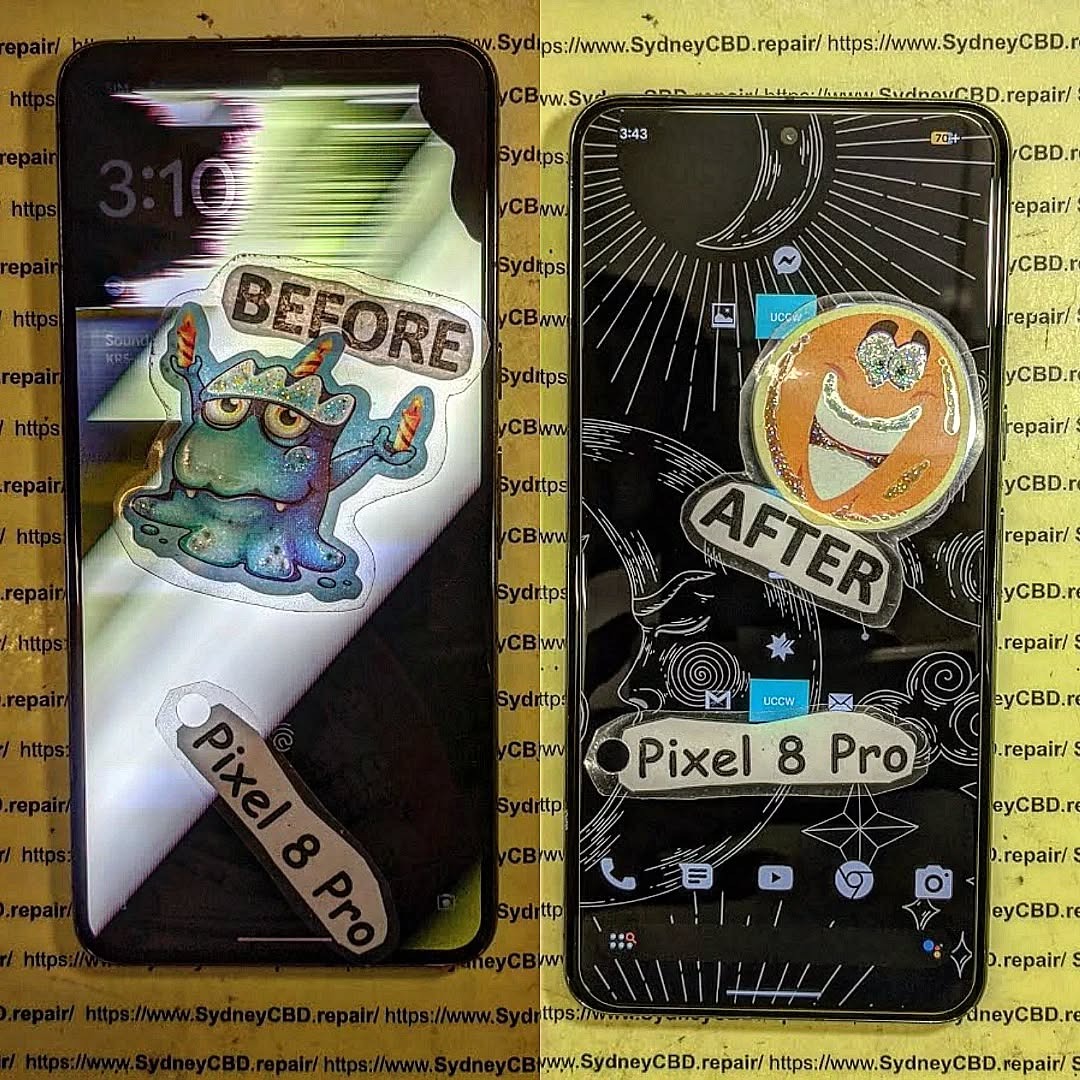
When your Google Pixel 10 Pro XL gets completely smashed, panic often sets in immediately. Photos—those irreplaceable memories—suddenly feel lost forever. But here’s the good news: recovering photos from a completely smashed Google Pixel 10 Pro XL is often possible, even when the damage looks catastrophic.
Modern smartphones are surprisingly resilient when it comes to data storage. Even if the screen is shattered or the phone won’t turn on, your photos might still be safe inside the internal storage chip. That’s why understanding your recovery options is critical before taking any drastic steps.
In many cases, users assume that physical damage equals data loss. That’s simply not true. Data loss depends more on internal damage than external appearance. So even if your device looks like it’s been run over, there’s still hope.
If you didn’t back up your device, don’t worry—there are still options.
USB Debugging Method
If USB debugging was enabled:
Connect phone to PC
Use ADB tools
Extract DCIM folder
This method works even if the screen is unusable.
OTG Mouse Trick
For broken screens:
Connect USB OTG adapter
Attach a mouse
Unlock phone manually
Transfer files
Simple, effective, and often overlooked.
🛠️ Professional Data Recovery Solutions
When to Seek Experts
If your phone:
Won’t power on
Has motherboard damage
Is water-damaged
…it’s time for professionals.
Cost Expectations
Service Type
Estimated Cost
Basic recovery
$100–$300
Advanced recovery
$300–$800
Chip-level recovery
$800+
Prices vary depending on damage severity.
💻 Using Recovery Software Tools
Popular Tools Comparison
Tool
Best For
Difficulty
Dr.Fone
Beginners
Easy
iMobie PhoneRescue
Deep scans
Medium
Tenorshare UltData
Quick recovery
Easy
These tools work best when the phone is still partially functional.
🔬 Motherboard-Level Recovery Explained
Chip-Off Technique
This advanced method involves:
Removing the storage chip
Reading data directly
Rebuilding file systems
It’s highly technical but incredibly effective when done by experts.
🔐 Preventing Future Data Loss
Backup Best Practices
To avoid future stress:
Enable automatic backups
Use multiple backup solutions
Regularly export important files
Think of backups as insurance for your memories.
⚠️ Common Mistakes to Avoid
Ignoring backups
Using untrusted repair shops
Attempting DIY motherboard repair
Waiting too long after water damage
Each mistake reduces recovery success rates.
❓ FAQs
1. Can I recover photos from a completely smashed Google Pixel 10 Pro XL?
Yes, in most cases. As long as the storage chip isn’t damaged, recovery is possible.
2. What if my phone won’t turn on?
You can still recover data using professional services or chip-level recovery.
3. Are recovery apps safe?
Some are, but only use trusted tools. Avoid unknown apps that may overwrite data.
4. How long does recovery take?
Basic recovery: 1–2 days
Advanced recovery: 3–7 days
5. Is data recovery expensive?
It depends on the damage. Costs range from affordable to premium for complex cases.
6. Can water damage destroy my photos permanently?
Yes, if corrosion reaches the storage chip. Immediate action is crucial.
🏁 Conclusion
Recovering photos from a completely smashed Google Pixel 10 Pro XL isn’t just possible—it’s often highly successful when done correctly. The key lies in acting quickly, avoiding common mistakes, and choosing the right recovery method.
Whether you rely on cloud backups, DIY solutions, or professional services, your precious memories are rarely truly lost. With the right approach, you can bring them back safely.
🔚 Post-Article Message
David from Sydney CBD Repair Centre – The Best place to fix mobile phones as 7 Years In A Row! Top Mobile Phone Repair In Sydney. More than 2000 Positive Reviews on Google and Same Day Repairs.
We take pride in delivering exceptional repair services for all major phone brands including Apple, Samsung, Google, and more. Our expert technicians use only genuine parts and offer 90days warranty on repairs. Located in the heart of Sydney CBD, we’re your one-stop solution for all mobile device repairs.
Our commitment to excellence has earned us the trust of thousands of satisfied customers. Whether it’s a cracked screen, battery replacement, or water damage repair, we handle it all with professional care and expertise. Walk in today and experience why we’re Sydney’s #1 choice for mobile phone repairs.
Visit us for:
✓ Same Day Express Repairs
✓ Genuine Parts Guarantee
✓ Professional Technicians
✓ Competitive Pricing
✓ 2000+ 5-Star Google Reviews
✓ 7-Time Award Winner for Best Phone Repairs
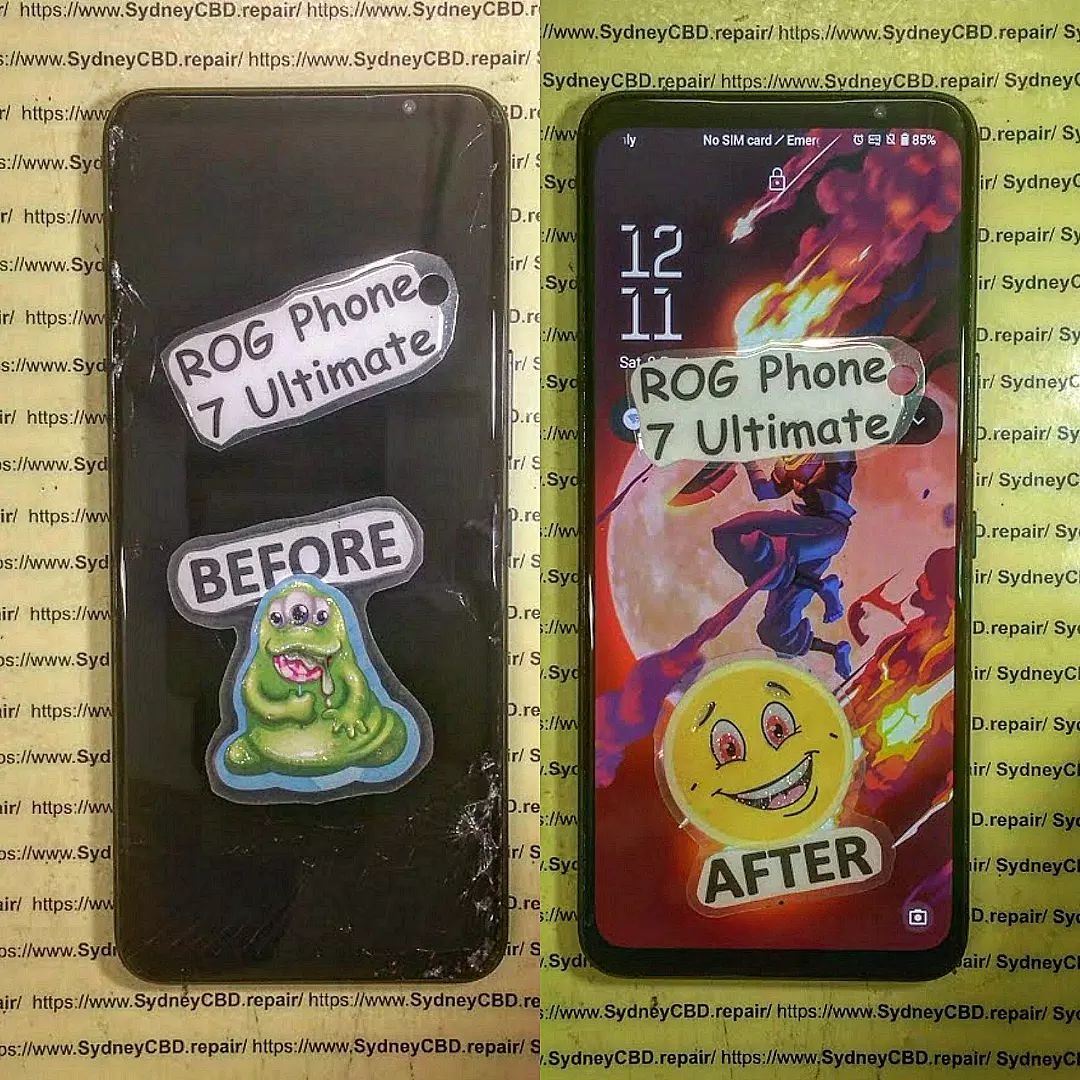
Can We Fix This? Total Restoration of a Shattered Asus ROG Phone 7 Ultimate – Incredible Recovery #7
Introduction to the Repair Challenge
The Asus ROG Phone 7 Ultimate is one of the most powerful gaming smartphones ever released. Built for performance enthusiasts, mobile gamers, and power users, it combines cutting-edge hardware with advanced cooling technology and premium construction. However, even the toughest smartphones can suffer catastrophic damage.
When a severely damaged Asus ROG Phone 7 Ultimate arrives at a repair workshop, the first question everyone asks is simple: Can we fix this?
The answer often depends on the extent of the damage, the availability of replacement components, and the expertise of the repair technicians. In this case study, we explore the complete restoration of a shattered Asus ROG Phone 7 Ultimate and demonstrate how professional repair techniques can bring a seemingly destroyed device back to life.
Modern smartphones are incredibly complex. A shattered screen may be only the beginning. Beneath the surface, technicians must evaluate the motherboard, battery, cameras, antennas, cooling systems, charging ports, and structural frame. Every component plays a crucial role in restoring full functionality.
Fortunately, advancements in repair technology and access to quality replacement parts have dramatically improved restoration success rates. What may appear beyond repair can often be restored to near-new condition when handled by experienced professionals.
The Asus ROG Phone 7 Ultimate stands apart from traditional smartphones thanks to its gaming-focused design and flagship specifications.
Some standout features include:
Qualcomm Snapdragon 8 Gen 2 processor
AMOLED display with high refresh rate
Advanced cooling system
AirTrigger gaming controls
Massive battery capacity
Premium stereo speakers
AeroActive cooling support
RGB gaming aesthetics
These features make the device highly desirable among competitive gamers and content creators.
Why Gamers Love This Smartphone
Gaming smartphones are designed to handle demanding applications without compromising performance. The Asus ROG Phone 7 Ultimate excels in several key areas:
Feature
Benefit
High Refresh Rate
Smooth gameplay
Powerful CPU
Faster performance
Advanced Cooling
Reduced thermal throttling
Large Battery
Extended gaming sessions
Gaming Controls
Better competitive performance
Because of its premium status, many owners prefer repair over replacement, especially when the internal hardware remains functional.
Assessing the Damage
External Damage Inspection
The first stage of any Asus ROG Phone 7 Ultimate restoration involves a comprehensive visual inspection.
Typical damage may include:
Completely shattered display
Bent aluminum frame
Cracked rear glass
Damaged camera lenses
Broken buttons
Deep impact marks
Photographing the device before repair provides valuable documentation and helps technicians identify hidden issues.
A shattered screen often looks alarming. However, the actual condition of the underlying OLED panel may vary significantly. Some displays continue functioning despite severe glass damage, while others require complete replacement.
Internal Component Evaluation
Once the device is opened, technicians inspect:
Motherboard integrity
Battery condition
Charging circuitry
Flex cable connections
Cooling components
Camera modules
Special diagnostic equipment helps identify electrical faults that may not be visible during visual inspection.
In many cases, impact damage causes connectors to loosen rather than permanently fail. Careful testing can reveal opportunities for cost-effective repairs.
Common Causes of Severe Smartphone Damage
The majority of catastrophic smartphone damage results from:
Accidental drops
Vehicle accidents
Water exposure
Compression damage
Construction site incidents
Sports-related impacts
Gaming smartphones often experience additional stress due to extended usage sessions and portable gaming environments.
Many users carry their devices without protective cases. While premium smartphones look fantastic without protection, they become far more vulnerable to serious damage.
Understanding how damage occurs helps owners make informed decisions about prevention and protection.
Preparing for a Professional Restoration
Required Tools and Equipment
Professional repair technicians rely on specialized equipment to restore premium devices safely.
Essential tools include:
Precision screwdrivers
Heat separation equipment
ESD-safe workstations
Microscope inspection systems
Adhesive removal tools
Diagnostic testing equipment
Battery testing devices
Using improper tools significantly increases the risk of additional damage.
Safety Considerations
Repairing modern smartphones involves several safety concerns.
Technicians must carefully handle:
Lithium-ion batteries
Delicate flex cables
Glass fragments
Sensitive electronic components
Protective equipment and proper procedures reduce risks throughout the repair process.
Furthermore, anti-static precautions help prevent accidental damage to sensitive circuitry.
Disassembly begins with controlled heating of adhesive components.
The repair process typically follows these steps:
Remove rear glass panel
Disconnect battery
Remove internal shields
Disconnect flex cables
Separate damaged display
Inspect frame condition
Patience is essential during this phase. Rushing disassembly can damage reusable components.
Every connector and screw must be carefully cataloged to ensure accurate reassembly later.
Screen Replacement Process
The display is often the most expensive repair component.
For a shattered Asus ROG Phone 7 Ultimate, technicians:
Remove broken glass remnants
Clean adhesive surfaces
Install replacement display assembly
Verify touch responsiveness
Test display brightness
Confirm color accuracy
Premium OLED displays require precision installation to avoid future issues.
A high-quality replacement screen ensures the gaming experience remains uncompromised after repair.
Frame and Housing Repairs
Structural damage presents unique challenges.
Depending on severity, technicians may:
Straighten bent frames
Replace damaged housings
Restore button functionality
Replace damaged camera bezels
Frame alignment is especially important because improper positioning can affect display installation and waterproof seals.
Accurate structural restoration helps return the device to factory-like condition.
Battery Inspection and Testing
A damaged battery should never be ignored.
Technicians evaluate:
Physical swelling
Voltage stability
Charging performance
Capacity retention
If any abnormalities are detected, replacement is strongly recommended.
Battery health directly impacts gaming performance and long-term reliability.
Cooling System Verification
One unique aspect of the Asus ROG Phone 7 Ultimate is its advanced cooling system.
After restoration, technicians verify:
Thermal pad placement
Cooling chamber integrity
Heat dissipation performance
AeroActive compatibility
Gaming smartphones generate significant heat. Therefore, proper cooling system functionality is essential.
Challenges During the Repair
Not every repair proceeds smoothly.
Technicians frequently encounter:
Hidden motherboard damage
Torn flex cables
Adhesive contamination
Connector failures
Frame deformation
The Asus ROG Phone 7 Ultimate contains densely packed internal components, making precision especially important.
Repair success often depends on experience, diagnostic expertise, and attention to detail.
Some challenges only become visible after initial repairs are completed and advanced testing begins.
Fortunately, professional workshops possess the tools and knowledge required to address these complications efficiently.
Quality Control and Testing
Gaming Performance Verification
Once reassembled, the device undergoes extensive testing.
Key performance checks include:
CPU stress testing
GPU benchmarking
Thermal performance analysis
Network connectivity testing
Audio quality verification
Gaming performance must match or exceed pre-damage expectations.
Any anomalies are investigated before returning the device to the customer.
Display and Touch Testing
The display receives special attention during final quality control.
Technicians verify:
Test Category
Purpose
Touch Accuracy
Input responsiveness
Brightness
Display quality
Color Uniformity
Visual consistency
Refresh Rate
Gaming performance
Dead Pixels
Panel integrity
Comprehensive testing ensures the restored device performs as intended.
Benefits of Professional Repairs
Choosing professional repair services provides several advantages.
These include:
Higher repair success rates
Warranty protection
Genuine-quality parts
Advanced diagnostics
Faster turnaround times
Attempting DIY repairs on premium gaming smartphones can result in costly mistakes.
Professional technicians possess the expertise required to safely restore advanced devices like the Asus ROG Phone 7 Ultimate.
Additionally, professional repair centers maintain access to specialized tools unavailable to most consumers.
Cost Analysis and Value Assessment
Repair costs vary depending on damage severity.
Factors affecting pricing include:
Display replacement requirements
Frame damage extent
Battery replacement needs
Internal component failures
Labor complexity
Although repairs can appear expensive initially, they often represent excellent value compared to purchasing a new flagship gaming smartphone.
A restored Asus ROG Phone 7 Ultimate can continue delivering premium performance for years.
When evaluating repair costs, owners should consider the device’s original purchase price, current market value, and replacement cost.
In many situations, restoration remains the most economical choice.
Preventing Future Damage
Prevention is always better than repair.
Recommended protective measures include:
Use a Quality Case
A durable protective case absorbs impact forces during accidental drops.
Install Tempered Glass Protection
Screen protectors help minimize display damage from everyday hazards.
Avoid Extreme Temperatures
Excessive heat or cold can negatively affect battery performance and component longevity.
Handle With Care During Gaming
Extended gaming sessions often involve frequent movement. Maintaining a secure grip reduces drop risks.
Regular Maintenance
Periodic inspections help identify minor issues before they become major problems.
Following these simple precautions can significantly extend device lifespan.
Frequently Asked Questions
1. Can a completely shattered Asus ROG Phone 7 Ultimate be repaired?
Yes. In many cases, even severely damaged devices can be restored if the motherboard remains functional.
2. How long does a full restoration typically take?
Repair times vary, but complex restorations generally require several hours to a few days depending on parts availability.
3. Will gaming performance be affected after repair?
When quality components are used and repairs are performed correctly, gaming performance should remain unchanged.
4. Is it worth repairing a premium gaming phone?
Absolutely. High-end gaming smartphones often justify repair costs due to their premium hardware and replacement expense.
5. Should a damaged battery always be replaced?
If physical damage, swelling, or performance degradation is detected, battery replacement is recommended.
6. Can water-damaged gaming phones be restored?
Many water-damaged devices can be repaired successfully if treatment begins quickly and corrosion is limited.
7. What is the most commonly replaced component?
The display assembly is typically the most frequently replaced component following severe impact damage.
8. How can I reduce the risk of future damage?
Using a protective case, tempered glass, and practicing careful handling significantly reduces damage risk.
Conclusion
The complete restoration of a shattered Asus ROG Phone 7 Ultimate demonstrates how advanced repair techniques can revive even severely damaged smartphones. While extensive damage may initially appear impossible to overcome, professional diagnostics, quality replacement parts, and experienced technicians often make remarkable recoveries possible.
From display replacement and frame restoration to battery evaluation and cooling system verification, every stage of the process contributes to a successful outcome. For owners of premium gaming smartphones, professional repair remains a practical and cost-effective alternative to replacement.
As smartphone technology continues to evolve, expert restoration services will play an increasingly important role in extending device lifespans, reducing electronic waste, and preserving valuable investments.
For additional information about smartphone repair best practices, visit the official repair resources available through ASUS Support.
David from Sydney CBD Repair Centre – The Best place to fix mobile phones as 7 Years In A Row! Top Mobile Phone Repair In Sydney. More than 2000 Positive Reviews on Google and Same Day Repairs.
We take pride in delivering exceptional repair services for all major phone brands including Apple, Samsung, Google, and more. Our expert technicians use only genuine parts and offer 90days warranty on repairs. Located in the heart of Sydney CBD, we’re your one-stop solution for all mobile device repairs.
Our commitment to excellence has earned us the trust of thousands of satisfied customers. Whether it’s a cracked screen, battery replacement, or water damage repair, we handle it all with professional care and expertise. Walk in today and experience why we’re Sydney’s #1 choice for mobile phone repairs.
Visit us for:
✓ Same Day Express Repairs
✓ Genuine Parts Guarantee
✓ Professional Technicians
✓ Competitive Pricing
✓ 2000+ 5-Star Google Reviews
✓ 7-Time Award Winner for Best Phone Repairs
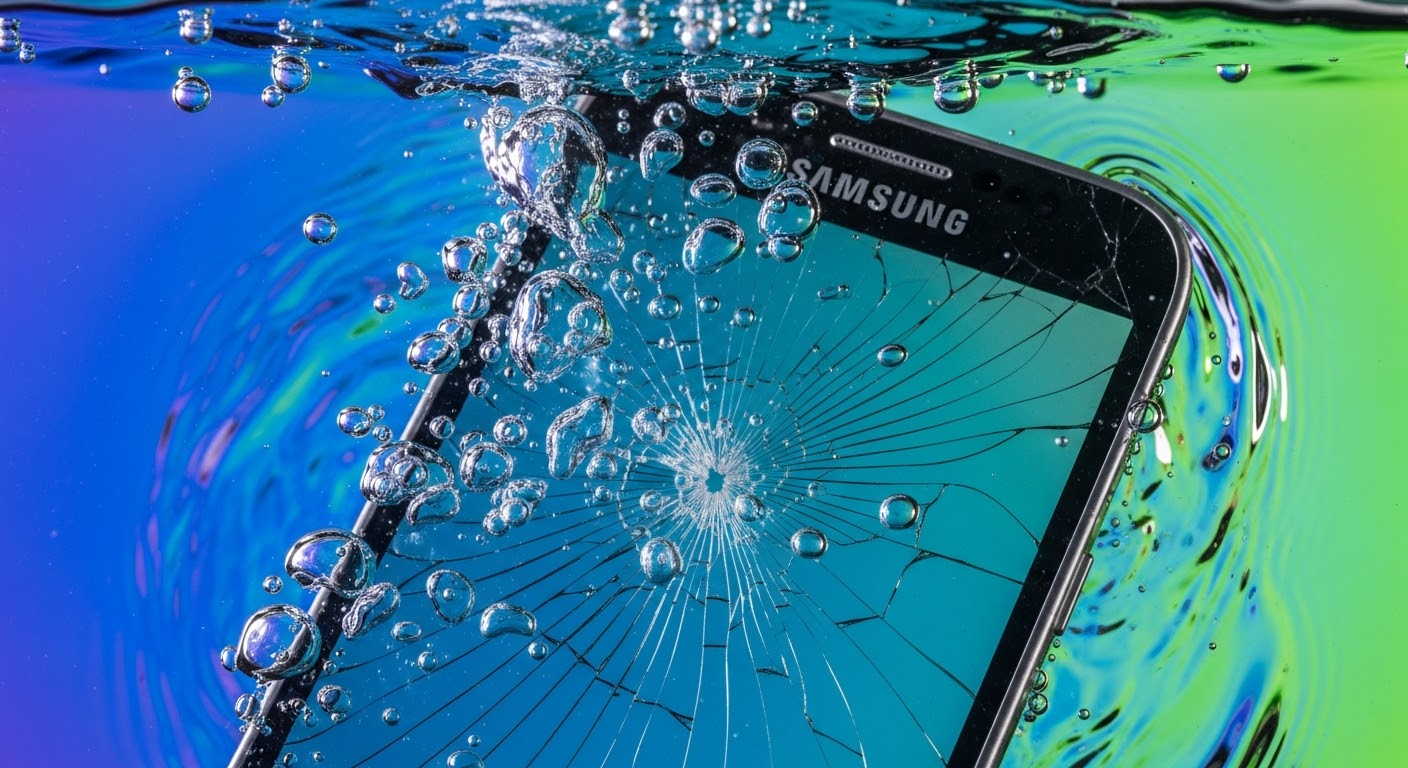
Water Damage Warrior: Reviving a Submerged Samsung with a New Screen – 10 Essential Steps
Introduction
Accidents happen, and sometimes even the most careful Samsung users find their devices submerged in water. Whether it’s a sudden spill, an accidental drop in a sink, or exposure to rain, water damage can feel like a disaster. But all hope is not lost. With the right knowledge, tools, and techniques, your Samsung can be revived, often restoring it to full functionality.
In this guide, “Water Damage Warrior: Reviving a Submerged Samsung with a New Screen”, we’ll walk you through every crucial step to bring your water-damaged device back to life. From understanding the science of water damage and identifying early warning signs, to professional repair methods and data recovery strategies, this article covers everything you need to know. We’ll also share practical tips to prevent future accidents, ensuring your Samsung stays safe and functional for years to come.
By the end of this guide, you’ll not only feel confident tackling water damage emergencies but also equipped with expert advice on repairing, replacing, and protecting your Samsung device—turning a potential catastrophe into a success story.
Samsung smartphones are engineered for durability, but water remains one of the most common culprits behind phone damage. Accidental spills, sudden rain showers, or even dropping your device in a sink can trigger devastating issues. However, reviving a submerged Samsung with a new screen is not only possible—it’s a mission that, when approached correctly, can save your device and your data.
Water damage is more than just an inconvenience; it can affect multiple layers of your Samsung, from the screen to the internal motherboard. Understanding how water causes harm is essential for effective repair.
Common Signs Your Samsung is Water-Damaged
Some water damage is subtle. Keep an eye out for:
Screen flickering or unresponsive touch
Random shutdowns or failure to power on
Corrosion marks around ports or connectors
Distorted sound from speakers or microphones
Moisture indicators showing activation inside the device
The Science Behind Water Damage
Water, especially when combined with electricity, creates short circuits. Even small amounts can corrode tiny components over time. Salts, minerals, and other impurities in water accelerate corrosion, making early intervention crucial.
Time is of the essence. The faster you act, the higher your chances of saving the device.
Power Off Immediately
Leaving a device powered on after water exposure can cause permanent short circuits. Turn it off and resist the urge to test it until it’s properly dried.
Drying Techniques You Can Use at Home
Air drying – Place the phone in a ventilated area.
Silica gel packs – Absorb moisture efficiently.
Avoid rice – While popular, rice is less effective and can leave dust inside ports.
Professional Water Damage Repair
While DIY methods can help, professional repair ensures complete restoration, especially for internal components.
Samsung Repair Centers vs. Independent Technicians
Samsung Official Centers: Genuine parts, warranty protection, higher cost.
These tools eliminate corrosion, remove water residues, and prepare the device for a new screen installation.
Screen Replacement Process
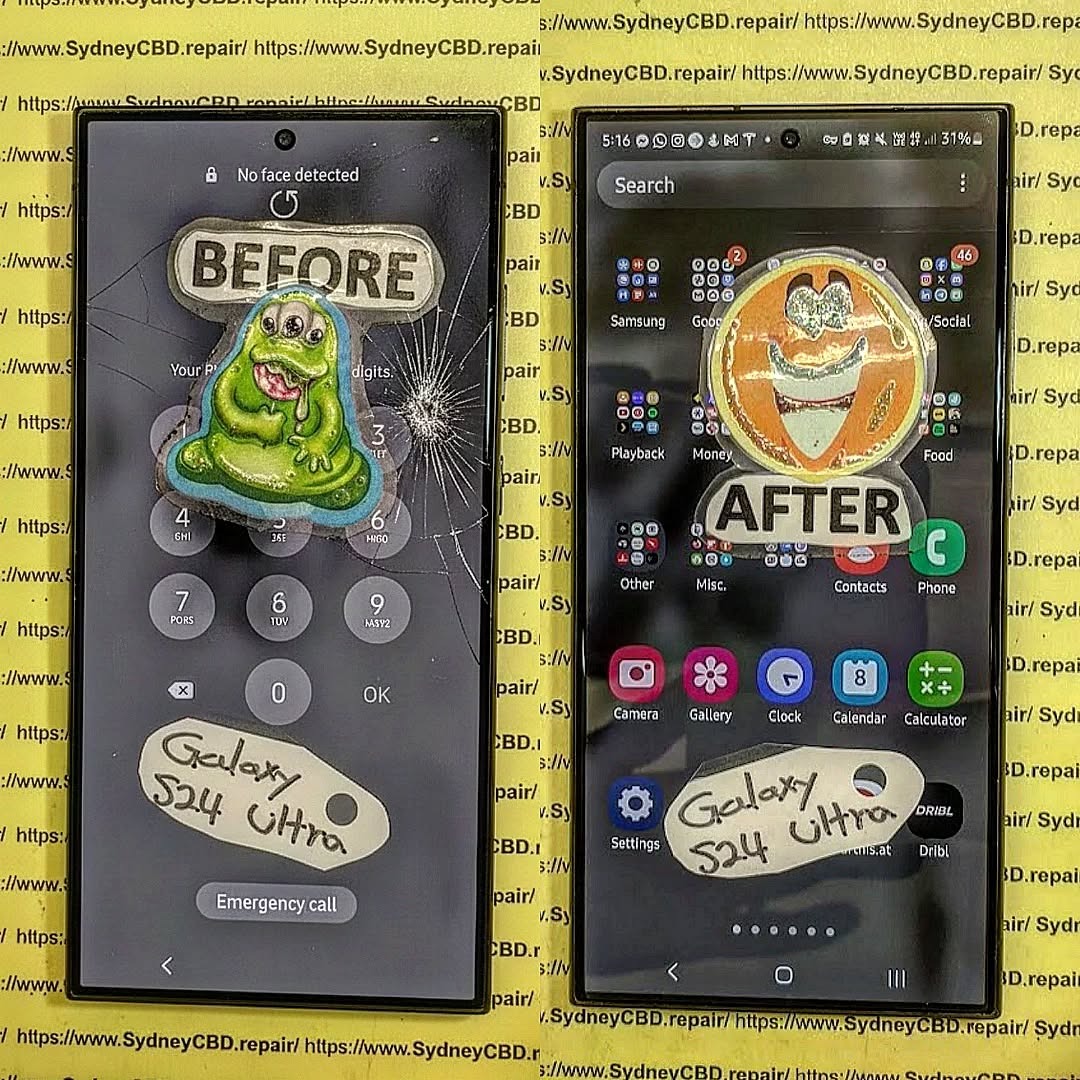
Water exposure often damages the display. Replacing the screen can bring your Samsung back to life.
Removing the Old Screen Safely
Heat the adhesive carefully to loosen the glass.
Use plastic prying tools to avoid internal damage.
Disconnect ribbon cables meticulously.
Installing the New Screen
Align the new display with precision.
Reconnect all flex cables and check for proper seating.
Test the touch functionality before sealing the device.
Cost of Screen Replacement After Water Damage
Average screen replacement: $150–$300
Additional water damage repairs may add $50–$200 depending on severity.
Data Recovery from a Water-Damaged Samsung
Even if the screen is irreparable, your data may still be retrievable.
Using Samsung Cloud or Google Backup
Cloud backups offer a safety net. Regular syncing ensures your contacts, photos, and apps remain safe.
Third-Party Recovery Tools
Dr.Fone – Data Recovery
iMobie PhoneRescue
These tools help extract data without further risking hardware.
Preventing Future Water Damage
Prevention is better than repair. Protect your Samsung proactively.
Waterproof Cases and Screen Protectors
Top-rated cases like OtterBox and LifeProof offer robust protection against accidental submersion.
Environmental Awareness
Avoid using phones near pools, sinks, or beaches.
Remove phones from pockets in the rain.
Educate family members on safe phone handling.
FAQs
1. Can water-damaged phones be fully restored?
Yes, if addressed quickly. Internal corrosion or severe motherboard damage may limit full restoration, but many phones recover fully with professional intervention.
2. How long should I dry my Samsung after water exposure?
Ideally, 24–48 hours using air drying or silica gel packs. Avoid powering it on too soon.
3. Is rice an effective drying method?
Rice is better than nothing, but silica gel or professional drying tools are far superior.
4. Will replacing the screen fix water damage?
Only partially. Screen replacement restores visual functionality, but internal components may still need professional cleaning.
5. How much does professional water damage repair cost?
It ranges from $100 to $400, depending on the severity and parts required.
6. Can I recover data from a phone that won’t turn on?
Yes, through cloud backups or specialized recovery tools.
Conclusion
Water damage can feel catastrophic, but with swift action, expert repair, and proper preventive measures, your Samsung can rise like a true “Water Damage Warrior.” From immediate drying techniques to professional screen replacement and data recovery, every step counts. Remember, prevention, like waterproof cases and awareness, is key to keeping your device safe in the future.
David from Sydney CBD Repair Centre – The Best place to fix mobile phones as 6 Years In A Row! Top Mobile Phone Repair In Sydney. More than 2000 Positive Reviews on Google and Same Day Repairs.
We take pride in delivering exceptional repair services for all major phone brands including Apple, Samsung, Google, and more. Our expert technicians use only genuine parts and offer 90days warranty on repairs. Located in the heart of Sydney CBD, we’re your one-stop solution for all mobile device repairs.
Our commitment to excellence has earned us the trust of thousands of satisfied customers. Whether it’s a cracked screen, battery replacement, or water damage repair, we handle it all with professional care and expertise. Walk in today and experience why we’re Sydney’s #1 choice for mobile phone repairs.
Visit us for:
✓ Same Day Express Repairs
✓ Genuine Parts Guarantee
✓ Professional Technicians
✓ Competitive Pricing
✓ 2000+ 5-Star Google Reviews
✓ 6-Time Award Winner for Best Phone Repairs
Liquid Damage Recovery: Is Your Phone Salvageable? 10 Proven Methods
Introduction: Liquid Damage Recovery – Is Your Phone Salvageable?
In today’s fast-paced digital world, our smartphones have become indispensable. From communication and navigation to banking and entertainment, these devices are central to daily life. But what happens when a moment of carelessness leads to liquid damage? Whether it’s a spilled cup of coffee, a sudden rainstorm, or an accidental drop into water, the consequences can be disastrous.
Many people assume that water exposure automatically means a dead device—but that’s not always the case. With prompt action, proper care, and the right recovery methods, many phones can be salvaged, even after severe liquid exposure. Understanding how liquids affect your phone, knowing the immediate steps to take, and deciding between DIY recovery or professional repair can make all the difference.
This comprehensive guide will explore every aspect of liquid damage recovery—from identifying the severity of the problem and safe handling techniques to professional repair options and preventative measures. Whether you’re facing a soaked phone or simply want to prepare for the unexpected, this article equips you with the knowledge and confidence to act swiftly and effectively.
Water damage is one of the most dreaded mishaps for smartphone users. Whether it’s dropping your phone into a puddle, spilling coffee, or getting caught in the rain, the aftermath can be devastating. But don’t panic—many phones are salvageable if treated properly and promptly. In this guide, we’ll explore liquid damage recovery techniques, step-by-step solutions, and professional advice to maximize your phone’s survival chances.
Liquid damage occurs when moisture enters the internal components of a smartphone, interfering with electrical circuits. Not all water exposure is fatal; the outcome depends on the type of liquid, the duration of exposure, and the phone model.
Common Causes of Liquid Damage
Accidental spills of water, juice, coffee, or soda
Dropping your phone in the toilet or bathtub
Exposure to rain or humid environments
Faulty waterproof seals in older devices
How Liquid Affects Phone Components
Battery: Can short-circuit, swell, or leak
Display: Touchscreen may become unresponsive or show lines
Circuit boards: Corrosion can permanently damage the motherboard
Ports: Charging and headphone ports may corrode, causing connectivity issues
The first thing to do after a liquid spill is turn off the device immediately. Running electricity through wet circuits can cause irreversible short-circuits. Remove it from any power source without delay.
Removing SIM, SD Card, and Battery
If your phone allows it, remove the SIM card, SD card, and battery. This prevents further electrical damage and safeguards personal data. Place components on a dry surface for careful drying.
Do’s and Don’ts of Liquid Damage Recovery
Avoid DIY Drying Methods That Harm
Many people rely on rice or hairdryers, but these methods can worsen the problem. Rice can leave dust or starch inside the phone, while excessive heat can warp components.
Using Proper Drying Techniques
Silica gel packets: Absorb moisture effectively without heat
Professional drying cabinets: Controlled environments used in repair centers
Cost Comparison Between DIY and Professional Repair
DIY methods: Minimal cost, high risk of permanent damage
Professional repair: $100–$350 on average depending on phone model and damage severity
Investing in professional repair increases the chance of full recovery significantly
Testing and Diagnosing Damage
Hardware Diagnostics
After drying, check for:
Battery issues: Swelling, fast drain
Port corrosion: Charging or headphones
Button responsiveness: Volume, power, and home buttons
Software Diagnostics
Use apps to:
Detect sensor malfunctions
Monitor battery performance
Identify touchscreen unresponsiveness
Advanced Recovery Techniques
Ultrasonic Cleaning
Repair centers often use ultrasonic machines to remove corrosion from tiny circuits without causing further damage.
Component Replacement
Damaged parts like screens, charging ports, or batteries are replaced to restore full functionality. In many cases, replacing just one component can bring the phone back to life.
Prevention Tips
Waterproof Cases and Accessories
High-quality waterproof or water-resistant cases can save your phone. Look for ratings like IP67 or IP68 for maximum protection.
Maintenance and Routine Checks
Clean your phone’s ports regularly
Avoid using devices in humid bathrooms or near pools
Perform periodic internal checks at repair centers to detect early corrosion
FAQs
1. Can all water-damaged phones be fixed?
Not always. Recovery depends on the extent of corrosion and how quickly the phone was treated.
2. Is it safe to use rice to dry a phone?
Rice is not recommended. It’s less effective and can leave residue inside the device.
3. How long should I wait before turning on a wet phone?
Wait at least 24–48 hours with proper drying methods, but professional assessment is safer.
4. What parts are most vulnerable to liquid damage?
Battery, display, ports, and motherboard are the most affected.
5. Are waterproof phones immune to water damage?
No, waterproof phones reduce risk but aren’t completely immune, especially if seals are damaged.
6. Can a professional guarantee full recovery?
Most reputable repair centers offer warranties on repairs, but success rates vary depending on damage severity.
Conclusion
Liquid damage doesn’t always mean a dead phone. Prompt action, proper drying, and professional repair can salvage even severely water-damaged devices. While DIY methods might work for minor spills, seeking expert help significantly increases your phone’s survival chances. Don’t wait—take action as soon as water strikes, and protect your investment with preventive measures.
David from Sydney CBD Repair Centre – The Best place to fix mobile phones as 6 Years In A Row! Top Mobile Phone Repair In Sydney. More than 2000 Positive Reviews on Google and Same Day Repairs.
We take pride in delivering exceptional repair services for all major phone brands including Apple, Samsung, Google, and more. Our expert technicians use only genuine parts and offer 90days warranty on repairs. Located in the heart of Sydney CBD, we’re your one-stop solution for all mobile device repairs.
Our commitment to excellence has earned us the trust of thousands of satisfied customers. Whether it’s a cracked screen, battery replacement, or water damage repair, we handle it all with professional care and expertise. Walk in today and experience why we’re Sydney’s #1 choice for mobile phone repairs.
Visit us for:
✓ Same Day Express Repairs
✓ Genuine Parts Guarantee
✓ Professional Technicians
✓ Competitive Pricing
✓ 2000+ 5-Star Google Reviews
✓ 6-Time Award Winner for Best Phone Repairs