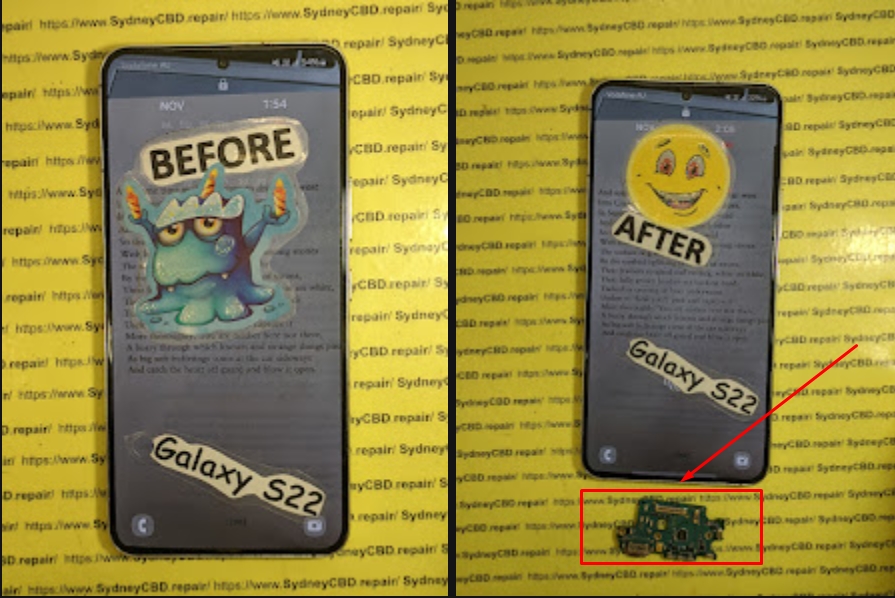
Beyond Phone Screens: Fixing Your Phone’s Charging IC – 7 Proven Ways to Bring Your Device Back to Life
Understanding the Charging IC
The charging IC (Integrated Circuit) is the brain behind your smartphone’s power management system. It regulates voltage and current from the charger, ensuring your battery charges safely and efficiently. A faulty IC can lead to charging failures, overheating, and even complete shutdowns.
In modern phones like iPhones, Samsung Galaxy, and Google Pixels, the charging IC is directly soldered onto the motherboard, making it a delicate yet critical component. Without it, your device simply won’t charge — no matter how many cables or chargers you try.
If your phone takes longer than usual to charge or doesn’t charge at all despite using different cables and adapters, it’s a major sign your charging IC could be failing. This problem often appears after a drop, moisture exposure, or power surge.
Device Overheating During Charge
Another red flag is excessive heat during charging. The IC is responsible for regulating temperature, and when it malfunctions, it can overwork, causing dangerous heat buildup that affects nearby components like capacitors and resistors.
Power fluctuations from unstable sockets or cheap chargers can burn out the IC’s tiny transistors. Always use genuine, manufacturer-approved chargers to avoid this common issue.
Liquid Damage and Corrosion
Even a drop of water inside your phone can corrode the IC’s connection points. Over time, this corrosion can lead to short circuits and irreversible board damage — a major cause of IC replacement in repair shops.
How Technicians Diagnose Charging IC Problems
Visual Inspection
Experts start with a microscopic inspection of the motherboard. Burn marks, corrosion, or lifted pads are strong indicators of IC failure.
Multimeter and Power Supply Testing
Technicians then use a multimeter or a DC power supply to test for irregular voltages. If power doesn’t flow to the battery despite correct input, the charging IC is confirmed faulty.
Fixing Your Charging IC: 7 Proven Methods
1. IC Replacement
Replacing the IC is the most reliable method. Skilled technicians desolder the faulty chip, clean the area, and install a new, genuine IC using precision tools. This process requires steady hands and advanced soldering skills.
2. Reballing the IC
Sometimes, the IC itself isn’t dead — it’s just poorly connected. Reballing involves removing the IC, replacing its solder balls, and reattaching it to the board. It’s an intricate task but can fully restore function.
3. Connector Cleaning and Rework
Charging problems might come from oxidized or broken connectors. Cleaning or re-soldering the charging port ensures proper contact with the IC, improving power flow.
4. Using a Heat Gun Properly
Controlled reflow with a heat gun can fix minor cracks or cold joints. Professionals carefully heat the IC area to re-establish connections without damaging adjacent chips.
5. Board-Level Repair Techniques
If traces or pads under the IC are damaged, micro-jumpering or track rebuilding can restore continuity. This is where experience truly matters — even one wrong connection can fry the entire board.
6. Firmware and Software Restoration
Sometimes, a software glitch mimics IC failure. Flashing the firmware or restoring system power controls can solve these without hardware replacement.
7. Full Board Replacement
If the IC and its surrounding circuits are too damaged, replacing the entire motherboard might be the only viable option. Though expensive, it ensures long-term stability.
DIY vs Professional IC Repair
While it’s tempting to attempt a DIY fix, IC repair is not a beginner-friendly task. It involves microscopic soldering and complex circuit knowledge. At Sydney CBD Repair Centre, professionals use advanced rework stations and genuine parts to ensure safe, lasting results — all backed by a 90-day warranty.
How Sydney CBD Repair Centre Fixes Charging ICs
At Sydney CBD Repair Centre, the repair process is precise and efficient:
Comprehensive Diagnosis – Identifying the root cause before any action.
Professional IC Rework – Using industry-grade soldering tools.
Genuine Component Replacement – Only original IC chips are used.
Post-Repair Testing – Ensuring the phone charges and discharges normally.
Same-Day Repairs – Most IC issues are resolved in under 3 hours.
Their reputation — 6-time award winners and 2000+ 5-star Google reviews — speaks volumes about their service quality.
Prevention Tips for a Healthy Charging IC
Avoid overnight charging. Continuous power inflow strains the IC.
Use genuine accessories. Cheap chargers can cause voltage instability.
Keep your phone dry. Moisture is the IC’s worst enemy.
Regular maintenance. Have professionals clean and inspect your device periodically.
FAQs
1. What is a charging IC in a phone?
It’s a chip that controls how your phone charges and distributes power across components.
2. Can I repair a damaged charging IC myself?
Not recommended. IC repair requires special tools and micro-soldering skills.
3. How much does it cost to replace a charging IC in Sydney?
Prices vary, but Sydney CBD Repair Centre offers competitive rates depending on model and damage severity.
4. What are the signs my charging IC needs replacement?
Slow charging, no charging, overheating, or your phone turning off when unplugged.
5. How long does charging IC replacement take?
Most repairs are completed same-day, typically within 2 to 3 hours.
6. Does replacing the IC affect phone performance?
No — if done professionally using genuine parts, your device will function like new.
Conclusion
A faulty charging IC doesn’t mean your phone is beyond repair. With the right expertise and equipment, it can be restored to full functionality. For reliable, professional repairs, visit Sydney CBD Repair Centre — where quality meets reliability.
📍 Sydney CBD Repair Centre
🕓 Same-Day Repairs | Genuine Parts | 90-Day Warranty
🌐 https://SydneyCBD.repair/locate-us
📞 Call: +61280114119
The Rescue Mission: Recovering Precious Photos From a Completely Smashed Google Pixel 10 Pro XL + Ultimate Guide 2026
📱 Introduction to Data Recovery Challenges
When your Google Pixel 10 Pro XL gets completely smashed, panic often sets in immediately. Photos—those irreplaceable memories—suddenly feel lost forever. But here’s the good news: recovering photos from a completely smashed Google Pixel 10 Pro XL is often possible, even when the damage looks catastrophic.
Modern smartphones are surprisingly resilient when it comes to data storage. Even if the screen is shattered or the phone won’t turn on, your photos might still be safe inside the internal storage chip. That’s why understanding your recovery options is critical before taking any drastic steps.
In many cases, users assume that physical damage equals data loss. That’s simply not true. Data loss depends more on internal damage than external appearance. So even if your device looks like it’s been run over, there’s still hope.
If you didn’t back up your device, don’t worry—there are still options.
USB Debugging Method
If USB debugging was enabled:
Connect phone to PC
Use ADB tools
Extract DCIM folder
This method works even if the screen is unusable.
OTG Mouse Trick
For broken screens:
Connect USB OTG adapter
Attach a mouse
Unlock phone manually
Transfer files
Simple, effective, and often overlooked.
🛠️ Professional Data Recovery Solutions
When to Seek Experts
If your phone:
Won’t power on
Has motherboard damage
Is water-damaged
…it’s time for professionals.
Cost Expectations
Service Type
Estimated Cost
Basic recovery
$100–$300
Advanced recovery
$300–$800
Chip-level recovery
$800+
Prices vary depending on damage severity.
💻 Using Recovery Software Tools
Popular Tools Comparison
Tool
Best For
Difficulty
Dr.Fone
Beginners
Easy
iMobie PhoneRescue
Deep scans
Medium
Tenorshare UltData
Quick recovery
Easy
These tools work best when the phone is still partially functional.
🔬 Motherboard-Level Recovery Explained
Chip-Off Technique
This advanced method involves:
Removing the storage chip
Reading data directly
Rebuilding file systems
It’s highly technical but incredibly effective when done by experts.
🔐 Preventing Future Data Loss
Backup Best Practices
To avoid future stress:
Enable automatic backups
Use multiple backup solutions
Regularly export important files
Think of backups as insurance for your memories.
⚠️ Common Mistakes to Avoid
Ignoring backups
Using untrusted repair shops
Attempting DIY motherboard repair
Waiting too long after water damage
Each mistake reduces recovery success rates.
❓ FAQs
1. Can I recover photos from a completely smashed Google Pixel 10 Pro XL?
Yes, in most cases. As long as the storage chip isn’t damaged, recovery is possible.
2. What if my phone won’t turn on?
You can still recover data using professional services or chip-level recovery.
3. Are recovery apps safe?
Some are, but only use trusted tools. Avoid unknown apps that may overwrite data.
4. How long does recovery take?
Basic recovery: 1–2 days
Advanced recovery: 3–7 days
5. Is data recovery expensive?
It depends on the damage. Costs range from affordable to premium for complex cases.
6. Can water damage destroy my photos permanently?
Yes, if corrosion reaches the storage chip. Immediate action is crucial.
🏁 Conclusion
Recovering photos from a completely smashed Google Pixel 10 Pro XL isn’t just possible—it’s often highly successful when done correctly. The key lies in acting quickly, avoiding common mistakes, and choosing the right recovery method.
Whether you rely on cloud backups, DIY solutions, or professional services, your precious memories are rarely truly lost. With the right approach, you can bring them back safely.
🔚 Post-Article Message
David from Sydney CBD Repair Centre – The Best place to fix mobile phones as 7 Years In A Row! Top Mobile Phone Repair In Sydney. More than 2000 Positive Reviews on Google and Same Day Repairs.
We take pride in delivering exceptional repair services for all major phone brands including Apple, Samsung, Google, and more. Our expert technicians use only genuine parts and offer 90days warranty on repairs. Located in the heart of Sydney CBD, we’re your one-stop solution for all mobile device repairs.
Our commitment to excellence has earned us the trust of thousands of satisfied customers. Whether it’s a cracked screen, battery replacement, or water damage repair, we handle it all with professional care and expertise. Walk in today and experience why we’re Sydney’s #1 choice for mobile phone repairs.
Visit us for:
✓ Same Day Express Repairs
✓ Genuine Parts Guarantee
✓ Professional Technicians
✓ Competitive Pricing
✓ 2000+ 5-Star Google Reviews
✓ 7-Time Award Winner for Best Phone Repairs
Beyond the Phone Screen Repairing the Unseen Damage on a Dropped Phone – 10 Essential Insights
Introduction: More Than Just a Cracked Screen
When your phone slips from your hand and hits the ground, the first thing you probably notice is a cracked screen. But what if the damage isn’t just skin-deep? Many phone owners overlook the invisible damages that can significantly affect device performance over time. Beyond the screen, a drop can compromise your battery, motherboard, sensors, or connectivity components.
Understanding these unseen damages is critical for ensuring long-term functionality and safety. This article will explore the types of hidden damage, signs to watch for, repair options, preventive measures, and why trusting professionals can save you time, money, and frustration.
Even if the exterior looks fine, internal components often absorb the brunt of a fall. Recognizing these issues early can prevent catastrophic failures.
Internal Screen Components
A dropped phone can damage the LCD, OLED panel, or digitizer. Cracks might not be immediately visible, but your screen might display dead pixels, ghost touches, or discoloration. The digitizer, responsible for touch response, can malfunction without showing visible damage.
Battery and Power Circuit Damage
Batteries are sensitive to impacts. Even a minor drop can lead to micro-tears inside the cell, which may cause swelling, overheating, or faster battery drain. The power circuits connecting your battery to the motherboard are equally fragile. If these circuits are damaged, your phone may fail to charge properly or shut down unexpectedly.
Motherboard and Microchips
The motherboard is the brain of your phone. Tiny soldered connections and microchips can loosen or crack from impact, causing erratic behavior, app crashes, or total device failure. These issues are rarely visible but can manifest gradually over days or weeks.
Knowing how internal damage occurs helps in prevention.
Drop Impact Zones
The corners and edges of a phone usually absorb the most shock. Internal components near these zones, like cameras and flex cables, are at high risk. Even if the screen is protected by Gorilla Glass or tempered glass, internal circuits can be compromised.
Material Fatigue
Repeated micro-drops, pressure from tight pockets, or carrying your phone in the same orientation for years can weaken the chassis and internal components. Material fatigue often goes unnoticed until it triggers noticeable performance issues.
Signs Your Phone Is Damaged Internally
Even without visible cracks, your device may exhibit warning signs.
Unexpected Reboots or Freezes
A damaged motherboard or loose microchip can cause your phone to reboot randomly or freeze during normal usage. This indicates that internal circuitry has been disrupted.
Overheating and Battery Drain
If your battery is swelling or the power circuit is damaged, your phone may overheat or discharge rapidly. These are serious signs that repair is needed.
Connectivity and Sound Issues
Dropped phones can damage antennas, microphones, or speakers. If calls sound distorted or Wi-Fi connectivity is inconsistent, hidden damage is likely.
Diagnostic Tools Used by Professionals
Detecting hidden damage often requires specialized tools.
Software Diagnostics
Technicians use apps and built-in diagnostic software to monitor performance, battery health, and thermal behavior. Logs can reveal errors invisible to the user.
Hardware Inspection Tools
Physical inspections include magnification tools, X-ray imaging, and thermal cameras. These methods help locate micro-cracks, dislodged chips, or battery issues before they become catastrophic.
Repair Options for Hidden Damage
Repairing unseen damage often requires professional expertise.
Screen and Component Replacement
If the screen’s internal components are damaged, replacing the entire module with genuine parts ensures touch accuracy and display quality. Avoid aftermarket parts unless verified for compatibility.
Motherboard Repairs
Minor cracks or faulty microchips can be repaired using micro-soldering techniques. Professional technicians have the skills to replace components without compromising the entire board.
Battery Replacement
Damaged batteries should be replaced immediately. Swollen or punctured batteries pose safety risks, including fire hazards. Using certified batteries ensures longevity and performance.
DIY vs Professional Repair
While DIY repair kits are available online, attempting to fix hidden damage without experience can worsen the problem. Professionals have specialized tools, knowledge of microcomponents, and access to genuine parts, reducing the risk of permanent damage.
Pros of Professional Repair:
Genuine parts guarantee
Expert diagnostics
Warranty on repairs
Cons of DIY Repair:
Risk of further damage
No warranty
Limited tool availability
Preventing Hidden Damage in the Future
Taking preventive measures can save you from hidden damage.
Use a sturdy protective case: Shock-absorbing cases reduce impact force.
Apply a screen protector: Minimizes scratches and distributes impact.
Avoid risky environments: Keep phones away from edges or high-traffic areas.
Insurance & warranty plans: Many insurers cover accidental damage.
Cost Considerations
Repairing hidden damage varies depending on the component.
Component
Average Cost (USD)
Notes
Screen & Digitizer
$150–$400
Depends on brand and size
Battery
$50–$120
Genuine replacement recommended
Motherboard
$200–$500+
Micro-soldering or chip replacement
Sensors/Antennas
$80–$200
Connectivity and camera repairs
Considering the potential for escalation, early diagnosis often saves significant money and preserves device longevity.
FAQs
1. Can a phone appear fine but still be internally damaged?
Yes. Internal components can absorb impact without visible signs. Only diagnostic tests can reveal micro-damage.
2. How long does hidden damage take to show symptoms?
It varies. Some devices fail immediately, while others may show issues weeks later, such as random shutdowns or battery swelling.
3. Is professional repair really necessary for internal damage?
Absolutely. DIY repairs risk worsening the damage and void warranties. Professionals use specialized tools and genuine parts.
4. Can hidden damage affect phone safety?
Yes. Damaged batteries or motherboards can overheat or short-circuit, posing fire hazards.
5. Are insurance plans worth it for dropped phones?
Yes, particularly if your phone is high-end. Insurance often covers unseen internal damages that are costly to repair.
6. How can I prevent hidden damage from drops?
Use high-quality protective cases, tempered glass, avoid risky drops, and consider insurance or extended warranties.
Conclusion
Dropping a phone may seem like a minor incident when the screen is intact. Yet, beneath the surface, unseen damages can compromise battery life, connectivity, and overall performance. Early recognition, professional diagnostics, and repair using genuine parts are essential for maintaining device safety and longevity. By combining careful handling, preventive measures, and expert care, you can extend your phone’s lifespan and avoid costly repairs.
For expert phone repairs in Sydney, trust Sydney CBD Repair Centre — six-time award-winning, same-day service with over 2000 positive reviews.
David from Sydney CBD Repair Centre – The Best place to fix mobile phones as 6 Years In A Row! Top Mobile Phone Repair In Sydney. More than 2000 Positive Reviews on Google and Same Day Repairs.
We take pride in delivering exceptional repair services for all major phone brands including Apple, Samsung, Google, and more. Our expert technicians use only genuine parts and offer 90 days warranty on repairs. Located in the heart of Sydney CBD, we’re your one-stop solution for all mobile device repairs.
Visit us for:
✓ Same Day Express Repairs
✓ Genuine Parts Guarantee
✓ Professional Technicians
✓ Competitive Pricing
✓ 2000+ 5-Star Google Reviews
✓ 6-Time Award Winner for Best Phone Repairs
Fixing The Black Screen of Death: Why Your Modern Smartphone’s Won’t Turn On – 11 Powerful Solutions That Actually Work
Introduction
Modern smartphones are incredibly powerful. They’ve replaced cameras, laptops, gaming systems, wallets, and even TVs for many people. However, despite their advanced technology, one issue still terrifies smartphone owners everywhere: the Black Screen of Death.
You press the power button, but nothing happens. No vibration. No logo. No charging symbol. Just a cold, lifeless black screen.
It’s frustrating, stressful, and sometimes expensive.
Thankfully, not every black screen problem means your phone is permanently dead. In many cases, there are practical solutions that can bring your device back to life. Understanding the real reasons behind the issue can also help you avoid future failures.
In this detailed guide, we’ll explore why your smartphone won’t turn on, what causes the black screen of death, how to troubleshoot the issue safely, and when it’s time to seek professional repair services.
The Black Screen of Death refers to a smartphone that appears completely unresponsive. The display remains black even though the phone may still have internal power.
Sometimes the device vibrates, rings, or receives notifications while the screen stays dark. Other times, the entire phone becomes non-functional.
This problem affects almost every major smartphone brand, including:
Before diagnosing the problem, it’s important to identify the warning signs associated with the black screen of death.
Typical Symptoms Include
Symptom
Possible Cause
Black display with vibration
OLED/display failure
Phone won’t charge
Battery or charging IC issue
Boot loop
Software corruption
Overheating before shutdown
Motherboard failure
Flickering display
Damaged flex cable
Random shutdowns
Battery degradation
Green or purple lines
OLED damage
No response to buttons
Power IC malfunction
These symptoms often appear gradually before total failure occurs.
Why Modern Smartphones Suddenly Stop Turning On
Today’s smartphones are thinner, more powerful, and more fragile than ever before. Several internal components work together perfectly until one critical failure disrupts the entire system.
Battery-Related Failures
The battery is one of the most common reasons behind the black screen of death.
Lithium-ion batteries naturally degrade over time. After hundreds of charging cycles, the battery may fail to provide stable voltage to the motherboard.
Common battery-related causes include:
Swollen batteries
Deep discharge
Charging IC failure
Low-quality chargers
Extreme heat exposure
A severely drained battery may also prevent the phone from booting entirely.
Display and OLED Damage
Modern OLED displays are stunning, but they’re delicate.
Sometimes the phone is still functioning normally internally, but the display itself has failed. This creates the illusion of a dead device.
Signs of OLED failure include:
Green flashes
Purple lines
Flickering brightness
Partial image display
Touch still working while screen stays black
Foldable smartphones are especially vulnerable because flexible OLED panels experience repeated stress over time.
Software Corruption
Software bugs can also trigger the black screen of death.
Failed updates, corrupted apps, or operating system crashes may prevent the device from booting correctly.
Common software triggers include:
Interrupted firmware updates
Malware infections
Rooting or jailbreaking
Storage corruption
Incompatible applications
Fortunately, software-related black screen problems are often repairable without hardware replacement.
Water and Moisture Damage
Even water-resistant smartphones aren’t fully waterproof.
Moisture can enter through:
Cracked screens
Damaged seals
SIM tray gaps
Charging ports
Once liquid reaches the motherboard, corrosion may begin almost immediately.
Interestingly, many phones continue working temporarily before suddenly developing the black screen of death days later.
Motherboard and Power IC Issues
The motherboard acts as the brain of the smartphone.
When key components fail, the device may stop powering on completely.
Common motherboard issues include:
Burned capacitors
CPU separation
Power management IC failure
NAND storage damage
Short circuits
Unfortunately, motherboard repairs are among the most complex smartphone repair procedures.
First Things to Do Before Panicking
Seeing a black screen can feel alarming, but don’t rush to assume the worst.
Before visiting a repair center, try these simple steps:
Leave the phone charging for 30 minutes
Use an original charging cable
Remove phone cases or accessories
Try a force restart
Inspect for physical damage
Check if the phone vibrates
Sometimes the solution is surprisingly simple.
Step-by-Step Troubleshooting Guide
Now let’s go deeper into practical troubleshooting methods.
Force Restart Your Device
A force restart can clear temporary software crashes.
iPhone Force Restart
For newer iPhones:
Press Volume Up
Press Volume Down
Hold the Side Button
Samsung Force Restart
Hold Power + Volume Down
Wait 10–15 seconds
This method often restores frozen devices instantly.
Check the Charging Port
Pocket lint and debris can block charging connections.
Use:
A flashlight
Soft brush
Wooden toothpick
Avoid using metal objects because they can damage the charging pins.
Try Another Charger
Cheap or damaged chargers frequently cause power issues.
Use:
Certified cables
Original adapters
Wireless charging (if supported)
If the phone responds to wireless charging but not USB charging, the charging port may require repair.
Use Recovery Mode
Recovery mode can restore corrupted operating systems.
For Android devices:
Power off device
Hold Power + Volume Up
Select Recovery Mode
For iPhones:
Connect to a computer and enter recovery mode through iTunes or Finder.
Connect to a Computer
A computer may still detect a phone with a black screen.
If detected, immediately:
Back up data
Update firmware
Restore operating system
This step can save important files before further failure occurs.
iPhone Black Screen Problems Explained
iPhones commonly experience black screen problems after:
iOS updates
Hard drops
Battery degradation
Water exposure
On OLED iPhones, display connector damage is especially common after impact.
In some cases, the device still powers on normally, but the display backlight or OLED panel no longer functions.
Popular affected models include:
iPhone 13 Pro Max
iPhone 14 Pro
iPhone 15 series
Older iPhone X models
Apple’s tightly integrated hardware design improves performance but also increases repair complexity.
Samsung and Android Black Screen Problems
Samsung and Android phones experience black screen issues for different reasons.
Common Android-specific causes include:
AMOLED burn-in
System crashes
Faulty firmware
Third-party launcher conflicts
Overheating
Samsung foldable devices also experience stress damage near hinge areas.
Meanwhile, gaming phones can suffer overheating-related motherboard failure due to heavy processing loads.
Android phones vary greatly in repairability depending on manufacturer design.
Can Water Damage Cause the Black Screen of Death?
Absolutely.
Water damage remains one of the biggest causes of smartphone failure worldwide.
Even a few drops of liquid can create serious electrical shorts inside modern smartphones.
Common Liquids That Cause Damage
Liquid
Damage Severity
Fresh water
Moderate
Salt water
Severe
Coffee
Severe
Soft drinks
Severe
Alcohol
Moderate
Humid air
Mild but dangerous
The biggest mistake users make is trying to charge a wet phone.
Electricity combined with moisture accelerates corrosion dramatically.
Instead:
Turn off the device immediately
Do not charge it
Seek professional cleaning quickly
Time matters enormously after liquid exposure.
Professional Repair vs DIY Repair
DIY repair videos are everywhere online. However, modern smartphone repairs require specialized tools and experience.
DIY Repair Risks
Face ID damage
Fingerprint sensor failure
Battery puncture
Waterproof seal loss
Flex cable tearing
Professional technicians use:
Thermal cameras
Microsoldering stations
Diagnostic power supplies
Microscope inspection tools
These tools help identify precise failures without unnecessary part replacement.
How Repair Technicians Diagnose Dead Phones
Professional diagnosis follows a systematic process.
Step 1: External Inspection
Technicians check for:
Cracks
Water indicators
Burn marks
Bent frames
Step 2: Power Consumption Testing
Special equipment measures current draw behavior.
Different current patterns indicate different faults.
Step 3: Display Testing
Technicians connect test screens to verify OLED functionality.
Step 4: Board-Level Diagnosis
Microscope inspection identifies:
Corrosion
Short circuits
Damaged IC chips
Step 5: Functional Testing
After repair, the device undergoes:
Charging tests
Camera tests
Signal tests
Thermal monitoring
This ensures long-term reliability.
Preventing the Black Screen of Death
Prevention is always cheaper than repair.
Best Practices for Smartphone Health
Avoid Cheap Chargers
Low-quality chargers can damage charging IC components.
Keep Your Phone Cool
Heat is one of the biggest enemies of smartphone longevity.
Even tiny cracks allow moisture intrusion over time.
The Future of Smartphone Reliability
Smartphones continue evolving rapidly.
Manufacturers are introducing:
Stronger glass
Better thermal management
Improved waterproofing
Advanced battery technology
However, ultra-thin designs still create repair challenges.
Consumers increasingly expect devices that are:
Durable
Repairable
Sustainable
The growing “Right to Repair” movement is also pushing manufacturers toward easier repair access.
Learn more about repairability advocacy through iFixit.
Frequently Asked Questions
Why is my phone screen black but still vibrating?
This usually indicates display failure rather than total phone failure. The motherboard may still be functioning normally.
Can a dead phone be repaired?
Yes. Many black screen issues are repairable depending on the damaged component.
Does water damage always destroy phones?
Not always. Fast professional cleaning can prevent permanent motherboard corrosion.
Why won’t my phone charge after getting wet?
Moisture may trigger charging port protection or create internal short circuits.
Is replacing the motherboard worth it?
It depends on the phone’s value and data importance. High-end devices are often worth repairing.
Can software updates cause the black screen of death?
Yes. Corrupted firmware installations can prevent proper booting.
How long should I charge a completely dead phone?
Leave it charging for at least 30 minutes using a certified charger before troubleshooting further.
Conclusion
The black screen of death can feel catastrophic, but many smartphones are repairable with proper diagnosis and professional care.
Modern devices are incredibly complex, combining fragile OLED displays, high-density batteries, and advanced motherboards into ultra-thin designs. As a result, failures can occur from drops, water exposure, software corruption, or simple wear and tear.
The key is acting quickly and avoiding common mistakes like forcing the device to charge after water exposure or attempting risky DIY repairs without experience.
By understanding the warning signs, troubleshooting carefully, and seeking expert repair when necessary, you can often restore your smartphone and protect your valuable data.
Most importantly, preventative care goes a long way. Quality chargers, protective cases, regular backups, and prompt repairs can significantly extend your device’s lifespan.
Your smartphone may seem dead today, but with the right approach, there’s a very good chance it can be brought back to life.
David from Sydney CBD Repair Centre – The Best place to fix mobile phones as 7 Years In A Row! Top Mobile Phone Repair In Sydney. More than 2000 Positive Reviews on Google and Same Day Repairs.
We take pride in delivering exceptional repair services for all major phone brands including Apple, Samsung, Google, and more. Our expert technicians use only genuine parts and offer 90days warranty on repairs. Located in the heart of Sydney CBD, we’re your one-stop solution for all mobile device repairs.
Our commitment to excellence has earned us the trust of thousands of satisfied customers. Whether it’s a cracked screen, battery replacement, or water damage repair, we handle it all with professional care and expertise. Walk in today and experience why we’re Sydney’s #1 choice for mobile phone repairs.
Visit us for:
✓ Same Day Express Repairs
✓ Genuine Parts Guarantee
✓ Professional Technicians
✓ Competitive Pricing
✓ 2000+ 5-Star Google Reviews
✓ 7-Time Award Winner for Best Phone Repairs
“Unfixable” Motorola: Resurrecting Phones Sydney Repair Centre’s Declared Dead + 10 Expert Strategies
Introduction: Why Some Motorola Phones Seem Beyond Repair
Motorola has long been a staple in mobile technology, offering reliable devices with cutting-edge features. Yet, some models—especially the older Edge series or foldable Razr devices—end up in repair centres looking “dead” and unfixable. Sydney repair centres often face the challenge of phones that appear beyond revival, with customers being told, “Sorry, there’s nothing we can do.”
However, declaring a Motorola phone “unfixable” is often premature. With the right expertise, tools, and techniques, even phones deemed beyond repair can be brought back to life. In this article, we’ll explore why Motorolas fail, why many repair centres give up, and how expert Sydney repair technicians resurrect phones that seemed permanently dead.
Keyword placement: Motorola repair, unfixable Motorola, Sydney repair centres.
Understanding why Motorola phones fail is crucial to prevent damage and identify repair solutions. Most failures fall into hardware or software issues, each requiring specific approaches.
Water Damage and Corrosion
Liquid damage remains one of the most frequent causes of “unfixable” Motorolas. Water or moisture entering the device can corrode the motherboard, connectors, or battery terminals. Common signs include:
Screen flickering or blank display
Random reboots or shutdowns
Charging problems
Even minor corrosion can lead to long-term failures if not addressed promptly.
Cracked Screens and Display Malfunctions
Cracked or unresponsive screens are another major reason phones are declared unrepairable. Issues include:
AMOLED or LCD dead pixels
Unresponsive touch screen
Internal glass shattering beneath the surface
In many cases, replacing the screen requires precision to avoid damaging the internal components.
Battery Failures and Overheating
Motorola batteries can swell or degrade over time, causing devices to overheat or fail to charge. Symptoms include:
Rapid battery drain
Unexpected shutdowns
Charging port malfunction
Battery replacements seem simple but often require careful calibration and matching to the device’s original specifications.
Software Glitches and OS Corruption
Sometimes, phones fail not because of hardware but software. System crashes, firmware corruption, or incomplete updates can render a Motorola unresponsive.
Advanced technicians can revive these devices through software recovery tools, flashing firmware, or restoring factory settings without affecting user data.
Not every repair centre is equipped to handle complex Motorola issues. The reasons for giving up often include:
Lack of Expertise in Complex Motorola Models
Some repair centres specialize in basic iPhone or Samsung repairs but lack the micro-soldering or component-level experience needed for Motorola’s advanced boards, especially in foldable phones.
Unavailability of Genuine Parts
Genuine Motorola parts are not always available in Sydney. Many repair shops rely on generic replacements, which can fail or cause further damage, leading them to declare the device unfixable.
How Expert Sydney Repair Centres Resurrect “Dead” Motorolas
High-level repair centres in Sydney, like Sydney CBD Repair Centre, tackle unfixable Motorolas with precision. They follow rigorous steps to ensure device revival.
Diagnostic Processes and Advanced Tools
Before touching the motherboard, technicians perform a full diagnostic, using tools like:
Multimeters to check circuit continuity
Thermal cameras to detect overheating components
Ultrasonic cleaners for corrosion removal
This thorough inspection identifies the root cause of the failure.
Component-Level Repairs
Expert technicians can repair or replace damaged components on the motherboard. Micro-soldering enables the restoration of broken circuits, allowing phones to function again even after severe damage.
Battery and Charging Port Restoration
Damaged charging ports or degraded batteries are common culprits. Specialists replace ports and calibrate batteries, restoring charging efficiency and safety.
Screen Replacement Techniques
Modern Motorola devices often feature complex AMOLED or foldable screens. Professionals use specialized tools to replace the screens while ensuring touch functionality and color accuracy.
Case Studies: Phones Revived Against All Odds
Motorola Edge Series Resurrection
One customer brought in a Motorola Edge completely water-damaged. After motherboard cleaning, micro-soldering, and battery replacement, the phone was fully functional within 24 hours.
Motorola Razr Fold Repair Success
A Razr fold with a cracked screen and dead hinge seemed beyond repair. Expert technicians replaced the screen, repaired the folding mechanism, and restored battery life, reviving a device that other centres had written off.
Tips for Motorola Owners to Prevent Irreversible Damage
Water and Dust Prevention
Use protective cases and screen protectors
Avoid exposure to moisture
Check IP rating before submerging devices
Battery Care and Optimal Charging Habits
Avoid overnight charging
Keep battery between 20%-80%
Use original chargers
Software Updates and Regular Backups
Keep firmware updated
Back up important data to cloud storage
Restore factory settings periodically to prevent corruption
Choosing the Right Repair Centre in Sydney
Credentials and Experience
Look for repair centres with certified technicians, awards, and years of experience. Sydney CBD Repair Centre has been recognized 7 times for excellence in phone repairs.
Customer Reviews and Reputation
Check Google reviews and testimonials. Over 2,000 positive reviews indicate reliability and trustworthiness.
Warranty and Genuine Parts Assurance
Ensure the repair centre uses genuine parts and provides warranties. Sydney CBD Repair Centre offers 90-day guarantees on all repairs.
External Reference:Motorola Official Support provides official guidance on device issues and authorized repair options.
Frequently Asked Questions (FAQs)
Q1: Can all dead Motorola phones be repaired?
A1: Most can, but success depends on the extent of damage. Hardware and software issues can be fixed if proper expertise and parts are available.
Q2: How long does a typical Motorola repair take in Sydney?
A2: Minor repairs like screen or battery replacements often take 1-2 hours. Complex repairs may take 24-48 hours.
Q3: Are genuine Motorola parts necessary?
A3: Yes. Using genuine parts ensures durability, compatibility, and preserves warranties.
Q4: Can water-damaged phones be fully restored?
A4: Yes, if treated quickly. Technicians use cleaning, drying, and component-level repairs to prevent permanent damage.
Q5: How can I prevent my Motorola from becoming unfixable?
A5: Avoid water exposure, maintain battery health, perform software updates, and choose reliable repair centres for any issues.
Q6: Are foldable Motorola devices more difficult to repair?
A6: Yes, they require specialized tools and expertise due to flexible screens and complex hinge mechanisms.
Conclusion: The Myth of the “Unfixable” Motorola
The idea of a completely unfixable Motorola is largely a myth. With advanced tools, component-level expertise, and genuine parts, even phones declared dead by some repair centres can be resurrected. Sydney CBD Repair Centre exemplifies this, restoring devices that seemed beyond hope.
If you own a Motorola that’s been declared “unfixable,” don’t give up. Expert repair centres in Sydney are ready to bring your device back to life with precision and care.
David from Sydney CBD Repair Centre – The Best place to fix mobile phones 7 Years In A Row! Top Mobile Phone Repair In Sydney. More than 2000 Positive Reviews on Google and Same Day Repairs.
Visit us for:
✓ Same Day Express Repairs
✓ Genuine Parts Guarantee
✓ Professional Technicians
✓ Competitive Pricing
✓ 2000+ 5-Star Google Reviews
✓ 7-Time Award Winner for Best Phone Repairs
International Shipping to Sydney: Can We Repair Your Phone From Overseas? 15 Powerful Reasons Why the Answer Is Yes
Introduction
In today’s connected world, smartphone users aren’t limited to repair services available in their local area. Thanks to international shipping to Sydney, customers from around the globe can access professional phone repair services from trusted technicians with extensive experience in device restoration.
Whether you own an iPhone, Samsung Galaxy, Google Pixel, Oppo, Huawei, Xiaomi, or another smartphone brand, sending your device to Sydney for repair can be a practical and cost-effective solution. Many customers choose international shipping to Sydney because of the availability of genuine parts, advanced diagnostic equipment, and highly skilled repair specialists.
If you’re wondering whether it’s possible to ship your damaged phone from overseas and have it repaired professionally in Sydney, the answer is a resounding yes. This guide explains everything you need to know about the process, benefits, timelines, and expectations.
Modern courier networks have transformed the repair industry. Customers can now safely send smartphones internationally to specialized repair centres that offer expertise unavailable locally.
International repair services are especially beneficial when:
Genuine replacement parts are unavailable locally
Local repair costs are excessive
Specialized motherboard repairs are required
Foldable phones need expert attention
Data recovery services are necessary
Advanced diagnostics are required
Many overseas customers find that international shipping to Sydney offers access to repair professionals who routinely handle complex repairs that local shops may decline.
Moreover, experienced repair centres often maintain extensive inventories of replacement parts, reducing delays and improving repair outcomes.
Sydney has become a recognized destination for premium mobile device repairs. Customers from various countries choose Australian repair specialists because of their reputation for quality workmanship and reliable service.
Access to Experienced Technicians
Professional repair technicians in Sydney work on thousands of devices annually. This experience enables accurate diagnostics and efficient repairs.
Benefits include:
Advanced fault detection
Micro-soldering expertise
Logic board repairs
Data recovery capabilities
Water damage restoration
Screen replacement precision
Genuine Parts Availability
One major reason customers choose international shipping to Sydney is access to quality components.
High-quality repair centres prioritize:
Genuine components where available
Premium OEM-grade parts
Strict quality control
Performance testing
Long-term reliability
This commitment often leads to better repair outcomes and longer device lifespans.
How International Shipping to Sydney Works
The process is straightforward and designed to minimize stress for customers.
Step 1: Contact the Repair Centre
Before shipping your device:
Describe the issue.
Provide the device model.
Share photos if possible.
Request a preliminary assessment.
Obtain shipping instructions.
This helps technicians prepare for the repair before the device arrives.
Choose a courier with experience handling electronics.
Step 4: Repair and Testing
Once received, technicians typically perform:
Full diagnostics
Repair confirmation
Component replacement
Functional testing
Quality assurance inspections
Every major function should be tested before return shipping.
Step 5: Return Shipping
After successful repairs:
Devices are securely packaged
Tracking information is provided
Return insurance options are available
Delivery timelines are confirmed
This ensures transparency throughout the process.
Which Devices Can Be Repaired from Overseas?
International customers send a wide range of devices for repair.
Apple Devices
Common Apple repairs include:
Screen replacement
Battery replacement
Charging port repair
Face ID repair
Camera replacement
Logic board repair
Water damage restoration
Popular models include:
iPhone 15 series
iPhone 16 series
iPhone 17 series
Older iPhones
Samsung Devices
Samsung devices frequently shipped for repair include:
Galaxy S Series
Galaxy Note Series
Galaxy Z Fold Series
Galaxy Z Flip Series
Common issues include:
Broken displays
Hinge problems
Battery failures
Motherboard issues
Google Pixel Devices
Pixel repairs often involve:
Display replacement
Battery replacement
Charging issues
Camera faults
Water damage
Other Smartphone Brands
Additional brands regularly serviced include:
Oppo
Xiaomi
Huawei
Vivo
OnePlus
Sony
Asus ROG
Motorola
The flexibility of international shipping to Sydney allows owners of many device types to access professional repair solutions.
Common Repairs Requested by International Customers
International customers often seek assistance for issues that require advanced expertise.
Popular repairs include:
Repair Type
Complexity
Screen Replacement
Moderate
Battery Replacement
Low
Water Damage Repair
High
Motherboard Repair
Very High
Data Recovery
High
Charging Port Repair
Moderate
Camera Repair
Moderate
Foldable Screen Repair
High
Many customers specifically choose international shipping to Sydney for motherboard-level repairs because these services require specialized tools and skills.
Benefits of International Shipping to Sydney
There are numerous advantages to sending your device overseas for professional repair.
Access to Specialized Repairs
Some faults require advanced micro-soldering equipment unavailable locally.
Better Component Quality
Quality parts can significantly improve repair outcomes.
Competitive Pricing
Despite shipping costs, overall repair expenses may remain competitive.
Data Preservation
Professional technicians focus on maintaining valuable user data whenever possible.
Trusted Expertise
High-volume repair centres develop extensive experience across many device models.
These benefits make international shipping to Sydney an attractive option for smartphone owners worldwide.
Packaging Tips for Safe Transit
Proper packaging greatly reduces transit risks.
Recommended Steps
Power off the device.
Remove SIM cards.
Back up data if possible.
Wrap the phone in bubble wrap.
Place inside an anti-static bag.
Use a sturdy shipping box.
Fill empty spaces with cushioning.
Avoid These Mistakes
Using padded envelopes alone
Shipping loose accessories unnecessarily
Forgetting customs declarations
Failing to insure valuable devices
Taking these precautions helps ensure safe delivery.
Customs and Shipping Considerations
International shipments may be subject to customs regulations.
Important factors include:
Accurate declarations
Repair-related customs forms
Temporary export procedures
Insurance coverage
Local import regulations
Customers should verify requirements with their courier provider before shipping.
Clear documentation helps prevent delays and facilitates smooth processing.
Repair Timeframes and Expectations
Repair timelines vary depending on:
Shipping distance
Customs clearance
Device model
Part availability
Repair complexity
Typical timeline estimates:
Stage
Estimated Time
International Shipping
3-10 Days
Diagnostics
1-2 Days
Repair Work
1-5 Days
Quality Testing
1 Day
Return Shipping
3-10 Days
Complex motherboard repairs may require additional time.
However, many repairs are completed much faster than customers expect.
Warranty and Quality Assurance
A reputable repair centre should stand behind its workmanship.
Quality assurance procedures generally include:
Diagnostic verification
Component testing
Battery health checks
Camera testing
Network testing
Charging verification
Final inspection
Warranty coverage provides additional confidence for international customers.
When selecting a repair provider, always ask about:
Warranty duration
Coverage details
Return procedures
Post-repair support
These factors are important indicators of service quality.
Cost Comparison: Local vs Sydney Repairs
Many people assume overseas repairs are more expensive. In reality, the total cost can be surprisingly competitive.
Factors affecting repair pricing include:
Local Repair Challenges
Limited parts availability
Inexperienced technicians
Longer waiting periods
Higher component costs
Sydney Repair Advantages
Bulk parts inventory
Specialized expertise
Efficient workflows
Advanced equipment
While shipping adds expense, customers often find the overall value proposition highly attractive.
Additionally, successful repair outcomes can prevent the need for costly device replacement.
Why Sydney CBD Repair Centre Is Trusted Worldwide
Choosing the right repair partner is critical.
Sydney CBD Repair Centre has established a strong reputation through:
Thousands of completed repairs
Extensive experience with flagship devices
Professional diagnostic procedures
Genuine and premium-quality parts
Comprehensive testing processes
Strong customer satisfaction record
The centre regularly handles:
iPhone repairs
Samsung repairs
Google Pixel repairs
Foldable device repairs
Water damage recovery
Data recovery services
Its commitment to quality and transparency makes it a preferred destination for customers considering international shipping to Sydney.
For more information about international shipping and courier services, visit the official website of DHL Express.
Frequently Asked Questions
1. Can I ship my phone from any country?
In most cases, yes. International courier providers operate across the majority of countries worldwide.
2. Is international shipping to Sydney safe for smartphones?
Yes. When packaged correctly and shipped with reputable couriers, smartphones are generally transported safely.
3. How long does the repair process take?
Most repairs are completed within several days after arrival, depending on complexity and parts availability.
4. Will my data be preserved?
Technicians strive to preserve customer data whenever possible. However, backups are always recommended before shipping.
5. Can water-damaged phones be repaired?
Many water-damaged devices can be restored, particularly when professional diagnostics are performed promptly.
6. Is repair cheaper than replacing my phone?
Often, yes. Repairing a device can be substantially more economical than purchasing a new flagship smartphone.
7. What happens if replacement parts are unavailable?
The repair centre will typically discuss alternative solutions or estimated procurement timelines before proceeding.
8. Can foldable phones be repaired through international shipping?
Absolutely. Foldable devices such as Samsung Galaxy Z Fold and Z Flip models are commonly repaired by specialized technicians.
Conclusion
International smartphone repair services have opened new opportunities for device owners worldwide. Through international shipping to Sydney, customers can access experienced technicians, genuine parts, advanced diagnostics, and specialized repair expertise that may not be available locally.
Whether you’re dealing with a cracked display, motherboard failure, water damage, battery issue, or foldable phone malfunction, shipping your device to a trusted Sydney repair centre can be a practical and cost-effective solution.
By following proper packaging guidelines, understanding customs requirements, and choosing a reputable repair provider, international customers can enjoy a smooth repair experience and extend the life of their valuable devices.
David from Sydney CBD Repair Centre – The Best place to fix mobile phones as 7 Years In A Row! Top Mobile Phone Repair In Sydney. More than 2000 Positive Reviews on Google and Same Day Repairs.
We take pride in delivering exceptional repair services for all major phone brands including Apple, Samsung, Google, and more. Our expert technicians use only genuine parts and offer 90days warranty on repairs. Located in the heart of Sydney CBD, we’re your one-stop solution for all mobile device repairs.
Our commitment to excellence has earned us the trust of thousands of satisfied customers. Whether it’s a cracked screen, battery replacement, or water damage repair, we handle it all with professional care and expertise. Walk in today and experience why we’re Sydney’s #1 choice for mobile phone repairs.
Visit us for:
✓ Same Day Express Repairs
✓ Genuine Parts Guarantee
✓ Professional Technicians
✓ Competitive Pricing
✓ 2000+ 5-Star Google Reviews
✓ 7-Time Award Winner for Best Phone Repairs
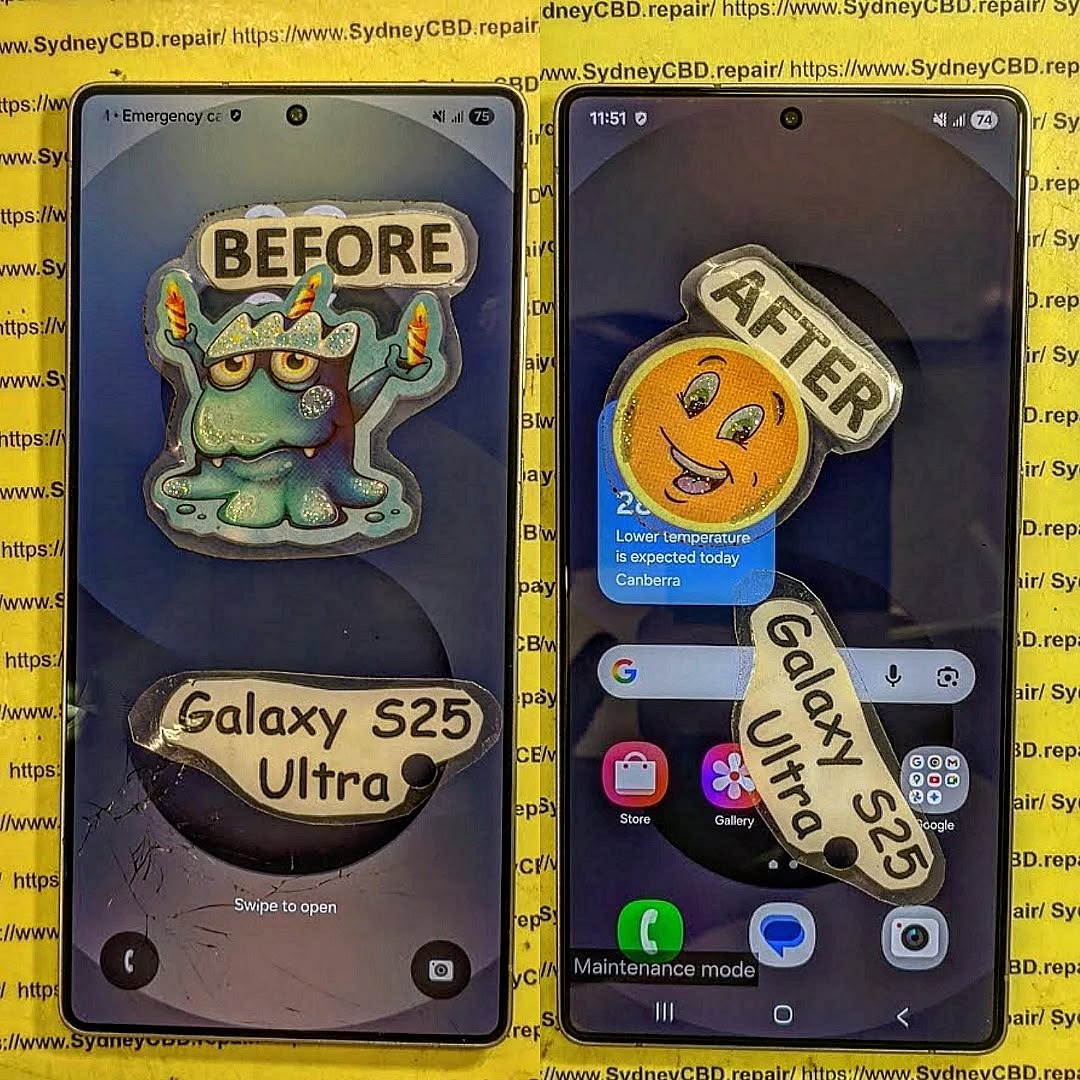
The Galaxy S25 Ultra in 2026: Is it Still Worth Repairing? 7 Essential Insights
Introduction to Galaxy S25 Ultra
The Galaxy S25 Ultra has been a flagship marvel since its launch, boasting cutting-edge displays, high-performance processors, and an impressive camera system. Even in 2026, it remains one of Samsung’s most advanced smartphones, though age inevitably brings a few challenges. For many owners, the key question is: Is repairing it still worthwhile, or is upgrading a better investment? This article dives deep into common issues, repair options, costs, and practical tips to extend your device’s lifespan.
With the Galaxy S25 Ultra, users experienced the best of Samsung’s technological innovations at launch. From a 200MP camera sensor to ultra-responsive AMOLED displays and long-lasting battery performance, the phone was built to impress. Yet, after several years, wear and tear, software updates, and physical damage can make maintenance a necessity rather than a luxury.
As phones age, the likelihood of encountering hardware and software issues increases. The most common problems reported by Galaxy S25 Ultra users in 2026 include screen damage, battery degradation, software glitches, and water or physical damage. Understanding these issues helps users make informed repair decisions.
Screen Damage and Repairs
The Galaxy S25 Ultra features a stunning edge-to-edge AMOLED display. However, these screens are prone to cracks and scratches from accidental drops. Common types of screen damage include:
Minor scratches: Often cosmetic, can be treated with protective films or DIY kits.
Cracks and shattered glass: Require professional replacement to restore functionality.
Touchscreen unresponsiveness: Can occur after impact or internal display damage.
Repairing the screen professionally ensures color accuracy, touch sensitivity, and overall device reliability. On average, a full screen replacement in 2026 costs between $450–$600, depending on location and parts used.
Battery Degradation
Even premium batteries lose efficiency over time. Galaxy S25 Ultra users may notice:
Reduced battery life
Longer charging times
Random shutdowns
Replacing the battery extends device life significantly. Professional replacement ranges from $120–$180, with genuine Samsung batteries recommended for safety and performance.
Software & Firmware Issues
Over time, software updates may cause older devices to run slower or experience bugs. Common fixes include:
Clearing cache and storage
Updating to the latest supported firmware
Factory reset as a last resort
Software maintenance often resolves minor issues without costly hardware intervention.
Water and Physical Damage
Despite water-resistant certifications, prolonged exposure or accidents can still cause:
Corrosion in charging ports
Camera or speaker malfunction
Complete device failure in severe cases
Repairing water damage is possible but often costly, particularly if multiple internal components are affected.
When deciding whether to repair the Galaxy S25 Ultra or upgrade, consider depreciation, repair costs, and the remaining lifespan of the device.
Screen Replacement Costs
Professional repair: $450–$600
DIY kits: $150–$250 (higher risk of damage)
Warranty coverage: Some extended plans may reduce cost
Battery Replacement Costs
Professional service: $120–$180
DIY replacement: $80–$120 (requires expertise)
Other Component Repairs
Camera: $200–$350
Charging port: $90–$150
Motherboard: $500+ (complex and expensive)
Compared to purchasing a new device, repairs may offer a cost-effective way to maintain high performance, especially when the phone is still structurally sound.
Is DIY Repair Viable?
DIY repair is tempting due to lower costs, but it carries risks:
Cons: Risk of further damage, voided warranty, limited tool access
For high-end devices like the Galaxy S25 Ultra, professional repair is generally safer, particularly for screen and motherboard replacements.
Professional Repair Services
Professional repair centers offer certified technicians, genuine parts, and warranties. These services reduce risk and ensure long-term device reliability. For example, Sydney CBD Repair Centre provides:
Same-day repairs
90-day warranty on parts
Genuine Samsung components
Competitive pricing
This combination of service quality and reliability makes professional repair a preferable choice for high-value devices.
Tips to Extend Your Galaxy S25 Ultra’s Life
Use high-quality screen protectors and cases
Avoid overcharging to prolong battery health
Keep software updated but avoid beta releases
Clean ports and remove dust regularly
Consider periodic professional check-ups
These strategies help users maintain device performance, avoiding unnecessary repairs.
Environmental & Sustainability Considerations
Repairing the Galaxy S25 Ultra instead of replacing it contributes to sustainability by:
Reducing e-waste
Conserving resources used in new device production
Promoting responsible consumer behavior
Choosing repair over replacement benefits both your wallet and the environment.
Future of Galaxy Devices & Repair Trends
Samsung has increasingly focused on repair-friendly designs:
Modular components
Extended repair programs
Improved availability of genuine parts
These trends suggest that repairing high-end devices like the Galaxy S25 Ultra remains feasible and practical for years to come.
FAQs
1. How much does it cost to repair a Galaxy S25 Ultra screen in 2026?
Professional repairs range from $450–$600, while DIY kits cost $150–$250, though riskier.
2. Can battery replacement significantly extend the phone’s lifespan?
Yes, replacing the battery restores performance and reliability, often adding 2–3 years of practical use.
3. Is DIY repair recommended for the Galaxy S25 Ultra?
DIY repair is possible but risky; professional services are safer for expensive, high-tech devices.
4. Does water damage repair work for the Galaxy S25 Ultra?
Yes, but costs vary depending on affected components. Severe cases may require multiple replacements.
5. Are there warranties on professional repairs?
Most certified repair centers, including Sydney CBD Repair Centre, offer 90-day warranties on parts and labor.
6. Is repairing the Galaxy S25 Ultra more sustainable than replacing it?
Absolutely. Repairing reduces e-waste and conserves resources, making it an eco-friendly choice.
Conclusion
In 2026, the Galaxy S25 Ultra remains a powerful and capable device. Whether repair is worthwhile depends on:
Extent of damage
Repair costs versus replacement
Your desire to maintain a premium device
With professional repair services like Sydney CBD Repair Centre, genuine parts, and expert technicians, the phone can remain a reliable companion for years. Thoughtful maintenance, timely repairs, and smart usage habits ensure the Galaxy S25 Ultra continues delivering premium performance well into the future.
External Link: For more information about genuine Samsung repairs, visit Samsung Support.
20 Blog Tags: Galaxy S25 Ultra, Samsung repair, phone repair, mobile repair Sydney, screen replacement, battery replacement, DIY repair, professional repair, phone maintenance, smartphone longevity, repair costs, device lifespan, water damage repair, software issues, tech sustainability, Samsung service, premium phones, repair tips, phone troubleshooting, mobile device repair
David from Sydney CBD Repair Centre – The Best place to fix mobile phones as 7 Years In A Row! Top Mobile Phone Repair In Sydney. More than 2000 Positive Reviews on Google and Same Day Repairs.
We take pride in delivering exceptional repair services for all major phone brands including Apple, Samsung, Google, and more. Our expert technicians use only genuine parts and offer 90days warranty on repairs. Located in the heart of Sydney CBD, we’re your one-stop solution for all mobile device repairs.
Our commitment to excellence has earned us the trust of thousands of satisfied customers. Whether it’s a cracked screen, battery replacement, or water damage repair, we handle it all with professional care and expertise. Walk in today and experience why we’re Sydney’s #1 choice for mobile phone repairs.
Visit us for:
✓ Same Day Express Repairs
✓ Genuine Parts Guarantee
✓ Professional Technicians
✓ Competitive Pricing
✓ 2000+ 5-Star Google Reviews
✓ 7-Time Award Winner for Best Phone Repairs
Micro Soldering Secrets: Why Your Phone Charging Port Refuses To Accept Power – 11 Powerful Repair Insights
Introduction
A phone that suddenly refuses to charge can feel like a disaster. One moment it works perfectly, and the next moment the battery icon stays frozen no matter how many chargers you try. In many cases, the problem goes deeper than a dirty charging port. That’s where micro soldering secrets become incredibly important.
Modern smartphones are miniature computers packed with ultra-small components. A damaged charging port often affects nearby circuits, charging ICs, filters, or motherboard traces. Because of this, standard repairs sometimes fail. Skilled technicians use advanced micro soldering techniques to restore damaged electrical pathways and bring dead devices back to life.
Whether you own an Apple Inc. iPhone, a Samsung Electronics Galaxy device, or a Google Pixel phone, understanding these hidden repair methods can help you make smarter decisions.
In this guide, you’ll discover why charging ports stop accepting power, how technicians diagnose motherboard-level issues, and why professional micro soldering repairs often save devices that seem beyond repair.
Charging ports go through tremendous stress every single day. Think about it. Most people plug and unplug their phones several times daily. Over time, this constant movement slowly weakens the internal structure.
The Role of Daily Wear and Tear
Repeated insertion of charging cables eventually loosens the metal contacts inside the port. Once these contacts bend or crack, electrical current can no longer flow correctly.
Common symptoms include:
Charging only at certain angles
Slow charging speeds
Random charging disconnections
“Accessory not supported” messages
Complete charging failure
USB-C and Lightning connectors contain delicate pins that can wear out surprisingly fast if handled roughly.
How Moisture Damages Charging Components
Water exposure is another major reason charging ports fail. Even a small amount of moisture can corrode the tiny solder joints connecting the charging port to the motherboard.
Corrosion usually appears after:
Rain exposure
Humid environments
Liquid spills
Steam from bathrooms
Saltwater exposure
Once corrosion spreads, the damage can extend beyond the charging port and affect power management circuits.
Micro soldering is a specialized repair process involving tiny electronic components on a smartphone motherboard. Unlike basic repairs, micro soldering targets microscopic electrical faults.
Technicians work under powerful microscopes using precision soldering stations.
Why Modern Phones Need Precision Repairs
Today’s smartphones are more compact than ever. Manufacturers place charging chips, capacitors, and filters extremely close together. A single damaged component may stop the entire charging system from functioning.
Micro soldering helps repair:
Broken charging circuits
Damaged charging ICs
Torn motherboard pads
Shorted capacitors
Corroded traces
Burned connectors
Without micro soldering, many “dead” phones would simply be replaced.
Tools Used in Micro Soldering
Professional technicians use advanced tools, including:
Tool
Purpose
Microscope
Magnifies tiny components
Hot air station
Removes soldered chips
Precision soldering iron
Repairs micro connections
Multimeter
Measures electrical flow
DC power supply
Tests motherboard power draw
Ultrasonic cleaner
Removes corrosion
According to Sydney CBD Repair Centre, motherboard-level repair has become increasingly important because manufacturers now integrate more charging functions directly into the logic board.
Common Signs Your Charging Port Has Serious Damage
Not every charging issue means the battery is faulty. Often, the charging port itself is the real culprit.
Intermittent Charging Problems
Intermittent charging is one of the earliest warning signs. The device may charge briefly and then stop unexpectedly.
This usually indicates:
Loose charging pins
Cracked solder joints
Damaged flex cables
Internal connector wear
Many users mistakenly replace batteries first, wasting money before discovering the real issue.
Burnt Smell or Heat Around the Port
If your phone becomes unusually hot while charging, stop using it immediately.
Excess heat may indicate:
Short circuits
Burned charging ICs
Electrical resistance
Melted internal contacts
A burning smell often points to motherboard-level damage requiring micro soldering intervention.
Hidden Causes Behind Charging Failure
Some charging failures aren’t visible from the outside. In fact, many of the worst problems occur deep inside the motherboard.
Broken Charging IC
The charging integrated circuit controls how power flows into the phone. If this chip fails, your device may:
Refuse to charge
Restart repeatedly
Overheat
Show incorrect battery percentages
Replacing charging ICs requires advanced micro soldering skills because these chips contain extremely tiny solder balls underneath.
Corroded Motherboard Traces
Motherboard traces are microscopic copper pathways carrying electrical signals. Corrosion can eat through these traces, disconnecting critical charging circuits.
Technicians often rebuild damaged traces manually using jumper wires thinner than human hair.
Damaged USB-C Pins
USB-C connectors contain multiple communication pins responsible for:
Fast charging
Data transfer
Voltage negotiation
Even one broken pin can stop charging completely.
Why Cheap Chargers Can Trigger Board Damage
Many users don’t realize that low-quality charging accessories can permanently damage their phones.
Voltage Spikes Explained
Cheap chargers often fail to regulate voltage properly. Sudden spikes can destroy sensitive charging circuits instantly.
Modern smartphones expect precise voltage ranges. If the incoming power fluctuates excessively, charging ICs may burn out.
The Dangers of Fake Charging Accessories
Counterfeit cables and adapters commonly cause:
Overheating
Battery swelling
Connector damage
Short circuits
Slow charging
Random shutdowns
Certified accessories provide safer power delivery and better long-term reliability.
Step-By-Step Diagnostic Process Used by Experts
Professional repair shops follow a structured process before performing micro soldering repairs.
Visual Inspection
Technicians first inspect the charging port under magnification.
They look for:
Bent pins
Corrosion
Debris buildup
Burn marks
Torn pads
Sometimes the issue is simple dirt accumulation rather than component failure.
Power Consumption Testing
A DC power supply helps measure how the phone behaves electrically.
For example:
Reading
Possible Meaning
No current draw
Broken power path
Excessive current draw
Short circuit
Fluctuating current
Damaged charging IC
This process identifies faults without guessing.
Microscope-Level Analysis
Under high magnification, technicians can detect tiny fractures invisible to the naked eye.
This stage often reveals:
Cracked solder joints
Missing components
Corrosion damage
Lifted pads
Micro soldering repairs become much more precise after detailed analysis.
How Micro Soldering Restores Charging Function
Micro soldering isn’t just about replacing parts. It’s about restoring the phone’s electrical integrity.
Rebuilding Broken Pads
When charging ports are ripped off aggressively, motherboard pads can tear away completely.
Technicians carefully reconstruct these damaged points using:
Micro jumper wires
UV solder masks
Precision solder techniques
This process restores electrical continuity.
Replacing Charging Chips
Charging chips often fail after power surges or liquid damage.
Replacement involves:
Heating the motherboard carefully
Removing the damaged chip
Cleaning old solder
Reballing or replacing components
Testing voltage flow
Experienced technicians must avoid overheating nearby components during this process.
Can You Repair a Charging Port at Home?
DIY phone repair videos make micro soldering look easy. In reality, it’s one of the most difficult electronics repair skills.
DIY Risks Most Users Ignore
Home repair attempts frequently cause:
Torn motherboard pads
Melted connectors
Short circuits
Permanent data loss
Without professional equipment, even minor mistakes can destroy the motherboard.
When to Seek Professional Help
You should seek expert repair if:
Your phone won’t detect chargers
The port feels loose
Charging stops randomly
Water exposure occurred
The device overheats during charging
Professional diagnosis prevents unnecessary part replacements.
Preventing Future Charging Port Problems
Fortunately, many charging issues are preventable with proper habits.
Proper Cable Handling
Avoid pulling cables sideways while charging. This creates stress on internal solder joints.
Good habits include:
Unplugging gently
Using certified cables
Avoiding cheap adapters
Preventing cable tension
Small habits greatly extend charging port lifespan.
Cleaning Your Charging Port Safely
Pocket lint commonly blocks charging pins.
Safe cleaning methods include:
Soft anti-static brushes
Compressed air
Wooden toothpicks
Never use metal objects because they can short internal pins.
Why Professional Repair Saves Money
Many people assume replacing a phone is easier than repairing it. However, professional micro soldering often costs far less than buying a new device.
Repair vs Replacement Cost
Consider the financial difference:
Option
Typical Cost
New flagship phone
Very expensive
Charging port replacement
Moderate
Micro soldering repair
Often affordable
Repairing the motherboard also preserves important personal data.
Protecting Your Data
A dead charging system can block access to:
Family photos
Business files
Banking apps
Two-factor authentication
Contacts
Successful micro soldering repairs often recover devices long enough for full data backup.
Frequently Asked Questions
Can a charging port be repaired without replacing the motherboard?
Yes. Many charging failures only require micro soldering repairs or charging port replacement rather than full motherboard replacement.
How long does micro soldering repair take?
Most repairs take several hours to one business day depending on component availability and damage severity.
Is micro soldering safe for my phone?
When performed by experienced technicians, micro soldering is generally safe and highly effective.
Why does my phone only charge at certain angles?
This usually indicates worn charging pins, cracked solder joints, or internal connector damage.
Can water damage affect charging even months later?
Yes. Corrosion can slowly spread over time and eventually interrupt charging circuits.
Are wireless charging issues related to charging ports?
Sometimes. Certain motherboard power circuits manage both wired and wireless charging systems.
Should I use aftermarket chargers?
High-quality certified chargers are usually safe. Extremely cheap chargers may damage sensitive power circuits.
Can charging IC damage drain the battery quickly?
Yes. Faulty charging chips can cause abnormal power consumption and battery drain.
Conclusion
Understanding the hidden world of micro soldering secrets explains why some phones refuse to accept power even after basic repairs. Charging problems often go far beyond dirt or worn connectors. In many cases, the real issue lies deep within microscopic motherboard components.
Professional micro soldering technicians diagnose faults using microscopes, thermal tools, electrical testing equipment, and years of experience. Their ability to repair charging circuits, rebuild damaged traces, and replace failed ICs can save phones that appear completely dead.
Most importantly, timely repair prevents further motherboard damage and protects valuable personal data. Instead of immediately replacing your device, seeking expert diagnosis may offer a faster and more affordable solution.
For reliable information about repairability and device maintenance, resources like Sydney CBD Repair Centre provide additional educational support for smartphone users worldwide.
David from Sydney CBD Repair Centre – The Best place to fix mobile phones as 7 Years In A Row! Top Mobile Phone Repair In Sydney. More than 2000 Positive Reviews on Google and Same Day Repairs.
We take pride in delivering exceptional repair services for all major phone brands including Apple, Samsung, Google, and more. Our expert technicians use only genuine parts and offer 90days warranty on repairs. Located in the heart of Sydney CBD, we’re your one-stop solution for all mobile device repairs.
Our commitment to excellence has earned us the trust of thousands of satisfied customers. Whether it’s a cracked screen, battery replacement, or water damage repair, we handle it all with professional care and expertise. Walk in today and experience why we’re Sydney’s #1 choice for mobile phone repairs.
Visit us for:
✓ Same Day Express Repairs
✓ Genuine Parts Guarantee
✓ Professional Technicians
✓ Competitive Pricing
✓ 2000+ 5-Star Google Reviews
✓ 7-Time Award Winner for Best Phone Repairs
Sydney CBD Repair Centre – Where Quality Meets Reliability.
Call : +61280114119
Website: Sydney CBD Repair Centre
Why We Refuse To Fix Some Phones: Behind The Scenes In Sydney – 11 Shocking Truths Every Customer Should Know
Introduction
Mobile phone repair sounds simple from the outside. A cracked screen comes in, a technician swaps the display, and the customer walks away happy. However, the reality behind the repair counter is often far more complicated. At professional repair centres across Sydney, technicians regularly encounter devices that simply shouldn’t be repaired.
That may sound harsh at first. After all, customers expect solutions when they bring damaged devices into a repair shop. Yet experienced technicians know that not every phone can safely, economically, or ethically be repaired. In some cases, attempting a repair could make the device even worse. In others, it could put customers and technicians at risk.
This article reveals the real reasons why we refuse to fix some phones and what truly happens behind the scenes in Sydney’s mobile repair industry. From dangerous battery swelling to counterfeit parts and severe water damage, there’s much more to the repair process than most people realise.
According to the global electronics recycling initiative by GSMA, millions of smartphones are discarded annually because repairs become too risky or uneconomical. That’s why trustworthy repair technicians must make difficult decisions every single day.
Many customers walk into repair stores expecting every issue to have a quick fix. Social media videos make repairs look easy and fast. Unfortunately, those videos rarely show the hidden damage inside devices.
A phone may look repairable from the outside while suffering catastrophic internal failure. Sometimes the damage is invisible until technicians open the device. For instance:
Liquid damage may have spread under critical chips
Batteries may already be unstable
Motherboards may contain microscopic fractures
Cheap aftermarket parts may have damaged the system
As a result, customers can become frustrated when technicians recommend against repairing the phone.
Still, honest repair shops prioritise safety and reliability over quick profits.
The Pressure On Repair Technicians
Repair technicians face enormous pressure daily. Customers want affordable pricing, same-day service, and guaranteed results. Yet technicians must balance customer expectations with technical reality.
Professional repair centres in Sydney often reject repairs because:
Issue
Why It Matters
Severe damage
Repairs may fail shortly after
Safety hazards
Devices could overheat or ignite
Fake parts
Reliability becomes impossible
Previous bad repairs
Internal damage may be irreversible
Data risks
Privacy concerns must be respected
Technicians also have reputations to protect. Performing unreliable repairs may result in warranty claims, negative reviews, or even safety incidents.
Therefore, ethical repair shops sometimes say “no” for the customer’s own benefit.
Water damage is one of the biggest reasons why we refuse to fix some phones. While some devices recover after liquid exposure, others become ticking time bombs.
Water damage often causes:
Corrosion under integrated circuits
Short circuits
Power management failure
Charging instability
Random overheating
Even if a device powers on temporarily, corrosion can continue spreading over time.
Signs A Water-Damaged Phone Is Beyond Repair
Green or white corrosion buildup
Burnt motherboard sections
Multiple failing components
No current draw during diagnostics
Heavy rust around connectors
In these situations, repairs may only provide temporary results.
Burnt Motherboards
A burnt motherboard usually signals catastrophic electrical failure. This often happens due to:
Cheap chargers
Power surges
Incorrect DIY repairs
Counterfeit batteries
When motherboard layers burn internally, repair becomes extremely difficult and expensive.
Technicians sometimes spend hours attempting board-level recovery without success. If the repair cost approaches the value of a replacement phone, refusing the repair becomes the most responsible option.
Corrosion Problems
Corrosion is particularly dangerous because it spreads silently. A phone might initially seem functional while hidden corrosion destroys vital circuits underneath.
Professional technicians inspect devices under microscopes to locate:
Rusted connectors
Damaged capacitors
Broken solder joints
Corroded IC pads
Unfortunately, advanced corrosion often means the device cannot be trusted long term.
Counterfeit Parts And Their Risks
Fake Screens
Counterfeit screens are everywhere in the repair industry. Some look convincing at first glance but perform terribly after installation.
Low-quality screens may cause:
Ghost touch issues
Battery drain
Poor brightness
Touch delay
Random flickering
Professional repair shops refuse certain repairs because previous counterfeit parts have already damaged the phone internally.
Dangerous Batteries
Swollen or counterfeit batteries create serious fire hazards. In some cases, technicians immediately isolate these devices for safety.
Warning signs include:
Expanded battery cells
Chemical smells
Overheating
Screen lifting
Rapid battery drain
A damaged lithium-ion battery can ignite unexpectedly. That’s why repair technicians never take battery safety lightly.
Modified Internal Components
Some phones arrive after poor-quality repairs elsewhere. Missing screws, glued connectors, and damaged shielding are common discoveries.
These modifications create additional risks:
Signal interference
Charging problems
Heat management failure
Water resistance loss
Professional technicians may refuse repairs if the device has been excessively tampered with.
Why Some Repairs Aren’t Worth The Cost
Repair Cost Vs Replacement Value
One difficult reality in mobile repair is economic practicality. Some phones cost more to repair than replace.
For example:
Device Condition
Recommended Action
Severe motherboard damage
Replace device
Old entry-level phone
Upgrade instead
Multiple component failures
Replace device
Water-damaged logic board
Data recovery only
Repair shops must be transparent about these situations.
Outdated Devices
Older phones present another challenge. Manufacturers eventually stop producing replacement parts.
Without reliable parts availability, repair quality drops significantly.
Common issues include:
Poor aftermarket component quality
No software support
Weak battery performance
Limited repair compatibility
As a result, technicians sometimes recommend replacement over repair.
Parts Availability Problems
Global supply chain issues can also affect repair decisions. Genuine components for certain models become rare or prohibitively expensive.
Professional repair shops avoid installing unreliable parts simply to complete a job.
Safety Concerns Inside Repair Shops
Swollen Batteries
Swollen batteries are among the most dangerous devices technicians handle.
These batteries may:
Explode during opening
Release toxic gases
Catch fire unexpectedly
Technicians use specialised safety procedures when handling unstable batteries.
Electrical Hazards
Phones exposed to water or electrical faults may still carry unstable current. Connecting power incorrectly can destroy additional components instantly.
That’s why diagnostic testing must occur carefully and methodically.
Fire Risks
Battery fires inside repair shops are rare but serious. Professional technicians use:
Fireproof containers
Protective gloves
Thermal monitoring
Isolation procedures
These precautions protect both staff and customers.
Phones Damaged By DIY Repairs
Missing Screws And Shields
DIY repair attempts often create more problems than the original damage.
Technicians regularly discover:
Missing brackets
Incorrect screws
Damaged connectors
Missing thermal shields
Even small mistakes can affect device stability.
Torn Flex Cables
Modern smartphones contain delicate internal cables that tear easily during amateur repairs.
Commonly damaged cables include:
Display flex cables
Face ID connectors
Fingerprint sensor cables
Charging port flexes
Once damaged, these components may require expensive replacement.
Cheap Repair Tool Damage
Using poor-quality repair tools frequently causes permanent motherboard damage.
Examples include:
Scratched circuits
Broken connectors
Punctured batteries
Stripped screws
Consequently, repair costs often increase dramatically after failed DIY attempts.
Data Privacy And Ethical Concerns
Locked Devices
Repair shops must respect device security and ownership verification.
If ownership seems suspicious, technicians may decline service entirely.
This protects customers from potential theft and fraud.
Suspicious Ownership Issues
Professional repair centres follow ethical procedures regarding:
Customers store enormous amounts of personal information on smartphones today.
That includes:
Banking apps
Family photos
Work emails
Password managers
Ethical repair centres maintain strict privacy procedures throughout the repair process.
The Emotional Side Of Refusing Repairs
Difficult Conversations
One of the hardest parts of mobile repair involves disappointing customers.
Technicians understand that phones contain:
Precious memories
Business data
Family communication
Personal records
Saying “this phone isn’t repairable” is never easy.
Managing Customer Expectations
Transparent communication matters greatly in the repair industry.
Good repair shops explain:
Why the device cannot be repaired
What risks exist
Whether data recovery remains possible
Alternative options available
This honesty helps customers make informed decisions.
How Professional Repair Shops Decide
Diagnostic Procedures
Professional diagnostics involve much more than visual inspection.
Technicians use:
Diagnostic Tool
Purpose
Microscope
Detect board damage
Thermal camera
Identify shorts
DC power supply
Monitor power draw
Multimeter
Test circuits
These tools help determine whether repairs are realistic.
Transparent Communication
Trustworthy repair centres explain repair risks clearly before starting work.
Customers deserve honest advice, even when it means declining the repair.
Warranty Considerations
Reliable shops also consider warranty reliability. If technicians cannot confidently guarantee a repair, refusing the job may be the ethical choice.
How Customers Can Avoid Repair Refusals
Use Protective Accessories
Protective cases and tempered glass significantly reduce repair risks.
Preventative protection is always cheaper than major repairs.
Avoid Cheap Repairs
Extremely cheap repairs often create expensive long-term damage.
Choose experienced technicians who use quality parts and professional procedures.
Backup Data Regularly
Regular backups protect customers from devastating data loss if devices become irreparable.
Cloud services and external backups remain essential today.
FAQs
Why would a repair shop refuse to fix my phone?
Repair shops may refuse repairs due to severe damage, safety hazards, counterfeit parts, or costs exceeding the phone’s value.
Can water-damaged phones always be repaired?
No. Some water-damaged phones suffer irreversible motherboard corrosion that makes reliable repair impossible.
Are counterfeit batteries dangerous?
Yes. Counterfeit batteries can overheat, swell, leak chemicals, or even catch fire.
Why do DIY repairs often fail?
DIY repairs commonly fail because smartphones contain delicate internal components requiring specialised tools and expertise.
Is it worth repairing an old phone?
It depends on the repair cost, device condition, and parts availability. Sometimes replacement is more economical.
Can technicians recover data from dead phones?
In many cases, yes. Even if full repair isn’t possible, professional technicians may still recover important data.
Why do repair shops care about warranties?
Reputable shops want repairs to last. If a repair can’t be guaranteed reliably, ethical technicians may refuse the job.
Conclusion
The mobile repair industry involves far more complexity than most people realise. Behind every refused repair lies a combination of technical, ethical, financial, and safety considerations.
Professional technicians in Sydney don’t refuse repairs simply to avoid work. Instead, they make difficult decisions designed to protect customers, maintain safety, and preserve repair quality standards.
Whether it’s severe water damage, dangerous batteries, counterfeit parts, or catastrophic motherboard failure, some phones simply reach the end of their repairable life.
Still, customers can dramatically improve their chances of successful repairs by protecting devices properly, avoiding cheap repair shortcuts, and choosing experienced professionals.
In the end, trustworthy repair shops prioritise honesty over quick profits — and that benefits everyone.
David from Sydney CBD Repair Centre – The Best place to fix mobile phones as 7 Years In A Row! Top Mobile Phone Repair In Sydney. More than 2000 Positive Reviews on Google and Same Day Repairs.
We take pride in delivering exceptional repair services for all major phone brands including Apple, Samsung, Google, and more. Our expert technicians use only genuine parts and offer 90days warranty on repairs. Located in the heart of Sydney CBD, we’re your one-stop solution for all mobile device repairs.
Our commitment to excellence has earned us the trust of thousands of satisfied customers. Whether it’s a cracked screen, battery replacement, or water damage repair, we handle it all with professional care and expertise. Walk in today and experience why we’re Sydney’s #1 choice for mobile phone repairs.
Visit us for:
✓ Same Day Express Repairs
✓ Genuine Parts Guarantee
✓ Professional Technicians
✓ Competitive Pricing
✓ 2000+ 5-Star Google Reviews
✓ 7-Time Award Winner for Best Phone Repairs
Sydney CBD Repair Centre – Where Quality Meets Reliability.
Call : +61280114119
Website: Sydney CBD Repair Centre
Water Damage Recovery: Worth Fixing That Phone? + Ultimate Guide + 15 Must-Know Tips
Introduction
Water damage is one of the most stressful experiences a smartphone owner can face. In the blink of an eye, your trusted device slips into water, a sink, or even a puddle, leaving you panicked and unsure if it can survive. Modern smartphones are marketed as water-resistant, but even the most advanced models are vulnerable to liquid damage if not handled carefully.
Knowing how to respond immediately and understanding whether repairing a water-damaged phone is worth it can save both your device and your wallet. This guide explores everything from initial emergency steps to professional repair options, data recovery, and prevention techniques. By the end, you’ll be equipped with the knowledge to make an informed decision and protect your phone against future accidents.
Whether you’re facing minor spills or a full submersion, this comprehensive guide on water damage recovery will help you determine: is it worth fixing that phone, or is replacement the smarter choice?
Water damage recovery is one of the most common challenges phone users face today, even with “water-resistant” models flooding the market. Despite powerful marketing claims, no smartphone is fully waterproof. Each model has tiny openings—speaker grills, SIM trays, microphone holes—that water can easily pass through. Even IP68 or IP67 ratings only protect against controlled lab conditions, not real-life scenarios like saltwater, pool chlorine, or soap.
Smartphones today are built with hundreds of delicate components. The moment water touches them, corrosion starts almost immediately. The liquid can short-circuit critical areas like the charging IC, backlight, battery terminals, or the motherboard itself. This is why quick action matters.
Many people assume water damage is instantly fatal—but that’s not always true. It’s possible to save a phone if handled properly and quickly. On the other hand, some phones may continue working for hours or even days before failing. This delayed failure happens due to progressive corrosion.
Below are the most common signs your phone might have water damage:
Common Signs Your Phone Has Water Damage
Random shutdowns
Screen flickering or dark spots
Battery draining unusually fast
No sound or distorted audio
Charging issues or charging not detected
Camera fogging
Overheating
Buttons becoming unresponsive
Why Water Damage Is More Serious Than It Looks
Water damage spreads quickly—faster than most users expect. Even a splash can reach sensitive chips. Corrosion continues even when the phone appears to function normally. That’s why getting a professional inspection early is essential. Water can penetrate glued areas, seep under chips on the motherboard, and permanently damage internal layers if ignored for too long.
When your device takes an unfortunate dip, every second counts. Acting fast can significantly increase the chances of successful water damage recovery.
Unfortunately, many users panic and end up doing more harm than good. Let’s clear up what you should and shouldn’t do when your phone gets wet.
What NOT To Do After Water Exposure
Avoid these common mistakes at all costs:
❌ Don’t turn the phone on
❌ Don’t press any physical buttons
❌ Don’t charge the phone
❌ Don’t shake the device
❌ Don’t put it in rice (it’s a myth and often traps moisture)
❌ Don’t heat it with a hairdryer (you risk melting components)
Quick DIY Steps To Reduce Damage
Here’s what actually helps:
✔️ Power off the phone immediately
✔️ Remove case and accessories
✔️ Dry the exterior with a soft cloth
✔️ Remove SIM card and tray
✔️ Place in an open-air environment for ventilation
✔️ Take it to a professional repair shop ASAP
Time matters. The faster a technician opens and cleans the device, the higher the survival rate.
Is Water Damage Worth Repairing? Key Factors to Consider
Whether fixing a water-damaged phone is worth it depends on several important factors. Water damage recovery isn’t always straightforward, but professional repair shops can often restore functionality.
Cost vs Value Analysis
Ask yourself:
How much was the phone worth?
How much will the repair cost?
How important is the data stored inside?
Will replacing be more expensive?
In most cases, repairs range from $150–$350, depending on the damage. For flagship phones like Samsung Galaxy or iPhone Pro models, repair is usually worth it due to high replacement costs.
Device Age and Part Availability
Newer devices have better part availability, making repair more affordable. Older phones may be harder to restore because parts are scarce.
Professional Repair vs Replacement
Sometimes, replacing the motherboard alone may cost as much as buying a new phone. However, many shops—including Sydney CBD Repair Centre—can restore motherboards instead of replacing them, saving you hundreds of dollars.
How Professionals Diagnose Water Damage
Professional diagnosis involves more than just opening the phone and looking for moisture.
Internal Inspection Process
Technicians check:
The Liquid Contact Indicator (LCI)
Battery condition
Motherboard corrosion
Damaged resistors and capacitors
Charging IC, audio IC, and PMIC chips
Tools & Techniques Used
Professionals use:
Ultrasonic cleaners
Microsoldering stations
Thermal cameras
PCB microscopes
Dedicated drying chambers
These tools allow technicians to identify and repair board-level failures.
Common Repairs After Water Damage
Depending on the condition, technicians may perform one or more of the following:
Battery Replacement
Water exposure weakens battery cells, causing overheating or swelling.
Motherboard Treatment
Includes:
Corrosion cleaning
Reballing or replacing damaged chips
Microsoldering
Screen Repair
If water enters the display layers, discoloration or touch issues may appear.
Data Recovery After Water Damage
Many users worry more about photos and files than the phone itself.
Chances of Successful Recovery
If the motherboard hasn’t suffered deep corrosion, data recovery is often successful.
What Professionals Can Recover
Photos
Contacts
Chat history
Notes
Internal storage files
A skilled technician can recover data even when the phone won’t turn on.
2. How long does water damage take to show symptoms?
It can take minutes, hours, or days depending on corrosion spread.
3. Is rice a good solution?
No. It doesn’t remove moisture and can introduce dust.
4. How much does water damage repair cost?
Usually $150–$350 depending on severity and model.
5. Can I recover my data?
Often yes, especially if the motherboard is still partially functional.
6. Does Apple or Samsung cover water damage?
No, water damage is excluded from manufacturer warranties.
Conclusion
Water damage recovery is absolutely possible when done professionally and promptly. While modern phones are more resilient, even minor water exposure can lead to serious internal issues. The key is fast action and expert repair. Whether you choose to fix your device or replace it, understanding the process helps you make smarter decisions.
📍 Need expert water damage repair in Sydney? Sydney CBD Repair Centre is the city’s #1 trusted repair shop with 2000+ 5-star reviews, genuine parts, and same-day service.
David from Sydney CBD Repair Centre – The Best place to fix mobile phones as 6 Years In A Row! Top Mobile Phone Repair In Sydney. More than 2000 Positive Reviews on Google and Same Day Repairs.
📍 Visit us today for:
✓ Same Day Express Repairs
✓ Genuine Parts Guarantee
✓ Professional Technicians
✓ Competitive Pricing
✓ 2000+ 5-Star Google Reviews
✓ 6-Time Award Winner for Best Phone Repairs