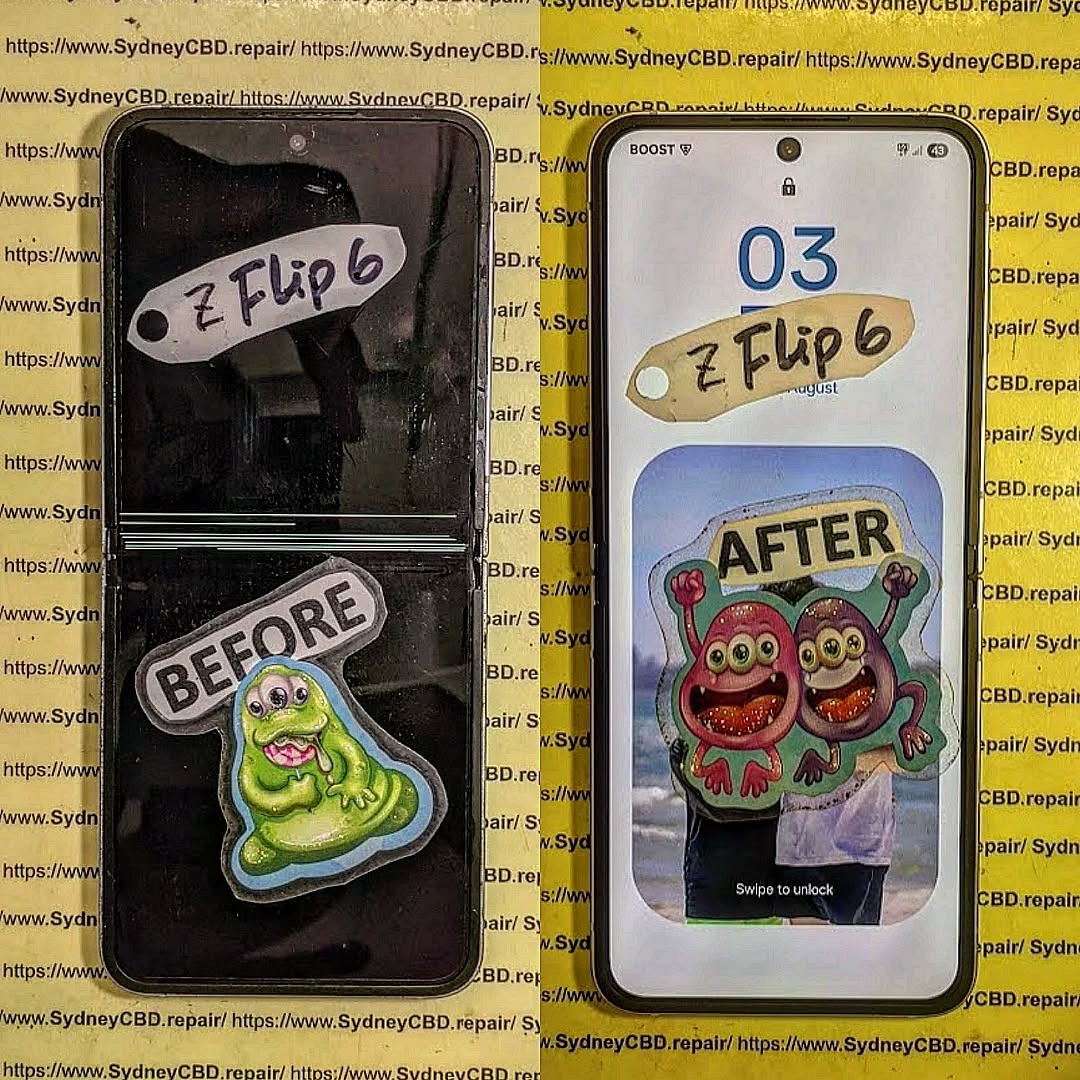
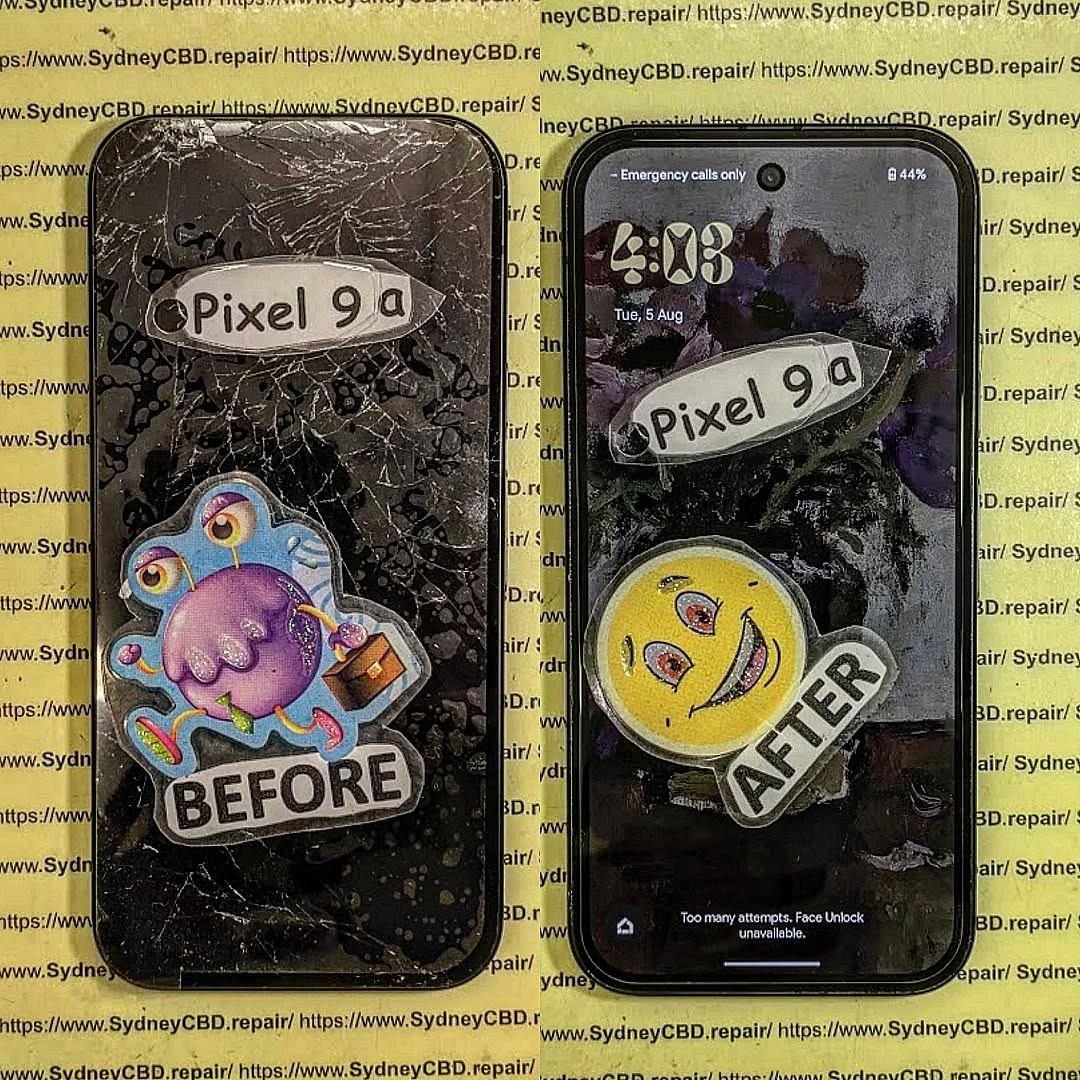
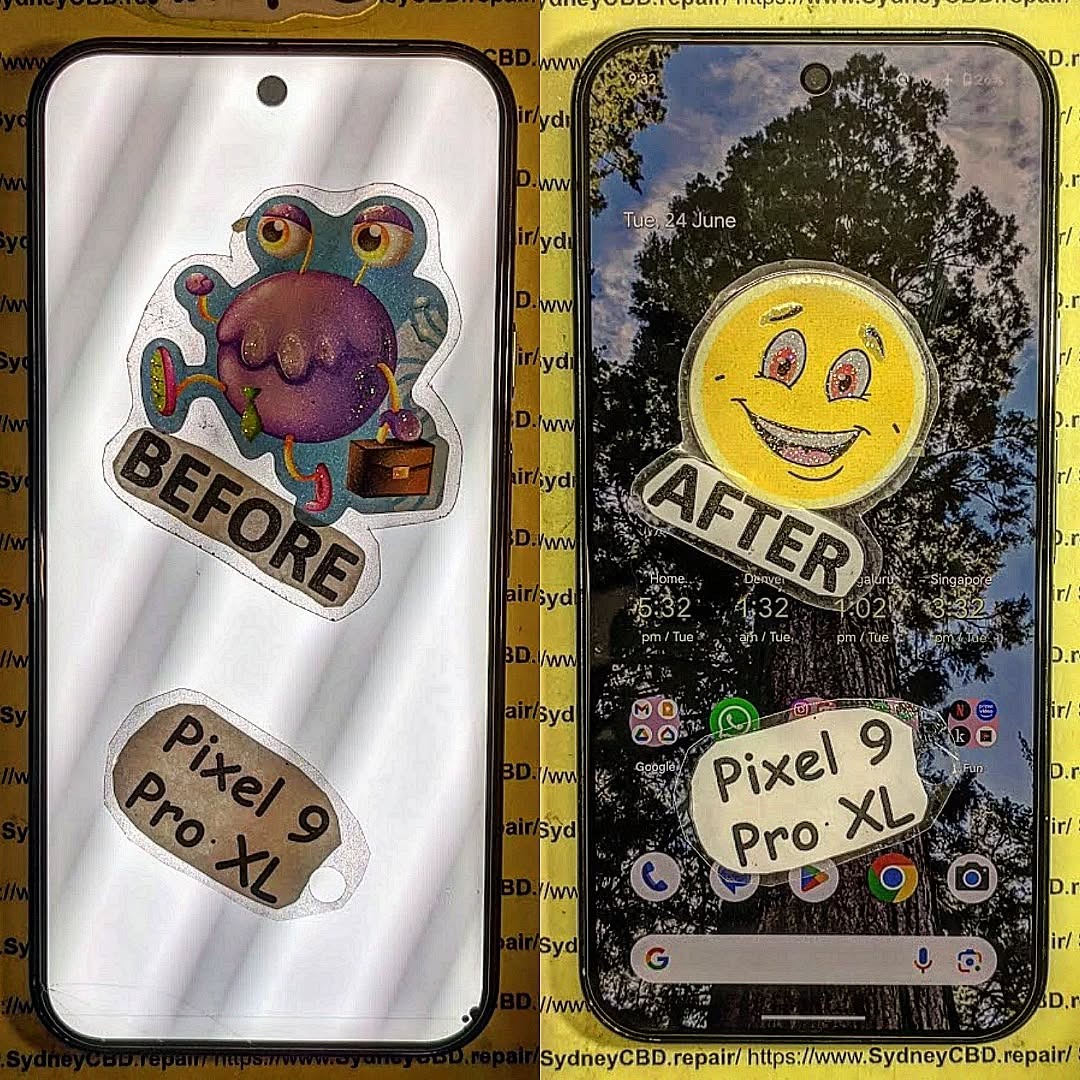
When your smartphone breaks, it’s easy to turn to quick fixes, online tips, or well-meaning advice from friends. But not all information out there is accurate. In fact, some phone repair myths can do more harm than good, potentially causing further damage to your device. At Sydney CBD Repair Centre, we’ve seen countless phones brought in after failed DIY attempts or misguided repair solutions. Let’s set the record straight by debunking the most common myths about phone repairs.
This is one of the most widespread myths. While rice may absorb some surface moisture, it’s not effective at drying out internal components. In reality, rice can leave dust particles inside the device and delay the time it takes for proper drying. The best solution is professional cleaning using specialized drying equipment and ultrasonic machines.
Not always true. If you choose a trusted and certified repair centre that uses genuine parts, your warranty is typically still valid. The problem arises when unqualified technicians or cheap counterfeit parts are used. At Sydney CBD Repair Centre, we only use original manufacturer parts to ensure compatibility and long-term performance.
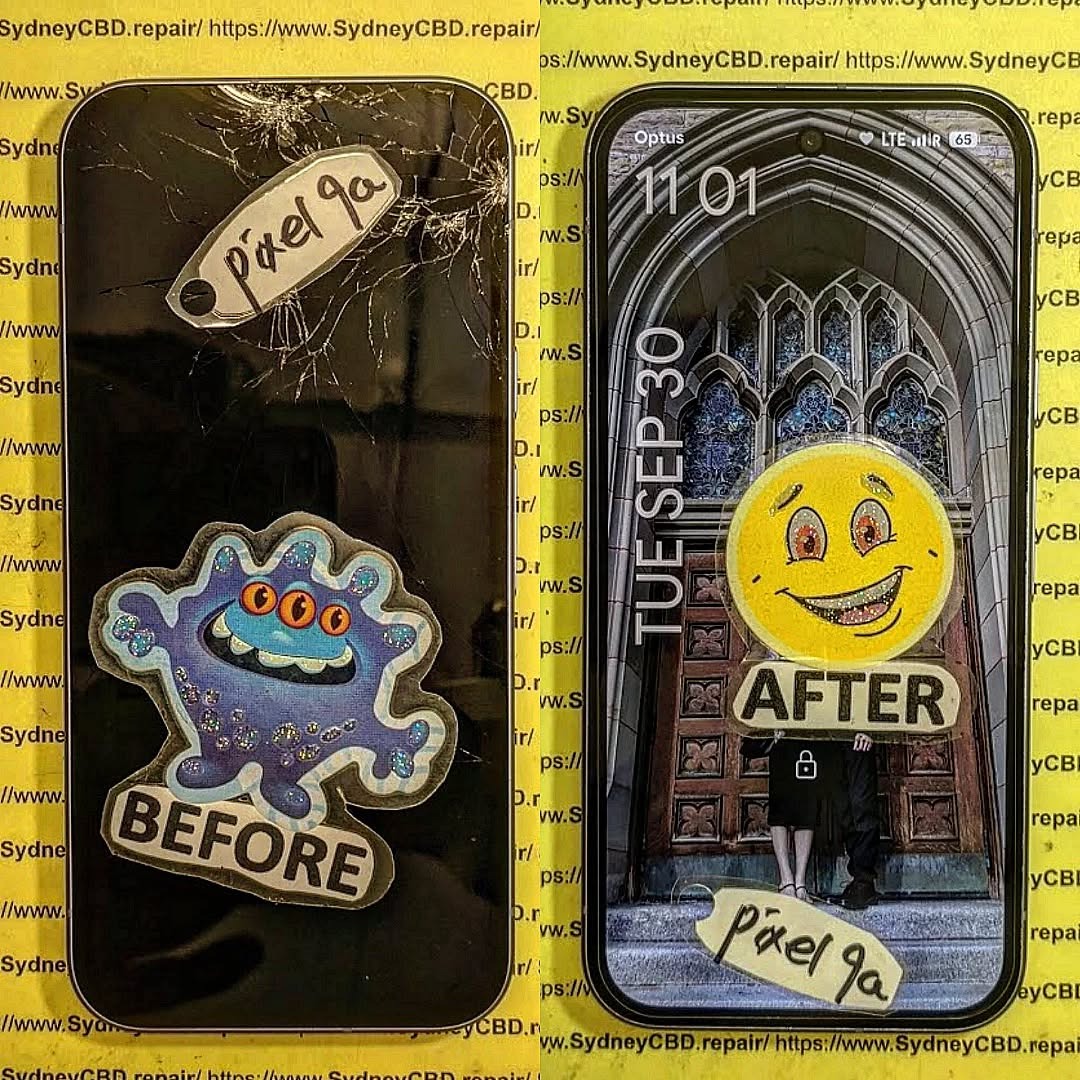
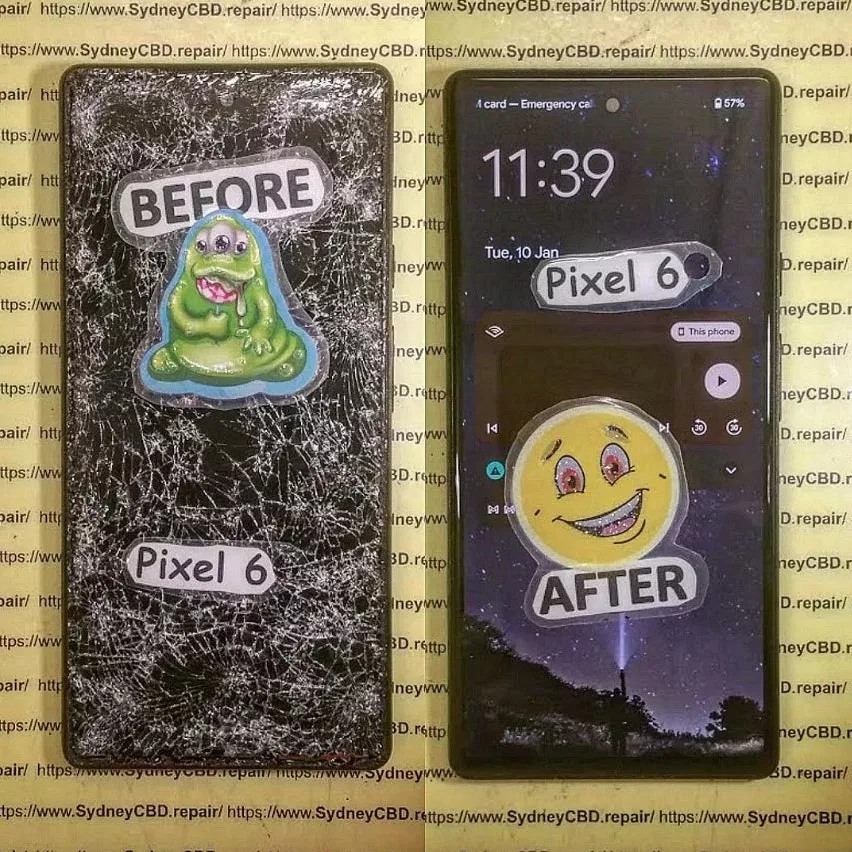
Myth 3: Cracked Screens Are Just a Cosmetic Problem
A cracked screen isn’t just about looks. Over time, cracks can:
Spread further and cause touch sensitivity issues.
Expose your phone to dust and moisture.
Lead to deeper internal damage.
Getting a cracked screen fixed early prevents bigger (and more expensive) problems down the line.
Myth 4: DIY Repairs Save You Money
Watching a few YouTube videos might make repairs look simple, but smartphones today are incredibly compact and complex. Without the right tools, you risk:
Damaging flex cables and connectors.
Losing water resistance.
Causing permanent motherboard damage.
In many cases, DIY attempts end up costing more when professionals have to undo mistakes.
Myth 5: Your Phone Is Waterproof Forever
Even if your phone has an IP67 or IP68 rating, water resistance decreases over time. Everyday wear and tear, accidental drops, or previous repairs can weaken seals. No smartphone is completely waterproof. Always be cautious around water and never rely entirely on factory ratings.
Myth 6: Battery Replacements Are Unsafe Outside Official Stores
This isn’t true if you visit a reliable repair centre. The key is ensuring the battery used is genuine and installed by an expert. At Sydney CBD Repair Centre, we’ve safely replaced thousands of smartphone batteries, restoring performance and extending device lifespan.
Why Trust Sydney CBD Repair Centre?
Unlike myths and quick fixes, we offer:
✅ Same Day Express Repairs
✅ Genuine Parts Guarantee
✅ Professional Technicians with years of expertise
✅ Competitive Pricing
✅ 2000+ 5-Star Google Reviews
✅ 6-Time Award Winner for Best Phone Repairs
We’ve built our reputation on trust, reliability, and transparency. When you bring your device to us, you’ll always get an honest diagnosis and the best repair solution.
Final Thoughts
When it comes to phone repairs, don’t fall for myths that can cause further harm to your device. Whether it’s cracked screens, water damage, or battery issues, the safest option is always to consult professionals who use genuine parts and proven methods.
If you’re in Sydney and need expert help, visit David and the team at Sydney CBD Repair Centre today—the city’s #1 choice for mobile phone repairs.
The Phone Repair Myths Busted: Save Your Money Now
Introduction
In today’s world, smartphones are more than just gadgets—they’re essential tools for work, communication, and entertainment. So when something goes wrong, people often rush to find quick fixes or fall for common repair myths that circulate online. From sticking a wet phone in a bag of rice to believing that third-party repairs always void warranties, these misconceptions can end up costing you more money and even damaging your device further.
At Sydney CBD Repair Centre, we’ve seen it all. With years of hands-on experience and thousands of successful repairs, we know the difference between fact and fiction when it comes to phone repair. In this article, we’ll bust the most common myths, explain what really works, and show you how to save your hard-earned money by making informed repair choices.
When your phone breaks down, it’s easy to get caught up in the countless myths about mobile phone repairs. From internet “hacks” to common misconceptions about costs, many people end up spending more than they should—or worse, damaging their devices further. At Sydney CBD Repair Centre, we’ve seen it all, and we’re here to set the record straight.
Myth 1: Rice Will Fix a Water-Damaged Phone
One of the oldest myths is putting a wet phone in a bag of rice. While rice may absorb surface moisture, it does nothing to remove water trapped inside sensitive circuits. In fact, waiting too long can allow corrosion to spread and cause irreversible damage. The truth: only professional cleaning and restoration—such as ultrasonic board cleaning—can properly treat water damage.
Myth 2: Third-Party Repairs Void All Warranties
Some customers believe that going to an independent repair shop automatically voids their phone’s warranty. This isn’t always true. While unauthorized tampering may affect warranties, trusted repair centres like Sydney CBD Repair Centre use genuine parts and professional methods that maintain the integrity of your device.
Myth 3: Buying a New Phone Is Always Cheaper
It’s a common misconception that replacing your phone is better than repairing it. In reality, most repairs—like screen replacements, battery swaps, or charging port fixes—cost only a fraction of buying a new device. Plus, repairs extend the life of your phone and help reduce e-waste.
Myth 4: DIY Repairs Are Just as Good as Professional Repairs
With online tutorials and cheap toolkits, many people attempt DIY phone repairs. But without the right training, it’s easy to strip screws, damage fragile connectors, or use low-quality parts that don’t last. The truth: professional repairs save time, stress, and money in the long run.
Myth 5: All Phone Repair Shops Are the Same
Not all repair shops are created equal. Some cut corners with counterfeit parts or inexperienced technicians. At Sydney CBD Repair Centre, we’ve been voted Sydney’s best phone repair shop six years in a row, with over 2,000 five-star reviews to prove our commitment to quality and reliability.
Save Your Money with the Right Repair Choice
Don’t fall for myths that cost you time and money. Whether you’re dealing with a cracked screen, a failing battery, or water damage, the smart move is to trust certified professionals. At Sydney CBD Repair Centre, we offer:
✓ Same Day Express Repairs
✓ Genuine Parts Guarantee
✓ Professional Technicians
✓ Competitive Pricing
✓ 2,000+ 5-Star Google Reviews
✓ Award-Winning Service for 7 Years in a Row
When it comes to smartphone repair, believing in myths can lead to unnecessary costs, wasted time, and even permanent damage to your device. From the rice trick to overpriced “authorized only” repairs, misinformation spreads quickly—but the truth is, many of these shortcuts and claims simply don’t hold up.
At Sydney CBD Repair Centre, we’re committed to educating customers while providing expert, affordable, and reliable repair services. With genuine parts, skilled technicians, and same-day solutions, you don’t have to gamble with myths—you can trust proven expertise instead.
So the next time your phone is damaged, don’t fall for the myths. Bring it to Sydney CBD Repair Centre, where honesty, quality, and care make all the difference.
The Myth or The Reality: Can Rice Really Save Your Water Damaged Phone? Shocking Truth + 7 Expert Facts
Introduction: Why This Phone Repair Myth Won’t Die
If you’ve ever dropped your phone in water, chances are someone confidently told you to “put it in rice.” It sounds simple, cheap, and comforting. But here’s the thing—when it comes to a water damaged phone, advice needs to be accurate, not just popular.
So, is rice a miracle fix, or is it just another tech myth that refuses to go away? In this article, we’ll separate fact from fiction using real repair experience, science, and expert insight. By the end, you’ll know exactly what to do—and what not to do—when water strikes your device.
When a phone comes into contact with water, damage begins immediately. Water seeps through speaker grills, charging ports, and tiny gaps around the screen. Once inside, it reaches the motherboard, battery connectors, and delicate microchips.
Even worse, water conducts electricity. If your phone is powered on, short circuits can occur in seconds. That’s why a water damaged phone may appear fine at first, only to fail days later.
Why Water Damage Is More Than Just Moisture
Water isn’t just water. Tap water, seawater, and even rain contain minerals and impurities. These residues stay behind after drying and slowly corrode internal components. Over time, corrosion eats away at circuits, leading to permanent failure.
The rice trick likely started as a household workaround. Rice absorbs moisture from the air, so people assumed it could pull water out of electronics. Early mobile phones were also less complex, making survival more likely by sheer luck.
Over time, the advice spread online, becoming the go-to solution for a water damaged phone.
Why People Still Believe in Rice
Let’s be honest—it’s easy. Rice is cheap, available, and feels proactive. Plus, sometimes phones do turn back on after sitting in rice. That coincidence reinforces the belief, even when rice had little to do with the recovery.
Myth or Reality: Does Rice Really Work?
Scientific View on Rice and Moisture
Here’s the reality: rice absorbs moisture slowly and only from the surrounding air. It does not actively pull liquid out of enclosed phone components. Professional desiccants used in repair labs are far more effective and controlled.
According to corrosion studies referenced by electronics experts at iFixit, passive drying methods like rice do little to prevent internal oxidation.
Real-World Repair Data from Technicians
From years of hands-on repair experience, technicians consistently see phones that sat in rice still suffering corrosion. In fact, many arrive too late—beyond economical repair—because rice delayed proper treatment.
So, verdict time: Myth. Rice does not reliably fix a water damaged phone.
Risks of Using Rice on a Water Damaged Phone
Dust, Starch, and Long-Term Corrosion
Rice grains shed dust and starch. These particles can lodge in charging ports and speakers, creating new problems. Worse, rice does nothing to remove mineral residue already left by water.
While you’re waiting, corrosion continues quietly.
What Actually Works for Water Damaged Phones
Immediate Steps You Should Take
If your phone gets wet:
Turn it off immediately.
Do not charge it.
Remove the SIM tray if possible.
Gently dry the exterior with a cloth.
These steps reduce short-circuit risk while you prepare for professional help.
Professional Drying and Diagnostics
Professional repair centers use ultrasonic cleaning, controlled heat chambers, and microscopic inspection. These methods remove corrosion and moisture safely.
For a water damaged phone, speed matters. The sooner it’s cleaned internally, the higher the survival rate.
Rice vs Professional Repair: A Comparison
Method
Effectiveness
Risk Level
Long-Term Reliability
Rice
Very Low
Medium
Poor
Air Drying
Low
Medium
Poor
Professional Repair
High
Low
Excellent
Common Mistakes After Water Damage
Turning the phone back on too soon
Charging it “to test”
Using a hairdryer (heat pushes moisture deeper)
Trusting rice instead of diagnostics
Each mistake increases the chance of permanent failure.
FAQs About Rice and Water Damaged Phones
1. Can rice fix a water damaged phone overnight?
No. Rice cannot remove internal moisture or corrosion effectively.
2. Is silica gel better than rice?
Yes, slightly—but it’s still not a replacement for professional cleaning.
3. Why did my phone work after rice once?
Likely coincidence. Damage may still appear later.
4. How long before corrosion starts?
Corrosion can begin within hours.
5. Should I charge my phone after drying it?
No. Charging can short internal circuits.
6. Is professional repair worth it for water damage?
Absolutely, especially for newer or high-value devices.
Conclusion: Final Verdict on Rice and Water Damage
So, myth or reality? It’s a myth—plain and simple. Rice might feel helpful, but it’s unreliable and often delays proper treatment. When dealing with a water damaged phone, informed action beats folk remedies every time.
If your phone matters to you, skip the rice and seek expert care fast. Your device—and your data—will thank you.
David from Sydney CBD Repair Centre – The Best place to fix mobile phones as 7 Years In A Row! Top Mobile Phone Repair In Sydney. More than 2000 Positive Reviews on Google and Same Day Repairs.
We take pride in delivering exceptional repair services for all major phone brands including Apple, Samsung, Google, and more. Our expert technicians use only genuine parts and offer 90days warranty on repairs. Located in the heart of Sydney CBD, we’re your one-stop solution for all mobile device repairs.
Our commitment to excellence has earned us the trust of thousands of satisfied customers. Whether it’s a cracked screen, battery replacement, or water damage repair, we handle it all with professional care and expertise. Walk in today and experience why we’re Sydney’s #1 choice for mobile phone repairs.
Visit us for:
✓ Same Day Express Repairs
✓ Genuine Parts Guarantee
✓ Professional Technicians
✓ Competitive Pricing
✓ 2000+ 5-Star Google Reviews
✓ 7-Time Award Winner for Best Phone Repairs
The Debunking Repair Myths: What Really Happens When Your Phone Breaks? + 10 Surprising Truths
Introduction: The Rise of Phone Repair Myths
Smartphones are more than just gadgets—they’re essential extensions of our daily lives. Yet, the moment a screen cracks, a battery swells, or water spills, panic sets in. Unfortunately, widespread myths often guide how users react to these issues. Many believe that DIY fixes are always cheaper, non-original parts are just as good, or that a water-damaged phone is doomed. These misconceptions can lead to costly mistakes, prolonged device downtime, and even permanent damage.
This article dives deep into the top 10 repair myths and the real truths behind them. By understanding what actually happens when your phone breaks, you’ll be empowered to make informed decisions and protect your investment.
Many users think that fixing a phone themselves saves money, but the reality is more nuanced.
Hidden Costs of DIY Repairs
DIY repair kits might seem affordable, but hidden costs quickly add up. You’ll need precision tools, replacement parts, adhesives, and sometimes even magnification devices. Mistakes are common, and one wrong move can damage internal components, turning a simple repair into a full replacement scenario.
Warranty Voiding Issues
Opening a phone yourself almost always voids the manufacturer warranty. That means any future issues, even unrelated to your repair, could cost you the full replacement price. Professional repair services ensure devices are fixed without invalidating warranty coverage.
Some believe cheaper third-party components are just as effective. This is far from true.
Risks of Third-Party Parts
Third-party screens or batteries often lack quality controls. A low-quality battery may overheat or swell, while a poorly calibrated display can compromise touch sensitivity. This puts not only the device but also your safety at risk.
How Genuine Parts Extend Device Life
Genuine replacement parts maintain the original performance and longevity of your device. Using OEM components ensures proper battery life, display quality, and functionality, giving you peace of mind and preserving resale value.
Myth 3: Water Damage Means Total Loss
Water exposure doesn’t automatically spell doom for your phone.
Steps Professionals Take to Recover Devices
Expert technicians use specialized drying techniques, ultrasonic cleaning, and board-level repairs to restore functionality. Quick action can often salvage devices that might seem hopeless.
When Water Damage Is Irreversible
In severe cases—such as prolonged exposure to saltwater or corrosion on essential circuitry—repairs may be impossible. However, most spills are recoverable with professional intervention.
Myth 4: Screen Cracks Don’t Affect Function
A small crack may seem harmless, but it can cause hidden damage.
Microfractures and Touch Issues
Cracks create microfractures that can interfere with the digitizer, resulting in unresponsive touch areas or ghost touches.
Long-Term Damage from Cracks
Over time, cracks can worsen, allowing dust and moisture inside, potentially leading to more serious hardware failures and reducing the device’s lifespan.
Myth 5: Battery Replacement Is Complicated
Battery issues are common, but many avoid replacement due to perceived difficulty.
Signs Your Battery Needs Replacement
Look for swelling, sudden shutdowns, poor battery life, or overheating. These are clear indicators that a new battery is needed.
How Technicians Replace Batteries Safely
Professional technicians use safe, structured processes, including disconnecting the old battery carefully, installing genuine replacements, and testing for voltage and capacity. This ensures safety and optimal performance.
Myth 6: All Repairs Take Weeks
Time is a crucial factor, and many believe professional repair is slow.
Same-Day Repair Services
Many repair centers offer same-day service for common issues like screen replacements, battery swaps, or charging port repairs. Professional technicians can often complete tasks in under an hour.
Factors Affecting Repair Time
Complex issues, rare parts, or water-damaged devices may require longer repairs, but transparent service centers will provide accurate time estimates.
Myth 7: Repair Costs Are Always Overpriced
Repairing your device doesn’t have to break the bank.
Why Prices Vary
Costs vary based on brand, part quality, and technician expertise. High-quality services may charge more, but you get reliability and genuine parts.
How to Avoid Overpaying
Compare local repair centers, check reviews, and confirm part authenticity. Avoid “too cheap to be true” services—they often result in repeat repairs.
Myth 8: Software Issues Require a New Phone
Many users panic when their phone freezes, assuming a replacement is needed.
Common Fixes Without Replacement
Software problems are often resolved with system resets, firmware updates, or cache clearing. These fixes save time and money without hardware replacement.
When Device Replacement Is Necessary
If software issues are caused by hardware faults—like a failing motherboard—replacement may be the only solution. Diagnostic services can clarify the problem.
Myth 9: Insurance Covers Everything
Phone insurance provides peace of mind but has limitations.
Typical Insurance Policies
Most policies cover accidental damage but exclude wear-and-tear, unauthorized repairs, or water damage beyond certain limits. Deductibles also apply.
Alternative Solutions
Professional repair centers often provide cost-effective options outside insurance, including warranty-backed repairs using genuine parts.
Myth 10: One Repair Fixes All
A single repair doesn’t always address the root cause.
Importance of Diagnostics
Full diagnostics help identify underlying problems. For instance, a cracked screen may hide battery or motherboard damage that requires attention.
Preventive Maintenance Tips
Regular cleaning, case protection, software updates, and avoiding DIY mishaps help prevent repeated issues and extend your phone’s lifespan.
FAQs
Q1: Can I safely repair my phone at home?
A: Minor fixes like screen protectors are safe, but opening devices can void warranties and risk damage. Professional repair is safer.
Q2: Are third-party batteries safe?
A: Low-quality third-party batteries may overheat or degrade quickly. Always use OEM or certified replacements.
Q3: How long does water damage repair take?
A: Depending on severity, minor water damage can be fixed within hours. Severe corrosion may take days.
Q4: Does insurance cover all phone repairs?
A: Not always. Insurance often excludes wear-and-tear or unauthorized repairs. Review your policy carefully.
Q5: Why is my replacement screen unresponsive?
A: This may occur if the digitizer isn’t calibrated or if a third-party part was used. Genuine parts and professional installation prevent this.
Q6: How often should I replace my phone battery?
A: Typically every 2–3 years, or sooner if you notice swelling, overheating, or rapid battery drain.
Conclusion
Phone repair myths are widespread, but understanding the truth can save money, prevent stress, and extend the life of your device. DIY may seem cheap, but hidden costs, voided warranties, and safety risks make professional services the better option. Genuine parts, diagnostics, and preventive maintenance ensure your phone performs at its best.
For reliable repairs in Sydney, trust Sydney CBD Repair Centre for same-day service, genuine parts, and expert technicians. Avoid myths and ensure your phone stays functional, safe, and long-lasting.
David from Sydney CBD Repair Centre – The Best place to fix mobile phones as 7 Years In A Row! Top Mobile Phone Repair In Sydney. More than 2000 Positive Reviews on Google and Same Day Repairs.
We take pride in delivering exceptional repair services for all major phone brands including Apple, Samsung, Google, and more. Our expert technicians use only genuine parts and offer 90days warranty on repairs. Located in the heart of Sydney CBD, we’re your one-stop solution for all mobile device repairs.
Our commitment to excellence has earned us the trust of thousands of satisfied customers. Whether it’s a cracked screen, battery replacement, or water damage repair, we handle it all with professional care and expertise. Walk in today and experience why we’re Sydney’s #1 choice for mobile phone repairs.
Visit us for:
✓ Same Day Express Repairs
✓ Genuine Parts Guarantee
✓ Professional Technicians
✓ Competitive Pricing
✓ 2000+ 5-Star Google Reviews
✓ 7-Time Award Winner for Best Phone Repairs
Water Resistance After Repair Can We Restore Your Phone’s Seal? | Ultimate Truth + 7 Critical Facts
Introduction
Water resistance after repair is one of the most common—and most misunderstood—concerns among smartphone owners today. With modern phones advertised as water-resistant and protected by IP ratings, many users naturally expect the same level of protection to remain intact after a screen replacement, battery change, or internal repair. Unfortunately, that assumption can lead to costly surprises.
Smartphones rely on precision-engineered seals, adhesives, and internal gaskets that are applied under strict factory conditions. Once a device is opened, those original seals are broken. From that point on, water resistance after repair depends on the quality of the repair process, the materials used, and the technician’s expertise. Even then, restoring a phone to its original factory-sealed condition is extremely difficult—if not impossible.
This article explores the reality behind water resistance after repair in clear, practical terms. We’ll explain how water resistance works, what changes when a phone is opened, and whether professional resealing can truly protect your device again. More importantly, we’ll set realistic expectations so you know exactly what level of protection your phone has after repair.
Whether you’ve already had your phone fixed or you’re considering a repair, understanding water resistance after repair will help you make smarter decisions, avoid unnecessary risks, and extend the life of your device. Let’s break down the facts and separate marketing myths from real-world repair outcomes.
Water resistance after repair is one of the most misunderstood topics in mobile phone ownership today. Many users assume that once a phone is repaired—especially after a screen or battery replacement—it will perform exactly as it did when brand new. Sadly, that’s not always true.
Modern smartphones are marvels of engineering. They’re slim, powerful, and increasingly resistant to water and dust. However, that resistance depends on factory-perfect seals that are extremely hard to replicate once broken. So the big question remains: can water resistance after repair really be restored?
The short answer is partially, but never perfectly. In this guide, we’ll walk you through the truth, without fluff. We’ll explain how water resistance works, what changes after a repair, and what you can realistically expect going forward. Let’s dive in.
First things first—water resistance is not waterproofing. There’s a big difference.
When manufacturers advertise water resistance, they’re saying the device can survive limited exposure to water under controlled conditions. That’s it. No phone is designed to live underwater forever.
Water resistance after repair becomes tricky because even brand-new phones aren’t guaranteed against water damage. Over time, seals degrade naturally due to heat, pressure, and everyday wear. Add a repair into the mix, and things get even more complex.
In simple terms, water resistance is a safety buffer, not a promise.
IP Ratings Explained Simply
Most phones today come with an IP rating, such as IP67 or IP68. These ratings define how resistant a device is to dust and water.
IP6X = Dust-tight
IPX7 = Water-resistant up to 1 meter for 30 minutes
IPX8 = Water-resistant beyond 1 meter (manufacturer-defined)
Here’s the catch: IP ratings only apply when the phone leaves the factory. Once it’s opened for repair, that certification no longer officially applies—regardless of how skilled the technician is.
Phone manufacturers use automated machines, lasers, pressure-controlled environments, and proprietary adhesives to seal devices. This process is incredibly precise.
Every button, speaker grill, microphone, and port is protected by internal gaskets and mesh barriers. These components work together to create water resistance.
When discussing water resistance after repair, it’s important to understand that these factory conditions can’t be fully recreated outside manufacturing plants.
Adhesives, Gaskets, and Precision
Adhesives play a massive role in sealing phones. They’re heat-activated, pressure-sensitive, and applied in exact quantities. Even being off by a millimeter can create gaps.
After repair, technicians rely on high-quality replacement adhesives. While these are effective, they’re still applied manually. That human element introduces small variations—tiny, but important.
What Happens to Water Resistance After Repair
Opening the Device: The Seal Is Broken
The moment a phone is opened, its original seal is broken. There’s no way around it.
This doesn’t mean the phone becomes fragile instantly. However, it does mean the original water resistance is compromised. Water resistance after repair now depends on how well the device is resealed.
Screen replacements, battery changes, and charging port repairs are the most common services that affect seals.
Why Water Resistance Is Never “Guaranteed” Again
Even with expert resealing, no repair shop can legally guarantee water resistance after repair. That’s why most warranties exclude liquid damage—even on brand-new phones.
Temperature changes, frame alignment, and microscopic dust particles can all interfere with sealing. So while resistance can be restored to a degree, it’s never exactly the same.
Can Water Resistance After Repair Be Restored?
Professional Resealing Methods
Yes—water resistance after repair can be partially restored when done professionally.
Experienced technicians use:
Manufacturer-spec adhesive seals
Controlled heating plates
Frame alignment tools
Pressure-tested installation methods
These steps significantly improve resistance compared to DIY or low-quality repairs.
At reputable repair centers, resealing is treated as a critical step, not an afterthought.
Limitations Even With Expert Repairs
Still, there are limits.
No re-certification of IP rating
No guarantee against water exposure
Reduced tolerance compared to factory seal
Think of it this way: water resistance after repair is like re-weatherproofing a door. It’ll keep light rain out, but you wouldn’t test it in a storm.
Factors That Affect Water Resistance After Repair
Type of Repair Performed
Not all repairs impact water resistance equally.
High impact:
Screen replacement
Battery replacement
Lower impact:
Camera replacement
Speaker replacement
The more invasive the repair, the greater the effect on water resistance after repair.
Quality of Parts and Adhesives
Cheap parts mean poor sealing. High-quality adhesives are flexible, durable, and designed to withstand heat cycles.
This is why professional repair centers insist on premium materials. It’s not about cost—it’s about long-term reliability.
Technician Skill and Tools
Skill matters. A lot.
Even the best adhesive won’t help if applied incorrectly. Proper curing time, even pressure, and frame inspection are essential.
Water resistance after repair depends as much on who does the repair as how it’s done.
Manufacturer vs Third-Party Repair Reality
Authorized Service Centers
Authorized centers use original parts and follow manufacturer guidelines. However, even they don’t guarantee water resistance after repair.
Surprisingly, their policies often match independent professionals in this regard.
Independent Repair Specialists
Top-tier independent repair centers can match—and sometimes exceed—authorized service quality. The difference lies in transparency.
Good repair shops will clearly explain the limits of water resistance after repair instead of making unrealistic promises.
Myths About Water Resistance After Repair
Let’s clear up a few myths:
Myth: “My phone is waterproof again.” Truth: No phone is ever fully waterproof.
Myth: “IP rating still applies.” Truth: IP certification ends once the device is opened.
Myth: “A case restores water resistance.” Truth: Cases help, but they don’t reseal internals.
Understanding these facts helps set realistic expectations.
Best Practices to Protect Your Phone After Repair
To stay safe after repair:
Avoid water exposure
Don’t test water resistance intentionally
Use protective cases
Keep away from steam and heat
Dry immediately if splashed
Water resistance after repair should be treated as reduced protection, not a feature to rely on.
Frequently Asked Questions (FAQs)
1. Is water resistance after repair the same as factory condition?
No. It can be partially restored but never fully returned to factory condition.
2. Can a phone be re-IP rated after repair?
No. Only manufacturers can certify IP ratings.
3. Does screen replacement affect water resistance after repair?
4. Can adhesive alone restore water resistance after repair?
Adhesive helps, but precision and tools matter just as much.
5. Should I avoid water completely after repair?
Yes, whenever possible. Reduced exposure is safest.
6. Do repair warranties cover water damage?
Almost always no, due to the unpredictability of liquid exposure.
Conclusion
Water resistance after repair is a topic filled with half-truths and assumptions. While professional repairs can restore a degree of protection, no repair can bring your phone back to its original factory-sealed state.
The key is understanding limitations, choosing skilled technicians, and adjusting how you use your device afterward. When you know the facts, you can protect your investment and avoid costly surprises.
David from Sydney CBD Repair Centre – The Best place to fix mobile phones as 7 Years In A Row! Top Mobile Phone Repair In Sydney. More than 2000 Positive Reviews on Google and Same Day Repairs.
We take pride in delivering exceptional repair services for all major phone brands including Apple, Samsung, Google, and more. Our expert technicians use only genuine parts and offer 90days warranty on repairs. Located in the heart of Sydney CBD, we’re your one-stop solution for all mobile device repairs.
Our commitment to excellence has earned us the trust of thousands of satisfied customers. Whether it’s a cracked screen, battery replacement, or water damage repair, we handle it all with professional care and expertise. Walk in today and experience why we’re Sydney’s #1 choice for mobile phone repairs.
Visit us for:
✓ Same Day Express Repairs
✓ Genuine Parts Guarantee
✓ Professional Technicians
✓ Competitive Pricing
✓ 2000+ 5-Star Google Reviews
✓ 7-Time Award Winner for Best Phone Repairs
Debunking Phone Repair Myths: DIY vs. Pro – 10 Shocking Truths You Must Know
Introduction: The Rise of DIY Phone Repairs
In recent years, DIY phone repair has exploded in popularity. With countless online tutorials and affordable toolkits available, many people feel confident enough to open their devices and “fix” problems themselves. However, as convenient as it sounds, there’s a fine line between saving money and causing irreversible damage.
At Sydney CBD Repair Centre, we’ve seen it all — from minor scratches to full motherboard failures caused by improper DIY repairs. Understanding the myths surrounding DIY vs. professional repairs can save you from costly mistakes and ensure your device’s long-term performance.
Many people assume fixing their phone themselves is the most affordable solution. However, this myth couldn’t be further from the truth.
The Hidden Costs of Doing It Yourself
While it’s true that you can buy parts online, not all components are genuine or reliable. Cheap replacement screens and batteries often come from unknown sources, leading to:
Poor touch sensitivity
Rapid battery drain
Overheating and potential fire hazards
Moreover, once you open your phone without proper tools or expertise, you risk voiding your warranty and causing damage to sensitive internal components. What might start as a $20 “budget fix” can easily turn into a $300 repair job.
Pro Tip: Genuine parts may cost more initially, but they ensure your device functions safely and efficiently — and they come with a warranty.
YouTube is full of “easy” repair tutorials — but most of these videos oversimplify complex procedures. They don’t account for model variations, adhesive types, or the risk of static discharge. A simple mistake, like pulling a connector too hard, can fry your phone’s logic board.
Professional technicians undergo years of hands-on training and have access to specialized tools designed for safe, precise repairs. At Sydney CBD Repair Centre, our experts handle hundreds of phones weekly — ensuring accuracy that online videos can’t teach.
Myth #3: Professional Repairs Take Too Long
The Truth About Same-Day Repairs
Many customers believe professional repairs take days or even weeks. In reality, top-rated repair centers like Sydney CBD Repair Centre offer same-day express repairs for most devices — including screen replacements and battery swaps.
Efficiency doesn’t mean cutting corners. We use genuine OEM parts and ensure each device undergoes a full quality check before being returned. You can often drop off your phone during lunch and pick it up after work — fully functional.
Myth #4: Using Third-Party Parts Saves Money
The Risk of Low-Quality Components
While it may seem cost-effective to buy cheaper, third-party components, the long-term consequences can be severe:
Lower display brightness
Poor touch response
Battery swelling or short-circuiting
Using unauthorized parts can even trigger software warnings or disable certain features, especially on iPhones and Samsung devices. Genuine parts guarantee optimal performance, safety, and compatibility — something only professional repair centers can ensure.
Myth #5: Water-Damaged Phones Can Be Fixed at Home
What Really Happens When Water Meets Your Phone
Placing your phone in rice after water exposure is one of the most common myths. In truth, rice does nothing to remove moisture from critical circuits or the logic board.
Water damage requires professional ultrasonic cleaning and corrosion treatment. Without proper care, oxidation spreads inside your device, eventually leading to short circuits or total motherboard failure.
At Sydney CBD Repair Centre, we use advanced drying techniques to safely restore water-damaged phones — something impossible to achieve at home.
Myth #6: Battery Replacement is a Simple Task
Why Professionals Handle Batteries Better
Smartphone batteries are delicate, and modern designs often glue them inside tightly sealed cases. Attempting to pry them out can puncture the lithium cells, releasing toxic gases or even causing fires.
Professionals use heat-controlled tools and anti-static equipment to safely remove and replace batteries. Every replacement at Sydney CBD Repair Centre includes a 90-day warranty, ensuring you get peace of mind and safety in one service.
Myth #7: Data Is Always Safe During Repairs
How Experts Protect Your Privacy
DIY repairs can lead to data corruption or accidental resets if the phone isn’t handled properly. Professional technicians follow strict privacy protocols, ensuring no personal data is accessed or lost.
At Sydney CBD Repair Centre, customer confidentiality is a top priority. Our repair workflow isolates data-sensitive processes, ensuring your photos, messages, and apps remain untouched.
Myth #8: All Phone Repair Shops Are the Same
The Difference Between Authorized and Generic Technicians
Not all repair shops are created equal. Generic repair stalls may use substandard components or skip quality checks. In contrast, certified repair centers like Sydney CBD Repair Centre employ trained technicians, maintain genuine parts inventory, and deliver consistent service quality.
Our reputation — with over 2000 five-star Google reviews and six consecutive awards — is built on trust, transparency, and technical excellence.
Myth #9: Professional Repairs Are Overpriced
Real Value vs. Perceived Cost
Many customers are surprised when professional repairs cost less than expected. The total value lies not just in fixing the issue, but in:
Extending device lifespan
Preserving resale value
Providing warranty protection
In most cases, professional repairs are more economical than frequent DIY attempts that cause recurring issues.
Myth #10: Once Fixed, My Phone Is as Good as New
Understanding Repair Limitations and Longevity
Even with genuine parts and expert service, repaired phones may not always perform exactly like brand-new ones — especially if extensive internal damage occurred. However, when repaired properly, they can still deliver years of reliable performance.
The goal of professional repair is not just restoration, but longevity and safety. By maintaining your device with genuine components, you’re investing in both quality and reliability.
FAQs
1. Can I repair my phone at home safely?
It’s possible for simple issues, but it carries significant risks. One wrong move can damage your device permanently.
2. Does DIY repair void the warranty?
Yes. Opening your device or using third-party parts usually voids manufacturer and service warranties.
3. How long does a professional repair take?
Most repairs at Sydney CBD Repair Centre are completed within the same day — often in under two hours.
4. Are third-party parts really that bad?
Yes. They can affect performance, safety, and even software functionality.
5. How do I know if a repair shop uses genuine parts?
Look for transparency, certifications, and reviews. Reputable shops like Sydney CBD Repair Centre proudly guarantee genuine OEM components.
6. What should I do if my phone gets wet?
Turn it off immediately and avoid charging it. Bring it to a professional repair center for cleaning and diagnostics.
Conclusion: Why Sydney CBD Repair Centre Is the Trusted Choice
When it comes to DIY vs. professional phone repair, the evidence is clear — professional repairs provide unmatched reliability, safety, and long-term value. At Sydney CBD Repair Centre, our mission is to keep your devices running like new with genuine parts, expert care, and same-day service.
We’ve been Sydney’s #1 phone repair shop for six years straight, with over 2000 glowing reviews from satisfied customers. Whether it’s a cracked screen, battery issue, or water damage — trust us to handle it right, the first time.
✅ Same-Day Express Repairs
✅ Genuine Parts Guarantee
✅ 90-Day Warranty on All Repairs
✅ 6-Time Award Winner
✅ 2000+ 5-Star Google Reviews
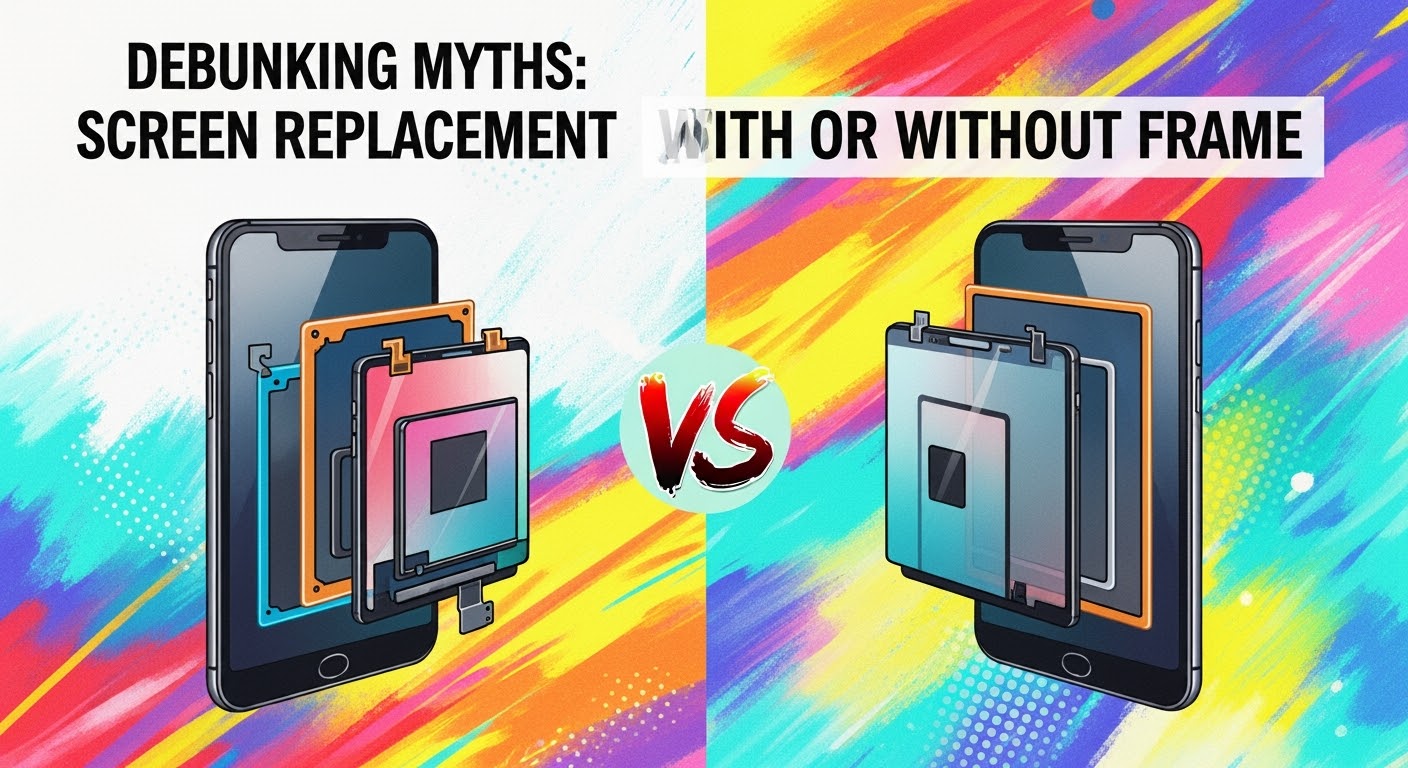
Debunking Myths: Screen Replacement with or Without Frame
When your smartphone screen breaks, one of the first questions that comes up is: “Should I replace the screen with or without the frame?” There’s a lot of confusion online about this, and many myths that can lead to costly mistakes. As Sydney’s trusted phone repair experts, we’re here to clear the air.
Truth:
While it’s true that replacing only the display panel (without the frame) can cost less in parts, it’s not always the most economical choice. If your phone’s frame is bent, damaged, or warped from a fall, reusing it can:
Make the new screen fit improperly
Affect waterproof sealing
Cause future cracks due to uneven pressure
In these cases, replacing the screen with the frame is often more cost-effective long term.
Truth:
A frame’s role isn’t just to “hold” the screen — it ensures structural integrity, alignment, and sealing. Even slight bends in the frame can cause:
Gaps where dust and moisture enter
Touch sensitivity problems
Premature screen failure
Professional technicians always inspect the frame before deciding the best repair option.
Myth 3 – Without-frame replacements are always original parts
Truth:
Many aftermarket screens without frames are mass-produced and may vary in quality. Genuine OEM screens often come pre-assembled with the frame for precise fitting and factory-level calibration. Choosing a pro repair shop means you can verify the part’s origin before installation.
Myth 4 – You can easily swap a screen without a frame at home
Truth:
Screen-only replacement is more technically challenging than replacing with the frame because:
You must separate the old glass from the frame without damaging internal components
Special adhesive and alignment tools are required
The risk of breaking the new display is higher
It’s a repair best left to experienced technicians, especially for modern edge-to-edge displays.
Myth 5 – With-frame replacements waste perfectly good frames
Truth:
If a frame is in excellent condition, we’ll recommend a without-frame repair to save resources. But if the frame has even minor damage, replacing it along with the screen ensures the phone’s durability, water resistance, and resale value.
When to Choose “With Frame” Replacement
Frame is bent, cracked, or warped
You want original manufacturer alignment and sealing
You need a faster repair process (pre-assembled screens save time)
When to Choose “Without Frame” Replacement
Frame is in perfect condition
You want to save on part costs
You’re okay with a slightly longer repair time for precision work
Our Expert Recommendation
At Sydney CBD Repair Centre, we don’t believe in a one-size-fits-all approach. Every repair starts with a free inspection so we can recommend the most cost-effective and durable option — whether that’s with or without the frame.
With over 2,000 five-star Google reviews and 6 years as Sydney’s top-rated phone repair shop, you can trust us to guide you with honesty, skill, and genuine parts.
David from Sydney CBD Repair Centre – The Best place to fix mobile phones as 6 Years In A Row! Top Mobile Phone Repair In Sydney. More than 2000 Positive Reviews on Google and Same Day Repairs.
We take pride in delivering exceptional repair services for all major phone brands including Apple, Samsung, Google, and more. Our expert technicians use only genuine parts and offer 90 days warranty on repairs. Located in the heart of Sydney CBD, we’re your one-stop solution for all mobile device repairs.
Visit us for:
✓ Same Day Express Repairs
✓ Genuine Parts Guarantee
✓ Professional Technicians
✓ Competitive Pricing
✓ 2000+ 5-Star Google Reviews
✓ 6-Time Award Winner for Best Phone Repairs
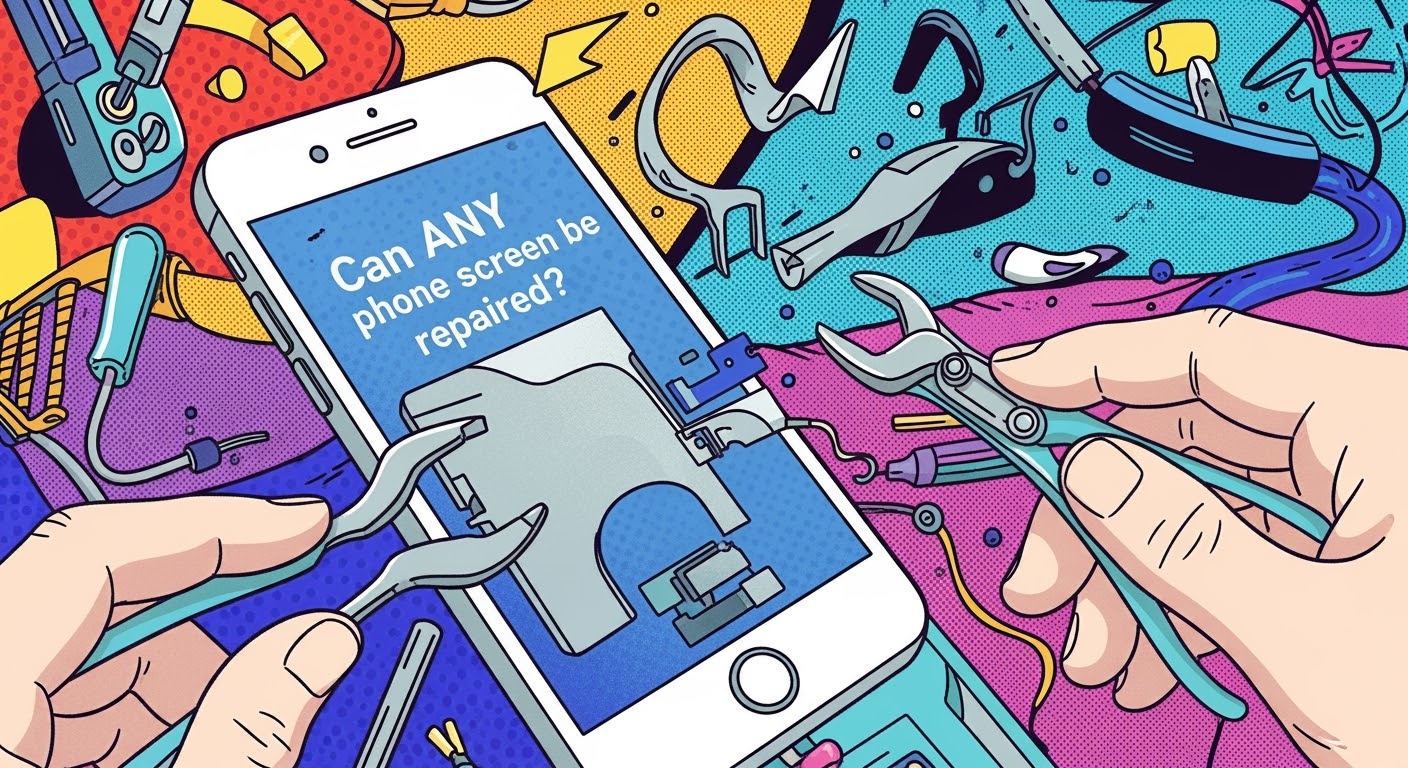
MYTHBUSTING: Can ANY Phone Screen Be Repaired? – Truths, Limits & Expert Tips (2025)
🟢 Introduction
Cracked your phone screen? You’re not alone. It’s one of the most common smartphone mishaps in the world—and usually the first reason people visit a repair shop. But there’s a big question that keeps popping up: Can any phone screen be repaired? Spoiler alert: not always.
This article will break down myths, outline what’s possible, what’s not, and help you make smart decisions about screen repair. Whether you’re holding the latest iPhone, a Google Pixel, or a no-name brand, we’ve got the facts you need to know.
OLED vs LCD vs AMOLED vs TFT: What You Need to Know
Not all phone displays are built the same:
Type
Characteristics
Common In
LCD
Affordable, backlit, less vibrant
Budget Android phones
OLED
More vibrant, thinner, power-efficient
iPhones, flagships
AMOLED
OLED variant, deeper contrast
Samsung Galaxy series
TFT
Basic LCD with fast response
Older or cheaper models
Each type reacts differently to impact, moisture, or wear. That’s why repairing a Samsung AMOLED isn’t the same as fixing a Nokia LCD.
Glass vs Display: Not the Same Thing
Glass is just the outer layer. The display panel is the component underneath that actually shows visuals. Many people think a cracked glass = screen replacement, but that’s not always true.
🤔 Can All Screens Actually Be Repaired?
High-End Phones: iPhones, Galaxies, and More
For newer iPhones (like the iPhone 13–15 series), screen repair is usually possible, thanks to readily available parts and modular design. Samsung Galaxies also fall into this group—especially S21 and newer.
But some models have issues:
In-display fingerprint scanners may not work after screen repair unless recalibrated.
Face ID sensors are delicate; breaking them can make the phone unusable.
Budget Phones: Are Repairs Worth It?
Budget devices like older Oppos, Motorolas, or Realme models might not be worth repairing due to:
Low resale value
Lack of spare parts
Non-removable screens glued into the frame
Sometimes replacing the whole phone is more economical.
🧨 Common Myths About Phone Screen Repairs
“All Screens Are the Same”
False. Screen components vary not only between brands, but even between regions (e.g., Korean vs Chinese Samsung screens).
“Cheaper Repairs Save Money”
Not really. Low-cost repairs often:
Use aftermarket or low-quality parts
Void warranty
Fail quickly—costing more long-term
“DIY Is Just as Good as Professional”
Unless you’re trained and equipped, this is a risky gamble. Many DIY kits don’t include:
Adhesive sealants
Electrostatic protection
Specialized tools for modern bezels
⚠️ Real Limitations of Screen Repairs
Lack of Genuine Parts
Some brands (like Apple and Huawei) tightly control part distribution, so only authorized repairers can access original components.
Outdated or Rare Models
Devices that are over 5 years old often fall into the “non-repairable” category—not because they can’t be fixed, but because parts are discontinued.
Structural Frame Damage
If your screen shattered because the phone was bent or warped, repair becomes tricky. A new screen on a deformed frame won’t sit flush or last long.
🧩 Factors That Affect Screen Repairability
Availability of Parts
Your phone’s popularity determines how easily parts are sourced. For example:
iPhones and Samsungs? Easy.
Niche Chinese brands? Not so much.
Device Design (Modular vs Sealed Units)
Phones with modular design (e.g., Fairphone) are easy to repair.
But many flagships are now sealed units requiring heat, suction, and precision—raising costs and risks.
Brand Repair Policies
Some brands push users toward official repairs only, even disabling features if parts are replaced elsewhere (looking at you, Apple Face ID!).
🧪 How to Know if Your Phone Screen Can Be Repaired
Physical Inspection
Cracks near corners? Less problematic. Spiderwebbing across the whole screen? Tougher. Internal bleeding (LCD leakage)? Major concern.
Diagnostic Testing
Shops like Sydney CBD Repair Centre run multi-point diagnostics to determine if it’s just the screen—or deeper issues like motherboard damage.
Quoting and Evaluation by Professionals
Always ask for a quote after inspection. A reputable shop won’t charge you for simply checking.
✅ Best Practices to Avoid Repair Disasters
Choose Certified Technicians
Look for technicians with certifications or proven track records (like 2000+ reviews on Google for Sydney CBD Repair Centre).
Ask for Genuine Parts
Always clarify if OEM parts are used. If not available, ask for premium-grade alternatives with warranty.
Understand the Warranty
A 90-day repair warranty is the bare minimum. Ensure your shop stands behind their work.
😕 Why Some Shops Say “It’s Not Repairable”
They might mean:
Parts are unavailable
Risk of damage is high
Device is not worth the repair cost
That’s why a second opinion from a trusted centre like Sydney CBD Repair Centre can make all the difference.
🛠️ What If It’s Really Beyond Repair? Your Options
Trade-in the device for parts
Recycle responsibly
Sell for scrap (some shops pay for motherboards, batteries, etc.)
Buy refurbished – cheaper and sustainable
⭐ Why Sydney CBD Repair Centre Leads the Way
At Sydney CBD Repair Centre, we’ve seen it all—from phones that look run over by a bus to rare imports with obscure parts. Here’s what makes us different:
1. Can I fix just the glass if the display still works?
Yes, but it’s delicate. Glass-only repairs require specialized equipment and are best done by professionals.
2. Are aftermarket screens bad?
Not all. Some high-grade aftermarket displays are excellent. The key is to avoid ultra-cheap knockoffs.
3. How long does screen replacement take?
At Sydney CBD Repair Centre, most screen repairs are completed the same day, often within 1–2 hours.
4. Will Face ID or fingerprint sensors still work after repair?
If the repair is done professionally, yes. However, replacing components without recalibration may disable these features.
5. Should I repair or replace an old phone?
If your phone is over 5 years old or parts are rare, replacement may be more cost-effective.
6. Do cracked screens get worse over time?
Absolutely. Cracks can spread, compromise waterproofing, and expose the display to further damage.
🧠 Conclusion: Can Any Screen Be Fixed? It Depends
The short answer? Not every screen is repairable—but many are.
The long answer? It depends on the model, damage, part availability, and who’s doing the repair.
When in doubt, trust the experts. At Sydney CBD Repair Centre, we blend experience, technology, and passion to bring your phone back to life—the right way.
Sydney’s Toughest Phone Repair Challenges Revealed – Top 8 Cases Only Experts Can Fix
🛠️ Introduction: Why Some Repairs Are Not for Amateurs
In today’s fast-paced world, smartphones are practically extensions of ourselves. But when something goes wrong — and it will — fixing these devices isn’t always a simple screen swap or battery change. Some issues are so complex that only the most skilled and experienced technicians can handle them.
At Sydney CBD Repair Centre, we’ve faced some of the most difficult phone repair challenges in the city — and conquered them with precision, patience, and genuine parts. In this article, we’re revealing the top 8 toughest phone repairs we regularly handle, many of which other shops simply turn away.
Water damage is often invisible to the naked eye, but can silently corrode your phone’s internal components, leading to failure weeks after the initial incident.
Real Recovery Techniques
At Sydney CBD Repair Centre, we disassemble the device, use isopropyl ultrasonic cleaning, and microsolder if necessary to restore the phone’s logic board. We never suggest using rice — that’s a myth that delays proper treatment.
✅ Pro Tip: The faster you bring a wet phone in, the higher the chance of saving it — especially if the data is critical.
Dropped your phone and it bent? Trying to straighten it at home can result in:
Cracked LCD and OLED displays
Misalignment that breaks the screen
Weakened waterproof seals
Even applying mild pressure incorrectly can destroy your device.
How Professionals Do It
We use precision frame straightening jigs and calibrated tools to restore the original contour of your phone without damaging the internal components or screen. It’s one of the most delicate jobs, and doing it right ensures your phone’s housing retains structural integrity.
👁️ 3. Face ID and Fingerprint Sensor Failures
iPhone Face ID Recalibration
Face ID issues are notorious for being non-repairable according to most shops, but with the right tools, it can be fixed. Apple uses a complex system of dot projectors and infrared sensors — which can be damaged during screen replacements if not handled properly.
At Sydney CBD Repair Centre, we’ve invested in Face ID calibration machines that allow us to restore biometric functionality without replacing the logic board.
Samsung and Google Biometric Issues
For Samsung Galaxy and Pixel devices, fingerprint sensors under the screen can malfunction due to:
Using cheap replacement screens
Adhesive blocking sensor access
Improper calibration during installation
We use OEM-grade screens and manufacturer-level diagnostic tools to properly restore biometric access.
🔬 4. Micro-Soldering: Fixing the “Unfixable”
Logic Board Repairs Explained
Micro-soldering is one of the most advanced services in the mobile repair world. It involves removing and replacing micro-components like capacitors, IC chips, and FPC connectors — parts smaller than a grain of rice.
These issues usually stem from:
Power surge damage
Water ingress
Manufacturing defects
Improper third-party repair
How It Saves Data and Devices
In most cases, a faulty logic board means data loss. Micro-soldering allows us to salvage motherboards, extract data, and even restore full phone functionality when replacements aren’t available or cost-effective.
This is the kind of repair that separates real repair professionals from basic part swappers.
👻 5. Ghost Touch Problems: When Your Phone Goes Rogue
Causes and Common Misdiagnoses
Ghost touch occurs when your phone starts pressing things on its own or reacting without being touched. It’s often misdiagnosed as just a screen issue, but can be caused by:
Poor quality aftermarket screens
Loose internal grounding connections
Damaged digitizer controller on the board
Expert Diagnostic Tools
We test touch inputs using OEM diagnostic software and isolate faults to either the screen, logic board, or both. If it’s the board, we offer component-level repair that restores proper functionality.
💾 6. Data Recovery from Dead Phones
NAND-Level Access Techniques
Some phones simply won’t power on after a major failure — due to logic board issues or failed power circuits. But often, the data is still recoverable.
Our team uses advanced chip-off data recovery and direct NAND access to retrieve:
Photos and videos
Contacts and messages
App data
iCloud or Google account info (if not encrypted)
This is critical for business users, parents, students — anyone with irreplaceable digital memories or records.
Real-World Recovery Success Story
We recently recovered over 20,000 wedding photos from a dead iPhone that no other repair shop could fix. The client had tried three other stores before us.
🔋 7. Battery Swelling & Exploding Risk
What Causes Swelling
Lithium-ion batteries swell due to:
Overcharging
Battery age (2+ years)
Poor quality third-party replacements
Exposure to heat or water
Swollen batteries are dangerous. They can explode or leak and must be handled with care.
Safe Removal Techniques
We use anti-static gloves, metal shields, and non-conductive tools to remove swollen batteries. We then install OEM-certified replacements, ensuring proper battery health and long-term safety.
Too many shops skip the bezel frame when replacing screens to cut costs. The result?
The screen lifts within weeks
Poor touchscreen performance
Device loses its waterproofing
Visual misalignment
How We Fix Bad Repairs
We remove the substandard screen, clean residual glue, and reinstall a genuine screen assembly with bezel — just like the manufacturer intended. Our repairs pass both fitment and functionality tests before leaving the bench.
❓ FAQs
1. Can a phone with no power still be repaired?
Yes, even dead phones can be repaired or used for data recovery through micro-soldering or NAND-level access.
2. Is water damage repair always successful?
It depends on how quickly the phone is brought in and the extent of corrosion. The faster you act, the better your chances.
3. Can Face ID or fingerprint sensors be repaired?
Yes! With specialised calibration tools, we can restore biometric security features on most major devices.
4. What causes ghost touch and can it be fixed?
Ghost touch is usually from poor-quality screens or logic board issues. We perform diagnostics to determine the root cause and offer permanent solutions.
5. Do you use original parts?
We use genuine OEM parts or high-quality manufacturer-certified alternatives, depending on availability and your budget.
6. Do you offer a warranty?
Yes, every repair comes with a 90-day warranty, covering parts and workmanship.
🏁 Conclusion: Why Expertise Matters
At Sydney CBD Repair Centre, we don’t just replace parts — we solve problems. Whether it’s advanced micro-soldering, Face ID recalibration, or rescuing water-damaged phones, our expert team is ready for Sydney’s toughest repair jobs.
We’ve built a reputation as the repair shop other shops refer their toughest cases to — and with over 2,000 five-star Google reviews, the results speak for themselves.
Don’t risk your phone or data with an inexperienced technician. Bring it to the pros.