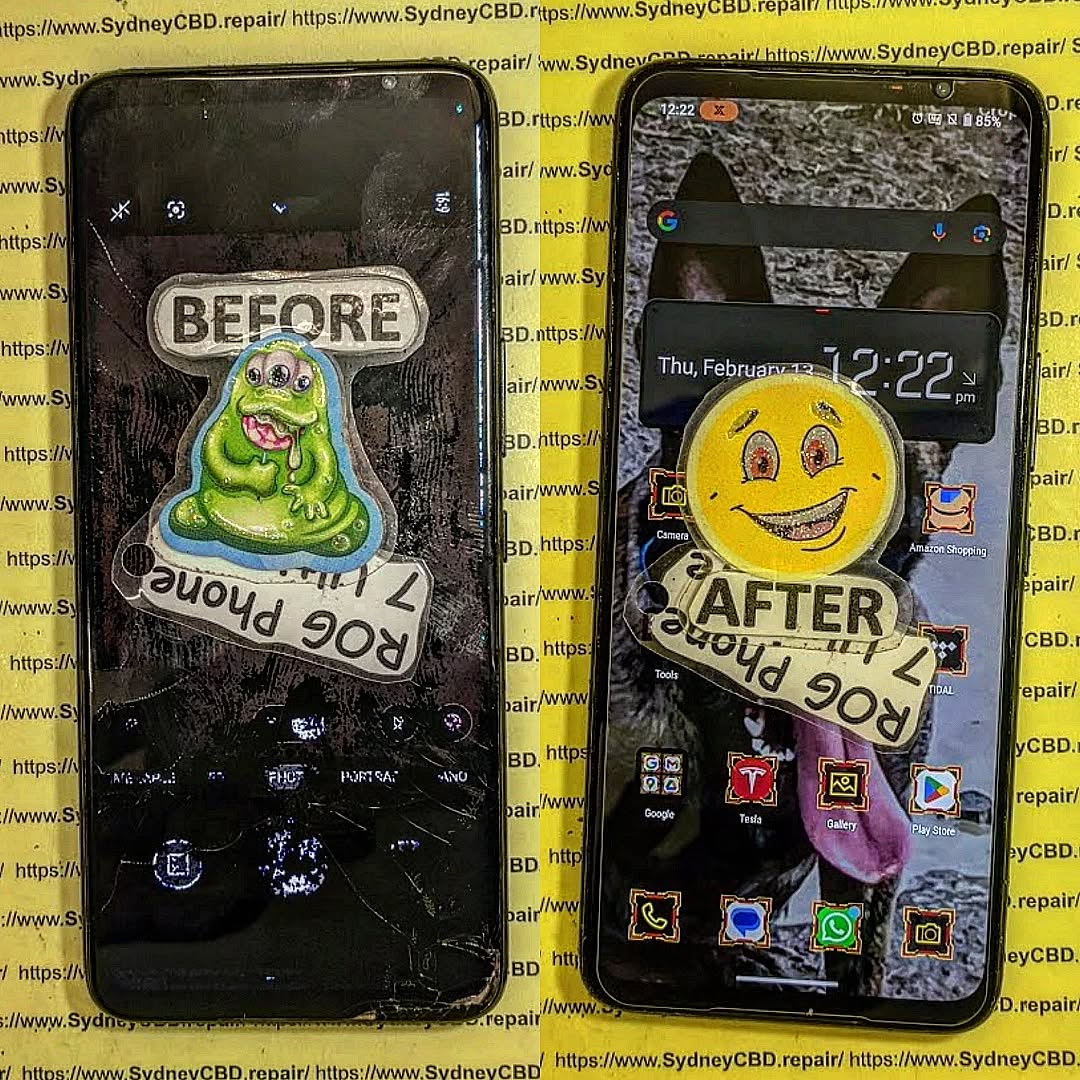
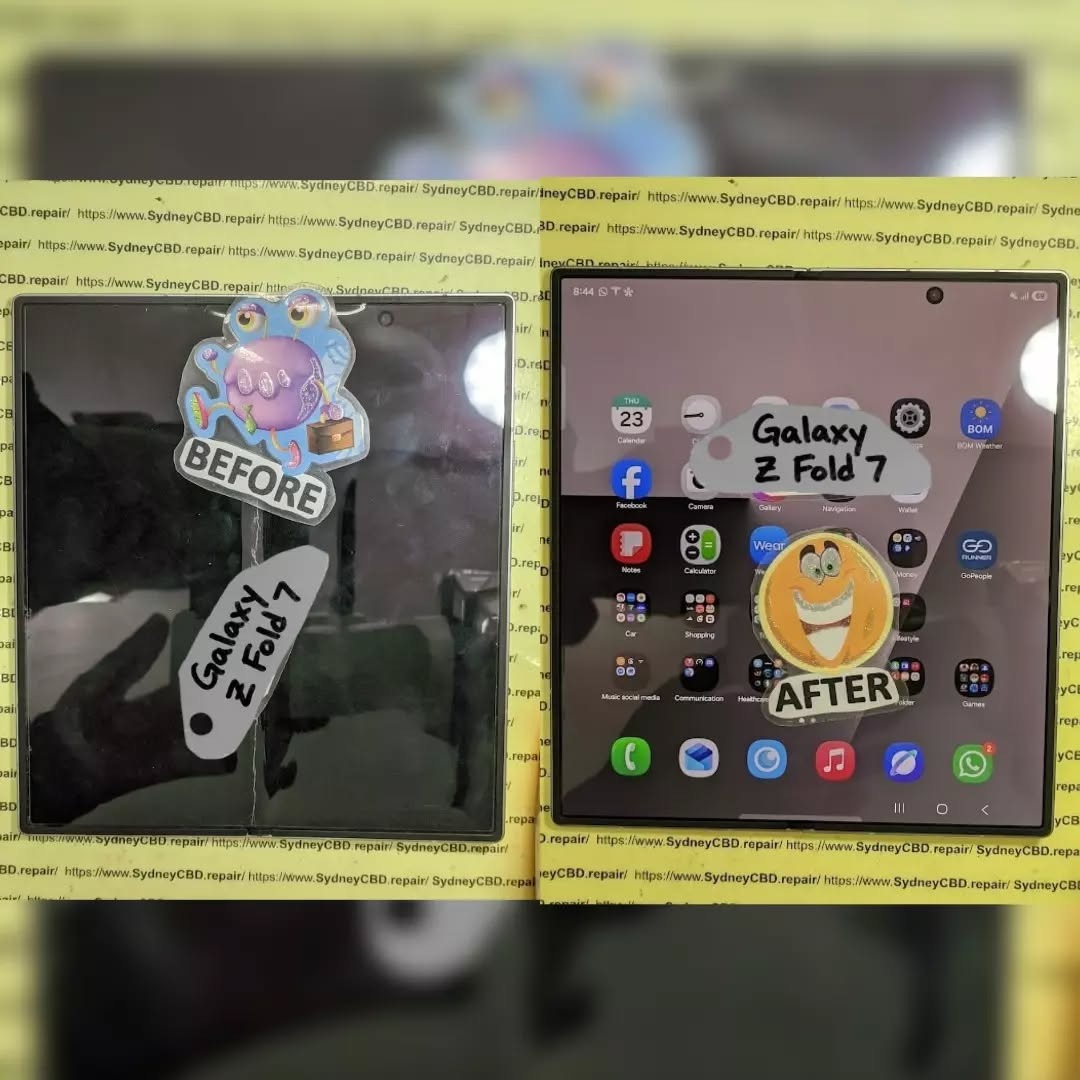
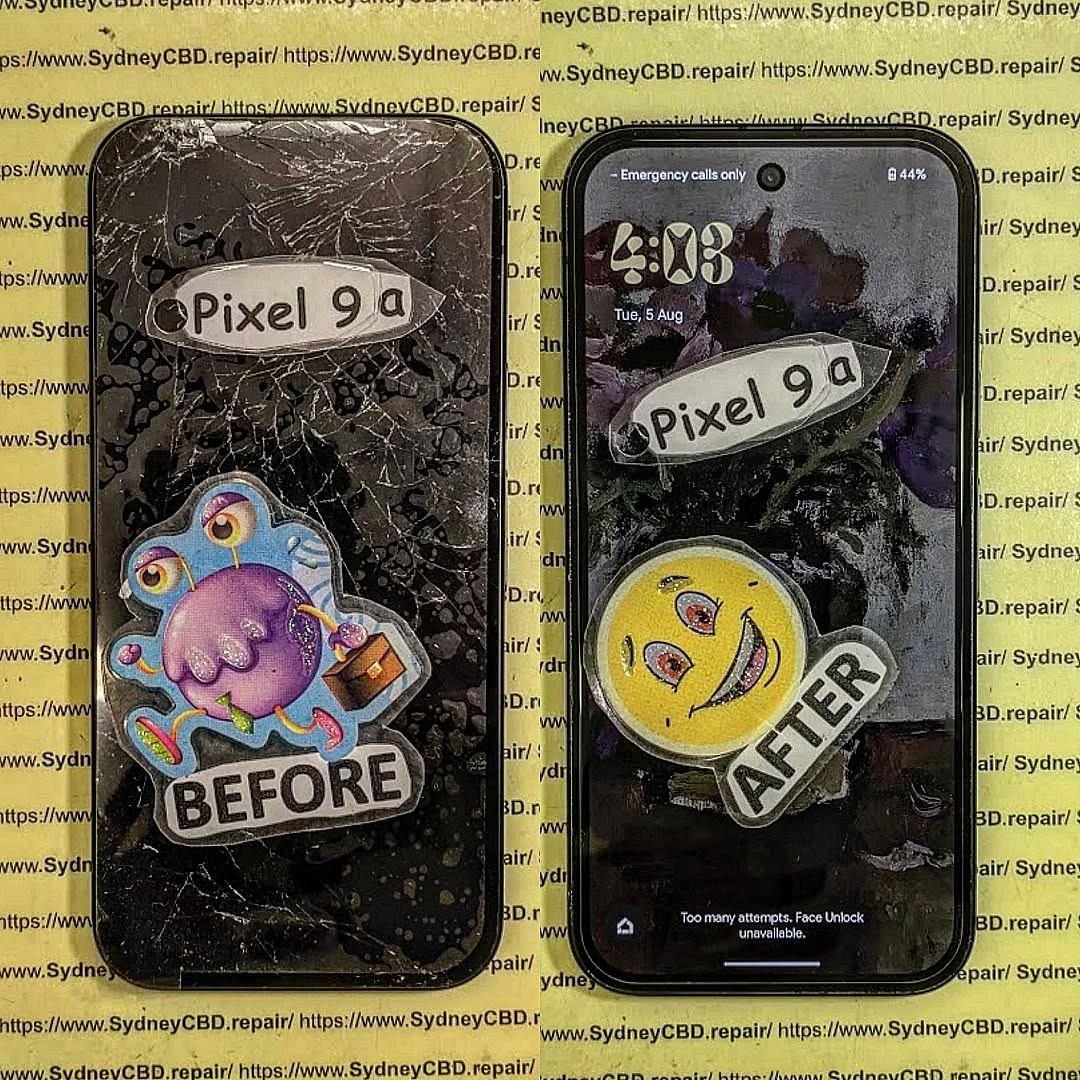
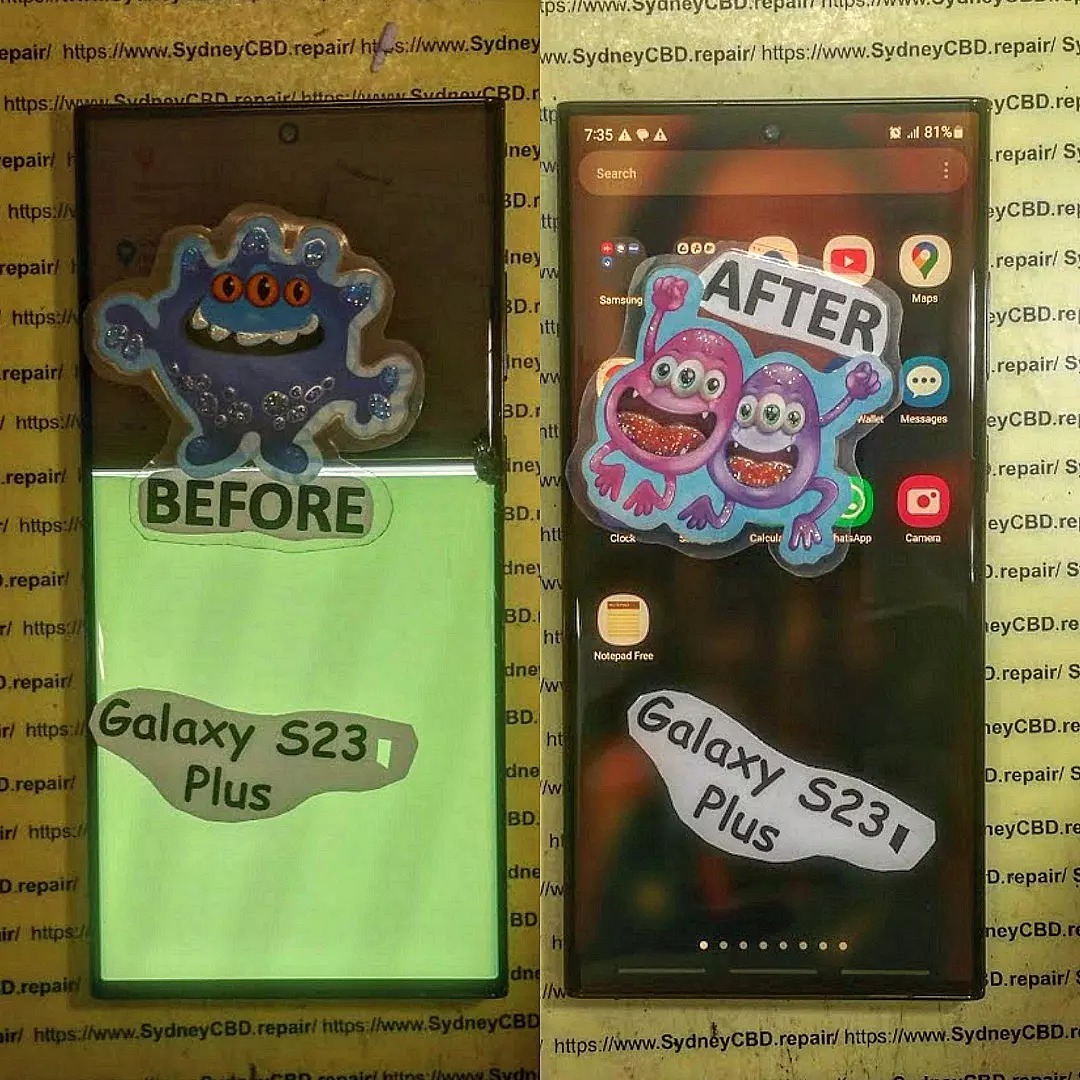
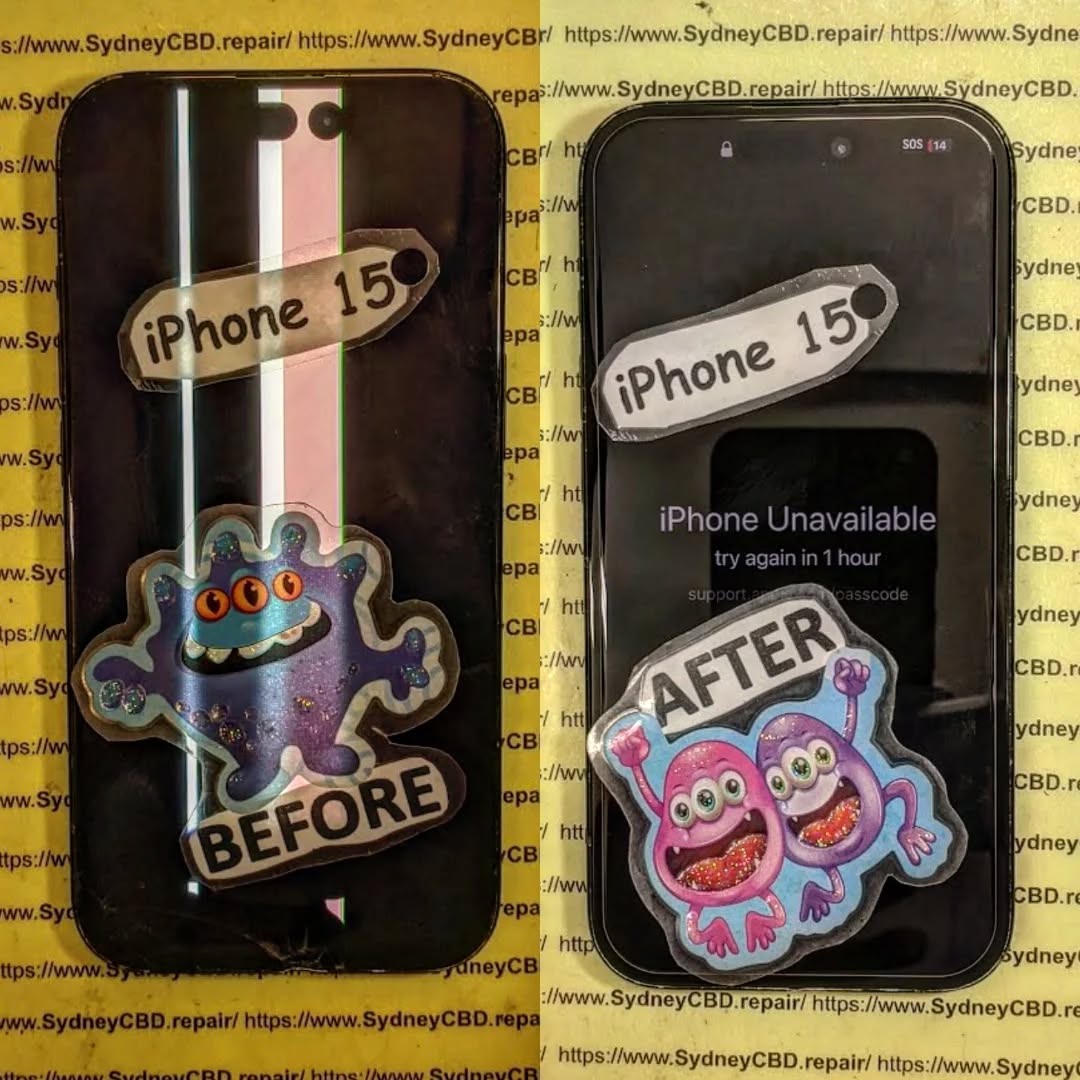
Choices between Genuine vs. Aftermarket Phone Screens: What You Must Know + 8 Critical Comparisons
A cracked phone screen is frustrating—but your next decision is even more important: Should you go for a genuine screen or save money with an aftermarket one?
Both options have their pros and cons, but the differences go far beyond just price. From performance and compatibility to safety and warranty, what you choose can affect your phone’s life and daily experience.
This guide explains everything you need to know to make a smart decision.
Genuine screens, also known as OEM (Original Equipment Manufacturer) screens, are the same displays used by your phone’s brand—Apple, Samsung, Google, etc.—in their factory.
At Sydney CBD Repair Centre, we always recommend genuine screens for flagship models like the iPhone 14, Galaxy S23, and Pixel 7.
Pros of Aftermarket Phone Screens
✅ Lower upfront cost
✅ Easier to find for older models
✅ Quick replacement in some shops
✅ Good option for backup or secondary phones
Ideal for:
Phones outside warranty
Budget repairs
Non-critical devices
Hidden Drawbacks of Aftermarket Parts
❌ Unpredictable touch response
❌ Increased risk of ghost touches
❌ Inconsistent brightness in direct sunlight
❌ Poor fit leading to water/dust ingress
❌ May disable features like True Tone (iPhones)
In the long run, what you save in money, you may pay in frustration.
Cost Comparison: Genuine vs. Aftermarket
Phone Model
Genuine Screen (AUD)
Aftermarket Screen (AUD)
iPhone 13
$290–$330
$180–$220
Samsung Galaxy S21
$320–$360
$200–$250
Google Pixel 6
$270–$310
$180–$220
Note: Prices vary depending on repair shop and region. Genuine screens usually come with a longer warranty.
How to Identify Genuine Screens
✔️ Apple screens may have a True Tone option post-repair
✔️ Samsung genuine parts often include Samsung branding on packaging
✔️ Look for uniform backlight, clear adhesive finish, and matching serial numbers
Avoid screens with:
No branding
Flickering on startup
Inconsistent color at low brightness
Are Aftermarket Screens Safe?
Generally yes—but only if sourced from reputable suppliers. Cheap knockoffs can:
Overheat
Crack easily
Interfere with proximity sensors
Pose risk during battery reinstallation
Pro tip: Ask the technician about the screen’s source and whether it includes a warranty.
Impact on Phone Features
Feature
Genuine Screen
Aftermarket Screen
Face ID / Touch ID
Full support
May not work
True Tone / Night Shift
Retained
Often disabled
Display Calibration
Precise
Unreliable
Haptic Feedback
Smooth
Inconsistent
Power Efficiency
Optimized
May drain battery faster
Warranty Implications
Installing an aftermarket screen may:
Void your manufacturer’s warranty
Affect trade-in value
Limit support from official service centres
At Sydney CBD Repair Centre, we offer a 90-day warranty on all repairs—including those with genuine parts—giving you peace of mind.
Screen Longevity and Durability
Genuine screens last 12–24 months longer on average compared to aftermarket options.
Scratch-resistant coating holds up better
Glass edges resist chipping
Fewer issues with dead pixels and burn-in
Aftermarket screens may show signs of aging or pixel decay within 6–12 months.
Industry Expert Opinions
According to repair technicians at Sydney CBD Repair Centre:
“Most of the devices we see for second repairs had aftermarket screens installed elsewhere. Genuine screens may cost more, but they last longer, look better, and don’t compromise features.”
Repair experts also note fewer return visits and customer complaints when OEM parts are used.
When to Choose Genuine Over Aftermarket
Choose genuine screens if:
You use your phone daily for work
Your phone is less than 2 years old
You want full feature support
You value long-term performance
You’re planning to resell or trade in your phone
When Aftermarket Screens Make Sense
Aftermarket may be suitable if:
You’re on a tight budget
You’re repairing an older device
You don’t rely on Face ID or premium features
It’s a temporary fix for light use
FAQs
1. Are aftermarket screens bad for my phone?
Not necessarily, but lower-quality ones can cause display issues or reduce feature functionality.
2. How do I know if a screen is genuine?
Check for branding, packaging, and confirm with a certified technician like those at Sydney CBD Repair Centre.
3. Will Face ID work with aftermarket screens?
Often, no—especially on iPhones. Genuine screens retain Face ID with proper installation.
4. Do genuine screens last longer?
Yes. They’re built with higher-grade materials and tested for durability.
5. Can aftermarket screens void my warranty?
Yes. Unauthorized repairs often void both warranty and device insurance.
6. Are there high-quality aftermarket screens?
Yes—premium aftermarket screens exist but must be sourced from reliable suppliers and installed professionally.
Conclusion
So, genuine vs. aftermarket phone screens—which is better?
✔️ If you care about performance, display quality, and feature integrity, genuine is the clear winner.
⚠️ Aftermarket screens can work in budget scenarios, but always check quality and shop reputation.
At Sydney CBD Repair Centre, we help you choose the best option for your phone and budget—with expert advice, genuine parts, and a 90-day warranty.
David from Sydney CBD Repair Centre
Top Mobile Phone Repair in Sydney – 6 Years in a Row!
📍 Visit us: SydneyCBD.repair/locate-us
📞 Call: +61280114119
✓ Same-Day Express Repairs
✓ Genuine Parts Guarantee
✓ Trusted by 2000+ Google Reviews
Foldable Screen Repair Reality Check: Genuine Replacement vs Cheap Aftermarket Displays — 9 Crucial Facts You MUST Know!
Introduction: Why Your Foldable Screen Deserves a Reality Check
Foldable phones have changed the way people use mobile technology. Devices such as the Samsung Galaxy Z Fold and Galaxy Z Flip combine compact designs with large, flexible displays. You can open a phone to enjoy a tablet-sized workspace or fold it to fit neatly into your pocket.
However, this technology comes with a challenge. A foldable display isn’t built like the ordinary glass screen found on most traditional smartphones. It uses specialised materials, flexible display layers, precision components, and a carefully designed hinge system.
When something goes wrong, the repair decision can be confusing. One repair shop may offer a genuine replacement assembly at a higher price, while another advertises a much cheaper aftermarket display. Both options might sound reasonable, but the parts, testing procedures, compatibility, and warranty terms can differ significantly.
That’s why foldable screen repair requires more than finding the lowest quote. The goal is to restore the phone’s functionality without creating new problems or paying for a repair that doesn’t meet your expectations.
In this guide, we’ll examine nine crucial facts about genuine and aftermarket displays, explain common warning signs, compare repair options, and show you how to make a more informed decision.
Traditional smartphones generally use a rigid display assembly protected by a glass layer. Foldable phones work differently because their displays must bend repeatedly without losing their ability to produce clear images or register touch accurately.
A foldable display may contain several specialised layers, including:
A flexible OLED panel that produces images.
A thin protective surface designed to bend with the display.
Touch-sensitive components that detect finger movements.
Adhesive layers that hold the display structure together.
Supporting layers that help distribute pressure and maintain the panel’s shape.
The exact construction varies by manufacturer and model. Some foldable phones also include a factory-installed protective film that shouldn’t be treated as ordinary screen glass.
These layers work together to create the folding experience. If one layer becomes damaged, the symptoms may appear in another part of the display.
For example, a phone might develop a black patch even though the outer protective surface appears intact. Another device might show flickering along the crease or stop responding to touch in a narrow section of the inner screen.
This is one reason a simple visual inspection isn’t always enough to determine which components need attention.
The hinge controls how the phone opens and closes. Its movement affects the position, support, and folding path of the flexible display.
If the hinge is damaged, obstructed, or no longer aligned correctly, the display may experience additional stress. Similarly, damage to the frame can affect how the screen sits inside the device.
A complete repair assessment should therefore consider more than the visible crack.
Component
Purpose
Potential Problem
Flexible OLED panel
Produces images
Black areas, lines, flickering
Protective film
Protects the flexible surface
Bubbles, peeling, scratches
Touch layer
Registers finger input
Dead zones or missed touches
Hinge assembly
Controls folding movement
Stiffness, uneven opening
Frame and support
Holds components in position
Misalignment or pressure damage
Display connectors
Carry power and display signals
Intermittent image or touch faults
Not every symptom means every component is damaged. A trained technician should diagnose the device before recommending a replacement.
Which Foldable Phones Need Specialised Repair?
Foldable devices such as the Samsung Galaxy Z Fold series, Galaxy Z Flip series, and other book-style or clamshell phones use different display assemblies and repair procedures.
Even two models from the same manufacturer may use different parts, adhesives, connectors, and calibration requirements.
For example, the inner display of a book-style foldable is not interchangeable with the smaller folding display of a clamshell phone. Parts compatibility must be confirmed using the exact model and, where appropriate, its regional variant.
The key takeaway: Foldable displays are specialised components. A suitable repair depends on accurate diagnosis, compatible replacement parts, and careful installation.
2. Genuine Replacement Screens vs Cheap Aftermarket Displays
What Is a Genuine Replacement Screen?
A genuine replacement screen is a part supplied through the device manufacturer’s authorised parts channels or another verifiable source that establishes its authenticity. Availability and terminology vary by manufacturer and model.
A replacement may be supplied as a display-only component or as part of a larger assembly containing supporting components. These differences can affect both the price and the repair procedure.
Genuine parts are often a sensible choice when maintaining the device’s intended display characteristics, compatibility, and service requirements is a priority.
However, genuine parts aren’t automatically proof of a perfect repair. Installation quality, the condition of the surrounding frame, correct adhesives, and appropriate testing still matter.
A genuine component can be damaged during installation, while a properly installed compatible replacement may perform well. The part’s origin and the technician’s workmanship should therefore be considered together.
What Does Aftermarket Mean?
An aftermarket display is manufactured or supplied outside the device manufacturer’s original parts supply chain. Aftermarket products vary widely in quality, and the term doesn’t automatically mean a part is defective or counterfeit.
Some third-party parts may provide acceptable performance at a lower price. Others may differ from the original specification in brightness, colour reproduction, touch response, folding behaviour, or long-term reliability.
The challenge is knowing which product you’re being offered.
A very low price doesn’t prove that a screen is poor quality, just as a high price doesn’t prove that a component is genuine. Ask the repairer to explain the part’s source, specification, warranty, and limitations.
Comparison: Genuine and Aftermarket Foldable Displays
Factor
Genuine Replacement
Aftermarket Replacement
Source
Manufacturer-linked or verifiable genuine supply
Independent third-party supply
Model compatibility
Designed for the specified device when correctly matched
Depends on the particular product
Display performance
Intended to match the relevant specification
May match closely or differ
Folding characteristics
Intended for the supported device design
Depends on materials and manufacturing quality
Price
Often higher
May be lower
Warranty
Depends on seller and repair arrangement
Depends on seller and repair arrangement
Documentation
Ask for source and part details
Ask for supplier and specification details
Long-term reliability
Depends on part condition and installation
Varies by product and installation
Why the Cheapest Quote Can Be Misleading
Imagine two repair shops quote different prices for the same model.
The first quote includes a documented genuine display assembly, professional installation, post-repair testing, and a written warranty.
The second quote is substantially cheaper but doesn’t specify the part’s origin, whether the hinge will be inspected, or what happens if the replacement develops a fault.
The lower quote might still represent a legitimate repair. However, you don’t yet have enough information to compare the two services fairly.
Before choosing, ask whether both quotes cover the same components, labour, testing, and warranty period.
A useful rule: Compare the complete repair package, not just the headline price.
3. Nine Crucial Facts You MUST Know Before Foldable Screen Repair
Fact 1: Genuine Parts Can Offer Greater Specification Confidence
When a genuine part can be verified for the exact model, you have a clearer basis for understanding the intended display characteristics and compatibility.
This is especially valuable for foldable phones, where the screen must work with the device’s touch system, frame, hinge, and software.
Still, genuine parts should be installed correctly and tested thoroughly. The part alone cannot guarantee the result.
Fact 2: Not All Aftermarket Screens Have the Same Quality
Aftermarket displays range from carefully manufactured alternatives to products with significant compromises.
Potential differences include brightness, colour accuracy, touch sensitivity, crease appearance, and mechanical durability.
Ask the repair provider to identify the specific part being offered instead of accepting a broad label such as “premium quality.”
Fact 3: The Inner Screen Is Not Ordinary Glass
The flexible inner display uses a specialised construction. Treating it like a conventional glass panel can lead to additional damage.
Avoid pressing hard on a black patch, pushing a crease flat, or attempting to lift a damaged protective layer. If the display is already compromised, extra pressure may make the problem worse.
Fact 4: A Black Screen Doesn’t Always Mean the Whole Phone Is Dead
A foldable phone may continue to vibrate, ring, or respond to notifications even when its internal display stops working.
Possible causes include panel damage, connector problems, or other hardware faults. Software issues may also affect display behaviour.
A proper diagnosis helps distinguish these possibilities before you pay for a replacement.
Fact 5: The Hinge Must Be Inspected
A screen replacement may not resolve problems caused by a damaged or misaligned hinge.
If the phone doesn’t open smoothly, sits unevenly, or makes unusual noises, mention these symptoms before the repair begins.
The technician can then determine whether the hinge, frame, display, or several components require attention.
Fact 6: Installation Quality Matters as Much as Part Quality
Foldable display assemblies require careful handling and accurate positioning.
Poor installation can affect adhesive coverage, connector seating, alignment, and the way the display behaves when opening and closing.
Experienced technicians should follow model-appropriate procedures and use suitable tools rather than relying on guesswork.
Fact 7: Water Resistance Must Not Be Assumed After Repair
Some foldable phones have water-resistance ratings, but a rating isn’t a guarantee against all water exposure. Resistance can also be affected by age, impact damage, and previous repairs.
After opening the phone, the technician should explain what seals were replaced and whether any appropriate testing was performed.
Don’t assume the phone has regained its original water resistance simply because the screen works.
Fact 8: Warranty Terms Need to Be Clear
A repair warranty can provide peace of mind, but its value depends on the written terms.
Ask whether the warranty covers display defects, touch failures, installation problems, or other relevant faults. Also clarify exclusions for accidental damage, pressure damage, and liquid exposure.
A warranty doesn’t eliminate every risk, but it helps establish what support you can expect if a covered problem develops.
Fact 9: Post-Repair Testing Is Essential
The repair isn’t complete just because an image appears on the screen.
A suitable final inspection should include image quality, touch response, folding behaviour, and other relevant functions.
Depending on the model and repair, technicians may also check the cameras, fingerprint reader, speakers, buttons, charging, and other features that could have been affected during disassembly.
These nine facts highlight a simple principle: a successful repair combines the right part, skilled workmanship, clear warranty terms, and appropriate testing.
4. Common Foldable Display Problems and Their Warning Signs
A foldable screen can fail in several ways. Understanding the symptoms can help you explain the problem to a repair technician and avoid unnecessary replacements.
Cracks Along the Folding Crease
The central crease is a moving part of the display’s surface. If a line becomes visibly cracked, or the screen develops a dark mark along the folding area, the flexible panel may be damaged.
Don’t repeatedly open and close the phone to see whether the crack gets worse. If the display is visibly damaged, minimise folding and arrange an assessment.
Black Spots, Green Lines, and Flickering
A black patch may indicate damaged OLED pixels. Green or pink lines can result from display panel damage or an electrical fault. Flickering may be associated with a damaged panel, connector issue, or other hardware problem.
These symptoms aren’t always enough to identify the precise cause.
Symptom
Possible Cause
Recommended Action
Black patch
OLED panel damage
Arrange a professional diagnosis
Green or pink line
Panel or electrical fault
Avoid pressing the affected area
Flickering image
Display or connection problem
Back up data if possible
Touch not responding
Touch layer or related fault
Request touch-system testing
Bubbles in protective film
Film lifting or surface damage
Ask whether professional film replacement is suitable
Uneven folding
Hinge, frame, or structural problem
Request a hinge and frame inspection
Entire inner display black
Panel, connector, or another hardware fault
Seek diagnosis before ordering parts
Touchscreen Dead Zones
If part of the display stops responding to touch, the cause could involve the touch-sensitive layer, the display assembly, or related circuitry.
Test the affected area gently without pressing hard. If the phone still works through its outer display, use that opportunity to back up important data.
Don’t assume a software reset will repair a physically damaged display.
Peeling or Bubbled Screen Protectors
A lifting factory-installed protective film isn’t necessarily the same as a damaged OLED panel.
However, foldable screen protectors are designed for a particular display and folding motion. Pulling the film off without understanding the manufacturer’s guidance can create additional problems.
Ask whether the issue can be resolved with an appropriate protective-film replacement or whether the underlying display is damaged.
When Should You Stop Using the Phone?
Stop folding or using the device if the screen is separating, the frame is bent, the battery appears swollen, or the phone becomes unusually hot.
A swollen battery is a safety concern. Don’t press the screen back into place, puncture the battery, or attempt to remove the assembly yourself. Arrange professional assistance.
5. Foldable Screen Repair Costs: What Are You Really Paying For?
The cost of foldable screen repair varies by device, replacement part, damage level, and repair method. Some foldable displays are expensive because the screen assembly is specialised and may be supplied with additional supporting components.
There isn’t one reliable price that applies to every Galaxy Z Fold, Galaxy Z Flip, or other folding phone.
The Main Factors That Affect the Quote
1. The phone model
Newer models and premium devices may have more expensive replacement assemblies. Even devices within the same product family can use different components.
2. Genuine versus aftermarket parts
A verified genuine part may cost more than an independent alternative. The difference depends on availability, supplier, region, and the particular product.
3. Display-only versus complete assembly
Some repair options involve a display component, while others include supporting parts or a frame. The scope of the work can substantially change the final quote.
4. Additional hinge or frame damage
A phone that’s been dropped may have more than a cracked display. If the hinge, frame, or connectors are damaged, additional work may be needed.
5. Labour and testing
Precision disassembly, careful adhesive removal, component transfer, reassembly, and functional checks all require time and expertise.
6. Warranty and aftercare
A repair package may include a written warranty, additional checks, or support if a covered fault develops. Compare these terms when reviewing prices.
Example Repair Quote Comparison
The following table is a comparison framework, not a list of current market prices.
Cost Factor
Quote A
Quote B
Replacement part
Verified genuine part
Specified aftermarket part
Hinge inspection
Included
Confirm before booking
Installation
Included
Confirm before booking
Functional testing
Documented
Confirm before booking
Warranty
Written terms provided
Written terms requested
Final price
Confirmed written quote
Confirmed written quote
A lower quote may be the better option for some owners, particularly when the part is well documented and the repairer stands behind the work. In other cases, the additional cost of a verified genuine assembly may be worth paying.
Should You Repair or Replace the Phone?
Compare the total repair cost with the phone’s current condition and replacement value.
Repair may make sense if the device is otherwise working well, your data matters, and the repair offers reasonable long-term value.
Replacing the phone may be worth considering if it has extensive structural damage, multiple failing components, or a repair cost that’s close to the price of a suitable replacement.
Before deciding, ask the technician to explain the likely outcome and any remaining risks.
6. How to Choose a Reliable Foldable Phone Repair Centre
Finding a repair provider is about more than selecting the first shop with an attractive price.
Foldable devices require specialised handling, and not every general phone repair service has experience with flexible inner displays.
Ask About Foldable Repair Experience
Ask whether the technician has worked on your exact model or a closely related device.
Useful questions include:
Have you replaced the inner display on this model before?
Will you inspect the hinge and frame before installing a new screen?
What type of replacement part will you use?
Can you explain the warranty in writing?
Which functions will you test after reassembly?
What happens if the phone has additional damage?
A professional repairer should be able to explain the process in clear, practical language.
Verify the Replacement Part
Ask for the part’s description, source, and compatibility information. If the provider advertises a genuine component, ask what documentation or supplier information supports that claim.
Be cautious if a seller promises an original screen at an unusually low price but refuses to identify the component.
Likewise, don’t assume that every aftermarket display is poor quality. Request clear information about the specific option rather than relying on marketing terms.
Check the Warranty Before Paying
Get the warranty period and coverage in writing. Clarify whether it covers defects in the replacement part and workmanship, and whether accidental damage or liquid exposure is excluded.
Also ask whether the repair could affect existing manufacturer coverage. The answer depends on the device, service provider, local consumer law, and circumstances.
Look for a Proper Diagnostic Process
A dependable repair centre should inspect the phone before quoting for a replacement. It should explain whether the problem appears limited to the screen or may involve other components.
A useful assessment should consider:
Display condition and visible damage.
Hinge movement and alignment.
Frame condition.
Touch and image behaviour.
Other reported faults.
Part availability and repair limitations.
Use Manufacturer Guidance Where Available
For Samsung devices, you can start with the official Samsung support website to locate device-specific guidance and available support options in Australia.
Manufacturer information can help you understand supported service routes, warranty terms, and care recommendations. Confirm that any repair provider and replacement part meet your needs before booking.
7. DIY Foldable Screen Repair vs Professional Service
Repair videos can make a screen replacement look straightforward. A technician opens the phone, removes the damaged assembly, installs a new part, and closes the device.
In practice, foldable phone repairs can involve delicate connectors, specialised adhesives, tightly fitted components, and fragile display layers.
Why DIY Repair Can Be Risky
A small mistake can damage the replacement screen or nearby components. Applying too much heat, using the wrong tool, or lifting the wrong layer may turn a display repair into a more expensive job.
Other potential problems include:
Damaged flex cables or connectors.
Incorrect adhesive placement.
Poor screen alignment.
Damage to the hinge or frame.
Loss of function in other components.
Uncertain water resistance after reassembly.
Before opening the device, also consider whether you have the correct tools, compatible parts, repair instructions, and a safe workspace.
When Is Professional Repair the Better Choice?
Professional service is generally the safer option when the inner OLED panel is cracked, the hinge is damaged, the phone has suffered liquid exposure, or the screen is completely black.
A technician can assess the device, source a compatible part, and perform the repair using appropriate procedures.
For owners who rely on their phone every day, professional repair can also reduce the time spent troubleshooting a failed DIY attempt.
What About Repairing Only the Protective Film?
A protective-film replacement may be a simpler service than replacing the complete inner display, but it isn’t suitable for every problem.
If the panel itself is cracked, showing black spots, or failing to display an image, changing the film won’t fix the underlying fault.
Ask the technician to distinguish cosmetic film damage from actual display damage before approving the work.
8. Post-Repair Testing and Long-Term Screen Care
Once the replacement is installed, testing helps confirm that the repair has addressed the original fault and that other important functions remain operational.
What Should a Technician Test?
A suitable post-repair checklist may include:
Foldable screen repair checklist
0 of 8
Reset checklist
Not every repair requires the same tests. The exact checks depend on the phone model and the work performed.
Ask whether the repairer has tested the functions relevant to your reported problem. If the original fault involved the hinge, for instance, display testing alone isn’t sufficient.
How to Protect Your New Foldable Display
Once the repair is complete, a few sensible habits can help reduce unnecessary wear.
Fold the phone gently. Use its normal opening and closing motion instead of forcing the hinge.
Keep the display clean. Use a soft, appropriate cloth and follow the manufacturer’s cleaning guidance.
Avoid pressing hard on the crease. The flexible display isn’t designed for forceful pressure.
Keep small objects away from the inner screen. Sand, grit, and debris can damage delicate surfaces.
Use suitable accessories. Choose cases and protective products designed for the exact model.
Avoid extreme heat. High temperatures can affect electronic components and adhesives.
Back up important data. Regular backups help protect your information if another fault develops.
Investigate new symptoms early. Lines, unusual noises, or uneven folding deserve attention before the problem worsens.
Does a Repaired Foldable Phone Have Its Original Water Resistance?
Don’t assume so. Water resistance depends on the device design, condition, replacement seals, and quality of the repair.
Some repair providers may perform specific sealing or pressure tests where appropriate, but the availability and meaning of those tests vary.
Ask what was tested and what the results establish. Until you have clear information, avoid deliberately exposing the repaired phone to water.
9. Frequently Asked Questions About Foldable Screen Repair
1. Is a genuine foldable screen better than a cheap aftermarket display?
A verified genuine replacement provides a clearer reference for the device’s intended specifications and compatibility. Aftermarket displays vary in quality, so the best choice depends on the specific part, installation quality, budget, and warranty. Ask the repairer to explain the differences before deciding.
2. How much does foldable screen repair cost in Sydney?
The cost depends on your phone model, display assembly, part availability, and whether the hinge or frame is also damaged. Genuine replacement assemblies may cost more than some aftermarket alternatives. Request a written quote that includes parts, labour, testing, and warranty terms.
3. Can I replace a foldable screen myself?
DIY repair is possible for people with suitable technical skills, tools, and model-specific instructions. However, flexible OLED panels and internal connectors can be delicate. Incorrect handling may cause additional damage, so professional repair is generally advisable for a cracked inner display.
4. Why is my foldable phone screen black but the phone still works?
The phone may still operate even when its internal display cannot show an image. Possible causes include OLED panel damage, connector faults, or other hardware problems. If the device responds to calls or notifications, back up your data if possible and arrange a professional diagnosis.
5. Can a cracked foldable screen be repaired without replacing the entire display?
It depends on the type and location of the damage. A problem limited to a replaceable protective film may not require a complete display assembly. However, damage to the flexible OLED panel often requires a display replacement. A technician should inspect the device before recommending a solution.
6. How long does foldable screen repair take?
Repair time varies with the model, part availability, damage, and repair centre’s workload. Some repairs may be completed the same day when suitable parts and technicians are available. More complicated jobs or special-order components can take longer. Confirm the estimated turnaround before booking.
7. Will replacing my foldable screen affect water resistance?
It can. Opening the device may affect its seals, and the original water-resistance rating shouldn’t automatically be assumed after repair. Ask whether the relevant seals were replaced, whether appropriate testing was performed, and what limitations apply after the service.
8. How can I tell whether an aftermarket screen is good quality?
Ask for the exact part specification, compatibility details, supplier information, warranty coverage, and available testing evidence. If possible, discuss expected brightness, touch response, folding behaviour, and any differences from the original display. Avoid relying on vague descriptions such as “premium” without supporting details.
9. Is it worth repairing an older Samsung Galaxy Z Fold or Z Flip?
It may be worth repairing if the phone is otherwise in good condition and the replacement cost is reasonable compared with its current value. Consider battery health, hinge condition, software support, and any other existing faults. Compare the complete repair quote with the cost of a suitable replacement device.
10. What should I do before taking my foldable phone for repair?
Back up your data if possible, record the symptoms, and photograph visible damage. Ask for a quote and confirm the replacement part, warranty, turnaround time, and testing procedure. Follow the manufacturer’s guidance for preparing your device and protecting personal information.
Conclusion: Make the Right Choice for Your Foldable Phone
Foldable phones are remarkable devices, but their flexible displays require specialised care. When the screen cracks, develops lines, or stops responding, choosing the cheapest repair isn’t always the best way to save money.
The most important factors are the quality and authenticity of the replacement part, the technician’s experience, the condition of the hinge and frame, and the checks performed after installation.
A verified genuine replacement may provide greater confidence in compatibility and intended specifications. A suitable aftermarket alternative may offer savings, but its actual quality, limitations, and warranty should be established before you agree to the repair.
Before making your decision, remember these nine essential points:
Genuine parts can offer greater confidence in intended specifications.
Aftermarket display quality varies between suppliers.
Flexible OLED screens require specialised handling.
Black screens and coloured lines need proper diagnosis.
Hinge and frame damage can affect repair outcomes.
Installation quality is critical to long-term performance.
Water resistance shouldn’t be assumed after repair.
Written warranty terms help you understand your protection.
Thorough post-repair testing is an important part of the service.
Ultimately, foldable screen repair should restore practical functionality while giving you a clear understanding of the parts, costs, and limitations involved.
If your Samsung Galaxy Z Fold, Galaxy Z Flip, or another foldable phone has a damaged display, seek an assessment from a repair provider experienced with folding devices. Ask questions, compare complete quotes, and choose a solution that balances cost, quality, and peace of mind.
Your foldable phone deserves more than a quick fix. It deserves a repair decision based on clear information, careful workmanship, and realistic expectations.
The Best Place to Fix Mobile Phones — 7 Years in a Row!
Top Mobile Phone Repair in Sydney
More than 2,000 positive reviews on Google and same-day repairs.
We take pride in delivering exceptional repair services for all major phone brands, including Apple, Samsung, Google, and more. Our expert technicians use genuine parts where available and offer a 90-day warranty on repairs, subject to the applicable terms.
Located in the heart of Sydney CBD, we’re your one-stop solution for mobile device repairs. Whether you need a cracked screen replacement, battery replacement, or water-damage assessment, our team is ready to help.
Visit us for:
Same-day express repairs
Genuine parts guarantee
Professional technicians
Competitive pricing
2,000+ five-star Google reviews
Seven-time award winner for best phone repairs
Sydney CBD Repair Centre — Where Quality Meets Reliability
DIY Repair vs. Pro Repair: When is a shattered screen worth repairing by yourself? + 7 Powerful Insights to Save Money
Introduction to DIY vs. Pro Repair
When your phone slips from your hand and lands face-first, your heart sinks. That spiderweb crack across the display isn’t just cosmetic—it’s frustrating, inconvenient, and potentially expensive. Naturally, you start wondering about DIY vs. pro repair. Should you fix it yourself and save money, or trust a professional technician?
In today’s world, smartphones are more than gadgets. They’re essential tools for communication, work, banking, and entertainment. Deciding between DIY vs. pro repair isn’t just about cost—it’s about safety, reliability, and long-term value.
This comprehensive guide explores when a shattered screen is worth repairing yourself and when it’s better to seek professional help. By the end, you’ll have clarity and confidence to make the right decision.
Modern smartphones use advanced display technologies like OLED and AMOLED. Devices from companies such as Apple, Samsung, and Google incorporate delicate components layered tightly together.
Today’s screens are not just glass panels. They include:
Touch digitizers
Display panels
Protective glass (often Gorilla Glass)
Sensors (fingerprint, proximity, face recognition)
How Screens Break
Screens typically shatter due to:
Accidental drops
Pressure in pockets or bags
Impact on corners
Thermal stress
Even a small crack can spread quickly. Worse still, internal damage may not be visible immediately.
Hidden Damage Beneath the Glass
Here’s the kicker: cracked glass doesn’t always mean only glass damage. Internal components like the OLED panel or digitizer can suffer microfractures. In DIY vs. pro repair debates, this hidden damage often becomes the deciding factor.
A DIY repair may replace visible glass, but professionals diagnose deeper problems using specialized tools.
Choosing professional repair can extend device lifespan significantly.
Frequently Asked Questions
1. Is DIY screen repair cheaper?
Yes, upfront costs are lower. However, mistakes may increase total expenses.
2. Does DIY void warranty?
Yes. Opening your phone typically voids manufacturer warranty.
3. How long does professional repair take?
Most reputable shops offer same-day repairs.
4. Are aftermarket screens safe?
Quality varies. Cheap screens often reduce brightness and durability.
5. Can I restore waterproofing after DIY repair?
It’s difficult without specialized adhesive and pressure equipment.
6. Is DIY repair worth it for newer phones?
Usually not. Modern smartphones are complex and expensive.
Conclusion
So, when is a shattered screen worth repairing yourself?
In the DIY vs. pro repair debate, the answer depends on your phone’s value, your skill level, and your risk tolerance.
DIY works for older devices and experienced users. However, for premium smartphones and daily-use devices, professional repair offers safety, warranty, and long-term reliability.
Ultimately, peace of mind often outweighs small savings.
David from Sydney CBD Repair Centre – The Best place to fix mobile phones as 7 Years In A Row! Top Mobile Phone Repair In Sydney. More than 2000 Positive Reviews on Google and Same Day Repairs.
We take pride in delivering exceptional repair services for all major phone brands including Apple, Samsung, Google, and more. Our expert technicians use only genuine parts and offer 90days warranty on repairs. Located in the heart of Sydney CBD, we’re your one-stop solution for all mobile device repairs.
Our commitment to excellence has earned us the trust of thousands of satisfied customers. Whether it’s a cracked screen, battery replacement, or water damage repair, we handle it all with professional care and expertise. Walk in today and experience why we’re Sydney’s #1 choice for mobile phone repairs.
Visit us for:
✓ Same Day Express Repairs
✓ Genuine Parts Guarantee
✓ Professional Technicians
✓ Competitive Pricing
✓ 2000+ 5-Star Google Reviews
✓ 7-Time Award Winner for Best Phone Repairs
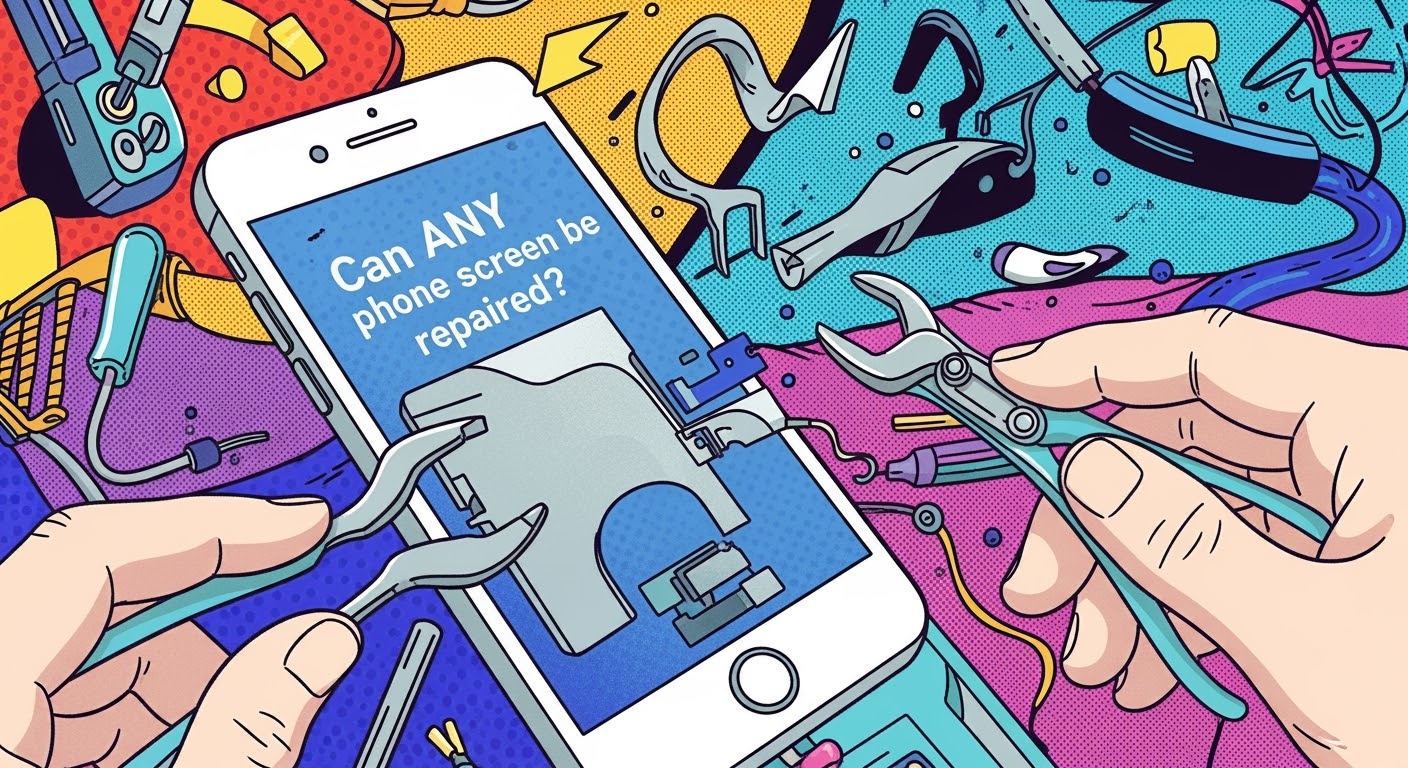
MYTHBUSTING: Can ANY Phone Screen Be Repaired? – Truths, Limits & Expert Tips (2025)
🟢 Introduction
Cracked your phone screen? You’re not alone. It’s one of the most common smartphone mishaps in the world—and usually the first reason people visit a repair shop. But there’s a big question that keeps popping up: Can any phone screen be repaired? Spoiler alert: not always.
This article will break down myths, outline what’s possible, what’s not, and help you make smart decisions about screen repair. Whether you’re holding the latest iPhone, a Google Pixel, or a no-name brand, we’ve got the facts you need to know.
OLED vs LCD vs AMOLED vs TFT: What You Need to Know
Not all phone displays are built the same:
Type
Characteristics
Common In
LCD
Affordable, backlit, less vibrant
Budget Android phones
OLED
More vibrant, thinner, power-efficient
iPhones, flagships
AMOLED
OLED variant, deeper contrast
Samsung Galaxy series
TFT
Basic LCD with fast response
Older or cheaper models
Each type reacts differently to impact, moisture, or wear. That’s why repairing a Samsung AMOLED isn’t the same as fixing a Nokia LCD.
Glass vs Display: Not the Same Thing
Glass is just the outer layer. The display panel is the component underneath that actually shows visuals. Many people think a cracked glass = screen replacement, but that’s not always true.
🤔 Can All Screens Actually Be Repaired?
High-End Phones: iPhones, Galaxies, and More
For newer iPhones (like the iPhone 13–15 series), screen repair is usually possible, thanks to readily available parts and modular design. Samsung Galaxies also fall into this group—especially S21 and newer.
But some models have issues:
In-display fingerprint scanners may not work after screen repair unless recalibrated.
Face ID sensors are delicate; breaking them can make the phone unusable.
Budget Phones: Are Repairs Worth It?
Budget devices like older Oppos, Motorolas, or Realme models might not be worth repairing due to:
Low resale value
Lack of spare parts
Non-removable screens glued into the frame
Sometimes replacing the whole phone is more economical.
🧨 Common Myths About Phone Screen Repairs
“All Screens Are the Same”
False. Screen components vary not only between brands, but even between regions (e.g., Korean vs Chinese Samsung screens).
“Cheaper Repairs Save Money”
Not really. Low-cost repairs often:
Use aftermarket or low-quality parts
Void warranty
Fail quickly—costing more long-term
“DIY Is Just as Good as Professional”
Unless you’re trained and equipped, this is a risky gamble. Many DIY kits don’t include:
Adhesive sealants
Electrostatic protection
Specialized tools for modern bezels
⚠️ Real Limitations of Screen Repairs
Lack of Genuine Parts
Some brands (like Apple and Huawei) tightly control part distribution, so only authorized repairers can access original components.
Outdated or Rare Models
Devices that are over 5 years old often fall into the “non-repairable” category—not because they can’t be fixed, but because parts are discontinued.
Structural Frame Damage
If your screen shattered because the phone was bent or warped, repair becomes tricky. A new screen on a deformed frame won’t sit flush or last long.
🧩 Factors That Affect Screen Repairability
Availability of Parts
Your phone’s popularity determines how easily parts are sourced. For example:
iPhones and Samsungs? Easy.
Niche Chinese brands? Not so much.
Device Design (Modular vs Sealed Units)
Phones with modular design (e.g., Fairphone) are easy to repair.
But many flagships are now sealed units requiring heat, suction, and precision—raising costs and risks.
Brand Repair Policies
Some brands push users toward official repairs only, even disabling features if parts are replaced elsewhere (looking at you, Apple Face ID!).
🧪 How to Know if Your Phone Screen Can Be Repaired
Physical Inspection
Cracks near corners? Less problematic. Spiderwebbing across the whole screen? Tougher. Internal bleeding (LCD leakage)? Major concern.
Diagnostic Testing
Shops like Sydney CBD Repair Centre run multi-point diagnostics to determine if it’s just the screen—or deeper issues like motherboard damage.
Quoting and Evaluation by Professionals
Always ask for a quote after inspection. A reputable shop won’t charge you for simply checking.
✅ Best Practices to Avoid Repair Disasters
Choose Certified Technicians
Look for technicians with certifications or proven track records (like 2000+ reviews on Google for Sydney CBD Repair Centre).
Ask for Genuine Parts
Always clarify if OEM parts are used. If not available, ask for premium-grade alternatives with warranty.
Understand the Warranty
A 90-day repair warranty is the bare minimum. Ensure your shop stands behind their work.
😕 Why Some Shops Say “It’s Not Repairable”
They might mean:
Parts are unavailable
Risk of damage is high
Device is not worth the repair cost
That’s why a second opinion from a trusted centre like Sydney CBD Repair Centre can make all the difference.
🛠️ What If It’s Really Beyond Repair? Your Options
Trade-in the device for parts
Recycle responsibly
Sell for scrap (some shops pay for motherboards, batteries, etc.)
Buy refurbished – cheaper and sustainable
⭐ Why Sydney CBD Repair Centre Leads the Way
At Sydney CBD Repair Centre, we’ve seen it all—from phones that look run over by a bus to rare imports with obscure parts. Here’s what makes us different:
1. Can I fix just the glass if the display still works?
Yes, but it’s delicate. Glass-only repairs require specialized equipment and are best done by professionals.
2. Are aftermarket screens bad?
Not all. Some high-grade aftermarket displays are excellent. The key is to avoid ultra-cheap knockoffs.
3. How long does screen replacement take?
At Sydney CBD Repair Centre, most screen repairs are completed the same day, often within 1–2 hours.
4. Will Face ID or fingerprint sensors still work after repair?
If the repair is done professionally, yes. However, replacing components without recalibration may disable these features.
5. Should I repair or replace an old phone?
If your phone is over 5 years old or parts are rare, replacement may be more cost-effective.
6. Do cracked screens get worse over time?
Absolutely. Cracks can spread, compromise waterproofing, and expose the display to further damage.
🧠 Conclusion: Can Any Screen Be Fixed? It Depends
The short answer? Not every screen is repairable—but many are.
The long answer? It depends on the model, damage, part availability, and who’s doing the repair.
When in doubt, trust the experts. At Sydney CBD Repair Centre, we blend experience, technology, and passion to bring your phone back to life—the right way.
Screen Repair Cost Comparison: Local vs Online – What’s Really Cheaper in 2025?
🟦 Introduction: Why Screen Repair Prices Vary
If your phone screen is cracked, you’ve likely Googled: “cheapest screen repair near me” or “buy screen replacement kit online.” But is the cheapest option the best one? Spoiler alert—it rarely is.
Repair prices differ greatly depending on brand, location, service type, and part quality. This article breaks down local vs online repair costs to help you make an informed decision, saving both time and money.
iPhone 13 Screen Replacement: From $250 (genuine OLED, same-day service)
Samsung Galaxy S22 Screen Replacement: From $320 (official Samsung parts)
Google Pixel 7 Pro Screen Replacement: From $290
All prices include:
Genuine parts
90-day warranty
Professional installation
🟦 Online Repair Services: Convenience or Cost Trap?
Online repair companies let you:
Ship your device for repair
Book a technician to come to your home
🧾 Hidden Fees & Shipping Charges
Packaging costs
Express shipping fees
Insurance for device transit
Some online services don’t include return shipping in their advertised prices, and if something goes wrong during shipping, you’re on the hook.
⏳ Turnaround Time & Delays
While some companies promise 3-5 days, delays from:
Logistics issues
Lack of parts
Missed pickup/drop-off windows
can stretch your repair timeline into weeks.
🟦 Cost Comparison Table: Local vs Online
Feature
Local Repair (e.g., Sydney CBD Repair)
Online Repair Service
Avg. Price (Flagship Model)
$250–$350
$200–$300 (plus shipping)
Turnaround Time
Same day
5–10 business days
Warranty Provided
Yes (90 days)
Varies (30–60 days)
Shipping Involved?
No
Yes (2-way)
Genuine Parts Used
Yes
Often aftermarket or mixed
Risk of Damage in Transit
None
Moderate
Data Security
Secure in-person
Data may be handled offsite
🟦 The Value of Genuine Parts
Genuine parts offer:
Better touch response
Accurate colors and brightness
Longer lifespan
Compatibility with updates and system features
Many online kits or remote repairers use third-party parts to cut costs—often without disclosing it.
At Sydney CBD Repair Centre, we use 100% OEM or factory-authorized parts, backed by warranty.
🟦 Warranty & Aftercare: A Critical Difference
Local Shops:
Walk-in support if issues occur
Full warranty honored on-site
Clear repair documentation
Online:
You’ll likely need to reship your phone if issues arise
Some charge return/restocking fees
Support can be slow or offshore
🟦 DIY Screen Kits Ordered Online: Cheaper or Riskier?
A common online alternative is the DIY repair kit. While cheaper, these carry high risk:
Low-grade screens
Incomplete or incompatible tools
No warranty
High chance of user error (leading to more damage)
Unless you’re a technician, DIY repair is rarely worth the risk—especially with complex flagships like the iPhone 14 or Galaxy S23.
🟦 Real-World Scenarios: Which Option Wins?
Situation
Best Option
Urgent repair before travel
Local repair (same-day service)
Budget-conscious but tech-savvy
DIY with caution
High-end phone with cracked OLED
Local (for genuine part access)
Remote location with no repair shops
Online (with known, trusted brand)
Water-damaged screen
Local (requires full inspection)
🟦 How to Spot a Reliable Repair Service
5-star Google reviews (like Sydney CBD Repair Centre’s 2000+ reviews)
Genuine parts guarantee
Offers written or digital invoices
Lists prices and service times upfront
Offers warranty and aftercare
🟦 Why Sydney CBD Repair Centre Offers the Best Value
✅ 6-Time Award Winner for Best Repairs in Sydney
✅ Same-Day Service for Most Repairs
✅ Competitive Pricing with No Hidden Costs
✅ Over 2000 Verified 5-Star Google Reviews
✅ Genuine Parts & 90-Day Warranty
✅ Expert Technicians in a Convenient CBD Location
We fix Apple, Samsung, Google, Oppo, Huawei, and more—with care and precision.
❓ Frequently Asked Questions
1. Is online repair cheaper than local repair?
Not always—hidden shipping and part quality can increase costs over time.
2. Can I bring in my own parts for repair?
Some local shops accept it, but it voids warranty. Sydney CBD Repair Centre uses only genuine parts.
3. How long does a local repair take?
Most screen repairs at our centre are done same day, often within 1–2 hours.
4. What if my screen cracks again after repair?
With our 90-day warranty, we’ll inspect it and offer support if it’s due to part failure.
5. Are DIY repair kits a good idea?
For most users, no. DIY repairs carry high risk of damaging your phone further.
6. Do local repair shops back up my data?
Reputable centres like ours keep your data safe and intact—no factory reset unless requested.
✅ Conclusion
While online screen repair might seem cheaper upfront, hidden costs, longer wait times, and part quality issues make it a gamble. For fast, transparent, and professional service with genuine parts and warranty, local repair is the smarter investment.
If you’re in Sydney, there’s no better option than Sydney CBD Repair Centre—where thousands trust us to bring their devices back to life.
David from Sydney CBD Repair Centre – The Best place to fix mobile phones 6 Years In A Row! Top Mobile Phone Repair In Sydney. Over 2000 Positive Google Reviews and trusted same-day repair services.
📱 Why Screen Repair Costs Are Changing in 2025
Smartphones in 2025 are more advanced than ever—ultra-bright OLED displays, foldable screens, integrated fingerprint sensors, and tougher glass. But while the tech evolves, one thing hasn’t changed: screens still break.
So how much will it cost to replace your screen in 2025? Whether you have the newest Galaxy, iPhone, or Pixel, here’s a comprehensive repair price comparison to help you make an informed choice.
Samsung Galaxy Z Flip 5 Screen Replacement Cost Comparison – Find the Best Value Repair in 2025
📱 Introduction
The Samsung Galaxy Z Flip 5 is a beautiful piece of foldable engineering—but its unique dual-screen design means it’s more expensive to repair than standard smartphones. If you’ve damaged your screen, you’re likely wondering: How much will it cost? Is it worth fixing? Where’s the best value in Sydney?
This guide compares Z Flip 5 screen replacement costs across different providers so you can make an informed decision—without compromising on quality or safety.
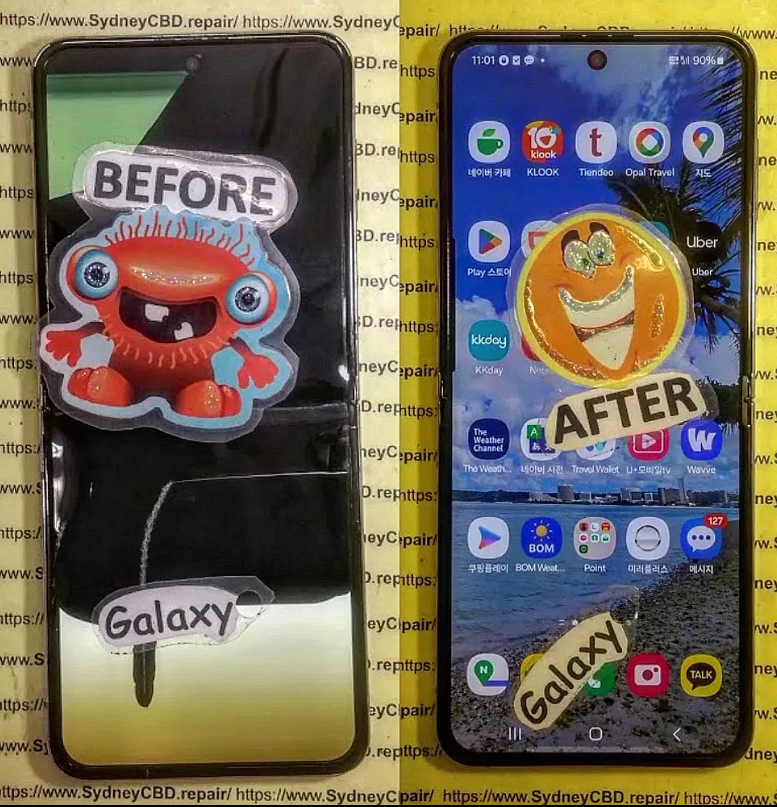
Broken-Galaxy-Z-Flip-5-Screen.png
🧩 How the Z Flip 5 Screen Design Affects Repair Costs
Inner Foldable Display vs Cover Screen
The Galaxy Z Flip 5 features two displays:
Cover Screen: 3.4-inch Super AMOLED
Inner Main Display: 6.7-inch Foldable Dynamic AMOLED 2X
Each has different replacement costs. The inner screen is complex, requires precision, and is significantly more expensive to replace.
UTG Technology and Cost Factors
The inner screen uses Ultra Thin Glass (UTG)—flexible, yet delicate. Replacing it requires:
Specialised tools
Trained technicians
OEM components to retain folding functionality
All of this increases repair costs compared to traditional phone displays.
🆚 Is It Cheaper to Replace the Inner Screen or Cover Display?
Yes, the cover display is simpler and cheaper. If only the outer screen is damaged, you’re looking at less than half the cost of the inner foldable screen.
📝 Can You Claim Repairs Under Warranty or Samsung Care+?
Repair Type
Standard Warranty
Samsung Care+
Accidental Damage
❌ Not Covered
✅ Partially Covered
Manufacturing Defect
✅ Covered
✅ Covered
Screen Crack (User Error)
❌ Not Covered
✅ Discounted Replacement
You can check your eligibility via Samsung Members app or bring it to Sydney CBD Repair Centre, and we’ll assist with warranty claims.
🌟 Why Choose Sydney CBD Repair Centre for Z Flip 5 Repairs
6-Time Award-Winning Repair Centre
2000+ 5-Star Google Reviews
Located in the heart of Sydney CBD
Only genuine or premium OEM parts used
Same-day express repairs (in most cases)
90-day warranty on all screen repairs
Expert technicians with foldable screen experience
1. Can you replace just the glass on the Z Flip 5?
No. The glass and display are fused. You must replace the entire display assembly.
2. Does repair affect the hinge?
It shouldn’t—if done properly. At Sydney CBD Repair Centre, we inspect and preserve hinge integrity during the process.
3. Is the repair water-resistant afterward?
We reseal the phone using OEM-grade adhesives, but water resistance may be reduced. Avoid submerging the phone post-repair.
4. Will my Samsung Care+ still be valid after third-party repair?
No. Using unofficial repair shops may void Care+ coverage. We recommend coming to us after warranty ends or if you’re out of coverage.
5. How long does the repair take?
Usually 1 to 3 hours, depending on the part and queue. Same-day service is available.
6. Do I need to back up my data before the repair?
Yes. While data loss is rare, it’s always best to back up your phone before any repair work.
✅ Conclusion
Replacing your Galaxy Z Flip 5 screen doesn’t have to break the bank—or your phone. By understanding the costs, screen types, and repair options, you can make the right decision for your device.
At Sydney CBD Repair Centre, we offer affordable, professional screen replacements with a focus on quality, speed, and service. Whether it’s your inner foldable display or cover screen, we’re here to help—fast, safe, and guaranteed.
Samsung S23 Plus Screen Repair Cost Analysis: Uncover the Truth Behind the Price + Expert Breakdown
📲 Introduction: The Growing Need for Samsung S23 Plus Repairs
The Samsung Galaxy S23 Plus is a powerhouse of innovation and design, featuring a stunning 6.6-inch Dynamic AMOLED 2X display that offers crystal-clear visuals and a buttery-smooth 120Hz refresh rate. However, as beautiful as it is, that screen is vulnerable to accidental damage.
From accidental drops on pavement to pressure cracks inside a pocket, many users find themselves seeking screen repair services — and asking the all-too-common question: Why is Samsung S23 Plus screen repair so expensive? Let’s break it down.
💡 Why the Samsung S23 Plus Screen is Expensive to Fix
Advanced AMOLED Display Technology
The Samsung S23 Plus boasts a Full HD+ Dynamic AMOLED 2X panel — not your average LCD. AMOLED screens provide deeper blacks and brighter colors, but they’re also more expensive to manufacture and replace.
Cost of production: AMOLED panels are thinner and more sensitive.
Delicate nature: Any mishandling during repair can render them unusable.
Screen Integration with Fingerprint Sensor
Unlike many smartphones, the Samsung S23 Plus integrates the ultrasonic fingerprint scanner directly beneath the display. This means:
Replacing the screen involves careful calibration.
Only high-quality parts can ensure the scanner works post-repair.
Water and Dust Resistance: The IP68 Factor
Samsung engineered this device to meet IP68 standards, making it dustproof and water-resistant. This seal can be compromised during screen repair, which:
Increases the time and precision needed during reassembly.
Prices for Samsung screen repairs vary, but here’s a breakdown of what typically makes up the total cost:
OEM vs Aftermarket Screens
OEM (Original Equipment Manufacturer): Usually costs AUD $400–$550, but offers guaranteed compatibility.
Aftermarket Screens: Cheaper, ranging AUD $250–$350, but may have color tint, lower brightness, or reduced touch sensitivity.
Type
Average Cost (AUD)
Pros
Cons
OEM
$400 – $550
Perfect fit, fingerprint sensor support
Expensive
Aftermarket
$250 – $350
Budget-friendly
May affect performance
Labour and Diagnostic Fees
Some repair centres charge a diagnostic fee ranging from $40–$80, while labour charges depend on:
Technician experience
Time required for disassembly and reassembly
Tools and technology used
Warranty and Post-Repair Support
Reputable shops like Sydney CBD Repair Centre offer 90-day warranties, which ensures peace of mind and protects your investment.
🏪 Where to Get Your Samsung S23 Plus Screen Repaired
Samsung Authorized Service Centres
Pros:
Official parts and procedures
Warranty remains intact (if within period)
Cons:
Expensive
Longer turnaround times
Independent Repair Shops
Pros:
Faster service
Competitive pricing
Cons:
Quality varies — choose a reputed one like Sydney CBD Repair Centre
DIY Repairs: Worth the Risk?
Though tempting, DIY repairs can:
Void your warranty
Damage the internal components
Fail to reseal waterproofing
🌍 Comparing Samsung S23 Plus Screen Repair Costs Globally
Country
Average Cost (USD)
Notes
USA
$280 – $400
OEM parts widely available
Australia
$300 – $420
Labour cost slightly higher
UK
£250 – £350
High-quality third-party repairs
India
₹18,000 – ₹27,000
Mostly aftermarket options
Global costs fluctuate due to import taxes, technician availability, and brand partnerships.
💡 Tips to Save Money on Screen Repairs
Use phone cases and tempered glass
Repair small cracks early to prevent spread
Compare quotes from reputable repair centres
Check if your credit card includes accidental damage coverage
Ask for refurbished OEM parts (cost-effective, still genuine)
🛡️ The Role of Insurance and Warranties in Screen Repair
Carrier or manufacturer insurance may cover accidental damage, but:
Excess fees apply
Limited number of claims per year
Check if screen damage is covered under your plan
Samsung Care+ is a great option, but if it’s expired, opt for reliable independent repair options.
🏆 How Sydney CBD Repair Centre Delivers Premium Samsung Repairs
Genuine Parts and Trained Technicians
All repairs use 100% genuine OEM parts for Samsung devices, preserving your phone’s integrity. Technicians are certified and experienced in delicate repairs like ultrasonic fingerprint integration.
Transparent Pricing and Same-Day Repairs
No hidden fees
Free diagnosis
Express same-day service
With over 2000+ Google Reviews and 6-time award-winning service, Sydney CBD Repair Centre has built a reputation you can trust.
1. How long does it take to replace a Samsung S23 Plus screen?
Most high-end repair shops, like Sydney CBD Repair Centre, offer same-day service — usually within 1 to 3 hours.
2. Will a third-party screen affect my phone’s performance?
Yes, especially if it’s low quality. Touch sensitivity, brightness, and fingerprint sensors may not work as expected.
3. Is screen replacement covered under Samsung warranty?
Only if there’s a manufacturing defect. Accidental damage is usually not covered unless you have Samsung Care+.
4. What’s the difference between OLED and AMOLED?
Both are similar, but AMOLED offers better contrast and consumes less power — and is used in S23 Plus.
5. Can a cracked screen be repaired without full replacement?
Not usually. Most cracks affect the digitizer and display, requiring a complete screen assembly replacement.
6. Is Sydney CBD Repair Centre cheaper than Samsung stores?
Yes. You can save up to 30–40% compared to authorized centres while still getting genuine parts and warranty.
✅ Conclusion: Quality Repair is an Investment
Investing in a quality screen repair for your Samsung S23 Plus isn’t just about restoring looks — it’s about performance, protection, and peace of mind. Whether you choose OEM or a high-grade aftermarket screen, always trust experienced technicians who stand by their work. In Sydney, Sydney CBD Repair Centre remains your top choice for affordability, speed, and service excellence.
A cracked screen isn’t just a cosmetic problem—it can lead to deeper technical issues that affect your phone’s performance and safety. When your display gets damaged, water and dust can seep in, sensors might malfunction, and the touch screen could stop responding altogether. Proper screen repair is essential for both functionality and longevity.
However, many people make costly mistakes when attempting to fix their phone screens—either by doing it themselves or by choosing the wrong repair service. Let’s explore the top 10 common mistakes in phone screen repairs, and how you can avoid them with expert help from Sydney CBD Repair Centre.
⚠️ Mistake #1: Ignoring Small Cracks
Small cracks may seem harmless at first, but they can quickly spread and lead to bigger, more expensive issues. Delaying repair also risks damaging the internal components due to exposure to moisture or dust.
Expert Tip: As soon as you see even a hairline fracture, consult a professional. Early intervention is far more affordable than replacing an entire screen assembly.
🛠️ Mistake #2: DIY Repairs Without Proper Tools
YouTube tutorials might make phone repairs look easy, but lacking the proper tools and expertise can do more harm than good. Many DIYers end up damaging cables, LCD layers, or fingerprint sensors.
Expert Tip: If you’re not a trained technician with the right tools, leave the repair to experts who guarantee quality results.
💡 Mistake #3: Using Low-Quality Replacement Screens
Cheap, non-genuine screens might save you money initially but often result in poor touch sensitivity, dull colors, and reduced durability. These parts can fail within weeks, requiring another repair.
Expert Tip: At Sydney CBD Repair Centre, we only use genuine parts, ensuring your screen performs just like the original.
🕒 Mistake #4: Delaying Repairs Too Long
The longer you wait, the worse it gets. Cracks can spread, components can shift or loosen, and water damage becomes a serious threat. Long-term neglect can lead to complete phone failure.
Expert Tip: Fixing the issue as soon as it arises prevents further complications—and can be completed in as little as 1 hour at our centre.
💾 Mistake #5: Not Backing Up Your Data
While professional repairs are usually safe, there’s always a small chance of data loss due to hardware disconnection or software issues. People often regret not backing up before handing over their device.
Expert Tip: Back up your files to iCloud, Google Drive, or a computer before any service.
💰 Mistake #6: Choosing Price Over Quality
Many repair shops lure customers with ultra-low prices, but often compromise on quality—using counterfeit parts, skipping diagnostics, or rushing jobs. You truly get what you pay for.
Expert Tip: Always check reviews and technician credentials. Sydney CBD Repair Centre has 2000+ 5-star reviews for a reason.
🌐 Mistake #7: Falling for Online Repair Myths
From toothpaste fixes to rice bag solutions, the internet is full of bogus advice. These methods don’t work—and can make the problem worse.
Expert Tip: Trust real technicians, not internet hacks. Repairing a screen requires precision and care, not home remedies.
📜 Mistake #8: Ignoring Warranty Terms
Some people void their warranty by attempting their own repairs or going to unauthorized centres. Manufacturers can refuse to service a phone if a third party has tampered with it.
Expert Tip: Always ask if the repair shop uses genuine parts and provides a warranty on service—ours is 90 days.
🌊 Mistake #9: Overlooking Water Damage Risks
Even the smallest crack can allow moisture in, especially in humid climates or rainy seasons. Water damage can corrode internal circuits and fry your logic board.
Expert Tip: A cracked screen isn’t just a visual issue—it’s a vulnerability. Get it repaired before water or humidity sneaks in.
👨🔧 Mistake #10: Not Consulting Professional Technicians
Amateur repairs often lead to more damage, increasing the cost of professional repairs later on. Professional technicians ensure diagnostics, quality parts, and proper installation.
Expert Tip:Sydney CBD Repair Centre has over a decade of experience, and our technicians are certified to handle all major brands with utmost precision.
Here’s what you should do before, during, and after your screen repair:
Step
Action
Before
Back up your data, remove SIM and memory card
During
Choose a reputable repair shop, ask for genuine parts
After
Test the screen, ask for warranty documentation, apply a screen protector
Also, ask for a service report detailing what was fixed—this builds trust and transparency.
⭐ Why Choose Sydney CBD Repair Centre?
Located in the heart of Sydney, our centre has become the go-to destination for phone screen repairs because:
✅ Same Day Express Repairs
✅ Genuine Parts Only
✅ Certified Technicians
✅ 6 Years Award-Winning Service
✅ 2000+ Positive Google Reviews
✅ 90-Day Repair Warranty
👉 Locate Us Today or call us at +61280114119 for more information.
❓ FAQs
1. How long does phone screen repair take?
Most screen repairs at our centre are completed within 1 hour, depending on the model and issue severity.
2. Will repairing my screen erase data?
No. Screen replacement doesn’t affect internal storage. However, always back up your data just in case.
3. Is it worth repairing an older phone model?
Absolutely. If your phone works well otherwise, a screen repair can extend its life significantly—especially compared to buying a new device.
4. Do you use original parts for repairs?
Yes. We only use genuine OEM parts, ensuring your device looks and functions like new.
5. Can I walk in without an appointment?
Yes, walk-ins are welcome! We’re located in Sydney CBD and offer same-day service.
6. What happens if my phone has other issues?
Our diagnostics can detect underlying problems. We’ll let you know and give you a transparent quote before any additional repairs.
✅ Conclusion
Fixing your phone screen might seem like a small task, but avoiding common mistakes can save you from big headaches. Whether it’s choosing quality over cost, acting fast on cracks, or trusting a professional—your device deserves the best.
At Sydney CBD Repair Centre, we take pride in offering world-class phone repairs with a personal touch. So don’t wait until that small crack turns into a major problem—get it fixed right, the first time.