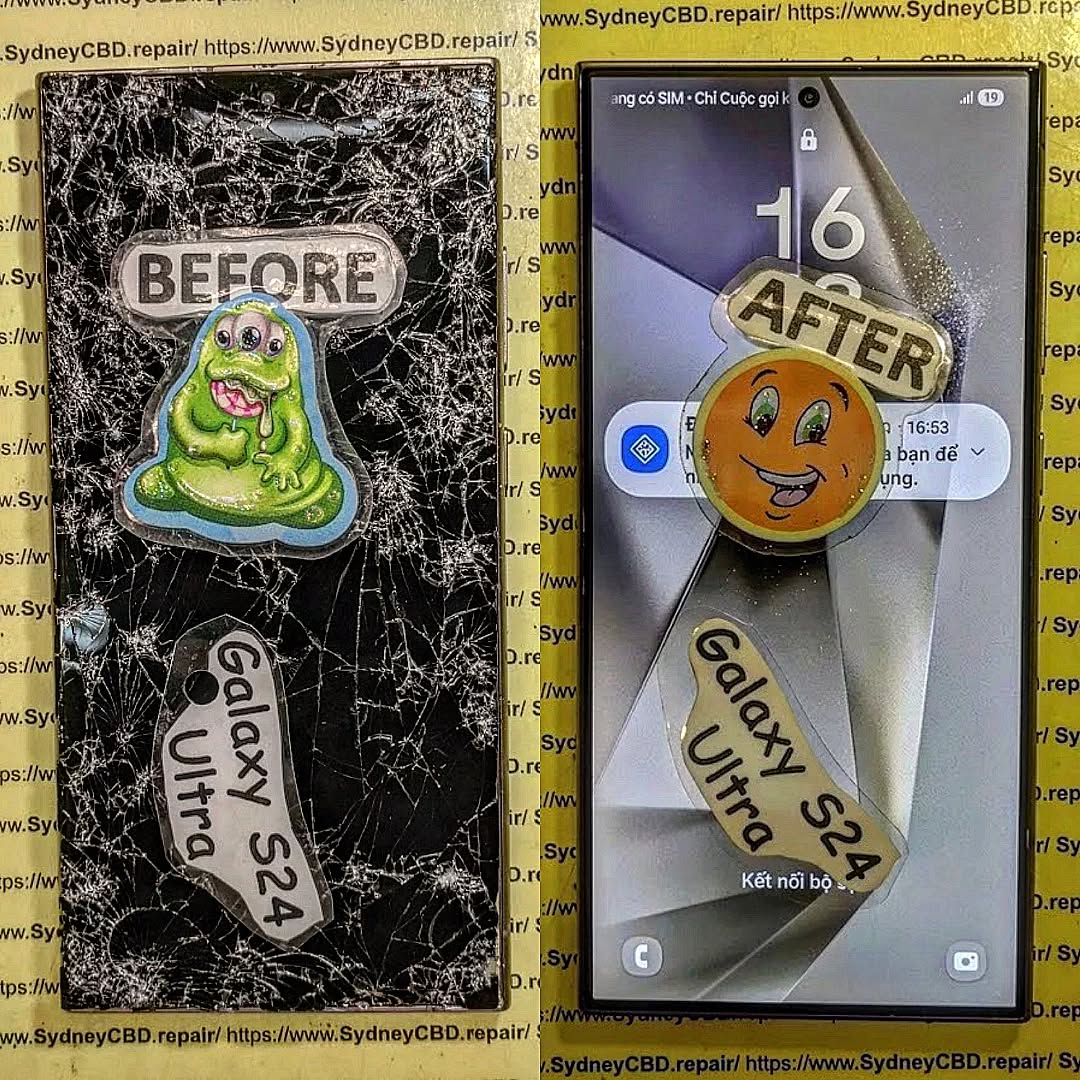
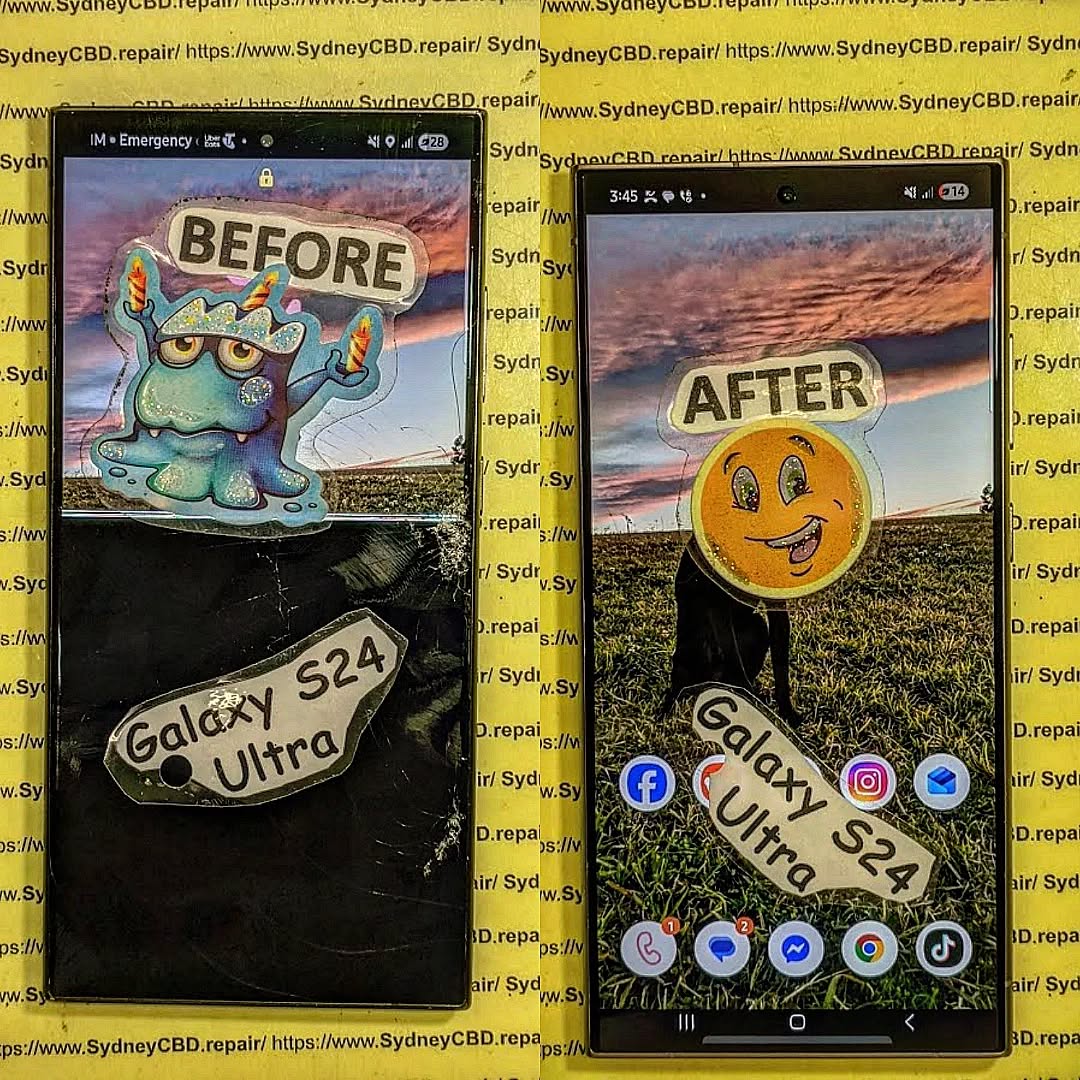
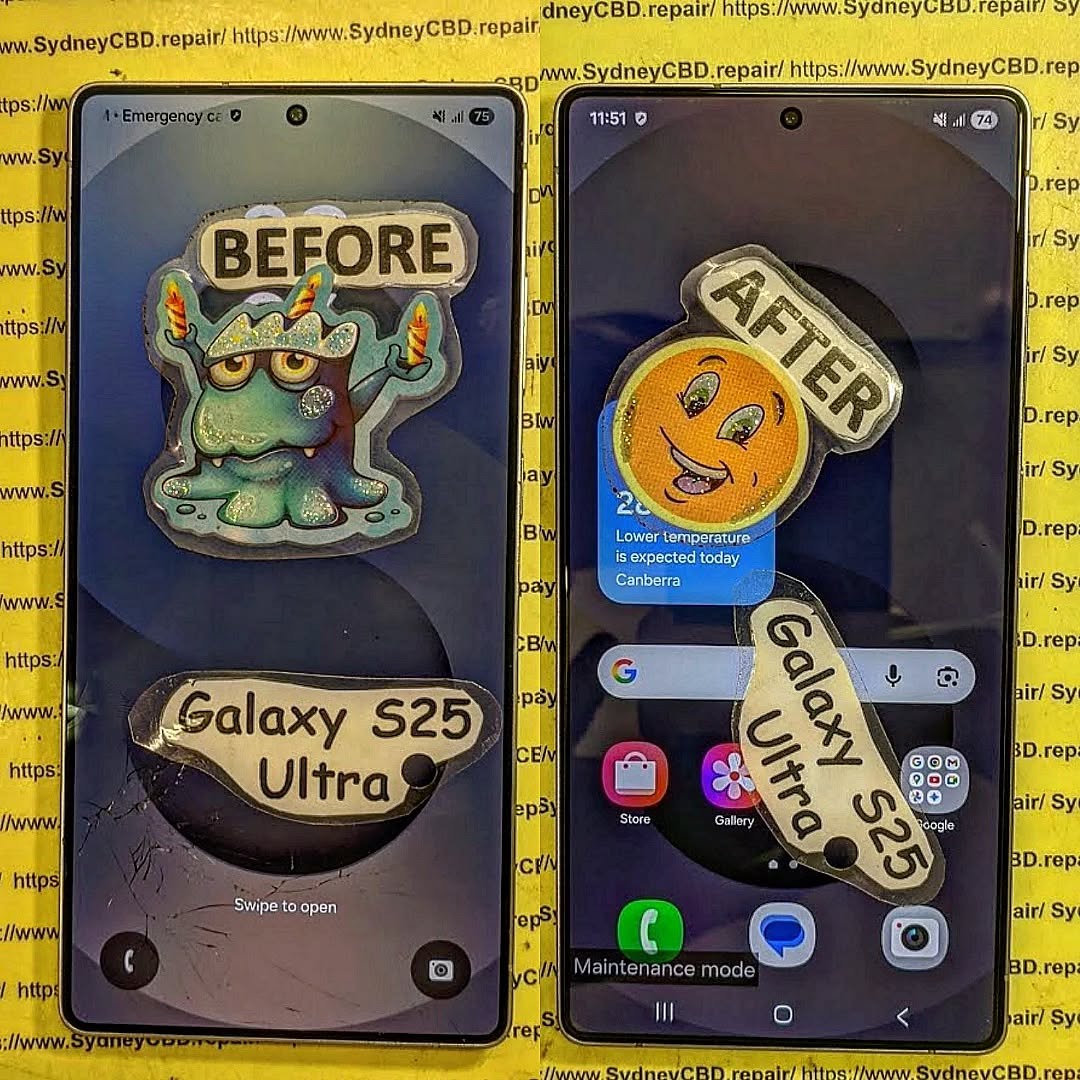
Testing Every Function: Does Fingerprint Scanning Still Work After Samsung Screen Repair? 9 Powerful Facts You Need to Know
Introduction
Replacing a Samsung display isn’t just about restoring a beautiful screen. Modern Samsung smartphones integrate fingerprint authentication directly into the display, making every screen replacement a delicate technical procedure. This guide explains why fingerprint scanning may or may not work after a repair, what professional technicians do differently, and how you can ensure your phone performs exactly as Samsung intended.
Samsung smartphones have become increasingly advanced over the years. Models like the Galaxy S21, S22, S23, S24, and S25 series feature sophisticated under-display fingerprint scanners that offer fast and secure authentication without needing a physical home button.
When your screen breaks, replacing the display isn’t simply about fitting a new piece of glass. A quality Samsung screen repair should restore every feature—including fingerprint recognition, touch sensitivity, brightness, color accuracy, refresh rate, proximity sensors, facial recognition support, and waterproof sealing where applicable.
Many people worry that replacing the screen means losing fingerprint functionality forever. Fortunately, that’s usually not the case when repairs are performed correctly by experienced technicians using high-quality replacement parts.
This guide explains everything you need to know about Samsung fingerprint scanning after a screen replacement and why professional testing is so important.
Sometimes initially—but mistakes often lead to more expensive repairs later.
Tips for Customers Before and After Repair
To maximise fingerprint performance:
Choose an experienced repair centre.
Ask whether genuine or premium-quality parts are used.
Re-register fingerprints after repair.
Keep the display clean.
Use fingerprint-compatible screen protectors.
Update Samsung software regularly.
Test every phone function before leaving the repair shop.
A trustworthy technician should encourage comprehensive testing rather than rushing the process.
Frequently Asked Questions
1. Will my Samsung fingerprint scanner always work after a screen replacement?
Yes, in most cases it will work normally when a compatible, high-quality display is installed correctly and the phone is properly tested.
2. Why does my fingerprint scanner fail after repair?
Common causes include incompatible screens, incorrect installation, software configuration, or screen protectors that interfere with the sensor.
3. Do genuine Samsung displays offer better fingerprint performance?
Generally, yes. Genuine displays are designed to work seamlessly with Samsung’s optical and ultrasonic fingerprint technologies.
4. Should I delete my fingerprints after a screen replacement?
Yes. Re-registering your fingerprints often improves speed and accuracy after a new display has been installed.
5. Can a screen protector affect fingerprint scanning?
Absolutely. Thick or low-quality protectors may reduce sensor performance. Fingerprint-compatible protectors are recommended.
6. How long should a professional Samsung screen repair take?
Many experienced repair centres can complete standard Samsung screen replacements on the same day, depending on the model and parts availability.
7. Is it safe to repair a Samsung phone instead of replacing it?
Yes. Professional repairs using quality components can restore your phone’s performance and extend its lifespan significantly while costing much less than buying a new device.
Conclusion
A Samsung screen replacement should restore much more than just the appearance of your phone. Modern Galaxy devices rely on sophisticated under-display fingerprint technology that demands precision, compatible components, and careful testing during every repair.
When a skilled technician uses high-quality replacement parts and performs thorough post-repair checks, fingerprint scanning typically works just as users expect. In many cases, any temporary recognition issues can be resolved by re-enrolling fingerprints, updating the device, or using a fingerprint-compatible screen protector.
Choosing a trusted repair centre is the best way to protect your investment. Rather than focusing only on replacing broken glass, experienced professionals verify every important feature—from display quality and touch responsiveness to biometric security and sensor performance. That attention to detail ensures your Samsung device remains secure, reliable, and ready for everyday use.
For additional information about Samsung’s biometric security technology, visit the official Samsung Knox security page: https://www.samsungknox.com/
David from Sydney CBD Repair Centre – The Best place to fix mobile phones as 7 Years In A Row! Top Mobile Phone Repair In Sydney. More than 2000 Positive Reviews on Google and Same Day Repairs.
We take pride in delivering exceptional repair services for all major phone brands including Apple, Samsung, Google, and more. Our expert technicians use only genuine parts and offer 90 days warranty on repairs. Located in the heart of Sydney CBD, we’re your one-stop solution for all mobile device repairs.
Our commitment to excellence has earned us the trust of thousands of satisfied customers. Whether it’s a cracked screen, battery replacement, or water damage repair, we handle it all with professional care and expertise. Walk in today and experience why we’re Sydney’s #1 choice for mobile phone repairs.
Visit us for:
✓ Same Day Express Repairs
✓ Genuine Parts Guarantee
✓ Professional Technicians
✓ Competitive Pricing
✓ 2000+ 5-Star Google Reviews
✓ 7-Time Award Winner for Best Phone Repairs
Sydney CBD Repair Centre – Where Quality Meets Reliability.
Why Your Samsung Screen Flickers Green and the Professional Precision Fix Required
Introduction
Samsung smartphones are renowned for their brilliant AMOLED displays, delivering exceptional colour accuracy, deep blacks, and industry-leading brightness. Whether you own a Galaxy S24 Ultra, Galaxy S23 FE, Galaxy Z Fold6, or an older Galaxy S20 series device, the display is one of the phone’s most impressive features.
However, many Samsung users experience an alarming issue that seemingly appears out of nowhere—a green flickering screen. Sometimes the display flashes green for a split second. Other times, the entire screen becomes tinted green, flickers continuously, or only works properly at maximum brightness.
For many owners, the problem begins after a software update. For others, it follows a minor drop, accidental pressure on the display, water exposure, or simply normal wear after years of daily use. Regardless of the cause, a green flickering screen is a clear indication that something is wrong and should not be ignored.
The good news is that this issue can usually be diagnosed accurately by an experienced technician. More importantly, a professional repair using genuine Samsung components restores the display’s original performance while preventing further damage.
In this guide, we’ll explain:
Why Samsung screens flicker green
The most common causes
How professionals diagnose the problem
Why DIY fixes rarely work
The precision repair process
How genuine Samsung displays outperform cheap aftermarket replacements
How to prevent similar issues in the future
By understanding the root cause, you’ll be able to make an informed decision about repairing your device rather than risking additional damage through temporary fixes.
A green flickering screen isn’t a fault caused by a single issue. Instead, it is a symptom that can result from several different hardware or software problems.
Samsung’s AMOLED displays are incredibly advanced. Millions of tiny organic light-emitting pixels work together under precise voltage control. If any component in this system begins to fail, the display can no longer regulate colour correctly.
Common symptoms include:
Entire display turning green
Green vertical lines
Random flashing
Green tint at low brightness
Screen working only at maximum brightness
Flickering during unlocking
Display becoming normal after restarting
Green flashes before the screen turns black
The exact symptom often provides technicians with valuable clues during diagnosis.
Unlike traditional LCD screens, OLED displays generate their own light. Each pixel contains microscopic organic compounds that emit red, green, and blue light independently.
If the voltage supplied to the green sub-pixels becomes unstable, the screen may display:
Bright green flashes
Pulsing brightness
Green tinting
Flickering
Physical damage accelerates OLED degradation, even if there are no visible cracks.
Many customers are surprised because their phone looks perfectly intact from the outside. However, internal OLED layers can fracture without breaking the outer glass.
2. Display Flex Cable Damage
Samsung displays connect to the motherboard using delicate flex cables.
These ultra-thin cables carry:
Display data
Touch signals
Power
Brightness control
A partially damaged flex cable may produce intermittent symptoms such as:
Flickering
Green flashes
Temporary black screen
Image distortion
Random colour shifts
Foldable Samsung phones are particularly susceptible because their flex cables bend thousands of times during normal use.
3. Display Driver IC Failure
Every Samsung display contains a display driver integrated circuit (IC).
This tiny chip controls:
Pixel timing
Refresh rates
Brightness
Colour calibration
Voltage regulation
If the driver IC becomes damaged through impact, overheating, or manufacturing defects, the display may begin producing unstable colours.
Typical symptoms include:
Flickering only at certain brightness levels
Green flashes while scrolling
Random image instability
Delayed screen response
Professional testing equipment is required to confirm this type of failure accurately.
4. Software or Firmware Problems
Although less common than hardware faults, software can occasionally contribute to green flickering.
Potential causes include:
Failed firmware updates
Graphics driver bugs
Corrupted display settings
Experimental refresh-rate features
Users often notice the problem immediately after installing a major Android or One UI update.
Fortunately, software-related issues are generally easier to resolve than hardware failures. A professional technician can determine whether the issue stems from firmware or physical components before recommending a repair.
5. Impact Damage
One of the most overlooked causes is minor impact damage.
Even if:
The glass isn’t cracked
The phone still turns on
Touch remains responsive
The OLED beneath the glass may have suffered microscopic damage.
Examples include:
Phone dropped onto carpet
Sitting on the phone
Pressure inside a backpack
Corner impacts
Twisting forces
The damage may not appear immediately. In many cases, green flickering develops days or even weeks after the original impact as the compromised display gradually deteriorates.
6. Moisture and Water Exposure
Modern Samsung Galaxy phones offer impressive water resistance, but they are not completely waterproof.
Over time, water resistance can diminish due to:
Worn adhesive seals
Previous repairs
Physical damage
Age-related wear
Moisture entering the device can corrode display connectors and affect electrical signals, leading to intermittent flickering, green lines, or complete display failure. Even condensation from humid environments can contribute to corrosion over time.
If your Samsung phone has been exposed to water—even briefly—and later develops a green flickering screen, it’s important to have it professionally inspected as soon as possible to prevent further internal damage.
Which Samsung Models Commonly Experience Green Flickering?
While any AMOLED-equipped Samsung device can develop display issues, some models are reported more frequently due to their popularity and advanced high-refresh-rate displays.
Commonly affected models include:
Samsung Galaxy S20
Samsung Galaxy S20+
Samsung Galaxy S20 Ultra
Samsung Galaxy Note20 Ultra
Samsung Galaxy S21
Samsung Galaxy S21+
Samsung Galaxy S21 Ultra
Samsung Galaxy S22 Series
Samsung Galaxy S23 Series
Samsung Galaxy S24 Series
Samsung Galaxy Z Fold Series
Samsung Galaxy Z Flip Series
It’s important to note that experiencing a green flickering screen does not necessarily indicate a manufacturing defect. In many cases, the issue results from a combination of daily wear, accidental impact, environmental factors, and the natural aging of OLED components.
The Science Behind Samsung AMOLED Green Flickering
Samsung’s Dynamic AMOLED technology is among the most sophisticated display systems available in modern smartphones. Each screen contains millions of self-emitting pixels, with every pixel made up of red, green, and blue organic light-emitting diodes.
These pixels are controlled by precision voltage supplied through a display driver IC. When everything functions correctly, colours remain vibrant, blacks are perfectly deep, and brightness transitions are smooth.
However, if the voltage becomes unstable due to a failing OLED layer, damaged flex cable, or malfunctioning driver IC, the green sub-pixels are often the first to behave erratically. This results in the characteristic green flicker or tint that many Samsung users experience.
Unlike LCD technology, OLED displays cannot be repaired at the pixel level. Once the panel itself is compromised, replacing the complete display assembly is typically the only reliable long-term solution.
Professional Diagnosis, Precision Repair Process, and Why Genuine Samsung Screens Matter
Professional Diagnostic Tools Make All the Difference
A green flickering Samsung screen should never be diagnosed through guesswork. Professional repair centres use specialised equipment and systematic testing procedures to determine whether the problem originates from the display assembly, motherboard, battery, charging circuit, or software.
Unlike DIY troubleshooting, professional diagnostics focus on identifying the root cause before any parts are replaced.
Typical diagnostic equipment includes:
Samsung-compatible diagnostic software
OLED display testing modules
Precision digital multimeters
Thermal imaging equipment
Microscope inspection stations
Power supply testers
Logic board analysis tools
This comprehensive approach helps technicians avoid replacing perfectly functional components while ensuring hidden faults are not overlooked.
Testing the Display Assembly
The display is usually the first component evaluated.
Technicians carefully inspect for:
Green flickering under different brightness settings
Colour uniformity
Dead pixels
Screen burn-in
Touch responsiveness
Multi-touch accuracy
Refresh rate stability
Always-On Display functionality
Testing is performed at various brightness levels because many Samsung AMOLED screens only begin flickering when brightness drops below approximately 30%.
Checking the Flex Cable Connections
The display assembly communicates with the motherboard through extremely delicate flex cables.
Professional technicians inspect:
Connector alignment
Pin damage
Corrosion
Torn flex cables
Loose connections
Connector locking mechanisms
A loose connector can sometimes produce symptoms identical to a failing display.
Fortunately, reconnecting or replacing damaged connectors is significantly less expensive than replacing an entire display assembly.
Motherboard Inspection
Although less common, motherboard faults can also trigger display problems.
Technicians inspect:
Display driver circuits
Power management ICs
Display connector solder joints
Water damage
Burnt components
Corrosion
Physical board damage
Microscope inspection often reveals tiny defects invisible to the naked eye.
Software Diagnosis
Before replacing hardware, reputable repair centres eliminate software as the possible cause.
This includes checking:
Android updates
Samsung One UI version
Display drivers
Safe Mode operation
Factory diagnostic menus
Error logs
If the flickering disappears in Safe Mode, third-party applications may be contributing to the issue.
However, persistent flickering across all operating modes usually indicates hardware failure.
Why DIY Fixes Usually Don’t Solve Green Flickering
When a Samsung screen begins flashing green, many users search online for quick solutions.
Popular DIY suggestions include:
Lowering screen brightness
Increasing brightness permanently
Disabling Adaptive Brightness
Turning off 120Hz refresh rate
Installing third-party display apps
Factory resetting the phone
Although these methods may temporarily reduce symptoms, they rarely address the actual cause.
Temporary Software Workarounds
Some users report that keeping brightness above 80% reduces green flickering.
Why?
Higher brightness changes the voltage supplied to OLED pixels.
Unfortunately:
The underlying damage remains.
The display continues deteriorating.
Battery consumption increases.
Permanent failure becomes more likely.
Think of it as masking the symptoms rather than curing the problem.
DIY Screen Replacement Risks
Replacing a Samsung AMOLED display is considerably more complex than replacing older LCD screens.
Modern Galaxy devices feature:
Waterproof adhesive
Precision-installed OLED panels
In-display fingerprint sensors
Delicate flex cables
Multiple internal antennas
Tight manufacturing tolerances
Without specialised tools, DIY repairs can result in:
Broken fingerprint sensors
Dust trapped beneath the screen
Poor waterproof sealing
Damaged wireless charging coils
Torn flex cables
Cracked replacement displays during installation
Cheap Replacement Screens Create More Problems
Many low-cost online displays advertise themselves as:
OEM Quality
Original Grade
Premium OLED
Factory Specification
These descriptions can be misleading.
Low-quality aftermarket screens often suffer from:
Lower brightness
Poor colour calibration
Reduced touch sensitivity
Increased battery usage
Faster burn-in
Inferior glass durability
Fingerprint sensor incompatibility
While they may cost less initially, they frequently require replacement much sooner than genuine Samsung displays.
The Professional Precision Repair Process
Professional repair is about far more than simply swapping one screen for another.
Every repair follows a detailed sequence designed to protect the phone while restoring factory-level performance.
Step 1 – Complete Device Assessment
Before opening the device, technicians verify:
Display condition
Touch performance
Cameras
Speakers
Charging
Face recognition
Fingerprint reader
Wireless charging
Network connectivity
This establishes a baseline and ensures any unrelated issues are documented before repairs begin.
Step 2 – Controlled Device Heating
Samsung screens are secured using high-strength waterproof adhesive.
Professional heating equipment softens the adhesive evenly without overheating sensitive internal components.
Improper heating can damage:
OLED panels
Battery
Plastic frame components
Wireless charging coils
Temperature control is essential.
Step 3 – Safe Screen Removal
Using precision tools, technicians carefully separate the damaged display.
Special attention is paid to:
Flex cable routing
Fingerprint sensor placement
Internal brackets
Display connector alignment
This stage requires patience and experience to avoid damaging reusable components.
Step 4 – Internal Cleaning
Before installing the replacement screen, the phone is thoroughly cleaned.
Technicians remove:
Old adhesive residue
Dust
Glass fragments
Moisture residue
Dirt accumulation
A clean surface ensures proper bonding and helps maintain water resistance.
Step 5 – Genuine Display Installation
The new Samsung display is aligned with extreme precision.
Professional installation includes:
Correct adhesive application
Even pressure distribution
Proper cable routing
Accurate connector seating
Every fraction of a millimetre matters.
Step 6 – Fingerprint Sensor Calibration
Modern Samsung phones use advanced under-display fingerprint readers.
Following installation, technicians verify:
Fingerprint recognition
Sensor responsiveness
Unlock speed
Calibration accuracy
Skipping this step can result in unreliable biometric performance.
Step 7 – Comprehensive Quality Testing
Before returning the phone, technicians perform extensive post-repair testing.
This includes:
Display brightness
Colour accuracy
Touch sensitivity
Refresh rate
Auto brightness
Proximity sensor
Face recognition
Cameras
Charging
Speakers
Vibration motor
Wireless charging
Fingerprint reader
Only after every function passes inspection is the repair considered complete.
Genuine Samsung Displays vs Cheap Aftermarket Alternatives
Choosing the correct replacement display significantly affects your phone’s long-term performance.
Feature
Genuine Samsung Display
Cheap Aftermarket Display
Brightness
Excellent
Often reduced
Colour Accuracy
Factory calibrated
Usually inaccurate
Refresh Rate
Full support
May be limited
Fingerprint Sensor
Fully compatible
Compatibility varies
Durability
High
Lower
Battery Efficiency
Optimised
Often higher power consumption
Warranty
Typically included
Often limited
Overall Performance
Like new
Inconsistent
While aftermarket displays may seem like a bargain, they often compromise the premium experience Samsung devices are known for.
Why Professional Repairs Save Money in the Long Run
Attempting to save money with low-quality parts or inexperienced repairs can lead to additional expenses.
Professional repairs offer several long-term advantages:
Accurate fault diagnosis
Genuine or high-quality replacement parts
Correct installation techniques
Preserved device functionality
Reduced risk of repeat failures
Warranty protection
Better resale value
Investing in a quality repair today can prevent multiple repairs in the future, making it a more cost-effective choice over the life of your device.
Frequently Asked Questions About Samsung Green Screen Flickering
1. Why did my Samsung screen suddenly turn green without being dropped?
A Samsung screen can develop a green tint or begin flickering even if it hasn’t been dropped. Common causes include natural OLED panel degradation, internal display driver failure, software conflicts, or a loose display connector. In some cases, the issue may appear after a major software update because the updated display drivers place different demands on aging hardware.
2. Can a software update cause a green flickering screen?
Yes, although it’s relatively uncommon. A software update can sometimes expose an existing weakness in the display hardware by changing refresh rates, brightness algorithms, or display drivers. If the flickering persists after restarting the phone or performing software troubleshooting, the problem is more likely to be hardware-related.
3. Will factory resetting my Samsung phone fix the green screen?
A factory reset may resolve the issue if it is caused by software corruption or a problematic application. However, if the OLED panel, display flex cable, or display driver IC is damaged, resetting the phone will not repair the hardware.
Before performing a factory reset, always back up your important data.
4. Is it safe to continue using a Samsung phone with a green flickering screen?
You may be able to continue using the phone temporarily, but it is not recommended. A flickering display often indicates that the screen is deteriorating. Over time, the issue may worsen, resulting in:
Complete display failure
Permanent green or white screen
Black screen with no image
Touchscreen becoming unresponsive
Increased difficulty accessing important data
Having the phone inspected early can often prevent further complications.
5. Can the green flickering issue be repaired without replacing the screen?
It depends on the cause.
If the problem is related to:
A loose display connector
Minor corrosion
Software issues
A complete screen replacement may not be necessary.
However, if the OLED panel itself has failed—which is the most common cause—the display assembly will typically need to be replaced.
A professional diagnosis ensures that only the faulty component is repaired.
6. Why are genuine Samsung screens recommended?
Genuine Samsung displays are manufactured to the same specifications as the original screen installed at the factory.
Advantages include:
Factory-calibrated colours
Excellent brightness
Smooth touch response
Full compatibility with adaptive refresh rates
Reliable fingerprint sensor performance
Better durability
Longer service life
Using genuine components helps maintain the premium experience Samsung intended.
7. Are cheaper aftermarket Samsung screens worth buying?
While some premium aftermarket displays perform reasonably well, many budget alternatives sacrifice quality to reduce costs.
Common drawbacks include:
Lower maximum brightness
Reduced colour accuracy
Inferior touch sensitivity
Faster screen burn-in
Poor fingerprint scanner compatibility
Shorter lifespan
For users who rely on their phone every day, investing in a high-quality replacement display is generally the better long-term decision.
8. How long does a professional Samsung screen replacement take?
Most Samsung screen replacements can be completed on the same day, depending on:
The phone model
Parts availability
The extent of the damage
Whether additional repairs are required
Professional repair centres also perform extensive testing before returning the device to ensure every feature works correctly.
Tips to Prevent Samsung Green Screen Problems
Although not every display issue can be avoided, following a few simple habits can significantly reduce the risk of screen damage.
Use a High-Quality Protective Case
A well-designed protective case absorbs shock during accidental drops and helps protect the display from frame distortion.
Install a Tempered Glass Screen Protector
A tempered glass protector won’t prevent every type of damage, but it provides an additional layer of defence against scratches, minor impacts, and everyday wear.
Avoid Extreme Temperatures
Excessive heat can accelerate OLED aging, while extremely cold temperatures may temporarily affect display performance.
Avoid leaving your phone:
Inside a parked car
In direct sunlight for extended periods
Near heaters
In freezing environments
Keep Your Phone Dry
Although many Samsung Galaxy devices feature water resistance, seals naturally wear over time.
Avoid unnecessary exposure to:
Swimming pools
Salt water
Heavy rain
Steam rooms
High-humidity environments
If moisture enters the device, have it professionally inspected as soon as possible.
Charge with Quality Accessories
Using certified chargers and cables helps maintain stable power delivery and reduces stress on internal components.
Low-quality charging accessories may contribute to overheating or electrical instability.
Update Software Regularly
Keeping your phone updated ensures you receive:
Display driver improvements
Security updates
Bug fixes
Performance enhancements
However, if display issues begin immediately after an update, seek professional advice before assuming the software is solely responsible.
Why Choose Professional Samsung Screen Repair?
Modern Samsung smartphones are engineering masterpieces. Their Dynamic AMOLED displays, high refresh rates, and under-display fingerprint technology require specialised knowledge and equipment to repair correctly.
Professional technicians have the training, tools, and experience to diagnose problems accurately and carry out repairs with precision. More importantly, they understand the importance of using genuine, high-quality replacement parts to restore your phone’s original performance.
Choosing a trusted repair centre provides peace of mind, protects your investment, and helps extend the lifespan of your device.
Conclusion
A green flickering Samsung screen is more than just an annoyance—it is often an early warning sign of an underlying hardware or software issue that deserves prompt attention. Whether the cause is OLED degradation, a damaged flex cable, moisture intrusion, impact damage, or a software conflict, identifying the root of the problem is essential for achieving a lasting repair.
While online tips and temporary workarounds may reduce symptoms for a short time, they rarely resolve the underlying fault. Delaying repairs can allow the problem to worsen, potentially leading to complete display failure and the risk of losing access to important photos, contacts, and files.
Professional diagnosis eliminates guesswork. Experienced technicians use specialised tools to determine exactly what has failed and recommend the most effective repair. When combined with genuine Samsung replacement parts and precision installation techniques, a professional repair restores the brilliant display quality, smooth touch response, and dependable performance your Galaxy device was designed to deliver.
If your Samsung screen has started flickering green, acting quickly can save both time and money. Addressing the issue early often prevents more extensive damage and ensures your smartphone continues to perform at its best for years to come.
Need Expert Samsung Screen Repair?
If your Samsung Galaxy phone is suffering from a green flickering screen, display lines, touch issues, or a completely black display, don’t leave your valuable device to chance. Our experienced technicians provide fast, accurate diagnostics and professional repairs using genuine, high-quality replacement parts.
From the latest Galaxy S24 Ultra and Galaxy Z Fold series to older Samsung flagship models, we restore your device with precision, care, and industry-leading workmanship. Every repair is thoroughly tested to ensure your screen, touch functionality, fingerprint sensor, cameras, charging, and other essential features operate exactly as intended.
Visit Sydney CBD Repair Centre today for trusted Samsung repairs backed by years of experience and a commitment to quality.
David from Sydney CBD Repair Centre – The Best place to fix mobile phones as 7 Years In A Row! Top Mobile Phone Repair In Sydney. More than 2000 Positive Reviews on Google and Same Day Repairs.
We take pride in delivering exceptional repair services for all major phone brands including Apple, Samsung, Google, and more. Our expert technicians use only genuine parts and offer 90 days warranty on repairs. Located in the heart of Sydney CBD, we’re your one-stop solution for all mobile device repairs.
Our commitment to excellence has earned us the trust of thousands of satisfied customers. Whether it’s a cracked screen, battery replacement, or water damage repair, we handle it all with professional care and expertise. Walk in today and experience why we’re Sydney’s #1 choice for mobile phone repairs.
Visit us for:
✓ Same Day Express Repairs
✓ Genuine Parts Guarantee
✓ Professional Technicians
✓ Competitive Pricing
✓ 2000+ 5-Star Google Reviews
✓ 7-Time Award Winner for Best Phone Repairs
Sydney CBD Repair Centre – Where Quality Meets Reliability.
Reasons Why Your Screen Repair Costs as Much as a new Samsung Phone: 7 Shocking Reasons
Introduction
If you’ve ever looked at the cost of repairing a cracked or shattered Samsung phone screen, you might have done a double take. In many cases, the repair can cost nearly as much as a brand-new device. At first glance, this seems absurd—but when you dig deeper, the price begins to make sense. Understanding why your screen repair costs as much as a new Samsung phone requires breaking down components, labor, and other hidden factors.
From foldable phones to curved-edge displays, modern Samsung devices are marvels of engineering—but they come at a premium. Whether you own a Galaxy S23, Galaxy Z Flip 5, or any other model, the investment you make in screen repair reflects the complexity behind these sleek devices.
Original Equipment Manufacturer (OEM) screens are the gold standard for Samsung devices. They ensure perfect color accuracy, touch responsiveness, and durability. Aftermarket or third-party screens may cost less but often compromise on quality, risking uneven brightness, ghost touches, or rapid deterioration.
Screen Type
Cost Range
Pros
Cons
OEM
$250-$450
Guaranteed quality, warranty
Expensive
Aftermarket
$100-$200
Cheaper upfront
May fail sooner, lower touch sensitivity
Choosing OEM parts is a major factor in why repair costs approach the price of a new phone.
Labour Intensity
Samsung screen repair isn’t as simple as swapping parts. Technicians often perform microsurgery-level work, especially for devices like the Galaxy Z Fold or phones with under-display fingerprint sensors. The labor involves:
Removing delicate adhesive without cracking components
Detaching glass layers from AMOLED displays
Reassembling multi-layer components with precision
Highly skilled technicians command higher fees because mistakes can render the device unusable. Microsurgery-level repairs may take 1-3 hours, reflecting in the overall cost.
Foldable Samsung phones, like the Galaxy Z Flip series, feature flexible OLED displays. These displays require precise calibration and pressure-sensitive lamination. Even minor errors during repair can cause visible creases or permanent damage, justifying higher repair fees.
AMOLED vs Super AMOLED vs Dynamic AMOLED
Different screen technologies impact pricing:
AMOLED – Early-generation technology; slightly cheaper to repair
Super AMOLED – Integrated touch sensor; more expensive
Each layer adds labor complexity and increases the chance of errors, pushing repair costs higher.
Tools and Technology Required
Specialized tools are non-negotiable for Samsung repairs. These include:
Microsoldering equipment for circuit connections
UV adhesive curing machines
Precision heat plates
Microscopes for microscopic alignment
High-tech equipment adds to overhead costs, which technicians pass on to customers. Without proper tools, repairs are risky and often impossible.
Risks and Quality Control
Warranty Considerations
Using genuine Samsung screens ensures warranty protection. If you opt for aftermarket parts, Samsung may refuse to honor warranty claims. High repair costs often reflect the added assurance of warranty coverage.
Risk of DIY Repairs
DIY or low-cost repair attempts carry significant risks:
Further screen damage
Water and dust ingress
Invalidated device warranty
The cost of fixing mistakes often exceeds professional repair fees, making skilled labor a safer, though pricier, option.
When availability is limited, prices naturally increase, especially for rare foldable panels.
Hidden Fees and Service Charges
Many repair costs include:
Diagnostic fees
Labor markups
Disposal of damaged components
Quality testing
These “hidden” fees ensure the repair meets Samsung’s rigorous standards, but they also inflate the overall price.
Comparing Screen Repair vs Buying New
Long-Term Value
While repair costs may seem steep, repairing a device preserves its data, settings, and personal apps. A new device requires transferring data and adapting to new software—sometimes a hassle that justifies the cost of repair.
Environmental Considerations
Repairing instead of replacing reduces e-waste, conserving resources and helping the planet. A small premium for repair can be seen as an eco-conscious investment.
How to Reduce Repair Costs
Tips to save money include:
Using reputable repair centers like Sydney CBD Repair Centre
Checking if insurance covers accidental damage
Considering trade-in programs for old devices
Comparing OEM and high-quality aftermarket screens carefully
Finding a balance between quality and affordability can make repairs less painful.
FAQ
1. Why is Samsung screen repair so expensive?
Samsung screens are technologically advanced, requiring OEM parts, skilled labor, and specialized tools. Foldable and curved screens increase complexity.
2. Can I use a cheaper third-party screen?
Yes, but risks include lower touch responsiveness, faster wear, and voided warranty.
3. How long does a professional screen repair take?
Typically 1-3 hours for most models; foldables may take longer due to delicate assembly.
4. Will insurance cover my Samsung screen repair?
It depends on your provider. Many plans cover accidental damage but require proof of repair at authorized centers.
5. Is repairing better than buying a new phone?
Repairing preserves your device, personal data, and is environmentally friendly, but the cost can approach a new phone for high-end models.
6. How can I ensure a quality repair?
Always choose certified technicians using genuine parts, and ask for warranty coverage on the repair.
Conclusion
Samsung screen repairs may seem shockingly expensive, but understanding the reasons behind the cost sheds light on the value provided. From advanced screen technology to skilled labor, specialized tools, and warranty assurance, every factor contributes to why repair prices sometimes rival the cost of a new phone. Investing in professional repair not only protects your device but also reduces environmental impact while extending the life of your phone.
For professional Samsung screen repairs in Sydney, trust Sydney CBD Repair Centre for genuine parts, expert service, and a 90-day warranty on all repairs.
David from Sydney CBD Repair Centre – The Best place to fix mobile phones as 7 Years In A Row! Top Mobile Phone Repair In Sydney. More than 2000 Positive Reviews on Google and Same Day Repairs.
We take pride in delivering exceptional repair services for all major phone brands including Apple, Samsung, Google, and more. Our expert technicians use only genuine parts and offer 90days warranty on repairs. Located in the heart of Sydney CBD, we’re your one-stop solution for all mobile device repairs.
Our commitment to excellence has earned us the trust of thousands of satisfied customers. Whether it’s a cracked screen, battery replacement, or water damage repair, we handle it all with professional care and expertise. Walk in today and experience why we’re Sydney’s #1 choice for mobile phone repairs.
Visit us for:
✓ Same Day Express Repairs
✓ Genuine Parts Guarantee
✓ Professional Technicians
✓ Competitive Pricing
✓ 2000+ 5-Star Google Reviews
✓ 7-Time Award Winner for Best Phone Repairs
David from Sydney CBD Repair Centre – The Best place to fix mobile phones 6 Years In A Row! Top Mobile Phone Repair In Sydney. Over 2000 Positive Google Reviews and trusted same-day repair services.
📱 Why Screen Repair Costs Are Changing in 2025
Smartphones in 2025 are more advanced than ever—ultra-bright OLED displays, foldable screens, integrated fingerprint sensors, and tougher glass. But while the tech evolves, one thing hasn’t changed: screens still break.
So how much will it cost to replace your screen in 2025? Whether you have the newest Galaxy, iPhone, or Pixel, here’s a comprehensive repair price comparison to help you make an informed choice.
It came as no surprise that one of the biggest areas of focus at this year’s IFA trade show in Berlin was the Internet of Things (IoT), a proposed development of the Internet in which everyday objects—from lights to locks to cars—have network connectivity, allowing them to send and receive data.
Connectivity between smart devices was one of Samsung’s main topics at its own pre-event Press Conference, held on September 3, and was the central focus of the majority of all of its new products and services on display at its exhibit.
Of particular interest was Samsung SmartThings’ upgraded SmartThings Hub and accompanying sensors to connect such smart devices, as well as its expanded “Works with SmartThings” program to offer deeper integration with the platform to third-party developers. With these advancements, the potential of the IoT now seems infinite, and with over 200 devices already compatible with SmartThings, the possibility of a connected home is quickly becoming a reality.
Just imagine. A house that wakes you with the soft illumination of lights and a freshly brewed pot of coffee. A house that communicates with you when your daughter arrives home from school, or it detects smoke in the kitchen. A house that makes life more convenient by turning off the lights and locking the doors for you when you leave. A house that takes care of you by analyzing your sleep patterns or by letting you look into your living room, no matter where you are in the world. With SmartThings, home is no longer a place where you live, but is rather a place that lives with you.
The latest version of the SmartThings Hub, which is currently available for purchase in the United States and online, and will launch in the UK September 10, has been designed not only to make life more convenient, but also with improved privacy features. For example, video is only recorded when the Smart Home Monitor detects unusual activity, such as someone at the door or if the dog knocks over a potted plant. When this happens, the video clip is sent to the user via text message so action can be taken immediately, if need be.
With added security and easy-to-use control settings, the new Samsung SmartThings Hub will give consumers peace of mind, control and flexibility all day, everyday. Take a look at some other ways this impressive innovation in IoT technology is bringing your home to life.
We know that Samsung has been working on transparent OLED displays for some time now and the company is ready to demonstrate its technology at the IFA 2015 consumer electronics show in Berlin this week. The company will show off its big-screen OLED transparent display at the event, the display is meant to be used for commercial displays in stores, it measures 55-inches and is not intended to be used for consumer TVs. Alongside this display the company will also show off a similar product that has a mirror back and has also been developed for retail use.
The company first showed off its transparent and mirror OLED panels earlier this year at the Retail Asia Expo 2015 in Hong Kong, they’re meant to be used for informational browsing and personalized shopping. This was a proof of concept from Samsung at that event to show that the technology can be put to use in commercial operations. Samsung might provide more information about this technology at IFA 2015, and if it’s ready to put it out in the market, we might also hear about the very first retail partners who adopt the transparent OLED displays.
Thank you for using
Themify Popup
This is a sample pop up. Themify Builder or Builder Lite (free) plugin is recommended to design the pop up layouts.