This blog post details the journey of a customer from Byron Bay, Australia, who needed his broken Galaxy Note 20 Ultra repaired. He chose to ship the device to Sydney CBD Repair Centre despite being closer to other repair shops because of the company’s reputation for using genuine parts and having exceptional customer service. The document then provides a step-by-step breakdown of the repair process, including the communication with the customer and the shipping of the device back to Byron Bay. The customer’s positive review highlights the company’s efficiency, quality, and customer satisfaction. Finally, the blog post discusses why Sydney CBD Repair Centre is a popular choice for mobile phone repairs, noting their five years as one of Sydney’s top three repair shops, their over 18,000 positive Google reviews, and their ability to offer same-day repairs.
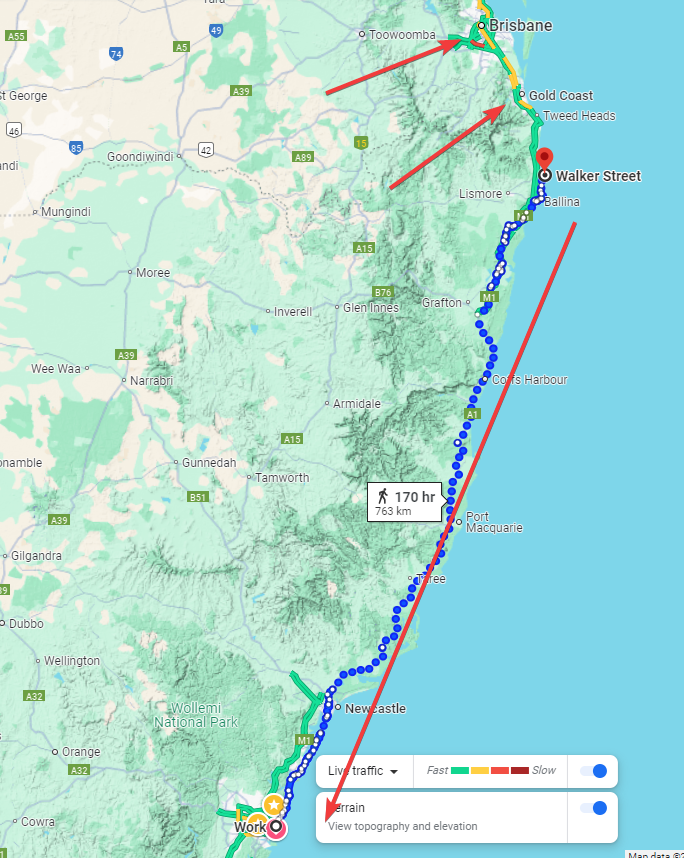
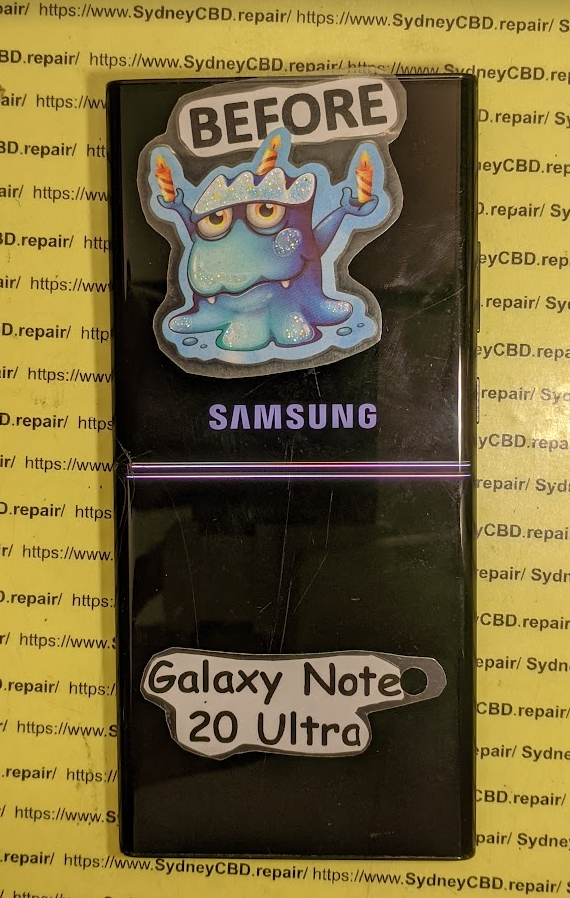
Arthur M., a resident of the beautiful Byron Bay, found himself in a frustrating situation. His Galaxy Note 20 Ultra, the last in the Galaxy Note series to feature an external SD card, had suffered a cracked screen and a dying battery. While there were repair shops closer to him in nearby Brisbane, he made a wise decision. After thorough research, Arthur chose Sydney CBD Repair Centre to restore his beloved device.
Why? Because Sydney CBD Repair Centre is renowned for its professional service, use of genuine parts, and exceptional customer reviews. Arthur was well aware that this would be the best place for his repair, even if it meant sending his phone across hundreds of kilometers.
Once Arthur made contact with Sydney CBD Repair Centre, the process was seamless. They gave him detailed instructions about how to ship his device, where to send it, and how to make the payment. Trusting Australia Post with his package, Arthur sent his Galaxy Note 20 Ultra on a journey from Byron Bay to Sydney.
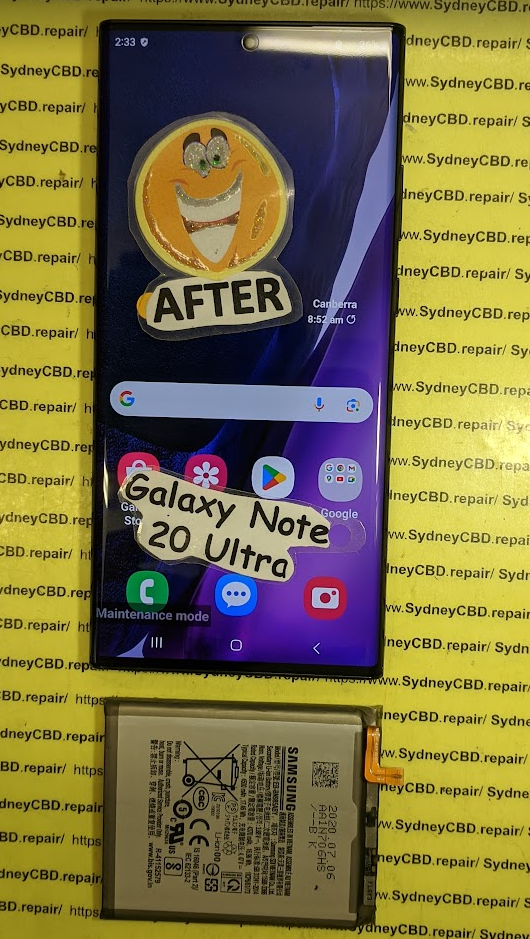
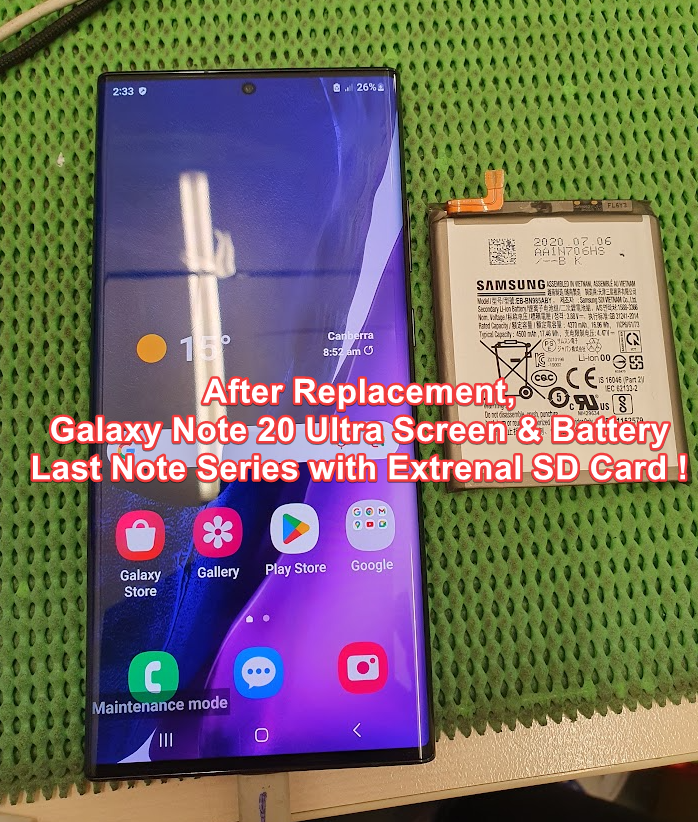
The next part of the story is where David, the expert technician at Sydney CBD Repair Centre, took swift action. That very morning, David replaced the broken screen and battery of Arthur’s phone, ensuring that the S-Pen worked flawlessly. To top it off, a complimentary screen protector was applied for extra protection.
By noon, David contacted Arthur to confirm the repair and verify the return delivery details. On the same day, Arthur’s phone was posted back to Byron Bay, wrapped in secure packaging and ready for the journey home.
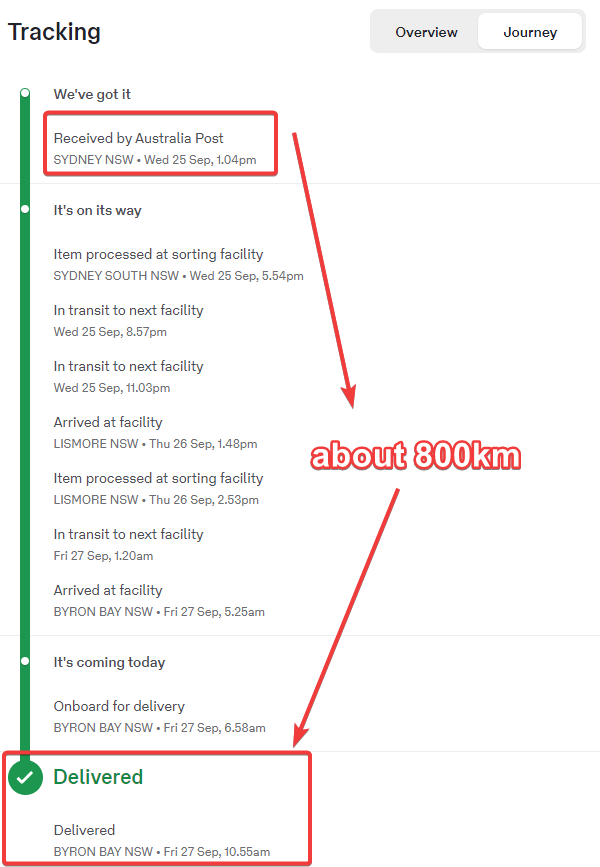
Tracking History – Sydney to Byron Bay:
Wed, 25 Sep, 1.04 pm – “We’ve got it,” confirmed by Australia Post. The phone was back on the road to Byron Bay.
Thu, 26 Sep, 1.48 pm – The package arrived at Lismore.
Fri, 27 Sep, 10.55 am – Delivered! Arthur’s Galaxy Note 20 Ultra was finally home.
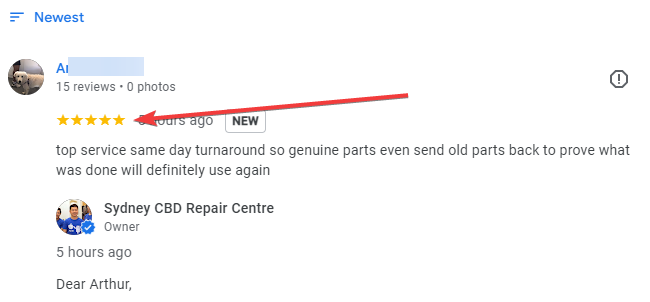
Arthur was ecstatic. His phone looked and worked as if it were brand new. Overjoyed by the fast, reliable service and the genuine parts used in the repair, he left a glowing 5-star review:
“Top service, same-day turnaround! Genuine parts, even sent the old parts back to prove what was done. Will definitely use again!”
For David and Sydney CBD Repair Centre, another happy customer and another Galaxy Note 20 Ultra brought back to life. Arthur’s wise decision to trust the best in the business was clearly worth the extra distance.
sydney-cbd-repair-centre-thank-you2.png
Sydney CBD Repair Centre: Recognized as one of the Top 3 Mobile Phone Repair Shops in Sydney for five years in a row, with over 18,000 positive reviews on Google. Same-day repairs with genuine parts!
How Sydney CBD Repair Centre Became the Go-To Repair Shop for a Galaxy Note 20 Ultra Owner from Byron Bay
Introduction
Byron Bay, a stunning coastal town in New South Wales, is renowned for its breathtaking beaches, laid-back lifestyle, and vibrant community. It’s not the first place you’d think of when it comes to mobile phone repairs, especially considering its distance from major cities like Sydney. Despite Byron Bay being relatively close to Brisbane with plenty of repair options there, one customer with a broken Galaxy Note 20 Ultra made the decision to send his device to Sydney CBD Repair Centre after extensive research.
Why would someone from Byron Bay bypass local and nearby repair shops to send their phone all the way to Sydney? The reasons are simple yet compelling. In this article, we dive into the customer’s journey, why Sydney CBD Repair Centre was the best choice, and how the entire process unfolded smoothly.
The Last of Its Kind: The Galaxy Note 20 Ultra
Why Is the Galaxy Note 20 Ultra So Special?
The Galaxy Note 20 Ultra holds a unique place in the smartphone world. It’s the last Galaxy Note model to feature an external SD card slot, a beloved feature for users needing expandable storage. Combine that with its powerful performance, and many owners still hold onto this model. Even years after its release, it’s a device that can be revitalized with the right repairs, like battery replacements and screen fixes.
The Importance of Keeping the Galaxy Note 20 Ultra in Working Condition
For many, the Note 20 Ultra is not just a phone; it’s a tool for productivity, creativity, and entertainment. The S Pen, powerful processor, and large screen make it ideal for professionals and artists alike. When something goes wrong with this device, finding a repair center that can handle it with care and expertise is essential.
Our customer, Arthur M**, from Byron Bay, knew his Galaxy Note 20 Ultra was worth repairing. After doing his research, he came across Sydney CBD Repair Centre. Despite the distance, Arthur chose this repair center because of its stellar reputation, expertise with high-end Samsung models, and the use of genuine parts.
Genuine Parts and Expertise
The quality of the parts used in a repair can make all the difference. Sydney CBD Repair Centre is known for its use of genuine parts, which reassured Arthur that his Galaxy Note 20 Ultra would receive the best possible care. Plus, with over 18,000 positive reviews and being recognized as one of the top 3 repair shops in Sydney for five consecutive years, the decision seemed clear.
How the Repair Process Worked: A Step-by-Step Breakdown
Step 1: Initial Contact
Arthur reached out to Sydney CBD Repair Centre, inquiring about the repair process. He was quickly provided with all the necessary details: where to send his device, how to make the payment, and what to expect. The communication was smooth and efficient, making the process straightforward.
Step 2: Posting the Device to Sydney
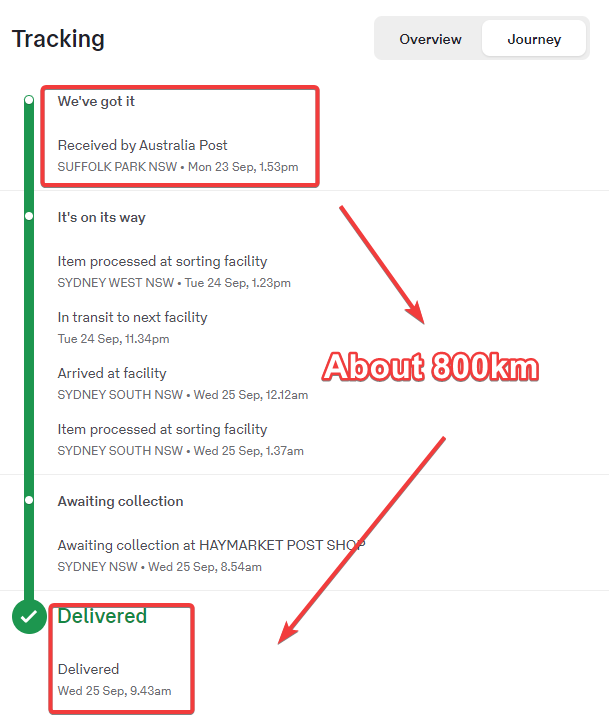
After confirming all the details, Arthur sent his Galaxy Note 20 Ultra via Australia Post. Here’s the tracking history of the device as it traveled from Byron Bay to Sydney:
Received by Australia Post, Suffolk Park NSW – Mon 23 Sep, 1.53 pm
Processed at sorting facility, Sydney West NSW – Tue 24 Sep, 1.23 pm
Arrived at facility, Sydney South NSW – Wed 25 Sep, 12.12 am
Awaiting collection at Haymarket Post Shop, Sydney NSW – Wed 25 Sep, 8.54 am
Once the phone arrived at the repair center, David, one of the top technicians at Sydney CBD Repair Centre, got to work. The phone’s broken screen was replaced with a genuine Samsung screen, and the battery was swapped out for a new one. To ensure everything was working correctly, the S Pen function was tested, and a free screen protector was applied as an added bonus.
Step 4: Communication with Arthur
After completing the repairs, David contacted Arthur to confirm the delivery address and receiver name. The process was swift, and before long, the phone was ready to be sent back.
Step 5: Posting the Device Back to Byron Bay
Arthur’s repaired Galaxy Note 20 Ultra was sent back to Byron Bay the very same day. Here’s the tracking history from Sydney back to Byron Bay:
Received by Australia Post, Sydney NSW – Wed 25 Sep, 1.04 pm
Processed at sorting facility, Sydney South NSW – Wed 25 Sep, 5.54 pm
This review speaks volumes about the quality of the service offered by Sydney CBD Repair Centre. The use of genuine parts, the transparency in sending back the old parts, and the fast same-day turnaround are all key factors that led to this stellar review.
Why Sydney CBD Repair Centre Is the Best Choice for Phone Repairs
5 Years as One of Sydney’s Top 3 Mobile Phone Repair Shops
With a track record of excellence, Sydney CBD Repair Centre has been ranked among the top 3 mobile phone repair shops in Sydney for five years in a row. This achievement is a testament to their expertise, customer service, and consistent quality.
Over 18,000 Positive Reviews
It’s not just Arthur who had a great experience. With over 18,000 positive reviews on Google, Sydney CBD Repair Centre has built a reputation for excellence that spans across thousands of satisfied customers.
Same-Day Repairs
One of the standout features of this repair center is their ability to offer same-day repairs. In Arthur’s case, the repair was done and posted back within the same day, minimizing the time he had to be without his phone.
Conclusion
Arthur’s experience with Sydney CBD Repair Centre highlights the importance of choosing the right repair shop for your device, no matter how far away you are. The combination of genuine parts, expert technicians, and a commitment to customer satisfaction sets Sydney CBD Repair Centre apart from the competition. Whether you’re in Byron Bay or right in the heart of Sydney, this repair center is the go-to destination for quality mobile phone repairs.
FAQs
1. Why should I choose Sydney CBD Repair Centre over local repair shops?
Sydney CBD Repair Centre is renowned for its expertise with high-end devices and uses genuine parts, ensuring your device gets the best possible care. Their excellent customer service and fast turnaround make them worth considering, even if you’re far from Sydney.
2. How long does the repair process take?
In most cases, Sydney CBD Repair Centre offers same-day repairs, meaning your device will be fixed and sent back to you quickly.
3. Do they use genuine parts?
Yes, Sydney CBD Repair Centre uses genuine parts for all repairs, ensuring the highest quality and longevity for your device.
4. How do I send my phone for repair if I’m not in Sydney?
The process is simple. Contact Sydney CBD Repair Centre to receive details on how to send your device via Australia Post. Once your device arrives, it will be repaired and sent back to you promptly.
5. What if I have other issues with my device besides the screen?
Sydney CBD Repair Centre can handle a wide range of issues, from battery replacements to internal repairs. Just let them know what needs fixing, and they’ll provide a solution.
People also ask
What are the benefits of choosing Sydney CBD Repair Centre for Galaxy Note 20 Ultra repairs?
How does the cost of repairing a Galaxy Note 20 Ultra compare to purchasing a new phone with similar features?
What are the long-term advantages of maintaining a Galaxy Note 20 Ultra, considering its unique features like the external memory slot?
📱 **Galaxy Note 20 Ultra Overview**
-The Samsung Galaxy Note 20 Ultra is a high-end smartphone known for its large display, advanced camera system, and integrated S Pen stylus. It was released in August 2020.
💾 **Expandable Storage and S Pen**
-The Note 20 Ultra supports expandable storage via microSD and features an S Pen with 9ms latency, making it ideal for note-taking and drawing.
-If you value the S Pen and expandable storage, repairing might be worthwhile. Consider the repair cost against the price of a new device with similar features.
Here are the factors that influenced the customer’s decision to choose Sydney CBD Repair Centre for their Galaxy Note 20 Ultra repair, based on the provided sources:
Sydney CBD Repair Centre’s positive reputation: The customer, Arthur M., chose Sydney CBD Repair Centre after conducting research and discovering its excellent reputation. The repair center is known for its expertise in repairing high-end Samsung phones and for using genuine parts.
Use of genuine parts: Sydney CBD Repair Centre is known for using genuine parts, which gave Arthur confidence that his phone would receive the best possible care.
Positive customer reviews: Arthur was influenced by the repair center’s overwhelmingly positive reviews. Sydney CBD Repair Centre has over 18,000 positive Google reviews and has been recognized as a top-three repair shop in Sydney for five years running.
The sources also mention that Sydney CBD Repair Centre offers same-day repairs, which was likely a factor in Arthur’s decision. However, the sources do not explicitly state that this influenced his choice.
Sydney CBD Repair Centre differentiated itself from other repair shops by cultivating a strong reputation for professionalism, the use of genuine parts, and positive customer reviews. This emphasis on quality, combined with clear communication and a streamlined repair process, convinced Arthur, the customer from Byron Bay, to entrust his Galaxy Note 20 Ultra to them despite the distance.
Here’s a breakdown of the key factors:
Reputation and Expertise: Arthur’s research led him to Sydney CBD Repair Centre due to their stellar reputation and expertise in repairing high-end Samsung models. They have consistently been ranked among the top 3 mobile phone repair shops in Sydney for five years running, further solidifying their standing.
Genuine Parts: The use of genuine parts was a major deciding factor for Arthur. Sydney CBD Repair Centre emphasizes this, assuring customers that their devices will receive the best possible care. This commitment to quality is further evidenced by their practice of returning the replaced parts to customers, offering transparency and building trust.
Positive Customer Reviews: The abundance of positive customer reviews, exceeding 18,000 on Google, contributed to Sydney CBD Repair Centre’s appeal. These reviews, along with Arthur’s own positive experience, demonstrate a consistent track record of customer satisfaction.
Efficient Communication and Processes: From the initial inquiry to the final delivery, Sydney CBD Repair Centre maintained clear and efficient communication with Arthur. This, coupled with their streamlined repair process and commitment to same-day repairs, ensured a smooth and hassle-free experience for the customer.
In essence, Sydney CBD Repair Centre differentiated itself through a combination of technical expertise, a commitment to quality parts, transparent communication, and a customer-centric approach. This resonated with Arthur, who prioritized these factors over geographical proximity.
Implications of Customer Experience for Sydney CBD Repair Centre’s Success
The overwhelmingly positive customer experience detailed in the sources has several implications for the overall success of Sydney CBD Repair Centre:
Attracting Customers from Afar: Arthur’s willingness to ship his device from Byron Bay to Sydney, bypassing closer repair options, demonstrates the potential for Sydney CBD Repair Centre to attract customers beyond their immediate geographical location. This is largely due to their strong reputation for quality repairs and exceptional customer service.
Building a Loyal Customer Base: Arthur’s positive experience, culminating in a glowing 5-star review and his stated intention to use their services again, highlights how positive customer experiences can translate into repeat business and build brand loyalty.
Generating Positive Word-of-Mouth Marketing: Arthur’s positive review, added to over 18,000 others on Google, contributes to a strong online reputation that can attract new customers. This organic marketing is invaluable for building trust and credibility.
Justifying Premium Pricing: While the sources don’t mention specific prices, the use of genuine parts, same-day service, and excellent customer service potentially allows Sydney CBD Repair Centre to command a premium price point compared to competitors. Customers like Arthur are willing to pay more for the peace of mind and quality assurance that comes with a premium service.
Long-Term Business Growth: Continued positive customer experiences like Arthur’s can lead to sustained business growth for Sydney CBD Repair Centre. Their reputation for quality, speed, and customer care positions them as a leader in the competitive mobile phone repair market.
After missing its initially expected release date, Samsung’s Android 15 update seems to be looking at a much later launch, as sources claim it has been delayed “indefinitely.”
Samsung has been working on its Android 15 update, with One UI 7, behind the scenes for a while now, and the update was expected to be unveiled publicly late last month. But that initial date came and went without a launch, despite many leaks revealing what Samsung’s updated skin would bring to the table.
Some sources suggested that Samsung was holding back One UI 7 for the sake of the One UI 6.1.1 rollout, which has also yet to begin. However, it seems like it may be more than that.
Reliable sources Ice Universe and Chun Bhai say that Samsung has delayed the launch of One UI 7 and in turn, the company’s Android 15 update more than previously thought. Ice says Samsung has no plans to launch the beta “in the near future,” while Chun Bhai says it was “delayed indefinitely” by Samsung, adding that there is “low confidence” it could even launch in August.
The latest situation of One UI 7 Beta: There are still no plans to launch it in the near future.
Why the delay? There have been passing mentions of bugs and issues with the update, but it does seem like a considerable portion of the holdup is simply due to the delayed rollout of One UI 6.1.1. Whatever the case, it also comes as Google seems to be slightly delayed on the launch of Android 15 as well. The company’s upcoming Pixel 9 lineup will reportedly launch with Android 14, while the August patch just went out based on Android 14 as well, implying it won’t arrive until at least September.
Samsung just launched its first 3nm chip in the Galaxy Watch 7 and Watch Ultra, and it has its sights on using the same process to launch the Exynos 2500 chip for “flagship products” such as the Galaxy S25 series.
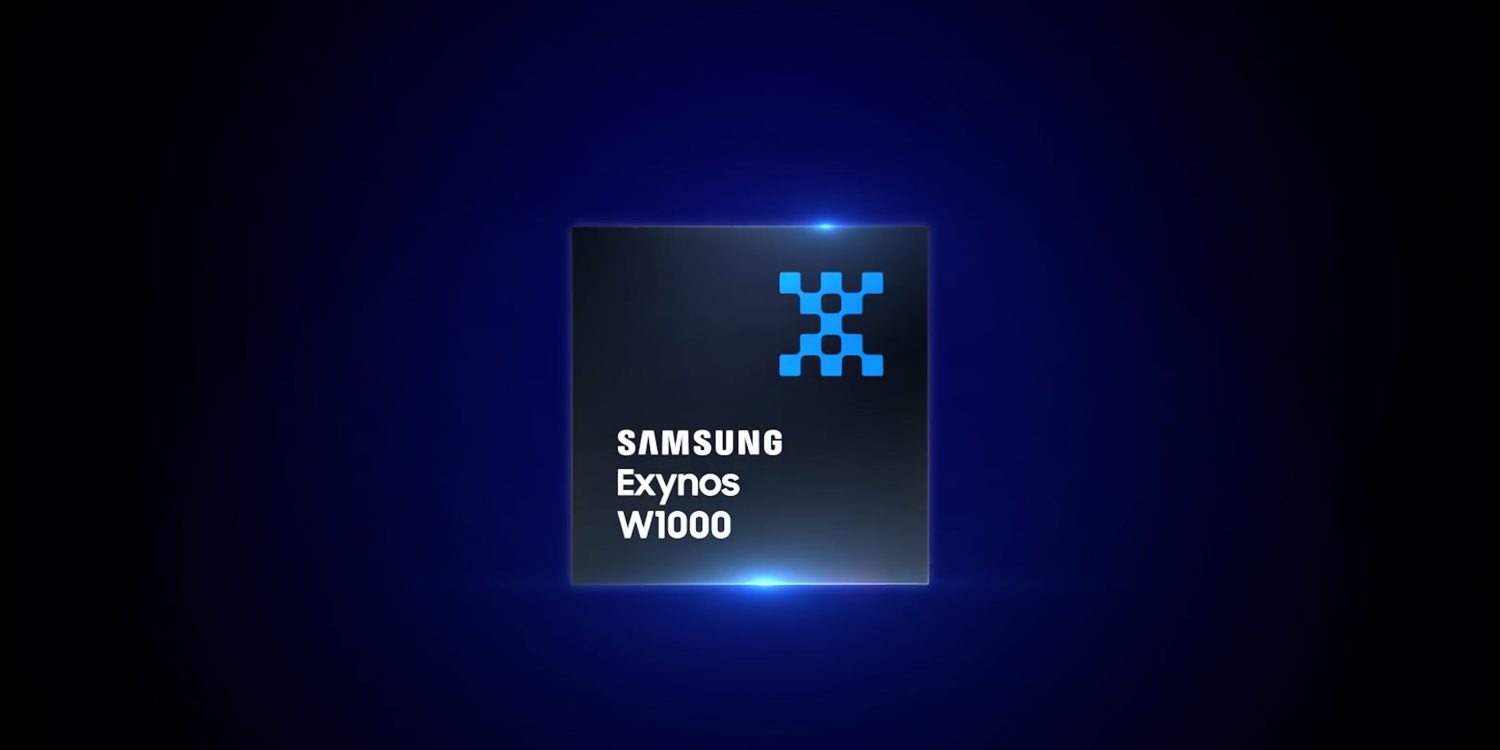
In a post discussing its Q2 2024 earnings, Samsung confirms the Exynos 2500 by name, saying that the chip will come to “flagship products” using the same 3nm process as the Exynos W1000 that launched in Galaxy Watch 7 and Watch Ultra.
System LSI plans to focus its business capabilities on ensuring a stable supply of Exynos 2500 for flagship products. The initial market response to wearable products using the industry’s first 3nm SoC is positive, and the expansion of SoC adoption models by major trading partners is expected in the second half of the year.
Samsung first started making 3nm chips a while back, but the Exynos W1000 was the first chip based on the process to make it into a Galaxy product.
No Android phones have been released so far with a 3nm chipset, while Apple’s iPhone 15 Pro series uses a new chip made on TSMC’s 3nm process. Google is also rumored to be adopting a 3nm process for next year’s TSMC-made Tensor G5, while Qualcomm and MediaTek are also both likely to adopt TSMC’s 3nm process in their respective new Snapdragon and Dimensity flagships which are due to be announced later this year.
As for the Galaxy S25 series, there are mixed rumors of what Samsung’s chip strategy will be, but this earnings call mention seems to imply that Samsung plans to use the Exynos 2500 in some capacity in its next release.
Exynos W1000 chip detailed at Galaxy Watch 7 launch
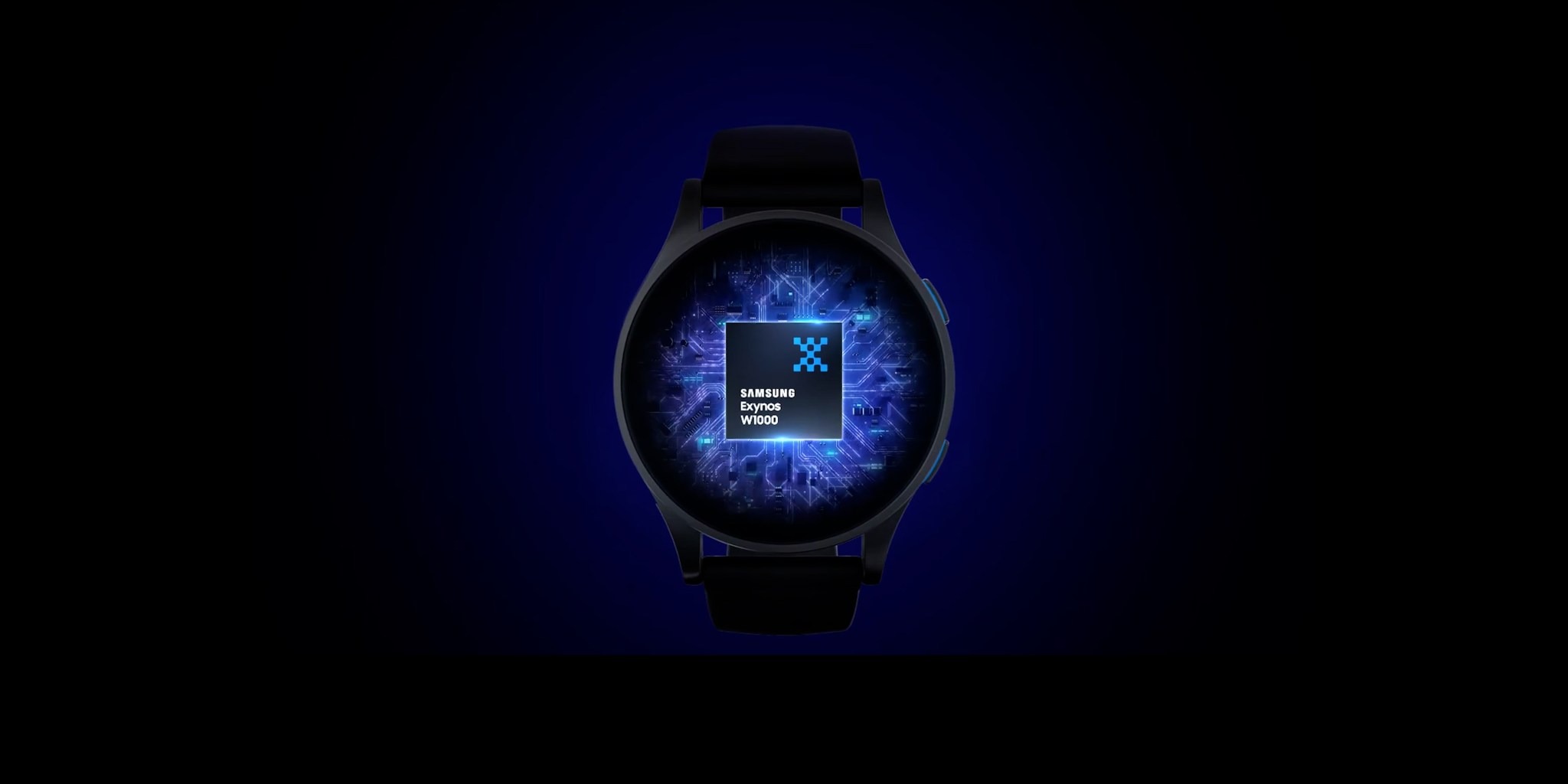
A head of the Galaxy Watch 7 series launch last July 10, 2024, Samsung has detailed the Exynos W1000 chip that will power the upcoming wearables.
As is customary, the new wearables have been substantially leaked ahead of the late-2024 Unpacked launch event. We know that the Exynos W1000 chip is going to be at the heart of the Wear OS-powered smartwatches and could provide a substantial performance uplift over the Exynos W930 chip.
Built using a 3nm fabrication process, the Exynos W1000 has a 5-core CPU that features a big Cortex-A78 core with four Cortex-A55 cores. According to Samsung’s literature, this should offer up to 2.7x faster app launch times, 3.4x faster single-core performance and 3.7x faster multi-core performance.
The Exynos W1000 also features a Mali-G68 MP2 GPU, which supports displays up to 960 x 540 pixels. With the Samsung Galaxy Wathc 7 Ultra potentially packing a large screen, this is the perfect SoC to power the show. Fan-Out Panel Level Packaging (FO-PLP) is being used here to help improve heat management and heat dissipation despite the tiny size of the W1000 in wearable devices.
Samsung also notes that the latest wearble chip supports 2.5D Always-on Display for higher-detail in on-device watch faces and improved colors. All the other good connectivity features like Bluetooth LE, 4G LTE, Wi-FI b/g/n, GPS, and NFC for wireless payments are packed in here too. 32GB of integrated eMMC storage is integrated on to the chip – which aligns with leaked specs from the Galaxy Watch 7 series.
Throw in numerous efficiency improvements and the Exynos W1000 could be the perfect base for flagship-level wearable software experiences.
Following a metric ton of leaks and rumors, Samsung’s first Android 15 beta missed its first scheduled release date, with the debut of One UI 7 now being thought to be as far as almost a month away from launch.
Samsung’s first beta for One UI 7, based on Android 15, was initially expected to launch yesterday. But, as that passed, new information suggested the debut could be delayed. Now, we’re getting some insight into how long that delay might be.
According to SamMobile on Twitter/X, Samsung plans to release the first beta for One UI 7 “around the third week of August,” putting the potential release almost a month away from what was expected. That’s also after Google is expected to fully launch Android 15 to Pixel devices, with the Pixel 9 launch scheduled for August 13.
Delayed because of One UI 6.1.1. We currently expect One UI 7 beta around the third week of August. 🙂
— SamMobile – Samsung news! (@SamMobiles) July 30, 2024
The delay, as mentioned previously, is due to the lack of a One UI 6.1.1 rollout. That update first debuted on the Galaxy Z Fold 6 and Flip 6, and is set to expand to Galaxy S24 and other recent Samsung devices over the coming weeks. For whatever reason, Samsung is holding back its beta program for the sake of that update.
Samsung’s One UI 7 update is expected to be a major one, bringing new designs throughout the Android 15 skin and new features as well.
After an early leak gave us a taste of what One UI 7 could bring, another slice of internal information has now hinted at yet more interface changes and alterations coming with Android 15 for Samsung Galaxy phones and tablets.
Android 15 is not going to provide a huge overhaul to the operating system, instead, more AI functionality is expected to bridge the gap between our expectations and the core interface. However, One UI 7 could provide a substantial set of alterations when compared to recent years.
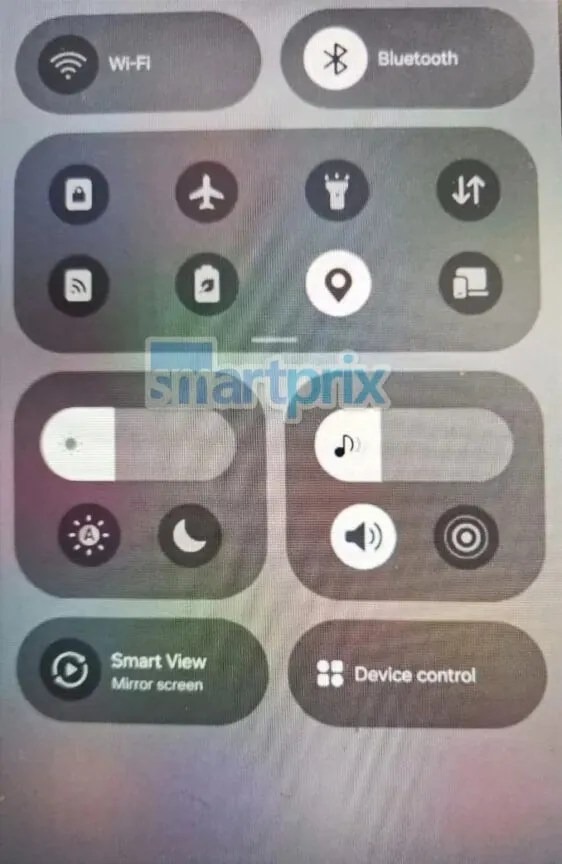
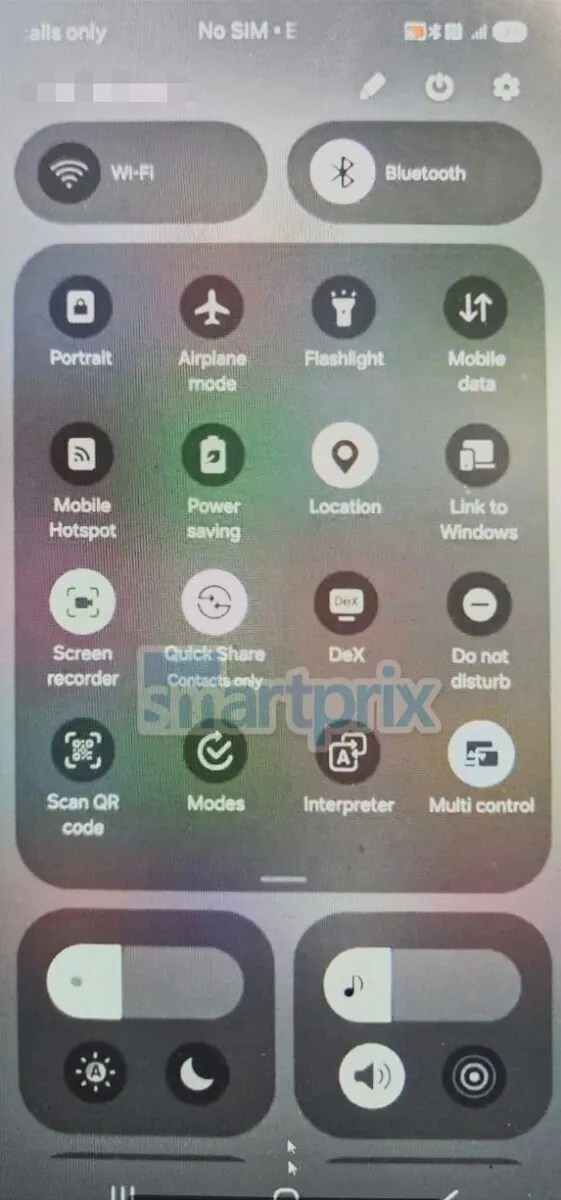
The latest One UI 7 leak courtesy of SmartPrix and chunvn8888 showcases some of the most notable changes including a refreshed two-page notification panel that offers separate access to notifications and the Quick Settings panel.
This leak confirms earlier suggestions that Samsung is paying some attention to all system icons in One UI 7. A complete revamp of all of the stock Galaxy apps is expected, with a significant departure from the Material Design principles that have been roughly adhered to for a number of years. The leaked icons have a very tiny hint of skeuomorphic design, with more depth, shadows, and 3D elements.
Samsung is also set to implement its own version of Apple’s Dynamic Island with this update, and this leak gives us an idea of what to expect. A brief video showcases the expansion of a status bar chip with a timer ongoing. This animates into view and then disappears in a slightly different manner to how the Dynamic Island utilizes the area around the punch-hole on Apple devices:
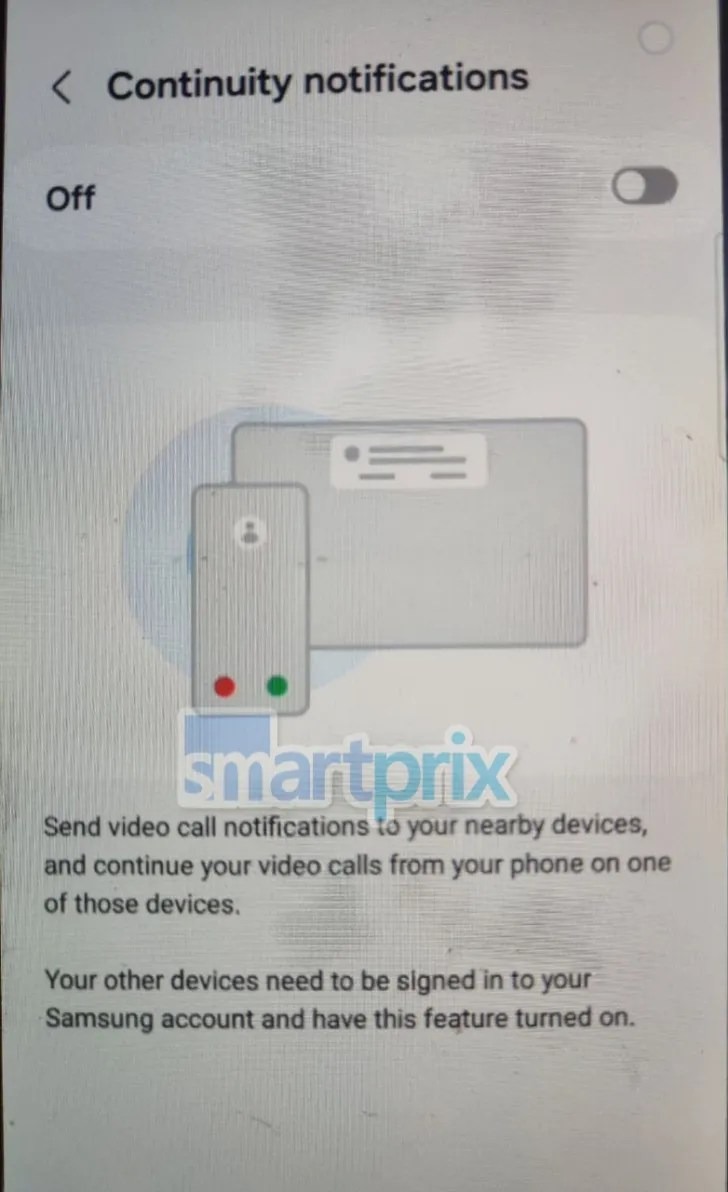
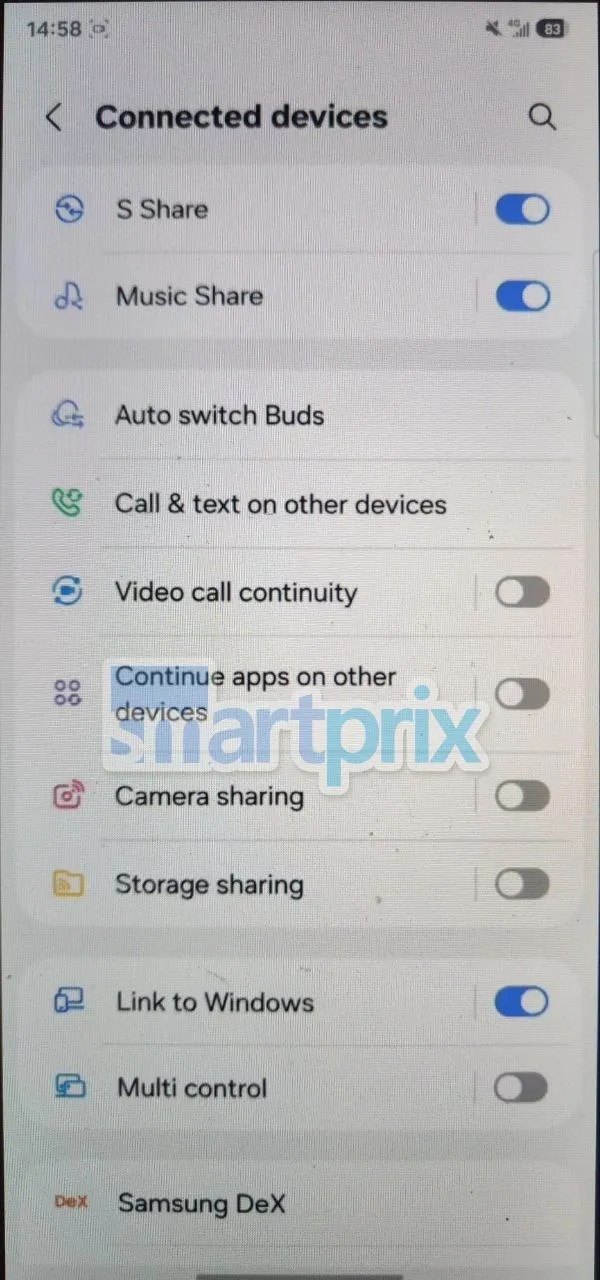
“Continuity notifications” is also set to come with this update. The One UI 7 leak showcases the interface which will let you send video calls between any other Galaxy phone that is signed in to the same Samsung account. If this sounds familiar, this is a Samsung take on the Google Cross-Device Services function which allows you to move calls and texts between smartphones, Chromebooks, and browsers.
Other changes mentioned in the One UI 7 leak include more rounded UI elements including menu taps, button placeholders, and much more. Samsung is expected to confirm the rollout of the One UI 7 beta from Monday, so we don’t have much longer to see just how much of this leaked information is indeed correct.
Samsung is enforcing a new “Auto Blocker” on new Galaxy smartphones, which, among other protections, blocks users from sideloading Android apps on their device.
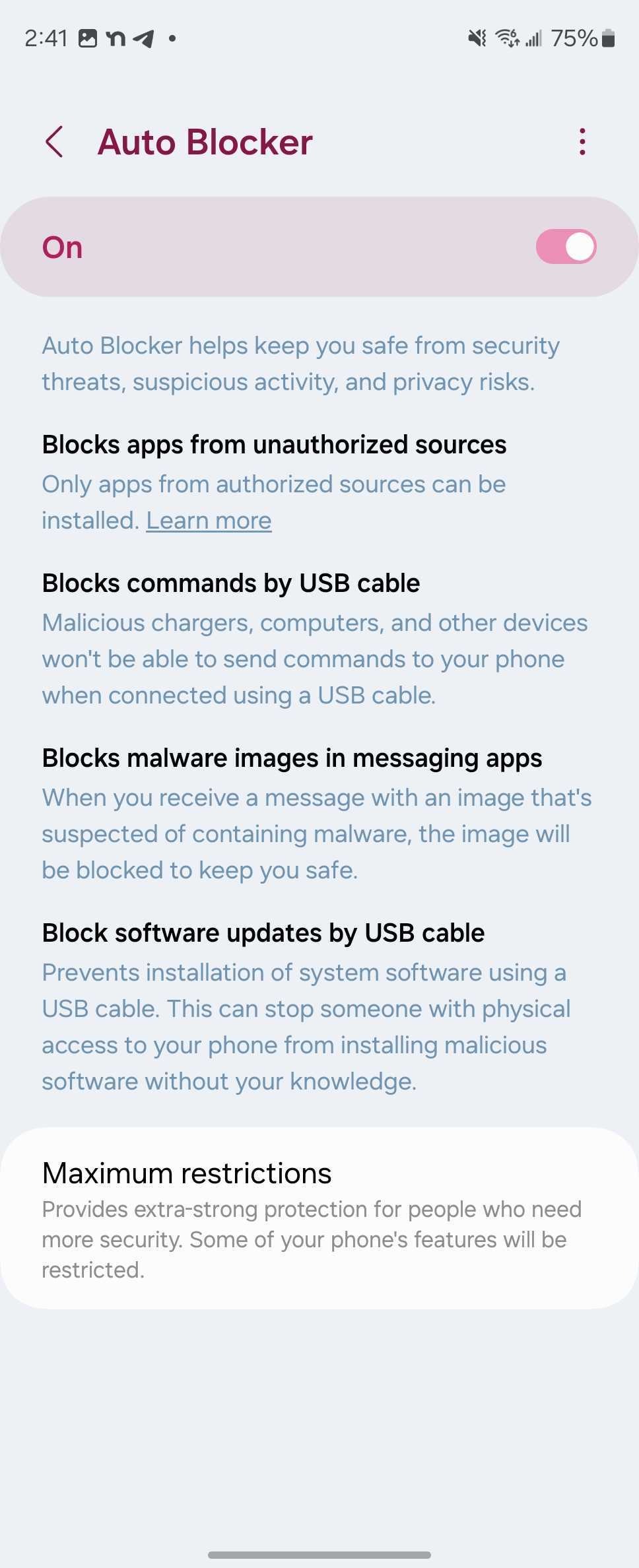
“Auto Blocker” has been a part of Samsung Galaxy smartphones since the Android 14 (One UI 6) update. The feature initially was designed with protections for malware or USB hijacking, but has since been updated to include the blocking of sideloading apps on Samsung Galaxy devices with One UI 6.1.1 (alongside a new set of “Maximum Restrictions” that are turned off by default) as detailed on a support page.
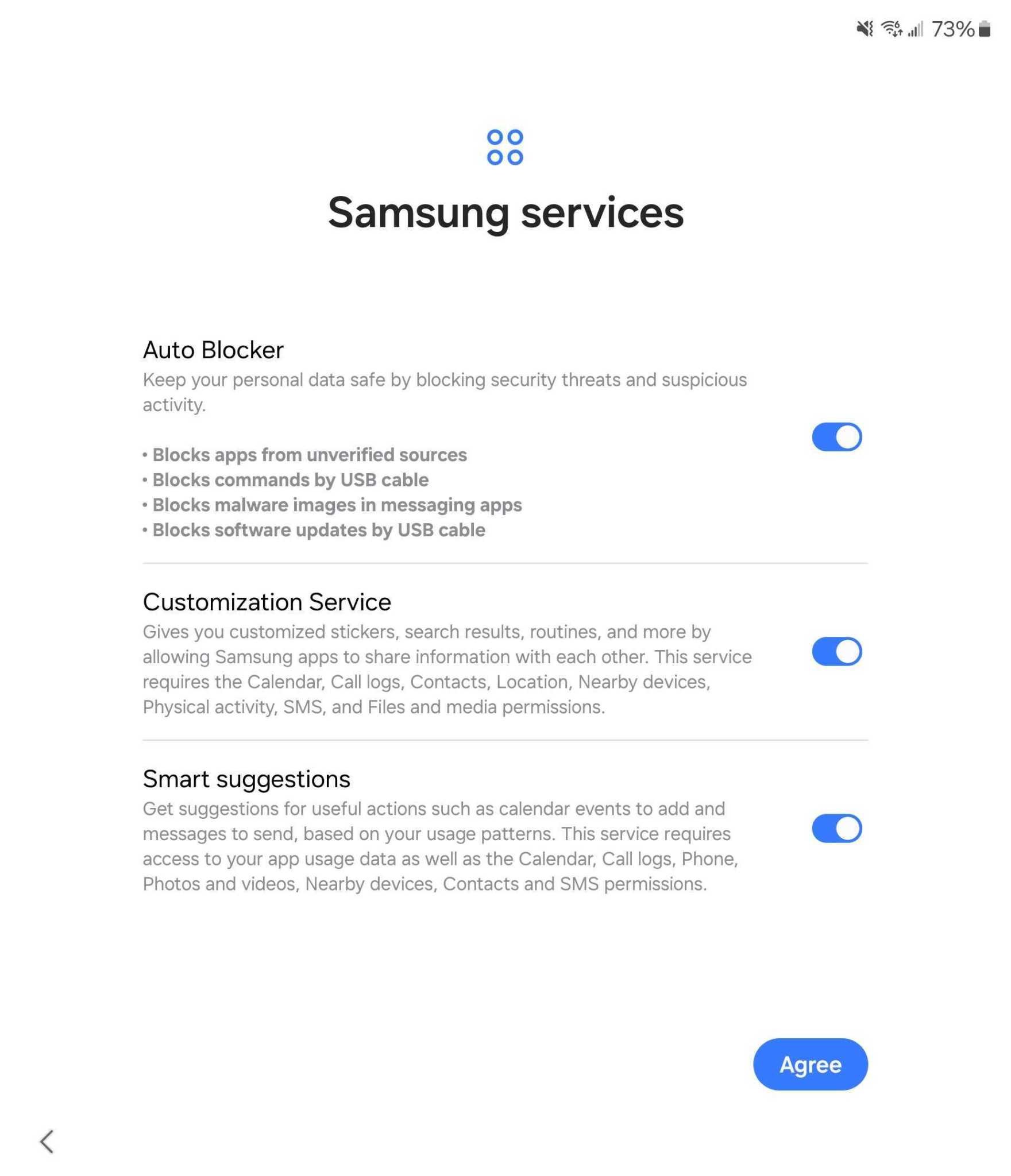
As such, Samsung’s new Galaxy Z Fold 6 and Flip 6 are the first devices to ship with this new sideloading restriction out of the box. We missed this in our initial setup of Galaxy Z Fold 6 and Flip 6 (h/t Android Authority for highlighting this), but have since confirmed it is present on a fresh Galaxy Z Fold 6 during setup. During the initial setup process, a page appears that informs users of Auto Blocker restrictions, and allows them to be turned off.
This setting is turned on by default, so if you don’t turn it off, your Galaxy device will block sideloading of APKs (as well as unapproved app stores).
If you happen to miss that page, though, you’ll be met with an error message when trying to sideload an app as pictured below.
But, thankfully, this isn’t a permanent change.
By going into Settings > Security and privacy > Auto Blocker, you can toggle the feature off quickly and easily. From there, you can go back to Android’s default sideloading behavior, where each app is individually allowed to sideload after you’ve given it permission.
This same change will likely apply to other Samsung devices running One UI 6.1.1 which, so far, includes the past few generations of Samsung foldables and Galaxy S devices. For previous versions of One UI, this change won’t apply, at least for now.
Android 15 itself is shaping up to be a pretty middling upgrade, but it sounds like Samsung may have some bigger updates in store, according to a known tipster.
One UI updates generally build on the latest version of Android with Samsung’s own suite of new features. But, over the past few releases, we haven’t see a lot of change.
Apparently, that streak could end this year, as tipster Ice Universesays that One UI 7, Samsung’s Android 15 release, will be the “most changed version in the history of One UI.”
Today's leak: One UI 7 may be the most changed version in the history of One UI. The icon is redrawn.
What does that mean? It’s hard to tell without added context. The post only goes on to further say that the “icon is redrawn,” which perhaps hints at some design changes or perhaps animation tweaks, but it’s really hard to know for sure. On Weibo, Ice further expands to say that the “drop-down bar” has been changed, and specifies that the “icon style” is updated.
Android 15 itself is, as mentioned, void of any big changes.
One thing Samsung is confirmed to deliver is “App Lock,” a new feature separate from “Secure Folder.”
When it debuts, whatever it may bring, Samsung is likely to test in beta and later launch One UI 7 first on devices such as the Galaxy S23 series and the recently-launched Galaxy Z Fold 6 and Flip 6.
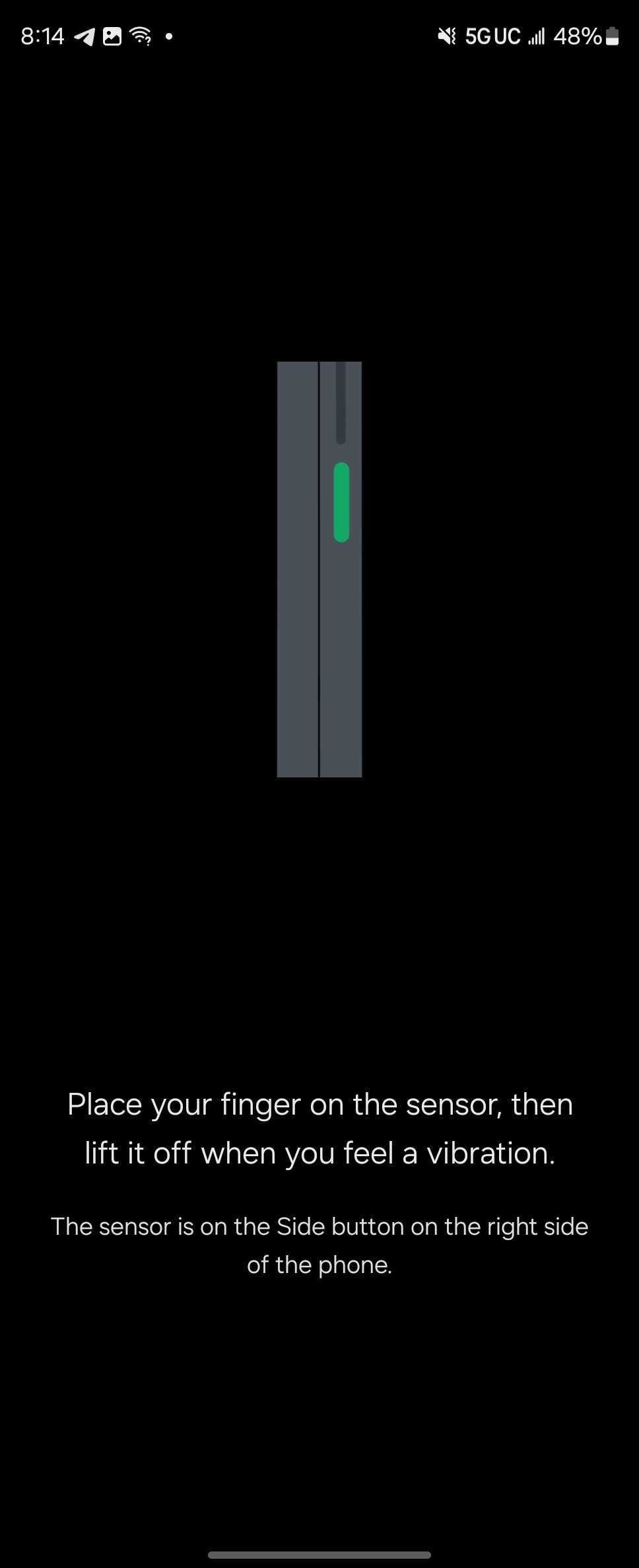
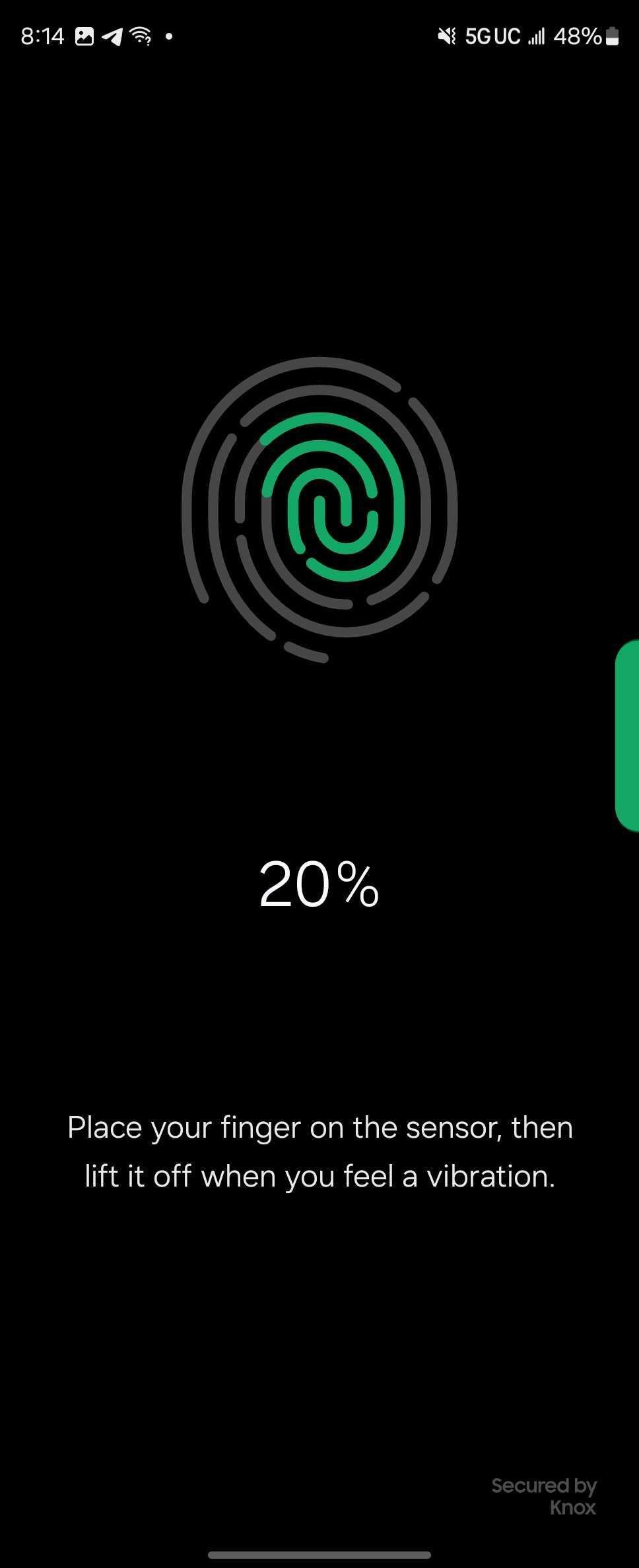
Since its first generation, Samsung has forced users of its Galaxy Fold series to enroll their fingerprint with the device in its opened state. Finally, that’s come to an end.
Starting with the Galaxy Z Fold 6 series, Samsung has tweaked the fingerprint enrollment process for its book-style foldable to allow users to add their fingerprint whether the display is closed or open. The animation has even been updated to properly show this.
Previously, and with every prior Fold, Samsung required users to open the device to add a new fingerprint, whether during or after setup. This was still in place on the Galaxy Z Fold 5.
Samsung’s reasoning for this was requirement was never particularly clear, but we’re glad it’s finally come to an end. While adding one fingerprint while the device is open makes sense, it prevents the user from naturally placing their second fingerprint for the grip they have while the device is closed. As such, this new setup should allow for faster, and potentially more accurate enrollment.
Meanwhile, though, a bug in Samsung’s software prevents users from setting up the fingerprint during the initial device setup process.
The Galaxy Z Fold 6 and Flip 6 are available for pre-order now with up to $1,200 in trade-in value, doubled storage for free, and other perks. You can also get up to $150 more offer with our link to the Galaxy Z Fold 6 at Samsung.com.
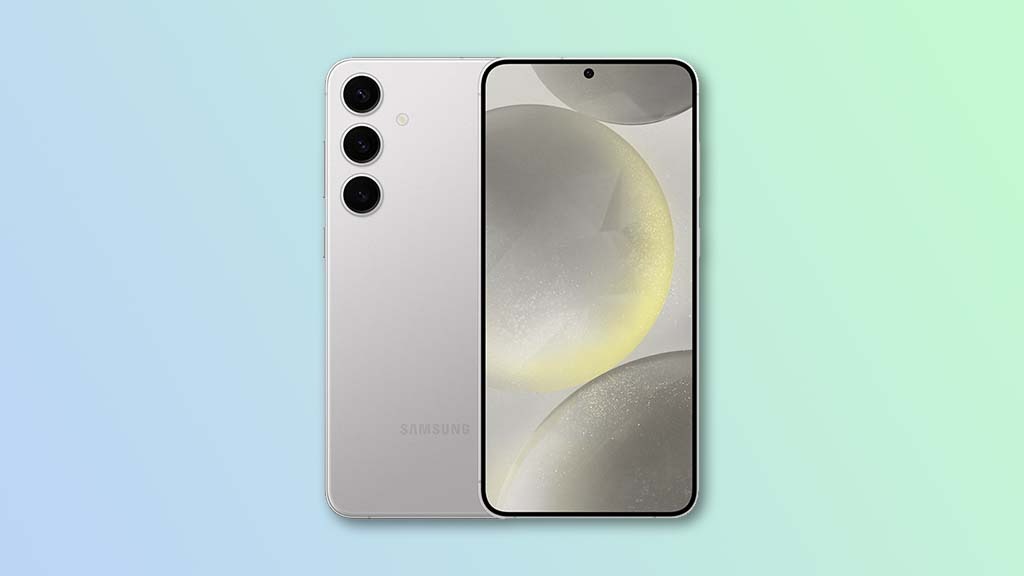
The Galaxy S24 series has finally launched after numerous rumors, speculations and daily leaks. And the trio is what we expected – a solid but incremental update over the S23 models. Today, we will be exploring the runt of the next generation Galaxy phones, the smallest of the bunch, and Galaxy mini, if you will – the Galaxy S24.
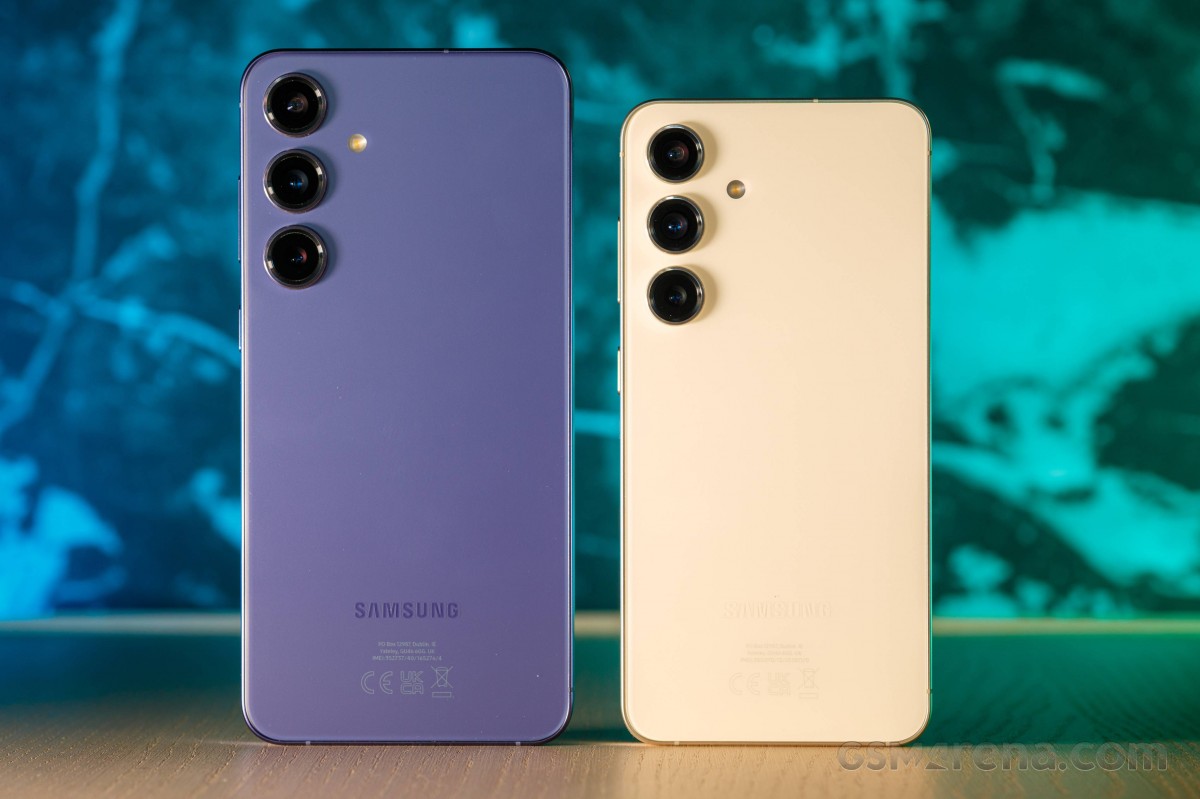
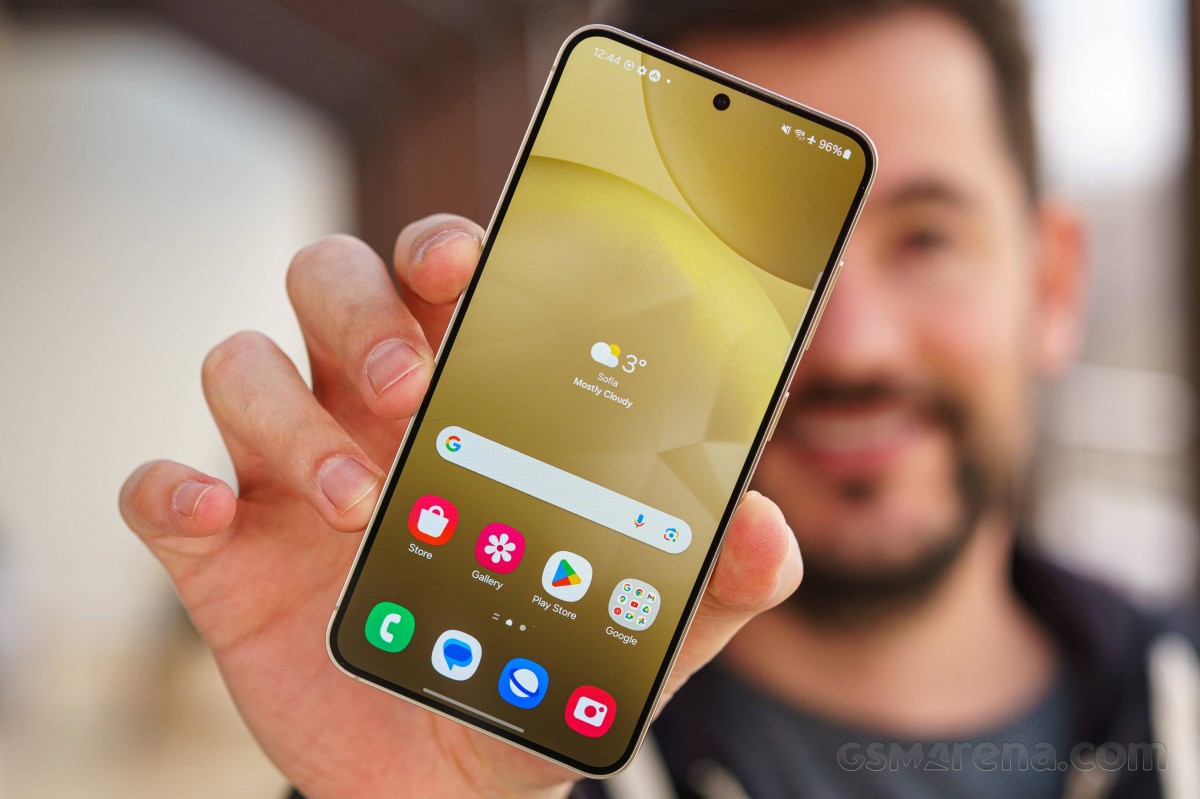
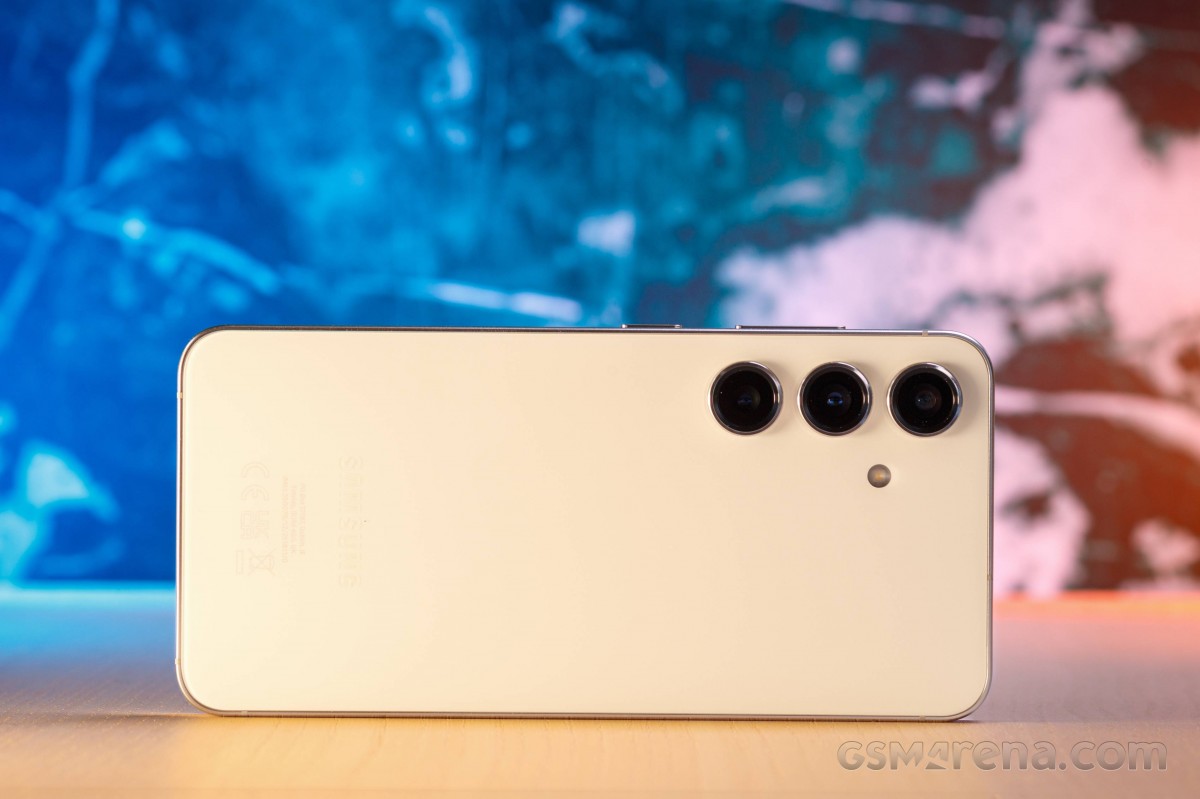
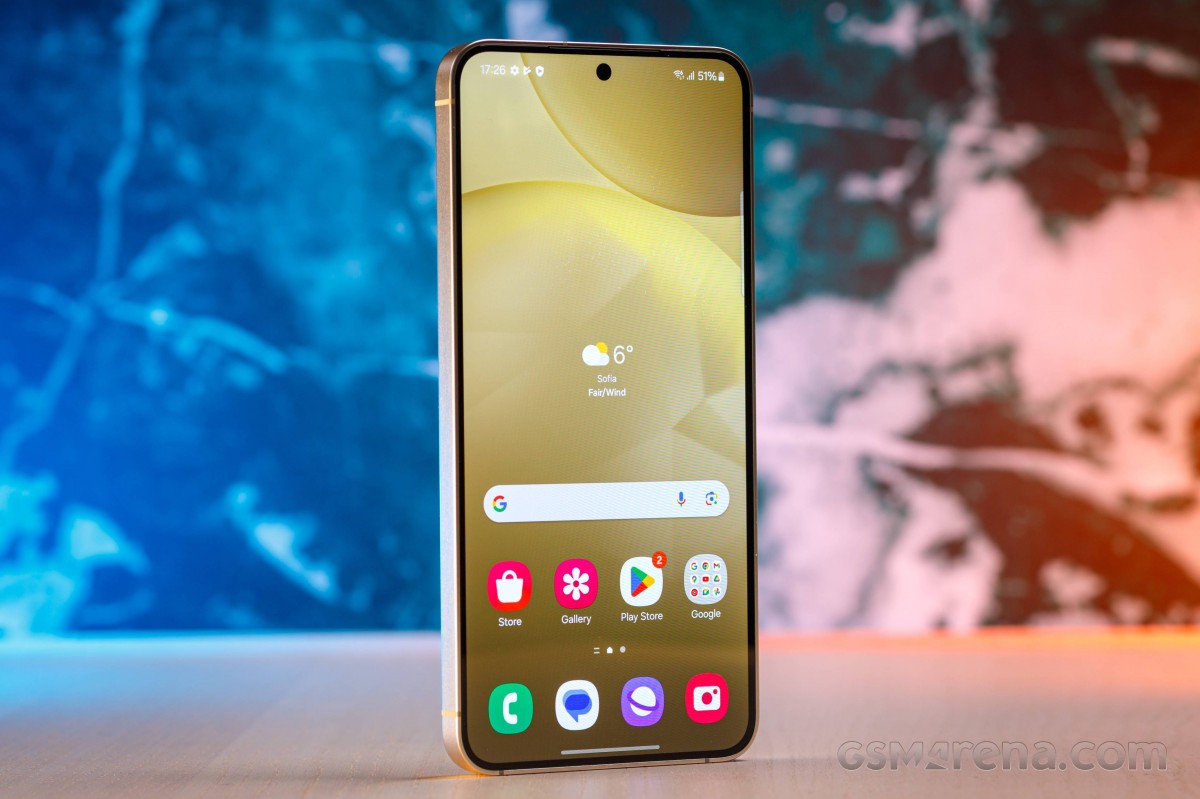
The new Galaxy S24 introduces a refreshed, refined, even design, with flat Victus 2 panels and a flat aluminum frame with a new matte finish. The Galaxy S24 keeps the same size as the S23, but thanks to the LTPO screen panels, it manages to fit an even larger 6.2-inch display with thinner bezels into the same space.
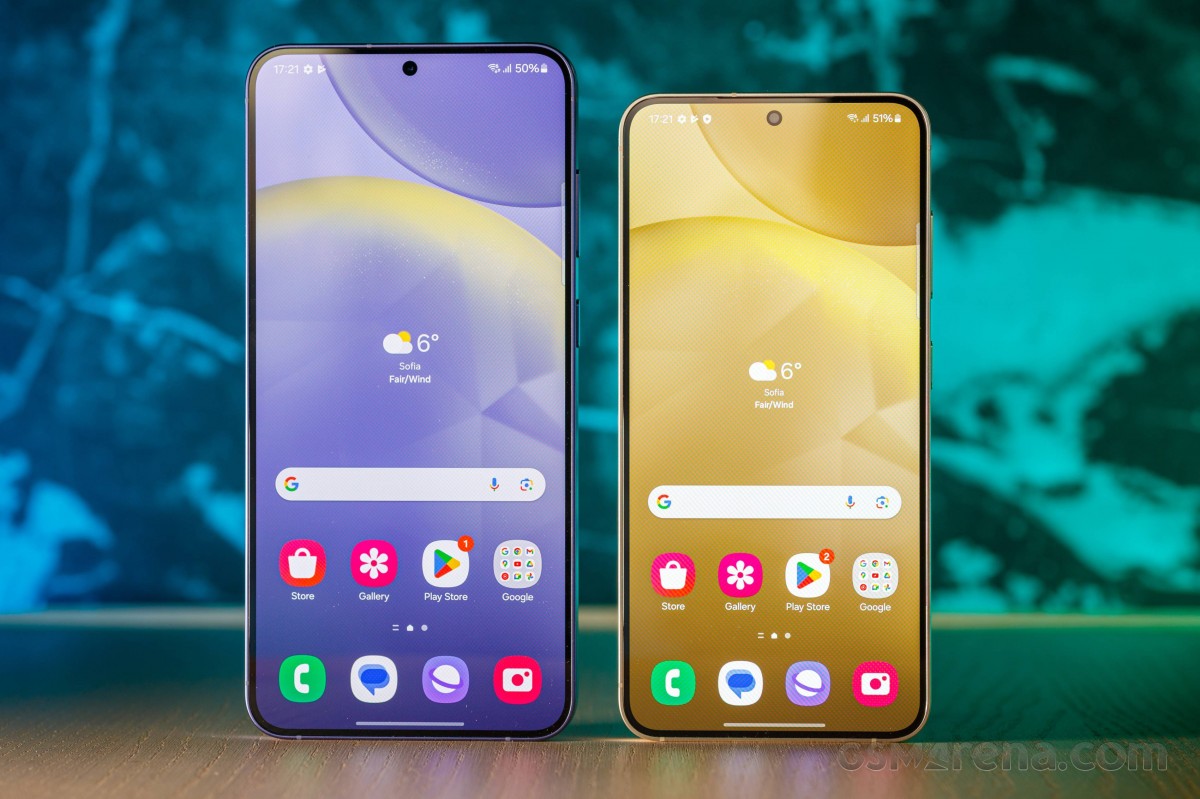
And that is the first upgrade – the Galaxy S24 now comes with a 6.2-inch LTPO Dynamic AMOLED 2x with extended 1080p resolution and 120Hz refresh rate. It has 2,600nits of peak brightness, up from 1,750 on the S23.
The chipset upgrade is the next improvement, and the hardware fragmentation is back! The S24 employs the Exynos 2400 chipset in most markets with a 10-core CPU and a new AMD GPU, while the US, Canada and China get it with the Snapdragon 8 Gen 3 SoC. The S24 has two storage versions for the global model – 128GB UFS 3.1 and 256GB UFS 4.0, both with 8GB RAM. There is a limited 512GB version in some countries, too.
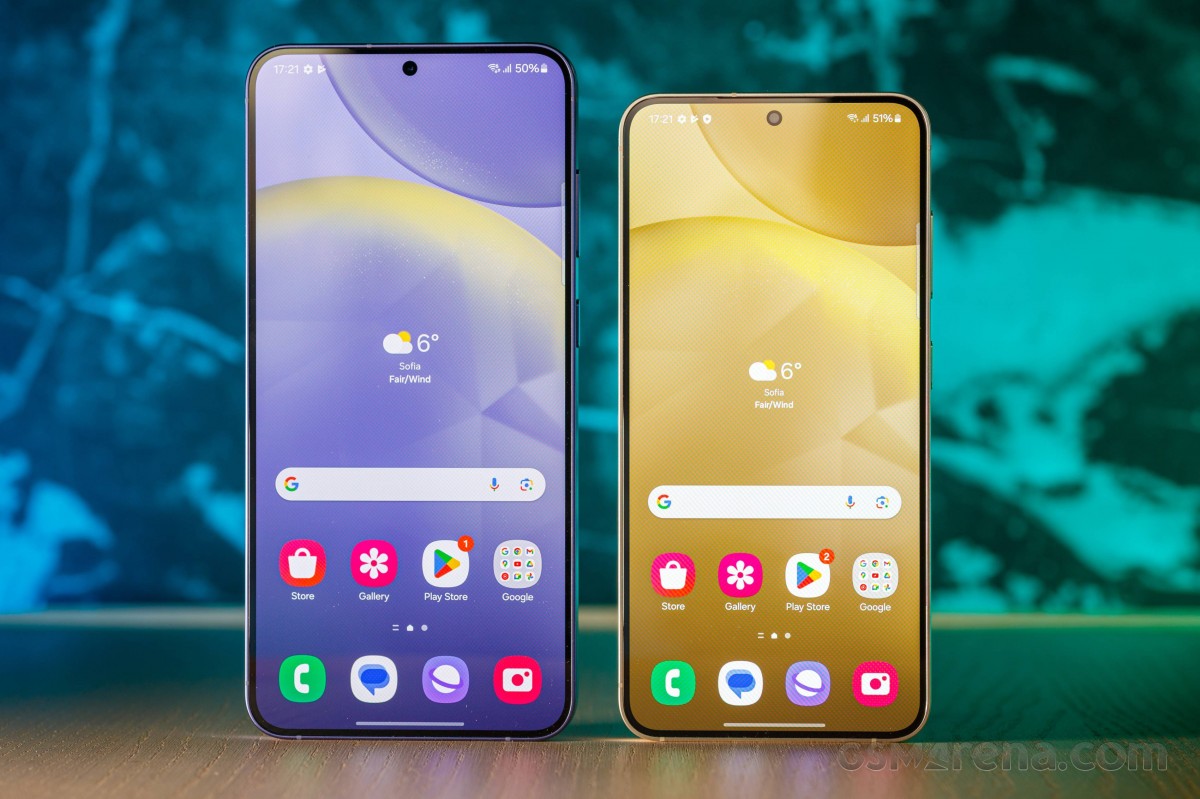
Left: Galaxy S24+ • Right: Galaxy S24
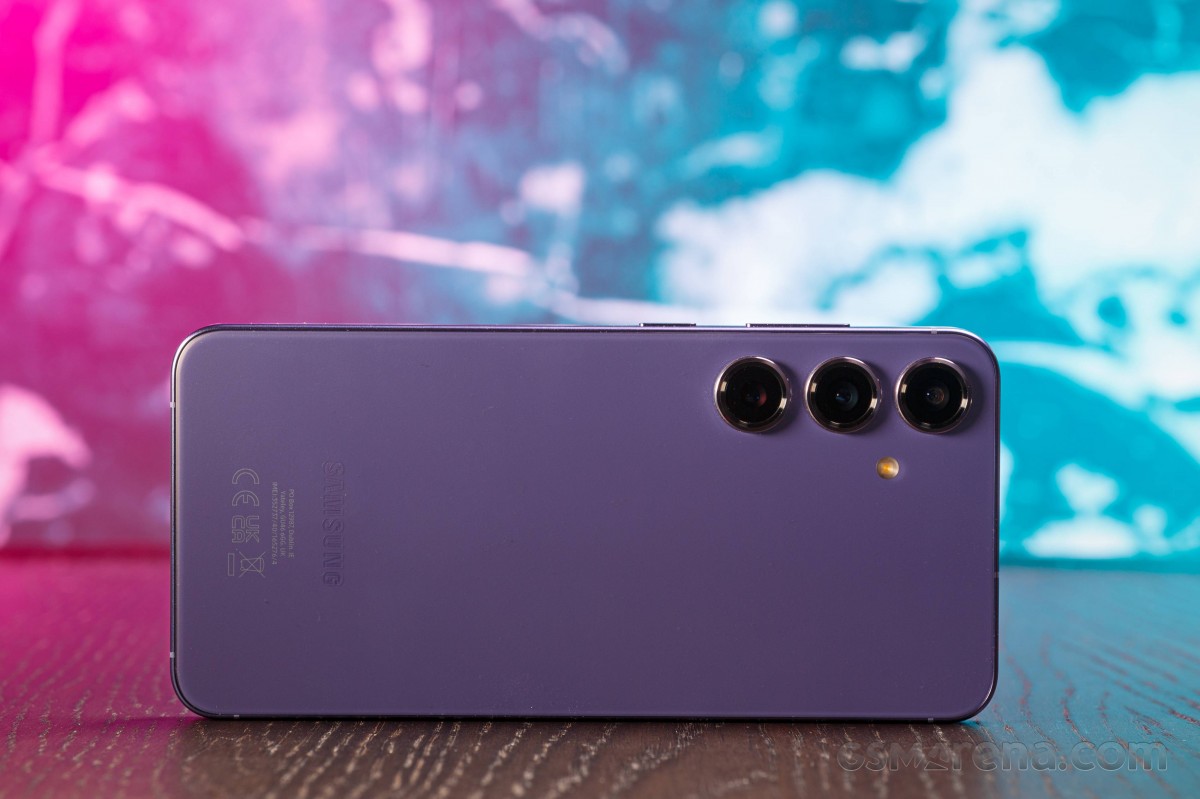
The entire camera kit has been lifted from the S23. There are three imagers at the back – a 50MP OIS primary, a 10MP 3x tele, and a 12MP ultrawide. A 12MP front camera with autofocus will take care of selfie capture.
Left: Galaxy S24+ • Right: Galaxy S24
The battery capacity has increased from 3,900mAh to 4,000mAh, while the charging capabilities remain the same – 25W wired, 15W wireless, and 4.5W reverse wireless.
Disclaimer. We can not guarantee that the information on this page is 100% correct.
The Galaxy S24 base version is still 128GB – something we hoped Samsung would drop as there are no UFS 4.0 chips for this capacity. This model still has no Ultra Wideband, and the charging is still limited to 25W. None of these is a deal breaker, but they would have sat nicely as small upgrades on the spec sheet.
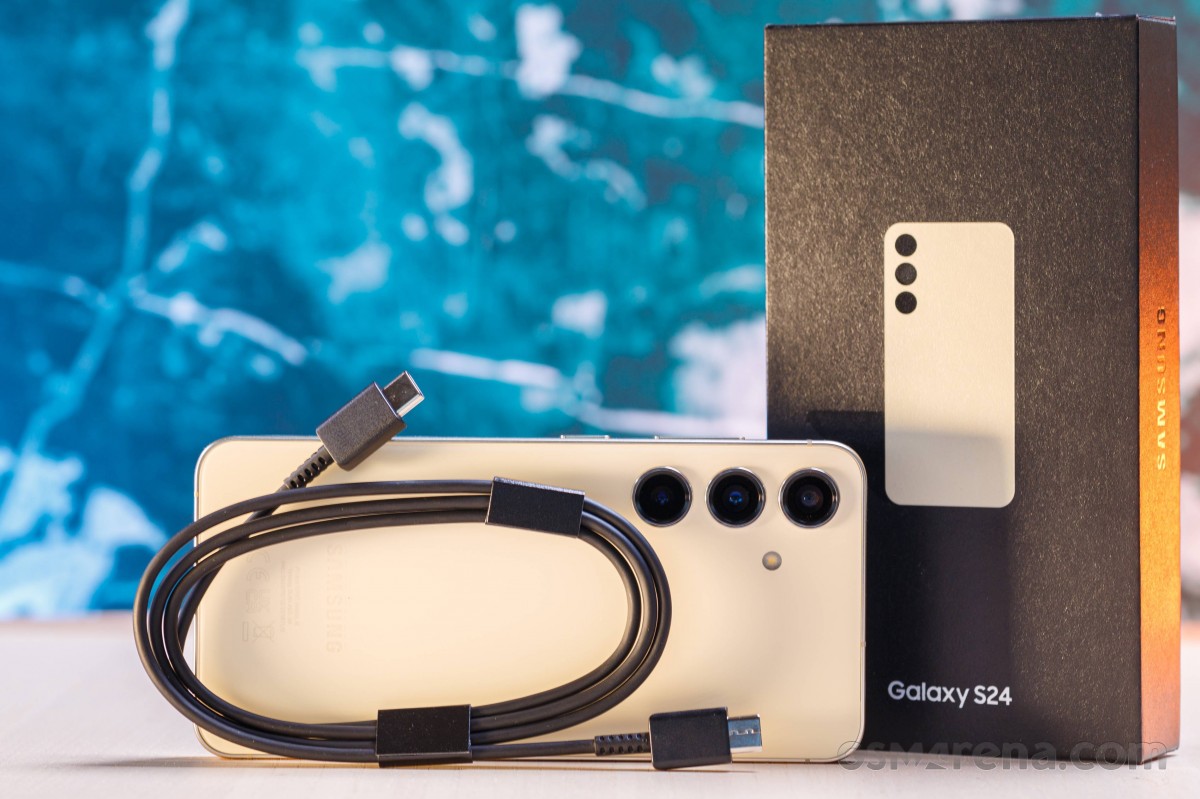
Unboxing the Samsung Galaxy S24
The eco-friendly retail box is here to stay, of course. The Galaxy S24 bundle contains a 3A USB-C-C cable and a SIM ejection tool.
And that’s all.
At least the pre-order campaign for the Galaxy S24 included a 25W fast charger and a clear, transparent case. Even better, Samsung was selling the 256GB model at the price of the 128GB one to those who had pre-ordered.
The competition
The MSRP for a vanilla Galaxy S24 will vary from region to region, and you can get different carrier and vendor deals and bundles. The most popular tier will probably be the 8GB/256GB ($860/€960/£860) one. We recommend against getting the 8GB/128GB ($800/€900/£800) version as the storage is the slower UFS 3.1 variety.
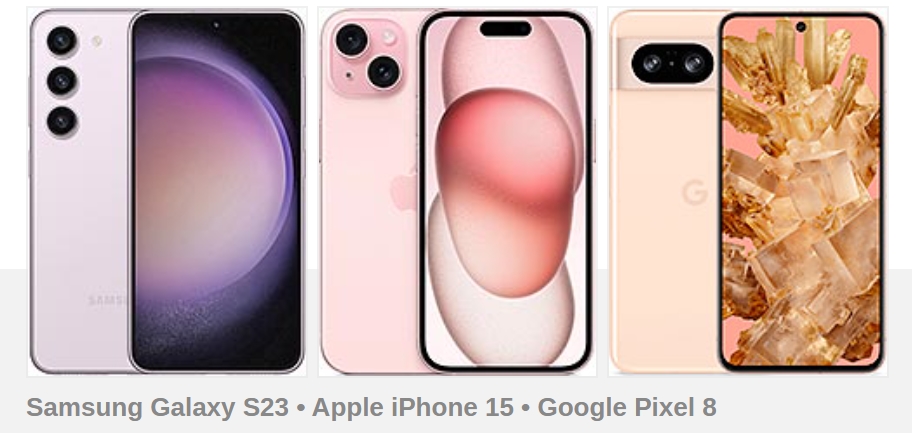
It’s pretty hard to shop for a compact flagship nowadays. But putting all of the requirements together, last year’s Galaxy S23 comes up first on the list. The highlights of the new model include seven years of software updates, a new LTPO display, slightly bigger battery, and a newer chipset, but hardly any of these is a groundbreaking upgrade. Especially considering that the overall battery life hasn’t improved compared to the S23. You can get most of the same experience out of a last-gen model and at a nicely discounted price. Around $390/€655/£465 for a base 8GB/128GB model and $560/€695/£480 for a 8GB/256GB model.
Of course, Apple caters nicely to the compact market as well. While we would love to recommend the iPhone 15 Pro unless you are shopping in the US and are willing to settle for a 128GB unit, it is probably not in the same budget as the vanilla Galaxy S24. Still, the regular iPhone 15 offers a great experience. You will be missing a telephoto cam and you will have to settle for a 60Hz refresh rate too. And, of course, there is the elephant in the room – iOS versus Android, which is a deeply subjective decision.
A vanilla Google Pixel 8 won’t get you anywhere near the performance of a Galaxy S24, but the compact aspect is definitely there. You will be missing out on a telephoto camera, but other than that, there are arguably no major omissions. You also get extended software support, courtesy of Google and plenty of Google-powered AI features. Also, a bigger battery. And the Pixel 8 is notably cheaper.
Throwing the whole “compact” bit out the window and speaking of Google devices, you might want to look into the Pixel 8 Pro as well.
Also, you can swing an entry-level 8GB/256GB or even a much more future-proof 12GB/256GB Galaxy S23 Ultra unit. And sure, you won’t be getting the seven years of updates and Samsung AI, at least not initially, but other than that, you are getting “a lot more phone” for your money. A bigger and higher resolution display. An S Pen. You get a more potent main camera and two telephotos. Also, an autofocusing ultrawide and selfie. So, a better camera setup as a whole. The bigger battery and faster charging are also quite nice to have. There is also Ultra Wideband (UWB) if you care about that.
Pricing on the OnePlus 12 also makes it nicely competitive. The larger 6.82-inch display on the OnePlus matches most of the features of the Galaxy S24 and even exceeds it by offering things like 10-bit color and higher brightness. The OnePlus 12 also arguably has a higher-quality camera setup, though that point can be argued. There is autofocus on the ultrawide, at least. The much bigger 5,400 mAh battery is nice to have, much like the faster charging, both wired and wireless.
Our verdict
As mentioned, the Galaxy S24 offers a nice little incremental upgrade over its S23 predecessor without really innovating or breaking the mold in any major way.
The new, much brighter and a bit larger LTPO, 120Hz, Dynamic AMOLED 2X display is a great little step up from last year. The same goes for the new Armor Aluminum 2 frame, which is now complete with a matte finish. We also appreciate the slight bump in both battery capacity and actual battery endurance.
One UI 6.1 is also a nice incremental step up when it comes to general functionality, even if you ignore the major Galaxy AI injection, which, admittedly, is still an “acquired taste” for most users and will take some refinement and normalization before becoming an unquestionable and established value-add.
The allure of seven whole years of software support is far less debatable, though.
Now slightly louder, the hybrid stereo speaker setup remains a highlight of the multimedia experience. The same goes for the solid and versatile camera setup. Samsung didn’t make any sweeping changes in this department but arguably didn’t really need to either.
It’s also hard to argue with the build quality and durability up on offer here. Neither IP68 nor Corning Gorilla Glass Victus 2 are new things, but both remain noteworthy highlights.
As for the whole chipset situation, we see how returning to a two-chip, segmented approach rubs many people the wrong way. We acknowledge that Samsung’s own Exynos parts have a pretty bad reputation (deserved, at least in part). Still, from our first batch of testing, the Exynos 2400 variants of the Galaxy S24 and S24+, we can at least say that this year, the Exynos 2400 does seem pretty close in overall performance to the Snapdragon 8 Gen 3.
We are not particularly impressed with how the Exynos-equipped S24 and S24+ handle heat over time. While the thermal-throttling is still perfectly reasonable, we are interested in seeing how the Snapdragon variants of these devices fair in the same department once we eventually get the chance to test those out as well.
That, however, might be a bit of a comparison for “scientific purposes” only since most people won’t get the chance to pick and choose their chipset. Plus, at least from an experience standpoint, there doesn’t appear to be any major difference one way or the other.
Going into wishful thinking for a bit here, we would have loved to see the vanilla S24 join its bigger siblings and get 45W charging this year. Ultra Wide Band (UWB) would have been a nice extra too. And Samsung just needs to stop offering the UFS 3.1 128GB base storage variant. We get why it’s there, but that doesn’t mean we have to like it. The same goes for the 8-bit displays, by the way.
In keeping with tradition, the Galaxy S24 continues to be a mighty yet surprisingly compact package. It is one of the few small flagships left out there, and that alone will ensure its popularity with buyers. Also, as usual, it is the cheapest way to get into Samsung’s latest flagship line and for better or worse, that appeals to a particular crowd.
If you fall into either camp of interested buyers, we can confidently say that Samsung played it safe yet again and ensured that the Galaxy S24 won’t disappoint.
If, however, you crave something other than the Galaxy S “norm” or are deeply bothered by the return of Exynos, you might want to look elsewhere instead. Until the S24’s price settles a bit, we’d say the Galaxy S23 provides better value around.
Pros
No-nonsense, sturdy, grippy, compact design. The new matte finish looks great.
Even better durability than last year with V2 aluminum frame and still Gorilla Glass Victus 2 and IP68.
Outstanding OLED screen, slightly bigger and even brighter than last year.
Great battery life from a slightly bigger battery than last year.
Awesome stereo speakers.
Top-notch performance.
Solid photo and video quality across the board with a camera carried forward from last year.
Exciting One UI is now infused with plenty of AI; DeX support, and great connectivity options.
Cons
Hardware fragmentation is back, with some markets getting Snapdragon 8 Gen 3 and some Exynos 2400 chips.
128GB uses UFS 3.1 instead of UFS 4.0 storage.
Still no UltraWideBand (UWB) support.
No 10-bit color depth support for the screen.
The CPU and GPU both throttle down in performance quite aggressively under load.
Charging is still capped at 25W and there is no charger in the box.
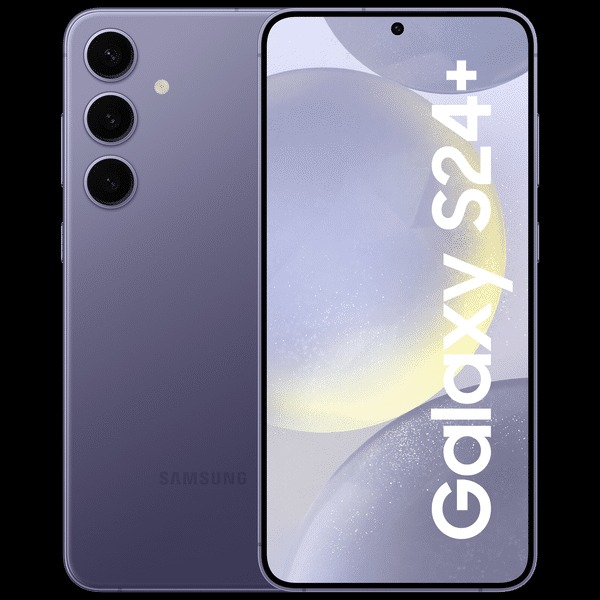
The Galaxy S Plus is probably the least popular device of the Galaxy S trio, but it has its fans. It caters to those who want a bigger Galaxy S screen and don’t want to overpay for Ultra features they will not use. Today, we will be meeting with the Galaxy S24+, which finally returns to its former glory with a Quad HD display!
Indeed, this has to be the biggest change since the Galaxy S21 series! The Galaxy S24+ brings back the 1440p OLED display we last saw on the Galaxy S20+ in 2020. And it’s as premium of a panel as it can get – a 6.7-inch LTPO Dynamic AMOLED 2X screen with 513ppi, 120Hz dynamic refresh rate, HDR10+ and up to 2,600 nits of peak brightness.
Quick note – we are reviewing the Exynos model of the Galaxy S24+ here.
The refreshed design is the next thing on the list of upgrades – the aluminum frame is now tougher, flatter and all matte! This makes the Galaxy S24+ look new and feel new, too.
Just like the Galaxy S24, the S24+ hardware varies depending on the market. The global models employ the Exynos 2400 chip with a 10-core CPU and new AMD graphics, while the US/Canada/China models run on the Snapdragon 8 Gen 3. The S24+ is available in 256GB and 512GB variants, both with UFS 4.0 chips and 12GB of RAM.
Left: Galaxy S24+ • Right: Galaxy S24
The camera system is identical to the one on the Galaxy S24, S23+ and S23. There are three cameras on the back – a 50MP OIS primary, a 10MP 3x telephoto and a 12MP ultrawide. The front camera is a 12MP shooter with autofocus and 4K capturing.
The Galaxy S24+ specs also include Ultra Wideband (UWB) support and a larger 4,900mAh battery with 45W wired and 15W wireless charging.
Disclaimer. We can not guarantee that the information on this page is 100% correct.
The Galaxy S24+ seems like it has it all. Maybe it deserved a better zoom camera, or at least one of higher resolution, so it can allow for lossless/hybrid zoom. But we guess this incremental update will now be reserved for the Galaxy S25 next year.
Unboxing the Samsung Galaxy S24+
The Galaxy S24+ ships inside a thin black box containing a USB-C cable and a SIM ejection tool.
Those who pre-ordered the S24+ also get a 25W power adapter, a 15W charger pad, and a clear case. Those extras are market-dependent, of course.
The cable that ships inside the retail boxes of the Galaxy S24 series is officially rated as 3A or up to 25W. This means if you buy a 45W charger or similar and it doesn’t include a proper cable, you will need to shop for a compatible cable so you can enjoy faster than 25W charging.
The competition
The Galaxy S24+ has gone up in price a bit in some regions compared to its predecessor. That being said, gone is the 8GB RAM, and you get to choose between a 12GB/256GB model and a 12GB/512GB one. And we’re not even mentioning some of the other great updates this year, like the brighter, higher-resolution LTPO display and the larger battery. As for any potential concerns regarding the Exynos 2400 chipset, it is comparable to a Snapdragon 8 Gen 3 with no obvious performance downsides.
Even with the potential price hike in some regions, the savings of going for Plus instead of Ultra are quite notable. Other than the cameras and S Pen, this is closer to the Ultra than any S Plus model has been since the S20 generation. Many people on older Galaxy devices do seem to be considering the S24+ as a good upgrade path.
As far as actual pricing goes, at MSRP, a base 12GB/256GB unit should cost you around $1,000/€1,150/£1,000, and a 12GB/512GB one should set you back about $1,120/€1,270/£1,100. Of course, local pricing will vary, and so will packages and deals with retailers and carriers. However, let’s say that if you are looking into an S24+, you have a budget of about €1,300. That’s plenty to spend on a smartphone, and there are at least a few good options out there.
Here is an interesting idea: why not consider the Galaxy S23 Ultra? Sure, it is a generation older, and you won’t be getting quite the same performance. You will also notably be missing out on the seven years of OS updates and the Galaxy AI features, at least initially. Besides that, you get a comparable package, plus an S Pen, arguably a more versatile camera setup with a second telephoto and ultrawide with autofocus – all for a lower price than the S24+.
If you find yourself drawn by the allure of longer software support and AI features in particular, then perhaps the Google Pixel 8 Pro might be a good fit. It is notably cheaper at current pricing than the S24+, too. You will have to settle for lower overall performance, though, if that is something you particularly care about.
The OnePlus 12 is also a pretty popular choice. Pricing on the OnePlus 12 also makes it nicely competitive. The larger 6.82-inch display on the OnePlus matches most of the features of the Galaxy S24+ and even exceeds it by offering things like 10-bit color and higher brightness. The OnePlus 12 also arguably has a higher-quality camera setup, though that point can be argued. There is autofocus on the ultrawide, at least. The usefullness of the bigger 5,400 mAh battery is not up for debate, though. Neither is the much faster charging, both wired and wireless.
Finally, we should mention the options over at camp Apple, in case iOS is up your alley. While we would love to point you in the direction of the iPhone 15 Pro Max, it is a bit too pricey. The iPhone 15 Pro gets you the same top-tier chipset and a telephoto camera. However, it is on the small side and more of an alternative for the vanilla Galaxy S24 than the S24+. Enter the iPhone 15 Plus. You get a very comparable device size and features. No telephoto, as we mentioned, but notably better battery life on the iPhone, as per our testing.
Our verdict
While the vanilla Galaxy S24 is more or less a simple incremental upgrade over the S23, we would say that this year, the S24+ brings a bit more to the table. An argument can be made that it is now closer to the “Ultra” than ever.
The S24 Plus gets its QHD resolution back. Not to mention that the new panel is both slightly bigger and much brighter than last year. Gone are the 8GB of RAM from last year. The S24+ gets 12GB across the board. The battery has grown notably in capacity and now, at 4,900 mAh, is almost as much as the S24 Ultra has. However, our testing did show that the extra resolution does seem to eat into the actual endurance this year.
And sure, Samsung could have graced the S24+ with a better or at least higher-resolution telephoto this year so that it could pull off impressive digital zooms on top of the optical one. But other than that, and of course the S Pen and a few other smaller things like Wi-Fi 7, the Galaxy S24+ is almost all the way there to an “Ultra” this year.
To quickly fire off some other upgrades for 2024, we have moved to the stronger and more scratch-resistant Armor Aluminum 2 material for the now matte middle frame. And that’s on top of the excellent IP68 and dual-sided Gorilla Glass Victus 2 protection carried forward. Gorilla Glass Armor does remain an S24 Ultra exclusive this year.
Of course, we can’t fail to mention the allure of seven years of software support and One UI 6.1. It offers a nice incremental step up when it comes to general functionality, even if you ignore the major Galaxy AI injection, which, admittedly, is still an “acquired taste” for most users and will take some refinement and normalization before becoming an unquestionable and established value-add.
Now slightly louder, the hybrid stereo speaker setup remains a highlight of the multimedia experience. The same goes for the solid and versatile camera setup. Samsung didn’t make any sweeping changes in this department but arguably didn’t need to either.
As for the whole chipset situation, we see how returning to a two-chip, segmented approach rubs many people the wrong way. We acknowledge that Samsung’s own Exynos parts have a pretty bad reputation (deserved, at least in part). Still, from our first batch of testing the Exynos 2400 variants of the Galaxy S24 and S24+, we can at least say that this year, the Exynos 2400 does seem pretty close in overall performance to the Snapdragon 8 Gen 3.
We are not particularly impressed with how the Exynos-equipped S24 and S24+ handle heat over time. While the thermal-throttling is still perfectly reasonable, we are interested in seeing how the Snapdragon variants of these devices fair in the same department once we eventually get the chance to test those out as well.
That, however, might be a bit of a comparison for “scientific purposes” only since most people won’t get the chance to pick and choose their chipset. Plus, at least from an experience standpoint, there doesn’t appear to be any major difference one way or the other.
All things considered, there is a lot to like about the S24+. With its QHD display, 12GB of RAM, and seven years of software updates, it arguably makes more sense than its S23+ predecessor.
Then again, the Plus has never really enjoyed much attention from buyers, which is unlikely to change. While you definitely won’t be disappointed in any way by picking up a Galaxy S24+, there might be better options to consider. For one, the Galaxy S23 Ultra can offer an S Pen, notably better cameras and no Exynos uncertainty for less than what you would pay for the S24+. The Galaxy S23+ seems like an even better deal while offering much or less the same user experience.
Pros
No-nonsense, sturdy, grippy design. The new matte finish looks great.
Even better durability than last year with V2 aluminum frame and still Gorilla Glass Victus 2 and IP68.
Outstanding OLED screen, QHD once again, slightly bigger and even brighter than last year.
Awesome stereo speakers.
Top-notch performance. RAM is upgraded to 12GB this year.
Solid photo and video quality across the board with a camera carried forward from last year.
Exciting One UI is now infused with plenty of AI; DeX support, and great connectivity options. UWB support.
Cons
Shorter battery life than last year’s S23+, though still solid.
Hardware fragmentation is back, with some markets getting Snapdragon 8 Gen 3 and some Exynos 2400 chips.
No 10-bit color depth support for the screen.
The CPU and GPU both throttle down in performance quite aggressively under load.
No charger in the box and ships with a 3A Type-C cable, which cannot do 45W charging.